9 css dropdown menu animation — không JS, chỉ CSS
Một css dropdown menu animation là chuyển động khi menu điều hướng ẩn hiện, dựng bằng transition hoặc keyframes thuần CSS, không cần thư viện JS nào để mở,
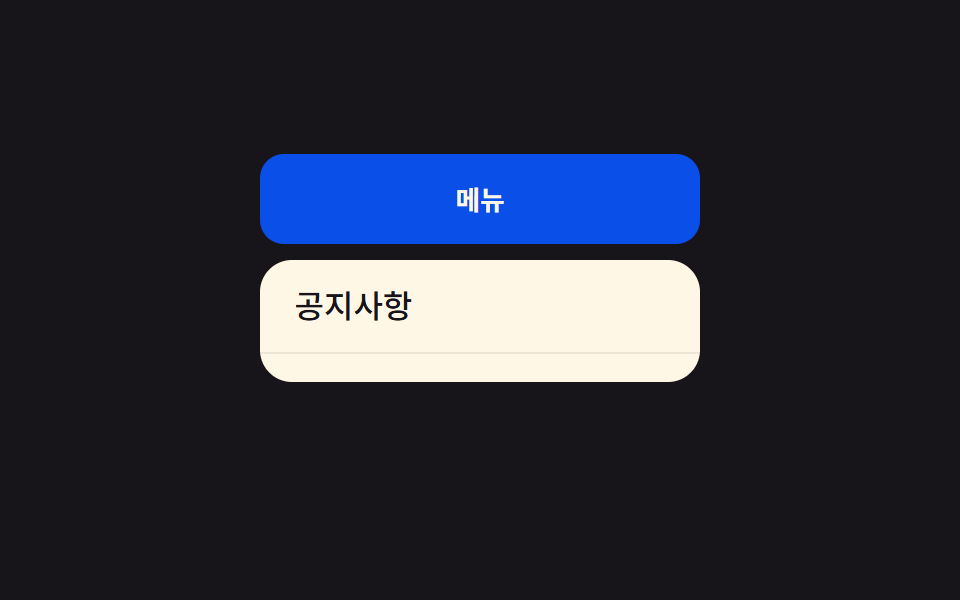 01 dropdown-menu-height-auto
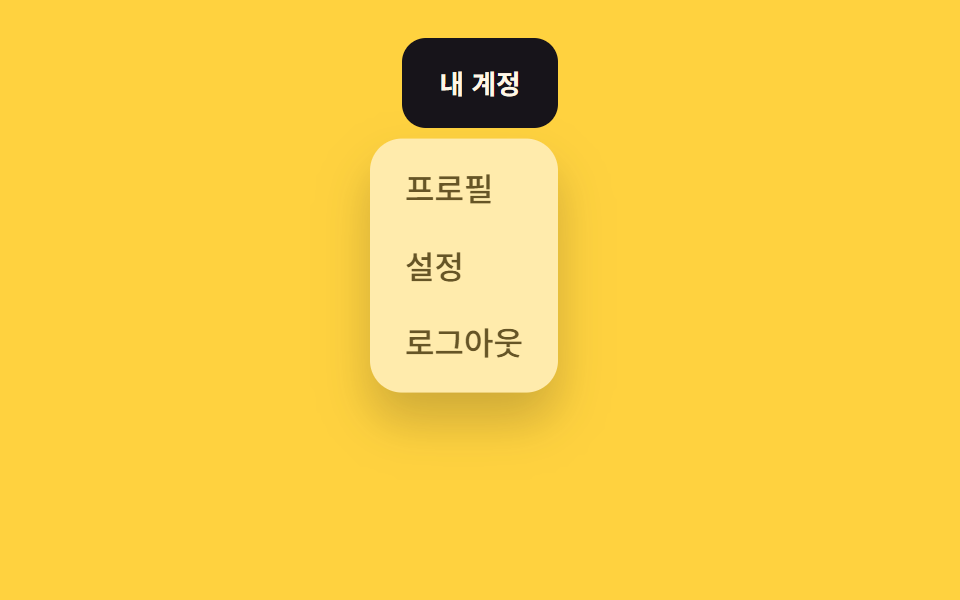 02 dropdown-menu-fade-slide
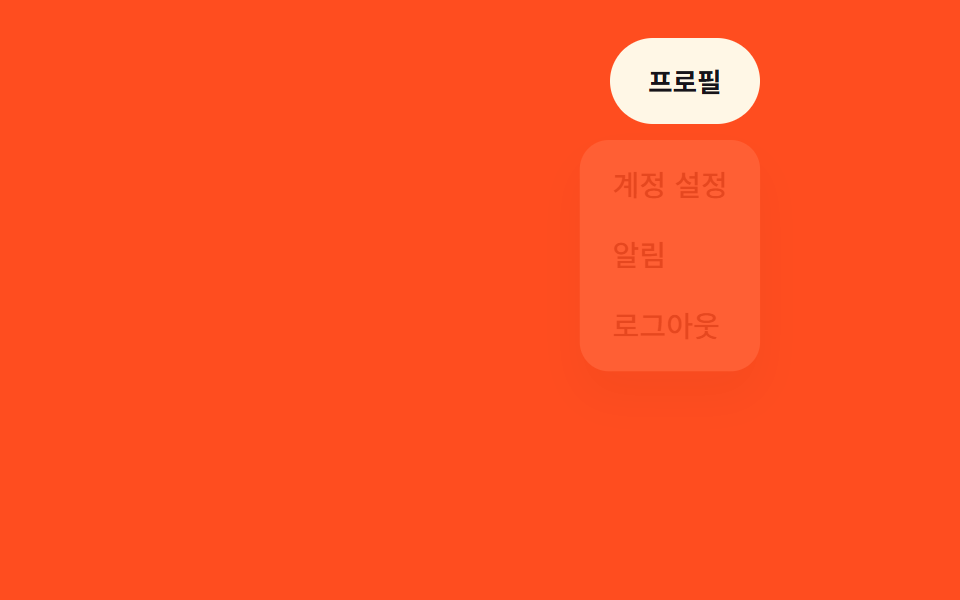 03 dropdown-menu-scale-origin
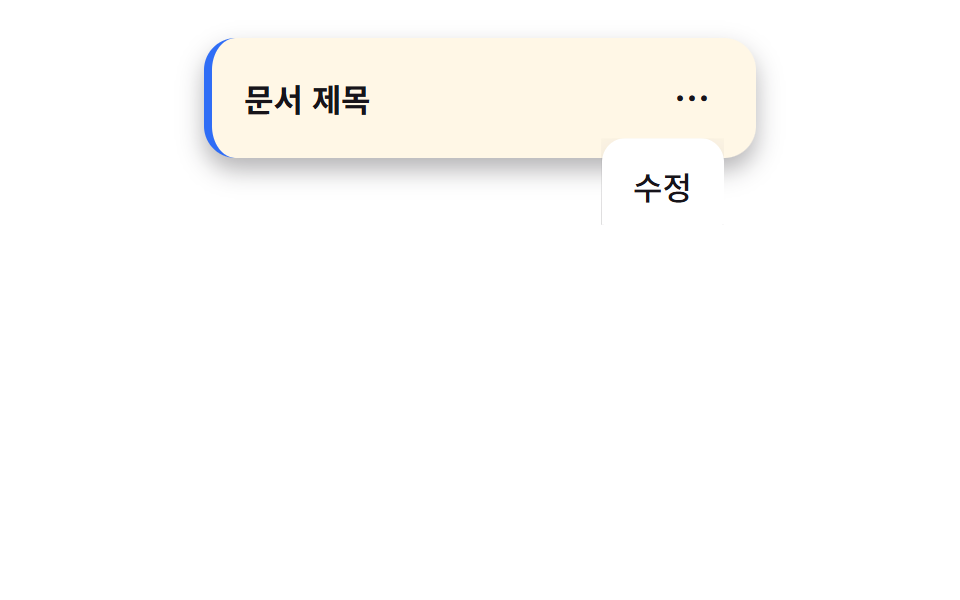 04 dropdown-menu-clip-open
 05 dropdown-menu-stagger-items
 06 dropdown-menu-mega-menu-fill
 07 dropdown-menu-hover-intent-delay
 08 dropdown-menu-popover-native
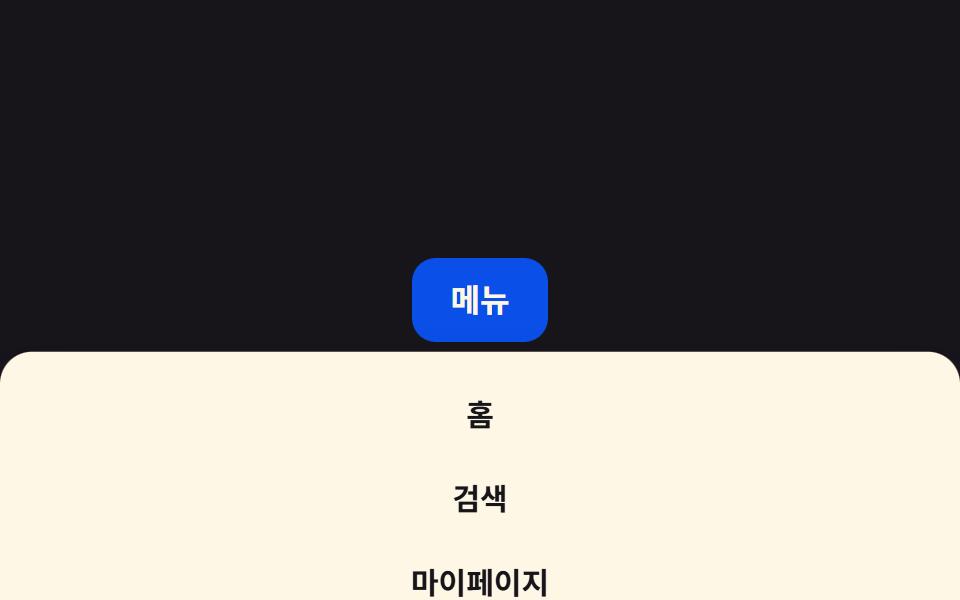 09 dropdown-menu-mobile-full-sheet
Tự chạy · bấm ô để tới mục đó · cả 9 trong một zip
- 01 Chuyển đổi height:auto
- 02 Fade + slide
- 03 Phóng to từ góc (transform-origin)
- 04 Mở bằng clip-path
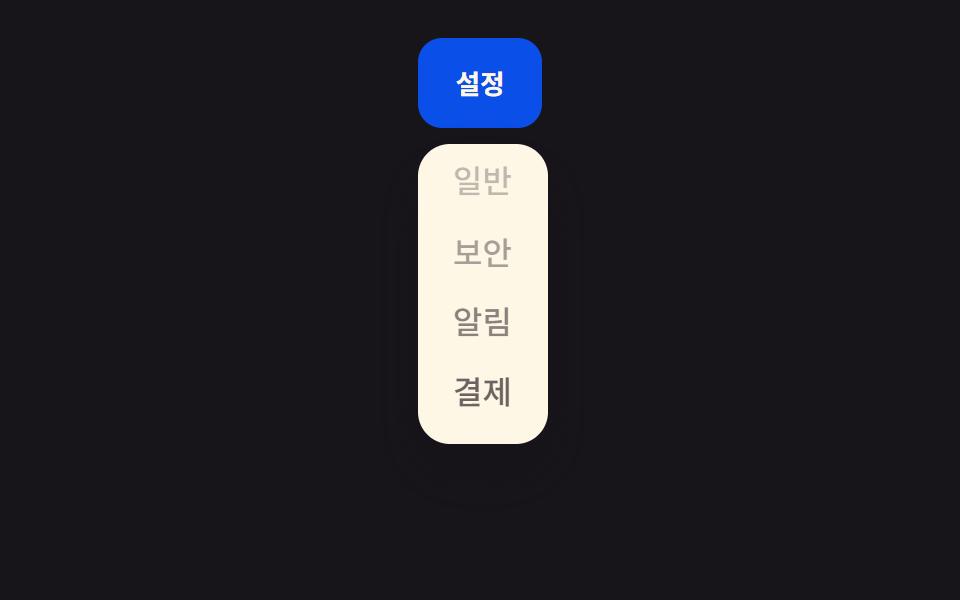
- 05 Các mục xuất hiện lần lượt
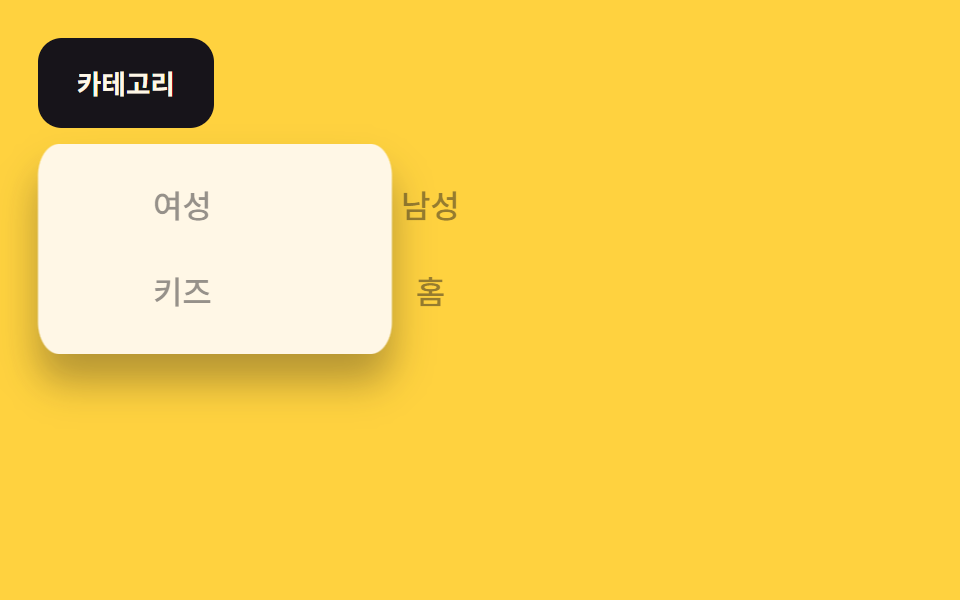
- 06 Nền mega menu lan rộng
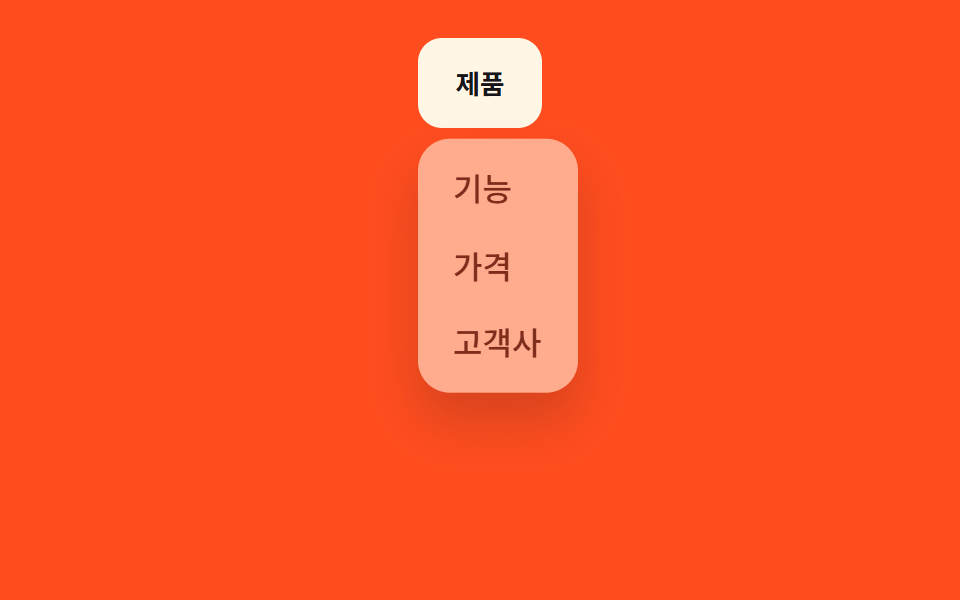
- 07 Mở trễ (transition-delay)
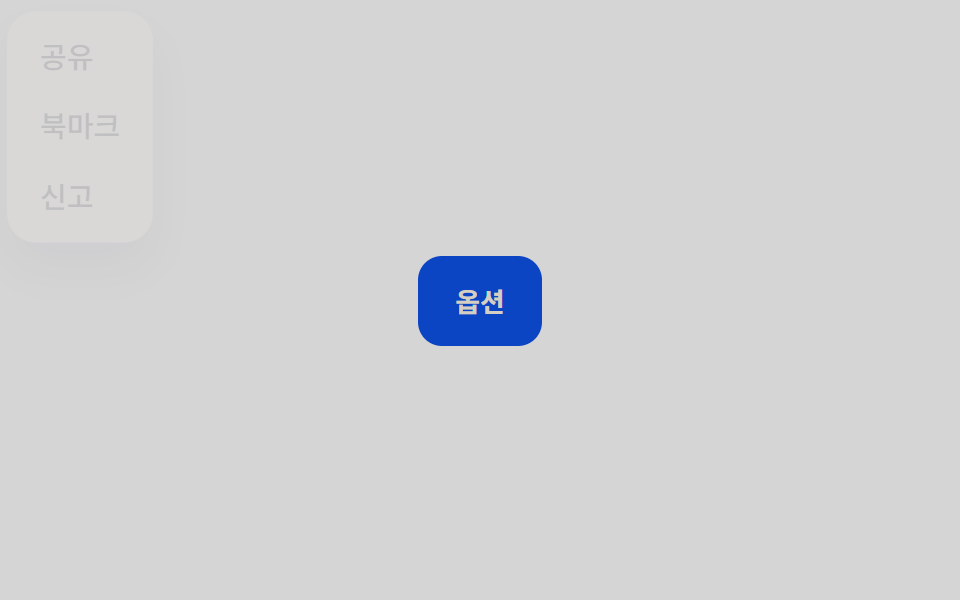
- 08 Dùng thuộc tính popover gốc
- 09 Sheet toàn màn hình trên mobile
Chín kiểu dưới đây đi từ cách làm quen thuộc nhất đến những cái ít ai chạm tới. 01 đến 05 vẫn là những gì nav bar nào cũng cần: height, opacity, transform, clip-path, và stagger từng mục. 06 đến 07 mang tính ý tưởng hơn — mega menu và độ trễ hover-intent. 08 và 09 đẩy xa hơn nữa, dùng popover gốc của trình duyệt và sheet toàn màn hình cho mobile. Bạn có thể xem lưới phía trên tự chạy lần lượt cả chín kiểu — mỗi css dropdown menu animation dưới đây nằm trong một iframe cố định, không có gì để bấm, nên nó cứ lặp một mình.
01Chuyển đổi height:auto
Bạn thấy gì
Chiều cao menu được nội suy từ 0 đến chiều cao nội dung thực qua grid-template-rows, nên việc mở rộng height:auto trông mượt như có animation thật sự — không cần đo chiều cao bằng JS.
<main class="stage">
  <nav class="menu is-demo">
    <button class="menu__trigger" type="button" aria-expanded="false">Menu</button>
    <div class="menu__panel">
      <ul class="menu__list">
        <li><a href="#">Bảng tin</a></li>
        <li><a href="#">Câu hỏi thường gặp</a></li>
        <li><a href="#">Hỗ trợ</a></li>
      </ul>
    </div>
  </nav>
</main>
@use "../../../../site/static/demo-tokens" as *;
$duration: $dur-base; // 패널이 늘어나는 시간
$easing: $ease-out; // 시작 빠르고 끝은 부드럽게
$color: $subject-blue-deep; // 트리거 버튼 색 (크림 글자가 얹히므로 진한 파랑)
@include stage($stage-ink);
.menu {
position: relative;
width: min(220px, 90vw);
font-weight: 500;
font-size: clamp(13px, 3.6vw, 16px);
line-height: 1.4;
font-family: inherit;
&__trigger {
width: 100%;
border: 0;
border-radius: $r-control;
padding: clamp(9px, 3vw, 13px) clamp(16px, 4vw, 22px);
font-weight: 700;
font-family: inherit;
color: $subject-cream;
background: $color;
cursor: pointer;
}
&__panel {
display: grid;
grid-template-rows: 0fr; // height:auto 를 흉내내는 트릭. 0fr↔1fr 만 움직인다
transition: grid-template-rows $duration $easing;
margin-top: 8px;
}
&__list {
overflow: hidden; // grid-template-rows 트릭엔 자식에 overflow:hidden 이 필수
min-height: 0;
margin: 0;
padding: 0;
list-style: none;
background: $subject-cream;
border-radius: $r-card;
}
&__list li a {
display: block;
padding: clamp(8px, 2.6vw, 12px) clamp(12px, 3.6vw, 18px);
color: $stage-ink;
text-decoration: none;
border-bottom: 1px solid rgba($stage-ink, .08);
}
&__list li:last-child a { border-bottom: 0; }
&.is-demo &__panel { animation: reveal-loop $dur-loop $easing infinite; }
&.is-open &__panel { animation: none; grid-template-rows: 1fr; }
}
@keyframes reveal-loop {
0%, 30% { grid-template-rows: 0fr; }
45%, 80% { grid-template-rows: 1fr; }
95%, 100% { grid-template-rows: 0fr; }
}
@media (prefers-reduced-motion: reduce) {
.menu__panel { transition: none; }
.menu.is-demo .menu__panel { animation: none; grid-template-rows: 0fr; }
}html, body {
margin: 0;
overflow: hidden;
}
.stage {
box-sizing: border-box;
min-height: 100vh;
display: grid;
place-items: center;
margin: 0;
background: #17141a;
font-family: -apple-system, "Segoe UI", "Noto Sans KR", sans-serif;
padding: clamp(8px, 4vw, 24px);
}
.menu {
position: relative;
width: min(220px, 90vw);
font-weight: 500;
font-size: clamp(13px, 3.6vw, 16px);
line-height: 1.4;
font-family: inherit;
}
.menu__trigger {
width: 100%;
border: 0;
border-radius: 12px;
padding: clamp(9px, 3vw, 13px) clamp(16px, 4vw, 22px);
font-weight: 700;
font-family: inherit;
color: #fff7e6;
background: #0a4fe8;
cursor: pointer;
}
.menu__panel {
display: grid;
grid-template-rows: 0fr;
transition: grid-template-rows 300ms ease-out;
margin-top: 8px;
}
.menu__list {
overflow: hidden;
min-height: 0;
margin: 0;
padding: 0;
list-style: none;
background: #fff7e6;
border-radius: 16px;
}
.menu__list li a {
display: block;
padding: clamp(8px, 2.6vw, 12px) clamp(12px, 3.6vw, 18px);
color: #17141a;
text-decoration: none;
border-bottom: 1px solid rgba(23, 20, 26, 0.08);
}
.menu__list li:last-child a {
border-bottom: 0;
}
.menu.is-demo .menu__panel {
animation: reveal-loop 2s ease-out infinite;
}
.menu.is-open .menu__panel {
animation: none;
grid-template-rows: 1fr;
}
@keyframes reveal-loop {
0%, 30% {
grid-template-rows: 0fr;
}
45%, 80% {
grid-template-rows: 1fr;
}
95%, 100% {
grid-template-rows: 0fr;
}
}
@media (prefers-reduced-motion: reduce) {
.menu__panel {
transition: none;
}
.menu.is-demo .menu__panel {
animation: none;
grid-template-rows: 0fr;
}
}// 실제 클릭으로도 열고 닫힌다. 데모(.is-demo)는 스스로 반복하다가 사람이 누르면 멈추고 수동 토글로 바뀐다.
var m = document.querySelector('.menu');
var t = m.querySelector('.menu__trigger');
t.addEventListener('click', function () {
m.classList.remove('is-demo');
var open = m.classList.toggle('is-open');
t.setAttribute('aria-expanded', open);
});import { useState } from "react";
import type { CSSProperties } from "react";
import styles from "./HeightAutoDropdown.module.scss";
export type HeightAutoDropdownProps = {
triggerLabel: string;
items: string[];
/** 패널이 늘어나는 시간 (기본 300ms) */
duration?: number;
easing?: string;
color?: string;
};
type Vars = CSSProperties & { "--duration"?: string; "--easing"?: string; "--color"?: string };
export default function HeightAutoDropdown({
triggerLabel,
items,
duration = 300,
easing = "ease-out",
color = "#0a4fe8",
}: HeightAutoDropdownProps) {
const [open, setOpen] = useState(false);
const vars: Vars = { "--duration": `${duration}ms`, "--easing": easing, "--color": color };
return (
<nav className={styles.menu} style={vars}>
<button
type="button"
className={styles.trigger}
aria-expanded={open}
onClick={() => setOpen((v) => !v)}
>
{triggerLabel}
</button>
<div className={open ? `${styles.panel} ${styles.panelOpen}` : styles.panel}>
<ul className={styles.list}>
{items.map((label) => (
<li key={label}><a href="#">{label}</a></li>
))}
</ul>
</div>
</nav>
);
}01 · Chuyển đổi height:auto — Diện tích đo được 29.538% · khung hình chuyển động 8/23Nguyên tác GODRICH · SCSS và React nằm trong tệp zip · Xem mật khẩu
Dùng ở đâu
Bạn dùng kiểu này cho dropdown điều hướng, hoặc menu kiêm luôn accordion lọc.
.menu {
  &__panel {
    display: grid;
    grid-template-rows: 0fr;
    transition: grid-template-rows $duration $easing;
  }
  &__list {
    overflow: hidden;
    min-height: 0;
  }
  &.is-open &__panel { animation: none; grid-template-rows: 1fr; }
}

@keyframes reveal-loop {
  0%, 30%   { grid-template-rows: 0fr; }
  45%, 80%  { grid-template-rows: 1fr; }
  95%, 100% { grid-template-rows: 0fr; }
}
02Fade + slide
Chuyện gì diễn ra trên màn hình
Menu vừa mờ dần vừa trượt xuống khoảng 8px từ phía trên, nên phần xuất hiện không bị đột ngột.
<main class="stage">
  <nav class="menu is-demo">
    <button class="menu__trigger" type="button" aria-expanded="false">Tài khoản của tôi</button>
    <ul class="menu__panel">
      <li><a href="#">Hồ sơ</a></li>
      <li><a href="#">Cài đặt</a></li>
      <li><a href="#">Đăng xuất</a></li>
    </ul>
  </nav>
</main>
@use "../../../../site/static/demo-tokens" as *;
$duration: $dur-quick; // 페이드+슬라이드 시간
$easing: $ease-out; // 시작 빠르고 끝은 부드럽게
$color: $stage-ink; // 트리거 버튼 색 (노란 무대와 대비)
@include stage($stage-yellow);
.menu {
position: relative;
align-self: flex-start; // 패널이 트리거 아래로 열려 무대 중앙에 두면 320px 에서 아래로 넘친다 — 위로 붙여 여유를 둔다 (실측 320px 재검증 2026-09-10)
font-weight: 500;
font-size: clamp(13px, 3.6vw, 16px);
line-height: 1.4;
font-family: inherit;
&__trigger {
border: 0;
border-radius: $r-control;
padding: clamp(9px, 3vw, 13px) clamp(16px, 4vw, 22px);
font-weight: 700;
font-family: inherit;
color: $subject-cream;
background: $color;
cursor: pointer;
}
&__panel {
position: absolute;
top: calc(100% + 8px);
right: 0;
width: max-content;
max-width: min(180px, 78vw);
margin: 0;
padding: 6px;
list-style: none;
background: $subject-cream;
border-radius: $r-card;
box-shadow: $shadow-raised;
opacity: 0;
transform: translateY(-8px); // transform · opacity 만 움직인다
pointer-events: none;
}
&__panel li a {
display: block;
padding: 8px 12px;
border-radius: $r-control - 4px;
color: $stage-ink;
text-decoration: none;
}
&__panel li a:hover { background: rgba($stage-ink, .06); }
&.is-open &__panel { opacity: 1; transform: translateY(0); pointer-events: auto; transition: opacity $duration $easing, transform $duration $easing; }
&.is-demo &__panel { animation: reveal-loop $dur-loop $easing infinite; }
}
@keyframes reveal-loop {
0%, 30% { opacity: 0; transform: translateY(-8px); }
45%, 80% { opacity: 1; transform: translateY(0); }
95%, 100% { opacity: 0; transform: translateY(-8px); }
}
@media (prefers-reduced-motion: reduce) {
.menu__panel { transition: none !important; }
.menu.is-demo .menu__panel { animation: none; opacity: 0; transform: none; }
}html, body {
margin: 0;
overflow: hidden;
}
.stage {
box-sizing: border-box;
min-height: 100vh;
display: grid;
place-items: center;
margin: 0;
background: #ffd23f;
font-family: -apple-system, "Segoe UI", "Noto Sans KR", sans-serif;
padding: clamp(8px, 4vw, 24px);
}
.menu {
position: relative;
align-self: flex-start;
font-weight: 500;
font-size: clamp(13px, 3.6vw, 16px);
line-height: 1.4;
font-family: inherit;
}
.menu__trigger {
border: 0;
border-radius: 12px;
padding: clamp(9px, 3vw, 13px) clamp(16px, 4vw, 22px);
font-weight: 700;
font-family: inherit;
color: #fff7e6;
background: #17141a;
cursor: pointer;
}
.menu__panel {
position: absolute;
top: calc(100% + 8px);
right: 0;
width: max-content;
max-width: min(180px, 78vw);
margin: 0;
padding: 6px;
list-style: none;
background: #fff7e6;
border-radius: 16px;
box-shadow: 0 14px 24px rgba(23, 20, 26, 0.32);
opacity: 0;
transform: translateY(-8px);
pointer-events: none;
}
.menu__panel li a {
display: block;
padding: 8px 12px;
border-radius: 8px;
color: #17141a;
text-decoration: none;
}
.menu__panel li a:hover {
background: rgba(23, 20, 26, 0.06);
}
.menu.is-open .menu__panel {
opacity: 1;
transform: translateY(0);
pointer-events: auto;
transition: opacity 220ms ease-out, transform 220ms ease-out;
}
.menu.is-demo .menu__panel {
animation: reveal-loop 2s ease-out infinite;
}
@keyframes reveal-loop {
0%, 30% {
opacity: 0;
transform: translateY(-8px);
}
45%, 80% {
opacity: 1;
transform: translateY(0);
}
95%, 100% {
opacity: 0;
transform: translateY(-8px);
}
}
@media (prefers-reduced-motion: reduce) {
.menu__panel {
transition: none !important;
}
.menu.is-demo .menu__panel {
animation: none;
opacity: 0;
transform: none;
}
}// 트리거 클릭으로 열고, Menu 바깥을 클릭하면 닫힌다. 데모(.is-demo)는 스스로 반복한다.
var m = document.querySelector('.menu'), t = m.querySelector('.menu__trigger');
t.addEventListener('click', function () {
m.classList.remove('is-demo');
t.setAttribute('aria-expanded', m.classList.toggle('is-open'));
});
document.addEventListener('pointerdown', function (e) {
if (!m.contains(e.target)) { m.classList.remove('is-open'); t.setAttribute('aria-expanded', false); }
});import { useEffect, useRef, useState } from "react";
import type { CSSProperties } from "react";
import styles from "./FadeSlideDropdown.module.scss";
export type FadeSlideDropdownProps = {
triggerLabel: string;
items: string[];
/** 페이드+슬라이드 시간 (기본 220ms) */
duration?: number;
easing?: string;
color?: string;
};
type Vars = CSSProperties & { "--duration"?: string; "--easing"?: string; "--color"?: string };
export default function FadeSlideDropdown({
triggerLabel,
items,
duration = 220,
easing = "ease-out",
color = "#17141a",
}: FadeSlideDropdownProps) {
const [open, setOpen] = useState(false);
const ref = useRef<HTMLElement>(null);
const vars: Vars = { "--duration": `${duration}ms`, "--easing": easing, "--color": color };
useEffect(() => {
function onDown(e: PointerEvent) {
if (ref.current && !ref.current.contains(e.target as Node)) setOpen(false);
}
document.addEventListener("pointerdown", onDown);
return () => document.removeEventListener("pointerdown", onDown);
}, []);
return (
<nav className={styles.menu} style={vars} ref={ref}>
<button type="button" className={styles.trigger} aria-expanded={open} onClick={() => setOpen((v) => !v)}>
{triggerLabel}
</button>
<ul className={open ? `${styles.panel} ${styles.panelOpen}` : styles.panel}>
{items.map((label) => (
<li key={label}><a href="#">{label}</a></li>
))}
</ul>
</nav>
);
}02 · Fade + slide — Diện tích đo được 11.872% · khung hình chuyển động 8/23Nguyên tác GODRICH · SCSS và React nằm trong tệp zip · Xem mật khẩu
Chỗ dùng
Bạn đặt kiểu này cho menu tài khoản trên header hoặc dropdown menu điều hướng phía trên cùng trang.
.menu__panel {
  opacity: 0;
  transform: translateY(-8px);
  pointer-events: none;
}

.menu.is-open .menu__panel {
  opacity: 1;
  transform: translateY(0);
  pointer-events: auto;
  transition: opacity $duration $easing, transform $duration $easing;
}
03Phóng to từ góc (transform-origin)
Chuyển động thế nào
Menu phóng to mở ra từ đúng góc gần nút trigger nhất, góc đó được đặt làm transform-origin nên hướng mở luôn khớp với vị trí trigger dù trigger nằm bên trái hay phải.
<main class="stage">
  <div class="toolbar">
    <nav class="menu is-demo">
      <button class="menu__trigger" type="button" aria-expanded="false">Hồ sơ</button>
      <ul class="menu__panel">
        <li><a href="#">Cài đặt tài khoản</a></li>
        <li><a href="#">Thông báo</a></li>
        <li><a href="#">Đăng xuất</a></li>
      </ul>
    </nav>
  </div>
</main>
@use "../../../../site/static/demo-tokens" as *;
$duration: $dur-quick; // 확대되는 시간
$easing: $ease-pop; // 살짝 튀는 이징
$color: $subject-cream; // 트리거 버튼 색 (주황 무대와 대비)
@include stage($stage-orange);
.toolbar {
width: min(280px, 92vw);
display: flex;
justify-content: flex-end;
align-self: flex-start; // 패널이 트리거 아래로 열려 무대 중앙에 두면 320px 에서 아래로 넘친다 — 위로 붙여 여유를 둔다 (실측 320px 재검증 2026-09-10)
}
.menu {
position: relative;
font-weight: 500;
font-size: clamp(13px, 3.6vw, 16px);
line-height: 1.4;
font-family: inherit;
&__trigger {
border: 0;
border-radius: $r-pill;
padding: clamp(9px, 3vw, 12px) clamp(16px, 4vw, 20px);
font-weight: 700;
font-family: inherit;
color: $stage-ink;
background: $color;
cursor: pointer;
}
&__panel {
position: absolute;
top: calc(100% + 8px);
right: 0; // 트리거가 붙은 모서리
width: max-content;
max-width: min(170px, 76vw);
margin: 0;
padding: 6px;
list-style: none;
background: $subject-cream;
border-radius: $r-card;
box-shadow: $shadow-raised;
transform-origin: top right; // 트리거 모서리를 기준으로 확대
transform: scale(.9);
opacity: 0;
pointer-events: none;
}
&__panel li a {
display: block;
padding: 8px 12px;
border-radius: $r-control - 4px;
color: $stage-ink;
text-decoration: none;
}
&__panel li a:hover { background: rgba($stage-ink, .06); }
&.is-open &__panel { opacity: 1; transform: scale(1); pointer-events: auto; transition: opacity $duration $easing, transform $duration $easing; }
&.is-demo &__panel { animation: reveal-loop $dur-loop $easing infinite; }
}
@keyframes reveal-loop {
0%, 30% { opacity: 0; transform: scale(.9); }
45%, 80% { opacity: 1; transform: scale(1); }
95%, 100% { opacity: 0; transform: scale(.9); }
}
@media (prefers-reduced-motion: reduce) {
.menu__panel { transition: none !important; }
.menu.is-demo .menu__panel { animation: none; opacity: 0; transform: scale(.9); }
}html, body {
margin: 0;
overflow: hidden;
}
.stage {
box-sizing: border-box;
min-height: 100vh;
display: grid;
place-items: center;
margin: 0;
background: #ff4d1f;
font-family: -apple-system, "Segoe UI", "Noto Sans KR", sans-serif;
padding: clamp(8px, 4vw, 24px);
}
.toolbar {
width: min(280px, 92vw);
display: flex;
justify-content: flex-end;
align-self: flex-start;
}
.menu {
position: relative;
font-weight: 500;
font-size: clamp(13px, 3.6vw, 16px);
line-height: 1.4;
font-family: inherit;
}
.menu__trigger {
border: 0;
border-radius: 999px;
padding: clamp(9px, 3vw, 12px) clamp(16px, 4vw, 20px);
font-weight: 700;
font-family: inherit;
color: #17141a;
background: #fff7e6;
cursor: pointer;
}
.menu__panel {
position: absolute;
top: calc(100% + 8px);
right: 0;
width: max-content;
max-width: min(170px, 76vw);
margin: 0;
padding: 6px;
list-style: none;
background: #fff7e6;
border-radius: 16px;
box-shadow: 0 14px 24px rgba(23, 20, 26, 0.32);
transform-origin: top right;
transform: scale(0.9);
opacity: 0;
pointer-events: none;
}
.menu__panel li a {
display: block;
padding: 8px 12px;
border-radius: 8px;
color: #17141a;
text-decoration: none;
}
.menu__panel li a:hover {
background: rgba(23, 20, 26, 0.06);
}
.menu.is-open .menu__panel {
opacity: 1;
transform: scale(1);
pointer-events: auto;
transition: opacity 220ms cubic-bezier(0.2, 1.4, 0.4, 1), transform 220ms cubic-bezier(0.2, 1.4, 0.4, 1);
}
.menu.is-demo .menu__panel {
animation: reveal-loop 2s cubic-bezier(0.2, 1.4, 0.4, 1) infinite;
}
@keyframes reveal-loop {
0%, 30% {
opacity: 0;
transform: scale(0.9);
}
45%, 80% {
opacity: 1;
transform: scale(1);
}
95%, 100% {
opacity: 0;
transform: scale(0.9);
}
}
@media (prefers-reduced-motion: reduce) {
.menu__panel {
transition: none !important;
}
.menu.is-demo .menu__panel {
animation: none;
opacity: 0;
transform: scale(0.9);
}
}// 트리거를 클릭하면 열리고 닫힌다. 데모(.is-demo)는 스스로 반복한다.
var m = document.querySelector('.menu'), t = m.querySelector('.menu__trigger');
t.addEventListener('click', function () {
m.classList.remove('is-demo');
t.setAttribute('aria-expanded', m.classList.toggle('is-open'));
});import { useState } from "react";
import type { CSSProperties } from "react";
import styles from "./ScaleOriginDropdown.module.scss";
export type ScaleOriginDropdownProps = {
triggerLabel: string;
items: string[];
/** 확대되는 시간 (기본 220ms) */
duration?: number;
easing?: string;
color?: string;
};
type Vars = CSSProperties & { "--duration"?: string; "--easing"?: string; "--color"?: string };
export default function ScaleOriginDropdown({
triggerLabel,
items,
duration = 220,
easing = "cubic-bezier(.2,1.4,.4,1)",
color = "#fff7e6",
}: ScaleOriginDropdownProps) {
const [open, setOpen] = useState(false);
const vars: Vars = { "--duration": `${duration}ms`, "--easing": easing, "--color": color };
return (
<nav className={styles.menu} style={vars}>
<button type="button" className={styles.trigger} aria-expanded={open} onClick={() => setOpen((v) => !v)}>
{triggerLabel}
</button>
<ul className={open ? `${styles.panel} ${styles.panelOpen}` : styles.panel}>
{items.map((label) => (
<li key={label}><a href="#">{label}</a></li>
))}
</ul>
</nav>
);
}03 · Phóng to từ góc (transform-origin) — Diện tích đo được 12.244% · khung hình chuyển động 6/23Nguyên tác GODRICH · SCSS và React nằm trong tệp zip · Xem mật khẩu
Dùng khi nào
Bạn dùng cho menu hồ sơ ở góc trên bên phải, hoặc menu tùy chọn trên toolbar.
.menu__panel {
  transform-origin: top right;
  transform: scale(.9);
  opacity: 0;
  pointer-events: none;
}

.menu.is-open .menu__panel {
  opacity: 1;
  transform: scale(1);
  pointer-events: auto;
  transition: opacity $duration $easing, transform $duration $easing;
}
04Mở bằng clip-path
Bạn thấy gì
Hình chữ nhật clip-path mở rộng dần từ phía dưới trigger xuống, để lộ nội dung menu như đang cắt ra từng chút một thay vì hiện nguyên khối.
<main class="stage">
  <div class="card">
    <span class="card__title">Tiêu đề tài liệu</span>
    <nav class="menu is-demo">
      <button class="menu__trigger" type="button" aria-expanded="false" aria-label="Xem thêm">⋯</button>
      <ul class="menu__panel">
        <li><a href="#">Sửa</a></li>
        <li><a href="#">Nhân bản</a></li>
        <li><a href="#">Xóa</a></li>
      </ul>
    </nav>
  </div>
</main>
@use "../../../../site/static/demo-tokens" as *;
$duration: $dur-base; // 클립이 펼쳐지는 시간
$easing: $ease-out; // 시작 빠르고 끝은 부드럽게
$color: $subject-blue; // 문서 카드 강조 색
@include stage($stage-paper);
.card {
position: relative;
align-self: flex-start; // 패널이 트리거 아래로 열려 무대 중앙에 두면 320px 에서 아래로 넘친다 — 위로 붙여 여유를 둔다 (실측 320px 재검증 2026-09-10)
width: min(240px, 88vw);
display: flex;
align-items: center;
justify-content: space-between;
padding: 14px 16px;
border-radius: $r-card;
background: $subject-cream;
box-shadow: $shadow-press;
font-weight: 600;
font-size: clamp(13px, 3.6vw, 16px);
line-height: 1.2;
font-family: inherit;
color: $stage-ink;
border-left: 4px solid $color;
}
.menu {
position: relative;
font-weight: 500;
font-size: clamp(13px, 3.6vw, 16px);
line-height: 1.4;
font-family: inherit;
&__trigger {
border: 0;
border-radius: $r-control;
width: 32px;
height: 32px;
font-weight: 700;
font-size: 18px;
line-height: 1;
font-family: inherit;
color: $stage-ink;
background: transparent;
cursor: pointer;
}
&__trigger:hover { background: rgba($stage-ink, .06); }
&__panel {
position: absolute;
top: calc(100% + 4px);
right: 0;
width: max-content;
max-width: min(140px, 70vw);
margin: 0;
padding: 6px;
list-style: none;
background: #fff;
border-radius: $r-control;
box-shadow: $shadow-raised;
clip-path: inset(0 0 100% 0); // 위에서부터 잘려 보이지 않던 것이 펼쳐진다
pointer-events: none;
}
&__panel li a {
display: block;
padding: 8px 10px;
border-radius: $r-control - 4px;
color: $stage-ink;
text-decoration: none;
}
&__panel li a:hover { background: rgba($stage-ink, .06); }
&.is-open &__panel { clip-path: inset(0 0 0% 0); pointer-events: auto; transition: clip-path $duration $easing; }
&.is-demo &__panel { animation: reveal-loop $dur-loop $easing infinite; }
}
@keyframes reveal-loop {
0%, 30% { clip-path: inset(0 0 100% 0); }
45%, 80% { clip-path: inset(0 0 0% 0); }
95%, 100% { clip-path: inset(0 0 100% 0); }
}
@media (prefers-reduced-motion: reduce) {
.menu__panel { transition: none !important; }
.menu.is-demo .menu__panel { animation: none; clip-path: inset(0 0 100% 0); }
}html, body {
margin: 0;
overflow: hidden;
}
.stage {
box-sizing: border-box;
min-height: 100vh;
display: grid;
place-items: center;
margin: 0;
background: #ffffff;
font-family: -apple-system, "Segoe UI", "Noto Sans KR", sans-serif;
padding: clamp(8px, 4vw, 24px);
}
.card {
position: relative;
align-self: flex-start;
width: min(240px, 88vw);
display: flex;
align-items: center;
justify-content: space-between;
padding: 14px 16px;
border-radius: 16px;
background: #fff7e6;
box-shadow: 0 6px 12px rgba(23, 20, 26, 0.32);
font-weight: 600;
font-size: clamp(13px, 3.6vw, 16px);
line-height: 1.2;
font-family: inherit;
color: #17141a;
border-left: 4px solid #2f6df6;
}
.menu {
position: relative;
font-weight: 500;
font-size: clamp(13px, 3.6vw, 16px);
line-height: 1.4;
font-family: inherit;
}
.menu__trigger {
border: 0;
border-radius: 12px;
width: 32px;
height: 32px;
font-weight: 700;
font-size: 18px;
line-height: 1;
font-family: inherit;
color: #17141a;
background: transparent;
cursor: pointer;
}
.menu__trigger:hover {
background: rgba(23, 20, 26, 0.06);
}
.menu__panel {
position: absolute;
top: calc(100% + 4px);
right: 0;
width: max-content;
max-width: min(140px, 70vw);
margin: 0;
padding: 6px;
list-style: none;
background: #fff;
border-radius: 12px;
box-shadow: 0 14px 24px rgba(23, 20, 26, 0.32);
clip-path: inset(0 0 100% 0);
pointer-events: none;
}
.menu__panel li a {
display: block;
padding: 8px 10px;
border-radius: 8px;
color: #17141a;
text-decoration: none;
}
.menu__panel li a:hover {
background: rgba(23, 20, 26, 0.06);
}
.menu.is-open .menu__panel {
clip-path: inset(0 0 0% 0);
pointer-events: auto;
transition: clip-path 300ms ease-out;
}
.menu.is-demo .menu__panel {
animation: reveal-loop 2s ease-out infinite;
}
@keyframes reveal-loop {
0%, 30% {
clip-path: inset(0 0 100% 0);
}
45%, 80% {
clip-path: inset(0 0 0% 0);
}
95%, 100% {
clip-path: inset(0 0 100% 0);
}
}
@media (prefers-reduced-motion: reduce) {
.menu__panel {
transition: none !important;
}
.menu.is-demo .menu__panel {
animation: none;
clip-path: inset(0 0 100% 0);
}
}// 트리거를 클릭하면 열리고 닫힌다. 데모(.is-demo)는 스스로 반복한다.
var m = document.querySelector('.menu'), t = m.querySelector('.menu__trigger');
t.addEventListener('click', function () {
m.classList.remove('is-demo');
t.setAttribute('aria-expanded', m.classList.toggle('is-open'));
});import { useState } from "react";
import type { CSSProperties } from "react";
import styles from "./ClipOpenDropdown.module.scss";
export type ClipOpenDropdownProps = {
title: string;
moreLabel: string;
items: string[];
/** 클립이 펼쳐지는 시간 (기본 300ms) */
duration?: number;
easing?: string;
color?: string;
};
type Vars = CSSProperties & { "--duration"?: string; "--easing"?: string; "--color"?: string };
export default function ClipOpenDropdown({
title,
moreLabel,
items,
duration = 300,
easing = "ease-out",
color = "#2f6df6",
}: ClipOpenDropdownProps) {
const [open, setOpen] = useState(false);
const vars: Vars = { "--duration": `${duration}ms`, "--easing": easing, "--color": color };
return (
<div className={styles.card} style={vars}>
<span className={styles.title}>{title}</span>
<nav className={styles.menu}>
<button type="button" className={styles.trigger} aria-expanded={open} aria-label={moreLabel} onClick={() => setOpen((v) => !v)}>
⋯
</button>
<ul className={open ? `${styles.panel} ${styles.panelOpen}` : styles.panel}>
{items.map((label) => (
<li key={label}><a href="#">{label}</a></li>
))}
</ul>
</nav>
</div>
);
}04 · Mở bằng clip-path — Diện tích đo được 1.538% · khung hình chuyển động 8/23Nguyên tác GODRICH · SCSS và React nằm trong tệp zip · Xem mật khẩu
Dùng ở đâu
Bạn đặt kiểu này cho context menu bên trong card, hoặc menu overflow của toolbar quá hẹp.
.menu__panel {
  clip-path: inset(0 0 100% 0);
  pointer-events: none;
}

.menu.is-open .menu__panel {
  clip-path: inset(0 0 0% 0);
  pointer-events: auto;
  transition: clip-path $duration $easing;
}

@keyframes reveal-loop {
  0%, 30%   { clip-path: inset(0 0 100% 0); }
  45%, 80%  { clip-path: inset(0 0 0% 0); }
  95%, 100% { clip-path: inset(0 0 100% 0); }
}
05Các mục xuất hiện lần lượt
Chuyện gì diễn ra trên màn hình
Khi menu mở, các mục không hiện cùng lúc mà lần lượt từ trên xuống, mỗi mục cách nhau 20ms nhờ transition-delay tính theo nth-child.
<main class="stage">
  <nav class="menu is-demo">
    <button class="menu__trigger" type="button" aria-expanded="false">Cài đặt</button>
    <ul class="menu__panel">
      <li><a href="#">Chung</a></li>
      <li><a href="#">Bảo mật</a></li>
      <li><a href="#">Thông báo</a></li>
      <li><a href="#">Thanh toán</a></li>
    </ul>
  </nav>
</main>
@use "../../../../site/static/demo-tokens" as *;
$duration: $dur-quick; // 항목 하나가 나타나는 시간
$easing: $ease-out; // 시작 빠르고 끝은 부드럽게
$stagger: 20ms; // 항목 사이 시차
$color: $subject-blue-deep; // 트리거 버튼 색 (크림 글자가 얹히므로 진한 파랑)
@include stage($stage-ink);
.menu {
position: relative;
align-self: flex-start; // 패널이 4개 항목만큼 길어 트리거를 무대 중앙에 두면 아래로 넘친다 — 위로 붙여 여유를 둔다 (실측 320px 재검증 2026-09-10)
font-weight: 500;
font-size: clamp(13px, 3.6vw, 16px);
line-height: 1.4;
font-family: inherit;
&__trigger {
border: 0;
border-radius: $r-control;
padding: clamp(9px, 3vw, 13px) clamp(16px, 4vw, 22px);
font-weight: 700;
font-family: inherit;
color: $subject-cream;
background: $color;
cursor: pointer;
}
&__panel {
position: absolute;
top: calc(100% + 8px);
left: 0;
width: max-content;
max-width: min(160px, 78vw);
margin: 0;
padding: 6px;
list-style: none;
background: $subject-cream;
border-radius: $r-card;
box-shadow: $shadow-raised;
visibility: hidden;
}
&.is-open &__panel,
&.is-demo &__panel { visibility: visible; }
&__panel li a {
display: block;
padding: 6px 12px; // 320px 재검증: align-self:flex-start 로도 4항목분 높이가 8px 모자랐다 — 항목당 4px(2px×2) 씩 줄여 20px 확보 (실측 2026-09-10)
border-radius: $r-control - 4px;
color: $stage-ink;
text-decoration: none;
}
&__panel li a:hover { background: rgba($stage-ink, .06); }
// 항목마다 20ms 씩 늦게 등장 — transform · opacity 만 움직인다
&__panel li { opacity: 0; transform: translateY(-6px); }
&.is-open &__panel li { opacity: 1; transform: none; transition: opacity $duration $easing, transform $duration $easing; }
&.is-demo &__panel li { animation: item-loop $dur-loop $easing infinite; }
@for $i from 1 through 4 {
&.is-open &__panel li:nth-child(#{$i}) { transition-delay: ($i - 1) * $stagger; }
&.is-demo &__panel li:nth-child(#{$i}) { animation-delay: ($i - 1) * $stagger; }
}
}
@keyframes item-loop {
0%, 30% { opacity: 0; transform: translateY(-6px); }
40%, 78% { opacity: 1; transform: none; }
88%, 100% { opacity: 0; transform: translateY(-6px); }
}
@media (prefers-reduced-motion: reduce) {
.menu__panel li { transition: none !important; }
.menu.is-demo .menu__panel li { animation: none; opacity: 0; transform: none; }
.menu.is-demo .menu__panel { visibility: hidden; }
}html, body {
margin: 0;
overflow: hidden;
}
.stage {
box-sizing: border-box;
min-height: 100vh;
display: grid;
place-items: center;
margin: 0;
background: #17141a;
font-family: -apple-system, "Segoe UI", "Noto Sans KR", sans-serif;
padding: clamp(8px, 4vw, 24px);
}
.menu {
position: relative;
align-self: flex-start;
font-weight: 500;
font-size: clamp(13px, 3.6vw, 16px);
line-height: 1.4;
font-family: inherit;
}
.menu__trigger {
border: 0;
border-radius: 12px;
padding: clamp(9px, 3vw, 13px) clamp(16px, 4vw, 22px);
font-weight: 700;
font-family: inherit;
color: #fff7e6;
background: #0a4fe8;
cursor: pointer;
}
.menu__panel {
position: absolute;
top: calc(100% + 8px);
left: 0;
width: max-content;
max-width: min(160px, 78vw);
margin: 0;
padding: 6px;
list-style: none;
background: #fff7e6;
border-radius: 16px;
box-shadow: 0 14px 24px rgba(23, 20, 26, 0.32);
visibility: hidden;
}
.menu.is-open .menu__panel, .menu.is-demo .menu__panel {
visibility: visible;
}
.menu__panel li a {
display: block;
padding: 6px 12px;
border-radius: 8px;
color: #17141a;
text-decoration: none;
}
.menu__panel li a:hover {
background: rgba(23, 20, 26, 0.06);
}
.menu__panel li {
opacity: 0;
transform: translateY(-6px);
}
.menu.is-open .menu__panel li {
opacity: 1;
transform: none;
transition: opacity 220ms ease-out, transform 220ms ease-out;
}
.menu.is-demo .menu__panel li {
animation: item-loop 2s ease-out infinite;
}
.menu.is-open .menu__panel li:nth-child(1) {
transition-delay: 0ms;
}
.menu.is-demo .menu__panel li:nth-child(1) {
animation-delay: 0ms;
}
.menu.is-open .menu__panel li:nth-child(2) {
transition-delay: 20ms;
}
.menu.is-demo .menu__panel li:nth-child(2) {
animation-delay: 20ms;
}
.menu.is-open .menu__panel li:nth-child(3) {
transition-delay: 40ms;
}
.menu.is-demo .menu__panel li:nth-child(3) {
animation-delay: 40ms;
}
.menu.is-open .menu__panel li:nth-child(4) {
transition-delay: 60ms;
}
.menu.is-demo .menu__panel li:nth-child(4) {
animation-delay: 60ms;
}
@keyframes item-loop {
0%, 30% {
opacity: 0;
transform: translateY(-6px);
}
40%, 78% {
opacity: 1;
transform: none;
}
88%, 100% {
opacity: 0;
transform: translateY(-6px);
}
}
@media (prefers-reduced-motion: reduce) {
.menu__panel li {
transition: none !important;
}
.menu.is-demo .menu__panel li {
animation: none;
opacity: 0;
transform: none;
}
.menu.is-demo .menu__panel {
visibility: hidden;
}
}// 트리거를 클릭하면 열리고 닫힌다. 데모(.is-demo)는 스스로 반복한다.
var m = document.querySelector('.menu'), t = m.querySelector('.menu__trigger');
t.addEventListener('click', function () {
m.classList.remove('is-demo');
t.setAttribute('aria-expanded', m.classList.toggle('is-open'));
});import { useState } from "react";
import type { CSSProperties } from "react";
import styles from "./StaggerItemsDropdown.module.scss";
export type StaggerItemsDropdownProps = {
triggerLabel: string;
items: string[];
/** 항목 하나가 나타나는 시간 (기본 220ms) */
duration?: number;
easing?: string;
/** 항목 사이 시차 ms (기본 20ms) */
stagger?: number;
color?: string;
};
type Vars = CSSProperties & { "--duration"?: string; "--easing"?: string; "--color"?: string };
export default function StaggerItemsDropdown({
triggerLabel,
items,
duration = 220,
easing = "ease-out",
stagger = 20,
color = "#0a4fe8",
}: StaggerItemsDropdownProps) {
const [open, setOpen] = useState(false);
const vars: Vars = { "--duration": `${duration}ms`, "--easing": easing, "--color": color };
return (
<nav className={styles.menu} style={vars}>
<button type="button" className={styles.trigger} aria-expanded={open} onClick={() => setOpen((v) => !v)}>
{triggerLabel}
</button>
<ul className={open ? `${styles.panel} ${styles.panelOpen}` : styles.panel}>
{items.map((label, i) => (
<li key={label} style={{ transitionDelay: open ? `${i * stagger}ms` : "0ms" }}>
<a href="#">{label}</a>
</li>
))}
</ul>
</nav>
);
}05 · Các mục xuất hiện lần lượt — Diện tích đo được 1.174% · khung hình chuyển động 8/23Nguyên tác GODRICH · SCSS và React nằm trong tệp zip · Xem mật khẩu
Chỗ dùng
Bạn dùng cho menu cài đặt có nhiều mục, hoặc dropdown menu bộ lọc dài.
.menu__panel li { opacity: 0; transform: translateY(-6px); }

.menu.is-open .menu__panel li {
  opacity: 1;
  transform: none;
  transition: opacity $duration $easing, transform $duration $easing;
}

@for $i from 1 through 4 {
  .menu.is-open .menu__panel li:nth-child(#{$i}) {
    transition-delay: ($i - 1) * $stagger;
  }
}
06Nền mega menu lan rộng
Chuyển động thế nào
Bảng nền của mega menu lan sang hai bên theo chiều rộng các mục bằng scaleX, trải rộng nhiều cột danh mục trên một mặt phẳng thay vì mở từng cột riêng.
<main class="stage">
  <nav class="menu is-demo">
    <button class="menu__trigger" type="button" aria-expanded="false">Danh mục</button>
    <div class="menu__panel">
      <div class="menu__fill"></div>
      <div class="menu__grid">
        <a href="#">Nữ</a>
        <a href="#">Nam</a>
        <a href="#">Trẻ em</a>
        <a href="#">Trang chủ</a>
      </div>
    </div>
  </nav>
</main>
@use "../../../../site/static/demo-tokens" as *;
$duration: $dur-base; // 배경이 번지는 시간
$easing: $ease-out; // 시작 빠르고 끝은 부드럽게
$color: $stage-ink; // 트리거 버튼 색 (노란 무대와 대비)
@include stage($stage-yellow);
.menu {
position: relative;
align-self: flex-start; // 패널이 트리거 아래로 열려 무대 중앙에 두면 320px 에서 아래로 넘친다 — 위로 붙여 여유를 둔다 (실측 320px 재검증 2026-09-10)
justify-self: start; // 패널이 260px 까지 오른쪽으로 늘어나는데 트리거가 무대 가운데라 320px 에서 오른쪽으로도 넘친다 — 왼쪽에 붙인다
font-weight: 500;
font-size: clamp(13px, 3.6vw, 16px);
line-height: 1.4;
font-family: inherit;
&__trigger {
border: 0;
border-radius: $r-control;
padding: clamp(9px, 3vw, 13px) clamp(16px, 4vw, 22px);
font-weight: 700;
font-family: inherit;
color: $subject-cream;
background: $color;
cursor: pointer;
}
&__panel {
position: absolute;
top: calc(100% + 8px);
left: 0;
width: min(260px, 90vw);
padding: 4px;
pointer-events: none;
}
// 배경이 왼쪽부터 옆으로 번지듯 채워진다 (transform 만 움직인다)
&__fill {
position: absolute;
inset: 0;
background: $subject-cream;
border-radius: $r-card;
box-shadow: $shadow-raised;
transform: scaleX(0);
transform-origin: left; // 규칙8: 왼쪽부터 번짐
}
&__grid {
position: relative;
display: grid;
grid-template-columns: repeat(2, 1fr);
gap: 4px;
padding: 8px;
opacity: 0;
}
&__grid a {
padding: 8px 10px;
border-radius: $r-control - 4px;
color: $stage-ink;
text-decoration: none;
text-align: center;
}
&__grid a:hover { background: rgba($stage-ink, .06); }
&.is-open &__fill { transform: scaleX(1); pointer-events: auto; transition: transform $duration $easing; }
&.is-open &__grid { opacity: 1; pointer-events: auto; transition: opacity $duration $easing $duration * .4; }
&.is-demo &__fill { animation: fill-loop $dur-loop $easing infinite; }
&.is-demo &__grid { animation: grid-loop $dur-loop $easing infinite; }
}
@keyframes fill-loop {
0%, 25% { transform: scaleX(0); }
45%, 80% { transform: scaleX(1); }
95%, 100% { transform: scaleX(0); }
}
@keyframes grid-loop {
0%, 33% { opacity: 0; }
50%, 78% { opacity: 1; }
92%, 100% { opacity: 0; }
}
@media (prefers-reduced-motion: reduce) {
.menu__fill, .menu__grid { transition: none !important; }
.menu.is-demo .menu__fill, .menu.is-demo .menu__grid { animation: none; }
.menu.is-demo .menu__fill { transform: scaleX(0); }
.menu.is-demo .menu__grid { opacity: 0; }
}html, body {
margin: 0;
overflow: hidden;
}
.stage {
box-sizing: border-box;
min-height: 100vh;
display: grid;
place-items: center;
margin: 0;
background: #ffd23f;
font-family: -apple-system, "Segoe UI", "Noto Sans KR", sans-serif;
padding: clamp(8px, 4vw, 24px);
}
.menu {
position: relative;
align-self: flex-start;
justify-self: start;
font-weight: 500;
font-size: clamp(13px, 3.6vw, 16px);
line-height: 1.4;
font-family: inherit;
}
.menu__trigger {
border: 0;
border-radius: 12px;
padding: clamp(9px, 3vw, 13px) clamp(16px, 4vw, 22px);
font-weight: 700;
font-family: inherit;
color: #fff7e6;
background: #17141a;
cursor: pointer;
}
.menu__panel {
position: absolute;
top: calc(100% + 8px);
left: 0;
width: min(260px, 90vw);
padding: 4px;
pointer-events: none;
}
.menu__fill {
position: absolute;
inset: 0;
background: #fff7e6;
border-radius: 16px;
box-shadow: 0 14px 24px rgba(23, 20, 26, 0.32);
transform: scaleX(0);
transform-origin: left;
}
.menu__grid {
position: relative;
display: grid;
grid-template-columns: repeat(2, 1fr);
gap: 4px;
padding: 8px;
opacity: 0;
}
.menu__grid a {
padding: 8px 10px;
border-radius: 8px;
color: #17141a;
text-decoration: none;
text-align: center;
}
.menu__grid a:hover {
background: rgba(23, 20, 26, 0.06);
}
.menu.is-open .menu__fill {
transform: scaleX(1);
pointer-events: auto;
transition: transform 300ms ease-out;
}
.menu.is-open .menu__grid {
opacity: 1;
pointer-events: auto;
transition: opacity 300ms ease-out 120ms;
}
.menu.is-demo .menu__fill {
animation: fill-loop 2s ease-out infinite;
}
.menu.is-demo .menu__grid {
animation: grid-loop 2s ease-out infinite;
}
@keyframes fill-loop {
0%, 25% {
transform: scaleX(0);
}
45%, 80% {
transform: scaleX(1);
}
95%, 100% {
transform: scaleX(0);
}
}
@keyframes grid-loop {
0%, 33% {
opacity: 0;
}
50%, 78% {
opacity: 1;
}
92%, 100% {
opacity: 0;
}
}
@media (prefers-reduced-motion: reduce) {
.menu__fill, .menu__grid {
transition: none !important;
}
.menu.is-demo .menu__fill, .menu.is-demo .menu__grid {
animation: none;
}
.menu.is-demo .menu__fill {
transform: scaleX(0);
}
.menu.is-demo .menu__grid {
opacity: 0;
}
}// 트리거를 클릭하면 열리고 닫힌다. 데모(.is-demo)는 스스로 반복한다.
var m = document.querySelector('.menu'), t = m.querySelector('.menu__trigger');
t.addEventListener('click', function () {
m.classList.remove('is-demo');
t.setAttribute('aria-expanded', m.classList.toggle('is-open'));
});import { useState } from "react";
import type { CSSProperties } from "react";
import styles from "./MegaMenuFillDropdown.module.scss";
export type MegaMenuFillDropdownProps = {
triggerLabel: string;
categories: string[];
/** 배경이 번지는 시간 (기본 300ms) */
duration?: number;
easing?: string;
color?: string;
};
type Vars = CSSProperties & { "--duration"?: string; "--easing"?: string; "--color"?: string };
export default function MegaMenuFillDropdown({
triggerLabel,
categories,
duration = 300,
easing = "ease-out",
color = "#17141a",
}: MegaMenuFillDropdownProps) {
const [open, setOpen] = useState(false);
const vars: Vars = { "--duration": `${duration}ms`, "--easing": easing, "--color": color };
return (
<nav className={styles.menu} style={vars}>
<button type="button" className={styles.trigger} aria-expanded={open} onClick={() => setOpen((v) => !v)}>
{triggerLabel}
</button>
<div className={open ? `${styles.panel} ${styles.panelOpen}` : styles.panel}>
<div className={styles.fill} />
<div className={styles.grid}>
{categories.map((label) => (
<a key={label} href="#">{label}</a>
))}
</div>
</div>
</nav>
);
}06 · Nền mega menu lan rộng — Diện tích đo được 25.75% · khung hình chuyển động 11/23Nguyên tác GODRICH · SCSS và React nằm trong tệp zip · Xem mật khẩu
Dùng khi nào
Bạn dùng cho mega menu danh mục trên header trang thương mại điện tử, hoặc điều hướng sản phẩm nhiều cột.
.menu__fill {
  position: absolute;
  inset: 0;
  transform: scaleX(0);
  transform-origin: left;
}

.menu__grid { opacity: 0; }

.menu.is-open .menu__fill {
  transform: scaleX(1);
  transition: transform $duration $easing;
}
.menu.is-open .menu__grid {
  opacity: 1;
  transition: opacity $duration $easing $duration * .4;
}
07Mở trễ (transition-delay)
Bạn thấy gì
Menu chờ 150ms sau khi con trỏ đi vào mới mở, nhờ transition-delay đặt trên trạng thái :hover — nên con trỏ chỉ lướt qua sẽ không làm menu bật ra ngoài ý muốn.
<main class="stage">
  <nav class="menu is-demo">
    <button class="menu__trigger" type="button" aria-expanded="false">Sản phẩm</button>
    <ul class="menu__panel">
      <li><a href="#">Tính năng</a></li>
      <li><a href="#">Bảng giá</a></li>
      <li><a href="#">Khách hàng</a></li>
    </ul>
  </nav>
</main>
@use "../../../../site/static/demo-tokens" as *;
$duration: $dur-quick; // 열리고 닫히는 시간
$easing: $ease-out; // 시작 빠르고 끝은 부드럽게
$delay: 150ms; // 진입 후 기다리는 시간 (닫힐 땐 지연 없음)
$color: $subject-cream; // 트리거 버튼 색 (주황 무대와 대비)
@include stage($stage-orange);
.menu {
position: relative;
align-self: flex-start; // 패널이 트리거 아래로 열려 무대 중앙에 두면 아래로 넘친다 — 위로 붙여 여유를 둔다 (실측 320px 재검증 2026-09-10)
font-weight: 500;
font-size: clamp(13px, 3.6vw, 16px);
line-height: 1.4;
font-family: inherit;
&__trigger {
border: 0;
border-radius: $r-control;
padding: clamp(9px, 3vw, 13px) clamp(16px, 4vw, 22px);
font-weight: 700;
font-family: inherit;
color: $stage-ink;
background: $color;
cursor: pointer;
}
&__panel {
position: absolute;
top: calc(100% + 8px);
left: 0;
width: max-content;
max-width: min(150px, 76vw);
margin: 0;
padding: 6px;
list-style: none;
background: $subject-cream;
border-radius: $r-card;
box-shadow: $shadow-raised;
opacity: 0;
transform: translateY(-6px);
pointer-events: none;
transition: opacity $duration $easing, transform $duration $easing; // 닫힐 때는 지연 없이 바로
}
&__panel li a {
display: block;
padding: 8px 12px;
border-radius: $r-control - 4px;
color: $stage-ink;
text-decoration: none;
}
&__panel li a:hover { background: rgba($stage-ink, .06); }
// 마우스가 지나가기만 해선 안 열리게 — 진입 후 $delay 를 기다렸다가 연다
&:hover &__panel,
&.is-open &__panel {
opacity: 1;
transform: none;
pointer-events: auto;
transition-delay: $delay;
}
&.is-demo &__panel { animation: reveal-loop $dur-loop $easing infinite; }
}
@keyframes reveal-loop {
0%, 40% { opacity: 0; transform: translateY(-6px); }
55%, 80% { opacity: 1; transform: none; }
95%, 100% { opacity: 0; transform: translateY(-6px); }
}
@media (prefers-reduced-motion: reduce) {
.menu__panel { transition: none !important; }
.menu.is-demo .menu__panel { animation: none; opacity: 0; transform: none; }
}html, body {
margin: 0;
overflow: hidden;
}
.stage {
box-sizing: border-box;
min-height: 100vh;
display: grid;
place-items: center;
margin: 0;
background: #ff4d1f;
font-family: -apple-system, "Segoe UI", "Noto Sans KR", sans-serif;
padding: clamp(8px, 4vw, 24px);
}
.menu {
position: relative;
align-self: flex-start;
font-weight: 500;
font-size: clamp(13px, 3.6vw, 16px);
line-height: 1.4;
font-family: inherit;
}
.menu__trigger {
border: 0;
border-radius: 12px;
padding: clamp(9px, 3vw, 13px) clamp(16px, 4vw, 22px);
font-weight: 700;
font-family: inherit;
color: #17141a;
background: #fff7e6;
cursor: pointer;
}
.menu__panel {
position: absolute;
top: calc(100% + 8px);
left: 0;
width: max-content;
max-width: min(150px, 76vw);
margin: 0;
padding: 6px;
list-style: none;
background: #fff7e6;
border-radius: 16px;
box-shadow: 0 14px 24px rgba(23, 20, 26, 0.32);
opacity: 0;
transform: translateY(-6px);
pointer-events: none;
transition: opacity 220ms ease-out, transform 220ms ease-out;
}
.menu__panel li a {
display: block;
padding: 8px 12px;
border-radius: 8px;
color: #17141a;
text-decoration: none;
}
.menu__panel li a:hover {
background: rgba(23, 20, 26, 0.06);
}
.menu:hover .menu__panel, .menu.is-open .menu__panel {
opacity: 1;
transform: none;
pointer-events: auto;
transition-delay: 150ms;
}
.menu.is-demo .menu__panel {
animation: reveal-loop 2s ease-out infinite;
}
@keyframes reveal-loop {
0%, 40% {
opacity: 0;
transform: translateY(-6px);
}
55%, 80% {
opacity: 1;
transform: none;
}
95%, 100% {
opacity: 0;
transform: translateY(-6px);
}
}
@media (prefers-reduced-motion: reduce) {
.menu__panel {
transition: none !important;
}
.menu.is-demo .menu__panel {
animation: none;
opacity: 0;
transform: none;
}
}// 데스크톱은 :hover + transition-delay 로만 연다(아래 CSS). 터치 화면을 위해 클릭 토글도 둔다.
var m = document.querySelector('.menu'), t = m.querySelector('.menu__trigger');
t.addEventListener('click', function () {
m.classList.remove('is-demo');
t.setAttribute('aria-expanded', m.classList.toggle('is-open'));
});import { useState } from "react";
import type { CSSProperties } from "react";
import styles from "./HoverIntentDropdown.module.scss";
export type HoverIntentDropdownProps = {
triggerLabel: string;
items: string[];
/** 열리고 닫히는 시간 (기본 220ms) */
duration?: number;
easing?: string;
/** 진입 후 기다리는 시간 (기본 150ms, 닫힐 땐 지연 없음) */
delay?: number;
color?: string;
};
type Vars = CSSProperties & { "--duration"?: string; "--easing"?: string; "--delay"?: string; "--color"?: string };
export default function HoverIntentDropdown({
triggerLabel,
items,
duration = 220,
easing = "ease-out",
delay = 150,
color = "#fff7e6",
}: HoverIntentDropdownProps) {
const [open, setOpen] = useState(false);
const vars: Vars = { "--duration": `${duration}ms`, "--easing": easing, "--delay": `${delay}ms`, "--color": color };
return (
// 데스크톱은 CSS :hover 만으로 지연 열림이 동작한다. 터치 화면을 위해 클릭 토글도 겸한다.
<nav className={styles.menu} style={vars} onClick={() => setOpen((v) => !v)}>
<button type="button" className={styles.trigger} aria-expanded={open}>{triggerLabel}</button>
<ul className={open ? `${styles.panel} ${styles.panelOpen}` : styles.panel}>
{items.map((label) => (
<li key={label}><a href="#">{label}</a></li>
))}
</ul>
</nav>
);
}07 · Mở trễ (transition-delay) — Diện tích đo được 10.278% · khung hình chuyển động 8/23Nguyên tác GODRICH · SCSS và React nằm trong tệp zip · Xem mật khẩu
Dùng ở đâu
Bạn dùng khi có nhiều menu header xếp cạnh nhau, hoặc điều hướng không nên mở nhầm.
.menu__panel {
  opacity: 0;
  transform: translateY(-6px);
  pointer-events: none;
  transition: opacity $duration $easing, transform $duration $easing;
}

.menu:hover .menu__panel,
.menu.is-open .menu__panel {
  opacity: 1;
  transform: none;
  pointer-events: auto;
  transition-delay: $delay;
}
08Dùng thuộc tính popover gốc
Chuyện gì diễn ra trên màn hình
Dùng thuộc tính popover cùng ::backdrop, trình duyệt tự lo việc mở/đóng, click ra ngoài và focus — không cần viết một dòng JS toggle nào.
<main class="stage">
  <div class="menu">
    <button class="menu__trigger" type="button" popovertarget="menu-panel">Tùy chọn</button>
    <ul class="menu__panel" id="menu-panel" popover>
      <li><a href="#">Chia sẻ</a></li>
      <li><a href="#">Đánh dấu</a></li>
      <li><a href="#">Báo cáo</a></li>
    </ul>
  </div>
</main>
@use "../../../../site/static/demo-tokens" as *;
$duration: $dur-base; // 내용이 접혔다 펴지는 시간
$easing: $ease-pop; // 살짝 튀는 이징
$color: $subject-blue-deep; // 트리거 버튼 색 (크림 글자가 얹히므로 진한 파랑)
@include stage($stage-paper);
.menu {
position: relative;
font-weight: 500;
font-size: clamp(13px, 3.6vw, 16px);
line-height: 1.4;
font-family: inherit;
}
.menu__trigger {
border: 0;
border-radius: $r-control;
padding: clamp(9px, 3vw, 13px) clamp(16px, 4vw, 22px);
font-weight: 700;
font-family: inherit;
color: $subject-cream;
background: $color;
cursor: pointer;
}
.menu__panel {
width: max-content;
max-width: min(150px, 70vw);
margin: 0;
padding: 6px;
list-style: none;
border: 0;
border-radius: $r-card;
background: $subject-cream;
box-shadow: $shadow-raised;
transform: scale(.9);
opacity: 0;
}
.menu__panel li a {
display: block;
padding: 8px 12px;
border-radius: $r-control - 4px;
color: $stage-ink;
text-decoration: none;
}
.menu__panel li a:hover { background: rgba($stage-ink, .06); }
.menu__panel::backdrop {
background: rgba($stage-ink, .18);
}
// popover 는 열어 둔 채, 안쪽 내용만 2초 주기로 접었다 편다 (transform · opacity 만 움직인다)
.menu__panel:popover-open { animation: pop-loop $dur-loop $easing infinite; }
@keyframes pop-loop {
0%, 30% { transform: scale(.9); opacity: 0; }
45%, 80% { transform: scale(1); opacity: 1; }
95%, 100% { transform: scale(.9); opacity: 0; }
}
@media (prefers-reduced-motion: reduce) {
.menu__panel { transition: none !important; }
.menu__panel:popover-open { animation: none; transform: scale(1); opacity: 1; }
}html, body {
margin: 0;
overflow: hidden;
}
.stage {
box-sizing: border-box;
min-height: 100vh;
display: grid;
place-items: center;
margin: 0;
background: #ffffff;
font-family: -apple-system, "Segoe UI", "Noto Sans KR", sans-serif;
padding: clamp(8px, 4vw, 24px);
}
.menu {
position: relative;
font-weight: 500;
font-size: clamp(13px, 3.6vw, 16px);
line-height: 1.4;
font-family: inherit;
}
.menu__trigger {
border: 0;
border-radius: 12px;
padding: clamp(9px, 3vw, 13px) clamp(16px, 4vw, 22px);
font-weight: 700;
font-family: inherit;
color: #fff7e6;
background: #0a4fe8;
cursor: pointer;
}
.menu__panel {
width: max-content;
max-width: min(150px, 70vw);
margin: 0;
padding: 6px;
list-style: none;
border: 0;
border-radius: 16px;
background: #fff7e6;
box-shadow: 0 14px 24px rgba(23, 20, 26, 0.32);
transform: scale(0.9);
opacity: 0;
}
.menu__panel li a {
display: block;
padding: 8px 12px;
border-radius: 8px;
color: #17141a;
text-decoration: none;
}
.menu__panel li a:hover {
background: rgba(23, 20, 26, 0.06);
}
.menu__panel::backdrop {
background: rgba(23, 20, 26, 0.18);
}
.menu__panel:popover-open {
animation: pop-loop 2s cubic-bezier(0.2, 1.4, 0.4, 1) infinite;
}
@keyframes pop-loop {
0%, 30% {
transform: scale(0.9);
opacity: 0;
}
45%, 80% {
transform: scale(1);
opacity: 1;
}
95%, 100% {
transform: scale(0.9);
opacity: 0;
}
}
@media (prefers-reduced-motion: reduce) {
.menu__panel {
transition: none !important;
}
.menu__panel:popover-open {
animation: none;
transform: scale(1);
opacity: 1;
}
}// popover 는 열려야 화면에 그려진다. 열어 둔 채 안쪽 내용만 2초 주기로 접었다 편다.
// 트리거는 popovertarget 하나로 실제 열고 닫기·바깥 클릭·Esc 를 브라우저가 대신 처리한다.
document.getElementById('menu-panel').showPopover();import { useState } from "react";
import type { CSSProperties } from "react";
import styles from "./PopoverNativeDropdown.module.scss";
export type PopoverNativeDropdownProps = {
triggerLabel: string;
items: string[];
/** 내용이 접혔다 펴지는 시간 (기본 300ms) */
duration?: number;
easing?: string;
color?: string;
};
type Vars = CSSProperties & { "--duration"?: string; "--easing"?: string; "--color"?: string };
export default function PopoverNativeDropdown({
triggerLabel,
items,
duration = 300,
easing = "cubic-bezier(.2,1.4,.4,1)",
color = "#2f6df6",
}: PopoverNativeDropdownProps) {
const [open, setOpen] = useState(false);
const vars: Vars = { "--duration": `${duration}ms`, "--easing": easing, "--color": color };
return (
<div className={styles.menu} style={vars}>
<button type="button" className={styles.trigger} aria-expanded={open} onClick={() => setOpen((v) => !v)}>
{triggerLabel}
</button>
{/* React 는 showPopover() 를 ref 로 직접 불러야 해서 상태로 대신한다. 실제 zip 의 vanilla 판은 popover 속성 + popovertarget 을 그대로 쓴다 */}
<ul className={open ? `${styles.panel} ${styles.panelOpen}` : styles.panel}>
{items.map((label) => (
<li key={label}><a href="#">{label}</a></li>
))}
</ul>
</div>
);
}08 · Dùng thuộc tính popover gốc — Diện tích đo được 8.969% · khung hình chuyển động 6/23Nguyên tác GODRICH · SCSS và React nằm trong tệp zip · Xem mật khẩu
Chỗ dùng
Bạn dùng cho menu hành động nhẹ, hoặc trang không muốn tăng thêm JS bundle.
<button class="menu__trigger" popovertarget="menu-panel">Tùy chọn</button>
<ul class="menu__panel" id="menu-panel" popover>
  <li><a href="#">Chia sẻ</a></li>
  <li><a href="#">Đánh dấu</a></li>
</ul>
.menu__panel {
  transform: scale(.9);
  opacity: 0;
}
.menu__panel::backdrop { background: rgba($stage-ink, .18); }
.menu__panel:popover-open { transform: scale(1); opacity: 1; }
09Sheet toàn màn hình trên mobile
Chuyển động thế nào
Trên màn hình hẹp, thay vì dropdown, menu trượt lên thành một sheet rộng hết chiều ngang từ dưới màn hình, đủ lớn để chạm bằng ngón tay thay vì con trỏ chuột nhỏ xíu.
<main class="stage">
  <button class="menu__trigger is-demo" type="button" aria-expanded="false">Menu</button>
  <ul class="menu__sheet">
    <li><a href="#">Trang chủ</a></li>
    <li><a href="#">Tìm kiếm</a></li>
    <li><a href="#">Trang của tôi</a></li>
    <li><a href="#">Cài đặt</a></li>
  </ul>
</main>
@use "../../../../site/static/demo-tokens" as *;
$duration: $dur-base; // 시트가 올라오는 시간
$easing: $ease-out; // 시작 빠르고 끝은 부드럽게
$color: $subject-blue-deep; // 트리거 버튼 색 (크림 글자가 얹히므로 진한 파랑)
@include stage($stage-ink);
.stage { position: relative; overflow: hidden; } // 시트의 기준 — 닫힌 시트는 translateY(100%) 로 화면 아래에 있다.
// 열렸을 땐 시트가 무대 안에 완전히 들어오므로(위 계산: top 112 / bottom 300, 무대는 0~300) 잘리지 않는다.
// overflow:hidden 이 없으면 닫힌 상태의 화면 밖 188px 가 body.scrollHeight 를 밀어 올려 320px 재검증에서 넘침으로 잡힌다
.menu__trigger {
border: 0;
border-radius: $r-control;
padding: clamp(9px, 3vw, 13px) clamp(16px, 4vw, 22px);
font-weight: 700;
font-size: clamp(13px, 3.6vw, 16px);
line-height: 1;
font-family: inherit;
color: $subject-cream;
background: $color;
cursor: pointer;
}
.menu__sheet {
position: absolute;
left: 0;
right: 0;
bottom: 0;
margin: 0;
padding: 10px 10px calc(10px + env(safe-area-inset-bottom, 0px));
list-style: none;
background: $subject-cream;
border-radius: $r-card $r-card 0 0;
box-shadow: $shadow-raised;
transform: translateY(100%); // 화면 아래에서 전체 폭으로 올라온다
}
.menu__sheet li a {
display: block;
padding: clamp(9px, 2.6vw, 12px) 12px;
border-radius: $r-control - 4px;
color: $stage-ink;
text-decoration: none;
text-align: center;
font-weight: 600;
font-size: clamp(13px, 3.6vw, 15px);
line-height: 1.2;
font-family: inherit;
}
.menu__sheet li a:hover { background: rgba($stage-ink, .06); }
.menu__sheet.is-open { transform: translateY(0); transition: transform $duration $easing; }
.menu__trigger.is-demo ~ .menu__sheet { animation: sheet-loop $dur-loop $easing infinite; }
@keyframes sheet-loop {
0%, 30% { transform: translateY(100%); }
45%, 80% { transform: translateY(0); }
95%, 100% { transform: translateY(100%); }
}
@media (prefers-reduced-motion: reduce) {
.menu__sheet { transition: none !important; }
.menu__trigger.is-demo ~ .menu__sheet { animation: none; transform: translateY(100%); }
}
// 320px 에서도 넘치지 않게 — 좁은 화면일수록 오히려 이 패턴이 맞는 크기다
@media (max-width: 360px) {
.menu__sheet { padding-bottom: calc(8px + env(safe-area-inset-bottom, 0px)); }
}html, body {
margin: 0;
overflow: hidden;
}
.stage {
box-sizing: border-box;
min-height: 100vh;
display: grid;
place-items: center;
margin: 0;
background: #17141a;
font-family: -apple-system, "Segoe UI", "Noto Sans KR", sans-serif;
padding: clamp(8px, 4vw, 24px);
}
.stage {
position: relative;
overflow: hidden;
}
.menu__trigger {
border: 0;
border-radius: 12px;
padding: clamp(9px, 3vw, 13px) clamp(16px, 4vw, 22px);
font-weight: 700;
font-size: clamp(13px, 3.6vw, 16px);
line-height: 1;
font-family: inherit;
color: #fff7e6;
background: #0a4fe8;
cursor: pointer;
}
.menu__sheet {
position: absolute;
left: 0;
right: 0;
bottom: 0;
margin: 0;
padding: 10px 10px calc(10px + env(safe-area-inset-bottom, 0px));
list-style: none;
background: #fff7e6;
border-radius: 16px 16px 0 0;
box-shadow: 0 14px 24px rgba(23, 20, 26, 0.32);
transform: translateY(100%);
}
.menu__sheet li a {
display: block;
padding: clamp(9px, 2.6vw, 12px) 12px;
border-radius: 8px;
color: #17141a;
text-decoration: none;
text-align: center;
font-weight: 600;
font-size: clamp(13px, 3.6vw, 15px);
line-height: 1.2;
font-family: inherit;
}
.menu__sheet li a:hover {
background: rgba(23, 20, 26, 0.06);
}
.menu__sheet.is-open {
transform: translateY(0);
transition: transform 300ms ease-out;
}
.menu__trigger.is-demo ~ .menu__sheet {
animation: sheet-loop 2s ease-out infinite;
}
@keyframes sheet-loop {
0%, 30% {
transform: translateY(100%);
}
45%, 80% {
transform: translateY(0);
}
95%, 100% {
transform: translateY(100%);
}
}
@media (prefers-reduced-motion: reduce) {
.menu__sheet {
transition: none !important;
}
.menu__trigger.is-demo ~ .menu__sheet {
animation: none;
transform: translateY(100%);
}
}
@media (max-width: 360px) {
.menu__sheet {
padding-bottom: calc(8px + env(safe-area-inset-bottom, 0px));
}
}// 트리거를 클릭하면 열리고, 시트 바깥을 클릭하면 닫힌다. 데모(.is-demo)는 스스로 반복한다.
var t = document.querySelector('.menu__trigger'), s = document.querySelector('.menu__sheet');
t.addEventListener('click', function () {
t.classList.remove('is-demo');
t.setAttribute('aria-expanded', s.classList.toggle('is-open'));
});
document.addEventListener('pointerdown', function (e) {
if (s.classList.contains('is-open') && !s.contains(e.target) && e.target !== t) { s.classList.remove('is-open'); t.setAttribute('aria-expanded', false); }
});import { useEffect, useRef, useState } from "react";
import type { CSSProperties } from "react";
import styles from "./MobileFullSheetDropdown.module.scss";
export type MobileFullSheetDropdownProps = {
triggerLabel: string;
items: string[];
/** 시트가 올라오는 시간 (기본 300ms) */
duration?: number;
easing?: string;
color?: string;
};
type Vars = CSSProperties & { "--duration"?: string; "--easing"?: string; "--color"?: string };
export default function MobileFullSheetDropdown({
triggerLabel,
items,
duration = 300,
easing = "ease-out",
color = "#0a4fe8",
}: MobileFullSheetDropdownProps) {
const [open, setOpen] = useState(false);
const ref = useRef<HTMLDivElement>(null);
const vars: Vars = { "--duration": `${duration}ms`, "--easing": easing, "--color": color };
useEffect(() => {
function onDown(e: PointerEvent) {
if (ref.current && !ref.current.contains(e.target as Node)) setOpen(false);
}
document.addEventListener("pointerdown", onDown);
return () => document.removeEventListener("pointerdown", onDown);
}, []);
return (
<div className={styles.stage} ref={ref} style={vars}>
<button type="button" className={styles.trigger} aria-expanded={open} onClick={() => setOpen((v) => !v)}>
{triggerLabel}
</button>
<ul className={open ? `${styles.sheet} ${styles.sheetOpen}` : styles.sheet}>
{items.map((label) => (
<li key={label}><a href="#">{label}</a></li>
))}
</ul>
</div>
);
}09 · Sheet toàn màn hình trên mobile — Diện tích đo được 62.561% · khung hình chuyển động 8/23Nguyên tác GODRICH · SCSS và React nằm trong tệp zip · Xem mật khẩu
Dùng khi nào
Bạn dùng cho menu điều hướng trên web mobile, hoặc menu overflow của header responsive.
.menu__sheet {
  position: absolute;
  left: 0; right: 0; bottom: 0;
  transform: translateY(100%);
}

.menu__sheet.is-open {
  transform: translateY(0);
  transition: transform $duration $easing;
}

@media (max-width: 360px) {
  .menu__sheet { padding-bottom: calc(8px + env(safe-area-inset-bottom, 0px)); }
}
Chỗ dễ hỏng — cái bẫy
overflow hidden trong grid-template-rows
Cái bẫy hay gặp nhất nằm ở kiểu 01: nếu bạn quên đặt overflow: hidden trên phần tử con của grid-template-rows, quá trình chuyển 0fr → 1fr sẽ không cắt gọn nội dung mà để nó tràn ra ngoài suốt lúc chuyển động, khiến animation trông giật thay vì mượt — lỗi này không báo gì cả, chỉ âm thầm hỏng. Bẫy thứ hai nằm ở kiểu 07: nếu bạn đặt transition-delay luôn cả cho trạng thái đóng, menu sẽ đóng trễ 150ms sau khi con trỏ rời đi, cảm giác như bị dính lại — cần tách delay ra để chỉ áp dụng lúc mở. Toàn bộ chín kiểu, kèm cả phần vá hai lỗi này, nằm sẵn trong file nén — bạn chỉ cần giải nén bằng wncdnnc7, gõ đúng như nó xuất hiện ở dòng này, không thêm khoảng trắng nào.
Khả năng tiếp cận thế nào
Mức chuyển động giữ lại ở từng kiểu
Cả chín kiểu đều tôn trọng prefers-reduced-motion, nhưng mỗi kiểu bỏ bớt một lượng chuyển động khác nhau chứ không phải tắt sạch như nhau. 01, 04 và 05 dừng animation lặp lại và đứng yên ở trạng thái đóng, vì một menu không tự động mở-đóng vẫn hoạt động bình thường khi người dùng bấm thật. 02, 03 và 07 giữ transition khi mở thật (đó là phản hồi cần thiết cho thao tác) nhưng bỏ animation lặp trình diễn. 09 giữ transform tức thời, không kèm easing kéo dài. Bạn có thể xem quy tắc đầy đủ tại MDN về prefers-reduced-motion.
@media (prefers-reduced-motion: reduce) {
  .menu__panel,
  .menu__fill,
  .menu__grid,
  .menu__sheet {
    transition: none !important;
    animation: none !important;
  }
}
Toàn bộ bộ sưu tập CSS còn lại nằm ở chuyên mục CSS, và trang giới thiệu nói rõ trang này bán gì và không bán gì.
FAQ
css dropdown menu animation có cần thư viện JS nào không?
Không. Cả chín kiểu trên đều chỉ dùng thuần CSS — transition, animation, grid-template-rows, clip-path, hoặc thuộc tính popover gốc của trình duyệt — không cần jQuery hay bất kỳ thư viện dropdown nào. Phần JS trong demo chỉ để toggle class is-open, và với kiểu 08 thì ngay cả việc đó cũng do trình duyệt tự làm.
Hỗ trợ trình duyệt của các kiểu này thế nào?
Phần lớn dùng transform và opacity nên chạy được ở hầu hết trình duyệt hiện đại. Riêng kiểu 08 dựa vào thuộc tính popover, còn kiểu 01 dựa vào grid-template-rows — bạn nên kiểm tra bảng tương thích trên MDN cho từng thuộc tính CSS trước khi đưa vào sản phẩm thật.
Có bản React cho từng kiểu không?
Có. File nén đi kèm có cả thư mục vanilla/ (HTML + SCSS thuần) lẫn thư mục react/ (mỗi kiểu là một component riêng), nên bạn ghép trực tiếp vào dự án React mà không phải viết lại animation từ đầu.
Có thể bạn cũng thích
 Chuyển cảnh9 hiệu ứng css page transition animation không JS
 Chuyển cảnh9 hiệu ứng css hamburger menu animation không JS
 Chuyển cảnh9 hiệu ứng CSS Sidebar Animation - JS tối thiểu
 Chuyển cảnh9 hiệu ứng css accordion animation không JS
 Chuyển cảnh9 CSS Toast Notification — không cần JS
 Chuyển cảnh9 CSS Tab Switch Animations — gần như chỉ CSS
 Chuyển cảnh9 hiệu ứng css modal animation gọn nhẹ
 Phản hồi9 SVG Icon Animation CSS — dán 1 dòng là chạy
 Nút bấm9 hiệu ứng css button animation copy-paste
 Cuộn trang9 CSS sticky header không cần JS