9 hiệu ứng css button animation copy-paste
CSS button animation là chuyển động nhỏ trên nút, cho người dùng biết nút đã ghi nhận thao tác: hover, nhấn, chờ, lỗi hoặc xác nhận.
 01 ripple
 02 hover-lift
 03 hover-underline
 04 magnetic
 05 gradient-border
 06 loading-state
 07 icon-morph
 08 shake
 09 hold-to-confirm
Tự chạy · bấm ô để tới mục đó · cả 9 trong một zip
- 01 Gợn sóng
- 02 Nhấc lên
- 03 Gạch chân trượt
- 04 Nam châm
- 05 Viền xoay
- 06 Chuyển sang loading
- 07 Mũi tên đẩy
- 08 Rung lắc
- 09 Giữ để xác nhận
Thứ tự chín hiệu ứng dưới đây không phải "phổ biến nhất trước". Đó là thứ tự một nút bấm trải qua trong vòng đời của nó: được chú ý (01 đến 05), phản hồi khi bị nhấn (06 và 07), thừa nhận một lỗi (08), rồi hỏi hai lần trước khi làm việc nguy hiểm (09). Lưới 3×3 phía trên tự chạy lặp trong khung, không cuộn được, nên bạn chỉ cần xem, không cần bấm gì cả. Mỗi mục dưới đây chỉ giữ lại phần code cốt lõi, bản đầy đủ nằm trong file zip, và mỗi file trong zip chạy độc lập, không phụ thuộc file khác.
01Gợn sóng
Bạn thấy gì
Một vòng tròn gợn sóng lan ra từ điểm bạn nhấn rồi biến mất.
<main class="stage">
  <button class="btn is-demo" type="button">Thanh toán</button>
</main>
// ── 변수 3개. 변형은 이것만 바꾼다 ──────────────────────────
$duration: 600ms; // 물결이 다 퍼지는 시간
$easing: cubic-bezier(.2, .8, .2, 1); // 처음 빠르고 끝은 부드럽게
$color: #93a4ca; // 버튼 색
$ripple: rgba(255, 255, 255, .6); // 물결 색 (밝은 버튼이면 어둡게)
// ── 데모 무대 (zip 에서 지워도 된다) ──────────────────────────
html, body { margin: 0; overflow: hidden; } // iframe 안에서 스크롤바가 생기지 않게 (실측 2026-09-09: body 여백 8px 이 100vh 를 넘겼다)
.stage {
min-height: 100vh;
display: grid;
place-items: center;
margin: 0;
background: #17141a; // 무대 색. zip 에서 지워도 된다
font-family: -apple-system, "Segoe UI", "Noto Sans KR", sans-serif;
}
// ── 버튼 ──────────────────────────────────────────────
.btn {
position: relative; // 물결의 기준
overflow: hidden; // 물결이 버튼 밖으로 안 나가게
isolation: isolate; // 물결이 버튼 배경 위에서만 섞이게
border: 0;
border-radius: 14px;
padding: 24px 64px;
font-weight: 600;
font-size: 22px;
line-height: 1;
font-family: inherit;
color: #fff;
background: $color;
cursor: pointer;
-webkit-tap-highlight-color: transparent; // 모바일 회색 깜빡임 제거
transition: filter 150ms;
&:hover { filter: brightness(1.06); }
&:active { filter: brightness(.96); }
&::after {
content: "";
position: absolute;
left: var(--x, 50%);
top: var(--y, 50%);
width: var(--d, 0);
height: var(--d, 0);
border-radius: 50%;
background: $ripple;
transform: translate(-50%, -50%) scale(0); // 크기는 transform 으로만 바꾼다
opacity: 0;
pointer-events: none;
}
&.is-rippling::after {
animation: ripple $duration $easing forwards;
}
// 데모 · 문서용: 가운데서 2초마다 자동 반복. 실제 클릭보다 느리게 퍼져서 원이 보인다
// (실측 2026-09-09: 320px 원이 134px 버튼 위에선 두 프레임 만에 다 덮여 "밝아짐" 으로만 보였다)
&.is-demo::after {
--d: 520px;
animation: ripple-loop 2s ease-out infinite;
}
}
@keyframes ripple {
from { transform: translate(-50%, -50%) scale(0); opacity: 1; }
to { transform: translate(-50%, -50%) scale(1); opacity: 0; }
}
@keyframes ripple-loop {
0% { transform: translate(-50%, -50%) scale(0); opacity: 1; }
40% { transform: translate(-50%, -50%) scale(.7); opacity: .85; }
60% { transform: translate(-50%, -50%) scale(1); opacity: 0; }
100% { transform: translate(-50%, -50%) scale(1); opacity: 0; }
}
// ── 접근성: 움직임 줄이기 설정이면 물결 대신 밝기만 ────────────
@media (prefers-reduced-motion: reduce) {
.btn::after { animation: none !important; opacity: 0; }
.btn:active { filter: brightness(.88); }
}html, body {
margin: 0;
overflow: hidden;
}
.stage {
min-height: 100vh;
display: grid;
place-items: center;
margin: 0;
background: #17141a;
font-family: -apple-system, "Segoe UI", "Noto Sans KR", sans-serif;
}
.btn {
position: relative;
overflow: hidden;
isolation: isolate;
border: 0;
border-radius: 14px;
padding: 24px 64px;
font-weight: 600;
font-size: 22px;
line-height: 1;
font-family: inherit;
color: #fff;
background: #93a4ca;
cursor: pointer;
-webkit-tap-highlight-color: transparent;
transition: filter 150ms;
}
.btn:hover {
filter: brightness(1.06);
}
.btn:active {
filter: brightness(0.96);
}
.btn::after {
content: "";
position: absolute;
left: var(--x, 50%);
top: var(--y, 50%);
width: var(--d, 0);
height: var(--d, 0);
border-radius: 50%;
background: rgba(255, 255, 255, 0.6);
transform: translate(-50%, -50%) scale(0);
opacity: 0;
pointer-events: none;
}
.btn.is-rippling::after {
animation: ripple 600ms cubic-bezier(0.2, 0.8, 0.2, 1) forwards;
}
.btn.is-demo::after {
--d: 520px;
animation: ripple-loop 2s ease-out infinite;
}
@keyframes ripple {
from {
transform: translate(-50%, -50%) scale(0);
opacity: 1;
}
to {
transform: translate(-50%, -50%) scale(1);
opacity: 0;
}
}
@keyframes ripple-loop {
0% {
transform: translate(-50%, -50%) scale(0);
opacity: 1;
}
40% {
transform: translate(-50%, -50%) scale(0.7);
opacity: 0.85;
}
60% {
transform: translate(-50%, -50%) scale(1);
opacity: 0;
}
100% {
transform: translate(-50%, -50%) scale(1);
opacity: 0;
}
}
@media (prefers-reduced-motion: reduce) {
.btn::after {
animation: none !important;
opacity: 0;
}
.btn:active {
filter: brightness(0.88);
}
}// 클릭한 자리에서 물결이 시작되게 좌표를 CSS 변수로 넘긴다. 데모(.is-demo)는 가운데서 자동 반복.
document.querySelectorAll('.btn').forEach(function (b) {
b.addEventListener('pointerdown', function (e) {
var r = b.getBoundingClientRect();
var d = Math.max(r.width, r.height) * 2;
b.style.setProperty('--x', (e.clientX - r.left) + 'px');
b.style.setProperty('--y', (e.clientY - r.top) + 'px');
b.style.setProperty('--d', d + 'px');
b.classList.remove('is-demo');
b.classList.remove('is-rippling');
void b.offsetWidth; // 애니메이션 재시작
b.classList.add('is-rippling');
});
b.addEventListener('animationend', function () { b.classList.remove('is-rippling'); });
});import { useCallback, useState } from "react";
import type { CSSProperties, MouseEvent, ReactNode } from "react";
import styles from "./RippleButton.module.scss";
export type RippleButtonProps = {
children: ReactNode;
/** 물결이 다 퍼지는 시간 (기본 600ms) */
duration?: number;
/** CSS easing (기본 cubic-bezier(.2,.8,.2,1)) */
easing?: string;
/** 버튼 색 */
color?: string;
/** 물결 색. 밝은 버튼이면 rgba(0,0,0,.18) */
ripple?: string;
onClick?: (e: MouseEvent<HTMLButtonElement>) => void;
type?: "button" | "submit";
className?: string;
};
type Vars = CSSProperties & {
"--duration"?: string;
"--easing"?: string;
"--color"?: string;
"--ripple"?: string;
"--x"?: string;
"--y"?: string;
"--d"?: string;
};
export default function RippleButton({
children,
duration = 600,
easing = "cubic-bezier(.2,.8,.2,1)",
color = "#2f6df6",
ripple = "rgba(255,255,255,.6)",
onClick,
type = "button",
className = "",
}: RippleButtonProps) {
const [pos, setPos] = useState<{ x: number; y: number; d: number; key: number } | null>(null);
const handle = useCallback(
(e: MouseEvent<HTMLButtonElement>) => {
const r = e.currentTarget.getBoundingClientRect();
const d = Math.max(r.width, r.height) * 2;
setPos({ x: e.clientX - r.left, y: e.clientY - r.top, d, key: Date.now() });
onClick?.(e);
},
[onClick]
);
const vars: Vars = {
"--duration": `${duration}ms`,
"--easing": easing,
"--color": color,
"--ripple": ripple,
...(pos ? { "--x": `${pos.x}px`, "--y": `${pos.y}px`, "--d": `${pos.d}px` } : {}),
};
return (
<button type={type} className={`${styles.btn} ${className}`} style={vars} onClick={handle}>
{children}
{pos && <span key={pos.key} className={styles.ripple} aria-hidden="true" />}
</button>
);
}01 · Gợn sóng — Diện tích đo được 9.62% · khung hình chuyển động 6/23Nguyên tác GODRICH · SCSS và React nằm trong tệp zip · Xem mật khẩu
Dùng ở đâu
Dùng cho nút thanh toán hoặc xác nhận, nơi bạn cần người dùng cảm nhận rõ ràng là đã nhấn trúng.
.btn {
  position: relative; overflow: hidden; isolation: isolate;
  &::after {
    content: ""; position: absolute;
    left: var(--x, 50%); top: var(--y, 50%);
    width: var(--d, 0); height: var(--d, 0);
    border-radius: 50%; background: $ripple;
    transform: translate(-50%, -50%) scale(0); opacity: 0;
  }
  &.is-rippling::after { animation: ripple $duration $easing forwards; }
}
@keyframes ripple { to { transform: translate(-50%, -50%) scale(1); opacity: 0; } }
02Nhấc lên
Chuyện gì diễn ra trên màn hình
Nút nhấc lên 6px khi bạn hover, đồng thời bóng đổ cũng lớn dần theo.
<main class="stage"><button class="btn is-demo" type="button">Thêm vào giỏ hàng</button></main>// ── 변수 3개 ──────────────────────────────────────────
$lift: 6px; // 얼마나 뜨나
$duration: 220ms;
$shadow: rgba(23, 20, 26, .32); // 그림자 색. 없애려면 transparent
html, body { margin: 0; overflow: hidden; } // iframe 안에서 스크롤바가 생기지 않게 (실측 2026-09-09: body 여백 8px 이 100vh 를 넘겼다)
.stage { min-height: 100vh; display: grid; place-items: center; margin: 0; background: #d2c7a4; font-family: -apple-system, "Segoe UI", "Noto Sans KR", sans-serif; }
.btn {
border: 0;
border-radius: 14px;
padding: 22px 56px;
font-weight: 800;
font-size: 20px;
line-height: 1;
font-family: inherit;
color: #fff7e6;
background: #17141a;
cursor: pointer;
will-change: transform;
transition: transform $duration cubic-bezier(.2, .8, .2, 1), box-shadow $duration;
&:hover, &:focus-visible { transform: translateY(-$lift); box-shadow: 0 14px 24px $shadow; }
&:active { transform: translateY(-2px); box-shadow: 0 6px 12px $shadow; }
// 데모 · 문서용 자동 반복
&.is-demo { animation: lift-loop 2s ease-in-out infinite; }
}
@keyframes lift-loop {
0%, 15% { transform: translateY(0); box-shadow: 0 0 0 rgba(23, 20, 26, 0); }
45%, 70% { transform: translateY(-$lift); box-shadow: 0 14px 24px $shadow; }
100% { transform: translateY(0); box-shadow: 0 0 0 rgba(23, 20, 26, 0); }
}
@media (prefers-reduced-motion: reduce) {
.btn, .btn.is-demo { transition: none; animation: none; }
.btn:hover { box-shadow: 0 14px 24px $shadow; } // 뜨지 않고 그림자만
}html, body {
margin: 0;
overflow: hidden;
}
.stage {
min-height: 100vh;
display: grid;
place-items: center;
margin: 0;
background: #d2c7a4;
font-family: -apple-system, "Segoe UI", "Noto Sans KR", sans-serif;
}
.btn {
border: 0;
border-radius: 14px;
padding: 22px 56px;
font-weight: 800;
font-size: 20px;
line-height: 1;
font-family: inherit;
color: #fff7e6;
background: #17141a;
cursor: pointer;
will-change: transform;
transition: transform 220ms cubic-bezier(0.2, 0.8, 0.2, 1), box-shadow 220ms;
}
.btn:hover, .btn:focus-visible {
transform: translateY(-6px);
box-shadow: 0 14px 24px rgba(23, 20, 26, 0.32);
}
.btn:active {
transform: translateY(-2px);
box-shadow: 0 6px 12px rgba(23, 20, 26, 0.32);
}
.btn.is-demo {
animation: lift-loop 2s ease-in-out infinite;
}
@keyframes lift-loop {
0%, 15% {
transform: translateY(0);
box-shadow: 0 0 0 rgba(23, 20, 26, 0);
}
45%, 70% {
transform: translateY(-6px);
box-shadow: 0 14px 24px rgba(23, 20, 26, 0.32);
}
100% {
transform: translateY(0);
box-shadow: 0 0 0 rgba(23, 20, 26, 0);
}
}
@media (prefers-reduced-motion: reduce) {
.btn, .btn.is-demo {
transition: none;
animation: none;
}
.btn:hover {
box-shadow: 0 14px 24px rgba(23, 20, 26, 0.32);
}
}// 데모(.is-demo)는 자동 반복. 사람이 올리면 진짜 호버로 넘어간다.
document.querySelectorAll('.btn').forEach(function (b) {
b.addEventListener('pointerenter', function () { b.classList.remove('is-demo'); });
});import type { CSSProperties, ReactNode } from "react";
import styles from "./LiftButton.module.scss";
export type LiftButtonProps = { children: ReactNode; lift?: number; duration?: number; shadow?: string; onClick?: () => void };
export default function LiftButton({ children, lift = 6, duration = 220, shadow = "rgba(23,20,26,.32)", onClick }: LiftButtonProps) {
const vars = { "--lift": `${lift}px`, "--duration": `${duration}ms`, "--shadow": shadow } as CSSProperties;
return (
<button type="button" className={styles.btn} style={vars} onClick={onClick}>
{children}
</button>
);
}02 · Nhấc lên — Diện tích đo được 6.583% · khung hình chuyển động 13/23Nguyên tác GODRICH · SCSS và React nằm trong tệp zip · Xem mật khẩu
Chỗ dùng
Hợp với nút dạng card hoặc nút thêm vào giỏ hàng, chỗ nào nút cần cảm giác như một vật bạn có thể cầm lên.
$lift: 6px; $duration: 220ms; $shadow: rgba(23, 20, 26, .32);
.btn {
  will-change: transform;
  transition: transform $duration cubic-bezier(.2, .8, .2, 1), box-shadow $duration;
  &:hover, &:focus-visible { transform: translateY(-$lift); box-shadow: 0 14px 24px $shadow; }
  &:active { transform: translateY(-2px); box-shadow: 0 6px 12px $shadow; }
}
03Gạch chân trượt
Chuyển động thế nào
Gạch chân kéo từ trái sang phải khi bạn hover, và khi rời chuột thì trượt ra bên phải.
<main class="stage"><a class="link is-demo" href="#">Tìm hiểu thêm</a></main>// ── 변수 3개 ──────────────────────────────────────────
$thickness: 3px;
$duration: 260ms;
$color: #fff7e6;
html, body { margin: 0; overflow: hidden; } // iframe 안에서 스크롤바가 생기지 않게 (실측 2026-09-09: body 여백 8px 이 100vh 를 넘겼다)
.stage { min-height: 100vh; display: grid; place-items: center; margin: 0; background: #c89a8f; font-family: -apple-system, "Segoe UI", "Noto Sans KR", sans-serif; }
.link {
position: relative;
display: inline-block;
padding: 6px 2px;
font-weight: 800;
font-size: 30px;
line-height: 1.2;
font-family: inherit;
color: $color;
text-decoration: none;
&::after {
content: "";
position: absolute;
left: 0; right: 0; bottom: 0;
height: $thickness;
background: currentColor;
transform: scaleX(0);
transform-origin: right; // 떠날 때는 오른쪽으로 빠진다
transition: transform $duration cubic-bezier(.2, .8, .2, 1);
}
&:hover::after, &:focus-visible::after {
transform: scaleX(1);
transform-origin: left; // 들어올 때는 왼쪽에서 그어진다
}
&.is-demo::after { animation: underline-loop 2s cubic-bezier(.2, .8, .2, 1) infinite; }
}
@keyframes underline-loop {
0% { transform: scaleX(0); transform-origin: left; } // 규칙8: 언더라인 왼쪽 진입
35%, 55% { transform: scaleX(1); transform-origin: left; } // 규칙8: 언더라인 유지 좌기준
56% { transform: scaleX(1); transform-origin: right; } // 규칙8: 기준 오른쪽으로 전환
90%, 100% { transform: scaleX(0); transform-origin: right; } // 규칙8: 언더라인 오른쪽 소멸
}
@media (prefers-reduced-motion: reduce) {
.link::after, .link.is-demo::after { transition: none; animation: none; }
.link:hover::after { transform: scaleX(1); }
}html, body {
margin: 0;
overflow: hidden;
}
.stage {
min-height: 100vh;
display: grid;
place-items: center;
margin: 0;
background: #c89a8f;
font-family: -apple-system, "Segoe UI", "Noto Sans KR", sans-serif;
}
.link {
position: relative;
display: inline-block;
padding: 6px 2px;
font-weight: 800;
font-size: 30px;
line-height: 1.2;
font-family: inherit;
color: #fff7e6;
text-decoration: none;
}
.link::after {
content: "";
position: absolute;
left: 0;
right: 0;
bottom: 0;
height: 3px;
background: currentColor;
transform: scaleX(0);
transform-origin: right;
transition: transform 260ms cubic-bezier(0.2, 0.8, 0.2, 1);
}
.link:hover::after, .link:focus-visible::after {
transform: scaleX(1);
transform-origin: left;
}
.link.is-demo::after {
animation: underline-loop 2s cubic-bezier(0.2, 0.8, 0.2, 1) infinite;
}
@keyframes underline-loop {
0% {
transform: scaleX(0);
transform-origin: left;
}
35%, 55% {
transform: scaleX(1);
transform-origin: left;
}
56% {
transform: scaleX(1);
transform-origin: right;
}
90%, 100% {
transform: scaleX(0);
transform-origin: right;
}
}
@media (prefers-reduced-motion: reduce) {
.link::after, .link.is-demo::after {
transition: none;
animation: none;
}
.link:hover::after {
transform: scaleX(1);
}
}document.querySelectorAll('.link').forEach(function (b) {
b.addEventListener('pointerenter', function () { b.classList.remove('is-demo'); });
b.addEventListener('click', function (e) { e.preventDefault(); });
});import type { CSSProperties, ReactNode } from "react";
import styles from "./UnderlineLink.module.scss";
export type UnderlineLinkProps = { children: ReactNode; href: string; thickness?: number; duration?: number; color?: string };
export default function UnderlineLink({ children, href, thickness = 3, duration = 260, color = "currentColor" }: UnderlineLinkProps) {
const vars = { "--thickness": `${thickness}px`, "--duration": `${duration}ms`, "--color": color } as CSSProperties;
return (
<a className={styles.link} href={href} style={vars}>
{children}
</a>
);
}03 · Gạch chân trượt — Diện tích đo được 0.339% · khung hình chuyển động 16/23Nguyên tác GODRICH · SCSS và React nằm trong tệp zip · Xem mật khẩu
Dùng khi nào
Dùng cho nút dạng link văn bản và thanh điều hướng.
.link::after {
  content: ""; position: absolute; left: 0; right: 0; bottom: 0;
  height: $thickness; background: currentColor;
  transform: scaleX(0); transform-origin: right;
  transition: transform $duration cubic-bezier(.2, .8, .2, 1);
}
.link:hover::after { transform: scaleX(1); transform-origin: left; }
04Nam châm
Bạn thấy gì
Khi con trỏ đến gần trong một bán kính nhất định, nút bị hút nhẹ về phía con trỏ.
<main class="stage">
  <span class="cursor is-demo" aria-hidden="true"></span>
  <button class="btn is-demo" type="button">Bắt đầu</button>
</main>
// ── 변수 3개 (JS 가 --radius --strength 를 읽는다) ─────────
$radius: 120px; // 이 안에 들어오면 끌린다
$strength: .35; // 1 이면 커서에 붙는다
$duration: 160ms;
html, body { margin: 0; overflow: hidden; } // iframe 안에서 스크롤바가 생기지 않게 (실측 2026-09-09: body 여백 8px 이 100vh 를 넘겼다)
.stage { min-height: 100vh; display: grid; place-items: center; margin: 0; background: #17141a; font-family: -apple-system, "Segoe UI", "Noto Sans KR", sans-serif; position: relative; }
.btn {
--radius: #{$radius};
--strength: #{$strength};
border: 0;
border-radius: 999px;
padding: 22px 56px;
font-weight: 800;
font-size: 20px;
line-height: 1;
font-family: inherit;
color: #17141a;
background: #fff7e6;
cursor: pointer;
will-change: transform;
transition: transform $duration ease-out; // 커서를 따라가는 부드러움
&.is-demo { animation: magnet-loop 2s ease-in-out infinite; }
}
// 데모용 가짜 커서. zip 에서는 지운다
.cursor {
position: absolute;
left: 50%; top: 50%;
width: 14px; height: 14px;
border-radius: 50%;
background: #d2c7a4;
pointer-events: none;
&.is-demo { animation: cursor-loop 2s ease-in-out infinite; }
}
@keyframes magnet-loop {
0% { transform: translate(0, 0); }
30% { transform: translate(18px, -10px); }
60% { transform: translate(-14px, 12px); }
100% { transform: translate(0, 0); }
}
@keyframes cursor-loop {
0% { transform: translate(-50%, -50%) translate(0, 0); }
30% { transform: translate(-50%, -50%) translate(52px, -28px); }
60% { transform: translate(-50%, -50%) translate(-40px, 34px); }
100% { transform: translate(-50%, -50%) translate(0, 0); }
}
@media (prefers-reduced-motion: reduce) {
.btn, .btn.is-demo, .cursor.is-demo { transition: none; animation: none; transform: none !important; }
}html, body {
margin: 0;
overflow: hidden;
}
.stage {
min-height: 100vh;
display: grid;
place-items: center;
margin: 0;
background: #17141a;
font-family: -apple-system, "Segoe UI", "Noto Sans KR", sans-serif;
position: relative;
}
.btn {
--radius: 120px;
--strength: 0.35;
border: 0;
border-radius: 999px;
padding: 22px 56px;
font-weight: 800;
font-size: 20px;
line-height: 1;
font-family: inherit;
color: #17141a;
background: #fff7e6;
cursor: pointer;
will-change: transform;
transition: transform 160ms ease-out;
}
.btn.is-demo {
animation: magnet-loop 2s ease-in-out infinite;
}
.cursor {
position: absolute;
left: 50%;
top: 50%;
width: 14px;
height: 14px;
border-radius: 50%;
background: #d2c7a4;
pointer-events: none;
}
.cursor.is-demo {
animation: cursor-loop 2s ease-in-out infinite;
}
@keyframes magnet-loop {
0% {
transform: translate(0, 0);
}
30% {
transform: translate(18px, -10px);
}
60% {
transform: translate(-14px, 12px);
}
100% {
transform: translate(0, 0);
}
}
@keyframes cursor-loop {
0% {
transform: translate(-50%, -50%) translate(0, 0);
}
30% {
transform: translate(-50%, -50%) translate(52px, -28px);
}
60% {
transform: translate(-50%, -50%) translate(-40px, 34px);
}
100% {
transform: translate(-50%, -50%) translate(0, 0);
}
}
@media (prefers-reduced-motion: reduce) {
.btn, .btn.is-demo, .cursor.is-demo {
transition: none;
animation: none;
transform: none !important;
}
}// 커서가 반경(radius) 안에 오면 버튼이 커서 쪽으로 strength 만큼 끌려온다. 값은 CSS 변수로 읽는다.
var btn = document.querySelector('.btn'), cur = document.querySelector('.cursor');
var cs = getComputedStyle(btn);
var radius = parseFloat(cs.getPropertyValue('--radius')) || 120;
var strength = parseFloat(cs.getPropertyValue('--strength')) || 0.35;
document.addEventListener('pointermove', function (e) {
btn.classList.remove('is-demo'); cur.classList.remove('is-demo'); cur.style.display = 'none';
var r = btn.getBoundingClientRect();
var dx = e.clientX - (r.left + r.width / 2), dy = e.clientY - (r.top + r.height / 2);
var d = Math.hypot(dx, dy);
if (d < radius) btn.style.transform = 'translate(' + dx * strength + 'px,' + dy * strength + 'px)';
else btn.style.transform = '';
});import { useEffect, useRef } from "react";
import type { CSSProperties, ReactNode } from "react";
import styles from "./MagneticButton.module.scss";
export type MagneticButtonProps = { children: ReactNode; radius?: number; strength?: number; duration?: number; onClick?: () => void };
export default function MagneticButton({ children, radius = 120, strength = 0.35, duration = 160, onClick }: MagneticButtonProps) {
const ref = useRef<HTMLButtonElement>(null);
useEffect(() => {
const el = ref.current;
if (!el) return;
const move = (e: PointerEvent) => {
const r = el.getBoundingClientRect();
const dx = e.clientX - (r.left + r.width / 2), dy = e.clientY - (r.top + r.height / 2);
el.style.transform = Math.hypot(dx, dy) < radius ? `translate(${dx * strength}px, ${dy * strength}px)` : "";
};
document.addEventListener("pointermove", move);
return () => document.removeEventListener("pointermove", move);
}, [radius, strength]);
const vars = { "--duration": `${duration}ms` } as CSSProperties;
return (
<button ref={ref} type="button" className={styles.btn} style={vars} onClick={onClick}>
{children}
</button>
);
}04 · Nam châm — Diện tích đo được 9.387% · khung hình chuyển động 23/23Nguyên tác GODRICH · SCSS và React nằm trong tệp zip · Xem mật khẩu
Dùng ở đâu
Dùng cho CTA duy nhất trên trang landing, vì hai nút kiểu này trên cùng một màn hình sẽ biến trang thành món đồ chơi.
document.addEventListener('pointermove', function (e) {
  var r = btn.getBoundingClientRect();
  var dx = e.clientX - (r.left + r.width / 2), dy = e.clientY - (r.top + r.height / 2);
  if (Math.hypot(dx, dy) < radius) btn.style.transform = 'translate(' + dx * strength + 'px,' + dy * strength + 'px)';
  else btn.style.transform = '';
});
05Viền xoay
Chuyện gì diễn ra trên màn hình
Viền gradient xoay liên tục quanh nút không ngừng.
<main class="stage"><button class="btn" type="button"><span class="btn__in">Tạo bằng AI</span></button></main>// ── 변수 3개 ──────────────────────────────────────────
$duration: 3s; // 한 바퀴
$border: 3px;
$colors: #c89a8f, #d2c7a4, #93a4ca, #c89a8f; // 처음과 끝이 같아야 이음새가 없다
html, body { margin: 0; overflow: hidden; } // iframe 안에서 스크롤바가 생기지 않게 (실측 2026-09-09: body 여백 8px 이 100vh 를 넘겼다)
.stage { min-height: 100vh; display: grid; place-items: center; margin: 0; background: #d2c7a4; font-family: -apple-system, "Segoe UI", "Noto Sans KR", sans-serif; }
.btn {
position: relative;
overflow: hidden; // 도는 그라데이션을 버튼 모양으로 자른다
isolation: isolate;
border: 0;
border-radius: 16px;
padding: $border; // 이 두께가 테두리다
background: transparent;
cursor: pointer;
&::before {
content: "";
position: absolute;
inset: -60%; // 회전해도 모서리가 비지 않게 크게
background: conic-gradient(from 0deg, $colors);
animation: spin $duration linear infinite;
z-index: -1;
}
}
.btn__in {
display: block;
border-radius: 13px;
padding: 20px 52px;
font-weight: 800;
font-size: 20px;
line-height: 1;
font-family: inherit;
color: #fff7e6;
background: #17141a; // 안쪽을 덮어서 테두리만 보이게
}
@keyframes spin { to { transform: rotate(360deg); } }
@media (prefers-reduced-motion: reduce) {
.btn::before { animation: none; } // 정지된 그라데이션 테두리로 남는다
}html, body {
margin: 0;
overflow: hidden;
}
.stage {
min-height: 100vh;
display: grid;
place-items: center;
margin: 0;
background: #d2c7a4;
font-family: -apple-system, "Segoe UI", "Noto Sans KR", sans-serif;
}
.btn {
position: relative;
overflow: hidden;
isolation: isolate;
border: 0;
border-radius: 16px;
padding: 3px;
background: transparent;
cursor: pointer;
}
.btn::before {
content: "";
position: absolute;
inset: -60%;
background: conic-gradient(from 0deg, #c89a8f, #d2c7a4, #93a4ca, #c89a8f);
animation: spin 3s linear infinite;
z-index: -1;
}
.btn__in {
display: block;
border-radius: 13px;
padding: 20px 52px;
font-weight: 800;
font-size: 20px;
line-height: 1;
font-family: inherit;
color: #fff7e6;
background: #17141a;
}
@keyframes spin {
to {
transform: rotate(360deg);
}
}
@media (prefers-reduced-motion: reduce) {
.btn::before {
animation: none;
}
}import type { CSSProperties, ReactNode } from "react";
import styles from "./GradientBorderButton.module.scss";
export type GradientBorderButtonProps = { children: ReactNode; duration?: number; border?: number; colors?: string[]; onClick?: () => void };
export default function GradientBorderButton({ children, duration = 3000, border = 3, colors = ["#ff4d1f", "#ffd23f", "#2f6df6", "#ff4d1f"], onClick }: GradientBorderButtonProps) {
const vars = { "--duration": `${duration}ms`, "--border": `${border}px`, "--colors": colors.join(", ") } as CSSProperties;
return (
<button type="button" className={styles.btn} style={vars} onClick={onClick}>
<span className={styles.inner}>{children}</span>
</button>
);
}05 · Viền xoay — Diện tích đo được 1.17% · khung hình chuyển động 17/23Nguyên tác GODRICH · SCSS và React nằm trong tệp zip · Xem mật khẩu
Chỗ dùng
Dùng cho nút duy nhất cần trông đặc biệt, như tính năng AI hay premium.
.btn {
  position: relative; overflow: hidden; isolation: isolate;
  padding: $border; border-radius: 16px;
  &::before {
    content: ""; position: absolute; inset: -60%;
    background: conic-gradient(from 0deg, $colors);
    animation: spin $duration linear infinite; z-index: -1;
  }
}
.btn__in { display: block; border-radius: 13px; background: #17141a; }
@keyframes spin { to { transform: rotate(360deg); } }
06Chuyển sang loading
Chuyển động thế nào
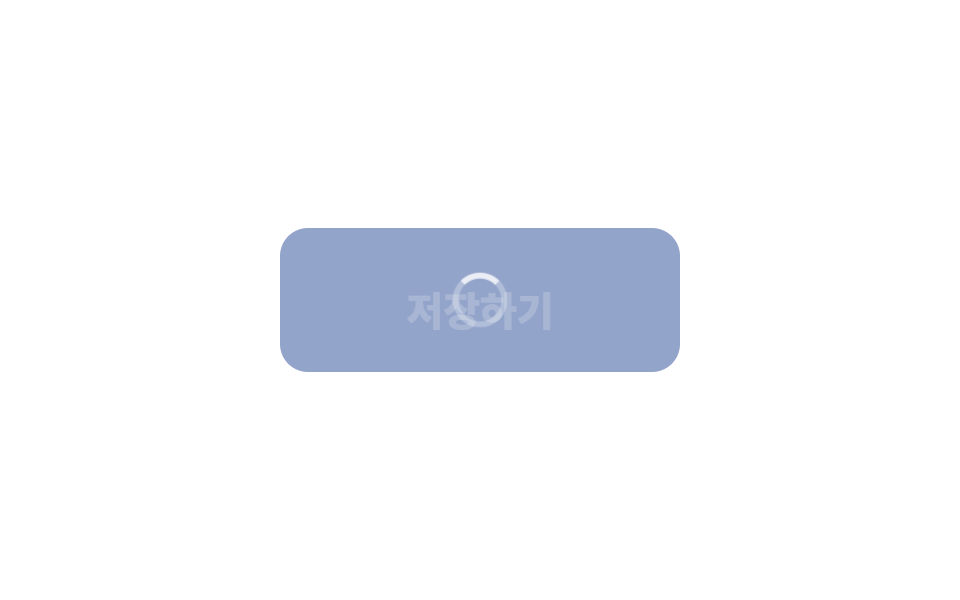
Khi bạn nhấn, chữ trên nút mờ dần rồi biến mất, spinner hiện lên thay vào đó.
<main class="stage">
  <button class="btn is-demo" type="button"><span class="btn__label">Lưu</span><span class="btn__spin" aria-hidden="true"></span></button>
</main>
// ── 변수 3개 ──────────────────────────────────────────
$duration: 300ms; // 글자 ↔ 스피너 교체
$spin: 800ms; // 스피너 한 바퀴
$color: #93a4ca;
html, body { margin: 0; overflow: hidden; } // iframe 안에서 스크롤바가 생기지 않게 (실측 2026-09-09: body 여백 8px 이 100vh 를 넘겼다)
.stage { min-height: 100vh; display: grid; place-items: center; margin: 0; background: #ffffff; font-family: -apple-system, "Segoe UI", "Noto Sans KR", sans-serif; }
.btn {
position: relative;
display: grid;
place-items: center;
min-width: 200px; // 폭을 유지한다 — 줄어들면 옆 요소가 밀린다
border: 0;
border-radius: 14px;
padding: 22px 40px;
font-weight: 800;
font-size: 20px;
line-height: 1;
font-family: inherit;
color: #fff;
background: $color;
cursor: pointer;
&__label, &__spin { grid-area: 1 / 1; transition: opacity $duration, transform $duration; }
&__spin {
width: 22px; height: 22px;
border-radius: 50%;
border: 3px solid rgba(255, 255, 255, .35);
border-top-color: #fff;
opacity: 0;
transform: scale(.6);
animation: spin $spin linear infinite;
}
&.is-loading &__label { opacity: 0; transform: translateY(6px); }
&.is-loading &__spin { opacity: 1; transform: scale(1); }
&.is-demo &__label { animation: label-loop 2s ease infinite; }
&.is-demo &__spin { animation: spin $spin linear infinite, spin-loop 2s ease infinite; }
}
@keyframes spin { to { transform: rotate(360deg); } }
@keyframes label-loop { 0%, 30% { opacity: 1; transform: none; } 45%, 80% { opacity: 0; transform: translateY(6px); } 95%, 100% { opacity: 1; transform: none; } }
@keyframes spin-loop { 0%, 30% { opacity: 0; } 45%, 80% { opacity: 1; } 95%, 100% { opacity: 0; } }
@media (prefers-reduced-motion: reduce) {
.btn__label, .btn__spin { transition: none; animation: none !important; }
.btn.is-loading .btn__spin { opacity: 1; transform: none; border-top-color: rgba(255, 255, 255, .35); } // 돌지 않는 링
}html, body {
margin: 0;
overflow: hidden;
}
.stage {
min-height: 100vh;
display: grid;
place-items: center;
margin: 0;
background: #ffffff;
font-family: -apple-system, "Segoe UI", "Noto Sans KR", sans-serif;
}
.btn {
position: relative;
display: grid;
place-items: center;
min-width: 200px;
border: 0;
border-radius: 14px;
padding: 22px 40px;
font-weight: 800;
font-size: 20px;
line-height: 1;
font-family: inherit;
color: #fff;
background: #93a4ca;
cursor: pointer;
}
.btn__label, .btn__spin {
grid-area: 1/1;
transition: opacity 300ms, transform 300ms;
}
.btn__spin {
width: 22px;
height: 22px;
border-radius: 50%;
border: 3px solid rgba(255, 255, 255, 0.35);
border-top-color: #fff;
opacity: 0;
transform: scale(0.6);
animation: spin 800ms linear infinite;
}
.btn.is-loading .btn__label {
opacity: 0;
transform: translateY(6px);
}
.btn.is-loading .btn__spin {
opacity: 1;
transform: scale(1);
}
.btn.is-demo .btn__label {
animation: label-loop 2s ease infinite;
}
.btn.is-demo .btn__spin {
animation: spin 800ms linear infinite, spin-loop 2s ease infinite;
}
@keyframes spin {
to {
transform: rotate(360deg);
}
}
@keyframes label-loop {
0%, 30% {
opacity: 1;
transform: none;
}
45%, 80% {
opacity: 0;
transform: translateY(6px);
}
95%, 100% {
opacity: 1;
transform: none;
}
}
@keyframes spin-loop {
0%, 30% {
opacity: 0;
}
45%, 80% {
opacity: 1;
}
95%, 100% {
opacity: 0;
}
}
@media (prefers-reduced-motion: reduce) {
.btn__label, .btn__spin {
transition: none;
animation: none !important;
}
.btn.is-loading .btn__spin {
opacity: 1;
transform: none;
border-top-color: rgba(255, 255, 255, 0.35);
}
}// 누르면 로딩 → 1.5초 뒤 원래대로. 실제로는 fetch 가 끝났을 때 is-loading 을 뺀다.
var b = document.querySelector('.btn');
b.addEventListener('click', function () {
b.classList.remove('is-demo'); b.classList.add('is-loading'); b.disabled = true;
setTimeout(function () { b.classList.remove('is-loading'); b.disabled = false; }, 1500);
});import type { CSSProperties, ReactNode } from "react";
import styles from "./LoadingButton.module.scss";
export type LoadingButtonProps = { children: ReactNode; loading: boolean; duration?: number; spin?: number; color?: string; onClick?: () => void };
export default function LoadingButton({ children, loading, duration = 300, spin = 800, color = "#2f6df6", onClick }: LoadingButtonProps) {
const vars = { "--duration": `${duration}ms`, "--spin": `${spin}ms`, "--color": color } as CSSProperties;
return (
<button type="button" className={`${styles.btn} ${loading ? styles.loading : ""}`} style={vars} disabled={loading} aria-busy={loading} onClick={onClick}>
<span className={styles.label}>{children}</span>
<span className={styles.spinner} aria-hidden="true" />
</button>
);
}06 · Chuyển sang loading — Diện tích đo được 1.013% · khung hình chuyển động 15/23Nguyên tác GODRICH · SCSS và React nằm trong tệp zip · Xem mật khẩu
Dùng khi nào
Dùng cho nút lưu hoặc gửi, và giữ nguyên độ rộng để phần tử bên cạnh không bị xô lệch.
.btn { display: grid; place-items: center; min-width: 200px; }
.btn__label, .btn__spin { grid-area: 1 / 1; transition: opacity $duration, transform $duration; }
.btn__spin {
  width: 22px; height: 22px; border-radius: 50%;
  border: 3px solid rgba(255, 255, 255, .35); border-top-color: #fff;
  opacity: 0; transform: scale(.6); animation: spin $spin linear infinite;
}
.btn.is-loading .btn__label { opacity: 0; transform: translateY(6px); }
.btn.is-loading .btn__spin  { opacity: 1; transform: scale(1); }
07Mũi tên đẩy
Bạn thấy gì
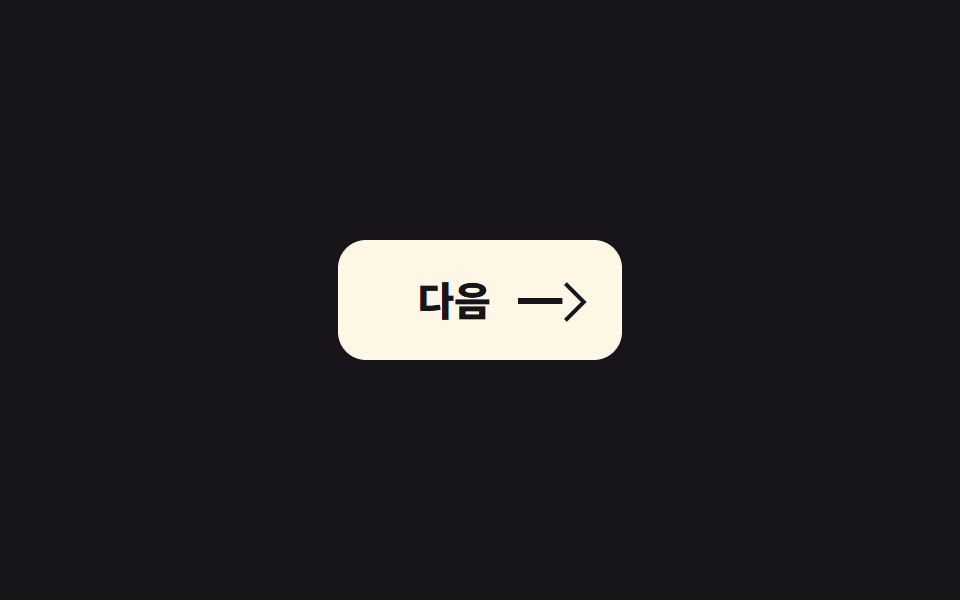
Khi bạn hover, đường mũi tên dài ra và đầu mũi tên bị đẩy sang phải.
<main class="stage">
  <button class="btn is-demo" type="button">Tiếp theo<span class="arrow" aria-hidden="true"><i class="arrow__line"></i><i class="arrow__head"></i></span></button>
</main>
// ── 변수 3개 ──────────────────────────────────────────
$push: 8px; // 화살표가 얼마나 밀리나
$duration: 240ms;
$color: #17141a;
html, body { margin: 0; overflow: hidden; } // iframe 안에서 스크롤바가 생기지 않게 (실측 2026-09-09: body 여백 8px 이 100vh 를 넘겼다)
.stage { min-height: 100vh; display: grid; place-items: center; margin: 0; background: #17141a; font-family: -apple-system, "Segoe UI", "Noto Sans KR", sans-serif; }
.btn {
display: inline-flex;
align-items: center;
gap: 14px;
border: 0;
border-radius: 14px;
padding: 20px 26px 20px 40px;
font-weight: 800;
font-size: 20px;
line-height: 1;
font-family: inherit;
color: $color;
background: #fff7e6;
cursor: pointer;
}
// 화살표 = 선 + 머리. 선은 늘어나고(scaleX) 머리는 밀린다(translateX)
.arrow { position: relative; width: 26px; height: 16px; display: block; }
.arrow__line, .arrow__head { position: absolute; display: block; background: currentColor; }
.arrow__line { left: 0; top: 7px; width: 100%; height: 2.5px; transform-origin: left; transform: scaleX(.55); transition: transform $duration cubic-bezier(.2, .8, .2, 1); } // 규칙8: 화살표 선 왼쪽으로 늘어남
.arrow__head { right: 0; top: 2px; width: 12px; height: 12px; background: transparent; border-top: 2.5px solid currentColor; border-right: 2.5px solid currentColor; transform: rotate(45deg); transition: transform $duration cubic-bezier(.2, .8, .2, 1); }
.btn:hover .arrow__line, .btn:focus-visible .arrow__line { transform: scaleX(1); }
.btn:hover .arrow__head, .btn:focus-visible .arrow__head { transform: rotate(45deg) translate($push * .7, -$push * .7); }
.btn.is-demo .arrow__line { animation: line-loop 2s cubic-bezier(.2, .8, .2, 1) infinite; }
.btn.is-demo .arrow__head { animation: head-loop 2s cubic-bezier(.2, .8, .2, 1) infinite; }
@keyframes line-loop { 0%, 20% { transform: scaleX(.55); } 45%, 70% { transform: scaleX(1); } 100% { transform: scaleX(.55); } }
@keyframes head-loop { 0%, 20% { transform: rotate(45deg); } 45%, 70% { transform: rotate(45deg) translate($push * .7, -$push * .7); } 100% { transform: rotate(45deg); } }
@media (prefers-reduced-motion: reduce) {
.arrow__line, .arrow__head { transition: none; animation: none !important; }
}html, body {
margin: 0;
overflow: hidden;
}
.stage {
min-height: 100vh;
display: grid;
place-items: center;
margin: 0;
background: #17141a;
font-family: -apple-system, "Segoe UI", "Noto Sans KR", sans-serif;
}
.btn {
display: inline-flex;
align-items: center;
gap: 14px;
border: 0;
border-radius: 14px;
padding: 20px 26px 20px 40px;
font-weight: 800;
font-size: 20px;
line-height: 1;
font-family: inherit;
color: #17141a;
background: #fff7e6;
cursor: pointer;
}
.arrow {
position: relative;
width: 26px;
height: 16px;
display: block;
}
.arrow__line, .arrow__head {
position: absolute;
display: block;
background: currentColor;
}
.arrow__line {
left: 0;
top: 7px;
width: 100%;
height: 2.5px;
transform-origin: left;
transform: scaleX(0.55);
transition: transform 240ms cubic-bezier(0.2, 0.8, 0.2, 1);
}
.arrow__head {
right: 0;
top: 2px;
width: 12px;
height: 12px;
background: transparent;
border-top: 2.5px solid currentColor;
border-right: 2.5px solid currentColor;
transform: rotate(45deg);
transition: transform 240ms cubic-bezier(0.2, 0.8, 0.2, 1);
}
.btn:hover .arrow__line, .btn:focus-visible .arrow__line {
transform: scaleX(1);
}
.btn:hover .arrow__head, .btn:focus-visible .arrow__head {
transform: rotate(45deg) translate(5.6px, -5.6px);
}
.btn.is-demo .arrow__line {
animation: line-loop 2s cubic-bezier(0.2, 0.8, 0.2, 1) infinite;
}
.btn.is-demo .arrow__head {
animation: head-loop 2s cubic-bezier(0.2, 0.8, 0.2, 1) infinite;
}
@keyframes line-loop {
0%, 20% {
transform: scaleX(0.55);
}
45%, 70% {
transform: scaleX(1);
}
100% {
transform: scaleX(0.55);
}
}
@keyframes head-loop {
0%, 20% {
transform: rotate(45deg);
}
45%, 70% {
transform: rotate(45deg) translate(5.6px, -5.6px);
}
100% {
transform: rotate(45deg);
}
}
@media (prefers-reduced-motion: reduce) {
.arrow__line, .arrow__head {
transition: none;
animation: none !important;
}
}document.querySelectorAll('.btn').forEach(function (b) { b.addEventListener('pointerenter', function () { b.classList.remove('is-demo'); }); });import type { CSSProperties, ReactNode } from "react";
import styles from "./ArrowButton.module.scss";
export type ArrowButtonProps = { children: ReactNode; push?: number; duration?: number; onClick?: () => void };
export default function ArrowButton({ children, push = 8, duration = 240, onClick }: ArrowButtonProps) {
const vars = { "--push": `${push}px`, "--duration": `${duration}ms` } as CSSProperties;
return (
<button type="button" className={styles.btn} style={vars} onClick={onClick}>
{children}
<span className={styles.arrow} aria-hidden="true"><i className={styles.line} /><i className={styles.head} /></span>
</button>
);
}07 · Mũi tên đẩy — Diện tích đo được 0.186% · khung hình chuyển động 14/23Nguyên tác GODRICH · SCSS và React nằm trong tệp zip · Xem mật khẩu
Dùng ở đâu
Dùng cho nút tiếp theo, xem thêm, tiếp tục, vì mũi tên chỉ là một đường thẳng và một góc xoay nên không cần icon font.
.arrow__line { transform-origin: left; transform: scaleX(.55); transition: transform $duration; }
.arrow__head {
  width: 12px; height: 12px;
  border-top: 2.5px solid currentColor; border-right: 2.5px solid currentColor;
  transform: rotate(45deg); transition: transform $duration;
}
.btn:hover .arrow__line { transform: scaleX(1); }
.btn:hover .arrow__head { transform: rotate(45deg) translate($push * .7, -$push * .7); }
08Rung lắc
Chuyện gì diễn ra trên màn hình
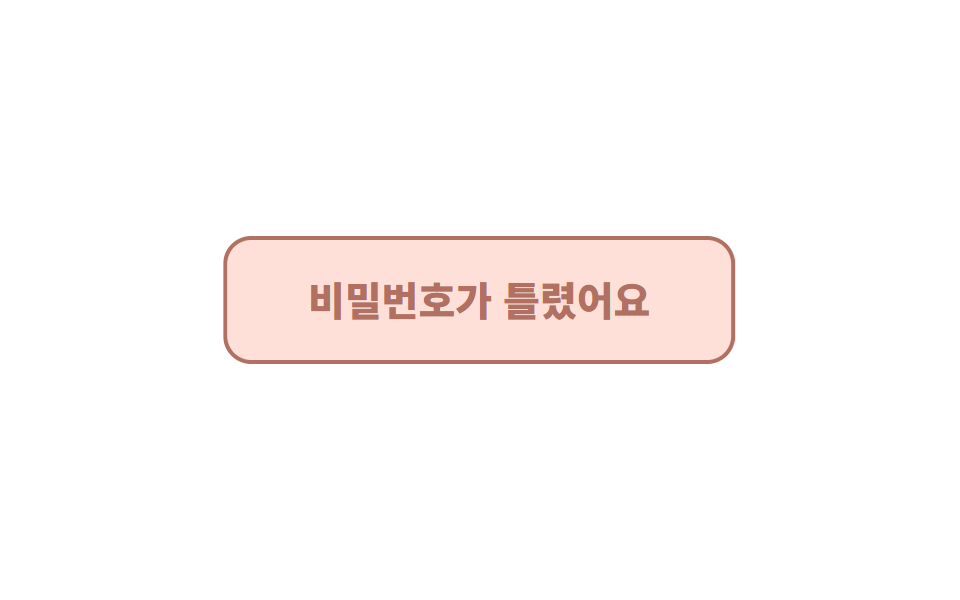
Khi có lỗi, nút rung trái phải ba lần rồi dừng lại.
<main class="stage"><button class="btn is-demo" type="button">Mật khẩu không đúng.</button></main>// ── 변수 3개 ──────────────────────────────────────────
$amount: 6px; // 흔들리는 폭
$duration: 420ms;
$color: #b27062;
html, body { margin: 0; overflow: hidden; } // iframe 안에서 스크롤바가 생기지 않게 (실측 2026-09-09: body 여백 8px 이 100vh 를 넘겼다)
.stage { min-height: 100vh; display: grid; place-items: center; margin: 0; background: #ffffff; font-family: -apple-system, "Segoe UI", "Noto Sans KR", sans-serif; }
.btn {
border: 2.5px solid $color;
border-radius: 14px;
padding: 20px 40px;
font-weight: 800;
font-size: 20px;
line-height: 1;
font-family: inherit;
color: $color;
background: #ffe0d8;
cursor: pointer;
&.is-shaking { animation: shake $duration cubic-bezier(.36, .07, .19, .97) both; }
&.is-demo { animation: shake-loop 2s cubic-bezier(.36, .07, .19, .97) infinite; }
}
// 세 번 흔들고 멈춘다. 다섯 번 넘으면 화난 것처럼 보인다
@keyframes shake {
10%, 90% { transform: translateX(-$amount * .5); }
20%, 80% { transform: translateX($amount); }
30%, 70% { transform: translateX(-$amount); }
40%, 60% { transform: translateX($amount * .7); }
50% { transform: translateX(-$amount * .7); }
}
@keyframes shake-loop {
0%, 60% { transform: translateX(0); }
62%, 78% { transform: translateX(-$amount * .5); }
64%, 76% { transform: translateX($amount); }
66%, 74% { transform: translateX(-$amount); }
68%, 72% { transform: translateX($amount * .7); }
70% { transform: translateX(-$amount * .7); }
80%, 100% { transform: translateX(0); }
}
@media (prefers-reduced-motion: reduce) {
.btn.is-shaking, .btn.is-demo { animation: none; }
.btn.is-shaking { background: $color; color: #fff; } // 흔들림 대신 색으로 알린다
}html, body {
margin: 0;
overflow: hidden;
}
.stage {
min-height: 100vh;
display: grid;
place-items: center;
margin: 0;
background: #ffffff;
font-family: -apple-system, "Segoe UI", "Noto Sans KR", sans-serif;
}
.btn {
border: 2.5px solid #b27062;
border-radius: 14px;
padding: 20px 40px;
font-weight: 800;
font-size: 20px;
line-height: 1;
font-family: inherit;
color: #b27062;
background: #ffe0d8;
cursor: pointer;
}
.btn.is-shaking {
animation: shake 420ms cubic-bezier(0.36, 0.07, 0.19, 0.97) both;
}
.btn.is-demo {
animation: shake-loop 2s cubic-bezier(0.36, 0.07, 0.19, 0.97) infinite;
}
@keyframes shake {
10%, 90% {
transform: translateX(-3px);
}
20%, 80% {
transform: translateX(6px);
}
30%, 70% {
transform: translateX(-6px);
}
40%, 60% {
transform: translateX(4.2px);
}
50% {
transform: translateX(-4.2px);
}
}
@keyframes shake-loop {
0%, 60% {
transform: translateX(0);
}
62%, 78% {
transform: translateX(-3px);
}
64%, 76% {
transform: translateX(6px);
}
66%, 74% {
transform: translateX(-6px);
}
68%, 72% {
transform: translateX(4.2px);
}
70% {
transform: translateX(-4.2px);
}
80%, 100% {
transform: translateX(0);
}
}
@media (prefers-reduced-motion: reduce) {
.btn.is-shaking, .btn.is-demo {
animation: none;
}
.btn.is-shaking {
background: #b27062;
color: #fff;
}
}// 누를 때마다 다시 흔든다. 실제로는 검증 실패 시 is-shaking 을 켠다.
var b = document.querySelector('.btn');
b.addEventListener('click', function () {
b.classList.remove('is-demo'); b.classList.remove('is-shaking'); void b.offsetWidth; b.classList.add('is-shaking');
});
b.addEventListener('animationend', function () { b.classList.remove('is-shaking'); });import { useState } from "react";
import type { CSSProperties, ReactNode } from "react";
import styles from "./ShakeButton.module.scss";
export type ShakeButtonProps = { children: ReactNode; shakeKey: number; amount?: number; duration?: number; color?: string; onClick?: () => void };
/** shakeKey 를 바꾸면(예: 실패 횟수) 다시 흔든다. */
export default function ShakeButton({ children, shakeKey, amount = 6, duration = 420, color = "#c2361a", onClick }: ShakeButtonProps) {
const [last, setLast] = useState<number>(0);
const vars = { "--amount": `${amount}px`, "--duration": `${duration}ms`, "--color": color } as CSSProperties;
const shaking = shakeKey > 0 && shakeKey !== last;
return (
<button key={shakeKey} type="button" className={`${styles.btn} ${shaking ? styles.shaking : ""}`} style={vars} onClick={onClick} onAnimationEnd={() => setLast(shakeKey)}>
{children}
</button>
);
}08 · Rung lắc — Diện tích đo được 2.381% · khung hình chuyển động 6/23Nguyên tác GODRICH · SCSS và React nằm trong tệp zip · Xem mật khẩu
Chỗ dùng
Dùng cho đăng nhập thất bại hoặc nhập sai, vì rung quá năm lần sẽ khiến người dùng thấy như nút đang giận dữ.
.btn.is-shaking { animation: shake $duration cubic-bezier(.36, .07, .19, .97) both; }
@keyframes shake {
  10%, 90% { transform: translateX(-$amount * .5); }
  20%, 80% { transform: translateX($amount); }
  30%, 70% { transform: translateX(-$amount); }
  40%, 60% { transform: translateX($amount * .7); }
  50%      { transform: translateX(-$amount * .7); }
}
09Giữ để xác nhận
Chuyển động thế nào
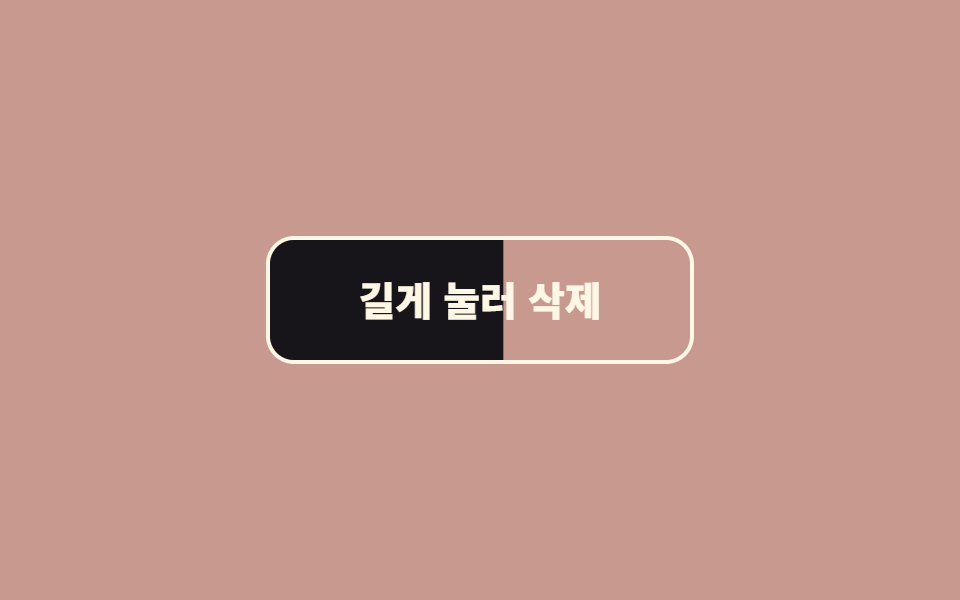
Khi bạn giữ nút, nền được lấp đầy dần, còn thả sớm thì nền tụt về lại vị trí cũ. Dùng cho xóa hoặc hủy tài khoản, thay cho modal xác nhận.
<main class="stage"><button class="btn is-demo" type="button"><span class="btn__fill" aria-hidden="true"></span><span class="btn__label">Nhấn giữ để xóa</span></button></main>// ── 변수 3개 ──────────────────────────────────────────
$hold: 1.2s; // 이만큼 누르고 있어야 실행된다
$color: #fff7e6;
$fill: #17141a;
html, body { margin: 0; overflow: hidden; } // iframe 안에서 스크롤바가 생기지 않게 (실측 2026-09-09: body 여백 8px 이 100vh 를 넘겼다)
.stage { min-height: 100vh; display: grid; place-items: center; margin: 0; background: #c89a8f; font-family: -apple-system, "Segoe UI", "Noto Sans KR", sans-serif; }
.btn {
position: relative;
overflow: hidden;
isolation: isolate;
border: 2.5px solid $color;
border-radius: 14px;
padding: 20px 44px;
font-weight: 800;
font-size: 20px;
line-height: 1;
font-family: inherit;
color: $color;
background: transparent;
cursor: pointer;
user-select: none;
-webkit-user-select: none;
touch-action: none; // 모바일에서 길게 누를 때 스크롤·메뉴가 안 뜨게
&__fill {
position: absolute; inset: 0;
background: $fill;
transform: scaleX(0);
transform-origin: left; // 왼쪽에서 차오른다. 세로면 bottom + scaleY
z-index: -1;
transition: transform 200ms ease-out; // 떼면 되돌아가는 속도
}
&.is-holding &__fill { animation: fill $hold linear forwards; }
&.is-done &__fill { transform: scaleX(1); }
&.is-done { color: $color; }
&__label { position: relative; }
&.is-demo &__fill { animation: fill-loop 2s linear infinite; }
}
@keyframes fill { from { transform: scaleX(0); } to { transform: scaleX(1); } }
@keyframes fill-loop { 0%, 10% { transform: scaleX(0); } 70%, 85% { transform: scaleX(1); } 100% { transform: scaleX(0); } }
@media (prefers-reduced-motion: reduce) {
.btn__fill { transition: none; }
.btn.is-demo .btn__fill { animation: none; }
.btn.is-holding .btn__fill { animation-duration: $hold; } // 길게 누르기 자체는 유지 — 안전장치라 뺄 수 없다
}html, body {
margin: 0;
overflow: hidden;
}
.stage {
min-height: 100vh;
display: grid;
place-items: center;
margin: 0;
background: #c89a8f;
font-family: -apple-system, "Segoe UI", "Noto Sans KR", sans-serif;
}
.btn {
position: relative;
overflow: hidden;
isolation: isolate;
border: 2.5px solid #fff7e6;
border-radius: 14px;
padding: 20px 44px;
font-weight: 800;
font-size: 20px;
line-height: 1;
font-family: inherit;
color: #fff7e6;
background: transparent;
cursor: pointer;
user-select: none;
-webkit-user-select: none;
touch-action: none;
}
.btn__fill {
position: absolute;
inset: 0;
background: #17141a;
transform: scaleX(0);
transform-origin: left;
z-index: -1;
transition: transform 200ms ease-out;
}
.btn.is-holding .btn__fill {
animation: fill 1.2s linear forwards;
}
.btn.is-done .btn__fill {
transform: scaleX(1);
}
.btn.is-done {
color: #fff7e6;
}
.btn__label {
position: relative;
}
.btn.is-demo .btn__fill {
animation: fill-loop 2s linear infinite;
}
@keyframes fill {
from {
transform: scaleX(0);
}
to {
transform: scaleX(1);
}
}
@keyframes fill-loop {
0%, 10% {
transform: scaleX(0);
}
70%, 85% {
transform: scaleX(1);
}
100% {
transform: scaleX(0);
}
}
@media (prefers-reduced-motion: reduce) {
.btn__fill {
transition: none;
}
.btn.is-demo .btn__fill {
animation: none;
}
.btn.is-holding .btn__fill {
animation-duration: 1.2s;
}
}// 누르고 있는 동안 채워진다. 끝까지 차면 실행. 중간에 떼면 되돌아간다.
var b = document.querySelector('.btn'), label = b.querySelector('.btn__label'), done = false;
function start(e) { if (done) return; b.classList.remove('is-demo'); b.classList.add('is-holding'); }
function stop() { if (!done) b.classList.remove('is-holding'); }
b.addEventListener('pointerdown', start);
b.addEventListener('pointerup', stop); b.addEventListener('pointerleave', stop); b.addEventListener('pointercancel', stop);
b.querySelector('.btn__fill').addEventListener('animationend', function (e) {
if (e.animationName !== 'fill') return;
done = true; label.textContent = 'Đã xóa'; b.classList.add('is-done');
setTimeout(function () { done = false; label.textContent = 'Nhấn giữ để xóa'; b.classList.remove('is-done', 'is-holding'); }, 1400);
});import { useState } from "react";
import type { CSSProperties, ReactNode } from "react";
import styles from "./HoldButton.module.scss";
export type HoldButtonProps = { children: ReactNode; doneLabel?: ReactNode; hold?: number; color?: string; fill?: string; onConfirm: () => void };
/** 누르고 있는 동안 차오르고, 다 차면 onConfirm. 중간에 떼면 되돌아간다. */
export default function HoldButton({ children, doneLabel = "완료", hold = 1200, color = "#fff7e6", fill = "#17141a", onConfirm }: HoldButtonProps) {
const [holding, setHolding] = useState<boolean>(false);
const [done, setDone] = useState<boolean>(false);
const vars = { "--hold": `${hold}ms`, "--color": color, "--fill": fill } as CSSProperties;
const cls = `${styles.btn} ${holding ? styles.holding : ""} ${done ? styles.done : ""}`;
return (
<button type="button" className={cls} style={vars}
onPointerDown={() => !done && setHolding(true)} onPointerUp={() => setHolding(false)} onPointerLeave={() => setHolding(false)} onPointerCancel={() => setHolding(false)}>
<span className={styles.fill} aria-hidden="true" onAnimationEnd={() => { if (holding) { setDone(true); onConfirm(); } }} />
<span className={styles.label}>{done ? doneLabel : children}</span>
</button>
);
}09 · Giữ để xác nhận — Diện tích đo được 8.162% · khung hình chuyển động 18/23Nguyên tác GODRICH · SCSS và React nằm trong tệp zip · Xem mật khẩu
Dùng khi nào
JS thêm class is-holding khi pointerdown và bỏ đi khi pointerup, sự kiện animationend của phần fill là tín hiệu để thực thi hành động.
.btn__fill {
  position: absolute; inset: 0; background: $fill;
  transform: scaleX(0); transform-origin: left; z-index: -1;
  transition: transform 200ms ease-out;
}
.btn.is-holding .btn__fill { animation: fill $hold linear forwards; }
@keyframes fill { from { transform: scaleX(0); } to { transform: scaleX(1); } }
Chỗ dễ hỏng — cái bẫy nằm ở đâu?
Chỉ transform và opacity
Cả 9 hiệu ứng chỉ animate transform và opacity, đó là chủ đích chứ không phải tình cờ. Animate width hay top buộc trình duyệt phải tính lại layout ở từng frame, còn transform và opacity được xử lý gọn trong bước compositing. Hướng dẫn hiệu năng animation của MDN khuyên dùng đúng hai thuộc tính này vì lý do đó. Cái bẫy dễ mắc nhất nằm ở mục 06: thu nhỏ nút trong lúc loading phá vỡ quy tắc này và đẩy các phần tử bên cạnh xô lệch, nên hãy giữ nguyên độ rộng và chỉ đổi phần bên trong.
Kích thước vòng gợn sóng
Cái bẫy thứ hai là kích thước. Lần đầu dựng mục 01, kích thước vòng gợn sóng đặt tới 320px trên một nút nhỏ, và vòng tròn phủ kín cả nút chỉ sau hai frame, nên trông như một cú lóe sáng chứ không phải một đợt sóng lan ra. Hãy tính đường kính gợn sóng bằng hai lần cạnh dài hơn của nút, và đừng để dưới 600ms. Những giá trị đó đã nằm sẵn trong cả 9 file rồi, và mật khẩu của file nén là xu8ewsq8 nếu bạn muốn lấy ngay bây giờ.
Hover trên thiết bị cảm ứng
Cái bẫy thứ ba là thao tác chạm. Mục 02, 03 và 07 đều dựa vào hover, thứ không tồn tại trên điện thoại. Các file trong zip gắn cùng chuyển động đó vào :focus-visible, còn trên thiết bị cảm ứng, trạng thái :active thay cho hover.
Khả năng tiếp cận
Giảm chuyển động nhưng giữ phản hồi
Cả 9 hiệu ứng đều xử lý prefers-reduced-motion: reduce. Quy tắc chung là bỏ chuyển động nhưng vẫn giữ phản hồi: mục 02 giữ bóng đổ mà không nhấc lên, mục 06 hiển thị một vòng tĩnh thay vì quay, mục 08 đổi màu thay vì rung. Mục 09 là ngoại lệ, vì giữ để xác nhận là một cơ chế an toàn chứ không phải trang trí, nên phần fill vẫn giữ nguyên. Mức hỗ trợ trình duyệt cho media query này được liệt kê trên MDN prefers-reduced-motion.
@media (prefers-reduced-motion: reduce) {
  .btn.is-demo, .btn.is-shaking { animation: none; }
  .btn:hover { transform: none; }
}
Bạn có thể xem thêm các bộ sưu tập khác về nút và loader trong chuyên mục CSS animation, và đọc thêm về trang này tại trang giới thiệu.
FAQ
Bạn có thể dùng cả 9 hiệu ứng trong một dự án không?
Được, nhưng chỉ nên giữ tối đa hai kiểu trên cùng một màn hình. Mục 04 (nam châm) và 05 (viền xoay) là hiệu ứng kiểu "một nút đặc biệt duy nhất", vì vậy mỗi trang chỉ nên dùng mỗi loại một lần. Các mục còn lại gắn với tình huống cụ thể nên hiếm khi đụng nhau.
React thay thế việc toggle class như thế nào?
Các component trong thư mục react/ của file zip nhận state qua props: loading cho mục 06, một bộ đếm lỗi shakeKey cho mục 08, và callback onConfirm cho mục 09. Các module SCSS chỉ đọc giá trị var(), nên bạn truyền ba biến đó dưới dạng props.
Animation bị giật thì nên kiểm tra gì trước?
Trước tiên, hãy chắc chắn không có thuộc tính nào ngoài transform và opacity đang animate. Sau đó thêm will-change: transform chỉ cho phần tử đang chuyển động, vì đặt nó lên mọi thứ sẽ làm chậm đi chứ không nhanh hơn.
Có thể bạn cũng thích
 Nút bấm9 css button design ideas — dán một file là chạy
 Chuyển cảnh9 hiệu ứng css modal animation gọn nhẹ
 Loading9 hiệu ứng css skeleton loading copy-paste
 Chuyển cảnh9 hiệu ứng css page transition animation không JS
 Chuyển cảnh9 hiệu ứng css hamburger menu animation không JS
 Phản hồi9 CSS Input Focus Animation — dán 1 dòng là chạy
 Phản hồi9 SVG Icon Animation CSS — dán 1 dòng là chạy
 Giao diện đăng nhập · xác thực9 mẫu form đăng ký & đăng nhập copy-paste được
 Giao diện lựa chọn9 Segmented Control UI — dán là chạy
 Phản hồi9 hiệu ứng css dark mode toggle 1 dòng CSS