9 hiệu ứng css loading spinner animation gọn nhẹ
CSS loading spinner animation là một khối nhỏ tự xoay, tự nảy hoặc tự đổi độ sáng bằng thuần CSS để báo cho người dùng biết trang vẫn đang xử lý mà không cần
 01 loading-spinner-ring-basic
 02 loading-spinner-dual-ring
 03 loading-spinner-dots-bounce
 04 loading-spinner-bar-indeterminate
 05 loading-spinner-conic-sweep
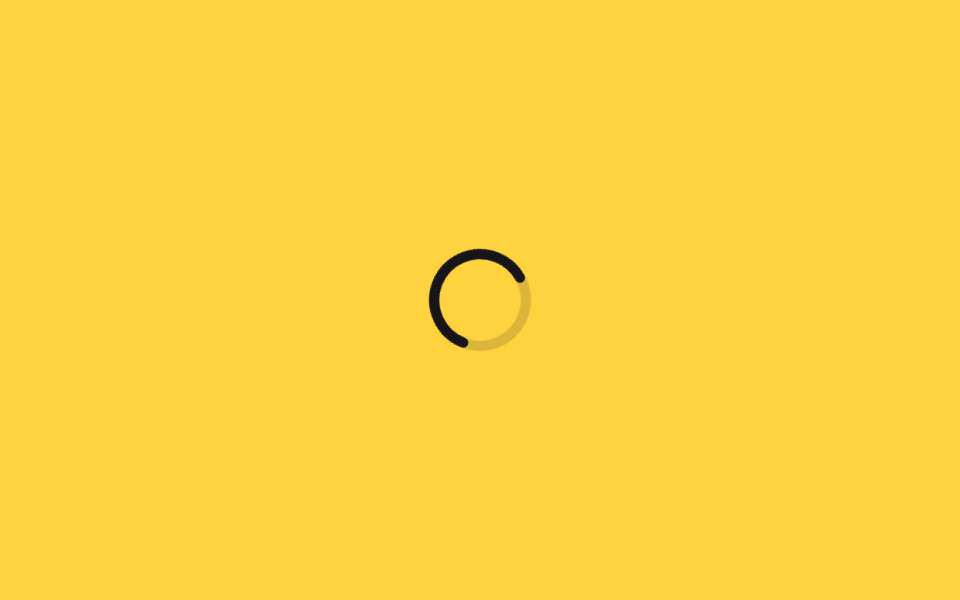 06 loading-spinner-dash-svg-circle
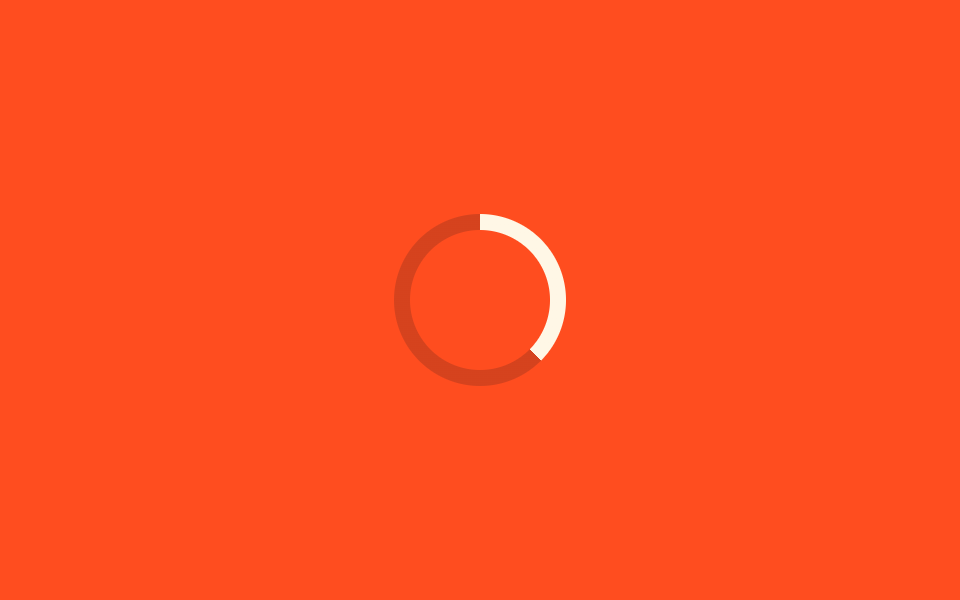 07 loading-spinner-property-progress-ring
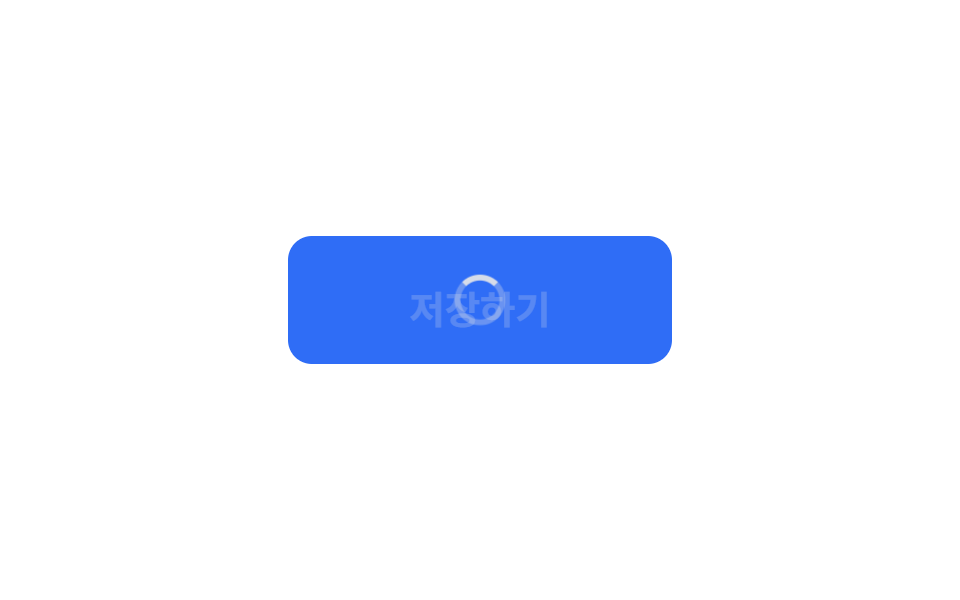 08 loading-spinner-button-inline-spinner
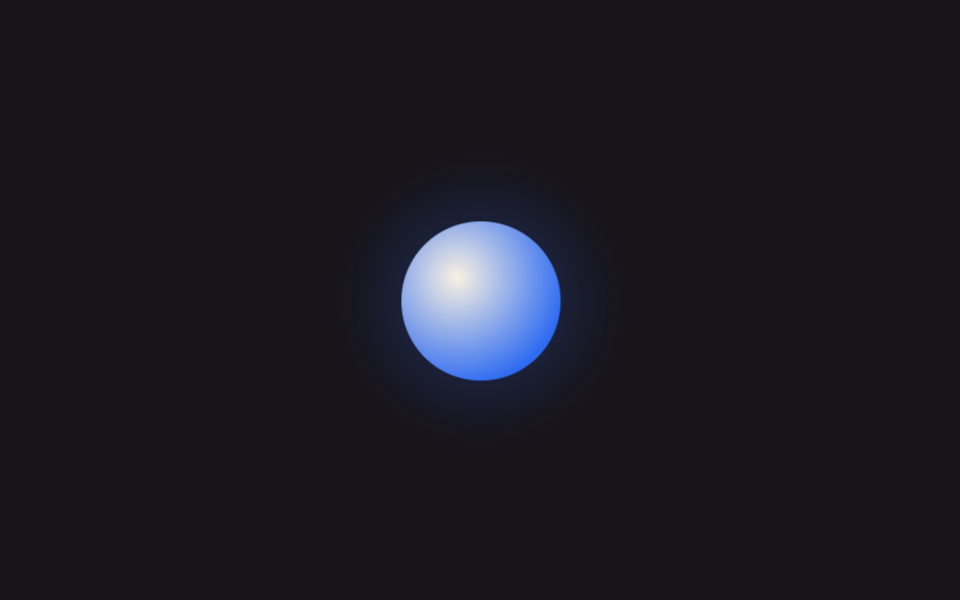 09 loading-spinner-ai-pulse-orb
Tự chạy · bấm ô để tới mục đó · cả 9 trong một zip
- 01 Spinner vòng tròn cơ bản
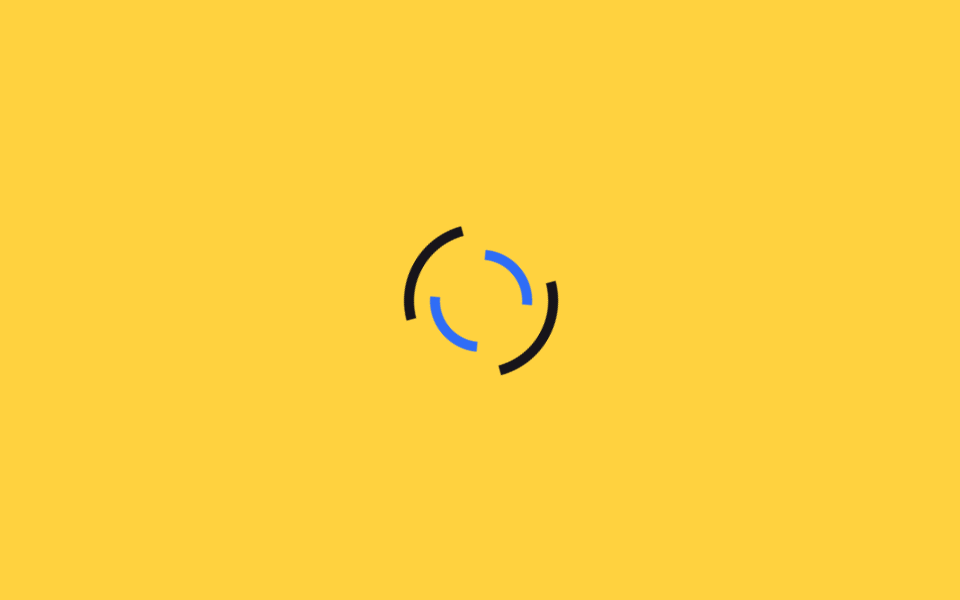
- 02 Vòng đôi xoay ngược chiều
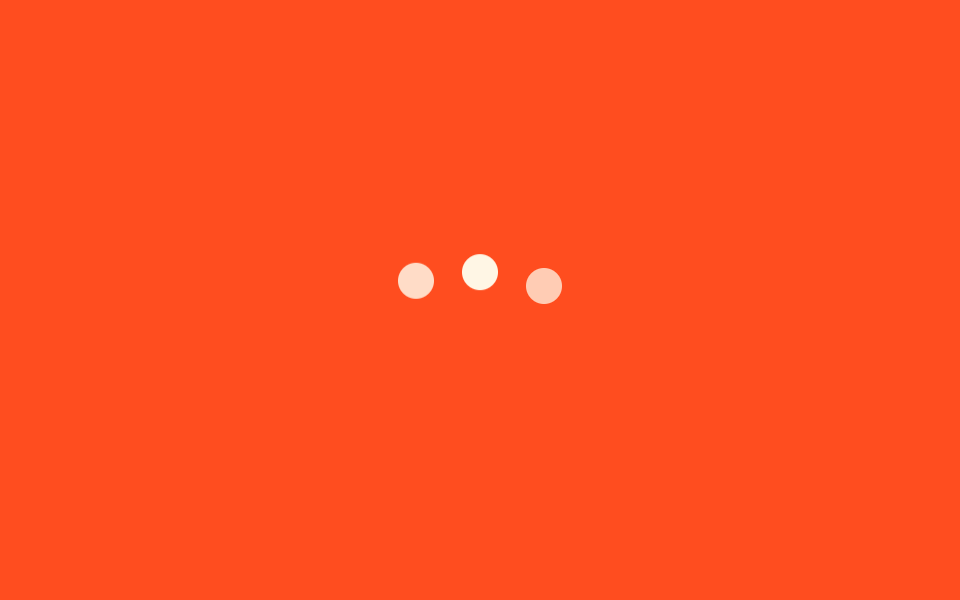
- 03 3 chấm nảy
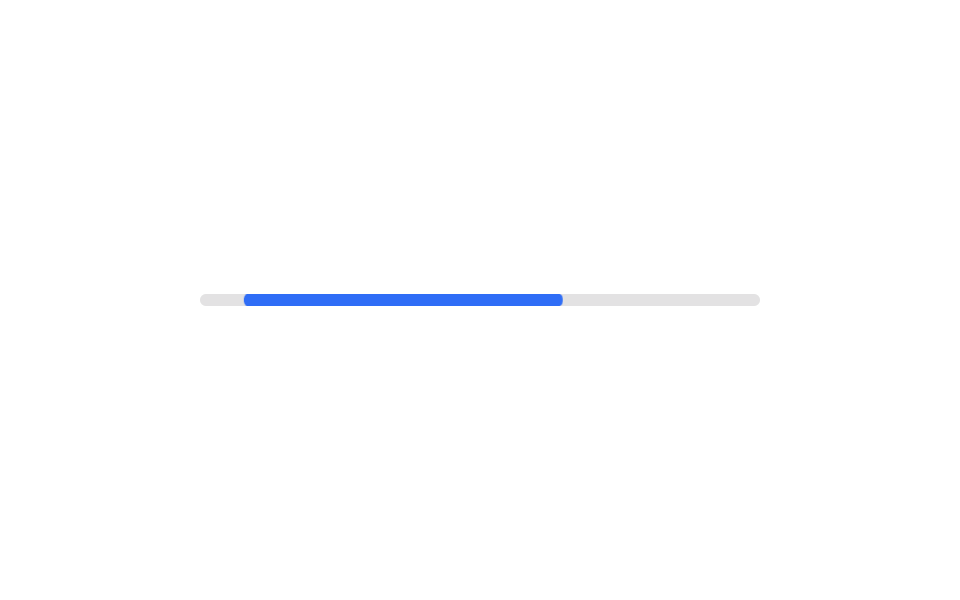
- 04 Thanh vô định
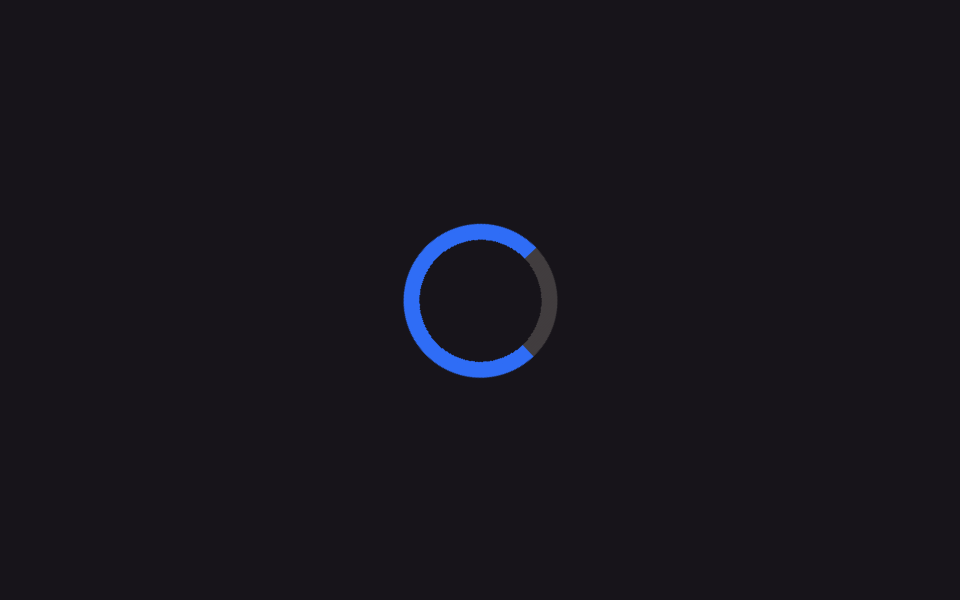
- 05 Quét conic-gradient
- 06 Vòng tròn stroke-dashoffset
- 07 Vòng % với @property
- 08 Loading ngay trong nút
- 09 Quả cầu pulse kiểu app AI
Thứ tự chín kiểu đi từ đơn giản nhất đến phức tạp nhất về mặt kỹ thuật CSS. Từ 01 đến 04, mỗi kiểu chỉ xoay hoặc dịch chuyển một hình khối bằng transform, không có thuộc tính CSS nào lạ mắt cả. Từ 05 đến 07 mượn ba kỹ thuật vẽ khác nhau — conic-gradient, SVG stroke-dashoffset và @property — để có đường viền mượt hơn hoặc biết đúng bao nhiêu phần trăm đã xong. Bài 08 nhét một spinner giống bài 01 vào bên trong một nút bấm thật, còn bài 09 là kiểu quả cầu mà nhiều app AI dùng để gợi ý rằng nó đang suy nghĩ câu trả lời. Lưới demo phía trên chỉ minh hoạ dáng chuyển động của từng kiểu; toàn bộ mã không cắt dòng nằm trong file zip.
01Spinner vòng tròn cơ bản
Bạn thấy gì
Viền tròn dày 6px giữ nguyên chỗ, chỉ cạnh trên đổi màu, và toàn bộ khối tự xoay đúng một vòng mỗi giây bằng transform: rotate.
<main class="stage">
  <div class="spinner" role="status" aria-label="Đang tải"></div>
</main>
@use "../../../../site/static/demo-tokens" as *;
$duration: 1s; // 한 바퀴 도는 시간
$easing: linear; // 등속
$color: $subject-blue; // 진한 구간 색
@include stage($stage-ink);
.spinner {
width: clamp(48px, 14vw, 72px);
height: clamp(48px, 14vw, 72px);
border-radius: 50%;
border: 6px solid rgba($subject-cream, .22);
border-top-color: $color; // 위쪽 한 변만 진하게
animation: spin $duration $easing infinite;
}
@keyframes spin {
to { transform: rotate(360deg); }
}
@media (prefers-reduced-motion: reduce) {
.spinner { animation: none; border-top-color: rgba($subject-cream, .22); }
}html, body {
margin: 0;
overflow: hidden;
}
.stage {
box-sizing: border-box;
min-height: 100vh;
display: grid;
place-items: center;
margin: 0;
background: #17141a;
font-family: -apple-system, "Segoe UI", "Noto Sans KR", sans-serif;
padding: clamp(8px, 4vw, 24px);
}
.spinner {
width: clamp(48px, 14vw, 72px);
height: clamp(48px, 14vw, 72px);
border-radius: 50%;
border: 6px solid rgba(255, 247, 230, 0.22);
border-top-color: #2f6df6;
animation: spin 1s linear infinite;
}
@keyframes spin {
to {
transform: rotate(360deg);
}
}
@media (prefers-reduced-motion: reduce) {
.spinner {
animation: none;
border-top-color: rgba(255, 247, 230, 0.22);
}
}import type { CSSProperties } from "react";
import styles from "./RingSpinner.module.scss";
export type RingSpinnerProps = {
/** 스피너 지름 (기본 56px) */
size?: number;
/** 한 바퀴 도는 시간 (기본 1000ms) */
duration?: number;
/** 진한 구간 색 */
color?: string;
/** 접근성 라벨 */
label?: string;
};
type Vars = CSSProperties & { "--size"?: string; "--duration"?: string; "--color"?: string };
export default function RingSpinner({
size = 56,
duration = 1000,
color = "#2f6df6",
label = "Loading",
}: RingSpinnerProps) {
const vars: Vars = {
"--size": `${size}px`,
"--duration": `${duration}ms`,
"--color": color,
};
return <div className={styles.spinner} style={vars} role="status" aria-label={label} />;
}01 · Spinner vòng tròn cơ bản — Diện tích đo được 1.248% · khung hình chuyển động 23/23Nguyên tác GODRICH · SCSS và React nằm trong tệp zip · Xem mật khẩu
Dùng ở đâu
Dùng cho màn hình chờ trong lúc cả trang đang tải hoặc ngay sau khi bạn bấm một nút và cần một dấu hiệu tối thiểu.
.spinner {
  width: 64px;
  height: 64px;
  border-radius: 50%;
  border: 6px solid rgba($cream, .22);
  border-top-color: $color;
  animation: spin 1s linear infinite;
}
@keyframes spin {
  to { transform: rotate(360deg); }
}
02Vòng đôi xoay ngược chiều
Chuyện gì diễn ra trên màn hình
Hai vòng lồng nhau xoay ngược chiều nhau với tốc độ khác nhau — vòng ngoài mất 1.2 giây, vòng trong mất 0.9 giây — nên trông có chiều sâu hơn hẳn một vòng đơn.
<main class="stage">
  <div class="spinner" role="status" aria-label="Đang tải">
    <span class="spinner__ring spinner__ring--outer" aria-hidden="true"></span>
    <span class="spinner__ring spinner__ring--inner" aria-hidden="true"></span>
  </div>
</main>
@use "../../../../site/static/demo-tokens" as *;
$duration-outer: 1.2s; // 바깥 링 한 바퀴
$duration-inner: .9s; // 안쪽 링 한 바퀴 (역방향)
$color: $subject-ink; // 바깥 링 색
@include stage($stage-yellow);
.spinner {
position: relative;
width: clamp(56px, 16vw, 84px);
height: clamp(56px, 16vw, 84px);
}
.spinner__ring {
position: absolute;
inset: 0;
border-radius: 50%;
border: 5px solid transparent;
}
.spinner__ring--outer {
border-top-color: $color;
border-bottom-color: $color;
animation: spin $duration-outer linear infinite;
}
.spinner__ring--inner {
inset: 13px;
border-left-color: $subject-blue;
border-right-color: $subject-blue;
animation: spin-rev $duration-inner linear infinite;
}
@keyframes spin {
to { transform: rotate(360deg); }
}
@keyframes spin-rev {
to { transform: rotate(-360deg); }
}
@media (prefers-reduced-motion: reduce) {
.spinner__ring--outer, .spinner__ring--inner { animation: none; }
}html, body {
margin: 0;
overflow: hidden;
}
.stage {
box-sizing: border-box;
min-height: 100vh;
display: grid;
place-items: center;
margin: 0;
background: #ffd23f;
font-family: -apple-system, "Segoe UI", "Noto Sans KR", sans-serif;
padding: clamp(8px, 4vw, 24px);
}
.spinner {
position: relative;
width: clamp(56px, 16vw, 84px);
height: clamp(56px, 16vw, 84px);
}
.spinner__ring {
position: absolute;
inset: 0;
border-radius: 50%;
border: 5px solid transparent;
}
.spinner__ring--outer {
border-top-color: #17141a;
border-bottom-color: #17141a;
animation: spin 1.2s linear infinite;
}
.spinner__ring--inner {
inset: 13px;
border-left-color: #2f6df6;
border-right-color: #2f6df6;
animation: spin-rev 0.9s linear infinite;
}
@keyframes spin {
to {
transform: rotate(360deg);
}
}
@keyframes spin-rev {
to {
transform: rotate(-360deg);
}
}
@media (prefers-reduced-motion: reduce) {
.spinner__ring--outer, .spinner__ring--inner {
animation: none;
}
}import type { CSSProperties } from "react";
import styles from "./DualRingSpinner.module.scss";
export type DualRingSpinnerProps = {
/** 스피너 지름 (기본 68px) */
size?: number;
/** 바깥 링 한 바퀴 시간 (기본 1200ms) */
durationOuter?: number;
/** 안쪽 링 한 바퀴 시간, 역방향 (기본 900ms) */
durationInner?: number;
/** 바깥 링 색 */
color?: string;
/** 안쪽 링 색 */
accent?: string;
label?: string;
};
type Vars = CSSProperties & {
"--size"?: string;
"--duration-outer"?: string;
"--duration-inner"?: string;
"--color"?: string;
"--accent"?: string;
};
export default function DualRingSpinner({
size = 68,
durationOuter = 1200,
durationInner = 900,
color = "#17141a",
accent = "#2f6df6",
label = "Loading",
}: DualRingSpinnerProps) {
const vars: Vars = {
"--size": `${size}px`,
"--duration-outer": `${durationOuter}ms`,
"--duration-inner": `${durationInner}ms`,
"--color": color,
"--accent": accent,
};
return (
<div className={styles.spinner} style={vars} role="status" aria-label={label}>
<span className={styles.outer} aria-hidden="true" />
<span className={styles.inner} aria-hidden="true" />
</div>
);
}02 · Vòng đôi xoay ngược chiều — Diện tích đo được 1.833% · khung hình chuyển động 23/23Nguyên tác GODRICH · SCSS và React nằm trong tệp zip · Xem mật khẩu
Chỗ dùng
Phù hợp với loading trong modal hay thẻ dashboard đang chờ dữ liệu, nơi bạn muốn spinner nổi bật hơn một chút.
.spinner__ring--outer {
  border-top-color: $color;
  border-bottom-color: $color;
  animation: spin 1.2s linear infinite;
}
.spinner__ring--inner {
  inset: 13px;
  border-left-color: $blue;
  border-right-color: $blue;
  animation: spin-rev .9s linear infinite;
}
@keyframes spin-rev {
  to { transform: rotate(-360deg); }
}
033 chấm nảy
Chuyển động thế nào
Ba chấm tròn nảy lên rồi rơi xuống theo đúng thứ tự, mỗi chấm trễ 0.16 giây so với chấm trước nhờ animation-delay nhân dần lên.
<main class="stage">
  <div class="dots" role="status" aria-label="Đang nhập">
    <span aria-hidden="true"></span>
    <span aria-hidden="true"></span>
    <span aria-hidden="true"></span>
  </div>
</main>
@use "../../../../site/static/demo-tokens" as *;
$duration: .9s; // 점 하나의 바운스 주기
$delay: .16s; // 점 사이 시차
$color: $subject-cream; // 점 색
@include stage($stage-orange);
.dots {
display: flex;
gap: clamp(8px, 3vw, 14px);
}
.dots span {
width: clamp(12px, 4vw, 18px);
height: clamp(12px, 4vw, 18px);
border-radius: 50%;
background: $color;
animation: bounce $duration ease-in-out infinite;
}
.dots span:nth-child(2) { animation-delay: $delay; }
.dots span:nth-child(3) { animation-delay: $delay * 2; }
@keyframes bounce {
0%, 80%, 100% { transform: translateY(0); opacity: .5; }
40% { transform: translateY(-14px); opacity: 1; }
}
@media (prefers-reduced-motion: reduce) {
.dots span { animation: none; opacity: .85; }
}html, body {
margin: 0;
overflow: hidden;
}
.stage {
box-sizing: border-box;
min-height: 100vh;
display: grid;
place-items: center;
margin: 0;
background: #ff4d1f;
font-family: -apple-system, "Segoe UI", "Noto Sans KR", sans-serif;
padding: clamp(8px, 4vw, 24px);
}
.dots {
display: flex;
gap: clamp(8px, 3vw, 14px);
}
.dots span {
width: clamp(12px, 4vw, 18px);
height: clamp(12px, 4vw, 18px);
border-radius: 50%;
background: #fff7e6;
animation: bounce 0.9s ease-in-out infinite;
}
.dots span:nth-child(2) {
animation-delay: 0.16s;
}
.dots span:nth-child(3) {
animation-delay: 0.32s;
}
@keyframes bounce {
0%, 80%, 100% {
transform: translateY(0);
opacity: 0.5;
}
40% {
transform: translateY(-14px);
opacity: 1;
}
}
@media (prefers-reduced-motion: reduce) {
.dots span {
animation: none;
opacity: 0.85;
}
}import type { CSSProperties } from "react";
import styles from "./DotsBounce.module.scss";
export type DotsBounceProps = {
/** 점 하나의 바운스 주기 (기본 900ms) */
duration?: number;
/** 점 사이 시차 (기본 160ms) */
delay?: number;
/** 점 색 */
color?: string;
label?: string;
};
type Vars = CSSProperties & { "--duration"?: string; "--delay"?: string; "--color"?: string };
export default function DotsBounce({
duration = 900,
delay = 160,
color = "#fff7e6",
label = "Typing",
}: DotsBounceProps) {
const vars: Vars = {
"--duration": `${duration}ms`,
"--delay": `${delay}ms`,
"--color": color,
};
return (
<div className={styles.dots} style={vars} role="status" aria-label={label}>
<span aria-hidden="true" />
<span aria-hidden="true" />
<span aria-hidden="true" />
</div>
);
}03 · 3 chấm nảy — Diện tích đo được 1.1% · khung hình chuyển động 23/23Nguyên tác GODRICH · SCSS và React nằm trong tệp zip · Xem mật khẩu
Dùng khi nào
Kiểu này quen thuộc trong khung chat khi đối phương đang gõ chữ hoặc lúc ô tìm kiếm đang chờ gợi ý.
.dots span {
  width: 16px;
  height: 16px;
  border-radius: 50%;
  animation: bounce .9s ease-in-out infinite;
}
.dots span:nth-child(2) { animation-delay: .16s; }
.dots span:nth-child(3) { animation-delay: .32s; }

@keyframes bounce {
  0%, 80%, 100% { transform: translateY(0); opacity: .5; }
  40%           { transform: translateY(-14px); opacity: 1; }
}
04Thanh vô định
Bạn thấy gì
Một thanh ngắn trượt qua lại trong khung rộng 100% bằng translateX kết hợp scaleX, không đổi giá trị width nên trình duyệt không phải tính lại layout ở mỗi khung hình.
<main class="stage">
  <div class="bar" role="progressbar" aria-label="Đang xử lý">
    <span class="bar__fill" aria-hidden="true"></span>
  </div>
</main>
@use "../../../../site/static/demo-tokens" as *;
$duration: 1.5s; // 막대가 한 번 오가는 시간
$easing: ease-in-out;
$color: $subject-blue; // 막대 색
@include stage($stage-paper);
.bar {
position: relative;
width: clamp(180px, 60vw, 280px);
height: 6px;
border-radius: 999px;
background: rgba($subject-ink, .12);
overflow: hidden;
}
.bar__fill {
position: absolute;
inset: 0;
border-radius: inherit;
background: $color;
transform-origin: left center; // width 대신 transform 으로만 움직인다
animation: sweep $duration $easing infinite;
}
@keyframes sweep {
0% { transform: translateX(-100%) scaleX(.3); }
50% { transform: translateX(20%) scaleX(.6); }
100% { transform: translateX(100%) scaleX(.3); }
}
@media (prefers-reduced-motion: reduce) {
.bar__fill { animation: none; transform: translateX(0) scaleX(.55); opacity: .7; }
}html, body {
margin: 0;
overflow: hidden;
}
.stage {
box-sizing: border-box;
min-height: 100vh;
display: grid;
place-items: center;
margin: 0;
background: #ffffff;
font-family: -apple-system, "Segoe UI", "Noto Sans KR", sans-serif;
padding: clamp(8px, 4vw, 24px);
}
.bar {
position: relative;
width: clamp(180px, 60vw, 280px);
height: 6px;
border-radius: 999px;
background: rgba(23, 20, 26, 0.12);
overflow: hidden;
}
.bar__fill {
position: absolute;
inset: 0;
border-radius: inherit;
background: #2f6df6;
transform-origin: left center;
animation: sweep 1.5s ease-in-out infinite;
}
@keyframes sweep {
0% {
transform: translateX(-100%) scaleX(0.3);
}
50% {
transform: translateX(20%) scaleX(0.6);
}
100% {
transform: translateX(100%) scaleX(0.3);
}
}
@media (prefers-reduced-motion: reduce) {
.bar__fill {
animation: none;
transform: translateX(0) scaleX(0.55);
opacity: 0.7;
}
}import type { CSSProperties } from "react";
import styles from "./IndeterminateBar.module.scss";
export type IndeterminateBarProps = {
/** 막대가 한 번 오가는 시간 (기본 1500ms) */
duration?: number;
/** 막대 색 */
color?: string;
/** 트랙 너비 */
width?: number;
label?: string;
};
type Vars = CSSProperties & { "--duration"?: string; "--color"?: string; "--width"?: string };
export default function IndeterminateBar({
duration = 1500,
color = "#2f6df6",
width = 220,
label = "Processing",
}: IndeterminateBarProps) {
const vars: Vars = {
"--duration": `${duration}ms`,
"--color": color,
"--width": `${width}px`,
};
return (
<div className={styles.bar} style={vars} role="progressbar" aria-label={label}>
<span className={styles.fill} aria-hidden="true" />
</div>
);
}04 · Thanh vô định — Diện tích đo được 1.164% · khung hình chuyển động 15/23Nguyên tác GODRICH · SCSS và React nằm trong tệp zip · Xem mật khẩu
Dùng ở đâu
Đặt ở đầu trang hoặc ngay trước khi một file bắt đầu tải lên, lúc chưa biết % thật.
.bar__fill {
  position: absolute;
  inset: 0;
  transform-origin: left center;
  animation: sweep 1.5s ease-in-out infinite;
}
@keyframes sweep {
  0%   { transform: translateX(-100%) scaleX(.3); }
  50%  { transform: translateX(20%) scaleX(.6); }
  100% { transform: translateX(100%) scaleX(.3); }
}
05Quét conic-gradient
Chuyện gì diễn ra trên màn hình
Một conic-gradient duy nhất quay tròn, phần giữa bị khoét rỗng bằng mask nên chỉ còn lại một vòng cung mờ dần chứ không phải khối tròn đặc.
<main class="stage">
  <div class="spinner" role="status" aria-label="Đang tải"></div>
</main>
@use "../../../../site/static/demo-tokens" as *;
$duration: 1.1s; // 한 바퀴 도는 시간
$easing: linear;
$color: $subject-blue; // 그라디언트 진한 구간
@include stage($stage-ink);
.spinner {
width: clamp(56px, 16vw, 84px);
height: clamp(56px, 16vw, 84px);
border-radius: 50%;
background: conic-gradient($color 0deg 270deg, rgba($subject-cream, .18) 270deg 360deg);
// 가운데를 뚫어 링으로 보이게 한다 — 그라디언트 자체는 그대로 두고 통째로 돌린다
-webkit-mask: radial-gradient(farthest-side, transparent calc(100% - 8px), #000 calc(100% - 8px));
mask: radial-gradient(farthest-side, transparent calc(100% - 8px), #000 calc(100% - 8px));
animation: spin $duration $easing infinite;
}
@keyframes spin {
to { transform: rotate(360deg); }
}
@media (prefers-reduced-motion: reduce) {
.spinner { animation: none; }
}html, body {
margin: 0;
overflow: hidden;
}
.stage {
box-sizing: border-box;
min-height: 100vh;
display: grid;
place-items: center;
margin: 0;
background: #17141a;
font-family: -apple-system, "Segoe UI", "Noto Sans KR", sans-serif;
padding: clamp(8px, 4vw, 24px);
}
.spinner {
width: clamp(56px, 16vw, 84px);
height: clamp(56px, 16vw, 84px);
border-radius: 50%;
background: conic-gradient(#2f6df6 0deg 270deg, rgba(255, 247, 230, 0.18) 270deg 360deg);
-webkit-mask: radial-gradient(farthest-side, transparent calc(100% - 8px), #000 calc(100% - 8px));
mask: radial-gradient(farthest-side, transparent calc(100% - 8px), #000 calc(100% - 8px));
animation: spin 1.1s linear infinite;
}
@keyframes spin {
to {
transform: rotate(360deg);
}
}
@media (prefers-reduced-motion: reduce) {
.spinner {
animation: none;
}
}import type { CSSProperties } from "react";
import styles from "./ConicSweepSpinner.module.scss";
export type ConicSweepSpinnerProps = {
/** 스피너 지름 (기본 68px) */
size?: number;
/** 한 바퀴 도는 시간 (기본 1100ms) */
duration?: number;
/** 그라디언트 진한 구간 색 */
color?: string;
label?: string;
};
type Vars = CSSProperties & { "--size"?: string; "--duration"?: string; "--color"?: string };
export default function ConicSweepSpinner({
size = 68,
duration = 1100,
color = "#2f6df6",
label = "Loading",
}: ConicSweepSpinnerProps) {
const vars: Vars = {
"--size": `${size}px`,
"--duration": `${duration}ms`,
"--color": color,
};
return <div className={styles.spinner} style={vars} role="status" aria-label={label} />;
}05 · Quét conic-gradient — Diện tích đo được 1.473% · khung hình chuyển động 23/23Nguyên tác GODRICH · SCSS và React nằm trong tệp zip · Xem mật khẩu
Chỗ dùng
Phù hợp cho màn hình loading cần giữ đúng màu thương hiệu, chẳng hạn lúc đang chờ thanh toán.
.spinner {
  border-radius: 50%;
  background: conic-gradient($color 0deg 270deg, rgba($cream, .18) 270deg 360deg);
  -webkit-mask: radial-gradient(farthest-side, transparent calc(100% - 8px), #000 calc(100% - 8px));
          mask: radial-gradient(farthest-side, transparent calc(100% - 8px), #000 calc(100% - 8px));
  animation: spin 1.1s linear infinite;
}
@keyframes spin {
  to { transform: rotate(360deg); }
}
06Vòng tròn stroke-dashoffset
Chuyển động thế nào
Một hình tròn SVG tự xoay trong khi chỉ riêng thuộc tính stroke-dashoffset co giãn, tạo cảm giác một nét vẽ đang chạy quanh vòng chứ không phải cả khối quay đều một màu.
<main class="stage">
  <svg class="spinner" viewBox="0 0 44 44" width="56" height="56" role="status" aria-label="Đang tải">
    <circle class="spinner__track" cx="22" cy="22" r="18" fill="none" stroke-width="4"></circle>
    <circle class="spinner__arc" cx="22" cy="22" r="18" fill="none" stroke-width="4"></circle>
  </svg>
</main>
@use "../../../../site/static/demo-tokens" as *;
$duration-spin: 1.4s; // svg 전체가 도는 시간
$duration-dash: 1.4s; // 궤적이 늘었다 줄었다 하는 시간
$color: $subject-ink; // 궤적 색
@include stage($stage-yellow);
.spinner {
animation: spin $duration-spin linear infinite;
transform-origin: center;
}
.spinner__track {
stroke: rgba($subject-ink, .15);
}
.spinner__arc {
stroke: $color;
stroke-linecap: round;
stroke-dasharray: 113; // 2 * π * 18 ≈ 113
stroke-dashoffset: 90;
animation: dash $duration-dash ease-in-out infinite;
}
@keyframes spin {
to { transform: rotate(360deg); }
}
@keyframes dash {
0% { stroke-dashoffset: 100; }
50% { stroke-dashoffset: 20; }
100% { stroke-dashoffset: 100; }
}
@media (prefers-reduced-motion: reduce) {
.spinner { animation: none; }
.spinner__arc { animation: none; stroke-dashoffset: 60; }
}html, body {
margin: 0;
overflow: hidden;
}
.stage {
box-sizing: border-box;
min-height: 100vh;
display: grid;
place-items: center;
margin: 0;
background: #ffd23f;
font-family: -apple-system, "Segoe UI", "Noto Sans KR", sans-serif;
padding: clamp(8px, 4vw, 24px);
}
.spinner {
animation: spin 1.4s linear infinite;
transform-origin: center;
}
.spinner__track {
stroke: rgba(23, 20, 26, 0.15);
}
.spinner__arc {
stroke: #17141a;
stroke-linecap: round;
stroke-dasharray: 113;
stroke-dashoffset: 90;
animation: dash 1.4s ease-in-out infinite;
}
@keyframes spin {
to {
transform: rotate(360deg);
}
}
@keyframes dash {
0% {
stroke-dashoffset: 100;
}
50% {
stroke-dashoffset: 20;
}
100% {
stroke-dashoffset: 100;
}
}
@media (prefers-reduced-motion: reduce) {
.spinner {
animation: none;
}
.spinner__arc {
animation: none;
stroke-dashoffset: 60;
}
}import type { CSSProperties } from "react";
import styles from "./DashCircleSpinner.module.scss";
export type DashCircleSpinnerProps = {
/** svg 전체가 도는 시간 (기본 1400ms) */
durationSpin?: number;
/** 궤적이 늘었다 줄었다 하는 시간 (기본 1400ms) */
durationDash?: number;
/** 궤적 색 */
color?: string;
label?: string;
};
type Vars = CSSProperties & { "--duration-spin"?: string; "--duration-dash"?: string; "--color"?: string };
export default function DashCircleSpinner({
durationSpin = 1400,
durationDash = 1400,
color = "#17141a",
label = "Loading",
}: DashCircleSpinnerProps) {
const vars: Vars = {
"--duration-spin": `${durationSpin}ms`,
"--duration-dash": `${durationDash}ms`,
"--color": color,
};
return (
<svg
className={styles.spinner}
style={vars}
viewBox="0 0 44 44"
width="56"
height="56"
role="status"
aria-label={label}
>
<circle className={styles.track} cx="22" cy="22" r="18" fill="none" strokeWidth="4" />
<circle className={styles.arc} cx="22" cy="22" r="18" fill="none" strokeWidth="4" />
</svg>
);
}06 · Vòng tròn stroke-dashoffset — Diện tích đo được 0.706% · khung hình chuyển động 23/23Nguyên tác GODRICH · SCSS và React nằm trong tệp zip · Xem mật khẩu
Dùng khi nào
Dùng làm icon chờ khi bạn không cần con số phần trăm chính xác, kiểu màn hình splash của app.
.spinner { animation: spin 1.4s linear infinite; }
.spinner__arc {
  stroke: $color;
  stroke-linecap: round;
  stroke-dasharray: 113;
  stroke-dashoffset: 90;
  animation: dash 1.4s ease-in-out infinite;
}
@keyframes dash {
  0%   { stroke-dashoffset: 100; }
  50%  { stroke-dashoffset: 20; }
  100% { stroke-dashoffset: 100; }
}
07Vòng % với @property
Bạn thấy gì
Custom property --percent được đăng ký kiểu
<main class="stage">
  <div class="ring" role="progressbar" aria-valuemin="0" aria-valuemax="100" aria-label="Tiến độ"></div>
</main>
@use "../../../../site/static/demo-tokens" as *;
$duration: 1.8s; // 0 → 100 → 0 한 사이클
$easing: ease-in-out;
$color: $subject-cream; // 채워지는 색
@include stage($stage-orange);
@property --percent {
syntax: "<number>";
inherits: false;
initial-value: 0;
}
.ring {
--percent: 0;
position: relative;
width: clamp(64px, 18vw, 96px);
height: clamp(64px, 18vw, 96px);
border-radius: 50%;
background: conic-gradient($color calc(var(--percent) * 1%), rgba($subject-ink, .18) 0);
animation: fill $duration $easing infinite;
}
.ring::before {
content: "";
position: absolute;
inset: 8px;
border-radius: 50%;
background: $stage-orange; // 안쪽을 뚫어 링으로 보이게
}
@keyframes fill {
0% { --percent: 0; }
50% { --percent: 100; }
100% { --percent: 0; }
}
@media (prefers-reduced-motion: reduce) {
.ring { animation: none; --percent: 62; }
}html, body {
margin: 0;
overflow: hidden;
}
.stage {
box-sizing: border-box;
min-height: 100vh;
display: grid;
place-items: center;
margin: 0;
background: #ff4d1f;
font-family: -apple-system, "Segoe UI", "Noto Sans KR", sans-serif;
padding: clamp(8px, 4vw, 24px);
}
@property --percent {
syntax: "<number>";
inherits: false;
initial-value: 0;
}
.ring {
--percent: 0;
position: relative;
width: clamp(64px, 18vw, 96px);
height: clamp(64px, 18vw, 96px);
border-radius: 50%;
background: conic-gradient(#fff7e6 calc(var(--percent) * 1%), rgba(23, 20, 26, 0.18) 0);
animation: fill 1.8s ease-in-out infinite;
}
.ring::before {
content: "";
position: absolute;
inset: 8px;
border-radius: 50%;
background: #ff4d1f;
}
@keyframes fill {
0% {
--percent: 0;
}
50% {
--percent: 100;
}
100% {
--percent: 0;
}
}
@media (prefers-reduced-motion: reduce) {
.ring {
animation: none;
--percent: 62;
}
}import type { CSSProperties } from "react";
import styles from "./PropertyProgressRing.module.scss";
export type PropertyProgressRingProps = {
/** 스피너 지름 (기본 80px) */
size?: number;
/** 0 → 100 → 0 한 사이클 시간 (기본 1800ms) */
duration?: number;
/** 채워지는 색 */
color?: string;
label?: string;
};
type Vars = CSSProperties & { "--size"?: string; "--duration"?: string; "--color"?: string };
export default function PropertyProgressRing({
size = 80,
duration = 1800,
color = "#fff7e6",
label = "Progress",
}: PropertyProgressRingProps) {
const vars: Vars = {
"--size": `${size}px`,
"--duration": `${duration}ms`,
"--color": color,
};
return (
<div
className={styles.ring}
style={vars}
role="progressbar"
aria-valuemin={0}
aria-valuemax={100}
aria-label={label}
/>
);
}07 · Vòng % với @property — Diện tích đo được 1.508% · khung hình chuyển động 23/23Nguyên tác GODRICH · SCSS và React nằm trong tệp zip · Xem mật khẩu
Dùng ở đâu
Dùng khi bạn có % thật cần hiển thị, chẳng hạn tiến độ upload hay tỷ lệ hoàn thành một form onboarding.
@property --percent {
  syntax: "<number>";
  inherits: false;
  initial-value: 0;
}
.ring {
  --percent: 0;
  background: conic-gradient($color calc(var(--percent) * 1%), rgba($ink, .18) 0);
  animation: fill 1.8s ease-in-out infinite;
}
@keyframes fill {
  0%   { --percent: 0; }
  50%  { --percent: 100; }
  100% { --percent: 0; }
}
08Loading ngay trong nút
Chuyện gì diễn ra trên màn hình
Bấm nút thì chữ bên trong mờ dần biến mất và một spinner nhỏ hiện lên đúng chỗ đó, vì cả hai lớp dùng chung một ô grid chồng lên nhau, còn chiều rộng nút bị khoá cứng bằng min-width nên nút không co lại theo chữ.
<main class="stage">
  <button class="btn is-demo" type="button">
    <span class="btn__label">Lưu</span>
    <span class="btn__spin" aria-hidden="true"></span>
  </button>
</main>
@use "../../../../site/static/demo-tokens" as *;
$duration: $dur-quick; // 글자 ↔ 스피너 교체
$spin: .8s; // 스피너 한 바퀴
$color: $subject-blue; // 버튼 색
@include stage($stage-paper);
.btn {
position: relative;
display: grid;
place-items: center;
min-width: clamp(150px, 40vw, 200px); // 폭을 고정해 글자가 사라져도 안 줄어든다
border: 0;
border-radius: $r-control;
padding: clamp(14px, 4vw, 22px) clamp(24px, 6vw, 40px);
font-weight: 700;
font-size: clamp(15px, 4vw, 20px);
line-height: 1;
font-family: inherit;
color: $subject-cream;
background: $color;
cursor: pointer;
&__label, &__spin { grid-area: 1 / 1; transition: opacity $duration, transform $duration; }
&__spin {
width: 20px;
height: 20px;
border-radius: 50%;
border: 3px solid rgba($subject-cream, .35);
border-top-color: $subject-cream;
opacity: 0;
transform: scale(.6);
animation: spin $spin linear infinite;
}
&.is-loading &__label { opacity: 0; transform: translateY(6px); }
&.is-loading &__spin { opacity: 1; transform: scale(1); }
// 데모: 2초 주기로 스스로 눌린 것처럼 반복한다
&.is-demo &__label { animation: label-loop $dur-loop ease infinite; }
&.is-demo &__spin { animation: spin $spin linear infinite, spin-loop $dur-loop ease infinite; }
}
@keyframes spin { to { transform: rotate(360deg); } }
@keyframes label-loop {
0%, 30% { opacity: 1; transform: none; }
45%, 80% { opacity: 0; transform: translateY(6px); }
95%, 100% { opacity: 1; transform: none; }
}
@keyframes spin-loop {
0%, 30% { opacity: 0; }
45%, 80% { opacity: 1; }
95%, 100% { opacity: 0; }
}
@media (prefers-reduced-motion: reduce) {
.btn__label, .btn__spin { transition: none; animation: none !important; }
.btn.is-loading .btn__spin { opacity: 1; transform: none; border-top-color: rgba($subject-cream, .35); }
}html, body {
margin: 0;
overflow: hidden;
}
.stage {
box-sizing: border-box;
min-height: 100vh;
display: grid;
place-items: center;
margin: 0;
background: #ffffff;
font-family: -apple-system, "Segoe UI", "Noto Sans KR", sans-serif;
padding: clamp(8px, 4vw, 24px);
}
.btn {
position: relative;
display: grid;
place-items: center;
min-width: clamp(150px, 40vw, 200px);
border: 0;
border-radius: 12px;
padding: clamp(14px, 4vw, 22px) clamp(24px, 6vw, 40px);
font-weight: 700;
font-size: clamp(15px, 4vw, 20px);
line-height: 1;
font-family: inherit;
color: #fff7e6;
background: #2f6df6;
cursor: pointer;
}
.btn__label, .btn__spin {
grid-area: 1/1;
transition: opacity 220ms, transform 220ms;
}
.btn__spin {
width: 20px;
height: 20px;
border-radius: 50%;
border: 3px solid rgba(255, 247, 230, 0.35);
border-top-color: #fff7e6;
opacity: 0;
transform: scale(0.6);
animation: spin 0.8s linear infinite;
}
.btn.is-loading .btn__label {
opacity: 0;
transform: translateY(6px);
}
.btn.is-loading .btn__spin {
opacity: 1;
transform: scale(1);
}
.btn.is-demo .btn__label {
animation: label-loop 2s ease infinite;
}
.btn.is-demo .btn__spin {
animation: spin 0.8s linear infinite, spin-loop 2s ease infinite;
}
@keyframes spin {
to {
transform: rotate(360deg);
}
}
@keyframes label-loop {
0%, 30% {
opacity: 1;
transform: none;
}
45%, 80% {
opacity: 0;
transform: translateY(6px);
}
95%, 100% {
opacity: 1;
transform: none;
}
}
@keyframes spin-loop {
0%, 30% {
opacity: 0;
}
45%, 80% {
opacity: 1;
}
95%, 100% {
opacity: 0;
}
}
@media (prefers-reduced-motion: reduce) {
.btn__label, .btn__spin {
transition: none;
animation: none !important;
}
.btn.is-loading .btn__spin {
opacity: 1;
transform: none;
border-top-color: rgba(255, 247, 230, 0.35);
}
}// 실제로는 fetch 시작 시 is-loading 을 붙이고 응답이 오면 뗀다. 데모는 2초 주기로 스스로 반복한다.
var b = document.querySelector('.btn');
b.addEventListener('pointerdown', function () {
b.classList.remove('is-demo');
b.classList.add('is-loading');
b.disabled = true;
setTimeout(function () {
b.classList.remove('is-loading');
b.disabled = false;
}, 900);
});import { useCallback, useState } from "react";
import type { CSSProperties, MouseEvent, ReactNode } from "react";
import styles from "./InlineSpinnerButton.module.scss";
export type InlineSpinnerButtonProps = {
children: ReactNode;
/** 글자 ↔ 스피너 교체 시간 (기본 220ms) */
duration?: number;
/** 스피너 한 바퀴 시간 (기본 800ms) */
spin?: number;
/** 버튼 색 */
color?: string;
/** 로딩을 유지할 시간 (기본 900ms, 실제로는 fetch 응답 시점) */
loadingMs?: number;
onClick?: (e: MouseEvent<HTMLButtonElement>) => void;
type?: "button" | "submit";
};
type Vars = CSSProperties & { "--duration"?: string; "--spin"?: string; "--color"?: string };
export default function InlineSpinnerButton({
children,
duration = 220,
spin = 800,
color = "#2f6df6",
loadingMs = 900,
onClick,
type = "button",
}: InlineSpinnerButtonProps) {
const [loading, setLoading] = useState(false);
const handle = useCallback(
(e: MouseEvent<HTMLButtonElement>) => {
setLoading(true);
onClick?.(e);
window.setTimeout(() => setLoading(false), loadingMs);
},
[onClick, loadingMs]
);
const vars: Vars = {
"--duration": `${duration}ms`,
"--spin": `${spin}ms`,
"--color": color,
};
return (
<button
type={type}
className={styles.btn}
style={vars}
disabled={loading}
onClick={handle}
>
<span className={styles.label} data-hidden={loading}>{children}</span>
<span className={styles.spinner} data-visible={loading} aria-hidden="true" />
</button>
);
}08 · Loading ngay trong nút — Diện tích đo được 0.899% · khung hình chuyển động 15/23Nguyên tác GODRICH · SCSS và React nằm trong tệp zip · Xem mật khẩu
Chỗ dùng
Dùng cho nút lưu hay nút thanh toán, nơi người dùng cần biết chắc cú bấm đã được ghi nhận.
.btn__spin {
  opacity: 0;
  transform: scale(.6);
  animation: spin .8s linear infinite;
}
.btn.is-loading .btn__label { opacity: 0; transform: translateY(6px); }
.btn.is-loading .btn__spin  { opacity: 1; transform: scale(1); }

@keyframes spin { to { transform: rotate(360deg); } }
09Quả cầu pulse kiểu app AI
Chuyển động thế nào
Hai lớp radial-gradient chồng lên nhau — một lớp mờ toả sáng ra ngoài, một lớp lõi rõ nét ở giữa — cùng phồng lên xẹp xuống theo chu kỳ 2 giây nhưng lệch biên độ nhau.
<main class="stage">
  <div class="orb" role="status" aria-label="Đang chuẩn bị phản hồi"></div>
</main>
@use "../../../../site/static/demo-tokens" as *;
$duration: $dur-loop; // 펄스 한 사이클 (2초)
$easing: ease-in-out;
$color: $subject-blue; // 구체 안쪽 색
@include stage($stage-ink);
.orb {
position: relative;
width: clamp(56px, 16vw, 84px);
height: clamp(56px, 16vw, 84px);
}
.orb::before {
content: "";
position: absolute;
inset: -30%;
border-radius: 50%;
background: radial-gradient(circle, rgba($color, .55), transparent 70%);
filter: blur(6px);
animation: glow $duration $easing infinite;
}
.orb::after {
content: "";
position: absolute;
inset: 0;
border-radius: 50%;
background: radial-gradient(circle at 35% 35%, $subject-cream, $color 75%);
animation: core $duration $easing infinite;
}
@keyframes core {
0%, 100% { transform: scale(.88); opacity: .88; }
50% { transform: scale(1.08); opacity: 1; }
}
@keyframes glow {
0%, 100% { transform: scale(.8); opacity: .35; }
50% { transform: scale(1.25); opacity: .65; }
}
@media (prefers-reduced-motion: reduce) {
.orb::before, .orb::after { animation: none; transform: scale(1); opacity: .75; }
}html, body {
margin: 0;
overflow: hidden;
}
.stage {
box-sizing: border-box;
min-height: 100vh;
display: grid;
place-items: center;
margin: 0;
background: #17141a;
font-family: -apple-system, "Segoe UI", "Noto Sans KR", sans-serif;
padding: clamp(8px, 4vw, 24px);
}
.orb {
position: relative;
width: clamp(56px, 16vw, 84px);
height: clamp(56px, 16vw, 84px);
}
.orb::before {
content: "";
position: absolute;
inset: -30%;
border-radius: 50%;
background: radial-gradient(circle, rgba(47, 109, 246, 0.55), transparent 70%);
filter: blur(6px);
animation: glow 2s ease-in-out infinite;
}
.orb::after {
content: "";
position: absolute;
inset: 0;
border-radius: 50%;
background: radial-gradient(circle at 35% 35%, #fff7e6, #2f6df6 75%);
animation: core 2s ease-in-out infinite;
}
@keyframes core {
0%, 100% {
transform: scale(0.88);
opacity: 0.88;
}
50% {
transform: scale(1.08);
opacity: 1;
}
}
@keyframes glow {
0%, 100% {
transform: scale(0.8);
opacity: 0.35;
}
50% {
transform: scale(1.25);
opacity: 0.65;
}
}
@media (prefers-reduced-motion: reduce) {
.orb::before, .orb::after {
animation: none;
transform: scale(1);
opacity: 0.75;
}
}import type { CSSProperties } from "react";
import styles from "./PulseOrb.module.scss";
export type PulseOrbProps = {
/** 오브 지름 (기본 68px) */
size?: number;
/** 펄스 한 사이클 시간 (기본 2000ms) */
duration?: number;
/** 구체 안쪽 색 */
color?: string;
label?: string;
};
type Vars = CSSProperties & { "--size"?: string; "--duration"?: string; "--color"?: string };
export default function PulseOrb({
size = 68,
duration = 2000,
color = "#2f6df6",
label = "Preparing a response",
}: PulseOrbProps) {
const vars: Vars = {
"--size": `${size}px`,
"--duration": `${duration}ms`,
"--color": color,
};
return <div className={styles.orb} style={vars} role="status" aria-label={label} />;
}09 · Quả cầu pulse kiểu app AI — Diện tích đo được 8.89% · khung hình chuyển động 23/23Nguyên tác GODRICH · SCSS và React nằm trong tệp zip · Xem mật khẩu
Dùng khi nào
Kiểu này hay gặp ở chatbot AI lúc đang soạn câu trả lời hoặc trợ lý giọng nói lúc đang lắng nghe bạn nói.
.orb::before {
  background: radial-gradient(circle, rgba($color, .55), transparent 70%);
  filter: blur(6px);
  animation: glow 2s ease-in-out infinite;
}
.orb::after {
  background: radial-gradient(circle at 35% 35%, $cream, $color 75%);
  animation: core 2s ease-in-out infinite;
}
@keyframes core {
  0%, 100% { transform: scale(.88); opacity: .88; }
  50%      { transform: scale(1.08); opacity: 1; }
}
Chỗ dễ hỏng ở đâu? — cái bẫy
CSS thuần không cần JavaScript
Cả chín spinner này chạy trọn trong CSS bằng animation và keyframes, không cần một đoạn JavaScript rời nào polling trạng thái ở mỗi khung hình, đúng như tài liệu CSS Animations của MDN mô tả. Cái bẫy đầu tiên nằm ở bài 07: thuộc tính tuỳ chỉnh --percent chỉ nội suy mượt khi trình duyệt hiểu @property, tức là Chrome từ bản 85, Safari từ bản 16.4 và Firefox chỉ vừa thêm từ bản 128 — trên các bản Firefox cũ hơn, vòng tròn nhảy thẳng luôn về giá trị cuối chứ không đếm dần theo từng bước.
conic-gradient với mask trên Safari
Cái bẫy thứ hai nằm ở bài 05: conic-gradient bị khoét rỗng bằng thuộc tính mask, và Safari chỉ chạy được mask không cần tiền tố -webkit- kể từ bản 15.4 (bảng tương thích mask trên MDN) — nên file demo giữ cả hai dòng, một dòng -webkit-mask đứng trước làm phương án dự phòng và một dòng mask không tiền tố đứng ngay sau. Nếu bạn muốn mở file ra xem ngay thay vì đọc tiếp phần còn lại, mã giải nén của gói zip là qda5pgmf.
Lưới xem trước cỡ cố định
Cái bẫy thứ ba nằm ngay ở lưới xem trước phía trên: khung đó chạy trong một iframe cỡ cố định, quá hẹp và quá ngắn để tái hiện đúng nhịp gốc của một vài spinner, nên mỗi ô tự chuyển qua một vòng lặp is-demo đều đặn thay cho hoạt ảnh gốc của nó. Bạn chỉ xem cách nó lặp ở đây thôi chứ không bấm được gì cả; muốn thấy đúng tốc độ và độ trễ như bản gốc, hãy mở riêng từng file index.html trong tab của bạn.
Khả năng tiếp cận
Khung hình tĩnh khi giảm chuyển động
Chín demo đều tắt animation trong prefers-reduced-motion, nhưng không tắt sạch trơn — mỗi kiểu giữ lại một khung hình tĩnh đủ để vẫn đọc được là đang tải. Bài 01, 05 và 09 đứng yên ở đúng hình dạng ban đầu: vòng viền mờ, cung conic-gradient tĩnh, quả cầu giữ nguyên kích thước không phồng lên nữa. Bài 02 khoá cả hai vòng đứng yên tại chỗ, còn bài 03 và 04 chỉ giảm opacity (0.5 và 0.7) thay vì animation, để không biến mất hẳn khỏi màn hình. Bài 06 và 07 dừng lại ở một điểm giữa chừng có chủ đích — dashoffset 60 và --percent 62 — như một lát cắt của vòng đang chạy chứ không phải trạng thái đã hoàn tất. Bài 08 vẫn hiện spinner tĩnh khi nút ở is-loading, vì lúc đó bản thân trạng thái đang xử lý là thông tin cần giữ lại, chỉ riêng vòng xoay là tắt. Mỗi phần tử còn có role="status" hoặc role="progressbar" cùng aria-label để trình đọc màn hình biết đây là vùng đang tải mà không cần nhìn hoạt ảnh. Bảng hỗ trợ trình duyệt cho media query này nằm trong trang @media prefers-reduced-motion của MDN.
Xem các mẫu CSS khác trong chuyên mục CSS; trang giới thiệu nói thêm về việc ai đứng sau các gói zip này.
FAQ
Css loading spinner animation có cần JavaScript không?
Không cần. Toàn bộ chín kiểu ở đây chạy bằng animation và keyframes thuần CSS, chỉ riêng bài 08 có một đoạn JavaScript ngắn để bật hoặc tắt class is-loading khi bạn bấm nút thật — nhưng chính vòng xoay bên trong vẫn là CSS, đoạn script chỉ đổi class.
Vì sao dùng transform để xoay thay vì đổi border mỗi khung hình?
transform: rotate không bắt trình duyệt tính lại layout hay tô lại (repaint) toàn bộ phần tử ở mỗi khung hình, nó chỉ composite (tổng hợp) lại trên GPU, nên khối vẫn xoay mượt kể cả khi trang đang tải nặng. Cách còn lại — tính lại border bằng JavaScript mỗi frame — luôn giật hơn vì phải chạy lại style và layout liên tục.
Có ghép được các kiểu spinner này vào component React hoặc Tailwind không?
Có. Thư mục react/ trong gói zip bọc từng kiểu thành một component nhận màu và thời gian qua props, còn các class Tailwind bạn đặt bên ngoài không đụng vào những class .spinner, .dots hay .orb đang giữ animation, nên hai bên không giẫm lên nhau.
Có thể bạn cũng thích
 Loading9 hiệu ứng css skeleton loading copy-paste
 Loading9 CSS Progress Bar Circle Gauges — chỉ cần đổi số
 Loading9 css loading animation cho AI chat, copy-paste
 Phản hồi9 CSS Number Counter Animation — dán 1 dòng
 Phản hồi9 CSS Chat Bubble Animation — dán 1 dòng là chạy
 Chuyển cảnh9 CSS Toast Notification — không cần JS
 Chuyển cảnh9 CSS Tab Switch Animations — gần như chỉ CSS
 Phản hồi9 bento grid css — hiệu ứng hover dán một dòng
 Phản hồi9 hiệu ứng react css animation không cần library
 Nút bấm9 css button design ideas — dán một file là chạy