9 css button design ideas — dán một file là chạy
css button design là quyết định màu, hình dáng nút và cách nó phản ứng với chuột, chỉ bằng vài dòng code.
 01 gradient-flow
 02 shine-sweep
 03 gooey-blob
 04 border-draw
 05 icon-slide
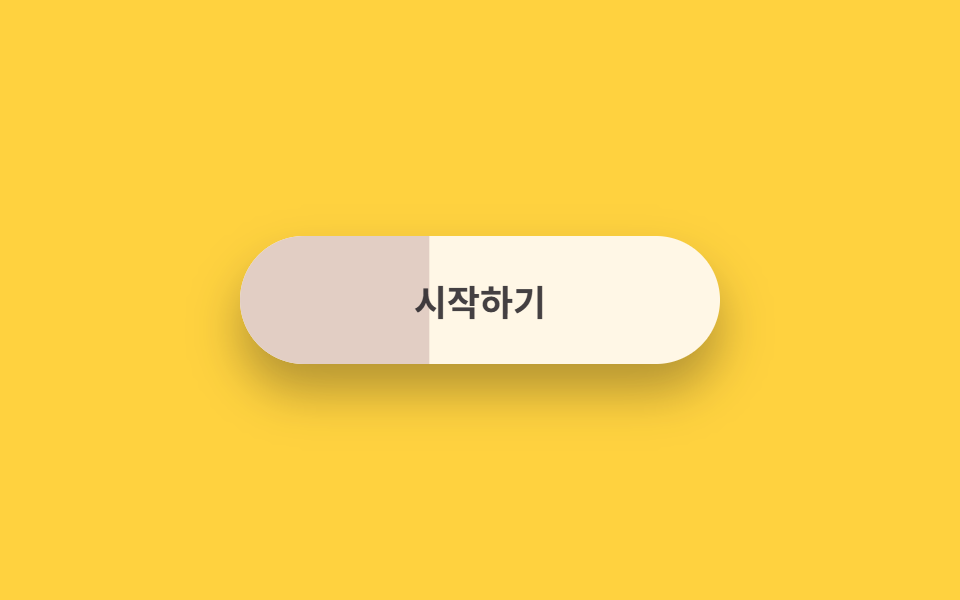 06 duotone-wipe
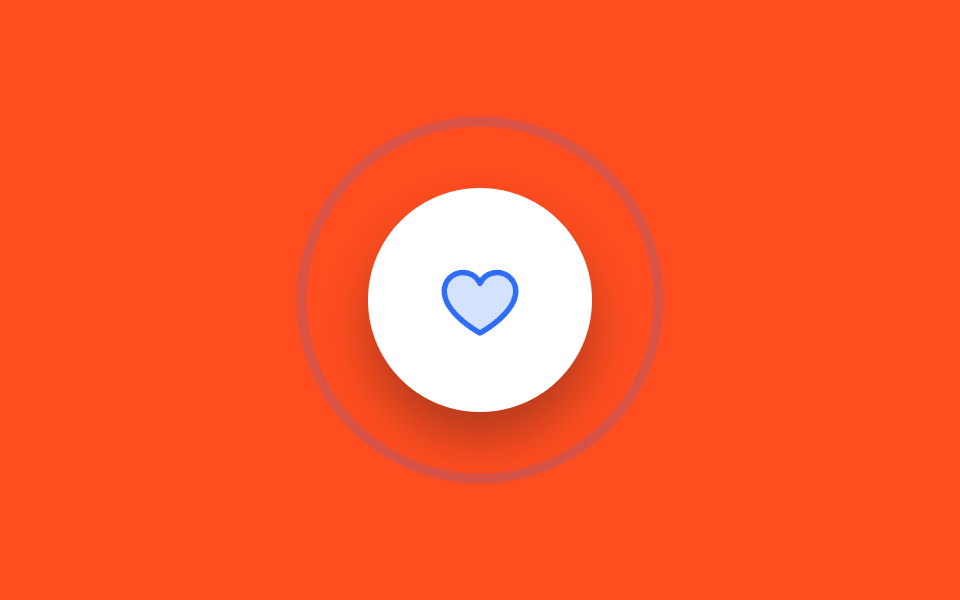 07 ripple-ring
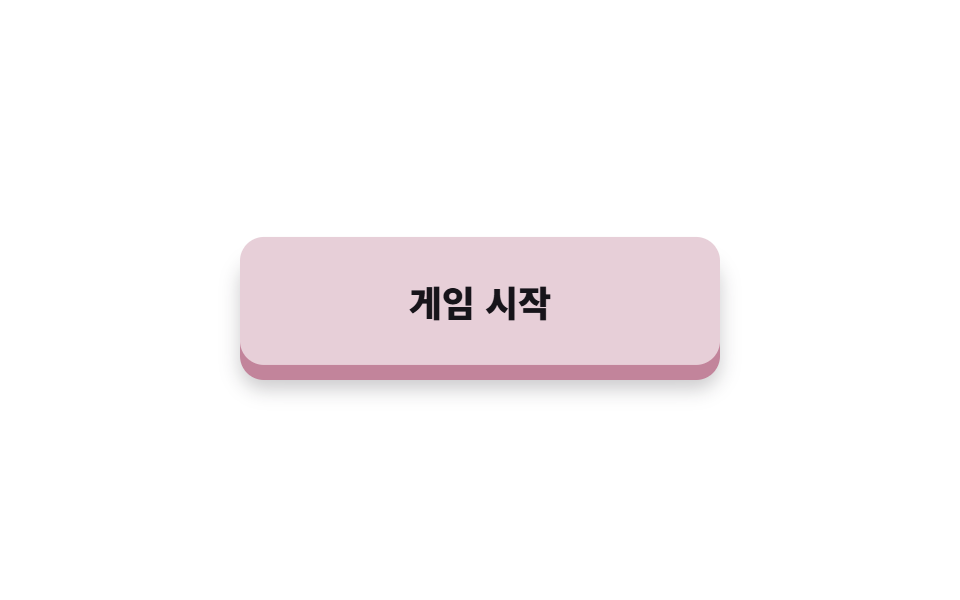 08 push-3d
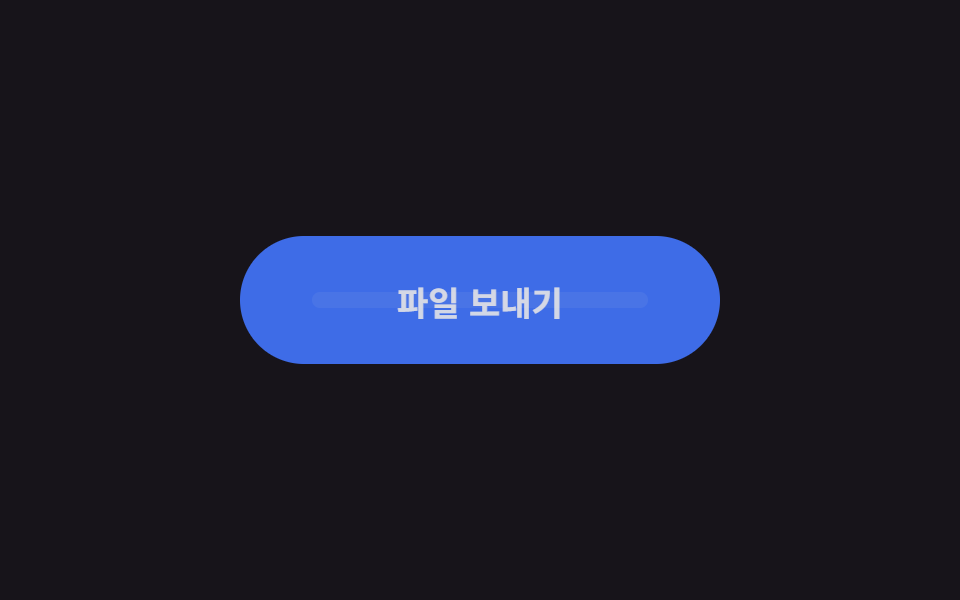 09 pill-loader
Tự chạy · bấm ô để tới mục đó · cả 9 trong một zip
- 01 Nút gradient kẹo chảy
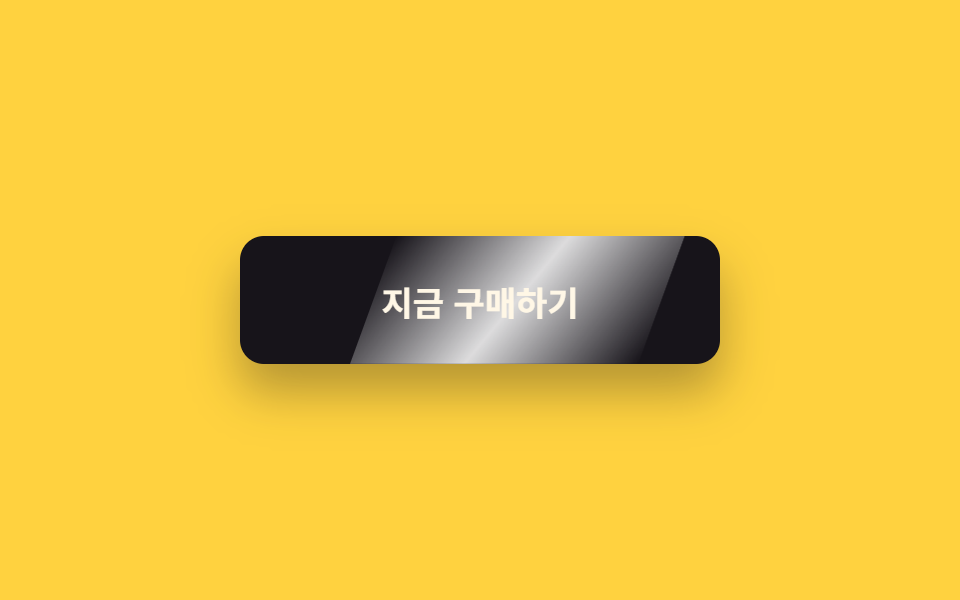
- 02 Nút quét vệt sáng
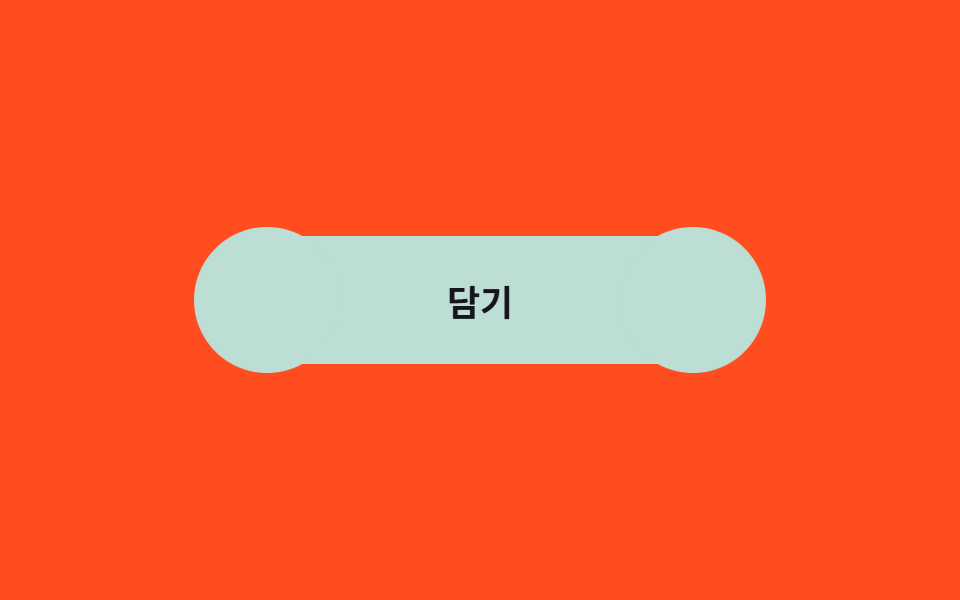
- 03 Nút blob mềm
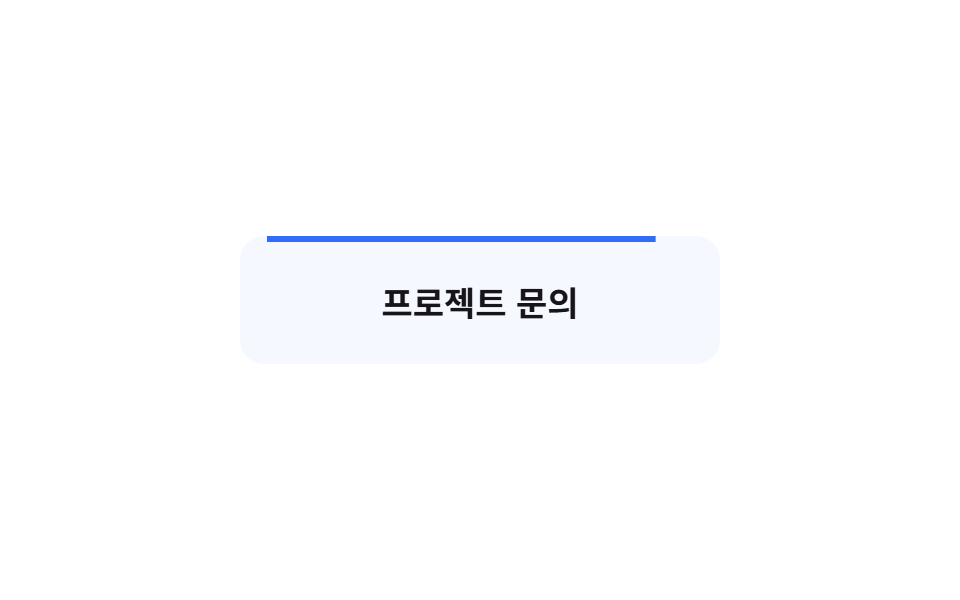
- 04 Nút viền tự vẽ
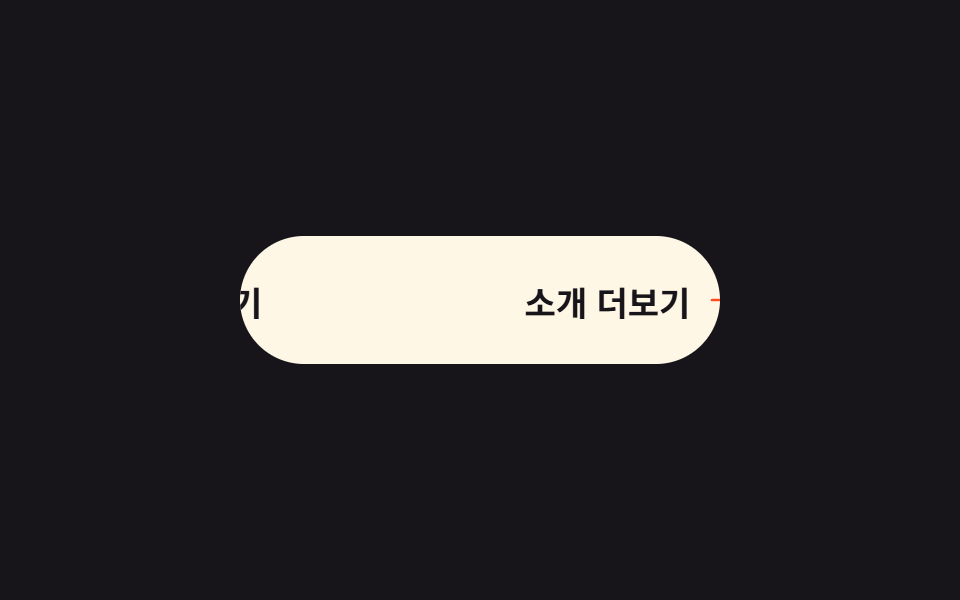
- 05 Nút trượt mũi tên
- 06 Nút hai màu quét
- 07 Nút gợn vòng tròn
- 08 Nút nhấn 3D
- 09 Nút pill có loader
Chín kiểu không xếp theo độ nổi tiếng mà theo vòng đời thật của một nút trên màn hình. Đầu tiên là nhóm bắt mắt — gradient kẹo (01), vệt sáng (02), blob mềm (03). Tiếp theo là nhóm trả lời khi hover — viền tự vẽ (04), mũi tên trượt (05), quét hai màu (06). Rồi đến khoảnh khắc nhấn — vòng gợn (07), nút 3D (08) — và cuối cùng là chờ đợi sau cú nhấn, pill loader (09).
01Nút gradient kẹo chảy
Bạn thấy gì
Một tấm vải màu kẹo rộng gấp ba nút được trải bên dưới và mỗi nhịp bị đẩy sang trái đúng một chu kỳ sọc. Thứ duy nhất di chuyển là một translateX nên không bao giờ tính lại bố cục, và vì chu kỳ đúng 240px nên bạn không bao giờ thấy điểm nối của hoa văn.
<main class="stage is-demo">
  <button class="btn" type="button">
    <span class="btn__bg" aria-hidden="true"></span>
    <span class="btn__label">Tham gia ngay</span>
  </button>
</main>
@use "../../../../site/static/demo-tokens" as *;
// ── 변수 3개 ──────────────────────────────────────────
$duration: $dur-loop; // 2s — 그라데이션 한 주기
$easing: linear; // 흐름은 일정한 속도로
$color: #ff9ecb; // 캔디 핑크 (시작색)
// 한 주기 240px — 세 색이 6px 여백을 두고 스며든다
$candy-b: #d9d4ea; // 바이올렛
$candy-c: #cddfe6; // 스카이
@include stage($stage-ink);
.btn {
box-sizing: border-box;
position: relative;
width: 240px;
height: 64px;
border: none;
border-radius: $r-pill;
color: $subject-ink;
font-family: -apple-system, "Segoe UI", "Noto Sans KR", sans-serif;
font-weight: 700;
font-size: 18px;
cursor: pointer;
overflow: hidden; // 3배 그라데이션이 밖으로 새지 않게
box-shadow: $shadow-raised;
transition: transform $dur-quick $ease-spring, box-shadow $dur-quick $ease-spring;
}
// 3배 폭 그라데이션 층 — 한 주기(240px)씩 translateX 로 흐른다
.btn__bg {
position: absolute;
top: 0; bottom: 0; left: 0;
width: 720px;
background: repeating-linear-gradient(to right,
$color 0 58px, $candy-b 64px 118px, $candy-c 124px 178px, $color 184px 240px);
}
.btn__label { position: relative; z-index: 1; }
// 실사용: 마우스를 올리면 살짝 들리고 흐름은 그대로
.btn:hover { transform: translateY(-2px); box-shadow: 0 18px 28px rgba(23, 20, 26, .4); }
.btn:focus-visible { outline: 3px solid $stage-yellow; outline-offset: 4px; }
// 격자 미리보기: transform 만 이동 (레이아웃 재계산 없음)
.stage.is-demo .btn__bg {
animation: gradient-flow $duration $easing infinite;
}
@keyframes gradient-flow {
0% { transform: translateX(0); }
100% { transform: translateX(-240px); } // 정확히 한 주기 = 이음새 없는 루프
}
@media (prefers-reduced-motion: reduce) {
.stage.is-demo .btn__bg { animation: none; transform: translateX(-120px); }
}html, body {
margin: 0;
overflow: hidden;
}
.stage {
box-sizing: border-box;
min-height: 100vh;
display: grid;
place-items: center;
margin: 0;
background: #17141a;
font-family: -apple-system, "Segoe UI", "Noto Sans KR", sans-serif;
padding: clamp(8px, 4vw, 24px);
}
.btn {
box-sizing: border-box;
position: relative;
width: 240px;
height: 64px;
border: none;
border-radius: 999px;
color: #17141a;
font-family: -apple-system, "Segoe UI", "Noto Sans KR", sans-serif;
font-weight: 700;
font-size: 18px;
cursor: pointer;
overflow: hidden;
box-shadow: 0 14px 24px rgba(23, 20, 26, 0.32);
transition: transform 220ms cubic-bezier(0.2, 0.8, 0.2, 1), box-shadow 220ms cubic-bezier(0.2, 0.8, 0.2, 1);
}
.btn__bg {
position: absolute;
top: 0;
bottom: 0;
left: 0;
width: 720px;
background: repeating-linear-gradient(to right, #ff9ecb 0 58px, #d9d4ea 64px 118px, #cddfe6 124px 178px, #ff9ecb 184px 240px);
}
.btn__label {
position: relative;
z-index: 1;
}
.btn:hover {
transform: translateY(-2px);
box-shadow: 0 18px 28px rgba(23, 20, 26, 0.4);
}
.btn:focus-visible {
outline: 3px solid #ffd23f;
outline-offset: 4px;
}
.stage.is-demo .btn__bg {
animation: gradient-flow 2s linear infinite;
}
@keyframes gradient-flow {
0% {
transform: translateX(0);
}
100% {
transform: translateX(-240px);
}
}
@media (prefers-reduced-motion: reduce) {
.stage.is-demo .btn__bg {
animation: none;
transform: translateX(-120px);
}
}import type { CSSProperties } from "react";
import styles from "./GradientFlowButton.module.scss";
export type GradientFlowButtonProps = {
duration?: number;
easing?: string;
color?: string;
candyB?: string;
candyC?: string;
label?: string;
};
export default function GradientFlowButton({
duration = 2000,
easing = "linear",
color = "#ff9ecb",
candyB = "#a78bfa",
candyC = "#7cd8ff",
label = "멤버 되기",
}: GradientFlowButtonProps) {
const vars: CSSProperties = {
"--duration": `${duration}ms`,
"--easing": easing,
"--color": color,
"--candy-b": candyB,
"--candy-c": candyC,
} as CSSProperties;
return (
<button className={styles.btn} style={vars} type="button">
<span className={styles.bg} aria-hidden="true" />
<span className={styles.label}>{label}</span>
</button>
);
}01 · Nút gradient kẹo chảy — Diện tích đo được 9.899% · khung hình chuyển động 23/23Nguyên tác GODRICH · SCSS và React nằm trong tệp zip · Xem mật khẩu
Dùng ở đâu
Hợp với nút đăng ký ở màn hình đầu của landing.
.btn__bg {
  position: absolute;
  top: 0; bottom: 0; left: 0;
  width: 720px;
  background: repeating-linear-gradient(to right,
    $color 0 58px, $candy-b 64px 118px, $candy-c 124px 178px, $color 184px 240px);
}
.stage.is-demo .btn__bg { animation: gradient-flow $duration $easing infinite; }
@keyframes gradient-flow {
  0%   { transform: translateX(0); }
  100% { transform: translateX(-240px); }
}
02Nút quét vệt sáng
Chuyện gì diễn ra trên màn hình
Một dải sáng trắng nghiêng lướt qua nút tối một lần rồi để lại vệt long lanh như ánh đèn lướt trên thủy tinh. Dải sáng là phần tử giả ::after, đặt nghiêng bằng skewX(-20deg) và chỉ di chuyển bằng translateX nên nút rộng hay hẹp vẫn chạy đúng.
<main class="stage is-demo">
  <button class="btn" type="button"><span class="btn__label">Mua ngay</span></button>
</main>
@use "../../../../site/static/demo-tokens" as *;
// ── 변수 3개 ──────────────────────────────────────────
$duration: $dur-loop; // 2s — 스윕 한 주기
$easing: $ease-out;
$color: $subject-ink; // 버튼 바탕
@include stage($stage-yellow);
.btn {
box-sizing: border-box;
position: relative;
width: 240px;
height: 64px;
border: none;
border-radius: $r-control;
background: $color;
color: $subject-cream;
font-family: -apple-system, "Segoe UI", "Noto Sans KR", sans-serif;
font-weight: 700;
font-size: 17px;
cursor: pointer;
overflow: hidden; // 빛 띠가 밖으로 새지 않게
box-shadow: $shadow-raised;
}
.btn__label { position: relative; z-index: 1; }
// 기울어진 흰 빛 띠 — transform 만으로 통과시킨다
.btn::after {
content: "";
position: absolute;
top: 0; bottom: 0;
left: -60%;
width: 60%;
background: linear-gradient(115deg,
transparent 0%, rgba(255, 255, 255, .85) 50%, transparent 100%);
transform: skewX(-20deg) translateX(-10%);
}
// 실사용: 올릴 때마다 한 번 쓸고 지나감
.btn:hover::after { animation: sweep $dur-enter $easing 1; }
.btn:focus-visible { outline: 3px solid $subject-ink; outline-offset: 4px; }
// 격자 미리보기: 2초 루프로 강제 발동
.stage.is-demo .btn::after { animation: sweep $duration $easing infinite; }
@keyframes sweep {
0%, 10% { transform: skewX(-20deg) translateX(-10%); }
55% { transform: skewX(-20deg) translateX(310%); }
100% { transform: skewX(-20deg) translateX(310%); }
}
@media (prefers-reduced-motion: reduce) {
.btn:hover::after, .stage.is-demo .btn::after { animation: none; transform: skewX(-20deg) translateX(-10%); }
}html, body {
margin: 0;
overflow: hidden;
}
.stage {
box-sizing: border-box;
min-height: 100vh;
display: grid;
place-items: center;
margin: 0;
background: #ffd23f;
font-family: -apple-system, "Segoe UI", "Noto Sans KR", sans-serif;
padding: clamp(8px, 4vw, 24px);
}
.btn {
box-sizing: border-box;
position: relative;
width: 240px;
height: 64px;
border: none;
border-radius: 12px;
background: #17141a;
color: #fff7e6;
font-family: -apple-system, "Segoe UI", "Noto Sans KR", sans-serif;
font-weight: 700;
font-size: 17px;
cursor: pointer;
overflow: hidden;
box-shadow: 0 14px 24px rgba(23, 20, 26, 0.32);
}
.btn__label {
position: relative;
z-index: 1;
}
.btn::after {
content: "";
position: absolute;
top: 0;
bottom: 0;
left: -60%;
width: 60%;
background: linear-gradient(115deg, transparent 0%, rgba(255, 255, 255, 0.85) 50%, transparent 100%);
transform: skewX(-20deg) translateX(-10%);
}
.btn:hover::after {
animation: sweep 600ms ease-out 1;
}
.btn:focus-visible {
outline: 3px solid #17141a;
outline-offset: 4px;
}
.stage.is-demo .btn::after {
animation: sweep 2s ease-out infinite;
}
@keyframes sweep {
0%, 10% {
transform: skewX(-20deg) translateX(-10%);
}
55% {
transform: skewX(-20deg) translateX(310%);
}
100% {
transform: skewX(-20deg) translateX(310%);
}
}
@media (prefers-reduced-motion: reduce) {
.btn:hover::after, .stage.is-demo .btn::after {
animation: none;
transform: skewX(-20deg) translateX(-10%);
}
}import type { CSSProperties, ReactNode } from "react";
import styles from "./ShineSweepButton.module.scss";
export type ShineSweepButtonProps = {
duration?: number;
easing?: string;
color?: string;
children?: ReactNode;
};
export default function ShineSweepButton({
duration = 600,
easing = "ease-out",
color = "#17141a",
children = "지금 구매하기",
}: ShineSweepButtonProps) {
const vars: CSSProperties = { "--duration": `${duration}ms`, "--easing": easing, "--color": color } as CSSProperties;
return (
<button className={styles.btn} style={vars} type="button">
<span className={styles.label}>{children}</span>
</button>
);
}02 · Nút quét vệt sáng — Diện tích đo được 10.349% · khung hình chuyển động 9/23Nguyên tác GODRICH · SCSS và React nằm trong tệp zip · Xem mật khẩu
Chỗ dùng
Dành cho nút thanh toán, nút mua xứng đáng được nhìn thêm một lần.
.btn::after {
  content: "";
  position: absolute;
  top: 0; bottom: 0; left: -60%;
  width: 60%;
  background: linear-gradient(115deg,
    transparent 0%, rgba(255, 255, 255, .85) 50%, transparent 100%);
  transform: skewX(-20deg) translateX(-10%);
}
@keyframes sweep {
  0%, 10% { transform: skewX(-20deg) translateX(-10%); }
  55%     { transform: skewX(-20deg) translateX(310%); }
  100%    { transform: skewX(-20deg) translateX(310%); }
}
03Nút blob mềm
Chuyển động thế nào
Hai hình tròn bạc hà nấp sau nhãn phồng ra hai bên làm khung nút giãn ra thụt vào như thạch. Hai hình tròn cùng đúng màu nút nên mép của chúng hòa làm một, và độ phồng chỉ dùng một scale kèm chút dịch ngang.
<main class="stage is-demo">
  <button class="btn" type="button"><span class="btn__label">Thêm</span></button>
</main>
@use "../../../../site/static/demo-tokens" as *;
// ── 변수 3개 ──────────────────────────────────────────
$duration: $dur-loop; // 2s — 부풀기 한 주기
$easing: $ease-pop; // 튕기듯 말랑하게
$color: #bcded4; // 민트
@include stage($stage-orange);
.btn {
box-sizing: border-box;
position: relative;
width: 240px;
height: 64px;
border: none;
border-radius: $r-pill;
background: $color;
color: $subject-ink;
font-family: -apple-system, "Segoe UI", "Noto Sans KR", sans-serif;
font-weight: 700;
font-size: 18px;
cursor: pointer;
}
// 라벨은 블롭 위에
.btn__label { position: relative; z-index: 1; }
// 좌우 블롭 — 버튼과 같은 색이라 윤곽이 합쳐져 말랑하게 늘어나 보인다
.btn::before,
.btn::after {
content: "";
position: absolute;
top: 50%;
width: 56px;
height: 56px;
border-radius: 50%;
background: $color;
transform: translateY(-50%) scale(.3);
}
.btn::before { left: -4px; }
.btn::after { right: -4px; }
// 실사용: 올리면 좌우로 부풀고, 크기가 커질수록 말랑함이 커진다
.btn:hover::before { transform: translateY(-50%) scale(1.25) translateX(-8px); }
.btn:hover::after { transform: translateY(-50%) scale(1.25) translateX(8px); }
.btn::before, .btn::after { transition: transform $dur-base $easing; }
.btn:focus-visible { outline: 3px solid $subject-ink; outline-offset: 4px; }
// 격자 미리보기: 말랑-주물럭 루프
.stage.is-demo .btn::before { animation: blob-l $duration $easing infinite; }
.stage.is-demo .btn::after { animation: blob-r $duration $easing infinite; }
@keyframes blob-l {
0%, 12% { transform: translateY(-50%) scale(.3); }
40% { transform: translateY(-50%) scale(1.3) translateX(-8px); }
68%, 82% { transform: translateY(-50%) scale(1.15) translateX(-4px); }
100% { transform: translateY(-50%) scale(.3); }
}
@keyframes blob-r {
0%, 12% { transform: translateY(-50%) scale(.3); }
40% { transform: translateY(-50%) scale(1.3) translateX(8px); }
68%, 82% { transform: translateY(-50%) scale(1.15) translateX(4px); }
100% { transform: translateY(-50%) scale(.3); }
}
@media (prefers-reduced-motion: reduce) {
.stage.is-demo .btn::before, .stage.is-demo .btn::after { animation: none; }
}html, body {
margin: 0;
overflow: hidden;
}
.stage {
box-sizing: border-box;
min-height: 100vh;
display: grid;
place-items: center;
margin: 0;
background: #ff4d1f;
font-family: -apple-system, "Segoe UI", "Noto Sans KR", sans-serif;
padding: clamp(8px, 4vw, 24px);
}
.btn {
box-sizing: border-box;
position: relative;
width: 240px;
height: 64px;
border: none;
border-radius: 999px;
background: #bcded4;
color: #17141a;
font-family: -apple-system, "Segoe UI", "Noto Sans KR", sans-serif;
font-weight: 700;
font-size: 18px;
cursor: pointer;
}
.btn__label {
position: relative;
z-index: 1;
}
.btn::before,
.btn::after {
content: "";
position: absolute;
top: 50%;
width: 56px;
height: 56px;
border-radius: 50%;
background: #bcded4;
transform: translateY(-50%) scale(0.3);
}
.btn::before {
left: -4px;
}
.btn::after {
right: -4px;
}
.btn:hover::before {
transform: translateY(-50%) scale(1.25) translateX(-8px);
}
.btn:hover::after {
transform: translateY(-50%) scale(1.25) translateX(8px);
}
.btn::before, .btn::after {
transition: transform 300ms cubic-bezier(0.2, 1.4, 0.4, 1);
}
.btn:focus-visible {
outline: 3px solid #17141a;
outline-offset: 4px;
}
.stage.is-demo .btn::before {
animation: blob-l 2s cubic-bezier(0.2, 1.4, 0.4, 1) infinite;
}
.stage.is-demo .btn::after {
animation: blob-r 2s cubic-bezier(0.2, 1.4, 0.4, 1) infinite;
}
@keyframes blob-l {
0%, 12% {
transform: translateY(-50%) scale(0.3);
}
40% {
transform: translateY(-50%) scale(1.3) translateX(-8px);
}
68%, 82% {
transform: translateY(-50%) scale(1.15) translateX(-4px);
}
100% {
transform: translateY(-50%) scale(0.3);
}
}
@keyframes blob-r {
0%, 12% {
transform: translateY(-50%) scale(0.3);
}
40% {
transform: translateY(-50%) scale(1.3) translateX(8px);
}
68%, 82% {
transform: translateY(-50%) scale(1.15) translateX(4px);
}
100% {
transform: translateY(-50%) scale(0.3);
}
}
@media (prefers-reduced-motion: reduce) {
.stage.is-demo .btn::before, .stage.is-demo .btn::after {
animation: none;
}
}import type { CSSProperties } from "react";
import styles from "./GooeyBlobButton.module.scss";
export type GooeyBlobButtonProps = {
duration?: number;
easing?: string;
color?: string;
label?: string;
};
export default function GooeyBlobButton({
duration = 300,
easing = "cubic-bezier(.2, 1.4, .4, 1)",
color = "#7fe3c4",
label = "담기",
}: GooeyBlobButtonProps) {
const vars: CSSProperties = { "--duration": `${duration}ms`, "--easing": easing, "--color": color } as CSSProperties;
return (
<button className={styles.btn} style={vars} type="button">
<span className={styles.label}>{label}</span>
</button>
);
}03 · Nút blob mềm — Diện tích đo được 3.052% · khung hình chuyển động 14/23Nguyên tác GODRICH · SCSS và React nằm trong tệp zip · Xem mật khẩu
Dùng khi nào
Rất hợp với nút thêm vào giỏ ở shop đồ trẻ em.
.btn::before, .btn::after {
  content: "";
  position: absolute;
  top: 50%;
  width: 56px; height: 56px;
  border-radius: 50%;
  background: $color;
  transform: translateY(-50%) scale(.3);
}
.stage.is-demo .btn::before { animation: blob-l $duration $easing infinite; }
@keyframes blob-l {
  0%, 12% { transform: translateY(-50%) scale(.3); }
  40%     { transform: translateY(-50%) scale(1.3) translateX(-8px); }
  100%    { transform: translateY(-50%) scale(.3); }
}
04Nút viền tự vẽ
Bạn thấy gì
Viền nút tự vẽ mình vào từng nét như viết tay. Gắn thuộc tính pathLength="100" cho hình chữ nhật SVG thì dù độ dài thật là bao nhiêu cũng thành thước 100 vạch, nên chỉ cần hạ stroke-dashoffset từ 100 về 0 là xong bản vẽ.
<main class="stage is-demo">
  <button class="btn" type="button">
    <span class="btn__fill" aria-hidden="true"></span>
    <span class="btn__label">Liên hệ dự án</span>
    <svg class="btn__frame" viewBox="0 0 240 64" aria-hidden="true" focusable="false">
      <rect class="btn__rect" x="1.5" y="1.5" width="237" height="61" rx="12"
            pathLength="100" vector-effect="non-scaling-stroke" />
    </svg>
  </button>
</main>
@use "../../../../site/static/demo-tokens" as *;
// ── 변수 3개 ──────────────────────────────────────────
$duration: $dur-loop; // 2s — 그리기 한 주기
$easing: $ease-out;
$color: $subject-blue; // 테두리 색
@include stage($stage-paper);
.btn {
box-sizing: border-box;
position: relative;
width: 240px;
height: 64px;
border: none;
background: none;
color: $subject-ink;
font-family: -apple-system, "Segoe UI", "Noto Sans KR", sans-serif;
font-weight: 700;
font-size: 17px;
cursor: pointer;
}
// 그려진 뒤 채워지는 옅은 물감
.btn__fill {
position: absolute;
inset: 0;
border-radius: $r-control;
background: rgba($color, .14);
opacity: 0;
}
.btn__label { position: relative; z-index: 1; }
.btn__frame { position: absolute; inset: 0; width: 100%; height: 100%; }
// pathLength=100 — 실제 길이와 무관하게 100 칸으로 정규화
.btn__rect {
fill: none;
stroke: $color;
stroke-width: 3;
stroke-dasharray: 100;
stroke-dashoffset: 100;
}
// 실사용: 올리면 한 번 그려지고 물감이 따라 채워진다
.btn:hover .btn__rect { animation: draw-hover $dur-enter $easing 1 forwards; }
.btn__fill { transition: opacity $dur-base $easing $dur-quick; }
.btn:hover .btn__fill { opacity: 1; }
.btn:focus-visible { outline: 3px solid $color; outline-offset: 4px; }
// 격자 미리보기: 그리기 → 채움 → 지우기 루프
.stage.is-demo .btn__rect { animation: draw $duration $easing infinite; }
.stage.is-demo .btn__fill { animation: fill-in $duration $easing infinite; }
@keyframes draw {
0%, 12% { stroke-dashoffset: 100; }
55% { stroke-dashoffset: 0; }
92% { stroke-dashoffset: 0; }
100% { stroke-dashoffset: 100; }
}
@keyframes draw-hover {
0% { stroke-dashoffset: 100; }
100% { stroke-dashoffset: 0; }
}
@keyframes fill-in {
0%, 55% { opacity: 0; }
72%, 92% { opacity: 1; }
100% { opacity: 0; }
}
@media (prefers-reduced-motion: reduce) {
.btn:hover .btn__rect, .stage.is-demo .btn__rect { animation: none; stroke-dashoffset: 0; }
.btn:hover .btn__fill, .stage.is-demo .btn__fill { animation: none; opacity: 1; }
}html, body {
margin: 0;
overflow: hidden;
}
.stage {
box-sizing: border-box;
min-height: 100vh;
display: grid;
place-items: center;
margin: 0;
background: #ffffff;
font-family: -apple-system, "Segoe UI", "Noto Sans KR", sans-serif;
padding: clamp(8px, 4vw, 24px);
}
.btn {
box-sizing: border-box;
position: relative;
width: 240px;
height: 64px;
border: none;
background: none;
color: #17141a;
font-family: -apple-system, "Segoe UI", "Noto Sans KR", sans-serif;
font-weight: 700;
font-size: 17px;
cursor: pointer;
}
.btn__fill {
position: absolute;
inset: 0;
border-radius: 12px;
background: rgba(47, 109, 246, 0.14);
opacity: 0;
}
.btn__label {
position: relative;
z-index: 1;
}
.btn__frame {
position: absolute;
inset: 0;
width: 100%;
height: 100%;
}
.btn__rect {
fill: none;
stroke: #2f6df6;
stroke-width: 3;
stroke-dasharray: 100;
stroke-dashoffset: 100;
}
.btn:hover .btn__rect {
animation: draw-hover 600ms ease-out 1 forwards;
}
.btn__fill {
transition: opacity 300ms ease-out 220ms;
}
.btn:hover .btn__fill {
opacity: 1;
}
.btn:focus-visible {
outline: 3px solid #2f6df6;
outline-offset: 4px;
}
.stage.is-demo .btn__rect {
animation: draw 2s ease-out infinite;
}
.stage.is-demo .btn__fill {
animation: fill-in 2s ease-out infinite;
}
@keyframes draw {
0%, 12% {
stroke-dashoffset: 100;
}
55% {
stroke-dashoffset: 0;
}
92% {
stroke-dashoffset: 0;
}
100% {
stroke-dashoffset: 100;
}
}
@keyframes draw-hover {
0% {
stroke-dashoffset: 100;
}
100% {
stroke-dashoffset: 0;
}
}
@keyframes fill-in {
0%, 55% {
opacity: 0;
}
72%, 92% {
opacity: 1;
}
100% {
opacity: 0;
}
}
@media (prefers-reduced-motion: reduce) {
.btn:hover .btn__rect, .stage.is-demo .btn__rect {
animation: none;
stroke-dashoffset: 0;
}
.btn:hover .btn__fill, .stage.is-demo .btn__fill {
animation: none;
opacity: 1;
}
}import type { CSSProperties } from "react";
import styles from "./BorderDrawButton.module.scss";
export type BorderDrawButtonProps = {
duration?: number;
easing?: string;
color?: string;
label?: string;
};
export default function BorderDrawButton({
duration = 600,
easing = "ease-out",
color = "#2f6df6",
label = "프로젝트 문의",
}: BorderDrawButtonProps) {
const vars: CSSProperties = { "--duration": `${duration}ms`, "--easing": easing, "--color": color } as CSSProperties;
return (
<button className={styles.btn} style={vars} type="button">
<span className={styles.fill} aria-hidden="true" />
<span className={styles.label}>{label}</span>
<svg className={styles.frame} viewBox="0 0 240 64" aria-hidden="true" focusable="false">
<rect className={styles.rect} x="1.5" y="1.5" width="237" height="61" rx="12"
pathLength="100" vector-effect="non-scaling-stroke" />
</svg>
</button>
);
}04 · Nút viền tự vẽ — Diện tích đo được 10.201% · khung hình chuyển động 13/23Nguyên tác GODRICH · SCSS và React nằm trong tệp zip · Xem mật khẩu
Dùng ở đâu
Sau đó một lớp nước màu nhạt đổ đầy, trọn một chu kỳ.
.btn__rect {
  fill: none;
  stroke: $color;
  stroke-width: 3;
  stroke-dasharray: 100;
  stroke-dashoffset: 100;
}
.stage.is-demo .btn__rect { animation: draw $duration $easing infinite; }
@keyframes draw {
  0%, 12% { stroke-dashoffset: 100; }
  55%     { stroke-dashoffset: 0; }
  100%    { stroke-dashoffset: 100; }
}
05Nút trượt mũi tên
Chuyện gì diễn ra trên màn hình
Hai ô nằm cạnh nhau — một ô chỉ có nhãn, một ô có nhãn kèm mũi tên — và cả dải trượt đúng nửa chiều rộng. Khi hover chữ bị đẩy sang trái còn mũi tên lướt vào chỗ của nó từ bên phải, và vì dải cố định độ rộng 200% nên nhãn dài ngắn thế nào cũng không lệch.
<main class="stage is-demo">
  <button class="btn" type="button">
    <span class="btn__track">
      <span class="btn__cell">Xem thêm</span>
      <span class="btn__cell">
        Xem thêm
        <svg class="btn__arrow" viewBox="0 0 256 256" aria-hidden="true" focusable="false">
          <g fill="currentColor"><path d="m216 128l-72 72V56Z" opacity=".2"/><path d="m221.66 122.34l-72-72A8 8 0 0 0 136 56v64H40a8 8 0 0 0 0 16h96v64a8 8 0 0 0 13.66 5.66l72-72a8 8 0 0 0 0-11.32M152 180.69V75.31L204.69 128Z"/></g>
        </svg>
      </span>
    </span>
  </button>
</main>
@use "../../../../site/static/demo-tokens" as *;
// ── 변수 3개 ──────────────────────────────────────────
$duration: $dur-loop; // 2s — 슬라이드 한 주기
$easing: $ease-spring;
$color: $stage-orange; // 화살표 포인트색
@include stage($stage-ink);
.btn {
box-sizing: border-box;
position: relative;
width: 240px;
height: 64px;
border: none;
border-radius: $r-pill;
background: $subject-cream;
color: $subject-ink;
font-family: -apple-system, "Segoe UI", "Noto Sans KR", sans-serif;
font-weight: 700;
font-size: 17px;
cursor: pointer;
overflow: hidden; // 두 칸 중 보이는 칸은 늘 하나
}
// 두 칸 트랙 — transform 으로 좌우 이동만 (레이아웃 고정)
.btn__track {
display: flex;
width: 200%;
height: 100%;
transition: transform $dur-base $easing;
}
.btn__cell {
box-sizing: border-box;
flex: 0 0 50%;
display: flex;
align-items: center;
justify-content: center;
gap: $sp-2;
white-space: nowrap;
}
.btn__arrow {
width: 20px;
height: 20px;
color: $color; // Phosphor duotone: g fill="currentColor" 가 이 값을 물려받는다
}
// 실사용: 올리면 두 번째 칸(라벨+화살표)이 오른쪽에서 들어온다
.btn:hover .btn__track { transform: translateX(-50%); }
.btn:focus-visible { outline: 3px solid $stage-yellow; outline-offset: 4px; }
// 격자 미리보기: 밀었다 되돌아오는 루프
.stage.is-demo .btn__track { animation: slide-in $duration $easing infinite; }
@keyframes slide-in {
0%, 18% { transform: translateX(0); }
55%, 72% { transform: translateX(-50%); }
88% { transform: translateX(-4%); } // 살짝 되튕김
100% { transform: translateX(0); }
}
@media (prefers-reduced-motion: reduce) {
.stage.is-demo .btn__track { animation: none; transform: translateX(-50%); }
}html, body {
margin: 0;
overflow: hidden;
}
.stage {
box-sizing: border-box;
min-height: 100vh;
display: grid;
place-items: center;
margin: 0;
background: #17141a;
font-family: -apple-system, "Segoe UI", "Noto Sans KR", sans-serif;
padding: clamp(8px, 4vw, 24px);
}
.btn {
box-sizing: border-box;
position: relative;
width: 240px;
height: 64px;
border: none;
border-radius: 999px;
background: #fff7e6;
color: #17141a;
font-family: -apple-system, "Segoe UI", "Noto Sans KR", sans-serif;
font-weight: 700;
font-size: 17px;
cursor: pointer;
overflow: hidden;
}
.btn__track {
display: flex;
width: 200%;
height: 100%;
transition: transform 300ms cubic-bezier(0.2, 0.8, 0.2, 1);
}
.btn__cell {
box-sizing: border-box;
flex: 0 0 50%;
display: flex;
align-items: center;
justify-content: center;
gap: 8px;
white-space: nowrap;
}
.btn__arrow {
width: 20px;
height: 20px;
color: #ff4d1f;
}
.btn:hover .btn__track {
transform: translateX(-50%);
}
.btn:focus-visible {
outline: 3px solid #ffd23f;
outline-offset: 4px;
}
.stage.is-demo .btn__track {
animation: slide-in 2s cubic-bezier(0.2, 0.8, 0.2, 1) infinite;
}
@keyframes slide-in {
0%, 18% {
transform: translateX(0);
}
55%, 72% {
transform: translateX(-50%);
}
88% {
transform: translateX(-4%);
}
100% {
transform: translateX(0);
}
}
@media (prefers-reduced-motion: reduce) {
.stage.is-demo .btn__track {
animation: none;
transform: translateX(-50%);
}
}import type { CSSProperties } from "react";
import styles from "./IconSlideButton.module.scss";
export type IconSlideButtonProps = {
duration?: number;
easing?: string;
color?: string;
label?: string;
};
export default function IconSlideButton({
duration = 300,
easing = "cubic-bezier(.2, .8, .2, 1)",
color = "#ff4d1f",
label = "소개 더보기",
}: IconSlideButtonProps) {
const vars: CSSProperties = { "--duration": `${duration}ms`, "--easing": easing, "--color": color } as CSSProperties;
return (
<button className={styles.btn} style={vars} type="button">
<span className={styles.track}>
<span className={styles.cell}>{label}</span>
<span className={styles.cell}>
{label}
<svg className={styles.arrow} viewBox="0 0 256 256" aria-hidden="true" focusable="false">
<g fill="currentColor"><path d="m216 128l-72 72V56Z" opacity=".2" /><path d="m221.66 122.34l-72-72A8 8 0 0 0 136 56v64H40a8 8 0 0 0 0 16h96v64a8 8 0 0 0 13.66 5.66l72-72a8 8 0 0 0 0-11.32M152 180.69V75.31L204.69 128Z" /></g>
</svg>
</span>
</span>
</button>
);
}05 · Nút trượt mũi tên — Diện tích đo được 2.354% · khung hình chuyển động 15/23Nguyên tác GODRICH · SCSS và React nằm trong tệp zip · Xem mật khẩu
Chỗ dùng
Hợp với nút xem thêm dẫn sang nội dung kế tiếp.
.btn__track { display: flex; width: 200%; height: 100%; }
.btn__cell  { flex: 0 0 50%; display: flex; align-items: center; }
.stage.is-demo .btn__track { animation: slide-in $duration $easing infinite; }
@keyframes slide-in {
  0%, 18%  { transform: translateX(0); }
  55%, 72% { transform: translateX(-50%); }
  88%      { transform: translateX(-4%); }
  100%     { transform: translateX(0); }
}
06Nút hai màu quét
Chuyển động thế nào
Nút tách thành kem và đào, lớp màu dưới trải ra từ trái bằng scaleX làm cả mặt nút lật màu như nước loang. Chữ cũng có hai bản chồng nhau và đổi bằng opacity nên ngay khoảnh khắc chuyển màu vẫn đọc được.
<main class="stage is-demo">
  <button class="btn" type="button">
    <span class="btn__wash" aria-hidden="true"></span>
    <span class="btn__labels">
      <span class="btn__t-on-dark">Bắt đầu</span>
      <span class="btn__t-on-light">Bắt đầu</span>
    </span>
  </button>
</main>
@use "../../../../site/static/demo-tokens" as *;
// ── 변수 3개 ──────────────────────────────────────────
$duration: $dur-loop; // 2s — 와이프 한 주기
$easing: $ease-spring;
$color: #e2cec4; // 피치 (아래에 깔리는 색)
@include stage($stage-yellow);
.btn {
box-sizing: border-box;
position: relative;
width: 240px;
height: 64px;
border: none;
border-radius: $r-pill;
background: $subject-cream; // 위에 보이는 색
font-family: -apple-system, "Segoe UI", "Noto Sans KR", sans-serif;
font-weight: 700;
font-size: 18px;
cursor: pointer;
overflow: hidden;
box-shadow: $shadow-raised;
}
// 아래 색 레이어 — scaleX 로 왼쪽에서 펼쳐진다
.btn__wash {
position: absolute;
inset: 0;
background: $color;
transform: scaleX(0);
transform-origin: left; // 규칙8: 듀오톤 와이프 좌측 전개
transition: transform $dur-base $easing;
}
// 글자 두 벌 — 바탕색에 따라 보이는 쪽이 바뀐다
.btn__labels {
position: absolute;
inset: 0;
display: grid;
place-items: center;
}
.btn__t-on-dark,
.btn__t-on-light {
grid-area: 1 / 1;
transition: opacity $dur-quick $easing;
}
.btn__t-on-dark { color: $subject-cream; opacity: 0; }
.btn__t-on-light { color: $subject-ink; }
// 실사용: 올리면 피치가 좌에서 우로 번지고 글자도 뒤집힌다
.btn:hover .btn__wash { transform: scaleX(1); }
.btn:hover .btn__t-on-dark { opacity: 1; }
.btn:hover .btn__t-on-light { opacity: 0; }
.btn:focus-visible { outline: 3px solid $subject-ink; outline-offset: 4px; }
// 격자 미리보기: 번짐 → 물러남 루프
.stage.is-demo .btn__wash { animation: wash $duration $easing infinite; }
.stage.is-demo .btn__t-on-dark { animation: swap-in $duration $easing infinite; }
.stage.is-demo .btn__t-on-light { animation: swap-out $duration $easing infinite; }
@keyframes wash {
0%, 12% { transform: scaleX(0); }
48%, 70% { transform: scaleX(1); }
100% { transform: scaleX(0); }
}
@keyframes swap-in {
0%, 18% { opacity: 0; }
48%, 70% { opacity: 1; }
88%,100% { opacity: 0; }
}
@keyframes swap-out {
0%, 18% { opacity: 1; }
48%, 70% { opacity: 0; }
88%,100% { opacity: 1; }
}
@media (prefers-reduced-motion: reduce) {
.stage.is-demo .btn__wash { animation: none; transform: scaleX(1); }
.stage.is-demo .btn__t-on-dark { animation: none; opacity: 1; }
.stage.is-demo .btn__t-on-light { animation: none; opacity: 0; }
}html, body {
margin: 0;
overflow: hidden;
}
.stage {
box-sizing: border-box;
min-height: 100vh;
display: grid;
place-items: center;
margin: 0;
background: #ffd23f;
font-family: -apple-system, "Segoe UI", "Noto Sans KR", sans-serif;
padding: clamp(8px, 4vw, 24px);
}
.btn {
box-sizing: border-box;
position: relative;
width: 240px;
height: 64px;
border: none;
border-radius: 999px;
background: #fff7e6;
font-family: -apple-system, "Segoe UI", "Noto Sans KR", sans-serif;
font-weight: 700;
font-size: 18px;
cursor: pointer;
overflow: hidden;
box-shadow: 0 14px 24px rgba(23, 20, 26, 0.32);
}
.btn__wash {
position: absolute;
inset: 0;
background: #e2cec4;
transform: scaleX(0);
transform-origin: left;
transition: transform 300ms cubic-bezier(0.2, 0.8, 0.2, 1);
}
.btn__labels {
position: absolute;
inset: 0;
display: grid;
place-items: center;
}
.btn__t-on-dark,
.btn__t-on-light {
grid-area: 1/1;
transition: opacity 220ms cubic-bezier(0.2, 0.8, 0.2, 1);
}
.btn__t-on-dark {
color: #fff7e6;
opacity: 0;
}
.btn__t-on-light {
color: #17141a;
}
.btn:hover .btn__wash {
transform: scaleX(1);
}
.btn:hover .btn__t-on-dark {
opacity: 1;
}
.btn:hover .btn__t-on-light {
opacity: 0;
}
.btn:focus-visible {
outline: 3px solid #17141a;
outline-offset: 4px;
}
.stage.is-demo .btn__wash {
animation: wash 2s cubic-bezier(0.2, 0.8, 0.2, 1) infinite;
}
.stage.is-demo .btn__t-on-dark {
animation: swap-in 2s cubic-bezier(0.2, 0.8, 0.2, 1) infinite;
}
.stage.is-demo .btn__t-on-light {
animation: swap-out 2s cubic-bezier(0.2, 0.8, 0.2, 1) infinite;
}
@keyframes wash {
0%, 12% {
transform: scaleX(0);
}
48%, 70% {
transform: scaleX(1);
}
100% {
transform: scaleX(0);
}
}
@keyframes swap-in {
0%, 18% {
opacity: 0;
}
48%, 70% {
opacity: 1;
}
88%, 100% {
opacity: 0;
}
}
@keyframes swap-out {
0%, 18% {
opacity: 1;
}
48%, 70% {
opacity: 0;
}
88%, 100% {
opacity: 1;
}
}
@media (prefers-reduced-motion: reduce) {
.stage.is-demo .btn__wash {
animation: none;
transform: scaleX(1);
}
.stage.is-demo .btn__t-on-dark {
animation: none;
opacity: 1;
}
.stage.is-demo .btn__t-on-light {
animation: none;
opacity: 0;
}
}import type { CSSProperties } from "react";
import styles from "./DuotoneWipeButton.module.scss";
export type DuotoneWipeButtonProps = {
duration?: number;
easing?: string;
color?: string;
label?: string;
};
export default function DuotoneWipeButton({
duration = 300,
easing = "cubic-bezier(.2, .8, .2, 1)",
color = "#ff9d6f",
label = "시작하기",
}: DuotoneWipeButtonProps) {
const vars: CSSProperties = { "--duration": `${duration}ms`, "--easing": easing, "--color": color } as CSSProperties;
return (
<button className={styles.btn} style={vars} type="button">
<span className={styles.wash} aria-hidden="true" />
<span className={styles.labels}>
<span className={styles.tOnDark}>{label}</span>
<span className={styles.tOnLight}>{label}</span>
</span>
</button>
);
}06 · Nút hai màu quét — Diện tích đo được 10.103% · khung hình chuyển động 16/23Nguyên tác GODRICH · SCSS và React nằm trong tệp zip · Xem mật khẩu
Dùng khi nào
Hợp với nút bắt đầu trên thẻ giá.
.btn__wash {
  position: absolute;
  inset: 0;
  background: $color;
  transform: scaleX(0);
  transform-origin: left;
}
@keyframes wash {
  0%, 12%  { transform: scaleX(0); }
  48%, 70% { transform: scaleX(1); }
  100%     { transform: scaleX(0); }
}
.stage.is-demo .btn__t-on-dark { animation: swap-in $duration $easing infinite; }
07Nút gợn vòng tròn
Bạn thấy gì
Đúng lúc nhấn, thay cho gợn sóng là một vòng viền loang ra ngoài như tiếng chuông. Vòng 3px nằm ở ::after, phóng to bằng scale trong khi opacity xóa dần, nên chỉ cần đổi một giá trị màu là đặt lên được mọi nút icon.
<main class="stage is-demo">
  <button class="btn" type="button" aria-label="Thích">
    <svg class="btn__heart" viewBox="0 0 256 256" aria-hidden="true" focusable="false">
      <g fill="currentColor"><path d="M232 102c0 66-104 122-104 122S24 168 24 102a54 54 0 0 1 54-54c22.59 0 41.94 12.31 50 32c8.06-19.69 27.41-32 50-32a54 54 0 0 1 54 54" opacity=".2"/><path d="M178 40c-20.65 0-38.73 8.88-50 23.89C116.73 48.88 98.65 40 78 40a62.07 62.07 0 0 0-62 62c0 70 103.79 126.66 108.21 129a8 8 0 0 0 7.58 0C136.21 228.66 240 172 240 102a62.07 62.07 0 0 0-62-62m-50 174.8c-18.26-10.64-96-59.11-96-112.8a46.06 46.06 0 0 1 46-46c19.45 0 35.78 10.36 42.6 27a8 8 0 0 0 14.8 0c6.82-16.67 23.15-27 42.6-27a46.06 46.06 0 0 1 46 46c0 53.61-77.76 102.15-96 112.8"/></g>
    </svg>
  </button>
</main>
@use "../../../../site/static/demo-tokens" as *;
// ── 변수 3개 ──────────────────────────────────────────
$duration: $dur-loop; // 2s — 핑 두 번
$easing: $ease-out;
$color: $subject-blue; // 링·하트 색
@include stage($stage-orange);
.btn {
box-sizing: border-box;
position: relative;
width: 112px;
height: 112px;
border: none;
border-radius: 50%;
background: $stage-paper;
cursor: pointer;
display: grid;
place-items: center;
box-shadow: $shadow-raised;
}
.btn__heart {
width: 44px;
height: 44px;
color: $color; // Phosphor duotone: g fill="currentColor" 가 이 값을 물려받는다
}
// 테두리 링 — 채워진 원이 아니라 굵은 선이 퍼진다
.btn::after {
content: "";
position: absolute;
inset: 0;
border-radius: 50%;
border: 3px solid $color;
opacity: 0;
transform: scale(1);
}
// 실사용: 누르는 순간 한 번
.btn:active .btn__heart { animation: heart-pop $dur-base $ease-pop 1; }
.btn:active::after { animation: ring $dur-base $easing 1; }
.btn:focus-visible { outline: 3px solid $subject-ink; outline-offset: 4px; }
// 격자 미리보기: 2초에 두 번 종소리처럼 퍼진다
.stage.is-demo .btn__heart { animation: heart-pop $duration $ease-pop infinite; }
.stage.is-demo .btn::after { animation: ring $duration $easing infinite; }
@keyframes ring {
0% { transform: scale(1); opacity: .9; }
34% { transform: scale(1.8); opacity: 0; }
50% { transform: scale(1); opacity: .9; }
84% { transform: scale(1.8); opacity: 0; }
100% { transform: scale(1); opacity: 0; }
}
@keyframes heart-pop {
0%, 50% { transform: scale(1); }
8%, 58% { transform: scale(1.14); }
16%, 66% { transform: scale(.96); }
22%, 72% { transform: scale(1); }
}
@media (prefers-reduced-motion: reduce) {
.stage.is-demo .btn__heart, .stage.is-demo .btn::after { animation: none; }
.stage.is-demo .btn::after { opacity: 0; }
}html, body {
margin: 0;
overflow: hidden;
}
.stage {
box-sizing: border-box;
min-height: 100vh;
display: grid;
place-items: center;
margin: 0;
background: #ff4d1f;
font-family: -apple-system, "Segoe UI", "Noto Sans KR", sans-serif;
padding: clamp(8px, 4vw, 24px);
}
.btn {
box-sizing: border-box;
position: relative;
width: 112px;
height: 112px;
border: none;
border-radius: 50%;
background: #ffffff;
cursor: pointer;
display: grid;
place-items: center;
box-shadow: 0 14px 24px rgba(23, 20, 26, 0.32);
}
.btn__heart {
width: 44px;
height: 44px;
color: #2f6df6;
}
.btn::after {
content: "";
position: absolute;
inset: 0;
border-radius: 50%;
border: 3px solid #2f6df6;
opacity: 0;
transform: scale(1);
}
.btn:active .btn__heart {
animation: heart-pop 300ms cubic-bezier(0.2, 1.4, 0.4, 1) 1;
}
.btn:active::after {
animation: ring 300ms ease-out 1;
}
.btn:focus-visible {
outline: 3px solid #17141a;
outline-offset: 4px;
}
.stage.is-demo .btn__heart {
animation: heart-pop 2s cubic-bezier(0.2, 1.4, 0.4, 1) infinite;
}
.stage.is-demo .btn::after {
animation: ring 2s ease-out infinite;
}
@keyframes ring {
0% {
transform: scale(1);
opacity: 0.9;
}
34% {
transform: scale(1.8);
opacity: 0;
}
50% {
transform: scale(1);
opacity: 0.9;
}
84% {
transform: scale(1.8);
opacity: 0;
}
100% {
transform: scale(1);
opacity: 0;
}
}
@keyframes heart-pop {
0%, 50% {
transform: scale(1);
}
8%, 58% {
transform: scale(1.14);
}
16%, 66% {
transform: scale(0.96);
}
22%, 72% {
transform: scale(1);
}
}
@media (prefers-reduced-motion: reduce) {
.stage.is-demo .btn__heart, .stage.is-demo .btn::after {
animation: none;
}
.stage.is-demo .btn::after {
opacity: 0;
}
}import type { CSSProperties } from "react";
import styles from "./RippleRingButton.module.scss";
export type RippleRingButtonProps = {
duration?: number;
easing?: string;
color?: string;
label?: string;
};
export default function RippleRingButton({
duration = 300,
easing = "ease-out",
color = "#2f6df6",
label = "좋아요",
}: RippleRingButtonProps) {
const vars: CSSProperties = { "--duration": `${duration}ms`, "--easing": easing, "--color": color } as CSSProperties;
return (
<button className={styles.btn} style={vars} type="button" aria-label={label}>
<svg className={styles.heart} viewBox="0 0 256 256" aria-hidden="true" focusable="false">
<g fill="currentColor"><path d="M232 102c0 66-104 122-104 122S24 168 24 102a54 54 0 0 1 54-54c22.59 0 41.94 12.31 50 32c8.06-19.69 27.41-32 50-32a54 54 0 0 1 54 54" opacity=".2" /><path d="M178 40c-20.65 0-38.73 8.88-50 23.89C116.73 48.88 98.65 40 78 40a62.07 62.07 0 0 0-62 62c0 70 103.79 126.66 108.21 129a8 8 0 0 0 7.58 0C136.21 228.66 240 172 240 102a62.07 62.07 0 0 0-62-62m-50 174.8c-18.26-10.64-96-59.11-96-112.8a46.06 46.06 0 0 1 46-46c19.45 0 35.78 10.36 42.6 27a8 8 0 0 0 14.8 0c6.82-16.67 23.15-27 42.6-27a46.06 46.06 0 0 1 46 46c0 53.61-77.76 102.15-96 112.8" /></g>
</svg>
</button>
);
}07 · Nút gợn vòng tròn — Diện tích đo được 13.521% · khung hình chuyển động 18/23Nguyên tác GODRICH · SCSS và React nằm trong tệp zip · Xem mật khẩu
Dùng ở đâu
Trái tim đồng thời phồng lên rồi co nhẹ, rất hợp nút like và bookmark.
.btn::after {
  content: "";
  position: absolute;
  inset: 0;
  border-radius: 50%;
  border: 3px solid $color;
  opacity: 0;
}
@keyframes ring {
  0%  { transform: scale(1);   opacity: .9; }
  34% { transform: scale(1.8); opacity: 0; }
  50% { transform: scale(1);   opacity: .9; }
  84% { transform: scale(1.8); opacity: 0; }
}
08Nút nhấn 3D
Chuyện gì diễn ra trên màn hình
Một lớp cứng 8px nằm dưới nút khiến nó trông như phím bấm vật lý, và khi nhấn mặt nút lún đúng 8px bằng translateY trong khi lớp đó biến mất. Vòng lặp demo còn thêm cú nảy nhẹ khi thả tay; khi dùng thật :active chỉ cần hai dòng.
<main class="stage is-demo">
  <button class="btn" type="button">Bắt đầu game</button>
</main>
@use "../../../../site/static/demo-tokens" as *;
// ── 변수 3개 ──────────────────────────────────────────
$duration: $dur-loop; // 2s — 눌림 한 주기
$easing: $ease-out;
$color: #e7cfd8; // 캔디 핑크
$depth: 8px; // 두께 — 눌림 거리와 같다
@include stage($stage-paper);
.btn {
box-sizing: border-box;
width: 240px;
height: 64px;
border: none;
border-radius: $r-control;
background: $color;
color: $subject-ink;
font-family: -apple-system, "Segoe UI", "Noto Sans KR", sans-serif;
font-weight: 800;
font-size: 18px;
cursor: pointer;
// 두께(box-shadow) + 받침 그림자 — 누르면 둘 다 사라진다
box-shadow: 0 $depth 0 darken($color, 22%),
0 #{$depth + 6px} #{$sp-3} rgba(23, 20, 26, .22);
transition: transform $dur-quick $easing, box-shadow $dur-quick $easing;
}
// 실사용: 누르는 동안 꾹 들어간다
.btn:active {
transform: translateY($depth);
box-shadow: 0 0 0 darken($color, 22%),
0 2px 4px rgba(23, 20, 26, .22);
}
.btn:focus-visible { outline: 3px solid $subject-blue; outline-offset: 4px; }
// 격자 미리보기: 눌림 → 유지 → 튕겨 복귀 루프
.stage.is-demo .btn { animation: press $duration $easing infinite; }
@keyframes press {
0%, 20% {
transform: translateY(0);
box-shadow: 0 $depth 0 darken($color, 22%),
0 #{$depth + 6px} #{$sp-3} rgba(23, 20, 26, .22);
}
35%, 55% {
transform: translateY($depth);
box-shadow: 0 0 0 darken($color, 22%),
0 2px 4px rgba(23, 20, 26, .22);
}
70% {
transform: translateY(-3px);
box-shadow: 0 #{$depth + 3px} 0 darken($color, 22%),
0 #{$depth + 9px} #{$sp-3} rgba(23, 20, 26, .22);
}
85%, 100% {
transform: translateY(0);
box-shadow: 0 $depth 0 darken($color, 22%),
0 #{$depth + 6px} #{$sp-3} rgba(23, 20, 26, .22);
}
}
@media (prefers-reduced-motion: reduce) {
.stage.is-demo .btn { animation: none; }
}html, body {
margin: 0;
overflow: hidden;
}
.stage {
box-sizing: border-box;
min-height: 100vh;
display: grid;
place-items: center;
margin: 0;
background: #ffffff;
font-family: -apple-system, "Segoe UI", "Noto Sans KR", sans-serif;
padding: clamp(8px, 4vw, 24px);
}
.btn {
box-sizing: border-box;
width: 240px;
height: 64px;
border: none;
border-radius: 12px;
background: #e7cfd8;
color: #17141a;
font-family: -apple-system, "Segoe UI", "Noto Sans KR", sans-serif;
font-weight: 800;
font-size: 18px;
cursor: pointer;
box-shadow: 0 8px 0 rgb(75.9215686275%, 51.8431372549%, 60.8725490196%), 0 14px 12px rgba(23, 20, 26, 0.22);
transition: transform 220ms ease-out, box-shadow 220ms ease-out;
}
.btn:active {
transform: translateY(8px);
box-shadow: 0 0 0 rgb(75.9215686275%, 51.8431372549%, 60.8725490196%), 0 2px 4px rgba(23, 20, 26, 0.22);
}
.btn:focus-visible {
outline: 3px solid #2f6df6;
outline-offset: 4px;
}
.stage.is-demo .btn {
animation: press 2s ease-out infinite;
}
@keyframes press {
0%, 20% {
transform: translateY(0);
box-shadow: 0 8px 0 rgb(75.9215686275%, 51.8431372549%, 60.8725490196%), 0 14px 12px rgba(23, 20, 26, 0.22);
}
35%, 55% {
transform: translateY(8px);
box-shadow: 0 0 0 rgb(75.9215686275%, 51.8431372549%, 60.8725490196%), 0 2px 4px rgba(23, 20, 26, 0.22);
}
70% {
transform: translateY(-3px);
box-shadow: 0 11px 0 rgb(75.9215686275%, 51.8431372549%, 60.8725490196%), 0 17px 12px rgba(23, 20, 26, 0.22);
}
85%, 100% {
transform: translateY(0);
box-shadow: 0 8px 0 rgb(75.9215686275%, 51.8431372549%, 60.8725490196%), 0 14px 12px rgba(23, 20, 26, 0.22);
}
}
@media (prefers-reduced-motion: reduce) {
.stage.is-demo .btn {
animation: none;
}
}import type { CSSProperties } from "react";
import styles from "./Push3dButton.module.scss";
export type Push3dButtonProps = {
duration?: number;
easing?: string;
color?: string;
label?: string;
};
export default function Push3dButton({
duration = 220,
easing = "ease-out",
color = "#ff7fae",
label = "게임 시작",
}: Push3dButtonProps) {
const vars: CSSProperties = {
"--duration": `${duration}ms`,
"--easing": easing,
"--color": color,
"--depth": "8px",
} as CSSProperties;
return (
<button className={styles.btn} style={vars} type="button">{label}</button>
);
}08 · Nút nhấn 3D — Diện tích đo được 5.983% · khung hình chuyển động 12/23Nguyên tác GODRICH · SCSS và React nằm trong tệp zip · Xem mật khẩu
Chỗ dùng
Dành cho nút bắt đầu game và các nút to trong app trẻ em.
$depth: 8px;
.btn {
  box-shadow: 0 $depth 0 darken($color, 22%),
              0 #{$depth + 6px} #{$sp-3} rgba(23, 20, 26, .22);
}
.btn:active { transform: translateY($depth); }
@keyframes press {
  0%, 20%  { transform: translateY(0); }
  35%, 55% { transform: translateY($depth); }
  70%      { transform: translateY(-3px); }
  85%,100% { transform: translateY(0); }
}
09Nút pill có loader
Chuyển động thế nào
Ngay lúc gửi file, nhãn mờ dần, nút khóa sang màu chàm đậm và trong chiếc pill một thanh ngắn trượt qua lại hai lần. Thanh chỉ di chuyển bằng translateX, hết thời gian chờ nhãn trở lại.
<main class="stage is-demo">
  <button class="btn" type="button">
    <span class="btn__label">Gửi tệp</span>
    <span class="btn__loader" aria-hidden="true">
      <span class="btn__track"><span class="btn__bar"></span></span>
    </span>
  </button>
</main>
@use "../../../../site/static/demo-tokens" as *;
// ── 변수 3개 ──────────────────────────────────────────
$duration: $dur-loop; // 2s — 기다림 한 주기
$easing: ease-in-out;
$color: $subject-blue; // 버튼 색
$busy: #6f67b4; // 기다리는 동안 잠기는 진한 색
@include stage($stage-ink);
.btn {
box-sizing: border-box;
position: relative;
width: 240px;
height: 64px;
border: none;
border-radius: $r-pill;
background: $color;
color: $subject-cream;
font-family: -apple-system, "Segoe UI", "Noto Sans KR", sans-serif;
font-weight: 700;
font-size: 17px;
cursor: pointer;
transition: background-color $dur-quick $easing;
}
.btn__label {
position: absolute;
inset: 0;
display: grid;
place-items: center;
}
// 로더 — 라벨이 사라진 자리에 나타난다
.btn__loader {
position: absolute;
inset: 0;
display: grid;
place-items: center;
opacity: 0;
}
.btn__track {
position: relative;
width: 168px; // 버튼의 70%
height: 8px;
border-radius: $r-pill;
background: rgba($subject-cream, .25);
overflow: hidden;
}
.btn__bar {
position: absolute;
top: 0; bottom: 0;
width: 60px;
border-radius: $r-pill;
background: $subject-cream;
transform: translateX(-60px);
}
// 실사용: 보내는 동안 is-busy 클래스를 붙인다
.btn.is-busy { background: $busy; }
.btn.is-busy .btn__label { opacity: 0; }
.btn.is-busy .btn__loader { opacity: 1; }
.btn__label, .btn__loader { transition: opacity $dur-quick $easing; }
.btn.is-busy .btn__bar { animation: bar-run 1s $easing infinite; }
.btn:focus-visible { outline: 3px solid $stage-yellow; outline-offset: 4px; }
// 격자 미리보기: 라벨 사라짐 → 잠김 → 막대 두 번 왕복 → 복귀
.stage.is-demo .btn { animation: busy-bg $duration $easing infinite; }
.stage.is-demo .btn__label { animation: label-out $duration $easing infinite; }
.stage.is-demo .btn__loader { animation: loader-in $duration $easing infinite; }
.stage.is-demo .btn__bar { animation: bar-run 1s $easing infinite; }
@keyframes busy-bg {
0%, 15% { background: $color; }
25%, 85% { background: $busy; }
95%,100% { background: $color; }
}
@keyframes label-out {
0%, 15% { opacity: 1; }
25%, 85% { opacity: 0; }
95%,100% { opacity: 1; }
}
@keyframes loader-in {
0%, 15% { opacity: 0; }
25%, 85% { opacity: 1; }
95%,100% { opacity: 0; }
}
@keyframes bar-run {
0% { transform: translateX(-60px); }
100% { transform: translateX(168px); }
}
@media (prefers-reduced-motion: reduce) {
.stage.is-demo .btn, .stage.is-demo .btn__label,
.stage.is-demo .btn__loader, .stage.is-demo .btn__bar { animation: none; }
.stage.is-demo .btn__bar { transform: translateX(54px); } // 가운데 정지
}html, body {
margin: 0;
overflow: hidden;
}
.stage {
box-sizing: border-box;
min-height: 100vh;
display: grid;
place-items: center;
margin: 0;
background: #17141a;
font-family: -apple-system, "Segoe UI", "Noto Sans KR", sans-serif;
padding: clamp(8px, 4vw, 24px);
}
.btn {
box-sizing: border-box;
position: relative;
width: 240px;
height: 64px;
border: none;
border-radius: 999px;
background: #2f6df6;
color: #fff7e6;
font-family: -apple-system, "Segoe UI", "Noto Sans KR", sans-serif;
font-weight: 700;
font-size: 17px;
cursor: pointer;
transition: background-color 220ms ease-in-out;
}
.btn__label {
position: absolute;
inset: 0;
display: grid;
place-items: center;
}
.btn__loader {
position: absolute;
inset: 0;
display: grid;
place-items: center;
opacity: 0;
}
.btn__track {
position: relative;
width: 168px;
height: 8px;
border-radius: 999px;
background: rgba(255, 247, 230, 0.25);
overflow: hidden;
}
.btn__bar {
position: absolute;
top: 0;
bottom: 0;
width: 60px;
border-radius: 999px;
background: #fff7e6;
transform: translateX(-60px);
}
.btn.is-busy {
background: #6f67b4;
}
.btn.is-busy .btn__label {
opacity: 0;
}
.btn.is-busy .btn__loader {
opacity: 1;
}
.btn__label, .btn__loader {
transition: opacity 220ms ease-in-out;
}
.btn.is-busy .btn__bar {
animation: bar-run 1s ease-in-out infinite;
}
.btn:focus-visible {
outline: 3px solid #ffd23f;
outline-offset: 4px;
}
.stage.is-demo .btn {
animation: busy-bg 2s ease-in-out infinite;
}
.stage.is-demo .btn__label {
animation: label-out 2s ease-in-out infinite;
}
.stage.is-demo .btn__loader {
animation: loader-in 2s ease-in-out infinite;
}
.stage.is-demo .btn__bar {
animation: bar-run 1s ease-in-out infinite;
}
@keyframes busy-bg {
0%, 15% {
background: #2f6df6;
}
25%, 85% {
background: #6f67b4;
}
95%, 100% {
background: #2f6df6;
}
}
@keyframes label-out {
0%, 15% {
opacity: 1;
}
25%, 85% {
opacity: 0;
}
95%, 100% {
opacity: 1;
}
}
@keyframes loader-in {
0%, 15% {
opacity: 0;
}
25%, 85% {
opacity: 1;
}
95%, 100% {
opacity: 0;
}
}
@keyframes bar-run {
0% {
transform: translateX(-60px);
}
100% {
transform: translateX(168px);
}
}
@media (prefers-reduced-motion: reduce) {
.stage.is-demo .btn, .stage.is-demo .btn__label,
.stage.is-demo .btn__loader, .stage.is-demo .btn__bar {
animation: none;
}
.stage.is-demo .btn__bar {
transform: translateX(54px);
}
}import type { CSSProperties } from "react";
import styles from "./PillLoaderButton.module.scss";
export type PillLoaderButtonProps = {
duration?: number;
easing?: string;
color?: string;
busyColor?: string;
busy?: boolean;
label?: string;
};
export default function PillLoaderButton({
duration = 1000,
easing = "ease-in-out",
color = "#2f6df6",
busyColor = "#3a2bb8",
busy = false,
label = "파일 보내기",
}: PillLoaderButtonProps) {
const vars: CSSProperties = {
"--duration": `${duration}ms`,
"--easing": easing,
"--color": color,
"--busy": busyColor,
} as CSSProperties;
return (
<button className={styles.btn} style={vars} data-busy={busy || undefined} type="button">
<span className={styles.label}>{label}</span>
<span className={styles.loader} aria-hidden="true">
<span className={styles.track}><span className={styles.bar} /></span>
</span>
</button>
);
}09 · Nút pill có loader — Diện tích đo được 10.092% · khung hình chuyển động 15/23Nguyên tác GODRICH · SCSS và React nằm trong tệp zip · Xem mật khẩu
Dùng khi nào
Khi dùng thật chỉ cần bật tắt lớp is-busy trong lúc hàm gửi chạy.
.btn__bar {
  position: absolute;
  top: 0; bottom: 0;
  width: 60px;
  border-radius: $r-pill;
  background: $subject-cream;
  transform: translateX(-60px);
}
@keyframes bar-run {
  0%   { transform: translateX(-60px); }
  100% { transform: translateX(168px); }
}
@keyframes busy-bg {
  0%, 15%  { background: $color; }
  25%, 85% { background: $busy; }
  95%,100% { background: $color; }
}
Ở đâu nó dễ hỏng — pastel mềm máy không nhìn thấy
Nền gradient ở mục 01
Mục 01 lúc đầu được làm ngược với những gì bạn đang thấy: bản thân nền gradient được dời bằng background-position, bảng màu là bộ pastel hòa mờ. Nhìn bằng mắt thì rõ ràng là đang chảy, nhưng đo khung hình bằng máy ra cường độ 0.0 và số khung di chuyển bằng 0. Giữa hai khung gradient tiến 10px, mà mức đổi màu trong quãng đó nằm dưới ngưỡng đo nên không pixel nào được tính là đã đổi. Vẽ lại bằng dải sọc có biên rõ và di chuyển cả lớp bằng translateX mới qua được phép đo. Khoảng chạy của vệt sáng ở mục 02 đặt gấp nhiều lần băng rộng cũng vì lý do đó. Mật khẩu giải nén của chín thư mục là 3vxxw8yh, gõ đúng như vậy thì mới mở được. Chu kỳ sọc của gradient (240px) phải khớp chính xác với khoảng di chuyển cũng là điều mục này chứng minh ngay trên màn hình — lệch đúng 4px là hoa văn giật một lần mỗi vòng.
Khả năng tiếp cận
Khung hình tĩnh khi giảm chuyển động
Cả chín kiểu đều rơi về animation: none dưới prefers-reduced-motion: reduce, và mỗi kiểu có một khung hình tĩnh vẫn tự giải thích được mình là gì. Mục 01 dừng ở vị trí thấy được dải sọc, mục 04 dừng với viền vẽ xong hoàn chỉnh, mục 05 dừng ở ô có cả nhãn và mũi tên. Thanh của mục 09 đỗ giữa đường để màu và hình vẫn nói "đang tải". Mọi nút hiện viền :focus-visible khi dùng bàn phím. Cách bật/tắt cài đặt này được ghi trong trang prefers-reduced-motion của MDN.
FAQ
Không biết JavaScript có dùng được không?
Có, cả chín kiểu chạy thuần bằng CSS (SCSS), không một dòng JavaScript. Ngay mục 09 khi dùng thật cũng chỉ cần thêm bớt lớp is-busy trên nút. Nếu muốn thêm các bước trước đó như ripple và hover, bài 9 hiệu ứng nút CSS có sẵn.
Đổi màu theo thương hiệu thì sửa ở đâu?
Biến $color trên đầu SCSS của mỗi mục là màu gốc. Mục 01 có thêm hai màu phụ ngoài $color, còn mục 08 tự sinh cạnh đậm bằng darken($color, 22%). Ở mục 06 $color là màu đào lớp dưới, nên muốn đổi màu trên thì sửa luôn dòng nền.
Trong zip có gì?
Mỗi mục gồm index.html, style.scss, style.css đã biên dịch, và cặp .tsx + .module.scss đặt thẳng vào dự án React. Duration, easing, color được kéo ra thành props nên đổi một giá trị là thành biến thể. Vật liệu nút khác tìm được qua tìm kiếm trên site.
Có thể bạn cũng thích
 Nút bấm9 hiệu ứng css button animation copy-paste
 Loading9 hiệu ứng css skeleton loading copy-paste
 Phản hồi9 hiệu ứng css dark mode toggle 1 dòng CSS
 Phản hồi9 micro interactions css — dán 1 dòng chạy ngay
 Phản hồi9 CSS Image Hover Effects — dán 1 dòng là chạy
 Phản hồi9 CSS Card Hover Effects — dán 1 dòng là chạy
 Phản hồi9 CSS Heart Like Animations — dán 1 dòng là chạy
 Phản hồi9 CSS Button Click Feedback, dán 1 dòng chạy ngay
 Phản hồi9 CSS Border Animations — dán 1 dòng là chạy
 Phản hồi9 SVG Icon Animation CSS — dán 1 dòng là chạy