9 hiệu ứng css skeleton loading copy-paste
Css skeleton loading là kỹ thuật hiện khối xám giữ đúng hình dạng của nội dung thật trong lúc chờ dữ liệu, thay cho màn hình trắng hoặc spinner đơn điệu.
 01 shimmer-lines
 02 card-skeleton
 03 avatar-list-skeleton
 04 table-skeleton
 05 image-blur-up
 06 responsive-skeleton
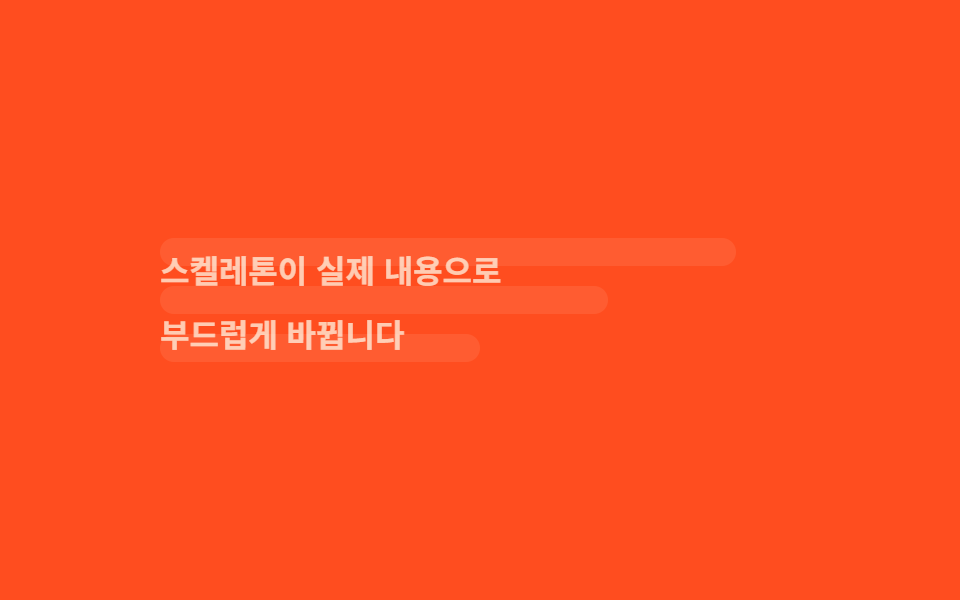 07 skeleton-to-content
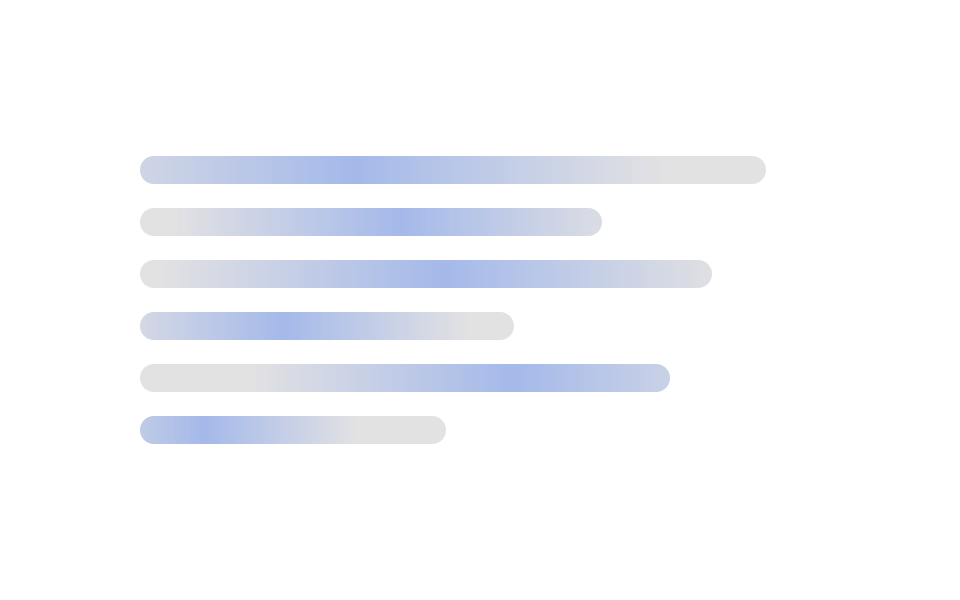 08 wave-stagger-skeleton
 09 auto-theme-skeleton
Tự chạy · bấm ô để tới mục đó · cả 9 trong một zip
- 01 Dòng chữ lấp lánh
- 02 Skeleton dạng card
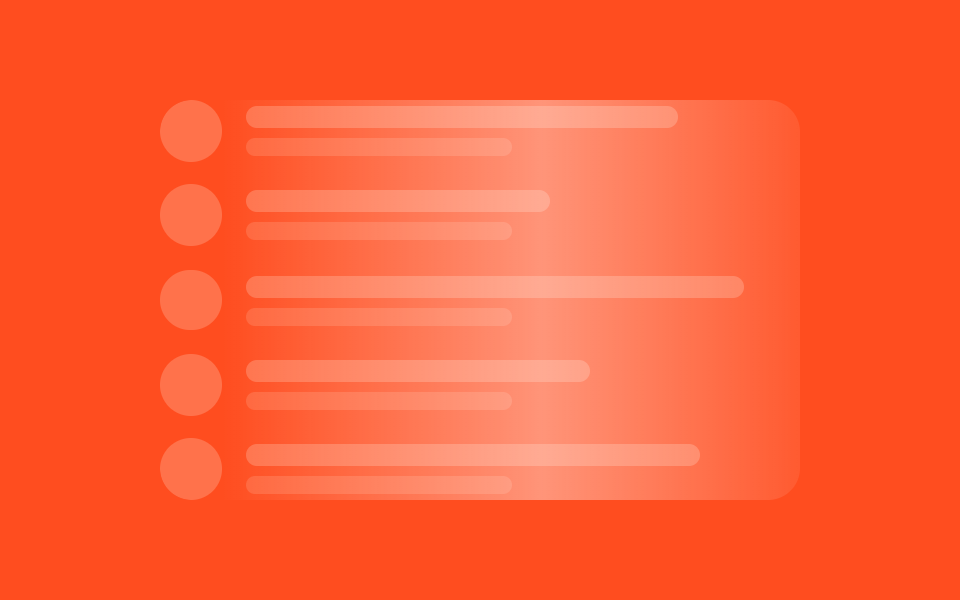
- 03 Danh sách avatar
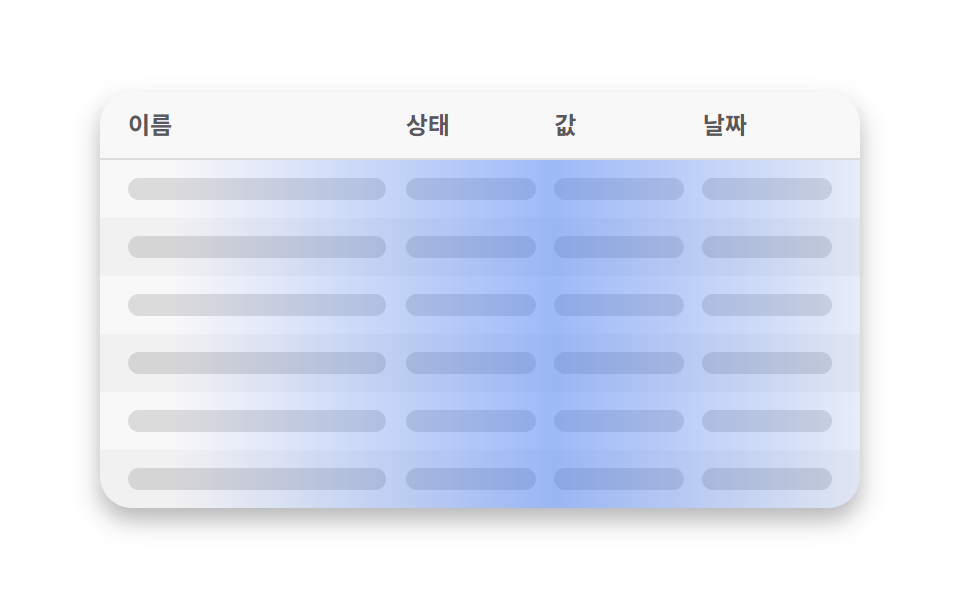
- 04 Skeleton bảng
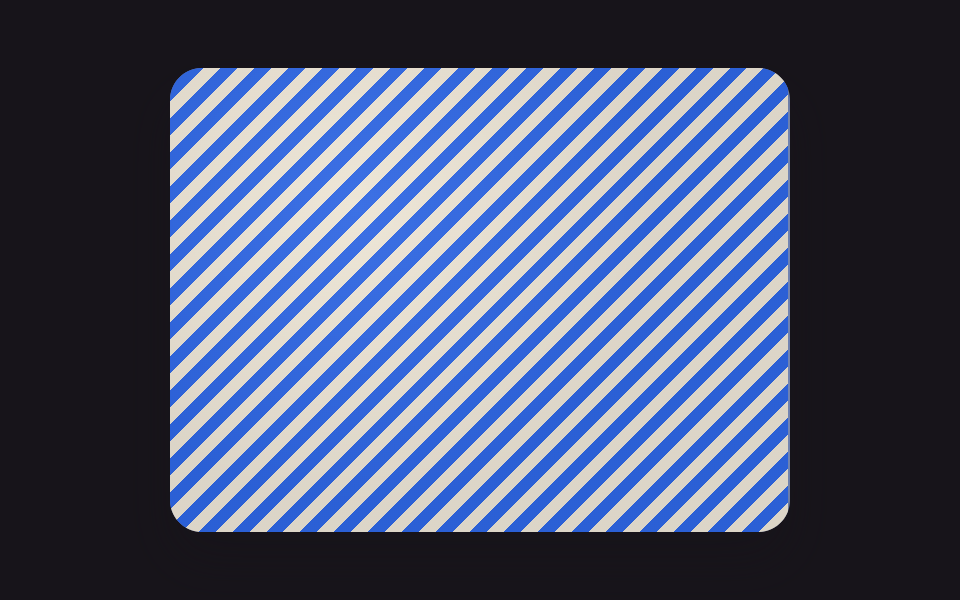
- 05 Ảnh mờ dần rõ
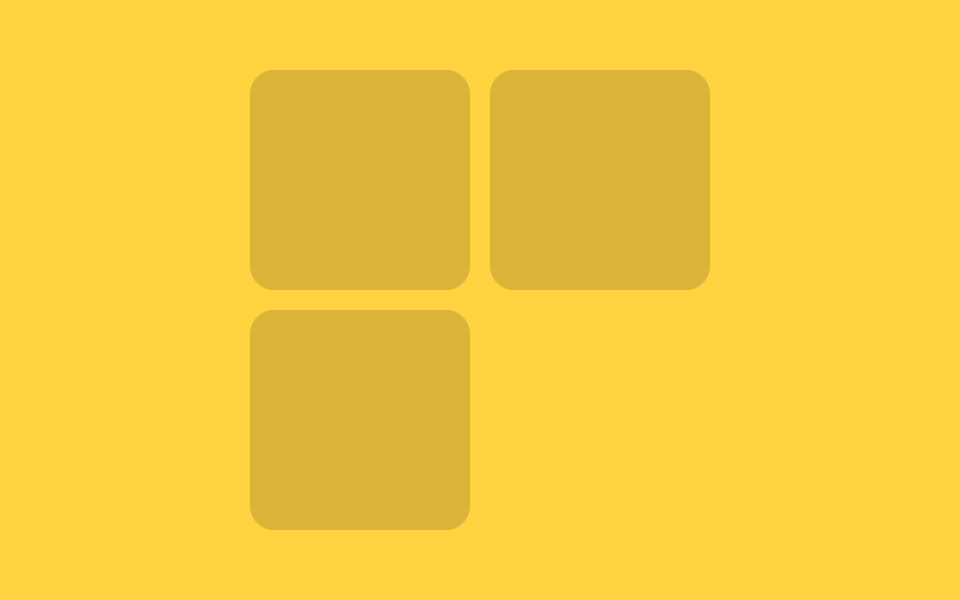
- 06 Skeleton responsive
- 07 Chuyển sang nội dung
- 08 Lấp lánh theo hàng
- 09 Tự đổi màu dark mode
Thứ tự chín kiểu đi theo đúng luồng của một trang thật khi dữ liệu chưa về kịp. Từ 01 đến 04 là bốn khối tĩnh đứng yên chờ — dòng chữ, card, avatar, bảng — mỗi khối ứng với một vùng giao diện quen thuộc. Mục 05 thêm chuyển động để làm rõ dần một tấm ảnh thay vì chỉ đứng im. Mục 06 giải quyết việc cùng một file skeleton phải vừa với nhiều khung chứa rộng hẹp khác nhau trên cùng một trang. Mục 07 là khoảnh khắc bàn giao — lúc skeleton nhường chỗ cho nội dung thật. Mục 08 và mục 09 là hai biến thể nâng cao hơn: độ trễ theo hàng, và màu tự đổi theo theme của trình duyệt.
01Dòng chữ lấp lánh
Bạn thấy gì
Thanh xám thay chỗ cho dòng chữ, còn ánh sáng quét qua nhờ một lớp gradient di chuyển bằng transform chứ không phải đổi màu nền trực tiếp.
<main class="stage">
  <div class="lines">
    <div class="line"></div>
    <div class="line"></div>
    <div class="line"></div>
    <div class="line"></div>
  </div>
</main>
@use "../../../../site/static/demo-tokens" as *;
// ── 변수 3개. 변형은 이것만 바꾼다 ──────────────────────────
$duration: $dur-loop; // 빛이 줄 하나를 다 훑는 시간
$easing: $ease-out; // 시작은 빠르고 끝은 느리게
$color: $subject-cream; // 막대·빛의 바탕 색 (어두운 무대라 크림)
// ── 데모 무대 ──────────────────────────────────────────
@include stage($stage-ink);
.lines {
width: clamp(180px, 70%, 360px);
display: grid;
gap: clamp(10px, 3vw, 16px);
}
// ── 줄 막대 ──────────────────────────────────────────
.line {
position: relative;
overflow: hidden; // 빛이 막대 밖으로 안 나가게
height: clamp(12px, 4vw, 16px);
border-radius: $r-control;
background: rgba($color, .14);
&::after {
content: "";
position: absolute;
inset: 0;
background: linear-gradient(90deg, transparent, rgba($color, .45), transparent);
transform: translateX(-120%); // 위치가 아니라 transform 으로만 이동
animation: shimmer $duration $easing infinite;
}
&:nth-child(1) { width: 92%; }
&:nth-child(2) { width: 100%; }
&:nth-child(3) { width: 78%; }
&:nth-child(4) { width: 55%; }
&:nth-child(2)::after { animation-delay: -140ms; } // 줄마다 살짝 어긋나게 시작 (음수 지연 = 이미 진행 중인 상태로 시작)
&:nth-child(3)::after { animation-delay: -280ms; }
&:nth-child(4)::after { animation-delay: -420ms; }
}
@keyframes shimmer {
to { transform: translateX(120%); }
}
// ── 접근성: 움직임 줄이기 설정이면 스침 대신 옅은 밝기만 ────────
@media (prefers-reduced-motion: reduce) {
.line::after { animation: none !important; opacity: .45; transform: translateX(0); }
}html, body {
margin: 0;
overflow: hidden;
}
.stage {
box-sizing: border-box;
min-height: 100vh;
display: grid;
place-items: center;
margin: 0;
background: #17141a;
font-family: -apple-system, "Segoe UI", "Noto Sans KR", sans-serif;
padding: clamp(8px, 4vw, 24px);
}
.lines {
width: clamp(180px, 70%, 360px);
display: grid;
gap: clamp(10px, 3vw, 16px);
}
.line {
position: relative;
overflow: hidden;
height: clamp(12px, 4vw, 16px);
border-radius: 12px;
background: rgba(255, 247, 230, 0.14);
}
.line::after {
content: "";
position: absolute;
inset: 0;
background: linear-gradient(90deg, transparent, rgba(255, 247, 230, 0.45), transparent);
transform: translateX(-120%);
animation: shimmer 2s ease-out infinite;
}
.line:nth-child(1) {
width: 92%;
}
.line:nth-child(2) {
width: 100%;
}
.line:nth-child(3) {
width: 78%;
}
.line:nth-child(4) {
width: 55%;
}
.line:nth-child(2)::after {
animation-delay: -140ms;
}
.line:nth-child(3)::after {
animation-delay: -280ms;
}
.line:nth-child(4)::after {
animation-delay: -420ms;
}
@keyframes shimmer {
to {
transform: translateX(120%);
}
}
@media (prefers-reduced-motion: reduce) {
.line::after {
animation: none !important;
opacity: 0.45;
transform: translateX(0);
}
}import type { CSSProperties } from "react";
import styles from "./ShimmerLines.module.scss";
export type ShimmerLinesProps = {
/** 빛이 줄 하나를 훑는 시간 (기본 2000ms) */
duration?: number;
/** CSS easing (기본 ease-out) */
easing?: string;
/** 막대·빛의 바탕 색 */
color?: string;
/** 줄 수 (기본 4) */
lines?: number;
className?: string;
};
const WIDTHS = ["92%", "100%", "78%", "55%"];
export default function ShimmerLines({
duration = 2000,
easing = "ease-out",
color = "#fff7e6",
lines = 4,
className = "",
}: ShimmerLinesProps) {
const vars = { "--duration": `${duration}ms`, "--easing": easing, "--color": color } as CSSProperties;
return (
<div className={`${styles.lines} ${className}`} style={vars}>
{Array.from({ length: lines }).map((_, i) => (
<div
key={i}
className={styles.line}
style={{ width: WIDTHS[i % WIDTHS.length], animationDelay: `${-i * 140}ms` } as CSSProperties}
/>
))}
</div>
);
}01 · Dòng chữ lấp lánh — Diện tích đo được 11.078% · khung hình chuyển động 21/23Nguyên tác GODRICH · SCSS và React nằm trong tệp zip · Xem mật khẩu
Dùng ở đâu
Dùng cho danh sách bài viết và bình luận, nơi mỗi dòng dài ngắn khác nhau nên các thanh cũng cần rộng hẹp khác nhau để trông giống chữ thật.
.line {
  position: relative;
  overflow: hidden;
  height: clamp(12px, 4vw, 16px);
  border-radius: $r-control;
  background: rgba($color, .14);

  &::after {
    content: "";
    position: absolute;
    inset: 0;
    background: linear-gradient(90deg, transparent, rgba($color, .45), transparent);
    transform: translateX(-120%);
    animation: shimmer $duration $easing infinite;
  }
}

@keyframes shimmer {
  to { transform: translateX(120%); }
}
02Skeleton dạng card
Chuyện gì diễn ra trên màn hình
Một card có sẵn chỗ trống cho ảnh, tiêu đề và mô tả, dùng chung một placeholder %bar cho cả ba khối để chúng lấp lánh cùng kiểu nhưng lệch nhịp nhau đôi chút.
<main class="stage">
  <div class="card">
    <div class="thumb"></div>
    <div class="title"></div>
    <div class="desc"></div>
    <div class="desc short"></div>
  </div>
</main>
@use "../../../../site/static/demo-tokens" as *;
// ── 변수 3개 ──────────────────────────────────────────
$duration: $dur-loop; // 빛이 카드 한 장을 훑는 시간
$easing: $ease-out;
$color: $subject-ink; // 막대 색 (노란 무대라 잉크 톤)
@include stage($stage-yellow);
.card {
width: clamp(160px, 60%, 260px);
padding: clamp(10px, 2.6vw, 14px);
border-radius: $r-card;
background: rgba($stage-paper, .55);
box-shadow: $shadow-raised;
display: grid;
gap: clamp(8px, 2vw, 10px);
}
// ── 막대 하나의 공통 모양 ──────────────────────────────
%bar {
  position: relative;
  overflow: hidden;
  border-radius: $r-control;
  background: rgba($color, .16);

  &::after {
    content: "";
    position: absolute;
    inset: 0;
    background: linear-gradient(90deg, transparent, rgba($stage-paper, .85), transparent);
    transform: translateX(-120%);
    animation: shimmer $duration $easing infinite;
  }
}

.thumb { @extend %bar; aspect-ratio: 2 / 1; }
.title { @extend %bar; height: clamp(12px, 3.6vw, 16px); width: 70%; }
.desc  { @extend %bar; height: clamp(9px, 3vw, 12px); }
.desc.short { width: 55%; }
.title::after { animation-delay: -120ms; }
.desc::after { animation-delay: -240ms; }
.desc.short::after { animation-delay: -360ms; }
@keyframes shimmer {
to { transform: translateX(120%); }
}
@media (prefers-reduced-motion: reduce) {
.thumb::after, .title::after, .desc::after { animation: none !important; opacity: .5; transform: translateX(0); }
}html, body {
margin: 0;
overflow: hidden;
}
.stage {
box-sizing: border-box;
min-height: 100vh;
display: grid;
place-items: center;
margin: 0;
background: #ffd23f;
font-family: -apple-system, "Segoe UI", "Noto Sans KR", sans-serif;
padding: clamp(8px, 4vw, 24px);
}
.card {
width: clamp(160px, 60%, 260px);
padding: clamp(10px, 2.6vw, 14px);
border-radius: 16px;
background: rgba(255, 255, 255, 0.55);
box-shadow: 0 14px 24px rgba(23, 20, 26, 0.32);
display: grid;
gap: clamp(8px, 2vw, 10px);
}
.desc, .title, .thumb {
position: relative;
overflow: hidden;
border-radius: 12px;
background: rgba(23, 20, 26, 0.16);
}
.desc::after, .title::after, .thumb::after {
content: "";
position: absolute;
inset: 0;
background: linear-gradient(90deg, transparent, rgba(255, 255, 255, 0.85), transparent);
transform: translateX(-120%);
animation: shimmer 2s ease-out infinite;
}
.thumb {
aspect-ratio: 2/1;
}
.title {
height: clamp(12px, 3.6vw, 16px);
width: 70%;
}
.desc {
height: clamp(9px, 3vw, 12px);
}
.desc.short {
width: 55%;
}
.title::after {
animation-delay: -120ms;
}
.desc::after {
animation-delay: -240ms;
}
.desc.short::after {
animation-delay: -360ms;
}
@keyframes shimmer {
to {
transform: translateX(120%);
}
}
@media (prefers-reduced-motion: reduce) {
.thumb::after, .title::after, .desc::after {
animation: none !important;
opacity: 0.5;
transform: translateX(0);
}
}import type { CSSProperties } from "react";
import styles from "./CardSkeleton.module.scss";
export type CardSkeletonProps = {
/** 빛이 카드 한 장을 훑는 시간 (기본 2000ms) */
duration?: number;
/** CSS easing (기본 ease-out) */
easing?: string;
/** 막대 색 */
color?: string;
className?: string;
};
export default function CardSkeleton({
duration = 2000,
easing = "ease-out",
color = "#17141a",
className = "",
}: CardSkeletonProps) {
const vars = { "--duration": `${duration}ms`, "--easing": easing, "--color": color } as CSSProperties;
return (
<div className={`${styles.card} ${className}`} style={vars}>
<div className={styles.thumb} />
<div className={styles.title} />
<div className={styles.desc} />
<div className={`${styles.desc} ${styles.short}`} />
</div>
);
}02 · Skeleton dạng card — Diện tích đo được 28.717% · khung hình chuyển động 20/23Nguyên tác GODRICH · SCSS và React nằm trong tệp zip · Xem mật khẩu
Chỗ dùng
Hợp cho card sản phẩm và card bài viết, những nơi người dùng lướt qua rất nhanh và cần thấy ngay bố cục sắp hiện ra.
%bar {
position: relative;
overflow: hidden;
border-radius: $r-control;
background: rgba($color, .16);
&::after {
content: "";
position: absolute;
inset: 0;
background: linear-gradient(90deg, transparent, rgba($stage-paper, .85), transparent);
transform: translateX(-120%);
animation: shimmer $duration $easing infinite;
}
}
.thumb { @extend %bar; aspect-ratio: 2 / 1; }
.title { @extend %bar; height: clamp(12px, 3.6vw, 16px); width: 70%; }
.desc { @extend %bar; height: clamp(9px, 3vw, 12px); }
03Danh sách avatar
Chuyển động thế nào
Một avatar tròn cùng hai dòng chữ lặp lại theo từng hàng, còn ánh sáng thì quét một lần cho cả danh sách thay vì cho từng thanh riêng lẻ như hai kiểu trước.
<main class="stage">
  <div class="list">
    <div class="row"><span class="avatar"></span><span class="meta"><span class="l1"></span><span class="l2"></span></span></div>
    <div class="row"><span class="avatar"></span><span class="meta"><span class="l1"></span><span class="l2"></span></span></div>
    <div class="row"><span class="avatar"></span><span class="meta"><span class="l1"></span><span class="l2"></span></span></div>
    <div class="row"><span class="avatar"></span><span class="meta"><span class="l1"></span><span class="l2"></span></span></div>
    <div class="row"><span class="avatar"></span><span class="meta"><span class="l1"></span><span class="l2"></span></span></div>
    <span class="sheen" aria-hidden="true"></span>
  </div>
</main>
@use "../../../../site/static/demo-tokens" as *;
// ── 변수 3개 ──────────────────────────────────────────
$duration: $dur-loop; // 빛이 목록 전체를 훑는 시간
$easing: $ease-out;
$color: $subject-cream; // 아바타·막대 색 (주황 무대라 크림)
@include stage($stage-orange);
.list {
position: relative; // 훑는 빛의 기준
overflow: hidden; // 빛이 목록 밖으로 안 나가게
width: clamp(210px, 76%, 320px);
display: grid;
gap: clamp(6px, 2.4vw, 12px);
border-radius: $r-card;
}
.row { display: flex; align-items: center; gap: clamp(8px, 2.6vw, 12px); }
.avatar {
flex: none;
width: clamp(20px, 6.4vw, 32px);
height: clamp(20px, 6.4vw, 32px);
border-radius: $r-pill; // 동그란 아바타
background: rgba($color, .22);
}
.meta { flex: 1; display: grid; gap: 5px; }
.l1 { height: clamp(8px, 2.6vw, 11px); border-radius: $r-control; background: rgba($color, .22); width: 78%; }
.l2 { height: clamp(6px, 2.2vw, 9px); border-radius: $r-control; background: rgba($color, .14); width: 48%; }
.row:nth-child(2) .l1 { width: 55%; }
.row:nth-child(3) .l1 { width: 90%; }
.row:nth-child(4) .l1 { width: 62%; }
.row:nth-child(5) .l1 { width: 82%; }
// ── 빛 한 줄기가 목록 전체를 한 번에 훑는다 (01·02는 막대마다, 03은 하나로) ──
.sheen {
position: absolute;
inset: 0;
background: linear-gradient(90deg, transparent, rgba($stage-paper, .4), transparent);
transform: translateX(-120%);
animation: shimmer $duration $easing infinite;
pointer-events: none;
}
@keyframes shimmer {
to { transform: translateX(120%); }
}
@media (prefers-reduced-motion: reduce) {
.sheen { animation: none !important; opacity: 0; }
}html, body {
margin: 0;
overflow: hidden;
}
.stage {
box-sizing: border-box;
min-height: 100vh;
display: grid;
place-items: center;
margin: 0;
background: #ff4d1f;
font-family: -apple-system, "Segoe UI", "Noto Sans KR", sans-serif;
padding: clamp(8px, 4vw, 24px);
}
.list {
position: relative;
overflow: hidden;
width: clamp(210px, 76%, 320px);
display: grid;
gap: clamp(6px, 2.4vw, 12px);
border-radius: 16px;
}
.row {
display: flex;
align-items: center;
gap: clamp(8px, 2.6vw, 12px);
}
.avatar {
flex: none;
width: clamp(20px, 6.4vw, 32px);
height: clamp(20px, 6.4vw, 32px);
border-radius: 999px;
background: rgba(255, 247, 230, 0.22);
}
.meta {
flex: 1;
display: grid;
gap: 5px;
}
.l1 {
height: clamp(8px, 2.6vw, 11px);
border-radius: 12px;
background: rgba(255, 247, 230, 0.22);
width: 78%;
}
.l2 {
height: clamp(6px, 2.2vw, 9px);
border-radius: 12px;
background: rgba(255, 247, 230, 0.14);
width: 48%;
}
.row:nth-child(2) .l1 {
width: 55%;
}
.row:nth-child(3) .l1 {
width: 90%;
}
.row:nth-child(4) .l1 {
width: 62%;
}
.row:nth-child(5) .l1 {
width: 82%;
}
.sheen {
position: absolute;
inset: 0;
background: linear-gradient(90deg, transparent, rgba(255, 255, 255, 0.4), transparent);
transform: translateX(-120%);
animation: shimmer 2s ease-out infinite;
pointer-events: none;
}
@keyframes shimmer {
to {
transform: translateX(120%);
}
}
@media (prefers-reduced-motion: reduce) {
.sheen {
animation: none !important;
opacity: 0;
}
}import type { CSSProperties } from "react";
import styles from "./AvatarListSkeleton.module.scss";
export type AvatarListSkeletonProps = {
/** 빛이 목록 전체를 훑는 시간 (기본 2000ms) */
duration?: number;
/** CSS easing (기본 ease-out) */
easing?: string;
/** 아바타·막대 색 */
color?: string;
/** 줄 수 (기본 5) */
rows?: number;
className?: string;
};
const L1_WIDTHS = ["78%", "55%", "90%", "62%", "82%"];
export default function AvatarListSkeleton({
duration = 2000,
easing = "ease-out",
color = "#fff7e6",
rows = 5,
className = "",
}: AvatarListSkeletonProps) {
const vars = { "--duration": `${duration}ms`, "--easing": easing, "--color": color } as CSSProperties;
return (
<div className={`${styles.list} ${className}`} style={vars}>
{Array.from({ length: rows }).map((_, i) => (
<div key={i} className={styles.row}>
<span className={styles.avatar} />
<span className={styles.meta}>
<span className={styles.l1} style={{ width: L1_WIDTHS[i % L1_WIDTHS.length] } as CSSProperties} />
<span className={styles.l2} />
</span>
</div>
))}
<span className={styles.sheen} aria-hidden="true" />
</div>
);
}03 · Danh sách avatar — Diện tích đo được 44.317% · khung hình chuyển động 17/23Nguyên tác GODRICH · SCSS và React nằm trong tệp zip · Xem mật khẩu
Dùng khi nào
Dùng cho khung chat và danh sách người theo dõi, nơi nhiều hàng giống nhau xếp liền kề.
.avatar {
  flex: none;
  width: clamp(20px, 6.4vw, 32px);
  height: clamp(20px, 6.4vw, 32px);
  border-radius: $r-pill;
  background: rgba($color, .22);
}

.sheen {
  position: absolute;
  inset: 0;
  background: linear-gradient(90deg, transparent, rgba($stage-paper, .4), transparent);
  transform: translateX(-120%);
  animation: shimmer $duration $easing infinite;
  pointer-events: none;
}
04Skeleton bảng
Bạn thấy gì
Header của bảng vẫn giữ nguyên chữ thật, chỉ các ô trong thân bảng biến thành thanh xám, nhờ hàng thân và hàng header dùng chung một grid-template-columns nên độ rộng cột không nhảy khi dữ liệu thật thế chỗ.
<main class="stage">
  <div class="table">
    <div class="row head"><span>Tên</span><span>Trạng thái</span><span>Giá trị</span><span>Ngày</span></div>
    <div class="body">
      <div class="row"><span class="cell"></span><span class="cell"></span><span class="cell"></span><span class="cell"></span></div>
      <div class="row"><span class="cell"></span><span class="cell"></span><span class="cell"></span><span class="cell"></span></div>
      <div class="row"><span class="cell"></span><span class="cell"></span><span class="cell"></span><span class="cell"></span></div>
      <div class="row"><span class="cell"></span><span class="cell"></span><span class="cell"></span><span class="cell"></span></div>
      <div class="row"><span class="cell"></span><span class="cell"></span><span class="cell"></span><span class="cell"></span></div>
      <div class="row"><span class="cell"></span><span class="cell"></span><span class="cell"></span><span class="cell"></span></div>
      <span class="sheen" aria-hidden="true"></span>
    </div>
  </div>
</main>
@use "../../../../site/static/demo-tokens" as *;
// ── 변수 3개 ──────────────────────────────────────────
$duration: $dur-loop; // 빛이 표 몸통을 훑는 시간
$easing: $ease-out;
$color: $subject-ink; // 셀 색 (흰 무대라 잉크 톤)
@include stage($stage-paper);
.table {
width: clamp(220px, 88%, 380px);
border-radius: $r-card;
overflow: hidden;
background: rgba($color, .03);
box-shadow: $shadow-press;
}
// 열 폭은 헤더와 몸통이 같은 grid-template-columns 를 써서 유지한다
.row {
display: grid;
grid-template-columns: 2fr 1fr 1fr 1fr;
gap: clamp(6px, 2vw, 10px);
padding: clamp(6px, 2vw, 9px) clamp(10px, 3vw, 14px);
align-items: center;
}
.row.head {
font: 600 clamp(10px, 2.8vw, 12px)/1.2 -apple-system, "Segoe UI", "Noto Sans KR", sans-serif;
color: rgba($color, .7);
border-bottom: 1px solid rgba($color, .12);
}
.body {
position: relative; // .sheen 의 위치 기준 (빠지면 엉뚱한 곳에 그려진다)
overflow: hidden; // 빛이 몸통 밖(헤더 포함)으로 안 나가게
}
.body .row:nth-child(even) { background: rgba($color, .03); }
.cell {
height: clamp(9px, 2.6vw, 11px);
border-radius: $r-control;
background: rgba($color, .13);
}
// ── 빛 한 줄기가 몸통만 훑는다. 헤더 글자는 그대로 둔다 ──────────
.sheen {
position: absolute;
inset: 0;
background: linear-gradient(90deg, transparent, rgba($subject-blue, .45), transparent);
transform: translateX(-120%);
animation: shimmer $duration $easing infinite;
pointer-events: none;
}
@keyframes shimmer {
to { transform: translateX(120%); }
}
@media (prefers-reduced-motion: reduce) {
.sheen { animation: none !important; opacity: 0; }
}html, body {
margin: 0;
overflow: hidden;
}
.stage {
box-sizing: border-box;
min-height: 100vh;
display: grid;
place-items: center;
margin: 0;
background: #ffffff;
font-family: -apple-system, "Segoe UI", "Noto Sans KR", sans-serif;
padding: clamp(8px, 4vw, 24px);
}
.table {
width: clamp(220px, 88%, 380px);
border-radius: 16px;
overflow: hidden;
background: rgba(23, 20, 26, 0.03);
box-shadow: 0 6px 12px rgba(23, 20, 26, 0.32);
}
.row {
display: grid;
grid-template-columns: 2fr 1fr 1fr 1fr;
gap: clamp(6px, 2vw, 10px);
padding: clamp(6px, 2vw, 9px) clamp(10px, 3vw, 14px);
align-items: center;
}
.row.head {
font: 600 clamp(10px, 2.8vw, 12px)/1.2 -apple-system, "Segoe UI", "Noto Sans KR", sans-serif;
color: rgba(23, 20, 26, 0.7);
border-bottom: 1px solid rgba(23, 20, 26, 0.12);
}
.body {
position: relative;
overflow: hidden;
}
.body .row:nth-child(even) {
background: rgba(23, 20, 26, 0.03);
}
.cell {
height: clamp(9px, 2.6vw, 11px);
border-radius: 12px;
background: rgba(23, 20, 26, 0.13);
}
.sheen {
position: absolute;
inset: 0;
background: linear-gradient(90deg, transparent, rgba(47, 109, 246, 0.45), transparent);
transform: translateX(-120%);
animation: shimmer 2s ease-out infinite;
pointer-events: none;
}
@keyframes shimmer {
to {
transform: translateX(120%);
}
}
@media (prefers-reduced-motion: reduce) {
.sheen {
animation: none !important;
opacity: 0;
}
}import type { CSSProperties } from "react";
import styles from "./TableSkeleton.module.scss";
export type TableSkeletonProps = {
/** 빛이 표 몸통을 훑는 시간 (기본 2000ms) */
duration?: number;
/** CSS easing (기본 ease-out) */
easing?: string;
/** 셀 색 */
color?: string;
/** 머리글 (열 폭은 이 배열 길이로 정해진다) */
columns?: string[];
/** 몸통 행 수 (기본 6) */
rows?: number;
className?: string;
};
export default function TableSkeleton({
duration = 2000,
easing = "ease-out",
color = "#17141a",
columns = ["이름", "상태", "값", "날짜"],
rows = 6,
className = "",
}: TableSkeletonProps) {
const vars = { "--duration": `${duration}ms`, "--easing": easing, "--color": color } as CSSProperties;
const template = { gridTemplateColumns: `2fr repeat(${columns.length - 1}, 1fr)` } as CSSProperties;
return (
<div className={`${styles.table} ${className}`} style={vars}>
<div className={`${styles.row} ${styles.head}`} style={template}>
{columns.map((c) => <span key={c}>{c}</span>)}
</div>
<div className={styles.body}>
{Array.from({ length: rows }).map((_, r) => (
<div key={r} className={styles.row} style={template}>
{columns.map((_, c) => <span key={c} className={styles.cell} />)}
</div>
))}
<span className={styles.sheen} aria-hidden="true" />
</div>
</div>
);
}04 · Skeleton bảng — Diện tích đo được 45.848% · khung hình chuyển động 17/23Nguyên tác GODRICH · SCSS và React nằm trong tệp zip · Xem mật khẩu
Dùng ở đâu
Dùng cho bảng trong dashboard, nơi người dùng cần thấy ngay số cột từ giây đầu tiên.
.row {
  display: grid;
  grid-template-columns: 2fr 1fr 1fr 1fr;
  gap: clamp(6px, 2vw, 10px);
  padding: clamp(6px, 2vw, 9px) clamp(10px, 3vw, 14px);
  align-items: center;
}

.body {
  position: relative;
  overflow: hidden;
}

.cell {
  height: clamp(9px, 2.6vw, 11px);
  border-radius: $r-control;
  background: rgba($color, .13);
}
05Ảnh mờ dần rõ
Chuyện gì diễn ra trên màn hình
Một phiên bản ảnh cực nhỏ được làm mờ bằng filter: blur() rồi phóng to nhẹ để che viền, hiện ra trước tiên; sau đó ảnh thật chồng lên trên và nét dần bằng opacity chứ không đổi kích thước đột ngột.
<main class="stage">
  <div class="photo">
    <div class="placeholder"></div>
    <div class="real"></div>
  </div>
</main>
@use "../../../../site/static/demo-tokens" as *;
// ── 변수 3개 ──────────────────────────────────────────
$duration: $dur-loop; // 흐림 → 선명 → 흐림 한 바퀴
$easing: linear; // 스프링·팝은 중간에서 멈춘 듯 보였다 — 고르게 바뀌어야 눈에 계속 보인다
$color: $subject-blue; // 진짜 이미지 쪽의 강조 색
@include stage($stage-ink);
// 진짜 이미지 대신 CSS 그라디언트로 사진 자리를 흉내 낸다 (외부 이미지 의존 0)
.photo {
position: relative;
overflow: hidden;
width: clamp(200px, 70%, 320px);
aspect-ratio: 4 / 3;
border-radius: $r-card;
box-shadow: $shadow-raised;
}
// 결이 있는 무늬라야 "흐림"이 실제로 다르게 보인다 (매끈한 그라디언트는 흐려도 거의 같은 색이다)
.placeholder, .real {
position: absolute;
inset: 0;
background-image:
repeating-linear-gradient(135deg, rgba($subject-cream, .85) 0 6px, rgba($color, .85) 6px 12px),
radial-gradient(circle at 30% 30%, rgba($subject-cream, .5), transparent 55%);
background-color: $stage-ink;
}
// 아주 작은 원본을 흐리게 미리 깐다 (20px, 고정값 — 이 레이어는 움직이지 않는다). 결이 뭉개져 평평한 색 덩어리가 된다
.placeholder {
filter: blur(20px);
transform: scale(1.15); // 블러 가장자리가 비치지 않게 살짝 키운다
}
// 진짜 이미지가 흐림 위로 나타났다 사라지길 반복한다 (렌더용 루프)
.real {
opacity: 0;
transform: scale(1.04);
animation: reveal $duration $easing infinite;
}
@keyframes reveal {
0% { opacity: 0; transform: scale(1.04); } // 흐림만 보인다
50% { opacity: 1; transform: scale(1); } // 가장 선명한 순간
100% { opacity: 0; transform: scale(1.04); } // 다시 흐림으로 — 한 바퀴가 곧 로딩 한 번
}
// ── 접근성: 흐림-선명 반복 대신 선명한 최종 상태만 고정으로 보여준다 ──
@media (prefers-reduced-motion: reduce) {
.real { animation: none !important; opacity: 1; transform: scale(1); }
}html, body {
margin: 0;
overflow: hidden;
}
.stage {
box-sizing: border-box;
min-height: 100vh;
display: grid;
place-items: center;
margin: 0;
background: #17141a;
font-family: -apple-system, "Segoe UI", "Noto Sans KR", sans-serif;
padding: clamp(8px, 4vw, 24px);
}
.photo {
position: relative;
overflow: hidden;
width: clamp(200px, 70%, 320px);
aspect-ratio: 4/3;
border-radius: 16px;
box-shadow: 0 14px 24px rgba(23, 20, 26, 0.32);
}
.placeholder, .real {
position: absolute;
inset: 0;
background-image: repeating-linear-gradient(135deg, rgba(255, 247, 230, 0.85) 0 6px, rgba(47, 109, 246, 0.85) 6px 12px), radial-gradient(circle at 30% 30%, rgba(255, 247, 230, 0.5), transparent 55%);
background-color: #17141a;
}
.placeholder {
filter: blur(20px);
transform: scale(1.15);
}
.real {
opacity: 0;
transform: scale(1.04);
animation: reveal 2s linear infinite;
}
@keyframes reveal {
0% {
opacity: 0;
transform: scale(1.04);
}
50% {
opacity: 1;
transform: scale(1);
}
100% {
opacity: 0;
transform: scale(1.04);
}
}
@media (prefers-reduced-motion: reduce) {
.real {
animation: none !important;
opacity: 1;
transform: scale(1);
}
}import { useCallback, useState } from "react";
import type { CSSProperties } from "react";
import styles from "./ImageBlurUp.module.scss";
export type ImageBlurUpProps = {
/** 진짜 이미지 */
src: string;
/** 아주 작은(20px 안팎) 미리 준비한 흐린 이미지 */
placeholderSrc: string;
alt: string;
/** 흐림 → 선명 전환 시간 (기본 400ms) */
duration?: number;
easing?: string;
className?: string;
};
export default function ImageBlurUp({
src,
placeholderSrc,
alt,
duration = 400,
easing = "cubic-bezier(.2,.8,.2,1)",
className = "",
}: ImageBlurUpProps) {
const [loaded, setLoaded] = useState(false);
const onLoad = useCallback(() => setLoaded(true), []);
const vars = { "--duration": `${duration}ms`, "--easing": easing } as CSSProperties;
return (
<div className={`${styles.photo} ${className}`} style={vars}>
<img className={styles.placeholder} src={placeholderSrc} alt="" aria-hidden="true" />
<img
className={`${styles.real} ${loaded ? styles.loaded : ""}`}
src={src}
alt={alt}
onLoad={onLoad}
/>
</div>
);
}05 · Ảnh mờ dần rõ — Diện tích đo được 49.817% · khung hình chuyển động 22/23Nguyên tác GODRICH · SCSS và React nằm trong tệp zip · Xem mật khẩu
Chỗ dùng
Hợp cho ảnh hero và gallery, nơi một tấm ảnh trắng trơn trông trống trải hơn nhiều so với một vệt màu mờ đúng dáng ảnh.
.placeholder, .real {
  position: absolute;
  inset: 0;
  background-image:
    repeating-linear-gradient(135deg, rgba($subject-cream, .85) 0 6px, rgba($color, .85) 6px 12px),
    radial-gradient(circle at 30% 30%, rgba($subject-cream, .5), transparent 55%);
  background-color: $stage-ink;
}

.placeholder {
  filter: blur(20px);
  transform: scale(1.15);
}

.real {
  opacity: 0;
  transform: scale(1.04);
  animation: reveal $duration $easing infinite;
}
06Skeleton responsive
Chuyển động thế nào
Số cột của lưới đổi theo độ rộng thật của khung chứa nó, không phải theo độ rộng màn hình, nhờ một container query gắn trên chính .wrap.
<main class="stage">
  <div class="wrap">
    <div class="grid">
      <div class="card"></div>
      <div class="card"></div>
      <div class="card"></div>
    </div>
  </div>
</main>
@use "../../../../site/static/demo-tokens" as *;
// ── 변수 3개 ──────────────────────────────────────────
$duration: $dur-loop; // 상자가 늘었다 줄었다 한 바퀴 도는 시간
$easing: $ease-spring;
$color: $subject-ink; // 카드 색 (노란 무대라 잉크 톤)
@include stage($stage-yellow);
// 이 상자의 실제 폭이 컨테이너 쿼리의 기준이다 (뷰포트 폭이 아니라)
.wrap {
container-type: inline-size;
container-name: skeleton;
max-width: 420px;
width: 94%;
// 데모용: 폭 자체를 keyframes 로 늘렸다 줄인다 — 컨테이너 쿼리는 transform 이 아니라
// 실제 박스 크기에만 반응하므로, 열 수 변화를 보여주려면 여기서는 예외적으로 width 를 움직인다
animation: resize $duration $easing infinite;
}
@keyframes resize {
0% { width: 94%; } // 3열이 보이는 폭
25% { width: 45%; } // 2열로 접히는 폭
50% { width: 15%; } // 1열까지 좁아진 폭
75% { width: 45%; }
100% { width: 94%; }
}
.grid {
display: grid;
grid-template-columns: repeat(3, 1fr);
gap: clamp(6px, 2vw, 10px);
}
.card {
min-width: 0;
aspect-ratio: 1 / 1;
border-radius: $r-control;
background: rgba($color, .16);
}
// 상자 폭 260px 아래 → 2열, 150px 아래 → 1열. 뷰포트가 아니라 .wrap 자신의 폭 기준
@container skeleton (max-width: 260px) {
.grid { grid-template-columns: repeat(2, 1fr); }
}
@container skeleton (max-width: 150px) {
.grid { grid-template-columns: 1fr; }
}
// ── 접근성: 폭이 오가는 움직임을 멈추고 가장 넓은(3열) 상태로 고정 ──
@media (prefers-reduced-motion: reduce) {
.wrap { animation: none !important; width: 94%; }
}html, body {
margin: 0;
overflow: hidden;
}
.stage {
box-sizing: border-box;
min-height: 100vh;
display: grid;
place-items: center;
margin: 0;
background: #ffd23f;
font-family: -apple-system, "Segoe UI", "Noto Sans KR", sans-serif;
padding: clamp(8px, 4vw, 24px);
}
.wrap {
container-type: inline-size;
container-name: skeleton;
max-width: 420px;
width: 94%;
animation: resize 2s cubic-bezier(0.2, 0.8, 0.2, 1) infinite;
}
@keyframes resize {
0% {
width: 94%;
}
25% {
width: 45%;
}
50% {
width: 15%;
}
75% {
width: 45%;
}
100% {
width: 94%;
}
}
.grid {
display: grid;
grid-template-columns: repeat(3, 1fr);
gap: clamp(6px, 2vw, 10px);
}
.card {
min-width: 0;
aspect-ratio: 1/1;
border-radius: 12px;
background: rgba(23, 20, 26, 0.16);
}
@container skeleton (max-width: 260px) {
.grid {
grid-template-columns: repeat(2, 1fr);
}
}
@container skeleton (max-width: 150px) {
.grid {
grid-template-columns: 1fr;
}
}
@media (prefers-reduced-motion: reduce) {
.wrap {
animation: none !important;
width: 94%;
}
}import type { CSSProperties } from "react";
import styles from "./ResponsiveSkeleton.module.scss";
export type ResponsiveSkeletonProps = {
/** 카드 색 */
color?: string;
/** 카드 수 (기본 3) */
count?: number;
className?: string;
};
// 이 컴포넌트는 뷰포트가 아니라 **자신을 담는 상자의 실제 폭**에 반응한다 (@container).
// 사이드바에 놓든 본문에 놓든 같은 파일이 알아서 열 수를 바꾼다.
export default function ResponsiveSkeleton({
color = "#17141a",
count = 3,
className = "",
}: ResponsiveSkeletonProps) {
const vars = { "--color": color } as CSSProperties;
return (
<div className={`${styles.wrap} ${className}`} style={vars}>
<div className={styles.grid}>
{Array.from({ length: count }).map((_, i) => <div key={i} className={styles.card} />)}
</div>
</div>
);
}06 · Skeleton responsive — Diện tích đo được 56.241% · khung hình chuyển động 22/23Nguyên tác GODRICH · SCSS và React nằm trong tệp zip · Xem mật khẩu
Dùng khi nào
Cùng một file này đặt trong sidebar hẹp sẽ tự co xuống 2 cột rồi 1 cột, còn đặt trong nội dung chính vẫn giữ nguyên 3 cột, mà không cần viết hai bộ CSS khác nhau.
.wrap {
  container-type: inline-size;
  container-name: skeleton;
  max-width: 420px;
}

.grid {
  display: grid;
  grid-template-columns: repeat(3, 1fr);
  gap: clamp(6px, 2vw, 10px);
}

@container skeleton (max-width: 260px) {
  .grid { grid-template-columns: repeat(2, 1fr); }
}
@container skeleton (max-width: 150px) {
  .grid { grid-template-columns: 1fr; }
}
07Chuyển sang nội dung
Bạn thấy gì
Các thanh skeleton và nội dung thật nằm chồng lên nhau trong cùng một ô grid, rồi lần lượt fade-out và fade-in chứ không dịch chuyển hay đổi kích thước, nên không có cú giật nào khi nội dung thế chỗ.
<main class="stage">
  <div class="card">
    <div class="skeleton">
      <div class="bar b1"></div>
      <div class="bar b2"></div>
      <div class="bar b3"></div>
    </div>
    <div class="content">
      <p class="t1">Skeleton chuyển thành nội dung thật</p>
      <p class="t2">một cách mượt mà.</p>
    </div>
  </div>
</main>
@use "../../../../site/static/demo-tokens" as *;
// ── 변수 3개 ──────────────────────────────────────────
$duration: $dur-loop; // 막대 ↔ 내용 한 바퀴
$easing: $ease-out;
$color: $subject-cream; // 내용 글자·막대 색 (주황 무대라 크림)
@include stage($stage-orange);
.card {
width: clamp(200px, 74%, 320px);
display: grid; // 두 레이어를 같은 칸에 겹친다
}
.skeleton, .content {
grid-area: 1 / 1;
display: grid;
gap: clamp(8px, 2.6vw, 10px);
align-content: center;
}
// ── 막대: 튀지 않게 페이드만 ──────────────────────────
.skeleton {
animation: fade-out $duration $easing infinite;
}
.bar { height: clamp(11px, 3.4vw, 14px); border-radius: $r-control; background: rgba($color, .35); }
.bar.b1 { width: 90%; }
.bar.b2 { width: 70%; }
.bar.b3 { width: 50%; }
@keyframes fade-out {
0%, 40% { opacity: 1; }
55%, 85% { opacity: 0; }
100% { opacity: 1; }
}
// ── 내용: 페이드 + 위로 살짝 (300ms) ───────────────────
.content {
color: $color;
font: 600 clamp(13px, 3.6vw, 16px)/1.4 -apple-system, "Segoe UI", "Noto Sans KR", sans-serif;
animation: fade-in $duration $easing infinite;
}
.content p { margin: 0; }
@keyframes fade-in {
0%, 40% { opacity: 0; transform: translateY(6px); }
55%, 85% { opacity: 1; transform: translateY(0); }
100% { opacity: 0; transform: translateY(6px); }
}
// ── 접근성: 전환 반복을 멈추고 내용이 보이는 상태로 고정 ──────
@media (prefers-reduced-motion: reduce) {
.skeleton { display: none; }
.content { animation: none !important; opacity: 1; transform: translateY(0); }
}html, body {
margin: 0;
overflow: hidden;
}
.stage {
box-sizing: border-box;
min-height: 100vh;
display: grid;
place-items: center;
margin: 0;
background: #ff4d1f;
font-family: -apple-system, "Segoe UI", "Noto Sans KR", sans-serif;
padding: clamp(8px, 4vw, 24px);
}
.card {
width: clamp(200px, 74%, 320px);
display: grid;
}
.skeleton, .content {
grid-area: 1/1;
display: grid;
gap: clamp(8px, 2.6vw, 10px);
align-content: center;
}
.skeleton {
animation: fade-out 2s ease-out infinite;
}
.bar {
height: clamp(11px, 3.4vw, 14px);
border-radius: 12px;
background: rgba(255, 247, 230, 0.35);
}
.bar.b1 {
width: 90%;
}
.bar.b2 {
width: 70%;
}
.bar.b3 {
width: 50%;
}
@keyframes fade-out {
0%, 40% {
opacity: 1;
}
55%, 85% {
opacity: 0;
}
100% {
opacity: 1;
}
}
.content {
color: #fff7e6;
font: 600 clamp(13px, 3.6vw, 16px)/1.4 -apple-system, "Segoe UI", "Noto Sans KR", sans-serif;
animation: fade-in 2s ease-out infinite;
}
.content p {
margin: 0;
}
@keyframes fade-in {
0%, 40% {
opacity: 0;
transform: translateY(6px);
}
55%, 85% {
opacity: 1;
transform: translateY(0);
}
100% {
opacity: 0;
transform: translateY(6px);
}
}
@media (prefers-reduced-motion: reduce) {
.skeleton {
display: none;
}
.content {
animation: none !important;
opacity: 1;
transform: translateY(0);
}
}import type { CSSProperties, ReactNode } from "react";
import styles from "./SkeletonToContent.module.scss";
export type SkeletonToContentProps = {
loading: boolean;
children: ReactNode;
/** 막대 ↔ 내용 전환 시간 (기본 300ms) */
duration?: number;
easing?: string;
color?: string;
className?: string;
};
export default function SkeletonToContent({
loading,
children,
duration = 300,
easing = "ease-out",
color = "#fff7e6",
className = "",
}: SkeletonToContentProps) {
const vars = { "--duration": `${duration}ms`, "--easing": easing, "--color": color } as CSSProperties;
return (
<div className={`${styles.card} ${className}`} style={vars} aria-busy={loading}>
<div className={`${styles.skeleton} ${loading ? "" : styles.hide}`} aria-hidden={!loading}>
<div className={styles.bar} style={{ width: "90%" } as CSSProperties} />
<div className={styles.bar} style={{ width: "70%" } as CSSProperties} />
<div className={styles.bar} style={{ width: "50%" } as CSSProperties} />
</div>
<div className={`${styles.content} ${loading ? styles.hide : ""}`}>{children}</div>
</div>
);
}07 · Chuyển sang nội dung — Diện tích đo được 8.035% · khung hình chuyển động 7/23Nguyên tác GODRICH · SCSS và React nằm trong tệp zip · Xem mật khẩu
Dùng ở đâu
Đây là khung hình cuối của mọi skeleton, chỗ quyết định người dùng có cảm thấy trang "mượt" hay không.
.skeleton {
  animation: fade-out $duration $easing infinite;
}

@keyframes fade-out {
  0%, 40%   { opacity: 1; }
  55%, 85%  { opacity: 0; }
  100%      { opacity: 1; }
}

.content {
  animation: fade-in $duration $easing infinite;
}

@keyframes fade-in {
  0%, 40%   { opacity: 0; transform: translateY(6px); }
  55%, 85%  { opacity: 1; transform: translateY(0); }
  100%      { opacity: 0; transform: translateY(6px); }
}
08Lấp lánh theo hàng
Chuyện gì diễn ra trên màn hình
Mỗi hàng lấp lánh trễ hơn hàng trước nó đúng 60ms, dùng vòng lặp SCSS @for để gán animation-delay âm cho từng hàng thay vì chép tay chín dòng CSS, nên toàn bộ trông như một con sóng chạy dọc danh sách.
<main class="stage">
  <div class="rows">
    <div class="bar"></div>
    <div class="bar"></div>
    <div class="bar"></div>
    <div class="bar"></div>
    <div class="bar"></div>
    <div class="bar"></div>
  </div>
</main>
@use "../../../../site/static/demo-tokens" as *;
// ── 변수 3개 ──────────────────────────────────────────
$duration: $dur-loop; // 줄 하나가 훑는 시간 (지연은 이 값의 일부)
$easing: $ease-out;
$color: $subject-ink; // 막대 색 (흰 무대라 잉크 톤)
@include stage($stage-paper);
.rows {
width: clamp(200px, 78%, 340px);
display: grid;
gap: clamp(8px, 2.6vw, 12px);
}
.bar {
position: relative;
overflow: hidden;
height: clamp(11px, 3.2vw, 14px);
border-radius: $r-control;
background: rgba($color, .12);
&::after {
content: "";
position: absolute;
inset: 0;
background: linear-gradient(90deg, transparent, rgba($subject-blue, .35), transparent);
transform: translateX(-120%);
animation: shimmer $duration $easing infinite;
}
}
.bar:nth-child(1) { width: 92%; }
.bar:nth-child(2) { width: 68%; }
.bar:nth-child(3) { width: 84%; }
.bar:nth-child(4) { width: 55%; }
.bar:nth-child(5) { width: 78%; }
.bar:nth-child(6) { width: 45%; }
// 줄마다 60ms 씩 늦게 시작해 파도처럼 보인다. 음수 지연 = 렌더 첫 프레임부터 이미 진행 중
@for $i from 1 through 6 {
.bar:nth-child(#{$i})::after { animation-delay: -($i - 1) * 60ms; }
}
// 짝수 줄은 반대 방향으로 훑어 파도가 갈라지는 느낌을 준다
.bar:nth-child(even)::after { animation-name: shimmer-reverse; }
@keyframes shimmer {
to { transform: translateX(120%); }
}
@keyframes shimmer-reverse {
from { transform: translateX(120%); }
to { transform: translateX(-120%); }
}
@media (prefers-reduced-motion: reduce) {
.bar::after { animation: none !important; opacity: .4; transform: translateX(0); }
}html, body {
margin: 0;
overflow: hidden;
}
.stage {
box-sizing: border-box;
min-height: 100vh;
display: grid;
place-items: center;
margin: 0;
background: #ffffff;
font-family: -apple-system, "Segoe UI", "Noto Sans KR", sans-serif;
padding: clamp(8px, 4vw, 24px);
}
.rows {
width: clamp(200px, 78%, 340px);
display: grid;
gap: clamp(8px, 2.6vw, 12px);
}
.bar {
position: relative;
overflow: hidden;
height: clamp(11px, 3.2vw, 14px);
border-radius: 12px;
background: rgba(23, 20, 26, 0.12);
}
.bar::after {
content: "";
position: absolute;
inset: 0;
background: linear-gradient(90deg, transparent, rgba(47, 109, 246, 0.35), transparent);
transform: translateX(-120%);
animation: shimmer 2s ease-out infinite;
}
.bar:nth-child(1) {
width: 92%;
}
.bar:nth-child(2) {
width: 68%;
}
.bar:nth-child(3) {
width: 84%;
}
.bar:nth-child(4) {
width: 55%;
}
.bar:nth-child(5) {
width: 78%;
}
.bar:nth-child(6) {
width: 45%;
}
.bar:nth-child(1)::after {
animation-delay: -0ms;
}
.bar:nth-child(2)::after {
animation-delay: -60ms;
}
.bar:nth-child(3)::after {
animation-delay: -120ms;
}
.bar:nth-child(4)::after {
animation-delay: -180ms;
}
.bar:nth-child(5)::after {
animation-delay: -240ms;
}
.bar:nth-child(6)::after {
animation-delay: -300ms;
}
.bar:nth-child(even)::after {
animation-name: shimmer-reverse;
}
@keyframes shimmer {
to {
transform: translateX(120%);
}
}
@keyframes shimmer-reverse {
from {
transform: translateX(120%);
}
to {
transform: translateX(-120%);
}
}
@media (prefers-reduced-motion: reduce) {
.bar::after {
animation: none !important;
opacity: 0.4;
transform: translateX(0);
}
}import type { CSSProperties } from "react";
import styles from "./WaveStaggerSkeleton.module.scss";
export type WaveStaggerSkeletonProps = {
duration?: number;
easing?: string;
color?: string;
/** 줄 수 (기본 6) */
rows?: number;
/** 줄 사이 시차 (기본 60ms) */
stagger?: number;
className?: string;
};
const WIDTHS = ["92%", "68%", "84%", "55%", "78%", "45%"];
export default function WaveStaggerSkeleton({
duration = 2000,
easing = "ease-out",
color = "#2f6df6",
rows = 6,
stagger = 60,
className = "",
}: WaveStaggerSkeletonProps) {
const vars = { "--duration": `${duration}ms`, "--easing": easing, "--color": color } as CSSProperties;
return (
<div className={`${styles.rows} ${className}`} style={vars}>
{Array.from({ length: rows }).map((_, i) => (
<div
key={i}
className={styles.bar}
style={{
width: WIDTHS[i % WIDTHS.length],
animationDelay: `${-i * stagger}ms`,
animationDirection: i % 2 ? "reverse" : "normal",
} as CSSProperties}
/>
))}
</div>
);
}08 · Lấp lánh theo hàng — Diện tích đo được 13.818% · khung hình chuyển động 17/23Nguyên tác GODRICH · SCSS và React nằm trong tệp zip · Xem mật khẩu
Chỗ dùng
Hợp cho danh sách dài, nơi một lần lấp lánh đồng loạt trông đơn điệu hơn nhiều so với nhịp so le.
.bar {
  position: relative;
  overflow: hidden;
  height: clamp(11px, 3.2vw, 14px);
  border-radius: $r-control;
  background: rgba($color, .12);

  &::after {
    content: "";
    position: absolute;
    inset: 0;
    animation: shimmer $duration $easing infinite;
  }
}

@for $i from 1 through 6 {
  .bar:nth-child(#{$i})::after { animation-delay: -($i - 1) * 60ms; }
}

.bar:nth-child(even)::after { animation-name: shimmer-reverse; }
09Tự đổi màu dark mode
Chuyển động thế nào
Màu nền và màu thanh skeleton tự đổi theo theme của người dùng chỉ nhờ hàm light-dark(), miễn là color-scheme đã khai báo cả hai chế độ trên gốc trang.
<main class="stage">
  <div class="wrap">
    <div class="card light"><div class="bar"></div><div class="bar short"></div></div>
    <div class="card dark"><div class="bar"></div><div class="bar short"></div></div>
  </div>
</main>
@use "../../../../site/static/demo-tokens" as *;
// ── 변수 3개 ──────────────────────────────────────────
$duration: $dur-loop; // 밝은 색 ↔ 어두운 색 한 바퀴
$easing: $ease-spring;
$color: $subject-blue; // light-dark() 로 못 바꾸는 강조 색(파랑은 두 배경 다 위에서 산다)
@include stage($stage-ink);
// 실제로는 light-dark() 함수 하나가 이 크로스페이드가 하는 일을 대신한다 (본문 코드 참고).
// 렌더는 색을 실시간으로 못 바꾸므로, 여기서는 밝은 카드·어두운 카드 두 장을 겹쳐 페이드로 보여준다.
.wrap {
position: relative;
width: clamp(200px, 72%, 300px);
display: grid;
}
.card {
grid-area: 1 / 1;
padding: clamp(14px, 4vw, 18px);
border-radius: $r-card;
display: grid;
gap: clamp(8px, 2.6vw, 10px);
box-shadow: $shadow-raised;
}
.bar { height: clamp(11px, 3.2vw, 14px); border-radius: $r-control; width: 85%; }
.bar.short { width: 55%; }
.card.light {
background: $stage-paper;
animation: swap-out $duration $easing infinite;
.bar { background: rgba($subject-ink, .16); }
}
.card.dark {
background: $stage-ink;
box-shadow: $shadow-raised, inset 0 0 0 1px rgba($subject-cream, .14);
animation: swap-in $duration $easing infinite;
.bar { background: rgba($subject-cream, .22); }
}
@keyframes swap-out {
0% { opacity: 1; }
50% { opacity: 0; }
100% { opacity: 1; }
}
@keyframes swap-in {
0% { opacity: 0; }
50% { opacity: 1; }
100% { opacity: 0; }
}
// ── 접근성: 색 전환 반복을 멈추고 어두운 배색 한 장으로 고정 ──────
@media (prefers-reduced-motion: reduce) {
.card.light { animation: none !important; opacity: 0; }
.card.dark { animation: none !important; opacity: 1; }
}html, body {
margin: 0;
overflow: hidden;
}
.stage {
box-sizing: border-box;
min-height: 100vh;
display: grid;
place-items: center;
margin: 0;
background: #17141a;
font-family: -apple-system, "Segoe UI", "Noto Sans KR", sans-serif;
padding: clamp(8px, 4vw, 24px);
}
.wrap {
position: relative;
width: clamp(200px, 72%, 300px);
display: grid;
}
.card {
grid-area: 1/1;
padding: clamp(14px, 4vw, 18px);
border-radius: 16px;
display: grid;
gap: clamp(8px, 2.6vw, 10px);
box-shadow: 0 14px 24px rgba(23, 20, 26, 0.32);
}
.bar {
height: clamp(11px, 3.2vw, 14px);
border-radius: 12px;
width: 85%;
}
.bar.short {
width: 55%;
}
.card.light {
background: #ffffff;
animation: swap-out 2s cubic-bezier(0.2, 0.8, 0.2, 1) infinite;
}
.card.light .bar {
background: rgba(23, 20, 26, 0.16);
}
.card.dark {
background: #17141a;
box-shadow: 0 14px 24px rgba(23, 20, 26, 0.32), inset 0 0 0 1px rgba(255, 247, 230, 0.14);
animation: swap-in 2s cubic-bezier(0.2, 0.8, 0.2, 1) infinite;
}
.card.dark .bar {
background: rgba(255, 247, 230, 0.22);
}
@keyframes swap-out {
0% {
opacity: 1;
}
50% {
opacity: 0;
}
100% {
opacity: 1;
}
}
@keyframes swap-in {
0% {
opacity: 0;
}
50% {
opacity: 1;
}
100% {
opacity: 0;
}
}
@media (prefers-reduced-motion: reduce) {
.card.light {
animation: none !important;
opacity: 0;
}
.card.dark {
animation: none !important;
opacity: 1;
}
}import type { CSSProperties } from "react";
import styles from "./AutoThemeSkeleton.module.scss";
export type AutoThemeSkeletonProps = {
className?: string;
};
// light-dark() 가 색을 정하므로 이 컴포넌트에는 상태·prop 이 필요 없다.
// 시스템(또는 :root 의 color-scheme)이 바뀌면 배경·막대 색이 스스로 바뀐다.
export default function AutoThemeSkeleton({ className = "" }: AutoThemeSkeletonProps) {
return (
<div className={`${styles.card} ${className}`}>
<div className={styles.bar} style={{ width: "85%" } as CSSProperties} />
<div className={styles.bar} style={{ width: "55%" } as CSSProperties} />
</div>
);
}09 · Tự đổi màu dark mode — Diện tích đo được 15.289% · khung hình chuyển động 9/23Nguyên tác GODRICH · SCSS và React nằm trong tệp zip · Xem mật khẩu
Dùng khi nào
Hợp cho mọi trang có dark mode, vì không cần viết riêng một khối @media (prefers-color-scheme: dark) chỉ để đổi vài màu skeleton.
:root {
  color-scheme: light dark;
}

.card {
  background: light-dark(#ffffff, #1a1a1a);
  box-shadow: $shadow-raised;
}

.bar {
  background: light-dark(rgba(#000, .16), rgba(#fff, .22));
  height: clamp(11px, 3.2vw, 14px);
  border-radius: $r-control;
}
Chỗ dễ hỏng ở đâu? — cái bẫy
Container query trên trình duyệt cũ
Cái bẫy đầu tiên nằm ở mục 06: container query chỉ chạy được từ Chrome 105, Safari 16 và Firefox 110 trở lên, nên trên một trình duyệt cũ hơn thì .grid giữ nguyên 3 cột kể cả khi khung chứa đã hẹp lại, tràn ra ngoài thay vì co gọn. Cái bẫy thứ hai nằm ở mục 09: light-dark() cần Chrome 123, Safari 17.5 hoặc Firefox 120 trở lên, còn thiếu color-scheme: light dark trên :root thì hàm này luôn trả về giá trị sáng dù hệ điều hành đang bật dark mode. Cái bẫy thứ ba nằm ngay ở phần xem trước phía trên: lưới đó đặt trong một khung iframe không cuộn được, nên mỗi ô tự lặp lại vòng chuyển động của nó cứ mỗi hai giây một lần thay vì chờ dữ liệu thật tải xong — bạn chỉ xem chuyển động lặp ở đây thôi, không có gì để bấm cả. Những mốc trình duyệt và số mili giây trong chín kiểu này đã canh theo đúng bản demo thật, và nếu bạn muốn dừng đọc để mở file ngay thì mật khẩu của zip là a3rjf9rd.
Khả năng tiếp cận
Cách tôn trọng prefers-reduced-motion
Chín demo đều tôn trọng prefers-reduced-motion, nhưng không phải lúc nào cũng bằng cách tắt hẳn chuyển động. Từ 01 đến 04 và mục 08 giữ nguyên opacity ở mức thấy rõ và bỏ animation lấp lánh, để khối skeleton vẫn đứng yên đúng hình dạng chứ không biến mất. Mục 05 và mục 07 khoá thẳng vào trạng thái cuối — ảnh thật hiện rõ, nội dung thật hiện ra — vì một vòng mờ-rõ hay một vòng phai-hiện lặp mãi không đủ tính trang trí để giữ khi người dùng đã tắt chuyển động. Mục 06 giữ nguyên chuyển động co giãn cột vì đó là phản hồi bố cục thật chứ không phải hiệu ứng trang trí, còn mục 09 dừng ở bản dark, không còn phai qua phai lại giữa hai bản màu.
Xem thêm các hiệu ứng CSS khác trong chuyên mục CSS, và trang giới thiệu nói rõ site này thực chất là gì.
FAQ
Css skeleton loading có cần JavaScript không?
Không nhất thiết. Cả chín kiểu ở đây chỉ dùng SCSS thuần — animation, gradient, container query, light-dark() — không có dòng JS nào điều khiển chuyển động. JavaScript chỉ cần khi bạn muốn tự tay bật/tắt skeleton lúc dữ liệu về, còn bản thân hiệu ứng chạy độc lập với việc đó.
Vì sao dùng transform thay vì đổi vị trí left hay width khi lấp lánh?
Vì transform: translateX() chạy trên luồng riêng của trình duyệt (compositor) mà không bắt trang tính lại layout ở mỗi khung hình, còn đổi left hay width thì có. Với một danh sách skeleton dài, đổi layout liên tục dễ làm chuyển động giật, trong khi transform giữ được nhịp mượt suốt lúc chờ tải.
Container query và light-dark() có chạy được trên mọi trình duyệt không?
Chưa phải mọi trình duyệt. Container query cần Chrome 105+, Safari 16+ hoặc Firefox 110+, còn light-dark() cần Chrome 123+, Safari 17.5+ hoặc Firefox 120+. Với site cần hỗ trợ bản trình duyệt cũ hơn, mục 06 vẫn giữ được 3 cột mặc định an toàn còn mục 09 vẫn hiện đúng bản sáng nếu không có color-scheme, nên cả hai không vỡ hẳn, chỉ mất phần nâng cao.
Có thể bạn cũng thích
 Loading9 hiệu ứng css loading spinner animation gọn nhẹ
 Loading9 CSS Progress Bar Circle Gauges — chỉ cần đổi số
 Loading9 css loading animation cho AI chat, copy-paste
 Nút bấm9 hiệu ứng css button animation copy-paste
 Cuộn trang9 hiệu ứng css scroll animation không cần JS
 Chuyển cảnh9 hiệu ứng css modal animation gọn nhẹ
 Nút bấm9 css button design ideas — dán một file là chạy
 Chuyển cảnh9 hiệu ứng css page transition animation không JS
 Chuyển cảnh9 hiệu ứng css hamburger menu animation không JS
 Phản hồi9 CSS Image Hover Effects — dán 1 dòng là chạy