9 css loading animation cho AI chat, copy-paste
Ba chấm nhấp nhô, con trỏ chớp tắt, chữ hiện dần lúc bạn chờ câu trả lời trong khung chat AI như ChatGPT hay Claude đều là css loading animation.
 01 ai-chat-loading-thinking-dots
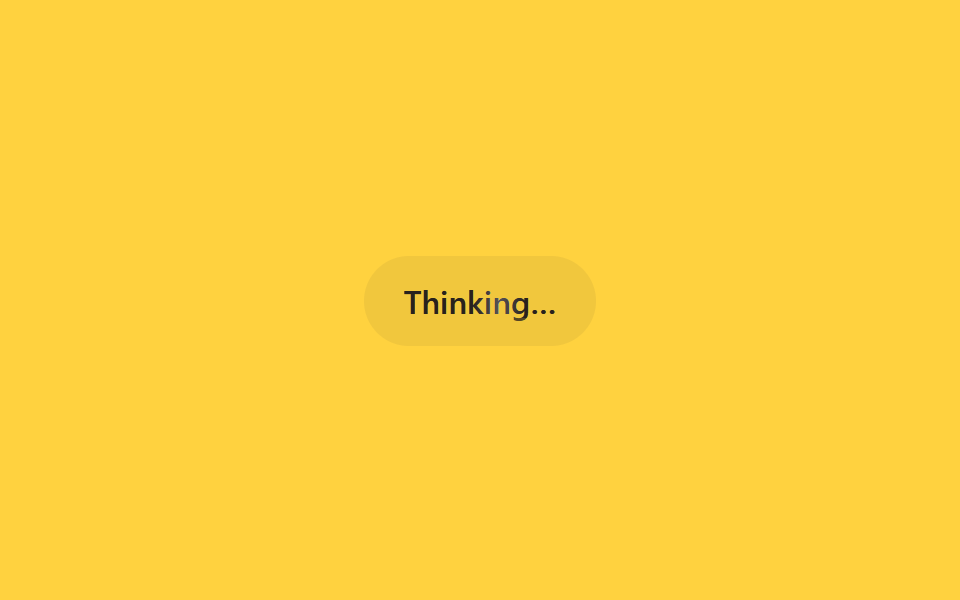 02 ai-chat-loading-text-shimmer-status
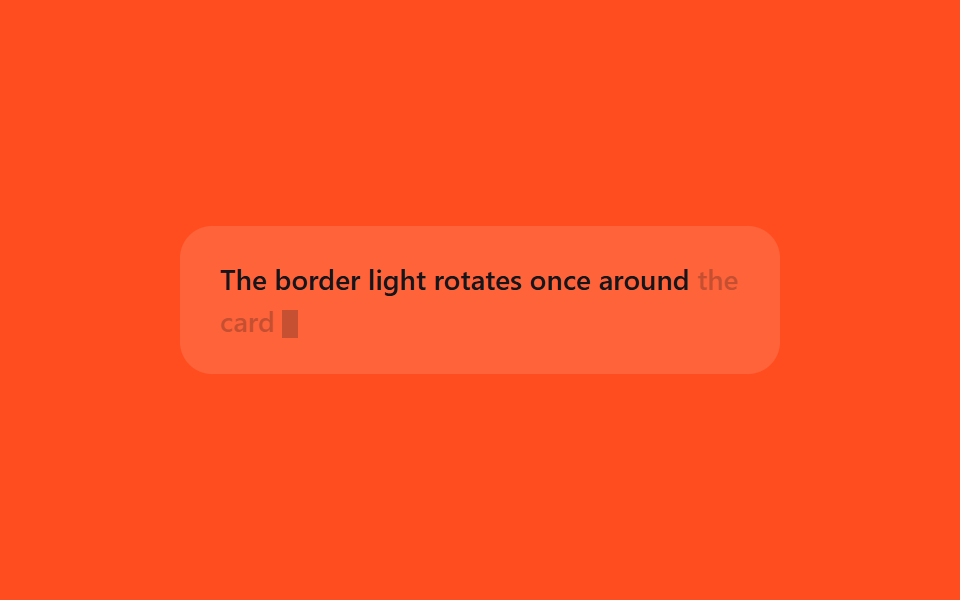 03 ai-chat-loading-streaming-caret
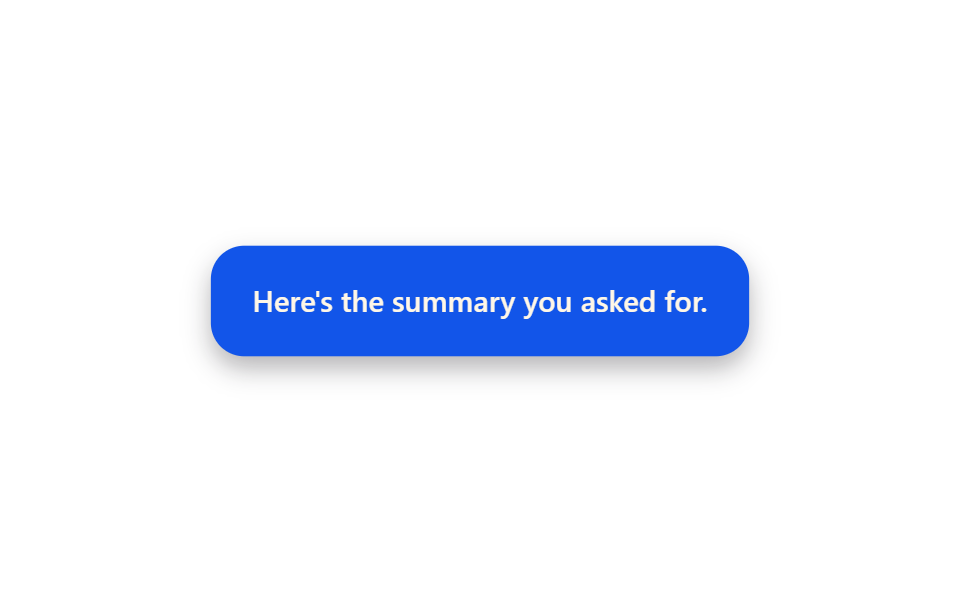 04 ai-chat-loading-bubble-pop-in
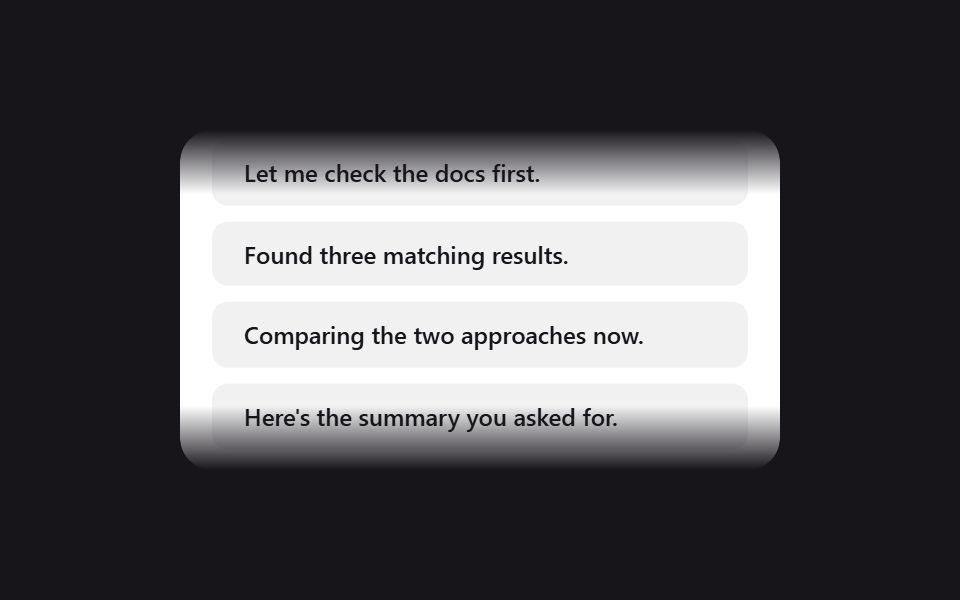 05 ai-chat-loading-scroll-fade-edges
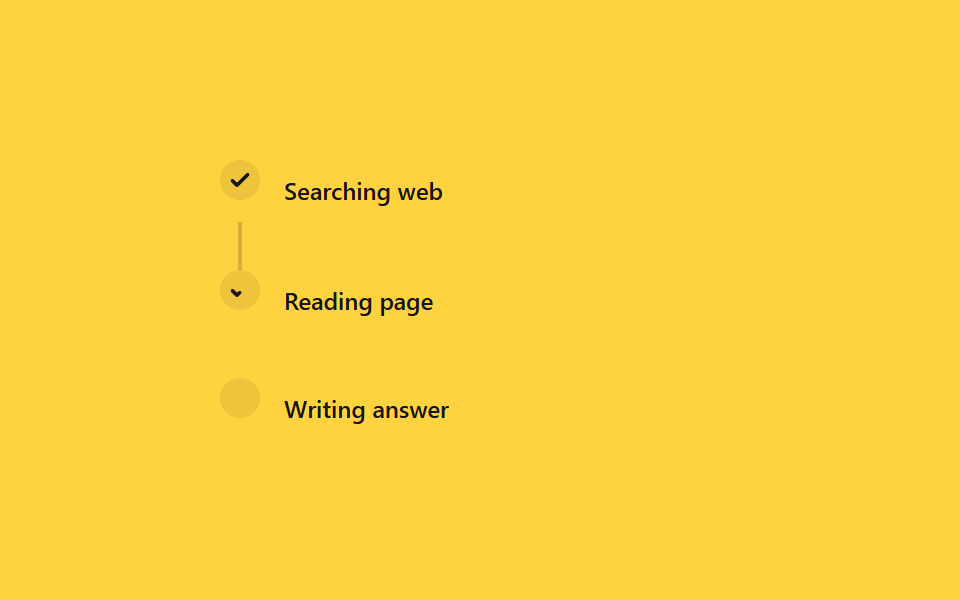 06 ai-chat-loading-tool-step-progress
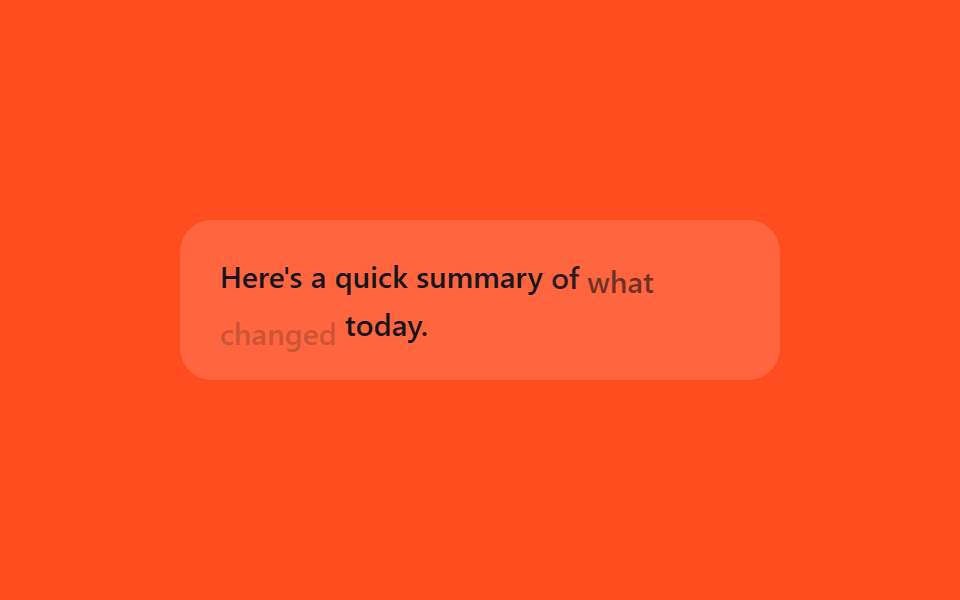 07 ai-chat-loading-token-fade-words
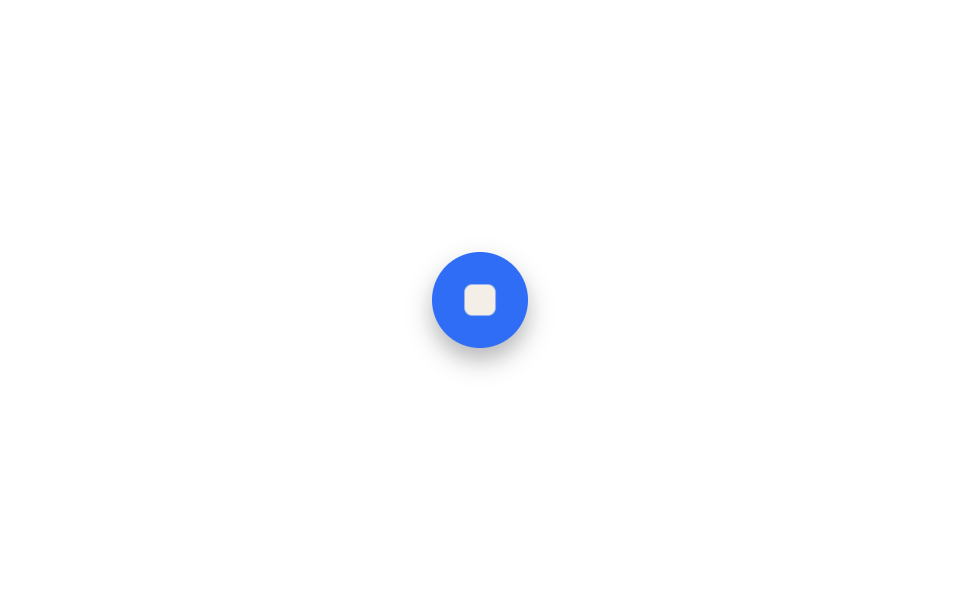 08 ai-chat-loading-stop-button-morph
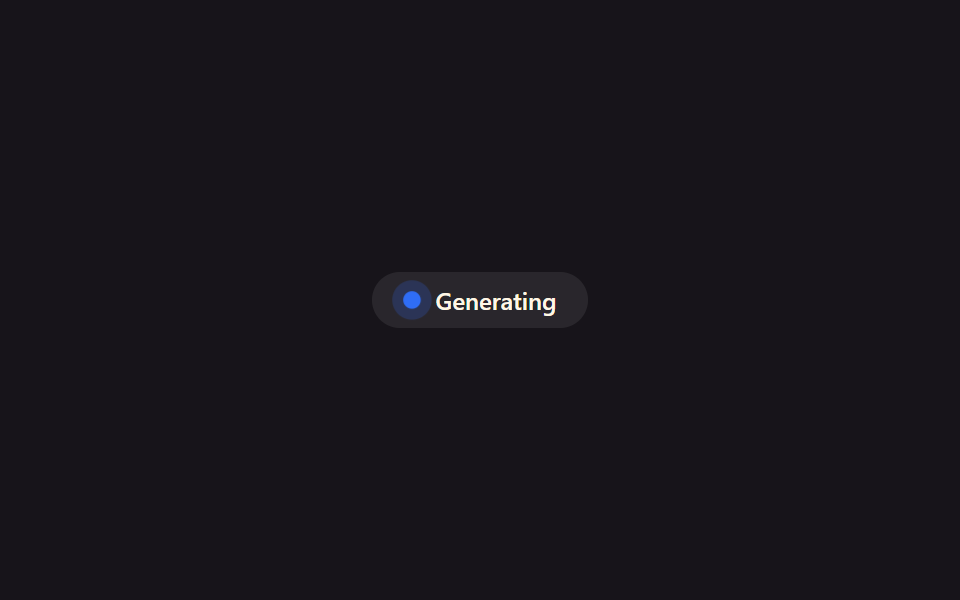 09 ai-chat-loading-reduced-motion-badge
Tự chạy · bấm ô để tới mục đó · cả 9 trong một zip
- 01 Ba chấm đang suy nghĩ
- 02 Chữ trạng thái shimmer
- 03 Con trỏ chớp khi stream
- 04 Bong bóng tin nhắn bật vào
- 05 Mờ dần hai mé cuộn
- 06 Tiến trình bước gọi công cụ
- 07 Fade-in từng từ
- 08 Nút gửi hóa nút dừng
- 09 Badge tĩnh cho prefers-reduced-motion
Chín kiểu xếp theo trình tự diễn ra trong một khung chat AI chứ không theo độ nổi tiếng: tín hiệu chờ lúc đợi câu trả lời (01~03), lúc câu trả lời tới và hội thoại chất dần lên (04~05), quá trình AI gọi công cụ cùng cách chữ nối nhau hiện ra (06~07), khép lại ở thao tác dừng sinh nội dung và bảng thay thế cho người đã giảm chuyển động (08~09).
01Ba chấm đang nghĩ
Trên màn hình
Gửi tin xong, trong lúc AI soạn câu trả lời, ba chấm nhỏ trong bong bóng trống to lên rồi nhỏ lại lần lượt như người đang gõ phím.
<main class="stage">
  <div class="td-bubble is-demo">
    <span class="td-dot"></span>
    <span class="td-dot"></span>
    <span class="td-dot"></span>
  </div>
</main>
@use "../../../../site/static/demo-tokens" as *;
// ── 변수 3개 ──────────────────────────────────────────
$duration: 1.2s;
$easing: $ease-out;
$color: $subject-cream;
@include stage($stage-ink);
.td-bubble {
display: inline-flex;
align-items: center;
gap: $sp-2;
padding: $sp-4 $sp-5;
border-radius: $r-card;
background: rgba(255, 255, 255, .08);
}
.td-dot {
width: $sp-2;
height: $sp-2;
border-radius: $r-pill;
background: $color;
opacity: .35;
}
// 실사용: 로딩 시작하면 JS 가 .is-loading 을 붙인다
@keyframes td-bounce {
0%, 60%, 100% { transform: translateY(0); opacity: .35; }
30% { transform: translateY(-6px); opacity: 1; }
}
.td-bubble.is-loading .td-dot,
.td-bubble.is-demo .td-dot {
animation: td-bounce $duration $easing infinite;
}
.td-bubble.is-demo .td-dot:nth-child(1) { animation-delay: 0ms; }
.td-bubble.is-demo .td-dot:nth-child(2) { animation-delay: 160ms; }
.td-bubble.is-demo .td-dot:nth-child(3) { animation-delay: 320ms; }
@media (prefers-reduced-motion: reduce) {
.td-bubble.is-loading .td-dot,
.td-bubble.is-demo .td-dot {
animation: none !important;
opacity: .8 !important;
transform: none !important;
}
}html, body {
margin: 0;
overflow: hidden;
}
.stage {
box-sizing: border-box;
min-height: 100vh;
display: grid;
place-items: center;
margin: 0;
background: #17141a;
font-family: -apple-system, "Segoe UI", "Noto Sans KR", sans-serif;
padding: clamp(8px, 4vw, 24px);
}
.td-bubble {
display: inline-flex;
align-items: center;
gap: 8px;
padding: 16px 20px;
border-radius: 16px;
background: rgba(255, 255, 255, 0.08);
}
.td-dot {
width: 8px;
height: 8px;
border-radius: 999px;
background: #fff7e6;
opacity: 0.35;
}
@keyframes td-bounce {
0%, 60%, 100% {
transform: translateY(0);
opacity: 0.35;
}
30% {
transform: translateY(-6px);
opacity: 1;
}
}
.td-bubble.is-loading .td-dot,
.td-bubble.is-demo .td-dot {
animation: td-bounce 1.2s ease-out infinite;
}
.td-bubble.is-demo .td-dot:nth-child(1) {
animation-delay: 0ms;
}
.td-bubble.is-demo .td-dot:nth-child(2) {
animation-delay: 160ms;
}
.td-bubble.is-demo .td-dot:nth-child(3) {
animation-delay: 320ms;
}
@media (prefers-reduced-motion: reduce) {
.td-bubble.is-loading .td-dot,
.td-bubble.is-demo .td-dot {
animation: none !important;
opacity: 0.8 !important;
transform: none !important;
}
}import { CSSProperties } from "react";
import styles from "./ThinkingDots.module.scss";
type Vars = CSSProperties & {
"--duration"?: string;
"--easing"?: string;
"--color"?: string;
};
export interface ThinkingDotsProps {
duration?: string;
easing?: string;
color?: string;
}
export default function ThinkingDots({
duration = "1.2s",
easing = "ease-out",
color = "#fff7e6",
}: ThinkingDotsProps) {
const style: Vars = {
"--duration": duration,
"--easing": easing,
"--color": color,
};
return (
<div className={styles.bubble} style={style}>
<span className={styles.dot} />
<span className={styles.dot} />
<span className={styles.dot} />
</div>
);
}01 · Ba chấm đang suy nghĩ — Diện tích đo được 0.225% · khung hình chuyển động 21/23Nguyên tác GODRICH · SCSS và React nằm trong tệp zip · Xem mật khẩu
Cách tạo
@keyframes td-bounce {
  0%, 60%, 100% { transform: translateY(0); opacity: .35; }
  30% { transform: translateY(-6px); opacity: 1; }
}
.td-bubble.is-loading .td-dot,
.td-bubble.is-demo .td-dot {
  animation: td-bounce $duration $easing infinite;
}
.td-bubble.is-demo .td-dot:nth-child(2) { animation-delay: 160ms; }
.td-bubble.is-demo .td-dot:nth-child(3) { animation-delay: 320ms; }
02Chữ Thinking loang sáng
Nhìn thế nào
Với việc tốn thời gian như tìm kiếm hay tóm tắt, thay cho chấm là một dòng trạng thái kèm dải sáng lướt qua mặt chữ để báo vẫn đang chạy.
<main class="stage">
  <div class="sh-status is-demo">
    <span class="sh-label">Thinking…</span>
  </div>
</main>
@use "../../../../site/static/demo-tokens" as *;
// ── 변수 3개 ──────────────────────────────────────────
$duration: 1.6s;
$easing: linear;
$color: $subject-ink;
@include stage($stage-yellow);
.sh-status {
padding: $sp-3 $sp-5;
border-radius: $r-pill;
background: rgba(23, 20, 26, .06);
}
.sh-label {
display: inline-block;
font: 600 16px/1 -apple-system, "Segoe UI", sans-serif;
background-image: linear-gradient(
90deg,
rgba($subject-ink, .72) 0%,
rgba($subject-ink, .72) 42%,
$subject-cream 50%,
rgba($subject-ink, .72) 58%,
rgba($subject-ink, .72) 100%
);
background-size: 220% 100%;
-webkit-background-clip: text;
background-clip: text;
color: rgba($subject-ink, .72);
}
// 실사용: 상태 문구가 바뀔 때마다 JS 가 텍스트만 교체한다. 쉬머는 항상 재생
@keyframes sh-sweep {
0% { background-position: 120% 0; }
100% { background-position: -20% 0; }
}
.sh-status.is-demo .sh-label {
animation: sh-sweep $duration $easing infinite;
}
@media (prefers-reduced-motion: reduce) {
.sh-status.is-demo .sh-label {
animation: none !important;
background-position: 0 0 !important;
color: $color !important;
}
}html, body {
margin: 0;
overflow: hidden;
}
.stage {
box-sizing: border-box;
min-height: 100vh;
display: grid;
place-items: center;
margin: 0;
background: #ffd23f;
font-family: -apple-system, "Segoe UI", "Noto Sans KR", sans-serif;
padding: clamp(8px, 4vw, 24px);
}
.sh-status {
padding: 12px 20px;
border-radius: 999px;
background: rgba(23, 20, 26, 0.06);
}
.sh-label {
display: inline-block;
font: 600 16px/1 -apple-system, "Segoe UI", sans-serif;
background-image: linear-gradient(90deg, rgba(23, 20, 26, 0.72) 0%, rgba(23, 20, 26, 0.72) 42%, #fff7e6 50%, rgba(23, 20, 26, 0.72) 58%, rgba(23, 20, 26, 0.72) 100%);
background-size: 220% 100%;
-webkit-background-clip: text;
background-clip: text;
color: rgba(23, 20, 26, 0.72);
}
@keyframes sh-sweep {
0% {
background-position: 120% 0;
}
100% {
background-position: -20% 0;
}
}
.sh-status.is-demo .sh-label {
animation: sh-sweep 1.6s linear infinite;
}
@media (prefers-reduced-motion: reduce) {
.sh-status.is-demo .sh-label {
animation: none !important;
background-position: 0 0 !important;
color: #17141a !important;
}
}import { CSSProperties } from "react";
import styles from "./TextShimmerStatus.module.scss";
type Vars = CSSProperties & {
"--duration"?: string;
"--easing"?: string;
"--color"?: string;
};
export interface TextShimmerStatusProps {
duration?: string;
easing?: string;
color?: string;
label?: string;
}
export default function TextShimmerStatus({
duration = "1.6s",
easing = "linear",
color = "#17141a",
label = "Thinking…",
}: TextShimmerStatusProps) {
const style: Vars = {
"--duration": duration,
"--easing": easing,
"--color": color,
};
return (
<div className={styles.status} style={style}>
<span className={styles.label}>{label}</span>
</div>
);
}02 · Chữ trạng thái shimmer — Diện tích đo được 0.287% · khung hình chuyển động 17/23Nguyên tác GODRICH · SCSS và React nằm trong tệp zip · Xem mật khẩu
Cách đọc code
.sh-label {
  background-image: linear-gradient(
    90deg,
    rgba(23, 20, 26, .3) 0%,
    rgba(23, 20, 26, .3) 42%,
    $color 50%,
    rgba(23, 20, 26, .3) 58%,
    rgba(23, 20, 26, .3) 100%
  );
  background-size: 220% 100%;
  -webkit-background-clip: text;
  background-clip: text;
  color: rgba(23, 20, 26, .3);
}
03Con trỏ streaming chớp tắt
Typing indicator animation css dùng ở đâu?
Khi chữ trả lời nối nhau hiện realtime, gắn con trỏ ngắn ở cuối câu rồi cho chớp bằng opacity là đủ báo chữ tiếp theo vẫn về đúng chỗ đó.
<main class="stage">
  <p class="cr-line is-demo">The border light rotates once around <span class="cr-tail">the card</span><span class="cr-caret"></span></p>
</main>
@use "../../../../site/static/demo-tokens" as *;
// ── 변수 3개 ──────────────────────────────────────────
$duration: 530ms;
$easing: steps(1);
$color: $subject-cream;
@include stage($stage-orange);
.cr-line {
width: min(300px, 88vw);
margin: 0;
padding: $sp-4 $sp-5;
border-radius: $r-card;
box-sizing: border-box;
background: rgba(255, 255, 255, .12);
color: $subject-ink; // 주황 무대 위 글자 — AA 4.5 (blog-design 글자 대비)
font: 500 14px/1.5 -apple-system, "Segoe UI", sans-serif;
}
.cr-caret {
display: inline-block;
width: $sp-2;
height: 1em;
margin-left: $sp-1;
vertical-align: -0.2em;
background: $subject-ink; // 글자와 같은 색 (주황 무대 위 AA 4.5)
}
// 마지막으로 방금 도착한 단어 — 커서와 같은 박자로 깜빡여 "지금 여기"를 눈에 띄게 한다
.cr-tail { opacity: 1; }
// 실사용: 새 토큰이 도착하는 동안 항상 깜빡인다
@keyframes cr-blink {
0%, 49% { opacity: 1; }
50%, 100% { opacity: .25; }
}
.cr-line.is-demo .cr-caret,
.cr-line.is-demo .cr-tail {
animation: cr-blink $duration $easing infinite;
}
@media (prefers-reduced-motion: reduce) {
.cr-line.is-demo .cr-caret,
.cr-line.is-demo .cr-tail {
animation: none !important;
opacity: 1 !important;
}
}html, body {
margin: 0;
overflow: hidden;
}
.stage {
box-sizing: border-box;
min-height: 100vh;
display: grid;
place-items: center;
margin: 0;
background: #ff4d1f;
font-family: -apple-system, "Segoe UI", "Noto Sans KR", sans-serif;
padding: clamp(8px, 4vw, 24px);
}
.cr-line {
width: min(300px, 88vw);
margin: 0;
padding: 16px 20px;
border-radius: 16px;
box-sizing: border-box;
background: rgba(255, 255, 255, 0.12);
color: #17141a;
font: 500 14px/1.5 -apple-system, "Segoe UI", sans-serif;
}
.cr-caret {
display: inline-block;
width: 8px;
height: 1em;
margin-left: 4px;
vertical-align: -0.2em;
background: #17141a;
}
.cr-tail {
opacity: 1;
}
@keyframes cr-blink {
0%, 49% {
opacity: 1;
}
50%, 100% {
opacity: 0.25;
}
}
.cr-line.is-demo .cr-caret,
.cr-line.is-demo .cr-tail {
animation: cr-blink 530ms steps(1) infinite;
}
@media (prefers-reduced-motion: reduce) {
.cr-line.is-demo .cr-caret,
.cr-line.is-demo .cr-tail {
animation: none !important;
opacity: 1 !important;
}
}import { CSSProperties } from "react";
import styles from "./StreamingCaret.module.scss";
type Vars = CSSProperties & {
"--duration"?: string;
"--easing"?: string;
"--color"?: string;
};
export interface StreamingCaretProps {
duration?: string;
easing?: string;
color?: string;
text?: string;
tail?: string;
}
export default function StreamingCaret({
duration = "530ms",
easing = "steps(1)",
color = "#fff7e6",
text = "The border light rotates once around ",
tail = "the card",
}: StreamingCaretProps) {
const style: Vars = {
"--duration": duration,
"--easing": easing,
"--color": color,
};
return (
<p className={styles.line} style={style}>
{text}
<span className={styles.tail}>{tail}</span>
<span className={styles.caret} />
</p>
);
}03 · Con trỏ chớp khi stream — Diện tích đo được 0.272% · khung hình chuyển động 7/23Nguyên tác GODRICH · SCSS và React nằm trong tệp zip · Xem mật khẩu
Điểm chính của code
.cr-caret {
  display: inline-block;
  width: $sp-2;
  height: 1em;
  margin-left: $sp-1;
  vertical-align: -0.2em;
  background: $color;
}

@keyframes cr-blink {
  0%, 49%  { opacity: 1; }
  50%, 100% { opacity: .25; }
}
.cr-line.is-demo .cr-caret,
.cr-line.is-demo .cr-tail {
  animation: cr-blink $duration $easing infinite;
}
04Bong bóng tin hiện lên
Màn hình nào
Câu trả lời soạn xong, bong bóng ở chỗ trống phình nhẹ rồi thu về kích thước thật, báo rõ cho bạn biết câu trả lời vừa tới.
<main class="stage">
  <div class="bp-bubble is-demo">Here's the summary you asked for.</div>
</main>
@use "../../../../site/static/demo-tokens" as *;
// ── 변수 3개 ──────────────────────────────────────────
$duration: $dur-loop;
$easing: $ease-pop;
$color: $subject-blue-deep; // 크림 글자가 얹히므로 진한 파랑
@include stage($stage-paper);
.bp-bubble {
max-width: min(280px, 84vw);
padding: $sp-4 $sp-5;
border-radius: $r-card;
box-sizing: border-box;
background: $color;
color: $subject-cream;
font: 500 14px/1.5 -apple-system, "Segoe UI", sans-serif;
box-shadow: $shadow-press;
}
// 실사용: 답변이 도착하는 순간 한 번만 재생 (transitionend 뒤 그대로 유지)
@keyframes bp-pop {
  0%   { transform: scale(.82); opacity: 0; }
  15%  { transform: scale(1.05); opacity: 1; }
  25%  { transform: scale(1); opacity: 1; }
  70%  { transform: scale(1); opacity: 1; }
  85%  { transform: scale(.9); opacity: 0; }
  100% { transform: scale(.82); opacity: 0; }
}
.bp-bubble.is-demo {
  animation: bp-pop $duration $easing infinite;
}
@media (prefers-reduced-motion: reduce) {
.bp-bubble.is-demo {
animation: none !important;
transform: none !important;
opacity: 1 !important;
}
}html, body {
margin: 0;
overflow: hidden;
}
.stage {
box-sizing: border-box;
min-height: 100vh;
display: grid;
place-items: center;
margin: 0;
background: #ffffff;
font-family: -apple-system, "Segoe UI", "Noto Sans KR", sans-serif;
padding: clamp(8px, 4vw, 24px);
}
.bp-bubble {
max-width: min(280px, 84vw);
padding: 16px 20px;
border-radius: 16px;
box-sizing: border-box;
background: #0a4fe8;
color: #fff7e6;
font: 500 14px/1.5 -apple-system, "Segoe UI", sans-serif;
box-shadow: 0 6px 12px rgba(23, 20, 26, 0.32);
}
@keyframes bp-pop {
0% {
transform: scale(0.82);
opacity: 0;
}
15% {
transform: scale(1.05);
opacity: 1;
}
25% {
transform: scale(1);
opacity: 1;
}
70% {
transform: scale(1);
opacity: 1;
}
85% {
transform: scale(0.9);
opacity: 0;
}
100% {
transform: scale(0.82);
opacity: 0;
}
}
.bp-bubble.is-demo {
animation: bp-pop 2s cubic-bezier(0.2, 1.4, 0.4, 1) infinite;
}
@media (prefers-reduced-motion: reduce) {
.bp-bubble.is-demo {
animation: none !important;
transform: none !important;
opacity: 1 !important;
}
}import { CSSProperties } from "react";
import styles from "./BubblePopIn.module.scss";
type Vars = CSSProperties & {
"--duration"?: string;
"--easing"?: string;
"--color"?: string;
};
export interface BubblePopInProps {
duration?: string;
easing?: string;
color?: string;
text?: string;
}
export default function BubblePopIn({
duration = "2s",
easing = "cubic-bezier(.2, 1.4, .4, 1)",
color = "#0a4fe8",
text = "Here's the summary you asked for.",
}: BubblePopInProps) {
const style: Vars = {
"--duration": duration,
"--easing": easing,
"--color": color,
};
return (
<div className={styles.bubble} style={style}>
{text}
</div>
);
}04 · Bong bóng tin nhắn bật vào — Diện tích đo được 13.303% · khung hình chuyển động 8/23Nguyên tác GODRICH · SCSS và React nằm trong tệp zip · Xem mật khẩu
Nguyên lý hoạt động
@keyframes bp-pop {
0% { transform: scale(.82); opacity: 0; }
15% { transform: scale(1.05); opacity: 1; }
25% { transform: scale(1); opacity: 1; }
70% { transform: scale(1); opacity: 1; }
85% { transform: scale(.9); opacity: 0; }
100% { transform: scale(.82); opacity: 0; }
}
.bp-bubble.is-demo {
animation: bp-pop $duration $easing infinite;
}
05Mờ dần ở mép vùng cuộn
Cái gì chuyển động
Tin nhắn chất lên làm khung chat sinh thanh cuộn, hai mép trên dưới được xóa nhạt để báo còn nội dung mà không cắt ngang chữ.
<main class="stage">
  <div class="sf-viewport">
    <div class="sf-track is-demo">
      <div class="sf-msg">Here's the summary you asked for.</div>
      <div class="sf-msg">Let me check the docs first.</div>
      <div class="sf-msg">Found three matching results.</div>
      <div class="sf-msg">Comparing the two approaches now.</div>
      <div class="sf-msg">Here's the summary you asked for.</div>
      <div class="sf-msg">Let me check the docs first.</div>
      <div class="sf-msg">Found three matching results.</div>
      <div class="sf-msg">Comparing the two approaches now.</div>
    </div>
  </div>
</main>
@use "../../../../site/static/demo-tokens" as *;
// ── 변수 3개 ──────────────────────────────────────────
$duration: 6s;
$easing: linear;
$color: $subject-ink;
@include stage($stage-ink);
.sf-viewport {
width: min(300px, 88vw);
height: 170px;
overflow: hidden;
box-sizing: border-box;
border-radius: $r-card;
background: $stage-paper;
box-shadow: $shadow-raised;
// 가장자리 페이드 — 이 마스크는 고정. 움직이는 건 안의 트랙뿐
-webkit-mask-image: linear-gradient(to bottom, transparent 0, #000 $sp-8, #000 calc(100% - #{$sp-8}), transparent 100%);
mask-image: linear-gradient(to bottom, transparent 0, #000 $sp-8, #000 calc(100% - #{$sp-8}), transparent 100%);
padding: $sp-4 0;
}
.sf-track {
display: flex;
flex-direction: column;
}
.sf-msg {
padding: $sp-2 $sp-4;
margin: 0 $sp-4 $sp-2;
border-radius: $r-sm;
background: rgba(23, 20, 26, .06);
color: $color;
font: 500 12px/1.4 -apple-system, "Segoe UI", sans-serif;
}
// 실사용: 새 메시지가 올 때마다 scrollTop 을 내린다. 데모는 같은 목록 두 벌을 이어 -50% 루프로 흉내낸다
@keyframes sf-scroll {
from { transform: translateY(0); }
to { transform: translateY(-50%); }
}
.sf-track.is-demo {
animation: sf-scroll $duration $easing infinite;
}
@media (prefers-reduced-motion: reduce) {
.sf-track.is-demo {
animation: none !important;
transform: none !important;
}
}html, body {
margin: 0;
overflow: hidden;
}
.stage {
box-sizing: border-box;
min-height: 100vh;
display: grid;
place-items: center;
margin: 0;
background: #17141a;
font-family: -apple-system, "Segoe UI", "Noto Sans KR", sans-serif;
padding: clamp(8px, 4vw, 24px);
}
.sf-viewport {
width: min(300px, 88vw);
height: 170px;
overflow: hidden;
box-sizing: border-box;
border-radius: 16px;
background: #ffffff;
box-shadow: 0 14px 24px rgba(23, 20, 26, 0.32);
-webkit-mask-image: linear-gradient(to bottom, transparent 0, #000 32px, #000 calc(100% - 32px), transparent 100%);
mask-image: linear-gradient(to bottom, transparent 0, #000 32px, #000 calc(100% - 32px), transparent 100%);
padding: 16px 0;
}
.sf-track {
display: flex;
flex-direction: column;
}
.sf-msg {
padding: 8px 16px;
margin: 0 16px 8px;
border-radius: 8px;
background: rgba(23, 20, 26, 0.06);
color: #17141a;
font: 500 12px/1.4 -apple-system, "Segoe UI", sans-serif;
}
@keyframes sf-scroll {
from {
transform: translateY(0);
}
to {
transform: translateY(-50%);
}
}
.sf-track.is-demo {
animation: sf-scroll 6s linear infinite;
}
@media (prefers-reduced-motion: reduce) {
.sf-track.is-demo {
animation: none !important;
transform: none !important;
}
}import { CSSProperties } from "react";
import styles from "./ScrollFadeEdges.module.scss";
type Vars = CSSProperties & {
"--duration"?: string;
"--easing"?: string;
"--color"?: string;
};
export interface ScrollFadeEdgesProps {
duration?: string;
easing?: string;
color?: string;
messages?: string[];
}
const DEFAULT_MESSAGES = [
"Here's the summary you asked for.",
"Let me check the docs first.",
"Found three matching results.",
"Comparing the two approaches now.",
];
export default function ScrollFadeEdges({
duration = "6s",
easing = "linear",
color = "#17141a",
messages = DEFAULT_MESSAGES,
}: ScrollFadeEdgesProps) {
const style: Vars = {
"--duration": duration,
"--easing": easing,
"--color": color,
};
const doubled = [...messages, ...messages];
return (
<div className={styles.viewport} style={style}>
<div className={styles.track}>
{doubled.map((m, i) => (
<div className={styles.msg} key={i}>{m}</div>
))}
</div>
</div>
);
}05 · Mờ dần hai mé cuộn — Diện tích đo được 27.117% · khung hình chuyển động 23/23Nguyên tác GODRICH · SCSS và React nằm trong tệp zip · Xem mật khẩu
Cách làm
.sf-viewport {
  overflow: hidden;
  // Mờ dần ở mép — lớp mask này đứng yên. Chỉ track bên trong mới chạy
  -webkit-mask-image: linear-gradient(to bottom, transparent 0, #000 $sp-8, #000 calc(100% - #{$sp-8}), transparent 100%);
  mask-image: linear-gradient(to bottom, transparent 0, #000 $sp-8, #000 calc(100% - #{$sp-8}), transparent 100%);
  padding: $sp-4 0;
}
Thứ chuyển động không phải lớp mask mà là danh sách bên trong nó. Nối liền hai bản cùng một danh sách tin nhắn rồi đẩy đi nửa quãng bằng translateY(-50%), tới điểm giữa bản sau rơi đúng vào chỗ cũ nên nhìn như dòng chảy liên tục không thấy mối nối.
06Bày các bước gọi công cụ
Dùng ở đâu
Khi AI dùng công cụ theo thứ tự như tìm rồi đọc tài liệu, các bước xếp dọc, bước nào xong thì vòng tròn đổi thành dấu check và đường nối đổ đầy xuống dưới.
<main class="stage">
  <div class="ts-list is-demo">
    <div class="ts-step">
      <span class="ts-icon ts-icon--1"><svg viewBox="0 0 16 16"><path d="M3 8.5l3 3 7-7"/></svg></span>
      <span class="ts-label">Searching web</span>
    </div>
    <span class="ts-line ts-line--1"></span>
    <div class="ts-step">
      <span class="ts-icon ts-icon--2"><svg viewBox="0 0 16 16"><path d="M3 8.5l3 3 7-7"/></svg></span>
      <span class="ts-label">Reading page</span>
    </div>
    <span class="ts-line ts-line--2"></span>
    <div class="ts-step">
      <span class="ts-icon ts-icon--3"><svg viewBox="0 0 16 16"><path d="M3 8.5l3 3 7-7"/></svg></span>
      <span class="ts-label">Writing answer</span>
    </div>
  </div>
</main>
@use "../../../../site/static/demo-tokens" as *;
// ── 변수 3개 ──────────────────────────────────────────
$duration: 2s;
$easing: $ease-out;
$color: $subject-ink;
@include stage($stage-yellow);
.ts-list {
display: grid;
grid-template-columns: $sp-5 1fr;
column-gap: $sp-3;
width: min(260px, 84vw);
}
.ts-step { display: contents; }
.ts-icon {
grid-column: 1;
justify-self: center;
width: $sp-5;
height: $sp-5;
border-radius: $r-pill;
display: grid;
place-items: center;
background: rgba(23, 20, 26, .08);
color: $color;
svg { width: 12px; height: 12px; }
path {
fill: none;
stroke: currentColor;
stroke-width: 2.4;
stroke-linecap: round;
stroke-linejoin: round;
stroke-dasharray: 16;
stroke-dashoffset: 16;
}
}
.ts-icon--1 path { stroke-dashoffset: 0; } // 이미 끝난 첫 단계
.ts-label {
grid-column: 2;
align-self: center;
padding: $sp-2 0;
color: $color;
font: 500 12px/1.2 -apple-system, "Segoe UI", sans-serif;
}
.ts-line {
grid-column: 1;
justify-self: center;
width: 2px;
height: $sp-6;
background: rgba(23, 20, 26, .18);
transform-origin: top; // 규칙8: 세로 연결선 위변 채움
transform: scaleY(0);
}
// 실사용: 도구 이벤트마다 JS 가 .is-done 을 붙인다(위 스크립트). 데모 루프는 같은 순서를 keyframes 로 반복한다
@keyframes ts-line-fill { 0%, 5% { transform: scaleY(0); } 25%, 100% { transform: scaleY(1); } }
@keyframes ts-check-2 { 0%, 25% { stroke-dashoffset: 16; } 40%, 100% { stroke-dashoffset: 0; } }
@keyframes ts-line-fill2 { 0%, 40% { transform: scaleY(0); } 60%, 100% { transform: scaleY(1); } }
@keyframes ts-check-3 { 0%, 60% { stroke-dashoffset: 16; } 75%, 100% { stroke-dashoffset: 0; } }
.ts-list.is-demo .ts-line--1 { animation: ts-line-fill $duration $easing infinite; }
.ts-list.is-demo .ts-icon--2 path { animation: ts-check-2 $duration $easing infinite; }
.ts-list.is-demo .ts-line--2 { animation: ts-line-fill2 $duration $easing infinite; }
.ts-list.is-demo .ts-icon--3 path { animation: ts-check-3 $duration $easing infinite; }
@media (prefers-reduced-motion: reduce) {
.ts-list.is-demo .ts-line--1,
.ts-list.is-demo .ts-line--2 { animation: none !important; transform: scaleY(1) !important; }
.ts-list.is-demo .ts-icon--2 path,
.ts-list.is-demo .ts-icon--3 path { animation: none !important; stroke-dashoffset: 0 !important; }
}html, body {
margin: 0;
overflow: hidden;
}
.stage {
box-sizing: border-box;
min-height: 100vh;
display: grid;
place-items: center;
margin: 0;
background: #ffd23f;
font-family: -apple-system, "Segoe UI", "Noto Sans KR", sans-serif;
padding: clamp(8px, 4vw, 24px);
}
.ts-list {
display: grid;
grid-template-columns: 20px 1fr;
column-gap: 12px;
width: min(260px, 84vw);
}
.ts-step {
display: contents;
}
.ts-icon {
grid-column: 1;
justify-self: center;
width: 20px;
height: 20px;
border-radius: 999px;
display: grid;
place-items: center;
background: rgba(23, 20, 26, 0.08);
color: #17141a;
}
.ts-icon svg {
width: 12px;
height: 12px;
}
.ts-icon path {
fill: none;
stroke: currentColor;
stroke-width: 2.4;
stroke-linecap: round;
stroke-linejoin: round;
stroke-dasharray: 16;
stroke-dashoffset: 16;
}
.ts-icon--1 path {
stroke-dashoffset: 0;
}
.ts-label {
grid-column: 2;
align-self: center;
padding: 8px 0;
color: #17141a;
font: 500 12px/1.2 -apple-system, "Segoe UI", sans-serif;
}
.ts-line {
grid-column: 1;
justify-self: center;
width: 2px;
height: 24px;
background: rgba(23, 20, 26, 0.18);
transform-origin: top;
transform: scaleY(0);
}
@keyframes ts-line-fill {
0%, 5% {
transform: scaleY(0);
}
25%, 100% {
transform: scaleY(1);
}
}
@keyframes ts-check-2 {
0%, 25% {
stroke-dashoffset: 16;
}
40%, 100% {
stroke-dashoffset: 0;
}
}
@keyframes ts-line-fill2 {
0%, 40% {
transform: scaleY(0);
}
60%, 100% {
transform: scaleY(1);
}
}
@keyframes ts-check-3 {
0%, 60% {
stroke-dashoffset: 16;
}
75%, 100% {
stroke-dashoffset: 0;
}
}
.ts-list.is-demo .ts-line--1 {
animation: ts-line-fill 2s ease-out infinite;
}
.ts-list.is-demo .ts-icon--2 path {
animation: ts-check-2 2s ease-out infinite;
}
.ts-list.is-demo .ts-line--2 {
animation: ts-line-fill2 2s ease-out infinite;
}
.ts-list.is-demo .ts-icon--3 path {
animation: ts-check-3 2s ease-out infinite;
}
@media (prefers-reduced-motion: reduce) {
.ts-list.is-demo .ts-line--1,
.ts-list.is-demo .ts-line--2 {
animation: none !important;
transform: scaleY(1) !important;
}
.ts-list.is-demo .ts-icon--2 path,
.ts-list.is-demo .ts-icon--3 path {
animation: none !important;
stroke-dashoffset: 0 !important;
}
}// 실사용: 도구 호출 이벤트가 올 때마다 부른다 (이 데모의 자동 루프에는 연결하지 않는다)
function tsAdvance(list, n) {
var steps = list.querySelectorAll('.ts-step');
var lines = list.querySelectorAll('.ts-line');
for (var i = 0; i < n; i++) steps[i].classList.add('is-done');
for (var i = 0; i < n - 1; i++) lines[i].classList.add('is-done');
}import { CSSProperties } from "react";
import styles from "./ToolStepProgress.module.scss";
type Vars = CSSProperties & {
"--duration"?: string;
"--easing"?: string;
"--color"?: string;
};
export interface ToolStepProgressProps {
duration?: string;
easing?: string;
color?: string;
steps?: string[];
}
const Check = () => (
<svg viewBox="0 0 16 16">
<path d="M3 8.5l3 3 7-7" />
</svg>
);
export default function ToolStepProgress({
duration = "2s",
easing = "ease-out",
color = "#17141a",
steps = ["Searching web", "Reading page", "Writing answer"],
}: ToolStepProgressProps) {
const style: Vars = {
"--duration": duration,
"--easing": easing,
"--color": color,
};
return (
<div className={styles.list} style={style}>
<div className={styles.step}>
<span className={`${styles.icon} ${styles.icon1}`}><Check /></span>
<span className={styles.label}>{steps[0]}</span>
</div>
<span className={`${styles.line} ${styles.line1}`} />
<div className={styles.step}>
<span className={`${styles.icon} ${styles.icon2}`}><Check /></span>
<span className={styles.label}>{steps[1]}</span>
</div>
<span className={`${styles.line} ${styles.line2}`} />
<div className={styles.step}>
<span className={`${styles.icon} ${styles.icon3}`}><Check /></span>
<span className={styles.label}>{steps[2]}</span>
</div>
</div>
);
}06 · Tiến trình bước gọi công cụ — Diện tích đo được 0.112% · khung hình chuyển động 16/23Nguyên tác GODRICH · SCSS và React nằm trong tệp zip · Xem mật khẩu
Lý do làm vậy
.ts-line {
  grid-column: 1;
  justify-self: center;
  width: 2px;
  height: $sp-6;
  background: rgba(23, 20, 26, .18);
  transform-origin: top;
  transform: scaleY(0);
}

@keyframes ts-line-fill { 0%, 5% { transform: scaleY(0); } 25%, 100% { transform: scaleY(1); } }
@keyframes ts-check-2   { 0%, 25% { stroke-dashoffset: 16; } 40%, 100% { stroke-dashoffset: 0; } }

.ts-list.is-demo .ts-line--1      { animation: ts-line-fill $duration $easing infinite; }
.ts-list.is-demo .ts-icon--2 path { animation: ts-check-2 $duration $easing infinite; }
Trên màn hình thật, mỗi lần có sự kiện công cụ về thì một đoạn javascript ngắn gắn class .is-done để cùng đoạn CSS đó chạy đúng một lần.
function tsAdvance(list, n) {
  var steps = list.querySelectorAll('.ts-step');
  var lines = list.querySelectorAll('.ts-line');
  for (var i = 0; i < n; i++) steps[i].classList.add('is-done');
  for (var i = 0; i < n - 1; i++) lines[i].classList.add('is-done');
}
07Chữ hiện dần theo từng từ
Điều bạn thấy
Thay vì để nguyên câu bật ra một lượt, cho từng từ nổi lên lần lượt từ dưới lên là ra cảm giác streaming, như token đang nối nhau realtime.
<main class="stage">
  <p class="wf-line is-demo"><span>Here's</span> <span>a</span> <span>quick</span> <span>summary</span> <span>of</span> <span>what</span> <span>changed</span> <span>today.</span></p>
</main>
@use "../../../../site/static/demo-tokens" as *;
// ── 변수 3개 ──────────────────────────────────────────
$duration: 2s;
$easing: $ease-out;
$color: $subject-ink;
@include stage($stage-orange);
.wf-line {
width: min(300px, 88vw);
margin: 0;
padding: $sp-4 $sp-5;
border-radius: $r-card;
box-sizing: border-box;
background: rgba(255, 255, 255, .14);
color: $color;
font: 500 15px/1.6 -apple-system, "Segoe UI", sans-serif;
}
.wf-line span {
display: inline-block;
}
// 실사용: 토큰이 도착할 때마다 새 <span> 을 붙인다. 데모는 같은 문장을 순서대로 반복한다
@keyframes wf-word {
  0%, 100% { opacity: 0; transform: translateY(6px); }
  15%, 78% { opacity: 1; transform: translateY(0); }
  92%      { opacity: 0; transform: translateY(6px); }
}
.wf-line.is-demo span {
  animation: wf-word $duration $easing infinite;
}
.wf-line.is-demo span:nth-child(1) { animation-delay: 0ms; }
.wf-line.is-demo span:nth-child(2) { animation-delay: 90ms; }
.wf-line.is-demo span:nth-child(3) { animation-delay: 180ms; }
.wf-line.is-demo span:nth-child(4) { animation-delay: 270ms; }
.wf-line.is-demo span:nth-child(5) { animation-delay: 360ms; }
.wf-line.is-demo span:nth-child(6) { animation-delay: 450ms; }
.wf-line.is-demo span:nth-child(7) { animation-delay: 540ms; }
.wf-line.is-demo span:nth-child(8) { animation-delay: 630ms; }
@media (prefers-reduced-motion: reduce) {
.wf-line.is-demo span {
animation: none !important;
opacity: 1 !important;
transform: none !important;
}
}html, body {
margin: 0;
overflow: hidden;
}
.stage {
box-sizing: border-box;
min-height: 100vh;
display: grid;
place-items: center;
margin: 0;
background: #ff4d1f;
font-family: -apple-system, "Segoe UI", "Noto Sans KR", sans-serif;
padding: clamp(8px, 4vw, 24px);
}
.wf-line {
width: min(300px, 88vw);
margin: 0;
padding: 16px 20px;
border-radius: 16px;
box-sizing: border-box;
background: rgba(255, 255, 255, 0.14);
color: #17141a;
font: 500 15px/1.6 -apple-system, "Segoe UI", sans-serif;
}
.wf-line span {
display: inline-block;
}
@keyframes wf-word {
0%, 100% {
opacity: 0;
transform: translateY(6px);
}
15%, 78% {
opacity: 1;
transform: translateY(0);
}
92% {
opacity: 0;
transform: translateY(6px);
}
}
.wf-line.is-demo span {
animation: wf-word 2s ease-out infinite;
}
.wf-line.is-demo span:nth-child(1) {
animation-delay: 0ms;
}
.wf-line.is-demo span:nth-child(2) {
animation-delay: 90ms;
}
.wf-line.is-demo span:nth-child(3) {
animation-delay: 180ms;
}
.wf-line.is-demo span:nth-child(4) {
animation-delay: 270ms;
}
.wf-line.is-demo span:nth-child(5) {
animation-delay: 360ms;
}
.wf-line.is-demo span:nth-child(6) {
animation-delay: 450ms;
}
.wf-line.is-demo span:nth-child(7) {
animation-delay: 540ms;
}
.wf-line.is-demo span:nth-child(8) {
animation-delay: 630ms;
}
@media (prefers-reduced-motion: reduce) {
.wf-line.is-demo span {
animation: none !important;
opacity: 1 !important;
transform: none !important;
}
}import { CSSProperties } from "react";
import styles from "./TokenFadeWords.module.scss";
type Vars = CSSProperties & {
"--duration"?: string;
"--easing"?: string;
"--color"?: string;
};
export interface TokenFadeWordsProps {
duration?: string;
easing?: string;
color?: string;
words?: string[];
}
const DEFAULT_WORDS = ["Here's", "a", "quick", "summary", "of", "what", "changed", "today."];
export default function TokenFadeWords({
duration = "2s",
easing = "ease-out",
color = "#17141a",
words = DEFAULT_WORDS,
}: TokenFadeWordsProps) {
const style: Vars = {
"--duration": duration,
"--easing": easing,
"--color": color,
};
return (
<p className={styles.line} style={style}>
{words.map((w, i) => (
<span key={i} className={styles.word} style={{ animationDelay: `${i * 90}ms` }}>
{w}{" "}
</span>
))}
</p>
);
}07 · Fade-in từng từ — Diện tích đo được 2.202% · khung hình chuyển động 16/23Nguyên tác GODRICH · SCSS và React nằm trong tệp zip · Xem mật khẩu
Cốt lõi khi triển khai
@keyframes wf-word {
0%, 100% { opacity: 0; transform: translateY(6px); }
15%, 78% { opacity: 1; transform: translateY(0); }
92% { opacity: 0; transform: translateY(6px); }
}
.wf-line.is-demo span {
animation: wf-word $duration $easing infinite;
}
.wf-line.is-demo span:nth-child(1) { animation-delay: 0ms; }
.wf-line.is-demo span:nth-child(2) { animation-delay: 90ms; }
.wf-line.is-demo span:nth-child(3) { animation-delay: 180ms; }
08Nút gửi biến thành nút dừng
Tình huống nào
Bấm gửi thì icon máy bay giấy nhạt đi và co lại, ngay chỗ đó hình vuông dừng chồng lên hiện ra, dáng nút giữ nguyên mà chỉ icon bên trong đổi.
<main class="stage">
  <button class="sm-btn is-demo" type="button" aria-label="Send message">
    <svg class="sm-icon sm-icon--send" viewBox="0 0 24 24"><path d="M3 11l18-8-8 18-2-8-8-2z"/></svg>
    <span class="sm-icon sm-icon--stop"></span>
  </button>
</main>
@use "../../../../site/static/demo-tokens" as *;
// ── 변수 3개 ──────────────────────────────────────────
$duration: $dur-loop;
$easing: $ease-spring;
$color: $subject-blue;
@include stage($stage-paper);
.sm-btn {
display: grid;
place-items: center;
width: $sp-12;
height: $sp-12;
border-radius: $r-pill;
border: none;
padding: 0;
background: $color;
box-shadow: $shadow-press;
}
.sm-icon {
grid-column: 1;
grid-row: 1;
}
.sm-icon--send {
width: $sp-5;
height: $sp-5;
path { fill: $subject-cream; }
}
.sm-icon--stop {
width: $sp-4;
height: $sp-4;
border-radius: $r-xs;
background: $subject-cream;
opacity: 0;
transform: scale(.5);
}
// 실사용: 전송을 누르면 한 번만 재생하고 정지 상태로 멈춘다. 데모는 오가며 반복 재생한다
@keyframes sm-send {
  0%, 12%  { opacity: 1; transform: scale(1); }
  30%, 62% { opacity: 0; transform: scale(.5); }
  80%, 100% { opacity: 1; transform: scale(1); }
}
@keyframes sm-stop {
  0%, 12%  { opacity: 0; transform: scale(.5); }
  30%, 62% { opacity: 1; transform: scale(1); }
  80%, 100% { opacity: 0; transform: scale(.5); }
}
.sm-btn.is-demo .sm-icon--send { animation: sm-send $duration $easing infinite; }
.sm-btn.is-demo .sm-icon--stop { animation: sm-stop $duration $easing infinite; }
@media (prefers-reduced-motion: reduce) {
.sm-btn.is-demo .sm-icon--send {
animation: none !important; opacity: 1 !important; transform: scale(1) !important;
}
.sm-btn.is-demo .sm-icon--stop {
animation: none !important; opacity: 0 !important; transform: scale(.5) !important;
}
}html, body {
margin: 0;
overflow: hidden;
}
.stage {
box-sizing: border-box;
min-height: 100vh;
display: grid;
place-items: center;
margin: 0;
background: #ffffff;
font-family: -apple-system, "Segoe UI", "Noto Sans KR", sans-serif;
padding: clamp(8px, 4vw, 24px);
}
.sm-btn {
display: grid;
place-items: center;
width: 48px;
height: 48px;
border-radius: 999px;
border: none;
padding: 0;
background: #2f6df6;
box-shadow: 0 6px 12px rgba(23, 20, 26, 0.32);
}
.sm-icon {
grid-column: 1;
grid-row: 1;
}
.sm-icon--send {
width: 20px;
height: 20px;
}
.sm-icon--send path {
fill: #fff7e6;
}
.sm-icon--stop {
width: 16px;
height: 16px;
border-radius: 4px;
background: #fff7e6;
opacity: 0;
transform: scale(0.5);
}
@keyframes sm-send {
0%, 12% {
opacity: 1;
transform: scale(1);
}
30%, 62% {
opacity: 0;
transform: scale(0.5);
}
80%, 100% {
opacity: 1;
transform: scale(1);
}
}
@keyframes sm-stop {
0%, 12% {
opacity: 0;
transform: scale(0.5);
}
30%, 62% {
opacity: 1;
transform: scale(1);
}
80%, 100% {
opacity: 0;
transform: scale(0.5);
}
}
.sm-btn.is-demo .sm-icon--send {
animation: sm-send 2s cubic-bezier(0.2, 0.8, 0.2, 1) infinite;
}
.sm-btn.is-demo .sm-icon--stop {
animation: sm-stop 2s cubic-bezier(0.2, 0.8, 0.2, 1) infinite;
}
@media (prefers-reduced-motion: reduce) {
.sm-btn.is-demo .sm-icon--send {
animation: none !important;
opacity: 1 !important;
transform: scale(1) !important;
}
.sm-btn.is-demo .sm-icon--stop {
animation: none !important;
opacity: 0 !important;
transform: scale(0.5) !important;
}
}import { CSSProperties } from "react";
import styles from "./StopButtonMorph.module.scss";
type Vars = CSSProperties & {
"--duration"?: string;
"--easing"?: string;
"--color"?: string;
};
export interface StopButtonMorphProps {
duration?: string;
easing?: string;
color?: string;
}
export default function StopButtonMorph({
duration = "2s",
easing = "cubic-bezier(.2, .8, .2, 1)",
color = "#2f6df6",
}: StopButtonMorphProps) {
const style: Vars = {
"--duration": duration,
"--easing": easing,
"--color": color,
};
return (
<button className={styles.btn} style={style} type="button" aria-label="Send message">
<svg className={`${styles.icon} ${styles.send}`} viewBox="0 0 24 24">
<path d="M3 11l18-8-8 18-2-8-8-2z" />
</svg>
<span className={`${styles.icon} ${styles.stop}`} />
</button>
);
}08 · Nút gửi hóa nút dừng — Diện tích đo được 0.176% · khung hình chuyển động 10/23Nguyên tác GODRICH · SCSS và React nằm trong tệp zip · Xem mật khẩu
Điểm mấu chốt
@keyframes sm-send {
0%, 12% { opacity: 1; transform: scale(1); }
30%, 62% { opacity: 0; transform: scale(.5); }
80%, 100% { opacity: 1; transform: scale(1); }
}
@keyframes sm-stop {
0%, 12% { opacity: 0; transform: scale(.5); }
30%, 62% { opacity: 1; transform: scale(1); }
80%, 100% { opacity: 0; transform: scale(.5); }
}
09Badge tĩnh thay cho chấm đập
Chuyện gì xảy ra
Bình thường chấm trạng thái đập nhẹ bằng box-shadow với scale, nhưng với người bật giảm chuyển động thì riêng animation của badge tắt đi, giữ nguyên chỗ cũ ở trạng thái tĩnh.
<main class="stage">
  <div class="rb-badge is-demo">
    <span class="rb-dot"></span>
    <span class="rb-text">Generating</span>
  </div>
</main>
@use "../../../../site/static/demo-tokens" as *;
// ── 변수 3개 ──────────────────────────────────────────
$duration: 1.6s;
$easing: $ease-out;
$color: $subject-blue;
@include stage($stage-ink);
.rb-badge {
display: inline-flex;
align-items: center;
gap: $sp-2;
padding: $sp-2 $sp-4;
border-radius: $r-pill;
background: rgba(255, 255, 255, .08);
color: $subject-cream;
font: 600 12px/1 -apple-system, "Segoe UI", sans-serif;
}
.rb-dot {
width: $sp-2;
height: $sp-2;
border-radius: $r-pill;
background: $color;
}
// 기본: box-shadow 로 번지는 맥박. prefers-reduced-motion: reduce 에서는 애니메이션을 끄고
// 점 자체를 고정 크기로 두어(정적 뱃지) 같은 자리에서 움직임 없이 "생성 중" 임을 전달한다
@keyframes rb-pulse {
  0%   { box-shadow: 0 0 0 0 rgba(47, 109, 246, .55); transform: scale(1); }
  70%  { box-shadow: 0 0 0 8px rgba(47, 109, 246, 0); transform: scale(1.15); }
  100% { box-shadow: 0 0 0 0 rgba(47, 109, 246, 0); transform: scale(1); }
}
.rb-badge.is-demo .rb-dot {
animation: rb-pulse $duration $easing infinite;
}
@media (prefers-reduced-motion: reduce) {
  .rb-badge.is-demo .rb-dot {
    animation: none !important;
    box-shadow: none !important;
    transform: none !important;
  }
}html, body {
margin: 0;
overflow: hidden;
}
.stage {
box-sizing: border-box;
min-height: 100vh;
display: grid;
place-items: center;
margin: 0;
background: #17141a;
font-family: -apple-system, "Segoe UI", "Noto Sans KR", sans-serif;
padding: clamp(8px, 4vw, 24px);
}
.rb-badge {
display: inline-flex;
align-items: center;
gap: 8px;
padding: 8px 16px;
border-radius: 999px;
background: rgba(255, 255, 255, 0.08);
color: #fff7e6;
font: 600 12px/1 -apple-system, "Segoe UI", sans-serif;
}
.rb-dot {
width: 8px;
height: 8px;
border-radius: 999px;
background: #2f6df6;
}
@keyframes rb-pulse {
0% {
box-shadow: 0 0 0 0 rgba(47, 109, 246, 0.55);
transform: scale(1);
}
70% {
box-shadow: 0 0 0 8px rgba(47, 109, 246, 0);
transform: scale(1.15);
}
100% {
box-shadow: 0 0 0 0 rgba(47, 109, 246, 0);
transform: scale(1);
}
}
.rb-badge.is-demo .rb-dot {
animation: rb-pulse 1.6s ease-out infinite;
}
@media (prefers-reduced-motion: reduce) {
.rb-badge.is-demo .rb-dot {
animation: none !important;
box-shadow: none !important;
transform: none !important;
}
}import { CSSProperties } from "react";
import styles from "./ReducedMotionBadge.module.scss";
type Vars = CSSProperties & {
"--duration"?: string;
"--easing"?: string;
"--color"?: string;
};
export interface ReducedMotionBadgeProps {
duration?: string;
easing?: string;
color?: string;
label?: string;
}
export default function ReducedMotionBadge({
duration = "1.6s",
easing = "ease-out",
color = "#2f6df6",
label = "Generating",
}: ReducedMotionBadgeProps) {
const style: Vars = {
"--duration": duration,
"--easing": easing,
"--color": color,
};
return (
<div className={styles.badge} style={style}>
<span className={styles.dot} />
<span className={styles.text}>{label}</span>
</div>
);
}09 · Badge tĩnh cho prefers-reduced-motion — Diện tích đo được 0.278% · khung hình chuyển động 19/23Nguyên tác GODRICH · SCSS và React nằm trong tệp zip · Xem mật khẩu
Điểm cần ghi nhớ
@keyframes rb-pulse {
0% { box-shadow: 0 0 0 0 rgba(47, 109, 246, .55); transform: scale(1); }
70% { box-shadow: 0 0 0 8px rgba(47, 109, 246, 0); transform: scale(1.15); }
100% { box-shadow: 0 0 0 0 rgba(47, 109, 246, 0); transform: scale(1); }
}
@media (prefers-reduced-motion: reduce) {
.rb-badge.is-demo .rb-dot {
animation: none !important;
box-shadow: none !important;
transform: none !important;
}
}
Loading animation cho chat AI dễ vỡ ở đâu
Vấn đề là gì?
Khác với thanh loading có đích rõ ràng, mục 05 không định trước điểm kết mới là chỗ hay vấp nhất. Vòng lặp vô hạn translateY(-50%) chỉ chảy liền mạch khi danh sách được nối đúng hai bản; thêm phần tử vào một bên hoặc chèn gap giữa hai danh sách là điểm giữa lệch đi, mỗi vòng lại giật lên thấy rõ. Con trỏ ở mục 03 cũng vậy: lấy width chạy theo bề ngang chữ thật thì bố cục bị tính lại từng khung hình và sinh khựng, nên cả chín mục trong bài chỉ động tới transform với opacity, riêng con trỏ chọn cách chớp một khối cố định bề ngang.
Tránh thế nào?
Đường nối ở mục 06 cũng phải gắn scaleY vào transform-origin: top chứ không đụng height thì mới không đẩy các phần tử khác. Mật khẩu dùng mở file nén này nằm ngay chỗ có dấu 2r7u46js, viết bằng chữ bình thường trong câu chứ không đóng khung gì. Safari bản cũ bắt buộc phải có tiền tố -webkit- cho mask-image thì mục 05 mới hiện, nên bạn chú ý đừng xóa tiền tố đó.
Tiếp cận — chín mục giữ lại gì dưới reduced-motion
Dưới reduced-motion còn lại gì?
Bật giảm chuyển động trong hệ thống thì cả chín mục tắt animation trong prefers-reduced-motion: reduce. Những tín hiệu trang trí như 01, 02, 03, 04, 05, 08 chỉ cần đứng ở trạng thái cuối là đủ; nhưng bảng bước ở 06 và thứ tự từ ở 07 truyền thông tin bằng chính chuyển động, nên đường kẻ với các từ được ghim thẳng vào trạng thái hoàn tất để không động đậy vẫn nắm được tình hình. Mục 09 thể hiện nguyên tắc này rõ nhất: nó chuẩn bị sẵn một badge tĩnh thay cho chấm đang đập.
Bài nên đọc tiếp
Nếu bạn tìm màn hình chờ dạng khung xương thay vì trạng thái loading thì có bài 9 kiểu skeleton UI CSS, còn muốn xem riêng nhóm spinner xoay thì vào 9 css loading spinner.
FAQ — hỏi đáp nhanh
Ngoài css loading spinner thì nên dùng cái nào trước?
Thời gian chờ quanh một giây thì ba chấm mục 01 hay vệt sáng mục 02 là đủ. Nếu đúng là phản hồi streaming với token về từng cái một, con trỏ mục 03 hoặc css loading animation dots dạng chữ hiện dần ở mục 07 sẽ khiến người dùng yên tâm hơn vì thấy được tiến độ.
Không dùng icon, chỉ CSS thuần có làm được không?
Mục 01, 02, 03, 04, 05, 07, 09 chạy được chỉ với CSS thuần và biến SCSS. Mục 06 dùng thêm một SVG nhỏ cho icon check, còn mục 06 với 08 trong dịch vụ thật cần vài dòng javascript gắn class mỗi khi đổi trạng thái.
Code vanilla với React trong zip có khác nhau không?
Nhìn bề ngoài thì giống, chỉ khác đường truyền giá trị. Bản vanilla phải sửa ba biến ở đầu file SCSS, còn bản React nhận duration, easing, color qua props của component rồi tự đổi thành CSS custom property bên trong để dựng cùng một màn hình.
Có thể bạn cũng thích
 Loading9 hiệu ứng css skeleton loading copy-paste
 Loading9 hiệu ứng css loading spinner animation gọn nhẹ
 Loading9 CSS Progress Bar Circle Gauges — chỉ cần đổi số
 Phản hồi9 CSS Number Counter Animation — dán 1 dòng
 Phản hồi9 CSS Chat Bubble Animation — dán 1 dòng là chạy
 Chuyển cảnh9 CSS Toast Notification — không cần JS
 Chuyển cảnh9 CSS Tab Switch Animations — gần như chỉ CSS
 Phản hồi9 bento grid css — hiệu ứng hover dán một dòng
 Phản hồi9 hiệu ứng react css animation không cần library
 Nút bấm9 css button design ideas — dán một file là chạy