9 CSS Tab Switch Animations — gần như chỉ CSS
CSS tab switch animation là hiệu ứng chuyển tab chạy gần như chỉ bằng CSS, dùng trạng thái :checked của radio hoặc role="tablist" thật để dời
 01 tab-menu-transition-underline-slide
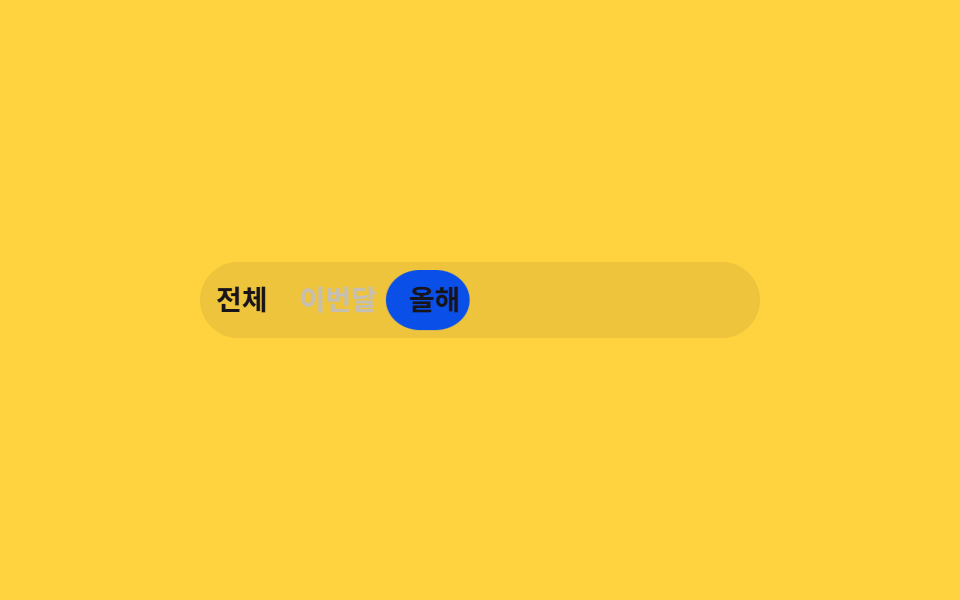 02 tab-menu-transition-pill-indicator
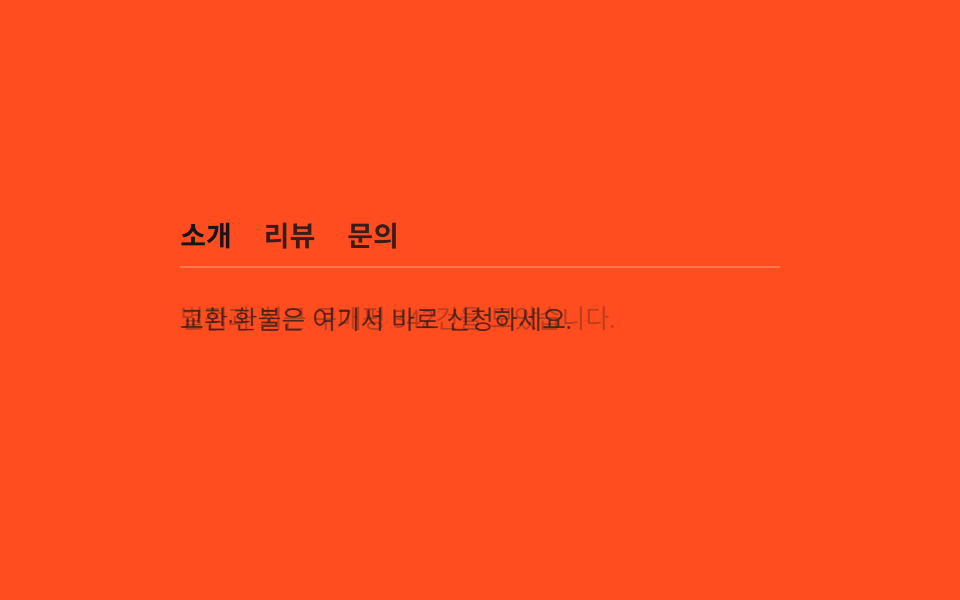 03 tab-menu-transition-fade-panel
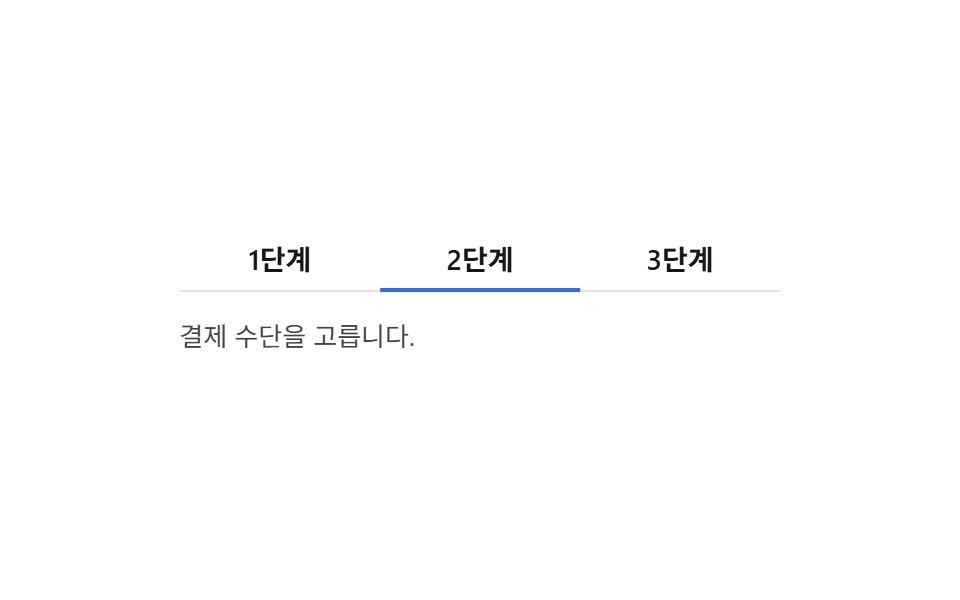 04 tab-menu-transition-slide-panel
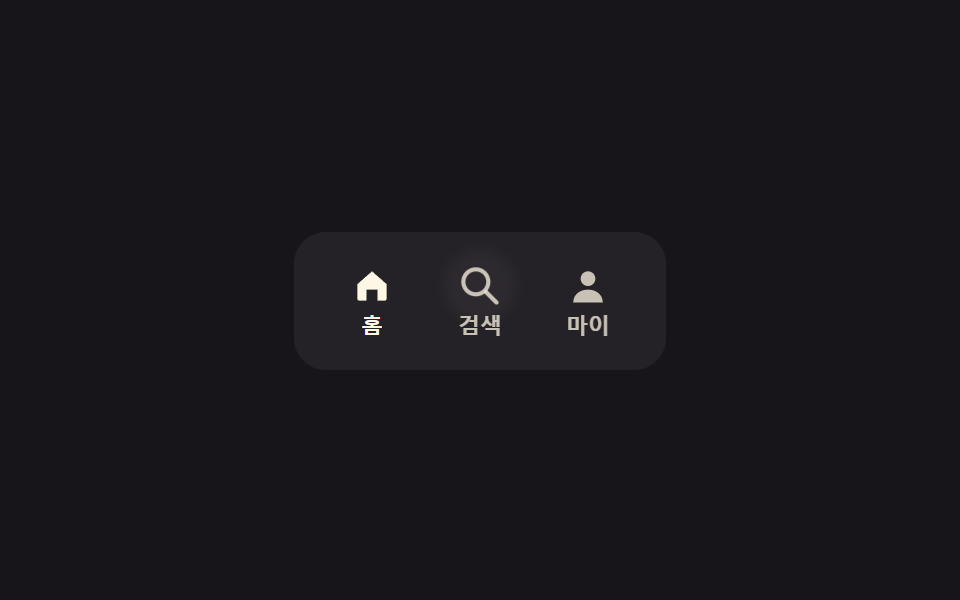 05 tab-menu-transition-icon-tabs
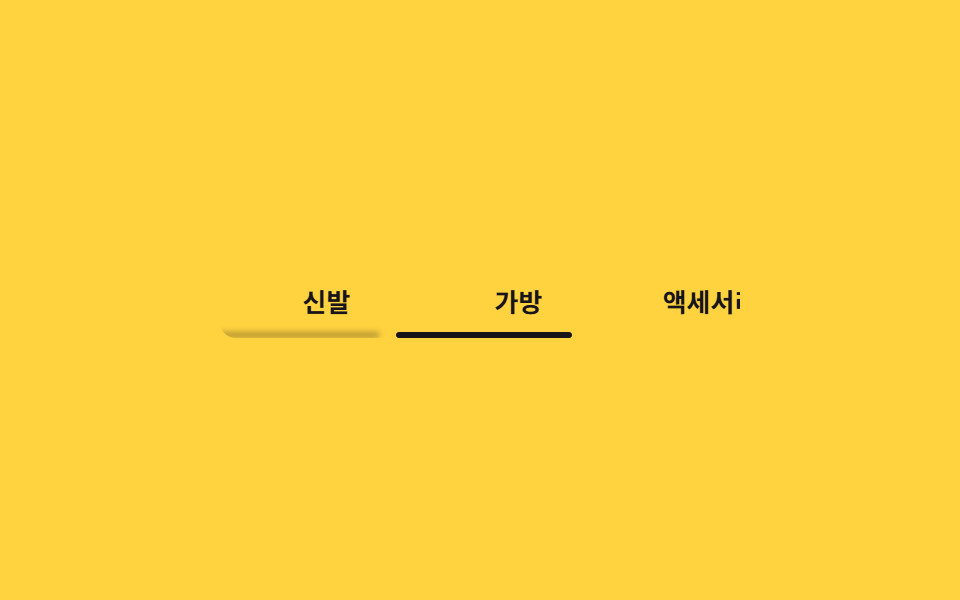 06 tab-menu-transition-scroll-tabs
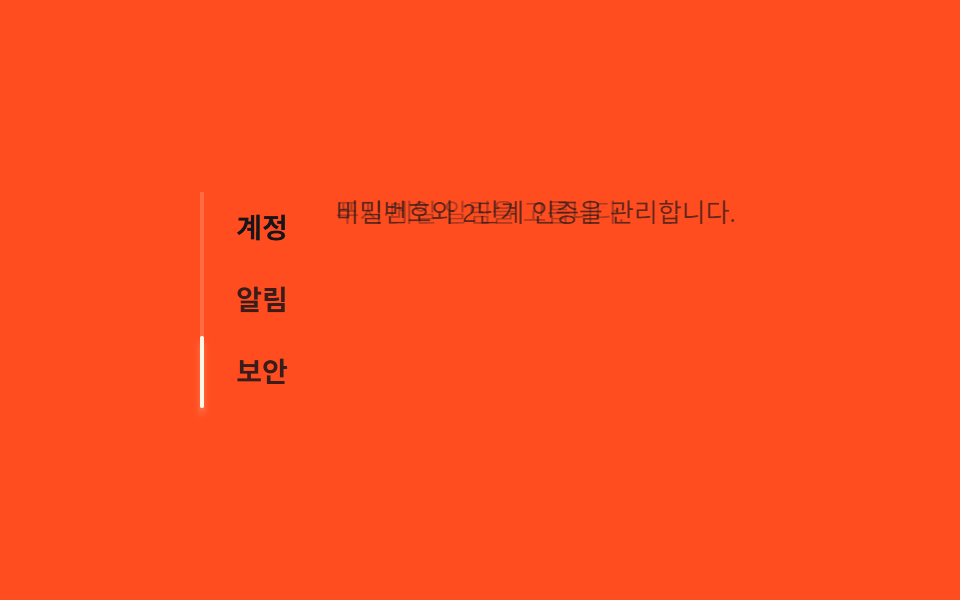 07 tab-menu-transition-vertical-tabs
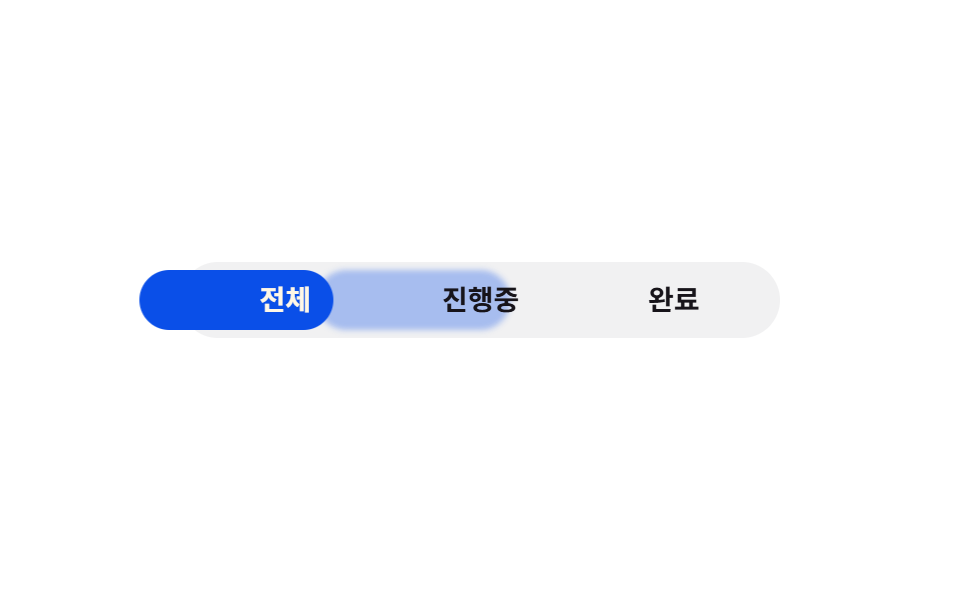 08 tab-menu-transition-bounce-tab
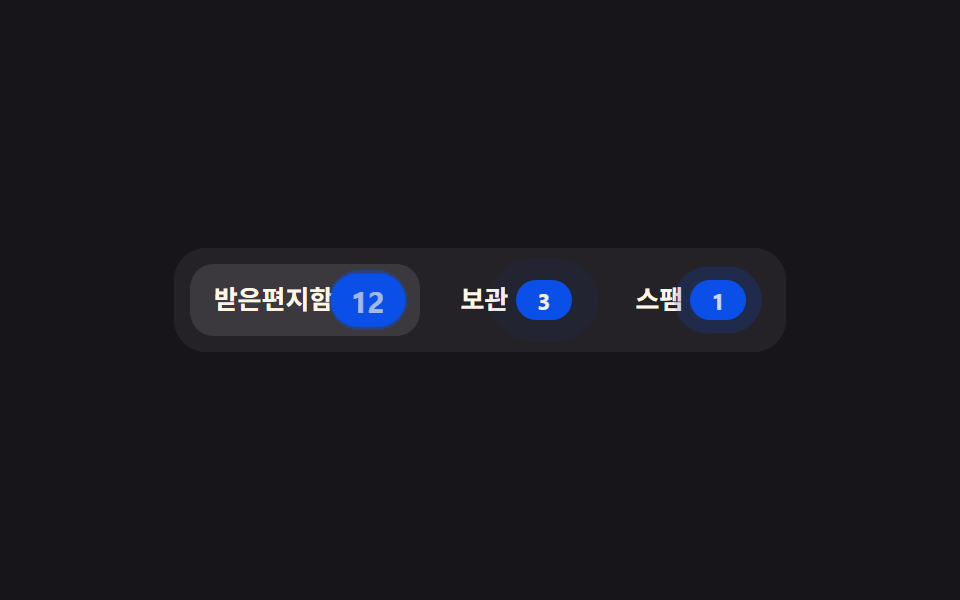 09 tab-menu-transition-count-badge
Tự chạy · bấm ô để tới mục đó · cả 9 trong một zip
- 01 Gạch chân trượt theo tab
- 02 Nền pill di chuyển
- 03 Panel chuyển bằng fade
- 04 Panel trượt ngang
- 05 Tab icon
- 06 Tab cuộn ngang, snap từng ô
- 07 Tab dọc
- 08 Tab bounce
- 09 Tab có badge số
Chín kiểu dưới đây xếp theo mức độ can thiệp: 01 đến 04 và 06 đến 08 chỉ cần :checked của radio ẩn để tự chuyển tab — 3 dòng JS ở mỗi mục chỉ chạy lúc bạn bấm thật để tắt vòng lặp demo, không tham gia vào việc đổi tab. 05 và 09 khác hẳn phần còn lại — cả hai dùng role="tablist" cùng một hàm select() 9 dòng, bấm chuột hay phím mũi tên trái/phải đều gọi đúng hàm đó để dời aria-selected và focus. Ở lưới phía trên bạn thấy cả chín ô tự đổi tab theo chu kỳ, vì khung xem trước không nhận sự kiện chuột thật nên mỗi ô tự lặp lại trạng thái của chính nó.
01Gạch chân trượt theo tab
Bạn thấy gì
Ba tab được dựng bằng <input type="radio">, gạch chân bên dưới nhận :checked qua sibling combinator (~) rồi translateX tới đúng vị trí tab vừa chọn.
<main class="stage">
  <div class="us is-demo">
    <input type="radio" name="us-tab" id="us-1" class="us__radio" checked>
    <input type="radio" name="us-tab" id="us-2" class="us__radio">
    <input type="radio" name="us-tab" id="us-3" class="us__radio">
    <div class="us__nav">
      <label class="us__tab" for="us-1">Tổng quan</label>
      <label class="us__tab" for="us-2">Phân tích</label>
      <label class="us__tab" for="us-3">Cài đặt</label>
      <span class="us__indicator" aria-hidden="true"></span>
    </div>
    <div class="us__panels">
      <p class="us__panel us__panel--1">Xem lượt truy cập hôm nay và các chỉ số chính trong một cái nhìn.</p>
      <p class="us__panel us__panel--2">So sánh xu hướng theo thời gian bằng bảng và biểu đồ.</p>
      <p class="us__panel us__panel--3">Quản lý thông báo và quyền của nhóm trong tab này.</p>
    </div>
  </div>
</main>
@use "../../../../site/static/demo-tokens" as *;
// ── 변수 3개 ──────────────────────────────────────────
$duration: $dur-base; // 인디케이터가 미끄러지는 시간
$easing: $ease-spring; // 인디케이터 전환 이징 (실제 클릭)
$color: $subject-blue; // 인디케이터 색
@include stage($stage-ink);
.us { width: min(320px, 88vw); }
.us__radio { position: absolute; opacity: 0; pointer-events: none; }
.us__nav {
position: relative;
isolation: isolate; // ::after 트레일(z -1)이 인디케이터 뒤에만 그려지게 (2026-09-15 한 겹)
display: grid;
grid-template-columns: repeat(3, 1fr);
}
.us__tab {
padding: $sp-3 $sp-2;
text-align: center;
font-weight: 600;
font-size: clamp(13px, 3.6vw, 15px);
line-height: 1;
font-family: inherit;
color: rgba(255, 247, 230, .6);
cursor: pointer;
-webkit-tap-highlight-color: transparent;
}
.us__indicator {
position: absolute; left: 0; bottom: 0;
width: calc(100% / 3); height: 3px;
background: $color;
border-radius: $r-pill;
transform: translateX(0);
transition: transform $duration $easing;
}
// 한 겹(관성 오버슛 + 트레일): ::after 만 추가 — index.html·레이아웃 불변.
// 트레일은 인디케이터 자신이 아니라 .us__nav(고정 컨테이너)의 ::after 로 둔다 — 만약 인디케이터
// 자신의 ::after 로 두면 부모의 진행 중인 transform 위에 트레일 자신의 transform 이 겹쳐 더해져
// (중첩 transform 합성) 이동거리가 배로 튄다. nav 는 움직이지 않으므로 트레일만의 절대 좌표
// keyframes 가 그대로 유효하다. 정적(:checked) 전환에서는 .is-demo 스코프 밖이라 animation 이
// 전혀 안 걸려 opacity 0 그대로 안 보인다. 트레일 색은 $color 파생 rgba 만 쓴다.
.us__nav::after {
content: "";
position: absolute; left: 0; bottom: 0;
z-index: -1;
width: calc(100% / 3); height: 3px;
border-radius: $r-pill;
background: rgba($color, .35);
filter: blur(2px);
opacity: 0;
}
// ── 실제 동작: :checked 만으로 인디케이터가 옮겨간다 ──────────────
#us-1:checked ~ .us__nav .us__indicator { transform: translateX(0%); }
#us-2:checked ~ .us__nav .us__indicator { transform: translateX(100%); }
#us-3:checked ~ .us__nav .us__indicator { transform: translateX(200%); }
#us-1:checked ~ .us__nav label[for="us-1"],
#us-2:checked ~ .us__nav label[for="us-2"],
#us-3:checked ~ .us__nav label[for="us-3"] { color: $subject-cream; }
// 패널 세 개를 같은 grid 칸에 포개 두면 인디케이터와 함께 바뀌어도 자리가 안 흔들린다
.us__panels { position: relative; display: grid; margin-top: $sp-4; min-height: 40px; }
.us__panel {
grid-area: 1 / 1;
margin: 0;
color: rgba(255, 247, 230, .82);
font-weight: 400;
font-size: clamp(12px, 3.2vw, 13px);
line-height: 1.5;
font-family: inherit;
opacity: 0;
transition: opacity $duration $easing;
}
#us-1:checked ~ .us__panels .us__panel--1,
#us-2:checked ~ .us__panels .us__panel--2,
#us-3:checked ~ .us__panels .us__panel--3 { opacity: 1; }
// ── 데모 루프: 클릭 전까지 세 탭을 스스로 오간다 (인디케이터·패널이 같은 박자) ──────────────
// us-loop → us-loop-inertia: 33%/66% 도착 전에 살짝 지나쳤다가(108%/216%) 관성처럼 되돌아와 정착한다.
.us.is-demo .us__indicator { animation: us-loop-inertia $dur-loop $easing infinite; }
// 트레일은 인디케이터와 같은 이동을 120ms 늦게 따라오다 도착 뒤 옅어지며 사라진다.
.us.is-demo .us__nav::after { animation: us-trail-loop $dur-loop $easing infinite; animation-delay: 120ms; }
.us.is-demo .us__panel--1 { animation: us-panel-1 $dur-loop $easing infinite; }
.us.is-demo .us__panel--2 { animation: us-panel-2 $dur-loop $easing infinite; }
.us.is-demo .us__panel--3 { animation: us-panel-3 $dur-loop $easing infinite; }
@keyframes us-loop-inertia {
0%, 15% { transform: translateX(0%); }
30% { transform: translateX(108%); }
33%, 48% { transform: translateX(100%); }
63% { transform: translateX(216%); }
66%, 81% { transform: translateX(200%); }
100% { transform: translateX(0%); }
}
// 트레일 전용: 같은 이동 경로 + opacity 를 얹어 "따라오다 옅어지는" 잔상으로 읽히게 한다.
@keyframes us-trail-loop {
0%, 15% { transform: translateX(0%); opacity: 0; }
24% { opacity: .35; }
30% { transform: translateX(108%); opacity: .35; }
33%, 40% { transform: translateX(100%); opacity: .35; }
48% { transform: translateX(100%); opacity: 0; }
63% { transform: translateX(216%); opacity: .35; }
66%, 73% { transform: translateX(200%); opacity: .35; }
81% { transform: translateX(200%); opacity: 0; }
100% { transform: translateX(0%); opacity: 0; }
}
@keyframes us-panel-1 { 0%, 15% { opacity: 1; } 30%, 100% { opacity: 0; } }
@keyframes us-panel-2 { 0%, 30% { opacity: 0; } 45%, 63% { opacity: 1; } 78%, 100% { opacity: 0; } }
@keyframes us-panel-3 { 0%, 63% { opacity: 0; } 78%, 96% { opacity: 1; } 100% { opacity: 0; } }
// ── 접근성 ──────────────────────────────────────────
@media (prefers-reduced-motion: reduce) {
.us__indicator, .us__panel { transition: none; }
.us.is-demo .us__indicator,
.us.is-demo .us__nav::after,
.us.is-demo .us__panel--1,
.us.is-demo .us__panel--2,
.us.is-demo .us__panel--3 { animation: none !important; }
.us__nav::after { opacity: 0; } // 관성·트레일 한 겹은 reduced-motion 에서 완전히 꺼진다
}html, body {
margin: 0;
overflow: hidden;
}
.stage {
box-sizing: border-box;
min-height: 100vh;
display: grid;
place-items: center;
margin: 0;
background: #17141a;
font-family: -apple-system, "Segoe UI", "Noto Sans KR", sans-serif;
padding: clamp(8px, 4vw, 24px);
}
.us {
width: min(320px, 88vw);
}
.us__radio {
position: absolute;
opacity: 0;
pointer-events: none;
}
.us__nav {
position: relative;
isolation: isolate;
display: grid;
grid-template-columns: repeat(3, 1fr);
}
.us__tab {
padding: 12px 8px;
text-align: center;
font-weight: 600;
font-size: clamp(13px, 3.6vw, 15px);
line-height: 1;
font-family: inherit;
color: rgba(255, 247, 230, 0.6);
cursor: pointer;
-webkit-tap-highlight-color: transparent;
}
.us__indicator {
position: absolute;
left: 0;
bottom: 0;
width: 33.3333333333%;
height: 3px;
background: #2f6df6;
border-radius: 999px;
transform: translateX(0);
transition: transform 300ms cubic-bezier(0.2, 0.8, 0.2, 1);
}
.us__nav::after {
content: "";
position: absolute;
left: 0;
bottom: 0;
z-index: -1;
width: 33.3333333333%;
height: 3px;
border-radius: 999px;
background: rgba(47, 109, 246, 0.35);
filter: blur(2px);
opacity: 0;
}
#us-1:checked ~ .us__nav .us__indicator {
transform: translateX(0%);
}
#us-2:checked ~ .us__nav .us__indicator {
transform: translateX(100%);
}
#us-3:checked ~ .us__nav .us__indicator {
transform: translateX(200%);
}
#us-1:checked ~ .us__nav label[for=us-1],
#us-2:checked ~ .us__nav label[for=us-2],
#us-3:checked ~ .us__nav label[for=us-3] {
color: #fff7e6;
}
.us__panels {
position: relative;
display: grid;
margin-top: 16px;
min-height: 40px;
}
.us__panel {
grid-area: 1/1;
margin: 0;
color: rgba(255, 247, 230, 0.82);
font-weight: 400;
font-size: clamp(12px, 3.2vw, 13px);
line-height: 1.5;
font-family: inherit;
opacity: 0;
transition: opacity 300ms cubic-bezier(0.2, 0.8, 0.2, 1);
}
#us-1:checked ~ .us__panels .us__panel--1,
#us-2:checked ~ .us__panels .us__panel--2,
#us-3:checked ~ .us__panels .us__panel--3 {
opacity: 1;
}
.us.is-demo .us__indicator {
animation: us-loop-inertia 2s cubic-bezier(0.2, 0.8, 0.2, 1) infinite;
}
.us.is-demo .us__nav::after {
animation: us-trail-loop 2s cubic-bezier(0.2, 0.8, 0.2, 1) infinite;
animation-delay: 120ms;
}
.us.is-demo .us__panel--1 {
animation: us-panel-1 2s cubic-bezier(0.2, 0.8, 0.2, 1) infinite;
}
.us.is-demo .us__panel--2 {
animation: us-panel-2 2s cubic-bezier(0.2, 0.8, 0.2, 1) infinite;
}
.us.is-demo .us__panel--3 {
animation: us-panel-3 2s cubic-bezier(0.2, 0.8, 0.2, 1) infinite;
}
@keyframes us-loop-inertia {
0%, 15% {
transform: translateX(0%);
}
30% {
transform: translateX(108%);
}
33%, 48% {
transform: translateX(100%);
}
63% {
transform: translateX(216%);
}
66%, 81% {
transform: translateX(200%);
}
100% {
transform: translateX(0%);
}
}
@keyframes us-trail-loop {
0%, 15% {
transform: translateX(0%);
opacity: 0;
}
24% {
opacity: 0.35;
}
30% {
transform: translateX(108%);
opacity: 0.35;
}
33%, 40% {
transform: translateX(100%);
opacity: 0.35;
}
48% {
transform: translateX(100%);
opacity: 0;
}
63% {
transform: translateX(216%);
opacity: 0.35;
}
66%, 73% {
transform: translateX(200%);
opacity: 0.35;
}
81% {
transform: translateX(200%);
opacity: 0;
}
100% {
transform: translateX(0%);
opacity: 0;
}
}
@keyframes us-panel-1 {
0%, 15% {
opacity: 1;
}
30%, 100% {
opacity: 0;
}
}
@keyframes us-panel-2 {
0%, 30% {
opacity: 0;
}
45%, 63% {
opacity: 1;
}
78%, 100% {
opacity: 0;
}
}
@keyframes us-panel-3 {
0%, 63% {
opacity: 0;
}
78%, 96% {
opacity: 1;
}
100% {
opacity: 0;
}
}
@media (prefers-reduced-motion: reduce) {
.us__indicator, .us__panel {
transition: none;
}
.us.is-demo .us__indicator,
.us.is-demo .us__nav::after,
.us.is-demo .us__panel--1,
.us.is-demo .us__panel--2,
.us.is-demo .us__panel--3 {
animation: none !important;
}
.us__nav::after {
opacity: 0;
}
}// 이동은 :checked 만으로 이미 동작한다. 실제 클릭이 오면 데모 루프(.is-demo)만 뗀다.
document.querySelectorAll('.us__radio').forEach(function (r) {
r.addEventListener('pointerdown', function () { document.querySelector('.us').classList.remove('is-demo'); });
});import { useState } from "react";
import type { CSSProperties } from "react";
import styles from "./UnderlineSlide.module.scss";
const TABS = [
{ label: "개요", panel: "오늘 방문자와 핵심 지표를 한눈에 봅니다." },
{ label: "분석", panel: "기간별 추이를 표와 그래프로 비교합니다." },
{ label: "설정", panel: "알림과 팀 권한을 이 탭에서 관리합니다." },
];
export type UnderlineSlideProps = {
duration?: number;
easing?: string;
color?: string;
};
type Vars = CSSProperties & { "--duration"?: string; "--easing"?: string; "--color"?: string; "--i"?: number };
export default function UnderlineSlide({ duration = 300, easing = "cubic-bezier(.2,.8,.2,1)", color = "#2f6df6" }: UnderlineSlideProps) {
const [active, setActive] = useState(0);
const vars: Vars = { "--duration": `${duration}ms`, "--easing": easing, "--color": color, "--i": active };
return (
<div className={styles.us} style={vars}>
<div className={styles.nav} role="tablist">
{TABS.map((t, i) => (
<button key={t.label} type="button" role="tab" aria-selected={i === active}
className={styles.tab} onClick={() => setActive(i)}>
{t.label}
</button>
))}
<span className={styles.indicator} aria-hidden="true" />
</div>
<p className={styles.panel}>{TABS[active].panel}</p>
</div>
);
}01 · Gạch chân trượt theo tab — Diện tích đo được 2.301% · khung hình chuyển động 16/23Nguyên tác GODRICH · SCSS và React nằm trong tệp zip · Xem mật khẩu
Dùng ở đâu
Vì đây là radio group gốc của trình duyệt, phím mũi tên đã tự chuyển tab mà không cần thêm JS. Sau gạch chân còn một lớp ::after chạy cùng @keyframes nhưng trễ 120ms, để vạch overshoot qua mục tiêu rồi mới quay về kèm vệt đọng lại.
.us__indicator {
  position: absolute; left: 0; bottom: 0;
  width: calc(100% / 3); height: 3px;
  background: $color;
  transform: translateX(0);
  transition: transform $duration $easing;
}
#us-1:checked ~ .us__nav .us__indicator { transform: translateX(0%); }
#us-2:checked ~ .us__nav .us__indicator { transform: translateX(100%); }
#us-3:checked ~ .us__nav .us__indicator { transform: translateX(200%); }
02Nền pill di chuyển
Chuyện gì diễn ra trên màn hình
Nền hình viên thuốc nằm phía sau các tab trượt và co giãn bằng translateX cùng scaleX tới đúng ô của tab được chọn.
<main class="stage">
  <div class="pi is-demo">
    <input type="radio" name="pi-tab" id="pi-1" class="pi__radio" checked>
    <input type="radio" name="pi-tab" id="pi-2" class="pi__radio">
    <input type="radio" name="pi-tab" id="pi-3" class="pi__radio">
    <div class="pi__nav">
      <span class="pi__pill" aria-hidden="true"></span>
      <label class="pi__tab" for="pi-1">Tất cả</label>
      <label class="pi__tab" for="pi-2">Tháng này</label>
      <label class="pi__tab" for="pi-3">Năm nay</label>
    </div>
  </div>
</main>
@use "../../../../site/static/demo-tokens" as *;
// ── 변수 3개 ──────────────────────────────────────────
$duration: $dur-quick; // 필이 옮겨가는 시간
$easing: $ease-pop; // 필 전환 이징 (실제 클릭)
$color: $subject-blue-deep; // 필 배경 색 — 잉크 글자가 4.03 으로 미달이라 짙은 파랑으로 (크림 글자 5.98:1)
@include stage($stage-yellow);
// 라벨 글자 수가 다르므로 폭·이동 거리를 항목마다 고정값으로 둔다
// (함정: 라벨을 바꾸면 이 값도 같이 바꿔야 한다 — 자동으로 안 맞다)
// 값은 짐작이 아니라 실측이다 (Playwright getBoundingClientRect, 480×300) — 짐작값(56/76/56)은
// .pi__tab 이 flex:1 1 0(균등분배)일 때만 우연히 비슷했고, flex:0 0 auto(내용 폭)로 고치니 실제 폭은
// 37/52/37 이었다 (사용자 2026-09-10 스크린샷 "필이 딴 데 걸림" 지적, BD19)
$w1: 37px; $w2: 52px; $w3: 37px;
.pi { width: min(280px, 84vw); }
.pi__radio { position: absolute; opacity: 0; pointer-events: none; }
.pi__nav {
position: relative;
isolation: isolate; // ::after 트레일(z -1)이 필 뒤에만 그려지게 (2026-09-15 한 겹)
display: flex;
gap: $sp-2;
padding: $sp-1;
background: rgba(23, 20, 26, .08);
border-radius: $r-pill;
}
// 글자색의 기본은 잉크다 — 무대(노랑) 위에서 10.8:1. 필 위에 온(:checked) 글자만 크림(5.98:1)으로 바뀐다.
// 데모 루프에서는 아래 pi-ink-* 키프레임이 필과 같은 박자로 글자색을 옮긴다 — 필이 떠난 자리의 크림 글자가 노란 무대 위에서 사라지는 일이 없다
.pi__tab {
position: relative; z-index: 1;
flex: 0 0 auto; // 내용 폭 — 균등분배(1 1 0)면 아래 필 지오메트리 상수와 어긋난다 (BD19)
text-align: center;
padding: $sp-2 $sp-1;
font-weight: 600;
font-size: clamp(12px, 3.4vw, 14px);
line-height: 1;
font-family: inherit;
color: $subject-ink;
cursor: pointer;
-webkit-tap-highlight-color: transparent;
}
.pi__pill {
position: absolute; top: $sp-1; left: $sp-1; bottom: $sp-1;
width: $w1;
border-radius: $r-pill;
background: $color;
transform: translateX(0) scaleX(1);
transform-origin: left center; // 규칙8: 좌변 기준 좌표·배율 계산
transition: transform $duration $easing;
}
// 한 겹(관성+트레일)은 ::after 만 추가 — index.html·레이아웃 불변. 트레일은 필 자신이 아니라
// .pi__nav(고정 컨테이너)의 ::after 로 둔다 — 필 자신의 ::after 로 두면 부모의 진행 중인
// transform 위에 트레일 자신의 transform 이 겹쳐 더해져(중첩 transform 합성) 이동거리·스케일이
// 배로 튄다. nav 는 움직이지 않으므로 트레일만의 절대 좌표 keyframes 가 그대로 유효하다.
// 정적(:checked) 전환에선 .is-demo 스코프 밖이라 animation 이 안 걸려 opacity 0 그대로 안 보인다.
.pi__nav::after {
content: "";
position: absolute; top: $sp-1; left: $sp-1; bottom: $sp-1;
z-index: -1;
width: $w1;
border-radius: $r-pill;
background: rgba($color, .3);
filter: blur(2px);
transform: translateX(0) scaleX(1);
transform-origin: left center;
opacity: 0;
}
// scaleX 비율은 컴파일 시점 상수로 미리 계산한다 (calc() 안에서 길이÷길이는 CSS 스펙상 무효라 런타임 계산 불가)
$scale2: 1.405; // #{$w2} / #{$w1}
$scale3: 1; // #{$w3} / #{$w1}
// ── 실제 동작: :checked 만으로 필이 이동·변형된다 ──────────────
#pi-1:checked ~ .pi__nav .pi__pill { transform: translateX(0) scaleX(1); }
#pi-2:checked ~ .pi__nav .pi__pill { transform: translateX(calc(#{$w1} + #{$sp-2})) scaleX(#{$scale2}); }
#pi-3:checked ~ .pi__nav .pi__pill { transform: translateX(calc(#{$w1} + #{$w2} + #{$sp-2} * 2)) scaleX(#{$scale3}); }
// 필 위에 온 글자만 크림 — 잉크를 그대로 두면 짙은 파랑 위 2.87:1 이다
#pi-1:checked ~ .pi__nav label[for="pi-1"],
#pi-2:checked ~ .pi__nav label[for="pi-2"],
#pi-3:checked ~ .pi__nav label[for="pi-3"] { color: $subject-cream; }
// ── 데모 루프: 클릭 전까지 세 필터를 스스로 오간다 ──────────────
.pi.is-demo .pi__pill { animation: pi-loop $dur-loop $easing infinite; }
.pi.is-demo .pi__nav::after { animation: pi-trail-loop $dur-loop $easing infinite; animation-delay: 120ms; }
// 글자색도 필과 같은 박자(0·15/33·48/66·81/100%)로 — 크림 글자가 필 없는 자리에 남지 않게
.pi.is-demo .pi__nav label[for="pi-1"] { animation: pi-ink-1 $dur-loop linear infinite; }
.pi.is-demo .pi__nav label[for="pi-2"] { animation: pi-ink-2 $dur-loop linear infinite; }
.pi.is-demo .pi__nav label[for="pi-3"] { animation: pi-ink-3 $dur-loop linear infinite; }
@keyframes pi-ink-1 { 0%, 15% { color: $subject-cream; } 23%, 87% { color: $subject-ink; } 95%, 100% { color: $subject-cream; } }
@keyframes pi-ink-2 { 0%, 25% { color: $subject-ink; } 33%, 48% { color: $subject-cream; } 56%, 100% { color: $subject-ink; } }
@keyframes pi-ink-3 { 0%, 58% { color: $subject-ink; } 66%, 81% { color: $subject-cream; } 89%, 100% { color: $subject-ink; } }
// pi-loop 오버슛 보강 — 각 도착 전 지점에서 scaleX 는 목표값을 미리 유지한 채 translateX 만
// 5px 살짝 지나쳤다가(관성) 정착한다.
@keyframes pi-loop {
0%, 15% { transform: translateX(0) scaleX(1); }
30% { transform: translateX(calc(#{$w1} + #{$sp-2} + 5px)) scaleX(#{$scale2}); }
33%, 48% { transform: translateX(calc(#{$w1} + #{$sp-2})) scaleX(#{$scale2}); }
63% { transform: translateX(calc(#{$w1} + #{$w2} + #{$sp-2} * 2 + 5px)) scaleX(#{$scale3}); }
66%, 81% { transform: translateX(calc(#{$w1} + #{$w2} + #{$sp-2} * 2)) scaleX(#{$scale3}); }
96% { transform: translateX(-5px) scaleX(1); }
100% { transform: translateX(0) scaleX(1); }
}
// 트레일 전용 — 같은 모양(같은 scaleX)을 120ms 늦게 쫓아가며 옅어진다
@keyframes pi-trail-loop {
0%, 15% { transform: translateX(0) scaleX(1); opacity: 0; }
24% { opacity: .3; }
30% { transform: translateX(calc(#{$w1} + #{$sp-2} + 5px)) scaleX(#{$scale2}); opacity: .3; }
33%, 40% { transform: translateX(calc(#{$w1} + #{$sp-2})) scaleX(#{$scale2}); opacity: .3; }
48% { transform: translateX(calc(#{$w1} + #{$sp-2})) scaleX(#{$scale2}); opacity: 0; }
63% { transform: translateX(calc(#{$w1} + #{$w2} + #{$sp-2} * 2 + 5px)) scaleX(#{$scale3}); opacity: .3; }
66%, 73% { transform: translateX(calc(#{$w1} + #{$w2} + #{$sp-2} * 2)) scaleX(#{$scale3}); opacity: .3; }
81% { transform: translateX(calc(#{$w1} + #{$w2} + #{$sp-2} * 2)) scaleX(#{$scale3}); opacity: 0; }
100% { transform: translateX(0) scaleX(1); opacity: 0; }
}
@media (prefers-reduced-motion: reduce) {
.pi__pill { transition: none; }
.pi.is-demo .pi__pill,
.pi.is-demo .pi__nav::after { animation: none !important; }
.pi.is-demo .pi__nav label { animation: none !important; } // 색 애니메이션도 끈다 — 글자색은 :checked(크림)·기본(잉크) 로만
.pi__nav::after { opacity: 0; } // 관성·트레일 한 겹은 reduced-motion 에서 완전히 꺼진다
}html, body {
margin: 0;
overflow: hidden;
}
.stage {
box-sizing: border-box;
min-height: 100vh;
display: grid;
place-items: center;
margin: 0;
background: #ffd23f;
font-family: -apple-system, "Segoe UI", "Noto Sans KR", sans-serif;
padding: clamp(8px, 4vw, 24px);
}
.pi {
width: min(280px, 84vw);
}
.pi__radio {
position: absolute;
opacity: 0;
pointer-events: none;
}
.pi__nav {
position: relative;
isolation: isolate;
display: flex;
gap: 8px;
padding: 4px;
background: rgba(23, 20, 26, 0.08);
border-radius: 999px;
}
.pi__tab {
position: relative;
z-index: 1;
flex: 0 0 auto;
text-align: center;
padding: 8px 4px;
font-weight: 600;
font-size: clamp(12px, 3.4vw, 14px);
line-height: 1;
font-family: inherit;
color: #17141a;
cursor: pointer;
-webkit-tap-highlight-color: transparent;
}
.pi__pill {
position: absolute;
top: 4px;
left: 4px;
bottom: 4px;
width: 37px;
border-radius: 999px;
background: #0a4fe8;
transform: translateX(0) scaleX(1);
transform-origin: left center;
transition: transform 220ms cubic-bezier(0.2, 1.4, 0.4, 1);
}
.pi__nav::after {
content: "";
position: absolute;
top: 4px;
left: 4px;
bottom: 4px;
z-index: -1;
width: 37px;
border-radius: 999px;
background: rgba(10, 79, 232, 0.3);
filter: blur(2px);
transform: translateX(0) scaleX(1);
transform-origin: left center;
opacity: 0;
}
#pi-1:checked ~ .pi__nav .pi__pill {
transform: translateX(0) scaleX(1);
}
#pi-2:checked ~ .pi__nav .pi__pill {
transform: translateX(calc(37px + 8px)) scaleX(1.405);
}
#pi-3:checked ~ .pi__nav .pi__pill {
transform: translateX(calc(37px + 52px + 8px * 2)) scaleX(1);
}
#pi-1:checked ~ .pi__nav label[for=pi-1],
#pi-2:checked ~ .pi__nav label[for=pi-2],
#pi-3:checked ~ .pi__nav label[for=pi-3] {
color: #fff7e6;
}
.pi.is-demo .pi__pill {
animation: pi-loop 2s cubic-bezier(0.2, 1.4, 0.4, 1) infinite;
}
.pi.is-demo .pi__nav::after {
animation: pi-trail-loop 2s cubic-bezier(0.2, 1.4, 0.4, 1) infinite;
animation-delay: 120ms;
}
.pi.is-demo .pi__nav label[for=pi-1] {
animation: pi-ink-1 2s linear infinite;
}
.pi.is-demo .pi__nav label[for=pi-2] {
animation: pi-ink-2 2s linear infinite;
}
.pi.is-demo .pi__nav label[for=pi-3] {
animation: pi-ink-3 2s linear infinite;
}
@keyframes pi-ink-1 {
0%, 15% {
color: #fff7e6;
}
23%, 87% {
color: #17141a;
}
95%, 100% {
color: #fff7e6;
}
}
@keyframes pi-ink-2 {
0%, 25% {
color: #17141a;
}
33%, 48% {
color: #fff7e6;
}
56%, 100% {
color: #17141a;
}
}
@keyframes pi-ink-3 {
0%, 58% {
color: #17141a;
}
66%, 81% {
color: #fff7e6;
}
89%, 100% {
color: #17141a;
}
}
@keyframes pi-loop {
0%, 15% {
transform: translateX(0) scaleX(1);
}
30% {
transform: translateX(calc(37px + 8px + 5px)) scaleX(1.405);
}
33%, 48% {
transform: translateX(calc(37px + 8px)) scaleX(1.405);
}
63% {
transform: translateX(calc(37px + 52px + 8px * 2 + 5px)) scaleX(1);
}
66%, 81% {
transform: translateX(calc(37px + 52px + 8px * 2)) scaleX(1);
}
96% {
transform: translateX(-5px) scaleX(1);
}
100% {
transform: translateX(0) scaleX(1);
}
}
@keyframes pi-trail-loop {
0%, 15% {
transform: translateX(0) scaleX(1);
opacity: 0;
}
24% {
opacity: 0.3;
}
30% {
transform: translateX(calc(37px + 8px + 5px)) scaleX(1.405);
opacity: 0.3;
}
33%, 40% {
transform: translateX(calc(37px + 8px)) scaleX(1.405);
opacity: 0.3;
}
48% {
transform: translateX(calc(37px + 8px)) scaleX(1.405);
opacity: 0;
}
63% {
transform: translateX(calc(37px + 52px + 8px * 2 + 5px)) scaleX(1);
opacity: 0.3;
}
66%, 73% {
transform: translateX(calc(37px + 52px + 8px * 2)) scaleX(1);
opacity: 0.3;
}
81% {
transform: translateX(calc(37px + 52px + 8px * 2)) scaleX(1);
opacity: 0;
}
100% {
transform: translateX(0) scaleX(1);
opacity: 0;
}
}
@media (prefers-reduced-motion: reduce) {
.pi__pill {
transition: none;
}
.pi.is-demo .pi__pill,
.pi.is-demo .pi__nav::after {
animation: none !important;
}
.pi.is-demo .pi__nav label {
animation: none !important;
}
.pi__nav::after {
opacity: 0;
}
}// 필 배경은 :checked 만으로 옮겨간다. 실제 클릭이 오면 데모 루프(.is-demo)만 뗀다.
document.querySelectorAll('.pi__radio').forEach(function (r) {
r.addEventListener('pointerdown', function () { document.querySelector('.pi').classList.remove('is-demo'); });
});import { useState } from "react";
import type { CSSProperties } from "react";
import styles from "./PillIndicator.module.scss";
const TABS = ["전체", "이번달", "올해"];
const WIDTHS = [56, 76, 56]; // 라벨 글자 수가 다르므로 폭을 고정값으로 둔다 (함정: 라벨을 바꾸면 값도 같이 바꿔야 한다)
const GAP = 8;
export type PillIndicatorProps = {
duration?: number;
easing?: string;
color?: string;
};
type Vars = CSSProperties & { "--duration"?: string; "--easing"?: string; "--color"?: string; "--x"?: string; "--scale"?: number };
export default function PillIndicator({ duration = 220, easing = "cubic-bezier(.2,1.4,.4,1)", color = "#0a4fe8" }: PillIndicatorProps) {
const [active, setActive] = useState(0);
const x = WIDTHS.slice(0, active).reduce((a, w) => a + w + GAP, 0);
const vars: Vars = { "--duration": `${duration}ms`, "--easing": easing, "--color": color, "--x": `${x}px`, "--scale": WIDTHS[active] / WIDTHS[0] };
return (
<div className={styles.pi} style={vars}>
<div className={styles.nav} role="tablist">
<span className={styles.pill} aria-hidden="true" />
{TABS.map((t, i) => (
<button key={t} type="button" role="tab" aria-selected={i === active}
className={styles.tab} onClick={() => setActive(i)}>
{t}
</button>
))}
</div>
</div>
);
}02 · Nền pill di chuyển — Diện tích đo được 3.272% · khung hình chuyển động 17/23Nguyên tác GODRICH · SCSS và React nằm trong tệp zip · Xem mật khẩu
Chỗ dùng
Vì mỗi label rộng khác nhau, tỉ lệ scaleX phải tính sẵn thành số ở bước biên dịch SCSS thay vì chia trong calc() lúc chạy. Phía sau pill cũng có một bản sao ::after trễ 120ms như mục 01, nên khoảnh khắc đổi ô có hai pill chồng lên nhau thành một vệt kéo theo.
.pi__pill {
  position: absolute; top: $sp-1; left: $sp-1; bottom: $sp-1;
  width: $w1;
  background: $color;
  transform: translateX(0) scaleX(1);
  transform-origin: left center;
  transition: transform $duration $easing;
}
#pi-2:checked ~ .pi__nav .pi__pill {
  transform: translateX(calc(#{$w1} + #{$sp-2})) scaleX(1.357);
}
03Panel chuyển bằng fade
Chuyển động thế nào
Ba panel xếp chồng đúng một ô grid, chỉ opacity của panel đang :checked chuyển từ 0 lên 1 nên vị trí panel không bao giờ xê dịch khi đổi tab.
<main class="stage">
  <div class="fp is-demo">
    <input type="radio" name="fp-tab" id="fp-1" class="fp__radio" checked>
    <input type="radio" name="fp-tab" id="fp-2" class="fp__radio">
    <input type="radio" name="fp-tab" id="fp-3" class="fp__radio">
    <div class="fp__nav">
      <label class="fp__tab" for="fp-1">Giới thiệu</label>
      <label class="fp__tab" for="fp-2">Đánh giá</label>
      <label class="fp__tab" for="fp-3">Hỏi đáp</label>
    </div>
    <div class="fp__panels">
      <p class="fp__panel fp__panel--1">Tổng hợp chất liệu, kích cỡ và cách giặt.</p>
      <p class="fp__panel fp__panel--2">Tổng hợp 342 đánh giá và nhận xét gần đây.</p>
      <p class="fp__panel fp__panel--3">Yêu cầu đổi trả hoặc hoàn tiền ngay tại đây.</p>
    </div>
  </div>
</main>
@use "../../../../site/static/demo-tokens" as *;
// ── 변수 3개 ──────────────────────────────────────────
$duration: $dur-quick; // 패널이 겹쳐 페이드되는 시간
$easing: $ease-out; // 패널 페이드 이징 (실제 클릭)
$color: $subject-ink; // 활성 탭 글자색 (주황 면 위 5.50:1 — 크림은 3.11 로 미달)
@include stage($stage-orange);
.fp { width: min(300px, 86vw); }
.fp__radio { position: absolute; opacity: 0; pointer-events: none; }
.fp__nav {
position: relative;
display: flex;
gap: $sp-4;
border-bottom: 1px solid rgba(255, 247, 230, .25);
padding-bottom: $sp-2;
}
.fp__tab {
font-weight: 600;
font-size: clamp(12px, 3.4vw, 14px);
line-height: 1;
font-family: inherit;
color: rgba($subject-ink, .85); // 비활성 탭 — 주황 면 위 4.62:1 (.72 는 3.76 으로 미달)
cursor: pointer;
-webkit-tap-highlight-color: transparent;
}
#fp-1:checked ~ .fp__nav label[for="fp-1"],
#fp-2:checked ~ .fp__nav label[for="fp-2"],
#fp-3:checked ~ .fp__nav label[for="fp-3"] { color: $color; }
// 세 패널을 같은 grid 칸에 포개 두면 자리가 안 흔들린다
.fp__panels { position: relative; display: grid; margin-top: $sp-4; min-height: 40px; }
.fp__panel {
grid-area: 1 / 1;
margin: 0;
color: $subject-ink; // 패널 본문 — 5.50:1
font-weight: 400;
font-size: clamp(12px, 3.2vw, 13px);
line-height: 1.5;
font-family: inherit;
opacity: 0;
pointer-events: none;
transition: opacity $duration $easing;
}
#fp-1:checked ~ .fp__panels .fp__panel--1,
#fp-2:checked ~ .fp__panels .fp__panel--2,
#fp-3:checked ~ .fp__panels .fp__panel--3 { opacity: 1; pointer-events: auto; }
// ── 데모 루프: 클릭 전까지 세 패널을 스스로 오간다 ──────────────
// 한 겹(관성) — 밑줄이 없는 이 항목은 패널 전환에 관성을 얹는다: 등장 패널은 8px 아래에서
// 올라와 -2px 살짝 지나쳤다가(오버슛) 0 에 정착, 사라지는 패널은 반대로 2px 위로 흐르며 fade.
// 정적(:checked) 전환 경로는 opacity 만인 원본 그대로 — 관성은 -inertia 루프 키프레임 안에서만.
.fp.is-demo .fp__panel--1 { animation: fp-loop-1-inertia $dur-loop $easing infinite; }
.fp.is-demo .fp__panel--2 { animation: fp-loop-2-inertia $dur-loop $easing infinite; }
.fp.is-demo .fp__panel--3 { animation: fp-loop-3-inertia $dur-loop $easing infinite; }
@keyframes fp-loop-1-inertia {
0%, 15% { opacity: 1; transform: translateY(0); }
22% { transform: translateY(-1px); }
30%, 100% { opacity: 0; transform: translateY(-2px); }
}
@keyframes fp-loop-2-inertia {
0%, 30% { opacity: 0; transform: translateY(8px); }
42% { transform: translateY(-2px); }
45%, 63% { opacity: 1; transform: translateY(0); }
70% { transform: translateY(-1px); }
78%, 100% { opacity: 0; transform: translateY(-2px); }
}
@keyframes fp-loop-3-inertia {
0%, 63% { opacity: 0; transform: translateY(8px); }
75% { transform: translateY(-2px); }
78%, 96% { opacity: 1; transform: translateY(0); }
98% { transform: translateY(-1px); }
100% { opacity: 0; transform: translateY(-2px); }
}
@media (prefers-reduced-motion: reduce) {
.fp__panel { transition: none; }
.fp.is-demo .fp__panel--1,
.fp.is-demo .fp__panel--2,
.fp.is-demo .fp__panel--3 { animation: none !important; }
}html, body {
margin: 0;
overflow: hidden;
}
.stage {
box-sizing: border-box;
min-height: 100vh;
display: grid;
place-items: center;
margin: 0;
background: #ff4d1f;
font-family: -apple-system, "Segoe UI", "Noto Sans KR", sans-serif;
padding: clamp(8px, 4vw, 24px);
}
.fp {
width: min(300px, 86vw);
}
.fp__radio {
position: absolute;
opacity: 0;
pointer-events: none;
}
.fp__nav {
position: relative;
display: flex;
gap: 16px;
border-bottom: 1px solid rgba(255, 247, 230, 0.25);
padding-bottom: 8px;
}
.fp__tab {
font-weight: 600;
font-size: clamp(12px, 3.4vw, 14px);
line-height: 1;
font-family: inherit;
color: rgba(23, 20, 26, 0.85);
cursor: pointer;
-webkit-tap-highlight-color: transparent;
}
#fp-1:checked ~ .fp__nav label[for=fp-1],
#fp-2:checked ~ .fp__nav label[for=fp-2],
#fp-3:checked ~ .fp__nav label[for=fp-3] {
color: #17141a;
}
.fp__panels {
position: relative;
display: grid;
margin-top: 16px;
min-height: 40px;
}
.fp__panel {
grid-area: 1/1;
margin: 0;
color: #17141a;
font-weight: 400;
font-size: clamp(12px, 3.2vw, 13px);
line-height: 1.5;
font-family: inherit;
opacity: 0;
pointer-events: none;
transition: opacity 220ms ease-out;
}
#fp-1:checked ~ .fp__panels .fp__panel--1,
#fp-2:checked ~ .fp__panels .fp__panel--2,
#fp-3:checked ~ .fp__panels .fp__panel--3 {
opacity: 1;
pointer-events: auto;
}
.fp.is-demo .fp__panel--1 {
animation: fp-loop-1-inertia 2s ease-out infinite;
}
.fp.is-demo .fp__panel--2 {
animation: fp-loop-2-inertia 2s ease-out infinite;
}
.fp.is-demo .fp__panel--3 {
animation: fp-loop-3-inertia 2s ease-out infinite;
}
@keyframes fp-loop-1-inertia {
0%, 15% {
opacity: 1;
transform: translateY(0);
}
22% {
transform: translateY(-1px);
}
30%, 100% {
opacity: 0;
transform: translateY(-2px);
}
}
@keyframes fp-loop-2-inertia {
0%, 30% {
opacity: 0;
transform: translateY(8px);
}
42% {
transform: translateY(-2px);
}
45%, 63% {
opacity: 1;
transform: translateY(0);
}
70% {
transform: translateY(-1px);
}
78%, 100% {
opacity: 0;
transform: translateY(-2px);
}
}
@keyframes fp-loop-3-inertia {
0%, 63% {
opacity: 0;
transform: translateY(8px);
}
75% {
transform: translateY(-2px);
}
78%, 96% {
opacity: 1;
transform: translateY(0);
}
98% {
transform: translateY(-1px);
}
100% {
opacity: 0;
transform: translateY(-2px);
}
}
@media (prefers-reduced-motion: reduce) {
.fp__panel {
transition: none;
}
.fp.is-demo .fp__panel--1,
.fp.is-demo .fp__panel--2,
.fp.is-demo .fp__panel--3 {
animation: none !important;
}
}// 페이드는 :checked 만으로 이미 동작한다. 실제 클릭이 오면 데모 루프(.is-demo)만 뗀다.
document.querySelectorAll('.fp__radio').forEach(function (r) {
r.addEventListener('pointerdown', function () { document.querySelector('.fp').classList.remove('is-demo'); });
});import { useState } from "react";
import type { CSSProperties } from "react";
import styles from "./FadePanel.module.scss";
const TABS = [
{ label: "소개", panel: "소재·사이즈·세탁법을 정리했습니다." },
{ label: "리뷰", panel: "별점과 최근 구매평 342건을 모았습니다." },
{ label: "문의", panel: "교환·환불은 여기서 바로 신청하세요." },
];
export type FadePanelProps = {
duration?: number;
easing?: string;
color?: string;
};
type Vars = CSSProperties & { "--duration"?: string; "--easing"?: string; "--color"?: string };
export default function FadePanel({ duration = 220, easing = "ease-out", color = "#17141a" }: FadePanelProps) { // 주황 무대 위 활성 탭 글자 — 크림은 3.11 로 미달
const [active, setActive] = useState(0);
const vars: Vars = { "--duration": `${duration}ms`, "--easing": easing, "--color": color };
return (
<div className={styles.fp} style={vars}>
<div className={styles.nav} role="tablist">
{TABS.map((t, i) => (
<button key={t.label} type="button" role="tab" aria-selected={i === active}
className={styles.tab} onClick={() => setActive(i)}>
{t.label}
</button>
))}
</div>
<div className={styles.panels}>
{TABS.map((t, i) => (
<p key={t.label} className={styles.panel} style={{ opacity: i === active ? 1 : 0 }} aria-hidden={i !== active}>
{t.panel}
</p>
))}
</div>
</div>
);
}03 · Panel chuyển bằng fade — Diện tích đo được 2.14% · khung hình chuyển động 12/23Nguyên tác GODRICH · SCSS và React nằm trong tệp zip · Xem mật khẩu
Dùng khi nào
Trong vòng lặp demo, panel xuất hiện trồi lên từ 8px bên dưới và trôi quá vị trí 2px rồi mới về 0, nhờ vậy cú fade cũng có hướng chuyển động thay vì chỉ mờ dần phẳng.
.fp__panel {
  grid-area: 1 / 1;
  opacity: 0;
  pointer-events: none;
  transition: opacity $duration $easing;
}
#fp-1:checked ~ .fp__panels .fp__panel--1,
#fp-2:checked ~ .fp__panels .fp__panel--2,
#fp-3:checked ~ .fp__panels .fp__panel--3 { opacity: 1; pointer-events: auto; }
04Panel trượt ngang
Bạn thấy gì
Ba panel nằm cạnh nhau trên track rộng 300% bên trong khung overflow:hidden, cả track dịch translateX(-33.333%×n) để panel của tab vừa chọn lọt vào khung nhìn.
<main class="stage">
  <div class="sp is-demo">
    <input type="radio" name="sp-tab" id="sp-1" class="sp__radio" checked>
    <input type="radio" name="sp-tab" id="sp-2" class="sp__radio">
    <input type="radio" name="sp-tab" id="sp-3" class="sp__radio">
    <div class="sp__nav">
      <label class="sp__tab" for="sp-1">Bước 1</label>
      <label class="sp__tab" for="sp-2">Bước 2</label>
      <label class="sp__tab" for="sp-3">Bước 3</label>
      <span class="sp__indicator" aria-hidden="true"></span>
    </div>
    <div class="sp__viewport">
      <div class="sp__track">
        <p class="sp__panel">Nhập địa chỉ giao hàng.</p>
        <p class="sp__panel">Chọn phương thức thanh toán.</p>
        <p class="sp__panel">Xác nhận đơn hàng và hoàn tất.</p>
      </div>
    </div>
  </div>
</main>
@use "../../../../site/static/demo-tokens" as *;
// ── 변수 3개 ──────────────────────────────────────────
$duration: $dur-base; // 패널 트랙이 밀리는 시간
$easing: $ease-out; // 트랙·밑줄 공용 이징 (트랙은 이 한 겹에서 건드리지 않는다)
$color: $subject-blue; // 활성 탭 밑줄 색
@include stage($stage-paper);
.sp { width: min(300px, 86vw); }
.sp__radio { position: absolute; opacity: 0; pointer-events: none; }
.sp__nav {
position: relative;
isolation: isolate; // ::after 트레일(z -1)이 인디케이터 뒤에만 그려지게 (2026-09-15 한 겹)
display: grid;
grid-template-columns: repeat(3, 1fr);
margin-bottom: $sp-3;
border-bottom: 1px solid rgba(23, 20, 26, .12);
}
.sp__tab {
padding-bottom: $sp-2;
text-align: center;
font-weight: 600;
font-size: clamp(12px, 3.4vw, 14px);
line-height: 1;
font-family: inherit;
color: $subject-ink;
cursor: pointer;
-webkit-tap-highlight-color: transparent;
}
// 탭 셋 아래 밑줄 하나가 옮겨간다 — 트랙과 같은 :checked·같은 박자라 어긋나지 않는다
.sp__indicator {
position: absolute; left: 0; bottom: -1px;
width: calc(100% / 3); height: 2px;
background: $color;
transform: translateX(0%);
transition: transform $duration $easing;
}
// 한 겹(관성+트레일)은 인디케이터(밑줄)에만 — ::after 만 추가, index.html·트랙 불변.
// 트레일은 인디케이터 자신이 아니라 .sp__nav(고정 컨테이너)의 ::after 로 둔다 — 인디케이터 자신의
// ::after 로 두면 부모의 진행 중인 transform 위에 트레일 자신의 transform 이 겹쳐 더해져(중첩
// transform 합성) 이동거리가 배로 튄다. nav 는 움직이지 않으므로 트레일만의 절대 좌표 keyframes
// 가 그대로 유효하다. 정적(:checked) 전환에서는 .is-demo 스코프 밖이라 animation 이 안 걸려
// opacity 0 그대로다.
.sp__nav::after {
content: "";
position: absolute; left: 0; bottom: -1px;
z-index: -1;
width: calc(100% / 3); height: 2px;
background: rgba($color, .35);
filter: blur(2px);
opacity: 0;
}
#sp-1:checked ~ .sp__nav .sp__indicator { transform: translateX(0%); }
#sp-2:checked ~ .sp__nav .sp__indicator { transform: translateX(100%); }
#sp-3:checked ~ .sp__nav .sp__indicator { transform: translateX(200%); }
// 패널 세 장을 나란히 두고 트랙 전체를 옮긴다 — width 가 아니라 transform 만 쓴다
.sp__viewport { overflow: hidden; }
.sp__track {
display: flex;
width: 300%;
transform: translateX(0%);
transition: transform $duration $easing;
}
.sp__panel {
flex: 0 0 calc(100% / 3);
margin: 0;
box-sizing: border-box;
padding-right: $sp-4;
color: rgba(23, 20, 26, .8);
font-weight: 400;
font-size: clamp(12px, 3.2vw, 13px);
line-height: 1.5;
font-family: inherit;
}
// ── 실제 동작: :checked 만으로 트랙이 밀려난다 ──────────────
#sp-1:checked ~ .sp__viewport .sp__track { transform: translateX(0%); }
#sp-2:checked ~ .sp__viewport .sp__track { transform: translateX(-33.333%); }
#sp-3:checked ~ .sp__viewport .sp__track { transform: translateX(-66.667%); }
// ── 데모 루프: 클릭 전까지 세 단계를 스스로 오간다 (밑줄·트랙이 같은 박자) ──────────────
// 트랙(.sp__track)은 건드리지 않는다 — 콘텐츠 이동에 오버슛을 주면 어색하다. sp-loop 원본 그대로.
.sp.is-demo .sp__track { animation: sp-loop $dur-loop $easing infinite; }
// 밑줄(인디케이터)만 오버슛 보강 — sp-indicator-loop 안에 30%/63% 지나침 스텝을 추가(이름은 유지)
.sp.is-demo .sp__indicator { animation: sp-indicator-loop $dur-loop $easing infinite; }
.sp.is-demo .sp__nav::after { animation: sp-trail-loop $dur-loop $easing infinite; animation-delay: 120ms; }
@keyframes sp-loop {
0%, 15% { transform: translateX(0%); }
33%, 48% { transform: translateX(-33.333%); }
66%, 81% { transform: translateX(-66.667%); }
100% { transform: translateX(0%); }
}
@keyframes sp-indicator-loop {
0%, 15% { transform: translateX(0%); }
30% { transform: translateX(108%); }
33%, 48% { transform: translateX(100%); }
63% { transform: translateX(216%); }
66%, 81% { transform: translateX(200%); }
100% { transform: translateX(0%); }
}
// 트레일 전용 — 같은 경로를 120ms 늦게 쫓아가며 옅어진다 (1번과 동일 패턴)
@keyframes sp-trail-loop {
0%, 15% { transform: translateX(0%); opacity: 0; }
24% { opacity: .35; }
30% { transform: translateX(108%); opacity: .35; }
33%, 40% { transform: translateX(100%); opacity: .35; }
48% { transform: translateX(100%); opacity: 0; }
63% { transform: translateX(216%); opacity: .35; }
66%, 73% { transform: translateX(200%); opacity: .35; }
81% { transform: translateX(200%); opacity: 0; }
100% { transform: translateX(0%); opacity: 0; }
}
@media (prefers-reduced-motion: reduce) {
.sp__track, .sp__indicator { transition: none; }
.sp.is-demo .sp__track,
.sp.is-demo .sp__indicator,
.sp.is-demo .sp__nav::after { animation: none !important; }
.sp__nav::after { opacity: 0; } // 관성·트레일 한 겹은 reduced-motion 에서 완전히 꺼진다
}html, body {
margin: 0;
overflow: hidden;
}
.stage {
box-sizing: border-box;
min-height: 100vh;
display: grid;
place-items: center;
margin: 0;
background: #ffffff;
font-family: -apple-system, "Segoe UI", "Noto Sans KR", sans-serif;
padding: clamp(8px, 4vw, 24px);
}
.sp {
width: min(300px, 86vw);
}
.sp__radio {
position: absolute;
opacity: 0;
pointer-events: none;
}
.sp__nav {
position: relative;
isolation: isolate;
display: grid;
grid-template-columns: repeat(3, 1fr);
margin-bottom: 12px;
border-bottom: 1px solid rgba(23, 20, 26, 0.12);
}
.sp__tab {
padding-bottom: 8px;
text-align: center;
font-weight: 600;
font-size: clamp(12px, 3.4vw, 14px);
line-height: 1;
font-family: inherit;
color: #17141a;
cursor: pointer;
-webkit-tap-highlight-color: transparent;
}
.sp__indicator {
position: absolute;
left: 0;
bottom: -1px;
width: 33.3333333333%;
height: 2px;
background: #2f6df6;
transform: translateX(0%);
transition: transform 300ms ease-out;
}
.sp__nav::after {
content: "";
position: absolute;
left: 0;
bottom: -1px;
z-index: -1;
width: 33.3333333333%;
height: 2px;
background: rgba(47, 109, 246, 0.35);
filter: blur(2px);
opacity: 0;
}
#sp-1:checked ~ .sp__nav .sp__indicator {
transform: translateX(0%);
}
#sp-2:checked ~ .sp__nav .sp__indicator {
transform: translateX(100%);
}
#sp-3:checked ~ .sp__nav .sp__indicator {
transform: translateX(200%);
}
.sp__viewport {
overflow: hidden;
}
.sp__track {
display: flex;
width: 300%;
transform: translateX(0%);
transition: transform 300ms ease-out;
}
.sp__panel {
flex: 0 0 33.3333333333%;
margin: 0;
box-sizing: border-box;
padding-right: 16px;
color: rgba(23, 20, 26, 0.8);
font-weight: 400;
font-size: clamp(12px, 3.2vw, 13px);
line-height: 1.5;
font-family: inherit;
}
#sp-1:checked ~ .sp__viewport .sp__track {
transform: translateX(0%);
}
#sp-2:checked ~ .sp__viewport .sp__track {
transform: translateX(-33.333%);
}
#sp-3:checked ~ .sp__viewport .sp__track {
transform: translateX(-66.667%);
}
.sp.is-demo .sp__track {
animation: sp-loop 2s ease-out infinite;
}
.sp.is-demo .sp__indicator {
animation: sp-indicator-loop 2s ease-out infinite;
}
.sp.is-demo .sp__nav::after {
animation: sp-trail-loop 2s ease-out infinite;
animation-delay: 120ms;
}
@keyframes sp-loop {
0%, 15% {
transform: translateX(0%);
}
33%, 48% {
transform: translateX(-33.333%);
}
66%, 81% {
transform: translateX(-66.667%);
}
100% {
transform: translateX(0%);
}
}
@keyframes sp-indicator-loop {
0%, 15% {
transform: translateX(0%);
}
30% {
transform: translateX(108%);
}
33%, 48% {
transform: translateX(100%);
}
63% {
transform: translateX(216%);
}
66%, 81% {
transform: translateX(200%);
}
100% {
transform: translateX(0%);
}
}
@keyframes sp-trail-loop {
0%, 15% {
transform: translateX(0%);
opacity: 0;
}
24% {
opacity: 0.35;
}
30% {
transform: translateX(108%);
opacity: 0.35;
}
33%, 40% {
transform: translateX(100%);
opacity: 0.35;
}
48% {
transform: translateX(100%);
opacity: 0;
}
63% {
transform: translateX(216%);
opacity: 0.35;
}
66%, 73% {
transform: translateX(200%);
opacity: 0.35;
}
81% {
transform: translateX(200%);
opacity: 0;
}
100% {
transform: translateX(0%);
opacity: 0;
}
}
@media (prefers-reduced-motion: reduce) {
.sp__track, .sp__indicator {
transition: none;
}
.sp.is-demo .sp__track,
.sp.is-demo .sp__indicator,
.sp.is-demo .sp__nav::after {
animation: none !important;
}
.sp__nav::after {
opacity: 0;
}
}// 이동은 :checked 만으로 이미 동작한다. 실제 클릭이 오면 데모 루프(.is-demo)만 뗀다.
document.querySelectorAll('.sp__radio').forEach(function (r) {
r.addEventListener('pointerdown', function () { document.querySelector('.sp').classList.remove('is-demo'); });
});import { useState } from "react";
import type { CSSProperties } from "react";
import styles from "./SlidePanel.module.scss";
const TABS = [
{ label: "1단계", panel: "배송지를 입력합니다." },
{ label: "2단계", panel: "결제 수단을 고릅니다." },
{ label: "3단계", panel: "주문을 확인하고 완료합니다." },
];
export type SlidePanelProps = {
duration?: number;
easing?: string;
color?: string;
};
type Vars = CSSProperties & { "--duration"?: string; "--easing"?: string; "--color"?: string; "--i"?: number };
export default function SlidePanel({ duration = 300, easing = "ease-out", color = "#2f6df6" }: SlidePanelProps) {
const [active, setActive] = useState(0);
const vars: Vars = { "--duration": `${duration}ms`, "--easing": easing, "--color": color, "--i": active };
return (
<div className={styles.sp} style={vars}>
<div className={styles.nav} role="tablist">
{TABS.map((t, i) => (
<button key={t.label} type="button" role="tab" aria-selected={i === active}
className={styles.tab} onClick={() => setActive(i)}>
{t.label}
</button>
))}
</div>
<div className={styles.viewport}>
<div className={styles.track}>
{TABS.map((t) => <p key={t.label} className={styles.panel}>{t.panel}</p>)}
</div>
</div>
</div>
);
}04 · Panel trượt ngang — Diện tích đo được 2.853% · khung hình chuyển động 14/23Nguyên tác GODRICH · SCSS và React nằm trong tệp zip · Xem mật khẩu
Dùng ở đâu
Gạch chân dưới tab dùng chung một bộ @keyframes với track để cả hai luôn khớp nhịp. Riêng gạch chân được thêm một lớp vệt trễ, nên thanh nhẹ này đọc như lết lại một nhịp sau chiếc track nặng của nó.
.sp__track {
  display: flex;
  width: 300%;
  transform: translateX(0%);
  transition: transform $duration $easing;
}
#sp-2:checked ~ .sp__viewport .sp__track { transform: translateX(-33.333%); }
#sp-3:checked ~ .sp__viewport .sp__track { transform: translateX(-66.667%); }
05Tab icon
Chuyện gì diễn ra trên màn hình
Ba nút mang role="tablist" thật, aria-selected đổi ngay khi bạn bấm hoặc dùng phím mũi tên trái/phải, và cùng một hàm select() 9 dòng xử lý cả click lẫn bàn phím.
<main class="stage">
  <div class="it is-demo" role="tablist" aria-label="Điều hướng phía dưới">
    <button class="it__tab" type="button" role="tab" aria-selected="true" tabindex="0">
      <svg class="it__icon" viewBox="0 0 24 24" width="22" height="22" aria-hidden="true"><path d="M4 11 12 4l8 7v8a1 1 0 0 1-1 1h-4v-6H9v6H5a1 1 0 0 1-1-1z" fill="currentColor"/></svg>
      <span class="it__label">Trang chủ</span>
    </button>
    <button class="it__tab" type="button" role="tab" aria-selected="false" tabindex="-1">
      <svg class="it__icon" viewBox="0 0 24 24" width="22" height="22" aria-hidden="true"><circle cx="10" cy="10" r="6" fill="none" stroke="currentColor" stroke-width="2"/><line x1="15" y1="15" x2="20" y2="20" stroke="currentColor" stroke-width="2" stroke-linecap="round"/></svg>
      <span class="it__label">Tìm kiếm</span>
    </button>
    <button class="it__tab" type="button" role="tab" aria-selected="false" tabindex="-1">
      <svg class="it__icon" viewBox="0 0 24 24" width="22" height="22" aria-hidden="true"><circle cx="12" cy="8" r="4" fill="currentColor"/><path d="M4 21c0-4.4 3.6-7 8-7s8 2.6 8 7" fill="currentColor"/></svg>
      <span class="it__label">Cá nhân</span>
    </button>
  </div>
</main>
@use "../../../../site/static/demo-tokens" as *;
// ── 변수 3개 ──────────────────────────────────────────
$duration: $dur-quick; // 아이콘이 커지는 시간
$easing: $ease-pop; // 아이콘 바운스 이징
$color: $subject-cream; // 활성 아이콘·라벨 색
@include stage($stage-ink);
.it {
display: flex;
gap: $sp-6;
padding: $sp-3 $sp-6;
border-radius: $r-card;
background: rgba(255, 255, 255, .06);
}
.it__tab {
position: relative; // 트레일 고리(::before) 의 좌표 기준 (2026-09-15 형태 2차)
display: flex;
flex-direction: column;
align-items: center;
gap: $sp-1;
border: 0;
background: none;
padding: $sp-1;
color: rgba($subject-cream, .75); // 카드 면 위 8.85:1 (.5 였고 라벨 opacity .7 과 곱해 3.06 으로 미달였다)
cursor: pointer;
-webkit-tap-highlight-color: transparent;
}
.it__icon { position: relative; z-index: 1; transform: scale(1); transition: transform $duration $easing; color: inherit; } // z-index 1 — 잔상 고리(::before)를 아이콘 뒤로 깐다
.it__label { font-weight: 600; font-size: clamp(10px, 2.8vw, 11px); line-height: 1; font-family: inherit; opacity: 1; transition: opacity $duration $easing; } // 부모 색 알파(.75)가 이미 흐림을 담당 — opacity 를 곱하면 다시 미달로 떨어진다
.it__tab[aria-selected="true"] { color: $color; }
.it__tab[aria-selected="true"] .it__icon { transform: scale(1.18); }
.it__tab[aria-selected="true"] .it__label { opacity: 1; }
// 한 겹(잔상 트레일) — 아이콘 바운스에 원형 흐림 잔상을 얹는다. .it__icon 은 <svg> 인데
// SVG 요소에는 ::before/::after 가 박스를 만들지 않으므로(브라우저 공통 — SVG 는 가상요소
// 콘텐츠 삽입을 지원하지 않는다) 탭 버튼 위에 ::before 로 두고 아이콘 중심에 맞춘다.
// ::before 는 콘텐츠보다 먼저 칠해져 아이콘 뒤에 깔린다(z-index 낮음 등가). 아이콘 22px +
// inset -4px 등가 = 30px 원. 정적(aria-selected) 상태엔 opacity 0 — .is-demo 에서만 움직인다.
.it__tab::before {
content: "";
position: absolute;
top: calc(#{$sp-1} + 11px); // 아이콘 세로 중심 — 패딩 4px + 22px 아이콘의 절반
left: 50%;
width: 30px; height: 30px;
margin: -15px 0 0 -15px; // 중심 정렬 — transform 은 키프레임 scale 전용
border-radius: 50%;
background: rgba($color, .2);
filter: blur(2px);
opacity: 0;
pointer-events: none;
}
// ── 데모 루프: 클릭 전까지 세 아이콘을 순서대로 튕긴다 ──────────────
.it.is-demo .it__tab:nth-child(1) .it__icon { animation: it-bump $dur-loop $easing infinite; }
.it.is-demo .it__tab:nth-child(2) .it__icon { animation: it-bump $dur-loop $easing infinite; animation-delay: calc($dur-loop / 3 * -2); }
.it.is-demo .it__tab:nth-child(3) .it__icon { animation: it-bump $dur-loop $easing infinite; animation-delay: calc($dur-loop / 3 * -1); }
@keyframes it-bump {
0%, 8%, 100% { transform: scale(1); }
4% { transform: scale(1.18); }
}
// 잔상 고리도 it-bump 와 같은 nth-child 위상 — 각 탭이 튕기는 순간에 scale 오버슛 후 fade
.it.is-demo .it__tab:nth-child(1)::before { animation: it-trail-loop $dur-loop ease-out infinite; }
.it.is-demo .it__tab:nth-child(2)::before { animation: it-trail-loop $dur-loop ease-out infinite; animation-delay: calc($dur-loop / 3 * -2); }
.it.is-demo .it__tab:nth-child(3)::before { animation: it-trail-loop $dur-loop ease-out infinite; animation-delay: calc($dur-loop / 3 * -1); }
@keyframes it-trail-loop {
0% { transform: scale(.6); opacity: 0; }
2% { transform: scale(1.1); opacity: .2; } // 아이콘이 튀는 순간 살짝 지나쳤다가
6% { transform: scale(1.25); opacity: .16; }
12%, 100% { transform: scale(1.6); opacity: 0; } // 펴지며 잔상처럼 사라진다
}
@media (prefers-reduced-motion: reduce) {
.it__icon, .it__label { transition: none; }
.it.is-demo .it__tab .it__icon,
.it.is-demo .it__tab::before { animation: none !important; }
.it__tab::before { opacity: 0; } // 잔상 한 겹은 reduced-motion 에서 완전히 꺼진다
}html, body {
margin: 0;
overflow: hidden;
}
.stage {
box-sizing: border-box;
min-height: 100vh;
display: grid;
place-items: center;
margin: 0;
background: #17141a;
font-family: -apple-system, "Segoe UI", "Noto Sans KR", sans-serif;
padding: clamp(8px, 4vw, 24px);
}
.it {
display: flex;
gap: 24px;
padding: 12px 24px;
border-radius: 16px;
background: rgba(255, 255, 255, 0.06);
}
.it__tab {
position: relative;
display: flex;
flex-direction: column;
align-items: center;
gap: 4px;
border: 0;
background: none;
padding: 4px;
color: rgba(255, 247, 230, 0.75);
cursor: pointer;
-webkit-tap-highlight-color: transparent;
}
.it__icon {
position: relative;
z-index: 1;
transform: scale(1);
transition: transform 220ms cubic-bezier(0.2, 1.4, 0.4, 1);
color: inherit;
}
.it__label {
font-weight: 600;
font-size: clamp(10px, 2.8vw, 11px);
line-height: 1;
font-family: inherit;
opacity: 1;
transition: opacity 220ms cubic-bezier(0.2, 1.4, 0.4, 1);
}
.it__tab[aria-selected=true] {
color: #fff7e6;
}
.it__tab[aria-selected=true] .it__icon {
transform: scale(1.18);
}
.it__tab[aria-selected=true] .it__label {
opacity: 1;
}
.it__tab::before {
content: "";
position: absolute;
top: calc(4px + 11px);
left: 50%;
width: 30px;
height: 30px;
margin: -15px 0 0 -15px;
border-radius: 50%;
background: rgba(255, 247, 230, 0.2);
filter: blur(2px);
opacity: 0;
pointer-events: none;
}
.it.is-demo .it__tab:nth-child(1) .it__icon {
animation: it-bump 2s cubic-bezier(0.2, 1.4, 0.4, 1) infinite;
}
.it.is-demo .it__tab:nth-child(2) .it__icon {
animation: it-bump 2s cubic-bezier(0.2, 1.4, 0.4, 1) infinite;
animation-delay: -1.3333333333s;
}
.it.is-demo .it__tab:nth-child(3) .it__icon {
animation: it-bump 2s cubic-bezier(0.2, 1.4, 0.4, 1) infinite;
animation-delay: -0.6666666667s;
}
@keyframes it-bump {
0%, 8%, 100% {
transform: scale(1);
}
4% {
transform: scale(1.18);
}
}
.it.is-demo .it__tab:nth-child(1)::before {
animation: it-trail-loop 2s ease-out infinite;
}
.it.is-demo .it__tab:nth-child(2)::before {
animation: it-trail-loop 2s ease-out infinite;
animation-delay: -1.3333333333s;
}
.it.is-demo .it__tab:nth-child(3)::before {
animation: it-trail-loop 2s ease-out infinite;
animation-delay: -0.6666666667s;
}
@keyframes it-trail-loop {
0% {
transform: scale(0.6);
opacity: 0;
}
2% {
transform: scale(1.1);
opacity: 0.2;
}
6% {
transform: scale(1.25);
opacity: 0.16;
}
12%, 100% {
transform: scale(1.6);
opacity: 0;
}
}
@media (prefers-reduced-motion: reduce) {
.it__icon, .it__label {
transition: none;
}
.it.is-demo .it__tab .it__icon,
.it.is-demo .it__tab::before {
animation: none !important;
}
.it__tab::before {
opacity: 0;
}
}// role=tablist 의 실제 접근성 패턴: 클릭·좌우 화살표로 aria-selected 와 포커스를 옮긴다 (9줄).
var root = document.querySelector('.it'), tabs = [].slice.call(root.querySelectorAll('[role=tab]'));
function select(i) {
tabs.forEach(function (t, j) { var on = j === i; t.setAttribute('aria-selected', on); t.tabIndex = on ? 0 : -1; });
tabs[i].focus({ preventScroll: true }); root.classList.remove('is-demo');
}
tabs.forEach(function (t, i) {
t.addEventListener('click', function () { select(i); });
t.addEventListener('keydown', function (e) {
if (e.key === 'ArrowRight') select((i + 1) % tabs.length);
else if (e.key === 'ArrowLeft') select((i - 1 + tabs.length) % tabs.length);
});
});import { useState } from "react";
import type { CSSProperties } from "react";
import styles from "./IconTabs.module.scss";
const TABS = [
{ label: "홈", icon: "M4 11 12 4l8 7v8a1 1 0 0 1-1 1h-4v-6H9v6H5a1 1 0 0 1-1-1z" },
{ label: "마이", icon: "M4 21c0-4.4 3.6-7 8-7s8 2.6 8 7" },
];
export type IconTabsProps = {
duration?: number;
easing?: string;
color?: string;
};
type Vars = CSSProperties & { "--duration"?: string; "--easing"?: string; "--color"?: string };
export default function IconTabs({ duration = 220, easing = "cubic-bezier(.2,1.4,.4,1)", color = "#fff7e6" }: IconTabsProps) {
const [active, setActive] = useState(0);
const vars: Vars = { "--duration": `${duration}ms`, "--easing": easing, "--color": color };
const move = (dir: 1 | -1) => setActive((active + dir + TABS.length) % TABS.length);
return (
<div className={styles.it} style={vars} role="tablist">
{TABS.map((t, i) => (
<button key={t.label} type="button" role="tab" aria-selected={i === active} tabIndex={i === active ? 0 : -1}
className={styles.tab} onClick={() => setActive(i)}
onKeyDown={(e: { key: string }) => { if (e.key === "ArrowRight") move(1); if (e.key === "ArrowLeft") move(-1); }}>
<svg className={styles.icon} viewBox="0 0 24 24" width={22} height={22} aria-hidden="true">
<path d={t.icon} fill="currentColor" />
</svg>
<span className={styles.label}>{t.label}</span>
</button>
))}
</div>
);
}05 · Tab icon — Diện tích đo được 0.301% · khung hình chuyển động 6/23Nguyên tác GODRICH · SCSS và React nằm trong tệp zip · Xem mật khẩu
Chỗ dùng
Icon vừa chọn phóng nhẹ bằng transform:scale(1.18). Đúng lúc icon nảy, một vòng tròn mờ phồng ra sau rồi tan nên kể cả khi chỉ đi bằng bàn phím vẫn còn một nhịp thị giác đọng lại.
function select(i) {
  tabs.forEach(function (t, j) {
    var on = j === i;
    t.setAttribute('aria-selected', on);
    t.tabIndex = on ? 0 : -1;
  });
  tabs[i].focus();
}
tabs[0].addEventListener('keydown', function (e) {
  if (e.key === 'ArrowRight') select(1);
});
06Tab cuộn ngang, snap từng ô
Chuyển động thế nào
Năm tab rộng cố định 88px tràn khỏi khung chứa, scroll-snap-type: x mandatory cùng scroll-snap-align: start trên mỗi tab khiến việc cuộn dừng gọn từng tab một.
<main class="stage">
  <div class="st is-demo">
    <input type="radio" name="st-tab" id="st-1" class="st__radio" checked>
    <input type="radio" name="st-tab" id="st-2" class="st__radio">
    <input type="radio" name="st-tab" id="st-3" class="st__radio">
    <input type="radio" name="st-tab" id="st-4" class="st__radio">
    <input type="radio" name="st-tab" id="st-5" class="st__radio">
    <div class="st__scroller">
      <div class="st__nav">
        <label class="st__tab" for="st-1">Tất cả</label>
        <label class="st__tab" for="st-2">Quần áo</label>
        <label class="st__tab" for="st-3">Giày</label>
        <label class="st__tab" for="st-4">Túi xách</label>
        <label class="st__tab" for="st-5">Phụ kiện</label>
        <span class="st__trail" aria-hidden="true"></span>
        <span class="st__indicator" aria-hidden="true"></span>
      </div>
    </div>
  </div>
</main>
@use "../../../../site/static/demo-tokens" as *;
// ── 변수 3개 ──────────────────────────────────────────
$duration: $dur-base; // 인디케이터가 미끄러지는 시간
$easing: $ease-lerp-settle; // 관성 lerp — 목표를 12.6% 넘겼다가 정착 (2026-09-15 형태 2차 한 겹)
$color: $subject-ink; // 인디케이터 색 (노란 무대라 어둡게)
@include stage($stage-yellow);
$tab-w: 88px; // 탭 다섯 개가 같은 폭이라 인디케이터 이동값을 고정 배수로 쓸 수 있다
.st { width: min(260px, 78vw); }
.st__radio { position: absolute; opacity: 0; pointer-events: none; }
// 다섯 탭(88px × 5 = 440px)이 상자(260px)보다 넓어 가로로 넘친다 — 그래서 스냅 스크롤이 필요하다
.st__scroller {
overflow-x: auto;
overflow-y: hidden;
scroll-snap-type: x mandatory;
border-radius: $r-sm;
-webkit-overflow-scrolling: touch;
}
.st__nav {
position: relative;
display: flex;
}
// 글자색·굵기는 항상 고정한다 — 밑줄(인디케이터)이 데모 루프에서 :checked 와 다른 탭에 가 있어도
// "이 탭이 진짜 활성" 이라는 잘못된 신호를 안 준다. 활성 신호는 밑줄 위치 하나로만 준다
.st__tab {
flex: 0 0 $tab-w;
scroll-snap-align: start;
text-align: center;
padding: $sp-3 $sp-1;
font-weight: 600;
font-size: clamp(12px, 3.4vw, 13px);
line-height: 1;
font-family: inherit;
color: $subject-ink;
cursor: pointer;
-webkit-tap-highlight-color: transparent;
}
.st__indicator {
position: absolute; left: 0; bottom: 0;
width: $tab-w; height: 3px;
background: $color;
border-radius: $r-pill;
transform: translateX(0);
transition: transform $duration $easing;
}
// 이동 궤적 트레일 잔상 — 인디케이터와 같은 .st__scroller 안(.st__nav 자식, .st__indicator 형제)에 둬야 st-scroll 로 같이 밀린다
.st__trail {
position: absolute; left: 0; bottom: 0;
width: $tab-w; height: 3px;
background: $color;
border-radius: $r-pill;
opacity: .32;
filter: blur(1.5px);
transform: translateX(0);
transition: transform calc($duration * 1.8) ease-out;
}
// ── 실제 동작: :checked 만으로 인디케이터가 옮겨간다 ──────────────
@for $i from 1 through 5 {
#st-#{$i}:checked ~ .st__scroller .st__indicator { transform: translateX(#{$tab-w * ($i - 1)}); }
#st-#{$i}:checked ~ .st__scroller .st__trail { transform: translateX(#{$tab-w * ($i - 1)}); }
}
// ── 데모 루프: 다섯 탭을 다 돈다. 상자(260px)엔 세 탭만 들어가므로
// 뒤 두 탭(가방·액세서리)로 갈 땐 .st__nav 자체를 밀어야 "스크롤"이 보인다 —
// 인디케이터만 옮기면 보이지도 않는 탭으로 움직여 아무 일도 안 일어나는 것처럼 보였다
// (사용자 2026-09-10 스크린샷 지적: 06 이 그냥 밑줄 3개 + 빈 공간으로 보임)
.st.is-demo .st__indicator { animation: st-loop $dur-loop $easing infinite; }
.st.is-demo .st__trail { animation: st-loop $dur-loop $easing infinite; animation-delay: calc($dur-loop * .06); } // 6% 위상만큼 늦게 쫓아가 트레일로 읽힌다
.st.is-demo .st__nav { animation: st-scroll $dur-loop $easing infinite; }
@keyframes st-loop {
0%, 12% { transform: translateX(0); }
24%, 32% { transform: translateX(#{$tab-w}); }
44%, 52% { transform: translateX(#{$tab-w * 2}); }
64%, 72% { transform: translateX(#{$tab-w * 3}); }
84%, 92% { transform: translateX(#{$tab-w * 4}); }
100% { transform: translateX(0); }
}
// 나머지 탭이 상자 안에 보이도록 탭 스트립 자체를 왼쪽으로 민다 (translateX — scrollLeft 는 WAAPI 로 못 잰다)
@keyframes st-scroll {
0%, 12%, 24%, 32% { transform: translateX(0); }
44%, 52% { transform: translateX(#{-$tab-w}); }
64%, 92% { transform: translateX(#{-$tab-w * 2}); }
100% { transform: translateX(0); }
}
@media (prefers-reduced-motion: reduce) {
.st__indicator, .st__trail { transition: none; }
.st.is-demo .st__indicator, .st.is-demo .st__trail, .st.is-demo .st__nav { animation: none !important; }
.st__trail { opacity: 0; } // 관성·트레일 한 겹은 reduced-motion 에서 완전히 꺼진다
}html, body {
margin: 0;
overflow: hidden;
}
.stage {
box-sizing: border-box;
min-height: 100vh;
display: grid;
place-items: center;
margin: 0;
background: #ffd23f;
font-family: -apple-system, "Segoe UI", "Noto Sans KR", sans-serif;
padding: clamp(8px, 4vw, 24px);
}
.st {
width: min(260px, 78vw);
}
.st__radio {
position: absolute;
opacity: 0;
pointer-events: none;
}
.st__scroller {
overflow-x: auto;
overflow-y: hidden;
scroll-snap-type: x mandatory;
border-radius: 8px;
-webkit-overflow-scrolling: touch;
}
.st__nav {
position: relative;
display: flex;
}
.st__tab {
flex: 0 0 88px;
scroll-snap-align: start;
text-align: center;
padding: 12px 4px;
font-weight: 600;
font-size: clamp(12px, 3.4vw, 13px);
line-height: 1;
font-family: inherit;
color: #17141a;
cursor: pointer;
-webkit-tap-highlight-color: transparent;
}
.st__indicator {
position: absolute;
left: 0;
bottom: 0;
width: 88px;
height: 3px;
background: #17141a;
border-radius: 999px;
transform: translateX(0);
transition: transform 300ms linear(0, 0.051, 0.176, 0.341, 0.518, 0.685, 0.831, 0.947, 1.032, 1.087, 1.117, 1.126, 1.121, 1.105, 1.085, 1.062, 1.041, 1.022, 1.008, 0.997, 1);
}
.st__trail {
position: absolute;
left: 0;
bottom: 0;
width: 88px;
height: 3px;
background: #17141a;
border-radius: 999px;
opacity: 0.32;
filter: blur(1.5px);
transform: translateX(0);
transition: transform 540ms ease-out;
}
#st-1:checked ~ .st__scroller .st__indicator {
transform: translateX(0px);
}
#st-1:checked ~ .st__scroller .st__trail {
transform: translateX(0px);
}
#st-2:checked ~ .st__scroller .st__indicator {
transform: translateX(88px);
}
#st-2:checked ~ .st__scroller .st__trail {
transform: translateX(88px);
}
#st-3:checked ~ .st__scroller .st__indicator {
transform: translateX(176px);
}
#st-3:checked ~ .st__scroller .st__trail {
transform: translateX(176px);
}
#st-4:checked ~ .st__scroller .st__indicator {
transform: translateX(264px);
}
#st-4:checked ~ .st__scroller .st__trail {
transform: translateX(264px);
}
#st-5:checked ~ .st__scroller .st__indicator {
transform: translateX(352px);
}
#st-5:checked ~ .st__scroller .st__trail {
transform: translateX(352px);
}
.st.is-demo .st__indicator {
animation: st-loop 2s linear(0, 0.051, 0.176, 0.341, 0.518, 0.685, 0.831, 0.947, 1.032, 1.087, 1.117, 1.126, 1.121, 1.105, 1.085, 1.062, 1.041, 1.022, 1.008, 0.997, 1) infinite;
}
.st.is-demo .st__trail {
animation: st-loop 2s linear(0, 0.051, 0.176, 0.341, 0.518, 0.685, 0.831, 0.947, 1.032, 1.087, 1.117, 1.126, 1.121, 1.105, 1.085, 1.062, 1.041, 1.022, 1.008, 0.997, 1) infinite;
animation-delay: 0.12s;
}
.st.is-demo .st__nav {
animation: st-scroll 2s linear(0, 0.051, 0.176, 0.341, 0.518, 0.685, 0.831, 0.947, 1.032, 1.087, 1.117, 1.126, 1.121, 1.105, 1.085, 1.062, 1.041, 1.022, 1.008, 0.997, 1) infinite;
}
@keyframes st-loop {
0%, 12% {
transform: translateX(0);
}
24%, 32% {
transform: translateX(88px);
}
44%, 52% {
transform: translateX(176px);
}
64%, 72% {
transform: translateX(264px);
}
84%, 92% {
transform: translateX(352px);
}
100% {
transform: translateX(0);
}
}
@keyframes st-scroll {
0%, 12%, 24%, 32% {
transform: translateX(0);
}
44%, 52% {
transform: translateX(-88px);
}
64%, 92% {
transform: translateX(-176px);
}
100% {
transform: translateX(0);
}
}
@media (prefers-reduced-motion: reduce) {
.st__indicator, .st__trail {
transition: none;
}
.st.is-demo .st__indicator, .st.is-demo .st__trail, .st.is-demo .st__nav {
animation: none !important;
}
.st__trail {
opacity: 0;
}
}// 스크롤은 브라우저 scroll-snap 이 처리한다. 이동은 :checked 만으로 동작. 실제 클릭이면 데모 루프만 뗀다.
document.querySelectorAll('.st__radio').forEach(function (r) {
r.addEventListener('pointerdown', function () { document.querySelector('.st').classList.remove('is-demo'); });
});import { useState } from "react";
import type { CSSProperties } from "react";
import styles from "./ScrollTabs.module.scss";
const TABS = ["전체", "의류", "신발", "가방", "액세서리"];
const TAB_W = 88;
export type ScrollTabsProps = {
duration?: number;
easing?: string;
color?: string;
};
type Vars = CSSProperties & { "--duration"?: string; "--easing"?: string; "--color"?: string; "--i"?: number };
export default function ScrollTabs({ duration = 300, easing = "cubic-bezier(.2,.8,.2,1)", color = "#17141a" }: ScrollTabsProps) {
const [active, setActive] = useState(0);
const vars: Vars = { "--duration": `${duration}ms`, "--easing": easing, "--color": color, "--i": active };
return (
<div className={styles.st} style={vars}>
<div className={styles.scroller}>
<div className={styles.nav} role="tablist">
{TABS.map((t, i) => (
<button key={t} type="button" role="tab" aria-selected={i === active}
className={styles.tab} style={{ flex: `0 0 ${TAB_W}px` }} onClick={() => setActive(i)}>
{t}
</button>
))}
<span className={styles.indicator} aria-hidden="true" />
</div>
</div>
</div>
);
}06 · Tab cuộn ngang, snap từng ô — Diện tích đo được 2.21% · khung hình chuyển động 21/23Nguyên tác GODRICH · SCSS và React nằm trong tệp zip · Xem mật khẩu
Dùng khi nào
Gạch chân indicator vẫn trượt translateX(88px×n) theo :checked như mục 01. Easing của nó đổi thành đường cong lerp quá đích 12.6% rồi mới hạ cánh, kèm một vệt đằng sau — thanh cuộn snap gọn còn indicator vẫn chảy có quán tính.
.st__scroller {
  overflow-x: auto;
  scroll-snap-type: x mandatory;
}
.st__tab {
  flex: 0 0 88px;
  scroll-snap-align: start;
}
#st-2:checked ~ .st__scroller .st__indicator { transform: translateX(88px); }
07Tab dọc
Bạn thấy gì
Trong menu tab xếp dọc, một thanh 2px bên trái trượt translateY(0/hàng/hàng×2) theo :checked để chỉ ra mục đang mở.
<main class="stage">
  <div class="vt is-demo">
    <input type="radio" name="vt-tab" id="vt-1" class="vt__radio" checked>
    <input type="radio" name="vt-tab" id="vt-2" class="vt__radio">
    <input type="radio" name="vt-tab" id="vt-3" class="vt__radio">
    <div class="vt__nav">
      <span class="vt__trail" aria-hidden="true"></span>
      <span class="vt__indicator" aria-hidden="true"></span>
      <label class="vt__tab" for="vt-1">Tài khoản</label>
      <label class="vt__tab" for="vt-2">Thông báo</label>
      <label class="vt__tab" for="vt-3">Bảo mật</label>
    </div>
    <div class="vt__panels">
      <p class="vt__panel vt__panel--1">Đổi tên và email của bạn.</p>
      <p class="vt__panel vt__panel--2">Chọn thông báo đẩy và email.</p>
      <p class="vt__panel vt__panel--3">Quản lý mật khẩu và xác thực hai bước.</p>
    </div>
  </div>
</main>
@use "../../../../site/static/demo-tokens" as *;
// ── 변수 3개 ──────────────────────────────────────────
$duration: $dur-base; // 인디케이터가 위아래로 미끄러지는 시간
$easing: $ease-lerp-settle; // 관성 lerp — 목표를 12.6% 넘겼다가 정착 (2026-09-15 형태 2차 한 겹)
$color: $subject-cream; // 인디케이터 색
@include stage($stage-orange);
$row-h: 36px;
.vt { display: flex; gap: $sp-6; width: min(280px, 82vw); }
.vt__radio { position: absolute; opacity: 0; pointer-events: none; }
.vt__nav {
position: relative;
display: flex;
flex-direction: column;
flex: 0 0 auto;
border-left: 2px solid rgba(255, 247, 230, .18);
padding-left: $sp-4;
}
.vt__tab {
height: $row-h;
display: flex;
align-items: center;
font-weight: 600;
font-size: clamp(12px, 3.4vw, 14px);
line-height: 1;
font-family: inherit;
color: rgba($subject-ink, .85); // 비활성 탭 — 주황 면 위 4.62:1
cursor: pointer;
-webkit-tap-highlight-color: transparent;
}
.vt__indicator {
position: absolute; left: -2px; top: 0;
width: 2px; height: $row-h;
background: $color;
border-radius: $r-xs;
transform: translateY(0);
transition: transform $duration $easing;
}
// 이동 궤적 트레일 잔상 — 인디케이터보다 1.8배 느리게 같은 목적지를 쫓아가며 뒤로 흐른다
.vt__trail {
position: absolute; left: -2px; top: 0;
width: 2px; height: $row-h;
background: $color;
border-radius: $r-xs;
opacity: .32;
filter: blur(1.5px);
transform: translateY(0);
transition: transform calc($duration * 1.8) ease-out;
}
// ── 실제 동작: :checked 만으로 인디케이터가 세로로 옮겨간다 ──────────────
#vt-1:checked ~ .vt__nav .vt__indicator { transform: translateY(0); }
#vt-2:checked ~ .vt__nav .vt__indicator { transform: translateY(#{$row-h}); }
#vt-3:checked ~ .vt__nav .vt__indicator { transform: translateY(#{$row-h * 2}); }
#vt-1:checked ~ .vt__nav .vt__trail { transform: translateY(0); }
#vt-2:checked ~ .vt__nav .vt__trail { transform: translateY(#{$row-h}); }
#vt-3:checked ~ .vt__nav .vt__trail { transform: translateY(#{$row-h * 2}); }
#vt-1:checked ~ .vt__nav label[for="vt-1"],
#vt-2:checked ~ .vt__nav label[for="vt-2"],
#vt-3:checked ~ .vt__nav label[for="vt-3"] { color: $subject-ink; } // 활성 탭 글자 — 크림은 3.11 로 미달 ($color 인디케이터는 그대로)
// 패널 세 개를 같은 grid 칸에 포개 두면 인디케이터와 함께 바뀌어도 자리가 안 흔들린다
.vt__panels { position: relative; display: grid; flex: 1 1 auto; min-width: 0; }
.vt__panel {
grid-area: 1 / 1;
margin: 0;
color: $subject-ink; // 패널 본문 — 5.50:1
font-weight: 400;
font-size: clamp(12px, 3.2vw, 13px);
line-height: 1.5;
font-family: inherit;
opacity: 0;
transition: opacity $duration $easing;
}
#vt-1:checked ~ .vt__panels .vt__panel--1,
#vt-2:checked ~ .vt__panels .vt__panel--2,
#vt-3:checked ~ .vt__panels .vt__panel--3 { opacity: 1; }
// ── 데모 루프: 클릭 전까지 세 탭을 스스로 오간다 (인디케이터·패널이 같은 박자) ──────────────
.vt.is-demo .vt__indicator { animation: vt-loop $dur-loop $easing infinite; }
.vt.is-demo .vt__trail { animation: vt-loop $dur-loop $easing infinite; animation-delay: calc($dur-loop * .06); } // 6% 위상만큼 늦게 쫓아가 트레일로 읽힌다
.vt.is-demo .vt__panel--1 { animation: vt-panel-1 $dur-loop $easing infinite; }
.vt.is-demo .vt__panel--2 { animation: vt-panel-2 $dur-loop $easing infinite; }
.vt.is-demo .vt__panel--3 { animation: vt-panel-3 $dur-loop $easing infinite; }
@keyframes vt-loop {
0%, 15% { transform: translateY(0); }
33%, 48% { transform: translateY(#{$row-h}); }
66%, 81% { transform: translateY(#{$row-h * 2}); }
100% { transform: translateY(0); }
}
@keyframes vt-panel-1 { 0%, 15% { opacity: 1; } 30%, 100% { opacity: 0; } }
@keyframes vt-panel-2 { 0%, 30% { opacity: 0; } 45%, 63% { opacity: 1; } 78%, 100% { opacity: 0; } }
@keyframes vt-panel-3 { 0%, 63% { opacity: 0; } 78%, 96% { opacity: 1; } 100% { opacity: 0; } }
@media (prefers-reduced-motion: reduce) {
.vt__indicator, .vt__panel, .vt__trail { transition: none; }
.vt.is-demo .vt__indicator,
.vt.is-demo .vt__panel--1,
.vt.is-demo .vt__panel--2,
.vt.is-demo .vt__panel--3,
.vt.is-demo .vt__trail { animation: none !important; }
.vt__trail { opacity: 0; } // 관성·트레일 한 겹은 reduced-motion 에서 완전히 꺼진다
}html, body {
margin: 0;
overflow: hidden;
}
.stage {
box-sizing: border-box;
min-height: 100vh;
display: grid;
place-items: center;
margin: 0;
background: #ff4d1f;
font-family: -apple-system, "Segoe UI", "Noto Sans KR", sans-serif;
padding: clamp(8px, 4vw, 24px);
}
.vt {
display: flex;
gap: 24px;
width: min(280px, 82vw);
}
.vt__radio {
position: absolute;
opacity: 0;
pointer-events: none;
}
.vt__nav {
position: relative;
display: flex;
flex-direction: column;
flex: 0 0 auto;
border-left: 2px solid rgba(255, 247, 230, 0.18);
padding-left: 16px;
}
.vt__tab {
height: 36px;
display: flex;
align-items: center;
font-weight: 600;
font-size: clamp(12px, 3.4vw, 14px);
line-height: 1;
font-family: inherit;
color: rgba(23, 20, 26, 0.85);
cursor: pointer;
-webkit-tap-highlight-color: transparent;
}
.vt__indicator {
position: absolute;
left: -2px;
top: 0;
width: 2px;
height: 36px;
background: #fff7e6;
border-radius: 4px;
transform: translateY(0);
transition: transform 300ms linear(0, 0.051, 0.176, 0.341, 0.518, 0.685, 0.831, 0.947, 1.032, 1.087, 1.117, 1.126, 1.121, 1.105, 1.085, 1.062, 1.041, 1.022, 1.008, 0.997, 1);
}
.vt__trail {
position: absolute;
left: -2px;
top: 0;
width: 2px;
height: 36px;
background: #fff7e6;
border-radius: 4px;
opacity: 0.32;
filter: blur(1.5px);
transform: translateY(0);
transition: transform 540ms ease-out;
}
#vt-1:checked ~ .vt__nav .vt__indicator {
transform: translateY(0);
}
#vt-2:checked ~ .vt__nav .vt__indicator {
transform: translateY(36px);
}
#vt-3:checked ~ .vt__nav .vt__indicator {
transform: translateY(72px);
}
#vt-1:checked ~ .vt__nav .vt__trail {
transform: translateY(0);
}
#vt-2:checked ~ .vt__nav .vt__trail {
transform: translateY(36px);
}
#vt-3:checked ~ .vt__nav .vt__trail {
transform: translateY(72px);
}
#vt-1:checked ~ .vt__nav label[for=vt-1],
#vt-2:checked ~ .vt__nav label[for=vt-2],
#vt-3:checked ~ .vt__nav label[for=vt-3] {
color: #17141a;
}
.vt__panels {
position: relative;
display: grid;
flex: 1 1 auto;
min-width: 0;
}
.vt__panel {
grid-area: 1/1;
margin: 0;
color: #17141a;
font-weight: 400;
font-size: clamp(12px, 3.2vw, 13px);
line-height: 1.5;
font-family: inherit;
opacity: 0;
transition: opacity 300ms linear(0, 0.051, 0.176, 0.341, 0.518, 0.685, 0.831, 0.947, 1.032, 1.087, 1.117, 1.126, 1.121, 1.105, 1.085, 1.062, 1.041, 1.022, 1.008, 0.997, 1);
}
#vt-1:checked ~ .vt__panels .vt__panel--1,
#vt-2:checked ~ .vt__panels .vt__panel--2,
#vt-3:checked ~ .vt__panels .vt__panel--3 {
opacity: 1;
}
.vt.is-demo .vt__indicator {
animation: vt-loop 2s linear(0, 0.051, 0.176, 0.341, 0.518, 0.685, 0.831, 0.947, 1.032, 1.087, 1.117, 1.126, 1.121, 1.105, 1.085, 1.062, 1.041, 1.022, 1.008, 0.997, 1) infinite;
}
.vt.is-demo .vt__trail {
animation: vt-loop 2s linear(0, 0.051, 0.176, 0.341, 0.518, 0.685, 0.831, 0.947, 1.032, 1.087, 1.117, 1.126, 1.121, 1.105, 1.085, 1.062, 1.041, 1.022, 1.008, 0.997, 1) infinite;
animation-delay: 0.12s;
}
.vt.is-demo .vt__panel--1 {
animation: vt-panel-1 2s linear(0, 0.051, 0.176, 0.341, 0.518, 0.685, 0.831, 0.947, 1.032, 1.087, 1.117, 1.126, 1.121, 1.105, 1.085, 1.062, 1.041, 1.022, 1.008, 0.997, 1) infinite;
}
.vt.is-demo .vt__panel--2 {
animation: vt-panel-2 2s linear(0, 0.051, 0.176, 0.341, 0.518, 0.685, 0.831, 0.947, 1.032, 1.087, 1.117, 1.126, 1.121, 1.105, 1.085, 1.062, 1.041, 1.022, 1.008, 0.997, 1) infinite;
}
.vt.is-demo .vt__panel--3 {
animation: vt-panel-3 2s linear(0, 0.051, 0.176, 0.341, 0.518, 0.685, 0.831, 0.947, 1.032, 1.087, 1.117, 1.126, 1.121, 1.105, 1.085, 1.062, 1.041, 1.022, 1.008, 0.997, 1) infinite;
}
@keyframes vt-loop {
0%, 15% {
transform: translateY(0);
}
33%, 48% {
transform: translateY(36px);
}
66%, 81% {
transform: translateY(72px);
}
100% {
transform: translateY(0);
}
}
@keyframes vt-panel-1 {
0%, 15% {
opacity: 1;
}
30%, 100% {
opacity: 0;
}
}
@keyframes vt-panel-2 {
0%, 30% {
opacity: 0;
}
45%, 63% {
opacity: 1;
}
78%, 100% {
opacity: 0;
}
}
@keyframes vt-panel-3 {
0%, 63% {
opacity: 0;
}
78%, 96% {
opacity: 1;
}
100% {
opacity: 0;
}
}
@media (prefers-reduced-motion: reduce) {
.vt__indicator, .vt__panel, .vt__trail {
transition: none;
}
.vt.is-demo .vt__indicator,
.vt.is-demo .vt__panel--1,
.vt.is-demo .vt__panel--2,
.vt.is-demo .vt__panel--3,
.vt.is-demo .vt__trail {
animation: none !important;
}
.vt__trail {
opacity: 0;
}
}// 이동은 :checked 만으로 이미 동작한다. 실제 클릭이 오면 데모 루프(.is-demo)만 뗀다.
document.querySelectorAll('.vt__radio').forEach(function (r) {
r.addEventListener('pointerdown', function () { document.querySelector('.vt').classList.remove('is-demo'); });
});import { useState } from "react";
import type { CSSProperties } from "react";
import styles from "./VerticalTabs.module.scss";
const TABS = [
{ label: "계정", panel: "이름과 이메일을 바꿉니다." },
{ label: "알림", panel: "푸시·메일 알림을 고릅니다." },
{ label: "보안", panel: "비밀번호와 2단계 인증을 관리합니다." },
];
export type VerticalTabsProps = {
duration?: number;
easing?: string;
color?: string;
};
type Vars = CSSProperties & { "--duration"?: string; "--easing"?: string; "--color"?: string; "--i"?: number };
export default function VerticalTabs({ duration = 300, easing = "cubic-bezier(.2,.8,.2,1)", color = "#fff7e6" }: VerticalTabsProps) {
const [active, setActive] = useState(0);
const vars: Vars = { "--duration": `${duration}ms`, "--easing": easing, "--color": color, "--i": active };
return (
<div className={styles.vt} style={vars}>
<div className={styles.nav} role="tablist">
<span className={styles.indicator} aria-hidden="true" />
{TABS.map((t, i) => (
<button key={t.label} type="button" role="tab" aria-selected={i === active}
className={styles.tab} onClick={() => setActive(i)}>
{t.label}
</button>
))}
</div>
<p className={styles.panel}>{TABS[active].panel}</p>
</div>
);
}07 · Tab dọc — Diện tích đo được 1.549% · khung hình chuyển động 16/23Nguyên tác GODRICH · SCSS và React nằm trong tệp zip · Xem mật khẩu
Dùng ở đâu
Vì danh sách dọc dễ có thêm hàng về sau, chiều cao mỗi bước phải tính theo chiều cao một hàng chứ không phải một số cố định. Sau thanh chỉ mục còn vệt lerp dọc như mục 06, nên danh sách dài đến đâu hướng di chuyển vẫn đọc được trong một cái nhìn.
.vt__indicator {
  position: absolute; left: -2px; top: 0;
  width: 2px; height: $row-h;
  background: $color;
  transform: translateY(0);
  transition: transform $duration $easing;
}
#vt-2:checked ~ .vt__nav .vt__indicator { transform: translateY(#{$row-h}); }
#vt-3:checked ~ .vt__nav .vt__indicator { transform: translateY(#{$row-h * 2}); }
08Tab bounce
Chuyện gì diễn ra trên màn hình
Indicator dạng pill trượt translateX bằng easing overshoot rồi bật nhẹ lại đúng vị trí, còn chữ của tab vừa chọn nảy một lần bằng @keyframes riêng.
<main class="stage">
  <div class="bt is-demo">
    <input type="radio" name="bt-tab" id="bt-1" class="bt__radio" checked>
    <input type="radio" name="bt-tab" id="bt-2" class="bt__radio">
    <input type="radio" name="bt-tab" id="bt-3" class="bt__radio">
    <div class="bt__nav">
      <label class="bt__tab" for="bt-1"><span class="bt__text">Tất cả</span></label>
      <label class="bt__tab" for="bt-2"><span class="bt__text">Đang xử lý</span></label>
      <label class="bt__tab" for="bt-3"><span class="bt__text">Hoàn tất</span></label>
      <span class="bt__trail" aria-hidden="true"></span>
      <span class="bt__indicator" aria-hidden="true"></span>
    </div>
  </div>
</main>
@use "../../../../site/static/demo-tokens" as *;
// ── 변수 3개 ──────────────────────────────────────────
$duration: $dur-enter; // 인디케이터가 튕기며 도착하는 시간
$easing: $ease-lerp-settle; // 관성 lerp — 목표를 12.6% 넘겼다가 정착 (2026-09-15 형태 2차 한 겹). 글자 팝(bt-pop)도 같은 곡선을 탄다
$color: $subject-blue-deep; // 잉크 글자가 4.03 으로 미달이라 짙은 파랑으로 (크림 글자 5.98:1)
@include stage($stage-paper);
.bt { width: min(300px, 86vw); }
.bt__radio { position: absolute; opacity: 0; pointer-events: none; }
.bt__nav {
position: relative;
display: grid;
grid-template-columns: repeat(3, 1fr);
padding: $sp-1;
background: rgba(23, 20, 26, .06);
border-radius: $r-pill;
}
// 글자색의 기본은 잉크다 — 무대(흰색) 위에서 16:1. 알약 위에 온(:checked) 글자만 크림(5.98:1)으로 바뀐다.
// 활성 신호는 알약의 위치와 글자의 튕김이 맡고, 데모 루프에서는 bt-ink-* 가 알약과 같은 박자로 글자색을 옮긴다
.bt__tab {
position: relative; z-index: 1;
text-align: center;
padding: $sp-2 $sp-1;
font-weight: 600;
font-size: clamp(12px, 3.4vw, 14px);
line-height: 1;
font-family: inherit;
color: $subject-ink;
cursor: pointer;
-webkit-tap-highlight-color: transparent;
}
.bt__text { display: inline-block; transform: scale(1); }
.bt__indicator {
position: absolute; top: $sp-1; bottom: $sp-1; left: $sp-1;
width: calc((100% - #{$sp-1} * 2) / 3);
background: $color;
border-radius: $r-pill;
transform: translateX(0);
transition: transform $duration $easing;
}
// 이동 궤적 트레일 잔상 — 인디케이터보다 1.8배 느리게 같은 목적지를 쫓아가며 뒤로 흐른다
.bt__trail {
position: absolute; top: $sp-1; bottom: $sp-1; left: $sp-1;
width: calc((100% - #{$sp-1} * 2) / 3);
background: $color;
border-radius: $r-pill;
opacity: .32;
filter: blur(1.5px);
transform: translateX(0);
transition: transform calc($duration * 1.8) ease-out;
}
// ── 실제 동작: :checked 만으로 인디케이터가 튕기며 옮겨간다 ──────────────
#bt-1:checked ~ .bt__nav .bt__indicator { transform: translateX(0%); }
#bt-2:checked ~ .bt__nav .bt__indicator { transform: translateX(100%); }
#bt-3:checked ~ .bt__nav .bt__indicator { transform: translateX(200%); }
#bt-1:checked ~ .bt__nav .bt__trail { transform: translateX(0%); }
#bt-2:checked ~ .bt__nav .bt__trail { transform: translateX(100%); }
#bt-3:checked ~ .bt__nav .bt__trail { transform: translateX(200%); }
// 알약 위에 온 글자만 크림 — 잉크를 그대로 두면 짙은 파랑 위 2.87:1 이다
#bt-1:checked ~ .bt__nav label[for="bt-1"],
#bt-2:checked ~ .bt__nav label[for="bt-2"],
#bt-3:checked ~ .bt__nav label[for="bt-3"] { color: $subject-cream; }
// 실제 클릭으로 :checked 가 바뀔 때만 그 글자가 한 번 튕긴다
#bt-1:checked ~ .bt__nav label[for="bt-1"] .bt__text,
#bt-2:checked ~ .bt__nav label[for="bt-2"] .bt__text,
#bt-3:checked ~ .bt__nav label[for="bt-3"] .bt__text { animation: bt-pop 400ms $easing; }
@keyframes bt-pop { 0% { transform: scale(1); } 55% { transform: scale(1.18); } 100% { transform: scale(1); } }
// ── 데모 루프: 클릭 전까지 인디케이터와 글자가 같은 박자로 세 탭을 오간다 ──────────────
.bt.is-demo .bt__indicator { animation: bt-loop $dur-loop $easing infinite; }
.bt.is-demo .bt__trail { animation: bt-loop $dur-loop $easing infinite; animation-delay: calc($dur-loop * .06); } // 6% 위상만큼 늦게 쫓아가 트레일로 읽힌다
.bt.is-demo .bt__nav label:nth-child(1) .bt__text { animation: bt-pop-1 $dur-loop $easing infinite, bt-ink-1 $dur-loop linear infinite; }
.bt.is-demo .bt__nav label:nth-child(2) .bt__text { animation: bt-pop-2 $dur-loop $easing infinite, bt-ink-2 $dur-loop linear infinite; }
.bt.is-demo .bt__nav label:nth-child(3) .bt__text { animation: bt-pop-3 $dur-loop $easing infinite, bt-ink-3 $dur-loop linear infinite; }
// 글자색도 알약과 같은 박자(0·15/33·48/66·81/100%)로 — 크림 글자가 알약 없는 자리에 남지 않게
@keyframes bt-ink-1 { 0%, 15% { color: $subject-cream; } 23%, 87% { color: $subject-ink; } 95%, 100% { color: $subject-cream; } }
@keyframes bt-ink-2 { 0%, 25% { color: $subject-ink; } 33%, 48% { color: $subject-cream; } 56%, 100% { color: $subject-ink; } }
@keyframes bt-ink-3 { 0%, 58% { color: $subject-ink; } 66%, 81% { color: $subject-cream; } 89%, 100% { color: $subject-ink; } }
@keyframes bt-loop {
0%, 15% { transform: translateX(0%); }
33%, 48% { transform: translateX(100%); }
66%, 81% { transform: translateX(200%); }
100% { transform: translateX(0%); }
}
// 인디케이터가 도착하는 지점(15%·48%·81%·100%→0%)에서 그 탭 글자만 튕긴다
@keyframes bt-pop-1 { 0%, 100% { transform: scale(1.18); } 5%, 96% { transform: scale(1); } }
@keyframes bt-pop-2 { 0%, 43%, 100% { transform: scale(1); } 48% { transform: scale(1.18); } 53% { transform: scale(1); } }
@keyframes bt-pop-3 { 0%, 76%, 100% { transform: scale(1); } 81% { transform: scale(1.18); } 86% { transform: scale(1); } }
@media (prefers-reduced-motion: reduce) {
.bt__indicator, .bt__text, .bt__trail { transition: none; animation: none !important; }
.bt.is-demo .bt__indicator, .bt.is-demo .bt__text, .bt.is-demo .bt__trail { animation: none !important; }
.bt__trail { opacity: 0; } // 관성·트레일 한 겹은 reduced-motion 에서 완전히 꺼진다
}html, body {
margin: 0;
overflow: hidden;
}
.stage {
box-sizing: border-box;
min-height: 100vh;
display: grid;
place-items: center;
margin: 0;
background: #ffffff;
font-family: -apple-system, "Segoe UI", "Noto Sans KR", sans-serif;
padding: clamp(8px, 4vw, 24px);
}
.bt {
width: min(300px, 86vw);
}
.bt__radio {
position: absolute;
opacity: 0;
pointer-events: none;
}
.bt__nav {
position: relative;
display: grid;
grid-template-columns: repeat(3, 1fr);
padding: 4px;
background: rgba(23, 20, 26, 0.06);
border-radius: 999px;
}
.bt__tab {
position: relative;
z-index: 1;
text-align: center;
padding: 8px 4px;
font-weight: 600;
font-size: clamp(12px, 3.4vw, 14px);
line-height: 1;
font-family: inherit;
color: #17141a;
cursor: pointer;
-webkit-tap-highlight-color: transparent;
}
.bt__text {
display: inline-block;
transform: scale(1);
}
.bt__indicator {
position: absolute;
top: 4px;
bottom: 4px;
left: 4px;
width: calc((100% - 4px * 2) / 3);
background: #0a4fe8;
border-radius: 999px;
transform: translateX(0);
transition: transform 600ms linear(0, 0.051, 0.176, 0.341, 0.518, 0.685, 0.831, 0.947, 1.032, 1.087, 1.117, 1.126, 1.121, 1.105, 1.085, 1.062, 1.041, 1.022, 1.008, 0.997, 1);
}
.bt__trail {
position: absolute;
top: 4px;
bottom: 4px;
left: 4px;
width: calc((100% - 4px * 2) / 3);
background: #0a4fe8;
border-radius: 999px;
opacity: 0.32;
filter: blur(1.5px);
transform: translateX(0);
transition: transform 1080ms ease-out;
}
#bt-1:checked ~ .bt__nav .bt__indicator {
transform: translateX(0%);
}
#bt-2:checked ~ .bt__nav .bt__indicator {
transform: translateX(100%);
}
#bt-3:checked ~ .bt__nav .bt__indicator {
transform: translateX(200%);
}
#bt-1:checked ~ .bt__nav .bt__trail {
transform: translateX(0%);
}
#bt-2:checked ~ .bt__nav .bt__trail {
transform: translateX(100%);
}
#bt-3:checked ~ .bt__nav .bt__trail {
transform: translateX(200%);
}
#bt-1:checked ~ .bt__nav label[for=bt-1],
#bt-2:checked ~ .bt__nav label[for=bt-2],
#bt-3:checked ~ .bt__nav label[for=bt-3] {
color: #fff7e6;
}
#bt-1:checked ~ .bt__nav label[for=bt-1] .bt__text,
#bt-2:checked ~ .bt__nav label[for=bt-2] .bt__text,
#bt-3:checked ~ .bt__nav label[for=bt-3] .bt__text {
animation: bt-pop 400ms linear(0, 0.051, 0.176, 0.341, 0.518, 0.685, 0.831, 0.947, 1.032, 1.087, 1.117, 1.126, 1.121, 1.105, 1.085, 1.062, 1.041, 1.022, 1.008, 0.997, 1);
}
@keyframes bt-pop {
0% {
transform: scale(1);
}
55% {
transform: scale(1.18);
}
100% {
transform: scale(1);
}
}
.bt.is-demo .bt__indicator {
animation: bt-loop 2s linear(0, 0.051, 0.176, 0.341, 0.518, 0.685, 0.831, 0.947, 1.032, 1.087, 1.117, 1.126, 1.121, 1.105, 1.085, 1.062, 1.041, 1.022, 1.008, 0.997, 1) infinite;
}
.bt.is-demo .bt__trail {
animation: bt-loop 2s linear(0, 0.051, 0.176, 0.341, 0.518, 0.685, 0.831, 0.947, 1.032, 1.087, 1.117, 1.126, 1.121, 1.105, 1.085, 1.062, 1.041, 1.022, 1.008, 0.997, 1) infinite;
animation-delay: 0.12s;
}
.bt.is-demo .bt__nav label:nth-child(1) .bt__text {
animation: bt-pop-1 2s linear(0, 0.051, 0.176, 0.341, 0.518, 0.685, 0.831, 0.947, 1.032, 1.087, 1.117, 1.126, 1.121, 1.105, 1.085, 1.062, 1.041, 1.022, 1.008, 0.997, 1) infinite, bt-ink-1 2s linear infinite;
}
.bt.is-demo .bt__nav label:nth-child(2) .bt__text {
animation: bt-pop-2 2s linear(0, 0.051, 0.176, 0.341, 0.518, 0.685, 0.831, 0.947, 1.032, 1.087, 1.117, 1.126, 1.121, 1.105, 1.085, 1.062, 1.041, 1.022, 1.008, 0.997, 1) infinite, bt-ink-2 2s linear infinite;
}
.bt.is-demo .bt__nav label:nth-child(3) .bt__text {
animation: bt-pop-3 2s linear(0, 0.051, 0.176, 0.341, 0.518, 0.685, 0.831, 0.947, 1.032, 1.087, 1.117, 1.126, 1.121, 1.105, 1.085, 1.062, 1.041, 1.022, 1.008, 0.997, 1) infinite, bt-ink-3 2s linear infinite;
}
@keyframes bt-ink-1 {
0%, 15% {
color: #fff7e6;
}
23%, 87% {
color: #17141a;
}
95%, 100% {
color: #fff7e6;
}
}
@keyframes bt-ink-2 {
0%, 25% {
color: #17141a;
}
33%, 48% {
color: #fff7e6;
}
56%, 100% {
color: #17141a;
}
}
@keyframes bt-ink-3 {
0%, 58% {
color: #17141a;
}
66%, 81% {
color: #fff7e6;
}
89%, 100% {
color: #17141a;
}
}
@keyframes bt-loop {
0%, 15% {
transform: translateX(0%);
}
33%, 48% {
transform: translateX(100%);
}
66%, 81% {
transform: translateX(200%);
}
100% {
transform: translateX(0%);
}
}
@keyframes bt-pop-1 {
0%, 100% {
transform: scale(1.18);
}
5%, 96% {
transform: scale(1);
}
}
@keyframes bt-pop-2 {
0%, 43%, 100% {
transform: scale(1);
}
48% {
transform: scale(1.18);
}
53% {
transform: scale(1);
}
}
@keyframes bt-pop-3 {
0%, 76%, 100% {
transform: scale(1);
}
81% {
transform: scale(1.18);
}
86% {
transform: scale(1);
}
}
@media (prefers-reduced-motion: reduce) {
.bt__indicator, .bt__text, .bt__trail {
transition: none;
animation: none !important;
}
.bt.is-demo .bt__indicator, .bt.is-demo .bt__text, .bt.is-demo .bt__trail {
animation: none !important;
}
.bt__trail {
opacity: 0;
}
}// 이동은 :checked 만으로 이미 동작한다. 실제 클릭이 오면 데모 루프(.is-demo)만 뗀다.
document.querySelectorAll('.bt__radio').forEach(function (r) {
r.addEventListener('pointerdown', function () { document.querySelector('.bt').classList.remove('is-demo'); });
});import { useState } from "react";
import type { CSSProperties } from "react";
import styles from "./BounceTab.module.scss";
const TABS = ["전체", "진행중", "완료"];
export type BounceTabProps = {
duration?: number;
easing?: string;
color?: string;
};
type Vars = CSSProperties & { "--duration"?: string; "--easing"?: string; "--color"?: string; "--i"?: number };
export default function BounceTab({ duration = 600, easing = "cubic-bezier(.2,1.4,.4,1)", color = "#0a4fe8" }: BounceTabProps) {
const [active, setActive] = useState(0);
const vars: Vars = { "--duration": `${duration}ms`, "--easing": easing, "--color": color, "--i": active };
return (
<div className={styles.bt} style={vars}>
<div className={styles.nav} role="tablist">
{TABS.map((t, i) => (
<button key={t} type="button" role="tab" aria-selected={i === active}
className={styles.tab} onClick={() => setActive(i)}>
<span key={i === active ? "on" : "off"} className={styles.text}>{t}</span>
</button>
))}
<span className={styles.indicator} aria-hidden="true" />
</div>
</div>
);
}08 · Tab bounce — Diện tích đo được 7.166% · khung hình chuyển động 21/23Nguyên tác GODRICH · SCSS và React nằm trong tệp zip · Xem mật khẩu
Chỗ dùng
Màu chữ được giữ cố định một màu — không đổi màu theo trạng thái — để tránh chữ gần như biến mất trên nền sáng lúc indicator chưa kịp tới nơi. Vệt indicator đọng lại chốc lát ở ô nó vừa rời khỏi, cho thấy nó vừa nhảy từ ô nào sang ô nào.
.bt__indicator {
  position: absolute; top: $sp-1; bottom: $sp-1; left: $sp-1;
  width: calc((100% - #{$sp-1} * 2) / 3);
  background: $color;
  transform: translateX(0);
  transition: transform $duration $easing;
}
#bt-2:checked ~ .bt__nav .bt__indicator { transform: translateX(100%); }
#bt-2:checked ~ .bt__nav label[for="bt-2"] .bt__text { animation: bt-pop 400ms $easing; }
@keyframes bt-pop { 55% { transform: scale(1.18); } }
09Tab có badge số
Chuyển động thế nào
Cùng cấu trúc role="tablist" và hàm select() như mục 05, mỗi tab ở đây có thêm một badge số.
<main class="stage">
  <div class="cb is-demo" role="tablist" aria-label="Hộp thư">
    <button class="cb__tab" type="button" role="tab" aria-selected="true" tabindex="0">
      Hộp thư đến <span class="cb__badge">12</span>
    </button>
    <button class="cb__tab" type="button" role="tab" aria-selected="false" tabindex="-1">
      Lưu trữ <span class="cb__badge">3</span>
    </button>
    <button class="cb__tab" type="button" role="tab" aria-selected="false" tabindex="-1">
      Thư rác <span class="cb__badge">1</span>
    </button>
  </div>
</main>
@use "../../../../site/static/demo-tokens" as *;
// ── 변수 3개 ──────────────────────────────────────────
$duration: $dur-instant; // 배지가 튀어 오르는 시간
$easing: $ease-lerp-settle; // 관성 lerp — 목표를 12.6% 넘겼다가 정착 (2026-09-15 형태 2차 한 겹)
$color: $subject-blue-deep; // 배지 색 (크림 글자가 얹히므로 진한 파랑)
@include stage($stage-ink);
.cb {
display: flex;
gap: $sp-2;
padding: $sp-2;
border-radius: $r-card;
background: rgba(255, 255, 255, .06);
}
.cb__tab {
border: 0;
border-radius: $r-control;
padding: $sp-2 $sp-3;
background: none;
color: $subject-cream; // 배지(짙은 파랑) 위 5.98:1 · 카드 면 위 14.7:1 — .55 는 2.79 로 미달
font-weight: 600;
font-size: clamp(11px, 3vw, 13px);
line-height: 1;
font-family: inherit;
cursor: pointer;
-webkit-tap-highlight-color: transparent;
}
.cb__tab[aria-selected="true"] { color: $subject-cream; background: rgba(255, 255, 255, .1); }
.cb__badge {
position: relative; // ::before 잔광 고리의 기준점 (2026-09-15 형태 2차)
display: inline-flex;
align-items: center;
justify-content: center;
min-width: $sp-5;
height: $sp-5;
padding: 0 $sp-1;
border-radius: $r-pill;
background: $color;
color: $subject-cream;
font-weight: 700;
font-size: clamp(10px, 2.6vw, 11px);
line-height: 1;
font-family: inherit;
transform: scale(1);
transition: transform $duration $easing;
}
// 스케일 트레일 잔상 — 배지가 튀어오를 때 뒤로 번지는 원형 잔광 고리 (장식, aria 없는 가상요소라 스크린리더 무관)
.cb__badge::before {
content: "";
position: absolute; inset: -3px;
border-radius: $r-pill;
background: $color;
opacity: 0;
pointer-events: none;
}
.cb__tab[aria-selected="true"] .cb__badge::before { animation: cb-ring $duration ease-out; }
@keyframes cb-ring { 0% { transform: scale(.8); opacity: .4; } 100% { transform: scale(1.7); opacity: 0; } }
.cb__tab[aria-selected="true"] .cb__badge { animation: cb-pop $duration $easing; }
@keyframes cb-pop { 0% { transform: scale(1); } 55% { transform: scale(1.35); } 100% { transform: scale(1); } }
// ── 데모 루프: 클릭 전까지 배지를 하나씩 순서대로 튕긴다 ──────────────
.cb.is-demo .cb__tab:nth-child(1) .cb__badge { animation: cb-loop $dur-loop $easing infinite; }
.cb.is-demo .cb__tab:nth-child(2) .cb__badge { animation: cb-loop $dur-loop $easing infinite; animation-delay: calc($dur-loop / 3 * -2); }
.cb.is-demo .cb__tab:nth-child(3) .cb__badge { animation: cb-loop $dur-loop $easing infinite; animation-delay: calc($dur-loop / 3 * -1); }
// 잔광 고리도 같은 박자·같은 nth-child 딜레이로 순서대로 번진다
.cb.is-demo .cb__tab:nth-child(1) .cb__badge::before { animation: cb-ring $dur-loop ease-out infinite; }
.cb.is-demo .cb__tab:nth-child(2) .cb__badge::before { animation: cb-ring $dur-loop ease-out infinite; animation-delay: calc($dur-loop / 3 * -2); }
.cb.is-demo .cb__tab:nth-child(3) .cb__badge::before { animation: cb-ring $dur-loop ease-out infinite; animation-delay: calc($dur-loop / 3 * -1); }
@keyframes cb-loop {
0%, 8%, 100% { transform: scale(1); }
4% { transform: scale(1.35); }
}
@media (prefers-reduced-motion: reduce) {
.cb__badge { transition: none; }
.cb__tab[aria-selected="true"] .cb__badge { animation: none !important; }
.cb.is-demo .cb__tab .cb__badge { animation: none !important; }
.cb__badge::before, .cb__tab[aria-selected="true"] .cb__badge::before,
.cb.is-demo .cb__tab .cb__badge::before { animation: none !important; opacity: 0; } // 잔광 한 겹은 reduced-motion 에서 완전히 꺼진다
}html, body {
margin: 0;
overflow: hidden;
}
.stage {
box-sizing: border-box;
min-height: 100vh;
display: grid;
place-items: center;
margin: 0;
background: #17141a;
font-family: -apple-system, "Segoe UI", "Noto Sans KR", sans-serif;
padding: clamp(8px, 4vw, 24px);
}
.cb {
display: flex;
gap: 8px;
padding: 8px;
border-radius: 16px;
background: rgba(255, 255, 255, 0.06);
}
.cb__tab {
border: 0;
border-radius: 12px;
padding: 8px 12px;
background: none;
color: #fff7e6;
font-weight: 600;
font-size: clamp(11px, 3vw, 13px);
line-height: 1;
font-family: inherit;
cursor: pointer;
-webkit-tap-highlight-color: transparent;
}
.cb__tab[aria-selected=true] {
color: #fff7e6;
background: rgba(255, 255, 255, 0.1);
}
.cb__badge {
position: relative;
display: inline-flex;
align-items: center;
justify-content: center;
min-width: 20px;
height: 20px;
padding: 0 4px;
border-radius: 999px;
background: #0a4fe8;
color: #fff7e6;
font-weight: 700;
font-size: clamp(10px, 2.6vw, 11px);
line-height: 1;
font-family: inherit;
transform: scale(1);
transition: transform 140ms linear(0, 0.051, 0.176, 0.341, 0.518, 0.685, 0.831, 0.947, 1.032, 1.087, 1.117, 1.126, 1.121, 1.105, 1.085, 1.062, 1.041, 1.022, 1.008, 0.997, 1);
}
.cb__badge::before {
content: "";
position: absolute;
inset: -3px;
border-radius: 999px;
background: #0a4fe8;
opacity: 0;
pointer-events: none;
}
.cb__tab[aria-selected=true] .cb__badge::before {
animation: cb-ring 140ms ease-out;
}
@keyframes cb-ring {
0% {
transform: scale(0.8);
opacity: 0.4;
}
100% {
transform: scale(1.7);
opacity: 0;
}
}
.cb__tab[aria-selected=true] .cb__badge {
animation: cb-pop 140ms linear(0, 0.051, 0.176, 0.341, 0.518, 0.685, 0.831, 0.947, 1.032, 1.087, 1.117, 1.126, 1.121, 1.105, 1.085, 1.062, 1.041, 1.022, 1.008, 0.997, 1);
}
@keyframes cb-pop {
0% {
transform: scale(1);
}
55% {
transform: scale(1.35);
}
100% {
transform: scale(1);
}
}
.cb.is-demo .cb__tab:nth-child(1) .cb__badge {
animation: cb-loop 2s linear(0, 0.051, 0.176, 0.341, 0.518, 0.685, 0.831, 0.947, 1.032, 1.087, 1.117, 1.126, 1.121, 1.105, 1.085, 1.062, 1.041, 1.022, 1.008, 0.997, 1) infinite;
}
.cb.is-demo .cb__tab:nth-child(2) .cb__badge {
animation: cb-loop 2s linear(0, 0.051, 0.176, 0.341, 0.518, 0.685, 0.831, 0.947, 1.032, 1.087, 1.117, 1.126, 1.121, 1.105, 1.085, 1.062, 1.041, 1.022, 1.008, 0.997, 1) infinite;
animation-delay: -1.3333333333s;
}
.cb.is-demo .cb__tab:nth-child(3) .cb__badge {
animation: cb-loop 2s linear(0, 0.051, 0.176, 0.341, 0.518, 0.685, 0.831, 0.947, 1.032, 1.087, 1.117, 1.126, 1.121, 1.105, 1.085, 1.062, 1.041, 1.022, 1.008, 0.997, 1) infinite;
animation-delay: -0.6666666667s;
}
.cb.is-demo .cb__tab:nth-child(1) .cb__badge::before {
animation: cb-ring 2s ease-out infinite;
}
.cb.is-demo .cb__tab:nth-child(2) .cb__badge::before {
animation: cb-ring 2s ease-out infinite;
animation-delay: -1.3333333333s;
}
.cb.is-demo .cb__tab:nth-child(3) .cb__badge::before {
animation: cb-ring 2s ease-out infinite;
animation-delay: -0.6666666667s;
}
@keyframes cb-loop {
0%, 8%, 100% {
transform: scale(1);
}
4% {
transform: scale(1.35);
}
}
@media (prefers-reduced-motion: reduce) {
.cb__badge {
transition: none;
}
.cb__tab[aria-selected=true] .cb__badge {
animation: none !important;
}
.cb.is-demo .cb__tab .cb__badge {
animation: none !important;
}
.cb__badge::before, .cb__tab[aria-selected=true] .cb__badge::before,
.cb.is-demo .cb__tab .cb__badge::before {
animation: none !important;
opacity: 0;
}
}// role=tablist 의 실제 접근성 패턴: 클릭·좌우 화살표로 aria-selected 와 포커스를 옮긴다 (9줄).
var root = document.querySelector('.cb'), tabs = [].slice.call(root.querySelectorAll('[role=tab]'));
function select(i) {
tabs.forEach(function (t, j) { var on = j === i; t.setAttribute('aria-selected', on); t.tabIndex = on ? 0 : -1; });
tabs[i].focus({ preventScroll: true }); root.classList.remove('is-demo');
}
tabs.forEach(function (t, i) {
t.addEventListener('click', function () { select(i); });
t.addEventListener('keydown', function (e) {
if (e.key === 'ArrowRight') select((i + 1) % tabs.length);
else if (e.key === 'ArrowLeft') select((i - 1 + tabs.length) % tabs.length);
});
});import { useState } from "react";
import type { CSSProperties } from "react";
import styles from "./CountBadge.module.scss";
const TABS = [
{ label: "받은편지함", count: 12 },
{ label: "보관", count: 3 },
{ label: "스팸", count: 1 },
];
export type CountBadgeProps = {
duration?: number;
easing?: string;
color?: string;
};
type Vars = CSSProperties & { "--duration"?: string; "--easing"?: string; "--color"?: string };
export default function CountBadge({ duration = 140, easing = "cubic-bezier(.2,1.4,.4,1)", color = "#0a4fe8" }: CountBadgeProps) {
const [active, setActive] = useState(0);
const vars: Vars = { "--duration": `${duration}ms`, "--easing": easing, "--color": color };
const move = (dir: 1 | -1) => setActive((active + dir + TABS.length) % TABS.length);
return (
<div className={styles.cb} style={vars} role="tablist">
{TABS.map((t, i) => (
<button key={t.label} type="button" role="tab" aria-selected={i === active} tabIndex={i === active ? 0 : -1}
className={styles.tab} onClick={() => setActive(i)}
onKeyDown={(e: { key: string }) => { if (e.key === "ArrowRight") move(1); if (e.key === "ArrowLeft") move(-1); }}>
{t.label} <span key={i === active ? "on" : "off"} className={styles.badge}>{t.count}</span>
</button>
))}
</div>
);
}09 · Tab có badge số — Diện tích đo được 2.66% · khung hình chuyển động 23/23Nguyên tác GODRICH · SCSS và React nằm trong tệp zip · Xem mật khẩu
Dùng khi nào
Chỉ badge của tab vừa mở nảy lên bằng scale(1.35) qua @keyframes, các badge còn lại đứng yên. Một quầng mờ loe ra sau badge giữ lại dấu vết của cú nảy, nên trên màn hình số liệu đổi liên tục vẫn lần theo được thay đổi cuối cùng nằm ở ô nào.
.cb__badge {
  transform: scale(1);
  transition: transform $duration $easing;
}
.cb__tab[aria-selected="true"] .cb__badge {
  animation: cb-pop $duration $easing;
}
@keyframes cb-pop {
  0% { transform: scale(1); }
  55% { transform: scale(1.35); }
  100% { transform: scale(1); }
}
Chỗ dễ hỏng ở đâu — cái bẫy
Phép chia trong calc
Lúc dựng mục 02, từng thử viết thẳng tỉ lệ scaleX(calc(76px / 56px)) ngay trong CSS cho đỡ phải tính tay, thì cả khai báo bị trình duyệt bỏ qua và pill đứng im không hề di chuyển. Trang tham khảo calc() của MDN ghi rõ phép chia chỉ nhận một số thuần ở một trong hai vế, không cho chia một length cho một length khác — nên tỉ lệ đó phải tính sẵn thành con số ở bước biên dịch SCSS rồi mới đưa vào transform.
Hai bộ keyframes lệch nhịp
Bẫy lớn hơn nằm ở mục 04: ban đầu track chứa panel và gạch chân dưới tab được viết bằng hai bộ @keyframes khác nhau cho vòng lặp demo, nên có lúc track đã hiện panel bước hai mà gạch chân vẫn đứng ở bước một — hai phần tử lệch nhịp thật sự lộ ra khi quay lại video demo. Mục 08 gặp một dạng lệch khác: chữ tab đang chọn từng được đổi sang màu kem, và trong lúc indicator ở vòng lặp demo đang đứng tại một tab khác thì chữ kem đó gần như tan biến trên nền trắng. Bản chín file trong file nén đã gộp track với gạch chân vào chung một bộ @keyframes và giữ màu chữ cố định; nhập đúng dãy ký tự 32dvwmre, không chèn dấu cách nào, là mở được.
Khả năng tiếp cận
Giảm chuyển động ở từng mục
Từ 01 đến 04, 06 và 07 chỉ tắt transition khi prefers-reduced-motion: reduce bật, nên indicator và panel hiện thẳng ở trạng thái của tab đang :checked, vòng lặp demo cũng dừng theo. Mục 08 tắt cả transition lẫn animation cùng lúc, vì vừa có indicator trượt bằng transition vừa có chữ nảy bằng @keyframes. Mục 05 và 09 khác hẳn phần còn lại — animation-delay chỉ phục vụ vòng lặp demo tự chạy chứ không phải lần bấm thật, nên reduced motion chỉ tắt animation đó, còn click và phím mũi tên thật vẫn đổi aria-selected và scale như bình thường. Trang prefers-reduced-motion của MDN và mẫu tab của W3C ARIA Authoring Practices là hai nguồn cho phần này — mẫu ARIA cũng là chuẩn mà 05 và 09 theo cho phím mũi tên.
Các hiệu ứng CSS khác nằm trong chuyên mục CSS, còn trang giới thiệu nói rõ site này thật ra bán gì.
FAQ
Tab nào bắt buộc phải dùng role="tablist"?
Chỉ 05 và 09. Bảy kiểu còn lại dựng bằng <input type="radio"> nên trình duyệt đã tự cấp accessibility tree và phím mũi tên miễn phí, role="tablist" chỉ cần khi markup là nút bấm chứ không phải radio.
Panel và indicator lệch nhau là do đâu?
Do chúng được viết bằng hai animation riêng cho vòng lặp demo, như mục 04 và 08 từng gặp thật trong lúc quay đo. Gộp cả hai vào chung một bộ @keyframes là cách sửa duy nhất, vì để mỗi phần tử tự chạy animation riêng rất dễ trôi nhịp theo thời gian.
Dùng React thay vì radio thì làm thế nào?
useState giữ index tab đang chọn, rồi truyền index đó qua CSS variable --i để tính transform: translateX(calc(var(--i) * 100%)) cho indicator. Thư mục react/ trong file nén có sẵn bản component cho cả 05 và 09, với hàm select() gốc viết lại thành setActive/move bằng hook useState.
Có thể bạn cũng thích
 Chuyển cảnh9 CSS Toast Notification — không cần JS
 Chuyển cảnh9 hiệu ứng css page transition animation không JS
 Chuyển cảnh9 hiệu ứng css hamburger menu animation không JS
 Chuyển cảnh9 hiệu ứng css accordion animation không JS
 Chuyển cảnh9 css dropdown menu animation — không JS, chỉ CSS
 Chuyển cảnh9 hiệu ứng CSS Sidebar Animation - JS tối thiểu
 Chuyển cảnh9 hiệu ứng css modal animation gọn nhẹ
 Loading9 hiệu ứng css skeleton loading copy-paste
 Loading9 hiệu ứng css loading spinner animation gọn nhẹ
 Phản hồi9 CSS Number Counter Animation — dán 1 dòng