9 hiệu ứng css page transition animation không JS
Css page transition animation là hiệu ứng chuyển trang dựng bằng transform, opacity và clip-path thay vì đợi router vẽ lại giao diện.
 01 page-transition-cross-fade
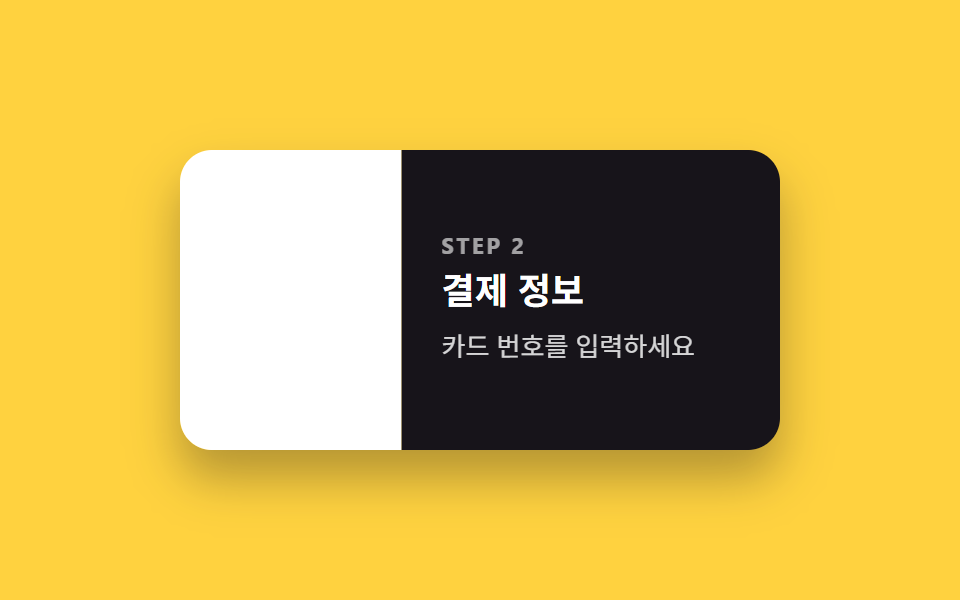 02 page-transition-slide-lr
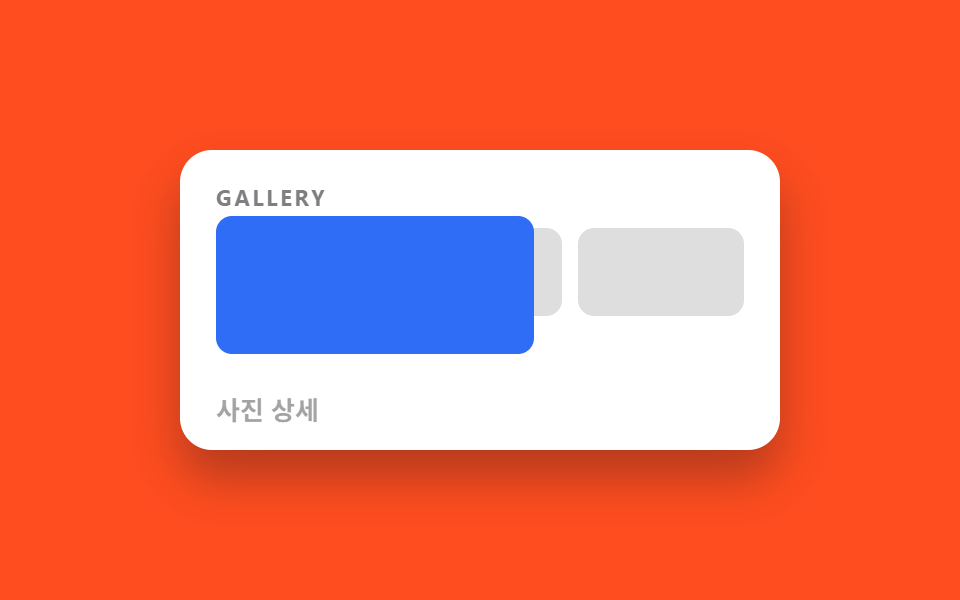 03 page-transition-shared-hero
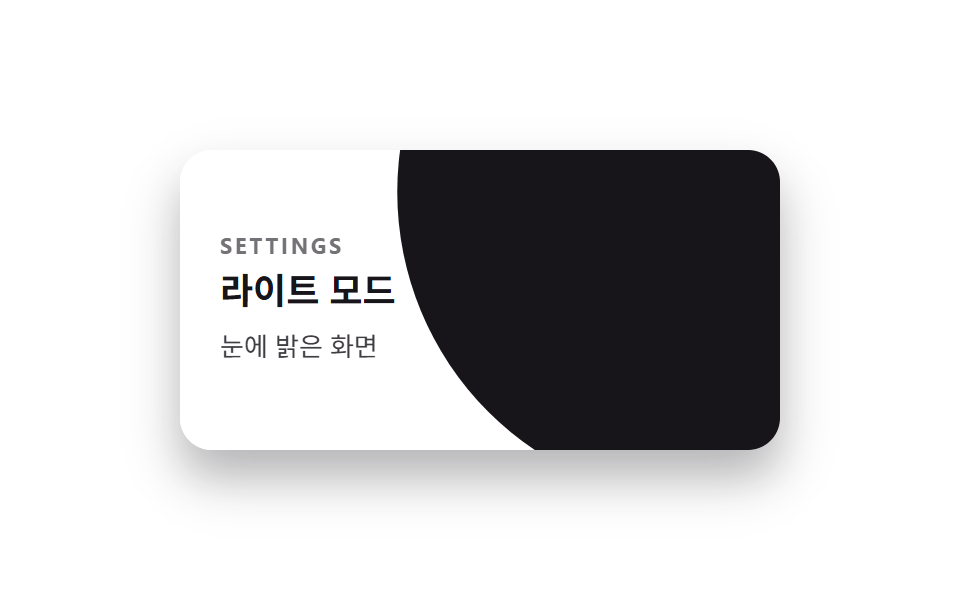 04 page-transition-circle-reveal
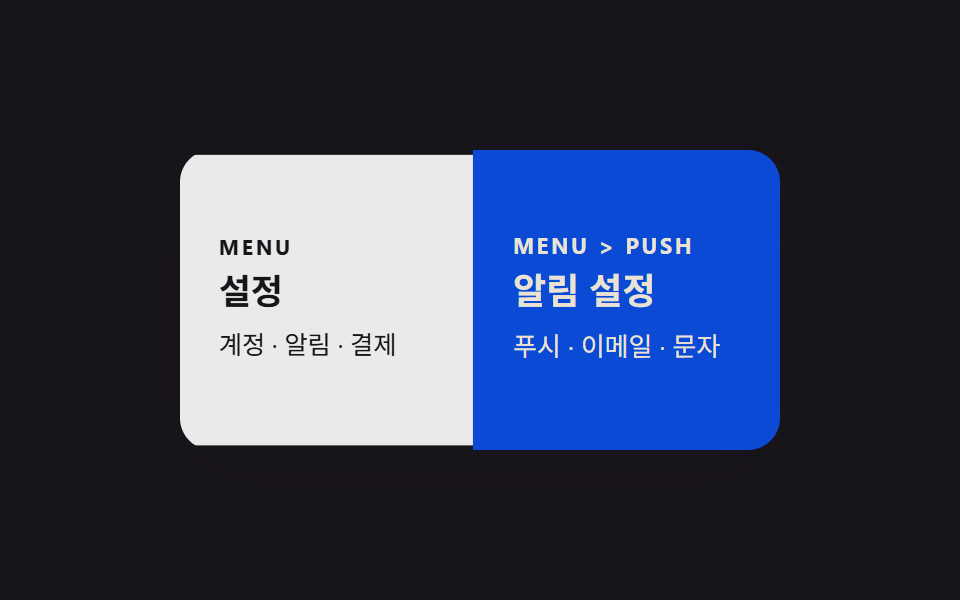 05 page-transition-stack-push
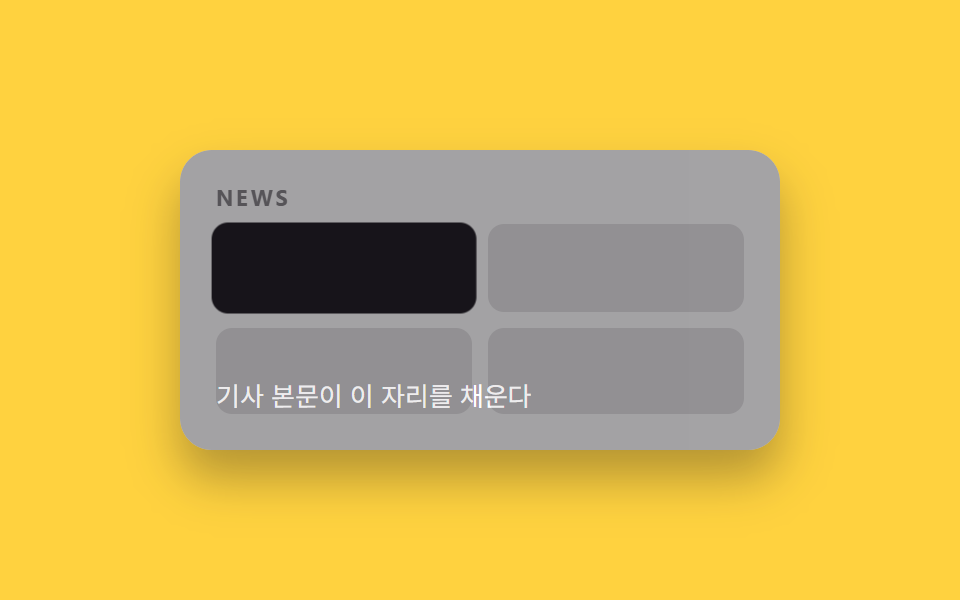 06 page-transition-zoom-card
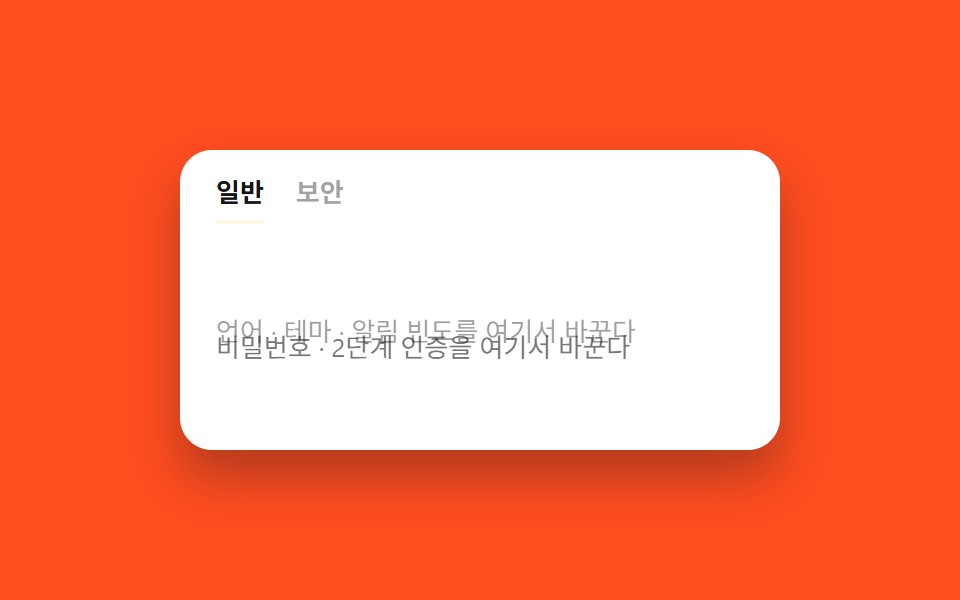 07 page-transition-tab-crossfade
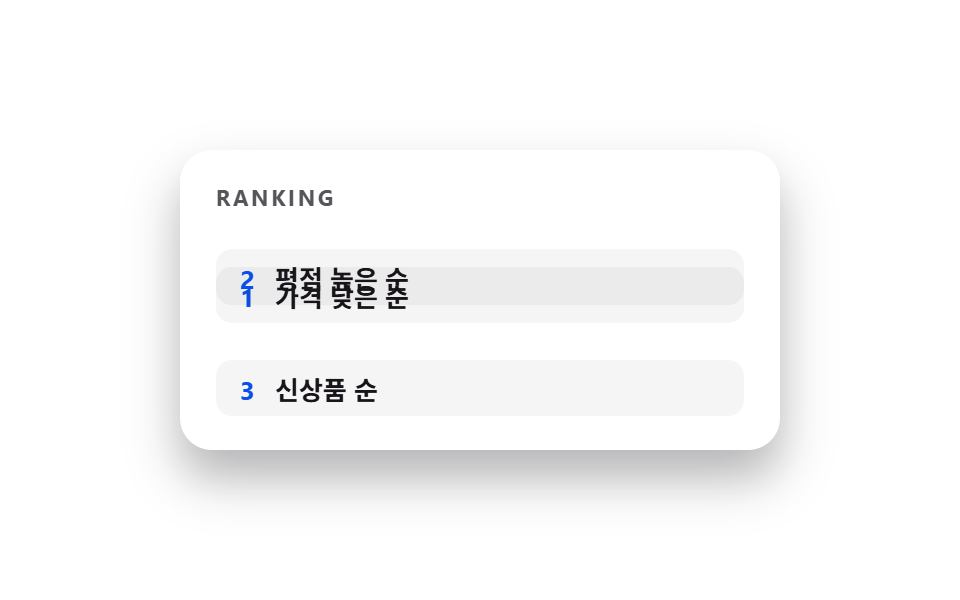 08 page-transition-list-reorder
 09 page-transition-theme-dark-wipe
Tự chạy · bấm ô để tới mục đó · cả 9 trong một zip
- 01 Cross-fade mặc định
- 02 Trượt trái phải
- 03 Thumbnail → hero dùng chung phần tử
- 04 Lan tỏa hình tròn từ điểm nhấn
- 05 Chuyển kiểu stack push của app
- 06 Card phóng to thành chi tiết
- 07 Cross-fade nội dung tab
- 08 Animation di chuyển khi sắp xếp lại
- 09 Wipe chuyển sang dark mode
Thứ tự chín hiệu ứng đi theo mức độ bạn phải biết trước trang sau nằm ở đâu. Từ 01 đến 04 chuyển trang mà không cần biết gì về nội dung hai bên — chỉ opacity, translate hoặc clip-path đổi giá trị. Từ 05 đến 07 mô phỏng cảm giác điều hướng có ngữ cảnh: ngăn xếp app, phóng to từ một card, đổi tab trong cùng một khung. 08 và 09 rời hẳn khỏi chuyện chuyển trang, để xử lý chuyển động khi bố cục tự sắp lại hoặc theme đổi màu. Lưới phía trên chỉ là bản xem nhanh chạy lặp; các đoạn code dưới mỗi mục đã đủ để bạn dán thẳng vào dự án, còn bản gốc không rút gọn nằm trong zip.
01Cross-fade mặc định
Bạn thấy gì
Trang cũ mờ dần rồi biến mất trong lúc trang mới chồng đúng lên vị trí đó và hiện dần ra, chỉ đổi opacity nên trình duyệt không phải tính lại layout ở giữa.
<main class="stage">
  <div class="pages is-demo">
    <section class="page page--a">
      <p class="page__tag">ARTICLE</p>
      <h2 class="page__title">Bài trước</h2>
      <p class="page__body">Tạo biến thể với 3 biến CSS</p>
    </section>
    <section class="page page--b">
      <p class="page__tag">ARTICLE</p>
      <h2 class="page__title">Bài sau</h2>
      <p class="page__body">Transition cũng có nhịp thời gian riêng</p>
    </section>
  </div>
</main>
@use "../../../../site/static/demo-tokens" as *;
// ── 변수 3개. 변형은 이것만 바꾼다 (값은 토큰에서 받는다) ──────
$duration: $dur-base;
$easing: $ease-out;
$color: $subject-blue;
// ── 데모 무대 ───────────────────────────────
@include stage($stage-ink);
// ── 두 "페이지" 패널 ───────────────────────
.pages { position: relative; width: min(300px, 88%); height: 150px; border-radius: $r-card; overflow: hidden; box-shadow: $shadow-raised; }
.page {
position: absolute; inset: 0; box-sizing: border-box;
display: flex; flex-direction: column; justify-content: center; gap: 6px;
padding: clamp(12px, 5vw, 20px); text-align: left;
}
.page--a { background: #fff; color: $subject-ink; }
.page--b { background: $color; color: #fff; }
.page__tag { margin: 0; font-weight: 700; font-size: clamp(9px, 2.6vw, 11px); line-height: 1; font-family: inherit; letter-spacing: .12em; opacity: .6; }
.page__title { margin: 0; font-weight: 700; font-size: clamp(14px, 4.2vw, 18px); line-height: 1.3; font-family: inherit; }
.page__body { margin: 0; font-weight: 400; font-size: clamp(11px, 3.2vw, 13px); line-height: 1.5; font-family: inherit; opacity: .82; }
// A 는 보였다 사라지고, B 는 그 자리에서 겹쳐 나타난다. transform·opacity 만 쓴다.
// (실제 전환 속도는 $duration. 데모 루프는 $dur-loop 로 반복 주기를 맞춘다)
.page--a { animation: cross-a $dur-loop $easing infinite; }
.page--b { animation: cross-b $dur-loop $easing infinite; opacity: 0; }
@keyframes cross-a {
0%, 5% { opacity: 1; }
50% { opacity: 0; }
95%, 100% { opacity: 1; }
}
@keyframes cross-b {
0%, 5% { opacity: 0; }
50% { opacity: 1; }
95%, 100% { opacity: 0; }
}
// ── 접근성: 움직임 줄이기 설정이면 최종 상태만 고정으로 ────────
@media (prefers-reduced-motion: reduce) {
.page--a, .page--b { animation: none !important; }
.page--a { opacity: 1; }
.page--b { opacity: 0; }
}html, body {
margin: 0;
overflow: hidden;
}
.stage {
box-sizing: border-box;
min-height: 100vh;
display: grid;
place-items: center;
margin: 0;
background: #17141a;
font-family: -apple-system, "Segoe UI", "Noto Sans KR", sans-serif;
padding: clamp(8px, 4vw, 24px);
}
.pages {
position: relative;
width: min(300px, 88%);
height: 150px;
border-radius: 16px;
overflow: hidden;
box-shadow: 0 14px 24px rgba(23, 20, 26, 0.32);
}
.page {
position: absolute;
inset: 0;
box-sizing: border-box;
display: flex;
flex-direction: column;
justify-content: center;
gap: 6px;
padding: clamp(12px, 5vw, 20px);
text-align: left;
}
.page--a {
background: #fff;
color: #17141a;
}
.page--b {
background: #2f6df6;
color: #fff;
}
.page__tag {
margin: 0;
font-weight: 700;
font-size: clamp(9px, 2.6vw, 11px);
line-height: 1;
font-family: inherit;
letter-spacing: 0.12em;
opacity: 0.6;
}
.page__title {
margin: 0;
font-weight: 700;
font-size: clamp(14px, 4.2vw, 18px);
line-height: 1.3;
font-family: inherit;
}
.page__body {
margin: 0;
font-weight: 400;
font-size: clamp(11px, 3.2vw, 13px);
line-height: 1.5;
font-family: inherit;
opacity: 0.82;
}
.page--a {
animation: cross-a 2s ease-out infinite;
}
.page--b {
animation: cross-b 2s ease-out infinite;
opacity: 0;
}
@keyframes cross-a {
0%, 5% {
opacity: 1;
}
50% {
opacity: 0;
}
95%, 100% {
opacity: 1;
}
}
@keyframes cross-b {
0%, 5% {
opacity: 0;
}
50% {
opacity: 1;
}
95%, 100% {
opacity: 0;
}
}
@media (prefers-reduced-motion: reduce) {
.page--a, .page--b {
animation: none !important;
}
.page--a {
opacity: 1;
}
.page--b {
opacity: 0;
}
}import type { CSSProperties, ReactNode } from "react";
import styles from "./CrossFadeTransition.module.scss";
export type CrossFadeTransitionProps = {
/** 어느 페이지가 보이는가. 라우트가 바뀔 때 부모가 이 값을 바꾼다 */
active: "a" | "b";
pageA: ReactNode;
pageB: ReactNode;
/** 전환이 끝나는 시간 (기본 300ms) */
duration?: number;
/** easing (기본 ease-out) */
easing?: string;
/** page--b 배경색 */
color?: string;
className?: string;
};
type Vars = CSSProperties & { "--duration"?: string; "--easing"?: string; "--color"?: string };
export default function CrossFadeTransition({
active,
pageA,
pageB,
duration = 300,
easing = "ease-out",
color = "#2f6df6",
className = "",
}: CrossFadeTransitionProps) {
const vars: Vars = { "--duration": `${duration}ms`, "--easing": easing, "--color": color };
return (
<div className={`${styles.pages} ${className}`} style={vars} data-active={active}>
<section className={styles.pageA}>{pageA}</section>
<section className={styles.pageB}>{pageB}</section>
</div>
);
}01 · Cross-fade mặc định — Diện tích đo được 31.122% · khung hình chuyển động 19/23Nguyên tác GODRICH · SCSS và React nằm trong tệp zip · Xem mật khẩu
Dùng ở đâu
Đây là kiểu chuyển trang mặc định, hợp với bài blog và điều hướng thông thường, nơi bạn không cần nhấn mạnh hướng đi.
.page--a { animation: cross-a $duration $easing both; }
.page--b { animation: cross-b $duration $easing both; opacity: 0; }

@keyframes cross-a {
  0%, 5% { opacity: 1; }
  50% { opacity: 0; }
  95%, 100% { opacity: 1; }
}
@keyframes cross-b {
  0%, 5% { opacity: 0; }
  50% { opacity: 1; }
  95%, 100% { opacity: 0; }
}
02Trượt trái phải
Chuyện gì diễn ra trên màn hình
Trang mới trượt vào từ mép phải trong khi trang cũ bị đẩy sang trái cùng lúc, tạo cảm giác bạn đang đi tới một bước tiếp theo chứ không phải nhảy trang đột ngột.
<main class="stage">
  <div class="pages is-demo">
    <section class="page page--a">
      <p class="page__tag">STEP 1</p>
      <h2 class="page__title">Địa chỉ giao hàng</h2>
      <p class="page__body">Nhập địa chỉ của bạn</p>
    </section>
    <section class="page page--b">
      <p class="page__tag">STEP 2</p>
      <h2 class="page__title">Thông tin thanh toán</h2>
      <p class="page__body">Nhập số thẻ của bạn</p>
    </section>
  </div>
</main>
@use "../../../../site/static/demo-tokens" as *;
// ── 변수 3개. 변형은 이것만 바꾼다 (값은 토큰에서 받는다) ──────
$duration: $dur-quick;
$easing: $ease-spring;
$color: $subject-ink;
// ── 데모 무대 ───────────────────────────────
@include stage($stage-yellow);
.pages { position: relative; width: min(300px, 88%); height: 150px; border-radius: $r-card; overflow: hidden; box-shadow: $shadow-raised; }
.page {
position: absolute; inset: 0; box-sizing: border-box;
display: flex; flex-direction: column; justify-content: center; gap: 6px;
padding: clamp(12px, 5vw, 20px); text-align: left;
}
.page--a { background: #fff; color: $subject-ink; }
.page--b { background: $color; color: #fff; }
.page__tag { margin: 0; font-weight: 700; font-size: clamp(9px, 2.6vw, 11px); line-height: 1; font-family: inherit; letter-spacing: .12em; opacity: .6; }
.page__title { margin: 0; font-weight: 700; font-size: clamp(14px, 4.2vw, 18px); line-height: 1.3; font-family: inherit; }
.page__body { margin: 0; font-weight: 400; font-size: clamp(11px, 3.2vw, 13px); line-height: 1.5; font-family: inherit; opacity: .82; }
// 다음 페이지는 오른쪽에서 밀려 들어오고, 이전 페이지는 왼쪽으로 밀려난다.
.page--a { animation: slide-a $dur-loop $easing infinite; }
.page--b { animation: slide-b $dur-loop $easing infinite; transform: translateX(100%); }
@keyframes slide-a {
0%, 5% { transform: translateX(0); }
50% { transform: translateX(-100%); }
95%, 100% { transform: translateX(0); }
}
@keyframes slide-b {
0%, 5% { transform: translateX(100%); }
50% { transform: translateX(0); }
95%, 100% { transform: translateX(100%); }
}
// ── 접근성: 움직임 줄이기 설정이면 최종 상태만 고정으로 ────────
@media (prefers-reduced-motion: reduce) {
.page--a, .page--b { animation: none !important; }
.page--a { transform: translateX(0); }
.page--b { transform: translateX(100%); }
}html, body {
margin: 0;
overflow: hidden;
}
.stage {
box-sizing: border-box;
min-height: 100vh;
display: grid;
place-items: center;
margin: 0;
background: #ffd23f;
font-family: -apple-system, "Segoe UI", "Noto Sans KR", sans-serif;
padding: clamp(8px, 4vw, 24px);
}
.pages {
position: relative;
width: min(300px, 88%);
height: 150px;
border-radius: 16px;
overflow: hidden;
box-shadow: 0 14px 24px rgba(23, 20, 26, 0.32);
}
.page {
position: absolute;
inset: 0;
box-sizing: border-box;
display: flex;
flex-direction: column;
justify-content: center;
gap: 6px;
padding: clamp(12px, 5vw, 20px);
text-align: left;
}
.page--a {
background: #fff;
color: #17141a;
}
.page--b {
background: #17141a;
color: #fff;
}
.page__tag {
margin: 0;
font-weight: 700;
font-size: clamp(9px, 2.6vw, 11px);
line-height: 1;
font-family: inherit;
letter-spacing: 0.12em;
opacity: 0.6;
}
.page__title {
margin: 0;
font-weight: 700;
font-size: clamp(14px, 4.2vw, 18px);
line-height: 1.3;
font-family: inherit;
}
.page__body {
margin: 0;
font-weight: 400;
font-size: clamp(11px, 3.2vw, 13px);
line-height: 1.5;
font-family: inherit;
opacity: 0.82;
}
.page--a {
animation: slide-a 2s cubic-bezier(0.2, 0.8, 0.2, 1) infinite;
}
.page--b {
animation: slide-b 2s cubic-bezier(0.2, 0.8, 0.2, 1) infinite;
transform: translateX(100%);
}
@keyframes slide-a {
0%, 5% {
transform: translateX(0);
}
50% {
transform: translateX(-100%);
}
95%, 100% {
transform: translateX(0);
}
}
@keyframes slide-b {
0%, 5% {
transform: translateX(100%);
}
50% {
transform: translateX(0);
}
95%, 100% {
transform: translateX(100%);
}
}
@media (prefers-reduced-motion: reduce) {
.page--a, .page--b {
animation: none !important;
}
.page--a {
transform: translateX(0);
}
.page--b {
transform: translateX(100%);
}
}import type { CSSProperties, ReactNode } from "react";
import styles from "./SlideTransition.module.scss";
export type SlideTransitionProps = {
active: "a" | "b";
pageA: ReactNode;
pageB: ReactNode;
/** 전환 시간 (기본 220ms) */
duration?: number;
/** easing (기본 spring 느낌) */
easing?: string;
color?: string;
className?: string;
};
type Vars = CSSProperties & { "--duration"?: string; "--easing"?: string; "--color"?: string };
export default function SlideTransition({
active,
pageA,
pageB,
duration = 220,
easing = "cubic-bezier(.2,.8,.2,1)",
color = "#17141a",
className = "",
}: SlideTransitionProps) {
const vars: Vars = { "--duration": `${duration}ms`, "--easing": easing, "--color": color };
return (
<div className={`${styles.pages} ${className}`} style={vars} data-active={active}>
<section className={styles.pageA}>{pageA}</section>
<section className={styles.pageB}>{pageB}</section>
</div>
);
}02 · Trượt trái phải — Diện tích đo được 31.126% · khung hình chuyển động 22/23Nguyên tác GODRICH · SCSS và React nằm trong tệp zip · Xem mật khẩu
Chỗ dùng
Đảo ngược hướng translateX khi người dùng bấm nút lùi là đủ để mô phỏng cả tiến lẫn lùi trong form nhiều bước hoặc điều hướng mobile.
.page--a { animation: slide-a $duration $easing both; }
.page--b { animation: slide-b $duration $easing both; transform: translateX(100%); }

@keyframes slide-a {
  0%, 5% { transform: translateX(0); }
  50% { transform: translateX(-100%); }
  95%, 100% { transform: translateX(0); }
}
@keyframes slide-b {
  0%, 5% { transform: translateX(100%); }
  50% { transform: translateX(0); }
  95%, 100% { transform: translateX(100%); }
}
03Thumbnail → hero dùng chung phần tử
Chuyển động thế nào
Thumbnail đầu tiên trong danh sách phóng to liền mạch cho tới khi lấp gần hết khung, còn phần chữ chú thích chỉ hiện ra sau khi khối ảnh đã lớn gần tới đích.
<main class="stage">
  <div class="pages is-demo">
    <section class="page page--list">
      <p class="page__tag">GALLERY</p>
      <div class="thumb-row">
        <span class="thumb thumb--hero"></span>
        <span class="thumb"></span>
        <span class="thumb"></span>
      </div>
    </section>
    <div class="hero"></div>
    <p class="hero__caption">Chi tiết ảnh</p>
  </div>
</main>
@use "../../../../site/static/demo-tokens" as *;
// ── 변수 3개. 변형은 이것만 바꾼다 (값은 토큰에서 받는다) ──────
$duration: $dur-enter;
$easing: $ease-spring;
$color: $subject-cream;
// ── 데모 무대 ───────────────────────────────
@include stage($stage-orange);
.pages { position: relative; width: min(300px, 88%); height: 150px; border-radius: $r-card; overflow: hidden; box-shadow: $shadow-raised; background: #fff; }
.page--list { position: absolute; inset: 0; box-sizing: border-box; padding: clamp(12px, 5vw, 18px); display: flex; flex-direction: column; gap: 10px; }
.page__tag { margin: 0; font-weight: 700; font-size: clamp(9px, 2.6vw, 11px); line-height: 1; font-family: inherit; letter-spacing: .12em; color: $subject-ink; opacity: .55; }
.thumb-row { display: flex; gap: 8px; }
.thumb { flex: 1; height: 44px; border-radius: 8px; background: $subject-ink; opacity: .14; }
.thumb--hero { background: $subject-blue; opacity: 1; }
// 목록의 썸네일 하나(:first-child)가 그대로 늘어나며 히어로 이미지가 된다.
// transform-origin 을 썸네일 위치에 두고 scale·translate 만 바꾼다.
.hero {
position: absolute; left: clamp(12px, 5vw, 18px); top: 46px; width: 30%; height: 44px;
border-radius: 8px; background: $subject-blue;
transform-origin: top left; // 규칙8: 공유요소 앵커, 실제론 w/h 애니메이션
animation: hero-grow $dur-loop $easing infinite;
}
.hero__caption {
position: absolute; left: clamp(12px, 5vw, 18px); bottom: 14px; margin: 0;
font-weight: 700; font-size: clamp(11px, 3.4vw, 13px); line-height: 1; font-family: inherit; color: $subject-ink;
animation: caption-in $dur-loop $easing infinite;
}
@keyframes hero-grow {
0%, 40% { transform: scale(1) translate(0, 0); width: 30%; height: 44px; }
70%, 90% { transform: scale(1) translate(0, 0); width: 88%; height: 108px; top: 12px; }
100% { transform: scale(1) translate(0, 0); width: 30%; height: 44px; top: 46px; }
}
@keyframes caption-in {
0%, 55% { opacity: 0; }
75%, 90% { opacity: 1; }
100% { opacity: 0; }
}
// ── 접근성: 움직임 줄이기 설정이면 최종 상태만 고정으로 ────────
@media (prefers-reduced-motion: reduce) {
.hero, .hero__caption { animation: none !important; }
.hero__caption { opacity: 0; }
}html, body {
margin: 0;
overflow: hidden;
}
.stage {
box-sizing: border-box;
min-height: 100vh;
display: grid;
place-items: center;
margin: 0;
background: #ff4d1f;
font-family: -apple-system, "Segoe UI", "Noto Sans KR", sans-serif;
padding: clamp(8px, 4vw, 24px);
}
.pages {
position: relative;
width: min(300px, 88%);
height: 150px;
border-radius: 16px;
overflow: hidden;
box-shadow: 0 14px 24px rgba(23, 20, 26, 0.32);
background: #fff;
}
.page--list {
position: absolute;
inset: 0;
box-sizing: border-box;
padding: clamp(12px, 5vw, 18px);
display: flex;
flex-direction: column;
gap: 10px;
}
.page__tag {
margin: 0;
font-weight: 700;
font-size: clamp(9px, 2.6vw, 11px);
line-height: 1;
font-family: inherit;
letter-spacing: 0.12em;
color: #17141a;
opacity: 0.55;
}
.thumb-row {
display: flex;
gap: 8px;
}
.thumb {
flex: 1;
height: 44px;
border-radius: 8px;
background: #17141a;
opacity: 0.14;
}
.thumb--hero {
background: #2f6df6;
opacity: 1;
}
.hero {
position: absolute;
left: clamp(12px, 5vw, 18px);
top: 46px;
width: 30%;
height: 44px;
border-radius: 8px;
background: #2f6df6;
transform-origin: top left;
animation: hero-grow 2s cubic-bezier(0.2, 0.8, 0.2, 1) infinite;
}
.hero__caption {
position: absolute;
left: clamp(12px, 5vw, 18px);
bottom: 14px;
margin: 0;
font-weight: 700;
font-size: clamp(11px, 3.4vw, 13px);
line-height: 1;
font-family: inherit;
color: #17141a;
animation: caption-in 2s cubic-bezier(0.2, 0.8, 0.2, 1) infinite;
}
@keyframes hero-grow {
0%, 40% {
transform: scale(1) translate(0, 0);
width: 30%;
height: 44px;
}
70%, 90% {
transform: scale(1) translate(0, 0);
width: 88%;
height: 108px;
top: 12px;
}
100% {
transform: scale(1) translate(0, 0);
width: 30%;
height: 44px;
top: 46px;
}
}
@keyframes caption-in {
0%, 55% {
opacity: 0;
}
75%, 90% {
opacity: 1;
}
100% {
opacity: 0;
}
}
@media (prefers-reduced-motion: reduce) {
.hero, .hero__caption {
animation: none !important;
}
.hero__caption {
opacity: 0;
}
}import type { CSSProperties, ReactNode } from "react";
import styles from "./SharedHeroTransition.module.scss";
export type SharedHeroTransitionProps = {
/** "list": 썸네일 격자, "hero": 확대된 상세 */
active: "list" | "hero";
caption: ReactNode;
/** 확대가 끝나는 시간 (기본 600ms) */
duration?: number;
easing?: string;
color?: string;
className?: string;
};
type Vars = CSSProperties & { "--duration"?: string; "--easing"?: string; "--color"?: string };
export default function SharedHeroTransition({
active,
caption,
duration = 600,
easing = "cubic-bezier(.2,.8,.2,1)",
color = "#2f6df6",
className = "",
}: SharedHeroTransitionProps) {
const vars: Vars = { "--duration": `${duration}ms`, "--easing": easing, "--color": color };
return (
<div className={`${styles.pages} ${className}`} style={vars} data-active={active}>
<div className={styles.thumbRow}>
<span className={styles.thumb} />
<span className={styles.thumb} />
</div>
<div className={styles.hero} />
<p className={styles.caption}>{caption}</p>
</div>
);
}03 · Thumbnail → hero dùng chung phần tử — Diện tích đo được 17.511% · khung hình chuyển động 18/23Nguyên tác GODRICH · SCSS và React nằm trong tệp zip · Xem mật khẩu
Dùng khi nào
Kiểu này hợp với trang chi tiết sản phẩm hay portfolio, nơi người xem cần thấy rõ tấm ảnh họ vừa bấm là tấm nào.
.hero {
  position: absolute; left: clamp(12px, 5vw, 18px); top: 46px; width: 30%; height: 44px;
  border-radius: 8px; background: $subject-blue;
  transform-origin: top left;
  animation: hero-grow $duration $easing both;
}
.hero__caption {
  position: absolute; left: clamp(12px, 5vw, 18px); bottom: 14px; margin: 0;
  animation: caption-in $duration $easing both;
}

@keyframes hero-grow {
  0%, 40% { width: 30%; height: 44px; }
  70%, 90% { width: 88%; height: 108px; top: 12px; }
  100% { width: 30%; height: 44px; top: 46px; }
}
@keyframes caption-in {
  0%, 55% { opacity: 0; }
  75%, 90% { opacity: 1; }
}
04Lan tỏa hình tròn từ điểm nhấn
Bạn thấy gì
Một vòng tròn lan ra từ đúng vị trí nút bấm — ở đây là góc trên bên phải — cho tới khi phủ kín cả khung, nhờ clip-path circle() đổi bán kính chứ không phải một lớp phủ đổi kích thước khung.
<main class="stage">
  <div class="pages is-demo">
    <section class="page page--a">
      <p class="page__tag">SETTINGS</p>
      <h2 class="page__title">Chế độ sáng</h2>
      <p class="page__body">Màn hình sáng rõ</p>
    </section>
    <section class="page page--b page--circle">
      <p class="page__tag">SETTINGS</p>
      <h2 class="page__title">Chế độ tối</h2>
      <p class="page__body">Màn hình dịu mắt</p>
    </section>
  </div>
</main>
@use "../../../../site/static/demo-tokens" as *;
// ── 변수 3개. 변형은 이것만 바꾼다 (값은 토큰에서 받는다) ──────
$duration: $dur-enter;
$easing: $ease-pop;
$color: $subject-blue;
// ── 데모 무대 ───────────────────────────────
@include stage($stage-paper);
.pages { position: relative; width: min(300px, 88%); height: 150px; border-radius: $r-card; overflow: hidden; box-shadow: $shadow-raised; }
.page {
position: absolute; inset: 0; box-sizing: border-box;
display: flex; flex-direction: column; justify-content: center; gap: 6px;
padding: clamp(12px, 5vw, 20px); text-align: left;
}
.page--a { background: #fff; color: $subject-ink; }
.page--b { background: $subject-ink; color: #fff; }
.page__tag { margin: 0; font-weight: 700; font-size: clamp(9px, 2.6vw, 11px); line-height: 1; font-family: inherit; letter-spacing: .12em; opacity: .6; }
.page__title { margin: 0; font-weight: 700; font-size: clamp(14px, 4.2vw, 18px); line-height: 1.3; font-family: inherit; }
.page__body { margin: 0; font-weight: 400; font-size: clamp(11px, 3.2vw, 13px); line-height: 1.5; font-family: inherit; opacity: .82; }
// 클릭 지점(여기서는 우측 상단 토글 자리)에서 원이 자라며 다음 페이지를 덮는다.
// clip-path 는 레이아웃을 다시 계산하지 않아 transform 과 같은 값으로 취급한다.
.page--circle {
clip-path: circle(0% at 88% 14%);
animation: circle-grow $dur-loop $easing infinite;
}
@keyframes circle-grow {
0%, 5% { clip-path: circle(0% at 88% 14%); }
50% { clip-path: circle(150% at 88% 14%); }
95%, 100% { clip-path: circle(0% at 88% 14%); }
}
// ── 접근성: 움직임 줄이기 설정이면 최종 상태만 고정으로 ────────
@media (prefers-reduced-motion: reduce) {
.page--circle { animation: none !important; clip-path: circle(0% at 88% 14%); }
}html, body {
margin: 0;
overflow: hidden;
}
.stage {
box-sizing: border-box;
min-height: 100vh;
display: grid;
place-items: center;
margin: 0;
background: #ffffff;
font-family: -apple-system, "Segoe UI", "Noto Sans KR", sans-serif;
padding: clamp(8px, 4vw, 24px);
}
.pages {
position: relative;
width: min(300px, 88%);
height: 150px;
border-radius: 16px;
overflow: hidden;
box-shadow: 0 14px 24px rgba(23, 20, 26, 0.32);
}
.page {
position: absolute;
inset: 0;
box-sizing: border-box;
display: flex;
flex-direction: column;
justify-content: center;
gap: 6px;
padding: clamp(12px, 5vw, 20px);
text-align: left;
}
.page--a {
background: #fff;
color: #17141a;
}
.page--b {
background: #17141a;
color: #fff;
}
.page__tag {
margin: 0;
font-weight: 700;
font-size: clamp(9px, 2.6vw, 11px);
line-height: 1;
font-family: inherit;
letter-spacing: 0.12em;
opacity: 0.6;
}
.page__title {
margin: 0;
font-weight: 700;
font-size: clamp(14px, 4.2vw, 18px);
line-height: 1.3;
font-family: inherit;
}
.page__body {
margin: 0;
font-weight: 400;
font-size: clamp(11px, 3.2vw, 13px);
line-height: 1.5;
font-family: inherit;
opacity: 0.82;
}
.page--circle {
clip-path: circle(0% at 88% 14%);
animation: circle-grow 2s cubic-bezier(0.2, 1.4, 0.4, 1) infinite;
}
@keyframes circle-grow {
0%, 5% {
clip-path: circle(0% at 88% 14%);
}
50% {
clip-path: circle(150% at 88% 14%);
}
95%, 100% {
clip-path: circle(0% at 88% 14%);
}
}
@media (prefers-reduced-motion: reduce) {
.page--circle {
animation: none !important;
clip-path: circle(0% at 88% 14%);
}
}import type { CSSProperties, ReactNode, MouseEvent } from "react";
import { useState } from "react";
import styles from "./CircleRevealTransition.module.scss";
export type CircleRevealTransitionProps = {
active: "a" | "b";
pageA: ReactNode;
pageB: ReactNode;
/** 원이 다 퍼지는 시간 (기본 600ms) */
duration?: number;
easing?: string;
className?: string;
};
type Vars = CSSProperties & { "--duration"?: string; "--easing"?: string; "--x"?: string; "--y"?: string };
export default function CircleRevealTransition({
active,
pageA,
pageB,
duration = 600,
easing = "cubic-bezier(.2,1.4,.4,1)",
className = "",
}: CircleRevealTransitionProps) {
const [origin, setOrigin] = useState({ x: "88%", y: "14%" });
const remember = (e: MouseEvent<HTMLDivElement>) => {
const r = e.currentTarget.getBoundingClientRect();
setOrigin({ x: `${((e.clientX - r.left) / r.width) * 100}%`, y: `${((e.clientY - r.top) / r.height) * 100}%` });
};
const vars: Vars = { "--duration": `${duration}ms`, "--easing": easing, "--x": origin.x, "--y": origin.y };
return (
<div className={`${styles.pages} ${className}`} style={vars} data-active={active} onClickCapture={remember}>
<section className={styles.pageA}>{pageA}</section>
<section className={styles.pageB}>{pageB}</section>
</div>
);
}04 · Lan tỏa hình tròn từ điểm nhấn — Diện tích đo được 30.981% · khung hình chuyển động 7/23Nguyên tác GODRICH · SCSS và React nằm trong tệp zip · Xem mật khẩu
Dùng ở đâu
Đây là hiệu ứng quen thuộc cho nút chuyển dark mode và các nút đổi theme, vì mắt người dùng tự nhiên nhìn theo điểm họ vừa chạm vào.
.page--circle {
  clip-path: circle(0% at 88% 14%);
  animation: circle-grow $duration $easing both;
}

@keyframes circle-grow {
  0%, 5% { clip-path: circle(0% at 88% 14%); }
  50% { clip-path: circle(150% at 88% 14%); }
  95%, 100% { clip-path: circle(0% at 88% 14%); }
}
05Chuyển kiểu stack push của app
Chuyện gì diễn ra trên màn hình
Màn hình mới trượt vào từ bên phải và chồng lên màn hình cũ, trong khi màn hình cũ hơi thu nhỏ lại và tối đi phía sau, tạo đúng cảm giác một app native vừa đẩy thêm một trang vào ngăn xếp điều hướng.
<main class="stage">
<div class="pages is-demo">
<section class="page page--a">
<p class="page__tag">MENU</p>
<h2 class="page__title">Cài đặt</h2>
<p class="page__body">Tài khoản · Thông báo · Thanh toán</p>
</section>
<section class="page page--b">
<p class="page__tag">MENU > PUSH</p>
<h2 class="page__title">Cài đặt thông báo</h2>
<p class="page__body">Push · Email · SMS</p>
</section>
<div class="dim"></div>
</div>
</main>@use "../../../../site/static/demo-tokens" as *;
// ── 변수 3개. 변형은 이것만 바꾼다 (값은 토큰에서 받는다) ──────
$duration: $dur-base;
$easing: $ease-out;
$color: $subject-blue-deep;
// ── 데모 무대 ───────────────────────────────
@include stage($stage-ink);
.pages { position: relative; width: min(300px, 88%); height: 150px; border-radius: $r-card; overflow: hidden; box-shadow: $shadow-raised; }
.page {
position: absolute; inset: 0; box-sizing: border-box;
display: flex; flex-direction: column; justify-content: center; gap: 6px;
padding: clamp(12px, 5vw, 20px); text-align: left;
}
.page--a { background: #fff; color: $subject-ink; }
.page--b { background: $color; color: $subject-cream; }
.page__tag { margin: 0; font-weight: 700; font-size: clamp(9px, 2.6vw, 11px); line-height: 1; font-family: inherit; letter-spacing: .12em; }
.page__title { margin: 0; font-weight: 700; font-size: clamp(14px, 4.2vw, 18px); line-height: 1.3; font-family: inherit; }
.page__body { margin: 0; font-weight: 400; font-size: clamp(11px, 3.2vw, 13px); line-height: 1.5; font-family: inherit; }
.dim { position: absolute; inset: 0; background: $subject-ink; opacity: 0; pointer-events: none; }
// 새 화면이 오른쪽에서 쌓이듯 밀려 들어오고, 이전 화면은 살짝 줄어들며 어두워진다.
.page--a { animation: push-back $dur-loop $easing infinite; transform-origin: left center; } // 규칙8: 새 화면이 오른쪽에서 들어오니 이전 화면은 왼쪽 변을 축으로 물러난다
.page--b { animation: push-front $dur-loop $easing infinite; transform: translateX(100%); }
.dim { animation: push-dim $dur-loop $easing infinite; }
@keyframes push-back {
0%, 5% { transform: scale(1); }
50% { transform: scale(.94); }
95%, 100% { transform: scale(1); }
}
@keyframes push-front {
0%, 5% { transform: translateX(100%); }
50% { transform: translateX(0); }
95%, 100% { transform: translateX(100%); }
}
@keyframes push-dim {
0%, 5% { opacity: 0; }
50% { opacity: .18; }
95%, 100% { opacity: 0; }
}
// ── 접근성: 움직임 줄이기 설정이면 최종 상태만 고정으로 ────────
@media (prefers-reduced-motion: reduce) {
.page--a, .page--b, .dim { animation: none !important; }
.page--b { transform: translateX(100%); }
.dim { opacity: 0; }
}html, body {
margin: 0;
overflow: hidden;
}
.stage {
box-sizing: border-box;
min-height: 100vh;
display: grid;
place-items: center;
margin: 0;
background: #17141a;
font-family: -apple-system, "Segoe UI", "Noto Sans KR", sans-serif;
padding: clamp(8px, 4vw, 24px);
}
.pages {
position: relative;
width: min(300px, 88%);
height: 150px;
border-radius: 16px;
overflow: hidden;
box-shadow: 0 14px 24px rgba(23, 20, 26, 0.32);
}
.page {
position: absolute;
inset: 0;
box-sizing: border-box;
display: flex;
flex-direction: column;
justify-content: center;
gap: 6px;
padding: clamp(12px, 5vw, 20px);
text-align: left;
}
.page--a {
background: #fff;
color: #17141a;
}
.page--b {
background: #0a4fe8;
color: #fff7e6;
}
.page__tag {
margin: 0;
font-weight: 700;
font-size: clamp(9px, 2.6vw, 11px);
line-height: 1;
font-family: inherit;
letter-spacing: 0.12em;
}
.page__title {
margin: 0;
font-weight: 700;
font-size: clamp(14px, 4.2vw, 18px);
line-height: 1.3;
font-family: inherit;
}
.page__body {
margin: 0;
font-weight: 400;
font-size: clamp(11px, 3.2vw, 13px);
line-height: 1.5;
font-family: inherit;
}
.dim {
position: absolute;
inset: 0;
background: #17141a;
opacity: 0;
pointer-events: none;
}
.page--a {
animation: push-back 2s ease-out infinite;
transform-origin: left center;
}
.page--b {
animation: push-front 2s ease-out infinite;
transform: translateX(100%);
}
.dim {
animation: push-dim 2s ease-out infinite;
}
@keyframes push-back {
0%, 5% {
transform: scale(1);
}
50% {
transform: scale(0.94);
}
95%, 100% {
transform: scale(1);
}
}
@keyframes push-front {
0%, 5% {
transform: translateX(100%);
}
50% {
transform: translateX(0);
}
95%, 100% {
transform: translateX(100%);
}
}
@keyframes push-dim {
0%, 5% {
opacity: 0;
}
50% {
opacity: 0.18;
}
95%, 100% {
opacity: 0;
}
}
@media (prefers-reduced-motion: reduce) {
.page--a, .page--b, .dim {
animation: none !important;
}
.page--b {
transform: translateX(100%);
}
.dim {
opacity: 0;
}
}import type { CSSProperties, ReactNode } from "react";
import styles from "./StackPushTransition.module.scss";
export type StackPushTransitionProps = {
/** "root": 뒤 화면만, "pushed": 새 화면이 쌓인 상태 */
active: "root" | "pushed";
root: ReactNode;
pushed: ReactNode;
/** 새 화면이 밀려 들어오는 시간 (기본 300ms) */
duration?: number;
easing?: string;
color?: string;
className?: string;
};
type Vars = CSSProperties & { "--duration"?: string; "--easing"?: string; "--color"?: string };
export default function StackPushTransition({
active,
root,
pushed,
duration = 300,
easing = "ease-out",
color = "#0a4fe8",
className = "",
}: StackPushTransitionProps) {
const vars: Vars = { "--duration": `${duration}ms`, "--easing": easing, "--color": color };
return (
<div className={`${styles.pages} ${className}`} style={vars} data-active={active}>
<section className={styles.root}>{root}</section>
<div className={styles.dim} />
<section className={styles.pushed}>{pushed}</section>
</div>
);
}05 · Chuyển kiểu stack push của app — Diện tích đo được 31.126% · khung hình chuyển động 22/23Nguyên tác GODRICH · SCSS và React nằm trong tệp zip · Xem mật khẩu
Chỗ dùng
Kiểu này hợp với web app trên mobile và luồng chuyển sang màn hình cài đặt, nơi người dùng cần biết mình vừa đi sâu thêm một bước chứ chưa rời màn hình gốc.
.page--a { animation: push-back $duration $easing both; transform-origin: left center; }
.page--b { animation: push-front $duration $easing both; transform: translateX(100%); }
.dim { animation: push-dim $duration $easing both; }

@keyframes push-back {
  0%, 5% { transform: scale(1); }
  50% { transform: scale(.94); }
  95%, 100% { transform: scale(1); }
}
@keyframes push-front {
  0%, 5% { transform: translateX(100%); }
  50% { transform: translateX(0); }
  95%, 100% { transform: translateX(100%); }
}
06Card phóng to thành chi tiết
Chuyển động thế nào
Card vừa được nhấn phóng to bằng transform: scale cho tới khi lấp gần hết khung, rồi lớp chi tiết hiện ra đúng lúc card đã đủ lớn để che khuất phần nội dung cũ bên dưới.
<main class="stage">
  <div class="pages is-demo">
    <section class="page page--grid">
      <p class="page__tag">NEWS</p>
      <div class="grid">
        <span class="cell cell--focus"></span>
        <span class="cell"></span>
        <span class="cell"></span>
        <span class="cell"></span>
      </div>
    </section>
    <div class="detail">
      <p class="detail__body">Nội dung bài viết sẽ nằm ở đây</p>
    </div>
  </div>
</main>
@use "../../../../site/static/demo-tokens" as *;
// ── 변수 3개. 변형은 이것만 바꾼다 (값은 토큰에서 받는다) ──────
$duration: $dur-enter;
$easing: $ease-spring;
$color: $subject-ink;
// ── 데모 무대 ───────────────────────────────
@include stage($stage-yellow);
.pages { position: relative; width: min(300px, 88%); height: 150px; border-radius: $r-card; overflow: hidden; box-shadow: $shadow-raised; background: #fff; }
.page--grid { position: absolute; inset: 0; box-sizing: border-box; padding: clamp(12px, 5vw, 18px); display: flex; flex-direction: column; gap: 8px; }
.page__tag { margin: 0; font-weight: 700; font-size: clamp(9px, 2.6vw, 11px); line-height: 1; font-family: inherit; letter-spacing: .12em; color: $subject-ink; opacity: .55; }
.grid { display: grid; grid-template-columns: 1fr 1fr; gap: 8px; flex: 1; }
.cell { border-radius: 8px; background: $subject-ink; opacity: .12; }
.cell--focus { background: $color; opacity: 1; }
// 클릭한 카드(cell--focus)가 화면을 가득 채우도록 transform 으로만 확대한다.
.cell--focus {
position: relative;
animation: zoom-card $dur-loop $easing infinite;
}
.detail {
position: absolute; inset: 0; background: $color; color: #fff;
display: flex; align-items: flex-end; box-sizing: border-box; padding: clamp(12px, 5vw, 18px);
opacity: 0;
animation: zoom-detail $dur-loop $easing infinite;
}
.detail__body { margin: 0; font-weight: 400; font-size: clamp(11px, 3.2vw, 13px); line-height: 1.5; font-family: inherit; }
@keyframes zoom-card {
0%, 40% { transform: scale(1); }
70% { transform: scale(4); }
100% { transform: scale(1); }
}
@keyframes zoom-detail {
0%, 55% { opacity: 0; }
75%, 90% { opacity: 1; }
100% { opacity: 0; }
}
// ── 접근성: 움직임 줄이기 설정이면 최종 상태만 고정으로 ────────
@media (prefers-reduced-motion: reduce) {
.cell--focus, .detail { animation: none !important; }
.detail { opacity: 0; }
}html, body {
margin: 0;
overflow: hidden;
}
.stage {
box-sizing: border-box;
min-height: 100vh;
display: grid;
place-items: center;
margin: 0;
background: #ffd23f;
font-family: -apple-system, "Segoe UI", "Noto Sans KR", sans-serif;
padding: clamp(8px, 4vw, 24px);
}
.pages {
position: relative;
width: min(300px, 88%);
height: 150px;
border-radius: 16px;
overflow: hidden;
box-shadow: 0 14px 24px rgba(23, 20, 26, 0.32);
background: #fff;
}
.page--grid {
position: absolute;
inset: 0;
box-sizing: border-box;
padding: clamp(12px, 5vw, 18px);
display: flex;
flex-direction: column;
gap: 8px;
}
.page__tag {
margin: 0;
font-weight: 700;
font-size: clamp(9px, 2.6vw, 11px);
line-height: 1;
font-family: inherit;
letter-spacing: 0.12em;
color: #17141a;
opacity: 0.55;
}
.grid {
display: grid;
grid-template-columns: 1fr 1fr;
gap: 8px;
flex: 1;
}
.cell {
border-radius: 8px;
background: #17141a;
opacity: 0.12;
}
.cell--focus {
background: #17141a;
opacity: 1;
}
.cell--focus {
position: relative;
animation: zoom-card 2s cubic-bezier(0.2, 0.8, 0.2, 1) infinite;
}
.detail {
position: absolute;
inset: 0;
background: #17141a;
color: #fff;
display: flex;
align-items: flex-end;
box-sizing: border-box;
padding: clamp(12px, 5vw, 18px);
opacity: 0;
animation: zoom-detail 2s cubic-bezier(0.2, 0.8, 0.2, 1) infinite;
}
.detail__body {
margin: 0;
font-weight: 400;
font-size: clamp(11px, 3.2vw, 13px);
line-height: 1.5;
font-family: inherit;
}
@keyframes zoom-card {
0%, 40% {
transform: scale(1);
}
70% {
transform: scale(4);
}
100% {
transform: scale(1);
}
}
@keyframes zoom-detail {
0%, 55% {
opacity: 0;
}
75%, 90% {
opacity: 1;
}
100% {
opacity: 0;
}
}
@media (prefers-reduced-motion: reduce) {
.cell--focus, .detail {
animation: none !important;
}
.detail {
opacity: 0;
}
}import type { CSSProperties, ReactNode } from "react";
import styles from "./ZoomCardTransition.module.scss";
export type ZoomCardTransitionProps = {
/** "grid": 카드 목록, "detail": 확대된 상세 */
active: "grid" | "detail";
detail: ReactNode;
/** 확대가 끝나는 시간 (기본 600ms) */
duration?: number;
easing?: string;
color?: string;
className?: string;
};
type Vars = CSSProperties & { "--duration"?: string; "--easing"?: string; "--color"?: string };
export default function ZoomCardTransition({
active,
detail,
duration = 600,
easing = "cubic-bezier(.2,.8,.2,1)",
color = "#17141a",
className = "",
}: ZoomCardTransitionProps) {
const vars: Vars = { "--duration": `${duration}ms`, "--easing": easing, "--color": color };
return (
<div className={`${styles.pages} ${className}`} style={vars} data-active={active}>
<div className={styles.grid}>
<span className={styles.cellFocus} />
<span className={styles.cell} />
<span className={styles.cell} />
<span className={styles.cell} />
</div>
<div className={styles.detail}>{detail}</div>
</div>
);
}06 · Card phóng to thành chi tiết — Diện tích đo được 27.268% · khung hình chuyển động 12/23Nguyên tác GODRICH · SCSS và React nằm trong tệp zip · Xem mật khẩu
Dùng khi nào
Cách này hợp với gallery ảnh và danh sách card tin tức, nơi người đọc muốn thấy đúng tấm mình chọn phóng to trước khi đọc nội dung đầy đủ.
.cell--focus {
  position: relative;
  animation: zoom-card $duration $easing both;
}
.detail {
  position: absolute; inset: 0; background: $color; color: #fff;
  opacity: 0;
  animation: zoom-detail $duration $easing both;
}

@keyframes zoom-card {
  0%, 40% { transform: scale(1); }
  70% { transform: scale(4); }
  100% { transform: scale(1); }
}
@keyframes zoom-detail {
  0%, 55% { opacity: 0; }
  75%, 90% { opacity: 1; }
}
07Cross-fade nội dung tab
Bạn thấy gì
Nội dung tab cũ mờ dần và trôi lên trên tám pixel trong lúc nội dung tab mới mờ dần hiện ra từ phía dưới, để mắt người xem luôn có một điểm chuyển động để bám theo thay vì thấy nội dung biến mất đột ngột.
<main class="stage">
  <div class="pages is-demo">
    <div class="tabs">
      <span class="tab tab--on">Chung</span>
      <span class="tab">Bảo mật</span>
    </div>
    <section class="page page--a">
      <p class="page__body">Đổi ngôn ngữ, giao diện, tần suất thông báo tại đây</p>
    </section>
    <section class="page page--b">
      <p class="page__body">Đổi mật khẩu, xác thực 2 lớp tại đây</p>
    </section>
  </div>
</main>
@use "../../../../site/static/demo-tokens" as *;
// ── 변수 3개. 변형은 이것만 바꾼다 (값은 토큰에서 받는다) ──────
$duration: $dur-quick;
$easing: $ease-out;
$color: $subject-cream;
// ── 데모 무대 ───────────────────────────────
@include stage($stage-orange);
.pages { position: relative; width: min(300px, 88%); height: 150px; border-radius: $r-card; overflow: hidden; box-shadow: $shadow-raised; background: #fff; }
.tabs { position: absolute; top: 0; left: 0; right: 0; display: flex; gap: clamp(10px, 4vw, 16px); padding: clamp(10px, 4vw, 14px) clamp(12px, 5vw, 18px) 0; box-sizing: border-box; }
.tab { font-weight: 700; font-size: clamp(11px, 3.2vw, 13px); line-height: 1; font-family: inherit; color: $subject-ink; opacity: .4; padding-bottom: 8px; }
.tab--on { opacity: 1; color: $subject-ink; border-bottom: 2px solid $color; }
.page {
position: absolute; left: 0; right: 0; bottom: 0; top: 40px; box-sizing: border-box;
padding: clamp(12px, 5vw, 18px); display: flex; align-items: center;
}
.page__body { margin: 0; font-weight: 400; font-size: clamp(11px, 3.2vw, 13px); line-height: 1.5; font-family: inherit; color: $subject-ink; }
// 탭이 바뀌면 이전 콘텐츠는 사라지고 새 콘텐츠가 8px 위에서 겹쳐 내려온다.
.page--a { animation: tab-a $dur-loop $easing infinite; }
.page--b { animation: tab-b $dur-loop $easing infinite; opacity: 0; transform: translateY(8px); }
@keyframes tab-a {
0%, 5% { opacity: 1; transform: translateY(0); }
50% { opacity: 0; transform: translateY(-8px); }
95%, 100% { opacity: 1; transform: translateY(0); }
}
@keyframes tab-b {
0%, 5% { opacity: 0; transform: translateY(8px); }
50% { opacity: 1; transform: translateY(0); }
95%, 100% { opacity: 0; transform: translateY(8px); }
}
// ── 접근성: 움직임 줄이기 설정이면 최종 상태만 고정으로 ────────
@media (prefers-reduced-motion: reduce) {
.page--a, .page--b { animation: none !important; }
.page--a { opacity: 1; transform: translateY(0); }
.page--b { opacity: 0; transform: translateY(0); }
}html, body {
margin: 0;
overflow: hidden;
}
.stage {
box-sizing: border-box;
min-height: 100vh;
display: grid;
place-items: center;
margin: 0;
background: #ff4d1f;
font-family: -apple-system, "Segoe UI", "Noto Sans KR", sans-serif;
padding: clamp(8px, 4vw, 24px);
}
.pages {
position: relative;
width: min(300px, 88%);
height: 150px;
border-radius: 16px;
overflow: hidden;
box-shadow: 0 14px 24px rgba(23, 20, 26, 0.32);
background: #fff;
}
.tabs {
position: absolute;
top: 0;
left: 0;
right: 0;
display: flex;
gap: clamp(10px, 4vw, 16px);
padding: clamp(10px, 4vw, 14px) clamp(12px, 5vw, 18px) 0;
box-sizing: border-box;
}
.tab {
font-weight: 700;
font-size: clamp(11px, 3.2vw, 13px);
line-height: 1;
font-family: inherit;
color: #17141a;
opacity: 0.4;
padding-bottom: 8px;
}
.tab--on {
opacity: 1;
color: #17141a;
border-bottom: 2px solid #fff7e6;
}
.page {
position: absolute;
left: 0;
right: 0;
bottom: 0;
top: 40px;
box-sizing: border-box;
padding: clamp(12px, 5vw, 18px);
display: flex;
align-items: center;
}
.page__body {
margin: 0;
font-weight: 400;
font-size: clamp(11px, 3.2vw, 13px);
line-height: 1.5;
font-family: inherit;
color: #17141a;
}
.page--a {
animation: tab-a 2s ease-out infinite;
}
.page--b {
animation: tab-b 2s ease-out infinite;
opacity: 0;
transform: translateY(8px);
}
@keyframes tab-a {
0%, 5% {
opacity: 1;
transform: translateY(0);
}
50% {
opacity: 0;
transform: translateY(-8px);
}
95%, 100% {
opacity: 1;
transform: translateY(0);
}
}
@keyframes tab-b {
0%, 5% {
opacity: 0;
transform: translateY(8px);
}
50% {
opacity: 1;
transform: translateY(0);
}
95%, 100% {
opacity: 0;
transform: translateY(8px);
}
}
@media (prefers-reduced-motion: reduce) {
.page--a, .page--b {
animation: none !important;
}
.page--a {
opacity: 1;
transform: translateY(0);
}
.page--b {
opacity: 0;
transform: translateY(0);
}
}import type { CSSProperties, ReactNode } from "react";
import styles from "./TabCrossfadeTransition.module.scss";
export type TabCrossfadeTransitionProps = {
active: "a" | "b";
tabA: ReactNode;
tabB: ReactNode;
panelA: ReactNode;
panelB: ReactNode;
/** 전환 시간 (기본 200ms) */
duration?: number;
easing?: string;
color?: string;
className?: string;
};
type Vars = CSSProperties & { "--duration"?: string; "--easing"?: string; "--color"?: string };
export default function TabCrossfadeTransition({
active,
tabA,
tabB,
panelA,
panelB,
duration = 200,
easing = "ease-out",
color = "#fff7e6",
className = "",
}: TabCrossfadeTransitionProps) {
const vars: Vars = { "--duration": `${duration}ms`, "--easing": easing, "--color": color };
return (
<div className={`${styles.pages} ${className}`} style={vars} data-active={active}>
<div className={styles.tabs}>
<span className={styles.tab} data-on={active === "a"}>{tabA}</span>
<span className={styles.tab} data-on={active === "b"}>{tabB}</span>
</div>
<section className={styles.panelA}>{panelA}</section>
<section className={styles.panelB}>{panelB}</section>
</div>
);
}07 · Cross-fade nội dung tab — Diện tích đo được 2.663% · khung hình chuyển động 22/23Nguyên tác GODRICH · SCSS và React nằm trong tệp zip · Xem mật khẩu
Dùng ở đâu
Kiểu chuyển này hợp với tab cài đặt hay các panel trong dashboard, nơi việc đổi tab xảy ra liên tục và không nên gây chớp màn hình.
.page--a { animation: tab-a $duration $easing both; }
.page--b { animation: tab-b $duration $easing both; opacity: 0; transform: translateY(8px); }

@keyframes tab-a {
  0%, 5% { opacity: 1; transform: translateY(0); }
  50% { opacity: 0; transform: translateY(-8px); }
  95%, 100% { opacity: 1; transform: translateY(0); }
}
@keyframes tab-b {
  0%, 5% { opacity: 0; transform: translateY(8px); }
  50% { opacity: 1; transform: translateY(0); }
  95%, 100% { opacity: 0; transform: translateY(8px); }
}
08Animation di chuyển khi sắp xếp lại
Chuyện gì diễn ra trên màn hình
Khi thứ hạng đổi chỗ, từng dòng chỉ trượt theo trục dọc đúng khoảng cách giữa vị trí cũ và vị trí mới bằng translateY, theo đúng tinh thần kỹ thuật FLIP — đo trước, rồi chỉ animate phần chênh lệch.
<main class="stage">
  <div class="pages is-demo">
    <p class="page__tag">RANKING</p>
    <div class="rows">
      <div class="row row--1"><span class="row__rank">1</span><span class="row__name">Giá thấp đến cao</span></div>
      <div class="row row--2"><span class="row__rank">2</span><span class="row__name">Đánh giá cao nhất</span></div>
      <div class="row row--3"><span class="row__rank">3</span><span class="row__name">Mới nhất</span></div>
    </div>
  </div>
</main>
@use "../../../../site/static/demo-tokens" as *;
// ── 변수 3개. 변형은 이것만 바꾼다 (값은 토큰에서 받는다) ──────
$duration: $dur-base;
$easing: $ease-spring;
$color: $subject-blue-deep;
// ── 데모 무대 ───────────────────────────────
@include stage($stage-paper);
.pages { position: relative; width: min(300px, 88%); height: 150px; border-radius: $r-card; overflow: hidden; box-shadow: $shadow-raised; background: #fff; box-sizing: border-box; padding: clamp(12px, 5vw, 18px); }
.page__tag { margin: 0 0 8px; font-weight: 700; font-size: clamp(9px, 2.6vw, 11px); line-height: 1; font-family: inherit; letter-spacing: .12em; color: $subject-ink; opacity: .72; }
.rows { position: relative; height: 96px; }
.row {
position: absolute; left: 0; right: 0; height: 28px; border-radius: 8px;
background: rgba(0, 0, 0, .04); display: flex; align-items: center; gap: 10px;
padding: 0 12px; box-sizing: border-box; font-weight: 600; font-size: clamp(11px, 3.2vw, 13px); line-height: 1; font-family: inherit; color: $subject-ink;
}
.row__rank { color: $color; font-weight: 700; }
.row--1 { top: 0; }
.row--2 { top: 34px; }
.row--3 { top: 68px; }
// 1위와 2위가 자리를 바꾼다. FLIP 처럼 최종 위치 차이만큼만 translateY 로 옮긴다.
.row--1 { animation: swap-down $dur-loop $easing infinite; }
.row--2 { animation: swap-up $dur-loop $easing infinite; }
@keyframes swap-down {
0%, 5% { transform: translateY(0); }
50% { transform: translateY(34px); }
95%, 100% { transform: translateY(0); }
}
@keyframes swap-up {
0%, 5% { transform: translateY(0); }
50% { transform: translateY(-34px); }
95%, 100% { transform: translateY(0); }
}
// ── 접근성: 움직임 줄이기 설정이면 최종 상태만 고정으로 ────────
@media (prefers-reduced-motion: reduce) {
.row--1, .row--2 { animation: none !important; transform: translateY(0); }
}html, body {
margin: 0;
overflow: hidden;
}
.stage {
box-sizing: border-box;
min-height: 100vh;
display: grid;
place-items: center;
margin: 0;
background: #ffffff;
font-family: -apple-system, "Segoe UI", "Noto Sans KR", sans-serif;
padding: clamp(8px, 4vw, 24px);
}
.pages {
position: relative;
width: min(300px, 88%);
height: 150px;
border-radius: 16px;
overflow: hidden;
box-shadow: 0 14px 24px rgba(23, 20, 26, 0.32);
background: #fff;
box-sizing: border-box;
padding: clamp(12px, 5vw, 18px);
}
.page__tag {
margin: 0 0 8px;
font-weight: 700;
font-size: clamp(9px, 2.6vw, 11px);
line-height: 1;
font-family: inherit;
letter-spacing: 0.12em;
color: #17141a;
opacity: 0.72;
}
.rows {
position: relative;
height: 96px;
}
.row {
position: absolute;
left: 0;
right: 0;
height: 28px;
border-radius: 8px;
background: rgba(0, 0, 0, 0.04);
display: flex;
align-items: center;
gap: 10px;
padding: 0 12px;
box-sizing: border-box;
font-weight: 600;
font-size: clamp(11px, 3.2vw, 13px);
line-height: 1;
font-family: inherit;
color: #17141a;
}
.row__rank {
color: #0a4fe8;
font-weight: 700;
}
.row--1 {
top: 0;
}
.row--2 {
top: 34px;
}
.row--3 {
top: 68px;
}
.row--1 {
animation: swap-down 2s cubic-bezier(0.2, 0.8, 0.2, 1) infinite;
}
.row--2 {
animation: swap-up 2s cubic-bezier(0.2, 0.8, 0.2, 1) infinite;
}
@keyframes swap-down {
0%, 5% {
transform: translateY(0);
}
50% {
transform: translateY(34px);
}
95%, 100% {
transform: translateY(0);
}
}
@keyframes swap-up {
0%, 5% {
transform: translateY(0);
}
50% {
transform: translateY(-34px);
}
95%, 100% {
transform: translateY(0);
}
}
@media (prefers-reduced-motion: reduce) {
.row--1, .row--2 {
animation: none !important;
transform: translateY(0);
}
}import type { CSSProperties, ReactNode } from "react";
import styles from "./ListReorderTransition.module.scss";
export type ListReorderTransitionProps = {
/** "asc": 기본 순서, "swapped": 1·2위가 바뀐 순서 */
active: "asc" | "swapped";
row1: ReactNode;
row2: ReactNode;
row3: ReactNode;
/** 이동이 끝나는 시간 (기본 300ms) */
duration?: number;
easing?: string;
color?: string;
className?: string;
};
type Vars = CSSProperties & { "--duration"?: string; "--easing"?: string; "--color"?: string };
export default function ListReorderTransition({
active,
row1,
row2,
row3,
duration = 300,
easing = "cubic-bezier(.2,.8,.2,1)",
color = "#0a4fe8",
className = "",
}: ListReorderTransitionProps) {
const vars: Vars = { "--duration": `${duration}ms`, "--easing": easing, "--color": color };
return (
<div className={`${styles.pages} ${className}`} style={vars} data-active={active}>
<div className={styles.rows}>
<div className={styles.row1}>{row1}</div>
<div className={styles.row2}>{row2}</div>
<div className={styles.row3}>{row3}</div>
</div>
</div>
);
}08 · Animation di chuyển khi sắp xếp lại — Diện tích đo được 2.935% · khung hình chuyển động 19/23Nguyên tác GODRICH · SCSS và React nằm trong tệp zip · Xem mật khẩu
Chỗ dùng
Kiểu này hợp với bảng xếp hạng hay danh sách sắp theo giá, nơi người xem cần thấy một mục vừa vượt lên chứ không phải cả danh sách bị xáo lại từ đầu.
.row--1 { animation: swap-down $duration $easing both; }
.row--2 { animation: swap-up $duration $easing both; }

@keyframes swap-down {
  0%, 5% { transform: translateY(0); }
  50% { transform: translateY(34px); }
  95%, 100% { transform: translateY(0); }
}
@keyframes swap-up {
  0%, 5% { transform: translateY(0); }
  50% { transform: translateY(-34px); }
  95%, 100% { transform: translateY(0); }
}
09Wipe chuyển sang dark mode
Chuyển động thế nào
Một hình nêm tối lan chéo từ góc màn hình bằng clip-path polygon() đang đổi toạ độ, phủ dần lên trang sáng cho tới khi cả khung chuyển hẳn sang màu tối.
<main class="stage">
  <div class="pages is-demo">
    <section class="page page--a">
      <p class="page__tag">HOME</p>
      <h2 class="page__title">Sáng</h2>
      <p class="page__body">Giao diện mặc định</p>
    </section>
    <section class="page page--b page--wipe">
      <p class="page__tag">HOME</p>
      <h2 class="page__title">Tối</h2>
      <p class="page__body">Giao diện dịu mắt</p>
    </section>
  </div>
</main>
@use "../../../../site/static/demo-tokens" as *;
// ── 변수 3개. 변형은 이것만 바꾼다 (값은 토큰에서 받는다) ──────
$duration: $dur-enter;
$easing: $ease-out;
$color: $subject-blue;
// ── 데모 무대 ───────────────────────────────
@include stage($stage-ink);
.pages { position: relative; width: min(300px, 88%); height: 150px; border-radius: $r-card; overflow: hidden; box-shadow: $shadow-raised; }
.page {
position: absolute; inset: 0; box-sizing: border-box;
display: flex; flex-direction: column; justify-content: center; gap: 6px;
padding: clamp(12px, 5vw, 20px); text-align: left;
}
.page--a { background: #fff; color: $subject-ink; }
.page--b { background: $subject-ink; color: #fff; }
.page__tag { margin: 0; font-weight: 700; font-size: clamp(9px, 2.6vw, 11px); line-height: 1; font-family: inherit; letter-spacing: .12em; opacity: .6; }
.page__title { margin: 0; font-weight: 700; font-size: clamp(14px, 4.2vw, 18px); line-height: 1.3; font-family: inherit; }
.page__body { margin: 0; font-weight: 400; font-size: clamp(11px, 3.2vw, 13px); line-height: 1.5; font-family: inherit; opacity: .82; }
// 모서리에서 대각선으로 자라는 clip-path 쐐기가 다크 페이지를 덮는다.
.page--wipe {
clip-path: polygon(0 0, 0 0, 0 0);
animation: dark-wipe $dur-loop $easing infinite;
}
@keyframes dark-wipe {
0%, 35% { clip-path: polygon(0 0, 0 0, 0 0); }
75%, 90% { clip-path: polygon(0 0, 200% 0, 0 200%); }
100% { clip-path: polygon(0 0, 0 0, 0 0); }
}
// ── 접근성: 움직임 줄이기 설정이면 최종 상태만 고정으로 ────────
@media (prefers-reduced-motion: reduce) {
.page--wipe { animation: none !important; clip-path: polygon(0 0, 0 0, 0 0); }
}html, body {
margin: 0;
overflow: hidden;
}
.stage {
box-sizing: border-box;
min-height: 100vh;
display: grid;
place-items: center;
margin: 0;
background: #17141a;
font-family: -apple-system, "Segoe UI", "Noto Sans KR", sans-serif;
padding: clamp(8px, 4vw, 24px);
}
.pages {
position: relative;
width: min(300px, 88%);
height: 150px;
border-radius: 16px;
overflow: hidden;
box-shadow: 0 14px 24px rgba(23, 20, 26, 0.32);
}
.page {
position: absolute;
inset: 0;
box-sizing: border-box;
display: flex;
flex-direction: column;
justify-content: center;
gap: 6px;
padding: clamp(12px, 5vw, 20px);
text-align: left;
}
.page--a {
background: #fff;
color: #17141a;
}
.page--b {
background: #17141a;
color: #fff;
}
.page__tag {
margin: 0;
font-weight: 700;
font-size: clamp(9px, 2.6vw, 11px);
line-height: 1;
font-family: inherit;
letter-spacing: 0.12em;
opacity: 0.6;
}
.page__title {
margin: 0;
font-weight: 700;
font-size: clamp(14px, 4.2vw, 18px);
line-height: 1.3;
font-family: inherit;
}
.page__body {
margin: 0;
font-weight: 400;
font-size: clamp(11px, 3.2vw, 13px);
line-height: 1.5;
font-family: inherit;
opacity: 0.82;
}
.page--wipe {
clip-path: polygon(0 0, 0 0, 0 0);
animation: dark-wipe 2s ease-out infinite;
}
@keyframes dark-wipe {
0%, 35% {
clip-path: polygon(0 0, 0 0, 0 0);
}
75%, 90% {
clip-path: polygon(0 0, 200% 0, 0 200%);
}
100% {
clip-path: polygon(0 0, 0 0, 0 0);
}
}
@media (prefers-reduced-motion: reduce) {
.page--wipe {
animation: none !important;
clip-path: polygon(0 0, 0 0, 0 0);
}
}import type { CSSProperties, ReactNode } from "react";
import styles from "./ThemeWipeTransition.module.scss";
export type ThemeWipeTransitionProps = {
active: "light" | "dark";
light: ReactNode;
dark: ReactNode;
/** 와이프가 다 덮는 시간 (기본 600ms) */
duration?: number;
easing?: string;
className?: string;
};
type Vars = CSSProperties & { "--duration"?: string; "--easing"?: string };
export default function ThemeWipeTransition({
active,
light,
dark,
duration = 600,
easing = "ease-out",
className = "",
}: ThemeWipeTransitionProps) {
const vars: Vars = { "--duration": `${duration}ms`, "--easing": easing };
return (
<div className={`${styles.pages} ${className}`} style={vars} data-active={active}>
<section className={styles.light}>{light}</section>
<section className={styles.dark}>{dark}</section>
</div>
);
}09 · Wipe chuyển sang dark mode — Diện tích đo được 31.016% · khung hình chuyển động 11/23Nguyên tác GODRICH · SCSS và React nằm trong tệp zip · Xem mật khẩu
Dùng khi nào
Kiểu wipe theo đường chéo này hợp với nút chuyển dark mode và màn hình cài đặt, tạo cảm giác một lớp màu quét qua thay vì màn hình chỉ đổi màu tức thì.
.page--wipe {
  clip-path: polygon(0 0, 0 0, 0 0);
  animation: dark-wipe $duration $easing both;
}

@keyframes dark-wipe {
  0%, 35% { clip-path: polygon(0 0, 0 0, 0 0); }
  75%, 90% { clip-path: polygon(0 0, 200% 0, 0 200%); }
  100% { clip-path: polygon(0 0, 0 0, 0 0); }
}
Chỗ dễ hỏng ở đâu? — cái bẫy
view-transition-name và phạm vi dùng được
Trong chín hiệu ứng này, chỉ mục 03 chạm gần tới view-transition-name — thuộc tính gắn với View Transitions API thật của trình duyệt cho điều hướng same-document — còn tám hiệu ứng còn lại chỉ dùng transform, opacity và clip-path nên chạy được ở bất cứ đâu CSS animation chạy được. Cái bẫy nằm ở đó: kiểu same-document của View Transitions API mới ổn định từ Chrome 111, từ Safari 18, còn Firefox phải tới bản 144 mới hỗ trợ, đúng như bảng hỗ trợ trong tài liệu View Transitions API của MDN. Nếu bạn định gọi document.startViewTransition() thật cho một dự án nhiều trang, hãy kiểm tra sự tồn tại của nó trước rồi để mục 01 hay mục 02 làm phương án lùi, vì cả hai không đụng tới API đó chút nào.
Các mốc phần trăm trong keyframes
Cái bẫy thứ hai dễ bỏ qua hơn: những con số ở các mốc phần trăm trong @keyframes hay trong clip-path polygon() ở các file này đã được canh khớp với đúng khung 480×300 của demo, nên nếu bạn dán thẳng chúng vào một trang có kích thước khác, hình tròn có thể không phủ hết khung hoặc hình nêm dừng lại giữa chừng — mở file vanilla trong zip ra chỉnh lại tọa độ cho đúng khung của bạn là cách chắc nhất, và mật khẩu để mở file zip đó là amqzkrw2.
Lưới xem trước 480×300
Cái bẫy thứ ba nằm ngay ở lưới phía trên bài: mỗi ô đặt trong một khung iframe cố định 480×300, không có chỗ cho một cú điều hướng trang thật diễn ra ở đó, nên mỗi ô tự đổi qua lại giữa hai "trang" mỗi hai giây bằng một vòng lặp .is-demo. Bạn chỉ xem chuyển động lặp ở lưới đó thôi, không bấm gì cả; muốn thấy đúng cú chuyển trang mà mục 05 hay mục 06 tạo ra khi có một lần nhấn thật, hãy mở riêng file vanilla trong zip.
Khả năng tiếp cận
Trạng thái cuối của từng nhóm demo
Cả chín demo đều trả lời prefers-reduced-motion, nhưng cách xử lý khác nhau tuỳ vào việc mỗi hiệu ứng coi trạng thái nào là "kết quả cuối". Từ 01, 02 và 07 tắt animation rồi giữ nguyên trạng thái cuối của trang B — mờ hẳn, ở đúng vị trí — mà không còn khung hình trung gian nào lướt qua mắt. Mục 03 khoá caption ở opacity 0 để không có chữ nào bay lên giữa chừng, còn mục 04 và 09 đưa clip-path (circle hoặc polygon) về đúng điểm 0% ban đầu thay vì đứng giữa hình tròn hay hình nêm dở dang. Mục 05 giữ nguyên bản "trang B đã đẩy vào" với lớp dim tắt hẳn, mục 06 giữ detail ở opacity 0 thay vì phóng to dở dang, còn mục 08 đặt cả hai dòng thứ hạng về translateY(0) như thể chưa từng đổi chỗ. Cách media query này hoạt động và được trình duyệt nào hỗ trợ, trang tham chiếu prefers-reduced-motion trên MDN liệt kê đầy đủ.
@media (prefers-reduced-motion: reduce) {
  .page--a, .page--b { animation: none !important; }
  .hero, .hero__caption { animation: none !important; }
  .page--circle { animation: none !important; clip-path: circle(0% at 88% 14%); }
  .row--1, .row--2 { animation: none !important; transform: translateY(0); }
}
Xem thêm cách phối transform và clip-path khác trong chuyên mục CSS, còn trang giới thiệu nói rõ site này thực chất cung cấp gì.
FAQ
Css page transition animation có cần JavaScript không?
Không. Cả chín hiệu ứng ở đây chỉ dùng transform, opacity và clip-path bên trong keyframes CSS, không có một dòng addEventListener nào điều khiển việc chuyển trang thật. Thư mục react/ trong zip chỉ bọc cùng một đoạn SCSS vào component, phần chuyển động vẫn nằm trọn trong CSS.
Nên chọn transform hay clip-path cho page transition?
Chọn transform và opacity khi bạn cần một chuyển động mượt nhất có thể, vì trình duyệt xử lý được trên compositor mà không phải tính lại layout — đó là cách 01, 02, 05, 06, 07 và 08 làm. Chọn clip-path khi hình dạng của vùng che mới là điểm nhấn, như vòng tròn ở mục 04 hay hình nêm chéo ở mục 09, vì animate trực tiếp width hay height sẽ khiến hình giật ở mỗi khung hình.
Có dùng css page transition animation này chung với React hoặc Next.js được không?
Được. Chín hiệu ứng đều là class CSS thuần và keyframes, nên bạn gắn class vào đúng thời điểm chuyển route bằng state của React hoặc hook điều hướng của thư viện router, còn phần chuyển động vẫn để CSS lo hoàn toàn. Thư mục react/ trong zip có sẵn một component cho mỗi hiệu ứng để bạn không phải viết lại các khối SCSS từ đầu.
Có thể bạn cũng thích
 Chuyển cảnh9 hiệu ứng css hamburger menu animation không JS
 Chuyển cảnh9 css dropdown menu animation — không JS, chỉ CSS
 Chuyển cảnh9 hiệu ứng CSS Sidebar Animation - JS tối thiểu
 Chuyển cảnh9 hiệu ứng css modal animation gọn nhẹ
 Chuyển cảnh9 hiệu ứng css accordion animation không JS
 Chuyển cảnh9 CSS Toast Notification — không cần JS
 Chuyển cảnh9 CSS Tab Switch Animations — gần như chỉ CSS
 Nút bấm9 hiệu ứng css button animation copy-paste
 Phản hồi9 SVG Icon Animation CSS — dán 1 dòng là chạy
 Cuộn trang9 hiệu ứng css scroll animation không cần JS