9 hiệu ứng css scroll animation không cần JS
Css scroll animation là animation gắn liền với vị trí cuộn trang, chạy bằng animation-timeline của CSS thay cho một listener JS lắng nghe sự kiện scroll.
 01 fade-up-reveal
 02 stagger-list
 03 clip-text-reveal
 04 image-curtain
 05 scroll-progress-bar
 06 sticky-header-shrink
 07 parallax-layers
 08 count-up-on-view
 09 line-draw-timeline
Tự chạy · bấm ô để tới mục đó · cả 9 trong một zip
- 01 Trồi lên xuất hiện
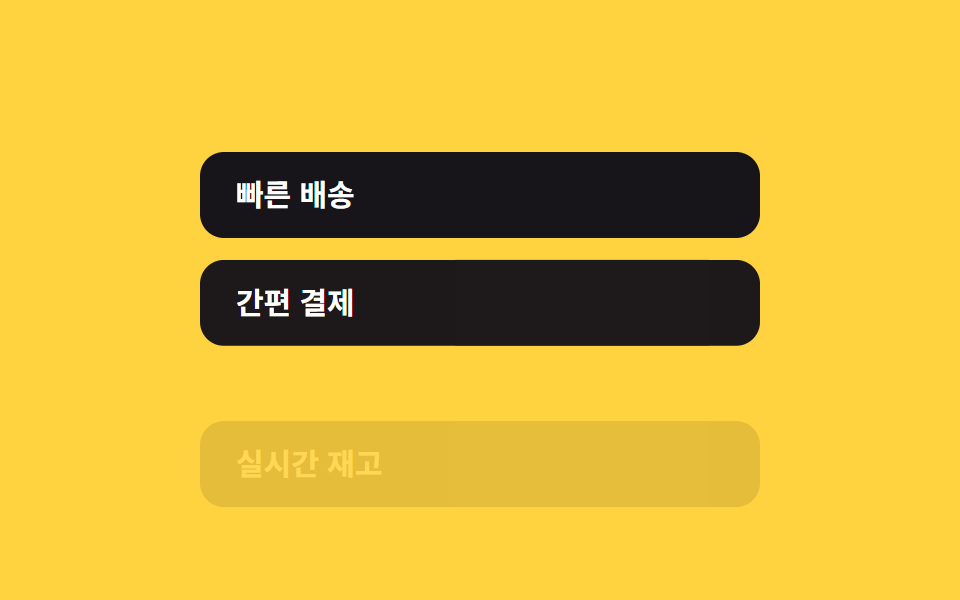
- 02 Xuất hiện lần lượt
- 03 Lau chữ hiện ra
- 04 Rèm ảnh
- 05 Thanh tiến độ đọc
- 06 Header thu nhỏ
- 07 Parallax
- 08 Đếm số tăng dần
- 09 Timeline vẽ đường
Thứ tự chín hiệu ứng đi theo cách một trang tự lộ ra khi bạn cuộn xuống. Từ 01 đến 04 chạy một lần duy nhất, ngay khi phần tử đó vào khung nhìn. Từ 05 đến 07 đọc theo vị trí cuộn của toàn bộ trang thay vì của một phần tử riêng lẻ. 08 và 09 gộp cả hai kiểu lại, một điểm kích hoạt duy nhất nhưng được canh theo tiến độ cuộn xung quanh nó. Ở lưới phía trên, bạn xem từng hiệu ứng tự lặp lại; bản đầy đủ không cắt bớt dòng nào nằm trong file zip.
01Trồi lên xuất hiện
Bạn thấy gì
Phần tử này trồi nhẹ lên từ dưới rồi mờ dần hiện ra ngay khi vào khung nhìn, nhờ animation-timeline: view() thay cho một IntersectionObserver viết tay.
<main class="stage">
  <article class="card is-demo">
    <p class="card__eyebrow">SECTION</p>
    <h2 class="card__title">Trồi lên xuất hiện</h2>
    <p class="card__body">Khi cuộn tới, phần tử trồi nhẹ lên từ phía dưới rồi hiện ra.</p>
  </article>
</main>
@use "../../../../site/static/demo-tokens" as *;
// ── 변수 3개. 변형은 이것만 바꾼다 (값은 토큰에서 받는다) ──────
$distance: 24px; // 올라오는 거리. 멀리 두려면 48px
$duration: $dur-enter; // 등장이 다 끝나는 데 걸리는 진행 구간
$easing: $ease-out; // 처음 빠르고 끝은 느리게
// ── 데모 무대 (zip 에서 지워도 된다) ──────────────────────────
@include stage($stage-ink);
// ── 카드 (피사체: ink 무대라 blue) ───────────────────────────
.card {
box-sizing: border-box;
width: min(300px, 100%);
padding: clamp(16px, 6vw, 26px) clamp(16px, 6vw, 24px);
border-radius: $r-card;
background: $subject-blue-deep;
color: #fff;
text-align: left;
&__eyebrow { margin: 0 0 6px; font-weight: 700; font-size: 11px; line-height: 1; font-family: inherit; letter-spacing: .12em; color: $subject-cream; }
&__title { margin: 0 0 8px; font-weight: 700; font-size: clamp(16px, 5vw, 20px); line-height: 1.3; font-family: inherit; }
&__body { margin: 0; font-weight: 400; font-size: 14px; line-height: 1.5; font-family: inherit; color: $subject-cream; }
// ── 실제 사용 코드: 스크롤이 곧 애니메이션 시계다 (zip 그대로) ──
// 요소가 뷰포트로 들어오는 구간(entry)만큼 진행된다. JS 0줄.
@supports (animation-timeline: view()) {
animation: fade-up-reveal $easing both;
animation-timeline: view();
animation-range: entry 0% cover 30%;
}
// ── 미지원 브라우저: 움직이지 않고 그냥 보여준다 (정직한 대체) ──
@supports not (animation-timeline: view()) {
opacity: 1;
transform: none;
}
}
@keyframes fade-up-reveal {
from { opacity: 0; transform: translateY($distance); }
to { opacity: 1; transform: translateY(0); }
}
// ── 데모(.is-demo): 렌더러가 프레임을 뽑도록 스크롤 대신 2초 루프로 흉내 ──
.card.is-demo {
animation: fade-up-loop $dur-loop $easing infinite;
}
@keyframes fade-up-loop {
0% { opacity: 0; transform: translateY($distance * 2); }
30% { opacity: 1; transform: translateY(0); }
75% { opacity: 1; transform: translateY(0); }
100% { opacity: 0; transform: translateY($distance * 2); }
}
// ── 접근성: 움직임 줄이기 설정이면 즉시 보여주기만 ────────────
@media (prefers-reduced-motion: reduce) {
.card, .card.is-demo { animation: none !important; opacity: 1; transform: none; }
}html, body {
margin: 0;
overflow: hidden;
}
.stage {
box-sizing: border-box;
min-height: 100vh;
display: grid;
place-items: center;
margin: 0;
background: #17141a;
font-family: -apple-system, "Segoe UI", "Noto Sans KR", sans-serif;
padding: clamp(8px, 4vw, 24px);
}
.card {
box-sizing: border-box;
width: min(300px, 100%);
padding: clamp(16px, 6vw, 26px) clamp(16px, 6vw, 24px);
border-radius: 16px;
background: #0a4fe8;
color: #fff;
text-align: left;
}
.card__eyebrow {
margin: 0 0 6px;
font-weight: 700;
font-size: 11px;
line-height: 1;
font-family: inherit;
letter-spacing: 0.12em;
color: #fff7e6;
}
.card__title {
margin: 0 0 8px;
font-weight: 700;
font-size: clamp(16px, 5vw, 20px);
line-height: 1.3;
font-family: inherit;
}
.card__body {
margin: 0;
font-weight: 400;
font-size: 14px;
line-height: 1.5;
font-family: inherit;
color: #fff7e6;
}
@supports (animation-timeline: view()) {
.card {
animation: fade-up-reveal ease-out both;
animation-timeline: view();
animation-range: entry 0% cover 30%;
}
}
@supports not (animation-timeline: view()) {
.card {
opacity: 1;
transform: none;
}
}
@keyframes fade-up-reveal {
from {
opacity: 0;
transform: translateY(24px);
}
to {
opacity: 1;
transform: translateY(0);
}
}
.card.is-demo {
animation: fade-up-loop 2s ease-out infinite;
}
@keyframes fade-up-loop {
0% {
opacity: 0;
transform: translateY(48px);
}
30% {
opacity: 1;
transform: translateY(0);
}
75% {
opacity: 1;
transform: translateY(0);
}
100% {
opacity: 0;
transform: translateY(48px);
}
}
@media (prefers-reduced-motion: reduce) {
.card, .card.is-demo {
animation: none !important;
opacity: 1;
transform: none;
}
}import type { CSSProperties, ReactNode } from "react";
import styles from "./FadeUpReveal.module.scss";
export type FadeUpRevealProps = {
eyebrow?: string;
title: string;
children: ReactNode;
/** 올라오는 거리 (기본 24px) */
distance?: number;
/** 등장이 끝나는 구간 (기본 700ms) — animation-range 계산에는 안 쓰이고 문서용 */
duration?: number;
/** easing (기본 ease-out) */
easing?: string;
className?: string;
};
type Vars = CSSProperties & {
"--distance"?: string;
"--duration"?: string;
"--easing"?: string;
};
export default function FadeUpReveal({
eyebrow = "SECTION",
title,
children,
distance = 24,
duration = 700,
easing = "ease-out",
className = "",
}: FadeUpRevealProps) {
const vars: Vars = {
"--distance": `${distance}px`,
"--duration": `${duration}ms`,
"--easing": easing,
};
return (
<article className={`${styles.card} ${className}`} style={vars}>
<p className={styles.eyebrow}>{eyebrow}</p>
<h2 className={styles.title}>{title}</h2>
<p className={styles.body}>{children}</p>
</article>
);
}01 · Trồi lên xuất hiện — Diện tích đo được 38.606% · khung hình chuyển động 13/23Nguyên tác GODRICH · SCSS và React nằm trong tệp zip · Xem mật khẩu
Dùng ở đâu
Đây gần như là kiểu xuất hiện mặc định cho tiêu đề section, card và đoạn văn — bất cứ thứ gì chỉ cần báo hiệu một lần rồi lùi vào nền.
.card {
  animation: fade-up $easing both;
  animation-timeline: view();
  animation-range: entry 0% cover 30%;
}
@keyframes fade-up {
  from { opacity: 0; transform: translateY($distance); }
  to   { opacity: 1; transform: translateY(0); }
}
02Xuất hiện lần lượt
Chuyện gì diễn ra trên màn hình
Các mục trong danh sách hiện ra lần lượt khi bạn cuộn qua chúng, cách nhau khoảng 80ms, mà không cần một dòng setTimeout nào. Độ trễ đến từ chính cách các mục xếp theo chiều dọc trong layout, vì mỗi mục tự theo dõi thời điểm nó vào khung nhìn.
<main class="stage">
  <ul class="list is-demo">
    <li class="list__item" style="--i:0">Giao hàng nhanh</li>
    <li class="list__item" style="--i:1">Thanh toán dễ dàng</li>
    <li class="list__item" style="--i:2">Tồn kho thời gian thực</li>
  </ul>
</main>
@use "../../../../site/static/demo-tokens" as *;
// ── 변수 3개. 변형은 이것만 바꾼다 (값은 토큰에서 받는다) ──────
$stagger: 80ms; // 항목 사이 간격. 빠르게 40ms
$distance: 16px; // 올라오는 거리
$color: $subject-ink; // 항목 배경 (yellow 무대라 ink)
// ── 데모 무대 (zip 에서 지워도 된다) ──────────────────────────
@include stage($stage-yellow);
// ── 목록 ──────────────────────────────────────────────
.list {
margin: 0;
padding: 0;
list-style: none;
width: min(280px, 100%);
display: grid;
gap: clamp(6px, 3vw, 10px); // 320×200 에서도 네 줄이 들어가게 줄인다
}
.list__item {
padding: clamp(8px, 3vw, 14px) clamp(12px, 4vw, 18px);
border-radius: $r-control;
background: $color;
color: #fff;
font-weight: 600;
font-size: clamp(13px, 4vw, 15px);
line-height: 1;
font-family: inherit;
// ── 실제 사용 코드: 세로로 쌓인 항목은 스크롤하면 제 위치에서
// 순서대로 뷰포트에 들어온다 — 항목마다 같은 규칙이면 자동으로 순서대로 보인다.
// JS 지연(setTimeout) 없이, 목록 배치 자체가 시차를 만든다.
@supports (animation-timeline: view()) {
animation: stagger-in $ease-out both;
animation-timeline: view();
animation-range: entry 0% cover 40%;
}
@supports not (animation-timeline: view()) {
opacity: 1;
transform: none;
}
}
@keyframes stagger-in {
from { opacity: 0; transform: translateY($distance); }
to { opacity: 1; transform: translateY(0); }
}
// ── 데모(.is-demo): 항목마다 --i 순서로 지연을 줘 순서대로 등장 흉내 ──
.list.is-demo .list__item {
animation: stagger-loop $dur-loop $ease-out infinite;
animation-delay: calc(var(--i) * #{$stagger} * 4);
}
@keyframes stagger-loop {
0% { opacity: 0; transform: translateY($distance * 2); }
20% { opacity: 1; transform: translateY(0); }
70% { opacity: 1; transform: translateY(0); }
85% { opacity: 0; transform: translateY($distance * 2); }
100% { opacity: 0; transform: translateY($distance * 2); }
}
// ── 접근성: 움직임 줄이기 설정이면 즉시 보여주기만 ────────────
@media (prefers-reduced-motion: reduce) {
.list__item { animation: none !important; opacity: 1; transform: none; }
}html, body {
margin: 0;
overflow: hidden;
}
.stage {
box-sizing: border-box;
min-height: 100vh;
display: grid;
place-items: center;
margin: 0;
background: #ffd23f;
font-family: -apple-system, "Segoe UI", "Noto Sans KR", sans-serif;
padding: clamp(8px, 4vw, 24px);
}
.list {
margin: 0;
padding: 0;
list-style: none;
width: min(280px, 100%);
display: grid;
gap: clamp(6px, 3vw, 10px);
}
.list__item {
padding: clamp(8px, 3vw, 14px) clamp(12px, 4vw, 18px);
border-radius: 12px;
background: #17141a;
color: #fff;
font-weight: 600;
font-size: clamp(13px, 4vw, 15px);
line-height: 1;
font-family: inherit;
}
@supports (animation-timeline: view()) {
.list__item {
animation: stagger-in ease-out both;
animation-timeline: view();
animation-range: entry 0% cover 40%;
}
}
@supports not (animation-timeline: view()) {
.list__item {
opacity: 1;
transform: none;
}
}
@keyframes stagger-in {
from {
opacity: 0;
transform: translateY(16px);
}
to {
opacity: 1;
transform: translateY(0);
}
}
.list.is-demo .list__item {
animation: stagger-loop 2s ease-out infinite;
animation-delay: calc(var(--i) * 80ms * 4);
}
@keyframes stagger-loop {
0% {
opacity: 0;
transform: translateY(32px);
}
20% {
opacity: 1;
transform: translateY(0);
}
70% {
opacity: 1;
transform: translateY(0);
}
85% {
opacity: 0;
transform: translateY(32px);
}
100% {
opacity: 0;
transform: translateY(32px);
}
}
@media (prefers-reduced-motion: reduce) {
.list__item {
animation: none !important;
opacity: 1;
transform: none;
}
}import type { CSSProperties } from "react";
import styles from "./StaggerList.module.scss";
export type StaggerListProps = {
items: string[];
/** 항목 사이 진입 범위 간격 (기본 80ms, 문서용 — 실제 진행은 목록 배치가 만든다) */
stagger?: number;
/** 올라오는 거리 (기본 16px) */
distance?: number;
/** 글자 색 배경 (기본 #17141a) */
color?: string;
className?: string;
};
type ItemVars = CSSProperties & { "--i"?: number };
type ListVars = CSSProperties & { "--stagger"?: string; "--distance"?: string; "--color"?: string };
export default function StaggerList({
items,
stagger = 80,
distance = 16,
color = "#17141a",
className = "",
}: StaggerListProps) {
const vars: ListVars = { "--stagger": `${stagger}ms`, "--distance": `${distance}px`, "--color": color };
return (
<ul className={`${styles.list} ${className}`} style={vars}>
{items.map((label, i) => {
const itemVars: ItemVars = { "--i": i };
return (
<li key={label} className={styles.item} style={itemVars}>
{label}
</li>
);
})}
</ul>
);
}02 · Xuất hiện lần lượt — Diện tích đo được 34.529% · khung hình chuyển động 20/23Nguyên tác GODRICH · SCSS và React nằm trong tệp zip · Xem mật khẩu
Chỗ dùng
Dùng cho danh sách tính năng, bảng giá, hoặc lưới giới thiệu team.
.list__item {
  animation: stagger-in $ease-out both;
  animation-timeline: view();
  animation-range: entry 0% cover 40%;
}
@keyframes stagger-in {
  from { opacity: 0; transform: translateY($distance); }
  to   { opacity: 1; transform: translateY(0); }
}
03Lau chữ hiện ra
Chuyển động thế nào
Tiêu đề được lau hiện ra từ trái sang phải bằng một clip-path đang chuyển động, thay vì animate width hay left.
<main class="stage">
  <h1 class="headline is-demo">Chữ hiện ra theo hiệu ứng wipe</h1>
</main>
@use "../../../../site/static/demo-tokens" as *;
// ── 변수 3개. 변형은 이것만 바꾼다 (값은 토큰에서 받는다) ──────
$duration: $dur-base; // 닦여 나오는 시간
$easing: $ease-spring; // 처음 빠르고 끝은 부드럽게
$color: $subject-cream; // 글자 색 (orange 무대라 cream)
// ── 데모 무대 (zip 에서 지워도 된다) ──────────────────────────
@include stage($stage-orange);
// ── 제목 ──────────────────────────────────────────────
.headline {
margin: 0;
font-weight: 800;
font-size: clamp(22px, 7vw, 34px);
line-height: 1.3;
font-family: inherit;
color: $color;
text-align: center;
// ── 실제 사용 코드: clip-path 하나로 왼쪽에서 오른쪽으로 닦인다 ──
// width·left 대신 clip-path 만 바뀌므로 레이아웃 재계산이 없다.
@supports (animation-timeline: view()) {
animation: wipe-in $easing both;
animation-timeline: view();
animation-range: entry 20% cover 60%;
}
@supports not (animation-timeline: view()) {
clip-path: inset(0 0 0 0);
}
}
@keyframes wipe-in {
from { clip-path: inset(0 100% 0 0); }
to { clip-path: inset(0 0 0 0); }
}
// ── 데모(.is-demo): 스크롤 대신 2초 루프로 흉내 ────────────
.headline.is-demo {
animation: wipe-loop $dur-loop $easing infinite;
}
@keyframes wipe-loop {
0% { clip-path: inset(0 100% 0 0); }
35% { clip-path: inset(0 0 0 0); }
75% { clip-path: inset(0 0 0 0); }
100% { clip-path: inset(0 100% 0 0); }
}
// ── 접근성: 움직임 줄이기 설정이면 즉시 다 보여주기만 ────────
@media (prefers-reduced-motion: reduce) {
.headline, .headline.is-demo { animation: none !important; clip-path: inset(0 0 0 0); }
}html, body {
margin: 0;
overflow: hidden;
}
.stage {
box-sizing: border-box;
min-height: 100vh;
display: grid;
place-items: center;
margin: 0;
background: #ff4d1f;
font-family: -apple-system, "Segoe UI", "Noto Sans KR", sans-serif;
padding: clamp(8px, 4vw, 24px);
}
.headline {
margin: 0;
font-weight: 800;
font-size: clamp(22px, 7vw, 34px);
line-height: 1.3;
font-family: inherit;
color: #fff7e6;
text-align: center;
}
@supports (animation-timeline: view()) {
.headline {
animation: wipe-in cubic-bezier(0.2, 0.8, 0.2, 1) both;
animation-timeline: view();
animation-range: entry 20% cover 60%;
}
}
@supports not (animation-timeline: view()) {
.headline {
clip-path: inset(0 0 0 0);
}
}
@keyframes wipe-in {
from {
clip-path: inset(0 100% 0 0);
}
to {
clip-path: inset(0 0 0 0);
}
}
.headline.is-demo {
animation: wipe-loop 2s cubic-bezier(0.2, 0.8, 0.2, 1) infinite;
}
@keyframes wipe-loop {
0% {
clip-path: inset(0 100% 0 0);
}
35% {
clip-path: inset(0 0 0 0);
}
75% {
clip-path: inset(0 0 0 0);
}
100% {
clip-path: inset(0 100% 0 0);
}
}
@media (prefers-reduced-motion: reduce) {
.headline, .headline.is-demo {
animation: none !important;
clip-path: inset(0 0 0 0);
}
}import type { CSSProperties } from "react";
import styles from "./TextWipe.module.scss";
export type TextWipeProps = {
children: string;
/** 닦여 나오는 시간 (기본 600ms) */
duration?: number;
/** easing (기본 cubic-bezier(.2,.8,.2,1)) */
easing?: string;
/** 글자 색 (기본 #17141a) */
color?: string;
className?: string;
};
type Vars = CSSProperties & { "--duration"?: string; "--easing"?: string; "--color"?: string };
export default function TextWipe({
children,
duration = 600,
easing = "cubic-bezier(.2,.8,.2,1)",
color = "#17141a",
className = "",
}: TextWipeProps) {
const vars: Vars = { "--duration": `${duration}ms`, "--easing": easing, "--color": color };
return (
<h1 className={`${styles.headline} ${className}`} style={vars}>
{children}
</h1>
);
}03 · Lau chữ hiện ra — Diện tích đo được 2.99% · khung hình chuyển động 13/23Nguyên tác GODRICH · SCSS và React nằm trong tệp zip · Xem mật khẩu
Dùng khi nào
Dùng cho tiêu đề hero và tiêu đề lớn của section, nơi chỉ cần một lần xuất hiện thật chắc chắn.
.headline {
  animation: wipe-in $easing both;
  animation-timeline: view();
  animation-range: entry 20% cover 60%;
}
@keyframes wipe-in {
  from { clip-path: inset(0 100% 0 0); }
  to   { clip-path: inset(0 0 0 0); }
}
04Rèm ảnh
Bạn thấy gì
Một tấm màu phủ kín ảnh, rồi trượt sang phải khi khung ảnh cuộn vào khung nhìn, để lộ ảnh bên dưới.
<main class="stage">
  <div class="frame is-demo">
    <div class="frame__image" aria-hidden="true"></div>
    <div class="frame__curtain"></div>
  </div>
</main>
@use "../../../../site/static/demo-tokens" as *;
// ── 변수 3개. 변형은 이것만 바꾼다 (값은 토큰에서 받는다) ──────
$duration: $dur-enter; // 커튼이 걷히는 시간
$curtain: $subject-ink; // 커튼 색 (paper 무대라 ink). 주황 $subject 대체 가능
$easing: $ease-spring;
// ── 데모 무대 (zip 에서 지워도 된다) ──────────────────────────
@include stage($stage-paper);
// ── 이미지 자리 (실제로는 <img>, 여기선 그라데이션) ─────────────
.frame {
position: relative;
width: clamp(160px, 70vw, 280px); // 320×200 에서도 세로로 안 넘치게 폭에 따라 준다
aspect-ratio: 4 / 3; // 고정 height 대신 비율로 — 폭이 줄면 높이도 같이 준다
border-radius: $r-control;
overflow: hidden;
isolation: isolate;
&__image {
position: absolute;
inset: 0;
background: linear-gradient(135deg, $stage-yellow, $stage-orange 60%, $stage-ink);
}
&__curtain {
position: absolute;
inset: 0;
background: $curtain;
transform: scaleX(1);
transform-origin: right; // 오른쪽으로 접히며 걷힌다
// ── 실제 사용 코드: 뷰포트에 들어오는 동안 커튼이 걷힌다 ──
@supports (animation-timeline: view()) {
animation: curtain-open $easing both;
animation-timeline: view();
animation-range: entry 10% cover 50%;
}
// ── 미지원 브라우저: 커튼을 미리 걷어 이미지를 보여준다 ──
@supports not (animation-timeline: view()) {
transform: scaleX(0);
}
}
}
@keyframes curtain-open {
from { transform: scaleX(1); }
to { transform: scaleX(0); }
}
// ── 데모(.is-demo): 스크롤 대신 2초 루프로 흉내 ────────────
.frame.is-demo .frame__curtain {
animation: curtain-loop $dur-loop $easing infinite;
}
@keyframes curtain-loop {
0% { transform: scaleX(1); }
35% { transform: scaleX(0); }
75% { transform: scaleX(0); }
100% { transform: scaleX(1); }
}
// ── 접근성: 움직임 줄이기 설정이면 즉시 열어서 보여주기만 ────
@media (prefers-reduced-motion: reduce) {
.frame__curtain, .frame.is-demo .frame__curtain { animation: none !important; transform: scaleX(0); }
}html, body {
margin: 0;
overflow: hidden;
}
.stage {
box-sizing: border-box;
min-height: 100vh;
display: grid;
place-items: center;
margin: 0;
background: #ffffff;
font-family: -apple-system, "Segoe UI", "Noto Sans KR", sans-serif;
padding: clamp(8px, 4vw, 24px);
}
.frame {
position: relative;
width: clamp(160px, 70vw, 280px);
aspect-ratio: 4/3;
border-radius: 12px;
overflow: hidden;
isolation: isolate;
}
.frame__image {
position: absolute;
inset: 0;
background: linear-gradient(135deg, #ffd23f, #ff4d1f 60%, #17141a);
}
.frame__curtain {
position: absolute;
inset: 0;
background: #17141a;
transform: scaleX(1);
transform-origin: right;
}
@supports (animation-timeline: view()) {
.frame__curtain {
animation: curtain-open cubic-bezier(0.2, 0.8, 0.2, 1) both;
animation-timeline: view();
animation-range: entry 10% cover 50%;
}
}
@supports not (animation-timeline: view()) {
.frame__curtain {
transform: scaleX(0);
}
}
@keyframes curtain-open {
from {
transform: scaleX(1);
}
to {
transform: scaleX(0);
}
}
.frame.is-demo .frame__curtain {
animation: curtain-loop 2s cubic-bezier(0.2, 0.8, 0.2, 1) infinite;
}
@keyframes curtain-loop {
0% {
transform: scaleX(1);
}
35% {
transform: scaleX(0);
}
75% {
transform: scaleX(0);
}
100% {
transform: scaleX(1);
}
}
@media (prefers-reduced-motion: reduce) {
.frame__curtain, .frame.is-demo .frame__curtain {
animation: none !important;
transform: scaleX(0);
}
}import type { CSSProperties } from "react";
import styles from "./ImageCurtain.module.scss";
export type ImageCurtainProps = {
/** 이미지 URL. 비우면 데모용 그라데이션을 쓴다 */
src?: string;
alt?: string;
/** 커튼이 걷히는 시간 (기본 700ms) */
duration?: number;
/** 커튼 색 (기본 주황) */
curtain?: string;
className?: string;
};
type Vars = CSSProperties & { "--duration"?: string; "--curtain"?: string };
export default function ImageCurtain({
src,
alt = "",
duration = 700,
curtain = "#ff4d1f",
className = "",
}: ImageCurtainProps) {
const vars: Vars = { "--duration": `${duration}ms`, "--curtain": curtain };
return (
<div className={`${styles.frame} ${className}`} style={vars}>
{src ? (
<img className={styles.image} src={src} alt={alt} />
) : (
<div className={styles.image} aria-hidden="true" />
)}
<div className={styles.curtain} />
</div>
);
}04 · Rèm ảnh — Diện tích đo được 40.756% · khung hình chuyển động 13/23Nguyên tác GODRICH · SCSS và React nằm trong tệp zip · Xem mật khẩu
Dùng ở đâu
Hợp với portfolio và ảnh sản phẩm, nơi bản thân tấm màn che cũng là một phần của thiết kế.
.frame__curtain {
  transform-origin: right;
  animation: curtain-open $easing both;
  animation-timeline: view();
  animation-range: entry 10% cover 50%;
}
@keyframes curtain-open {
  from { transform: scaleX(1); }
  to   { transform: scaleX(0); }
}
05Thanh tiến độ đọc
Chuyện gì diễn ra trên màn hình
Thanh cố định ở đầu trang lấp đầy theo mức bạn đã đọc, chỉ chạy bằng một scroll() timeline gắn với toàn bộ tài liệu, không cần listener tính lại mỗi frame.
<main class="stage">
  <div class="bar is-demo" aria-hidden="true"></div>
  <article class="doc">
    <p class="doc__line"></p>
    <p class="doc__line"></p>
    <p class="doc__line short"></p>
  </article>
</main>
@use "../../../../site/static/demo-tokens" as *;
// ── 변수 3개. 변형은 이것만 바꾼다 (값은 토큰에서 받는다) ──────
$thickness: 3px; // 바 두께. 굵게 6px
$color: $subject-blue; // 바 색 (ink 무대라 blue)
$track: rgba(255, 255, 255, .12); // 안 읽은 구간 색
// ── 데모 무대 (zip 에서 지워도 된다) ──────────────────────────
html, body { margin: 0; overflow: hidden; }
.stage {
box-sizing: border-box;
position: relative;
min-height: 100vh;
margin: 0;
padding: 40px clamp(16px, 6vw, 32px) 0;
background: $stage-ink;
font-family: -apple-system, "Segoe UI", "Noto Sans KR", sans-serif;
}
// ── 진행 바: 문서 최상단에 고정, scroll() 타임라인만 쓴다 ─────
.bar {
position: fixed;
top: 0; left: 0;
width: 100%;
height: $thickness;
background: $color;
transform: scaleX(0);
transform-origin: left; // 규칙8: 진행바 left 채움
// ── 실제 사용 코드: 문서 전체 스크롤 진행률이 곧 바 길이다 ──
// view() 가 아니라 scroll() — "얼마나 들어왔나" 가 아니라 "얼마나 읽었나".
@supports (animation-timeline: scroll()) {
animation: fill-bar linear both;
animation-timeline: scroll(root);
}
@supports not (animation-timeline: scroll()) {
transform: scaleX(0);
}
}
@keyframes fill-bar {
from { transform: scaleX(0); }
to { transform: scaleX(1); }
}
// ── 데모(.is-demo): 스크롤 대신 2초 루프로 흉내 ────────────
.bar.is-demo {
animation: fill-loop $dur-loop linear infinite;
}
@keyframes fill-loop {
0% { transform: scaleX(0); }
90% { transform: scaleX(1); }
100% { transform: scaleX(1); }
}
// ── 배경: 문서처럼 보이는 자리 ─────────────────────────
.doc { max-width: 380px; color: #fff; }
.doc__line {
height: 12px;
margin: 0 0 14px;
border-radius: 4px;
background: $track;
&.short { width: 60%; }
}
// ── 접근성: 움직임 줄이기 설정이면 즉시 채워 보여주기만 ────────
@media (prefers-reduced-motion: reduce) {
.bar, .bar.is-demo { animation: none !important; transform: scaleX(1); }
}html, body {
margin: 0;
overflow: hidden;
}
.stage {
box-sizing: border-box;
position: relative;
min-height: 100vh;
margin: 0;
padding: 40px clamp(16px, 6vw, 32px) 0;
background: #17141a;
font-family: -apple-system, "Segoe UI", "Noto Sans KR", sans-serif;
}
.bar {
position: fixed;
top: 0;
left: 0;
width: 100%;
height: 3px;
background: #2f6df6;
transform: scaleX(0);
transform-origin: left;
}
@supports (animation-timeline: scroll()) {
.bar {
animation: fill-bar linear both;
animation-timeline: scroll(root);
}
}
@supports not (animation-timeline: scroll()) {
.bar {
transform: scaleX(0);
}
}
@keyframes fill-bar {
from {
transform: scaleX(0);
}
to {
transform: scaleX(1);
}
}
.bar.is-demo {
animation: fill-loop 2s linear infinite;
}
@keyframes fill-loop {
0% {
transform: scaleX(0);
}
90% {
transform: scaleX(1);
}
100% {
transform: scaleX(1);
}
}
.doc {
max-width: 380px;
color: #fff;
}
.doc__line {
height: 12px;
margin: 0 0 14px;
border-radius: 4px;
background: rgba(255, 255, 255, 0.12);
}
.doc__line.short {
width: 60%;
}
@media (prefers-reduced-motion: reduce) {
.bar, .bar.is-demo {
animation: none !important;
transform: scaleX(1);
}
}import type { CSSProperties } from "react";
import styles from "./ProgressBar.module.scss";
export type ProgressBarProps = {
/** 바 두께 (기본 3px) */
thickness?: number;
/** 바 색 (기본 노랑) */
color?: string;
className?: string;
};
type Vars = CSSProperties & { "--thickness"?: string; "--color"?: string };
export default function ProgressBar({
thickness = 3,
color = "#ffd23f",
className = "",
}: ProgressBarProps) {
const vars: Vars = { "--thickness": `${thickness}px`, "--color": color };
return <div className={`${styles.bar} ${className}`} style={vars} aria-hidden="true" />;
}05 · Thanh tiến độ đọc — Diện tích đo được 1.0% · khung hình chuyển động 22/23Nguyên tác GODRICH · SCSS và React nằm trong tệp zip · Xem mật khẩu
Chỗ dùng
Hợp với bài viết dài và trang tài liệu, nơi người đọc muốn biết còn lại bao nhiêu.
.bar {
  position: fixed;
  top: 0;
  left: 0;
  transform-origin: left;
  animation: fill-bar linear both;
  animation-timeline: scroll(root);
}
@keyframes fill-bar {
  from { transform: scaleX(0); }
  to   { transform: scaleX(1); }
}
06Header thu nhỏ
Chuyển động thế nào
Header dính (sticky) mỏng lại và logo nhỏ đi khi trang được cuộn, dùng transform: scaleY thay vì animate height.
<main class="stage">
  <header class="head is-demo">
    <span class="head__logo">GODRICH</span>
    <nav class="head__nav" aria-hidden="true">
      <span></span><span></span><span></span>
    </nav>
  </header>
  <div class="page">
    <p class="page__line"></p>
    <p class="page__line"></p>
    <p class="page__line short"></p>
  </div>
</main>
@use "../../../../site/static/demo-tokens" as *;
// ── 변수 3개. 변형은 이것만 바꾼다 (값은 토큰에서 받는다) ──────
$tall: 64px; // 처음 헤더 높이
$short-scale: .75; // 줄어든 비율 (64px → 48px ≈ .75)
$color: $subject-ink; // 헤더 배경 (yellow 무대라 ink)
// ── 데모 무대 (zip 에서 지워도 된다) ──────────────────────────
html, body { margin: 0; overflow: hidden; }
.stage {
min-height: 100vh;
margin: 0;
background: $stage-yellow;
font-family: -apple-system, "Segoe UI", "Noto Sans KR", sans-serif;
}
// ── 헤더: 높이 대신 transform: scaleY 로 "줄어든다" ────────────
// (height 는 애니메이션하면 레이아웃을 다시 계산한다 — 함정 섹션 참고)
.head {
position: sticky;
top: 0;
height: $tall;
display: flex;
align-items: center;
justify-content: space-between;
padding: 0 clamp(16px, 5vw, 24px);
background: $color;
transform-origin: top; // 규칙8: 헤더가 top에서 얇아짐
&__logo { color: #fff; font-weight: 800; font-size: 18px; line-height: 1; font-family: inherit; letter-spacing: .04em; }
&__nav { display: flex; gap: 10px; span { width: 26px; height: 8px; border-radius: 4px; background: rgba(255, 255, 255, .35); } }
// ── 실제 사용 코드: 문서 스크롤이 진행되는 동안 얇아진다 ──
@supports (animation-timeline: scroll()) {
animation: shrink-header linear both;
animation-timeline: scroll(root);
animation-range: 0 200px;
}
@supports not (animation-timeline: scroll()) {
transform: none;
}
}
@keyframes shrink-header {
from { transform: scaleY(1); }
to { transform: scaleY($short-scale); }
}
// ── 데모(.is-demo): 스크롤 대신 2초 루프(줄었다 늘었다)로 흉내 ──
.head.is-demo {
animation: shrink-loop $dur-loop ease-in-out infinite;
}
@keyframes shrink-loop {
0% { transform: scaleY(1); }
50% { transform: scaleY($short-scale); }
100% { transform: scaleY(1); }
}
// ── 배경: 문서처럼 보이는 자리 ─────────────────────────
.page { padding: 28px 24px 0; }
.page__line {
height: 12px;
margin: 0 0 14px;
border-radius: 4px;
background: rgba(23, 20, 26, .14);
&.short { width: 60%; }
}
// ── 접근성: 움직임 줄이기 설정이면 즉시 줄인 상태로 고정 ────────
@media (prefers-reduced-motion: reduce) {
.head, .head.is-demo { animation: none !important; transform: scaleY($short-scale); }
}html, body {
margin: 0;
overflow: hidden;
}
.stage {
min-height: 100vh;
margin: 0;
background: #ffd23f;
font-family: -apple-system, "Segoe UI", "Noto Sans KR", sans-serif;
}
.head {
position: sticky;
top: 0;
height: 64px;
display: flex;
align-items: center;
justify-content: space-between;
padding: 0 clamp(16px, 5vw, 24px);
background: #17141a;
transform-origin: top;
}
.head__logo {
color: #fff;
font-weight: 800;
font-size: 18px;
line-height: 1;
font-family: inherit;
letter-spacing: 0.04em;
}
.head__nav {
display: flex;
gap: 10px;
}
.head__nav span {
width: 26px;
height: 8px;
border-radius: 4px;
background: rgba(255, 255, 255, 0.35);
}
@supports (animation-timeline: scroll()) {
.head {
animation: shrink-header linear both;
animation-timeline: scroll(root);
animation-range: 0 200px;
}
}
@supports not (animation-timeline: scroll()) {
.head {
transform: none;
}
}
@keyframes shrink-header {
from {
transform: scaleY(1);
}
to {
transform: scaleY(0.75);
}
}
.head.is-demo {
animation: shrink-loop 2s ease-in-out infinite;
}
@keyframes shrink-loop {
0% {
transform: scaleY(1);
}
50% {
transform: scaleY(0.75);
}
100% {
transform: scaleY(1);
}
}
.page {
padding: 28px 24px 0;
}
.page__line {
height: 12px;
margin: 0 0 14px;
border-radius: 4px;
background: rgba(23, 20, 26, 0.14);
}
.page__line.short {
width: 60%;
}
@media (prefers-reduced-motion: reduce) {
.head, .head.is-demo {
animation: none !important;
transform: scaleY(0.75);
}
}import type { CSSProperties, ReactNode } from "react";
import styles from "./ShrinkingHeader.module.scss";
export type ShrinkingHeaderProps = {
logo: string;
children?: ReactNode;
/** 처음 헤더 높이 (기본 64px) */
tall?: number;
/** 줄어든 비율 (기본 .75 → 64px 기준 48px) */
shortScale?: number;
/** 헤더 배경 (기본 어두운색) */
color?: string;
className?: string;
};
type Vars = CSSProperties & { "--tall"?: string; "--short-scale"?: number; "--color"?: string };
export default function ShrinkingHeader({
logo,
children,
tall = 64,
shortScale = 0.75,
color = "#17141a",
className = "",
}: ShrinkingHeaderProps) {
const vars: Vars = { "--tall": `${tall}px`, "--short-scale": shortScale, "--color": color };
return (
<header className={`${styles.head} ${className}`} style={vars}>
<span className={styles.logo}>{logo}</span>
<nav className={styles.nav}>{children}</nav>
</header>
);
}06 · Header thu nhỏ — Diện tích đo được 7.342% · khung hình chuyển động 23/23Nguyên tác GODRICH · SCSS và React nằm trong tệp zip · Xem mật khẩu
Dùng khi nào
Dùng cho header của trang landing hay blog, nơi header cần ở lại trên cùng mà không chiếm hết màn hình.
.head {
  position: sticky;
  top: 0;
  transform-origin: top;
  animation: shrink-header linear both;
  animation-timeline: scroll(root);
  animation-range: 0 200px;
}
@keyframes shrink-header {
  from { transform: scaleY(1); }
  to   { transform: scaleY(.75); }
}
07Parallax
Bạn thấy gì
Nền phía sau trôi chậm hơn nội dung phía trước khi trang cuộn, và chính khoảng chênh lệch tốc độ giữa hai lớp đó tạo ra cảm giác chiều sâu.
<main class="stage is-demo">
  <div class="parallax">
    <div class="parallax__back" aria-hidden="true"></div>
    <div class="parallax__front">
      <h2 class="parallax__title">Tạo cảm giác chiều sâu</h2>
    </div>
  </div>
</main>
@use "../../../../site/static/demo-tokens" as *;
// ── 변수 3개. 변형은 이것만 바꾼다 (값은 토큰에서 받는다) ──────
$back-shift: 20px; // 뒤 배경 이동량 (0.3배 느낌)
$front-shift: 40px; // 앞 내용 이동량 (0.5배 느낌)
$color: $subject-cream; // 뒤 배경 원 색 (orange 무대라 cream)
// ── 데모 무대 (zip 에서 지워도 된다) ──────────────────────────
html, body { margin: 0; overflow: hidden; }
.stage {
position: relative;
min-height: 100vh;
margin: 0;
overflow: hidden;
background: $stage-orange;
font-family: -apple-system, "Segoe UI", "Noto Sans KR", sans-serif;
}
.parallax {
position: absolute;
inset: 0;
display: grid;
place-items: center;
&__back {
position: absolute;
inset: -20% -20%;
background:
radial-gradient($color 0 60px, transparent 61px) 20% 30%,
radial-gradient($color 0 40px, transparent 41px) 75% 65%;
background-repeat: no-repeat;
opacity: .55;
// ── 실제 사용 코드: 뒤 배경은 스크롤보다 느리게(0.3배) 움직인다 ──
@supports (animation-timeline: scroll()) {
animation: drift-back linear both;
animation-timeline: scroll(root);
}
@supports not (animation-timeline: scroll()) {
transform: none;
}
}
&__front {
position: relative;
z-index: 1;
// ── 실제 사용 코드: 앞 내용은 뒤보다 빠르게(0.5배) 움직인다 ──
@supports (animation-timeline: scroll()) {
animation: drift-front linear both;
animation-timeline: scroll(root);
}
@supports not (animation-timeline: scroll()) {
transform: none;
}
}
&__title {
margin: 0;
padding: 14px 22px;
border-radius: $r-pill;
background: $stage-ink;
color: #fff;
font-weight: 700;
font-size: clamp(16px, 5vw, 20px);
line-height: 1;
font-family: inherit;
}
}
@keyframes drift-back { from { transform: translateY(0); } to { transform: translateY(-#{$back-shift}); } }
@keyframes drift-front { from { transform: translateY(0); } to { transform: translateY(-#{$front-shift}); } }
// ── 데모(.is-demo): 스크롤 대신 2초 왕복 루프로 흉내 ────────
.stage.is-demo .parallax__back {
animation: drift-back-loop $dur-loop ease-in-out infinite;
}
.stage.is-demo .parallax__front {
animation: drift-front-loop $dur-loop ease-in-out infinite;
}
@keyframes drift-back-loop {
0%, 100% { transform: translateY($back-shift); }
50% { transform: translateY(-$back-shift); }
}
@keyframes drift-front-loop {
0%, 100% { transform: translateY($front-shift); }
50% { transform: translateY(-$front-shift); }
}
// ── 접근성: 움직임 줄이기 설정이면 층을 그대로 고정 ────────────
@media (prefers-reduced-motion: reduce) {
.parallax__back, .parallax__front,
.stage.is-demo .parallax__back, .stage.is-demo .parallax__front {
animation: none !important;
transform: none;
}
}html, body {
margin: 0;
overflow: hidden;
}
.stage {
position: relative;
min-height: 100vh;
margin: 0;
overflow: hidden;
background: #ff4d1f;
font-family: -apple-system, "Segoe UI", "Noto Sans KR", sans-serif;
}
.parallax {
position: absolute;
inset: 0;
display: grid;
place-items: center;
}
.parallax__back {
position: absolute;
inset: -20% -20%;
background: radial-gradient(#fff7e6 0 60px, transparent 61px) 20% 30%, radial-gradient(#fff7e6 0 40px, transparent 41px) 75% 65%;
background-repeat: no-repeat;
opacity: 0.55;
}
@supports (animation-timeline: scroll()) {
.parallax__back {
animation: drift-back linear both;
animation-timeline: scroll(root);
}
}
@supports not (animation-timeline: scroll()) {
.parallax__back {
transform: none;
}
}
.parallax__front {
position: relative;
z-index: 1;
}
@supports (animation-timeline: scroll()) {
.parallax__front {
animation: drift-front linear both;
animation-timeline: scroll(root);
}
}
@supports not (animation-timeline: scroll()) {
.parallax__front {
transform: none;
}
}
.parallax__title {
margin: 0;
padding: 14px 22px;
border-radius: 999px;
background: #17141a;
color: #fff;
font-weight: 700;
font-size: clamp(16px, 5vw, 20px);
line-height: 1;
font-family: inherit;
}
@keyframes drift-back {
from {
transform: translateY(0);
}
to {
transform: translateY(-20px);
}
}
@keyframes drift-front {
from {
transform: translateY(0);
}
to {
transform: translateY(-40px);
}
}
.stage.is-demo .parallax__back {
animation: drift-back-loop 2s ease-in-out infinite;
}
.stage.is-demo .parallax__front {
animation: drift-front-loop 2s ease-in-out infinite;
}
@keyframes drift-back-loop {
0%, 100% {
transform: translateY(20px);
}
50% {
transform: translateY(-20px);
}
}
@keyframes drift-front-loop {
0%, 100% {
transform: translateY(40px);
}
50% {
transform: translateY(-40px);
}
}
@media (prefers-reduced-motion: reduce) {
.parallax__back, .parallax__front,
.stage.is-demo .parallax__back, .stage.is-demo .parallax__front {
animation: none !important;
transform: none;
}
}import type { CSSProperties, ReactNode } from "react";
import styles from "./ParallaxLayers.module.scss";
export type ParallaxLayersProps = {
children: ReactNode;
/** 뒤 배경 이동량 (기본 20px, 0.3배 느낌) */
backShift?: number;
/** 앞 내용 이동량 (기본 40px, 0.5배 느낌) */
frontShift?: number;
/** 뒤 배경 원 색 */
color?: string;
className?: string;
};
type Vars = CSSProperties & { "--back-shift"?: string; "--front-shift"?: string; "--color"?: string };
export default function ParallaxLayers({
children,
backShift = 20,
frontShift = 40,
color = "#fff7e6",
className = "",
}: ParallaxLayersProps) {
const vars: Vars = {
"--back-shift": `${backShift}px`,
"--front-shift": `${frontShift}px`,
"--color": color,
};
return (
<div className={`${styles.parallax} ${className}`} style={vars}>
<div className={styles.back} aria-hidden="true" />
<div className={styles.front}>{children}</div>
</div>
);
}07 · Parallax — Diện tích đo được 13.925% · khung hình chuyển động 23/23Nguyên tác GODRICH · SCSS và React nằm trong tệp zip · Xem mật khẩu
Dùng ở đâu
Dùng cho nền hero và những chỗ ngăn cách giữa các section.
.layer--back {
  animation: drift-back linear both;
  animation-timeline: scroll(root);
}
.layer--front {
  animation: drift-front linear both;
  animation-timeline: scroll(root);
}
@keyframes drift-back {
  from { transform: translateY(0); }
  to   { transform: translateY(-20px); }
}
@keyframes drift-front {
  from { transform: translateY(0); }
  to   { transform: translateY(-40px); }
}
08Đếm số tăng dần
Chuyện gì diễn ra trên màn hình
Con số đếm từ 0 đến giá trị đích ngay khi vừa hiện ra, nhờ @property đăng ký biến tuỳ chỉnh là kiểu integer để trình duyệt nội suy số nguyên thay vì số thập phân. Không có dòng JavaScript nào đọc giá trị này — bộ đếm CSS tự làm việc đó.
<main class="stage">
  <div class="stat is-demo">
    <p class="stat__num"></p>
    <p class="stat__label">Tổng lượt tải</p>
  </div>
</main>
@use "../../../../site/static/demo-tokens" as *;
// ── 변수 3개. 변형은 이것만 바꾼다 (값은 토큰에서 받는다) ──────
$target: 1280; // 목표 숫자. % 단위면 100
$duration: 1.2s; // 올라가는 시간
$color: $subject-blue; // 숫자 색 (paper 무대라 blue)
// ── 데모 무대 (zip 에서 지워도 된다) ──────────────────────────
@include stage($stage-paper);
// ── 숫자가 담긴 CSS 카운터. @property 로 정수로 등록해야
// 애니메이션 중간값이 정수로 보간된다(소수점 없이 뚝뚝 올라간다) ──
@property --num {
syntax: "<integer>";
inherits: false;
initial-value: 0;
}
.stat {
text-align: center;
&__num {
margin: 0;
--num: 0;
counter-reset: num var(--num);
font-weight: 800;
font-size: clamp(36px, 12vw, 56px);
line-height: 1;
font-family: inherit;
color: $color;
&::after { content: counter(num); }
}
&__label { margin: 6px 0 0; font-weight: 500; font-size: 14px; line-height: 1; font-family: inherit; color: $stage-ink; }
}
// ── 실제 사용 코드: 뷰포트에 들어오는 동안 0에서 목표까지 오른다 ──
@supports (animation-timeline: view()) {
.stat__num {
animation: count-up $duration linear both;
animation-timeline: view();
animation-range: entry 0% cover 40%;
}
}
@supports not (animation-timeline: view()) {
.stat__num { --num: #{$target}; }
}
@keyframes count-up {
from { --num: 0; }
to { --num: #{$target}; }
}
// ── 데모(.is-demo): 스크롤 대신 2초 루프로 흉내 ────────────
.stat.is-demo .stat__num {
animation: count-up-loop $dur-loop linear infinite;
}
@keyframes count-up-loop {
0% { --num: 0; }
55% { --num: #{$target}; }
100% { --num: #{$target}; }
}
// ── 접근성: 움직임 줄이기 설정이면 목표 숫자를 바로 보여준다 ────
@media (prefers-reduced-motion: reduce) {
.stat__num, .stat.is-demo .stat__num { animation: none !important; --num: #{$target}; }
}html, body {
margin: 0;
overflow: hidden;
}
.stage {
box-sizing: border-box;
min-height: 100vh;
display: grid;
place-items: center;
margin: 0;
background: #ffffff;
font-family: -apple-system, "Segoe UI", "Noto Sans KR", sans-serif;
padding: clamp(8px, 4vw, 24px);
}
@property --num {
syntax: "<integer>";
inherits: false;
initial-value: 0;
}
.stat {
text-align: center;
}
.stat__num {
margin: 0;
--num: 0;
counter-reset: num var(--num);
font-weight: 800;
font-size: clamp(36px, 12vw, 56px);
line-height: 1;
font-family: inherit;
color: #2f6df6;
}
.stat__num::after {
content: counter(num);
}
.stat__label {
margin: 6px 0 0;
font-weight: 500;
font-size: 14px;
line-height: 1;
font-family: inherit;
color: #17141a;
}
@supports (animation-timeline: view()) {
.stat__num {
animation: count-up 1.2s linear both;
animation-timeline: view();
animation-range: entry 0% cover 40%;
}
}
@supports not (animation-timeline: view()) {
.stat__num {
--num: 1280;
}
}
@keyframes count-up {
from {
--num: 0;
}
to {
--num: 1280;
}
}
.stat.is-demo .stat__num {
animation: count-up-loop 2s linear infinite;
}
@keyframes count-up-loop {
0% {
--num: 0;
}
55% {
--num: 1280;
}
100% {
--num: 1280;
}
}
@media (prefers-reduced-motion: reduce) {
.stat__num, .stat.is-demo .stat__num {
animation: none !important;
--num: 1280;
}
}import type { CSSProperties } from "react";
import styles from "./CountUp.module.scss";
export type CountUpProps = {
label: string;
/** 목표 숫자 (기본 1280) */
target?: number;
/** 올라가는 시간 (기본 1.2s) */
duration?: string;
/** 숫자 색 (기본 파랑) */
color?: string;
className?: string;
};
type Vars = CSSProperties & { "--target"?: number; "--duration"?: string; "--color"?: string };
export default function CountUp({
label,
target = 1280,
duration = "1.2s",
color = "#2f6df6",
className = "",
}: CountUpProps) {
const vars: Vars = { "--target": target, "--duration": duration, "--color": color };
return (
<div className={`${styles.stat} ${className}`} style={vars}>
<p className={styles.num} />
<p className={styles.label}>{label}</p>
</div>
);
}08 · Đếm số tăng dần — Diện tích đo được 3.302% · khung hình chuyển động 14/23Nguyên tác GODRICH · SCSS và React nằm trong tệp zip · Xem mật khẩu
Chỗ dùng
Dùng cho section thống kê, những nơi một con số đứng yên trông vô hồn.
@property --num {
  syntax: "<integer>";
  inherits: false;
  initial-value: 0;
}
.stat__num {
  --num: 0;
  counter-reset: num var(--num);
  animation: count-up 1.2s linear both;
  animation-timeline: view();
  animation-range: entry 0% cover 40%;
  &::after { content: counter(num); }
}
@keyframes count-up {
  from { --num: 0; }
  to   { --num: 1280; }
}
09Timeline vẽ đường
Chuyển động thế nào
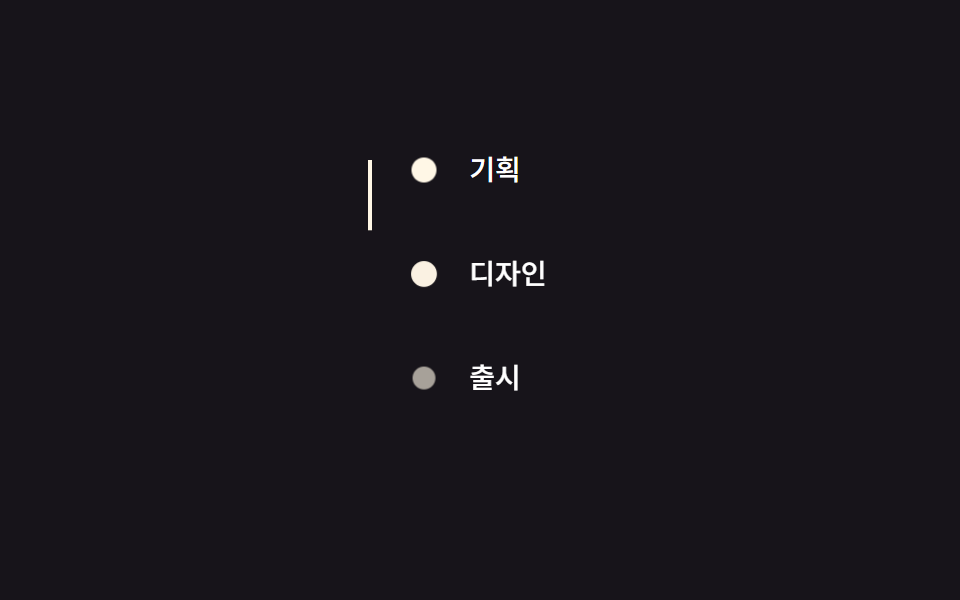
Một đường thẳng đứng tự vẽ dần khi bạn cuộn trang, và mỗi chấm tròn sáng lên ngay khi đường đã vẽ qua nó.
<main class="stage">
  <ul class="timeline is-demo">
    <li class="timeline__step"><span class="timeline__dot"></span>Lên kế hoạch</li>
    <li class="timeline__step"><span class="timeline__dot"></span>Thiết kế</li>
    <li class="timeline__step"><span class="timeline__dot"></span>Ra mắt</li>
    <li class="timeline__line" aria-hidden="true"></li>
  </ul>
</main>
@use "../../../../site/static/demo-tokens" as *;
// ── 변수 3개. 변형은 이것만 바꾼다 (값은 토큰에서 받는다) ──────
$thickness: 2px; // 선 두께
$color: $subject-cream; // 선·점 색 (ink 무대라 cream)
$duration: $dur-enter; // 점 하나가 켜지는 시간
// ── 데모 무대 (zip 에서 지워도 된다) ──────────────────────────
@include stage($stage-ink);
// ── 세로 타임라인 ────────────────────────────────────
.timeline {
position: relative;
margin: 0;
padding: 0 0 0 28px;
list-style: none;
color: #fff;
font-weight: 500;
font-size: 14px;
line-height: 1;
font-family: inherit;
&__step {
position: relative;
padding: clamp(4px, 2vw, 6px) 0;
margin-bottom: clamp(10px, 6vw, 26px); // 320×200 에서도 세 단계가 들어가게 줄인다
&:last-of-type { margin-bottom: 0; }
}
&__dot {
position: absolute;
left: -28px;
top: 8px;
width: 10px;
height: 10px;
border-radius: 50%;
background: $color; // 색은 고정. 켜짐/꺼짐은 opacity 로만 표현
opacity: .28;
transform: scale(1);
// ── 실제 사용 코드: 점마다 제 위치에서 뷰포트에 들어오면 켜진다 ──
@supports (animation-timeline: view()) {
animation: dot-light $duration ease-out both;
animation-timeline: view();
animation-range: entry 30% cover 60%;
}
@supports not (animation-timeline: view()) {
opacity: 1;
}
}
// ── 선: 세로로 그어진다. 실제 사용 코드는 문서 스크롤 진행률에 맞춘다 ──
&__line {
position: absolute;
left: -23px;
top: 8px;
width: $thickness;
height: calc(100% - 16px);
background: $color;
transform: scaleY(0);
transform-origin: top; // 규칙8: 세로선 top에서 차오름
@supports (animation-timeline: scroll()) {
animation: line-draw linear both;
animation-timeline: scroll(root);
animation-range: 0 200px;
}
@supports not (animation-timeline: scroll()) {
transform: scaleY(1);
}
}
}
@keyframes dot-light { from { opacity: .28; transform: scale(1); } to { opacity: 1; transform: scale(1.3); } }
@keyframes line-draw { from { transform: scaleY(0); } to { transform: scaleY(1); } }
// ── 데모(.is-demo): 스크롤 대신 2초 루프로 흉내 (선이 먼저, 점은 순서대로) ──
.timeline.is-demo .timeline__line {
animation: line-draw-loop $dur-loop ease-in-out infinite;
}
.timeline.is-demo .timeline__step:nth-child(1) .timeline__dot { animation: dot-loop $dur-loop ease-out infinite; animation-delay: 0ms; }
.timeline.is-demo .timeline__step:nth-child(2) .timeline__dot { animation: dot-loop $dur-loop ease-out infinite; animation-delay: 160ms; }
.timeline.is-demo .timeline__step:nth-child(3) .timeline__dot { animation: dot-loop $dur-loop ease-out infinite; animation-delay: 320ms; }
@keyframes line-draw-loop {
0% { transform: scaleY(0); }
60% { transform: scaleY(1); }
100% { transform: scaleY(1); }
}
@keyframes dot-loop {
0% { opacity: .28; transform: scale(1); }
15% { opacity: 1; transform: scale(1.3); }
70% { opacity: 1; transform: scale(1); }
85% { opacity: .28; transform: scale(1); }
100% { opacity: .28; transform: scale(1); }
}
// ── 접근성: 움직임 줄이기 설정이면 다 켜진 상태로 고정 ────────
@media (prefers-reduced-motion: reduce) {
.timeline__line, .timeline.is-demo .timeline__line { animation: none !important; transform: scaleY(1); }
.timeline__dot, .timeline.is-demo .timeline__step .timeline__dot { animation: none !important; opacity: 1; transform: scale(1); }
}html, body {
margin: 0;
overflow: hidden;
}
.stage {
box-sizing: border-box;
min-height: 100vh;
display: grid;
place-items: center;
margin: 0;
background: #17141a;
font-family: -apple-system, "Segoe UI", "Noto Sans KR", sans-serif;
padding: clamp(8px, 4vw, 24px);
}
.timeline {
position: relative;
margin: 0;
padding: 0 0 0 28px;
list-style: none;
color: #fff;
font-weight: 500;
font-size: 14px;
line-height: 1;
font-family: inherit;
}
.timeline__step {
position: relative;
padding: clamp(4px, 2vw, 6px) 0;
margin-bottom: clamp(10px, 6vw, 26px);
}
.timeline__step:last-of-type {
margin-bottom: 0;
}
.timeline__dot {
position: absolute;
left: -28px;
top: 8px;
width: 10px;
height: 10px;
border-radius: 50%;
background: #fff7e6;
opacity: 0.28;
transform: scale(1);
}
@supports (animation-timeline: view()) {
.timeline__dot {
animation: dot-light 600ms ease-out both;
animation-timeline: view();
animation-range: entry 30% cover 60%;
}
}
@supports not (animation-timeline: view()) {
.timeline__dot {
opacity: 1;
}
}
.timeline__line {
position: absolute;
left: -23px;
top: 8px;
width: 2px;
height: calc(100% - 16px);
background: #fff7e6;
transform: scaleY(0);
transform-origin: top;
}
@supports (animation-timeline: scroll()) {
.timeline__line {
animation: line-draw linear both;
animation-timeline: scroll(root);
animation-range: 0 200px;
}
}
@supports not (animation-timeline: scroll()) {
.timeline__line {
transform: scaleY(1);
}
}
@keyframes dot-light {
from {
opacity: 0.28;
transform: scale(1);
}
to {
opacity: 1;
transform: scale(1.3);
}
}
@keyframes line-draw {
from {
transform: scaleY(0);
}
to {
transform: scaleY(1);
}
}
.timeline.is-demo .timeline__line {
animation: line-draw-loop 2s ease-in-out infinite;
}
.timeline.is-demo .timeline__step:nth-child(1) .timeline__dot {
animation: dot-loop 2s ease-out infinite;
animation-delay: 0ms;
}
.timeline.is-demo .timeline__step:nth-child(2) .timeline__dot {
animation: dot-loop 2s ease-out infinite;
animation-delay: 160ms;
}
.timeline.is-demo .timeline__step:nth-child(3) .timeline__dot {
animation: dot-loop 2s ease-out infinite;
animation-delay: 320ms;
}
@keyframes line-draw-loop {
0% {
transform: scaleY(0);
}
60% {
transform: scaleY(1);
}
100% {
transform: scaleY(1);
}
}
@keyframes dot-loop {
0% {
opacity: 0.28;
transform: scale(1);
}
15% {
opacity: 1;
transform: scale(1.3);
}
70% {
opacity: 1;
transform: scale(1);
}
85% {
opacity: 0.28;
transform: scale(1);
}
100% {
opacity: 0.28;
transform: scale(1);
}
}
@media (prefers-reduced-motion: reduce) {
.timeline__line, .timeline.is-demo .timeline__line {
animation: none !important;
transform: scaleY(1);
}
.timeline__dot, .timeline.is-demo .timeline__step .timeline__dot {
animation: none !important;
opacity: 1;
transform: scale(1);
}
}import type { CSSProperties } from "react";
import styles from "./LineDrawTimeline.module.scss";
export type LineDrawTimelineProps = {
steps: string[];
/** 선 두께 (기본 2px) */
thickness?: number;
/** 선·점 색 (기본 cream) */
color?: string;
className?: string;
};
type Vars = CSSProperties & { "--thickness"?: string; "--color"?: string };
export default function LineDrawTimeline({
steps,
thickness = 2,
color = "#fff7e6",
className = "",
}: LineDrawTimelineProps) {
const vars: Vars = { "--thickness": `${thickness}px`, "--color": color };
return (
<ul className={`${styles.timeline} ${className}`} style={vars}>
{steps.map((step) => (
<li key={step} className={styles.step}>
<span className={styles.dot} />
{step}
</li>
))}
<li className={styles.line} aria-hidden="true" />
</ul>
);
}09 · Timeline vẽ đường — Diện tích đo được 0.553% · khung hình chuyển động 23/23Nguyên tác GODRICH · SCSS và React nằm trong tệp zip · Xem mật khẩu
Dùng khi nào
Dùng cho lịch sử phát triển, hướng dẫn từng bước, hoặc roadmap — những nơi chính tiến độ mới là điều cần truyền tải.
.timeline__line {
  transform-origin: top;
  animation: line-draw linear both;
  animation-timeline: scroll(root);
  animation-range: 0 200px;
}
.timeline__dot {
  animation: dot-light $duration ease-out both;
  animation-timeline: view();
  animation-range: entry 30% cover 60%;
}
@keyframes line-draw {
  from { transform: scaleY(0); }
  to   { transform: scaleY(1); }
}
@keyframes dot-light {
  from { opacity: .28; }
  to   { opacity: 1; }
}
Chỗ dễ hỏng — cái bẫy nằm ở đâu?
Hỗ trợ trình duyệt và nhánh dự phòng
Cả chín hiệu ứng đều dùng animation-timeline có sẵn trong CSS thay vì một trình lắng nghe sự kiện scroll, nên không có gì phải chạy trong JavaScript ở mỗi frame cuộn, đúng như hướng dẫn scroll-driven animations của MDN mô tả. Cái bẫy đầu tiên là mức hỗ trợ trình duyệt: animation-timeline chạy được từ Chrome 115, từ Safari 26, còn Firefox bản ổn định tính đến 9/2026 vẫn cần bật cờ thử nghiệm mới dùng được — bảng chi tiết nằm ở caniuse. Vì vậy mỗi file đều bọc rule chuyển động trong @supports (animation-timeline: view()) cùng một khối @supports not đi kèm, phần dự phòng hiển thị luôn trạng thái đã hoàn tất, và đó chính là khác biệt giữa một demo xuống cấp tử tế với một demo cứ vô hình mãi trên trình duyệt cũ.
Mốc pixel cố định của animation-range
Cái bẫy thứ hai nằm ở animation-range: 0 200px của mục 06. Đó là một mốc pixel cố định chứ không phải phần trăm của trang, nên header chỉ thu nhỏ xong sau khi bạn đã cuộn qua đúng 200px kể từ đầu trang, và nếu đặt con số đó lớn hơn cả chiều cao có thể cuộn của trang thật thì header sẽ kẹt lại giữa chừng mãi mãi. Những con số này đã được canh theo đúng các trang demo thật rồi, và nếu bạn muốn dừng đọc để mở file ngay thì mật khẩu của zip là x5xz5uh4.
Lưới xem trước và vòng lặp thay thế
Cái bẫy thứ ba nằm ngay ở phần xem trước phía trên: lưới đó đặt trong một khung iframe cố định 480×300, quá thấp để chứa một cú cuộn thật, nên mỗi ô tự chuyển sang một vòng lặp .is-demo dài hai giây thay cho scroll-timeline thật của nó. Bạn chỉ xem chuyển động lặp ở đây thôi; muốn thấy thanh của mục 05 hay đường của mục 09 phản hồi đúng theo vị trí cuộn thật, hãy mở riêng file vanilla trong tab của bạn rồi tự tay cuộn trang đó — vòng lặp trong lưới chỉ là bản thế chỗ tạm thời.
Khả năng tiếp cận
Trạng thái cuối khi giảm chuyển động
Chín demo đều phản hồi prefers-reduced-motion, nhưng cách xử lý không phải lúc nào cũng là tắt hẳn chuyển động — đôi khi là nhảy thẳng đến kết quả cuối cùng. Từ 01 đến 04 bỏ animation và hiện luôn trạng thái đã xong: opacity về 1, chữ đã lau xong hoàn toàn, rèm đã kéo hết sang một bên. Mục 08 đặt --num thẳng về số đích thay vì đếm dần từng số, còn mục 09 vẽ hết đường và sáng hết mọi chấm mà không có bước quét nào cả. Mục 06 và 07 cũng khoá luôn ở trạng thái cuối, vì một header đã thu nhỏ sẵn hay các lớp parallax đứng yên không mang đủ tính trang trí để đáng giữ lại khi chuyển động đã tắt. Hướng dẫn prefers-reduced-motion của MDN có ghi mức hỗ trợ trình duyệt cho media query này.
@media (prefers-reduced-motion: reduce) {
  .card, .list__item, .headline, .frame__curtain { animation: none !important; }
  .head, .timeline__line { animation: none !important; transform: scaleY(1); }
  .stat__num { animation: none !important; --num: 1280; }
}
Xem thêm hiệu ứng CSS scroll khác trong chuyên mục CSS, và trang giới thiệu nói rõ site này thực chất là gì.
FAQ
Css scroll animation có cần JavaScript không?
Không. Cả chín hiệu ứng ở đây đều chạy bằng animation-timeline: view() hoặc scroll(), tức là một thuộc tính CSS chứ không phải một scroll listener. Thư mục react/ trong zip chỉ bọc cùng một đoạn SCSS vào component, chứ không dùng JS để điều khiển chuyển động thật.
view() và scroll() khác nhau ở chỗ nào?
view() canh animation theo hành trình của riêng một phần tử khi nó đi qua khung nhìn, nên các mục 01 đến 04, mục 08 và các chấm ở mục 09 dùng nó. scroll() thì đọc theo mức cuộn của toàn bộ tài liệu, và đó là thứ chạy ở mục 05, 06, 07 và đường kẻ ở mục 09. Chọn view() khi bạn animate một phần tử vào đúng vị trí của nó, còn chọn scroll() khi chuyển động cần bám theo tiến độ cuộn tổng thể của trang.
Có dùng chung với Tailwind hoặc một dự án React được không?
Được. Class tiện ích của Tailwind và đoạn SCSS này không xung đột với nhau, vì chuyển động nằm trọn trong animation-timeline và keyframes chứ không nằm trong class mà Tailwind cũng muốn quản lý. Thư mục react/ trong zip có một component cho mỗi hiệu ứng, nhận đúng những biến số đó qua props, nên bạn không cần viết lại gì để dùng trong một thư viện component.
Có thể bạn cũng thích
 Cuộn trang9 hiệu ứng css parallax scrolling, không cần JS
 Cuộn trang9 CSS Marquee Infinite Loop — chỉ CSS, không JS
 Cuộn trang9 CSS Stagger Animation Demos Copy-Paste Là Chạy
 Cuộn trang9 CSS Scroll Progress Bar — không cần JS
 Cuộn trangCSS only carousel — 9 image slider css dán là chạy
 Cuộn trang9 hero section css animation — không cần JS
 Cuộn trang9 css timeline animation không JS, copy-paste
 Cuộn trang9 CSS sticky header không cần JS
 Cuộn trang9 nút back to top button css — hiện khi cuộn
 Cuộn trang9 mẫu css sticky header — copy-paste là chạy