9 mẫu css sticky header — copy-paste là chạy
Css sticky header là cách giữ hàng menu trên cùng bám mãi trên màn hình dù cuộn xuống đâu, chỉ một dòng position: sticky là đủ.
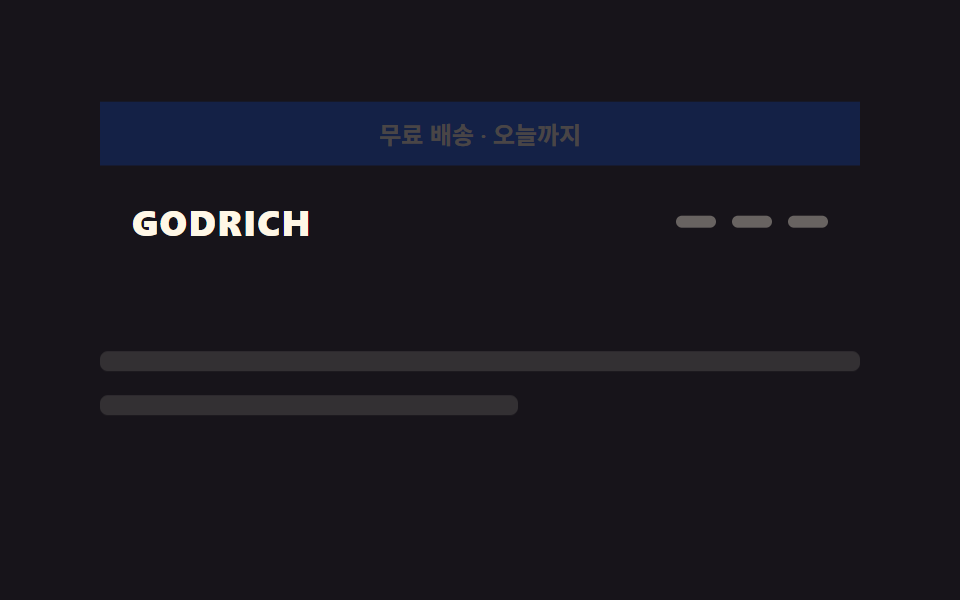 01 sticky-header-announcement-collapse
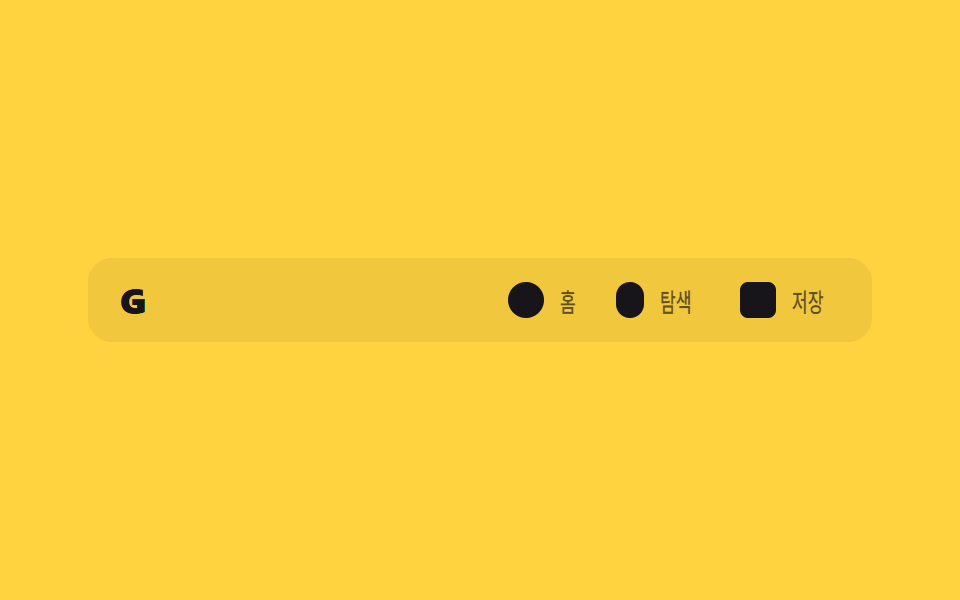 02 sticky-header-icon-only-collapse
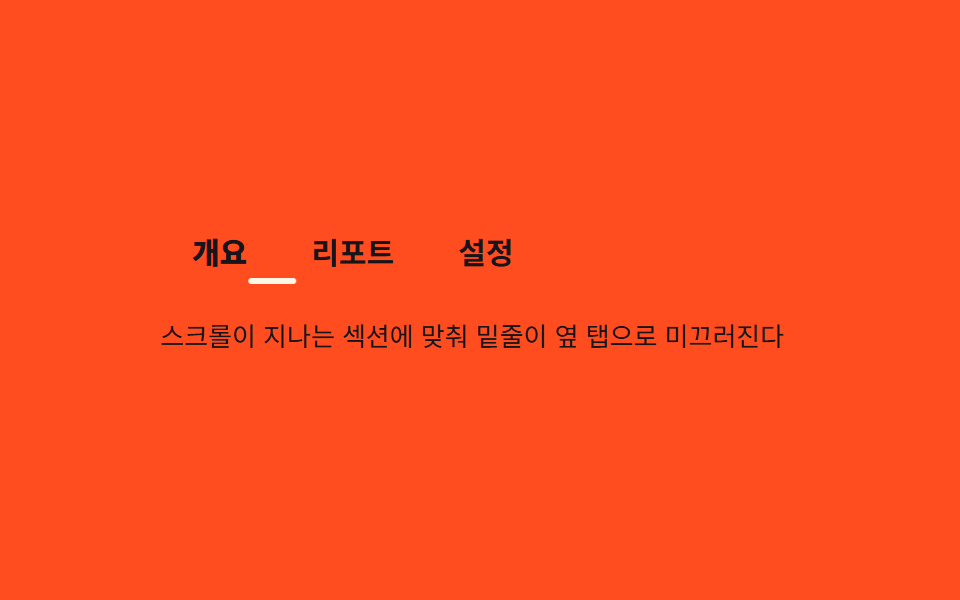 03 sticky-header-tab-underline-sync
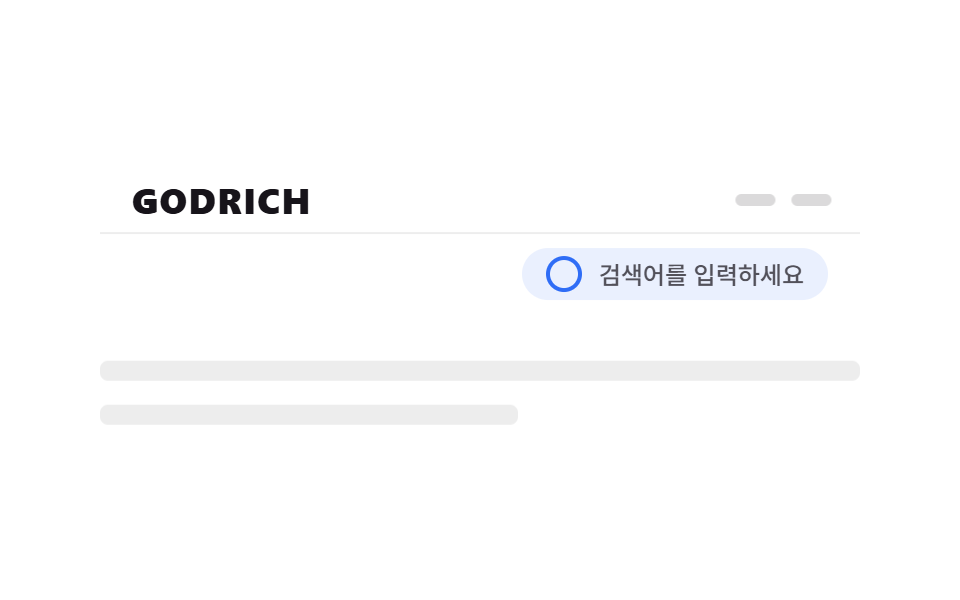 04 sticky-header-search-bar-merge
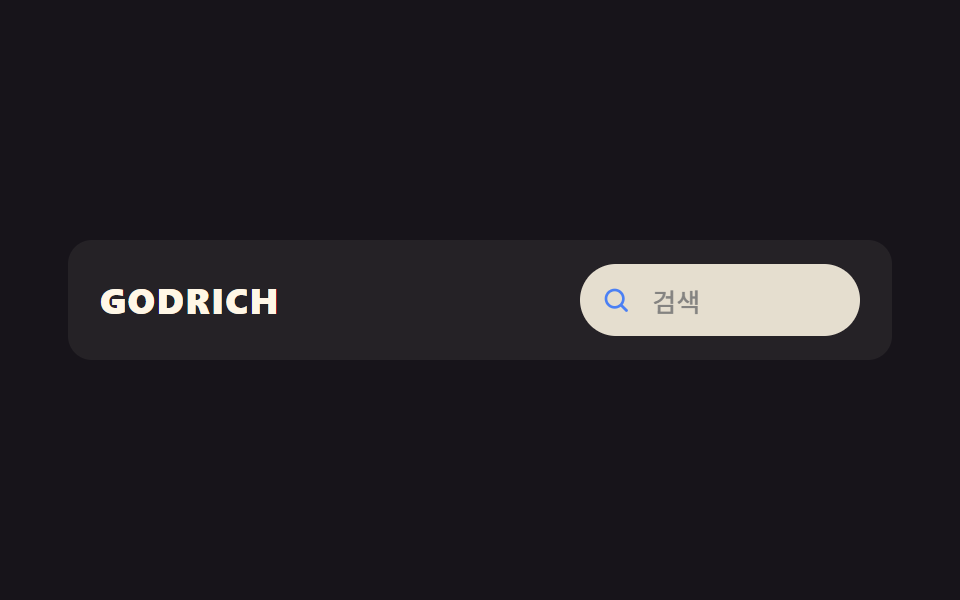 05 sticky-header-search-expand
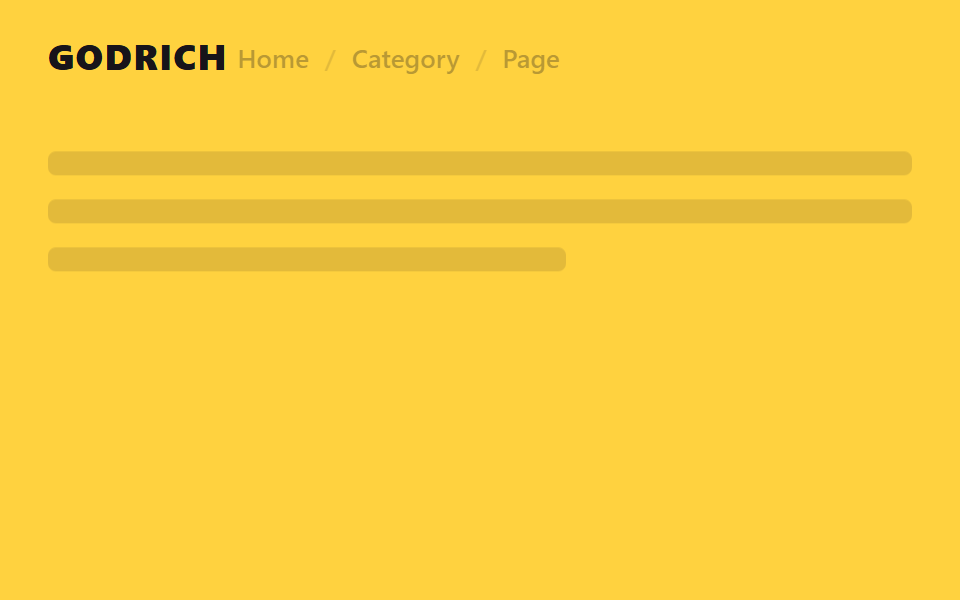 06 sticky-header-breadcrumb-reveal
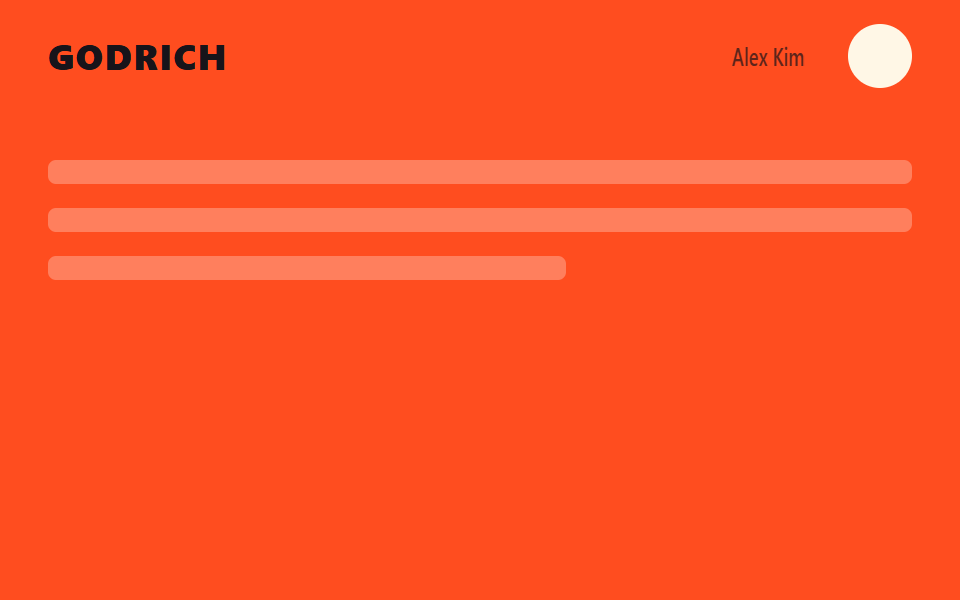 07 sticky-header-user-menu-compact
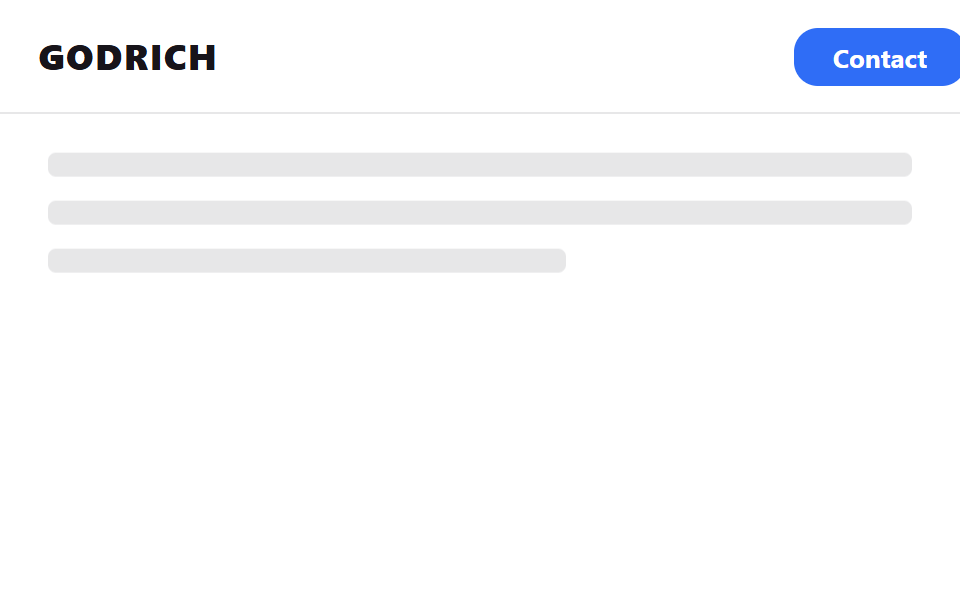 08 sticky-header-cta-slide-in
 09 sticky-header-notice-dot-pulse
Tự chạy · bấm ô để tới mục đó · cả 9 trong một zip
- 01 Thanh thông báo thu gọn
- 02 Nav chỉ còn icon
- 03 Gạch chân tab theo cuộn
- 04 Thanh search nhập vào header
- 05 Icon search bung thành ô nhập
- 06 Breadcrumb hiện khi cuộn
- 07 Menu người dùng thu gọn
- 08 Nút CTA trượt vào
- 09 Chấm thông báo bật lên
Chín mục không xếp theo độ nổi tiếng mà gộp theo thứ hạng vật nào đổi bên trong header. Nhóm tiết kiệm không gian khi thứ gì đó gập lại·thu hẹp (01·02·07), nhóm thông tin dẫn dắt dịch chuyển·lộ ra theo vị trí cuộn (03·06), nhóm UI tìm kiếm giãn rộng·hợp nhất với hàng khác (04·05), và nhóm phần tử vốn không có trên màn hình bất ngờ xuất hiện (08·09). Khác với css table header chỉ ghim hàng đầu của bảng, bài này xử lý trọn hàng header ở đỉnh trang.
01Thanh thông báo gập lại
Banner trượt lên và biến mất
Hàng banner khuyến mãi trên cùng trượt lên thoáng cái ngay khi bạn bắt đầu cuộn, không xô lệch bố cục, và hàng logo dâng lên chiếm chỗ trống.
<main class="stage">
  <div class="ahc is-demo">
    <div class="ahc__slot">
      <div class="ahc__bar">Miễn phí vận chuyển · chỉ hôm nay</div>
      <header class="ahc__head">
        <span class="ahc__logo">GODRICH</span>
        <nav class="ahc__nav" aria-hidden="true"><span></span><span></span><span></span></nav>
      </header>
    </div>
    <div class="ahc__page">
      <p class="ahc__line"></p>
      <p class="ahc__line short"></p>
    </div>
  </div>
</main>
@use "../../../../site/static/demo-tokens" as *;
// ── 변수 3개. 변형은 이것만 바꾼다 ──────────────────────────
$duration: $dur-base; // 배너가 접히고 헤더가 올라오는 시간
// 관성 lerp — p += (목표-p) * .32 를 20스텝 반복한 실제 계산 결과를 그대로 커브로 굽는다
// (형태 2차, 사용자 2026-09-14). ease-out 은 미리 그려둔 곡선이지만 이건 반복 계산의 산출값이다.
$easing: linear(0, .32, .538, .686, .786, .855, .901, .933, .954, .969, .979, .986, .99, .993, .995, .997, .998, .999, .999, .999, 1);
$easing-content: linear(0, .18, .328, .449, .548, .629, .696, .751, .796, .832, .863, .887, .908, .924, .938, .949, .958, .966, .972, .977, 1); // 알파 .18 — 헤더보다 느리게 목표를 따라잡아 시차가 생긴다
$dur-content: $dur-base * 1.4; // 콘텐츠가 헤더보다 늦게 도착
$color: $stage-ink; // 헤더·배너 배경
@include stage($stage-ink);
$bar-h: 32px;
$head-h: 56px;
.ahc { width: min(380px, 90vw); }
// ── 고정 높이 슬롯: 배너+헤더 두 층을 겹쳐 두고 transform 만 움직인다 (height 애니메이션 없음) ──
.ahc__slot {
position: relative;
height: $bar-h + $head-h;
}
.ahc__bar {
position: absolute; inset: 0 0 auto 0;
height: $bar-h;
display: flex; align-items: center; justify-content: center;
font-weight: 600;
font-size: clamp(10px, 2.8vw, 12px);
line-height: 1;
font-family: inherit;
color: $subject-cream;
background: $subject-blue-deep;
transform: translateY(0);
opacity: 1;
transition: transform $duration $easing, opacity $duration $easing;
}
.ahc__head {
position: absolute; left: 0; right: 0; top: $bar-h;
height: $head-h;
display: flex; align-items: center; justify-content: space-between;
padding: 0 $sp-4;
background: $color;
transform: translateY(0);
transition: transform $duration $easing;
}
.ahc__logo { color: $subject-cream; font-weight: 800; font-size: clamp(14px, 4vw, 18px); line-height: 1; font-family: inherit; letter-spacing: .04em; }
.ahc__nav { display: flex; gap: $sp-2; span { width: 20px; height: 6px; border-radius: $r-pill; background: rgba($subject-cream, .35); } }
// 실제 사용: 스크롤을 시작하면 배너가 위로 사라지고 헤더가 그 빈 자리로 올라온다
.ahc.is-scrolled {
.ahc__bar { transform: translateY(-100%); opacity: 0; }
.ahc__head { transform: translateY(-#{$bar-h}); }
// 콘텐츠는 헤더를 그대로 따라가지 않고 $easing-content 로 뒤처져 도착 — 시차 스크롤
.ahc__page { transform: translateY(-8px); }
}
// ── 데모(.is-demo): 접혔다 돌아오는 2초 루프 ──────────────
.ahc.is-demo {
.ahc__bar { animation: ahc-bar-loop $dur-loop $easing infinite; }
.ahc__head { animation: ahc-head-loop $dur-loop $easing infinite; }
.ahc__page { animation: ahc-page-loop $dur-loop $easing-content infinite; }
}
@keyframes ahc-bar-loop {
0%, 20% { transform: translateY(0); opacity: 1; }
45%, 70% { transform: translateY(-100%); opacity: 0; }
95%, 100% { transform: translateY(0); opacity: 1; }
}
@keyframes ahc-head-loop {
0%, 20% { transform: translateY(0); }
45%, 70% { transform: translateY(-#{$bar-h}); }
95%, 100% { transform: translateY(0); }
}
// 헤더보다 느린 $easing-content 로 같은 20~45%·70~95% 구간을 밟는다 — 관성이 덜 붙어 뒤처져 보인다
@keyframes ahc-page-loop {
0%, 20% { transform: translateY(0); }
45%, 70% { transform: translateY(-8px); }
95%, 100% { transform: translateY(0); }
}
// ── 배경: 문서처럼 보이는 자리 ─────────────────────────
.ahc__page {
padding: $sp-4 0 0;
transform: translateY(0);
transition: transform $dur-content $easing-content;
}
.ahc__line {
height: 10px;
margin: 0 0 $sp-3;
border-radius: $r-xs;
background: rgba($subject-cream, .12);
&.short { width: 55%; }
}
// ── 접근성: 움직임 줄이기 설정이면 즉시 상태만 바뀐다 ────────
@media (prefers-reduced-motion: reduce) {
.ahc__bar, .ahc__head, .ahc__page { transition: none; }
.ahc.is-demo {
.ahc__bar, .ahc__head, .ahc__page { animation: none !important; }
.ahc__bar { transform: translateY(0); opacity: 1; }
.ahc__head { transform: translateY(0); }
.ahc__page { transform: translateY(0); }
}
}html, body {
margin: 0;
overflow: hidden;
}
.stage {
box-sizing: border-box;
min-height: 100vh;
display: grid;
place-items: center;
margin: 0;
background: #17141a;
font-family: -apple-system, "Segoe UI", "Noto Sans KR", sans-serif;
padding: clamp(8px, 4vw, 24px);
}
.ahc {
width: min(380px, 90vw);
}
.ahc__slot {
position: relative;
height: 88px;
}
.ahc__bar {
position: absolute;
inset: 0 0 auto 0;
height: 32px;
display: flex;
align-items: center;
justify-content: center;
font-weight: 600;
font-size: clamp(10px, 2.8vw, 12px);
line-height: 1;
font-family: inherit;
color: #fff7e6;
background: #0a4fe8;
transform: translateY(0);
opacity: 1;
transition: transform 300ms linear(0, 0.32, 0.538, 0.686, 0.786, 0.855, 0.901, 0.933, 0.954, 0.969, 0.979, 0.986, 0.99, 0.993, 0.995, 0.997, 0.998, 0.999, 0.999, 0.999, 1), opacity 300ms linear(0, 0.32, 0.538, 0.686, 0.786, 0.855, 0.901, 0.933, 0.954, 0.969, 0.979, 0.986, 0.99, 0.993, 0.995, 0.997, 0.998, 0.999, 0.999, 0.999, 1);
}
.ahc__head {
position: absolute;
left: 0;
right: 0;
top: 32px;
height: 56px;
display: flex;
align-items: center;
justify-content: space-between;
padding: 0 16px;
background: #17141a;
transform: translateY(0);
transition: transform 300ms linear(0, 0.32, 0.538, 0.686, 0.786, 0.855, 0.901, 0.933, 0.954, 0.969, 0.979, 0.986, 0.99, 0.993, 0.995, 0.997, 0.998, 0.999, 0.999, 0.999, 1);
}
.ahc__logo {
color: #fff7e6;
font-weight: 800;
font-size: clamp(14px, 4vw, 18px);
line-height: 1;
font-family: inherit;
letter-spacing: 0.04em;
}
.ahc__nav {
display: flex;
gap: 8px;
}
.ahc__nav span {
width: 20px;
height: 6px;
border-radius: 999px;
background: rgba(255, 247, 230, 0.35);
}
.ahc.is-scrolled .ahc__bar {
transform: translateY(-100%);
opacity: 0;
}
.ahc.is-scrolled .ahc__head {
transform: translateY(-32px);
}
.ahc.is-scrolled .ahc__page {
transform: translateY(-8px);
}
.ahc.is-demo .ahc__bar {
animation: ahc-bar-loop 2s linear(0, 0.32, 0.538, 0.686, 0.786, 0.855, 0.901, 0.933, 0.954, 0.969, 0.979, 0.986, 0.99, 0.993, 0.995, 0.997, 0.998, 0.999, 0.999, 0.999, 1) infinite;
}
.ahc.is-demo .ahc__head {
animation: ahc-head-loop 2s linear(0, 0.32, 0.538, 0.686, 0.786, 0.855, 0.901, 0.933, 0.954, 0.969, 0.979, 0.986, 0.99, 0.993, 0.995, 0.997, 0.998, 0.999, 0.999, 0.999, 1) infinite;
}
.ahc.is-demo .ahc__page {
animation: ahc-page-loop 2s linear(0, 0.18, 0.328, 0.449, 0.548, 0.629, 0.696, 0.751, 0.796, 0.832, 0.863, 0.887, 0.908, 0.924, 0.938, 0.949, 0.958, 0.966, 0.972, 0.977, 1) infinite;
}
@keyframes ahc-bar-loop {
0%, 20% {
transform: translateY(0);
opacity: 1;
}
45%, 70% {
transform: translateY(-100%);
opacity: 0;
}
95%, 100% {
transform: translateY(0);
opacity: 1;
}
}
@keyframes ahc-head-loop {
0%, 20% {
transform: translateY(0);
}
45%, 70% {
transform: translateY(-32px);
}
95%, 100% {
transform: translateY(0);
}
}
@keyframes ahc-page-loop {
0%, 20% {
transform: translateY(0);
}
45%, 70% {
transform: translateY(-8px);
}
95%, 100% {
transform: translateY(0);
}
}
.ahc__page {
padding: 16px 0 0;
transform: translateY(0);
transition: transform 420ms linear(0, 0.18, 0.328, 0.449, 0.548, 0.629, 0.696, 0.751, 0.796, 0.832, 0.863, 0.887, 0.908, 0.924, 0.938, 0.949, 0.958, 0.966, 0.972, 0.977, 1);
}
.ahc__line {
height: 10px;
margin: 0 0 12px;
border-radius: 4px;
background: rgba(255, 247, 230, 0.12);
}
.ahc__line.short {
width: 55%;
}
@media (prefers-reduced-motion: reduce) {
.ahc__bar, .ahc__head, .ahc__page {
transition: none;
}
.ahc.is-demo .ahc__bar, .ahc.is-demo .ahc__head, .ahc.is-demo .ahc__page {
animation: none !important;
}
.ahc.is-demo .ahc__bar {
transform: translateY(0);
opacity: 1;
}
.ahc.is-demo .ahc__head {
transform: translateY(0);
}
.ahc.is-demo .ahc__page {
transform: translateY(0);
}
}// 실제 페이지: 스크롤을 시작하는 순간 공지 배너가 위로 사라지고 헤더가 그 자리로 올라온다 (7줄)
var el = document.querySelector('.ahc');
window.addEventListener('scroll', function () {
el.classList.toggle('is-scrolled', window.scrollY > 20);
}, { passive: true });import { useEffect, useRef } from "react";
import type { CSSProperties, ReactNode } from "react";
import styles from "./AnnouncementCollapseHeader.module.scss";
export type AnnouncementCollapseHeaderProps = {
logo: string;
announcement: string;
children?: ReactNode;
/** 배너가 접히고 헤더가 올라오는 시간 (기본 300ms) */
duration?: number;
/** 관성 lerp 커브(p += (목표-p)*.32 를 20스텝 반복해 구운 linear()) — 기본값이 vanilla 와 같다 */
easing?: string;
color?: string;
};
type Vars = CSSProperties & { "--duration"?: string; "--easing"?: string; "--color"?: string };
const LERP_EASING = "linear(0, .32, .538, .686, .786, .855, .901, .933, .954, .969, .979, .986, .99, .993, .995, .997, .998, .999, .999, .999, 1)";
export default function AnnouncementCollapseHeader({
logo,
announcement,
children,
duration = 300,
easing = LERP_EASING,
color = "#17141a",
}: AnnouncementCollapseHeaderProps) {
const ref = useRef<HTMLDivElement>(null);
const vars: Vars = { "--duration": `${duration}ms`, "--easing": easing, "--color": color };
useEffect(() => {
function onScroll() {
ref.current?.classList.toggle("is-scrolled", window.scrollY > 20);
}
window.addEventListener("scroll", onScroll, { passive: true });
return () => window.removeEventListener("scroll", onScroll);
}, []);
return (
<div ref={ref} className={styles.slot} style={vars}>
<div className={styles.bar}>{announcement}</div>
<header className={styles.head}>
<span className={styles.logo}>{logo}</span>
<nav className={styles.nav}>{children}</nav>
</header>
</div>
);
}01 · Thanh thông báo thu gọn — Diện tích đo được 23.972% · khung hình chuyển động 12/23Nguyên tác GODRICH · SCSS và React nằm trong tệp zip · Xem mật khẩu
Vì sao bố cục không nhấp nhô
Banner và header chồng lên cùng một slot bằng vị trí tuyệt đối rồi chỉ có transform chuyển động, nên trong lúc banner biến mất bố cục không hề rung chuyển.
.ahc__bar {
  position: absolute; inset: 0 0 auto 0;
  height: 32px;
  transform: translateY(0);
  opacity: 1;
  transition: transform .3s ease-out, opacity .3s ease-out;
}
.ahc__head {
  position: absolute; left: 0; right: 0; top: 32px;
  height: 56px;
  transform: translateY(0);
  transition: transform .3s ease-out;
}

// khi dùng thật: bắt đầu cuộn là banner trượt lên, header dâng lên thế chỗ
.ahc.is-scrolled {
  .ahc__bar { transform: translateY(-100%); opacity: 0; }
  .ahc__head { transform: translateY(-32px); }
}
Easing khi thu gọn không phải ease-out mà là đường cong lerp quán tính: các bước p += (mục tiêu - p) * alpha lặp lại được nướng vào hàm linear() của CSS, nhờ đó header vẫn trôi theo thêm một chút sau khi cuộn dừng.
02Chỉ còn icon trong nav
Nhãn chữ biến mất
Nhãn chữ của các liên kết điều hướng thu hết bề rộng khi cuộn và chỉ còn icon, tiết kiệm chiều ngang header đang hẹp dần.
<main class="stage">
  <header class="ioc is-demo">
    <span class="ioc__logo">G</span>
    <nav class="ioc__nav">
      <a class="ioc__item" href="#"><span class="ioc__icon ioc__icon--home" aria-hidden="true"></span><span class="ioc__label">Trang chủ</span></a>
      <a class="ioc__item" href="#"><span class="ioc__icon ioc__icon--search" aria-hidden="true"></span><span class="ioc__label">Khám phá</span></a>
      <a class="ioc__item" href="#"><span class="ioc__icon ioc__icon--save" aria-hidden="true"></span><span class="ioc__label">Lưu</span></a>
    </nav>
  </header>
</main>
@use "../../../../site/static/demo-tokens" as *;
// ── 변수 3개. 변형은 이것만 바꾼다 ──────────────────────────
$duration: $dur-base; // 라벨이 접히는 시간
// 관성 lerp — p += (목표-p) * .22 를 22스텝 반복한 계산 결과를 커브로 굽는다 (형태 2차, 사용자 2026-09-14)
$easing: linear(0, .22, .392, .525, .63, .711, .775, .824, .863, .893, .917, .935, .949, .96, .969, .976, .981, .985, .989, .991, .993, .995, 1);
$color: $stage-ink; // 아이콘·라벨 색
@include stage($stage-yellow);
// 320px 데모 스테이지: stage() 믹스인은 html,body 에만 overflow:hidden 을 준다 — html(root)은
// 자기 overflow:hidden 이 scrollWidth 를 뷰포트에 눌러주지만 body 는 보통 요소라 그대로 실제 콘텐츠
// 폭을 보고한다. 아이콘 3개 + 라벨(nav gap 포함) 이 90vw 보다 실측 폭이 넓어 320px 에서 13px 넘친다
// (128-02 실측, body.scrollWidth 333 vs innerWidth 320). .stage 를 직접 잘라 위로 전파를 막는다.
.stage { overflow: hidden; }
.ioc {
width: min(360px, 90vw);
display: flex; align-items: center; justify-content: space-between;
padding: $sp-3 $sp-4;
border-radius: $r-control;
background: rgba($stage-ink, .06);
&__logo { color: $color; font-weight: 800; font-size: clamp(15px, 4vw, 18px); line-height: 1; font-family: inherit; letter-spacing: .04em; }
&__nav { display: flex; align-items: center; gap: $sp-4; }
}
.ioc__item {
display: flex; align-items: center; gap: $sp-2;
text-decoration: none;
color: $color;
}
.ioc__icon {
flex: none;
width: 18px; height: 18px;
border-radius: $r-xs;
background: $color;
&--home { border-radius: 50%; }
&--search { border-radius: $r-pill; width: 14px; }
&--save { border-radius: $r-xs; }
}
// 라벨: 항목마다 폭이 다른 텍스트를 진짜로 비켜 줘야(width 축소) 헤더 폭을 아끼는 게 보인다.
// max-width 애니메이션은 이 작은 요소 안에서만 — blog-demo 규칙1 의 예외 (본문 원리 섹션 재료)
.ioc__label {
overflow: hidden;
white-space: nowrap;
max-width: 40px;
transform-origin: left center; // 규칙8: 라벨 좌측 기준 접힘
font-weight: 500;
font-size: clamp(12px, 3.4vw, 13px);
line-height: 1;
font-family: inherit;
color: $color;
transition: max-width $duration $easing, transform $duration $easing, opacity $duration $easing;
}
// 실제 사용: 스크롤하면 라벨이 폭과 함께 접혀 아이콘만 남는다
.ioc.is-scrolled .ioc__label { max-width: 0; transform: scaleX(0); opacity: 0; }
// ── 데모(.is-demo): 접혔다 펼쳐지는 2초 루프 ──────────────
.ioc.is-demo .ioc__label { animation: ioc-label-loop $dur-loop $easing infinite; }
@keyframes ioc-label-loop {
0%, 20% { max-width: 40px; transform: scaleX(1); opacity: 1; }
45%, 70% { max-width: 0; transform: scaleX(0); opacity: 0; }
95%, 100% { max-width: 40px; transform: scaleX(1); opacity: 1; }
}
// ── 접근성 ──────────────────────────────────────────
@media (prefers-reduced-motion: reduce) {
.ioc__label { transition: none; }
.ioc.is-demo .ioc__label { animation: none !important; max-width: 40px; transform: scaleX(1); opacity: 1; }
}html, body {
margin: 0;
overflow: hidden;
}
.stage {
box-sizing: border-box;
min-height: 100vh;
display: grid;
place-items: center;
margin: 0;
background: #ffd23f;
font-family: -apple-system, "Segoe UI", "Noto Sans KR", sans-serif;
padding: clamp(8px, 4vw, 24px);
}
.stage {
overflow: hidden;
}
.ioc {
width: min(360px, 90vw);
display: flex;
align-items: center;
justify-content: space-between;
padding: 12px 16px;
border-radius: 12px;
background: rgba(23, 20, 26, 0.06);
}
.ioc__logo {
color: #17141a;
font-weight: 800;
font-size: clamp(15px, 4vw, 18px);
line-height: 1;
font-family: inherit;
letter-spacing: 0.04em;
}
.ioc__nav {
display: flex;
align-items: center;
gap: 16px;
}
.ioc__item {
display: flex;
align-items: center;
gap: 8px;
text-decoration: none;
color: #17141a;
}
.ioc__icon {
flex: none;
width: 18px;
height: 18px;
border-radius: 4px;
background: #17141a;
}
.ioc__icon--home {
border-radius: 50%;
}
.ioc__icon--search {
border-radius: 999px;
width: 14px;
}
.ioc__icon--save {
border-radius: 4px;
}
.ioc__label {
overflow: hidden;
white-space: nowrap;
max-width: 40px;
transform-origin: left center;
font-weight: 500;
font-size: clamp(12px, 3.4vw, 13px);
line-height: 1;
font-family: inherit;
color: #17141a;
transition: max-width 300ms linear(0, 0.22, 0.392, 0.525, 0.63, 0.711, 0.775, 0.824, 0.863, 0.893, 0.917, 0.935, 0.949, 0.96, 0.969, 0.976, 0.981, 0.985, 0.989, 0.991, 0.993, 0.995, 1), transform 300ms linear(0, 0.22, 0.392, 0.525, 0.63, 0.711, 0.775, 0.824, 0.863, 0.893, 0.917, 0.935, 0.949, 0.96, 0.969, 0.976, 0.981, 0.985, 0.989, 0.991, 0.993, 0.995, 1), opacity 300ms linear(0, 0.22, 0.392, 0.525, 0.63, 0.711, 0.775, 0.824, 0.863, 0.893, 0.917, 0.935, 0.949, 0.96, 0.969, 0.976, 0.981, 0.985, 0.989, 0.991, 0.993, 0.995, 1);
}
.ioc.is-scrolled .ioc__label {
max-width: 0;
transform: scaleX(0);
opacity: 0;
}
.ioc.is-demo .ioc__label {
animation: ioc-label-loop 2s linear(0, 0.22, 0.392, 0.525, 0.63, 0.711, 0.775, 0.824, 0.863, 0.893, 0.917, 0.935, 0.949, 0.96, 0.969, 0.976, 0.981, 0.985, 0.989, 0.991, 0.993, 0.995, 1) infinite;
}
@keyframes ioc-label-loop {
0%, 20% {
max-width: 40px;
transform: scaleX(1);
opacity: 1;
}
45%, 70% {
max-width: 0;
transform: scaleX(0);
opacity: 0;
}
95%, 100% {
max-width: 40px;
transform: scaleX(1);
opacity: 1;
}
}
@media (prefers-reduced-motion: reduce) {
.ioc__label {
transition: none;
}
.ioc.is-demo .ioc__label {
animation: none !important;
max-width: 40px;
transform: scaleX(1);
opacity: 1;
}
}// 실제 페이지: 스크롤하면 라벨 폭이 줄며 사라지고 아이콘만 남는다 (7줄)
var el = document.querySelector('.ioc');
window.addEventListener('scroll', function () {
el.classList.toggle('is-scrolled', window.scrollY > 20);
}, { passive: true });import { useEffect, useRef } from "react";
import type { CSSProperties, ReactNode } from "react";
import styles from "./IconOnlyNav.module.scss";
export type IconOnlyNavItem = {
key: string;
label: string;
icon: ReactNode;
href?: string;
};
export type IconOnlyNavProps = {
logo: string;
items: IconOnlyNavItem[];
/** 라벨이 접히는 시간 (기본 300ms) */
duration?: number;
/** 관성 lerp 커브(p += (목표-p)*.22 를 22스텝 반복해 구운 linear()) — 기본값이 vanilla 와 같다 */
easing?: string;
color?: string;
};
// vanilla 128 과 같은 관성 lerp 커브 — p += (목표-p)*.22 를 22스텝 반복해 구운 linear()
const LERP_EASING = "linear(0, .22, .392, .525, .63, .711, .775, .824, .863, .893, .917, .935, .949, .96, .969, .976, .981, .985, .989, .991, .993, .995, 1)";
type Vars = CSSProperties & { "--duration"?: string; "--easing"?: string; "--color"?: string };
export default function IconOnlyNav({
logo,
items,
duration = 300,
easing = LERP_EASING,
color = "#17141a",
}: IconOnlyNavProps) {
const ref = useRef<HTMLElement>(null);
const vars: Vars = { "--duration": `${duration}ms`, "--easing": easing, "--color": color };
useEffect(() => {
function onScroll() {
ref.current?.classList.toggle("is-scrolled", window.scrollY > 20);
}
window.addEventListener("scroll", onScroll, { passive: true });
return () => window.removeEventListener("scroll", onScroll);
}, []);
return (
<header ref={ref} className={styles.head} style={vars}>
<span className={styles.logo}>{logo}</span>
<nav className={styles.nav}>
{items.map((it) => (
<a key={it.key} className={styles.item} href={it.href ?? "#"}>
<span className={styles.icon}>{it.icon}</span>
<span className={styles.label}>{it.label}</span>
</a>
))}
</nav>
</header>
);
}02 · Nav chỉ còn icon — Diện tích đo được 1.844% · khung hình chuyển động 14/23Nguyên tác GODRICH · SCSS và React nằm trong tệp zip · Xem mật khẩu
Phải hạ max-width theo
Nếu chỉ đổi opacity thì khoảng trống vẫn còn, nên phải đưa max-width về 0 nữa thì các icon mới thật sự sát về bên trái.
.ioc__label {
  overflow: hidden;
  white-space: nowrap;
  max-width: 40px;
  transform-origin: left center;
  transition: max-width .3s ease-out, transform .3s ease-out, opacity .3s ease-out;
}

// khi dùng thật: cuộn xuống là nhãn gập theo bề rộng, chỉ còn icon
.ioc.is-scrolled .ioc__label { max-width: 0; transform: scaleX(0); opacity: 0; }
03Gạch chân tab đồng bộ theo cuộn
Trong header cố định, gạch chân bám theo tab
Dưới các tab neo nằm cạnh nhau trong header, một gạch chân trượt sang tab kế tiếp sao cho khớp với khu vực đang đi qua.
<main class="stage">
  <div class="tus is-demo">
    <nav class="tus__nav" id="tusNav">
      <a class="tus__tab is-active" href="#overview" data-i="0">Tổng quan</a>
      <a class="tus__tab" href="#report" data-i="1">Báo cáo</a>
      <a class="tus__tab" href="#setting" data-i="2">Cài đặt</a>
      <span class="tus__underline" aria-hidden="true"></span>
    </nav>
    <div class="tus__panel">Gạch chân trượt sang tab ứng với section đang cuộn qua</div>
  </div>
</main>
@use "../../../../site/static/demo-tokens" as *;
// ── 변수 3개. 변형은 이것만 바꾼다 ──────────────────────────
$duration: $dur-base; // 밑줄이 미끄러지는 시간
$easing: $ease-spring;
$color: $subject-cream; // 밑줄·활성 탭 색
@include stage($stage-orange);
.tus { width: min(320px, 88vw); }
.tus__nav {
position: relative;
display: flex;
// 탭마다 내용 폭만큼만 차지해야 실측 offsetLeft·offsetWidth 가 의미 있다 (BD19) — 균등분배 금지
flex-wrap: nowrap;
}
.tus__tab {
flex: 0 0 auto;
padding: $sp-2 $sp-4;
text-decoration: none;
white-space: nowrap;
font-weight: 600;
font-size: clamp(13px, 3.6vw, 15px);
line-height: 1;
font-family: inherit;
color: $subject-ink; // 주황 무대 위 탭 글자 — AA 4.5 (rgba(cream,.65) 는 2.04:1 이었다)
&.is-active { color: $subject-ink; font-weight: 800; }
}
// 폭은 고정(칩 "translateX 고정폭") — 탭마다 넓어지지 않는다. translateX 만 탭 중심으로 움직인다
.tus__underline {
position: absolute; left: 0; bottom: 0;
width: 24px;
height: 3px;
background: $color;
border-radius: $r-pill;
transform: translateX(18.7265625px);
transition: transform $duration $easing;
}
// ── 데모(.is-demo): 세 탭 중심을 옮겨 다니는 2초 루프 ──────────────
// translateX 값 = 480×300 렌더에서 Playwright getBoundingClientRect 로 실측한 탭 left+width/2 - 밑줄폭/2
// (탭0 개요 left 0·폭 61.453125 / 탭1 리포트 left 61.453125·폭 76.171875 / 탭2 설정 left 137.625·폭 61.453125 — 짐작 56/76/56 류 금지, BD19)
.tus.is-demo .tus__underline { animation: tus-loop $dur-loop $easing infinite; }
@keyframes tus-loop {
0%, 15% { transform: translateX(18.7265625px); }
33%, 48% { transform: translateX(87.5390625px); }
66%, 81% { transform: translateX(156.3515625px); }
100% { transform: translateX(18.7265625px); }
}
.tus__panel {
margin-top: $sp-4;
min-height: 32px;
font-weight: 400;
font-size: clamp(12px, 3.2vw, 13px);
line-height: 1.5;
font-family: inherit;
color: $subject-ink; // 주황 무대 위 패널 글자 — AA 4.5
}
// ── 접근성 ──────────────────────────────────────────
@media (prefers-reduced-motion: reduce) {
.tus__underline { transition: none; }
.tus.is-demo .tus__underline { animation: none !important; transform: translateX(18.7265625px); }
}html, body {
margin: 0;
overflow: hidden;
}
.stage {
box-sizing: border-box;
min-height: 100vh;
display: grid;
place-items: center;
margin: 0;
background: #ff4d1f;
font-family: -apple-system, "Segoe UI", "Noto Sans KR", sans-serif;
padding: clamp(8px, 4vw, 24px);
}
.tus {
width: min(320px, 88vw);
}
.tus__nav {
position: relative;
display: flex;
flex-wrap: nowrap;
}
.tus__tab {
flex: 0 0 auto;
padding: 8px 16px;
text-decoration: none;
white-space: nowrap;
font-weight: 600;
font-size: clamp(13px, 3.6vw, 15px);
line-height: 1;
font-family: inherit;
color: #17141a;
}
.tus__tab.is-active {
color: #17141a;
font-weight: 800;
}
.tus__underline {
position: absolute;
left: 0;
bottom: 0;
width: 24px;
height: 3px;
background: #fff7e6;
border-radius: 999px;
transform: translateX(18.7265625px);
transition: transform 300ms cubic-bezier(0.2, 0.8, 0.2, 1);
}
.tus.is-demo .tus__underline {
animation: tus-loop 2s cubic-bezier(0.2, 0.8, 0.2, 1) infinite;
}
@keyframes tus-loop {
0%, 15% {
transform: translateX(18.7265625px);
}
33%, 48% {
transform: translateX(87.5390625px);
}
66%, 81% {
transform: translateX(156.3515625px);
}
100% {
transform: translateX(18.7265625px);
}
}
.tus__panel {
margin-top: 16px;
min-height: 32px;
font-weight: 400;
font-size: clamp(12px, 3.2vw, 13px);
line-height: 1.5;
font-family: inherit;
color: #17141a;
}
@media (prefers-reduced-motion: reduce) {
.tus__underline {
transition: none;
}
.tus.is-demo .tus__underline {
animation: none !important;
transform: translateX(18.7265625px);
}
}// 실제 페이지: IntersectionObserver 로 지금 통과 중인 섹션을 찾아 그 탭에 밑줄을 옮긴다.
// 탭 폭이 서로 달라 offsetLeft·offsetWidth 를 실측해 옮긴다 — 짐작 px 금지 (BD19)
var nav = document.getElementById('tusNav');
var tabs = nav.querySelectorAll('.tus__tab');
var underline = nav.querySelector('.tus__underline');
function moveTo(tab) {
var w = underline.offsetWidth;
underline.style.transform = 'translateX(' + (tab.offsetLeft + tab.offsetWidth / 2 - w / 2) + 'px)';
}
tabs.forEach(function (t) { t.addEventListener('click', function (e) { e.preventDefault(); document.querySelector('.tus').classList.remove('is-demo'); moveTo(t); }); });import { useEffect, useRef, useState } from "react";
import type { CSSProperties, MouseEvent } from "react";
import styles from "./TabUnderlineSync.module.scss";
export type TabUnderlineSyncTab = { key: string; label: string; href: string };
export type TabUnderlineSyncProps = {
tabs: TabUnderlineSyncTab[];
/** 밑줄이 미끄러지는 시간 (기본 300ms) */
duration?: number;
easing?: string;
color?: string;
};
type Vars = CSSProperties & { "--duration"?: string; "--easing"?: string; "--color"?: string };
export default function TabUnderlineSync({
tabs,
duration = 300,
easing = "cubic-bezier(.2,.8,.2,1)",
color = "#fff7e6",
}: TabUnderlineSyncProps) {
const navRef = useRef<HTMLElement>(null);
const [active, setActive] = useState(0);
const [x, setX] = useState(0);
const vars: Vars = { "--duration": `${duration}ms`, "--easing": easing, "--color": color };
// 탭 폭이 서로 달라 offsetLeft·offsetWidth 를 실측해 밑줄 중심을 옮긴다 — 짐작 px 금지 (BD19)
useEffect(() => {
const nav = navRef.current;
if (!nav) return;
const tab = nav.querySelectorAll("a")[active] as HTMLElement | undefined;
const underline = nav.querySelector<HTMLElement>("[data-underline]");
if (tab && underline) {
const w = underline.offsetWidth;
setX(tab.offsetLeft + tab.offsetWidth / 2 - w / 2);
}
}, [active, tabs]);
return (
<nav ref={navRef} className={styles.nav} style={vars}>
{tabs.map((t, i) => (
<a
key={t.key}
href={t.href}
className={i === active ? `${styles.tab} ${styles.isActive}` : styles.tab}
onClick={(e: MouseEvent<HTMLAnchorElement>) => { e.preventDefault(); setActive(i); }}
>
{t.label}
</a>
))}
<span data-underline className={styles.underline} style={{ transform: `translateX(${x}px)` }} />
</nav>
);
}03 · Gạch chân tab theo cuộn — Diện tích đo được 0.308% · khung hình chuyển động 14/23Nguyên tác GODRICH · SCSS và React nằm trong tệp zip · Xem mật khẩu
Cách tìm khu vực hiện tại
Trên trang thật, IntersectionObserver xác định khu vực đang được đi qua rồi đưa gạch chân đến vị trí tab tương ứng.
// độ rộng các tab khác nhau nên đọc offsetLeft·offsetWidth lúc chạy — cấm px phỏng đoán
var nav = document.getElementById('tusNav');
var tabs = nav.querySelectorAll('.tus__tab');
var underline = nav.querySelector('.tus__underline');
function moveTo(tab) {
  var w = underline.offsetWidth;
  underline.style.transform =
    'translateX(' + (tab.offsetLeft + tab.offsetWidth / 2 - w / 2) + 'px)';
}
04Hàng tìm kiếm nhập vào header
Hàng tìm kiếm trượt lên hòa vào header
Hàng nhập tìm kiếm vốn nằm riêng dưới header trượt lên khi cuộn và hòa vào đúng một hàng của header chính.
<main class="stage">
  <div class="sbm is-demo">
    <div class="sbm__slot">
      <header class="sbm__head">
        <span class="sbm__logo">GODRICH</span>
        <nav class="sbm__nav" aria-hidden="true"><span></span><span></span></nav>
      </header>
      <div class="sbm__search">
        <span class="sbm__search-box">
          <span class="sbm__search-icon" aria-hidden="true"></span>
          <span class="sbm__search-text">Nhập từ khóa tìm kiếm</span>
        </span>
      </div>
    </div>
    <div class="sbm__page">
      <p class="sbm__line"></p>
      <p class="sbm__line short"></p>
    </div>
  </div>
</main>
@use "../../../../site/static/demo-tokens" as *;
// ── 변수 3개. 변형은 이것만 바꾼다 ──────────────────────────
$duration: $dur-base; // 검색 줄이 위로 합쳐지는 시간
// 관성 lerp — p += (목표-p) * .32 를 20스텝 반복한 계산 결과를 커브로 굽는다 (형태 2차, 사용자 2026-09-14)
$easing: linear(0, .32, .538, .686, .786, .855, .901, .933, .954, .969, .979, .986, .99, .993, .995, .997, .998, .999, .999, .999, 1);
$easing-content: linear(0, .18, .328, .449, .548, .629, .696, .751, .796, .832, .863, .887, .908, .924, .938, .949, .958, .966, .972, .977, 1); // 알파 .18 — 헤더보다 느리게 따라잡아 시차가 생긴다
$dur-content: $dur-base * 1.4;
$color: $subject-blue; // 검색 아이콘·포커스 색
@include stage($stage-paper);
$row1: 56px;
$row2: 40px;
.sbm { width: min(380px, 90vw); }
// ── 고정 높이 슬롯: 헤더 줄 + 검색 줄 두 층을 겹쳐 두고 transform 만 움직인다 ──
.sbm__slot {
position: relative;
height: $row1 + $row2;
}
.sbm__head {
position: absolute; inset: 0 0 auto 0;
z-index: 2;
height: $row1;
display: flex; align-items: center; justify-content: space-between;
padding: 0 $sp-4;
}
.sbm__logo { color: $stage-ink; font-weight: 800; font-size: clamp(14px, 4vw, 18px); line-height: 1; font-family: inherit; letter-spacing: .04em; }
.sbm__nav {
display: flex; gap: $sp-2;
transition: opacity $duration $easing, transform $duration $easing;
span { width: 20px; height: 6px; border-radius: $r-pill; background: rgba($stage-ink, .2); }
}
// 검색 줄은 헤더의 nav 자리(오른쪽)와 같은 정렬로 둔다 — 위로 합쳐져도 로고와 겹치지 않는다
.sbm__search {
position: absolute; left: 0; right: 0; top: $row1;
z-index: 1;
height: $row2;
display: flex; align-items: center; justify-content: flex-end;
padding: 0 $sp-4;
border-top: 1px solid rgba($stage-ink, .08);
transform: translateY(0);
transition: transform $duration $easing;
&-box {
display: flex; align-items: center; gap: $sp-2;
padding: $sp-1 $sp-3;
border-radius: $r-pill;
background: rgba($color, .1);
}
&-icon { flex: none; width: 14px; height: 14px; border-radius: 50%; border: 2px solid $color; }
&-text { font-weight: 500; font-size: clamp(11px, 3vw, 12px); line-height: 1; font-family: inherit; color: rgba($stage-ink, .72); }
}
// 실제 사용: 스크롤을 시작하면 검색 줄이 위로 미끄러져 헤더 줄 안으로 합쳐진다
.sbm.is-scrolled {
.sbm__nav { opacity: 0; transform: translateX($sp-2); }
.sbm__search { transform: translateY(-#{$row1}); }
// 콘텐츠는 헤더 합쳐짐보다 늦게 도착 — 시차 스크롤
.sbm__page { transform: translateY(-8px); }
}
// ── 데모(.is-demo): 합쳐졌다 돌아오는 2초 루프 ──────────────
.sbm.is-demo {
.sbm__nav { animation: sbm-nav-loop $dur-loop $easing infinite; }
.sbm__search { animation: sbm-search-loop $dur-loop $easing infinite; }
.sbm__page { animation: sbm-page-loop $dur-loop $easing-content infinite; }
}
@keyframes sbm-nav-loop {
0%, 20% { opacity: 1; transform: translateX(0); }
45%, 70% { opacity: 0; transform: translateX(8px); }
95%, 100% { opacity: 1; transform: translateX(0); }
}
@keyframes sbm-search-loop {
0%, 20% { transform: translateY(0); }
45%, 70% { transform: translateY(-#{$row1}); }
95%, 100% { transform: translateY(0); }
}
// 헤더보다 느린 $easing-content 로 같은 구간을 밟는다 — 관성이 덜 붙어 뒤처져 보인다
@keyframes sbm-page-loop {
0%, 20% { transform: translateY(0); }
45%, 70% { transform: translateY(-8px); }
95%, 100% { transform: translateY(0); }
}
// ── 배경: 문서처럼 보이는 자리 ─────────────────────────
.sbm__page {
padding: $sp-4 0 0;
transform: translateY(0);
transition: transform $dur-content $easing-content;
}
.sbm__line {
height: 10px;
margin: 0 0 $sp-3;
border-radius: $r-xs;
background: rgba($stage-ink, .08);
&.short { width: 55%; }
}
// ── 접근성 ──────────────────────────────────────────
@media (prefers-reduced-motion: reduce) {
.sbm__nav, .sbm__search, .sbm__page { transition: none; }
.sbm.is-demo {
.sbm__nav, .sbm__search, .sbm__page { animation: none !important; }
.sbm__nav { opacity: 1; transform: translateX(0); }
.sbm__search { transform: translateY(0); }
.sbm__page { transform: translateY(0); }
}
}html, body {
margin: 0;
overflow: hidden;
}
.stage {
box-sizing: border-box;
min-height: 100vh;
display: grid;
place-items: center;
margin: 0;
background: #ffffff;
font-family: -apple-system, "Segoe UI", "Noto Sans KR", sans-serif;
padding: clamp(8px, 4vw, 24px);
}
.sbm {
width: min(380px, 90vw);
}
.sbm__slot {
position: relative;
height: 96px;
}
.sbm__head {
position: absolute;
inset: 0 0 auto 0;
z-index: 2;
height: 56px;
display: flex;
align-items: center;
justify-content: space-between;
padding: 0 16px;
}
.sbm__logo {
color: #17141a;
font-weight: 800;
font-size: clamp(14px, 4vw, 18px);
line-height: 1;
font-family: inherit;
letter-spacing: 0.04em;
}
.sbm__nav {
display: flex;
gap: 8px;
transition: opacity 300ms linear(0, 0.32, 0.538, 0.686, 0.786, 0.855, 0.901, 0.933, 0.954, 0.969, 0.979, 0.986, 0.99, 0.993, 0.995, 0.997, 0.998, 0.999, 0.999, 0.999, 1), transform 300ms linear(0, 0.32, 0.538, 0.686, 0.786, 0.855, 0.901, 0.933, 0.954, 0.969, 0.979, 0.986, 0.99, 0.993, 0.995, 0.997, 0.998, 0.999, 0.999, 0.999, 1);
}
.sbm__nav span {
width: 20px;
height: 6px;
border-radius: 999px;
background: rgba(23, 20, 26, 0.2);
}
.sbm__search {
position: absolute;
left: 0;
right: 0;
top: 56px;
z-index: 1;
height: 40px;
display: flex;
align-items: center;
justify-content: flex-end;
padding: 0 16px;
border-top: 1px solid rgba(23, 20, 26, 0.08);
transform: translateY(0);
transition: transform 300ms linear(0, 0.32, 0.538, 0.686, 0.786, 0.855, 0.901, 0.933, 0.954, 0.969, 0.979, 0.986, 0.99, 0.993, 0.995, 0.997, 0.998, 0.999, 0.999, 0.999, 1);
}
.sbm__search-box {
display: flex;
align-items: center;
gap: 8px;
padding: 4px 12px;
border-radius: 999px;
background: rgba(47, 109, 246, 0.1);
}
.sbm__search-icon {
flex: none;
width: 14px;
height: 14px;
border-radius: 50%;
border: 2px solid #2f6df6;
}
.sbm__search-text {
font-weight: 500;
font-size: clamp(11px, 3vw, 12px);
line-height: 1;
font-family: inherit;
color: rgba(23, 20, 26, 0.72);
}
.sbm.is-scrolled .sbm__nav {
opacity: 0;
transform: translateX(8px);
}
.sbm.is-scrolled .sbm__search {
transform: translateY(-56px);
}
.sbm.is-scrolled .sbm__page {
transform: translateY(-8px);
}
.sbm.is-demo .sbm__nav {
animation: sbm-nav-loop 2s linear(0, 0.32, 0.538, 0.686, 0.786, 0.855, 0.901, 0.933, 0.954, 0.969, 0.979, 0.986, 0.99, 0.993, 0.995, 0.997, 0.998, 0.999, 0.999, 0.999, 1) infinite;
}
.sbm.is-demo .sbm__search {
animation: sbm-search-loop 2s linear(0, 0.32, 0.538, 0.686, 0.786, 0.855, 0.901, 0.933, 0.954, 0.969, 0.979, 0.986, 0.99, 0.993, 0.995, 0.997, 0.998, 0.999, 0.999, 0.999, 1) infinite;
}
.sbm.is-demo .sbm__page {
animation: sbm-page-loop 2s linear(0, 0.18, 0.328, 0.449, 0.548, 0.629, 0.696, 0.751, 0.796, 0.832, 0.863, 0.887, 0.908, 0.924, 0.938, 0.949, 0.958, 0.966, 0.972, 0.977, 1) infinite;
}
@keyframes sbm-nav-loop {
0%, 20% {
opacity: 1;
transform: translateX(0);
}
45%, 70% {
opacity: 0;
transform: translateX(8px);
}
95%, 100% {
opacity: 1;
transform: translateX(0);
}
}
@keyframes sbm-search-loop {
0%, 20% {
transform: translateY(0);
}
45%, 70% {
transform: translateY(-56px);
}
95%, 100% {
transform: translateY(0);
}
}
@keyframes sbm-page-loop {
0%, 20% {
transform: translateY(0);
}
45%, 70% {
transform: translateY(-8px);
}
95%, 100% {
transform: translateY(0);
}
}
.sbm__page {
padding: 16px 0 0;
transform: translateY(0);
transition: transform 420ms linear(0, 0.18, 0.328, 0.449, 0.548, 0.629, 0.696, 0.751, 0.796, 0.832, 0.863, 0.887, 0.908, 0.924, 0.938, 0.949, 0.958, 0.966, 0.972, 0.977, 1);
}
.sbm__line {
height: 10px;
margin: 0 0 12px;
border-radius: 4px;
background: rgba(23, 20, 26, 0.08);
}
.sbm__line.short {
width: 55%;
}
@media (prefers-reduced-motion: reduce) {
.sbm__nav, .sbm__search, .sbm__page {
transition: none;
}
.sbm.is-demo .sbm__nav, .sbm.is-demo .sbm__search, .sbm.is-demo .sbm__page {
animation: none !important;
}
.sbm.is-demo .sbm__nav {
opacity: 1;
transform: translateX(0);
}
.sbm.is-demo .sbm__search {
transform: translateY(0);
}
.sbm.is-demo .sbm__page {
transform: translateY(0);
}
}// 실제 페이지: 스크롤하면 아래 Tìm kiếm 줄이 위로 미끄러져 헤더 한 줄 안으로 합쳐진다 (7줄)
var el = document.querySelector('.sbm');
window.addEventListener('scroll', function () {
el.classList.toggle('is-scrolled', window.scrollY > 20);
}, { passive: true });import { useEffect, useRef } from "react";
import type { CSSProperties, ReactNode } from "react";
import styles from "./SearchBarMerge.module.scss";
export type SearchBarMergeProps = {
logo: string;
placeholder: string;
children?: ReactNode;
/** 검색 줄이 위로 합쳐지는 시간 (기본 300ms) */
duration?: number;
/** 관성 lerp 커브(p += (목표-p)*.32 를 20스텝 반복해 구운 linear()) — 기본값이 vanilla 와 같다 */
easing?: string;
color?: string;
};
type Vars = CSSProperties & { "--duration"?: string; "--easing"?: string; "--color"?: string };
const LERP_EASING = "linear(0, .32, .538, .686, .786, .855, .901, .933, .954, .969, .979, .986, .99, .993, .995, .997, .998, .999, .999, .999, 1)";
export default function SearchBarMerge({
logo,
placeholder,
children,
duration = 300,
easing = LERP_EASING,
color = "#2f6df6",
}: SearchBarMergeProps) {
const ref = useRef<HTMLDivElement>(null);
const vars: Vars = { "--duration": `${duration}ms`, "--easing": easing, "--color": color };
useEffect(() => {
function onScroll() {
ref.current?.classList.toggle("is-scrolled", window.scrollY > 20);
}
window.addEventListener("scroll", onScroll, { passive: true });
return () => window.removeEventListener("scroll", onScroll);
}, []);
return (
<div ref={ref} className={styles.slot} style={vars}>
<header className={styles.head}>
<span className={styles.logo}>{logo}</span>
<nav className={styles.nav}>{children}</nav>
</header>
<div className={styles.search}>
<span className={styles.searchBox}>
<span className={styles.searchIcon} />
<span className={styles.searchText}>{placeholder}</span>
</span>
</div>
</div>
);
}04 · Thanh search nhập vào header — Diện tích đo được 15.596% · khung hình chuyển động 12/23Nguyên tác GODRICH · SCSS và React nằm trong tệp zip · Xem mật khẩu
Chồng lớp theo chiều ngược của 01
Hai hàng được xếp chồng trong slot chiều cao cố định rồi chỉ hàng tìm kiếm được kéo lên bằng translateY đúng bằng chiều cao header — cùng cấu trúc chồng lớp với 01 nhưng theo chiều ngược lại.
.sbm__search {
  position: absolute; left: 0; right: 0; top: 56px;
  height: 40px;
  border-top: 1px solid rgba($stage-ink, .08);
  transform: translateY(0);
  transition: transform .3s ease-out;
}

// khi dùng thật: bắt đầu cuộn là hàng tìm kiếm trượt lên hòa vào hàng header
.sbm.is-scrolled .sbm__search { transform: translateY(-56px); }
05Ô tìm kiếm giãn rộng
Icon giãn thành ô nhập
Chỗ vốn chỉ có một icon kính lúp giãn bề rộng khi nhấp và hóa thành ô nhập chữ thật.
<main class="stage">
  <header class="sse is-demo">
    <span class="sse__logo">GODRICH</span>
    <div class="sse__search">
      <button class="sse__toggle" type="button" aria-label="Mở tìm kiếm" aria-expanded="false" aria-controls="sseInput">
        <svg class="sse__icon" viewBox="0 0 24 24" aria-hidden="true"><circle cx="11" cy="11" r="6.5"/><line x1="20" y1="20" x2="15.7" y2="15.7"/></svg>
      </button>
      <input id="sseInput" class="sse__input" type="search" placeholder="Tìm kiếm" aria-label="Ô nhập tìm kiếm" tabindex="-1">
    </div>
  </header>
</main>
@use "../../../../site/static/demo-tokens" as *;
// ── 변수 3개. 변형은 이것만 바꾼다 ──────────────────────────
$duration: $dur-base; // 폭이 넓어지는 시간
$easing: $ease-spring;
$color: $subject-blue; // 아이콘·포커스 색
@include stage($stage-ink);
// 320px 데모 스테이지: stage() 믹스인은 html,body 에만 overflow:hidden 을 준다 — html(root)은
// 자기 overflow:hidden 이 scrollWidth 를 뷰포트에 눌러주지만 body 는 보통 요소라 그대로 실제 콘텐츠
// 폭을 보고한다. 검색창이 156px 로 펼쳐질 때 로고+패딩과 합쳐 90vw 보다 실측 폭이 넓어 320px 에서
// 13px 넘친다 (128-05 실측, body.scrollWidth 333 vs innerWidth 320). .stage 를 직접 잘라 위로 전파를 막는다.
.stage { overflow: hidden; }
.sse {
width: min(380px, 90vw);
display: flex; align-items: center; justify-content: space-between;
padding: $sp-3 $sp-4;
border-radius: $r-control;
background: rgba($subject-cream, .06);
}
.sse__logo { color: $subject-cream; font-weight: 800; font-size: clamp(14px, 4vw, 18px); line-height: 1; font-family: inherit; letter-spacing: .04em; }
// 작은 요소 안에서만 폭이 바뀐다 — 아이콘→입력창은 본질적으로 width 변화라 이 항목만의 예외
.sse__search {
position: relative;
display: inline-flex;
align-items: center;
height: 36px;
width: 36px;
border-radius: $r-pill;
background: rgba($subject-cream, .12);
overflow: hidden;
transition: width $duration $easing, background $duration $easing;
&.is-open { width: 156px; background: $subject-cream; }
}
.sse__toggle {
flex: none;
width: 36px; height: 36px;
display: grid; place-items: center;
border: 0; padding: 0;
background: transparent;
cursor: pointer;
-webkit-tap-highlight-color: transparent;
}
.sse__icon {
width: 16px; height: 16px;
fill: none;
stroke: $subject-cream;
stroke-width: 2;
stroke-linecap: round;
}
.sse__search.is-open .sse__icon { stroke: $color; }
.sse__input {
flex: 1 1 auto;
min-width: 0;
border: 0; outline: 0;
background: transparent;
padding: 0 $sp-3 0 0;
font-weight: 500;
font-size: clamp(12px, 3.6vw, 13px);
line-height: 1;
font-family: inherit;
color: $stage-ink;
opacity: 0;
transition: opacity $duration $easing;
}
.sse__search.is-open .sse__input { opacity: 1; }
// ── 데모(.is-demo): 아이콘이 클릭 한 번을 시뮬레이션해 입력창으로 넓어지는 2초 루프 ──────────────
.sse.is-demo .sse__search {
animation: sse-expand-loop $dur-loop $easing infinite;
}
.sse.is-demo .sse__icon { animation: sse-icon-loop $dur-loop $easing infinite; }
.sse.is-demo .sse__input { animation: sse-input-loop $dur-loop $easing infinite; }
@keyframes sse-expand-loop {
0%, 20% { width: 36px; background: rgba($subject-cream, .12); }
45%, 70% { width: 156px; background: $subject-cream; }
95%, 100% { width: 36px; background: rgba($subject-cream, .12); }
}
@keyframes sse-icon-loop {
0%, 20% { stroke: $subject-cream; }
45%, 70% { stroke: $color; }
95%, 100% { stroke: $subject-cream; }
}
@keyframes sse-input-loop {
0%, 20% { opacity: 0; }
45%, 70% { opacity: 1; }
95%, 100% { opacity: 0; }
}
// ── 접근성 ──────────────────────────────────────────
@media (prefers-reduced-motion: reduce) {
.sse__search, .sse__input { transition: none; }
.sse.is-demo {
.sse__search, .sse__icon, .sse__input { animation: none !important; }
.sse__search { width: 36px; background: rgba($subject-cream, .12); }
.sse__icon { stroke: $subject-cream; }
.sse__input { opacity: 0; }
}
}html, body {
margin: 0;
overflow: hidden;
}
.stage {
box-sizing: border-box;
min-height: 100vh;
display: grid;
place-items: center;
margin: 0;
background: #17141a;
font-family: -apple-system, "Segoe UI", "Noto Sans KR", sans-serif;
padding: clamp(8px, 4vw, 24px);
}
.stage {
overflow: hidden;
}
.sse {
width: min(380px, 90vw);
display: flex;
align-items: center;
justify-content: space-between;
padding: 12px 16px;
border-radius: 12px;
background: rgba(255, 247, 230, 0.06);
}
.sse__logo {
color: #fff7e6;
font-weight: 800;
font-size: clamp(14px, 4vw, 18px);
line-height: 1;
font-family: inherit;
letter-spacing: 0.04em;
}
.sse__search {
position: relative;
display: inline-flex;
align-items: center;
height: 36px;
width: 36px;
border-radius: 999px;
background: rgba(255, 247, 230, 0.12);
overflow: hidden;
transition: width 300ms cubic-bezier(0.2, 0.8, 0.2, 1), background 300ms cubic-bezier(0.2, 0.8, 0.2, 1);
}
.sse__search.is-open {
width: 156px;
background: #fff7e6;
}
.sse__toggle {
flex: none;
width: 36px;
height: 36px;
display: grid;
place-items: center;
border: 0;
padding: 0;
background: transparent;
cursor: pointer;
-webkit-tap-highlight-color: transparent;
}
.sse__icon {
width: 16px;
height: 16px;
fill: none;
stroke: #fff7e6;
stroke-width: 2;
stroke-linecap: round;
}
.sse__search.is-open .sse__icon {
stroke: #2f6df6;
}
.sse__input {
flex: 1 1 auto;
min-width: 0;
border: 0;
outline: 0;
background: transparent;
padding: 0 12px 0 0;
font-weight: 500;
font-size: clamp(12px, 3.6vw, 13px);
line-height: 1;
font-family: inherit;
color: #17141a;
opacity: 0;
transition: opacity 300ms cubic-bezier(0.2, 0.8, 0.2, 1);
}
.sse__search.is-open .sse__input {
opacity: 1;
}
.sse.is-demo .sse__search {
animation: sse-expand-loop 2s cubic-bezier(0.2, 0.8, 0.2, 1) infinite;
}
.sse.is-demo .sse__icon {
animation: sse-icon-loop 2s cubic-bezier(0.2, 0.8, 0.2, 1) infinite;
}
.sse.is-demo .sse__input {
animation: sse-input-loop 2s cubic-bezier(0.2, 0.8, 0.2, 1) infinite;
}
@keyframes sse-expand-loop {
0%, 20% {
width: 36px;
background: rgba(255, 247, 230, 0.12);
}
45%, 70% {
width: 156px;
background: #fff7e6;
}
95%, 100% {
width: 36px;
background: rgba(255, 247, 230, 0.12);
}
}
@keyframes sse-icon-loop {
0%, 20% {
stroke: #fff7e6;
}
45%, 70% {
stroke: #2f6df6;
}
95%, 100% {
stroke: #fff7e6;
}
}
@keyframes sse-input-loop {
0%, 20% {
opacity: 0;
}
45%, 70% {
opacity: 1;
}
95%, 100% {
opacity: 0;
}
}
@media (prefers-reduced-motion: reduce) {
.sse__search, .sse__input {
transition: none;
}
.sse.is-demo .sse__search, .sse.is-demo .sse__icon, .sse.is-demo .sse__input {
animation: none !important;
}
.sse.is-demo .sse__search {
width: 36px;
background: rgba(255, 247, 230, 0.12);
}
.sse.is-demo .sse__icon {
stroke: #fff7e6;
}
.sse.is-demo .sse__input {
opacity: 0;
}
}// 실제 페이지: 아이콘을 클릭하면 입력창 폭이 넓어지며 실제 검색창이 된다 (9줄)
var box = document.querySelector('.sse__search');
var input = document.querySelector('#sseInput');
document.querySelector('.sse__toggle').addEventListener('click', function (e) {
var open = box.classList.toggle('is-open');
e.currentTarget.setAttribute('aria-expanded', String(open));
document.querySelector('.sse').classList.remove('is-demo');
input.tabIndex = open ? 0 : -1;
if (open) input.focus({ preventScroll: true }); else input.blur();
});import { useRef, useState } from "react";
import type { CSSProperties } from "react";
import styles from "./SearchExpandHeader.module.scss";
export type SearchExpandHeaderProps = {
logo: string;
placeholder: string;
/** 폭이 넓어지는 시간 (기본 300ms) */
duration?: number;
easing?: string;
color?: string;
};
type Vars = CSSProperties & { "--duration"?: string; "--easing"?: string; "--color"?: string };
export default function SearchExpandHeader({
logo,
placeholder,
duration = 300,
easing = "cubic-bezier(.2,.8,.2,1)",
color = "#2f6df6",
}: SearchExpandHeaderProps) {
const [open, setOpen] = useState(false);
const inputRef = useRef<HTMLInputElement>(null);
const vars: Vars = { "--duration": `${duration}ms`, "--easing": easing, "--color": color };
function toggle() {
const next = !open;
setOpen(next);
if (next) inputRef.current?.focus({ preventScroll: true });
else inputRef.current?.blur();
}
return (
<header className={styles.head} style={vars}>
<span className={styles.logo}>{logo}</span>
<div className={open ? `${styles.search} ${styles.isOpen}` : styles.search}>
<button type="button" className={styles.toggle} aria-label="검색 열기" aria-expanded={open} onClick={toggle}>
<svg className={styles.icon} viewBox="0 0 24 24" aria-hidden="true">
<circle cx="11" cy="11" r="6.5" />
<line x1="20" y1="20" x2="15.7" y2="15.7" />
</svg>
</button>
<input
ref={inputRef}
className={styles.input}
type="search"
placeholder={placeholder}
aria-label="검색어 입력"
tabIndex={open ? 0 : -1}
/>
</div>
</header>
);
}05 · Icon search bung thành ô nhập — Diện tích đo được 3.736% · khung hình chuyển động 13/23Nguyên tác GODRICH · SCSS và React nằm trong tệp zip · Xem mật khẩu
Duy nhất không dính gì đến cuộn
Đây là mục duy nhất trong chín cái không liên quan scroll; cái kích hoạt là nhấp (focus), không phải vị trí cuộn.
.sse__search {
  width: 36px;
  border-radius: $r-pill;
  background: rgba($subject-cream, .12);
  overflow: hidden;
  transition: width .3s ease-spring, background .3s ease-spring;

  &.is-open { width: 156px; background: $subject-cream; }
}
06Đường dẫn xuất hiện khi cuộn
Vị trí hiện lên tại chỗ trống
Khoảng trống cạnh logo, đúng khoảnh khắc bạn cuộn, lộ ra đường dẫn vị trí đang xem bằng hiệu ứng fade kèm trượt.
<main class="stage">
  <header class="head is-demo">
    <span class="head__logo">GODRICH</span>
    <nav class="head__crumb" aria-hidden="true">
      <span>Home</span><span class="head__sep">/</span><span>Category</span><span class="head__sep">/</span><span>Page</span>
    </nav>
  </header>
  <div class="page">
    <p class="page__line"></p>
    <p class="page__line"></p>
    <p class="page__line short"></p>
  </div>
</main>
@use "../../../../site/static/demo-tokens" as *;
// ── 변수 3개. 변형은 이것만 바꾼다 ──────────────────────────
$duration: $dur-enter; // 브레드크럼이 나타나는 시간
// 관성 lerp — p += (목표-p) * .32 를 20스텝 반복한 계산 결과를 커브로 굽는다 (형태 2차, 사용자 2026-09-14)
$easing: linear(0, .32, .538, .686, .786, .855, .901, .933, .954, .969, .979, .986, .99, .993, .995, .997, .998, .999, .999, .999, 1);
$easing-content: linear(0, .18, .328, .449, .548, .629, .696, .751, .796, .832, .863, .887, .908, .924, .938, .949, .958, .966, .972, .977, 1); // 알파 .18 — 헤더보다 느리게 따라잡아 시차가 생긴다
$dur-content: $dur-enter * 1.3;
$color: $stage-ink; // 헤더 글자·브레드크럼 색
// ── 데모 무대 ──────────────────────────────────────────
html, body { margin: 0; overflow: hidden; }
.stage {
min-height: 100vh;
margin: 0;
background: $stage-yellow;
font-family: -apple-system, "Segoe UI", "Noto Sans KR", sans-serif;
}
.head {
position: sticky;
top: 0;
height: 56px;
display: flex;
align-items: center;
gap: $sp-4;
padding: 0 clamp(16px, 5vw, 24px);
background: $stage-yellow;
&__logo { color: $color; font-weight: 800; font-size: 18px; line-height: 1; font-family: inherit; letter-spacing: .04em; flex: 0 0 auto; }
&__crumb {
display: flex;
align-items: center;
gap: $sp-2;
font-weight: 600;
font-size: 13px;
line-height: 1;
font-family: inherit;
color: $color;
opacity: 0;
transform: translateX(-16px);
transition: opacity $duration $easing, transform $duration $easing;
}
&__sep { opacity: .4; }
// 실제 사용: 스크롤하면 JS 가 붙인 클래스가 브레드크럼을 페이드+슬라이드로 보여준다
&.is-scrolled &__crumb { opacity: 1; transform: translateX(0); }
}
// ── 데모(.is-demo): 브레드크럼이 사라졌다 나타났다 2초 루프 ──────
.head.is-demo .head__crumb {
animation: crumb-reveal $dur-loop $easing infinite;
}
@keyframes crumb-reveal {
0%, 8% { opacity: 0; transform: translateX(-16px); }
38%, 62% { opacity: 1; transform: translateX(0); }
92%, 100% { opacity: 0; transform: translateX(-16px); }
}
// 콘텐츠는 브레드크럼 등장보다 늦게 따라온다 — 시차 스크롤
.head.is-scrolled ~ .page { transform: translateY(-8px); }
.head.is-demo ~ .page { animation: page-parallax $dur-loop $easing-content infinite; }
@keyframes page-parallax {
0%, 8% { transform: translateY(0); }
38%, 62% { transform: translateY(-8px); }
92%, 100% { transform: translateY(0); }
}
// ── 배경: 문서처럼 보이는 자리 ─────────────────────────
.page {
padding: $sp-6 $sp-6 0;
transform: translateY(0);
transition: transform $dur-content $easing-content;
}
.page__line {
height: 12px;
margin: 0 0 $sp-3;
border-radius: $r-xs;
background: rgba($stage-ink, .12);
&.short { width: 60%; }
}
// ── 접근성: 움직임 줄이기 설정이면 즉시 상태만 바뀐다 ────────
@media (prefers-reduced-motion: reduce) {
.head__crumb { transition: none; }
.head.is-demo .head__crumb { animation: none !important; opacity: 1; transform: translateX(0); }
.page { transition: none; }
.head.is-demo ~ .page { animation: none !important; transform: translateY(0); }
}html, body {
margin: 0;
overflow: hidden;
}
.stage {
min-height: 100vh;
margin: 0;
background: #ffd23f;
font-family: -apple-system, "Segoe UI", "Noto Sans KR", sans-serif;
}
.head {
position: sticky;
top: 0;
height: 56px;
display: flex;
align-items: center;
gap: 16px;
padding: 0 clamp(16px, 5vw, 24px);
background: #ffd23f;
}
.head__logo {
color: #17141a;
font-weight: 800;
font-size: 18px;
line-height: 1;
font-family: inherit;
letter-spacing: 0.04em;
flex: 0 0 auto;
}
.head__crumb {
display: flex;
align-items: center;
gap: 8px;
font-weight: 600;
font-size: 13px;
line-height: 1;
font-family: inherit;
color: #17141a;
opacity: 0;
transform: translateX(-16px);
transition: opacity 600ms linear(0, 0.32, 0.538, 0.686, 0.786, 0.855, 0.901, 0.933, 0.954, 0.969, 0.979, 0.986, 0.99, 0.993, 0.995, 0.997, 0.998, 0.999, 0.999, 0.999, 1), transform 600ms linear(0, 0.32, 0.538, 0.686, 0.786, 0.855, 0.901, 0.933, 0.954, 0.969, 0.979, 0.986, 0.99, 0.993, 0.995, 0.997, 0.998, 0.999, 0.999, 0.999, 1);
}
.head__sep {
opacity: 0.4;
}
.head.is-scrolled .head__crumb {
opacity: 1;
transform: translateX(0);
}
.head.is-demo .head__crumb {
animation: crumb-reveal 2s linear(0, 0.32, 0.538, 0.686, 0.786, 0.855, 0.901, 0.933, 0.954, 0.969, 0.979, 0.986, 0.99, 0.993, 0.995, 0.997, 0.998, 0.999, 0.999, 0.999, 1) infinite;
}
@keyframes crumb-reveal {
0%, 8% {
opacity: 0;
transform: translateX(-16px);
}
38%, 62% {
opacity: 1;
transform: translateX(0);
}
92%, 100% {
opacity: 0;
transform: translateX(-16px);
}
}
.head.is-scrolled ~ .page {
transform: translateY(-8px);
}
.head.is-demo ~ .page {
animation: page-parallax 2s linear(0, 0.18, 0.328, 0.449, 0.548, 0.629, 0.696, 0.751, 0.796, 0.832, 0.863, 0.887, 0.908, 0.924, 0.938, 0.949, 0.958, 0.966, 0.972, 0.977, 1) infinite;
}
@keyframes page-parallax {
0%, 8% {
transform: translateY(0);
}
38%, 62% {
transform: translateY(-8px);
}
92%, 100% {
transform: translateY(0);
}
}
.page {
padding: 24px 24px 0;
transform: translateY(0);
transition: transform 780ms linear(0, 0.18, 0.328, 0.449, 0.548, 0.629, 0.696, 0.751, 0.796, 0.832, 0.863, 0.887, 0.908, 0.924, 0.938, 0.949, 0.958, 0.966, 0.972, 0.977, 1);
}
.page__line {
height: 12px;
margin: 0 0 12px;
border-radius: 4px;
background: rgba(23, 20, 26, 0.12);
}
.page__line.short {
width: 60%;
}
@media (prefers-reduced-motion: reduce) {
.head__crumb {
transition: none;
}
.head.is-demo .head__crumb {
animation: none !important;
opacity: 1;
transform: translateX(0);
}
.page {
transition: none;
}
.head.is-demo ~ .page {
animation: none !important;
transform: translateY(0);
}
}// 실제 페이지: 스크롤을 40px 넘게 내리면 로고 옆 빈자리에 브레드크럼이 나타난다 (7줄)
var head = document.querySelector('.head');
window.addEventListener('scroll', function () {
head.classList.toggle('is-scrolled', window.scrollY > 40);
}, { passive: true });import { useEffect, useState } from "react";
import type { CSSProperties } from "react";
import styles from "./BreadcrumbHeader.module.scss";
export type BreadcrumbHeaderProps = {
logo: string;
crumbs: string[];
/** 브레드크럼이 나타나는 시간 (기본 600ms) */
duration?: number;
/** 관성 lerp 커브(p += (목표-p)*.32 를 20스텝 반복해 구운 linear()) — 기본값이 vanilla 와 같다 */
easing?: string;
color?: string;
};
// vanilla 128 과 같은 관성 lerp 커브 — p += (목표-p)*.32 를 20스텝 반복해 구운 linear()
const LERP_EASING = "linear(0, .32, .538, .686, .786, .855, .901, .933, .954, .969, .979, .986, .99, .993, .995, .997, .998, .999, .999, .999, 1)";
type Vars = CSSProperties & { "--duration"?: string; "--easing"?: string; "--color"?: string };
export default function BreadcrumbHeader({
logo,
crumbs,
duration = 600,
easing = LERP_EASING,
color = "#17141a",
}: BreadcrumbHeaderProps) {
const [scrolled, setScrolled] = useState(false);
const vars: Vars = { "--duration": `${duration}ms`, "--easing": easing, "--color": color };
useEffect(() => {
function onScroll() {
setScrolled(window.scrollY > 40);
}
window.addEventListener("scroll", onScroll, { passive: true });
return () => window.removeEventListener("scroll", onScroll);
}, []);
return (
<header className={styles.head} style={vars}>
<span className={styles.logo}>{logo}</span>
<nav
className={scrolled ? `${styles.crumb} ${styles.visible}` : styles.crumb}
aria-hidden={!scrolled}
>
{crumbs.map((c, i) => (
<span key={c}>
{i > 0 && <span className={styles.sep}>/</span>}
{c}
</span>
))}
</nav>
</header>
);
}06 · Breadcrumb hiện khi cuộn — Diện tích đo được 13.451% · khung hình chuyển động 11/23Nguyên tác GODRICH · SCSS và React nằm trong tệp zip · Xem mật khẩu
Chuyển động giao hết cho CSS
JavaScript chỉ gắn đúng một lớp; còn mọi chuyển động (opacity·translateX) do transition của CSS gánh trọn.
.head__crumb {
  display: flex; align-items: center; gap: $sp-2;
  opacity: 0;
  transform: translateX(-16px);
  transition: opacity .2s ease-spring, transform .2s ease-spring;
}

// khi dùng thật: JS chỉ gắn lớp, fade+trượt hiện breadcrumb là transition CSS thuần
.head.is-scrolled .head__crumb { opacity: 1; transform: translateX(0); }
07Menu người dùng nén lại
Tên gập lại, chỉ còn avatar
Dòng tên người dùng nép cạnh avatar bên phải thu hết bề rộng khi cuộn và để lại đúng icon avatar.
<main class="stage">
  <header class="head is-demo">
    <span class="head__logo">GODRICH</span>
    <div class="head__user">
      <span class="head__name">Alex Kim</span>
      <span class="head__avatar" aria-hidden="true"></span>
    </div>
  </header>
  <div class="page">
    <p class="page__line"></p>
    <p class="page__line"></p>
    <p class="page__line short"></p>
  </div>
</main>
@use "../../../../site/static/demo-tokens" as *;
// ── 변수 3개. 변형은 이것만 바꾼다 ──────────────────────────
$duration: $dur-base; // 이름이 접히는 시간
$easing: $ease-out;
$color: $subject-cream; // 아바타 색
// ── 데모 무대 ──────────────────────────────────────────
html, body { margin: 0; overflow: hidden; }
.stage {
min-height: 100vh;
margin: 0;
background: $stage-orange;
font-family: -apple-system, "Segoe UI", "Noto Sans KR", sans-serif;
}
.head {
position: sticky;
top: 0;
height: 56px;
display: flex;
align-items: center;
justify-content: space-between;
padding: 0 clamp(16px, 5vw, 24px);
background: $stage-orange;
&__logo { color: $subject-ink; font-weight: 800; font-size: 18px; line-height: 1; font-family: inherit; letter-spacing: .04em; } // 주황 헤더 위 글자 — AA 4.5 ($color 크림은 3.11:1)
&__user { display: flex; align-items: center; }
&__avatar { width: 32px; height: 32px; border-radius: 50%; background: $color; flex: 0 0 auto; }
// 폭까지 접어야 아바타가 실제로 왼쪽으로 붙는다 — 텍스트 하나에만 한정
&__name {
display: inline-block;
max-width: 104px;
margin-right: $sp-2;
overflow: hidden;
white-space: nowrap;
color: $subject-ink; // 주황 헤더 위 글자 — AA 4.5
font-weight: 600;
font-size: 13px;
line-height: 32px;
font-family: inherit;
opacity: 1;
transform: scaleX(1);
transform-origin: left; // 규칙8: 이름 텍스트 좌측 기준 접힘
transition: max-width $duration $easing, margin-right $duration $easing,
opacity $duration $easing, transform $duration $easing;
}
// 실제 사용: 스크롤하면 이름이 접히고 아바타만 남는다
&.is-scrolled &__name { max-width: 0; margin-right: 0; opacity: 0; transform: scaleX(0); }
}
// ── 데모(.is-demo): 이름이 접혔다 펼쳐졌다 2초 루프 ──────
.head.is-demo .head__name {
animation: name-collapse $dur-loop $easing infinite;
}
@keyframes name-collapse {
0%, 15% { max-width: 104px; margin-right: $sp-2; opacity: 1; transform: scaleX(1); }
45%, 70% { max-width: 0; margin-right: 0; opacity: 0; transform: scaleX(0); }
95%, 100% { max-width: 104px; margin-right: $sp-2; opacity: 1; transform: scaleX(1); }
}
// ── 배경: 문서처럼 보이는 자리 ─────────────────────────
.page { padding: $sp-6 $sp-6 0; }
.page__line {
height: 12px;
margin: 0 0 $sp-3;
border-radius: $r-xs;
background: rgba($stage-paper, .28);
&.short { width: 60%; }
}
// ── 접근성: 움직임 줄이기 설정이면 즉시 상태만 바뀐다 ────────
@media (prefers-reduced-motion: reduce) {
.head__name { transition: none; }
.head.is-demo .head__name { animation: none !important; max-width: 104px; margin-right: $sp-2; opacity: 1; transform: scaleX(1); }
}html, body {
margin: 0;
overflow: hidden;
}
.stage {
min-height: 100vh;
margin: 0;
background: #ff4d1f;
font-family: -apple-system, "Segoe UI", "Noto Sans KR", sans-serif;
}
.head {
position: sticky;
top: 0;
height: 56px;
display: flex;
align-items: center;
justify-content: space-between;
padding: 0 clamp(16px, 5vw, 24px);
background: #ff4d1f;
}
.head__logo {
color: #17141a;
font-weight: 800;
font-size: 18px;
line-height: 1;
font-family: inherit;
letter-spacing: 0.04em;
}
.head__user {
display: flex;
align-items: center;
}
.head__avatar {
width: 32px;
height: 32px;
border-radius: 50%;
background: #fff7e6;
flex: 0 0 auto;
}
.head__name {
display: inline-block;
max-width: 104px;
margin-right: 8px;
overflow: hidden;
white-space: nowrap;
color: #17141a;
font-weight: 600;
font-size: 13px;
line-height: 32px;
font-family: inherit;
opacity: 1;
transform: scaleX(1);
transform-origin: left;
transition: max-width 300ms ease-out, margin-right 300ms ease-out, opacity 300ms ease-out, transform 300ms ease-out;
}
.head.is-scrolled .head__name {
max-width: 0;
margin-right: 0;
opacity: 0;
transform: scaleX(0);
}
.head.is-demo .head__name {
animation: name-collapse 2s ease-out infinite;
}
@keyframes name-collapse {
0%, 15% {
max-width: 104px;
margin-right: 8px;
opacity: 1;
transform: scaleX(1);
}
45%, 70% {
max-width: 0;
margin-right: 0;
opacity: 0;
transform: scaleX(0);
}
95%, 100% {
max-width: 104px;
margin-right: 8px;
opacity: 1;
transform: scaleX(1);
}
}
.page {
padding: 24px 24px 0;
}
.page__line {
height: 12px;
margin: 0 0 12px;
border-radius: 4px;
background: rgba(255, 255, 255, 0.28);
}
.page__line.short {
width: 60%;
}
@media (prefers-reduced-motion: reduce) {
.head__name {
transition: none;
}
.head.is-demo .head__name {
animation: none !important;
max-width: 104px;
margin-right: 8px;
opacity: 1;
transform: scaleX(1);
}
}// 실제 페이지: 스크롤을 40px 넘게 내리면 사용자 이름이 접히고 아바타만 남는다 (7줄)
var head = document.querySelector('.head');
window.addEventListener('scroll', function () {
head.classList.toggle('is-scrolled', window.scrollY > 40);
}, { passive: true });import { useEffect, useState } from "react";
import type { CSSProperties } from "react";
import styles from "./UserMenuHeader.module.scss";
export type UserMenuHeaderProps = {
logo: string;
name: string;
/** 이름이 접히는 시간 (기본 300ms) */
duration?: number;
easing?: string;
color?: string;
};
type Vars = CSSProperties & { "--duration"?: string; "--easing"?: string; "--color"?: string };
export default function UserMenuHeader({
logo,
name,
duration = 300,
easing = "ease-out",
color = "#fff7e6",
}: UserMenuHeaderProps) {
const [scrolled, setScrolled] = useState(false);
const vars: Vars = { "--duration": `${duration}ms`, "--easing": easing, "--color": color };
useEffect(() => {
function onScroll() {
setScrolled(window.scrollY > 40);
}
window.addEventListener("scroll", onScroll, { passive: true });
return () => window.removeEventListener("scroll", onScroll);
}, []);
return (
<header className={styles.head} style={vars}>
<span className={styles.logo}>{logo}</span>
<div className={styles.user}>
<span className={scrolled ? `${styles.name} ${styles.collapsed}` : styles.name}>
{name}
</span>
<span className={styles.avatar} aria-hidden="true" />
</div>
</header>
);
}07 · Menu người dùng thu gọn — Diện tích đo được 0.298% · khung hình chuyển động 12/23Nguyên tác GODRICH · SCSS và React nằm trong tệp zip · Xem mật khẩu
Hạ cả margin-right
Đây là dạng áp kỹ thuật gập max-width của mục 02 cho phần tử canh phải, nên phải đưa margin-right về 0 theo thì avatar mới thật sự sát mép phải.
.head__name {
  display: inline-block;
  max-width: 104px;
  margin-right: $sp-2;
  overflow: hidden;
  white-space: nowrap;
  transform: scaleX(1);
  transform-origin: left;
  transition: max-width .3s ease-out, margin-right .3s ease-out,
              opacity .3s ease-out, transform .3s ease-out;
}

.head.is-scrolled .head__name {
  max-width: 0; margin-right: 0; opacity: 0; transform: scaleX(0);
}
08Nút CTA trượt vào
Phải cuộn thật sâu nút mới vào
Chỉ khi hạ qua một đoạn nhất định của trang, nút mua·liên hệ mới trượt từ ngoài màn hình vào chiếm chỗ ở mép phải header.
<main class="stage">
  <header class="head is-demo">
    <span class="head__logo">GODRICH</span>
    <button class="head__cta" type="button" tabindex="-1">Contact</button>
  </header>
  <div class="page">
    <p class="page__line"></p>
    <p class="page__line"></p>
    <p class="page__line short"></p>
  </div>
</main>
@use "../../../../site/static/demo-tokens" as *;
// ── 변수 3개. 변형은 이것만 바꾼다 ──────────────────────────
$duration: $dur-base; // 버튼이 들어오는 시간
// 관성 lerp — p += (목표-p) * .32 를 20스텝 반복한 계산 결과를 커브로 굽는다 (형태 2차, 사용자 2026-09-14)
$easing: linear(0, .32, .538, .686, .786, .855, .901, .933, .954, .969, .979, .986, .99, .993, .995, .997, .998, .999, .999, .999, 1);
$easing-content: linear(0, .18, .328, .449, .548, .629, .696, .751, .796, .832, .863, .887, .908, .924, .938, .949, .958, .966, .972, .977, 1); // 알파 .18 — CTA보다 느리게 따라잡아 시차가 생긴다
$dur-content: $dur-base * 1.4;
$color: $subject-blue; // CTA 배경
// ── 데모 무대 ──────────────────────────────────────────
html, body { margin: 0; overflow: hidden; }
.stage {
min-height: 100vh;
margin: 0;
overflow: hidden; // CTA 는 평상시 translateX(140%) 로 화면 밖에 쉰다 — html,body 의 overflow:hidden 은
// 자기 자신에게만 scrollWidth 를 clientWidth 로 눌러줄 뿐, body.scrollWidth 는 여전히
// 실제 콘텐츠 폭(581px@480 · 409px@320)을 그대로 보고한다 (실측, 128-08). .stage 자체를 잘라야 한다.
background: $stage-paper;
font-family: -apple-system, "Segoe UI", "Noto Sans KR", sans-serif;
}
.head {
position: sticky;
top: 0;
height: 56px;
display: flex;
align-items: center;
justify-content: space-between;
gap: $sp-3;
padding: 0 clamp(12px, 4vw, 24px);
background: $stage-paper;
border-bottom: 1px solid rgba($stage-ink, .1);
&__logo { color: $stage-ink; font-weight: 800; font-size: 18px; line-height: 1; font-family: inherit; letter-spacing: .04em; }
&__cta {
flex: 0 0 auto;
padding: $sp-2 clamp($sp-3, 4vw, $sp-5);
border: 0;
border-radius: $r-control;
background: $color;
color: $stage-paper;
font-weight: 700;
font-size: 13px;
line-height: 1;
font-family: inherit;
cursor: pointer;
transform: translateX(140%);
transition: transform $duration $easing;
}
// 실제 사용: 120px 넘게 스크롤해야 버튼이 화면 밖에서 미끄러져 들어온다
&.is-scrolled &__cta { transform: translateX(0); }
}
// ── 데모(.is-demo): 버튼이 나갔다 들어왔다 2초 루프 ──────
.head.is-demo .head__cta {
animation: cta-slide $dur-loop $easing infinite;
}
@keyframes cta-slide {
0%, 10% { transform: translateX(140%); }
40%, 65% { transform: translateX(0); }
95%, 100% { transform: translateX(140%); }
}
// 콘텐츠는 CTA 들어옴보다 늦게 따라온다 — 시차 스크롤
.head.is-scrolled ~ .page { transform: translateY(-8px); }
.head.is-demo ~ .page { animation: page-parallax $dur-loop $easing-content infinite; }
@keyframes page-parallax {
0%, 10% { transform: translateY(0); }
40%, 65% { transform: translateY(-8px); }
95%, 100% { transform: translateY(0); }
}
// ── 배경: 문서처럼 보이는 자리 ─────────────────────────
.page {
padding: $sp-6 $sp-6 0;
transform: translateY(0);
transition: transform $dur-content $easing-content;
}
.page__line {
height: 12px;
margin: 0 0 $sp-3;
border-radius: $r-xs;
background: rgba($stage-ink, .1);
&.short { width: 60%; }
}
// ── 접근성: 움직임 줄이기 설정이면 즉시 상태만 바뀐다 ────────
@media (prefers-reduced-motion: reduce) {
.head__cta { transition: none; }
.head.is-demo .head__cta { animation: none !important; transform: translateX(0); }
.page { transition: none; }
.head.is-demo ~ .page { animation: none !important; transform: translateY(0); }
}html, body {
margin: 0;
overflow: hidden;
}
.stage {
min-height: 100vh;
margin: 0;
overflow: hidden;
background: #ffffff;
font-family: -apple-system, "Segoe UI", "Noto Sans KR", sans-serif;
}
.head {
position: sticky;
top: 0;
height: 56px;
display: flex;
align-items: center;
justify-content: space-between;
gap: 12px;
padding: 0 clamp(12px, 4vw, 24px);
background: #ffffff;
border-bottom: 1px solid rgba(23, 20, 26, 0.1);
}
.head__logo {
color: #17141a;
font-weight: 800;
font-size: 18px;
line-height: 1;
font-family: inherit;
letter-spacing: 0.04em;
}
.head__cta {
flex: 0 0 auto;
padding: 8px clamp(12px, 4vw, 20px);
border: 0;
border-radius: 12px;
background: #2f6df6;
color: #ffffff;
font-weight: 700;
font-size: 13px;
line-height: 1;
font-family: inherit;
cursor: pointer;
transform: translateX(140%);
transition: transform 300ms linear(0, 0.32, 0.538, 0.686, 0.786, 0.855, 0.901, 0.933, 0.954, 0.969, 0.979, 0.986, 0.99, 0.993, 0.995, 0.997, 0.998, 0.999, 0.999, 0.999, 1);
}
.head.is-scrolled .head__cta {
transform: translateX(0);
}
.head.is-demo .head__cta {
animation: cta-slide 2s linear(0, 0.32, 0.538, 0.686, 0.786, 0.855, 0.901, 0.933, 0.954, 0.969, 0.979, 0.986, 0.99, 0.993, 0.995, 0.997, 0.998, 0.999, 0.999, 0.999, 1) infinite;
}
@keyframes cta-slide {
0%, 10% {
transform: translateX(140%);
}
40%, 65% {
transform: translateX(0);
}
95%, 100% {
transform: translateX(140%);
}
}
.head.is-scrolled ~ .page {
transform: translateY(-8px);
}
.head.is-demo ~ .page {
animation: page-parallax 2s linear(0, 0.18, 0.328, 0.449, 0.548, 0.629, 0.696, 0.751, 0.796, 0.832, 0.863, 0.887, 0.908, 0.924, 0.938, 0.949, 0.958, 0.966, 0.972, 0.977, 1) infinite;
}
@keyframes page-parallax {
0%, 10% {
transform: translateY(0);
}
40%, 65% {
transform: translateY(-8px);
}
95%, 100% {
transform: translateY(0);
}
}
.page {
padding: 24px 24px 0;
transform: translateY(0);
transition: transform 420ms linear(0, 0.18, 0.328, 0.449, 0.548, 0.629, 0.696, 0.751, 0.796, 0.832, 0.863, 0.887, 0.908, 0.924, 0.938, 0.949, 0.958, 0.966, 0.972, 0.977, 1);
}
.page__line {
height: 12px;
margin: 0 0 12px;
border-radius: 4px;
background: rgba(23, 20, 26, 0.1);
}
.page__line.short {
width: 60%;
}
@media (prefers-reduced-motion: reduce) {
.head__cta {
transition: none;
}
.head.is-demo .head__cta {
animation: none !important;
transform: translateX(0);
}
.page {
transition: none;
}
.head.is-demo ~ .page {
animation: none !important;
transform: translateY(0);
}
}// 실제 페이지: 스크롤을 120px 넘게 내려야 구매·문의 버튼이 화면 밖에서 들어온다 (7줄)
var head = document.querySelector('.head');
window.addEventListener('scroll', function () {
head.classList.toggle('is-scrolled', window.scrollY > 120);
}, { passive: true });import { useEffect, useState } from "react";
import type { CSSProperties } from "react";
import styles from "./CtaHeader.module.scss";
export type CtaHeaderProps = {
logo: string;
label: string;
/** 이 값(px)을 넘게 스크롤해야 버튼이 들어온다 (기본 120) */
threshold?: number;
/** 버튼이 들어오는 시간 (기본 300ms) */
duration?: number;
/** 관성 lerp 커브(p += (목표-p)*.32 를 20스텝 반복해 구운 linear()) — 기본값이 vanilla 와 같다 */
easing?: string;
color?: string;
};
// vanilla 128 과 같은 관성 lerp 커브 — p += (목표-p)*.32 를 20스텝 반복해 구운 linear()
const LERP_EASING = "linear(0, .32, .538, .686, .786, .855, .901, .933, .954, .969, .979, .986, .99, .993, .995, .997, .998, .999, .999, .999, 1)";
type Vars = CSSProperties & { "--duration"?: string; "--easing"?: string; "--color"?: string };
export default function CtaHeader({
logo,
label,
threshold = 120,
duration = 300,
easing = LERP_EASING,
color = "#2f6df6",
}: CtaHeaderProps) {
const [visible, setVisible] = useState(false);
const vars: Vars = { "--duration": `${duration}ms`, "--easing": easing, "--color": color };
useEffect(() => {
function onScroll() {
setVisible(window.scrollY > threshold);
}
window.addEventListener("scroll", onScroll, { passive: true });
return () => window.removeEventListener("scroll", onScroll);
}, [threshold]);
return (
<header className={styles.head} style={vars}>
<span className={styles.logo}>{logo}</span>
<button
type="button"
className={visible ? `${styles.cta} ${styles.visible}` : styles.cta}
tabIndex={visible ? 0 : -1}
>
{label}
</button>
</header>
);
}08 · Nút CTA trượt vào — Diện tích đo được 14.556% · khung hình chuyển động 12/23Nguyên tác GODRICH · SCSS và React nằm trong tệp zip · Xem mật khẩu
Vì sao ngưỡng lớn nhất
Trong chín mục, cái này có ngưỡng cuộn lớn nhất (120px) nên trang chẳng vội quăng nút vào mặt bạn ngay từ phút đầu — khác hẳn kiểu css sticky header on scroll đổ nút ra ngay khi bạn vừa nhích chuột.
.head__cta {
  transform: translateX(140%);
  transition: transform .3s ease-spring;
}

// khi dùng thật: cuộn quá 120px nút mới trượt từ ngoài màn hình vào
.head.is-scrolled .head__cta { transform: translateX(0); }
09Chấm thông báo xuất hiện
Chấm bật ra rồi đập theo nhịp
Ngay lúc cuộn vượt 80px, chấm thông báo trên icon trong header phóng to như bật ra, sau đó đập nhẹ theo nhịp mãi.
<main class="stage">
  <header class="head is-demo">
    <span class="head__logo">GODRICH</span>
    <span class="head__icon" aria-hidden="true">
      <span class="head__dot"></span>
    </span>
  </header>
  <div class="page">
    <p class="page__line"></p>
    <p class="page__line"></p>
    <p class="page__line short"></p>
  </div>
</main>
@use "../../../../site/static/demo-tokens" as *;
// ── 변수 3개. 변형은 이것만 바꾼다 ──────────────────────────
$duration: $dur-quick; // 점이 튀어나오는 시간
$easing: $ease-pop;
$color: $subject-blue; // 알림 점 색
// ── 데모 무대 ──────────────────────────────────────────
html, body { margin: 0; overflow: hidden; }
.stage {
min-height: 100vh;
margin: 0;
background: $stage-ink;
font-family: -apple-system, "Segoe UI", "Noto Sans KR", sans-serif;
}
.head {
position: sticky;
top: 0;
height: 56px;
display: flex;
align-items: center;
justify-content: space-between;
padding: 0 clamp(16px, 5vw, 24px);
background: $stage-ink;
&__logo { color: $subject-cream; font-weight: 800; font-size: 18px; line-height: 1; font-family: inherit; letter-spacing: .04em; }
&__icon {
position: relative;
display: inline-flex;
width: 28px;
height: 28px;
border-radius: $r-sm;
border: 2px solid $subject-cream;
}
&__dot {
position: absolute;
top: -6px;
right: -6px;
width: 16px;
height: 16px;
border-radius: 50%;
background: $color;
transform: scale(0);
opacity: 0;
transition: transform $duration $easing, opacity $duration $easing;
}
// 실제 사용: 스크롤을 넘으면 점이 튀어나오고, 그 뒤로는 은은하게 계속 맥박친다
&.is-scrolled &__dot {
transform: scale(1);
opacity: 1;
animation: dot-pulse-real 1.6s ease-in-out infinite;
}
}
@keyframes dot-pulse-real {
0%, 100% { transform: scale(1); opacity: 1; }
50% { transform: scale(1.3); opacity: .7; }
}
// ── 데모(.is-demo): 팝인 + 맥박 + 사라짐 2초 루프 ──────
.head.is-demo .head__dot {
animation: dot-demo-loop $dur-loop $easing infinite;
}
@keyframes dot-demo-loop {
0% { transform: scale(0); opacity: 0; }
10% { transform: scale(1.6); opacity: 1; }
18% { transform: scale(1); opacity: 1; }
38% { transform: scale(1.3); opacity: .7; }
52% { transform: scale(1); opacity: 1; }
72% { transform: scale(1.3); opacity: .7; }
86% { transform: scale(1); opacity: 1; }
96% { transform: scale(.4); opacity: 0; }
100% { transform: scale(0); opacity: 0; }
}
// ── 배경: 문서처럼 보이는 자리 ─────────────────────────
.page { padding: $sp-6 $sp-6 0; }
.page__line {
height: 12px;
margin: 0 0 $sp-3;
border-radius: $r-xs;
background: rgba($stage-paper, .12);
&.short { width: 60%; }
}
// ── 접근성: 움직임 줄이기 설정이면 즉시 상태만 바뀐다 ────────
@media (prefers-reduced-motion: reduce) {
.head__dot { transition: none; animation: none !important; }
.head.is-scrolled .head__dot { transform: scale(1); opacity: 1; }
.head.is-demo .head__dot { animation: none !important; transform: scale(1); opacity: 1; }
}html, body {
margin: 0;
overflow: hidden;
}
.stage {
min-height: 100vh;
margin: 0;
background: #17141a;
font-family: -apple-system, "Segoe UI", "Noto Sans KR", sans-serif;
}
.head {
position: sticky;
top: 0;
height: 56px;
display: flex;
align-items: center;
justify-content: space-between;
padding: 0 clamp(16px, 5vw, 24px);
background: #17141a;
}
.head__logo {
color: #fff7e6;
font-weight: 800;
font-size: 18px;
line-height: 1;
font-family: inherit;
letter-spacing: 0.04em;
}
.head__icon {
position: relative;
display: inline-flex;
width: 28px;
height: 28px;
border-radius: 8px;
border: 2px solid #fff7e6;
}
.head__dot {
position: absolute;
top: -6px;
right: -6px;
width: 16px;
height: 16px;
border-radius: 50%;
background: #2f6df6;
transform: scale(0);
opacity: 0;
transition: transform 220ms cubic-bezier(0.2, 1.4, 0.4, 1), opacity 220ms cubic-bezier(0.2, 1.4, 0.4, 1);
}
.head.is-scrolled .head__dot {
transform: scale(1);
opacity: 1;
animation: dot-pulse-real 1.6s ease-in-out infinite;
}
@keyframes dot-pulse-real {
0%, 100% {
transform: scale(1);
opacity: 1;
}
50% {
transform: scale(1.3);
opacity: 0.7;
}
}
.head.is-demo .head__dot {
animation: dot-demo-loop 2s cubic-bezier(0.2, 1.4, 0.4, 1) infinite;
}
@keyframes dot-demo-loop {
0% {
transform: scale(0);
opacity: 0;
}
10% {
transform: scale(1.6);
opacity: 1;
}
18% {
transform: scale(1);
opacity: 1;
}
38% {
transform: scale(1.3);
opacity: 0.7;
}
52% {
transform: scale(1);
opacity: 1;
}
72% {
transform: scale(1.3);
opacity: 0.7;
}
86% {
transform: scale(1);
opacity: 1;
}
96% {
transform: scale(0.4);
opacity: 0;
}
100% {
transform: scale(0);
opacity: 0;
}
}
.page {
padding: 24px 24px 0;
}
.page__line {
height: 12px;
margin: 0 0 12px;
border-radius: 4px;
background: rgba(255, 255, 255, 0.12);
}
.page__line.short {
width: 60%;
}
@media (prefers-reduced-motion: reduce) {
.head__dot {
transition: none;
animation: none !important;
}
.head.is-scrolled .head__dot {
transform: scale(1);
opacity: 1;
}
.head.is-demo .head__dot {
animation: none !important;
transform: scale(1);
opacity: 1;
}
}// 실제 페이지: 스크롤을 80px 넘게 내리는 순간 알림 점이 튀어나오듯 나타난다 (7줄)
var head = document.querySelector('.head');
window.addEventListener('scroll', function () {
head.classList.toggle('is-scrolled', window.scrollY > 80);
}, { passive: true });import { useEffect, useState } from "react";
import type { CSSProperties } from "react";
import styles from "./NoticeHeader.module.scss";
export type NoticeHeaderProps = {
logo: string;
/** 이 값(px)을 넘게 스크롤하면 점이 나타난다 (기본 80) */
threshold?: number;
/** 점이 튀어나오는 시간 (기본 220ms) */
duration?: number;
easing?: string;
color?: string;
};
type Vars = CSSProperties & { "--duration"?: string; "--easing"?: string; "--color"?: string };
export default function NoticeHeader({
logo,
threshold = 80,
duration = 220,
easing = "cubic-bezier(.2, 1.4, .4, 1)",
color = "#2f6df6",
}: NoticeHeaderProps) {
const [active, setActive] = useState(false);
const vars: Vars = { "--duration": `${duration}ms`, "--easing": easing, "--color": color };
useEffect(() => {
function onScroll() {
setActive(window.scrollY > threshold);
}
window.addEventListener("scroll", onScroll, { passive: true });
return () => window.removeEventListener("scroll", onScroll);
}, [threshold]);
return (
<header className={styles.head} style={vars}>
<span className={styles.logo}>{logo}</span>
<span className={styles.icon} aria-hidden="true">
<span className={active ? `${styles.dot} ${styles.active}` : styles.dot} />
</span>
</header>
);
}09 · Chấm thông báo bật lên — Diện tích đo được 0.449% · khung hình chuyển động 17/23Nguyên tác GODRICH · SCSS và React nằm trong tệp zip · Xem mật khẩu
Vì sao tách keyframes làm đôi
Điểm đặc biệt là keyframes cho khoảnh khắc xuất hiện và keyframes cho nhịp đập lặp mãi sau đó được tách riêng hai bộ.
.head__dot {
  transform: scale(0);
  opacity: 0;
  transition: transform .15s ease-pop, opacity .15s ease-pop;
}

.head.is-scrolled .head__dot {
  transform: scale(1);
  opacity: 1;
  animation: dot-pulse-real 1.6s ease-in-out infinite;
}
@keyframes dot-pulse-real {
  0%, 100% { transform: scale(1); opacity: 1; }
  50%      { transform: scale(1.3); opacity: .7; }
}
Header cố định css dễ hỏng ở đâu
TranslateX phỏng đoán luôn sai
Vướng nhiều nhất là kiểu indicator trượt như mục 03. Một phần tử lượn giữa các tab kiểu gạch chân hay pill, khi độ rộng tab chênh nhau (trong demo này "Tổng quan" 61.45px·"Báo cáo" 76.17px·"Cài đặt" 61.45px), rất dễ khiến bạn nhét giá trị translateX theo phỏng đoán; mà hễ độ rộng không đều thì phỏng đoán ấy luôn sai. Mục này cố chiều rộng tab theo nội dung bằng flex: 0 0 auto rồi đọc offsetLeft·offsetWidth thật để tính vị trí gạch chân (18.73px·87.54px·156.35px). Muốn tự tái hiện cái sai đó bằng CSS thuần, cứ cấp cho tab flex: 1 1 0 (chia đều) rồi di chuyển theo chiều rộng cố định: gạch chân sẽ thiếu trên tab ngắn và tràn trên tab dài — gốc rễ của chứng css sticky header overlapping content nằm ở đây.
Thứ tự chồng nhau và mục 05
Mở thẳng thư mục mục 03 và đổi số chữ trong tab, bạn sẽ thấy gạch chân tính lại theo số đo thật ngay lập tức. Thứ hai cần để ý là mục 05 (ô tìm kiếm giãn rộng): nhìn tên thì thuộc bộ sticky header, nhưng thật ra nó chỉ mở bằng nhấp, hoàn toàn không ăn theo scroll — ai vào đọc code với kỳ vọng gặp một scroll listener sẽ hoảng vì chẳng thấy đâu. Cấu trúc slot hai tầng chồng như mục 04 cũng chỉ sai một nấc thứ tự (kẹt z-index cho lớp tuyệt đối) là hàng tìm kiếm trèo lên trên logo ngay, nên phải rà kỹ thứ tự chồng. Zip chứa chín file này có mật khẩu weqydbxa, giải nén ra sẽ thấy đúng cấu trúc vanilla/·react/ để mở đối chiếu trực tiếp.
Khả năng tiếp cận — chín mục làm gì dưới reduced-motion
Chỉ bỏ thời lượng chuyển tiếp
Với người bật prefers-reduced-motion: reduce, chín mục phản ứng khác nhau chút ít. Các mục 01·02·04·06·07·08 dùng transition: none để xóa đúng thời lượng chuyển tiếp: trên trang thật, khi vượt ngưỡng cuộn thì banner gập, nhãn thu, tên biến mất vẫn diễn ra — chỉ là đổi tức thì, giữ chức năng mà bỏ phần animation.
Riêng mục 09 xử khác
Chỉ mục 09 (chấm thông báo) xử khác: tắt hẳn nhịp dot-pulse-real lặp vô hạn sau khi xuất hiện chứ không chỉ tắt chuyển tiếp, vì animation lặp vô hạn tự nó là chuyển động nên phải tắt riêng — chấm hiện lên một lần rồi đứng hẳn. Mục 03 (gạch chân tab) và 05 (ô tìm kiếm) vốn không tự phản ứng theo cuộn, nên "chuyển tiếp" cần thu ngắn chỉ xảy ra lúc người dùng nhấp. Thêm nữa, position: sticky còn dính luật vùng chứa cuộn mà tài liệu MDN về position ghi rõ, còn mục 03 dùng MDN IntersectionObserver để phát hiện viewport.
Đọc thêm
Muốn xem dạng header tự gập·đổ bóng khi cuộn thì đọc bài 9 kiểu css sticky header. Chủ đề cuộn nói chung gom trong chuyên mục CSS animation, còn toàn bộ anime phản ứng theo cuộn nằm ở 9 kiểu scroll animation.
FAQ — hỏi đáp nhanh
Hiệu ứng cố định thanh điều hướng có phải mục nào cũng hiện sau khi cuộn không?
Không. Bảy mục (01·02·04·06·07·08·09) phản ứng theo vị trí cuộn (ngưỡng 20~120px), mục 03 theo khu vực nào đang hiện, riêng mục 05 (ô tìm kiếm giãn rộng) chỉ mở bằng nhấp, chẳng dính đến cuộn.
Khi header chồng nhiều tầng (banner+header, header+tìm kiếm) vì sao dùng transform thay height?
Chuyển động bằng height hay margin buộc trình duyệt tính lại bố cục mỗi khung hình nên rất dễ giật. Thay vào đó xếp hai tầng chồng bằng vị trí tuyệt đối rồi chỉ di transform: translateY() là đổi riêng lớp hợp thành, không đụng bố cục nên mượt hơn. Mục 01·04 theo đúng cách này.
Code vanilla và code react khác nhau không?
Phần chuyển động như nhau. Khác mỗi cái kích hoạt: demo vanilla chạy lặp vô hạn bằng lớp is-demo, còn React component nghe trực tiếp sự kiện scroll thật (mục 03 là IntersectionObserver) rồi đổi lớp khi đúng điều kiện.
Có thể bạn cũng thích
 Cuộn trang9 CSS sticky header không cần JS
 Cuộn trang9 nút back to top button css — hiện khi cuộn
 Cuộn trang9 hiệu ứng css scroll animation không cần JS
 Cuộn trang9 hiệu ứng css parallax scrolling, không cần JS
 Cuộn trang9 CSS Marquee Infinite Loop — chỉ CSS, không JS
 Cuộn trang9 CSS Scroll Progress Bar — không cần JS
 Cuộn trangCSS only carousel — 9 image slider css dán là chạy
 Cuộn trang9 hero section css animation — không cần JS
 Cuộn trang9 css timeline animation không JS, copy-paste
 Cuộn trang9 CSS Stagger Animation Demos Copy-Paste Là Chạy