9 hiệu ứng CSS Holographic Card Effect copy-paste
Hiệu ứng css holographic card effect giả lập cách lá thiếc phản chiếu ánh sáng theo góc nhìn, chỉ bằng CSS — lấp lánh như thẻ bài Pokémon.
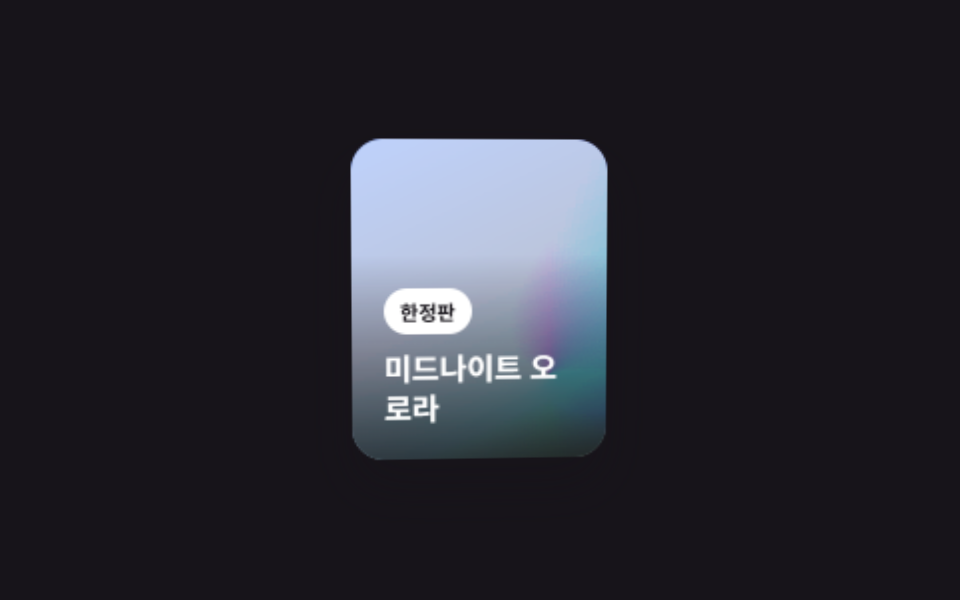 01 holographic-foil-card-mouse-tilt
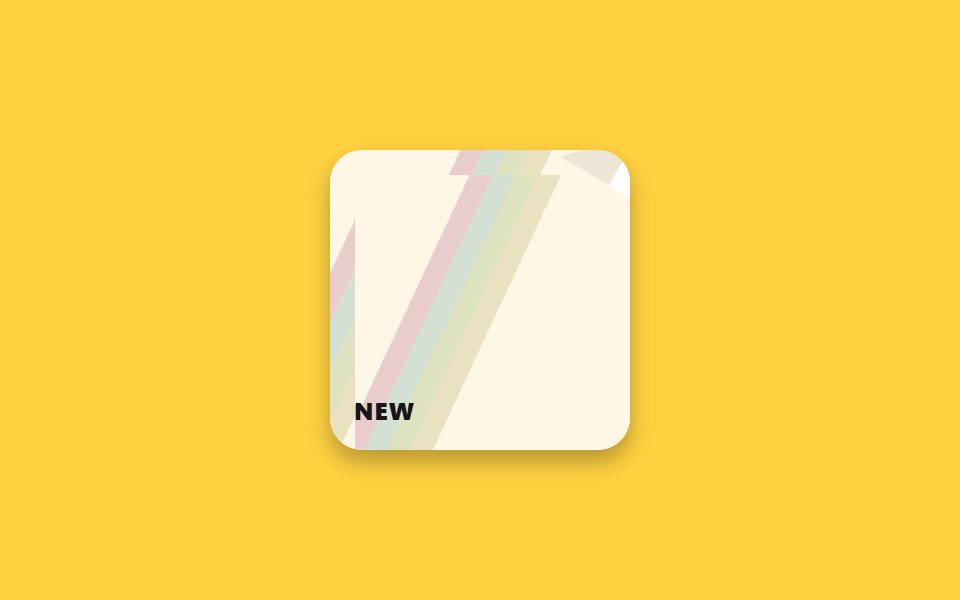 02 holographic-foil-sticker-peel-shine
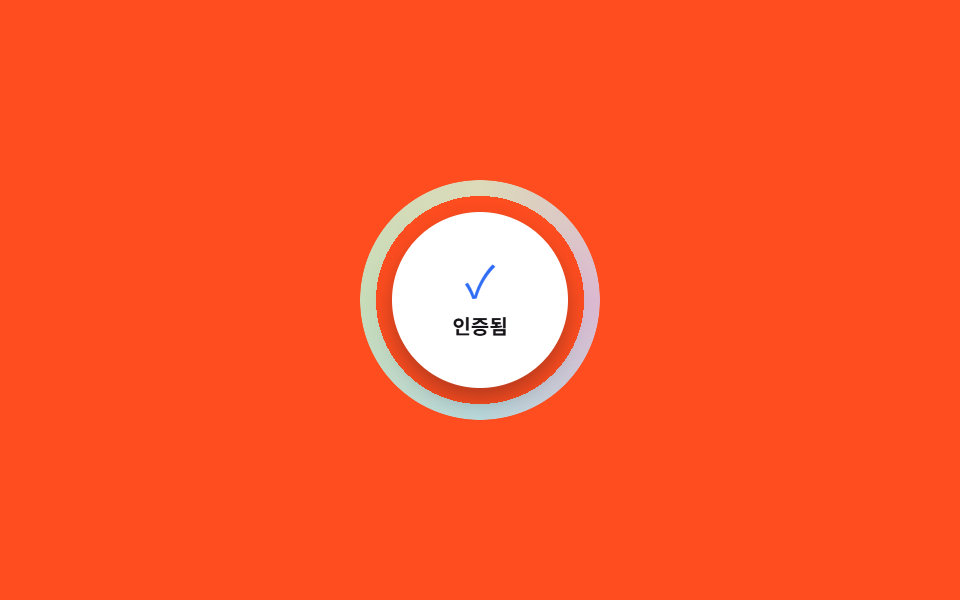 03 holographic-foil-badge-verified-ring
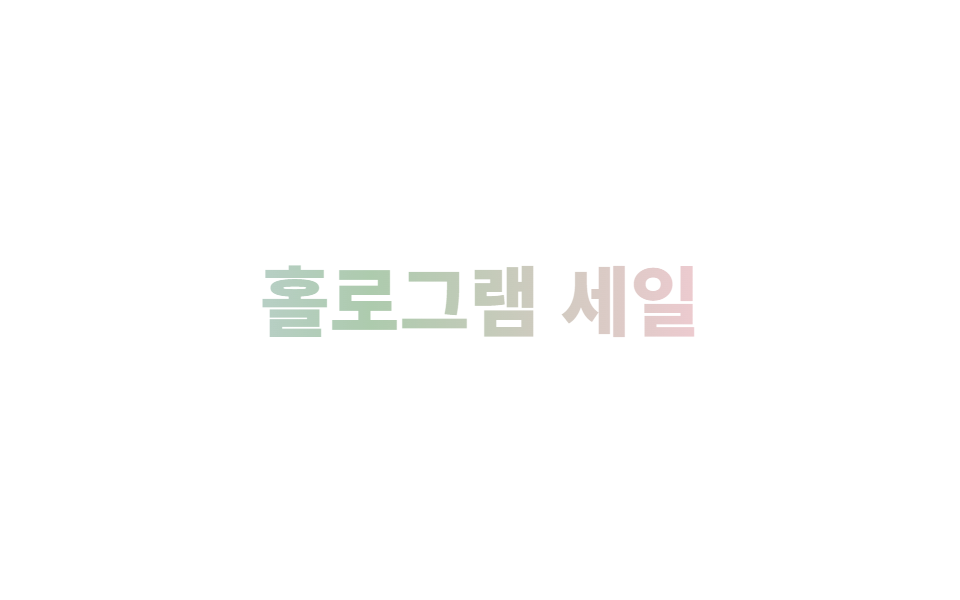 04 holographic-foil-text-iridescent
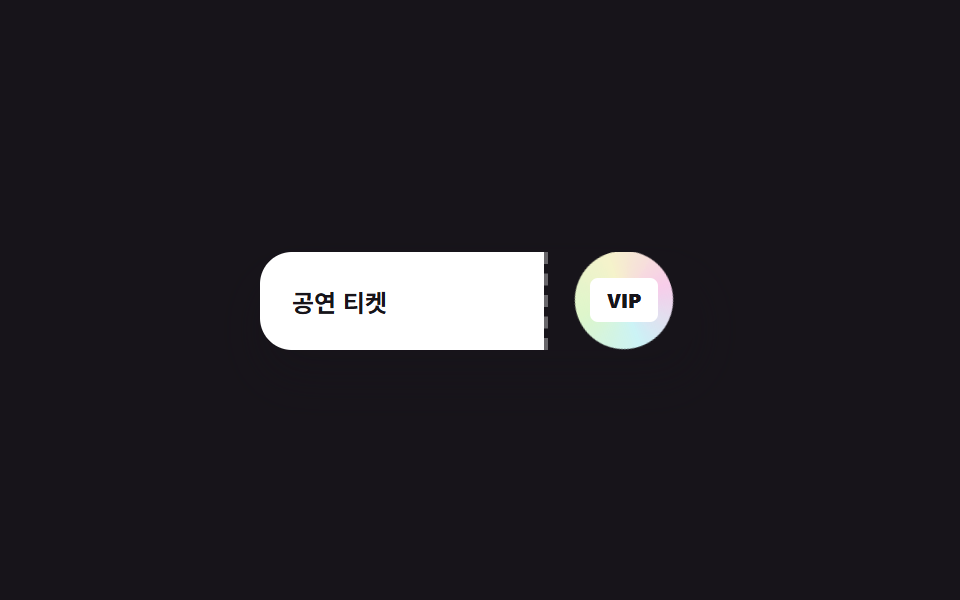 05 holographic-foil-ticket-stub-stamp
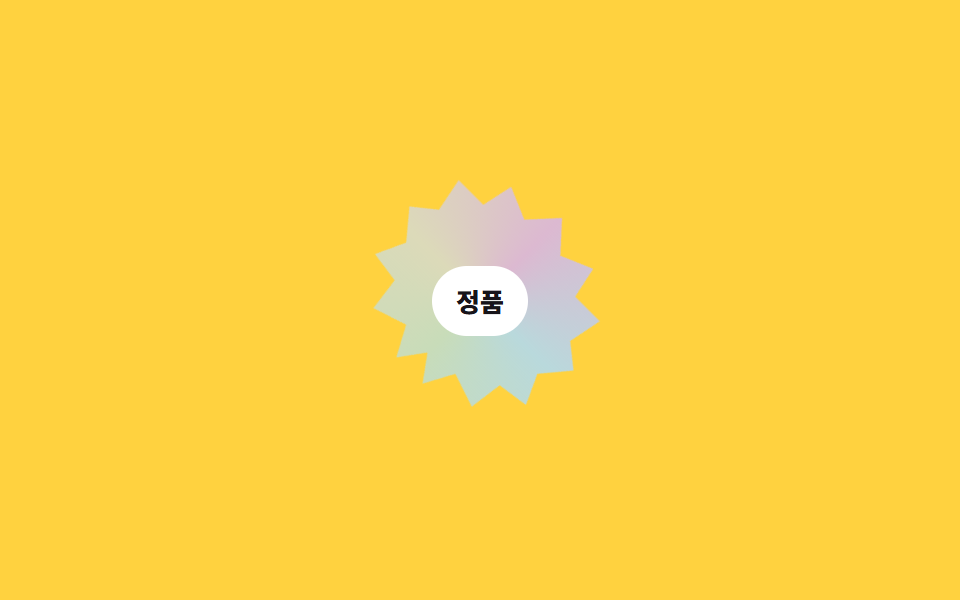 06 holographic-foil-authenticity-seal
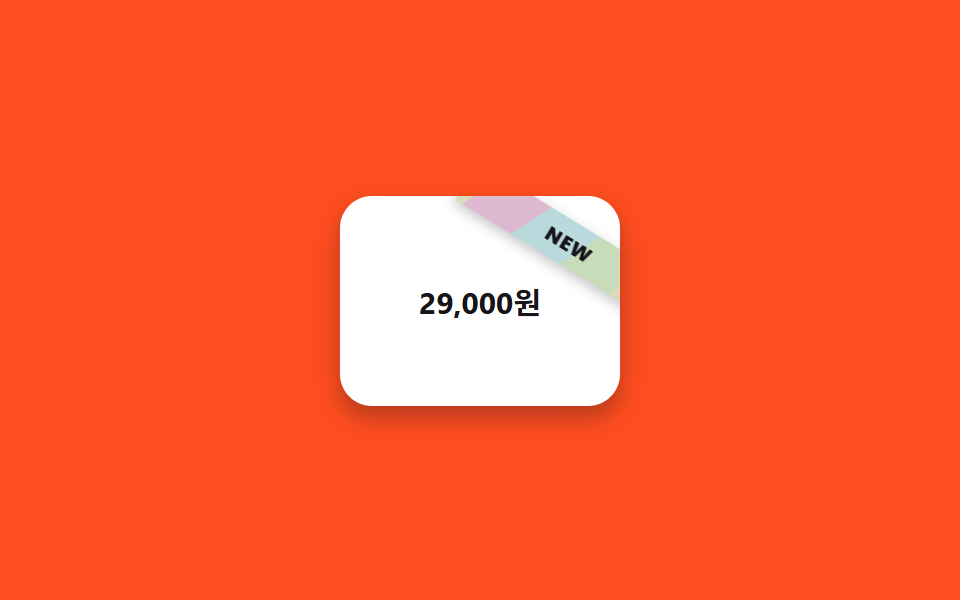 07 holographic-foil-price-tag-ribbon
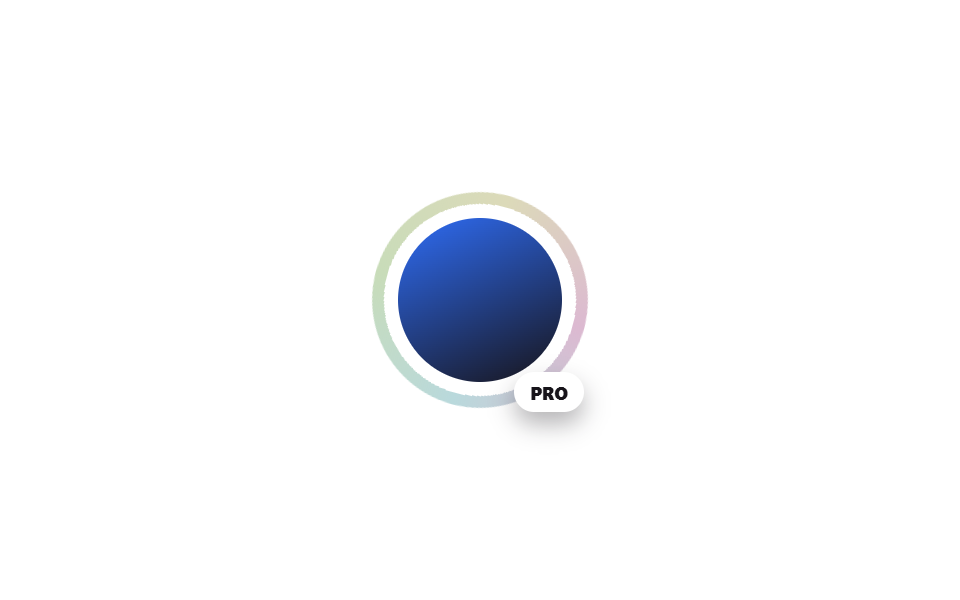 08 holographic-foil-avatar-status-ring
 09 holographic-foil-loading-shimmer-badge
Tự chạy · bấm ô để tới mục đó · cả 9 trong một zip
- 01 Nghiêng thẻ theo con trỏ kiểu holographic
- 02 Góc sticker hơi bong + ánh holographic quét qua
- 03 Vòng holographic quanh huy hiệu xác thực
- 04 Chữ holographic đổi màu cầu vồng
- 05 Con dấu holographic trên cuống vé
- 06 Tem chính hãng (viền răng cưa)
- 07 Ruy băng holographic trên bảng giá
- 08 Vòng trạng thái holographic quanh avatar
- 09 Huy hiệu loading lấp lánh holographic
Thứ tự chín hiệu ứng dưới đây không theo độ phổ biến mà theo trình tự một bề mặt lấp lánh thật sự xuất hiện trên màn hình. Thẻ sản phẩm bắt lấy con trỏ và thu hút ánh nhìn trước tiên (01), sticker được dán lên như trang trí (02), huy hiệu tròn củng cố niềm tin (03), tiêu đề chữ tạo không khí (04), vé xác nhận việc mua hàng (05), tem xác thực chứng minh hàng thật (06), ruy băng trên bảng giá thúc đẩy mua sắm (07), vòng avatar đánh dấu danh tính (08), và cuối cùng huy hiệu loading lấp đầy thời gian chờ (09).
| Số | Tên | Cái gì chuyển động | JS |
|---|---|---|---|
| 01 | Nghiêng thẻ theo con trỏ kiểu holographic | vị trí highlight, rotateX/rotateY của thẻ |
8 dòng |
| 02 | Góc sticker hơi bong + ánh holographic quét qua | transform của góc, background-position của lớp sáng |
không |
| 03 | Vòng holographic quanh huy hiệu xác thực | conic-gradient của vòng xoay |
không |
| 04 | Chữ holographic đổi màu cầu vồng | filter: hue-rotate, background-position |
không |
| 05 | Con dấu holographic trên cuống vé | con dấu xoay + scale nhịp |
không |
| 06 | Tem chính hãng | tốc độ xoay của tem clip-path |
không |
| 07 | Ruy băng holographic trên bảng giá | rotate/background-position của ruy băng |
không |
| 08 | Vòng trạng thái holographic quanh avatar | conic-gradient của vòng xoay |
không |
| 09 | Huy hiệu loading lấp lánh holographic | background-position của dải chéo, scale của chấm |
không |
01Nghiêng thẻ theo con trỏ kiểu holographic
Bạn thấy gì
Khi rê chuột qua thẻ, một vệt sáng cầu vồng chạy theo vị trí con trỏ và cả thẻ nghiêng nhẹ theo hướng đó.
<main class="stage">
  <article class="holo-card is-demo" tabindex="0">
    <div class="holo-card__shine" aria-hidden="true"></div>
    <div class="holo-card__body">
      <span class="holo-card__badge">Phiên bản giới hạn</span>
      <h3 class="holo-card__title">Midnight Aurora</h3>
    </div>
  </article>
</main>
@use "../../../../site/static/demo-tokens" as *;
$duration: $dur-quick; // 카드 기울기·시프트가 전환되는 시간
$easing: $ease-out;
$color: $subject-blue; // 카드 뒷면 그라디언트 색
@include stage($stage-ink);
.holo-card {
--mx: 50%; --my: 35%; --rx: 0deg; --ry: 0deg;
position: relative;
width: min(128px, 40vw);
aspect-ratio: 4 / 5;
border-radius: $r-card;
overflow: hidden;
background: linear-gradient(155deg, $color 0%, $stage-ink 100%);
box-shadow: $shadow-raised;
outline: none;
cursor: pointer;
transform: perspective(700px) rotateX(var(--rx)) rotateY(var(--ry));
transition: transform $duration $easing, box-shadow $duration $easing;
}
.holo-card__shine {
position: absolute;
inset: -20%;
background: conic-gradient(from 0deg, #dcb9d1, #b9d9dc, #c8dcb9, #dcdab9, #dcb9d1);
background-size: 240% 240%;
background-position: var(--mx) var(--my);
mix-blend-mode: color-dodge;
opacity: .55;
pointer-events: none;
transition: opacity $duration $easing, background-position $duration $easing;
}
.holo-card__body {
position: absolute; left: 0; right: 0; bottom: 0;
padding: $sp-4;
background: linear-gradient(0deg, rgba($stage-ink, .78), rgba($stage-ink, 0));
}
.holo-card__badge {
display: inline-block;
padding: $sp-1 $sp-2;
margin-bottom: $sp-2;
border-radius: $r-pill;
background: $stage-paper;
color: $stage-ink;
font-weight: 700;
font-size: 10px;
font-family: inherit;
}
.holo-card__title { margin: 0; color: $stage-paper; font-weight: 700; font-size: clamp(13px, 4vw, 15px); line-height: 1.3; font-family: inherit; }
.holo-card:hover,
.holo-card:focus-visible { box-shadow: $shadow-press; }
.holo-card:hover .holo-card__shine,
.holo-card:focus-visible .holo-card__shine { opacity: .85; }
.holo-card.is-demo { animation: tilt-loop $dur-loop $easing infinite; }
.holo-card.is-demo .holo-card__shine { animation: shine-loop $dur-loop $easing infinite; }
@keyframes tilt-loop {
0%, 10% { transform: perspective(700px) rotateX(0deg) rotateY(0deg); }
35% { transform: perspective(700px) rotateX(-10deg) rotateY(12deg); }
65% { transform: perspective(700px) rotateX(8deg) rotateY(-10deg); }
90%, 100% { transform: perspective(700px) rotateX(0deg) rotateY(0deg); }
}
@keyframes shine-loop {
0%, 10% { background-position: 50% 50%; opacity: .55; }
35% { background-position: 15% 20%; opacity: .9; }
65% { background-position: 85% 80%; opacity: .9; }
90%, 100% { background-position: 50% 50%; opacity: .55; }
}
@media (hover: none) {
.holo-card:active { box-shadow: $shadow-press; }
.holo-card:active .holo-card__shine { opacity: .85; }
}
@media (prefers-reduced-motion: reduce) {
.holo-card { transition: none; }
.holo-card__shine { transition: none; opacity: .7; }
.holo-card.is-demo,
.holo-card.is-demo .holo-card__shine { animation: none; }
}html, body {
margin: 0;
overflow: hidden;
}
.stage {
box-sizing: border-box;
min-height: 100vh;
display: grid;
place-items: center;
margin: 0;
background: #17141a;
font-family: -apple-system, "Segoe UI", "Noto Sans KR", sans-serif;
padding: clamp(8px, 4vw, 24px);
}
.holo-card {
--mx: 50%;
--my: 35%;
--rx: 0deg;
--ry: 0deg;
position: relative;
width: min(128px, 40vw);
aspect-ratio: 4/5;
border-radius: 16px;
overflow: hidden;
background: linear-gradient(155deg, #2f6df6 0%, #17141a 100%);
box-shadow: 0 14px 24px rgba(23, 20, 26, 0.32);
outline: none;
cursor: pointer;
transform: perspective(700px) rotateX(var(--rx)) rotateY(var(--ry));
transition: transform 220ms ease-out, box-shadow 220ms ease-out;
}
.holo-card__shine {
position: absolute;
inset: -20%;
background: conic-gradient(from 0deg, #dcb9d1, #b9d9dc, #c8dcb9, #dcdab9, #dcb9d1);
background-size: 240% 240%;
background-position: var(--mx) var(--my);
mix-blend-mode: color-dodge;
opacity: 0.55;
pointer-events: none;
transition: opacity 220ms ease-out, background-position 220ms ease-out;
}
.holo-card__body {
position: absolute;
left: 0;
right: 0;
bottom: 0;
padding: 16px;
background: linear-gradient(0deg, rgba(23, 20, 26, 0.78), rgba(23, 20, 26, 0));
}
.holo-card__badge {
display: inline-block;
padding: 4px 8px;
margin-bottom: 8px;
border-radius: 999px;
background: #ffffff;
color: #17141a;
font-weight: 700;
font-size: 10px;
font-family: inherit;
}
.holo-card__title {
margin: 0;
color: #ffffff;
font-weight: 700;
font-size: clamp(13px, 4vw, 15px);
line-height: 1.3;
font-family: inherit;
}
.holo-card:hover,
.holo-card:focus-visible {
box-shadow: 0 6px 12px rgba(23, 20, 26, 0.32);
}
.holo-card:hover .holo-card__shine,
.holo-card:focus-visible .holo-card__shine {
opacity: 0.85;
}
.holo-card.is-demo {
animation: tilt-loop 2s ease-out infinite;
}
.holo-card.is-demo .holo-card__shine {
animation: shine-loop 2s ease-out infinite;
}
@keyframes tilt-loop {
0%, 10% {
transform: perspective(700px) rotateX(0deg) rotateY(0deg);
}
35% {
transform: perspective(700px) rotateX(-10deg) rotateY(12deg);
}
65% {
transform: perspective(700px) rotateX(8deg) rotateY(-10deg);
}
90%, 100% {
transform: perspective(700px) rotateX(0deg) rotateY(0deg);
}
}
@keyframes shine-loop {
0%, 10% {
background-position: 50% 50%;
opacity: 0.55;
}
35% {
background-position: 15% 20%;
opacity: 0.9;
}
65% {
background-position: 85% 80%;
opacity: 0.9;
}
90%, 100% {
background-position: 50% 50%;
opacity: 0.55;
}
}
@media (hover: none) {
.holo-card:active {
box-shadow: 0 6px 12px rgba(23, 20, 26, 0.32);
}
.holo-card:active .holo-card__shine {
opacity: 0.85;
}
}
@media (prefers-reduced-motion: reduce) {
.holo-card {
transition: none;
}
.holo-card__shine {
transition: none;
opacity: 0.7;
}
.holo-card.is-demo,
.holo-card.is-demo .holo-card__shine {
animation: none;
}
}var c=document.querySelector('.holo-card');
c.addEventListener('pointermove',function(e){
if(c.classList.contains('is-demo'))return;
var r=c.getBoundingClientRect(),mx=(e.clientX-r.left)/r.width*100,my=(e.clientY-r.top)/r.height*100;
c.style.setProperty('--mx',mx+'%');c.style.setProperty('--my',my+'%');
c.style.setProperty('--rx',((my/100)-.5)*-14+'deg');c.style.setProperty('--ry',((mx/100)-.5)*14+'deg');
});
c.addEventListener('pointerleave',function(){
if(c.classList.contains('is-demo'))return;
c.style.setProperty('--mx','50%');c.style.setProperty('--my','50%');
c.style.setProperty('--rx','0deg');c.style.setProperty('--ry','0deg');
});import { useRef, type CSSProperties, type PointerEvent } from "react";
import styles from "./HoloCardMouseTilt.module.scss";
export type HoloCardMouseTiltProps = {
badge: string;
title: string;
/** 기울기·시프트가 전환되는 시간 (기본 220ms) */
duration?: number;
easing?: string;
/** 카드 뒷면 그라디언트 색 */
color?: string;
};
type Vars = CSSProperties & { "--duration"?: string; "--easing"?: string; "--color"?: string };
/** pointermove 로 --mx/--my/--rx/--ry 를 직접 놓는다 — :hover 만으로는 커서 좌표를 못 읽는다 */
export default function HoloCardMouseTilt({
badge,
title,
duration = 220,
easing = "ease-out",
color = "#2f6df6",
}: HoloCardMouseTiltProps) {
const ref = useRef<HTMLDivElement | null>(null);
const vars: Vars = { "--duration": `${duration}ms`, "--easing": easing, "--color": color };
const move = (e: PointerEvent<HTMLDivElement>) => {
const el = ref.current;
if (!el) return;
const r = el.getBoundingClientRect();
const mx = ((e.clientX - r.left) / r.width) * 100;
const my = ((e.clientY - r.top) / r.height) * 100;
el.style.setProperty("--mx", `${mx}%`);
el.style.setProperty("--my", `${my}%`);
el.style.setProperty("--rx", `${(my / 100 - 0.5) * -14}deg`);
el.style.setProperty("--ry", `${(mx / 100 - 0.5) * 14}deg`);
};
const leave = () => {
const el = ref.current;
if (!el) return;
el.style.setProperty("--mx", "50%");
el.style.setProperty("--my", "50%");
el.style.setProperty("--rx", "0deg");
el.style.setProperty("--ry", "0deg");
};
return (
<article
ref={ref}
className={styles.card}
style={vars}
tabIndex={0}
onPointerMove={move}
onPointerLeave={leave}
>
<div className={styles.shine} aria-hidden="true" />
<div className={styles.body}>
<span className={styles.badge}>{badge}</span>
<h3 className={styles.title}>{title}</h3>
</div>
</article>
);
}01 · Nghiêng thẻ theo con trỏ kiểu holographic — Diện tích đo được 13.972% · khung hình chuyển động 20/23Nguyên tác GODRICH · SCSS và React nằm trong tệp zip · Xem mật khẩu
Dùng ở đâu
Phù hợp với thẻ sản phẩm giới hạn hoặc trang chi tiết merch muốn có vẻ lấp lánh như thẻ bài sưu tầm. :hover một mình không đọc được tọa độ chính xác của con trỏ, nên chỉ 8 dòng pointermove cập nhật đúng bốn custom property: --mx, --my, --rx, --ry.
.holo-card {
  transform: perspective(700px) rotateX(var(--rx)) rotateY(var(--ry));
  transition: transform $duration $easing;
}
.holo-card__shine {
  background: conic-gradient(from 0deg, #ff5ecb, #5ef1ff, #a3ff5e, #fff45e, #ff5ecb);
  background-position: var(--mx) var(--my);
  mix-blend-mode: color-dodge;
}
c.addEventListener('pointermove', function(e){
  var r=c.getBoundingClientRect(), mx=(e.clientX-r.left)/r.width*100, my=(e.clientY-r.top)/r.height*100;
  c.style.setProperty('--mx', mx+'%'); c.style.setProperty('--my', my+'%');
  c.style.setProperty('--rx', ((my/100)-.5)*-14+'deg'); c.style.setProperty('--ry', ((mx/100)-.5)*14+'deg');
});
02Góc sticker hơi bong + ánh holographic quét qua
Chuyện gì diễn ra trên màn hình
Một góc thẻ sticker luôn hơi bong lên sẵn, khi rê chuột một dải ánh cầu vồng quét chéo bên dưới nó.
<main class="stage">
  <div class="sticker is-demo" tabindex="0">
    <span class="sticker__peel" aria-hidden="true"></span>
    <span class="sticker__shine" aria-hidden="true"></span>
    <span class="sticker__flag">NEW</span>
  </div>
</main>
@use "../../../../site/static/demo-tokens" as *;
$duration: $dur-base; // 모서리가 더 들리는 시간
$easing: $ease-out;
$color: $subject-cream; // 스티커 바탕색
@include stage($stage-yellow);
.sticker {
position: relative;
width: min(150px, 48vw);
aspect-ratio: 1;
border-radius: $r-card;
background: $color;
box-shadow: $shadow-press;
overflow: hidden;
outline: none;
cursor: pointer;
}
.sticker__peel {
position: absolute; top: 0; right: 0;
width: 40px; height: 40px;
background: linear-gradient(135deg, rgba($stage-ink, .08) 50%, $stage-paper 50%);
clip-path: polygon(100% 0, 0 0, 100% 100%);
transform-origin: 100% 0; // 규칙8: 스티커 접힌 코너 경첩
box-shadow: -6px 6px 12px rgba($stage-ink, .28);
}
.sticker__shine {
position: absolute; inset: 0;
background: repeating-linear-gradient(115deg,
transparent 0 10%, #dcb9d1 10% 12%, #b9d9dc 12% 14%, #c8dcb9 14% 16%, #dcdab9 16% 18%, transparent 18% 30%);
background-size: 260% 260%;
background-position: -60% -60%;
mix-blend-mode: multiply;
opacity: 0;
}
.sticker__flag {
position: absolute; left: $sp-3; bottom: $sp-3;
font-weight: 800; font-size: 12px; letter-spacing: .04em; color: $stage-ink; font-family: inherit;
}
.sticker:hover .sticker__peel,
.sticker:focus-visible .sticker__peel { transform: rotate(-16deg) translate(6px, -6px); }
.sticker:hover .sticker__shine,
.sticker:focus-visible .sticker__shine { opacity: .9; background-position: 60% 60%; transition: opacity $duration $easing, background-position $duration $easing; }
.sticker.is-demo .sticker__peel { animation: peel-loop $dur-loop $easing infinite; }
.sticker.is-demo .sticker__shine { animation: sweep-loop $dur-loop $easing infinite; }
@keyframes peel-loop {
0%, 10% { transform: rotate(-6deg) translate(2px, -2px); }
40% { transform: rotate(-18deg) translate(7px, -7px); }
70% { transform: rotate(-13deg) translate(5px, -5px); }
90%, 100% { transform: rotate(-6deg) translate(2px, -2px); }
}
@keyframes sweep-loop {
0%, 10% { opacity: 0; background-position: -60% -60%; }
40% { opacity: .9; background-position: 20% 20%; }
70% { opacity: .9; background-position: 90% 90%; }
90%, 100% { opacity: 0; background-position: 150% 150%; }
}
@media (prefers-reduced-motion: reduce) {
.sticker__peel { transform: rotate(-12deg) translate(4px, -4px); }
.sticker__shine { opacity: .5; background-position: 40% 40%; }
.sticker.is-demo .sticker__peel,
.sticker.is-demo .sticker__shine { animation: none; }
}html, body {
margin: 0;
overflow: hidden;
}
.stage {
box-sizing: border-box;
min-height: 100vh;
display: grid;
place-items: center;
margin: 0;
background: #ffd23f;
font-family: -apple-system, "Segoe UI", "Noto Sans KR", sans-serif;
padding: clamp(8px, 4vw, 24px);
}
.sticker {
position: relative;
width: min(150px, 48vw);
aspect-ratio: 1;
border-radius: 16px;
background: #fff7e6;
box-shadow: 0 6px 12px rgba(23, 20, 26, 0.32);
overflow: hidden;
outline: none;
cursor: pointer;
}
.sticker__peel {
position: absolute;
top: 0;
right: 0;
width: 40px;
height: 40px;
background: linear-gradient(135deg, rgba(23, 20, 26, 0.08) 50%, #ffffff 50%);
clip-path: polygon(100% 0, 0 0, 100% 100%);
transform-origin: 100% 0;
box-shadow: -6px 6px 12px rgba(23, 20, 26, 0.28);
}
.sticker__shine {
position: absolute;
inset: 0;
background: repeating-linear-gradient(115deg, transparent 0 10%, #dcb9d1 10% 12%, #b9d9dc 12% 14%, #c8dcb9 14% 16%, #dcdab9 16% 18%, transparent 18% 30%);
background-size: 260% 260%;
background-position: -60% -60%;
mix-blend-mode: multiply;
opacity: 0;
}
.sticker__flag {
position: absolute;
left: 12px;
bottom: 12px;
font-weight: 800;
font-size: 12px;
letter-spacing: 0.04em;
color: #17141a;
font-family: inherit;
}
.sticker:hover .sticker__peel,
.sticker:focus-visible .sticker__peel {
transform: rotate(-16deg) translate(6px, -6px);
}
.sticker:hover .sticker__shine,
.sticker:focus-visible .sticker__shine {
opacity: 0.9;
background-position: 60% 60%;
transition: opacity 300ms ease-out, background-position 300ms ease-out;
}
.sticker.is-demo .sticker__peel {
animation: peel-loop 2s ease-out infinite;
}
.sticker.is-demo .sticker__shine {
animation: sweep-loop 2s ease-out infinite;
}
@keyframes peel-loop {
0%, 10% {
transform: rotate(-6deg) translate(2px, -2px);
}
40% {
transform: rotate(-18deg) translate(7px, -7px);
}
70% {
transform: rotate(-13deg) translate(5px, -5px);
}
90%, 100% {
transform: rotate(-6deg) translate(2px, -2px);
}
}
@keyframes sweep-loop {
0%, 10% {
opacity: 0;
background-position: -60% -60%;
}
40% {
opacity: 0.9;
background-position: 20% 20%;
}
70% {
opacity: 0.9;
background-position: 90% 90%;
}
90%, 100% {
opacity: 0;
background-position: 150% 150%;
}
}
@media (prefers-reduced-motion: reduce) {
.sticker__peel {
transform: rotate(-12deg) translate(4px, -4px);
}
.sticker__shine {
opacity: 0.5;
background-position: 40% 40%;
}
.sticker.is-demo .sticker__peel,
.sticker.is-demo .sticker__shine {
animation: none;
}
}import type { CSSProperties } from "react";
import styles from "./StickerPeelShine.module.scss";
export type StickerPeelShineProps = {
flag: string;
/** 모서리가 더 들리는 시간 (기본 300ms) */
duration?: number;
easing?: string;
/** 스티커 바탕색 */
color?: string;
};
type Vars = CSSProperties & { "--duration"?: string; "--easing"?: string; "--color"?: string };
export default function StickerPeelShine({
flag,
duration = 300,
easing = "ease-out",
color = "#fff7e6",
}: StickerPeelShineProps) {
const vars: Vars = { "--duration": `${duration}ms`, "--easing": easing, "--color": color };
return (
<div className={styles.sticker} style={vars} tabIndex={0}>
<span className={styles.peel} aria-hidden="true" />
<span className={styles.shine} aria-hidden="true" />
<span className={styles.flag}>{flag}</span>
</div>
);
}02 · Góc sticker hơi bong + ánh holographic quét qua — Diện tích đo được 15.39% · khung hình chuyển động 19/23Nguyên tác GODRICH · SCSS và React nằm trong tệp zip · Xem mật khẩu
Chỗ dùng
Hợp với mockup sticker planner/nhật ký, và bản xem trước sticker dạng badge cho sản phẩm.
.sticker__peel {
  clip-path: polygon(100% 0, 0 0, 100% 100%);
  transform-origin: 100% 0;
  transform: rotate(-6deg) translate(2px, -2px);
}
.sticker:hover .sticker__peel {
  transform: rotate(-16deg) translate(6px, -6px);
}
.sticker__shine {
  background: repeating-linear-gradient(115deg, transparent 0 10%,
    #ff5ecb 10% 12%, #5ef1ff 12% 14%, #a3ff5e 14% 16%, #fff45e 16% 18%, transparent 18% 30%);
  background-size: 260% 260%;
}
03Vòng holographic quanh huy hiệu xác thực
Chuyển động thế nào
Ánh sáng cầu vồng chạy vòng quanh viền huy hiệu không ngừng nghỉ.
<main class="stage">
  <div class="v-badge">
    <span class="v-badge__ring" aria-hidden="true"></span>
    <span class="v-badge__inner">
      <span class="v-badge__check" aria-hidden="true">✓</span>
      <span class="v-badge__label">Đã xác thực</span>
    </span>
  </div>
</main>
@use "../../../../site/static/demo-tokens" as *;
$duration: $dur-loop; // 링이 한 바퀴 도는 시간
$easing: linear;
$color: $subject-blue; // 체크 아이콘 색
@include stage($stage-orange);
.v-badge {
position: relative;
width: min(120px, 40vw);
aspect-ratio: 1;
display: grid;
place-items: center;
}
.v-badge__ring {
position: absolute; inset: 0;
border-radius: $r-pill;
background: conic-gradient(from 0deg, #dcb9d1, #b9d9dc, #c8dcb9, #dcdab9, #dcb9d1);
-webkit-mask: radial-gradient(farthest-side, transparent calc(100% - 8px), #000 calc(100% - 8px));
mask: radial-gradient(farthest-side, transparent calc(100% - 8px), #000 calc(100% - 8px));
animation: ring-spin $duration $easing infinite;
}
.v-badge__inner {
position: relative; z-index: 1;
width: 74%; aspect-ratio: 1;
border-radius: $r-pill;
background: $stage-paper;
box-shadow: $shadow-press;
display: flex; flex-direction: column; align-items: center; justify-content: center; gap: $sp-1;
}
.v-badge__check { font-size: 22px; line-height: 1; color: $color; }
.v-badge__label { font-size: 10px; font-weight: 700; color: $stage-ink; font-family: inherit; }
@keyframes ring-spin { to { transform: rotate(360deg); } }
@media (prefers-reduced-motion: reduce) {
.v-badge__ring { animation: none; }
}html, body {
margin: 0;
overflow: hidden;
}
.stage {
box-sizing: border-box;
min-height: 100vh;
display: grid;
place-items: center;
margin: 0;
background: #ff4d1f;
font-family: -apple-system, "Segoe UI", "Noto Sans KR", sans-serif;
padding: clamp(8px, 4vw, 24px);
}
.v-badge {
position: relative;
width: min(120px, 40vw);
aspect-ratio: 1;
display: grid;
place-items: center;
}
.v-badge__ring {
position: absolute;
inset: 0;
border-radius: 999px;
background: conic-gradient(from 0deg, #dcb9d1, #b9d9dc, #c8dcb9, #dcdab9, #dcb9d1);
-webkit-mask: radial-gradient(farthest-side, transparent calc(100% - 8px), #000 calc(100% - 8px));
mask: radial-gradient(farthest-side, transparent calc(100% - 8px), #000 calc(100% - 8px));
animation: ring-spin 2s linear infinite;
}
.v-badge__inner {
position: relative;
z-index: 1;
width: 74%;
aspect-ratio: 1;
border-radius: 999px;
background: #ffffff;
box-shadow: 0 6px 12px rgba(23, 20, 26, 0.32);
display: flex;
flex-direction: column;
align-items: center;
justify-content: center;
gap: 4px;
}
.v-badge__check {
font-size: 22px;
line-height: 1;
color: #2f6df6;
}
.v-badge__label {
font-size: 10px;
font-weight: 700;
color: #17141a;
font-family: inherit;
}
@keyframes ring-spin {
to {
transform: rotate(360deg);
}
}
@media (prefers-reduced-motion: reduce) {
.v-badge__ring {
animation: none;
}
}import type { CSSProperties } from "react";
import styles from "./VerifiedBadgeRing.module.scss";
export type VerifiedBadgeRingProps = {
label: string;
/** 링이 한 바퀴 도는 시간 (기본 2000ms) */
duration?: number;
easing?: string;
/** 체크 아이콘 색 */
color?: string;
};
type Vars = CSSProperties & { "--duration"?: string; "--easing"?: string; "--color"?: string };
export default function VerifiedBadgeRing({
label,
duration = 2000,
easing = "linear",
color = "#2f6df6",
}: VerifiedBadgeRingProps) {
const vars: Vars = { "--duration": `${duration}ms`, "--easing": easing, "--color": color };
return (
<div className={styles.badge} style={vars}>
<span className={styles.ring} aria-hidden="true" />
<span className={styles.inner}>
<span className={styles.check} aria-hidden="true">✓</span>
<span className={styles.label}>{label}</span>
</span>
</div>
);
}03 · Vòng holographic quanh huy hiệu xác thực — Diện tích đo được 2.312% · khung hình chuyển động 23/23Nguyên tác GODRICH · SCSS và React nằm trong tệp zip · Xem mật khẩu
Dùng khi nào
Dùng cho huy hiệu hàng chính hãng, dấu người bán đã xác minh, tem giới hạn cho merch. mask-image chỉ giữ lại phần hình vòng, còn conic-gradient đổi màu theo góc giống cách một tấm lá thiếc thật phản chiếu ánh sáng.
.v-badge__ring {
  background: conic-gradient(from 0deg, #ff5ecb, #5ef1ff, #a3ff5e, #fff45e, #ff5ecb);
  mask: radial-gradient(farthest-side, transparent calc(100% - 8px), #000 calc(100% - 8px));
  animation: ring-spin 2s linear infinite;
}
@keyframes ring-spin { to { transform: rotate(360deg); } }
04Chữ holographic đổi màu cầu vồng
Bạn thấy gì
Chữ phủ gradient cầu vồng rồi chạy filter: hue-rotate liên tục, giống hệt cách chữ dán holographic in thật đổi màu không ngừng.
<main class="stage">
  <h2 class="holo-text">Sale Holographic</h2>
</main>
@use "../../../../site/static/demo-tokens" as *;
$duration: $dur-loop; // 색이 한 바퀴 도는 시간
$easing: linear;
$color: $subject-blue; // 사용 안 함 — 그라디언트가 색을 대신한다(참고용)
@include stage($stage-paper);
.holo-text {
margin: 0;
font-weight: 800;
font-size: clamp(26px, 9vw, 38px);
line-height: 1.1;
font-family: inherit;
background: linear-gradient(90deg, #dcb9d1, #b9d9dc, #c8dcb9, #dcdab9, #dcb9d1);
background-size: 300% 100%;
-webkit-background-clip: text;
background-clip: text;
color: transparent;
filter: hue-rotate(0deg);
animation: holo-hue $duration $easing infinite, holo-slide $duration $easing infinite;
}
@keyframes holo-hue { to { filter: hue-rotate(360deg); } }
@keyframes holo-slide {
0% { background-position: 0% 50%; }
100% { background-position: 300% 50%; }
}
@media (prefers-reduced-motion: reduce) {
.holo-text { animation: none; filter: hue-rotate(0deg); background-position: 0% 50%; }
}html, body {
margin: 0;
overflow: hidden;
}
.stage {
box-sizing: border-box;
min-height: 100vh;
display: grid;
place-items: center;
margin: 0;
background: #ffffff;
font-family: -apple-system, "Segoe UI", "Noto Sans KR", sans-serif;
padding: clamp(8px, 4vw, 24px);
}
.holo-text {
margin: 0;
font-weight: 800;
font-size: clamp(26px, 9vw, 38px);
line-height: 1.1;
font-family: inherit;
background: linear-gradient(90deg, #dcb9d1, #b9d9dc, #c8dcb9, #dcdab9, #dcb9d1);
background-size: 300% 100%;
-webkit-background-clip: text;
background-clip: text;
color: transparent;
filter: hue-rotate(0deg);
animation: holo-hue 2s linear infinite, holo-slide 2s linear infinite;
}
@keyframes holo-hue {
to {
filter: hue-rotate(360deg);
}
}
@keyframes holo-slide {
0% {
background-position: 0% 50%;
}
100% {
background-position: 300% 50%;
}
}
@media (prefers-reduced-motion: reduce) {
.holo-text {
animation: none;
filter: hue-rotate(0deg);
background-position: 0% 50%;
}
}import type { CSSProperties } from "react";
import styles from "./HoloTextIridescent.module.scss";
export type HoloTextIridescentProps = {
text: string;
/** 색이 한 바퀴 도는 시간 (기본 2000ms) */
duration?: number;
easing?: string;
/** 사용 안 함 — 그라디언트가 색을 대신한다 (참고용) */
color?: string;
};
type Vars = CSSProperties & { "--duration"?: string; "--easing"?: string; "--color"?: string };
export default function HoloTextIridescent({
text,
duration = 2000,
easing = "linear",
color = "#2f6df6",
}: HoloTextIridescentProps) {
const vars: Vars = { "--duration": `${duration}ms`, "--easing": easing, "--color": color };
return <h2 className={styles.text} style={vars}>{text}</h2>;
}04 · Chữ holographic đổi màu cầu vồng — Diện tích đo được 2.844% · khung hình chuyển động 16/23Nguyên tác GODRICH · SCSS và React nằm trong tệp zip · Xem mật khẩu
Dùng ở đâu
Hợp làm tiêu đề trang sự kiện, tên sản phẩm giới hạn, banner concept holographic.
.holo-text {
  background: linear-gradient(90deg, #ff5ecb, #5ef1ff, #a3ff5e, #fff45e, #ff5ecb);
  background-size: 300% 100%;
  background-clip: text;
  color: transparent;
  animation: holo-hue 2s linear infinite, holo-slide 2s linear infinite;
}
@keyframes holo-hue { to { filter: hue-rotate(360deg); } }
@keyframes holo-slide { to { background-position: 300% 50%; } }
05Con dấu holographic trên cuống vé
Chuyện gì diễn ra trên màn hình
Con dấu tròn trên cuống vé xoay nhẹ nhàng bằng conic-gradient, khi rê chuột sẽ to hơn và sáng hơn một chút. Hợp với UI vé concert/sự kiện, dấu xác thực trên vé vào cửa dạng số.
<main class="stage">
  <div class="ticket">
    <div class="ticket__main">
      <span class="ticket__label">Vé xem concert</span>
    </div>
    <div class="ticket__stub">
      <span class="ticket__stampwrap is-demo" tabindex="0">
        <span class="ticket__stamp" aria-hidden="true"></span>
      </span>
      <span class="ticket__stamp-text">VIP</span>
    </div>
  </div>
</main>
@use "../../../../site/static/demo-tokens" as *;
$duration: $dur-loop; // 스탬프가 커지는 펄스 한 번의 시간
$easing: $ease-out;
$color: $subject-blue; // 사용 안 함(참고용)
@include stage($stage-ink);
.ticket {
display: flex;
width: min(220px, 66vw);
border-radius: $r-card;
overflow: hidden;
box-shadow: $shadow-raised;
}
.ticket__main {
flex: 1;
background: $stage-paper;
padding: $sp-4;
display: flex; align-items: center;
}
.ticket__label { font-weight: 700; font-size: 12px; color: $stage-ink; font-family: inherit; }
.ticket__stub {
position: relative;
width: 76px;
background: $stage-ink;
display: grid; place-items: center;
border-left: 2px dashed rgba($stage-paper, .35);
}
.ticket__stampwrap {
position: relative;
width: 46px; height: 46px;
outline: none;
transition: transform $duration $easing, filter $duration $easing;
}
.ticket__stamp {
position: absolute; inset: 0;
border-radius: $r-pill;
background: conic-gradient(from 0deg, #dcb9d1, #b9d9dc, #c8dcb9, #dcdab9, #dcb9d1);
filter: saturate(1.1);
animation: stamp-spin 3s linear infinite;
}
.ticket__stamp-text {
position: absolute;
font-size: 10px; font-weight: 800; color: $stage-ink;
background: $stage-paper; padding: $sp-1 $sp-2; border-radius: $r-xs;
}
.ticket__stampwrap:hover,
.ticket__stampwrap:focus-visible { transform: scale(1.15); filter: brightness(1.2); }
.ticket__stampwrap.is-demo { animation: stamp-pulse $dur-loop $easing infinite; }
@keyframes stamp-spin { to { transform: rotate(360deg); } }
@keyframes stamp-pulse {
0%, 20% { transform: scale(1); filter: brightness(1); }
50% { transform: scale(1.15); filter: brightness(1.25); }
80%, 100% { transform: scale(1); filter: brightness(1); }
}
@media (prefers-reduced-motion: reduce) {
.ticket__stampwrap { transition: none; }
.ticket__stamp { animation: none; }
.ticket__stampwrap.is-demo { animation: none; }
}html, body {
margin: 0;
overflow: hidden;
}
.stage {
box-sizing: border-box;
min-height: 100vh;
display: grid;
place-items: center;
margin: 0;
background: #17141a;
font-family: -apple-system, "Segoe UI", "Noto Sans KR", sans-serif;
padding: clamp(8px, 4vw, 24px);
}
.ticket {
display: flex;
width: min(220px, 66vw);
border-radius: 16px;
overflow: hidden;
box-shadow: 0 14px 24px rgba(23, 20, 26, 0.32);
}
.ticket__main {
flex: 1;
background: #ffffff;
padding: 16px;
display: flex;
align-items: center;
}
.ticket__label {
font-weight: 700;
font-size: 12px;
color: #17141a;
font-family: inherit;
}
.ticket__stub {
position: relative;
width: 76px;
background: #17141a;
display: grid;
place-items: center;
border-left: 2px dashed rgba(255, 255, 255, 0.35);
}
.ticket__stampwrap {
position: relative;
width: 46px;
height: 46px;
outline: none;
transition: transform 2s ease-out, filter 2s ease-out;
}
.ticket__stamp {
position: absolute;
inset: 0;
border-radius: 999px;
background: conic-gradient(from 0deg, #dcb9d1, #b9d9dc, #c8dcb9, #dcdab9, #dcb9d1);
filter: saturate(1.1);
animation: stamp-spin 3s linear infinite;
}
.ticket__stamp-text {
position: absolute;
font-size: 10px;
font-weight: 800;
color: #17141a;
background: #ffffff;
padding: 4px 8px;
border-radius: 4px;
}
.ticket__stampwrap:hover,
.ticket__stampwrap:focus-visible {
transform: scale(1.15);
filter: brightness(1.2);
}
.ticket__stampwrap.is-demo {
animation: stamp-pulse 2s ease-out infinite;
}
@keyframes stamp-spin {
to {
transform: rotate(360deg);
}
}
@keyframes stamp-pulse {
0%, 20% {
transform: scale(1);
filter: brightness(1);
}
50% {
transform: scale(1.15);
filter: brightness(1.25);
}
80%, 100% {
transform: scale(1);
filter: brightness(1);
}
}
@media (prefers-reduced-motion: reduce) {
.ticket__stampwrap {
transition: none;
}
.ticket__stamp {
animation: none;
}
.ticket__stampwrap.is-demo {
animation: none;
}
}import type { CSSProperties } from "react";
import styles from "./TicketStubStamp.module.scss";
export type TicketStubStampProps = {
label: string;
stampText: string;
/** 스탬프가 커지는 펄스 한 번의 시간 (기본 2000ms) */
duration?: number;
easing?: string;
/** 사용 안 함(참고용) */
color?: string;
};
type Vars = CSSProperties & { "--duration"?: string; "--easing"?: string; "--color"?: string };
export default function TicketStubStamp({
label,
stampText,
duration = 2000,
easing = "ease-out",
color = "#2f6df6",
}: TicketStubStampProps) {
const vars: Vars = { "--duration": `${duration}ms`, "--easing": easing, "--color": color };
return (
<div className={styles.ticket} style={vars}>
<div className={styles.main}>
<span className={styles.label}>{label}</span>
</div>
<div className={styles.stub}>
<span className={styles.stampwrap} tabIndex={0}>
<span className={styles.stamp} aria-hidden="true" />
</span>
<span className={styles.stampText}>{stampText}</span>
</div>
</div>
);
}05 · Con dấu holographic trên cuống vé — Diện tích đo được 1.053% · khung hình chuyển động 23/23Nguyên tác GODRICH · SCSS và React nằm trong tệp zip · Xem mật khẩu
Chỗ dùng
Animation xoay và animation phóng to nằm trên hai phần tử khác nhau nên hai chuyển động không tranh nhau cùng một transform.
.stampwrap {
  transition: transform $duration $easing;
}
.stampwrap:hover { transform: scale(1.15); filter: brightness(1.2); }
.stamp {
  background: conic-gradient(from 0deg, #ff5ecb, #5ef1ff, #a3ff5e, #fff45e, #ff5ecb);
  animation: spin 3s linear infinite;
}
06Tem chính hãng (viền răng cưa)
Chuyển động thế nào
Viền hình sao răng cưa được cắt bằng clip-path, phủ gradient cầu vồng xoay chậm lên trên; khi rê chuột tốc độ xoay nhanh hơn.
<main class="stage">
  <div class="seal" tabindex="0">
    <span class="seal__shape" aria-hidden="true"></span>
    <span class="seal__text">Hàng chính hãng</span>
  </div>
</main>
@use "../../../../site/static/demo-tokens" as *;
$duration: 700ms; // 호버 시 회전이 빨라지는 애니메이션 길이
$easing: linear;
$color: $subject-blue; // 사용 안 함(참고용)
@include stage($stage-yellow);
.seal {
position: relative;
width: min(116px, 40vw);
aspect-ratio: 1;
display: grid;
place-items: center;
outline: none;
cursor: pointer;
}
.seal__shape {
position: absolute; inset: 0;
clip-path: polygon(50% 0%, 61% 12%, 75% 6%, 78% 20%, 93% 20%, 90% 35%, 100% 43%, 90% 55%,
96% 68%, 82% 70%, 80% 85%, 65% 80%, 58% 93%, 50% 82%, 42% 93%, 35% 80%,
20% 85%, 18% 70%, 4% 68%, 10% 55%, 0% 43%, 10% 35%, 7% 20%, 22% 20%, 25% 6%, 39% 12%);
background: conic-gradient(from 0deg, #dcb9d1, #b9d9dc, #c8dcb9, #dcdab9, #dcb9d1);
animation: seal-spin $dur-loop linear infinite;
}
.seal__text {
position: relative; z-index: 1;
font-weight: 800; font-size: 13px; color: $stage-ink; font-family: inherit;
background: $stage-paper; padding: $sp-2 $sp-3; border-radius: $r-pill;
}
.seal:hover .seal__shape,
.seal:focus-visible .seal__shape,
.seal.is-demo .seal__shape { animation-duration: $duration; }
@keyframes seal-spin { to { transform: rotate(360deg); } }
@media (prefers-reduced-motion: reduce) {
.seal__shape { animation: none; }
}html, body {
margin: 0;
overflow: hidden;
}
.stage {
box-sizing: border-box;
min-height: 100vh;
display: grid;
place-items: center;
margin: 0;
background: #ffd23f;
font-family: -apple-system, "Segoe UI", "Noto Sans KR", sans-serif;
padding: clamp(8px, 4vw, 24px);
}
.seal {
position: relative;
width: min(116px, 40vw);
aspect-ratio: 1;
display: grid;
place-items: center;
outline: none;
cursor: pointer;
}
.seal__shape {
position: absolute;
inset: 0;
clip-path: polygon(50% 0%, 61% 12%, 75% 6%, 78% 20%, 93% 20%, 90% 35%, 100% 43%, 90% 55%, 96% 68%, 82% 70%, 80% 85%, 65% 80%, 58% 93%, 50% 82%, 42% 93%, 35% 80%, 20% 85%, 18% 70%, 4% 68%, 10% 55%, 0% 43%, 10% 35%, 7% 20%, 22% 20%, 25% 6%, 39% 12%);
background: conic-gradient(from 0deg, #dcb9d1, #b9d9dc, #c8dcb9, #dcdab9, #dcb9d1);
animation: seal-spin 2s linear infinite;
}
.seal__text {
position: relative;
z-index: 1;
font-weight: 800;
font-size: 13px;
color: #17141a;
font-family: inherit;
background: #ffffff;
padding: 8px 12px;
border-radius: 999px;
}
.seal:hover .seal__shape,
.seal:focus-visible .seal__shape,
.seal.is-demo .seal__shape {
animation-duration: 700ms;
}
@keyframes seal-spin {
to {
transform: rotate(360deg);
}
}
@media (prefers-reduced-motion: reduce) {
.seal__shape {
animation: none;
}
}import type { CSSProperties } from "react";
import styles from "./AuthenticitySeal.module.scss";
export type AuthenticitySealProps = {
text: string;
/** 호버 시 회전이 빨라지는 애니메이션 길이 (기본 700ms) */
duration?: number;
easing?: string;
/** 사용 안 함(참고용) */
color?: string;
};
type Vars = CSSProperties & { "--duration"?: string; "--easing"?: string; "--color"?: string };
export default function AuthenticitySeal({
text,
duration = 700,
easing = "linear",
color = "#2f6df6",
}: AuthenticitySealProps) {
const vars: Vars = { "--duration": `${duration}ms`, "--easing": easing, "--color": color };
return (
<div className={styles.seal} style={vars} tabIndex={0}>
<span className={styles.shape} aria-hidden="true" />
<span className={styles.text}>{text}</span>
</div>
);
}06 · Tem chính hãng (viền răng cưa) — Diện tích đo được 6.797% · khung hình chuyển động 23/23Nguyên tác GODRICH · SCSS và React nằm trong tệp zip · Xem mật khẩu
Dùng khi nào
Dùng cho sticker hàng chính hãng, tem merch chính thức, huy hiệu bảo đảm chất lượng.
.seal__shape {
  clip-path: polygon(50% 0%, 61% 12%, 75% 6%, 78% 20%, 93% 20%, 90% 35%, 100% 43%,
                      90% 55%, 96% 68%, 82% 70%, 80% 85%, 65% 80%, 58% 93%, 50% 82%);
  background: conic-gradient(from 0deg, #ff5ecb, #5ef1ff, #a3ff5e, #fff45e, #ff5ecb);
  animation: seal-spin 2s linear infinite;
}
.seal:hover .seal__shape { animation-duration: 700ms; }
07Ruy băng holographic trên bảng giá
Bạn thấy gì
Dải ruy băng vắt qua góc bảng giá lấp lánh như lá thiếc, khi rê chuột lắc nhẹ và ánh sáng quét ngang qua nó.
<main class="stage">
  <div class="tag is-demo" tabindex="0">
    <span class="tag__ribbon" aria-hidden="true">NEW</span>
    <div class="tag__body">
      <span class="tag__price">290.000₫</span>
    </div>
  </div>
</main>
@use "../../../../site/static/demo-tokens" as *;
$duration: $dur-base; // 리본이 흔들리는 시간
$easing: $ease-out;
$color: $subject-blue; // 사용 안 함(참고용)
@include stage($stage-orange);
.tag {
position: relative;
width: min(140px, 46vw);
aspect-ratio: 4 / 3;
border-radius: $r-card;
background: $stage-paper;
box-shadow: $shadow-press;
overflow: hidden;
display: grid;
place-items: center;
outline: none;
cursor: pointer;
}
.tag__ribbon {
position: absolute; top: 14px; right: -34px;
width: 120px; padding: 4px 0;
text-align: center;
transform: rotate(35deg);
background: repeating-linear-gradient(115deg, #dcb9d1 0 10%, #b9d9dc 10% 20%, #c8dcb9 20% 30%, #dcdab9 30% 40%);
background-size: 220% 220%;
background-position: 0 0;
font-size: 10px; font-weight: 800; letter-spacing: .05em; color: $stage-ink; font-family: inherit;
box-shadow: 0 2px 6px rgba($stage-ink, .25);
transition: transform $duration $easing, background-position $duration $easing;
}
.tag__price { font-weight: 700; font-size: 15px; color: $stage-ink; font-family: inherit; }
.tag:hover .tag__ribbon,
.tag:focus-visible .tag__ribbon { transform: rotate(30deg) translateY(-2px); background-position: 100% 40%; }
.tag.is-demo .tag__ribbon { animation: ribbon-sway $dur-loop $easing infinite; }
@keyframes ribbon-sway {
0%, 15% { transform: rotate(35deg) translateY(0); background-position: 0 0; }
40% { transform: rotate(28deg) translateY(-3px); background-position: 100% 40%; }
65% { transform: rotate(38deg) translateY(2px); background-position: 0 100%; }
90%, 100% { transform: rotate(35deg) translateY(0); background-position: 0 0; }
}
@media (prefers-reduced-motion: reduce) {
.tag__ribbon { transition: none; }
.tag.is-demo .tag__ribbon { animation: none; }
}html, body {
margin: 0;
overflow: hidden;
}
.stage {
box-sizing: border-box;
min-height: 100vh;
display: grid;
place-items: center;
margin: 0;
background: #ff4d1f;
font-family: -apple-system, "Segoe UI", "Noto Sans KR", sans-serif;
padding: clamp(8px, 4vw, 24px);
}
.tag {
position: relative;
width: min(140px, 46vw);
aspect-ratio: 4/3;
border-radius: 16px;
background: #ffffff;
box-shadow: 0 6px 12px rgba(23, 20, 26, 0.32);
overflow: hidden;
display: grid;
place-items: center;
outline: none;
cursor: pointer;
}
.tag__ribbon {
position: absolute;
top: 14px;
right: -34px;
width: 120px;
padding: 4px 0;
text-align: center;
transform: rotate(35deg);
background: repeating-linear-gradient(115deg, #dcb9d1 0 10%, #b9d9dc 10% 20%, #c8dcb9 20% 30%, #dcdab9 30% 40%);
background-size: 220% 220%;
background-position: 0 0;
font-size: 10px;
font-weight: 800;
letter-spacing: 0.05em;
color: #17141a;
font-family: inherit;
box-shadow: 0 2px 6px rgba(23, 20, 26, 0.25);
transition: transform 300ms ease-out, background-position 300ms ease-out;
}
.tag__price {
font-weight: 700;
font-size: 15px;
color: #17141a;
font-family: inherit;
}
.tag:hover .tag__ribbon,
.tag:focus-visible .tag__ribbon {
transform: rotate(30deg) translateY(-2px);
background-position: 100% 40%;
}
.tag.is-demo .tag__ribbon {
animation: ribbon-sway 2s ease-out infinite;
}
@keyframes ribbon-sway {
0%, 15% {
transform: rotate(35deg) translateY(0);
background-position: 0 0;
}
40% {
transform: rotate(28deg) translateY(-3px);
background-position: 100% 40%;
}
65% {
transform: rotate(38deg) translateY(2px);
background-position: 0 100%;
}
90%, 100% {
transform: rotate(35deg) translateY(0);
background-position: 0 0;
}
}
@media (prefers-reduced-motion: reduce) {
.tag__ribbon {
transition: none;
}
.tag.is-demo .tag__ribbon {
animation: none;
}
}import type { CSSProperties } from "react";
import styles from "./PriceTagRibbon.module.scss";
export type PriceTagRibbonProps = {
ribbon: string;
price: string;
/** 리본이 흔들리는 시간 (기본 300ms) */
duration?: number;
easing?: string;
/** 사용 안 함(참고용) */
color?: string;
};
type Vars = CSSProperties & { "--duration"?: string; "--easing"?: string; "--color"?: string };
export default function PriceTagRibbon({
ribbon,
price,
duration = 300,
easing = "ease-out",
color = "#2f6df6",
}: PriceTagRibbonProps) {
const vars: Vars = { "--duration": `${duration}ms`, "--easing": easing, "--color": color };
return (
<div className={styles.tag} style={vars} tabIndex={0}>
<span className={styles.ribbon} aria-hidden="true">{ribbon}</span>
<div className={styles.body}>
<span className={styles.price}>{price}</span>
</div>
</div>
);
}07 · Ruy băng holographic trên bảng giá — Diện tích đo được 1.608% · khung hình chuyển động 19/23Nguyên tác GODRICH · SCSS và React nằm trong tệp zip · Xem mật khẩu
Dùng ở đâu
Dùng cho bảng giá giảm giá, thẻ ruy băng hàng mới, huy hiệu khuyến mãi.
.tag__ribbon {
  transform: rotate(35deg);
  background: repeating-linear-gradient(115deg,
    #ff5ecb 0 10%, #5ef1ff 10% 20%, #a3ff5e 20% 30%, #fff45e 30% 40%);
  background-size: 220% 220%;
  transition: transform $duration $easing, background-position $duration $easing;
}
.tag:hover .tag__ribbon { transform: rotate(30deg) translateY(-2px); background-position: 100% 40%; }
08Vòng trạng thái holographic quanh avatar
Chuyện gì diễn ra trên màn hình
Một vòng conic-gradient xoay chậm quanh avatar hồ sơ để báo hiệu trạng thái đặc biệt như "premium" hay "đang live". Hợp với khung avatar thành viên premium, báo hiệu đang livestream, huy hiệu hồ sơ VIP.
<main class="stage">
  <div class="avatar-wrap">
    <span class="avatar-wrap__ring" aria-hidden="true"></span>
    <span class="avatar-wrap__avatar" role="img" aria-label="Ảnh hồ sơ"></span>
    <span class="avatar-wrap__tag">PRO</span>
  </div>
</main>
@use "../../../../site/static/demo-tokens" as *;
$duration: $dur-loop; // 링이 한 바퀴 도는 시간
$easing: linear;
$color: $subject-blue; // 아바타 배경 그라디언트 색
@include stage($stage-paper);
.avatar-wrap {
position: relative;
width: min(108px, 36vw);
aspect-ratio: 1;
display: grid;
place-items: center;
}
.avatar-wrap__ring {
position: absolute; inset: 0;
border-radius: $r-pill;
background: conic-gradient(from 0deg, #dcb9d1, #b9d9dc, #c8dcb9, #dcdab9, #dcb9d1);
-webkit-mask: radial-gradient(farthest-side, transparent calc(100% - 6px), #000 calc(100% - 6px));
mask: radial-gradient(farthest-side, transparent calc(100% - 6px), #000 calc(100% - 6px));
animation: ring-spin $duration $easing infinite;
}
.avatar-wrap__avatar {
position: relative; z-index: 1;
width: 76%; aspect-ratio: 1;
border-radius: $r-pill;
background: linear-gradient(155deg, $color 0%, $stage-ink 100%);
}
.avatar-wrap__tag {
position: absolute; bottom: -2px; right: 2px; z-index: 2;
font-size: 9px; font-weight: 800; color: $stage-ink;
background: $stage-paper; padding: $sp-1 $sp-2; border-radius: $r-pill;
box-shadow: $shadow-press;
}
@keyframes ring-spin { to { transform: rotate(360deg); } }
@media (prefers-reduced-motion: reduce) {
.avatar-wrap__ring { animation: none; }
}html, body {
margin: 0;
overflow: hidden;
}
.stage {
box-sizing: border-box;
min-height: 100vh;
display: grid;
place-items: center;
margin: 0;
background: #ffffff;
font-family: -apple-system, "Segoe UI", "Noto Sans KR", sans-serif;
padding: clamp(8px, 4vw, 24px);
}
.avatar-wrap {
position: relative;
width: min(108px, 36vw);
aspect-ratio: 1;
display: grid;
place-items: center;
}
.avatar-wrap__ring {
position: absolute;
inset: 0;
border-radius: 999px;
background: conic-gradient(from 0deg, #dcb9d1, #b9d9dc, #c8dcb9, #dcdab9, #dcb9d1);
-webkit-mask: radial-gradient(farthest-side, transparent calc(100% - 6px), #000 calc(100% - 6px));
mask: radial-gradient(farthest-side, transparent calc(100% - 6px), #000 calc(100% - 6px));
animation: ring-spin 2s linear infinite;
}
.avatar-wrap__avatar {
position: relative;
z-index: 1;
width: 76%;
aspect-ratio: 1;
border-radius: 999px;
background: linear-gradient(155deg, #2f6df6 0%, #17141a 100%);
}
.avatar-wrap__tag {
position: absolute;
bottom: -2px;
right: 2px;
z-index: 2;
font-size: 9px;
font-weight: 800;
color: #17141a;
background: #ffffff;
padding: 4px 8px;
border-radius: 999px;
box-shadow: 0 6px 12px rgba(23, 20, 26, 0.32);
}
@keyframes ring-spin {
to {
transform: rotate(360deg);
}
}
@media (prefers-reduced-motion: reduce) {
.avatar-wrap__ring {
animation: none;
}
}import type { CSSProperties } from "react";
import styles from "./AvatarStatusRing.module.scss";
export type AvatarStatusRingProps = {
alt: string;
tag: string;
/** 링이 한 바퀴 도는 시간 (기본 2000ms) */
duration?: number;
easing?: string;
/** 아바타 배경 그라디언트 색 */
color?: string;
};
type Vars = CSSProperties & { "--duration"?: string; "--easing"?: string; "--color"?: string };
export default function AvatarStatusRing({
alt,
tag,
duration = 2000,
easing = "linear",
color = "#2f6df6",
}: AvatarStatusRingProps) {
const vars: Vars = { "--duration": `${duration}ms`, "--easing": easing, "--color": color };
return (
<div className={styles.wrap} style={vars}>
<span className={styles.ring} aria-hidden="true" />
<span className={styles.avatar} role="img" aria-label={alt} />
<span className={styles.tag}>{tag}</span>
</div>
);
}08 · Vòng trạng thái holographic quanh avatar — Diện tích đo được 1.451% · khung hình chuyển động 23/23Nguyên tác GODRICH · SCSS và React nằm trong tệp zip · Xem mật khẩu
Chỗ dùng
Đây là cùng kỹ thuật mask-image như mục 03, chỉ khác là bên trong đặt ảnh thay vì dấu tích.
.avatar-wrap__ring {
  background: conic-gradient(from 0deg, #ff5ecb, #5ef1ff, #a3ff5e, #fff45e, #ff5ecb);
  mask: radial-gradient(farthest-side, transparent calc(100% - 6px), #000 calc(100% - 6px));
  animation: ring-spin 2s linear infinite;
}
@keyframes ring-spin { to { transform: rotate(360deg); } }
09Huy hiệu loading lấp lánh holographic
Chuyển động thế nào
Một dải chéo cầu vồng quét lặp lại trên huy hiệu "đang xử lý", giữ cho nó lấp lánh cho đến khi xong việc.
<main class="stage">
  <div class="loading-badge">
    <span class="loading-badge__shine" aria-hidden="true"></span>
    <span class="loading-badge__dot" aria-hidden="true"></span>
    <span class="loading-badge__label">Đang xử lý</span>
  </div>
</main>
@use "../../../../site/static/demo-tokens" as *;
$duration: $dur-loop; // 시머 띠가 한 번 훑는 시간
$easing: linear;
$color: $subject-blue; // 점 색
@include stage($stage-ink);
.loading-badge {
position: relative;
overflow: hidden;
display: inline-flex;
align-items: center;
gap: $sp-2;
padding: $sp-2 $sp-4;
border-radius: $r-pill;
background: $stage-ink;
box-shadow: $shadow-press;
border: 1px solid rgba($stage-paper, .12);
}
.loading-badge__shine {
position: absolute; inset: 0;
background: repeating-linear-gradient(115deg,
transparent 0 12%, rgba(255, 94, 203, .55) 12% 16%, rgba(94, 241, 255, .55) 16% 20%,
rgba(163, 255, 94, .55) 20% 24%, transparent 24% 36%);
background-size: 260% 260%;
animation: shimmer-sweep $duration $easing infinite;
}
.loading-badge__dot {
position: relative; z-index: 1;
width: 8px; height: 8px; border-radius: $r-pill;
background: $color;
animation: dot-pulse $duration $ease-out infinite;
}
.loading-badge__label { position: relative; z-index: 1; font-size: 11px; font-weight: 700; color: $stage-paper; font-family: inherit; }
@keyframes shimmer-sweep {
0% { background-position: 0% 0%; }
100% { background-position: -260% -260%; }
}
@keyframes dot-pulse {
0%, 100% { transform: scale(1); opacity: 1; }
50% { transform: scale(1.4); opacity: .6; }
}
@media (prefers-reduced-motion: reduce) {
.loading-badge__shine,
.loading-badge__dot { animation: none; }
}html, body {
margin: 0;
overflow: hidden;
}
.stage {
box-sizing: border-box;
min-height: 100vh;
display: grid;
place-items: center;
margin: 0;
background: #17141a;
font-family: -apple-system, "Segoe UI", "Noto Sans KR", sans-serif;
padding: clamp(8px, 4vw, 24px);
}
.loading-badge {
position: relative;
overflow: hidden;
display: inline-flex;
align-items: center;
gap: 8px;
padding: 8px 16px;
border-radius: 999px;
background: #17141a;
box-shadow: 0 6px 12px rgba(23, 20, 26, 0.32);
border: 1px solid rgba(255, 255, 255, 0.12);
}
.loading-badge__shine {
position: absolute;
inset: 0;
background: repeating-linear-gradient(115deg, transparent 0 12%, rgba(255, 94, 203, 0.55) 12% 16%, rgba(94, 241, 255, 0.55) 16% 20%, rgba(163, 255, 94, 0.55) 20% 24%, transparent 24% 36%);
background-size: 260% 260%;
animation: shimmer-sweep 2s linear infinite;
}
.loading-badge__dot {
position: relative;
z-index: 1;
width: 8px;
height: 8px;
border-radius: 999px;
background: #2f6df6;
animation: dot-pulse 2s ease-out infinite;
}
.loading-badge__label {
position: relative;
z-index: 1;
font-size: 11px;
font-weight: 700;
color: #ffffff;
font-family: inherit;
}
@keyframes shimmer-sweep {
0% {
background-position: 0% 0%;
}
100% {
background-position: -260% -260%;
}
}
@keyframes dot-pulse {
0%, 100% {
transform: scale(1);
opacity: 1;
}
50% {
transform: scale(1.4);
opacity: 0.6;
}
}
@media (prefers-reduced-motion: reduce) {
.loading-badge__shine,
.loading-badge__dot {
animation: none;
}
}import type { CSSProperties } from "react";
import styles from "./LoadingShimmerBadge.module.scss";
export type LoadingShimmerBadgeProps = {
label: string;
/** 시머 띠가 한 번 훑는 시간 (기본 2000ms) */
duration?: number;
easing?: string;
/** 점 색 */
color?: string;
};
type Vars = CSSProperties & { "--duration"?: string; "--easing"?: string; "--color"?: string };
export default function LoadingShimmerBadge({
label,
duration = 2000,
easing = "linear",
color = "#2f6df6",
}: LoadingShimmerBadgeProps) {
const vars: Vars = { "--duration": `${duration}ms`, "--easing": easing, "--color": color };
return (
<div className={styles.badge} style={vars}>
<span className={styles.shine} aria-hidden="true" />
<span className={styles.dot} aria-hidden="true" />
<span className={styles.label}>{label}</span>
</div>
);
}09 · Huy hiệu loading lấp lánh holographic — Diện tích đo được 1.649% · khung hình chuyển động 23/23Nguyên tác GODRICH · SCSS và React nằm trong tệp zip · Xem mật khẩu
Dùng khi nào
Dùng cho huy hiệu đang xử lý thanh toán, báo tiến trình upload/đồng bộ, trạng thái chờ AI tạo nội dung.
.loading-badge__shine {
  background: repeating-linear-gradient(115deg, transparent 0 12%,
    rgba(255,94,203,.55) 12% 16%, rgba(94,241,255,.55) 16% 20%, rgba(163,255,94,.55) 20% 24%, transparent 24% 36%);
  background-size: 260% 260%;
  animation: shimmer-sweep 2s linear infinite;
}
@keyframes shimmer-sweep { to { background-position: -260% -260%; } }
Chỗ nào dễ hỏng (bẫy)
Color-dodge trên nền sáng
mix-blend-mode: color-dodge ở mục 01 càng gắt khi nền thẻ càng sáng màu — nếu nền gần trắng, nó có thể làm cháy sáng cả thẻ thành trắng xóa, nên thẻ cần một lớp gradient tối (kiểu $stage-ink) bên dưới để giữ độ tương phản. Các mục 03, 06, 08 chỉ animate transform: rotate() thuần túy nên nội suy mượt ở mọi trình duyệt mà không cần @property; còn highlight ở mục 01 chỉ transition background-position khi con trỏ thật sự di chuyển; vòng lặp xem trước tự động trên lưới demo là một trường hợp riêng, animate trực tiếp thuộc tính đó thay vì custom property --mx, vì animate một custom property trong @keyframes mà không đăng ký qua @property có thể giật cục trên Safari dưới 16.4. Mật khẩu nén của chín tệp này là 5tktgjj6, được viết thẳng trong câu này như mọi câu văn bình thường khác.
Khả năng tiếp cận
Trạng thái tĩnh khi giảm chuyển động
Cả chín hiệu ứng đều tắt vòng lặp và transition dưới prefers-reduced-motion: reduce và dừng lại gần trạng thái tĩnh. Mục 01 bỏ transition nghiêng và highlight, chỉ để lại một highlight mờ nhẹ; mục 02 giữ nguyên góc đã bong sẵn; mục 03 và 08 dừng xoay; mục 04 dừng lại ở một điểm màu của gradient; mục 05, 06, 07, 09 dừng xoay/quét/nhịp và chỉ còn lại hình tĩnh. Vì thao tác nghiêng pointermove ở mục 01 vốn không kích hoạt với người dùng bàn phím, :focus-visible có một trạng thái thay thế riêng chỉ bật highlight mà không nghiêng thẻ. Mức hỗ trợ mix-blend-mode của các trình duyệt được ghi ở tài liệu MDN. Nếu muốn xem thêm ý tưởng hiệu ứng hover cho thẻ, có thể tham khảo bộ sưu tập hiệu ứng hover cho thẻ và bộ sưu tập chữ gradient lấp lánh đã đăng trước đó cùng một dòng hình ảnh với bài này.
FAQ
Thẻ nghiêng theo con trỏ ở mục 01 sẽ ra sao trên thiết bị cảm ứng không có chuột?
pointermove nhận cả chuột, bút cảm ứng lẫn chạm ngón tay trong cùng một sự kiện, nên kéo ngón tay qua thẻ vẫn làm highlight di chuyển theo. Nếu chỉ chạm mà không kéo, @media (hover: none) sẽ bật trạng thái :active thay thế, chỉ sáng highlight mà không nghiêng thẻ.
Animation vòng ở mục 03 và 08 có cần @property để chạy mượt không?
Không cần. Cả hai đều animate transform: rotate() chứ không phải trực tiếp một custom property, nên mọi trình duyệt hiện đại đều nội suy mượt mà không cần đăng ký gì thêm. @property chỉ thật sự cần khi chính custom property đó là giá trị được đặt trong keyframe.
Bản React của mục 01 có dùng state không?
Không. HoloCardMouseTilt không dùng useState mà dùng useRef để nắm giữ trực tiếp phần tử DOM rồi cập nhật custom property qua style.setProperty. Nếu render lại cả cây React mỗi lần con trỏ di chuyển thì sẽ tốn hơn nhiều so với chỉ đổi giá trị CSS.
Có thể bạn cũng thích
 Phản hồi9 hiệu ứng css dark mode toggle 1 dòng CSS
 Phản hồi9 micro interactions css — dán 1 dòng chạy ngay
 Phản hồi9 CSS tooltip examples — copy dán một dòng là chạy
 Phản hồi9 hiệu ứng custom cursor css — copy dán một dòng
 Phản hồi9 kiểu css typing animation, copy dán là chạy
 Phản hồi9 CSS Text Animation Effects — dán 1 dòng là chạy
 Phản hồi9 CSS Image Hover Effects — dán 1 dòng là chạy
 Phản hồi9 CSS Number Counter Animation — dán 1 dòng
 Phản hồi9 CSS Chat Bubble Animation — dán 1 dòng là chạy
 Phản hồi9 CSS Card Hover Effects — dán 1 dòng là chạy