9 kiểu css typing animation, copy dán là chạy
Css typing animation là hiệu ứng mô phỏng việc gõ chữ bằng CSS thuần, dựng bằng steps() và một con trỏ nhấp nháy thay cho JavaScript gõ tay từng ký tự.
 01 typing-text-effect-caret-blink
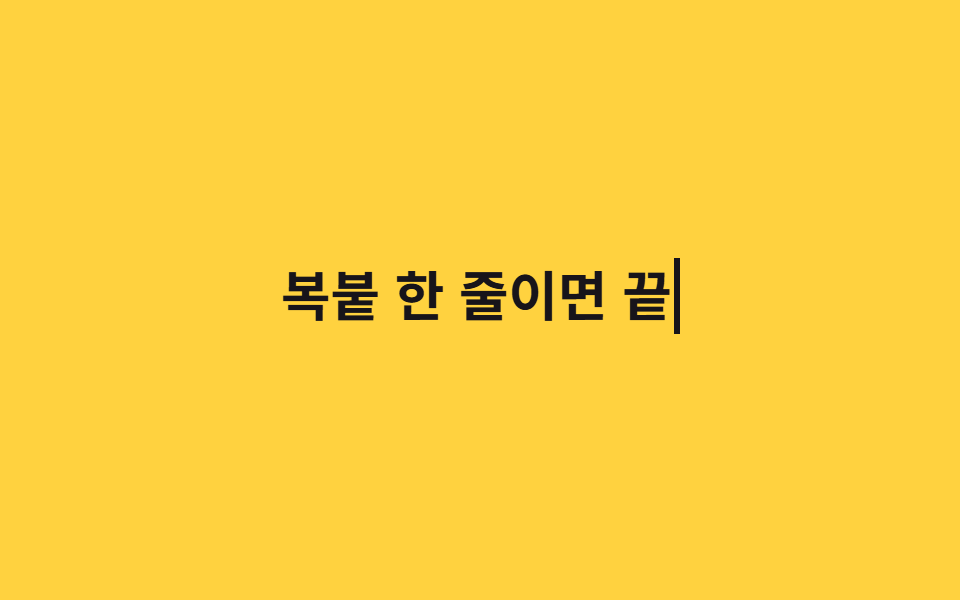 02 typing-text-effect-steps-typing
 03 typing-text-effect-multi-glyph-compose
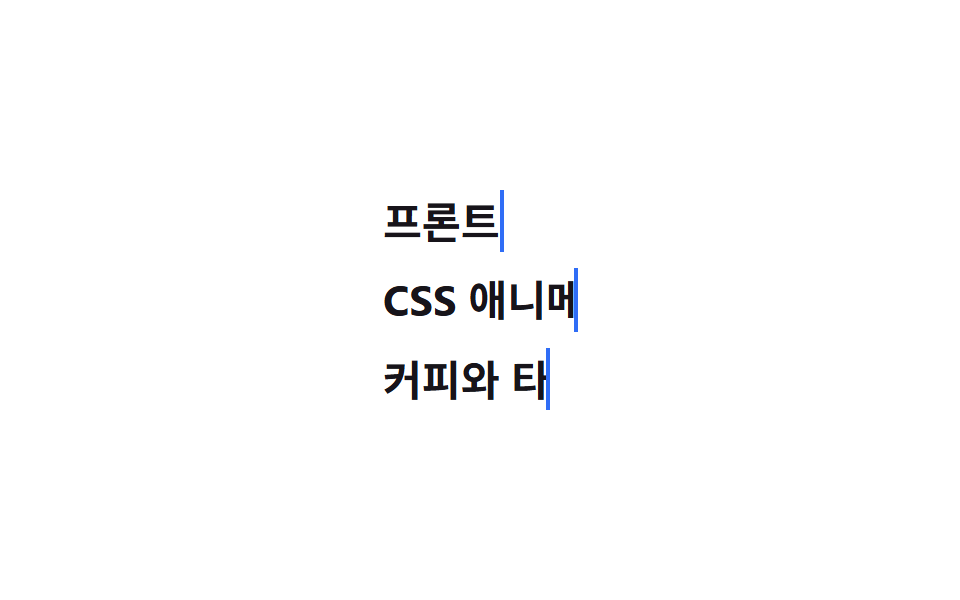 04 typing-text-effect-multi-line
 05 typing-text-effect-delete-retype
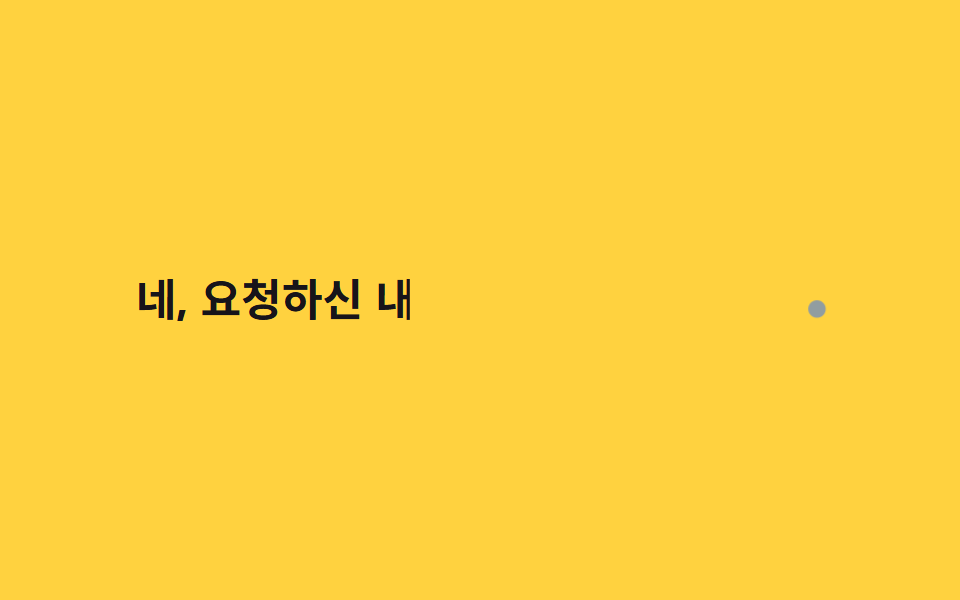 06 typing-text-effect-ai-streaming-caret
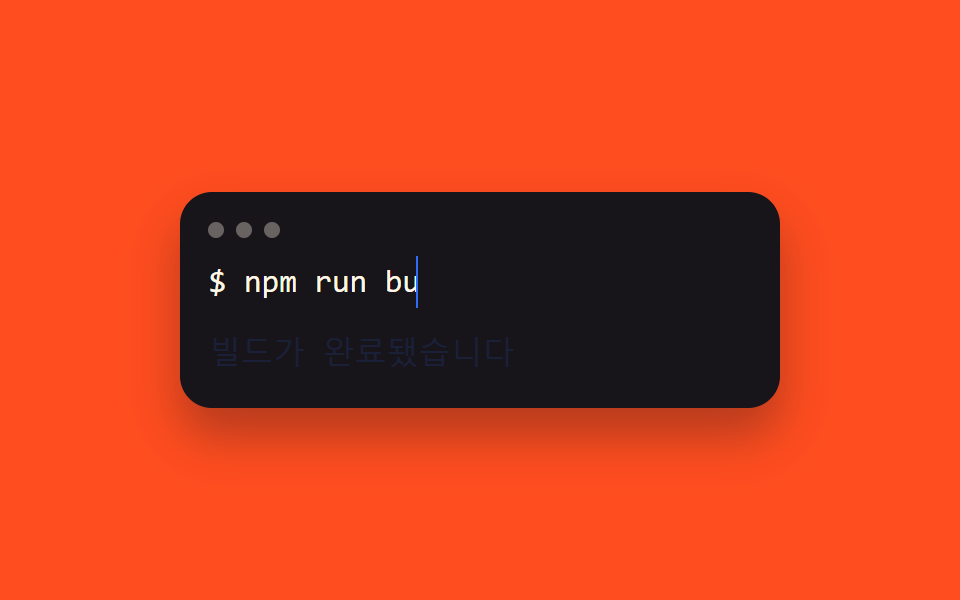 07 typing-text-effect-terminal-prompt
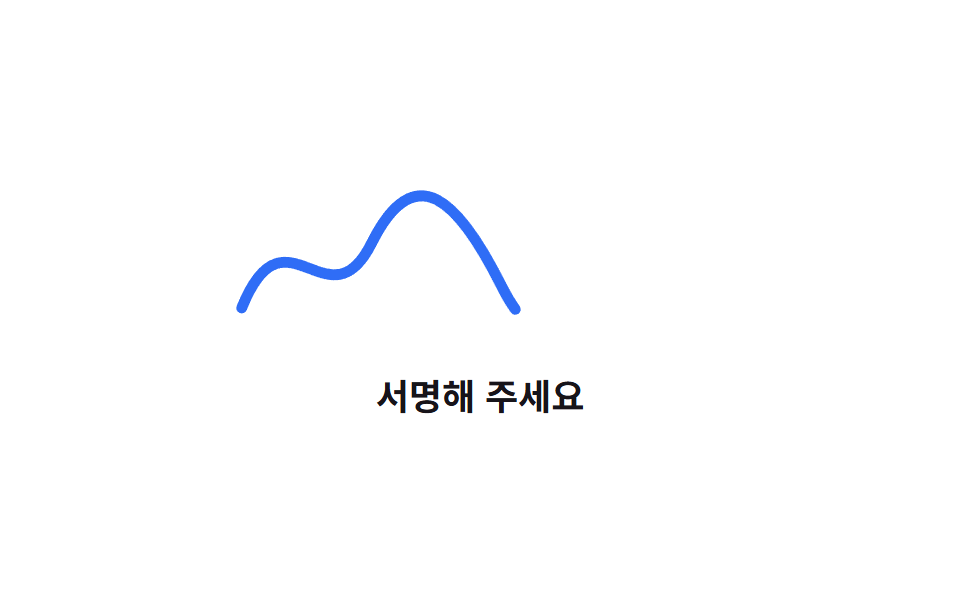 08 typing-text-effect-handwriting-svg
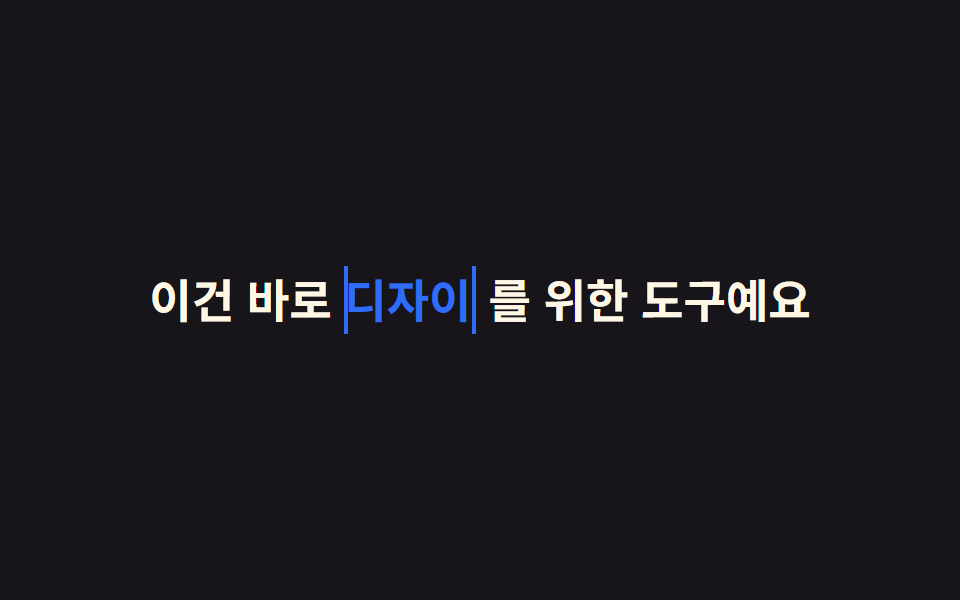 09 typing-text-effect-word-swap
Tự chạy · bấm ô để tới mục đó · cả 9 trong một zip
- 01 Con trỏ nhấp nháy
- 02 Hiệu ứng gõ chữ bằng steps()
- 03 Gõ chữ ghép đa ngôn ngữ
- 04 Gõ chữ nhiều dòng
- 05 Gõ rồi xoá rồi gõ lại
- 06 Cảm giác AI trả lời theo dòng
- 07 Kiểu dòng lệnh terminal
- 08 Hiệu ứng chữ viết tay SVG
- 09 Gõ chữ đổi từ
Thứ tự chín hiệu ứng đi từ một con trỏ đứng yên đến một câu tự đổi chữ giữa chừng. 01 chỉ animate opacity của một thanh con trỏ. 02, 04, 05, 07, 09 đều cho width chạy theo steps() với số bước khác nhau — một dòng, nhiều dòng, gõ rồi xoá, có phản hồi, hoặc ba từ giấu chồng lên nhau. 03 và 06 rời khỏi CSS thuần, dùng JavaScript đo pixel hoặc ngẫu nhiên hoá nhịp gõ rồi giao lại cho Element.animate(). 08 đổi hẳn sang SVG. Trong khung xem phía trên, bạn xem chín ô cùng chạy một vòng lặp ngắn cố định; bản gõ đúng theo độ dài chữ thật nằm trong file zip.
01Con trỏ nhấp nháy
Bạn thấy gì
Ngay sau chữ đã gõ xong là một thanh con trỏ rộng đúng bằng một ký tự, cho opacity nhấp nháy bằng step-end thay vì mờ dần, để trông giống hệt con trỏ gõ chữ thật trên máy tính.
<main class="stage">
  <p class="line"><span class="line__text">Tôi có thể giúp gì cho bạn?</span><span class="line__caret" aria-hidden="true"></span></p>
</main>
@use "../../../../site/static/demo-tokens" as *;
$duration: $dur-base; // 깜빡임 한 주기
$easing: steps(2, jump-none); // 뚝뚝 끊어 깜빡이게 (부드럽게 섞지 않는다)
$color: $subject-blue; // 커서 색
@include stage($stage-ink);
.line {
display: flex;
align-items: baseline;
margin: 0;
font-weight: 700; font-size: clamp(20px, 5.6vw, 34px); line-height: 1.4; font-family: inherit;
color: $subject-cream;
&__caret {
display: inline-block;
width: clamp(8px, 2.6vw, 14px);
height: 1.3em;
margin-left: clamp(2px, 1vw, 6px);
background: $color;
animation: caret-blink $duration $easing infinite;
}
}
@keyframes caret-blink {
from { opacity: 1; }
to { opacity: 0; }
}
@media (prefers-reduced-motion: reduce) {
.line__caret { animation: none; opacity: 1; }
}html, body {
margin: 0;
overflow: hidden;
}
.stage {
box-sizing: border-box;
min-height: 100vh;
display: grid;
place-items: center;
margin: 0;
background: #17141a;
font-family: -apple-system, "Segoe UI", "Noto Sans KR", sans-serif;
padding: clamp(8px, 4vw, 24px);
}
.line {
display: flex;
align-items: baseline;
margin: 0;
font-weight: 700;
font-size: clamp(20px, 5.6vw, 34px);
line-height: 1.4;
font-family: inherit;
color: #fff7e6;
}
.line__caret {
display: inline-block;
width: clamp(8px, 2.6vw, 14px);
height: 1.3em;
margin-left: clamp(2px, 1vw, 6px);
background: #2f6df6;
animation: caret-blink 300ms steps(2, jump-none) infinite;
}
@keyframes caret-blink {
from {
opacity: 1;
}
to {
opacity: 0;
}
}
@media (prefers-reduced-motion: reduce) {
.line__caret {
animation: none;
opacity: 1;
}
}import type { CSSProperties } from "react";
import styles from "./CaretBlink.module.scss";
export type CaretBlinkProps = {
text: string;
/** 깜빡임 한 주기 (기본 300ms) */
duration?: number;
color?: string;
};
export default function CaretBlink({ text, duration = 300, color = "#2f6df6" }: CaretBlinkProps) {
const vars = { "--duration": `${duration}ms`, "--color": color } as CSSProperties;
return (
<p className={styles.line} style={vars}>
<span className={styles.text}>{text}</span>
<span className={styles.caret} aria-hidden="true" />
</p>
);
}01 · Con trỏ nhấp nháy — Diện tích đo được 0.316% · khung hình chuyển động 11/23Nguyên tác GODRICH · SCSS và React nằm trong tệp zip · Xem mật khẩu
Dùng ở đâu
Hợp cho placeholder của form cần nhấn mạnh, trạng thái chờ của ô chat.
.line__caret {
  display: inline-block;
  width: clamp(8px, 2.6vw, 14px);
  height: 1.3em;
  margin-left: clamp(2px, 1vw, 6px);
  background: $color;
  animation: caret-blink $duration $easing infinite;
}

@keyframes caret-blink {
  from { opacity: 1; }
  to   { opacity: 0; }
}
02Gõ chữ bằng steps()
Chuyện gì diễn ra trên màn hình
Width chạy từ 0 đến đúng độ rộng chữ bằng steps(10, end), mỗi bước nhảy đúng một ký tự như máy đánh chữ thật gõ từng nhát.
<main class="stage">
  <p class="type"><span class="type__text">Copy dán một dòng là xong</span></p>
</main>
@use "../../../../site/static/demo-tokens" as *;
$duration: $dur-loop; // 한 루프 전체 길이
$easing: steps(10, end); // 글자 수만큼 뚝뚝 끊어 늘어나는 곡선
$color: $subject-ink; // 글자·커서 색
@include stage($stage-yellow);
.type {
margin: 0;
&__text {
display: inline-block;
overflow: hidden;
white-space: nowrap;
width: 0;
border-right: .12em solid $color;
font-weight: 700; font-size: clamp(20px, 5.6vw, 34px); line-height: 1.4; font-family: inherit;
color: $color;
animation: type-loop $duration linear infinite;
}
}
@keyframes type-loop {
0%, 6% { width: 0; animation-timing-function: $easing; }
58% { width: var(--full, 10ch); }
88% { width: var(--full, 10ch); }
94%, 100% { width: 0; }
}
@media (prefers-reduced-motion: reduce) {
.type__text { animation: none; width: var(--full, 10ch); border-right-color: transparent; }
}html, body {
margin: 0;
overflow: hidden;
}
.stage {
box-sizing: border-box;
min-height: 100vh;
display: grid;
place-items: center;
margin: 0;
background: #ffd23f;
font-family: -apple-system, "Segoe UI", "Noto Sans KR", sans-serif;
padding: clamp(8px, 4vw, 24px);
}
.type {
margin: 0;
}
.type__text {
display: inline-block;
overflow: hidden;
white-space: nowrap;
width: 0;
border-right: 0.12em solid #17141a;
font-weight: 700;
font-size: clamp(20px, 5.6vw, 34px);
line-height: 1.4;
font-family: inherit;
color: #17141a;
animation: type-loop 2s linear infinite;
}
@keyframes type-loop {
0%, 6% {
width: 0;
animation-timing-function: steps(10, end);
}
58% {
width: var(--full, 10ch);
}
88% {
width: var(--full, 10ch);
}
94%, 100% {
width: 0;
}
}
@media (prefers-reduced-motion: reduce) {
.type__text {
animation: none;
width: var(--full, 10ch);
border-right-color: transparent;
}
}(function () {
var el = document.querySelector('.type__text'), cv = document.createElement('canvas').getContext('2d');
cv.font = getComputedStyle(el).font;
el.style.setProperty('--full', Math.ceil(cv.measureText(el.textContent).width) + 'px');
})();import { useEffect, useRef } from "react";
import type { CSSProperties } from "react";
import styles from "./StepsTypewriter.module.scss";
export type StepsTypewriterProps = {
text: string;
/** 한 루프 전체 길이 (기본 2000ms) */
duration?: number;
color?: string;
};
export default function StepsTypewriter({ text, duration = 2000, color = "#17141a" }: StepsTypewriterProps) {
const ref = useRef<HTMLSpanElement | null>(null);
useEffect(() => {
const el = ref.current;
const cv = el && document.createElement("canvas").getContext("2d");
if (!el || !cv) return;
cv.font = getComputedStyle(el).font;
el.style.setProperty("--full", Math.ceil(cv.measureText(text).width) + "px");
}, [text]);
const vars = { "--duration": `${duration}ms`, "--color": color, "--easing": `steps(${text.length}, end)` } as CSSProperties;
return (
<p className={styles.type} style={vars}>
<span ref={ref} className={styles.text}>{text}</span>
</p>
);
}02 · Hiệu ứng gõ chữ bằng steps() — Diện tích đo được 3.509% · khung hình chuyển động 12/23Nguyên tác GODRICH · SCSS và React nằm trong tệp zip · Xem mật khẩu
Chỗ dùng
Hợp cho tiêu đề hero và slogan trang landing, nơi cần một câu gõ ra thật chậm rãi.
.type__text {
  display: inline-block;
  overflow: hidden;
  white-space: nowrap;
  width: 0;
  border-right: .12em solid $color;
  animation: type-loop $duration linear infinite;
}

@keyframes type-loop {
  0%, 6%    { width: 0; animation-timing-function: steps(10, end); }
  58%       { width: var(--full, 10ch); }
  88%       { width: var(--full, 10ch); }
  94%, 100% { width: 0; }
}
03Gõ chữ ghép đa ngôn ngữ
Chuyển động thế nào
steps()+ch giả định font đều nét, nên chữ có dấu tiếng Việt, chữ Hán hay emoji trộn lẫn sẽ bị cắt giữa ký tự. JavaScript đo bề rộng pixel thật của từng ký tự bằng canvas rồi dùng clip-path cắt đúng ranh giới đó.
<main class="stage">
  <p class="glyph"><span class="glyph__text" id="gtext">Xin chào Godrich 🎉</span></p>
</main>
@use "../../../../site/static/demo-tokens" as *;
$duration: $dur-loop; // JS 쪽 el.animate() duration:2000 과 맞춘다
$easing: linear; // 글자 폭 기준 offset 을 이미 곡선으로 넣어 linear 로 충분하다
$color: $subject-cream; // 글자 색
@include stage($stage-orange);
.glyph {
margin: 0;
font-weight: 700; font-size: clamp(22px, 6.4vw, 40px); line-height: 1.4; font-family: inherit;
color: $color;
&__text {
display: inline-block;
}
}
@media (prefers-reduced-motion: reduce) {
.glyph__text { clip-path: none !important; }
}html, body {
margin: 0;
overflow: hidden;
}
.stage {
box-sizing: border-box;
min-height: 100vh;
display: grid;
place-items: center;
margin: 0;
background: #ff4d1f;
font-family: -apple-system, "Segoe UI", "Noto Sans KR", sans-serif;
padding: clamp(8px, 4vw, 24px);
}
.glyph {
margin: 0;
font-weight: 700;
font-size: clamp(22px, 6.4vw, 40px);
line-height: 1.4;
font-family: inherit;
color: #fff7e6;
}
.glyph__text {
display: inline-block;
}
@media (prefers-reduced-motion: reduce) {
.glyph__text {
clip-path: none !important;
}
}(function () {
if (matchMedia('(prefers-reduced-motion: reduce)').matches) return;
var el = document.getElementById('gtext'), s = el.textContent, cv = document.createElement('canvas').getContext('2d');
cv.font = getComputedStyle(el).font;
var w = 0, cum = [0];
for (var i = 0; i < s.length; i++) { w += cv.measureText(s[i]).width; cum.push(w); }
var kf = cum.map(function (px) { return { clipPath: 'inset(0 ' + (100 - px / w * 70) + '% 0 0)', offset: px / w * .7 }; });
kf.push({ clipPath: 'inset(0 0% 0 0)', offset: .88 }, { clipPath: 'inset(0 100% 0 0)', offset: 1 });
el.animate(kf, { duration: 2000, iterations: Infinity });
})();import { useEffect, useRef } from "react";
import type { CSSProperties } from "react";
import styles from "./MultiGlyphTyping.module.scss";
export type MultiGlyphTypingProps = {
text: string;
/** el.animate() duration (기본 2000ms) */
duration?: number;
color?: string;
};
export default function MultiGlyphTyping({ text, duration = 2000, color = "#fff7e6" }: MultiGlyphTypingProps) {
const ref = useRef<HTMLSpanElement | null>(null);
useEffect(() => {
const el = ref.current;
if (!el || matchMedia("(prefers-reduced-motion: reduce)").matches) return;
const cv = document.createElement("canvas").getContext("2d");
if (!cv) return;
cv.font = getComputedStyle(el).font;
let w = 0;
const cum = [0];
for (let i = 0; i < text.length; i++) { w += cv.measureText(text[i]).width; cum.push(w); }
const kf = cum.map((px) => ({ clipPath: "inset(0 " + (100 - (px / w) * 70) + "% 0 0)", offset: (px / w) * 0.7 }));
kf.push({ clipPath: "inset(0 0% 0 0)", offset: 0.88 }, { clipPath: "inset(0 100% 0 0)", offset: 1 });
const anim = el.animate(kf, { duration, iterations: Infinity });
return () => anim.cancel();
}, [text, duration]);
const vars = { "--color": color } as CSSProperties;
return (
<p className={styles.glyph} style={vars}>
<span ref={ref} className={styles.text}>{text}</span>
</p>
);
}03 · Gõ chữ ghép đa ngôn ngữ — Diện tích đo được 2.801% · khung hình chuyển động 23/23Nguyên tác GODRICH · SCSS và React nằm trong tệp zip · Xem mật khẩu
Dùng khi nào
Hợp cho tên sản phẩm trộn Latin, CJK và emoji trong một trang landing quốc tế hoá.
var el = document.getElementById('gtext'), s = el.textContent;
var cv = document.createElement('canvas').getContext('2d');
cv.font = getComputedStyle(el).font;
var w = 0, cum = [0];
for (var i = 0; i < s.length; i++) {
  w += cv.measureText(s[i]).width;
  cum.push(w);
}
var kf = cum.map(function (px) {
  return { clipPath: 'inset(0 ' + (100 - px / w * 70) + '% 0 0)', offset: px / w * .7 };
});
kf.push({ clipPath: 'inset(0 0% 0 0)', offset: .88 }, { clipPath: 'inset(0 100% 0 0)', offset: 1 });
el.animate(kf, { duration: 2000, iterations: Infinity });
04Gõ chữ nhiều dòng
Bạn thấy gì
Mỗi dòng có keyframes steps() riêng, độ trễ đến từ khoảng đầu mỗi keyframes giữ width bằng 0 (0%, 10%, 34%), nên dòng dưới chỉ bắt đầu khi dòng trên gõ hết chữ.
<main class="stage">
  <div class="lines">
    <p class="lines__row"><span class="lines__text lines__text--1">Lập trình viên frontend</span></p>
    <p class="lines__row"><span class="lines__text lines__text--2">Tôi thích animation CSS</span></p>
    <p class="lines__row"><span class="lines__text lines__text--3">Tôi thích cà phê và gõ phím</span></p>
  </div>
</main>
@use "../../../../site/static/demo-tokens" as *;
$duration: $dur-loop; // 세 줄이 도는 전체 루프
$easing: $ease-out; // 다 친 뒤 접히는 구간의 곡선 (타이핑 자체는 줄마다 steps())
$color: $subject-blue; // 커서 색
@include stage($stage-paper);
.lines {
display: grid;
gap: clamp(4px, 1.6vw, 10px);
font-weight: 700; font-size: clamp(15px, 4.4vw, 22px); line-height: 1.5; font-family: inherit;
color: $stage-ink;
&__row { margin: 0; }
&__text {
display: inline-block;
overflow: hidden;
white-space: nowrap;
vertical-align: bottom;
width: 0;
border-right: .1em solid $color;
animation-duration: $duration;
animation-timing-function: $easing;
animation-iteration-count: infinite;
&--1 { animation-name: l1-type; }
&--2 { animation-name: l2-type; }
&--3 { animation-name: l3-type; }
}
}
@keyframes l1-type {
0% { width: 0; animation-timing-function: steps(9, end); }
10% { width: var(--full, 9ch); }
88% { width: var(--full, 9ch); }
96%, 100% { width: 0; }
}
@keyframes l2-type {
0%, 10% { width: 0; animation-timing-function: steps(16, end); }
34% { width: var(--full, 16ch); }
88% { width: var(--full, 16ch); }
96%, 100% { width: 0; }
}
@keyframes l3-type {
0%, 34% { width: 0; animation-timing-function: steps(13, end); }
54% { width: var(--full, 13ch); }
88% { width: var(--full, 13ch); }
96%, 100% { width: 0; }
}
@media (prefers-reduced-motion: reduce) {
.lines__text { animation: none; width: var(--full, 16ch); border-right-color: transparent; }
}html, body {
margin: 0;
overflow: hidden;
}
.stage {
box-sizing: border-box;
min-height: 100vh;
display: grid;
place-items: center;
margin: 0;
background: #ffffff;
font-family: -apple-system, "Segoe UI", "Noto Sans KR", sans-serif;
padding: clamp(8px, 4vw, 24px);
}
.lines {
display: grid;
gap: clamp(4px, 1.6vw, 10px);
font-weight: 700;
font-size: clamp(15px, 4.4vw, 22px);
line-height: 1.5;
font-family: inherit;
color: #17141a;
}
.lines__row {
margin: 0;
}
.lines__text {
display: inline-block;
overflow: hidden;
white-space: nowrap;
vertical-align: bottom;
width: 0;
border-right: 0.1em solid #2f6df6;
animation-duration: 2s;
animation-timing-function: ease-out;
animation-iteration-count: infinite;
}
.lines__text--1 {
animation-name: l1-type;
}
.lines__text--2 {
animation-name: l2-type;
}
.lines__text--3 {
animation-name: l3-type;
}
@keyframes l1-type {
0% {
width: 0;
animation-timing-function: steps(9, end);
}
10% {
width: var(--full, 9ch);
}
88% {
width: var(--full, 9ch);
}
96%, 100% {
width: 0;
}
}
@keyframes l2-type {
0%, 10% {
width: 0;
animation-timing-function: steps(16, end);
}
34% {
width: var(--full, 16ch);
}
88% {
width: var(--full, 16ch);
}
96%, 100% {
width: 0;
}
}
@keyframes l3-type {
0%, 34% {
width: 0;
animation-timing-function: steps(13, end);
}
54% {
width: var(--full, 13ch);
}
88% {
width: var(--full, 13ch);
}
96%, 100% {
width: 0;
}
}
@media (prefers-reduced-motion: reduce) {
.lines__text {
animation: none;
width: var(--full, 16ch);
border-right-color: transparent;
}
}(function () {
var cv = document.createElement('canvas').getContext('2d');
document.querySelectorAll('.lines__text').forEach(function (el) {
cv.font = getComputedStyle(el).font;
el.style.setProperty('--full', Math.ceil(cv.measureText(el.textContent).width) + 'px');
});
})();import { useEffect, useRef } from "react";
import type { CSSProperties } from "react";
import styles from "./MultiLineTyping.module.scss";
export type MultiLineTypingProps = {
lines: [string, string, string];
/** 세 줄이 도는 전체 루프 (기본 2000ms) */
duration?: number;
color?: string;
};
export default function MultiLineTyping({ lines, duration = 2000, color = "#2f6df6" }: MultiLineTypingProps) {
const r1 = useRef<HTMLSpanElement | null>(null);
const r2 = useRef<HTMLSpanElement | null>(null);
const r3 = useRef<HTMLSpanElement | null>(null);
useEffect(() => {
const cv = document.createElement("canvas").getContext("2d");
if (!cv) return;
[r1, r2, r3].forEach((r) => {
const el = r.current;
if (!el) return;
cv.font = getComputedStyle(el).font;
el.style.setProperty("--full", Math.ceil(cv.measureText(el.textContent || "").width) + "px");
});
}, [lines]);
const vars = { "--duration": `${duration}ms`, "--color": color } as CSSProperties;
const e = (s: string) => ({ "--easing": `steps(${s.length}, end)` } as CSSProperties);
return (
<div className={styles.lines} style={vars}>
<p className={styles.row}><span ref={r1} className={`${styles.text} ${styles.l1}`} style={e(lines[0])}>{lines[0]}</span></p>
<p className={styles.row}><span ref={r2} className={`${styles.text} ${styles.l2}`} style={e(lines[1])}>{lines[1]}</span></p>
<p className={styles.row}><span ref={r3} className={`${styles.text} ${styles.l3}`} style={e(lines[2])}>{lines[2]}</span></p>
</div>
);
}04 · Gõ chữ nhiều dòng — Diện tích đo được 8.264% · khung hình chuyển động 15/23Nguyên tác GODRICH · SCSS và React nằm trong tệp zip · Xem mật khẩu
Dùng ở đâu
Hợp cho phần mở đầu editor code hoặc thẻ giới thiệu bản thân nhiều dòng.
.lines__text {
  overflow: hidden;
  white-space: nowrap;
  width: 0;
  border-right: .1em solid $color;
  animation-duration: $duration;
  animation-timing-function: $easing;
  animation-iteration-count: infinite;

  &--1 { animation-name: l1-type; }
  &--2 { animation-name: l2-type; }
  &--3 { animation-name: l3-type; }
}

@keyframes l2-type {
  0%, 10%   { width: 0; animation-timing-function: steps(16, end); }
  34%       { width: var(--full, 16ch); }
  88%       { width: var(--full, 16ch); }
  96%, 100% { width: 0; }
}
05Gõ rồi xoá rồi gõ lại
Chuyện gì diễn ra trên màn hình
Một khối keyframes duy nhất cho width chạy từ 0 lên 100% rồi về lại 0, gõ ra một câu, dừng lại một nhịp rồi tự xoá, không cần bất kỳ dòng JavaScript nào điều khiển.
<main class="stage">
  <p class="search"><span class="search__text">Tìm bất cứ điều gì bạn muốn</span></p>
</main>
@use "../../../../site/static/demo-tokens" as *;
$duration: $dur-loop; // 타이핑+삭제 한 루프
$easing: steps(11, end); // 글자 수만큼 뚝뚝 끊어 늘고 준다
$color: $subject-blue; // 커서 색
@include stage($stage-ink);
.search {
margin: 0;
&__text {
display: inline-block;
overflow: hidden;
white-space: nowrap;
width: 0;
border-right: .1em solid $color;
font-weight: 700; font-size: clamp(18px, 5.2vw, 30px); line-height: 1.4; font-family: inherit;
color: $subject-cream;
animation: search-loop $duration linear infinite;
}
}
@keyframes search-loop {
0%, 6% { width: 0; animation-timing-function: $easing; }
46% { width: var(--full, 11ch); }
62% { width: var(--full, 11ch); animation-timing-function: $easing; }
96%, 100% { width: 0; }
}
@media (prefers-reduced-motion: reduce) {
.search__text { animation: none; width: var(--full, 11ch); border-right-color: transparent; }
}html, body {
margin: 0;
overflow: hidden;
}
.stage {
box-sizing: border-box;
min-height: 100vh;
display: grid;
place-items: center;
margin: 0;
background: #17141a;
font-family: -apple-system, "Segoe UI", "Noto Sans KR", sans-serif;
padding: clamp(8px, 4vw, 24px);
}
.search {
margin: 0;
}
.search__text {
display: inline-block;
overflow: hidden;
white-space: nowrap;
width: 0;
border-right: 0.1em solid #2f6df6;
font-weight: 700;
font-size: clamp(18px, 5.2vw, 30px);
line-height: 1.4;
font-family: inherit;
color: #fff7e6;
animation: search-loop 2s linear infinite;
}
@keyframes search-loop {
0%, 6% {
width: 0;
animation-timing-function: steps(11, end);
}
46% {
width: var(--full, 11ch);
}
62% {
width: var(--full, 11ch);
animation-timing-function: steps(11, end);
}
96%, 100% {
width: 0;
}
}
@media (prefers-reduced-motion: reduce) {
.search__text {
animation: none;
width: var(--full, 11ch);
border-right-color: transparent;
}
}(function () {
var el = document.querySelector('.search__text'), cv = document.createElement('canvas').getContext('2d');
cv.font = getComputedStyle(el).font;
el.style.setProperty('--full', Math.ceil(cv.measureText(el.textContent).width) + 'px');
})();import { useEffect, useRef } from "react";
import type { CSSProperties } from "react";
import styles from "./DeleteRetype.module.scss";
export type DeleteRetypeProps = {
text: string;
/** 타이핑+삭제 한 루프 (기본 2000ms) */
duration?: number;
color?: string;
};
export default function DeleteRetype({ text, duration = 2000, color = "#2f6df6" }: DeleteRetypeProps) {
const ref = useRef<HTMLSpanElement | null>(null);
useEffect(() => {
const el = ref.current;
const cv = el && document.createElement("canvas").getContext("2d");
if (!el || !cv) return;
cv.font = getComputedStyle(el).font;
el.style.setProperty("--full", Math.ceil(cv.measureText(text).width) + "px");
}, [text]);
const vars = { "--duration": `${duration}ms`, "--color": color, "--easing": `steps(${text.length}, end)` } as CSSProperties;
return (
<p className={styles.search} style={vars}>
<span ref={ref} className={styles.text}>{text}</span>
</p>
);
}05 · Gõ rồi xoá rồi gõ lại — Diện tích đo được 3.679% · khung hình chuyển động 18/23Nguyên tác GODRICH · SCSS và React nằm trong tệp zip · Xem mật khẩu
Chỗ dùng
Hợp cho câu gợi ý trong ô chat trống hoặc placeholder ô tìm kiếm tự đổi.
.search__text {
  overflow: hidden;
  white-space: nowrap;
  width: 0;
  border-right: .1em solid $color;
  animation: search-loop $duration linear infinite;
}

@keyframes search-loop {
  0%, 6%    { width: 0; animation-timing-function: steps(11, end); }
  46%       { width: var(--full, 11ch); }
  62%       { width: var(--full, 11ch); animation-timing-function: steps(11, end); }
  96%, 100% { width: 0; }
}
06Cảm giác AI trả lời theo dòng
Chuyển động thế nào
Thay vì steps() với khoảng cách cố định, một vòng lặp JavaScript nối từng chữ vào với khoảng nghỉ ngẫu nhiên 30-90ms, mô phỏng nhịp lệch của một câu trả lời AI đang trôi ra theo từng token.
<main class="stage">
  <p class="ai"><span class="ai__text" id="atext">Vâng, để tôi tóm tắt nội dung bạn yêu cầu</span><span class="ai__orb" aria-hidden="true"></span></p>
</main>
@use "../../../../site/static/demo-tokens" as *;
$duration: $dur-loop; // JS 쪽 el.animate() duration:2000 과 맞춘다
$easing: linear; // 랜덤 간격을 이미 offset 으로 넣어 linear 로 충분하다
$color: $subject-ink; // 글자 색
@include stage($stage-yellow);
.ai {
margin: 0;
display: flex;
align-items: baseline;
gap: clamp(4px, 1.4vw, 8px);
font-weight: 700; font-size: clamp(16px, 4.6vw, 26px); line-height: 1.5; font-family: inherit;
color: $color;
&__text { display: inline-block; }
&__orb {
width: clamp(6px, 1.8vw, 10px);
height: clamp(6px, 1.8vw, 10px);
border-radius: $r-pill;
background: $subject-blue;
animation: orb-pulse $dur-quick $ease-pop infinite;
}
}
@keyframes orb-pulse {
0%, 100% { transform: scale(1); opacity: .55; }
50% { transform: scale(1.6); opacity: 1; }
}
@media (prefers-reduced-motion: reduce) {
.ai__text { clip-path: none !important; }
.ai__orb { animation: none; opacity: .8; }
}html, body {
margin: 0;
overflow: hidden;
}
.stage {
box-sizing: border-box;
min-height: 100vh;
display: grid;
place-items: center;
margin: 0;
background: #ffd23f;
font-family: -apple-system, "Segoe UI", "Noto Sans KR", sans-serif;
padding: clamp(8px, 4vw, 24px);
}
.ai {
margin: 0;
display: flex;
align-items: baseline;
gap: clamp(4px, 1.4vw, 8px);
font-weight: 700;
font-size: clamp(16px, 4.6vw, 26px);
line-height: 1.5;
font-family: inherit;
color: #17141a;
}
.ai__text {
display: inline-block;
}
.ai__orb {
width: clamp(6px, 1.8vw, 10px);
height: clamp(6px, 1.8vw, 10px);
border-radius: 999px;
background: #2f6df6;
animation: orb-pulse 220ms cubic-bezier(0.2, 1.4, 0.4, 1) infinite;
}
@keyframes orb-pulse {
0%, 100% {
transform: scale(1);
opacity: 0.55;
}
50% {
transform: scale(1.6);
opacity: 1;
}
}
@media (prefers-reduced-motion: reduce) {
.ai__text {
clip-path: none !important;
}
.ai__orb {
animation: none;
opacity: 0.8;
}
}(function () {
if (matchMedia('(prefers-reduced-motion: reduce)').matches) return;
var el = document.getElementById('atext'), s = el.textContent, n = s.length, d = [], sum = 0;
for (var i = 0; i < n; i++) { var r = 30 + Math.random() * 60; d.push(r); sum += r; }
var acc = 0, kf = [{ clipPath: 'inset(0 100% 0 0)', offset: 0 }];
for (var i = 0; i < n; i++) { acc += d[i]; kf.push({ clipPath: 'inset(0 ' + (100 - acc / sum * 78) + '% 0 0)', offset: acc / sum * .78 }); }
kf.push({ clipPath: 'inset(0 0% 0 0)', offset: .9 }, { clipPath: 'inset(0 100% 0 0)', offset: 1 });
el.animate(kf, { duration: 2000, iterations: Infinity });
})();import { useEffect, useRef } from "react";
import type { CSSProperties } from "react";
import styles from "./AiStreamingCaret.module.scss";
export type AiStreamingCaretProps = {
text: string;
/** el.animate() duration (기본 2000ms) */
duration?: number;
color?: string;
};
export default function AiStreamingCaret({ text, duration = 2000, color = "#17141a" }: AiStreamingCaretProps) {
const ref = useRef<HTMLSpanElement | null>(null);
useEffect(() => {
const el = ref.current;
if (!el || matchMedia("(prefers-reduced-motion: reduce)").matches) return;
const n = text.length;
const d: number[] = [];
let sum = 0;
for (let i = 0; i < n; i++) { const r = 30 + Math.random() * 60; d.push(r); sum += r; }
let acc = 0;
const kf = [{ clipPath: "inset(0 100% 0 0)", offset: 0 }];
for (let i = 0; i < n; i++) { acc += d[i]; kf.push({ clipPath: "inset(0 " + (100 - (acc / sum) * 78) + "% 0 0)", offset: (acc / sum) * 0.78 }); }
kf.push({ clipPath: "inset(0 0% 0 0)", offset: 0.9 }, { clipPath: "inset(0 100% 0 0)", offset: 1 });
const anim = el.animate(kf, { duration, iterations: Infinity });
return () => anim.cancel();
}, [text, duration]);
const vars = { "--color": color } as CSSProperties;
return (
<p className={styles.ai} style={vars}>
<span ref={ref} className={styles.text}>{text}</span>
<span className={styles.orb} aria-hidden="true" />
</p>
);
}06 · Cảm giác AI trả lời theo dòng — Diện tích đo được 2.514% · khung hình chuyển động 23/23Nguyên tác GODRICH · SCSS và React nằm trong tệp zip · Xem mật khẩu
Dùng khi nào
Hợp cho khu vực trả lời của chatbot hoặc hiệu ứng chờ kết quả prompt.
var el = document.getElementById('atext'), s = el.textContent;
var n = s.length, d = [], sum = 0;
for (var i = 0; i < n; i++) {
  var r = 30 + Math.random() * 60;
  d.push(r); sum += r;
}
var acc = 0, kf = [{ clipPath: 'inset(0 100% 0 0)', offset: 0 }];
for (var i = 0; i < n; i++) {
  acc += d[i];
  kf.push({ clipPath: 'inset(0 ' + (100 - acc / sum * 78) + '% 0 0)', offset: acc / sum * .78 });
}
el.animate(kf, { duration: 2000, iterations: Infinity });
07Kiểu dòng lệnh terminal
Bạn thấy gì
Lệnh gõ ra sau dấu $ bằng steps(13, end), rồi dòng phản hồi hiện dần bằng opacity ngay khi animation gõ lệnh vừa kết thúc, ghép thành một cửa sổ terminal giả gồm hai giai đoạn nối tiếp.
<main class="stage">
  <div class="term">
    <div class="term__bar"><span class="term__dot"></span><span class="term__dot"></span><span class="term__dot"></span></div>
    <p class="term__line">$ <span class="term__cmd">npm run build</span></p>
    <p class="term__resp">Build đã hoàn tất</p>
  </div>
</main>
@use "../../../../site/static/demo-tokens" as *;
$duration: $dur-loop; // 명령어 → 응답 두 단계를 담는 전체 루프
$easing: steps(13, end); // 명령어 글자 수만큼 뚝뚝 끊어 찍힌다
$color: $subject-blue; // 커서·응답 색
@include stage($stage-orange);
.term {
box-sizing: border-box; // width 와 padding 을 같이 쓰는데 border-box 가 없으면 padding 이 width 위에 더해져 320px 에서 넘친다 (실측 2026-09-10: 314px)
width: min(300px, 92vw);
border-radius: $r-card;
background: $stage-ink;
box-shadow: $shadow-raised;
padding: clamp(10px, 3vw, 16px);
font: 500 clamp(13px, 3.6vw, 16px)/1.6 "Space Mono", ui-monospace, monospace;
color: $subject-cream;
&__bar { display: flex; gap: 6px; margin: 0 0 clamp(6px, 2vw, 10px); }
&__dot { width: 8px; height: 8px; border-radius: $r-pill; background: rgba($subject-cream, .35); }
&__line { margin: 0; }
&__cmd {
display: inline-block;
overflow: hidden;
white-space: nowrap;
vertical-align: bottom;
width: 0;
border-right: .1em solid $color;
animation: cmd-type $duration linear infinite;
}
&__resp {
margin: clamp(6px, 2vw, 10px) 0 0;
color: $color;
animation: resp-fade $duration ease-out infinite;
}
}
@keyframes cmd-type {
0%, 5% { width: 0; animation-timing-function: $easing; }
45% { width: var(--full, 13ch); }
85% { width: var(--full, 13ch); }
95%, 100% { width: 0; }
}
@keyframes resp-fade {
0%, 44% { opacity: 0; }
50% { opacity: 1; }
82% { opacity: 1; }
90%, 100% { opacity: 0; }
}
@media (prefers-reduced-motion: reduce) {
.term__cmd { animation: none; width: var(--full, 13ch); border-right-color: transparent; }
.term__resp { animation: none; opacity: 1; }
}html, body {
margin: 0;
overflow: hidden;
}
.stage {
box-sizing: border-box;
min-height: 100vh;
display: grid;
place-items: center;
margin: 0;
background: #ff4d1f;
font-family: -apple-system, "Segoe UI", "Noto Sans KR", sans-serif;
padding: clamp(8px, 4vw, 24px);
}
.term {
box-sizing: border-box;
width: min(300px, 92vw);
border-radius: 16px;
background: #17141a;
box-shadow: 0 14px 24px rgba(23, 20, 26, 0.32);
padding: clamp(10px, 3vw, 16px);
font: 500 clamp(13px, 3.6vw, 16px)/1.6 "Space Mono", ui-monospace, monospace;
color: #fff7e6;
}
.term__bar {
display: flex;
gap: 6px;
margin: 0 0 clamp(6px, 2vw, 10px);
}
.term__dot {
width: 8px;
height: 8px;
border-radius: 999px;
background: rgba(255, 247, 230, 0.35);
}
.term__line {
margin: 0;
}
.term__cmd {
display: inline-block;
overflow: hidden;
white-space: nowrap;
vertical-align: bottom;
width: 0;
border-right: 0.1em solid #2f6df6;
animation: cmd-type 2s linear infinite;
}
.term__resp {
margin: clamp(6px, 2vw, 10px) 0 0;
color: #2f6df6;
animation: resp-fade 2s ease-out infinite;
}
@keyframes cmd-type {
0%, 5% {
width: 0;
animation-timing-function: steps(13, end);
}
45% {
width: var(--full, 13ch);
}
85% {
width: var(--full, 13ch);
}
95%, 100% {
width: 0;
}
}
@keyframes resp-fade {
0%, 44% {
opacity: 0;
}
50% {
opacity: 1;
}
82% {
opacity: 1;
}
90%, 100% {
opacity: 0;
}
}
@media (prefers-reduced-motion: reduce) {
.term__cmd {
animation: none;
width: var(--full, 13ch);
border-right-color: transparent;
}
.term__resp {
animation: none;
opacity: 1;
}
}(function () {
var el = document.querySelector('.term__cmd'), cv = document.createElement('canvas').getContext('2d');
cv.font = getComputedStyle(el).font;
el.style.setProperty('--full', Math.ceil(cv.measureText(el.textContent).width) + 'px');
})();import { useEffect, useRef } from "react";
import type { CSSProperties } from "react";
import styles from "./TerminalPrompt.module.scss";
export type TerminalPromptProps = {
command: string;
response: string;
/** 명령어→응답 두 단계를 담는 전체 루프 (기본 2000ms) */
duration?: number;
color?: string;
};
export default function TerminalPrompt({ command, response, duration = 2000, color = "#2f6df6" }: TerminalPromptProps) {
const ref = useRef<HTMLSpanElement | null>(null);
useEffect(() => {
const el = ref.current;
const cv = el && document.createElement("canvas").getContext("2d");
if (!el || !cv) return;
cv.font = getComputedStyle(el).font;
el.style.setProperty("--full", Math.ceil(cv.measureText(command).width) + "px");
}, [command]);
const vars = { "--duration": `${duration}ms`, "--color": color, "--easing": `steps(${command.length}, end)` } as CSSProperties;
return (
<div className={styles.term} style={vars}>
<div className={styles.bar}><span className={styles.dot} /><span className={styles.dot} /><span className={styles.dot} /></div>
<p className={styles.line}>$ <span ref={ref} className={styles.cmd}>{command}</span></p>
<p className={styles.resp}>{response}</p>
</div>
);
}07 · Kiểu dòng lệnh terminal — Diện tích đo được 1.057% · khung hình chuyển động 15/23Nguyên tác GODRICH · SCSS và React nằm trong tệp zip · Xem mật khẩu
Dùng ở đâu
Hợp cho phần giới thiệu công cụ dev hoặc demo hero của một sản phẩm CLI.
.term__cmd {
  overflow: hidden;
  white-space: nowrap;
  width: 0;
  border-right: .1em solid $color;
  animation: cmd-type $duration linear infinite;
}
.term__resp {
  animation: resp-fade $duration ease-out infinite;
}

@keyframes cmd-type {
  0%, 5%    { width: 0; animation-timing-function: steps(13, end); }
  45%       { width: var(--full, 13ch); }
  85%       { width: var(--full, 13ch); }
  95%, 100% { width: 0; }
}
08Hiệu ứng chữ viết tay SVG
Chuyện gì diễn ra trên màn hình
stroke-dasharray của path SVG được đặt đúng bằng chiều dài đường nét, rồi stroke-dashoffset chuyển dần từ chiều dài đó về 0, khiến chữ viết tay trông như đang được vẽ dần theo từng nét bút.
<main class="stage">
  <div class="sig">
    <svg class="sig__svg" viewBox="0 0 240 80" fill="none" aria-hidden="true">
      <path d="M10 60 C 30 10, 50 70, 70 30 S 110 10, 130 50 S 170 70, 190 20 S 220 40, 230 30" />
    </svg>
    <p class="sig__label">Vui lòng ký tên</p>
  </div>
</main>
@use "../../../../site/static/demo-tokens" as *;
$duration: $dur-loop; // 획을 그리는 한 루프
$easing: $ease-out; // 손으로 긋는 듯 빠르게 시작해 부드럽게 끝난다
$color: $subject-blue; // 선 색
@include stage($stage-paper);
.sig {
display: grid;
justify-items: center;
gap: clamp(6px, 2vw, 12px);
&__svg {
width: min(260px, 82vw);
height: auto;
path {
stroke: $color;
stroke-width: 5;
stroke-linecap: round;
stroke-linejoin: round;
stroke-dasharray: 520;
stroke-dashoffset: 520;
animation: draw $duration $easing infinite;
}
}
&__label {
margin: 0;
font-weight: 700; font-size: clamp(14px, 4vw, 18px); line-height: 1.4; font-family: inherit;
color: $stage-ink;
}
}
@keyframes draw {
0%, 6% { stroke-dashoffset: 520; }
55% { stroke-dashoffset: 0; }
80% { stroke-dashoffset: 0; }
96%, 100% { stroke-dashoffset: 520; }
}
@media (prefers-reduced-motion: reduce) {
.sig__svg path { animation: none; stroke-dashoffset: 0; }
}html, body {
margin: 0;
overflow: hidden;
}
.stage {
box-sizing: border-box;
min-height: 100vh;
display: grid;
place-items: center;
margin: 0;
background: #ffffff;
font-family: -apple-system, "Segoe UI", "Noto Sans KR", sans-serif;
padding: clamp(8px, 4vw, 24px);
}
.sig {
display: grid;
justify-items: center;
gap: clamp(6px, 2vw, 12px);
}
.sig__svg {
width: min(260px, 82vw);
height: auto;
}
.sig__svg path {
stroke: #2f6df6;
stroke-width: 5;
stroke-linecap: round;
stroke-linejoin: round;
stroke-dasharray: 520;
stroke-dashoffset: 520;
animation: draw 2s ease-out infinite;
}
.sig__label {
margin: 0;
font-weight: 700;
font-size: clamp(14px, 4vw, 18px);
line-height: 1.4;
font-family: inherit;
color: #17141a;
}
@keyframes draw {
0%, 6% {
stroke-dashoffset: 520;
}
55% {
stroke-dashoffset: 0;
}
80% {
stroke-dashoffset: 0;
}
96%, 100% {
stroke-dashoffset: 520;
}
}
@media (prefers-reduced-motion: reduce) {
.sig__svg path {
animation: none;
stroke-dashoffset: 0;
}
}import type { CSSProperties } from "react";
import styles from "./HandwritingSvg.module.scss";
export type HandwritingSvgProps = {
label: string;
/** 획을 그리는 한 루프 (기본 2000ms) */
duration?: number;
color?: string;
};
export default function HandwritingSvg({ label, duration = 2000, color = "#2f6df6" }: HandwritingSvgProps) {
const vars = { "--duration": `${duration}ms`, "--color": color } as CSSProperties;
return (
<div className={styles.sig} style={vars}>
<svg className={styles.svg} viewBox="0 0 240 80" fill="none" aria-hidden="true">
<path d="M10 60 C 30 10, 50 70, 70 30 S 110 10, 130 50 S 170 70, 190 20 S 220 40, 230 30" />
</svg>
<p className={styles.label}>{label}</p>
</div>
);
}08 · Hiệu ứng chữ viết tay SVG — Diện tích đo được 1.597% · khung hình chuyển động 9/23Nguyên tác GODRICH · SCSS và React nằm trong tệp zip · Xem mật khẩu
Chỗ dùng
Hợp cho hiệu ứng chữ ký hoặc thiệp mời sự kiện phong cách viết tay.
.sig__svg path {
  stroke: $color;
  stroke-width: 5;
  stroke-linecap: round;
  stroke-linejoin: round;
  stroke-dasharray: 520;
  stroke-dashoffset: 520;
  animation: draw $duration $easing infinite;
}

@keyframes draw {
  0%, 6%    { stroke-dashoffset: 520; }
  55%       { stroke-dashoffset: 0; }
  80%       { stroke-dashoffset: 0; }
  96%, 100% { stroke-dashoffset: 520; }
}
09Gõ chữ đổi từ
Chuyển động thế nào
Ba từ xếp chồng đúng một vị trí, giữ width bằng 0 cho tới đúng lượt của mình rồi mới gõ ra và xoá đi bằng steps() riêng, nên chỉ một từ đổi trong khi phần còn lại của câu đứng yên.
<main class="stage">
  <p class="swap">
    <span class="swap__prefix">Đây chính là công cụ dành cho </span><span class="swap__slot"><span class="swap__word swap__word--1">Designer</span><span class="swap__word swap__word--2">Developer</span><span class="swap__word swap__word--3">Marketer</span></span><span class="swap__suffix"> — hãy thử ngay</span>
  </p>
</main>
@use "../../../../site/static/demo-tokens" as *;
$duration: $dur-loop; // 단어 세 개가 차례로 도는 전체 루프
$easing: $ease-out; // 문장 색·굵기 톤
$color: $subject-blue; // 바뀌는 단어 색
@include stage($stage-ink);
.swap {
margin: 0;
font-weight: 700; font-size: clamp(17px, 4.8vw, 27px); line-height: 1.5; font-family: inherit;
color: $subject-cream;
&__slot { position: relative; display: inline-flex; vertical-align: bottom; }
&__word {
display: inline-block;
overflow: hidden;
white-space: nowrap;
width: 0;
border-right: .1em solid $color;
color: $color;
&--1 { animation: w1 $duration linear infinite; }
&--2 { position: absolute; left: 0; top: 0; animation: w2 $duration linear infinite; }
&--3 { position: absolute; left: 0; top: 0; animation: w3 $duration linear infinite; }
}
}
@keyframes w1 {
0% { width: 0; animation-timing-function: steps(4, end); }
8% { width: var(--full, 4ch); }
30% { width: var(--full, 4ch); animation-timing-function: steps(4, end); }
38%, 100% { width: 0; }
}
@keyframes w2 {
0%, 40% { width: 0; animation-timing-function: steps(3, end); }
46% { width: var(--full, 4ch); }
68% { width: var(--full, 4ch); animation-timing-function: steps(3, end); }
74%, 100% { width: 0; }
}
@keyframes w3 {
0%, 74% { width: 0; animation-timing-function: steps(3, end); }
80% { width: var(--full, 4ch); }
96% { width: var(--full, 4ch); animation-timing-function: steps(3, end); }
100% { width: 0; }
}
@media (prefers-reduced-motion: reduce) {
.swap__word { animation: none; }
.swap__word--1 { width: var(--full, 4ch); }
.swap__word--2,
.swap__word--3 { width: 0; opacity: 0; }
}html, body {
margin: 0;
overflow: hidden;
}
.stage {
box-sizing: border-box;
min-height: 100vh;
display: grid;
place-items: center;
margin: 0;
background: #17141a;
font-family: -apple-system, "Segoe UI", "Noto Sans KR", sans-serif;
padding: clamp(8px, 4vw, 24px);
}
.swap {
margin: 0;
font-weight: 700;
font-size: clamp(17px, 4.8vw, 27px);
line-height: 1.5;
font-family: inherit;
color: #fff7e6;
}
.swap__slot {
position: relative;
display: inline-flex;
vertical-align: bottom;
}
.swap__word {
display: inline-block;
overflow: hidden;
white-space: nowrap;
width: 0;
border-right: 0.1em solid #2f6df6;
color: #2f6df6;
}
.swap__word--1 {
animation: w1 2s linear infinite;
}
.swap__word--2 {
position: absolute;
left: 0;
top: 0;
animation: w2 2s linear infinite;
}
.swap__word--3 {
position: absolute;
left: 0;
top: 0;
animation: w3 2s linear infinite;
}
@keyframes w1 {
0% {
width: 0;
animation-timing-function: steps(4, end);
}
8% {
width: var(--full, 4ch);
}
30% {
width: var(--full, 4ch);
animation-timing-function: steps(4, end);
}
38%, 100% {
width: 0;
}
}
@keyframes w2 {
0%, 40% {
width: 0;
animation-timing-function: steps(3, end);
}
46% {
width: var(--full, 4ch);
}
68% {
width: var(--full, 4ch);
animation-timing-function: steps(3, end);
}
74%, 100% {
width: 0;
}
}
@keyframes w3 {
0%, 74% {
width: 0;
animation-timing-function: steps(3, end);
}
80% {
width: var(--full, 4ch);
}
96% {
width: var(--full, 4ch);
animation-timing-function: steps(3, end);
}
100% {
width: 0;
}
}
@media (prefers-reduced-motion: reduce) {
.swap__word {
animation: none;
}
.swap__word--1 {
width: var(--full, 4ch);
}
.swap__word--2,
.swap__word--3 {
width: 0;
opacity: 0;
}
}(function () {
var cv = document.createElement('canvas').getContext('2d');
document.querySelectorAll('.swap__word').forEach(function (el) {
cv.font = getComputedStyle(el).font;
el.style.setProperty('--full', Math.ceil(cv.measureText(el.textContent).width) + 'px');
});
})();import { useEffect, useRef } from "react";
import type { CSSProperties } from "react";
import styles from "./WordSwap.module.scss";
export type WordSwapProps = {
prefix: string;
words: [string, string, string];
suffix: string;
/** 단어 세 개가 차례로 도는 전체 루프 (기본 2000ms) */
duration?: number;
color?: string;
};
export default function WordSwap({ prefix, words, suffix, duration = 2000, color = "#2f6df6" }: WordSwapProps) {
const r1 = useRef<HTMLSpanElement | null>(null);
const r2 = useRef<HTMLSpanElement | null>(null);
const r3 = useRef<HTMLSpanElement | null>(null);
useEffect(() => {
const cv = document.createElement("canvas").getContext("2d");
if (!cv) return;
[r1, r2, r3].forEach((r) => {
const el = r.current;
if (!el) return;
cv.font = getComputedStyle(el).font;
el.style.setProperty("--full", Math.ceil(cv.measureText(el.textContent || "").width) + "px");
});
}, [words]);
const vars = { "--duration": `${duration}ms`, "--color": color } as CSSProperties;
const e = (s: string) => ({ "--easing": `steps(${s.length}, end)` } as CSSProperties);
return (
<p className={styles.swap} style={vars}>
<span className={styles.prefix}>{prefix} </span>
<span className={styles.slot}>
<span ref={r1} className={`${styles.word} ${styles.w1}`} style={e(words[0])}>{words[0]}</span>
<span ref={r2} className={`${styles.word} ${styles.w2}`} style={e(words[1])}>{words[1]}</span>
<span ref={r3} className={`${styles.word} ${styles.w3}`} style={e(words[2])}>{words[2]}</span>
</span>
<span className={styles.suffix}> {suffix}</span>
</p>
);
}09 · Gõ chữ đổi từ — Diện tích đo được 4.917% · khung hình chuyển động 11/23Nguyên tác GODRICH · SCSS và React nằm trong tệp zip · Xem mật khẩu
Dùng khi nào
Hợp cho câu hero đổi vai trò hoặc slogan giới thiệu nhiều tính năng.
.swap__word--1 { animation: w1 $duration linear infinite; }
.swap__word--2 { position: absolute; left: 0; top: 0; animation: w2 $duration linear infinite; }
.swap__word--3 { position: absolute; left: 0; top: 0; animation: w3 $duration linear infinite; }

@keyframes w1 {
  0%        { width: 0; animation-timing-function: steps(4, end); }
  8%        { width: var(--full, 4ch); }
  30%       { width: var(--full, 4ch); animation-timing-function: steps(4, end); }
  38%, 100% { width: 0; }
}
Chỗ dễ hỏng ở đâu? — hai cái bẫy
Nội suy width sang max-content
Bẫy đáng kể nhất nằm ở chính cách CSS animate width. Nếu bạn transition width sang max-content thay vì một con số cụ thể, trình duyệt không nội suy được kích thước đó theo từng bước — dù có gắn steps(20, end) hay không, thanh chữ vẫn nhảy thẳng một lần từ 0 sang độ rộng cuối cùng, vì max-content là một từ khoá kích thước nội tại chứ không phải một chiều dài có thể tính giữa hai điểm. Trang interpolate-size của MDN giải thích rõ vì sao những từ khoá kiểu này thường không animate mượt được, và giới thiệu calc-size() như một lối thoát CSS thuần — nhưng tính đến 9/2026 lối thoát đó vẫn chưa được hỗ trợ đầy đủ trên mọi trình duyệt phổ biến (bảng hỗ trợ interpolate-size trên caniuse). Vì lý do đó, chín demo ở trên không transition sang max-content: mỗi file tự đo bề rộng chữ thật bằng canvas.measureText() ngay khi trang vừa tải, rồi ghi kết quả vào một biến --full theo đơn vị px, và keyframes chỉ animate width giữa 0 với chính biến --full đó — một chiều dài cụ thể mà steps() chia đều được.
Giá trị dự phòng 10ch phía sau dấu phẩy
Cùng logic ấy giải thích vì sao mỗi ô vẫn giữ var(--full, 10ch) làm giá trị dự phòng phía sau dấu phẩy: nếu JavaScript bị chặn, con số ch gần đúng vẫn chạy, chỉ là không khớp pixel tuyệt đối như bản đã đo thật. Nếu bạn muốn ngừng đọc lý thuyết và mở file ra xem luôn cho chắc, mật khẩu của zip là erv8c6eb.
Khung xem 480×300 và lớp is-demo
Bẫy thứ hai nằm ngay trong khung xem phía trên: khung iframe ở đó chỉ rộng 480×300 và mỗi câu chữ dài ngắn khác nhau, nên mỗi ô tự chuyển sang lớp .is-demo chạy một vòng lặp cố định hai giây thay cho animation đo pixel thật của nó. Bạn chỉ xem chuyển động lặp lại ở khung này; muốn thấy con trỏ gõ đúng theo độ dài chữ đã đo, hãy mở riêng file HTML gốc trong một tab trình duyệt khác.
Khả năng tiếp cận
Phần còn lại sau khi tắt chuyển động
Chín demo đều phản hồi prefers-reduced-motion, nhưng phần còn lại sau khi tắt chuyển động không giống nhau. Nhóm dùng steps() thuần — 01, 02, 04, 05, 07, 09 — tắt hẳn animation và giữ nguyên trạng thái đã gõ xong: con trỏ đứng yên ở opacity 1, chữ hiện đủ độ rộng đo được, dòng phản hồi terminal hiện luôn. Nhóm dùng JavaScript và Element.animate() — 03 và 06 — tự kiểm tra matchMedia('(prefers-reduced-motion: reduce)') ngay từ đầu script nên animate() không chạy, chữ hiện nguyên vẹn không qua bước clip-path nào. Mục 08 khoá luôn ở stroke-dashoffset: 0 nên nét chữ viết tay hiện trọn ngay lập tức. Trang prefers-reduced-motion của MDN có ghi mức hỗ trợ trình duyệt cho media query này.
@media (prefers-reduced-motion: reduce) {
  .line__caret  { animation: none; opacity: 1; }
  .type__text   { animation: none; width: var(--full, 10ch); border-right-color: transparent; }
  .sig__svg path { animation: none; stroke-dashoffset: 0; }
  .swap__word             { animation: none; }
  .swap__word--1          { width: var(--full, 4ch); }
  .swap__word--2,
  .swap__word--3          { width: 0; opacity: 0; }
}
Chín kiểu gõ chữ này chỉ là một góc trong chuyên mục CSS của site, phần lớn còn lại là các hiệu ứng cuộn và hover cùng kiểu chín-hiệu-ứng-một-file. Trang giới thiệu nói rõ vì sao site này đóng gói mỗi bài thành file zip có khoá.
FAQ
Css typing animation có cần JavaScript không?
Tuỳ mục. 01, 02, 04, 05, 07, 08, 09 chạy hoàn toàn bằng CSS — steps() hoặc stroke-dashoffset điều khiển toàn bộ chuyển động, còn đoạn JavaScript đi kèm chỉ chạy một lần lúc tải trang để đo pixel rồi ghi vào biến --full, không hề đụng vào animation sau đó. Riêng 03 và 06 thì khác: cơ chế clip-path theo từng ký tự nằm trong chính đoạn JavaScript gọi Element.animate(), nên tắt JavaScript là tắt luôn chuyển động của hai mục này.
steps() và JavaScript đo bề rộng khác nhau ở chỗ nào?
steps() là một hàm định thời thuần CSS, cắt một transition hoặc animation thành từng bước rời rạc thay vì trượt liên tục. Đoạn JavaScript đo bề rộng không hề điều khiển bước nhảy đó — nó chỉ chạy đúng một lần khi trang vừa tải, đo ra con số pixel thật của chuỗi chữ rồi ghi vào một custom property, để CSS biết chính xác nó phải chạy width tới đâu.
Có dùng chung với Tailwind hoặc dự án React được không?
Được. Class tiện ích của Tailwind không đụng tới animation-timing-function hay keyframes mà đoạn SCSS này khai báo, nên hai bên không giẫm chân nhau. Thư mục react/ trong zip có sẵn một component cho mỗi hiệu ứng, nhận các biến số qua props, nên bạn ghép thẳng vào một dự án React mà không phải viết lại phần CSS.
Có thể bạn cũng thích
 Phản hồi9 hiệu ứng custom cursor css — copy dán một dòng
 Phản hồi9 CSS Text Animation Effects — dán 1 dòng là chạy
 Phản hồi9 hiệu ứng css dark mode toggle 1 dòng CSS
 Phản hồi9 micro interactions css — dán 1 dòng chạy ngay
 Phản hồi9 CSS tooltip examples — copy dán một dòng là chạy
 Phản hồi9 hiệu ứng css background animation dán là chạy
 Phản hồi9 CSS Image Hover Effects — dán 1 dòng là chạy
 Phản hồi9 CSS Number Counter Animation — dán 1 dòng
 Phản hồi9 CSS Chat Bubble Animation — dán 1 dòng là chạy
 Phản hồi9 CSS Card Hover Effects — dán 1 dòng là chạy