9 CSS Text Shine Animation — dán 1 dòng là chạy
CSS text shine animation là các hiệu ứng CSS thuần khiến chữ phát sáng hoặc đổi màu liên tục, không cần ảnh hay JavaScript.
 01 text-gradient-shine-gradient-text-flow
 02 text-gradient-shine-gradient-move
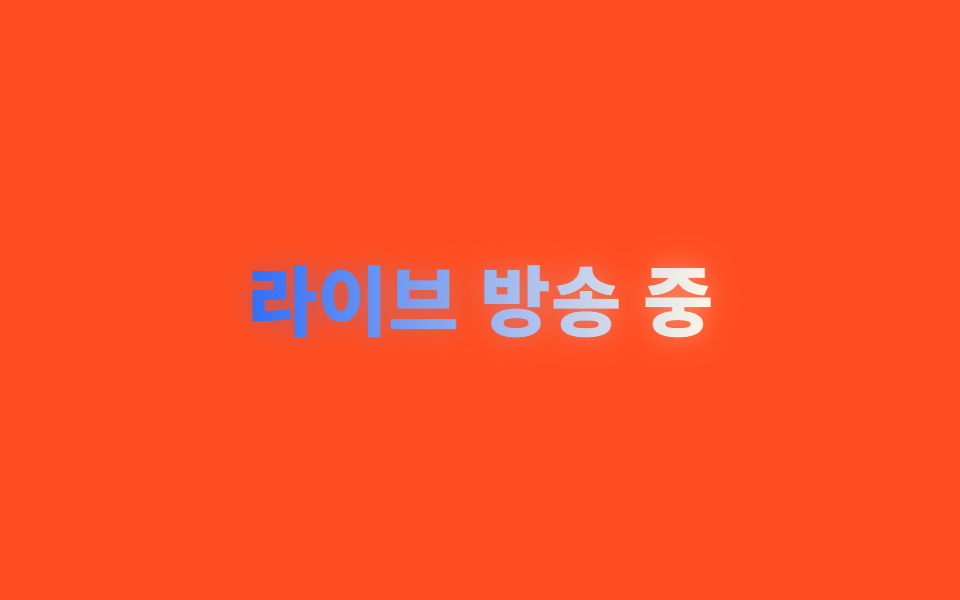 03 text-gradient-shine-neon-glow-text
 04 text-gradient-shine-shine-sweep-text
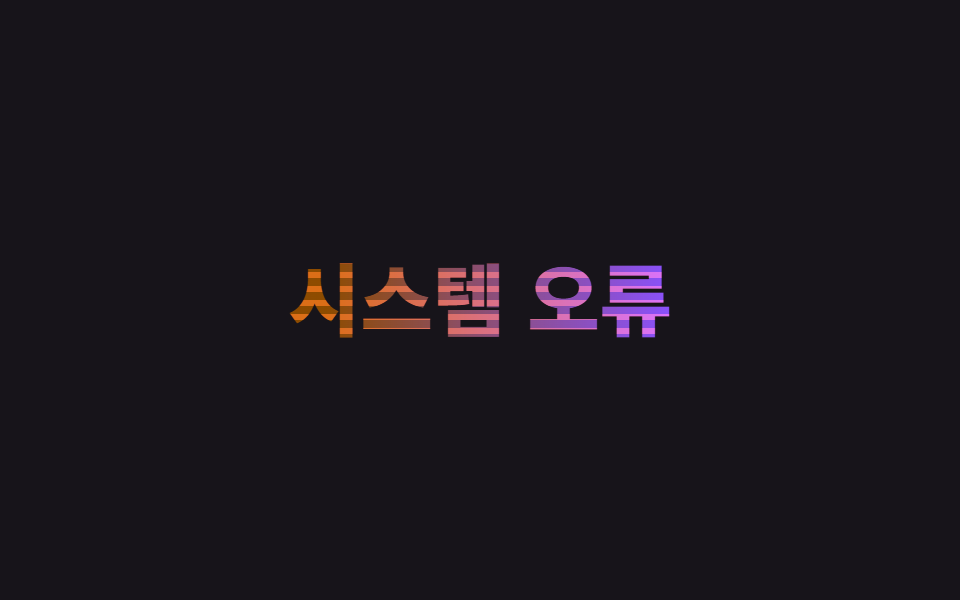 05 text-gradient-shine-glitch-text
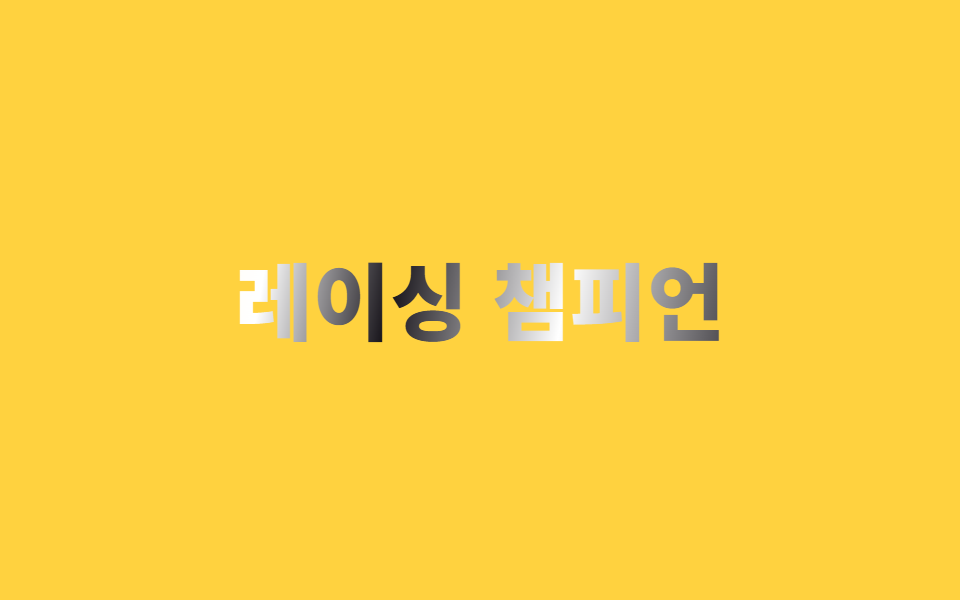 06 text-gradient-shine-chrome-metal-text
 07 text-gradient-shine-flicker-text
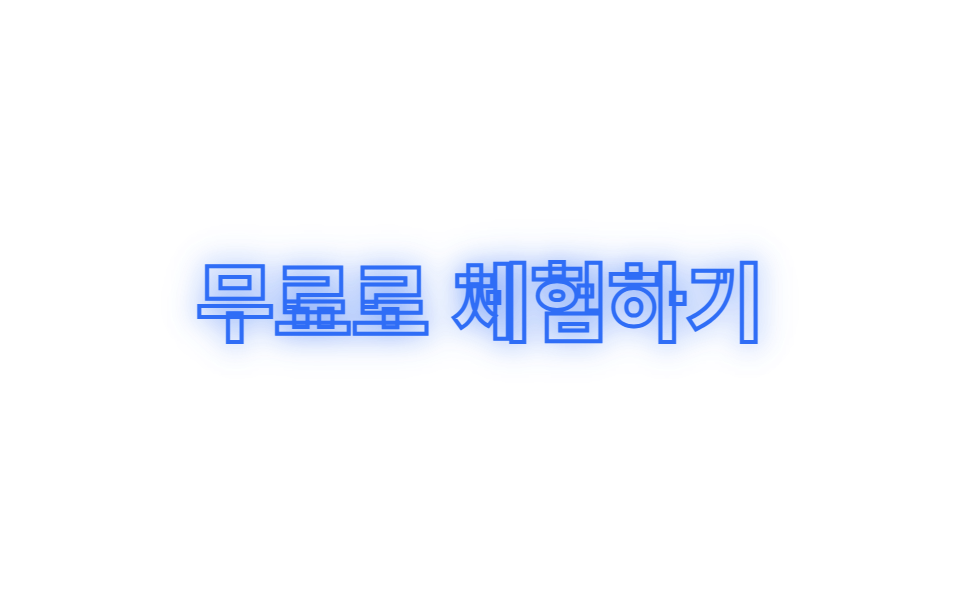 08 text-gradient-shine-outline-glow
 09 text-gradient-shine-rainbow-text
Tự chạy · bấm ô để tới mục đó · cả 9 trong một zip
- 01 Chữ gradient chảy
- 02 Gradient xoay góc
- 03 Chữ neon glow
- 04 Chữ quét sáng
- 05 Chữ glitch
- 06 Chữ kim loại chrome
- 07 Chữ nhấp nháy
- 08 Viền chữ glow
- 09 Chữ cầu vồng
Thứ tự chín kiểu dưới đây theo cách gradient tác động lên chữ, không phải theo độ nổi bật. 01 và 02 là màu tự chảy hoặc tự xoay bên trong con chữ. 03 và 04 dùng ánh sáng để nhấn — một quầng thở nhẹ, một dải sáng quét qua một lần. 05 và 06 làm chữ trông như màn hình bị lỗi hoặc như bề mặt kim loại thật. 07 và 08 tách riêng từng chữ, một bên nhấp nháy, một bên chỉ còn viền rỗng. 09 khép lại bằng cả vòng màu xoay liên tục. Chữ trong demo chỉ là ví dụ, đổi nội dung bên trong thẻ <h1> thì mọi rule vẫn chạy y nguyên.
01Chữ gradient chảy
Bạn thấy gì
Gradient xanh dương và kem được nạp vào chữ qua background-clip: text trên một background-size phóng to gấp ba, rồi background-position trượt qua lại khiến màu trông như đang chảy liên tục bên trong con chữ.
<main class="stage">
  <h1 class="flow">Sale mùa hè bắt đầu</h1>
</main>
@use "../../../../site/static/demo-tokens" as *;
$duration: $dur-loop; // 흐름 한 바퀴가 도는 시간
$easing: linear; // 속도 변화 없이 일정하게 흘러야 끊김이 없다
$color: $subject-blue; // 그러데이션의 기준 색
@include stage($stage-ink);
.flow {
margin: 0;
font-weight: 800; font-size: clamp(28px, 8.6vw, 46px); line-height: 1.2; font-family: inherit;
text-align: center;
background: linear-gradient(90deg, $color, $subject-cream, $color, $subject-cream, $color);
background-size: 300% 100%;
-webkit-background-clip: text; // Chrome·Edge 119 이하, Safari 15.4 이하는 접두사가 있어야 한다
background-clip: text;
color: transparent;
-webkit-text-fill-color: transparent;
animation: flow $duration $easing infinite;
}
@keyframes flow {
0% { background-position: 0% 50%; }
100% { background-position: 100% 50%; }
}
@media (prefers-reduced-motion: reduce) {
.flow { animation: none; background-position: 40% 50%; }
}html, body {
margin: 0;
overflow: hidden;
}
.stage {
box-sizing: border-box;
min-height: 100vh;
display: grid;
place-items: center;
margin: 0;
background: #17141a;
font-family: -apple-system, "Segoe UI", "Noto Sans KR", sans-serif;
padding: clamp(8px, 4vw, 24px);
}
.flow {
margin: 0;
font-weight: 800;
font-size: clamp(28px, 8.6vw, 46px);
line-height: 1.2;
font-family: inherit;
text-align: center;
background: linear-gradient(90deg, #2f6df6, #fff7e6, #2f6df6, #fff7e6, #2f6df6);
background-size: 300% 100%;
-webkit-background-clip: text;
background-clip: text;
color: transparent;
-webkit-text-fill-color: transparent;
animation: flow 2s linear infinite;
}
@keyframes flow {
0% {
background-position: 0% 50%;
}
100% {
background-position: 100% 50%;
}
}
@media (prefers-reduced-motion: reduce) {
.flow {
animation: none;
background-position: 40% 50%;
}
}import type { CSSProperties } from "react";
import styles from "./GradientTextFlow.module.scss";
export type GradientTextFlowProps = {
text: string;
/** 흐름 한 바퀴가 도는 시간 (기본 2000ms) */
duration?: number;
easing?: string;
/** 그러데이션 기준 색 */
color?: string;
};
type Vars = CSSProperties & { "--duration"?: string; "--easing"?: string; "--color"?: string };
export default function GradientTextFlow({
text,
duration = 2000,
easing = "linear",
color = "#2f6df6",
}: GradientTextFlowProps) {
const vars: Vars = { "--duration": `${duration}ms`, "--easing": easing, "--color": color };
return <h1 className={styles.flow} style={vars}>{text}</h1>;
}01 · Chữ gradient chảy — Diện tích đo được 3.461% · khung hình chuyển động 23/23Nguyên tác GODRICH · SCSS và React nằm trong tệp zip · Xem mật khẩu
Dùng ở đâu
.flow {
  background: linear-gradient(90deg, $color, $subject-cream, $color, $subject-cream, $color);
  background-size: 300% 100%;
  -webkit-background-clip: text;
  background-clip: text;
  color: transparent;
  -webkit-text-fill-color: transparent;
  animation: flow $duration $easing infinite;
}
@keyframes flow {
  0%   { background-position: 0% 50%; }
  100% { background-position: 100% 50%; }
}
02Gradient xoay góc
Chuyện gì diễn ra trên màn hình
Một custom property kiểu <angle> đăng ký qua @property được đặt vào đúng chỗ góc của linear-gradient(), rồi chỉ mỗi giá trị góc đó quay từ 0deg đến 360deg bằng keyframes, nên chính dải gradient xoay bên trong chữ.
<main class="stage">
  <h1 class="spin">Hội viên Premium</h1>
</main>
@use "../../../../site/static/demo-tokens" as *;
$duration: $dur-loop; // 각도가 한 바퀴(360deg) 도는 시간
$easing: linear;
$color: $subject-ink; // 노란 무대와 대비되는 글자 기준 색
@include stage($stage-yellow);
// 각도 자체를 보간 가능한 값으로 등록해야 gradient() 각도 자리를 keyframes 로 돌릴 수 있다
@property --angle {
syntax: "<angle>";
inherits: false;
initial-value: 0deg;
}
.spin {
margin: 0;
font-weight: 800; font-size: clamp(28px, 8.6vw, 46px); line-height: 1.2; font-family: inherit;
text-align: center;
--angle: 0deg;
background: linear-gradient(var(--angle), $color, $stage-orange, $color);
-webkit-background-clip: text;
background-clip: text;
color: transparent;
-webkit-text-fill-color: transparent;
animation: rotate-angle $duration $easing infinite;
}
@keyframes rotate-angle {
from { --angle: 0deg; }
to { --angle: 360deg; }
}
@media (prefers-reduced-motion: reduce) {
.spin { animation: none; --angle: 45deg; }
}html, body {
margin: 0;
overflow: hidden;
}
.stage {
box-sizing: border-box;
min-height: 100vh;
display: grid;
place-items: center;
margin: 0;
background: #ffd23f;
font-family: -apple-system, "Segoe UI", "Noto Sans KR", sans-serif;
padding: clamp(8px, 4vw, 24px);
}
@property --angle {
syntax: "<angle>";
inherits: false;
initial-value: 0deg;
}
.spin {
margin: 0;
font-weight: 800;
font-size: clamp(28px, 8.6vw, 46px);
line-height: 1.2;
font-family: inherit;
text-align: center;
--angle: 0deg;
background: linear-gradient(var(--angle), #17141a, #ff4d1f, #17141a);
-webkit-background-clip: text;
background-clip: text;
color: transparent;
-webkit-text-fill-color: transparent;
animation: rotate-angle 2s linear infinite;
}
@keyframes rotate-angle {
from {
--angle: 0deg;
}
to {
--angle: 360deg;
}
}
@media (prefers-reduced-motion: reduce) {
.spin {
animation: none;
--angle: 45deg;
}
}import type { CSSProperties } from "react";
import styles from "./GradientAngleMove.module.scss";
export type GradientAngleMoveProps = {
text: string;
/** 각도가 360deg 한 바퀴 도는 시간 (기본 2000ms) */
duration?: number;
easing?: string;
/** 글자 기준 색 */
color?: string;
};
type Vars = CSSProperties & { "--duration"?: string; "--easing"?: string; "--color"?: string };
export default function GradientAngleMove({
text,
duration = 2000,
easing = "linear",
color = "#17141a",
}: GradientAngleMoveProps) {
const vars: Vars = { "--duration": `${duration}ms`, "--easing": easing, "--color": color };
return <h1 className={styles.spin} style={vars}>{text}</h1>;
}02 · Gradient xoay góc — Diện tích đo được 3.865% · khung hình chuyển động 23/23Nguyên tác GODRICH · SCSS và React nằm trong tệp zip · Xem mật khẩu
Chỗ dùng
@property --angle {
  syntax: "<angle>";
  inherits: false;
  initial-value: 0deg;
}
.spin {
  --angle: 0deg;
  background: linear-gradient(var(--angle), $color, $stage-orange, $color);
  -webkit-background-clip: text;
  background-clip: text;
  color: transparent;
  animation: rotate-angle $duration $easing infinite;
}
@keyframes rotate-angle { from { --angle: 0deg; } to { --angle: 360deg; } }
03Chữ neon glow
Chuyển động thế nào
Một lớp chữ giống hệt nằm phía sau qua ::before, chỉ áp filter: blur() để tạo quầng sáng, rồi cho bán kính mờ và độ mờ lớn nhỏ lặp lại theo vài nhịp ngắn để quầng sáng thở nhẹ, thay vì cả bảng neon bật tắt dứt khoát.
<main class="stage">
  <h1 class="neon" data-text="Đang phát trực tiếp">Đang phát trực tiếp</h1>
</main>
@use "../../../../site/static/demo-tokens" as *;
$duration: $dur-loop; // 후광이 커졌다 작아지는 숨쉬기 한 주기
$easing: linear; // 일정한 속도라야 매 프레임이 이전 프레임과 확실히 달라진다
$color: $subject-blue; // 후광 색
@include stage($stage-orange);
.neon {
position: relative;
isolation: isolate; // 새 쌓임 맥락을 만들어 ::before(z-index:-1)가 무대 배경 뒤로 빠지지 않게 한다
margin: 0;
font-weight: 800; font-size: clamp(26px, 8vw, 42px); line-height: 1.2; font-family: inherit;
text-align: center;
background: linear-gradient(90deg, $color, $subject-cream);
-webkit-background-clip: text;
background-clip: text;
color: transparent;
-webkit-text-fill-color: transparent;
}
// 같은 글자를 뒤에 겹쳐 filter: blur 로만 후광을 만든다 (색은 글자와 같은 그러데이션)
.neon::before {
content: attr(data-text);
position: absolute;
inset: 0;
z-index: -1;
background: inherit;
-webkit-background-clip: text;
background-clip: text;
color: transparent;
-webkit-text-fill-color: transparent;
filter: blur(8px);
animation: breathe $duration $easing infinite; // on/off 로 꺼졌다 켜지지 않고, 흐림 반경만 숨쉬듯 오간다
}
// 부드러운 단일 곡선 대신 짧게 여러 번 오간다 — 프레임 간 변화폭을 충분히 크게 유지하기 위해서다
@keyframes breathe {
0%, 10% { filter: blur(4px); opacity: .28; }
15%, 25% { filter: blur(20px); opacity: 1; }
30%, 40% { filter: blur(4px); opacity: .28; }
45%, 55% { filter: blur(20px); opacity: 1; }
60%, 70% { filter: blur(4px); opacity: .28; }
75%, 85% { filter: blur(20px); opacity: 1; }
90%, 100% { filter: blur(4px); opacity: .28; }
}
@media (prefers-reduced-motion: reduce) {
.neon::before { animation: none; filter: blur(10px); opacity: .85; }
}html, body {
margin: 0;
overflow: hidden;
}
.stage {
box-sizing: border-box;
min-height: 100vh;
display: grid;
place-items: center;
margin: 0;
background: #ff4d1f;
font-family: -apple-system, "Segoe UI", "Noto Sans KR", sans-serif;
padding: clamp(8px, 4vw, 24px);
}
.neon {
position: relative;
isolation: isolate;
margin: 0;
font-weight: 800;
font-size: clamp(26px, 8vw, 42px);
line-height: 1.2;
font-family: inherit;
text-align: center;
background: linear-gradient(90deg, #2f6df6, #fff7e6);
-webkit-background-clip: text;
background-clip: text;
color: transparent;
-webkit-text-fill-color: transparent;
}
.neon::before {
content: attr(data-text);
position: absolute;
inset: 0;
z-index: -1;
background: inherit;
-webkit-background-clip: text;
background-clip: text;
color: transparent;
-webkit-text-fill-color: transparent;
filter: blur(8px);
animation: breathe 2s linear infinite;
}
@keyframes breathe {
0%, 10% {
filter: blur(4px);
opacity: 0.28;
}
15%, 25% {
filter: blur(20px);
opacity: 1;
}
30%, 40% {
filter: blur(4px);
opacity: 0.28;
}
45%, 55% {
filter: blur(20px);
opacity: 1;
}
60%, 70% {
filter: blur(4px);
opacity: 0.28;
}
75%, 85% {
filter: blur(20px);
opacity: 1;
}
90%, 100% {
filter: blur(4px);
opacity: 0.28;
}
}
@media (prefers-reduced-motion: reduce) {
.neon::before {
animation: none;
filter: blur(10px);
opacity: 0.85;
}
}import type { CSSProperties } from "react";
import styles from "./NeonGlowText.module.scss";
export type NeonGlowTextProps = {
text: string;
/** 후광이 숨쉬는 한 주기 (기본 2000ms) */
duration?: number;
easing?: string;
/** 후광 색 */
color?: string;
};
type Vars = CSSProperties & { "--duration"?: string; "--easing"?: string; "--color"?: string };
export default function NeonGlowText({
text,
duration = 2000,
easing = "linear",
color = "#2f6df6",
}: NeonGlowTextProps) {
const vars: Vars = { "--duration": `${duration}ms`, "--easing": easing, "--color": color };
return (
<h1 className={styles.neon} style={vars} data-text={text}>
{text}
</h1>
);
}03 · Chữ neon glow — Diện tích đo được 10.16% · khung hình chuyển động 12/23Nguyên tác GODRICH · SCSS và React nằm trong tệp zip · Xem mật khẩu
Dùng khi nào
.neon { position: relative; isolation: isolate; }
.neon::before {
  content: attr(data-text);
  position: absolute; inset: 0; z-index: -1;
  background: inherit;
  -webkit-background-clip: text;
  background-clip: text;
  color: transparent;
  filter: blur(4px);
  animation: breathe $duration $easing infinite;
}
@keyframes breathe {
  0%, 10%  { filter: blur(4px); opacity: .28; }
  15%, 25% { filter: blur(20px); opacity: 1; }
}
04Chữ quét sáng
Bạn thấy gì
Chồng thêm một lớp chữ giống hệt lên trên nền chữ màu đơn, riêng lớp trên chỉ để lộ một dải sáng hẹp qua background-clip: text rồi quét một lượt theo một hướng bằng background-position, như ánh sáng lướt qua bề mặt kim loại.
<main class="stage">
  <h1 class="sheen">
    <span class="sheen__base">Chỉ dành cho hội viên Gold</span>
    <span class="sheen__light" aria-hidden="true">Chỉ dành cho hội viên Gold</span>
  </h1>
</main>
@use "../../../../site/static/demo-tokens" as *;
$duration: $dur-loop; // 빛 띠가 한 번 훑고 돌아오는 시간
$easing: $ease-out;
$color: $subject-ink; // 바탕 글자 색 (금속처럼 진하게)
@include stage($stage-paper);
.sheen {
position: relative;
margin: 0;
font-weight: 800; font-size: clamp(26px, 8vw, 42px); line-height: 1.2; font-family: inherit;
text-align: center;
}
.sheen__base, .sheen__light {
display: block;
grid-area: 1 / 1;
}
.sheen { display: grid; } // 두 겹을 같은 자리에 포갠다
.sheen__base { color: $color; }
.sheen__light {
background: linear-gradient(100deg, transparent 42%, rgba($stage-paper, .95) 50%, transparent 58%);
background-size: 260% 100%;
-webkit-background-clip: text;
background-clip: text;
color: transparent;
-webkit-text-fill-color: transparent;
animation: sweep $duration $easing infinite;
}
@keyframes sweep {
0% { background-position: 140% 50%; }
60% { background-position: -40% 50%; }
100% { background-position: -40% 50%; }
}
@media (prefers-reduced-motion: reduce) {
.sheen__light { animation: none; background-position: 50% 50%; }
}html, body {
margin: 0;
overflow: hidden;
}
.stage {
box-sizing: border-box;
min-height: 100vh;
display: grid;
place-items: center;
margin: 0;
background: #ffffff;
font-family: -apple-system, "Segoe UI", "Noto Sans KR", sans-serif;
padding: clamp(8px, 4vw, 24px);
}
.sheen {
position: relative;
margin: 0;
font-weight: 800;
font-size: clamp(26px, 8vw, 42px);
line-height: 1.2;
font-family: inherit;
text-align: center;
}
.sheen__base, .sheen__light {
display: block;
grid-area: 1/1;
}
.sheen {
display: grid;
}
.sheen__base {
color: #17141a;
}
.sheen__light {
background: linear-gradient(100deg, transparent 42%, rgba(255, 255, 255, 0.95) 50%, transparent 58%);
background-size: 260% 100%;
-webkit-background-clip: text;
background-clip: text;
color: transparent;
-webkit-text-fill-color: transparent;
animation: sweep 2s ease-out infinite;
}
@keyframes sweep {
0% {
background-position: 140% 50%;
}
60% {
background-position: -40% 50%;
}
100% {
background-position: -40% 50%;
}
}
@media (prefers-reduced-motion: reduce) {
.sheen__light {
animation: none;
background-position: 50% 50%;
}
}import type { CSSProperties } from "react";
import styles from "./ShineSweepText.module.scss";
export type ShineSweepTextProps = {
text: string;
/** 빛 띠가 한 번 훑고 돌아오는 시간 (기본 2000ms) */
duration?: number;
easing?: string;
/** 바탕 글자 색 */
color?: string;
};
type Vars = CSSProperties & { "--duration"?: string; "--easing"?: string; "--color"?: string };
export default function ShineSweepText({
text,
duration = 2000,
easing = "ease-out",
color = "#17141a",
}: ShineSweepTextProps) {
const vars: Vars = { "--duration": `${duration}ms`, "--easing": easing, "--color": color };
return (
<h1 className={styles.sheen} style={vars}>
<span className={styles.base}>{text}</span>
<span className={styles.light} aria-hidden="true">{text}</span>
</h1>
);
}04 · Chữ quét sáng — Diện tích đo được 2.915% · khung hình chuyển động 6/23Nguyên tác GODRICH · SCSS và React nằm trong tệp zip · Xem mật khẩu
Dùng ở đâu
.light {
  background: linear-gradient(100deg, transparent 42%, rgba($stage-paper, .95) 50%, transparent 58%);
  background-size: 260% 100%;
  -webkit-background-clip: text;
  background-clip: text;
  color: transparent;
  animation: sweep $duration $easing infinite;
}
@keyframes sweep {
  0%  { background-position: 140% 50%; }
  60% { background-position: -40% 50%; }
}
05Chữ glitch
Chuyện gì diễn ra trên màn hình
Hai lớp màu khác nhau xếp chồng lên nhau, vị trí của mask-image dải ngang nhảy cóc theo timing steps() làm scanline vỡ vụn, cùng lúc filter: hue-rotate giật ngắn khiến màu lệch tức thời.
<main class="stage">
  <h1 class="glitch" data-text="Lỗi hệ thống">
    <span class="glitch__base">Lỗi hệ thống</span>
    <span class="glitch__r" aria-hidden="true">Lỗi hệ thống</span>
    <span class="glitch__b" aria-hidden="true">Lỗi hệ thống</span>
  </h1>
</main>
@use "../../../../site/static/demo-tokens" as *;
$duration: $dur-loop; // 스캔라인이 어긋났다 돌아오는 한 주기
$easing: steps(2, jump-none); // 부드럽게 잇지 않고 뚝뚝 끊겨야 글리치답다
$color: $error; // 어긋나는 레이어 한쪽 색
@include stage($stage-ink);
.glitch {
position: relative;
margin: 0;
font-weight: 800; font-size: clamp(26px, 8.2vw, 42px); line-height: 1.2; font-family: inherit;
text-align: center;
}
.glitch__base, .glitch__r, .glitch__b {
display: block;
grid-area: 1 / 1;
}
.glitch { display: grid; }
.glitch__base {
background: linear-gradient(90deg, $color, $subject-blue);
-webkit-background-clip: text;
background-clip: text;
color: transparent;
-webkit-text-fill-color: transparent;
animation: hue-jump $duration $easing infinite;
}
// clip-path 로 조각내 밀어내는 대신, 가로줄 mask 를 뚝뚝 끊어 옮겨 스캔라인이 깨지는 것처럼 보이게 한다
.glitch__r, .glitch__b {
position: absolute; inset: 0;
mix-blend-mode: screen;
-webkit-mask-image: repeating-linear-gradient(to bottom, #000 0 3px, transparent 3px 7px);
mask-image: repeating-linear-gradient(to bottom, #000 0 3px, transparent 3px 7px);
}
.glitch__r { color: $color; animation: mask-jump-r $duration $easing infinite; }
.glitch__b { color: $subject-blue; animation: mask-jump-b $duration $easing infinite; }
@keyframes mask-jump-r {
0%, 40%, 100% { -webkit-mask-position: 0 0; mask-position: 0 0; opacity: 0; }
45%, 55% { -webkit-mask-position: 0 3px; mask-position: 0 3px; opacity: .9; }
}
@keyframes mask-jump-b {
0%, 60%, 100% { -webkit-mask-position: 0 0; mask-position: 0 0; opacity: 0; }
65%, 75% { -webkit-mask-position: 0 -3px; mask-position: 0 -3px; opacity: .9; }
}
@keyframes hue-jump {
0%, 48%, 52%, 100% { filter: hue-rotate(0deg); }
50% { filter: hue-rotate(35deg); }
}
@media (prefers-reduced-motion: reduce) {
.glitch__base { animation: none; }
.glitch__r, .glitch__b { animation: none; opacity: 0; }
}html, body {
margin: 0;
overflow: hidden;
}
.stage {
box-sizing: border-box;
min-height: 100vh;
display: grid;
place-items: center;
margin: 0;
background: #17141a;
font-family: -apple-system, "Segoe UI", "Noto Sans KR", sans-serif;
padding: clamp(8px, 4vw, 24px);
}
.glitch {
position: relative;
margin: 0;
font-weight: 800;
font-size: clamp(26px, 8.2vw, 42px);
line-height: 1.2;
font-family: inherit;
text-align: center;
}
.glitch__base, .glitch__r, .glitch__b {
display: block;
grid-area: 1/1;
}
.glitch {
display: grid;
}
.glitch__base {
background: linear-gradient(90deg, #c2361a, #2f6df6);
-webkit-background-clip: text;
background-clip: text;
color: transparent;
-webkit-text-fill-color: transparent;
animation: hue-jump 2s steps(2, jump-none) infinite;
}
.glitch__r, .glitch__b {
position: absolute;
inset: 0;
mix-blend-mode: screen;
-webkit-mask-image: repeating-linear-gradient(to bottom, #000 0 3px, transparent 3px 7px);
mask-image: repeating-linear-gradient(to bottom, #000 0 3px, transparent 3px 7px);
}
.glitch__r {
color: #c2361a;
animation: mask-jump-r 2s steps(2, jump-none) infinite;
}
.glitch__b {
color: #2f6df6;
animation: mask-jump-b 2s steps(2, jump-none) infinite;
}
@keyframes mask-jump-r {
0%, 40%, 100% {
-webkit-mask-position: 0 0;
mask-position: 0 0;
opacity: 0;
}
45%, 55% {
-webkit-mask-position: 0 3px;
mask-position: 0 3px;
opacity: 0.9;
}
}
@keyframes mask-jump-b {
0%, 60%, 100% {
-webkit-mask-position: 0 0;
mask-position: 0 0;
opacity: 0;
}
65%, 75% {
-webkit-mask-position: 0 -3px;
mask-position: 0 -3px;
opacity: 0.9;
}
}
@keyframes hue-jump {
0%, 48%, 52%, 100% {
filter: hue-rotate(0deg);
}
50% {
filter: hue-rotate(35deg);
}
}
@media (prefers-reduced-motion: reduce) {
.glitch__base {
animation: none;
}
.glitch__r, .glitch__b {
animation: none;
opacity: 0;
}
}import type { CSSProperties } from "react";
import styles from "./GlitchText.module.scss";
export type GlitchTextProps = {
text: string;
/** 스캔라인이 어긋났다 돌아오는 한 주기 (기본 2000ms) */
duration?: number;
easing?: string;
/** 어긋나는 레이어 한쪽 색 */
color?: string;
};
type Vars = CSSProperties & { "--duration"?: string; "--easing"?: string; "--color"?: string };
export default function GlitchText({
text,
duration = 2000,
easing = "steps(2, jump-none)",
color = "#c2361a",
}: GlitchTextProps) {
const vars: Vars = { "--duration": `${duration}ms`, "--easing": easing, "--color": color };
return (
<h1 className={styles.glitch} style={vars}>
<span className={styles.base}>{text}</span>
<span className={styles.r} aria-hidden="true">{text}</span>
<span className={styles.b} aria-hidden="true">{text}</span>
</h1>
);
}05 · Chữ glitch — Diện tích đo được 2.345% · khung hình chuyển động 6/23Nguyên tác GODRICH · SCSS và React nằm trong tệp zip · Xem mật khẩu
Chỗ dùng
Kỹ thuật cắt mảnh rồi đẩy bằng clip-path không xuất hiện ở đây.
.r, .b {
  position: absolute; inset: 0;
  mix-blend-mode: screen;
  -webkit-mask-image: repeating-linear-gradient(to bottom, #000 0 3px, transparent 3px 7px);
  mask-image: repeating-linear-gradient(to bottom, #000 0 3px, transparent 3px 7px);
  animation: mask-jump-r $duration $easing infinite;
}
@keyframes mask-jump-r {
  0%, 40%, 100% { -webkit-mask-position: 0 0;   mask-position: 0 0;   opacity: 0; }
  45%, 55%      { -webkit-mask-position: 0 3px; mask-position: 0 3px; opacity: .9; }
}
06Chữ kim loại chrome
Chuyển động thế nào
Gradient xen kẽ dày đặc giữa màu tối, trắng và kem được nạp vào chữ qua background-clip: text, rồi background-position trượt chậm rãi để mô phỏng ánh phản chiếu lướt qua bề mặt chrome.
<main class="stage">
  <h1 class="chrome">Nhà vô địch đua xe</h1>
</main>
@use "../../../../site/static/demo-tokens" as *;
$duration: $dur-loop; // 반사광이 표면을 한 번 훑는 시간
$easing: $ease-out;
$color: $subject-ink; // 가장 어두운 밴드 색
@include stage($stage-yellow);
.chrome {
margin: 0;
font-weight: 900; font-size: clamp(28px, 8.8vw, 46px); line-height: 1.2; font-family: inherit;
text-align: center;
background: linear-gradient(
100deg,
$color 0%, $stage-paper 12%, $color 24%,
$subject-cream 40%, $stage-paper 52%, $color 64%,
$stage-paper 80%, $color 100%
);
background-size: 220% 100%;
-webkit-background-clip: text;
background-clip: text;
color: transparent;
-webkit-text-fill-color: transparent;
animation: reflect $duration $easing infinite;
}
@keyframes reflect {
0% { background-position: 100% 50%; }
100% { background-position: -20% 50%; }
}
@media (prefers-reduced-motion: reduce) {
.chrome { animation: none; background-position: 40% 50%; }
}html, body {
margin: 0;
overflow: hidden;
}
.stage {
box-sizing: border-box;
min-height: 100vh;
display: grid;
place-items: center;
margin: 0;
background: #ffd23f;
font-family: -apple-system, "Segoe UI", "Noto Sans KR", sans-serif;
padding: clamp(8px, 4vw, 24px);
}
.chrome {
margin: 0;
font-weight: 900;
font-size: clamp(28px, 8.8vw, 46px);
line-height: 1.2;
font-family: inherit;
text-align: center;
background: linear-gradient(100deg, #17141a 0%, #ffffff 12%, #17141a 24%, #fff7e6 40%, #ffffff 52%, #17141a 64%, #ffffff 80%, #17141a 100%);
background-size: 220% 100%;
-webkit-background-clip: text;
background-clip: text;
color: transparent;
-webkit-text-fill-color: transparent;
animation: reflect 2s ease-out infinite;
}
@keyframes reflect {
0% {
background-position: 100% 50%;
}
100% {
background-position: -20% 50%;
}
}
@media (prefers-reduced-motion: reduce) {
.chrome {
animation: none;
background-position: 40% 50%;
}
}import type { CSSProperties } from "react";
import styles from "./ChromeMetalText.module.scss";
export type ChromeMetalTextProps = {
text: string;
/** 반사광이 표면을 한 번 훑는 시간 (기본 2000ms) */
duration?: number;
easing?: string;
/** 가장 어두운 밴드 색 */
color?: string;
};
type Vars = CSSProperties & { "--duration"?: string; "--easing"?: string; "--color"?: string };
export default function ChromeMetalText({
text,
duration = 2000,
easing = "ease-out",
color = "#17141a",
}: ChromeMetalTextProps) {
const vars: Vars = { "--duration": `${duration}ms`, "--easing": easing, "--color": color };
return <h1 className={styles.chrome} style={vars}>{text}</h1>;
}06 · Chữ kim loại chrome — Diện tích đo được 3.683% · khung hình chuyển động 23/23Nguyên tác GODRICH · SCSS và React nằm trong tệp zip · Xem mật khẩu
Dùng khi nào
.chrome {
  background: linear-gradient(
    100deg,
    $color 0%, $stage-paper 12%, $color 24%,
    $subject-cream 40%, $stage-paper 52%, $color 64%,
    $stage-paper 80%, $color 100%
  );
  background-size: 220% 100%;
  -webkit-background-clip: text;
  background-clip: text;
  color: transparent;
  animation: reflect $duration $easing infinite;
}
07Chữ nhấp nháy
Bạn thấy gì
Từng chữ được tách vào một span riêng, biến --i gán độ trễ khác nhau cho mỗi chữ để opacity dao động ngắn.
<main class="stage">
  <h1 class="marquee">
    <span style="--i:0">Li</span><span style="--i:1">v</span><span style="--i:2">e</span><span class="marquee__gap" aria-hidden="true"></span><span style="--i:3">Sta</span><span style="--i:4">rt</span>
  </h1>
</main>
@use "../../../../site/static/demo-tokens" as *;
$duration: $dur-loop; // 전구 하나가 어두워졌다 돌아오는 한 주기
$easing: linear;
$color: $subject-cream; // 전구 색
@include stage($stage-orange);
.marquee {
margin: 0;
font-weight: 800; font-size: clamp(28px, 9vw, 46px); line-height: 1.2; font-family: inherit;
text-align: center;
}
.marquee span {
display: inline-block;
color: $color;
animation: bulb $duration $easing infinite;
animation-delay: calc(var(--i, 0) * 120ms); // 글자마다 지연이 달라 하나씩 따로 깜빡인다
}
.marquee__gap { width: .3em; }
@keyframes bulb {
0%, 40%, 100% { opacity: 1; }
47% { opacity: .22; } // 통째로 꺼지는 네온과 달리 글자 하나만 잠깐 어두워진다
54% { opacity: 1; }
}
@media (prefers-reduced-motion: reduce) {
.marquee span { animation: none; }
}html, body {
margin: 0;
overflow: hidden;
}
.stage {
box-sizing: border-box;
min-height: 100vh;
display: grid;
place-items: center;
margin: 0;
background: #ff4d1f;
font-family: -apple-system, "Segoe UI", "Noto Sans KR", sans-serif;
padding: clamp(8px, 4vw, 24px);
}
.marquee {
margin: 0;
font-weight: 800;
font-size: clamp(28px, 9vw, 46px);
line-height: 1.2;
font-family: inherit;
text-align: center;
}
.marquee span {
display: inline-block;
color: #fff7e6;
animation: bulb 2s linear infinite;
animation-delay: calc(var(--i, 0) * 120ms);
}
.marquee__gap {
width: 0.3em;
}
@keyframes bulb {
0%, 40%, 100% {
opacity: 1;
}
47% {
opacity: 0.22;
}
54% {
opacity: 1;
}
}
@media (prefers-reduced-motion: reduce) {
.marquee span {
animation: none;
}
}import type { CSSProperties } from "react";
import styles from "./FlickerText.module.scss";
export type FlickerTextProps = {
/** 글자를 하나씩 나눠 넣는다 (공백은 별도 span 으로) */
letters: string[];
/** 전구 하나가 어두워졌다 돌아오는 한 주기 (기본 2000ms) */
duration?: number;
easing?: string;
/** 전구 색 */
color?: string;
};
type Vars = CSSProperties & { "--duration"?: string; "--easing"?: string; "--color"?: string };
type LetterVars = CSSProperties & { "--i"?: number };
export default function FlickerText({
letters,
duration = 2000,
easing = "linear",
color = "#fff7e6",
}: FlickerTextProps) {
const vars: Vars = { "--duration": `${duration}ms`, "--easing": easing, "--color": color };
return (
<h1 className={styles.marquee} style={vars}>
{letters.map((ch, i) =>
ch === " " ? (
<span key={i} className={styles.gap} aria-hidden="true" />
) : (
<span key={i} style={{ "--i": i } as LetterVars}>{ch}</span>
)
)}
</h1>
);
}07 · Chữ nhấp nháy — Diện tích đo được 2.881% · khung hình chuyển động 10/23Nguyên tác GODRICH · SCSS và React nằm trong tệp zip · Xem mật khẩu
Dùng ở đâu
Không phải cả cụm tắt rồi bật cùng lúc — mỗi chữ nhấp nháy độc lập, giống biển hiệu bóng đèn marquee kiểu cũ.
.marquee span {
  display: inline-block;
  color: $color;
  animation: bulb $duration $easing infinite;
  animation-delay: calc(var(--i, 0) * 120ms);
}
@keyframes bulb {
  0%, 40%, 100% { opacity: 1; }
  47%           { opacity: .22; }
  54%           { opacity: 1; }
}
08Viền chữ glow
Chuyện gì diễn ra trên màn hình
Phần trong chữ bị rút rỗng bằng color: transparent, -webkit-text-stroke chỉ giữ lại đường viền, rồi cho bán kính của filter: drop-shadow() lớn nhỏ lặp lại để ánh sáng lan quanh viền như đang thở.
<main class="stage">
  <h1 class="outline">Dùng thử miễn phí</h1>
</main>
@use "../../../../site/static/demo-tokens" as *;
$duration: $dur-loop; // 빛이 커졌다 작아지는 숨쉬기 한 주기
$easing: $ease-spring;
$color: $subject-blue; // 윤곽선·빛 색
@include stage($stage-paper);
.outline {
margin: 0;
font-weight: 900; font-size: clamp(28px, 8.8vw, 46px); line-height: 1.2; font-family: inherit;
text-align: center;
color: transparent; // 속을 비워 윤곽선만 남긴다
-webkit-text-stroke: 2px $color;
text-stroke: 2px $color;
animation: glow $duration $easing infinite;
}
@keyframes glow {
0%, 100% { filter: drop-shadow(0 0 3px rgba($color, .5)); }
50% { filter: drop-shadow(0 0 14px rgba($color, .9)) drop-shadow(0 0 26px rgba($color, .5)); }
}
@media (prefers-reduced-motion: reduce) {
.outline { animation: none; filter: drop-shadow(0 0 10px rgba($color, .7)); }
}html, body {
margin: 0;
overflow: hidden;
}
.stage {
box-sizing: border-box;
min-height: 100vh;
display: grid;
place-items: center;
margin: 0;
background: #ffffff;
font-family: -apple-system, "Segoe UI", "Noto Sans KR", sans-serif;
padding: clamp(8px, 4vw, 24px);
}
.outline {
margin: 0;
font-weight: 900;
font-size: clamp(28px, 8.8vw, 46px);
line-height: 1.2;
font-family: inherit;
text-align: center;
color: transparent;
-webkit-text-stroke: 2px #2f6df6;
text-stroke: 2px #2f6df6;
animation: glow 2s cubic-bezier(0.2, 0.8, 0.2, 1) infinite;
}
@keyframes glow {
0%, 100% {
filter: drop-shadow(0 0 3px rgba(47, 109, 246, 0.5));
}
50% {
filter: drop-shadow(0 0 14px rgba(47, 109, 246, 0.9)) drop-shadow(0 0 26px rgba(47, 109, 246, 0.5));
}
}
@media (prefers-reduced-motion: reduce) {
.outline {
animation: none;
filter: drop-shadow(0 0 10px rgba(47, 109, 246, 0.7));
}
}import type { CSSProperties } from "react";
import styles from "./OutlineGlowText.module.scss";
export type OutlineGlowTextProps = {
text: string;
/** 빛이 커졌다 작아지는 숨쉬기 한 주기 (기본 2000ms) */
duration?: number;
easing?: string;
/** 윤곽선·빛 색 */
color?: string;
};
type Vars = CSSProperties & { "--duration"?: string; "--easing"?: string; "--color"?: string };
export default function OutlineGlowText({
text,
duration = 2000,
easing = "cubic-bezier(.2,.8,.2,1)",
color = "#2f6df6",
}: OutlineGlowTextProps) {
const vars: Vars = { "--duration": `${duration}ms`, "--easing": easing, "--color": color };
return <h1 className={styles.outline} style={vars}>{text}</h1>;
}08 · Viền chữ glow — Diện tích đo được 15.976% · khung hình chuyển động 7/23Nguyên tác GODRICH · SCSS và React nằm trong tệp zip · Xem mật khẩu
Chỗ dùng
.outline {
  color: transparent;
  -webkit-text-stroke: 2px $color;
  animation: glow $duration $easing infinite;
}
@keyframes glow {
  0%, 100% { filter: drop-shadow(0 0 3px rgba($color, .5)); }
  50% {
    filter: drop-shadow(0 0 14px rgba($color, .9))
            drop-shadow(0 0 26px rgba($color, .5));
  }
}
09Chữ cầu vồng
Chuyển động thế nào
Một gradient cầu vồng nhiều màu cố định được nạp vào chữ qua background-clip: text.
<main class="stage">
  <h1 class="rainbow">Lễ hội bắt đầu</h1>
</main>
@use "../../../../site/static/demo-tokens" as *;
$duration: $dur-loop; // 색상환이 360도 한 바퀴 도는 시간
$easing: linear;
$color: $subject-blue; // 그러데이션의 시작 색
@include stage($stage-ink);
.rainbow {
margin: 0;
font-weight: 800; font-size: clamp(28px, 8.6vw, 46px); line-height: 1.2; font-family: inherit;
text-align: center;
background: linear-gradient(90deg, $color, $stage-yellow, $stage-orange, $error, $subject-cream, $color);
-webkit-background-clip: text;
background-clip: text;
color: transparent;
-webkit-text-fill-color: transparent;
animation: hue-cycle $duration $easing infinite; // 위치가 아니라 색상환 자체를 돌린다
}
@keyframes hue-cycle {
from { filter: hue-rotate(0deg); }
to { filter: hue-rotate(360deg); }
}
@media (prefers-reduced-motion: reduce) {
.rainbow { animation: none; filter: hue-rotate(0deg); }
}html, body {
margin: 0;
overflow: hidden;
}
.stage {
box-sizing: border-box;
min-height: 100vh;
display: grid;
place-items: center;
margin: 0;
background: #17141a;
font-family: -apple-system, "Segoe UI", "Noto Sans KR", sans-serif;
padding: clamp(8px, 4vw, 24px);
}
.rainbow {
margin: 0;
font-weight: 800;
font-size: clamp(28px, 8.6vw, 46px);
line-height: 1.2;
font-family: inherit;
text-align: center;
background: linear-gradient(90deg, #2f6df6, #ffd23f, #ff4d1f, #c2361a, #fff7e6, #2f6df6);
-webkit-background-clip: text;
background-clip: text;
color: transparent;
-webkit-text-fill-color: transparent;
animation: hue-cycle 2s linear infinite;
}
@keyframes hue-cycle {
from {
filter: hue-rotate(0deg);
}
to {
filter: hue-rotate(360deg);
}
}
@media (prefers-reduced-motion: reduce) {
.rainbow {
animation: none;
filter: hue-rotate(0deg);
}
}import type { CSSProperties } from "react";
import styles from "./RainbowText.module.scss";
export type RainbowTextProps = {
text: string;
/** 색상환이 360도 한 바퀴 도는 시간 (기본 2000ms) */
duration?: number;
easing?: string;
/** 그러데이션 시작 색 */
color?: string;
};
type Vars = CSSProperties & { "--duration"?: string; "--easing"?: string; "--color"?: string };
export default function RainbowText({
text,
duration = 2000,
easing = "linear",
color = "#2f6df6",
}: RainbowTextProps) {
const vars: Vars = { "--duration": `${duration}ms`, "--easing": easing, "--color": color };
return <h1 className={styles.rainbow} style={vars}>{text}</h1>;
}09 · Chữ cầu vồng — Diện tích đo được 4.147% · khung hình chuyển động 23/23Nguyên tác GODRICH · SCSS và React nằm trong tệp zip · Xem mật khẩu
Dùng khi nào
Thay vì đổi vị trí hay góc, filter: hue-rotate quay liên tục từ 0deg đến 360deg để cả vòng màu tuần hoàn ngay trong khi con chữ đứng yên.
.rainbow {
  background: linear-gradient(90deg, $color, $stage-yellow, $stage-orange, $error, $subject-cream, $color);
  -webkit-background-clip: text;
  background-clip: text;
  color: transparent;
  animation: hue-cycle $duration $easing infinite;
}
@keyframes hue-cycle {
  from { filter: hue-rotate(0deg); }
  to   { filter: hue-rotate(360deg); }
}
Bẫy nằm ở đâu — tiền tố background-clip và @property
Tiền tố background-clip
background-clip: text — bảy trong chín mục (01, 02, 03, 04, 05, 06, 09) đều dựa vào — từng cần tiền tố suốt một thời gian dài. Bảng hỗ trợ background-clip-text trên caniuse ghi rõ Chrome và Edge bỏ tiền tố từ bản 120, Safari từ 15.5, còn bản cũ hơn bắt buộc phải có -webkit-background-clip: text thì chữ mới được lấp đầy bằng gradient thay vì hiện màu đặc. Vì vậy cả bảy file này trong zip đều giữ song song cặp -webkit-background-clip: text và -webkit-text-fill-color: transparent bên cạnh khai báo không tiền tố (08 rút chữ bằng -webkit-text-stroke chứ không dùng background-clip, 07 không rút chữ nên không cần cặp này). Đây cũng là bẫy thật đã gặp khi dựng mục 03: quầng sáng của ::before đặt z-index: -1 để nằm dưới lớp chữ chính, nhưng nếu quên khai isolation: isolate trên .neon, quầng sáng đó rơi thẳng ra ngoài ngữ cảnh xếp chồng của cha và bị nền sân khấu che kín — không còn thấy đâu cả dù CSS không báo lỗi gì.
Vùng hỗ trợ @property
@property ở mục 02 có vùng hỗ trợ hẹp hơn nhiều. Theo trang @property của MDN, Chrome và Edge hỗ trợ từ bản 85, Safari từ 16.4, còn Firefox chỉ chính thức nhận từ bản 128 trở đi. Trên trình duyệt chưa có @property, giá trị góc không nội suy được nên gradient đứng im, không quay — bố cục không vỡ, chỉ mất chuyển động, nên khi đưa vào sản phẩm thật hãy coi trạng thái đứng yên là mặc định an toàn, còn vòng quay là phần cộng thêm. Muốn mở khoá xem đủ chín file đã dựng và đo khung hình thật, mật khẩu 5hzhmkcb nằm ngay trên dòng này, gõ đúng như vậy.
Khả năng tiếp cận
Giảm chuyển động và tương phản chữ
Cả chín hiệu ứng đều xử lý prefers-reduced-motion: reduce, nhưng phần còn lại sau khi tắt chuyển động không giống nhau. Nhóm chảy hoặc xoay — 01, 02, 06 — dừng lại giữa chừng vòng lặp và giữ nguyên một trạng thái tĩnh ở đó, chứ không phải điểm đầu hay điểm cuối. Mục 04 cũng dừng giữa chừng nhưng theo cách riêng: dải sáng đứng khựng ngay giữa chữ (background-position: 50% 50%) thay vì trôi tiếp sang một bên. Mục 09 thì khác hẳn — nó reset thẳng về điểm xuất phát của vòng màu (hue-rotate(0deg)), nên đứng yên đúng thứ tự gradient ban đầu chứ không kẹt ở một pha bất kỳ. Nhóm phát sáng — 03, 08 — khoá ở một mức sáng dịu duy nhất thay vì thở lên xuống. Mục 05 tắt cả ba lớp cùng lúc: lớp nền hết giật màu, còn hai lớp mask-image chuyển thẳng sang opacity: 0 nên chỉ còn lại chữ gradient trơn, không còn scanline nào. Mục 07 tắt hẳn animation nên mọi chữ hiện cùng một độ sáng, không còn chữ nào nhấp nháy riêng lẻ. Những hiệu ứng rút rỗng chữ bằng background-clip: text có thể giảm độ tương phản với người mù màu hoặc màn hình bão hoà thấp, nên khi dùng cho tiêu đề thật, đừng để riêng hiệu ứng này gánh hết việc truyền thông tin — hãy đặt thêm chữ thường hoặc icon đi kèm. Cách trình duyệt bật media query này được ghi ở trang prefers-reduced-motion của MDN.
Ngoài hiệu ứng chữ, site còn gom cả những trò về nền, ảnh và nút bấm trong danh mục CSS, còn cách chọn demo nào để đăng thì trang giới thiệu giải thích riêng.
FAQ
Tiền tố -webkit- có còn cần cho chữ gradient không?
Phần lớn khách ghé site đã dùng Chrome 120 hoặc Safari 15.5 trở lên nên chỉ riêng background-clip: text không tiền tố là đủ chạy. Nhưng thêm tiền tố gần như không tốn gì, còn trên trình duyệt cũ, thiếu tiền tố nghĩa là chữ không hiện gradient chút nào chứ không phải hiện xấu hơn, nên cả bảy file dùng background-clip: text đều giữ nguyên cặp tiền tố.
Mục 09 quay cả vòng màu có gây khó cho người mù màu không?
Việc màu liên tục đổi vẫn nhận ra được dù một người khó phân biệt hai sắc cụ thể nào đó, vì tín hiệu ở đây là chuyển động chứ không phải một cặp màu cố định. Chỉ nên dùng hiệu ứng này cho tiêu đề trang trí, không nên dùng màu để phân biệt ý nghĩa như thành công hay lỗi.
Ghép nhiều hiệu ứng cùng lúc lên một dòng tiêu đề có ổn không?
Về mặt kỹ thuật thì chạy được, nhưng không nên. background-clip: text cộng thêm filter: blur() hay mask-image xếp chồng nhiều lớp buộc trình duyệt vẽ lại nhiều lớp hơn mỗi khung hình, và máy di động yếu sẽ giật trước tiên. Một tiêu đề chỉ nên mang đúng một trong chín kiểu này.
Có thể bạn cũng thích
 Phản hồi9 hiệu ứng css background animation dán là chạy
 Phản hồi9 CSS Particle Backgrounds — dán 1 dòng là chạy
 Phản hồi9 hiệu ứng custom cursor css — copy dán một dòng
 Phản hồi9 kiểu css typing animation, copy dán là chạy
 Phản hồi9 CSS Text Animation Effects — dán 1 dòng là chạy
 Phản hồi9 CSS Keyframe Animations — dán 1 dòng là chạy
 Phản hồi9 CSS 3D Cube Effects — dán 1 dòng là chạy
 Phản hồi9 hiệu ứng css dark mode toggle 1 dòng CSS
 Phản hồi9 micro interactions css — dán 1 dòng chạy ngay
 Phản hồi9 CSS tooltip examples — copy dán một dòng là chạy