9 CSS 3D Cube Effects — dán 1 dòng là chạy
CSS 3D cube là nhóm hiệu ứng khối lập phương xoay, carousel hình trụ và card nghiêng khi hover, dựng bằng perspective và transform thuần CSS, không dùng
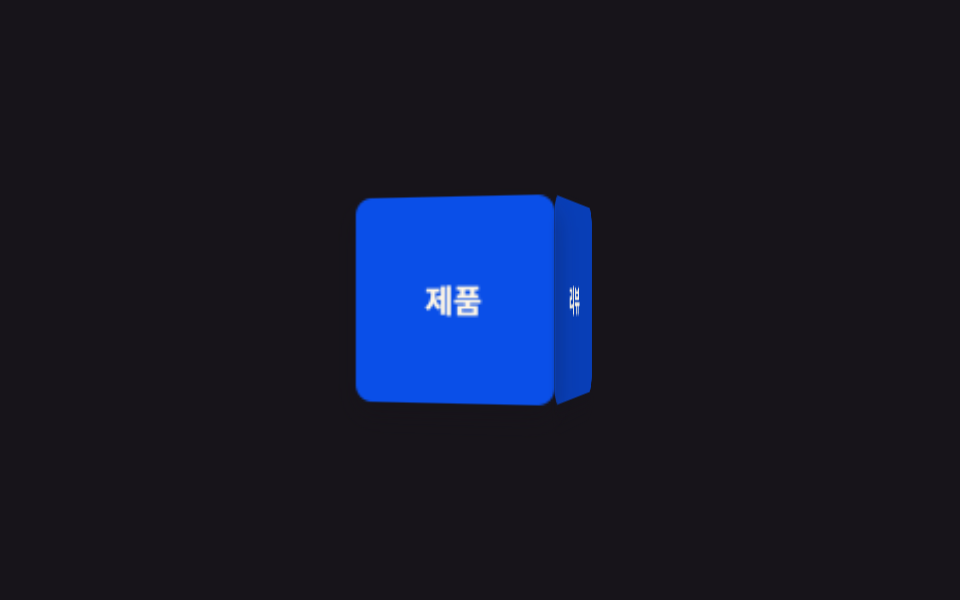 01 3d-cube-carousel-tilt-cube-rotate
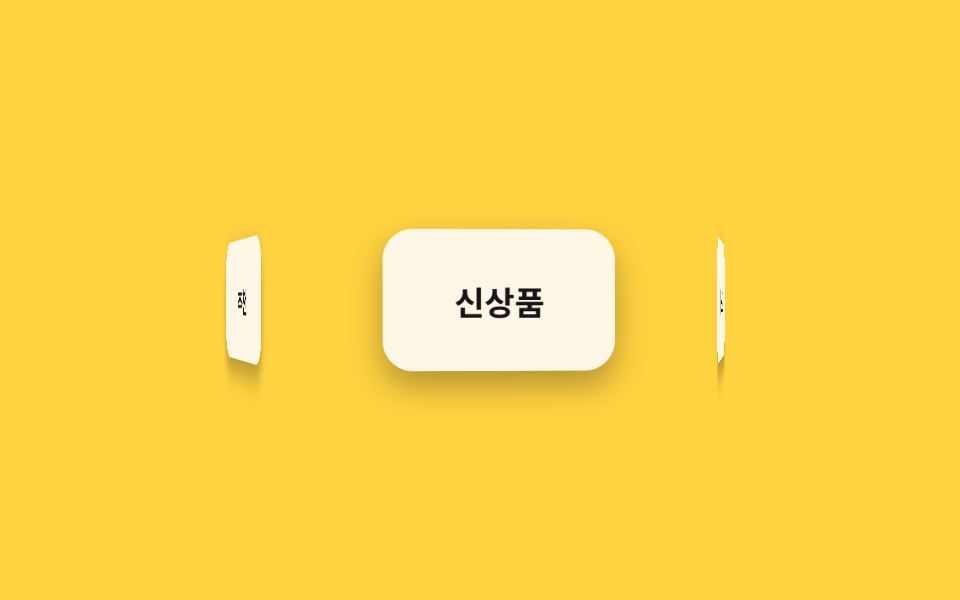 02 3d-cube-carousel-tilt-3d-carousel
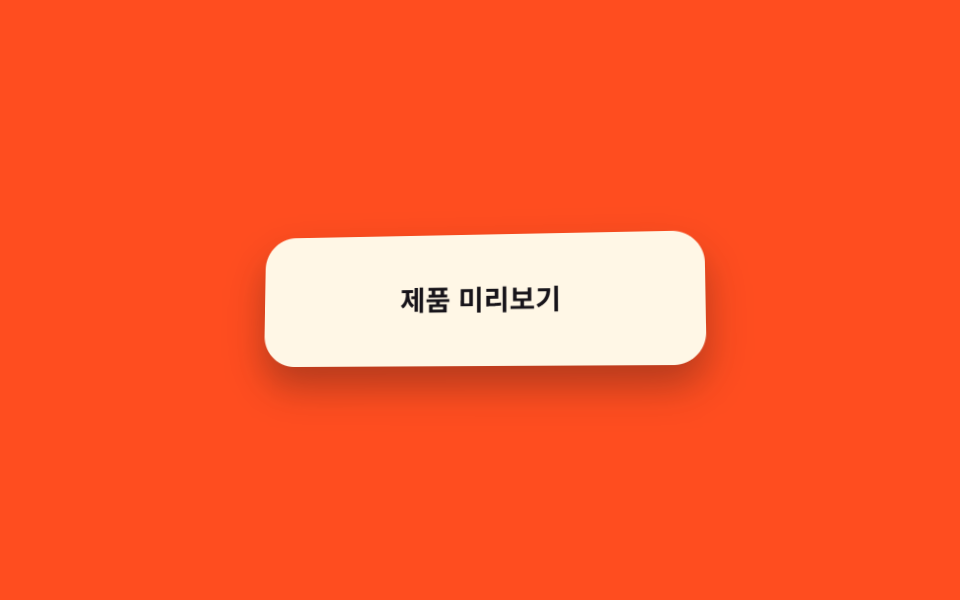 03 3d-cube-carousel-tilt-tilt-hover
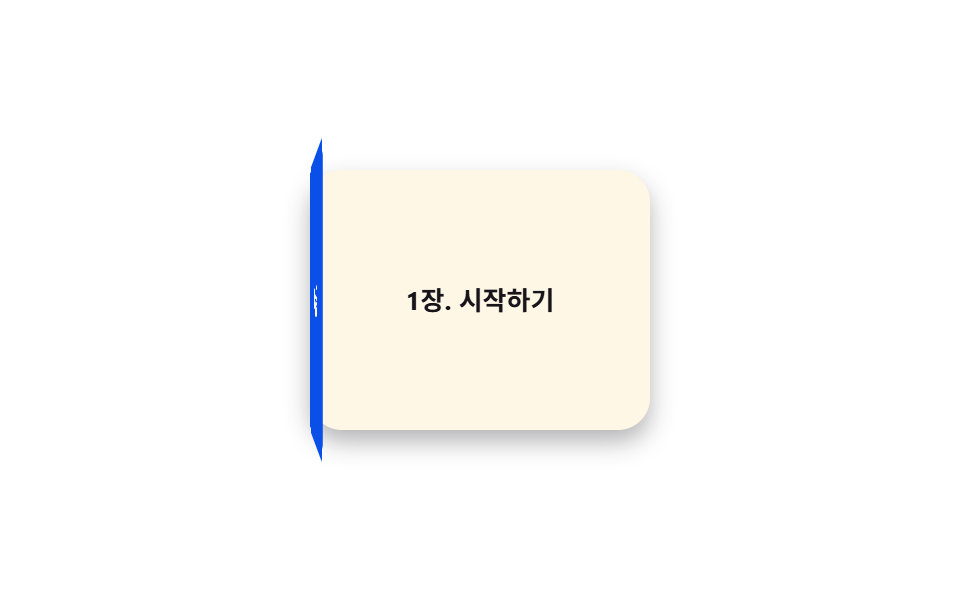 04 3d-cube-carousel-tilt-book-open
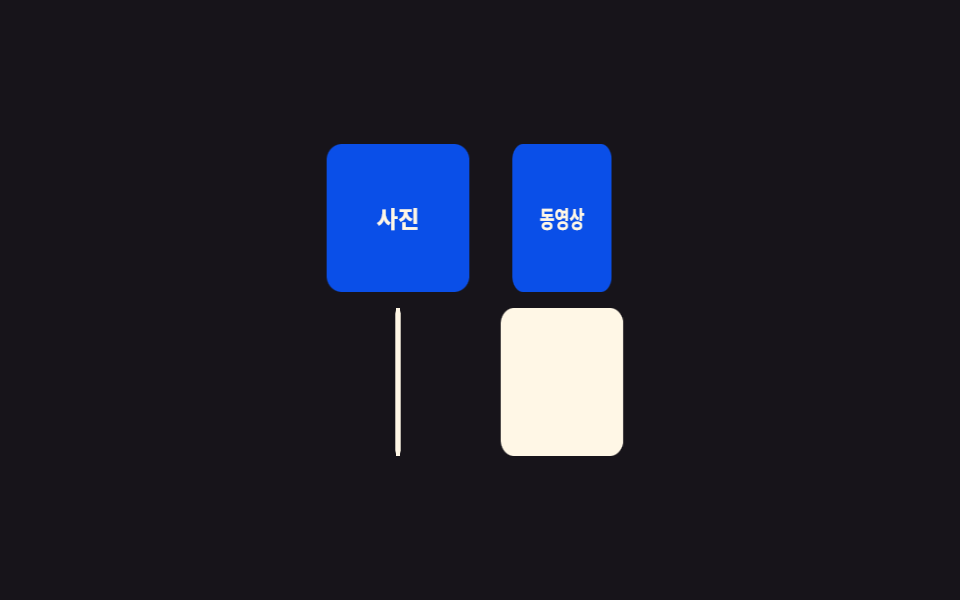 05 3d-cube-carousel-tilt-flip-gallery
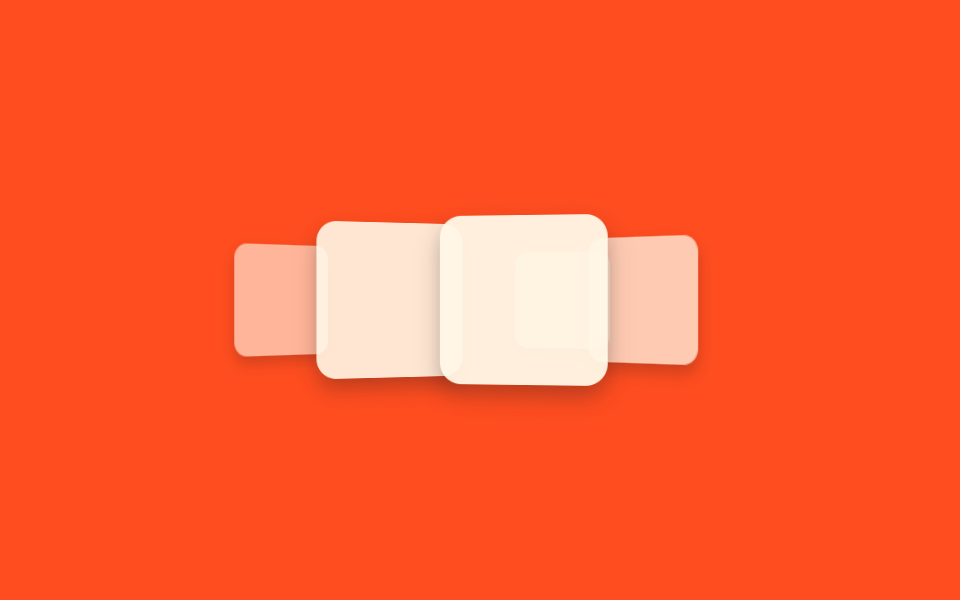 06 3d-cube-carousel-tilt-coverflow
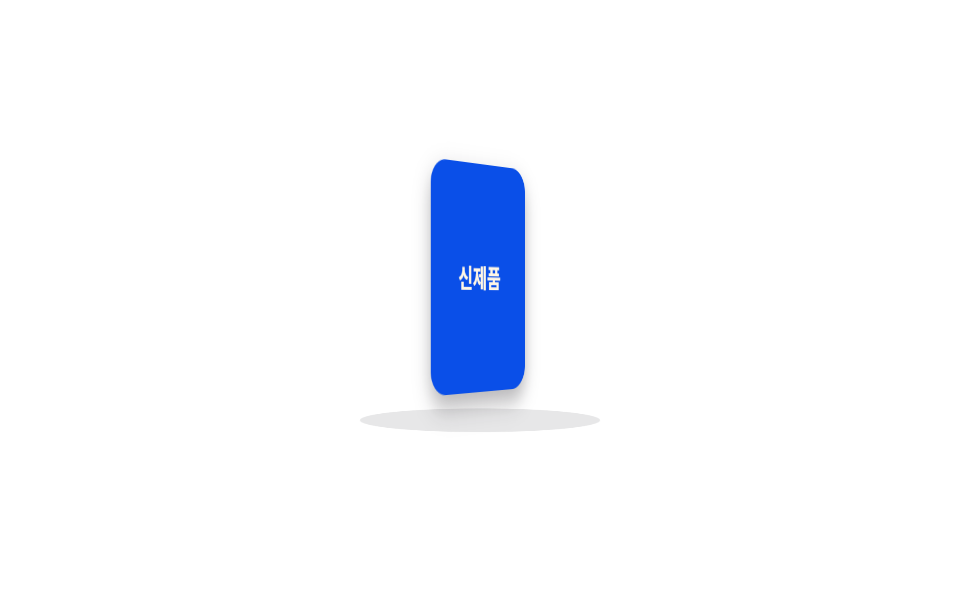 07 3d-cube-carousel-tilt-rotate-stage
 08 3d-cube-carousel-tilt-perspective-text
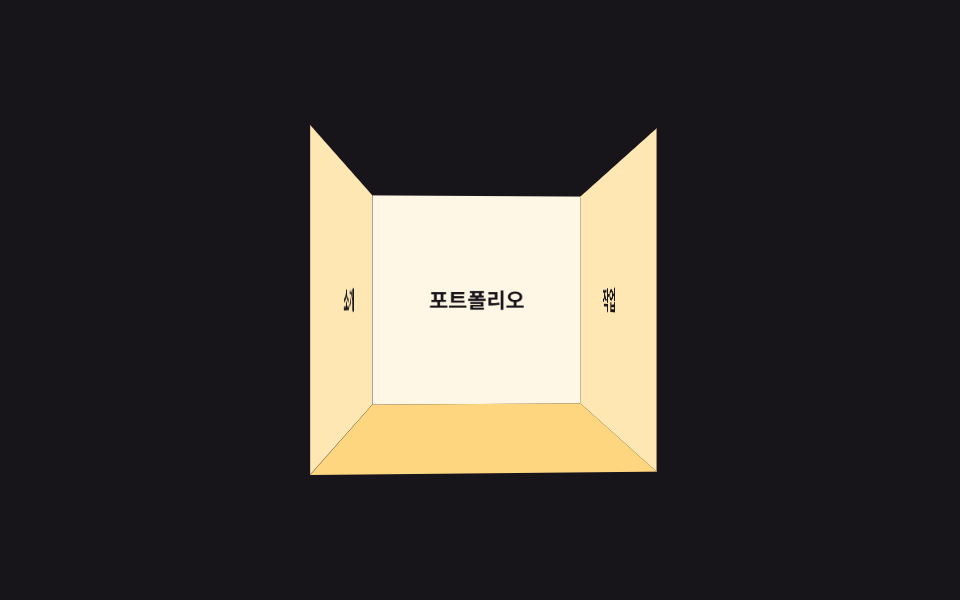 09 3d-cube-carousel-tilt-room-scroll
Tự chạy · bấm ô để tới mục đó · cả 9 trong một zip
- 01 Xoay cube 3D
- 02 Carousel 3D
- 03 Nghiêng khi hover
- 04 Hiệu ứng mở sách
- 05 Gallery lật thẻ
- 06 Coverflow
- 07 Sân khấu xoay
- 08 Chữ nổi 3D
- 09 Cuộn phòng 3D
Chín hiệu ứng xếp theo cách chúng dùng ba thuộc tính dựng chiều sâu — perspective (khoảng cách camera), transform-style: preserve-3d (giữ phần tử con khỏi bị ép phẳng) và backface-visibility (ẩn mặt sau khi xoay). Ba mục đầu (01–03) dùng các thuộc tính này ở dạng đơn giản nhất — một khối, một vòng, một thẻ. Ba mục giữa (04–06) xếp nhiều lớp hoặc nhiều phần tử chồng nhau, còn ba mục cuối (07–09) dựng nguyên một sân khấu hoặc căn phòng thành không gian 3D. Mỗi mục dưới đây chỉ trích đoạn SCSS cốt lõi, bản đầy đủ nằm trong file nén.
01Xoay cube 3D
Bạn thấy gì
Khối lập phương 4 mặt xoay liên tục quanh trục Y bên trong perspective của phần tử cha, mỗi mặt hiện một nhãn khác nhau lần lượt khi quay tới.
<main class="stage">
  <div class="scene">
    <div class="cube is-demo">
      <div class="cube__face cube__face--front">Sản phẩm</div>
      <div class="cube__face cube__face--right">Đánh giá</div>
      <div class="cube__face cube__face--back">Giá</div>
      <div class="cube__face cube__face--left">Liên hệ</div>
    </div>
  </div>
</main>
@use "../../../../site/static/demo-tokens" as *;
// ── 변수 3개. 변형은 이것만 바꾼다 ──────────────────────────
$duration: $dur-loop; // 한 바퀴 도는 시간
$easing: linear; // 등속. 튀면 큐브가 멈칫거려 보인다
$color: $subject-blue-deep; // 큐브 면 색 (크림 글자가 얹히므로 진한 파랑)
@include stage($stage-ink);
$size: 96px;
$half: 48px;
.scene { perspective: 640px; } // 자식 큐브가 이 값 기준으로 입체로 보인다
.cube {
position: relative;
width: $size;
height: $size;
transform-style: preserve-3d; // 자식 4면이 평면으로 뭉개지지 않게
animation: spin $duration $easing infinite;
}
.cube__face {
position: absolute;
inset: 0;
display: grid;
place-items: center;
border-radius: $r-sm;
font-weight: 700;
font-size: 15px;
line-height: 1;
font-family: inherit;
color: $subject-cream;
background: $color;
backface-visibility: hidden; // 뒤로 돌아간 면의 글자가 거울처럼 비치지 않게
box-shadow: $shadow-press;
}
.cube__face--front { transform: translateZ($half); }
.cube__face--right { transform: rotateY(90deg) translateZ($half); background: darken($color, 10%); }
.cube__face--back { transform: rotateY(180deg) translateZ($half); }
.cube__face--left { transform: rotateY(-90deg) translateZ($half); background: darken($color, 10%); }
@keyframes spin {
from { transform: rotateY(0deg); }
to { transform: rotateY(360deg); }
}
// ── 접근성: 움직임 줄이기 설정이면 한쪽 면에서 멈춘다 ────────────
@media (prefers-reduced-motion: reduce) {
.cube { animation: none; transform: rotateY(-28deg); }
}html, body {
margin: 0;
overflow: hidden;
}
.stage {
box-sizing: border-box;
min-height: 100vh;
display: grid;
place-items: center;
margin: 0;
background: #17141a;
font-family: -apple-system, "Segoe UI", "Noto Sans KR", sans-serif;
padding: clamp(8px, 4vw, 24px);
}
.scene {
perspective: 640px;
}
.cube {
position: relative;
width: 96px;
height: 96px;
transform-style: preserve-3d;
animation: spin 2s linear infinite;
}
.cube__face {
position: absolute;
inset: 0;
display: grid;
place-items: center;
border-radius: 8px;
font-weight: 700;
font-size: 15px;
line-height: 1;
font-family: inherit;
color: #fff7e6;
background: #0a4fe8;
backface-visibility: hidden;
box-shadow: 0 6px 12px rgba(23, 20, 26, 0.32);
}
.cube__face--front {
transform: translateZ(48px);
}
.cube__face--right {
transform: rotateY(90deg) translateZ(48px);
background: rgb(3.0951223465%, 24.451466537%, 71.8068384379%);
}
.cube__face--back {
transform: rotateY(180deg) translateZ(48px);
}
.cube__face--left {
transform: rotateY(-90deg) translateZ(48px);
background: rgb(3.0951223465%, 24.451466537%, 71.8068384379%);
}
@keyframes spin {
from {
transform: rotateY(0deg);
}
to {
transform: rotateY(360deg);
}
}
@media (prefers-reduced-motion: reduce) {
.cube {
animation: none;
transform: rotateY(-28deg);
}
}import type { CSSProperties } from "react";
import styles from "./CubeRotate.module.scss";
export type CubeRotateProps = {
/** 한 바퀴 도는 시간 (기본 2000ms) */
duration?: number;
/** CSS easing (기본 linear — 등속이어야 멈칫거리지 않는다) */
easing?: string;
/** 큐브 면 색 */
color?: string;
/** 4면에 넣을 라벨 */
faces?: [string, string, string, string];
className?: string;
};
type Vars = CSSProperties & {
"--duration"?: string;
"--easing"?: string;
"--color"?: string;
};
export default function CubeRotate({
duration = 2000,
easing = "linear",
color = "#2f6df6",
faces = ["제품", "리뷰", "가격", "문의"],
className = "",
}: CubeRotateProps) {
const vars: Vars = { "--duration": `${duration}ms`, "--easing": easing, "--color": color };
return (
<div className={`${styles.scene} ${className}`} style={vars}>
<div className={styles.cube}>
<div className={`${styles.face} ${styles.front}`}>{faces[0]}</div>
<div className={`${styles.face} ${styles.right}`}>{faces[1]}</div>
<div className={`${styles.face} ${styles.back}`}>{faces[2]}</div>
<div className={`${styles.face} ${styles.left}`}>{faces[3]}</div>
</div>
</div>
);
}01 · Xoay cube 3D — Diện tích đo được 9.847% · khung hình chuyển động 23/23Nguyên tác GODRICH · SCSS và React nằm trong tệp zip · Xem mật khẩu
Dùng ở đâu
Hợp với cube giới thiệu sản phẩm ở hero landing hoặc banner đổi thông tin theo vòng.
.cube {
  transform-style: preserve-3d;
  animation: spin $duration $easing infinite;
}
.cube__face {
  position: absolute; inset: 0;
  backface-visibility: hidden;
}
.cube__face--front { transform: translateZ($half); }
.cube__face--right { transform: rotateY(90deg) translateZ($half); }
.cube__face--back  { transform: rotateY(180deg) translateZ($half); }
.cube__face--left  { transform: rotateY(-90deg) translateZ($half); }
@keyframes spin {
  from { transform: rotateY(0deg); }
  to   { transform: rotateY(360deg); }
}
02Carousel 3D
Chuyện gì diễn ra trên màn hình
5 thẻ được đặt cố định quanh vòng tròn bằng rotateY, chỉ riêng ring cha xoay liên tục.
<main class="stage">
  <div class="scene">
    <ul class="ring is-demo">
      <li class="ring__card">Hàng mới</li>
      <li class="ring__card">Bán chạy</li>
      <li class="ring__card">Giảm giá</li>
      <li class="ring__card">Đánh giá</li>
      <li class="ring__card">Đề xuất</li>
    </ul>
  </div>
</main>
@use "../../../../site/static/demo-tokens" as *;
// ── 변수 3개 ──────────────────────────────
$duration: 8s; // 링이 한 바퀴 도는 시간 (개수가 늘면 느리게)
$easing: linear;
$color: $subject-cream; // 카드 배경
@include stage($stage-yellow);
$count: 5;
$step: 72deg; // 360deg ÷ 5장
$radius: 118px; // 카드 폭(92px)이 안 겹치도록 계산한 반지름
.scene { perspective: 560px; }
.ring {
position: relative;
width: 92px;
height: 56px;
list-style: none;
margin: 0;
padding: 0;
transform-style: preserve-3d;
animation: orbit $duration $easing infinite;
}
.ring__card {
position: absolute;
inset: 0;
display: grid;
place-items: center;
border-radius: $r-control;
background: $color;
color: $subject-ink;
font-weight: 700;
font-size: 13px;
line-height: 1;
font-family: inherit;
box-shadow: $shadow-press;
backface-visibility: hidden; // 뒤로 넘어간 카드 글자가 반전돼 비치지 않게
}
// 카드 5장을 원 둘레에 72deg 간격으로 세운다 — rotateY 로 배치만 하고, 도는 건 부모 .ring 하나
@for $i from 1 through 5 {
.ring__card:nth-child(#{$i}) {
transform: rotateY(#{($i - 1) * $step}) translateZ($radius);
}
}
@keyframes orbit {
from { transform: rotateY(0deg); }
to { transform: rotateY(360deg); }
}
// ── 접근성: 움직임 줄이기 설정이면 정면 카드 하나만 보이게 고정 ──────
@media (prefers-reduced-motion: reduce) {
.ring { animation: none; transform: rotateY(0deg); }
}html, body {
margin: 0;
overflow: hidden;
}
.stage {
box-sizing: border-box;
min-height: 100vh;
display: grid;
place-items: center;
margin: 0;
background: #ffd23f;
font-family: -apple-system, "Segoe UI", "Noto Sans KR", sans-serif;
padding: clamp(8px, 4vw, 24px);
}
.scene {
perspective: 560px;
}
.ring {
position: relative;
width: 92px;
height: 56px;
list-style: none;
margin: 0;
padding: 0;
transform-style: preserve-3d;
animation: orbit 8s linear infinite;
}
.ring__card {
position: absolute;
inset: 0;
display: grid;
place-items: center;
border-radius: 12px;
background: #fff7e6;
color: #17141a;
font-weight: 700;
font-size: 13px;
line-height: 1;
font-family: inherit;
box-shadow: 0 6px 12px rgba(23, 20, 26, 0.32);
backface-visibility: hidden;
}
.ring__card:nth-child(1) {
transform: rotateY(0deg) translateZ(118px);
}
.ring__card:nth-child(2) {
transform: rotateY(72deg) translateZ(118px);
}
.ring__card:nth-child(3) {
transform: rotateY(144deg) translateZ(118px);
}
.ring__card:nth-child(4) {
transform: rotateY(216deg) translateZ(118px);
}
.ring__card:nth-child(5) {
transform: rotateY(288deg) translateZ(118px);
}
@keyframes orbit {
from {
transform: rotateY(0deg);
}
to {
transform: rotateY(360deg);
}
}
@media (prefers-reduced-motion: reduce) {
.ring {
animation: none;
transform: rotateY(0deg);
}
}import type { CSSProperties } from "react";
import styles from "./Carousel3D.module.scss";
export type Carousel3DProps = {
/** 링이 한 바퀴 도는 시간 (기본 8000ms). 카드가 늘면 느리게 */
duration?: number;
easing?: string;
/** 카드 배경 */
color?: string;
cards?: string[];
};
type Vars = CSSProperties & { "--duration"?: string; "--easing"?: string; "--color"?: string; "--i"?: number };
export default function Carousel3D({
duration = 8000,
easing = "linear",
color = "#fff7e6",
cards = ["신상품", "베스트", "할인", "리뷰", "추천"],
}: Carousel3DProps) {
const step = 360 / cards.length;
const vars: Vars = { "--duration": `${duration}ms`, "--easing": easing, "--color": color };
return (
<div className={styles.scene}>
<ul className={styles.ring} style={vars}>
{cards.map((c, i) => (
<li key={c} className={styles.card} style={{ transform: `rotateY(${i * step}deg) translateZ(118px)` }}>
{c}
</li>
))}
</ul>
</div>
);
}02 · Carousel 3D — Diện tích đo được 15.028% · khung hình chuyển động 23/23Nguyên tác GODRICH · SCSS và React nằm trong tệp zip · Xem mật khẩu
Chỗ dùng
Khác với marquee ở bài 028 đẩy track bằng translateX, ở đây không hề dùng translateX — toàn bộ chuyển động chỉ đến từ một phép xoay của phần tử cha.
.ring {
  transform-style: preserve-3d;
  animation: orbit $duration $easing infinite;
}
// Đặt 5 thẻ quanh vòng tròn cách nhau 72deg — phải nhân trước ở Sass
// để không ra CSS vô hiệu kiểu rotateY(0 * 72deg)
@for $i from 1 through 5 {
  .ring__card:nth-child(#{$i}) {
    transform: rotateY(#{($i - 1) * $step}) translateZ($radius);
  }
}
@keyframes orbit {
  from { transform: rotateY(0deg); }
  to   { transform: rotateY(360deg); }
}
03Nghiêng khi hover
Chuyển động thế nào
Card nghiêng đúng một góc cố định khi hover.
<main class="stage">
  <div class="frame">
    <div class="tilt is-demo" tabindex="0">Xem trước sản phẩm</div>
  </div>
</main>
@use "../../../../site/static/demo-tokens" as *;
// ── 변수 3개 ──────────────────────────────
$duration: $dur-base; // 기울기가 붙는 시간
$easing: $ease-spring;
$color: $subject-cream; // 카드 배경
@include stage($stage-orange);
.frame { perspective: 600px; } // JS 없이 :hover 값만 고정으로 기운다(032 는 마우스 좌표 추적, 여기는 고정 각도)
.tilt {
width: min(190px, 58vw);
padding: $sp-6 $sp-4;
border-radius: $r-card;
background: $color;
color: $subject-ink;
font-weight: 700;
font-size: 14px;
line-height: 1.3;
font-family: inherit;
text-align: center;
box-shadow: $shadow-press;
outline: none;
cursor: pointer;
transform: rotateX(0deg) rotateY(0deg);
transition: transform $duration $easing, box-shadow $duration $easing;
}
.tilt:hover,
.tilt:focus-visible,
.tilt:active {
transform: rotateX(10deg) rotateY(-14deg);
box-shadow: $shadow-raised;
}
// 데모 · 문서용: 고정 각도를 2초마다 오갔다 돌아온다
.tilt.is-demo { animation: tilt-loop $dur-loop $easing infinite; }
@keyframes tilt-loop {
0%, 20% { transform: rotateX(0deg) rotateY(0deg); box-shadow: $shadow-press; }
55% { transform: rotateX(10deg) rotateY(-14deg); box-shadow: $shadow-raised; }
100% { transform: rotateX(0deg) rotateY(0deg); box-shadow: $shadow-press; }
}
// 호버가 없는 터치 화면 — 누르는 동안만 기운다
@media (hover: none) {
.tilt:active { transform: rotateX(10deg) rotateY(-14deg); }
}
@media (prefers-reduced-motion: reduce) {
.tilt, .tilt.is-demo { animation: none; transition: none; transform: none; }
}html, body {
margin: 0;
overflow: hidden;
}
.stage {
box-sizing: border-box;
min-height: 100vh;
display: grid;
place-items: center;
margin: 0;
background: #ff4d1f;
font-family: -apple-system, "Segoe UI", "Noto Sans KR", sans-serif;
padding: clamp(8px, 4vw, 24px);
}
.frame {
perspective: 600px;
}
.tilt {
width: min(190px, 58vw);
padding: 24px 16px;
border-radius: 16px;
background: #fff7e6;
color: #17141a;
font-weight: 700;
font-size: 14px;
line-height: 1.3;
font-family: inherit;
text-align: center;
box-shadow: 0 6px 12px rgba(23, 20, 26, 0.32);
outline: none;
cursor: pointer;
transform: rotateX(0deg) rotateY(0deg);
transition: transform 300ms cubic-bezier(0.2, 0.8, 0.2, 1), box-shadow 300ms cubic-bezier(0.2, 0.8, 0.2, 1);
}
.tilt:hover,
.tilt:focus-visible,
.tilt:active {
transform: rotateX(10deg) rotateY(-14deg);
box-shadow: 0 14px 24px rgba(23, 20, 26, 0.32);
}
.tilt.is-demo {
animation: tilt-loop 2s cubic-bezier(0.2, 0.8, 0.2, 1) infinite;
}
@keyframes tilt-loop {
0%, 20% {
transform: rotateX(0deg) rotateY(0deg);
box-shadow: 0 6px 12px rgba(23, 20, 26, 0.32);
}
55% {
transform: rotateX(10deg) rotateY(-14deg);
box-shadow: 0 14px 24px rgba(23, 20, 26, 0.32);
}
100% {
transform: rotateX(0deg) rotateY(0deg);
box-shadow: 0 6px 12px rgba(23, 20, 26, 0.32);
}
}
@media (hover: none) {
.tilt:active {
transform: rotateX(10deg) rotateY(-14deg);
}
}
@media (prefers-reduced-motion: reduce) {
.tilt, .tilt.is-demo {
animation: none;
transition: none;
transform: none;
}
}import type { CSSProperties, ReactNode } from "react";
import styles from "./TiltHoverCard.module.scss";
export type TiltHoverCardProps = {
duration?: number;
easing?: string;
/** 카드 배경 */
color?: string;
children?: ReactNode;
};
type Vars = CSSProperties & { "--duration"?: string; "--easing"?: string; "--color"?: string };
// 032(card-hover-tilt-3d-parallax) 와 달리 마우스 좌표를 안 읽는다 — :hover 값이 고정 각도로 붙는 순수 CSS 버전
export default function TiltHoverCard({
duration = 300,
easing = "cubic-bezier(.2,.8,.2,1)",
color = "#fff7e6",
children = "제품 미리보기",
}: TiltHoverCardProps) {
const vars: Vars = { "--duration": `${duration}ms`, "--easing": easing, "--color": color };
return (
<div className={styles.frame}>
<div className={styles.tilt} style={vars} tabIndex={0}>
{children}
</div>
</div>
);
}03 · Nghiêng khi hover — Diện tích đo được 5.41% · khung hình chuyển động 16/23Nguyên tác GODRICH · SCSS và React nằm trong tệp zip · Xem mật khẩu
Dùng khi nào
Khác với parallax tilt 3D ở bài 032 đọc toạ độ chuột bằng JS mỗi frame, đây chỉ transition một giá trị :hover cố định, JS 0 dòng.
.frame { perspective: 600px; }
.tilt {
  transform: rotateX(0deg) rotateY(0deg);
  transition: transform $duration $easing;
}
.tilt:hover,
.tilt:focus-visible,
.tilt:active {
  transform: rotateX(10deg) rotateY(-14deg);
}
@media (hover: none) {
  .tilt:active { transform: rotateX(10deg) rotateY(-14deg); }
}
04Hiệu ứng mở sách
Bạn thấy gì
Bìa mở ra -150deg quanh bản lề bên trái để lộ trang bên trong.
<main class="stage">
  <div class="book">
    <div class="book__page">Chương 1. Bắt đầu</div>
    <div class="book__cover is-demo">
      <div class="book__face book__face--front">Sổ tay</div>
      <div class="book__face book__face--back"></div>
    </div>
  </div>
</main>
@use "../../../../site/static/demo-tokens" as *;
// ── 변수 3개 ──────────────────────────────
$duration: $dur-enter; // 표지가 열리는 시간
$easing: $ease-spring;
$color: $subject-blue-deep; // 표지 색 (크림 글자가 얹히므로 진한 파랑)
@include stage($stage-paper);
.book {
position: relative;
width: 170px;
height: 130px;
perspective: 800px;
}
.book__page {
position: absolute;
inset: 0;
display: grid;
place-items: center;
border-radius: $r-card;
background: $subject-cream;
color: $subject-ink;
font-weight: 700;
font-size: 13px;
line-height: 1.3;
font-family: inherit;
box-shadow: $shadow-press;
}
// 표지는 왼쪽 모서리를 축으로 돈다 — 카드 전체를 뒤집는 006 의 flip 과 달리 한쪽 변만 경첩이다
.book__cover {
position: absolute;
inset: 0;
transform-style: preserve-3d;
transform-origin: left center; // 규칙8: 왼쪽 변 경첩
animation: open $dur-loop $easing infinite;
}
.book__face {
position: absolute;
inset: 0;
display: grid;
place-items: center;
border-radius: $r-card;
font-weight: 700;
font-size: 15px;
line-height: 1;
font-family: inherit;
color: $subject-cream;
backface-visibility: hidden; // 표지 안쪽 면이 앞면 글자와 겹쳐 비치지 않게
}
.book__face--front { background: $color; }
.book__face--back { background: darken($color, 14%); transform: rotateY(180deg); }
@keyframes open {
0%, 15% { transform: rotateY(0deg); }
55% { transform: rotateY(-150deg); }
85%, 100% { transform: rotateY(0deg); }
}
// ── 접근성: 움직임 줄이기 설정이면 펼친 상태로 고정 ────────────
@media (prefers-reduced-motion: reduce) {
.book__cover { animation: none; transform: rotateY(-150deg); }
}html, body {
margin: 0;
overflow: hidden;
}
.stage {
box-sizing: border-box;
min-height: 100vh;
display: grid;
place-items: center;
margin: 0;
background: #ffffff;
font-family: -apple-system, "Segoe UI", "Noto Sans KR", sans-serif;
padding: clamp(8px, 4vw, 24px);
}
.book {
position: relative;
width: 170px;
height: 130px;
perspective: 800px;
}
.book__page {
position: absolute;
inset: 0;
display: grid;
place-items: center;
border-radius: 16px;
background: #fff7e6;
color: #17141a;
font-weight: 700;
font-size: 13px;
line-height: 1.3;
font-family: inherit;
box-shadow: 0 6px 12px rgba(23, 20, 26, 0.32);
}
.book__cover {
position: absolute;
inset: 0;
transform-style: preserve-3d;
transform-origin: left center;
animation: open 2s cubic-bezier(0.2, 0.8, 0.2, 1) infinite;
}
.book__face {
position: absolute;
inset: 0;
display: grid;
place-items: center;
border-radius: 16px;
font-weight: 700;
font-size: 15px;
line-height: 1;
font-family: inherit;
color: #fff7e6;
backface-visibility: hidden;
}
.book__face--front {
background: #0a4fe8;
}
.book__face--back {
background: rgb(2.7645438341%, 21.8398962891%, 64.1374169503%);
transform: rotateY(180deg);
}
@keyframes open {
0%, 15% {
transform: rotateY(0deg);
}
55% {
transform: rotateY(-150deg);
}
85%, 100% {
transform: rotateY(0deg);
}
}
@media (prefers-reduced-motion: reduce) {
.book__cover {
animation: none;
transform: rotateY(-150deg);
}
}import type { CSSProperties } from "react";
import styles from "./BookOpen.module.scss";
export type BookOpenProps = {
duration?: number;
easing?: string;
/** 표지 색 */
color?: string;
cover?: string;
page?: string;
};
type Vars = CSSProperties & { "--duration"?: string; "--easing"?: string; "--color"?: string };
export default function BookOpen({
duration = 600,
easing = "cubic-bezier(.2,.8,.2,1)",
color = "#0a4fe8",
cover = "매뉴얼",
page = "1장. 시작하기",
}: BookOpenProps) {
const vars: Vars = { "--duration": `${duration}ms`, "--easing": easing, "--color": color };
return (
<div className={styles.book} style={vars}>
<div className={styles.page}>{page}</div>
<div className={styles.cover}>
<div className={`${styles.face} ${styles.front}`}>{cover}</div>
<div className={`${styles.face} ${styles.back}`} />
</div>
</div>
);
}04 · Hiệu ứng mở sách — Diện tích đo được 32.419% · khung hình chuyển động 17/23Nguyên tác GODRICH · SCSS và React nằm trong tệp zip · Xem mật khẩu
Dùng ở đâu
Flip card ở bài 006 lật nguyên thẻ 180deg quanh trục giữa, còn ở đây chỉ một cạnh làm bản lề và không lật hết.
.book__cover {
  transform-style: preserve-3d;
  transform-origin: left center;
  animation: open $duration $easing infinite;
}
.book__face {
  position: absolute; inset: 0;
  backface-visibility: hidden;
}
.book__face--front { background: $color; }
.book__face--back  { background: darken($color, 14%); transform: rotateY(180deg); }
@keyframes open {
  0%, 15%  { transform: rotateY(0deg); }
  55%      { transform: rotateY(-150deg); }
  85%, 100% { transform: rotateY(0deg); }
}
05Gallery lật thẻ
Chuyện gì diễn ra trên màn hình
4 ô lưới lật lần lượt, mỗi ô trễ 0,15 giây so với ô trước, để lộ nhãn danh mục phía sau.
<main class="stage">
  <ul class="gallery is-demo">
    <li class="tile"><div class="tile__inner">
      <div class="tile__face tile__face--front" aria-hidden="true"></div>
      <div class="tile__face tile__face--back">Ảnh</div>
    </div></li>
    <li class="tile"><div class="tile__inner">
      <div class="tile__face tile__face--front" aria-hidden="true"></div>
      <div class="tile__face tile__face--back">Video</div>
    </div></li>
    <li class="tile"><div class="tile__inner">
      <div class="tile__face tile__face--front" aria-hidden="true"></div>
      <div class="tile__face tile__face--back">Tài liệu</div>
    </div></li>
    <li class="tile"><div class="tile__inner">
      <div class="tile__face tile__face--front" aria-hidden="true"></div>
      <div class="tile__face tile__face--back">Nhạc</div>
    </div></li>
  </ul>
</main>
@use "../../../../site/static/demo-tokens" as *;
// ── 변수 3개 ──────────────────────────────
$duration: $dur-base; // 타일 하나가 뒤집히는 시간
$easing: $ease-out;
$color: $subject-blue-deep; // 뒷면(카테고리) 배경 (크림 글자가 얹히므로 진한 파랑)
@include stage($stage-ink);
.gallery {
display: grid;
grid-template-columns: repeat(2, 74px);
gap: $sp-2;
list-style: none;
margin: 0;
padding: 0;
perspective: 700px; // 격자 전체가 같은 시점을 공유
}
.tile { width: 74px; height: 74px; }
.tile__inner {
position: relative;
width: 100%;
height: 100%;
transform-style: preserve-3d;
}
.tile__face {
position: absolute;
inset: 0;
display: grid;
place-items: center;
border-radius: $r-sm;
backface-visibility: hidden; // 뒤로 넘어간 면 글자가 반전돼 비치지 않게
}
.tile__face--front { background: $subject-cream; }
.tile__face--back { background: $color; color: $subject-cream; font-weight: 700; font-size: 12px; line-height: 1; font-family: inherit; transform: rotateY(180deg); }
// 4칸이 0.15초씩 시차를 두고 같은 동작을 한다 — 물결처럼 뒤집힌다
.gallery.is-demo .tile:nth-child(1) .tile__inner { animation: flip $dur-loop $easing infinite; }
.gallery.is-demo .tile:nth-child(2) .tile__inner { animation: flip $dur-loop $easing infinite; animation-delay: .15s; }
.gallery.is-demo .tile:nth-child(3) .tile__inner { animation: flip $dur-loop $easing infinite; animation-delay: .3s; }
.gallery.is-demo .tile:nth-child(4) .tile__inner { animation: flip $dur-loop $easing infinite; animation-delay: .45s; }
@keyframes flip {
0%, 15% { transform: rotateY(0deg); }
50% { transform: rotateY(180deg); }
85%, 100% { transform: rotateY(360deg); } // 360 = 0 이라 다음 루프로 튀지 않고 이어진다
}
// ── 접근성: 움직임 줄이기 설정이면 뒷면(정보)에서 고정 ────────────
@media (prefers-reduced-motion: reduce) {
.gallery.is-demo .tile__inner { animation: none; transform: rotateY(180deg); }
}html, body {
margin: 0;
overflow: hidden;
}
.stage {
box-sizing: border-box;
min-height: 100vh;
display: grid;
place-items: center;
margin: 0;
background: #17141a;
font-family: -apple-system, "Segoe UI", "Noto Sans KR", sans-serif;
padding: clamp(8px, 4vw, 24px);
}
.gallery {
display: grid;
grid-template-columns: repeat(2, 74px);
gap: 8px;
list-style: none;
margin: 0;
padding: 0;
perspective: 700px;
}
.tile {
width: 74px;
height: 74px;
}
.tile__inner {
position: relative;
width: 100%;
height: 100%;
transform-style: preserve-3d;
}
.tile__face {
position: absolute;
inset: 0;
display: grid;
place-items: center;
border-radius: 8px;
backface-visibility: hidden;
}
.tile__face--front {
background: #fff7e6;
}
.tile__face--back {
background: #0a4fe8;
color: #fff7e6;
font-weight: 700;
font-size: 12px;
line-height: 1;
font-family: inherit;
transform: rotateY(180deg);
}
.gallery.is-demo .tile:nth-child(1) .tile__inner {
animation: flip 2s ease-out infinite;
}
.gallery.is-demo .tile:nth-child(2) .tile__inner {
animation: flip 2s ease-out infinite;
animation-delay: 0.15s;
}
.gallery.is-demo .tile:nth-child(3) .tile__inner {
animation: flip 2s ease-out infinite;
animation-delay: 0.3s;
}
.gallery.is-demo .tile:nth-child(4) .tile__inner {
animation: flip 2s ease-out infinite;
animation-delay: 0.45s;
}
@keyframes flip {
0%, 15% {
transform: rotateY(0deg);
}
50% {
transform: rotateY(180deg);
}
85%, 100% {
transform: rotateY(360deg);
}
}
@media (prefers-reduced-motion: reduce) {
.gallery.is-demo .tile__inner {
animation: none;
transform: rotateY(180deg);
}
}import type { CSSProperties } from "react";
import styles from "./FlipGallery.module.scss";
export type FlipGalleryProps = {
duration?: number;
easing?: string;
/** 뒷면(카테고리) 배경 */
color?: string;
tiles?: string[];
};
type Vars = CSSProperties & { "--duration"?: string; "--easing"?: string; "--color"?: string; "--delay"?: string };
export default function FlipGallery({
duration = 2000,
easing = "ease-out",
color = "#2f6df6",
tiles = ["사진", "동영상", "문서", "음악"],
}: FlipGalleryProps) {
const base: Vars = { "--duration": `${duration}ms`, "--easing": easing, "--color": color };
return (
<ul className={styles.gallery}>
{tiles.map((t, i) => (
<li key={t} className={styles.tile}>
<div className={styles.inner} style={{ ...base, "--delay": `${i * 0.15}s` } as Vars}>
<div className={`${styles.face} ${styles.front}`} aria-hidden="true" />
<div className={`${styles.face} ${styles.back}`}>{t}</div>
</div>
</li>
))}
</ul>
);
}05 · Gallery lật thẻ — Diện tích đo được 15.097% · khung hình chuyển động 20/23Nguyên tác GODRICH · SCSS và React nằm trong tệp zip · Xem mật khẩu
Chỗ dùng
Hợp với lưới danh mục trong gallery media hoặc giới thiệu widget dashboard.
.tile__inner {
  transform-style: preserve-3d;
}
.tile__face {
  position: absolute; inset: 0;
  backface-visibility: hidden;
}
.tile__face--back { transform: rotateY(180deg); }
.tile:nth-child(1) .tile__inner { animation: flip $duration $easing infinite; }
.tile:nth-child(2) .tile__inner { animation: flip $duration $easing infinite; animation-delay: .15s; }
@keyframes flip {
  0%, 15%  { transform: rotateY(0deg); }
  50%      { transform: rotateY(180deg); }
  85%, 100% { transform: rotateY(360deg); }
}
06Coverflow
Chuyển động thế nào
5 thẻ dùng chung một keyframes nhưng lệch nhau bằng animation-delay âm, nên thẻ giữa to và thẳng mặt còn hai bên nhỏ và nghiêng dần ra xa.
<main class="stage">
  <ul class="flow is-demo">
    <li class="flow__card" style="--i: 0;" aria-label="Bìa album"></li>
    <li class="flow__card" style="--i: 1;" aria-label="Bìa album"></li>
    <li class="flow__card" style="--i: 2;" aria-label="Bìa album"></li>
    <li class="flow__card" style="--i: 3;" aria-label="Bìa album"></li>
    <li class="flow__card" style="--i: 4;" aria-label="Bìa album"></li>
  </ul>
</main>
@use "../../../../site/static/demo-tokens" as *;
// ── 변수 3개 ──────────────────────────────
$duration: $dur-loop; // 카드 5장이 한 바퀴 흐르는 시간
$easing: $ease-out;
$color: $subject-cream; // 카드 배경
@include stage($stage-orange);
.flow {
position: relative;
width: 92px;
height: 92px;
list-style: none;
margin: 0;
padding: 0;
perspective: 640px;
}
.flow__card {
position: absolute;
inset: 0;
border-radius: $r-control;
background: $color;
box-shadow: $shadow-press;
// CSS 만으로 5장을 다른 위치에서 출발시킨다 — JS 없이 같은 keyframes 를 음수 delay 로 어긋나게 돈다
animation: flow $duration $easing infinite;
animation-delay: calc(var(--i) * -0.4s);
}
// 슬롯 5개(뒤 → 왼쪽 → 가운데 → 오른쪽 → 뒤)를 한 바퀴로. 100% 가 0% 와 같아 이음새 없이 돈다
@keyframes flow {
0% { transform: translateX(-130px) translateZ(-90px) rotateY(45deg) scale(.6); opacity: .5; z-index: 1; }
20% { transform: translateX(-68px) translateZ(-40px) rotateY(35deg) scale(.82); opacity: .85; z-index: 2; }
40% { transform: translateX(0) translateZ(0) rotateY(0deg) scale(1); opacity: 1; z-index: 3; }
60% { transform: translateX(68px) translateZ(-40px) rotateY(-35deg) scale(.82); opacity: .85; z-index: 2; }
80% { transform: translateX(130px) translateZ(-90px) rotateY(-45deg) scale(.6); opacity: .5; z-index: 1; }
100% { transform: translateX(-130px) translateZ(-90px) rotateY(45deg) scale(.6); opacity: .5; z-index: 1; }
}
// ── 접근성: 움직임 줄이기 설정이면 다섯 장을 가운데로 모아 고정 ────────
@media (prefers-reduced-motion: reduce) {
.flow__card { animation: none; transform: translateX(0) translateZ(0) rotateY(0deg) scale(1); opacity: 1; }
}html, body {
margin: 0;
overflow: hidden;
}
.stage {
box-sizing: border-box;
min-height: 100vh;
display: grid;
place-items: center;
margin: 0;
background: #ff4d1f;
font-family: -apple-system, "Segoe UI", "Noto Sans KR", sans-serif;
padding: clamp(8px, 4vw, 24px);
}
.flow {
position: relative;
width: 92px;
height: 92px;
list-style: none;
margin: 0;
padding: 0;
perspective: 640px;
}
.flow__card {
position: absolute;
inset: 0;
border-radius: 12px;
background: #fff7e6;
box-shadow: 0 6px 12px rgba(23, 20, 26, 0.32);
animation: flow 2s ease-out infinite;
animation-delay: calc(var(--i) * -0.4s);
}
@keyframes flow {
0% {
transform: translateX(-130px) translateZ(-90px) rotateY(45deg) scale(0.6);
opacity: 0.5;
z-index: 1;
}
20% {
transform: translateX(-68px) translateZ(-40px) rotateY(35deg) scale(0.82);
opacity: 0.85;
z-index: 2;
}
40% {
transform: translateX(0) translateZ(0) rotateY(0deg) scale(1);
opacity: 1;
z-index: 3;
}
60% {
transform: translateX(68px) translateZ(-40px) rotateY(-35deg) scale(0.82);
opacity: 0.85;
z-index: 2;
}
80% {
transform: translateX(130px) translateZ(-90px) rotateY(-45deg) scale(0.6);
opacity: 0.5;
z-index: 1;
}
100% {
transform: translateX(-130px) translateZ(-90px) rotateY(45deg) scale(0.6);
opacity: 0.5;
z-index: 1;
}
}
@media (prefers-reduced-motion: reduce) {
.flow__card {
animation: none;
transform: translateX(0) translateZ(0) rotateY(0deg) scale(1);
opacity: 1;
}
}import type { CSSProperties } from "react";
import styles from "./Coverflow.module.scss";
export type CoverflowProps = {
/** 카드 5장이 한 바퀴 흐르는 시간 (기본 2000ms) */
duration?: number;
easing?: string;
/** 카드 배경 */
color?: string;
count?: number;
};
type Vars = CSSProperties & { "--duration"?: string; "--easing"?: string; "--color"?: string; "--i"?: number };
// JS 없이 같은 keyframes 를 음수 animation-delay 로 어긋나게 돌려 흐름을 만든다
export default function Coverflow({
duration = 2000,
easing = "ease-out",
color = "#fff7e6",
count = 5,
}: CoverflowProps) {
const base: Vars = { "--duration": `${duration}ms`, "--easing": easing, "--color": color };
return (
<ul className={styles.flow}>
{Array.from({ length: count }, (_, i) => (
<li key={i} className={styles.card} style={{ ...base, "--i": i } as Vars} aria-label="앨범 커버" />
))}
</ul>
);
}06 · Coverflow — Diện tích đo được 15.591% · khung hình chuyển động 23/23Nguyên tác GODRICH · SCSS và React nằm trong tệp zip · Xem mật khẩu
Dùng khi nào
Toàn bộ chu kỳ chạy chỉ bằng CSS, JS 0 dòng.
.flow__card {
  animation: flow $duration $easing infinite;
  animation-delay: calc(var(--i) * -0.4s);
}
@keyframes flow {
  0%   { transform: translateX(-130px) translateZ(-90px) rotateY(45deg) scale(.6); }
  40%  { transform: translateX(0) translateZ(0) rotateY(0deg) scale(1); }
  80%  { transform: translateX(130px) translateZ(-90px) rotateY(-45deg) scale(.6); }
  100% { transform: translateX(-130px) translateZ(-90px) rotateY(45deg) scale(.6); }
}
07Sân khấu xoay
Bạn thấy gì
Vật thể xoay chậm một vòng mỗi 5 giây trên sàn hình elip nghiêng bên dưới.
<main class="stage">
  <div class="turntable">
    <div class="turntable__floor"></div>
    <div class="turntable__object is-demo">
      <div class="turntable__face turntable__face--front">Sản phẩm mới</div>
      <div class="turntable__face turntable__face--back"></div>
    </div>
  </div>
</main>
@use "../../../../site/static/demo-tokens" as *;
// ── 변수 3개 ──────────────────────────────
$duration: 5s; // 한 바퀴 도는 시간 — 제품 회전은 느릴수록 고급스럽다
$easing: linear;
$color: $subject-blue-deep; // 오브젝트 색 (크림 글자가 얹히므로 진한 파랑)
@include stage($stage-paper);
.turntable {
position: relative;
width: 130px;
height: 160px;
perspective: 700px;
}
// 바닥 원반은 고정. transform-style 없이도 perspective 안에서 타원으로 눌려 입체 바닥처럼 보인다
.turntable__floor {
position: absolute;
left: 50%;
bottom: 6px;
width: 120px;
height: 28px;
border-radius: 50%;
background: rgba($subject-ink, .1);
transform: translateX(-50%) rotateX(70deg);
transform-style: preserve-3d;
}
.turntable__object {
position: absolute;
inset: 12px 25px 34px;
transform-style: preserve-3d;
animation: turn $duration $easing infinite;
}
.turntable__face {
position: absolute;
inset: 0;
display: grid;
place-items: center;
border-radius: $r-control;
color: $subject-cream;
font-weight: 700;
font-size: 13px;
line-height: 1.2;
font-family: inherit;
text-align: center;
box-shadow: $shadow-press;
backface-visibility: hidden; // 뒤로 돈 면의 글자가 비치지 않게
}
.turntable__face--front { background: $color; }
.turntable__face--back { background: darken($color, 16%); transform: rotateY(180deg); }
@keyframes turn {
from { transform: rotateY(0deg); }
to { transform: rotateY(360deg); }
}
// ── 접근성: 움직임 줄이기 설정이면 정면에서 고정 ────────────
@media (prefers-reduced-motion: reduce) {
.turntable__object { animation: none; transform: rotateY(-20deg); }
}html, body {
margin: 0;
overflow: hidden;
}
.stage {
box-sizing: border-box;
min-height: 100vh;
display: grid;
place-items: center;
margin: 0;
background: #ffffff;
font-family: -apple-system, "Segoe UI", "Noto Sans KR", sans-serif;
padding: clamp(8px, 4vw, 24px);
}
.turntable {
position: relative;
width: 130px;
height: 160px;
perspective: 700px;
}
.turntable__floor {
position: absolute;
left: 50%;
bottom: 6px;
width: 120px;
height: 28px;
border-radius: 50%;
background: rgba(23, 20, 26, 0.1);
transform: translateX(-50%) rotateX(70deg);
transform-style: preserve-3d;
}
.turntable__object {
position: absolute;
inset: 12px 25px 34px;
transform-style: preserve-3d;
animation: turn 5s linear infinite;
}
.turntable__face {
position: absolute;
inset: 0;
display: grid;
place-items: center;
border-radius: 12px;
color: #fff7e6;
font-weight: 700;
font-size: 13px;
line-height: 1.2;
font-family: inherit;
text-align: center;
box-shadow: 0 6px 12px rgba(23, 20, 26, 0.32);
backface-visibility: hidden;
}
.turntable__face--front {
background: #0a4fe8;
}
.turntable__face--back {
background: rgb(2.5992545779%, 20.5341111651%, 60.3027062064%);
transform: rotateY(180deg);
}
@keyframes turn {
from {
transform: rotateY(0deg);
}
to {
transform: rotateY(360deg);
}
}
@media (prefers-reduced-motion: reduce) {
.turntable__object {
animation: none;
transform: rotateY(-20deg);
}
}import type { CSSProperties } from "react";
import styles from "./RotateStage.module.scss";
export type RotateStageProps = {
/** 한 바퀴 도는 시간 (기본 5000ms) — 느릴수록 고급스럽다 */
duration?: number;
easing?: string;
/** 오브젝트 색 */
color?: string;
label?: string;
};
type Vars = CSSProperties & { "--duration"?: string; "--easing"?: string; "--color"?: string };
export default function RotateStage({
duration = 5000,
easing = "linear",
color = "#0a4fe8",
label = "신제품",
}: RotateStageProps) {
const vars: Vars = { "--duration": `${duration}ms`, "--easing": easing, "--color": color };
return (
<div className={styles.turntable}>
<div className={styles.floor} />
<div className={styles.object} style={vars}>
<div className={`${styles.face} ${styles.front}`}>{label}</div>
<div className={`${styles.face} ${styles.back}`} />
</div>
</div>
);
}07 · Sân khấu xoay — Diện tích đo được 7.839% · khung hình chuyển động 23/23Nguyên tác GODRICH · SCSS và React nằm trong tệp zip · Xem mật khẩu
Dùng ở đâu
Chậm hơn cube xoay ở mục 01 và có thêm sàn nên trông như một bàn xoay turntable.
.turntable__floor {
  border-radius: 50%;
  transform: translateX(-50%) rotateX(70deg);
}
.turntable__object {
  transform-style: preserve-3d;
  animation: turn $duration $easing infinite;
}
.turntable__face {
  position: absolute; inset: 0;
  backface-visibility: hidden;
}
.turntable__face--back { transform: rotateY(180deg); }
@keyframes turn {
  from { transform: rotateY(0deg); }
  to   { transform: rotateY(360deg); }
}
08Chữ nổi 3D
Chuyện gì diễn ra trên màn hình
8 lớp text-shadow cùng màu, mỗi lớp đậm hơn một chút, tạo độ dày cho chữ trong khi rotateX xoay cả tiêu đề quanh cạnh dưới rồi quay lại.
<main class="stage">
  <div class="scene">
    <h2 class="sign is-demo">Chào mừng</h2>
  </div>
</main>
@use "../../../../site/static/demo-tokens" as *;
@use "sass:list";
// ── 변수 3개 ──────────────────────────────
$duration: $dur-loop; // 기울었다 돌아오는 한 주기
$easing: $ease-spring;
$color: $subject-blue; // 글자 정면 색
@include stage($stage-ink);
.scene { perspective: 500px; }
// 같은 색을 한 단계씩 어둡게 8겹 겹쳐서 글자에 두께(압출)가 있는 것처럼 보이게 한다
@function extrudeShadow($c, $n) {
$out: ();
@for $i from 1 through $n {
$out: list.append($out, #{$i}px #{$i}px darken($c, $i * 4%), comma);
}
@return $out;
}
.sign {
margin: 0;
font-weight: 800;
font-size: clamp(28px, 8vw, 40px);
line-height: 1;
font-family: inherit;
color: $subject-cream;
text-shadow: extrudeShadow($color, 8);
transform-origin: center bottom;
animation: tilt $duration $easing infinite;
}
@keyframes tilt {
0%, 20% { transform: rotateX(0deg); }
55% { transform: rotateX(-34deg); }
100% { transform: rotateX(0deg); }
}
// ── 접근성: 움직임 줄이기 설정이면 기운 상태로 고정 ────────────
@media (prefers-reduced-motion: reduce) {
.sign { animation: none; transform: rotateX(-20deg); }
}html, body {
margin: 0;
overflow: hidden;
}
.stage {
box-sizing: border-box;
min-height: 100vh;
display: grid;
place-items: center;
margin: 0;
background: #17141a;
font-family: -apple-system, "Segoe UI", "Noto Sans KR", sans-serif;
padding: clamp(8px, 4vw, 24px);
}
.scene {
perspective: 500px;
}
.sign {
margin: 0;
font-weight: 800;
font-size: clamp(28px, 8vw, 40px);
line-height: 1;
font-family: inherit;
color: #fff7e6;
text-shadow: 1px 1px rgb(10.763169784%, 37.36260956%, 96.1387910003%), 2px 2px rgb(4.1019246408%, 32.3596277221%, 94.8000361435%), 3px 3px rgb(3.7701274058%, 29.7421162013%, 87.1318333785%), 4px 4px rgb(3.4383301708%, 27.1246046806%, 79.4636306135%), 5px 5px rgb(3.1065329358%, 24.5070931598%, 71.7954278486%), 6px 6px rgb(2.7747357007%, 21.8895816391%, 64.1272250836%), 7px 7px rgb(2.4429384657%, 19.2720701184%, 56.4590223186%), 8px 8px rgb(2.1111412307%, 16.6545585976%, 48.7908195536%);
transform-origin: center bottom;
animation: tilt 2s cubic-bezier(0.2, 0.8, 0.2, 1) infinite;
}
@keyframes tilt {
0%, 20% {
transform: rotateX(0deg);
}
55% {
transform: rotateX(-34deg);
}
100% {
transform: rotateX(0deg);
}
}
@media (prefers-reduced-motion: reduce) {
.sign {
animation: none;
transform: rotateX(-20deg);
}
}import type { CSSProperties } from "react";
import styles from "./PerspectiveText.module.scss";
export type PerspectiveTextProps = {
duration?: number;
easing?: string;
/** 글자 정면 색 */
color?: string;
text?: string;
/** 압출 두께(겹) */
depth?: number;
};
type Vars = CSSProperties & { "--duration"?: string; "--easing"?: string };
// 같은 색을 한 단계씩 어둡게 겹쳐서 글자에 두께(압출)가 있는 것처럼 보이게 한다 (vanilla 의 extrudeShadow() 와 같은 계산)
function extrudeShadow(hex: string, n: number): string {
const num = parseInt(hex.replace("#", ""), 16);
let [r, g, b] = [(num >> 16) & 255, (num >> 8) & 255, num & 255];
const layers: string[] = [];
for (let i = 1; i <= n; i++) {
const f = 1 - i * 0.04;
const rr = Math.max(0, Math.round(r * f));
const gg = Math.max(0, Math.round(g * f));
const bb = Math.max(0, Math.round(b * f));
layers.push(`${i}px ${i}px rgb(${rr},${gg},${bb})`);
}
return layers.join(", ");
}
export default function PerspectiveText({
duration = 2000,
easing = "cubic-bezier(.2,.8,.2,1)",
color = "#2f6df6",
text = "환영합니다",
depth = 8,
}: PerspectiveTextProps) {
const vars: Vars = { "--duration": `${duration}ms`, "--easing": easing };
return (
<div className={styles.scene}>
<h2 className={styles.sign} style={{ ...vars, textShadow: extrudeShadow(color, depth) } as CSSProperties}>
{text}
</h2>
</div>
);
}08 · Chữ nổi 3D — Diện tích đo được 3.422% · khung hình chuyển động 14/23Nguyên tác GODRICH · SCSS và React nằm trong tệp zip · Xem mật khẩu
Chỗ dùng
Hợp với tiêu đề hero landing hoặc tên sự kiện trên banner.
@for $i from 1 through 8 {
  $out: list.append($out, #{$i}px #{$i}px darken($color, $i * 4%), comma);
}
.sign {
  text-shadow: $out;
  transform-origin: center bottom;
  animation: tilt $duration $easing infinite;
}
@keyframes tilt {
  0%, 20%  { transform: rotateX(0deg); }
  55%      { transform: rotateX(-34deg); }
  100%     { transform: rotateX(0deg); }
}
09Cuộn phòng 3D
Chuyển động thế nào
Một căn phòng không có tường mặt trước — ba tường và một sàn — xoay đúng một vòng mỗi 9 giây dưới perspective ngắn, khiến camera như đang đứng trong phòng nhìn quanh.
<main class="stage">
  <div class="room-scene">
    <div class="room is-demo">
      <div class="room__wall room__wall--back">Portfolio</div>
      <div class="room__wall room__wall--left">Giới thiệu</div>
      <div class="room__wall room__wall--right">Dự án</div>
      <div class="room__floor" aria-hidden="true"></div>
    </div>
  </div>
</main>
@use "../../../../site/static/demo-tokens" as *;
// ── 변수 3개 ──────────────────────────────
$duration: 9s; // 방을 한 바퀴 둘러보는 시간 — 큐브(01)보다 느리게 돈다
$easing: linear;
$color: $subject-cream; // 벽 색
@include stage($stage-ink);
$half: 65px;
// perspective 를 짧게 잡아 카메라가 방 '안'에 들어와 있는 것처럼 벽이 시야 가득 보이게 한다
.room-scene { perspective: 260px; }
.room {
position: relative;
width: $half * 2;
height: $half * 2;
transform-style: preserve-3d;
animation: look-around $duration $easing infinite;
}
.room__wall {
position: absolute;
inset: 0;
display: grid;
place-items: center;
color: $subject-ink;
font-weight: 700;
font-size: 13px;
line-height: 1.3;
font-family: inherit;
background: $color;
backface-visibility: hidden; // 등진 벽이 뒤집혀 비치지 않게
}
// 정면 벽 하나를 없애 '문 없는 방' 구조로 만든다 — 큐브(01)처럼 닫힌 6면이 아니라 세 벽 + 바닥
.room__wall--back { transform: translateZ(-$half); }
.room__wall--left { transform: rotateY(90deg) translateZ(-$half); background: darken($color, 10%); }
.room__wall--right { transform: rotateY(-90deg) translateZ(-$half); background: darken($color, 10%); }
.room__floor {
position: absolute;
inset: 0;
background: darken($color, 20%);
transform: rotateX(90deg) translateZ(-$half);
}
@keyframes look-around {
from { transform: rotateY(-35deg); }
to { transform: rotateY(325deg); }
}
// ── 접근성: 움직임 줄이기 설정이면 정면을 바라본 채로 고정 ────────────
@media (prefers-reduced-motion: reduce) {
.room { animation: none; transform: rotateY(-15deg); }
}html, body {
margin: 0;
overflow: hidden;
}
.stage {
box-sizing: border-box;
min-height: 100vh;
display: grid;
place-items: center;
margin: 0;
background: #17141a;
font-family: -apple-system, "Segoe UI", "Noto Sans KR", sans-serif;
padding: clamp(8px, 4vw, 24px);
}
.room-scene {
perspective: 260px;
}
.room {
position: relative;
width: 130px;
height: 130px;
transform-style: preserve-3d;
animation: look-around 9s linear infinite;
}
.room__wall {
position: absolute;
inset: 0;
display: grid;
place-items: center;
color: #17141a;
font-weight: 700;
font-size: 13px;
line-height: 1.3;
font-family: inherit;
background: #fff7e6;
backface-visibility: hidden;
}
.room__wall--back {
transform: translateZ(-65px);
}
.room__wall--left {
transform: rotateY(90deg) translateZ(-65px);
background: rgb(100%, 90.462745098%, 70.1960784314%);
}
.room__wall--right {
transform: rotateY(-90deg) translateZ(-65px);
background: rgb(100%, 90.462745098%, 70.1960784314%);
}
.room__floor {
position: absolute;
inset: 0;
background: rgb(100%, 84.062745098%, 50.1960784314%);
transform: rotateX(90deg) translateZ(-65px);
}
@keyframes look-around {
from {
transform: rotateY(-35deg);
}
to {
transform: rotateY(325deg);
}
}
@media (prefers-reduced-motion: reduce) {
.room {
animation: none;
transform: rotateY(-15deg);
}
}import type { CSSProperties } from "react";
import styles from "./RoomScroll.module.scss";
export type RoomScrollProps = {
/** 방을 한 바퀴 둘러보는 시간 (기본 9000ms) — 큐브 회전보다 느리게 */
duration?: number;
easing?: string;
/** 벽 색 */
color?: string;
walls?: [string, string, string];
};
type Vars = CSSProperties & { "--duration"?: string; "--easing"?: string; "--color"?: string };
export default function RoomScroll({
duration = 9000,
easing = "linear",
color = "#fff7e6",
walls = ["포트폴리오", "소개", "작업"],
}: RoomScrollProps) {
const vars: Vars = { "--duration": `${duration}ms`, "--easing": easing, "--color": color };
return (
<div className={styles.scene}>
<div className={styles.room} style={vars}>
<div className={`${styles.wall} ${styles.back}`}>{walls[0]}</div>
<div className={`${styles.wall} ${styles.left}`}>{walls[1]}</div>
<div className={`${styles.wall} ${styles.right}`}>{walls[2]}</div>
<div className={styles.floor} aria-hidden="true" />
</div>
</div>
);
}09 · Cuộn phòng 3D — Diện tích đo được 18.625% · khung hình chuyển động 23/23Nguyên tác GODRICH · SCSS và React nằm trong tệp zip · Xem mật khẩu
Dùng khi nào
Cube 4 mặt ở mục 01 nhìn từ ngoài, còn đây là cấu trúc mở nhìn từ bên trong.
.room-scene { perspective: 260px; }
.room {
  transform-style: preserve-3d;
  animation: look-around $duration $easing infinite;
}
.room__wall {
  position: absolute; inset: 0;
  backface-visibility: hidden;
}
.room__wall--back  { transform: translateZ(-$half); }
.room__wall--left  { transform: rotateY(90deg) translateZ(-$half); }
.room__wall--right { transform: rotateY(-90deg) translateZ(-$half); }
@keyframes look-around {
  from { transform: rotateY(-35deg); }
  to   { transform: rotateY(325deg); }
}
CSS 3D cube dễ hỏng ở đâu? — ba cái bẫy
Vùng hỗ trợ perspective và transform-style
perspective và transform-style đạt mức MDN Baseline "Widely available" từ tháng 9/2015, theo trang perspective và trang transform-style của MDN. backface-visibility chỉ mới đạt mốc đó từ tháng 3/2022 — muộn nhất trong ba thuộc tính — theo trang backface-visibility, còn caniuse gộp cả ba dưới CSS 3D Transforms và ghi nhận mọi trình duyệt chính hiện tại đều hỗ trợ, nên chín hiệu ứng này an toàn hơn nhiều so với các tính năng mới như view-transition.
Ngữ cảnh 3D và backface-visibility
Mỗi mục có mặt trước/mặt sau đều gắn transform-style: preserve-3d ngay trên chính phần tử đang xoay, và có lý do cho việc đó. backface-visibility: hidden tự nó không có sức mạnh gì — chỉ cần một tổ tiên nào đó thiếu preserve-3d là ngữ cảnh 3D bị cắt đứt tại đó, phần tử con bị ép phẳng trở lại và mặt sau không lật ra mà chỉ biến mất, dù backface-visibility đã gắn đúng chỗ. Mục 02 vấp một bẫy khác: ghép góc mỗi thẻ bằng chuỗi Sass kiểu rotateY(#{i} * #{step}deg) cho ra đúng văn bản rotateY(0 * 72deg), một biểu thức mà trình duyệt không đọc được nếu thiếu calc(), nên năm thẻ chồng hết lên một chỗ — phải nhân trước ở phía Sass rồi mới nội suy ra một góc đã tính sẵn. Bản sửa lỗi này nằm trong file nén; gõ bfmwjndp làm mật khẩu để mở nó.
z-index trong keyframes
Bẫy thứ ba nằm ở mục 06: z-index đặt trong keyframes không phải thuộc tính animate được, nó không nội suy qua các bước mà đổi tức thì ngay tại từng mốc keyframe. Cảm giác các thẻ chồng mượt lên nhau thực ra đến từ việc opacity và scale đổi cùng lúc, đánh lừa mắt — bản thân z-index vẫn nhảy khựng.
Tiếp cận: giảm chuyển động và bàn phím
Chín cách khoá góc khi giảm chuyển động
Dưới prefers-reduced-motion: reduce, chín hiệu ứng không tắt animation theo cùng một cách. Tám trong chín mục — trừ 03 — chỉ đổi animation: none và khoá lại ở một góc cố định riêng cho từng mục, nên nội dung không biến mất đột ngột, chỉ mất quãng xoay dẫn tới đó. Riêng 03 Nghiêng khi hover trả hẳn transition và transform về none, vì đây là hiệu ứng chạy bằng :hover chứ không phải vòng lặp — nếu khoá lại ở góc nghiêng cuối như tám mục kia, người dùng dễ hiểu lầm là card đã nghiêng sẵn dù chưa hover, tưởng thao tác không có phản hồi.
@media (prefers-reduced-motion: reduce) {
  .cube              { animation: none; transform: rotateY(-28deg); }
  .ring              { animation: none; transform: rotateY(0deg); }
  .tilt, .tilt.is-demo { animation: none; transition: none; transform: none; }
  .book__cover       { animation: none; transform: rotateY(-150deg); }
  .gallery.is-demo .tile__inner { animation: none; transform: rotateY(180deg); }
  .flow__card        { animation: none; transform: translateX(0) translateZ(0) rotateY(0deg) scale(1); opacity: 1; }
  .turntable__object { animation: none; transform: rotateY(-20deg); }
  .sign              { animation: none; transform: rotateX(-20deg); }
  .room              { animation: none; transform: rotateY(-15deg); }
}
Bàn phím với tabindex và focus-visible
03 cũng là mục duy nhất dựng sẵn cho bàn phím ngay từ đầu: phần tử mang tabindex="0" nên khi Tab tới, :focus-visible bật đúng góc nghiêng mà chuột tạo ra bằng hover, không phụ thuộc con trỏ có mặt hay không.
.tilt:focus-visible {
  transform: rotateX(10deg) rotateY(-14deg);
}
Các demo CSS khác của blog nằm trong category CSS; trang giới thiệu giải thích vì sao mỗi bài ở đây đi kèm số đo thật trước khi lên bài.
FAQ
Perspective nên đặt giá trị bao nhiêu cho hợp lý?
Giá trị càng nhỏ, camera càng "gần", méo càng rõ; giá trị càng lớn thì cảnh càng phẳng. 09 Cuộn phòng 3D cần cảm giác đứng trong phòng nên dùng perspective ngắn 260px, còn 01 Xoay cube 3D chỉ xoay một khối nên 640px là đủ. Không có một con số đúng cho mọi trường hợp — hãy đổi thử vài giá trị trên chính phần tử của bạn rồi so sánh bằng mắt.
Vì sao chín demo xoay nhanh chậm khác nhau?
Mỗi mục dùng riêng biến $duration của nó: 01 Xoay cube 3D chạy 2 giây, 07 Sân khấu xoay chạy 5 giây, còn 09 Cuộn phòng 3D chạy 9 giây. Phần tử càng lớn hoặc càng chiếm nhiều màn hình thì càng cần xoay chậm hơn để mắt theo kịp, tránh gây chóng mặt.
Bản React trong zip render 5 thẻ ở mục 02 và 06 kiểu gì?
Component map một mảng 5 phần tử để render từng thẻ, còn góc rotateY riêng của 02 hay độ trễ animation-delay riêng của 06 được truyền qua thuộc tính style inline theo index thay vì viết cứng trong SCSS. Ba biến chung — duration, easing, color — vẫn nhận qua props như các mục khác.
Có thể bạn cũng thích
 Phản hồi9 hiệu ứng css background animation dán là chạy
 Phản hồi9 CSS Image Hover Effects — dán 1 dòng là chạy
 Phản hồi9 CSS Card Hover Effects — dán 1 dòng là chạy
 Phản hồi9 CSS Text Shine Animation — dán 1 dòng là chạy
 Phản hồi9 CSS Keyframe Animations — dán 1 dòng là chạy
 Phản hồi9 CSS Particle Backgrounds — dán 1 dòng là chạy
 Phản hồi9 Tailwind v4 Animations — dán 1 dòng là chạy
 Phản hồi9 CSS Text Highlight Animation: dán 1 dòng là chạy
 Phản hồi9 cubic bezier css — đường cong copy-paste
 Phản hồi9 css glassmorphism — dán một file là chạy