9 Tailwind v4 Animations — dán 1 dòng là chạy
Tailwind v4 animations là các animate- được khai báo ngay trong khối @theme của CSS, không cần tailwind.config.js.
 01 tailwind-v4-animation-theme-keyframes
 02 tailwind-v4-animation-tw-animate-in
 03 tailwind-v4-animation-fade-slide-util
 04 tailwind-v4-animation-arbitrary-timeline
 05 tailwind-v4-animation-group-hover-icon
 06 tailwind-v4-animation-data-state-anim
 07 tailwind-v4-animation-motion-safe-guard
 08 tailwind-v4-animation-spin-util
 09 tailwind-v4-animation-stagger-util
Tự chạy · bấm ô để tới mục đó · cả 9 trong một zip
- 01 @theme keyframes tùy chỉnh
- 02 Tiện ích entrance tw-animate-css
- 03 Tiện ích fade + slide
- 04 scroll-timeline giá trị tùy ý
- 05 Icon group-hover
- 06 Animation theo data-state (shadcn)
- 07 Guard motion-safe
- 08 Tiện ích spin
- 09 Tiện ích stagger
Chín tiện ích không được xếp theo độ phổ biến mà theo đúng trình tự học cú pháp Tailwind v4: trước tiên là cách đăng ký animation tùy chỉnh (01–03), rồi cách giả lập an toàn một tính năng còn lệch trình duyệt (04), cách phản ứng theo trạng thái (05–06), một lớp bảo vệ khả năng tiếp cận (07), và cuối cùng là cách mở rộng utility có sẵn thay vì viết lại (08–09). Bên dưới chỉ còn đúng đoạn class Tailwind cần dán, còn bản đầy đủ kèm SCSS thuần nằm trong file zip.
01@theme keyframes tùy chỉnh
Bạn thấy gì
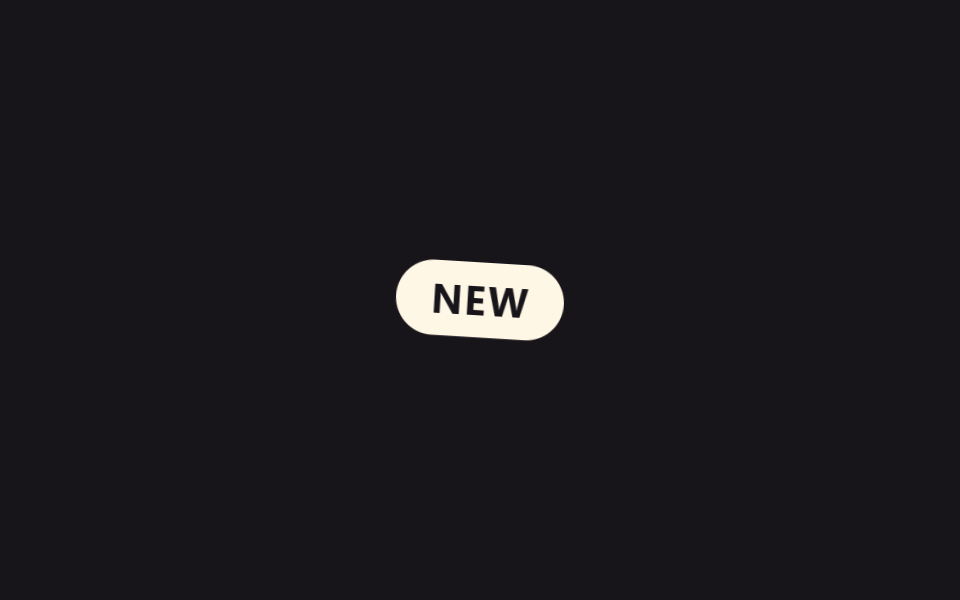
Khai báo biến --animate-pop-spin cùng @keyframes pop-spin ngay trong khối @theme của CSS — không cần tailwind.config.js — thì cái tên đó tự trở thành class animate-pop-spin.
<main class="stage">
  <span class="badge is-demo">NEW</span>
</main>
@use "../../../../site/static/demo-tokens" as *;
// ── 변수 3개 ──────────────────────────────────────────
// Tailwind v4 의 @theme { --animate-pop-spin: pop-spin 900ms ...; } 와 같은 값을
// 여기서는 리터럴 ms 로 그대로 재현한다 (이 편의 목적은 Tailwind 유틸 값의 재현이라
// $dur-* 토큰을 쓰지 않는다 — 무대·피사체 색은 토큰 그대로 쓴다. 사실.md 참고).
$duration: 900ms; // @theme --animate-pop-spin 의 900ms
$easing: cubic-bezier(.34, 1.56, .64, 1); // 살짝 오버슈트하는 back-out 곡선
$color: $subject-cream; // 배지 색
// ── 데모 무대 ──────────────────────────────────────────
@include stage($stage-ink);
.badge {
display: inline-flex;
align-items: center;
justify-content: center;
padding: $sp-2 $sp-4;
border-radius: $r-pill;
background: $color;
color: $subject-ink;
font-weight: 700;
font-size: clamp(14px, 4vw, 18px);
line-height: 1;
font-family: inherit;
letter-spacing: .04em;
opacity: 0;
transform: scale(.5) rotate(-8deg);
}
// 데모: 등장 → 유지 → 사라짐을 2초 주기로 반복 (실사용은 .is-appear 로 한 번만)
.badge.is-demo {
animation: pop-spin-loop 2s $easing infinite;
}
@keyframes pop-spin-loop {
0% { opacity: 0; transform: scale(.5) rotate(-8deg); }
20% { opacity: 1; transform: scale(1.08) rotate(3deg); }
32% { opacity: 1; transform: scale(1) rotate(0deg); }
70% { opacity: 1; transform: scale(1) rotate(0deg); }
100% { opacity: 0; transform: scale(.5) rotate(-8deg); }
}
// 실사용: 한 번만 재생하는 진입 클래스 (JS 가 등장 시점에 건다)
.badge.is-appear {
animation: pop-spin $duration $easing both;
}
@keyframes pop-spin {
0% { opacity: 0; transform: scale(.5) rotate(-8deg); }
60% { opacity: 1; transform: scale(1.08) rotate(3deg); }
100% { opacity: 1; transform: scale(1) rotate(0deg); }
}
// ── 접근성: 움직임 줄이기 설정이면 즉시 나타나기만 ──────
@media (prefers-reduced-motion: reduce) {
.badge.is-demo, .badge.is-appear { animation: none; opacity: 1; transform: none; }
}html, body {
margin: 0;
overflow: hidden;
}
.stage {
box-sizing: border-box;
min-height: 100vh;
display: grid;
place-items: center;
margin: 0;
background: #17141a;
font-family: -apple-system, "Segoe UI", "Noto Sans KR", sans-serif;
padding: clamp(8px, 4vw, 24px);
}
.badge {
display: inline-flex;
align-items: center;
justify-content: center;
padding: 8px 16px;
border-radius: 999px;
background: #fff7e6;
color: #17141a;
font-weight: 700;
font-size: clamp(14px, 4vw, 18px);
line-height: 1;
font-family: inherit;
letter-spacing: 0.04em;
opacity: 0;
transform: scale(0.5) rotate(-8deg);
}
.badge.is-demo {
animation: pop-spin-loop 2s cubic-bezier(0.34, 1.56, 0.64, 1) infinite;
}
@keyframes pop-spin-loop {
0% {
opacity: 0;
transform: scale(0.5) rotate(-8deg);
}
20% {
opacity: 1;
transform: scale(1.08) rotate(3deg);
}
32% {
opacity: 1;
transform: scale(1) rotate(0deg);
}
70% {
opacity: 1;
transform: scale(1) rotate(0deg);
}
100% {
opacity: 0;
transform: scale(0.5) rotate(-8deg);
}
}
.badge.is-appear {
animation: pop-spin 900ms cubic-bezier(0.34, 1.56, 0.64, 1) both;
}
@keyframes pop-spin {
0% {
opacity: 0;
transform: scale(0.5) rotate(-8deg);
}
60% {
opacity: 1;
transform: scale(1.08) rotate(3deg);
}
100% {
opacity: 1;
transform: scale(1) rotate(0deg);
}
}
@media (prefers-reduced-motion: reduce) {
.badge.is-demo, .badge.is-appear {
animation: none;
opacity: 1;
transform: none;
}
}import type { CSSProperties } from "react";
import styles from "./ThemeKeyframesBadge.module.scss";
export type ThemeKeyframesBadgeProps = {
label?: string;
/** @theme --animate-pop-spin 의 지속 시간, ms */
duration?: number;
easing?: string;
color?: string;
};
type Vars = CSSProperties & { "--duration"?: string; "--easing"?: string; "--color"?: string };
export default function ThemeKeyframesBadge({
label = "NEW",
duration = 900,
easing = "cubic-bezier(.34,1.56,.64,1)",
color = "#fff7e6",
}: ThemeKeyframesBadgeProps) {
const vars: Vars = { "--duration": `${duration}ms`, "--easing": easing, "--color": color };
return (
<span className={styles.badge} style={vars}>
{label}
</span>
);
}01 · @theme keyframes tùy chỉnh — Diện tích đo được 2.196% · khung hình chuyển động 11/23Nguyên tác GODRICH · SCSS và React nằm trong tệp zip · Xem mật khẩu
Dùng ở đâu
Badge xoay rồi bật ra, dùng khi có mục mới hoặc số đếm thông báo vừa đổi.
<style>
@theme {
  --animate-pop-spin: pop-spin 900ms cubic-bezier(.34,1.56,.64,1) both;
  @keyframes pop-spin {
    0%   { opacity: 0; transform: scale(.5) rotate(-8deg); }
    60%  { opacity: 1; transform: scale(1.08) rotate(3deg); }
    100% { opacity: 1; transform: scale(1) rotate(0deg); }
  }
}
</style>
<span class="animate-pop-spin motion-reduce:animate-none rounded-full bg-[#fff7e6] px-4 py-2 font-bold">NEW</span>
02Tiện ích entrance tw-animate-css
Chuyện gì diễn ra trên màn hình
Dùng nguyên tổ hợp animate-in fade-in slide-in-from-top-8 duration-500 của plugin tw-animate-css, card bắt đầu ở vị trí cao hơn 32px và trong suốt rồi hạ dần về chỗ cũ trong lúc rõ nét lên.
<main class="stage">
  <div class="card is-demo">
    <p class="card__title">Đã triển khai</p>
    <p class="card__sub">Phiên bản mới vừa lên</p>
  </div>
</main>
@use "../../../../site/static/demo-tokens" as *;
// ── 변수 3개 ──────────────────────────────────────────
// Tailwind 「animate-in fade-in slide-in-from-top-8 duration-500」 의 500ms 를
// 리터럴로 재현 (이 편은 Tailwind 유틸 값을 그대로 옮기는 게 목적 — 사실.md 참고).
$duration: 500ms;
$easing: ease-out;
$color: $subject-cream;
// ── 데모 무대 ──────────────────────────────────────────
@include stage($stage-yellow);
.card {
box-sizing: border-box;
width: min(260px, 84vw);
padding: $sp-6 $sp-6;
border-radius: $r-card;
background: $subject-ink;
box-shadow: $shadow-raised;
opacity: 0;
transform: translateY(-32px); // slide-in-from-top-8 = spacing 8 × 4px = 32px
}
.card__title { margin: 0 0 $sp-1; color: $color; font-weight: 700; font-size: clamp(15px, 4vw, 18px); line-height: 1.3; font-family: inherit; }
.card__sub { margin: 0; color: rgba($subject-cream, .7); font-weight: 400; font-size: clamp(13px, 3.4vw, 14px); line-height: 1.4; font-family: inherit; }
// 데모: 카드가 위에서 내려와 멈춰 있다가, 2초마다 다시 위로 리셋해 반복
.card.is-demo {
animation: slide-in-loop 2s $easing infinite;
}
@keyframes slide-in-loop {
0% { opacity: 0; transform: translateY(-32px); }
25% { opacity: 1; transform: translateY(0); }
85% { opacity: 1; transform: translateY(0); }
100% { opacity: 0; transform: translateY(-32px); }
}
// 실사용: 한 번만 재생 (JS 가 mount 시점에 건다)
.card.is-appear {
animation: slide-in $duration $easing both;
}
@keyframes slide-in {
from { opacity: 0; transform: translateY(-32px); }
to { opacity: 1; transform: translateY(0); }
}
// ── 접근성 ──────────────────────────────────────────
@media (prefers-reduced-motion: reduce) {
.card.is-demo, .card.is-appear { animation: none; opacity: 1; transform: none; }
}html, body {
margin: 0;
overflow: hidden;
}
.stage {
box-sizing: border-box;
min-height: 100vh;
display: grid;
place-items: center;
margin: 0;
background: #ffd23f;
font-family: -apple-system, "Segoe UI", "Noto Sans KR", sans-serif;
padding: clamp(8px, 4vw, 24px);
}
.card {
box-sizing: border-box;
width: min(260px, 84vw);
padding: 24px 24px;
border-radius: 16px;
background: #17141a;
box-shadow: 0 14px 24px rgba(23, 20, 26, 0.32);
opacity: 0;
transform: translateY(-32px);
}
.card__title {
margin: 0 0 4px;
color: #fff7e6;
font-weight: 700;
font-size: clamp(15px, 4vw, 18px);
line-height: 1.3;
font-family: inherit;
}
.card__sub {
margin: 0;
color: rgba(255, 247, 230, 0.7);
font-weight: 400;
font-size: clamp(13px, 3.4vw, 14px);
line-height: 1.4;
font-family: inherit;
}
.card.is-demo {
animation: slide-in-loop 2s ease-out infinite;
}
@keyframes slide-in-loop {
0% {
opacity: 0;
transform: translateY(-32px);
}
25% {
opacity: 1;
transform: translateY(0);
}
85% {
opacity: 1;
transform: translateY(0);
}
100% {
opacity: 0;
transform: translateY(-32px);
}
}
.card.is-appear {
animation: slide-in 500ms ease-out both;
}
@keyframes slide-in {
from {
opacity: 0;
transform: translateY(-32px);
}
to {
opacity: 1;
transform: translateY(0);
}
}
@media (prefers-reduced-motion: reduce) {
.card.is-demo, .card.is-appear {
animation: none;
opacity: 1;
transform: none;
}
}import type { CSSProperties } from "react";
import styles from "./TwAnimateInCard.module.scss";
export type TwAnimateInCardProps = {
title?: string;
subtitle?: string;
/** tw-animate-css 의 duration-500 에 대응, ms */
duration?: number;
easing?: string;
color?: string;
};
type Vars = CSSProperties & { "--duration"?: string; "--easing"?: string; "--color"?: string };
export default function TwAnimateInCard({
title = "Deployed",
subtitle = "The new version just went live",
duration = 500,
easing = "ease-out",
color = "#fff7e6",
}: TwAnimateInCardProps) {
const vars: Vars = { "--duration": `${duration}ms`, "--easing": easing, "--color": color };
return (
<div className={styles.card} style={vars}>
<p className={styles.card__title}>{title}</p>
<p className={styles.card__sub}>{subtitle}</p>
</div>
);
}02 · Tiện ích entrance tw-animate-css — Diện tích đo được 27.637% · khung hình chuyển động 9/23Nguyên tác GODRICH · SCSS và React nằm trong tệp zip · Xem mật khẩu
Chỗ dùng
Hợp cho lúc modal hoặc toast xuất hiện lần đầu.
npm install -D tw-animate-css
<!-- Chỉ cần thêm @import "tw-animate-css"; vào app.css là xong -->
<div
  class="animate-in fade-in slide-in-from-top-8 duration-500
         motion-reduce:animate-none
         rounded-2xl bg-[#17141a] p-6"
>
  <p class="text-[#fff7e6] font-bold">Deployed</p>
  <p class="text-[#fff7e6]/70 text-sm">The new version just went live</p>
</div>
03Tiện ích fade + slide
Chuyển động thế nào
Không cần plugin nào, chỉ định nghĩa một biến --animate-fade-slide trong @theme để gộp opacity và translateY vào chung một keyframe, đoạn văn nổi lên từ dưới 16px bằng đúng một class.
<main class="stage">
  <p class="lead is-demo">Chỉ một dòng là xong<br>Animation Tailwind</p>
</main>
@use "../../../../site/static/demo-tokens" as *;
// ── 변수 3개 ──────────────────────────────────────────
$duration: 400ms;
$easing: ease-out;
$color: $subject-cream;
// ── 데모 무대 ──────────────────────────────────────────
@include stage($stage-orange);
.lead {
margin: 0;
max-width: min(300px, 88vw);
color: $color;
text-align: center;
font-weight: 700;
font-size: clamp(18px, 5.2vw, 24px);
line-height: 1.35;
font-family: inherit;
opacity: 0;
transform: translateY(16px);
}
// 데모: --animate-fade-slide 하나로 문단이 떠오르는 걸 2초마다 반복
.lead.is-demo {
animation: fade-slide-loop 2s $easing infinite;
}
@keyframes fade-slide-loop {
0% { opacity: 0; transform: translateY(16px); }
22% { opacity: 1; transform: translateY(0); }
82% { opacity: 1; transform: translateY(0); }
100% { opacity: 0; transform: translateY(16px); }
}
// 실사용: 한 번만
.lead.is-appear {
animation: fade-slide $duration $easing both;
}
@keyframes fade-slide {
from { opacity: 0; transform: translateY(16px); }
to { opacity: 1; transform: translateY(0); }
}
// ── 접근성 ──────────────────────────────────────────
@media (prefers-reduced-motion: reduce) {
.lead.is-demo, .lead.is-appear { animation: none; opacity: 1; transform: none; }
}html, body {
margin: 0;
overflow: hidden;
}
.stage {
box-sizing: border-box;
min-height: 100vh;
display: grid;
place-items: center;
margin: 0;
background: #ff4d1f;
font-family: -apple-system, "Segoe UI", "Noto Sans KR", sans-serif;
padding: clamp(8px, 4vw, 24px);
}
.lead {
margin: 0;
max-width: min(300px, 88vw);
color: #fff7e6;
text-align: center;
font-weight: 700;
font-size: clamp(18px, 5.2vw, 24px);
line-height: 1.35;
font-family: inherit;
opacity: 0;
transform: translateY(16px);
}
.lead.is-demo {
animation: fade-slide-loop 2s ease-out infinite;
}
@keyframes fade-slide-loop {
0% {
opacity: 0;
transform: translateY(16px);
}
22% {
opacity: 1;
transform: translateY(0);
}
82% {
opacity: 1;
transform: translateY(0);
}
100% {
opacity: 0;
transform: translateY(16px);
}
}
.lead.is-appear {
animation: fade-slide 400ms ease-out both;
}
@keyframes fade-slide {
from {
opacity: 0;
transform: translateY(16px);
}
to {
opacity: 1;
transform: translateY(0);
}
}
@media (prefers-reduced-motion: reduce) {
.lead.is-demo, .lead.is-appear {
animation: none;
opacity: 1;
transform: none;
}
}import type { CSSProperties } from "react";
import styles from "./FadeSlideLead.module.scss";
export type FadeSlideLeadProps = {
children?: string;
duration?: number;
easing?: string;
color?: string;
};
type Vars = CSSProperties & { "--duration"?: string; "--easing"?: string; "--color"?: string };
export default function FadeSlideLead({
children = "One line is all it takes",
duration = 400,
easing = "ease-out",
color = "#fff7e6",
}: FadeSlideLeadProps) {
const vars: Vars = { "--duration": `${duration}ms`, "--easing": easing, "--color": color };
return (
<p className={styles.lead} style={vars}>
{children}
</p>
);
}03 · Tiện ích fade + slide — Diện tích đo được 6.125% · khung hình chuyển động 10/23Nguyên tác GODRICH · SCSS và React nằm trong tệp zip · Xem mật khẩu
Dùng khi nào
Hợp cho đoạn mở hero hoặc tiêu đề section vừa lộ ra.
<style>
@theme {
  --animate-fade-slide: fade-slide 400ms ease-out both;
  @keyframes fade-slide {
    from { opacity: 0; transform: translateY(16px); }
    to   { opacity: 1; transform: translateY(0); }
  }
}
</style>
<p class="animate-fade-slide text-center font-bold text-2xl">One line is all it takes</p>
04scroll-timeline giá trị tùy ý
Bạn thấy gì
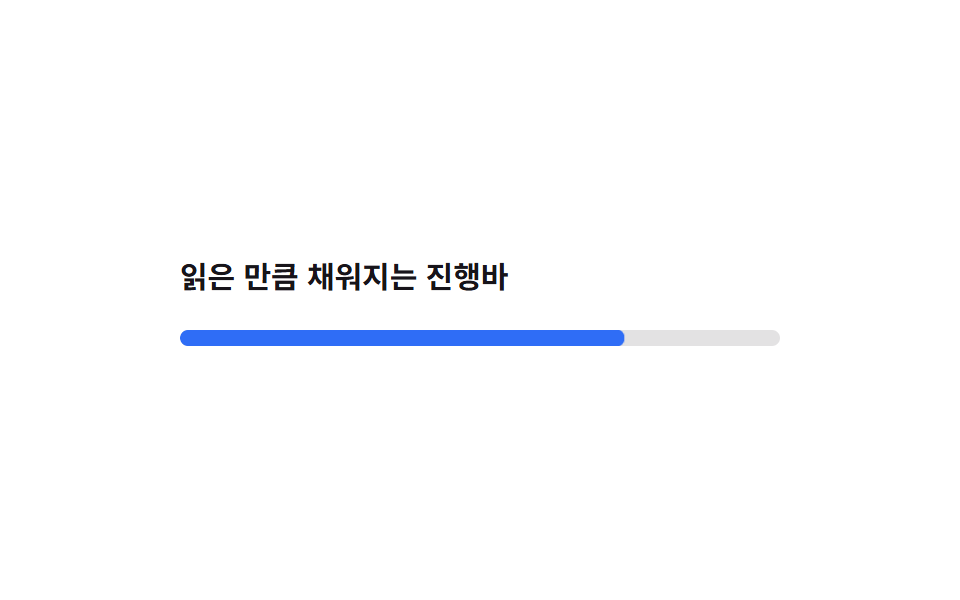
Tailwind chưa có utility riêng cho scroll-timeline nên phải gắn qua thuộc tính tùy ý [animation-timeline:scroll()], nhưng mức hỗ trợ còn lệch giữa các trình duyệt nên demo này dựng lại đúng tiến độ đó bằng một vòng lặp an toàn thay vì cuộn thật.
<main class="stage">
  <div class="page">
    <p class="page__label">Thanh tiến độ lấp đầy theo độ đọc</p>
    <div class="track"><div class="track__fill is-demo"></div></div>
  </div>
</main>
@use "../../../../site/static/demo-tokens" as *;
// ── 변수 3개 ──────────────────────────────────────────
// 실제 스크롤에 물리는 animation-timeline:scroll() 은 브라우저마다 지원이 갈려
// (편브리프 표 참고) 데모에서 쓰지 않는다 — 같은 진행률을 2초 루프로 안전하게 재현한다.
$duration: 2000ms;
$easing: linear;
$color: $subject-blue;
// ── 데모 무대 ──────────────────────────────────────────
@include stage($stage-paper);
.page {
box-sizing: border-box;
width: min(300px, 88vw);
}
.page__label {
margin: 0 0 $sp-4;
color: $subject-ink;
font-weight: 600;
font-size: clamp(13px, 3.6vw, 15px);
line-height: 1.4;
font-family: inherit;
}
.track {
height: $sp-2;
border-radius: $r-pill;
background: rgba($subject-ink, .12);
overflow: hidden;
}
.track__fill {
height: 100%;
border-radius: inherit;
background: $color;
transform-origin: left center; // 규칙8: 진행바 왼쪽 채움
transform: scaleX(0);
}
// 데모: 진행률이 0→1 로 다 차고 나면 리셋해 2초마다 반복
.track__fill.is-demo {
animation: fill-loop $duration $easing infinite;
}
@keyframes fill-loop {
0% { transform: scaleX(0); }
90% { transform: scaleX(1); }
100% { transform: scaleX(1); }
}
// ── 접근성: 움직임 줄이기 설정이면 다 찬 상태로 고정 ──────
@media (prefers-reduced-motion: reduce) {
.track__fill.is-demo { animation: none; transform: scaleX(1); }
}html, body {
margin: 0;
overflow: hidden;
}
.stage {
box-sizing: border-box;
min-height: 100vh;
display: grid;
place-items: center;
margin: 0;
background: #ffffff;
font-family: -apple-system, "Segoe UI", "Noto Sans KR", sans-serif;
padding: clamp(8px, 4vw, 24px);
}
.page {
box-sizing: border-box;
width: min(300px, 88vw);
}
.page__label {
margin: 0 0 16px;
color: #17141a;
font-weight: 600;
font-size: clamp(13px, 3.6vw, 15px);
line-height: 1.4;
font-family: inherit;
}
.track {
height: 8px;
border-radius: 999px;
background: rgba(23, 20, 26, 0.12);
overflow: hidden;
}
.track__fill {
height: 100%;
border-radius: inherit;
background: #2f6df6;
transform-origin: left center;
transform: scaleX(0);
}
.track__fill.is-demo {
animation: fill-loop 2000ms linear infinite;
}
@keyframes fill-loop {
0% {
transform: scaleX(0);
}
90% {
transform: scaleX(1);
}
100% {
transform: scaleX(1);
}
}
@media (prefers-reduced-motion: reduce) {
.track__fill.is-demo {
animation: none;
transform: scaleX(1);
}
}import type { CSSProperties } from "react";
import styles from "./ArbitraryTimelineProgress.module.scss";
export type ArbitraryTimelineProgressProps = {
label?: string;
/** 진행률이 다 차는 시간, ms — 실제 scroll-timeline 대신 안전한 루프로 재현 */
duration?: number;
easing?: string;
color?: string;
};
type Vars = CSSProperties & { "--duration"?: string; "--easing"?: string; "--color"?: string };
export default function ArbitraryTimelineProgress({
label = "A progress bar that fills as you read",
duration = 2000,
easing = "linear",
color = "#2f6df6",
}: ArbitraryTimelineProgressProps) {
const vars: Vars = { "--duration": `${duration}ms`, "--easing": easing, "--color": color };
return (
<div className={styles.page} style={vars}>
<p className={styles.page__label}>{label}</p>
<div className={styles.track}>
<div className={styles.track__fill} />
</div>
</div>
);
}04 · scroll-timeline giá trị tùy ý — Diện tích đo được 1.661% · khung hình chuyển động 22/23Nguyên tác GODRICH · SCSS và React nằm trong tệp zip · Xem mật khẩu
Dùng ở đâu
Hợp cho thanh tiến độ đọc bài dài hoặc chỉ báo cuộn trên landing page.
<!-- Chỉ dùng trên trình duyệt hỗ trợ: kiểm tra phạm vi hỗ trợ trên caniuse.com trước -->
<div class="h-2 rounded-full bg-black/10">
  <div
    class="h-full rounded-full bg-[#2f6df6] origin-left
           animate-[fill_1s_linear] [animation-timeline:scroll()] [animation-range:0%_100%]"
  ></div>
</div>
05Icon group-hover
Chuyện gì diễn ra trên màn hình
Gắn group lên phần tử cha và group-hover:translate-x-1 lên icon, hover bất kỳ chỗ nào trên card cũng chỉ đẩy mũi tên bên trong dịch phải 4px.
<main class="stage">
  <a class="card group is-demo" href="#" onclick="return false">
    <span class="card__text">Tìm hiểu thêm</span>
    <span class="arrow">
      <span class="arrow__line"></span>
      <span class="arrow__head"></span>
    </span>
  </a>
</main>
@use "../../../../site/static/demo-tokens" as *;
// ── 변수 3개 ──────────────────────────────────────────
$duration: 200ms;
$easing: ease-out;
$color: $subject-blue;
// ── 데모 무대 ──────────────────────────────────────────
@include stage($stage-ink);
.card {
display: inline-flex;
align-items: center;
gap: $sp-3;
padding: $sp-4 $sp-6;
border-radius: $r-control;
background: rgba($subject-cream, .08);
border: 1px solid rgba($subject-cream, .18);
text-decoration: none;
cursor: pointer;
}
.card__text {
color: $subject-cream;
font-weight: 600;
font-size: clamp(14px, 4vw, 16px);
line-height: 1;
font-family: inherit;
}
.arrow {
position: relative;
width: 18px;
height: 14px;
}
.arrow__line {
position: absolute;
left: 0; top: 6px;
width: 14px; height: 2px;
background: $color;
transform-origin: left center; // 규칙8: 화살대 왼쪽 고정 신장
transition: transform $duration $easing;
}
.arrow__head {
position: absolute;
right: 0; top: 1px;
width: 9px; height: 9px;
border-top: 2px solid $color;
border-right: 2px solid $color;
transform: rotate(45deg);
transition: transform $duration $easing;
}
// 실사용: group-hover — 카드 어디를 호버해도 화살표만 오른쪽으로 4px
.card:hover .arrow__line,
.card:focus-visible .arrow__line { transform: translateX(4px) scaleX(1.08); }
.card:hover .arrow__head,
.card:focus-visible .arrow__head { transform: translate(4px, 0) rotate(45deg); }
// 데모: 호버를 걸 수 없으니 2초마다 같은 움직임을 스스로 반복
.card.is-demo .arrow__line { animation: nudge-line 2s $easing infinite; }
.card.is-demo .arrow__head { animation: nudge-head 2s $easing infinite; }
@keyframes nudge-line {
0%, 30% { transform: translateX(0) scaleX(1); }
55% { transform: translateX(4px) scaleX(1.08); }
80%, 100% { transform: translateX(0) scaleX(1); }
}
@keyframes nudge-head {
0%, 30% { transform: translate(0, 0) rotate(45deg); }
55% { transform: translate(4px, 0) rotate(45deg); }
80%, 100% { transform: translate(0, 0) rotate(45deg); }
}
// ── 접근성 ──────────────────────────────────────────
@media (prefers-reduced-motion: reduce) {
.arrow__line, .arrow__head { transition: none; }
.card.is-demo .arrow__line, .card.is-demo .arrow__head { animation: none; }
}html, body {
margin: 0;
overflow: hidden;
}
.stage {
box-sizing: border-box;
min-height: 100vh;
display: grid;
place-items: center;
margin: 0;
background: #17141a;
font-family: -apple-system, "Segoe UI", "Noto Sans KR", sans-serif;
padding: clamp(8px, 4vw, 24px);
}
.card {
display: inline-flex;
align-items: center;
gap: 12px;
padding: 16px 24px;
border-radius: 12px;
background: rgba(255, 247, 230, 0.08);
border: 1px solid rgba(255, 247, 230, 0.18);
text-decoration: none;
cursor: pointer;
}
.card__text {
color: #fff7e6;
font-weight: 600;
font-size: clamp(14px, 4vw, 16px);
line-height: 1;
font-family: inherit;
}
.arrow {
position: relative;
width: 18px;
height: 14px;
}
.arrow__line {
position: absolute;
left: 0;
top: 6px;
width: 14px;
height: 2px;
background: #2f6df6;
transform-origin: left center;
transition: transform 200ms ease-out;
}
.arrow__head {
position: absolute;
right: 0;
top: 1px;
width: 9px;
height: 9px;
border-top: 2px solid #2f6df6;
border-right: 2px solid #2f6df6;
transform: rotate(45deg);
transition: transform 200ms ease-out;
}
.card:hover .arrow__line,
.card:focus-visible .arrow__line {
transform: translateX(4px) scaleX(1.08);
}
.card:hover .arrow__head,
.card:focus-visible .arrow__head {
transform: translate(4px, 0) rotate(45deg);
}
.card.is-demo .arrow__line {
animation: nudge-line 2s ease-out infinite;
}
.card.is-demo .arrow__head {
animation: nudge-head 2s ease-out infinite;
}
@keyframes nudge-line {
0%, 30% {
transform: translateX(0) scaleX(1);
}
55% {
transform: translateX(4px) scaleX(1.08);
}
80%, 100% {
transform: translateX(0) scaleX(1);
}
}
@keyframes nudge-head {
0%, 30% {
transform: translate(0, 0) rotate(45deg);
}
55% {
transform: translate(4px, 0) rotate(45deg);
}
80%, 100% {
transform: translate(0, 0) rotate(45deg);
}
}
@media (prefers-reduced-motion: reduce) {
.arrow__line, .arrow__head {
transition: none;
}
.card.is-demo .arrow__line, .card.is-demo .arrow__head {
animation: none;
}
}import type { CSSProperties, MouseEvent } from "react";
import styles from "./GroupHoverIconCard.module.scss";
export type GroupHoverIconCardProps = {
label?: string;
duration?: number;
easing?: string;
color?: string;
};
type Vars = CSSProperties & { "--duration"?: string; "--easing"?: string; "--color"?: string };
export default function GroupHoverIconCard({
label = "Learn more",
duration = 200,
easing = "ease-out",
color = "#2f6df6",
}: GroupHoverIconCardProps) {
const vars: Vars = { "--duration": `${duration}ms`, "--easing": easing, "--color": color };
return (
<a className={styles.card} href="#" style={vars} onClick={(e: MouseEvent) => e.preventDefault()}>
<span className={styles.card__text}>{label}</span>
<span className={styles.arrow}>
<span className={styles.arrow__line} />
<span className={styles.arrow__head} />
</span>
</a>
);
}05 · Icon group-hover — Diện tích đo được 0.098% · khung hình chuyển động 12/23Nguyên tác GODRICH · SCSS và React nằm trong tệp zip · Xem mật khẩu
Chỗ dùng
Hợp cho CTA dạng card hoặc mũi tên ở cuối một dòng danh sách.
<a class="group inline-flex items-center gap-3 rounded-xl bg-white/8 px-6 py-4" href="/more">
  <span class="text-[#fff7e6] font-semibold">Tìm hiểu thêm</span>
  <svg class="size-4 text-[#2f6df6] transition-transform duration-200
              group-hover:translate-x-1 group-focus-visible:translate-x-1" viewBox="0 0 24 24">
    <path d="M4 12h14M13 6l6 6-6 6" fill="none" stroke="currentColor" stroke-width="2" />
  </svg>
</a>
06Animation theo data-state (shadcn)
Chuyển động thế nào
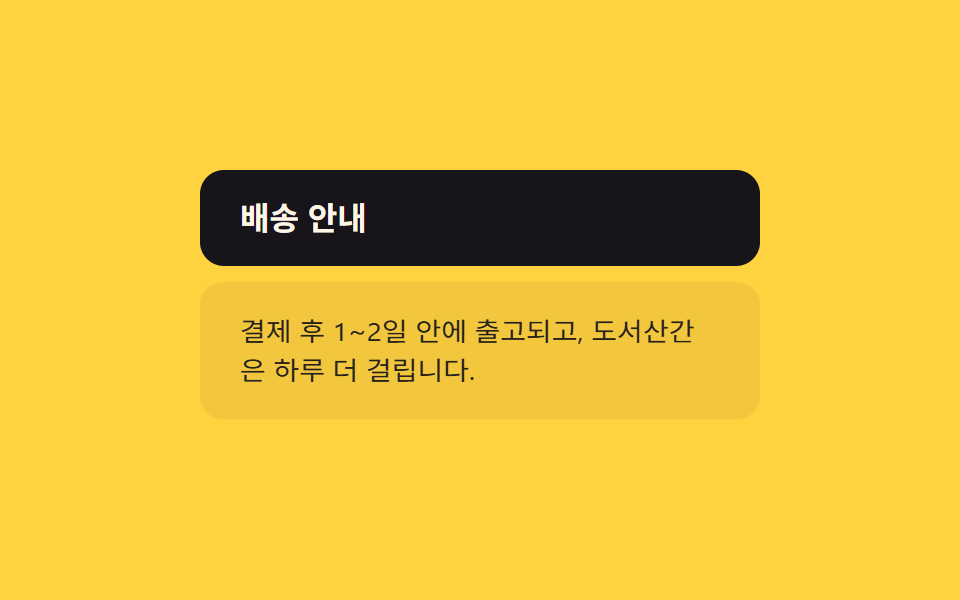
Như các component của shadcn, JS chỉ đổi thuộc tính data-state="open", còn CSS dùng biến thể data-[state=open]: để đặt scale-y-100 và opacity-100.
<main class="stage">
  <div class="acc">
    <button class="acc__trigger" type="button" aria-expanded="false">Thông tin giao hàng</button>
    <div class="acc__panel is-demo" data-state="closed">
      <p>Giao trong 1-2 ngày sau thanh toán; vùng xa thêm 1 ngày.</p>
    </div>
  </div>
</main>
@use "../../../../site/static/demo-tokens" as *;
// ── 변수 3개 ──────────────────────────────────────────
$duration: 220ms;
$easing: ease-out;
$color: $subject-ink;
// ── 데모 무대 ──────────────────────────────────────────
@include stage($stage-yellow);
.acc {
box-sizing: border-box;
width: min(280px, 88vw);
}
.acc__trigger {
width: 100%;
padding: $sp-4 $sp-5;
border: 0;
border-radius: $r-control;
background: $color;
color: $subject-cream;
font-weight: 700;
font-size: clamp(14px, 4vw, 16px);
line-height: 1;
font-family: inherit;
text-align: left;
cursor: pointer;
}
.acc__panel {
margin-top: $sp-2;
padding: $sp-4 $sp-5;
border-radius: $r-control;
background: rgba($subject-ink, .06);
transform-origin: top center; // 규칙8: 패널 윗변에서 펼쳐짐
transform: scaleY(0);
opacity: 0;
transition: transform $duration $easing, opacity $duration $easing;
p { margin: 0; color: $subject-ink; font-weight: 400; font-size: clamp(13px, 3.6vw, 14px); line-height: 1.5; font-family: inherit; }
}
// 실사용: [data-state=open] 만 보고 움직인다. width/height 는 건드리지 않는다
.acc__panel[data-state="open"] {
transform: scaleY(1);
opacity: 1;
}
// 데모: transition 은 getAnimations() 에 안 잡혀 렌더 시계로 못 잰다 (blog-demo 실패시표) —
// is-demo 는 같은 모양을 @keyframes 로 2초마다 반복해 측정 가능하게 만든다
.acc__panel.is-demo {
animation: acc-loop 2s $easing infinite;
}
@keyframes acc-loop {
0%, 8% { transform: scaleY(0); opacity: 0; }
35%, 65% { transform: scaleY(1); opacity: 1; }
92%, 100% { transform: scaleY(0); opacity: 0; }
}
// ── 접근성 ──────────────────────────────────────────
@media (prefers-reduced-motion: reduce) {
.acc__panel { transition: opacity $duration linear; transform: none; animation: none; }
.acc__panel[data-state="closed"] { opacity: 0; }
}html, body {
margin: 0;
overflow: hidden;
}
.stage {
box-sizing: border-box;
min-height: 100vh;
display: grid;
place-items: center;
margin: 0;
background: #ffd23f;
font-family: -apple-system, "Segoe UI", "Noto Sans KR", sans-serif;
padding: clamp(8px, 4vw, 24px);
}
.acc {
box-sizing: border-box;
width: min(280px, 88vw);
}
.acc__trigger {
width: 100%;
padding: 16px 20px;
border: 0;
border-radius: 12px;
background: #17141a;
color: #fff7e6;
font-weight: 700;
font-size: clamp(14px, 4vw, 16px);
line-height: 1;
font-family: inherit;
text-align: left;
cursor: pointer;
}
.acc__panel {
margin-top: 8px;
padding: 16px 20px;
border-radius: 12px;
background: rgba(23, 20, 26, 0.06);
transform-origin: top center;
transform: scaleY(0);
opacity: 0;
transition: transform 220ms ease-out, opacity 220ms ease-out;
}
.acc__panel p {
margin: 0;
color: #17141a;
font-weight: 400;
font-size: clamp(13px, 3.6vw, 14px);
line-height: 1.5;
font-family: inherit;
}
.acc__panel[data-state=open] {
transform: scaleY(1);
opacity: 1;
}
.acc__panel.is-demo {
animation: acc-loop 2s ease-out infinite;
}
@keyframes acc-loop {
0%, 8% {
transform: scaleY(0);
opacity: 0;
}
35%, 65% {
transform: scaleY(1);
opacity: 1;
}
92%, 100% {
transform: scaleY(0);
opacity: 0;
}
}
@media (prefers-reduced-motion: reduce) {
.acc__panel {
transition: opacity 220ms linear;
transform: none;
animation: none;
}
.acc__panel[data-state=closed] {
opacity: 0;
}
}// data-state 를 토글하는 최소 로직. CSS 가 [data-state=open] 을 보고 움직인다.
var t = document.querySelector('.acc__trigger');
var p = document.querySelector('.acc__panel');
function toggle() {
var open = p.getAttribute('data-state') === 'open';
p.setAttribute('data-state', open ? 'closed' : 'open');
t.setAttribute('aria-expanded', String(!open));
}
t.addEventListener('click', toggle); // 실사용: 클릭마다 data-state 토글 (데모 루프는 .is-demo 키프레임)import { useState } from "react";
import type { CSSProperties } from "react";
import styles from "./DataStateAccordion.module.scss";
export type DataStateAccordionProps = {
trigger?: string;
children?: string;
duration?: number;
easing?: string;
color?: string;
};
type Vars = CSSProperties & { "--duration"?: string; "--easing"?: string; "--color"?: string };
export default function DataStateAccordion({
trigger = "Shipping info",
children = "Ships within 1-2 days of payment; remote areas take one extra day.",
duration = 220,
easing = "ease-out",
color = "#17141a",
}: DataStateAccordionProps) {
const [open, setOpen] = useState(false);
const vars: Vars = { "--duration": `${duration}ms`, "--easing": easing, "--color": color };
return (
<div className={styles.acc} style={vars}>
<button
type="button"
className={styles.acc__trigger}
aria-expanded={open}
onClick={() => setOpen((v) => !v)}
>
{trigger}
</button>
<div className={styles.acc__panel} data-state={open ? "open" : "closed"}>
<p>{children}</p>
</div>
</div>
);
}06 · Animation theo data-state (shadcn) — Diện tích đo được 14.289% · khung hình chuyển động 13/23Nguyên tác GODRICH · SCSS và React nằm trong tệp zip · Xem mật khẩu
Dùng khi nào
Điểm mấu chốt là không đụng vào width, height hay grid-template-rows — những thuộc tính buộc trình duyệt tính lại layout mỗi khung hình.
<button onclick="p.dataset.state = p.dataset.state === 'open' ? 'closed' : 'open'"
        aria-expanded="false" class="w-full rounded-xl bg-[#17141a] px-5 py-4 text-left text-[#fff7e6]">
  Thông tin vận chuyển
</button>
<div id="p" data-state="closed"
     class="origin-top scale-y-0 opacity-0 transition-all duration-200
            data-[state=open]:scale-y-100 data-[state=open]:opacity-100">
  <p>Giao hàng trong 1-2 ngày sau khi thanh toán.</p>
</div>
07Guard motion-safe
Bạn thấy gì
Không cần viết riêng @media, chỉ cần đặt motion-safe:-translate-y-1 cạnh motion-reduce:shadow-md, người dùng đã giảm chuyển động chỉ thấy bóng đổ nhạt đi còn cú nhấc lên chưa từng được gắn vào từ đầu.
<main class="stage">
  <button class="btn is-demo" type="button">Lưu thay đổi</button>
</main>
@use "../../../../site/static/demo-tokens" as *;
// ── 변수 3개 ──────────────────────────────────────────
$duration: 220ms;
$easing: cubic-bezier(.2, .8, .2, 1);
$color: $subject-cream;
// ── 데모 무대 ──────────────────────────────────────────
@include stage($stage-orange);
.btn {
border: 0;
border-radius: $r-control;
padding: $sp-4 $sp-8;
font-weight: 700;
font-size: clamp(15px, 4vw, 17px);
line-height: 1;
font-family: inherit;
color: $subject-ink;
background: $color;
cursor: pointer;
box-shadow: $shadow-press;
}
// 실사용: motion-safe: 에서만 뜨고, motion-reduce: 는 그림자만 옅게
@media (prefers-reduced-motion: no-preference) {
.btn {
transition: transform $duration $easing, box-shadow $duration $easing;
&:hover, &:focus-visible { transform: translateY(-4px); box-shadow: $shadow-raised; }
&:active { transform: translateY(-1px); }
}
}
@media (prefers-reduced-motion: reduce) {
.btn { transition: box-shadow $duration linear; }
.btn:hover, .btn:focus-visible { box-shadow: $shadow-raised; }
}
// 데모: 호버를 강제로 2초마다 반복 — reduced-motion 이 아닐 때만
.btn.is-demo {
@media (prefers-reduced-motion: no-preference) {
animation: lift-loop 2s $easing infinite;
}
}
@keyframes lift-loop {
0%, 25% { transform: translateY(0); box-shadow: $shadow-press; }
50% { transform: translateY(-4px); box-shadow: $shadow-raised; }
75%, 100% { transform: translateY(0); box-shadow: $shadow-press; }
}html, body {
margin: 0;
overflow: hidden;
}
.stage {
box-sizing: border-box;
min-height: 100vh;
display: grid;
place-items: center;
margin: 0;
background: #ff4d1f;
font-family: -apple-system, "Segoe UI", "Noto Sans KR", sans-serif;
padding: clamp(8px, 4vw, 24px);
}
.btn {
border: 0;
border-radius: 12px;
padding: 16px 32px;
font-weight: 700;
font-size: clamp(15px, 4vw, 17px);
line-height: 1;
font-family: inherit;
color: #17141a;
background: #fff7e6;
cursor: pointer;
box-shadow: 0 6px 12px rgba(23, 20, 26, 0.32);
}
@media (prefers-reduced-motion: no-preference) {
.btn {
transition: transform 220ms cubic-bezier(0.2, 0.8, 0.2, 1), box-shadow 220ms cubic-bezier(0.2, 0.8, 0.2, 1);
}
.btn:hover, .btn:focus-visible {
transform: translateY(-4px);
box-shadow: 0 14px 24px rgba(23, 20, 26, 0.32);
}
.btn:active {
transform: translateY(-1px);
}
}
@media (prefers-reduced-motion: reduce) {
.btn {
transition: box-shadow 220ms linear;
}
.btn:hover, .btn:focus-visible {
box-shadow: 0 14px 24px rgba(23, 20, 26, 0.32);
}
}
@media (prefers-reduced-motion: no-preference) {
.btn.is-demo {
animation: lift-loop 2s cubic-bezier(0.2, 0.8, 0.2, 1) infinite;
}
}
@keyframes lift-loop {
0%, 25% {
transform: translateY(0);
box-shadow: 0 6px 12px rgba(23, 20, 26, 0.32);
}
50% {
transform: translateY(-4px);
box-shadow: 0 14px 24px rgba(23, 20, 26, 0.32);
}
75%, 100% {
transform: translateY(0);
box-shadow: 0 6px 12px rgba(23, 20, 26, 0.32);
}
}import type { CSSProperties } from "react";
import styles from "./MotionSafeButton.module.scss";
export type MotionSafeButtonProps = {
label?: string;
duration?: number;
easing?: string;
color?: string;
};
type Vars = CSSProperties & { "--duration"?: string; "--easing"?: string; "--color"?: string };
export default function MotionSafeButton({
label = "Save changes",
duration = 220,
easing = "cubic-bezier(.2,.8,.2,1)",
color = "#fff7e6",
}: MotionSafeButtonProps) {
const vars: Vars = { "--duration": `${duration}ms`, "--easing": easing, "--color": color };
return (
<button type="button" className={styles.btn} style={vars}>
{label}
</button>
);
}07 · Guard motion-safe — Diện tích đo được 3.297% · khung hình chuyển động 8/23Nguyên tác GODRICH · SCSS và React nằm trong tệp zip · Xem mật khẩu
Dùng ở đâu
Hợp cho phản hồi hover của CTA chính như nút lưu.
<button
  class="rounded-xl bg-[#fff7e6] px-8 py-4 font-bold shadow-md transition-all duration-200
         motion-safe:hover:-translate-y-1 motion-safe:hover:shadow-lg
         motion-reduce:hover:shadow-md"
>
  Lưu thay đổi
</button>
08Tiện ích spin
Chuyện gì diễn ra trên màn hình
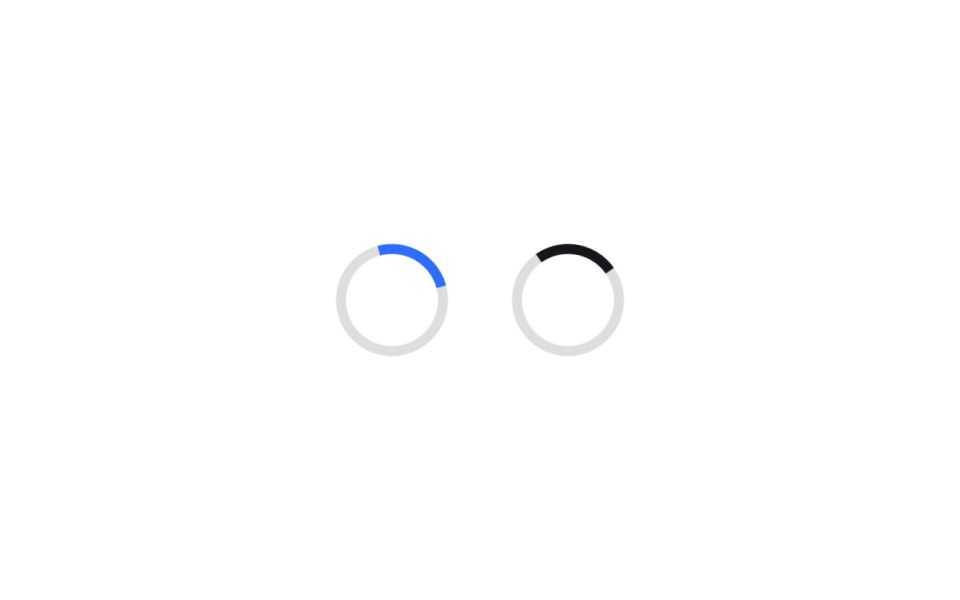
Giữ nguyên animate-spin có sẵn (1 giây) và chỉ thêm --animate-spin-slow: spin 3s linear infinite; vào @theme, logo và vòng loading cùng dùng một phép xoay nhưng khác tốc độ.
<main class="stage">
  <div class="row">
    <span class="ring ring--fast" aria-hidden="true"></span>
    <span class="ring ring--slow" aria-hidden="true"></span>
  </div>
</main>
@use "../../../../site/static/demo-tokens" as *;
// ── 변수 3개 ──────────────────────────────────────────
$duration: 1000ms; // 기본 animate-spin 과 같은 1초
$easing: linear;
$color: $subject-blue;
// ── 데모 무대 ──────────────────────────────────────────
@include stage($stage-paper);
.row {
display: flex;
align-items: center;
gap: $sp-8;
}
.ring {
box-sizing: border-box;
width: 56px;
height: 56px;
border-radius: 50%;
border: 5px solid rgba($subject-ink, .14);
}
// 기본 --animate-spin 그대로 (1초 linear)
.ring--fast {
border-top-color: $color;
animation: spin $duration $easing infinite;
}
// 확장한 --animate-spin-slow (3초 linear) — 같은 spin 키프레임을 속도만 다르게 공유
.ring--slow {
border-top-color: $subject-ink;
animation: spin 3000ms $easing infinite;
}
@keyframes spin {
to { transform: rotate(360deg); }
}
// ── 접근성 ──────────────────────────────────────────
@media (prefers-reduced-motion: reduce) {
.ring--fast, .ring--slow { animation: none; }
}html, body {
margin: 0;
overflow: hidden;
}
.stage {
box-sizing: border-box;
min-height: 100vh;
display: grid;
place-items: center;
margin: 0;
background: #ffffff;
font-family: -apple-system, "Segoe UI", "Noto Sans KR", sans-serif;
padding: clamp(8px, 4vw, 24px);
}
.row {
display: flex;
align-items: center;
gap: 32px;
}
.ring {
box-sizing: border-box;
width: 56px;
height: 56px;
border-radius: 50%;
border: 5px solid rgba(23, 20, 26, 0.14);
}
.ring--fast {
border-top-color: #2f6df6;
animation: spin 1000ms linear infinite;
}
.ring--slow {
border-top-color: #17141a;
animation: spin 3000ms linear infinite;
}
@keyframes spin {
to {
transform: rotate(360deg);
}
}
@media (prefers-reduced-motion: reduce) {
.ring--fast, .ring--slow {
animation: none;
}
}import type { CSSProperties } from "react";
import styles from "./SpinUtilRings.module.scss";
export type SpinUtilRingsProps = {
/** 기본 animate-spin 속도, ms */
duration?: number;
/** --animate-spin-slow 속도, ms */
slowDuration?: number;
easing?: string;
color?: string;
};
type Vars = CSSProperties & {
"--duration"?: string;
"--slow-duration"?: string;
"--easing"?: string;
"--color"?: string;
};
export default function SpinUtilRings({
duration = 1000,
slowDuration = 3000,
easing = "linear",
color = "#2f6df6",
}: SpinUtilRingsProps) {
const vars: Vars = {
"--duration": `${duration}ms`,
"--slow-duration": `${slowDuration}ms`,
"--easing": easing,
"--color": color,
};
return (
<div className={styles.row} style={vars}>
<span className={styles.ring} aria-hidden="true" />
<span className={`${styles.ring} ${styles["ring--slow"]}`} aria-hidden="true" />
</div>
);
}08 · Tiện ích spin — Diện tích đo được 1.432% · khung hình chuyển động 23/23Nguyên tác GODRICH · SCSS và React nằm trong tệp zip · Xem mật khẩu
Chỗ dùng
Không cần dựng thêm @keyframes mới nào.
<style>
@theme {
  --animate-spin-slow: spin 3s linear infinite;
}
</style>
<div class="flex items-center gap-8">
  <span class="animate-spin size-14 rounded-full border-4 border-black/10 border-t-[#2f6df6]"></span>
  <span class="animate-spin-slow size-14 rounded-full border-4 border-black/10 border-t-[#17141a]"></span>
</div>
09Tiện ích stagger
Chuyển động thế nào
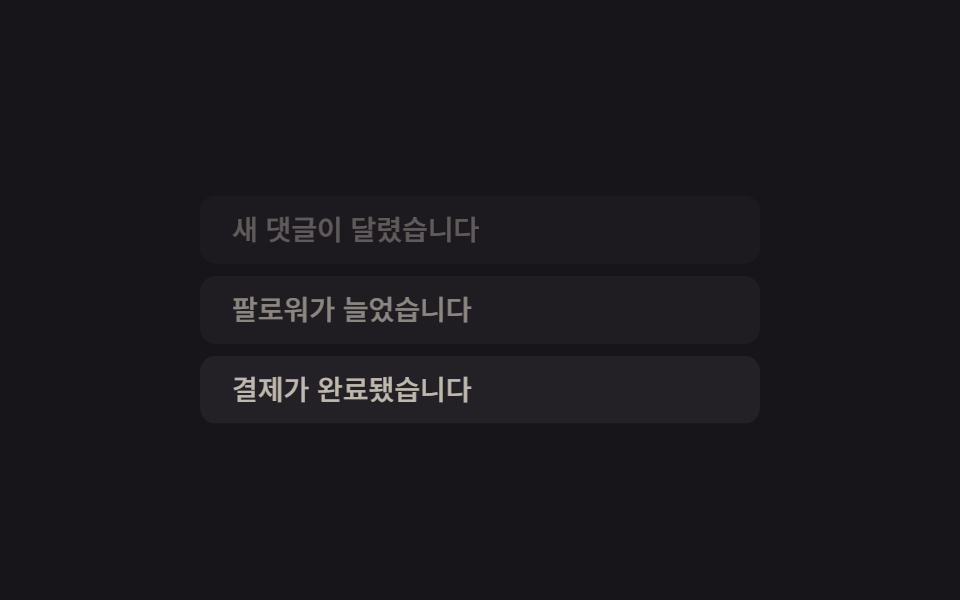
Mỗi item trong danh sách chỉ đổi [animation-delay:calc(var(--i)*80ms)] với --i tăng dần 0, 1, 2, cùng một class animate-fade-slide sẽ nổi lên lần lượt cách nhau 80ms.
<main class="stage">
  <ul class="list is-demo">
    <li class="list__item" style="--i:0">Có bình luận mới</li>
    <li class="list__item" style="--i:1">Bạn có người theo dõi mới</li>
    <li class="list__item" style="--i:2">Thanh toán hoàn tất</li>
  </ul>
</main>
@use "../../../../site/static/demo-tokens" as *;
// ── 변수 3개 ──────────────────────────────────────────
$duration: 400ms;
$easing: ease-out;
$color: $subject-cream;
// ── 데모 무대 ──────────────────────────────────────────
@include stage($stage-ink);
.list {
list-style: none;
margin: 0;
padding: 0;
display: flex;
flex-direction: column;
gap: $sp-2;
width: min(280px, 88vw);
}
.list__item {
padding: $sp-2 $sp-4;
border-radius: $r-sm;
background: rgba($subject-cream, .08);
color: $color;
font-weight: 500;
font-size: clamp(12px, 3.4vw, 14px);
line-height: 1.3;
font-family: inherit;
opacity: 0;
transform: translateY(10px);
}
// 실사용: 각 항목의 --i 만 바꿔 [animation-delay:calc(var(--i)*80ms)] 로 순서를 만든다
.list.is-demo .list__item {
animation: stagger-in-loop 2s $easing infinite;
animation-delay: calc(var(--i) * 80ms);
}
@keyframes stagger-in-loop {
0% { opacity: 0; transform: translateY(10px); }
20% { opacity: 1; transform: translateY(0); }
75% { opacity: 1; transform: translateY(0); }
100% { opacity: 0; transform: translateY(10px); }
}
// 실사용 단발 버전
.list.is-appear .list__item {
animation: stagger-in $duration $easing both;
animation-delay: calc(var(--i) * 80ms);
}
@keyframes stagger-in {
from { opacity: 0; transform: translateY(10px); }
to { opacity: 1; transform: translateY(0); }
}
// ── 접근성 ──────────────────────────────────────────
@media (prefers-reduced-motion: reduce) {
.list__item { animation: none !important; opacity: 1; transform: none; }
}html, body {
margin: 0;
overflow: hidden;
}
.stage {
box-sizing: border-box;
min-height: 100vh;
display: grid;
place-items: center;
margin: 0;
background: #17141a;
font-family: -apple-system, "Segoe UI", "Noto Sans KR", sans-serif;
padding: clamp(8px, 4vw, 24px);
}
.list {
list-style: none;
margin: 0;
padding: 0;
display: flex;
flex-direction: column;
gap: 8px;
width: min(280px, 88vw);
}
.list__item {
padding: 8px 16px;
border-radius: 8px;
background: rgba(255, 247, 230, 0.08);
color: #fff7e6;
font-weight: 500;
font-size: clamp(12px, 3.4vw, 14px);
line-height: 1.3;
font-family: inherit;
opacity: 0;
transform: translateY(10px);
}
.list.is-demo .list__item {
animation: stagger-in-loop 2s ease-out infinite;
animation-delay: calc(var(--i) * 80ms);
}
@keyframes stagger-in-loop {
0% {
opacity: 0;
transform: translateY(10px);
}
20% {
opacity: 1;
transform: translateY(0);
}
75% {
opacity: 1;
transform: translateY(0);
}
100% {
opacity: 0;
transform: translateY(10px);
}
}
.list.is-appear .list__item {
animation: stagger-in 400ms ease-out both;
animation-delay: calc(var(--i) * 80ms);
}
@keyframes stagger-in {
from {
opacity: 0;
transform: translateY(10px);
}
to {
opacity: 1;
transform: translateY(0);
}
}
@media (prefers-reduced-motion: reduce) {
.list__item {
animation: none !important;
opacity: 1;
transform: none;
}
}import type { CSSProperties } from "react";
import styles from "./StaggerUtilList.module.scss";
export type StaggerUtilListProps = {
items?: string[];
duration?: number;
/** 항목 사이 지연, ms — [animation-delay:calc(var(--i)*80ms)] 의 80 */
step?: number;
easing?: string;
color?: string;
};
type ItemVars = CSSProperties & { "--i"?: number };
type Vars = CSSProperties & {
"--duration"?: string;
"--step"?: string;
"--easing"?: string;
"--color"?: string;
};
export default function StaggerUtilList({
items = [
"A new comment was posted",
"You have a new follower",
"Payment completed",
],
duration = 400,
step = 80,
easing = "ease-out",
color = "#fff7e6",
}: StaggerUtilListProps) {
const vars: Vars = {
"--duration": `${duration}ms`,
"--step": `${step}ms`,
"--easing": easing,
"--color": color,
};
return (
<ul className={styles.list} style={vars}>
{items.map((text, i) => {
const itemVars: ItemVars = { "--i": i };
return (
<li key={text} className={styles.list__item} style={itemVars}>
{text}
</li>
);
})}
</ul>
);
}09 · Tiện ích stagger — Diện tích đo được 20.843% · khung hình chuyển động 12/23Nguyên tác GODRICH · SCSS và React nằm trong tệp zip · Xem mật khẩu
Dùng khi nào
Hợp cho danh sách thông báo hoặc card dashboard tải lần lượt.
<ul class="flex flex-col gap-2">
  <li style="--i:0" class="animate-fade-slide [animation-delay:calc(var(--i)*80ms)] rounded-lg bg-white/8 px-4 py-2">
    Có bình luận mới
  </li>
  <li style="--i:1" class="animate-fade-slide [animation-delay:calc(var(--i)*80ms)] rounded-lg bg-white/8 px-4 py-2">
    Bạn có thêm người theo dõi
  </li>
  <li style="--i:2" class="animate-fade-slide [animation-delay:calc(var(--i)*80ms)] rounded-lg bg-white/8 px-4 py-2">
    Thanh toán đã hoàn tất
  </li>
</ul>
Bẫy nằm ở đâu khi chuyển sang v4?
Cấu hình v3 còn sót khi lên v4
Bẫy hay gặp nhất xảy ra ngay lúc nâng cấp từ v3: giữ nguyên theme.extend.keyframes và theme.extend.animation trong tailwind.config.js rồi chỉ đổi tên class sang animate-pop-spin thì không có gì chạy cả. Tailwind v4 là CSS-first nên file config đó bị bỏ qua hoàn toàn — định nghĩa phải chuyển hẳn vào khối @theme trong CSS như tài liệu chính thức yêu cầu. Ở mục 06 cũng dễ bị cám dỗ dùng grid-template-rows: 0fr → 1fr để mở khay accordion, nhưng thuộc tính đó buộc trình duyệt tính lại kích thước track mỗi khung hình, phá nguyên tắc chỉ động transform và opacity của cả bài, nên riêng file zip của mục 06 gấp bằng scaleY cùng transform-origin: top thay thế. Mục 08 spin cũng suýt vướng lỗi tương tự: dựng thêm một @keyframes riêng cho vòng thứ hai chỉ làm phình CSS đã biên dịch, còn cách đúng là để cả hai vòng dùng chung spin và chỉ đổi animation-duration — file nén giữ đúng bản rút gọn đó, khóa bằng mtsjkxrf, tám ký tự chỉ gồm chữ thường và số.
Khả năng tiếp cận
Hai nhóm khi giảm chuyển động
Chín tiện ích đều phản hồi prefers-reduced-motion nhưng chia làm hai nhóm rõ rệt. Nhóm dùng animate-*/@keyframes (01, 02, 03, 04, 06, 08, 09) tắt hẳn animation qua motion-reduce:animate-none hoặc tương đương và dừng thẳng ở trạng thái cuối — badge hiện sẵn, card đã rõ nét, progress-bar đã đầy. Nhóm 05 và 07 không tắt gì cả vì động tác hover của chúng chưa từng được gắn ngoài khối motion-safe: ngay từ đầu. Panel ở mục 06 vẫn giữ opacity để trạng thái mở/đóng còn đọc được dù chuyển động đã tắt. Phạm vi hỗ trợ trình duyệt của media query này nằm ở trang prefers-reduced-motion của MDN.
Các bài về Tailwind và CSS animation khác nằm trong chuyên mục CSS, còn trang giới thiệu nói rõ site này bán gì.
FAQ
Cấu hình animation kiểu tailwind.config.js của v3 còn dùng được trong v4 không?
Không. v4 theo hướng CSS-first nên hoàn toàn không đọc file config, theme.extend.keyframes và animation bị âm thầm bỏ qua. Phải chuyển định nghĩa sang biến --animate-* cùng @keyframes bên trong khối @theme thì class mới sinh ra.
Không cài plugin tw-animate-css thì có tạo được animation lúc xuất hiện không?
Có. Như mục 03, chỉ cần khai báo một biến --animate-* tùy chỉnh trong @theme là đủ, không cần plugin nào. Plugin chỉ đáng cài khi cần nhiều biến thể hướng khác nhau như slide-in-from-*, lúc đó viết tay sẽ tốn dòng hơn hẳn.
Component React xử lý toggle data-state như thế nào?
Thư mục react/ trong file nén giữ trạng thái mở bằng useState rồi gán thẳng vào thuộc tính data-state. Phần SCSS chỉ nhìn vào selector [data-state="open"] nên phía component chỉ cần đổi đúng một giá trị trạng thái.
Có thể bạn cũng thích
 Phản hồi9 CSS Image Hover Effects — dán 1 dòng là chạy
 Phản hồi9 CSS Card Hover Effects — dán 1 dòng là chạy
 Phản hồi9 CSS Text Highlight Animation: dán 1 dòng là chạy
 Phản hồi9 cubic bezier css — đường cong copy-paste
 Phản hồi9 css glassmorphism — dán một file là chạy
 Phản hồi9 hiệu ứng css dark mode toggle 1 dòng CSS
 Phản hồi9 micro interactions css — dán 1 dòng chạy ngay
 Phản hồi9 CSS tooltip examples — copy dán một dòng là chạy
 Phản hồi9 hiệu ứng custom cursor css — copy dán một dòng
 Phản hồi9 kiểu css typing animation, copy dán là chạy