9 hiệu ứng react css animation không cần library
React css animation là cách thêm chuyển động cho component bằng chính CSS, không cần cài library.
 01 react-css-animation-mount-fade-starting-style
 02 react-css-animation-unmount-exit-discrete
 03 react-css-animation-list-add-remove
 04 react-css-animation-toggle-class-state
 05 react-css-animation-key-retrigger
 06 react-css-animation-css-modules-setup
 07 react-css-animation-view-transition-react-state
 08 react-css-animation-suspense-skeleton-swap
 09 react-css-animation-route-transition
Tự chạy · bấm ô để tới mục đó · cả 9 trong một zip
- 01 Fade lúc mount bằng @starting-style
- 02 Exit lúc unmount (allow-discrete)
- 03 Animation thêm/xóa phần tử list
- 04 Chuyển trạng thái bằng toggle class
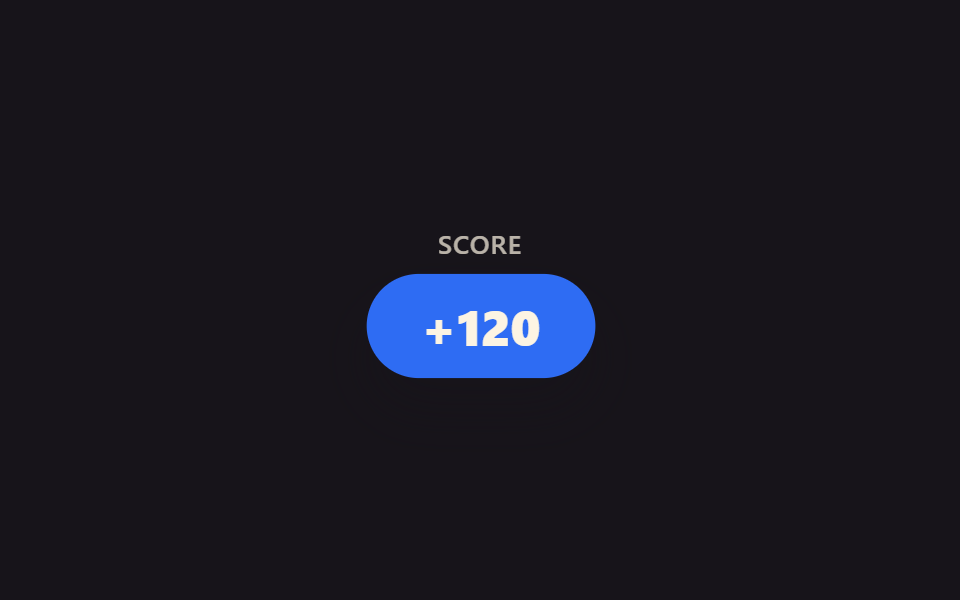
- 05 Phát lại animation bằng key prop
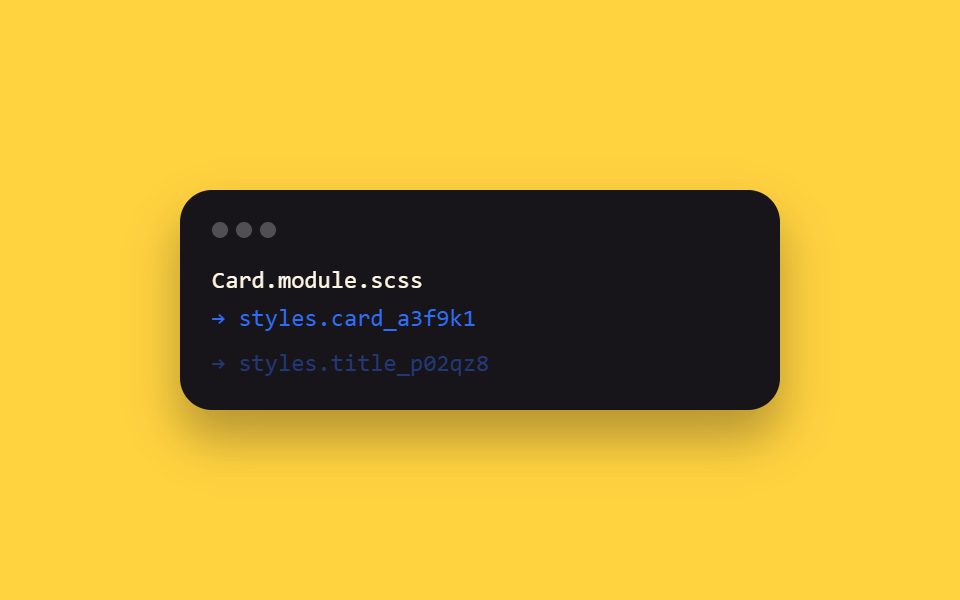
- 06 Cài đặt CSS Modules + SCSS
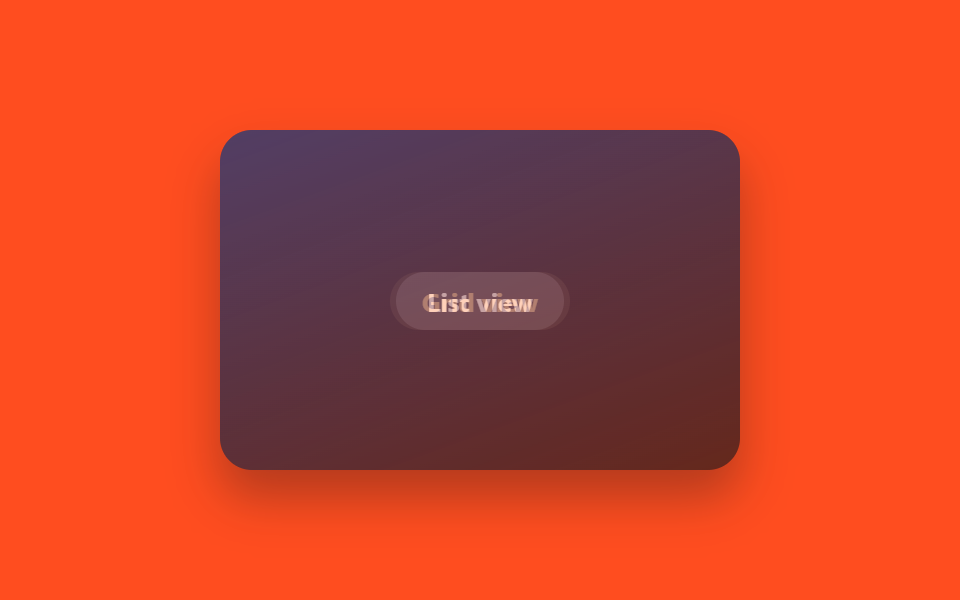
- 07 startViewTransition + cập nhật state
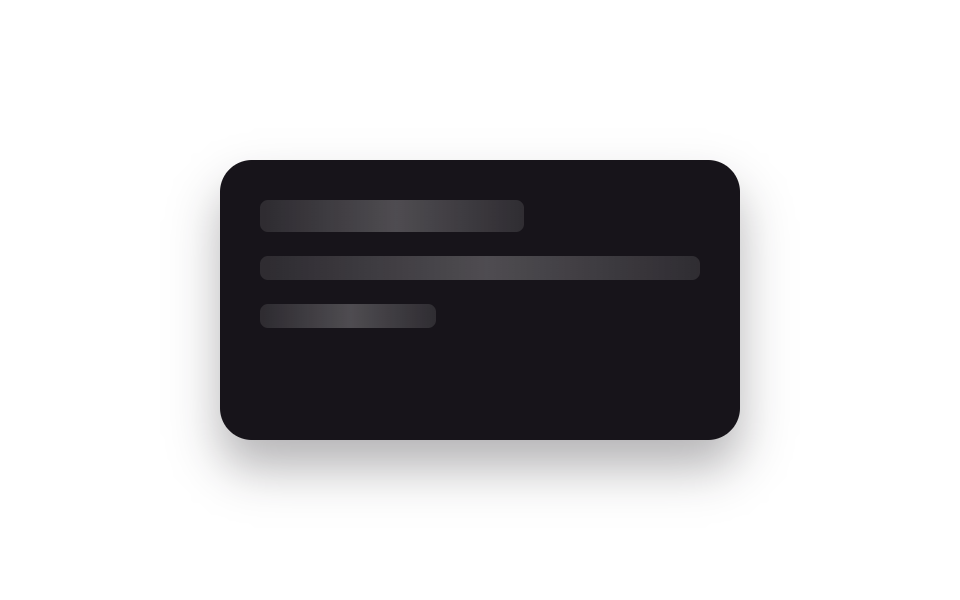
- 08 Skeleton trong Suspense
- 09 Animation chuyển route
Chín mục xếp theo hành trình thật của một component trong React: mới hiện lên màn hình (01), biến mất khi được đóng (02), thành danh sách có phần tử thêm vào bớt đi (03), đổi hình theo state (04), phát lại đúng hiệu ứng ra mắt (05), ngó qua cấu hình build thật nằm phía sau (06), khung màn hình chuyển sang khung khác (07), chờ dữ liệu chưa về (08), cuối cùng là chính trang bị thay (09). Ba mục dạng ý tưởng, tức tổ hợp ít ai dùng trong React, là 01, 02 và 07.
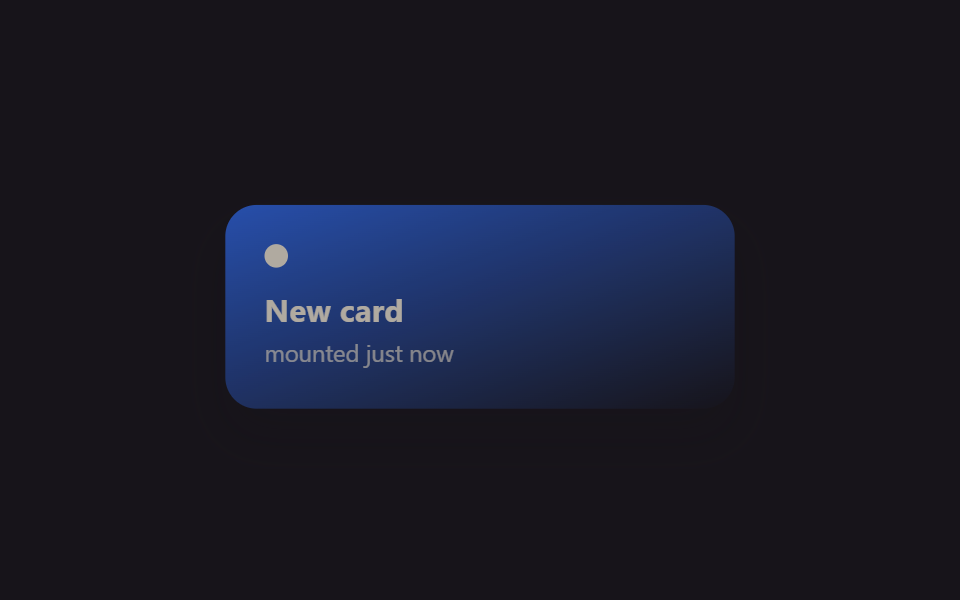
01Fade lúc mount bằng @starting-style
Dùng ở đâu?
Ngay khi component card được mount, @starting-style khai báo giá trị của nó ở thời điểm chưa tồn tại trong DOM, nên opacity tự chuyển mượt từ 0 lên 1 mà không cần cờ "đã mount" nào trong useEffect.
<main class="stage">
  <div class="mf-wrap is-demo">
    <div class="mf-card">
      <span class="mf-card__dot"></span>
      <span class="mf-card__title">New card</span>
      <span class="mf-card__sub">mounted just now</span>
    </div>
  </div>
</main>
@use "../../../../site/static/demo-tokens" as *;
// ── 변수 3개 ──────────────────────────────────────────
$duration: $dur-enter;
$easing: $ease-spring;
$color: $subject-blue;
@include stage($stage-ink);
.mf-wrap {
width: min(320px, 90vw);
display: grid;
place-items: center;
}
.mf-card {
width: min(260px, 84vw);
box-sizing: border-box;
padding: $sp-5 $sp-5;
border-radius: $r-card;
background: linear-gradient(160deg, $color, rgba(23, 20, 26, .9));
box-shadow: $shadow-raised;
display: flex;
flex-direction: column;
gap: $sp-1;
color: $subject-cream;
font-family: -apple-system, "Segoe UI", sans-serif;
}
.mf-card__dot {
width: $sp-3;
height: $sp-3;
border-radius: $r-pill;
background: $subject-cream;
margin-bottom: $sp-2;
}
.mf-card__title { font-weight: 700; font-size: 16px; line-height: 1.2; font-family: inherit; }
.mf-card__sub { font-weight: 400; font-size: 12px; line-height: 1.4; font-family: inherit; opacity: .72; }
// 실사용 원리: React 19 는 새 노드가 DOM 에 붙는 순간 @starting-style 의 값에서
// 실제 스타일로 트랜지션한다 (useEffect 로 "mounted" 플래그를 따로 안 만들어도 됨).
// 여기 데모는 그 등장 곡선을 무한 반복으로 보여준다.
@starting-style {
  .mf-card { opacity: 0; transform: translateY(10px) scale(.94); }
}
.mf-card {
  opacity: 1;
  transform: none;
  transition: opacity $duration $easing, transform $duration $easing;
}
// 캡처용 루프: 마운트 순간을 2초마다 재생 (demo.py 는 WAAPI 로 이 keyframes 를 직접 스크럽한다)
@keyframes mf-mount {
0% { opacity: 0; transform: translateY(10px) scale(.94); }
22% { opacity: 1; transform: none; }
82% { opacity: 1; transform: none; }
100% { opacity: 0; transform: translateY(10px) scale(.94); }
}
.mf-wrap.is-demo .mf-card { animation: mf-mount $dur-loop $easing infinite; }
@media (prefers-reduced-motion: reduce) {
.mf-card { transition: none; }
.mf-wrap.is-demo .mf-card { animation: none !important; opacity: 1; transform: none; }
}html, body {
margin: 0;
overflow: hidden;
}
.stage {
box-sizing: border-box;
min-height: 100vh;
display: grid;
place-items: center;
margin: 0;
background: #17141a;
font-family: -apple-system, "Segoe UI", "Noto Sans KR", sans-serif;
padding: clamp(8px, 4vw, 24px);
}
.mf-wrap {
width: min(320px, 90vw);
display: grid;
place-items: center;
}
.mf-card {
width: min(260px, 84vw);
box-sizing: border-box;
padding: 20px 20px;
border-radius: 16px;
background: linear-gradient(160deg, #2f6df6, rgba(23, 20, 26, 0.9));
box-shadow: 0 14px 24px rgba(23, 20, 26, 0.32);
display: flex;
flex-direction: column;
gap: 4px;
color: #fff7e6;
font-family: -apple-system, "Segoe UI", sans-serif;
}
.mf-card__dot {
width: 12px;
height: 12px;
border-radius: 999px;
background: #fff7e6;
margin-bottom: 8px;
}
.mf-card__title {
font-weight: 700;
font-size: 16px;
line-height: 1.2;
font-family: inherit;
}
.mf-card__sub {
font-weight: 400;
font-size: 12px;
line-height: 1.4;
font-family: inherit;
opacity: 0.72;
}
@starting-style {
.mf-card {
opacity: 0;
transform: translateY(10px) scale(0.94);
}
}
.mf-card {
opacity: 1;
transform: none;
transition: opacity 600ms cubic-bezier(0.2, 0.8, 0.2, 1), transform 600ms cubic-bezier(0.2, 0.8, 0.2, 1);
}
@keyframes mf-mount {
0% {
opacity: 0;
transform: translateY(10px) scale(0.94);
}
22% {
opacity: 1;
transform: none;
}
82% {
opacity: 1;
transform: none;
}
100% {
opacity: 0;
transform: translateY(10px) scale(0.94);
}
}
.mf-wrap.is-demo .mf-card {
animation: mf-mount 2s cubic-bezier(0.2, 0.8, 0.2, 1) infinite;
}
@media (prefers-reduced-motion: reduce) {
.mf-card {
transition: none;
}
.mf-wrap.is-demo .mf-card {
animation: none !important;
opacity: 1;
transform: none;
}
}import { CSSProperties, useEffect, useState } from "react";
import styles from "./MountFadeStartingStyle.module.scss";
export interface MountFadeStartingStyleProps {
duration?: string;
easing?: string;
color?: string;
}
function Card({ color }: { color: string }) {
// React 19: @starting-style (in the CSS module below) defines what this card looked
// like before it existed in the DOM, so no useEffect("mounted") flag is needed for
// the fade-in — the browser transitions from that starting state automatically.
return (
<div className={styles.card} style={{ background: color }}>
<span className={styles.dot} />
<span className={styles.title}>New card</span>
<span className={styles.sub}>mounted just now</span>
</div>
);
}
export default function MountFadeStartingStyle({
duration = "600ms",
easing = "cubic-bezier(.2, .8, .2, 1)",
color = "#2f6df6",
}: MountFadeStartingStyleProps) {
const [mounted, setMounted] = useState(true);
useEffect(() => {
const id = setInterval(() => setMounted((m) => !m), 1400);
return () => clearInterval(id);
}, []);
const style: CSSProperties & { "--duration"?: string; "--easing"?: string } = {
"--duration": duration,
"--easing": easing,
};
return (
<div className={styles.wrap} style={style}>
{mounted ? <Card color={color} /> : null}
</div>
);
}01 · Fade lúc mount bằng @starting-style — Diện tích đo được 19.029% · khung hình chuyển động 8/23Nguyên tác GODRICH · SCSS và React nằm trong tệp zip · Xem mật khẩu
Điểm cần ghi nhớ
Kiểu này hợp với card thông báo render theo điều kiện và phần tử vừa thêm vào danh sách.
@starting-style {
.mf-card { opacity: 0; transform: translateY(10px) scale(.94); }
}
.mf-card {
opacity: 1;
transform: none;
transition: opacity $duration $easing, transform $duration $easing;
}
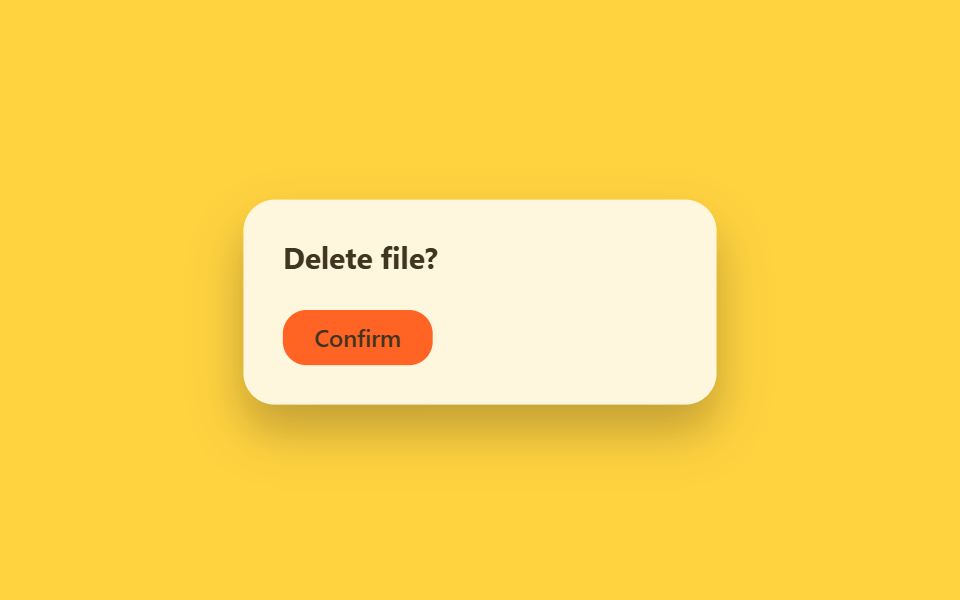
02Exit lúc unmount (allow-discrete)
Trên màn hình trông thế nào?
Khi bấm nút đóng, component không unmount ngay: class="is-exiting" gắn vào trước, transition-behavior: allow-discrete làm chậm cú chuyển display, state thật bị xóa trong onTransitionEnd.
<main class="stage">
  <div class="ue-wrap is-demo">
    <div class="ue-dialog">
      <span class="ue-dialog__title">Delete file?</span>
      <span class="ue-dialog__btn">Confirm</span>
    </div>
  </div>
</main>
@use "../../../../site/static/demo-tokens" as *;
// ── 변수 3개 ──────────────────────────────────────────
$duration: $dur-base;
$easing: $ease-out;
$color: $subject-ink;
@include stage($stage-yellow);
.ue-wrap {
width: min(320px, 90vw);
display: grid;
place-items: center;
}
.ue-dialog {
width: min(240px, 82vw);
box-sizing: border-box;
padding: $sp-5;
border-radius: $r-card;
background: $stage-paper;
box-shadow: $shadow-raised;
display: flex;
flex-direction: column;
align-items: flex-start;
gap: $sp-4;
font-family: -apple-system, "Segoe UI", sans-serif;
}
.ue-dialog__title { font-weight: 700; font-size: 15px; line-height: 1.3; font-family: inherit; color: $color; }
.ue-dialog__btn {
padding: $sp-2 $sp-4;
border-radius: $r-control;
background: $stage-orange;
color: $subject-ink; // 주황 면 위 크림 글자는 3.11:1 — 잉크로 5.50:1
font-weight: 600;
font-size: 12px;
line-height: 1;
font-family: inherit;
}
// 실사용 원리: onClick 에서 바로 state 를 지우지 않고 class="is-exiting" 을 먼저 붙인 뒤
// transition-behavior: allow-discrete 로 display:none 전환을 트랜지션이 끝날 때까지 미룬다.
// 실제 언마운트(state 제거)는 onTransitionEnd 안에서 일어난다.
.ue-dialog {
  display: flex;
  opacity: 1;
  transform: scale(1);
  transition: opacity $duration $easing, transform $duration $easing, display $duration allow-discrete;
}
.ue-dialog.is-exiting {
  display: none;
  opacity: 0;
  transform: scale(.92) translateY(6px);
}
// 캡처용 루프: 대화상자가 열려 있다가(60%) 닫힘 트랜지션을 겪고(75%) 다시 열리는 순환
@keyframes ue-exit {
0%, 45% { opacity: 1; transform: scale(1); }
90%, 100% { opacity: 0; transform: scale(.92) translateY(6px); }
}
.ue-wrap.is-demo .ue-dialog { animation: ue-exit $dur-loop $easing infinite; }
@media (prefers-reduced-motion: reduce) {
.ue-dialog { transition: none; }
.ue-wrap.is-demo .ue-dialog { animation: none !important; opacity: 1; transform: none; }
}html, body {
margin: 0;
overflow: hidden;
}
.stage {
box-sizing: border-box;
min-height: 100vh;
display: grid;
place-items: center;
margin: 0;
background: #ffd23f;
font-family: -apple-system, "Segoe UI", "Noto Sans KR", sans-serif;
padding: clamp(8px, 4vw, 24px);
}
.ue-wrap {
width: min(320px, 90vw);
display: grid;
place-items: center;
}
.ue-dialog {
width: min(240px, 82vw);
box-sizing: border-box;
padding: 20px;
border-radius: 16px;
background: #ffffff;
box-shadow: 0 14px 24px rgba(23, 20, 26, 0.32);
display: flex;
flex-direction: column;
align-items: flex-start;
gap: 16px;
font-family: -apple-system, "Segoe UI", sans-serif;
}
.ue-dialog__title {
font-weight: 700;
font-size: 15px;
line-height: 1.3;
font-family: inherit;
color: #17141a;
}
.ue-dialog__btn {
padding: 8px 16px;
border-radius: 12px;
background: #ff4d1f;
color: #17141a;
font-weight: 600;
font-size: 12px;
line-height: 1;
font-family: inherit;
}
.ue-dialog {
display: flex;
opacity: 1;
transform: scale(1);
transition: opacity 300ms ease-out, transform 300ms ease-out, display 300ms allow-discrete;
}
.ue-dialog.is-exiting {
display: none;
opacity: 0;
transform: scale(0.92) translateY(6px);
}
@keyframes ue-exit {
0%, 45% {
opacity: 1;
transform: scale(1);
}
90%, 100% {
opacity: 0;
transform: scale(0.92) translateY(6px);
}
}
.ue-wrap.is-demo .ue-dialog {
animation: ue-exit 2s ease-out infinite;
}
@media (prefers-reduced-motion: reduce) {
.ue-dialog {
transition: none;
}
.ue-wrap.is-demo .ue-dialog {
animation: none !important;
opacity: 1;
transform: none;
}
}import { CSSProperties, useState } from "react";
import styles from "./UnmountExitDiscrete.module.scss";
export interface UnmountExitDiscreteProps {
duration?: string;
easing?: string;
}
export default function UnmountExitDiscrete({
duration = "300ms",
easing = "ease-out",
}: UnmountExitDiscreteProps) {
const [open, setOpen] = useState(true);
const [exiting, setExiting] = useState(false);
const close = () => {
// Don't remove the dialog from state right away — add the exit class first.
// transition-behavior: allow-discrete (in the CSS module) keeps display: flex
// alive until the transition actually finishes; onTransitionEnd below does the
// real unmount once the browser reports the animation is done.
setExiting(true);
};
const style: CSSProperties & { "--duration"?: string; "--easing"?: string } = {
"--duration": duration,
"--easing": easing,
};
if (!open) return null;
return (
<div className={styles.wrap} style={style}>
<div
className={`${styles.dialog} ${exiting ? styles.exiting : ""}`}
onTransitionEnd={() => {
if (exiting) setOpen(false);
}}
>
<span className={styles.title}>Delete file?</span>
<button className={styles.btn} onClick={close}>Confirm</button>
</div>
</div>
);
}02 · Exit lúc unmount (allow-discrete) — Diện tích đo được 22.772% · khung hình chuyển động 10/23Nguyên tác GODRICH · SCSS và React nằm trong tệp zip · Xem mật khẩu
Cách tạo nó
Thiếu lớp đệm này thì lúc đóng modal hay toast biến mất, transition opacity và transform không kịp phát đã bị cắt khỏi màn hình.
.ue-dialog {
display: flex;
opacity: 1;
transform: scale(1);
transition: opacity $duration $easing, transform $duration $easing, display $duration allow-discrete;
}
.ue-dialog.is-exiting {
display: none;
opacity: 0;
transform: scale(.92) translateY(6px);
}
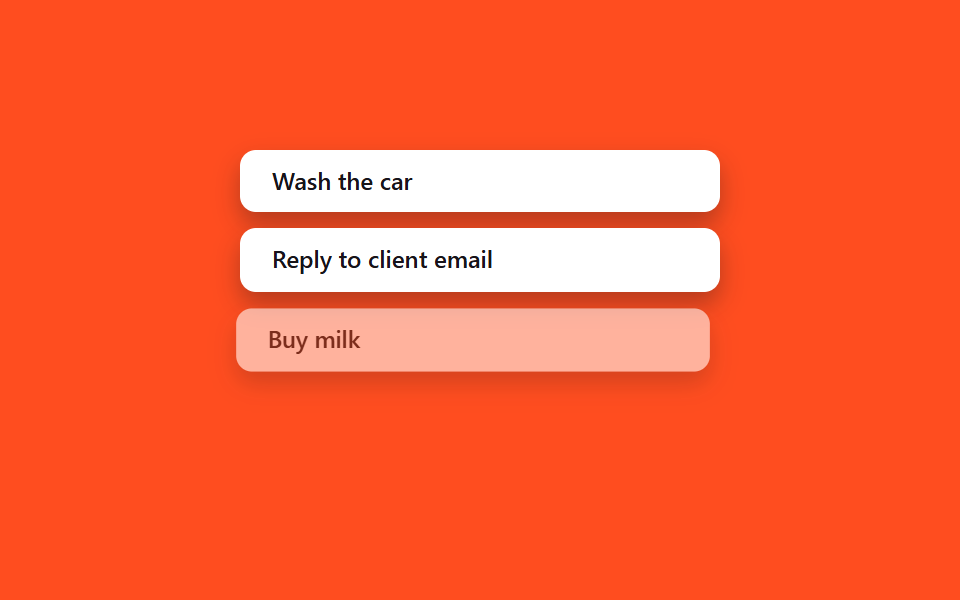
03Animation thêm·xóa trong danh sách
Đây là tình huống gì?
Thêm hay bớt một phần tử trong mảng state thì <li> mới vào theo kiểu mục 01, phần tử bị xóa dùng lại đúng pattern exit class của mục 02 — không animation library nào mà thứ tự vẫn khớp.
<main class="stage">
  <ul class="la-list is-demo">
    <li class="la-item">Wash the car</li>
    <li class="la-item">Reply to client email</li>
    <li class="la-item la-item--leave">Buy milk</li>
    <li class="la-item la-item--enter">Book flight tickets</li>
  </ul>
</main>
@use "../../../../site/static/demo-tokens" as *;
// ── 변수 3개 ──────────────────────────────────────────
$duration: $dur-base;
$easing: $ease-spring;
$color: $subject-ink;
@include stage($stage-orange);
.la-list {
width: min(240px, 76vw);
margin: 0;
padding: 0;
list-style: none;
display: flex;
flex-direction: column;
gap: $sp-2;
}
.la-item {
box-sizing: border-box;
padding: $sp-2 $sp-4;
border-radius: $r-sm;
background: $stage-paper;
color: $color;
font: 600 12px/1.3 -apple-system, "Segoe UI", sans-serif;
box-shadow: $shadow-press;
white-space: nowrap;
overflow: hidden;
text-overflow: ellipsis;
}
// 실사용 원리: 배열에서 항목을 지우면 새 <li> 는 @starting-style 로 들어오고,
// 지워지는 항목은 02번 exit 패턴처럼 클래스가 먼저 붙은 뒤 실제로 제거된다.
// 여기서는 둘 다 transform·opacity 로만 움직여 레이아웃 재계산을 피한다.
@keyframes la-leave {
0%, 40% { opacity: 1; transform: none; }
55% { opacity: 0; transform: translateX(-8px) scale(.97); }
100% { opacity: 0; transform: translateX(-8px) scale(.97); }
}
@keyframes la-enter {
0%, 55% { opacity: 0; transform: translateX(8px) scale(.97); }
85%, 100% { opacity: 1; transform: none; }
}
.la-list.is-demo .la-item--leave { animation: la-leave $dur-loop $easing infinite; }
.la-list.is-demo .la-item--enter { animation: la-enter $dur-loop $easing infinite; }
@media (prefers-reduced-motion: reduce) {
.la-list.is-demo .la-item--leave,
.la-list.is-demo .la-item--enter { animation: none !important; opacity: 1; transform: none; }
}html, body {
margin: 0;
overflow: hidden;
}
.stage {
box-sizing: border-box;
min-height: 100vh;
display: grid;
place-items: center;
margin: 0;
background: #ff4d1f;
font-family: -apple-system, "Segoe UI", "Noto Sans KR", sans-serif;
padding: clamp(8px, 4vw, 24px);
}
.la-list {
width: min(240px, 76vw);
margin: 0;
padding: 0;
list-style: none;
display: flex;
flex-direction: column;
gap: 8px;
}
.la-item {
box-sizing: border-box;
padding: 8px 16px;
border-radius: 8px;
background: #ffffff;
color: #17141a;
font: 600 12px/1.3 -apple-system, "Segoe UI", sans-serif;
box-shadow: 0 6px 12px rgba(23, 20, 26, 0.32);
white-space: nowrap;
overflow: hidden;
text-overflow: ellipsis;
}
@keyframes la-leave {
0%, 40% {
opacity: 1;
transform: none;
}
55% {
opacity: 0;
transform: translateX(-8px) scale(0.97);
}
100% {
opacity: 0;
transform: translateX(-8px) scale(0.97);
}
}
@keyframes la-enter {
0%, 55% {
opacity: 0;
transform: translateX(8px) scale(0.97);
}
85%, 100% {
opacity: 1;
transform: none;
}
}
.la-list.is-demo .la-item--leave {
animation: la-leave 2s cubic-bezier(0.2, 0.8, 0.2, 1) infinite;
}
.la-list.is-demo .la-item--enter {
animation: la-enter 2s cubic-bezier(0.2, 0.8, 0.2, 1) infinite;
}
@media (prefers-reduced-motion: reduce) {
.la-list.is-demo .la-item--leave,
.la-list.is-demo .la-item--enter {
animation: none !important;
opacity: 1;
transform: none;
}
}import { CSSProperties, useState } from "react";
import styles from "./ListAddRemove.module.scss";
interface Task {
id: number;
label: string;
leaving?: boolean;
}
let nextId = 3;
export interface ListAddRemoveProps {
duration?: string;
easing?: string;
}
export default function ListAddRemove({
duration = "300ms",
easing = "cubic-bezier(.2, .8, .2, 1)",
}: ListAddRemoveProps) {
const [items, setItems] = useState<Task[]>([
{ id: 1, label: "Wash the car" },
{ id: 2, label: "Reply to client email" },
]);
const add = () => {
const id = nextId++;
setItems((list) => [...list, { id, label: "Book flight tickets" }]);
};
const startRemove = (id: number) => {
// Mark it leaving first (drives the CSS exit transition, styles.leaving below).
// The item keeps rendering — with opacity heading to 0 — until its own
// onTransitionEnd fires, which is when it actually leaves the array.
setItems((list) => list.map((it) => (it.id === id ? { ...it, leaving: true } : it)));
};
const finishRemove = (id: number) => {
setItems((list) => list.filter((it) => it.id !== id));
};
const style: CSSProperties & { "--duration"?: string; "--easing"?: string } = {
"--duration": duration,
"--easing": easing,
};
return (
<div className={styles.wrap} style={style}>
<ul className={styles.list}>
{items.map((it) => (
  <li
    key={it.id}
    className={`${styles.item} ${it.leaving ? styles.leaving : styles.entering}`}
    onTransitionEnd={() => it.leaving && finishRemove(it.id)}
  >
    {it.label}
    <button className={styles.remove} onClick={() => startRemove(it.id)}>×</button>
  </li>
))}
</ul>
<button className={styles.add} onClick={add}>+ Add task</button>
</div>
);
}03 · Animation thêm/xóa phần tử list — Diện tích đo được 14.355% · khung hình chuyển động 10/23Nguyên tác GODRICH · SCSS và React nằm trong tệp zip · Xem mật khẩu
Cách đọc code
Bạn có thể chuyển thẳng kiểu này sang todo list, dòng giỏ hàng hoặc chồng thông báo.
{items.map((it) => (
<li
key={it.id}
className={`${styles.item} ${it.leaving ? styles.leaving : styles.entering}`}
onTransitionEnd={() => it.leaving && finishRemove(it.id)}
>
{it.label}
<button className={styles.remove} onClick={() => startRemove(it.id)}>×</button>
</li>
))}
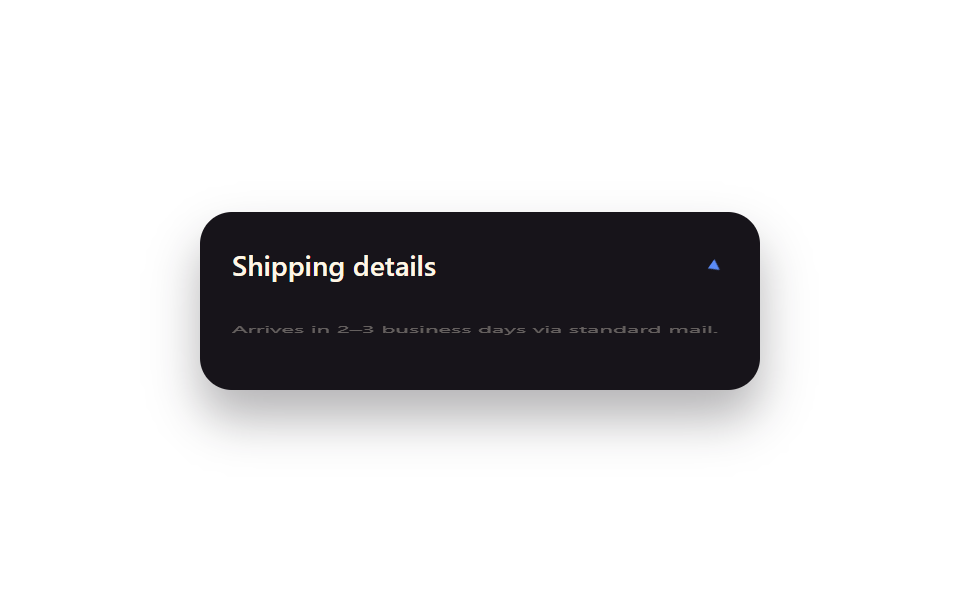
04Đổi trạng thái bằng toggle class
Chuyện gì xảy ra?
Một state boolean ánh xạ thẳng sang một tên class, còn toàn bộ chuyển động ở giữa do CSS transition đảm nhận.
<main class="stage">
  <div class="tg-panel is-demo">
    <div class="tg-panel__head">
      <span class="tg-panel__label">Shipping details</span>
      <span class="tg-panel__chevron">▾</span>
    </div>
    <div class="tg-panel__body">Arrives in 2–3 business days via standard mail.</div>
  </div>
</main>
@use "../../../../site/static/demo-tokens" as *;
// ── 변수 3개 ──────────────────────────────────────────
$duration: $dur-base;
$easing: $ease-spring;
$color: $subject-blue-light; // 잉크 면 위 파란 글자 전용 토큰 — $subject-blue 는 4.03:1
@include stage($stage-paper);
.tg-panel {
width: min(280px, 88vw);
box-sizing: border-box;
border-radius: $r-card;
background: $subject-ink;
color: $subject-cream;
box-shadow: $shadow-raised;
overflow: hidden;
font-family: -apple-system, "Segoe UI", sans-serif;
}
.tg-panel__head {
display: flex;
align-items: center;
justify-content: space-between;
padding: $sp-4 $sp-4;
}
.tg-panel__label { font-weight: 600; font-size: 14px; line-height: 1; font-family: inherit; }
.tg-panel__chevron {
display: inline-block;
color: $color;
transition: transform $duration $easing;
}
.tg-panel__body {
padding: 0 $sp-4 $sp-4;
font-weight: 400;
font-size: 12px;
line-height: 1.5;
font-family: inherit;
opacity: .85;
transform-origin: top; // 규칙8: 패널 위변 scaleY 펼침
transition: opacity $duration $easing, transform $duration $easing;
}
// 실사용 원리: isOpen 상태 하나가 className="is-open" 하나로 매핑되고, 사이 움직임은
// 전부 CSS transition 이 맡는다 (React state → class, class → motion).
.tg-panel:not(.is-open) .tg-panel__chevron { transform: rotate(-90deg); }
.tg-panel:not(.is-open) .tg-panel__body { opacity: 0; transform: scaleY(0); }
// 캡처용 루프: 닫힘 → 열림 → 닫힘을 2초에 걸쳐 반복
@keyframes tg-chevron { 0%, 15% { transform: rotate(-90deg); } 45%, 70% { transform: rotate(0deg); } 100% { transform: rotate(-90deg); } }
@keyframes tg-body { 0%, 15% { opacity: 0; transform: scaleY(0); } 45%, 70% { opacity: .85; transform: scaleY(1); } 100% { opacity: 0; transform: scaleY(0); } }
.tg-panel.is-demo .tg-panel__chevron { animation: tg-chevron $dur-loop $easing infinite; }
.tg-panel.is-demo .tg-panel__body { animation: tg-body $dur-loop $easing infinite; }
@media (prefers-reduced-motion: reduce) {
.tg-panel__chevron, .tg-panel__body { transition: none; }
.tg-panel.is-demo .tg-panel__chevron,
.tg-panel.is-demo .tg-panel__body { animation: none !important; opacity: .85; transform: none; }
}html, body {
margin: 0;
overflow: hidden;
}
.stage {
box-sizing: border-box;
min-height: 100vh;
display: grid;
place-items: center;
margin: 0;
background: #ffffff;
font-family: -apple-system, "Segoe UI", "Noto Sans KR", sans-serif;
padding: clamp(8px, 4vw, 24px);
}
.tg-panel {
width: min(280px, 88vw);
box-sizing: border-box;
border-radius: 16px;
background: #17141a;
color: #fff7e6;
box-shadow: 0 14px 24px rgba(23, 20, 26, 0.32);
overflow: hidden;
font-family: -apple-system, "Segoe UI", sans-serif;
}
.tg-panel__head {
display: flex;
align-items: center;
justify-content: space-between;
padding: 16px 16px;
}
.tg-panel__label {
font-weight: 600;
font-size: 14px;
line-height: 1;
font-family: inherit;
}
.tg-panel__chevron {
display: inline-block;
color: #5b8cf8;
transition: transform 300ms cubic-bezier(0.2, 0.8, 0.2, 1);
}
.tg-panel__body {
padding: 0 16px 16px;
font-weight: 400;
font-size: 12px;
line-height: 1.5;
font-family: inherit;
opacity: 0.85;
transform-origin: top;
transition: opacity 300ms cubic-bezier(0.2, 0.8, 0.2, 1), transform 300ms cubic-bezier(0.2, 0.8, 0.2, 1);
}
.tg-panel:not(.is-open) .tg-panel__chevron {
transform: rotate(-90deg);
}
.tg-panel:not(.is-open) .tg-panel__body {
opacity: 0;
transform: scaleY(0);
}
@keyframes tg-chevron {
0%, 15% {
transform: rotate(-90deg);
}
45%, 70% {
transform: rotate(0deg);
}
100% {
transform: rotate(-90deg);
}
}
@keyframes tg-body {
0%, 15% {
opacity: 0;
transform: scaleY(0);
}
45%, 70% {
opacity: 0.85;
transform: scaleY(1);
}
100% {
opacity: 0;
transform: scaleY(0);
}
}
.tg-panel.is-demo .tg-panel__chevron {
animation: tg-chevron 2s cubic-bezier(0.2, 0.8, 0.2, 1) infinite;
}
.tg-panel.is-demo .tg-panel__body {
animation: tg-body 2s cubic-bezier(0.2, 0.8, 0.2, 1) infinite;
}
@media (prefers-reduced-motion: reduce) {
.tg-panel__chevron, .tg-panel__body {
transition: none;
}
.tg-panel.is-demo .tg-panel__chevron,
.tg-panel.is-demo .tg-panel__body {
animation: none !important;
opacity: 0.85;
transform: none;
}
}import { CSSProperties, useState } from "react";
import styles from "./ToggleClassState.module.scss";
export interface ToggleClassStateProps {
duration?: string;
easing?: string;
}
export default function ToggleClassState({
duration = "300ms",
easing = "cubic-bezier(.2, .8, .2, 1)",
}: ToggleClassStateProps) {
// The idiomatic React pattern: one boolean state maps straight onto one className.
// Everything visual in between is CSS's job, not this component's.
const [open, setOpen] = useState(false);
const style: CSSProperties & { "--duration"?: string; "--easing"?: string } = {
"--duration": duration,
"--easing": easing,
};
return (
<div className={`${styles.panel} ${open ? styles.open : ""}`} style={style}>
<button className={styles.head} onClick={() => setOpen((v) => !v)}>
<span className={styles.label}>Shipping details</span>
<span className={styles.chevron}>▾</span>
</button>
<div className={styles.body}>Arrives in 2–3 business days via standard mail.</div>
</div>
);
}04 · Chuyển trạng thái bằng toggle class — Diện tích đo được 1.805% · khung hình chuyển động 11/23Nguyên tác GODRICH · SCSS và React nằm trong tệp zip · Xem mật khẩu
Điểm chính của code
"State quyết định class, CSS quyết định chuyển động" là pattern phổ biến nhất trong React, nên panel mở·đóng hay mục nav đang active dùng được ngay.
.tg-panel:not(.is-open) .tg-panel__chevron { transform: rotate(-90deg); }
.tg-panel:not(.is-open) .tg-panel__body { opacity: 0; transform: scaleY(0); }
.tg-panel__body {
  transform-origin: top;
  transition: opacity $duration $easing, transform $duration $easing;
}
05Chạy lại animation bằng key
Màn hình có gì?
Đổi giá trị key prop là React tháo toàn bộ component đó ra rồi mount lại một instance mới, nhờ vậy hiệu ứng ra mắt vốn chỉ chạy một lần lúc mount có thể phát lại bất cứ lúc nào bạn muốn.
<main class="stage">
  <div class="kr-wrap">
    <span class="kr-label">Score</span>
    <span class="kr-badge is-demo">+120</span>
  </div>
</main>
@use "../../../../site/static/demo-tokens" as *;
// ── 변수 3개 ──────────────────────────────────────────
$duration: 640ms;
$easing: $ease-pop;
$color: $subject-blue;
@include stage($stage-ink);
.kr-wrap {
display: flex;
flex-direction: column;
align-items: center;
gap: $sp-3;
font-family: -apple-system, "Segoe UI", sans-serif;
color: $subject-cream;
}
.kr-label { font-weight: 500; font-size: 13px; line-height: 1; font-family: inherit; opacity: .7; letter-spacing: .04em; text-transform: uppercase; }
.kr-badge {
padding: $sp-3 $sp-6;
border-radius: $r-pill;
background: $color;
color: $subject-cream;
font-weight: 800;
font-size: 22px;
line-height: 1;
font-family: inherit;
box-shadow: $shadow-raised;
}
// 실사용 원리: key prop 을 바꾸면 리액트가 이 배지를 통째로 언마운트하고 새 인스턴스로
// 다시 마운트한다 — "마운트 때 한 번만" 재생되는 팝 애니메이션이 매번 처음부터 다시 돈다.
// 캡처용 루프: 2초 중 앞부분에 팝 → 나머지는 정지 상태로 유지 (재트리거를 기다리는 느낌)
@keyframes kr-pop {
0% { opacity: 0; transform: scale(.4); }
28% { opacity: 1; transform: scale(1.14); }
38% { opacity: 1; transform: scale(.96); }
48%, 100% { opacity: 1; transform: scale(1); }
}
.kr-badge.is-demo { animation: kr-pop $dur-loop $easing infinite; }
@media (prefers-reduced-motion: reduce) {
.kr-badge.is-demo { animation: none !important; opacity: 1; transform: none; }
}html, body {
margin: 0;
overflow: hidden;
}
.stage {
box-sizing: border-box;
min-height: 100vh;
display: grid;
place-items: center;
margin: 0;
background: #17141a;
font-family: -apple-system, "Segoe UI", "Noto Sans KR", sans-serif;
padding: clamp(8px, 4vw, 24px);
}
.kr-wrap {
display: flex;
flex-direction: column;
align-items: center;
gap: 12px;
font-family: -apple-system, "Segoe UI", sans-serif;
color: #fff7e6;
}
.kr-label {
font-weight: 500;
font-size: 13px;
line-height: 1;
font-family: inherit;
opacity: 0.7;
letter-spacing: 0.04em;
text-transform: uppercase;
}
.kr-badge {
padding: 12px 24px;
border-radius: 999px;
background: #2f6df6;
color: #fff7e6;
font-weight: 800;
font-size: 22px;
line-height: 1;
font-family: inherit;
box-shadow: 0 14px 24px rgba(23, 20, 26, 0.32);
}
@keyframes kr-pop {
0% {
opacity: 0;
transform: scale(0.4);
}
28% {
opacity: 1;
transform: scale(1.14);
}
38% {
opacity: 1;
transform: scale(0.96);
}
48%, 100% {
opacity: 1;
transform: scale(1);
}
}
.kr-badge.is-demo {
animation: kr-pop 2s cubic-bezier(0.2, 1.4, 0.4, 1) infinite;
}
@media (prefers-reduced-motion: reduce) {
.kr-badge.is-demo {
animation: none !important;
opacity: 1;
transform: none;
}
}import { CSSProperties, useState } from "react";
import styles from "./KeyRetrigger.module.scss";
function Badge({ value }: { value: number; key?: number }) {
// The key on this element (set by the caller below) forces React to unmount and
// remount it on every change, so the pop-in @keyframes — which only plays once per
// mount — replays from scratch each time the score bumps.
return <span className={styles.badge}>+{value}</span>;
}
export interface KeyRetriggerProps {
duration?: string;
easing?: string;
}
export default function KeyRetrigger({
duration = "640ms",
easing = "cubic-bezier(.2, 1.4, .4, 1)",
}: KeyRetriggerProps) {
const [score, setScore] = useState(120);
const style: CSSProperties & { "--duration"?: string; "--easing"?: string } = {
"--duration": duration,
"--easing": easing,
};
return (
<div className={styles.wrap} style={style}>
<span className={styles.label}>Score</span>
<Badge key={score} value={score} />
<button className={styles.btn} onClick={() => setScore((s) => s + 10)}>+10</button>
</div>
);
}05 · Phát lại animation bằng key prop — Diện tích đo được 4.161% · khung hình chuyển động 10/23Nguyên tác GODRICH · SCSS và React nằm trong tệp zip · Xem mật khẩu
Cơ chế vận hành
Đây là cách react trigger css animation phát lại mà không cần thêm state nào: chạy lại hiệu ứng rung khi trả lời sai, hoặc bung lại hiệu ứng chúc mừng mỗi lần điểm số thay đổi.
function Badge({ value }: { value: number; key?: number }) {
  // Mỗi lần key đổi, React unmount phần tử này rồi remount,
  // nên keyframe pop vốn chỉ chạy một lần lúc mount lại phát lại từ đầu mỗi lần.
  return <span className={styles.badge}>+{value}</span>;
}
// Nơi gọi: <Badge key={score} value={score} />
06Thiết lập CSS Modules + SCSS
Nhìn thấy gì?
Đây là mục lộ ra cấu hình build thật mà chín thư mục react/ của bài cùng dựa vào: file *.module.scss biên dịch thành tên class scoped kiểu styles.foo, style từng component khóa riêng, không xung đột toàn cục.
<main class="stage">
  <div class="cm-term is-demo">
    <div class="cm-term__bar"><span></span><span></span><span></span></div>
    <div class="cm-term__line cm-term__line--1">Card.module.scss</div>
    <div class="cm-term__line cm-term__line--2">→ styles.card_a3f9k1</div>
    <div class="cm-term__line cm-term__line--3">→ styles.title_p02qz8</div>
  </div>
</main>
@use "../../../../site/static/demo-tokens" as *;
// ── 변수 3개 ──────────────────────────────────────────
$duration: $dur-quick;
$easing: $ease-out;
$color: $subject-blue;
@include stage($stage-yellow);
.cm-term {
width: min(300px, 90vw);
box-sizing: border-box;
padding: $sp-4;
border-radius: $r-card;
background: $subject-ink;
box-shadow: $shadow-raised;
font: 500 12px/1.6 "SFMono-Regular", Consolas, monospace;
color: $subject-cream;
}
.cm-term__bar {
display: flex;
gap: $sp-1;
margin-bottom: $sp-3;
span {
width: $sp-2; height: $sp-2; border-radius: $r-pill;
background: rgba(255, 255, 255, .25);
}
}
.cm-term__line {
opacity: 0;
transform: translateY(4px);
}
.cm-term__line--2 { color: $color; }
.cm-term__line--3 { color: $color; }
// 실사용 원리: *.module.scss 는 빌드 시 클래스명을 styles.foo → foo_a3f9k1 같은
// 지역 스코프 해시로 바꿔 컴파일한다. 여기서는 그 컴파일 로그가 한 줄씩 찍히는 걸 보여준다.
@keyframes cm-line {
0%, 8% { opacity: 0; transform: translateY(4px); }
20%, 92% { opacity: 1; transform: none; }
100% { opacity: 0; transform: translateY(4px); }
}
.cm-term.is-demo .cm-term__line--1 { animation: cm-line $dur-loop $easing infinite; animation-delay: 0ms; }
.cm-term.is-demo .cm-term__line--2 { animation: cm-line $dur-loop $easing infinite; animation-delay: 220ms; }
.cm-term.is-demo .cm-term__line--3 { animation: cm-line $dur-loop $easing infinite; animation-delay: 440ms; }
@media (prefers-reduced-motion: reduce) {
.cm-term.is-demo .cm-term__line { animation: none !important; opacity: 1; transform: none; }
}html, body {
margin: 0;
overflow: hidden;
}
.stage {
box-sizing: border-box;
min-height: 100vh;
display: grid;
place-items: center;
margin: 0;
background: #ffd23f;
font-family: -apple-system, "Segoe UI", "Noto Sans KR", sans-serif;
padding: clamp(8px, 4vw, 24px);
}
.cm-term {
width: min(300px, 90vw);
box-sizing: border-box;
padding: 16px;
border-radius: 16px;
background: #17141a;
box-shadow: 0 14px 24px rgba(23, 20, 26, 0.32);
font: 500 12px/1.6 "SFMono-Regular", Consolas, monospace;
color: #fff7e6;
}
.cm-term__bar {
display: flex;
gap: 4px;
margin-bottom: 12px;
}
.cm-term__bar span {
width: 8px;
height: 8px;
border-radius: 999px;
background: rgba(255, 255, 255, 0.25);
}
.cm-term__line {
opacity: 0;
transform: translateY(4px);
}
.cm-term__line--2 {
color: #2f6df6;
}
.cm-term__line--3 {
color: #2f6df6;
}
@keyframes cm-line {
0%, 8% {
opacity: 0;
transform: translateY(4px);
}
20%, 92% {
opacity: 1;
transform: none;
}
100% {
opacity: 0;
transform: translateY(4px);
}
}
.cm-term.is-demo .cm-term__line--1 {
animation: cm-line 2s ease-out infinite;
animation-delay: 0ms;
}
.cm-term.is-demo .cm-term__line--2 {
animation: cm-line 2s ease-out infinite;
animation-delay: 220ms;
}
.cm-term.is-demo .cm-term__line--3 {
animation: cm-line 2s ease-out infinite;
animation-delay: 440ms;
}
@media (prefers-reduced-motion: reduce) {
.cm-term.is-demo .cm-term__line {
animation: none !important;
opacity: 1;
transform: none;
}
}import { CSSProperties } from "react";
import styles from "./CssModulesSetup.module.scss";
export interface CssModulesSetupProps {
duration?: string;
easing?: string;
}
// This item is meta: styles.card and styles.title below aren't hardcoded strings —
// they're exactly what CSS Modules generated from the classnames in
// CssModulesSetup.module.scss at build time (e.g. "card_a3f9k1"). Rendering them is
// literally what this whole post's react/ folder relies on.
export default function CssModulesSetup({
duration = "220ms",
easing = "ease-out",
}: CssModulesSetupProps) {
const style: CSSProperties & { "--duration"?: string; "--easing"?: string } = {
"--duration": duration,
"--easing": easing,
};
return (
<div className={styles.term} style={style}>
<div className={styles.bar}><span /><span /><span /></div>
<div className={styles.line}>Card.module.scss</div>
<div className={styles.accent}>styles.card → "{styles.card}"</div>
<div className={styles.accent}>styles.title → "{styles.title}"</div>
</div>
);
}06 · Cài đặt CSS Modules + SCSS — Diện tích đo được 1.792% · khung hình chuyển động 9/23Nguyên tác GODRICH · SCSS và React nằm trong tệp zip · Xem mật khẩu
Cách làm
Áp dụng cho mọi dự án React muốn viết SCSS theo phạm vi component.
// styles.card · styles.title không phải chuỗi hardcode,
// mà là tên class trong CssModulesSetup.module.scss được biên dịch thật lúc build.
<div className={styles.term}>
  <div className={styles.accent}>styles.card → "{styles.card}"</div>
  <div className={styles.accent}>styles.title → "{styles.title}"</div>
</div>
07startViewTransition kèm cập nhật state
Hiệu ứng chuyển màn hình React dùng ở đâu?
Bọc một lần cập nhật state của React bằng document.startViewTransition(), trình duyệt tự cross-fade hai ảnh chụp DOM trước và sau, khỏi gắn animation tay cho từng phần tử.
<main class="stage">
  <div class="vt-frame is-demo">
    <div class="vt-layer vt-layer--a">
      <span class="vt-chip">List view</span>
    </div>
    <div class="vt-layer vt-layer--b">
      <span class="vt-chip">Grid view</span>
    </div>
  </div>
</main>
@use "../../../../site/static/demo-tokens" as *;
// ── 변수 3개 ──────────────────────────────────────────
$duration: $dur-enter;
$easing: $ease-spring;
$color: $subject-blue;
@include stage($stage-orange);
.vt-frame {
position: relative;
width: min(260px, 84vw);
aspect-ratio: 260 / 170;
border-radius: $r-card;
overflow: hidden;
box-shadow: $shadow-raised;
}
.vt-layer {
position: absolute;
inset: 0;
display: grid;
place-items: center;
color: $subject-cream;
}
.vt-layer--a { background: linear-gradient(160deg, $subject-ink, rgba(23, 20, 26, .8)); }
.vt-layer--b { background: linear-gradient(160deg, $color, rgba(23, 20, 26, .85)); }
.vt-chip {
padding: $sp-2 $sp-4;
border-radius: $r-pill;
background: rgba(255, 255, 255, .16);
font: 700 13px/1 -apple-system, "Segoe UI", sans-serif;
}
// 실사용 원리: document.startViewTransition() 이 flushSync 로 감싼 상태 갱신을 가로채,
// 바뀌기 전·후 DOM 스냅샷을 브라우저가 자동으로 크로스페이드한다.
.vt-layer--b { opacity: 0; }
// 캡처용 루프: list view ↔ grid view 를 2초 주기로 크로스페이드
@keyframes vt-cross-out { 0%, 20% { opacity: 1; } 80%, 100% { opacity: 0; } }
@keyframes vt-cross-in { 0%, 20% { opacity: 0; } 80%, 100% { opacity: 1; } }
.vt-frame.is-demo .vt-layer--a { animation: vt-cross-out $dur-loop $easing infinite; }
.vt-frame.is-demo .vt-layer--b { animation: vt-cross-in $dur-loop $easing infinite; }
@media (prefers-reduced-motion: reduce) {
.vt-frame.is-demo .vt-layer--a,
.vt-frame.is-demo .vt-layer--b { animation: none !important; }
.vt-layer--a { opacity: 1; }
.vt-layer--b { opacity: 0; }
}html, body {
margin: 0;
overflow: hidden;
}
.stage {
box-sizing: border-box;
min-height: 100vh;
display: grid;
place-items: center;
margin: 0;
background: #ff4d1f;
font-family: -apple-system, "Segoe UI", "Noto Sans KR", sans-serif;
padding: clamp(8px, 4vw, 24px);
}
.vt-frame {
position: relative;
width: min(260px, 84vw);
aspect-ratio: 260/170;
border-radius: 16px;
overflow: hidden;
box-shadow: 0 14px 24px rgba(23, 20, 26, 0.32);
}
.vt-layer {
position: absolute;
inset: 0;
display: grid;
place-items: center;
color: #fff7e6;
}
.vt-layer--a {
background: linear-gradient(160deg, #17141a, rgba(23, 20, 26, 0.8));
}
.vt-layer--b {
background: linear-gradient(160deg, #2f6df6, rgba(23, 20, 26, 0.85));
}
.vt-chip {
padding: 8px 16px;
border-radius: 999px;
background: rgba(255, 255, 255, 0.16);
font: 700 13px/1 -apple-system, "Segoe UI", sans-serif;
}
.vt-layer--b {
opacity: 0;
}
@keyframes vt-cross-out {
0%, 20% {
opacity: 1;
}
80%, 100% {
opacity: 0;
}
}
@keyframes vt-cross-in {
0%, 20% {
opacity: 0;
}
80%, 100% {
opacity: 1;
}
}
.vt-frame.is-demo .vt-layer--a {
animation: vt-cross-out 2s cubic-bezier(0.2, 0.8, 0.2, 1) infinite;
}
.vt-frame.is-demo .vt-layer--b {
animation: vt-cross-in 2s cubic-bezier(0.2, 0.8, 0.2, 1) infinite;
}
@media (prefers-reduced-motion: reduce) {
.vt-frame.is-demo .vt-layer--a,
.vt-frame.is-demo .vt-layer--b {
animation: none !important;
}
.vt-layer--a {
opacity: 1;
}
.vt-layer--b {
opacity: 0;
}
}import { CSSProperties, useState } from "react";
import { flushSync } from "react-dom";
import styles from "./ViewTransitionReactState.module.scss";
type DocWithViewTransition = Document & {
startViewTransition?: (callback: () => void) => void;
};
export interface ViewTransitionReactStateProps {
duration?: string;
easing?: string;
}
export default function ViewTransitionReactState({
duration = "600ms",
easing = "cubic-bezier(.2, .8, .2, 1)",
}: ViewTransitionReactStateProps) {
const [mode, setMode] = useState<"list" | "grid">("list");
const toggle = () => {
const doc = document as DocWithViewTransition;
const next = mode === "list" ? "grid" : "list";
if (doc.startViewTransition) {
// startViewTransition needs the "after" DOM already painted by the time its
// callback returns — flushSync forces that React commit synchronously instead
// of letting React 18's automatic batching defer it past the snapshot.
doc.startViewTransition(() => flushSync(() => setMode(next)));
} else {
setMode(next);
}
};
const style: CSSProperties & { "--duration"?: string; "--easing"?: string } = {
"--duration": duration,
"--easing": easing,
};
return (
<button className={styles.frame} style={style} onClick={toggle}>
<span className={styles.chip}>{mode === "list" ? "List view" : "Grid view"}</span>
</button>
);
}07 · startViewTransition + cập nhật state — Diện tích đo được 30.558% · khung hình chuyển động 6/23Nguyên tác GODRICH · SCSS và React nằm trong tệp zip · Xem mật khẩu
Lý do làm vậy
Nhưng nếu trong callback chỉ gọi setState, auto-batching của React 18 sẽ trì hoãn commit; phải dùng flushSync ép cập nhật chạy đồng bộ thì thời điểm chụp mới khớp.
const toggle = () => {
  const doc = document as DocWithViewTransition;
  const next = mode === "list" ? "grid" : "list";
  if (doc.startViewTransition) {
    doc.startViewTransition(() => flushSync(() => setMode(next)));
  } else {
    setMode(next);
  }
};
08Trao skeleton trong Suspense
Màn hình nào?
Đặt một skeleton shimmer bằng CSS vào chỗ fallback của React.Suspense: khi component lazy sẵn sàng, fallback rút đi và nội dung thật fade vào ngay tại chỗ, màn hình không bị nhảy dựng.
<main class="stage">
  <div class="sk-card is-demo">
    <div class="sk-skeleton">
      <span class="sk-bar sk-bar--title"></span>
      <span class="sk-bar sk-bar--line"></span>
      <span class="sk-bar sk-bar--line short"></span>
    </div>
    <div class="sk-content">
      <span class="sk-content__title">Widget loaded</span>
      <span class="sk-content__line">Lazy-loaded with React.lazy + Suspense</span>
    </div>
  </div>
</main>
@use "../../../../site/static/demo-tokens" as *;
// ── 변수 3개 ──────────────────────────────────────────
$duration: $dur-enter;
$easing: $ease-out;
$color: $subject-blue;
@include stage($stage-paper);
.sk-card {
position: relative;
width: min(260px, 84vw);
height: 140px;
box-sizing: border-box;
padding: $sp-5;
border-radius: $r-card;
background: $subject-ink;
box-shadow: $shadow-raised;
overflow: hidden;
}
.sk-skeleton, .sk-content {
position: absolute;
inset: $sp-5;
display: flex;
flex-direction: column;
gap: $sp-3;
}
.sk-bar {
height: $sp-3;
border-radius: $r-xs;
background: linear-gradient(90deg, rgba(255, 255, 255, .1) 25%, rgba(255, 255, 255, .24) 50%, rgba(255, 255, 255, .1) 75%);
background-size: 200% 100%;
animation: sk-shimmer 1.1s linear infinite;
}
.sk-bar--title { width: 60%; height: $sp-4; }
.sk-bar--line.short { width: 40%; }
@keyframes sk-shimmer { 0% { background-position: 200% 0; } 100% { background-position: -200% 0; } }
.sk-content { justify-content: center; color: $subject-cream; font-family: -apple-system, "Segoe UI", sans-serif; }
.sk-content__title { font-weight: 700; font-size: 15px; line-height: 1.3; font-family: inherit; }
.sk-content__line { font-weight: 400; font-size: 12px; line-height: 1.5; font-family: inherit; color: $color; }
// 실사용 원리: React.Suspense 의 fallback 자리를 CSS 셰머로 채워두고, 지연 로드된
// 컴포넌트가 준비되면 fallback 은 빠지고 실제 콘텐츠가 같은 자리에서 페이드로 들어온다.
.sk-content { opacity: 0; }
// 캡처용 루프: 스켈레톤(0~55%) → 콘텐츠(65~100%) 크로스페이드
@keyframes sk-out { 0%, 30% { opacity: 1; } 75%, 100% { opacity: 0; } }
@keyframes sk-in { 0%, 30% { opacity: 0; } 75%, 100% { opacity: 1; } }
.sk-card.is-demo .sk-skeleton { animation: sk-out $dur-loop $easing infinite; }
.sk-card.is-demo .sk-content { animation: sk-in $dur-loop $easing infinite; }
@media (prefers-reduced-motion: reduce) {
.sk-bar { animation: none !important; }
.sk-card.is-demo .sk-skeleton,
.sk-card.is-demo .sk-content { animation: none !important; }
.sk-skeleton { opacity: 0; }
.sk-content { opacity: 1; }
}html, body {
margin: 0;
overflow: hidden;
}
.stage {
box-sizing: border-box;
min-height: 100vh;
display: grid;
place-items: center;
margin: 0;
background: #ffffff;
font-family: -apple-system, "Segoe UI", "Noto Sans KR", sans-serif;
padding: clamp(8px, 4vw, 24px);
}
.sk-card {
position: relative;
width: min(260px, 84vw);
height: 140px;
box-sizing: border-box;
padding: 20px;
border-radius: 16px;
background: #17141a;
box-shadow: 0 14px 24px rgba(23, 20, 26, 0.32);
overflow: hidden;
}
.sk-skeleton, .sk-content {
position: absolute;
inset: 20px;
display: flex;
flex-direction: column;
gap: 12px;
}
.sk-bar {
height: 12px;
border-radius: 4px;
background: linear-gradient(90deg, rgba(255, 255, 255, 0.1) 25%, rgba(255, 255, 255, 0.24) 50%, rgba(255, 255, 255, 0.1) 75%);
background-size: 200% 100%;
animation: sk-shimmer 1.1s linear infinite;
}
.sk-bar--title {
width: 60%;
height: 16px;
}
.sk-bar--line.short {
width: 40%;
}
@keyframes sk-shimmer {
0% {
background-position: 200% 0;
}
100% {
background-position: -200% 0;
}
}
.sk-content {
justify-content: center;
color: #fff7e6;
font-family: -apple-system, "Segoe UI", sans-serif;
}
.sk-content__title {
font-weight: 700;
font-size: 15px;
line-height: 1.3;
font-family: inherit;
}
.sk-content__line {
font-weight: 400;
font-size: 12px;
line-height: 1.5;
font-family: inherit;
color: #2f6df6;
}
.sk-content {
opacity: 0;
}
@keyframes sk-out {
0%, 30% {
opacity: 1;
}
75%, 100% {
opacity: 0;
}
}
@keyframes sk-in {
0%, 30% {
opacity: 0;
}
75%, 100% {
opacity: 1;
}
}
.sk-card.is-demo .sk-skeleton {
animation: sk-out 2s ease-out infinite;
}
.sk-card.is-demo .sk-content {
animation: sk-in 2s ease-out infinite;
}
@media (prefers-reduced-motion: reduce) {
.sk-bar {
animation: none !important;
}
.sk-card.is-demo .sk-skeleton,
.sk-card.is-demo .sk-content {
animation: none !important;
}
.sk-skeleton {
opacity: 0;
}
.sk-content {
opacity: 1;
}
}import React, { CSSProperties } from "react";
import styles from "./SuspenseSkeletonSwap.module.scss";
function Skeleton() {
return (
<div className={styles.skeleton}>
<span className={`${styles.bar} ${styles.title}`} />
<span className={styles.bar} />
<span className={`${styles.bar} ${styles.short}`} />
</div>
);
}
// React.lazy simulates a code-split widget — in a real app this import() would be a
// separate chunk fetched over the network, which is exactly what Suspense's fallback
// (the shimmer skeleton above) is there to cover while it loads.
const Widget = React.lazy(
() =>
new Promise<{ default: () => any }>((resolve) => {
setTimeout(() => {
resolve({
default: () => (
<div className={styles.content}>
<span className={styles.contentTitle}>Widget loaded</span>
<span className={styles.contentLine}>Lazy-loaded with React.lazy + Suspense</span>
</div>
),
});
}, 900);
})
);
export interface SuspenseSkeletonSwapProps {
duration?: string;
easing?: string;
}
export default function SuspenseSkeletonSwap({
duration = "600ms",
easing = "ease-out",
}: SuspenseSkeletonSwapProps) {
const style: CSSProperties & { "--duration"?: string; "--easing"?: string } = {
"--duration": duration,
"--easing": easing,
};
return (
<div className={styles.card} style={style}>
<React.Suspense fallback={<Skeleton />}>
<Widget />
</React.Suspense>
</div>
);
}08 · Skeleton trong Suspense — Diện tích đo được 4.592% · khung hình chuyển động 15/23Nguyên tác GODRICH · SCSS và React nằm trong tệp zip · Xem mật khẩu
Cốt lõi khi triển khai
Kiểu loading animation css react này hợp với route đã tách code và widget dashboard tải trễ.
.sk-bar {
  background: linear-gradient(90deg, rgba(255,255,255,.1) 25%, rgba(255,255,255,.24) 50%, rgba(255,255,255,.1) 75%);
  background-size: 200% 100%;
  animation: sk-shimmer 1.1s linear infinite;
}
@keyframes sk-shimmer { 0% { background-position: 200% 0; } 100% { background-position: -200% 0; } }
09Animation chuyển route
Cái gì chuyển động?
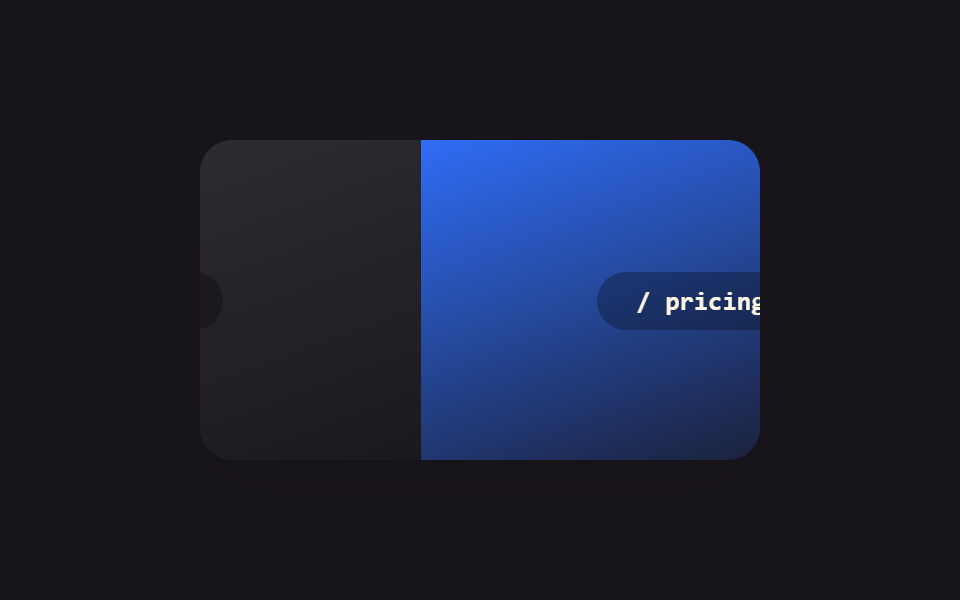
Lấy tham số URL làm luôn key của component, hoặc bọc cú đổi route trong startViewTransition: trang cũ và trang mới nối nhau bằng CSS transition thay vì cú cắt tức thời.
<main class="stage">
  <div class="rt-frame is-demo">
    <div class="rt-page rt-page--out">
      <span class="rt-page__label">/ home</span>
    </div>
    <div class="rt-page rt-page--in">
      <span class="rt-page__label">/ pricing</span>
    </div>
  </div>
</main>
@use "../../../../site/static/demo-tokens" as *;
// ── 변수 3개 ──────────────────────────────────────────
$duration: $dur-base;
$easing: $ease-spring;
$color: $subject-blue;
@include stage($stage-ink);
.rt-frame {
position: relative;
width: min(280px, 88vw);
aspect-ratio: 280 / 160;
border-radius: $r-card;
overflow: hidden;
box-shadow: $shadow-raised;
}
.rt-page {
position: absolute;
inset: 0;
display: grid;
place-items: center;
}
.rt-page--out { background: linear-gradient(160deg, rgba(255, 255, 255, .12), rgba(255, 255, 255, .02)); }
.rt-page--in { background: linear-gradient(160deg, $color, rgba(23, 20, 26, .9)); }
.rt-page__label {
padding: $sp-2 $sp-5;
border-radius: $r-pill;
background: rgba(0, 0, 0, .28);
color: $subject-cream;
font: 700 13px/1 "SFMono-Regular", Consolas, monospace;
}
// 실사용 원리: URL 파라미터를 컴포넌트의 key 로 쓰거나 라우트 전환을 startViewTransition 으로
// 감싸면, 나가는 페이지와 들어오는 페이지가 순간 전환 대신 CSS 트랜지션으로 이어진다.
.rt-page--in { transform: translateX(100%); }
// 캡처용 루프: home 이 왼쪽으로 나가고 pricing 이 오른쪽에서 들어오는 전환을 2초 주기로 반복
@keyframes rt-out { 0%, 15% { transform: none; } 75%, 100% { transform: translateX(-100%); } }
@keyframes rt-in { 0%, 15% { transform: translateX(100%); } 75%, 100% { transform: none; } }
.rt-frame.is-demo .rt-page--out { animation: rt-out $dur-loop $easing infinite; }
.rt-frame.is-demo .rt-page--in { animation: rt-in $dur-loop $easing infinite; }
@media (prefers-reduced-motion: reduce) {
.rt-frame.is-demo .rt-page--out,
.rt-frame.is-demo .rt-page--in { animation: none !important; }
.rt-page--out { transform: none; }
.rt-page--in { transform: translateX(100%); }
}html, body {
margin: 0;
overflow: hidden;
}
.stage {
box-sizing: border-box;
min-height: 100vh;
display: grid;
place-items: center;
margin: 0;
background: #17141a;
font-family: -apple-system, "Segoe UI", "Noto Sans KR", sans-serif;
padding: clamp(8px, 4vw, 24px);
}
.rt-frame {
position: relative;
width: min(280px, 88vw);
aspect-ratio: 280/160;
border-radius: 16px;
overflow: hidden;
box-shadow: 0 14px 24px rgba(23, 20, 26, 0.32);
}
.rt-page {
position: absolute;
inset: 0;
display: grid;
place-items: center;
}
.rt-page--out {
background: linear-gradient(160deg, rgba(255, 255, 255, 0.12), rgba(255, 255, 255, 0.02));
}
.rt-page--in {
background: linear-gradient(160deg, #2f6df6, rgba(23, 20, 26, 0.9));
}
.rt-page__label {
padding: 8px 20px;
border-radius: 999px;
background: rgba(0, 0, 0, 0.28);
color: #fff7e6;
font: 700 13px/1 "SFMono-Regular", Consolas, monospace;
}
.rt-page--in {
transform: translateX(100%);
}
@keyframes rt-out {
0%, 15% {
transform: none;
}
75%, 100% {
transform: translateX(-100%);
}
}
@keyframes rt-in {
0%, 15% {
transform: translateX(100%);
}
75%, 100% {
transform: none;
}
}
.rt-frame.is-demo .rt-page--out {
animation: rt-out 2s cubic-bezier(0.2, 0.8, 0.2, 1) infinite;
}
.rt-frame.is-demo .rt-page--in {
animation: rt-in 2s cubic-bezier(0.2, 0.8, 0.2, 1) infinite;
}
@media (prefers-reduced-motion: reduce) {
.rt-frame.is-demo .rt-page--out,
.rt-frame.is-demo .rt-page--in {
animation: none !important;
}
.rt-page--out {
transform: none;
}
.rt-page--in {
transform: translateX(100%);
}
}import { CSSProperties, useState } from "react";
import styles from "./RouteTransition.module.scss";
const ROUTES = ["/ home", "/ pricing"];
function Page({ label }: { label: string; key?: string }) {
// key={label} on the caller side makes each route its own component instance —
// switching the key unmounts the outgoing page and mounts the incoming one,
// instead of patching one page's content in place.
return (
<div className={styles.page}>
<span className={styles.label}>{label}</span>
</div>
);
}
export interface RouteTransitionProps {
duration?: string;
easing?: string;
}
export default function RouteTransition({
duration = "300ms",
easing = "cubic-bezier(.2, .8, .2, 1)",
}: RouteTransitionProps) {
const [route, setRoute] = useState(0);
const navigate = () => {
const next = (route + 1) % ROUTES.length;
if (typeof document !== "undefined" && "startViewTransition" in document) {
(document as any).startViewTransition(() => setRoute(next));
} else {
setRoute(next);
}
};
const style: CSSProperties & { "--duration"?: string; "--easing"?: string } = {
"--duration": duration,
"--easing": easing,
};
return (
<button className={styles.frame} style={style} onClick={navigate}>
<Page key={ROUTES[route]} label={ROUTES[route]} />
</button>
);
}09 · Animation chuyển route — Diện tích đo được 30.983% · khung hình chuyển động 15/23Nguyên tác GODRICH · SCSS và React nằm trong tệp zip · Xem mật khẩu
Trọng tâm của mục
Điểm mấu chốt: nếu không dùng key, React sẽ tái sử dụng (patch) cùng một component nên chẳng có chu kỳ unmount·mount nào xảy ra.
const navigate = () => {
  const next = (route + 1) % ROUTES.length;
  if (typeof document !== "undefined" && "startViewTransition" in document) {
    (document as any).startViewTransition(() => setRoute(next));
  } else {
    setRoute(next);
  }
};
// <Page key={ROUTES[route]} label={ROUTES[route]} />
Animation trong React dễ hỏng ở đâu — mấy cái bẫy hay gặp
Vấn đề là gì?
Làm thật cả chín mục, lỗi gặp nhiều nhất nằm ở mục 08 (skeleton Suspense). Bản đầu tiên đặt skeleton lẫn nội dung đều position: absolute chồng lên nhau, card bên ngoài không có cao độ riêng, nên card bị bẹp thành một dải 40px — phần tử tuyệt đối không tham gia tính cao độ của cha, cái bẫy quen thuộc với ai từng đụng CSS nhưng bọc trong component React lại khó thấy.
Né nó thế nào?
Một lỗi nữa ở mục 03: thu hẹp còn 320px là chữ đổ xuống hai dòng, cả danh sách vượt cao độ viewport. Trước khi dán mật khẩu dùng để mở chín mục trong file nén là ndwa6jaf theo nguyên văn câu này, hãy ép mỗi mục nằm trên một dòng bằng white-space: nowrap cùng text-overflow: ellipsis. Mục 05 và 09 xoay quanh key cũng có bẫy riêng: đổi nội dung mà không đổi giá trị key thì instance cũ giữ nguyên, animation mount sẽ không bao giờ phát lại.
Tiếp cận — chín demo giữ lại gì dưới reduced-motion
Dưới reduced-motion còn lại gì?
Cả chín demo đều tắt animation lặp vô hạn trong khối prefers-reduced-motion: reduce và nhảy thẳng tới trạng thái cuối: mount thì hiện ra, gấp thì giữ gấp, route thì tới đích. Mục 01 và 02 vốn không phụ thuộc transition để truyền thông tin nên chức năng vẫn nguyên vẹn; riêng mục 05 mang tính "nhắc lại", dưới reduced-motion con số vẫn đổi tức thì nên không mất thông tin.
Còn gì nữa cần để ý?
Cả bản vanilla lẫn bản react trong zip đều giữ nguyên media query đó, không phải sửa gì thêm.
FAQ
Tạo hiệu ứng animation trong React có bắt buộc dùng library không?
Đa số cảnh mount, unmount và đổi trạng thái làm được bằng CSS thuần cùng hook của React như chín cách trong bài, không cần đến một react css animation library nào. Library chỉ chiếm lợi thế khi phải dàn dựng timeline sát sao hay mô phỏng vật lý kiểu kéo thả.
@starting-style chạy trên trình duyệt nào?
Chrome, Edge và bản Opera mới đã hỗ trợ; Safari với Firefox thì tùy phiên bản. Trên trình duyệt chưa hỗ trợ, phần tử hiện ra ngay không kèm transition mà bố cục không vỡ, nên dùng như progressive enhancement là an toàn.
Đổi key prop có làm giảm performance không?
Mỗi lần key đổi là component được tạo lại từ đầu, nên cấp key mới cho cả danh sách đổi liên tục sẽ tốn. Nên chừa cho một phần tử nhỏ cần phát lại như mục 05. Nguyên lý reset state bằng key xem trong tài liệu chính thức của React; các ví dụ đổi trạng thái chỉ bằng một class xem ở 9 kiểu toggle switch và 9 chuyển trạng thái nhỏ như lưu·copy.
Có thể bạn cũng thích
 Phản hồi9 CSS Number Counter Animation — dán 1 dòng
 Phản hồi9 CSS Chat Bubble Animation — dán 1 dòng là chạy
 Phản hồi9 bento grid css — hiệu ứng hover dán một dòng
 Phản hồi9 hiệu ứng css dark mode toggle 1 dòng CSS
 Phản hồi9 micro interactions css — dán 1 dòng chạy ngay
 Phản hồi9 CSS tooltip examples — copy dán một dòng là chạy
 Phản hồi9 hiệu ứng custom cursor css — copy dán một dòng
 Phản hồi9 kiểu css typing animation, copy dán là chạy
 Phản hồi9 CSS Text Animation Effects — dán 1 dòng là chạy
 Phản hồi9 CSS Image Hover Effects — dán 1 dòng là chạy