9 mẫu css pricing table animation copy-paste
Css pricing table là khối hiển thị các gói giá xếp cạnh nhau trên một trang. Chín animation cho bảng giá dưới đây viết gọn theo kiểu một dòng copy-paste là
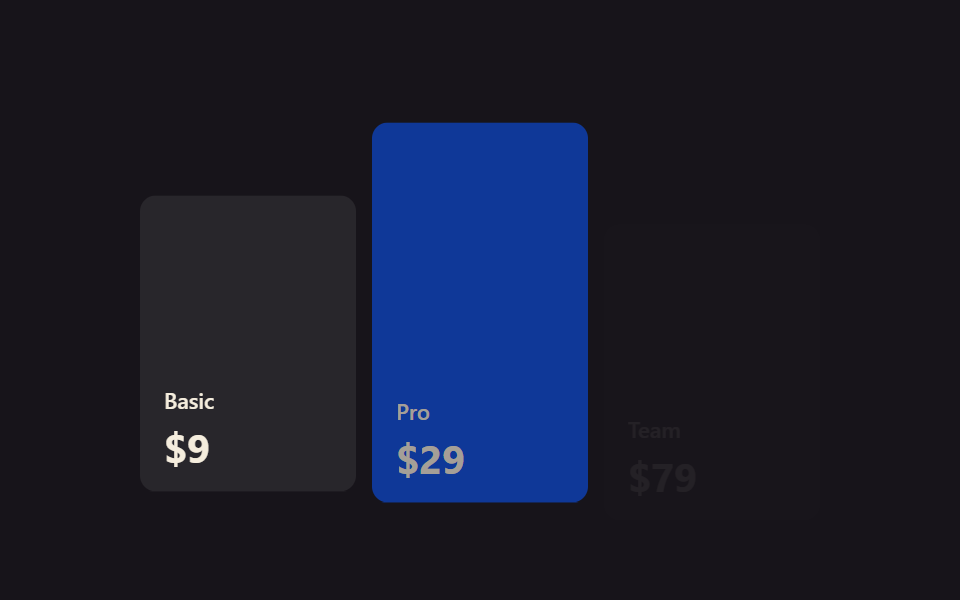 01 pricing-table-animation-scroll-reveal-plans
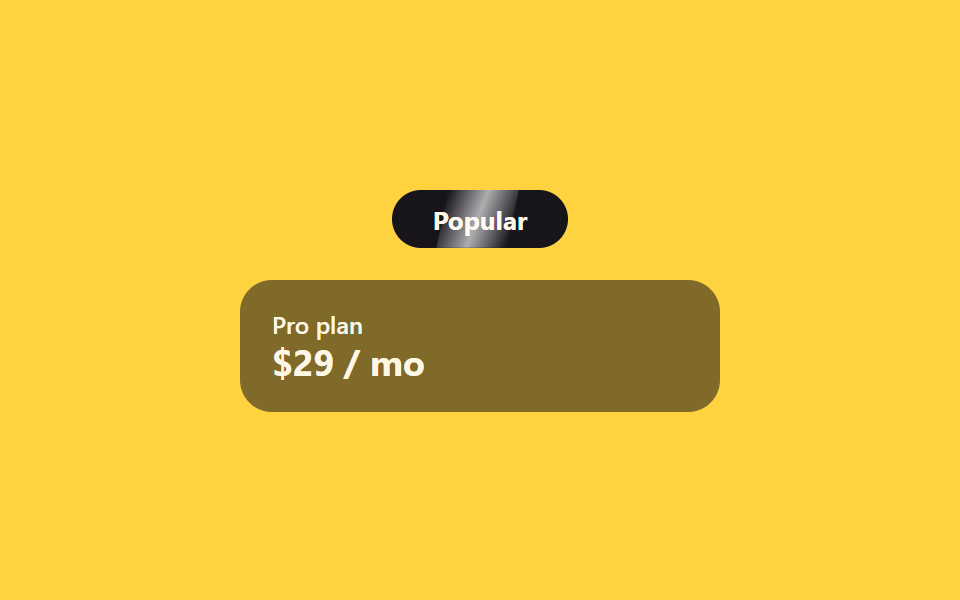 02 pricing-table-animation-badge-shine-sweep
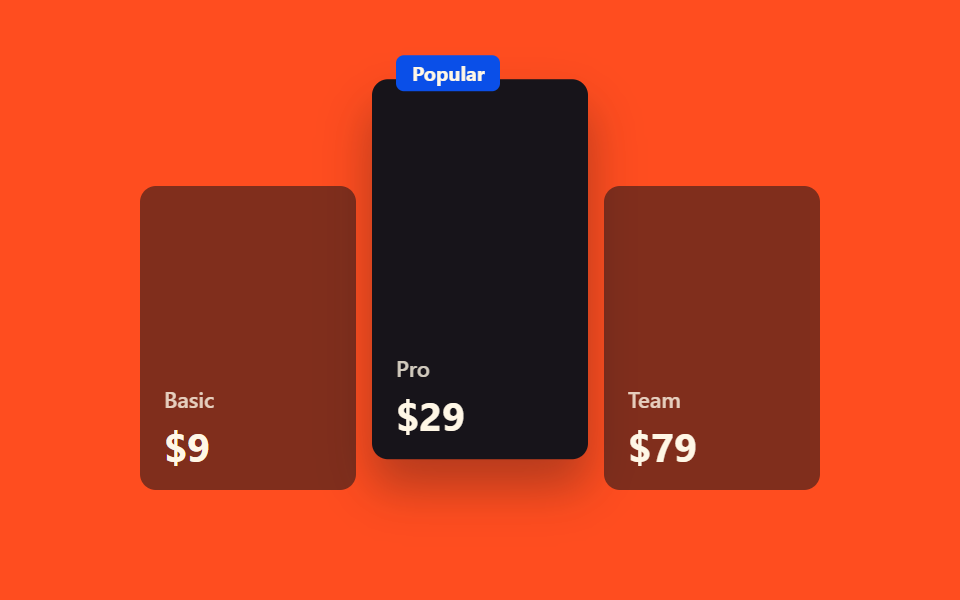 03 pricing-table-animation-popular-plan-lift
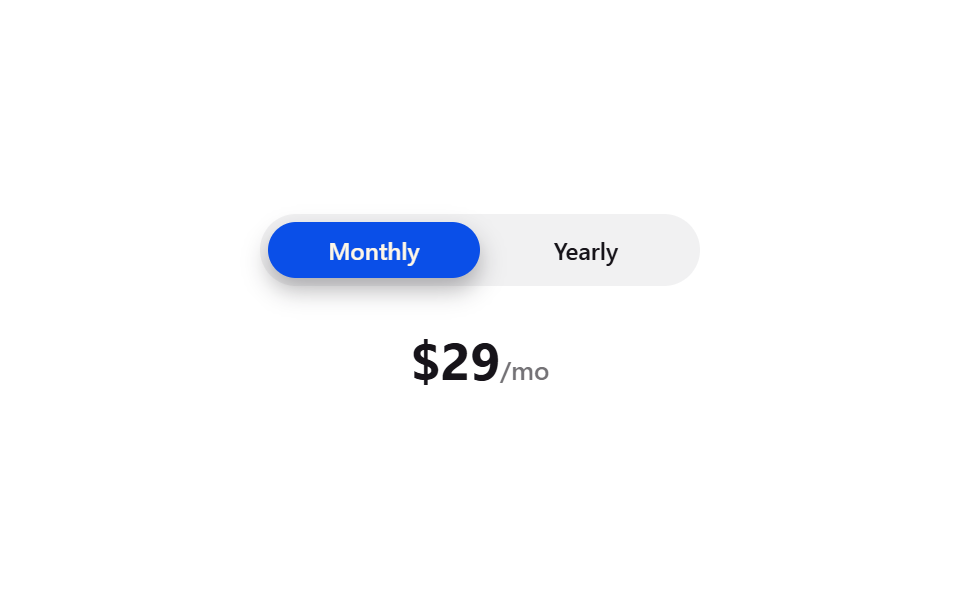 04 pricing-table-animation-monthly-yearly-toggle
 05 pricing-table-animation-price-flip-digit
 06 pricing-table-animation-has-checked-price-swap
 07 pricing-table-animation-feature-check-stagger
 08 pricing-table-animation-compare-highlight
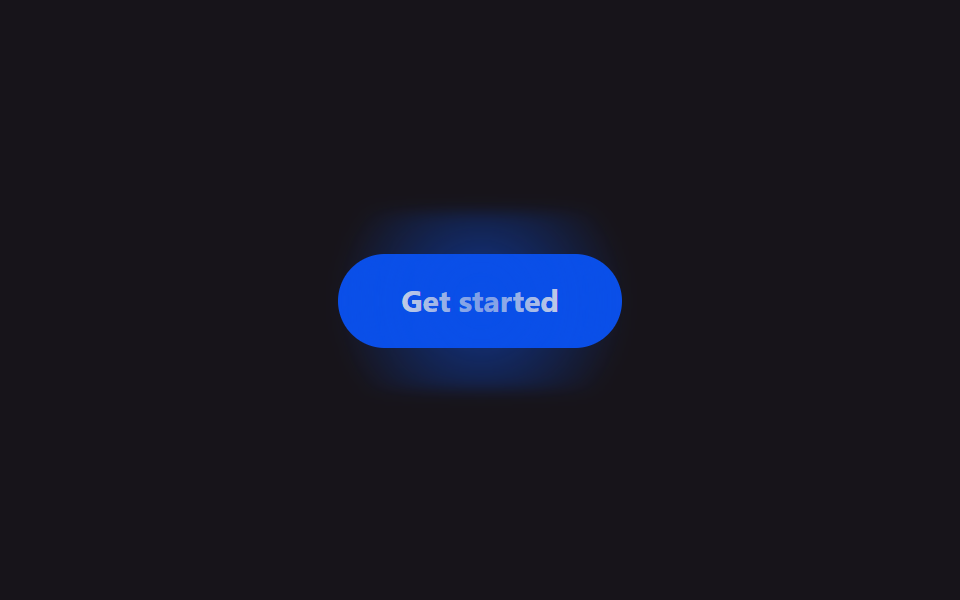 09 pricing-table-animation-cta-glow
Tự chạy · bấm ô để tới mục đó · cả 9 trong một zip
- 01 Gói giá hiện dần theo scroll
- 02 Badge quét vệt sáng
- 03 Nhấc cao gói phổ biến
- 04 Toggle tháng/năm
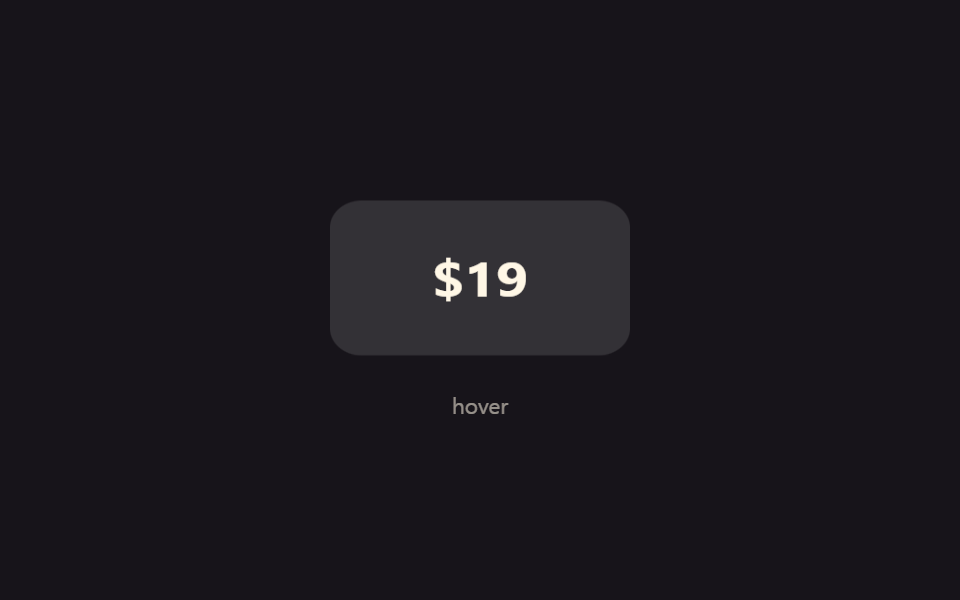
- 05 Lật số giá
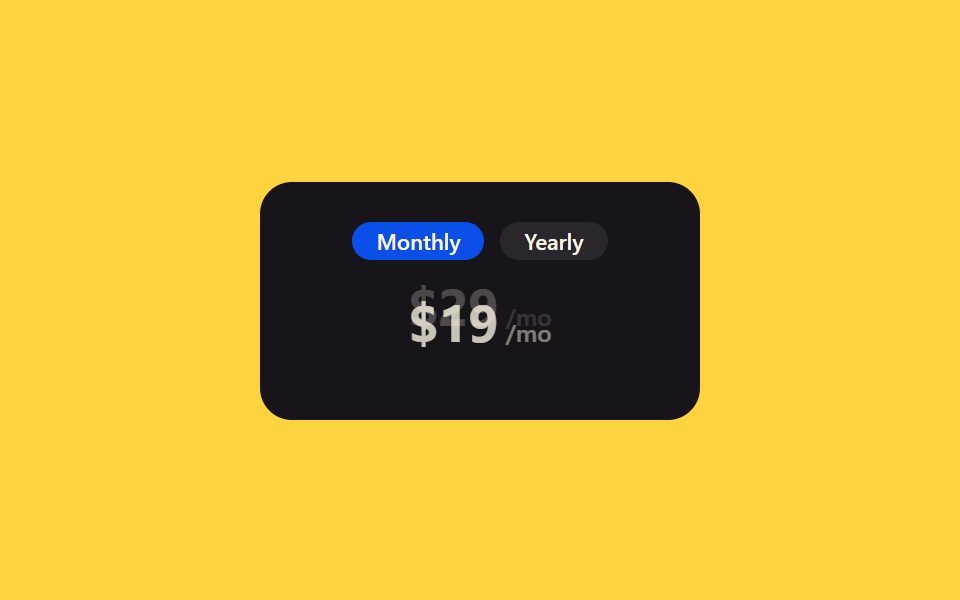
- 06 Đổi giá bằng :has(:checked), 0 JS
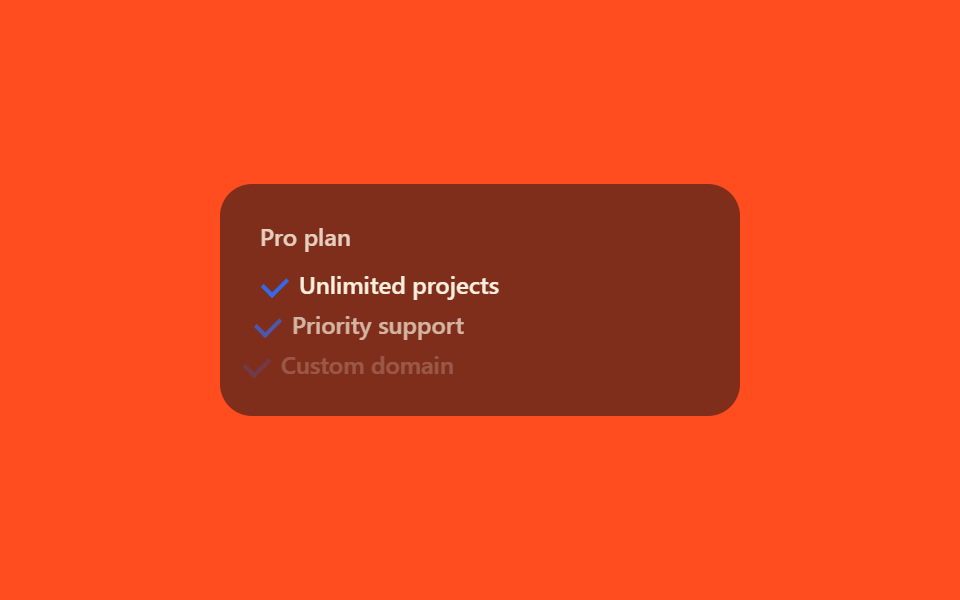
- 07 Dấu check hiện lần lượt
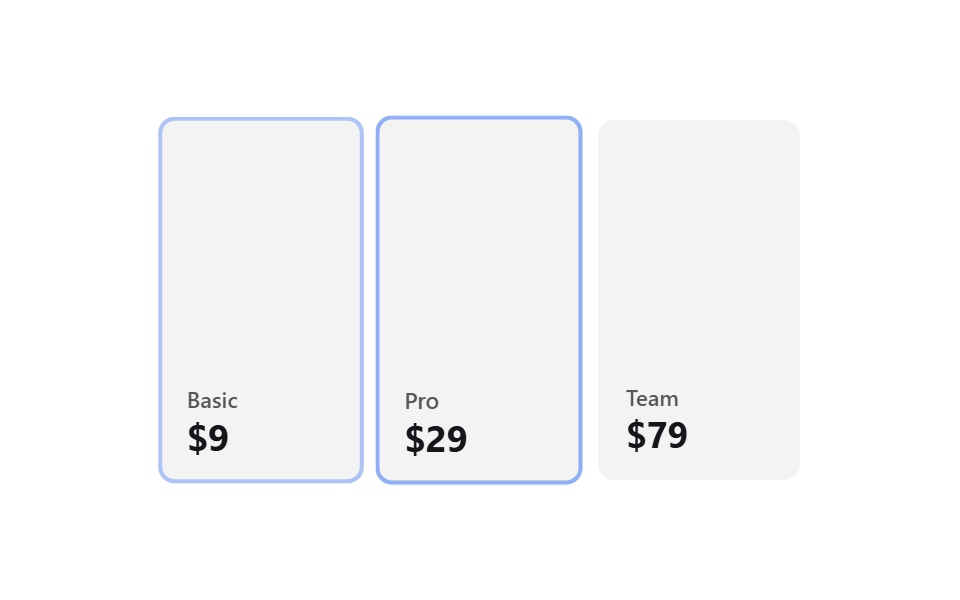
- 08 Highlight cột đang xem
- 09 CTA phát sáng
Chín mẫu pricing table html css này xếp theo thứ tự khách dạo mắt qua một bảng giá: đầu tiên là tín hiệu lọt vào mắt ngay khi cuộn tới (01~03), tiếp là đoạn thao tác thật — đổi chu kỳ thanh toán (04~06), rồi đoạn soát chức năng kèm theo và so sánh các gói (07~08), cuối cùng dừng ở CTA dẫn tay tới nút thanh toán (09).
01Các thẻ gói trồi lên theo lượt khi cuộn
Điều bạn thấy
Cuộn xuống đoạn bảng giá, các thẻ gói không đổ ập vào một lúc mà lần lượt nổi lên từng chiếc theo thứ tự.
<main class="stage">
  <div class="sr-grid is-demo">
    <div class="sr-card">
      <span class="sr-card__tag">Basic</span>
      <span class="sr-card__price">$9</span>
    </div>
    <div class="sr-card sr-card--mid">
      <span class="sr-card__tag">Pro</span>
      <span class="sr-card__price">$29</span>
    </div>
    <div class="sr-card">
      <span class="sr-card__tag">Team</span>
      <span class="sr-card__price">$79</span>
    </div>
  </div>
</main>
@use "../../../../site/static/demo-tokens" as *;
// ── 변수 3개 ──────────────────────────────────────────
$duration: $dur-loop;
$easing: $ease-out;
$color: $subject-blue;
@include stage($stage-ink);
.sr-grid {
width: min(340px, 90vw);
aspect-ratio: 340 / 190;
display: flex;
align-items: flex-end;
gap: $sp-2;
}
.sr-card {
flex: 1 1 0;
height: 78%;
border-radius: $r-sm;
box-sizing: border-box;
padding: $sp-3;
display: flex;
flex-direction: column;
justify-content: flex-end;
gap: $sp-1;
color: $subject-cream;
background: rgba(255, 255, 255, .08);
font: 600 12px/1 -apple-system, "Segoe UI", sans-serif;
}
.sr-card--mid {
height: 100%;
background: $subject-blue-deep; // 크림 글자가 얹히므로 진한 파랑
}
.sr-card__tag { opacity: 1; font-size: 11px; } // AA: 진한 파랑 면 위 크림 100% — 5.98:1
.sr-card__price { font-size: 20px; font-weight: 700; margin-top: $sp-1; }
// 실사용: IntersectionObserver 가 .sr-grid 에 .in 을 붙이면 카드가 순서대로 떠오른다
.sr-card {
opacity: 0;
transform: translateY($sp-4);
transition: opacity 400ms $easing, transform 400ms $easing;
}
.sr-grid.in .sr-card { opacity: 1; transform: none; }
.sr-grid.in .sr-card:nth-child(2) { transition-delay: 140ms; }
.sr-grid.in .sr-card:nth-child(3) { transition-delay: 280ms; }
// 데모 루프: is-demo 는 실사용 경로(.in, 실제 스크롤 진입)와 별개로 keyframes 로 반복 재생 (캡처용)
@keyframes sr-rise {
0% { opacity: 0; transform: translateY($sp-4); }
20%, 85% { opacity: 1; transform: none; }
100% { opacity: 0; transform: translateY($sp-4); }
}
.sr-grid.is-demo .sr-card { animation: sr-rise $duration $easing infinite; }
.sr-grid.is-demo .sr-card:nth-child(2) { animation-delay: 160ms; }
.sr-grid.is-demo .sr-card:nth-child(3) { animation-delay: 320ms; }
@media (prefers-reduced-motion: reduce) {
.sr-card,
.sr-grid.is-demo .sr-card {
animation: none !important;
transition: none !important;
opacity: 1 !important;
transform: none !important;
}
}html, body {
margin: 0;
overflow: hidden;
}
.stage {
box-sizing: border-box;
min-height: 100vh;
display: grid;
place-items: center;
margin: 0;
background: #17141a;
font-family: -apple-system, "Segoe UI", "Noto Sans KR", sans-serif;
padding: clamp(8px, 4vw, 24px);
}
.sr-grid {
width: min(340px, 90vw);
aspect-ratio: 340/190;
display: flex;
align-items: flex-end;
gap: 8px;
}
.sr-card {
flex: 1 1 0;
height: 78%;
border-radius: 8px;
box-sizing: border-box;
padding: 12px;
display: flex;
flex-direction: column;
justify-content: flex-end;
gap: 4px;
color: #fff7e6;
background: rgba(255, 255, 255, 0.08);
font: 600 12px/1 -apple-system, "Segoe UI", sans-serif;
}
.sr-card--mid {
height: 100%;
background: #0a4fe8;
}
.sr-card__tag {
opacity: 1;
font-size: 11px;
}
.sr-card__price {
font-size: 20px;
font-weight: 700;
margin-top: 4px;
}
.sr-card {
opacity: 0;
transform: translateY(16px);
transition: opacity 400ms ease-out, transform 400ms ease-out;
}
.sr-grid.in .sr-card {
opacity: 1;
transform: none;
}
.sr-grid.in .sr-card:nth-child(2) {
transition-delay: 140ms;
}
.sr-grid.in .sr-card:nth-child(3) {
transition-delay: 280ms;
}
@keyframes sr-rise {
0% {
opacity: 0;
transform: translateY(16px);
}
20%, 85% {
opacity: 1;
transform: none;
}
100% {
opacity: 0;
transform: translateY(16px);
}
}
.sr-grid.is-demo .sr-card {
animation: sr-rise 2s ease-out infinite;
}
.sr-grid.is-demo .sr-card:nth-child(2) {
animation-delay: 160ms;
}
.sr-grid.is-demo .sr-card:nth-child(3) {
animation-delay: 320ms;
}
@media (prefers-reduced-motion: reduce) {
.sr-card,
.sr-grid.is-demo .sr-card {
animation: none !important;
transition: none !important;
opacity: 1 !important;
transform: none !important;
}
}var grid = document.querySelector('.sr-grid');
var io = new IntersectionObserver(function (entries) {
  entries.forEach(function (e) {
    if (e.isIntersecting) { grid.classList.add('in'); io.unobserve(grid); }
  });
}, { threshold: 0.3 });
io.observe(grid);import { CSSProperties, useEffect, useRef, useState } from "react";
import styles from "./PlansRevealOnScroll.module.scss";
export interface PlansRevealOnScrollProps {
duration?: string;
easing?: string;
stagger?: string;
}
const PLANS = [
{ tag: "Basic", price: "$9" },
{ tag: "Pro", price: "$29" },
{ tag: "Team", price: "$79" },
];
// 실사용: 진짜 IntersectionObserver 가 그리드가 뷰포트에 들어올 때 in 을 켠다. 카드마다 transition-delay 만 다르다.
export default function PlansRevealOnScroll({
duration = "400ms",
easing = "ease-out",
stagger = "140ms",
}: PlansRevealOnScrollProps) {
const gridRef = useRef<HTMLDivElement>(null);
const [inView, setInView] = useState(false);
useEffect(() => {
const el = gridRef.current;
if (!el) return;
const io = new IntersectionObserver((entries) => {
entries.forEach((e) => { if (e.isIntersecting) { setInView(true); io.unobserve(e.target); } });
}, { threshold: 0.3 });
io.observe(el);
return () => io.disconnect();
}, []);
const style = { "--duration": duration, "--easing": easing } as CSSProperties;
return (
<div className={styles.grid} style={style} ref={gridRef}>
{PLANS.map((p, i) => (
<div
key={p.tag}
className={`${styles.card} ${i === 1 ? styles.mid : ""} ${inView ? styles.in : ""}`}
style={{ transitionDelay: inView ? `calc(${stagger} * ${i})` : undefined }}
>
<span className={styles.tag}>{p.tag}</span>
<span className={styles.price}>{p.price}</span>
</div>
))}
</div>
);
}01 · Gói giá hiện dần theo scroll — Diện tích đo được 37.606% · khung hình chuyển động 12/23Nguyên tác GODRICH · SCSS và React nằm trong tệp zip · Xem mật khẩu
Cốt lõi khi triển khai
IntersectionObserver bắt đúng khoảnh khắc cả lưới lọt vào màn hình để gắn class in, còn mỗi thẻ chỉ khác nhau một chút transition-delay nên cùng một cử động lặp lại nhưng lệch nhịp nhau.
var io = new IntersectionObserver(function (entries) {
entries.forEach(function (e) {
if (e.isIntersecting) { grid.classList.add('in'); io.unobserve(grid); }
});
}, { threshold: 0.3 });
io.observe(grid);
.sr-card { opacity: 0; transform: translateY($sp-4); transition: opacity 400ms, transform 400ms; }
.sr-grid.in .sr-card { opacity: 1; transform: none; }
.sr-grid.in .sr-card:nth-child(2) { transition-delay: 140ms; }
.sr-grid.in .sr-card:nth-child(3) { transition-delay: 280ms; }
02Vệt sáng quét qua badge
Tình huống nào
Trên badge gói phổ biến, một dải sáng mảnh cứ vài giây lại lướt qua một lần, nên chưa cần hover mắt cũng bị kéo về phía nó tự nhiên.
<main class="stage">
  <div class="sh-wrap">
    <span class="sh-badge">Popular</span>
    <div class="sh-card">
      <span class="sh-card__tag">Pro plan</span>
      <span class="sh-card__price">$29 / mo</span>
    </div>
  </div>
</main>
@use "../../../../site/static/demo-tokens" as *;
// ── 변수 3개 ──────────────────────────────────────────
$duration: 2.4s;
$easing: ease-in-out;
$color: $subject-blue;
@include stage($stage-yellow);
.sh-wrap {
width: min(240px, 84vw);
display: flex;
flex-direction: column;
align-items: center;
gap: $sp-4;
}
.sh-badge {
position: relative;
overflow: hidden;
display: inline-block;
border-radius: $r-pill;
padding: $sp-2 $sp-5;
background: $subject-ink;
color: $subject-cream;
font: 700 13px/1 -apple-system, "Segoe UI", sans-serif;
}
// 광택 띠 — 폭 고정, transform 만 움직인다 (그라디언트 자체는 정적)
.sh-badge::after {
content: "";
position: absolute;
top: 0;
left: 0;
width: 40%;
height: 100%;
background: linear-gradient(100deg, transparent, rgba(255, 255, 255, .65), transparent);
transform: translateX(-260%) skewX(-12deg);
}
// 자동 재생 (호버 불필요) — badge 는 항상 스윕한다
.sh-badge::after {
animation: sh-sweep $duration $easing infinite;
}
@keyframes sh-sweep {
0% { transform: translateX(-260%) skewX(-12deg); }
60%, 100% { transform: translateX(360%) skewX(-12deg); }
}
.sh-card {
width: 100%;
box-sizing: border-box;
border-radius: $r-card;
padding: $sp-4;
background: rgba(23, 20, 26, .55);
color: $subject-cream;
display: flex;
flex-direction: column;
gap: $sp-1;
font: 600 12px/1 -apple-system, "Segoe UI", sans-serif;
}
.sh-card__tag { opacity: 1; } // AA: 뱃지 면(잉크 55% 옐로 겹침) 위 크림 100% — 4.89:1
.sh-card__price { font-size: 18px; font-weight: 700; }
@media (prefers-reduced-motion: reduce) {
.sh-badge::after { animation: none !important; opacity: 0 !important; }
}html, body {
margin: 0;
overflow: hidden;
}
.stage {
box-sizing: border-box;
min-height: 100vh;
display: grid;
place-items: center;
margin: 0;
background: #ffd23f;
font-family: -apple-system, "Segoe UI", "Noto Sans KR", sans-serif;
padding: clamp(8px, 4vw, 24px);
}
.sh-wrap {
width: min(240px, 84vw);
display: flex;
flex-direction: column;
align-items: center;
gap: 16px;
}
.sh-badge {
position: relative;
overflow: hidden;
display: inline-block;
border-radius: 999px;
padding: 8px 20px;
background: #17141a;
color: #fff7e6;
font: 700 13px/1 -apple-system, "Segoe UI", sans-serif;
}
.sh-badge::after {
content: "";
position: absolute;
top: 0;
left: 0;
width: 40%;
height: 100%;
background: linear-gradient(100deg, transparent, rgba(255, 255, 255, 0.65), transparent);
transform: translateX(-260%) skewX(-12deg);
}
.sh-badge::after {
animation: sh-sweep 2.4s ease-in-out infinite;
}
@keyframes sh-sweep {
0% {
transform: translateX(-260%) skewX(-12deg);
}
60%, 100% {
transform: translateX(360%) skewX(-12deg);
}
}
.sh-card {
width: 100%;
box-sizing: border-box;
border-radius: 16px;
padding: 16px;
background: rgba(23, 20, 26, 0.55);
color: #fff7e6;
display: flex;
flex-direction: column;
gap: 4px;
font: 600 12px/1 -apple-system, "Segoe UI", sans-serif;
}
.sh-card__tag {
opacity: 1;
}
.sh-card__price {
font-size: 18px;
font-weight: 700;
}
@media (prefers-reduced-motion: reduce) {
.sh-badge::after {
animation: none !important;
opacity: 0 !important;
}
}import { CSSProperties } from "react";
import styles from "./BadgeShineSweep.module.scss";
export interface BadgeShineSweepProps {
duration?: string;
easing?: string;
tag?: string;
}
export default function BadgeShineSweep({
duration = "2.4s",
easing = "ease-in-out",
tag = "Popular",
}: BadgeShineSweepProps) {
const style = { "--duration": duration, "--easing": easing } as CSSProperties;
return (
<div className={styles.wrap} style={style}>
<span className={styles.badge}>{tag}</span>
<div className={styles.card}>
<span className={styles.tag}>Pro plan</span>
<span className={styles.price}>$29 / mo</span>
</div>
</div>
);
}02 · Badge quét vệt sáng — Diện tích đo được 1.628% · khung hình chuyển động 7/23Nguyên tác GODRICH · SCSS và React nằm trong tệp zip · Xem mật khẩu
Điểm mấu chốt
Bên trong badge đã có overflow: hidden, chỉ riêng dải gradient dịch chuyển bằng transform: translateX, nên kích thước badge không hề rung chuyển.
.sh-badge { position: relative; overflow: hidden; }
.sh-badge::after {
  content: "";
  position: absolute;
  top: 0; left: 0;
  width: 40%; height: 100%;
  background: linear-gradient(100deg, transparent, rgba(255, 255, 255, .65), transparent);
  animation: sh-sweep 2.4s ease-in-out infinite;
}
@keyframes sh-sweep {
  0% { transform: translateX(-260%) skewX(-12deg); }
  60%, 100% { transform: translateX(360%) skewX(-12deg); }
}
03Thẻ gói nổi bật nhấc được nâng thêm
Chuyện gì xảy ra
Một css pricing card đã được đánh dấu bằng viền và badge, khi hover lên sẽ nâng cao thêm một tầng kèm bóng đổ đậm hơn.
<main class="stage">
  <div class="pl-grid is-demo">
    <div class="pl-card">
      <span class="pl-card__tag">Basic</span>
      <span class="pl-card__price">$9</span>
    </div>
    <div class="pl-card pl-card--popular pl-focal">
      <span class="pl-card__badge">Popular</span>
      <span class="pl-card__tag">Pro</span>
      <span class="pl-card__price">$29</span>
    </div>
    <div class="pl-card">
      <span class="pl-card__tag">Team</span>
      <span class="pl-card__price">$79</span>
    </div>
  </div>
</main>
@use "../../../../site/static/demo-tokens" as *;
// ── 변수 3개 ──────────────────────────────────────────
$duration: $dur-base;
$easing: $ease-spring;
$color: $subject-blue-deep; // 크림 글자가 얹히므로 진한 파랑
@include stage($stage-orange);
.pl-grid {
width: min(340px, 90vw);
aspect-ratio: 340 / 190;
display: flex;
align-items: flex-end;
gap: $sp-2;
}
.pl-card {
flex: 1 1 0;
height: 80%;
border-radius: $r-sm;
box-sizing: border-box;
padding: $sp-3;
display: flex;
flex-direction: column;
justify-content: flex-end;
gap: $sp-1;
position: relative;
color: $subject-cream;
background: rgba(23, 20, 26, .55);
font: 600 12px/1 -apple-system, "Segoe UI", sans-serif;
}
.pl-card--popular {
height: 100%;
background: $subject-ink;
box-shadow: $shadow-press;
transition: transform $duration $easing, box-shadow $duration $easing;
}
.pl-card--popular:hover {
transform: translateY(-#{$sp-4});
box-shadow: $shadow-raised;
}
.pl-card__badge {
position: absolute;
top: -#{$sp-3};
left: $sp-3;
border-radius: $r-xs;
background: $color;
color: $subject-cream;
padding: $sp-1 $sp-2;
font-size: 10px;
font-weight: 700;
}
.pl-card__tag { opacity: .8; font-size: 11px; }
.pl-card__price { font-size: 20px; font-weight: 700; margin-top: $sp-1; }
// 데모 루프: is-demo 는 같은 들림을 무한 재생 (캡처용)
@keyframes pl-lift {
0%, 100% { transform: translateY(0); box-shadow: $shadow-press; }
50% { transform: translateY(-#{$sp-4}); box-shadow: $shadow-raised; }
}
.pl-grid.is-demo .pl-focal { animation: pl-lift $duration $easing infinite; }
@media (prefers-reduced-motion: reduce) {
.pl-card--popular:hover,
.pl-grid.is-demo .pl-focal { animation: none !important; transform: none !important; box-shadow: $shadow-press !important; }
}html, body {
margin: 0;
overflow: hidden;
}
.stage {
box-sizing: border-box;
min-height: 100vh;
display: grid;
place-items: center;
margin: 0;
background: #ff4d1f;
font-family: -apple-system, "Segoe UI", "Noto Sans KR", sans-serif;
padding: clamp(8px, 4vw, 24px);
}
.pl-grid {
width: min(340px, 90vw);
aspect-ratio: 340/190;
display: flex;
align-items: flex-end;
gap: 8px;
}
.pl-card {
flex: 1 1 0;
height: 80%;
border-radius: 8px;
box-sizing: border-box;
padding: 12px;
display: flex;
flex-direction: column;
justify-content: flex-end;
gap: 4px;
position: relative;
color: #fff7e6;
background: rgba(23, 20, 26, 0.55);
font: 600 12px/1 -apple-system, "Segoe UI", sans-serif;
}
.pl-card--popular {
height: 100%;
background: #17141a;
box-shadow: 0 6px 12px rgba(23, 20, 26, 0.32);
transition: transform 300ms cubic-bezier(0.2, 0.8, 0.2, 1), box-shadow 300ms cubic-bezier(0.2, 0.8, 0.2, 1);
}
.pl-card--popular:hover {
transform: translateY(-16px);
box-shadow: 0 14px 24px rgba(23, 20, 26, 0.32);
}
.pl-card__badge {
position: absolute;
top: -12px;
left: 12px;
border-radius: 4px;
background: #0a4fe8;
color: #fff7e6;
padding: 4px 8px;
font-size: 10px;
font-weight: 700;
}
.pl-card__tag {
opacity: 0.8;
font-size: 11px;
}
.pl-card__price {
font-size: 20px;
font-weight: 700;
margin-top: 4px;
}
@keyframes pl-lift {
0%, 100% {
transform: translateY(0);
box-shadow: 0 6px 12px rgba(23, 20, 26, 0.32);
}
50% {
transform: translateY(-16px);
box-shadow: 0 14px 24px rgba(23, 20, 26, 0.32);
}
}
.pl-grid.is-demo .pl-focal {
animation: pl-lift 300ms cubic-bezier(0.2, 0.8, 0.2, 1) infinite;
}
@media (prefers-reduced-motion: reduce) {
.pl-card--popular:hover,
.pl-grid.is-demo .pl-focal {
animation: none !important;
transform: none !important;
box-shadow: 0 6px 12px rgba(23, 20, 26, 0.32) !important;
}
}import { CSSProperties } from "react";
import styles from "./PopularPlanLift.module.scss";
export interface PopularPlanLiftProps {
duration?: string;
easing?: string;
color?: string;
}
const SIDE = [
{ tag: "Basic", price: "$9" },
{ tag: "Team", price: "$79" },
];
export default function PopularPlanLift({
duration = "300ms",
easing = "cubic-bezier(.2, .8, .2, 1)",
color = "#0a4fe8",
}: PopularPlanLiftProps) {
const style = { "--duration": duration, "--easing": easing, "--color": color } as CSSProperties;
return (
<div className={styles.grid} style={style}>
<div className={styles.card}>
<span className={styles.tag}>{SIDE[0].tag}</span>
<span className={styles.price}>{SIDE[0].price}</span>
</div>
<div className={`${styles.card} ${styles.popular}`}>
<span className={styles.badge}>Popular</span>
<span className={styles.tag}>Pro</span>
<span className={styles.price}>$29</span>
</div>
<div className={styles.card}>
<span className={styles.tag}>{SIDE[1].tag}</span>
<span className={styles.price}>{SIDE[1].price}</span>
</div>
</div>
);
}03 · Nhấc cao gói phổ biến — Diện tích đo được 5.008% · khung hình chuyển động 23/23Nguyên tác GODRICH · SCSS và React nằm trong tệp zip · Xem mật khẩu
Điểm cần ghi nhớ
Chỉ có transform: translateY và box-shadow chuyển đổi cùng nhau, các thẻ nằm cạnh không bị kéo theo lay động.
.pl-card--popular {
  box-shadow: $shadow-press;
  transition: transform $duration $easing, box-shadow $duration $easing;
}
.pl-card--popular:hover {
  transform: translateY(-#{$sp-4});
  box-shadow: $shadow-raised;
}
04Toggle hàng tháng·hàng năm
Trên màn hình
Giữa hai nút Monthly và Yearly, một nền hình viên tròn trượt mượt sang lại, báo cho biết chu kỳ thanh toán nào đang được chọn.
<main class="stage">
  <div class="mt-wrap">
    <div class="mt-toggle is-demo">
      <input type="radio" name="mt-period" id="mt-monthly" class="mt-radio mt-radio--m" checked>
      <input type="radio" name="mt-period" id="mt-yearly" class="mt-radio mt-radio--y">
      <label class="mt-option" for="mt-monthly">Monthly</label>
      <label class="mt-option" for="mt-yearly">Yearly</label>
      <span class="mt-indicator" aria-hidden="true"></span>
    </div>
    <div class="mt-price">$29<span class="mt-price__unit">/mo</span></div>
  </div>
</main>
@use "../../../../site/static/demo-tokens" as *;
// ── 변수 3개 ──────────────────────────────────────────
$duration: $dur-base;
$easing: $ease-spring;
$color: $subject-blue-deep; // 크림 글자가 얹히므로 진한 파랑
@include stage($stage-paper);
.mt-wrap {
display: flex;
flex-direction: column;
align-items: center;
gap: $sp-6;
}
.mt-toggle {
position: relative;
display: flex;
width: min(220px, 78vw);
border-radius: $r-pill;
background: rgba(23, 20, 26, .06);
padding: $sp-1;
box-sizing: border-box;
}
.mt-radio { position: absolute; opacity: 0; pointer-events: none; }
.mt-option {
position: relative;
z-index: 1;
flex: 1 1 0;
text-align: center;
padding: $sp-2 0;
border-radius: $r-pill;
cursor: pointer;
color: $subject-ink;
font: 600 12px/1 -apple-system, "Segoe UI", sans-serif;
}
// 인디케이터는 두 옵션과 같은 50/50 분할을 쓴다 — flex 로 갈린 실제 폭을 짐작한 px 로 흉내내지 않는다 (BD19)
.mt-indicator {
position: absolute;
top: $sp-1;
left: $sp-1;
width: calc(50% - #{$sp-1});
height: calc(100% - #{$sp-1} * 2);
border-radius: $r-pill;
background: $color;
box-shadow: $shadow-press;
transition: transform $duration $easing;
}
#mt-yearly:checked ~ .mt-indicator { transform: translateX(100%); }
#mt-yearly:checked ~ .mt-option[for="mt-yearly"] { color: $subject-cream; }
#mt-monthly:checked ~ .mt-option[for="mt-monthly"] { color: $subject-cream; }
.mt-price { font: 700 26px/1 -apple-system, "Segoe UI", sans-serif; color: $subject-ink; }
.mt-price__unit { font-size: 13px; font-weight: 500; opacity: .6; }
// 데모 루프: 헤드리스는 라디오를 못 눌러 is-demo 가 같은 이동을 keyframes 로 반복한다 (캡처용)
@keyframes mt-slide {
0%, 40% { transform: translateX(0); }
60%, 100% { transform: translateX(100%); }
}
.mt-toggle.is-demo .mt-indicator { animation: mt-slide $duration * 3 $easing infinite; }
@media (prefers-reduced-motion: reduce) {
.mt-indicator,
.mt-toggle.is-demo .mt-indicator { animation: none !important; transition: none !important; }
}html, body {
margin: 0;
overflow: hidden;
}
.stage {
box-sizing: border-box;
min-height: 100vh;
display: grid;
place-items: center;
margin: 0;
background: #ffffff;
font-family: -apple-system, "Segoe UI", "Noto Sans KR", sans-serif;
padding: clamp(8px, 4vw, 24px);
}
.mt-wrap {
display: flex;
flex-direction: column;
align-items: center;
gap: 24px;
}
.mt-toggle {
position: relative;
display: flex;
width: min(220px, 78vw);
border-radius: 999px;
background: rgba(23, 20, 26, 0.06);
padding: 4px;
box-sizing: border-box;
}
.mt-radio {
position: absolute;
opacity: 0;
pointer-events: none;
}
.mt-option {
position: relative;
z-index: 1;
flex: 1 1 0;
text-align: center;
padding: 8px 0;
border-radius: 999px;
cursor: pointer;
color: #17141a;
font: 600 12px/1 -apple-system, "Segoe UI", sans-serif;
}
.mt-indicator {
position: absolute;
top: 4px;
left: 4px;
width: calc(50% - 4px);
height: calc(100% - 4px * 2);
border-radius: 999px;
background: #0a4fe8;
box-shadow: 0 6px 12px rgba(23, 20, 26, 0.32);
transition: transform 300ms cubic-bezier(0.2, 0.8, 0.2, 1);
}
#mt-yearly:checked ~ .mt-indicator {
transform: translateX(100%);
}
#mt-yearly:checked ~ .mt-option[for=mt-yearly] {
color: #fff7e6;
}
#mt-monthly:checked ~ .mt-option[for=mt-monthly] {
color: #fff7e6;
}
.mt-price {
font: 700 26px/1 -apple-system, "Segoe UI", sans-serif;
color: #17141a;
}
.mt-price__unit {
font-size: 13px;
font-weight: 500;
opacity: 0.6;
}
@keyframes mt-slide {
0%, 40% {
transform: translateX(0);
}
60%, 100% {
transform: translateX(100%);
}
}
.mt-toggle.is-demo .mt-indicator {
animation: mt-slide 900ms cubic-bezier(0.2, 0.8, 0.2, 1) infinite;
}
@media (prefers-reduced-motion: reduce) {
.mt-indicator,
.mt-toggle.is-demo .mt-indicator {
animation: none !important;
transition: none !important;
}
}import { CSSProperties } from "react";
import styles from "./MonthlyYearlyToggle.module.scss";
export interface MonthlyYearlyToggleProps {
duration?: string;
easing?: string;
color?: string;
name?: string;
}
// 실사용: 숨긴 라디오 두 개 + 일반 형제 선택자. 자바스크립트로 상태를 들지 않는다.
export default function MonthlyYearlyToggle({
duration = "300ms",
easing = "cubic-bezier(.2, .8, .2, 1)",
color = "#0a4fe8",
name = "mt-period",
}: MonthlyYearlyToggleProps) {
const monthlyId = `${name}-monthly`;
const yearlyId = `${name}-yearly`;
const style = { "--duration": duration, "--easing": easing, "--color": color } as CSSProperties;
return (
<div className={styles.wrap} style={style}>
<div className={styles.toggle}>
<input type="radio" name={name} id={monthlyId} className={styles.radio} defaultChecked />
<input type="radio" name={name} id={yearlyId} className={styles.radio} />
<label className={styles.option} htmlFor={monthlyId}>Monthly</label>
<label className={styles.option} htmlFor={yearlyId}>Yearly</label>
<span className={styles.indicator} aria-hidden="true" />
</div>
<div className={styles.price}>$29<span className={styles.unit}>/mo</span></div>
</div>
);
}04 · Toggle tháng/năm — Diện tích đo được 5.783% · khung hình chuyển động 8/23Nguyên tác GODRICH · SCSS và React nằm trong tệp zip · Xem mật khẩu
Cách tạo
Chỉ cần đọc trạng thái :checked của nút radio ẩn bằng selector anh em thông thường rồi dời indicator, không có một dòng javascript nào.
.mt-indicator {
  position: absolute;
  width: calc(50% - #{$sp-1});
  height: calc(100% - #{$sp-1} * 2);
  transition: transform $duration $easing;
}
#mt-yearly:checked ~ .mt-indicator { transform: translateX(100%); }
05Lật số giá
Nhìn thế nào
Đưa chuột lên số giá, thẻ xoay như một tấm thẻ học từ vựng và mặt sau ghi số tiền khác hiện ra.
<main class="stage">
  <div class="pf-scene is-demo">
    <div class="pf-flip">
      <div class="pf-flip__inner">
        <div class="pf-flip__face pf-flip__face--front">$29</div>
        <div class="pf-flip__face pf-flip__face--back">$19</div>
      </div>
    </div>
    <span class="pf-hint">hover</span>
  </div>
</main>
@use "../../../../site/static/demo-tokens" as *;
// ── 변수 3개 ──────────────────────────────────────────
$duration: $dur-enter;
$easing: $ease-spring;
$color: $subject-blue;
@include stage($stage-ink);
.pf-scene {
perspective: 600px;
display: flex;
flex-direction: column;
align-items: center;
gap: $sp-3;
}
.pf-flip { width: 150px; height: 92px; }
.pf-flip__inner {
position: relative;
width: 100%;
height: 100%;
transform-style: preserve-3d;
transition: transform $duration $easing;
}
.pf-flip:hover .pf-flip__inner { transform: rotateX(180deg); }
.pf-flip__face {
position: absolute;
inset: 0;
display: flex;
align-items: center;
justify-content: center;
border-radius: $r-card;
backface-visibility: hidden;
font: 700 28px/1 -apple-system, "Segoe UI", sans-serif;
color: $subject-cream;
}
.pf-flip__face--front { background: $subject-blue-deep; } // 크림 글자가 얹히므로 진한 파랑
.pf-flip__face--back { background: rgba(255, 255, 255, .12); transform: rotateX(180deg); }
.pf-hint { color: $subject-cream; opacity: .55; font: 500 11px/1 -apple-system, sans-serif; }
// 데모 루프: is-demo 는 같은 회전을 무한 재생 (캡처용) — 실사용 경로(:hover)와 별개
@keyframes pf-flip {
0%, 40% { transform: rotateX(0); }
60%, 100% { transform: rotateX(180deg); }
}
.pf-scene.is-demo .pf-flip__inner { animation: pf-flip $duration * 2 $easing infinite; }
@media (prefers-reduced-motion: reduce) {
.pf-flip:hover .pf-flip__inner,
.pf-scene.is-demo .pf-flip__inner { animation: none !important; transition: none !important; transform: none !important; }
}html, body {
margin: 0;
overflow: hidden;
}
.stage {
box-sizing: border-box;
min-height: 100vh;
display: grid;
place-items: center;
margin: 0;
background: #17141a;
font-family: -apple-system, "Segoe UI", "Noto Sans KR", sans-serif;
padding: clamp(8px, 4vw, 24px);
}
.pf-scene {
perspective: 600px;
display: flex;
flex-direction: column;
align-items: center;
gap: 12px;
}
.pf-flip {
width: 150px;
height: 92px;
}
.pf-flip__inner {
position: relative;
width: 100%;
height: 100%;
transform-style: preserve-3d;
transition: transform 600ms cubic-bezier(0.2, 0.8, 0.2, 1);
}
.pf-flip:hover .pf-flip__inner {
transform: rotateX(180deg);
}
.pf-flip__face {
position: absolute;
inset: 0;
display: flex;
align-items: center;
justify-content: center;
border-radius: 16px;
backface-visibility: hidden;
font: 700 28px/1 -apple-system, "Segoe UI", sans-serif;
color: #fff7e6;
}
.pf-flip__face--front {
background: #0a4fe8;
}
.pf-flip__face--back {
background: rgba(255, 255, 255, 0.12);
transform: rotateX(180deg);
}
.pf-hint {
color: #fff7e6;
opacity: 0.55;
font: 500 11px/1 -apple-system, sans-serif;
}
@keyframes pf-flip {
0%, 40% {
transform: rotateX(0);
}
60%, 100% {
transform: rotateX(180deg);
}
}
.pf-scene.is-demo .pf-flip__inner {
animation: pf-flip 1200ms cubic-bezier(0.2, 0.8, 0.2, 1) infinite;
}
@media (prefers-reduced-motion: reduce) {
.pf-flip:hover .pf-flip__inner,
.pf-scene.is-demo .pf-flip__inner {
animation: none !important;
transition: none !important;
transform: none !important;
}
}import { CSSProperties } from "react";
import styles from "./PriceDigitFlip.module.scss";
export interface PriceDigitFlipProps {
duration?: string;
easing?: string;
front?: string;
back?: string;
}
export default function PriceDigitFlip({
duration = "600ms",
easing = "cubic-bezier(.2, .8, .2, 1)",
front = "$29",
back = "$19",
}: PriceDigitFlipProps) {
const style = { "--duration": duration, "--easing": easing } as CSSProperties;
return (
<div className={styles.scene} style={style}>
<div className={styles.flip}>
<div className={styles.inner}>
<div className={`${styles.face} ${styles.front}`}>{front}</div>
<div className={`${styles.face} ${styles.back}`}>{back}</div>
</div>
</div>
<span className={styles.hint}>hover</span>
</div>
);
}05 · Lật số giá — Diện tích đo được 9.398% · khung hình chuyển động 6/23Nguyên tác GODRICH · SCSS và React nằm trong tệp zip · Xem mật khẩu
Cách đọc code
Bên trong một cha có perspective, hai mặt mang rotateX và backface-visibility: hidden chồng lên nhau, chỉ một lớp trong cùng được xoay.
.pf-flip__inner {
  transform-style: preserve-3d;
  transition: transform $duration $easing;
}
.pf-flip:hover .pf-flip__inner { transform: rotateX(180deg); }
.pf-flip__face { position: absolute; inset: 0; backface-visibility: hidden; }
.pf-flip__face--back { transform: rotateX(180deg); }
06Đổi giá với JS 0 bằng :has(:checked)
Dùng khi nào
Trông gần giống toggle phía trên, nhưng lần này trạng thái chọn của nút radio được đọc từ toàn bộ thẻ bằng :has(), để hai dòng giá hàng tháng·hàng năm cross-fade tự nhiên.
<main class="stage">
  <div class="hc-card is-demo">
    <div class="hc-toggle">
      <input type="radio" name="hc-period" id="hc-monthly" class="hc-radio hc-radio--m" checked>
      <input type="radio" name="hc-period" id="hc-yearly" class="hc-radio hc-radio--y">
      <label for="hc-monthly">Monthly</label>
      <label for="hc-yearly">Yearly</label>
    </div>
    <div class="hc-price-stack">
      <div class="hc-price hc-price--monthly">$29<span>/mo</span></div>
      <div class="hc-price hc-price--yearly">$19<span>/mo</span></div>
    </div>
  </div>
</main>
@use "../../../../site/static/demo-tokens" as *;
// ── 변수 3개 ──────────────────────────────────────────
$duration: $dur-base;
$easing: $ease-out;
$color: $subject-blue-deep; // 크림 글자가 얹히므로 진한 파랑
@include stage($stage-yellow);
.hc-card {
width: min(220px, 80vw);
box-sizing: border-box;
border-radius: $r-card;
padding: $sp-5;
background: $subject-ink;
display: flex;
flex-direction: column;
align-items: center;
gap: $sp-4;
}
.hc-toggle {
display: flex;
gap: $sp-2;
}
.hc-radio { position: absolute; opacity: 0; pointer-events: none; }
.hc-toggle label {
padding: $sp-1 $sp-3;
border-radius: $r-pill;
cursor: pointer;
color: $subject-cream;
background: rgba(255, 255, 255, .08);
font: 600 11px/1 -apple-system, "Segoe UI", sans-serif;
transition: background $duration $easing;
}
// 순수 CSS: 숨긴 라디오의 :checked 상태를 :has() 로 읽어 카드 전체에서 판단한다 (JS 0)
.hc-card:has(.hc-radio--m:checked) label[for="hc-monthly"],
.hc-card:has(.hc-radio--y:checked) label[for="hc-yearly"] {
background: $color;
}
.hc-price-stack { position: relative; width: 100%; height: 44px; }
.hc-price {
position: absolute;
inset: 0;
display: flex;
align-items: baseline;
justify-content: center;
gap: $sp-1;
color: $subject-cream;
font: 700 26px/1 -apple-system, "Segoe UI", sans-serif;
opacity: 0;
transform: translateY($sp-2);
transition: opacity $duration $easing, transform $duration $easing;
}
.hc-price span { font-size: 12px; font-weight: 500; opacity: .6; }
.hc-price--monthly { opacity: 1; transform: none; }
.hc-card:has(.hc-radio--y:checked) .hc-price--monthly { opacity: 0; transform: translateY(-#{$sp-2}); }
.hc-card:has(.hc-radio--y:checked) .hc-price--yearly { opacity: 1; transform: none; }
// 데모 루프: 헤드리스는 :has(:checked) 를 못 걸어 is-demo 가 같은 크로스페이드를 keyframes 로 반복한다
@keyframes hc-cross-a {
0%, 40% { opacity: 1; transform: none; }
50%, 90% { opacity: 0; transform: translateY(-#{$sp-2}); }
100% { opacity: 1; transform: none; }
}
@keyframes hc-cross-b {
0%, 40% { opacity: 0; transform: translateY($sp-2); }
50%, 90% { opacity: 1; transform: none; }
100% { opacity: 0; transform: translateY($sp-2); }
}
.hc-card.is-demo .hc-price--monthly { animation: hc-cross-a $duration * 4 $easing infinite; }
.hc-card.is-demo .hc-price--yearly { animation: hc-cross-b $duration * 4 $easing infinite; }
@media (prefers-reduced-motion: reduce) {
.hc-price,
.hc-card.is-demo .hc-price { animation: none !important; transition: none !important; }
}html, body {
margin: 0;
overflow: hidden;
}
.stage {
box-sizing: border-box;
min-height: 100vh;
display: grid;
place-items: center;
margin: 0;
background: #ffd23f;
font-family: -apple-system, "Segoe UI", "Noto Sans KR", sans-serif;
padding: clamp(8px, 4vw, 24px);
}
.hc-card {
width: min(220px, 80vw);
box-sizing: border-box;
border-radius: 16px;
padding: 20px;
background: #17141a;
display: flex;
flex-direction: column;
align-items: center;
gap: 16px;
}
.hc-toggle {
display: flex;
gap: 8px;
}
.hc-radio {
position: absolute;
opacity: 0;
pointer-events: none;
}
.hc-toggle label {
padding: 4px 12px;
border-radius: 999px;
cursor: pointer;
color: #fff7e6;
background: rgba(255, 255, 255, 0.08);
font: 600 11px/1 -apple-system, "Segoe UI", sans-serif;
transition: background 300ms ease-out;
}
.hc-card:has(.hc-radio--m:checked) label[for=hc-monthly],
.hc-card:has(.hc-radio--y:checked) label[for=hc-yearly] {
background: #0a4fe8;
}
.hc-price-stack {
position: relative;
width: 100%;
height: 44px;
}
.hc-price {
position: absolute;
inset: 0;
display: flex;
align-items: baseline;
justify-content: center;
gap: 4px;
color: #fff7e6;
font: 700 26px/1 -apple-system, "Segoe UI", sans-serif;
opacity: 0;
transform: translateY(8px);
transition: opacity 300ms ease-out, transform 300ms ease-out;
}
.hc-price span {
font-size: 12px;
font-weight: 500;
opacity: 0.6;
}
.hc-price--monthly {
opacity: 1;
transform: none;
}
.hc-card:has(.hc-radio--y:checked) .hc-price--monthly {
opacity: 0;
transform: translateY(-8px);
}
.hc-card:has(.hc-radio--y:checked) .hc-price--yearly {
opacity: 1;
transform: none;
}
@keyframes hc-cross-a {
0%, 40% {
opacity: 1;
transform: none;
}
50%, 90% {
opacity: 0;
transform: translateY(-8px);
}
100% {
opacity: 1;
transform: none;
}
}
@keyframes hc-cross-b {
0%, 40% {
opacity: 0;
transform: translateY(8px);
}
50%, 90% {
opacity: 1;
transform: none;
}
100% {
opacity: 0;
transform: translateY(8px);
}
}
.hc-card.is-demo .hc-price--monthly {
animation: hc-cross-a 1200ms ease-out infinite;
}
.hc-card.is-demo .hc-price--yearly {
animation: hc-cross-b 1200ms ease-out infinite;
}
@media (prefers-reduced-motion: reduce) {
.hc-price,
.hc-card.is-demo .hc-price {
animation: none !important;
transition: none !important;
}
}import { CSSProperties } from "react";
import styles from "./PriceSwapHasChecked.module.scss";
export interface PriceSwapHasCheckedProps {
duration?: string;
easing?: string;
monthly?: string;
yearly?: string;
name?: string;
}
// 실사용: 숨긴 라디오 상태를 :has() 로 카드 전체에서 읽는다. 자바스크립트 0.
export default function PriceSwapHasChecked({
duration = "300ms",
easing = "ease-out",
monthly = "$29",
yearly = "$19",
name = "hc-period",
}: PriceSwapHasCheckedProps) {
const style = { "--duration": duration, "--easing": easing } as CSSProperties;
return (
<div className={styles.card} style={style}>
<div className={styles.toggle}>
<input type="radio" name={name} id={`${name}-m`} className={styles.radioM} defaultChecked />
<input type="radio" name={name} id={`${name}-y`} className={styles.radioY} />
<label htmlFor={`${name}-m`}>Monthly</label>
<label htmlFor={`${name}-y`}>Yearly</label>
</div>
<div className={styles.stack}>
<div className={`${styles.price} ${styles.priceMonthly}`}>{monthly}<span>/mo</span></div>
<div className={`${styles.price} ${styles.priceYearly}`}>{yearly}<span>/mo</span></div>
</div>
</div>
);
}06 · Đổi giá bằng :has(:checked), 0 JS — Diện tích đo được 1.061% · khung hình chuyển động 8/23Nguyên tác GODRICH · SCSS và React nằm trong tệp zip · Xem mật khẩu
Điểm chính của code
Toàn bộ logic thay giá gói gọn trong một selector nên không cần tới javascript.
.hc-price { position: absolute; inset: 0; opacity: 0; transform: translateY($sp-2); }
.hc-price--monthly { opacity: 1; transform: none; }
.hc-card:has(.hc-radio--y:checked) .hc-price--monthly {
  opacity: 0;
  transform: translateY(-#{$sp-2});
}
.hc-card:has(.hc-radio--y:checked) .hc-price--yearly { opacity: 1; transform: none; }
07Dấu check hiện lần lượt
Màn hình nào
Hover vào thẻ, từng dòng check trong danh sách chức năng xuất hiện từ trên xuống, mỗi dòng cách nhau một nhịp.
<main class="stage">
  <div class="fc-card is-demo">
    <span class="fc-card__tag">Pro plan</span>
    <ul class="fc-list">
      <li class="fc-row"><span class="fc-check"></span>Unlimited projects</li>
      <li class="fc-row"><span class="fc-check"></span>Priority support</li>
      <li class="fc-row"><span class="fc-check"></span>Custom domain</li>
    </ul>
  </div>
</main>
@use "../../../../site/static/demo-tokens" as *;
// ── 변수 3개 ──────────────────────────────────────────
$duration: 320ms;
$easing: $ease-out;
$color: $subject-blue;
@include stage($stage-orange);
.fc-card {
width: min(260px, 84vw);
box-sizing: border-box;
border-radius: $r-card;
padding: $sp-5;
background: rgba(23, 20, 26, .55);
display: flex;
flex-direction: column;
gap: $sp-3;
}
.fc-card__tag {
color: $subject-cream;
opacity: .8;
font: 600 12px/1 -apple-system, "Segoe UI", sans-serif;
}
.fc-list { list-style: none; margin: 0; padding: 0; display: flex; flex-direction: column; gap: $sp-2; }
.fc-row {
display: flex;
align-items: center;
gap: $sp-2;
color: $subject-cream;
font: 500 12px/1 -apple-system, "Segoe UI", sans-serif;
opacity: 0;
transform: translateX(-#{$sp-3});
transition: opacity $duration $easing, transform $duration $easing;
}
// 체크 아이콘 — 한 요소를 border-right+border-bottom 으로 L자로 그린 뒤 45deg 회전 (두 막대 방식보다 안전, BD16)
.fc-check {
flex: 0 0 auto;
width: 6px;
height: 10px;
border-right: 2px solid $color;
border-bottom: 2px solid $color;
transform: rotate(45deg);
margin-left: $sp-1;
}
// 실사용: 카드에 마우스를 올리면 체크 목록이 위에서부터 시차를 두고 나타난다
.fc-card:hover .fc-row { opacity: 1; transform: none; }
.fc-card:hover .fc-row:nth-child(2) { transition-delay: 120ms; }
.fc-card:hover .fc-row:nth-child(3) { transition-delay: 240ms; }
// 데모 루프: is-demo 는 같은 등장을 keyframes 로 반복 재생 (캡처용)
@keyframes fc-in {
0% { opacity: 0; transform: translateX(-#{$sp-3}); }
20%, 85% { opacity: 1; transform: none; }
100% { opacity: 0; transform: translateX(-#{$sp-3}); }
}
.fc-card.is-demo .fc-row { animation: fc-in $dur-loop $easing infinite; }
.fc-card.is-demo .fc-row:nth-child(2) { animation-delay: 140ms; }
.fc-card.is-demo .fc-row:nth-child(3) { animation-delay: 280ms; }
@media (prefers-reduced-motion: reduce) {
.fc-row,
.fc-card.is-demo .fc-row { animation: none !important; transition: none !important; opacity: 1 !important; transform: none !important; }
}html, body {
margin: 0;
overflow: hidden;
}
.stage {
box-sizing: border-box;
min-height: 100vh;
display: grid;
place-items: center;
margin: 0;
background: #ff4d1f;
font-family: -apple-system, "Segoe UI", "Noto Sans KR", sans-serif;
padding: clamp(8px, 4vw, 24px);
}
.fc-card {
width: min(260px, 84vw);
box-sizing: border-box;
border-radius: 16px;
padding: 20px;
background: rgba(23, 20, 26, 0.55);
display: flex;
flex-direction: column;
gap: 12px;
}
.fc-card__tag {
color: #fff7e6;
opacity: 0.8;
font: 600 12px/1 -apple-system, "Segoe UI", sans-serif;
}
.fc-list {
list-style: none;
margin: 0;
padding: 0;
display: flex;
flex-direction: column;
gap: 8px;
}
.fc-row {
display: flex;
align-items: center;
gap: 8px;
color: #fff7e6;
font: 500 12px/1 -apple-system, "Segoe UI", sans-serif;
opacity: 0;
transform: translateX(-12px);
transition: opacity 320ms ease-out, transform 320ms ease-out;
}
.fc-check {
flex: 0 0 auto;
width: 6px;
height: 10px;
border-right: 2px solid #2f6df6;
border-bottom: 2px solid #2f6df6;
transform: rotate(45deg);
margin-left: 4px;
}
.fc-card:hover .fc-row {
opacity: 1;
transform: none;
}
.fc-card:hover .fc-row:nth-child(2) {
transition-delay: 120ms;
}
.fc-card:hover .fc-row:nth-child(3) {
transition-delay: 240ms;
}
@keyframes fc-in {
0% {
opacity: 0;
transform: translateX(-12px);
}
20%, 85% {
opacity: 1;
transform: none;
}
100% {
opacity: 0;
transform: translateX(-12px);
}
}
.fc-card.is-demo .fc-row {
animation: fc-in 2s ease-out infinite;
}
.fc-card.is-demo .fc-row:nth-child(2) {
animation-delay: 140ms;
}
.fc-card.is-demo .fc-row:nth-child(3) {
animation-delay: 280ms;
}
@media (prefers-reduced-motion: reduce) {
.fc-row,
.fc-card.is-demo .fc-row {
animation: none !important;
transition: none !important;
opacity: 1 !important;
transform: none !important;
}
}import { CSSProperties } from "react";
import styles from "./FeatureCheckStagger.module.scss";
export interface FeatureCheckStaggerProps {
duration?: string;
easing?: string;
features?: string[];
}
export default function FeatureCheckStagger({
duration = "320ms",
easing = "ease-out",
features = ["Unlimited projects", "Priority support", "Custom domain"],
}: FeatureCheckStaggerProps) {
const style = { "--duration": duration, "--easing": easing } as CSSProperties;
return (
<div className={styles.card} style={style}>
<span className={styles.tag}>Pro plan</span>
<ul className={styles.list}>
{features.map((f) => (
<li key={f} className={styles.row}>
<span className={styles.check} />{f}
</li>
))}
</ul>
</div>
);
}07 · Dấu check hiện lần lượt — Diện tích đo được 2.008% · khung hình chuyển động 11/23Nguyên tác GODRICH · SCSS và React nằm trong tệp zip · Xem mật khẩu
Nguyên lý hoạt động
Icon check không vẽ bằng hai nét rời, mà lấy một phần tử uốn thành chữ L bằng border-right với border-bottom rồi xoay 45 độ, nên hai nét không bao giờ lệch nhau.
.fc-check {
  width: 6px; height: 10px;
  border-right: 2px solid $color;
  border-bottom: 2px solid $color;
  transform: rotate(45deg);
}
.fc-row { opacity: 0; transform: translateX(-#{$sp-3}); transition: opacity 320ms, transform 320ms; }
.fc-card:hover .fc-row { opacity: 1; transform: none; }
.fc-card:hover .fc-row:nth-child(2) { transition-delay: 120ms; }
.fc-card:hover .fc-row:nth-child(3) { transition-delay: 240ms; }
08Nổi cột trong bảng so sánh
So sánh gói giá dùng ở đâu?
Trong bảng dồn nhiều gói cạnh nhau, đúng cột đang được hover mới sáng viền lên và phình nhẹ, gói đang xem thành rõ ràng hẳn.
<main class="stage">
  <div class="ch-table is-demo">
    <div class="ch-col">
      <span class="ch-col__tag">Basic</span>
      <span class="ch-col__price">$9</span>
    </div>
    <div class="ch-col">
      <span class="ch-col__tag">Pro</span>
      <span class="ch-col__price">$29</span>
    </div>
    <div class="ch-col">
      <span class="ch-col__tag">Team</span>
      <span class="ch-col__price">$79</span>
    </div>
  </div>
</main>
@use "../../../../site/static/demo-tokens" as *;
// ── 변수 3개 ──────────────────────────────────────────
$duration: 180ms;
$easing: $ease-out;
$color: $subject-blue;
@include stage($stage-paper);
.ch-table {
width: min(320px, 88vw);
aspect-ratio: 320 / 180;
display: flex;
gap: $sp-2;
}
.ch-col {
flex: 1 1 0;
box-sizing: border-box;
border-radius: $r-sm;
border: 2px solid transparent;
padding: $sp-3;
display: flex;
flex-direction: column;
justify-content: flex-end;
gap: $sp-1;
background: rgba(23, 20, 26, .05);
color: $subject-ink;
font: 600 12px/1 -apple-system, "Segoe UI", sans-serif;
transition: transform $duration $easing, border-color $duration $easing, background $duration $easing;
}
.ch-col__tag { opacity: .7; font-size: 11px; }
.ch-col__price { font-size: 18px; font-weight: 700; }
// 실사용: 마우스를 올린 열만 확대 + 테두리
.ch-col:hover {
transform: scale(1.05);
border-color: $color;
background: rgba(23, 20, 26, .08);
}
// 데모 루프: is-demo 는 열마다 순서대로 같은 강조를 반복 재생 (캡처용)
@keyframes ch-pulse {
0%, 66%, 100% { transform: scale(1); border-color: transparent; }
16% { transform: scale(1.05); border-color: $color; }
}
.ch-table.is-demo .ch-col { animation: ch-pulse $dur-loop * 1.5 $easing infinite; }
.ch-table.is-demo .ch-col:nth-child(2) { animation-delay: #{$dur-loop * 0.5}; }
.ch-table.is-demo .ch-col:nth-child(3) { animation-delay: #{$dur-loop}; }
@media (prefers-reduced-motion: reduce) {
.ch-col:hover,
.ch-table.is-demo .ch-col { animation: none !important; transform: none !important; border-color: transparent !important; }
}html, body {
margin: 0;
overflow: hidden;
}
.stage {
box-sizing: border-box;
min-height: 100vh;
display: grid;
place-items: center;
margin: 0;
background: #ffffff;
font-family: -apple-system, "Segoe UI", "Noto Sans KR", sans-serif;
padding: clamp(8px, 4vw, 24px);
}
.ch-table {
width: min(320px, 88vw);
aspect-ratio: 320/180;
display: flex;
gap: 8px;
}
.ch-col {
flex: 1 1 0;
box-sizing: border-box;
border-radius: 8px;
border: 2px solid transparent;
padding: 12px;
display: flex;
flex-direction: column;
justify-content: flex-end;
gap: 4px;
background: rgba(23, 20, 26, 0.05);
color: #17141a;
font: 600 12px/1 -apple-system, "Segoe UI", sans-serif;
transition: transform 180ms ease-out, border-color 180ms ease-out, background 180ms ease-out;
}
.ch-col__tag {
opacity: 0.7;
font-size: 11px;
}
.ch-col__price {
font-size: 18px;
font-weight: 700;
}
.ch-col:hover {
transform: scale(1.05);
border-color: #2f6df6;
background: rgba(23, 20, 26, 0.08);
}
@keyframes ch-pulse {
0%, 66%, 100% {
transform: scale(1);
border-color: transparent;
}
16% {
transform: scale(1.05);
border-color: #2f6df6;
}
}
.ch-table.is-demo .ch-col {
animation: ch-pulse 3s ease-out infinite;
}
.ch-table.is-demo .ch-col:nth-child(2) {
animation-delay: 1s;
}
.ch-table.is-demo .ch-col:nth-child(3) {
animation-delay: 2s;
}
@media (prefers-reduced-motion: reduce) {
.ch-col:hover,
.ch-table.is-demo .ch-col {
animation: none !important;
transform: none !important;
border-color: transparent !important;
}
}import { CSSProperties } from "react";
import styles from "./CompareColumnHighlight.module.scss";
export interface CompareColumnHighlightProps {
duration?: string;
easing?: string;
color?: string;
}
const COLS = [
{ tag: "Basic", price: "$9" },
{ tag: "Pro", price: "$29" },
{ tag: "Team", price: "$79" },
];
export default function CompareColumnHighlight({
duration = "180ms",
easing = "ease-out",
color = "#2f6df6",
}: CompareColumnHighlightProps) {
const style = { "--duration": duration, "--easing": easing, "--color": color } as CSSProperties;
return (
<div className={styles.table} style={style}>
{COLS.map((c) => (
<div key={c.tag} className={styles.col}>
<span className={styles.tag}>{c.tag}</span>
<span className={styles.price}>{c.price}</span>
</div>
))}
</div>
);
}08 · Highlight cột đang xem — Diện tích đo được 5.153% · khung hình chuyển động 23/23Nguyên tác GODRICH · SCSS và React nằm trong tệp zip · Xem mật khẩu
Cách làm
Chỉ scale và border-color tham gia transition, bố cục của cột bên cạnh không bị xê dịch.
.ch-col {
  border: 2px solid transparent;
  transition: transform 180ms, border-color 180ms, background 180ms;
}
.ch-col:hover {
  transform: scale(1.05);
  border-color: $color;
  background: rgba(23, 20, 26, .08);
}
09CTA phát sáng
Dùng ở đâu?
Phía sau nút thanh toán dưới cùng bảng giá, một quầng sáng mềm phồng lên rồi xẹp xuống liên tục, lặng lẽ chỉ tay về chỗ cần bấm.
<main class="stage">
  <button class="cg-btn" type="button">Get started</button>
</main>
@use "../../../../site/static/demo-tokens" as *;
// ── 변수 3개 ──────────────────────────────────────────
$duration: 1.8s;
$easing: $ease-spring;
$color: $subject-blue-deep; // 크림 글자가 얹히므로 진한 파랑
@include stage($stage-ink);
.cg-btn {
position: relative;
border: 0;
border-radius: $r-pill;
padding: $sp-4 $sp-8;
background: $color;
color: $subject-cream;
font: 700 15px/1 -apple-system, "Segoe UI", sans-serif;
cursor: pointer;
}
// 글로우 — 버튼 뒤에 흐린 원, opacity·scale 만 움직인다 (filter 값 자체는 고정)
.cg-btn::before {
content: "";
position: absolute;
inset: -#{$sp-3};
border-radius: $r-pill;
background: radial-gradient(circle, rgba($color, .9), transparent 65%);
filter: blur(3px);
opacity: .2;
transform: scale(1);
}
// 자동 재생 — 결제 버튼은 항상 은은하게 맥동한다
.cg-btn::before {
animation: cg-pulse $duration $easing infinite;
}
@keyframes cg-pulse {
0%, 100% { transform: scale(1); opacity: .2; }
50% { transform: scale(1.45); opacity: .95; }
}
@media (prefers-reduced-motion: reduce) {
.cg-btn::before { animation: none !important; opacity: .2 !important; transform: scale(1) !important; }
}html, body {
margin: 0;
overflow: hidden;
}
.stage {
box-sizing: border-box;
min-height: 100vh;
display: grid;
place-items: center;
margin: 0;
background: #17141a;
font-family: -apple-system, "Segoe UI", "Noto Sans KR", sans-serif;
padding: clamp(8px, 4vw, 24px);
}
.cg-btn {
position: relative;
border: 0;
border-radius: 999px;
padding: 16px 32px;
background: #0a4fe8;
color: #fff7e6;
font: 700 15px/1 -apple-system, "Segoe UI", sans-serif;
cursor: pointer;
}
.cg-btn::before {
content: "";
position: absolute;
inset: -12px;
border-radius: 999px;
background: radial-gradient(circle, rgba(10, 79, 232, 0.9), transparent 65%);
filter: blur(3px);
opacity: 0.2;
transform: scale(1);
}
.cg-btn::before {
animation: cg-pulse 1.8s cubic-bezier(0.2, 0.8, 0.2, 1) infinite;
}
@keyframes cg-pulse {
0%, 100% {
transform: scale(1);
opacity: 0.2;
}
50% {
transform: scale(1.45);
opacity: 0.95;
}
}
@media (prefers-reduced-motion: reduce) {
.cg-btn::before {
animation: none !important;
opacity: 0.2 !important;
transform: scale(1) !important;
}
}import { CSSProperties } from "react";
import styles from "./CtaGlow.module.scss";
export interface CtaGlowProps {
duration?: string;
easing?: string;
label?: string;
}
export default function CtaGlow({
duration = "1.8s",
easing = "cubic-bezier(.2, 1.4, .4, 1)",
label = "Get started",
}: CtaGlowProps) {
const style = { "--duration": duration, "--easing": easing } as CSSProperties;
return (
<button className={styles.btn} style={style} type="button">
{label}
</button>
);
}09 · CTA phát sáng — Diện tích đo được 6.998% · khung hình chuyển động 9/23Nguyên tác GODRICH · SCSS và React nằm trong tệp zip · Xem mật khẩu
Vì sao làm vậy
Giống vệt sáng badge ở mục 02, đây là mục luôn chuyển động không cần hover, nên cường độ được hạ xuống dịu hơn hẳn các mục khác để không gây chói mắt.
.cg-btn::before {
  content: "";
  position: absolute;
  inset: -#{$sp-3};
  background: radial-gradient(circle, rgba(47, 109, 246, .9), transparent 65%);
  filter: blur(3px);
  animation: cg-pulse 1.8s $easing infinite;
}
@keyframes cg-pulse {
  0%, 100% { transform: scale(1); opacity: .2; }
  50% { transform: scale(1.45); opacity: .95; }
}
Animation css pricing table dễ vỡ ở đâu
Vấn đề là gì?
Đập chín mục cho một trang gói giá, chỗ vấp đầu tiên lại là mục 09. Muốn đẩy quầng sáng ra sau nút nên vô tư gán z-index: -1, nhưng .cg-btn không có z-index riêng nên không sinh stacking context mới: quầng sáng bị dìm dưới cả nền sân khấu gần nhất và biến mất hoàn toàn. Bỏ z-index đi, pseudo-element mới trở về đúng chỗ — phía trên nền của chính nút.
Tránh thế nào?
Selector :has() ở mục 06 cũng cần để ý: Chrome, Edge, Safari và Firefox mới chạy tốt, còn trình duyệt cũ bỏ qua cả quy tắc nên giá đứng yên ở lần áp dụng cuối — dữ liệu không mất, chỉ hết hiệu ứng chuyển, trong thực tế không nguy hiểm lắm. Mật khẩu cần để mở file zip đã nằm ở chỗ prqmpcmj bằng những chữ bình thường ngay trong bản văn, đọc chậm đoạn này là ra.
Tiếp cận — chín demo giữ lại gì dưới reduced-motion
Dưới reduced-motion còn lại gì?
Khi hệ thống bật giảm chuyển động, cả chín mục đều tắt animation và transition trong prefers-reduced-motion: reduce. Những mục vốn chạy vĩnh viễn không cần hover như vệt sáng badge (02) hay quầng CTA (09) chỉ việc đứng yên, không mất thông tin; những mục mà việc xuất hiện tự nó là thông tin như 01 và 07 được ghim opacity: 1 từ đầu để thẻ và danh sách check hiện đủ ngay. Mục 04, 05, 06 quan trọng ở kết quả giá trị đổi (phí, giá), nên chỉ bỏ tốc độ chuyển còn trạng thái cuối vẫn hiển thị nguyên.
Bài nên đọc tiếp
Muốn xem thêm cách dùng radio với :has() để điều khiển trạng thái, có bài CSS toggle switch; danh sách đầy đủ nằm ở mục CSS animation. Phạm vi hỗ trợ chính xác của :has() kiểm tra trong tài liệu MDN.
FAQ — hỏi đáp nhanh
Thêm animation vào trang bảng giá có thật sự tăng tỉ lệ chuyển đổi không?
Chính animation không quyết định việc mua. Nhưng khi làm pricing table design html css mà gắn thêm chuyển động tự nhiên vào những yếu tố vốn đã muốn nhấn — gói phổ biến, nút thanh toán — ánh mắt sẽ ghé tới đó sớm hơn.
Nên dùng toggle mục 04 hay cách :has() mục 06?
Màn hình đơn giản chỉ cần đổi hình dạng nút mà giá giữ nguyên thì toggle mục 04 đã đủ. Nếu con số giá hàng tháng·hàng năm phải đổi thật tại chỗ thì làm theo mục 06, dùng :has() khép phần đổi giá trong CSS và không phải thêm một dòng javascript nào.
Code vanilla với react trong zip có khác nhau không?
Chuyển động nhìn thấy là như nhau. Khác mỗi cấu trúc: bản vanilla dùng ba biến SCSS ($duration $easing $color hoặc giá trị tương đương theo mục), bản React nhận đúng các giá trị đó qua props rồi chuyển thành CSS custom property bên trong component.
Có thể bạn cũng thích
 Phản hồi9 hiệu ứng css dark mode toggle 1 dòng CSS
 Phản hồi9 micro interactions css — dán 1 dòng chạy ngay
 Phản hồi9 CSS tooltip examples — copy dán một dòng là chạy
 Phản hồi9 hiệu ứng custom cursor css — copy dán một dòng
 Phản hồi9 kiểu css typing animation, copy dán là chạy
 Phản hồi9 CSS Text Animation Effects — dán 1 dòng là chạy
 Phản hồi9 CSS Image Hover Effects — dán 1 dòng là chạy
 Phản hồi9 CSS Number Counter Animation — dán 1 dòng
 Phản hồi9 CSS Chat Bubble Animation — dán 1 dòng là chạy
 Phản hồi9 CSS Card Hover Effects — dán 1 dòng là chạy