9 CSS Progress Bar Circle Gauges — chỉ cần đổi số
CSS progress bar circle là thanh và vòng tiến trình chỉ cần đổi một con số để vẽ lại toàn bộ.
 01 progress-bar-gauge-linear-fill
 02 progress-bar-gauge-striped-animated
 03 progress-bar-gauge-conic-ring
 04 progress-bar-gauge-half-gauge
 05 progress-bar-gauge-segmented-steps
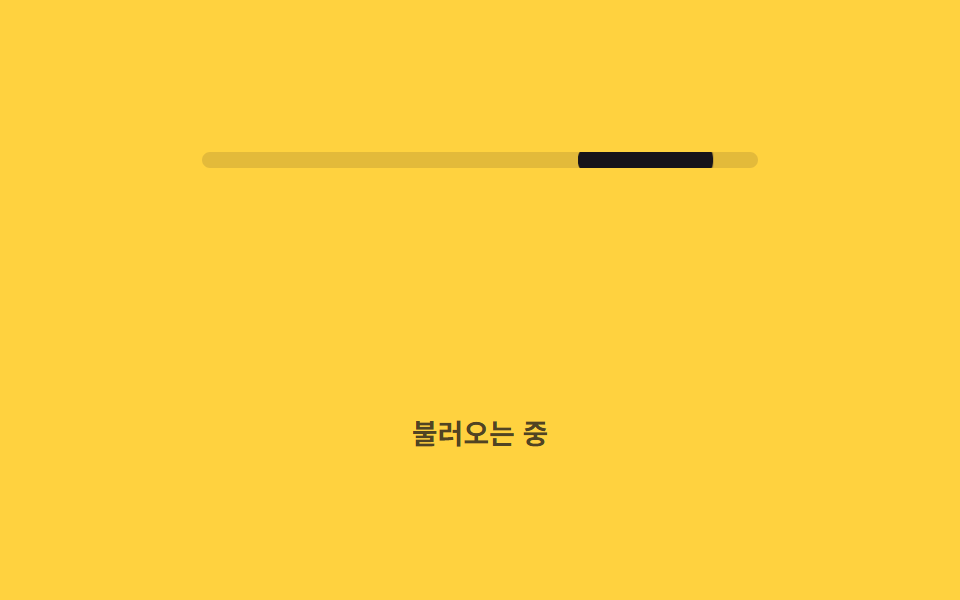 06 progress-bar-gauge-indeterminate-bar
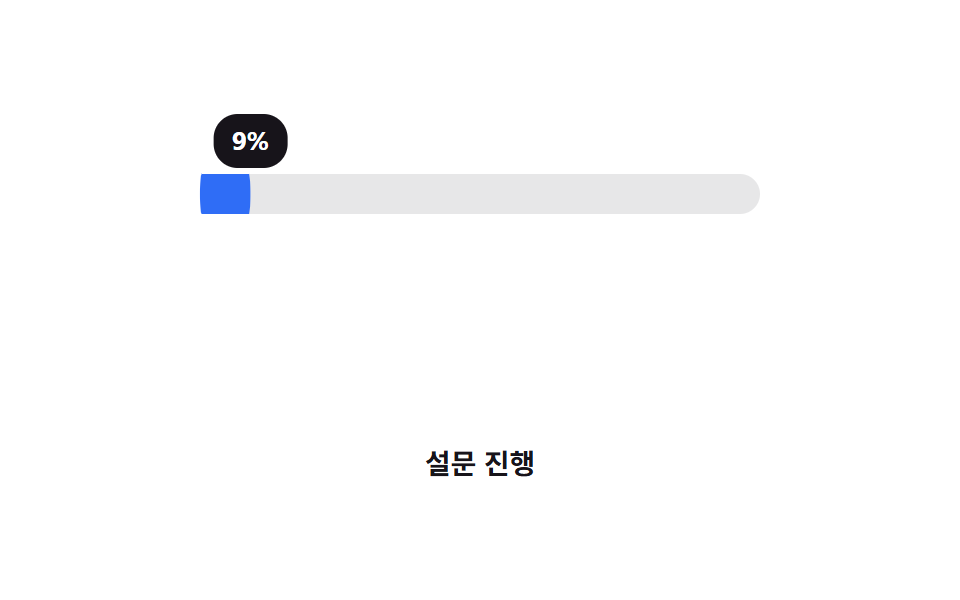 07 progress-bar-gauge-percent-label
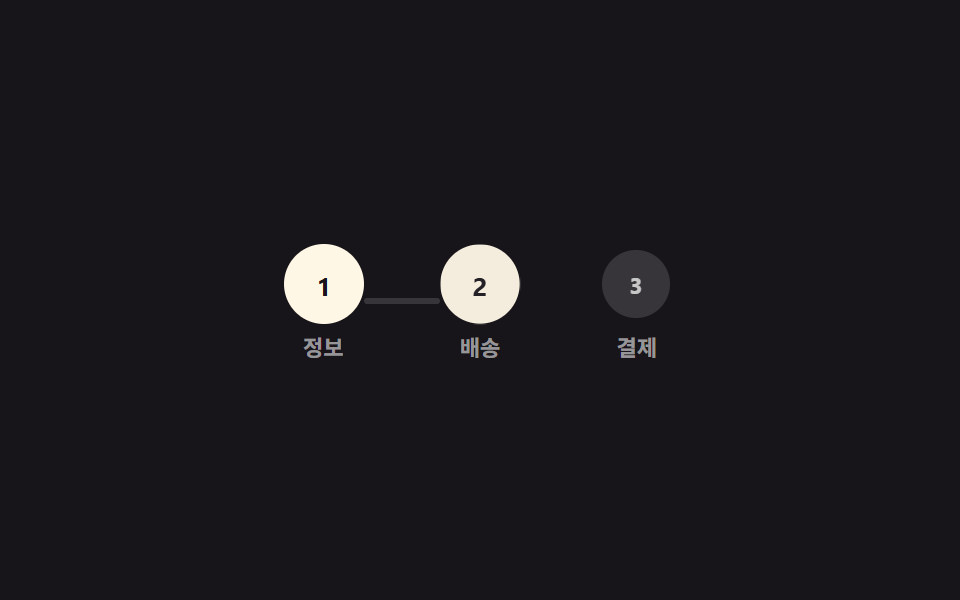 08 progress-bar-gauge-stepper-progress
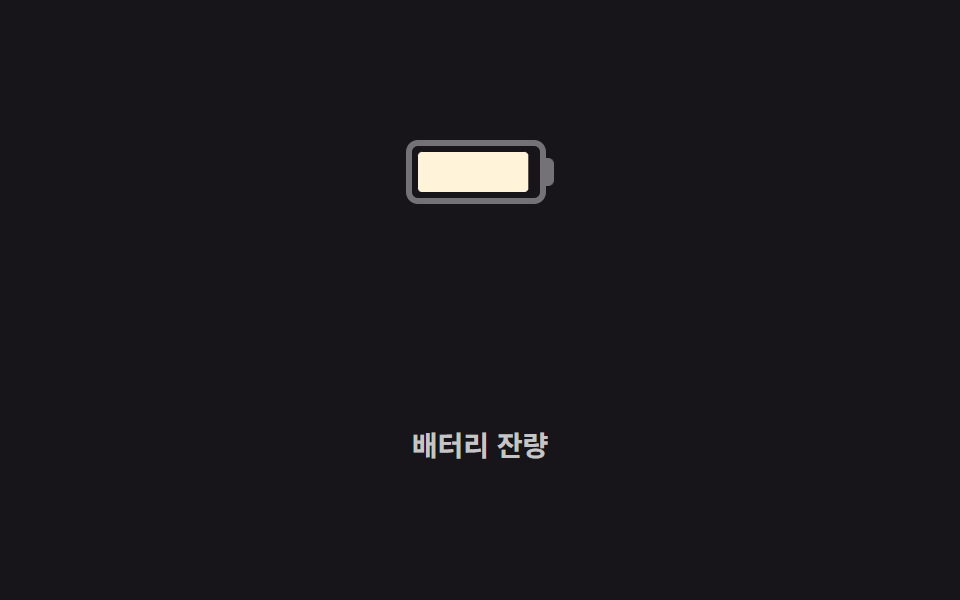 09 progress-bar-gauge-battery-shape
Tự chạy · bấm ô để tới mục đó · cả 9 trong một zip
- 01 Thanh chạy đầy cơ bản
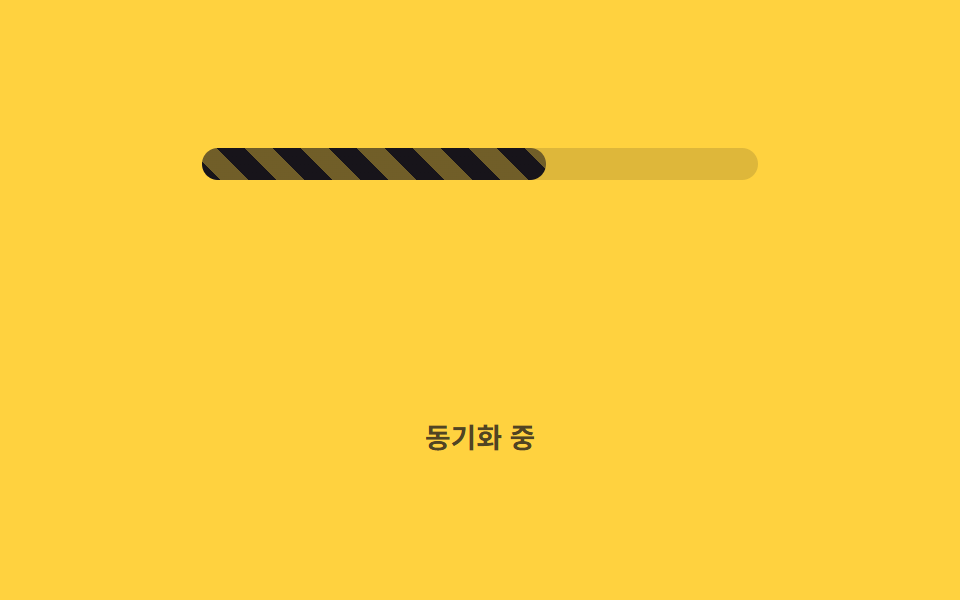
- 02 Sọc chạy animation
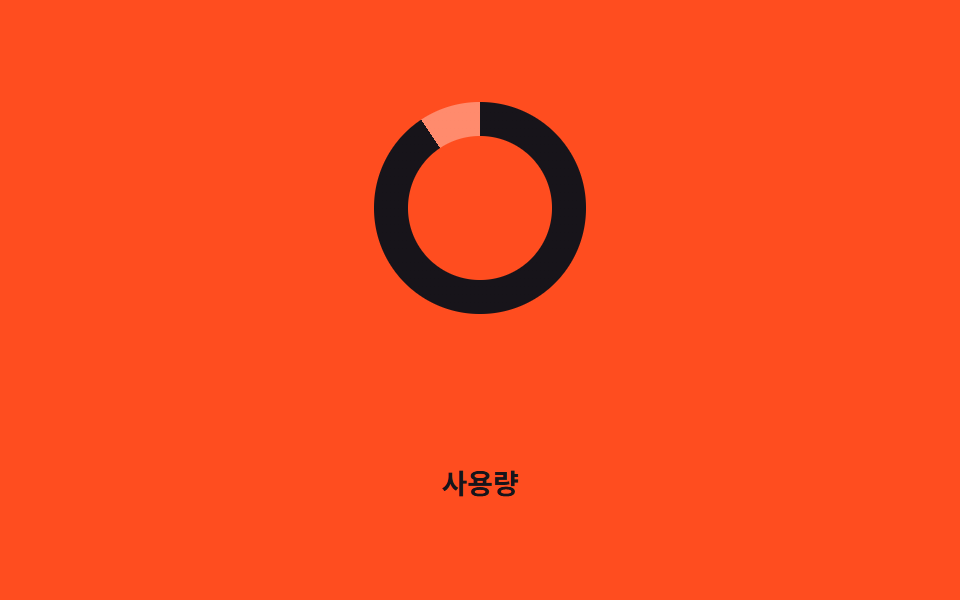
- 03 Vòng gauge conic-gradient
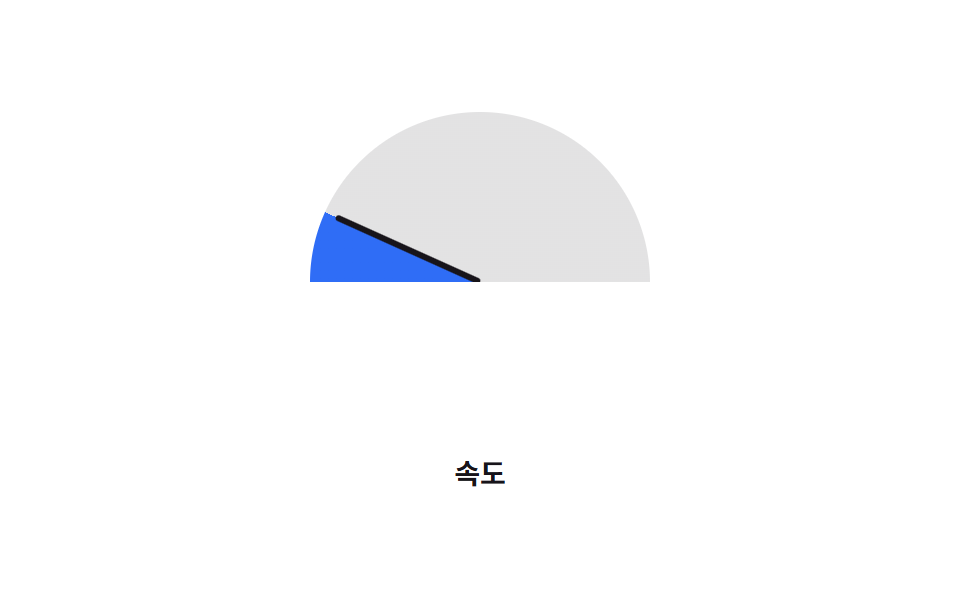
- 04 Gauge nửa vòng tròn
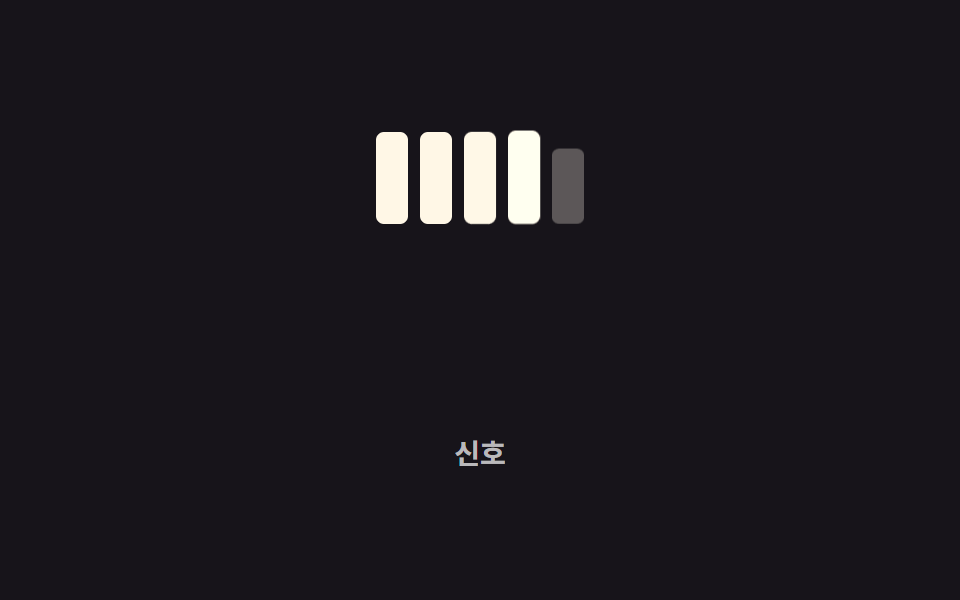
- 05 Thanh chia đoạn theo bậc
- 06 Thanh không xác định
- 07 Nhãn phần trăm đồng bộ
- 08 Tiến trình dạng stepper
- 09 Gauge hình pin
Thứ tự chín kiểu này đi theo độ khó của phép tính đứng sau con số, không theo mức phổ biến. 01 và 02 chỉ cần một thanh đổi theo một trục. 03 và 04 chuyển từ hình chữ nhật sang hình tròn — một bên là vòng đầy đủ, một bên chỉ còn nửa vòng có kim chỉ. 05 và 06 bỏ hẳn thanh liền mạch, một bên tách thành từng khối rời, một bên không có giá trị cố định nào cả. 07 gắn thêm một con số di chuyển đúng theo mép phần đã đầy. 08 nối nhiều mốc lại thành một chuỗi bước, còn 09 là kiểu duy nhất đi lùi, cạn dần thay vì đầy lên. Mỗi khối mã dưới đây chỉ giữ phần trực tiếp tạo ra chuyển động, bản đầy đủ nằm trong file zip.
01Thanh chạy đầy cơ bản
Bạn thấy gì
--percent được đăng ký qua @property với kiểu number nên trình duyệt nội suy mượt giữa các khung hình, còn phần chạy đầy bên trong không đổi width mà chỉ co giãn theo transform: scaleX().
<main class="stage">
  <div class="track is-demo" role="progressbar" aria-valuemin="0" aria-valuemax="100" aria-valuenow="76" aria-label="Đang tải lên">
    <div class="bar"></div>
  </div>
  <p class="cap">Đang tải lên</p>
</main>
@use "../../../../site/static/demo-tokens" as *;
// ── 변수 3개. 변형은 이것만 바꾼다 ──────────────────────────
$duration: $dur-loop; // 0 → 목표값까지 차는 시간
$easing: $ease-out;
$color: $subject-cream; // 채워지는 색
@include stage($stage-ink);
// 값은 등록된 숫자 커스텀 속성으로 애니메이션한다 (scroll() 이 아니라 실제 진행률 숫자)
@property --percent {
syntax: "<number>";
inherits: true; // .bar 가 부모 .track 의 애니메이션 값을 그대로 물려받는다
initial-value: 0;
}
.track {
--percent: 0;
position: relative;
width: clamp(200px, 58vw, 280px);
height: 14px;
border-radius: $r-pill;
background: rgba(255, 255, 255, .16);
overflow: hidden;
}
.bar {
position: absolute;
inset: 0;
border-radius: inherit;
background: $color;
transform: scaleX(calc(var(--percent) / 100)); // width 대신 scaleX 로만 채운다
transform-origin: left center;
}
.track.is-demo { animation: fill $duration $easing infinite; }
@keyframes fill {
0% { --percent: 0; }
60% { --percent: 76; }
100% { --percent: 76; }
}
.cap {
margin: 14px 0 0;
color: rgba(255, 255, 255, .7);
font: 600 clamp(12px, 3.2vw, 14px)/1 -apple-system, "Segoe UI", "Noto Sans KR", sans-serif;
}
// ── 접근성: 움직임 줄이기 설정이면 목표값에서 정지 ────────────
@media (prefers-reduced-motion: reduce) {
.track.is-demo { animation: none; --percent: 76; }
}html, body {
margin: 0;
overflow: hidden;
}
.stage {
box-sizing: border-box;
min-height: 100vh;
display: grid;
place-items: center;
margin: 0;
background: #17141a;
font-family: -apple-system, "Segoe UI", "Noto Sans KR", sans-serif;
padding: clamp(8px, 4vw, 24px);
}
@property --percent {
syntax: "<number>";
inherits: true;
initial-value: 0;
}
.track {
--percent: 0;
position: relative;
width: clamp(200px, 58vw, 280px);
height: 14px;
border-radius: 999px;
background: rgba(255, 255, 255, 0.16);
overflow: hidden;
}
.bar {
position: absolute;
inset: 0;
border-radius: inherit;
background: #fff7e6;
transform: scaleX(calc(var(--percent) / 100));
transform-origin: left center;
}
.track.is-demo {
animation: fill 2s ease-out infinite;
}
@keyframes fill {
0% {
--percent: 0;
}
60% {
--percent: 76;
}
100% {
--percent: 76;
}
}
.cap {
margin: 14px 0 0;
color: rgba(255, 255, 255, 0.7);
font: 600 clamp(12px, 3.2vw, 14px)/1 -apple-system, "Segoe UI", "Noto Sans KR", sans-serif;
}
@media (prefers-reduced-motion: reduce) {
.track.is-demo {
animation: none;
--percent: 76;
}
}import type { CSSProperties } from "react";
import styles from "./LinearFillBar.module.scss";
export type LinearFillBarProps = {
/** 0~100. 실제 진행률 숫자 그대로 넘긴다 (스크롤이 아니다) */
percent: number;
duration?: number;
easing?: string;
color?: string;
label?: string;
};
type Vars = CSSProperties & {
"--duration"?: string;
"--easing"?: string;
"--color"?: string;
"--percent"?: number;
};
export default function LinearFillBar({
percent,
duration = 600,
easing = "cubic-bezier(.2,.8,.2,1)",
color = "#fff7e6",
label,
}: LinearFillBarProps) {
const p = Math.max(0, Math.min(100, percent));
const vars: Vars = { "--duration": `${duration}ms`, "--easing": easing, "--color": color, "--percent": p };
return (
<div
className={styles.track}
style={vars}
role="progressbar"
aria-valuemin={0}
aria-valuemax={100}
aria-valuenow={p}
aria-label={label}
>
<div className={styles.bar} />
</div>
);
}01 · Thanh chạy đầy cơ bản — Diện tích đo được 2.051% · khung hình chuyển động 15/23Nguyên tác GODRICH · SCSS và React nằm trong tệp zip · Xem mật khẩu
Dùng ở đâu
Đây là kiểu dựng đơn giản nhất trong cả chín kiểu, hợp cho thanh tải file lên hay tiến trình gửi form khi chỉ cần đúng một con số.
@property --percent { syntax: "<number>"; inherits: true; initial-value: 0; }
.track { --percent: 0; position: relative; overflow: hidden; }
.bar {
  position: absolute; inset: 0; background: $color;
  transform: scaleX(calc(var(--percent) / 100));
  transform-origin: left center;
}
.track.is-demo { animation: fill $duration $easing infinite; }
@keyframes fill { 0% { --percent: 0; } 100% { --percent: 76; } }
02Sọc chạy animation
Chuyện gì diễn ra trên màn hình
Giá trị đứng yên cố định, chỉ riêng nền sọc chéo tiếp tục trôi qua background-position để không trông như trang đang bị treo giữa chừng.
<main class="stage">
  <div class="track" role="progressbar" aria-valuemin="0" aria-valuemax="100" aria-valuenow="62" aria-label="Đang đồng bộ">
    <div class="bar is-demo"></div>
  </div>
  <p class="cap">Đang đồng bộ</p>
</main>
@use "../../../../site/static/demo-tokens" as *;
// ── 변수 3개 ──────────────────────────────────────────
$duration: 1s; // 줄무늬가 한 칸 흐르는 시간
$easing: linear;
$color: $subject-ink; // 줄무늬 색
@include stage($stage-yellow);
.track {
position: relative;
width: clamp(200px, 58vw, 280px);
height: 16px;
border-radius: $r-pill;
background: rgba(23, 20, 26, .14);
overflow: hidden;
}
// 값은 62% 로 고정, 줄무늬만 background-position 으로 흐른다 (026 의 배경 애니메이션과 같은 예외 — 레이아웃이 아니라 페인트만 다시 한다)
.bar {
position: absolute;
inset: 0;
width: 62%;
border-radius: inherit;
background-image: repeating-linear-gradient(45deg, $color 0 10px, rgba($color, .55) 10px 20px);
background-size: 28px 28px;
}
.bar.is-demo { animation: stripe-move $duration $easing infinite; }
@keyframes stripe-move {
from { background-position: 0 0; }
to { background-position: 28px 0; }
}
.cap {
margin: 14px 0 0;
color: rgba(23, 20, 26, .75);
font: 600 clamp(12px, 3.2vw, 14px)/1 -apple-system, "Segoe UI", "Noto Sans KR", sans-serif;
}
@media (prefers-reduced-motion: reduce) {
.bar.is-demo { animation: none; }
}html, body {
margin: 0;
overflow: hidden;
}
.stage {
box-sizing: border-box;
min-height: 100vh;
display: grid;
place-items: center;
margin: 0;
background: #ffd23f;
font-family: -apple-system, "Segoe UI", "Noto Sans KR", sans-serif;
padding: clamp(8px, 4vw, 24px);
}
.track {
position: relative;
width: clamp(200px, 58vw, 280px);
height: 16px;
border-radius: 999px;
background: rgba(23, 20, 26, 0.14);
overflow: hidden;
}
.bar {
position: absolute;
inset: 0;
width: 62%;
border-radius: inherit;
background-image: repeating-linear-gradient(45deg, #17141a 0 10px, rgba(23, 20, 26, 0.55) 10px 20px);
background-size: 28px 28px;
}
.bar.is-demo {
animation: stripe-move 1s linear infinite;
}
@keyframes stripe-move {
from {
background-position: 0 0;
}
to {
background-position: 28px 0;
}
}
.cap {
margin: 14px 0 0;
color: rgba(23, 20, 26, 0.75);
font: 600 clamp(12px, 3.2vw, 14px)/1 -apple-system, "Segoe UI", "Noto Sans KR", sans-serif;
}
@media (prefers-reduced-motion: reduce) {
.bar.is-demo {
animation: none;
}
}import type { CSSProperties } from "react";
import styles from "./StripedBar.module.scss";
export type StripedBarProps = {
/** 0~100 */
percent: number;
duration?: number;
easing?: string;
color?: string;
label?: string;
};
type Vars = CSSProperties & {
"--duration"?: string;
"--easing"?: string;
"--color"?: string;
"--percent"?: number;
};
export default function StripedBar({
percent,
duration = 1000,
easing = "linear",
color = "#17141a",
label,
}: StripedBarProps) {
const p = Math.max(0, Math.min(100, percent));
const vars: Vars = { "--duration": `${duration}ms`, "--easing": easing, "--color": color, "--percent": p };
return (
<div
className={styles.track}
style={vars}
role="progressbar"
aria-valuemin={0}
aria-valuemax={100}
aria-valuenow={p}
aria-label={label}
>
<div className={styles.bar} />
</div>
);
}02 · Sọc chạy animation — Diện tích đo được 1.883% · khung hình chuyển động 23/23Nguyên tác GODRICH · SCSS và React nằm trong tệp zip · Xem mật khẩu
Chỗ dùng
Kiểu này hợp với xử lý dữ liệu hàng loạt hay thanh đồng bộ nền — những việc chạy chậm nhưng vẫn cần một dấu hiệu cho thấy nó vẫn đang chạy.
.bar {
  position: absolute; inset: 0;
  background-image: repeating-linear-gradient(45deg, $color 0 10px, rgba($color, .55) 10px 20px);
  background-size: 28px 28px;
}
.bar.is-demo { animation: stripe-move $duration $easing infinite; }
@keyframes stripe-move {
  from { background-position: 0 0; }
  to   { background-position: 28px 0; }
}
03Vòng gauge conic-gradient
Chuyển động thế nào
Vòng donut được vẽ bằng conic-gradient, còn góc tô màu tính thẳng từ --percent qua calc() nên không cần vẽ thêm một lớp SVG nào.
<main class="stage">
  <div class="ring is-demo" role="progressbar" aria-valuemin="0" aria-valuemax="100" aria-valuenow="76" aria-label="Mức sử dụng"></div>
  <p class="cap">Mức sử dụng</p>
</main>
@use "../../../../site/static/demo-tokens" as *;
// ── 변수 3개 ──────────────────────────────────────────
$duration: $dur-loop; // 0 → 100 까지 차는 시간
$easing: $ease-out;
$color: $subject-blue; // 낮은 구간(0~40%) 색. 변형은 이 값만 바꾼다
@include stage($stage-orange);
// 채움 각도(--percent)와 구간 색(--zone)을 각각 등록한다. 숫자는 매끄럽게, 색은 구간이 바뀔 때 한 번에 전환한다
@property --percent {
syntax: "<number>";
inherits: false;
initial-value: 0;
}
.ring {
--percent: 0;
--zone: #{$color};
position: relative;
width: clamp(84px, 22vw, 108px);
aspect-ratio: 1;
border-radius: 50%;
background: conic-gradient(var(--zone) calc(var(--percent) * 1%), rgba(255, 255, 255, .35) 0);
}
.ring::before { // 도넛 구멍 — 숫자를 보여주지 않고 색으로만 구간을 말한다
content: "";
position: absolute;
inset: 16%;
border-radius: 50%;
background: $stage-orange;
}
.ring.is-demo {
animation: sweep $duration $easing infinite, zone $duration steps(1) infinite;
}
@keyframes sweep { 0% { --percent: 0; } 100% { --percent: 100; } }
@keyframes zone {
0% { --zone: #{$color}; } // 낮음
40% { --zone: #{$color}; }
41% { --zone: #{$stage-yellow}; } // 중간
74% { --zone: #{$stage-yellow}; }
75% { --zone: #{$subject-ink}; } // 높음(경고) — 주황 무대라 빨강 대신 잉크 (대비)
100% { --zone: #{$subject-ink}; }
}
.cap {
margin: 14px 0 0;
color: $subject-ink; // AA: 주황 무대 위 글자 5.50:1
font: 600 clamp(12px, 3.2vw, 14px)/1 -apple-system, "Segoe UI", "Noto Sans KR", sans-serif;
}
@media (prefers-reduced-motion: reduce) {
.ring.is-demo { animation: none; --percent: 76; --zone: #{$subject-ink}; }
}html, body {
margin: 0;
overflow: hidden;
}
.stage {
box-sizing: border-box;
min-height: 100vh;
display: grid;
place-items: center;
margin: 0;
background: #ff4d1f;
font-family: -apple-system, "Segoe UI", "Noto Sans KR", sans-serif;
padding: clamp(8px, 4vw, 24px);
}
@property --percent {
syntax: "<number>";
inherits: false;
initial-value: 0;
}
.ring {
--percent: 0;
--zone: #2f6df6;
position: relative;
width: clamp(84px, 22vw, 108px);
aspect-ratio: 1;
border-radius: 50%;
background: conic-gradient(var(--zone) calc(var(--percent) * 1%), rgba(255, 255, 255, 0.35) 0);
}
.ring::before {
content: "";
position: absolute;
inset: 16%;
border-radius: 50%;
background: #ff4d1f;
}
.ring.is-demo {
animation: sweep 2s ease-out infinite, zone 2s steps(1) infinite;
}
@keyframes sweep {
0% {
--percent: 0;
}
100% {
--percent: 100;
}
}
@keyframes zone {
0% {
--zone: #2f6df6;
}
40% {
--zone: #2f6df6;
}
41% {
--zone: #ffd23f;
}
74% {
--zone: #ffd23f;
}
75% {
--zone: #17141a;
}
100% {
--zone: #17141a;
}
}
.cap {
margin: 14px 0 0;
color: #17141a;
font: 600 clamp(12px, 3.2vw, 14px)/1 -apple-system, "Segoe UI", "Noto Sans KR", sans-serif;
}
@media (prefers-reduced-motion: reduce) {
.ring.is-demo {
animation: none;
--percent: 76;
--zone: #17141a;
}
}import type { CSSProperties } from "react";
import styles from "./ConicRing.module.scss";
export type ConicRingProps = {
/** 0~100 */
percent: number;
duration?: number;
easing?: string;
/** 낮음 구간(0~40) 색 */
color?: string;
/** 중간 구간(40~75) 색 */
zoneMid?: string;
/** 높음 구간(75~100) 색 */
zoneHigh?: string;
label?: string;
};
type Vars = CSSProperties & {
"--duration"?: string;
"--easing"?: string;
"--percent"?: number;
"--zone"?: string;
};
export default function ConicRing({
percent,
duration = 600,
easing = "ease-out",
color = "#2f6df6",
zoneMid = "#ffd23f",
zoneHigh = "#17141a",
label,
}: ConicRingProps) {
const p = Math.max(0, Math.min(100, percent));
const zone = p < 40 ? color : p < 75 ? zoneMid : zoneHigh;
const vars: Vars = { "--duration": `${duration}ms`, "--easing": easing, "--percent": p, "--zone": zone };
return (
<div
className={styles.ring}
style={vars}
role="progressbar"
aria-valuemin={0}
aria-valuemax={100}
aria-valuenow={p}
aria-label={label}
/>
);
}03 · Vòng gauge conic-gradient — Diện tích đo được 3.458% · khung hình chuyển động 23/23Nguyên tác GODRICH · SCSS và React nằm trong tệp zip · Xem mật khẩu
Dùng khi nào
Ba mốc trong cùng animation đổi màu --zone từ xanh dương sang vàng rồi sang màu mực tối mà không hiện một chữ số nào, để mắt nhận ra trạng thái nhanh hơn đọc số. conic-gradient() đã chạy ổn định trên Chrome, Safari và Firefox từ nhiều năm nay theo bảng hỗ trợ trên caniuse.
@property --percent { syntax: "<number>"; inherits: false; initial-value: 0; }
.ring {
  --percent: 0; --zone: #{$color};
  background: conic-gradient(var(--zone) calc(var(--percent) * 1%), rgba(255, 255, 255, .35) 0);
}
.ring.is-demo { animation: sweep $duration $easing infinite, zone $duration steps(1) infinite; }
@keyframes zone {
  40%  { --zone: #{$color}; }
  41%  { --zone: #{$stage-yellow}; }
  75%  { --zone: #{$subject-ink}; }
}
04Gauge nửa vòng tròn
Bạn thấy gì
Chiều cao khung chỉ bằng nửa chiều rộng, và overflow: hidden cắt bỏ nửa dưới của một vòng tròn đầy đủ nên chỉ nửa trên hiện ra như mặt đồng hồ tốc độ.
<main class="stage">
  <div class="gauge is-demo" role="progressbar" aria-valuemin="0" aria-valuemax="100" aria-valuenow="76" aria-label="Tốc độ">
    <span class="gauge__needle"></span>
  </div>
  <p class="cap">Tốc độ</p>
</main>
@use "../../../../site/static/demo-tokens" as *;
// ── 변수 3개 ──────────────────────────────────────────
$duration: $dur-loop; // 바늘이 왼쪽 끝에서 오른쪽 끝까지 도는 시간
$easing: $ease-out;
$color: $subject-blue; // 채워진 구간 색
@include stage($stage-paper);
// 채움 각도와 바늘 각도를 같은 값으로 구동한다. ::before·바늘 둘 다 자식이라 inherits 가 필요하다
@property --percent {
syntax: "<number>";
inherits: true;
initial-value: 0;
}
.gauge {
--percent: 0;
position: relative;
width: clamp(140px, 38vw, 170px);
height: clamp(70px, 19vw, 85px); // 폭의 절반 — 원 아래쪽 절반을 overflow 로 자른다
overflow: hidden;
}
.gauge::before {
content: "";
position: absolute;
top: 0; left: 0;
width: 100%;
height: 200%; // 부모 높이의 두 배 = 완전한 원. 위쪽 절반만 보인다
border-radius: 50%;
background: conic-gradient(from -90deg, $color calc(var(--percent) * 1.8deg), rgba($subject-ink, .12) 0);
}
.gauge__needle {
position: absolute;
bottom: 0;
left: 50%;
width: 3px;
height: calc(100% - 6px);
background: $subject-ink;
border-radius: 2px;
transform-origin: bottom center; // 규칙8: 바늘 회전 피벗
transform: translateX(-50%) rotate(calc(var(--percent) * 1.8deg - 90deg));
}
.gauge.is-demo { animation: sweep $duration $easing infinite; }
@keyframes sweep { 0% { --percent: 0; } 100% { --percent: 100; } }
.cap {
margin: 14px 0 0;
color: $subject-ink;
font: 600 clamp(12px, 3.2vw, 14px)/1 -apple-system, "Segoe UI", "Noto Sans KR", sans-serif;
}
@media (prefers-reduced-motion: reduce) {
.gauge.is-demo { animation: none; --percent: 76; }
}html, body {
margin: 0;
overflow: hidden;
}
.stage {
box-sizing: border-box;
min-height: 100vh;
display: grid;
place-items: center;
margin: 0;
background: #ffffff;
font-family: -apple-system, "Segoe UI", "Noto Sans KR", sans-serif;
padding: clamp(8px, 4vw, 24px);
}
@property --percent {
syntax: "<number>";
inherits: true;
initial-value: 0;
}
.gauge {
--percent: 0;
position: relative;
width: clamp(140px, 38vw, 170px);
height: clamp(70px, 19vw, 85px);
overflow: hidden;
}
.gauge::before {
content: "";
position: absolute;
top: 0;
left: 0;
width: 100%;
height: 200%;
border-radius: 50%;
background: conic-gradient(from -90deg, #2f6df6 calc(var(--percent) * 1.8deg), rgba(23, 20, 26, 0.12) 0);
}
.gauge__needle {
position: absolute;
bottom: 0;
left: 50%;
width: 3px;
height: calc(100% - 6px);
background: #17141a;
border-radius: 2px;
transform-origin: bottom center;
transform: translateX(-50%) rotate(calc(var(--percent) * 1.8deg - 90deg));
}
.gauge.is-demo {
animation: sweep 2s ease-out infinite;
}
@keyframes sweep {
0% {
--percent: 0;
}
100% {
--percent: 100;
}
}
.cap {
margin: 14px 0 0;
color: #17141a;
font: 600 clamp(12px, 3.2vw, 14px)/1 -apple-system, "Segoe UI", "Noto Sans KR", sans-serif;
}
@media (prefers-reduced-motion: reduce) {
.gauge.is-demo {
animation: none;
--percent: 76;
}
}import type { CSSProperties } from "react";
import styles from "./HalfGauge.module.scss";
export type HalfGaugeProps = {
/** 0~100 */
percent: number;
duration?: number;
easing?: string;
color?: string;
label?: string;
};
type Vars = CSSProperties & {
"--duration"?: string;
"--easing"?: string;
"--percent"?: number;
};
export default function HalfGauge({
percent,
duration = 600,
easing = "ease-out",
color = "#2f6df6",
label,
}: HalfGaugeProps) {
const p = Math.max(0, Math.min(100, percent));
const vars: Vars = { "--duration": `${duration}ms`, "--easing": easing, "--color": color, "--percent": p };
return (
<div
className={styles.gauge}
style={vars}
role="progressbar"
aria-valuemin={0}
aria-valuemax={100}
aria-valuenow={p}
aria-label={label}
>
<span className={styles.needle} />
</div>
);
}04 · Gauge nửa vòng tròn — Diện tích đo được 7.955% · khung hình chuyển động 23/23Nguyên tác GODRICH · SCSS và React nằm trong tệp zip · Xem mật khẩu
Dùng ở đâu
Kim xoay bằng transform: rotate() theo đúng --percent mà vòng cung phía sau cũng dùng, nên hai thứ luôn khớp nhau vì cùng đọc một giá trị.
@property --percent { syntax: "<number>"; inherits: true; initial-value: 0; }
.gauge { --percent: 0; overflow: hidden; }
.gauge::before {
  width: 100%; height: 200%; border-radius: 50%;
  background: conic-gradient(from -90deg, $color calc(var(--percent) * 1.8deg), rgba($subject-ink, .12) 0);
}
.gauge__needle {
  transform-origin: bottom center;
  transform: translateX(-50%) rotate(calc(var(--percent) * 1.8deg - 90deg));
}
05Thanh chia đoạn theo bậc
Chuyện gì diễn ra trên màn hình
Track ở đây không phải một thanh liền mà là năm khối riêng, mỗi khối trễ nhau khoảng 160ms qua animation-delay xếp theo nth-child nên chúng sáng lên lần lượt thay vì cùng lúc.
<main class="stage">
  <div class="segs is-demo" role="progressbar" aria-valuemin="0" aria-valuemax="5" aria-valuenow="3" aria-label="Tín hiệu">
    <span class="seg"></span><span class="seg"></span><span class="seg"></span><span class="seg"></span><span class="seg"></span>
  </div>
  <p class="cap">Tín hiệu</p>
</main>
@use "../../../../site/static/demo-tokens" as *;
// ── 변수 3개 ──────────────────────────────────────────
$duration: 260ms; // 조각 하나가 켜지는 시간
$easing: $ease-pop;
$color: $subject-cream; // 켜진 조각 색
@include stage($stage-ink);
.segs {
display: flex;
align-items: flex-end;
gap: 6px;
}
.seg {
width: 16px;
height: 46px;
border-radius: 4px;
background: rgba(255, 255, 255, .14);
opacity: .35;
transform: scaleY(.7);
transform-origin: bottom; // 규칙8: 아래서 차오름
}
// 조각마다 시작 시점을 다르게 — 하나로 이어진 바가 아니라 순서대로 켜지는 신호처럼
.segs.is-demo .seg { animation: light 2s $easing infinite; }
.segs.is-demo .seg:nth-child(1) { animation-delay: 0ms; }
.segs.is-demo .seg:nth-child(2) { animation-delay: 160ms; }
.segs.is-demo .seg:nth-child(3) { animation-delay: 320ms; }
.segs.is-demo .seg:nth-child(4) { animation-delay: 480ms; }
.segs.is-demo .seg:nth-child(5) { animation-delay: 640ms; }
@keyframes light {
0%, 60%, 100% { opacity: .35; transform: scaleY(.7); background: rgba(255, 255, 255, .14); }
20%, 45% { opacity: 1; transform: scaleY(1); background: $color; }
}
.cap {
margin: 14px 0 0;
color: rgba(255, 255, 255, .7);
font: 600 clamp(12px, 3.2vw, 14px)/1 -apple-system, "Segoe UI", "Noto Sans KR", sans-serif;
}
@media (prefers-reduced-motion: reduce) {
.segs.is-demo .seg { animation: none; opacity: 1; transform: scaleY(1); background: $color; }
}html, body {
margin: 0;
overflow: hidden;
}
.stage {
box-sizing: border-box;
min-height: 100vh;
display: grid;
place-items: center;
margin: 0;
background: #17141a;
font-family: -apple-system, "Segoe UI", "Noto Sans KR", sans-serif;
padding: clamp(8px, 4vw, 24px);
}
.segs {
display: flex;
align-items: flex-end;
gap: 6px;
}
.seg {
width: 16px;
height: 46px;
border-radius: 4px;
background: rgba(255, 255, 255, 0.14);
opacity: 0.35;
transform: scaleY(0.7);
transform-origin: bottom;
}
.segs.is-demo .seg {
animation: light 2s cubic-bezier(0.2, 1.4, 0.4, 1) infinite;
}
.segs.is-demo .seg:nth-child(1) {
animation-delay: 0ms;
}
.segs.is-demo .seg:nth-child(2) {
animation-delay: 160ms;
}
.segs.is-demo .seg:nth-child(3) {
animation-delay: 320ms;
}
.segs.is-demo .seg:nth-child(4) {
animation-delay: 480ms;
}
.segs.is-demo .seg:nth-child(5) {
animation-delay: 640ms;
}
@keyframes light {
0%, 60%, 100% {
opacity: 0.35;
transform: scaleY(0.7);
background: rgba(255, 255, 255, 0.14);
}
20%, 45% {
opacity: 1;
transform: scaleY(1);
background: #fff7e6;
}
}
.cap {
margin: 14px 0 0;
color: rgba(255, 255, 255, 0.7);
font: 600 clamp(12px, 3.2vw, 14px)/1 -apple-system, "Segoe UI", "Noto Sans KR", sans-serif;
}
@media (prefers-reduced-motion: reduce) {
.segs.is-demo .seg {
animation: none;
opacity: 1;
transform: scaleY(1);
background: #fff7e6;
}
}import type { CSSProperties } from "react";
import styles from "./SegmentedSteps.module.scss";
export type SegmentedStepsProps = {
/** 켜진 조각 수 (0~total) */
active: number;
total?: number;
duration?: number;
easing?: string;
color?: string;
label?: string;
};
type Vars = CSSProperties & {
"--duration"?: string;
"--easing"?: string;
"--color"?: string;
};
export default function SegmentedSteps({
active,
total = 5,
duration = 220,
easing = "cubic-bezier(.2,1.4,.4,1)",
color = "#fff7e6",
label,
}: SegmentedStepsProps) {
const vars: Vars = { "--duration": `${duration}ms`, "--easing": easing, "--color": color };
return (
<div
className={styles.segs}
style={vars}
role="progressbar"
aria-valuemin={0}
aria-valuemax={total}
aria-valuenow={active}
aria-label={label}
>
{Array.from({ length: total }, (_, i) => (
<span key={i} className={i < active ? `${styles.seg} ${styles.on}` : styles.seg} />
))}
</div>
);
}05 · Thanh chia đoạn theo bậc — Diện tích đo được 2.794% · khung hình chuyển động 20/23Nguyên tác GODRICH · SCSS và React nằm trong tệp zip · Xem mật khẩu
Chỗ dùng
Kiểu này hợp khi giá trị vốn đã là bậc thang — cường độ tín hiệu hay số mạng còn lại — chứ không phải một tỉ lệ phần trăm liên tục.
.seg {
  width: 16px; height: 46px; border-radius: 4px;
  opacity: .35; transform: scaleY(.7); transform-origin: bottom;
}
.segs.is-demo .seg { animation: light 2s $easing infinite; }
.segs.is-demo .seg:nth-child(2) { animation-delay: 160ms; }
@keyframes light {
  0%, 60%, 100% { opacity: .35; transform: scaleY(.7); }
  20%, 45%      { opacity: 1;   transform: scaleY(1); background: $color; }
}
06Thanh không xác định
Chuyển động thế nào
Không có --percent nào ở đây vì giá trị vốn không biết trước; hai đoạn thanh dài ngắn khác nhau chạy lệch nhau khoảng 35% chu kỳ để trông như đang lăn qua nhau, giống thanh loading của Material Design.
<main class="stage">
  <div class="track" role="progressbar" aria-label="Đang tải">
    <span class="seg seg--a is-demo"></span>
    <span class="seg seg--b is-demo"></span>
  </div>
  <p class="cap">Đang tải</p>
</main>
@use "../../../../site/static/demo-tokens" as *;
// ── 변수 3개 ──────────────────────────────────────────
$duration: 1.6s; // 긴 조각 하나가 지나가는 시간
$easing: cubic-bezier(.4, 0, .2, 1);
$color: $subject-ink; // 조각 색
@include stage($stage-yellow);
// 진행률을 모르므로 aria-valuenow 를 주지 않는다 (ARIA 명세: 불확정 progressbar 는 값 속성을 뺀다)
.track {
position: relative;
width: clamp(200px, 58vw, 280px);
height: 8px;
border-radius: $r-pill;
background: rgba(23, 20, 26, .12);
overflow: hidden;
}
.seg {
position: absolute;
inset: 0; // 폭을 꽉 채운 뒤 transform 으로만 밀고 줄인다 (width 는 건드리지 않는다)
border-radius: inherit;
background: $color;
transform-origin: left center; // 규칙8: 좌변 기준 이동·신축
}
// 짧은 바 하나가 오가는 대신, 길이가 다른 두 조각이 시간차를 두고 서로 겹쳐 지나간다 (머티리얼 디자인 방식)
.seg--a.is-demo { animation: seg-a $duration $easing infinite; }
.seg--b.is-demo { animation: seg-b $duration $easing infinite; animation-delay: $duration * .35; }
@keyframes seg-a {
0% { transform: translateX(-100%) scaleX(.15); }
55% { transform: translateX(30%) scaleX(.7); }
100% { transform: translateX(120%) scaleX(.15); }
}
@keyframes seg-b {
0% { transform: translateX(-140%) scaleX(.1); }
60% { transform: translateX(10%) scaleX(.4); }
100% { transform: translateX(120%) scaleX(.1); }
}
.cap {
margin: 14px 0 0;
color: rgba(23, 20, 26, .75);
font: 600 clamp(12px, 3.2vw, 14px)/1 -apple-system, "Segoe UI", "Noto Sans KR", sans-serif;
}
@media (prefers-reduced-motion: reduce) {
.seg.is-demo { animation: none; transform: translateX(0) scaleX(.4); opacity: .7; }
}html, body {
margin: 0;
overflow: hidden;
}
.stage {
box-sizing: border-box;
min-height: 100vh;
display: grid;
place-items: center;
margin: 0;
background: #ffd23f;
font-family: -apple-system, "Segoe UI", "Noto Sans KR", sans-serif;
padding: clamp(8px, 4vw, 24px);
}
.track {
position: relative;
width: clamp(200px, 58vw, 280px);
height: 8px;
border-radius: 999px;
background: rgba(23, 20, 26, 0.12);
overflow: hidden;
}
.seg {
position: absolute;
inset: 0;
border-radius: inherit;
background: #17141a;
transform-origin: left center;
}
.seg--a.is-demo {
animation: seg-a 1.6s cubic-bezier(0.4, 0, 0.2, 1) infinite;
}
.seg--b.is-demo {
animation: seg-b 1.6s cubic-bezier(0.4, 0, 0.2, 1) infinite;
animation-delay: 0.56s;
}
@keyframes seg-a {
0% {
transform: translateX(-100%) scaleX(0.15);
}
55% {
transform: translateX(30%) scaleX(0.7);
}
100% {
transform: translateX(120%) scaleX(0.15);
}
}
@keyframes seg-b {
0% {
transform: translateX(-140%) scaleX(0.1);
}
60% {
transform: translateX(10%) scaleX(0.4);
}
100% {
transform: translateX(120%) scaleX(0.1);
}
}
.cap {
margin: 14px 0 0;
color: rgba(23, 20, 26, 0.75);
font: 600 clamp(12px, 3.2vw, 14px)/1 -apple-system, "Segoe UI", "Noto Sans KR", sans-serif;
}
@media (prefers-reduced-motion: reduce) {
.seg.is-demo {
animation: none;
transform: translateX(0) scaleX(0.4);
opacity: 0.7;
}
}import type { CSSProperties } from "react";
import styles from "./IndeterminateBar.module.scss";
export type IndeterminateBarProps = {
duration?: number;
easing?: string;
color?: string;
/** 진행률을 모르므로 값이 아니라 상태만 알린다 */
label?: string;
};
type Vars = CSSProperties & {
"--duration"?: string;
"--easing"?: string;
"--color"?: string;
};
export default function IndeterminateBar({
duration = 1600,
easing = "cubic-bezier(.4,0,.2,1)",
color = "#17141a",
label = "Loading",
}: IndeterminateBarProps) {
const vars: Vars = { "--duration": `${duration}ms`, "--easing": easing, "--color": color };
return (
<div className={styles.track} style={vars} role="progressbar" aria-label={label}>
<span className={`${styles.seg} ${styles.a}`} />
<span className={`${styles.seg} ${styles.b}`} />
</div>
);
}06 · Thanh không xác định — Diện tích đo được 1.542% · khung hình chuyển động 19/23Nguyên tác GODRICH · SCSS và React nằm trong tệp zip · Xem mật khẩu
Dùng khi nào
Dùng khi trang vừa mới tải hoặc đang đợi kết quả tìm kiếm mà chưa có con số nào để hiển thị.
.seg {
  position: absolute; inset: 0;
  background: $color; transform-origin: left center;
}
.seg--a.is-demo { animation: seg-a $duration $easing infinite; }
.seg--b.is-demo { animation: seg-b $duration $easing infinite; animation-delay: $duration * .35; }
@keyframes seg-a {
  0%   { transform: translateX(-100%) scaleX(.15); }
  55%  { transform: translateX(30%)   scaleX(.7); }
  100% { transform: translateX(120%)  scaleX(.15); }
}
07Nhãn phần trăm đồng bộ
Bạn thấy gì
--percent được đăng ký kiểu integer vì counter() cần một số nguyên sạch để vẽ ra chữ, còn container-type: inline-size trên track cho phép nhãn bong bóng tính vị trí bằng đơn vị cqw thay vì một mốc phần trăm cố định.
<main class="stage">
  <div class="track is-demo" role="progressbar" aria-valuemin="0" aria-valuemax="100" aria-valuenow="76" aria-label="Tiến trình khảo sát">
    <div class="bar"></div>
    <div class="bubble"><span class="bubble__num" aria-hidden="true"></span></div>
  </div>
  <p class="cap">Tiến trình khảo sát</p>
</main>
@use "../../../../site/static/demo-tokens" as *;
// ── 변수 3개 ──────────────────────────────────────────
$duration: $dur-loop;
$easing: $ease-out;
$color: $subject-blue; // 바·말풍선 공통 색
@include stage($stage-paper);
// 정수로 등록해야 counter() 가 자릿수를 깔끔하게 읽는다. 자식(bar·bubble)이 같이 읽으므로 inherits: true
@property --percent {
syntax: "<integer>";
inherits: true;
initial-value: 0;
}
.track {
--percent: 0;
position: relative;
width: clamp(220px, 62vw, 280px);
height: 20px;
margin-top: 26px;
border-radius: $r-pill;
background: rgba(23, 20, 26, .1);
container-type: inline-size; // 말풍선이 이 폭을 기준으로 움직인다
}
.bar {
position: absolute;
inset: 0;
border-radius: inherit;
background: $color;
transform: scaleX(calc(var(--percent) / 100));
transform-origin: left center; // 규칙8: 좌변서 차오름
}
// 링이 아니라 막대 위에서, 채움의 끝자락을 translateX(cqw) 로 따라간다 — 1cqw = 컨테이너 폭의 1%
.bubble {
position: absolute;
top: -30px;
left: 0;
transform: translateX(calc(var(--percent) * 1cqw - 50%));
background: $subject-ink;
color: #fff;
border-radius: $r-control;
padding: 3px 9px;
font: 700 clamp(11px, 3vw, 13px)/1.6 -apple-system, "Segoe UI", "Noto Sans KR", sans-serif;
}
.bubble__num {
counter-reset: p var(--percent);
&::before { content: counter(p) "%"; }
}
.track.is-demo { animation: fill $duration $easing infinite; }
@keyframes fill { 0% { --percent: 0; } 60% { --percent: 76; } 100% { --percent: 76; } }
.cap {
margin: 34px 0 0;
color: $subject-ink;
font: 600 clamp(12px, 3.2vw, 14px)/1 -apple-system, "Segoe UI", "Noto Sans KR", sans-serif;
}
@media (prefers-reduced-motion: reduce) {
.track.is-demo { animation: none; --percent: 76; }
}html, body {
margin: 0;
overflow: hidden;
}
.stage {
box-sizing: border-box;
min-height: 100vh;
display: grid;
place-items: center;
margin: 0;
background: #ffffff;
font-family: -apple-system, "Segoe UI", "Noto Sans KR", sans-serif;
padding: clamp(8px, 4vw, 24px);
}
@property --percent {
syntax: "<integer>";
inherits: true;
initial-value: 0;
}
.track {
--percent: 0;
position: relative;
width: clamp(220px, 62vw, 280px);
height: 20px;
margin-top: 26px;
border-radius: 999px;
background: rgba(23, 20, 26, 0.1);
container-type: inline-size;
}
.bar {
position: absolute;
inset: 0;
border-radius: inherit;
background: #2f6df6;
transform: scaleX(calc(var(--percent) / 100));
transform-origin: left center;
}
.bubble {
position: absolute;
top: -30px;
left: 0;
transform: translateX(calc(var(--percent) * 1cqw - 50%));
background: #17141a;
color: #fff;
border-radius: 12px;
padding: 3px 9px;
font: 700 clamp(11px, 3vw, 13px)/1.6 -apple-system, "Segoe UI", "Noto Sans KR", sans-serif;
}
.bubble__num {
counter-reset: p var(--percent);
}
.bubble__num::before {
content: counter(p) "%";
}
.track.is-demo {
animation: fill 2s ease-out infinite;
}
@keyframes fill {
0% {
--percent: 0;
}
60% {
--percent: 76;
}
100% {
--percent: 76;
}
}
.cap {
margin: 34px 0 0;
color: #17141a;
font: 600 clamp(12px, 3.2vw, 14px)/1 -apple-system, "Segoe UI", "Noto Sans KR", sans-serif;
}
@media (prefers-reduced-motion: reduce) {
.track.is-demo {
animation: none;
--percent: 76;
}
}import type { CSSProperties } from "react";
import styles from "./PercentLabel.module.scss";
export type PercentLabelProps = {
/** 0~100 */
percent: number;
duration?: number;
easing?: string;
color?: string;
label?: string;
};
type Vars = CSSProperties & {
"--duration"?: string;
"--easing"?: string;
"--color"?: string;
"--percent"?: number;
};
export default function PercentLabel({
percent,
duration = 600,
easing = "ease-out",
color = "#2f6df6",
label,
}: PercentLabelProps) {
const p = Math.max(0, Math.min(100, percent));
const vars: Vars = { "--duration": `${duration}ms`, "--easing": easing, "--color": color, "--percent": p };
return (
<div
className={styles.track}
style={vars}
role="progressbar"
aria-valuemin={0}
aria-valuemax={100}
aria-valuenow={p}
aria-label={label}
>
<div className={styles.bar} />
<div className={styles.bubble}>{Math.round(p)}%</div>
</div>
);
}07 · Nhãn phần trăm đồng bộ — Diện tích đo được 7.601% · khung hình chuyển động 14/23Nguyên tác GODRICH · SCSS và React nằm trong tệp zip · Xem mật khẩu
Dùng ở đâu
Nhãn đó bám đúng mép thanh đang chạy vì dùng chung một --percent với chính thanh chứ không phải một biến riêng.
@property --percent { syntax: "<integer>"; inherits: true; initial-value: 0; }
.track { --percent: 0; container-type: inline-size; }
.bar { transform: scaleX(calc(var(--percent) / 100)); transform-origin: left center; }
.bubble {
  position: absolute; top: -30px; left: 0;
  transform: translateX(calc(var(--percent) * 1cqw - 50%));
}
.bubble__num { counter-reset: p var(--percent); &::before { content: counter(p) "%"; } }
08Tiến trình dạng stepper
Chuyện gì diễn ra trên màn hình
Ba vòng tròn đánh số nối bằng một đường thẳng, và animation-delay xếp chồng theo thứ tự vòng-đường-vòng-đường-vòng nên bước sau chỉ tô màu khi bước trước đã xong.
<main class="stage">
  <div class="stepper is-demo" role="list" aria-label="Bước tiến trình">
    <div class="step" role="listitem"><span class="step__dot">1</span><span class="step__label">Thông tin</span></div>
    <div class="line"></div>
    <div class="step" role="listitem"><span class="step__dot">2</span><span class="step__label">Giao hàng</span></div>
    <div class="line"></div>
    <div class="step" role="listitem"><span class="step__dot">3</span><span class="step__label">Thanh toán</span></div>
  </div>
</main>
@use "../../../../site/static/demo-tokens" as *;
// ── 변수 3개 ──────────────────────────────────────────
$duration: 400ms; // 원 하나·선 하나가 채워지는 시간
$easing: $ease-spring;
$color: $subject-cream; // 완료된 원·선 색
@include stage($stage-ink);
.stepper { display: flex; align-items: center; }
.step { display: flex; flex-direction: column; align-items: center; gap: 6px; }
.step__dot {
width: clamp(30px, 9vw, 40px);
height: clamp(30px, 9vw, 40px);
border-radius: 50%;
display: grid;
place-items: center;
background: rgba(255, 255, 255, .14);
color: rgba(255, 255, 255, .72);
font-weight: 700; font-size: 13px; line-height: 1; font-family: inherit;
transform: scale(.85);
}
.step__label { font-weight: 600; font-size: 11px; line-height: 1; font-family: inherit; color: rgba(255, 255, 255, .55); }
.line {
width: clamp(30px, 8vw, 44px);
height: 3px;
border-radius: 2px;
background: rgba(255, 255, 255, .14);
transform: scaleX(0);
transform-origin: left; // 규칙8: 좌변서 차오름
}
// 원 → 선 → 원 → 선 → 원 순서로, 앞 단계가 끝나야 다음이 채워진다 (동시에 시작하지 않는다)
.stepper.is-demo .step__dot { animation: dot-fill $duration $easing both; }
.stepper.is-demo .line { animation: line-grow $duration linear both; }
.stepper.is-demo > :nth-child(1) .step__dot { animation-delay: 0ms; }
.stepper.is-demo > :nth-child(2) { animation-delay: 400ms; }
.stepper.is-demo > :nth-child(3) .step__dot { animation-delay: 800ms; }
.stepper.is-demo > :nth-child(4) { animation-delay: 1200ms; }
.stepper.is-demo > :nth-child(5) .step__dot { animation-delay: 1600ms; }
@keyframes dot-fill {
from { background: rgba(255, 255, 255, .14); color: rgba(255, 255, 255, .72); transform: scale(.85); }
to { background: $color; color: $stage-ink; transform: scale(1); }
}
@keyframes line-grow { from { transform: scaleX(0); } to { transform: scaleX(1); } }
@media (prefers-reduced-motion: reduce) {
.stepper.is-demo .step__dot,
.stepper.is-demo .line { animation: none; background: $color; transform: none; }
.stepper.is-demo .step__dot { color: $stage-ink; }
}html, body {
margin: 0;
overflow: hidden;
}
.stage {
box-sizing: border-box;
min-height: 100vh;
display: grid;
place-items: center;
margin: 0;
background: #17141a;
font-family: -apple-system, "Segoe UI", "Noto Sans KR", sans-serif;
padding: clamp(8px, 4vw, 24px);
}
.stepper {
display: flex;
align-items: center;
}
.step {
display: flex;
flex-direction: column;
align-items: center;
gap: 6px;
}
.step__dot {
width: clamp(30px, 9vw, 40px);
height: clamp(30px, 9vw, 40px);
border-radius: 50%;
display: grid;
place-items: center;
background: rgba(255, 255, 255, 0.14);
color: rgba(255, 255, 255, 0.72);
font-weight: 700;
font-size: 13px;
line-height: 1;
font-family: inherit;
transform: scale(0.85);
}
.step__label {
font-weight: 600;
font-size: 11px;
line-height: 1;
font-family: inherit;
color: rgba(255, 255, 255, 0.55);
}
.line {
width: clamp(30px, 8vw, 44px);
height: 3px;
border-radius: 2px;
background: rgba(255, 255, 255, 0.14);
transform: scaleX(0);
transform-origin: left;
}
.stepper.is-demo .step__dot {
animation: dot-fill 400ms cubic-bezier(0.2, 0.8, 0.2, 1) both;
}
.stepper.is-demo .line {
animation: line-grow 400ms linear both;
}
.stepper.is-demo > :nth-child(1) .step__dot {
animation-delay: 0ms;
}
.stepper.is-demo > :nth-child(2) {
animation-delay: 400ms;
}
.stepper.is-demo > :nth-child(3) .step__dot {
animation-delay: 800ms;
}
.stepper.is-demo > :nth-child(4) {
animation-delay: 1200ms;
}
.stepper.is-demo > :nth-child(5) .step__dot {
animation-delay: 1600ms;
}
@keyframes dot-fill {
from {
background: rgba(255, 255, 255, 0.14);
color: rgba(255, 255, 255, 0.72);
transform: scale(0.85);
}
to {
background: #fff7e6;
color: #17141a;
transform: scale(1);
}
}
@keyframes line-grow {
from {
transform: scaleX(0);
}
to {
transform: scaleX(1);
}
}
@media (prefers-reduced-motion: reduce) {
.stepper.is-demo .step__dot,
.stepper.is-demo .line {
animation: none;
background: #fff7e6;
transform: none;
}
.stepper.is-demo .step__dot {
color: #17141a;
}
}import type { CSSProperties, ReactNode } from "react";
import styles from "./StepperProgress.module.scss";
export type StepperProgressProps = {
/** 완료된 단계 수 (0~labels.length) */
step: number;
labels?: string[];
duration?: number;
easing?: string;
color?: string;
};
type Vars = CSSProperties & {
"--duration"?: string;
"--easing"?: string;
"--color"?: string;
};
export default function StepperProgress({
step,
labels = ["Info", "Shipping", "Payment"],
duration = 400,
easing = "cubic-bezier(.2,.8,.2,1)",
color = "#fff7e6",
}: StepperProgressProps) {
const vars: Vars = { "--duration": `${duration}ms`, "--easing": easing, "--color": color };
const nodes: ReactNode[] = [];
labels.forEach((l, i) => {
if (i > 0) {
nodes.push(<span key={`line-${i}`} className={i <= step - 1 ? `${styles.line} ${styles.on}` : styles.line} />);
}
nodes.push(
<div key={`step-${i}`} className={styles.step} role="listitem">
<span className={i < step ? `${styles.dot} ${styles.on}` : styles.dot}>{i + 1}</span>
<span className={styles.label}>{l}</span>
</div>
);
});
return (
<div className={styles.stepper} style={vars} role="list" aria-label="progress steps">
{nodes}
</div>
);
}08 · Tiến trình dạng stepper — Diện tích đo được 2.911% · khung hình chuyển động 23/23Nguyên tác GODRICH · SCSS và React nằm trong tệp zip · Xem mật khẩu
Chỗ dùng
Khác với tám kiểu còn lại, đây không đo một tỉ lệ phần trăm liên tục mà đánh dấu mốc rời rạc, nên mã HTML dùng role="list" thay vì role="progressbar".
.stepper.is-demo .step__dot { animation: dot-fill $duration $easing both; }
.stepper.is-demo .line { animation: line-grow $duration linear both; }
.stepper.is-demo > :nth-child(2) { animation-delay: 400ms; }
.stepper.is-demo > :nth-child(3) .step__dot { animation-delay: 800ms; }
@keyframes dot-fill {
  from { background: rgba(255, 255, 255, .14); transform: scale(.85); }
  to   { background: $color; transform: scale(1); }
}
@keyframes line-grow { from { transform: scaleX(0); } to { transform: scaleX(1); } }
09Gauge hình pin
Chuyển động thế nào
Phần chạy đầy bên trong khung hình pin co theo scaleX khi --percent giảm dần từ 100 xuống một mức thấp, còn màu tự đổi từ kem sang vàng rồi sang đỏ gạch tại từng ngưỡng trong cùng một @keyframes.
<main class="stage">
  <div class="battery" role="progressbar" aria-valuemin="0" aria-valuemax="100" aria-valuenow="18" aria-label="Pin còn lại">
    <div class="battery__cell is-demo">
      <div class="battery__fill"></div>
    </div>
    <div class="battery__nub"></div>
  </div>
  <p class="cap">Pin còn lại</p>
</main>
@use "../../../../site/static/demo-tokens" as *;
// ── 변수 3개 ──────────────────────────────────────────
$duration: $dur-loop; // 100 → 낮음까지 소진되는 시간
$easing: linear;
$color: $subject-cream; // 가득 찼을 때 색
@include stage($stage-ink);
@property --percent {
syntax: "<number>";
inherits: false;
initial-value: 100;
}
.battery { display: flex; align-items: center; }
.battery__cell {
width: 70px;
height: 32px;
border: 3px solid rgba(255, 255, 255, .4);
border-radius: 6px;
padding: 3px;
box-sizing: border-box;
overflow: hidden;
}
.battery__nub { width: 4px; height: 14px; background: rgba(255, 255, 255, .4); border-radius: 0 3px 3px 0; }
.battery__fill {
--percent: 100;
height: 100%;
border-radius: 2px;
background: $color;
transform-origin: left center; // 규칙8: 좌변서 차오름
transform: scaleX(calc(var(--percent) / 100));
animation: drain $duration $easing infinite;
}
// 남은 양이 줄수록 색이 임계값마다 바뀐다 (초록 대신 브랜드 색 → 경고색, 토큰 밖 hex 를 새로 쓰지 않는다)
@keyframes drain {
0% { --percent: 100; background: #{$color}; }
55% { --percent: 35; background: #{$stage-yellow}; }
100% { --percent: 8; background: #{$error}; }
}
// 잔량이 낮아지는 마지막 구간에만 테두리가 살짝 깜빡인다
.battery__cell.is-demo { animation: pulse .6s ease-in-out infinite; animation-delay: 1.4s; }
@keyframes pulse { 0%, 100% { opacity: 1; } 50% { opacity: .55; } }
.cap {
margin: 14px 0 0;
color: rgba(255, 255, 255, .75);
font: 600 clamp(12px, 3.2vw, 14px)/1 -apple-system, "Segoe UI", "Noto Sans KR", sans-serif;
}
@media (prefers-reduced-motion: reduce) {
.battery__fill { animation: none; --percent: 18; background: #{$error}; }
.battery__cell.is-demo { animation: none; }
}html, body {
margin: 0;
overflow: hidden;
}
.stage {
box-sizing: border-box;
min-height: 100vh;
display: grid;
place-items: center;
margin: 0;
background: #17141a;
font-family: -apple-system, "Segoe UI", "Noto Sans KR", sans-serif;
padding: clamp(8px, 4vw, 24px);
}
@property --percent {
syntax: "<number>";
inherits: false;
initial-value: 100;
}
.battery {
display: flex;
align-items: center;
}
.battery__cell {
width: 70px;
height: 32px;
border: 3px solid rgba(255, 255, 255, 0.4);
border-radius: 6px;
padding: 3px;
box-sizing: border-box;
overflow: hidden;
}
.battery__nub {
width: 4px;
height: 14px;
background: rgba(255, 255, 255, 0.4);
border-radius: 0 3px 3px 0;
}
.battery__fill {
--percent: 100;
height: 100%;
border-radius: 2px;
background: #fff7e6;
transform-origin: left center;
transform: scaleX(calc(var(--percent) / 100));
animation: drain 2s linear infinite;
}
@keyframes drain {
0% {
--percent: 100;
background: #fff7e6;
}
55% {
--percent: 35;
background: #ffd23f;
}
100% {
--percent: 8;
background: #c2361a;
}
}
.battery__cell.is-demo {
animation: pulse 0.6s ease-in-out infinite;
animation-delay: 1.4s;
}
@keyframes pulse {
0%, 100% {
opacity: 1;
}
50% {
opacity: 0.55;
}
}
.cap {
margin: 14px 0 0;
color: rgba(255, 255, 255, 0.75);
font: 600 clamp(12px, 3.2vw, 14px)/1 -apple-system, "Segoe UI", "Noto Sans KR", sans-serif;
}
@media (prefers-reduced-motion: reduce) {
.battery__fill {
animation: none;
--percent: 18;
background: #c2361a;
}
.battery__cell.is-demo {
animation: none;
}
}import type { CSSProperties } from "react";
import styles from "./BatteryGauge.module.scss";
export type BatteryGaugeProps = {
/** 0~100 */
percent: number;
duration?: number;
easing?: string;
colorFull?: string;
colorMid?: string;
colorLow?: string;
label?: string;
};
type Vars = CSSProperties & {
"--duration"?: string;
"--easing"?: string;
"--percent"?: number;
"--fill"?: string;
};
export default function BatteryGauge({
percent,
duration = 600,
easing = "linear",
colorFull = "#fff7e6",
colorMid = "#ffd23f",
colorLow = "#c2361a",
label,
}: BatteryGaugeProps) {
const p = Math.max(0, Math.min(100, percent));
const fill = p > 55 ? colorFull : p > 20 ? colorMid : colorLow;
const vars: Vars = { "--duration": `${duration}ms`, "--easing": easing, "--percent": p, "--fill": fill };
return (
<div
className={p <= 15 ? `${styles.battery} ${styles.low}` : styles.battery}
style={vars}
role="progressbar"
aria-valuemin={0}
aria-valuemax={100}
aria-valuenow={p}
aria-label={label}
>
<div className={styles.cell}>
<div className={styles.fill} />
</div>
<div className={styles.nub} />
</div>
);
}09 · Gauge hình pin — Diện tích đo được 1.205% · khung hình chuyển động 23/23Nguyên tác GODRICH · SCSS và React nằm trong tệp zip · Xem mật khẩu
Dùng khi nào
Chỉ khi mức đã cạn hẳn, viền pin mới nhấp nháy nhẹ để báo thêm ngoài màu sắc, chứ không nhấp nháy suốt.
@property --percent { syntax: "<number>"; inherits: false; initial-value: 100; }
.battery__fill {
  --percent: 100;
  transform: scaleX(calc(var(--percent) / 100));
  animation: drain $duration $easing infinite;
}
@keyframes drain {
  0%   { --percent: 100; background: #{$color}; }
  55%  { --percent: 35;  background: #{$stage-yellow}; }
  100% { --percent: 8;   background: #{$error}; }
}
Chỗ dễ hỏng ở đâu? — cái bẫy
Hai chỗ làm thanh đứng im
Trong chín kiểu này có hai chỗ thật sự làm nó đứng im nếu chép nhầm. Ở 06, hai đoạn thanh đặt position: absolute nhưng không tự khai left/right, nên một phần tử absolute rỗng mà thiếu inset: 0 thì co về đúng kích thước nội dung của nó — tức 0 — và scaleX khi đó không có gì để giãn ra cả; phải ép inset: 0 phủ hết track thì phần tử mới có chiều rộng thật để transform tác động lên. Ở 04 và 07, chính .gauge và .track là nơi đặt và animate --percent, còn kim với bong bóng là những phần tử con khác đọc lại giá trị đó — theo tài liệu @property của MDN, một custom property chỉ truyền xuống được phần tử con khi đăng ký với inherits: true, đặt nhầm thành false thì con vẫn kẹt ở giá trị ban đầu trong khi cha đã chạy xong việc của nó. Cú pháp @property này chỉ chạy từ Chrome·Edge 85, Safari 16.4 và Firefox 128 trở lên — bảng chi tiết nằm ở caniuse — và trên bản cũ hơn animation bị bỏ qua hoàn toàn nên vòng hay thanh hiện thẳng giá trị cuối chứ không đếm dần lên. Chín file trong gói đã canh đúng inherits cho từng trường hợp, còn mật khẩu để mở file nén là betrch52 và bạn gõ đúng y như nó hiện trên dòng chữ này.
Khả năng tiếp cận
Vai trò progressbar và các giá trị aria
Tám trong chín kiểu — trừ 08 — mang role="progressbar". Bảy kiểu biết trước con số (01–05, 07, 09) đặt đủ aria-valuemin, aria-valuemax và aria-valuenow; riêng 06 chỉ giữ role="progressbar" cùng aria-label, bỏ cả ba thuộc tính giá trị đó vì tiến trình của nó vốn không xác định.
<div class="track" role="progressbar" aria-valuemin="0" aria-valuemax="100" aria-valuenow="76" aria-label="Đang tải lên">
  <div class="bar is-demo"></div>
</div>
Ba mốc rời rạc và giảm chuyển động
Riêng 08 dùng role="list" cho khối và role="listitem" cho từng bước, vì nó đánh dấu ba mốc rời rạc chứ không phải một thang đo liên tục. Khi bật prefers-reduced-motion: reduce, cả chín kiểu dừng animation và đứng thẳng ở trạng thái cuối — 09 và 03 giữ nguyên màu ứng với mức đang chạy, còn 06 chỉ còn một thanh mờ đứng yên chứ không lăn qua lại nữa. Trang prefers-reduced-motion trên MDN ghi rõ mức hỗ trợ trình duyệt của media query này.
Các kiểu progress bar và gauge khác nằm trong chuyên mục CSS của site, còn lý do mỗi bài đóng gói thành một file zip có khoá thì đọc ở trang giới thiệu.
FAQ
Không dùng @property thì chín gauge này có còn chạy được không?
Chạy được nhưng con số sẽ nhảy thẳng một bước chứ không mượt, vì trình duyệt chỉ nội suy được một custom property khi nó được đăng ký kiểu số qua @property. Muốn giữ hiệu ứng chạy mượt mà không đăng ký kiểu, cách duy nhất còn lại là tự cập nhật giá trị mỗi khung hình bằng requestAnimationFrame trong JavaScript.
Nên chọn gauge nửa vòng (04) hay vòng tròn đầy đủ (03)?
Gauge nửa vòng đọc nhanh hơn khi chỉ có một chỉ số cần theo dõi, vì mắt quen với hình dáng đồng hồ tốc độ. Vòng tròn đầy đủ tiết kiệm không gian hơn và hợp khi cần phân biệt vùng an toàn với vùng cảnh báo bằng màu, như mức dùng tài nguyên hay dung lượng pin — không nên trộn cả hai kiểu trên cùng một màn hình.
Đổi giá trị theo dữ liệu thật từ server thì làm sao?
Chỉ cần gán số mới vào biến --percent qua inline style, không phải viết lại animation nào cả. Vì --percent đã đăng ký kiểu qua @property, thêm một dòng transition vào phần tử là giá trị cũ tự chuyển mượt sang giá trị mới; bản React trong zip nhận percent qua props rồi làm đúng việc đó.
Có thể bạn cũng thích
 Loading9 hiệu ứng css skeleton loading copy-paste
 Loading9 hiệu ứng css loading spinner animation gọn nhẹ
 Loading9 css loading animation cho AI chat, copy-paste
 Phản hồi9 CSS Number Counter Animation — dán 1 dòng
 Phản hồi9 CSS Chat Bubble Animation — dán 1 dòng là chạy
 Chuyển cảnh9 CSS Toast Notification — không cần JS
 Chuyển cảnh9 CSS Tab Switch Animations — gần như chỉ CSS
 Phản hồi9 bento grid css — hiệu ứng hover dán một dòng
 Phản hồi9 hiệu ứng react css animation không cần library
 Nút bấm9 css button design ideas — dán một file là chạy