9 CSS Checkbox Radio — dán 1 dòng là chạy
CSS checkbox radio tùy biến là cách vẽ lại hình dạng cạnh input gốc bằng một pseudo-class :checked, input thật vẫn còn nguyên.
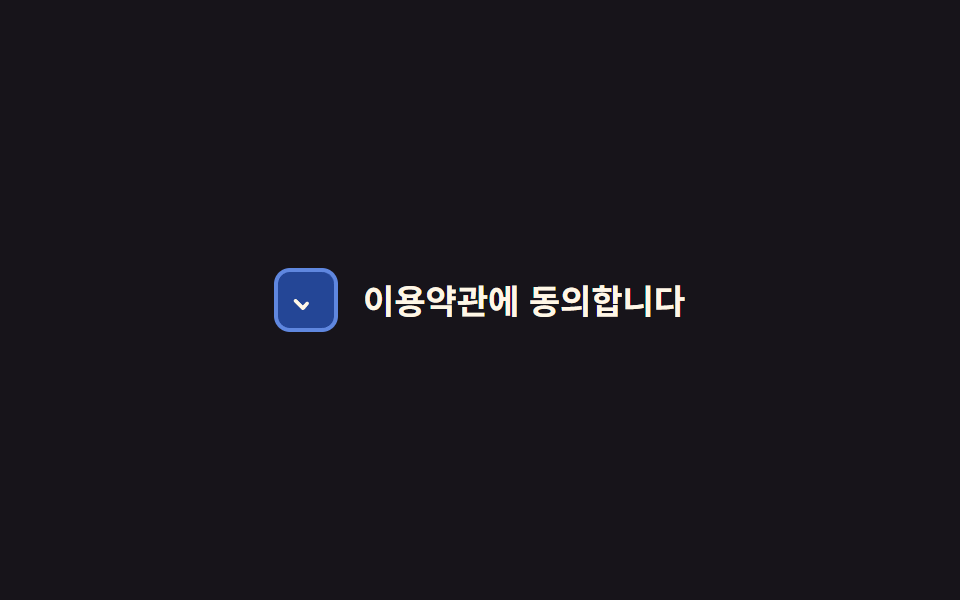 01 checkbox-radio-custom-check-draw-stroke
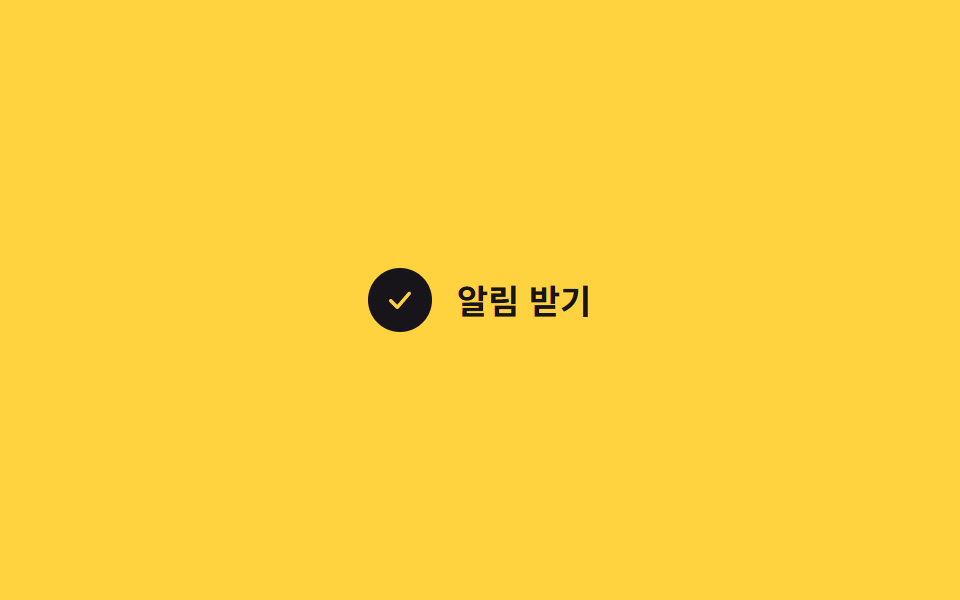 02 checkbox-radio-custom-bounce-check
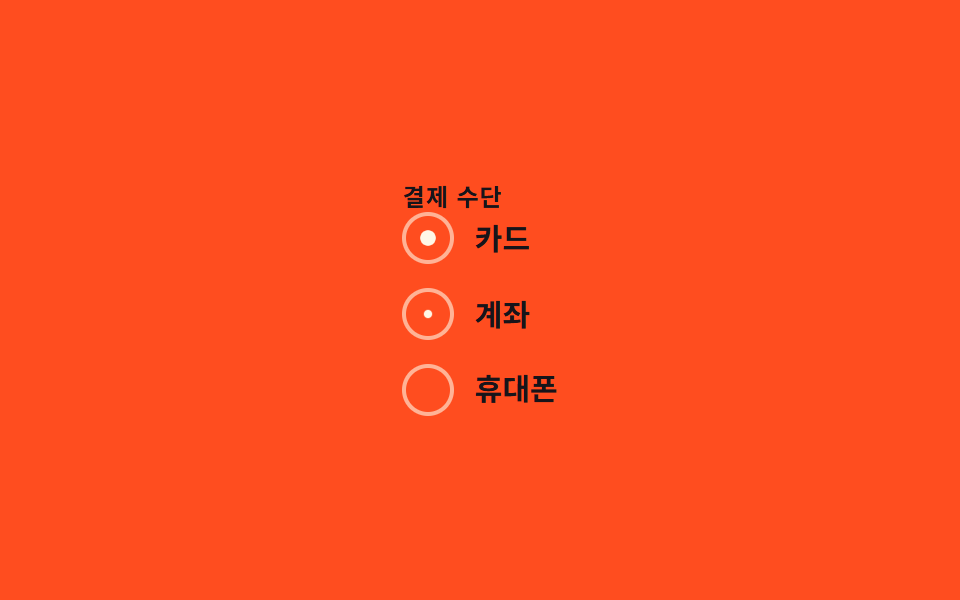 03 checkbox-radio-custom-radio-fill
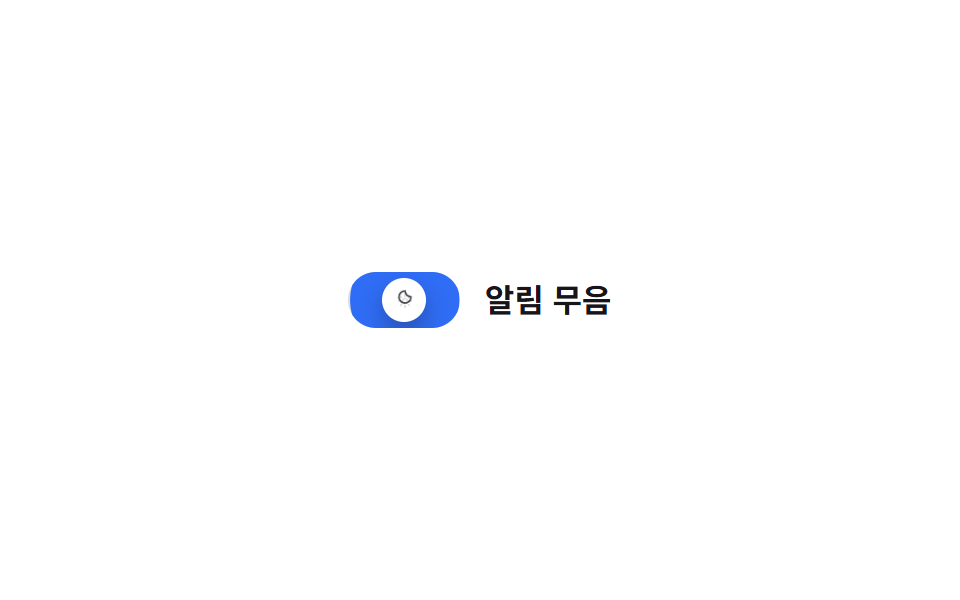 04 checkbox-radio-custom-switch-like-checkbox
 05 checkbox-radio-custom-card-select
 06 checkbox-radio-custom-todo-strike
 07 checkbox-radio-custom-color-swatch-pick
 08 checkbox-radio-custom-star-rate-input
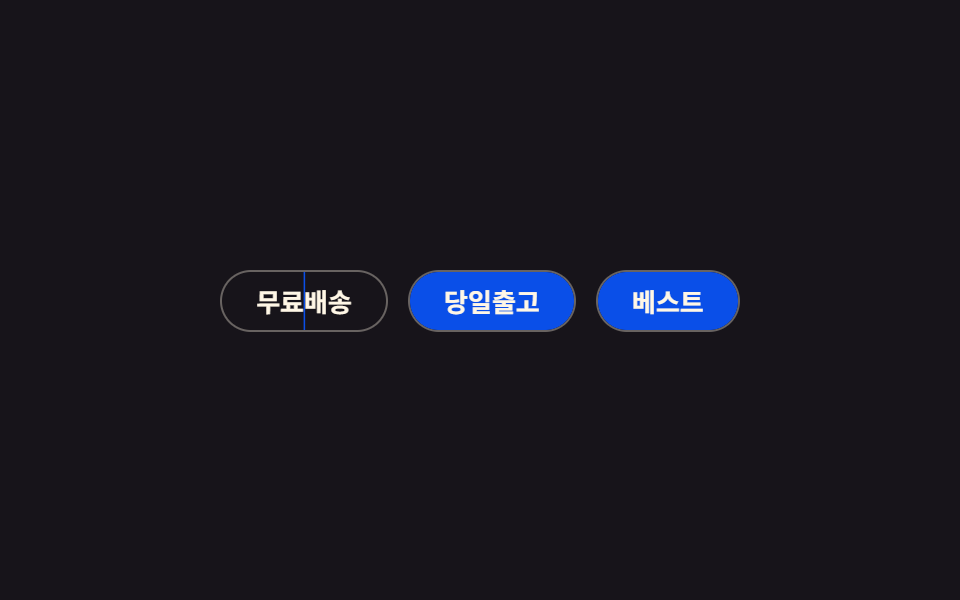 09 checkbox-radio-custom-chip-toggle
Tự chạy · bấm ô để tới mục đó · cả 9 trong một zip
- 01 Vẽ nét tick bằng stroke
- 02 Tick nảy bật
- 03 Radio tô đầy dần
- 04 Checkbox kiểu switch
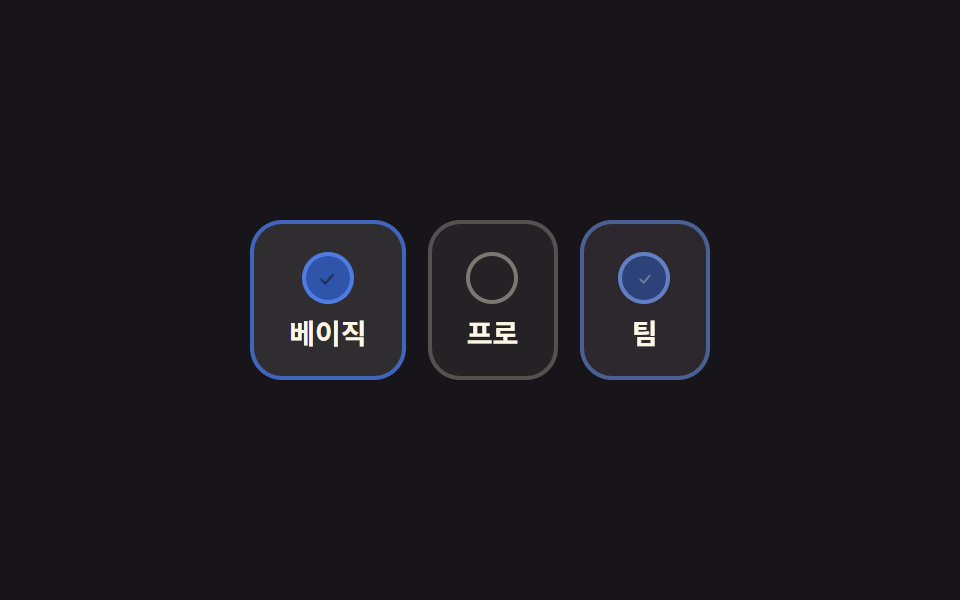
- 05 Kiểu chọn thẻ card
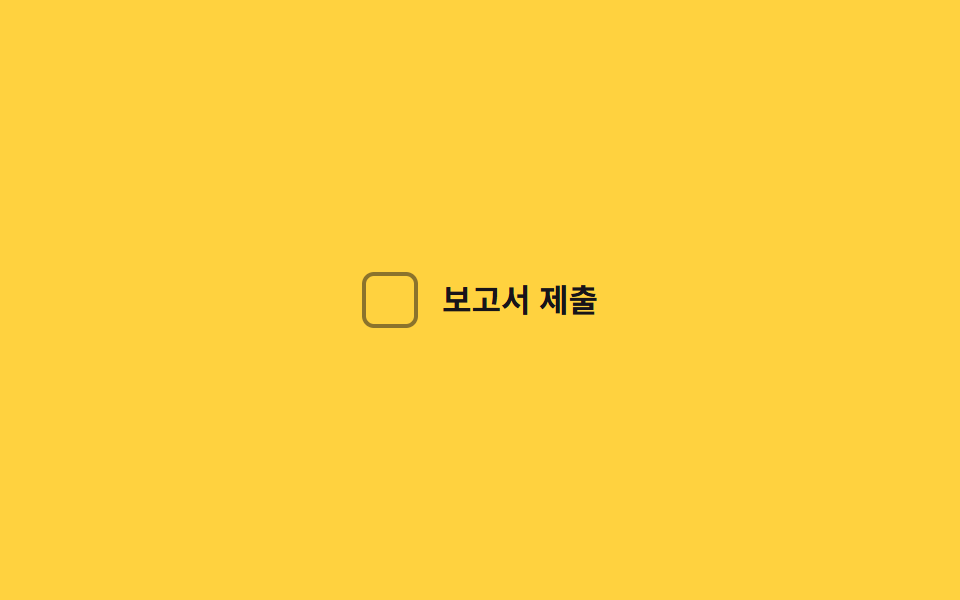
- 06 Gạch ngang việc đã xong
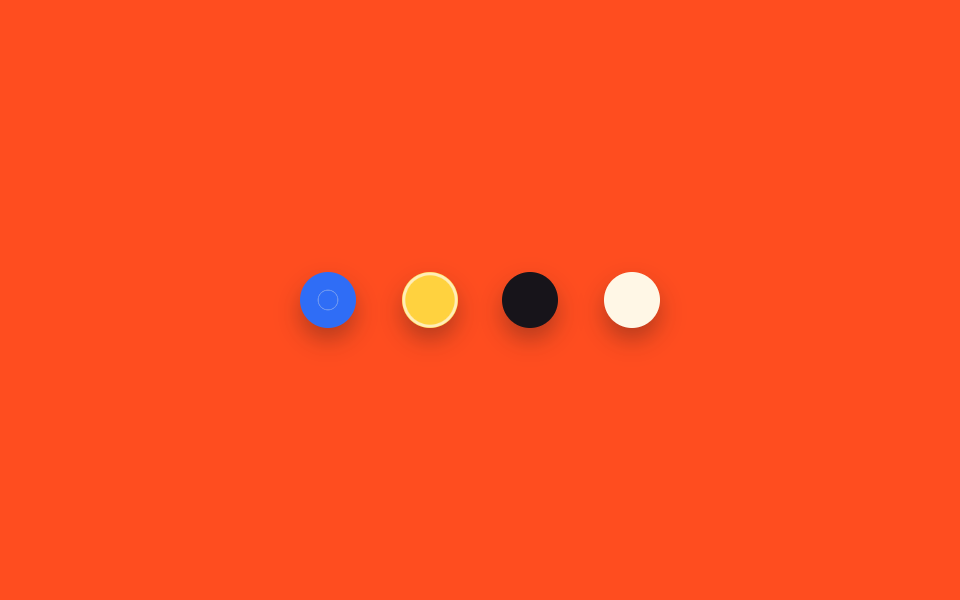
- 07 Chọn mẫu màu swatch
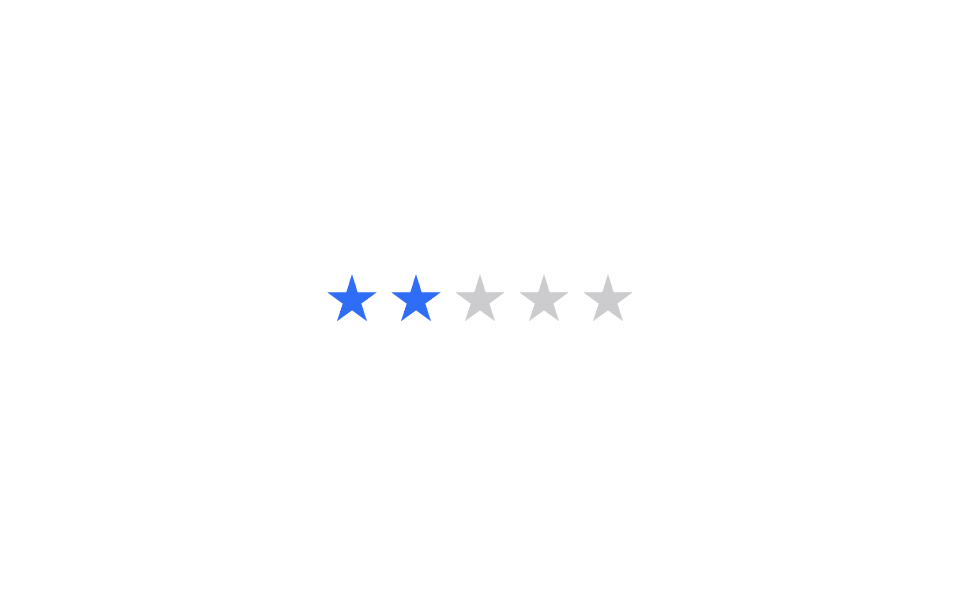
- 08 Nhập đánh giá sao
- 09 Toggle dạng chip
Chín kiểu không xếp theo độ nổi tiếng mà xếp theo số lựa chọn tăng dần. Mục 01, 02, 06 và 09 là một checkbox tự bật tắt một mình; mục 03, 05, 07 và 08 là nhóm radio buộc chỉ còn đúng một lựa chọn; còn mục 04 là một checkbox mượn hẳn dáng switch.
01Vẽ nét tick bằng stroke
Bạn thấy gì
Nhấn vào checkbox thì :checked kéo stroke-dashoffset của path SVG từ 20 về 0, nên nét tick hiện dần đúng theo hướng đã vẽ path.
<main class="stage">
  <label class="check is-demo">
    <input type="checkbox" class="sr-input">
    <span class="box" aria-hidden="true">
      <svg viewBox="0 0 24 24" class="box__svg"><path class="box__path" d="M5 12.5 L10 17.5 L19 7" /></svg>
    </span>
    <span class="check__text">Tôi đồng ý với điều khoản</span>
  </label>
</main>
@use "../../../../site/static/demo-tokens" as *;
// ── 변수 3개 ──────────────────────────────
$duration: $dur-enter;
$easing: $ease-spring;
$color: $subject-blue;
// ── 데모 무대 ───────────────────────────────
@include stage($stage-ink);
.sr-input {
position: absolute; width: 1px; height: 1px; padding: 0; margin: -1px;
overflow: hidden; clip: rect(0, 0, 0, 0); white-space: nowrap; border: 0;
}
.sr-only {
position: absolute; width: 1px; height: 1px; padding: 0; margin: -1px;
overflow: hidden; clip: rect(0, 0, 0, 0); white-space: nowrap; border: 0;
}
.check { display: inline-flex; align-items: center; gap: 12px; cursor: pointer;
font-weight: 600; font-size: clamp(14px, 4vw, 17px); line-height: 1.3; font-family: inherit; color: $subject-cream; }
.box {
flex: none; width: 28px; height: 28px; border-radius: 8px;
border: 2px solid rgba($subject-cream, .55); background: transparent;
display: grid; place-items: center;
transition: background $duration $easing, border-color $duration $easing;
}
.sr-input:checked ~ .box { background: $color; border-color: $color; }
.sr-input:focus-visible ~ .box { box-shadow: 0 0 0 3px rgba($subject-cream, .5); }
.box__svg { width: 18px; height: 18px; overflow: visible; }
.box__path {
fill: none; stroke: $subject-cream; stroke-width: 2.4; stroke-linecap: round; stroke-linejoin: round;
stroke-dasharray: 20; stroke-dashoffset: 20;
transition: stroke-dashoffset $duration $easing;
}
.sr-input:checked ~ .box .box__path { stroke-dashoffset: 0; }
@media (prefers-reduced-motion: reduce) {
// 접근성: 움직임 줄이기 설정이면 트랜지션을 즉시 끝낸다
.box, .box__path { transition-duration: 1ms !important; }
}html, body {
margin: 0;
overflow: hidden;
}
.stage {
box-sizing: border-box;
min-height: 100vh;
display: grid;
place-items: center;
margin: 0;
background: #17141a;
font-family: -apple-system, "Segoe UI", "Noto Sans KR", sans-serif;
padding: clamp(8px, 4vw, 24px);
}
.sr-input {
position: absolute;
width: 1px;
height: 1px;
padding: 0;
margin: -1px;
overflow: hidden;
clip: rect(0, 0, 0, 0);
white-space: nowrap;
border: 0;
}
.sr-only {
position: absolute;
width: 1px;
height: 1px;
padding: 0;
margin: -1px;
overflow: hidden;
clip: rect(0, 0, 0, 0);
white-space: nowrap;
border: 0;
}
.check {
display: inline-flex;
align-items: center;
gap: 12px;
cursor: pointer;
font-weight: 600;
font-size: clamp(14px, 4vw, 17px);
line-height: 1.3;
font-family: inherit;
color: #fff7e6;
}
.box {
flex: none;
width: 28px;
height: 28px;
border-radius: 8px;
border: 2px solid rgba(255, 247, 230, 0.55);
background: transparent;
display: grid;
place-items: center;
transition: background 600ms cubic-bezier(0.2, 0.8, 0.2, 1), border-color 600ms cubic-bezier(0.2, 0.8, 0.2, 1);
}
.sr-input:checked ~ .box {
background: #2f6df6;
border-color: #2f6df6;
}
.sr-input:focus-visible ~ .box {
box-shadow: 0 0 0 3px rgba(255, 247, 230, 0.5);
}
.box__svg {
width: 18px;
height: 18px;
overflow: visible;
}
.box__path {
fill: none;
stroke: #fff7e6;
stroke-width: 2.4;
stroke-linecap: round;
stroke-linejoin: round;
stroke-dasharray: 20;
stroke-dashoffset: 20;
transition: stroke-dashoffset 600ms cubic-bezier(0.2, 0.8, 0.2, 1);
}
.sr-input:checked ~ .box .box__path {
stroke-dashoffset: 0;
}
@media (prefers-reduced-motion: reduce) {
.box, .box__path {
transition-duration: 1ms !important;
}
}// .is-demo 데모용 자동 토글. 실제로는 클릭이 :checked 를 바꾼다 (4줄)
document.querySelectorAll('.is-demo .sr-input').forEach(function (el) {
var t = function () { el.checked = !el.checked; };
t(); setInterval(t, 600);
});import { useState } from "react";
import type { CSSProperties, ChangeEvent } from "react";
import styles from "./CheckDrawStroke.module.scss";
export type CheckDrawStrokeProps = {
label?: string;
duration?: number;
easing?: string;
color?: string;
defaultChecked?: boolean;
};
type Vars = CSSProperties & { "--duration"?: string; "--easing"?: string; "--color"?: string };
export default function CheckDrawStroke({
label = "I agree to the terms",
duration = 600,
easing = "cubic-bezier(.2,.8,.2,1)",
color = "#2f6df6",
defaultChecked = false,
}: CheckDrawStrokeProps) {
const [checked, setChecked] = useState(defaultChecked);
const vars: Vars = { "--duration": `${duration}ms`, "--easing": easing, "--color": color };
return (
<label className={styles.check} style={vars}>
<input
type="checkbox"
className={styles.srInput}
checked={checked}
onChange={(e: ChangeEvent<HTMLInputElement>) => setChecked(e.target.checked)}
/>
<span className={styles.box} aria-hidden="true">
<svg viewBox="0 0 24 24" className={styles.boxSvg}>
<path className={styles.boxPath} d="M5 12.5 L10 17.5 L19 7" />
</svg>
</span>
<span>{label}</span>
</label>
);
}01 · Vẽ nét tick bằng stroke — Diện tích đo được 0.683% · khung hình chuyển động 20/23Nguyên tác GODRICH · SCSS và React nằm trong tệp zip · Xem mật khẩu
Dùng ở đâu
Hợp với checkbox đồng ý điều khoản hay đánh dấu một việc đã xong trong to-do.
.box {
  border: 2px solid rgba($subject-cream, .55);
  transition: background $duration $easing, border-color $duration $easing;
}
.sr-input:checked ~ .box { background: $color; border-color: $color; }

.box__path {
  stroke-dasharray: 20;
  stroke-dashoffset: 20;
  transition: stroke-dashoffset $duration $easing;
}
.sr-input:checked ~ .box .box__path { stroke-dashoffset: 0; }
02Tick nảy bật
Chuyện gì diễn ra trên màn hình
Vừa được check, icon bên trong bật bằng @keyframes check-pop, phóng từ scale(0) lên 1.3 lần rồi lắng xuống đúng 1 lần.
<main class="stage">
  <label class="check is-demo">
    <input type="checkbox" class="sr-input">
    <span class="box" aria-hidden="true">
      <svg viewBox="0 0 24 24" class="box__svg"><path class="box__path" d="M5 12.5 L10 17.5 L19 7" /></svg>
    </span>
    <span class="check__text">Nhận thông báo</span>
  </label>
</main>
@use "../../../../site/static/demo-tokens" as *;
// ── 변수 3개 ──────────────────────────────
$duration: $dur-enter;
$easing: $ease-pop;
$color: $stage-ink;
// ── 데모 무대 ───────────────────────────────
@include stage($stage-yellow);
.sr-input {
position: absolute; width: 1px; height: 1px; padding: 0; margin: -1px;
overflow: hidden; clip: rect(0, 0, 0, 0); white-space: nowrap; border: 0;
}
.sr-only {
position: absolute; width: 1px; height: 1px; padding: 0; margin: -1px;
overflow: hidden; clip: rect(0, 0, 0, 0); white-space: nowrap; border: 0;
}
.check { display: inline-flex; align-items: center; gap: 12px; cursor: pointer;
font-weight: 700; font-size: clamp(14px, 4vw, 17px); line-height: 1.3; font-family: inherit; color: $color; }
.box {
flex: none; width: 28px; height: 28px; border-radius: 50%;
border: 2px solid rgba($color, .5); background: transparent;
display: grid; place-items: center; transition: background $dur-quick $ease-out;
}
.sr-input:checked ~ .box { background: $color; border-color: $color; }
.sr-input:focus-visible ~ .box { box-shadow: 0 0 0 3px rgba($color, .35); }
.box__svg {
width: 16px; height: 16px; overflow: visible;
transform: scale(0); opacity: 0;
}
.box__path { fill: none; stroke: $stage-yellow; stroke-width: 2.6; stroke-linecap: round; stroke-linejoin: round; }
.sr-input:checked ~ .box .box__svg {
  animation: check-pop $duration $easing forwards;
}

@keyframes check-pop {
  0%   { transform: scale(0); opacity: 0; }
  55%  { transform: scale(1.3); opacity: 1; }
  75%  { transform: scale(.9); }
  100% { transform: scale(1); opacity: 1; }
}
@media (prefers-reduced-motion: reduce) {
// 접근성: 움직임 줄이기 설정이면 트랜지션을 즉시 끝낸다
.box__svg { animation: none !important; }
.sr-input:checked ~ .box .box__svg { transform: scale(1); opacity: 1; }
}html, body {
margin: 0;
overflow: hidden;
}
.stage {
box-sizing: border-box;
min-height: 100vh;
display: grid;
place-items: center;
margin: 0;
background: #ffd23f;
font-family: -apple-system, "Segoe UI", "Noto Sans KR", sans-serif;
padding: clamp(8px, 4vw, 24px);
}
.sr-input {
position: absolute;
width: 1px;
height: 1px;
padding: 0;
margin: -1px;
overflow: hidden;
clip: rect(0, 0, 0, 0);
white-space: nowrap;
border: 0;
}
.sr-only {
position: absolute;
width: 1px;
height: 1px;
padding: 0;
margin: -1px;
overflow: hidden;
clip: rect(0, 0, 0, 0);
white-space: nowrap;
border: 0;
}
.check {
display: inline-flex;
align-items: center;
gap: 12px;
cursor: pointer;
font-weight: 700;
font-size: clamp(14px, 4vw, 17px);
line-height: 1.3;
font-family: inherit;
color: #17141a;
}
.box {
flex: none;
width: 28px;
height: 28px;
border-radius: 50%;
border: 2px solid rgba(23, 20, 26, 0.5);
background: transparent;
display: grid;
place-items: center;
transition: background 220ms ease-out;
}
.sr-input:checked ~ .box {
background: #17141a;
border-color: #17141a;
}
.sr-input:focus-visible ~ .box {
box-shadow: 0 0 0 3px rgba(23, 20, 26, 0.35);
}
.box__svg {
width: 16px;
height: 16px;
overflow: visible;
transform: scale(0);
opacity: 0;
}
.box__path {
fill: none;
stroke: #ffd23f;
stroke-width: 2.6;
stroke-linecap: round;
stroke-linejoin: round;
}
.sr-input:checked ~ .box .box__svg {
animation: check-pop 600ms cubic-bezier(0.2, 1.4, 0.4, 1) forwards;
}
@keyframes check-pop {
0% {
transform: scale(0);
opacity: 0;
}
55% {
transform: scale(1.3);
opacity: 1;
}
75% {
transform: scale(0.9);
}
100% {
transform: scale(1);
opacity: 1;
}
}
@media (prefers-reduced-motion: reduce) {
.box__svg {
animation: none !important;
}
.sr-input:checked ~ .box .box__svg {
transform: scale(1);
opacity: 1;
}
}// .is-demo 데모용 자동 토글. 실제로는 클릭이 :checked 를 바꾼다 (4줄)
document.querySelectorAll('.is-demo .sr-input').forEach(function (el) {
var t = function () { el.checked = !el.checked; };
t(); setInterval(t, 600);
});import { useState } from "react";
import type { CSSProperties, ChangeEvent } from "react";
import styles from "./BounceCheck.module.scss";
export type BounceCheckProps = {
label?: string;
duration?: number;
easing?: string;
color?: string;
};
type Vars = CSSProperties & { "--duration"?: string; "--easing"?: string; "--color"?: string };
export default function BounceCheck({
label = "Get notifications",
duration = 600,
easing = "cubic-bezier(.2,1.4,.4,1)",
color = "#17141a",
}: BounceCheckProps) {
const [checked, setChecked] = useState(false);
const vars: Vars = { "--duration": `${duration}ms`, "--easing": easing, "--color": color };
return (
<label className={styles.check} style={vars}>
<input
type="checkbox"
className={styles.srInput}
checked={checked}
onChange={(e: ChangeEvent<HTMLInputElement>) => setChecked(e.target.checked)}
/>
<span className={styles.box} aria-hidden="true">
{checked && (
<svg viewBox="0 0 24 24" className={styles.boxSvg}>
<path className={styles.boxPath} d="M5 12.5 L10 17.5 L19 7" />
</svg>
)}
</span>
<span>{label}</span>
</label>
);
}02 · Tick nảy bật — Diện tích đo được 0.583% · khung hình chuyển động 10/23Nguyên tác GODRICH · SCSS và React nằm trong tệp zip · Xem mật khẩu
Chỗ dùng
Hợp với chọn nhiều tùy chọn cài đặt hoặc checkbox thêm vào giỏ hàng, nơi phản hồi cần rộn ràng một chút.
.sr-input:checked ~ .box .box__svg {
animation: check-pop $duration $easing forwards;
}
@keyframes check-pop {
0% { transform: scale(0); opacity: 0; }
55% { transform: scale(1.3); opacity: 1; }
75% { transform: scale(.9); }
100% { transform: scale(1); opacity: 1; }
}
03Radio tô đầy dần
Chuyển động thế nào
Chọn một trong ba radio thì chấm tròn radio__dot::after phóng từ scale(0) lên scale(1), còn chấm ở lựa chọn cũ biến mất ngay vì dùng chung một rule :checked.
<main class="stage">
  <fieldset class="radio-group is-demo">
    <legend class="radio-group__legend">Phương thức thanh toán</legend>
    <label class="radio"><input type="radio" name="pay" class="sr-input" checked><span class="radio__dot" aria-hidden="true"></span><span>Thẻ</span></label>
    <label class="radio"><input type="radio" name="pay" class="sr-input"><span class="radio__dot" aria-hidden="true"></span><span>Chuyển khoản</span></label>
    <label class="radio"><input type="radio" name="pay" class="sr-input"><span class="radio__dot" aria-hidden="true"></span><span>Điện thoại</span></label>
  </fieldset>
</main>
@use "../../../../site/static/demo-tokens" as *;
// ── 변수 3개 ──────────────────────────────
$duration: $dur-quick;
$easing: $ease-out;
$color: $subject-cream;
// ── 데모 무대 ───────────────────────────────
@include stage($stage-orange);
.sr-input {
position: absolute; width: 1px; height: 1px; padding: 0; margin: -1px;
overflow: hidden; clip: rect(0, 0, 0, 0); white-space: nowrap; border: 0;
}
.sr-only {
position: absolute; width: 1px; height: 1px; padding: 0; margin: -1px;
overflow: hidden; clip: rect(0, 0, 0, 0); white-space: nowrap; border: 0;
}
.radio-group { display: flex; flex-direction: column; gap: clamp(8px, 2.4vw, 12px); border: 0; margin: 0; padding: 0; }
.radio-group__legend {
color: $subject-ink; font-weight: 700; font-size: 12px; line-height: 1; font-family: inherit; letter-spacing: .04em; text-transform: uppercase;
padding: 0 0 2px;
}
.radio { display: inline-flex; align-items: center; gap: 10px; cursor: pointer;
font-weight: 600; font-size: clamp(13px, 3.8vw, 15px); line-height: 1; font-family: inherit; color: $subject-ink; }
.radio__dot { flex: none; width: 22px; height: 22px; border-radius: 50%;
border: 2px solid rgba($subject-cream, .6); display: grid; place-items: center; }
.radio__dot::after {
  content: "";
  width: 12px; height: 12px;
  border-radius: 50%;
  background: $color;
  transform: scale(0);
  transition: transform $duration $easing;
}
.sr-input:checked ~ .radio__dot::after { transform: scale(1); }
.sr-input:focus-visible ~ .radio__dot { box-shadow: 0 0 0 3px rgba($subject-cream, .5); }
@media (prefers-reduced-motion: reduce) {
// 접근성: 움직임 줄이기 설정이면 트랜지션을 즉시 끝낸다
.radio__dot::after { transition-duration: 1ms !important; }
}html, body {
margin: 0;
overflow: hidden;
}
.stage {
box-sizing: border-box;
min-height: 100vh;
display: grid;
place-items: center;
margin: 0;
background: #ff4d1f;
font-family: -apple-system, "Segoe UI", "Noto Sans KR", sans-serif;
padding: clamp(8px, 4vw, 24px);
}
.sr-input {
position: absolute;
width: 1px;
height: 1px;
padding: 0;
margin: -1px;
overflow: hidden;
clip: rect(0, 0, 0, 0);
white-space: nowrap;
border: 0;
}
.sr-only {
position: absolute;
width: 1px;
height: 1px;
padding: 0;
margin: -1px;
overflow: hidden;
clip: rect(0, 0, 0, 0);
white-space: nowrap;
border: 0;
}
.radio-group {
display: flex;
flex-direction: column;
gap: clamp(8px, 2.4vw, 12px);
border: 0;
margin: 0;
padding: 0;
}
.radio-group__legend {
color: #17141a;
font-weight: 700;
font-size: 12px;
line-height: 1;
font-family: inherit;
letter-spacing: 0.04em;
text-transform: uppercase;
padding: 0 0 2px;
}
.radio {
display: inline-flex;
align-items: center;
gap: 10px;
cursor: pointer;
font-weight: 600;
font-size: clamp(13px, 3.8vw, 15px);
line-height: 1;
font-family: inherit;
color: #17141a;
}
.radio__dot {
flex: none;
width: 22px;
height: 22px;
border-radius: 50%;
border: 2px solid rgba(255, 247, 230, 0.6);
display: grid;
place-items: center;
}
.radio__dot::after {
content: "";
width: 12px;
height: 12px;
border-radius: 50%;
background: #fff7e6;
transform: scale(0);
transition: transform 220ms ease-out;
}
.sr-input:checked ~ .radio__dot::after {
transform: scale(1);
}
.sr-input:focus-visible ~ .radio__dot {
box-shadow: 0 0 0 3px rgba(255, 247, 230, 0.5);
}
@media (prefers-reduced-motion: reduce) {
.radio__dot::after {
transition-duration: 1ms !important;
}
}// .is-demo 데모용 자동 순환. 실제로는 클릭이 :checked 를 바꾼다 (6줄)
document.querySelectorAll('.is-demo').forEach(function (grp) {
var inputs = grp.querySelectorAll('.sr-input'); var i = 0;
var t = function () { inputs[i % inputs.length].checked = true; i++; };
t(); setInterval(t, 500);
});import { useState } from "react";
import type { CSSProperties } from "react";
import styles from "./RadioFill.module.scss";
export type RadioFillOption = { value: string; label: string };
export type RadioFillProps = {
legend?: string;
options?: RadioFillOption[];
duration?: number;
easing?: string;
color?: string;
};
type Vars = CSSProperties & { "--duration"?: string; "--easing"?: string; "--color"?: string };
export default function RadioFill({
legend = "Payment method",
options = [
{ value: "card", label: "Card" },
{ value: "bank", label: "Bank transfer" },
{ value: "phone", label: "Phone" },
],
duration = 220,
easing = "ease-out",
color = "#fff7e6",
}: RadioFillProps) {
const [value, setValue] = useState(options[0]?.value);
const vars: Vars = { "--duration": `${duration}ms`, "--easing": easing, "--color": color };
return (
<fieldset className={styles.group} style={vars}>
<legend className={styles.legend}>{legend}</legend>
{options.map((o) => (
<label className={styles.radio} key={o.value}>
<input
type="radio"
name="radio-fill"
className={styles.srInput}
checked={value === o.value}
onChange={() => setValue(o.value)}
/>
<span className={styles.dot} aria-hidden="true" />
<span>{o.label}</span>
</label>
))}
</fieldset>
);
}03 · Radio tô đầy dần — Diện tích đo được 0.258% · khung hình chuyển động 14/23Nguyên tác GODRICH · SCSS và React nằm trong tệp zip · Xem mật khẩu
Dùng khi nào
Hợp với chọn phương thức thanh toán hay chọn tùy chọn giao hàng, nơi chỉ đúng một lựa chọn được tồn tại.
.radio__dot::after {
content: "";
width: 12px; height: 12px;
border-radius: 50%;
background: $color;
transform: scale(0);
transition: transform $duration $easing;
}
.sr-input:checked ~ .radio__dot::after { transform: scale(1); }
04Checkbox kiểu switch
Bạn thấy gì
Nhìn ngoài giống switch nhưng núm switch__knob đứng yên tại chỗ, còn nền switch__fill tô bằng vòng tròn clip-path lớn dần từ 0% lên 75% để báo trạng thái bật. Hai icon on/off trong núm đổi opacity và scale để thay nhau hiện ra.
<main class="stage">
  <label class="switch is-demo">
    <input type="checkbox" class="sr-input">
    <span class="switch__track" aria-hidden="true">
      <span class="switch__fill"></span>
      <span class="switch__knob">
        <svg viewBox="0 0 24 24" class="switch__icon switch__icon--on"><path d="M18 8a6 6 0 1 1-6-6 7 7 0 0 0 6 6Z" /></svg>
        <svg viewBox="0 0 24 24" class="switch__icon switch__icon--off"><circle cx="12" cy="12" r="3.2" /><path d="M12 3v3M12 18v3M3 12h3M18 12h3M5.6 5.6l2.1 2.1M16.3 16.3l2.1 2.1M5.6 18.4l2.1-2.1M16.3 7.7l2.1-2.1" stroke-width="1.6" stroke-linecap="round" /></svg>
      </span>
    </span>
    <span class="switch__text">Tắt tiếng thông báo</span>
  </label>
</main>
@use "../../../../site/static/demo-tokens" as *;
// ── 변수 3개 ──────────────────────────────
$duration: $dur-base;
$easing: $ease-out;
$color: $subject-blue;
// ── 데모 무대 ───────────────────────────────
@include stage($stage-paper);
.sr-input {
position: absolute; width: 1px; height: 1px; padding: 0; margin: -1px;
overflow: hidden; clip: rect(0, 0, 0, 0); white-space: nowrap; border: 0;
}
.sr-only {
position: absolute; width: 1px; height: 1px; padding: 0; margin: -1px;
overflow: hidden; clip: rect(0, 0, 0, 0); white-space: nowrap; border: 0;
}
.switch { display: inline-flex; align-items: center; gap: 12px; cursor: pointer;
font-weight: 600; font-size: clamp(14px, 4vw, 16px); line-height: 1.3; font-family: inherit; color: $subject-ink; }
.switch__track {
position: relative; width: 56px; height: 28px; border-radius: $r-pill;
background: rgba($subject-ink, .14); overflow: hidden; display: grid; place-items: center;
}
.switch__fill {
position: absolute; inset: 0; background: $color;
clip-path: circle(0% at 50% 50%); transition: clip-path $duration $easing;
}
.sr-input:checked ~ .switch__track .switch__fill { clip-path: circle(75% at 50% 50%); }
.sr-input:focus-visible ~ .switch__track { box-shadow: 0 0 0 3px rgba($subject-blue, .35); }
.switch__knob {
position: relative; z-index: 1; width: 22px; height: 22px; border-radius: 50%;
background: #fff; display: grid; place-items: center; box-shadow: $shadow-press;
}
.switch__icon {
position: absolute; width: 13px; height: 13px; fill: none; stroke: $subject-ink; stroke-width: 1.6;
transition: opacity $duration $easing, transform $duration $easing;
}
.switch__icon--on { opacity: 0; transform: scale(.6); }
.switch__icon--off { opacity: 1; transform: scale(1); }
.sr-input:checked ~ .switch__track .switch__icon--on { opacity: 1; transform: scale(1); }
.sr-input:checked ~ .switch__track .switch__icon--off { opacity: 0; transform: scale(.6); }
@media (prefers-reduced-motion: reduce) {
// 접근성: 움직임 줄이기 설정이면 트랜지션을 즉시 끝낸다
.switch__fill, .switch__icon { transition-duration: 1ms !important; }
}html, body {
margin: 0;
overflow: hidden;
}
.stage {
box-sizing: border-box;
min-height: 100vh;
display: grid;
place-items: center;
margin: 0;
background: #ffffff;
font-family: -apple-system, "Segoe UI", "Noto Sans KR", sans-serif;
padding: clamp(8px, 4vw, 24px);
}
.sr-input {
position: absolute;
width: 1px;
height: 1px;
padding: 0;
margin: -1px;
overflow: hidden;
clip: rect(0, 0, 0, 0);
white-space: nowrap;
border: 0;
}
.sr-only {
position: absolute;
width: 1px;
height: 1px;
padding: 0;
margin: -1px;
overflow: hidden;
clip: rect(0, 0, 0, 0);
white-space: nowrap;
border: 0;
}
.switch {
display: inline-flex;
align-items: center;
gap: 12px;
cursor: pointer;
font-weight: 600;
font-size: clamp(14px, 4vw, 16px);
line-height: 1.3;
font-family: inherit;
color: #17141a;
}
.switch__track {
position: relative;
width: 56px;
height: 28px;
border-radius: 999px;
background: rgba(23, 20, 26, 0.14);
overflow: hidden;
display: grid;
place-items: center;
}
.switch__fill {
position: absolute;
inset: 0;
background: #2f6df6;
clip-path: circle(0% at 50% 50%);
transition: clip-path 300ms ease-out;
}
.sr-input:checked ~ .switch__track .switch__fill {
clip-path: circle(75% at 50% 50%);
}
.sr-input:focus-visible ~ .switch__track {
box-shadow: 0 0 0 3px rgba(47, 109, 246, 0.35);
}
.switch__knob {
position: relative;
z-index: 1;
width: 22px;
height: 22px;
border-radius: 50%;
background: #fff;
display: grid;
place-items: center;
box-shadow: 0 6px 12px rgba(23, 20, 26, 0.32);
}
.switch__icon {
position: absolute;
width: 13px;
height: 13px;
fill: none;
stroke: #17141a;
stroke-width: 1.6;
transition: opacity 300ms ease-out, transform 300ms ease-out;
}
.switch__icon--on {
opacity: 0;
transform: scale(0.6);
}
.switch__icon--off {
opacity: 1;
transform: scale(1);
}
.sr-input:checked ~ .switch__track .switch__icon--on {
opacity: 1;
transform: scale(1);
}
.sr-input:checked ~ .switch__track .switch__icon--off {
opacity: 0;
transform: scale(0.6);
}
@media (prefers-reduced-motion: reduce) {
.switch__fill, .switch__icon {
transition-duration: 1ms !important;
}
}// .is-demo 데모용 자동 토글. 실제로는 클릭이 :checked 를 바꾼다 (4줄)
document.querySelectorAll('.is-demo .sr-input').forEach(function (el) {
var t = function () { el.checked = !el.checked; };
t(); setInterval(t, 600);
});import { useState } from "react";
import type { CSSProperties, ChangeEvent } from "react";
import styles from "./SwitchLikeCheckbox.module.scss";
export type SwitchLikeCheckboxProps = {
label?: string;
duration?: number;
easing?: string;
color?: string;
};
type Vars = CSSProperties & { "--duration"?: string; "--easing"?: string; "--color"?: string };
export default function SwitchLikeCheckbox({
label = "Mute notifications",
duration = 300,
easing = "ease-out",
color = "#2f6df6",
}: SwitchLikeCheckboxProps) {
const [checked, setChecked] = useState(false);
const vars: Vars = { "--duration": `${duration}ms`, "--easing": easing, "--color": color };
return (
<label className={styles.switch} style={vars}>
<input
type="checkbox"
className={styles.srInput}
checked={checked}
onChange={(e: ChangeEvent<HTMLInputElement>) => setChecked(e.target.checked)}
/>
<span className={styles.track} aria-hidden="true">
<span className={styles.fill} />
<span className={styles.knob}>{checked ? "●" : "○"}</span>
</span>
<span>{label}</span>
</label>
);
}04 · Checkbox kiểu switch — Diện tích đo được 0.803% · khung hình chuyển động 12/23Nguyên tác GODRICH · SCSS và React nằm trong tệp zip · Xem mật khẩu
Dùng ở đâu
Hợp với switch tắt tiếng thông báo hoặc toggle tự động lưu.
.switch__fill {
  position: absolute; inset: 0; background: $color;
  clip-path: circle(0% at 50% 50%); transition: clip-path $duration $easing;
}
.sr-input:checked ~ .switch__track .switch__fill { clip-path: circle(75% at 50% 50%); }
.switch__icon--on { opacity: 0; transform: scale(.6); }
.switch__icon--off { opacity: 1; transform: scale(1); }
.sr-input:checked ~ .switch__track .switch__icon--on { opacity: 1; transform: scale(1); }
.sr-input:checked ~ .switch__track .switch__icon--off { opacity: 0; transform: scale(.6); }
05Kiểu chọn thẻ card
Chuyện gì diễn ra trên màn hình
Chọn một card trong nhóm radio thì :has(.sr-input:checked) làm nổi viền và nền của đúng card đó, không cần thêm class nào bằng JavaScript. Badge tròn ở góc trên phải cũng đổi màu và icon tick bên trong bật opacity, scale theo cùng rule :has().
<main class="stage">
  <fieldset class="cards is-demo">
    <legend class="sr-only">Chọn gói</legend>
    <label class="card">
      <input type="radio" name="plan" class="sr-input" checked>
      <span class="card__badge" aria-hidden="true"><svg viewBox="0 0 24 24"><path d="M5 12.5 L10 17.5 L19 7" /></svg></span>
      <span class="card__title">Cơ bản</span>
    </label>
    <label class="card">
      <input type="radio" name="plan" class="sr-input">
      <span class="card__badge" aria-hidden="true"><svg viewBox="0 0 24 24"><path d="M5 12.5 L10 17.5 L19 7" /></svg></span>
      <span class="card__title">Pro</span>
    </label>
    <label class="card">
      <input type="radio" name="plan" class="sr-input">
      <span class="card__badge" aria-hidden="true"><svg viewBox="0 0 24 24"><path d="M5 12.5 L10 17.5 L19 7" /></svg></span>
      <span class="card__title">Team</span>
    </label>
  </fieldset>
</main>
@use "../../../../site/static/demo-tokens" as *;
// ── 변수 3개 ──────────────────────────────
$duration: $dur-base;
$easing: $ease-out;
$color: $subject-blue;
// ── 데모 무대 ───────────────────────────────
@include stage($stage-ink);
.sr-input {
position: absolute; width: 1px; height: 1px; padding: 0; margin: -1px;
overflow: hidden; clip: rect(0, 0, 0, 0); white-space: nowrap; border: 0;
}
.sr-only {
position: absolute; width: 1px; height: 1px; padding: 0; margin: -1px;
overflow: hidden; clip: rect(0, 0, 0, 0); white-space: nowrap; border: 0;
}
.cards { display: flex; gap: clamp(8px, 2.4vw, 12px); border: 0; margin: 0; padding: 0; }
.card {
position: relative; display: flex; flex-direction: column; align-items: center; gap: 8px;
padding: clamp(10px, 3vw, 14px) clamp(12px, 3.6vw, 18px);
border-radius: $r-card; border: 2px solid rgba($subject-cream, .22); background: rgba($subject-cream, .06);
cursor: pointer; transition: border-color $duration $easing, background $duration $easing;
}
.card:has(.sr-input:checked) { border-color: $color; background: rgba($subject-cream, .14); }
.card__badge {
width: 22px; height: 22px; border-radius: 50%; border: 2px solid rgba($subject-cream, .4);
display: grid; place-items: center; transition: border-color $duration $easing, background $duration $easing;
}
.card__badge svg {
width: 13px; height: 13px; fill: none; stroke: $subject-cream; stroke-width: 2.4;
stroke-linecap: round; stroke-linejoin: round; opacity: 0; transform: scale(.4);
transition: opacity $duration $easing, transform $duration $easing;
}
.card:has(.sr-input:checked) .card__badge { border-color: $color; background: $color; }
.card:has(.sr-input:checked) .card__badge svg { opacity: 1; transform: scale(1); stroke: $stage-ink; }
.card__title { font-weight: 700; font-size: clamp(12px, 3.4vw, 14px); line-height: 1; font-family: inherit; color: $subject-cream; }
.sr-input:focus-visible ~ .card__badge { box-shadow: 0 0 0 3px rgba($subject-cream, .5); }
@media (prefers-reduced-motion: reduce) {
// 접근성: 움직임 줄이기 설정이면 트랜지션을 즉시 끝낸다
.card, .card__badge, .card__badge svg { transition-duration: 1ms !important; }
}html, body {
margin: 0;
overflow: hidden;
}
.stage {
box-sizing: border-box;
min-height: 100vh;
display: grid;
place-items: center;
margin: 0;
background: #17141a;
font-family: -apple-system, "Segoe UI", "Noto Sans KR", sans-serif;
padding: clamp(8px, 4vw, 24px);
}
.sr-input {
position: absolute;
width: 1px;
height: 1px;
padding: 0;
margin: -1px;
overflow: hidden;
clip: rect(0, 0, 0, 0);
white-space: nowrap;
border: 0;
}
.sr-only {
position: absolute;
width: 1px;
height: 1px;
padding: 0;
margin: -1px;
overflow: hidden;
clip: rect(0, 0, 0, 0);
white-space: nowrap;
border: 0;
}
.cards {
display: flex;
gap: clamp(8px, 2.4vw, 12px);
border: 0;
margin: 0;
padding: 0;
}
.card {
position: relative;
display: flex;
flex-direction: column;
align-items: center;
gap: 8px;
padding: clamp(10px, 3vw, 14px) clamp(12px, 3.6vw, 18px);
border-radius: 16px;
border: 2px solid rgba(255, 247, 230, 0.22);
background: rgba(255, 247, 230, 0.06);
cursor: pointer;
transition: border-color 300ms ease-out, background 300ms ease-out;
}
.card:has(.sr-input:checked) {
border-color: #2f6df6;
background: rgba(255, 247, 230, 0.14);
}
.card__badge {
width: 22px;
height: 22px;
border-radius: 50%;
border: 2px solid rgba(255, 247, 230, 0.4);
display: grid;
place-items: center;
transition: border-color 300ms ease-out, background 300ms ease-out;
}
.card__badge svg {
width: 13px;
height: 13px;
fill: none;
stroke: #fff7e6;
stroke-width: 2.4;
stroke-linecap: round;
stroke-linejoin: round;
opacity: 0;
transform: scale(0.4);
transition: opacity 300ms ease-out, transform 300ms ease-out;
}
.card:has(.sr-input:checked) .card__badge {
border-color: #2f6df6;
background: #2f6df6;
}
.card:has(.sr-input:checked) .card__badge svg {
opacity: 1;
transform: scale(1);
stroke: #17141a;
}
.card__title {
font-weight: 700;
font-size: clamp(12px, 3.4vw, 14px);
line-height: 1;
font-family: inherit;
color: #fff7e6;
}
.sr-input:focus-visible ~ .card__badge {
box-shadow: 0 0 0 3px rgba(255, 247, 230, 0.5);
}
@media (prefers-reduced-motion: reduce) {
.card, .card__badge, .card__badge svg {
transition-duration: 1ms !important;
}
}// .is-demo 데모용 자동 순환. 실제로는 클릭이 :checked 를 바꾼다 (6줄)
document.querySelectorAll('.is-demo').forEach(function (grp) {
var inputs = grp.querySelectorAll('.sr-input'); var i = 0;
var t = function () { inputs[i % inputs.length].checked = true; i++; };
t(); setInterval(t, 500);
});import { useState } from "react";
import type { CSSProperties } from "react";
import styles from "./CardSelect.module.scss";
export type CardSelectOption = { value: string; title: string };
export type CardSelectProps = {
legend?: string;
options?: CardSelectOption[];
duration?: number;
easing?: string;
color?: string;
};
type Vars = CSSProperties & { "--duration"?: string; "--easing"?: string; "--color"?: string };
export default function CardSelect({
legend = "Choose a plan",
options = [
{ value: "basic", title: "Basic" },
{ value: "pro", title: "Pro" },
{ value: "team", title: "Team" },
],
duration = 300,
easing = "ease-out",
color = "#2f6df6",
}: CardSelectProps) {
const [value, setValue] = useState(options[0]?.value);
const vars: Vars = { "--duration": `${duration}ms`, "--easing": easing, "--color": color };
return (
<fieldset className={styles.cards} style={vars}>
<legend className={styles.srOnly}>{legend}</legend>
{options.map((o) => (
<label className={styles.card} key={o.value} data-checked={value === o.value}>
<input
type="radio"
name="card-select"
className={styles.srInput}
checked={value === o.value}
onChange={() => setValue(o.value)}
/>
<span className={styles.badge} aria-hidden="true">
{value === o.value ? "✓" : ""}
</span>
<span className={styles.title}>{o.title}</span>
</label>
))}
</fieldset>
);
}05 · Kiểu chọn thẻ card — Diện tích đo được 10.862% · khung hình chuyển động 17/23Nguyên tác GODRICH · SCSS và React nằm trong tệp zip · Xem mật khẩu
Chỗ dùng
Hợp với card chọn gói giá hoặc card chọn phương thức giao hàng.
.card:has(.sr-input:checked) {
  border-color: $color;
  background: rgba($subject-cream, .14);
}
.card:has(.sr-input:checked) .card__badge {
  border-color: $color;
  background: $color;
}
.card:has(.sr-input:checked) .card__badge svg {
  opacity: 1; transform: scale(1); stroke: $stage-ink;
}
06Gạch ngang việc đã xong
Chuyển động thế nào
Check một việc trong to-do thì gạch todo__strike kéo từ trái sang phải bằng scaleX(0) lên scaleX(1), đồng thời chữ todo__label mờ dần xuống opacity .45.
<main class="stage">
  <label class="todo is-demo">
    <input type="checkbox" class="sr-input">
    <span class="todo__box" aria-hidden="true">
      <svg viewBox="0 0 24 24" class="todo__svg"><path d="M5 12.5 L10 17.5 L19 7" /></svg>
    </span>
    <span class="todo__text">
      <span class="todo__label">Gửi báo cáo</span>
      <span class="todo__strike" aria-hidden="true"></span>
    </span>
  </label>
</main>
@use "../../../../site/static/demo-tokens" as *;
// ── 변수 3개 ──────────────────────────────
$duration: $dur-base;
$easing: $ease-out;
$color: $stage-ink;
// ── 데모 무대 ───────────────────────────────
@include stage($stage-yellow);
.sr-input {
position: absolute; width: 1px; height: 1px; padding: 0; margin: -1px;
overflow: hidden; clip: rect(0, 0, 0, 0); white-space: nowrap; border: 0;
}
.sr-only {
position: absolute; width: 1px; height: 1px; padding: 0; margin: -1px;
overflow: hidden; clip: rect(0, 0, 0, 0); white-space: nowrap; border: 0;
}
.todo { display: inline-flex; align-items: center; gap: 12px; cursor: pointer;
font-weight: 600; font-size: clamp(14px, 4vw, 16px); line-height: 1.3; font-family: inherit; color: $color; }
.todo__box {
flex: none; width: 24px; height: 24px; border-radius: 6px; border: 2px solid rgba($color, .5);
display: grid; place-items: center; transition: background $duration $easing, border-color $duration $easing;
}
.sr-input:checked ~ .todo__box { background: $color; border-color: $color; }
.sr-input:focus-visible ~ .todo__box { box-shadow: 0 0 0 3px rgba($color, .3); }
.todo__svg {
width: 15px; height: 15px; fill: none; stroke: $stage-yellow; stroke-width: 2.6;
stroke-linecap: round; stroke-linejoin: round; stroke-dasharray: 20; stroke-dashoffset: 20;
transition: stroke-dashoffset $duration $easing;
}
.sr-input:checked ~ .todo__box .todo__svg { stroke-dashoffset: 0; }
.todo__text { position: relative; display: inline-block; }
.todo__label { transition: opacity $duration $easing; }
.sr-input:checked ~ .todo__text .todo__label { opacity: .45; }
.todo__strike {
position: absolute; inset-inline: 0; top: 50%; height: 2px; background: currentColor;
transform: scaleX(0); transform-origin: left; transition: transform $duration $easing; // 규칙8: 취소선 왼쪽 그어짐
}
.sr-input:checked ~ .todo__text .todo__strike { transform: scaleX(1); }
@media (prefers-reduced-motion: reduce) {
// 접근성: 움직임 줄이기 설정이면 트랜지션을 즉시 끝낸다
.todo__box, .todo__svg, .todo__label, .todo__strike { transition-duration: 1ms !important; }
}html, body {
margin: 0;
overflow: hidden;
}
.stage {
box-sizing: border-box;
min-height: 100vh;
display: grid;
place-items: center;
margin: 0;
background: #ffd23f;
font-family: -apple-system, "Segoe UI", "Noto Sans KR", sans-serif;
padding: clamp(8px, 4vw, 24px);
}
.sr-input {
position: absolute;
width: 1px;
height: 1px;
padding: 0;
margin: -1px;
overflow: hidden;
clip: rect(0, 0, 0, 0);
white-space: nowrap;
border: 0;
}
.sr-only {
position: absolute;
width: 1px;
height: 1px;
padding: 0;
margin: -1px;
overflow: hidden;
clip: rect(0, 0, 0, 0);
white-space: nowrap;
border: 0;
}
.todo {
display: inline-flex;
align-items: center;
gap: 12px;
cursor: pointer;
font-weight: 600;
font-size: clamp(14px, 4vw, 16px);
line-height: 1.3;
font-family: inherit;
color: #17141a;
}
.todo__box {
flex: none;
width: 24px;
height: 24px;
border-radius: 6px;
border: 2px solid rgba(23, 20, 26, 0.5);
display: grid;
place-items: center;
transition: background 300ms ease-out, border-color 300ms ease-out;
}
.sr-input:checked ~ .todo__box {
background: #17141a;
border-color: #17141a;
}
.sr-input:focus-visible ~ .todo__box {
box-shadow: 0 0 0 3px rgba(23, 20, 26, 0.3);
}
.todo__svg {
width: 15px;
height: 15px;
fill: none;
stroke: #ffd23f;
stroke-width: 2.6;
stroke-linecap: round;
stroke-linejoin: round;
stroke-dasharray: 20;
stroke-dashoffset: 20;
transition: stroke-dashoffset 300ms ease-out;
}
.sr-input:checked ~ .todo__box .todo__svg {
stroke-dashoffset: 0;
}
.todo__text {
position: relative;
display: inline-block;
}
.todo__label {
transition: opacity 300ms ease-out;
}
.sr-input:checked ~ .todo__text .todo__label {
opacity: 0.45;
}
.todo__strike {
position: absolute;
inset-inline: 0;
top: 50%;
height: 2px;
background: currentColor;
transform: scaleX(0);
transform-origin: left;
transition: transform 300ms ease-out;
}
.sr-input:checked ~ .todo__text .todo__strike {
transform: scaleX(1);
}
@media (prefers-reduced-motion: reduce) {
.todo__box, .todo__svg, .todo__label, .todo__strike {
transition-duration: 1ms !important;
}
}// .is-demo 데모용 자동 토글. 실제로는 클릭이 :checked 를 바꾼다 (4줄)
document.querySelectorAll('.is-demo .sr-input').forEach(function (el) {
var t = function () { el.checked = !el.checked; };
t(); setInterval(t, 600);
});import { useState } from "react";
import type { CSSProperties, ChangeEvent } from "react";
import styles from "./TodoStrike.module.scss";
export type TodoStrikeProps = {
label?: string;
duration?: number;
easing?: string;
color?: string;
};
type Vars = CSSProperties & { "--duration"?: string; "--easing"?: string; "--color"?: string };
export default function TodoStrike({
label = "Submit report",
duration = 300,
easing = "ease-out",
color = "#17141a",
}: TodoStrikeProps) {
const [done, setDone] = useState(false);
const vars: Vars = { "--duration": `${duration}ms`, "--easing": easing, "--color": color };
return (
<label className={styles.todo} style={vars}>
<input
type="checkbox"
className={styles.srInput}
checked={done}
onChange={(e: ChangeEvent<HTMLInputElement>) => setDone(e.target.checked)}
/>
<span className={styles.box} aria-hidden="true">
{done && <span className={styles.check}>✓</span>}
</span>
<span className={styles.text}>
<span className={styles.label} data-done={done}>{label}</span>
<span className={styles.strike} data-done={done} aria-hidden="true" />
</span>
</label>
);
}06 · Gạch ngang việc đã xong — Diện tích đo được 0.999% · khung hình chuyển động 14/23Nguyên tác GODRICH · SCSS và React nằm trong tệp zip · Xem mật khẩu
Dùng khi nào
Hợp với đánh dấu hoàn thành trong danh sách to-do hay mục checklist.
.todo__strike {
  position: absolute; inset-inline: 0; top: 50%;
  height: 2px; background: currentColor;
  transform: scaleX(0); transform-origin: left;
  transition: transform $duration $easing;
}
.sr-input:checked ~ .todo__text .todo__strike { transform: scaleX(1); }
.sr-input:checked ~ .todo__text .todo__label { opacity: .45; }
07Chọn mẫu màu swatch
Bạn thấy gì
Chọn một mẫu màu thì vòng ::after quanh nó phóng từ scale(0) lên scale(1) nhờ :has(.sr-input:checked), không phải sibling selector như các mục radio khác. Bốn màu swatch dùng lại đúng bốn token thiết kế sẵn có, không thêm hex mới.
<main class="stage">
  <fieldset class="swatches is-demo">
    <legend class="sr-only">Chọn màu</legend>
    <label class="swatch"><input type="radio" name="color" class="sr-input" checked aria-label="Màu 1"><span class="swatch__chip swatch__chip--1" aria-hidden="true"></span></label>
    <label class="swatch"><input type="radio" name="color" class="sr-input" aria-label="Màu 2"><span class="swatch__chip swatch__chip--2" aria-hidden="true"></span></label>
    <label class="swatch"><input type="radio" name="color" class="sr-input" aria-label="Màu 3"><span class="swatch__chip swatch__chip--3" aria-hidden="true"></span></label>
    <label class="swatch"><input type="radio" name="color" class="sr-input" aria-label="Màu 4"><span class="swatch__chip swatch__chip--4" aria-hidden="true"></span></label>
  </fieldset>
</main>
@use "../../../../site/static/demo-tokens" as *;
// ── 변수 3개 ──────────────────────────────
$duration: $dur-quick;
$easing: $ease-pop;
$color: $subject-cream;
// ── 데모 무대 ───────────────────────────────
@include stage($stage-orange);
.sr-input {
position: absolute; width: 1px; height: 1px; padding: 0; margin: -1px;
overflow: hidden; clip: rect(0, 0, 0, 0); white-space: nowrap; border: 0;
}
.sr-only {
position: absolute; width: 1px; height: 1px; padding: 0; margin: -1px;
overflow: hidden; clip: rect(0, 0, 0, 0); white-space: nowrap; border: 0;
}
.swatches { display: flex; gap: clamp(8px, 2.6vw, 14px); border: 0; margin: 0; padding: 0; }
.swatch { position: relative; display: inline-flex; padding: 5px; border-radius: 50%; cursor: pointer; }
.swatch::after {
  content: "";
  position: absolute; inset: 0;
  border-radius: 50%;
  border: 2px solid $color;
  transform: scale(0);
  opacity: 0;
  transition: transform $duration $easing, opacity $duration $easing;
}
.swatch:has(.sr-input:checked)::after { transform: scale(1); opacity: 1; }
.sr-input:focus-visible ~ .swatch__chip { box-shadow: 0 0 0 3px rgba($subject-cream, .5); }
.swatch__chip { width: 28px; height: 28px; border-radius: 50%; display: block; box-shadow: $shadow-press; }
.swatch__chip--1 { background: $subject-blue; }
.swatch__chip--2 { background: $stage-yellow; }
.swatch__chip--3 { background: $stage-ink; }
.swatch__chip--4 { background: $subject-cream; }
@media (prefers-reduced-motion: reduce) {
// 접근성: 움직임 줄이기 설정이면 트랜지션을 즉시 끝낸다
.swatch::after { transition-duration: 1ms !important; }
}html, body {
margin: 0;
overflow: hidden;
}
.stage {
box-sizing: border-box;
min-height: 100vh;
display: grid;
place-items: center;
margin: 0;
background: #ff4d1f;
font-family: -apple-system, "Segoe UI", "Noto Sans KR", sans-serif;
padding: clamp(8px, 4vw, 24px);
}
.sr-input {
position: absolute;
width: 1px;
height: 1px;
padding: 0;
margin: -1px;
overflow: hidden;
clip: rect(0, 0, 0, 0);
white-space: nowrap;
border: 0;
}
.sr-only {
position: absolute;
width: 1px;
height: 1px;
padding: 0;
margin: -1px;
overflow: hidden;
clip: rect(0, 0, 0, 0);
white-space: nowrap;
border: 0;
}
.swatches {
display: flex;
gap: clamp(8px, 2.6vw, 14px);
border: 0;
margin: 0;
padding: 0;
}
.swatch {
position: relative;
display: inline-flex;
padding: 5px;
border-radius: 50%;
cursor: pointer;
}
.swatch::after {
content: "";
position: absolute;
inset: 0;
border-radius: 50%;
border: 2px solid #fff7e6;
transform: scale(0);
opacity: 0;
transition: transform 220ms cubic-bezier(0.2, 1.4, 0.4, 1), opacity 220ms cubic-bezier(0.2, 1.4, 0.4, 1);
}
.swatch:has(.sr-input:checked)::after {
transform: scale(1);
opacity: 1;
}
.sr-input:focus-visible ~ .swatch__chip {
box-shadow: 0 0 0 3px rgba(255, 247, 230, 0.5);
}
.swatch__chip {
width: 28px;
height: 28px;
border-radius: 50%;
display: block;
box-shadow: 0 6px 12px rgba(23, 20, 26, 0.32);
}
.swatch__chip--1 {
background: #2f6df6;
}
.swatch__chip--2 {
background: #ffd23f;
}
.swatch__chip--3 {
background: #17141a;
}
.swatch__chip--4 {
background: #fff7e6;
}
@media (prefers-reduced-motion: reduce) {
.swatch::after {
transition-duration: 1ms !important;
}
}// .is-demo 데모용 자동 순환. 실제로는 클릭이 :checked 를 바꾼다 (6줄)
document.querySelectorAll('.is-demo').forEach(function (grp) {
var inputs = grp.querySelectorAll('.sr-input'); var i = 0;
var t = function () { inputs[i % inputs.length].checked = true; i++; };
t(); setInterval(t, 500);
});import { useState } from "react";
import type { CSSProperties } from "react";
import styles from "./ColorSwatchPick.module.scss";
export type Swatch = { value: string; color: string; label: string };
export type ColorSwatchPickProps = {
legend?: string;
swatches?: Swatch[];
duration?: number;
easing?: string;
ringColor?: string;
};
type Vars = CSSProperties & { "--duration"?: string; "--easing"?: string; "--ring"?: string };
export default function ColorSwatchPick({
legend = "Choose a color",
swatches = [
{ value: "1", color: "#2f6df6", label: "Color 1" },
{ value: "2", color: "#ffd23f", label: "Color 2" },
{ value: "3", color: "#17141a", label: "Color 3" },
{ value: "4", color: "#fff7e6", label: "Color 4" },
],
duration = 220,
easing = "cubic-bezier(.2,1.4,.4,1)",
ringColor = "#fff7e6",
}: ColorSwatchPickProps) {
const [value, setValue] = useState(swatches[0]?.value);
const vars: Vars = { "--duration": `${duration}ms`, "--easing": easing, "--ring": ringColor };
return (
<fieldset className={styles.swatches} style={vars}>
<legend className={styles.srOnly}>{legend}</legend>
{swatches.map((s) => (
<label className={styles.swatch} key={s.value} data-checked={value === s.value}>
<input
type="radio"
name="swatch"
className={styles.srInput}
checked={value === s.value}
onChange={() => setValue(s.value)}
aria-label={s.label}
/>
<span className={styles.chip} style={{ background: s.color }} aria-hidden="true" />
</label>
))}
</fieldset>
);
}07 · Chọn mẫu màu swatch — Diện tích đo được 1.397% · khung hình chuyển động 12/23Nguyên tác GODRICH · SCSS và React nằm trong tệp zip · Xem mật khẩu
Dùng ở đâu
Hợp với chọn màu tùy chọn sản phẩm hay chọn màu theme.
.swatch::after {
content: "";
position: absolute; inset: 0;
border-radius: 50%;
border: 2px solid $color;
transform: scale(0);
opacity: 0;
transition: transform $duration $easing, opacity $duration $easing;
}
.swatch:has(.sr-input:checked)::after { transform: scale(1); opacity: 1; }
08Nhập đánh giá sao
Chuyện gì diễn ra trên màn hình
Năm radio xếp theo thứ tự 5→1 rồi lật bằng row-reverse để màn hình hiện đúng 1→5, nên chọn một sao thì sibling selector ~ tô luôn mọi sao đứng trước nó.
<main class="stage">
  <fieldset class="stars is-demo">
    <legend class="sr-only">Chọn số sao</legend>
    <input type="radio" id="s5" name="rate" class="sr-input" value="5">
    <label for="s5" class="star" aria-label="5 sao"><span class="star__icon" aria-hidden="true"></span></label>
    <input type="radio" id="s4" name="rate" class="sr-input" value="4">
    <label for="s4" class="star" aria-label="4 sao"><span class="star__icon" aria-hidden="true"></span></label>
    <input type="radio" id="s3" name="rate" class="sr-input" value="3" checked>
    <label for="s3" class="star" aria-label="3 sao"><span class="star__icon" aria-hidden="true"></span></label>
    <input type="radio" id="s2" name="rate" class="sr-input" value="2">
    <label for="s2" class="star" aria-label="2 sao"><span class="star__icon" aria-hidden="true"></span></label>
    <input type="radio" id="s1" name="rate" class="sr-input" value="1">
    <label for="s1" class="star" aria-label="1 sao"><span class="star__icon" aria-hidden="true"></span></label>
  </fieldset>
</main>
@use "../../../../site/static/demo-tokens" as *;
// ── 변수 3개 ──────────────────────────────
$duration: $dur-quick;
$easing: $ease-out;
$color: $subject-blue;
// ── 데모 무대 ───────────────────────────────
@include stage($stage-paper);
.sr-input {
position: absolute; width: 1px; height: 1px; padding: 0; margin: -1px;
overflow: hidden; clip: rect(0, 0, 0, 0); white-space: nowrap; border: 0;
}
.sr-only {
position: absolute; width: 1px; height: 1px; padding: 0; margin: -1px;
overflow: hidden; clip: rect(0, 0, 0, 0); white-space: nowrap; border: 0;
}
// 별점 트릭: 라디오를 5→1 역순으로 두고 row-reverse 로 뒤집어 화면엔 1→5 로 보이게 한다.
.stars { display: flex; flex-direction: row-reverse; gap: 6px; border: 0; margin: 0; padding: 0; }
.star { cursor: pointer; display: block; }
.star__icon {
display: block; width: 26px; height: 26px; background: rgba($subject-ink, .22);
clip-path: polygon(50% 0%, 61% 35%, 98% 35%, 68% 57%, 79% 91%, 50% 70%, 21% 91%, 32% 57%, 2% 35%, 39% 35%);
transition: background $duration $easing;
}
.sr-input:checked ~ .star .star__icon,
.sr-input:checked ~ .star ~ .star .star__icon { background: $color; }
.sr-input:focus-visible + .star .star__icon { box-shadow: 0 0 0 3px rgba($subject-blue, .35); }
@media (prefers-reduced-motion: reduce) {
// 접근성: 움직임 줄이기 설정이면 트랜지션을 즉시 끝낸다
.star__icon { transition-duration: 1ms !important; }
}html, body {
margin: 0;
overflow: hidden;
}
.stage {
box-sizing: border-box;
min-height: 100vh;
display: grid;
place-items: center;
margin: 0;
background: #ffffff;
font-family: -apple-system, "Segoe UI", "Noto Sans KR", sans-serif;
padding: clamp(8px, 4vw, 24px);
}
.sr-input {
position: absolute;
width: 1px;
height: 1px;
padding: 0;
margin: -1px;
overflow: hidden;
clip: rect(0, 0, 0, 0);
white-space: nowrap;
border: 0;
}
.sr-only {
position: absolute;
width: 1px;
height: 1px;
padding: 0;
margin: -1px;
overflow: hidden;
clip: rect(0, 0, 0, 0);
white-space: nowrap;
border: 0;
}
.stars {
display: flex;
flex-direction: row-reverse;
gap: 6px;
border: 0;
margin: 0;
padding: 0;
}
.star {
cursor: pointer;
display: block;
}
.star__icon {
display: block;
width: 26px;
height: 26px;
background: rgba(23, 20, 26, 0.22);
clip-path: polygon(50% 0%, 61% 35%, 98% 35%, 68% 57%, 79% 91%, 50% 70%, 21% 91%, 32% 57%, 2% 35%, 39% 35%);
transition: background 220ms ease-out;
}
.sr-input:checked ~ .star .star__icon,
.sr-input:checked ~ .star ~ .star .star__icon {
background: #2f6df6;
}
.sr-input:focus-visible + .star .star__icon {
box-shadow: 0 0 0 3px rgba(47, 109, 246, 0.35);
}
@media (prefers-reduced-motion: reduce) {
.star__icon {
transition-duration: 1ms !important;
}
}// .is-demo 데모용 자동 순환. 실제로는 클릭이 :checked 를 바꾼다 (6줄)
document.querySelectorAll('.is-demo').forEach(function (grp) {
var inputs = grp.querySelectorAll('.sr-input'); var i = 0;
var t = function () { inputs[i % inputs.length].checked = true; i++; };
t(); setInterval(t, 500);
});import { useState } from "react";
import type { CSSProperties } from "react";
import styles from "./StarRateInput.module.scss";
export type StarRateInputProps = {
legend?: string;
max?: number;
duration?: number;
easing?: string;
color?: string;
};
type Vars = CSSProperties & { "--duration"?: string; "--easing"?: string; "--color"?: string };
export default function StarRateInput({
legend = "Choose a rating",
max = 5,
duration = 220,
easing = "ease-out",
color = "#2f6df6",
}: StarRateInputProps) {
const [rating, setRating] = useState(3);
const vars: Vars = { "--duration": `${duration}ms`, "--easing": easing, "--color": color };
const stars = Array.from({ length: max }, (_, i) => i + 1);
return (
<fieldset className={styles.stars} style={vars}>
<legend className={styles.srOnly}>{legend}</legend>
{stars.map((n) => (
<label className={styles.star} key={n}>
<input
type="radio"
name="rate"
className={styles.srInput}
checked={rating === n}
onChange={() => setRating(n)}
aria-label={`${n} star${n > 1 ? "s" : ""}`}
/>
<span className={styles.icon} data-filled={n <= rating} aria-hidden="true" />
</label>
))}
</fieldset>
);
}08 · Nhập đánh giá sao — Diện tích đo được 0.636% · khung hình chuyển động 12/23Nguyên tác GODRICH · SCSS và React nằm trong tệp zip · Xem mật khẩu
Chỗ dùng
Hợp với đánh giá sao cho review hay khảo sát mức độ hài lòng.
.stars { display: flex; flex-direction: row-reverse; gap: 6px; }
.star__icon {
  display: block; width: 26px; height: 26px;
  background: rgba($subject-ink, .22);
  transition: background $duration $easing;
}
.sr-input:checked ~ .star .star__icon,
.sr-input:checked ~ .star ~ .star .star__icon { background: $color; }
09Toggle dạng chip
Chuyển động thế nào
Nhấn checkbox dạng chip thì chip__fill tô nền từ giữa ra ngoài bằng scaleX(0) lên scaleX(1), còn :active làm cả chip lún nhẹ về scale(.96).
<main class="stage">
  <div class="chips is-demo">
    <label class="chip">
      <input type="checkbox" class="sr-input" checked>
      <span class="chip__fill" aria-hidden="true"></span>
      <span class="chip__label">Miễn phí ship</span>
    </label>
    <label class="chip">
      <input type="checkbox" class="sr-input">
      <span class="chip__fill" aria-hidden="true"></span>
      <span class="chip__label">Giao trong ngày</span>
    </label>
    <label class="chip">
      <input type="checkbox" class="sr-input">
      <span class="chip__fill" aria-hidden="true"></span>
      <span class="chip__label">Bán chạy</span>
    </label>
  </div>
</main>
@use "../../../../site/static/demo-tokens" as *;
// ── 변수 3개 ──────────────────────────────
$duration: $dur-quick;
$easing: $ease-pop;
$color: $subject-blue-deep;
// ── 데모 무대 ───────────────────────────────
@include stage($stage-ink);
.sr-input {
position: absolute; width: 1px; height: 1px; padding: 0; margin: -1px;
overflow: hidden; clip: rect(0, 0, 0, 0); white-space: nowrap; border: 0;
}
.sr-only {
position: absolute; width: 1px; height: 1px; padding: 0; margin: -1px;
overflow: hidden; clip: rect(0, 0, 0, 0); white-space: nowrap; border: 0;
}
.chips { display: flex; flex-wrap: wrap; gap: clamp(6px, 2vw, 10px); justify-content: center; }
.chip {
position: relative; overflow: hidden; display: inline-flex; align-items: center;
padding: 8px clamp(12px, 3.6vw, 18px); border-radius: $r-pill; border: 1.5px solid rgba($subject-cream, .35);
cursor: pointer; transition: transform 120ms $ease-out;
}
.chip:active { transform: scale(.96); }
.chip__fill {
position: absolute; inset: 0; background: $color; z-index: 0;
transform: scaleX(0); transform-origin: center; transition: transform $duration $easing;
}
.sr-input:checked ~ .chip__fill { transform: scaleX(1); }
.sr-input:focus-visible ~ .chip__fill { box-shadow: inset 0 0 0 2px rgba($subject-cream, .6); }
.chip__label {
position: relative; z-index: 1; font-weight: 600; font-size: clamp(12px, 3.4vw, 13px); line-height: 1; font-family: inherit; color: $subject-cream;
transition: color $duration $easing;
}
.sr-input:checked ~ .chip__label { color: $subject-cream; }
@media (prefers-reduced-motion: reduce) {
// 접근성: 움직임 줄이기 설정이면 트랜지션을 즉시 끝낸다
.chip__fill, .chip__label, .chip { transition-duration: 1ms !important; }
}html, body {
margin: 0;
overflow: hidden;
}
.stage {
box-sizing: border-box;
min-height: 100vh;
display: grid;
place-items: center;
margin: 0;
background: #17141a;
font-family: -apple-system, "Segoe UI", "Noto Sans KR", sans-serif;
padding: clamp(8px, 4vw, 24px);
}
.sr-input {
position: absolute;
width: 1px;
height: 1px;
padding: 0;
margin: -1px;
overflow: hidden;
clip: rect(0, 0, 0, 0);
white-space: nowrap;
border: 0;
}
.sr-only {
position: absolute;
width: 1px;
height: 1px;
padding: 0;
margin: -1px;
overflow: hidden;
clip: rect(0, 0, 0, 0);
white-space: nowrap;
border: 0;
}
.chips {
display: flex;
flex-wrap: wrap;
gap: clamp(6px, 2vw, 10px);
justify-content: center;
}
.chip {
position: relative;
overflow: hidden;
display: inline-flex;
align-items: center;
padding: 8px clamp(12px, 3.6vw, 18px);
border-radius: 999px;
border: 1.5px solid rgba(255, 247, 230, 0.35);
cursor: pointer;
transition: transform 120ms ease-out;
}
.chip:active {
transform: scale(0.96);
}
.chip__fill {
position: absolute;
inset: 0;
background: #0a4fe8;
z-index: 0;
transform: scaleX(0);
transform-origin: center;
transition: transform 220ms cubic-bezier(0.2, 1.4, 0.4, 1);
}
.sr-input:checked ~ .chip__fill {
transform: scaleX(1);
}
.sr-input:focus-visible ~ .chip__fill {
box-shadow: inset 0 0 0 2px rgba(255, 247, 230, 0.6);
}
.chip__label {
position: relative;
z-index: 1;
font-weight: 600;
font-size: clamp(12px, 3.4vw, 13px);
line-height: 1;
font-family: inherit;
color: #fff7e6;
transition: color 220ms cubic-bezier(0.2, 1.4, 0.4, 1);
}
.sr-input:checked ~ .chip__label {
color: #fff7e6;
}
@media (prefers-reduced-motion: reduce) {
.chip__fill, .chip__label, .chip {
transition-duration: 1ms !important;
}
}// .is-demo 데모용 자동 토글. 실제로는 클릭이 :checked 를 바꾼다 (4줄)
document.querySelectorAll('.is-demo .sr-input').forEach(function (el) {
var t = function () { el.checked = !el.checked; };
t(); setInterval(t, 600);
});import { useState } from "react";
import type { CSSProperties } from "react";
import styles from "./ChipToggle.module.scss";
export type Chip = { value: string; label: string };
export type ChipToggleProps = {
chips?: Chip[];
defaultSelected?: string[];
duration?: number;
easing?: string;
color?: string;
};
type Vars = CSSProperties & { "--duration"?: string; "--easing"?: string; "--color"?: string };
export default function ChipToggle({
chips = [
{ value: "free-shipping", label: "Free shipping" },
{ value: "ships-today", label: "Ships today" },
{ value: "best", label: "Best seller" },
],
defaultSelected = ["free-shipping"],
duration = 220,
easing = "cubic-bezier(.2,1.4,.4,1)",
color = "#0a4fe8",
}: ChipToggleProps) {
const [selected, setSelected] = useState<string[]>(defaultSelected);
const vars: Vars = { "--duration": `${duration}ms`, "--easing": easing, "--color": color };
const toggle = (v: string) => {
setSelected((prev) => (prev.includes(v) ? prev.filter((x) => x !== v) : [...prev, v]));
};
return (
<div className={styles.chips} style={vars}>
{chips.map((c) => {
const on = selected.includes(c.value);
return (
<label className={styles.chip} key={c.value}>
<input
type="checkbox"
className={styles.srInput}
checked={on}
onChange={() => toggle(c.value)}
/>
<span className={styles.fill} data-checked={on} aria-hidden="true" />
<span className={styles.label} data-checked={on}>{c.label}</span>
</label>
);
})}
</div>
);
}09 · Toggle dạng chip — Diện tích đo được 4.197% · khung hình chuyển động 12/23Nguyên tác GODRICH · SCSS và React nằm trong tệp zip · Xem mật khẩu
Dùng khi nào
Hợp với chọn nhiều tag hay chọn chip lọc, nơi có thể bật nhiều chip cùng lúc.
.chip__fill {
  position: absolute; inset: 0;
  background: $color; z-index: 0;
  transform: scaleX(0);
  transform-origin: center;
  transition: transform $duration $easing;
}
.sr-input:checked ~ .chip__fill { transform: scaleX(1); }
.chip:active { transform: scale(.96); }
Chỗ dễ hỏng ở đâu? — hai kiểu bẫy khi tự vẽ input
Cách giấu input thật
Cả chín demo giấu input thật bằng class sr-input — position:absolute, width và height 1px, clip:rect(0,0,0,0) — chứ không dùng display:none hay visibility:hidden. Hai thuộc tính đó kéo phần tử ra khỏi thứ tự focus hoàn toàn, nên người chỉ dùng bàn phím sẽ không bao giờ Tab tới được checkbox hay radio thật, dù hình vẽ bên cạnh trông vẫn bấm được bằng chuột. Mục 05 và 07 còn dựa vào :has(.sr-input:checked) để tô lại cả .card hoặc ::after của .swatch từ một input không phải anh em trực tiếp, một selector mới chỉ chạy ổn định từ Chrome/Edge 105+, Safari 15.4+ và Firefox 121+ theo bảng hỗ trợ trên caniuse — dưới các mốc đó viền card hay vòng swatch không nổi lên, nhưng bấm chọn vẫn hoạt động bình thường vì :checked tự nó không cần :has(). Chín file index.html trong zip có mật khẩu 8zg24hjv không có đoạn script 4-6 dòng tự đảo :checked mỗi nửa giây mà bản demo bên trên dùng để tự lặp, nên trong file thật chỉ có đúng cú click hay chạm thật của người dùng mới đổi được :checked.
Khả năng tiếp cận
Focus bàn phím và trình đọc màn hình
Vì input thật chỉ bị giấu bằng kỹ thuật clip chứ không bị gỡ khỏi DOM, trình đọc màn hình vẫn đọc đúng checkbox hay radio, còn Tab, phím cách và phím mũi tên vẫn đổi được :checked như một input bình thường. Cả chín demo đều có thêm vòng focus-visible quanh hình vẽ bên cạnh. Riêng mục 02, vì hiệu ứng chạy bằng @keyframes chứ không phải transition, nên phần reduced-motion phải tắt bằng animation:none cùng transform: scale(1) cố định để nhảy thẳng tới trạng thái cuối — keyframes bỏ qua transition-duration. Trang prefers-reduced-motion của MDN giải thích mức hỗ trợ trình duyệt cho media query này.
.sr-input:focus-visible ~ .box {
  box-shadow: 0 0 0 3px rgba($subject-cream, .5);
}

@media (prefers-reduced-motion: reduce) {
  .box, .box__path { transition-duration: 1ms !important; }
}
Xem thêm các bài CSS khác trong chuyên mục CSS, còn trang giới thiệu nói rõ vì sao site này đóng gói mỗi bài thành một file zip có mật khẩu.
FAQ
Checkbox hay radio, chọn cái nào cho đúng?
Một trạng thái bật tắt độc lập thì dùng checkbox, còn khi chỉ được giữ lại đúng một lựa chọn giữa nhiều tùy chọn thì dùng radio. Mục 04 trông như switch nhưng bản chất vẫn là checkbox nên nhiều switch có thể bật cùng lúc, khác hẳn nhóm radio ở mục 03, 05, 07 và 08 chỉ giữ lại đúng một lựa chọn.
Không có label, chỉ có aria-label thì có ổn không?
Với swatch màu hay sao đánh giá nơi hình vẽ đã nói lên đủ ý nghĩa, aria-label như trong mục 07 và 08 là đủ. Còn với mục có cả câu chữ đi kèm như 01, nên bọc câu chữ đó trong thẻ label để toàn bộ vùng chữ cũng nằm trong vùng bấm được, chạm trên điện thoại sẽ dễ trúng hơn.
Bản react/ trong zip xử lý :checked thế nào?
Class CSS Module vẫn giữ nguyên selector :checked vì đó là pseudo-class của trình duyệt, không phải thứ React biên dịch lại. Nhưng để thành controlled component, mỗi component trong thư mục react/ của zip quản lý checked bằng useState và đổi giá trị qua onChange, áp dụng như vậy cho cả chín mục trong thư mục này.
Có thể bạn cũng thích
 Phản hồi9 CSS Toggle Switches — dán 1 dòng là chạy
 Phản hồi9 CSS tooltip examples — copy dán một dòng là chạy
 Phản hồi9 CSS Button Click Feedback, dán 1 dòng chạy ngay
 Phản hồi9 CSS Input Focus Animation — dán 1 dòng là chạy
 Phản hồi9 SVG Icon Animation CSS — dán 1 dòng là chạy
 Phản hồi9 css shake animation — hiệu ứng rung báo lỗi form
 Phản hồi9 hiệu ứng css dark mode toggle 1 dòng CSS
 Phản hồi9 micro interactions css — dán 1 dòng chạy ngay
 Phản hồi9 hiệu ứng custom cursor css — copy dán một dòng
 Phản hồi9 kiểu css typing animation, copy dán là chạy