9 CSS Input Focus Animation — dán 1 dòng là chạy
CSS input focus animation là các hiệu ứng dùng thẳng trạng thái trình duyệt đã có sẵn — :focus, :focus-within, :placeholder-shown — để ô input phản hồi ngay
 01 input-search-focus-floating-label
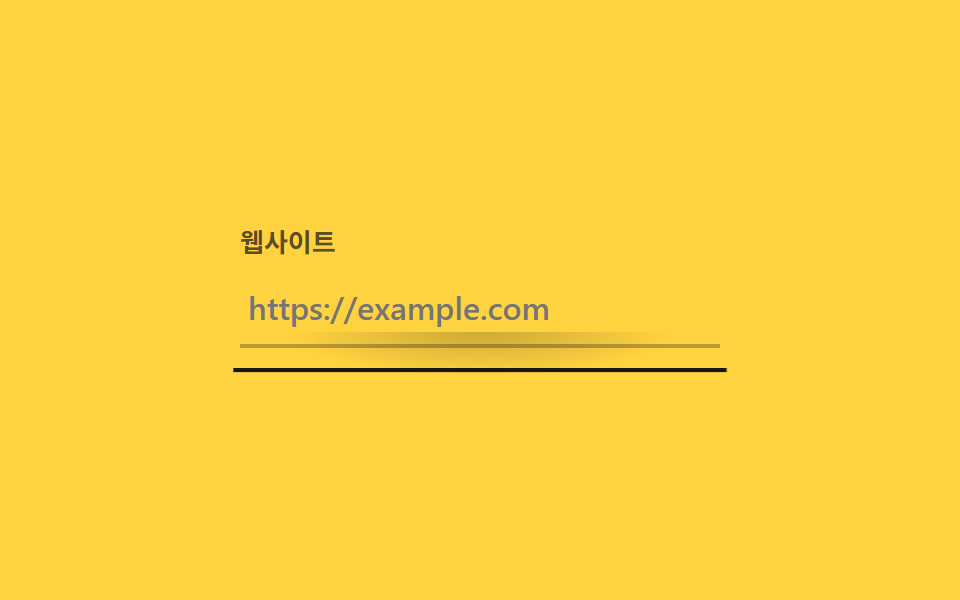 02 input-search-focus-underline-grow
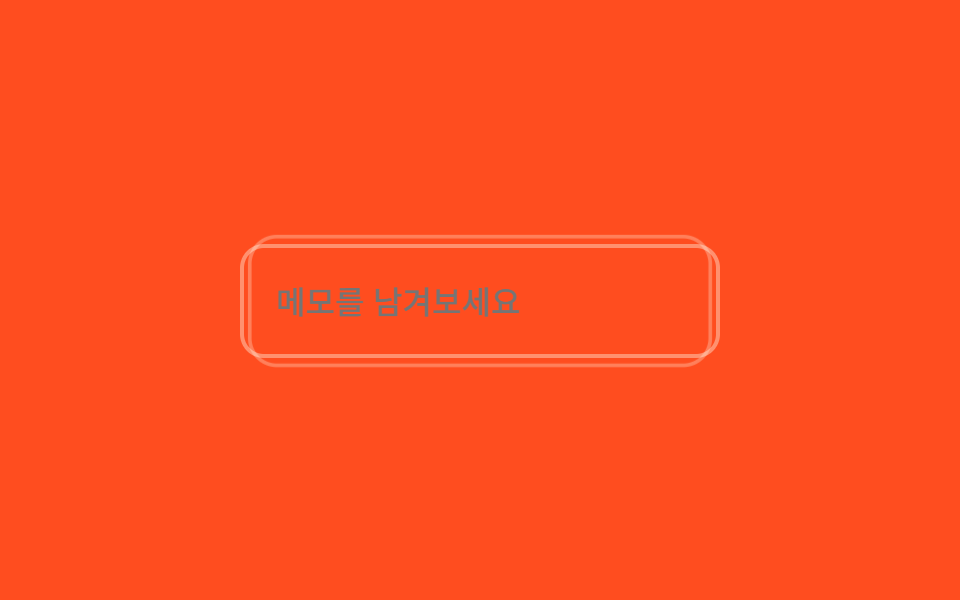 03 input-search-focus-has-focus-glow
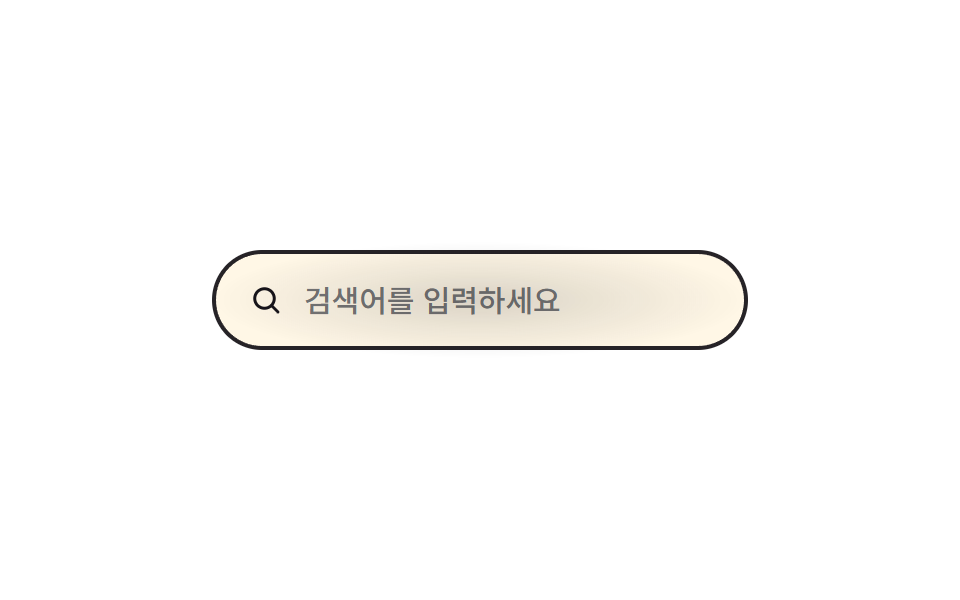 04 input-search-focus-search-expand
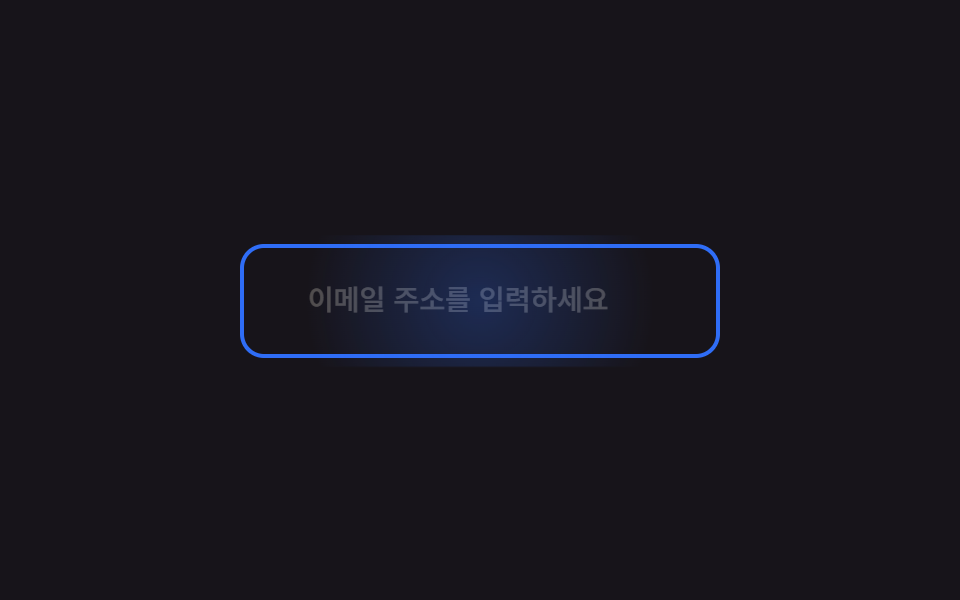 05 input-search-focus-placeholder-slide
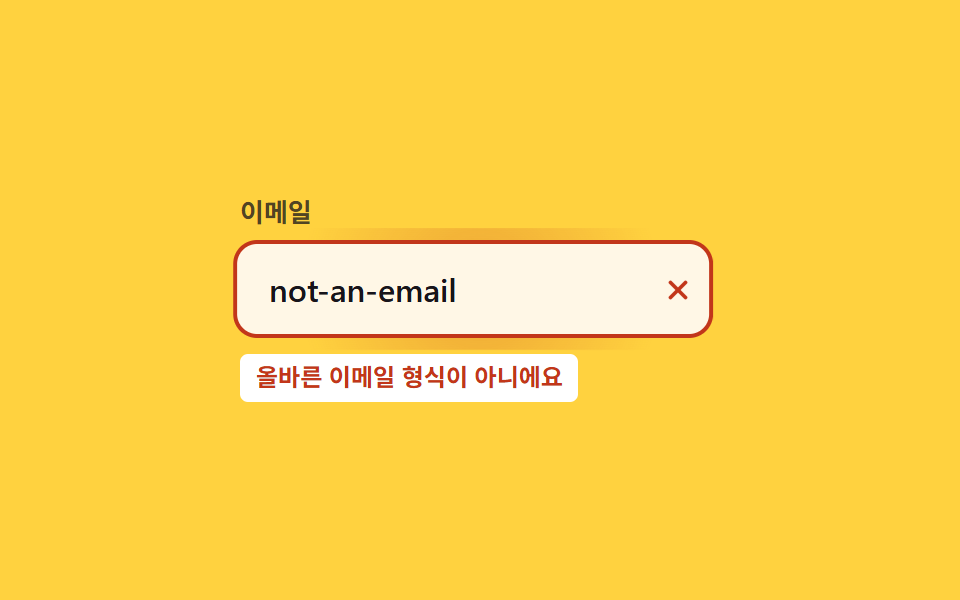 06 input-search-focus-error-shake
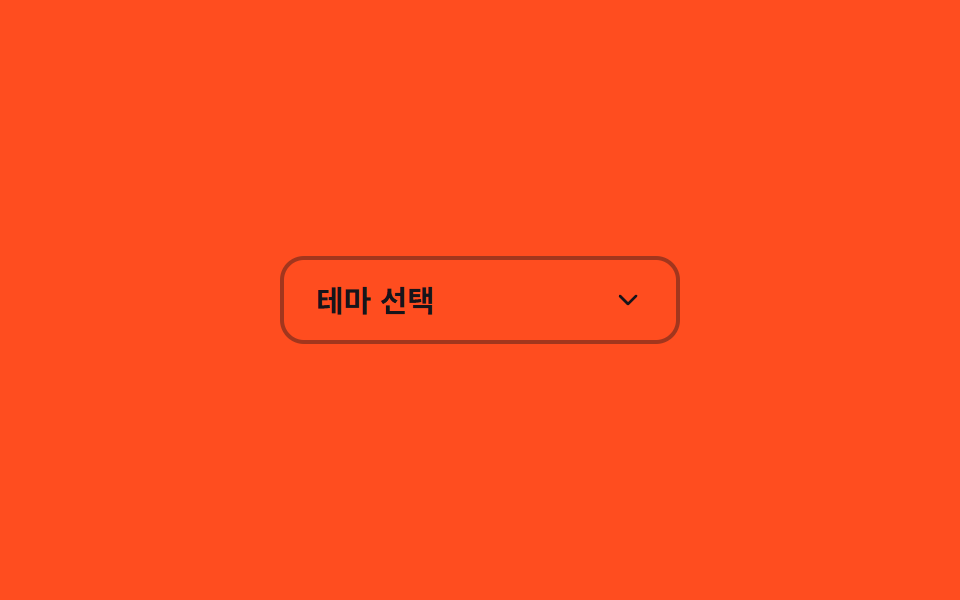 07 input-search-focus-select-custom-open
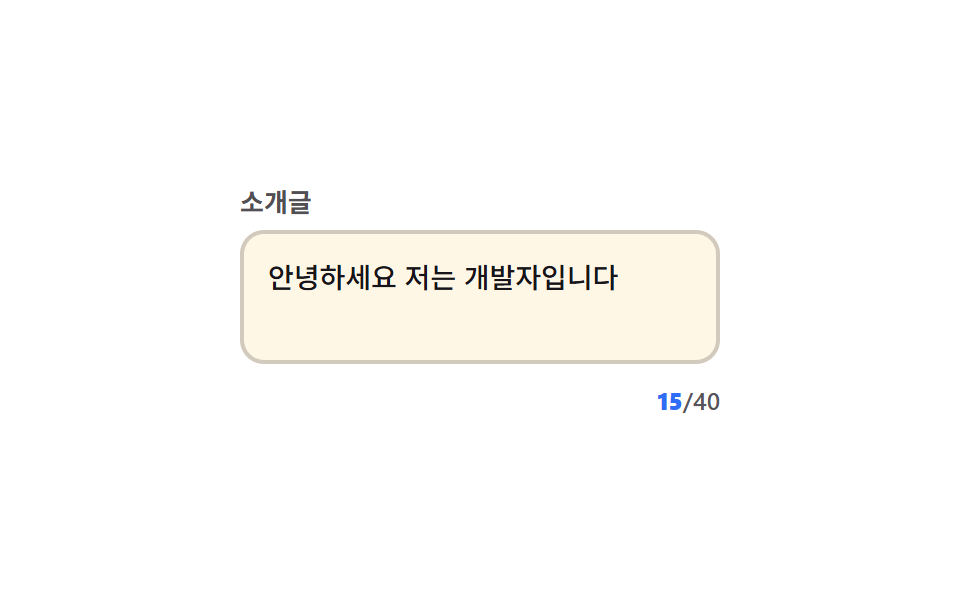 08 input-search-focus-char-count
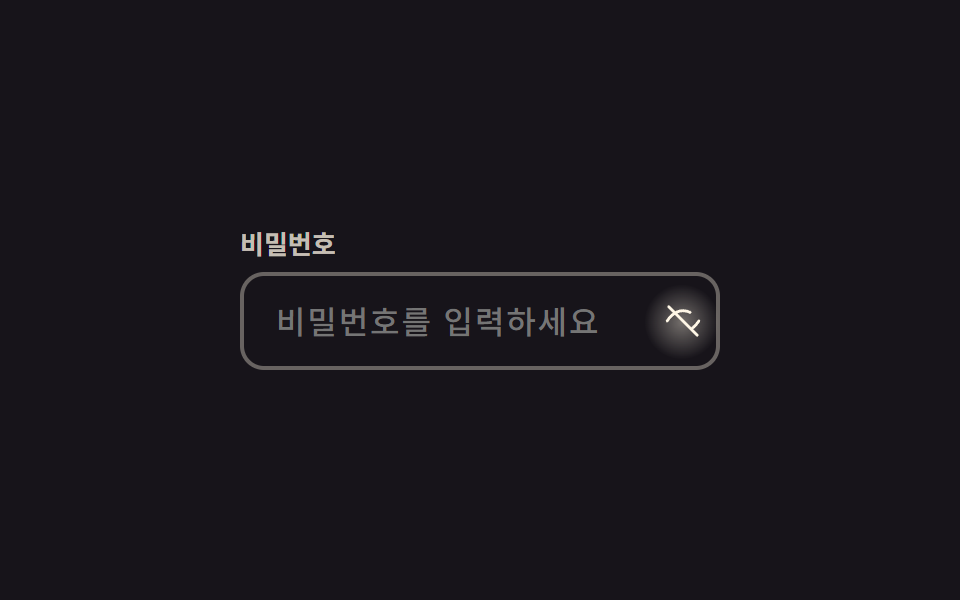 09 input-search-focus-password-eye-toggle
Tự chạy · bấm ô để tới mục đó · cả 9 trong một zip
- 01 Label nổi (floating label)
- 02 Gạch chân giãn ra khi focus
- 03 Glow bằng :has(:focus)
- 04 Ô tìm kiếm mở rộng
- 05 Placeholder trượt
- 06 Rung khi lỗi
- 07 Select tùy biến mở ra
- 08 Đếm số ký tự
- 09 Nút mắt hiện mật khẩu
Cả chín mục đều dùng thẻ <input> thật, xếp theo mức độ phán định thêm mà ô input cần, chứ không theo độ hoành tráng. Từ 01 đến 05 chỉ cần :focus, :focus-within hoặc :placeholder-shown là đủ, 06 để trình duyệt tự phán định qua HTML5 (:valid/:invalid), còn 07 đến 09 là ba chỗ mà một cú click đổi hẳn trạng thái, nên JavaScript chỉ len vào tối thiểu ở những việc CSS không tự làm được: đếm ký tự, mở danh sách select, đổi kiểu icon mắt.
01Label nổi
Bạn thấy gì
Label được đặt làm sibling ngay sau input sẽ bay lên góc trên trái và thu nhỏ khi input đang :focus hoặc đã có giá trị qua :not(:placeholder-shown).
Cú bay lên giờ mang thêm spring overshoot (cubic-bezier(.3, 1.6, .4, 1)) vượt qua vị trí đích rồi mới trở về, và đúng khoảnh khắc đó một quầng radial glow loang ra từ viền ô rồi tan.
<main class="stage">
  <div class="fl is-demo">
    <input id="fl-nick" class="fl__input" type="text" placeholder=" " autocomplete="nickname">
    <span class="fl__bloom" aria-hidden="true"></span>
    <label for="fl-nick" class="fl__label">Biệt danh</label>
  </div>
</main>
@use "../../../../site/static/demo-tokens" as *;
// ── 변수 4개 ──────────────────────────────────────────
$duration: $dur-quick; // 라벨이 떠오르는 시간
$easing: $ease-out;
$spring: cubic-bezier(.3, 1.6, .4, 1); // 스프링 오버슛 — 라벨이 목표 스케일을 살짝 지나쳤다 돌아온다
$color: $subject-cream; // 포커스 시 라벨·테두리 색
// ── 데모 무대 ──────────────────────────────────────────
@include stage($stage-ink);
.fl {
position: relative;
width: min(240px, 82vw);
}
.fl__input {
box-sizing: border-box;
width: 100%;
border: 2px solid rgba($subject-cream, .35);
border-radius: $r-control;
padding: $sp-5 $sp-4 $sp-2;
font-weight: 500;
font-size: clamp(14px, 4vw, 16px);
line-height: 1;
font-family: inherit;
color: $subject-cream;
background: transparent;
position: relative;
transition: border-color $duration $easing;
&:focus { outline: none; border-color: $color; }
}
// 테두리 radial 글로우 확산 — 포커스 순간 input 중심에서 바깥으로 번지는 빛 한 겹
.fl__bloom {
position: absolute;
inset: -6px;
border-radius: calc(#{$r-control} + 6px);
background: radial-gradient(circle, rgba($color, .32) 0%, rgba($color, 0) 70%);
opacity: 0;
pointer-events: none;
}
.fl__input:focus ~ .fl__bloom { animation: bloom $dur-base $ease-out; }
.fl__label {
position: absolute;
left: $sp-4;
top: 50%;
transform: translateY(-50%) scale(1);
transform-origin: left center; // 규칙8: 인풋 왼쪽 붙은 라벨
color: rgba($subject-cream, .6);
font-weight: 500;
font-size: clamp(14px, 4vw, 16px);
line-height: 1;
font-family: inherit;
pointer-events: none;
transition: transform $dur-base $spring, color $duration $easing;
}
// 실사용: 포커스거나 값이 있으면(:not(:placeholder-shown)) 라벨이 떠오른다
.fl__input:focus ~ .fl__label,
.fl__input:not(:placeholder-shown) ~ .fl__label {
transform: translateY(-24px) scale(.78);
color: $color;
}
// 스프링 오버슛의 실체 — 스케일이 .78 을 지나 .72 까지 줄었다가(.625 초) 제자리로 돌아온다
@keyframes bloom {
0% { opacity: 0; transform: scale(.6); }
35% { opacity: 1; transform: scale(1); }
100% { opacity: 0; transform: scale(1.25); }
}
// ── 접근성: 움직임 줄이기 설정이면 즉시 자리만 바뀐다 ──────
@media (prefers-reduced-motion: reduce) {
.fl__label { transition: none; }
.fl__input:focus ~ .fl__bloom { animation: none; }
}html, body {
margin: 0;
overflow: hidden;
}
.stage {
box-sizing: border-box;
min-height: 100vh;
display: grid;
place-items: center;
margin: 0;
background: #17141a;
font-family: -apple-system, "Segoe UI", "Noto Sans KR", sans-serif;
padding: clamp(8px, 4vw, 24px);
}
.fl {
position: relative;
width: min(240px, 82vw);
}
.fl__input {
box-sizing: border-box;
width: 100%;
border: 2px solid rgba(255, 247, 230, 0.35);
border-radius: 12px;
padding: 20px 16px 8px;
font-weight: 500;
font-size: clamp(14px, 4vw, 16px);
line-height: 1;
font-family: inherit;
color: #fff7e6;
background: transparent;
position: relative;
transition: border-color 220ms ease-out;
}
.fl__input:focus {
outline: none;
border-color: #fff7e6;
}
.fl__bloom {
position: absolute;
inset: -6px;
border-radius: calc(12px + 6px);
background: radial-gradient(circle, rgba(255, 247, 230, 0.32) 0%, rgba(255, 247, 230, 0) 70%);
opacity: 0;
pointer-events: none;
}
.fl__input:focus ~ .fl__bloom {
animation: bloom 300ms ease-out;
}
.fl__label {
position: absolute;
left: 16px;
top: 50%;
transform: translateY(-50%) scale(1);
transform-origin: left center;
color: rgba(255, 247, 230, 0.6);
font-weight: 500;
font-size: clamp(14px, 4vw, 16px);
line-height: 1;
font-family: inherit;
pointer-events: none;
transition: transform 300ms cubic-bezier(0.3, 1.6, 0.4, 1), color 220ms ease-out;
}
.fl__input:focus ~ .fl__label,
.fl__input:not(:placeholder-shown) ~ .fl__label {
transform: translateY(-24px) scale(0.78);
color: #fff7e6;
}
@keyframes bloom {
0% {
opacity: 0;
transform: scale(0.6);
}
35% {
opacity: 1;
transform: scale(1);
}
100% {
opacity: 0;
transform: scale(1.25);
}
}
@media (prefers-reduced-motion: reduce) {
.fl__label {
transition: none;
}
.fl__input:focus ~ .fl__bloom {
animation: none;
}
}// .is-demo 자동 재생: 진짜 focus 를 오가며 :focus 규칙을 그대로 탄다 (3줄)
var el = document.querySelector('.is-demo .fl__input');
var t = function () { document.activeElement === el ? el.blur() : el.focus({ preventScroll: true }); }; // preventScroll — iframe 안 포커스가 홈 그리드의 부모 스크롤을 끌어당기지 않게 (사용자 2026-09-10 실측)
t(); setInterval(t, 400);import { useState } from "react";
import type { CSSProperties, ChangeEvent } from "react";
import styles from "./FloatingLabel.module.scss";
export type FloatingLabelProps = {
id?: string;
label?: string;
type?: string;
/** 라벨이 떠오르는 시간(ms) */
duration?: number;
easing?: string;
color?: string;
};
type Vars = CSSProperties & { "--duration"?: string; "--easing"?: string; "--color"?: string };
export default function FloatingLabel({
id = "fl-nick",
label = "Nickname",
type = "text",
duration = 220,
easing = "ease-out",
color = "#fff7e6",
}: FloatingLabelProps) {
const [value, setValue] = useState("");
const vars: Vars = { "--duration": `${duration}ms`, "--easing": easing, "--color": color };
return (
<div className={styles.fl} style={vars}>
<input
id={id}
className={styles.input}
type={type}
placeholder=" "
value={value}
onChange={(e: ChangeEvent<HTMLInputElement>) => setValue(e.target.value)}
/>
<span className={styles.bloom} aria-hidden="true" />
<label htmlFor={id} className={styles.label}>{label}</label>
</div>
);
}01 · Label nổi (floating label) — Diện tích đo được 7.982% · khung hình chuyển động 8/23Nguyên tác GODRICH · SCSS và React nằm trong tệp zip · Xem mật khẩu
Dùng ở đâu
Gộp placeholder và label làm một giúp tiết kiệm một dòng trong form chật.
.fl__label {
  position: absolute;
  left: $sp-4;
  top: 50%;
  transform: translateY(-50%) scale(1);
  transform-origin: left center;
  transition: transform $duration $easing, color $duration $easing;
}

.fl__input:focus ~ .fl__label,
.fl__input:not(:placeholder-shown) ~ .fl__label {
  transform: translateY(-24px) scale(.78);
  color: $color;
}
02Gạch chân giãn ra khi focus
Chuyện gì diễn ra trên màn hình
Một span dưới input không viền đóng vai gạch chân: khi phần tử cha .ug rơi vào :focus-within, nó giãn từ scaleX(0) sang scaleX(1) quanh transform-origin: center.
Gạch chân vươn quá scaleX(1) một chút rồi cuộn lại theo đường cong spring (cubic-bezier(.2, 1.5, .35, 1)), kèm một quầng radial hình elip loang ra đúng một lần phía dưới ngay khi focus xuất hiện.
<main class="stage">
  <div class="ug is-demo">
    <span class="ug__label">Trang web</span>
    <input class="ug__input" type="url" placeholder="https://example.com" autocomplete="url">
    <span class="ug__underline" aria-hidden="true"></span>
    <span class="ug__bloom" aria-hidden="true"></span>
  </div>
</main>
@use "../../../../site/static/demo-tokens" as *;
// ── 변수 3개 ──────────────────────────────────────────
$duration: $dur-base; // 밑줄이 자라는 시간
$easing: cubic-bezier(.2, 1.5, .35, 1); // 스프링 오버슛 — scaleX 가 1 을 지나 1.08 까지 뻗었다가 돌아온다
$color: $subject-ink; // 밑줄 색
@include stage($stage-yellow);
.ug {
position: relative;
width: min(240px, 82vw);
padding-bottom: $sp-3;
}
.ug__label {
display: block;
margin-bottom: $sp-2;
font-weight: 700;
font-size: 13px;
line-height: 1;
font-family: inherit;
color: rgba($stage-ink, .7);
}
.ug__input {
box-sizing: border-box;
width: 100%;
border: 0;
border-bottom: 2px solid rgba($stage-ink, .3);
padding: $sp-2 $sp-1;
font-weight: 500;
font-size: clamp(14px, 4vw, 16px);
line-height: 1;
font-family: inherit;
color: $stage-ink;
background: transparent;
&:focus { outline: none; }
}
.ug__underline {
position: absolute;
left: 0; right: 0; bottom: 0;
height: 2px;
background: $color;
transform: scaleX(0);
transform-origin: center;
transition: transform $duration $easing;
}
// 실사용: 입력이나 그 자식 어떤 곳에 포커스가 가도(:focus-within) 밑줄이 자란다
.ug:focus-within .ug__underline { transform: scaleX(1); }
// 포커스 순간 밑줄 중심에서 아래로 번지는 radial 글로우 확산 한 겹
.ug__bloom {
position: absolute;
left: 0; right: 0; bottom: -10px;
height: 30px;
background: radial-gradient(ellipse 60% 100% at 50% 0%, rgba($color, .25) 0%, rgba($color, 0) 72%);
opacity: 0;
pointer-events: none;
}
.ug:focus-within .ug__bloom { animation: ug-bloom $dur-base $ease-out; }
@keyframes ug-bloom {
0% { opacity: 0; transform: scaleX(.4); }
40% { opacity: 1; transform: scaleX(1); }
100% { opacity: 0; transform: scaleX(1.15); }
}
@media (prefers-reduced-motion: reduce) {
.ug__underline { transition: none; }
.ug:focus-within .ug__bloom { animation: none; }
}html, body {
margin: 0;
overflow: hidden;
}
.stage {
box-sizing: border-box;
min-height: 100vh;
display: grid;
place-items: center;
margin: 0;
background: #ffd23f;
font-family: -apple-system, "Segoe UI", "Noto Sans KR", sans-serif;
padding: clamp(8px, 4vw, 24px);
}
.ug {
position: relative;
width: min(240px, 82vw);
padding-bottom: 12px;
}
.ug__label {
display: block;
margin-bottom: 8px;
font-weight: 700;
font-size: 13px;
line-height: 1;
font-family: inherit;
color: rgba(23, 20, 26, 0.7);
}
.ug__input {
box-sizing: border-box;
width: 100%;
border: 0;
border-bottom: 2px solid rgba(23, 20, 26, 0.3);
padding: 8px 4px;
font-weight: 500;
font-size: clamp(14px, 4vw, 16px);
line-height: 1;
font-family: inherit;
color: #17141a;
background: transparent;
}
.ug__input:focus {
outline: none;
}
.ug__underline {
position: absolute;
left: 0;
right: 0;
bottom: 0;
height: 2px;
background: #17141a;
transform: scaleX(0);
transform-origin: center;
transition: transform 300ms cubic-bezier(0.2, 1.5, 0.35, 1);
}
.ug:focus-within .ug__underline {
transform: scaleX(1);
}
.ug__bloom {
position: absolute;
left: 0;
right: 0;
bottom: -10px;
height: 30px;
background: radial-gradient(ellipse 60% 100% at 50% 0%, rgba(23, 20, 26, 0.25) 0%, rgba(23, 20, 26, 0) 72%);
opacity: 0;
pointer-events: none;
}
.ug:focus-within .ug__bloom {
animation: ug-bloom 300ms ease-out;
}
@keyframes ug-bloom {
0% {
opacity: 0;
transform: scaleX(0.4);
}
40% {
opacity: 1;
transform: scaleX(1);
}
100% {
opacity: 0;
transform: scaleX(1.15);
}
}
@media (prefers-reduced-motion: reduce) {
.ug__underline {
transition: none;
}
.ug:focus-within .ug__bloom {
animation: none;
}
}// .is-demo 자동 재생: 진짜 focus 를 오가며 :focus-within 을 그대로 탄다 (3줄)
var el = document.querySelector('.is-demo .ug__input');
var t = function () { document.activeElement === el ? el.blur() : el.focus({ preventScroll: true }); }; // preventScroll — iframe 안 포커스가 홈 그리드의 부모 스크롤을 끌어당기지 않게 (사용자 2026-09-10 실측)
t(); setInterval(t, 450);import { useState } from "react";
import type { CSSProperties, ChangeEvent } from "react";
import styles from "./UnderlineGrow.module.scss";
export type UnderlineGrowProps = {
label?: string;
placeholder?: string;
duration?: number;
easing?: string;
color?: string;
};
type Vars = CSSProperties & { "--duration"?: string; "--easing"?: string; "--color"?: string };
export default function UnderlineGrow({
label = "Website",
placeholder = "https://example.com",
duration = 300,
easing = "cubic-bezier(.2,1.5,.35,1)",
color = "#17141a",
}: UnderlineGrowProps) {
const [value, setValue] = useState("");
const vars: Vars = { "--duration": `${duration}ms`, "--easing": easing, "--color": color };
return (
<div className={styles.ug} style={vars}>
<span className={styles.label}>{label}</span>
<input
className={styles.input}
type="url"
placeholder={placeholder}
value={value}
onChange={(e: ChangeEvent<HTMLInputElement>) => setValue(e.target.value)}
/>
<span className={styles.underline} aria-hidden="true" />
<span className={styles.bloom} aria-hidden="true" />
</div>
);
}02 · Gạch chân giãn ra khi focus — Diện tích đo được 1.592% · khung hình chuyển động 7/23Nguyên tác GODRICH · SCSS và React nằm trong tệp zip · Xem mật khẩu
Chỗ dùng
Gạch chân mở đều hai bên nên báo đúng ô đang được focus mà không cần đổi màu viền.
.ug__underline {
  height: 2px;
  background: $color;
  transform: scaleX(0);
  transform-origin: center;
  transition: transform $duration $easing;
}

.ug:focus-within .ug__underline { transform: scaleX(1); }
03Glow bằng :has(:focus)
Chuyển động thế nào
Vòng glow không phải sibling của input mà nằm hẳn bên ngoài, được phần tử cha .fg phát hiện qua :has(.fg__input:focus).
Lúc vào, vòng chạy trước một lượt glow-in spring từ scale(.8) vượt 1.08 rồi cuộn về .92, sau đó vòng thở mới tiếp quản từ đúng vị trí ấy.
<main class="stage">
  <div class="fg is-demo">
    <input class="fg__input" type="text" placeholder="Để lại ghi chú">
    <span class="fg__glow" aria-hidden="true"></span>
  </div>
</main>
@use "../../../../site/static/demo-tokens" as *;
// ── 변수 3개 ──────────────────────────────────────────
$duration: $dur-loop; // 글로우가 한 번 숨쉬는 시간
$easing: $ease-out;
$color: $subject-cream; // 글로우 링 색
@include stage($stage-orange);
.fg { position: relative; width: min(240px, 82vw); }
.fg__input {
box-sizing: border-box;
width: 100%;
border: 2px solid rgba($subject-cream, .4);
border-radius: $r-control;
padding: $sp-4 $sp-4;
font-weight: 500;
font-size: clamp(14px, 4vw, 16px);
line-height: 1;
font-family: inherit;
color: $subject-cream;
background: transparent;
position: relative;
z-index: 1;
&:focus { outline: none; }
}
.fg__glow {
position: absolute;
inset: -$sp-2;
border-radius: $r-card;
border: 2px solid $color;
opacity: 0;
transform: scale(.92);
pointer-events: none;
}
// :has() 로 부모(.fg)가 자식 입력의 실제 포커스 여부를 안다 — 형제가 아니어도 스타일링된다
.fg:has(.fg__input:focus) .fg__glow {
animation: glow-in $dur-base cubic-bezier(.3, 1.6, .4, 1) both,
glow-pulse $duration $easing $dur-base infinite;
}
// 스프링 오버슛 등장 — 링이 1.08 까지 뻗었다가 1 로 감아 들어간 뒤 숨쉬기로 넘어간다
@keyframes glow-in {
0% { opacity: 0; transform: scale(.8); }
60% { opacity: .95; transform: scale(1.08); }
100% { opacity: .35; transform: scale(.92); }
}
@keyframes glow-pulse {
0%, 100% { opacity: .35; transform: scale(.92); }
50% { opacity: .9; transform: scale(1.04); }
}
@media (prefers-reduced-motion: reduce) {
.fg:has(.fg__input:focus) .fg__glow { animation: none; opacity: .7; transform: scale(1); }
}html, body {
margin: 0;
overflow: hidden;
}
.stage {
box-sizing: border-box;
min-height: 100vh;
display: grid;
place-items: center;
margin: 0;
background: #ff4d1f;
font-family: -apple-system, "Segoe UI", "Noto Sans KR", sans-serif;
padding: clamp(8px, 4vw, 24px);
}
.fg {
position: relative;
width: min(240px, 82vw);
}
.fg__input {
box-sizing: border-box;
width: 100%;
border: 2px solid rgba(255, 247, 230, 0.4);
border-radius: 12px;
padding: 16px 16px;
font-weight: 500;
font-size: clamp(14px, 4vw, 16px);
line-height: 1;
font-family: inherit;
color: #fff7e6;
background: transparent;
position: relative;
z-index: 1;
}
.fg__input:focus {
outline: none;
}
.fg__glow {
position: absolute;
inset: -8px;
border-radius: 16px;
border: 2px solid #fff7e6;
opacity: 0;
transform: scale(0.92);
pointer-events: none;
}
.fg:has(.fg__input:focus) .fg__glow {
animation: glow-in 300ms cubic-bezier(0.3, 1.6, 0.4, 1) both, glow-pulse 2s ease-out 300ms infinite;
}
@keyframes glow-in {
0% {
opacity: 0;
transform: scale(0.8);
}
60% {
opacity: 0.95;
transform: scale(1.08);
}
100% {
opacity: 0.35;
transform: scale(0.92);
}
}
@keyframes glow-pulse {
0%, 100% {
opacity: 0.35;
transform: scale(0.92);
}
50% {
opacity: 0.9;
transform: scale(1.04);
}
}
@media (prefers-reduced-motion: reduce) {
.fg:has(.fg__input:focus) .fg__glow {
animation: none;
opacity: 0.7;
transform: scale(1);
}
}// .is-demo 자동 재생: 진짜 focus 를 오가며 :has(:focus) 를 그대로 탄다 (3줄)
var el = document.querySelector('.is-demo .fg__input');
var t = function () { document.activeElement === el ? el.blur() : el.focus({ preventScroll: true }); }; // preventScroll — iframe 안 포커스가 홈 그리드의 부모 스크롤을 끌어당기지 않게 (사용자 2026-09-10 실측)
t(); setInterval(t, 1600);import { useState } from "react";
import type { CSSProperties, ChangeEvent } from "react";
import styles from "./FocusGlow.module.scss";
export type FocusGlowProps = {
placeholder?: string;
duration?: number;
easing?: string;
color?: string;
};
type Vars = CSSProperties & { "--duration"?: string; "--easing"?: string; "--color"?: string };
export default function FocusGlow({
placeholder = "Leave a note",
duration = 2000,
easing = "ease-out",
color = "#fff7e6",
}: FocusGlowProps) {
const [value, setValue] = useState("");
const vars: Vars = { "--duration": `${duration}ms`, "--easing": easing, "--color": color };
return (
<div className={styles.fg} style={vars}>
<input
className={styles.input}
type="text"
placeholder={placeholder}
value={value}
onChange={(e: ChangeEvent<HTMLInputElement>) => setValue(e.target.value)}
/>
<span className={styles.glow} aria-hidden="true" />
</div>
);
}03 · Glow bằng :has(:focus) — Diện tích đo được 6.35% · khung hình chuyển động 23/23Nguyên tác GODRICH · SCSS và React nằm trong tệp zip · Xem mật khẩu
Dùng khi nào
Suốt lúc còn focus, vòng này phồng to xẹp nhỏ liên tục bằng opacity và scale như đang thở.
.fg__glow {
  border: 2px solid $color;
  opacity: 0;
  transform: scale(.92);
}

.fg:has(.fg__input:focus) .fg__glow {
  animation: glow-pulse $duration $easing infinite;
}

@keyframes glow-pulse {
  0%, 100% { opacity: .35; transform: scale(.92); }
  50%      { opacity: .9;  transform: scale(1.04); }
}
04Ô tìm kiếm mở rộng
Bạn thấy gì
Ô tìm kiếm dạng viên thuốc giữ 148px lúc bình thường rồi giãn lên 240px ngay khi label bao quanh nó rơi vào :focus-within.
Chiều rộng giãn theo đường spring (cubic-bezier(.3, 1.4, .4, 1)) vượt quá 240px chút rồi mới vào đúng chỗ, và phía trong viên thuốc một quầng radial glow nở ra đúng một lần.
<main class="stage">
  <label class="se is-demo" for="se-input">
    <svg class="se__icon" viewBox="0 0 24 24" aria-hidden="true"><circle cx="11" cy="11" r="6.5"/><line x1="20" y1="20" x2="15.7" y2="15.7"/></svg>
    <input id="se-input" class="se__input" type="search" placeholder="Nhập để tìm kiếm" aria-label="Tìm kiếm">
    <span class="se__bloom" aria-hidden="true"></span>
  </label>
</main>
@use "../../../../site/static/demo-tokens" as *;
// ── 변수 3개 ──────────────────────────────────────────
$duration: $dur-base; // 폭이 넓어지는 시간
$easing: cubic-bezier(.3, 1.4, .4, 1); // 스프링 오버슛 — 폭이 목표 240px 을 지나 살짝 뻗었다가 돌아온다
$color: $subject-ink; // 포커스 시 테두리·아이콘 색
@include stage($stage-paper);
.se {
display: inline-flex;
align-items: center;
gap: $sp-2;
border-radius: $r-pill;
border: 2px solid rgba($stage-ink, .25);
padding: $sp-3 $sp-4;
cursor: text;
background: $subject-cream;
width: 148px;
position: relative;
transition: width $duration $easing, border-color $duration $easing;
}
// 실사용: 입력에 포커스가 가면(:focus-within) 폭이 넓어진다
.se:focus-within { width: 240px; border-color: $color; }
// 포커스 순간 필 중심에서 번지는 radial 글로우 확산 한 겹
.se__bloom {
position: absolute;
inset: -8px;
border-radius: $r-pill;
background: radial-gradient(ellipse at 50% 50%, rgba($color, .18) 0%, rgba($color, 0) 70%);
opacity: 0;
pointer-events: none;
}
.se:focus-within .se__bloom { animation: se-bloom $dur-base $ease-out; }
@keyframes se-bloom {
0% { opacity: 0; transform: scale(.7); }
40% { opacity: 1; transform: scale(1); }
100% { opacity: 0; transform: scale(1.2); }
}
.se__icon {
width: 18px; height: 18px;
flex: none;
fill: none;
stroke: $color;
stroke-width: 2;
stroke-linecap: round;
}
.se__input {
border: 0;
outline: 0;
background: transparent;
width: 100%;
font-weight: 500;
font-size: clamp(13px, 3.8vw, 15px);
line-height: 1;
font-family: inherit;
color: $stage-ink;
}
@media (prefers-reduced-motion: reduce) {
.se { transition: none; }
.se:focus-within .se__bloom { animation: none; }
}html, body {
margin: 0;
overflow: hidden;
}
.stage {
box-sizing: border-box;
min-height: 100vh;
display: grid;
place-items: center;
margin: 0;
background: #ffffff;
font-family: -apple-system, "Segoe UI", "Noto Sans KR", sans-serif;
padding: clamp(8px, 4vw, 24px);
}
.se {
display: inline-flex;
align-items: center;
gap: 8px;
border-radius: 999px;
border: 2px solid rgba(23, 20, 26, 0.25);
padding: 12px 16px;
cursor: text;
background: #fff7e6;
width: 148px;
position: relative;
transition: width 300ms cubic-bezier(0.3, 1.4, 0.4, 1), border-color 300ms cubic-bezier(0.3, 1.4, 0.4, 1);
}
.se:focus-within {
width: 240px;
border-color: #17141a;
}
.se__bloom {
position: absolute;
inset: -8px;
border-radius: 999px;
background: radial-gradient(ellipse at 50% 50%, rgba(23, 20, 26, 0.18) 0%, rgba(23, 20, 26, 0) 70%);
opacity: 0;
pointer-events: none;
}
.se:focus-within .se__bloom {
animation: se-bloom 300ms ease-out;
}
@keyframes se-bloom {
0% {
opacity: 0;
transform: scale(0.7);
}
40% {
opacity: 1;
transform: scale(1);
}
100% {
opacity: 0;
transform: scale(1.2);
}
}
.se__icon {
width: 18px;
height: 18px;
flex: none;
fill: none;
stroke: #17141a;
stroke-width: 2;
stroke-linecap: round;
}
.se__input {
border: 0;
outline: 0;
background: transparent;
width: 100%;
font-weight: 500;
font-size: clamp(13px, 3.8vw, 15px);
line-height: 1;
font-family: inherit;
color: #17141a;
}
@media (prefers-reduced-motion: reduce) {
.se {
transition: none;
}
.se:focus-within .se__bloom {
animation: none;
}
}// .is-demo 자동 재생: 진짜 focus 를 오가며 :focus-within 을 그대로 탄다 (3줄)
var el = document.querySelector('.is-demo .se__input');
var t = function () { document.activeElement === el ? el.blur() : el.focus({ preventScroll: true }); }; // preventScroll — iframe 안 포커스가 홈 그리드의 부모 스크롤을 끌어당기지 않게 (사용자 2026-09-10 실측)
t(); setInterval(t, 450);import { useState } from "react";
import type { CSSProperties, ChangeEvent } from "react";
import styles from "./SearchExpand.module.scss";
export type SearchExpandProps = {
placeholder?: string;
ariaLabel?: string;
duration?: number;
easing?: string;
color?: string;
};
type Vars = CSSProperties & { "--duration"?: string; "--easing"?: string; "--color"?: string };
export default function SearchExpand({
placeholder = "Type to search",
ariaLabel = "Search",
duration = 300,
easing = "cubic-bezier(.3,1.4,.4,1)",
color = "#17141a",
}: SearchExpandProps) {
const [value, setValue] = useState("");
const vars: Vars = { "--duration": `${duration}ms`, "--easing": easing, "--color": color };
return (
<label className={styles.se} style={vars}>
<svg className={styles.icon} viewBox="0 0 24 24" aria-hidden="true">
<circle cx="11" cy="11" r="6.5" />
<line x1="20" y1="20" x2="15.7" y2="15.7" />
</svg>
<input
className={styles.input}
type="search"
placeholder={placeholder}
aria-label={ariaLabel}
value={value}
onChange={(e: ChangeEvent<HTMLInputElement>) => setValue(e.target.value)}
/>
<span className={styles.bloom} aria-hidden="true" />
</label>
);
}04 · Ô tìm kiếm mở rộng — Diện tích đo được 7.744% · khung hình chuyển động 7/23Nguyên tác GODRICH · SCSS và React nằm trong tệp zip · Xem mật khẩu
Dùng ở đâu
Kính lúp bên trái chỉ là một SVG vẽ bằng vòng tròn và một đường thẳng nên không cần icon font.
.se {
  width: 148px;
  transition: width $duration $easing, border-color $duration $easing;
}

.se:focus-within {
  width: 240px;
  border-color: $color;
}
05Placeholder trượt
Chuyện gì diễn ra trên màn hình
Thuộc tính placeholder thật để trống một khoảng trắng, còn span chồng lên mới là dòng chữ hiển thị — span này trượt sang phải và mờ dần khi input :focus hoặc đã có giá trị qua :not(:placeholder-shown).
Dòng chữ giờ trượt ra 13px kèm scale(.94) theo spring overshoot (cubic-bezier(.3, 1.6, .4, 1)) vượt qua điểm dừng rồi mới lặng xuống, và một quầng radial glow quét qua ô đúng một lần lúc nó ra đi.
<main class="stage">
  <div class="ps is-demo">
    <input id="ps-email" class="ps__input" type="email" placeholder=" " autocomplete="email">
    <span class="ps__ghost" aria-hidden="true">Nhập địa chỉ email</span>
    <span class="ps__bloom" aria-hidden="true"></span>
  </div>
</main>
@use "../../../../site/static/demo-tokens" as *;
// ── 변수 4개 ──────────────────────────────────────────
$duration: $dur-quick; // 가짜 플레이스홀더가 밀려나는 시간
$easing: cubic-bezier(.3, 1.6, .4, 1); // 스프링 오버슛 — 밀려나는 거리가 목표 10px 을 지나 13px 까지 뻗었다가 돌아온다
$color: $subject-blue; // 포커스 시 테두리 색
@include stage($stage-ink);
.ps { position: relative; width: min(240px, 82vw); }
.ps__input {
box-sizing: border-box;
width: 100%;
border: 2px solid rgba($subject-cream, .35);
border-radius: $r-control;
padding: $sp-4 $sp-4;
font-weight: 500;
font-size: clamp(14px, 4vw, 16px);
line-height: 1;
font-family: inherit;
color: $subject-cream;
background: transparent;
&:focus { outline: none; border-color: $color; }
}
// 포커스 순간 입력칸 중심에서 번지는 radial 글로우 확산 한 겹
.ps__bloom {
position: absolute;
inset: -6px;
border-radius: calc(#{$r-control} + 6px);
background: radial-gradient(circle, rgba($color, .3) 0%, rgba($color, 0) 70%);
opacity: 0;
pointer-events: none;
}
.ps__input:focus ~ .ps__bloom { animation: ps-bloom $dur-base $ease-out; }
@keyframes ps-bloom {
0% { opacity: 0; transform: scale(.65); }
40% { opacity: 1; transform: scale(1); }
100% { opacity: 0; transform: scale(1.22); }
}
// 진짜 placeholder 는 빈 칸(" ") 이고, 보이는 문구는 이 span 이 대신 맡는다
.ps__ghost {
position: absolute;
left: $sp-4; top: 50%;
transform: translate(0, -50%);
color: rgba($subject-cream, .55);
font-weight: 500;
font-size: clamp(13px, 3.8vw, 15px);
line-height: 1;
font-family: inherit;
pointer-events: none;
transition: transform $dur-base $easing, opacity $duration $ease-out;
}
// 실사용: 포커스거나 값이 있으면(:not(:placeholder-shown)) 옆으로 밀리며 사라진다
.ps__input:focus ~ .ps__ghost,
.ps__input:not(:placeholder-shown) ~ .ps__ghost {
transform: translate(13px, -50%) scale(.94);
opacity: 0;
}
@media (prefers-reduced-motion: reduce) {
.ps__ghost { transition: none; }
.ps__input:focus ~ .ps__bloom { animation: none; }
}html, body {
margin: 0;
overflow: hidden;
}
.stage {
box-sizing: border-box;
min-height: 100vh;
display: grid;
place-items: center;
margin: 0;
background: #17141a;
font-family: -apple-system, "Segoe UI", "Noto Sans KR", sans-serif;
padding: clamp(8px, 4vw, 24px);
}
.ps {
position: relative;
width: min(240px, 82vw);
}
.ps__input {
box-sizing: border-box;
width: 100%;
border: 2px solid rgba(255, 247, 230, 0.35);
border-radius: 12px;
padding: 16px 16px;
font-weight: 500;
font-size: clamp(14px, 4vw, 16px);
line-height: 1;
font-family: inherit;
color: #fff7e6;
background: transparent;
}
.ps__input:focus {
outline: none;
border-color: #2f6df6;
}
.ps__bloom {
position: absolute;
inset: -6px;
border-radius: calc(12px + 6px);
background: radial-gradient(circle, rgba(47, 109, 246, 0.3) 0%, rgba(47, 109, 246, 0) 70%);
opacity: 0;
pointer-events: none;
}
.ps__input:focus ~ .ps__bloom {
animation: ps-bloom 300ms ease-out;
}
@keyframes ps-bloom {
0% {
opacity: 0;
transform: scale(0.65);
}
40% {
opacity: 1;
transform: scale(1);
}
100% {
opacity: 0;
transform: scale(1.22);
}
}
.ps__ghost {
position: absolute;
left: 16px;
top: 50%;
transform: translate(0, -50%);
color: rgba(255, 247, 230, 0.55);
font-weight: 500;
font-size: clamp(13px, 3.8vw, 15px);
line-height: 1;
font-family: inherit;
pointer-events: none;
transition: transform 300ms cubic-bezier(0.3, 1.6, 0.4, 1), opacity 220ms ease-out;
}
.ps__input:focus ~ .ps__ghost,
.ps__input:not(:placeholder-shown) ~ .ps__ghost {
transform: translate(13px, -50%) scale(0.94);
opacity: 0;
}
@media (prefers-reduced-motion: reduce) {
.ps__ghost {
transition: none;
}
.ps__input:focus ~ .ps__bloom {
animation: none;
}
}// .is-demo 자동 재생: 진짜 focus 를 오가며 :focus·:placeholder-shown 을 그대로 탄다 (3줄)
var el = document.querySelector('.is-demo .ps__input');
var t = function () { document.activeElement === el ? el.blur() : el.focus({ preventScroll: true }); }; // preventScroll — iframe 안 포커스가 홈 그리드의 부모 스크롤을 끌어당기지 않게 (사용자 2026-09-10 실측)
t(); setInterval(t, 400);import { useState } from "react";
import type { CSSProperties, ChangeEvent } from "react";
import styles from "./PlaceholderSlide.module.scss";
export type PlaceholderSlideProps = {
ghost?: string;
type?: string;
duration?: number;
easing?: string;
color?: string;
};
type Vars = CSSProperties & { "--duration"?: string; "--easing"?: string; "--color"?: string };
export default function PlaceholderSlide({
ghost = "Enter your email address",
type = "email",
duration = 220,
easing = "ease-out",
color = "#2f6df6",
}: PlaceholderSlideProps) {
const [value, setValue] = useState("");
const vars: Vars = { "--duration": `${duration}ms`, "--easing": easing, "--color": color };
return (
<div className={styles.ps} style={vars}>
<input
className={styles.input}
type={type}
placeholder=" "
value={value}
onChange={(e: ChangeEvent<HTMLInputElement>) => setValue(e.target.value)}
/>
<span className={styles.ghost} aria-hidden="true">{ghost}</span>
<span className={styles.bloom} aria-hidden="true" />
</div>
);
}05 · Placeholder trượt — Diện tích đo được 7.516% · khung hình chuyển động 9/23Nguyên tác GODRICH · SCSS và React nằm trong tệp zip · Xem mật khẩu
Chỗ dùng
.ps__ghost {
  transform: translate(0, -50%);
  transition: transform $duration $easing, opacity $duration $easing;
}

.ps__input:focus ~ .ps__ghost,
.ps__input:not(:placeholder-shown) ~ .ps__ghost {
  transform: translate(10px, -50%);
  opacity: 0;
}
06Rung khi lỗi
Chuyển động thế nào
Input type="email" required mà sai định dạng sau khi đã điền, chỉ riêng phán định :invalid của trình duyệt — không một dòng JS nào — đã làm viền rung và hiện icon X; đúng định dạng thì icon check hiện ở cùng chỗ.
Cái rung giờ là dao động tắt dần với biên độ giảm từng chu kỳ (1 → .75 → .55 → .34) rồi mới dứt, và khoảnh khắc lỗi xuất hiện một quầng radial đỏ bùng lên quanh khung đúng một lần; :focus-within (MDN) và :placeholder-shown (MDN) đã được mọi engine hỗ trợ ổn định từ lâu, còn :user-invalid vẫn hỗ trợ hạn chế hơn (MDN) nên bài này dùng :invalid:not(:placeholder-shown) thay thế.
<main class="stage">
  <div class="ie is-demo">
    <label class="ie__label" for="ie-email">Email</label>
    <div class="ie__frame">
      <span class="ie__bloom" aria-hidden="true"></span>
      <input id="ie-email" class="ie__input" type="email" required placeholder=" " autocomplete="email">
      <svg class="ie__icon ie__icon--ok" viewBox="0 0 24 24" aria-hidden="true"><path d="M5 12.5 L10 17.5 L19 7" /></svg>
      <svg class="ie__icon ie__icon--bad" viewBox="0 0 24 24" aria-hidden="true"><line x1="7" y1="7" x2="17" y2="17"/><line x1="17" y1="7" x2="7" y2="17"/></svg>
    </div>
    <p class="ie__msg" role="alert">Email chưa đúng định dạng</p>
  </div>
</main>
@use "../../../../site/static/demo-tokens" as *;
// ── 변수 3개 ──────────────────────────────────────────
$duration: $dur-enter; // 흔들리는 시간
$easing: cubic-bezier(.36, .07, .19, .97); // 흔들림 전용 이징(요동)
$amount: $sp-1 * 1.25; // 흔들리는 폭(5px)
@include stage($stage-yellow);
.ie { width: min(240px, 82vw); }
.ie__label { display: block; margin-bottom: $sp-2; font-weight: 700; font-size: 13px; line-height: 1; font-family: inherit; color: rgba($stage-ink, .75); }
.ie__frame { position: relative; }
.ie__input {
box-sizing: border-box;
width: 100%;
border: 2px solid rgba($stage-ink, .25);
border-radius: $r-control;
padding: $sp-3 $sp-10 $sp-3 $sp-4;
font-weight: 500;
font-size: clamp(14px, 4vw, 16px);
line-height: 1;
font-family: inherit;
color: $stage-ink;
background: $subject-cream;
transition: border-color $duration $easing;
&:focus { outline: none; }
}
.ie__icon {
position: absolute;
right: $sp-3; top: 50%;
width: 18px; height: 18px;
transform: translateY(-50%) scale(0);
opacity: 0;
transition: transform $duration $easing, opacity $duration $easing;
pointer-events: none;
}
.ie__icon--ok { fill: none; stroke: $stage-ink; stroke-width: 2.4; stroke-linecap: round; stroke-linejoin: round; }
.ie__icon--bad { fill: none; stroke: $error; stroke-width: 2.4; stroke-linecap: round; }
// 실사용: 값을 입력한 뒤(:not(:placeholder-shown)) HTML5 유효성에 따라 :invalid/:valid 가 갈린다 — JS 없이 브라우저가 판정한다
.ie__input:invalid:not(:placeholder-shown) {
border-color: $error;
animation: shake $duration $easing;
}
// 오류 판정 순간 테두리에서 번지는 radial 글로우 확산 한 겹 — 흔들림과 같이 시작해 같이 멎는다
.ie__bloom {
position: absolute;
inset: -6px;
border-radius: calc(#{$r-control} + 6px);
background: radial-gradient(circle, rgba($error, .28) 0%, rgba($error, 0) 70%);
opacity: 0;
pointer-events: none;
}
.ie:has(.ie__input:invalid:not(:placeholder-shown)) .ie__bloom { animation: ie-bloom $duration $ease-out; }
@keyframes ie-bloom {
0% { opacity: 0; transform: scale(.8); }
30% { opacity: 1; transform: scale(1); }
100% { opacity: 0; transform: scale(1.12); }
}
.ie__input:invalid:not(:placeholder-shown) ~ .ie__icon--bad { transform: translateY(-50%) scale(1); opacity: 1; }
.ie__input:valid:not(:placeholder-shown) ~ .ie__icon--ok { transform: translateY(-50%) scale(1); opacity: 1; }
.ie__msg {
margin: $sp-2 0 0;
display: inline-block;
padding: $sp-1 $sp-2; // 옐로 면 위 $error 는 3.79:1 — 페이퍼 면을 깔고 그 위에 5.47:1
border-radius: $r-xs;
background: $stage-paper;
color: $error;
font-weight: 700;
font-size: 12px;
line-height: 1.3;
font-family: inherit;
opacity: 0;
transform: translateY(-4px);
transition: opacity $duration $easing, transform $duration $easing;
}
// .ie__msg 는 .ie__frame 의 형제라 :has() 로 부모(.ie)를 거쳐 연결한다
.ie:has(.ie__input:invalid:not(:placeholder-shown)) .ie__msg { opacity: 1; transform: translateY(0); }
@keyframes shake {
// 감쇠 진동 x(t) = A·e^(-λt)·sin(ωt) — 매 반주기 진폭이 λ 스케일로 줄어든다 (A: 1 → .62 → .34 → .13)
10%, 90% { transform: translateX($amount * -.62); }
20%, 80% { transform: translateX($amount * 1); }
30%, 70% { transform: translateX($amount * -.75); }
40%, 60% { transform: translateX($amount * .55); }
50% { transform: translateX($amount * -.34); }
}
@media (prefers-reduced-motion: reduce) {
.ie__input:invalid:not(:placeholder-shown) { animation: none; }
.ie:has(.ie__input:invalid:not(:placeholder-shown)) .ie__bloom { animation: none; }
.ie__icon, .ie__msg { transition: none; }
}html, body {
margin: 0;
overflow: hidden;
}
.stage {
box-sizing: border-box;
min-height: 100vh;
display: grid;
place-items: center;
margin: 0;
background: #ffd23f;
font-family: -apple-system, "Segoe UI", "Noto Sans KR", sans-serif;
padding: clamp(8px, 4vw, 24px);
}
.ie {
width: min(240px, 82vw);
}
.ie__label {
display: block;
margin-bottom: 8px;
font-weight: 700;
font-size: 13px;
line-height: 1;
font-family: inherit;
color: rgba(23, 20, 26, 0.75);
}
.ie__frame {
position: relative;
}
.ie__input {
box-sizing: border-box;
width: 100%;
border: 2px solid rgba(23, 20, 26, 0.25);
border-radius: 12px;
padding: 12px 40px 12px 16px;
font-weight: 500;
font-size: clamp(14px, 4vw, 16px);
line-height: 1;
font-family: inherit;
color: #17141a;
background: #fff7e6;
transition: border-color 600ms cubic-bezier(0.36, 0.07, 0.19, 0.97);
}
.ie__input:focus {
outline: none;
}
.ie__icon {
position: absolute;
right: 12px;
top: 50%;
width: 18px;
height: 18px;
transform: translateY(-50%) scale(0);
opacity: 0;
transition: transform 600ms cubic-bezier(0.36, 0.07, 0.19, 0.97), opacity 600ms cubic-bezier(0.36, 0.07, 0.19, 0.97);
pointer-events: none;
}
.ie__icon--ok {
fill: none;
stroke: #17141a;
stroke-width: 2.4;
stroke-linecap: round;
stroke-linejoin: round;
}
.ie__icon--bad {
fill: none;
stroke: #c2361a;
stroke-width: 2.4;
stroke-linecap: round;
}
.ie__input:invalid:not(:placeholder-shown) {
border-color: #c2361a;
animation: shake 600ms cubic-bezier(0.36, 0.07, 0.19, 0.97);
}
.ie__bloom {
position: absolute;
inset: -6px;
border-radius: calc(12px + 6px);
background: radial-gradient(circle, rgba(194, 54, 26, 0.28) 0%, rgba(194, 54, 26, 0) 70%);
opacity: 0;
pointer-events: none;
}
.ie:has(.ie__input:invalid:not(:placeholder-shown)) .ie__bloom {
animation: ie-bloom 600ms ease-out;
}
@keyframes ie-bloom {
0% {
opacity: 0;
transform: scale(0.8);
}
30% {
opacity: 1;
transform: scale(1);
}
100% {
opacity: 0;
transform: scale(1.12);
}
}
.ie__input:invalid:not(:placeholder-shown) ~ .ie__icon--bad {
transform: translateY(-50%) scale(1);
opacity: 1;
}
.ie__input:valid:not(:placeholder-shown) ~ .ie__icon--ok {
transform: translateY(-50%) scale(1);
opacity: 1;
}
.ie__msg {
margin: 8px 0 0;
display: inline-block;
padding: 4px 8px;
border-radius: 4px;
background: #ffffff;
color: #c2361a;
font-weight: 700;
font-size: 12px;
line-height: 1.3;
font-family: inherit;
opacity: 0;
transform: translateY(-4px);
transition: opacity 600ms cubic-bezier(0.36, 0.07, 0.19, 0.97), transform 600ms cubic-bezier(0.36, 0.07, 0.19, 0.97);
}
.ie:has(.ie__input:invalid:not(:placeholder-shown)) .ie__msg {
opacity: 1;
transform: translateY(0);
}
@keyframes shake {
10%, 90% {
transform: translateX(-3.1px);
}
20%, 80% {
transform: translateX(5px);
}
30%, 70% {
transform: translateX(-3.75px);
}
40%, 60% {
transform: translateX(2.75px);
}
50% {
transform: translateX(-1.7px);
}
}
@media (prefers-reduced-motion: reduce) {
.ie__input:invalid:not(:placeholder-shown) {
animation: none;
}
.ie:has(.ie__input:invalid:not(:placeholder-shown)) .ie__bloom {
animation: none;
}
.ie__icon, .ie__msg {
transition: none;
}
}// .is-demo 자동 재생: 진짜 값을 오가며 :invalid 를 그대로 탄다 (5줄)
var el = document.querySelector('.is-demo .ie__input');
var bad = true;
var t = function () { el.value = bad ? 'not-an-email' : ''; el.dispatchEvent(new Event('input', { bubbles: true })); bad = !bad; };
t(); setInterval(t, 1500);import { useState } from "react";
import type { CSSProperties, ChangeEvent } from "react";
import styles from "./InvalidShake.module.scss";
export type InvalidShakeProps = {
id?: string;
label?: string;
message?: string;
duration?: number;
easing?: string;
amount?: number;
};
type Vars = CSSProperties & { "--duration"?: string; "--easing"?: string; "--amount"?: string };
export default function InvalidShake({
id = "ie-email",
label = "Email",
message = "That doesn't look like a valid email",
duration = 600,
easing = "cubic-bezier(.36,.07,.19,.97)",
amount = 5,
}: InvalidShakeProps) {
const [value, setValue] = useState("");
const vars: Vars = { "--duration": `${duration}ms`, "--easing": easing, "--amount": `${amount}px` };
return (
<div className={styles.ie} style={vars}>
<label htmlFor={id} className={styles.label}>{label}</label>
<div className={styles.frame}>
<span className={styles.bloom} aria-hidden="true" />
<input
id={id}
className={styles.input}
type="email"
required
placeholder=" "
value={value}
onChange={(e: ChangeEvent<HTMLInputElement>) => setValue(e.target.value)}
/>
<svg className={`${styles.icon} ${styles.ok}`} viewBox="0 0 24 24" aria-hidden="true"><path d="M5 12.5 L10 17.5 L19 7" /></svg>
<svg className={`${styles.icon} ${styles.bad}`} viewBox="0 0 24 24" aria-hidden="true"><line x1="7" y1="7" x2="17" y2="17" /><line x1="17" y1="7" x2="7" y2="17" /></svg>
</div>
<p className={styles.msg} role="alert">{message}</p>
</div>
);
}06 · Rung khi lỗi — Diện tích đo được 2.305% · khung hình chuyển động 8/23Nguyên tác GODRICH · SCSS và React nằm trong tệp zip · Xem mật khẩu
Dùng khi nào
.ie__input:invalid:not(:placeholder-shown) {
  border-color: $error;
  animation: shake $duration $easing;
}
.ie__input:invalid:not(:placeholder-shown) ~ .ie__icon--bad { transform: translateY(-50%) scale(1); opacity: 1; }
.ie__input:valid:not(:placeholder-shown)   ~ .ie__icon--ok  { transform: translateY(-50%) scale(1); opacity: 1; }

@keyframes shake {
  20%, 80% { transform: translateX($amount); }
  30%, 70% { transform: translateX($amount * -1); }
  50%      { transform: translateX($amount * -.7); }
}
07Select tùy biến mở ra
Bạn thấy gì
Vì select gốc không cho chỉnh giao diện danh sách, mục này tự dựng button cùng ul[role=listbox].
<main class="stage">
  <div class="cs is-demo">
    <button type="button" class="cs__btn" aria-haspopup="listbox" aria-expanded="false" id="cs-btn">
      <span class="cs__value">Chọn theme</span>
      <svg class="cs__chevron" viewBox="0 0 24 24" aria-hidden="true"><polyline points="6 9 12 15 18 9"/></svg>
    </button>
    <ul class="cs__list" role="listbox" aria-labelledby="cs-btn">
      <li role="option" class="cs__opt">Sáng</li>
      <li role="option" class="cs__opt">Tối</li>
      <li role="option" class="cs__opt">Hệ thống</li>
    </ul>
    <span class="cs__bloom" aria-hidden="true"></span>
  </div>
</main>
@use "../../../../site/static/demo-tokens" as *;
// ── 변수 3개 ──────────────────────────────────────────
$duration: $dur-base; // 열리고 닫히는 시간
$easing: cubic-bezier(.3, 1.5, .4, 1); // 스프링 오버슛 — 목록 scaleY 가 1 을 지나 1.06 까지 뻗었다가 감아 들어간다
$color: $subject-ink; // 셰브론 색 — 주황 무대 위 전경은 잉크(크림은 3.11:1 미달)
@include stage($stage-orange);
.cs { position: relative; width: min(200px, 78vw); }
.cs__btn {
display: flex; align-items: center; justify-content: space-between;
width: 100%;
border: 2px solid rgba($subject-ink, .4);
border-radius: $r-control;
padding: $sp-3 $sp-4;
font-weight: 600;
font-size: clamp(13px, 3.8vw, 15px);
line-height: 1;
font-family: inherit;
color: $subject-ink; // 주황 면 위 크림 글자는 3.11:1 — 잉크로 5.50:1
background: transparent;
cursor: pointer;
}
.cs__chevron {
width: 16px; height: 16px;
fill: none; stroke: $color; stroke-width: 2;
stroke-linecap: round; stroke-linejoin: round;
transform: rotate(0deg);
transition: transform $duration $easing;
}
.cs.is-open .cs__chevron { transform: rotate(180deg); }
.cs__list {
position: absolute;
left: 0; right: 0; top: calc(100% + $sp-2);
margin: 0; padding: $sp-2;
list-style: none;
border-radius: $r-control;
background: $subject-cream;
box-shadow: $shadow-raised;
transform: scaleY(0);
transform-origin: top; // 규칙8: 버튼 아래변에서 펼침
opacity: 0;
pointer-events: none;
transition: transform $duration $easing, opacity $duration $easing;
}
.cs.is-open .cs__list { transform: scaleY(1); opacity: 1; pointer-events: auto; }
// 목록이 열리는 순간 버튼 중심에서 아래로 번지는 radial 글로우 확산 한 겹
.cs__bloom {
position: absolute;
left: 0; right: 0; top: calc(100% + $sp-2);
height: 48px;
background: radial-gradient(ellipse 70% 100% at 50% 0%, rgba($subject-cream, .35) 0%, rgba($subject-cream, 0) 70%);
opacity: 0;
pointer-events: none;
}
.cs.is-open .cs__bloom { animation: cs-bloom $dur-base $ease-out; }
@keyframes cs-bloom {
0% { opacity: 0; transform: scaleY(.5); }
40% { opacity: 1; transform: scaleY(1); }
100% { opacity: 0; transform: scaleY(1.1); }
}
.cs__opt {
padding: $sp-2 $sp-3;
border-radius: $r-sm;
font-weight: 500;
font-size: clamp(13px, 3.6vw, 14px);
line-height: 1;
font-family: inherit;
color: $subject-orange-deep; // 크림 면 위 주황 글자는 3.11:1 — deep 으로 5.04:1
&:hover { background: rgba($stage-orange, .08); }
}
@media (prefers-reduced-motion: reduce) {
.cs__chevron, .cs__list { transition: none; }
.cs.is-open .cs__bloom { animation: none; }
}html, body {
margin: 0;
overflow: hidden;
}
.stage {
box-sizing: border-box;
min-height: 100vh;
display: grid;
place-items: center;
margin: 0;
background: #ff4d1f;
font-family: -apple-system, "Segoe UI", "Noto Sans KR", sans-serif;
padding: clamp(8px, 4vw, 24px);
}
.cs {
position: relative;
width: min(200px, 78vw);
}
.cs__btn {
display: flex;
align-items: center;
justify-content: space-between;
width: 100%;
border: 2px solid rgba(23, 20, 26, 0.4);
border-radius: 12px;
padding: 12px 16px;
font-weight: 600;
font-size: clamp(13px, 3.8vw, 15px);
line-height: 1;
font-family: inherit;
color: #17141a;
background: transparent;
cursor: pointer;
}
.cs__chevron {
width: 16px;
height: 16px;
fill: none;
stroke: #17141a;
stroke-width: 2;
stroke-linecap: round;
stroke-linejoin: round;
transform: rotate(0deg);
transition: transform 300ms cubic-bezier(0.3, 1.5, 0.4, 1);
}
.cs.is-open .cs__chevron {
transform: rotate(180deg);
}
.cs__list {
position: absolute;
left: 0;
right: 0;
top: calc(100% + 8px);
margin: 0;
padding: 8px;
list-style: none;
border-radius: 12px;
background: #fff7e6;
box-shadow: 0 14px 24px rgba(23, 20, 26, 0.32);
transform: scaleY(0);
transform-origin: top;
opacity: 0;
pointer-events: none;
transition: transform 300ms cubic-bezier(0.3, 1.5, 0.4, 1), opacity 300ms cubic-bezier(0.3, 1.5, 0.4, 1);
}
.cs.is-open .cs__list {
transform: scaleY(1);
opacity: 1;
pointer-events: auto;
}
.cs__bloom {
position: absolute;
left: 0;
right: 0;
top: calc(100% + 8px);
height: 48px;
background: radial-gradient(ellipse 70% 100% at 50% 0%, rgba(255, 247, 230, 0.35) 0%, rgba(255, 247, 230, 0) 70%);
opacity: 0;
pointer-events: none;
}
.cs.is-open .cs__bloom {
animation: cs-bloom 300ms ease-out;
}
@keyframes cs-bloom {
0% {
opacity: 0;
transform: scaleY(0.5);
}
40% {
opacity: 1;
transform: scaleY(1);
}
100% {
opacity: 0;
transform: scaleY(1.1);
}
}
.cs__opt {
padding: 8px 12px;
border-radius: 8px;
font-weight: 500;
font-size: clamp(13px, 3.6vw, 14px);
line-height: 1;
font-family: inherit;
color: #c93000;
}
.cs__opt:hover {
background: rgba(255, 77, 31, 0.08);
}
@media (prefers-reduced-motion: reduce) {
.cs__chevron, .cs__list {
transition: none;
}
.cs.is-open .cs__bloom {
animation: none;
}
}// 실사용: 버튼 클릭으로 연다·닫는다. 데모(.is-demo)는 같은 클래스를 주기적으로 토글 (5줄)
var cs = document.querySelector('.cs');
var btn = cs.querySelector('.cs__btn');
var toggle = function () { cs.classList.toggle('is-open'); btn.setAttribute('aria-expanded', cs.classList.contains('is-open')); };
btn.addEventListener('click', toggle);
if (cs.classList.contains('is-demo')) setInterval(toggle, 500);import { useState } from "react";
import type { CSSProperties } from "react";
import styles from "./CustomSelectOpen.module.scss";
export type CustomSelectOpenProps = {
id?: string;
label?: string;
options?: string[];
duration?: number;
easing?: string;
color?: string;
};
type Vars = CSSProperties & { "--duration"?: string; "--easing"?: string; "--color"?: string };
export default function CustomSelectOpen({
id = "cs-btn",
label = "Choose theme",
options = ["Light", "Dark", "System"],
duration = 220,
easing = "cubic-bezier(.3,1.5,.4,1)",
color = "#17141a",
}: CustomSelectOpenProps) {
const [open, setOpen] = useState(false);
const vars: Vars = { "--duration": `${duration}ms`, "--easing": easing, "--color": color };
return (
<div className={open ? `${styles.cs} ${styles.open}` : styles.cs} style={vars}>
<button
type="button"
id={id}
className={styles.btn}
aria-haspopup="listbox"
aria-expanded={open}
onClick={() => setOpen((v) => !v)}
>
<span>{label}</span>
<svg className={styles.chevron} viewBox="0 0 24 24" aria-hidden="true"><polyline points="6 9 12 15 18 9" /></svg>
</button>
<ul className={styles.list} role="listbox" aria-labelledby={id}>
{options.map((opt) => (
<li key={opt} role="option" className={styles.opt}>{opt}</li>
))}
</ul>
<span className={styles.bloom} aria-hidden="true" />
</div>
);
}07 · Select tùy biến mở ra — Diện tích đo được 18.322% · khung hình chuyển động 16/23Nguyên tác GODRICH · SCSS và React nằm trong tệp zip · Xem mật khẩu
Dùng ở đâu
Click vào button sẽ toggle class is-open bằng 5 dòng JS, danh sách giãn ra qua scaleY còn chevron xoay 180 độ.
Danh sách mở theo spring vượt qua scaleY(1) tới 1.06 rồi cuộn lại, và một quầng radial glow loang xuống từ cạnh dưới của button để xác nhận đúng một lần.
.cs__list {
  transform: scaleY(0);
  transform-origin: top;
  opacity: 0;
  transition: transform $duration $easing, opacity $duration $easing;
}
.cs.is-open .cs__list { transform: scaleY(1); opacity: 1; }

.cs__chevron { transition: transform $duration $easing; }
.cs.is-open .cs__chevron { transform: rotate(180deg); }
08Đếm số ký tự
Chuyện gì diễn ra trên màn hình
Bản thân CSS không tự đếm được ký tự còn lại, nên mỗi sự kiện input trên textarea viết lại con số rồi gỡ và gắn lại class is-bump để phát lại hiệu ứng nảy.
Cú nảy giờ là phản bật spring tắt dần (1.35 → .853 → 1.062 → 1, hệ số tắt .42) vượt qua cỡ gốc hai lần theo hai chiều ngược nhau rồi mới đứng yên; aria-live="polite" gắn kèm để trình đọc màn hình cũng theo dõi được thay đổi này.
<main class="stage">
  <div class="cc is-demo">
    <label class="cc__label" for="cc-bio">Tiểu sử</label>
    <textarea id="cc-bio" class="cc__input" maxlength="40" placeholder="Giới thiệu ngắn (tối đa 40 ký tự)" rows="2"></textarea>
    <span class="cc__count" aria-live="polite"><b class="cc__num">0</b>/40</span>
  </div>
</main>
@use "../../../../site/static/demo-tokens" as *;
// ── 변수 3개 ──────────────────────────────────────────
$duration: $dur-instant; // 숫자가 튕기는 시간
$easing: $ease-pop;
$color: $subject-blue; // 숫자·포커스 색
// ── 스프링 감쇠 반동 계수 ────────────────────────────────
// 진폭이 매 반동마다 γ=.42 배로 줄어든다 — 1 기준 진폭 .35 → -.147 → +.062
$b1: 1.35; // 첫 최대 진폭 (진폭 +.35)
$b2: 1 - .35 * .42; // 1회 반동(반대 방향, 진폭 -.147) → .853
$b3: 1 + .35 * .42 * .42; // 2회 반동(제자리 방향, 진폭 +.062) → 1.062
@include stage($stage-paper);
.cc { width: min(240px, 82vw); }
.cc__label { display: block; margin-bottom: $sp-2; font-weight: 700; font-size: 13px; line-height: 1; font-family: inherit; color: rgba($stage-ink, .75); }
.cc__input {
box-sizing: border-box;
width: 100%;
resize: none;
border: 2px solid rgba($stage-ink, .2);
border-radius: $r-control;
padding: $sp-3 $sp-3;
font-weight: 500;
font-size: clamp(13px, 3.6vw, 14px);
line-height: 1.4;
font-family: inherit;
color: $stage-ink;
background: $subject-cream;
&:focus { outline: none; border-color: $color; }
}
.cc__count {
display: block;
margin-top: $sp-2;
text-align: right;
font-weight: 600;
font-size: 12px;
line-height: 1;
font-family: inherit;
color: rgba($stage-ink, .72); // 흐린 글자 알파 하한 .72 — 흰 면 위 7.27:1
}
.cc__num { color: $color; display: inline-block; transform: scale(1); }
.cc__count.is-bump .cc__num { animation: bump $duration $easing; }
@keyframes bump {
// 스프링 오버슛 — 튕긴 뒤 반대 방향 반동 2번을 거쳐 멎는다 (감쇠 진폭 1.35 → .853 → 1.062 → 1)
0% { transform: scale(1); }
35% { transform: scale(#{$b1}); }
60% { transform: scale(1); }
78% { transform: scale(#{$b2}); }
90% { transform: scale(#{$b3}); }
100% { transform: scale(1); }
}
@media (prefers-reduced-motion: reduce) {
.cc__count.is-bump .cc__num { animation: none; }
}html, body {
margin: 0;
overflow: hidden;
}
.stage {
box-sizing: border-box;
min-height: 100vh;
display: grid;
place-items: center;
margin: 0;
background: #ffffff;
font-family: -apple-system, "Segoe UI", "Noto Sans KR", sans-serif;
padding: clamp(8px, 4vw, 24px);
}
.cc {
width: min(240px, 82vw);
}
.cc__label {
display: block;
margin-bottom: 8px;
font-weight: 700;
font-size: 13px;
line-height: 1;
font-family: inherit;
color: rgba(23, 20, 26, 0.75);
}
.cc__input {
box-sizing: border-box;
width: 100%;
resize: none;
border: 2px solid rgba(23, 20, 26, 0.2);
border-radius: 12px;
padding: 12px 12px;
font-weight: 500;
font-size: clamp(13px, 3.6vw, 14px);
line-height: 1.4;
font-family: inherit;
color: #17141a;
background: #fff7e6;
}
.cc__input:focus {
outline: none;
border-color: #2f6df6;
}
.cc__count {
display: block;
margin-top: 8px;
text-align: right;
font-weight: 600;
font-size: 12px;
line-height: 1;
font-family: inherit;
color: rgba(23, 20, 26, 0.72);
}
.cc__num {
color: #2f6df6;
display: inline-block;
transform: scale(1);
}
.cc__count.is-bump .cc__num {
animation: bump 140ms cubic-bezier(0.2, 1.4, 0.4, 1);
}
@keyframes bump {
0% {
transform: scale(1);
}
35% {
transform: scale(1.35);
}
60% {
transform: scale(1);
}
78% {
transform: scale(0.853);
}
90% {
transform: scale(1.06174);
}
100% {
transform: scale(1);
}
}
@media (prefers-reduced-motion: reduce) {
.cc__count.is-bump .cc__num {
animation: none;
}
}// 실사용: 입력할 때마다 남은 글자 수를 세고 튕긴다. 데모(.is-demo)는 값을 흉내내 반복 (9줄)
var ta = document.querySelector('.is-demo .cc__input');
var num = document.querySelector('.is-demo .cc__num');
var texts = ['', 'Xin chào', 'Xin chào, tôi là dev'];
var i = 0;
var t = function () {
ta.value = texts[i % texts.length]; i += 1;
num.textContent = String(ta.value.length);
num.parentElement.classList.remove('is-bump'); void num.offsetWidth; num.parentElement.classList.add('is-bump');
};
t(); setInterval(t, 450);import { useState } from "react";
import type { CSSProperties, ChangeEvent } from "react";
import styles from "./CharCount.module.scss";
export type CharCountProps = {
id?: string;
label?: string;
placeholder?: string;
maxLength?: number;
duration?: number;
easing?: string;
color?: string;
};
type Vars = CSSProperties & { "--duration"?: string; "--easing"?: string; "--color"?: string };
export default function CharCount({
id = "cc-bio",
label = "Bio",
placeholder = "Write a short bio (40 characters max)",
maxLength = 40,
duration = 140,
easing = "cubic-bezier(.2,1.4,.4,1)",
color = "#2f6df6",
}: CharCountProps) {
const [value, setValue] = useState("");
const [bump, setBump] = useState(false);
const vars: Vars = { "--duration": `${duration}ms`, "--easing": easing, "--color": color };
const onChange = (e: ChangeEvent<HTMLTextAreaElement>) => {
setValue(e.target.value);
setBump(false);
requestAnimationFrame(() => setBump(true));
};
return (
<div className={styles.cc} style={vars}>
<label htmlFor={id} className={styles.label}>{label}</label>
<textarea
id={id}
className={styles.input}
maxLength={maxLength}
placeholder={placeholder}
rows={2}
value={value}
onChange={onChange}
/>
<span className={styles.count} aria-live="polite">
<b className={bump ? `${styles.num} ${styles.bump}` : styles.num} onAnimationEnd={() => setBump(false)}>
{value.length}
</b>
/{maxLength}
</span>
</div>
);
}08 · Đếm số ký tự — Diện tích đo được 1.504% · khung hình chuyển động 10/23Nguyên tác GODRICH · SCSS và React nằm trong tệp zip · Xem mật khẩu
Chỗ dùng
.cc__num { display: inline-block; transform: scale(1); }
.cc__count.is-bump .cc__num { animation: bump $duration $easing; }

@keyframes bump {
  0%   { transform: scale(1); }
  50%  { transform: scale(1.35); }
  100% { transform: scale(1); }
}
09Nút mắt hiện mật khẩu
Chuyển động thế nào
Bấm icon mắt thì type của input thật sự đổi qua lại giữa password và text bằng JS, không phải chỉ đổi giao diện suông.
Cú đổi đi cùng spring overshoot kéo icon tới 1.12 rồi trả về, và một quầng radial glow nở ra từ tâm button đúng một lần để xác nhận cú bấm.
<main class="stage">
  <div class="pw is-demo">
    <label class="pw__label" for="pw-input">Mật khẩu</label>
    <div class="pw__frame">
      <input id="pw-input" class="pw__input" type="password" placeholder="Nhập mật khẩu" autocomplete="current-password">
      <button type="button" class="pw__eye" aria-label="Hiện mật khẩu" aria-pressed="false">
        <svg class="pw__icon pw__icon--eye" viewBox="0 0 24 24" aria-hidden="true"><path d="M2 12s3.6-6.5 10-6.5S22 12 22 12s-3.6 6.5-10 6.5S2 12 2 12Z"/><circle cx="12" cy="12" r="2.6"/></svg>
        <svg class="pw__icon pw__icon--off" viewBox="0 0 24 24" aria-hidden="true"><path d="M2 12s3.6-6.5 10-6.5c1.7 0 3.2.4 4.5 1.1M22 12s-1.4 2.5-4 4.4M6.5 6.5 3 3m1.5 1.5L21 21"/></svg>
      </button>
    </div>
  </div>
</main>
@use "../../../../site/static/demo-tokens" as *;
// ── 변수 3개 ──────────────────────────────────────────
$duration: $dur-quick; // 아이콘이 바뀌는 시간
$easing: cubic-bezier(.3, 1.6, .4, 1); // 스프링 오버슛 — 아이콘 스케일이 1 을 지나 1.12 까지 뻗었다가 돌아온다
$color: $subject-cream; // 아이콘·포커스 색
@include stage($stage-ink);
.pw { width: min(240px, 82vw); }
.pw__label { display: block; margin-bottom: $sp-2; font-weight: 700; font-size: 13px; line-height: 1; font-family: inherit; color: rgba($subject-cream, .75); }
.pw__frame { position: relative; }
.pw__input {
box-sizing: border-box;
width: 100%;
border: 2px solid rgba($subject-cream, .35);
border-radius: $r-control;
padding: $sp-3 $sp-10 $sp-3 $sp-4;
font-weight: 500;
font-size: clamp(14px, 4vw, 16px);
line-height: 1;
font-family: inherit;
color: $subject-cream;
background: transparent;
letter-spacing: .06em;
&:focus { outline: none; border-color: $color; }
}
.pw__eye {
position: absolute;
right: $sp-1; top: 50%;
transform: translateY(-50%);
width: 30px; height: 30px;
border: 0;
border-radius: 50%;
background: transparent;
display: grid;
place-items: center;
cursor: pointer;
}
// 토글 누르는 순간 버튼 중심에서 번지는 radial 글로우 확산 한 겹
.pw__eye::after {
content: "";
position: absolute;
inset: -4px;
border-radius: 50%;
background: radial-gradient(circle, rgba($color, .4) 0%, rgba($color, 0) 70%);
opacity: 0;
pointer-events: none;
}
.pw__eye.is-shown::after { animation: pw-bloom $dur-quick $ease-out; }
@keyframes pw-bloom {
0% { opacity: 0; transform: scale(.5); }
40% { opacity: 1; transform: scale(1); }
100% { opacity: 0; transform: scale(1.3); }
}
.pw__icon {
position: absolute;
width: 19px; height: 19px;
fill: none;
stroke: $color;
stroke-width: 1.8;
stroke-linecap: round;
stroke-linejoin: round;
transform: scale(1);
opacity: 1;
transition: transform $duration $easing, opacity $duration $easing;
}
.pw__icon--off { transform: scale(.5); opacity: 0; }
.pw__eye.is-shown .pw__icon--eye { transform: scale(.5); opacity: 0; }
.pw__eye.is-shown .pw__icon--off { transform: scale(1); opacity: 1; }
@media (prefers-reduced-motion: reduce) {
.pw__icon { transition: none; }
.pw__eye.is-shown::after { animation: none; }
}html, body {
margin: 0;
overflow: hidden;
}
.stage {
box-sizing: border-box;
min-height: 100vh;
display: grid;
place-items: center;
margin: 0;
background: #17141a;
font-family: -apple-system, "Segoe UI", "Noto Sans KR", sans-serif;
padding: clamp(8px, 4vw, 24px);
}
.pw {
width: min(240px, 82vw);
}
.pw__label {
display: block;
margin-bottom: 8px;
font-weight: 700;
font-size: 13px;
line-height: 1;
font-family: inherit;
color: rgba(255, 247, 230, 0.75);
}
.pw__frame {
position: relative;
}
.pw__input {
box-sizing: border-box;
width: 100%;
border: 2px solid rgba(255, 247, 230, 0.35);
border-radius: 12px;
padding: 12px 40px 12px 16px;
font-weight: 500;
font-size: clamp(14px, 4vw, 16px);
line-height: 1;
font-family: inherit;
color: #fff7e6;
background: transparent;
letter-spacing: 0.06em;
}
.pw__input:focus {
outline: none;
border-color: #fff7e6;
}
.pw__eye {
position: absolute;
right: 4px;
top: 50%;
transform: translateY(-50%);
width: 30px;
height: 30px;
border: 0;
border-radius: 50%;
background: transparent;
display: grid;
place-items: center;
cursor: pointer;
}
.pw__eye::after {
content: "";
position: absolute;
inset: -4px;
border-radius: 50%;
background: radial-gradient(circle, rgba(255, 247, 230, 0.4) 0%, rgba(255, 247, 230, 0) 70%);
opacity: 0;
pointer-events: none;
}
.pw__eye.is-shown::after {
animation: pw-bloom 220ms ease-out;
}
@keyframes pw-bloom {
0% {
opacity: 0;
transform: scale(0.5);
}
40% {
opacity: 1;
transform: scale(1);
}
100% {
opacity: 0;
transform: scale(1.3);
}
}
.pw__icon {
position: absolute;
width: 19px;
height: 19px;
fill: none;
stroke: #fff7e6;
stroke-width: 1.8;
stroke-linecap: round;
stroke-linejoin: round;
transform: scale(1);
opacity: 1;
transition: transform 220ms cubic-bezier(0.3, 1.6, 0.4, 1), opacity 220ms cubic-bezier(0.3, 1.6, 0.4, 1);
}
.pw__icon--off {
transform: scale(0.5);
opacity: 0;
}
.pw__eye.is-shown .pw__icon--eye {
transform: scale(0.5);
opacity: 0;
}
.pw__eye.is-shown .pw__icon--off {
transform: scale(1);
opacity: 1;
}
@media (prefers-reduced-motion: reduce) {
.pw__icon {
transition: none;
}
.pw__eye.is-shown::after {
animation: none;
}
}// 실사용: 클릭으로 input type 을 바꾼다. 데모(.is-demo)는 주기적으로 토글 (7줄)
var btn = document.querySelector('.is-demo .pw__eye');
var input = document.querySelector('.is-demo .pw__input');
var t = function () {
var show = input.type === 'password';
input.type = show ? 'text' : 'password';
btn.setAttribute('aria-pressed', String(show));
btn.classList.toggle('is-shown', show);
};
t(); setInterval(t, 450);import { useState } from "react";
import type { CSSProperties, ChangeEvent } from "react";
import styles from "./PasswordEyeToggle.module.scss";
export type PasswordEyeToggleProps = {
id?: string;
label?: string;
placeholder?: string;
showLabel?: string;
duration?: number;
easing?: string;
color?: string;
};
type Vars = CSSProperties & { "--duration"?: string; "--easing"?: string; "--color"?: string };
export default function PasswordEyeToggle({
id = "pw-input",
label = "Password",
placeholder = "Enter your password",
showLabel = "Show password",
duration = 220,
easing = "cubic-bezier(.3,1.6,.4,1)",
color = "#fff7e6",
}: PasswordEyeToggleProps) {
const [value, setValue] = useState("");
const [shown, setShown] = useState(false);
const vars: Vars = { "--duration": `${duration}ms`, "--easing": easing, "--color": color };
return (
<div className={styles.pw} style={vars}>
<label htmlFor={id} className={styles.label}>{label}</label>
<div className={styles.frame}>
<input
id={id}
className={styles.input}
type={shown ? "text" : "password"}
placeholder={placeholder}
autoComplete="current-password"
value={value}
onChange={(e: ChangeEvent<HTMLInputElement>) => setValue(e.target.value)}
/>
<button
type="button"
className={shown ? `${styles.eye} ${styles.shown}` : styles.eye}
aria-label={showLabel}
aria-pressed={shown}
onClick={() => setShown((v) => !v)}
>
<svg className={`${styles.icon} ${styles.eyeIcon}`} viewBox="0 0 24 24" aria-hidden="true"><path d="M2 12s3.6-6.5 10-6.5S22 12 22 12s-3.6 6.5-10 6.5S2 12 2 12Z" /><circle cx="12" cy="12" r="2.6" /></svg>
<svg className={`${styles.icon} ${styles.offIcon}`} viewBox="0 0 24 24" aria-hidden="true"><path d="M2 12s3.6-6.5 10-6.5c1.7 0 3.2.4 4.5 1.1M22 12s-1.4 2.5-4 4.4M6.5 6.5 3 3m1.5 1.5L21 21" /></svg>
</button>
</div>
</div>
);
}09 · Nút mắt hiện mật khẩu — Diện tích đo được 0.572% · khung hình chuyển động 6/23Nguyên tác GODRICH · SCSS và React nằm trong tệp zip · Xem mật khẩu
Dùng khi nào
Hai SVG mắt thường và mắt gạch chéo chồng lên nhau, crossfade qua opacity và scale theo class is-shown.
.pw__icon {
  transform: scale(1);
  opacity: 1;
  transition: transform $duration $easing, opacity $duration $easing;
}
.pw__icon--off { transform: scale(.5); opacity: 0; }
.pw__eye.is-shown .pw__icon--eye { transform: scale(.5); opacity: 0; }
.pw__eye.is-shown .pw__icon--off { transform: scale(1); opacity: 1; }
Ở đâu dễ vỡ nhất — một cái bẫy
Vùng hỗ trợ selector has
Mục 03 và 06 đều dựa vào :has() để phần tử cha phát hiện trạng thái của con. Dưới Chrome·Edge 105, Safari 15.4, Firefox 121, selector này bị bỏ qua hoàn toàn nên vòng glow không sáng và icon check/X cũng không đổi, nhưng input vẫn nhận giá trị bình thường và :invalid vẫn được đánh giá nên chức năng không chết hẳn. Mục 04 lại là chỗ hiếm hoi chuyển thẳng width thay vì transform, nên khi có phần tử đứng cạnh, nó bị đẩy thật sự lúc ô tìm kiếm giãn ra 240px — cũng là lý do bài giới hạn chiều rộng ở mức đó thay vì để tự do. Mật khẩu mở file zip là 4qrx8ve2, gõ đúng như nó hiện trên dòng này, không thêm khoảng trắng nào. Ở mục 06, thiếu required thì ô trống cũng bị tính là :invalid nên viền đỏ ngay khi trang vừa tải xong, vì vậy :not(:placeholder-shown) luôn phải đi kèm.
Khả năng tiếp cận
Nhãn thật và gợi ý autocomplete
Mục 01 gắn label for="fl-nick" thật với input id="fl-nick" kèm autocomplete="nickname", mục 06 dùng autocomplete="email", còn mục 09 dùng autocomplete="current-password" để trình duyệt gợi ý đúng loại dữ liệu. p role="alert" ở mục 06 đọc lỗi ngay khi nó xuất hiện, aria-live="polite" ở mục 08 theo dõi số ký tự một cách nhẹ nhàng, còn aria-expanded và aria-pressed ở mục 07 và 09 cập nhật đúng lúc mỗi lần click.
Vòng focus cho chuột và bàn phím
Cả chín mục dùng :focus/:focus-within nên vòng focus mặc định của trình duyệt vẫn hiện với cả chuột lẫn bàn phím. Muốn animation chỉ chạy khi điều hướng bằng bàn phím thì đổi selector sang :focus-visible, một pseudo-class đã được mọi trình duyệt hiện đại hỗ trợ:
.fl__input:focus-visible ~ .fl__label {
  outline: 2px solid $color;
  outline-offset: 2px;
}
Giảm chuyển động và trạng thái cuối
Dưới prefers-reduced-motion: reduce, cả chín mục tắt hết transition/animation nhưng vẫn giữ nguyên trạng thái cuối — label đã nổi, danh sách đã mở, icon đã đổi — nên không mất thông tin nào.
@media (prefers-reduced-motion: reduce) {
  .fl__label { transition: none; }
  .ie__input { animation: none; }
}
Các hiệu ứng CSS khác nằm trong chuyên mục CSS, còn trang này nói về gì thì xem thêm ở trang giới thiệu.
FAQ
Placeholder có thay được label không?
Không. Placeholder biến mất ngay khi gõ và độ hỗ trợ trình đọc màn hình không ổn định bằng label thật. Mục 01, 04, 06, 08, 09 đều có label thật, còn mục 05 để placeholder trống và chỉ dựa vào span aria-hidden="true" trang trí cùng autocomplete="email" để trình đọc màn hình vẫn nhận ra ô đó.
Dùng chung với Tailwind hoặc dự án React có ổn không?
Ổn. Demo biên dịch từ SCSS ra CSS thuần nên không phụ thuộc công cụ build nào, còn thư mục react/ trong zip có sẵn component riêng cho từng mục; việc phán định focus hoặc valid vẫn do trình duyệt lo, useState chỉ quản những gì CSS không biết như is-open, giá trị textarea, hay type đang hiển thị.
Mục 07, 08, 09 có thật sự cần JavaScript không?
Có, nhưng chỉ ở đúng ba việc CSS không tự làm được: mở và đóng danh sách (07), đếm ký tự (08), và đổi thật thuộc tính type của input (09). Sáu mục còn lại chạy hoàn toàn bằng CSS, không một dòng JS nào.
Có thể bạn cũng thích
 Phản hồi9 CSS tooltip examples — copy dán một dòng là chạy
 Phản hồi9 CSS Card Hover Effects — dán 1 dòng là chạy
 Phản hồi9 hiệu ứng css dark mode toggle 1 dòng CSS
 Phản hồi9 micro interactions css — dán 1 dòng chạy ngay
 Phản hồi9 hiệu ứng custom cursor css — copy dán một dòng
 Phản hồi9 kiểu css typing animation, copy dán là chạy
 Phản hồi9 CSS Text Animation Effects — dán 1 dòng là chạy
 Phản hồi9 CSS Image Hover Effects — dán 1 dòng là chạy
 Phản hồi9 CSS Number Counter Animation — dán 1 dòng
 Phản hồi9 CSS Chat Bubble Animation — dán 1 dòng là chạy