9 CSS Button Click Feedback, dán 1 dòng chạy ngay
CSS button click feedback là chuyển động CSS ngắn xuất hiện khi bạn nhấn hoặc chạm vào một nút, báo hiệu rằng thao tác đã được ghi nhận.
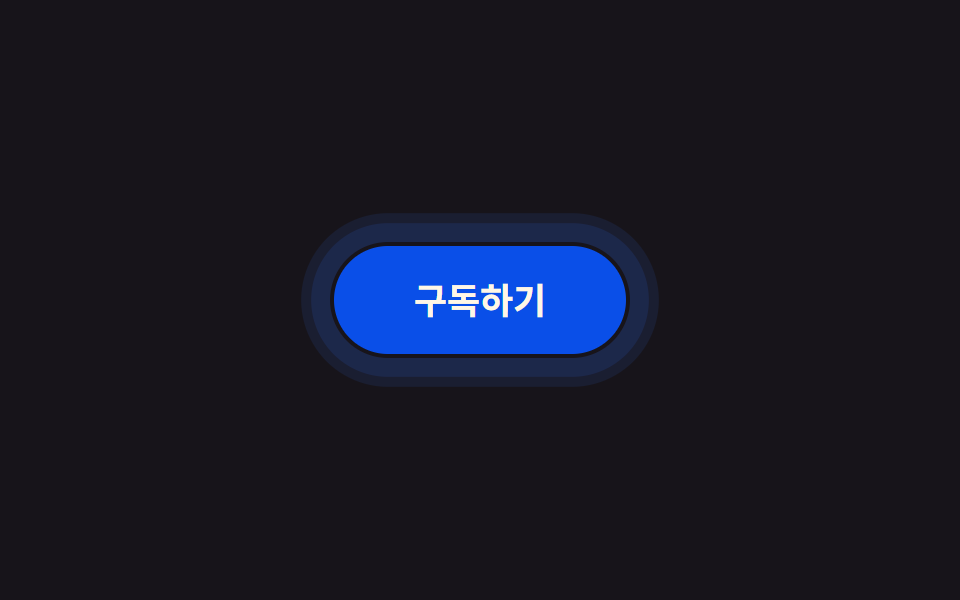 01 click-touch-feedback-ripple-css
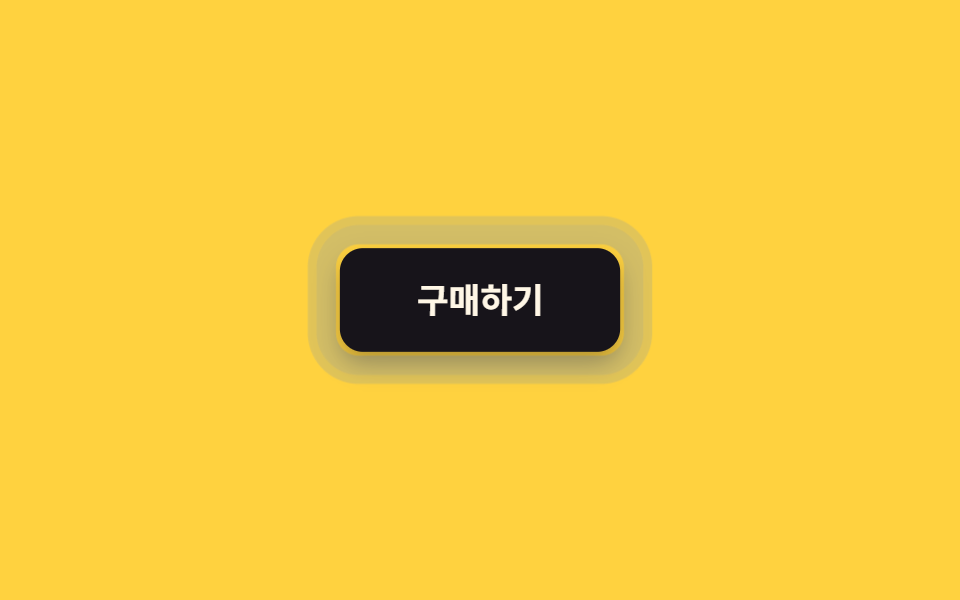 02 click-touch-feedback-press-shrink
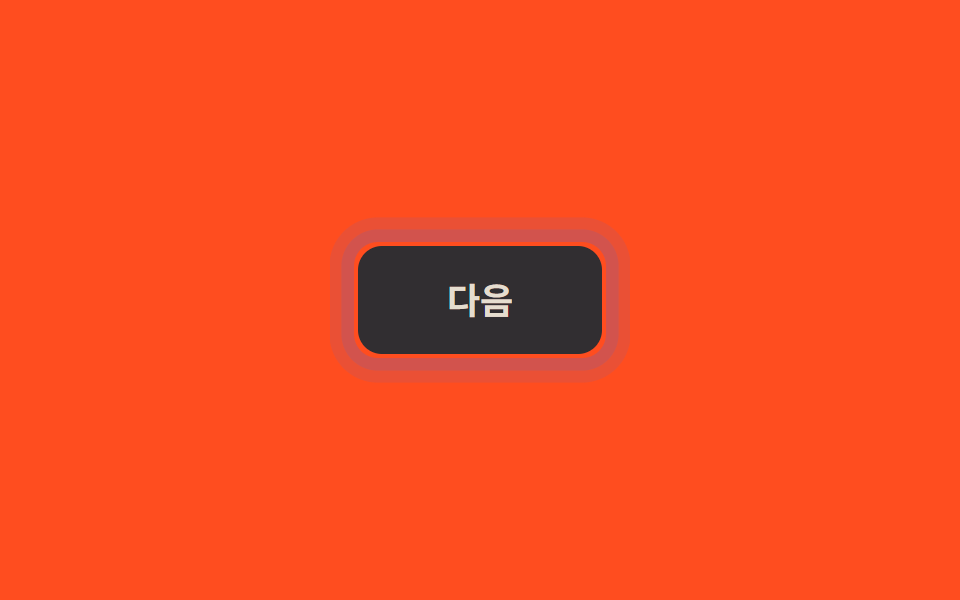 03 click-touch-feedback-touch-active-nohover
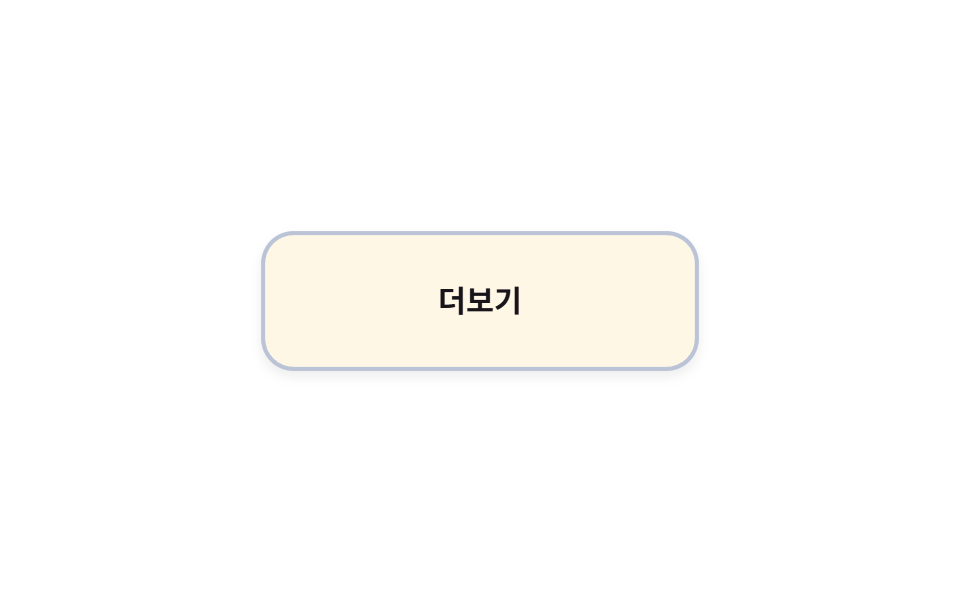 04 click-touch-feedback-long-press-hold
 05 click-touch-feedback-list-tap-highlight
 06 click-touch-feedback-card-tap-scale
 07 click-touch-feedback-haptic-shake
 08 click-touch-feedback-checkbox-tap
 09 click-touch-feedback-link-tap-feedback
Tự chạy · bấm ô để tới mục đó · cả 9 trong một zip
- 01 Vòng viền nảy ra ngoài
- 02 Co lại khi nhấn
- 03 Active chỉ dành cho thiết bị cảm ứng
- 04 Giữ lâu mới có phản hồi
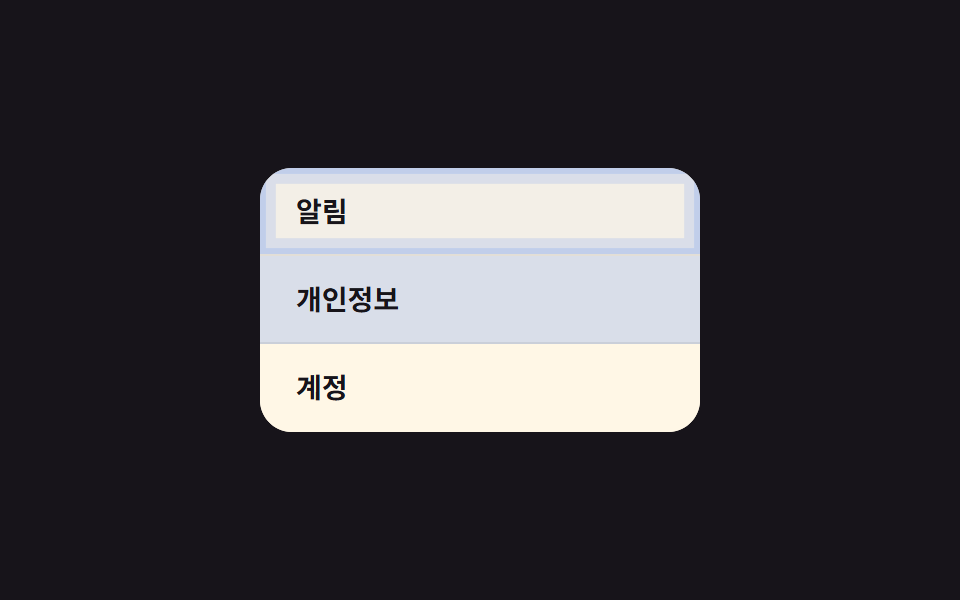
- 05 Hàng danh sách sáng lên khi chạm
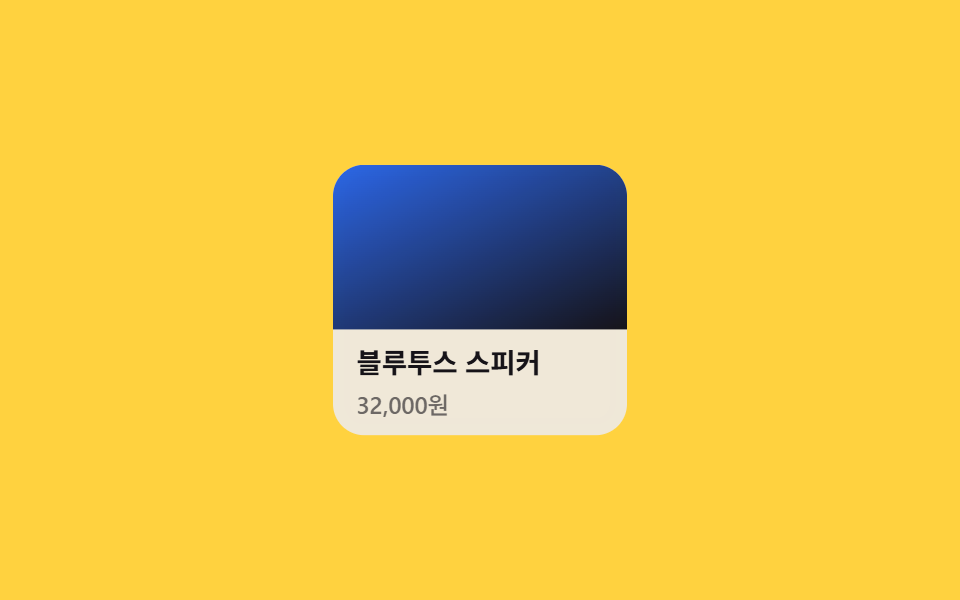
- 06 Thẻ co nhẹ và tối màu khi chạm
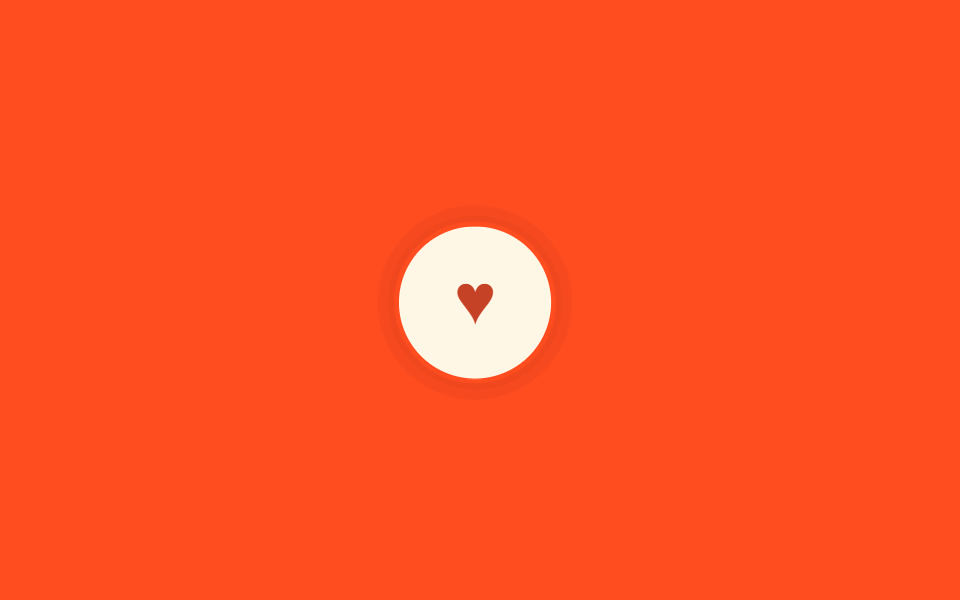
- 07 Rung xác nhận khi chạm
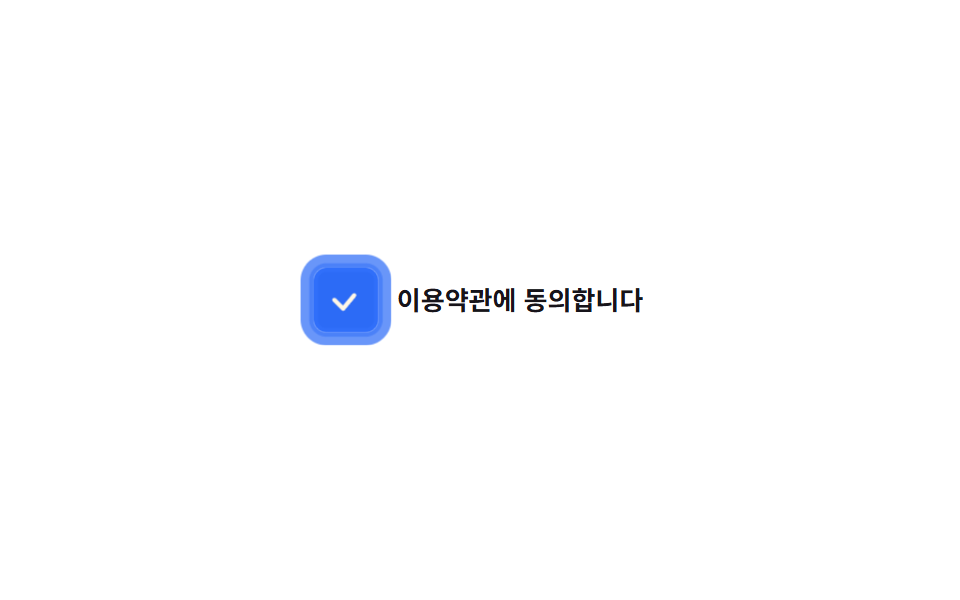
- 08 Checkbox nảy khi chạm
- 09 Link trong đoạn văn sáng lên khi chạm
Thứ tự chín mục dưới đây không xếp theo độ phổ biến mà theo đường đi thật của một cú chạm: vòng phản hồi hiện ra ngay khi ngón tay vừa chạm xuống (01), cảm giác nút lún xuống ngay sau đó (02), phản hồi tách riêng theo loại thiết bị (03), một khoảng chờ xen vào nếu bạn giữ lâu hơn (04), chọn một hàng hoặc một thẻ (05 và 06), một xác nhận ngắn cho lượt thích (07), đổi trạng thái checkbox (08), rồi cuối cùng chạm vào link để sang màn hình khác (09). Lưới 3×3 phía trên chạy lặp bằng class is-demo vì khung iframe cố định không nhận được sự kiện chạm thật, nên mỗi ô tự đổi trạng thái theo chu kỳ thay vì chờ bạn bấm vào đó.
01Vòng viền nảy ra ngoài
Bạn thấy gì
Không phải vòng tròn lan ra từ bên trong như ripple, mà một vòng box-shadow phồng dần ra ngoài viền nút rồi tắt hẳn.
<main class="stage">
  <button class="btn is-demo" type="button">Đăng ký</button>
</main>
@use "../../../../site/static/demo-tokens" as *;
// ── 변수 3개. 변형은 이것만 바꾼다 ──────────────────────────
$duration: $dur-enter; // 링이 다 부풀고 사라지는 시간
$easing: $ease-out;
$color: $subject-blue; // 버튼·링 색
@include stage($stage-ink);
.btn {
position: relative;
border: 0;
border-radius: $r-pill;
padding: 18px 40px;
font-weight: 600; font-size: 18px; line-height: 1; font-family: inherit;
color: $subject-cream;
background: $subject-blue-deep;
cursor: pointer;
-webkit-tap-highlight-color: transparent;
transition: filter $dur-quick;
&:hover { filter: brightness(1.06); }
&:active { filter: brightness(.96); }
// 채워지는 원(::after 가 버튼 내부를 덮는 리플)이 아니라, 버튼 바깥으로 테두리만 번지는 링
// 규칙8 한 겹: 링 하나가 아니라 두 겹이 서로 다른 속도로 번져 노이즈처럼 불규칙한 파면을 만들고,
// 바깥 겹이 안쪽 겹보다 먼저 옅어지며 감쇠한다(선형 감쇠가 아니라 24%→52%→78% 단계별로 빠르게 줄어듦)
&::after {
content: "";
position: absolute;
inset: -2px;
border-radius: inherit;
box-shadow: 0 0 0 0 rgba($color, .55), 0 0 0 0 rgba($color, .32);
opacity: 0;
pointer-events: none;
}
&.is-ringing::after {
animation: ring $duration $easing forwards;
}
// 데모용: 클릭 여부와 무관하게 2초마다 자동 반복. linear 로 프레임마다 고르게 퍼지게 한다
&.is-demo::after {
animation: ring-loop $dur-loop linear infinite;
}
}
@keyframes ring {
0% { box-shadow: 0 0 0 0 rgba($color, .68), 0 0 0 0 rgba($color, .44); opacity: 1; }
30% { box-shadow: 0 0 0 8px rgba($color, .4), 0 0 0 3px rgba($color, .44); opacity: 1; }
62% { box-shadow: 0 0 0 14px rgba($color, .18), 0 0 0 9px rgba($color, .24); opacity: .72; }
86% { box-shadow: 0 0 0 17px rgba($color, .04), 0 0 0 12px rgba($color, .06); opacity: .16; }
100% { box-shadow: 0 0 0 17px rgba($color, 0), 0 0 0 12px rgba($color, 0); opacity: 0; }
}
@keyframes ring-loop {
0%, 8% { box-shadow: 0 0 0 0 rgba($color, .68), 0 0 0 0 rgba($color, .44); opacity: 1; }
24% { box-shadow: 0 0 0 8px rgba($color, .4), 0 0 0 3px rgba($color, .44); opacity: 1; }
40% { box-shadow: 0 0 0 14px rgba($color, .18), 0 0 0 9px rgba($color, .24); opacity: .72; }
52% { box-shadow: 0 0 0 17px rgba($color, .04), 0 0 0 12px rgba($color, .06); opacity: .16; }
62%, 100% { box-shadow: 0 0 0 17px rgba($color, 0), 0 0 0 12px rgba($color, 0); opacity: 0; }
}
@media (prefers-reduced-motion: reduce) {
.btn::after { animation: none !important; opacity: 0; }
.btn:active { filter: brightness(.88); }
}html, body {
margin: 0;
overflow: hidden;
}
.stage {
box-sizing: border-box;
min-height: 100vh;
display: grid;
place-items: center;
margin: 0;
background: #17141a;
font-family: -apple-system, "Segoe UI", "Noto Sans KR", sans-serif;
padding: clamp(8px, 4vw, 24px);
}
.btn {
position: relative;
border: 0;
border-radius: 999px;
padding: 18px 40px;
font-weight: 600;
font-size: 18px;
line-height: 1;
font-family: inherit;
color: #fff7e6;
background: #0a4fe8;
cursor: pointer;
-webkit-tap-highlight-color: transparent;
transition: filter 220ms;
}
.btn:hover {
filter: brightness(1.06);
}
.btn:active {
filter: brightness(0.96);
}
.btn::after {
content: "";
position: absolute;
inset: -2px;
border-radius: inherit;
box-shadow: 0 0 0 0 rgba(47, 109, 246, 0.55), 0 0 0 0 rgba(47, 109, 246, 0.32);
opacity: 0;
pointer-events: none;
}
.btn.is-ringing::after {
animation: ring 600ms ease-out forwards;
}
.btn.is-demo::after {
animation: ring-loop 2s linear infinite;
}
@keyframes ring {
0% {
box-shadow: 0 0 0 0 rgba(47, 109, 246, 0.68), 0 0 0 0 rgba(47, 109, 246, 0.44);
opacity: 1;
}
30% {
box-shadow: 0 0 0 8px rgba(47, 109, 246, 0.4), 0 0 0 3px rgba(47, 109, 246, 0.44);
opacity: 1;
}
62% {
box-shadow: 0 0 0 14px rgba(47, 109, 246, 0.18), 0 0 0 9px rgba(47, 109, 246, 0.24);
opacity: 0.72;
}
86% {
box-shadow: 0 0 0 17px rgba(47, 109, 246, 0.04), 0 0 0 12px rgba(47, 109, 246, 0.06);
opacity: 0.16;
}
100% {
box-shadow: 0 0 0 17px rgba(47, 109, 246, 0), 0 0 0 12px rgba(47, 109, 246, 0);
opacity: 0;
}
}
@keyframes ring-loop {
0%, 8% {
box-shadow: 0 0 0 0 rgba(47, 109, 246, 0.68), 0 0 0 0 rgba(47, 109, 246, 0.44);
opacity: 1;
}
24% {
box-shadow: 0 0 0 8px rgba(47, 109, 246, 0.4), 0 0 0 3px rgba(47, 109, 246, 0.44);
opacity: 1;
}
40% {
box-shadow: 0 0 0 14px rgba(47, 109, 246, 0.18), 0 0 0 9px rgba(47, 109, 246, 0.24);
opacity: 0.72;
}
52% {
box-shadow: 0 0 0 17px rgba(47, 109, 246, 0.04), 0 0 0 12px rgba(47, 109, 246, 0.06);
opacity: 0.16;
}
62%, 100% {
box-shadow: 0 0 0 17px rgba(47, 109, 246, 0), 0 0 0 12px rgba(47, 109, 246, 0);
opacity: 0;
}
}
@media (prefers-reduced-motion: reduce) {
.btn::after {
animation: none !important;
opacity: 0;
}
.btn:active {
filter: brightness(0.88);
}
}// 링은 클릭이 끝나도 끝까지 재생돼야 해서 :active 만으로는 부족하다. pointerdown 에서 클래스를 한 번 갈아끼운다.
var b = document.querySelector('.btn');
b.addEventListener('pointerdown', function () {
b.classList.remove('is-demo');
b.classList.remove('is-ringing');
void b.offsetWidth;
b.classList.add('is-ringing');
});
b.addEventListener('animationend', function (e) {
if (e.animationName === 'ring') b.classList.remove('is-ringing');
});import { useCallback, useRef, type CSSProperties } from "react";
import styles from "./RingPulseButton.module.scss";
export type RingPulseButtonProps = {
label: string;
/** 링이 다 부풀고 사라지는 시간 (기본 600ms) */
duration?: number;
easing?: string;
/** 버튼·링 색 */
color?: string;
};
type Vars = CSSProperties & { "--duration"?: string; "--easing"?: string; "--color"?: string };
export default function RingPulseButton({
label,
duration = 600,
easing = "ease-out",
color = "#0a4fe8",
}: RingPulseButtonProps) {
const ref = useRef<HTMLButtonElement>(null);
const vars: Vars = { "--duration": `${duration}ms`, "--easing": easing, "--color": color };
// 클릭이 끝나도 링은 끝까지 재생돼야 해서 :active 만으로는 부족하다 (index.html 과 같은 이유)
const onPointerDown = useCallback(() => {
const b = ref.current;
if (!b) return;
b.classList.remove(styles.ringing);
void b.offsetWidth;
b.classList.add(styles.ringing);
}, []);
const onAnimationEnd = useCallback((e: { animationName: string }) => {
if (e.animationName.includes("ring")) ref.current?.classList.remove(styles.ringing);
}, []);
return (
<button
ref={ref}
type="button"
className={styles.btn}
style={vars}
onPointerDown={onPointerDown}
onAnimationEnd={onAnimationEnd}
>
{label}
</button>
);
}01 · Vòng viền nảy ra ngoài — Diện tích đo được 4.103% · khung hình chuyển động 11/23Nguyên tác GODRICH · SCSS và React nằm trong tệp zip · Xem mật khẩu
Dùng ở đâu
Vì hiệu ứng phải chạy hết dù ngón tay đã rời đi, một đoạn JS ngắn đổi class ngay trong sự kiện pointerdown thay vì chỉ dựa vào :active.
.btn::after {
  content: "";
  position: absolute;
  inset: -2px;
  border-radius: inherit;
  box-shadow: 0 0 0 0 rgba($color, .55);
  opacity: 0;
}
.btn.is-ringing::after {
  animation: ring $duration $easing forwards;
}
@keyframes ring {
  0%   { box-shadow: 0 0 0 0 rgba($color, .55); opacity: 1; }
  100% { box-shadow: 0 0 0 26px rgba($color, 0); opacity: 0; }
}
02Co lại khi nhấn
Chuyện gì diễn ra trên màn hình
Trong lúc giữ, nút co về scale(.96) trong 0,2 giây, đồng thời box-shadow cũng lõm xuống theo, buông tay là bật lại ngay, không có độ nảy kiểu lò xo. touch-action: manipulation đi kèm để chặn việc phóng to khi chạm nhanh hai lần liên tiếp trên di động.
<main class="stage">
  <button class="btn is-demo" type="button">Mua ngay</button>
</main>
@use "../../../../site/static/demo-tokens" as *;
$duration: $dur-quick; // 눌렸다가 돌아오는 시간 (바운스 없음)
$easing: $ease-out;
$color: $subject-ink; // 버튼 색
@include stage($stage-yellow);
.btn {
position: relative;
border: 0;
border-radius: $r-control;
padding: 18px 40px;
font-weight: 600; font-size: 18px; line-height: 1; font-family: inherit;
color: $subject-cream;
background: $color;
cursor: pointer;
-webkit-tap-highlight-color: transparent;
touch-action: manipulation; // 더블탭 확대·300ms 지연 제거
box-shadow: $shadow-raised;
transform: scale(1);
transition: transform $duration $easing, box-shadow $duration $easing;
// 규칙8 한 겹: 눌리는 순간 버튼 바깥으로 두 겹 링이 서로 다른 속도로 불규칙하게 번지다 감쇠
&::after {
content: "";
position: absolute;
inset: -2px;
border-radius: inherit;
box-shadow: 0 0 0 0 rgba($subject-blue, .5), 0 0 0 0 rgba($subject-blue, .3);
opacity: 0;
pointer-events: none;
}
}
.btn:active {
transform: scale(.96);
box-shadow: $shadow-press;
}
.btn:active::after {
animation: ripple-wave $dur-enter $easing;
}
.btn:focus-visible {
outline: 3px solid $subject-blue;
outline-offset: 3px;
}
.btn.is-demo { animation: press-loop $dur-loop $easing infinite; }
.btn.is-demo::after { animation: ripple-loop $dur-loop $easing infinite; }
@keyframes press-loop {
0%, 20% { transform: scale(1); box-shadow: $shadow-raised; }
45%, 60% { transform: scale(.96); box-shadow: $shadow-press; }
100% { transform: scale(1); box-shadow: $shadow-raised; }
}
@keyframes ripple-wave {
0% { box-shadow: 0 0 0 0 rgba($subject-blue, .55), 0 0 0 0 rgba($subject-blue, .34); opacity: 1; }
20% { box-shadow: 0 0 0 8px rgba($subject-blue, .55), 0 0 0 3px rgba($subject-blue, .34); opacity: 1; }
55% { box-shadow: 0 0 0 14px rgba($subject-blue, .3), 0 0 0 9px rgba($subject-blue, .2); opacity: .9; }
85% { box-shadow: 0 0 0 16px rgba($subject-blue, .06), 0 0 0 12px rgba($subject-blue, .04); opacity: .2; }
100% { box-shadow: 0 0 0 16px rgba($subject-blue, 0), 0 0 0 12px rgba($subject-blue, 0); opacity: 0; }
}
@keyframes ripple-loop {
0%, 40% { box-shadow: 0 0 0 0 rgba($subject-blue, .55), 0 0 0 0 rgba($subject-blue, .34); opacity: 1; }
46% { box-shadow: 0 0 0 8px rgba($subject-blue, .55), 0 0 0 3px rgba($subject-blue, .34); opacity: 1; }
53% { box-shadow: 0 0 0 14px rgba($subject-blue, .3), 0 0 0 9px rgba($subject-blue, .2); opacity: .9; }
58% { box-shadow: 0 0 0 16px rgba($subject-blue, .06), 0 0 0 12px rgba($subject-blue, .04); opacity: .2; }
63%, 100% { box-shadow: 0 0 0 16px rgba($subject-blue, 0), 0 0 0 12px rgba($subject-blue, 0); opacity: 0; }
}
@media (prefers-reduced-motion: reduce) {
.btn { transition: none; }
.btn::after { animation: none !important; opacity: 0; }
.btn.is-demo { animation: none; box-shadow: $shadow-press; }
}html, body {
margin: 0;
overflow: hidden;
}
.stage {
box-sizing: border-box;
min-height: 100vh;
display: grid;
place-items: center;
margin: 0;
background: #ffd23f;
font-family: -apple-system, "Segoe UI", "Noto Sans KR", sans-serif;
padding: clamp(8px, 4vw, 24px);
}
.btn {
position: relative;
border: 0;
border-radius: 12px;
padding: 18px 40px;
font-weight: 600;
font-size: 18px;
line-height: 1;
font-family: inherit;
color: #fff7e6;
background: #17141a;
cursor: pointer;
-webkit-tap-highlight-color: transparent;
touch-action: manipulation;
box-shadow: 0 14px 24px rgba(23, 20, 26, 0.32);
transform: scale(1);
transition: transform 220ms ease-out, box-shadow 220ms ease-out;
}
.btn::after {
content: "";
position: absolute;
inset: -2px;
border-radius: inherit;
box-shadow: 0 0 0 0 rgba(47, 109, 246, 0.5), 0 0 0 0 rgba(47, 109, 246, 0.3);
opacity: 0;
pointer-events: none;
}
.btn:active {
transform: scale(0.96);
box-shadow: 0 6px 12px rgba(23, 20, 26, 0.32);
}
.btn:active::after {
animation: ripple-wave 600ms ease-out;
}
.btn:focus-visible {
outline: 3px solid #2f6df6;
outline-offset: 3px;
}
.btn.is-demo {
animation: press-loop 2s ease-out infinite;
}
.btn.is-demo::after {
animation: ripple-loop 2s ease-out infinite;
}
@keyframes press-loop {
0%, 20% {
transform: scale(1);
box-shadow: 0 14px 24px rgba(23, 20, 26, 0.32);
}
45%, 60% {
transform: scale(0.96);
box-shadow: 0 6px 12px rgba(23, 20, 26, 0.32);
}
100% {
transform: scale(1);
box-shadow: 0 14px 24px rgba(23, 20, 26, 0.32);
}
}
@keyframes ripple-wave {
0% {
box-shadow: 0 0 0 0 rgba(47, 109, 246, 0.55), 0 0 0 0 rgba(47, 109, 246, 0.34);
opacity: 1;
}
20% {
box-shadow: 0 0 0 8px rgba(47, 109, 246, 0.55), 0 0 0 3px rgba(47, 109, 246, 0.34);
opacity: 1;
}
55% {
box-shadow: 0 0 0 14px rgba(47, 109, 246, 0.3), 0 0 0 9px rgba(47, 109, 246, 0.2);
opacity: 0.9;
}
85% {
box-shadow: 0 0 0 16px rgba(47, 109, 246, 0.06), 0 0 0 12px rgba(47, 109, 246, 0.04);
opacity: 0.2;
}
100% {
box-shadow: 0 0 0 16px rgba(47, 109, 246, 0), 0 0 0 12px rgba(47, 109, 246, 0);
opacity: 0;
}
}
@keyframes ripple-loop {
0%, 40% {
box-shadow: 0 0 0 0 rgba(47, 109, 246, 0.55), 0 0 0 0 rgba(47, 109, 246, 0.34);
opacity: 1;
}
46% {
box-shadow: 0 0 0 8px rgba(47, 109, 246, 0.55), 0 0 0 3px rgba(47, 109, 246, 0.34);
opacity: 1;
}
53% {
box-shadow: 0 0 0 14px rgba(47, 109, 246, 0.3), 0 0 0 9px rgba(47, 109, 246, 0.2);
opacity: 0.9;
}
58% {
box-shadow: 0 0 0 16px rgba(47, 109, 246, 0.06), 0 0 0 12px rgba(47, 109, 246, 0.04);
opacity: 0.2;
}
63%, 100% {
box-shadow: 0 0 0 16px rgba(47, 109, 246, 0), 0 0 0 12px rgba(47, 109, 246, 0);
opacity: 0;
}
}
@media (prefers-reduced-motion: reduce) {
.btn {
transition: none;
}
.btn::after {
animation: none !important;
opacity: 0;
}
.btn.is-demo {
animation: none;
box-shadow: 0 6px 12px rgba(23, 20, 26, 0.32);
}
}import type { CSSProperties } from "react";
import styles from "./PressShrinkButton.module.scss";
export type PressShrinkButtonProps = {
label: string;
/** 눌렸다가 돌아오는 시간, 바운스 없음 (기본 220ms) */
duration?: number;
easing?: string;
color?: string;
};
type Vars = CSSProperties & { "--duration"?: string; "--easing"?: string; "--color"?: string };
export default function PressShrinkButton({
label,
duration = 220,
easing = "ease-out",
color = "#17141a",
}: PressShrinkButtonProps) {
const vars: Vars = { "--duration": `${duration}ms`, "--easing": easing, "--color": color };
return (
<button type="button" className={styles.btn} style={vars}>
{label}
</button>
);
}02 · Co lại khi nhấn — Diện tích đo được 6.326% · khung hình chuyển động 19/23Nguyên tác GODRICH · SCSS và React nằm trong tệp zip · Xem mật khẩu
Chỗ dùng
.btn {
  transform: scale(1);
  transition: transform $duration $easing, box-shadow $duration $easing;
  touch-action: manipulation;
}
.btn:active {
  transform: scale(.96);
  box-shadow: $shadow-press;
}
03Active chỉ dành cho thiết bị cảm ứng
Chuyển động thế nào
Toàn bộ màu nền :active chỉ nằm trong khối @media (hover: none) and (pointer: coarse), nên thiết bị có chuột không bao giờ đọc khối này.
<main class="stage">
  <button class="btn is-demo" type="button">Tiếp theo</button>
</main>
@use "../../../../site/static/demo-tokens" as *;
$duration: $dur-quick;
$easing: $ease-out;
$color: $subject-cream; // 버튼 색
@include stage($stage-orange);
.btn {
position: relative;
border: 0;
border-radius: $r-control;
padding: 18px 44px;
font-weight: 600; font-size: 18px; line-height: 1; font-family: inherit;
color: $stage-ink;
background: $color;
cursor: pointer;
-webkit-tap-highlight-color: transparent;
transition: background $duration $easing, color $duration $easing;
// 규칙8 한 겹: 색 반전 순간 버튼 바깥으로 두 겹 링이 서로 다른 속도로 불규칙하게 번지다 감쇠
&::after {
content: "";
position: absolute;
inset: -2px;
border-radius: inherit;
box-shadow: 0 0 0 0 rgba($subject-blue, .48), 0 0 0 0 rgba($subject-blue, .28);
opacity: 0;
pointer-events: none;
}
}
// 실제 규칙: 호버가 없는(터치) 기기에서만 :active 배경을 준다.
// 마우스 기기는 이 블록을 아예 안 읽어서, 탭 뒤 색이 눌어붙는 일이 없다.
@media (hover: none) and (pointer: coarse) {
.btn:active {
background: $stage-ink;
color: $color;
}
.btn:active::after {
animation: ripple-wave $dur-enter $easing;
}
}
// 데모용: 렌더 환경은 마우스 포인터로 잡히므로 위 미디어쿼리가 실제로 켜졌을 때의
// 모습을 .is-demo 로 강제 재생한다 (실제 터치 여부와 무관).
.btn.is-demo {
animation: touch-active-loop $dur-loop $easing infinite;
}
.btn.is-demo::after {
animation: ripple-loop $dur-loop $easing infinite;
}
@keyframes touch-active-loop {
0%, 20% { background: $subject-cream; color: $stage-ink; }
50%, 75% { background: $stage-ink; color: $subject-cream; }
100% { background: $subject-cream; color: $stage-ink; }
}
@keyframes ripple-wave {
0% { box-shadow: 0 0 0 0 rgba($subject-blue, .48), 0 0 0 0 rgba($subject-blue, .28); opacity: 1; }
38% { box-shadow: 0 0 0 10px rgba($subject-blue, .2), 0 0 0 4px rgba($subject-blue, .26); opacity: .74; }
66% { box-shadow: 0 0 0 17px rgba($subject-blue, .09), 0 0 0 11px rgba($subject-blue, .15); opacity: .36; }
100% { box-shadow: 0 0 0 24px rgba($subject-blue, 0), 0 0 0 20px rgba($subject-blue, 0); opacity: 0; }
}
@keyframes ripple-loop {
0%, 20% { box-shadow: 0 0 0 0 rgba($subject-blue, .48), 0 0 0 0 rgba($subject-blue, .28); opacity: 1; }
38% { box-shadow: 0 0 0 10px rgba($subject-blue, .2), 0 0 0 4px rgba($subject-blue, .26); opacity: .74; }
55% { box-shadow: 0 0 0 17px rgba($subject-blue, .09), 0 0 0 11px rgba($subject-blue, .15); opacity: .36; }
75%, 100% { box-shadow: 0 0 0 24px rgba($subject-blue, 0), 0 0 0 20px rgba($subject-blue, 0); opacity: 0; }
}
@media (prefers-reduced-motion: reduce) {
.btn { transition: none; }
.btn::after { animation: none !important; opacity: 0; }
.btn.is-demo { animation: none; }
}html, body {
margin: 0;
overflow: hidden;
}
.stage {
box-sizing: border-box;
min-height: 100vh;
display: grid;
place-items: center;
margin: 0;
background: #ff4d1f;
font-family: -apple-system, "Segoe UI", "Noto Sans KR", sans-serif;
padding: clamp(8px, 4vw, 24px);
}
.btn {
position: relative;
border: 0;
border-radius: 12px;
padding: 18px 44px;
font-weight: 600;
font-size: 18px;
line-height: 1;
font-family: inherit;
color: #17141a;
background: #fff7e6;
cursor: pointer;
-webkit-tap-highlight-color: transparent;
transition: background 220ms ease-out, color 220ms ease-out;
}
.btn::after {
content: "";
position: absolute;
inset: -2px;
border-radius: inherit;
box-shadow: 0 0 0 0 rgba(47, 109, 246, 0.48), 0 0 0 0 rgba(47, 109, 246, 0.28);
opacity: 0;
pointer-events: none;
}
@media (hover: none) and (pointer: coarse) {
.btn:active {
background: #17141a;
color: #fff7e6;
}
.btn:active::after {
animation: ripple-wave 600ms ease-out;
}
}
.btn.is-demo {
animation: touch-active-loop 2s ease-out infinite;
}
.btn.is-demo::after {
animation: ripple-loop 2s ease-out infinite;
}
@keyframes touch-active-loop {
0%, 20% {
background: #fff7e6;
color: #17141a;
}
50%, 75% {
background: #17141a;
color: #fff7e6;
}
100% {
background: #fff7e6;
color: #17141a;
}
}
@keyframes ripple-wave {
0% {
box-shadow: 0 0 0 0 rgba(47, 109, 246, 0.48), 0 0 0 0 rgba(47, 109, 246, 0.28);
opacity: 1;
}
38% {
box-shadow: 0 0 0 10px rgba(47, 109, 246, 0.2), 0 0 0 4px rgba(47, 109, 246, 0.26);
opacity: 0.74;
}
66% {
box-shadow: 0 0 0 17px rgba(47, 109, 246, 0.09), 0 0 0 11px rgba(47, 109, 246, 0.15);
opacity: 0.36;
}
100% {
box-shadow: 0 0 0 24px rgba(47, 109, 246, 0), 0 0 0 20px rgba(47, 109, 246, 0);
opacity: 0;
}
}
@keyframes ripple-loop {
0%, 20% {
box-shadow: 0 0 0 0 rgba(47, 109, 246, 0.48), 0 0 0 0 rgba(47, 109, 246, 0.28);
opacity: 1;
}
38% {
box-shadow: 0 0 0 10px rgba(47, 109, 246, 0.2), 0 0 0 4px rgba(47, 109, 246, 0.26);
opacity: 0.74;
}
55% {
box-shadow: 0 0 0 17px rgba(47, 109, 246, 0.09), 0 0 0 11px rgba(47, 109, 246, 0.15);
opacity: 0.36;
}
75%, 100% {
box-shadow: 0 0 0 24px rgba(47, 109, 246, 0), 0 0 0 20px rgba(47, 109, 246, 0);
opacity: 0;
}
}
@media (prefers-reduced-motion: reduce) {
.btn {
transition: none;
}
.btn::after {
animation: none !important;
opacity: 0;
}
.btn.is-demo {
animation: none;
}
}import type { CSSProperties } from "react";
import styles from "./TouchActiveButton.module.scss";
export type TouchActiveButtonProps = {
label: string;
duration?: number;
easing?: string;
color?: string;
};
type Vars = CSSProperties & { "--duration"?: string; "--easing"?: string; "--color"?: string };
/** @media (hover: none) and (pointer: coarse) 에서만 :active 배경이 걸린다. 마우스 기기에서는 이 규칙이 아예 읽히지 않는다. */
export default function TouchActiveButton({
label,
duration = 220,
easing = "ease-out",
color = "#fff7e6",
}: TouchActiveButtonProps) {
const vars: Vars = { "--duration": `${duration}ms`, "--easing": easing, "--color": color };
return (
<button type="button" className={styles.btn} style={vars}>
{label}
</button>
);
}03 · Active chỉ dành cho thiết bị cảm ứng — Diện tích đo được 8.344% · khung hình chuyển động 12/23Nguyên tác GODRICH · SCSS và React nằm trong tệp zip · Xem mật khẩu
Dùng khi nào
Nhờ vậy màn hình di động đổi màu đúng lúc chạm còn máy tính bàn không bao giờ dính lại màu xám sau khi đã bấm xong.
@media (hover: none) and (pointer: coarse) {
  .btn:active {
    background: $stage-ink;
    color: $subject-cream;
  }
}
04Giữ lâu mới có phản hồi
Bạn thấy gì
Vừa nhấn xuống chưa có gì đổi, transition-delay kéo dài 600ms rồi thẻ mới phóng to và đổ bóng đậm dần lên, tách cú chạm ngắn khỏi một lần giữ thật sự. touch-action: none chặn cử chỉ cuộn trang chen vào đúng lúc bạn đang giữ.
<main class="stage">
  <div class="card is-demo" tabindex="0">Xem thêm</div>
</main>
@use "../../../../site/static/demo-tokens" as *;
$duration: $dur-quick; // 문턱을 넘은 뒤 반응이 실제로 펼쳐지는 시간
$hold: $dur-enter; // 반응이 시작되기까지 참는 시간 (누르는 순간엔 아무 일도 없다)
$easing: $ease-pop;
$color: $subject-blue;
@include stage($stage-paper);
.stage { padding: clamp(8px, 4vw, 24px); }
.card {
position: relative;
width: min(180px, 60vw);
border-radius: $r-card;
background: $subject-cream;
border: 2px solid rgba($stage-ink, .12);
padding: 22px 16px;
text-align: center;
font-weight: 600; font-size: 15px; line-height: 1.4; font-family: inherit;
color: $stage-ink;
cursor: pointer;
touch-action: none; // 누르는 동안 스크롤 제스처와 겹치지 않게
transform: scale(1);
box-shadow: none;
// transition-delay 가 곧 "길게 눌러야만" 반응하는 문턱이다. 진행바를 채우지 않는다.
transition: transform $duration $easing $hold,
box-shadow $duration $easing $hold,
border-color $duration $easing $hold;
// 규칙8 한 겹: 문턱을 넘어 반응이 펼쳐지는 순간 카드 바깥으로 두 겹 링이 불규칙하게 번지다 감쇠
&::after {
content: "";
position: absolute;
inset: -2px;
border-radius: inherit;
box-shadow: 0 0 0 0 rgba($color, .45), 0 0 0 0 rgba($color, .26);
opacity: 0;
pointer-events: none;
}
}
.card:active {
transform: scale(1.06);
box-shadow: $shadow-raised;
border-color: $color;
}
.card:active::after {
animation: ripple-wave $dur-enter $easing $hold;
}
.card:focus-visible {
outline: 3px solid $color;
outline-offset: 3px;
}
.card.is-demo {
animation: long-press-loop $dur-loop $easing infinite;
}
.card.is-demo::after {
animation: ripple-loop $dur-loop $easing infinite;
}
@keyframes long-press-loop {
0%, 30% { transform: scale(1); box-shadow: none; border-color: rgba($stage-ink, .12); }
70%, 85% { transform: scale(1.06); box-shadow: $shadow-raised; border-color: $color; }
100% { transform: scale(1); box-shadow: none; border-color: rgba($stage-ink, .12); }
}
@keyframes ripple-wave {
0% { box-shadow: 0 0 0 0 rgba($color, .45), 0 0 0 0 rgba($color, .26); opacity: 1; }
38% { box-shadow: 0 0 0 10px rgba($color, .2), 0 0 0 4px rgba($color, .24); opacity: .72; }
66% { box-shadow: 0 0 0 17px rgba($color, .09), 0 0 0 11px rgba($color, .14); opacity: .34; }
100% { box-shadow: 0 0 0 24px rgba($color, 0), 0 0 0 20px rgba($color, 0); opacity: 0; }
}
@keyframes ripple-loop {
0%, 30% { box-shadow: 0 0 0 0 rgba($color, .45), 0 0 0 0 rgba($color, .26); opacity: 1; }
50% { box-shadow: 0 0 0 10px rgba($color, .2), 0 0 0 4px rgba($color, .24); opacity: .72; }
67% { box-shadow: 0 0 0 17px rgba($color, .09), 0 0 0 11px rgba($color, .14); opacity: .34; }
85%, 100% { box-shadow: 0 0 0 24px rgba($color, 0), 0 0 0 20px rgba($color, 0); opacity: 0; }
}
@media (prefers-reduced-motion: reduce) {
.card { transition: none; }
.card::after { animation: none !important; opacity: 0; }
.card.is-demo { animation: none; }
}html, body {
margin: 0;
overflow: hidden;
}
.stage {
box-sizing: border-box;
min-height: 100vh;
display: grid;
place-items: center;
margin: 0;
background: #ffffff;
font-family: -apple-system, "Segoe UI", "Noto Sans KR", sans-serif;
padding: clamp(8px, 4vw, 24px);
}
.stage {
padding: clamp(8px, 4vw, 24px);
}
.card {
position: relative;
width: min(180px, 60vw);
border-radius: 16px;
background: #fff7e6;
border: 2px solid rgba(23, 20, 26, 0.12);
padding: 22px 16px;
text-align: center;
font-weight: 600;
font-size: 15px;
line-height: 1.4;
font-family: inherit;
color: #17141a;
cursor: pointer;
touch-action: none;
transform: scale(1);
box-shadow: none;
transition: transform 220ms cubic-bezier(0.2, 1.4, 0.4, 1) 600ms, box-shadow 220ms cubic-bezier(0.2, 1.4, 0.4, 1) 600ms, border-color 220ms cubic-bezier(0.2, 1.4, 0.4, 1) 600ms;
}
.card::after {
content: "";
position: absolute;
inset: -2px;
border-radius: inherit;
box-shadow: 0 0 0 0 rgba(47, 109, 246, 0.45), 0 0 0 0 rgba(47, 109, 246, 0.26);
opacity: 0;
pointer-events: none;
}
.card:active {
transform: scale(1.06);
box-shadow: 0 14px 24px rgba(23, 20, 26, 0.32);
border-color: #2f6df6;
}
.card:active::after {
animation: ripple-wave 600ms cubic-bezier(0.2, 1.4, 0.4, 1) 600ms;
}
.card:focus-visible {
outline: 3px solid #2f6df6;
outline-offset: 3px;
}
.card.is-demo {
animation: long-press-loop 2s cubic-bezier(0.2, 1.4, 0.4, 1) infinite;
}
.card.is-demo::after {
animation: ripple-loop 2s cubic-bezier(0.2, 1.4, 0.4, 1) infinite;
}
@keyframes long-press-loop {
0%, 30% {
transform: scale(1);
box-shadow: none;
border-color: rgba(23, 20, 26, 0.12);
}
70%, 85% {
transform: scale(1.06);
box-shadow: 0 14px 24px rgba(23, 20, 26, 0.32);
border-color: #2f6df6;
}
100% {
transform: scale(1);
box-shadow: none;
border-color: rgba(23, 20, 26, 0.12);
}
}
@keyframes ripple-wave {
0% {
box-shadow: 0 0 0 0 rgba(47, 109, 246, 0.45), 0 0 0 0 rgba(47, 109, 246, 0.26);
opacity: 1;
}
38% {
box-shadow: 0 0 0 10px rgba(47, 109, 246, 0.2), 0 0 0 4px rgba(47, 109, 246, 0.24);
opacity: 0.72;
}
66% {
box-shadow: 0 0 0 17px rgba(47, 109, 246, 0.09), 0 0 0 11px rgba(47, 109, 246, 0.14);
opacity: 0.34;
}
100% {
box-shadow: 0 0 0 24px rgba(47, 109, 246, 0), 0 0 0 20px rgba(47, 109, 246, 0);
opacity: 0;
}
}
@keyframes ripple-loop {
0%, 30% {
box-shadow: 0 0 0 0 rgba(47, 109, 246, 0.45), 0 0 0 0 rgba(47, 109, 246, 0.26);
opacity: 1;
}
50% {
box-shadow: 0 0 0 10px rgba(47, 109, 246, 0.2), 0 0 0 4px rgba(47, 109, 246, 0.24);
opacity: 0.72;
}
67% {
box-shadow: 0 0 0 17px rgba(47, 109, 246, 0.09), 0 0 0 11px rgba(47, 109, 246, 0.14);
opacity: 0.34;
}
85%, 100% {
box-shadow: 0 0 0 24px rgba(47, 109, 246, 0), 0 0 0 20px rgba(47, 109, 246, 0);
opacity: 0;
}
}
@media (prefers-reduced-motion: reduce) {
.card {
transition: none;
}
.card::after {
animation: none !important;
opacity: 0;
}
.card.is-demo {
animation: none;
}
}import type { CSSProperties } from "react";
import styles from "./LongPressCard.module.scss";
export type LongPressCardProps = {
label: string;
/** 문턱을 넘은 뒤 반응이 펼쳐지는 시간 (기본 220ms) */
duration?: number;
/** 반응이 시작되기까지 참는 시간 — 누르는 순간엔 아무 일도 없다 (기본 600ms) */
hold?: number;
easing?: string;
color?: string;
};
type Vars = CSSProperties & {
"--duration"?: string;
"--hold"?: string;
"--easing"?: string;
"--color"?: string;
};
export default function LongPressCard({
label,
duration = 220,
hold = 600,
easing = "cubic-bezier(.2,1.4,.4,1)",
color = "#2f6df6",
}: LongPressCardProps) {
const vars: Vars = {
"--duration": `${duration}ms`,
"--hold": `${hold}ms`,
"--easing": easing,
"--color": color,
};
return (
<div className={styles.card} style={vars} tabIndex={0}>
{label}
</div>
);
}04 · Giữ lâu mới có phản hồi — Diện tích đo được 10.674% · khung hình chuyển động 13/23Nguyên tác GODRICH · SCSS và React nằm trong tệp zip · Xem mật khẩu
Dùng ở đâu
.card {
  transition: transform $duration $easing $hold,
              box-shadow $duration $easing $hold,
              border-color $duration $easing $hold;
  touch-action: none;
}
.card:active {
  transform: scale(1.06);
  box-shadow: $shadow-raised;
  border-color: $color;
}
05Hàng danh sách sáng lên khi chạm
Chuyện gì diễn ra trên màn hình
-webkit-tap-highlight-color bị tắt trên toàn hàng, thay vào đó màu nền tùy chỉnh qua :active sáng lên ngay rồi tắt dần theo transition riêng, cho biết đúng hàng nào vừa được chạm.
<main class="stage">
  <ul class="list">
    <li class="is-demo" tabindex="0">Thông báo</li>
    <li class="is-demo" tabindex="0">Quyền riêng tư</li>
    <li class="is-demo" tabindex="0">Tài khoản</li>
  </ul>
</main>
@use "../../../../site/static/demo-tokens" as *;
$duration: $dur-quick; // 하이라이트가 사라지는 시간
$easing: $ease-out;
$color: $subject-blue; // 하이라이트 색
@include stage($stage-ink);
.list {
width: min(220px, 70vw);
background: $subject-cream;
border-radius: $r-card;
overflow: hidden;
list-style: none;
margin: 0;
padding: 0;
}
.list li {
position: relative;
min-height: 44px; // 터치 목표 44px (WCAG 2.5.8 / Apple HIG)
box-sizing: border-box;
display: flex;
align-items: center;
padding: 14px 18px;
font-weight: 600; font-size: 14px; line-height: 1; font-family: inherit;
color: $stage-ink;
background: $subject-cream;
border-bottom: 1px solid rgba($stage-ink, .08);
-webkit-tap-highlight-color: transparent;
cursor: pointer;
transition: background $duration $easing;
overflow: hidden;
// 규칙8 한 겹: 배경 플래시와 함께 행 안쪽 가장자리로 두 겹 링이 불규칙하게 번지다 감쇠
&::after {
content: "";
position: absolute;
inset: 0;
border-radius: inherit;
box-shadow: inset 0 0 0 0 rgba($color, .4), inset 0 0 0 0 rgba($color, .22);
opacity: 0;
pointer-events: none;
}
}
.list li:last-child { border-bottom: 0; }
.list li:active {
background: rgba($color, .18);
transition: background 0s; // 눌리는 순간은 지연 없이 즉시
}
.list li:active::after {
animation: ripple-wave $dur-enter $easing;
}
.list li.is-demo { animation: row-flash $dur-loop $easing infinite; }
.list li.is-demo::after { animation: ripple-loop $dur-loop $easing infinite; }
.list li:nth-child(2).is-demo,
.list li:nth-child(2).is-demo::after { animation-delay: .4s; }
.list li:nth-child(3).is-demo,
.list li:nth-child(3).is-demo::after { animation-delay: .8s; }
@keyframes row-flash {
0%, 8% { background: rgba($color, .18); }
35% { background: $subject-cream; }
100% { background: $subject-cream; }
}
@keyframes ripple-wave {
0% { box-shadow: inset 0 0 0 0 rgba($color, .4), inset 0 0 0 0 rgba($color, .22); opacity: 1; }
38% { box-shadow: inset 0 0 0 8px rgba($color, .18), inset 0 0 0 3px rgba($color, .22); opacity: .7; }
66% { box-shadow: inset 0 0 0 14px rgba($color, .08), inset 0 0 0 9px rgba($color, .12); opacity: .3; }
100% { box-shadow: inset 0 0 0 20px rgba($color, 0), inset 0 0 0 16px rgba($color, 0); opacity: 0; }
}
@keyframes ripple-loop {
0%, 8% { box-shadow: inset 0 0 0 0 rgba($color, .4), inset 0 0 0 0 rgba($color, .22); opacity: 1; }
22% { box-shadow: inset 0 0 0 8px rgba($color, .18), inset 0 0 0 3px rgba($color, .22); opacity: .7; }
35% { box-shadow: inset 0 0 0 14px rgba($color, .08), inset 0 0 0 9px rgba($color, .12); opacity: .3; }
50%, 100% { box-shadow: inset 0 0 0 20px rgba($color, 0), inset 0 0 0 16px rgba($color, 0); opacity: 0; }
}
@media (prefers-reduced-motion: reduce) {
.list li { transition: none; }
.list li::after { animation: none !important; opacity: 0; }
.list li.is-demo { animation: none; }
}html, body {
margin: 0;
overflow: hidden;
}
.stage {
box-sizing: border-box;
min-height: 100vh;
display: grid;
place-items: center;
margin: 0;
background: #17141a;
font-family: -apple-system, "Segoe UI", "Noto Sans KR", sans-serif;
padding: clamp(8px, 4vw, 24px);
}
.list {
width: min(220px, 70vw);
background: #fff7e6;
border-radius: 16px;
overflow: hidden;
list-style: none;
margin: 0;
padding: 0;
}
.list li {
position: relative;
min-height: 44px;
box-sizing: border-box;
display: flex;
align-items: center;
padding: 14px 18px;
font-weight: 600;
font-size: 14px;
line-height: 1;
font-family: inherit;
color: #17141a;
background: #fff7e6;
border-bottom: 1px solid rgba(23, 20, 26, 0.08);
-webkit-tap-highlight-color: transparent;
cursor: pointer;
transition: background 220ms ease-out;
overflow: hidden;
}
.list li::after {
content: "";
position: absolute;
inset: 0;
border-radius: inherit;
box-shadow: inset 0 0 0 0 rgba(47, 109, 246, 0.4), inset 0 0 0 0 rgba(47, 109, 246, 0.22);
opacity: 0;
pointer-events: none;
}
.list li:last-child {
border-bottom: 0;
}
.list li:active {
background: rgba(47, 109, 246, 0.18);
transition: background 0s;
}
.list li:active::after {
animation: ripple-wave 600ms ease-out;
}
.list li.is-demo {
animation: row-flash 2s ease-out infinite;
}
.list li.is-demo::after {
animation: ripple-loop 2s ease-out infinite;
}
.list li:nth-child(2).is-demo,
.list li:nth-child(2).is-demo::after {
animation-delay: 0.4s;
}
.list li:nth-child(3).is-demo,
.list li:nth-child(3).is-demo::after {
animation-delay: 0.8s;
}
@keyframes row-flash {
0%, 8% {
background: rgba(47, 109, 246, 0.18);
}
35% {
background: #fff7e6;
}
100% {
background: #fff7e6;
}
}
@keyframes ripple-wave {
0% {
box-shadow: inset 0 0 0 0 rgba(47, 109, 246, 0.4), inset 0 0 0 0 rgba(47, 109, 246, 0.22);
opacity: 1;
}
38% {
box-shadow: inset 0 0 0 8px rgba(47, 109, 246, 0.18), inset 0 0 0 3px rgba(47, 109, 246, 0.22);
opacity: 0.7;
}
66% {
box-shadow: inset 0 0 0 14px rgba(47, 109, 246, 0.08), inset 0 0 0 9px rgba(47, 109, 246, 0.12);
opacity: 0.3;
}
100% {
box-shadow: inset 0 0 0 20px rgba(47, 109, 246, 0), inset 0 0 0 16px rgba(47, 109, 246, 0);
opacity: 0;
}
}
@keyframes ripple-loop {
0%, 8% {
box-shadow: inset 0 0 0 0 rgba(47, 109, 246, 0.4), inset 0 0 0 0 rgba(47, 109, 246, 0.22);
opacity: 1;
}
22% {
box-shadow: inset 0 0 0 8px rgba(47, 109, 246, 0.18), inset 0 0 0 3px rgba(47, 109, 246, 0.22);
opacity: 0.7;
}
35% {
box-shadow: inset 0 0 0 14px rgba(47, 109, 246, 0.08), inset 0 0 0 9px rgba(47, 109, 246, 0.12);
opacity: 0.3;
}
50%, 100% {
box-shadow: inset 0 0 0 20px rgba(47, 109, 246, 0), inset 0 0 0 16px rgba(47, 109, 246, 0);
opacity: 0;
}
}
@media (prefers-reduced-motion: reduce) {
.list li {
transition: none;
}
.list li::after {
animation: none !important;
opacity: 0;
}
.list li.is-demo {
animation: none;
}
}import type { CSSProperties } from "react";
import styles from "./TapHighlightList.module.scss";
export type TapHighlightListProps = {
items: string[];
duration?: number;
easing?: string;
color?: string;
};
type Vars = CSSProperties & { "--duration"?: string; "--easing"?: string; "--color"?: string };
export default function TapHighlightList({
items,
duration = 220,
easing = "ease-out",
color = "#2f6df6",
}: TapHighlightListProps) {
const vars: Vars = { "--duration": `${duration}ms`, "--easing": easing, "--color": color };
return (
<ul className={styles.list} style={vars}>
{items.map((label) => (
<li key={label}>{label}</li>
))}
</ul>
);
}05 · Hàng danh sách sáng lên khi chạm — Diện tích đo được 19.752% · khung hình chuyển động 16/23Nguyên tác GODRICH · SCSS và React nằm trong tệp zip · Xem mật khẩu
Chỗ dùng
Mỗi hàng giữ chiều cao tối thiểu 44px để vừa đúng đầu ngón tay.
.list li {
  min-height: 44px;
  transition: background $duration $easing;
}
.list li:active {
  background: rgba($color, .18);
  transition: background 0s;
}
06Thẻ co nhẹ và tối màu khi chạm
Chuyển động thế nào
Trong lúc chạm, scale(.98) và filter: brightness(.94) chạy cùng lúc nên cả thẻ trông như bị ấn xuống chứ không chỉ đổi viền ngoài. touch-action: manipulation giữ cho vùng chạm rộng của thẻ sản phẩm không bị phóng to khi chạm nhanh hai lần liên tiếp.
<main class="stage">
  <article class="card is-demo" tabindex="0">
    <span class="card__media" aria-hidden="true"></span>
    <div class="card__body">
      <h3 class="card__title">Loa Bluetooth</h3>
      <p class="card__meta">32.000 KRW</p>
    </div>
  </article>
</main>
@use "../../../../site/static/demo-tokens" as *;
$duration: $dur-quick;
$easing: $ease-out;
$color: $stage-ink; // 글자 색
@include stage($stage-yellow);
.stage { padding: clamp(6px, 2.4vw, 16px); }
.card {
position: relative;
width: min(150px, 48vw);
border-radius: $r-card;
background: $subject-cream;
overflow: hidden;
cursor: pointer;
touch-action: manipulation; // 더블탭 확대 방지
transform: scale(1);
filter: brightness(1);
transition: transform $duration $easing, filter $duration $easing;
// 규칙8 한 겹: 눌리는 순간 카드 안쪽 가장자리로 두 겹 링이 불규칙하게 번지다 감쇠
&::after {
content: "";
position: absolute;
inset: 0;
border-radius: inherit;
box-shadow: inset 0 0 0 0 rgba($subject-blue, .4), inset 0 0 0 0 rgba($subject-blue, .22);
opacity: 0;
pointer-events: none;
}
}
.card__media {
display: block;
aspect-ratio: 16 / 9;
background: linear-gradient(155deg, $subject-blue 0%, $stage-ink 100%);
}
.card__body { padding: 8px 12px; }
.card__title { margin: 0 0 4px; font-weight: 700; font-size: clamp(12px, 3.4vw, 14px); line-height: 1.3; font-family: inherit; color: $color; }
.card__meta { margin: 0; font-weight: 500; font-size: clamp(11px, 3vw, 12px); line-height: 1.3; font-family: inherit; color: rgba($color, .6); }
.card:active {
transform: scale(.98);
filter: brightness(.94);
}
.card:active::after {
animation: ripple-wave $dur-enter $easing;
}
.card:focus-visible {
outline: 3px solid $subject-blue;
outline-offset: 3px;
}
.card.is-demo { animation: tap-loop $dur-loop $easing infinite; }
.card.is-demo::after { animation: ripple-loop $dur-loop $easing infinite; }
@keyframes tap-loop {
0%, 20% { transform: scale(1); filter: brightness(1); }
50%, 70% { transform: scale(.98); filter: brightness(.94); }
100% { transform: scale(1); filter: brightness(1); }
}
@keyframes ripple-wave {
0% { box-shadow: inset 0 0 0 0 rgba($subject-blue, .62), inset 0 0 0 0 rgba($subject-blue, .45); opacity: 1; }
16% { box-shadow: inset 0 0 0 5px rgba($subject-blue, .62), inset 0 0 0 2px rgba($subject-blue, .45); opacity: 1; }
48% { box-shadow: inset 0 0 0 8px rgba($subject-blue, .55), inset 0 0 0 5px rgba($subject-blue, .4); opacity: 1; }
56% { box-shadow: inset 0 0 0 9px rgba($subject-blue, 0), inset 0 0 0 6px rgba($subject-blue, 0); opacity: 0; }
100% { box-shadow: inset 0 0 0 9px rgba($subject-blue, 0), inset 0 0 0 6px rgba($subject-blue, 0); opacity: 0; }
}
@keyframes ripple-loop {
0%, 40% { box-shadow: inset 0 0 0 0 rgba($subject-blue, .62), inset 0 0 0 0 rgba($subject-blue, .45); opacity: 1; }
46% { box-shadow: inset 0 0 0 5px rgba($subject-blue, .62), inset 0 0 0 2px rgba($subject-blue, .45); opacity: 1; }
62% { box-shadow: inset 0 0 0 8px rgba($subject-blue, .55), inset 0 0 0 5px rgba($subject-blue, .4); opacity: 1; }
68% { box-shadow: inset 0 0 0 9px rgba($subject-blue, 0), inset 0 0 0 6px rgba($subject-blue, 0); opacity: 0; }
74%, 100% { box-shadow: inset 0 0 0 9px rgba($subject-blue, 0), inset 0 0 0 6px rgba($subject-blue, 0); opacity: 0; }
}
@media (prefers-reduced-motion: reduce) {
.card { transition: none; }
.card::after { animation: none !important; opacity: 0; }
.card.is-demo { animation: none; }
}html, body {
margin: 0;
overflow: hidden;
}
.stage {
box-sizing: border-box;
min-height: 100vh;
display: grid;
place-items: center;
margin: 0;
background: #ffd23f;
font-family: -apple-system, "Segoe UI", "Noto Sans KR", sans-serif;
padding: clamp(8px, 4vw, 24px);
}
.stage {
padding: clamp(6px, 2.4vw, 16px);
}
.card {
position: relative;
width: min(150px, 48vw);
border-radius: 16px;
background: #fff7e6;
overflow: hidden;
cursor: pointer;
touch-action: manipulation;
transform: scale(1);
filter: brightness(1);
transition: transform 220ms ease-out, filter 220ms ease-out;
}
.card::after {
content: "";
position: absolute;
inset: 0;
border-radius: inherit;
box-shadow: inset 0 0 0 0 rgba(47, 109, 246, 0.4), inset 0 0 0 0 rgba(47, 109, 246, 0.22);
opacity: 0;
pointer-events: none;
}
.card__media {
display: block;
aspect-ratio: 16/9;
background: linear-gradient(155deg, #2f6df6 0%, #17141a 100%);
}
.card__body {
padding: 8px 12px;
}
.card__title {
margin: 0 0 4px;
font-weight: 700;
font-size: clamp(12px, 3.4vw, 14px);
line-height: 1.3;
font-family: inherit;
color: #17141a;
}
.card__meta {
margin: 0;
font-weight: 500;
font-size: clamp(11px, 3vw, 12px);
line-height: 1.3;
font-family: inherit;
color: rgba(23, 20, 26, 0.6);
}
.card:active {
transform: scale(0.98);
filter: brightness(0.94);
}
.card:active::after {
animation: ripple-wave 600ms ease-out;
}
.card:focus-visible {
outline: 3px solid #2f6df6;
outline-offset: 3px;
}
.card.is-demo {
animation: tap-loop 2s ease-out infinite;
}
.card.is-demo::after {
animation: ripple-loop 2s ease-out infinite;
}
@keyframes tap-loop {
0%, 20% {
transform: scale(1);
filter: brightness(1);
}
50%, 70% {
transform: scale(0.98);
filter: brightness(0.94);
}
100% {
transform: scale(1);
filter: brightness(1);
}
}
@keyframes ripple-wave {
0% {
box-shadow: inset 0 0 0 0 rgba(47, 109, 246, 0.62), inset 0 0 0 0 rgba(47, 109, 246, 0.45);
opacity: 1;
}
16% {
box-shadow: inset 0 0 0 5px rgba(47, 109, 246, 0.62), inset 0 0 0 2px rgba(47, 109, 246, 0.45);
opacity: 1;
}
48% {
box-shadow: inset 0 0 0 8px rgba(47, 109, 246, 0.55), inset 0 0 0 5px rgba(47, 109, 246, 0.4);
opacity: 1;
}
56% {
box-shadow: inset 0 0 0 9px rgba(47, 109, 246, 0), inset 0 0 0 6px rgba(47, 109, 246, 0);
opacity: 0;
}
100% {
box-shadow: inset 0 0 0 9px rgba(47, 109, 246, 0), inset 0 0 0 6px rgba(47, 109, 246, 0);
opacity: 0;
}
}
@keyframes ripple-loop {
0%, 40% {
box-shadow: inset 0 0 0 0 rgba(47, 109, 246, 0.62), inset 0 0 0 0 rgba(47, 109, 246, 0.45);
opacity: 1;
}
46% {
box-shadow: inset 0 0 0 5px rgba(47, 109, 246, 0.62), inset 0 0 0 2px rgba(47, 109, 246, 0.45);
opacity: 1;
}
62% {
box-shadow: inset 0 0 0 8px rgba(47, 109, 246, 0.55), inset 0 0 0 5px rgba(47, 109, 246, 0.4);
opacity: 1;
}
68% {
box-shadow: inset 0 0 0 9px rgba(47, 109, 246, 0), inset 0 0 0 6px rgba(47, 109, 246, 0);
opacity: 0;
}
74%, 100% {
box-shadow: inset 0 0 0 9px rgba(47, 109, 246, 0), inset 0 0 0 6px rgba(47, 109, 246, 0);
opacity: 0;
}
}
@media (prefers-reduced-motion: reduce) {
.card {
transition: none;
}
.card::after {
animation: none !important;
opacity: 0;
}
.card.is-demo {
animation: none;
}
}import type { CSSProperties, ReactNode } from "react";
import styles from "./TapScaleCard.module.scss";
export type TapScaleCardProps = {
title: string;
meta: string;
duration?: number;
easing?: string;
media?: ReactNode;
};
type Vars = CSSProperties & { "--duration"?: string; "--easing"?: string };
export default function TapScaleCard({
title,
meta,
duration = 220,
easing = "ease-out",
media,
}: TapScaleCardProps) {
const vars: Vars = { "--duration": `${duration}ms`, "--easing": easing };
return (
<article className={styles.card} style={vars} tabIndex={0}>
<span className={styles.media} aria-hidden="true">{media}</span>
<div className={styles.body}>
<h3 className={styles.title}>{title}</h3>
<p className={styles.meta}>{meta}</p>
</div>
</article>
);
}06 · Thẻ co nhẹ và tối màu khi chạm — Diện tích đo được 7.167% · khung hình chuyển động 19/23Nguyên tác GODRICH · SCSS và React nằm trong tệp zip · Xem mật khẩu
Dùng khi nào
.card {
  transform: scale(1);
  filter: brightness(1);
  transition: transform $duration $easing, filter $duration $easing;
  touch-action: manipulation;
}
.card:active {
  transform: scale(.98);
  filter: brightness(.94);
}
07Rung xác nhận khi chạm
Bạn thấy gì
Ngay sau khi chạm, nút rung ±2px trong 140ms trong khi icon trái tim đổi từ màu nhạt sang màu đậm — biên độ nhỏ hơn hẳn và mục đích cũng khác so với kiểu rung báo lỗi lắc qua lại ba lần.
<main class="stage">
<button class="btn is-demo" type="button" aria-label="Thích">
<span class="btn__icon" aria-hidden="true">♥</span>
</button>
</main>@use "../../../../site/static/demo-tokens" as *;
$duration: $dur-instant; // 지터가 끝나는 시간 (140ms — 아주 짧게)
$easing: $ease-pop;
$color: $subject-cream; // 버튼 색
@include stage($stage-orange);
.btn {
position: relative;
border: 0;
width: 64px;
height: 64px;
border-radius: $r-pill;
display: grid;
place-items: center;
background: $color;
cursor: pointer;
-webkit-tap-highlight-color: transparent;
// 규칙8 한 겹: 지터와 함께 버튼 바깥으로 두 겹 링이 불규칙하게 번지다 감쇠
&::after {
content: "";
position: absolute;
inset: -2px;
border-radius: inherit;
box-shadow: 0 0 0 0 rgba($error, .42), 0 0 0 0 rgba($error, .24);
opacity: 0;
pointer-events: none;
}
}
.btn__icon {
font-size: 28px;
line-height: 1;
color: rgba($error, .72); // AA: 크림 면 위 큰 아이콘 3:1 — 3.26:1
transition: color $dur-quick;
}
// 좌우로 세 번 크게 흔드는 오류 표시(다른 편의 "shake")와 달리,
// 여기는 ±2px 폭의 아주 짧은 지터 + 하트 채움으로 "탭이 됐다"만 확인시킨다
.btn:active { animation: jitter $duration $easing; }
.btn:active::after { animation: ripple-wave $dur-quick $easing; }
.btn:active .btn__icon { color: $error; }
.btn.is-demo { animation: jitter-loop $dur-loop $easing infinite; }
.btn.is-demo::after { animation: ripple-loop $dur-loop $easing infinite; }
.btn.is-demo .btn__icon { animation: fill-loop $dur-loop $easing infinite; }
@keyframes jitter {
0% { transform: scale(1) translate(0, 0); }
25% { transform: scale(1.18) translate(-2px, 1px); }
50% { transform: scale(1.1) translate(2px, -1px); }
75% { transform: scale(1.16) translate(-1px, 1px); }
100% { transform: scale(1) translate(0, 0); }
}
@keyframes jitter-loop {
0%, 30% { transform: scale(1) translate(0, 0); }
38% { transform: scale(1.18) translate(-2px, 1px); }
46% { transform: scale(1.1) translate(2px, -1px); }
54% { transform: scale(1.16) translate(-1px, 1px); }
62%, 100% { transform: scale(1) translate(0, 0); }
}
@keyframes fill-loop {
0%, 30% { color: rgba($error, .72); }
50%, 100% { color: $error; }
}
@keyframes ripple-wave {
0% { box-shadow: 0 0 0 0 rgba($error, .42), 0 0 0 0 rgba($error, .24); opacity: 1; }
40% { box-shadow: 0 0 0 8px rgba($error, .18), 0 0 0 3px rgba($error, .22); opacity: .6; }
100% { box-shadow: 0 0 0 16px rgba($error, 0), 0 0 0 12px rgba($error, 0); opacity: 0; }
}
@keyframes ripple-loop {
0%, 30% { box-shadow: 0 0 0 0 rgba($error, .42), 0 0 0 0 rgba($error, .24); opacity: 1; }
46% { box-shadow: 0 0 0 8px rgba($error, .18), 0 0 0 3px rgba($error, .22); opacity: .6; }
62%, 100% { box-shadow: 0 0 0 16px rgba($error, 0), 0 0 0 12px rgba($error, 0); opacity: 0; }
}
@media (prefers-reduced-motion: reduce) {
.btn:active { animation: none; }
.btn:active::after { animation: none !important; opacity: 0; }
.btn:active .btn__icon { color: $error; }
.btn.is-demo, .btn.is-demo .btn__icon { animation: none; }
.btn.is-demo::after { animation: none !important; opacity: 0; }
}html, body {
margin: 0;
overflow: hidden;
}
.stage {
box-sizing: border-box;
min-height: 100vh;
display: grid;
place-items: center;
margin: 0;
background: #ff4d1f;
font-family: -apple-system, "Segoe UI", "Noto Sans KR", sans-serif;
padding: clamp(8px, 4vw, 24px);
}
.btn {
position: relative;
border: 0;
width: 64px;
height: 64px;
border-radius: 999px;
display: grid;
place-items: center;
background: #fff7e6;
cursor: pointer;
-webkit-tap-highlight-color: transparent;
}
.btn::after {
content: "";
position: absolute;
inset: -2px;
border-radius: inherit;
box-shadow: 0 0 0 0 rgba(194, 54, 26, 0.42), 0 0 0 0 rgba(194, 54, 26, 0.24);
opacity: 0;
pointer-events: none;
}
.btn__icon {
font-size: 28px;
line-height: 1;
color: rgba(194, 54, 26, 0.72);
transition: color 220ms;
}
.btn:active {
animation: jitter 140ms cubic-bezier(0.2, 1.4, 0.4, 1);
}
.btn:active::after {
animation: ripple-wave 220ms cubic-bezier(0.2, 1.4, 0.4, 1);
}
.btn:active .btn__icon {
color: #c2361a;
}
.btn.is-demo {
animation: jitter-loop 2s cubic-bezier(0.2, 1.4, 0.4, 1) infinite;
}
.btn.is-demo::after {
animation: ripple-loop 2s cubic-bezier(0.2, 1.4, 0.4, 1) infinite;
}
.btn.is-demo .btn__icon {
animation: fill-loop 2s cubic-bezier(0.2, 1.4, 0.4, 1) infinite;
}
@keyframes jitter {
0% {
transform: scale(1) translate(0, 0);
}
25% {
transform: scale(1.18) translate(-2px, 1px);
}
50% {
transform: scale(1.1) translate(2px, -1px);
}
75% {
transform: scale(1.16) translate(-1px, 1px);
}
100% {
transform: scale(1) translate(0, 0);
}
}
@keyframes jitter-loop {
0%, 30% {
transform: scale(1) translate(0, 0);
}
38% {
transform: scale(1.18) translate(-2px, 1px);
}
46% {
transform: scale(1.1) translate(2px, -1px);
}
54% {
transform: scale(1.16) translate(-1px, 1px);
}
62%, 100% {
transform: scale(1) translate(0, 0);
}
}
@keyframes fill-loop {
0%, 30% {
color: rgba(194, 54, 26, 0.72);
}
50%, 100% {
color: #c2361a;
}
}
@keyframes ripple-wave {
0% {
box-shadow: 0 0 0 0 rgba(194, 54, 26, 0.42), 0 0 0 0 rgba(194, 54, 26, 0.24);
opacity: 1;
}
40% {
box-shadow: 0 0 0 8px rgba(194, 54, 26, 0.18), 0 0 0 3px rgba(194, 54, 26, 0.22);
opacity: 0.6;
}
100% {
box-shadow: 0 0 0 16px rgba(194, 54, 26, 0), 0 0 0 12px rgba(194, 54, 26, 0);
opacity: 0;
}
}
@keyframes ripple-loop {
0%, 30% {
box-shadow: 0 0 0 0 rgba(194, 54, 26, 0.42), 0 0 0 0 rgba(194, 54, 26, 0.24);
opacity: 1;
}
46% {
box-shadow: 0 0 0 8px rgba(194, 54, 26, 0.18), 0 0 0 3px rgba(194, 54, 26, 0.22);
opacity: 0.6;
}
62%, 100% {
box-shadow: 0 0 0 16px rgba(194, 54, 26, 0), 0 0 0 12px rgba(194, 54, 26, 0);
opacity: 0;
}
}
@media (prefers-reduced-motion: reduce) {
.btn:active {
animation: none;
}
.btn:active::after {
animation: none !important;
opacity: 0;
}
.btn:active .btn__icon {
color: #c2361a;
}
.btn.is-demo, .btn.is-demo .btn__icon {
animation: none;
}
.btn.is-demo::after {
animation: none !important;
opacity: 0;
}
}import type { CSSProperties } from "react";
import styles from "./HapticLikeButton.module.scss";
export type HapticLikeButtonProps = {
/** 지터가 끝나는 시간 — 아주 짧게 (기본 140ms) */
duration?: number;
easing?: string;
ariaLabel?: string;
};
type Vars = CSSProperties & { "--duration"?: string; "--easing"?: string };
export default function HapticLikeButton({
duration = 140,
easing = "cubic-bezier(.2,1.4,.4,1)",
ariaLabel = "좋아요",
}: HapticLikeButtonProps) {
const vars: Vars = { "--duration": `${duration}ms`, "--easing": easing };
return (
<button type="button" className={styles.btn} style={vars} aria-label={ariaLabel}>
<span className={styles.icon} aria-hidden="true">♥</span>
</button>
);
}07 · Rung xác nhận khi chạm — Diện tích đo được 1.997% · khung hình chuyển động 9/23Nguyên tác GODRICH · SCSS và React nằm trong tệp zip · Xem mật khẩu
Dùng ở đâu
Đây là một xác nhận thành công ngắn gọn chứ không phải một cảnh báo.
.btn:active {
  animation: jitter $duration $easing;
}
.btn:active .btn__icon {
  color: $error;
}
@keyframes jitter {
  0%   { transform: scale(1)    translate(0, 0); }
  25%  { transform: scale(1.18) translate(-2px, 1px); }
  50%  { transform: scale(1.1)  translate(2px, -1px); }
  75%  { transform: scale(1.16) translate(-1px, 1px); }
  100% { transform: scale(1)    translate(0, 0); }
}
08Checkbox nảy khi chạm
Chuyện gì diễn ra trên màn hình
Chạm vào checkbox tuỳ biến, dấu tick được vẽ dần bằng stroke-dashoffset trong khi cả ô vuông nảy lên scale(1.08) đúng một lần. input[type=checkbox] gốc bị ẩn đi, còn bộ chọn anh em phía sau (~) là cầu nối giữa ô vuông và dấu tick.
<main class="stage">
  <label class="cb">
    <input type="checkbox" class="cb__input">
    <span class="cb__box is-demo" aria-hidden="true">
      <svg class="cb__check" viewBox="0 0 24 24"><path d="M4 12l6 6L20 6"/></svg>
    </span>
    <span class="cb__label">Tôi đồng ý với điều khoản</span>
  </label>
</main>
@use "../../../../site/static/demo-tokens" as *;
$duration: $dur-quick; // 박스가 튀고 체크가 그려지는 시간
$easing: $ease-pop;
$color: $subject-blue; // 체크됐을 때 색
@include stage($stage-paper);
.cb {
min-height: 44px; // 시각적 박스는 26px 이지만, 탭 영역(label 전체)은 44px 이상
box-sizing: border-box;
display: inline-flex;
align-items: center;
gap: 10px;
cursor: pointer;
-webkit-tap-highlight-color: transparent;
}
.cb__input {
position: absolute;
opacity: 0;
width: 1px;
height: 1px;
}
.cb__box {
position: relative;
width: 26px;
height: 26px;
border-radius: 6px;
border: 2px solid rgba($stage-ink, .3);
background: $subject-cream;
display: grid;
place-items: center;
transform: scale(1);
transition: transform $duration $easing, border-color $duration $easing, background $duration $easing;
// 규칙8 한 겹: 체크되는 순간 박스 바깥으로 두 겹 링이 불규칙하게 번지다 감쇠
&::after {
content: "";
position: absolute;
inset: -2px;
border-radius: inherit;
box-shadow: 0 0 0 0 rgba($color, .45), 0 0 0 0 rgba($color, .26);
opacity: 0;
pointer-events: none;
}
}
.cb__check {
width: 16px;
height: 16px;
fill: none;
stroke: $subject-cream;
stroke-width: 3;
stroke-linecap: round;
stroke-linejoin: round;
stroke-dasharray: 24;
stroke-dashoffset: 24;
transition: stroke-dashoffset $duration $easing;
}
.cb__label { font-weight: 600; font-size: 13px; line-height: 1.3; font-family: inherit; color: $stage-ink; }
.cb__input:checked ~ .cb__box {
border-color: $color;
background: $color;
transform: scale(1.08);
}
.cb__input:checked ~ .cb__box::after {
animation: ripple-wave $dur-enter $easing;
}
.cb__input:checked ~ .cb__box .cb__check { stroke-dashoffset: 0; }
.cb__input:focus-visible ~ .cb__box {
outline: 3px solid $subject-blue;
outline-offset: 2px;
}
// 데모용: 실제 체크 상태와 무관하게 박스와 체크를 함께 반복 재생한다
.cb__box.is-demo { animation: check-loop $dur-loop $easing infinite; }
.cb__box.is-demo::after { animation: ripple-loop $dur-loop $easing infinite; }
.cb__box.is-demo .cb__check { animation: draw-loop $dur-loop $easing infinite; }
@keyframes check-loop {
0%, 20% { transform: scale(1); border-color: rgba($stage-ink, .3); background: $subject-cream; }
35% { transform: scale(1.08); border-color: $color; background: $color; }
55%,100% { transform: scale(1); border-color: $color; background: $color; }
}
@keyframes draw-loop {
0%, 20% { stroke-dashoffset: 24; }
45%,100% { stroke-dashoffset: 0; }
}
@keyframes ripple-wave {
0% { box-shadow: 0 0 0 0 rgba($color, .72), 0 0 0 0 rgba($color, .52); opacity: 1; }
14% { box-shadow: 0 0 0 6px rgba($color, .72), 0 0 0 2px rgba($color, .52); opacity: 1; }
44% { box-shadow: 0 0 0 9px rgba($color, .62), 0 0 0 5px rgba($color, .46); opacity: 1; }
52% { box-shadow: 0 0 0 10px rgba($color, 0), 0 0 0 6px rgba($color, 0); opacity: 0; }
100% { box-shadow: 0 0 0 10px rgba($color, 0), 0 0 0 6px rgba($color, 0); opacity: 0; }
}
@keyframes ripple-loop {
0%, 20% { box-shadow: 0 0 0 0 rgba($color, .72), 0 0 0 0 rgba($color, .52); opacity: 1; }
25% { box-shadow: 0 0 0 6px rgba($color, .72), 0 0 0 2px rgba($color, .52); opacity: 1; }
44% { box-shadow: 0 0 0 9px rgba($color, .62), 0 0 0 5px rgba($color, .46); opacity: 1; }
52% { box-shadow: 0 0 0 10px rgba($color, 0), 0 0 0 6px rgba($color, 0); opacity: 0; }
58%, 100% { box-shadow: 0 0 0 10px rgba($color, 0), 0 0 0 6px rgba($color, 0); opacity: 0; }
}
@media (prefers-reduced-motion: reduce) {
.cb__box, .cb__check { transition: none; }
.cb__box::after { animation: none !important; opacity: 0; }
.cb__box.is-demo, .cb__box.is-demo .cb__check { animation: none; }
}html, body {
margin: 0;
overflow: hidden;
}
.stage {
box-sizing: border-box;
min-height: 100vh;
display: grid;
place-items: center;
margin: 0;
background: #ffffff;
font-family: -apple-system, "Segoe UI", "Noto Sans KR", sans-serif;
padding: clamp(8px, 4vw, 24px);
}
.cb {
min-height: 44px;
box-sizing: border-box;
display: inline-flex;
align-items: center;
gap: 10px;
cursor: pointer;
-webkit-tap-highlight-color: transparent;
}
.cb__input {
position: absolute;
opacity: 0;
width: 1px;
height: 1px;
}
.cb__box {
position: relative;
width: 26px;
height: 26px;
border-radius: 6px;
border: 2px solid rgba(23, 20, 26, 0.3);
background: #fff7e6;
display: grid;
place-items: center;
transform: scale(1);
transition: transform 220ms cubic-bezier(0.2, 1.4, 0.4, 1), border-color 220ms cubic-bezier(0.2, 1.4, 0.4, 1), background 220ms cubic-bezier(0.2, 1.4, 0.4, 1);
}
.cb__box::after {
content: "";
position: absolute;
inset: -2px;
border-radius: inherit;
box-shadow: 0 0 0 0 rgba(47, 109, 246, 0.45), 0 0 0 0 rgba(47, 109, 246, 0.26);
opacity: 0;
pointer-events: none;
}
.cb__check {
width: 16px;
height: 16px;
fill: none;
stroke: #fff7e6;
stroke-width: 3;
stroke-linecap: round;
stroke-linejoin: round;
stroke-dasharray: 24;
stroke-dashoffset: 24;
transition: stroke-dashoffset 220ms cubic-bezier(0.2, 1.4, 0.4, 1);
}
.cb__label {
font-weight: 600;
font-size: 13px;
line-height: 1.3;
font-family: inherit;
color: #17141a;
}
.cb__input:checked ~ .cb__box {
border-color: #2f6df6;
background: #2f6df6;
transform: scale(1.08);
}
.cb__input:checked ~ .cb__box::after {
animation: ripple-wave 600ms cubic-bezier(0.2, 1.4, 0.4, 1);
}
.cb__input:checked ~ .cb__box .cb__check {
stroke-dashoffset: 0;
}
.cb__input:focus-visible ~ .cb__box {
outline: 3px solid #2f6df6;
outline-offset: 2px;
}
.cb__box.is-demo {
animation: check-loop 2s cubic-bezier(0.2, 1.4, 0.4, 1) infinite;
}
.cb__box.is-demo::after {
animation: ripple-loop 2s cubic-bezier(0.2, 1.4, 0.4, 1) infinite;
}
.cb__box.is-demo .cb__check {
animation: draw-loop 2s cubic-bezier(0.2, 1.4, 0.4, 1) infinite;
}
@keyframes check-loop {
0%, 20% {
transform: scale(1);
border-color: rgba(23, 20, 26, 0.3);
background: #fff7e6;
}
35% {
transform: scale(1.08);
border-color: #2f6df6;
background: #2f6df6;
}
55%, 100% {
transform: scale(1);
border-color: #2f6df6;
background: #2f6df6;
}
}
@keyframes draw-loop {
0%, 20% {
stroke-dashoffset: 24;
}
45%, 100% {
stroke-dashoffset: 0;
}
}
@keyframes ripple-wave {
0% {
box-shadow: 0 0 0 0 rgba(47, 109, 246, 0.72), 0 0 0 0 rgba(47, 109, 246, 0.52);
opacity: 1;
}
14% {
box-shadow: 0 0 0 6px rgba(47, 109, 246, 0.72), 0 0 0 2px rgba(47, 109, 246, 0.52);
opacity: 1;
}
44% {
box-shadow: 0 0 0 9px rgba(47, 109, 246, 0.62), 0 0 0 5px rgba(47, 109, 246, 0.46);
opacity: 1;
}
52% {
box-shadow: 0 0 0 10px rgba(47, 109, 246, 0), 0 0 0 6px rgba(47, 109, 246, 0);
opacity: 0;
}
100% {
box-shadow: 0 0 0 10px rgba(47, 109, 246, 0), 0 0 0 6px rgba(47, 109, 246, 0);
opacity: 0;
}
}
@keyframes ripple-loop {
0%, 20% {
box-shadow: 0 0 0 0 rgba(47, 109, 246, 0.72), 0 0 0 0 rgba(47, 109, 246, 0.52);
opacity: 1;
}
25% {
box-shadow: 0 0 0 6px rgba(47, 109, 246, 0.72), 0 0 0 2px rgba(47, 109, 246, 0.52);
opacity: 1;
}
44% {
box-shadow: 0 0 0 9px rgba(47, 109, 246, 0.62), 0 0 0 5px rgba(47, 109, 246, 0.46);
opacity: 1;
}
52% {
box-shadow: 0 0 0 10px rgba(47, 109, 246, 0), 0 0 0 6px rgba(47, 109, 246, 0);
opacity: 0;
}
58%, 100% {
box-shadow: 0 0 0 10px rgba(47, 109, 246, 0), 0 0 0 6px rgba(47, 109, 246, 0);
opacity: 0;
}
}
@media (prefers-reduced-motion: reduce) {
.cb__box, .cb__check {
transition: none;
}
.cb__box::after {
animation: none !important;
opacity: 0;
}
.cb__box.is-demo, .cb__box.is-demo .cb__check {
animation: none;
}
}import { useState, type CSSProperties, type ChangeEvent } from "react";
import styles from "./TapCheckbox.module.scss";
export type TapCheckboxProps = {
label: string;
/** 같은 페이지에 여러 개 둘 때 겹치지 않게 */
id?: string;
duration?: number;
easing?: string;
color?: string;
};
type Vars = CSSProperties & { "--duration"?: string; "--easing"?: string; "--color"?: string };
export default function TapCheckbox({
label,
id = "tap-checkbox",
duration = 220,
easing = "cubic-bezier(.2,1.4,.4,1)",
color = "#2f6df6",
}: TapCheckboxProps) {
const [checked, setChecked] = useState(false);
const vars: Vars = { "--duration": `${duration}ms`, "--easing": easing, "--color": color };
return (
<label className={styles.cb} style={vars} htmlFor={id}>
<input
id={id}
type="checkbox"
className={styles.input}
checked={checked}
onChange={(e: ChangeEvent<HTMLInputElement>) => setChecked(e.target.checked)}
/>
<span className={styles.box} aria-hidden="true">
<svg className={styles.check} viewBox="0 0 24 24"><path d="M4 12l6 6L20 6" /></svg>
</span>
<span className={styles.label}>{label}</span>
</label>
);
}08 · Checkbox nảy khi chạm — Diện tích đo được 1.833% · khung hình chuyển động 9/23Nguyên tác GODRICH · SCSS và React nằm trong tệp zip · Xem mật khẩu
Chỗ dùng
.cb__input:checked ~ .cb__box {
  border-color: $color;
  background: $color;
  transform: scale(1.08);
}
.cb__input:checked ~ .cb__box .cb__check {
  stroke-dashoffset: 0;
}
.cb__check {
  stroke-dasharray: 24;
  stroke-dashoffset: 24;
  transition: stroke-dashoffset $duration $easing;
}
09Link trong đoạn văn sáng lên khi chạm
Chuyển động thế nào
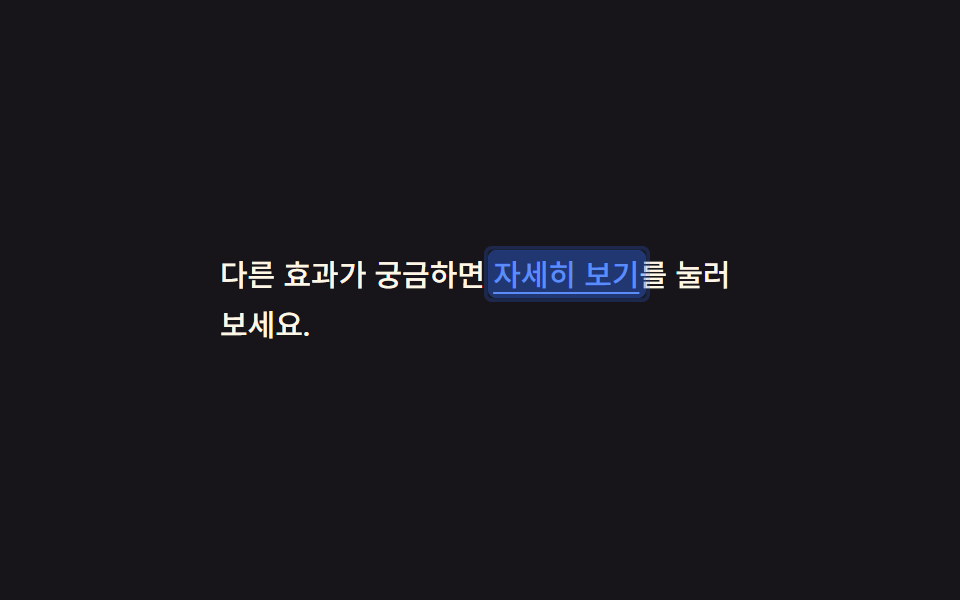
Chạm vào một link nằm giữa câu văn, một khối màu hiện lên sau chữ rồi tắt trong 140ms, để lại dấu vết đã bấm dù tap-highlight mặc định của trình duyệt đã bị tắt hẳn.
<main class="stage">
  <p class="p">Muốn xem thêm hiệu ứng khác? <a href="#" class="p__link is-demo">Xem chi tiết</a> ở bên dưới.</p>
</main>
@use "../../../../site/static/demo-tokens" as *;
$duration: $dur-instant; // 배경 블록이 사라지는 시간 (0.14초)
$easing: $ease-out;
$color: $subject-blue; // 링크·하이라이트 색
@include stage($stage-ink);
.stage { padding: clamp(10px, 4vw, 28px); }
.p {
max-width: 260px;
font-weight: 500; font-size: 15px; line-height: 1.7; font-family: inherit;
color: $subject-cream;
margin: 0;
}
.p__link {
position: relative;
color: $subject-blue-light; // AA: 잉크 면 위 파란 링크 5.69:1 (탭 하이라이트는 $color 유지)
text-decoration: underline;
text-underline-offset: 3px;
-webkit-tap-highlight-color: transparent;
padding: 2px 3px;
margin: -2px -3px;
border-radius: 4px;
background: transparent;
transition: background $duration $easing;
// 규칙8 한 겹: 배경 플래시와 함께 두 겹 링이 불규칙하게 번지다 감쇠
&::after {
content: "";
position: absolute;
inset: -2px;
border-radius: inherit;
box-shadow: inset 0 0 0 0 rgba($color, .4), inset 0 0 0 0 rgba($color, .22);
opacity: 0;
pointer-events: none;
}
}
.p__link:active {
background: rgba($color, .32);
transition: background 0s;
}
.p__link:active::after {
animation: ripple-wave $dur-instant $ease-out;
}
.p__link.is-demo { animation: link-flash $dur-loop cubic-bezier(0, 0, 1, 1) infinite; }
.p__link.is-demo::after { animation: ripple-loop $dur-loop cubic-bezier(0, 0, 1, 1) infinite; }
@keyframes link-flash {
0% { background: rgba($color, .62); }
35% { background: rgba($color, 0); }
100% { background: rgba($color, 0); }
}
@keyframes ripple-wave {
0% { box-shadow: inset 0 0 0 0 rgba($color, .4), inset 0 0 0 0 rgba($color, .22); opacity: 1; }
100% { box-shadow: inset 0 0 0 6px rgba($color, 0), inset 0 0 0 4px rgba($color, 0); opacity: 0; }
}
@keyframes ripple-loop {
0% { box-shadow: inset 0 0 0 0 rgba($color, .4), inset 0 0 0 0 rgba($color, .22); opacity: 1; }
35% { box-shadow: inset 0 0 0 6px rgba($color, 0), inset 0 0 0 4px rgba($color, 0); opacity: 0; }
100% { box-shadow: inset 0 0 0 6px rgba($color, 0), inset 0 0 0 4px rgba($color, 0); opacity: 0; }
}
@media (prefers-reduced-motion: reduce) {
.p__link { transition: none; }
.p__link::after { animation: none !important; opacity: 0; }
.p__link.is-demo { animation: none; }
}html, body {
margin: 0;
overflow: hidden;
}
.stage {
box-sizing: border-box;
min-height: 100vh;
display: grid;
place-items: center;
margin: 0;
background: #17141a;
font-family: -apple-system, "Segoe UI", "Noto Sans KR", sans-serif;
padding: clamp(8px, 4vw, 24px);
}
.stage {
padding: clamp(10px, 4vw, 28px);
}
.p {
max-width: 260px;
font-weight: 500;
font-size: 15px;
line-height: 1.7;
font-family: inherit;
color: #fff7e6;
margin: 0;
}
.p__link {
position: relative;
color: #5b8cf8;
text-decoration: underline;
text-underline-offset: 3px;
-webkit-tap-highlight-color: transparent;
padding: 2px 3px;
margin: -2px -3px;
border-radius: 4px;
background: transparent;
transition: background 140ms ease-out;
}
.p__link::after {
content: "";
position: absolute;
inset: -2px;
border-radius: inherit;
box-shadow: inset 0 0 0 0 rgba(47, 109, 246, 0.4), inset 0 0 0 0 rgba(47, 109, 246, 0.22);
opacity: 0;
pointer-events: none;
}
.p__link:active {
background: rgba(47, 109, 246, 0.32);
transition: background 0s;
}
.p__link:active::after {
animation: ripple-wave 140ms ease-out;
}
.p__link.is-demo {
animation: link-flash 2s cubic-bezier(0, 0, 1, 1) infinite;
}
.p__link.is-demo::after {
animation: ripple-loop 2s cubic-bezier(0, 0, 1, 1) infinite;
}
@keyframes link-flash {
0% {
background: rgba(47, 109, 246, 0.62);
}
35% {
background: rgba(47, 109, 246, 0);
}
100% {
background: rgba(47, 109, 246, 0);
}
}
@keyframes ripple-wave {
0% {
box-shadow: inset 0 0 0 0 rgba(47, 109, 246, 0.4), inset 0 0 0 0 rgba(47, 109, 246, 0.22);
opacity: 1;
}
100% {
box-shadow: inset 0 0 0 6px rgba(47, 109, 246, 0), inset 0 0 0 4px rgba(47, 109, 246, 0);
opacity: 0;
}
}
@keyframes ripple-loop {
0% {
box-shadow: inset 0 0 0 0 rgba(47, 109, 246, 0.4), inset 0 0 0 0 rgba(47, 109, 246, 0.22);
opacity: 1;
}
35% {
box-shadow: inset 0 0 0 6px rgba(47, 109, 246, 0), inset 0 0 0 4px rgba(47, 109, 246, 0);
opacity: 0;
}
100% {
box-shadow: inset 0 0 0 6px rgba(47, 109, 246, 0), inset 0 0 0 4px rgba(47, 109, 246, 0);
opacity: 0;
}
}
@media (prefers-reduced-motion: reduce) {
.p__link {
transition: none;
}
.p__link::after {
animation: none !important;
opacity: 0;
}
.p__link.is-demo {
animation: none;
}
}import type { CSSProperties, ReactNode } from "react";
import styles from "./TapLinkText.module.scss";
export type TapLinkTextProps = {
before: string;
linkText: string;
after: string;
href?: string;
duration?: number;
easing?: string;
color?: string;
children?: ReactNode;
};
type Vars = CSSProperties & { "--duration"?: string; "--easing"?: string; "--color"?: string };
export default function TapLinkText({
before,
linkText,
after,
href = "#",
duration = 140,
easing = "ease-out",
color = "#5b8cf8",
}: TapLinkTextProps) {
const vars: Vars = { "--duration": `${duration}ms`, "--easing": easing, "--color": color };
return (
<p className={styles.p} style={vars}>
{before} <a href={href} className={styles.link}>{linkText}</a>{after}
</p>
);
}09 · Link trong đoạn văn sáng lên khi chạm — Diện tích đo được 1.469% · khung hình chuyển động 8/23Nguyên tác GODRICH · SCSS và React nằm trong tệp zip · Xem mật khẩu
Dùng khi nào
Toàn bộ hiệu ứng chỉ đổi mỗi thuộc tính background nên không kéo theo bố cục xung quanh thay đổi theo.
.p__link {
  background: transparent;
  transition: background $duration $easing;
}
.p__link:active {
  background: rgba($color, .32);
  transition: background 0s;
}
Bẫy nằm ở đâu?
Ba mốc keyframe không chia đều
Nhìn vào keyframe link-flash trong file hiện tại sẽ thấy ba mốc hơi lạ: 0%, 35%, 100% — không chia đều 0%, 50%, 100% như hay viết theo thói quen. Site này đo demo bằng cách so khác biệt màu giữa hai khung hình liền nhau trong vòng lặp 2 giây ở 12fps, và chỉ tính là "có di chuyển" khi khác biệt đó vượt ngưỡng 12 trên thang 0–255 ở ít nhất 6 khung hình. Nếu để nền link đổi alpha tuyến tính (linear) trải đều suốt cả quãng 0% đến 60% thay vì dồn vào 0% đến 35%, quãng đổi màu bị kéo dài ra hơn gấp đôi nên mỗi khung hình đổi màu ít hơn hẳn — có nguy cơ tụt xuống ngay dưới ngưỡng 12 đó dù mắt nhìn demo vẫn thấy màu mờ dần khá rõ. Khi dồn cùng một lượng đổi màu vào cửa sổ hẹp 0% đến 35% như bản hiện tại, số đo thực tế của file này cho ra cường độ trung bình 16.2 trên thang 0–255, với 8 trong 24 khung hình có chuyển động — vượt hẳn ngưỡng 15 và 6 mà site đặt ra. Muốn tự mở file lên để xem đúng ba mốc keyframe đó ngay bây giờ, mật khẩu của bản zip là e8dzq4mp.
Khả năng tiếp cận
Giảm chuyển động và trạng thái đã phản hồi
Tất cả chín hiệu ứng tắt chuyển động dưới prefers-reduced-motion: reduce nhưng vẫn giữ lại trạng thái đã phản hồi — vòng ở mục 01 không nảy nhưng nút vẫn bấm được bình thường, thẻ ở mục 04 không còn độ trễ nhưng scale cuối vẫn áp dụng ngay khi giữ. Diện tích chạm cũng được tính bằng số chứ không chỉ ước lượng bằng mắt: hàng danh sách ở mục 05 đặt min-height: 44px, còn checkbox ở mục 08 tuy ô vuông hiển thị chỉ 26px nhưng cả label bao quanh vẫn giữ 44px để ngón tay có đủ chỗ chạm, đúng mức tối thiểu mà WCAG 2.5.8 đưa ra. Bốn mục dùng scale hoặc bóng đổ rõ rệt (02, 04, 06, 08) còn có thêm outline :focus-visible riêng cho người dùng bàn phím:
.btn:focus-visible {
  outline: 3px solid $subject-blue;
  outline-offset: 3px;
}
Focus ring mặc định và media feature pointer
Năm mục còn lại (01, 03, 05, 07, 09) dùng nguyên focus ring mặc định của trình duyệt trên button, li và a nên không cần khai báo lại. Trang MDN về media feature pointer ghi rõ cú pháp (hover: none) and (pointer: coarse) mà mục 03 dùng, còn bảng hỗ trợ trên caniuse xác nhận Chrome, Safari và Firefox đều đọc được media feature này từ nhiều năm nay. Muốn xem thêm hiệu ứng CSS khác thì ghé chuyên mục CSS, còn trang giới thiệu nói rõ vì sao mỗi bài ở đây đều đi kèm một file nén có khoá.
FAQ
Trên iOS Safari, vòng ở mục 01 có hiện ra ngay khi chạm không?
Nếu chỉ dựa vào :active thì có thể chậm — Safari trên iOS cần ít nhất một listener touchstart gắn trên body hoặc một phần tử cha thì mới áp dụng style :active ngay lập tức, theo ghi chú của MDN về :active. Mục 01 không dựa vào :active mà đổi class ngay trong sự kiện pointerdown bằng JavaScript, nên né được luôn vấn đề độ trễ này.
Style chỉ dành riêng cho cảm ứng ở mục 03 hoạt động ra sao trên máy tính bảng vừa có chuột vừa có cảm ứng?
Điều kiện (hover: none) and (pointer: coarse) xét theo thiết bị trỏ chính chứ không xét mọi thiết bị đang cắm vào máy. Nếu máy tính bảng tự báo cảm ứng là đầu vào chính thì khối CSS đó vẫn bật dù có chuột gắn thêm; ngược lại khi chuột trở thành đầu vào chính, khối này tắt hẳn mà không cần thêm dòng nào.
Có thể gộp cả chín hiệu ứng vào một form không?
Được. Vì chúng gắn trên các thẻ khác nhau — button, li, card, checkbox, a — nên đặt chung một màn hình không gây nhầm lẫn cái nào phản hồi cái nào. Chỉ nên tránh gắn đồng thời một hiệu ứng có độ trễ như mục 04 với một hiệu ứng phản hồi tức thì như mục 02 lên cùng một phần tử, vì người dùng sẽ không biết nên chờ phản hồi nào.
Có thể bạn cũng thích
 Phản hồi9 hiệu ứng css dark mode toggle 1 dòng CSS
 Phản hồi9 micro interactions css — dán 1 dòng chạy ngay
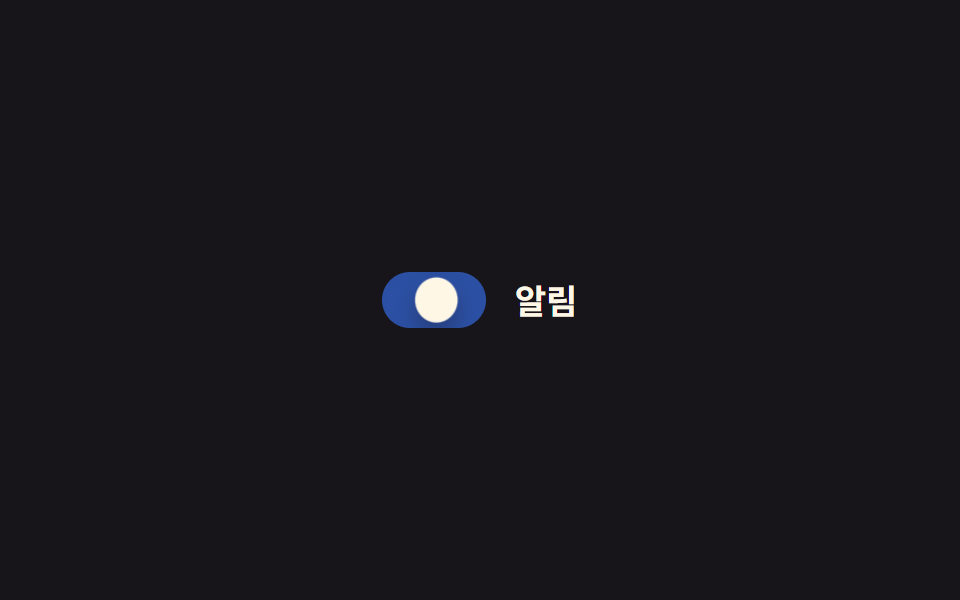 Phản hồi9 CSS Toggle Switches — dán 1 dòng là chạy
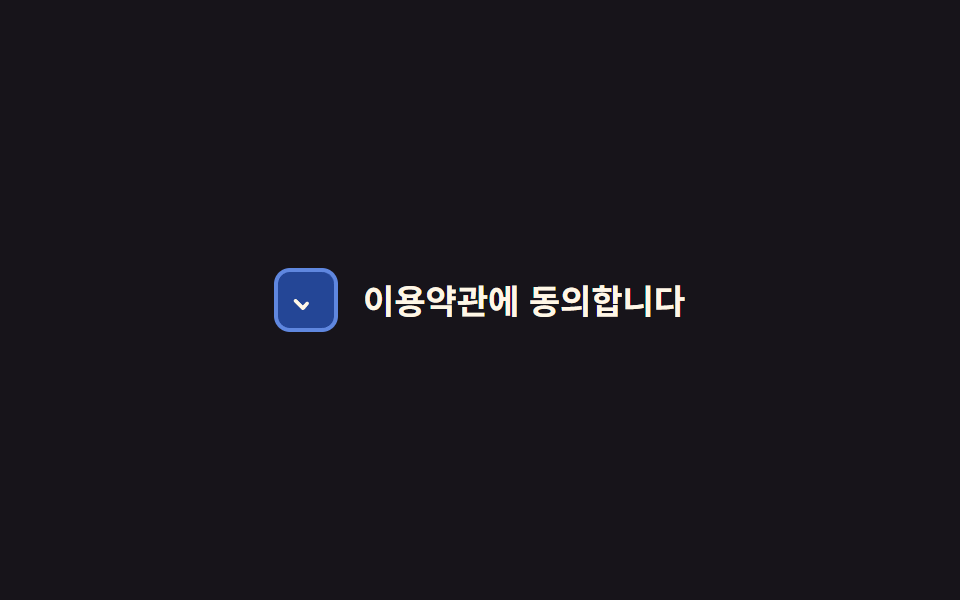 Phản hồi9 CSS Checkbox Radio — dán 1 dòng là chạy
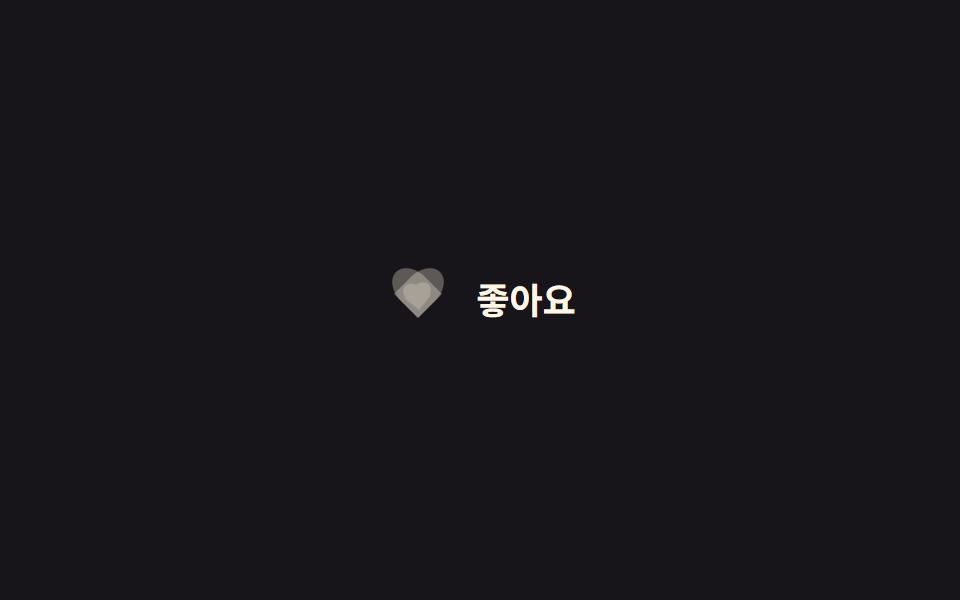 Phản hồi9 CSS Heart Like Animations — dán 1 dòng là chạy
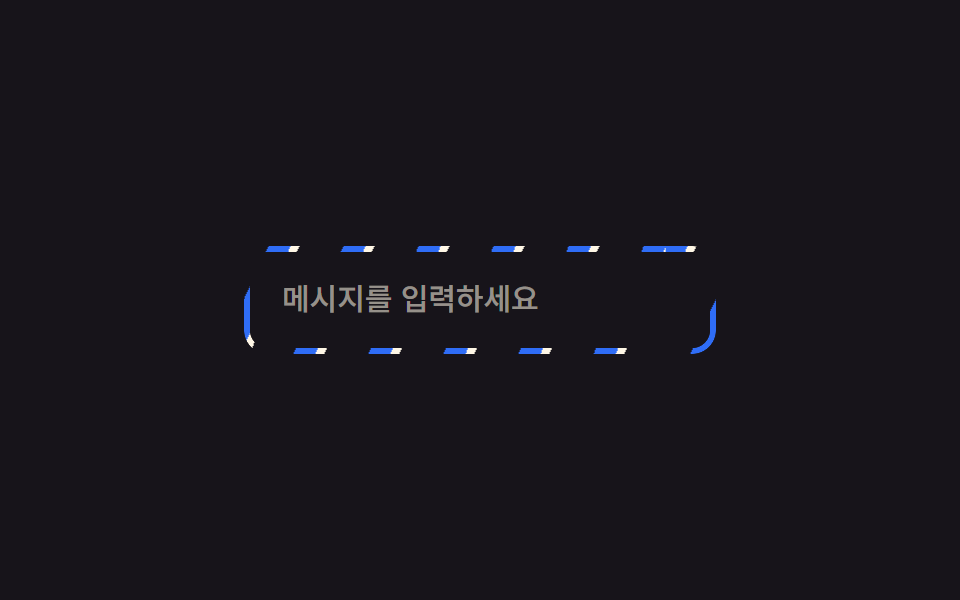 Phản hồi9 CSS Border Animations — dán 1 dòng là chạy
 Phản hồi9 CSS Keyframe Animations — dán 1 dòng là chạy
 Phản hồi9 SVG Icon Animation CSS — dán 1 dòng là chạy
 Phản hồi9 css glow effect — nút chữ phát sáng như neon
 Phản hồi9 css confetti animation — dán một file là chạy