9 css glow effect — nút chữ phát sáng như neon
css glow effect là lớp trang trí tạo vầng sáng lan ra quanh nút hoặc dòng chữ, trông như biển neon nhưng chỉ làm bằng vài dòng code, không cần ảnh hay video.
 01 glow-neon-effect-text-neon-flicker
 02 glow-neon-effect-button-glow-hover
 03 glow-neon-effect-border-glow-pulse
 04 glow-neon-effect-card-glow-spotlight
 05 glow-neon-effect-icon-glow-ring
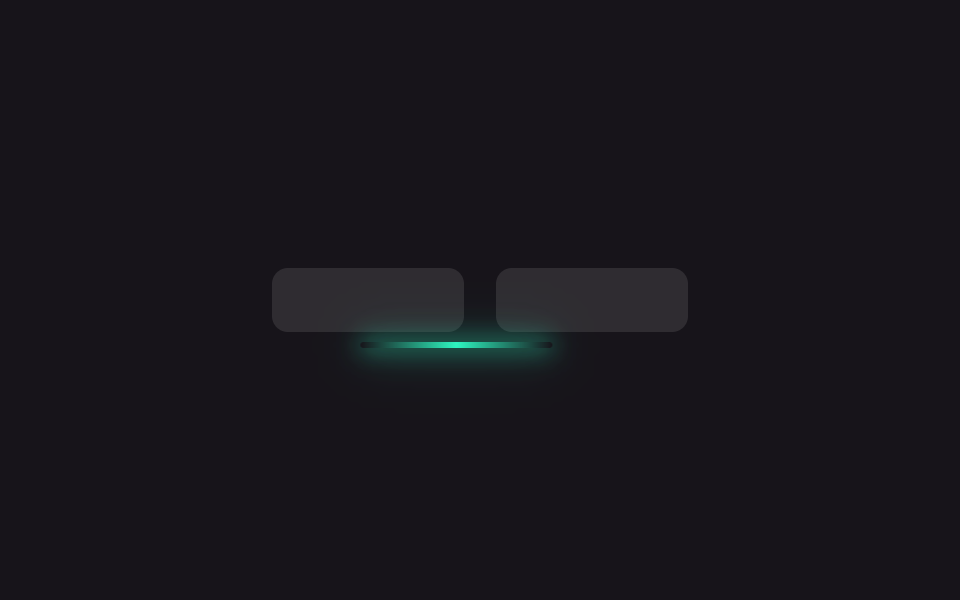 06 glow-neon-effect-underline-glow
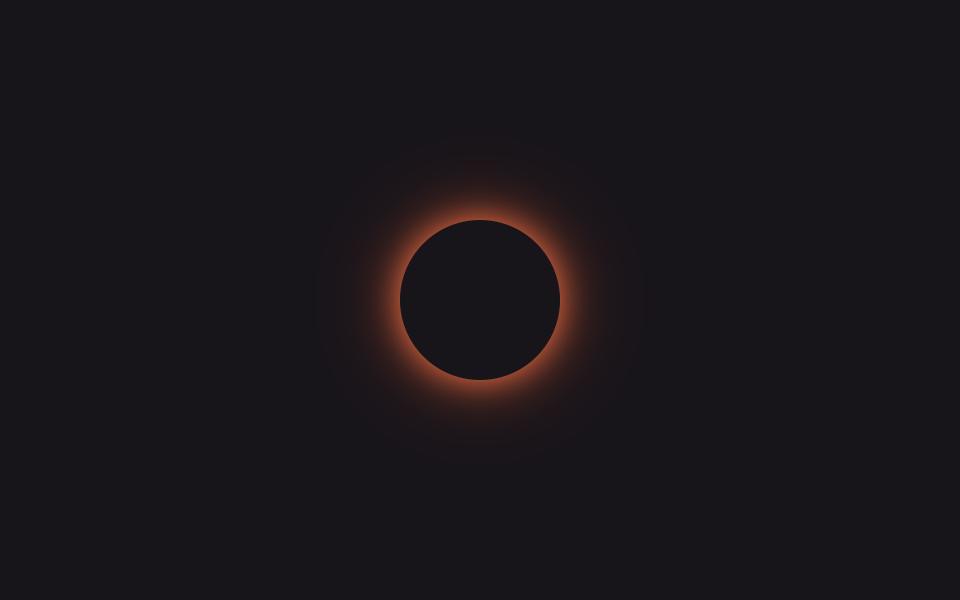 07 glow-neon-effect-property-glow-cycle
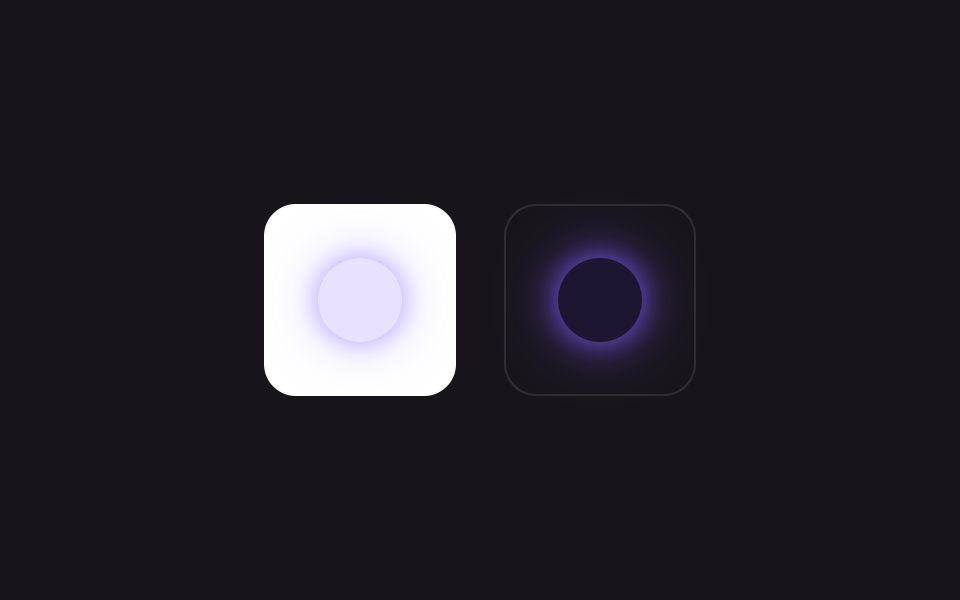 08 glow-neon-effect-glow-light-dark
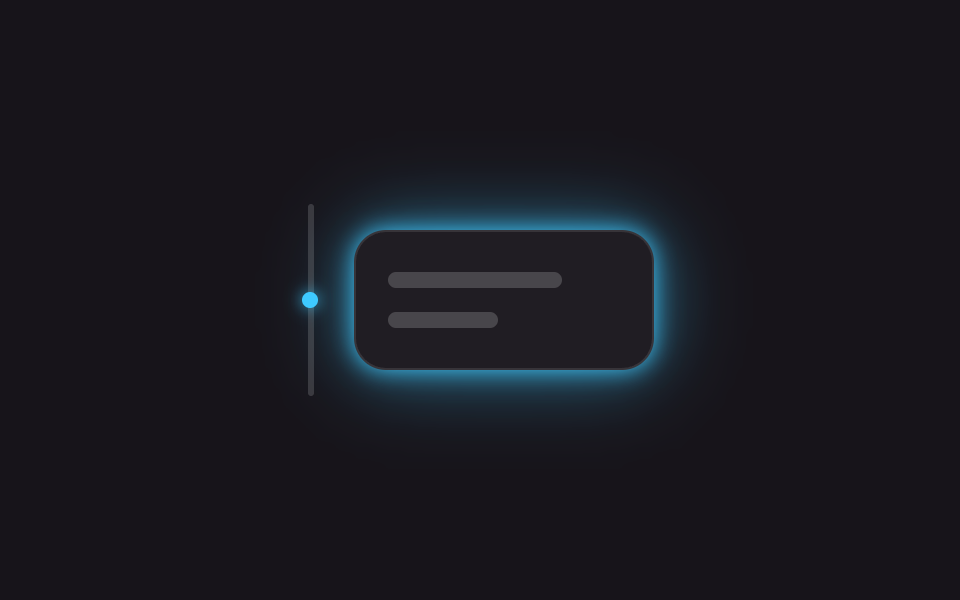 09 glow-neon-effect-glow-scroll-intensity
Tự chạy · bấm ô để tới mục đó · cả 9 trong một zip
- 01 Chữ neon chớp tắt
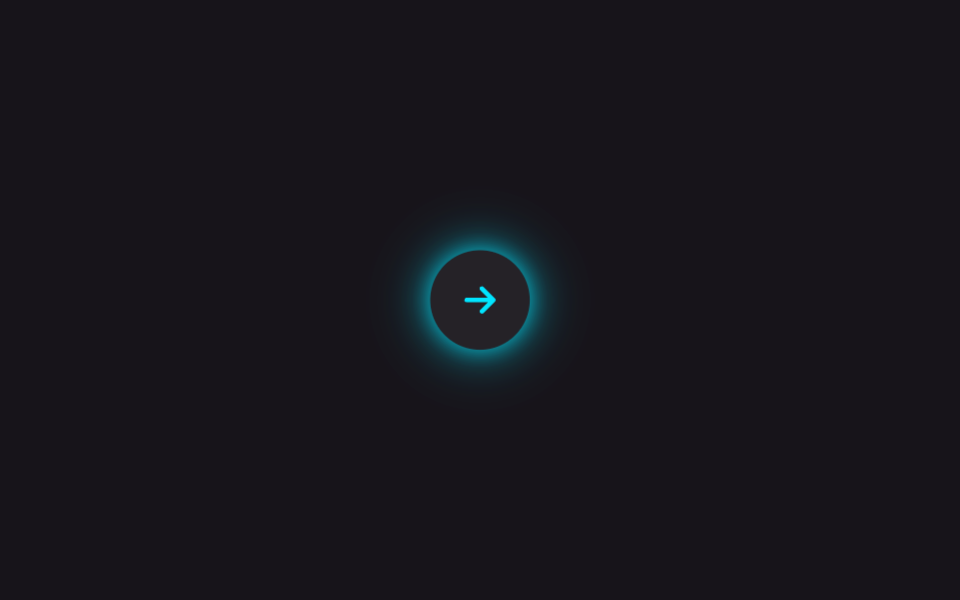
- 02 Nút phát sáng khi hover
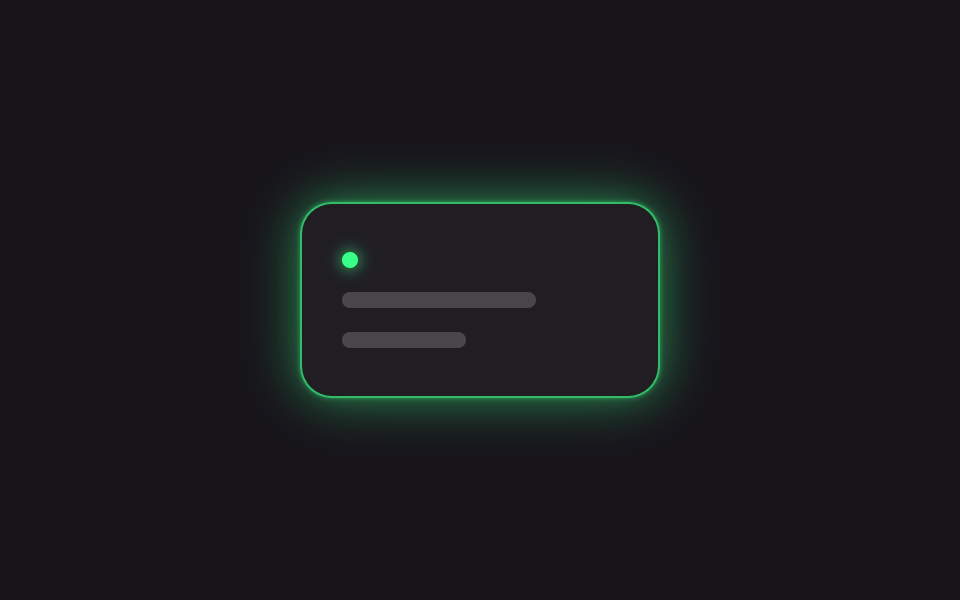
- 03 Viền glow đập nhịp
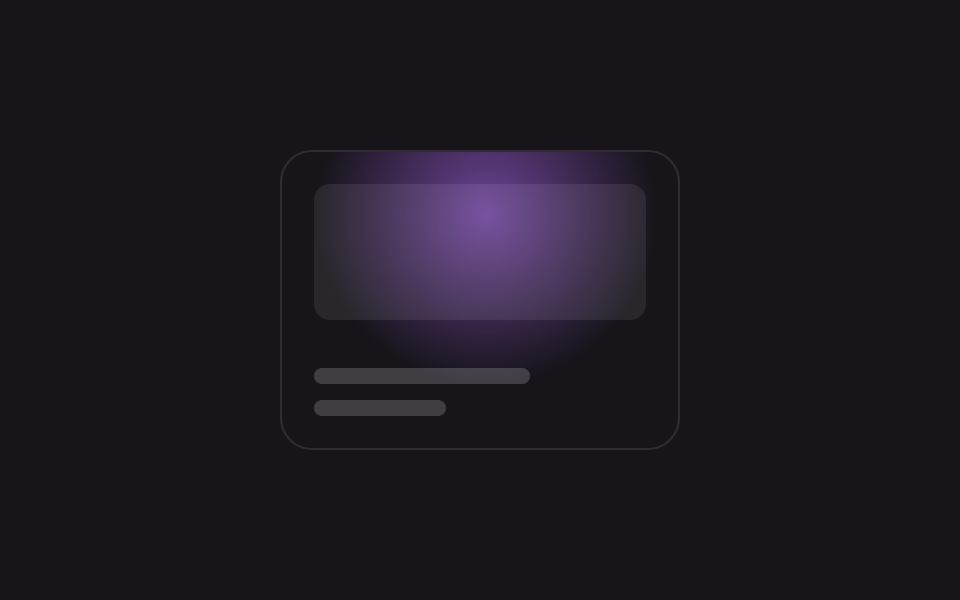
- 04 Card glow đèn rọi
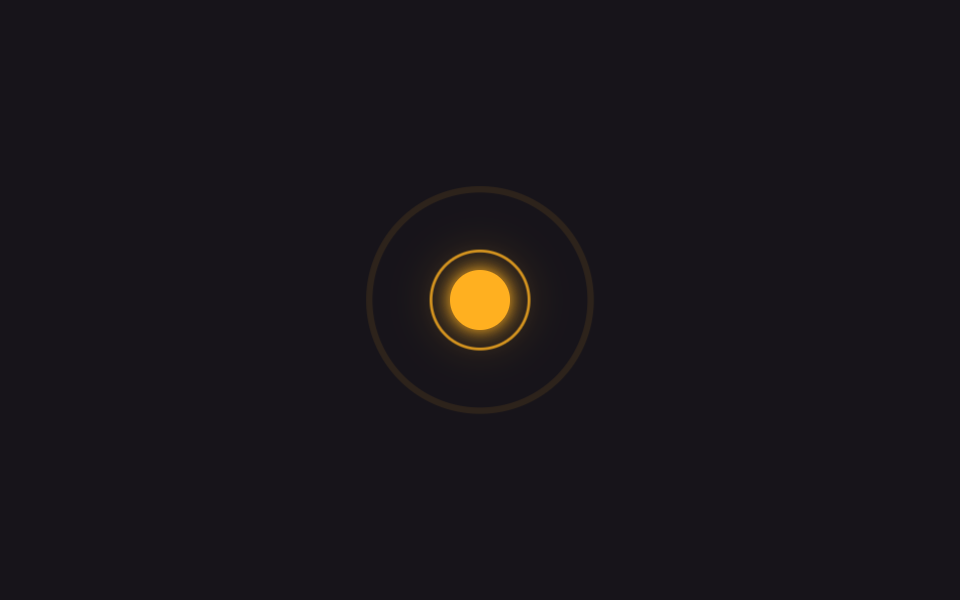
- 05 Vòng glow quanh icon
- 06 Gạch chân phát sáng
- 07 Xoay màu glow bằng @property
- 08 Glow tương thích light-dark()
- 09 Cường độ glow theo scroll
Chín mục không xếp theo độ nổi tiếng mà theo trình tự một vầng sáng thật sự trải qua trên màn hình: chữ cần nổi (01), nút để nhấn (02), thẻ trạng thái đang chờ (03), thẻ cần làm nổi (04), icon thông báo (05), menu điều hướng (06), rồi huy hiệu phải liên tục bắt mắt (07), huy hiệu hòa theo dark mode (08), và thẻ sáng lên khi bạn cuộn vào trang (09).
| Số | Tên | Cái gì phát sáng | JS |
|---|---|---|---|
| 01 | Chữ neon nhấp nháy | 5 lớp text-shadow |
không |
| 02 | Nút glow khi hover | box-shadow nở bán kính |
không |
| 03 | Viền glow thở | vòng box-shadow quanh viền |
không |
| 04 | Đèn rọi trên thẻ | tâm radial-gradient theo --x --y |
8 dòng |
| 05 | Vòng glow quanh icon | hai vòng scale lệch nửa nhịp |
không |
| 06 | Gạch chân glow | vệt translateX dưới menu |
không |
| 07 | Glow quay màu | --hue chạy 0 tới 360 |
không |
| 08 | Glow nhận light-dark() | một dòng thay hai nền | không |
| 09 | Glow đậm theo cuộn | --intensity từ IntersectionObserver |
vài dòng |
01Chữ neon nhấp nháy
Trên màn hình trông thế nào
Năm lớp text-shadow chồng lên dòng chữ loe sáng như ống neon thật, và vì bật tắt đều đặn sẽ lộ vẻ giả, đoạn dừng của @keyframes được chia thành 13 mốc để nhấp nháy lệch nhịp.
<main class="stage is-demo">
  <h1 class="neon">GODRICH</h1>
</main>
@use "../../../../site/static/demo-tokens" as *;
// ── 변수 3개 ──────────────────────────────────────────
$duration: $dur-loop; // 2s — 깜빡임 한 주기
$easing: linear;
$color: #ff2e63; // 네온 핑크
@include stage($stage-ink);
.neon {
margin: 0;
font: 800 clamp(30px, 11vmin, 56px)/1 "Segoe UI", -apple-system, "Noto Sans KR", sans-serif;
letter-spacing: .04em;
color: $stage-paper;
text-shadow:
0 0 $sp-1 $color,
0 0 $sp-2 $color,
0 0 $sp-4 rgba($color, .8),
0 0 $sp-8 rgba($color, .6),
0 0 $sp-12 rgba($color, .35);
}
// opacity 하나만 흔들어도 색+text-shadow 전체가 같이 어두워진다 — transform·opacity 원칙 유지
.stage.is-demo .neon {
animation: flicker $duration $easing infinite;
}
@keyframes flicker {
0% { opacity: 1; }
6% { opacity: .3; }
14% { opacity: 1; }
20% { opacity: 1; }
26% { opacity: .4; }
34% { opacity: 1; }
50% { opacity: 1; }
56% { opacity: .25; }
64% { opacity: 1; }
80% { opacity: 1; }
86% { opacity: .35; }
94% { opacity: 1; }
100% { opacity: 1; }
}
@media (prefers-reduced-motion: reduce) {
.stage.is-demo .neon { animation: none; opacity: 1; }
}html, body {
margin: 0;
overflow: hidden;
}
.stage {
box-sizing: border-box;
min-height: 100vh;
display: grid;
place-items: center;
margin: 0;
background: #17141a;
font-family: -apple-system, "Segoe UI", "Noto Sans KR", sans-serif;
padding: clamp(8px, 4vw, 24px);
}
.neon {
margin: 0;
font: 800 clamp(30px, 11vmin, 56px)/1 "Segoe UI", -apple-system, "Noto Sans KR", sans-serif;
letter-spacing: 0.04em;
color: #ffffff;
text-shadow: 0 0 4px #ff2e63, 0 0 8px #ff2e63, 0 0 16px rgba(255, 46, 99, 0.8), 0 0 32px rgba(255, 46, 99, 0.6), 0 0 48px rgba(255, 46, 99, 0.35);
}
.stage.is-demo .neon {
animation: flicker 2s linear infinite;
}
@keyframes flicker {
0% {
opacity: 1;
}
6% {
opacity: 0.3;
}
14% {
opacity: 1;
}
20% {
opacity: 1;
}
26% {
opacity: 0.4;
}
34% {
opacity: 1;
}
50% {
opacity: 1;
}
56% {
opacity: 0.25;
}
64% {
opacity: 1;
}
80% {
opacity: 1;
}
86% {
opacity: 0.35;
}
94% {
opacity: 1;
}
100% {
opacity: 1;
}
}
@media (prefers-reduced-motion: reduce) {
.stage.is-demo .neon {
animation: none;
opacity: 1;
}
}import type { CSSProperties } from "react";
import styles from "./NeonTextFlicker.module.scss";
export type NeonTextFlickerProps = {
/** 화면에 뜨는 글자 (기본 "GODRICH") */
text?: string;
/** 깜빡임 한 주기 (기본 2000ms) */
duration?: number;
color?: string;
};
export default function NeonTextFlicker({
text = "GODRICH",
duration = 2000,
color = "#ff2e63",
}: NeonTextFlickerProps) {
const vars: CSSProperties = { "--duration": `${duration}ms`, "--color": color } as CSSProperties;
return (
<div className={styles.stage} style={vars}>
<h1 className={styles.neon}>{text}</h1>
</div>
);
}01 · Chữ neon chớp tắt — Diện tích đo được 6.513% · khung hình chuyển động 14/23Nguyên tác GODRICH · SCSS và React nằm trong tệp zip · Xem mật khẩu
Mấu chốt nằm ở đâu
.neon {
  text-shadow:
    0 0 $sp-1 $color,
    0 0 $sp-2 $color,
    0 0 $sp-4 rgba($color, .8),
    0 0 $sp-8 rgba($color, .6),
    0 0 $sp-12 rgba($color, .35);
}
.stage.is-demo .neon { animation: flicker $duration $easing infinite; }
@keyframes flicker {
  0%   { opacity: 1; }
  6%   { opacity: .3; }
  14%  { opacity: 1; }
  20%  { opacity: 1; }
  26%  { opacity: .4; }
  34%  { opacity: 1; }
  50%  { opacity: 1; }
  56%  { opacity: .25; }
  64%  { opacity: 1; }
  80%  { opacity: 1; }
  86%  { opacity: .35; }
  94%  { opacity: 1; }
  100% { opacity: 1; }
}
02Nút glow khi hover
Nút nào nên dùng css glow effect on hover
Kiểu css glow effect button kinh điển này để vệt box-shadow mờ nằm sau nút lúc bình thường rất nhạt; khi bạn rê chuột hoặc focus bằng bàn phím thì bán kính và độ sáng nở ra, soi cả vùng không gian quanh nút.
<main class="stage is-demo">
  <button class="btn" type="button" aria-label="Tiếp theo">
    <svg viewBox="0 0 24 24" width="22" height="22" fill="none" aria-hidden="true">
      <path d="M5 12h13M13 6l6 6-6 6" stroke="currentColor" stroke-width="2.4" stroke-linecap="round" stroke-linejoin="round"/>
    </svg>
  </button>
</main>
@use "../../../../site/static/demo-tokens" as *;
// ── 변수 3개 ──────────────────────────────────────────
$duration: $dur-loop; // 2s — 호버 루프 한 주기
$easing: $ease-out;
$color: #00e5ff; // 네온 시안
@include stage($stage-ink);
.btn {
display: grid; place-items: center;
width: $sp-12; height: $sp-12;
border: 0; border-radius: 50%;
background: rgba($stage-paper, .06);
color: $color;
cursor: pointer; -webkit-tap-highlight-color: transparent;
box-shadow: 0 0 $sp-2 rgba($color, .3), 0 0 $sp-4 rgba($color, .12);
transition: box-shadow $dur-base $easing, transform $dur-base $easing, background $dur-base $easing;
}
.btn:hover,
.btn:focus-visible {
background: rgba($stage-paper, .1);
box-shadow: 0 0 $sp-3 $color, 0 0 $sp-8 rgba($color, .65), 0 0 $sp-12 rgba($color, .3);
transform: scale(1.06);
outline: none;
}
// box-shadow·transform 만 바뀐다 — 레이아웃은 그대로
.stage.is-demo .btn {
animation: hover-loop $duration $easing infinite;
}
@keyframes hover-loop {
0%, 12%, 100% {
box-shadow: 0 0 $sp-2 rgba($color, .3), 0 0 $sp-4 rgba($color, .12);
transform: scale(1);
}
35%, 75% {
box-shadow: 0 0 $sp-3 $color, 0 0 $sp-8 rgba($color, .65), 0 0 $sp-12 rgba($color, .3);
transform: scale(1.06);
}
92% {
box-shadow: 0 0 $sp-2 rgba($color, .3), 0 0 $sp-4 rgba($color, .12);
transform: scale(1);
}
}
@media (prefers-reduced-motion: reduce) {
.stage.is-demo .btn { animation: none; }
.btn { transition-duration: 1ms; }
}html, body {
margin: 0;
overflow: hidden;
}
.stage {
box-sizing: border-box;
min-height: 100vh;
display: grid;
place-items: center;
margin: 0;
background: #17141a;
font-family: -apple-system, "Segoe UI", "Noto Sans KR", sans-serif;
padding: clamp(8px, 4vw, 24px);
}
.btn {
display: grid;
place-items: center;
width: 48px;
height: 48px;
border: 0;
border-radius: 50%;
background: rgba(255, 255, 255, 0.06);
color: #00e5ff;
cursor: pointer;
-webkit-tap-highlight-color: transparent;
box-shadow: 0 0 8px rgba(0, 229, 255, 0.3), 0 0 16px rgba(0, 229, 255, 0.12);
transition: box-shadow 300ms ease-out, transform 300ms ease-out, background 300ms ease-out;
}
.btn:hover,
.btn:focus-visible {
background: rgba(255, 255, 255, 0.1);
box-shadow: 0 0 12px #00e5ff, 0 0 32px rgba(0, 229, 255, 0.65), 0 0 48px rgba(0, 229, 255, 0.3);
transform: scale(1.06);
outline: none;
}
.stage.is-demo .btn {
animation: hover-loop 2s ease-out infinite;
}
@keyframes hover-loop {
0%, 12%, 100% {
box-shadow: 0 0 8px rgba(0, 229, 255, 0.3), 0 0 16px rgba(0, 229, 255, 0.12);
transform: scale(1);
}
35%, 75% {
box-shadow: 0 0 12px #00e5ff, 0 0 32px rgba(0, 229, 255, 0.65), 0 0 48px rgba(0, 229, 255, 0.3);
transform: scale(1.06);
}
92% {
box-shadow: 0 0 8px rgba(0, 229, 255, 0.3), 0 0 16px rgba(0, 229, 255, 0.12);
transform: scale(1);
}
}
@media (prefers-reduced-motion: reduce) {
.stage.is-demo .btn {
animation: none;
}
.btn {
transition-duration: 1ms;
}
}// 실제 사람이 누르면 강제 루프를 떼고 :hover · :focus-visible 에 맡긴다.
document.querySelector('.btn').addEventListener('pointerdown', function () {
document.querySelector('.stage').classList.remove('is-demo');
});import type { CSSProperties, MouseEvent } from "react";
import styles from "./ButtonGlowHover.module.scss";
export type ButtonGlowHoverProps = {
duration?: number;
easing?: string;
color?: string;
label?: string;
onClick?: (e: MouseEvent<HTMLButtonElement>) => void;
};
export default function ButtonGlowHover({
duration = 300,
easing = "ease-out",
color = "#00e5ff",
label = "다음",
onClick,
}: ButtonGlowHoverProps) {
const vars: CSSProperties = { "--duration": `${duration}ms`, "--easing": easing, "--color": color } as CSSProperties;
return (
<button className={styles.btn} type="button" style={vars} aria-label={label} onClick={onClick}>
<svg viewBox="0 0 24 24" width={22} height={22} fill="none" aria-hidden="true">
<path d="M5 12h13M13 6l6 6-6 6" stroke="currentColor" strokeWidth={2.4} strokeLinecap="round" strokeLinejoin="round" />
</svg>
</button>
);
}02 · Nút phát sáng khi hover — Diện tích đo được 4.303% · khung hình chuyển động 11/23Nguyên tác GODRICH · SCSS và React nằm trong tệp zip · Xem mật khẩu
Điểm cần nhớ
.btn {
  box-shadow: 0 0 8px rgba(0, 229, 255, .3),
              0 0 16px rgba(0, 229, 255, .12);
  transition: box-shadow .3s ease-out, transform .3s ease-out;
}
.btn:hover,
.btn:focus-visible {
  box-shadow: 0 0 12px #00e5ff,
              0 0 32px rgba(0, 229, 255, .65);
  transform: scale(1.06);
}
03Viền glow thở
Đó là trạng thái nào của thẻ
Vòng box-shadow ôm lấy viền thẻ, co dãn bán kính và độ đậm như một nhịp thở, báo rằng thẻ này đang hoạt động ngay lúc này.
<main class="stage is-demo">
  <div class="card">
    <span class="dot" aria-hidden="true"></span>
    <span class="bar bar--lg" aria-hidden="true"></span>
    <span class="bar bar--sm" aria-hidden="true"></span>
  </div>
</main>
@use "../../../../site/static/demo-tokens" as *;
// ── 변수 3개 ──────────────────────────────────────────
$duration: $dur-loop; // 2s — 펄스 한 주기
$easing: ease-in-out;
$color: #39ff88; // 네온 그린 (라이브 상태)
@include stage($stage-ink);
.card {
position: relative;
box-sizing: border-box;
width: clamp(180px, 56vmin, 260px);
padding: $sp-6 $sp-5;
border-radius: $r-card;
border: 1px solid rgba($color, .5);
background: rgba($stage-paper, .04);
display: flex; flex-direction: column; gap: $sp-3;
}
.dot {
width: $sp-2; height: $sp-2; border-radius: 50%;
background: $color;
box-shadow: 0 0 $sp-2 $color;
}
.bar { display: block; height: $sp-2; border-radius: $r-xs; background: rgba($stage-paper, .18); }
.bar--lg { width: 70%; }
.bar--sm { width: 45%; }
// box-shadow 스프레드·불투명도만 바뀐다 — 테두리 위치·카드 크기는 고정
.stage.is-demo .card {
animation: pulse $duration $easing infinite;
}
@keyframes pulse {
0%, 100% {
box-shadow: 0 0 0 rgba($color, 0), 0 0 $sp-2 rgba($color, .18);
border-color: rgba($color, .35);
}
50% {
box-shadow: 0 0 $sp-1 rgba($color, .7), 0 0 $sp-8 rgba($color, .55), 0 0 $sp-12 rgba($color, .22);
border-color: rgba($color, .9);
}
}
@media (prefers-reduced-motion: reduce) {
.stage.is-demo .card { animation: none; box-shadow: 0 0 $sp-2 rgba($color, .4); }
}html, body {
margin: 0;
overflow: hidden;
}
.stage {
box-sizing: border-box;
min-height: 100vh;
display: grid;
place-items: center;
margin: 0;
background: #17141a;
font-family: -apple-system, "Segoe UI", "Noto Sans KR", sans-serif;
padding: clamp(8px, 4vw, 24px);
}
.card {
position: relative;
box-sizing: border-box;
width: clamp(180px, 56vmin, 260px);
padding: 24px 20px;
border-radius: 16px;
border: 1px solid rgba(57, 255, 136, 0.5);
background: rgba(255, 255, 255, 0.04);
display: flex;
flex-direction: column;
gap: 12px;
}
.dot {
width: 8px;
height: 8px;
border-radius: 50%;
background: #39ff88;
box-shadow: 0 0 8px #39ff88;
}
.bar {
display: block;
height: 8px;
border-radius: 4px;
background: rgba(255, 255, 255, 0.18);
}
.bar--lg {
width: 70%;
}
.bar--sm {
width: 45%;
}
.stage.is-demo .card {
animation: pulse 2s ease-in-out infinite;
}
@keyframes pulse {
0%, 100% {
box-shadow: 0 0 0 rgba(57, 255, 136, 0), 0 0 8px rgba(57, 255, 136, 0.18);
border-color: rgba(57, 255, 136, 0.35);
}
50% {
box-shadow: 0 0 4px rgba(57, 255, 136, 0.7), 0 0 32px rgba(57, 255, 136, 0.55), 0 0 48px rgba(57, 255, 136, 0.22);
border-color: rgba(57, 255, 136, 0.9);
}
}
@media (prefers-reduced-motion: reduce) {
.stage.is-demo .card {
animation: none;
box-shadow: 0 0 8px rgba(57, 255, 136, 0.4);
}
}import type { CSSProperties, ReactNode } from "react";
import styles from "./BorderGlowPulse.module.scss";
export type BorderGlowPulseProps = {
/** 펄스 한 주기 (기본 2000ms) */
duration?: number;
color?: string;
/** 카드 안에 넣을 내용. 기본은 뼈대(스켈레톤) 두 줄 */
children?: ReactNode;
};
export default function BorderGlowPulse({
duration = 2000,
color = "#39ff88",
children,
}: BorderGlowPulseProps) {
const vars: CSSProperties = { "--duration": `${duration}ms`, "--color": color } as CSSProperties;
return (
<div className={styles.card} style={vars}>
<span className={styles.dot} aria-hidden="true" />
{children ?? (
<>
<span className={`${styles.bar} ${styles.barLg}`} />
<span className={`${styles.bar} ${styles.barSm}`} />
</>
)}
</div>
);
}03 · Viền glow đập nhịp — Diện tích đo được 10.727% · khung hình chuyển động 12/23Nguyên tác GODRICH · SCSS và React nằm trong tệp zip · Xem mật khẩu
Cách làm ra nhịp thở đó
.card { animation: pulse 2s ease-in-out infinite; }

@keyframes pulse {
  0%, 100% {
    box-shadow: 0 0 8px rgba(57, 255, 136, .18);
    border-color: rgba(57, 255, 136, .35);
  }
  50% {
    box-shadow: 0 0 4px rgba(57, 255, 136, .7),
                0 0 32px rgba(57, 255, 136, .55);
    border-color: rgba(57, 255, 136, .9);
  }
}
04Đèn rọi glow trên thẻ
Cái gì đang chuyển động
Tâm của radial-gradient phủ trên thẻ do hai biến --x --y dời chỗ. Vì cặp biến này đăng ký qua @property theo kiểu phần trăm chứ không phải góc, @keyframes nội suy mượt mà; khi không có con trỏ thì chính keyframes kéo hai biến chạy quanh.
<main class="stage is-demo">
  <div class="card">
    <span class="thumb" aria-hidden="true"></span>
    <span class="bar bar--lg" aria-hidden="true"></span>
    <span class="bar bar--sm" aria-hidden="true"></span>
  </div>
</main>
@use "../../../../site/static/demo-tokens" as *;
// ── 변수 3개 ──────────────────────────────────────────
$duration: $dur-loop; // 2s — 스포트라이트 한 바퀴
$easing: ease-in-out;
$color: #b36bff; // 네온 바이올렛
@include stage($stage-ink);
// 등록 없는 커스텀 프로퍼티는 키프레임으로 보간이 안 된다 — 반드시 @property 로 등록한다 (원리 섹션 재료)
@property --x { syntax: '<percentage>'; inherits: false; initial-value: 50%; }
@property --y { syntax: '<percentage>'; inherits: false; initial-value: 50%; }
.card {
position: relative;
overflow: hidden;
box-sizing: border-box;
width: clamp(200px, 62vmin, 300px);
aspect-ratio: 4 / 3;
border-radius: $r-card;
background: $stage-ink;
border: 1px solid rgba($stage-paper, .1);
padding: $sp-4;
display: flex; flex-direction: column; justify-content: flex-end; gap: $sp-2;
}
.card::before {
content: '';
position: absolute; inset: 0;
background: radial-gradient(circle at var(--x) var(--y), rgba($color, .55), transparent 55%);
pointer-events: none;
}
.thumb { position: absolute; top: $sp-4; left: $sp-4; right: $sp-4; height: 46%; border-radius: $r-sm; background: rgba($stage-paper, .08); }
.bar { display: block; height: $sp-2; border-radius: $r-xs; background: rgba($stage-paper, .18); }
.bar--lg { width: 65%; }
.bar--sm { width: 40%; }
// --x·--y 만 움직인다 — @property 등록 덕에 keyframes 가 보간할 수 있다
.stage.is-demo .card::before {
animation: sweep $duration $easing infinite;
}
@keyframes sweep {
0% { --x: 18%; --y: 20%; }
25% { --x: 85%; --y: 22%; }
50% { --x: 78%; --y: 80%; }
75% { --x: 20%; --y: 76%; }
100% { --x: 18%; --y: 20%; }
}
@media (prefers-reduced-motion: reduce) {
.stage.is-demo .card::before { animation: none; --x: 50%; --y: 50%; }
}html, body {
margin: 0;
overflow: hidden;
}
.stage {
box-sizing: border-box;
min-height: 100vh;
display: grid;
place-items: center;
margin: 0;
background: #17141a;
font-family: -apple-system, "Segoe UI", "Noto Sans KR", sans-serif;
padding: clamp(8px, 4vw, 24px);
}
@property --x {
syntax: "<percentage>";
inherits: false;
initial-value: 50%;
}
@property --y {
syntax: "<percentage>";
inherits: false;
initial-value: 50%;
}
.card {
position: relative;
overflow: hidden;
box-sizing: border-box;
width: clamp(200px, 62vmin, 300px);
aspect-ratio: 4/3;
border-radius: 16px;
background: #17141a;
border: 1px solid rgba(255, 255, 255, 0.1);
padding: 16px;
display: flex;
flex-direction: column;
justify-content: flex-end;
gap: 8px;
}
.card::before {
content: "";
position: absolute;
inset: 0;
background: radial-gradient(circle at var(--x) var(--y), rgba(179, 107, 255, 0.55), transparent 55%);
pointer-events: none;
}
.thumb {
position: absolute;
top: 16px;
left: 16px;
right: 16px;
height: 46%;
border-radius: 8px;
background: rgba(255, 255, 255, 0.08);
}
.bar {
display: block;
height: 8px;
border-radius: 4px;
background: rgba(255, 255, 255, 0.18);
}
.bar--lg {
width: 65%;
}
.bar--sm {
width: 40%;
}
.stage.is-demo .card::before {
animation: sweep 2s ease-in-out infinite;
}
@keyframes sweep {
0% {
--x: 18%;
--y: 20%;
}
25% {
--x: 85%;
--y: 22%;
}
50% {
--x: 78%;
--y: 80%;
}
75% {
--x: 20%;
--y: 76%;
}
100% {
--x: 18%;
--y: 20%;
}
}
@media (prefers-reduced-motion: reduce) {
.stage.is-demo .card::before {
animation: none;
--x: 50%;
--y: 50%;
}
}// 실제 커서가 카드 위를 지나가면 --x·--y 를 좌표로 갱신하고 데모 루프를 뗀다 (8줄).
(function () {
var card = document.querySelector('.card');
card.addEventListener('pointermove', function (e) {
var r = card.getBoundingClientRect();
card.style.setProperty('--x', ((e.clientX - r.left) / r.width * 100) + '%');
card.style.setProperty('--y', ((e.clientY - r.top) / r.height * 100) + '%');
document.querySelector('.stage').classList.remove('is-demo');
});
})();import { useCallback, useRef } from "react";
import type { CSSProperties, PointerEvent } from "react";
import styles from "./CardSpotlightGlow.module.scss";
export type CardSpotlightGlowProps = {
duration?: number;
easing?: string;
color?: string;
};
export default function CardSpotlightGlow({
duration = 2000,
easing = "ease-in-out",
color = "#b36bff",
}: CardSpotlightGlowProps) {
const cardRef = useRef<HTMLDivElement | null>(null);
const onPointerMove = useCallback((e: PointerEvent<HTMLDivElement>) => {
const el = cardRef.current;
if (!el) return;
const r = el.getBoundingClientRect();
el.style.setProperty("--x", `${((e.clientX - r.left) / r.width) * 100}%`);
el.style.setProperty("--y", `${((e.clientY - r.top) / r.height) * 100}%`);
}, []);
const vars: CSSProperties = { "--duration": `${duration}ms`, "--easing": easing, "--color": color } as CSSProperties;
return (
<div ref={cardRef} className={styles.card} style={vars} onPointerMove={onPointerMove}>
<span className={styles.thumb} aria-hidden="true" />
<span className={`${styles.bar} ${styles.barLg}`} />
<span className={`${styles.bar} ${styles.barSm}`} />
</div>
);
}04 · Card glow đèn rọi — Diện tích đo được 20.233% · khung hình chuyển động 16/23Nguyên tác GODRICH · SCSS và React nằm trong tệp zip · Xem mật khẩu
Đọc code như thế nào
Vị trí chuột thật do một đoạn JS 8 dòng ghi vào đúng hai biến đó.
@property --x { syntax: '<percentage>'; inherits: false; initial-value: 50%; }
@property --y { syntax: '<percentage>'; inherits: false; initial-value: 50%; }

.card::before {
  content: '';
  position: absolute; inset: 0;
  background: radial-gradient(circle at var(--x) var(--y),
              rgba(179, 107, 255, .55), transparent 55%);
  animation: sweep 2s ease-in-out infinite;
}
@keyframes sweep {
  0%   { --x: 18%; --y: 20%; }
  25%  { --x: 85%; --y: 22%; }
  50%  { --x: 78%; --y: 80%; }
  75%  { --x: 20%; --y: 76%; }
  100% { --x: 18%; --y: 20%; }
}
05Vòng glow quanh icon
Dùng ở đâu
Hai vòng tròn ôm quanh icon thay nhau phình ra và mờ dần rồi biến mất, đọc như một tín hiệu đang lan tỏa từ trung tâm.
<main class="stage is-demo">
  <span class="icon-wrap" aria-hidden="true">
    <span class="ring ring--a"></span>
    <span class="ring ring--b"></span>
    <span class="icon"></span>
  </span>
</main>
@use "../../../../site/static/demo-tokens" as *;
// ── 변수 3개 ──────────────────────────────────────────
$duration: $dur-loop; // 2s — 링 한 번 퍼지는 시간
$easing: ease-out;
$color: #ffb020; // 네온 앰버 (알림)
@include stage($stage-ink);
.icon-wrap { position: relative; width: 72px; height: 72px; display: grid; place-items: center; }
.icon {
width: 30px; height: 30px; border-radius: 50%;
background: $color;
box-shadow: 0 0 $sp-2 $color, 0 0 $sp-6 rgba($color, .6);
}
.ring {
position: absolute; inset: 0;
border-radius: 50%;
border: 2px solid $color;
opacity: 0;
}
// transform·opacity 만 — 이 항목은 순수하게 원칙대로다
.stage.is-demo .ring--a { animation: ring $duration $easing infinite; }
.stage.is-demo .ring--b { animation: ring $duration $easing infinite; animation-delay: $duration * .5; }
@keyframes ring {
0% { transform: scale(.7); opacity: .8; }
70% { transform: scale(1.7); opacity: 0; }
100% { transform: scale(1.7); opacity: 0; }
}
@media (prefers-reduced-motion: reduce) {
.stage.is-demo .ring--a, .stage.is-demo .ring--b { animation: none; opacity: 0; }
}html, body {
margin: 0;
overflow: hidden;
}
.stage {
box-sizing: border-box;
min-height: 100vh;
display: grid;
place-items: center;
margin: 0;
background: #17141a;
font-family: -apple-system, "Segoe UI", "Noto Sans KR", sans-serif;
padding: clamp(8px, 4vw, 24px);
}
.icon-wrap {
position: relative;
width: 72px;
height: 72px;
display: grid;
place-items: center;
}
.icon {
width: 30px;
height: 30px;
border-radius: 50%;
background: #ffb020;
box-shadow: 0 0 8px #ffb020, 0 0 24px rgba(255, 176, 32, 0.6);
}
.ring {
position: absolute;
inset: 0;
border-radius: 50%;
border: 2px solid #ffb020;
opacity: 0;
}
.stage.is-demo .ring--a {
animation: ring 2s ease-out infinite;
}
.stage.is-demo .ring--b {
animation: ring 2s ease-out infinite;
animation-delay: 1s;
}
@keyframes ring {
0% {
transform: scale(0.7);
opacity: 0.8;
}
70% {
transform: scale(1.7);
opacity: 0;
}
100% {
transform: scale(1.7);
opacity: 0;
}
}
@media (prefers-reduced-motion: reduce) {
.stage.is-demo .ring--a, .stage.is-demo .ring--b {
animation: none;
opacity: 0;
}
}import type { CSSProperties } from "react";
import styles from "./IconGlowRing.module.scss";
export type IconGlowRingProps = {
/** 링 한 번 퍼지는 시간 (기본 2000ms) */
duration?: number;
color?: string;
};
export default function IconGlowRing({ duration = 2000, color = "#ffb020" }: IconGlowRingProps) {
const vars: CSSProperties = { "--duration": `${duration}ms`, "--color": color } as CSSProperties;
return (
<span className={styles.wrap} style={vars} aria-hidden="true">
<span className={`${styles.ring} ${styles.ringA}`} />
<span className={`${styles.ring} ${styles.ringB}`} />
<span className={styles.icon} />
</span>
);
}05 · Vòng glow quanh icon — Diện tích đo được 6.007% · khung hình chuyển động 23/23Nguyên tác GODRICH · SCSS và React nằm trong tệp zip · Xem mật khẩu
Điểm chính của code
Chỉ transform và opacity thay đổi nên đây là mục chạy nhẹ nhất trong cả bài.
.ring {
  position: absolute; inset: 0;
  border-radius: 50%;
  border: 2px solid #ffb020;
  opacity: 0;
  animation: ring 2s ease-out infinite;
}
.ring--b { animation-delay: 1s; }

@keyframes ring {
  0%   { transform: scale(.7); opacity: .8; }
  70%  { transform: scale(1.7); opacity: 0; }
  100% { transform: scale(1.7); opacity: 0; }
}
06Gạch chân glow
Bạn nhìn thấy gì
Gạch chân phết gradient neon trượt đúng dưới mục menu đang được chọn.
<main class="stage is-demo">
  <nav class="nav" aria-hidden="true">
    <span class="tab"></span>
    <span class="tab"></span>
    <span class="indicator"></span>
  </nav>
</main>
@use "../../../../site/static/demo-tokens" as *;
// ── 변수 3개 ──────────────────────────────────────────
$duration: $dur-loop; // 2s — 왕복 한 번
$easing: $ease-spring;
$color: #2df5c0; // 네온 틸
@include stage($stage-ink);
// 탭 두 개가 같은 고정 폭이라 인디케이터는 그 폭+간격만큼만 옮기면 된다 (짐작 없는 값 — BD19)
$tab-w: 96px;
$tab-gap: $sp-4;
.nav { position: relative; display: flex; gap: $tab-gap; }
.tab {
flex: 0 0 auto;
width: $tab-w; height: $sp-8;
border-radius: $r-sm;
background: rgba($stage-paper, .1);
}
.indicator {
position: absolute; left: 0; bottom: -$sp-2;
width: $tab-w; height: 3px;
border-radius: $r-xs;
background: linear-gradient(90deg, transparent, $color, transparent);
box-shadow: 0 0 $sp-3 $color, 0 0 $sp-6 rgba($color, .6);
}
// translateX 만 움직인다 — 폭이 고정값이라 도착 지점도 고정값이다
.stage.is-demo .indicator {
animation: slide $duration $easing infinite;
}
@keyframes slide {
0%, 40% { transform: translateX(0); }
60%, 90% { transform: translateX(#{$tab-w + $tab-gap}); }
100% { transform: translateX(0); }
}
@media (prefers-reduced-motion: reduce) {
.stage.is-demo .indicator { animation: none; }
}html, body {
margin: 0;
overflow: hidden;
}
.stage {
box-sizing: border-box;
min-height: 100vh;
display: grid;
place-items: center;
margin: 0;
background: #17141a;
font-family: -apple-system, "Segoe UI", "Noto Sans KR", sans-serif;
padding: clamp(8px, 4vw, 24px);
}
.nav {
position: relative;
display: flex;
gap: 16px;
}
.tab {
flex: 0 0 auto;
width: 96px;
height: 32px;
border-radius: 8px;
background: rgba(255, 255, 255, 0.1);
}
.indicator {
position: absolute;
left: 0;
bottom: -8px;
width: 96px;
height: 3px;
border-radius: 4px;
background: linear-gradient(90deg, transparent, #2df5c0, transparent);
box-shadow: 0 0 12px #2df5c0, 0 0 24px rgba(45, 245, 192, 0.6);
}
.stage.is-demo .indicator {
animation: slide 2s cubic-bezier(0.2, 0.8, 0.2, 1) infinite;
}
@keyframes slide {
0%, 40% {
transform: translateX(0);
}
60%, 90% {
transform: translateX(112px);
}
100% {
transform: translateX(0);
}
}
@media (prefers-reduced-motion: reduce) {
.stage.is-demo .indicator {
animation: none;
}
}import { useState } from "react";
import type { CSSProperties } from "react";
import styles from "./UnderlineGlow.module.scss";
export type UnderlineGlowProps = {
/** 슬라이드 시간 (기본 300ms) */
duration?: number;
easing?: string;
color?: string;
labels?: [string, string];
};
export default function UnderlineGlow({
duration = 300,
easing = "cubic-bezier(.2,.8,.2,1)",
color = "#2df5c0",
labels = ["탭 1", "탭 2"],
}: UnderlineGlowProps) {
const [active, setActive] = useState(0);
const vars: CSSProperties = { "--duration": `${duration}ms`, "--easing": easing, "--color": color } as CSSProperties;
return (
<nav className={styles.nav} style={vars}>
{labels.map((label, i) => (
<button
key={label}
type="button"
className={styles.tab}
aria-current={active === i}
onClick={() => setActive(i)}
>
{label}
</button>
))}
<span className={styles.indicator} data-active={active} />
</nav>
);
}06 · Gạch chân phát sáng — Diện tích đo được 3.618% · khung hình chuyển động 7/23Nguyên tác GODRICH · SCSS và React nằm trong tệp zip · Xem mật khẩu
Nguyên lý chạy thế nào
Vì hai tab cố định bề rộng 96px, quãng đường di chuyển (rộng 96px cộng khoảng hở 16px) tính bằng số là chính xác, không cần đo lại kết quả render.
.tab { flex: 0 0 auto; width: $tab-w; }

.indicator {
  position: absolute; left: 0; bottom: -$sp-2;
  width: $tab-w; height: 3px;
  background: linear-gradient(90deg, transparent, $color, transparent);
  box-shadow: 0 0 $sp-3 $color, 0 0 $sp-6 rgba($color, .6);
}
// chỉ translateX di chuyển — bề rộng là hằng số nên điểm đến cũng là hằng số
.stage.is-demo .indicator { animation: slide $duration $easing infinite; }
@keyframes slide {
  0%, 40%  { transform: translateX(0); }
  60%, 90% { transform: translateX(#{$tab-w + $tab-gap}); } // rộng 96px + hở 16px
  100%     { transform: translateX(0); }
}
07@property quay vòng màu glow
Đó là tình huống gì
Đăng ký --hue qua @property theo kiểu số rồi quay từ 0 tới 360, màu hsl(var(--hue) 90% 60%) chuyển liền mạch không đứt đoạn.
<main class="stage is-demo">
  <span class="badge" aria-hidden="true"></span>
</main>
@use "../../../../site/static/demo-tokens" as *;
// ── 변수 3개 ──────────────────────────────────────────
$duration: $dur-loop; // 2s — 색상 한 바퀴
$easing: linear;
$color: #8b5cf6; // @property 미지원 브라우저용 대체 색(첫 색조와 맞춤)
@include stage($stage-ink);
// 등록 없는 커스텀 프로퍼티는 숫자로 안 보이기 때문에 hsl() 이 튄다 — @property 로 <number> 를 선언해야 보간된다
@property --hue { syntax: '<number>'; inherits: false; initial-value: 262; }
.badge {
display: block;
width: 80px; height: 80px;
border-radius: 50%;
background: $stage-ink;
// @supports 로 감싸지 않아도 @property 를 모르는 엔진은 --hue 를 그냥 무시하고 이 고정값을 쓴다
box-shadow: 0 0 $sp-4 $color, 0 0 $sp-10 rgba($color, .5);
}
@supports (background: hsl(var(--hue) 100% 50%)) {
.badge {
box-shadow: 0 0 $sp-4 hsl(var(--hue) 90% 62%), 0 0 $sp-10 hsl(var(--hue) 90% 55% / .55);
}
}
// --hue 하나만 0→360 으로 돈다 — box-shadow 색이 같이 보간된다
.stage.is-demo .badge {
animation: cycle $duration $easing infinite;
}
@keyframes cycle {
from { --hue: 0; }
to { --hue: 360; }
}
@media (prefers-reduced-motion: reduce) {
.stage.is-demo .badge { animation: none; --hue: 262; }
}html, body {
margin: 0;
overflow: hidden;
}
.stage {
box-sizing: border-box;
min-height: 100vh;
display: grid;
place-items: center;
margin: 0;
background: #17141a;
font-family: -apple-system, "Segoe UI", "Noto Sans KR", sans-serif;
padding: clamp(8px, 4vw, 24px);
}
@property --hue {
syntax: "<number>";
inherits: false;
initial-value: 262;
}
.badge {
display: block;
width: 80px;
height: 80px;
border-radius: 50%;
background: #17141a;
box-shadow: 0 0 16px #8b5cf6, 0 0 40px rgba(139, 92, 246, 0.5);
}
@supports (background: hsl(var(--hue), 100%, 50%)) {
.badge {
box-shadow: 0 0 16px hsl(var(--hue), 90%, 62%), 0 0 40px hsl(var(--hue), 90%, 55%, 0.55);
}
}
.stage.is-demo .badge {
animation: cycle 2s linear infinite;
}
@keyframes cycle {
from {
--hue: 0;
}
to {
--hue: 360;
}
}
@media (prefers-reduced-motion: reduce) {
.stage.is-demo .badge {
animation: none;
--hue: 262;
}
}import type { CSSProperties } from "react";
import styles from "./PropertyGlowCycle.module.scss";
export type PropertyGlowCycleProps = {
/** 색상 한 바퀴 도는 시간 (기본 2000ms) */
duration?: number;
/** @property 미지원 브라우저용 대체 색 */
color?: string;
};
export default function PropertyGlowCycle({ duration = 2000, color = "#8b5cf6" }: PropertyGlowCycleProps) {
const vars: CSSProperties = { "--duration": `${duration}ms`, "--color": color } as CSSProperties;
return <span className={styles.badge} style={vars} aria-hidden="true" />;
}07 · Xoay màu glow bằng @property — Diện tích đo được 4.603% · khung hình chuyển động 23/23Nguyên tác GODRICH · SCSS và React nằm trong tệp zip · Xem mật khẩu
Cách tạo ra nó
Custom property chưa đăng ký thì không nội suy được, nên màu sẽ nhảy bậc thay vì chuyển mượt.
@property --hue { syntax: '<number>'; inherits: false; initial-value: 262; }

.badge {
  box-shadow: 0 0 16px hsl(var(--hue) 90% 62%),
              0 0 40px hsl(var(--hue) 90% 55% / .55);
  animation: cycle 2s linear infinite;
}
@keyframes cycle {
  from { --hue: 0; }
  to   { --hue: 360; }
}
08Glow nhận light-dark()
Điều gì đang diễn ra
Bên trong phần tử đã khai báo color-scheme, viết màu glow bằng light-dark() thì một dòng duy nhất tự chia nhánh — nhạt trên nền sáng, đậm trên nền tối — hoàn toàn không cần media query.
<main class="stage is-demo">
  <div class="row" aria-hidden="true">
    <div class="pane pane--light"><span class="badge"></span></div>
    <div class="pane pane--dark"><span class="badge"></span></div>
  </div>
</main>
@use "../../../../site/static/demo-tokens" as *;
// ── 변수 3개 ──────────────────────────────────────────
$duration: $dur-loop; // 2s — 숨쉬기 한 번
$easing: ease-in-out;
$color: #7c5cff; // 네온 인디고
@include stage($stage-ink);
.row { display: flex; gap: $sp-6; }
.pane {
box-sizing: border-box;
width: clamp(96px, 26vmin, 130px);
aspect-ratio: 1;
border-radius: $r-card;
display: grid; place-items: center;
}
// color-scheme 은 요소 단위로도 걸린다 — light-dark() 는 이 값을 보고 고른다
.pane--light { background: $stage-paper; color-scheme: light; }
.pane--dark { background: $stage-ink; color-scheme: dark; border: 1px solid rgba($stage-paper, .1); }
.badge {
width: 42px; height: 42px; border-radius: 50%;
background: light-dark(#e9e2ff, #1c1630);
// light-dark() 는 색 값에만 쓴다 — 길이(px)에 쓰면 무효한 선언이라 box-shadow 전체가 버려진다 (함정 섹션 재료, 실측)
--glow-rest: #{light-dark(rgba($color, 0), rgba($color, .2))};
--glow-peak: #{light-dark(rgba($color, .7), $color)};
--glow-peak-soft: #{light-dark(rgba($color, .3), rgba($color, .7))};
// 미디어쿼리 없이 한 줄이 배경에 맞춰 옅게/짙게 갈린다
box-shadow: 0 0 $sp-1 var(--glow-rest);
}
// box-shadow 가 거의 안 보이는 상태와 짙은 상태를 짧게 오간다 — 전환을 좁게 몰아야 눈에 확실히 띈다
.stage.is-demo .badge {
animation: breathe $duration $easing infinite;
}
@keyframes breathe {
0%, 15%, 85%, 100% { box-shadow: 0 0 $sp-1 var(--glow-rest); }
35%, 65% { box-shadow: 0 0 $sp-4 var(--glow-peak), 0 0 $sp-10 var(--glow-peak-soft); }
}
@media (prefers-reduced-motion: reduce) {
.stage.is-demo .badge { animation: none; }
}html, body {
margin: 0;
overflow: hidden;
}
.stage {
box-sizing: border-box;
min-height: 100vh;
display: grid;
place-items: center;
margin: 0;
background: #17141a;
font-family: -apple-system, "Segoe UI", "Noto Sans KR", sans-serif;
padding: clamp(8px, 4vw, 24px);
}
.row {
display: flex;
gap: 24px;
}
.pane {
box-sizing: border-box;
width: clamp(96px, 26vmin, 130px);
aspect-ratio: 1;
border-radius: 16px;
display: grid;
place-items: center;
}
.pane--light {
background: #ffffff;
color-scheme: light;
}
.pane--dark {
background: #17141a;
color-scheme: dark;
border: 1px solid rgba(255, 255, 255, 0.1);
}
.badge {
width: 42px;
height: 42px;
border-radius: 50%;
background: light-dark(#e9e2ff, #1c1630);
--glow-rest: light-dark(rgba(124, 92, 255, 0), rgba(124, 92, 255, 0.2));
--glow-peak: light-dark(rgba(124, 92, 255, 0.7), #7c5cff);
--glow-peak-soft: light-dark(rgba(124, 92, 255, 0.3), rgba(124, 92, 255, 0.7));
box-shadow: 0 0 4px var(--glow-rest);
}
.stage.is-demo .badge {
animation: breathe 2s ease-in-out infinite;
}
@keyframes breathe {
0%, 15%, 85%, 100% {
box-shadow: 0 0 4px var(--glow-rest);
}
35%, 65% {
box-shadow: 0 0 16px var(--glow-peak), 0 0 40px var(--glow-peak-soft);
}
}
@media (prefers-reduced-motion: reduce) {
.stage.is-demo .badge {
animation: none;
}
}import type { CSSProperties } from "react";
import styles from "./LightDarkGlow.module.scss";
export type LightDarkGlowProps = {
/** 숨쉬기 한 번 (기본 2000ms) */
duration?: number;
color?: string;
};
export default function LightDarkGlow({ duration = 2000, color = "#7c5cff" }: LightDarkGlowProps) {
const vars: CSSProperties = { "--duration": `${duration}ms`, "--color": color } as CSSProperties;
return (
<div className={styles.row} style={vars}>
<div className={`${styles.pane} ${styles.light}`}>
<span className={styles.badge} />
</div>
<div className={`${styles.pane} ${styles.dark}`}>
<span className={styles.badge} />
</div>
</div>
);
}08 · Glow tương thích light-dark() — Diện tích đo được 4.275% · khung hình chuyển động 8/23Nguyên tác GODRICH · SCSS và React nằm trong tệp zip · Xem mật khẩu
Vì sao chọn cách này
.pane--light { color-scheme: light; }
.pane--dark  { color-scheme: dark; }

.badge {
  --glow: light-dark(rgba(124, 92, 255, .3), #7c5cff);
  box-shadow: 0 0 4px var(--glow);
  animation: breathe 2s ease-in-out infinite;
}
@keyframes breathe {
  0%, 100% { box-shadow: 0 0 4px var(--glow); }
  50%      { box-shadow: 0 0 16px var(--glow); }
}
09Glow đậm dần theo cuộn
Trên màn hình có gì
Khi phần tử tiến lại gần tâm viewport, IntersectionObserver ghi tỷ lệ giao vào biến --intensity và vầng glow theo đó mà đậm thêm.
<main class="stage is-demo">
  <div class="row" aria-hidden="true">
    <span class="track"><span class="dot"></span></span>
    <div class="card">
      <span class="bar bar--lg"></span>
      <span class="bar bar--sm"></span>
    </div>
  </div>
</main>
@use "../../../../site/static/demo-tokens" as *;
// ── 변수 3개 ──────────────────────────────────────────
$duration: $dur-loop; // 2s — 오르내림 한 번
$easing: ease-in-out;
$color: #3ec9ff; // 네온 블루
@include stage($stage-ink);
.row { display: flex; align-items: center; gap: $sp-5; }
$track-h: 96px;
.track {
position: relative;
width: 3px; height: $track-h;
border-radius: $r-xs;
background: rgba($stage-paper, .15);
}
.dot {
position: absolute; top: 0; left: 50%;
width: $sp-2; height: $sp-2; margin-left: -$sp-1;
border-radius: 50%;
background: $color;
box-shadow: 0 0 $sp-2 $color;
}
// @property 로 등록해야 숫자로 보간된다 — box-shadow·opacity 계산에 그대로 쓴다
@property --intensity { syntax: '<number>'; inherits: false; initial-value: 0; }
.card {
box-sizing: border-box;
width: clamp(150px, 44vmin, 200px);
padding: $sp-5 $sp-4;
border-radius: $r-card;
background: rgba($stage-paper, .04);
border: 1px solid rgba($stage-paper, .1);
display: flex; flex-direction: column; gap: $sp-3;
opacity: calc(.45 + var(--intensity) * .55);
box-shadow: 0 0 calc(var(--intensity) * #{$sp-3}) $color,
0 0 calc(var(--intensity) * #{$sp-10}) rgba($color, .55);
}
.bar { display: block; height: $sp-2; border-radius: $r-xs; background: rgba($stage-paper, .18); }
.bar--lg { width: 75%; }
.bar--sm { width: 48%; }
// translateY(점) · --intensity(카드) 만 움직인다
.stage.is-demo .dot {
animation: move $duration $easing infinite;
}
.stage.is-demo .card:not(.is-live) {
animation: rise $duration $easing infinite;
}
@keyframes move {
0%, 100% { transform: translateY(0); }
50% { transform: translateY(#{$track-h - 8px}); }
}
@keyframes rise {
0%, 100% { --intensity: 0; }
50% { --intensity: 1; }
}
@media (prefers-reduced-motion: reduce) {
.stage.is-demo .dot,
.stage.is-demo .card:not(.is-live) { animation: none; }
.card { --intensity: 1; }
}html, body {
margin: 0;
overflow: hidden;
}
.stage {
box-sizing: border-box;
min-height: 100vh;
display: grid;
place-items: center;
margin: 0;
background: #17141a;
font-family: -apple-system, "Segoe UI", "Noto Sans KR", sans-serif;
padding: clamp(8px, 4vw, 24px);
}
.row {
display: flex;
align-items: center;
gap: 20px;
}
.track {
position: relative;
width: 3px;
height: 96px;
border-radius: 4px;
background: rgba(255, 255, 255, 0.15);
}
.dot {
position: absolute;
top: 0;
left: 50%;
width: 8px;
height: 8px;
margin-left: -4px;
border-radius: 50%;
background: #3ec9ff;
box-shadow: 0 0 8px #3ec9ff;
}
@property --intensity {
syntax: "<number>";
inherits: false;
initial-value: 0;
}
.card {
box-sizing: border-box;
width: clamp(150px, 44vmin, 200px);
padding: 20px 16px;
border-radius: 16px;
background: rgba(255, 255, 255, 0.04);
border: 1px solid rgba(255, 255, 255, 0.1);
display: flex;
flex-direction: column;
gap: 12px;
opacity: calc(0.45 + var(--intensity) * 0.55);
box-shadow: 0 0 calc(var(--intensity) * 12px) #3ec9ff, 0 0 calc(var(--intensity) * 40px) rgba(62, 201, 255, 0.55);
}
.bar {
display: block;
height: 8px;
border-radius: 4px;
background: rgba(255, 255, 255, 0.18);
}
.bar--lg {
width: 75%;
}
.bar--sm {
width: 48%;
}
.stage.is-demo .dot {
animation: move 2s ease-in-out infinite;
}
.stage.is-demo .card:not(.is-live) {
animation: rise 2s ease-in-out infinite;
}
@keyframes move {
0%, 100% {
transform: translateY(0);
}
50% {
transform: translateY(88px);
}
}
@keyframes rise {
0%, 100% {
--intensity: 0;
}
50% {
--intensity: 1;
}
}
@media (prefers-reduced-motion: reduce) {
.stage.is-demo .dot,
.stage.is-demo .card:not(.is-live) {
animation: none;
}
.card {
--intensity: 1;
}
}// 실제 스크롤에서는 IntersectionObserver 가 뷰포트 교차 비율로 --intensity 를 정한다(8줄).
// 이 아이프레임은 너무 작아 실스크롤이 안 나므로, 데모 루프(.is-demo)가 같은 변수를 대신 돌린다.
(function () {
var card = document.querySelector('.card');
var io = new IntersectionObserver(function (entries) {
entries.forEach(function (en) {
card.style.setProperty('--intensity', en.intersectionRatio.toFixed(2));
card.classList.add('is-live');
});
}, { threshold: [0, .25, .5, .75, 1] });
io.observe(card);
})();import { useEffect, useRef } from "react";
import type { CSSProperties } from "react";
import styles from "./ScrollIntensityGlow.module.scss";
export type ScrollIntensityGlowProps = {
/** intensity 값이 부드러워지는 시간 (기본 300ms) */
duration?: number;
color?: string;
};
export default function ScrollIntensityGlow({ duration = 300, color = "#3ec9ff" }: ScrollIntensityGlowProps) {
const cardRef = useRef<HTMLDivElement | null>(null);
// 뷰포트 교차 비율(0~1)을 그대로 --intensity 로 쓴다 — 실제 스크롤에서만 값이 바뀐다
useEffect(() => {
const el = cardRef.current;
if (!el) return;
const io = new IntersectionObserver(
(entries) => {
entries.forEach((en) => el.style.setProperty("--intensity", en.intersectionRatio.toFixed(2)));
},
{ threshold: [0, .25, .5, .75, 1] }
);
io.observe(el);
return () => io.disconnect();
}, []);
const vars: CSSProperties = { "--duration": `${duration}ms`, "--color": color } as CSSProperties;
return (
<div ref={cardRef} className={styles.card} style={vars}>
<span className={`${styles.bar} ${styles.barLg}`} />
<span className={`${styles.bar} ${styles.barSm}`} />
</div>
);
}09 · Cường độ glow theo scroll — Diện tích đo được 1.083% · khung hình chuyển động 23/23Nguyên tác GODRICH · SCSS và React nằm trong tệp zip · Xem mật khẩu
Cốt lõi khi triển khai
Ở chỗ không có cuộn thật, @keyframes quay thử cùng biến đó để hiệu ứng vẫn trình diễn được.
@property --intensity { syntax: '<number>'; inherits: false; initial-value: 0; }

.card {
  box-shadow: 0 0 calc(var(--intensity) * 12px) #3ec9ff,
              0 0 calc(var(--intensity) * 40px) rgba(62, 201, 255, .55);
  opacity: calc(.45 + var(--intensity) * .55);
  transition: box-shadow .3s linear, opacity .3s linear;
}
Khi nào dễ vỡ — light-dark() chỉ dùng cho màu
Vấn đề nằm ở đâu
Chỗ vấp đầu tiên khi làm hiệu ứng biển neon là mục 08 — mình từng viết cả bán kính mờ của box-shadow thành light-dark(4px, 8px) hòng cho mỗi nền một độ nở. Kết quả là không render nổi: đo thực tế ra cường độ 0.0, trong 24 khung hình không khung nào di chuyển. light-dark() chỉ hợp lệ với giá trị màu (<color>); đặt vào độ dài thì cả khai báo box-shadow đó bị vô hiệu, lặng lẽ biến mất khỏi trang.
Tránh như thế nào
Chỉ đưa màu qua light-dark(), bán kính để nguyên là số thuần. Mật khẩu được hỏi lúc giải nén file zip là azk2eev6, nhập đúng nguyên văn như file nhận được thì mở được. Kèm thêm một điều về chi phí: animation box-shadow là khoản paint tô lại mỗi khung hình, không phải tổng hợp GPU như transform hay opacity, vượt quá ba lớp là máy yếu nhìn ra ngay — toàn bộ demo trong bài gói trong hai lớp.
Khả năng tiếp cận
Còn lại gì khi bật reduced-motion
Cả chín mục đều rơi về animation: none khi gặp prefers-reduced-motion: reduce. Chỉ phần chuyển động bị gỡ bỏ, bản thân vầng glow (màu, bóng) vẫn ở lại, nên người khó chịu với nhấp nháy, pulse hay đổi màu vẫn nhận ra đối tượng đang được nhấn mạnh.
Ngoài ra nên chú ý
Mục 04 đèn rọi và mục 09 glow theo cuộn đứng ở giá trị khởi tạo của @property nên không bao giờ bật lên đột ngột. Nền tảng của quy tắc này nằm trong hướng dẫn reduced-motion trên MDN.
Hỏi đáp (FAQ)
Chỉ dùng CSS có làm được hiệu ứng biển neon không?
Có, bảy trên chín mục là CSS thuần. Riêng mục 04 (đèn rọi) và mục 09 (glow theo cuộn) mượn khoảng 8 dòng JS để đọc tọa độ thật và vị trí cuộn, mà ngay khi thiếu JS, hai mục đó vẫn tự chạy như một vòng lặp. Muốn tìm thêm hiệu ứng CSS-only, vào trang tìm kiếm của site và gõ từ glow.
Vì sao có vầng glow lại bị giật?
Glow làm bằng box-shadow hoặc filter phải tô lại mỗi khung hình, bán kính mờ càng lớn và lớp càng nhiều thì càng nặng máy. Nhóm này đắt hơn animation chỉ chạm transform và opacity, nên giữ số lớp trong hai là an toàn.
@property chạy được trên trình duyệt nào?
Chrome và Edge hỗ trợ từ lâu, Safari bắt đầu từ 16.4. Tài liệu @property trên MDN có bảng hỗ trợ đầy đủ; trên trình duyệt chưa hỗ trợ, ba demo 04, 07, 09 chỉ hiện vầng glow tĩnh không kèm animation — bố cục không vỡ. Nếu bạn mới đến site, trang giới thiệu kể rõ blog này dựng demo theo cách nào.
Có thể bạn cũng thích
 Phản hồi9 hiệu ứng css dark mode toggle 1 dòng CSS
 Phản hồi9 micro interactions css — dán 1 dòng chạy ngay
 Phản hồi9 CSS Heart Like Animations — dán 1 dòng là chạy
 Phản hồi9 CSS Border Animations — dán 1 dòng là chạy
 Phản hồi9 css confetti animation — dán một file là chạy
 Phản hồi9 css bounce animation — dán một dòng là chạy
 Phản hồi9 css arrow animation — dán một dòng là chạy
 Phản hồi9 CSS tooltip examples — copy dán một dòng là chạy
 Phản hồi9 hiệu ứng custom cursor css — copy dán một dòng
 Phản hồi9 kiểu css typing animation, copy dán là chạy