9 css confetti animation — dán một file là chạy
Bạn hẳn đã gặp css confetti animation ít nhất một lần: giấy màu bắn ra khoảnh khắc đăng ký hay thanh toán xong.
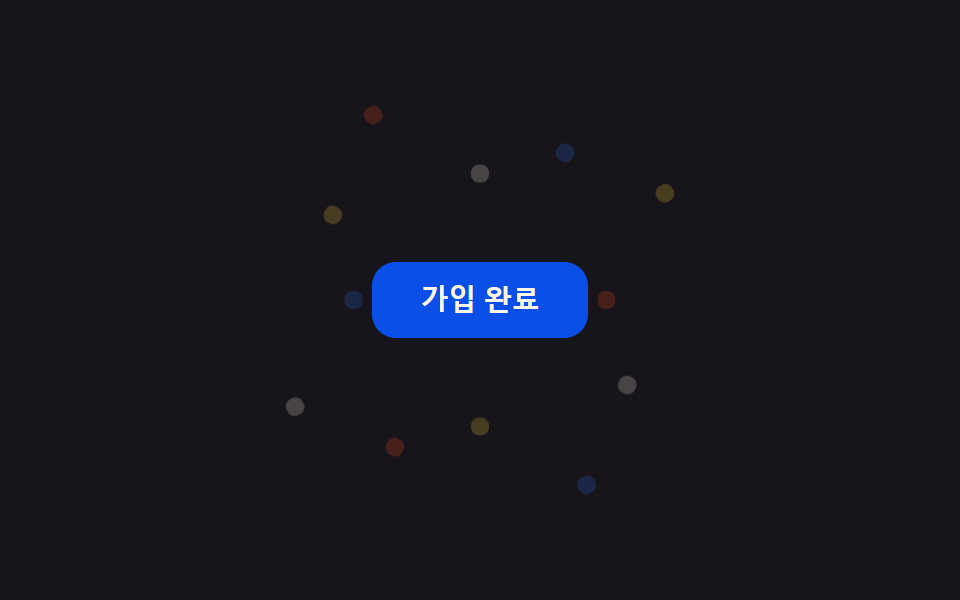 01 confetti-celebration-confetti-burst-button
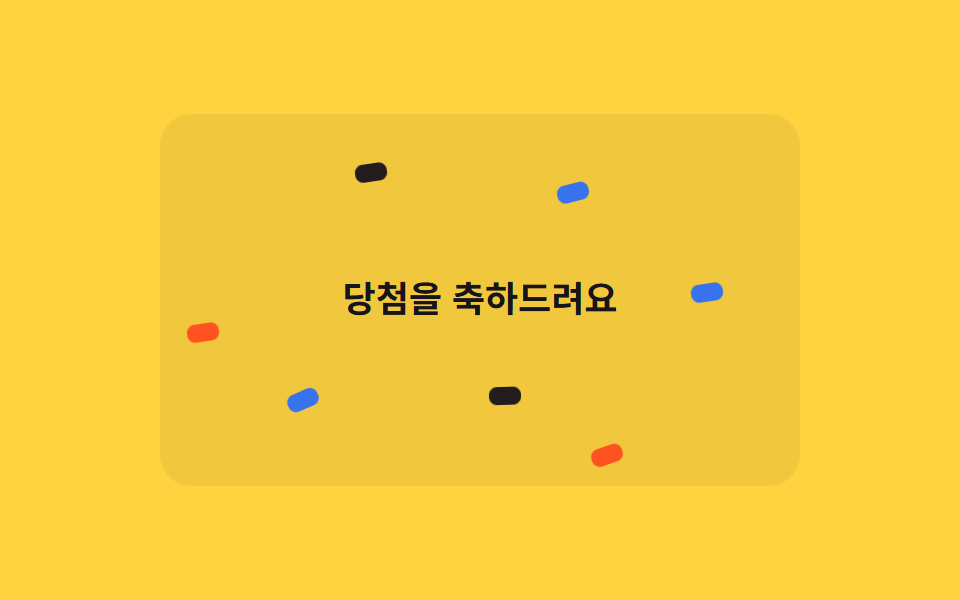 02 confetti-celebration-confetti-rain
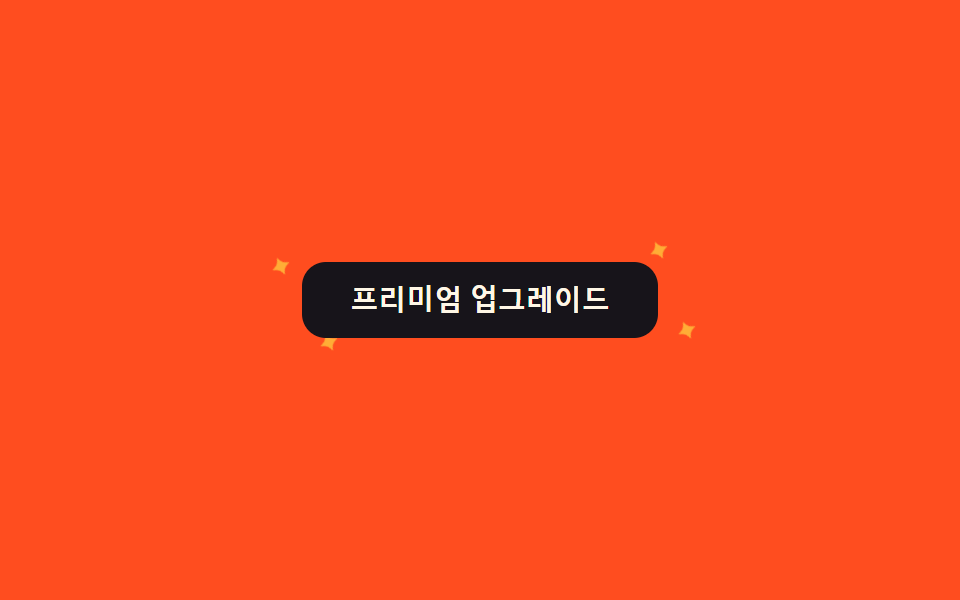 03 confetti-celebration-sparkle-button
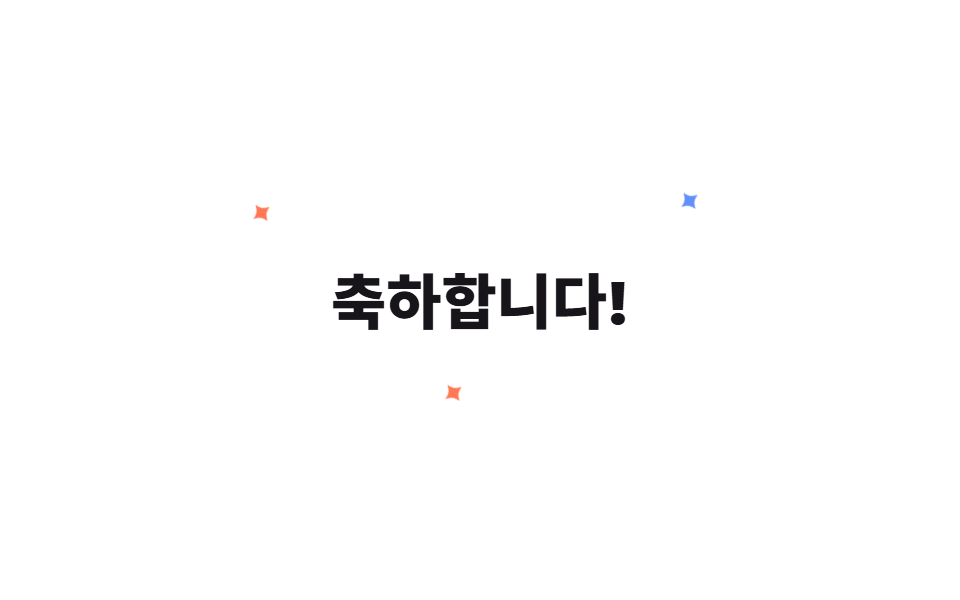 04 confetti-celebration-sparkle-text
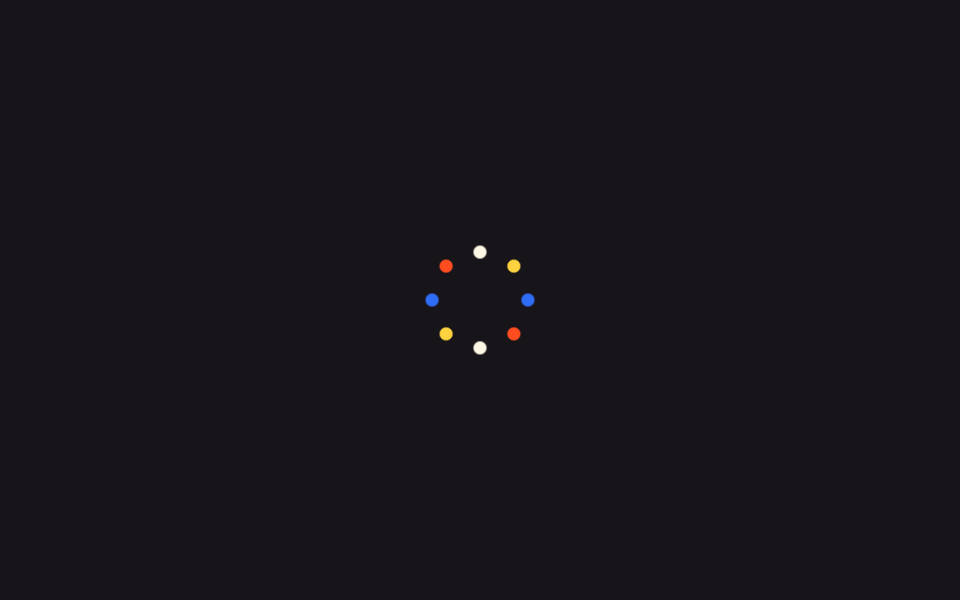 05 confetti-celebration-firework-dots
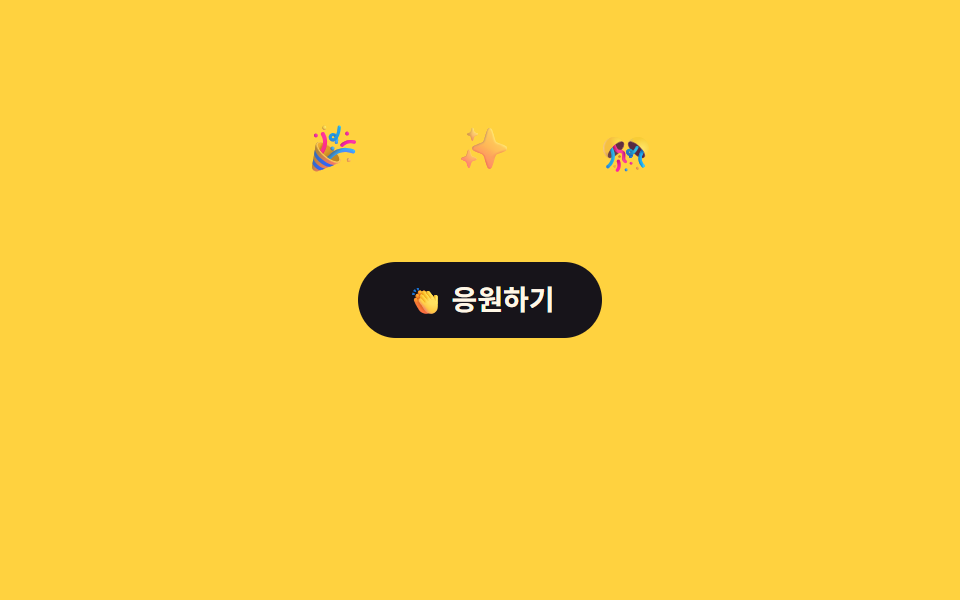 06 confetti-celebration-emoji-pop
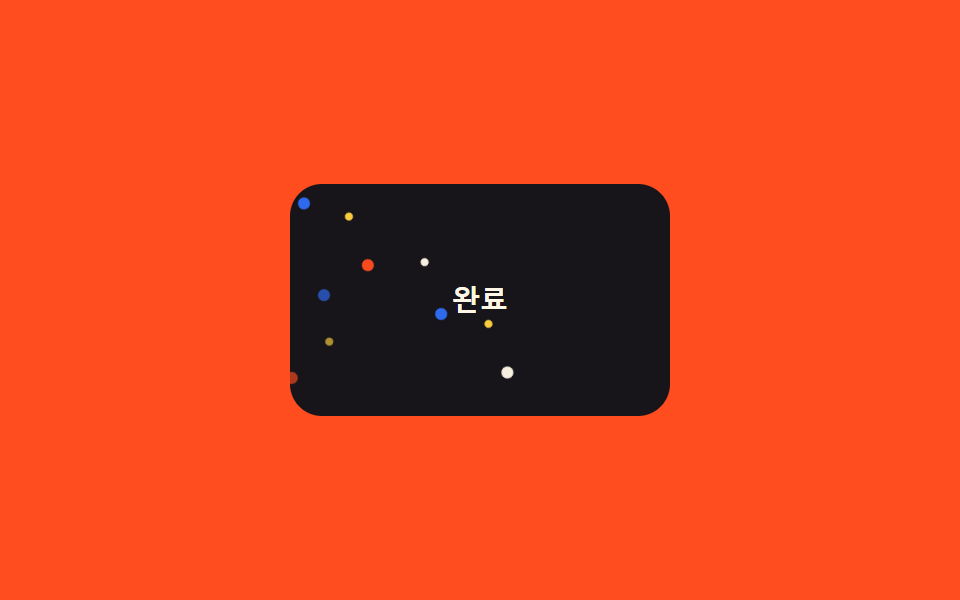 07 confetti-celebration-pseudo-only-confetti
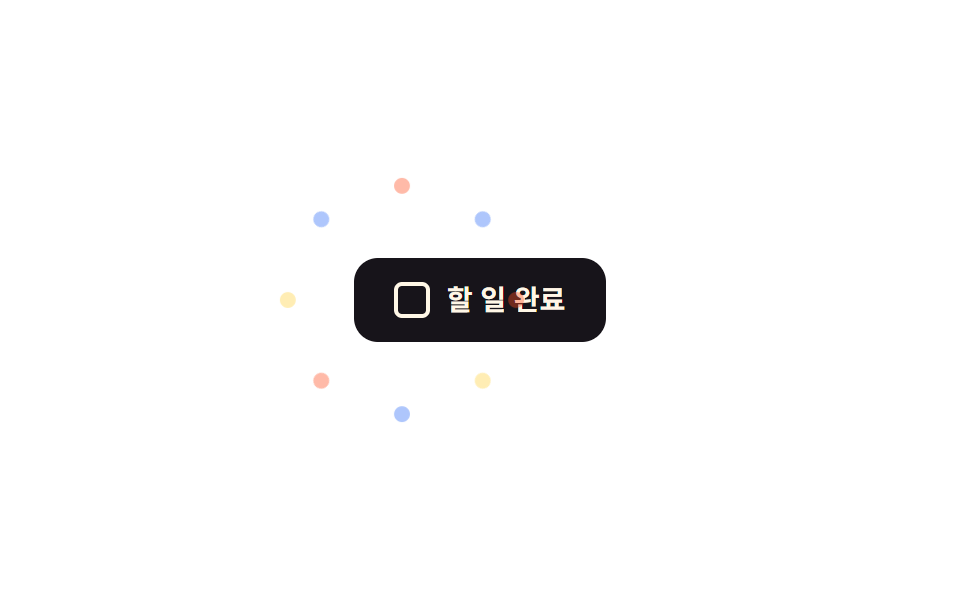 08 confetti-celebration-has-checked-celebrate
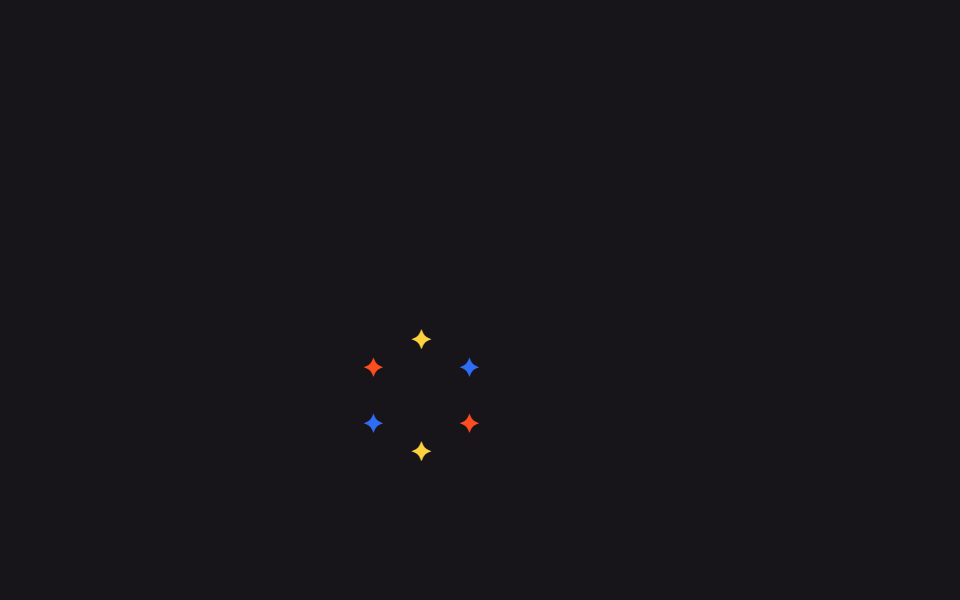 09 confetti-celebration-sparkle-cursor-trail
Tự chạy · bấm ô để tới mục đó · cả 9 trong một zip
- 01 Bão giấy nổ từ nút bấm
- 02 Mưa confetti
- 03 Nút lấp lánh
- 04 Chữ lấp lánh
- 05 Chấm pháo hoa
- 06 Emoji bật lên
- 07 Confetti chỉ bằng pseudo-element
- 08 Kích hoạt chúc mừng bằng :has(:checked)
- 09 Vệt lấp lánh theo con trỏ
Chín mục không xếp theo độ hoa mỹ mà theo thứ tự confetti thực tế xuất hiện trên màn hình. Bắt đầu là tín hiệu bắn ra từ một cú nhấn nút (01) và tín hiệu rơi liên tục trên nền (02), nâng lên lớp nhấn mạnh khi chính nút và chữ tiêu đề lấp lánh (03, 04), qua nhóm phản ứng dạng nổ cho cú đánh lớn hơn (05, 06), rồi tới cách triển khai không thêm markup hay không cần JavaScript (07, 08) và tương tác bám theo chuột (09).
01Nút confetti bắn tung
Dùng khi nào
Bấm nút hoàn tất đăng ký hay thanh toán, 12 mảnh confetti nhỏ bay tứ tán theo góc rải sẵn bởi vòng lặp @for của SCSS, rồi mờ dần biến mất.
<main class="stage">
  <div class="cb-wrap is-demo">
    <button class="cb-btn" type="button">Đã đăng ký</button>
    <span class="cb-piece"></span><span class="cb-piece"></span><span class="cb-piece"></span>
    <span class="cb-piece"></span><span class="cb-piece"></span><span class="cb-piece"></span>
    <span class="cb-piece"></span><span class="cb-piece"></span><span class="cb-piece"></span>
    <span class="cb-piece"></span><span class="cb-piece"></span><span class="cb-piece"></span>
  </div>
</main>
@use "../../../../site/static/demo-tokens" as *;
// ── 변수 3개 ──────────────────────────────────────────
$duration: 900ms;
$easing: $ease-pop;
$color: $subject-blue;
@include stage($stage-ink);
$piece-colors: $color, $stage-yellow, $stage-orange, $subject-cream;
.cb-wrap {
position: relative;
width: min(220px, 80vw);
display: grid;
place-items: center;
}
.cb-btn {
position: relative;
z-index: 1;
border: 0;
border-radius: $r-control;
padding: $sp-3 $sp-6;
background: $subject-blue-deep;
color: $subject-cream;
font: 700 14px/1 -apple-system, "Segoe UI", sans-serif;
cursor: pointer;
}
.cb-piece {
position: absolute;
top: 50%;
left: 50%;
width: 9px;
height: 9px;
border-radius: $r-xs;
opacity: 0;
pointer-events: none;
}
// 조각마다 각도·거리·색·지연을 SCSS @for 로 흩뿌린다 — 마크업은 빈 span 12개뿐
@for $i from 1 through 12 {
  .cb-piece:nth-child(#{$i + 1}) {
    background: nth($piece-colors, ($i - 1) % 4 + 1);
    --angle: #{$i * 30deg};
    --dist: #{64px + ($i % 3) * 22px};
    animation-delay: #{($i % 4) * 40ms};
  }
}

@keyframes cb-fly {
  0%   { transform: translate(-50%, -50%) rotate(var(--angle)) translateY(0) scale(.4); opacity: 0; }
  15%  { opacity: 1; }
  100% { transform: translate(-50%, -50%) rotate(var(--angle)) translateY(calc(-1 * var(--dist))) scale(1); opacity: 0; }
}
// 실사용: 클릭이 is-burst 를 다시 붙여 keyframes 를 재생한다 (위 <script>)
.cb-wrap.is-burst .cb-piece,
.cb-wrap.is-demo .cb-piece { animation: cb-fly $duration $easing infinite; }
@media (prefers-reduced-motion: reduce) {
.cb-wrap.is-burst .cb-piece,
.cb-wrap.is-demo .cb-piece { animation: none !important; opacity: 0 !important; }
}html, body {
margin: 0;
overflow: hidden;
}
.stage {
box-sizing: border-box;
min-height: 100vh;
display: grid;
place-items: center;
margin: 0;
background: #17141a;
font-family: -apple-system, "Segoe UI", "Noto Sans KR", sans-serif;
padding: clamp(8px, 4vw, 24px);
}
.cb-wrap {
position: relative;
width: min(220px, 80vw);
display: grid;
place-items: center;
}
.cb-btn {
position: relative;
z-index: 1;
border: 0;
border-radius: 12px;
padding: 12px 24px;
background: #0a4fe8;
color: #fff7e6;
font: 700 14px/1 -apple-system, "Segoe UI", sans-serif;
cursor: pointer;
}
.cb-piece {
position: absolute;
top: 50%;
left: 50%;
width: 9px;
height: 9px;
border-radius: 4px;
opacity: 0;
pointer-events: none;
}
.cb-piece:nth-child(2) {
background: #2f6df6;
--angle: 30deg;
--dist: 86px;
animation-delay: 40ms;
}
.cb-piece:nth-child(3) {
background: #ffd23f;
--angle: 60deg;
--dist: 108px;
animation-delay: 80ms;
}
.cb-piece:nth-child(4) {
background: #ff4d1f;
--angle: 90deg;
--dist: 64px;
animation-delay: 120ms;
}
.cb-piece:nth-child(5) {
background: #fff7e6;
--angle: 120deg;
--dist: 86px;
animation-delay: 0ms;
}
.cb-piece:nth-child(6) {
background: #2f6df6;
--angle: 150deg;
--dist: 108px;
animation-delay: 40ms;
}
.cb-piece:nth-child(7) {
background: #ffd23f;
--angle: 180deg;
--dist: 64px;
animation-delay: 80ms;
}
.cb-piece:nth-child(8) {
background: #ff4d1f;
--angle: 210deg;
--dist: 86px;
animation-delay: 120ms;
}
.cb-piece:nth-child(9) {
background: #fff7e6;
--angle: 240deg;
--dist: 108px;
animation-delay: 0ms;
}
.cb-piece:nth-child(10) {
background: #2f6df6;
--angle: 270deg;
--dist: 64px;
animation-delay: 40ms;
}
.cb-piece:nth-child(11) {
background: #ffd23f;
--angle: 300deg;
--dist: 86px;
animation-delay: 80ms;
}
.cb-piece:nth-child(12) {
background: #ff4d1f;
--angle: 330deg;
--dist: 108px;
animation-delay: 120ms;
}
.cb-piece:nth-child(13) {
background: #fff7e6;
--angle: 360deg;
--dist: 64px;
animation-delay: 0ms;
}
@keyframes cb-fly {
0% {
transform: translate(-50%, -50%) rotate(var(--angle)) translateY(0) scale(0.4);
opacity: 0;
}
15% {
opacity: 1;
}
100% {
transform: translate(-50%, -50%) rotate(var(--angle)) translateY(calc(-1 * var(--dist))) scale(1);
opacity: 0;
}
}
.cb-wrap.is-burst .cb-piece,
.cb-wrap.is-demo .cb-piece {
animation: cb-fly 900ms cubic-bezier(0.2, 1.4, 0.4, 1) infinite;
}
@media (prefers-reduced-motion: reduce) {
.cb-wrap.is-burst .cb-piece,
.cb-wrap.is-demo .cb-piece {
animation: none !important;
opacity: 0 !important;
}
}var wrap = document.querySelector('.cb-wrap');
var btn = document.querySelector('.cb-btn');
btn.addEventListener('click', function () {
wrap.classList.remove('is-burst');
void wrap.offsetWidth;
wrap.classList.add('is-burst');
});import { CSSProperties, useState } from "react";
import styles from "./ConfettiBurstButton.module.scss";
type Vars = CSSProperties & Record<string, string>;
export interface ConfettiBurstButtonProps {
duration?: string;
easing?: string;
color?: string;
}
const COLORS = ["var(--color)", "#ffd23f", "#ff4d1f", "#fff7e6"];
// 실사용: 클릭마다 burstKey 를 올려 pieces 래퍼를 리마운트한다 — 같은 클래스를 다시 붙이는 것만으로는
// 이미 끝난 keyframes 가 재생되지 않는다 (바닐라판은 classList remove+reflow+add 로 같은 일을 한다)
export default function ConfettiBurstButton({
duration = "900ms",
easing = "cubic-bezier(.2, 1.4, .4, 1)",
color = "#2f6df6",
}: ConfettiBurstButtonProps) {
const [burstKey, setBurstKey] = useState(0);
const style: Vars = { "--duration": duration, "--easing": easing, "--color": color };
return (
<div className={styles.wrap} style={style}>
<button className={styles.btn} type="button" onClick={() => setBurstKey((k) => k + 1)}>
가입 완료
</button>
<span key={burstKey} className={styles.pieces}>
{Array.from({ length: 12 }, (_, i) => {
const pieceStyle: Vars = {
background: COLORS[i % COLORS.length],
"--angle": `${(i + 1) * 30}deg`,
"--dist": `${64 + (i % 3) * 22}px`,
animationDelay: `${(i % 4) * 40}ms`,
};
return <span key={i} className={styles.piece} style={pieceStyle} />;
})}
</span>
</div>
);
}01 · Bão giấy nổ từ nút bấm — Diện tích đo được 2.569% · khung hình chuyển động 10/23Nguyên tác GODRICH · SCSS và React nằm trong tệp zip · Xem mật khẩu
Vì sao dựng như vậy
Bấm lần nữa, bảy dòng JavaScript tháo rồi gắn lại lớp để keyframes phát từ đầu.
@for $i from 1 through 12 {
.cb-piece:nth-child(#{$i + 1}) {
background: nth($piece-colors, ($i - 1) % 4 + 1);
--angle: #{$i * 30deg};
--dist: #{64px + ($i % 3) * 22px};
animation-delay: #{($i % 4) * 40ms};
}
}
@keyframes cb-fly {
0% { transform: translate(-50%, -50%) rotate(var(--angle)) translateY(0) scale(.4); opacity: 0; }
15% { opacity: 1; }
100% { transform: translate(-50%, -50%) rotate(var(--angle)) translateY(calc(-1 * var(--dist))) scale(1); opacity: 0; }
}
02Mưa confetti
Màn hình là gì
Trên banner trúng thưởng, 18 mảnh rơi với chiều cao (top) và tốc độ khác nhau.
<main class="stage">
  <div class="cr-wrap is-demo">
    <span class="cr-banner">Chúc mừng bạn trúng thưởng</span>
    <span class="cr-piece"></span><span class="cr-piece"></span><span class="cr-piece"></span>
    <span class="cr-piece"></span><span class="cr-piece"></span><span class="cr-piece"></span>
    <span class="cr-piece"></span><span class="cr-piece"></span><span class="cr-piece"></span>
    <span class="cr-piece"></span><span class="cr-piece"></span><span class="cr-piece"></span>
    <span class="cr-piece"></span><span class="cr-piece"></span><span class="cr-piece"></span>
    <span class="cr-piece"></span><span class="cr-piece"></span><span class="cr-piece"></span>
  </div>
</main>
@use "../../../../site/static/demo-tokens" as *;
// ── 변수 3개 ──────────────────────────────────────────
$duration: 2s;
$easing: linear;
$color: $subject-blue;
@include stage($stage-yellow);
$piece-colors: $color, $stage-orange, $subject-ink, $subject-cream;
.cr-wrap {
position: relative;
width: min(320px, 88vw);
height: min(220px, 62vh);
overflow: hidden;
border-radius: $r-card;
background: rgba(23, 20, 26, .06);
}
.cr-banner {
position: absolute;
inset: 0;
display: grid;
place-items: center;
padding: $sp-4;
box-sizing: border-box;
text-align: center;
color: $subject-ink;
font: 700 18px/1.3 -apple-system, "Segoe UI", "Noto Sans KR", sans-serif;
}
.cr-piece {
position: absolute;
top: -220px;
width: 9px;
height: 16px;
border-radius: $r-xs;
opacity: .95;
animation-duration: $duration;
}
// 조각 18개가 카드 높이 전체에 걸쳐 서로 다른 top 시작값을 갖는다 — delay 만 다르면 전부 위쪽에서
// 한 줄로 뭉쳐 같이 출발해 버린다 (실측). top 순서를 왼쪽 순서(left%)와 다르게 섞어야 대각선 한 줄이
// 아니라 흩뿌린 비처럼 보인다 (실측: left·top 을 같은 $i 로 선형 배치하면 완벽한 대각선이 된다)
$tops: -40px, 160px, -180px, 20px, 100px, -120px, 60px, -200px, 140px, -20px, 180px, -100px, 40px, -160px, 120px, -60px, 200px, -140px;
@for $i from 1 through 18 {
  .cr-piece:nth-child(#{$i + 1}) {
    left: percentage($i / 19);
    top: nth($tops, $i);
    background: nth($piece-colors, $i % 4 + 1);
    animation-duration: #{1700ms + ($i % 5) * 140ms};
  }
}

@keyframes cr-fall {
  0%   { transform: translateY(0) rotate(0deg); }
  100% { transform: translateY(520px) rotate(300deg); }
}
// duration 은 shorthand 로 주지 않는다 — 그러면 specificity 가 더 높아 항목마다 다른 animation-duration(위) 을
// 덮어써 18개가 전부 같은 박자로 떨어져 버린다 (실측). name·timing·iteration 만 여기서, duration 은 조각마다
.cr-wrap.is-demo .cr-piece { animation-name: cr-fall; animation-timing-function: $easing; animation-iteration-count: infinite; }
@media (prefers-reduced-motion: reduce) {
.cr-wrap.is-demo .cr-piece { animation: none !important; opacity: 0 !important; }
}html, body {
margin: 0;
overflow: hidden;
}
.stage {
box-sizing: border-box;
min-height: 100vh;
display: grid;
place-items: center;
margin: 0;
background: #ffd23f;
font-family: -apple-system, "Segoe UI", "Noto Sans KR", sans-serif;
padding: clamp(8px, 4vw, 24px);
}
.cr-wrap {
position: relative;
width: min(320px, 88vw);
height: min(220px, 62vh);
overflow: hidden;
border-radius: 16px;
background: rgba(23, 20, 26, 0.06);
}
.cr-banner {
position: absolute;
inset: 0;
display: grid;
place-items: center;
padding: 16px;
box-sizing: border-box;
text-align: center;
color: #17141a;
font: 700 18px/1.3 -apple-system, "Segoe UI", "Noto Sans KR", sans-serif;
}
.cr-piece {
position: absolute;
top: -220px;
width: 9px;
height: 16px;
border-radius: 4px;
opacity: 0.95;
animation-duration: 2s;
}
.cr-piece:nth-child(2) {
left: 5.2631578947%;
top: -40px;
background: #ff4d1f;
animation-duration: 1840ms;
}
.cr-piece:nth-child(3) {
left: 10.5263157895%;
top: 160px;
background: #17141a;
animation-duration: 1980ms;
}
.cr-piece:nth-child(4) {
left: 15.7894736842%;
top: -180px;
background: #fff7e6;
animation-duration: 2120ms;
}
.cr-piece:nth-child(5) {
left: 21.0526315789%;
top: 20px;
background: #2f6df6;
animation-duration: 2260ms;
}
.cr-piece:nth-child(6) {
left: 26.3157894737%;
top: 100px;
background: #ff4d1f;
animation-duration: 1700ms;
}
.cr-piece:nth-child(7) {
left: 31.5789473684%;
top: -120px;
background: #17141a;
animation-duration: 1840ms;
}
.cr-piece:nth-child(8) {
left: 36.8421052632%;
top: 60px;
background: #fff7e6;
animation-duration: 1980ms;
}
.cr-piece:nth-child(9) {
left: 42.1052631579%;
top: -200px;
background: #2f6df6;
animation-duration: 2120ms;
}
.cr-piece:nth-child(10) {
left: 47.3684210526%;
top: 140px;
background: #ff4d1f;
animation-duration: 2260ms;
}
.cr-piece:nth-child(11) {
left: 52.6315789474%;
top: -20px;
background: #17141a;
animation-duration: 1700ms;
}
.cr-piece:nth-child(12) {
left: 57.8947368421%;
top: 180px;
background: #fff7e6;
animation-duration: 1840ms;
}
.cr-piece:nth-child(13) {
left: 63.1578947368%;
top: -100px;
background: #2f6df6;
animation-duration: 1980ms;
}
.cr-piece:nth-child(14) {
left: 68.4210526316%;
top: 40px;
background: #ff4d1f;
animation-duration: 2120ms;
}
.cr-piece:nth-child(15) {
left: 73.6842105263%;
top: -160px;
background: #17141a;
animation-duration: 2260ms;
}
.cr-piece:nth-child(16) {
left: 78.9473684211%;
top: 120px;
background: #fff7e6;
animation-duration: 1700ms;
}
.cr-piece:nth-child(17) {
left: 84.2105263158%;
top: -60px;
background: #2f6df6;
animation-duration: 1840ms;
}
.cr-piece:nth-child(18) {
left: 89.4736842105%;
top: 200px;
background: #ff4d1f;
animation-duration: 1980ms;
}
.cr-piece:nth-child(19) {
left: 94.7368421053%;
top: -140px;
background: #17141a;
animation-duration: 2120ms;
}
@keyframes cr-fall {
0% {
transform: translateY(0) rotate(0deg);
}
100% {
transform: translateY(520px) rotate(300deg);
}
}
.cr-wrap.is-demo .cr-piece {
animation-name: cr-fall;
animation-timing-function: linear;
animation-iteration-count: infinite;
}
@media (prefers-reduced-motion: reduce) {
.cr-wrap.is-demo .cr-piece {
animation: none !important;
opacity: 0 !important;
}
}import { CSSProperties } from "react";
import styles from "./ConfettiRain.module.scss";
type Vars = CSSProperties & Record<string, string>;
export interface ConfettiRainProps {
duration?: string;
easing?: string;
color?: string;
}
const COLORS = ["var(--color)", "#ff4d1f", "#17141a", "#fff7e6"];
// top 을 left% 순서와 다르게 섞는다 — 둘을 같은 인덱스로 선형 배치하면 낙하가 아니라 대각선 한 줄로 보인다
const TOPS = [-40, 160, -180, 20, 100, -120, 60, -200, 140, -20, 180, -100, 40, -160, 120, -60, 200, -140];
export default function ConfettiRain({
duration = "2s",
easing = "linear",
color = "#2f6df6",
}: ConfettiRainProps) {
const style: Vars = { "--duration": duration, "--easing": easing, "--color": color };
return (
<div className={styles.wrap} style={style}>
<span className={styles.banner}>당첨을 축하드려요</span>
{TOPS.map((top, i) => {
const pieceStyle: Vars = {
left: `${((i + 1) / (TOPS.length + 1)) * 100}%`,
top: `${top}px`,
background: COLORS[i % COLORS.length],
animationDuration: `${1700 + (i % 5) * 140}ms`,
};
return <span key={i} className={styles.piece} style={pieceStyle} />;
})}
</div>
);
}02 · Mưa confetti — Diện tích đo được 12.233% · khung hình chuyển động 22/23Nguyên tác GODRICH · SCSS và React nằm trong tệp zip · Xem mật khẩu
Cốt lõi phần dựng
Nếu không xáo thứ tự chiều cao lệch khỏi thứ tự vị trí ngang, các mảnh sẽ dồn thành một hàng và xuất phát trên cùng một đường chéo, nên tôi cố tình rải lệch thứ tự đó.
$tops: -40px, 160px, -180px, 20px, 100px, -120px, 60px, -200px, 140px, -20px, 180px, -100px, 40px, -160px, 120px, -60px, 200px, -140px;
@for $i from 1 through 18 {
.cr-piece:nth-child(#{$i + 1}) {
left: percentage($i / 19);
top: nth($tops, $i);
background: nth($piece-colors, $i % 4 + 1);
animation-duration: #{1700ms + ($i % 5) * 140ms};
}
}
@keyframes cr-fall {
0% { transform: translateY(0) rotate(0deg); }
100% { transform: translateY(520px) rotate(300deg); }
}
03Nút lấp lánh
Hiệu ứng lấp lánh css dùng ở đâu
Đưa chuột lên nút premium, bốn ngôi sao nhỏ quanh viền phồng lên rồi xẹp xuống theo animation-delay khác nhau.
<main class="stage">
  <div class="sk-wrap is-demo">
    <button class="sk-btn" type="button">Nâng cấp lên Premium</button>
    <span class="sk-star sk-star--1">✦</span>
    <span class="sk-star sk-star--2">✦</span>
    <span class="sk-star sk-star--3">✦</span>
    <span class="sk-star sk-star--4">✦</span>
  </div>
</main>
@use "../../../../site/static/demo-tokens" as *;
// ── 변수 3개 ──────────────────────────────────────────
$duration: 1.1s;
$easing: $ease-out;
$color: $stage-yellow;
@include stage($stage-orange);
.sk-wrap {
position: relative;
width: min(240px, 82vw);
display: grid;
place-items: center;
}
.sk-btn {
position: relative;
z-index: 1;
border: 0;
border-radius: $r-control;
padding: $sp-3 $sp-6;
background: $subject-ink;
color: $subject-cream;
font: 700 14px/1 -apple-system, "Segoe UI", sans-serif;
cursor: pointer;
transition: transform $dur-quick $easing;
}
.sk-wrap:hover .sk-btn { transform: scale(1.03); }
.sk-star {
position: absolute;
color: $color;
font-size: 16px;
line-height: 1;
opacity: 0;
transform: scale(.3);
pointer-events: none;
}
.sk-star--1 { top: -6px; left: 6%; }
.sk-star--2 { top: -14px; right: 10%; }
.sk-star--3 { bottom: -10px; left: 16%; }
.sk-star--4 { bottom: -4px; right: 4%; }
@keyframes sk-twinkle {
0%, 100% { opacity: 0; transform: scale(.3) rotate(0deg); }
50% { opacity: 1; transform: scale(1) rotate(90deg); }
}
// 실사용: 호버 중에만 반짝인다. 캡처용 is-demo 는 항상 켠다
.sk-wrap:hover .sk-star,
.sk-wrap.is-demo .sk-star { animation: sk-twinkle $duration $easing infinite; }
.sk-star--2 { animation-delay: 160ms; }
.sk-star--3 { animation-delay: 320ms; }
.sk-star--4 { animation-delay: 480ms; }
@media (prefers-reduced-motion: reduce) {
.sk-wrap:hover .sk-star,
.sk-wrap.is-demo .sk-star { animation: none !important; opacity: 0 !important; }
}html, body {
margin: 0;
overflow: hidden;
}
.stage {
box-sizing: border-box;
min-height: 100vh;
display: grid;
place-items: center;
margin: 0;
background: #ff4d1f;
font-family: -apple-system, "Segoe UI", "Noto Sans KR", sans-serif;
padding: clamp(8px, 4vw, 24px);
}
.sk-wrap {
position: relative;
width: min(240px, 82vw);
display: grid;
place-items: center;
}
.sk-btn {
position: relative;
z-index: 1;
border: 0;
border-radius: 12px;
padding: 12px 24px;
background: #17141a;
color: #fff7e6;
font: 700 14px/1 -apple-system, "Segoe UI", sans-serif;
cursor: pointer;
transition: transform 220ms ease-out;
}
.sk-wrap:hover .sk-btn {
transform: scale(1.03);
}
.sk-star {
position: absolute;
color: #ffd23f;
font-size: 16px;
line-height: 1;
opacity: 0;
transform: scale(0.3);
pointer-events: none;
}
.sk-star--1 {
top: -6px;
left: 6%;
}
.sk-star--2 {
top: -14px;
right: 10%;
}
.sk-star--3 {
bottom: -10px;
left: 16%;
}
.sk-star--4 {
bottom: -4px;
right: 4%;
}
@keyframes sk-twinkle {
0%, 100% {
opacity: 0;
transform: scale(0.3) rotate(0deg);
}
50% {
opacity: 1;
transform: scale(1) rotate(90deg);
}
}
.sk-wrap:hover .sk-star,
.sk-wrap.is-demo .sk-star {
animation: sk-twinkle 1.1s ease-out infinite;
}
.sk-star--2 {
animation-delay: 160ms;
}
.sk-star--3 {
animation-delay: 320ms;
}
.sk-star--4 {
animation-delay: 480ms;
}
@media (prefers-reduced-motion: reduce) {
.sk-wrap:hover .sk-star,
.sk-wrap.is-demo .sk-star {
animation: none !important;
opacity: 0 !important;
}
}import { CSSProperties } from "react";
import styles from "./SparkleButton.module.scss";
type Vars = CSSProperties & Record<string, string>;
export interface SparkleButtonProps {
duration?: string;
easing?: string;
color?: string;
}
// 실사용: 진짜 :hover 중에만 반짝인다 (module.scss 의 .wrap:hover). props 는 변수 3개만 넘긴다
export default function SparkleButton({
duration = "1.1s",
easing = "ease-out",
color = "#ffd23f",
}: SparkleButtonProps) {
const style: Vars = { "--duration": duration, "--easing": easing, "--color": color };
return (
<div className={styles.wrap} style={style}>
<button className={styles.btn} type="button">
프리미엄 업그레이드
</button>
<span className={`${styles.star} ${styles.star1}`}>✦</span>
<span className={`${styles.star} ${styles.star2}`}>✦</span>
<span className={`${styles.star} ${styles.star3}`}>✦</span>
<span className={`${styles.star} ${styles.star4}`}>✦</span>
</div>
);
}03 · Nút lấp lánh — Diện tích đo được 0.213% · khung hình chuyển động 22/23Nguyên tác GODRICH · SCSS và React nằm trong tệp zip · Xem mật khẩu
Điểm mấu chốt là gì
Rời chuột ra là hiệu ứng dừng ngay, không đi qua transition, nên màn hình không bị chớp.
@keyframes sk-twinkle {
  0%, 100% { opacity: 0; transform: scale(.3) rotate(0deg); }
  50%      { opacity: 1; transform: scale(1) rotate(90deg); }
}

// Dùng thật: chỉ lấp lánh khi hover. Bản quay is-demo thì luôn bật
.sk-wrap:hover .sk-star,
.sk-wrap.is-demo .sk-star { animation: sk-twinkle $duration $easing infinite; }
.sk-star--2 { animation-delay: 160ms; }
.sk-star--3 { animation-delay: 320ms; }
.sk-star--4 { animation-delay: 480ms; }
04Chữ lấp lánh
Dùng ở đâu
Ba đốm lấp lánh đặt quanh chữ tiêu đề chúc mừng, mỗi đốm phồng lên xẹp xuống tại thời điểm bắt đầu khác nhau.
<main class="stage">
  <div class="st-wrap is-demo">
    <h2 class="st-title">Chúc mừng!</h2>
    <span class="st-star st-star--1">✦</span>
    <span class="st-star st-star--2">✦</span>
    <span class="st-star st-star--3">✦</span>
  </div>
</main>
@use "../../../../site/static/demo-tokens" as *;
// ── 변수 3개 ──────────────────────────────────────────
$duration: 1.3s;
$easing: $ease-out;
$color: $subject-blue;
@include stage($stage-paper);
.st-wrap {
position: relative;
display: grid;
place-items: center;
padding: $sp-6;
}
.st-title {
margin: 0;
color: $subject-ink;
font: 800 30px/1 -apple-system, "Segoe UI", "Noto Sans KR", sans-serif;
}
.st-star {
  position: absolute;
  color: $color;
  font-size: 18px;
  line-height: 1;
  opacity: 0;
  transform: scale(.2);
  pointer-events: none;
}
.st-star--1 { top: -14px; left: -18px; color: $stage-orange; }
.st-star--2 { top: -20px; right: -14px; }
.st-star--3 { bottom: -16px; left: 40%; color: $stage-orange; }

@keyframes st-twinkle {
  0%, 100% { opacity: 0; transform: scale(.2) rotate(0deg); }
  50%      { opacity: 1; transform: scale(1) rotate(70deg); }
}

.st-wrap.is-demo .st-star { animation: st-twinkle $duration $easing infinite; }
.st-star--2 { animation-delay: 260ms; }
.st-star--3 { animation-delay: 480ms; }
@media (prefers-reduced-motion: reduce) {
.st-wrap.is-demo .st-star { animation: none !important; opacity: 0 !important; }
}html, body {
margin: 0;
overflow: hidden;
}
.stage {
box-sizing: border-box;
min-height: 100vh;
display: grid;
place-items: center;
margin: 0;
background: #ffffff;
font-family: -apple-system, "Segoe UI", "Noto Sans KR", sans-serif;
padding: clamp(8px, 4vw, 24px);
}
.st-wrap {
position: relative;
display: grid;
place-items: center;
padding: 24px;
}
.st-title {
margin: 0;
color: #17141a;
font: 800 30px/1 -apple-system, "Segoe UI", "Noto Sans KR", sans-serif;
}
.st-star {
position: absolute;
color: #2f6df6;
font-size: 18px;
line-height: 1;
opacity: 0;
transform: scale(0.2);
pointer-events: none;
}
.st-star--1 {
top: -14px;
left: -18px;
color: #ff4d1f;
}
.st-star--2 {
top: -20px;
right: -14px;
}
.st-star--3 {
bottom: -16px;
left: 40%;
color: #ff4d1f;
}
@keyframes st-twinkle {
0%, 100% {
opacity: 0;
transform: scale(0.2) rotate(0deg);
}
50% {
opacity: 1;
transform: scale(1) rotate(70deg);
}
}
.st-wrap.is-demo .st-star {
animation: st-twinkle 1.3s ease-out infinite;
}
.st-star--2 {
animation-delay: 260ms;
}
.st-star--3 {
animation-delay: 480ms;
}
@media (prefers-reduced-motion: reduce) {
.st-wrap.is-demo .st-star {
animation: none !important;
opacity: 0 !important;
}
}import { CSSProperties } from "react";
import styles from "./SparkleText.module.scss";
type Vars = CSSProperties & Record<string, string>;
export interface SparkleTextProps {
duration?: string;
easing?: string;
color?: string;
}
export default function SparkleText({
duration = "1.3s",
easing = "ease-out",
color = "#2f6df6",
}: SparkleTextProps) {
const style: Vars = { "--duration": duration, "--easing": easing, "--color": color };
return (
<div className={styles.wrap} style={style}>
<h2 className={styles.title}>축하합니다!</h2>
<span className={`${styles.star} ${styles.star1}`}>✦</span>
<span className={`${styles.star} ${styles.star2}`}>✦</span>
<span className={`${styles.star} ${styles.star3}`}>✦</span>
</div>
);
}04 · Chữ lấp lánh — Diện tích đo được 0.193% · khung hình chuyển động 21/23Nguyên tác GODRICH · SCSS và React nằm trong tệp zip · Xem mật khẩu
Điều đáng lưu ý
Nhân vật chính ở đây là chữ chứ không phải nút, nên ngay cả trên nền trắng, mắt người xem vẫn hướng vào tiêu đề trước.
.st-star {
position: absolute;
color: $color;
font-size: 18px;
line-height: 1;
opacity: 0;
transform: scale(.2);
pointer-events: none;
}
.st-star--1 { top: -14px; left: -18px; color: $stage-orange; }
.st-star--2 { top: -20px; right: -14px; }
.st-star--3 { bottom: -16px; left: 40%; color: $stage-orange; }
@keyframes st-twinkle {
0%, 100% { opacity: 0; transform: scale(.2) rotate(0deg); }
50% { opacity: 1; transform: scale(1) rotate(70deg); }
}
.st-wrap.is-demo .st-star { animation: st-twinkle $duration $easing infinite; }
.st-star--2 { animation-delay: 260ms; }
.st-star--3 { animation-delay: 480ms; }
05Pháo hoa chấm tròn
Điều mắt thấy
Một chấm tách thành tám chấm chia nhau tám hướng của custom property --angle, chỉ dùng rotate(var(--angle)) và translateY để tỏa ra như pháo hoa rồi mờ đi.
<main class="stage">
  <div class="fw-wrap is-demo">
    <span class="fw-dot"></span><span class="fw-dot"></span><span class="fw-dot"></span><span class="fw-dot"></span>
    <span class="fw-dot"></span><span class="fw-dot"></span><span class="fw-dot"></span><span class="fw-dot"></span>
  </div>
</main>
@use "../../../../site/static/demo-tokens" as *;
// ── 변수 3개 ──────────────────────────────────────────
$duration: 1s;
$easing: $ease-out;
$color: $stage-yellow;
@include stage($stage-ink);
$piece-colors: $color, $subject-blue, $stage-orange, $subject-cream;
.fw-wrap {
position: relative;
width: 8px;
height: 8px;
}
.fw-dot {
position: absolute;
top: 0;
left: 0;
width: 8px;
height: 8px;
border-radius: $r-pill;
opacity: 0;
}
// 점 8개가 --angle 을 30~360deg 로 나눠 갖고, rotate + translateY 로 불꽃처럼 퍼진다
@for $i from 1 through 8 {
.fw-dot:nth-child(#{$i}) {
background: nth($piece-colors, ($i - 1) % 4 + 1);
--angle: #{$i * 45deg};
}
}
@keyframes fw-burst {
0% { transform: rotate(var(--angle)) translateY(0) scale(1); opacity: 1; }
70% { opacity: 1; }
100% { transform: rotate(var(--angle)) translateY(-92px) scale(.3); opacity: 0; }
}
.fw-wrap.is-demo .fw-dot { animation: fw-burst $duration $easing infinite; }
@media (prefers-reduced-motion: reduce) {
.fw-wrap.is-demo .fw-dot { animation: none !important; opacity: 0 !important; }
}html, body {
margin: 0;
overflow: hidden;
}
.stage {
box-sizing: border-box;
min-height: 100vh;
display: grid;
place-items: center;
margin: 0;
background: #17141a;
font-family: -apple-system, "Segoe UI", "Noto Sans KR", sans-serif;
padding: clamp(8px, 4vw, 24px);
}
.fw-wrap {
position: relative;
width: 8px;
height: 8px;
}
.fw-dot {
position: absolute;
top: 0;
left: 0;
width: 8px;
height: 8px;
border-radius: 999px;
opacity: 0;
}
.fw-dot:nth-child(1) {
background: #ffd23f;
--angle: 45deg;
}
.fw-dot:nth-child(2) {
background: #2f6df6;
--angle: 90deg;
}
.fw-dot:nth-child(3) {
background: #ff4d1f;
--angle: 135deg;
}
.fw-dot:nth-child(4) {
background: #fff7e6;
--angle: 180deg;
}
.fw-dot:nth-child(5) {
background: #ffd23f;
--angle: 225deg;
}
.fw-dot:nth-child(6) {
background: #2f6df6;
--angle: 270deg;
}
.fw-dot:nth-child(7) {
background: #ff4d1f;
--angle: 315deg;
}
.fw-dot:nth-child(8) {
background: #fff7e6;
--angle: 360deg;
}
@keyframes fw-burst {
0% {
transform: rotate(var(--angle)) translateY(0) scale(1);
opacity: 1;
}
70% {
opacity: 1;
}
100% {
transform: rotate(var(--angle)) translateY(-92px) scale(0.3);
opacity: 0;
}
}
.fw-wrap.is-demo .fw-dot {
animation: fw-burst 1s ease-out infinite;
}
@media (prefers-reduced-motion: reduce) {
.fw-wrap.is-demo .fw-dot {
animation: none !important;
opacity: 0 !important;
}
}import { CSSProperties } from "react";
import styles from "./FireworkDots.module.scss";
type Vars = CSSProperties & Record<string, string>;
export interface FireworkDotsProps {
duration?: string;
easing?: string;
color?: string;
}
const COLORS = ["var(--color)", "#2f6df6", "#ff4d1f", "#fff7e6"];
export default function FireworkDots({
duration = "1s",
easing = "ease-out",
color = "#ffd23f",
}: FireworkDotsProps) {
const style: Vars = { "--duration": duration, "--easing": easing, "--color": color };
return (
<div className={styles.wrap} style={style}>
{Array.from({ length: 8 }, (_, i) => {
const dotStyle: Vars = {
background: COLORS[i % COLORS.length],
"--angle": `${(i + 1) * 45}deg`,
};
return <span key={i} className={styles.dot} style={dotStyle} />;
})}
</div>
);
}05 · Chấm pháo hoa — Diện tích đo được 1.597% · khung hình chuyển động 23/23Nguyên tác GODRICH · SCSS và React nằm trong tệp zip · Xem mật khẩu
Cách tạo ra nó
Markup chỉ có tám thẻ span rỗng nên mọi phép tính vị trí đều do SCSS lo.
// Tám chấm chia nhau --angle từ 30 đến 360deg, tỏa ra như pháo hoa bằng rotate + translateY
@for $i from 1 through 8 {
  .fw-dot:nth-child(#{$i}) {
    background: nth($piece-colors, ($i - 1) % 4 + 1);
    --angle: #{$i * 45deg};
  }
}

@keyframes fw-burst {
  0%   { transform: rotate(var(--angle)) translateY(0) scale(1); opacity: 1; }
  70%  { opacity: 1; }
  100% { transform: rotate(var(--angle)) translateY(-92px) scale(.3); opacity: 0; }
}
06Emoji bật lên
Tình huống nào
Bấm nút cổ vũ, ba emoji nhảy vọt lên rồi biến mất theo keyframes chồng translateY với scale, mỗi cái trễ một nhịp khác nhau.
<main class="stage">
  <div class="ep-wrap is-demo">
    <button class="ep-btn" type="button" aria-pressed="false">👏 Cổ vũ</button>
    <span class="ep-emoji ep-emoji--1">🎉</span>
    <span class="ep-emoji ep-emoji--2">✨</span>
    <span class="ep-emoji ep-emoji--3">🎊</span>
  </div>
</main>
@use "../../../../site/static/demo-tokens" as *;
// ── 변수 3개 ──────────────────────────────────────────
$duration: 700ms;
$easing: $ease-pop;
$color: $subject-blue;
@include stage($stage-yellow);
.ep-wrap {
position: relative;
width: min(220px, 80vw);
display: grid;
place-items: center;
}
.ep-btn {
position: relative;
z-index: 1;
border: 0;
border-radius: $r-pill;
padding: $sp-3 $sp-6;
background: $subject-ink;
color: $subject-cream;
font: 700 14px/1 -apple-system, "Segoe UI", "Noto Sans KR", sans-serif;
cursor: pointer;
}
.ep-emoji {
position: absolute;
top: -8px;
font-size: 22px;
line-height: 1;
opacity: 0;
pointer-events: none;
}
.ep-emoji--1 { left: 10%; }
.ep-emoji--2 { left: 44%; }
.ep-emoji--3 { right: 10%; }
@keyframes ep-pop {
0% { transform: translateY(0) scale(.4); opacity: 0; }
30% { opacity: 1; }
100% { transform: translateY(-64px) scale(1.1); opacity: 0; }
}
// 실사용: 클릭이 is-pop 을 다시 붙인다 (위 <script>)
.ep-wrap.is-pop .ep-emoji,
.ep-wrap.is-demo .ep-emoji { animation: ep-pop $duration $easing infinite; }
.ep-emoji--2 { animation-delay: 110ms; }
.ep-emoji--3 { animation-delay: 220ms; }
@media (prefers-reduced-motion: reduce) {
.ep-wrap.is-pop .ep-emoji,
.ep-wrap.is-demo .ep-emoji { animation: none !important; opacity: 0 !important; }
}html, body {
margin: 0;
overflow: hidden;
}
.stage {
box-sizing: border-box;
min-height: 100vh;
display: grid;
place-items: center;
margin: 0;
background: #ffd23f;
font-family: -apple-system, "Segoe UI", "Noto Sans KR", sans-serif;
padding: clamp(8px, 4vw, 24px);
}
.ep-wrap {
position: relative;
width: min(220px, 80vw);
display: grid;
place-items: center;
}
.ep-btn {
position: relative;
z-index: 1;
border: 0;
border-radius: 999px;
padding: 12px 24px;
background: #17141a;
color: #fff7e6;
font: 700 14px/1 -apple-system, "Segoe UI", "Noto Sans KR", sans-serif;
cursor: pointer;
}
.ep-emoji {
position: absolute;
top: -8px;
font-size: 22px;
line-height: 1;
opacity: 0;
pointer-events: none;
}
.ep-emoji--1 {
left: 10%;
}
.ep-emoji--2 {
left: 44%;
}
.ep-emoji--3 {
right: 10%;
}
@keyframes ep-pop {
0% {
transform: translateY(0) scale(0.4);
opacity: 0;
}
30% {
opacity: 1;
}
100% {
transform: translateY(-64px) scale(1.1);
opacity: 0;
}
}
.ep-wrap.is-pop .ep-emoji,
.ep-wrap.is-demo .ep-emoji {
animation: ep-pop 700ms cubic-bezier(0.2, 1.4, 0.4, 1) infinite;
}
.ep-emoji--2 {
animation-delay: 110ms;
}
.ep-emoji--3 {
animation-delay: 220ms;
}
@media (prefers-reduced-motion: reduce) {
.ep-wrap.is-pop .ep-emoji,
.ep-wrap.is-demo .ep-emoji {
animation: none !important;
opacity: 0 !important;
}
}var wrap = document.querySelector('.ep-wrap');
var btn = document.querySelector('.ep-btn');
btn.addEventListener('click', function () {
wrap.classList.remove('is-pop');
void wrap.offsetWidth;
wrap.classList.add('is-pop');
});import { CSSProperties, useState } from "react";
import styles from "./EmojiPop.module.scss";
type Vars = CSSProperties & Record<string, string>;
export interface EmojiPopProps {
duration?: string;
easing?: string;
color?: string;
}
const EMOJI = ["🎉", "✨", "🎊"];
export default function EmojiPop({
duration = "700ms",
easing = "cubic-bezier(.2, 1.4, .4, 1)",
color = "#2f6df6",
}: EmojiPopProps) {
const [popKey, setPopKey] = useState(0);
const style: Vars = { "--duration": duration, "--easing": easing, "--color": color };
return (
<div className={styles.wrap} style={style}>
<button className={styles.btn} type="button" onClick={() => setPopKey((k) => k + 1)}>
👏 응원하기
</button>
<span key={popKey} className={styles.emojis}>
{EMOJI.map((e, i) => (
<span
key={i}
className={styles.emoji}
style={{ left: `${10 + i * 34}%`, animationDelay: `${i * 110}ms` } as Vars}
>
{e}
</span>
))}
</span>
</div>
);
}06 · Emoji bật lên — Diện tích đo được 1.865% · khung hình chuyển động 15/23Nguyên tác GODRICH · SCSS và React nằm trong tệp zip · Xem mật khẩu
Đọc code thế nào
Bấm lần nữa, đoạn JavaScript ngắn khởi động lại keyframes theo cùng cách mục 01.
@keyframes ep-pop {
  0%   { transform: translateY(0) scale(.4); opacity: 0; }
  30%  { opacity: 1; }
  100% { transform: translateY(-64px) scale(1.1); opacity: 0; }
}

// Dùng thật: cú click gắn lại is-pop (xem thẻ script phía trên)
.ep-wrap.is-pop .ep-emoji,
.ep-wrap.is-demo .ep-emoji { animation: ep-pop $duration $easing infinite; }
.ep-emoji--2 { animation-delay: 110ms; }
.ep-emoji--3 { animation-delay: 220ms; }
07Confetti chỉ bằng pseudo element
Chuyện gì xảy ra
Card hoàn tất không thêm lấy một phần tử vào markup; chỉ hai pseudo ::before và ::after vẽ mỗi cái sáu chấm bằng box-shadow rồi thả rơi.
<main class="stage">
  <div class="pc-card is-demo">
    <span class="pc-label">Hoàn tất</span>
  </div>
</main>
@use "../../../../site/static/demo-tokens" as *;
// ── 변수 3개 ──────────────────────────────────────────
$duration: 1.2s;
$easing: $ease-out;
$color: $subject-blue;
@include stage($stage-orange);
.pc-card {
position: relative;
width: 190px;
height: 116px;
border-radius: $r-card;
background: $subject-ink;
overflow: hidden;
display: grid;
place-items: center;
}
.pc-label {
color: $subject-cream;
font: 700 14px/1 -apple-system, "Segoe UI", sans-serif;
}
// 마크업엔 요소를 하나도 더하지 않는다 — ::before·::after 각각 box-shadow 로 점 6개씩을 그린다
.pc-card::before,
.pc-card::after {
content: "";
position: absolute;
top: -18px;
left: 14px;
width: 6px;
height: 6px;
border-radius: $r-pill;
background: $color;
box-shadow:
22px -8px 0 -1px $stage-yellow,
44px 6px 0 0 $stage-orange,
66px -12px 0 -1px $subject-cream,
88px 4px 0 0 $color,
110px -6px 0 -1px $stage-yellow,
132px 8px 0 0 $subject-cream;
opacity: 0;
}
.pc-card::after { left: 4px; }
@keyframes pc-fall {
0% { transform: translateY(0) rotate(0deg); opacity: 0; }
12% { opacity: 1; }
100% { transform: translateY(150px) rotate(220deg); opacity: 0; }
}
.pc-card.is-demo::before,
.pc-card.is-demo::after { animation: pc-fall $duration $easing infinite; }
.pc-card.is-demo::after { animation-delay: 260ms; }
@media (prefers-reduced-motion: reduce) {
.pc-card.is-demo::before,
.pc-card.is-demo::after { animation: none !important; opacity: 0 !important; }
}html, body {
margin: 0;
overflow: hidden;
}
.stage {
box-sizing: border-box;
min-height: 100vh;
display: grid;
place-items: center;
margin: 0;
background: #ff4d1f;
font-family: -apple-system, "Segoe UI", "Noto Sans KR", sans-serif;
padding: clamp(8px, 4vw, 24px);
}
.pc-card {
position: relative;
width: 190px;
height: 116px;
border-radius: 16px;
background: #17141a;
overflow: hidden;
display: grid;
place-items: center;
}
.pc-label {
color: #fff7e6;
font: 700 14px/1 -apple-system, "Segoe UI", sans-serif;
}
.pc-card::before,
.pc-card::after {
content: "";
position: absolute;
top: -18px;
left: 14px;
width: 6px;
height: 6px;
border-radius: 999px;
background: #2f6df6;
box-shadow: 22px -8px 0 -1px #ffd23f, 44px 6px 0 0 #ff4d1f, 66px -12px 0 -1px #fff7e6, 88px 4px 0 0 #2f6df6, 110px -6px 0 -1px #ffd23f, 132px 8px 0 0 #fff7e6;
opacity: 0;
}
.pc-card::after {
left: 4px;
}
@keyframes pc-fall {
0% {
transform: translateY(0) rotate(0deg);
opacity: 0;
}
12% {
opacity: 1;
}
100% {
transform: translateY(150px) rotate(220deg);
opacity: 0;
}
}
.pc-card.is-demo::before,
.pc-card.is-demo::after {
animation: pc-fall 1.2s ease-out infinite;
}
.pc-card.is-demo::after {
animation-delay: 260ms;
}
@media (prefers-reduced-motion: reduce) {
.pc-card.is-demo::before,
.pc-card.is-demo::after {
animation: none !important;
opacity: 0 !important;
}
}import { CSSProperties } from "react";
import styles from "./PseudoOnlyConfetti.module.scss";
type Vars = CSSProperties & Record<string, string>;
export interface PseudoOnlyConfettiProps {
duration?: string;
easing?: string;
color?: string;
}
// 마크업엔 요소를 하나도 더하지 않는다 — ::before·::after(module.scss) 만으로 점을 그린다
export default function PseudoOnlyConfetti({
duration = "1.2s",
easing = "ease-out",
color = "#2f6df6",
}: PseudoOnlyConfettiProps) {
const style: Vars = { "--duration": duration, "--easing": easing, "--color": color };
return (
<div className={styles.card} style={style}>
<span className={styles.label}>완료</span>
</div>
);
}07 · Confetti chỉ bằng pseudo-element — Diện tích đo được 2.233% · khung hình chuyển động 23/23Nguyên tác GODRICH · SCSS và React nằm trong tệp zip · Xem mật khẩu
Điểm chính của code
Hai pseudo này chỉ lệch nhau vị trí bắt đầu và độ trễ nên không đè lên nhau.
// Không thêm phần tử nào vào markup — ::before và ::after mỗi cái vẽ 6 chấm bằng box-shadow
.pc-card::before,
.pc-card::after {
  content: "";
  position: absolute;
  top: -18px;
  left: 14px;
  width: 6px;
  height: 6px;
  border-radius: $r-pill;
  background: $color;
  box-shadow:
    22px -8px 0 -1px $stage-yellow,
    44px 6px  0 0  $stage-orange,
    66px -12px 0 -1px $subject-cream,
    88px 4px  0 0  $color,
    110px -6px 0 -1px $stage-yellow,
    132px 8px 0 0  $subject-cream;
  opacity: 0;
}
08Trigger ăn mừng bằng :has(:checked)
Trên màn hình diễn ra gì
Tick checkbox đánh dấu hoàn tất việc, label cha đọc trạng thái qua :has(:checked) và bật cùng lúc tám mảnh confetti, không cần một dòng JavaScript.
<main class="stage">
  <label class="hc-wrap is-demo">
    <input class="hc-check" type="checkbox">
    <span class="hc-box" aria-hidden="true"></span>
    <span class="hc-text">Xong việc</span>
    <span class="hc-piece"></span><span class="hc-piece"></span><span class="hc-piece"></span>
    <span class="hc-piece"></span><span class="hc-piece"></span><span class="hc-piece"></span>
    <span class="hc-piece"></span><span class="hc-piece"></span>
  </label>
</main>
@use "../../../../site/static/demo-tokens" as *;
// ── 변수 3개 ──────────────────────────────────────────
$duration: 800ms;
$easing: $ease-pop;
$color: $subject-blue;
@include stage($stage-paper);
$piece-colors: $color, $stage-orange, $stage-yellow;
.hc-wrap {
position: relative;
display: inline-flex;
align-items: center;
gap: $sp-2;
padding: $sp-3 $sp-5;
border-radius: $r-control;
background: $subject-ink;
color: $subject-cream;
font: 700 14px/1 -apple-system, "Segoe UI", "Noto Sans KR", sans-serif;
cursor: pointer;
}
.hc-check { position: absolute; width: 1px; height: 1px; opacity: 0; }
.hc-box {
width: 18px;
height: 18px;
border-radius: $r-xs;
border: 2px solid $subject-cream;
box-sizing: border-box;
transition: background $dur-quick, border-color $dur-quick;
}
// JS 없이: 부모가 :has(:checked) 로 체크 상태를 읽어 박스와 컨페티를 함께 켠다
.hc-wrap:has(.hc-check:checked) .hc-box { background: $color; border-color: $color; }
.hc-piece {
position: absolute;
top: 50%;
left: 24px;
width: 8px;
height: 8px;
border-radius: $r-xs;
opacity: 0;
pointer-events: none;
}
@for $i from 1 through 8 {
.hc-piece:nth-child(#{$i + 3}) {
background: nth($piece-colors, ($i - 1) % 3 + 1);
--angle: #{$i * 45deg};
}
}
@keyframes hc-fly {
  0%   { transform: translate(-50%, -50%) rotate(var(--angle)) translateY(0) scale(.4); opacity: 0; }
  20%  { opacity: 1; }
  100% { transform: translate(-50%, -50%) rotate(var(--angle)) translateY(-58px) scale(1); opacity: 0; }
}

.hc-wrap:has(.hc-check:checked) .hc-piece,
.hc-wrap.is-demo .hc-piece { animation: hc-fly $duration $easing infinite; }
@media (prefers-reduced-motion: reduce) {
.hc-wrap:has(.hc-check:checked) .hc-piece,
.hc-wrap.is-demo .hc-piece { animation: none !important; opacity: 0 !important; }
}html, body {
margin: 0;
overflow: hidden;
}
.stage {
box-sizing: border-box;
min-height: 100vh;
display: grid;
place-items: center;
margin: 0;
background: #ffffff;
font-family: -apple-system, "Segoe UI", "Noto Sans KR", sans-serif;
padding: clamp(8px, 4vw, 24px);
}
.hc-wrap {
position: relative;
display: inline-flex;
align-items: center;
gap: 8px;
padding: 12px 20px;
border-radius: 12px;
background: #17141a;
color: #fff7e6;
font: 700 14px/1 -apple-system, "Segoe UI", "Noto Sans KR", sans-serif;
cursor: pointer;
}
.hc-check {
position: absolute;
width: 1px;
height: 1px;
opacity: 0;
}
.hc-box {
width: 18px;
height: 18px;
border-radius: 4px;
border: 2px solid #fff7e6;
box-sizing: border-box;
transition: background 220ms, border-color 220ms;
}
.hc-wrap:has(.hc-check:checked) .hc-box {
background: #2f6df6;
border-color: #2f6df6;
}
.hc-piece {
position: absolute;
top: 50%;
left: 24px;
width: 8px;
height: 8px;
border-radius: 4px;
opacity: 0;
pointer-events: none;
}
.hc-piece:nth-child(4) {
background: #2f6df6;
--angle: 45deg;
}
.hc-piece:nth-child(5) {
background: #ff4d1f;
--angle: 90deg;
}
.hc-piece:nth-child(6) {
background: #ffd23f;
--angle: 135deg;
}
.hc-piece:nth-child(7) {
background: #2f6df6;
--angle: 180deg;
}
.hc-piece:nth-child(8) {
background: #ff4d1f;
--angle: 225deg;
}
.hc-piece:nth-child(9) {
background: #ffd23f;
--angle: 270deg;
}
.hc-piece:nth-child(10) {
background: #2f6df6;
--angle: 315deg;
}
.hc-piece:nth-child(11) {
background: #ff4d1f;
--angle: 360deg;
}
@keyframes hc-fly {
0% {
transform: translate(-50%, -50%) rotate(var(--angle)) translateY(0) scale(0.4);
opacity: 0;
}
20% {
opacity: 1;
}
100% {
transform: translate(-50%, -50%) rotate(var(--angle)) translateY(-58px) scale(1);
opacity: 0;
}
}
.hc-wrap:has(.hc-check:checked) .hc-piece,
.hc-wrap.is-demo .hc-piece {
animation: hc-fly 800ms cubic-bezier(0.2, 1.4, 0.4, 1) infinite;
}
@media (prefers-reduced-motion: reduce) {
.hc-wrap:has(.hc-check:checked) .hc-piece,
.hc-wrap.is-demo .hc-piece {
animation: none !important;
opacity: 0 !important;
}
}import { CSSProperties } from "react";
import styles from "./HasCheckedCelebrate.module.scss";
type Vars = CSSProperties & Record<string, string>;
export interface HasCheckedCelebrateProps {
duration?: string;
easing?: string;
color?: string;
}
const COLORS = ["var(--color)", "#ff4d1f", "#ffd23f"];
// JS 없이: 부모 label 이 :has(input:checked) 로 상태를 읽어 체크박스와 컨페티를 함께 켠다
export default function HasCheckedCelebrate({
duration = "800ms",
easing = "cubic-bezier(.2, 1.4, .4, 1)",
color = "#2f6df6",
}: HasCheckedCelebrateProps) {
const style: Vars = { "--duration": duration, "--easing": easing, "--color": color };
return (
<label className={styles.wrap} style={style}>
<input className={styles.check} type="checkbox" />
<span className={styles.box} aria-hidden="true" />
<span className={styles.text}>할 일 완료</span>
{Array.from({ length: 8 }, (_, i) => {
const pieceStyle: Vars = {
background: COLORS[i % COLORS.length],
"--angle": `${(i + 1) * 45}deg`,
};
return <span key={i} className={styles.piece} style={pieceStyle} />;
})}
</label>
);
}08 · Kích hoạt chúc mừng bằng :has(:checked) — Diện tích đo được 1.599% · khung hình chuyển động 13/23Nguyên tác GODRICH · SCSS và React nằm trong tệp zip · Xem mật khẩu
Nguyên lý hoạt động
Bỏ tick là điều kiện trigger thành sai, keyframes không chạy lại.
@keyframes hc-fly {
0% { transform: translate(-50%, -50%) rotate(var(--angle)) translateY(0) scale(.4); opacity: 0; }
20% { opacity: 1; }
100% { transform: translate(-50%, -50%) rotate(var(--angle)) translateY(-58px) scale(1); opacity: 0; }
}
.hc-wrap:has(.hc-check:checked) .hc-piece,
.hc-wrap.is-demo .hc-piece { animation: hc-fly $duration $easing infinite; }
09Vệt lấp lánh bám con trỏ
Nhìn thấy thế nào
Rê chuột trên banner, tọa độ lưu thành giá trị pixel --mx·--my, sáu đốm lấp lánh bám theo điểm ấy bằng translate() cộng thêm offset riêng.
<main class="stage">
  <div class="sc-wrap is-demo">
    <span class="sc-piece">✦</span><span class="sc-piece">✦</span><span class="sc-piece">✦</span>
    <span class="sc-piece">✦</span><span class="sc-piece">✦</span><span class="sc-piece">✦</span>
  </div>
</main>
@use "../../../../site/static/demo-tokens" as *;
// ── 변수 3개 ──────────────────────────────────────────
$duration: 900ms;
$easing: $ease-out;
$color: $stage-yellow;
@include stage($stage-ink);
$piece-colors: $color, $subject-blue, $stage-orange;
$offsets: (0px -28px), (24px -14px), (24px 14px), (0px 28px), (-24px 14px), (-24px -14px);
// 커서 좌표를 px 길이로 등록해야 is-demo 의 드리프트 keyframes 가 값을 보간한다
@property --mx { syntax: '<length>'; inherits: true; initial-value: 0px; }
@property --my { syntax: '<length>'; inherits: true; initial-value: 0px; }
.sc-wrap {
position: relative;
width: min(280px, 84vw);
height: min(176px, 58vh);
border-radius: $r-card;
background: $subject-ink;
overflow: hidden;
--mx: 140px;
--my: 88px;
}
.sc-piece {
position: absolute;
top: 0;
left: 0;
font-size: 14px;
line-height: 1;
opacity: 0;
pointer-events: none;
}
@for $i from 1 through 6 {
.sc-piece:nth-child(#{$i}) {
$pair: nth($offsets, $i);
--ox: #{nth($pair, 1)};
--oy: #{nth($pair, 2)};
color: nth($piece-colors, ($i - 1) % 3 + 1);
animation-delay: #{($i % 3) * 140ms};
}
}
// 실사용: <script> 가 --mx·--my 를 갱신하고, 이 keyframes 는 그 값을 읽어 트랜슬레이트만 애니메이션한다
@keyframes sc-twinkle {
0%, 100% { transform: translate(calc(var(--mx) + var(--ox)), calc(var(--my) + var(--oy))) translate(-50%, -50%) scale(0); opacity: 0; }
50% { transform: translate(calc(var(--mx) + var(--ox)), calc(var(--my) + var(--oy))) translate(-50%, -50%) scale(1); opacity: 1; }
}
// 캡처용: is-demo 는 --mx·--my 자체를 원을 그리며 돈다 (헤드리스는 pointermove 를 못 낸다)
@keyframes sc-drift {
0% { --mx: 44px; --my: 40px; }
25% { --mx: 236px; --my: 34px; }
50% { --mx: 228px; --my: 140px; }
75% { --mx: 52px; --my: 132px; }
100% { --mx: 44px; --my: 40px; }
}
.sc-wrap.is-demo { animation: sc-drift 2s linear infinite; }
.sc-wrap .sc-piece { animation: sc-twinkle $duration $easing infinite; }
@media (prefers-reduced-motion: reduce) {
.sc-wrap.is-demo { animation: none !important; }
.sc-wrap .sc-piece { animation: none !important; opacity: 0 !important; }
}html, body {
margin: 0;
overflow: hidden;
}
.stage {
box-sizing: border-box;
min-height: 100vh;
display: grid;
place-items: center;
margin: 0;
background: #17141a;
font-family: -apple-system, "Segoe UI", "Noto Sans KR", sans-serif;
padding: clamp(8px, 4vw, 24px);
}
@property --mx {
syntax: "<length>";
inherits: true;
initial-value: 0px;
}
@property --my {
syntax: "<length>";
inherits: true;
initial-value: 0px;
}
.sc-wrap {
position: relative;
width: min(280px, 84vw);
height: min(176px, 58vh);
border-radius: 16px;
background: #17141a;
overflow: hidden;
--mx: 140px;
--my: 88px;
}
.sc-piece {
position: absolute;
top: 0;
left: 0;
font-size: 14px;
line-height: 1;
opacity: 0;
pointer-events: none;
}
.sc-piece:nth-child(1) {
--ox: 0px;
--oy: -28px;
color: #ffd23f;
animation-delay: 140ms;
}
.sc-piece:nth-child(2) {
--ox: 24px;
--oy: -14px;
color: #2f6df6;
animation-delay: 280ms;
}
.sc-piece:nth-child(3) {
--ox: 24px;
--oy: 14px;
color: #ff4d1f;
animation-delay: 0ms;
}
.sc-piece:nth-child(4) {
--ox: 0px;
--oy: 28px;
color: #ffd23f;
animation-delay: 140ms;
}
.sc-piece:nth-child(5) {
--ox: -24px;
--oy: 14px;
color: #2f6df6;
animation-delay: 280ms;
}
.sc-piece:nth-child(6) {
--ox: -24px;
--oy: -14px;
color: #ff4d1f;
animation-delay: 0ms;
}
@keyframes sc-twinkle {
0%, 100% {
transform: translate(calc(var(--mx) + var(--ox)), calc(var(--my) + var(--oy))) translate(-50%, -50%) scale(0);
opacity: 0;
}
50% {
transform: translate(calc(var(--mx) + var(--ox)), calc(var(--my) + var(--oy))) translate(-50%, -50%) scale(1);
opacity: 1;
}
}
@keyframes sc-drift {
0% {
--mx: 44px;
--my: 40px;
}
25% {
--mx: 236px;
--my: 34px;
}
50% {
--mx: 228px;
--my: 140px;
}
75% {
--mx: 52px;
--my: 132px;
}
100% {
--mx: 44px;
--my: 40px;
}
}
.sc-wrap.is-demo {
animation: sc-drift 2s linear infinite;
}
.sc-wrap .sc-piece {
animation: sc-twinkle 900ms ease-out infinite;
}
@media (prefers-reduced-motion: reduce) {
.sc-wrap.is-demo {
animation: none !important;
}
.sc-wrap .sc-piece {
animation: none !important;
opacity: 0 !important;
}
}var wrap = document.querySelector('.sc-wrap');
wrap.addEventListener('pointermove', function (e) {
wrap.classList.remove('is-demo');
var r = wrap.getBoundingClientRect();
wrap.style.setProperty('--mx', (e.clientX - r.left) + 'px');
wrap.style.setProperty('--my', (e.clientY - r.top) + 'px');
});import { CSSProperties, PointerEvent, useCallback, useRef } from "react";
import styles from "./SparkleCursorTrail.module.scss";
type Vars = CSSProperties & Record<string, string>;
export interface SparkleCursorTrailProps {
duration?: string;
easing?: string;
color?: string;
}
const COLORS = ["var(--color)", "#2f6df6", "#ff4d1f"];
const OFFSETS: [number, number][] = [
[0, -28], [24, -14], [24, 14], [0, 28], [-24, 14], [-24, -14],
];
// 실사용: 진짜 pointermove 가 --mx·--my(px) 를 갱신한다. 반짝임은 그 좌표를 calc() 로 읽어 따라온다
export default function SparkleCursorTrail({
duration = "900ms",
easing = "ease-out",
color = "#ffd23f",
}: SparkleCursorTrailProps) {
const wrapRef = useRef<HTMLDivElement>(null);
const handleMove = useCallback((e: PointerEvent<HTMLDivElement>) => {
const el = wrapRef.current;
if (!el) return;
const r = el.getBoundingClientRect();
el.style.setProperty("--mx", `${e.clientX - r.left}px`);
el.style.setProperty("--my", `${e.clientY - r.top}px`);
}, []);
const style: Vars = { "--duration": duration, "--easing": easing, "--color": color, "--mx": "140px", "--my": "88px" };
return (
<div className={styles.wrap} style={style} ref={wrapRef} onPointerMove={handleMove}>
{OFFSETS.map(([ox, oy], i) => {
const pieceStyle: Vars = {
color: COLORS[i % COLORS.length],
"--ox": `${ox}px`,
"--oy": `${oy}px`,
animationDelay: `${(i % 3) * 140}ms`,
};
return (
<span key={i} className={styles.piece} style={pieceStyle}>
✦
</span>
);
})}
</div>
);
}09 · Vệt lấp lánh theo con trỏ — Diện tích đo được 1.717% · khung hình chuyển động 21/23Nguyên tác GODRICH · SCSS và React nằm trong tệp zip · Xem mật khẩu
Cách dựng
Bản demo quay headless dùng is-demo nên thay chuột bằng cách cho chính --mx·--my chạy vòng tròn.
@keyframes sc-twinkle {
  0%, 100% { transform: translate(calc(var(--mx) + var(--ox)), calc(var(--my) + var(--oy))) translate(-50%, -50%) scale(0); opacity: 0; }
  50%      { transform: translate(calc(var(--mx) + var(--ox)), calc(var(--my) + var(--oy))) translate(-50%, -50%) scale(1); opacity: 1; }
}

// Bản quay: is-demo cho chính --mx và --my chạy vòng tròn (headless không phát được pointermove)
@keyframes sc-drift {
  0%   { --mx: 44px;  --my: 40px; }
  25%  { --mx: 236px; --my: 34px; }
  50%  { --mx: 228px; --my: 140px; }
  75%  { --mx: 52px;  --my: 132px; }
  100% { --mx: 44px;  --my: 40px; }
}

.sc-wrap.is-demo { animation: sc-drift 2s linear infinite; }
.sc-wrap .sc-piece { animation: sc-twinkle $duration $easing infinite; }
Cái bẫy của confetti nằm ở đâu
Vấn đề là gì
Đúng như nghĩa gốc của confetti là giấy vụn bay đầy trời, mục 02 chính là chỗ vấp sớm nhất trong chín mục. Khi các mảnh chỉ khác nhau ở độ trễ lúc bắt đầu, chúng dồn lại thành một hàng và cùng lao trên một đường chéo; phải rải chiều cao bắt đầu (top) theo thứ tự khác với vị trí ngang thì cơn mưa mới giống mưa thật.
Tránh thế nào
Tra pure css confetti animation hay confetti css button thì ra nhiều ví dụ rời rạc, chín mục ở đây gom chung một trang cho bạn dán ngay. Thuộc tính :has() của mục 08 và @property của mục 09 khá mới, chạy tốt trên Chrome, Edge, bản mới Safari và Firefox, nhưng trên trình duyệt cũ thì cú kích hoạt không chạy, hoặc tọa độ nhảy bậc thay vì nội suy mượt. Khi giải nén, bjwrdptn chuỗi mật khẩu cần để mở tệp zip nằm lẫn trong chữ thường của đoạn này, đọc kỹ là thấy.
Khả năng tiếp cận — chín hiệu ứng giữ lại gì khi bật reduced-motion
Bật reduced-motion còn lại gì
Cài đặt giảm chuyển động của hệ điều hành bật lên thì cả chín demo đều dừng confetti qua khối @media (prefers-reduced-motion: reduce). Confetti trang trí như 01, 02, 05, 06, 07 dừng thành khung tĩnh là đủ; lớp lấp lánh của 03, 04 và vệt bám chuột của 09 vốn là trang trí chứ không mang thông tin, tắt đi thì nội dung nút và chữ vẫn nguyên vẹn. Mục 08 đọc trạng thái checkbox bằng :has(:checked) không liên quan animation nên dù giảm chuyển động, dấu hoàn tất vẫn còn.
Bài nên đọc tiếp
Muốn phản ứng dạng card tương tự, bạn đọc tiếp 9 hiệu ứng hover bento grid CSS; các bài sưu tầm khác nằm ở danh mục CSS animation.
FAQ — câu hỏi thường gặp
Pháo confetti bắt buộc phải có JavaScript mới nổ được sao?
Không. Mục 08 kích hoạt chỉ bằng trạng thái checkbox qua :has(:checked), không có lấy một dòng JavaScript; pháo hoa của 05 và confetti pseudo của 07 cũng tự lặp thuần CSS. Chỉ những mục cần click hay tọa độ chuột mới phải dùng đoạn JavaScript ngắn 6–8 dòng.
| Mục | Cách kích hoạt | JavaScript |
|---|---|---|
| 05, 07 | CSS tự lặp | không |
| 08 | :has(:checked) | không |
| 01, 06, 09 | click, tọa độ chuột | 6–8 dòng |
Tăng số mảnh confetti có làm chậm không?
Khoảng 12–18 mảnh chỉ chạy transform và opacity nên không tính lại bố cục, đa số máy đều mượt. Đẩy lên hàng chục mảnh thì số lớp tổng hợp tăng theo, máy yếu có thể tụt khung hình, nên số mảnh hiện cùng lúc trên màn hình tốt nhất giữ quanh mức 20.
Code vanilla và React trong zip chạy ra kết quả khác nhau không?
Không, chuyển động như nhau. Bản vanilla đặt ba biến SCSS ở đầu file và gắn animation bằng class; bản React nhận giá trị đó qua props rồi đẩy sang CSS custom property trong inline style, khác nhau chừng đó thôi.
Có thể bạn cũng thích
 Phản hồi9 hiệu ứng css dark mode toggle 1 dòng CSS
 Phản hồi9 micro interactions css — dán 1 dòng chạy ngay
 Phản hồi9 CSS Heart Like Animations — dán 1 dòng là chạy
 Phản hồi9 CSS Border Animations — dán 1 dòng là chạy
 Phản hồi9 css glow effect — nút chữ phát sáng như neon
 Phản hồi9 css bounce animation — dán một dòng là chạy
 Phản hồi9 css arrow animation — dán một dòng là chạy
 Phản hồi9 CSS tooltip examples — copy dán một dòng là chạy
 Phản hồi9 hiệu ứng custom cursor css — copy dán một dòng
 Phản hồi9 kiểu css typing animation, copy dán là chạy