9 Segmented Control UI — dán là chạy
Segmented control là nút chuyển tab hình viên thuốc mà bạn hay thấy trong màn hình cài đặt iOS, chọn một trong vài lựa chọn thì nền pill trượt sang đúng ô đó.
Bộ sưu tập dán-là-chạy này gom 9 kiểu UI chọn lựa — segmented control, chip lọc, reaction emoji, swatch màu và hơn thế — những thứ bạn chắc đã thấy trong app nhưng chưa biết gọi tên là gì.
 01 segmented-control-ios-pill-toggle
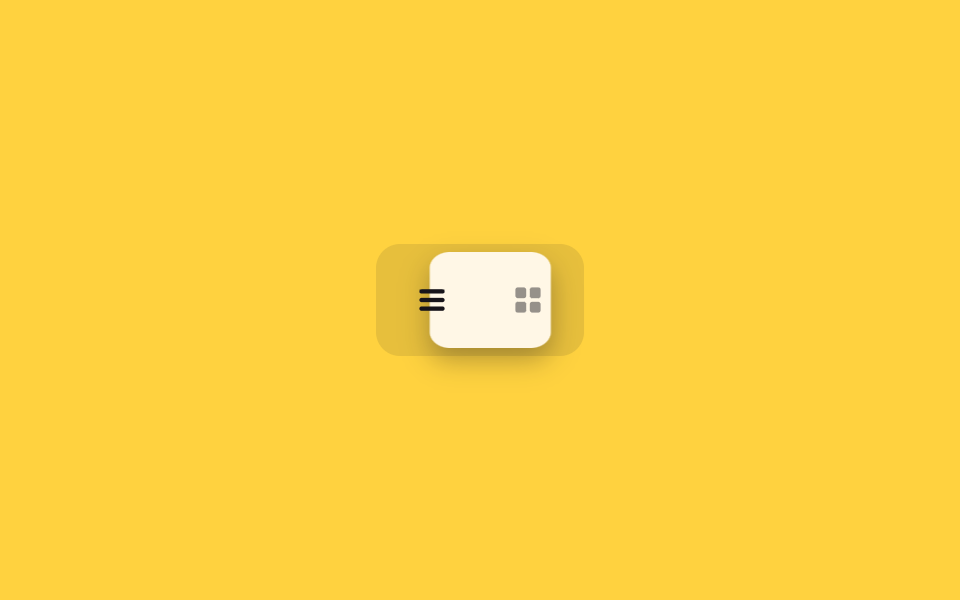 02 segmented-control-icon-view-toggle
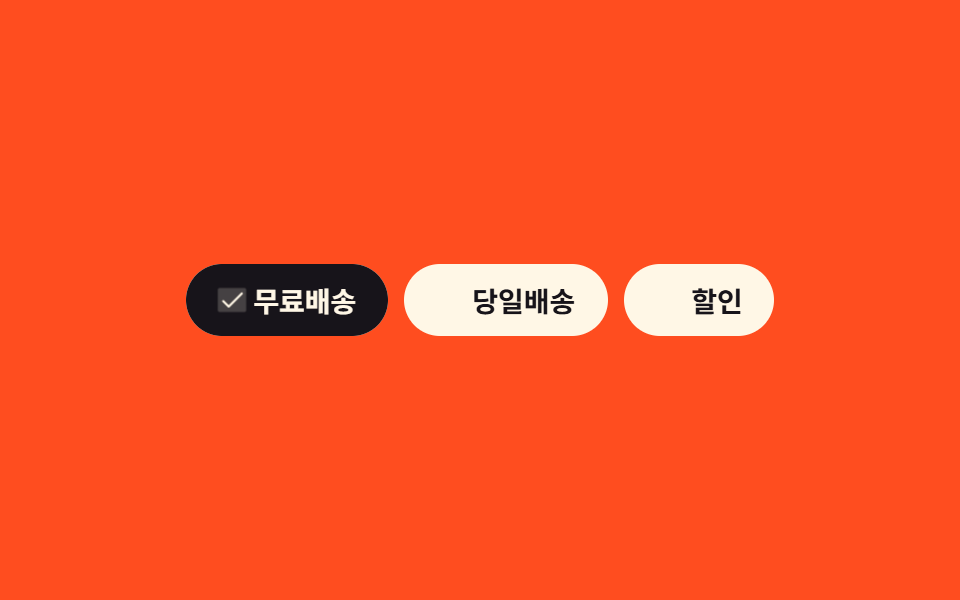 03 chip-select-multi-filter-tag
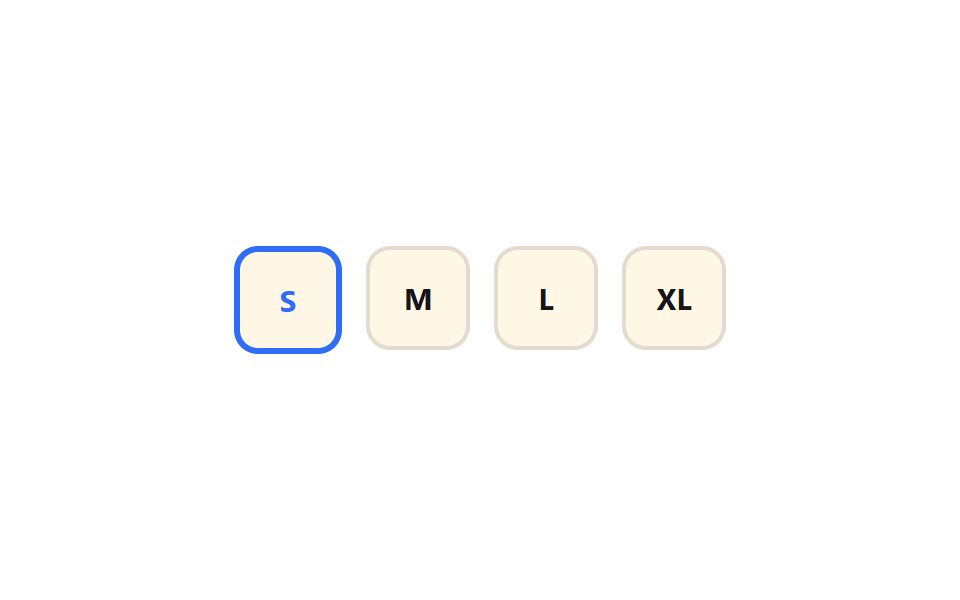 04 chip-select-size-radio-press
 05 emoji-reaction-popup-picker
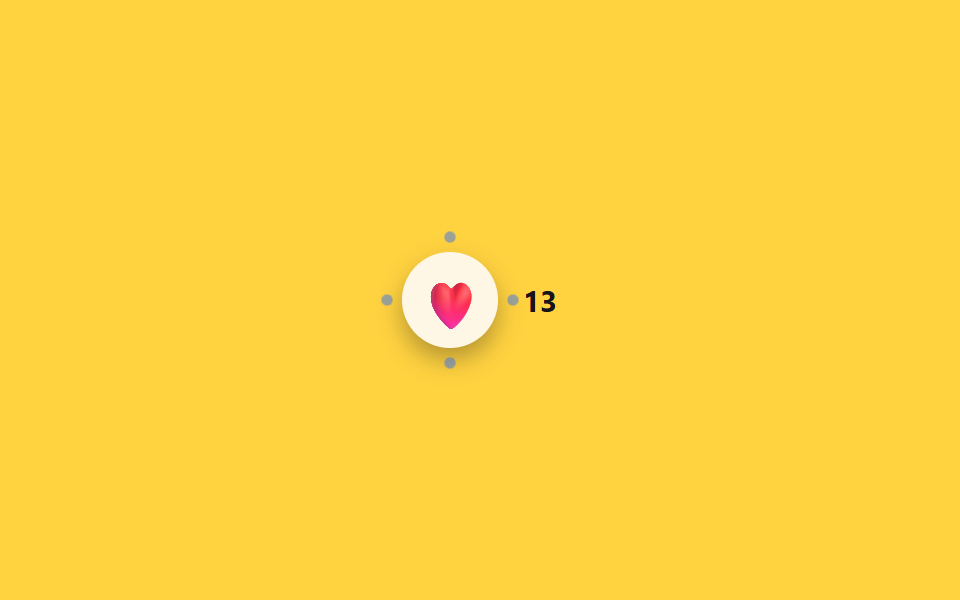 06 emoji-reaction-burst-count-badge
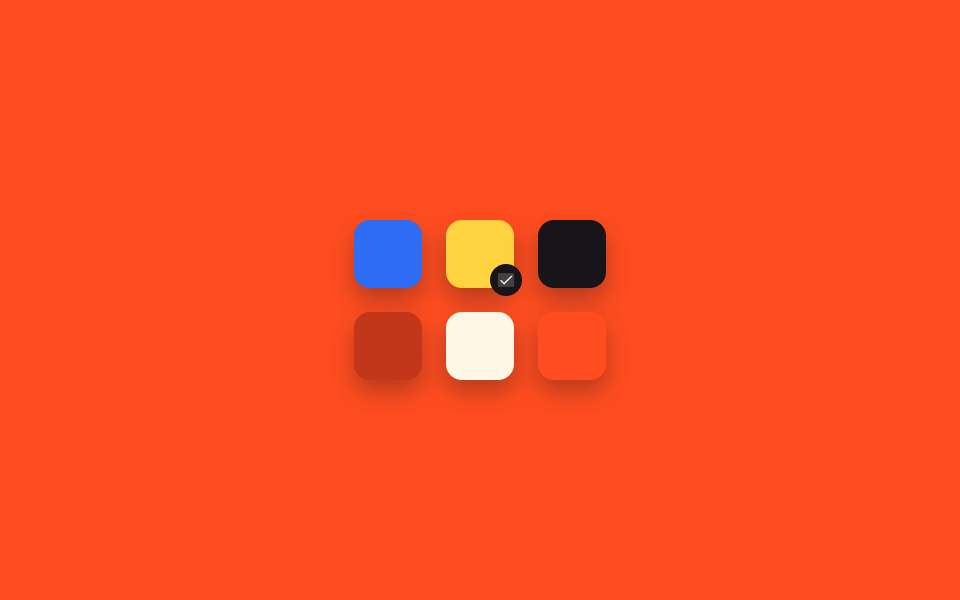 07 color-swatch-grid-check-select
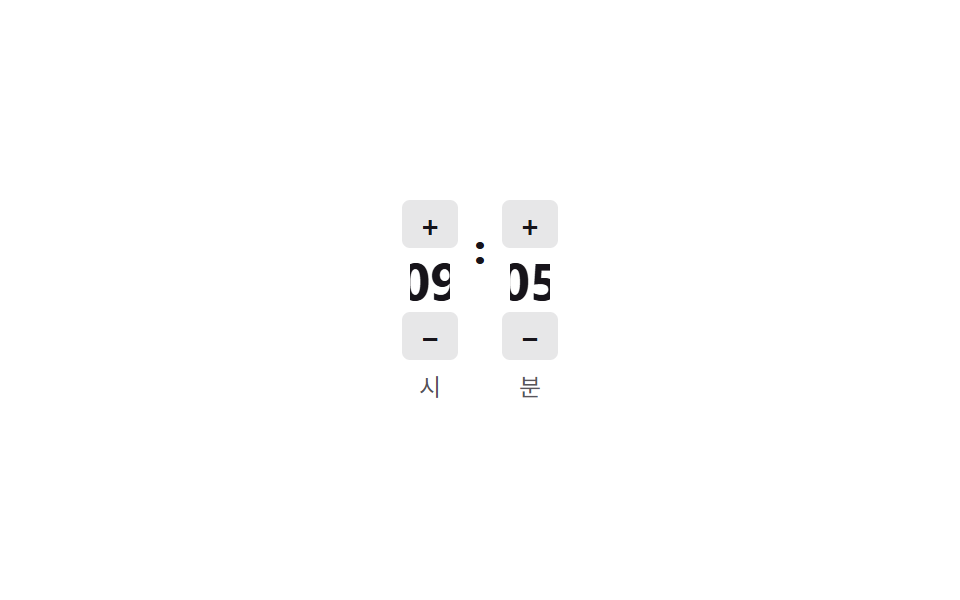 08 time-picker-odometer-scrub
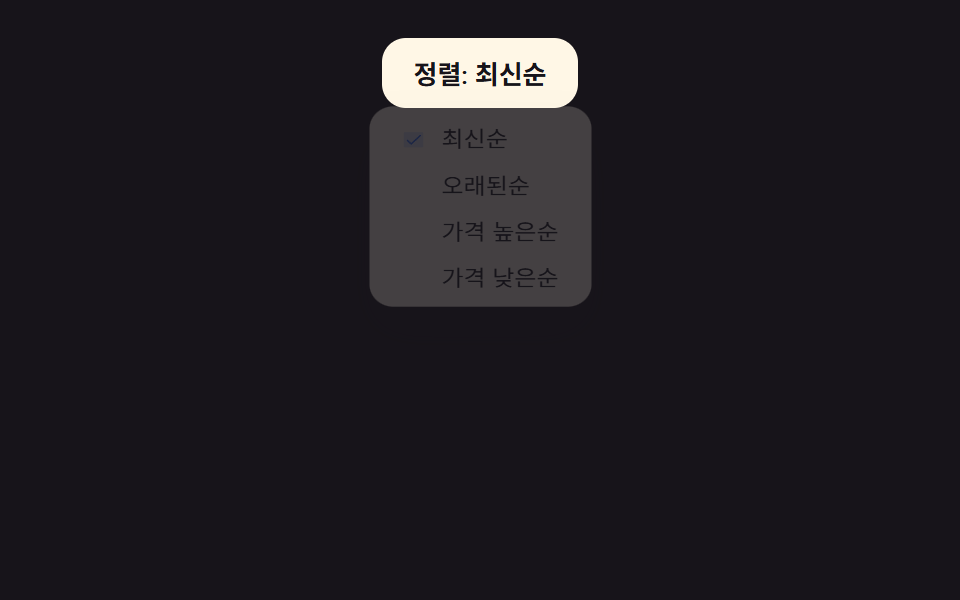 09 sort-dropdown-checkmark-menu
Tự chạy · bấm ô để tới mục đó · cả 9 trong một zip
- 01 Segmented control kiểu pill iOS
- 02 Segmented control 2 icon
- 03 Chip lọc chọn nhiều
- 04 Chip radio chọn size
- 05 Bảng chọn reaction emoji popup
- 06 Emoji bật nảy kèm số đếm
- 07 Lưới chọn màu swatch
- 08 Bộ chọn giờ kiểu odometer
- 09 Dropdown sắp xếp có dấu tick
Chín mục được xếp theo thứ tự gặp trên một màn hình, không theo độ phổ biến. 01–02 là segmented control chọn một trong vài chế độ xem, 03–04 là chip bấm để chọn tùy chọn, 05–06 là để lại reaction bằng emoji, 07 chọn màu, 08 chọn giờ, 09 chọn tiêu chí sắp xếp.
01Segmented control kiểu pill iOS
Bạn thấy gì
Ba radio chia đều chiều rộng, nền pill màu xanh trượt bằng translateX đến đúng nhãn đang được chọn. Giữa đường, pill giãn ra scaleX(1.25) rồi ổn định qua một cú bật nhẹ 1.05 — độ giãn thạch (jelly stretch) đưa cảm giác lại gần thêm một bước với độ nảy lò xo của iOS.
<main class="stage">
  <fieldset class="seg is-demo">
    <legend class="sr-only">Bộ lọc trạng thái</legend>
    <input type="radio" name="seg1" id="seg1-1" class="seg__radio" checked>
    <input type="radio" name="seg1" id="seg1-2" class="seg__radio">
    <input type="radio" name="seg1" id="seg1-3" class="seg__radio">
    <div class="seg__track">
      <span class="seg__pill" aria-hidden="true"></span>
      <label class="seg__tab" for="seg1-1">Tất cả</label>
      <label class="seg__tab" for="seg1-2">Đang xử lý</label>
      <label class="seg__tab" for="seg1-3">Hoàn tất</label>
    </div>
  </fieldset>
</main>
@use "../../../../site/static/demo-tokens" as *;
// ── 변수 3개 ──────────────────────────────
$duration: $dur-quick;
$easing: $ease-pop;
$color: $subject-blue;
$ease-bounce: cubic-bezier(0.34, 1.56, 0.64, 1);
@include stage($stage-ink);
.sr-only {
position: absolute; width: 1px; height: 1px; padding: 0; margin: -1px;
overflow: hidden; clip: rect(0, 0, 0, 0); white-space: nowrap; border: 0;
}
.seg { border: 0; margin: 0; padding: 0; width: min(280px, 84vw); }
.seg__radio { position: absolute; opacity: 0; pointer-events: none; width: 1px; height: 1px; }
.seg__track {
position: relative;
display: flex;
gap: 0;
padding: $sp-1;
background: rgba($subject-cream, .14);
border-radius: $r-pill;
}
.seg__tab {
position: relative; z-index: 1;
flex: 1 1 0;
text-align: center;
padding: $sp-2 $sp-1;
font-weight: 600;
font-size: clamp(12px, 3.4vw, 14px);
line-height: 1;
font-family: inherit;
color: rgba($subject-cream, .55);
cursor: pointer;
-webkit-tap-highlight-color: transparent;
transition: color $duration $easing;
}
.seg__pill {
position: absolute; top: $sp-1; left: $sp-1; bottom: $sp-1;
width: calc((100% - #{$sp-1} * 2) / 3);
border-radius: $r-pill;
background: $color;
transform: translateX(0);
transform-origin: center;
transition: transform $duration $ease-bounce;
}
// ── 실제 동작: :checked 만으로 필이 균등폭 구간을 옮겨가고, 선택된 라벨만 밝아진다 ──────────────
#seg1-2:checked ~ .seg__track .seg__pill { transform: translateX(100%); }
#seg1-3:checked ~ .seg__track .seg__pill { transform: translateX(200%); }
#seg1-1:checked ~ .seg__track .seg__tab:nth-child(2) { color: $subject-cream; }
#seg1-2:checked ~ .seg__track .seg__tab:nth-child(3) { color: $subject-cream; }
#seg1-3:checked ~ .seg__track .seg__tab:nth-child(4) { color: $subject-cream; }
// ── 데모 루프: 클릭 전까지 세 칸을 스스로 오간다 ──────────────
.seg.is-demo .seg__pill { animation: seg-loop-jelly $dur-loop $easing infinite; }
@keyframes seg-loop {
0%, 15% { transform: translateX(0); }
33%, 48% { transform: translateX(100%); }
66%, 81% { transform: translateX(200%); }
100% { transform: translateX(0); }
}
// 젤리 스트레치 + 스프링 오버슛 보강: 정지 구간 값은 seg-loop 과 동일, 이동 구간에 scaleX·도착 오버슛 삽입
@keyframes seg-loop-jelly {
0%, 15% { transform: translateX(0%) scaleX(1); }
22% { transform: translateX(58%) scaleX(1.25); }
30% { transform: translateX(103%) scaleX(1.05); }
33%, 48% { transform: translateX(100%) scaleX(1); }
55% { transform: translateX(158%) scaleX(1.25); }
63% { transform: translateX(203%) scaleX(1.05); }
66%, 81% { transform: translateX(200%) scaleX(1); }
88% { transform: translateX(92%) scaleX(1.25); }
96% { transform: translateX(-3%) scaleX(1.05); }
100% { transform: translateX(0%) scaleX(1); }
}
@media (prefers-reduced-motion: reduce) {
.seg__pill { transition: none; }
.seg.is-demo .seg__pill { animation: none !important; }
}html, body {
margin: 0;
overflow: hidden;
}
.stage {
box-sizing: border-box;
min-height: 100vh;
display: grid;
place-items: center;
margin: 0;
background: #17141a;
font-family: -apple-system, "Segoe UI", "Noto Sans KR", sans-serif;
padding: clamp(8px, 4vw, 24px);
}
.sr-only {
position: absolute;
width: 1px;
height: 1px;
padding: 0;
margin: -1px;
overflow: hidden;
clip: rect(0, 0, 0, 0);
white-space: nowrap;
border: 0;
}
.seg {
border: 0;
margin: 0;
padding: 0;
width: min(280px, 84vw);
}
.seg__radio {
position: absolute;
opacity: 0;
pointer-events: none;
width: 1px;
height: 1px;
}
.seg__track {
position: relative;
display: flex;
gap: 0;
padding: 4px;
background: rgba(255, 247, 230, 0.14);
border-radius: 999px;
}
.seg__tab {
position: relative;
z-index: 1;
flex: 1 1 0;
text-align: center;
padding: 8px 4px;
font-weight: 600;
font-size: clamp(12px, 3.4vw, 14px);
line-height: 1;
font-family: inherit;
color: rgba(255, 247, 230, 0.55);
cursor: pointer;
-webkit-tap-highlight-color: transparent;
transition: color 220ms cubic-bezier(0.2, 1.4, 0.4, 1);
}
.seg__pill {
position: absolute;
top: 4px;
left: 4px;
bottom: 4px;
width: calc((100% - 4px * 2) / 3);
border-radius: 999px;
background: #2f6df6;
transform: translateX(0);
transform-origin: center;
transition: transform 220ms cubic-bezier(0.34, 1.56, 0.64, 1);
}
#seg1-2:checked ~ .seg__track .seg__pill {
transform: translateX(100%);
}
#seg1-3:checked ~ .seg__track .seg__pill {
transform: translateX(200%);
}
#seg1-1:checked ~ .seg__track .seg__tab:nth-child(2) {
color: #fff7e6;
}
#seg1-2:checked ~ .seg__track .seg__tab:nth-child(3) {
color: #fff7e6;
}
#seg1-3:checked ~ .seg__track .seg__tab:nth-child(4) {
color: #fff7e6;
}
.seg.is-demo .seg__pill {
animation: seg-loop-jelly 2s cubic-bezier(0.2, 1.4, 0.4, 1) infinite;
}
@keyframes seg-loop {
0%, 15% {
transform: translateX(0);
}
33%, 48% {
transform: translateX(100%);
}
66%, 81% {
transform: translateX(200%);
}
100% {
transform: translateX(0);
}
}
@keyframes seg-loop-jelly {
0%, 15% {
transform: translateX(0%) scaleX(1);
}
22% {
transform: translateX(58%) scaleX(1.25);
}
30% {
transform: translateX(103%) scaleX(1.05);
}
33%, 48% {
transform: translateX(100%) scaleX(1);
}
55% {
transform: translateX(158%) scaleX(1.25);
}
63% {
transform: translateX(203%) scaleX(1.05);
}
66%, 81% {
transform: translateX(200%) scaleX(1);
}
88% {
transform: translateX(92%) scaleX(1.25);
}
96% {
transform: translateX(-3%) scaleX(1.05);
}
100% {
transform: translateX(0%) scaleX(1);
}
}
@media (prefers-reduced-motion: reduce) {
.seg__pill {
transition: none;
}
.seg.is-demo .seg__pill {
animation: none !important;
}
}// .is-demo 자동 순환 (실제 클릭이 오면 멈춘다, 7줄)
var seg = document.querySelector('.seg');
var radios = seg.querySelectorAll('.seg__radio'); var i = 0;
var t = setInterval(function () { radios[i % radios.length].checked = true; i++; }, 700);
radios.forEach(function (r) { r.addEventListener('pointerdown', function () { seg.classList.remove('is-demo'); clearInterval(t); }); });import { useState } from "react";
import type { CSSProperties } from "react";
import styles from "./SegmentedControlIosPillToggle.module.scss";
export type SegmentedControlIosPillToggleProps = {
legend?: string;
options?: string[];
duration?: number;
easing?: string;
pillColor?: string;
};
type Vars = CSSProperties & { "--duration"?: string; "--easing"?: string; "--pill"?: string };
export default function SegmentedControlIosPillToggle({
legend = "Status filter",
options = ["All", "Active", "Done"],
duration = 220,
easing = "cubic-bezier(.2,1.4,.4,1)",
pillColor = "#2f6df6",
}: SegmentedControlIosPillToggleProps) {
const [index, setIndex] = useState(0);
const vars: Vars = { "--duration": `${duration}ms`, "--easing": easing, "--pill": pillColor };
return (
<fieldset className={styles.seg} style={vars}>
<legend className={styles.srOnly}>{legend}</legend>
<div className={styles.track}>
<span
className={styles.pill}
style={{ transform: `translateX(${index * 100}%)`, width: `calc(100% / ${options.length})` }}
aria-hidden="true"
/>
{options.map((label, i) => (
<label key={label} className={styles.tab} data-active={index === i}>
<input
type="radio"
name="seg"
className={styles.srInput}
checked={index === i}
onChange={() => setIndex(i)}
/>
{label}
</label>
))}
</div>
</fieldset>
);
}01 · Segmented control kiểu pill iOS — Diện tích đo được 6.007% · khung hình chuyển động 15/23Nguyên tác GODRICH · SCSS và React nằm trong tệp zip · Xem mật khẩu
Dùng ở đâu
Hợp cho nút chuyển chế độ xem trong cài đặt, hoặc bộ lọc trạng thái đơn hàng (tất cả/đang xử lý/hoàn tất).
.seg__pill {
  position: absolute;
  width: calc((100% - 8px) / 3);
  transform: translateX(0);
  transition: transform $duration $easing;
}
#seg1-2:checked ~ .seg__track .seg__pill { transform: translateX(100%); }
#seg1-3:checked ~ .seg__track .seg__pill { transform: translateX(200%); }
02Segmented control 2 icon
Chuyện gì diễn ra trên màn hình
Chọn xem dạng danh sách hay lưới thì nền pill trượt đúng nửa track bằng translateX, chỉ icon được chọn đổi sang màu đậm. Pill cũng mang cùng độ giãn thạch như 01 — giãn scaleX khi di chuyển và bật nhẹ khi cập bến, khiến track như một vật liệu có độ đàn hồi.
<main class="stage">
  <fieldset class="iv is-demo">
    <legend class="sr-only">Chế độ xem</legend>
    <input type="radio" name="iv1" id="iv1-1" class="iv__radio" checked>
    <input type="radio" name="iv1" id="iv1-2" class="iv__radio">
    <div class="iv__track">
      <span class="iv__pill" aria-hidden="true"></span>
      <label class="iv__tab" for="iv1-1" aria-label="Xem danh sách">
        <svg viewBox="0 0 20 20" width="18" height="18" aria-hidden="true"><rect x="3" y="4" width="14" height="2.4" rx="1.2" fill="currentColor"/><rect x="3" y="8.8" width="14" height="2.4" rx="1.2" fill="currentColor"/><rect x="3" y="13.6" width="14" height="2.4" rx="1.2" fill="currentColor"/></svg>
      </label>
      <label class="iv__tab" for="iv1-2" aria-label="Xem lưới">
        <svg viewBox="0 0 20 20" width="18" height="18" aria-hidden="true"><rect x="3" y="3" width="6" height="6" rx="1.4" fill="currentColor"/><rect x="11" y="3" width="6" height="6" rx="1.4" fill="currentColor"/><rect x="3" y="11" width="6" height="6" rx="1.4" fill="currentColor"/><rect x="11" y="11" width="6" height="6" rx="1.4" fill="currentColor"/></svg>
      </label>
    </div>
  </fieldset>
</main>
@use "../../../../site/static/demo-tokens" as *;
// ── 변수 3개 ──────────────────────────────
$duration: $dur-quick;
$easing: $ease-pop;
$color: $subject-cream;
$ease-bounce: cubic-bezier(0.34, 1.56, 0.64, 1);
@include stage($stage-yellow);
.sr-only {
position: absolute; width: 1px; height: 1px; padding: 0; margin: -1px;
overflow: hidden; clip: rect(0, 0, 0, 0); white-space: nowrap; border: 0;
}
.iv { border: 0; margin: 0; padding: 0; }
.iv__radio { position: absolute; opacity: 0; pointer-events: none; width: 1px; height: 1px; }
.iv__track {
position: relative;
display: flex;
padding: $sp-1;
background: rgba($subject-ink, .1);
border-radius: $r-control;
}
.iv__tab {
position: relative; z-index: 1;
display: grid; place-items: center;
width: $sp-12; height: $sp-12;
border-radius: $r-sm;
color: rgba($subject-ink, .45);
cursor: pointer;
-webkit-tap-highlight-color: transparent;
transition: color $duration $easing;
}
.iv__pill {
position: absolute; top: $sp-1; left: $sp-1; bottom: $sp-1;
width: $sp-12;
border-radius: $r-sm;
background: $color;
box-shadow: $shadow-press;
transform: translateX(0);
transform-origin: center;
transition: transform $duration $ease-bounce;
}
// ── 실제 동작: :checked 만으로 필이 절반(자기 폭만큼)을 옮겨가고, 선택된 아이콘만 짙어진다 ──────────────
#iv1-2:checked ~ .iv__track .iv__pill { transform: translateX(100%); }
#iv1-1:checked ~ .iv__track .iv__tab:nth-child(2) { color: $subject-ink; }
#iv1-2:checked ~ .iv__track .iv__tab:nth-child(3) { color: $subject-ink; }
// ── 데모 루프: 클릭 전까지 두 칸을 스스로 오간다 ──────────────
.iv.is-demo .iv__pill { animation: iv-loop-jelly $dur-loop $easing infinite; }
@keyframes iv-loop {
0%, 20% { transform: translateX(0); }
50%, 70% { transform: translateX(100%); }
100% { transform: translateX(0); }
}
// 젤리 스트레치 + 스프링 오버슛 보강: 정지 구간 값은 iv-loop 과 동일, 이동 구간에 scaleX·도착 오버슛 삽입
@keyframes iv-loop-jelly {
0%, 20% { transform: translateX(0%) scaleX(1); }
32% { transform: translateX(58%) scaleX(1.25); }
44% { transform: translateX(104%) scaleX(1.05); }
50%, 70% { transform: translateX(100%) scaleX(1); }
82% { transform: translateX(42%) scaleX(1.25); }
92% { transform: translateX(-4%) scaleX(1.05); }
100% { transform: translateX(0%) scaleX(1); }
}
@media (prefers-reduced-motion: reduce) {
.iv__pill { transition: none; }
.iv.is-demo .iv__pill { animation: none !important; }
}html, body {
margin: 0;
overflow: hidden;
}
.stage {
box-sizing: border-box;
min-height: 100vh;
display: grid;
place-items: center;
margin: 0;
background: #ffd23f;
font-family: -apple-system, "Segoe UI", "Noto Sans KR", sans-serif;
padding: clamp(8px, 4vw, 24px);
}
.sr-only {
position: absolute;
width: 1px;
height: 1px;
padding: 0;
margin: -1px;
overflow: hidden;
clip: rect(0, 0, 0, 0);
white-space: nowrap;
border: 0;
}
.iv {
border: 0;
margin: 0;
padding: 0;
}
.iv__radio {
position: absolute;
opacity: 0;
pointer-events: none;
width: 1px;
height: 1px;
}
.iv__track {
position: relative;
display: flex;
padding: 4px;
background: rgba(23, 20, 26, 0.1);
border-radius: 12px;
}
.iv__tab {
position: relative;
z-index: 1;
display: grid;
place-items: center;
width: 48px;
height: 48px;
border-radius: 8px;
color: rgba(23, 20, 26, 0.45);
cursor: pointer;
-webkit-tap-highlight-color: transparent;
transition: color 220ms cubic-bezier(0.2, 1.4, 0.4, 1);
}
.iv__pill {
position: absolute;
top: 4px;
left: 4px;
bottom: 4px;
width: 48px;
border-radius: 8px;
background: #fff7e6;
box-shadow: 0 6px 12px rgba(23, 20, 26, 0.32);
transform: translateX(0);
transform-origin: center;
transition: transform 220ms cubic-bezier(0.34, 1.56, 0.64, 1);
}
#iv1-2:checked ~ .iv__track .iv__pill {
transform: translateX(100%);
}
#iv1-1:checked ~ .iv__track .iv__tab:nth-child(2) {
color: #17141a;
}
#iv1-2:checked ~ .iv__track .iv__tab:nth-child(3) {
color: #17141a;
}
.iv.is-demo .iv__pill {
animation: iv-loop-jelly 2s cubic-bezier(0.2, 1.4, 0.4, 1) infinite;
}
@keyframes iv-loop {
0%, 20% {
transform: translateX(0);
}
50%, 70% {
transform: translateX(100%);
}
100% {
transform: translateX(0);
}
}
@keyframes iv-loop-jelly {
0%, 20% {
transform: translateX(0%) scaleX(1);
}
32% {
transform: translateX(58%) scaleX(1.25);
}
44% {
transform: translateX(104%) scaleX(1.05);
}
50%, 70% {
transform: translateX(100%) scaleX(1);
}
82% {
transform: translateX(42%) scaleX(1.25);
}
92% {
transform: translateX(-4%) scaleX(1.05);
}
100% {
transform: translateX(0%) scaleX(1);
}
}
@media (prefers-reduced-motion: reduce) {
.iv__pill {
transition: none;
}
.iv.is-demo .iv__pill {
animation: none !important;
}
}// .is-demo 자동 순환 (실제 클릭이 오면 멈춘다, 7줄)
var iv = document.querySelector('.iv');
var radios = iv.querySelectorAll('.iv__radio'); var i = 0;
var t = setInterval(function () { radios[i % radios.length].checked = true; i++; }, 700);
radios.forEach(function (r) { r.addEventListener('pointerdown', function () { iv.classList.remove('is-demo'); clearInterval(t); }); });import { useState } from "react";
import type { CSSProperties } from "react";
import styles from "./SegmentedControlIconViewToggle.module.scss";
export type SegmentedControlIconViewToggleProps = {
legend?: string;
duration?: number;
easing?: string;
pillColor?: string;
};
type Vars = CSSProperties & { "--duration"?: string; "--easing"?: string; "--pill"?: string };
export default function SegmentedControlIconViewToggle({
legend = "View mode",
duration = 180,
easing = "cubic-bezier(.2,1.4,.4,1)",
pillColor = "#fff7e6",
}: SegmentedControlIconViewToggleProps) {
const [isGrid, setIsGrid] = useState(false);
const vars: Vars = { "--duration": `${duration}ms`, "--easing": easing, "--pill": pillColor };
return (
<fieldset className={styles.iv} style={vars}>
<legend className={styles.srOnly}>{legend}</legend>
<div className={styles.track}>
<span className={styles.pill} style={{ transform: `translateX(${isGrid ? 100 : 0}%)` }} aria-hidden="true" />
<label className={styles.tab} data-active={!isGrid} aria-label="List view">
<input type="radio" name="iv" className={styles.srInput} checked={!isGrid} onChange={() => setIsGrid(false)} />
<svg viewBox="0 0 20 20" width={18} height={18} aria-hidden="true">
<rect x={3} y={4} width={14} height={2.4} rx={1.2} fill="currentColor" />
<rect x={3} y={8.8} width={14} height={2.4} rx={1.2} fill="currentColor" />
<rect x={3} y={13.6} width={14} height={2.4} rx={1.2} fill="currentColor" />
</svg>
</label>
<label className={styles.tab} data-active={isGrid} aria-label="Grid view">
<input type="radio" name="iv" className={styles.srInput} checked={isGrid} onChange={() => setIsGrid(true)} />
<svg viewBox="0 0 20 20" width={18} height={18} aria-hidden="true">
<rect x={3} y={3} width={6} height={6} rx={1.4} fill="currentColor" />
<rect x={11} y={3} width={6} height={6} rx={1.4} fill="currentColor" />
<rect x={3} y={11} width={6} height={6} rx={1.4} fill="currentColor" />
<rect x={11} y={11} width={6} height={6} rx={1.4} fill="currentColor" />
</svg>
</label>
</div>
</fieldset>
);
}02 · Segmented control 2 icon — Diện tích đo được 4.462% · khung hình chuyển động 14/23Nguyên tác GODRICH · SCSS và React nằm trong tệp zip · Xem mật khẩu
Chỗ dùng
Đây là cơ chế đứng sau nút chuyển danh sách/lưới trên nhiều bảng tin.
.iv__pill {
  position: absolute;
  width: $sp-12;
  transform: translateX(0);
  transition: transform $duration $easing;
}
#iv1-2:checked ~ .iv__track .iv__pill { transform: translateX(100%); }
03Chip lọc chọn nhiều
Chuyển động thế nào
Mỗi chip là một checkbox; chọn nhiều chip cùng lúc thì nền từng chip được tô từ giữa ra bằng scaleX và icon tick SVG nội tuyến bung từ scale(0) lên 1. Cả phần tô lẫn dấu tick đều có keyframe bật quá đà: nền tô tràn ra một nhịp rồi thu về, dấu tick bật vượt 1 lên 1.2 rồi mới ổn định.
<main class="stage">
  <fieldset class="cf is-demo">
    <legend class="sr-only">Bộ lọc giao hàng & giảm giá</legend>
    <label class="cf__chip">
      <input type="checkbox" class="cf__input" checked>
      <span class="cf__check" aria-hidden="true"><svg class="cf__check-icon" viewBox="0 0 256 256"><g fill="currentColor"><path d="M232 56v144a16 16 0 0 1-16 16H40a16 16 0 0 1-16-16V56a16 16 0 0 1 16-16h176a16 16 0 0 1 16 16" opacity=".2"/><path d="m205.66 85.66l-96 96a8 8 0 0 1-11.32 0l-40-40a8 8 0 0 1 11.32-11.32L104 164.69l90.34-90.35a8 8 0 0 1 11.32 11.32"/></g></svg></span>
      <span class="cf__label">Miễn phí ship</span>
    </label>
    <label class="cf__chip">
      <input type="checkbox" class="cf__input">
      <span class="cf__check" aria-hidden="true"><svg class="cf__check-icon" viewBox="0 0 256 256"><g fill="currentColor"><path d="M232 56v144a16 16 0 0 1-16 16H40a16 16 0 0 1-16-16V56a16 16 0 0 1 16-16h176a16 16 0 0 1 16 16" opacity=".2"/><path d="m205.66 85.66l-96 96a8 8 0 0 1-11.32 0l-40-40a8 8 0 0 1 11.32-11.32L104 164.69l90.34-90.35a8 8 0 0 1 11.32 11.32"/></g></svg></span>
      <span class="cf__label">Giao trong ngày</span>
    </label>
    <label class="cf__chip">
      <input type="checkbox" class="cf__input">
      <span class="cf__check" aria-hidden="true"><svg class="cf__check-icon" viewBox="0 0 256 256"><g fill="currentColor"><path d="M232 56v144a16 16 0 0 1-16 16H40a16 16 0 0 1-16-16V56a16 16 0 0 1 16-16h176a16 16 0 0 1 16 16" opacity=".2"/><path d="m205.66 85.66l-96 96a8 8 0 0 1-11.32 0l-40-40a8 8 0 0 1 11.32-11.32L104 164.69l90.34-90.35a8 8 0 0 1 11.32 11.32"/></g></svg></span>
      <span class="cf__label">Giảm giá</span>
    </label>
  </fieldset>
</main>
@use "../../../../site/static/demo-tokens" as *;
// ── 변수 3개 ──────────────────────────────
$duration: $dur-quick;
$easing: $ease-pop;
$color: $subject-ink;
$ease-bounce: cubic-bezier(0.34, 1.56, 0.64, 1);
@include stage($stage-orange);
.sr-only {
position: absolute; width: 1px; height: 1px; padding: 0; margin: -1px;
overflow: hidden; clip: rect(0, 0, 0, 0); white-space: nowrap; border: 0;
}
.cf {
display: flex; flex-wrap: wrap; justify-content: center;
gap: $sp-2; border: 0; margin: 0; padding: 0; max-width: min(300px, 88vw);
}
.cf__input {
position: absolute; opacity: 0; pointer-events: none; width: 1px; height: 1px;
}
.cf__chip {
position: relative;
display: inline-flex; align-items: center; gap: $sp-1;
padding: $sp-2 $sp-4;
border-radius: $r-pill;
background: $subject-cream;
cursor: pointer;
overflow: hidden;
-webkit-tap-highlight-color: transparent;
}
.cf__chip::before {
content: ""; position: absolute; inset: 0; border-radius: $r-pill;
background: $color;
transform: scaleX(0);
transform-origin: center;
transition: transform $duration $ease-bounce;
z-index: 0;
}
.cf__label {
position: relative; z-index: 1;
font-weight: 600; font-size: clamp(12px, 3.2vw, 14px);
color: $subject-ink;
transition: color $duration $easing;
}
.cf__chip:has(.cf__input:checked)::before { transform: scaleX(1); animation: cf-fill-jelly $duration $easing forwards; }
// 채움 스트레치 보강: scaleX 0 → 1.08 오버슛 → 1 안착
@keyframes cf-fill-jelly {
0% { transform: scaleX(0); }
70% { transform: scaleX(1.08); }
100% { transform: scaleX(1); }
}
.cf__chip:has(.cf__input:checked) .cf__label { color: $subject-cream; }
.cf__check {
position: relative; z-index: 1;
width: 14px; height: 14px;
flex: 0 0 auto;
}
.cf__check-icon {
position: absolute; inset: 0;
color: $subject-cream; // Phosphor duotone: g fill="currentColor" 가 이 값을 물려받는다
transform: scale(0);
transition: transform $duration $easing;
}
.cf__chip:has(.cf__input:checked) .cf__check-icon { transform: scale(1); animation: cf-check-pop $duration $easing; }
// 체크 아이콘 팝 보강: 0 → 1.2 오버슛 → 1 안착
@keyframes cf-check-pop {
0% { transform: scale(0); }
60% { transform: scale(1.2); }
100% { transform: scale(1); }
}
@media (prefers-reduced-motion: reduce) {
.cf__chip::before, .cf__label, .cf__check-icon { transition: none; animation: none !important; }
}html, body {
margin: 0;
overflow: hidden;
}
.stage {
box-sizing: border-box;
min-height: 100vh;
display: grid;
place-items: center;
margin: 0;
background: #ff4d1f;
font-family: -apple-system, "Segoe UI", "Noto Sans KR", sans-serif;
padding: clamp(8px, 4vw, 24px);
}
.sr-only {
position: absolute;
width: 1px;
height: 1px;
padding: 0;
margin: -1px;
overflow: hidden;
clip: rect(0, 0, 0, 0);
white-space: nowrap;
border: 0;
}
.cf {
display: flex;
flex-wrap: wrap;
justify-content: center;
gap: 8px;
border: 0;
margin: 0;
padding: 0;
max-width: min(300px, 88vw);
}
.cf__input {
position: absolute;
opacity: 0;
pointer-events: none;
width: 1px;
height: 1px;
}
.cf__chip {
position: relative;
display: inline-flex;
align-items: center;
gap: 4px;
padding: 8px 16px;
border-radius: 999px;
background: #fff7e6;
cursor: pointer;
overflow: hidden;
-webkit-tap-highlight-color: transparent;
}
.cf__chip::before {
content: "";
position: absolute;
inset: 0;
border-radius: 999px;
background: #17141a;
transform: scaleX(0);
transform-origin: center;
transition: transform 220ms cubic-bezier(0.34, 1.56, 0.64, 1);
z-index: 0;
}
.cf__label {
position: relative;
z-index: 1;
font-weight: 600;
font-size: clamp(12px, 3.2vw, 14px);
color: #17141a;
transition: color 220ms cubic-bezier(0.2, 1.4, 0.4, 1);
}
.cf__chip:has(.cf__input:checked)::before {
transform: scaleX(1);
animation: cf-fill-jelly 220ms cubic-bezier(0.2, 1.4, 0.4, 1) forwards;
}
@keyframes cf-fill-jelly {
0% {
transform: scaleX(0);
}
70% {
transform: scaleX(1.08);
}
100% {
transform: scaleX(1);
}
}
.cf__chip:has(.cf__input:checked) .cf__label {
color: #fff7e6;
}
.cf__check {
position: relative;
z-index: 1;
width: 14px;
height: 14px;
flex: 0 0 auto;
}
.cf__check-icon {
position: absolute;
inset: 0;
color: #fff7e6;
transform: scale(0);
transition: transform 220ms cubic-bezier(0.2, 1.4, 0.4, 1);
}
.cf__chip:has(.cf__input:checked) .cf__check-icon {
transform: scale(1);
animation: cf-check-pop 220ms cubic-bezier(0.2, 1.4, 0.4, 1);
}
@keyframes cf-check-pop {
0% {
transform: scale(0);
}
60% {
transform: scale(1.2);
}
100% {
transform: scale(1);
}
}
@media (prefers-reduced-motion: reduce) {
.cf__chip::before, .cf__label, .cf__check-icon {
transition: none;
animation: none !important;
}
}// .is-demo 자동 순환 — 체크박스를 하나씩 껐다 켠다 (실제 클릭이 오면 멈춘다, 8줄)
var cf = document.querySelector('.cf');
var inputs = cf.querySelectorAll('.cf__input'); var i = 0;
var t = setInterval(function () { var el = inputs[i % inputs.length]; el.checked = !el.checked; i++; }, 650);
inputs.forEach(function (el) { el.addEventListener('pointerdown', function () { cf.classList.remove('is-demo'); clearInterval(t); }); });import { useState } from "react";
import type { CSSProperties } from "react";
import styles from "./ChipSelectMultiFilterTag.module.scss";
export type ChipSelectMultiFilterTagProps = {
legend?: string;
options?: string[];
defaultChecked?: string[];
duration?: number;
easing?: string;
fillColor?: string;
};
type Vars = CSSProperties & { "--duration"?: string; "--easing"?: string; "--fill"?: string };
export default function ChipSelectMultiFilterTag({
legend = "Shipping & discount filter",
options = ["Free shipping", "Same-day delivery", "Discount"],
defaultChecked = ["Free shipping"],
duration = 200,
easing = "cubic-bezier(.2,1.4,.4,1)",
fillColor = "#17141a",
}: ChipSelectMultiFilterTagProps) {
const [checked, setChecked] = useState<Set<string>>(new Set(defaultChecked));
const vars: Vars = { "--duration": `${duration}ms`, "--easing": easing, "--fill": fillColor };
function toggle(label: string) {
const next = new Set(checked);
next.has(label) ? next.delete(label) : next.add(label);
setChecked(next);
}
return (
<fieldset className={styles.cf} style={vars}>
<legend className={styles.srOnly}>{legend}</legend>
{options.map((label) => (
<label key={label} className={styles.chip} data-checked={checked.has(label)}>
<input
type="checkbox"
className={styles.srInput}
checked={checked.has(label)}
onChange={() => toggle(label)}
/>
<span className={styles.check} aria-hidden="true">
<svg className={styles.checkIcon} viewBox="0 0 256 256">
<g fill="currentColor"><path d="M232 56v144a16 16 0 0 1-16 16H40a16 16 0 0 1-16-16V56a16 16 0 0 1 16-16h176a16 16 0 0 1 16 16" opacity=".2" /><path d="m205.66 85.66l-96 96a8 8 0 0 1-11.32 0l-40-40a8 8 0 0 1 11.32-11.32L104 164.69l90.34-90.35a8 8 0 0 1 11.32 11.32" /></g>
</svg>
</span>
<span className={styles.label}>{label}</span>
</label>
))}
</fieldset>
);
}03 · Chip lọc chọn nhiều — Diện tích đo được 3.999% · khung hình chuyển động 6/23Nguyên tác GODRICH · SCSS và React nằm trong tệp zip · Xem mật khẩu
Dùng khi nào
Hợp cho bộ lọc danh sách sản phẩm như miễn phí ship, giao trong ngày, giảm giá.
.cf__chip::before {
  content: "";
  position: absolute; inset: 0;
  background: $color;
  transform: scaleX(0);
  transform-origin: center;
  transition: transform $duration $easing;
}
.cf__chip:has(.cf__input:checked)::before { transform: scaleX(1); }
04Chip radio chọn size
Bạn thấy gì
Chọn một trong các chip radio S/M/L/XL thì chip đó lún nhẹ về scale(.84) rồi bật lại, viền quanh chip dày lên. Cú bật lại đi qua điểm 1.05 của độ nảy lò xo, tạo cảm giác đàn hồi thật như ngón tay vừa nhấn xuống chip.
<main class="stage">
  <fieldset class="sz is-demo">
    <legend class="sr-only">Kích cỡ</legend>
    <label class="sz__chip"><input type="radio" name="sz1" class="sz__input" checked><span>S</span></label>
    <label class="sz__chip"><input type="radio" name="sz1" class="sz__input"><span>M</span></label>
    <label class="sz__chip"><input type="radio" name="sz1" class="sz__input"><span>L</span></label>
    <label class="sz__chip"><input type="radio" name="sz1" class="sz__input"><span>XL</span></label>
  </fieldset>
</main>
@use "../../../../site/static/demo-tokens" as *;
// ── 변수 3개 ──────────────────────────────
$duration: $dur-enter;
$easing: $ease-pop;
$color: $subject-blue;
@include stage($stage-paper);
.sr-only {
position: absolute; width: 1px; height: 1px; padding: 0; margin: -1px;
overflow: hidden; clip: rect(0, 0, 0, 0); white-space: nowrap; border: 0;
}
.sz { display: flex; gap: $sp-3; border: 0; margin: 0; padding: 0; }
.sz__input { position: absolute; opacity: 0; pointer-events: none; width: 1px; height: 1px; }
.sz__chip {
position: relative;
display: grid; place-items: center;
width: $sp-12; height: $sp-12;
border-radius: $r-control;
background: $subject-cream;
border: 2px solid rgba($subject-ink, .12);
font-weight: 700;
font-size: 15px;
font-family: inherit;
color: $subject-ink;
cursor: pointer;
-webkit-tap-highlight-color: transparent;
transform: scale(1);
transition: transform $duration $easing, border-color $dur-quick $easing, color $dur-quick $easing;
}
.sz__chip:has(.sz__input:checked) {
border-color: $color;
border-width: 3px;
color: $color;
animation: sz-press-jelly $duration $easing;
}
@keyframes sz-press {
0% { transform: scale(1); }
35% { transform: scale(.84); }
70% { transform: scale(1.05); }
100% { transform: scale(1); }
}
// 눌림 젤리 보강: 눌릴 때 납작(scaleX .86 / scaleY 1.08 역바운스), 튀어오를 때 세로로 늘어났다 안착
@keyframes sz-press-jelly {
0% { transform: scaleX(1) scaleY(1); }
35% { transform: scaleX(.86) scaleY(1.08); }
65% { transform: scaleX(1.08) scaleY(.94); }
85% { transform: scaleX(.97) scaleY(1.03); }
100% { transform: scaleX(1) scaleY(1); }
}
@media (prefers-reduced-motion: reduce) {
.sz__chip { transition: none; animation: none !important; }
}html, body {
margin: 0;
overflow: hidden;
}
.stage {
box-sizing: border-box;
min-height: 100vh;
display: grid;
place-items: center;
margin: 0;
background: #ffffff;
font-family: -apple-system, "Segoe UI", "Noto Sans KR", sans-serif;
padding: clamp(8px, 4vw, 24px);
}
.sr-only {
position: absolute;
width: 1px;
height: 1px;
padding: 0;
margin: -1px;
overflow: hidden;
clip: rect(0, 0, 0, 0);
white-space: nowrap;
border: 0;
}
.sz {
display: flex;
gap: 12px;
border: 0;
margin: 0;
padding: 0;
}
.sz__input {
position: absolute;
opacity: 0;
pointer-events: none;
width: 1px;
height: 1px;
}
.sz__chip {
position: relative;
display: grid;
place-items: center;
width: 48px;
height: 48px;
border-radius: 12px;
background: #fff7e6;
border: 2px solid rgba(23, 20, 26, 0.12);
font-weight: 700;
font-size: 15px;
font-family: inherit;
color: #17141a;
cursor: pointer;
-webkit-tap-highlight-color: transparent;
transform: scale(1);
transition: transform 600ms cubic-bezier(0.2, 1.4, 0.4, 1), border-color 220ms cubic-bezier(0.2, 1.4, 0.4, 1), color 220ms cubic-bezier(0.2, 1.4, 0.4, 1);
}
.sz__chip:has(.sz__input:checked) {
border-color: #2f6df6;
border-width: 3px;
color: #2f6df6;
animation: sz-press-jelly 600ms cubic-bezier(0.2, 1.4, 0.4, 1);
}
@keyframes sz-press {
0% {
transform: scale(1);
}
35% {
transform: scale(0.84);
}
70% {
transform: scale(1.05);
}
100% {
transform: scale(1);
}
}
@keyframes sz-press-jelly {
0% {
transform: scaleX(1) scaleY(1);
}
35% {
transform: scaleX(0.86) scaleY(1.08);
}
65% {
transform: scaleX(1.08) scaleY(0.94);
}
85% {
transform: scaleX(0.97) scaleY(1.03);
}
100% {
transform: scaleX(1) scaleY(1);
}
}
@media (prefers-reduced-motion: reduce) {
.sz__chip {
transition: none;
animation: none !important;
}
}// .is-demo 자동 순환 (실제 클릭이 오면 멈춘다, 6줄)
var sz = document.querySelector('.sz');
var inputs = sz.querySelectorAll('.sz__input'); var i = 0;
var t = setInterval(function () { inputs[i % inputs.length].checked = true; i++; }, 480);
inputs.forEach(function (el) { el.addEventListener('pointerdown', function () { sz.classList.remove('is-demo'); clearInterval(t); }); });import { useState } from "react";
import type { CSSProperties } from "react";
import styles from "./ChipSelectSizeRadioPress.module.scss";
export type ChipSelectSizeRadioPressProps = {
legend?: string;
sizes?: string[];
duration?: number;
easing?: string;
ringColor?: string;
};
type Vars = CSSProperties & { "--duration"?: string; "--easing"?: string; "--ring"?: string };
export default function ChipSelectSizeRadioPress({
legend = "Size",
sizes = ["S", "M", "L", "XL"],
duration = 300,
easing = "cubic-bezier(.2,1.4,.4,1)",
ringColor = "#2f6df6",
}: ChipSelectSizeRadioPressProps) {
const [value, setValue] = useState(sizes[0]);
const vars: Vars = { "--duration": `${duration}ms`, "--easing": easing, "--ring": ringColor };
return (
<fieldset className={styles.sz} style={vars}>
<legend className={styles.srOnly}>{legend}</legend>
{sizes.map((s) => (
<label key={s} className={styles.chip} data-checked={value === s}>
<input
type="radio"
name="size"
className={styles.srInput}
checked={value === s}
onChange={() => setValue(s)}
/>
{s}
</label>
))}
</fieldset>
);
}04 · Chip radio chọn size — Diện tích đo được 2.096% · khung hình chuyển động 10/23Nguyên tác GODRICH · SCSS và React nằm trong tệp zip · Xem mật khẩu
Dùng ở đâu
Cùng kiểu với chọn size sản phẩm hoặc chọn số người khi đặt chỗ.
.sz__chip:has(.sz__input:checked) {
  border-color: $color;
  border-width: 3px;
  animation: sz-press $duration $easing;
}
@keyframes sz-press {
  0%   { transform: scale(1); }
  35%  { transform: scale(.84); }
  70%  { transform: scale(1.05); }
  100% { transform: scale(1); }
}
05Bảng chọn reaction emoji popup
Chuyện gì diễn ra trên màn hình
Nhấn nút react thì một dải bốn emoji hiện lên bằng opacity và translateY, aria-expanded của nút được cập nhật ngay. Trên đường hiện lên, dải emoji bị ép dẹt theo chiều dọc rồi tràn ngang quá đà — một cú lắc kiểu thạch, như miếng sticker mềm bật ra.
<main class="stage">
  <div class="rp is-demo">
    <div class="rp__pop" role="menu" aria-label="Reaction emoji">
      <button type="button" class="rp__emoji" role="menuitem" aria-label="Thích">👍</button>
      <button type="button" class="rp__emoji" role="menuitem" aria-label="Buồn cười">😂</button>
      <button type="button" class="rp__emoji" role="menuitem" aria-label="Tuyệt">🎉</button>
      <button type="button" class="rp__emoji" role="menuitem" aria-label="Buồn">😢</button>
    </div>
    <button type="button" class="rp__trigger" aria-haspopup="true" aria-expanded="false">Reaction</button>
  </div>
</main>
@use "../../../../site/static/demo-tokens" as *;
// ── 변수 3개 ──────────────────────────────
$duration: $dur-base;
$easing: $ease-spring;
$color: $subject-cream;
@include stage($stage-ink);
.rp { position: relative; display: inline-flex; }
.rp__trigger {
padding: $sp-2 $sp-5;
border: 0;
border-radius: $r-pill;
background: $subject-blue-deep;
color: $subject-cream;
font-weight: 700;
font-size: 14px;
font-family: inherit;
cursor: pointer;
-webkit-tap-highlight-color: transparent;
}
.rp__pop {
position: absolute;
bottom: calc(100% + #{$sp-2});
left: 50%;
display: flex;
gap: $sp-1;
padding: $sp-1 $sp-2;
border-radius: $r-pill;
background: $color;
box-shadow: $shadow-raised;
transform: translate(-50%, $sp-2) scale(.85);
opacity: 0;
pointer-events: none;
transition: transform $duration $easing, opacity $duration $easing;
}
.rp.is-open .rp__pop { opacity: 1; transform: translate(-50%, 0) scale(1); pointer-events: auto; }
// 열림 젤리 보강: 세로로 늘어난 뒤 안착 (기존 transition 은 유지, is-open 애니메이션이 이긴다)
.rp.is-open .rp__pop { animation: rp-pop-jelly $duration $easing; transform-origin: bottom center; }
@keyframes rp-pop-jelly {
0% { transform: translate(-50%, 8px) scale(.9, .78); }
55% { transform: translate(-50%, 0) scale(.96, 1.12); }
80% { transform: translate(-50%, 0) scale(1.03, .96); }
100% { transform: translate(-50%, 0) scale(1, 1); }
}
.rp__emoji {
border: 0; background: none; font-size: 22px; line-height: 1; padding: $sp-1;
cursor: pointer; border-radius: $r-sm;
transition: transform $dur-instant $easing;
}
.rp__emoji:hover, .rp__emoji:focus-visible { transform: translateY(-4px); }
@media (prefers-reduced-motion: reduce) {
.rp__pop, .rp__emoji { transition: none; }
.rp.is-open .rp__pop { animation: none !important; }
}html, body {
margin: 0;
overflow: hidden;
}
.stage {
box-sizing: border-box;
min-height: 100vh;
display: grid;
place-items: center;
margin: 0;
background: #17141a;
font-family: -apple-system, "Segoe UI", "Noto Sans KR", sans-serif;
padding: clamp(8px, 4vw, 24px);
}
.rp {
position: relative;
display: inline-flex;
}
.rp__trigger {
padding: 8px 20px;
border: 0;
border-radius: 999px;
background: #0a4fe8;
color: #fff7e6;
font-weight: 700;
font-size: 14px;
font-family: inherit;
cursor: pointer;
-webkit-tap-highlight-color: transparent;
}
.rp__pop {
position: absolute;
bottom: calc(100% + 8px);
left: 50%;
display: flex;
gap: 4px;
padding: 4px 8px;
border-radius: 999px;
background: #fff7e6;
box-shadow: 0 14px 24px rgba(23, 20, 26, 0.32);
transform: translate(-50%, 8px) scale(0.85);
opacity: 0;
pointer-events: none;
transition: transform 300ms cubic-bezier(0.2, 0.8, 0.2, 1), opacity 300ms cubic-bezier(0.2, 0.8, 0.2, 1);
}
.rp.is-open .rp__pop {
opacity: 1;
transform: translate(-50%, 0) scale(1);
pointer-events: auto;
}
.rp.is-open .rp__pop {
animation: rp-pop-jelly 300ms cubic-bezier(0.2, 0.8, 0.2, 1);
transform-origin: bottom center;
}
@keyframes rp-pop-jelly {
0% {
transform: translate(-50%, 8px) scale(0.9, 0.78);
}
55% {
transform: translate(-50%, 0) scale(0.96, 1.12);
}
80% {
transform: translate(-50%, 0) scale(1.03, 0.96);
}
100% {
transform: translate(-50%, 0) scale(1, 1);
}
}
.rp__emoji {
border: 0;
background: none;
font-size: 22px;
line-height: 1;
padding: 4px;
cursor: pointer;
border-radius: 8px;
transition: transform 140ms cubic-bezier(0.2, 0.8, 0.2, 1);
}
.rp__emoji:hover, .rp__emoji:focus-visible {
transform: translateY(-4px);
}
@media (prefers-reduced-motion: reduce) {
.rp__pop, .rp__emoji {
transition: none;
}
.rp.is-open .rp__pop {
animation: none !important;
}
}// 실제 동작: 버튼을 누르면 팝업이 열리고 aria-expanded 가 바뀐다. Esc 로 닫힘 (11줄)
var rp = document.querySelector('.rp'), trigger = rp.querySelector('.rp__trigger');
function setOpen(v) { rp.classList.toggle('is-open', v); trigger.setAttribute('aria-expanded', String(v)); }
trigger.addEventListener('click', function () { rp.classList.remove('is-demo'); clearInterval(loop); setOpen(!rp.classList.contains('is-open')); });
document.addEventListener('keydown', function (e) { if (e.key === 'Escape') setOpen(false); });
// .is-demo 자동 순환 — 열림/닫힘을 반복한다 (실제 클릭이 오면 멈춘다)
var open = false;
var loop = setInterval(function () { open = !open; rp.classList.toggle('is-open', open); }, 900);import { useState } from "react";
import type { CSSProperties } from "react";
import styles from "./EmojiReactionPopupPicker.module.scss";
export type EmojiOption = { emoji: string; label: string };
export type EmojiReactionPopupPickerProps = {
triggerLabel?: string;
emojis?: EmojiOption[];
duration?: number;
easing?: string;
accentColor?: string;
};
type Vars = CSSProperties & { "--duration"?: string; "--easing"?: string; "--accent"?: string };
export default function EmojiReactionPopupPicker({
triggerLabel = "React",
emojis = [
{ emoji: "👍", label: "Like" },
{ emoji: "😂", label: "Haha" },
{ emoji: "🎉", label: "Awesome" },
{ emoji: "😢", label: "Sad" },
],
duration = 300,
easing = "cubic-bezier(.2,.8,.2,1)",
accentColor = "#0a4fe8",
}: EmojiReactionPopupPickerProps) {
const [open, setOpen] = useState(false);
const vars: Vars = { "--duration": `${duration}ms`, "--easing": easing, "--accent": accentColor };
return (
<div className={styles.rp} style={vars} onKeyDown={(e: { key: string }) => e.key === "Escape" && setOpen(false)}>
<div className={styles.pop} role="menu" aria-label="Emoji reactions" data-open={open}>
{emojis.map((e) => (
<button key={e.label} type="button" className={styles.emoji} role="menuitem" aria-label={e.label} onClick={() => setOpen(false)}>
{e.emoji}
</button>
))}
</div>
<button type="button" className={styles.trigger} aria-haspopup="true" aria-expanded={open} onClick={() => setOpen((v) => !v)}>
{triggerLabel}
</button>
</div>
);
}05 · Bảng chọn reaction emoji popup — Diện tích đo được 6.434% · khung hình chuyển động 7/23Nguyên tác GODRICH · SCSS và React nằm trong tệp zip · Xem mật khẩu
Chỗ dùng
Đây là cơ chế đứng sau việc thả reaction vào tin nhắn hay bài đăng.
.rp__pop {
  transform: translate(-50%, 8px) scale(.85);
  opacity: 0;
  pointer-events: none;
  transition: transform $duration $easing, opacity $duration $easing;
}
.rp.is-open .rp__pop {
  transform: translate(-50%, 0) scale(1);
  opacity: 1;
  pointer-events: auto;
}
06Emoji bật nảy kèm số đếm
Chuyển động thế nào
Chọn một emoji thì emoji đó bật scale lớn lên, bốn chấm nhỏ văng ra ngoài rồi mờ dần, số trên badge bên cạnh tăng thêm 1. Cú bật này chính là một độ giãn thạch — trục x và y so le nhau giãn và nén, emoji loang sang hai bên ở đỉnh rồi bật ngược theo chiều dọc khi trở về.
<main class="stage">
  <div class="bc is-demo">
    <button type="button" class="bc__btn" aria-label="Thả tim phản ứng">
      <span class="bc__emoji" aria-hidden="true">❤️</span>
      <span class="bc__burst" aria-hidden="true"></span>
    </button>
    <span class="bc__count" aria-live="polite"><span class="sr-only">Số lượt phản ứng</span> 12</span>
  </div>
</main>
@use "../../../../site/static/demo-tokens" as *;
// ── 변수 3개 ──────────────────────────────
$duration: $dur-enter;
$easing: $ease-pop;
$color: $subject-blue;
@include stage($stage-yellow);
.sr-only {
position: absolute; width: 1px; height: 1px; padding: 0; margin: -1px;
overflow: hidden; clip: rect(0, 0, 0, 0); white-space: nowrap; border: 0;
}
.bc { display: flex; align-items: center; gap: $sp-3; }
.bc__btn {
position: relative;
display: grid; place-items: center;
width: $sp-12; height: $sp-12;
border: 0; border-radius: 50%;
background: $subject-cream;
box-shadow: $shadow-press;
cursor: pointer;
-webkit-tap-highlight-color: transparent;
}
.bc__emoji { display: inline-block; font-size: 24px; transform: scale(1); }
.bc__burst {
position: absolute; inset: 0; border-radius: 50%;
background:
radial-gradient($color 40%, transparent 41%) 50% 4% / 6px 6px no-repeat,
radial-gradient($color 40%, transparent 41%) 96% 50% / 6px 6px no-repeat,
radial-gradient($color 40%, transparent 41%) 50% 96% / 6px 6px no-repeat,
radial-gradient($color 40%, transparent 41%) 4% 50% / 6px 6px no-repeat;
opacity: 0;
transform: scale(.4);
}
.bc__count {
font-weight: 700; font-size: 15px; font-family: inherit; color: $subject-ink;
}
.bc.is-play .bc__emoji { animation: bc-emoji-jelly $duration $easing; }
.bc.is-play .bc__burst { animation: bc-burst $duration $easing; }
@keyframes bc-emoji {
0% { transform: scale(1); }
35% { transform: scale(1.5); }
60% { transform: scale(.9); }
100% { transform: scale(1); }
}
// 젤리 스트레치: 피크에서 x/y 눌림-늘림을 교차시켜 바운스에 물성을 얹는다
@keyframes bc-emoji-jelly {
0% { transform: scale(1); }
35% { transform: scaleX(1.35) scaleY(.8); }
60% { transform: scaleX(.85) scaleY(1.15); }
100% { transform: scale(1); }
}
@keyframes bc-burst {
0% { opacity: 1; transform: scale(.4); }
70% { opacity: .5; }
100% { opacity: 0; transform: scale(1.6); }
}
@media (prefers-reduced-motion: reduce) {
.bc.is-play .bc__emoji, .bc.is-play .bc__burst { animation: none !important; }
}html, body {
margin: 0;
overflow: hidden;
}
.stage {
box-sizing: border-box;
min-height: 100vh;
display: grid;
place-items: center;
margin: 0;
background: #ffd23f;
font-family: -apple-system, "Segoe UI", "Noto Sans KR", sans-serif;
padding: clamp(8px, 4vw, 24px);
}
.sr-only {
position: absolute;
width: 1px;
height: 1px;
padding: 0;
margin: -1px;
overflow: hidden;
clip: rect(0, 0, 0, 0);
white-space: nowrap;
border: 0;
}
.bc {
display: flex;
align-items: center;
gap: 12px;
}
.bc__btn {
position: relative;
display: grid;
place-items: center;
width: 48px;
height: 48px;
border: 0;
border-radius: 50%;
background: #fff7e6;
box-shadow: 0 6px 12px rgba(23, 20, 26, 0.32);
cursor: pointer;
-webkit-tap-highlight-color: transparent;
}
.bc__emoji {
display: inline-block;
font-size: 24px;
transform: scale(1);
}
.bc__burst {
position: absolute;
inset: 0;
border-radius: 50%;
background: radial-gradient(#2f6df6 40%, transparent 41%) 50% 4%/6px 6px no-repeat, radial-gradient(#2f6df6 40%, transparent 41%) 96% 50%/6px 6px no-repeat, radial-gradient(#2f6df6 40%, transparent 41%) 50% 96%/6px 6px no-repeat, radial-gradient(#2f6df6 40%, transparent 41%) 4% 50%/6px 6px no-repeat;
opacity: 0;
transform: scale(0.4);
}
.bc__count {
font-weight: 700;
font-size: 15px;
font-family: inherit;
color: #17141a;
}
.bc.is-play .bc__emoji {
animation: bc-emoji-jelly 600ms cubic-bezier(0.2, 1.4, 0.4, 1);
}
.bc.is-play .bc__burst {
animation: bc-burst 600ms cubic-bezier(0.2, 1.4, 0.4, 1);
}
@keyframes bc-emoji {
0% {
transform: scale(1);
}
35% {
transform: scale(1.5);
}
60% {
transform: scale(0.9);
}
100% {
transform: scale(1);
}
}
@keyframes bc-emoji-jelly {
0% {
transform: scale(1);
}
35% {
transform: scaleX(1.35) scaleY(0.8);
}
60% {
transform: scaleX(0.85) scaleY(1.15);
}
100% {
transform: scale(1);
}
}
@keyframes bc-burst {
0% {
opacity: 1;
transform: scale(0.4);
}
70% {
opacity: 0.5;
}
100% {
opacity: 0;
transform: scale(1.6);
}
}
@media (prefers-reduced-motion: reduce) {
.bc.is-play .bc__emoji, .bc.is-play .bc__burst {
animation: none !important;
}
}// 실제 동작: 누를 때마다 이모지가 튀고 점이 흩어지며 카운트가 1 올라간다 (12줄)
var bc = document.querySelector('.bc'), btn = bc.querySelector('.bc__btn'), countEl = bc.querySelector('.bc__count');
var n = 12;
function burst() {
bc.classList.remove('is-play'); void bc.offsetWidth; bc.classList.add('is-play');
n++; countEl.lastChild.textContent = ' ' + n;
}
btn.addEventListener('click', function () { bc.classList.remove('is-demo'); clearInterval(loop); burst(); });
// .is-demo 자동 순환 — 일정 간격으로 스스로 누른다 (실제 클릭이 오면 멈춘다)
burst();
var loop = setInterval(burst, 1100);import { useState } from "react";
import type { CSSProperties } from "react";
import styles from "./EmojiReactionBurstCountBadge.module.scss";
export type EmojiReactionBurstCountBadgeProps = {
ariaLabel?: string;
emoji?: string;
initialCount?: number;
duration?: number;
easing?: string;
burstColor?: string;
};
type Vars = CSSProperties & { "--duration"?: string; "--easing"?: string; "--burst"?: string };
export default function EmojiReactionBurstCountBadge({
ariaLabel = "Leave a heart reaction",
emoji = "❤️",
initialCount = 12,
duration = 600,
easing = "cubic-bezier(.2,1.4,.4,1)",
burstColor = "#2f6df6",
}: EmojiReactionBurstCountBadgeProps) {
const [count, setCount] = useState(initialCount);
const [playKey, setPlayKey] = useState(0);
const vars: Vars = { "--duration": `${duration}ms`, "--easing": easing, "--burst": burstColor };
function react() {
setCount((c) => c + 1);
setPlayKey((k) => k + 1);
}
return (
<div className={styles.bc} style={vars}>
<button type="button" className={styles.btn} aria-label={ariaLabel} onClick={react}>
<span className={styles.emoji} key={`e${playKey}`} data-play={playKey > 0}>{emoji}</span>
<span className={styles.burst} key={`b${playKey}`} data-play={playKey > 0} aria-hidden="true" />
</button>
<span className={styles.count} aria-live="polite">
<span className={styles.srOnly}>Reaction count</span> {count}
</span>
</div>
);
}06 · Emoji bật nảy kèm số đếm — Diện tích đo được 0.487% · khung hình chuyển động 9/23Nguyên tác GODRICH · SCSS và React nằm trong tệp zip · Xem mật khẩu
Dùng khi nào
Cùng thủ thuật đứng sau nút thả tim trên video ngắn.
.bc.is-play .bc__emoji { animation: bc-emoji $duration $easing; }
.bc.is-play .bc__burst { animation: bc-burst $duration $easing; }
@keyframes bc-emoji {
  0%   { transform: scale(1); }
  35%  { transform: scale(1.5); }
  60%  { transform: scale(.9); }
  100% { transform: scale(1); }
}
07Lưới chọn màu swatch
Bạn thấy gì
Sáu mẫu màu xếp lưới 3×2, chọn một mẫu thì một badge tick nhỏ ở góc phóng từ scale(0) lên 1. Badge bật lên 1.25 với một độ nghiêng nhẹ rồi mới ổn định, ghim khoảnh khắc được chọn vào đầu ngón tay.
<main class="stage">
  <fieldset class="cw is-demo">
    <legend class="sr-only">Chọn màu</legend>
    <label class="cw__cell"><input type="radio" name="cw1" class="cw__input" checked aria-label="Màu 1"><span class="cw__swatch cw__swatch--1"></span><span class="cw__check" aria-hidden="true"><svg class="cw__check-icon" viewBox="0 0 256 256"><g fill="currentColor"><path d="M232 56v144a16 16 0 0 1-16 16H40a16 16 0 0 1-16-16V56a16 16 0 0 1 16-16h176a16 16 0 0 1 16 16" opacity=".2"/><path d="m205.66 85.66l-96 96a8 8 0 0 1-11.32 0l-40-40a8 8 0 0 1 11.32-11.32L104 164.69l90.34-90.35a8 8 0 0 1 11.32 11.32"/></g></svg></span></label>
    <label class="cw__cell"><input type="radio" name="cw1" class="cw__input" aria-label="Màu 2"><span class="cw__swatch cw__swatch--2"></span><span class="cw__check" aria-hidden="true"><svg class="cw__check-icon" viewBox="0 0 256 256"><g fill="currentColor"><path d="M232 56v144a16 16 0 0 1-16 16H40a16 16 0 0 1-16-16V56a16 16 0 0 1 16-16h176a16 16 0 0 1 16 16" opacity=".2"/><path d="m205.66 85.66l-96 96a8 8 0 0 1-11.32 0l-40-40a8 8 0 0 1 11.32-11.32L104 164.69l90.34-90.35a8 8 0 0 1 11.32 11.32"/></g></svg></span></label>
    <label class="cw__cell"><input type="radio" name="cw1" class="cw__input" aria-label="Màu 3"><span class="cw__swatch cw__swatch--3"></span><span class="cw__check" aria-hidden="true"><svg class="cw__check-icon" viewBox="0 0 256 256"><g fill="currentColor"><path d="M232 56v144a16 16 0 0 1-16 16H40a16 16 0 0 1-16-16V56a16 16 0 0 1 16-16h176a16 16 0 0 1 16 16" opacity=".2"/><path d="m205.66 85.66l-96 96a8 8 0 0 1-11.32 0l-40-40a8 8 0 0 1 11.32-11.32L104 164.69l90.34-90.35a8 8 0 0 1 11.32 11.32"/></g></svg></span></label>
    <label class="cw__cell"><input type="radio" name="cw1" class="cw__input" aria-label="Màu 4"><span class="cw__swatch cw__swatch--4"></span><span class="cw__check" aria-hidden="true"><svg class="cw__check-icon" viewBox="0 0 256 256"><g fill="currentColor"><path d="M232 56v144a16 16 0 0 1-16 16H40a16 16 0 0 1-16-16V56a16 16 0 0 1 16-16h176a16 16 0 0 1 16 16" opacity=".2"/><path d="m205.66 85.66l-96 96a8 8 0 0 1-11.32 0l-40-40a8 8 0 0 1 11.32-11.32L104 164.69l90.34-90.35a8 8 0 0 1 11.32 11.32"/></g></svg></span></label>
    <label class="cw__cell"><input type="radio" name="cw1" class="cw__input" aria-label="Màu 5"><span class="cw__swatch cw__swatch--5"></span><span class="cw__check" aria-hidden="true"><svg class="cw__check-icon" viewBox="0 0 256 256"><g fill="currentColor"><path d="M232 56v144a16 16 0 0 1-16 16H40a16 16 0 0 1-16-16V56a16 16 0 0 1 16-16h176a16 16 0 0 1 16 16" opacity=".2"/><path d="m205.66 85.66l-96 96a8 8 0 0 1-11.32 0l-40-40a8 8 0 0 1 11.32-11.32L104 164.69l90.34-90.35a8 8 0 0 1 11.32 11.32"/></g></svg></span></label>
    <label class="cw__cell"><input type="radio" name="cw1" class="cw__input" aria-label="Màu 6"><span class="cw__swatch cw__swatch--6"></span><span class="cw__check" aria-hidden="true"><svg class="cw__check-icon" viewBox="0 0 256 256"><g fill="currentColor"><path d="M232 56v144a16 16 0 0 1-16 16H40a16 16 0 0 1-16-16V56a16 16 0 0 1 16-16h176a16 16 0 0 1 16 16" opacity=".2"/><path d="m205.66 85.66l-96 96a8 8 0 0 1-11.32 0l-40-40a8 8 0 0 1 11.32-11.32L104 164.69l90.34-90.35a8 8 0 0 1 11.32 11.32"/></g></svg></span></label>
  </fieldset>
</main>
@use "../../../../site/static/demo-tokens" as *;
// ── 변수 3개 ──────────────────────────────
$duration: $dur-quick;
$easing: $ease-pop;
$color: $subject-cream;
@include stage($stage-orange);
.sr-only {
position: absolute; width: 1px; height: 1px; padding: 0; margin: -1px;
overflow: hidden; clip: rect(0, 0, 0, 0); white-space: nowrap; border: 0;
}
.cw {
display: grid; grid-template-columns: repeat(3, 1fr);
gap: $sp-3; border: 0; margin: 0; padding: 0;
}
.cw__input { position: absolute; opacity: 0; pointer-events: none; width: 1px; height: 1px; }
.cw__cell { position: relative; display: inline-flex; cursor: pointer; }
.cw__swatch {
width: 34px; height: 34px; border-radius: $r-sm;
box-shadow: $shadow-press;
display: block;
}
.cw__swatch--1 { background: $subject-blue; }
.cw__swatch--2 { background: $stage-yellow; }
.cw__swatch--3 { background: $stage-ink; }
.cw__swatch--4 { background: $error; }
.cw__swatch--5 { background: $subject-cream; }
.cw__swatch--6 { background: $stage-orange; }
.cw__check {
position: absolute; right: -4px; bottom: -4px;
width: 16px; height: 16px;
border-radius: 50%;
background: $subject-ink;
transform: scale(0);
transition: transform $duration $easing;
}
.cw__check-icon {
position: absolute; inset: 3px;
color: $color; // Phosphor duotone: g fill="currentColor" 가 이 값을 물려받는다
}
.cw__cell:has(.cw__input:checked) .cw__check {
transform: scale(1);
animation: cw-check-jelly $duration $easing;
}
// 체크 등장 젤리 오버슛: scale 0→1.25→0.9→1 + 회전 살짝 -15deg→0
@keyframes cw-check-jelly {
0% { transform: scale(0) rotate(-15deg); }
55% { transform: scale(1.25) rotate(4deg); }
80% { transform: scale(.9) rotate(-2deg); }
100% { transform: scale(1) rotate(0deg); }
}
@media (prefers-reduced-motion: reduce) {
.cw__check { transition: none; }
.cw__cell:has(.cw__input:checked) .cw__check { animation: none !important; }
}html, body {
margin: 0;
overflow: hidden;
}
.stage {
box-sizing: border-box;
min-height: 100vh;
display: grid;
place-items: center;
margin: 0;
background: #ff4d1f;
font-family: -apple-system, "Segoe UI", "Noto Sans KR", sans-serif;
padding: clamp(8px, 4vw, 24px);
}
.sr-only {
position: absolute;
width: 1px;
height: 1px;
padding: 0;
margin: -1px;
overflow: hidden;
clip: rect(0, 0, 0, 0);
white-space: nowrap;
border: 0;
}
.cw {
display: grid;
grid-template-columns: repeat(3, 1fr);
gap: 12px;
border: 0;
margin: 0;
padding: 0;
}
.cw__input {
position: absolute;
opacity: 0;
pointer-events: none;
width: 1px;
height: 1px;
}
.cw__cell {
position: relative;
display: inline-flex;
cursor: pointer;
}
.cw__swatch {
width: 34px;
height: 34px;
border-radius: 8px;
box-shadow: 0 6px 12px rgba(23, 20, 26, 0.32);
display: block;
}
.cw__swatch--1 {
background: #2f6df6;
}
.cw__swatch--2 {
background: #ffd23f;
}
.cw__swatch--3 {
background: #17141a;
}
.cw__swatch--4 {
background: #c2361a;
}
.cw__swatch--5 {
background: #fff7e6;
}
.cw__swatch--6 {
background: #ff4d1f;
}
.cw__check {
position: absolute;
right: -4px;
bottom: -4px;
width: 16px;
height: 16px;
border-radius: 50%;
background: #17141a;
transform: scale(0);
transition: transform 220ms cubic-bezier(0.2, 1.4, 0.4, 1);
}
.cw__check-icon {
position: absolute;
inset: 3px;
color: #fff7e6;
}
.cw__cell:has(.cw__input:checked) .cw__check {
transform: scale(1);
animation: cw-check-jelly 220ms cubic-bezier(0.2, 1.4, 0.4, 1);
}
@keyframes cw-check-jelly {
0% {
transform: scale(0) rotate(-15deg);
}
55% {
transform: scale(1.25) rotate(4deg);
}
80% {
transform: scale(0.9) rotate(-2deg);
}
100% {
transform: scale(1) rotate(0deg);
}
}
@media (prefers-reduced-motion: reduce) {
.cw__check {
transition: none;
}
.cw__cell:has(.cw__input:checked) .cw__check {
animation: none !important;
}
}// .is-demo 자동 순환 (실제 클릭이 오면 멈춘다, 8줄)
// 1번은 이미 checked 라 첫 발화가 같은 항목을 다시 찍는 무동작이었다 — i=1 로 시작 + 즉시 1회 실행해
// 로드 직후(렌더 캡처 구간)에도 실제 스프링 오버슛이 한 번은 반드시 보이게 한다
var cw = document.querySelector('.cw');
var inputs = cw.querySelectorAll('.cw__input'); var i = 1;
function cwCycle() { inputs[i % inputs.length].checked = true; i++; }
cwCycle();
var t = setInterval(cwCycle, 600);
inputs.forEach(function (el) { el.addEventListener('pointerdown', function () { cw.classList.remove('is-demo'); clearInterval(t); }); });import { useState } from "react";
import type { CSSProperties } from "react";
import styles from "./ColorSwatchGridCheckSelect.module.scss";
export type Swatch = { value: string; color: string; label: string };
export type ColorSwatchGridCheckSelectProps = {
legend?: string;
swatches?: Swatch[];
duration?: number;
easing?: string;
checkColor?: string;
};
type Vars = CSSProperties & { "--duration"?: string; "--easing"?: string; "--check"?: string };
export default function ColorSwatchGridCheckSelect({
legend = "Color selection",
swatches = [
{ value: "1", color: "#2f6df6", label: "Color 1" },
{ value: "2", color: "#ffd23f", label: "Color 2" },
{ value: "3", color: "#17141a", label: "Color 3" },
{ value: "4", color: "#c2361a", label: "Color 4" },
{ value: "5", color: "#fff7e6", label: "Color 5" },
{ value: "6", color: "#ff4d1f", label: "Color 6" },
],
duration = 220,
easing = "cubic-bezier(.2,1.4,.4,1)",
checkColor = "#fff7e6",
}: ColorSwatchGridCheckSelectProps) {
const [value, setValue] = useState(swatches[0]?.value);
const vars: Vars = { "--duration": `${duration}ms`, "--easing": easing, "--check": checkColor };
return (
<fieldset className={styles.cw} style={vars}>
<legend className={styles.srOnly}>{legend}</legend>
{swatches.map((s) => (
<label key={s.value} className={styles.cell}>
<input
type="radio"
name="swatch"
className={styles.srInput}
checked={value === s.value}
onChange={() => setValue(s.value)}
aria-label={s.label}
/>
<span className={styles.swatch} style={{ background: s.color }} />
<span className={styles.check} data-checked={value === s.value} aria-hidden="true">
<svg className={styles.checkIcon} viewBox="0 0 256 256">
<g fill="currentColor"><path d="M232 56v144a16 16 0 0 1-16 16H40a16 16 0 0 1-16-16V56a16 16 0 0 1 16-16h176a16 16 0 0 1 16 16" opacity=".2" /><path d="m205.66 85.66l-96 96a8 8 0 0 1-11.32 0l-40-40a8 8 0 0 1 11.32-11.32L104 164.69l90.34-90.35a8 8 0 0 1 11.32 11.32" /></g>
</svg>
</span>
</label>
))}
</fieldset>
);
}07 · Lưới chọn màu swatch — Diện tích đo được 0.578% · khung hình chuyển động 7/23Nguyên tác GODRICH · SCSS và React nằm trong tệp zip · Xem mật khẩu
Dùng ở đâu
Hợp cho lưới tùy chọn màu sản phẩm hoặc màn hình chọn màu theme.
.cw__check {
  transform: scale(0);
  transition: transform $duration $easing;
}
.cw__check-icon {          /* Phosphor SVG nội tuyến — kế thừa currentColor */
  position: absolute; inset: 3px;
  color: $color;
}
.cw__cell:has(.cw__input:checked) .cw__check { transform: scale(1); }
08Bộ chọn giờ kiểu odometer
Chuyện gì diễn ra trên màn hình
Nhấn nút lên/xuống ở ô giờ/phút thì số hiện tại trượt ra bằng translateY, số kế tiếp trượt vào đúng chỗ đó, giống đồng hồ công-tơ-mét ô tô lật số. Sau khi vào chỗ, con số giãn chiều cao lên 1.15 rồi lún nhẹ — một cú cập bến kiểu thạch mô phỏng phản lực bánh răng của đồng hồ cơ.
<main class="stage">
  <div class="tp is-demo">
    <div class="tp__col" data-target="h">
      <button type="button" class="tp__btn" data-dir="1" aria-label="Tăng giờ">+</button>
      <div class="tp__win"><span class="tp__val is-cur">09</span><span class="tp__val is-next">10</span></div>
      <button type="button" class="tp__btn" data-dir="-1" aria-label="Giảm giờ">−</button>
      <span class="tp__unit">giờ</span>
    </div>
    <span class="tp__colon" aria-hidden="true">:</span>
    <div class="tp__col" data-target="m">
      <button type="button" class="tp__btn" data-dir="1" aria-label="Tăng phút">+</button>
      <div class="tp__win"><span class="tp__val is-cur">05</span><span class="tp__val is-next">06</span></div>
      <button type="button" class="tp__btn" data-dir="-1" aria-label="Giảm phút">−</button>
      <span class="tp__unit">phút</span>
    </div>
  </div>
</main>
@use "../../../../site/static/demo-tokens" as *;
// ── 변수 3개 ──────────────────────────────
$duration: $dur-base;
$easing: $ease-spring;
$color: $subject-ink;
@include stage($stage-paper);
.tp { display: flex; align-items: center; gap: $sp-2; }
.tp__col { display: flex; flex-direction: column; align-items: center; gap: $sp-1; }
.tp__btn {
width: 28px; height: 24px;
border: 0; border-radius: $r-xs;
background: rgba($color, .1);
color: $color;
font-weight: 700; font-size: 15px; font-family: inherit;
cursor: pointer;
-webkit-tap-highlight-color: transparent;
}
.tp__win {
position: relative;
overflow: hidden;
width: 2.4ch; height: 1.5em;
font-variant-numeric: tabular-nums;
}
.tp__val {
position: absolute; inset: 0;
display: flex; align-items: center; justify-content: center;
font-size: 26px; font-weight: 700; font-family: inherit; color: $color;
transition: transform $duration $easing;
}
.tp__val.is-cur { transform: translateY(0); }
.tp__val.is-next { transform: translateY(100%); }
.tp__val.is-leaving { transform: translateY(-100%); }
.tp__val.is-arriving {
transform: translateY(0);
transform-origin: top;
animation: tp-arrive-jelly $duration $easing;
}
// 도착 젤리: translateY(0) 에 도착한 뒤 scaleY 로 눌림-늘림을 얹는다 (translateY 는 유지해 점프 없이)
@keyframes tp-arrive-jelly {
0% { transform: translateY(0) scaleY(1); }
50% { transform: translateY(0) scaleY(1.15); }
75% { transform: translateY(0) scaleY(.95); }
100% { transform: translateY(0) scaleY(1); }
}
.tp__unit { font-size: 12px; color: rgba($color, .72); }
.tp__colon { font-size: 22px; font-weight: 700; color: $color; align-self: flex-start; margin-top: $sp-2; }
@media (prefers-reduced-motion: reduce) {
.tp__val { transition: none; }
.tp__val.is-arriving { animation: none !important; transform: translateY(0); }
}html, body {
margin: 0;
overflow: hidden;
}
.stage {
box-sizing: border-box;
min-height: 100vh;
display: grid;
place-items: center;
margin: 0;
background: #ffffff;
font-family: -apple-system, "Segoe UI", "Noto Sans KR", sans-serif;
padding: clamp(8px, 4vw, 24px);
}
.tp {
display: flex;
align-items: center;
gap: 8px;
}
.tp__col {
display: flex;
flex-direction: column;
align-items: center;
gap: 4px;
}
.tp__btn {
width: 28px;
height: 24px;
border: 0;
border-radius: 4px;
background: rgba(23, 20, 26, 0.1);
color: #17141a;
font-weight: 700;
font-size: 15px;
font-family: inherit;
cursor: pointer;
-webkit-tap-highlight-color: transparent;
}
.tp__win {
position: relative;
overflow: hidden;
width: 2.4ch;
height: 1.5em;
font-variant-numeric: tabular-nums;
}
.tp__val {
position: absolute;
inset: 0;
display: flex;
align-items: center;
justify-content: center;
font-size: 26px;
font-weight: 700;
font-family: inherit;
color: #17141a;
transition: transform 300ms cubic-bezier(0.2, 0.8, 0.2, 1);
}
.tp__val.is-cur {
transform: translateY(0);
}
.tp__val.is-next {
transform: translateY(100%);
}
.tp__val.is-leaving {
transform: translateY(-100%);
}
.tp__val.is-arriving {
transform: translateY(0);
transform-origin: top;
animation: tp-arrive-jelly 300ms cubic-bezier(0.2, 0.8, 0.2, 1);
}
@keyframes tp-arrive-jelly {
0% {
transform: translateY(0) scaleY(1);
}
50% {
transform: translateY(0) scaleY(1.15);
}
75% {
transform: translateY(0) scaleY(0.95);
}
100% {
transform: translateY(0) scaleY(1);
}
}
.tp__unit {
font-size: 12px;
color: rgba(23, 20, 26, 0.72);
}
.tp__colon {
font-size: 22px;
font-weight: 700;
color: #17141a;
align-self: flex-start;
margin-top: 8px;
}
@media (prefers-reduced-motion: reduce) {
.tp__val {
transition: none;
}
.tp__val.is-arriving {
animation: none !important;
transform: translateY(0);
}
}// 실제 동작: +/- 를 누르면 현재 숫자가 밀려나가고 다음 숫자가 그 자리로 굴러 들어온다 (odometer). 23줄
var tp = document.querySelector('.tp');
function roll(col, dir) {
var win = col.querySelector('.tp__win');
var cur = win.querySelector('.is-cur'), next = win.querySelector('.is-next');
var v = (parseInt(cur.textContent, 10) + dir + 60) % 60;
next.textContent = String(v).padStart(2, '0');
cur.classList.add('is-leaving'); next.classList.add('is-arriving');
next.addEventListener('transitionend', function done() {
next.removeEventListener('transitionend', done);
cur.classList.remove('is-cur', 'is-leaving'); cur.classList.add('is-next');
cur.style.transition = 'none'; void cur.offsetWidth; cur.style.transition = '';
next.classList.remove('is-arriving'); next.classList.add('is-cur');
}, { once: true });
}
tp.querySelectorAll('.tp__btn').forEach(function (btn) {
btn.addEventListener('pointerdown', function () {
tp.classList.remove('is-demo'); clearInterval(loop);
roll(btn.closest('.tp__col'), parseInt(btn.dataset.dir, 10));
});
});
// .is-demo 자동 순환 — 두 칸을 번갈아 굴린다 (실제 클릭이 오면 멈춘다)
var cols = tp.querySelectorAll('.tp__col'), j = 0;
var loop = setInterval(function () { roll(cols[j % cols.length], 1); j++; }, 900);import { useState } from "react";
import type { CSSProperties } from "react";
import styles from "./TimePickerOdometerScrub.module.scss";
export type TimePickerOdometerScrubProps = {
initialHour?: number;
initialMinute?: number;
duration?: number;
easing?: string;
digitColor?: string;
};
type Vars = CSSProperties & { "--duration"?: string; "--easing"?: string; "--digit"?: string };
function pad(n: number) {
return String((n + 60) % 60).padStart(2, "0");
}
export default function TimePickerOdometerScrub({
initialHour = 9,
initialMinute = 5,
duration = 300,
easing = "cubic-bezier(.2,.8,.2,1)",
digitColor = "#17141a",
}: TimePickerOdometerScrubProps) {
const [hour, setHour] = useState(initialHour);
const [minute, setMinute] = useState(initialMinute);
const vars: Vars = { "--duration": `${duration}ms`, "--easing": easing, "--digit": digitColor };
function Column({ value, unit, onChange, incLabel, decLabel }: { value: number; unit: string; onChange: (d: number) => void; incLabel: string; decLabel: string }) {
return (
<div className={styles.col}>
<button type="button" className={styles.btn} aria-label={incLabel} onClick={() => onChange(1)}>+</button>
<div className={styles.win} key={value}>
<span className={styles.val}>{pad(value)}</span>
</div>
<button type="button" className={styles.btn} aria-label={decLabel} onClick={() => onChange(-1)}>−</button>
<span className={styles.unit}>{unit}</span>
</div>
);
}
return (
<div className={styles.tp} style={vars}>
<Column value={hour} unit="hr" incLabel="Increase hour" decLabel="Decrease hour" onChange={(d) => setHour((h) => Number(pad(h + d)))} />
<span className={styles.colon} aria-hidden="true">:</span>
<Column value={minute} unit="min" incLabel="Increase minute" decLabel="Decrease minute" onChange={(d) => setMinute((m) => Number(pad(m + d)))} />
</div>
);
}08 · Bộ chọn giờ kiểu odometer — Diện tích đo được 0.499% · khung hình chuyển động 7/23Nguyên tác GODRICH · SCSS và React nằm trong tệp zip · Xem mật khẩu
Chỗ dùng
Dùng để chọn giờ đặt lịch hay đặt giờ báo thức.
function roll(col, dir) {
  var win = col.querySelector('.tp__win');
  var cur = win.querySelector('.is-cur'), next = win.querySelector('.is-next');
  var v = (parseInt(cur.textContent, 10) + dir + 60) % 60;
  next.textContent = String(v).padStart(2, '0');
  cur.classList.add('is-leaving');
  next.classList.add('is-arriving');
}
09Dropdown sắp xếp có dấu tick
Chuyển động thế nào
Mở nút sắp xếp thì danh sách hiện ra bằng opacity và translateY, chỉ tùy chọn được chọn có dấu tick, chữ trên nút cũng đổi theo tên tùy chọn đó. Danh sách mở qua độ bật quá đà theo chiều dọc (0.9 lên 1.04), còn dấu tick bật vào từ 0 đến 1.3.
<main class="stage">
  <div class="sd is-demo">
    <button type="button" class="sd__trigger" aria-haspopup="true" aria-expanded="false">Sắp xếp: <span class="sd__cur">Mới nhất</span></button>
    <ul class="sd__menu" role="menu">
      <li role="menuitemradio" aria-checked="true" class="sd__item is-checked"><span class="sd__check" aria-hidden="true"><svg viewBox="0 0 256 256"><g fill="currentColor"><path d="M232 56v144a16 16 0 0 1-16 16H40a16 16 0 0 1-16-16V56a16 16 0 0 1 16-16h176a16 16 0 0 1 16 16" opacity=".2"/><path d="m205.66 85.66l-96 96a8 8 0 0 1-11.32 0l-40-40a8 8 0 0 1 11.32-11.32L104 164.69l90.34-90.35a8 8 0 0 1 11.32 11.32"/></g></svg></span>Mới nhất</li>
      <li role="menuitemradio" aria-checked="false" class="sd__item"><span class="sd__check" aria-hidden="true"><svg viewBox="0 0 256 256"><g fill="currentColor"><path d="M232 56v144a16 16 0 0 1-16 16H40a16 16 0 0 1-16-16V56a16 16 0 0 1 16-16h176a16 16 0 0 1 16 16" opacity=".2"/><path d="m205.66 85.66l-96 96a8 8 0 0 1-11.32 0l-40-40a8 8 0 0 1 11.32-11.32L104 164.69l90.34-90.35a8 8 0 0 1 11.32 11.32"/></g></svg></span>Cũ nhất</li>
      <li role="menuitemradio" aria-checked="false" class="sd__item"><span class="sd__check" aria-hidden="true"><svg viewBox="0 0 256 256"><g fill="currentColor"><path d="M232 56v144a16 16 0 0 1-16 16H40a16 16 0 0 1-16-16V56a16 16 0 0 1 16-16h176a16 16 0 0 1 16 16" opacity=".2"/><path d="m205.66 85.66l-96 96a8 8 0 0 1-11.32 0l-40-40a8 8 0 0 1 11.32-11.32L104 164.69l90.34-90.35a8 8 0 0 1 11.32 11.32"/></g></svg></span>Giá cao đến thấp</li>
      <li role="menuitemradio" aria-checked="false" class="sd__item"><span class="sd__check" aria-hidden="true"><svg viewBox="0 0 256 256"><g fill="currentColor"><path d="M232 56v144a16 16 0 0 1-16 16H40a16 16 0 0 1-16-16V56a16 16 0 0 1 16-16h176a16 16 0 0 1 16 16" opacity=".2"/><path d="m205.66 85.66l-96 96a8 8 0 0 1-11.32 0l-40-40a8 8 0 0 1 11.32-11.32L104 164.69l90.34-90.35a8 8 0 0 1 11.32 11.32"/></g></svg></span>Giá thấp đến cao</li>
    </ul>
  </div>
</main>
@use "../../../../site/static/demo-tokens" as *;
// ── 변수 3개 ──────────────────────────────
$duration: $dur-quick;
$easing: $ease-spring;
$color: $subject-blue;
@include stage($stage-ink);
// 드롭다운은 아래로 펼쳐지므로 무대 중앙 정렬이면 바닥 밑으로 넘친다 — 위쪽에 붙여 펼칠 공간을 준다
.stage { align-items: flex-start; }
.sd { position: relative; display: inline-flex; max-width: 100%; }
.sd__trigger {
padding: $sp-2 $sp-4;
border: 0; border-radius: $r-control;
background: $subject-cream;
color: $subject-ink;
font-weight: 600; font-size: 13px; font-family: inherit;
cursor: pointer;
-webkit-tap-highlight-color: transparent;
}
.sd__menu {
position: absolute; top: calc(100% + #{$sp-1}); left: 50%;
list-style: none; margin: 0; padding: $sp-1;
width: max-content; min-width: 100%; max-width: min(190px, 58vw);
border-radius: $r-control;
background: $subject-cream;
box-shadow: $shadow-raised;
transform: translate(-50%, -6px);
opacity: 0;
pointer-events: none;
transition: transform $duration $easing, opacity $duration $easing;
}
.sd.is-open .sd__menu {
transform: translate(-50%, 0);
opacity: 1;
pointer-events: auto;
transform-origin: top center;
animation: sd-menu-jelly $duration $easing;
}
// 메뉴 열림 젤리: translate(-50%) 는 유지, scaleY 로 눌림-늘림 오버슛만 얹는다
@keyframes sd-menu-jelly {
0% { transform: translate(-50%, 0) scaleY(.9); }
60% { transform: translate(-50%, 0) scaleY(1.04); }
100% { transform: translate(-50%, 0) scaleY(1); }
}
.sd__item {
position: relative;
padding: $sp-1 $sp-3 $sp-1 $sp-8;
border-radius: $r-sm;
font-size: 12px; color: $subject-ink;
cursor: pointer;
}
.sd__check {
position: absolute; left: $sp-3; top: 50%;
width: 12px; height: 12px;
margin-top: -6px;
color: $color; // Phosphor duotone: g fill="currentColor" 가 이 값을 물려받는다
transform: scale(0);
transition: transform $dur-instant $easing;
}
.sd__item.is-checked .sd__check {
transform: scale(1);
animation: sd-check-spring $duration $easing;
}
// 체크 등장 스프링: scale 0→1.3→0.85→1 오버슛
@keyframes sd-check-spring {
0% { transform: scale(0); }
50% { transform: scale(1.3); }
75% { transform: scale(.85); }
100% { transform: scale(1); }
}
// 데모 루프 — 클릭 전까지 메뉴가 스스로 열렸다 닫힌다 (순수 CSS, JS 타이머에 기대지 않아
// 스크럽 렌더에서도 항상 보인다). is-demo 가 남아있는 한 .is-open 보다 뒤에 와 항상 이긴다
.sd.is-demo .sd__menu {
animation: sd-demo-loop $dur-loop $easing infinite;
}
@keyframes sd-demo-loop {
0%, 6% { transform: translate(-50%, -6px) scaleY(.9); opacity: 0; pointer-events: none; }
18% { transform: translate(-50%, 0) scaleY(1.04); opacity: 1; pointer-events: auto; }
28%, 68% { transform: translate(-50%, 0) scaleY(1); opacity: 1; pointer-events: auto; }
80% { transform: translate(-50%, 0) scaleY(1.04); opacity: 1; pointer-events: auto; }
92%, 100% { transform: translate(-50%, -6px) scaleY(.9); opacity: 0; pointer-events: none; }
}
@media (prefers-reduced-motion: reduce) {
.sd__menu, .sd__check { transition: none; }
.sd.is-open .sd__menu, .sd__item.is-checked .sd__check, .sd.is-demo .sd__menu { animation: none !important; }
}html, body {
margin: 0;
overflow: hidden;
}
.stage {
box-sizing: border-box;
min-height: 100vh;
display: grid;
place-items: center;
margin: 0;
background: #17141a;
font-family: -apple-system, "Segoe UI", "Noto Sans KR", sans-serif;
padding: clamp(8px, 4vw, 24px);
}
.stage {
align-items: flex-start;
}
.sd {
position: relative;
display: inline-flex;
max-width: 100%;
}
.sd__trigger {
padding: 8px 16px;
border: 0;
border-radius: 12px;
background: #fff7e6;
color: #17141a;
font-weight: 600;
font-size: 13px;
font-family: inherit;
cursor: pointer;
-webkit-tap-highlight-color: transparent;
}
.sd__menu {
position: absolute;
top: calc(100% + 4px);
left: 50%;
list-style: none;
margin: 0;
padding: 4px;
width: max-content;
min-width: 100%;
max-width: min(190px, 58vw);
border-radius: 12px;
background: #fff7e6;
box-shadow: 0 14px 24px rgba(23, 20, 26, 0.32);
transform: translate(-50%, -6px);
opacity: 0;
pointer-events: none;
transition: transform 220ms cubic-bezier(0.2, 0.8, 0.2, 1), opacity 220ms cubic-bezier(0.2, 0.8, 0.2, 1);
}
.sd.is-open .sd__menu {
transform: translate(-50%, 0);
opacity: 1;
pointer-events: auto;
transform-origin: top center;
animation: sd-menu-jelly 220ms cubic-bezier(0.2, 0.8, 0.2, 1);
}
@keyframes sd-menu-jelly {
0% {
transform: translate(-50%, 0) scaleY(0.9);
}
60% {
transform: translate(-50%, 0) scaleY(1.04);
}
100% {
transform: translate(-50%, 0) scaleY(1);
}
}
.sd__item {
position: relative;
padding: 4px 12px 4px 32px;
border-radius: 8px;
font-size: 12px;
color: #17141a;
cursor: pointer;
}
.sd__check {
position: absolute;
left: 12px;
top: 50%;
width: 12px;
height: 12px;
margin-top: -6px;
color: #2f6df6;
transform: scale(0);
transition: transform 140ms cubic-bezier(0.2, 0.8, 0.2, 1);
}
.sd__item.is-checked .sd__check {
transform: scale(1);
animation: sd-check-spring 220ms cubic-bezier(0.2, 0.8, 0.2, 1);
}
@keyframes sd-check-spring {
0% {
transform: scale(0);
}
50% {
transform: scale(1.3);
}
75% {
transform: scale(0.85);
}
100% {
transform: scale(1);
}
}
.sd.is-demo .sd__menu {
animation: sd-demo-loop 2s cubic-bezier(0.2, 0.8, 0.2, 1) infinite;
}
@keyframes sd-demo-loop {
0%, 6% {
transform: translate(-50%, -6px) scaleY(0.9);
opacity: 0;
pointer-events: none;
}
18% {
transform: translate(-50%, 0) scaleY(1.04);
opacity: 1;
pointer-events: auto;
}
28%, 68% {
transform: translate(-50%, 0) scaleY(1);
opacity: 1;
pointer-events: auto;
}
80% {
transform: translate(-50%, 0) scaleY(1.04);
opacity: 1;
pointer-events: auto;
}
92%, 100% {
transform: translate(-50%, -6px) scaleY(0.9);
opacity: 0;
pointer-events: none;
}
}
@media (prefers-reduced-motion: reduce) {
.sd__menu, .sd__check {
transition: none;
}
.sd.is-open .sd__menu, .sd__item.is-checked .sd__check, .sd.is-demo .sd__menu {
animation: none !important;
}
}// 실제 동작: 버튼을 누르면 메뉴가 열리고, 항목을 고르면 체크마크·트리거 글자가 바뀌며 메뉴가 닫힌다 (16줄)
var sd = document.querySelector('.sd'), trigger = sd.querySelector('.sd__trigger'), cur = sd.querySelector('.sd__cur');
var items = sd.querySelectorAll('.sd__item');
function setOpen(v) { sd.classList.toggle('is-open', v); trigger.setAttribute('aria-expanded', String(v)); }
function select(el) {
items.forEach(function (x) { x.classList.remove('is-checked'); x.setAttribute('aria-checked', 'false'); });
el.classList.add('is-checked'); el.setAttribute('aria-checked', 'true'); cur.textContent = el.textContent;
}
trigger.addEventListener('click', function () { sd.classList.remove('is-demo'); clearInterval(loop); setOpen(!sd.classList.contains('is-open')); });
items.forEach(function (el) { el.addEventListener('click', function () { select(el); setOpen(false); }); });
document.addEventListener('keydown', function (e) { if (e.key === 'Escape') setOpen(false); });
// .is-demo 자동 순환 — 열고 다음 항목을 고르고 닫는다 (실제 클릭이 오면 멈춘다)
// 첫 순환이 1300ms 뒤에야 시작되면 로드 직후 렌더 캡처 구간엔 메뉴가 한 번도 안 열린다 — 즉시 1회 실행
var i = 0;
function sdCycle() {
setOpen(true);
setTimeout(function () { select(items[i % items.length]); i++; setOpen(false); }, 260);
}
sdCycle();
var loop = setInterval(sdCycle, 1300);import { useState } from "react";
import type { CSSProperties } from "react";
import styles from "./SortDropdownCheckmarkMenu.module.scss";
export type SortDropdownCheckmarkMenuProps = {
options?: string[];
duration?: number;
easing?: string;
checkColor?: string;
};
type Vars = CSSProperties & { "--duration"?: string; "--easing"?: string; "--check"?: string };
export default function SortDropdownCheckmarkMenu({
options = ["Newest", "Oldest", "Price: high to low", "Price: low to high"],
duration = 200,
easing = "cubic-bezier(.2,.8,.2,1)",
checkColor = "#2f6df6",
}: SortDropdownCheckmarkMenuProps) {
const [open, setOpen] = useState(false);
const [current, setCurrent] = useState(options[0]);
const vars: Vars = { "--duration": `${duration}ms`, "--easing": easing, "--check": checkColor };
return (
<div className={styles.sd} style={vars} onKeyDown={(e: { key: string }) => e.key === "Escape" && setOpen(false)}>
<button type="button" className={styles.trigger} aria-haspopup="true" aria-expanded={open} onClick={() => setOpen((v) => !v)}>
Sort: {current}
</button>
<ul className={styles.menu} role="menu" data-open={open}>
{options.map((label) => (
<li
key={label}
role="menuitemradio"
aria-checked={current === label}
className={styles.item}
data-checked={current === label}
onClick={() => { setCurrent(label); setOpen(false); }}
>
<span className={styles.check} aria-hidden="true">
<svg viewBox="0 0 256 256">
<g fill="currentColor"><path d="M232 56v144a16 16 0 0 1-16 16H40a16 16 0 0 1-16-16V56a16 16 0 0 1 16-16h176a16 16 0 0 1 16 16" opacity=".2" /><path d="m205.66 85.66l-96 96a8 8 0 0 1-11.32 0l-40-40a8 8 0 0 1 11.32-11.32L104 164.69l90.34-90.35a8 8 0 0 1 11.32 11.32" /></g>
</svg>
</span>
{label}
</li>
))}
</ul>
</div>
);
}09 · Dropdown sắp xếp có dấu tick — Diện tích đo được 8.764% · khung hình chuyển động 11/23Nguyên tác GODRICH · SCSS và React nằm trong tệp zip · Xem mật khẩu
Dùng khi nào
Dùng để sắp xếp danh sách sản phẩm hay bài viết trên bảng tin.
.sd__menu {
  transform: translate(-50%, -6px);
  opacity: 0;
  transition: transform $duration $easing, opacity $duration $easing;
}
.sd.is-open .sd__menu { transform: translate(-50%, 0); opacity: 1; }
.sd__check {               /* Dấu tick Phosphor SVG nội tuyến */
  color: $color;
  transform: scale(0);
  transition: transform $dur-instant $easing;
}
.sd__item.is-checked .sd__check { transform: scale(1); }
Dễ hỏng ở đâu — bẫy input ẩn và :has()
Input ẩn về mặt thị giác
01, 02, 03, 04, 07 chỉ ẩn <input> thật về mặt thị giác bằng position: absolute; width: 1px; height: 1px; clip: rect(0,0,0,0);. Nếu dùng display: none hay visibility: hidden thì phần tử sẽ bị loại hoàn toàn khỏi thứ tự focus, người chỉ dùng bàn phím sẽ không bao giờ chạm tới được bằng Tab. Selector :has() mà 03 và 07 dùng chỉ chạy trên Chrome/Edge 105+, Safari 15.4+, Firefox 121+ — trên bản cũ hơn dấu tick đơn giản là không hiện, còn việc bấm chọn vẫn hoạt động bình thường bên dưới. Mật khẩu giải nén của zip chứa cả chín file này là e9nu36x4, và hiệu ứng lật số của 08 cần đoạn script roll() 12 dòng vì CSS một mình không thể vừa đổi chữ vừa trượt hai lớp số cùng lúc đúng nhịp. Các popup mở bằng nút bấm như 05 và 09 lẽ ra cũng phải đóng khi bấm ra ngoài hoặc nhấn Esc — demo này chỉ nối Esc cho gọn, còn đóng khi bấm ngoài thì bị bỏ, nên thêm một listener click trên document trước khi đưa vào dự án thật.
Khả năng tiếp cận
Trình đọc màn hình và input thật
01, 02, 03, 04, 07 giữ <input> thật ẩn nhưng vẫn tồn tại, nên trình đọc màn hình đọc đúng radio hay checkbox, và Tab cùng Space hoặc phím mũi tên đổi được trạng thái. Nút mở popup và menu ở 05, 09 cập nhật aria-expanded mỗi lần mở đóng, còn từng tùy chọn ở 09 mang role="menuitemradio" cùng aria-checked để báo lựa chọn hiện tại. Bộ đếm ở 06 dùng aria-live="polite", nên khi số phản ứng đổi, trình đọc màn hình lặng lẽ đọc số mới. Dưới prefers-reduced-motion: reduce, cả chín mục tắt transition và animation nhưng vẫn giữ nguyên trạng thái đã đến — pill, chip, menu — nên thông tin trạng thái không biến mất cùng chuyển động.
@media (prefers-reduced-motion: reduce) {
  .seg__pill, .cf__chip::before, .cw__check { transition: none; }
  .bc.is-play .bc__emoji, .bc.is-play .bc__burst { animation: none !important; }
}
Các mẫu UI thực chiến khác cũng có ở danh mục UI, còn cách trang này kiểm chứng từng demo trước khi đăng thì có ở trang giới thiệu.
FAQ
Segmented control khác tab ở điểm nào?
Tab thường chuyển sang trang hay vùng nội dung khác khi bấm, còn segmented control chỉ đổi một giá trị như bộ lọc hay chế độ xem, ngay trong cùng một màn hình. Đó là lý do 01 và 02 đổi trạng thái ngay lập tức mà không chuyển trang.
Không có :has() thì 03, 04, 07 có hỏng hoàn toàn không?
Không. Thiếu :has() thì dấu tick hay vòng ring chỉ đơn giản là không hiện ra, còn trạng thái :checked của <input> thật và giá trị gửi form vẫn hoạt động bình thường. Chỉ mất phản hồi thị giác, không mất chức năng.
Bản React của 09 có đóng bằng Esc không?
Có — component trong react/09-sort-dropdown-checkmark-menu cũng gắn cùng listener onKeyDown, nhấn Esc thì open chuyển về false và menu đóng lại. Đóng bằng bấm ra ngoài cũng bị bỏ qua ở đây như phần bẫy đã nói, nên thêm phần đó trước khi dùng cho dự án thật.
Có thể bạn cũng thích
 Nút bấm9 hiệu ứng css button animation copy-paste
 Chuyển cảnh9 hiệu ứng css modal animation gọn nhẹ
 Giao diện đăng nhập · xác thực9 mẫu form đăng ký & đăng nhập copy-paste được
 Giao diện danh sách · bảng9 mẫu List UI: swipe to delete css và phân trang
 Giao diện danh sách · bảng9 mẫu List UI: accordion list css và checklist
 Chuyển cảnh9 hiệu ứng css accordion animation không JS
 Giao diện nhập liệuOTP Input UI: 9 tình huống kèm validation
 Phản hồi9 CSS Toggle Switches — dán 1 dòng là chạy
 Phản hồi9 CSS Checkbox Radio — dán 1 dòng là chạy
 Phản hồi9 CSS Input Focus Animation — dán 1 dòng là chạy