9 mẫu form đăng ký & đăng nhập copy-paste được
Một mẫu form đăng ký tưởng chỉ có ô email, mật khẩu — nhưng là chín quyết định nhỏ: chất liệu thẻ, layout, tiến trình từng bước.
 01 auth-card-glassmorphism
 02 auth-card-split-screen
 03 auth-signup-floating-label
 04 auth-password-strength-meter
 05 auth-social-button-row
 06 auth-signup-step-progress
 07 auth-magic-link-sent
 08 auth-session-expired-modal
 09 auth-consent-checkbox
Tự chạy · bấm ô để tới mục đó · cả 9 trong một zip
- 01 Thẻ đăng nhập kiểu kính mờ (glassmorphism)
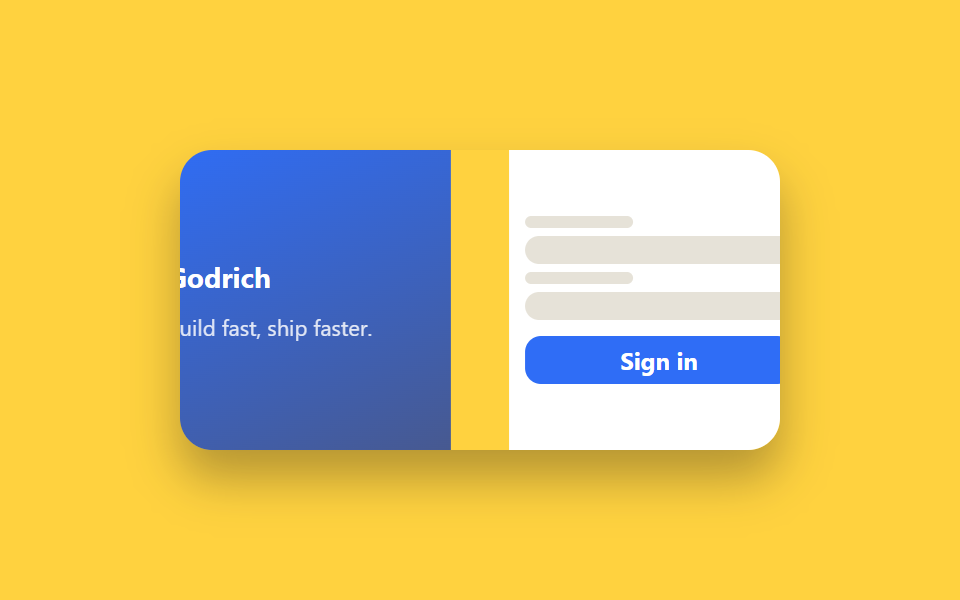
- 02 Đăng nhập chia đôi màn hình (split-screen)
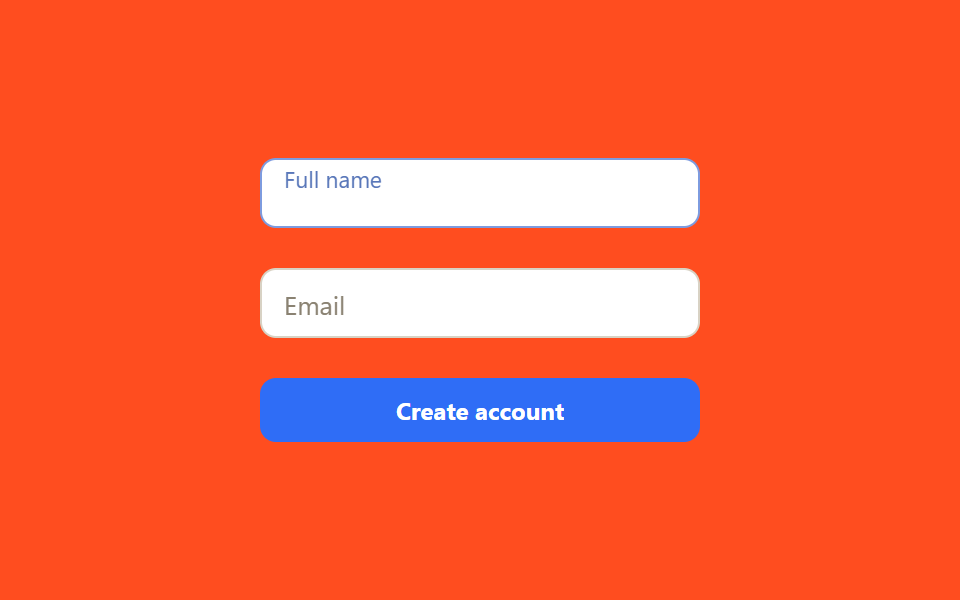
- 03 Ô nhập mẫu form đăng ký với nhãn nổi (floating label)
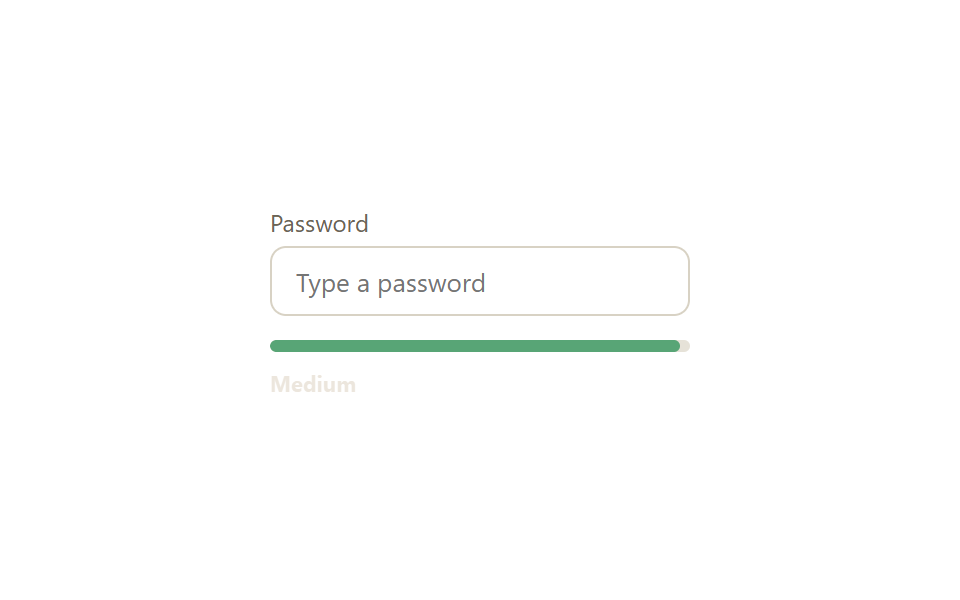
- 04 Thanh đo độ mạnh mật khẩu
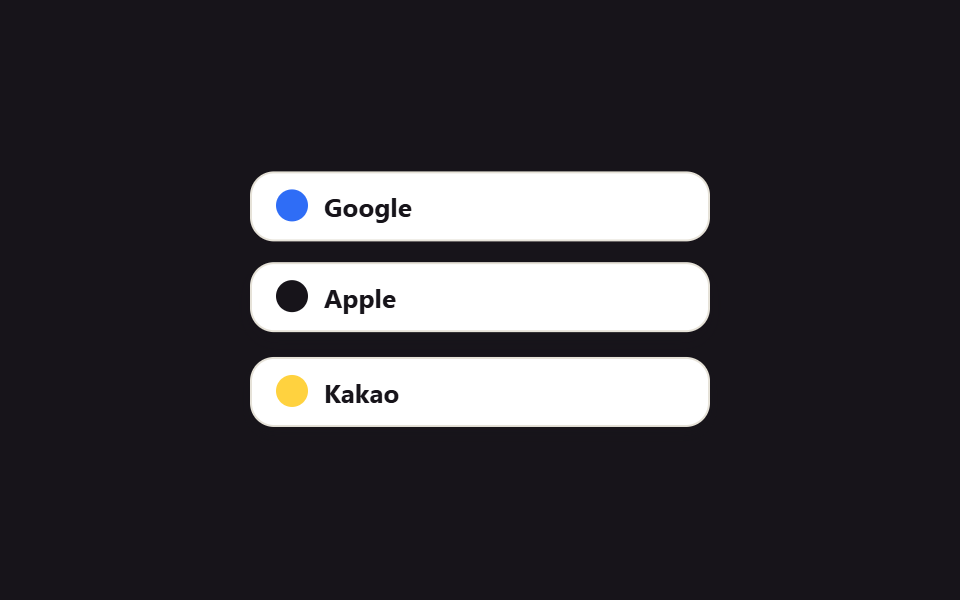
- 05 Hàng nút đăng nhập mạng xã hội
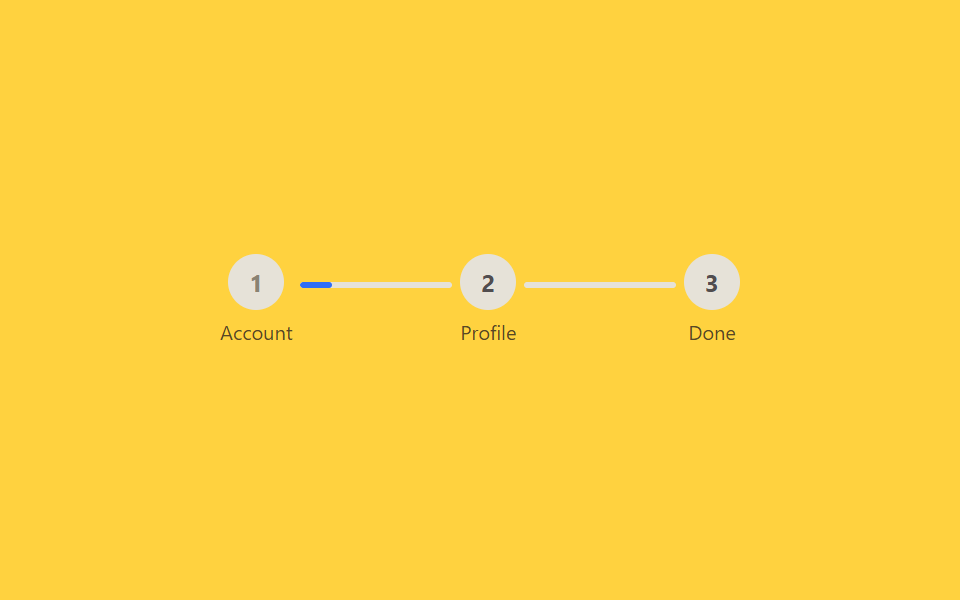
- 06 Thanh tiến trình các bước đăng ký
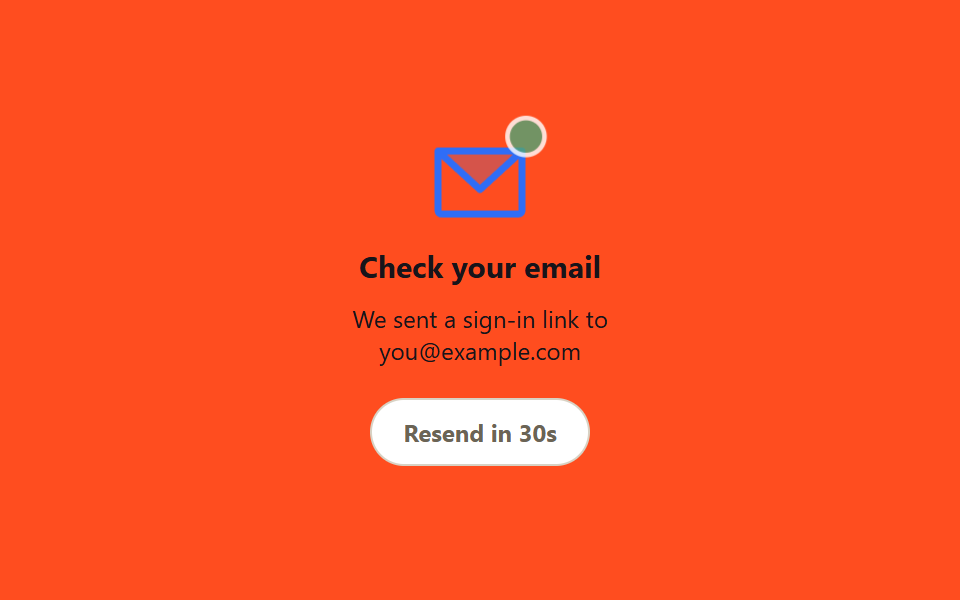
- 07 Thẻ đã gửi magic link
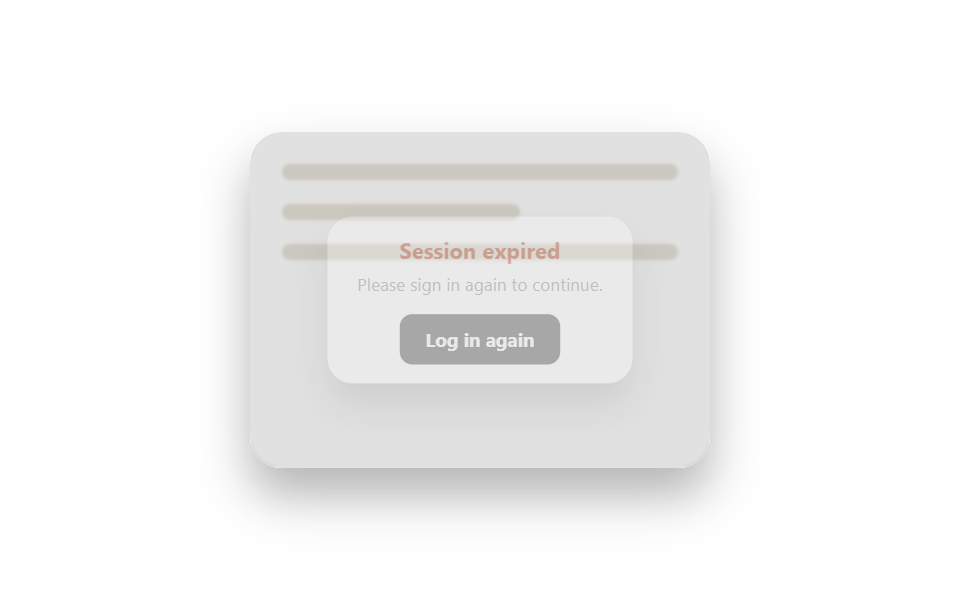
- 08 Modal yêu cầu đăng nhập lại khi hết phiên
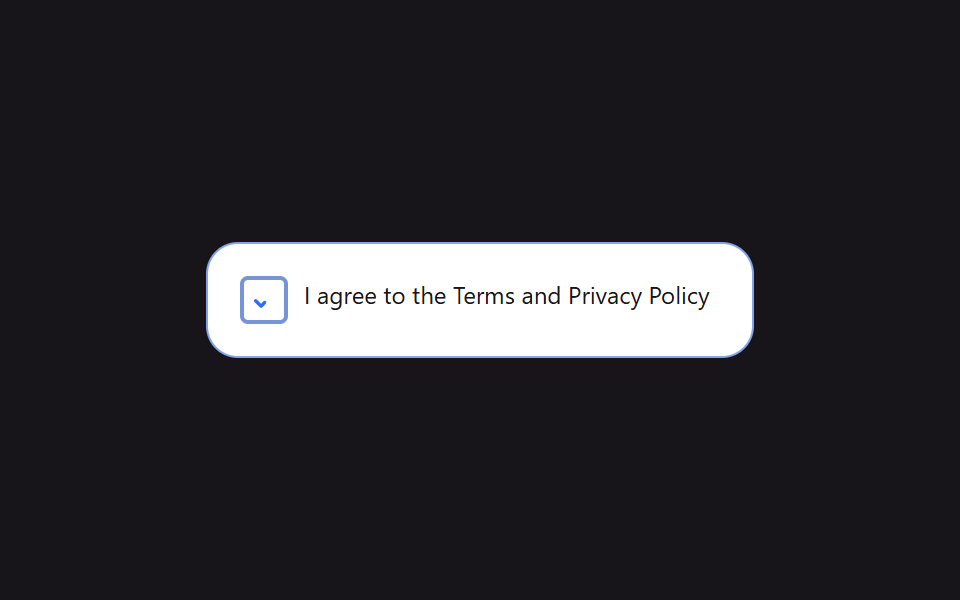
- 09 Checkbox đồng ý điều khoản
Thứ tự chín mục dưới đây không theo độ phổ biến mà theo đúng trình tự mà một người thực sự trải qua khi đăng nhập hoặc đăng ký. Thẻ đập vào mắt trước (01, 02); bạn gõ tên hoặc email (03); gõ mật khẩu và xem độ mạnh (04); chọn một nút mạng xã hội (05) hoặc đi qua nhiều bước đăng ký (06); chờ link trong email (07); phiên hết hạn nên phải đăng nhập lại (08); và kết thúc bằng việc đồng ý điều khoản (09).
| # | Tên | Cái gì chuyển động | JS |
|---|---|---|---|
| 01 | Thẻ đăng nhập kiểu kính mờ | vệt sáng transform, thẻ backdrop-filter: blur |
không |
| 02 | Đăng nhập chia đôi màn hình | panel translateX khi vào |
không |
| 03 | Ô nhập đăng ký với nhãn nổi | nhãn translateY + scale |
không |
| 04 | Thanh đo độ mạnh mật khẩu | width/màu thanh, dòng trạng thái |
14 dòng |
| 05 | Hàng nút đăng nhập mạng xã hội | nút translateY khi hover |
không |
| 06 | Thanh tiến trình các bước đăng ký | width đường nối chuyển tiếp |
không |
| 07 | Thẻ đã gửi magic link | phong bì translateY nảy, đếm ngược |
18 dòng |
| 08 | Modal đăng nhập lại khi hết phiên | modal scale+opacity, nền blur |
không |
| 09 | Checkbox đồng ý điều khoản | dấu check vẽ bằng stroke-dashoffset |
không |
01Thẻ đăng nhập kiểu kính mờ (glassmorphism)
Bạn thấy gì
Một thẻ kính mờ trong suốt làm nhòe gradient phía sau, trong khi một vệt sáng mềm trôi chậm qua bề mặt để làm nổi bật chất liệu kính.
<main class="stage">
  <div class="glass-scene is-demo">
    <span class="glass-scene__blob glass-scene__blob--a" aria-hidden="true"></span>
    <span class="glass-scene__blob glass-scene__blob--b" aria-hidden="true"></span>
    <form class="glass-card" autocomplete="off">
      <h2 class="glass-card__title">Welcome back</h2>
      <input class="glass-card__input" type="email" placeholder="Email">
      <input class="glass-card__input" type="password" placeholder="Password">
      <button class="glass-card__btn" type="button">Log in</button>
    </form>
  </div>
</main>
@use "../../../../site/static/demo-tokens" as *;
$duration: $dur-base; // 카드 진입·호버 전환 시간
$easing: $ease-out;
$color: $subject-blue; // 블롭 색 1
@include stage($stage-ink);
.glass-scene {
position: relative;
width: min(240px, 80vw);
height: 168px;
display: grid;
place-items: center;
overflow: hidden;
border-radius: $r-card;
}
.glass-scene__blob {
position: absolute;
width: 140px;
height: 140px;
border-radius: 50%;
filter: blur(2px);
opacity: 1;
transform: translate(-30px, -20px);
}
.glass-scene__blob--a { background: radial-gradient(circle, #c5dfe2, transparent 68%); top: 8%; left: 8%; }
.glass-scene__blob--b { background: radial-gradient(circle, #eddae1, transparent 68%); bottom: 3%; right: 3%; }
.glass-card {
position: relative;
z-index: 1;
width: min(185px, 66vw);
padding: $sp-3;
display: flex;
flex-direction: column;
gap: $sp-1;
background: rgba(255, 255, 255, .14);
border: 1px solid rgba(255, 255, 255, .35);
border-radius: $r-card;
backdrop-filter: blur(10px);
-webkit-backdrop-filter: blur(10px);
box-shadow: $shadow-raised;
}
.glass-card__title { margin: 0 0 $sp-1; color: $stage-paper; font-size: 15px; font-weight: 700; font-family: inherit; }
.glass-card__input {
width: 100%;
box-sizing: border-box;
padding: $sp-2 $sp-3;
border-radius: $r-sm;
border: 1px solid rgba(255, 255, 255, .3);
background: rgba(255, 255, 255, .12);
color: $stage-paper;
font-size: 12px;
font-family: inherit;
&::placeholder { color: rgba(255, 255, 255, .65); }
&:focus-visible { outline: 2px solid $stage-paper; outline-offset: 1px; }
}
.glass-card__btn {
margin-top: $sp-1;
padding: $sp-2;
border: none;
border-radius: $r-sm;
background: $color;
color: $stage-paper;
font-weight: 700;
font-size: 12px;
font-family: inherit;
cursor: pointer;
transition: transform $dur-instant $easing, box-shadow $dur-instant $easing;
&:hover, &:focus-visible { transform: translateY(-1px); box-shadow: $shadow-press; }
&:active { transform: translateY(0); }
}
.glass-scene.is-demo .glass-scene__blob--a { animation: drift-a $dur-loop $easing infinite; }
.glass-scene.is-demo .glass-scene__blob--b { animation: drift-b $dur-loop $easing infinite; }
@keyframes drift-a {
0%, 100% { transform: translate(-30px, -20px) scale(1); }
50% { transform: translate(40px, 30px) scale(1.15); }
}
@keyframes drift-b {
0%, 100% { transform: translate(20px, 10px) scale(1); }
50% { transform: translate(-40px, -25px) scale(1.2); }
}
@media (prefers-reduced-motion: reduce) {
.glass-scene.is-demo .glass-scene__blob--a,
.glass-scene.is-demo .glass-scene__blob--b { animation: none; }
.glass-card__btn { transition: none; }
}html, body {
margin: 0;
overflow: hidden;
}
.stage {
box-sizing: border-box;
min-height: 100vh;
display: grid;
place-items: center;
margin: 0;
background: #17141a;
font-family: -apple-system, "Segoe UI", "Noto Sans KR", sans-serif;
padding: clamp(8px, 4vw, 24px);
}
.glass-scene {
position: relative;
width: min(240px, 80vw);
height: 168px;
display: grid;
place-items: center;
overflow: hidden;
border-radius: 16px;
}
.glass-scene__blob {
position: absolute;
width: 140px;
height: 140px;
border-radius: 50%;
filter: blur(2px);
opacity: 1;
transform: translate(-30px, -20px);
}
.glass-scene__blob--a {
background: radial-gradient(circle, #c5dfe2, transparent 68%);
top: 8%;
left: 8%;
}
.glass-scene__blob--b {
background: radial-gradient(circle, #eddae1, transparent 68%);
bottom: 3%;
right: 3%;
}
.glass-card {
position: relative;
z-index: 1;
width: min(185px, 66vw);
padding: 12px;
display: flex;
flex-direction: column;
gap: 4px;
background: rgba(255, 255, 255, 0.14);
border: 1px solid rgba(255, 255, 255, 0.35);
border-radius: 16px;
backdrop-filter: blur(10px);
-webkit-backdrop-filter: blur(10px);
box-shadow: 0 14px 24px rgba(23, 20, 26, 0.32);
}
.glass-card__title {
margin: 0 0 4px;
color: #ffffff;
font-size: 15px;
font-weight: 700;
font-family: inherit;
}
.glass-card__input {
width: 100%;
box-sizing: border-box;
padding: 8px 12px;
border-radius: 8px;
border: 1px solid rgba(255, 255, 255, 0.3);
background: rgba(255, 255, 255, 0.12);
color: #ffffff;
font-size: 12px;
font-family: inherit;
}
.glass-card__input::placeholder {
color: rgba(255, 255, 255, 0.65);
}
.glass-card__input:focus-visible {
outline: 2px solid #ffffff;
outline-offset: 1px;
}
.glass-card__btn {
margin-top: 4px;
padding: 8px;
border: none;
border-radius: 8px;
background: #2f6df6;
color: #ffffff;
font-weight: 700;
font-size: 12px;
font-family: inherit;
cursor: pointer;
transition: transform 140ms ease-out, box-shadow 140ms ease-out;
}
.glass-card__btn:hover, .glass-card__btn:focus-visible {
transform: translateY(-1px);
box-shadow: 0 6px 12px rgba(23, 20, 26, 0.32);
}
.glass-card__btn:active {
transform: translateY(0);
}
.glass-scene.is-demo .glass-scene__blob--a {
animation: drift-a 2s ease-out infinite;
}
.glass-scene.is-demo .glass-scene__blob--b {
animation: drift-b 2s ease-out infinite;
}
@keyframes drift-a {
0%, 100% {
transform: translate(-30px, -20px) scale(1);
}
50% {
transform: translate(40px, 30px) scale(1.15);
}
}
@keyframes drift-b {
0%, 100% {
transform: translate(20px, 10px) scale(1);
}
50% {
transform: translate(-40px, -25px) scale(1.2);
}
}
@media (prefers-reduced-motion: reduce) {
.glass-scene.is-demo .glass-scene__blob--a,
.glass-scene.is-demo .glass-scene__blob--b {
animation: none;
}
.glass-card__btn {
transition: none;
}
}import type { CSSProperties } from "react";
import styles from "./GlassLoginCard.module.scss";
export type GlassLoginCardProps = {
/** 카드 등장 전환 시간 (기본 300ms) */
duration?: number;
easing?: string;
/** 카드 뒤 블롭 색 1 */
color?: string;
};
type Vars = CSSProperties & { "--duration"?: string; "--easing"?: string; "--color"?: string };
/** 반투명 카드가 backdrop-filter 로 뒤 블롭을 흐리게 비춘다. 블롭은 항상 천천히 움직인다 */
export default function GlassLoginCard({
duration = 300,
easing = "ease-out",
color = "#2f6df6",
}: GlassLoginCardProps) {
const vars: Vars = { "--duration": `${duration}ms`, "--easing": easing, "--color": color };
return (
<div className={styles.scene} style={vars}>
<span className={`${styles.blob} ${styles.blobA}`} aria-hidden="true" />
<span className={`${styles.blob} ${styles.blobB}`} aria-hidden="true" />
<form className={styles.card} onSubmit={(e: { preventDefault(): void }) => e.preventDefault()}>
<h2 className={styles.title}>Welcome back</h2>
<input className={styles.input} type="email" placeholder="Email" />
<input className={styles.input} type="password" placeholder="Password" />
<button className={styles.btn} type="submit">Log in</button>
</form>
</div>
);
}01 · Thẻ đăng nhập kiểu kính mờ (glassmorphism) — Diện tích đo được 19.275% · khung hình chuyển động 18/23Nguyên tác GODRICH · SCSS và React nằm trong tệp zip · Xem mật khẩu
Dùng ở đâu
Dùng cho modal đăng nhập trên trang landing sản phẩm, hay màn hình đầu tiên của SaaS theme tối. backdrop-filter: blur chỉ trông giống kính khi thực sự có thứ gì đó chuyển động phía sau, nên hai vệt sáng luôn trôi bằng transform: translate.
.glass-card {
  background: rgba(255, 255, 255, .14);
  border: 1px solid rgba(255, 255, 255, .35);
  backdrop-filter: blur(10px);
  -webkit-backdrop-filter: blur(10px);
}
.glass-scene__blob {
  border-radius: 50%;
  filter: blur(2px);
  animation: drift 6s $easing infinite;
}
@keyframes drift {
  0%, 100% { transform: translate(-30px, -20px) scale(1); }
  50%      { transform: translate(40px, 30px) scale(1.15); }
}
02Đăng nhập chia đôi màn hình (split-screen)
Chuyện gì diễn ra trên màn hình
Màn hình chia đôi — một bên là hình ảnh hoặc khẩu hiệu, bên kia là form — cả hai panel trượt vào một đoạn ngắn từ hai phía khi trang tải xong. Hợp với trang đăng nhập của sản phẩm chú trọng hình ảnh thương hiệu, hay màn hình xác thực quảng bá luôn app di động.
<main class="stage">
  <div class="split is-demo">
    <div class="split__panel split__panel--image">
      <span class="split__brand">Godrich</span>
      <p class="split__tagline">Build fast, ship faster.</p>
    </div>
    <form class="split__panel split__panel--form" autocomplete="off">
      <span class="split__line split__line--label"></span>
      <span class="split__line split__line--input"></span>
      <span class="split__line split__line--label"></span>
      <span class="split__line split__line--input"></span>
      <button class="split__btn" type="button">Sign in</button>
    </form>
  </div>
</main>
@use "../../../../site/static/demo-tokens" as *;
$duration: $dur-enter; // 패널 진입 시간
$easing: $ease-spring;
$color: $subject-blue; // 이미지 패널 색
@include stage($stage-yellow);
.split {
width: min(300px, 86vw);
height: 150px;
display: flex;
overflow: hidden;
border-radius: $r-card;
box-shadow: $shadow-raised;
}
.split__panel {
width: 50%;
height: 100%;
box-sizing: border-box;
padding: $sp-3 $sp-2;
display: flex;
flex-direction: column;
justify-content: center;
gap: $sp-1;
}
.split__panel--image {
background: linear-gradient(155deg, $color, #475990);
color: $stage-paper;
gap: $sp-2;
}
.split__brand { font-weight: 700; font-size: 14px; font-family: inherit; }
.split__tagline { margin: 0; font-size: 11px; opacity: .85; font-family: inherit; }
.split__panel--form { background: $stage-paper; gap: $sp-1; }
.split__line {
display: block;
border-radius: $r-xs;
background: #e6e2d8;
}
.split__line--label { width: 40%; height: 6px; }
.split__line--input { width: 100%; height: 14px; border-radius: $r-sm; }
.split__btn {
margin-top: $sp-1;
padding: $sp-1 $sp-2;
border: none;
border-radius: $r-sm;
background: $color;
color: $stage-paper;
font-weight: 700;
font-size: 12px;
font-family: inherit;
cursor: pointer;
transition: transform $dur-instant $ease-out;
}
.split__btn:hover, .split__btn:focus-visible { transform: translateY(-1px); }
.split.is-demo .split__panel--image { animation: enter-left $dur-loop $easing infinite; }
.split.is-demo .split__panel--form { animation: enter-right $dur-loop $easing infinite; }
@keyframes enter-left {
0%, 100% { transform: translateX(-16%); }
35%, 90% { transform: translateX(0); }
}
@keyframes enter-right {
0%, 100% { transform: translateX(16%); }
35%, 90% { transform: translateX(0); }
}
@media (prefers-reduced-motion: reduce) {
.split.is-demo .split__panel--image,
.split.is-demo .split__panel--form { animation: none; transform: none; }
}html, body {
margin: 0;
overflow: hidden;
}
.stage {
box-sizing: border-box;
min-height: 100vh;
display: grid;
place-items: center;
margin: 0;
background: #ffd23f;
font-family: -apple-system, "Segoe UI", "Noto Sans KR", sans-serif;
padding: clamp(8px, 4vw, 24px);
}
.split {
width: min(300px, 86vw);
height: 150px;
display: flex;
overflow: hidden;
border-radius: 16px;
box-shadow: 0 14px 24px rgba(23, 20, 26, 0.32);
}
.split__panel {
width: 50%;
height: 100%;
box-sizing: border-box;
padding: 12px 8px;
display: flex;
flex-direction: column;
justify-content: center;
gap: 4px;
}
.split__panel--image {
background: linear-gradient(155deg, #2f6df6, #475990);
color: #ffffff;
gap: 8px;
}
.split__brand {
font-weight: 700;
font-size: 14px;
font-family: inherit;
}
.split__tagline {
margin: 0;
font-size: 11px;
opacity: 0.85;
font-family: inherit;
}
.split__panel--form {
background: #ffffff;
gap: 4px;
}
.split__line {
display: block;
border-radius: 4px;
background: #e6e2d8;
}
.split__line--label {
width: 40%;
height: 6px;
}
.split__line--input {
width: 100%;
height: 14px;
border-radius: 8px;
}
.split__btn {
margin-top: 4px;
padding: 4px 8px;
border: none;
border-radius: 8px;
background: #2f6df6;
color: #ffffff;
font-weight: 700;
font-size: 12px;
font-family: inherit;
cursor: pointer;
transition: transform 140ms ease-out;
}
.split__btn:hover, .split__btn:focus-visible {
transform: translateY(-1px);
}
.split.is-demo .split__panel--image {
animation: enter-left 2s cubic-bezier(0.2, 0.8, 0.2, 1) infinite;
}
.split.is-demo .split__panel--form {
animation: enter-right 2s cubic-bezier(0.2, 0.8, 0.2, 1) infinite;
}
@keyframes enter-left {
0%, 100% {
transform: translateX(-16%);
}
35%, 90% {
transform: translateX(0);
}
}
@keyframes enter-right {
0%, 100% {
transform: translateX(16%);
}
35%, 90% {
transform: translateX(0);
}
}
@media (prefers-reduced-motion: reduce) {
.split.is-demo .split__panel--image,
.split.is-demo .split__panel--form {
animation: none;
transform: none;
}
}import { useEffect, useState, type CSSProperties } from "react";
import styles from "./SplitScreenLogin.module.scss";
export type SplitScreenLoginProps = {
/** 패널이 밀려 들어오는 시간 (기본 600ms) */
duration?: number;
easing?: string;
/** 이미지 패널 색 */
color?: string;
};
/** 화면 진입 시 두 패널이 좌우에서 밀려 들어온다. 마운트 직후 한 번만 재생 */
export default function SplitScreenLogin({
duration = 600,
easing = "cubic-bezier(.2,.8,.2,1)",
color = "#2f6df6",
}: SplitScreenLoginProps) {
const [entered, setEntered] = useState(false);
useEffect(() => {
const id = requestAnimationFrame(() => setEntered(true));
return () => cancelAnimationFrame(id);
}, []);
const style = { "--duration": `${duration}ms`, "--easing": easing, "--color": color } as CSSProperties;
return (
<div className={styles.split} style={style}>
<div className={`${styles.panel} ${styles.image} ${entered ? styles.in : styles.outLeft}`}>
<span className={styles.brand}>Godrich</span>
<p className={styles.tagline}>Build fast, ship faster.</p>
</div>
<form
className={`${styles.panel} ${styles.form} ${entered ? styles.in : styles.outRight}`}
onSubmit={(e: { preventDefault(): void }) => e.preventDefault()}
>
<span className={`${styles.line} ${styles.label}`} />
<span className={`${styles.line} ${styles.field}`} />
<span className={`${styles.line} ${styles.label}`} />
<span className={`${styles.line} ${styles.field}`} />
<button className={styles.btn} type="submit">Sign in</button>
</form>
</div>
);
}02 · Đăng nhập chia đôi màn hình (split-screen) — Diện tích đo được 7.366% · khung hình chuyển động 10/23Nguyên tác GODRICH · SCSS và React nằm trong tệp zip · Xem mật khẩu
Chỗ dùng
Lý do khoảng cách trượt chỉ 16% chiều rộng chứ không trượt hẳn ra ngoài màn hình được giải thích ở phần "Bẫy nằm ở đâu" bên dưới.
.split { display: flex; overflow: hidden; }
.split__panel--image { animation: enter-left 2s $easing infinite; }
.split__panel--form  { animation: enter-right 2s $easing infinite; }
@keyframes enter-left {
  0%, 100%  { transform: translateX(-16%); }
  35%, 90%  { transform: translateX(0); }
}
03Ô nhập đăng ký với nhãn nổi (floating label)
Chuyển động thế nào
Nhãn nằm trong ô nhập sẽ bay lên và thu nhỏ ngay khi được focus hoặc có giá trị, nên ô vẫn có nhãn dù placeholder đã biến mất. Dùng cho form đăng ký thu thập email, tên, số điện thoại, hay form di động cần tiết kiệm chiều cao.
<main class="stage">
  <form class="float-form is-demo" autocomplete="off">
    <div class="float-field float-field--a">
      <input class="float-field__input" id="fname" placeholder=" ">
      <label class="float-field__label" for="fname">Full name</label>
    </div>
    <div class="float-field float-field--b">
      <input class="float-field__input" id="femail" placeholder=" ">
      <label class="float-field__label" for="femail">Email</label>
    </div>
    <button class="float-form__btn" type="button">Create account</button>
  </form>
</main>
@use "../../../../site/static/demo-tokens" as *;
$duration: $dur-quick; // 라벨이 뜨는 시간
$easing: $ease-out;
$color: $subject-blue; // 포커스 색
@include stage($stage-orange);
.float-form {
width: min(220px, 82vw);
display: flex;
flex-direction: column;
gap: $sp-5;
}
.float-field {
position: relative;
}
.float-field__input {
width: 100%;
box-sizing: border-box;
padding: $sp-3 $sp-3 $sp-1;
border: 1.5px solid #d8d2c4;
border-radius: $r-sm;
background: $stage-paper;
font-size: 13px;
font-family: inherit;
color: $stage-ink;
transition: border-color $duration $easing;
}
.float-field__label {
position: absolute;
left: $sp-3;
top: 50%;
transform: translateY(-50%);
font-size: 13px;
color: #8a8272;
font-family: inherit;
pointer-events: none;
transform-origin: left center; // 규칙8: 입력칸 왼쪽 안쪽선에 맞춰 줄어든다 — 중심이면 줄면서 오른쪽으로 밀린다
transition: transform $duration $easing, color $duration $easing;
}
.float-field__input:focus { outline: none; border-color: $color; }
.float-field__input:focus + .float-field__label,
.float-field__input:not(:placeholder-shown) + .float-field__label {
transform: translateY(-135%) scale(.78);
color: $color;
}
.float-form__btn {
padding: $sp-2;
border: none;
border-radius: $r-sm;
background: $color;
color: $stage-paper;
font-weight: 700;
font-size: 12px;
font-family: inherit;
cursor: pointer;
transition: transform $dur-instant $ease-out;
}
.float-form__btn:hover, .float-form__btn:focus-visible { transform: translateY(-1px); }
// 자동 재생 미리보기 — 실제 :focus 대신 같은 transform·color 값을 키프레임으로 직접 재생한다
.float-form.is-demo .float-field--a .float-field__input { animation: ring-a $dur-loop $easing infinite; }
.float-form.is-demo .float-field--a .float-field__label { animation: float-a $dur-loop $easing infinite; }
.float-form.is-demo .float-field--b .float-field__input { animation: ring-b $dur-loop $easing infinite; }
.float-form.is-demo .float-field--b .float-field__label { animation: float-b $dur-loop $easing infinite; }
@keyframes float-a {
0%, 8% { transform: translateY(-50%) scale(1); color: #8a8272; }
20%, 45% { transform: translateY(-135%) scale(.78); color: $color; }
55%, 100% { transform: translateY(-50%) scale(1); color: #8a8272; }
}
@keyframes ring-a {
0%, 8% { border-color: #d8d2c4; }
20%, 45% { border-color: $color; }
55%, 100% { border-color: #d8d2c4; }
}
@keyframes float-b {
0%, 55% { transform: translateY(-50%) scale(1); color: #8a8272; }
65%, 92% { transform: translateY(-135%) scale(.78); color: $color; }
100% { transform: translateY(-50%) scale(1); color: #8a8272; }
}
@keyframes ring-b {
0%, 55% { border-color: #d8d2c4; }
65%, 92% { border-color: $color; }
100% { border-color: #d8d2c4; }
}
@media (prefers-reduced-motion: reduce) {
.float-field__input, .float-field__label, .float-form__btn { transition: none; }
.float-form.is-demo .float-field--a .float-field__input,
.float-form.is-demo .float-field--a .float-field__label,
.float-form.is-demo .float-field--b .float-field__input,
.float-form.is-demo .float-field--b .float-field__label { animation: none; }
}html, body {
margin: 0;
overflow: hidden;
}
.stage {
box-sizing: border-box;
min-height: 100vh;
display: grid;
place-items: center;
margin: 0;
background: #ff4d1f;
font-family: -apple-system, "Segoe UI", "Noto Sans KR", sans-serif;
padding: clamp(8px, 4vw, 24px);
}
.float-form {
width: min(220px, 82vw);
display: flex;
flex-direction: column;
gap: 20px;
}
.float-field {
position: relative;
}
.float-field__input {
width: 100%;
box-sizing: border-box;
padding: 12px 12px 4px;
border: 1.5px solid #d8d2c4;
border-radius: 8px;
background: #ffffff;
font-size: 13px;
font-family: inherit;
color: #17141a;
transition: border-color 220ms ease-out;
}
.float-field__label {
position: absolute;
left: 12px;
top: 50%;
transform: translateY(-50%);
font-size: 13px;
color: #8a8272;
font-family: inherit;
pointer-events: none;
transform-origin: left center;
transition: transform 220ms ease-out, color 220ms ease-out;
}
.float-field__input:focus {
outline: none;
border-color: #2f6df6;
}
.float-field__input:focus + .float-field__label,
.float-field__input:not(:placeholder-shown) + .float-field__label {
transform: translateY(-135%) scale(0.78);
color: #2f6df6;
}
.float-form__btn {
padding: 8px;
border: none;
border-radius: 8px;
background: #2f6df6;
color: #ffffff;
font-weight: 700;
font-size: 12px;
font-family: inherit;
cursor: pointer;
transition: transform 140ms ease-out;
}
.float-form__btn:hover, .float-form__btn:focus-visible {
transform: translateY(-1px);
}
.float-form.is-demo .float-field--a .float-field__input {
animation: ring-a 2s ease-out infinite;
}
.float-form.is-demo .float-field--a .float-field__label {
animation: float-a 2s ease-out infinite;
}
.float-form.is-demo .float-field--b .float-field__input {
animation: ring-b 2s ease-out infinite;
}
.float-form.is-demo .float-field--b .float-field__label {
animation: float-b 2s ease-out infinite;
}
@keyframes float-a {
0%, 8% {
transform: translateY(-50%) scale(1);
color: #8a8272;
}
20%, 45% {
transform: translateY(-135%) scale(0.78);
color: #2f6df6;
}
55%, 100% {
transform: translateY(-50%) scale(1);
color: #8a8272;
}
}
@keyframes ring-a {
0%, 8% {
border-color: #d8d2c4;
}
20%, 45% {
border-color: #2f6df6;
}
55%, 100% {
border-color: #d8d2c4;
}
}
@keyframes float-b {
0%, 55% {
transform: translateY(-50%) scale(1);
color: #8a8272;
}
65%, 92% {
transform: translateY(-135%) scale(0.78);
color: #2f6df6;
}
100% {
transform: translateY(-50%) scale(1);
color: #8a8272;
}
}
@keyframes ring-b {
0%, 55% {
border-color: #d8d2c4;
}
65%, 92% {
border-color: #2f6df6;
}
100% {
border-color: #d8d2c4;
}
}
@media (prefers-reduced-motion: reduce) {
.float-field__input, .float-field__label, .float-form__btn {
transition: none;
}
.float-form.is-demo .float-field--a .float-field__input,
.float-form.is-demo .float-field--a .float-field__label,
.float-form.is-demo .float-field--b .float-field__input,
.float-form.is-demo .float-field--b .float-field__label {
animation: none;
}
}import type { CSSProperties } from "react";
import styles from "./FloatingLabelInput.module.scss";
export type FloatingLabelInputProps = {
id: string;
label: string;
type?: string;
/** 라벨이 뜨는 시간 (기본 220ms) */
duration?: number;
easing?: string;
color?: string;
};
/** :placeholder-shown 과 :focus 만으로 동작 — JS 없이 라벨이 뜬다 */
export default function FloatingLabelInput({
id,
label,
type = "text",
duration = 220,
easing = "ease-out",
color = "#2f6df6",
}: FloatingLabelInputProps) {
const style = { "--duration": `${duration}ms`, "--easing": easing, "--color": color } as CSSProperties;
return (
<div className={styles.field} style={style}>
<input className={styles.input} id={id} type={type} placeholder=" " />
<label className={styles.label} htmlFor={id}>{label}</label>
</div>
);
}03 · Ô nhập mẫu form đăng ký với nhãn nổi (floating label) — Diện tích đo được 1.618% · khung hình chuyển động 11/23Nguyên tác GODRICH · SCSS và React nằm trong tệp zip · Xem mật khẩu
Dùng khi nào
Chìa khóa là input:not(:placeholder-shown) — đặt placeholder=" " (một khoảng trắng) thì trạng thái này chỉ đúng khi ô trống, nên nhãn bay lên mà không cần JS.
.float-field__label {
  transform-origin: left center;
  transition: transform $duration $easing, color $duration $easing;
}
.float-field__input:focus + .float-field__label,
.float-field__input:not(:placeholder-shown) + .float-field__label {
  transform: translateY(-135%) scale(.78);
  color: $color;
}
04Thanh đo độ mạnh mật khẩu
Bạn thấy gì
Thanh đo đổi màu từ đỏ sang cam rồi xanh lá khi bạn gõ, dựa trên độ dài và kiểu ký tự, còn nhãn bên cạnh báo yếu/trung bình/mạnh theo thời gian thực. Dùng cho ô nhập mật khẩu khi đăng ký và màn hình đổi mật khẩu.
<main class="stage">
  <div class="pw-card is-demo">
    <label class="pw-card__label" for="pw">Password</label>
    <input class="pw-input" id="pw" type="password" placeholder="Type a password">
    <div class="pw-meter">
      <span class="pw-meter__fill"></span>
    </div>
    <p class="pw-status" aria-live="polite">
      <span class="pw-status__text pw-status__text--weak">Weak</span>
      <span class="pw-status__text pw-status__text--medium">Medium</span>
      <span class="pw-status__text pw-status__text--strong">Strong</span>
    </p>
  </div>
</main>
@use "../../../../site/static/demo-tokens" as *;
$duration: $dur-base; // 막대 너비·색이 바뀌는 시간
$easing: $ease-out;
$color: $error; // 약함 색 기준값
@include stage($stage-paper);
.pw-card {
width: min(210px, 80vw);
display: flex;
flex-direction: column;
gap: $sp-1;
}
.pw-card__label { font-size: 12px; color: #6b6455; font-family: inherit; }
.pw-input {
box-sizing: border-box;
width: 100%;
padding: $sp-2 $sp-3;
border: 1.5px solid #d8d2c4;
border-radius: $r-sm;
font-size: 13px;
font-family: inherit;
color: $stage-ink;
margin-bottom: $sp-2;
&:focus { outline: none; border-color: $subject-blue; }
}
.pw-meter {
height: 6px;
border-radius: $r-xs;
background: #e6e2d8;
overflow: hidden;
}
.pw-meter__fill {
display: block;
height: 100%;
width: 0%;
background: $color;
border-radius: $r-xs;
transition: width $duration $easing, background-color $duration $easing;
}
.pw-status {
position: relative;
height: 14px;
margin: $sp-1 0 0;
}
.pw-status__text {
position: absolute;
left: 0; top: 0;
font-size: 11px;
font-weight: 700;
font-family: inherit;
opacity: 0;
transition: opacity $duration $easing;
}
.pw-status__text--weak { color: $error; }
.pw-status__text--medium { color: #9c7c4d; }
.pw-status__text--strong { color: #51a474; }
.pw-card.is-demo .pw-meter__fill { animation: fill-cycle $dur-loop $easing infinite; }
.pw-card.is-demo .pw-status__text--weak { animation: show-weak $dur-loop $easing infinite; }
.pw-card.is-demo .pw-status__text--medium { animation: show-medium $dur-loop $easing infinite; }
.pw-card.is-demo .pw-status__text--strong { animation: show-strong $dur-loop $easing infinite; }
@keyframes fill-cycle {
0%, 5% { width: 0%; background: $color; }
30% { width: 35%; background: $color; }
55% { width: 65%; background: #c8af8f; }
80%, 100% { width: 100%; background: #51a474; }
}
@keyframes show-weak { 0%, 5% { opacity: 0; } 12%, 45% { opacity: 1; } 55%, 100% { opacity: 0; } }
@keyframes show-medium { 0%, 50% { opacity: 0; } 58%, 70% { opacity: 1; } 78%, 100% { opacity: 0; } }
@keyframes show-strong { 0%, 75% { opacity: 0; } 83%, 100% { opacity: 1; } }
@media (prefers-reduced-motion: reduce) {
.pw-meter__fill, .pw-status__text { transition: none; }
.pw-card.is-demo .pw-meter__fill,
.pw-card.is-demo .pw-status__text--weak,
.pw-card.is-demo .pw-status__text--medium,
.pw-card.is-demo .pw-status__text--strong { animation: none; }
}html, body {
margin: 0;
overflow: hidden;
}
.stage {
box-sizing: border-box;
min-height: 100vh;
display: grid;
place-items: center;
margin: 0;
background: #ffffff;
font-family: -apple-system, "Segoe UI", "Noto Sans KR", sans-serif;
padding: clamp(8px, 4vw, 24px);
}
.pw-card {
width: min(210px, 80vw);
display: flex;
flex-direction: column;
gap: 4px;
}
.pw-card__label {
font-size: 12px;
color: #6b6455;
font-family: inherit;
}
.pw-input {
box-sizing: border-box;
width: 100%;
padding: 8px 12px;
border: 1.5px solid #d8d2c4;
border-radius: 8px;
font-size: 13px;
font-family: inherit;
color: #17141a;
margin-bottom: 8px;
}
.pw-input:focus {
outline: none;
border-color: #2f6df6;
}
.pw-meter {
height: 6px;
border-radius: 4px;
background: #e6e2d8;
overflow: hidden;
}
.pw-meter__fill {
display: block;
height: 100%;
width: 0%;
background: #c2361a;
border-radius: 4px;
transition: width 300ms ease-out, background-color 300ms ease-out;
}
.pw-status {
position: relative;
height: 14px;
margin: 4px 0 0;
}
.pw-status__text {
position: absolute;
left: 0;
top: 0;
font-size: 11px;
font-weight: 700;
font-family: inherit;
opacity: 0;
transition: opacity 300ms ease-out;
}
.pw-status__text--weak {
color: #c2361a;
}
.pw-status__text--medium {
color: #9c7c4d;
}
.pw-status__text--strong {
color: #51a474;
}
.pw-card.is-demo .pw-meter__fill {
animation: fill-cycle 2s ease-out infinite;
}
.pw-card.is-demo .pw-status__text--weak {
animation: show-weak 2s ease-out infinite;
}
.pw-card.is-demo .pw-status__text--medium {
animation: show-medium 2s ease-out infinite;
}
.pw-card.is-demo .pw-status__text--strong {
animation: show-strong 2s ease-out infinite;
}
@keyframes fill-cycle {
0%, 5% {
width: 0%;
background: #c2361a;
}
30% {
width: 35%;
background: #c2361a;
}
55% {
width: 65%;
background: #c8af8f;
}
80%, 100% {
width: 100%;
background: #51a474;
}
}
@keyframes show-weak {
0%, 5% {
opacity: 0;
}
12%, 45% {
opacity: 1;
}
55%, 100% {
opacity: 0;
}
}
@keyframes show-medium {
0%, 50% {
opacity: 0;
}
58%, 70% {
opacity: 1;
}
78%, 100% {
opacity: 0;
}
}
@keyframes show-strong {
0%, 75% {
opacity: 0;
}
83%, 100% {
opacity: 1;
}
}
@media (prefers-reduced-motion: reduce) {
.pw-meter__fill, .pw-status__text {
transition: none;
}
.pw-card.is-demo .pw-meter__fill,
.pw-card.is-demo .pw-status__text--weak,
.pw-card.is-demo .pw-status__text--medium,
.pw-card.is-demo .pw-status__text--strong {
animation: none;
}
}var inp=document.getElementById('pw'),
fill=document.querySelector('.pw-meter__fill'),
card=document.querySelector('.pw-card');
inp.addEventListener('input',function(){
card.classList.remove('is-demo');
var v=inp.value, s=0;
if(v.length>=6)s++;
if(/[a-z]/.test(v)&&/[A-Z]/.test(v))s++;
if(/[0-9]/.test(v))s++;
if(/[^A-Za-z0-9]/.test(v))s++;
var pct=v.length?[15,40,70,100,100][s]:0;
var col=['#b27062','#b27062','#c8af8f','#51a474','#51a474'][s];
fill.style.width=pct+'%'; fill.style.background=col;
});import { useMemo, useState, type ChangeEvent, type CSSProperties } from "react";
import styles from "./PasswordStrengthMeter.module.scss";
export type PasswordStrengthMeterProps = {
/** 막대 너비·색이 바뀌는 시간 (기본 300ms) */
duration?: number;
easing?: string;
};
const LEVELS = ["", "Weak", "Weak", "Medium", "Strong", "Strong"];
const COLORS = ["#e6e2d8", "#c2361a", "#c2361a", "#ff9d1f", "#1f9d55", "#1f9d55"];
const WIDTHS = [0, 15, 15, 40, 70, 100];
function score(v: string) {
let s = 0;
if (v.length >= 6) s++;
if (/[a-z]/.test(v) && /[A-Z]/.test(v)) s++;
if (/[0-9]/.test(v)) s++;
if (/[^A-Za-z0-9]/.test(v)) s++;
return v.length ? s + 1 : 0;
}
/** input 이벤트마다 길이·문자 조합을 다시 계산해 막대 너비·색·라벨을 갱신한다 */
export default function PasswordStrengthMeter({ duration = 300, easing = "ease-out" }: PasswordStrengthMeterProps) {
const [value, setValue] = useState("");
const s = useMemo(() => score(value), [value]);
const style = { "--duration": `${duration}ms`, "--easing": easing } as CSSProperties;
const onChange = (e: ChangeEvent<HTMLInputElement>) => setValue(e.target.value);
return (
<div className={styles.card} style={style}>
<label className={styles.label} htmlFor="pw-react">Password</label>
<input className={styles.input} id="pw-react" type="password" value={value} onChange={onChange} placeholder="Type a password" />
<div className={styles.meter}>
<span className={styles.fill} style={{ width: `${WIDTHS[s]}%`, background: COLORS[s] }} />
</div>
<p className={styles.status} aria-live="polite" style={{ color: COLORS[s] }}>{LEVELS[s]}</p>
</div>
);
}04 · Thanh đo độ mạnh mật khẩu — Diện tích đo được 1.076% · khung hình chuyển động 19/23Nguyên tác GODRICH · SCSS và React nằm trong tệp zip · Xem mật khẩu
Dùng ở đâu
Bốn điều kiện độ dài, chữ hoa thường, số, ký tự đặc biệt được kiểm riêng — ba điều kiện sau bằng test() với regex, điều kiện độ dài bằng phép so sánh — rồi điểm số đó đổi cả width lẫn màu của thanh cùng lúc.
.pw-meter__fill { transition: width $duration $easing, background-color $duration $easing; }
inp.addEventListener('input', function(){
  var v = inp.value, s = 0;
  if (v.length >= 6) s++;
  if (/[a-z]/.test(v) && /[A-Z]/.test(v)) s++;
  if (/[0-9]/.test(v)) s++;
  if (/[^A-Za-z0-9]/.test(v)) s++;
  var pct = v.length ? [15,40,70,100,100][s] : 0;
  fill.style.width = pct + '%';
});
05Hàng nút đăng nhập mạng xã hội
Chuyện gì diễn ra trên màn hình
Các nút đăng nhập kiểu Google, Apple, Kakao xếp thành một hàng và hơi nhô lên, đổ bóng đậm hơn ngay khi con trỏ chạm vào. Dùng cho màn hình ưu tiên đăng nhập mạng xã hội đặt trước form email, hay dịch vụ muốn xếp nhiều cách đăng nhập cạnh nhau.
<main class="stage">
  <div class="social-row is-demo">
    <button class="social-btn social-btn--a" type="button" aria-label="Continue with Google">
      <span class="social-btn__dot"></span>Google
    </button>
    <button class="social-btn social-btn--b" type="button" aria-label="Continue with Apple">
      <span class="social-btn__dot"></span>Apple
    </button>
    <button class="social-btn social-btn--c" type="button" aria-label="Continue with Kakao">
      <span class="social-btn__dot"></span>Kakao
    </button>
  </div>
</main>
@use "../../../../site/static/demo-tokens" as *;
$duration: $dur-instant; // 버튼 lift 전환 시간
$easing: $ease-out;
$color: $subject-blue; // Google 점 색
@include stage($stage-ink);
.social-row {
width: min(230px, 86vw);
display: flex;
flex-direction: column;
gap: $sp-3;
}
.social-btn {
display: flex;
align-items: center;
gap: $sp-2;
padding: $sp-2 $sp-3;
border: 1.5px solid #e6e2d8;
border-radius: $r-control;
background: $stage-paper;
color: $stage-ink;
font-size: 13px;
font-weight: 700;
font-family: inherit;
cursor: pointer;
box-shadow: 0 1px 0 rgba(23, 20, 26, .04);
transition: transform $duration $easing, box-shadow $duration $easing;
&:hover, &:focus-visible { transform: translateY(-3px); box-shadow: $shadow-press; }
&:focus-visible { outline: 2px solid $color; outline-offset: 2px; }
&:active { transform: translateY(-1px); }
}
.social-btn__dot { width: 16px; height: 16px; border-radius: 50%; flex: 0 0 auto; }
.social-btn--a .social-btn__dot { background: $color; }
.social-btn--b .social-btn__dot { background: $stage-ink; }
.social-btn--c .social-btn__dot { background: $stage-yellow; }
.social-row.is-demo .social-btn--a { animation: lift $dur-loop $easing infinite; }
.social-row.is-demo .social-btn--b { animation: lift $dur-loop $easing infinite; animation-delay: calc(#{$dur-loop} / 3); }
.social-row.is-demo .social-btn--c { animation: lift $dur-loop $easing infinite; animation-delay: calc(#{$dur-loop} / 3 * 2); }
@keyframes lift {
0%, 88%, 100% { transform: translateY(0); box-shadow: 0 1px 0 rgba(23, 20, 26, .04); }
12%, 22% { transform: translateY(-3px); box-shadow: $shadow-press; }
}
@media (prefers-reduced-motion: reduce) {
.social-btn { transition: none; }
.social-row.is-demo .social-btn--a,
.social-row.is-demo .social-btn--b,
.social-row.is-demo .social-btn--c { animation: none; }
}html, body {
margin: 0;
overflow: hidden;
}
.stage {
box-sizing: border-box;
min-height: 100vh;
display: grid;
place-items: center;
margin: 0;
background: #17141a;
font-family: -apple-system, "Segoe UI", "Noto Sans KR", sans-serif;
padding: clamp(8px, 4vw, 24px);
}
.social-row {
width: min(230px, 86vw);
display: flex;
flex-direction: column;
gap: 12px;
}
.social-btn {
display: flex;
align-items: center;
gap: 8px;
padding: 8px 12px;
border: 1.5px solid #e6e2d8;
border-radius: 12px;
background: #ffffff;
color: #17141a;
font-size: 13px;
font-weight: 700;
font-family: inherit;
cursor: pointer;
box-shadow: 0 1px 0 rgba(23, 20, 26, 0.04);
transition: transform 140ms ease-out, box-shadow 140ms ease-out;
}
.social-btn:hover, .social-btn:focus-visible {
transform: translateY(-3px);
box-shadow: 0 6px 12px rgba(23, 20, 26, 0.32);
}
.social-btn:focus-visible {
outline: 2px solid #2f6df6;
outline-offset: 2px;
}
.social-btn:active {
transform: translateY(-1px);
}
.social-btn__dot {
width: 16px;
height: 16px;
border-radius: 50%;
flex: 0 0 auto;
}
.social-btn--a .social-btn__dot {
background: #2f6df6;
}
.social-btn--b .social-btn__dot {
background: #17141a;
}
.social-btn--c .social-btn__dot {
background: #ffd23f;
}
.social-row.is-demo .social-btn--a {
animation: lift 2s ease-out infinite;
}
.social-row.is-demo .social-btn--b {
animation: lift 2s ease-out infinite;
animation-delay: calc(2s / 3);
}
.social-row.is-demo .social-btn--c {
animation: lift 2s ease-out infinite;
animation-delay: calc(2s / 3 * 2);
}
@keyframes lift {
0%, 88%, 100% {
transform: translateY(0);
box-shadow: 0 1px 0 rgba(23, 20, 26, 0.04);
}
12%, 22% {
transform: translateY(-3px);
box-shadow: 0 6px 12px rgba(23, 20, 26, 0.32);
}
}
@media (prefers-reduced-motion: reduce) {
.social-btn {
transition: none;
}
.social-row.is-demo .social-btn--a,
.social-row.is-demo .social-btn--b,
.social-row.is-demo .social-btn--c {
animation: none;
}
}import type { CSSProperties } from "react";
import styles from "./SocialLoginRow.module.scss";
export type SocialLoginRowProps = {
/** 호버 lift 전환 시간 (기본 140ms) */
duration?: number;
easing?: string;
color?: string;
onSelect?: (provider: "google" | "apple" | "kakao") => void;
};
/** 클릭한 provider 를 그대로 콜백으로 넘긴다 — 실제 OAuth 시작은 호출부 몫 */
export default function SocialLoginRow({
duration = 140,
easing = "ease-out",
color = "#2f6df6",
onSelect,
}: SocialLoginRowProps) {
const style = { "--duration": `${duration}ms`, "--easing": easing, "--color": color } as CSSProperties;
return (
<div className={styles.row} style={style}>
{(["google", "apple", "kakao"] as const).map((p) => (
<button key={p} type="button" className={styles.btn} onClick={() => onSelect?.(p)}>
<span className={`${styles.dot} ${styles[p]}`} />
{p[0].toUpperCase() + p.slice(1)}
</button>
))}
</div>
);
}05 · Hàng nút đăng nhập mạng xã hội — Diện tích đo được 4.935% · khung hình chuyển động 21/23Nguyên tác GODRICH · SCSS và React nằm trong tệp zip · Xem mật khẩu
Chỗ dùng
Chỉ transform: translateY chuyển động, không dùng top, nên layout không phải tính lại.
.social-btn {
  transition: transform $duration $easing, box-shadow $duration $easing;
}
.social-btn:hover, .social-btn:focus-visible {
  transform: translateY(-3px);
  box-shadow: $shadow-press;
}
06Thanh tiến trình các bước đăng ký
Chuyển động thế nào
Ba chấm bước 1-2-3 nối với nhau bằng một đường kẻ, và đường kẻ đó chạy đầy mỗi khi bạn chuyển sang bước tiếp theo. Dùng cho đăng ký nhiều bước chia nhỏ thông tin cần nhập, hay onboarding qua nhiều bước trước khi thanh toán.
<main class="stage">
  <ol class="stepper is-demo" aria-label="Signup progress">
    <li class="stepper__step stepper__step--1"><span class="stepper__dot">1</span><span class="stepper__label">Account</span></li>
    <li class="stepper__connector"><span class="stepper__fill stepper__fill--1"></span></li>
    <li class="stepper__step stepper__step--2"><span class="stepper__dot">2</span><span class="stepper__label">Profile</span></li>
    <li class="stepper__connector"><span class="stepper__fill stepper__fill--2"></span></li>
    <li class="stepper__step stepper__step--3"><span class="stepper__dot">3</span><span class="stepper__label">Done</span></li>
  </ol>
</main>
@use "../../../../site/static/demo-tokens" as *;
$duration: $dur-base; // 연결선이 채워지는 시간
$easing: $ease-out;
$color: $subject-blue; // 진행 색
@include stage($stage-yellow);
.stepper {
width: min(260px, 90vw);
margin: 0; padding: 0;
list-style: none;
display: flex;
align-items: center;
}
.stepper__step {
display: flex;
flex-direction: column;
align-items: center;
gap: $sp-1;
flex: 0 0 auto;
}
.stepper__dot {
width: 28px; height: 28px;
border-radius: 50%;
display: grid; place-items: center;
background: #e6e2d8;
color: rgba($subject-ink, .72);
font-weight: 700;
font-size: 12px;
font-family: inherit;
transition: background $duration $easing, color $duration $easing;
}
.stepper__label { font-size: 10px; color: rgba($subject-ink, .72); font-family: inherit; }
.stepper__connector {
flex: 1 1 auto;
height: 3px;
margin: 0 $sp-1 16px;
border-radius: $r-xs;
background: #e6e2d8;
overflow: hidden;
}
.stepper__fill {
display: block;
height: 100%;
width: 0%;
background: $color;
border-radius: $r-xs;
}
.stepper.is-demo .stepper__fill--1 { animation: fill-1 $dur-loop $easing infinite; }
.stepper.is-demo .stepper__fill--2 { animation: fill-2 $dur-loop $easing infinite; }
.stepper.is-demo .stepper__step--1 .stepper__dot,
.stepper.is-demo .stepper__step--2 .stepper__dot { animation: dot-fill $dur-loop step-end infinite; }
.stepper.is-demo .stepper__step--2 .stepper__dot { animation-delay: calc(#{$dur-loop} / 2); }
@keyframes fill-1 {
0%, 8% { width: 0%; }
42%, 100% { width: 100%; }
}
@keyframes fill-2 {
0%, 50% { width: 0%; }
92%, 100% { width: 100%; }
}
@keyframes dot-fill {
0% { background: #e6e2d8; color: #8a8272; }
100% { background: $color; color: $stage-paper; }
}
@media (prefers-reduced-motion: reduce) {
.stepper.is-demo .stepper__fill--1,
.stepper.is-demo .stepper__fill--2,
.stepper.is-demo .stepper__step--1 .stepper__dot,
.stepper.is-demo .stepper__step--2 .stepper__dot { animation: none; }
}html, body {
margin: 0;
overflow: hidden;
}
.stage {
box-sizing: border-box;
min-height: 100vh;
display: grid;
place-items: center;
margin: 0;
background: #ffd23f;
font-family: -apple-system, "Segoe UI", "Noto Sans KR", sans-serif;
padding: clamp(8px, 4vw, 24px);
}
.stepper {
width: min(260px, 90vw);
margin: 0;
padding: 0;
list-style: none;
display: flex;
align-items: center;
}
.stepper__step {
display: flex;
flex-direction: column;
align-items: center;
gap: 4px;
flex: 0 0 auto;
}
.stepper__dot {
width: 28px;
height: 28px;
border-radius: 50%;
display: grid;
place-items: center;
background: #e6e2d8;
color: rgba(23, 20, 26, 0.72);
font-weight: 700;
font-size: 12px;
font-family: inherit;
transition: background 300ms ease-out, color 300ms ease-out;
}
.stepper__label {
font-size: 10px;
color: rgba(23, 20, 26, 0.72);
font-family: inherit;
}
.stepper__connector {
flex: 1 1 auto;
height: 3px;
margin: 0 4px 16px;
border-radius: 4px;
background: #e6e2d8;
overflow: hidden;
}
.stepper__fill {
display: block;
height: 100%;
width: 0%;
background: #2f6df6;
border-radius: 4px;
}
.stepper.is-demo .stepper__fill--1 {
animation: fill-1 2s ease-out infinite;
}
.stepper.is-demo .stepper__fill--2 {
animation: fill-2 2s ease-out infinite;
}
.stepper.is-demo .stepper__step--1 .stepper__dot,
.stepper.is-demo .stepper__step--2 .stepper__dot {
animation: dot-fill 2s step-end infinite;
}
.stepper.is-demo .stepper__step--2 .stepper__dot {
animation-delay: calc(2s / 2);
}
@keyframes fill-1 {
0%, 8% {
width: 0%;
}
42%, 100% {
width: 100%;
}
}
@keyframes fill-2 {
0%, 50% {
width: 0%;
}
92%, 100% {
width: 100%;
}
}
@keyframes dot-fill {
0% {
background: #e6e2d8;
color: #8a8272;
}
100% {
background: #2f6df6;
color: #ffffff;
}
}
@media (prefers-reduced-motion: reduce) {
.stepper.is-demo .stepper__fill--1,
.stepper.is-demo .stepper__fill--2,
.stepper.is-demo .stepper__step--1 .stepper__dot,
.stepper.is-demo .stepper__step--2 .stepper__dot {
animation: none;
}
}import type { CSSProperties } from "react";
import styles from "./SignupStepProgress.module.scss";
export type SignupStepProgressProps = {
/** 1~3. 지금 사용자가 있는 단계 */
step: 1 | 2 | 3;
/** 연결선이 채워지는 시간 (기본 300ms) */
duration?: number;
easing?: string;
color?: string;
};
const LABELS = ["Account", "Profile", "Done"];
/** step prop 이 올라갈 때마다 그 앞 연결선의 width 가 전환된다 */
export default function SignupStepProgress({
step,
duration = 300,
easing = "ease-out",
color = "#2f6df6",
}: SignupStepProgressProps) {
const style = { "--duration": `${duration}ms`, "--easing": easing, "--color": color } as CSSProperties;
const items = LABELS.flatMap((label, i) => {
const nodes = [
<li key={`s${i}`} className={styles.step}>
<span className={styles.dot} data-done={i + 1 <= step}>{i + 1}</span>
<span className={styles.label}>{label}</span>
</li>,
];
if (i < LABELS.length - 1) {
nodes.push(
<li key={`c${i}`} className={styles.connector}>
<span className={styles.fill} style={{ width: i + 1 < step ? "100%" : "0%" }} />
</li>
);
}
return nodes;
});
return (
<ol className={styles.stepper} style={style} aria-label="Signup progress">
{items}
</ol>
);
}06 · Thanh tiến trình các bước đăng ký — Diện tích đo được 0.337% · khung hình chuyển động 20/23Nguyên tác GODRICH · SCSS và React nằm trong tệp zip · Xem mật khẩu
Dùng khi nào
Ở bản React chỉ cần một prop step, đường nối phía trước sẽ tự chuyển width, nên component cha chỉ cần truyền đang ở bước nào.
.stepper__fill {
  width: 0%;
  background: $color;
  border-radius: $r-xs;
}
.stepper.is-demo .stepper__fill--1 { animation: fill-1 $dur-loop $easing infinite; }
.stepper.is-demo .stepper__step--1 .stepper__dot,
.stepper.is-demo .stepper__step--2 .stepper__dot {
  animation: dot-fill $dur-loop step-end infinite;
}
07Thẻ đã gửi magic link
Bạn thấy gì
Với kiểu đăng nhập không mật khẩu bằng link, ngay sau khi gửi email biểu tượng phong bì nảy lên và nút gửi lại bị khóa cho đến khi đếm ngược về 0. Dùng cho luồng đăng nhập không mật khẩu (magic link) và màn hình chờ xác thực email.
<main class="stage">
  <div class="magic-card">
    <span class="envelope" aria-hidden="true">
      <svg class="envelope__icon" viewBox="0 0 256 256"><g fill="currentColor"><path d="m224 56l-96 88l-96-88Z" opacity=".2"/><path d="M224 48H32a8 8 0 0 0-8 8v136a16 16 0 0 0 16 16h176a16 16 0 0 0 16-16V56a8 8 0 0 0-8-8m-20.57 16L128 133.15L52.57 64ZM216 192H40V74.19l82.59 75.71a8 8 0 0 0 10.82 0L216 74.19z"/></g></svg>
      <span class="envelope__badge"></span>
    </span>
    <h2 class="magic-card__title">Check your email</h2>
    <p class="magic-card__desc">We sent a sign-in link to [email protected]</p>
    <button class="magic-card__resend" type="button" disabled>Resend in <span class="magic-card__count">30</span>s</button>
  </div>
</main>
@use "../../../../site/static/demo-tokens" as *;
$duration: $dur-loop; // 봉투가 통통 튀는 주기
$easing: $ease-out;
$color: $subject-blue; // 봉투 색
@include stage($stage-orange);
.magic-card {
width: min(220px, 82vw);
display: flex;
flex-direction: column;
align-items: center;
text-align: center;
gap: $sp-2;
}
.envelope {
position: relative;
width: 56px;
height: 40px;
margin-bottom: $sp-2;
animation: bounce $duration $easing infinite;
}
.envelope__icon {
position: absolute; inset: 0;
color: $color; // Phosphor duotone: g fill="currentColor" 가 이 값을 물려받는다
}
.envelope__badge {
position: absolute;
top: -4px; right: -4px;
width: 14px; height: 14px;
border-radius: 50%;
background: #51a474;
border: 2px solid $stage-paper;
animation: pulse $duration $easing infinite;
}
.magic-card__title { margin: 0; font-size: 15px; font-weight: 700; color: $stage-ink; font-family: inherit; }
.magic-card__desc { margin: 0; font-size: 12px; color: $subject-ink; font-family: inherit; }
.magic-card__resend {
margin-top: $sp-2;
padding: $sp-2 $sp-4;
border: 1.5px solid #d8d2c4;
border-radius: $r-pill;
background: $stage-paper;
color: #6b6455;
font-size: 12px;
font-weight: 700;
font-family: inherit;
cursor: not-allowed;
&:not(:disabled) {
color: $color;
border-color: $color;
cursor: pointer;
}
&:not(:disabled):hover, &:not(:disabled):focus-visible { background: rgba($color, .08); }
}
@keyframes bounce {
0%, 100% { transform: translateY(0); }
50% { transform: translateY(-6px); }
}
@keyframes pulse {
0%, 100% { transform: scale(1); opacity: 1; }
50% { transform: scale(1.25); opacity: .7; }
}
@media (prefers-reduced-motion: reduce) {
.envelope, .envelope__badge { animation: none; }
}html, body {
margin: 0;
overflow: hidden;
}
.stage {
box-sizing: border-box;
min-height: 100vh;
display: grid;
place-items: center;
margin: 0;
background: #ff4d1f;
font-family: -apple-system, "Segoe UI", "Noto Sans KR", sans-serif;
padding: clamp(8px, 4vw, 24px);
}
.magic-card {
width: min(220px, 82vw);
display: flex;
flex-direction: column;
align-items: center;
text-align: center;
gap: 8px;
}
.envelope {
position: relative;
width: 56px;
height: 40px;
margin-bottom: 8px;
animation: bounce 2s ease-out infinite;
}
.envelope__icon {
position: absolute;
inset: 0;
color: #2f6df6;
}
.envelope__badge {
position: absolute;
top: -4px;
right: -4px;
width: 14px;
height: 14px;
border-radius: 50%;
background: #51a474;
border: 2px solid #ffffff;
animation: pulse 2s ease-out infinite;
}
.magic-card__title {
margin: 0;
font-size: 15px;
font-weight: 700;
color: #17141a;
font-family: inherit;
}
.magic-card__desc {
margin: 0;
font-size: 12px;
color: #17141a;
font-family: inherit;
}
.magic-card__resend {
margin-top: 8px;
padding: 8px 16px;
border: 1.5px solid #d8d2c4;
border-radius: 999px;
background: #ffffff;
color: #6b6455;
font-size: 12px;
font-weight: 700;
font-family: inherit;
cursor: not-allowed;
}
.magic-card__resend:not(:disabled) {
color: #2f6df6;
border-color: #2f6df6;
cursor: pointer;
}
.magic-card__resend:not(:disabled):hover, .magic-card__resend:not(:disabled):focus-visible {
background: rgba(47, 109, 246, 0.08);
}
@keyframes bounce {
0%, 100% {
transform: translateY(0);
}
50% {
transform: translateY(-6px);
}
}
@keyframes pulse {
0%, 100% {
transform: scale(1);
opacity: 1;
}
50% {
transform: scale(1.25);
opacity: 0.7;
}
}
@media (prefers-reduced-motion: reduce) {
.envelope, .envelope__badge {
animation: none;
}
}var btn=document.querySelector('.magic-card__resend'),
cnt=document.querySelector('.magic-card__count'),
n=30,
timer=setInterval(function(){
n--; cnt.textContent=n;
if(n<=0){clearInterval(timer);btn.disabled=false;btn.firstChild.textContent='Resend link';cnt.remove();}
},1000);
btn.addEventListener('click',function(){
if(btn.disabled)return;
n=30; btn.disabled=true; btn.textContent='Resend in ';
var span=document.createElement('span'); span.className='magic-card__count'; span.textContent=n;
btn.appendChild(span); btn.appendChild(document.createTextNode('s'));
cnt=span;
timer=setInterval(function(){
n--; cnt.textContent=n;
if(n<=0){clearInterval(timer);btn.disabled=false;btn.textContent='Resend link';}
},1000);
});import { useEffect, useState } from "react";
import styles from "./MagicLinkSentCard.module.scss";
export type MagicLinkSentCardProps = {
email: string;
/** 재전송 대기 초 (기본 30) */
cooldown?: number;
onResend?: () => void;
};
/** 마운트·재전송마다 cooldown 초를 세고, 0 이 되면 재전송 버튼이 풀린다 */
export default function MagicLinkSentCard({ email, cooldown = 30, onResend }: MagicLinkSentCardProps) {
const [left, setLeft] = useState(cooldown);
useEffect(() => {
if (left <= 0) return;
const id = setInterval(() => setLeft((n) => n - 1), 1000);
return () => clearInterval(id);
}, [left]);
const resend = () => {
if (left > 0) return;
onResend?.();
setLeft(cooldown);
};
return (
<div className={styles.card}>
<span className={styles.envelope} aria-hidden="true">
<svg className={styles.icon} viewBox="0 0 256 256">
<g fill="currentColor"><path d="m224 56l-96 88l-96-88Z" opacity=".2" /><path d="M224 48H32a8 8 0 0 0-8 8v136a16 16 0 0 0 16 16h176a16 16 0 0 0 16-16V56a8 8 0 0 0-8-8m-20.57 16L128 133.15L52.57 64ZM216 192H40V74.19l82.59 75.71a8 8 0 0 0 10.82 0L216 74.19z" /></g>
</svg>
<span className={styles.badge} />
</span>
<h2 className={styles.title}>Check your email</h2>
<p className={styles.desc}>We sent a sign-in link to {email}</p>
<button className={styles.resend} type="button" disabled={left > 0} onClick={resend}>
{left > 0 ? `Resend in ${left}s` : "Resend link"}
</button>
</div>
);
}07 · Thẻ đã gửi magic link — Diện tích đo được 1.242% · khung hình chuyển động 23/23Nguyên tác GODRICH · SCSS và React nằm trong tệp zip · Xem mật khẩu
Dùng ở đâu
Phong bì nảy là vòng lặp @keyframes luôn chạy, còn đếm ngược là 18 dòng setInterval thật, trừ mỗi giây một lần và mở khóa nút khi về 0.
var n = 30;
var timer = setInterval(function () {
  n--;
  cnt.textContent = n;
  if (n <= 0) {
    clearInterval(timer);
    btn.disabled = false;
    btn.textContent = 'Resend link';
  }
}, 1000);
08Modal yêu cầu đăng nhập lại khi hết phiên
Chuyện gì diễn ra trên màn hình
Khi phiên hết hạn sau một khoảng thời gian, nền bị làm mờ và modal phóng to xuất hiện, báo rằng bạn phải đăng nhập lại mới quay lại được màn hình trước đó.
<main class="stage">
  <div class="modal-scene is-demo">
    <div class="modal-scene__page">
      <span class="modal-scene__line"></span>
      <span class="modal-scene__line modal-scene__line--short"></span>
      <span class="modal-scene__line"></span>
    </div>
    <div class="modal-scene__backdrop"></div>
    <div class="modal-scene__modal" role="alertdialog" aria-label="Session expired">
      <h2 class="modal-scene__title">Session expired</h2>
      <p class="modal-scene__desc">Please sign in again to continue.</p>
      <button class="modal-scene__btn" type="button">Log in again</button>
    </div>
  </div>
</main>
@use "../../../../site/static/demo-tokens" as *;
$duration: $dur-enter; // 모달 등장 시간
$easing: $ease-pop;
$color: $error; // 경고 색
@include stage($stage-paper);
.modal-scene {
position: relative;
width: min(230px, 82vw);
height: 168px;
border-radius: $r-card;
overflow: hidden;
box-shadow: $shadow-raised;
}
.modal-scene__page {
position: absolute;
inset: 0;
padding: $sp-4;
background: $stage-paper;
display: flex;
flex-direction: column;
gap: $sp-3;
}
.modal-scene__line { display: block; height: 8px; border-radius: $r-xs; background: #e6e2d8; }
.modal-scene__line--short { width: 60%; }
.modal-scene__backdrop {
position: absolute;
inset: 0;
background: rgba(23, 20, 26, 0);
backdrop-filter: blur(0px);
-webkit-backdrop-filter: blur(0px);
transition: background $duration $easing, backdrop-filter $duration $easing;
pointer-events: none;
}
.modal-scene__modal {
position: absolute;
left: 50%; top: 50%;
width: min(170px, 74%);
padding: $sp-3;
background: $stage-paper;
border-radius: $r-card;
box-shadow: $shadow-raised;
text-align: center;
transform: translate(-50%, -50%) scale(.7);
opacity: 0;
transition: transform $duration $easing, opacity $duration $easing;
}
.modal-scene__title { margin: 0 0 $sp-1; font-size: 14px; font-weight: 700; color: $color; font-family: inherit; }
.modal-scene__desc { margin: 0 0 $sp-3; font-size: 11px; color: #6b6455; font-family: inherit; }
.modal-scene__btn {
padding: $sp-2 $sp-4;
border: none;
border-radius: $r-sm;
background: $stage-ink;
color: $stage-paper;
font-weight: 700;
font-size: 12px;
font-family: inherit;
cursor: pointer;
}
.modal-scene__btn:hover, .modal-scene__btn:focus-visible { background: lighten($stage-ink, 12%); }
.modal-scene.is-demo .modal-scene__backdrop { animation: backdrop-cycle $dur-loop $easing infinite; }
.modal-scene.is-demo .modal-scene__modal { animation: modal-cycle $dur-loop $easing infinite; }
@keyframes backdrop-cycle {
0%, 8% { background: rgba(23, 20, 26, 0); backdrop-filter: blur(0px); }
23%, 77% { background: rgba(23, 20, 26, .45); backdrop-filter: blur(3px); }
92%, 100% { background: rgba(23, 20, 26, 0); backdrop-filter: blur(0px); }
}
@keyframes modal-cycle {
0%, 8% { transform: translate(-50%, -50%) scale(.7); opacity: 0; }
23%, 77% { transform: translate(-50%, -50%) scale(1); opacity: 1; }
92%, 100% { transform: translate(-50%, -50%) scale(.7); opacity: 0; }
}
@media (prefers-reduced-motion: reduce) {
.modal-scene__backdrop, .modal-scene__modal { transition: none; }
.modal-scene.is-demo .modal-scene__backdrop,
.modal-scene.is-demo .modal-scene__modal { animation: none; }
}html, body {
margin: 0;
overflow: hidden;
}
.stage {
box-sizing: border-box;
min-height: 100vh;
display: grid;
place-items: center;
margin: 0;
background: #ffffff;
font-family: -apple-system, "Segoe UI", "Noto Sans KR", sans-serif;
padding: clamp(8px, 4vw, 24px);
}
.modal-scene {
position: relative;
width: min(230px, 82vw);
height: 168px;
border-radius: 16px;
overflow: hidden;
box-shadow: 0 14px 24px rgba(23, 20, 26, 0.32);
}
.modal-scene__page {
position: absolute;
inset: 0;
padding: 16px;
background: #ffffff;
display: flex;
flex-direction: column;
gap: 12px;
}
.modal-scene__line {
display: block;
height: 8px;
border-radius: 4px;
background: #e6e2d8;
}
.modal-scene__line--short {
width: 60%;
}
.modal-scene__backdrop {
position: absolute;
inset: 0;
background: rgba(23, 20, 26, 0);
backdrop-filter: blur(0px);
-webkit-backdrop-filter: blur(0px);
transition: background 600ms cubic-bezier(0.2, 1.4, 0.4, 1), backdrop-filter 600ms cubic-bezier(0.2, 1.4, 0.4, 1);
pointer-events: none;
}
.modal-scene__modal {
position: absolute;
left: 50%;
top: 50%;
width: min(170px, 74%);
padding: 12px;
background: #ffffff;
border-radius: 16px;
box-shadow: 0 14px 24px rgba(23, 20, 26, 0.32);
text-align: center;
transform: translate(-50%, -50%) scale(0.7);
opacity: 0;
transition: transform 600ms cubic-bezier(0.2, 1.4, 0.4, 1), opacity 600ms cubic-bezier(0.2, 1.4, 0.4, 1);
}
.modal-scene__title {
margin: 0 0 4px;
font-size: 14px;
font-weight: 700;
color: #c2361a;
font-family: inherit;
}
.modal-scene__desc {
margin: 0 0 12px;
font-size: 11px;
color: #6b6455;
font-family: inherit;
}
.modal-scene__btn {
padding: 8px 16px;
border: none;
border-radius: 8px;
background: #17141a;
color: #ffffff;
font-weight: 700;
font-size: 12px;
font-family: inherit;
cursor: pointer;
}
.modal-scene__btn:hover, .modal-scene__btn:focus-visible {
background: rgb(21.0196078431%, 18.2779198636%, 23.7612958227%);
}
.modal-scene.is-demo .modal-scene__backdrop {
animation: backdrop-cycle 2s cubic-bezier(0.2, 1.4, 0.4, 1) infinite;
}
.modal-scene.is-demo .modal-scene__modal {
animation: modal-cycle 2s cubic-bezier(0.2, 1.4, 0.4, 1) infinite;
}
@keyframes backdrop-cycle {
0%, 8% {
background: rgba(23, 20, 26, 0);
backdrop-filter: blur(0px);
}
23%, 77% {
background: rgba(23, 20, 26, 0.45);
backdrop-filter: blur(3px);
}
92%, 100% {
background: rgba(23, 20, 26, 0);
backdrop-filter: blur(0px);
}
}
@keyframes modal-cycle {
0%, 8% {
transform: translate(-50%, -50%) scale(0.7);
opacity: 0;
}
23%, 77% {
transform: translate(-50%, -50%) scale(1);
opacity: 1;
}
92%, 100% {
transform: translate(-50%, -50%) scale(0.7);
opacity: 0;
}
}
@media (prefers-reduced-motion: reduce) {
.modal-scene__backdrop, .modal-scene__modal {
transition: none;
}
.modal-scene.is-demo .modal-scene__backdrop,
.modal-scene.is-demo .modal-scene__modal {
animation: none;
}
}import type { CSSProperties } from "react";
import styles from "./SessionExpiredModal.module.scss";
export type SessionExpiredModalProps = {
open: boolean;
onReLogin?: () => void;
/** 모달 등장 시간 (기본 600ms) */
duration?: number;
easing?: string;
};
/** open 이 바뀔 때마다 backdrop 과 모달이 함께 페이드+스케일 전환된다 */
export default function SessionExpiredModal({
open,
onReLogin,
duration = 600,
easing = "cubic-bezier(.2,1.4,.4,1)",
}: SessionExpiredModalProps) {
const style = { "--duration": `${duration}ms`, "--easing": easing } as CSSProperties;
return (
<div className={styles.scene} style={style}>
<div className={styles.page}>
<span className={styles.line} />
<span className={`${styles.line} ${styles.short}`} />
<span className={styles.line} />
</div>
<div className={`${styles.backdrop} ${open ? styles.show : ""}`} />
<div className={`${styles.modal} ${open ? styles.show : ""}`} role="alertdialog" aria-label="Session expired" aria-hidden={!open}>
<h2 className={styles.title}>Session expired</h2>
<p className={styles.desc}>Please sign in again to continue.</p>
<button className={styles.btn} type="button" onClick={onReLogin}>Log in again</button>
</div>
</div>
);
}08 · Modal yêu cầu đăng nhập lại khi hết phiên — Diện tích đo được 26.689% · khung hình chuyển động 7/23Nguyên tác GODRICH · SCSS và React nằm trong tệp zip · Xem mật khẩu
Chỗ dùng
Dùng cho thông báo tự động đăng xuất trên dashboard quản trị, hay ứng dụng web mở lại sau thời gian không dùng.
.modal-scene__backdrop {
  background: rgba(23, 20, 26, 0);
  backdrop-filter: blur(0px);
  transition: background $duration $easing, backdrop-filter $duration $easing;
}
.modal-scene__modal {
  transform: translate(-50%, -50%) scale(.7);
  opacity: 0;
  transition: transform $duration $easing, opacity $duration $easing;
}
09Checkbox đồng ý điều khoản
Chuyển động thế nào
Chạm vào ô vuông sẽ vẽ dấu check theo từng nét, đồng thời viền cả thẻ đổi màu cùng lúc với dòng chữ đồng ý điều khoản nằm ngay bên cạnh. Dùng cho bước đồng ý điều khoản dịch vụ, quyền riêng tư ở cuối đăng ký, và checkbox đồng ý nhận marketing.
<main class="stage">
  <div class="consent-card is-demo">
    <label class="consent">
      <input class="consent__input" type="checkbox">
      <span class="consent__box">
        <svg class="consent__svg" viewBox="0 0 20 20" aria-hidden="true">
          <path class="consent__check" d="M4 10.5l4 4 8-9" pathLength="1" fill="none" stroke="currentColor" stroke-width="2.4" stroke-linecap="round" stroke-linejoin="round"/>
        </svg>
      </span>
      I agree to the Terms and Privacy Policy
    </label>
  </div>
</main>
@use "../../../../site/static/demo-tokens" as *;
$duration: $dur-base; // 체크 선이 그려지는 시간
$easing: $ease-out;
$color: $subject-blue; // 체크·테두리 색
@include stage($stage-ink);
.consent-card {
width: min(240px, 88vw);
padding: $sp-4;
border: 1.5px solid #e6e2d8;
border-radius: $r-card;
background: $stage-paper;
transition: border-color $duration $easing;
}
.consent {
display: flex;
align-items: flex-start;
gap: $sp-2;
font-size: 12px;
line-height: 1.5;
color: $stage-ink;
font-family: inherit;
cursor: pointer;
}
.consent__input { position: absolute; opacity: 0; width: 1px; height: 1px; }
.consent__box {
flex: 0 0 auto;
width: 20px; height: 20px;
border-radius: $r-xs;
border: 2px solid #c9c2b2;
color: $color;
display: grid;
place-items: center;
transition: border-color $duration $easing;
}
.consent__svg { width: 14px; height: 14px; }
.consent__check {
stroke-dasharray: 1;
stroke-dashoffset: 1;
transition: stroke-dashoffset $duration $easing;
}
.consent__input:checked ~ .consent__box { border-color: $color; }
.consent__input:checked ~ .consent__box .consent__check { stroke-dashoffset: 0; }
.consent__input:focus-visible ~ .consent__box { outline: 2px solid $color; outline-offset: 2px; }
.consent-card:has(.consent__input:checked) { border-color: $color; }
.consent-card.is-demo .consent__box { animation: box-cycle $dur-loop $easing infinite; }
.consent-card.is-demo .consent__check { animation: check-cycle $dur-loop $easing infinite; }
.consent-card.is-demo { animation: card-cycle $dur-loop $easing infinite; }
@keyframes card-cycle {
0%, 20% { border-color: #e6e2d8; }
45%, 100% { border-color: $color; }
}
@keyframes box-cycle {
0%, 20% { border-color: #c9c2b2; }
45%, 100% { border-color: $color; }
}
@keyframes check-cycle {
0%, 20% { stroke-dashoffset: 1; }
45%, 100% { stroke-dashoffset: 0; }
}
@media (prefers-reduced-motion: reduce) {
.consent-card, .consent__box, .consent__check { transition: none; }
.consent-card.is-demo,
.consent-card.is-demo .consent__box,
.consent-card.is-demo .consent__check { animation: none; }
}html, body {
margin: 0;
overflow: hidden;
}
.stage {
box-sizing: border-box;
min-height: 100vh;
display: grid;
place-items: center;
margin: 0;
background: #17141a;
font-family: -apple-system, "Segoe UI", "Noto Sans KR", sans-serif;
padding: clamp(8px, 4vw, 24px);
}
.consent-card {
width: min(240px, 88vw);
padding: 16px;
border: 1.5px solid #e6e2d8;
border-radius: 16px;
background: #ffffff;
transition: border-color 300ms ease-out;
}
.consent {
display: flex;
align-items: flex-start;
gap: 8px;
font-size: 12px;
line-height: 1.5;
color: #17141a;
font-family: inherit;
cursor: pointer;
}
.consent__input {
position: absolute;
opacity: 0;
width: 1px;
height: 1px;
}
.consent__box {
flex: 0 0 auto;
width: 20px;
height: 20px;
border-radius: 4px;
border: 2px solid #c9c2b2;
color: #2f6df6;
display: grid;
place-items: center;
transition: border-color 300ms ease-out;
}
.consent__svg {
width: 14px;
height: 14px;
}
.consent__check {
stroke-dasharray: 1;
stroke-dashoffset: 1;
transition: stroke-dashoffset 300ms ease-out;
}
.consent__input:checked ~ .consent__box {
border-color: #2f6df6;
}
.consent__input:checked ~ .consent__box .consent__check {
stroke-dashoffset: 0;
}
.consent__input:focus-visible ~ .consent__box {
outline: 2px solid #2f6df6;
outline-offset: 2px;
}
.consent-card:has(.consent__input:checked) {
border-color: #2f6df6;
}
.consent-card.is-demo .consent__box {
animation: box-cycle 2s ease-out infinite;
}
.consent-card.is-demo .consent__check {
animation: check-cycle 2s ease-out infinite;
}
.consent-card.is-demo {
animation: card-cycle 2s ease-out infinite;
}
@keyframes card-cycle {
0%, 20% {
border-color: #e6e2d8;
}
45%, 100% {
border-color: #2f6df6;
}
}
@keyframes box-cycle {
0%, 20% {
border-color: #c9c2b2;
}
45%, 100% {
border-color: #2f6df6;
}
}
@keyframes check-cycle {
0%, 20% {
stroke-dashoffset: 1;
}
45%, 100% {
stroke-dashoffset: 0;
}
}
@media (prefers-reduced-motion: reduce) {
.consent-card, .consent__box, .consent__check {
transition: none;
}
.consent-card.is-demo,
.consent-card.is-demo .consent__box,
.consent-card.is-demo .consent__check {
animation: none;
}
}import { useState, type CSSProperties, type ChangeEvent } from "react";
import styles from "./ConsentCheckbox.module.scss";
export type ConsentCheckboxProps = {
label: string;
/** 체크 선이 그려지는 시간 (기본 300ms) */
duration?: number;
easing?: string;
color?: string;
onChange?: (checked: boolean) => void;
};
/** 실제 input[type=checkbox] 을 감춰 쓴다 — 스크린리더·키보드는 그 checkbox 를 그대로 읽고 조작한다 */
export default function ConsentCheckbox({
label,
duration = 300,
easing = "ease-out",
color = "#2f6df6",
onChange,
}: ConsentCheckboxProps) {
const [checked, setChecked] = useState(false);
const style = { "--duration": `${duration}ms`, "--easing": easing, "--color": color } as CSSProperties;
return (
<div className={styles.card} data-checked={checked} style={style}>
<label className={styles.consent}>
<input
className={styles.input}
type="checkbox"
checked={checked}
onChange={(e: ChangeEvent<HTMLInputElement>) => {
setChecked(e.target.checked);
onChange?.(e.target.checked);
}}
/>
<span className={styles.box}>
<svg className={styles.svg} viewBox="0 0 20 20" aria-hidden="true">
<path className={styles.check} d="M4 10.5l4 4 8-9" pathLength={1} fill="none" stroke="currentColor" strokeWidth={2.4} strokeLinecap="round" strokeLinejoin="round" />
</svg>
</span>
{label}
</label>
</div>
);
}09 · Checkbox đồng ý điều khoản — Diện tích đo được 0.647% · khung hình chuyển động 7/23Nguyên tác GODRICH · SCSS và React nằm trong tệp zip · Xem mật khẩu
Dùng khi nào
Một <input type="checkbox"> thật vẫn nằm trong DOM nhưng ẩn đi, còn pathLength="1" trên path SVG biến stroke-dashoffset thành một giá trị duy nhất từ 0 đến 1, nên trình đọc màn hình vẫn đọc đúng checkbox thật bên dưới.
.consent__check {
  stroke-dasharray: 1;
  stroke-dashoffset: 1;
  transition: stroke-dashoffset $duration $easing;
}
.consent__input:checked ~ .consent__box .consent__check {
  stroke-dashoffset: 0;
}
.consent-card:has(.consent__input:checked) {
  border-color: $color;
}
Bẫy nằm ở đâu
Khoảng cách trượt ở mục 02
Mục 02 (split-screen) ban đầu để khoảng cách trượt vào là 100% chiều rộng (trượt hẳn ra ngoài màn hình), nhưng ảnh tĩnh tự động (poster) lại toàn bắt trúng khoảnh khắc panel mới vào được nửa chừng, khiến thẻ trông như bị cắt chữ. Poster chọn khung hình có mức thay đổi pixel lớn nhất giữa hai lần chụp, mà với animation trượt vào thì khoảnh khắc "thay đổi lớn nhất" luôn rơi vào giữa lúc panel còn treo lơ lửng nửa trong nửa ngoài. Giảm khoảng cách trượt xuống 16% thì dù poster bắt trúng khung nào, chữ và nút vẫn hiện đầy đủ — không nhất thiết phải cho thứ gì trượt hẳn ra ngoài khung hình mới bán được cảm giác "vừa xuất hiện". Modal hết phiên ở mục 08 cũng vì lý do này mà giữ đoạn chuyển tiếp trong 15% của cả chu kỳ. Mật khẩu giải nén chín tệp này là fc9jedg2, nằm ngay trong câu này chứ không đóng khung hay tô màu nổi bật.
Khả năng tiếp cận
Trạng thái tĩnh khi giảm chuyển động
Cả chín mục đều tắt vòng lặp và chuyển tiếp khi prefers-reduced-motion: reduce, dừng lại gần trạng thái nghỉ. 01 dừng vệt sáng và chỉ còn vẻ kính tĩnh; 02 giữ cả hai panel đứng yên ở giữa; 03 chuyển trạng thái nhãn ngay lập tức; 04 nhảy thẳng đến giá trị đích không qua chuyển tiếp; 06 chỉ dừng vòng lặp và giữ nguyên trạng thái nghỉ (chưa lấp đầy) của đường nối; 05 áp dụng ngay hiệu ứng nhô lên khi hover không cần easing; 07 dừng nảy phong bì và chỉ còn số đếm ngược; 08 hiện hoặc ẩn modal không qua chuyển tiếp; 09 vẽ dấu check ngay lập tức. Mục 03 và 09 vẫn dùng phần tử form thật (input), nên việc di chuyển bằng phím Tab và trình đọc màn hình hoạt động như trên bất kỳ form gốc nào — mục 09 không tự đặt role riêng mà dùng đúng vai trò checkbox mặc định của trình duyệt. Mức hỗ trợ trình duyệt cho backdrop-filter có trong tài liệu MDN. Muốn xem thêm ý tưởng animation cho checkbox, radio, có thể xem bộ sưu tập animation checkbox radio tùy chỉnh và bộ sưu tập hiệu ứng focus ô nhập.
FAQ
Nhãn nổi ở mục 03 có thực sự không cần JavaScript nào không?
Đúng vậy. Đặt placeholder=" " (một khoảng trắng) khiến :placeholder-shown chỉ đúng khi ô còn trống, nên chỉ hai selector input:not(:placeholder-shown) + label và input:focus + label làm hết việc nâng và hạ nhãn. Bản React cũng dùng lại đúng CSS này, không có useState.
Checkbox ở mục 09 có thể dùng để submit form thật không?
Có. Nó chỉ bị ẩn về mặt hiển thị bằng opacity: 0 — <input type="checkbox"> thật vẫn còn đó, nên đặt trong <form> kèm thuộc tính name thì giá trị vẫn được gửi đi như mọi checkbox khác. Biểu tượng dấu check nhìn thấy chỉ là phần trang trí đi theo trạng thái của checkbox thật đó.
Đếm ngược ở mục 07 sẽ ra sao nếu tab chạy nền?
Hầu hết trình duyệt làm chậm (throttle) setInterval ở tab chạy nền, nên đếm ngược có thể chạy chậm hơn 30 giây thật. Nếu cần thời gian chính xác, cách an toàn hơn là lưu lại thời điểm bắt đầu rồi tính lại số giây còn lại từ chênh lệch với Date.now(), thay vì tin vào số lần tick.
Có thể bạn cũng thích
 Nút bấm9 hiệu ứng css button animation copy-paste
 Giao diện lựa chọn9 Segmented Control UI — dán là chạy
 Chuyển cảnh9 hiệu ứng css modal animation gọn nhẹ
 Giao diện nhập liệuOTP Input UI: 9 tình huống kèm validation
 Giao diện danh sách · bảng9 mẫu List UI: swipe to delete css và phân trang
 Giao diện danh sách · bảng9 mẫu List UI: accordion list css và checklist
 Chuyển cảnh9 hiệu ứng css accordion animation không JS
 Phản hồi9 CSS Toggle Switches — dán 1 dòng là chạy
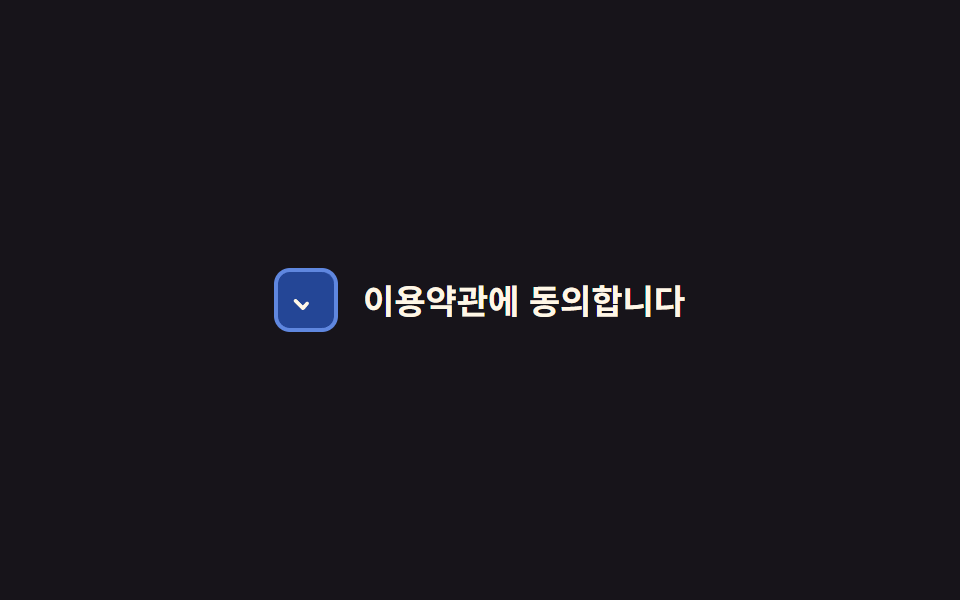 Phản hồi9 CSS Checkbox Radio — dán 1 dòng là chạy
 Phản hồi9 CSS Input Focus Animation — dán 1 dòng là chạy