9 mẫu List UI: swipe to delete css và phân trang
Swipe to delete css là vuốt một dòng để lộ nút xóa phía sau — thao tác bạn hay thấy trong app, giờ có luôn trên web.
 01 swipe-actions-delete-reveal
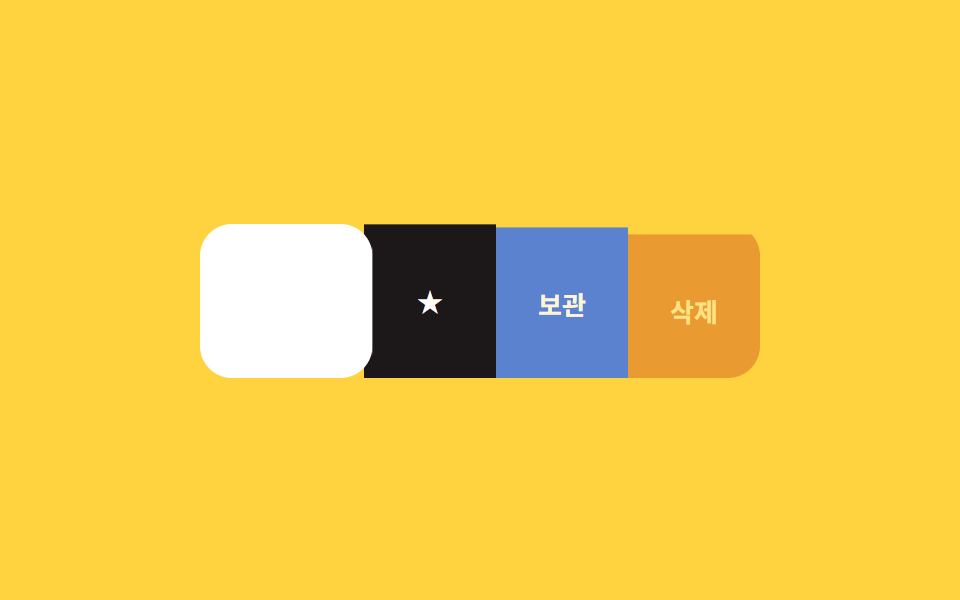 02 swipe-actions-multi-action-stack
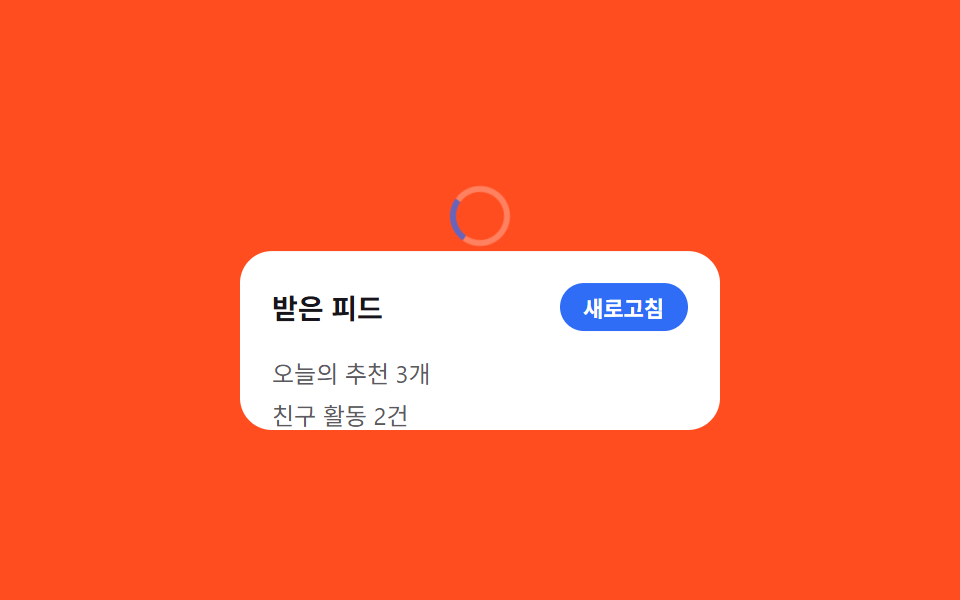 03 pull-to-refresh-elastic-spinner
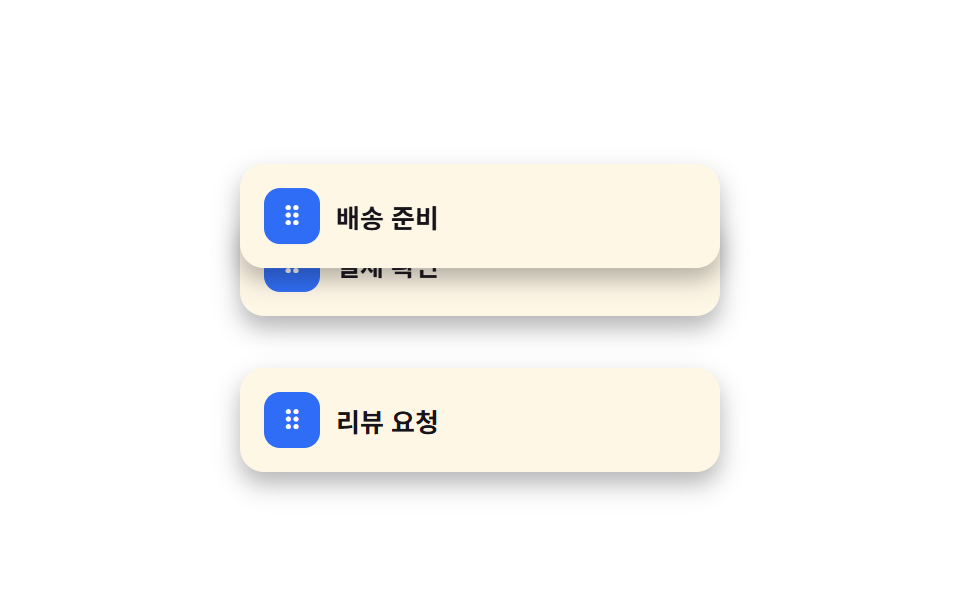 04 sortable-table-drag-handle-reorder
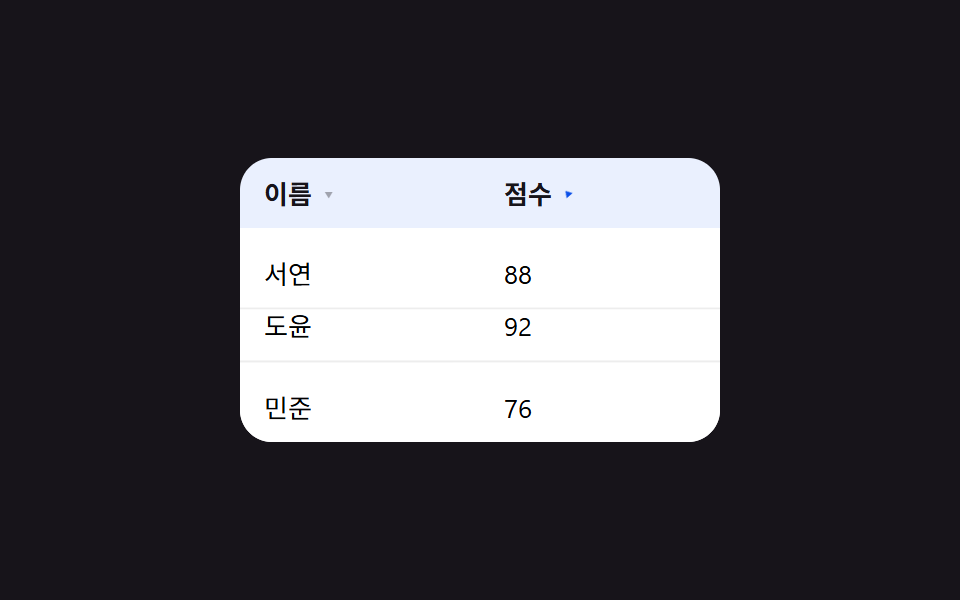 05 sortable-table-header-click-sort
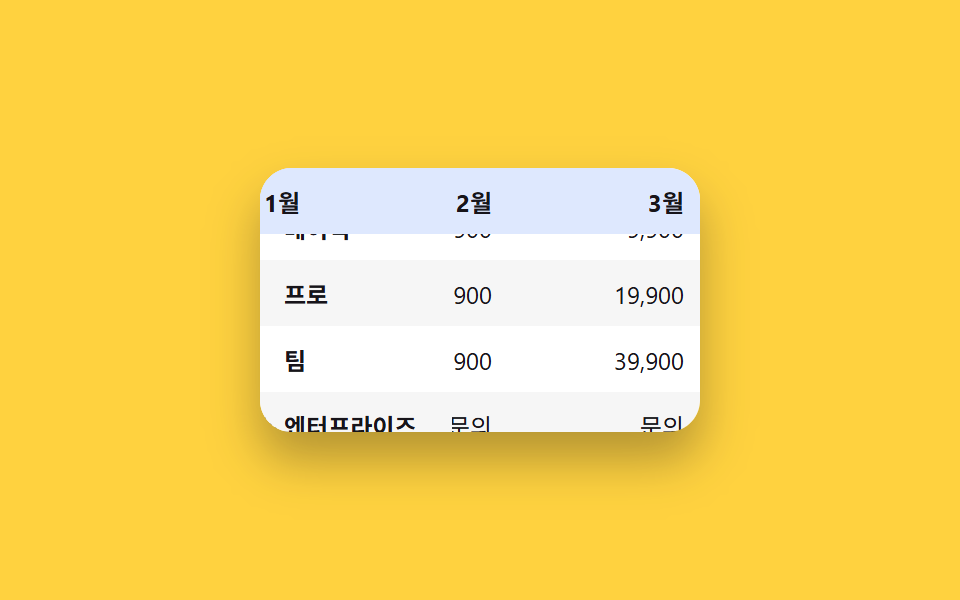 06 sticky-columns-header-freeze
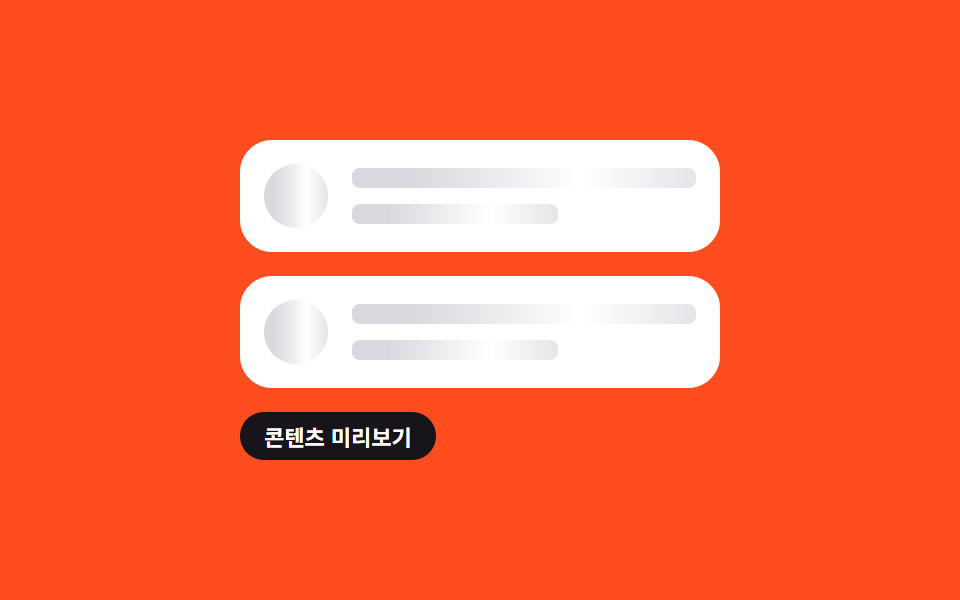 07 skeleton-list-shimmer-rows
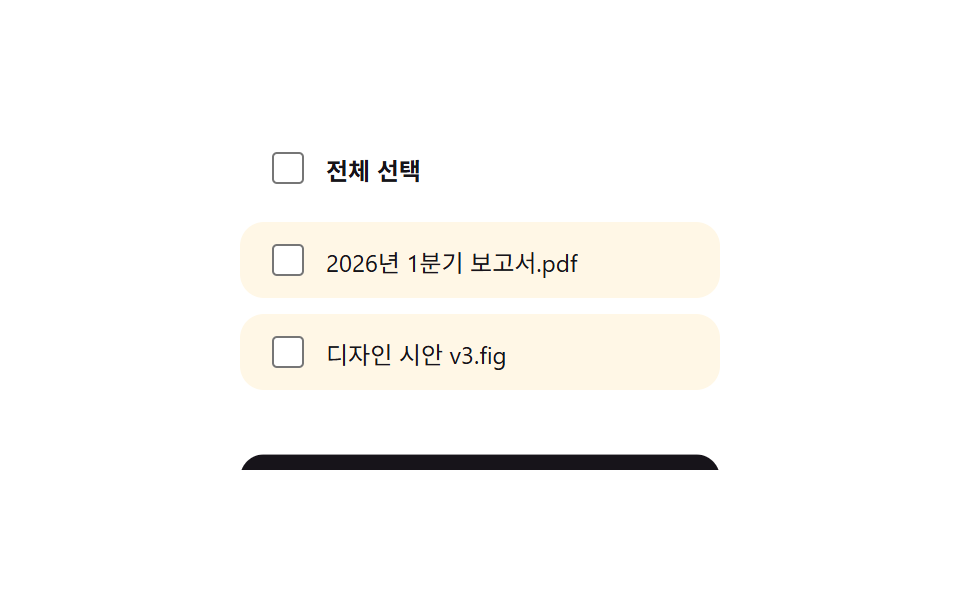 08 bulk-select-checkbox-toolbar
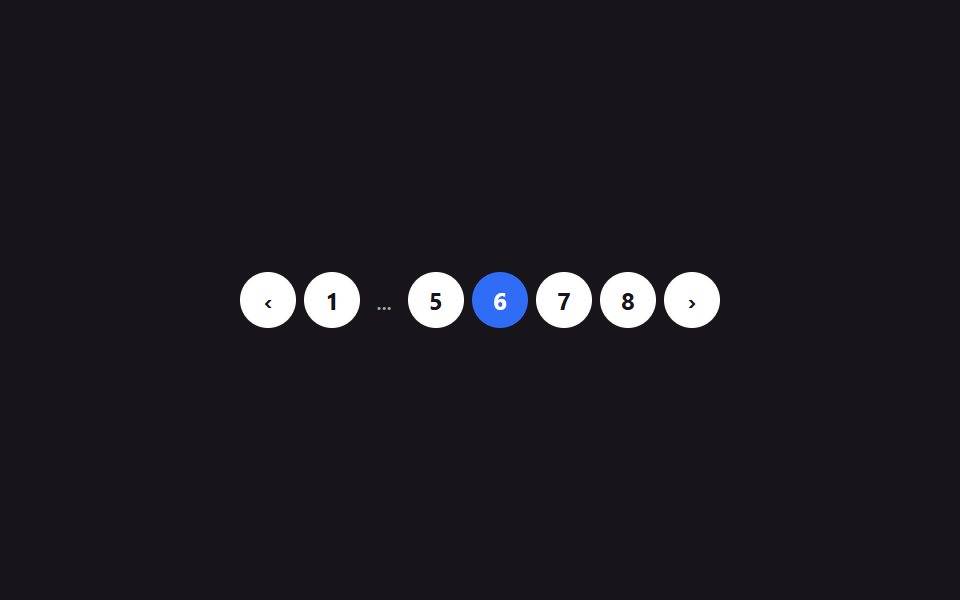 09 pagination-numbered-ellipsis
Tự chạy · bấm ô để tới mục đó · cả 9 trong một zip
- 01 Vuốt để xóa (reveal)
- 02 Vuốt hiện nhiều hành động
- 03 Kéo để làm mới
- 04 Kéo để sắp xếp lại
- 05 Header bấm để sắp xếp
- 06 Cố định header + cột đầu
- 07 Danh sách skeleton shimmer
- 08 Thanh chọn nhiều mục
- 09 Phân trang dạng số
Chín mục dưới đây không xếp theo độ phổ biến mà theo đúng trình tự mà một danh sách thực sự trải qua. Trước hết là thao tác trên một dòng (01, 02 vuốt, 03 kéo để làm mới), sau đó là thao tác trên cả danh sách (04, 05 sắp xếp lại, 06 cố định khi cuộn), và cuối cùng là những gì một danh sách cần khi có quá nhiều dòng (07 trạng thái đang tải, 08 chọn hàng loạt, 09 phân trang).
01Vuốt để xóa (reveal)
Bạn thấy gì
Vuốt một dòng sang trái sẽ hiện nút xóa màu đỏ phía sau, vuốt quá nửa thì cả dòng tự biến mất.
<main class="stage">
  <ul class="swipe-list" aria-label="Hộp thư đến">
    <li class="swipe-row is-demo">
      <button class="swipe-row__delete" type="button">Xóa</button>
      <div class="swipe-row__content" tabindex="0">
        <span class="swipe-row__title">Nhắc họp hằng tuần</span>
        <span class="swipe-row__desc">Hãy vuốt sang trái để thử</span>
      </div>
    </li>
    <li class="swipe-row">
      <button class="swipe-row__delete" type="button">Xóa</button>
      <div class="swipe-row__content" tabindex="0">
        <span class="swipe-row__title">Phản hồi thiết kế</span>
        <span class="swipe-row__desc">Hôm qua 18:20</span>
      </div>
    </li>
  </ul>
</main>
@use "../../../../site/static/demo-tokens" as *;
$duration: $dur-quick; // 콘텐츠가 밀리는 시간
$easing: $ease-out;
$color: $error; // 삭제 버튼 색
@include stage($stage-ink);
.swipe-list {
list-style: none;
margin: 0;
padding: 0;
width: min(280px, 82vw);
display: flex;
flex-direction: column;
gap: $sp-3;
}
.swipe-row {
position: relative;
overflow: hidden;
border-radius: $r-card;
transition: height $duration $easing;
}
.swipe-row__delete {
position: absolute;
inset: 0 0 0 auto;
width: 88px;
border: 0;
border-radius: $r-card;
background: $color;
color: $stage-paper;
font-weight: 700;
font-size: 14px;
font-family: inherit;
cursor: pointer;
}
.swipe-row__content {
position: relative;
display: flex;
flex-direction: column;
gap: $sp-1;
padding: $sp-4;
border-radius: $r-card;
background: $stage-paper;
transform: translateX(0);
transition: transform $duration $easing;
cursor: grab;
touch-action: pan-y;
}
.swipe-row__content:focus-visible { outline: 2px solid $subject-blue; outline-offset: 2px; }
.swipe-row__title { display: block; font-weight: 700; font-size: 14px; color: $stage-ink; }
.swipe-row__desc { display: block; margin-top: $sp-1; font-size: 12px; color: rgba(23, 20, 26, .6); }
.swipe-row.is-demo .swipe-row__content { animation: swipe-loop $dur-loop $easing infinite; }
@keyframes swipe-loop {
0%, 15% { transform: translateX(0); }
45%, 65% { transform: translateX(-88px); }
90%, 100% { transform: translateX(0); }
}
@media (prefers-reduced-motion: reduce) {
.swipe-row__content { transition: none; }
.swipe-row { transition: none; }
.swipe-row.is-demo .swipe-row__content { animation: none; transform: translateX(-88px); }
}html, body {
margin: 0;
overflow: hidden;
}
.stage {
box-sizing: border-box;
min-height: 100vh;
display: grid;
place-items: center;
margin: 0;
background: #17141a;
font-family: -apple-system, "Segoe UI", "Noto Sans KR", sans-serif;
padding: clamp(8px, 4vw, 24px);
}
.swipe-list {
list-style: none;
margin: 0;
padding: 0;
width: min(280px, 82vw);
display: flex;
flex-direction: column;
gap: 12px;
}
.swipe-row {
position: relative;
overflow: hidden;
border-radius: 16px;
transition: height 220ms ease-out;
}
.swipe-row__delete {
position: absolute;
inset: 0 0 0 auto;
width: 88px;
border: 0;
border-radius: 16px;
background: #c2361a;
color: #ffffff;
font-weight: 700;
font-size: 14px;
font-family: inherit;
cursor: pointer;
}
.swipe-row__content {
position: relative;
display: flex;
flex-direction: column;
gap: 4px;
padding: 16px;
border-radius: 16px;
background: #ffffff;
transform: translateX(0);
transition: transform 220ms ease-out;
cursor: grab;
touch-action: pan-y;
}
.swipe-row__content:focus-visible {
outline: 2px solid #2f6df6;
outline-offset: 2px;
}
.swipe-row__title {
display: block;
font-weight: 700;
font-size: 14px;
color: #17141a;
}
.swipe-row__desc {
display: block;
margin-top: 4px;
font-size: 12px;
color: rgba(23, 20, 26, 0.6);
}
.swipe-row.is-demo .swipe-row__content {
animation: swipe-loop 2s ease-out infinite;
}
@keyframes swipe-loop {
0%, 15% {
transform: translateX(0);
}
45%, 65% {
transform: translateX(-88px);
}
90%, 100% {
transform: translateX(0);
}
}
@media (prefers-reduced-motion: reduce) {
.swipe-row__content {
transition: none;
}
.swipe-row {
transition: none;
}
.swipe-row.is-demo .swipe-row__content {
animation: none;
transform: translateX(-88px);
}
}(function () {
var OPEN = 88, DEL = 140;
document.querySelectorAll('.swipe-row').forEach(function (row) {
var content = row.querySelector('.swipe-row__content');
var del = row.querySelector('.swipe-row__delete');
var startX = 0, dx = 0, dragging = false;
function remove() {
row.style.height = row.offsetHeight + 'px';
requestAnimationFrame(function () {
row.classList.add('is-leaving');
row.style.height = '0px';
});
row.addEventListener('transitionend', function h(e) {
if (e.propertyName === 'height') { row.removeEventListener('transitionend', h); row.remove(); }
});
}
content.addEventListener('pointerdown', function (e) {
row.classList.remove('is-demo');
dragging = true; startX = e.clientX; content.setPointerCapture(e.pointerId);
});
content.addEventListener('pointermove', function (e) {
if (!dragging) return;
dx = Math.min(0, Math.max(-DEL - 30, e.clientX - startX));
content.style.transform = 'translateX(' + dx + 'px)';
});
function end() {
if (!dragging) return;
dragging = false;
if (dx < -DEL) { remove(); return; }
content.style.transform = dx < -OPEN / 2 ? 'translateX(-' + OPEN + 'px)' : '';
dx = 0;
}
content.addEventListener('pointerup', end);
content.addEventListener('pointercancel', end);
content.addEventListener('keydown', function (e) {
if (e.key === 'Delete' || e.key === 'Backspace') { row.classList.remove('is-demo'); remove(); }
});
del.addEventListener('click', function () { remove(); });
});
})();import { useRef, useState, type CSSProperties, type PointerEvent } from "react";
import styles from "./SwipeDeleteReveal.module.scss";
export type SwipeDeleteRevealProps = {
title: string;
desc: string;
/** 콘텐츠가 밀리는 시간 (기본 220ms) */
duration?: number;
easing?: string;
/** 삭제 버튼 색 */
color?: string;
};
type Vars = CSSProperties & { "--duration"?: string; "--easing"?: string; "--color"?: string };
const OPEN = 88;
const DEL = 140;
/** pointer 드래그로 --dx 를 직접 놓고, 임계값을 넘기면 행을 지운다 */
export default function SwipeDeleteReveal({
title,
desc,
duration = 220,
easing = "ease-out",
color = "#c2361a",
}: SwipeDeleteRevealProps) {
const [removed, setRemoved] = useState(false);
const [dx, setDx] = useState(0);
const dragging = useRef(false);
const startX = useRef(0);
const vars: Vars = { "--duration": `${duration}ms`, "--easing": easing, "--color": color };
if (removed) return null;
const down = (e: PointerEvent<HTMLDivElement>) => {
dragging.current = true;
startX.current = e.clientX;
e.currentTarget.setPointerCapture(e.pointerId);
};
const move = (e: PointerEvent<HTMLDivElement>) => {
if (!dragging.current) return;
setDx(Math.min(0, Math.max(-DEL - 30, e.clientX - (startX.current ?? 0))));
};
const up = () => {
if (!dragging.current) return;
dragging.current = false;
if (dx < -DEL) { setRemoved(true); return; }
setDx(dx < -OPEN / 2 ? -OPEN : 0);
};
const key = (e: any) => {
if (e.key === "Delete" || e.key === "Backspace") setRemoved(true);
};
return (
<li className={styles.row} style={vars}>
<button className={styles.del} type="button" onClick={() => setRemoved(true)}>삭제</button>
<div
className={styles.content}
tabIndex={0}
style={{ transform: `translateX(${dx}px)` }}
onPointerDown={down}
onPointerMove={move}
onPointerUp={up}
onPointerCancel={up}
onKeyDown={key}
>
<span className={styles.title}>{title}</span>
<span className={styles.desc}>{desc}</span>
</div>
</li>
);
}01 · Vuốt để xóa (reveal) — Diện tích đo được 6.517% · khung hình chuyển động 15/23Nguyên tác GODRICH · SCSS và React nằm trong tệp zip · Xem mật khẩu
Dùng ở đâu
Nút vẫn luôn là một <button> thật nằm trong DOM, nên bấm Tab rồi bấm phím Delete cũng xóa được y hệt.
// pointermove ghi thẳng giá trị --dx, rồi hai ngưỡng quyết định việc xảy ra khi thả tay
content.addEventListener('pointermove', function (e) {
  dx = Math.min(0, Math.max(-170, e.clientX - startX));
  content.style.transform = 'translateX(' + dx + 'px)';
});
function end() {
  if (dx < -140) { removeRow(); }                  // vượt ngưỡng xóa
  else content.style.transform = dx < -44 ? 'translateX(-88px)' : '';
}
02Vuốt hiện nhiều hành động
Chuyện gì diễn ra trên màn hình
Vuốt càng xa, các nút yêu thích, lưu trữ, xóa càng lần lượt xuất hiện và xếp cạnh nhau.
<main class="stage">
  <ul class="ma-list">
    <li class="ma-row is-demo">
      <div class="ma-row__actions">
        <button class="ma-row__action ma-row__action--fav" type="button" aria-pressed="false">★</button>
        <button class="ma-row__action ma-row__action--archive" type="button">Lưu trữ</button>
        <button class="ma-row__action ma-row__action--del" type="button">Xóa</button>
      </div>
      <div class="ma-row__content" tabindex="0">
        <span class="ma-row__title">3 bình luận mới</span>
        <span class="ma-row__desc">Có bình luận mới trên bài viết của bạn</span>
      </div>
    </li>
  </ul>
</main>
@use "../../../../site/static/demo-tokens" as *;
$duration: $dur-quick; // 콘텐츠가 밀리는 시간
$easing: $ease-pop;
$color: $subject-blue; // 보관 버튼 색
@include stage($stage-yellow);
.ma-list { list-style: none; margin: 0; padding: 0; width: min(280px, 82vw); }
.ma-row {
position: relative;
overflow: hidden;
border-radius: $r-card;
transition: height $duration $easing, opacity $duration $easing;
}
.ma-row__actions {
position: absolute;
inset: 0 0 0 auto;
display: flex;
width: 198px;
}
.ma-row__action {
flex: 1 0 66px;
border: 0;
color: $stage-paper;
font-weight: 700;
font-size: 13px;
font-family: inherit;
cursor: pointer;
opacity: 0;
transform: translateY(8px);
transition: opacity $duration $easing, transform $duration $easing, background-color $duration $easing;
}
.ma-row__action--fav { background: $stage-ink; }
.ma-row__action--fav.is-on { background: $stage-yellow; color: $stage-ink; }
.ma-row__action--archive { background: $color; }
.ma-row__action--del { background: $error; }
.ma-row__content {
position: relative;
display: flex;
flex-direction: column;
gap: $sp-1;
padding: $sp-4;
border-radius: $r-card;
background: $stage-paper;
transform: translateX(0);
transition: transform $duration $easing;
cursor: grab;
touch-action: pan-y;
}
.ma-row__content:focus-visible { outline: 2px solid $subject-blue; outline-offset: 2px; }
.ma-row:focus-within .ma-row__action { opacity: 1; transform: translateY(0); }
.ma-row__title { display: block; font-weight: 700; font-size: 14px; color: $stage-ink; }
.ma-row__desc { display: block; margin-top: $sp-1; font-size: 12px; color: rgba(23, 20, 26, .6); }
.ma-row.is-demo .ma-row__content { animation: ma-content-loop $dur-loop $easing infinite; }
.ma-row.is-demo .ma-row__action { animation: ma-action-loop $dur-loop $easing infinite; }
.ma-row.is-demo .ma-row__action--fav { animation-delay: 0ms; }
.ma-row.is-demo .ma-row__action--archive { animation-delay: 80ms; }
.ma-row.is-demo .ma-row__action--del { animation-delay: 160ms; }
@keyframes ma-content-loop {
0%, 15% { transform: translateX(0); }
50%, 70% { transform: translateX(-198px); }
95%, 100% { transform: translateX(0); }
}
@keyframes ma-action-loop {
0%, 15% { opacity: 0; transform: translateY(8px); }
50%, 70% { opacity: 1; transform: translateY(0); }
95%, 100% { opacity: 0; transform: translateY(8px); }
}
@media (prefers-reduced-motion: reduce) {
.ma-row__content, .ma-row__action, .ma-row { transition: none; }
.ma-row.is-demo .ma-row__content { animation: none; transform: translateX(-198px); }
.ma-row.is-demo .ma-row__action { animation: none; opacity: 1; transform: translateY(0); }
}html, body {
margin: 0;
overflow: hidden;
}
.stage {
box-sizing: border-box;
min-height: 100vh;
display: grid;
place-items: center;
margin: 0;
background: #ffd23f;
font-family: -apple-system, "Segoe UI", "Noto Sans KR", sans-serif;
padding: clamp(8px, 4vw, 24px);
}
.ma-list {
list-style: none;
margin: 0;
padding: 0;
width: min(280px, 82vw);
}
.ma-row {
position: relative;
overflow: hidden;
border-radius: 16px;
transition: height 220ms cubic-bezier(0.2, 1.4, 0.4, 1), opacity 220ms cubic-bezier(0.2, 1.4, 0.4, 1);
}
.ma-row__actions {
position: absolute;
inset: 0 0 0 auto;
display: flex;
width: 198px;
}
.ma-row__action {
flex: 1 0 66px;
border: 0;
color: #ffffff;
font-weight: 700;
font-size: 13px;
font-family: inherit;
cursor: pointer;
opacity: 0;
transform: translateY(8px);
transition: opacity 220ms cubic-bezier(0.2, 1.4, 0.4, 1), transform 220ms cubic-bezier(0.2, 1.4, 0.4, 1), background-color 220ms cubic-bezier(0.2, 1.4, 0.4, 1);
}
.ma-row__action--fav {
background: #17141a;
}
.ma-row__action--fav.is-on {
background: #ffd23f;
color: #17141a;
}
.ma-row__action--archive {
background: #2f6df6;
}
.ma-row__action--del {
background: #c2361a;
}
.ma-row__content {
position: relative;
display: flex;
flex-direction: column;
gap: 4px;
padding: 16px;
border-radius: 16px;
background: #ffffff;
transform: translateX(0);
transition: transform 220ms cubic-bezier(0.2, 1.4, 0.4, 1);
cursor: grab;
touch-action: pan-y;
}
.ma-row__content:focus-visible {
outline: 2px solid #2f6df6;
outline-offset: 2px;
}
.ma-row:focus-within .ma-row__action {
opacity: 1;
transform: translateY(0);
}
.ma-row__title {
display: block;
font-weight: 700;
font-size: 14px;
color: #17141a;
}
.ma-row__desc {
display: block;
margin-top: 4px;
font-size: 12px;
color: rgba(23, 20, 26, 0.6);
}
.ma-row.is-demo .ma-row__content {
animation: ma-content-loop 2s cubic-bezier(0.2, 1.4, 0.4, 1) infinite;
}
.ma-row.is-demo .ma-row__action {
animation: ma-action-loop 2s cubic-bezier(0.2, 1.4, 0.4, 1) infinite;
}
.ma-row.is-demo .ma-row__action--fav {
animation-delay: 0ms;
}
.ma-row.is-demo .ma-row__action--archive {
animation-delay: 80ms;
}
.ma-row.is-demo .ma-row__action--del {
animation-delay: 160ms;
}
@keyframes ma-content-loop {
0%, 15% {
transform: translateX(0);
}
50%, 70% {
transform: translateX(-198px);
}
95%, 100% {
transform: translateX(0);
}
}
@keyframes ma-action-loop {
0%, 15% {
opacity: 0;
transform: translateY(8px);
}
50%, 70% {
opacity: 1;
transform: translateY(0);
}
95%, 100% {
opacity: 0;
transform: translateY(8px);
}
}
@media (prefers-reduced-motion: reduce) {
.ma-row__content, .ma-row__action, .ma-row {
transition: none;
}
.ma-row.is-demo .ma-row__content {
animation: none;
transform: translateX(-198px);
}
.ma-row.is-demo .ma-row__action {
animation: none;
opacity: 1;
transform: translateY(0);
}
}(function () {
var OPEN = 198;
document.querySelectorAll('.ma-row').forEach(function (row) {
var content = row.querySelector('.ma-row__content');
var fav = row.querySelector('.ma-row__action--fav');
var startX = 0, dx = 0, dragging = false;
function collapse() {
row.style.height = row.offsetHeight + 'px';
requestAnimationFrame(function () { row.style.height = '0px'; row.style.opacity = '0'; });
row.addEventListener('transitionend', function h(e) {
if (e.propertyName === 'height') { row.removeEventListener('transitionend', h); row.remove(); }
});
}
content.addEventListener('pointerdown', function (e) {
row.classList.remove('is-demo');
dragging = true; startX = e.clientX; content.setPointerCapture(e.pointerId);
});
content.addEventListener('pointermove', function (e) {
if (!dragging) return;
dx = Math.min(0, Math.max(-OPEN, e.clientX - startX));
content.style.transform = 'translateX(' + dx + 'px)';
});
function end() {
if (!dragging) return;
dragging = false;
content.style.transform = dx < -OPEN / 2 ? 'translateX(-' + OPEN + 'px)' : '';
dx = 0;
}
content.addEventListener('pointerup', end);
content.addEventListener('pointercancel', end);
fav.addEventListener('click', function () {
var on = fav.getAttribute('aria-pressed') === 'true';
fav.setAttribute('aria-pressed', String(!on));
fav.classList.toggle('is-on', !on);
});
row.querySelector('.ma-row__action--archive').addEventListener('click', collapse);
row.querySelector('.ma-row__action--del').addEventListener('click', collapse);
});
})();import { useRef, useState, type CSSProperties, type PointerEvent } from "react";
import styles from "./SwipeMultiActionStack.module.scss";
export type SwipeMultiActionStackProps = {
title: string;
desc: string;
/** 콘텐츠가 밀리는 시간 (기본 220ms) */
duration?: number;
easing?: string;
/** 보관 버튼 색 */
color?: string;
};
type Vars = CSSProperties & { "--duration"?: string; "--easing"?: string; "--color"?: string };
const OPEN = 198;
export default function SwipeMultiActionStack({
title,
desc,
duration = 220,
easing = "cubic-bezier(.2, 1.4, .4, 1)",
color = "#2f6df6",
}: SwipeMultiActionStackProps) {
const [dx, setDx] = useState(0);
const [fav, setFav] = useState(false);
const [gone, setGone] = useState(false);
const dragging = useRef(false);
const startX = useRef(0);
const vars: Vars = { "--duration": `${duration}ms`, "--easing": easing, "--color": color };
if (gone) return null;
const down = (e: PointerEvent<HTMLDivElement>) => {
dragging.current = true;
startX.current = e.clientX;
e.currentTarget.setPointerCapture(e.pointerId);
};
const move = (e: PointerEvent<HTMLDivElement>) => {
if (!dragging.current) return;
setDx(Math.min(0, Math.max(-OPEN, e.clientX - (startX.current ?? 0))));
};
const up = () => {
if (!dragging.current) return;
dragging.current = false;
setDx(dx < -OPEN / 2 ? -OPEN : 0);
};
return (
<li className={styles.row} style={vars}>
<div className={styles.actions} style={{ opacity: dx < 0 ? 1 : undefined }}>
<button className={styles.fav} type="button" aria-pressed={fav} onClick={() => setFav((v) => !v)}>★</button>
<button className={styles.archive} type="button" onClick={() => setGone(true)}>보관</button>
<button className={styles.delBtn} type="button" onClick={() => setGone(true)}>삭제</button>
</div>
<div
className={styles.content}
tabIndex={0}
style={{ transform: `translateX(${dx}px)` }}
onPointerDown={down}
onPointerMove={move}
onPointerUp={up}
onPointerCancel={up}
>
<span className={styles.title}>{title}</span>
<span className={styles.desc}>{desc}</span>
</div>
</li>
);
}02 · Vuốt hiện nhiều hành động — Diện tích đo được 12.767% · khung hình chuyển động 17/23Nguyên tác GODRICH · SCSS và React nằm trong tệp zip · Xem mật khẩu
Chỗ dùng
Cả ba đều là button thật, nên chỉ cần Tab đến dòng đó, người dùng bàn phím cũng thấy đủ ba nút này.
.action {
  opacity: 0;
  transform: translateY(8px);
  transition: opacity .22s, transform .22s;
}
// không chỉ hover — focus bằng bàn phím rơi vào dòng cũng hiện đủ ba nút này
.row:focus-within .action { opacity: 1; transform: translateY(0); }
.action--fav     { animation-delay: 0ms; }
.action--archive { animation-delay: 80ms; }
.action--del     { animation-delay: 160ms; }
03Kéo để làm mới
Chuyển động thế nào
Kéo xuống từ đầu danh sách sẽ giãn ra như dây thun, thả tay thì spinner quay và làm mới dữ liệu.
<main class="stage">
  <div class="ptr is-demo">
    <div class="ptr__indicator" aria-hidden="true"><span class="ptr__spinner"></span></div>
    <div class="ptr__body">
      <div class="ptr__head">
        <span class="ptr__title">Feed của bạn</span>
        <button class="ptr__refresh" type="button">Làm mới</button>
      </div>
      <ul class="ptr__list">
        <li>3 gợi ý hôm nay</li>
        <li>2 hoạt động của bạn bè</li>
      </ul>
      <p class="ptr__status" aria-live="polite">Vừa làm mới xong</p>
    </div>
  </div>
</main>
@use "../../../../site/static/demo-tokens" as *;
$duration: $dur-base; // 당긴 만큼 늘어나는 시간
$easing: $ease-spring;
$color: $subject-blue; // 스피너 색
@include stage($stage-orange);
.ptr {
position: relative;
width: min(240px, 78vw);
overflow: hidden;
border-radius: $r-card;
}
.ptr__indicator {
position: absolute;
top: $sp-2;
left: 0;
right: 0;
display: flex;
justify-content: center;
}
.ptr__spinner {
width: 24px;
height: 24px;
border-radius: 50%;
border: 3px solid rgba($stage-paper, .4);
border-top-color: $color;
opacity: 0;
transition: opacity $duration $easing;
}
.ptr__body {
position: relative;
padding: $sp-4;
border-radius: $r-card;
background: $stage-paper;
transform: translateY(0);
transition: transform $duration $easing;
touch-action: pan-x;
cursor: grab;
}
.ptr__head { display: flex; align-items: center; justify-content: space-between; gap: $sp-2; }
.ptr__title { font-weight: 700; font-size: 14px; color: $stage-ink; }
.ptr__refresh {
border: 0;
border-radius: $r-pill;
padding: $sp-1 $sp-3;
background: $color;
color: $stage-paper;
font-size: 11px;
font-weight: 700;
font-family: inherit;
cursor: pointer;
}
.ptr__list { list-style: none; margin: $sp-3 0 0; padding: 0; font-size: 12px; color: rgba(23, 20, 26, .7); display: flex; flex-direction: column; gap: $sp-1; }
.ptr__status { margin: $sp-2 0 0; font-size: 11px; color: rgba(23, 20, 26, .72); }
.ptr.is-refreshing .ptr__spinner { opacity: 1; animation: ptr-spin .7s linear infinite; }
.ptr.is-demo .ptr__body { animation: ptr-loop $dur-loop $easing infinite; }
.ptr.is-demo .ptr__spinner { animation: ptr-spin-loop $dur-loop $easing infinite; }
@keyframes ptr-spin { to { transform: rotate(360deg); } }
@keyframes ptr-loop {
0%, 10% { transform: translateY(0); }
40%, 60% { transform: translateY(56px); }
95%, 100% { transform: translateY(0); }
}
@keyframes ptr-spin-loop {
0%, 10% { opacity: 0; transform: rotate(0deg); }
40%, 60% { opacity: 1; transform: rotate(360deg); }
95%, 100% { opacity: 0; transform: rotate(360deg); }
}
@media (prefers-reduced-motion: reduce) {
.ptr__body, .ptr__spinner { transition: none; }
.ptr.is-demo .ptr__body { animation: none; transform: translateY(56px); }
.ptr.is-demo .ptr__spinner { animation: none; opacity: 1; }
.ptr.is-refreshing .ptr__spinner { animation: none; }
}html, body {
margin: 0;
overflow: hidden;
}
.stage {
box-sizing: border-box;
min-height: 100vh;
display: grid;
place-items: center;
margin: 0;
background: #ff4d1f;
font-family: -apple-system, "Segoe UI", "Noto Sans KR", sans-serif;
padding: clamp(8px, 4vw, 24px);
}
.ptr {
position: relative;
width: min(240px, 78vw);
overflow: hidden;
border-radius: 16px;
}
.ptr__indicator {
position: absolute;
top: 8px;
left: 0;
right: 0;
display: flex;
justify-content: center;
}
.ptr__spinner {
width: 24px;
height: 24px;
border-radius: 50%;
border: 3px solid rgba(255, 255, 255, 0.4);
border-top-color: #2f6df6;
opacity: 0;
transition: opacity 300ms cubic-bezier(0.2, 0.8, 0.2, 1);
}
.ptr__body {
position: relative;
padding: 16px;
border-radius: 16px;
background: #ffffff;
transform: translateY(0);
transition: transform 300ms cubic-bezier(0.2, 0.8, 0.2, 1);
touch-action: pan-x;
cursor: grab;
}
.ptr__head {
display: flex;
align-items: center;
justify-content: space-between;
gap: 8px;
}
.ptr__title {
font-weight: 700;
font-size: 14px;
color: #17141a;
}
.ptr__refresh {
border: 0;
border-radius: 999px;
padding: 4px 12px;
background: #2f6df6;
color: #ffffff;
font-size: 11px;
font-weight: 700;
font-family: inherit;
cursor: pointer;
}
.ptr__list {
list-style: none;
margin: 12px 0 0;
padding: 0;
font-size: 12px;
color: rgba(23, 20, 26, 0.7);
display: flex;
flex-direction: column;
gap: 4px;
}
.ptr__status {
margin: 8px 0 0;
font-size: 11px;
color: rgba(23, 20, 26, 0.72);
}
.ptr.is-refreshing .ptr__spinner {
opacity: 1;
animation: ptr-spin 0.7s linear infinite;
}
.ptr.is-demo .ptr__body {
animation: ptr-loop 2s cubic-bezier(0.2, 0.8, 0.2, 1) infinite;
}
.ptr.is-demo .ptr__spinner {
animation: ptr-spin-loop 2s cubic-bezier(0.2, 0.8, 0.2, 1) infinite;
}
@keyframes ptr-spin {
to {
transform: rotate(360deg);
}
}
@keyframes ptr-loop {
0%, 10% {
transform: translateY(0);
}
40%, 60% {
transform: translateY(56px);
}
95%, 100% {
transform: translateY(0);
}
}
@keyframes ptr-spin-loop {
0%, 10% {
opacity: 0;
transform: rotate(0deg);
}
40%, 60% {
opacity: 1;
transform: rotate(360deg);
}
95%, 100% {
opacity: 0;
transform: rotate(360deg);
}
}
@media (prefers-reduced-motion: reduce) {
.ptr__body, .ptr__spinner {
transition: none;
}
.ptr.is-demo .ptr__body {
animation: none;
transform: translateY(56px);
}
.ptr.is-demo .ptr__spinner {
animation: none;
opacity: 1;
}
.ptr.is-refreshing .ptr__spinner {
animation: none;
}
}(function () {
var ptr = document.querySelector('.ptr');
var body = ptr.querySelector('.ptr__body');
var status = ptr.querySelector('.ptr__status');
var startY = 0, dy = 0, dragging = false, refreshing = false;
function refresh() {
if (refreshing) return;
refreshing = true;
ptr.classList.add('is-refreshing');
body.style.transform = 'translateY(56px)';
status.style.visibility = 'hidden';
setTimeout(function () {
refreshing = false;
ptr.classList.remove('is-refreshing');
body.style.transform = '';
status.style.visibility = '';
}, 900);
}
body.addEventListener('pointerdown', function (e) {
ptr.classList.remove('is-demo');
dragging = true; startY = e.clientY; body.setPointerCapture(e.pointerId);
});
body.addEventListener('pointermove', function (e) {
if (!dragging || refreshing) return;
dy = Math.max(0, Math.min(72, (e.clientY - startY) * 0.5));
body.style.transform = 'translateY(' + dy + 'px)';
});
function end() {
if (!dragging || refreshing) { dragging = false; return; }
dragging = false;
if (dy > 44) { refresh(); } else { body.style.transform = ''; }
dy = 0;
}
body.addEventListener('pointerup', end);
body.addEventListener('pointercancel', end);
ptr.querySelector('.ptr__refresh').addEventListener('click', function () {
ptr.classList.remove('is-demo'); refresh();
});
})();import { useRef, useState, type CSSProperties, type PointerEvent } from "react";
import styles from "./PullToRefreshSpinner.module.scss";
export type PullToRefreshSpinnerProps = {
title: string;
onRefresh?: () => void;
/** 당긴 만큼 늘어나는 시간 (기본 300ms) */
duration?: number;
easing?: string;
/** 스피너 색 */
color?: string;
};
type Vars = CSSProperties & { "--duration"?: string; "--easing"?: string; "--color"?: string };
export default function PullToRefreshSpinner({
title,
onRefresh,
duration = 300,
easing = "cubic-bezier(.2, .8, .2, 1)",
color = "#2f6df6",
}: PullToRefreshSpinnerProps) {
const [dy, setDy] = useState(0);
const [refreshing, setRefreshing] = useState(false);
const dragging = useRef(false);
const startY = useRef(0);
const vars: Vars = { "--duration": `${duration}ms`, "--easing": easing, "--color": color };
const refresh = () => {
if (refreshing) return;
setRefreshing(true);
setDy(56);
onRefresh?.();
setTimeout(() => { setRefreshing(false); setDy(0); }, 900);
};
const down = (e: PointerEvent<HTMLDivElement>) => {
dragging.current = true;
startY.current = e.clientY;
e.currentTarget.setPointerCapture(e.pointerId);
};
const move = (e: PointerEvent<HTMLDivElement>) => {
if (!dragging.current || refreshing) return;
setDy(Math.max(0, Math.min(72, (e.clientY - (startY.current ?? 0)) * 0.5)));
};
const up = () => {
if (!dragging.current || refreshing) { dragging.current = false; return; }
dragging.current = false;
if (dy > 44) refresh(); else setDy(0);
};
return (
<div className={styles.ptr} style={vars}>
<div className={styles.indicator} aria-hidden="true">
<span className={styles.spinner} data-spin={refreshing || undefined} />
</div>
<div
className={styles.body}
style={{ transform: `translateY(${dy}px)` }}
onPointerDown={down}
onPointerMove={move}
onPointerUp={up}
onPointerCancel={up}
>
<div className={styles.head}>
<span className={styles.title}>{title}</span>
<button className={styles.refreshBtn} type="button" onClick={refresh}>새로고침</button>
</div>
<p className={styles.status} style={{ visibility: refreshing ? "hidden" : undefined }} aria-live="polite">
방금 새로고침함
</p>
</div>
</div>
);
}03 · Kéo để làm mới — Diện tích đo được 14.518% · khung hình chuyển động 17/23Nguyên tác GODRICH · SCSS và React nằm trong tệp zip · Xem mật khẩu
Dùng khi nào
Nút làm mới hiển thị sẵn cũng chạy đúng animation này, nên ai không kéo được bằng tay vẫn dùng được.
function end() {
  if (dy > 44) refresh();            // kéo quá nửa ngưỡng
  else body.style.transform = '';    // không thì bật lại vị trí cũ
}
function refresh() {
  body.style.transform = 'translateY(56px)';
  setTimeout(function () { body.style.transform = ''; }, 900);
}
04Kéo để sắp xếp lại
Bạn thấy gì
Giữ tay cầm sáu chấm bên trái và kéo lên xuống, các dòng nằm trên đường kéo sẽ nhường chỗ và thứ tự thay đổi.
<main class="stage">
  <ul class="drag-list is-demo" aria-label="Thứ tự xử lý">
    <li class="drag-row">
      <button class="drag-row__handle" type="button" aria-label="Kéo hoặc dùng phím mũi tên để sắp xếp lại">⠿</button>
      <span class="drag-row__label">Xác nhận thanh toán</span>
    </li>
    <li class="drag-row">
      <button class="drag-row__handle" type="button" aria-label="Kéo hoặc dùng phím mũi tên để sắp xếp lại">⠿</button>
      <span class="drag-row__label">Chuẩn bị giao hàng</span>
    </li>
    <li class="drag-row">
      <button class="drag-row__handle" type="button" aria-label="Kéo hoặc dùng phím mũi tên để sắp xếp lại">⠿</button>
      <span class="drag-row__label">Yêu cầu đánh giá</span>
    </li>
  </ul>
</main>
@use "../../../../site/static/demo-tokens" as *;
$duration: $dur-quick; // 드래그 중 스냅 시간
$easing: $ease-out;
$color: $subject-blue; // 핸들 색
@include stage($stage-paper);
.drag-list {
position: relative;
list-style: none;
margin: 0;
padding: 0;
width: min(240px, 78vw);
display: flex;
flex-direction: column;
gap: $sp-2;
}
.drag-row {
display: flex;
align-items: center;
gap: $sp-2;
padding: $sp-3;
border-radius: $r-control;
background: $subject-cream;
box-shadow: $shadow-press;
transition: transform $duration $easing;
&.is-dragging { transition: none; z-index: 2; box-shadow: $shadow-raised; }
}
.drag-row__handle {
flex: 0 0 auto;
width: 28px;
height: 28px;
border: 0;
border-radius: $r-sm;
background: $color;
color: $stage-paper;
font-size: 14px;
line-height: 1;
cursor: grab;
touch-action: none;
}
.drag-row__handle:focus-visible { outline: 2px solid $stage-ink; outline-offset: 2px; }
.drag-row__label { font-weight: 700; font-size: 13px; color: $stage-ink; font-family: inherit; }
.drag-list.is-demo .drag-row:nth-child(1) { animation: drag-a $dur-loop $easing infinite; }
.drag-list.is-demo .drag-row:nth-child(2) { animation: drag-b $dur-loop $easing infinite; }
@keyframes drag-a {
0%, 10% { transform: translateY(0); }
45%, 65% { transform: translateY(60px); }
95%, 100% { transform: translateY(0); }
}
@keyframes drag-b {
0%, 10% { transform: translateY(0); }
45%, 65% { transform: translateY(-60px); }
95%, 100% { transform: translateY(0); }
}
@media (prefers-reduced-motion: reduce) {
.drag-row { transition: none; }
.drag-list.is-demo .drag-row:nth-child(1),
.drag-list.is-demo .drag-row:nth-child(2) { animation: none; }
}html, body {
margin: 0;
overflow: hidden;
}
.stage {
box-sizing: border-box;
min-height: 100vh;
display: grid;
place-items: center;
margin: 0;
background: #ffffff;
font-family: -apple-system, "Segoe UI", "Noto Sans KR", sans-serif;
padding: clamp(8px, 4vw, 24px);
}
.drag-list {
position: relative;
list-style: none;
margin: 0;
padding: 0;
width: min(240px, 78vw);
display: flex;
flex-direction: column;
gap: 8px;
}
.drag-row {
display: flex;
align-items: center;
gap: 8px;
padding: 12px;
border-radius: 12px;
background: #fff7e6;
box-shadow: 0 6px 12px rgba(23, 20, 26, 0.32);
transition: transform 220ms ease-out;
}
.drag-row.is-dragging {
transition: none;
z-index: 2;
box-shadow: 0 14px 24px rgba(23, 20, 26, 0.32);
}
.drag-row__handle {
flex: 0 0 auto;
width: 28px;
height: 28px;
border: 0;
border-radius: 8px;
background: #2f6df6;
color: #ffffff;
font-size: 14px;
line-height: 1;
cursor: grab;
touch-action: none;
}
.drag-row__handle:focus-visible {
outline: 2px solid #17141a;
outline-offset: 2px;
}
.drag-row__label {
font-weight: 700;
font-size: 13px;
color: #17141a;
font-family: inherit;
}
.drag-list.is-demo .drag-row:nth-child(1) {
animation: drag-a 2s ease-out infinite;
}
.drag-list.is-demo .drag-row:nth-child(2) {
animation: drag-b 2s ease-out infinite;
}
@keyframes drag-a {
0%, 10% {
transform: translateY(0);
}
45%, 65% {
transform: translateY(60px);
}
95%, 100% {
transform: translateY(0);
}
}
@keyframes drag-b {
0%, 10% {
transform: translateY(0);
}
45%, 65% {
transform: translateY(-60px);
}
95%, 100% {
transform: translateY(0);
}
}
@media (prefers-reduced-motion: reduce) {
.drag-row {
transition: none;
}
.drag-list.is-demo .drag-row:nth-child(1),
.drag-list.is-demo .drag-row:nth-child(2) {
animation: none;
}
}(function () {
var list = document.querySelector('.drag-list');
Array.prototype.forEach.call(list.children, function (row) {
var handle = row.querySelector('.drag-row__handle');
var startY = 0, dy = 0, dragging = false;
handle.addEventListener('pointerdown', function (e) {
list.classList.remove('is-demo');
dragging = true; startY = e.clientY; row.classList.add('is-dragging');
handle.setPointerCapture(e.pointerId);
});
handle.addEventListener('pointermove', function (e) {
if (!dragging) return;
dy = e.clientY - startY;
row.style.transform = 'translateY(' + dy + 'px)';
});
function end() {
if (!dragging) return;
dragging = false; row.classList.remove('is-dragging');
var target = dy > 30 ? row.nextElementSibling : dy < -30 ? row.previousElementSibling : null;
row.style.transform = '';
if (target) list.insertBefore(dy > 0 ? target : row, dy > 0 ? row : target);
dy = 0;
}
handle.addEventListener('pointerup', end);
handle.addEventListener('pointercancel', end);
handle.addEventListener('keydown', function (e) {
list.classList.remove('is-demo');
var sib = e.key === 'ArrowDown' ? row.nextElementSibling : e.key === 'ArrowUp' ? row.previousElementSibling : null;
if (!sib) return;
e.preventDefault();
if (e.key === 'ArrowDown') list.insertBefore(sib, row); else list.insertBefore(row, sib);
handle.focus({ preventScroll: true });
});
});
})();import { useEffect, useRef, useState, type CSSProperties, type PointerEvent } from "react";
import styles from "./DragHandleReorder.module.scss";
export type DragHandleReorderProps = {
items: string[];
/** 드래그 스냅 시간 (기본 220ms) */
duration?: number;
easing?: string;
/** 핸들 색 */
color?: string;
};
type Vars = CSSProperties & { "--duration"?: string; "--easing"?: string; "--color"?: string };
export default function DragHandleReorder({
items,
duration = 220,
easing = "ease-out",
color = "#2f6df6",
}: DragHandleReorderProps) {
const [rows, setRows] = useState(items);
const [dragIndex, setDragIndex] = useState<number | null>(null);
const [dy, setDy] = useState(0);
const startY = useRef(0);
const handles = useRef<{ [label: string]: HTMLButtonElement | null }>({});
const refocusLabel = useRef<string | null>(null);
const vars: Vars = { "--duration": `${duration}ms`, "--easing": easing, "--color": color };
// 키보드로 순서를 바꾼 뒤에도 같은 핸들에 포커스가 남아 있어야 연속으로 화살표 키를 누를 수 있다
// (vanilla 판의 handle.focus({ preventScroll: true }) 와 같은 목적 — react 는 key 재조정으로도
// 대개 포커스가 유지되지만, 여기서는 명시적으로 한 번 더 확인해 다른 리렌더에 흔들리지 않게 한다)
useEffect(() => {
const label = refocusLabel.current;
if (label) { handles.current![label]?.focus({ preventScroll: true }); refocusLabel.current = null; }
}, [rows]);
const swap = (i: number, j: number, keyboardLabel?: string) => {
if (j < 0 || j >= rows.length) return;
const next = rows.slice();
const t = next[i]; next[i] = next[j]; next[j] = t;
if (keyboardLabel) refocusLabel.current = keyboardLabel;
setRows(next);
};
const down = (i: number) => (e: PointerEvent<HTMLButtonElement>) => {
setDragIndex(i); startY.current = e.clientY;
e.currentTarget.setPointerCapture(e.pointerId);
};
const move = (e: PointerEvent<HTMLButtonElement>) => {
if (dragIndex === null) return;
setDy(e.clientY - (startY.current ?? 0));
};
const up = () => {
if (dragIndex === null) return;
if (dy > 30) swap(dragIndex, dragIndex + 1);
else if (dy < -30) swap(dragIndex, dragIndex - 1);
setDragIndex(null); setDy(0);
};
const key = (i: number, label: string) => (e: any) => {
if (e.key === "ArrowDown") { e.preventDefault(); swap(i, i + 1, label); }
else if (e.key === "ArrowUp") { e.preventDefault(); swap(i, i - 1, label); }
};
return (
<ul className={styles.list} style={vars}>
{rows.map((label, i) => (
<li
key={label}
className={styles.row}
style={dragIndex === i ? { transform: `translateY(${dy}px)`, transition: "none" } : undefined}
>
<button
ref={(el: HTMLButtonElement | null) => { handles.current![label] = el; }}
className={styles.handle}
type="button"
aria-label="드래그하거나 화살표 키로 순서 변경"
onPointerDown={down(i)}
onPointerMove={move}
onPointerUp={up}
onPointerCancel={up}
onKeyDown={key(i, label)}
>⠿</button>
<span className={styles.label}>{label}</span>
</li>
))}
</ul>
);
}04 · Kéo để sắp xếp lại — Diện tích đo được 18.702% · khung hình chuyển động 17/23Nguyên tác GODRICH · SCSS và React nằm trong tệp zip · Xem mật khẩu
Dùng ở đâu
Không dùng chuột hay ngón tay cũng không sao — focus vào tay cầm rồi bấm phím mũi tên cũng sắp xếp lại y hệt.
handle.addEventListener('keydown', function (e) {
  var sib = e.key === 'ArrowDown' ? row.nextElementSibling
          : e.key === 'ArrowUp'   ? row.previousElementSibling : null;
  if (!sib) return;
  e.preventDefault();
  e.key === 'ArrowDown' ? list.insertBefore(sib, row) : list.insertBefore(row, sib);
  handle.focus({ preventScroll: true });   // tránh trang cha bị cuộn cưỡng bức khi nằm trong iframe
});
05Header bấm để sắp xếp
Chuyện gì diễn ra trên màn hình
Bấm vào tiêu đề cột sẽ lật mũi tên và sắp xếp lại các dòng theo cột đó, xen kẽ tăng dần và giảm dần.
<main class="stage">
  <table class="sort-table is-demo">
    <caption class="sort-table__caption">Điểm của người tham gia</caption>
    <thead>
      <tr>
        <th><button class="sort-table__th" type="button" data-key="name" aria-sort="none">Tên<span class="sort-table__arrow" aria-hidden="true">▾</span></button></th>
        <th><button class="sort-table__th" type="button" data-key="score" aria-sort="descending">Điểm<span class="sort-table__arrow" aria-hidden="true">▾</span></button></th>
      </tr>
    </thead>
    <tbody>
      <tr><td>Do-yoon</td><td data-score="92">92</td></tr>
      <tr><td>Seo-yeon</td><td data-score="88">88</td></tr>
      <tr><td>Min-jun</td><td data-score="76">76</td></tr>
    </tbody>
  </table>
</main>
@use "../../../../site/static/demo-tokens" as *;
$duration: $dur-quick; // 화살표가 뒤집히는 시간
$easing: $ease-out;
$color: $subject-blue; // 정렬 중인 열 강조 색
@include stage($stage-ink);
.sort-table {
position: relative;
width: min(240px, 78vw);
border-collapse: separate;
border-spacing: 0;
border-radius: $r-card;
overflow: hidden;
background: $stage-paper;
font-size: 13px;
}
.sort-table__caption {
position: absolute;
width: 1px; height: 1px;
overflow: hidden;
clip-path: inset(50%);
}
.sort-table th, .sort-table td {
padding: $sp-2 $sp-3;
text-align: left;
}
.sort-table thead th { background: rgba($subject-blue, .1); }
// tbody 행에도 불투명 배경을 줘야 한다 — 안 주면 정렬 데모 루프에서 두 행이 translateY 로 겹칠 때
// 배경이 없는 행 뒤로 다른 행 글자가 그대로 비쳐 보인다 (실측으로 확인)
.sort-table tbody td { background: $stage-paper; }
.sort-table tbody tr:not(:last-child) td { border-bottom: 1px solid rgba(23, 20, 26, .08); }
.sort-table__th {
display: flex;
align-items: center;
gap: $sp-1;
width: 100%;
border: 0;
background: none;
padding: 0;
font-family: inherit;
font-size: inherit;
font-weight: 700;
color: $stage-ink;
cursor: pointer;
}
.sort-table__th:focus-visible { outline: 2px solid $color; outline-offset: 2px; }
.sort-table__th[aria-sort="none"] .sort-table__arrow { opacity: .35; transform: rotate(0deg); }
.sort-table__th[aria-sort="descending"] .sort-table__arrow { opacity: 1; transform: rotate(0deg); color: $subject-blue-deep; } // 연파랑 헤더 위 파랑 3.96:1 → deep 5.29:1
.sort-table__th[aria-sort="ascending"] .sort-table__arrow { opacity: 1; transform: rotate(180deg); color: $subject-blue-deep; }
.sort-table__arrow { display: inline-block; font-size: 10px; transition: transform $duration $easing, opacity $duration $easing; }
.sort-table.is-demo tbody tr:nth-child(1) { animation: sort-row-a $dur-loop $easing infinite; }
.sort-table.is-demo tbody tr:nth-child(2) { animation: sort-row-b $dur-loop $easing infinite; }
.sort-table.is-demo [data-key="score"] .sort-table__arrow { animation: sort-arrow-loop $dur-loop $easing infinite; }
@keyframes sort-row-a {
0%, 10% { transform: translateY(0); }
45%, 65% { transform: translateY(37px); }
95%, 100% { transform: translateY(0); }
}
@keyframes sort-row-b {
0%, 10% { transform: translateY(0); }
45%, 65% { transform: translateY(-37px); }
95%, 100% { transform: translateY(0); }
}
@keyframes sort-arrow-loop {
0%, 10% { transform: rotate(0deg); }
50%, 60% { transform: rotate(180deg); }
95%, 100% { transform: rotate(0deg); }
}
@media (prefers-reduced-motion: reduce) {
.sort-table__arrow { transition: none; }
.sort-table.is-demo tbody tr:nth-child(1),
.sort-table.is-demo tbody tr:nth-child(2),
.sort-table.is-demo [data-key="score"] .sort-table__arrow { animation: none; }
}html, body {
margin: 0;
overflow: hidden;
}
.stage {
box-sizing: border-box;
min-height: 100vh;
display: grid;
place-items: center;
margin: 0;
background: #17141a;
font-family: -apple-system, "Segoe UI", "Noto Sans KR", sans-serif;
padding: clamp(8px, 4vw, 24px);
}
.sort-table {
position: relative;
width: min(240px, 78vw);
border-collapse: separate;
border-spacing: 0;
border-radius: 16px;
overflow: hidden;
background: #ffffff;
font-size: 13px;
}
.sort-table__caption {
position: absolute;
width: 1px;
height: 1px;
overflow: hidden;
clip-path: inset(50%);
}
.sort-table th, .sort-table td {
padding: 8px 12px;
text-align: left;
}
.sort-table thead th {
background: rgba(47, 109, 246, 0.1);
}
.sort-table tbody td {
background: #ffffff;
}
.sort-table tbody tr:not(:last-child) td {
border-bottom: 1px solid rgba(23, 20, 26, 0.08);
}
.sort-table__th {
display: flex;
align-items: center;
gap: 4px;
width: 100%;
border: 0;
background: none;
padding: 0;
font-family: inherit;
font-size: inherit;
font-weight: 700;
color: #17141a;
cursor: pointer;
}
.sort-table__th:focus-visible {
outline: 2px solid #2f6df6;
outline-offset: 2px;
}
.sort-table__th[aria-sort=none] .sort-table__arrow {
opacity: 0.35;
transform: rotate(0deg);
}
.sort-table__th[aria-sort=descending] .sort-table__arrow {
opacity: 1;
transform: rotate(0deg);
color: #0a4fe8;
}
.sort-table__th[aria-sort=ascending] .sort-table__arrow {
opacity: 1;
transform: rotate(180deg);
color: #0a4fe8;
}
.sort-table__arrow {
display: inline-block;
font-size: 10px;
transition: transform 220ms ease-out, opacity 220ms ease-out;
}
.sort-table.is-demo tbody tr:nth-child(1) {
animation: sort-row-a 2s ease-out infinite;
}
.sort-table.is-demo tbody tr:nth-child(2) {
animation: sort-row-b 2s ease-out infinite;
}
.sort-table.is-demo [data-key=score] .sort-table__arrow {
animation: sort-arrow-loop 2s ease-out infinite;
}
@keyframes sort-row-a {
0%, 10% {
transform: translateY(0);
}
45%, 65% {
transform: translateY(37px);
}
95%, 100% {
transform: translateY(0);
}
}
@keyframes sort-row-b {
0%, 10% {
transform: translateY(0);
}
45%, 65% {
transform: translateY(-37px);
}
95%, 100% {
transform: translateY(0);
}
}
@keyframes sort-arrow-loop {
0%, 10% {
transform: rotate(0deg);
}
50%, 60% {
transform: rotate(180deg);
}
95%, 100% {
transform: rotate(0deg);
}
}
@media (prefers-reduced-motion: reduce) {
.sort-table__arrow {
transition: none;
}
.sort-table.is-demo tbody tr:nth-child(1),
.sort-table.is-demo tbody tr:nth-child(2),
.sort-table.is-demo [data-key=score] .sort-table__arrow {
animation: none;
}
}(function () {
var table = document.querySelector('.sort-table');
var tbody = table.querySelector('tbody');
var ths = table.querySelectorAll('.sort-table__th');
ths.forEach(function (btn) {
btn.addEventListener('click', function () {
table.classList.remove('is-demo');
var key = btn.dataset.key;
var dir = btn.getAttribute('aria-sort') === 'ascending' ? 'descending' : 'ascending';
ths.forEach(function (b) { b.setAttribute('aria-sort', 'none'); });
btn.setAttribute('aria-sort', dir);
var rows = Array.prototype.slice.call(tbody.rows);
rows.sort(function (a, b) {
var av = key === 'score' ? Number(a.cells[1].dataset.score) : a.cells[0].textContent;
var bv = key === 'score' ? Number(b.cells[1].dataset.score) : b.cells[0].textContent;
var cmp = av > bv ? 1 : av < bv ? -1 : 0;
return dir === 'ascending' ? cmp : -cmp;
});
rows.forEach(function (r) { tbody.appendChild(r); });
});
});
})();import { useState, type CSSProperties } from "react";
import styles from "./SortableHeaderClick.module.scss";
export type Row = { name: string; score: number };
export type SortableHeaderClickProps = {
rows: Row[];
/** 화살표가 뒤집히는 시간 (기본 220ms) */
duration?: number;
easing?: string;
/** 정렬 중인 열 강조 색 */
color?: string;
};
type Vars = CSSProperties & { "--duration"?: string; "--easing"?: string; "--color"?: string };
type Key = "name" | "score";
type Dir = "none" | "ascending" | "descending";
export default function SortableHeaderClick({
rows,
duration = 220,
easing = "ease-out",
color = "#2f6df6",
}: SortableHeaderClickProps) {
const [key, setKey] = useState<Key>("score");
const [dir, setDir] = useState<Dir>("descending");
const vars: Vars = { "--duration": `${duration}ms`, "--easing": easing, "--color": color };
const sorted = rows.slice().sort((a, b) => {
const cmp = a[key] > b[key] ? 1 : a[key] < b[key] ? -1 : 0;
return dir === "ascending" ? cmp : -cmp;
});
const click = (k: Key) => {
setDir(k === key && dir === "ascending" ? "descending" : "ascending");
setKey(k);
};
const sortOf = (k: Key): Dir => (k === key ? dir : "none");
return (
<table className={styles.table} style={vars}>
<caption className={styles.caption}>참가자 점수</caption>
<thead>
<tr>
<th>
<button className={styles.th} type="button" aria-sort={sortOf("name")} onClick={() => click("name")}>
이름<span className={styles.arrow} aria-hidden="true">▾</span>
</button>
</th>
<th>
<button className={styles.th} type="button" aria-sort={sortOf("score")} onClick={() => click("score")}>
점수<span className={styles.arrow} aria-hidden="true">▾</span>
</button>
</th>
</tr>
</thead>
<tbody>
{sorted.map((r) => (
<tr key={r.name}>
<td>{r.name}</td>
<td>{r.score}</td>
</tr>
))}
</tbody>
</table>
);
}05 · Header bấm để sắp xếp — Diện tích đo được 3.665% · khung hình chuyển động 19/23Nguyên tác GODRICH · SCSS và React nằm trong tệp zip · Xem mật khẩu
Chỗ dùng
Trạng thái sắp xếp cũng được đưa vào aria-sort, nên trình đọc màn hình báo đúng như người nhìn thấy mũi tên lật.
btn.addEventListener('click', function () {
  var dir = btn.getAttribute('aria-sort') === 'ascending' ? 'descending' : 'ascending';
  ths.forEach(function (b) { b.setAttribute('aria-sort', 'none'); });
  btn.setAttribute('aria-sort', dir);
  rows.sort(function (a, b) {
    var cmp = a[key] > b[key] ? 1 : a[key] < b[key] ? -1 : 0;
    return dir === 'ascending' ? cmp : -cmp;
  }).forEach(function (r) { tbody.appendChild(r); });
});
06Cố định header + cột đầu
Chuyển động thế nào
Cuộn bảng theo cả hai chiều thì hàng header trên cùng và cột ngoài cùng bên trái vẫn dính nguyên tại chỗ.
<main class="stage">
  <div class="freeze-wrap is-demo" tabindex="0" aria-label="Bảng so sánh giá. Cuộn bằng phím mũi tên hoặc kéo">
    <table class="freeze-table">
      <thead>
        <tr>
          <th class="freeze-table__corner">Gói</th>
          <th>Th1</th><th>Th2</th><th>Th3</th><th>Th4</th>
        </tr>
      </thead>
      <tbody>
        <tr><th scope="row">Cơ bản</th><td>9,900</td><td>9,900</td><td>9,900</td><td>9,900</td></tr>
        <tr><th scope="row">Pro</th><td>19,900</td><td>19,900</td><td>19,900</td><td>19,900</td></tr>
        <tr><th scope="row">Nhóm</th><td>39,900</td><td>39,900</td><td>39,900</td><td>39,900</td></tr>
        <tr><th scope="row">Doanh nghiệp</th><td>Liên hệ</td><td>Liên hệ</td><td>Liên hệ</td><td>Liên hệ</td></tr>
      </tbody>
    </table>
  </div>
</main>
@use "../../../../site/static/demo-tokens" as *;
$duration: $dur-base; // 스크롤 자동 시연 왕복 시간(스크립트 값과 맞춤)
$easing: $ease-out;
$color: $subject-blue; // 헤더·첫 열 배경
@include stage($stage-yellow);
.freeze-wrap {
width: 220px;
height: 132px;
overflow: auto;
border-radius: $r-card;
background: $stage-paper;
box-shadow: $shadow-raised;
}
.freeze-wrap:focus-visible { outline: 2px solid $stage-ink; outline-offset: 2px; }
.freeze-table {
border-collapse: separate;
border-spacing: 0;
font-size: 12px;
color: $stage-ink;
}
.freeze-table th, .freeze-table td {
padding: $sp-2 $sp-3;
min-width: 72px;
white-space: nowrap;
text-align: right;
background: $stage-paper;
}
// 스티키 셀은 스크롤되는 내용 위로 겹쳐 그려지므로 배경이 완전 불투명해야 한다.
// rgba(..., .16) 처럼 반투명으로 두면 아래로 스크롤되는 글자가 비쳐 보여 겹침(고스팅)이 생긴다 — 실측으로 확인
.freeze-table thead th {
position: sticky;
top: 0;
z-index: 2;
background: #dee8fe; // $subject-blue 를 흰 배경에 16% 섞은 불투명 값
text-align: right;
font-weight: 700;
}
.freeze-table tbody th[scope="row"] {
position: sticky;
left: 0;
z-index: 1;
text-align: left;
font-weight: 700;
background: $stage-paper;
}
.freeze-table__corner {
position: sticky;
top: 0;
left: 0;
z-index: 3;
text-align: left !important;
background: #c5d6fc !important; // $subject-blue 를 28% 섞은 불투명 값
}
// 여기도 th[scope="row"]는 스티키(왼쪽 고정)라 불투명해야 한다 — td는 스크롤에 그냥 같이 움직이니 상관없다
.freeze-table tbody tr:nth-child(even) td { background: rgba(23, 20, 26, .04); }
.freeze-table tbody tr:nth-child(even) th[scope="row"] { background: #f6f6f6; }
@media (prefers-reduced-motion: reduce) {
.freeze-wrap { scroll-behavior: auto; }
}html, body {
margin: 0;
overflow: hidden;
}
.stage {
box-sizing: border-box;
min-height: 100vh;
display: grid;
place-items: center;
margin: 0;
background: #ffd23f;
font-family: -apple-system, "Segoe UI", "Noto Sans KR", sans-serif;
padding: clamp(8px, 4vw, 24px);
}
.freeze-wrap {
width: 220px;
height: 132px;
overflow: auto;
border-radius: 16px;
background: #ffffff;
box-shadow: 0 14px 24px rgba(23, 20, 26, 0.32);
}
.freeze-wrap:focus-visible {
outline: 2px solid #17141a;
outline-offset: 2px;
}
.freeze-table {
border-collapse: separate;
border-spacing: 0;
font-size: 12px;
color: #17141a;
}
.freeze-table th, .freeze-table td {
padding: 8px 12px;
min-width: 72px;
white-space: nowrap;
text-align: right;
background: #ffffff;
}
.freeze-table thead th {
position: sticky;
top: 0;
z-index: 2;
background: #dee8fe;
text-align: right;
font-weight: 700;
}
.freeze-table tbody th[scope=row] {
position: sticky;
left: 0;
z-index: 1;
text-align: left;
font-weight: 700;
background: #ffffff;
}
.freeze-table__corner {
position: sticky;
top: 0;
left: 0;
z-index: 3;
text-align: left !important;
background: #c5d6fc !important;
}
.freeze-table tbody tr:nth-child(even) td {
background: rgba(23, 20, 26, 0.04);
}
.freeze-table tbody tr:nth-child(even) th[scope=row] {
background: #f6f6f6;
}
@media (prefers-reduced-motion: reduce) {
.freeze-wrap {
scroll-behavior: auto;
}
}(function () {
var wrap = document.querySelector('.freeze-wrap');
var reduce = window.matchMedia('(prefers-reduced-motion: reduce)').matches;
var raf = null, t0 = null;
function maxX() { return wrap.scrollWidth - wrap.clientWidth; }
function maxY() { return wrap.scrollHeight - wrap.clientHeight; }
function loop(ts) {
if (!wrap.classList.contains('is-demo')) return;
if (t0 === null) t0 = ts;
var p = ((ts - t0) / 2000) % 1;
var s = p < .5 ? p * 2 : 2 - p * 2;
wrap.scrollLeft = s * maxX();
wrap.scrollTop = s * maxY();
raf = requestAnimationFrame(loop);
}
function stop() {
wrap.classList.remove('is-demo');
if (raf) cancelAnimationFrame(raf);
}
wrap.addEventListener('pointerdown', stop);
wrap.addEventListener('wheel', stop, { passive: true });
wrap.addEventListener('keydown', function (e) {
var step = 24;
if (e.key === 'ArrowRight') { stop(); wrap.scrollLeft += step; }
else if (e.key === 'ArrowLeft') { stop(); wrap.scrollLeft -= step; }
else if (e.key === 'ArrowDown') { stop(); wrap.scrollTop += step; }
else if (e.key === 'ArrowUp') { stop(); wrap.scrollTop -= step; }
else return;
e.preventDefault();
});
if (!reduce) requestAnimationFrame(loop);
})();import { useRef, type CSSProperties } from "react";
import styles from "./StickyHeaderColumnFreeze.module.scss";
export type StickyHeaderColumnFreezeProps = {
columns: string[];
rows: { label: string; values: string[] }[];
/** 헤더·첫 열 배경 색 */
color?: string;
};
type Vars = CSSProperties & { "--color"?: string };
export default function StickyHeaderColumnFreeze({ columns, rows, color = "#2f6df6" }: StickyHeaderColumnFreezeProps) {
const wrap = useRef<HTMLDivElement | null>(null);
const vars: Vars = { "--color": color };
const key = (e: any) => {
const el = wrap.current;
if (!el) return;
const step = 24;
if (e.key === "ArrowRight") { e.preventDefault(); el.scrollLeft += step; }
else if (e.key === "ArrowLeft") { e.preventDefault(); el.scrollLeft -= step; }
else if (e.key === "ArrowDown") { e.preventDefault(); el.scrollTop += step; }
else if (e.key === "ArrowUp") { e.preventDefault(); el.scrollTop -= step; }
};
return (
<div
className={styles.wrap}
style={vars}
ref={wrap}
tabIndex={0}
aria-label="가격 비교표. 화살표 키나 드래그로 스크롤"
onKeyDown={key}
>
<table className={styles.table}>
<thead>
<tr>
<th className={styles.corner}>플랜</th>
{columns.map((c) => <th key={c}>{c}</th>)}
</tr>
</thead>
<tbody>
{rows.map((r) => (
<tr key={r.label}>
<th scope="row">{r.label}</th>
{r.values.map((v, i) => <td key={i}>{v}</td>)}
</tr>
))}
</tbody>
</table>
</div>
);
}06 · Cố định header + cột đầu — Diện tích đo được 11.599% · khung hình chuyển động 23/23Nguyên tác GODRICH · SCSS và React nằm trong tệp zip · Xem mật khẩu
Dùng khi nào
Chỉ cần cho position: sticky cả top lẫn left, riêng ô duy nhất nơi hai điều kiện đó chồng lên nhau thì nâng z-index cao hơn một bậc.
// hàng header — dính lại khi cuộn theo chiều dọc
thead th {
  position: sticky;
  top: 0;
  z-index: 2;
}
// cột đầu tiên — dính lại khi cuộn theo chiều ngang
tbody th[scope="row"] {
  position: sticky;
  left: 0;
  z-index: 1;
}
// ô góc, nơi cả hai điều kiện chồng nhau, cần nằm trên cùng
.corner { position: sticky; top: 0; left: 0; z-index: 3; }
07Danh sách skeleton shimmer
Bạn thấy gì
Trước khi có dữ liệu, các hàng thanh xám lướt ánh sáng qua lại, báo trước vị trí nội dung sắp hiện ra.
<main class="stage">
  <div class="skel-list" aria-busy="true">
    <div class="skel-list__row">
      <span class="skel-list__avatar" aria-hidden="true"></span>
      <span class="skel-list__lines" aria-hidden="true"><span></span><span></span></span>
      <span class="skel-list__content"><strong>Lee Seo-jun</strong><span>đã để lại bình luận mới</span></span>
    </div>
    <div class="skel-list__row">
      <span class="skel-list__avatar" aria-hidden="true"></span>
      <span class="skel-list__lines" aria-hidden="true"><span></span><span></span></span>
      <span class="skel-list__content"><strong>Park Ha-yoon</strong><span>đã chia sẻ bài viết</span></span>
    </div>
    <button class="skel-list__toggle" type="button">Xem trước nội dung</button>
  </div>
</main>
@use "../../../../site/static/demo-tokens" as *;
$duration: 1.4s; // 한 번 훑는 시간
$easing: linear;
$color: #d8d8de; // 스켈레톤 막대 바탕
$highlight: rgba(255, 255, 255, .95); // 훑고 지나가는 밝은 띠 — 바탕과 대비를 크게 둔다
@include stage($stage-orange);
.skel-list {
width: min(240px, 78vw);
display: flex;
flex-direction: column;
gap: $sp-3;
}
.skel-list__row {
display: flex;
align-items: center;
gap: $sp-3;
padding: $sp-3;
border-radius: $r-card;
background: $stage-paper;
}
.skel-list__avatar {
flex: 0 0 auto;
width: 32px;
height: 32px;
border-radius: 50%;
background: linear-gradient(90deg, $color 25%, $highlight 50%, $color 75%);
background-size: 200% 100%;
animation: skel-shimmer $duration $easing infinite;
}
.skel-list__lines {
flex: 1 1 auto;
display: flex;
flex-direction: column;
gap: $sp-2;
span {
display: block;
height: 10px;
border-radius: $r-xs;
background: linear-gradient(90deg, $color 25%, $highlight 50%, $color 75%);
background-size: 200% 100%;
animation: skel-shimmer $duration $easing infinite;
&:last-child { width: 60%; }
}
}
.skel-list__content {
display: none;
flex: 1 1 auto;
flex-direction: column;
gap: $sp-1;
font-size: 12px;
strong { font-size: 13px; color: $stage-ink; }
span { color: rgba(23, 20, 26, .6); }
}
.skel-list.is-loaded .skel-list__avatar,
.skel-list.is-loaded .skel-list__lines { display: none; }
.skel-list.is-loaded .skel-list__content { display: flex; }
.skel-list__toggle {
align-self: flex-start;
border: 0;
border-radius: $r-pill;
padding: $sp-1 $sp-3;
background: $stage-ink;
color: $stage-paper;
font-size: 11px;
font-weight: 700;
font-family: inherit;
cursor: pointer;
}
@keyframes skel-shimmer {
0% { background-position: 200% 0; }
100% { background-position: -200% 0; }
}
@media (prefers-reduced-motion: reduce) {
.skel-list__avatar, .skel-list__lines span { animation-duration: 3.2s; }
}html, body {
margin: 0;
overflow: hidden;
}
.stage {
box-sizing: border-box;
min-height: 100vh;
display: grid;
place-items: center;
margin: 0;
background: #ff4d1f;
font-family: -apple-system, "Segoe UI", "Noto Sans KR", sans-serif;
padding: clamp(8px, 4vw, 24px);
}
.skel-list {
width: min(240px, 78vw);
display: flex;
flex-direction: column;
gap: 12px;
}
.skel-list__row {
display: flex;
align-items: center;
gap: 12px;
padding: 12px;
border-radius: 16px;
background: #ffffff;
}
.skel-list__avatar {
flex: 0 0 auto;
width: 32px;
height: 32px;
border-radius: 50%;
background: linear-gradient(90deg, #d8d8de 25%, rgba(255, 255, 255, 0.95) 50%, #d8d8de 75%);
background-size: 200% 100%;
animation: skel-shimmer 1.4s linear infinite;
}
.skel-list__lines {
flex: 1 1 auto;
display: flex;
flex-direction: column;
gap: 8px;
}
.skel-list__lines span {
display: block;
height: 10px;
border-radius: 4px;
background: linear-gradient(90deg, #d8d8de 25%, rgba(255, 255, 255, 0.95) 50%, #d8d8de 75%);
background-size: 200% 100%;
animation: skel-shimmer 1.4s linear infinite;
}
.skel-list__lines span:last-child {
width: 60%;
}
.skel-list__content {
display: none;
flex: 1 1 auto;
flex-direction: column;
gap: 4px;
font-size: 12px;
}
.skel-list__content strong {
font-size: 13px;
color: #17141a;
}
.skel-list__content span {
color: rgba(23, 20, 26, 0.6);
}
.skel-list.is-loaded .skel-list__avatar,
.skel-list.is-loaded .skel-list__lines {
display: none;
}
.skel-list.is-loaded .skel-list__content {
display: flex;
}
.skel-list__toggle {
align-self: flex-start;
border: 0;
border-radius: 999px;
padding: 4px 12px;
background: #17141a;
color: #ffffff;
font-size: 11px;
font-weight: 700;
font-family: inherit;
cursor: pointer;
}
@keyframes skel-shimmer {
0% {
background-position: 200% 0;
}
100% {
background-position: -200% 0;
}
}
@media (prefers-reduced-motion: reduce) {
.skel-list__avatar, .skel-list__lines span {
animation-duration: 3.2s;
}
}document.querySelector('.skel-list__toggle').addEventListener('click', function () {
var list = document.querySelector('.skel-list');
var loaded = list.classList.toggle('is-loaded');
list.setAttribute('aria-busy', String(!loaded));
this.textContent = loaded ? 'Xem lại skeleton' : 'Xem trước nội dung';
});import { useState, type CSSProperties } from "react";
import styles from "./SkeletonShimmerRows.module.scss";
export type SkeletonShimmerRowsProps = {
people: { name: string; action: string }[];
loaded?: boolean;
/** 한 번 훑는 시간 (기본 1.4s) */
duration?: number;
};
type Vars = CSSProperties & { "--duration"?: string };
export default function SkeletonShimmerRows({ people, loaded = false, duration = 1400 }: SkeletonShimmerRowsProps) {
const [isLoaded, setIsLoaded] = useState(loaded);
const vars: Vars = { "--duration": `${duration}ms` };
return (
<div className={styles.list} style={vars} aria-busy={!isLoaded}>
{people.map((p) => (
<div className={styles.row} key={p.name}>
{isLoaded ? (
<span className={styles.content}>
<strong>{p.name}</strong>
<span>{p.action}</span>
</span>
) : (
<>
<span className={styles.avatar} aria-hidden="true" />
<span className={styles.lines} aria-hidden="true"><span /><span /></span>
</>
)}
</div>
))}
<button className={styles.toggle} type="button" onClick={() => setIsLoaded((v) => !v)}>
{isLoaded ? "스켈레톤 다시 보기" : "콘텐츠 미리보기"}
</button>
</div>
);
}07 · Danh sách skeleton shimmer — Diện tích đo được 4.918% · khung hình chuyển động 22/23Nguyên tác GODRICH · SCSS và React nằm trong tệp zip · Xem mật khẩu
Dùng ở đâu
Độ tương phản giữa màu nền và dải sáng càng lớn thì trong ảnh chụp màn hình hay gif càng thấy rõ ánh sáng đang lướt.
.bar {
  background: linear-gradient(90deg, #d8d8de 25%, rgba(255, 255, 255, .95) 50%, #d8d8de 75%);
  background-size: 200% 100%;
  animation: shimmer 1.4s linear infinite;
}
@keyframes shimmer {
  0%   { background-position: 200% 0; }
  100% { background-position: -200% 0; }
}
08Thanh chọn nhiều mục
Chuyện gì diễn ra trên màn hình
Chỉ cần chọn một checkbox dòng, thanh công cụ hành động hàng loạt (xóa, di chuyển) sẽ trượt lên từ dưới.
<main class="stage">
  <div class="bulk-list is-demo">
    <label class="bulk-list__row bulk-list__row--all">
      <input type="checkbox" class="bulk-list__selectall">
      <span>Chọn tất cả</span>
    </label>
    <label class="bulk-list__row">
      <input type="checkbox" class="bulk-list__item">
      <span>Bao-cao-Q1-2026.pdf</span>
    </label>
    <label class="bulk-list__row">
      <input type="checkbox" class="bulk-list__item">
      <span>ban-thiet-ke-v3.fig</span>
    </label>
    <div class="bulk-list__toolbar">
      <span class="bulk-list__count"><span class="bulk-list__count-num">0</span> mục đã chọn</span>
      <button type="button">Di chuyển</button>
      <button type="button">Xóa</button>
    </div>
  </div>
</main>
@use "../../../../site/static/demo-tokens" as *;
$duration: $dur-base; // 툴바가 올라오는 시간
$easing: $ease-spring;
$color: $subject-blue; // 체크박스·툴바 강조 색
@include stage($stage-paper);
.bulk-list {
position: relative;
overflow: hidden;
width: min(240px, 78vw);
display: flex;
flex-direction: column;
gap: $sp-2;
padding-bottom: $sp-10;
}
.bulk-list__row {
display: flex;
align-items: center;
gap: $sp-2;
padding: $sp-2 $sp-3;
border-radius: $r-control;
background: $subject-cream;
font-size: 12px;
color: $stage-ink;
cursor: pointer;
}
.bulk-list__row--all { background: none; font-weight: 700; padding-left: $sp-3; }
.bulk-list input[type="checkbox"] {
width: 16px;
height: 16px;
accent-color: $color;
}
.bulk-list input[type="checkbox"]:focus-visible { outline: 2px solid $color; outline-offset: 2px; }
.bulk-list__toolbar {
position: absolute;
left: 0;
right: 0;
bottom: 0;
display: flex;
align-items: center;
gap: $sp-2;
padding: $sp-2 $sp-3;
border-radius: $r-control;
background: $stage-ink;
color: $stage-paper;
transform: translateY(0); // 정지 상태는 보이는 자리 — 반복 재생은 .is-demo 에서만
transition: transform $duration $easing;
button {
margin-left: auto;
border: 0;
border-radius: $r-pill;
padding: $sp-1 $sp-3;
background: $color;
color: $stage-paper;
font-size: 11px;
font-weight: 700;
font-family: inherit;
cursor: pointer;
& + button { margin-left: $sp-1; background: $error; }
}
}
.bulk-list__count { font-size: 11px; }
.bulk-list.has-selection .bulk-list__toolbar { transform: translateY(0); }
.bulk-list.is-demo .bulk-list__toolbar { animation: bulk-toolbar-loop $dur-loop $easing infinite; }
@keyframes bulk-toolbar-loop {
0%, 15% { transform: translateY(120%); }
45%, 65% { transform: translateY(0); }
95%, 100% { transform: translateY(120%); }
}
@media (prefers-reduced-motion: reduce) {
.bulk-list__toolbar { transition: none; }
.bulk-list.is-demo .bulk-list__toolbar { animation: none; transform: translateY(0); }
}html, body {
margin: 0;
overflow: hidden;
}
.stage {
box-sizing: border-box;
min-height: 100vh;
display: grid;
place-items: center;
margin: 0;
background: #ffffff;
font-family: -apple-system, "Segoe UI", "Noto Sans KR", sans-serif;
padding: clamp(8px, 4vw, 24px);
}
.bulk-list {
position: relative;
overflow: hidden;
width: min(240px, 78vw);
display: flex;
flex-direction: column;
gap: 8px;
padding-bottom: 40px;
}
.bulk-list__row {
display: flex;
align-items: center;
gap: 8px;
padding: 8px 12px;
border-radius: 12px;
background: #fff7e6;
font-size: 12px;
color: #17141a;
cursor: pointer;
}
.bulk-list__row--all {
background: none;
font-weight: 700;
padding-left: 12px;
}
.bulk-list input[type=checkbox] {
width: 16px;
height: 16px;
accent-color: #2f6df6;
}
.bulk-list input[type=checkbox]:focus-visible {
outline: 2px solid #2f6df6;
outline-offset: 2px;
}
.bulk-list__toolbar {
position: absolute;
left: 0;
right: 0;
bottom: 0;
display: flex;
align-items: center;
gap: 8px;
padding: 8px 12px;
border-radius: 12px;
background: #17141a;
color: #ffffff;
transform: translateY(0);
transition: transform 300ms cubic-bezier(0.2, 0.8, 0.2, 1);
}
.bulk-list__toolbar button {
margin-left: auto;
border: 0;
border-radius: 999px;
padding: 4px 12px;
background: #2f6df6;
color: #ffffff;
font-size: 11px;
font-weight: 700;
font-family: inherit;
cursor: pointer;
}
.bulk-list__toolbar button + button {
margin-left: 4px;
background: #c2361a;
}
.bulk-list__count {
font-size: 11px;
}
.bulk-list.has-selection .bulk-list__toolbar {
transform: translateY(0);
}
.bulk-list.is-demo .bulk-list__toolbar {
animation: bulk-toolbar-loop 2s cubic-bezier(0.2, 0.8, 0.2, 1) infinite;
}
@keyframes bulk-toolbar-loop {
0%, 15% {
transform: translateY(120%);
}
45%, 65% {
transform: translateY(0);
}
95%, 100% {
transform: translateY(120%);
}
}
@media (prefers-reduced-motion: reduce) {
.bulk-list__toolbar {
transition: none;
}
.bulk-list.is-demo .bulk-list__toolbar {
animation: none;
transform: translateY(0);
}
}(function () {
var list = document.querySelector('.bulk-list');
var all = list.querySelector('.bulk-list__selectall');
var items = Array.prototype.slice.call(list.querySelectorAll('.bulk-list__item'));
var count = list.querySelector('.bulk-list__count-num');
function sync() {
var n = items.filter(function (c) { return c.checked; }).length;
all.checked = n === items.length;
all.indeterminate = n > 0 && n < items.length;
list.classList.toggle('has-selection', n > 0);
list.classList.remove('is-demo');
count.textContent = String(n);
}
all.addEventListener('change', function () {
items.forEach(function (c) { c.checked = all.checked; });
sync();
});
items.forEach(function (c) { c.addEventListener('change', sync); });
})();import { useEffect, useMemo, useRef, useState, type CSSProperties } from "react";
import styles from "./BulkSelectToolbar.module.scss";
export type BulkSelectToolbarProps = {
files: string[];
/** 툴바가 올라오는 시간 (기본 300ms) */
duration?: number;
easing?: string;
/** 체크박스·툴바 강조 색 */
color?: string;
};
type Vars = CSSProperties & { "--duration"?: string; "--easing"?: string; "--color"?: string };
export default function BulkSelectToolbar({
files,
duration = 300,
easing = "cubic-bezier(.2, .8, .2, 1)",
color = "#2f6df6",
}: BulkSelectToolbarProps) {
const [checked, setChecked] = useState<boolean[]>(files.map(() => false));
const vars: Vars = { "--duration": `${duration}ms`, "--easing": easing, "--color": color };
const count = useMemo(() => checked.filter(Boolean).length, [checked]);
const allChecked = count === files.length;
const someChecked = count > 0 && !allChecked;
const allRef = useRef<HTMLInputElement | null>(null);
// .indeterminate 는 DOM 프로퍼티일 뿐 HTML 속성이 아니라서 JSX 에 그대로 못 준다 — ref 로 직접 써야 한다
// (vanilla 판의 all.indeterminate = n > 0 && n < items.length 와 동일한 지점)
useEffect(() => {
if (allRef.current) allRef.current.indeterminate = someChecked;
}, [someChecked]);
const toggleOne = (i: number) => {
const next = checked.slice();
next[i] = !next[i];
setChecked(next);
};
const toggleAll = () => setChecked(files.map(() => !allChecked));
return (
<div className={`${styles.list} ${count > 0 ? styles.hasSelection : ""}`} style={vars}>
<label className={`${styles.row} ${styles.rowAll}`}>
<input ref={allRef} type="checkbox" checked={allChecked} onChange={toggleAll} />
<span>전체 선택</span>
</label>
{files.map((f, i) => (
<label className={styles.row} key={f}>
<input type="checkbox" checked={checked[i]} onChange={() => toggleOne(i)} />
<span>{f}</span>
</label>
))}
<div className={styles.toolbar}>
<span className={styles.count}>{count}개 선택됨</span>
<button type="button">이동</button>
<button type="button">삭제</button>
</div>
</div>
);
}08 · Thanh chọn nhiều mục — Diện tích đo được 6.635% · khung hình chuyển động 11/23Nguyên tác GODRICH · SCSS và React nằm trong tệp zip · Xem mật khẩu
Chỗ dùng
Khi chỉ một phần dòng được chọn, checkbox chọn tất cả chuyển sang trạng thái indeterminate để báo rằng đây chưa phải "tất cả".
function sync() {
  var n = items.filter(function (c) { return c.checked; }).length;
  all.checked = n === items.length;
  all.indeterminate = n > 0 && n < items.length;    // chỉ một phần được chọn, không phải tất cả
  list.classList.toggle('has-selection', n > 0);    // đây là điều kiện kéo thanh công cụ lên
}
09Phân trang dạng số
Chuyển động thế nào
Các nút số trang xếp thành hàng, khi quá nhiều trang thì phần giữa gộp lại thành dấu ba chấm, chỉ trang hiện tại được làm nổi bật.
<main class="stage">
  <nav class="pg-nav is-demo" aria-label="Trang">
    <button class="pg-nav__prev" type="button" aria-label="Trang trước">‹</button>
    <ul class="pg-nav__list"></ul>
    <button class="pg-nav__next" type="button" aria-label="Trang sau">›</button>
  </nav>
</main>
@use "../../../../site/static/demo-tokens" as *;
$duration: $dur-instant; // 버튼 강조가 바뀌는 시간
$easing: $ease-out;
$color: $subject-blue; // 현재 페이지 강조 색
@include stage($stage-ink);
.pg-nav {
display: flex;
align-items: center;
gap: $sp-1;
}
.pg-nav__list {
display: flex;
align-items: center;
gap: $sp-1;
list-style: none;
margin: 0;
padding: 0;
}
.pg-nav__prev, .pg-nav__next, .pg-nav__num {
min-width: 28px;
height: 28px;
padding: 0 $sp-1;
border: 0;
border-radius: $r-pill;
background: $stage-paper;
color: $stage-ink;
font-size: 12px;
font-weight: 700;
font-family: inherit;
cursor: pointer;
transition: background-color $duration $easing, color $duration $easing;
}
.pg-nav__prev:disabled, .pg-nav__next:disabled { opacity: .35; cursor: default; }
.pg-nav__num[aria-current="page"] { background: $color; color: $stage-paper; }
.pg-nav__num:focus-visible, .pg-nav__prev:focus-visible, .pg-nav__next:focus-visible {
outline: 2px solid $stage-yellow; outline-offset: 2px;
}
.pg-nav__ellipsis { color: rgba($stage-paper, .6); font-size: 12px; padding: 0 $sp-1; }
@media (prefers-reduced-motion: reduce) {
.pg-nav__prev, .pg-nav__next, .pg-nav__num { transition: none; }
}html, body {
margin: 0;
overflow: hidden;
}
.stage {
box-sizing: border-box;
min-height: 100vh;
display: grid;
place-items: center;
margin: 0;
background: #17141a;
font-family: -apple-system, "Segoe UI", "Noto Sans KR", sans-serif;
padding: clamp(8px, 4vw, 24px);
}
.pg-nav {
display: flex;
align-items: center;
gap: 4px;
}
.pg-nav__list {
display: flex;
align-items: center;
gap: 4px;
list-style: none;
margin: 0;
padding: 0;
}
.pg-nav__prev, .pg-nav__next, .pg-nav__num {
min-width: 28px;
height: 28px;
padding: 0 4px;
border: 0;
border-radius: 999px;
background: #ffffff;
color: #17141a;
font-size: 12px;
font-weight: 700;
font-family: inherit;
cursor: pointer;
transition: background-color 140ms ease-out, color 140ms ease-out;
}
.pg-nav__prev:disabled, .pg-nav__next:disabled {
opacity: 0.35;
cursor: default;
}
.pg-nav__num[aria-current=page] {
background: #2f6df6;
color: #ffffff;
}
.pg-nav__num:focus-visible, .pg-nav__prev:focus-visible, .pg-nav__next:focus-visible {
outline: 2px solid #ffd23f;
outline-offset: 2px;
}
.pg-nav__ellipsis {
color: rgba(255, 255, 255, 0.6);
font-size: 12px;
padding: 0 4px;
}
@media (prefers-reduced-motion: reduce) {
.pg-nav__prev, .pg-nav__next, .pg-nav__num {
transition: none;
}
}(function () {
var nav = document.querySelector('.pg-nav');
var list = nav.querySelector('.pg-nav__list');
var prev = nav.querySelector('.pg-nav__prev');
var next = nav.querySelector('.pg-nav__next');
var total = 8, current = 3, timer = null;
function pages() {
var out = [];
for (var p = 1; p <= total; p++) {
if (p === 1 || p === total || Math.abs(p - current) <= 1) out.push(p);
else if (out[out.length - 1] !== '...') out.push('...');
}
return out;
}
function render() {
list.innerHTML = '';
pages().forEach(function (p) {
var li = document.createElement('li');
if (p === '...') {
li.className = 'pg-nav__ellipsis'; li.textContent = '...'; li.setAttribute('aria-hidden', 'true');
} else {
var b = document.createElement('button');
b.type = 'button'; b.className = 'pg-nav__num'; b.textContent = String(p);
if (p === current) { b.setAttribute('aria-current', 'page'); }
b.addEventListener('click', function () { stop(); current = p; render(); });
li.appendChild(b);
}
list.appendChild(li);
});
prev.disabled = current === 1;
next.disabled = current === total;
}
function stop() { nav.classList.remove('is-demo'); if (timer) { clearInterval(timer); timer = null; } }
prev.addEventListener('click', function () { stop(); if (current > 1) { current--; render(); } });
next.addEventListener('click', function () { stop(); if (current < total) { current++; render(); } });
render();
if (!window.matchMedia('(prefers-reduced-motion: reduce)').matches) {
timer = setInterval(function () {
current = current < total ? current + 1 : 1;
render();
}, 260);
}
})();import { useState, type CSSProperties } from "react";
import styles from "./NumberedPagination.module.scss";
export type NumberedPaginationProps = {
total: number;
initial?: number;
/** 현재 페이지 강조 색 */
color?: string;
};
type Vars = CSSProperties & { "--color"?: string };
type Token = number | "...";
function pages(total: number, current: number): Token[] {
const out: Token[] = [];
for (let p = 1; p <= total; p++) {
if (p === 1 || p === total || Math.abs(p - current) <= 1) out.push(p);
else if (out[out.length - 1] !== "...") out.push("...");
}
return out;
}
export default function NumberedPagination({ total, initial = 1, color = "#2f6df6" }: NumberedPaginationProps) {
const [current, setCurrent] = useState(initial);
const vars: Vars = { "--color": color };
return (
<nav className={styles.nav} style={vars} aria-label="페이지">
<button
className={styles.prev}
type="button"
aria-label="이전 페이지"
disabled={current === 1}
onClick={() => setCurrent((c) => Math.max(1, c - 1))}
>‹</button>
<ul className={styles.list}>
{pages(total, current).map((p, i) =>
p === "..." ? (
<li className={styles.ellipsis} key={`e${i}`} aria-hidden="true">...</li>
) : (
<li key={p}>
<button
className={styles.num}
type="button"
aria-current={p === current ? "page" : undefined}
onClick={() => setCurrent(p)}
>{p}</button>
</li>
)
)}
</ul>
<button
className={styles.next}
type="button"
aria-label="다음 페이지"
disabled={current === total}
onClick={() => setCurrent((c) => Math.min(total, c + 1))}
>›</button>
</nav>
);
}09 · Phân trang dạng số — Diện tích đo được 4.884% · khung hình chuyển động 10/23Nguyên tác GODRICH · SCSS và React nằm trong tệp zip · Xem mật khẩu
Dùng khi nào
Bản demo này có tổng cộng 8 trang, nên chỉ trang đầu, trang cuối và các trang sát bên trang hiện tại còn giữ số riêng.
function pages(total, current) {
  var out = [];
  for (var p = 1; p <= total; p++) {
    // giữ số cho trang đầu, trang cuối, hoặc trang sát bên trang hiện tại
    if (p === 1 || p === total || Math.abs(p - current) <= 1) {
      out.push(p);
    } else if (out[out.length - 1] !== '...') {
      out.push('...');           // một dải số liên tiếp bị bỏ qua gộp thành một dấu chấm
    }
  }
  return out;
}
Bẫy nằm ở đâu khi làm list swipe css
setPointerCapture khi bắt đầu kéo
Cả 01 và 02 đều gọi setPointerCapture ngay khi bắt đầu kéo. Bỏ sót đúng một dòng này (lỗi rất dễ mắc) thì chỉ cần ngón tay lệch ra khỏi mép nút một chút, chuỗi pointermove bị đứt và thao tác vuốt dừng giữa chừng mà không rõ lý do. Bẫy thứ hai thật sự xuất hiện khi làm thanh công cụ ở mục 08 — vốn phải nằm ngoài màn hình cho đến khi có mục được chọn: dựng lại đúng bản demo 480×300 này ở chiều rộng 320px sẽ bắt được nó đẩy document.documentElement.scrollHeight vượt quá viewport trước khi cả danh sách được bọc trong overflow: hidden — bản đã bọc đó mới là bản nằm trong zip này. Mật khẩu giải nén chín tệp này là kjj4ftra, giải nén ra sẽ thấy hai thư mục vanilla và react cùng cấu trúc để so sánh trực tiếp.
Khả năng tiếp cận
Giảm chuyển động ở từng mục
Khi prefers-reduced-motion: reduce được bật, các mục 01 đến 06 và 08 chỉ bỏ thời gian chuyển tiếp bằng transition: none — kết quả của vuốt, sắp xếp hay cố định vẫn xảy ra như cũ, chỉ là tức thì thay vì mượt dần. Mục 07 (skeleton) được xử lý khác: thay vì tắt hẳn hiệu ứng shimmer, chu kỳ được kéo dài đến 3,2 giây, giữ lại tín hiệu "đang tải" nhưng giảm mạnh độ nhấp nháy. Mục 09 (phân trang) vốn chỉ có chuyển màu nên không còn gì để bớt thêm. Cả chín mục đều giữ nguyên viền focus, nên chỉ cần Tab và phím mũi tên là thao tác được hết mà không cần chuột.
Các chủ đề list, bảng khác nằm trong danh mục UI thực chiến, còn muốn biết về website này thì xem ở giới thiệu. Quy tắc container cuộn của position: sticky được ghi trong tài liệu MDN, còn setPointerCapture mà mục 01, 02 dùng nằm trong tài liệu MDN Pointer events.
FAQ
Swipe to delete css có thật sự không cần thư viện nào không?
Có. Mục 01 và 02 ở đây chỉ dùng ba sự kiện pointerdown, pointermove, pointerup cùng transform: translateX(), không có thư viện gesture nào khác đi kèm.
Vì sao dùng transform thay vì top/left khi kéo?
Đổi giá trị top, left hay height buộc trình duyệt phải tính lại layout ở mỗi khung hình, đó là lý do thao tác kéo dễ bị giật. Chỉ đổi transform và opacity thì chỉ có composited layer được cập nhật, không cần tính lại layout, nên chuyển động bám theo ngón tay mượt hơn hẳn.
Code vanilla và react có khác nhau không?
Chuyển động thì giống hệt nhau. Bản demo vanilla chạy lặp liên tục bằng class is-demo để có nội dung hiển thị sẵn trong gallery, còn các component React chỉ phản ứng với sự kiện pointer và click thật thông qua useState và useRef.
Có thể bạn cũng thích
 Giao diện danh sách · bảng9 mẫu List UI: accordion list css và checklist
 Nút bấm9 hiệu ứng css button animation copy-paste
 Giao diện đăng nhập · xác thực9 mẫu form đăng ký & đăng nhập copy-paste được
 Giao diện lựa chọn9 Segmented Control UI — dán là chạy
 Chuyển cảnh9 hiệu ứng css modal animation gọn nhẹ
 Loading9 hiệu ứng css skeleton loading copy-paste
 Loading9 hiệu ứng css loading spinner animation gọn nhẹ
 Loading9 CSS Progress Bar Circle Gauges — chỉ cần đổi số
 Chuyển cảnh9 CSS Toast Notification — không cần JS
 Chuyển cảnh9 CSS Tab Switch Animations — gần như chỉ CSS