01Bão giấy nổ từ nút bấm
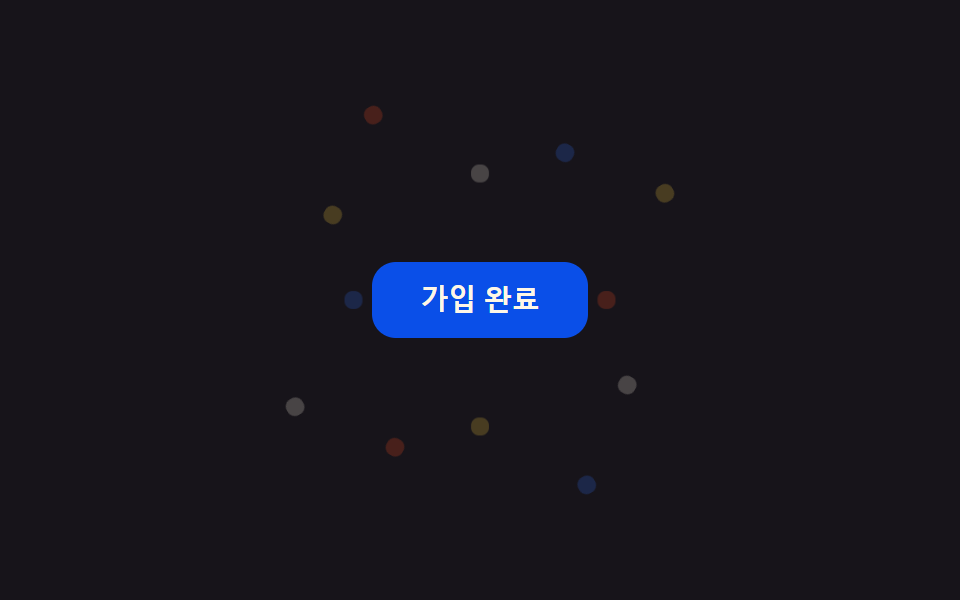
Bấm nút hoàn tất thanh toán hoặc đăng ký là 12 mảnh confetti nhỏ, đặt sẵn bằng vòng @for của SCSS, bắn tỏa bốn phía bằng transform: translate+rotate rồi mờ dần bằng opacity.
Dùng choNút hoàn tất thanh toán, nút đăng ký xong
@for 루프translate+rotate900ms
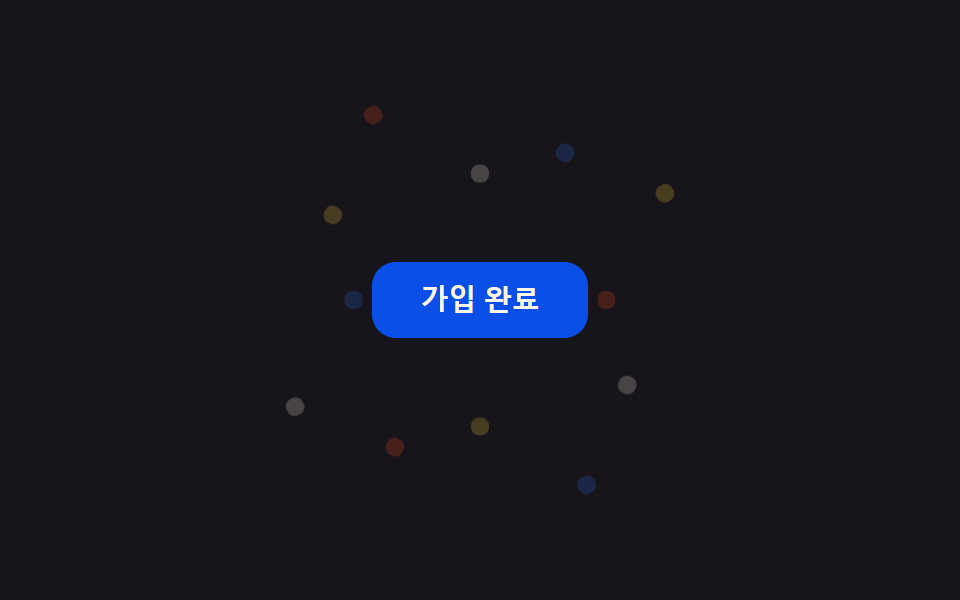
<main class="stage">
  <div class="cb-wrap is-demo">
    <button class="cb-btn" type="button">Đã đăng ký</button>
    <span class="cb-piece"></span><span class="cb-piece"></span><span class="cb-piece"></span>
    <span class="cb-piece"></span><span class="cb-piece"></span><span class="cb-piece"></span>
    <span class="cb-piece"></span><span class="cb-piece"></span><span class="cb-piece"></span>
    <span class="cb-piece"></span><span class="cb-piece"></span><span class="cb-piece"></span>
  </div>
</main>
@use "../../../../site/static/demo-tokens" as *;
// ── 변수 3개 ──────────────────────────────────────────
$duration: 900ms;
$easing: $ease-pop;
$color: $subject-blue;
@include stage($stage-ink);
$piece-colors: $color, $stage-yellow, $stage-orange, $subject-cream;
.cb-wrap {
position: relative;
width: min(220px, 80vw);
display: grid;
place-items: center;
}
.cb-btn {
position: relative;
z-index: 1;
border: 0;
border-radius: $r-control;
padding: $sp-3 $sp-6;
background: $subject-blue-deep;
color: $subject-cream;
font: 700 14px/1 -apple-system, "Segoe UI", sans-serif;
cursor: pointer;
}
.cb-piece {
position: absolute;
top: 50%;
left: 50%;
width: 9px;
height: 9px;
border-radius: $r-xs;
opacity: 0;
pointer-events: none;
}
// 조각마다 각도·거리·색·지연을 SCSS @for 로 흩뿌린다 — 마크업은 빈 span 12개뿐
@for $i from 1 through 12 {
.cb-piece:nth-child(#{$i + 1}) {
background: nth($piece-colors, ($i - 1) % 4 + 1);
--angle: #{$i * 30deg};
--dist: #{64px + ($i % 3) * 22px};
animation-delay: #{($i % 4) * 40ms};
}
}
@keyframes cb-fly {
0% { transform: translate(-50%, -50%) rotate(var(--angle)) translateY(0) scale(.4); opacity: 0; }
15% { opacity: 1; }
100% { transform: translate(-50%, -50%) rotate(var(--angle)) translateY(calc(-1 * var(--dist))) scale(1); opacity: 0; }
}
// 실사용: 클릭이 is-burst 를 다시 붙여 keyframes 를 재생한다 (위 <script>)
.cb-wrap.is-burst .cb-piece,
.cb-wrap.is-demo .cb-piece { animation: cb-fly $duration $easing infinite; }
@media (prefers-reduced-motion: reduce) {
.cb-wrap.is-burst .cb-piece,
.cb-wrap.is-demo .cb-piece { animation: none !important; opacity: 0 !important; }
}html, body {
margin: 0;
overflow: hidden;
}
.stage {
box-sizing: border-box;
min-height: 100vh;
display: grid;
place-items: center;
margin: 0;
background: #17141a;
font-family: -apple-system, "Segoe UI", "Noto Sans KR", sans-serif;
padding: clamp(8px, 4vw, 24px);
}
.cb-wrap {
position: relative;
width: min(220px, 80vw);
display: grid;
place-items: center;
}
.cb-btn {
position: relative;
z-index: 1;
border: 0;
border-radius: 12px;
padding: 12px 24px;
background: #0a4fe8;
color: #fff7e6;
font: 700 14px/1 -apple-system, "Segoe UI", sans-serif;
cursor: pointer;
}
.cb-piece {
position: absolute;
top: 50%;
left: 50%;
width: 9px;
height: 9px;
border-radius: 4px;
opacity: 0;
pointer-events: none;
}
.cb-piece:nth-child(2) {
background: #2f6df6;
--angle: 30deg;
--dist: 86px;
animation-delay: 40ms;
}
.cb-piece:nth-child(3) {
background: #ffd23f;
--angle: 60deg;
--dist: 108px;
animation-delay: 80ms;
}
.cb-piece:nth-child(4) {
background: #ff4d1f;
--angle: 90deg;
--dist: 64px;
animation-delay: 120ms;
}
.cb-piece:nth-child(5) {
background: #fff7e6;
--angle: 120deg;
--dist: 86px;
animation-delay: 0ms;
}
.cb-piece:nth-child(6) {
background: #2f6df6;
--angle: 150deg;
--dist: 108px;
animation-delay: 40ms;
}
.cb-piece:nth-child(7) {
background: #ffd23f;
--angle: 180deg;
--dist: 64px;
animation-delay: 80ms;
}
.cb-piece:nth-child(8) {
background: #ff4d1f;
--angle: 210deg;
--dist: 86px;
animation-delay: 120ms;
}
.cb-piece:nth-child(9) {
background: #fff7e6;
--angle: 240deg;
--dist: 108px;
animation-delay: 0ms;
}
.cb-piece:nth-child(10) {
background: #2f6df6;
--angle: 270deg;
--dist: 64px;
animation-delay: 40ms;
}
.cb-piece:nth-child(11) {
background: #ffd23f;
--angle: 300deg;
--dist: 86px;
animation-delay: 80ms;
}
.cb-piece:nth-child(12) {
background: #ff4d1f;
--angle: 330deg;
--dist: 108px;
animation-delay: 120ms;
}
.cb-piece:nth-child(13) {
background: #fff7e6;
--angle: 360deg;
--dist: 64px;
animation-delay: 0ms;
}
@keyframes cb-fly {
0% {
transform: translate(-50%, -50%) rotate(var(--angle)) translateY(0) scale(0.4);
opacity: 0;
}
15% {
opacity: 1;
}
100% {
transform: translate(-50%, -50%) rotate(var(--angle)) translateY(calc(-1 * var(--dist))) scale(1);
opacity: 0;
}
}
.cb-wrap.is-burst .cb-piece,
.cb-wrap.is-demo .cb-piece {
animation: cb-fly 900ms cubic-bezier(0.2, 1.4, 0.4, 1) infinite;
}
@media (prefers-reduced-motion: reduce) {
.cb-wrap.is-burst .cb-piece,
.cb-wrap.is-demo .cb-piece {
animation: none !important;
opacity: 0 !important;
}
}var wrap = document.querySelector('.cb-wrap');
var btn = document.querySelector('.cb-btn');
btn.addEventListener('click', function () {
wrap.classList.remove('is-burst');
void wrap.offsetWidth;
wrap.classList.add('is-burst');
});import { CSSProperties, useState } from "react";
import styles from "./ConfettiBurstButton.module.scss";
type Vars = CSSProperties & Record<string, string>;
export interface ConfettiBurstButtonProps {
duration?: string;
easing?: string;
color?: string;
}
const COLORS = ["var(--color)", "#ffd23f", "#ff4d1f", "#fff7e6"];
// 실사용: 클릭마다 burstKey 를 올려 pieces 래퍼를 리마운트한다 — 같은 클래스를 다시 붙이는 것만으로는
// 이미 끝난 keyframes 가 재생되지 않는다 (바닐라판은 classList remove+reflow+add 로 같은 일을 한다)
export default function ConfettiBurstButton({
duration = "900ms",
easing = "cubic-bezier(.2, 1.4, .4, 1)",
color = "#2f6df6",
}: ConfettiBurstButtonProps) {
const [burstKey, setBurstKey] = useState(0);
const style: Vars = { "--duration": duration, "--easing": easing, "--color": color };
return (
<div className={styles.wrap} style={style}>
<button className={styles.btn} type="button" onClick={() => setBurstKey((k) => k + 1)}>
가입 완료
</button>
<span key={burstKey} className={styles.pieces}>
{Array.from({ length: 12 }, (_, i) => {
const pieceStyle: Vars = {
background: COLORS[i % COLORS.length],
"--angle": `${(i + 1) * 30}deg`,
"--dist": `${64 + (i % 3) * 22}px`,
animationDelay: `${(i % 4) * 40}ms`,
};
return <span key={i} className={styles.piece} style={pieceStyle} />;
})}
</span>
</div>
);
}01 Bão giấy nổ từ nút bấm — Diện tích đo được 2.569% · khung hình chuyển động 10/23Nguyên tác GODRICH · SCSS và React nằm trong tệp zip · 9 css confetti animation — dán một file là chạy
Bài viết chứa demo này
 9 css confetti animation — dán một file là chạyBạn hẳn đã gặp css confetti animation ít nhất một lần: giấy màu bắn ra khoảnh khắc đăng ký hay thanh toán xong. Chín các Xem tất cả demo trong bài này