04Nhãn chữ hiện khi hover
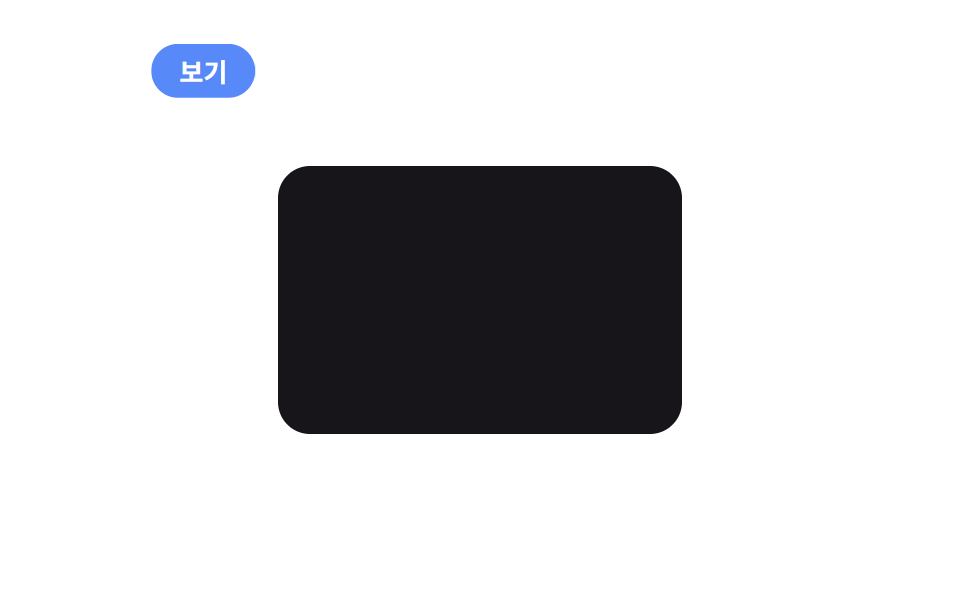
Một bong bóng nhỏ bám theo con trỏ hiện chữ ngắn như View hay Drag, âm thầm gợi ý thao tác tiếp theo.
Dùng choGợi ý xem thêm trên card ảnh, gợi ý kéo trên carousel
pointermoveopacity 전환라벨 텍스트
<main class="stage">
  <div class="card"></div>
  <span class="label is-demo" aria-hidden="true">Xem</span>
</main>
@use "../../../../site/static/demo-tokens" as *;
$duration: $dur-loop; // 라벨이 카드 위를 도는 한 바퀴
$easing: $ease-spring;
$color: $subject-blue; // 라벨 배경색
@include stage($stage-paper);
.stage { position: relative; overflow: hidden; cursor: none; }
.card {
width: clamp(140px, 42vw, 220px);
height: clamp(90px, 28vw, 140px);
border-radius: $r-card;
background: $subject-ink;
}
.label {
position: absolute;
top: 0;
left: 0;
padding: clamp(5px, 1.6vw, 7px) clamp(10px, 3vw, 14px);
border-radius: $r-pill;
background: $color;
color: #fff;
font-weight: 700; font-size: clamp(11px, 3vw, 13px); line-height: 1; font-family: inherit;
opacity: 0;
transition: opacity 140ms $easing;
pointer-events: none;
transform: translate(-50%, -140%);
&.is-demo {
animation: label-path $duration $easing infinite,
label-fade $duration $easing infinite;
}
}
@keyframes label-path {
0% { transform: translate(calc(-50% + 70px), calc(-140% + 40px)); }
40% { transform: translate(calc(-50% + 150px), calc(-140% + 90px)); }
60% { transform: translate(calc(-50% + 150px), calc(-140% + 90px)); }
100% { transform: translate(calc(-50% + 70px), calc(-140% + 40px)); }
}
@keyframes label-fade {
0%, 100% { opacity: 0; }
30%, 65% { opacity: 1; }
}
@media (pointer: coarse) {
.label { display: none; }
.stage { cursor: auto; }
}
@media (prefers-reduced-motion: reduce) {
.label.is-demo { animation: none; opacity: 0; }
}html, body {
margin: 0;
overflow: hidden;
}
.stage {
box-sizing: border-box;
min-height: 100vh;
display: grid;
place-items: center;
margin: 0;
background: #ffffff;
font-family: -apple-system, "Segoe UI", "Noto Sans KR", sans-serif;
padding: clamp(8px, 4vw, 24px);
}
.stage {
position: relative;
overflow: hidden;
cursor: none;
}
.card {
width: clamp(140px, 42vw, 220px);
height: clamp(90px, 28vw, 140px);
border-radius: 16px;
background: #17141a;
}
.label {
position: absolute;
top: 0;
left: 0;
padding: clamp(5px, 1.6vw, 7px) clamp(10px, 3vw, 14px);
border-radius: 999px;
background: #2f6df6;
color: #fff;
font-weight: 700;
font-size: clamp(11px, 3vw, 13px);
line-height: 1;
font-family: inherit;
opacity: 0;
transition: opacity 140ms cubic-bezier(0.2, 0.8, 0.2, 1);
pointer-events: none;
transform: translate(-50%, -140%);
}
.label.is-demo {
animation: label-path 2s cubic-bezier(0.2, 0.8, 0.2, 1) infinite, label-fade 2s cubic-bezier(0.2, 0.8, 0.2, 1) infinite;
}
@keyframes label-path {
0% {
transform: translate(calc(-50% + 70px), calc(-140% + 40px));
}
40% {
transform: translate(calc(-50% + 150px), calc(-140% + 90px));
}
60% {
transform: translate(calc(-50% + 150px), calc(-140% + 90px));
}
100% {
transform: translate(calc(-50% + 70px), calc(-140% + 40px));
}
}
@keyframes label-fade {
0%, 100% {
opacity: 0;
}
30%, 65% {
opacity: 1;
}
}
@media (pointer: coarse) {
.label {
display: none;
}
.stage {
cursor: auto;
}
}
@media (prefers-reduced-motion: reduce) {
.label.is-demo {
animation: none;
opacity: 0;
}
}// 카드 위에서만 라벨이 보이고, 실제 포인터 좌표를 그대로 따라간다.
if (matchMedia('(pointer: fine)').matches) {
var stage = document.querySelector('.stage'), card = document.querySelector('.card'), label = document.querySelector('.label');
stage.addEventListener('pointermove', function (e) {
label.classList.remove('is-demo');
var r = stage.getBoundingClientRect();
label.style.transform = 'translate(' + (e.clientX - r.left) + 'px,' + (e.clientY - r.top) + 'px)';
label.style.opacity = card.contains(e.target) ? 1 : 0;
});
}import { useRef, useState } from "react";
import type { CSSProperties, PointerEvent } from "react";
import styles from "./CursorTextLabel.module.scss";
export type CursorTextLabelProps = {
label?: string;
duration?: number;
easing?: string;
color?: string;
};
type Vars = CSSProperties & { "--duration"?: string; "--easing"?: string; "--color"?: string };
export default function CursorTextLabel({
label = "보기",
duration = 2000,
easing = "cubic-bezier(.2,.8,.2,1)",
color = "#2f6df6",
}: CursorTextLabelProps) {
const cardRef = useRef<HTMLDivElement>(null);
const [demo, setDemo] = useState(true);
const [pos, setPos] = useState({ x: 0, y: 0, on: false });
const move = (e: PointerEvent<HTMLDivElement>) => {
const r = e.currentTarget.getBoundingClientRect();
setDemo(false);
const on = cardRef.current!.contains(e.target as Node);
setPos({ x: e.clientX - r.left, y: e.clientY - r.top, on });
};
const vars: Vars = { "--duration": `${duration}ms`, "--easing": easing, "--color": color };
return (
<div className={styles.stage} style={vars} onPointerMove={move}>
<div ref={cardRef} className={styles.card} />
<span
className={demo ? `${styles.label} ${styles.isDemo}` : styles.label}
style={demo ? undefined : { transform: `translate(${pos.x}px,${pos.y}px)`, opacity: pos.on ? 1 : 0 }}
aria-hidden="true"
>
{label}
</span>
</div>
);
}04 Nhãn chữ hiện khi hover — Diện tích đo được 3.302% · khung hình chuyển động 15/23Nguyên tác GODRICH · SCSS và React nằm trong tệp zip · 9 hiệu ứng custom cursor css — copy dán một dòng
Bài viết chứa demo này
 9 hiệu ứng custom cursor css — copy dán một dòngCustom cursor css là cách thay mũi tên mặc định của trình duyệt bằng một phần tử tự vẽ, bám theo toạ độ chuột thật qua p Xem tất cả demo trong bài này