09Xử lý dự phòng cho thiết bị cảm ứng
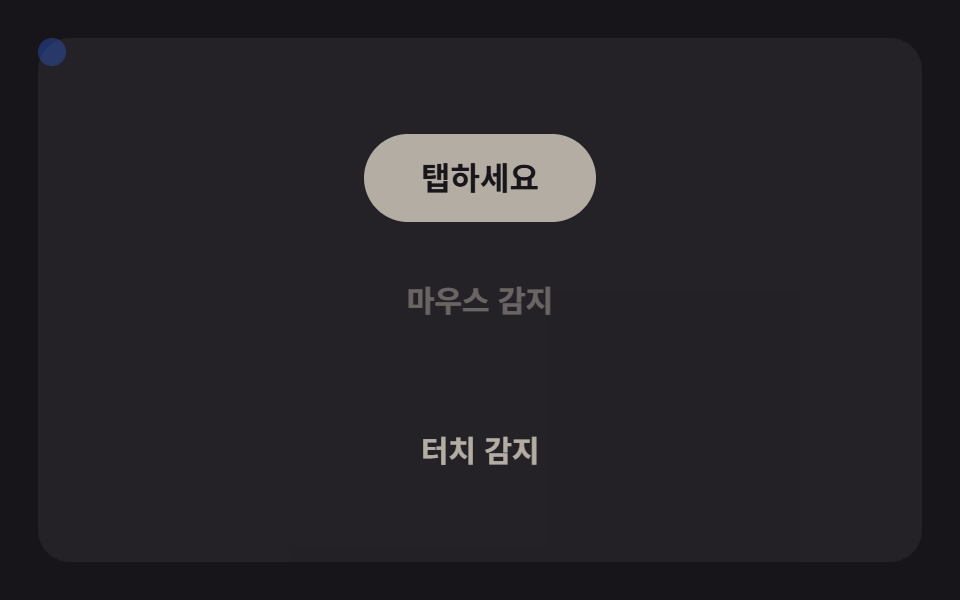
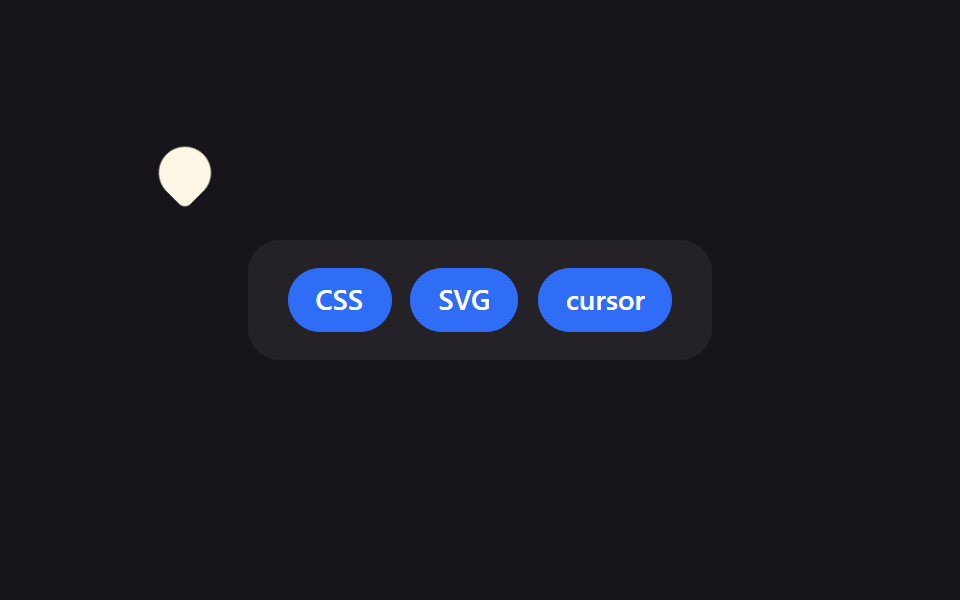
@media (pointer: coarse) phát hiện thiết bị cảm ứng và bỏ qua hẳn script con trỏ tùy chỉnh, giữ nguyên hành vi chạm mặc định.
Dùng choMọi trang cũng được xem trên di động, hỗ trợ laptop lai cảm ứng
pointer: coarse미디어쿼리JS 건너뛰기
<main class="stage">
  <div class="panel panel--mouse is-demo">
    <div class="cursor" aria-hidden="true"></div>
    <span class="label">Phát hiện chuột</span>
  </div>
  <div class="panel panel--touch is-demo">
    <button class="tap" type="button">Chạm vào đây</button>
    <span class="label">Phát hiện chạm</span>
  </div>
</main>
@use "../../../../site/static/demo-tokens" as *;
$duration: $dur-loop; // 두 패널이 교차하는 한 바퀴
$easing: $ease-spring;
$color: $subject-blue; // 커서 점 색
@include stage($stage-ink);
.stage { position: relative; overflow: hidden; }
.panel {
position: absolute;
inset: clamp(14px, 4vw, 24px);
display: grid;
place-items: center;
gap: clamp(8px, 2.4vw, 12px);
border-radius: $r-card;
background: rgba(255, 255, 255, .06);
opacity: 0;
}
.label {
font-weight: 700; font-size: clamp(12px, 3.4vw, 15px); line-height: 1; font-family: inherit;
color: $subject-cream;
}
.cursor {
position: absolute;
top: 0;
left: 0;
width: 14px;
height: 14px;
margin: -7px 0 0 -7px;
border-radius: 50%;
background: $color;
pointer-events: none;
}
.tap {
border: 0;
border-radius: $r-pill;
padding: clamp(10px, 3vw, 14px) clamp(22px, 6vw, 30px);
font-weight: 700; font-size: clamp(13px, 3.6vw, 16px); line-height: 1; font-family: inherit;
color: $stage-ink;
background: $subject-cream;
}
.panel--mouse.is-demo { animation: panel-cross $duration $easing infinite; }
.panel--touch.is-demo { animation: panel-cross $duration $easing infinite; animation-delay: calc(#{$duration} / -2); }
@keyframes panel-cross {
0% { opacity: 1; }
50% { opacity: 0; }
100% { opacity: 1; }
}
// 마우스 패널의 점은 pointer:fine 실제 기기에서만 움직인다 (JS 가 담당). 여기선 시각 기준점만 둔다.
.panel--mouse .cursor { transform: translate(50%, 50%); }
// 실사용에서는 이 미디어쿼리 하나가 실제 폴백이다 — 터치 기기는 처음부터 터치 패널만 보인다
@media (pointer: coarse) {
.panel--mouse { display: none; }
.panel--touch { opacity: 1; animation: none; }
}
@media (prefers-reduced-motion: reduce) {
.panel.is-demo { animation: none; }
.panel--mouse.is-demo { opacity: 1; }
.panel--touch.is-demo { opacity: 0; }
}html, body {
margin: 0;
overflow: hidden;
}
.stage {
box-sizing: border-box;
min-height: 100vh;
display: grid;
place-items: center;
margin: 0;
background: #17141a;
font-family: -apple-system, "Segoe UI", "Noto Sans KR", sans-serif;
padding: clamp(8px, 4vw, 24px);
}
.stage {
position: relative;
overflow: hidden;
}
.panel {
position: absolute;
inset: clamp(14px, 4vw, 24px);
display: grid;
place-items: center;
gap: clamp(8px, 2.4vw, 12px);
border-radius: 16px;
background: rgba(255, 255, 255, 0.06);
opacity: 0;
}
.label {
font-weight: 700;
font-size: clamp(12px, 3.4vw, 15px);
line-height: 1;
font-family: inherit;
color: #fff7e6;
}
.cursor {
position: absolute;
top: 0;
left: 0;
width: 14px;
height: 14px;
margin: -7px 0 0 -7px;
border-radius: 50%;
background: #2f6df6;
pointer-events: none;
}
.tap {
border: 0;
border-radius: 999px;
padding: clamp(10px, 3vw, 14px) clamp(22px, 6vw, 30px);
font-weight: 700;
font-size: clamp(13px, 3.6vw, 16px);
line-height: 1;
font-family: inherit;
color: #17141a;
background: #fff7e6;
}
.panel--mouse.is-demo {
animation: panel-cross 2s cubic-bezier(0.2, 0.8, 0.2, 1) infinite;
}
.panel--touch.is-demo {
animation: panel-cross 2s cubic-bezier(0.2, 0.8, 0.2, 1) infinite;
animation-delay: calc(2s / -2);
}
@keyframes panel-cross {
0% {
opacity: 1;
}
50% {
opacity: 0;
}
100% {
opacity: 1;
}
}
.panel--mouse .cursor {
transform: translate(50%, 50%);
}
@media (pointer: coarse) {
.panel--mouse {
display: none;
}
.panel--touch {
opacity: 1;
animation: none;
}
}
@media (prefers-reduced-motion: reduce) {
.panel.is-demo {
animation: none;
}
.panel--mouse.is-demo {
opacity: 1;
}
.panel--touch.is-demo {
opacity: 0;
}
}// pointer:fine 인 실제 기기에서만 점이 포인터를 따라간다. 나머지는 @media (pointer: coarse) 가 CSS로 대체한다.
if (matchMedia('(pointer: fine)').matches) {
var stage = document.querySelector('.stage'), dot = document.querySelector('.cursor');
stage.addEventListener('pointermove', function (e) {
var r = stage.getBoundingClientRect();
dot.style.transform = 'translate(' + (e.clientX - r.left) + 'px,' + (e.clientY - r.top) + 'px)';
});
}import { useState } from "react";
import type { CSSProperties, PointerEvent } from "react";
import styles from "./TouchFallbackCursor.module.scss";
export type TouchFallbackCursorProps = {
mouseLabel?: string;
touchLabel?: string;
tapLabel?: string;
duration?: number;
easing?: string;
color?: string;
};
type Vars = CSSProperties & { "--duration"?: string; "--easing"?: string; "--color"?: string };
export default function TouchFallbackCursor({
mouseLabel = "마우스 감지",
touchLabel = "터치 감지",
tapLabel = "탭하세요",
duration = 2000,
easing = "cubic-bezier(.2,.8,.2,1)",
color = "#2f6df6",
}: TouchFallbackCursorProps) {
const [pos, setPos] = useState({ x: 50, y: 50 });
const move = (e: PointerEvent<HTMLDivElement>) => {
const r = e.currentTarget.getBoundingClientRect();
setPos({ x: e.clientX - r.left, y: e.clientY - r.top });
};
const vars: Vars = { "--duration": `${duration}ms`, "--easing": easing, "--color": color };
return (
<div className={styles.stage} style={vars} onPointerMove={move}>
<div className={`${styles.panel} ${styles.panelMouse} ${styles.isDemo}`}>
<div className={styles.cursor} style={{ transform: `translate(${pos.x}px,${pos.y}px)` }} aria-hidden="true" />
<span className={styles.label}>{mouseLabel}</span>
</div>
<div className={`${styles.panel} ${styles.panelTouch} ${styles.isDemo}`}>
<button className={styles.tap} type="button">{tapLabel}</button>
<span className={styles.label}>{touchLabel}</span>
</div>
</div>
);
}09 Xử lý dự phòng cho thiết bị cảm ứng — Diện tích đo được 4.146% · khung hình chuyển động 10/23Nguyên tác GODRICH · SCSS và React nằm trong tệp zip · 9 hiệu ứng custom cursor css — copy dán một dòng
Bài viết chứa demo này
 9 hiệu ứng custom cursor css — copy dán một dòngCustom cursor css là cách thay mũi tên mặc định của trình duyệt bằng một phần tử tự vẽ, bám theo toạ độ chuột thật qua p Xem tất cả demo trong bài này