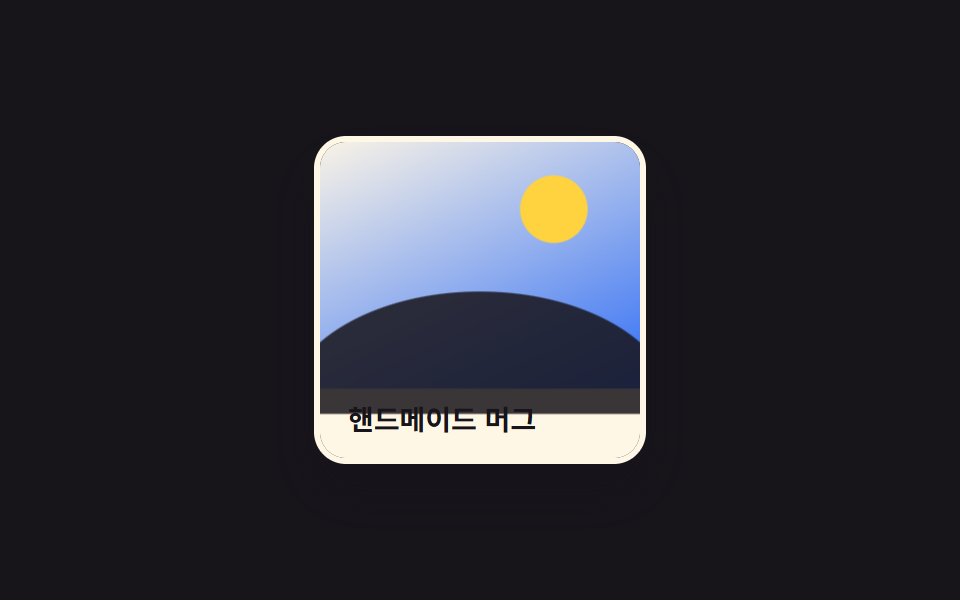
07Phóng to hình tròn clip-path
Bán kính clip-path:circle() tăng từ 0 đến độ dài đường chéo ảnh, ô cửa tròn mở rộng để lộ toàn bộ ảnh.
Dùng choẢnh teaser sự kiện, card hiệu ứng spotlight
clip-path:circle()반지름 확장0.5초

<main class="stage">
  <figure class="photo is-demo" tabindex="0">
    <span class="photo__base" aria-hidden="true"></span>
    <span class="photo__pic" aria-hidden="true">
      <span class="photo__sun"></span>
      <span class="photo__hill"></span>
    </span>
    <figcaption class="photo__cap">Lễ hội mùa thu · Xem trước</figcaption>
  </figure>
</main>
@use "../../../../site/static/demo-tokens" as *;
$duration: $dur-enter; // 원형 창이 다 커지는 시간
$easing: $ease-spring;
$color: $subject-cream; // 사진 프레임 색
@include stage($stage-orange);
.stage { padding: clamp(6px, 2.4vw, 16px); } // 320px 대응: 데모 카드가 작아 여백도 줄인다
.photo {
margin: 0;
position: relative;
width: min(160px, 50vw);
aspect-ratio: 4 / 3;
border-radius: $r-card;
overflow: hidden;
box-shadow: $shadow-raised;
border: 3px solid $color;
outline: none;
cursor: pointer;
}
.photo__base,
.photo__pic {
position: absolute;
inset: 0;
}
.photo__base {
background: linear-gradient(155deg, rgba($subject-ink, .9) 0%, rgba($subject-blue, .55) 100%);
}
.photo__pic {
background: linear-gradient(155deg, $subject-cream 0%, $subject-blue 100%);
clip-path: circle(0% at 50% 50%); // 반지름 0에서 시작
transition: clip-path $duration $easing;
}
.photo__sun {
position: absolute;
top: 16%;
right: 18%;
width: 20%;
aspect-ratio: 1;
border-radius: 50%;
background: $stage-yellow;
}
.photo__hill {
position: absolute;
left: -8%;
right: -8%;
bottom: -10%;
height: 48%;
border-radius: 50% 50% 0 0 / 100% 100% 0 0;
background: $subject-ink;
opacity: .85;
}
.photo__cap {
word-break: keep-all;
position: absolute;
left: 0;
right: 0;
bottom: 0;
margin: 0;
padding: 10px 14px;
font-weight: 600; font-size: clamp(11px, 3vw, 13px); line-height: 1.3; font-family: inherit;
color: $subject-cream;
text-shadow: 0 1px 3px rgba($stage-ink, .6);
}
.photo:hover .photo__pic,
.photo:focus-visible .photo__pic,
.photo:active .photo__pic {
clip-path: circle(150% at 50% 50%);
}
.photo.is-demo .photo__pic {
animation: circle-loop $dur-loop $easing infinite;
}
@keyframes circle-loop {
0%, 15% { clip-path: circle(0% at 50% 50%); }
50%, 75% { clip-path: circle(150% at 50% 50%); }
100% { clip-path: circle(0% at 50% 50%); }
}
@media (hover: none) {
.photo__pic { clip-path: circle(150% at 50% 50%); }
.photo.is-demo .photo__pic { animation: none; }
}
@media (prefers-reduced-motion: reduce) {
.photo__pic { transition: none; }
.photo.is-demo .photo__pic { animation: none; clip-path: circle(150% at 50% 50%); }
}html, body {
margin: 0;
overflow: hidden;
}
.stage {
box-sizing: border-box;
min-height: 100vh;
display: grid;
place-items: center;
margin: 0;
background: #ff4d1f;
font-family: -apple-system, "Segoe UI", "Noto Sans KR", sans-serif;
padding: clamp(8px, 4vw, 24px);
}
.stage {
padding: clamp(6px, 2.4vw, 16px);
}
.photo {
margin: 0;
position: relative;
width: min(160px, 50vw);
aspect-ratio: 4/3;
border-radius: 16px;
overflow: hidden;
box-shadow: 0 14px 24px rgba(23, 20, 26, 0.32);
border: 3px solid #fff7e6;
outline: none;
cursor: pointer;
}
.photo__base,
.photo__pic {
position: absolute;
inset: 0;
}
.photo__base {
background: linear-gradient(155deg, rgba(23, 20, 26, 0.9) 0%, rgba(47, 109, 246, 0.55) 100%);
}
.photo__pic {
background: linear-gradient(155deg, #fff7e6 0%, #2f6df6 100%);
clip-path: circle(0% at 50% 50%);
transition: clip-path 600ms cubic-bezier(0.2, 0.8, 0.2, 1);
}
.photo__sun {
position: absolute;
top: 16%;
right: 18%;
width: 20%;
aspect-ratio: 1;
border-radius: 50%;
background: #ffd23f;
}
.photo__hill {
position: absolute;
left: -8%;
right: -8%;
bottom: -10%;
height: 48%;
border-radius: 50% 50% 0 0/100% 100% 0 0;
background: #17141a;
opacity: 0.85;
}
.photo__cap {
word-break: keep-all;
position: absolute;
left: 0;
right: 0;
bottom: 0;
margin: 0;
padding: 10px 14px;
font-weight: 600;
font-size: clamp(11px, 3vw, 13px);
line-height: 1.3;
font-family: inherit;
color: #fff7e6;
text-shadow: 0 1px 3px rgba(23, 20, 26, 0.6);
}
.photo:hover .photo__pic,
.photo:focus-visible .photo__pic,
.photo:active .photo__pic {
clip-path: circle(150% at 50% 50%);
}
.photo.is-demo .photo__pic {
animation: circle-loop 2s cubic-bezier(0.2, 0.8, 0.2, 1) infinite;
}
@keyframes circle-loop {
0%, 15% {
clip-path: circle(0% at 50% 50%);
}
50%, 75% {
clip-path: circle(150% at 50% 50%);
}
100% {
clip-path: circle(0% at 50% 50%);
}
}
@media (hover: none) {
.photo__pic {
clip-path: circle(150% at 50% 50%);
}
.photo.is-demo .photo__pic {
animation: none;
}
}
@media (prefers-reduced-motion: reduce) {
.photo__pic {
transition: none;
}
.photo.is-demo .photo__pic {
animation: none;
clip-path: circle(150% at 50% 50%);
}
}import type { CSSProperties } from "react";
import styles from "./ClipCircleZoomPhoto.module.scss";
export type ClipCircleZoomPhotoProps = {
caption: string;
/** 원형 창이 다 커지는 시간 (기본 600ms) */
duration?: number;
easing?: string;
/** 프레임 색 */
color?: string;
};
type Vars = CSSProperties & { "--duration"?: string; "--easing"?: string; "--color"?: string };
export default function ClipCircleZoomPhoto({
caption,
duration = 600,
easing = "cubic-bezier(.2,.8,.2,1)",
color = "#fff7e6",
}: ClipCircleZoomPhotoProps) {
const vars: Vars = { "--duration": `${duration}ms`, "--easing": easing, "--color": color };
return (
<figure className={styles.photo} style={vars} tabIndex={0}>
<span className={styles.base} aria-hidden="true" />
<span className={styles.pic} aria-hidden="true">
<span className={styles.sun} />
<span className={styles.hill} />
</span>
<figcaption className={styles.cap}>{caption}</figcaption>
</figure>
);
}07 Phóng to hình tròn clip-path — Diện tích đo được 12.927% · khung hình chuyển động 7/23Nguyên tác GODRICH · SCSS và React nằm trong tệp zip · 9 CSS Image Hover Effects — dán 1 dòng là chạy
Bài viết chứa demo này
 9 CSS Image Hover Effects — dán 1 dòng là chạyCSS image hover effects là các hiệu ứng chỉ chạy bằng CSS khi con trỏ dừng trên một ảnh, không cần JavaScript. Chín kiểu Xem tất cả demo trong bài này