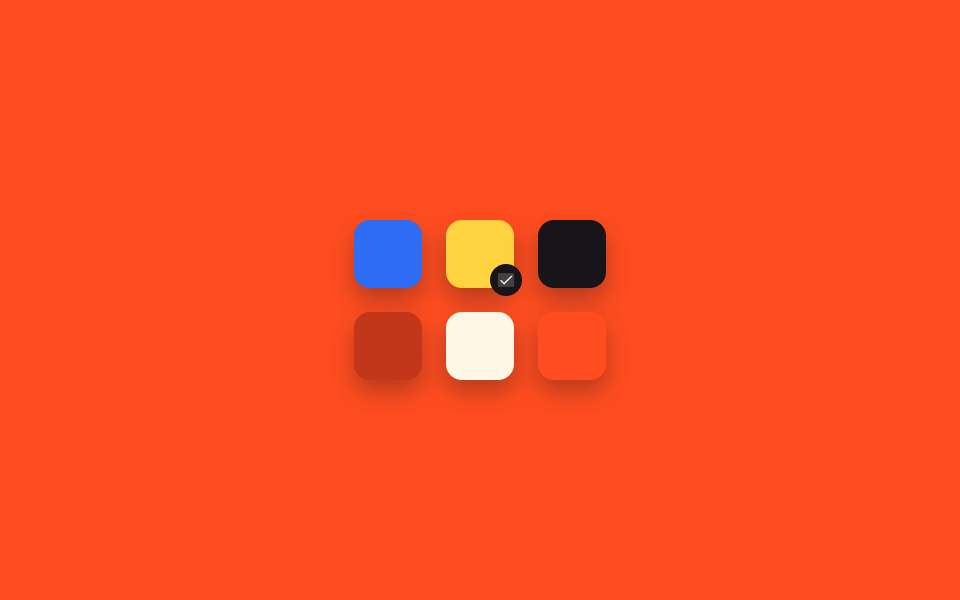
07Màu tô sáng khi chọn văn bản
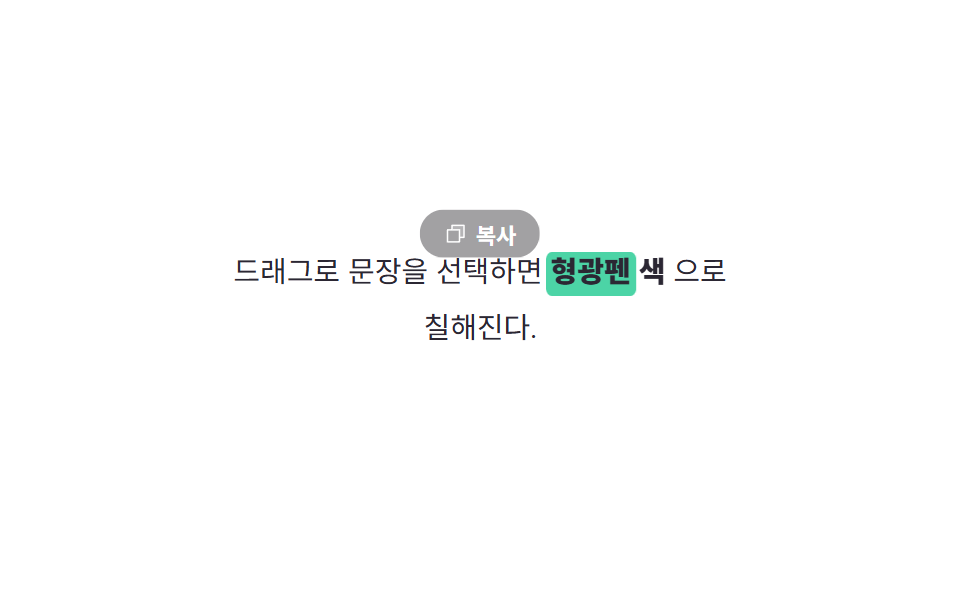
Kéo chọn văn bản sẽ tô bằng màu highlighter đã chọn thay vì màu xanh mặc định, và huy hiệu sao chép hiện phía trên.
Dùng choNhấn mạnh nội dung blog, khuyến khích chia sẻ trích dẫn
::selection 색 지정selectionchange 이벤트getBoundingClientRect 배지 위치
<main class="stage">
  <div class="ts-card is-demo">
    <p class="ts-text">
      Kéo để chọn câu và
      <span class="ts-phrase">
        <span class="ts-phrase__bar" aria-hidden="true"></span>
        <span class="ts-phrase__word">màu highlighter</span>
      </span>
      sẽ tô lên nó.
    </p>
    <span class="ts-badge" aria-hidden="true">
      <svg viewBox="0 0 256 256"><g fill="currentColor"><path d="M216 40v128h-48V88H88V40Z" opacity=".2"/><path d="M216 32H88a8 8 0 0 0-8 8v40H40a8 8 0 0 0-8 8v128a8 8 0 0 0 8 8h128a8 8 0 0 0 8-8v-40h40a8 8 0 0 0 8-8V40a8 8 0 0 0-8-8m-56 176H48V96h112Zm48-48h-32V88a8 8 0 0 0-8-8H96V48h112Z"/></g></svg>
      Sao chép
    </span>
  </div>
</main>
@use "../../../../site/static/demo-tokens" as *;
$duration: $dur-base;
$easing: $ease-out;
$color: $subject-pink;
@include stage($stage-paper);
::selection { background: $subject-pink; color: $stage-ink; } // 진짜 드래그 선택도 같은 형광펜 색
.ts-card {
position: relative;
width: min(250px, 80vw);
padding: $sp-6 $sp-5;
}
.ts-text {
margin: 0;
font-size: 14.5px;
line-height: 1.9;
color: #2b2733;
text-align: center;
}
.ts-phrase {
position: relative;
display: inline-block;
font-weight: 800;
}
.ts-phrase__bar {
position: absolute;
left: -2px;
right: -2px;
top: 4px;
bottom: 2px;
background: $subject-mint;
border-radius: $r-xs;
transform: scaleX(0);
transform-origin: left center; // 규칙8: 형광펜 왼쪽 스윕
z-index: 0;
}
.ts-phrase__word { position: relative; z-index: 1; }
.ts-badge {
position: absolute;
left: 50%;
top: 6px;
display: inline-flex;
align-items: center;
gap: 4px;
padding: $sp-1 $sp-3;
border-radius: $r-pill;
background: $stage-ink;
color: $stage-paper;
font-size: 11px;
font-weight: 700;
transform: translate(-50%, 4px);
opacity: 0;
transition: opacity $duration $easing, transform $duration $easing;
pointer-events: none;
white-space: nowrap;
}
.ts-badge svg { width: 12px; height: 12px; }
.ts-badge.is-shown { opacity: 1; transform: translate(-50%, -4px); }
// 데모 강제 루프 — 실제 드래그 선택 없이도 하이라이터가 지나가고 배지가 뜬다
.ts-card.is-demo .ts-phrase__bar { animation: ts-sweep $dur-loop $easing infinite; }
.ts-card.is-demo .ts-badge { animation: ts-badge $dur-loop $easing infinite; }
@keyframes ts-sweep {
0%, 15% { transform: scaleX(0); }
45%, 85% { transform: scaleX(1); }
100% { transform: scaleX(0); }
}
@keyframes ts-badge {
0%, 40% { opacity: 0; transform: translate(-50%, 4px); }
55%, 82% { opacity: 1; transform: translate(-50%, -4px); }
95%, 100% { opacity: 0; transform: translate(-50%, 4px); }
}
@media (prefers-reduced-motion: reduce) {
.ts-phrase__bar, .ts-badge { animation: none !important; transition: none !important; }
}html, body {
margin: 0;
overflow: hidden;
}
.stage {
box-sizing: border-box;
min-height: 100vh;
display: grid;
place-items: center;
margin: 0;
background: #ffffff;
font-family: -apple-system, "Segoe UI", "Noto Sans KR", sans-serif;
padding: clamp(8px, 4vw, 24px);
}
::selection {
background: #ff9ebb;
color: #17141a;
}
.ts-card {
position: relative;
width: min(250px, 80vw);
padding: 24px 20px;
}
.ts-text {
margin: 0;
font-size: 14.5px;
line-height: 1.9;
color: #2b2733;
text-align: center;
}
.ts-phrase {
position: relative;
display: inline-block;
font-weight: 800;
}
.ts-phrase__bar {
position: absolute;
left: -2px;
right: -2px;
top: 4px;
bottom: 2px;
background: #4cd4a6;
border-radius: 4px;
transform: scaleX(0);
transform-origin: left center;
z-index: 0;
}
.ts-phrase__word {
position: relative;
z-index: 1;
}
.ts-badge {
position: absolute;
left: 50%;
top: 6px;
display: inline-flex;
align-items: center;
gap: 4px;
padding: 4px 12px;
border-radius: 999px;
background: #17141a;
color: #ffffff;
font-size: 11px;
font-weight: 700;
transform: translate(-50%, 4px);
opacity: 0;
transition: opacity 300ms ease-out, transform 300ms ease-out;
pointer-events: none;
white-space: nowrap;
}
.ts-badge svg {
width: 12px;
height: 12px;
}
.ts-badge.is-shown {
opacity: 1;
transform: translate(-50%, -4px);
}
.ts-card.is-demo .ts-phrase__bar {
animation: ts-sweep 2s ease-out infinite;
}
.ts-card.is-demo .ts-badge {
animation: ts-badge 2s ease-out infinite;
}
@keyframes ts-sweep {
0%, 15% {
transform: scaleX(0);
}
45%, 85% {
transform: scaleX(1);
}
100% {
transform: scaleX(0);
}
}
@keyframes ts-badge {
0%, 40% {
opacity: 0;
transform: translate(-50%, 4px);
}
55%, 82% {
opacity: 1;
transform: translate(-50%, -4px);
}
95%, 100% {
opacity: 0;
transform: translate(-50%, 4px);
}
}
@media (prefers-reduced-motion: reduce) {
.ts-phrase__bar, .ts-badge {
animation: none !important;
transition: none !important;
}
}(function () {
var card = document.querySelector('.ts-card');
var badge = card.querySelector('.ts-badge');
// 실제 사용자: 정말로 문장을 드래그해 선택하면 selectionchange 가 뜨고, 배지가 선택 영역 위에 뜬다
document.addEventListener('selectionchange', function () {
var sel = window.getSelection();
if (!card.contains(sel.anchorNode) || sel.isCollapsed) { badge.classList.remove('is-shown'); return; }
var r = sel.getRangeAt(0).getBoundingClientRect();
var cr = card.getBoundingClientRect();
badge.style.left = (r.left - cr.left + r.width / 2) + 'px';
badge.style.top = (r.top - cr.top - 28) + 'px';
badge.classList.add('is-shown');
card.classList.remove('is-demo');
});
})();import { useEffect, useRef, useState, type CSSProperties } from "react";
import styles from "./CursorTextSelectionHighlight.module.scss";
export type CursorTextSelectionHighlightProps = {
duration?: number;
easing?: string;
color?: string;
};
type Vars = CSSProperties & { "--duration"?: string; "--easing"?: string; "--color"?: string };
/** selectionchange 로 실제 텍스트 선택을 감지해 복사 배지를 선택 영역 위에 띄운다. 색은 ::selection 으로 지정 */
export default function CursorTextSelectionHighlight({
duration = 300,
easing = "ease-out",
color = "#ff9ebb",
}: CursorTextSelectionHighlightProps) {
const cardRef = useRef<HTMLDivElement>(null);
const [badge, setBadge] = useState<{ x: number; y: number; show: boolean }>({ x: 0, y: 0, show: false });
const vars: Vars = { "--duration": `${duration}ms`, "--easing": easing, "--color": color };
useEffect(() => {
const onChange = () => {
const card = cardRef.current;
const sel = window.getSelection();
if (!card || !sel || sel.isCollapsed || !card.contains(sel.anchorNode)) {
setBadge((b) => ({ ...b, show: false }));
return;
}
const r = sel.getRangeAt(0).getBoundingClientRect();
const cr = card.getBoundingClientRect();
setBadge({ x: r.left - cr.left + r.width / 2, y: r.top - cr.top - 28, show: true });
};
document.addEventListener("selectionchange", onChange);
return () => document.removeEventListener("selectionchange", onChange);
}, []);
return (
<div ref={cardRef} className={styles.card} style={vars}>
<p className={styles.text}>
드래그로 문장을 선택하면 <mark className={styles.mark}>형광펜 색</mark>으로 칠해진다.
</p>
<span
className={`${styles.badge} ${badge.show ? styles.shown : ""}`}
style={{ left: badge.x, top: badge.y }}
aria-hidden="true"
>
<svg viewBox="0 0 256 256"><g fill="currentColor"><path d="M216 40v128h-48V88H88V40Z" opacity=".2" /><path d="M216 32H88a8 8 0 0 0-8 8v40H40a8 8 0 0 0-8 8v128a8 8 0 0 0 8 8h128a8 8 0 0 0 8-8v-40h40a8 8 0 0 0 8-8V40a8 8 0 0 0-8-8m-56 176H48V96h112Zm48-48h-32V88a8 8 0 0 0-8-8H96V48h112Z" /></g></svg>
복사
</span>
</div>
);
}07 Màu tô sáng khi chọn văn bản — Diện tích đo được 2.017% · khung hình chuyển động 15/23Nguyên tác GODRICH · SCSS và React nằm trong tệp zip · 9 hiệu ứng chuột máy tính bạn có thể copy-paste
Bài viết chứa demo này
 9 hiệu ứng chuột máy tính bạn có thể copy-pasteHiệu ứng chuột máy tính là tương tác nhỏ phản ứng theo cách con trỏ di chuyển, click, kéo hoặc cuộn. Chỉ mới di chuyển c Xem tất cả demo trong bài này