04Thanh dọc bên cạnh
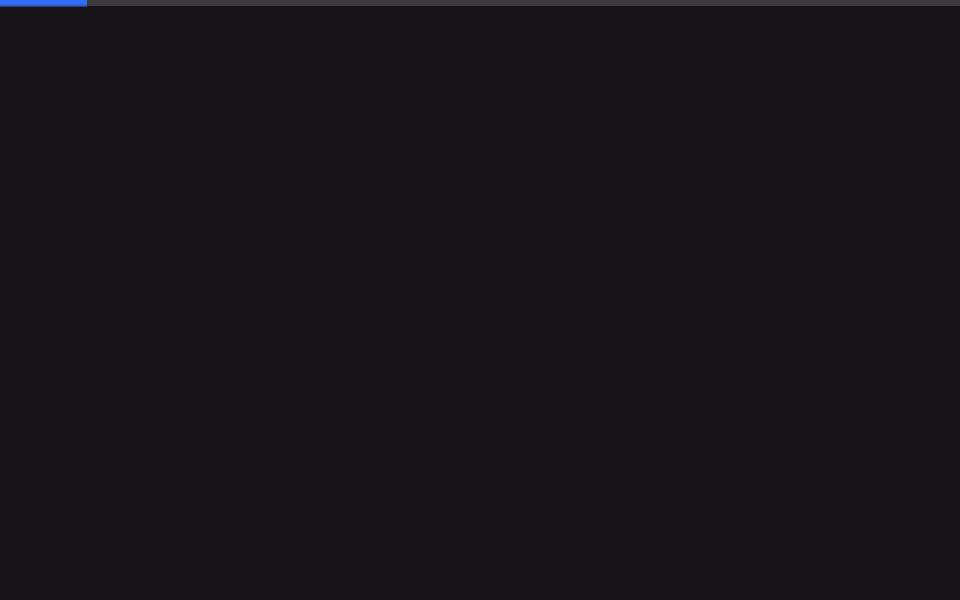
Track dọc mỏng ở mép phải màn hình lấp đầy từ trên xuống, cho biết vị trí đã đọc.
Dùng choTrang tài liệu, lề phải của bài blog kỹ thuật dài
scaleY우측 4px고정

<main class="stage">
  <div class="rail" role="progressbar" aria-label="Vị trí đã đọc" aria-valuemin="0" aria-valuemax="100" aria-valuenow="0">
    <div class="rail__fill is-demo"></div>
  </div>
  <div class="page">
    <div class="page__block"></div>
    <div class="page__block"></div>
    <div class="page__block short"></div>
  </div>
</main>
@use "../../../../site/static/demo-tokens" as *;
// ── 변수 3개 ──────────────────────────────────────────
$thickness: 4px; // 레일 두께
$color: $subject-blue; // 채워진 구간 색
$track: rgba(23, 20, 26, .1); // 안 읽은 구간
@include stage($stage-paper);
.rail {
position: fixed;
top: 0; right: 0;
width: $thickness;
height: 100%;
background: $track;
}
.rail__fill {
width: 100%;
height: 100%;
background: $color;
transform: scaleY(0);
transform-origin: top; // 규칙8: 세로레일 top 채움
// 실제 사용: 문서 안에서 지금까지 읽은 위치를 세로로 보여준다
@supports (animation-timeline: scroll()) {
animation: fill-y linear both;
animation-timeline: scroll(root);
}
}
@keyframes fill-y { to { transform: scaleY(1); } }
.rail__fill.is-demo { animation: fill-y-loop $dur-loop linear infinite; }
@keyframes fill-y-loop {
0% { transform: scaleY(0); }
92% { transform: scaleY(1); }
100% { transform: scaleY(1); }
}
.page { padding: $sp-10 $sp-8 0 $sp-6; }
.page__block {
height: $sp-6;
margin: 0 0 $sp-4;
border-radius: $r-sm;
background: rgba(23, 20, 26, .08);
&.short { width: 55%; }
}
@media (prefers-reduced-motion: reduce) {
.rail__fill, .rail__fill.is-demo { animation: none !important; transform: scaleY(1); }
}html, body {
margin: 0;
overflow: hidden;
}
.stage {
box-sizing: border-box;
min-height: 100vh;
display: grid;
place-items: center;
margin: 0;
background: #ffffff;
font-family: -apple-system, "Segoe UI", "Noto Sans KR", sans-serif;
padding: clamp(8px, 4vw, 24px);
}
.rail {
position: fixed;
top: 0;
right: 0;
width: 4px;
height: 100%;
background: rgba(23, 20, 26, 0.1);
}
.rail__fill {
width: 100%;
height: 100%;
background: #2f6df6;
transform: scaleY(0);
transform-origin: top;
}
@supports (animation-timeline: scroll()) {
.rail__fill {
animation: fill-y linear both;
animation-timeline: scroll(root);
}
}
@keyframes fill-y {
to {
transform: scaleY(1);
}
}
.rail__fill.is-demo {
animation: fill-y-loop 2s linear infinite;
}
@keyframes fill-y-loop {
0% {
transform: scaleY(0);
}
92% {
transform: scaleY(1);
}
100% {
transform: scaleY(1);
}
}
.page {
padding: 40px 32px 0 24px;
}
.page__block {
height: 24px;
margin: 0 0 16px;
border-radius: 8px;
background: rgba(23, 20, 26, 0.08);
}
.page__block.short {
width: 55%;
}
@media (prefers-reduced-motion: reduce) {
.rail__fill, .rail__fill.is-demo {
animation: none !important;
transform: scaleY(1);
}
}import { useEffect, useState } from "react";
import type { CSSProperties } from "react";
import styles from "./SideRail.module.scss";
export type SideRailProps = {
/** 레일 두께 (기본 4px) */
thickness?: number;
/** 채워진 구간 색 */
color?: string;
};
type Vars = CSSProperties & { "--thickness"?: string; "--color"?: string };
// 실제 쓰임: TopBar 와 같은 계산을 세로(scaleY)로 그린다.
export default function SideRail({ thickness = 4, color = "#2f6df6" }: SideRailProps) {
const [scale, setScale] = useState(0);
useEffect(() => {
const onScroll = () => {
const max = document.documentElement.scrollHeight - window.innerHeight;
setScale(max > 0 ? Math.min(1, window.scrollY / max) : 0);
};
onScroll();
window.addEventListener("scroll", onScroll, { passive: true });
return () => window.removeEventListener("scroll", onScroll);
}, []);
const vars: Vars = { "--thickness": `${thickness}px`, "--color": color };
return (
<div className={styles.rail} style={vars} role="progressbar" aria-label="Reading position"
aria-valuemin={0} aria-valuemax={100} aria-valuenow={Math.round(scale * 100)}>
<div className={styles.fill} style={{ transform: `scaleY(${scale})` }} />
</div>
);
}04 Thanh dọc bên cạnh — Diện tích đo được 0.833% · khung hình chuyển động 23/23Nguyên tác GODRICH · SCSS và React nằm trong tệp zip · 9 CSS Scroll Progress Bar — không cần JS
Bài viết chứa demo này
 9 CSS Scroll Progress Bar — không cần JSCSS scroll progress bar là thanh, vòng hay con số cho biết bạn đã đọc được bao nhiêu phần trang, tính trực tiếp từ vị tr Xem tất cả demo trong bài này