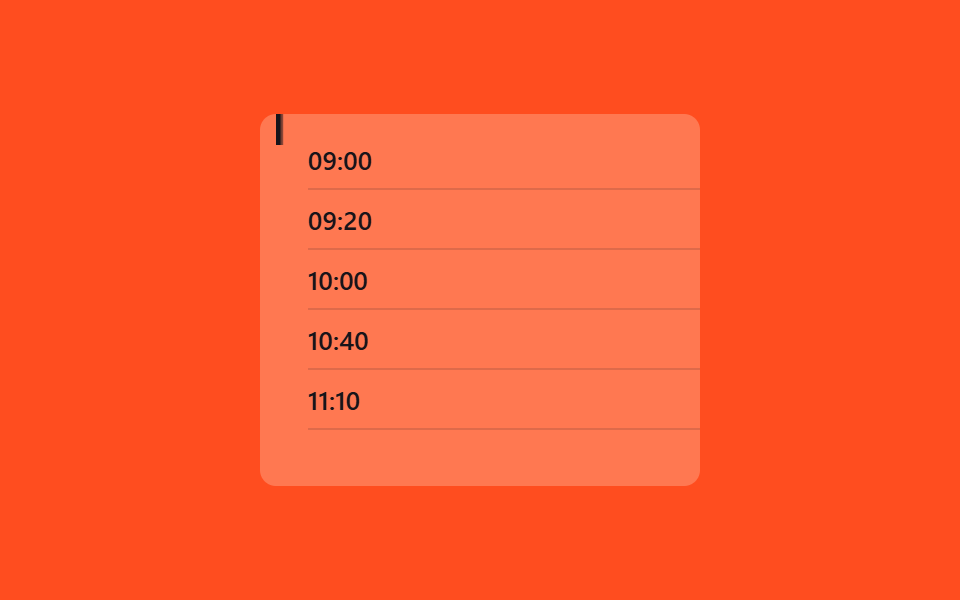
08Mục lục được làm nổi bật
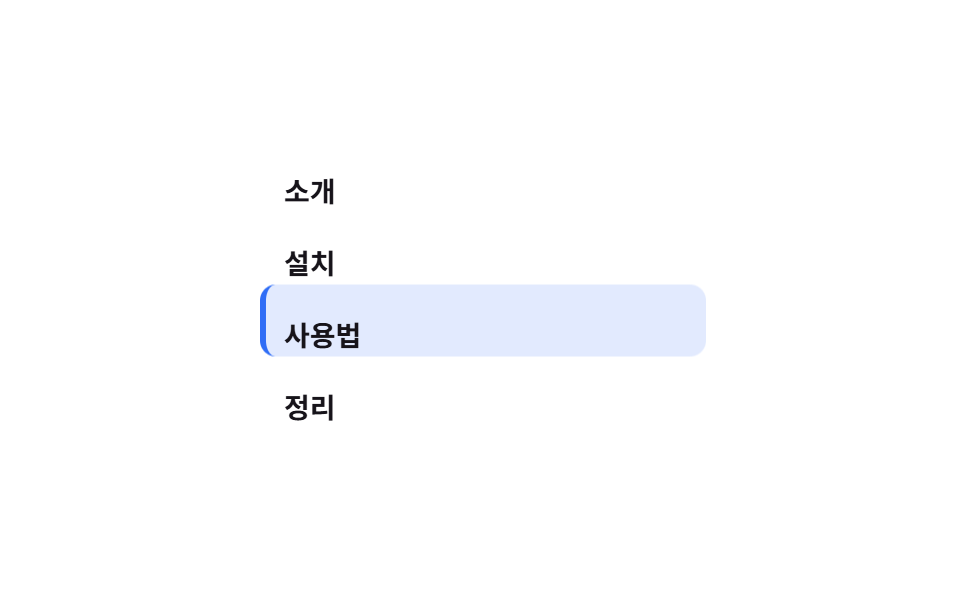
Trong mục lục bên cạnh, nền dạng viên thuốc trượt theo, chỉ bám đúng tiêu đề đang đọc.
Dùng choMục lục bên cạnh trang tài liệu, scroll-spy cho bài hướng dẫn dài
translateY 알약현재 항목만좌측 보더 3px
<main class="stage">
  <nav class="toc is-demo" aria-label="Mục lục">
    <span class="toc__pill" aria-hidden="true"></span>
    <a class="toc__item" href="#" tabindex="-1">Giới thiệu</a>
    <a class="toc__item" href="#" tabindex="-1">Cài đặt</a>
    <a class="toc__item" href="#" tabindex="-1">Cách dùng</a>
    <a class="toc__item" href="#" tabindex="-1">Tổng kết</a>
  </nav>
</main>
@use "../../../../site/static/demo-tokens" as *;
// ── 변수 3개 ──────────────────────────────────────────
$duration: $dur-loop;
$color: $subject-blue; // 활성 알약 색
$row: 36px; // 목차 한 줄 높이 (알약 이동 간격)
@include stage($stage-paper);
.toc {
position: relative;
display: flex;
flex-direction: column;
width: min(220px, 80vw);
}
// 옅은 색 칩이라야 알약이 두 줄에 걸치는 전환 중에도 글자 대비가 안 깨진다 (진한 배경 + 어두운 글자는 전환 중 대비가 무너진다)
.toc__pill {
position: absolute;
left: 0; top: 0;
width: 100%; height: $row;
border-radius: $r-sm;
background: rgba(47, 109, 246, .14);
border-left: 3px solid $color;
z-index: 0;
transform: translateY(0);
}
.toc__item {
position: relative;
z-index: 1;
height: $row;
display: flex;
align-items: center;
padding: 0 $sp-3;
font-weight: 600;
font-size: 14px;
line-height: 1;
font-family: inherit;
color: $subject-ink;
text-decoration: none;
}
// ── 실제 사용: 흔히 IntersectionObserver 로 지금 보이는 제목을 찾아 --active 를 바꾼다.
// 구간 크기가 고르면 animation-timeline: scroll(root) 로도 같은 스텝 키프레임을 쓸 수 있다 ──
// ── 데모: 알약이 항목 네 개를 순서대로 미끄러지듯 오르내린다 ──
// (구간마다 바로 다음 값으로 점프하면 프레임 사이 변화가 한두 장뿐이다 — 구간의 절반을 이동에 쓴다)
.toc.is-demo .toc__pill { animation: move $duration ease-in-out infinite; }
@keyframes move {
0%, 10% { transform: translateY(0); }
25%, 35% { transform: translateY($row); }
50%, 60% { transform: translateY($row * 2); }
75%, 85% { transform: translateY($row * 3); }
100% { transform: translateY(0); }
}
@media (prefers-reduced-motion: reduce) {
.toc.is-demo .toc__pill { animation: none !important; }
}html, body {
margin: 0;
overflow: hidden;
}
.stage {
box-sizing: border-box;
min-height: 100vh;
display: grid;
place-items: center;
margin: 0;
background: #ffffff;
font-family: -apple-system, "Segoe UI", "Noto Sans KR", sans-serif;
padding: clamp(8px, 4vw, 24px);
}
.toc {
position: relative;
display: flex;
flex-direction: column;
width: min(220px, 80vw);
}
.toc__pill {
position: absolute;
left: 0;
top: 0;
width: 100%;
height: 36px;
border-radius: 8px;
background: rgba(47, 109, 246, 0.14);
border-left: 3px solid #2f6df6;
z-index: 0;
transform: translateY(0);
}
.toc__item {
position: relative;
z-index: 1;
height: 36px;
display: flex;
align-items: center;
padding: 0 12px;
font-weight: 600;
font-size: 14px;
line-height: 1;
font-family: inherit;
color: #17141a;
text-decoration: none;
}
.toc.is-demo .toc__pill {
animation: move 2s ease-in-out infinite;
}
@keyframes move {
0%, 10% {
transform: translateY(0);
}
25%, 35% {
transform: translateY(36px);
}
50%, 60% {
transform: translateY(72px);
}
75%, 85% {
transform: translateY(108px);
}
100% {
transform: translateY(0);
}
}
@media (prefers-reduced-motion: reduce) {
.toc.is-demo .toc__pill {
animation: none !important;
}
}import { useEffect, useState } from "react";
import styles from "./TocHighlight.module.scss";
export type TocItem = { id: string; label: string };
export type TocHighlightProps = {
items: TocItem[];
/** 알약 색 */
color?: string;
/** 한 줄 높이 (px) */
row?: number;
};
// 실제 쓰임: IntersectionObserver 로 지금 보이는 제목을 찾아 알약을 그 줄로 옮긴다.
export default function TocHighlight({ items, color = "#2f6df6", row = 36 }: TocHighlightProps) {
const [active, setActive] = useState(0);
useEffect(() => {
const els = items.map((it) => document.getElementById(it.id)).filter(Boolean) as HTMLElement[];
const io = new IntersectionObserver(
(entries) => {
const top = entries.filter((e) => e.isIntersecting).sort((a, b) => b.intersectionRatio - a.intersectionRatio)[0];
if (top) setActive(els.indexOf(top.target as HTMLElement));
},
{ threshold: [0.3, 0.6] }
);
els.forEach((el) => io.observe(el));
return () => io.disconnect();
}, [items]);
return (
<nav className={styles.toc} aria-label="Contents" style={{ width: 220 }}>
<span className={styles.pill} style={{ borderLeftColor: color, height: row, transform: `translateY(${active * row}px)` }} />
{items.map((it) => (
<a key={it.id} href={`#${it.id}`} className={styles.item} style={{ height: row }}>
{it.label}
</a>
))}
</nav>
);
}08 Mục lục được làm nổi bật — Diện tích đo được 21.896% · khung hình chuyển động 15/23Nguyên tác GODRICH · SCSS và React nằm trong tệp zip · 9 CSS Scroll Progress Bar — không cần JS
Bài viết chứa demo này
 9 CSS Scroll Progress Bar — không cần JSCSS scroll progress bar là thanh, vòng hay con số cho biết bạn đã đọc được bao nhiêu phần trang, tính trực tiếp từ vị tr Xem tất cả demo trong bài này