07Ẩn khi cuộn
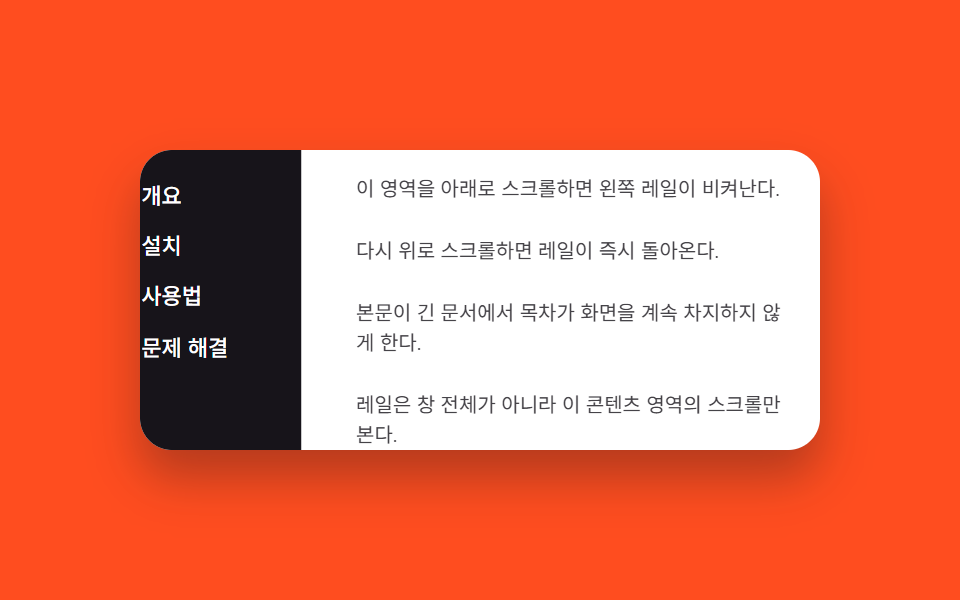
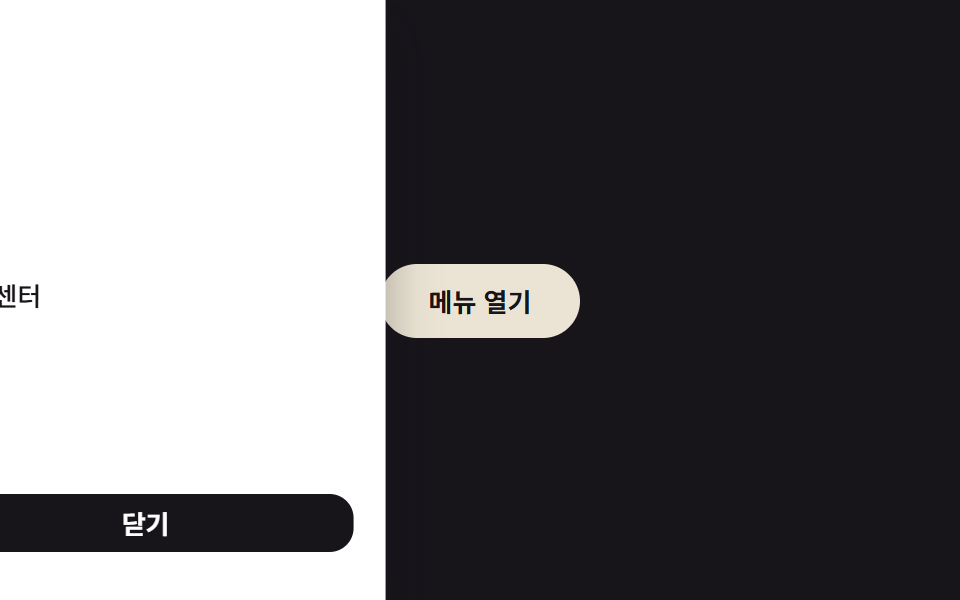
Cuộn panel nội dung bên cạnh xuống làm rail trượt đi bằng translateX, cuộn lên thì rail quay lại.
Dùng choRail mục lục trong trình xem tài liệu dài
scroll 방향 감지translateX 은닉내부 콘텐츠 스크롤
<main class="stage is-demo">
  <div class="layout">
    <nav class="rail" aria-label="Mục lục">
      <a class="rail__link" href="#">Tổng quan</a>
      <a class="rail__link" href="#">Cài đặt</a>
      <a class="rail__link" href="#">Cách dùng</a>
      <a class="rail__link" href="#">Khắc phục sự cố</a>
    </nav>
    <div class="content" id="content">
      <p>Cuộn vùng này xuống thì thanh ray bên trái sẽ lùi sang một bên.</p>
      <p>Cuộn lên lại thì thanh ray quay về ngay lập tức.</p>
      <p>Giúp mục lục không chiếm màn hình mãi trong tài liệu dài.</p>
      <p>Thanh ray theo dõi việc cuộn của vùng nội dung này, không phải cả cửa sổ.</p>
    </div>
  </div>
</main>
@use "../../../../site/static/demo-tokens" as *;
// ── 변수 3개 ──────────────────────────────────────────
$duration: $dur-quick; // 220ms — 실제 스크롤 시 숨는 속도
$easing: $ease-out;
$color: $subject-cream; // 레일 링크 강조색
// ── 데모 무대 ───────────────────────────────────────────
@include stage($stage-orange);
.layout {
display: flex;
width: min(90vw, 340px);
height: min(50vw, 150px);
border-radius: $r-card;
overflow: hidden;
background: $stage-paper;
box-shadow: $shadow-raised;
}
.rail {
flex: none;
width: 96px;
box-sizing: border-box;
display: flex; flex-direction: column; gap: $sp-1;
padding: $sp-3 $sp-2;
background: $stage-ink;
transform: translateX(0);
transition: transform $duration $easing;
}
.rail__link {
padding: $sp-1 $sp-2;
border-radius: $r-xs;
color: $stage-paper; text-decoration: none; font-weight: 500; font-size: 11px; line-height: 1.2; font-family: inherit;
&:hover, &:focus-visible { color: $color; background: rgba($stage-paper, .12); }
}
.rail.is-hidden { transform: translateX(-100%); }
.content {
flex: 1;
overflow-y: auto;
box-sizing: border-box;
padding: $sp-3;
display: flex; flex-direction: column; gap: $sp-4;
color: $stage-ink;
p { margin: 0; font-size: clamp(10px, 3vmin, 12px); line-height: 1.5; opacity: .8; }
}
// 데모 루프: 레일이 나갔다 들어왔다를 2초에 한 바퀴(실제 스크롤 여부와 무관)
.stage.is-demo .rail { animation: rail-loop $dur-loop ease-in-out infinite; }
@keyframes rail-loop {
0%, 100% { transform: translateX(0); }
40%, 70% { transform: translateX(-100%); }
}
@media (prefers-reduced-motion: reduce) {
.stage.is-demo .rail { animation: none; }
.rail { transition-duration: 1ms; }
}html, body {
margin: 0;
overflow: hidden;
}
.stage {
box-sizing: border-box;
min-height: 100vh;
display: grid;
place-items: center;
margin: 0;
background: #ff4d1f;
font-family: -apple-system, "Segoe UI", "Noto Sans KR", sans-serif;
padding: clamp(8px, 4vw, 24px);
}
.layout {
display: flex;
width: min(90vw, 340px);
height: min(50vw, 150px);
border-radius: 16px;
overflow: hidden;
background: #ffffff;
box-shadow: 0 14px 24px rgba(23, 20, 26, 0.32);
}
.rail {
flex: none;
width: 96px;
box-sizing: border-box;
display: flex;
flex-direction: column;
gap: 4px;
padding: 12px 8px;
background: #17141a;
transform: translateX(0);
transition: transform 220ms ease-out;
}
.rail__link {
padding: 4px 8px;
border-radius: 4px;
color: #ffffff;
text-decoration: none;
font-weight: 500;
font-size: 11px;
line-height: 1.2;
font-family: inherit;
}
.rail__link:hover, .rail__link:focus-visible {
color: #fff7e6;
background: rgba(255, 255, 255, 0.12);
}
.rail.is-hidden {
transform: translateX(-100%);
}
.content {
flex: 1;
overflow-y: auto;
box-sizing: border-box;
padding: 12px;
display: flex;
flex-direction: column;
gap: 16px;
color: #17141a;
}
.content p {
margin: 0;
font-size: clamp(10px, 3vmin, 12px);
line-height: 1.5;
opacity: 0.8;
}
.stage.is-demo .rail {
animation: rail-loop 2s ease-in-out infinite;
}
@keyframes rail-loop {
0%, 100% {
transform: translateX(0);
}
40%, 70% {
transform: translateX(-100%);
}
}
@media (prefers-reduced-motion: reduce) {
.stage.is-demo .rail {
animation: none;
}
.rail {
transition-duration: 1ms;
}
}// 콘텐츠 스크롤 방향을 비교해 레일을 translateX 로 숨기고 보인다. 실제 스크롤이 오면 데모 루프를 넘긴다.
(function () {
var stage = document.querySelector('.stage');
var rail = document.querySelector('.rail');
var content = document.getElementById('content');
var last = 0;
content.addEventListener('scroll', function () {
stage.classList.remove('is-demo');
var y = content.scrollTop;
if (y > last + 4) rail.classList.add('is-hidden');
else if (y < last - 4) rail.classList.remove('is-hidden');
last = y;
});
})();import { useRef, useState } from "react";
import type { CSSProperties } from "react";
import styles from "./ScrollHideRail.module.scss";
type ScrollEv = { currentTarget: HTMLDivElement };
export type ScrollHideRailProps = {
duration?: number;
easing?: string;
color?: string;
};
const LINKS = ["개요", "설치", "사용법", "문제 해결"];
export default function ScrollHideRail({
duration = 220,
easing = "ease-out",
color = "#fff7e6",
}: ScrollHideRailProps) {
const [hidden, setHidden] = useState(false);
const lastY = useRef(0);
function onScroll(e: ScrollEv) {
const y = e.currentTarget.scrollTop;
const last = lastY.current ?? 0;
if (y > last + 4) setHidden(true);
else if (y < last - 4) setHidden(false);
lastY.current = y;
}
const vars: CSSProperties = { "--duration": `${duration}ms`, "--easing": easing, "--color": color };
return (
<div className={styles.stage} style={vars}>
<div className={styles.layout}>
<nav className={styles.rail} data-hidden={hidden} aria-label="목차">
{LINKS.map((label) => (
<a key={label} className={styles.link} href="#">{label}</a>
))}
</nav>
<div className={styles.content} onScroll={onScroll}>
<p>이 영역을 아래로 스크롤하면 왼쪽 레일이 비켜난다.</p>
<p>다시 위로 스크롤하면 레일이 즉시 돌아온다.</p>
<p>본문이 긴 문서에서 목차가 화면을 계속 차지하지 않게 한다.</p>
<p>레일은 창 전체가 아니라 이 콘텐츠 영역의 스크롤만 본다.</p>
</div>
</div>
</div>
);
}07 Ẩn khi cuộn — Diện tích đo được 9.937% · khung hình chuyển động 17/23Nguyên tác GODRICH · SCSS và React nằm trong tệp zip · 9 hiệu ứng CSS Sidebar Animation - JS tối thiểu
Bài viết chứa demo này
 9 hiệu ứng CSS Sidebar Animation - JS tối thiểuCSS sidebar animation là cách một drawer đóng mở bằng transform và opacity, còn JavaScript chỉ lo phần bắt buộc: bật trạ Xem tất cả demo trong bài này