02Toast Popover API
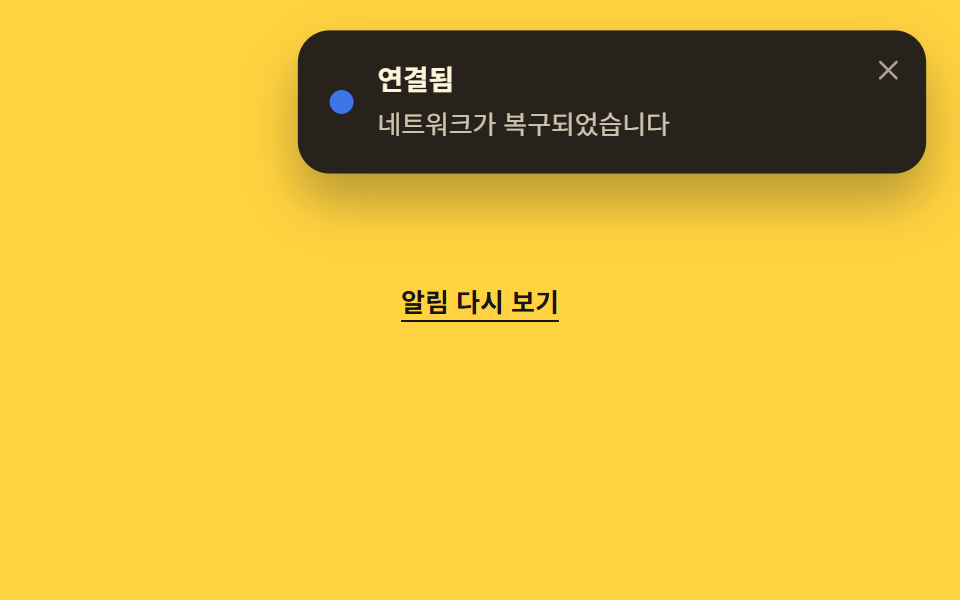
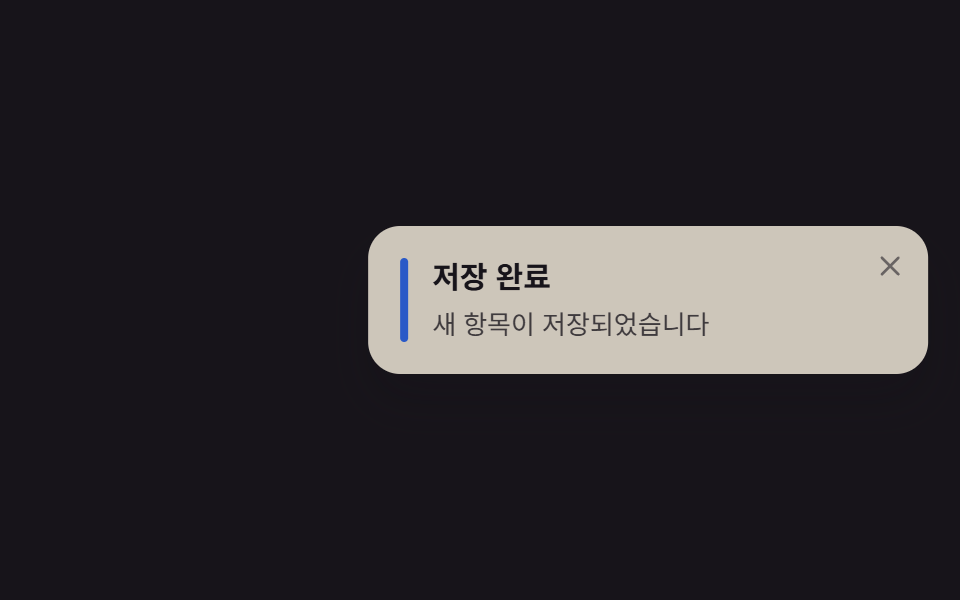
Chỉ cần thuộc tính popover và nút popovertarget là toast mở đóng được, có sẵn top-layer cùng khả năng đóng bằng Esc hay click ra ngoài mà không cần JS cho việc đóng.
Dùng choThông báo hệ thống kiểu mất hoặc khôi phục kết nối mạng, widget nhẹ
popoverpopovertargetshowPopover()
<main class="stage">
  <div class="demo">
    <button class="opener" type="button" popovertarget="ptoast048">Xem lại thông báo</button>
    <div id="ptoast048" class="toast is-demo" popover role="status" aria-live="polite">
      <span class="toast__dot" aria-hidden="true"></span>
      <div class="toast__body">
        <p class="toast__title">Đã kết nối</p>
        <p class="toast__text">Mạng đã khôi phục</p>
      </div>
      <button class="toast__close" type="button" popovertarget="ptoast048" popovertargetaction="hide" aria-label="Đóng thông báo">
        <svg viewBox="0 0 24 24" width="14" height="14" aria-hidden="true">
          <line x1="5" y1="5" x2="19" y2="19" stroke="currentColor" stroke-width="2.4" stroke-linecap="round"/>
          <line x1="19" y1="5" x2="5" y2="19" stroke="currentColor" stroke-width="2.4" stroke-linecap="round"/>
        </svg>
      </button>
    </div>
  </div>
</main>
@use "../../../../site/static/demo-tokens" as *;
// ── 변수 3개 ──────────────────────────────
$duration: $dur-base; // 300ms — 열리고 닫히는 속도
$easing: $ease-out;
$color: $subject-blue; // 상태 점 색
// ── 데모 무대 ───────────────────────────────
@include stage($stage-yellow);
.demo { display: grid; justify-items: center; gap: $sp-4; }
.opener {
border: 0; background: transparent;
color: $subject-ink; font-weight: 600; font-size: 13px; line-height: 1; font-family: inherit;
text-decoration: underline; text-underline-offset: $sp-1;
padding: $sp-2 $sp-1; cursor: pointer;
}
// popover 기본 스타일(테두리·배경·중앙 고정)을 지우고 화면 오른쪽 위 코너로
.toast[popover] {
position: fixed;
inset: unset;
top: $sp-4;
right: $sp-4;
margin: 0;
border: 0;
overflow: visible;
display: flex; align-items: flex-start; gap: $sp-3;
width: min(260px, 78vw);
padding: $sp-4 $sp-10 $sp-4 $sp-4;
border-radius: $r-card;
background: $subject-ink;
color: $subject-cream;
box-shadow: $shadow-raised;
}
.toast__dot {
align-self: center;
width: $sp-3; height: $sp-3;
border-radius: 50%;
background: $color;
flex: none;
}
.toast__title { margin: 0 0 $sp-1; font-weight: 700; font-size: 14px; line-height: 1.3; font-family: inherit; }
.toast__text { margin: 0; font-weight: 400; font-size: 13px; line-height: 1.4; font-family: inherit; opacity: .78; }
.toast__close {
position: absolute; top: $sp-2; right: $sp-2;
display: grid; place-items: center;
width: $sp-6; height: $sp-6;
border: 0; border-radius: $r-xs;
background: transparent; color: $subject-cream; opacity: .6;
cursor: pointer;
&:hover, &:focus-visible { opacity: 1; }
}
// 실측 2026-09-10: showPopover() 로 이미 열린 상태에서 등장→유지→살짝 접히는 루프를 계속 반복해
// "3초 뒤 자동으로 닫힌다"는 실제 동작을 무한 루프로 대신 보여준다 (전역 루프 2s)
.toast.is-demo { animation: pop-loop $dur-loop $easing infinite; }
@keyframes pop-loop {
0% { transform: translateY(-14px) scale(.92); opacity: 0; }
16% { transform: translateY(0) scale(1); opacity: 1; }
72% { transform: translateY(0) scale(1); opacity: 1; }
92% { transform: translateY(-6px) scale(.97); opacity: 0; }
100% { transform: translateY(-14px) scale(.92); opacity: 0; }
}
// ── 접근성: 움직임 줄이기 설정이면 뜬 채로 고정 ────────
@media (prefers-reduced-motion: reduce) {
.toast.is-demo { animation: none; transform: none; opacity: 1; }
}html, body {
margin: 0;
overflow: hidden;
}
.stage {
box-sizing: border-box;
min-height: 100vh;
display: grid;
place-items: center;
margin: 0;
background: #ffd23f;
font-family: -apple-system, "Segoe UI", "Noto Sans KR", sans-serif;
padding: clamp(8px, 4vw, 24px);
}
.demo {
display: grid;
justify-items: center;
gap: 16px;
}
.opener {
border: 0;
background: transparent;
color: #17141a;
font-weight: 600;
font-size: 13px;
line-height: 1;
font-family: inherit;
text-decoration: underline;
text-underline-offset: 4px;
padding: 8px 4px;
cursor: pointer;
}
.toast[popover] {
position: fixed;
inset: unset;
top: 16px;
right: 16px;
margin: 0;
border: 0;
overflow: visible;
display: flex;
align-items: flex-start;
gap: 12px;
width: min(260px, 78vw);
padding: 16px 40px 16px 16px;
border-radius: 16px;
background: #17141a;
color: #fff7e6;
box-shadow: 0 14px 24px rgba(23, 20, 26, 0.32);
}
.toast__dot {
align-self: center;
width: 12px;
height: 12px;
border-radius: 50%;
background: #2f6df6;
flex: none;
}
.toast__title {
margin: 0 0 4px;
font-weight: 700;
font-size: 14px;
line-height: 1.3;
font-family: inherit;
}
.toast__text {
margin: 0;
font-weight: 400;
font-size: 13px;
line-height: 1.4;
font-family: inherit;
opacity: 0.78;
}
.toast__close {
position: absolute;
top: 8px;
right: 8px;
display: grid;
place-items: center;
width: 24px;
height: 24px;
border: 0;
border-radius: 4px;
background: transparent;
color: #fff7e6;
opacity: 0.6;
cursor: pointer;
}
.toast__close:hover, .toast__close:focus-visible {
opacity: 1;
}
.toast.is-demo {
animation: pop-loop 2s ease-out infinite;
}
@keyframes pop-loop {
0% {
transform: translateY(-14px) scale(0.92);
opacity: 0;
}
16% {
transform: translateY(0) scale(1);
opacity: 1;
}
72% {
transform: translateY(0) scale(1);
opacity: 1;
}
92% {
transform: translateY(-6px) scale(0.97);
opacity: 0;
}
100% {
transform: translateY(-14px) scale(0.92);
opacity: 0;
}
}
@media (prefers-reduced-motion: reduce) {
.toast.is-demo {
animation: none;
transform: none;
opacity: 1;
}
}// popover 속성이 top-layer 스택·ESC 닫기·바깥 클릭 닫기를 공짜로 준다. 데모용으로 로드 즉시 한 번 연다.
document.getElementById('ptoast048').showPopover();import { useEffect, useRef } from "react";
import type { CSSProperties } from "react";
import styles from "./PopoverToast.module.scss";
export type PopoverToastProps = {
title: string;
message: string;
/** true 면 showPopover(), false 면 hidePopover() (기본 true) */
open?: boolean;
duration?: number;
easing?: string;
color?: string;
};
type Vars = CSSProperties & { "--duration"?: string; "--easing"?: string; "--color"?: string };
export default function PopoverToast({
title,
message,
open = true,
duration = 300,
easing = "ease-out",
color = "#2f6df6",
}: PopoverToastProps) {
const ref = useRef<HTMLDivElement | null>(null);
useEffect(() => {
const el = ref.current as (HTMLDivElement & { showPopover?: () => void; hidePopover?: () => void }) | null;
if (!el) return;
if (open) el.showPopover?.();
else el.hidePopover?.();
}, [open]);
const vars: Vars = { "--duration": `${duration}ms`, "--easing": easing, "--color": color };
return (
<div ref={ref} popover="" className={styles.toast} style={vars} role="status" aria-live="polite">
<span className={styles.dot} aria-hidden="true" />
<div className={styles.body}>
<p className={styles.title}>{title}</p>
<p className={styles.text}>{message}</p>
</div>
</div>
);
}02 Toast Popover API — Diện tích đo được 23.62% · khung hình chuyển động 9/23Nguyên tác GODRICH · SCSS và React nằm trong tệp zip · 9 CSS Toast Notification — không cần JS
Bài viết chứa demo này
 9 CSS Toast Notification — không cần JSCSS toast notification là thẻ thông báo nhỏ tự nổi lên một góc màn hình rồi tự đóng, dựng bằng CSS thuần, không cần JS. Xem tất cả demo trong bài này