07Icon thành công
Vòng tròn màu trung tính mờ dần biến mất đúng lúc vòng màu trạng thái cùng dấu tick vẽ bằng stroke-dashoffset hiện lên chồng lên nhau, màu sắc tự nói lên kết quả.
Dùng choBadge thành công cho thanh toán, lưu dữ liệu; đổi $color sang màu lỗi là có badge thất bại
opacity 크로스페이드stroke-dashoffset상태색 변수
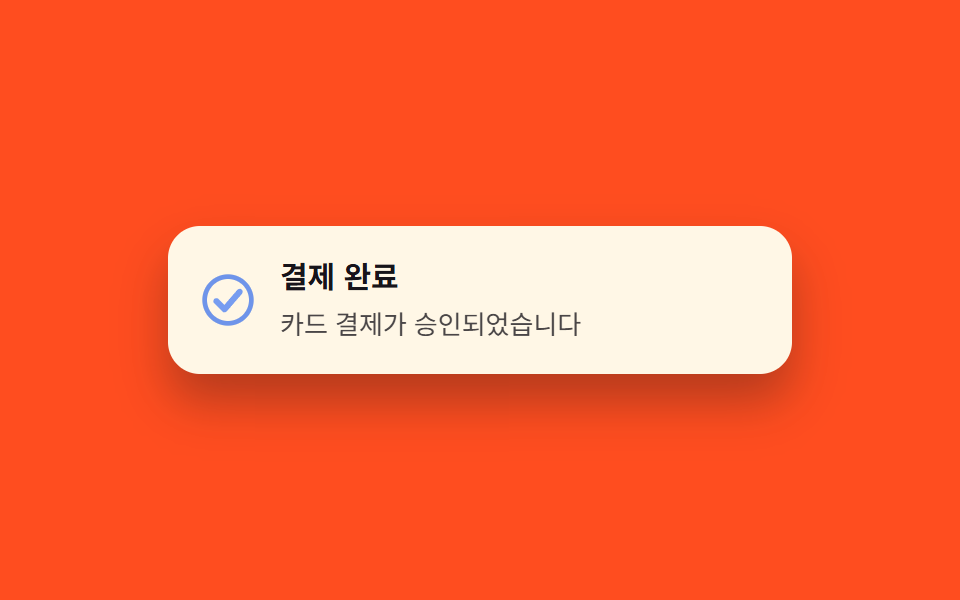
<main class="stage">
  <div class="toast is-demo" role="status" aria-live="polite">
    <span class="badge" aria-hidden="true">
      <svg class="badge__layer badge__neutral" viewBox="0 0 24 24" width="28" height="28">
        <circle cx="12" cy="12" r="10" fill="none" stroke="currentColor" stroke-width="2"/>
      </svg>
      <svg class="badge__layer badge__colored" viewBox="0 0 24 24" width="28" height="28">
        <circle cx="12" cy="12" r="10" fill="none" stroke="currentColor" stroke-width="2"/>
        <polyline class="badge__check" points="7 12.5 10.5 16 17 8.5" pathLength="100" fill="none" stroke="currentColor" stroke-width="2.6" stroke-linecap="round" stroke-linejoin="round"/>
      </svg>
    </span>
    <div class="toast__body">
      <p class="toast__title">Thanh toán xong</p>
      <p class="toast__text">Thanh toán thẻ đã được duyệt</p>
    </div>
  </div>
</main>
@use "../../../../site/static/demo-tokens" as *;
// ── 변수 3개. $color 를 $error 로 바꾸면 "실패" 상태 아이콘이 된다 ──────────
$duration: $dur-base; // 300ms — 체크가 그려지는 시간대
$easing: $ease-out;
$color: $subject-blue; // 상태색. 성공은 blue, 변형에서 error 로
// ── 데모 무대 ───────────────────────────────
@include stage($stage-orange);
.toast {
display: flex; align-items: center; gap: $sp-3;
width: min(280px, 84vw);
padding: $sp-4;
border-radius: $r-card;
background: $subject-cream;
color: $subject-ink;
box-shadow: $shadow-raised;
}
.badge { position: relative; display: grid; place-items: center; width: 28px; height: 28px; flex: none; }
.badge__layer { grid-area: 1 / 1; }
.badge__neutral { color: $subject-ink; opacity: .3; }
.badge__colored { color: $color; opacity: 0; }
.badge__check { stroke-dasharray: 100; stroke-dashoffset: 100; }
.toast__title { margin: 0 0 $sp-1; font-weight: 700; font-size: 15px; line-height: 1.3; font-family: inherit; }
.toast__text { margin: 0; font-weight: 400; font-size: 13px; line-height: 1.4; font-family: inherit; opacity: .78; }
// 실측 2026-09-10: 018 편 "저장 체크"(디스켓→체크 clip-path 모프)와도, 031 편 "읽음 표시"(숫자→체크 opacity·scale)와도 다르다.
// 여기는 두 아이콘 레이어(무채색 링 / 상태색 링+체크)가 opacity 로 겹쳐 바뀌면서 "상태색이 곧 결과"라는 걸 보여준다.
.toast.is-demo {
.badge__neutral { animation: fade-out $dur-loop $easing infinite; }
.badge__colored { animation: fade-in $dur-loop $easing infinite; }
.badge__check { animation: draw $dur-loop $easing infinite; }
}
@keyframes fade-out {
0%, 15% { opacity: .3; }
32%, 80% { opacity: 0; }
95%, 100% { opacity: .3; }
}
@keyframes fade-in {
0%, 15% { opacity: 0; }
32%, 80% { opacity: 1; }
95%, 100% { opacity: 0; }
}
@keyframes draw {
0%, 22% { stroke-dashoffset: 100; }
55%, 100% { stroke-dashoffset: 0; }
}
// ── 접근성: 움직임 줄이기 설정이면 완성된 상태색 체크만 남긴다 ────────
@media (prefers-reduced-motion: reduce) {
.toast.is-demo .badge__neutral { animation: none; opacity: 0; }
.toast.is-demo .badge__colored { animation: none; opacity: 1; }
.toast.is-demo .badge__check { animation: none; stroke-dashoffset: 0; }
}html, body {
margin: 0;
overflow: hidden;
}
.stage {
box-sizing: border-box;
min-height: 100vh;
display: grid;
place-items: center;
margin: 0;
background: #ff4d1f;
font-family: -apple-system, "Segoe UI", "Noto Sans KR", sans-serif;
padding: clamp(8px, 4vw, 24px);
}
.toast {
display: flex;
align-items: center;
gap: 12px;
width: min(280px, 84vw);
padding: 16px;
border-radius: 16px;
background: #fff7e6;
color: #17141a;
box-shadow: 0 14px 24px rgba(23, 20, 26, 0.32);
}
.badge {
position: relative;
display: grid;
place-items: center;
width: 28px;
height: 28px;
flex: none;
}
.badge__layer {
grid-area: 1/1;
}
.badge__neutral {
color: #17141a;
opacity: 0.3;
}
.badge__colored {
color: #2f6df6;
opacity: 0;
}
.badge__check {
stroke-dasharray: 100;
stroke-dashoffset: 100;
}
.toast__title {
margin: 0 0 4px;
font-weight: 700;
font-size: 15px;
line-height: 1.3;
font-family: inherit;
}
.toast__text {
margin: 0;
font-weight: 400;
font-size: 13px;
line-height: 1.4;
font-family: inherit;
opacity: 0.78;
}
.toast.is-demo .badge__neutral {
animation: fade-out 2s ease-out infinite;
}
.toast.is-demo .badge__colored {
animation: fade-in 2s ease-out infinite;
}
.toast.is-demo .badge__check {
animation: draw 2s ease-out infinite;
}
@keyframes fade-out {
0%, 15% {
opacity: 0.3;
}
32%, 80% {
opacity: 0;
}
95%, 100% {
opacity: 0.3;
}
}
@keyframes fade-in {
0%, 15% {
opacity: 0;
}
32%, 80% {
opacity: 1;
}
95%, 100% {
opacity: 0;
}
}
@keyframes draw {
0%, 22% {
stroke-dashoffset: 100;
}
55%, 100% {
stroke-dashoffset: 0;
}
}
@media (prefers-reduced-motion: reduce) {
.toast.is-demo .badge__neutral {
animation: none;
opacity: 0;
}
.toast.is-demo .badge__colored {
animation: none;
opacity: 1;
}
.toast.is-demo .badge__check {
animation: none;
stroke-dashoffset: 0;
}
}import type { CSSProperties } from "react";
import styles from "./StatusIconToast.module.scss";
export type StatusIconToastProps = {
title: string;
message: string;
/** 상태색. 성공은 파랑, 실패는 error 색을 넘긴다 */
color?: string;
resolved?: boolean;
};
type Vars = CSSProperties & { "--color"?: string };
export default function StatusIconToast({
title,
message,
color = "#2f6df6",
resolved = true,
}: StatusIconToastProps) {
const vars: Vars = { "--color": color };
return (
<div className={styles.toast} style={vars} role="status" aria-live="polite">
<span className={styles.badge} aria-hidden="true">
<svg className={`${styles.layer} ${styles.neutral}`} viewBox="0 0 24 24" width={28} height={28} style={{ opacity: resolved ? 0 : 0.3 }}>
<circle cx="12" cy="12" r="10" fill="none" stroke="currentColor" strokeWidth={2} />
</svg>
<svg className={`${styles.layer} ${styles.colored}`} viewBox="0 0 24 24" width={28} height={28} style={{ opacity: resolved ? 1 : 0 }}>
<circle cx="12" cy="12" r="10" fill="none" stroke="currentColor" strokeWidth={2} />
<polyline
className={styles.check}
points="7 12.5 10.5 16 17 8.5"
pathLength={100}
fill="none"
stroke="currentColor"
strokeWidth={2.6}
strokeLinecap="round"
strokeLinejoin="round"
style={{ strokeDashoffset: resolved ? 0 : 100 }}
/>
</svg>
</span>
<div className={styles.body}>
<p className={styles.title}>{title}</p>
<p className={styles.text}>{message}</p>
</div>
</div>
);
}07 Icon thành công — Diện tích đo được 0.215% · khung hình chuyển động 14/23Nguyên tác GODRICH · SCSS và React nằm trong tệp zip · 9 CSS Toast Notification — không cần JS
Bài viết chứa demo này
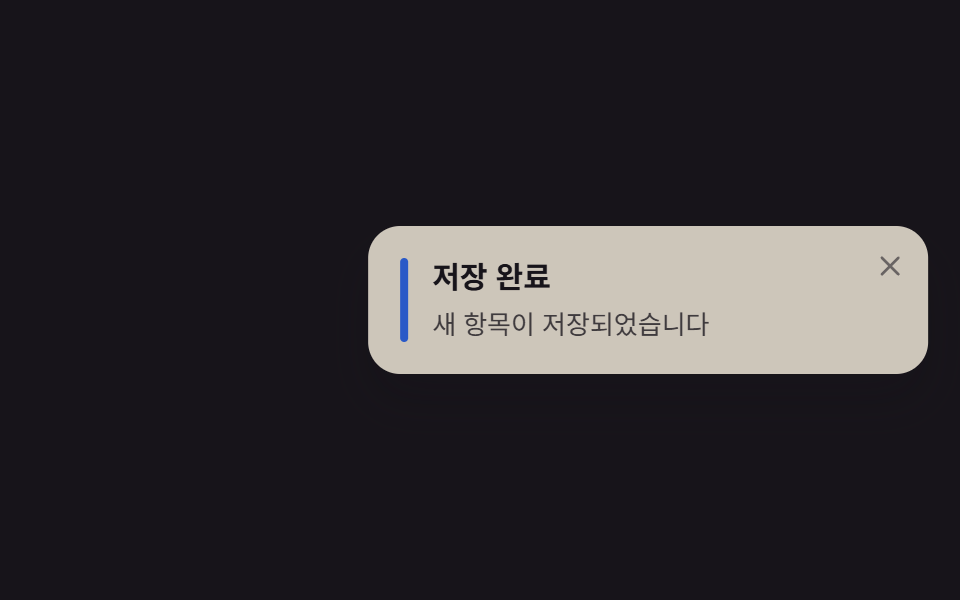 9 CSS Toast Notification — không cần JSCSS toast notification là thẻ thông báo nhỏ tự nổi lên một góc màn hình rồi tự đóng, dựng bằng CSS thuần, không cần JS. Xem tất cả demo trong bài này