07Sửa trực tiếp trong danh sách
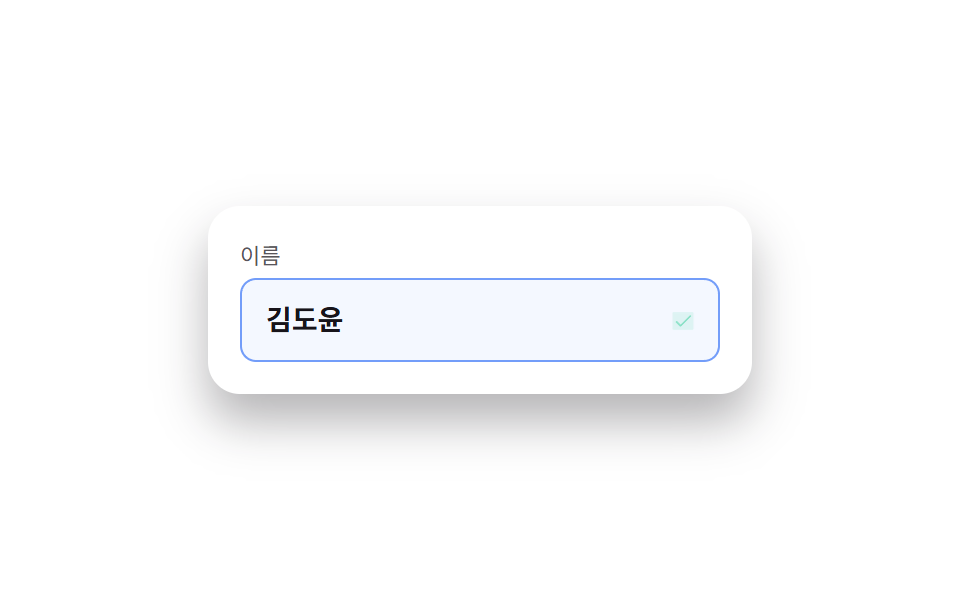
Bấm vào ô tên sẽ biến ngay thành ô nhập liệu, nhấn Enter hoặc bấm ra ngoài để lưu và biểu tượng bút chì đổi thành dấu tick.
Dùng choĐổi tên trong danh sách cài đặt, sửa giá trị trực tiếp trong bảng quản trị
contenteditable 대신 input 치환Escape 로 되돌리기신뢰감 있는 밝은 SaaS 톤
<main class="stage">
  <div class="ie-row is-demo">
    <label class="ie-row__label" for="ie-name">Tên</label>
    <div class="ie-row__field">
      <input id="ie-name" class="ie-row__input" type="text" value="Kim Do-yoon" readonly>
      <button class="ie-row__toggle" type="button" aria-label="Sửa tên">
        <svg class="ie-row__icon ie-row__icon--pencil" viewBox="0 0 256 256" aria-hidden="true"><g fill="currentColor"><path d="M221.66 90.34L192 120l-56-56l29.66-29.66a8 8 0 0 1 11.31 0L221.66 79a8 8 0 0 1 0 11.34" opacity=".2"/><path d="m227.31 73.37l-44.68-44.69a16 16 0 0 0-22.63 0L36.69 152A15.86 15.86 0 0 0 32 163.31V208a16 16 0 0 0 16 16h44.69a15.86 15.86 0 0 0 11.31-4.69L227.31 96a16 16 0 0 0 0-22.63M92.69 208H48v-44.69l88-88L180.69 120ZM192 108.68L147.31 64l24-24L216 84.68Z"/></g></svg>
        <svg class="ie-row__icon ie-row__icon--check" viewBox="0 0 256 256" aria-hidden="true"><g fill="currentColor"><path d="M232 56v144a16 16 0 0 1-16 16H40a16 16 0 0 1-16-16V56a16 16 0 0 1 16-16h176a16 16 0 0 1 16 16" opacity=".2"/><path d="m205.66 85.66l-96 96a8 8 0 0 1-11.32 0l-40-40a8 8 0 0 1 11.32-11.32L104 164.69l90.34-90.35a8 8 0 0 1 11.32 11.32"/></g></svg>
      </button>
    </div>
  </div>
</main>
@use "../../../../site/static/demo-tokens" as *;
$duration: $dur-quick; // 테두리·아이콘 전환 시간
$easing: $ease-out;
$color: $subject-blue; // 신뢰감 있는 밝은 SaaS 브랜드 컬러
@include stage($stage-paper);
.ie-row {
width: min(240px, 78vw);
display: flex;
flex-direction: column;
gap: $sp-1;
padding: $sp-4;
border-radius: $r-card;
background: $stage-paper;
box-shadow: $shadow-raised;
}
.ie-row__label { font-size: 11px; color: rgba(23, 20, 26, .72); }
.ie-row__field {
display: flex;
align-items: center;
gap: $sp-2;
border-radius: $r-sm;
border: 1px solid transparent;
padding: $sp-2 $sp-3;
transition: border-color $duration $easing, background $duration $easing;
}
.ie-row.is-editing .ie-row__field { border-color: $color; background: #eef4ff; }
.ie-row__input {
flex: 1 1 auto;
border: 0;
background: none;
font: 700 14px/1.3 sans-serif;
font-family: inherit;
color: $stage-ink;
padding: 0;
}
.ie-row__input:focus { outline: none; }
.ie-row__toggle {
position: relative;
width: 24px;
height: 24px;
flex: 0 0 auto;
display: grid;
place-items: center;
border: 0;
background: none;
color: $color;
cursor: pointer;
}
.ie-row__toggle:focus-visible { outline: 2px solid $color; outline-offset: 2px; border-radius: $r-xs; }
.ie-row__icon {
position: absolute;
width: 15px;
height: 15px;
transition: opacity $duration $easing, transform $duration $easing;
}
.ie-row__icon--check { opacity: 0; transform: scale(.6); color: $subject-mint; }
.ie-row.is-saved .ie-row__icon--pencil { opacity: 0; transform: scale(.6); }
.ie-row.is-saved .ie-row__icon--check { opacity: 1; transform: scale(1); }
// 데모 강제 루프 — 편집 상태 진입 → 저장(체크 표시) → 원복 을 keyframes 로
.ie-row.is-demo .ie-row__field { animation: ie-field-loop $dur-loop $easing infinite; }
.ie-row.is-demo .ie-row__icon--pencil { animation: ie-pencil-loop $dur-loop $easing infinite; }
.ie-row.is-demo .ie-row__icon--check { animation: ie-check-loop $dur-loop $easing infinite; }
@keyframes ie-field-loop {
0%, 10% { border-color: transparent; background: transparent; }
30%, 80% { border-color: $color; background: #eef4ff; }
95%, 100% { border-color: transparent; background: transparent; }
}
@keyframes ie-pencil-loop {
0%, 10% { opacity: 1; transform: scale(1); }
35%, 100% { opacity: 0; transform: scale(.6); }
}
@keyframes ie-check-loop {
0%, 30% { opacity: 0; transform: scale(.6); }
40%, 80% { opacity: 1; transform: scale(1); }
95%, 100% { opacity: 0; transform: scale(.6); }
}
@media (prefers-reduced-motion: reduce) {
.ie-row__field, .ie-row__icon { transition: none; }
}html, body {
margin: 0;
overflow: hidden;
}
.stage {
box-sizing: border-box;
min-height: 100vh;
display: grid;
place-items: center;
margin: 0;
background: #ffffff;
font-family: -apple-system, "Segoe UI", "Noto Sans KR", sans-serif;
padding: clamp(8px, 4vw, 24px);
}
.ie-row {
width: min(240px, 78vw);
display: flex;
flex-direction: column;
gap: 4px;
padding: 16px;
border-radius: 16px;
background: #ffffff;
box-shadow: 0 14px 24px rgba(23, 20, 26, 0.32);
}
.ie-row__label {
font-size: 11px;
color: rgba(23, 20, 26, 0.72);
}
.ie-row__field {
display: flex;
align-items: center;
gap: 8px;
border-radius: 8px;
border: 1px solid transparent;
padding: 8px 12px;
transition: border-color 220ms ease-out, background 220ms ease-out;
}
.ie-row.is-editing .ie-row__field {
border-color: #2f6df6;
background: #eef4ff;
}
.ie-row__input {
flex: 1 1 auto;
border: 0;
background: none;
font: 700 14px/1.3 sans-serif;
font-family: inherit;
color: #17141a;
padding: 0;
}
.ie-row__input:focus {
outline: none;
}
.ie-row__toggle {
position: relative;
width: 24px;
height: 24px;
flex: 0 0 auto;
display: grid;
place-items: center;
border: 0;
background: none;
color: #2f6df6;
cursor: pointer;
}
.ie-row__toggle:focus-visible {
outline: 2px solid #2f6df6;
outline-offset: 2px;
border-radius: 4px;
}
.ie-row__icon {
position: absolute;
width: 15px;
height: 15px;
transition: opacity 220ms ease-out, transform 220ms ease-out;
}
.ie-row__icon--check {
opacity: 0;
transform: scale(0.6);
color: #4cd4a6;
}
.ie-row.is-saved .ie-row__icon--pencil {
opacity: 0;
transform: scale(0.6);
}
.ie-row.is-saved .ie-row__icon--check {
opacity: 1;
transform: scale(1);
}
.ie-row.is-demo .ie-row__field {
animation: ie-field-loop 2s ease-out infinite;
}
.ie-row.is-demo .ie-row__icon--pencil {
animation: ie-pencil-loop 2s ease-out infinite;
}
.ie-row.is-demo .ie-row__icon--check {
animation: ie-check-loop 2s ease-out infinite;
}
@keyframes ie-field-loop {
0%, 10% {
border-color: transparent;
background: transparent;
}
30%, 80% {
border-color: #2f6df6;
background: #eef4ff;
}
95%, 100% {
border-color: transparent;
background: transparent;
}
}
@keyframes ie-pencil-loop {
0%, 10% {
opacity: 1;
transform: scale(1);
}
35%, 100% {
opacity: 0;
transform: scale(0.6);
}
}
@keyframes ie-check-loop {
0%, 30% {
opacity: 0;
transform: scale(0.6);
}
40%, 80% {
opacity: 1;
transform: scale(1);
}
95%, 100% {
opacity: 0;
transform: scale(0.6);
}
}
@media (prefers-reduced-motion: reduce) {
.ie-row__field, .ie-row__icon {
transition: none;
}
}(function () {
var row = document.querySelector('.ie-row');
var input = row.querySelector('.ie-row__input');
var toggle = row.querySelector('.ie-row__toggle');
var original = input.value;
function edit() {
row.classList.remove('is-demo');
row.classList.add('is-editing');
input.readOnly = false;
input.focus({ preventScroll: true });
input.select();
}
function save() {
original = input.value;
row.classList.remove('is-editing');
row.classList.add('is-saved');
input.readOnly = true;
setTimeout(function () { row.classList.remove('is-saved'); }, 900);
}
function cancel() {
input.value = original;
row.classList.remove('is-editing');
input.readOnly = true;
}
toggle.addEventListener('click', function () {
row.classList.contains('is-editing') ? save() : edit();
});
input.addEventListener('click', function () { if (input.readOnly) edit(); });
input.addEventListener('keydown', function (e) {
if (e.key === 'Enter') { e.preventDefault(); save(); }
else if (e.key === 'Escape') { cancel(); }
});
input.addEventListener('blur', function () { if (!input.readOnly) save(); });
})();import { useRef, useState, type CSSProperties } from "react";
import styles from "./InlineEditField.module.scss";
export type InlineEditFieldProps = {
label: string;
initialValue: string;
onSave?: (value: string) => void;
/** 테두리·아이콘 전환 시간 (기본 220ms) */
duration?: number;
easing?: string;
color?: string;
};
type Vars = CSSProperties & { "--duration"?: string; "--easing"?: string; "--color"?: string };
/** 클릭하면 readOnly 를 풀고 focus, Enter·blur 로 저장, Escape 로 되돌린다 */
export default function InlineEditField({
label,
initialValue,
onSave,
duration = 220,
easing = "ease-out",
color = "#2f6df6",
}: InlineEditFieldProps) {
const [value, setValue] = useState(initialValue);
const [editing, setEditing] = useState(false);
const [saved, setSaved] = useState(false);
const inputRef = useRef<HTMLInputElement>(null);
const before = useRef(initialValue);
const vars: Vars = { "--duration": `${duration}ms`, "--easing": easing, "--color": color };
const startEdit = () => {
before.current = value;
setEditing(true);
requestAnimationFrame(() => { inputRef.current?.focus(); inputRef.current?.select(); });
};
const save = () => {
setEditing(false);
setSaved(true);
onSave?.(value);
setTimeout(() => setSaved(false), 900);
};
const cancel = () => { setValue(before.current ?? initialValue); setEditing(false); };
return (
<div className={`${styles.row} ${saved ? styles.savedFlash : ""}`} style={vars}>
<label className={styles.label} htmlFor="ie-name-react">{label}</label>
<div className={`${styles.field} ${editing ? styles.editing : ""}`}>
<input
id="ie-name-react"
ref={inputRef}
className={styles.input}
type="text"
readOnly={!editing}
value={value}
onChange={(e: any) => setValue(e.target.value)}
onClick={() => !editing && startEdit()}
onBlur={() => editing && save()}
onKeyDown={(e: any) => {
if (e.key === "Enter") { e.preventDefault(); save(); }
else if (e.key === "Escape") cancel();
}}
/>
<button className={styles.toggle} type="button" aria-label={`${label} 편집`} onClick={() => (editing ? save() : startEdit())}>
<svg className={`${styles.icon} ${saved ? styles.hidden : ""}`} viewBox="0 0 256 256" aria-hidden="true"><g fill="currentColor"><path d="M221.66 90.34L192 120l-56-56l29.66-29.66a8 8 0 0 1 11.31 0L221.66 79a8 8 0 0 1 0 11.34" opacity=".2" /><path d="m227.31 73.37l-44.68-44.69a16 16 0 0 0-22.63 0L36.69 152A15.86 15.86 0 0 0 32 163.31V208a16 16 0 0 0 16 16h44.69a15.86 15.86 0 0 0 11.31-4.69L227.31 96a16 16 0 0 0 0-22.63M92.69 208H48v-44.69l88-88L180.69 120ZM192 108.68L147.31 64l24-24L216 84.68Z" /></g></svg>
<svg className={`${styles.icon} ${styles.check} ${saved ? styles.shown : ""}`} viewBox="0 0 256 256" aria-hidden="true"><g fill="currentColor"><path d="M232 56v144a16 16 0 0 1-16 16H40a16 16 0 0 1-16-16V56a16 16 0 0 1 16-16h176a16 16 0 0 1 16 16" opacity=".2" /><path d="m205.66 85.66l-96 96a8 8 0 0 1-11.32 0l-40-40a8 8 0 0 1 11.32-11.32L104 164.69l90.34-90.35a8 8 0 0 1 11.32 11.32" /></g></svg>
</button>
</div>
</div>
);
}07 Sửa trực tiếp trong danh sách — Diện tích đo được 6.801% · khung hình chuyển động 12/23Nguyên tác GODRICH · SCSS và React nằm trong tệp zip · 9 mẫu List UI: accordion list css và checklist
Bài viết chứa demo này
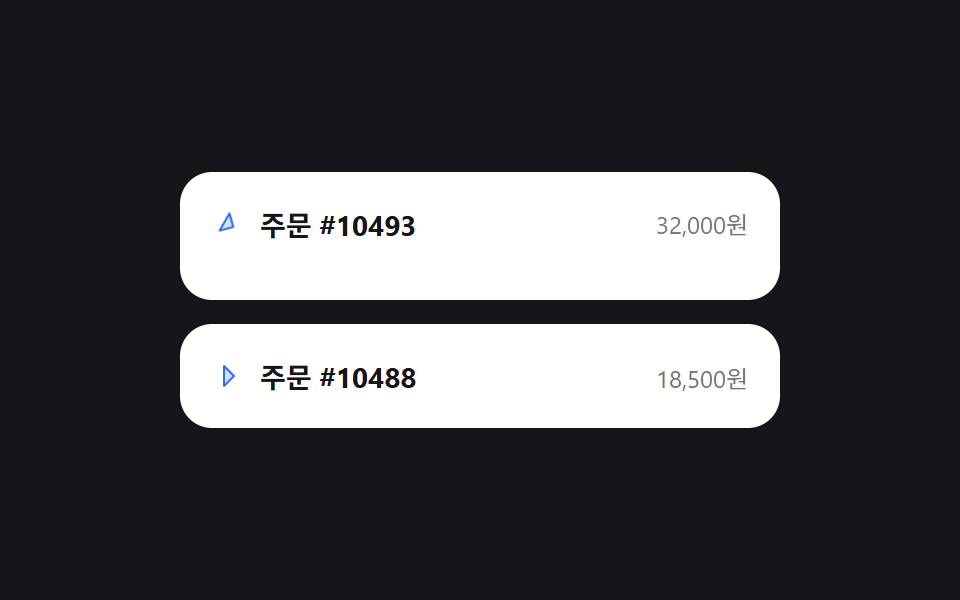 9 mẫu List UI: accordion list css và checklistAccordion list css là kiểu danh sách mà khi bạn bấm vào một dòng, chiều cao của nó tự giãn ra để lộ nội dung chi tiết — Xem tất cả demo trong bài này
Nếu bạn thích hiệu ứng này - demo tương tự
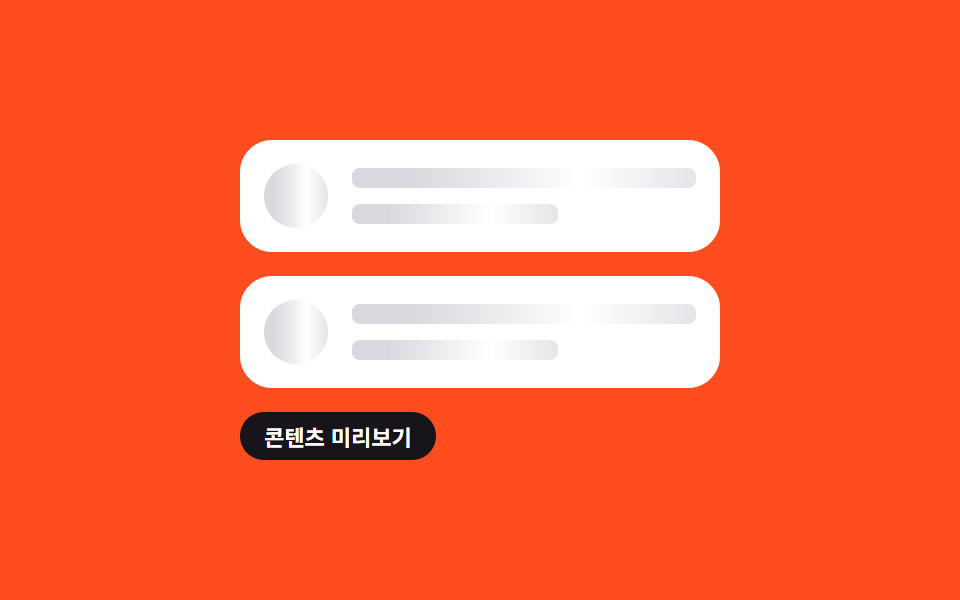 Giao diện danh sách · bảng07 Danh sách skeleton shimmer9 mẫu List UI: swipe to delete css và phân trang
 Giao diện nhập liệu01 Tự chuyển sang ô kế tiếpOTP Input UI: 9 tình huống kèm validation
 Giao diện đăng nhập · xác thực01 Thẻ đăng nhập kiểu kính mờ (glassmorphism)9 mẫu form đăng ký & đăng nhập copy-paste được