01One-Line Compression Moves with a Merged-Tile Lock
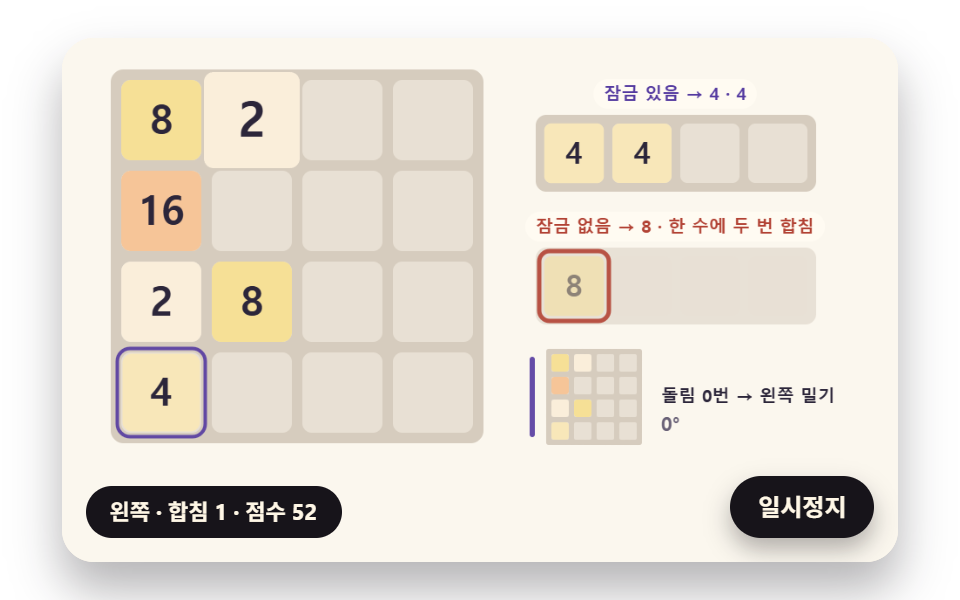
All four directions run through one left push by rotating the board, each row drops its gaps and merges equal neighbors from the front once each so 2, 2, 4 ends as 4, 4, merged tiles swell on a spring and settle, and a seeded 2 or 4 sprouts in an empty cell.
Best forNumber-merge mini game on an internal event page
TURNSFOUR_CHANCEPOP_KICK
<main class="stage">
<div class="cf is-demo" id="cf">
  <div class="cf__board" data-role="board" tabindex="0" role="application" aria-label="2048 board: click it, then use the arrow keys or swipe to move">
    <canvas class="cf__canvas" data-role="canvas" width="480" height="300" aria-hidden="true"></canvas>
  </div>
  <p class="cf__sr">A 2048 board that plays all four directions with one left push by turning the board, beside a 2, 2, 4 row pushed with a lock (4, 4) and without one (8)</p>
  <p class="cf__status" data-role="status" aria-live="off">Waiting for the first move</p>
  <button class="cf__pause" data-role="pause" type="button" aria-pressed="false">Pause</button>
</div>
</main>
@use "../../../../site/static/demo-tokens" as *;
@include stage($stage-paper);
.cf {
position: relative;
width: min(92vw, calc(160vh - 12.8vw));
aspect-ratio: 480 / 300;
margin: 0 auto;
border-radius: $r-card;
overflow: hidden;
box-shadow: $shadow-raised;
background: $subject-cream;
}
// 판 상자 — 포커스를 받으면 안쪽 테두리로 보인다. 포커스가 있을 때만 쓸기가 페이지 스크롤 대신 판으로 간다
.cf__board {
position: absolute;
inset: 0;
border-radius: inherit;
outline: none;
}
// 바깥 .cf 가 넘침을 자르므로 테두리는 안쪽으로 들인다
.cf__board:focus-visible {
outline: 3px solid $subject-ink;
outline-offset: -3px;
}
.cf__board:focus {
touch-action: none;
}
.cf__canvas {
position: absolute;
inset: 0;
display: block;
width: 100%;
height: 100%;
}
.cf__pause {
position: absolute;
right: $sp-3;
bottom: $sp-3;
padding: $sp-1 $sp-3;
border: 2px solid $subject-ink;
border-radius: $r-pill;
background: $subject-ink;
color: $subject-cream;
font-family: inherit;
font-weight: 700;
font-size: 12px;
line-height: 1.6;
cursor: pointer;
box-shadow: $shadow-press;
transition: transform $dur-quick $ease-spring;
}
// 눌린 상태(멈춤) — 바탕과 글자색을 뒤집어 aria-pressed 가 눈에도 보이게
.cf__pause[aria-pressed="true"] {
background: $subject-cream;
color: $subject-ink;
}
.cf__pause:hover {
transform: translateY(-2px);
}
.cf__pause:active {
transform: translateY(1px);
}
.cf__pause:focus-visible {
outline: 3px solid $subject-ink;
outline-offset: 3px;
}
// 상태 줄 — 방금 둔 수(방향·합침·점수)를 글자로. 시연 중에는 aria-live off, 사람이 처음 손대면 polite
.cf__status {
position: absolute;
left: $sp-3;
bottom: $sp-3;
max-width: calc(100% - 120px);
margin: 0;
padding: $sp-1 $sp-3;
border-radius: $r-pill;
background: $subject-ink;
color: $subject-cream;
font-weight: 700;
font-size: 11px;
line-height: 1.6;
white-space: nowrap;
overflow: hidden;
text-overflow: ellipsis;
pointer-events: none;
}
// 낭독용 장면 설명 한 줄 — 화면에서는 숨기고 낭독기에만 읽힌다(판 위 숫자는 캔버스라 aria-hidden)
.cf__sr {
position: absolute;
width: 1px;
height: 1px;
margin: -1px;
padding: 0;
overflow: hidden;
clip-path: inset(50%);
white-space: nowrap;
border: 0;
}
@media (max-width: 340px) {
.cf__pause,
.cf__status { font-size: 10px; padding: $sp-1 $sp-2; }
}
// 동작 줄이기 — 장면은 스크립트가 정지 판 한 장으로 멈춘다. 버튼도 떠오르지 않게
@media (prefers-reduced-motion: reduce) {
.cf__pause { transition: none !important; }
.cf__pause:hover,
.cf__pause:active { transform: none !important; }
}html, body {
margin: 0;
overflow: hidden;
}
.stage {
box-sizing: border-box;
min-height: 100vh;
display: grid;
place-items: center;
margin: 0;
background: #ffffff;
font-family: -apple-system, "Segoe UI", "Noto Sans KR", sans-serif;
padding: clamp(8px, 4vw, 24px);
}
.cf {
position: relative;
width: min(92vw, 160vh - 12.8vw);
aspect-ratio: 480/300;
margin: 0 auto;
border-radius: 16px;
overflow: hidden;
box-shadow: 0 14px 24px rgba(23, 20, 26, 0.32);
background: #fff7e6;
}
.cf__board {
position: absolute;
inset: 0;
border-radius: inherit;
outline: none;
}
.cf__board:focus-visible {
outline: 3px solid #17141a;
outline-offset: -3px;
}
.cf__board:focus {
touch-action: none;
}
.cf__canvas {
position: absolute;
inset: 0;
display: block;
width: 100%;
height: 100%;
}
.cf__pause {
position: absolute;
right: 12px;
bottom: 12px;
padding: 4px 12px;
border: 2px solid #17141a;
border-radius: 999px;
background: #17141a;
color: #fff7e6;
font-family: inherit;
font-weight: 700;
font-size: 12px;
line-height: 1.6;
cursor: pointer;
box-shadow: 0 6px 12px rgba(23, 20, 26, 0.32);
transition: transform 220ms cubic-bezier(0.2, 0.8, 0.2, 1);
}
.cf__pause[aria-pressed=true] {
background: #fff7e6;
color: #17141a;
}
.cf__pause:hover {
transform: translateY(-2px);
}
.cf__pause:active {
transform: translateY(1px);
}
.cf__pause:focus-visible {
outline: 3px solid #17141a;
outline-offset: 3px;
}
.cf__status {
position: absolute;
left: 12px;
bottom: 12px;
max-width: calc(100% - 120px);
margin: 0;
padding: 4px 12px;
border-radius: 999px;
background: #17141a;
color: #fff7e6;
font-weight: 700;
font-size: 11px;
line-height: 1.6;
white-space: nowrap;
overflow: hidden;
text-overflow: ellipsis;
pointer-events: none;
}
.cf__sr {
position: absolute;
width: 1px;
height: 1px;
margin: -1px;
padding: 0;
overflow: hidden;
clip-path: inset(50%);
white-space: nowrap;
border: 0;
}
@media (max-width: 340px) {
.cf__pause,
.cf__status {
font-size: 10px;
padding: 4px 8px;
}
}
@media (prefers-reduced-motion: reduce) {
.cf__pause {
transition: none !important;
}
.cf__pause:hover,
.cf__pause:active {
transform: none !important;
}
}(function () {
const root = document.getElementById("cf");
if (!root) return;
// 판 좌표 — 캔버스 안은 늘 480×300. 화면에 보이는 크기와 상관없이 계산은 이 좌표로 한다
const W = 480;
const H = 300;
const TAU = Math.PI * 2;
function clamp(v, lo, hi) { return v < lo ? lo : (v > hi ? hi : v); }
function lerp(a, b, k) { return a + (b - a) * k; }
function smooth(x) { const c = clamp(x, 0, 1); return c * c * (3 - 2 * c); }
// 따라가기 비율 — 1 − e^(−rate·dt). 프레임 시간이 달라도 1초에 같은 만큼 다가간다
function follow(rate, dt) { return 1 - Math.exp(-rate * dt); }
// 시드 고정 난수 — 같은 시드면 같은 시연이 다시 나온다 (32비트 정수 섞기)
function makeRng(seed) {
let s = seed >>> 0;
return function () {
s = (s + 0x6d2b79f5) >>> 0;
let t = s;
t = Math.imul(t ^ (t >>> 15), t | 1);
t ^= t + Math.imul(t ^ (t >>> 7), t | 61);
return ((t ^ (t >>> 14)) >>> 0) / 4294967296;
};
}
function deg(rad) { return rad * 180 / Math.PI; }
function makeSpring(x) { return { x: x, v: 0, to: x }; }
const SPRING_SUBSTEP = 1 / 240;
function stepSpring(s, stiffness, damping, dt) {
let left = dt;
while (left > 1e-9) {
const h = Math.min(SPRING_SUBSTEP, left);
s.v += (stiffness * (s.to - s.x) - damping * s.v) * h;
s.x += s.v * h;
left -= h;
}
}
function snapSpring(s, x) { s.x = x; s.v = 0; s.to = x; }
function roughWidth(ch, px, weight) {
const wide = ch.charCodeAt(0) >= 0x1100;
const base = ch === ' ' ? 0.28 : (wide ? 0.95 : 0.6);
return px * base * (weight >= 700 ? 1.06 : 1);
}
// 글꼴이 다 온 뒤 잰 폭
let glyphWidth = roughWidth;
// 문자열 폭 = 글자 하나씩 잰 폭의 합
function textWidth(s, px, weight, m) {
let w = 0;
for (const ch of Array.from(s)) {
w += m(ch, px, weight);
}
return w;
}
// 장면 시계(초)와 상태 줄 글자 — 장면 계산이 고치고, 화면 쪽이 읽어 그린다
let sceneT = 0;
let simStatus = '';
// 자동 시연이 수를 두는가 — 사람이 판에서 방향키·쓸기(04 는 백스페이스도)로 처음 손대면 꺼지고, 그 뒤로는 사람 수만 둔다
let autoOn = true;
// 파스텔 팔레트 — 크림 바탕 Up 라벤더·민트·버터·산호. 글자는 진한 쪽으로 명도 차를 둔다
const PAPER = [251, 247, 238];
const PAPER_DIM = [236, 228, 214];
const BOARD_BG = [214, 204, 190];
const CELL_BG = [232, 224, 212];
const INK = [44, 38, 58];
const INK_SOFT = [104, 96, 118];
const CREAM = [255, 251, 242];
const LAVENDER = [196, 182, 238];
const MINT = [164, 218, 196];
const BUTTER = [246, 224, 150];
const CORAL = [244, 170, 152];
const SKY = [170, 206, 238];
const PINK = [244, 190, 212];
const MINT_DEEP = [36, 116, 90];
const CORAL_DEEP = [178, 66, 52];
const VIOLET_DEEP = [84, 58, 160];
function mix(a, b, k) { return [lerp(a[0], b[0], k), lerp(a[1], b[1], k), lerp(a[2], b[2], k)]; }
function rgba(c, a) {
return 'rgba(' + Math.round(clamp(c[0], 0, 255)) + ',' + Math.round(clamp(c[1], 0, 255)) + ',' + Math.round(clamp(c[2], 0, 255)) + ',' + clamp(a, 0, 1).toFixed(3) + ')';
}
// ── 판 규칙 ──────────────────────────────────────────────────
// 판은 칸 16개. 칸 번호 = 행 × 4 + 열, 값 0 = empty
const SIZE = 4;
const CELLS = SIZE * SIZE;
// 방향 번호 — 0 Left · 1 Up · 2 Right · 3 Down
const DIR_LEFT = 0;
const DIR_UP = 1;
const DIR_RIGHT = 2;
const DIR_DOWN = 3;
const DIR_NAMES = ['Left', 'Up', 'Right', 'Down'];
// 방향마다 판을 시계 방향으로 몇 번 돌리면 그 방향의 벽이 왼쪽에 오는가 — 위는 세 번, 오른쪽은 두 번, 아래는 한 번
const TURNS = [0, 3, 2, 1];
// 새 타일이 4 일 확률 — 나머지는 2
const FOUR_CHANCE = 0.1;
// 칸 번호 표를 시계 방향으로 한 번 돌린다 — 새 (행 r, 열 c) 자리에 원래 (행 3 − c, 열 r) 칸이 온다
function rotateCW(g) {
const out = [];
for (let r = 0; r < SIZE; r += 1) {
for (let c = 0; c < SIZE; c += 1) {
out.push(g[(SIZE - 1 - c) * SIZE + r]);
}
}
return out;
}
// 방향 dir 로 밀 때 읽는 순서 — order[r × 4 + k] = 돌린 판의 행 r, Left 벽에서 k 번째 자리에 오는 원래 칸 번호
function pushOrder(dir) {
let g = [];
for (let i = 0; i < CELLS; i += 1) {
g.push(i);
}
for (let t = 0; t < TURNS[dir]; t += 1) {
g = rotateCW(g);
}
return g;
}
const ORDERS = [0, 1, 2, 3].map(pushOrder);
function compressLine(line, lock) {
const out = [];
for (const t of line) {
if (!t) {
continue;
}
const last = out.length ? out[out.length - 1] : null;
if (last && last.v === t.v && !(lock && last.merged)) {
last.v *= 2;
last.ids.push(t.id);
last.merged = true;
}
else {
out.push({ ids: [t.id], v: t.v, merged: false });
}
}
return out;
}
function gridOf(tiles) {
const g = [];
for (let i = 0; i < CELLS; i += 1) {
g.push(null);
}
for (const t of tiles) {
g[t.cell] = t;
}
return g;
}
function valuesOf(tiles) {
const v = [];
for (let i = 0; i < CELLS; i += 1) {
v.push(0);
}
for (const t of tiles) {
v[t.cell] = t.v;
}
return v;
}
function copyTiles(tiles) { return tiles.map(function (t) { return { id: t.id, v: t.v, cell: t.cell }; }); }
// 한 수 밀기 — 판을 돌려 그 방향을 왼쪽으로 만든 순서표로 네 줄을 읽고, 줄마다 compressLine 한 결과를 원래 칸 번호로 되돌려 적는다
function slideBoard(g, dir, lock) {
const cells = gridOf(g.tiles);
const order = ORDERS[dir];
const byId = {};
for (const t of g.tiles) {
byId[t.id] = t;
}
const slides = [];
const merges = [];
const after = [];
let gain = 0;
for (let r = 0; r < SIZE; r += 1) {
const line = [];
for (let k = 0; k < SIZE; k += 1) {
line.push(cells[order[r * SIZE + k]]);
}
compressLine(line, lock).forEach(function (o, slot) {
const to = order[r * SIZE + slot];
for (const id of o.ids) {
slides.push({ id: id, v: byId[id].v, from: byId[id].cell, to: to });
}
if (o.merged) {
const nid = g.nextId;
g.nextId += 1;
merges.push({ id: nid, v: o.v, cell: to, parents: o.ids.slice() });
after.push({ id: nid, v: o.v, cell: to });
gain += o.v;
}
else {
after.push({ id: o.ids[0], v: o.v, cell: to });
}
});
}
const moved = merges.length > 0 || slides.some(function (s) { return s.from !== s.to; });
return { dir: dir, moved: moved, slides: slides, merges: merges, gain: gain, before: copyTiles(g.tiles), after: after, spawn: null };
}
function emptyCells(tiles) {
const used = [];
for (let i = 0; i < CELLS; i += 1) {
used.push(false);
}
for (const t of tiles) {
used[t.cell] = true;
}
const out = [];
for (let i = 0; i < CELLS; i += 1) {
if (!used[i]) {
out.push(i);
}
}
return out;
}
// empty 하나를 시드 난수로 뽑아 2 또는 4 를 놓는다 — 4 는 FOUR_CHANCE 의 확률
function spawnTile(g) {
const empty = emptyCells(g.tiles);
if (!empty.length) {
return null;
}
const cell = empty[Math.floor(g.rng() * empty.length)];
const v = g.rng() < FOUR_CHANCE ? 4 : 2;
const t = { id: g.nextId, v: v, cell: cell };
g.nextId += 1;
g.tiles.push(t);
return t;
}
// 한 수 두기 — 움직였을 때만 판을 바꾸고 새 타일을 하나 돋운다. 안 움직이는 방향은 수가 아니다(새 타일도 없음)
function playMove(g, dir, lock) {
const mv = slideBoard(g, dir, lock);
if (!mv.moved) {
return mv;
}
g.tiles = mv.after.map(function (t) { return { id: t.id, v: t.v, cell: t.cell }; });
g.score += mv.gain;
mv.spawn = spawnTile(g);
return mv;
}
function makeGame(values, seed) {
const tiles = [];
let id = 1;
values.forEach(function (v, cell) {
if (v) {
tiles.push({ id: id, v: v, cell: cell });
id += 1;
}
});
return { tiles: tiles, nextId: id, score: 0, rng: makeRng(seed) };
}
function equalPairs(vals) {
const out = [];
for (let r = 0; r < SIZE; r += 1) {
for (let c = 0; c < SIZE; c += 1) {
const i = r * SIZE + c;
if (!vals[i]) {
continue;
}
if (c + 1 < SIZE && vals[i + 1] === vals[i]) {
out.push({ a: i, b: i + 1 });
}
if (r + 1 < SIZE && vals[i + SIZE] === vals[i]) {
out.push({ a: i, b: i + SIZE });
}
}
}
return out;
}
function countEmpty(vals) { let n = 0; for (const v of vals) {
if (!v) {
n += 1;
}
} return n; }
function isStuck(vals) { return countEmpty(vals) === 0 && equalPairs(vals).length === 0; }
function rowOf(cell) { return Math.floor(cell / SIZE); }
function colOf(cell) { return cell % SIZE; }
// ── 쓸기 방향 판정 ───────────────────────────────────────────
// 시작점·끝점 차(dx, dy, 화면 px — y 는 아래로)와 걸린 시간(ms)으로 네 부채꼴 중 하나를 고르거나 버린다
// 이 길이보다 짧은 궤적은 버린다 — 다만 FLICK_SPEED_PX_S 보다 빠르면 짧아도 받아들인다(빠른 튕김)
const SWIPE_MIN_PX = 24;
const FLICK_SPEED_PX_S = 450;
// 튕김이라도 이보다 짧으면 손가락이 떨린 것으로 본다
const FLICK_MIN_PX = 8;
// 부채꼴 경계(45°·135°·225°·315°) 양쪽 이 각도 안은 애매한 대각선 — 버린다
const DEAD_ZONE_DEG = 10;
const VERDICT_OK = 'ok';
const VERDICT_SHORT = 'short';
const VERDICT_DIAGONAL = 'diagonal';
const VERDICT_FLICK = 'flick';
// 화면 각(0° Right, 90° Down)을 부채꼴로 — 가장 가까운 90° 배수가 방향
const ANGLE_TO_DIR = [DIR_RIGHT, DIR_DOWN, DIR_LEFT, DIR_UP];
function judgeSwipe(dx, dy, ms) {
const length = Math.sqrt(dx * dx + dy * dy);
const speed = length / Math.max(1, ms) * 1000;
const angle = (deg(Math.atan2(dy, dx)) + 360) % 360;
const base = { dir: -1, angle: angle, length: length, speed: speed, reason: VERDICT_SHORT };
const flick = length >= FLICK_MIN_PX && speed >= FLICK_SPEED_PX_S;
if (length < SWIPE_MIN_PX && !flick) {
return base;
}
// 경계까지 남은 각 — 90° 마다 되풀이되는 자리에서 45° 와의 차
const toBorder = Math.abs((angle % 90) - 45);
if (toBorder < DEAD_ZONE_DEG) {
base.reason = VERDICT_DIAGONAL;
return base;
}
base.dir = ANGLE_TO_DIR[Math.round(angle / 90) % 4];
base.reason = length < SWIPE_MIN_PX ? VERDICT_FLICK : VERDICT_OK;
return base;
}
// ── 타일 색과 숫자 크기 ──────────────────────────────────────
// 단계 = log2(값) — 2 는 1단계, 2048 은 11단계, 8192 는 13단계
function stepOf(v) { return v > 0 ? Math.log2(v) : 0; }
// 파스텔 기준색과 그 색이 놓이는 단계 — 사이 단계는 oklab 에서 곧게 섞는다
const TILE_ANCHORS = [[250, 238, 218], [246, 224, 150], [244, 170, 152], [244, 190, 212], [196, 182, 238], [170, 206, 238], [164, 218, 196]];
const ANCHOR_STEPS = [1, 3, 5, 7, 9, 11, 13];
function toLinear(c) { const x = c / 255; return x <= 0.04045 ? x / 12.92 : Math.pow((x + 0.055) / 1.055, 2.4); }
function fromLinear(x) { const c = x <= 0.0031308 ? 12.92 * x : 1.055 * Math.pow(x, 1 / 2.4) - 0.055; return clamp(c * 255, 0, 255); }
// sRGB → oklab (지각 균등 색 공간 — 같은 거리만큼 섞으면 눈에도 비슷한 만큼 바뀐다)
function rgbToOklab(c) {
const r = toLinear(c[0]);
const g = toLinear(c[1]);
const b = toLinear(c[2]);
const l = Math.cbrt(0.4122214708 * r + 0.5363325363 * g + 0.0514459929 * b);
const m = Math.cbrt(0.2119034982 * r + 0.6806995451 * g + 0.1073969566 * b);
const s = Math.cbrt(0.0883024619 * r + 0.2817188376 * g + 0.6299787005 * b);
return [0.2104542553 * l + 0.7936177850 * m - 0.0040720468 * s,
1.9779984951 * l - 2.4285922050 * m + 0.4505937099 * s,
0.0259040371 * l + 0.7827717662 * m - 0.8086757660 * s];
}
function oklabToRgb(c) {
const l = Math.pow(c[0] + 0.3963377774 * c[1] + 0.2158037573 * c[2], 3);
const m = Math.pow(c[0] - 0.1055613458 * c[1] - 0.0638541728 * c[2], 3);
const s = Math.pow(c[0] - 0.0894841775 * c[1] - 1.2914855480 * c[2], 3);
return [fromLinear(4.0767416621 * l - 3.3077115913 * m + 0.2309699292 * s),
fromLinear(-1.2684380046 * l + 2.6097574011 * m - 0.3413193965 * s),
fromLinear(-0.0041960863 * l - 0.7034186147 * m + 1.7076147010 * s)];
}
const ANCHOR_LABS = TILE_ANCHORS.map(rgbToOklab);
// 단계(소수 가능)의 색 — 양옆 기준 단계 사이 몫 k 로 oklab 세 값을 각각 곧게 섞는다(선형 보간). 끝 바깥은 끝 색
function tileColor(step) {
const last = ANCHOR_STEPS.length - 1;
if (step <= ANCHOR_STEPS[0]) {
return TILE_ANCHORS[0];
}
if (step >= ANCHOR_STEPS[last]) {
return TILE_ANCHORS[last];
}
let i = 0;
while (step > ANCHOR_STEPS[i + 1]) {
i += 1;
}
const k = (step - ANCHOR_STEPS[i]) / (ANCHOR_STEPS[i + 1] - ANCHOR_STEPS[i]);
const a = ANCHOR_LABS[i];
const b = ANCHOR_LABS[i + 1];
return oklabToRgb([lerp(a[0], b[0], k), lerp(a[1], b[1], k), lerp(a[2], b[2], k)]);
}
// 비교용 — 같은 두 색을 sRGB 값 그대로 섞은 색
function tileColorRgb(step) {
const last = ANCHOR_STEPS.length - 1;
if (step <= ANCHOR_STEPS[0]) {
return TILE_ANCHORS[0];
}
if (step >= ANCHOR_STEPS[last]) {
return TILE_ANCHORS[last];
}
let i = 0;
while (step > ANCHOR_STEPS[i + 1]) {
i += 1;
}
const k = (step - ANCHOR_STEPS[i]) / (ANCHOR_STEPS[i + 1] - ANCHOR_STEPS[i]);
return mix(TILE_ANCHORS[i], TILE_ANCHORS[i + 1], k);
}
// 숫자 크기 fitted — 칸 폭 × DIGIT_PX_RATIO 로 시작해, 잰 숫자 폭이 칸 폭 × DIGIT_FILL 을 넘으면 그 비율만큼 줄인다
const DIGIT_PX_RATIO = 0.5;
const DIGIT_FILL = 0.8;
const DIGIT_WEIGHT = 800;
function fitDigits(text, cell, m) {
const px0 = cell * DIGIT_PX_RATIO;
const raw = textWidth(text, px0, DIGIT_WEIGHT, m);
const room = cell * DIGIT_FILL;
const scale = raw > room ? room / raw : 1;
return { px: px0 * scale, width: raw * scale, rawWidth: raw, scale: scale };
}
// 합친 타일 크기 스프링 — 크기 1 에서 POP_KICK(1/초)의 속도로 차올라 넘쳤다가 1 로 앉는다. 새 타일은 0 에서 자란다
const POP_STIFFNESS = 420;
const POP_DAMPING = 18;
const POP_KICK = 6;
// 새 타일은 미끄러짐이 다 끝난 뒤 이만큼 있다가 돋는다
const SPAWN_DELAY_S = 0.04;
// 되감기 때 새 타일이 오그라들어 사라지는 데 쓰는 시간
const SHRINK_S = 0.22;
// 숨는 시각이 없는 타일 — 아주 먼 뒤
const NO_HIDE = 1e9;
function makeSprite(t, show) {
const c = colOf(t.cell);
const r = rowOf(t.cell);
return { id: t.id, v: t.v, fx: c, fy: r, tx: c, ty: r, t0: 0, dur: 0, show: show, hide: NO_HIDE, pop: makeSpring(1), squash: makeSpring(0), axis: 0, landed: true, lockUntil: -1 };
}
function makeView(tiles, style) {
return { sprites: tiles.map(function (t) { return makeSprite(t, -1); }), style: style };
}
// 판 그대로 다시 놓기 — 움직임 줄이기·사람 수를 멈춘 화면에서 바로 보일 때
function settleView(view, tiles) {
view.sprites = tiles.map(function (t) { return makeSprite(t, -1); });
}
function slideTime(style, cells) { return cells > 0 ? style.base + style.perCell * (cells - 1) : 0; }
function findSprite(view, id) {
for (const s of view.sprites) {
if (s.id === id && s.hide >= NO_HIDE) {
return s;
}
}
return null;
}
function aimSprite(s, from, to, t, style) {
s.fx = colOf(from);
s.fy = rowOf(from);
s.tx = colOf(to);
s.ty = rowOf(to);
const cells = Math.abs(s.tx - s.fx) + Math.abs(s.ty - s.fy);
s.axis = s.fx !== s.tx ? 0 : 1;
s.t0 = t;
s.dur = slideTime(style, cells);
s.landed = cells === 0;
}
// 한 수를 화면 타일로 — 미끄러짐 시작 t. 합친 타일은 마지막 부모가 닿는 순간 나타나 스프링으로 부풀고, 새 타일은 그 뒤에 돋는다. 끝나는 시각을 돌려준다
function animateMove(view, mv, t, lockS) {
let end = t;
const arrive = {};
for (const sl of mv.slides) {
let s = findSprite(view, sl.id);
if (!s) {
s = makeSprite({ id: sl.id, v: sl.v, cell: sl.from }, -1);
view.sprites.push(s);
}
aimSprite(s, sl.from, sl.to, t, view.style);
arrive[sl.id] = t + s.dur;
end = Math.max(end, t + s.dur);
}
for (const m of mv.merges) {
let at = t;
for (const p of m.parents) {
at = Math.max(at, arrive[p]);
}
for (const p of m.parents) {
const s = findSprite(view, p);
if (s) {
s.hide = at;
}
}
const born = makeSprite({ id: m.id, v: m.v, cell: m.cell }, at);
born.pop.v = POP_KICK;
born.lockUntil = at + lockS;
view.sprites.push(born);
}
if (mv.spawn) {
const sp = makeSprite(mv.spawn, end + SPAWN_DELAY_S);
snapSpring(sp.pop, 0);
sp.pop.to = 1;
view.sprites.push(sp);
}
return end + SPAWN_DELAY_S;
}
// 되감기 — 기록을 거꾸로: 새 타일은 오그라들어 사라지고, 합친 타일은 그 자리에서 두 부모로 갈라져 각자 출발 칸으로 미끄러져 간다
function animateUndo(view, mv, t) {
let end = t;
if (mv.spawn) {
const s = findSprite(view, mv.spawn.id);
if (s) {
s.pop.to = 0;
s.hide = t + SHRINK_S;
}
end = t + SHRINK_S;
}
const merged = {};
for (const m of mv.merges) {
const s = findSprite(view, m.id);
if (s) {
s.hide = t;
}
for (const p of m.parents) {
merged[p] = true;
}
}
for (const sl of mv.slides) {
let s = merged[sl.id] ? null : findSprite(view, sl.id);
if (!s) {
s = makeSprite({ id: sl.id, v: sl.v, cell: sl.to }, t);
view.sprites.push(s);
}
aimSprite(s, sl.to, sl.from, t, view.style);
end = Math.max(end, t + s.dur);
}
return end;
}
// 진행 몫 u(0~1)의 자리 몫과, 그때 1초에 가는 칸 수
function slideAt(s, t, easeIn) {
const cells = Math.abs(s.tx - s.fx) + Math.abs(s.ty - s.fy);
if (s.dur <= 0 || t >= s.t0 + s.dur) {
return { x: s.tx, y: s.ty, speed: 0 };
}
const u = clamp((t - s.t0) / s.dur, 0, 1);
const k = easeIn ? u * u : smooth(u);
const dk = easeIn ? 2 * u : 6 * u * (1 - u);
return { x: lerp(s.fx, s.tx, k), y: lerp(s.fy, s.ty, k), speed: dk * cells / s.dur };
}
function stepView(view, t, dt) {
const out = [];
for (const s of view.sprites) {
if (t < s.show) {
continue;
}
stepSpring(s.pop, POP_STIFFNESS, POP_DAMPING, dt);
if (!s.landed && t >= s.t0 + s.dur) {
s.landed = true;
const cells = Math.abs(s.tx - s.fx) + Math.abs(s.ty - s.fy);
out.push({ s: s, speed: view.style.easeIn ? 2 * cells / s.dur : 0 });
}
}
view.sprites = view.sprites.filter(function (s) { return t < s.hide; });
return out;
}
function viewBusy(view, t) {
for (const s of view.sprites) {
if (t < s.t0 + s.dur || (s.show > t)) {
return true;
}
}
return false;
}
// ── 판 하나 = 논리 판 + 화면 타일 + 입력 대기열 ─────────────
// 미끄러지는 동안 들어온 입력은 대기열에 넣었다가 미끄러짐이 끝나면 둔다. 대기열이 꽉 차 있으면 그 입력은 버린다
const INPUT_QUEUE_MAX = 1;
function makePlayer(values, seed, style, lock, lockS) {
const g = makeGame(values, seed);
return { game: g, view: makeView(g.tiles, style), lock: lock, lockS: lockS, queue: [], queueMax: INPUT_QUEUE_MAX, busyUntil: -1, last: null, history: [], got: 0, played: 0, dropped: 0 };
}
// 지금 바로 한 수 — 안 움직이는 방향이면 판도 기록도 그대로
function doMove(p, dir, t) {
const mv = playMove(p.game, dir, p.lock);
p.last = mv;
if (!mv.moved) {
return mv;
}
p.busyUntil = animateMove(p.view, mv, t, p.lockS);
p.history.push(mv);
p.played += 1;
return mv;
}
// 입력 하나 — 미끄러지는 중이면 대기열에, 대기열이 꽉 찼으면 버린다. 둔 수가 있으면 돌려준다
function pushInput(p, dir, t) {
p.got += 1;
if (t < p.busyUntil) {
if (p.queue.length < p.queueMax) {
p.queue.push(dir);
}
else {
p.dropped += 1;
}
return null;
}
return doMove(p, dir, t);
}
// 미끄러짐이 끝났으면 대기열 맨 앞 입력을 둔다
function pumpQueue(p, t) {
if (t < p.busyUntil || !p.queue.length) {
return null;
}
const dir = p.queue.shift();
return dir === undefined ? null : doMove(p, dir, t);
}
function settlePlayer(p) {
settleView(p.view, p.game.tiles);
p.busyUntil = -1;
p.queue = [];
}
function maxTile(p) { let m = 0; for (const t of p.game.tiles) {
m = Math.max(m, t.v);
} return m; }
// 상태 줄 — 둔 방향 · 이번 수에 합친 횟수 · score
const STATUS_MOVE = '{d} · merges {m} · score {s}';
const STATUS_BLOCKED = '{d}: no tile can move';
function moveStatus(p, mv) {
if (!mv.moved) {
return STATUS_BLOCKED.replace('{d}', DIR_NAMES[mv.dir]);
}
return STATUS_MOVE.replace('{d}', DIR_NAMES[mv.dir]).replace('{m}', String(mv.merges.length)).replace('{s}', String(p.game.score));
}
const canvasEl = root.querySelector('[data-role="canvas"]');
const boardEl = root.querySelector('[data-role="board"]');
const pauseEl = root.querySelector('[data-role="pause"]');
const statusEl = root.querySelector('[data-role="status"]');
const ctxRaw = canvasEl ? canvasEl.getContext('2d') : null;
if (!canvasEl || !ctxRaw || !pauseEl || !boardEl) {
return;
}
const cv = canvasEl;
const ctx = ctxRaw;
const pauseBtn = pauseEl;
const boardBox = boardEl;
// 외부 웹폰트는 부르지 않는다 — 기기에 있는 글꼴 목록만
const FONT_STACK = 'system-ui, -apple-system, "Segoe UI", "Noto Sans KR", sans-serif';
// 잰 폭은 100px 기준으로 한 번만 재 두고 크기에 비례해 쓴다. 글꼴이 새로 오면 통째로 비운다
const widthCache = {};
function measureWith(stack) {
return function (ch, px, weight) {
const key = stack + '|' + weight + '|' + ch;
let w = widthCache[key];
if (w === undefined) {
ctx.font = weight + ' 100px ' + stack;
w = ctx.measureText(ch).width;
widthCache[key] = w;
}
return w * px / 100;
};
}
function remeasure() {
for (const k of Object.keys(widthCache)) {
delete widthCache[k];
}
glyphWidth = measureWith(FONT_STACK);
relayout();
}
function fitCanvas() {
// 배율은 2 에서 자른다 — 배율 3 기기에서 화소가 2.25배로 늘어 프레임마다 일이 그만큼 커지지 않게
const dpr = Math.min(window.devicePixelRatio || 1, 2);
cv.width = Math.round(W * dpr);
cv.height = Math.round(H * dpr);
ctx.setTransform(dpr, 0, 0, dpr, 0, 0);
}
function clearStage(c) {
ctx.fillStyle = rgba(c, 1);
ctx.fillRect(0, 0, W, H);
}
function setFont(px, weight, stack) {
ctx.font = weight + ' ' + px.toFixed(2) + 'px ' + stack;
}
function label(s, x, y, c, a, px, weight, align) {
setFont(px, weight, FONT_STACK);
ctx.textAlign = align;
ctx.textBaseline = 'middle';
ctx.fillStyle = rgba(c, a);
ctx.fillText(s, x, y);
}
function roundRectPath(x, y, w, h, r) {
const rr = Math.max(0, Math.min(r, w / 2, h / 2));
ctx.beginPath();
ctx.moveTo(x + rr, y);
ctx.lineTo(x + w - rr, y);
ctx.arcTo(x + w, y, x + w, y + rr, rr);
ctx.lineTo(x + w, y + h - rr);
ctx.arcTo(x + w, y + h, x + w - rr, y + h, rr);
ctx.lineTo(x + rr, y + h);
ctx.arcTo(x, y + h, x, y + h - rr, rr);
ctx.lineTo(x, y + rr);
ctx.arcTo(x, y, x + rr, y, rr);
ctx.closePath();
}
function fillRound(x, y, w, h, r, c, a) {
if (w <= 0.2 || h <= 0.2 || a <= 0) {
return;
}
roundRectPath(x, y, w, h, r);
ctx.fillStyle = rgba(c, a);
ctx.fill();
}
function disc(x, y, r, c, a) {
if (r <= 0.2 || a <= 0) {
return;
}
ctx.beginPath();
ctx.arc(x, y, r, 0, TAU);
ctx.fillStyle = rgba(c, a);
ctx.fill();
}
function line(x1, y1, x2, y2, width, c, a) {
if (a <= 0) {
return;
}
ctx.beginPath();
ctx.moveTo(x1, y1);
ctx.lineTo(x2, y2);
ctx.lineWidth = width;
ctx.lineCap = 'round';
ctx.strokeStyle = rgba(c, a);
ctx.stroke();
}
// 작은 알약 이름표
function pill(s, x, y, bg, fg, a, px) {
setFont(px, 700, FONT_STACK);
const w = ctx.measureText(s).width + px * 1.2;
fillRound(x - w / 2, y - px * 0.85, w, px * 1.7, px * 0.85, bg, a);
label(s, x, y + 0.5, fg, a, px, 700, 'center');
}
// 상태 줄 — 바뀔 때만 글자를 고친다
let shownStatus = '';
function pushStatus() {
if (!statusEl || simStatus === shownStatus) {
return;
}
shownStatus = simStatus;
statusEl.textContent = simStatus;
}
function frameSize(f) { return SIZE * f.cell + (SIZE + 1) * f.gap; }
function cellCenter(f, col, row) {
return [f.x + f.gap + col * (f.cell + f.gap) + f.cell / 2, f.y + f.gap + row * (f.cell + f.gap) + f.cell / 2];
}
function drawBoardBack(f, a) {
const s = frameSize(f);
fillRound(f.x, f.y, s, s, f.cell * 0.16, BOARD_BG, a);
for (let r = 0; r < SIZE; r += 1) {
for (let c = 0; c < SIZE; c += 1) {
const p = cellCenter(f, c, r);
fillRound(p[0] - f.cell / 2, p[1] - f.cell / 2, f.cell, f.cell, f.cell * 0.12, CELL_BG, a);
}
}
}
// 타일 하나 — 가운데 (cx, cy), 한 변 size, 가로·세로 배율 sx·sy, 색 단계 step(소수면 두 색 사이). fit 이 거짓이면 숫자를 줄이지 않는다(넘치는 판)
function drawTileAt(v, cx, cy, size, sx, sy, a, step, fit) {
if (a <= 0.01 || sx <= 0.01 || sy <= 0.01) {
return;
}
const w = size * sx;
const h = size * sy;
fillRound(cx - w / 2, cy - h / 2, w, h, size * 0.12, tileColor(step), a);
const text = String(v);
const f = fitDigits(text, size, glyphWidth);
const px = fit ? f.px : size * DIGIT_PX_RATIO;
ctx.save();
ctx.translate(cx, cy);
ctx.scale(sx, sy);
setFont(px, DIGIT_WEIGHT, FONT_STACK);
ctx.textAlign = 'center';
ctx.textBaseline = 'middle';
ctx.fillStyle = rgba(INK, a);
ctx.fillText(text, 0, px * 0.04);
ctx.restore();
}
function noStretch(s, speed) { void s; void speed; return [1, 1]; }
function drawView(view, f, t, a, stretch) {
// 미끄러지는 타일을 나중에 — 서 있는 타일 위로 지나가게
const order = view.sprites.filter(function (s) { return t >= s.show; });
order.sort(function (p, q) { return (p.landed ? 0 : 1) - (q.landed ? 0 : 1); });
for (const s of order) {
const at = slideAt(s, t, view.style.easeIn);
const p = cellCenter(f, at.x, at.y);
const k = Math.max(0, s.pop.x);
const st = stretch(s, at.speed);
drawTileAt(s.v, p[0], p[1], f.cell, k * st[0], k * st[1], a, stepOf(s.v), true);
if (t < s.lockUntil) {
// 잠금 표시 — 이번 수에 합쳐진 타일. 같은 수 안에서는 다시 합치지 않는다
ctx.lineWidth = 2;
ctx.strokeStyle = rgba(VIOLET_DEEP, a * 0.9);
roundRectPath(p[0] - f.cell * 0.5 * k - 3, p[1] - f.cell * 0.5 * k - 3, f.cell * k + 6, f.cell * k + 6, f.cell * 0.16);
ctx.stroke();
}
}
}
// 01 — 네 방향을 판 돌리기 + Left 밀기 하나로 두는 판. 한 줄은 빈칸을 걷어 낸 뒤 앞에서부터 같은 수를 한 번씩만 합친다(합친 타일 잠금)
// 오른쪽에는 2·2·4 한 줄을 잠금 있이(→ 4·4) 민 줄과 잠금 없이(→ 8) 민 줄을 나란히 둔다
const START_01 = [
2, 2, 4, 0,
0, 4, 4, 8,
2, 0, 2, 0,
0, 0, 0, 2
];
const SEED_01 = 487;
// 자동 시연이 두는 방향 차례 — 안 움직이는 방향이면 다음 방향으로 넘어간다
const PLAN_01 = [DIR_LEFT, DIR_UP, DIR_RIGHT, DIR_DOWN, DIR_LEFT, DIR_DOWN, DIR_RIGHT, DIR_UP];
const FIRST_MOVE_S = 0.2;
const MOVE_GAP_S = 0.48;
const LOOP_S = 4.8;
// 잠금 표시가 합친 타일에 남아 있는 시간
const LOCK_SHOW_S = 0.3;
const STYLE_01 = { base: 0.12, perCell: 0.02, easeIn: false };
// 2·2·4 한 줄 — 같은 시각에 잠금 있는 줄과 없는 줄을 왼쪽으로 민다
const STRIP_ROW = [2, 2, 4, 0, 0, 0, 0, 0, 0, 0, 0, 0, 0, 0, 0, 0];
const STRIP_PERIOD_S = 1.2;
const STRIP_PUSH_AT = 0.3;
// 판 돌림 표시 — 돌린 각(도)이 스프링으로 따라간다
const ROT_STIFFNESS = 260;
const ROT_DAMPING = 24;
let main01 = makePlayer(START_01, SEED_01, STYLE_01, true, LOCK_SHOW_S);
let lockStrip = makePlayer(STRIP_ROW, 1, STYLE_01, true, LOCK_SHOW_S);
let freeStrip = makePlayer(STRIP_ROW, 1, STYLE_01, false, LOCK_SHOW_S);
let nextAt01 = FIRST_MOVE_S;
let planIdx01 = 0;
let stripCycle = -1;
let stripPushed = false;
const rot01 = makeSpring(0);
let rotBackAt = -1;
let lastTurns = 0;
// 한 줄만 왼쪽으로 — 새 타일은 돋지 않는다(줄 비교용)
function pushStrip(p, t) {
const mv = slideBoard(p.game, DIR_LEFT, p.lock);
p.game.tiles = mv.after;
animateMove(p.view, mv, t, LOCK_SHOW_S);
}
function resetStrips() {
lockStrip = makePlayer(STRIP_ROW, 1, STYLE_01, true, LOCK_SHOW_S);
freeStrip = makePlayer(STRIP_ROW, 1, STYLE_01, false, LOCK_SHOW_S);
}
function reset() {
main01 = makePlayer(START_01, SEED_01, STYLE_01, true, LOCK_SHOW_S);
resetStrips();
nextAt01 = FIRST_MOVE_S;
planIdx01 = 0;
stripCycle = -1;
stripPushed = false;
snapSpring(rot01, 0);
rotBackAt = -1;
lastTurns = 0;
}
function relayout() { }
// 한 수 — 판 돌림 표시를 그 방향의 돌림 수 × 90° 로 보냈다가 미끄러짐이 끝나면 0° 로 되돌린다
function afterMove01(mv) {
if (!mv) {
return;
}
simStatus = moveStatus(main01, mv);
if (!mv.moved) {
return;
}
lastTurns = TURNS[mv.dir];
rot01.to = lastTurns * 90;
rotBackAt = main01.busyUntil;
}
function humanMove(dir) { afterMove01(pushInput(main01, dir, sceneT)); }
function onSwipe(v) { if (v.dir >= 0) {
humanMove(v.dir);
} }
function autoMove01() {
for (let k = 0; k < PLAN_01.length; k += 1) {
const dir = PLAN_01[planIdx01 % PLAN_01.length];
planIdx01 += 1;
const mv = doMove(main01, dir, sceneT);
if (mv.moved) {
afterMove01(mv);
return;
}
}
}
function update(dt) {
if (autoOn && sceneT >= nextAt01) {
autoMove01();
nextAt01 += MOVE_GAP_S;
}
afterMove01(pumpQueue(main01, sceneT));
if (rotBackAt >= 0 && sceneT >= rotBackAt) {
rot01.to = 0;
rotBackAt = -1;
}
stepSpring(rot01, ROT_STIFFNESS, ROT_DAMPING, dt);
// 줄 비교 — STRIP_PERIOD_S 마다 처음 줄로 돌아가 STRIP_PUSH_AT 에 민다
const cyc = Math.floor(sceneT / STRIP_PERIOD_S);
if (cyc !== stripCycle) {
stripCycle = cyc;
resetStrips();
stripPushed = false;
}
if (!stripPushed && sceneT - cyc * STRIP_PERIOD_S >= STRIP_PUSH_AT) {
stripPushed = true;
pushStrip(lockStrip, sceneT);
pushStrip(freeStrip, sceneT);
}
stepView(main01.view, sceneT, dt);
stepView(lockStrip.view, sceneT, dt);
stepView(freeStrip.view, sceneT, dt);
}
function settle() {
settlePlayer(main01);
settlePlayer(lockStrip);
settlePlayer(freeStrip);
snapSpring(rot01, 0);
rotBackAt = -1;
}
// 정지 판 — 시연의 첫 세 수를 둔 판과, 이미 민 두 줄
function restPose() {
for (let i = 0; i < 3; i += 1) {
autoMove01();
}
pushStrip(lockStrip, 0);
pushStrip(freeStrip, 0);
stripPushed = true;
stripCycle = 0;
settle();
}
// 01 화면 — Left 큰 판, Right Up 2·2·4 두 줄(잠금 있음 · 잠금 없음 흐린 비교), Right Down 지금 판을 돌린 각도 그대로 그린 작은 판
const F01 = { x: 28, y: 18, cell: 46, gap: 6 };
const STRIP_A = { x: 272, y: 44, cell: 34, gap: 5 };
const STRIP_B = { x: 272, y: 120, cell: 34, gap: 5 };
const MINI_01 = { x: 278, y: 178, cell: 10, gap: 3 };
const LABEL_LOCK = 'with lock → 4 · 4';
const LABEL_FREE = 'no lock → 8 · merged twice in one move';
const LABEL_TURN = 'turned {k}× → push left';
function bindInput(signal) { void signal; }
function drawStrip(p, f, a) {
const s = SIZE * f.cell + (SIZE + 1) * f.gap;
fillRound(f.x, f.y, s, f.cell + 2 * f.gap, f.cell * 0.18, BOARD_BG, a);
for (let c = 0; c < SIZE; c += 1) {
const p0 = cellCenter(f, c, 0);
fillRound(p0[0] - f.cell / 2, p0[1] - f.cell / 2, f.cell, f.cell, f.cell * 0.12, CELL_BG, a);
}
drawView(p.view, f, sceneT, a, noStretch);
}
function draw() {
clearStage(PAPER);
drawBoardBack(F01, 1);
drawView(main01.view, F01, sceneT, 1, noStretch);
// 줄 비교
pill(LABEL_LOCK, 352, 32, CREAM, VIOLET_DEEP, 1, 10);
drawStrip(lockStrip, STRIP_A, 1);
pill(LABEL_FREE, 352, 108, CREAM, CORAL_DEEP, 1, 10);
drawStrip(freeStrip, STRIP_B, 0.5);
// 잠금 없는 줄에서 세 타일이 한 칸에 모인 자리 — 산호 테두리
for (const s of freeStrip.view.sprites) {
if (s.v >= 8 && sceneT >= s.show) {
const p = cellCenter(STRIP_B, s.tx, s.ty);
ctx.lineWidth = 2.5;
ctx.strokeStyle = rgba(CORAL_DEEP, 0.9);
roundRectPath(p[0] - STRIP_B.cell / 2 - 3, p[1] - STRIP_B.cell / 2 - 3, STRIP_B.cell + 6, STRIP_B.cell + 6, 6);
ctx.stroke();
}
}
// 돌린 판 — 지금 판 값을 돌림 각 그대로 작은 칸으로
const ms = frameSize(MINI_01);
const cx = MINI_01.x + ms / 2;
const cy = MINI_01.y + ms / 2;
ctx.save();
ctx.translate(cx, cy);
ctx.rotate(rot01.x * Math.PI / 180);
ctx.translate(-cx, -cy);
drawBoardBack(MINI_01, 1);
// 돌아가는 동안은 수 앞 판, 되돌아오는 동안은 민 뒤 판
const vals = rotBackAt >= 0 && main01.last ? valuesOf(main01.last.before) : valuesOf(main01.game.tiles);
vals.forEach(function (v, i) {
if (!v) {
return;
}
const p = cellCenter(MINI_01, colOf(i), rowOf(i));
fillRound(p[0] - MINI_01.cell / 2, p[1] - MINI_01.cell / 2, MINI_01.cell, MINI_01.cell, 2, tileColor(stepOf(v)), 1);
});
ctx.restore();
// 돌린 판의 Left 벽 표시 — 미는 쪽은 늘 Left
line(MINI_01.x - 8, MINI_01.y + 6, MINI_01.x - 8, MINI_01.y + ms - 6, 3, VIOLET_DEEP, 0.9);
label(LABEL_TURN.replace('{k}', String(lastTurns)), 344, cy, INK, 1, 10, 700, 'left');
label(Math.round(rot01.x) + '°', 344, cy + 16, INK_SOFT, 1, 11, 700, 'left');
}
let paused = false;
const reduceQuery = window.matchMedia('(prefers-reduced-motion: reduce)');
// 페이지를 연 채 동작 줄이기 설정을 바꿔도 change 리스너가 이 값을 다시 읽는다
let still = reduceQuery.matches;
// 자동 시연 표시가 붙어 있는가 — 사람이 처음 손대면 표시를 떼고 상태 줄을 polite 로 켠다
let demo = root.classList.contains('is-demo');
// 리스너는 한 묶음으로 달고 정리할 때 한 번에 뗀다
const off = new AbortController();
function wake() {
if (!demo) {
return;
}
demo = false;
root.classList.remove('is-demo');
if (statusEl) {
statusEl.setAttribute('aria-live', 'polite');
}
}
// 사람이 한 수를 두면 자동 시연은 수를 그만 두고, 판은 그 자리에서 사람 판이 된다
function takeOver() {
wake();
autoOn = false;
}
// 멈춘 화면(움직임 줄이기·Pause)에서 둔 수는 미끄러짐 없이 결과 판으로 바로 그린다
function showNow() {
if (still || paused) {
settle();
draw();
pushStatus();
}
}
// 한 프레임에 넘기는 시간 상한(초) — 탭을 오래 숨겼다 돌아온 첫 프레임에도 50ms 까지만 계산에 넣는다
const DT_MAX = 0.05;
// 장면 시계를 dt 만큼 — 자동 시연 중에는 한 바퀴(LOOP_S)를 넘으면 처음 판으로 되돌려 다시 시연한다
function advance(dt) {
sceneT += dt;
if (autoOn && sceneT >= LOOP_S) {
sceneT -= LOOP_S;
reset();
}
update(dt);
}
let rafId = 0;
let lastTs = -1;
function frame(ts) {
if (still || paused) {
rafId = 0;
return;
}
if (lastTs < 0) {
lastTs = ts;
}
const dt = Math.min((ts - lastTs) / 1000, DT_MAX);
lastTs = ts;
if (dt > 0) {
advance(dt);
}
draw();
pushStatus();
rafId = window.requestAnimationFrame(frame);
}
function startLoop() {
if (rafId) {
return;
}
// 시계 다시 맞추기 — 멈췄던 사이의 시간을 첫 프레임 dt 로 넘기지 않는다
lastTs = -1;
rafId = window.requestAnimationFrame(frame);
}
function stopLoop() {
if (rafId) {
window.cancelAnimationFrame(rafId);
rafId = 0;
}
}
// 동작 줄이기 — 루프를 돌리지 않고 정지 판 한 장만 그린다
function showRest() {
stopLoop();
if (autoOn) {
sceneT = 0;
reset();
restPose();
}
else {
settle();
}
draw();
pushStatus();
}
function play() {
if (autoOn) {
sceneT = 0;
reset();
}
draw();
pushStatus();
if (!paused) {
startLoop();
}
}
pauseBtn.addEventListener('click', function () {
paused = !paused;
pauseBtn.setAttribute('aria-pressed', paused ? 'true' : 'false');
wake();
if (paused) {
stopLoop();
}
else if (!still) {
startLoop();
}
}, { signal: off.signal });
// 방향키 — 판에 포커스가 있을 때만 받는다. 판 밖에서는 화살표가 원래대로 페이지를 스크롤한다
const KEY_DIRS = { ArrowLeft: DIR_LEFT, ArrowUp: DIR_UP, ArrowRight: DIR_RIGHT, ArrowDown: DIR_DOWN };
boardBox.addEventListener('keydown', function (e) {
const dir = KEY_DIRS[e.key];
if (dir === undefined || e.altKey || e.ctrlKey || e.metaKey) {
return;
}
e.preventDefault();
takeOver();
humanMove(dir);
showNow();
}, { signal: off.signal });
// 쓸기 — 누른 자리와 뗀 자리의 차, 걸린 시간을 쓸기 판정(judgeSwipe)에 넣는다. 화면 px 그대로
let downX = 0;
let downY = 0;
let downT = -1;
boardBox.addEventListener('pointerdown', function (e) {
downX = e.clientX;
downY = e.clientY;
downT = e.timeStamp;
}, { signal: off.signal });
boardBox.addEventListener('pointerup', function (e) {
if (downT < 0) {
return;
}
const v = judgeSwipe(e.clientX - downX, e.clientY - downY, e.timeStamp - downT);
downT = -1;
if (v.length < FLICK_MIN_PX) {
return;
}
takeOver();
onSwipe(v);
showNow();
}, { signal: off.signal });
boardBox.addEventListener('pointercancel', function () { downT = -1; }, { signal: off.signal });
// 탭이 숨으면 루프를 멈추고, 돌아오면 시계를 다시 맞춰 시작한다 — 숨은 동안의 몇 초가 한 프레임에 몰리지 않게
document.addEventListener('visibilitychange', function () {
if (document.hidden) {
stopLoop();
}
else if (!paused && !still && fontsReady) {
startLoop();
}
}, { signal: off.signal });
// 설정이 페이지를 연 채 바뀌면 — 켜지면 정지 판으로 멈추고, 꺼지면 다시 움직인다
reduceQuery.addEventListener('change', function () {
still = reduceQuery.matches;
if (still) {
showRest();
}
else {
play();
}
}, { signal: off.signal });
window.addEventListener('resize', function () {
fitCanvas();
draw();
}, { signal: off.signal });
bindInput(off.signal);
fitCanvas();
// 숫자 폭은 글꼴이 다 온 뒤에 잰다 — 그 전에 잰 폭은 대체 글꼴의 폭이라 글꼴이 바뀌는 순간 글자 크기 맞춤이 틀어진다.
// 나중에 다른 글꼴이 더 오면(loadingdone) 다시 잰다
let fontsReady = false;
document.fonts.addEventListener('loadingdone', function () {
if (!fontsReady) {
return;
}
remeasure();
draw();
}, { signal: off.signal });
document.fonts.ready.then(function () {
if (off.signal.aborted) {
return;
}
fontsReady = true;
remeasure();
if (still) {
showRest();
}
else {
play();
}
});
return function () {
stopLoop();
off.abort();
};
})();// LineCompressBoard - 같은 항목 vanilla 판 index.html 의 React 포트. 같은 계산을 useEffect 안에서 돌린다.
import { useEffect, useRef } from "react";
import styles from "./LineCompressBoard.module.scss";
const cx = (s: string): string => s.split(" ").map((n) => styles[n] ?? n).join(" ");
export default function LineCompressBoard() {
const rootRef = useRef<HTMLDivElement | null>(null);
useEffect(() => {
const rootEl = rootRef.current;
if (!rootEl) return;
const root: HTMLElement = rootEl;
type RGB = [number, number, number];
// 판 좌표 — 캔버스 안은 늘 480×300. 화면에 보이는 크기와 상관없이 계산은 이 좌표로 한다
const W = 480;
const H = 300;
const TAU = Math.PI * 2;
function clamp(v: number, lo: number, hi: number): number { return v < lo ? lo : (v > hi ? hi : v); }
function lerp(a: number, b: number, k: number): number { return a + (b - a) * k; }
function smooth(x: number): number { const c = clamp(x, 0, 1); return c * c * (3 - 2 * c); }
// 따라가기 비율 — 1 − e^(−rate·dt). 프레임 시간이 달라도 1초에 같은 만큼 다가간다
function follow(rate: number, dt: number): number { return 1 - Math.exp(-rate * dt); }
// 시드 고정 난수 — 같은 시드면 같은 시연이 다시 나온다 (32비트 정수 섞기)
function makeRng(seed: number): () => number {
let s = seed >>> 0;
return function (): number {
s = (s + 0x6d2b79f5) >>> 0;
let t = s;
t = Math.imul(t ^ (t >>> 15), t | 1);
t ^= t + Math.imul(t ^ (t >>> 7), t | 61);
return ((t ^ (t >>> 14)) >>> 0) / 4294967296;
};
}
function deg(rad: number): number { return rad * 180 / Math.PI; }
// ── 감쇠 스프링 ──────────────────────────────────────────────
// 가속 = 단단함 × (목표 − 위치) − 감쇠 × 속도. 속도를 먼저 고친 뒤 위치를 옮기는 적분을 1/240초 잔걸음으로 나눠 돌린다
type Spring = { x: number; v: number; to: number };
function makeSpring(x: number): Spring { return { x: x, v: 0, to: x }; }
const SPRING_SUBSTEP = 1 / 240;
function stepSpring(s: Spring, stiffness: number, damping: number, dt: number): void {
let left = dt;
while (left > 1e-9) {
const h = Math.min(SPRING_SUBSTEP, left);
s.v += (stiffness * (s.to - s.x) - damping * s.v) * h;
s.x += s.v * h;
left -= h;
}
}
function snapSpring(s: Spring, x: number): void { s.x = x; s.v = 0; s.to = x; }
// ── 글자 폭 ──────────────────────────────────────────────────
// 글자 하나의 가로 폭(px) — 글꼴 크기 px, 굵기 weight. 화면에서는 캔버스 measureText 로 잰 값으로 바뀐다(dom 쪽).
// 아래 대략 모형은 재기 전 자리 채움일 뿐 — 글자 폭은 반드시 글꼴이 다 온 뒤 다시 잰다
type Measure = (ch: string, px: number, weight: number) => number;
function roughWidth(ch: string, px: number, weight: number): number {
const wide = ch.charCodeAt(0) >= 0x1100;
const base = ch === ' ' ? 0.28 : (wide ? 0.95 : 0.6);
return px * base * (weight >= 700 ? 1.06 : 1);
}
// 글꼴이 다 온 뒤 잰 폭
let glyphWidth: Measure = roughWidth;
// 문자열 폭 = 글자 하나씩 잰 폭의 합
function textWidth(s: string, px: number, weight: number, m: Measure): number {
let w = 0;
for (const ch of Array.from(s)) { w += m(ch, px, weight); }
return w;
}
// 장면 시계(초)와 상태 줄 글자 — 장면 계산이 고치고, 화면 쪽이 읽어 그린다
let sceneT = 0;
let simStatus = '';
// 자동 시연이 수를 두는가 — 사람이 판에서 방향키·쓸기(04 는 백스페이스도)로 처음 손대면 꺼지고, 그 뒤로는 사람 수만 둔다
let autoOn = true;
// 파스텔 팔레트 — 크림 바탕 위 라벤더·민트·버터·산호. 글자는 진한 쪽으로 명도 차를 둔다
const PAPER: RGB = [251, 247, 238];
const PAPER_DIM: RGB = [236, 228, 214];
const BOARD_BG: RGB = [214, 204, 190];
const CELL_BG: RGB = [232, 224, 212];
const INK: RGB = [44, 38, 58];
const INK_SOFT: RGB = [104, 96, 118];
const CREAM: RGB = [255, 251, 242];
const LAVENDER: RGB = [196, 182, 238];
const MINT: RGB = [164, 218, 196];
const BUTTER: RGB = [246, 224, 150];
const CORAL: RGB = [244, 170, 152];
const SKY: RGB = [170, 206, 238];
const PINK: RGB = [244, 190, 212];
const MINT_DEEP: RGB = [36, 116, 90];
const CORAL_DEEP: RGB = [178, 66, 52];
const VIOLET_DEEP: RGB = [84, 58, 160];
function mix(a: RGB, b: RGB, k: number): RGB { return [lerp(a[0], b[0], k), lerp(a[1], b[1], k), lerp(a[2], b[2], k)]; }
function rgba(c: RGB, a: number): string {
return 'rgba(' + Math.round(clamp(c[0], 0, 255)) + ',' + Math.round(clamp(c[1], 0, 255)) + ',' + Math.round(clamp(c[2], 0, 255)) + ',' + clamp(a, 0, 1).toFixed(3) + ')';
}
// ── 판 규칙 ──────────────────────────────────────────────────
// 판은 칸 16개. 칸 번호 = 행 × 4 + 열, 값 0 = 빈칸
const SIZE = 4;
const CELLS = SIZE * SIZE;
// 방향 번호 — 0 왼쪽 · 1 위 · 2 오른쪽 · 3 아래
const DIR_LEFT = 0;
const DIR_UP = 1;
const DIR_RIGHT = 2;
const DIR_DOWN = 3;
const DIR_NAMES = ['왼쪽', '위', '오른쪽', '아래'];
// 방향마다 판을 시계 방향으로 몇 번 돌리면 그 방향의 벽이 왼쪽에 오는가 — 위는 세 번, 오른쪽은 두 번, 아래는 한 번
const TURNS = [0, 3, 2, 1];
// 새 타일이 4 일 확률 — 나머지는 2
const FOUR_CHANCE = 0.1;
type Tile = { id: number; v: number; cell: number };
// 한 수의 기록 — 미끄러진 타일(출발·도착 칸)과 합쳐진 타일(부모 번호들 → 새 번호), 얻은 점수, 수 앞뒤 판, 새로 돋은 타일
type Slide = { id: number; v: number; from: number; to: number };
type Merge = { id: number; v: number; cell: number; parents: number[] };
type Move = { dir: number; moved: boolean; slides: Slide[]; merges: Merge[]; gain: number; before: Tile[]; after: Tile[]; spawn: Tile | null };
type Game = { tiles: Tile[]; nextId: number; score: number; rng: () => number };
// 칸 번호 표를 시계 방향으로 한 번 돌린다 — 새 (행 r, 열 c) 자리에 원래 (행 3 − c, 열 r) 칸이 온다
function rotateCW(g: number[]): number[] {
const out: number[] = [];
for (let r = 0; r < SIZE; r += 1) {
for (let c = 0; c < SIZE; c += 1) { out.push(g[(SIZE - 1 - c) * SIZE + r]); }
}
return out;
}
// 방향 dir 로 밀 때 읽는 순서 — order[r × 4 + k] = 돌린 판의 행 r, 왼쪽 벽에서 k 번째 자리에 오는 원래 칸 번호
function pushOrder(dir: number): number[] {
let g: number[] = [];
for (let i = 0; i < CELLS; i += 1) { g.push(i); }
for (let t = 0; t < TURNS[dir]; t += 1) { g = rotateCW(g); }
return g;
}
const ORDERS: number[][] = [0, 1, 2, 3].map(pushOrder);
// 한 줄 압축 — 빈칸을 걷어 낸 뒤 왼쪽 벽부터 같은 값의 이웃을 합친다.
// lock 이면 이번 수에 합쳐서 생긴 타일은 같은 수 안에서 다시 합치지 않는다(2·2·4 → 4·4). lock 이 없으면 2·2·4 → 8
type LineOut = { ids: number[]; v: number; merged: boolean };
function compressLine(line: (Tile | null)[], lock: boolean): LineOut[] {
const out: LineOut[] = [];
for (const t of line) {
if (!t) { continue; }
const last = out.length ? out[out.length - 1] : null;
if (last && last.v === t.v && !(lock && last.merged)) {
last.v *= 2;
last.ids.push(t.id);
last.merged = true;
} else {
out.push({ ids: [t.id], v: t.v, merged: false });
}
}
return out;
}
function gridOf(tiles: Tile[]): (Tile | null)[] {
const g: (Tile | null)[] = [];
for (let i = 0; i < CELLS; i += 1) { g.push(null); }
for (const t of tiles) { g[t.cell] = t; }
return g;
}
function valuesOf(tiles: Tile[]): number[] {
const v: number[] = [];
for (let i = 0; i < CELLS; i += 1) { v.push(0); }
for (const t of tiles) { v[t.cell] = t.v; }
return v;
}
function copyTiles(tiles: Tile[]): Tile[] { return tiles.map(function (t: Tile): Tile { return { id: t.id, v: t.v, cell: t.cell }; }); }
// 한 수 밀기 — 판을 돌려 그 방향을 왼쪽으로 만든 순서표로 네 줄을 읽고, 줄마다 compressLine 한 결과를 원래 칸 번호로 되돌려 적는다
function slideBoard(g: Game, dir: number, lock: boolean): Move {
const cells = gridOf(g.tiles);
const order = ORDERS[dir];
const byId: { [id: number]: Tile } = {};
for (const t of g.tiles) { byId[t.id] = t; }
const slides: Slide[] = [];
const merges: Merge[] = [];
const after: Tile[] = [];
let gain = 0;
for (let r = 0; r < SIZE; r += 1) {
const line: (Tile | null)[] = [];
for (let k = 0; k < SIZE; k += 1) { line.push(cells[order[r * SIZE + k]]); }
compressLine(line, lock).forEach(function (o: LineOut, slot: number): void {
const to = order[r * SIZE + slot];
for (const id of o.ids) { slides.push({ id: id, v: byId[id].v, from: byId[id].cell, to: to }); }
if (o.merged) {
const nid = g.nextId;
g.nextId += 1;
merges.push({ id: nid, v: o.v, cell: to, parents: o.ids.slice() });
after.push({ id: nid, v: o.v, cell: to });
gain += o.v;
} else {
after.push({ id: o.ids[0], v: o.v, cell: to });
}
});
}
const moved = merges.length > 0 || slides.some(function (s: Slide): boolean { return s.from !== s.to; });
return { dir: dir, moved: moved, slides: slides, merges: merges, gain: gain, before: copyTiles(g.tiles), after: after, spawn: null };
}
function emptyCells(tiles: Tile[]): number[] {
const used: boolean[] = [];
for (let i = 0; i < CELLS; i += 1) { used.push(false); }
for (const t of tiles) { used[t.cell] = true; }
const out: number[] = [];
for (let i = 0; i < CELLS; i += 1) { if (!used[i]) { out.push(i); } }
return out;
}
// 빈칸 하나를 시드 난수로 뽑아 2 또는 4 를 놓는다 — 4 는 FOUR_CHANCE 의 확률
function spawnTile(g: Game): Tile | null {
const empty = emptyCells(g.tiles);
if (!empty.length) { return null; }
const cell = empty[Math.floor(g.rng() * empty.length)];
const v = g.rng() < FOUR_CHANCE ? 4 : 2;
const t: Tile = { id: g.nextId, v: v, cell: cell };
g.nextId += 1;
g.tiles.push(t);
return t;
}
// 한 수 두기 — 움직였을 때만 판을 바꾸고 새 타일을 하나 돋운다. 안 움직이는 방향은 수가 아니다(새 타일도 없음)
function playMove(g: Game, dir: number, lock: boolean): Move {
const mv = slideBoard(g, dir, lock);
if (!mv.moved) { return mv; }
g.tiles = mv.after.map(function (t: Tile): Tile { return { id: t.id, v: t.v, cell: t.cell }; });
g.score += mv.gain;
mv.spawn = spawnTile(g);
return mv;
}
function makeGame(values: number[], seed: number): Game {
const tiles: Tile[] = [];
let id = 1;
values.forEach(function (v: number, cell: number): void {
if (v) { tiles.push({ id: id, v: v, cell: cell }); id += 1; }
});
return { tiles: tiles, nextId: id, score: 0, rng: makeRng(seed) };
}
// 가로·세로로 맞닿은 같은 값 짝 — 이 짝이 하나도 없고 빈칸도 없으면 어느 방향으로도 못 민다(판 끝)
type Pair = { a: number; b: number };
function equalPairs(vals: number[]): Pair[] {
const out: Pair[] = [];
for (let r = 0; r < SIZE; r += 1) {
for (let c = 0; c < SIZE; c += 1) {
const i = r * SIZE + c;
if (!vals[i]) { continue; }
if (c + 1 < SIZE && vals[i + 1] === vals[i]) { out.push({ a: i, b: i + 1 }); }
if (r + 1 < SIZE && vals[i + SIZE] === vals[i]) { out.push({ a: i, b: i + SIZE }); }
}
}
return out;
}
function countEmpty(vals: number[]): number { let n = 0; for (const v of vals) { if (!v) { n += 1; } } return n; }
function isStuck(vals: number[]): boolean { return countEmpty(vals) === 0 && equalPairs(vals).length === 0; }
function rowOf(cell: number): number { return Math.floor(cell / SIZE); }
function colOf(cell: number): number { return cell % SIZE; }
// ── 쓸기 방향 판정 ───────────────────────────────────────────
// 시작점·끝점 차(dx, dy, 화면 px — y 는 아래로)와 걸린 시간(ms)으로 네 부채꼴 중 하나를 고르거나 버린다
// 이 길이보다 짧은 궤적은 버린다 — 다만 FLICK_SPEED_PX_S 보다 빠르면 짧아도 받아들인다(빠른 튕김)
const SWIPE_MIN_PX = 24;
const FLICK_SPEED_PX_S = 450;
// 튕김이라도 이보다 짧으면 손가락이 떨린 것으로 본다
const FLICK_MIN_PX = 8;
// 부채꼴 경계(45°·135°·225°·315°) 양쪽 이 각도 안은 애매한 대각선 — 버린다
const DEAD_ZONE_DEG = 10;
type Verdict = { dir: number; angle: number; length: number; speed: number; reason: string };
const VERDICT_OK = 'ok';
const VERDICT_SHORT = 'short';
const VERDICT_DIAGONAL = 'diagonal';
const VERDICT_FLICK = 'flick';
// 화면 각(0° 오른쪽, 90° 아래)을 부채꼴로 — 가장 가까운 90° 배수가 방향
const ANGLE_TO_DIR = [DIR_RIGHT, DIR_DOWN, DIR_LEFT, DIR_UP];
function judgeSwipe(dx: number, dy: number, ms: number): Verdict {
const length = Math.sqrt(dx * dx + dy * dy);
const speed = length / Math.max(1, ms) * 1000;
const angle = (deg(Math.atan2(dy, dx)) + 360) % 360;
const base = { dir: -1, angle: angle, length: length, speed: speed, reason: VERDICT_SHORT };
const flick = length >= FLICK_MIN_PX && speed >= FLICK_SPEED_PX_S;
if (length < SWIPE_MIN_PX && !flick) { return base; }
// 경계까지 남은 각 — 90° 마다 되풀이되는 자리에서 45° 와의 차
const toBorder = Math.abs((angle % 90) - 45);
if (toBorder < DEAD_ZONE_DEG) { base.reason = VERDICT_DIAGONAL; return base; }
base.dir = ANGLE_TO_DIR[Math.round(angle / 90) % 4];
base.reason = length < SWIPE_MIN_PX ? VERDICT_FLICK : VERDICT_OK;
return base;
}
// ── 타일 색과 숫자 크기 ──────────────────────────────────────
// 단계 = log2(값) — 2 는 1단계, 2048 은 11단계, 8192 는 13단계
function stepOf(v: number): number { return v > 0 ? Math.log2(v) : 0; }
// 파스텔 기준색과 그 색이 놓이는 단계 — 사이 단계는 oklab 에서 곧게 섞는다
const TILE_ANCHORS: RGB[] = [[250, 238, 218], [246, 224, 150], [244, 170, 152], [244, 190, 212], [196, 182, 238], [170, 206, 238], [164, 218, 196]];
const ANCHOR_STEPS = [1, 3, 5, 7, 9, 11, 13];
type Lab = [number, number, number];
function toLinear(c: number): number { const x = c / 255; return x <= 0.04045 ? x / 12.92 : Math.pow((x + 0.055) / 1.055, 2.4); }
function fromLinear(x: number): number { const c = x <= 0.0031308 ? 12.92 * x : 1.055 * Math.pow(x, 1 / 2.4) - 0.055; return clamp(c * 255, 0, 255); }
// sRGB → oklab (지각 균등 색 공간 — 같은 거리만큼 섞으면 눈에도 비슷한 만큼 바뀐다)
function rgbToOklab(c: RGB): Lab {
const r = toLinear(c[0]);
const g = toLinear(c[1]);
const b = toLinear(c[2]);
const l = Math.cbrt(0.4122214708 * r + 0.5363325363 * g + 0.0514459929 * b);
const m = Math.cbrt(0.2119034982 * r + 0.6806995451 * g + 0.1073969566 * b);
const s = Math.cbrt(0.0883024619 * r + 0.2817188376 * g + 0.6299787005 * b);
return [0.2104542553 * l + 0.7936177850 * m - 0.0040720468 * s,
1.9779984951 * l - 2.4285922050 * m + 0.4505937099 * s,
0.0259040371 * l + 0.7827717662 * m - 0.8086757660 * s];
}
function oklabToRgb(c: Lab): RGB {
const l = Math.pow(c[0] + 0.3963377774 * c[1] + 0.2158037573 * c[2], 3);
const m = Math.pow(c[0] - 0.1055613458 * c[1] - 0.0638541728 * c[2], 3);
const s = Math.pow(c[0] - 0.0894841775 * c[1] - 1.2914855480 * c[2], 3);
return [fromLinear(4.0767416621 * l - 3.3077115913 * m + 0.2309699292 * s),
fromLinear(-1.2684380046 * l + 2.6097574011 * m - 0.3413193965 * s),
fromLinear(-0.0041960863 * l - 0.7034186147 * m + 1.7076147010 * s)];
}
const ANCHOR_LABS: Lab[] = TILE_ANCHORS.map(rgbToOklab);
// 단계(소수 가능)의 색 — 양옆 기준 단계 사이 몫 k 로 oklab 세 값을 각각 곧게 섞는다(선형 보간). 끝 바깥은 끝 색
function tileColor(step: number): RGB {
const last = ANCHOR_STEPS.length - 1;
if (step <= ANCHOR_STEPS[0]) { return TILE_ANCHORS[0]; }
if (step >= ANCHOR_STEPS[last]) { return TILE_ANCHORS[last]; }
let i = 0;
while (step > ANCHOR_STEPS[i + 1]) { i += 1; }
const k = (step - ANCHOR_STEPS[i]) / (ANCHOR_STEPS[i + 1] - ANCHOR_STEPS[i]);
const a = ANCHOR_LABS[i];
const b = ANCHOR_LABS[i + 1];
return oklabToRgb([lerp(a[0], b[0], k), lerp(a[1], b[1], k), lerp(a[2], b[2], k)]);
}
// 비교용 — 같은 두 색을 sRGB 값 그대로 섞은 색
function tileColorRgb(step: number): RGB {
const last = ANCHOR_STEPS.length - 1;
if (step <= ANCHOR_STEPS[0]) { return TILE_ANCHORS[0]; }
if (step >= ANCHOR_STEPS[last]) { return TILE_ANCHORS[last]; }
let i = 0;
while (step > ANCHOR_STEPS[i + 1]) { i += 1; }
const k = (step - ANCHOR_STEPS[i]) / (ANCHOR_STEPS[i + 1] - ANCHOR_STEPS[i]);
return mix(TILE_ANCHORS[i], TILE_ANCHORS[i + 1], k);
}
// 숫자 크기 맞춤 — 칸 폭 × DIGIT_PX_RATIO 로 시작해, 잰 숫자 폭이 칸 폭 × DIGIT_FILL 을 넘으면 그 비율만큼 줄인다
const DIGIT_PX_RATIO = 0.5;
const DIGIT_FILL = 0.8;
const DIGIT_WEIGHT = 800;
type DigitFit = { px: number; width: number; rawWidth: number; scale: number };
function fitDigits(text: string, cell: number, m: Measure): DigitFit {
const px0 = cell * DIGIT_PX_RATIO;
const raw = textWidth(text, px0, DIGIT_WEIGHT, m);
const room = cell * DIGIT_FILL;
const scale = raw > room ? room / raw : 1;
return { px: px0 * scale, width: raw * scale, rawWidth: raw, scale: scale };
}
// ── 화면 타일 — 논리 판과 따로, 미끄러지는 동안의 자리와 크기를 든다 ──
// 자리는 (열, 행) 소수 좌표. 시각은 모두 장면 시계(초)
type Sprite = {
id: number; v: number;
fx: number; fy: number; tx: number; ty: number;
t0: number; dur: number;
show: number; hide: number;
pop: Spring;
squash: Spring;
axis: number;
landed: boolean;
lockUntil: number;
};
// 미끄러짐 모양 — 걸리는 시간 = base + perCell × (칸 수 − 1). easeIn 이면 점점 빨라져 벽에 빠르게 닿는다(아니면 부드럽게 서서 멈춤)
type SlideStyle = { base: number; perCell: number; easeIn: boolean };
type View = { sprites: Sprite[]; style: SlideStyle };
// 합친 타일 크기 스프링 — 크기 1 에서 POP_KICK(1/초)의 속도로 차올라 넘쳤다가 1 로 앉는다. 새 타일은 0 에서 자란다
const POP_STIFFNESS = 420;
const POP_DAMPING = 18;
const POP_KICK = 6;
// 새 타일은 미끄러짐이 다 끝난 뒤 이만큼 있다가 돋는다
const SPAWN_DELAY_S = 0.04;
// 되감기 때 새 타일이 오그라들어 사라지는 데 쓰는 시간
const SHRINK_S = 0.22;
// 숨는 시각이 없는 타일 — 아주 먼 뒤
const NO_HIDE = 1e9;
function makeSprite(t: Tile, show: number): Sprite {
const c = colOf(t.cell);
const r = rowOf(t.cell);
return { id: t.id, v: t.v, fx: c, fy: r, tx: c, ty: r, t0: 0, dur: 0, show: show, hide: NO_HIDE, pop: makeSpring(1), squash: makeSpring(0), axis: 0, landed: true, lockUntil: -1 };
}
function makeView(tiles: Tile[], style: SlideStyle): View {
return { sprites: tiles.map(function (t: Tile): Sprite { return makeSprite(t, -1); }), style: style };
}
// 판 그대로 다시 놓기 — 움직임 줄이기·사람 수를 멈춘 화면에서 바로 보일 때
function settleView(view: View, tiles: Tile[]): void {
view.sprites = tiles.map(function (t: Tile): Sprite { return makeSprite(t, -1); });
}
function slideTime(style: SlideStyle, cells: number): number { return cells > 0 ? style.base + style.perCell * (cells - 1) : 0; }
function findSprite(view: View, id: number): Sprite | null {
for (const s of view.sprites) { if (s.id === id && s.hide >= NO_HIDE) { return s; } }
return null;
}
function aimSprite(s: Sprite, from: number, to: number, t: number, style: SlideStyle): void {
s.fx = colOf(from); s.fy = rowOf(from); s.tx = colOf(to); s.ty = rowOf(to);
const cells = Math.abs(s.tx - s.fx) + Math.abs(s.ty - s.fy);
s.axis = s.fx !== s.tx ? 0 : 1;
s.t0 = t;
s.dur = slideTime(style, cells);
s.landed = cells === 0;
}
// 한 수를 화면 타일로 — 미끄러짐 시작 t. 합친 타일은 마지막 부모가 닿는 순간 나타나 스프링으로 부풀고, 새 타일은 그 뒤에 돋는다. 끝나는 시각을 돌려준다
function animateMove(view: View, mv: Move, t: number, lockS: number): number {
let end = t;
const arrive: { [id: number]: number } = {};
for (const sl of mv.slides) {
let s = findSprite(view, sl.id);
if (!s) { s = makeSprite({ id: sl.id, v: sl.v, cell: sl.from }, -1); view.sprites.push(s); }
aimSprite(s, sl.from, sl.to, t, view.style);
arrive[sl.id] = t + s.dur;
end = Math.max(end, t + s.dur);
}
for (const m of mv.merges) {
let at = t;
for (const p of m.parents) { at = Math.max(at, arrive[p]); }
for (const p of m.parents) { const s = findSprite(view, p); if (s) { s.hide = at; } }
const born = makeSprite({ id: m.id, v: m.v, cell: m.cell }, at);
born.pop.v = POP_KICK;
born.lockUntil = at + lockS;
view.sprites.push(born);
}
if (mv.spawn) {
const sp = makeSprite(mv.spawn, end + SPAWN_DELAY_S);
snapSpring(sp.pop, 0);
sp.pop.to = 1;
view.sprites.push(sp);
}
return end + SPAWN_DELAY_S;
}
// 되감기 — 기록을 거꾸로: 새 타일은 오그라들어 사라지고, 합친 타일은 그 자리에서 두 부모로 갈라져 각자 출발 칸으로 미끄러져 간다
function animateUndo(view: View, mv: Move, t: number): number {
let end = t;
if (mv.spawn) {
const s = findSprite(view, mv.spawn.id);
if (s) { s.pop.to = 0; s.hide = t + SHRINK_S; }
end = t + SHRINK_S;
}
const merged: { [id: number]: boolean } = {};
for (const m of mv.merges) {
const s = findSprite(view, m.id);
if (s) { s.hide = t; }
for (const p of m.parents) { merged[p] = true; }
}
for (const sl of mv.slides) {
let s = merged[sl.id] ? null : findSprite(view, sl.id);
if (!s) { s = makeSprite({ id: sl.id, v: sl.v, cell: sl.to }, t); view.sprites.push(s); }
aimSprite(s, sl.to, sl.from, t, view.style);
end = Math.max(end, t + s.dur);
}
return end;
}
// 진행 몫 u(0~1)의 자리 몫과, 그때 1초에 가는 칸 수
function slideAt(s: Sprite, t: number, easeIn: boolean): { x: number; y: number; speed: number } {
const cells = Math.abs(s.tx - s.fx) + Math.abs(s.ty - s.fy);
if (s.dur <= 0 || t >= s.t0 + s.dur) { return { x: s.tx, y: s.ty, speed: 0 }; }
const u = clamp((t - s.t0) / s.dur, 0, 1);
const k = easeIn ? u * u : smooth(u);
const dk = easeIn ? 2 * u : 6 * u * (1 - u);
return { x: lerp(s.fx, s.tx, k), y: lerp(s.fy, s.ty, k), speed: dk * cells / s.dur };
}
// 미끄러짐이 끝난 순간(착지) — 그 직전 속도와 함께 알린다. 크기 스프링도 여기서 한 걸음
type Landing = { s: Sprite; speed: number };
function stepView(view: View, t: number, dt: number): Landing[] {
const out: Landing[] = [];
for (const s of view.sprites) {
if (t < s.show) { continue; }
stepSpring(s.pop, POP_STIFFNESS, POP_DAMPING, dt);
if (!s.landed && t >= s.t0 + s.dur) {
s.landed = true;
const cells = Math.abs(s.tx - s.fx) + Math.abs(s.ty - s.fy);
out.push({ s: s, speed: view.style.easeIn ? 2 * cells / s.dur : 0 });
}
}
view.sprites = view.sprites.filter(function (s: Sprite): boolean { return t < s.hide; });
return out;
}
function viewBusy(view: View, t: number): boolean {
for (const s of view.sprites) { if (t < s.t0 + s.dur || (s.show > t)) { return true; } }
return false;
}
// ── 판 하나 = 논리 판 + 화면 타일 + 입력 대기열 ─────────────
// 미끄러지는 동안 들어온 입력은 대기열에 넣었다가 미끄러짐이 끝나면 둔다. 대기열이 꽉 차 있으면 그 입력은 버린다
const INPUT_QUEUE_MAX = 1;
type Player = {
game: Game; view: View; lock: boolean; lockS: number;
queue: number[]; queueMax: number; busyUntil: number;
last: Move | null; history: Move[];
got: number; played: number; dropped: number;
};
function makePlayer(values: number[], seed: number, style: SlideStyle, lock: boolean, lockS: number): Player {
const g = makeGame(values, seed);
return { game: g, view: makeView(g.tiles, style), lock: lock, lockS: lockS, queue: [], queueMax: INPUT_QUEUE_MAX, busyUntil: -1, last: null, history: [], got: 0, played: 0, dropped: 0 };
}
// 지금 바로 한 수 — 안 움직이는 방향이면 판도 기록도 그대로
function doMove(p: Player, dir: number, t: number): Move {
const mv = playMove(p.game, dir, p.lock);
p.last = mv;
if (!mv.moved) { return mv; }
p.busyUntil = animateMove(p.view, mv, t, p.lockS);
p.history.push(mv);
p.played += 1;
return mv;
}
// 입력 하나 — 미끄러지는 중이면 대기열에, 대기열이 꽉 찼으면 버린다. 둔 수가 있으면 돌려준다
function pushInput(p: Player, dir: number, t: number): Move | null {
p.got += 1;
if (t < p.busyUntil) {
if (p.queue.length < p.queueMax) { p.queue.push(dir); } else { p.dropped += 1; }
return null;
}
return doMove(p, dir, t);
}
// 미끄러짐이 끝났으면 대기열 맨 앞 입력을 둔다
function pumpQueue(p: Player, t: number): Move | null {
if (t < p.busyUntil || !p.queue.length) { return null; }
const dir = p.queue.shift();
return dir === undefined ? null : doMove(p, dir, t);
}
function settlePlayer(p: Player): void {
settleView(p.view, p.game.tiles);
p.busyUntil = -1;
p.queue = [];
}
function maxTile(p: Player): number { let m = 0; for (const t of p.game.tiles) { m = Math.max(m, t.v); } return m; }
// 상태 줄 — 둔 방향 · 이번 수에 합친 횟수 · 점수
const STATUS_MOVE = '{d} · 합침 {m} · 점수 {s}';
const STATUS_BLOCKED = '{d} — 움직일 타일 없음';
function moveStatus(p: Player, mv: Move): string {
if (!mv.moved) { return STATUS_BLOCKED.replace('{d}', DIR_NAMES[mv.dir]); }
return STATUS_MOVE.replace('{d}', DIR_NAMES[mv.dir]).replace('{m}', String(mv.merges.length)).replace('{s}', String(p.game.score));
}
const canvasEl = root.querySelector('[data-role="canvas"]') as HTMLCanvasElement | null;
const boardEl = root.querySelector('[data-role="board"]') as HTMLElement | null;
const pauseEl = root.querySelector('[data-role="pause"]') as HTMLButtonElement | null;
const statusEl = root.querySelector('[data-role="status"]') as HTMLElement | null;
const ctxRaw = canvasEl ? canvasEl.getContext('2d') : null;
if (!canvasEl || !ctxRaw || !pauseEl || !boardEl) { return; }
const cv: HTMLCanvasElement = canvasEl;
const ctx: CanvasRenderingContext2D = ctxRaw;
const pauseBtn: HTMLButtonElement = pauseEl;
const boardBox: HTMLElement = boardEl;
// 외부 웹폰트는 부르지 않는다 — 기기에 있는 글꼴 목록만
const FONT_STACK = 'system-ui, -apple-system, "Segoe UI", "Noto Sans KR", sans-serif';
// 잰 폭은 100px 기준으로 한 번만 재 두고 크기에 비례해 쓴다. 글꼴이 새로 오면 통째로 비운다
const widthCache: { [key: string]: number } = {};
function measureWith(stack: string): Measure {
return function (ch: string, px: number, weight: number): number {
const key = stack + '|' + weight + '|' + ch;
let w = widthCache[key];
if (w === undefined) {
ctx.font = weight + ' 100px ' + stack;
w = ctx.measureText(ch).width;
widthCache[key] = w;
}
return w * px / 100;
};
}
function remeasure(): void {
for (const k of Object.keys(widthCache)) { delete widthCache[k]; }
glyphWidth = measureWith(FONT_STACK);
relayout();
}
function fitCanvas(): void {
// 배율은 2 에서 자른다 — 배율 3 기기에서 화소가 2.25배로 늘어 프레임마다 일이 그만큼 커지지 않게
const dpr = Math.min(window.devicePixelRatio || 1, 2);
cv.width = Math.round(W * dpr);
cv.height = Math.round(H * dpr);
ctx.setTransform(dpr, 0, 0, dpr, 0, 0);
}
function clearStage(c: RGB): void {
ctx.fillStyle = rgba(c, 1);
ctx.fillRect(0, 0, W, H);
}
function setFont(px: number, weight: number, stack: string): void {
ctx.font = weight + ' ' + px.toFixed(2) + 'px ' + stack;
}
function label(s: string, x: number, y: number, c: RGB, a: number, px: number, weight: number, align: CanvasTextAlign): void {
setFont(px, weight, FONT_STACK);
ctx.textAlign = align;
ctx.textBaseline = 'middle';
ctx.fillStyle = rgba(c, a);
ctx.fillText(s, x, y);
}
function roundRectPath(x: number, y: number, w: number, h: number, r: number): void {
const rr = Math.max(0, Math.min(r, w / 2, h / 2));
ctx.beginPath();
ctx.moveTo(x + rr, y);
ctx.lineTo(x + w - rr, y);
ctx.arcTo(x + w, y, x + w, y + rr, rr);
ctx.lineTo(x + w, y + h - rr);
ctx.arcTo(x + w, y + h, x + w - rr, y + h, rr);
ctx.lineTo(x + rr, y + h);
ctx.arcTo(x, y + h, x, y + h - rr, rr);
ctx.lineTo(x, y + rr);
ctx.arcTo(x, y, x + rr, y, rr);
ctx.closePath();
}
function fillRound(x: number, y: number, w: number, h: number, r: number, c: RGB, a: number): void {
if (w <= 0.2 || h <= 0.2 || a <= 0) { return; }
roundRectPath(x, y, w, h, r);
ctx.fillStyle = rgba(c, a);
ctx.fill();
}
function disc(x: number, y: number, r: number, c: RGB, a: number): void {
if (r <= 0.2 || a <= 0) { return; }
ctx.beginPath();
ctx.arc(x, y, r, 0, TAU);
ctx.fillStyle = rgba(c, a);
ctx.fill();
}
function line(x1: number, y1: number, x2: number, y2: number, width: number, c: RGB, a: number): void {
if (a <= 0) { return; }
ctx.beginPath();
ctx.moveTo(x1, y1);
ctx.lineTo(x2, y2);
ctx.lineWidth = width;
ctx.lineCap = 'round';
ctx.strokeStyle = rgba(c, a);
ctx.stroke();
}
// 작은 알약 이름표
function pill(s: string, x: number, y: number, bg: RGB, fg: RGB, a: number, px: number): void {
setFont(px, 700, FONT_STACK);
const w = ctx.measureText(s).width + px * 1.2;
fillRound(x - w / 2, y - px * 0.85, w, px * 1.7, px * 0.85, bg, a);
label(s, x, y + 0.5, fg, a, px, 700, 'center');
}
// 상태 줄 — 바뀔 때만 글자를 고친다
let shownStatus = '';
function pushStatus(): void {
if (!statusEl || simStatus === shownStatus) { return; }
shownStatus = simStatus;
statusEl.textContent = simStatus;
}
// ── 판·타일 그리기 ───────────────────────────────────────────
// 판 자리 — 왼쪽 위 (x, y), 칸 한 변 cell, 칸 사이 gap
type Frame = { x: number; y: number; cell: number; gap: number };
function frameSize(f: Frame): number { return SIZE * f.cell + (SIZE + 1) * f.gap; }
function cellCenter(f: Frame, col: number, row: number): [number, number] {
return [f.x + f.gap + col * (f.cell + f.gap) + f.cell / 2, f.y + f.gap + row * (f.cell + f.gap) + f.cell / 2];
}
function drawBoardBack(f: Frame, a: number): void {
const s = frameSize(f);
fillRound(f.x, f.y, s, s, f.cell * 0.16, BOARD_BG, a);
for (let r = 0; r < SIZE; r += 1) {
for (let c = 0; c < SIZE; c += 1) {
const p = cellCenter(f, c, r);
fillRound(p[0] - f.cell / 2, p[1] - f.cell / 2, f.cell, f.cell, f.cell * 0.12, CELL_BG, a);
}
}
}
// 타일 하나 — 가운데 (cx, cy), 한 변 size, 가로·세로 배율 sx·sy, 색 단계 step(소수면 두 색 사이). fit 이 거짓이면 숫자를 줄이지 않는다(넘치는 판)
function drawTileAt(v: number, cx: number, cy: number, size: number, sx: number, sy: number, a: number, step: number, fit: boolean): void {
if (a <= 0.01 || sx <= 0.01 || sy <= 0.01) { return; }
const w = size * sx;
const h = size * sy;
fillRound(cx - w / 2, cy - h / 2, w, h, size * 0.12, tileColor(step), a);
const text = String(v);
const f = fitDigits(text, size, glyphWidth);
const px = fit ? f.px : size * DIGIT_PX_RATIO;
ctx.save();
ctx.translate(cx, cy);
ctx.scale(sx, sy);
setFont(px, DIGIT_WEIGHT, FONT_STACK);
ctx.textAlign = 'center';
ctx.textBaseline = 'middle';
ctx.fillStyle = rgba(INK, a);
ctx.fillText(text, 0, px * 0.04);
ctx.restore();
}
// 화면 타일 전부 — 미끄러짐 모양은 view.style, 늘임은 stretch 가 정한다(가로 배율, 세로 배율을 돌려줌)
type Stretch = (s: Sprite, speed: number) => [number, number];
function noStretch(s: Sprite, speed: number): [number, number] { void s; void speed; return [1, 1]; }
function drawView(view: View, f: Frame, t: number, a: number, stretch: Stretch): void {
// 미끄러지는 타일을 나중에 — 서 있는 타일 위로 지나가게
const order = view.sprites.filter(function (s: Sprite): boolean { return t >= s.show; });
order.sort(function (p: Sprite, q: Sprite): number { return (p.landed ? 0 : 1) - (q.landed ? 0 : 1); });
for (const s of order) {
const at = slideAt(s, t, view.style.easeIn);
const p = cellCenter(f, at.x, at.y);
const k = Math.max(0, s.pop.x);
const st = stretch(s, at.speed);
drawTileAt(s.v, p[0], p[1], f.cell, k * st[0], k * st[1], a, stepOf(s.v), true);
if (t < s.lockUntil) {
// 잠금 표시 — 이번 수에 합쳐진 타일. 같은 수 안에서는 다시 합치지 않는다
ctx.lineWidth = 2;
ctx.strokeStyle = rgba(VIOLET_DEEP, a * 0.9);
roundRectPath(p[0] - f.cell * 0.5 * k - 3, p[1] - f.cell * 0.5 * k - 3, f.cell * k + 6, f.cell * k + 6, f.cell * 0.16);
ctx.stroke();
}
}
}
// 01 — 네 방향을 판 돌리기 + 왼쪽 밀기 하나로 두는 판. 한 줄은 빈칸을 걷어 낸 뒤 앞에서부터 같은 수를 한 번씩만 합친다(합친 타일 잠금)
// 오른쪽에는 2·2·4 한 줄을 잠금 있이(→ 4·4) 민 줄과 잠금 없이(→ 8) 민 줄을 나란히 둔다
const START_01 = [
2, 2, 4, 0,
0, 4, 4, 8,
2, 0, 2, 0,
0, 0, 0, 2
];
const SEED_01 = 487;
// 자동 시연이 두는 방향 차례 — 안 움직이는 방향이면 다음 방향으로 넘어간다
const PLAN_01 = [DIR_LEFT, DIR_UP, DIR_RIGHT, DIR_DOWN, DIR_LEFT, DIR_DOWN, DIR_RIGHT, DIR_UP];
const FIRST_MOVE_S = 0.2;
const MOVE_GAP_S = 0.48;
const LOOP_S = 4.8;
// 잠금 표시가 합친 타일에 남아 있는 시간
const LOCK_SHOW_S = 0.3;
const STYLE_01: SlideStyle = { base: 0.12, perCell: 0.02, easeIn: false };
// 2·2·4 한 줄 — 같은 시각에 잠금 있는 줄과 없는 줄을 왼쪽으로 민다
const STRIP_ROW = [2, 2, 4, 0, 0, 0, 0, 0, 0, 0, 0, 0, 0, 0, 0, 0];
const STRIP_PERIOD_S = 1.2;
const STRIP_PUSH_AT = 0.3;
// 판 돌림 표시 — 돌린 각(도)이 스프링으로 따라간다
const ROT_STIFFNESS = 260;
const ROT_DAMPING = 24;
let main01 = makePlayer(START_01, SEED_01, STYLE_01, true, LOCK_SHOW_S);
let lockStrip = makePlayer(STRIP_ROW, 1, STYLE_01, true, LOCK_SHOW_S);
let freeStrip = makePlayer(STRIP_ROW, 1, STYLE_01, false, LOCK_SHOW_S);
let nextAt01 = FIRST_MOVE_S;
let planIdx01 = 0;
let stripCycle = -1;
let stripPushed = false;
const rot01 = makeSpring(0);
let rotBackAt = -1;
let lastTurns = 0;
// 한 줄만 왼쪽으로 — 새 타일은 돋지 않는다(줄 비교용)
function pushStrip(p: Player, t: number): void {
const mv = slideBoard(p.game, DIR_LEFT, p.lock);
p.game.tiles = mv.after;
animateMove(p.view, mv, t, LOCK_SHOW_S);
}
function resetStrips(): void {
lockStrip = makePlayer(STRIP_ROW, 1, STYLE_01, true, LOCK_SHOW_S);
freeStrip = makePlayer(STRIP_ROW, 1, STYLE_01, false, LOCK_SHOW_S);
}
function reset(): void {
main01 = makePlayer(START_01, SEED_01, STYLE_01, true, LOCK_SHOW_S);
resetStrips();
nextAt01 = FIRST_MOVE_S;
planIdx01 = 0;
stripCycle = -1;
stripPushed = false;
snapSpring(rot01, 0);
rotBackAt = -1;
lastTurns = 0;
}
function relayout(): void { }
// 한 수 — 판 돌림 표시를 그 방향의 돌림 수 × 90° 로 보냈다가 미끄러짐이 끝나면 0° 로 되돌린다
function afterMove01(mv: Move | null): void {
if (!mv) { return; }
simStatus = moveStatus(main01, mv);
if (!mv.moved) { return; }
lastTurns = TURNS[mv.dir];
rot01.to = lastTurns * 90;
rotBackAt = main01.busyUntil;
}
function humanMove(dir: number): void { afterMove01(pushInput(main01, dir, sceneT)); }
function onSwipe(v: Verdict): void { if (v.dir >= 0) { humanMove(v.dir); } }
function autoMove01(): void {
for (let k = 0; k < PLAN_01.length; k += 1) {
const dir = PLAN_01[planIdx01 % PLAN_01.length];
planIdx01 += 1;
const mv = doMove(main01, dir, sceneT);
if (mv.moved) { afterMove01(mv); return; }
}
}
function update(dt: number): void {
if (autoOn && sceneT >= nextAt01) {
autoMove01();
nextAt01 += MOVE_GAP_S;
}
afterMove01(pumpQueue(main01, sceneT));
if (rotBackAt >= 0 && sceneT >= rotBackAt) { rot01.to = 0; rotBackAt = -1; }
stepSpring(rot01, ROT_STIFFNESS, ROT_DAMPING, dt);
// 줄 비교 — STRIP_PERIOD_S 마다 처음 줄로 돌아가 STRIP_PUSH_AT 에 민다
const cyc = Math.floor(sceneT / STRIP_PERIOD_S);
if (cyc !== stripCycle) { stripCycle = cyc; resetStrips(); stripPushed = false; }
if (!stripPushed && sceneT - cyc * STRIP_PERIOD_S >= STRIP_PUSH_AT) {
stripPushed = true;
pushStrip(lockStrip, sceneT);
pushStrip(freeStrip, sceneT);
}
stepView(main01.view, sceneT, dt);
stepView(lockStrip.view, sceneT, dt);
stepView(freeStrip.view, sceneT, dt);
}
function settle(): void {
settlePlayer(main01);
settlePlayer(lockStrip);
settlePlayer(freeStrip);
snapSpring(rot01, 0);
rotBackAt = -1;
}
// 정지 판 — 시연의 첫 세 수를 둔 판과, 이미 민 두 줄
function restPose(): void {
for (let i = 0; i < 3; i += 1) { autoMove01(); }
pushStrip(lockStrip, 0);
pushStrip(freeStrip, 0);
stripPushed = true;
stripCycle = 0;
settle();
}
// 01 화면 — 왼쪽 큰 판, 오른쪽 위 2·2·4 두 줄(잠금 있음 · 잠금 없음 흐린 비교), 오른쪽 아래 지금 판을 돌린 각도 그대로 그린 작은 판
const F01: Frame = { x: 28, y: 18, cell: 46, gap: 6 };
const STRIP_A: Frame = { x: 272, y: 44, cell: 34, gap: 5 };
const STRIP_B: Frame = { x: 272, y: 120, cell: 34, gap: 5 };
const MINI_01: Frame = { x: 278, y: 178, cell: 10, gap: 3 };
const LABEL_LOCK = '잠금 있음 → 4 · 4';
const LABEL_FREE = '잠금 없음 → 8 · 한 수에 두 번 합침';
const LABEL_TURN = '돌림 {k}번 → 왼쪽 밀기';
function bindInput(signal: AbortSignal): void { void signal; }
function drawStrip(p: Player, f: Frame, a: number): void {
const s = SIZE * f.cell + (SIZE + 1) * f.gap;
fillRound(f.x, f.y, s, f.cell + 2 * f.gap, f.cell * 0.18, BOARD_BG, a);
for (let c = 0; c < SIZE; c += 1) {
const p0 = cellCenter(f, c, 0);
fillRound(p0[0] - f.cell / 2, p0[1] - f.cell / 2, f.cell, f.cell, f.cell * 0.12, CELL_BG, a);
}
drawView(p.view, f, sceneT, a, noStretch);
}
function draw(): void {
clearStage(PAPER);
drawBoardBack(F01, 1);
drawView(main01.view, F01, sceneT, 1, noStretch);
// 줄 비교
pill(LABEL_LOCK, 352, 32, CREAM, VIOLET_DEEP, 1, 10);
drawStrip(lockStrip, STRIP_A, 1);
pill(LABEL_FREE, 352, 108, CREAM, CORAL_DEEP, 1, 10);
drawStrip(freeStrip, STRIP_B, 0.5);
// 잠금 없는 줄에서 세 타일이 한 칸에 모인 자리 — 산호 테두리
for (const s of freeStrip.view.sprites) {
if (s.v >= 8 && sceneT >= s.show) {
const p = cellCenter(STRIP_B, s.tx, s.ty);
ctx.lineWidth = 2.5;
ctx.strokeStyle = rgba(CORAL_DEEP, 0.9);
roundRectPath(p[0] - STRIP_B.cell / 2 - 3, p[1] - STRIP_B.cell / 2 - 3, STRIP_B.cell + 6, STRIP_B.cell + 6, 6);
ctx.stroke();
}
}
// 돌린 판 — 지금 판 값을 돌림 각 그대로 작은 칸으로
const ms = frameSize(MINI_01);
const cx = MINI_01.x + ms / 2;
const cy = MINI_01.y + ms / 2;
ctx.save();
ctx.translate(cx, cy);
ctx.rotate(rot01.x * Math.PI / 180);
ctx.translate(-cx, -cy);
drawBoardBack(MINI_01, 1);
// 돌아가는 동안은 수 앞 판, 되돌아오는 동안은 민 뒤 판
const vals = rotBackAt >= 0 && main01.last ? valuesOf(main01.last.before) : valuesOf(main01.game.tiles);
vals.forEach(function (v: number, i: number): void {
if (!v) { return; }
const p = cellCenter(MINI_01, colOf(i), rowOf(i));
fillRound(p[0] - MINI_01.cell / 2, p[1] - MINI_01.cell / 2, MINI_01.cell, MINI_01.cell, 2, tileColor(stepOf(v)), 1);
});
ctx.restore();
// 돌린 판의 왼쪽 벽 표시 — 미는 쪽은 늘 왼쪽
line(MINI_01.x - 8, MINI_01.y + 6, MINI_01.x - 8, MINI_01.y + ms - 6, 3, VIOLET_DEEP, 0.9);
label(LABEL_TURN.replace('{k}', String(lastTurns)), 344, cy, INK, 1, 10, 700, 'left');
label(Math.round(rot01.x) + '°', 344, cy + 16, INK_SOFT, 1, 11, 700, 'left');
}
let paused = false;
const reduceQuery = window.matchMedia('(prefers-reduced-motion: reduce)');
// 페이지를 연 채 동작 줄이기 설정을 바꿔도 change 리스너가 이 값을 다시 읽는다
let still = reduceQuery.matches;
// 자동 시연 표시가 붙어 있는가 — 사람이 처음 손대면 표시를 떼고 상태 줄을 polite 로 켠다
let demo = root.classList.contains('is-demo');
// 리스너는 한 묶음으로 달고 정리할 때 한 번에 뗀다
const off = new AbortController();
function wake(): void {
if (!demo) { return; }
demo = false;
root.classList.remove('is-demo');
if (statusEl) { statusEl.setAttribute('aria-live', 'polite'); }
}
// 사람이 한 수를 두면 자동 시연은 수를 그만 두고, 판은 그 자리에서 사람 판이 된다
function takeOver(): void {
wake();
autoOn = false;
}
// 멈춘 화면(움직임 줄이기·일시정지)에서 둔 수는 미끄러짐 없이 결과 판으로 바로 그린다
function showNow(): void {
if (still || paused) {
settle();
draw();
pushStatus();
}
}
// 한 프레임에 넘기는 시간 상한(초) — 탭을 오래 숨겼다 돌아온 첫 프레임에도 50ms 까지만 계산에 넣는다
const DT_MAX = 0.05;
// 장면 시계를 dt 만큼 — 자동 시연 중에는 한 바퀴(LOOP_S)를 넘으면 처음 판으로 되돌려 다시 시연한다
function advance(dt: number): void {
sceneT += dt;
if (autoOn && sceneT >= LOOP_S) {
sceneT -= LOOP_S;
reset();
}
update(dt);
}
let rafId = 0;
let lastTs = -1;
function frame(ts: number): void {
if (still || paused) { rafId = 0; return; }
if (lastTs < 0) { lastTs = ts; }
const dt = Math.min((ts - lastTs) / 1000, DT_MAX);
lastTs = ts;
if (dt > 0) { advance(dt); }
draw();
pushStatus();
rafId = window.requestAnimationFrame(frame);
}
function startLoop(): void {
if (rafId) { return; }
// 시계 다시 맞추기 — 멈췄던 사이의 시간을 첫 프레임 dt 로 넘기지 않는다
lastTs = -1;
rafId = window.requestAnimationFrame(frame);
}
function stopLoop(): void {
if (rafId) { window.cancelAnimationFrame(rafId); rafId = 0; }
}
// 동작 줄이기 — 루프를 돌리지 않고 정지 판 한 장만 그린다
function showRest(): void {
stopLoop();
if (autoOn) {
sceneT = 0;
reset();
restPose();
} else {
settle();
}
draw();
pushStatus();
}
function play(): void {
if (autoOn) {
sceneT = 0;
reset();
}
draw();
pushStatus();
if (!paused) { startLoop(); }
}
pauseBtn.addEventListener('click', function (): void {
paused = !paused;
pauseBtn.setAttribute('aria-pressed', paused ? 'true' : 'false');
wake();
if (paused) { stopLoop(); } else if (!still) { startLoop(); }
}, { signal: off.signal });
// 방향키 — 판에 포커스가 있을 때만 받는다. 판 밖에서는 화살표가 원래대로 페이지를 스크롤한다
const KEY_DIRS: { [key: string]: number } = { ArrowLeft: DIR_LEFT, ArrowUp: DIR_UP, ArrowRight: DIR_RIGHT, ArrowDown: DIR_DOWN };
boardBox.addEventListener('keydown', function (e: KeyboardEvent): void {
const dir = KEY_DIRS[e.key];
if (dir === undefined || e.altKey || e.ctrlKey || e.metaKey) { return; }
e.preventDefault();
takeOver();
humanMove(dir);
showNow();
}, { signal: off.signal });
// 쓸기 — 누른 자리와 뗀 자리의 차, 걸린 시간을 쓸기 판정(judgeSwipe)에 넣는다. 화면 px 그대로
let downX = 0;
let downY = 0;
let downT = -1;
boardBox.addEventListener('pointerdown', function (e: PointerEvent): void {
downX = e.clientX;
downY = e.clientY;
downT = e.timeStamp;
}, { signal: off.signal });
boardBox.addEventListener('pointerup', function (e: PointerEvent): void {
if (downT < 0) { return; }
const v = judgeSwipe(e.clientX - downX, e.clientY - downY, e.timeStamp - downT);
downT = -1;
if (v.length < FLICK_MIN_PX) { return; }
takeOver();
onSwipe(v);
showNow();
}, { signal: off.signal });
boardBox.addEventListener('pointercancel', function (): void { downT = -1; }, { signal: off.signal });
// 탭이 숨으면 루프를 멈추고, 돌아오면 시계를 다시 맞춰 시작한다 — 숨은 동안의 몇 초가 한 프레임에 몰리지 않게
document.addEventListener('visibilitychange', function (): void {
if (document.hidden) { stopLoop(); } else if (!paused && !still && fontsReady) { startLoop(); }
}, { signal: off.signal });
// 설정이 페이지를 연 채 바뀌면 — 켜지면 정지 판으로 멈추고, 꺼지면 다시 움직인다
reduceQuery.addEventListener('change', function (): void {
still = reduceQuery.matches;
if (still) { showRest(); } else { play(); }
}, { signal: off.signal });
window.addEventListener('resize', function (): void {
fitCanvas();
draw();
}, { signal: off.signal });
bindInput(off.signal);
fitCanvas();
// 숫자 폭은 글꼴이 다 온 뒤에 잰다 — 그 전에 잰 폭은 대체 글꼴의 폭이라 글꼴이 바뀌는 순간 글자 크기 맞춤이 틀어진다.
// 나중에 다른 글꼴이 더 오면(loadingdone) 다시 잰다
let fontsReady = false;
document.fonts.addEventListener('loadingdone', function (): void {
if (!fontsReady) { return; }
remeasure();
draw();
}, { signal: off.signal });
document.fonts.ready.then(function (): void {
if (off.signal.aborted) { return; }
fontsReady = true;
remeasure();
if (still) { showRest(); } else { play(); }
});
return function (): void {
stopLoop();
off.abort();
};
}, []);
return (
<div className={cx("cf") + " is-demo"} ref={rootRef}>
<div className={cx("cf__board")} data-role="board" tabIndex={0} role="application" aria-label={'2048 판 — 누른 뒤 화살표 키나 쓸기로 한 수'}>
<canvas className={cx("cf__canvas")} data-role="canvas" width={480} height={300} aria-hidden={true}></canvas>
</div>
<p className={cx("cf__sr")}>{'판을 돌려 왼쪽 밀기 하나로 네 방향을 두는 2048 판과, 2·2·4 줄을 잠금 있이 민 결과 4·4 와 잠금 없이 민 결과 8 을 나란히 보여 준다'}</p>
<p className={cx("cf__status")} data-role="status" aria-live="off">{'첫 수를 기다리는 중'}</p>
<button className={cx("cf__pause")} data-role="pause" type="button" aria-pressed="false">{'일시정지'}</button>
</div>
);
}01 One-Line Compression Moves with a Merged-Tile Lock — Measured area 30.423% · moving frames 23/23Original by GODRICH · SCSS and React ship in the zip · 2048 Game JavaScript: 9 Boards from Merges to AI
The post this demo lives in
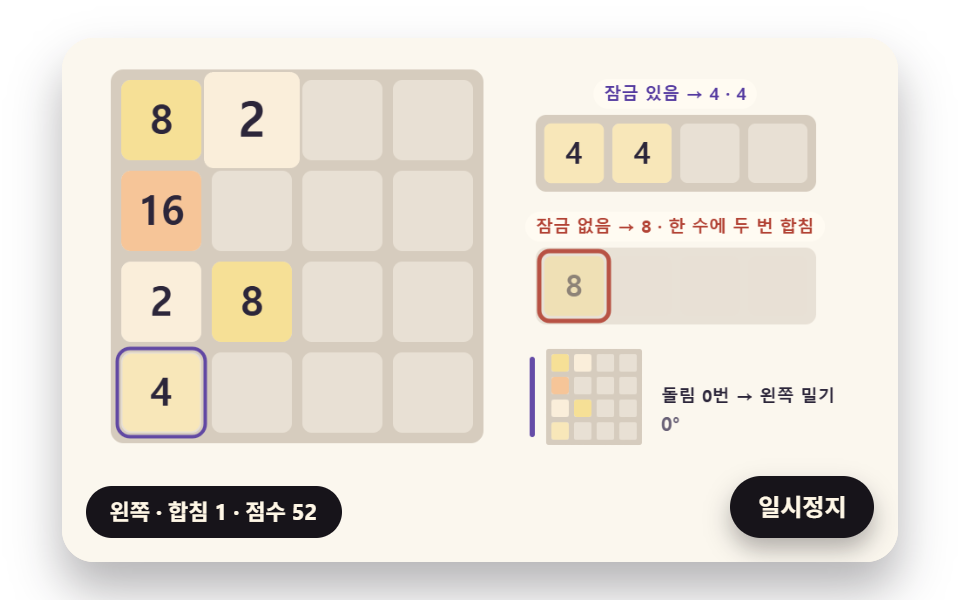 2048 Game JavaScript: 9 Boards from Merges to AIA 2048 game javascript board folds rows. A row of 2, 2, 4 pushed left ends as 4, 4, not 8. 01 locks a merged tile for th See all demos in this post
If you like this effect - similar demos
 game06 One Picture Cut Into Tiles With Visible SeamsSliding Puzzle: 9 Canvas Scenes, Parity to Search
 game03 A Maze Built From a Shuffled Wall List Where Islands Merge Into OneMaze Generator: 9 Carve-and-Solve Scenes
 game03 Line clear — finding full rows, erasing, collapsingTetris JavaScript: Build It in 9 Canvas Steps