02Three steps to turn on two-factor
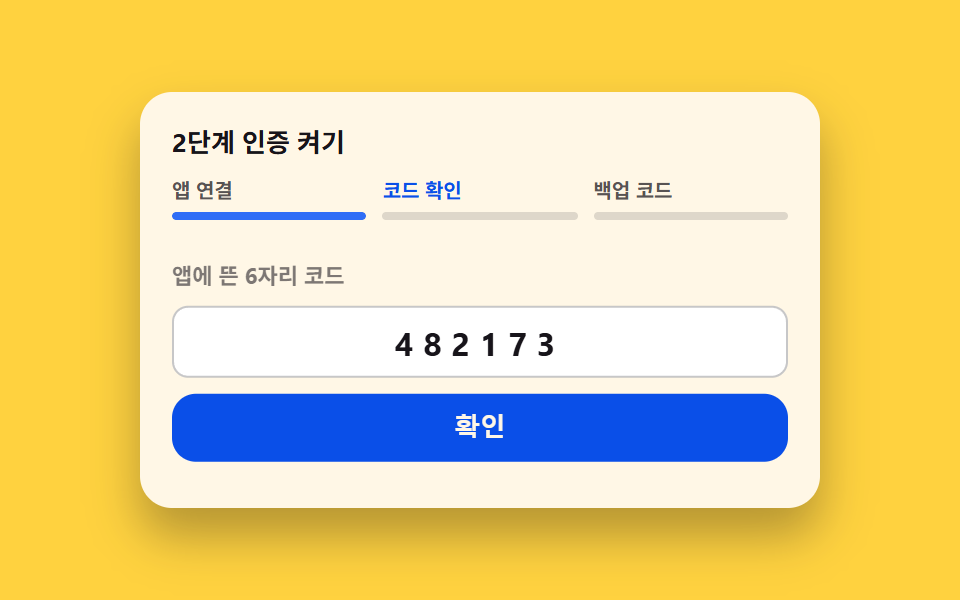
Scanning the code, typing the six digits back, and saving the backup codes each open in turn inside one card. Every step fills one more notch on the bar above, and a step you have passed does not reopen.
Best forThe wizard that runs when an authenticator app is linked for the first time
aria-currentsteps(1, end)scaleX
<main class="stage">
  <section class="tf is-demo" id="tf" data-step="1">
    <h2 class="tf__title">Turn on two-factor</h2>
    <ol class="tf__bar">
      <li class="tf__notch" data-notch="1" aria-current="step">
        <span class="tf__step">Link app</span>
        <span class="tf__track"><span class="tf__fill" data-fill="1"></span></span>
      </li>
      <li class="tf__notch" data-notch="2">
        <span class="tf__step">Verify code</span>
        <span class="tf__track"><span class="tf__fill" data-fill="2"></span></span>
      </li>
      <li class="tf__notch" data-notch="3">
        <span class="tf__step">Backup codes</span>
        <span class="tf__track"><span class="tf__fill" data-fill="3"></span></span>
      </li>
    </ol>

    <div class="tf__body">
      <div class="tf__panel" data-panel="1">
        <span class="tf__qr" aria-hidden="true">
          <span class="tf__qrdot"><svg viewBox="0 0 256 256" width="22" height="22"><g fill="currentColor"><path d="M112 56v48a8 8 0 0 1-8 8H56a8 8 0 0 1-8-8V56a8 8 0 0 1 8-8h48a8 8 0 0 1 8 8m-8 88H56a8 8 0 0 0-8 8v48a8 8 0 0 0 8 8h48a8 8 0 0 0 8-8v-48a8 8 0 0 0-8-8m96-96h-48a8 8 0 0 0-8 8v48a8 8 0 0 0 8 8h48a8 8 0 0 0 8-8V56a8 8 0 0 0-8-8" opacity=".2"/><path d="M104 40H56a16 16 0 0 0-16 16v48a16 16 0 0 0 16 16h48a16 16 0 0 0 16-16V56a16 16 0 0 0-16-16m0 64H56V56h48zm0 32H56a16 16 0 0 0-16 16v48a16 16 0 0 0 16 16h48a16 16 0 0 0 16-16v-48a16 16 0 0 0-16-16m0 64H56v-48h48zm96-160h-48a16 16 0 0 0-16 16v48a16 16 0 0 0 16 16h48a16 16 0 0 0 16-16V56a16 16 0 0 0-16-16m0 64h-48V56h48zm-64 72v-32a8 8 0 0 1 16 0v32a8 8 0 0 1-16 0m80-16a8 8 0 0 1-8 8h-24v40a8 8 0 0 1-8 8h-32a8 8 0 0 1 0-16h24v-56a8 8 0 0 1 16 0v8h24a8 8 0 0 1 8 8m0 32v16a8 8 0 0 1-16 0v-16a8 8 0 0 1 16 0"/></g></svg></span>
        </span>
        <div class="tf__side">
          <p class="tf__lead">
            <span class="tf__ic" aria-hidden="true"><svg viewBox="0 0 256 256" width="18" height="18"><g fill="currentColor"><path d="M208 88H48a8 8 0 0 0-8 8v112a8 8 0 0 0 8 8h160a8 8 0 0 0 8-8V96a8 8 0 0 0-8-8m-80 72a20 20 0 1 1 20-20a20 20 0 0 1-20 20" opacity=".2"/><path d="M208 80h-32V56a48 48 0 0 0-96 0v24H48a16 16 0 0 0-16 16v112a16 16 0 0 0 16 16h160a16 16 0 0 0 16-16V96a16 16 0 0 0-16-16M96 56a32 32 0 0 1 64 0v24H96Zm112 152H48V96h160zm-80-96a28 28 0 0 0-8 54.83V184a8 8 0 0 0 16 0v-17.17a28 28 0 0 0-8-54.83m0 40a12 12 0 1 1 12-12a12 12 0 0 1-12 12"/></g></svg></span>
            Scan with your app
          </p>
          <button class="tf__go" type="button" id="tf-next">Next</button>
        </div>
      </div>

      <div class="tf__panel" data-panel="2">
        <label class="tf__label" for="tf-code">The 6 digits in the app</label>
        <input class="tf__input" id="tf-code" type="text" inputmode="numeric" maxlength="6" value="482173">
        <button class="tf__go tf__go--wide" type="button" id="tf-ok">Confirm</button>
      </div>

      <div class="tf__panel" data-panel="3">
        <span class="tf__shield" aria-hidden="true"><svg viewBox="0 0 256 256" width="30" height="30"><g fill="currentColor"><path d="M216 56v56c0 96-88 120-88 120s-88-24-88-120V56a8 8 0 0 1 8-8h160a8 8 0 0 1 8 8" opacity=".2"/><path d="M208 40H48a16 16 0 0 0-16 16v56c0 52.72 25.52 84.67 46.93 102.19c23.06 18.86 46 25.26 47 25.53a8 8 0 0 0 4.2 0c1-.27 23.91-6.67 47-25.53C198.48 196.67 224 164.72 224 112V56a16 16 0 0 0-16-16m0 72c0 37.07-13.66 67.16-40.6 89.42a129.3 129.3 0 0 1-39.4 22.2a128.3 128.3 0 0 1-38.92-21.81C61.82 179.51 48 149.3 48 112V56h160ZM82.34 141.66a8 8 0 0 1 11.32-11.32L112 148.69l50.34-50.35a8 8 0 0 1 11.32 11.32l-56 56a8 8 0 0 1-11.32 0Z"/></g></svg></span>
        <p class="tf__done">Two-factor is on</p>
        <ul class="tf__codes">
          <li class="tf__chip">7K4M</li>
          <li class="tf__chip">B3XR</li>
          <li class="tf__chip">9PL5</li>
          <li class="tf__chip">Z6HD</li>
          <li class="tf__chip">M2VK</li>
          <li class="tf__chip">Q8TN</li>
        </ul>
      </div>
    </div>
  </section>
</main>@use "../../../../site/static/demo-tokens" as *;
$duration: $dur-base;
$easing: $ease-spring;
$color: $subject-blue;
@include stage($stage-yellow);
.tf {
box-sizing: border-box;
width: min(340px, 88vw);
padding: $sp-4;
border-radius: $r-card;
background-color: $subject-cream;
color: $subject-ink;
box-shadow: $shadow-raised;
font-family: -apple-system, "Segoe UI", "Noto Sans KR", sans-serif;
}
.tf__title {
margin: 0 0 $sp-2;
font-size: 13px;
line-height: 18px;
font-weight: 700;
}
// 진행 눈금 — 칸 폭은 격자로 자른다 (flex 균등분배는 인디케이터 폭이 어긋난다)
.tf__bar {
display: grid;
grid-template-columns: repeat(3, 1fr);
gap: $sp-2;
margin: 0 0 $sp-3;
padding: 0;
list-style: none;
}
.tf__notch { display: flex; flex-direction: column; gap: $sp-1; }
.tf__step {
font-size: 10px;
line-height: 14px;
font-weight: 700;
color: rgba($subject-ink, .72); // AA 4.5 (.48 은 3.20:1 이었다)
}
.tf__notch[aria-current="step"] .tf__step { color: $subject-blue-deep; } // 밝은 면 위 파란 글자 — 5.98:1
.tf__track {
height: 4px;
border-radius: $r-pill;
background-color: rgba($subject-ink, .14);
overflow: hidden;
}
.tf__fill {
display: block;
height: 100%;
border-radius: $r-pill;
background-color: $color;
transform: scaleX(0);
transform-origin: left center; // 규칙8: 좌변서 차오름
transition: transform $duration $easing;
}
.tf__body { position: relative; height: 116px; }
.tf__panel {
position: absolute;
left: 0;
right: 0;
top: 0;
bottom: 0;
opacity: 0;
}
// 사람이 실제로 조작한 경로 — 루프를 껐을 때도 화면이 비지 않게 정적 규칙을 먼저 둔다
.tf:not(.is-demo)[data-step="1"] .tf__panel[data-panel="1"],
.tf:not(.is-demo)[data-step="2"] .tf__panel[data-panel="2"],
.tf:not(.is-demo)[data-step="3"] .tf__panel[data-panel="3"] { opacity: 1; }
.tf:not(.is-demo)[data-step="1"] .tf__fill[data-fill="1"],
.tf:not(.is-demo)[data-step="2"] .tf__fill[data-fill="1"],
.tf:not(.is-demo)[data-step="2"] .tf__fill[data-fill="2"],
.tf:not(.is-demo)[data-step="3"] .tf__fill[data-fill="1"],
.tf:not(.is-demo)[data-step="3"] .tf__fill[data-fill="2"],
.tf:not(.is-demo)[data-step="3"] .tf__fill[data-fill="3"] { transform: scaleX(1); }
// ── 걸음 1: QR 자리표시 ──
.tf__panel[data-panel="1"] {
display: flex;
align-items: center;
justify-content: center;
gap: $sp-4;
}
.tf__qr {
flex: 0 0 auto;
display: grid;
place-items: center;
width: 76px;
height: 76px;
border-radius: $r-sm;
color: $subject-ink;
background-color: rgba($subject-ink, .06);
background-image:
repeating-linear-gradient(90deg, rgba($subject-ink, .82) 0 6px, rgba($subject-ink, 0) 6px 12px),
repeating-linear-gradient(0deg, rgba($subject-ink, .82) 0 6px, rgba($subject-ink, 0) 6px 12px);
}
.tf__qrdot {
display: inline-flex;
padding: $sp-1;
border-radius: 50%;
background-color: $subject-cream;
color: $subject-ink;
}
.tf__qrdot svg { display: block; }
.tf__side { display: flex; flex-direction: column; gap: $sp-2; }
.tf__lead {
display: flex;
align-items: center;
gap: $sp-1;
margin: 0;
font-size: 13px;
line-height: 18px;
font-weight: 700;
}
.tf__ic { display: inline-flex; flex: 0 0 auto; color: $color; }
.tf__ic svg { display: block; }
.tf__go {
box-sizing: border-box;
margin: 0;
padding: 0 $sp-4;
height: 34px;
border: 0;
border-radius: $r-control;
background-color: $subject-blue-deep;
color: $subject-cream;
font-size: 13px;
line-height: 18px;
font-weight: 700;
cursor: pointer;
}
.tf__go--wide { width: 100%; padding: 0; }
.tf__go:focus-visible { outline: 3px solid $subject-ink; outline-offset: 2px; }
// ── 걸음 2: 6자리 코드 한 칸 ──
.tf__panel[data-panel="2"] {
display: flex;
flex-direction: column;
justify-content: center;
gap: $sp-2;
}
.tf__label {
font-size: 11px;
line-height: 14px;
font-weight: 700;
color: rgba($subject-ink, .56);
}
.tf__input {
box-sizing: border-box;
width: 100%;
height: 36px;
margin: 0;
padding: 0;
border: 1px solid rgba($subject-ink, .24);
border-radius: $r-sm;
background-color: $stage-paper;
color: $subject-ink;
text-align: center;
letter-spacing: 5px;
font-size: 16px;
line-height: 34px;
font-weight: 700;
font-family: inherit;
}
.tf__input:focus-visible { outline: 3px solid $color; outline-offset: 2px; }
// ── 걸음 3: 완료 방패와 백업 코드 요약 ──
.tf__panel[data-panel="3"] {
display: flex;
flex-direction: column;
align-items: center;
justify-content: center;
gap: $sp-2;
}
.tf__shield { display: inline-flex; color: $subject-mint; }
.tf__shield svg { display: block; }
.tf__done {
margin: 0;
font-size: 13px;
line-height: 18px;
font-weight: 700;
}
.tf__codes {
display: flex;
flex-wrap: wrap;
justify-content: center;
gap: $sp-1;
margin: 0;
padding: 0;
list-style: none;
}
.tf__chip {
padding-left: $sp-1;
padding-right: $sp-1;
border-radius: $r-xs;
background-color: rgba($subject-ink, .1);
font-size: 10px;
line-height: 16px;
font-weight: 700;
letter-spacing: 1px;
}
// ── 자동 루프: 1(0~30%) → 2(30~60%) → 3(60~86%) → 1(86%) ──
// 화면 교체는 steps(1, end) 로 한 프레임에 끊고, 그 옆에 translateY 팝과 scaleX 채우기를 함께 건다
.tf.is-demo .tf__panel {
animation-duration: $dur-loop, $dur-loop;
animation-timing-function: steps(1, end), $easing;
animation-iteration-count: infinite, infinite;
}
.tf.is-demo .tf__panel[data-panel="1"] { animation-name: tf-cut1, tf-rise1; }
.tf.is-demo .tf__panel[data-panel="2"] { animation-name: tf-cut2, tf-rise2; }
.tf.is-demo .tf__panel[data-panel="3"] { animation-name: tf-cut3, tf-rise3; }
@keyframes tf-cut1 { 0% { opacity: 1; } 30% { opacity: 0; } 86% { opacity: 1; } 100% { opacity: 1; } }
@keyframes tf-cut2 { 0% { opacity: 0; } 30% { opacity: 1; } 60% { opacity: 0; } 100% { opacity: 0; } }
@keyframes tf-cut3 { 0% { opacity: 0; } 60% { opacity: 1; } 86% { opacity: 0; } 100% { opacity: 0; } }
@keyframes tf-rise1 {
0% { transform: translateY(0); }
30% { transform: translateY(0); }
31% { transform: translateY(10px); }
86% { transform: translateY(10px); }
94% { transform: translateY(0); }
100% { transform: translateY(0); }
}
@keyframes tf-rise2 {
0% { transform: translateY(10px); }
30% { transform: translateY(10px); }
38% { transform: translateY(0); }
60% { transform: translateY(0); }
61% { transform: translateY(10px); }
100% { transform: translateY(10px); }
}
@keyframes tf-rise3 {
0% { transform: translateY(10px); }
60% { transform: translateY(10px); }
68% { transform: translateY(0); }
86% { transform: translateY(0); }
87% { transform: translateY(10px); }
100% { transform: translateY(10px); }
}
.tf.is-demo .tf__fill {
animation-duration: $dur-loop;
animation-timing-function: $easing;
animation-iteration-count: infinite;
}
.tf.is-demo .tf__fill[data-fill="1"] { animation-name: tf-fill1; }
.tf.is-demo .tf__fill[data-fill="2"] { animation-name: tf-fill2; }
.tf.is-demo .tf__fill[data-fill="3"] { animation-name: tf-fill3; }
@keyframes tf-fill1 {
0% { transform: scaleX(0); }
4% { transform: scaleX(0); }
26% { transform: scaleX(1); }
84% { transform: scaleX(1); }
86% { transform: scaleX(0); }
100% { transform: scaleX(0); }
}
@keyframes tf-fill2 {
0% { transform: scaleX(0); }
34% { transform: scaleX(0); }
56% { transform: scaleX(1); }
84% { transform: scaleX(1); }
86% { transform: scaleX(0); }
100% { transform: scaleX(0); }
}
@keyframes tf-fill3 {
0% { transform: scaleX(0); }
64% { transform: scaleX(0); }
82% { transform: scaleX(1); }
84% { transform: scaleX(1); }
86% { transform: scaleX(0); }
100% { transform: scaleX(0); }
}
// 현재 걸음의 라벨도 루프에서 함께 짙어진다
.tf.is-demo .tf__notch .tf__step {
animation-duration: $dur-loop;
animation-timing-function: steps(1, end);
animation-iteration-count: infinite;
}
.tf.is-demo .tf__notch[data-notch="1"] .tf__step { animation-name: tf-cur1; }
.tf.is-demo .tf__notch[data-notch="2"] .tf__step { animation-name: tf-cur2; }
.tf.is-demo .tf__notch[data-notch="3"] .tf__step { animation-name: tf-cur3; }
@keyframes tf-cur1 { 0% { color: $subject-blue-deep; } 30% { color: rgba($subject-ink, .72); } 86% { color: $subject-blue-deep; } 100% { color: $subject-blue-deep; } }
@keyframes tf-cur2 { 0% { color: rgba($subject-ink, .72); } 30% { color: $subject-blue-deep; } 60% { color: rgba($subject-ink, .72); } 100% { color: rgba($subject-ink, .72); } }
@keyframes tf-cur3 { 0% { color: rgba($subject-ink, .72); } 60% { color: $subject-blue-deep; } 86% { color: rgba($subject-ink, .72); } 100% { color: rgba($subject-ink, .72); } }
@media (max-width: 340px) {
.tf { padding: $sp-2; }
.tf__title { margin: 0 0 $sp-1; font-size: 12px; line-height: 16px; }
.tf__bar { gap: $sp-1; margin: 0 0 $sp-2; }
.tf__step { font-size: 9px; line-height: 12px; }
.tf__body { height: 96px; }
.tf__panel[data-panel="1"] { gap: $sp-2; }
.tf__qr { width: 62px; height: 62px; }
.tf__lead { font-size: 12px; line-height: 16px; }
.tf__go { height: 28px; padding: 0 $sp-2; font-size: 12px; line-height: 16px; }
.tf__go--wide { padding: 0; }
.tf__panel[data-panel="2"] { gap: $sp-1; }
.tf__label { font-size: 10px; line-height: 12px; }
.tf__input { height: 30px; font-size: 14px; line-height: 28px; letter-spacing: 4px; }
.tf__panel[data-panel="3"] { gap: $sp-1; }
.tf__done { font-size: 12px; line-height: 15px; }
.tf__chip { font-size: 9px; line-height: 14px; }
}
@media (prefers-reduced-motion: reduce) {
.tf.is-demo .tf__panel,
.tf.is-demo .tf__fill,
.tf.is-demo .tf__notch .tf__step { animation: none !important; }
.tf__fill { transition: none !important; }
.tf.is-demo .tf__panel[data-panel="1"] { opacity: 1 !important; }
.tf.is-demo .tf__fill[data-fill="1"] { transform: scaleX(1) !important; }
}html, body {
margin: 0;
overflow: hidden;
}
.stage {
box-sizing: border-box;
min-height: 100vh;
display: grid;
place-items: center;
margin: 0;
background: #ffd23f;
font-family: -apple-system, "Segoe UI", "Noto Sans KR", sans-serif;
padding: clamp(8px, 4vw, 24px);
}
.tf {
box-sizing: border-box;
width: min(340px, 88vw);
padding: 16px;
border-radius: 16px;
background-color: #fff7e6;
color: #17141a;
box-shadow: 0 14px 24px rgba(23, 20, 26, 0.32);
font-family: -apple-system, "Segoe UI", "Noto Sans KR", sans-serif;
}
.tf__title {
margin: 0 0 8px;
font-size: 13px;
line-height: 18px;
font-weight: 700;
}
.tf__bar {
display: grid;
grid-template-columns: repeat(3, 1fr);
gap: 8px;
margin: 0 0 12px;
padding: 0;
list-style: none;
}
.tf__notch {
display: flex;
flex-direction: column;
gap: 4px;
}
.tf__step {
font-size: 10px;
line-height: 14px;
font-weight: 700;
color: rgba(23, 20, 26, 0.72);
}
.tf__notch[aria-current=step] .tf__step {
color: #0a4fe8;
}
.tf__track {
height: 4px;
border-radius: 999px;
background-color: rgba(23, 20, 26, 0.14);
overflow: hidden;
}
.tf__fill {
display: block;
height: 100%;
border-radius: 999px;
background-color: #2f6df6;
transform: scaleX(0);
transform-origin: left center;
transition: transform 300ms cubic-bezier(0.2, 0.8, 0.2, 1);
}
.tf__body {
position: relative;
height: 116px;
}
.tf__panel {
position: absolute;
left: 0;
right: 0;
top: 0;
bottom: 0;
opacity: 0;
}
.tf:not(.is-demo)[data-step="1"] .tf__panel[data-panel="1"],
.tf:not(.is-demo)[data-step="2"] .tf__panel[data-panel="2"],
.tf:not(.is-demo)[data-step="3"] .tf__panel[data-panel="3"] {
opacity: 1;
}
.tf:not(.is-demo)[data-step="1"] .tf__fill[data-fill="1"],
.tf:not(.is-demo)[data-step="2"] .tf__fill[data-fill="1"],
.tf:not(.is-demo)[data-step="2"] .tf__fill[data-fill="2"],
.tf:not(.is-demo)[data-step="3"] .tf__fill[data-fill="1"],
.tf:not(.is-demo)[data-step="3"] .tf__fill[data-fill="2"],
.tf:not(.is-demo)[data-step="3"] .tf__fill[data-fill="3"] {
transform: scaleX(1);
}
.tf__panel[data-panel="1"] {
display: flex;
align-items: center;
justify-content: center;
gap: 16px;
}
.tf__qr {
flex: 0 0 auto;
display: grid;
place-items: center;
width: 76px;
height: 76px;
border-radius: 8px;
color: #17141a;
background-color: rgba(23, 20, 26, 0.06);
background-image: repeating-linear-gradient(90deg, rgba(23, 20, 26, 0.82) 0 6px, rgba(23, 20, 26, 0) 6px 12px), repeating-linear-gradient(0deg, rgba(23, 20, 26, 0.82) 0 6px, rgba(23, 20, 26, 0) 6px 12px);
}
.tf__qrdot {
display: inline-flex;
padding: 4px;
border-radius: 50%;
background-color: #fff7e6;
color: #17141a;
}
.tf__qrdot svg {
display: block;
}
.tf__side {
display: flex;
flex-direction: column;
gap: 8px;
}
.tf__lead {
display: flex;
align-items: center;
gap: 4px;
margin: 0;
font-size: 13px;
line-height: 18px;
font-weight: 700;
}
.tf__ic {
display: inline-flex;
flex: 0 0 auto;
color: #2f6df6;
}
.tf__ic svg {
display: block;
}
.tf__go {
box-sizing: border-box;
margin: 0;
padding: 0 16px;
height: 34px;
border: 0;
border-radius: 12px;
background-color: #0a4fe8;
color: #fff7e6;
font-size: 13px;
line-height: 18px;
font-weight: 700;
cursor: pointer;
}
.tf__go--wide {
width: 100%;
padding: 0;
}
.tf__go:focus-visible {
outline: 3px solid #17141a;
outline-offset: 2px;
}
.tf__panel[data-panel="2"] {
display: flex;
flex-direction: column;
justify-content: center;
gap: 8px;
}
.tf__label {
font-size: 11px;
line-height: 14px;
font-weight: 700;
color: rgba(23, 20, 26, 0.56);
}
.tf__input {
box-sizing: border-box;
width: 100%;
height: 36px;
margin: 0;
padding: 0;
border: 1px solid rgba(23, 20, 26, 0.24);
border-radius: 8px;
background-color: #ffffff;
color: #17141a;
text-align: center;
letter-spacing: 5px;
font-size: 16px;
line-height: 34px;
font-weight: 700;
font-family: inherit;
}
.tf__input:focus-visible {
outline: 3px solid #2f6df6;
outline-offset: 2px;
}
.tf__panel[data-panel="3"] {
display: flex;
flex-direction: column;
align-items: center;
justify-content: center;
gap: 8px;
}
.tf__shield {
display: inline-flex;
color: #4cd4a6;
}
.tf__shield svg {
display: block;
}
.tf__done {
margin: 0;
font-size: 13px;
line-height: 18px;
font-weight: 700;
}
.tf__codes {
display: flex;
flex-wrap: wrap;
justify-content: center;
gap: 4px;
margin: 0;
padding: 0;
list-style: none;
}
.tf__chip {
padding-left: 4px;
padding-right: 4px;
border-radius: 4px;
background-color: rgba(23, 20, 26, 0.1);
font-size: 10px;
line-height: 16px;
font-weight: 700;
letter-spacing: 1px;
}
.tf.is-demo .tf__panel {
animation-duration: 2s, 2s;
animation-timing-function: steps(1, end), cubic-bezier(0.2, 0.8, 0.2, 1);
animation-iteration-count: infinite, infinite;
}
.tf.is-demo .tf__panel[data-panel="1"] {
animation-name: tf-cut1, tf-rise1;
}
.tf.is-demo .tf__panel[data-panel="2"] {
animation-name: tf-cut2, tf-rise2;
}
.tf.is-demo .tf__panel[data-panel="3"] {
animation-name: tf-cut3, tf-rise3;
}
@keyframes tf-cut1 {
0% {
opacity: 1;
}
30% {
opacity: 0;
}
86% {
opacity: 1;
}
100% {
opacity: 1;
}
}
@keyframes tf-cut2 {
0% {
opacity: 0;
}
30% {
opacity: 1;
}
60% {
opacity: 0;
}
100% {
opacity: 0;
}
}
@keyframes tf-cut3 {
0% {
opacity: 0;
}
60% {
opacity: 1;
}
86% {
opacity: 0;
}
100% {
opacity: 0;
}
}
@keyframes tf-rise1 {
0% {
transform: translateY(0);
}
30% {
transform: translateY(0);
}
31% {
transform: translateY(10px);
}
86% {
transform: translateY(10px);
}
94% {
transform: translateY(0);
}
100% {
transform: translateY(0);
}
}
@keyframes tf-rise2 {
0% {
transform: translateY(10px);
}
30% {
transform: translateY(10px);
}
38% {
transform: translateY(0);
}
60% {
transform: translateY(0);
}
61% {
transform: translateY(10px);
}
100% {
transform: translateY(10px);
}
}
@keyframes tf-rise3 {
0% {
transform: translateY(10px);
}
60% {
transform: translateY(10px);
}
68% {
transform: translateY(0);
}
86% {
transform: translateY(0);
}
87% {
transform: translateY(10px);
}
100% {
transform: translateY(10px);
}
}
.tf.is-demo .tf__fill {
animation-duration: 2s;
animation-timing-function: cubic-bezier(0.2, 0.8, 0.2, 1);
animation-iteration-count: infinite;
}
.tf.is-demo .tf__fill[data-fill="1"] {
animation-name: tf-fill1;
}
.tf.is-demo .tf__fill[data-fill="2"] {
animation-name: tf-fill2;
}
.tf.is-demo .tf__fill[data-fill="3"] {
animation-name: tf-fill3;
}
@keyframes tf-fill1 {
0% {
transform: scaleX(0);
}
4% {
transform: scaleX(0);
}
26% {
transform: scaleX(1);
}
84% {
transform: scaleX(1);
}
86% {
transform: scaleX(0);
}
100% {
transform: scaleX(0);
}
}
@keyframes tf-fill2 {
0% {
transform: scaleX(0);
}
34% {
transform: scaleX(0);
}
56% {
transform: scaleX(1);
}
84% {
transform: scaleX(1);
}
86% {
transform: scaleX(0);
}
100% {
transform: scaleX(0);
}
}
@keyframes tf-fill3 {
0% {
transform: scaleX(0);
}
64% {
transform: scaleX(0);
}
82% {
transform: scaleX(1);
}
84% {
transform: scaleX(1);
}
86% {
transform: scaleX(0);
}
100% {
transform: scaleX(0);
}
}
.tf.is-demo .tf__notch .tf__step {
animation-duration: 2s;
animation-timing-function: steps(1, end);
animation-iteration-count: infinite;
}
.tf.is-demo .tf__notch[data-notch="1"] .tf__step {
animation-name: tf-cur1;
}
.tf.is-demo .tf__notch[data-notch="2"] .tf__step {
animation-name: tf-cur2;
}
.tf.is-demo .tf__notch[data-notch="3"] .tf__step {
animation-name: tf-cur3;
}
@keyframes tf-cur1 {
0% {
color: #0a4fe8;
}
30% {
color: rgba(23, 20, 26, 0.72);
}
86% {
color: #0a4fe8;
}
100% {
color: #0a4fe8;
}
}
@keyframes tf-cur2 {
0% {
color: rgba(23, 20, 26, 0.72);
}
30% {
color: #0a4fe8;
}
60% {
color: rgba(23, 20, 26, 0.72);
}
100% {
color: rgba(23, 20, 26, 0.72);
}
}
@keyframes tf-cur3 {
0% {
color: rgba(23, 20, 26, 0.72);
}
60% {
color: #0a4fe8;
}
86% {
color: rgba(23, 20, 26, 0.72);
}
100% {
color: rgba(23, 20, 26, 0.72);
}
}
@media (max-width: 340px) {
.tf {
padding: 8px;
}
.tf__title {
margin: 0 0 4px;
font-size: 12px;
line-height: 16px;
}
.tf__bar {
gap: 4px;
margin: 0 0 8px;
}
.tf__step {
font-size: 9px;
line-height: 12px;
}
.tf__body {
height: 96px;
}
.tf__panel[data-panel="1"] {
gap: 8px;
}
.tf__qr {
width: 62px;
height: 62px;
}
.tf__lead {
font-size: 12px;
line-height: 16px;
}
.tf__go {
height: 28px;
padding: 0 8px;
font-size: 12px;
line-height: 16px;
}
.tf__go--wide {
padding: 0;
}
.tf__panel[data-panel="2"] {
gap: 4px;
}
.tf__label {
font-size: 10px;
line-height: 12px;
}
.tf__input {
height: 30px;
font-size: 14px;
line-height: 28px;
letter-spacing: 4px;
}
.tf__panel[data-panel="3"] {
gap: 4px;
}
.tf__done {
font-size: 12px;
line-height: 15px;
}
.tf__chip {
font-size: 9px;
line-height: 14px;
}
}
@media (prefers-reduced-motion: reduce) {
.tf.is-demo .tf__panel,
.tf.is-demo .tf__fill,
.tf.is-demo .tf__notch .tf__step {
animation: none !important;
}
.tf__fill {
transition: none !important;
}
.tf.is-demo .tf__panel[data-panel="1"] {
opacity: 1 !important;
}
.tf.is-demo .tf__fill[data-fill="1"] {
transform: scaleX(1) !important;
}
}// 실제 동작: Next → Verify code → 완료. 걸음이 바뀌면 눈금의 aria-current 도 함께 옮긴다
var root = document.getElementById('tf');
var code = document.getElementById('tf-code');
function goStep(n) {
root.classList.remove('is-demo'); // 사람이 만졌으니 자동 루프를 끈다
root.setAttribute('data-step', String(n));
var ns = root.querySelectorAll('.tf__notch');
for (var i = 0; i < ns.length; i++) {
if (i + 1 === n) ns[i].setAttribute('aria-current', 'step');
else ns[i].removeAttribute('aria-current');
}
}
document.getElementById('tf-next').addEventListener('click', function () {
goStep(2);
code.focus({ preventScroll: true });
});
document.getElementById('tf-ok').addEventListener('click', function () { goStep(3); });
code.addEventListener('keydown', function (e) {
if (e.key === 'Enter') { e.preventDefault(); goStep(3); }
});import { useRef, useState } from "react";
import type { CSSProperties, ReactNode } from "react";
import styles from "./TwoFactorSetupSteps.module.scss";
export type TwoFactorSetupStepsProps = {
title?: string;
stepLabels?: [string, string, string];
scanText?: string;
nextLabel?: string;
codeLabel?: string;
okLabel?: string;
doneText?: string;
backupCodes?: string[];
duration?: number;
easing?: string;
color?: string;
};
type Vars = CSSProperties & { "--duration"?: string; "--easing"?: string; "--color"?: string };
type KeyEvt = { key: string; preventDefault(): void };
type ChangeEvt = { target: { value: string } };
const QR: ReactNode = (
<g fill="currentColor">
<path d="M112 56v48a8 8 0 0 1-8 8H56a8 8 0 0 1-8-8V56a8 8 0 0 1 8-8h48a8 8 0 0 1 8 8m-8 88H56a8 8 0 0 0-8 8v48a8 8 0 0 0 8 8h48a8 8 0 0 0 8-8v-48a8 8 0 0 0-8-8m96-96h-48a8 8 0 0 0-8 8v48a8 8 0 0 0 8 8h48a8 8 0 0 0 8-8V56a8 8 0 0 0-8-8" opacity=".2" />
<path d="M104 40H56a16 16 0 0 0-16 16v48a16 16 0 0 0 16 16h48a16 16 0 0 0 16-16V56a16 16 0 0 0-16-16m0 64H56V56h48zm0 32H56a16 16 0 0 0-16 16v48a16 16 0 0 0 16 16h48a16 16 0 0 0 16-16v-48a16 16 0 0 0-16-16m0 64H56v-48h48zm96-160h-48a16 16 0 0 0-16 16v48a16 16 0 0 0 16 16h48a16 16 0 0 0 16-16V56a16 16 0 0 0-16-16m0 64h-48V56h48zm-64 72v-32a8 8 0 0 1 16 0v32a8 8 0 0 1-16 0m80-16a8 8 0 0 1-8 8h-24v40a8 8 0 0 1-8 8h-32a8 8 0 0 1 0-16h24v-56a8 8 0 0 1 16 0v8h24a8 8 0 0 1 8 8m0 32v16a8 8 0 0 1-16 0v-16a8 8 0 0 1 16 0" />
</g>
);
const LOCK: ReactNode = (
<g fill="currentColor">
<path d="M208 88H48a8 8 0 0 0-8 8v112a8 8 0 0 0 8 8h160a8 8 0 0 0 8-8V96a8 8 0 0 0-8-8m-80 72a20 20 0 1 1 20-20a20 20 0 0 1-20 20" opacity=".2" />
<path d="M208 80h-32V56a48 48 0 0 0-96 0v24H48a16 16 0 0 0-16 16v112a16 16 0 0 0 16 16h160a16 16 0 0 0 16-16V96a16 16 0 0 0-16-16M96 56a32 32 0 0 1 64 0v24H96Zm112 152H48V96h160zm-80-96a28 28 0 0 0-8 54.83V184a8 8 0 0 0 16 0v-17.17a28 28 0 0 0-8-54.83m0 40a12 12 0 1 1 12-12a12 12 0 0 1-12 12" />
</g>
);
const SHIELD: ReactNode = (
<g fill="currentColor">
<path d="M216 56v56c0 96-88 120-88 120s-88-24-88-120V56a8 8 0 0 1 8-8h160a8 8 0 0 1 8 8" opacity=".2" />
<path d="M208 40H48a16 16 0 0 0-16 16v56c0 52.72 25.52 84.67 46.93 102.19c23.06 18.86 46 25.26 47 25.53a8 8 0 0 0 4.2 0c1-.27 23.91-6.67 47-25.53C198.48 196.67 224 164.72 224 112V56a16 16 0 0 0-16-16m0 72c0 37.07-13.66 67.16-40.6 89.42a129.3 129.3 0 0 1-39.4 22.2a128.3 128.3 0 0 1-38.92-21.81C61.82 179.51 48 149.3 48 112V56h160ZM82.34 141.66a8 8 0 0 1 11.32-11.32L112 148.69l50.34-50.35a8 8 0 0 1 11.32 11.32l-56 56a8 8 0 0 1-11.32 0Z" />
</g>
);
export default function TwoFactorSetupSteps({
title = "2단계 인증 켜기",
stepLabels = ["앱 연결", "코드 확인", "백업 코드"],
scanText = "인증 앱으로 스캔",
nextLabel = "다음",
codeLabel = "앱에 뜬 6자리 코드",
okLabel = "확인",
doneText = "2단계 인증이 켜졌습니다",
backupCodes = ["7K4M", "B3XR", "9PL5", "Z6HD", "M2VK", "Q8TN"],
duration = 300,
easing = "cubic-bezier(.2,.8,.2,1)",
color = "#2f6df6",
}: TwoFactorSetupStepsProps) {
const [demo, setDemo] = useState(true);
const [step, setStep] = useState(1);
const [code, setCode] = useState("482173");
const input = useRef<HTMLInputElement>(null);
const vars: Vars = { "--duration": `${duration}ms`, "--easing": easing, "--color": color };
// 걸음이 바뀌면 눈금의 aria-current 도 함께 옮긴다 (렌더에서 step 으로 계산)
function go(n: number) {
setDemo(false); // 사람이 만졌으니 자동 루프를 끈다
setStep(n);
if (n === 2 && input.current !== null) input.current.focus({ preventScroll: true });
}
return (
<section className={`${styles.tf} ${demo ? styles.isDemo : ""}`} style={vars} data-step={String(step)}>
<h2 className={styles.title}>{title}</h2>
<ol className={styles.bar}>
{stepLabels.map((label: string, i: number) => (
<li
key={label}
className={styles.notch}
data-notch={String(i + 1)}
aria-current={step === i + 1 ? "step" : undefined}
>
<span className={styles.step}>{label}</span>
<span className={styles.track}>
<span className={styles.fill} data-fill={String(i + 1)} />
</span>
</li>
))}
</ol>
<div className={styles.body}>
<div className={styles.panel} data-panel="1">
<span className={styles.qr} aria-hidden="true">
<span className={styles.qrdot}>
<svg viewBox="0 0 256 256" width="22" height="22">{QR}</svg>
</span>
</span>
<div className={styles.side}>
<p className={styles.lead}>
<span className={styles.ic} aria-hidden="true">
<svg viewBox="0 0 256 256" width="18" height="18">{LOCK}</svg>
</span>
{scanText}
</p>
<button className={styles.go} type="button" onClick={() => go(2)}>{nextLabel}</button>
</div>
</div>
<div className={styles.panel} data-panel="2">
<label className={styles.label} htmlFor="tf-code">{codeLabel}</label>
<input
ref={input}
className={styles.input}
id="tf-code"
type="text"
inputMode="numeric"
maxLength={6}
value={code}
onChange={(e: ChangeEvt) => setCode(e.target.value)}
onKeyDown={(e: KeyEvt) => {
if (e.key === "Enter") { e.preventDefault(); go(3); }
}}
/>
<button className={`${styles.go} ${styles.goWide}`} type="button" onClick={() => go(3)}>{okLabel}</button>
</div>
<div className={styles.panel} data-panel="3">
<span className={styles.shield} aria-hidden="true">
<svg viewBox="0 0 256 256" width="30" height="30">{SHIELD}</svg>
</span>
<p className={styles.done}>{doneText}</p>
<ul className={styles.codes}>
{backupCodes.map((c: string) => <li key={c} className={styles.chip}>{c}</li>)}
</ul>
</div>
</div>
</section>
);
}02 Three steps to turn on two-factor — Measured area 18.638% · moving frames 22/23Original by GODRICH · SCSS and React ship in the zip · 9 account security settings UI patterns
The post this demo lives in
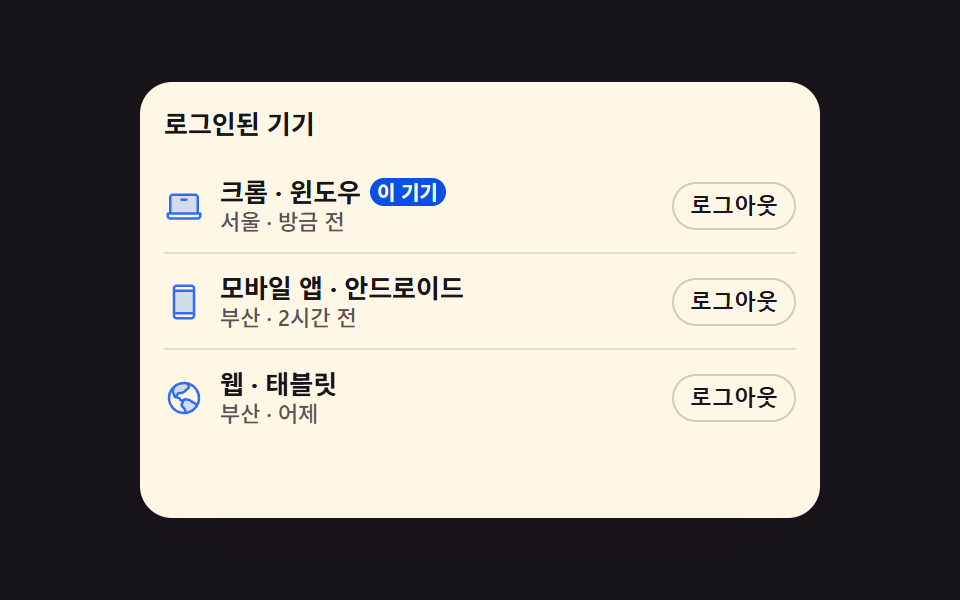 9 account security settings UI patternsAccount security settings cover everything after the login screen: devices still signed in, two-factor, the password. Al See all demos in this post
If you like this effect - similar demos
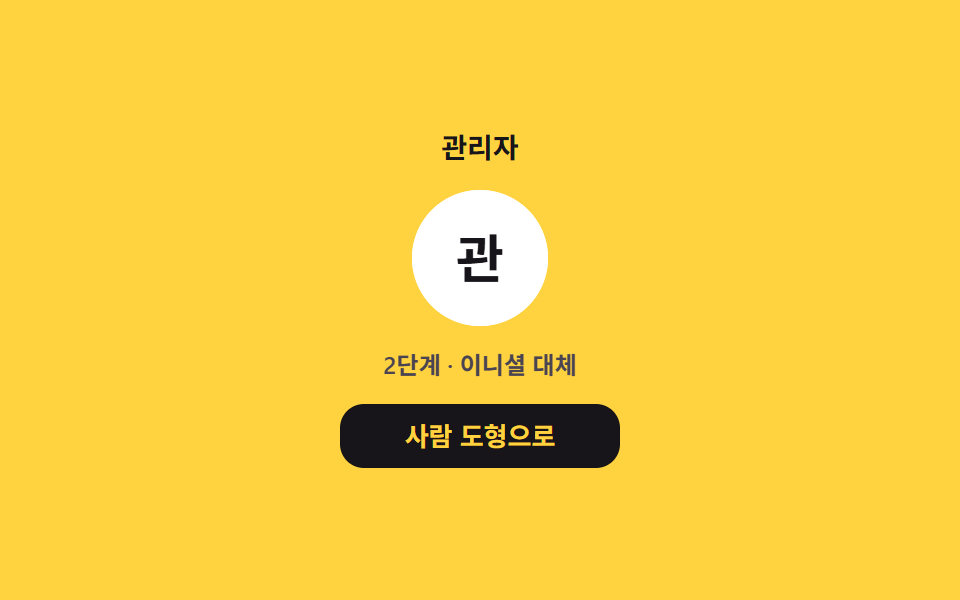 Auth UI02 Three-step fallback avatarAvatar UI Design: 9 Parts, No Image Files
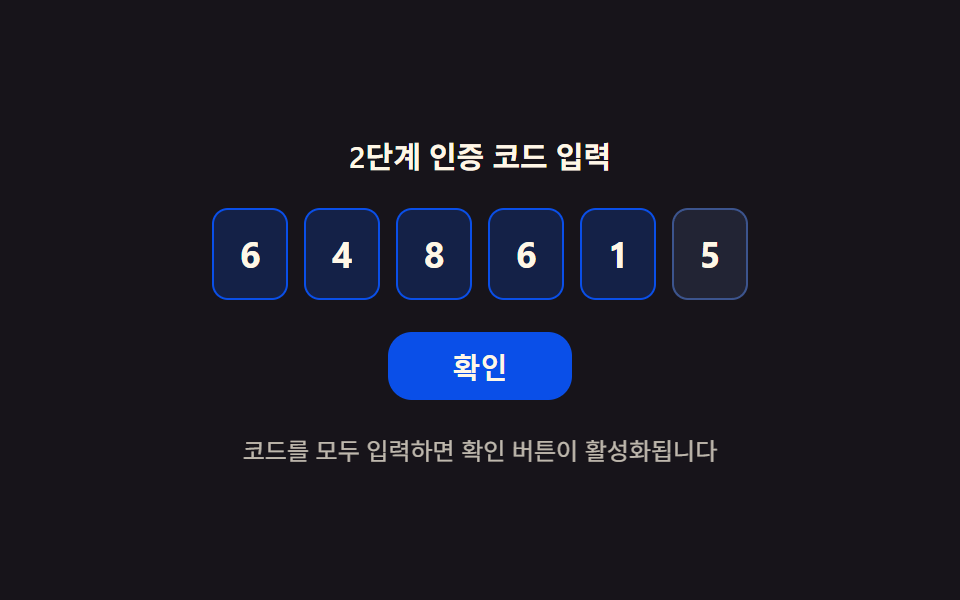 Auth UI05 Two-factor — a code entry that sets its confirm button's state from a fill ratio9 Login UI Design Patterns (Copy-Paste)
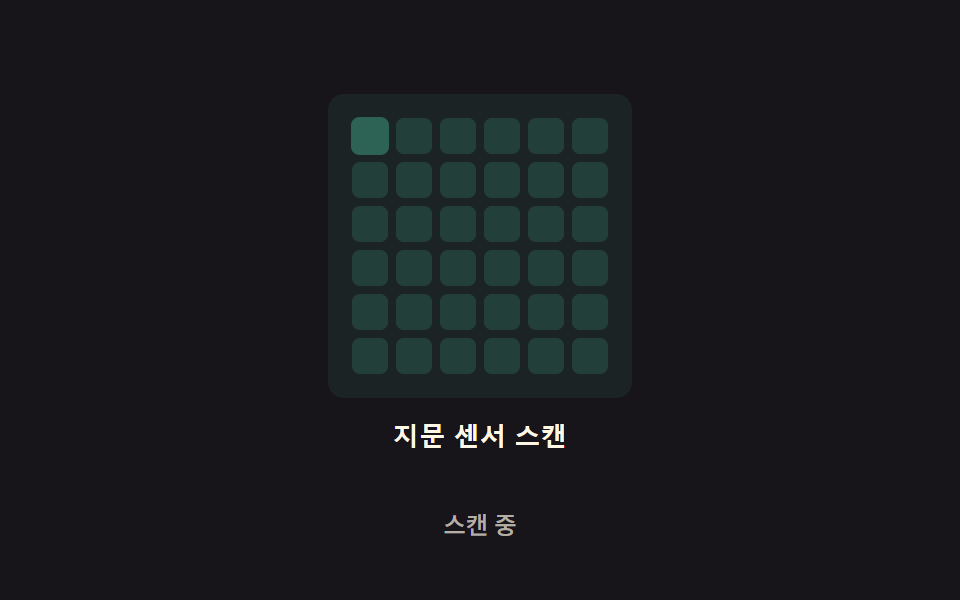 Auth UI08 Grid-scan glow — the scan area is split into a grid, and each cell glows in turn on its own delay valueFingerprint Scan Animation: 9 Biometric UI Demos