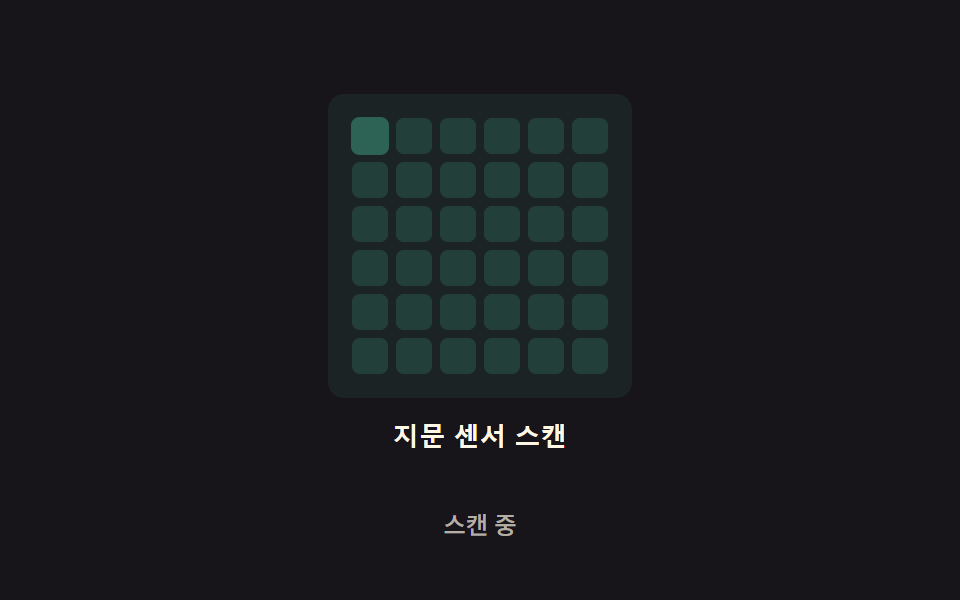
08Grid-scan glow — the scan area is split into a grid, and each cell glows in turn on its own delay value
Each grid cell is assigned a different delay value, so the glow spreads roughly diagonally from the top-left cell to the bottom-right.
Best forA face-or-fingerprint grid-scan effect, a security-authentication loading screen
DIAG_STEP$subject-mintCYCLE_MS
<main class="stage">
<div class="grid-wrap">
<button type="button" class="grid is-demo" id="grid" aria-pressed="true">
  <div class="grid__cells" id="cells" aria-hidden="true"></div>
  <span class="grid__label">Fingerprint sensor scan</span>
</button>
<p class="grid__status" id="status">Scanning</p>
</div>
</main>
@use "../../../../site/static/demo-tokens" as *;
// 계산 겹은 index.html 의 render() 에 있다 — 셀마다 (행+열) 대각 지연을 두고 삼각 펄스를
// 매 프레임 새로 계산해 opacity·transform 만 바꾼다. 여기는 무대·격자 모양만 맡는다.
@include stage($stage-ink);
.grid-wrap {
display: flex;
flex-direction: column;
align-items: center;
gap: $sp-3;
}
.grid {
appearance: none;
border: none;
background: transparent;
display: flex;
flex-direction: column;
align-items: center;
gap: $sp-3;
cursor: pointer;
padding: $sp-4;
border-radius: $r-card;
&:focus-visible { outline: 2px solid $subject-mint; outline-offset: 4px; }
}
.grid__cells {
display: grid;
grid-template-columns: repeat(6, 1fr);
gap: 4px;
padding: $sp-3;
border-radius: $r-sm;
background: rgba($subject-mint, .08);
}
.grid__cell {
width: 18px;
height: 18px;
border-radius: $r-xs;
background: $subject-mint;
opacity: .16;
will-change: opacity, transform;
}
.grid__label {
color: $subject-cream;
font-weight: 600;
font-size: 13px;
line-height: 1.2;
letter-spacing: .02em;
}
.grid__status {
margin: 0;
color: rgba($subject-cream, .68);
font-weight: 500;
font-size: 12px;
line-height: 1.2;
}
@media (max-width: 340px) {
.stage { padding: $sp-2; }
.grid-wrap { gap: $sp-2; }
.grid { padding: $sp-2 $sp-3; gap: $sp-2; }
.grid__cells { gap: 0; padding: $sp-1; }
.grid__cell { width: 11px; height: 11px; }
.grid__label { font-size: 12px; }
.grid__status { font-size: 11px; }
}
@media (prefers-reduced-motion: reduce) {
.grid__cell { transition: none; }
}html, body {
margin: 0;
overflow: hidden;
}
.stage {
box-sizing: border-box;
min-height: 100vh;
display: grid;
place-items: center;
margin: 0;
background: #17141a;
font-family: -apple-system, "Segoe UI", "Noto Sans KR", sans-serif;
padding: clamp(8px, 4vw, 24px);
}
.grid-wrap {
display: flex;
flex-direction: column;
align-items: center;
gap: 12px;
}
.grid {
appearance: none;
border: none;
background: transparent;
display: flex;
flex-direction: column;
align-items: center;
gap: 12px;
cursor: pointer;
padding: 16px;
border-radius: 16px;
}
.grid:focus-visible {
outline: 2px solid #4cd4a6;
outline-offset: 4px;
}
.grid__cells {
display: grid;
grid-template-columns: repeat(6, 1fr);
gap: 4px;
padding: 12px;
border-radius: 8px;
background: rgba(76, 212, 166, 0.08);
}
.grid__cell {
width: 18px;
height: 18px;
border-radius: 4px;
background: #4cd4a6;
opacity: 0.16;
will-change: opacity, transform;
}
.grid__label {
color: #fff7e6;
font-weight: 600;
font-size: 13px;
line-height: 1.2;
letter-spacing: 0.02em;
}
.grid__status {
margin: 0;
color: rgba(255, 247, 230, 0.68);
font-weight: 500;
font-size: 12px;
line-height: 1.2;
}
@media (max-width: 340px) {
.stage {
padding: 8px;
}
.grid-wrap {
gap: 8px;
}
.grid {
padding: 8px 12px;
gap: 8px;
}
.grid__cells {
gap: 0;
padding: 4px;
}
.grid__cell {
width: 11px;
height: 11px;
}
.grid__label {
font-size: 12px;
}
.grid__status {
font-size: 11px;
}
}
@media (prefers-reduced-motion: reduce) {
.grid__cell {
transition: none;
}
}(function () {
// 계산 겹: 격자 대각 스태거 — 셀마다 (행+열) 로 지연을 매겨 빛이 대각선으로 번져 나간다.
// delay(row,col) = (row+col)*DIAG_STEP. 지연 목록을 미리 박아두지 않고 매 프레임 셀 좌표에서
// 직접 계산해 삼각 펄스를 얹는다 — 한 번도 멈추지 않는 진행파라 캡처 구간 어디를 잘라도
// 항상 움직임이 있다.
var COLS = 6, ROWS = 6;
var DIAG_STEP = 90; // ms, 대각선 한 칸당 지연
var CYCLE_MS = 1600; // ms, 파동이 한 바퀴 도는 주기
var PULSE_MS = 420; // ms, 셀 하나가 빛나는 지속 시간
var reduce = window.matchMedia('(prefers-reduced-motion: reduce)').matches;
var root = document.getElementById('grid');
var cellsBox = document.getElementById('cells');
var status = document.getElementById('status');
var STRINGS = { on: 'Scanning', off: 'Scan stopped' };
var isDemo = true;
var active = true;
var rafId = 0;
var startTs = 0;
var cells = [];
for (var r = 0; r < ROWS; r++) {
for (var c = 0; c < COLS; c++) {
var cell = document.createElement('span');
cell.className = 'grid__cell';
cellsBox.appendChild(cell);
cells.push({ el: cell, diag: r + c });
}
}
function pulse(local) {
if (local < 0 || local >= PULSE_MS) return 0;
return Math.sin((local / PULSE_MS) * Math.PI);
}
function render(t) {
for (var i = 0; i < cells.length; i++) {
var delay = cells[i].diag * DIAG_STEP;
var local = ((t - delay) % CYCLE_MS + CYCLE_MS) % CYCLE_MS;
var v = pulse(local);
cells[i].el.style.opacity = (0.16 + v * 0.84).toFixed(3);
cells[i].el.style.transform = 'scale(' + (1 + v * 0.22).toFixed(3) + ')';
}
}
function resetCells() {
for (var i = 0; i < cells.length; i++) {
cells[i].el.style.opacity = '0.16';
cells[i].el.style.transform = 'scale(1)';
}
}
function loop(ts) {
if (!startTs) startTs = ts;
render(ts - startTs);
rafId = requestAnimationFrame(loop);
}
function setActive(v) {
active = v;
root.setAttribute('aria-pressed', String(v));
status.textContent = v ? STRINGS.on : STRINGS.off;
cancelAnimationFrame(rafId);
if (!v) { resetCells(); return; }
if (reduce) { render(CYCLE_MS * 0.42); return; }
startTs = 0;
rafId = requestAnimationFrame(loop);
}
function human() { if (isDemo) { root.classList.remove('is-demo'); isDemo = false; } }
root.addEventListener('click', function () { human(); setActive(!active); });
root.addEventListener('keydown', function (e) {
if (e.key === ' ' || e.key === 'Enter') { human(); }
});
setActive(true);
})();// GridGlow — vanilla 판(run/371/demo/08-biometric-scan-grid-glow/index.html) 의 React 포트.
// 계산 겹(격자 대각 스태거)은 useEffect 안에 있다: 셀마다 (행+열) 로 지연을 매겨 빛이
// 대각선으로 번져 나가는 삼각 펄스를 매 프레임 다시 계산한다 — 지연을 미리 박아두지 않는다.
import { useEffect, useRef, useState } from "react";
import styles from "./GridGlow.module.scss";
type Box<T> = { current: T };
const COLS = 6, ROWS = 6;
const CELL_COUNT = COLS * ROWS;
export default function GridGlow() {
const rootRef = useRef(null) as unknown as Box<HTMLButtonElement>;
const cellsRef = useRef([]) as unknown as Box<(HTMLSpanElement | null)[]>;
const [status, setStatus] = useState("스캔 중");
const [pressed, setPressed] = useState(true);
useEffect(() => {
const DIAG_STEP = 90;
const CYCLE_MS = 1600;
const PULSE_MS = 420;
const reduce = window.matchMedia("(prefers-reduced-motion: reduce)").matches;
const root = rootRef.current;
if (!root) return;
const diagOf: number[] = [];
for (let r = 0; r < ROWS; r++) {
for (let c = 0; c < COLS; c++) diagOf.push(r + c);
}
let isDemo = true;
let active = true;
let rafId = 0;
let startTs = 0;
function pulse(local: number) {
if (local < 0 || local >= PULSE_MS) return 0;
return Math.sin((local / PULSE_MS) * Math.PI);
}
function render(t: number) {
const els = cellsRef.current;
for (let i = 0; i < els.length; i++) {
const el = els[i];
if (!el) continue;
const delay = diagOf[i] * DIAG_STEP;
const local = ((t - delay) % CYCLE_MS + CYCLE_MS) % CYCLE_MS;
const v = pulse(local);
el.style.opacity = (0.16 + v * 0.84).toFixed(3);
el.style.transform = "scale(" + (1 + v * 0.22).toFixed(3) + ")";
}
}
function resetCells() {
const els = cellsRef.current;
for (let i = 0; i < els.length; i++) {
const el = els[i];
if (!el) continue;
el.style.opacity = "0.16";
el.style.transform = "scale(1)";
}
}
function loop(ts: number) {
if (!startTs) startTs = ts;
render(ts - startTs);
rafId = requestAnimationFrame(loop);
}
function setActive(v: boolean) {
active = v;
setPressed(v);
setStatus(v ? "스캔 중" : "스캔 정지됨");
cancelAnimationFrame(rafId);
if (!v) { resetCells(); return; }
if (reduce) { render(CYCLE_MS * 0.42); return; }
startTs = 0;
rafId = requestAnimationFrame(loop);
}
function human() { if (isDemo) { root!.classList.remove(styles.isDemo); isDemo = false; } }
function onClick() { human(); setActive(!active); }
function onKeyDown(e: KeyboardEvent) { if (e.key === " " || e.key === "Enter") human(); }
root.addEventListener("click", onClick);
root.addEventListener("keydown", onKeyDown);
setActive(true);
return () => {
root.removeEventListener("click", onClick);
root.removeEventListener("keydown", onKeyDown);
cancelAnimationFrame(rafId);
};
}, []);
return (
<main className={styles.stage}>
<div className={styles.gridWrap}>
<button
type="button"
className={styles.grid + " " + styles.isDemo}
ref={rootRef}
aria-pressed={pressed}
>
<div className={styles.cells} aria-hidden="true">
{Array.from({ length: CELL_COUNT }).map((_, i) => (
<span
key={i}
className={styles.cell}
ref={(el: HTMLSpanElement | null) => { cellsRef.current[i] = el; }}
/>
))}
</div>
<span className={styles.label}>지문 센서 스캔</span>
</button>
<p className={styles.status}>{status}</p>
</div>
</main>
);
}08 Grid-scan glow — the scan area is split into a grid, and each cell glows in turn on its own delay value — Measured area 12.0% · moving frames 20/23Original by GODRICH · SCSS and React ship in the zip · Fingerprint Scan Animation: 9 Biometric UI Demos
The post this demo lives in
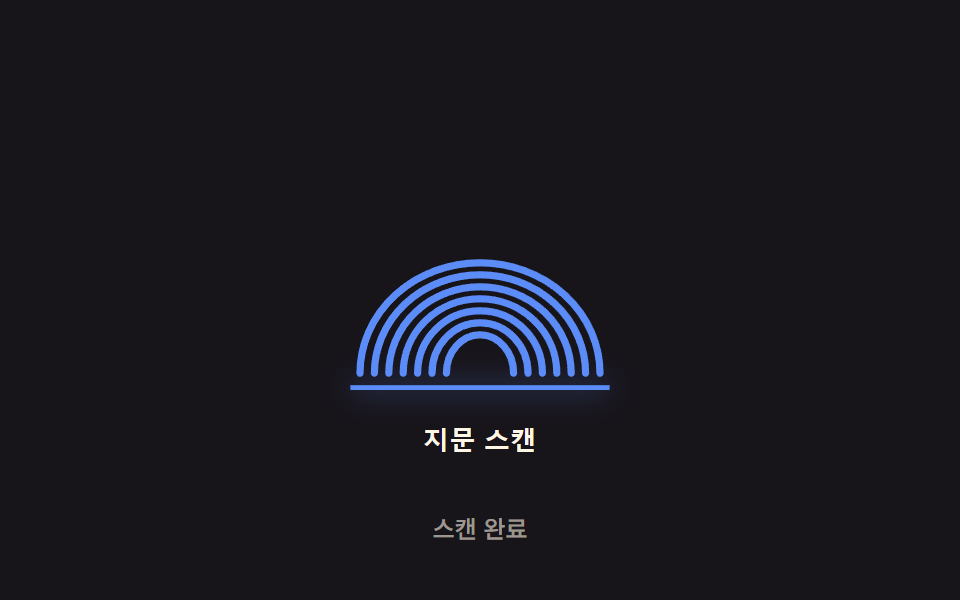 Fingerprint Scan Animation: 9 Biometric UI DemosNine fingerprint scan animation patterns: one lights ridges by scan-progress value, one shakes by spring-damping value o See all demos in this post
If you like this effect - similar demos
 Auth UI01 Remaining-tries shake — the remaining-tries value drops and the number shakes briefly each time login failsToo Many Failed Login Attempts: 9 Patterns
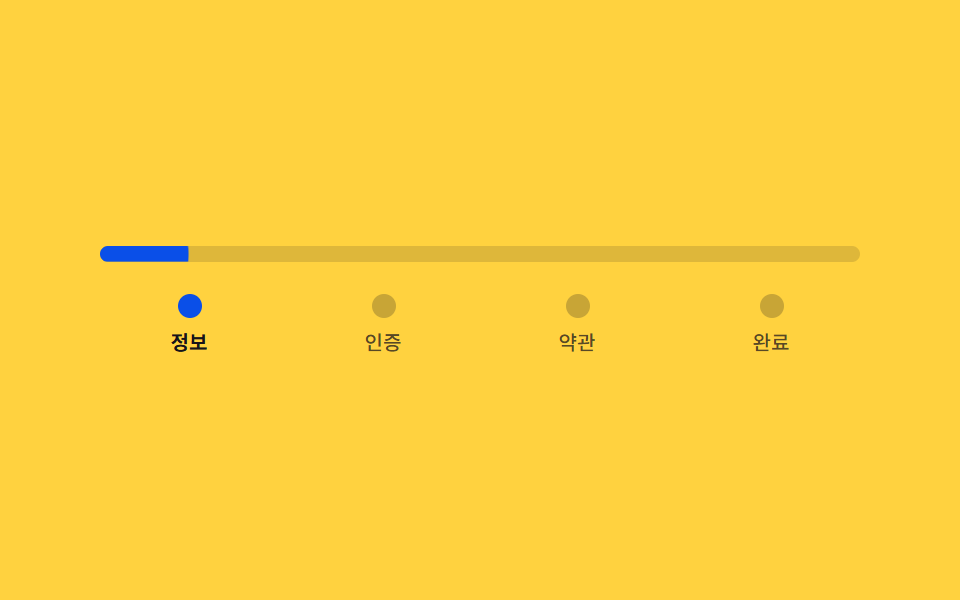 Auth UI02 Signup steps — a stepped form that divides its own progress ratio to set bar length and color9 Login UI Design Patterns (Copy-Paste)
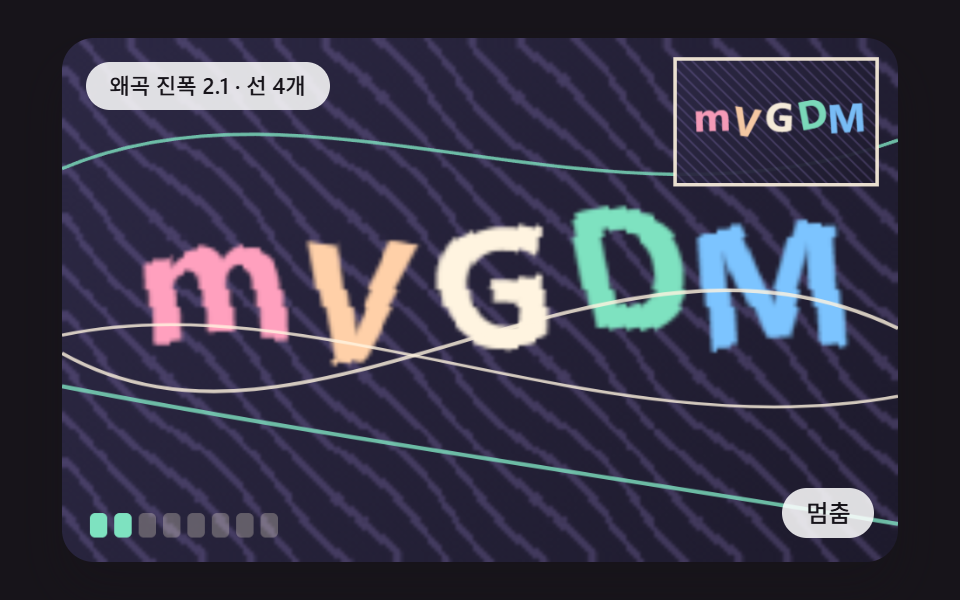 Auth UI01 A Glyph Board Where Each Pixel Column Slides Along a Sine Wave and the Letters BendCSS Captcha: 9 Warped Text and Rotate Checks