Fingerprint Scan Animation: 9 Biometric UI Demos
Nine fingerprint scan animation patterns: one lights ridges by scan-progress value, one shakes by spring-damping value on failure, one grows ripple radius by
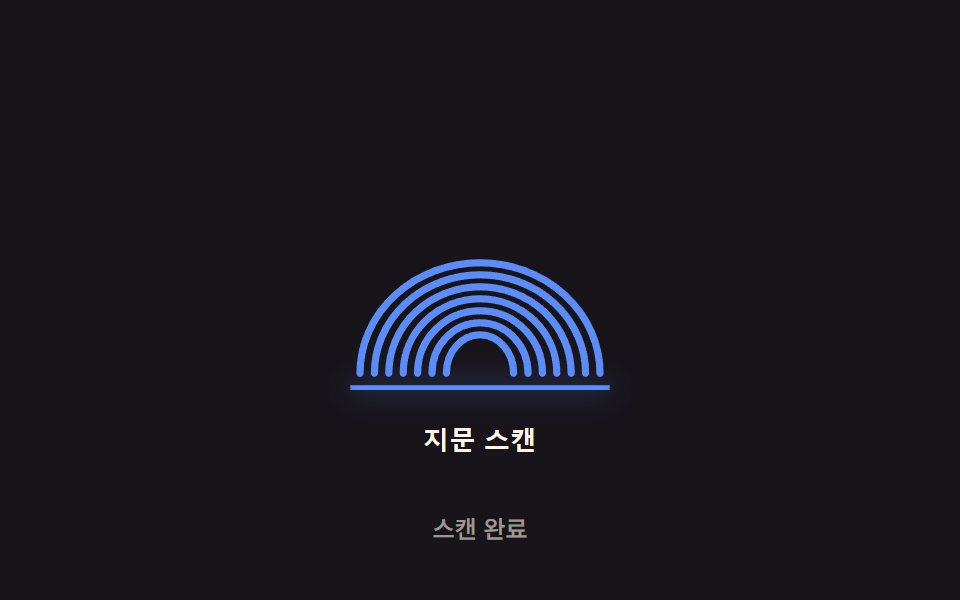 01 biometric-scan-sweep-line
 02 biometric-scan-radial-pulse
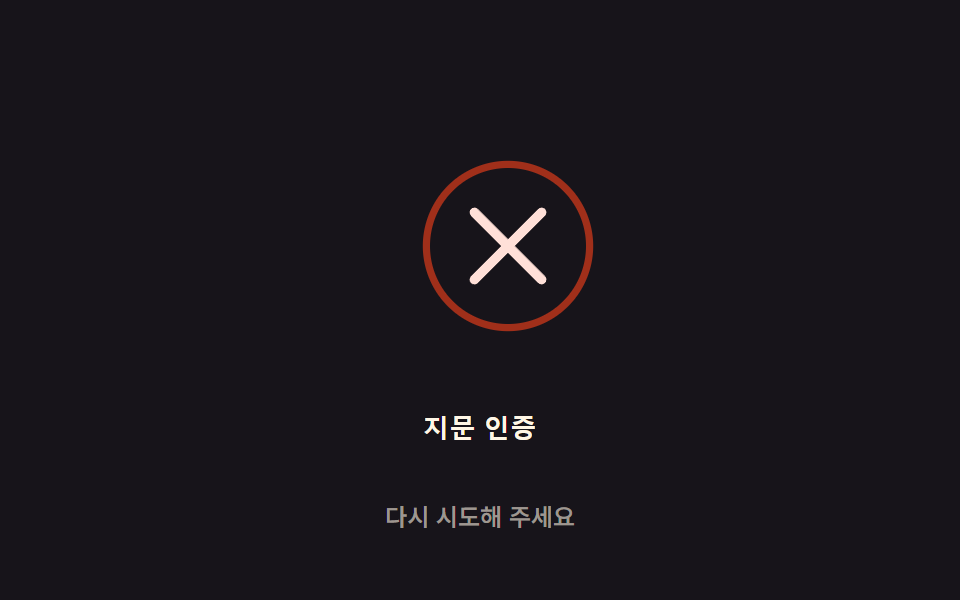 03 biometric-scan-fail-shake
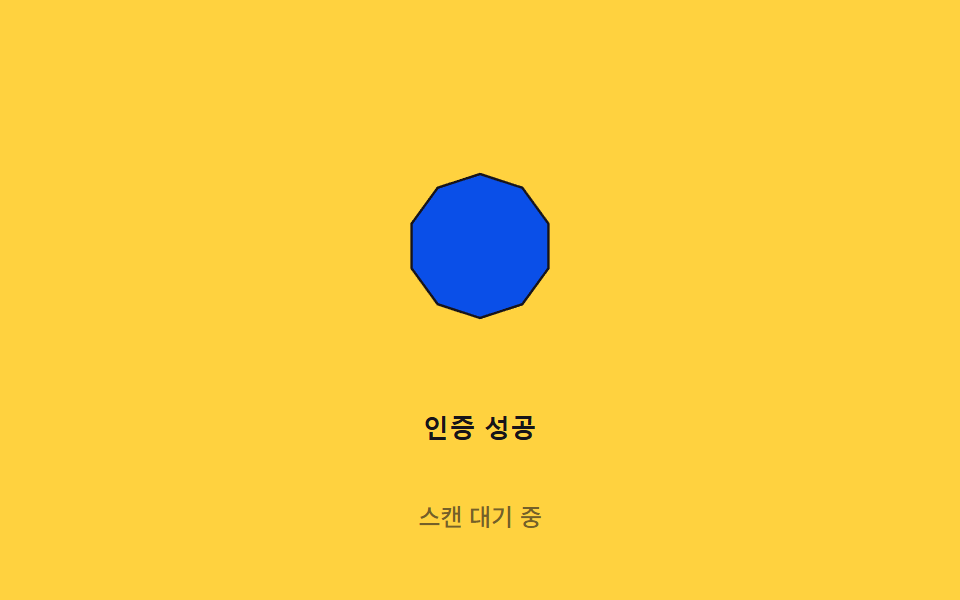 04 biometric-scan-success-morph
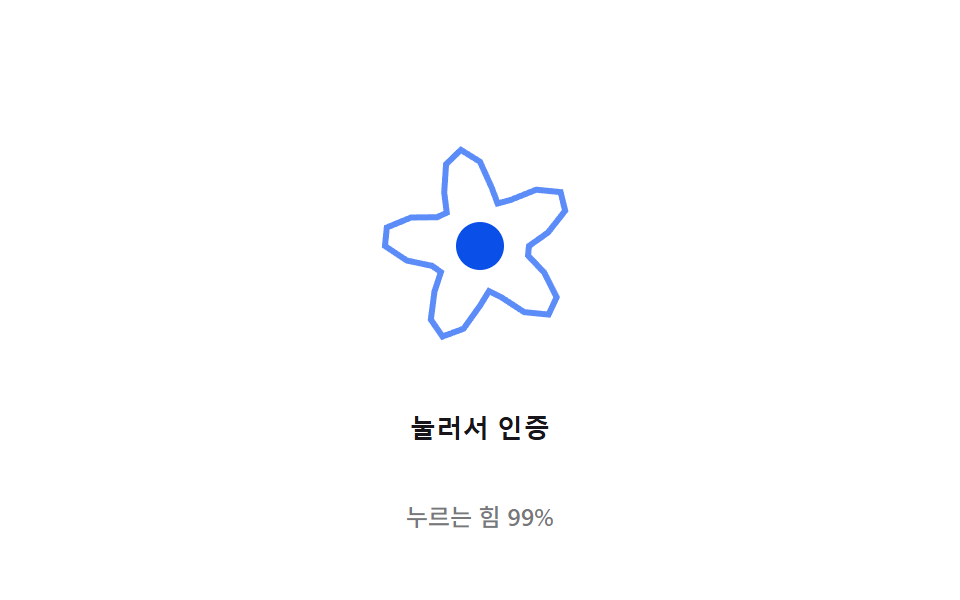 05 biometric-scan-pressure-ripple
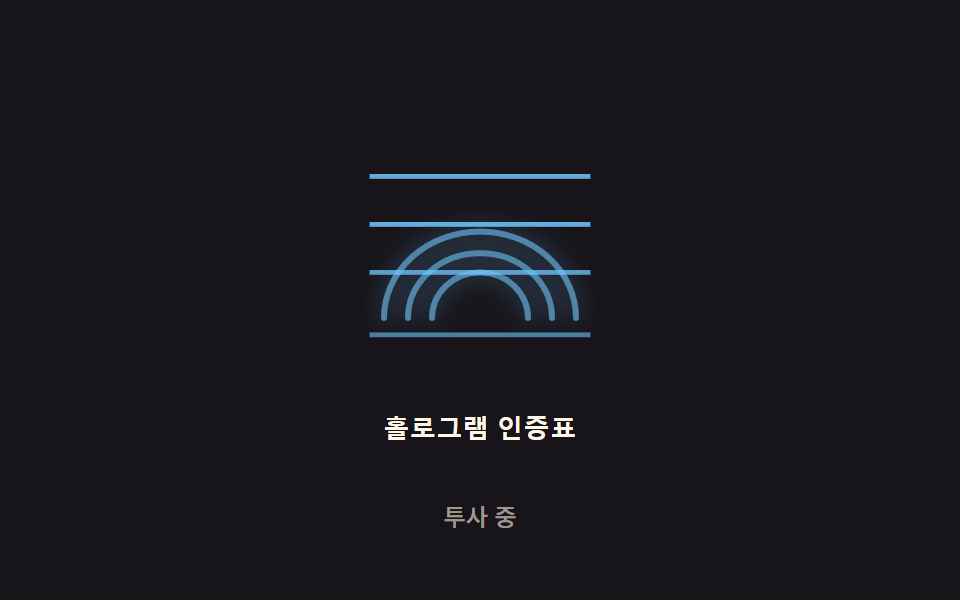 06 biometric-scan-hologram-flicker
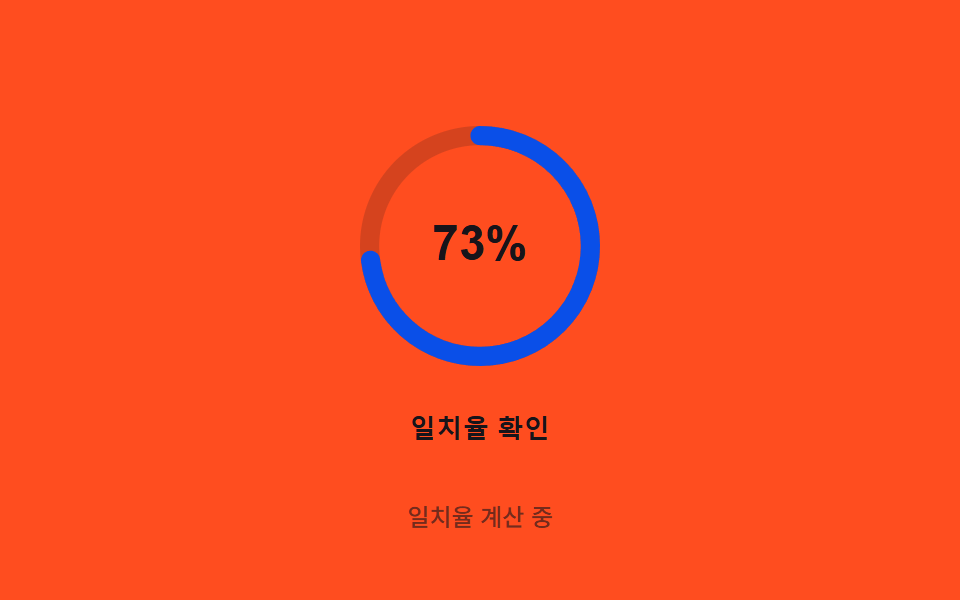 07 biometric-scan-ring-overshoot
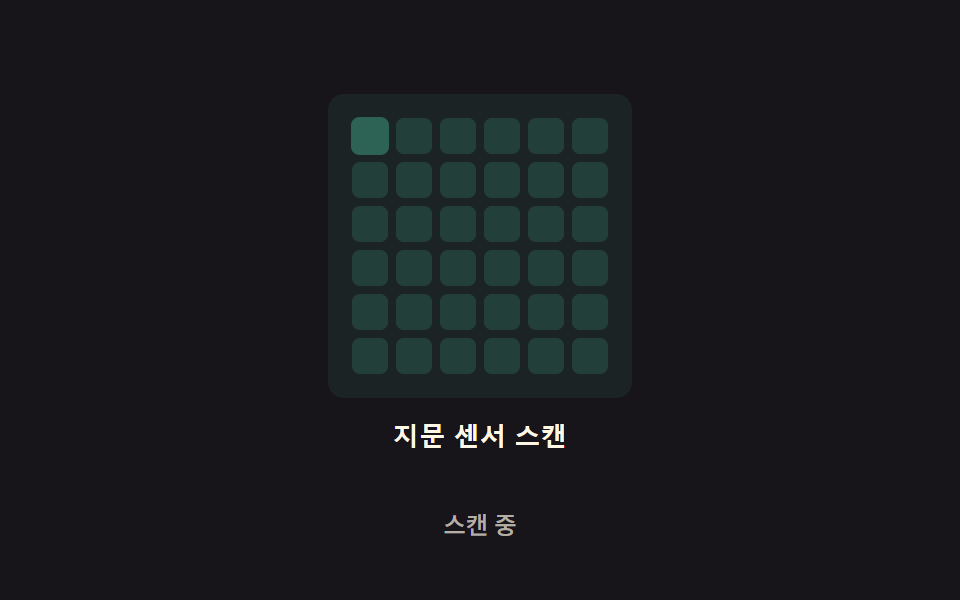 08 biometric-scan-grid-glow
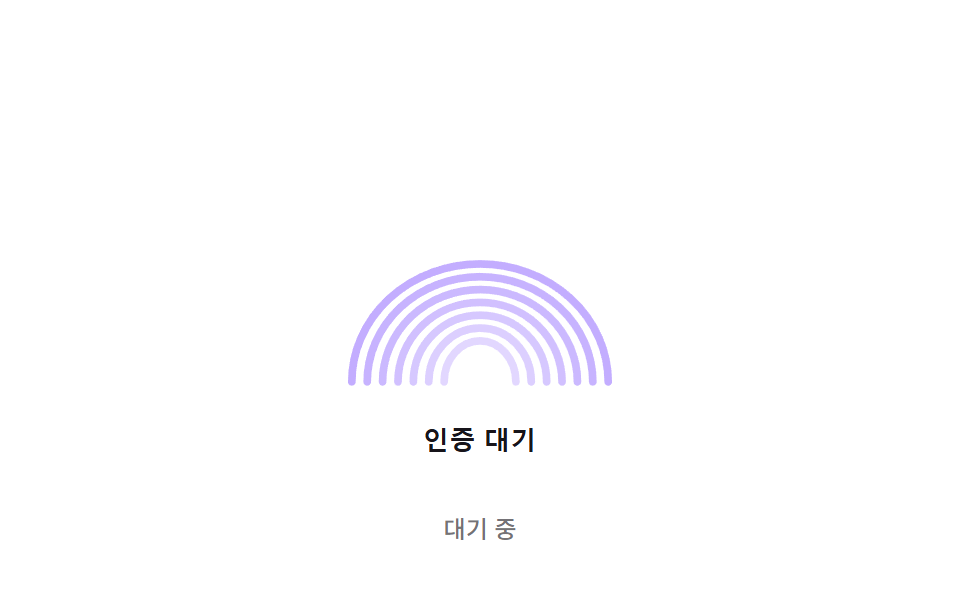 09 biometric-scan-idle-breathing
Auto-plays · click a tile to jump to its section · all nine in one zip
- 01 Scan-line sweep — a scan-progress value moves top to bottom while the ridge-brightness value at each passed line rises in order
- 02 Idle pulse — while waiting for authentication, a circular pulse's radius value grows under a decay function and fades as it grows
- 03 Fail-shake decay — on a failed match, the icon shakes left-right along a spring-damping value that settles to zero
- 04 Success morph — on a successful match, the fingerprint icon's path value interpolates smoothly into a checkmark path value
- 05 Pressure ripple — as a press-pressure value rises, a concentric ripple's radius and amplitude values grow together
- 06 Hologram flicker — a 2D noise value drives a subtle flicker-intensity value on the scan icon
- 07 Ring overshoot — a circular progress ring fills by an angle value, then overshoots by an inertia value at completion before settling back
- 08 Grid-scan glow — the scan area is split into a grid, and each cell glows in turn on its own delay value
- 09 Idle breathing — with no input, the icon's scale value rises and falls along a sine-easing curve on repeat
None of the nine call a real fingerprint or face API — every one is a simulation driven by a single numeric value the visitor never sees directly: a scan-progress fraction, a decay age, a shake offset, a morph blend, a press pressure, a noise sample, a spring position, a diagonal delay, or a breathing phase. That single-value scope is exactly why picking the right biometric scan animation rarely means reading nine different codebases — once you know which value a scene answers, the code underneath just confirms the mechanism.
Anatomy of nine patterns — which value reacts to auth state
Item 01's apply() turns a scan-line's scanY position into a per-ridge activation ratio, (scanY - apex) / GLOW_BAND, so each ridge's opacity rises only after the line has passed its own apex; item 02's tick() ages every open ring slot and shrinks its radius toward PULSE_MAX_R under 1 - Math.exp(-age / TAU), an exponential approach rather than a linear one; item 03's apply() multiplies a decaying exponential by a cosine, AMPLITUDE * Math.exp(-t / decayMs) * Math.cos(t * FREQ), so the shake offset itself is the damped-oscillation formula rather than a CSS keyframe standing in for one; item 04's buildPath() lerps ten points between circlePoint() positions and a hand-placed CHECK_PTS array by a single progress value, redrawing the SVG d string every frame; item 05's buildPath() samples a sine ring, BASE_R + AMPLITUDE * pressure * Math.sin(WAVE_K * theta - t * WAVE_SPEED), where pressure comes straight from PointerEvent.pressure during a real press; item 06's noise() sums three weighted, phase-shifted sine waves rather than sampling any noise field, so its "flicker" is a deterministic sum rather than a sampled one; item 07's autoLoop() integrates a spring each frame, force = (target - autoPos) * STIFFNESS - autoVel * DAMPING, and flips target between two values every FLIP_MS so the ring never fully settles; item 08's render() computes each grid cell's own delay from its row-plus-column index, delay = cells[i].diag * DIAG_STEP, before feeding that into a Math.sin pulse window; and item 09's render() drives a single scale = 1 + AMPLITUDE * Math.sin(t * OMEGA) while offsetting each ridge's own brightness by RIDGE_PHASE_STEP so the glow appears to travel outward. Eight of the nine — every one but item 05 — listen for click and keydown to detect a real visitor; item 05 keeps keydown too but swaps click for pointerdown, pointermove, and pointerup, since it needs a continuous pressure value rather than a single press. In every scene, the first real interaction calls human(), which strips the .is-demo class — in the five trigger-based scenes (01, 03, 04, 05, 07) that shuts off the periodic demo trigger gated by isDemo && !reduce for good, while the four ambient scenes (02, 06, 08, 09) keep looping exactly as before and only start or stop through their own toggle state. Every driver — the autoplay trigger and each scene's own per-frame math alike — runs through requestAnimationFrame, and Math.random appears in none of the nine files. Each of the nine also carries its own prefers-reduced-motion: reduce branch in JS (checked once via matchMedia) paired with a transition: none rule in its Sass, though what that branch actually does — skip a timer, compress a duration, or paint one static frame — differs by item, as the sections below show.
Code per pattern
01Scan-line sweep — a scan-progress value moves top to bottom while the ridge-brightness value at each passed line rises in order
A scan-progress value climbs from the top of the icon to the bottom over BASE_MS / SWEEP_SPEED milliseconds, and the moment that value passes a ridge's own apex, the ridge's brightness value starts rising toward full opacity within a GLOW_BAND distance. Because each ridge checks its own apex independently, the higher ridges finish brightening before the lower ones even start, which is what reads as ridges lighting up in order rather than the whole icon flashing at once — a fit for a login screen's biometric-wait button or an app's lock screen.
<main class="stage">
<div class="scan-wrap">
<button type="button" class="scan is-demo" id="scan" aria-pressed="false">
  <svg class="scan__icon" viewBox="0 0 120 130" aria-hidden="true">
    <path class="scan__ridge" data-apex="72" d="M10,118 A50 46 0 0 1 110,118"></path>
    <path class="scan__ridge" data-apex="77" d="M16,118 A44 41 0 0 1 104,118"></path>
    <path class="scan__ridge" data-apex="82" d="M22,118 A38 36 0 0 1 98,118"></path>
    <path class="scan__ridge" data-apex="87" d="M28,118 A32 31 0 0 1 92,118"></path>
    <path class="scan__ridge" data-apex="92" d="M34,118 A26 26 0 0 1 86,118"></path>
    <path class="scan__ridge" data-apex="97" d="M40,118 A20 21 0 0 1 80,118"></path>
    <path class="scan__ridge" data-apex="102" d="M46,118 A14 16 0 0 1 74,118"></path>
    <line class="scan__beam" id="beam" x1="6" x2="114" y1="6" y2="6"></line>
  </svg>
  <span class="scan__label">Fingerprint scan</span>
</button>
<p class="scan__status" id="status">Idle</p>
</div>
</main>
@use "../../../../site/static/demo-tokens" as *;
// 계산 겹은 index.html 의 apply() 에 있다 — 능선마다 정점(apex) y 와 스캔 라인 y 의 차를 GLOW_BAND 로
// 나눈 활성 값(act)을 opacity 에 매 프레임 반영한다. 여기는 무대·모양만 맡는다.
@include stage($stage-ink);
.scan-wrap {
display: flex;
flex-direction: column;
align-items: center;
gap: $sp-3;
}
.scan {
appearance: none;
border: none;
background: transparent;
display: flex;
flex-direction: column;
align-items: center;
gap: $sp-3;
cursor: pointer;
padding: $sp-4;
border-radius: $r-card;
&:focus-visible { outline: 2px solid $subject-blue-light; outline-offset: 4px; }
}
.scan__icon {
width: clamp(120px, 30vw, 160px);
height: auto;
overflow: visible;
}
.scan__ridge {
fill: none;
stroke: $subject-blue-light;
stroke-width: 3;
stroke-linecap: round;
opacity: .26;
}
.scan__beam {
stroke: $subject-blue-light;
stroke-width: 2;
filter: drop-shadow(0 0 6px rgba($subject-blue-light, .9));
}
.scan__label {
color: $subject-cream;
font-weight: 600;
font-size: 13px;
line-height: 1.2;
letter-spacing: .02em;
}
.scan__status {
margin: 0;
color: rgba($subject-cream, .58);
font-weight: 500;
font-size: 12px;
line-height: 1.2;
}
@media (max-width: 340px) {
.stage { padding: $sp-2; }
.scan-wrap { gap: $sp-2; }
.scan { padding: $sp-2 $sp-3; gap: $sp-2; }
.scan__icon { width: 104px; }
.scan__label { font-size: 12px; }
.scan__status { font-size: 11px; }
}
@media (prefers-reduced-motion: reduce) {
.scan__ridge, .scan__beam { transition: none; }
}html, body {
margin: 0;
overflow: hidden;
}
.stage {
box-sizing: border-box;
min-height: 100vh;
display: grid;
place-items: center;
margin: 0;
background: #17141a;
font-family: -apple-system, "Segoe UI", "Noto Sans KR", sans-serif;
padding: clamp(8px, 4vw, 24px);
}
.scan-wrap {
display: flex;
flex-direction: column;
align-items: center;
gap: 12px;
}
.scan {
appearance: none;
border: none;
background: transparent;
display: flex;
flex-direction: column;
align-items: center;
gap: 12px;
cursor: pointer;
padding: 16px;
border-radius: 16px;
}
.scan:focus-visible {
outline: 2px solid #5b8cf8;
outline-offset: 4px;
}
.scan__icon {
width: clamp(120px, 30vw, 160px);
height: auto;
overflow: visible;
}
.scan__ridge {
fill: none;
stroke: #5b8cf8;
stroke-width: 3;
stroke-linecap: round;
opacity: 0.26;
}
.scan__beam {
stroke: #5b8cf8;
stroke-width: 2;
filter: drop-shadow(0 0 6px rgba(91, 140, 248, 0.9));
}
.scan__label {
color: #fff7e6;
font-weight: 600;
font-size: 13px;
line-height: 1.2;
letter-spacing: 0.02em;
}
.scan__status {
margin: 0;
color: rgba(255, 247, 230, 0.58);
font-weight: 500;
font-size: 12px;
line-height: 1.2;
}
@media (max-width: 340px) {
.stage {
padding: 8px;
}
.scan-wrap {
gap: 8px;
}
.scan {
padding: 8px 12px;
gap: 8px;
}
.scan__icon {
width: 104px;
}
.scan__label {
font-size: 12px;
}
.scan__status {
font-size: 11px;
}
}
@media (prefers-reduced-motion: reduce) {
.scan__ridge, .scan__beam {
transition: none;
}
}(function () {
// 계산 겹: 능선 stagger 순서 계산 — 능선마다 정점(apex) y 값이 다르고, 스캔 라인 y 값이 그 정점을
// 지난 만큼(GLOW_BAND 로 나눈 비율)을 활성 값(act, 0~1)으로 써서 밝기를 매긴다. 정점이 위(작은 y)일수록
// 먼저 활성되므로 "능선이 순서대로 밝아지는" 흐름이 실제 계산으로 나온다.
var SWEEP_SPEED = 1.4; // 변형 01: SWEEP_SPEED 1.4 → 0.6 (스윕 속도)
var BASE_MS = 1000; // 기준 스윕 시간 — 실제 소요는 BASE_MS / SWEEP_SPEED
var GLOW_BAND = 16; // 스캔 라인이 능선 정점을 지난 뒤 완전히 밝아지기까지의 svg 단위 거리
var HOLD_MS = 500; // Scan complete 뒤 전체 밝기를 유지하는 시간
var GAP_MS = 700; // 다음 자동 스캔까지 대기하는 시간
var TOP = 6, BOTTOM = 124;
var reduce = window.matchMedia('(prefers-reduced-motion: reduce)').matches;
var DUR = reduce ? 1 : (BASE_MS / SWEEP_SPEED);
var root = document.getElementById('scan');
var beam = document.getElementById('beam');
var ridges = Array.prototype.slice.call(document.querySelectorAll('.scan__ridge'));
var status = document.getElementById('status');
var STRINGS = { idle: 'Idle', scanning: 'Scanning', done: 'Scan complete' };
var isDemo = true;
var running = false;
var startTs = 0;
  function apply(scanY) {
    beam.setAttribute('y1', scanY.toFixed(2));
    beam.setAttribute('y2', scanY.toFixed(2));
    for (var i = 0; i < ridges.length; i++) {
      var apex = parseFloat(ridges[i].getAttribute('data-apex'));
      var act = Math.max(0, Math.min(1, (scanY - apex) / GLOW_BAND + 0.001));
      ridges[i].style.opacity = (0.26 + 0.74 * act).toFixed(3);
    }
  }
function runScan(ts) {
if (!startTs) startTs = ts;
var t = ts - startTs;
if (t <= DUR) {
apply(TOP + (BOTTOM - TOP) * (t / DUR));
status.textContent = STRINGS.scanning;
requestAnimationFrame(runScan);
} else if (t <= DUR + HOLD_MS) {
apply(BOTTOM);
status.textContent = STRINGS.done;
requestAnimationFrame(runScan);
} else {
apply(TOP);
status.textContent = STRINGS.idle;
running = false;
root.setAttribute('aria-pressed', 'false');
}
}
function trigger() {
if (running) return;
running = true;
startTs = 0;
root.setAttribute('aria-pressed', 'true');
requestAnimationFrame(runScan);
}
function human() { if (isDemo) { root.classList.remove('is-demo'); isDemo = false; } }
root.addEventListener('click', function () { human(); trigger(); });
root.addEventListener('keydown', function (e) {
if (e.key === ' ' || e.key === 'Enter') { human(); }
});
apply(TOP);
var cycleStart = 0;
var PERIOD = DUR + HOLD_MS + GAP_MS;
function loop(ts) {
if (isDemo && !reduce) {
if (!cycleStart) cycleStart = ts;
var phase = (ts - cycleStart) % PERIOD;
if (phase < 16 && !running) trigger();
}
requestAnimationFrame(loop);
}
requestAnimationFrame(loop);
})();// ScanSweepLine — vanilla 판(run/371/demo/01-biometric-scan-sweep-line/index.html) 의 React 포트.
// 계산 겹(능선 stagger 순서 계산)은 useScanSweep 훅 안에 있다: 능선 정점(apex) y 와 스캔 라인 y 의
// 차를 GLOW_BAND 로 나눈 활성 값(act)을 매 프레임 svg style.opacity 에 반영한다.
import { useEffect, useRef, useState } from "react";
import styles from "./ScanSweepLine.module.scss";
type Box<T> = { current: T };
const RIDGES = [
{ apex: 72, d: "M10,118 A50 46 0 0 1 110,118" },
{ apex: 77, d: "M16,118 A44 41 0 0 1 104,118" },
{ apex: 82, d: "M22,118 A38 36 0 0 1 98,118" },
{ apex: 87, d: "M28,118 A32 31 0 0 1 92,118" },
{ apex: 92, d: "M34,118 A26 26 0 0 1 86,118" },
{ apex: 97, d: "M40,118 A20 21 0 0 1 80,118" },
{ apex: 102, d: "M46,118 A14 16 0 0 1 74,118" },
];
const STRINGS: Record<string, string> = { idle: "대기 중", scanning: "스캔 중", done: "스캔 완료" };
function useScanSweep(
rootRef: Box<HTMLButtonElement>,
beamRef: Box<SVGLineElement>,
ridgeRefs: Box<SVGPathElement[]>,
setStatus: (s: string) => void,
setPressed: (b: boolean) => void
) {
useEffect(() => {
const SWEEP_SPEED = 1.4; // 변형 01: SWEEP_SPEED 1.4 → 0.6
const BASE_MS = 1000;
const GLOW_BAND = 16;
const HOLD_MS = 500;
const GAP_MS = 700;
const TOP = 6, BOTTOM = 124;
const reduce = window.matchMedia("(prefers-reduced-motion: reduce)").matches;
const DUR = reduce ? 1 : BASE_MS / SWEEP_SPEED;
const root = rootRef.current;
const beam = beamRef.current;
const ridges = ridgeRefs.current;
if (!root || !beam || ridges.length === 0) return;
let isDemo = true;
let running = false;
let startTs = 0;
let rafId = 0;
function apply(scanY: number) {
beam.setAttribute("y1", scanY.toFixed(2));
beam.setAttribute("y2", scanY.toFixed(2));
for (let i = 0; i < ridges.length; i++) {
const apex = RIDGES[i].apex;
const act = Math.max(0, Math.min(1, (scanY - apex) / GLOW_BAND + 0.001));
ridges[i].style.opacity = (0.26 + 0.74 * act).toFixed(3);
}
}
function runScan(ts: number) {
if (!startTs) startTs = ts;
const t = ts - startTs;
if (t <= DUR) {
apply(TOP + (BOTTOM - TOP) * (t / DUR));
setStatus(STRINGS.scanning);
rafId = requestAnimationFrame(runScan);
} else if (t <= DUR + HOLD_MS) {
apply(BOTTOM);
setStatus(STRINGS.done);
rafId = requestAnimationFrame(runScan);
} else {
apply(TOP);
setStatus(STRINGS.idle);
running = false;
setPressed(false);
}
}
function trigger() {
if (running) return;
running = true;
startTs = 0;
setPressed(true);
rafId = requestAnimationFrame(runScan);
}
function human() { if (isDemo) { root.classList.remove(styles.isDemo); isDemo = false; } }
function onClick() { human(); trigger(); }
function onKeyDown(e: KeyboardEvent) { if (e.key === " " || e.key === "Enter") human(); }
root.addEventListener("click", onClick);
root.addEventListener("keydown", onKeyDown);
apply(TOP);
let cycleStart = 0;
const PERIOD = DUR + HOLD_MS + GAP_MS;
function loop(ts: number) {
if (isDemo && !reduce) {
if (!cycleStart) cycleStart = ts;
const phase = (ts - cycleStart) % PERIOD;
if (phase < 16 && !running) trigger();
}
rafId = requestAnimationFrame(loop);
}
rafId = requestAnimationFrame(loop);
return () => {
root.removeEventListener("click", onClick);
root.removeEventListener("keydown", onKeyDown);
cancelAnimationFrame(rafId);
};
}, []);
}
export default function ScanSweepLine() {
const rootRef = useRef(null) as unknown as Box<HTMLButtonElement>;
const beamRef = useRef(null) as unknown as Box<SVGLineElement>;
const ridgeRefs = useRef([]) as unknown as Box<SVGPathElement[]>;
const [status, setStatus] = useState(STRINGS.idle);
const [pressed, setPressed] = useState(false);
useScanSweep(rootRef, beamRef, ridgeRefs, setStatus, setPressed);
return (
<main className={styles.stage}>
<div className={styles.scanWrap}>
<button
type="button"
className={styles.scan + " " + styles.isDemo}
ref={rootRef}
aria-pressed={pressed}
>
<svg className={styles.scanIcon} viewBox="0 0 120 130" aria-hidden="true">
{RIDGES.map((r, i) => (
<path
key={i}
className={styles.scanRidge}
d={r.d}
ref={(el: SVGPathElement | null) => { if (el) ridgeRefs.current[i] = el; }}
/>
))}
<line className={styles.scanBeam} ref={beamRef} x1={6} x2={114} y1={6} y2={6} />
</svg>
<span className={styles.scanLabel}>지문 스캔</span>
</button>
<p className={styles.scanStatus}>{status}</p>
</div>
</main>
);
}01 · Scan-line sweep — a scan-progress value moves top to bottom while the ridge-brightness value at each passed line rises in order — Measured area 12.571% · moving frames 12/23Original by GODRICH · SCSS and React ship in the zip · See the password
function apply(scanY) {
beam.setAttribute('y1', scanY.toFixed(2));
beam.setAttribute('y2', scanY.toFixed(2));
for (var i = 0; i < ridges.length; i++) {
var apex = parseFloat(ridges[i].getAttribute('data-apex'));
var act = Math.max(0, Math.min(1, (scanY - apex) / GLOW_BAND + 0.001));
ridges[i].style.opacity = (0.26 + 0.74 * act).toFixed(3);
}
}
What the numbers say
Item 01 fills 12.57% of the frame cumulatively at a 63.8 average intensity while moving in only 12 of 23 sampled frames — the highest cumulative area among the nine but the fewest moving frames, because the sweep only runs during its own trigger cycle and sits fully still through most of the GAP_MS pause between cycles, yet every frame it does paint covers the beam line and up to seven ridges at once.
02Idle pulse — while waiting for authentication, a circular pulse's radius value grows under a decay function and fades as it grows
Every LAUNCH_GAP milliseconds a new ring slot opens, and from that moment its radius value grows toward PULSE_MAX_R under an exponential-decay curve rather than a straight line, so growth is fast at first and slows as it nears the maximum. As the radius value climbs, the same slot's opacity value falls in the opposite direction, so a ring is brightest the instant it spawns and all but invisible once it reaches PULSE_MAX_R — a fit for a biometric-wait screen or a payment-approval wait state.
<main class="stage">
<div class="pulse-wrap">
<button type="button" class="pulse is-demo" id="pulse" aria-pressed="true">
  <svg class="pulse__icon" viewBox="0 0 120 120" aria-hidden="true">
    <circle class="pulse__ring" data-slot="0" cx="60" cy="60" r="0"></circle>
    <circle class="pulse__ring" data-slot="1" cx="60" cy="60" r="0"></circle>
    <circle class="pulse__ring" data-slot="2" cx="60" cy="60" r="0"></circle>
    <circle class="pulse__ring" data-slot="3" cx="60" cy="60" r="0"></circle>
    <circle class="pulse__core" cx="60" cy="60" r="14"></circle>
    <path class="pulse__mark" d="M52,64 A8 8 0 0 1 68,64" />
  </svg>
  <span class="pulse__label">Waiting for auth</span>
</button>
<p class="pulse__status" id="status">Listening</p>
</div>
</main>
@use "../../../../site/static/demo-tokens" as *;
// 계산 겹은 index.html 의 tick() 에 있다 — 펄스마다 뜬 뒤 지난 시간(age)에 지수 감쇠식을 걸어
// 반지름·불투명도를 매 프레임 다시 계산한다. 여기는 무대·모양만 맡는다.
@include stage($stage-paper);
.pulse-wrap {
display: flex;
flex-direction: column;
align-items: center;
gap: $sp-3;
}
.pulse {
appearance: none;
border: none;
background: transparent;
display: flex;
flex-direction: column;
align-items: center;
gap: $sp-3;
cursor: pointer;
padding: $sp-4;
border-radius: $r-card;
&:focus-visible { outline: 2px solid $subject-blue-light; outline-offset: 4px; }
}
.pulse__icon {
width: clamp(120px, 30vw, 160px);
height: auto;
overflow: visible;
}
.pulse__ring {
fill: none;
stroke: $subject-blue-light;
stroke-width: 2;
opacity: 0;
}
.pulse__core {
fill: $subject-blue-deep;
}
.pulse__mark {
fill: none;
stroke: $subject-cream;
stroke-width: 2;
stroke-linecap: round;
}
.pulse__label {
color: $stage-ink;
font-weight: 600;
font-size: 13px;
line-height: 1.2;
letter-spacing: .02em;
}
.pulse__status {
margin: 0;
color: rgba($stage-ink, .58);
font-weight: 500;
font-size: 12px;
line-height: 1.2;
}
@media (max-width: 340px) {
.stage { padding: $sp-2; }
.pulse-wrap { gap: $sp-2; }
.pulse { padding: $sp-2 $sp-3; gap: $sp-2; }
.pulse__icon { width: 104px; }
.pulse__label { font-size: 12px; }
.pulse__status { font-size: 11px; }
}
@media (prefers-reduced-motion: reduce) {
.pulse__ring { transition: none; }
}html, body {
margin: 0;
overflow: hidden;
}
.stage {
box-sizing: border-box;
min-height: 100vh;
display: grid;
place-items: center;
margin: 0;
background: #ffffff;
font-family: -apple-system, "Segoe UI", "Noto Sans KR", sans-serif;
padding: clamp(8px, 4vw, 24px);
}
.pulse-wrap {
display: flex;
flex-direction: column;
align-items: center;
gap: 12px;
}
.pulse {
appearance: none;
border: none;
background: transparent;
display: flex;
flex-direction: column;
align-items: center;
gap: 12px;
cursor: pointer;
padding: 16px;
border-radius: 16px;
}
.pulse:focus-visible {
outline: 2px solid #5b8cf8;
outline-offset: 4px;
}
.pulse__icon {
width: clamp(120px, 30vw, 160px);
height: auto;
overflow: visible;
}
.pulse__ring {
fill: none;
stroke: #5b8cf8;
stroke-width: 2;
opacity: 0;
}
.pulse__core {
fill: #0a4fe8;
}
.pulse__mark {
fill: none;
stroke: #fff7e6;
stroke-width: 2;
stroke-linecap: round;
}
.pulse__label {
color: #17141a;
font-weight: 600;
font-size: 13px;
line-height: 1.2;
letter-spacing: 0.02em;
}
.pulse__status {
margin: 0;
color: rgba(23, 20, 26, 0.58);
font-weight: 500;
font-size: 12px;
line-height: 1.2;
}
@media (max-width: 340px) {
.stage {
padding: 8px;
}
.pulse-wrap {
gap: 8px;
}
.pulse {
padding: 8px 12px;
gap: 8px;
}
.pulse__icon {
width: 104px;
}
.pulse__label {
font-size: 12px;
}
.pulse__status {
font-size: 11px;
}
}
@media (prefers-reduced-motion: reduce) {
.pulse__ring {
transition: none;
}
}(function () {
// 계산 겹: 감쇠 함수 — 새 펄스가 뜬 뒤 지난 시간(age)에 지수 감쇠식을 걸어
// 반지름은 PULSE_MAX_R 로 점근하고(1 - e^(-age/TAU)), 밝기는 그 반지름 비율만큼 옅어진다.
// 트윈(펄스 개수·타이밍)이 아니라 매 프레임 이 식을 다시 계산해서 그린다.
var PULSE_MAX_R = 40; // 변형 02: PULSE_MAX_R 40 → 70 (펄스 최대 반경)
var TAU = 260; // 감쇠 시간 상수(ms) — 클수록 천천히 옅어진다
var LAUNCH_GAP = 550; // 새 펄스를 띄우는 간격(ms)
var CUTOFF = TAU * 4.4; // 이 age 를 넘으면 슬롯을 반납한다(반지름이 사실상 MAX_R 에 도달)
var reduce = window.matchMedia('(prefers-reduced-motion: reduce)').matches;
var root = document.getElementById('pulse');
var status = document.getElementById('status');
var rings = Array.prototype.slice.call(document.querySelectorAll('.pulse__ring'));
var STRINGS = { listening: 'Listening', paused: 'Paused' };
var isDemo = true;
var listening = true;
var slots = rings.map(function (el) { return { el: el, start: null }; });
var slotCursor = 0;
var lastLaunch = 0;
function spawn(now) {
var slot = slots[slotCursor % slots.length];
slotCursor++;
slot.start = now;
}
  function tick(now) {
    for (var i = 0; i < slots.length; i++) {
      var slot = slots[i];
      if (slot.start === null) { continue; }
      var age = now - slot.start;
      if (age > CUTOFF) {
        slot.start = null;
        slot.el.style.opacity = '0';
        continue;
      }
      var radius = PULSE_MAX_R * (1 - Math.exp(-age / TAU));
      var opacity = Math.max(0, 1 - radius / PULSE_MAX_R);
      slot.el.setAttribute('r', radius.toFixed(2));
      slot.el.style.opacity = opacity.toFixed(3);
    }
  }
function human() { if (isDemo) { root.classList.remove('is-demo'); isDemo = false; } }
function toggle() {
listening = !listening;
root.setAttribute('aria-pressed', String(listening));
status.textContent = listening ? STRINGS.listening : STRINGS.paused;
}
root.addEventListener('click', function () { human(); toggle(); });
root.addEventListener('keydown', function (e) {
if (e.key === ' ' || e.key === 'Enter') { human(); }
});
function loop(ts) {
var active = listening && (isDemo ? !reduce : true);
if (active && ts - lastLaunch >= LAUNCH_GAP) {
lastLaunch = ts;
spawn(ts);
}
tick(ts);
requestAnimationFrame(loop);
}
requestAnimationFrame(loop);
})();// RadialPulse — vanilla 판(run/371/demo/02-biometric-scan-radial-pulse/index.html) 의 React 포트.
// 계산 겹(감쇠 함수)은 useEffect 안에 있다: 펄스가 뜬 뒤 지난 시간(age)에 지수 감쇠식을 걸어
// 반지름은 PULSE_MAX_R 로 점근하고, 불투명도는 그 반지름 비율만큼 옅어진다.
import { useEffect, useRef, useState } from "react";
import styles from "./RadialPulse.module.scss";
type Box<T> = { current: T };
const STRINGS: Record<string, string> = { listening: "인증 대기 중", paused: "일시 정지됨" };
export default function RadialPulse() {
const rootRef = useRef(null) as unknown as Box<HTMLButtonElement>;
const ringRefs = useRef([]) as unknown as Box<SVGCircleElement[]>;
const [status, setStatus] = useState(STRINGS.listening);
const [pressed, setPressed] = useState(true);
useEffect(() => {
const PULSE_MAX_R = 40; // 변형 02: PULSE_MAX_R 40 → 70
const TAU = 260;
const LAUNCH_GAP = 550;
const CUTOFF = TAU * 4.4;
const reduce = window.matchMedia("(prefers-reduced-motion: reduce)").matches;
const root = rootRef.current;
const rings = ringRefs.current;
if (!root || rings.length === 0) return;
let isDemo = true;
let listening = true;
let slotCursor = 0;
let lastLaunch = 0;
let rafId = 0;
const slots = rings.map((el) => ({ el, start: null as number | null }));
function spawn(now: number) {
const slot = slots[slotCursor % slots.length];
slotCursor++;
slot.start = now;
}
function tick() {
for (let i = 0; i < slots.length; i++) {
const slot = slots[i];
if (slot.start === null) continue;
const age = performance.now() - slot.start;
if (age > CUTOFF) {
slot.start = null;
slot.el.style.opacity = "0";
continue;
}
const radius = PULSE_MAX_R * (1 - Math.exp(-age / TAU));
const opacity = Math.max(0, 1 - radius / PULSE_MAX_R);
slot.el.setAttribute("r", radius.toFixed(2));
slot.el.style.opacity = opacity.toFixed(3);
}
}
function human() { if (isDemo) { root.classList.remove(styles.isDemo); isDemo = false; } }
function toggle() {
listening = !listening;
setPressed(listening);
setStatus(listening ? STRINGS.listening : STRINGS.paused);
}
function onClick() { human(); toggle(); }
function onKeyDown(e: KeyboardEvent) { if (e.key === " " || e.key === "Enter") human(); }
root.addEventListener("click", onClick);
root.addEventListener("keydown", onKeyDown);
function loop(ts: number) {
const active = listening && (isDemo ? !reduce : true);
if (active && ts - lastLaunch >= LAUNCH_GAP) {
lastLaunch = ts;
spawn(ts);
}
tick();
rafId = requestAnimationFrame(loop);
}
rafId = requestAnimationFrame(loop);
return () => {
root.removeEventListener("click", onClick);
root.removeEventListener("keydown", onKeyDown);
cancelAnimationFrame(rafId);
};
}, []);
return (
<main className={styles.stage}>
<div className={styles.pulseWrap}>
<button
type="button"
className={styles.pulse + " " + styles.isDemo}
ref={rootRef}
aria-pressed={pressed}
>
<svg className={styles.pulseIcon} viewBox="0 0 120 120" aria-hidden="true">
{[0, 1, 2, 3].map((i) => (
<circle
key={i}
className={styles.pulseRing}
cx={60}
cy={60}
r={0}
ref={(el: SVGCircleElement | null) => { if (el) ringRefs.current[i] = el; }}
/>
))}
<circle className={styles.pulseCore} cx={60} cy={60} r={14} />
<path className={styles.pulseMark} d="M52,64 A8 8 0 0 1 68,64" />
</svg>
<span className={styles.pulseLabel}>인증 대기</span>
</button>
<p className={styles.pulseStatus}>{status}</p>
</div>
</main>
);
}02 · Idle pulse — while waiting for authentication, a circular pulse's radius value grows under a decay function and fades as it grows — Measured area 3.397% · moving frames 19/23Original by GODRICH · SCSS and React ship in the zip · See the password
function tick(now) {
for (var i = 0; i < slots.length; i++) {
var slot = slots[i];
if (slot.start === null) { continue; }
var age = now - slot.start;
if (age > CUTOFF) {
slot.start = null;
slot.el.style.opacity = '0';
continue;
}
var radius = PULSE_MAX_R * (1 - Math.exp(-age / TAU));
var opacity = Math.max(0, 1 - radius / PULSE_MAX_R);
slot.el.setAttribute('r', radius.toFixed(2));
slot.el.style.opacity = opacity.toFixed(3);
}
}
What the numbers say
Item 02 fills 3.40% of the frame cumulatively at a 36.1 average intensity while moving in 19 of 23 sampled frames, because only four ring slots ever exist at once and each one fades toward zero opacity as it grows, so the painted area stays small even though the loop itself never stops.
03Fail-shake decay — on a failed match, the icon shakes left-right along a spring-damping value that settles to zero
The instant a match fails, a shake-offset value starts at its full amplitude and decays under AMPLITUDE * Math.exp(-t / decayMs) * Math.cos(t * FREQ), so the icon swings hardest in the first fraction of a second and settles smoothly to zero rather than stopping abruptly. SHAKE_DAMP sets decayMs directly (decayMs = SHAKE_DAMP * 40), so a lower damping value shrinks that time and the shake reaches zero sooner rather than later — a fit for biometric-failure feedback or an unlock-failure screen.
<main class="stage">
<div class="fail-wrap">
<button type="button" class="fail is-demo" id="fail" aria-pressed="false">
  <svg class="fail__icon" id="icon" viewBox="0 0 120 120" aria-hidden="true">
    <circle class="fail__ring" cx="60" cy="60" r="34"></circle>
    <path class="fail__mark" id="mark" d="M46,46 L74,74 M74,46 L46,74"></path>
  </svg>
  <span class="fail__label">Fingerprint auth</span>
</button>
<p class="fail__status" id="status">Please try again</p>
</div>
</main>
@use "../../../../site/static/demo-tokens" as *;
// 계산 겹은 index.html 의 apply() 에 있다 — 감쇠 스프링 진동식(지수 감쇠 × 코사인)을 매 프레임
// 다시 계산해 아이콘 translateX 오프셋에 쓴다. 여기는 무대·모양만 맡는다.
@include stage($stage-ink);
.fail-wrap {
display: flex;
flex-direction: column;
align-items: center;
gap: $sp-3;
}
.fail {
appearance: none;
border: none;
background: transparent;
display: flex;
flex-direction: column;
align-items: center;
gap: $sp-3;
cursor: pointer;
padding: $sp-4;
border-radius: $r-card;
&:focus-visible { outline: 2px solid $error; outline-offset: 4px; }
}
.fail__icon {
width: clamp(120px, 30vw, 160px);
height: auto;
overflow: visible;
}
.fail__ring {
fill: none;
stroke: $error;
stroke-width: 3;
opacity: .8;
}
.fail__mark {
fill: none;
stroke: $error-soft;
stroke-width: 4;
stroke-linecap: round;
}
.fail__label {
color: $subject-cream;
font-weight: 600;
font-size: 13px;
line-height: 1.2;
letter-spacing: .02em;
}
.fail__status {
margin: 0;
color: rgba($subject-cream, .58);
font-weight: 500;
font-size: 12px;
line-height: 1.2;
}
@media (max-width: 340px) {
.stage { padding: $sp-2; }
.fail-wrap { gap: $sp-2; }
.fail { padding: $sp-2 $sp-3; gap: $sp-2; }
.fail__icon { width: 104px; }
.fail__label { font-size: 12px; }
.fail__status { font-size: 11px; }
}
@media (prefers-reduced-motion: reduce) {
.fail__icon { transition: none; }
}html, body {
margin: 0;
overflow: hidden;
}
.stage {
box-sizing: border-box;
min-height: 100vh;
display: grid;
place-items: center;
margin: 0;
background: #17141a;
font-family: -apple-system, "Segoe UI", "Noto Sans KR", sans-serif;
padding: clamp(8px, 4vw, 24px);
}
.fail-wrap {
display: flex;
flex-direction: column;
align-items: center;
gap: 12px;
}
.fail {
appearance: none;
border: none;
background: transparent;
display: flex;
flex-direction: column;
align-items: center;
gap: 12px;
cursor: pointer;
padding: 16px;
border-radius: 16px;
}
.fail:focus-visible {
outline: 2px solid #c2361a;
outline-offset: 4px;
}
.fail__icon {
width: clamp(120px, 30vw, 160px);
height: auto;
overflow: visible;
}
.fail__ring {
fill: none;
stroke: #c2361a;
stroke-width: 3;
opacity: 0.8;
}
.fail__mark {
fill: none;
stroke: #ffe0d8;
stroke-width: 4;
stroke-linecap: round;
}
.fail__label {
color: #fff7e6;
font-weight: 600;
font-size: 13px;
line-height: 1.2;
letter-spacing: 0.02em;
}
.fail__status {
margin: 0;
color: rgba(255, 247, 230, 0.58);
font-weight: 500;
font-size: 12px;
line-height: 1.2;
}
@media (max-width: 340px) {
.stage {
padding: 8px;
}
.fail-wrap {
gap: 8px;
}
.fail {
padding: 8px 12px;
gap: 8px;
}
.fail__icon {
width: 104px;
}
.fail__label {
font-size: 12px;
}
.fail__status {
font-size: 11px;
}
}
@media (prefers-reduced-motion: reduce) {
.fail__icon {
transition: none;
}
}(function () {
// 계산 겹: 감쇠 스프링 진동 — x(t) = AMPLITUDE * e^(-t/decayMs) * cos(t*FREQ). 트윈 이징이 아니라
// 매 프레임 이 식으로 오프셋을 계산해 아이콘을 흔든다. SHAKE_DAMP 가 클수록 decayMs 가 커져
// 진동이 오래 남고, 작을수록 빨리 잦아든다.
var AMPLITUDE = 14; // 최대 흔들림 폭(px)
var FREQ = 0.028; // 각속도(rad/ms)
var SHAKE_DAMP = 18; // 변형 03: SHAKE_DAMP 18 → 8 (댐핑 — 작을수록 빨리 잦아든다)
var SETTLE_MS = 900; // 이 시간이 지나면 진동을 멈추고 0 으로 고정한다
var GAP_MS = 900; // 다음 자동 실패 시연까지 대기 시간
var reduce = window.matchMedia('(prefers-reduced-motion: reduce)').matches;
var decayMs = reduce ? 1 : SHAKE_DAMP * 40;
var root = document.getElementById('fail');
var icon = document.getElementById('icon');
var status = document.getElementById('status');
var STRINGS = { idle: 'Please try again', failed: 'Auth failed' };
var isDemo = true;
var running = false;
var startTs = 0;
  function apply(t) {
    var offset = AMPLITUDE * Math.exp(-t / decayMs) * Math.cos(t * FREQ);
    icon.style.transform = 'translateX(' + offset.toFixed(2) + 'px)';
  }

  function runShake(ts) {
    if (!startTs) startTs = ts;
    var t = ts - startTs;
    if (t <= SETTLE_MS) {
      apply(t);
      requestAnimationFrame(runShake);
    } else {
      apply(0);
      status.textContent = STRINGS.idle;
      running = false;
      root.setAttribute('aria-pressed', 'false');
    }
  }
function trigger() {
if (running) return;
running = true;
startTs = 0;
status.textContent = STRINGS.failed;
root.setAttribute('aria-pressed', 'true');
requestAnimationFrame(runShake);
}
function human() { if (isDemo) { root.classList.remove('is-demo'); isDemo = false; } }
root.addEventListener('click', function () { human(); trigger(); });
root.addEventListener('keydown', function (e) {
if (e.key === ' ' || e.key === 'Enter') { human(); }
});
apply(0);
var cycleStart = 0;
var PERIOD = SETTLE_MS + GAP_MS;
function loop(ts) {
if (isDemo && !reduce) {
if (!cycleStart) cycleStart = ts;
var phase = (ts - cycleStart) % PERIOD;
if (phase < 16 && !running) trigger();
}
requestAnimationFrame(loop);
}
requestAnimationFrame(loop);
})();// FailShake — vanilla 판(run/371/demo/03-biometric-scan-fail-shake/index.html) 의 React 포트.
// 계산 겹(감쇠 스프링 진동)은 useFailShake 훅 안에 있다: x(t) = AMPLITUDE * e^(-t/decayMs) * cos(t*FREQ)
// 을 매 프레임 다시 계산해 아이콘 translateX 오프셋에 쓴다.
import { useEffect, useRef, useState } from "react";
import styles from "./FailShake.module.scss";
type Box<T> = { current: T };
const STRINGS: Record<string, string> = { idle: "다시 시도해 주세요", failed: "인증 실패" };
function useFailShake(
rootRef: Box<HTMLButtonElement>,
iconRef: Box<SVGSVGElement>,
setStatus: (s: string) => void,
setPressed: (b: boolean) => void
) {
useEffect(() => {
const AMPLITUDE = 14;
const FREQ = 0.028;
const SHAKE_DAMP = 18; // 변형 03: SHAKE_DAMP 18 → 8
const SETTLE_MS = 900;
const GAP_MS = 900;
const reduce = window.matchMedia("(prefers-reduced-motion: reduce)").matches;
const decayMs = reduce ? 1 : SHAKE_DAMP * 40;
const root = rootRef.current;
const icon = iconRef.current;
if (!root || !icon) return;
let isDemo = true;
let running = false;
let startTs = 0;
let rafId = 0;
function apply(t: number) {
const offset = AMPLITUDE * Math.exp(-t / decayMs) * Math.cos(t * FREQ);
icon.style.transform = "translateX(" + offset.toFixed(2) + "px)";
}
function runShake(ts: number) {
if (!startTs) startTs = ts;
const t = ts - startTs;
if (t <= SETTLE_MS) {
apply(t);
rafId = requestAnimationFrame(runShake);
} else {
apply(0);
setStatus(STRINGS.idle);
running = false;
setPressed(false);
}
}
function trigger() {
if (running) return;
running = true;
startTs = 0;
setStatus(STRINGS.failed);
setPressed(true);
rafId = requestAnimationFrame(runShake);
}
function human() { if (isDemo) { root.classList.remove(styles.isDemo); isDemo = false; } }
function onClick() { human(); trigger(); }
function onKeyDown(e: KeyboardEvent) { if (e.key === " " || e.key === "Enter") human(); }
root.addEventListener("click", onClick);
root.addEventListener("keydown", onKeyDown);
apply(0);
let cycleStart = 0;
const PERIOD = SETTLE_MS + GAP_MS;
function loop(ts: number) {
if (isDemo && !reduce) {
if (!cycleStart) cycleStart = ts;
const phase = (ts - cycleStart) % PERIOD;
if (phase < 16 && !running) trigger();
}
rafId = requestAnimationFrame(loop);
}
rafId = requestAnimationFrame(loop);
return () => {
root.removeEventListener("click", onClick);
root.removeEventListener("keydown", onKeyDown);
cancelAnimationFrame(rafId);
};
}, []);
}
export default function FailShake() {
const rootRef = useRef(null) as unknown as Box<HTMLButtonElement>;
const iconRef = useRef(null) as unknown as Box<SVGSVGElement>;
const [status, setStatus] = useState(STRINGS.idle);
const [pressed, setPressed] = useState(false);
useFailShake(rootRef, iconRef, setStatus, setPressed);
return (
<main className={styles.stage}>
<div className={styles.failWrap}>
<button
type="button"
className={styles.fail + " " + styles.isDemo}
ref={rootRef}
aria-pressed={pressed}
>
<svg className={styles.failIcon} viewBox="0 0 120 120" aria-hidden="true" ref={iconRef}>
<circle className={styles.failRing} cx={60} cy={60} r={34} />
<path className={styles.failMark} d="M46,46 L74,74 M74,46 L46,74" />
</svg>
<span className={styles.failLabel}>지문 인증</span>
</button>
<p className={styles.failStatus}>{status}</p>
</div>
</main>
);
}03 · Fail-shake decay — on a failed match, the icon shakes left-right along a spring-damping value that settles to zero — Measured area 5.362% · moving frames 16/23Original by GODRICH · SCSS and React ship in the zip · See the password
function apply(t) {
var offset = AMPLITUDE * Math.exp(-t / decayMs) * Math.cos(t * FREQ);
icon.style.transform = 'translateX(' + offset.toFixed(2) + 'px)';
}
function runShake(ts) {
if (!startTs) startTs = ts;
var t = ts - startTs;
if (t <= SETTLE_MS) {
apply(t);
requestAnimationFrame(runShake);
} else {
apply(0);
status.textContent = STRINGS.idle;
running = false;
root.setAttribute('aria-pressed', 'false');
}
}
What the numbers say
Item 03 fills 5.36% of the frame cumulatively at a 132.2 average intensity while moving in 16 of 23 sampled frames, because the icon only redraws while t <= SETTLE_MS — once the offset decays close enough to zero the loop stops entirely, so the painted area is concentrated in the early, wide swings rather than spread evenly across the whole cycle.
04Success morph — on a successful match, the fingerprint icon's path value interpolates smoothly into a checkmark path value
The instant a match succeeds, an interpolation value climbs from 0 to 1 over MORPH_MS, and buildPath() lerps all ten path points between their fingerprint-circle position and a hand-placed CHECK_PTS coordinate by that same value, so the SVG d string is rebuilt fresh every frame rather than transitioning between two fixed shapes. A fit for a success micro-interaction or an app-unlock confirmation.
<main class="stage">
<div class="morph-wrap">
<button type="button" class="morph is-demo" id="morph" aria-pressed="false">
  <svg class="morph__icon" viewBox="0 0 120 120" aria-hidden="true">
    <path class="morph__shape" id="shape"></path>
  </svg>
  <span class="morph__label">Auth success</span>
</button>
<p class="morph__status" id="status">Waiting to scan</p>
</div>
</main>
@use "../../../../site/static/demo-tokens" as *;
// 계산 겹은 index.html 의 buildPath() 에 있다 — 원 점 배열과 체크 점 배열을 진행값 p 로 선형
// 보간해 매 프레임 path d 를 새로 만든다. 여기는 무대·모양만 맡는다.
@include stage($stage-yellow);
.morph-wrap {
display: flex;
flex-direction: column;
align-items: center;
gap: $sp-3;
}
.morph {
appearance: none;
border: none;
background: transparent;
display: flex;
flex-direction: column;
align-items: center;
gap: $sp-3;
cursor: pointer;
padding: $sp-4;
border-radius: $r-card;
&:focus-visible { outline: 2px solid $subject-blue-deep; outline-offset: 4px; }
}
.morph__icon {
width: clamp(120px, 30vw, 160px);
height: auto;
overflow: visible;
}
.morph__shape {
fill: $subject-blue-deep;
stroke: $stage-ink;
stroke-width: 1;
stroke-linejoin: round;
}
.morph__label {
color: $stage-ink;
font-weight: 600;
font-size: 13px;
line-height: 1.2;
letter-spacing: .02em;
}
.morph__status {
margin: 0;
color: rgba($stage-ink, .6);
font-weight: 500;
font-size: 12px;
line-height: 1.2;
}
@media (max-width: 340px) {
.stage { padding: $sp-2; }
.morph-wrap { gap: $sp-2; }
.morph { padding: $sp-2 $sp-3; gap: $sp-2; }
.morph__icon { width: 104px; }
.morph__label { font-size: 12px; }
.morph__status { font-size: 11px; }
}
@media (prefers-reduced-motion: reduce) {
.morph__shape { transition: none; }
}html, body {
margin: 0;
overflow: hidden;
}
.stage {
box-sizing: border-box;
min-height: 100vh;
display: grid;
place-items: center;
margin: 0;
background: #ffd23f;
font-family: -apple-system, "Segoe UI", "Noto Sans KR", sans-serif;
padding: clamp(8px, 4vw, 24px);
}
.morph-wrap {
display: flex;
flex-direction: column;
align-items: center;
gap: 12px;
}
.morph {
appearance: none;
border: none;
background: transparent;
display: flex;
flex-direction: column;
align-items: center;
gap: 12px;
cursor: pointer;
padding: 16px;
border-radius: 16px;
}
.morph:focus-visible {
outline: 2px solid #0a4fe8;
outline-offset: 4px;
}
.morph__icon {
width: clamp(120px, 30vw, 160px);
height: auto;
overflow: visible;
}
.morph__shape {
fill: #0a4fe8;
stroke: #17141a;
stroke-width: 1;
stroke-linejoin: round;
}
.morph__label {
color: #17141a;
font-weight: 600;
font-size: 13px;
line-height: 1.2;
letter-spacing: 0.02em;
}
.morph__status {
margin: 0;
color: rgba(23, 20, 26, 0.6);
font-weight: 500;
font-size: 12px;
line-height: 1.2;
}
@media (max-width: 340px) {
.stage {
padding: 8px;
}
.morph-wrap {
gap: 8px;
}
.morph {
padding: 8px 12px;
gap: 8px;
}
.morph__icon {
width: 104px;
}
.morph__label {
font-size: 12px;
}
.morph__status {
font-size: 11px;
}
}
@media (prefers-reduced-motion: reduce) {
.morph__shape {
transition: none;
}
}(function () {
// 계산 겹: SVG path 모핑 보간 — 원(지문 자리) 점 배열과 체크 점 배열을 같은 점 개수(N)로 두고
// 진행값 p(0~1) 로 각 점을 선형 보간한 뒤 매 프레임 path d 를 새로 만든다. CSS 트랜지션이 아니라
// 점 좌표 자체를 계산한다.
var CX = 60, CY = 60, R = 30;
var N = 10; // 점 개수 — 두 도형이 같은 개수를 공유해야 보간이 성립한다
var MORPH_MS = 650; // 원 → 체크 보간에 걸리는 시간
var HOLD_MS = 550; // 체크 상태 유지 시간
var GAP_MS = 700; // 다음 자동 성공 시연까지 대기 시간
var reduce = window.matchMedia('(prefers-reduced-motion: reduce)').matches;
var DUR = reduce ? 1 : MORPH_MS;
var root = document.getElementById('morph');
var shape = document.getElementById('shape');
var status = document.getElementById('status');
var STRINGS = { idle: 'Waiting to scan', done: 'Auth success' };
var isDemo = true;
var running = false;
var startTs = 0;
function circlePoint(i) {
var a = (i / N) * Math.PI * 2 - Math.PI / 2;
return [CX + R * Math.cos(a), CY + R * Math.sin(a)];
}
// 체크마크 둘레를 따라 N 개 점을 손으로 배치한다 — 얇은 두 막대가 겹친 다각형
var CHECK_PTS = [
[40, 62], [52, 74], [50, 82], [36, 68], [30, 62], [36, 56],
[50, 68], [82, 36], [88, 42], [58, 78]
];
function lerp(a, b, t) { return a + (b - a) * t; }
  function buildPath(p) {
    var d = '';
    for (var i = 0; i < N; i++) {
      var c = circlePoint(i);
      var k = CHECK_PTS[i];
      var x = lerp(c[0], k[0], p);
      var y = lerp(c[1], k[1], p);
      d += (i === 0 ? 'M' : 'L') + x.toFixed(2) + ',' + y.toFixed(2) + ' ';
    }
    return d + 'Z';
  }
function apply(p) { shape.setAttribute('d', buildPath(p)); }
function ease(t) { return 1 - Math.pow(1 - t, 3); }
function runMorph(ts) {
if (!startTs) startTs = ts;
var t = ts - startTs;
if (t <= DUR) {
apply(ease(t / DUR));
status.textContent = STRINGS.idle;
requestAnimationFrame(runMorph);
} else if (t <= DUR + HOLD_MS) {
apply(1);
status.textContent = STRINGS.done;
requestAnimationFrame(runMorph);
} else if (t <= DUR + HOLD_MS + DUR) {
apply(1 - ease((t - DUR - HOLD_MS) / DUR));
status.textContent = STRINGS.idle;
requestAnimationFrame(runMorph);
} else {
apply(0);
running = false;
root.setAttribute('aria-pressed', 'false');
}
}
function trigger() {
if (running) return;
running = true;
startTs = 0;
root.setAttribute('aria-pressed', 'true');
requestAnimationFrame(runMorph);
}
function human() { if (isDemo) { root.classList.remove('is-demo'); isDemo = false; } }
root.addEventListener('click', function () { human(); trigger(); });
root.addEventListener('keydown', function (e) {
if (e.key === ' ' || e.key === 'Enter') { human(); }
});
apply(0);
var cycleStart = 0;
var PERIOD = DUR * 2 + HOLD_MS + GAP_MS;
function loop(ts) {
if (isDemo && !reduce) {
if (!cycleStart) cycleStart = ts;
var phase = (ts - cycleStart) % PERIOD;
if (phase < 16 && !running) trigger();
}
requestAnimationFrame(loop);
}
requestAnimationFrame(loop);
})();// SuccessMorph — vanilla 판(run/371/demo/04-biometric-scan-success-morph/index.html) 의 React 포트.
// 계산 겹(SVG path 모핑 보간)은 useEffect 안에 있다: 원 점 배열과 체크 점 배열을 같은 점 개수(N)로
// 두고 진행값 p(0~1) 로 선형 보간해 매 프레임 path d 를 새로 만든다.
import { useEffect, useRef, useState } from "react";
import styles from "./SuccessMorph.module.scss";
type Box<T> = { current: T };
const STRINGS: Record<string, string> = { idle: "스캔 대기 중", done: "인증 성공" };
const CHECK_PTS: [number, number][] = [
[40, 62], [52, 74], [50, 82], [36, 68], [30, 62], [36, 56],
[50, 68], [82, 36], [88, 42], [58, 78],
];
export default function SuccessMorph() {
const rootRef = useRef(null) as unknown as Box<HTMLButtonElement>;
const shapeRef = useRef(null) as unknown as Box<SVGPathElement>;
const [status, setStatus] = useState(STRINGS.idle);
const [pressed, setPressed] = useState(false);
useEffect(() => {
const CX = 60, CY = 60, R = 30;
const N = 10;
const MORPH_MS = 650;
const HOLD_MS = 550;
const GAP_MS = 700;
const reduce = window.matchMedia("(prefers-reduced-motion: reduce)").matches;
const DUR = reduce ? 1 : MORPH_MS;
const root = rootRef.current;
const shape = shapeRef.current;
if (!root || !shape) return;
let isDemo = true;
let running = false;
let startTs = 0;
let rafId = 0;
function circlePoint(i: number): [number, number] {
const a = (i / N) * Math.PI * 2 - Math.PI / 2;
return [CX + R * Math.cos(a), CY + R * Math.sin(a)];
}
function lerp(a: number, b: number, t: number) { return a + (b - a) * t; }
function buildPath(p: number) {
let d = "";
for (let i = 0; i < N; i++) {
const c = circlePoint(i);
const k = CHECK_PTS[i];
const x = lerp(c[0], k[0], p);
const y = lerp(c[1], k[1], p);
d += (i === 0 ? "M" : "L") + x.toFixed(2) + "," + y.toFixed(2) + " ";
}
return d + "Z";
}
function apply(p: number) { shape.setAttribute("d", buildPath(p)); }
function ease(t: number) { return 1 - Math.pow(1 - t, 3); }
function runMorph(ts: number) {
if (!startTs) startTs = ts;
const t = ts - startTs;
if (t <= DUR) {
apply(ease(t / DUR));
setStatus(STRINGS.idle);
rafId = requestAnimationFrame(runMorph);
} else if (t <= DUR + HOLD_MS) {
apply(1);
setStatus(STRINGS.done);
rafId = requestAnimationFrame(runMorph);
} else if (t <= DUR + HOLD_MS + DUR) {
apply(1 - ease((t - DUR - HOLD_MS) / DUR));
setStatus(STRINGS.idle);
rafId = requestAnimationFrame(runMorph);
} else {
apply(0);
running = false;
setPressed(false);
}
}
function trigger() {
if (running) return;
running = true;
startTs = 0;
setPressed(true);
rafId = requestAnimationFrame(runMorph);
}
function human() { if (isDemo) { root.classList.remove(styles.isDemo); isDemo = false; } }
function onClick() { human(); trigger(); }
function onKeyDown(e: KeyboardEvent) { if (e.key === " " || e.key === "Enter") human(); }
root.addEventListener("click", onClick);
root.addEventListener("keydown", onKeyDown);
apply(0);
let cycleStart = 0;
const PERIOD = DUR * 2 + HOLD_MS + GAP_MS;
function loop(ts: number) {
if (isDemo && !reduce) {
if (!cycleStart) cycleStart = ts;
const phase = (ts - cycleStart) % PERIOD;
if (phase < 16 && !running) trigger();
}
rafId = requestAnimationFrame(loop);
}
rafId = requestAnimationFrame(loop);
return () => {
root.removeEventListener("click", onClick);
root.removeEventListener("keydown", onKeyDown);
cancelAnimationFrame(rafId);
};
}, []);
return (
<main className={styles.stage}>
<div className={styles.morphWrap}>
<button
type="button"
className={styles.morph + " " + styles.isDemo}
ref={rootRef}
aria-pressed={pressed}
>
<svg className={styles.morphIcon} viewBox="0 0 120 120" aria-hidden="true">
<path className={styles.morphShape} ref={shapeRef} />
</svg>
<span className={styles.morphLabel}>인증 성공</span>
</button>
<p className={styles.morphStatus}>{status}</p>
</div>
</main>
);
}04 · Success morph — on a successful match, the fingerprint icon's path value interpolates smoothly into a checkmark path value — Measured area 3.191% · moving frames 15/23Original by GODRICH · SCSS and React ship in the zip · See the password
function buildPath(p) {
var d = '';
for (var i = 0; i < N; i++) {
var c = circlePoint(i);
var k = CHECK_PTS[i];
var x = lerp(c[0], k[0], p);
var y = lerp(c[1], k[1], p);
d += (i === 0 ? 'M' : 'L') + x.toFixed(2) + ',' + y.toFixed(2) + ' ';
}
return d + 'Z';
}
What the numbers say
Item 04 has the highest average intensity among the nine, 158.6, while filling 3.19% of the frame cumulatively and moving in only 15 of 23 sampled frames, because rebuilding all ten path points every frame changes sharp path edges by a large amount per pixel even though the total morph only plays twice per trigger cycle (fingerprint-to-check, then back).
05Pressure ripple — as a press-pressure value rises, a concentric ripple's radius and amplitude values grow together
While a visitor's finger or pointer is down, a pressure value read straight from PointerEvent.pressure sets how far a ring of thirty-two points swings from its base radius, BASE_R + AMPLITUDE * pressure * Math.sin(WAVE_K * theta - t * WAVE_SPEED), so a light touch barely ripples while a firm press sends the wave out further. When no real pointer is down, the same pressure input comes from an automatic sine cycle instead — a fit for a fingerprint-sensor interaction demo or a touch-pressure feedback background.
<main class="stage">
<div class="ripple-wrap">
<button type="button" class="ripple is-demo" id="ripple" aria-pressed="false">
  <svg class="ripple__icon" viewBox="0 0 120 120" aria-hidden="true">
    <path class="ripple__wave" id="wave"></path>
    <circle class="ripple__core" cx="60" cy="60" r="10"></circle>
  </svg>
  <span class="ripple__label">Press to authenticate</span>
</button>
<p class="ripple__status" id="status">Pressure 0%</p>
</div>
</main>
@use "../../../../site/static/demo-tokens" as *;
// 계산 겹은 index.html 의 buildPath() 에 있다 — 각도마다 반지름을 사인 함수로 계산해(물결 진폭)
// 매 프레임 점을 다시 찍는다. 진폭은 포인터 압력(pointerPressure) 에 비례한다.
@include stage($stage-paper);
.ripple-wrap {
display: flex;
flex-direction: column;
align-items: center;
gap: $sp-3;
}
.ripple {
appearance: none;
border: none;
background: transparent;
display: flex;
flex-direction: column;
align-items: center;
gap: $sp-3;
cursor: pointer;
padding: $sp-4;
border-radius: $r-card;
touch-action: none;
&:focus-visible { outline: 2px solid $subject-blue-light; outline-offset: 4px; }
}
.ripple__icon {
width: clamp(120px, 30vw, 160px);
height: auto;
overflow: visible;
}
.ripple__wave {
fill: none;
stroke: $subject-blue-light;
stroke-width: 2.5;
}
.ripple__core {
fill: $subject-blue-deep;
}
.ripple__label {
color: $stage-ink;
font-weight: 600;
font-size: 13px;
line-height: 1.2;
letter-spacing: .02em;
}
.ripple__status {
margin: 0;
color: rgba($stage-ink, .58);
font-weight: 500;
font-size: 12px;
line-height: 1.2;
}
@media (max-width: 340px) {
.stage { padding: $sp-2; }
.ripple-wrap { gap: $sp-2; }
.ripple { padding: $sp-2 $sp-3; gap: $sp-2; }
.ripple__icon { width: 104px; }
.ripple__label { font-size: 12px; }
.ripple__status { font-size: 11px; }
}
@media (prefers-reduced-motion: reduce) {
.ripple__wave { transition: none; }
}html, body {
margin: 0;
overflow: hidden;
}
.stage {
box-sizing: border-box;
min-height: 100vh;
display: grid;
place-items: center;
margin: 0;
background: #ffffff;
font-family: -apple-system, "Segoe UI", "Noto Sans KR", sans-serif;
padding: clamp(8px, 4vw, 24px);
}
.ripple-wrap {
display: flex;
flex-direction: column;
align-items: center;
gap: 12px;
}
.ripple {
appearance: none;
border: none;
background: transparent;
display: flex;
flex-direction: column;
align-items: center;
gap: 12px;
cursor: pointer;
padding: 16px;
border-radius: 16px;
touch-action: none;
}
.ripple:focus-visible {
outline: 2px solid #5b8cf8;
outline-offset: 4px;
}
.ripple__icon {
width: clamp(120px, 30vw, 160px);
height: auto;
overflow: visible;
}
.ripple__wave {
fill: none;
stroke: #5b8cf8;
stroke-width: 2.5;
}
.ripple__core {
fill: #0a4fe8;
}
.ripple__label {
color: #17141a;
font-weight: 600;
font-size: 13px;
line-height: 1.2;
letter-spacing: 0.02em;
}
.ripple__status {
margin: 0;
color: rgba(23, 20, 26, 0.58);
font-weight: 500;
font-size: 12px;
line-height: 1.2;
}
@media (max-width: 340px) {
.stage {
padding: 8px;
}
.ripple-wrap {
gap: 8px;
}
.ripple {
padding: 8px 12px;
gap: 8px;
}
.ripple__icon {
width: 104px;
}
.ripple__label {
font-size: 12px;
}
.ripple__status {
font-size: 11px;
}
}
@media (prefers-reduced-motion: reduce) {
.ripple__wave {
transition: none;
}
}(function () {
// 계산 겹: 물결 진폭 — 각도(θ)마다 반지름을 BASE_R + AMPLITUDE*pressure*sin(WAVE_K*θ - t*WAVE_SPEED)
// 로 계산해 M 개 점을 매 프레임 다시 찍는다. pressure 는 실 포인터 압력(e.pressure) 또는
// 자동 루프의 누르기-떼기 사인 곡선에서 온다 — 눌린 힘이 셀수록 물결의 진폭이 커진다.
var BASE_R = 30;
var AMPLITUDE = 11; // 최대 압력일 때 물결이 흔들리는 폭
var WAVE_K = 5; // 물결 마루 개수
var WAVE_SPEED = 0.0032; // 물결이 도는 각속도(rad/ms)
var M = 32; // 원둘레를 따라 찍는 점 개수
var PRESS_CYCLE_MS = 1400; // 자동 루프에서 누르기→떼기 한 번의 시간
var GAP_MS = 500;
var reduce = window.matchMedia('(prefers-reduced-motion: reduce)').matches;
var root = document.getElementById('ripple');
var wave = document.getElementById('wave');
var status = document.getElementById('status');
var isDemo = true;
var pointerPressure = 0;
var pointerDown = false;
var autoStart = 0;
  function buildPath(t, pressure) {
    var d = '';
    for (var i = 0; i <= M; i++) {
      var theta = (i / M) * Math.PI * 2;
      var r = BASE_R + AMPLITUDE * pressure * Math.sin(WAVE_K * theta - t * WAVE_SPEED);
      var x = 60 + r * Math.cos(theta);
      var y = 60 + r * Math.sin(theta);
      d += (i === 0 ? 'M' : 'L') + x.toFixed(2) + ',' + y.toFixed(2) + ' ';
    }
    return d + 'Z';
  }
function autoPressure(now) {
if (!autoStart) autoStart = now;
var phase = (now - autoStart) % (PRESS_CYCLE_MS + GAP_MS);
if (phase > PRESS_CYCLE_MS) return 0;
return Math.max(0, Math.sin((phase / PRESS_CYCLE_MS) * Math.PI));
}
function human() { if (isDemo) { root.classList.remove('is-demo'); isDemo = false; } }
root.addEventListener('pointerdown', function (e) {
human();
pointerDown = true;
pointerPressure = e.pressure > 0 ? e.pressure : 0.6;
root.setAttribute('aria-pressed', 'true');
});
root.addEventListener('pointermove', function (e) {
if (!pointerDown) return;
pointerPressure = e.pressure > 0 ? e.pressure : pointerPressure;
});
window.addEventListener('pointerup', function () {
if (!pointerDown) return;
pointerDown = false;
pointerPressure = 0;
root.setAttribute('aria-pressed', 'false');
});
root.addEventListener('keydown', function (e) {
if (e.key === ' ' || e.key === 'Enter') { human(); }
});
function loop(ts) {
var reduceNow = reduce && isDemo;
var pressure = pointerDown ? pointerPressure : (isDemo && !reduce ? autoPressure(ts) : 0);
if (reduceNow) { pressure = 0; }
wave.setAttribute('d', buildPath(ts, pressure));
status.textContent = 'Pressure ' + Math.round(pressure * 100) + '%';
requestAnimationFrame(loop);
}
requestAnimationFrame(loop);
})();// PressureRipple — vanilla 판(run/371/demo/05-biometric-scan-pressure-ripple/index.html) 의 React 포트.
// 계산 겹(물결 진폭)은 usePressureRipple 훅 안에 있다: 각도(θ)마다 반지름을
// BASE_R + AMPLITUDE*pressure*sin(WAVE_K*θ - t*WAVE_SPEED) 로 계산해 매 프레임 점을 다시 찍는다.
// pressure 는 실 포인터 압력(e.pressure) 또는 자동 루프의 누르기-떼기 사인 곡선에서 온다.
import { useEffect, useRef, useState } from "react";
import styles from "./PressureRipple.module.scss";
type Box<T> = { current: T };
function usePressureRipple(
rootRef: Box<HTMLButtonElement>,
waveRef: Box<SVGPathElement>,
setPressure: (p: number) => void,
setPressed: (b: boolean) => void
) {
useEffect(() => {
const BASE_R = 30;
const AMPLITUDE = 11;
const WAVE_K = 5;
const WAVE_SPEED = 0.0032;
const M = 32;
const PRESS_CYCLE_MS = 1400;
const GAP_MS = 500;
const reduce = window.matchMedia("(prefers-reduced-motion: reduce)").matches;
const root = rootRef.current;
const wave = waveRef.current;
if (!root || !wave) return;
let isDemo = true;
let pointerPressure = 0;
let pointerDown = false;
let autoStart = 0;
let rafId = 0;
function buildPath(t: number, pressure: number) {
let d = "";
for (let i = 0; i <= M; i++) {
const theta = (i / M) * Math.PI * 2;
const r = BASE_R + AMPLITUDE * pressure * Math.sin(WAVE_K * theta - t * WAVE_SPEED);
const x = 60 + r * Math.cos(theta);
const y = 60 + r * Math.sin(theta);
d += (i === 0 ? "M" : "L") + x.toFixed(2) + "," + y.toFixed(2) + " ";
}
return d + "Z";
}
function autoPressure(now: number) {
if (!autoStart) autoStart = now;
const phase = (now - autoStart) % (PRESS_CYCLE_MS + GAP_MS);
if (phase > PRESS_CYCLE_MS) return 0;
return Math.max(0, Math.sin((phase / PRESS_CYCLE_MS) * Math.PI));
}
function human() { if (isDemo) { root.classList.remove(styles.isDemo); isDemo = false; } }
function onPointerDown(e: PointerEvent) {
human();
pointerDown = true;
pointerPressure = e.pressure > 0 ? e.pressure : 0.6;
setPressed(true);
}
function onPointerMove(e: PointerEvent) {
if (!pointerDown) return;
pointerPressure = e.pressure > 0 ? e.pressure : pointerPressure;
}
function onPointerUp() {
if (!pointerDown) return;
pointerDown = false;
pointerPressure = 0;
setPressed(false);
}
function onKeyDown(e: KeyboardEvent) { if (e.key === " " || e.key === "Enter") human(); }
root.addEventListener("pointerdown", onPointerDown);
root.addEventListener("pointermove", onPointerMove);
window.addEventListener("pointerup", onPointerUp);
root.addEventListener("keydown", onKeyDown);
function loop(ts: number) {
const reduceNow = reduce && isDemo;
let pressure = pointerDown ? pointerPressure : (isDemo && !reduce ? autoPressure(ts) : 0);
if (reduceNow) pressure = 0;
wave.setAttribute("d", buildPath(ts, pressure));
setPressure(pressure);
rafId = requestAnimationFrame(loop);
}
rafId = requestAnimationFrame(loop);
return () => {
root.removeEventListener("pointerdown", onPointerDown);
root.removeEventListener("pointermove", onPointerMove);
window.removeEventListener("pointerup", onPointerUp);
root.removeEventListener("keydown", onKeyDown);
cancelAnimationFrame(rafId);
};
}, []);
}
export default function PressureRipple() {
const rootRef = useRef(null) as unknown as Box<HTMLButtonElement>;
const waveRef = useRef(null) as unknown as Box<SVGPathElement>;
const [pressure, setPressure] = useState(0);
const [pressed, setPressed] = useState(false);
usePressureRipple(rootRef, waveRef, setPressure, setPressed);
return (
<main className={styles.stage}>
<div className={styles.rippleWrap}>
<button
type="button"
className={styles.ripple + " " + styles.isDemo}
ref={rootRef}
aria-pressed={pressed}
>
<svg className={styles.rippleIcon} viewBox="0 0 120 120" aria-hidden="true">
<path className={styles.rippleWave} ref={waveRef} />
<circle className={styles.rippleCore} cx={60} cy={60} r={10} />
</svg>
<span className={styles.rippleLabel}>눌러서 인증</span>
</button>
<p className={styles.rippleStatus}>{"누르는 힘 " + Math.round(pressure * 100) + "%"}</p>
</div>
</main>
);
}05 · Pressure ripple — as a press-pressure value rises, a concentric ripple's radius and amplitude values grow together — Measured area 3.583% · moving frames 19/23Original by GODRICH · SCSS and React ship in the zip · See the password
function buildPath(t, pressure) {
var d = '';
for (var i = 0; i <= M; i++) {
var theta = (i / M) * Math.PI * 2;
var r = BASE_R + AMPLITUDE * pressure * Math.sin(WAVE_K * theta - t * WAVE_SPEED);
var x = 60 + r * Math.cos(theta);
var y = 60 + r * Math.sin(theta);
d += (i === 0 ? 'M' : 'L') + x.toFixed(2) + ',' + y.toFixed(2) + ' ';
}
return d + 'Z';
}
What the numbers say
Item 05 fills 3.58% of the frame cumulatively at a 107.7 average intensity while moving in 19 of 23 sampled frames, because the thirty-two-point wave redraws every frame regardless of pressure, but the wave's own amplitude — and so the area it actually disturbs — depends on how large the current pressure value is.
06Hologram flicker — a 2D noise value drives a subtle flicker-intensity value on the scan icon
Three sine waves at different, near-incommensurate frequencies (FREQS) get weighted and summed into a single value between roughly -1 and 1, and that value maps onto each element's opacity — the glyph gets one phase offset, and each of the four scan lines gets its own offset by LINE_PHASE_STEP, so no two lines brighten and dim in lockstep. This sum is deterministic rather than a sampled noise field, and Math.random never runs — a fit for a biometric-wait icon or a sci-fi-styled authentication screen.
<main class="stage">
<div class="holo-wrap">
<button type="button" class="holo is-demo" id="holo" aria-pressed="true">
  <svg class="holo__icon" viewBox="0 0 120 120" aria-hidden="true">
    <g id="glyph">
      <path class="holo__ridge" d="M20,90 A40 36 0 0 1 100,90"></path>
      <path class="holo__ridge" d="M30,90 A30 27 0 0 1 90,90"></path>
      <path class="holo__ridge" d="M40,90 A20 19 0 0 1 80,90"></path>
    </g>
    <rect class="holo__line" data-i="0" x="14" y="30" width="92" height="2"></rect>
    <rect class="holo__line" data-i="1" x="14" y="50" width="92" height="2"></rect>
    <rect class="holo__line" data-i="2" x="14" y="70" width="92" height="2"></rect>
    <rect class="holo__line" data-i="3" x="14" y="96" width="92" height="2"></rect>
  </svg>
  <span class="holo__label">Hologram auth badge</span>
</button>
<p class="holo__status" id="status">Projecting</p>
</div>
</main>
@use "../../../../site/static/demo-tokens" as *;
// 계산 겹은 index.html 의 noise() 에 있다 — 서로 다른 주기의 사인 3개를 가중합한 결정적 노이즈로
// 매 프레임 불투명도를 다시 계산한다(Math.random 미사용). 여기는 무대·모양만 맡는다.
@include stage($stage-ink);
.holo-wrap {
display: flex;
flex-direction: column;
align-items: center;
gap: $sp-3;
}
.holo {
appearance: none;
border: none;
background: transparent;
display: flex;
flex-direction: column;
align-items: center;
gap: $sp-3;
cursor: pointer;
padding: $sp-4;
border-radius: $r-card;
&:focus-visible { outline: 2px solid $subject-sky; outline-offset: 4px; }
}
.holo__icon {
width: clamp(120px, 30vw, 160px);
height: auto;
overflow: visible;
}
.holo__ridge {
fill: none;
stroke: $subject-sky;
stroke-width: 2.5;
stroke-linecap: round;
filter: drop-shadow(0 0 5px rgba($subject-sky, .8));
}
.holo__line {
fill: $subject-sky;
opacity: .6;
}
.holo__label {
color: $subject-cream;
font-weight: 600;
font-size: 13px;
line-height: 1.2;
letter-spacing: .02em;
}
.holo__status {
margin: 0;
color: rgba($subject-cream, .58);
font-weight: 500;
font-size: 12px;
line-height: 1.2;
}
@media (max-width: 340px) {
.stage { padding: $sp-2; }
.holo-wrap { gap: $sp-2; }
.holo { padding: $sp-2 $sp-3; gap: $sp-2; }
.holo__icon { width: 104px; }
.holo__label { font-size: 12px; }
.holo__status { font-size: 11px; }
}
@media (prefers-reduced-motion: reduce) {
.holo__ridge, .holo__line { transition: none; }
}html, body {
margin: 0;
overflow: hidden;
}
.stage {
box-sizing: border-box;
min-height: 100vh;
display: grid;
place-items: center;
margin: 0;
background: #17141a;
font-family: -apple-system, "Segoe UI", "Noto Sans KR", sans-serif;
padding: clamp(8px, 4vw, 24px);
}
.holo-wrap {
display: flex;
flex-direction: column;
align-items: center;
gap: 12px;
}
.holo {
appearance: none;
border: none;
background: transparent;
display: flex;
flex-direction: column;
align-items: center;
gap: 12px;
cursor: pointer;
padding: 16px;
border-radius: 16px;
}
.holo:focus-visible {
outline: 2px solid #6ec8ff;
outline-offset: 4px;
}
.holo__icon {
width: clamp(120px, 30vw, 160px);
height: auto;
overflow: visible;
}
.holo__ridge {
fill: none;
stroke: #6ec8ff;
stroke-width: 2.5;
stroke-linecap: round;
filter: drop-shadow(0 0 5px rgba(110, 200, 255, 0.8));
}
.holo__line {
fill: #6ec8ff;
opacity: 0.6;
}
.holo__label {
color: #fff7e6;
font-weight: 600;
font-size: 13px;
line-height: 1.2;
letter-spacing: 0.02em;
}
.holo__status {
margin: 0;
color: rgba(255, 247, 230, 0.58);
font-weight: 500;
font-size: 12px;
line-height: 1.2;
}
@media (max-width: 340px) {
.stage {
padding: 8px;
}
.holo-wrap {
gap: 8px;
}
.holo {
padding: 8px 12px;
gap: 8px;
}
.holo__icon {
width: 104px;
}
.holo__label {
font-size: 12px;
}
.holo__status {
font-size: 11px;
}
}
@media (prefers-reduced-motion: reduce) {
.holo__ridge, .holo__line {
transition: none;
}
}(function () {
// 계산 겹: 결정적 노이즈 플리커 — Math.random 없이 서로 다른 주기의 사인 3개를 가중합해
// -1~1 노이즈 값을 만들고(노이즈 합성), 매 프레임 그 값으로 불투명도를 계산한다. 스캔 라인마다
// 위상(phase)을 다르게 줘서 같은 순간에도 줄마다 다른 밝기로 반짝인다.
var FREQS = [0.013, 0.031, 0.007]; // 세 사인의 각속도(rad/ms) — 서로소에 가깝게 골라 주기성이 안 보이게
var WEIGHTS = [0.5, 0.32, 0.18];
var PHASES = [0, 1.7, 3.4];
var LINE_PHASE_STEP = 0.6; // 스캔 라인 인덱스마다 더하는 위상 차
var BASE = 0.55, RANGE = 0.42;
var WSUM = WEIGHTS[0] + WEIGHTS[1] + WEIGHTS[2];
var reduce = window.matchMedia('(prefers-reduced-motion: reduce)').matches;
var root = document.getElementById('holo');
var glyph = document.getElementById('glyph');
var lines = Array.prototype.slice.call(document.querySelectorAll('.holo__line'));
var status = document.getElementById('status');
var STRINGS = { on: 'Projecting', off: 'Power off' };
var isDemo = true;
var active = true;
  function noise(t, phaseOffset) {
    var v = 0;
    for (var i = 0; i < 3; i++) {
      v += WEIGHTS[i] * Math.sin(t * FREQS[i] + PHASES[i] + phaseOffset);
    }
    return v / WSUM;
  }
function human() { if (isDemo) { root.classList.remove('is-demo'); isDemo = false; } }
function toggle() {
active = !active;
root.setAttribute('aria-pressed', String(active));
status.textContent = active ? STRINGS.on : STRINGS.off;
}
root.addEventListener('click', function () { human(); toggle(); });
root.addEventListener('keydown', function (e) {
if (e.key === ' ' || e.key === 'Enter') { human(); }
});
function loop(ts) {
var run = active && (isDemo ? !reduce : true);
if (run) {
glyph.style.opacity = (BASE + RANGE * noise(ts, 0)).toFixed(3);
for (var i = 0; i < lines.length; i++) {
var v = BASE + RANGE * noise(ts, i * LINE_PHASE_STEP + 1);
lines[i].style.opacity = Math.max(0, Math.min(1, v)).toFixed(3);
}
} else {
glyph.style.opacity = active ? '1' : '0.08';
for (var j = 0; j < lines.length; j++) { lines[j].style.opacity = active ? '0.7' : '0'; }
}
requestAnimationFrame(loop);
}
requestAnimationFrame(loop);
})();// HologramFlicker — vanilla 판(run/371/demo/06-biometric-scan-hologram-flicker/index.html) 의 React 포트.
// 계산 겹(결정적 노이즈 플리커)은 useEffect 안에 있다: Math.random 없이 서로 다른 주기의 사인 3개를
// 가중합해 노이즈 값을 만들고, 매 프레임 그 값으로 불투명도를 계산한다.
import { useEffect, useRef, useState } from "react";
import styles from "./HologramFlicker.module.scss";
type Box<T> = { current: T };
const STRINGS: Record<string, string> = { on: "투사 중", off: "전원 꺼짐" };
export default function HologramFlicker() {
const rootRef = useRef(null) as unknown as Box<HTMLButtonElement>;
const glyphRef = useRef(null) as unknown as Box<SVGGElement>;
const lineRefs = useRef([]) as unknown as Box<SVGRectElement[]>;
const [status, setStatus] = useState(STRINGS.on);
const [pressed, setPressed] = useState(true);
useEffect(() => {
const FREQS = [0.013, 0.031, 0.007];
const WEIGHTS = [0.5, 0.32, 0.18];
const PHASES = [0, 1.7, 3.4];
const LINE_PHASE_STEP = 0.6;
const BASE = 0.55, RANGE = 0.42;
const WSUM = WEIGHTS[0] + WEIGHTS[1] + WEIGHTS[2];
const reduce = window.matchMedia("(prefers-reduced-motion: reduce)").matches;
const root = rootRef.current;
const glyph = glyphRef.current;
const lines = lineRefs.current;
if (!root || !glyph || lines.length === 0) return;
let isDemo = true;
let active = true;
let rafId = 0;
function noise(t: number, phaseOffset: number) {
let v = 0;
for (let i = 0; i < 3; i++) {
v += WEIGHTS[i] * Math.sin(t * FREQS[i] + PHASES[i] + phaseOffset);
}
return v / WSUM;
}
function human() { if (isDemo) { root.classList.remove(styles.isDemo); isDemo = false; } }
function toggle() {
active = !active;
setPressed(active);
setStatus(active ? STRINGS.on : STRINGS.off);
}
function onClick() { human(); toggle(); }
function onKeyDown(e: KeyboardEvent) { if (e.key === " " || e.key === "Enter") human(); }
root.addEventListener("click", onClick);
root.addEventListener("keydown", onKeyDown);
function loop(ts: number) {
const run = active && (isDemo ? !reduce : true);
if (run) {
glyph.style.opacity = (BASE + RANGE * noise(ts, 0)).toFixed(3);
for (let i = 0; i < lines.length; i++) {
const v = BASE + RANGE * noise(ts, i * LINE_PHASE_STEP + 1);
lines[i].style.opacity = Math.max(0, Math.min(1, v)).toFixed(3);
}
} else {
glyph.style.opacity = active ? "1" : "0.08";
for (let j = 0; j < lines.length; j++) lines[j].style.opacity = active ? "0.7" : "0";
}
rafId = requestAnimationFrame(loop);
}
rafId = requestAnimationFrame(loop);
return () => {
root.removeEventListener("click", onClick);
root.removeEventListener("keydown", onKeyDown);
cancelAnimationFrame(rafId);
};
}, []);
return (
<main className={styles.stage}>
<div className={styles.holoWrap}>
<button
type="button"
className={styles.holo + " " + styles.isDemo}
ref={rootRef}
aria-pressed={pressed}
>
<svg className={styles.holoIcon} viewBox="0 0 120 120" aria-hidden="true">
<g ref={glyphRef}>
<path className={styles.holoRidge} d="M20,90 A40 36 0 0 1 100,90" />
<path className={styles.holoRidge} d="M30,90 A30 27 0 0 1 90,90" />
<path className={styles.holoRidge} d="M40,90 A20 19 0 0 1 80,90" />
</g>
{[30, 50, 70, 96].map((y, i) => (
<rect
key={i}
className={styles.holoLine}
x={14}
y={y}
width={92}
height={2}
ref={(el: SVGRectElement | null) => { if (el) lineRefs.current[i] = el; }}
/>
))}
</svg>
<span className={styles.holoLabel}>홀로그램 인증표</span>
</button>
<p className={styles.holoStatus}>{status}</p>
</div>
</main>
);
}06 · Hologram flicker — a 2D noise value drives a subtle flicker-intensity value on the scan icon — Measured area 3.044% · moving frames 22/23Original by GODRICH · SCSS and React ship in the zip · See the password
function noise(t, phaseOffset) {
var v = 0;
for (var i = 0; i < 3; i++) {
v += WEIGHTS[i] * Math.sin(t * FREQS[i] + PHASES[i] + phaseOffset);
}
return v / WSUM;
}
What the numbers say
Item 06 fills 3.04% of the frame cumulatively at only a 38.8 average intensity while moving in 22 of 23 sampled frames — nearly every sampled frame moves, because the three-sine sum never fully levels off, but each individual opacity step is small, so the per-pixel intensity stays low, second only to item 09's.
07Ring overshoot — a circular progress ring fills by an angle value, then overshoots by an inertia value at completion before settling back
A stroke-dashoffset value tracks a spring physics simulation, force = (target - pos) * STIFFNESS - vel * DAMPING, rather than an eased tween, so when the target shifts the ring's fill genuinely overshoots past it before inertia pulls it back. The automatic demo alternates target between two match-rate values every FLIP_MS, a shorter span than the spring's own settle time, so the ring is always mid-swing rather than resting at either extreme.
<main class="stage">
<div class="ring-wrap">
<button type="button" class="ring is-demo" id="ring" aria-pressed="false">
  <svg class="ring__icon" viewBox="0 0 120 120" aria-hidden="true">
    <circle class="ring__track" cx="60" cy="60" r="46"></circle>
    <circle class="ring__fill" id="fill" cx="60" cy="60" r="46"></circle>
    <text class="ring__pct" id="pct" x="60" y="66" text-anchor="middle">0%</text>
  </svg>
  <span class="ring__label">Check match rate</span>
</button>
<p class="ring__status" id="status">Idle</p>
</div>
</main>
@use "../../../../site/static/demo-tokens" as *;
// 계산 겹은 index.html 의 step() 에 있다 — 목표 일치율을 스프링 물리(힘·속도·위치)로 매 프레임
// 직접 적분해 관성으로 목표를 넘었다가(오버슛) 되돌아와 멈춘다. 여기는 무대·모양만 맡는다.
@include stage($stage-orange);
.ring-wrap {
display: flex;
flex-direction: column;
align-items: center;
gap: $sp-3;
}
.ring {
appearance: none;
border: none;
background: transparent;
display: flex;
flex-direction: column;
align-items: center;
gap: $sp-3;
cursor: pointer;
padding: $sp-4;
border-radius: $r-card;
&:focus-visible { outline: 2px solid $stage-ink; outline-offset: 4px; }
}
.ring__icon {
width: clamp(120px, 30vw, 160px);
height: auto;
overflow: visible;
transform: rotate(-90deg);
transform-origin: 50% 50%;
}
.ring__track {
fill: none;
stroke: rgba($stage-ink, .18);
stroke-width: 8;
}
.ring__fill {
fill: none;
stroke: $subject-blue-deep;
stroke-width: 8;
stroke-linecap: round;
}
.ring__pct {
transform: rotate(90deg);
transform-origin: 60px 60px;
fill: $stage-ink;
font-weight: 700;
font-size: 20px;
}
.ring__label {
color: $stage-ink;
font-weight: 600;
font-size: 13px;
line-height: 1.2;
letter-spacing: .02em;
}
.ring__status {
margin: 0;
color: rgba($stage-ink, .6);
font-weight: 500;
font-size: 12px;
line-height: 1.2;
}
@media (max-width: 340px) {
.stage { padding: $sp-2; }
.ring-wrap { gap: $sp-2; }
.ring { padding: $sp-2 $sp-3; gap: $sp-2; }
.ring__icon { width: 104px; }
.ring__label { font-size: 12px; }
.ring__status { font-size: 11px; }
}
@media (prefers-reduced-motion: reduce) {
.ring__fill { transition: none; }
}html, body {
margin: 0;
overflow: hidden;
}
.stage {
box-sizing: border-box;
min-height: 100vh;
display: grid;
place-items: center;
margin: 0;
background: #ff4d1f;
font-family: -apple-system, "Segoe UI", "Noto Sans KR", sans-serif;
padding: clamp(8px, 4vw, 24px);
}
.ring-wrap {
display: flex;
flex-direction: column;
align-items: center;
gap: 12px;
}
.ring {
appearance: none;
border: none;
background: transparent;
display: flex;
flex-direction: column;
align-items: center;
gap: 12px;
cursor: pointer;
padding: 16px;
border-radius: 16px;
}
.ring:focus-visible {
outline: 2px solid #17141a;
outline-offset: 4px;
}
.ring__icon {
width: clamp(120px, 30vw, 160px);
height: auto;
overflow: visible;
transform: rotate(-90deg);
transform-origin: 50% 50%;
}
.ring__track {
fill: none;
stroke: rgba(23, 20, 26, 0.18);
stroke-width: 8;
}
.ring__fill {
fill: none;
stroke: #0a4fe8;
stroke-width: 8;
stroke-linecap: round;
}
.ring__pct {
transform: rotate(90deg);
transform-origin: 60px 60px;
fill: #17141a;
font-weight: 700;
font-size: 20px;
}
.ring__label {
color: #17141a;
font-weight: 600;
font-size: 13px;
line-height: 1.2;
letter-spacing: 0.02em;
}
.ring__status {
margin: 0;
color: rgba(23, 20, 26, 0.6);
font-weight: 500;
font-size: 12px;
line-height: 1.2;
}
@media (max-width: 340px) {
.stage {
padding: 8px;
}
.ring-wrap {
gap: 8px;
}
.ring {
padding: 8px 12px;
gap: 8px;
}
.ring__icon {
width: 104px;
}
.ring__label {
font-size: 12px;
}
.ring__status {
font-size: 11px;
}
}
@media (prefers-reduced-motion: reduce) {
.ring__fill {
transition: none;
}
}(function () {
// 계산 겹: 관성 오버슛 — 트윈 이징이 아니라 스프링 물리를 매 프레임 직접 적분한다.
// force = (target-pos)*STIFFNESS - vel*DAMPING, vel += force*dt, pos += vel*dt.
// 관성 때문에 목표를 넘어섰다가(오버슛) 다시 돌아와 멈춘다.
// 자동 루프는 목표값을 정착 시간보다 짧은 간격으로 두 값 사이에서 계속 바꾼다(재측정을
// 반복하는 계기판처럼) — 스프링이 한 번도 완전히 멈추지 않아 어느 구간을 잘라도 항상
// 진행 중인 움직임이 있다. 실제 조작(클릭·키보드)은 별도 경로로 한 번만 목표에 도달한다.
var STIFFNESS = 0.0006;
var DAMPING = 0.02;
var TARGET = 0.82; // 실제 조작이 향하는 목표 일치율(82%)
var AUTO_HIGH = 0.82, AUTO_LOW = 0.28; // 자동 루프가 번갈아 재는 두 목표값
var FLIP_MS = 480; // 정착 시간(약 400ms)보다 짧게 잡아 늘 진행 중이게 한다
var SETTLE_EPS = 0.0006; // 속도·오차가 이 밑이면 정지로 본다(실제 조작 경로에서만 쓴다)
var R = 46, CIRC = 2 * Math.PI * R;
var reduce = window.matchMedia('(prefers-reduced-motion: reduce)').matches;
var root = document.getElementById('ring');
var fill = document.getElementById('fill');
var pctText = document.getElementById('pct');
var status = document.getElementById('status');
var STRINGS = { idle: 'Idle', running: 'Calculating match rate', done: 'Match confirmed' };
var isDemo = true;
var manualRunning = false;
var manualPos = 0, manualVel = 0, manualLastTs = 0;
var autoPos = 0, autoVel = 0, autoLastTs = 0, autoTargetHigh = true, autoFlipAt = 0;
var rafId = 0;
fill.style.strokeDasharray = CIRC.toFixed(2);
function paint(pos) {
var shown = Math.max(0, pos);
var offset = CIRC * (1 - Math.min(shown, 1.3));
fill.style.strokeDashoffset = offset.toFixed(2);
pctText.textContent = Math.round(shown * 100) + '%';
}
function runManual(ts) {
if (!manualLastTs) manualLastTs = ts;
var dt = Math.min(ts - manualLastTs, 32);
manualLastTs = ts;
var force = (TARGET - manualPos) * STIFFNESS - manualVel * DAMPING;
manualVel += force * dt;
manualPos += manualVel * dt;
paint(manualPos);
if (Math.abs(manualVel) > SETTLE_EPS || Math.abs(TARGET - manualPos) > SETTLE_EPS) {
status.textContent = STRINGS.running;
requestAnimationFrame(runManual);
} else {
manualPos = TARGET;
manualVel = 0;
paint(manualPos);
status.textContent = STRINGS.done;
manualRunning = false;
root.setAttribute('aria-pressed', 'false');
}
}
function trigger() {
if (manualRunning || isDemo) return;
manualRunning = true;
manualPos = 0; manualVel = 0; manualLastTs = 0;
root.setAttribute('aria-pressed', 'true');
if (reduce) {
manualPos = TARGET; manualVel = 0;
paint(manualPos);
status.textContent = STRINGS.done;
manualRunning = false;
root.setAttribute('aria-pressed', 'false');
return;
}
requestAnimationFrame(runManual);
}
function human() {
if (isDemo) {
isDemo = false;
root.classList.remove('is-demo');
cancelAnimationFrame(rafId);
status.textContent = STRINGS.idle;
paint(0);
}
}
root.addEventListener('click', function () { human(); trigger(); });
root.addEventListener('keydown', function (e) {
if (e.key === ' ' || e.key === 'Enter') { human(); }
});
paint(0);
  function autoLoop(ts) {
    if (!isDemo || reduce) return;
    if (!autoLastTs) autoLastTs = ts;
    var dt = Math.min(ts - autoLastTs, 32);
    autoLastTs = ts;
    if (!autoFlipAt) autoFlipAt = ts + FLIP_MS;
    if (ts >= autoFlipAt) { autoTargetHigh = !autoTargetHigh; autoFlipAt = ts + FLIP_MS; }
    var target = autoTargetHigh ? AUTO_HIGH : AUTO_LOW;
    var force = (target - autoPos) * STIFFNESS - autoVel * DAMPING;
    autoVel += force * dt;
    autoPos += autoVel * dt;
    paint(autoPos);
    status.textContent = STRINGS.running;
    rafId = requestAnimationFrame(autoLoop);
  }
if (isDemo && !reduce) {
rafId = requestAnimationFrame(autoLoop);
} else if (reduce) {
paint(TARGET);
status.textContent = STRINGS.done;
}
})();// RingOvershoot — vanilla 판(run/371/demo/07-biometric-scan-ring-overshoot/index.html) 의 React 포트.
// 계산 겹(관성 오버슛)은 useEffect 안에 있다: 목표 일치율을 스프링 물리(힘·속도·위치)로 매 프레임
// 직접 적분한다 — 트윈 이징이 아니라 관성 때문에 목표를 넘었다가 되돌아와 멈춘다.
// 자동 루프는 목표값을 정착 시간보다 짧은 간격으로 두 값 사이에서 계속 바꿔 스프링이 한 번도
// 완전히 멈추지 않게 한다(어느 순간을 잘라도 항상 진행 중인 움직임이 있다).
import { useEffect, useRef, useState } from "react";
import styles from "./RingOvershoot.module.scss";
type Box<T> = { current: T };
const STRINGS: Record<string, string> = { idle: "대기 중", running: "일치율 계산 중", done: "일치 확인" };
const R = 46;
const CIRC = 2 * Math.PI * R;
export default function RingOvershoot() {
const rootRef = useRef(null) as unknown as Box<HTMLButtonElement>;
const fillRef = useRef(null) as unknown as Box<SVGCircleElement>;
const [pct, setPct] = useState(0);
const [status, setStatus] = useState(STRINGS.idle);
const [pressed, setPressed] = useState(false);
useEffect(() => {
const STIFFNESS = 0.0006;
const DAMPING = 0.02;
const TARGET = 0.82;
const AUTO_HIGH = 0.82;
const AUTO_LOW = 0.28;
const FLIP_MS = 480;
const SETTLE_EPS = 0.0006;
const reduce = window.matchMedia("(prefers-reduced-motion: reduce)").matches;
const root = rootRef.current;
const fill = fillRef.current;
if (!root || !fill) return;
fill.style.strokeDasharray = CIRC.toFixed(2);
let isDemo = true;
let manualRunning = false;
let manualPos = 0, manualVel = 0, manualLastTs = 0;
let autoPos = 0, autoVel = 0, autoLastTs = 0, autoTargetHigh = true, autoFlipAt = 0;
let rafId = 0;
function paint(pos: number) {
const shown = Math.max(0, pos);
const offset = CIRC * (1 - Math.min(shown, 1.3));
fill!.style.strokeDashoffset = offset.toFixed(2);
setPct(Math.round(shown * 100));
}
function runManual(ts: number) {
if (!manualLastTs) manualLastTs = ts;
const dt = Math.min(ts - manualLastTs, 32);
manualLastTs = ts;
const force = (TARGET - manualPos) * STIFFNESS - manualVel * DAMPING;
manualVel += force * dt;
manualPos += manualVel * dt;
paint(manualPos);
if (Math.abs(manualVel) > SETTLE_EPS || Math.abs(TARGET - manualPos) > SETTLE_EPS) {
setStatus(STRINGS.running);
rafId = requestAnimationFrame(runManual);
} else {
manualPos = TARGET;
manualVel = 0;
paint(manualPos);
setStatus(STRINGS.done);
manualRunning = false;
setPressed(false);
}
}
function trigger() {
if (manualRunning || isDemo) return;
manualRunning = true;
manualPos = 0; manualVel = 0; manualLastTs = 0;
setPressed(true);
if (reduce) {
manualPos = TARGET; manualVel = 0;
paint(manualPos);
setStatus(STRINGS.done);
manualRunning = false;
setPressed(false);
return;
}
rafId = requestAnimationFrame(runManual);
}
function human() {
if (isDemo) {
isDemo = false;
root!.classList.remove(styles.isDemo);
cancelAnimationFrame(rafId);
setStatus(STRINGS.idle);
paint(0);
}
}
function onClick() { human(); trigger(); }
function onKeyDown(e: KeyboardEvent) { if (e.key === " " || e.key === "Enter") human(); }
root.addEventListener("click", onClick);
root.addEventListener("keydown", onKeyDown);
paint(0);
function autoLoop(ts: number) {
if (!isDemo || reduce) return;
if (!autoLastTs) autoLastTs = ts;
const dt = Math.min(ts - autoLastTs, 32);
autoLastTs = ts;
if (!autoFlipAt) autoFlipAt = ts + FLIP_MS;
if (ts >= autoFlipAt) { autoTargetHigh = !autoTargetHigh; autoFlipAt = ts + FLIP_MS; }
const target = autoTargetHigh ? AUTO_HIGH : AUTO_LOW;
const force = (target - autoPos) * STIFFNESS - autoVel * DAMPING;
autoVel += force * dt;
autoPos += autoVel * dt;
paint(autoPos);
setStatus(STRINGS.running);
rafId = requestAnimationFrame(autoLoop);
}
if (isDemo && !reduce) {
rafId = requestAnimationFrame(autoLoop);
} else if (reduce) {
paint(TARGET);
setStatus(STRINGS.done);
}
return () => {
root.removeEventListener("click", onClick);
root.removeEventListener("keydown", onKeyDown);
cancelAnimationFrame(rafId);
};
}, []);
return (
<main className={styles.stage}>
<div className={styles.ringWrap}>
<button
type="button"
className={styles.ring + " " + styles.isDemo}
ref={rootRef}
aria-pressed={pressed}
>
<svg className={styles.ringIcon} viewBox="0 0 120 120" aria-hidden="true">
<circle className={styles.ringTrack} cx={60} cy={60} r={R} />
<circle className={styles.ringFill} ref={fillRef} cx={60} cy={60} r={R} />
<text className={styles.ringPct} x={60} y={66} textAnchor="middle">{pct}%</text>
</svg>
<span className={styles.ringLabel}>일치율 확인</span>
</button>
<p className={styles.ringStatus}>{status}</p>
</div>
</main>
);
}07 · Ring overshoot — a circular progress ring fills by an angle value, then overshoots by an inertia value at completion before settling back — Measured area 1.799% · moving frames 23/23Original by GODRICH · SCSS and React ship in the zip · See the password
function autoLoop(ts) {
if (!isDemo || reduce) return;
if (!autoLastTs) autoLastTs = ts;
var dt = Math.min(ts - autoLastTs, 32);
autoLastTs = ts;
if (!autoFlipAt) autoFlipAt = ts + FLIP_MS;
if (ts >= autoFlipAt) { autoTargetHigh = !autoTargetHigh; autoFlipAt = ts + FLIP_MS; }
var target = autoTargetHigh ? AUTO_HIGH : AUTO_LOW;
var force = (target - autoPos) * STIFFNESS - autoVel * DAMPING;
autoVel += force * dt;
autoPos += autoVel * dt;
paint(autoPos);
status.textContent = STRINGS.running;
rafId = requestAnimationFrame(autoLoop);
}
What the numbers say
Item 07 has the lowest cumulative area among the nine, 1.80%, yet the most moving frames, 23 of 23, at a 136.8 average intensity, because the spring never actually settles under the auto-loop's short flip interval — it keeps nudging the thin stroke and the percentage text by a small amount on almost every sampled frame instead of resting between larger, rarer jumps.
08Grid-scan glow — the scan area is split into a grid, and each cell glows in turn on its own delay value
Each of the thirty-six grid cells carries a diag value equal to its row plus its column, and render() turns that into a per-cell delay, diag * DIAG_STEP, before feeding the delayed local time into a Math.sin pulse that lights the cell and scales it slightly larger at its peak. Because delay only depends on row-plus-column, cells along the same diagonal always glow together, which is what reads as light sweeping corner to corner — a fit for a face-or-fingerprint grid-scan effect or a security-authentication loading screen.
<main class="stage">
<div class="grid-wrap">
<button type="button" class="grid is-demo" id="grid" aria-pressed="true">
  <div class="grid__cells" id="cells" aria-hidden="true"></div>
  <span class="grid__label">Fingerprint sensor scan</span>
</button>
<p class="grid__status" id="status">Scanning</p>
</div>
</main>
@use "../../../../site/static/demo-tokens" as *;
// 계산 겹은 index.html 의 render() 에 있다 — 셀마다 (행+열) 대각 지연을 두고 삼각 펄스를
// 매 프레임 새로 계산해 opacity·transform 만 바꾼다. 여기는 무대·격자 모양만 맡는다.
@include stage($stage-ink);
.grid-wrap {
display: flex;
flex-direction: column;
align-items: center;
gap: $sp-3;
}
.grid {
appearance: none;
border: none;
background: transparent;
display: flex;
flex-direction: column;
align-items: center;
gap: $sp-3;
cursor: pointer;
padding: $sp-4;
border-radius: $r-card;
&:focus-visible { outline: 2px solid $subject-mint; outline-offset: 4px; }
}
.grid__cells {
display: grid;
grid-template-columns: repeat(6, 1fr);
gap: 4px;
padding: $sp-3;
border-radius: $r-sm;
background: rgba($subject-mint, .08);
}
.grid__cell {
width: 18px;
height: 18px;
border-radius: $r-xs;
background: $subject-mint;
opacity: .16;
will-change: opacity, transform;
}
.grid__label {
color: $subject-cream;
font-weight: 600;
font-size: 13px;
line-height: 1.2;
letter-spacing: .02em;
}
.grid__status {
margin: 0;
color: rgba($subject-cream, .68);
font-weight: 500;
font-size: 12px;
line-height: 1.2;
}
@media (max-width: 340px) {
.stage { padding: $sp-2; }
.grid-wrap { gap: $sp-2; }
.grid { padding: $sp-2 $sp-3; gap: $sp-2; }
.grid__cells { gap: 0; padding: $sp-1; }
.grid__cell { width: 11px; height: 11px; }
.grid__label { font-size: 12px; }
.grid__status { font-size: 11px; }
}
@media (prefers-reduced-motion: reduce) {
.grid__cell { transition: none; }
}html, body {
margin: 0;
overflow: hidden;
}
.stage {
box-sizing: border-box;
min-height: 100vh;
display: grid;
place-items: center;
margin: 0;
background: #17141a;
font-family: -apple-system, "Segoe UI", "Noto Sans KR", sans-serif;
padding: clamp(8px, 4vw, 24px);
}
.grid-wrap {
display: flex;
flex-direction: column;
align-items: center;
gap: 12px;
}
.grid {
appearance: none;
border: none;
background: transparent;
display: flex;
flex-direction: column;
align-items: center;
gap: 12px;
cursor: pointer;
padding: 16px;
border-radius: 16px;
}
.grid:focus-visible {
outline: 2px solid #4cd4a6;
outline-offset: 4px;
}
.grid__cells {
display: grid;
grid-template-columns: repeat(6, 1fr);
gap: 4px;
padding: 12px;
border-radius: 8px;
background: rgba(76, 212, 166, 0.08);
}
.grid__cell {
width: 18px;
height: 18px;
border-radius: 4px;
background: #4cd4a6;
opacity: 0.16;
will-change: opacity, transform;
}
.grid__label {
color: #fff7e6;
font-weight: 600;
font-size: 13px;
line-height: 1.2;
letter-spacing: 0.02em;
}
.grid__status {
margin: 0;
color: rgba(255, 247, 230, 0.68);
font-weight: 500;
font-size: 12px;
line-height: 1.2;
}
@media (max-width: 340px) {
.stage {
padding: 8px;
}
.grid-wrap {
gap: 8px;
}
.grid {
padding: 8px 12px;
gap: 8px;
}
.grid__cells {
gap: 0;
padding: 4px;
}
.grid__cell {
width: 11px;
height: 11px;
}
.grid__label {
font-size: 12px;
}
.grid__status {
font-size: 11px;
}
}
@media (prefers-reduced-motion: reduce) {
.grid__cell {
transition: none;
}
}(function () {
// 계산 겹: 격자 대각 스태거 — 셀마다 (행+열) 로 지연을 매겨 빛이 대각선으로 번져 나간다.
// delay(row,col) = (row+col)*DIAG_STEP. 지연 목록을 미리 박아두지 않고 매 프레임 셀 좌표에서
// 직접 계산해 삼각 펄스를 얹는다 — 한 번도 멈추지 않는 진행파라 캡처 구간 어디를 잘라도
// 항상 움직임이 있다.
var COLS = 6, ROWS = 6;
var DIAG_STEP = 90; // ms, 대각선 한 칸당 지연
var CYCLE_MS = 1600; // ms, 파동이 한 바퀴 도는 주기
var PULSE_MS = 420; // ms, 셀 하나가 빛나는 지속 시간
var reduce = window.matchMedia('(prefers-reduced-motion: reduce)').matches;
var root = document.getElementById('grid');
var cellsBox = document.getElementById('cells');
var status = document.getElementById('status');
var STRINGS = { on: 'Scanning', off: 'Scan stopped' };
var isDemo = true;
var active = true;
var rafId = 0;
var startTs = 0;
var cells = [];
for (var r = 0; r < ROWS; r++) {
for (var c = 0; c < COLS; c++) {
var cell = document.createElement('span');
cell.className = 'grid__cell';
cellsBox.appendChild(cell);
cells.push({ el: cell, diag: r + c });
}
}
function pulse(local) {
if (local < 0 || local >= PULSE_MS) return 0;
return Math.sin((local / PULSE_MS) * Math.PI);
}
  function render(t) {
    for (var i = 0; i < cells.length; i++) {
      var delay = cells[i].diag * DIAG_STEP;
      var local = ((t - delay) % CYCLE_MS + CYCLE_MS) % CYCLE_MS;
      var v = pulse(local);
      cells[i].el.style.opacity = (0.16 + v * 0.84).toFixed(3);
      cells[i].el.style.transform = 'scale(' + (1 + v * 0.22).toFixed(3) + ')';
    }
  }
function resetCells() {
for (var i = 0; i < cells.length; i++) {
cells[i].el.style.opacity = '0.16';
cells[i].el.style.transform = 'scale(1)';
}
}
function loop(ts) {
if (!startTs) startTs = ts;
render(ts - startTs);
rafId = requestAnimationFrame(loop);
}
function setActive(v) {
active = v;
root.setAttribute('aria-pressed', String(v));
status.textContent = v ? STRINGS.on : STRINGS.off;
cancelAnimationFrame(rafId);
if (!v) { resetCells(); return; }
if (reduce) { render(CYCLE_MS * 0.42); return; }
startTs = 0;
rafId = requestAnimationFrame(loop);
}
function human() { if (isDemo) { root.classList.remove('is-demo'); isDemo = false; } }
root.addEventListener('click', function () { human(); setActive(!active); });
root.addEventListener('keydown', function (e) {
if (e.key === ' ' || e.key === 'Enter') { human(); }
});
setActive(true);
})();// GridGlow — vanilla 판(run/371/demo/08-biometric-scan-grid-glow/index.html) 의 React 포트.
// 계산 겹(격자 대각 스태거)은 useEffect 안에 있다: 셀마다 (행+열) 로 지연을 매겨 빛이
// 대각선으로 번져 나가는 삼각 펄스를 매 프레임 다시 계산한다 — 지연을 미리 박아두지 않는다.
import { useEffect, useRef, useState } from "react";
import styles from "./GridGlow.module.scss";
type Box<T> = { current: T };
const COLS = 6, ROWS = 6;
const CELL_COUNT = COLS * ROWS;
export default function GridGlow() {
const rootRef = useRef(null) as unknown as Box<HTMLButtonElement>;
const cellsRef = useRef([]) as unknown as Box<(HTMLSpanElement | null)[]>;
const [status, setStatus] = useState("스캔 중");
const [pressed, setPressed] = useState(true);
useEffect(() => {
const DIAG_STEP = 90;
const CYCLE_MS = 1600;
const PULSE_MS = 420;
const reduce = window.matchMedia("(prefers-reduced-motion: reduce)").matches;
const root = rootRef.current;
if (!root) return;
const diagOf: number[] = [];
for (let r = 0; r < ROWS; r++) {
for (let c = 0; c < COLS; c++) diagOf.push(r + c);
}
let isDemo = true;
let active = true;
let rafId = 0;
let startTs = 0;
function pulse(local: number) {
if (local < 0 || local >= PULSE_MS) return 0;
return Math.sin((local / PULSE_MS) * Math.PI);
}
function render(t: number) {
const els = cellsRef.current;
for (let i = 0; i < els.length; i++) {
const el = els[i];
if (!el) continue;
const delay = diagOf[i] * DIAG_STEP;
const local = ((t - delay) % CYCLE_MS + CYCLE_MS) % CYCLE_MS;
const v = pulse(local);
el.style.opacity = (0.16 + v * 0.84).toFixed(3);
el.style.transform = "scale(" + (1 + v * 0.22).toFixed(3) + ")";
}
}
function resetCells() {
const els = cellsRef.current;
for (let i = 0; i < els.length; i++) {
const el = els[i];
if (!el) continue;
el.style.opacity = "0.16";
el.style.transform = "scale(1)";
}
}
function loop(ts: number) {
if (!startTs) startTs = ts;
render(ts - startTs);
rafId = requestAnimationFrame(loop);
}
function setActive(v: boolean) {
active = v;
setPressed(v);
setStatus(v ? "스캔 중" : "스캔 정지됨");
cancelAnimationFrame(rafId);
if (!v) { resetCells(); return; }
if (reduce) { render(CYCLE_MS * 0.42); return; }
startTs = 0;
rafId = requestAnimationFrame(loop);
}
function human() { if (isDemo) { root!.classList.remove(styles.isDemo); isDemo = false; } }
function onClick() { human(); setActive(!active); }
function onKeyDown(e: KeyboardEvent) { if (e.key === " " || e.key === "Enter") human(); }
root.addEventListener("click", onClick);
root.addEventListener("keydown", onKeyDown);
setActive(true);
return () => {
root.removeEventListener("click", onClick);
root.removeEventListener("keydown", onKeyDown);
cancelAnimationFrame(rafId);
};
}, []);
return (
<main className={styles.stage}>
<div className={styles.gridWrap}>
<button
type="button"
className={styles.grid + " " + styles.isDemo}
ref={rootRef}
aria-pressed={pressed}
>
<div className={styles.cells} aria-hidden="true">
{Array.from({ length: CELL_COUNT }).map((_, i) => (
<span
key={i}
className={styles.cell}
ref={(el: HTMLSpanElement | null) => { cellsRef.current[i] = el; }}
/>
))}
</div>
<span className={styles.label}>지문 센서 스캔</span>
</button>
<p className={styles.status}>{status}</p>
</div>
</main>
);
}08 · Grid-scan glow — the scan area is split into a grid, and each cell glows in turn on its own delay value — Measured area 12.0% · moving frames 20/23Original by GODRICH · SCSS and React ship in the zip · See the password
function render(t) {
for (var i = 0; i < cells.length; i++) {
var delay = cells[i].diag * DIAG_STEP;
var local = ((t - delay) % CYCLE_MS + CYCLE_MS) % CYCLE_MS;
var v = pulse(local);
cells[i].el.style.opacity = (0.16 + v * 0.84).toFixed(3);
cells[i].el.style.transform = 'scale(' + (1 + v * 0.22).toFixed(3) + ')';
}
}
What the numbers say
Item 08 fills 12.00% of the frame cumulatively at a 76.7 average intensity while moving in 20 of 23 sampled frames — nearly tied with item 01 for the highest cumulative area — because thirty-six cells pulse continuously on a repeating cycle rather than only during a short trigger window, so a wide diagonal band of the grid is almost always mid-glow.
09Idle breathing — with no input, the icon's scale value rises and falls along a sine-easing curve on repeat
With no scan or press in progress, a single scale value swings between roughly 0.91 and 1.10 under 1 + AMPLITUDE * Math.sin(t * OMEGA), applied to the whole icon at once, while each of the seven ridges also brightens and dims on its own sine curve offset by RIDGE_PHASE_STEP from its neighbors. Because the ridge phases step outward in order, the brightness itself appears to travel from the center ridge to the outer ones even though every ridge runs the exact same formula — a fit for a biometric-button idle state or a lock-screen icon.
<main class="stage">
<div class="breathe-wrap">
<button type="button" class="breathe is-demo" id="breathe" aria-pressed="true">
  <svg class="breathe__icon" id="icon" viewBox="0 0 120 130" aria-hidden="true">
    <path class="breathe__ridge" d="M10,118 A50 46 0 0 1 110,118"></path>
    <path class="breathe__ridge" d="M16,118 A44 41 0 0 1 104,118"></path>
    <path class="breathe__ridge" d="M22,118 A38 36 0 0 1 98,118"></path>
    <path class="breathe__ridge" d="M28,118 A32 31 0 0 1 92,118"></path>
    <path class="breathe__ridge" d="M34,118 A26 26 0 0 1 86,118"></path>
    <path class="breathe__ridge" d="M40,118 A20 21 0 0 1 80,118"></path>
    <path class="breathe__ridge" d="M46,118 A14 16 0 0 1 74,118"></path>
  </svg>
  <span class="breathe__label">Waiting for auth</span>
</button>
<p class="breathe__status" id="status">Idle</p>
</div>
</main>
@use "../../../../site/static/demo-tokens" as *;
// 계산 겹은 index.html 의 render() 에 있다 — scale·opacity 를 사인 함수로 매 프레임 다시
// 계산한다. 여기는 무대·모양만 맡는다.
@include stage($stage-paper);
.breathe-wrap {
display: flex;
flex-direction: column;
align-items: center;
gap: $sp-3;
}
.breathe {
appearance: none;
border: none;
background: transparent;
display: flex;
flex-direction: column;
align-items: center;
gap: $sp-3;
cursor: pointer;
padding: $sp-4;
border-radius: $r-card;
&:focus-visible { outline: 2px solid $subject-lilac; outline-offset: 4px; }
}
.breathe__icon {
width: clamp(120px, 30vw, 160px);
height: auto;
overflow: visible;
transform-origin: 50% 50%; // 자기 중심에서 커진다(스스로 완결한 아이콘)
}
.breathe__ridge {
fill: none;
stroke: $subject-lilac;
stroke-width: 3;
stroke-linecap: round;
opacity: .72;
}
.breathe__label {
color: $stage-ink;
font-weight: 600;
font-size: 13px;
line-height: 1.2;
letter-spacing: .02em;
}
.breathe__status {
margin: 0;
color: rgba($stage-ink, .6);
font-weight: 500;
font-size: 12px;
line-height: 1.2;
}
@media (max-width: 340px) {
.stage { padding: $sp-2; }
.breathe-wrap { gap: $sp-2; }
.breathe { padding: $sp-2 $sp-3; gap: $sp-2; }
.breathe__icon { width: 104px; }
.breathe__label { font-size: 12px; }
.breathe__status { font-size: 11px; }
}
@media (prefers-reduced-motion: reduce) {
.breathe__ridge { transition: none; }
}html, body {
margin: 0;
overflow: hidden;
}
.stage {
box-sizing: border-box;
min-height: 100vh;
display: grid;
place-items: center;
margin: 0;
background: #ffffff;
font-family: -apple-system, "Segoe UI", "Noto Sans KR", sans-serif;
padding: clamp(8px, 4vw, 24px);
}
.breathe-wrap {
display: flex;
flex-direction: column;
align-items: center;
gap: 12px;
}
.breathe {
appearance: none;
border: none;
background: transparent;
display: flex;
flex-direction: column;
align-items: center;
gap: 12px;
cursor: pointer;
padding: 16px;
border-radius: 16px;
}
.breathe:focus-visible {
outline: 2px solid #b9a0ff;
outline-offset: 4px;
}
.breathe__icon {
width: clamp(120px, 30vw, 160px);
height: auto;
overflow: visible;
transform-origin: 50% 50%;
}
.breathe__ridge {
fill: none;
stroke: #b9a0ff;
stroke-width: 3;
stroke-linecap: round;
opacity: 0.72;
}
.breathe__label {
color: #17141a;
font-weight: 600;
font-size: 13px;
line-height: 1.2;
letter-spacing: 0.02em;
}
.breathe__status {
margin: 0;
color: rgba(23, 20, 26, 0.6);
font-weight: 500;
font-size: 12px;
line-height: 1.2;
}
@media (max-width: 340px) {
.stage {
padding: 8px;
}
.breathe-wrap {
gap: 8px;
}
.breathe {
padding: 8px 12px;
gap: 8px;
}
.breathe__icon {
width: 104px;
}
.breathe__label {
font-size: 12px;
}
.breathe__status {
font-size: 11px;
}
}
@media (prefers-reduced-motion: reduce) {
.breathe__ridge {
transition: none;
}
}(function () {
// 계산 겹: 사인 이징 호흡 — scale = 1 + AMPLITUDE*sin(t*OMEGA) 를 매 프레임 직접 계산해
// 아이콘 전체에 적용한다(중심 기준 확대). 능선마다 위상차(RIDGE_PHASE_STEP)를 살짝 둬
// 밝기가 안에서 바깥으로 번지는 파도처럼 보이게 한다 — 미리 만든 트윈이 아니라 매 프레임
// 삼각함수로 다시 계산한다.
var AMPLITUDE = 0.095; // 스케일 진폭(호흡 정도)
var OMEGA = 0.0026; // rad/ms — 주기 약 2400ms
var RIDGE_PHASE_STEP = 0.16;
var reduce = window.matchMedia('(prefers-reduced-motion: reduce)').matches;
var root = document.getElementById('breathe');
var icon = document.getElementById('icon');
var ridges = Array.prototype.slice.call(document.querySelectorAll('.breathe__ridge'));
var status = document.getElementById('status');
var STRINGS = { idle: 'Idle', paused: 'Paused' };
var isDemo = true;
var active = true;
var rafId = 0;
var startTs = 0;
  function render(t) {
    var s = 1 + AMPLITUDE * Math.sin(t * OMEGA);
    icon.style.transform = 'scale(' + s.toFixed(4) + ')';
    for (var i = 0; i < ridges.length; i++) {
      var phase = t * OMEGA + i * RIDGE_PHASE_STEP;
      var b = 0.5 + 0.5 * Math.sin(phase);
      ridges[i].style.opacity = b.toFixed(3);
    }
  }
function resetIcon() {
icon.style.transform = 'scale(1)';
for (var i = 0; i < ridges.length; i++) ridges[i].style.opacity = '0.72';
}
function loop(ts) {
if (!startTs) startTs = ts;
render(ts - startTs);
rafId = requestAnimationFrame(loop);
}
function setActive(v) {
active = v;
root.setAttribute('aria-pressed', String(v));
status.textContent = v ? STRINGS.idle : STRINGS.paused;
cancelAnimationFrame(rafId);
if (!v) { resetIcon(); return; }
if (reduce) { render(0); return; }
startTs = 0;
rafId = requestAnimationFrame(loop);
}
function human() { if (isDemo) { root.classList.remove('is-demo'); isDemo = false; } }
root.addEventListener('click', function () { human(); setActive(!active); });
root.addEventListener('keydown', function (e) {
if (e.key === ' ' || e.key === 'Enter') { human(); }
});
setActive(true);
})();// IdleBreathing — vanilla 판(run/371/demo/09-biometric-scan-idle-breathing/index.html) 의 React 포트.
// 계산 겹(사인 이징 호흡)은 useEffect 안에 있다: scale = 1 + AMPLITUDE*sin(t*OMEGA) 를 매 프레임
// 직접 계산해 아이콘에 적용한다 — 능선마다 위상차를 둬 밝기가 안에서 바깥으로 번진다.
import { useEffect, useRef, useState } from "react";
import styles from "./IdleBreathing.module.scss";
type Box<T> = { current: T };
const RIDGE_D = [
"M10,118 A50 46 0 0 1 110,118",
"M16,118 A44 41 0 0 1 104,118",
"M22,118 A38 36 0 0 1 98,118",
"M28,118 A32 31 0 0 1 92,118",
"M34,118 A26 26 0 0 1 86,118",
"M40,118 A20 21 0 0 1 80,118",
"M46,118 A14 16 0 0 1 74,118",
];
export default function IdleBreathing() {
const rootRef = useRef(null) as unknown as Box<HTMLButtonElement>;
const iconRef = useRef(null) as unknown as Box<SVGSVGElement>;
const ridgesRef = useRef([]) as unknown as Box<(SVGPathElement | null)[]>;
const [status, setStatus] = useState("대기 중");
const [pressed, setPressed] = useState(true);
useEffect(() => {
const AMPLITUDE = 0.095;
const OMEGA = 0.0026;
const RIDGE_PHASE_STEP = 0.16;
const reduce = window.matchMedia("(prefers-reduced-motion: reduce)").matches;
const root = rootRef.current;
const icon = iconRef.current;
if (!root || !icon) return;
let isDemo = true;
let active = true;
let rafId = 0;
let startTs = 0;
function render(t: number) {
const s = 1 + AMPLITUDE * Math.sin(t * OMEGA);
icon!.style.transform = "scale(" + s.toFixed(4) + ")";
const ridges = ridgesRef.current;
for (let i = 0; i < ridges.length; i++) {
const el = ridges[i];
if (!el) continue;
const phase = t * OMEGA + i * RIDGE_PHASE_STEP;
const b = 0.5 + 0.5 * Math.sin(phase);
el.style.opacity = b.toFixed(3);
}
}
function resetIcon() {
icon!.style.transform = "scale(1)";
const ridges = ridgesRef.current;
for (let i = 0; i < ridges.length; i++) {
const el = ridges[i];
if (el) el.style.opacity = "0.72";
}
}
function loop(ts: number) {
if (!startTs) startTs = ts;
render(ts - startTs);
rafId = requestAnimationFrame(loop);
}
function setActive(v: boolean) {
active = v;
setPressed(v);
setStatus(v ? "대기 중" : "일시 정지됨");
cancelAnimationFrame(rafId);
if (!v) { resetIcon(); return; }
if (reduce) { render(0); return; }
startTs = 0;
rafId = requestAnimationFrame(loop);
}
function human() { if (isDemo) { root!.classList.remove(styles.isDemo); isDemo = false; } }
function onClick() { human(); setActive(!active); }
function onKeyDown(e: KeyboardEvent) { if (e.key === " " || e.key === "Enter") human(); }
root.addEventListener("click", onClick);
root.addEventListener("keydown", onKeyDown);
setActive(true);
return () => {
root.removeEventListener("click", onClick);
root.removeEventListener("keydown", onKeyDown);
cancelAnimationFrame(rafId);
};
}, []);
return (
<main className={styles.stage}>
<div className={styles.breatheWrap}>
<button
type="button"
className={styles.breathe + " " + styles.isDemo}
ref={rootRef}
aria-pressed={pressed}
>
<svg className={styles.icon} ref={iconRef} viewBox="0 0 120 130" aria-hidden="true">
{RIDGE_D.map((d, i) => (
<path
key={i}
className={styles.ridge}
d={d}
ref={(el: SVGPathElement | null) => { ridgesRef.current[i] = el; }}
/>
))}
</svg>
<span className={styles.label}>인증 대기</span>
</button>
<p className={styles.status}>{status}</p>
</div>
</main>
);
}09 · Idle breathing — with no input, the icon's scale value rises and falls along a sine-easing curve on repeat — Measured area 3.988% · moving frames 21/23Original by GODRICH · SCSS and React ship in the zip · See the password
function render(t) {
var s = 1 + AMPLITUDE * Math.sin(t * OMEGA);
icon.style.transform = 'scale(' + s.toFixed(4) + ')';
for (var i = 0; i < ridges.length; i++) {
var phase = t * OMEGA + i * RIDGE_PHASE_STEP;
var b = 0.5 + 0.5 * Math.sin(phase);
ridges[i].style.opacity = b.toFixed(3);
}
}
What the numbers say
Item 09 fills 3.99% of the frame cumulatively at the lowest average intensity among the nine, 23.9, while moving in 21 of 23 sampled frames, because the breathing scale never stops but its swing is small — a 9% size change and a soft ridge fade rather than a hard repaint — so almost every frame moves a little without any single frame moving much.
Where values change shake and brightness — progress, pressure, and damping basis
A biometric login ui usually means one spinner standing in for "please wait," yet three specific items here answer three completely different bases. Item 01's ridge brightness answers a scan-progress value directly: the beam's scanY position is the only input apply() reads, so the ridges brighten strictly in the order the beam passes them, regardless of how long the whole sweep takes. Item 05's ripple amplitude answers a press-pressure value instead: PointerEvent.pressure sets how far the ring swings on every frame, so a light touch and a firm press redraw the same thirty-two points but by very different amounts. Item 03's shake offset, by contrast, answers a damping value on its own: SHAKE_DAMP decides only how long the oscillation takes to reach zero, not how far it swings at the start, so a heavier device or a lighter one produces the same peak amplitude with a different tail length. The zip below carries all nine scenes together behind one password, xysfva3x, so there is no separate unlock to look up per item. These three constants keep answering their own basis no matter which scene they sit in — item 01's brightness still answers position, item 05's ripple still answers pressure, item 03's decay still answers damping — so only the surrounding numbers change.
That progress-versus-pressure-versus-damping split matters most once a biometric scan animation like this gets adapted into a real form. 9 Login UI Design Patterns (Copy-Paste) moves a visitor through a whole flow — signup, login, session expiry — with each screen answering a step index rather than any single physics value the way these nine scenes do frame by frame. 9 ID Verification Screen UI Patterns, Paste-Ready lays out a full verification screen's static structure rather than a single button's continuous feedback value. Too Many Failed Login Attempts: 9 Patterns counts a discrete attempts-remaining value down to zero, a stepped integer rather than the continuous decay or spring values these nine biometric scenes read every frame.
Where it breaks — rapid retries, low-end devices, reduced motion
A biometric scan animation simulation like this behaves differently once real timing and real hardware get involved, and three spots show it clearly.
Retrying while the fail-shake is still settling
Item 03's trigger() opens with if (running) return; — a second failure that arrives while the shake from the first one hasn't finished yet is silently dropped rather than restarting the animation. A visitor who taps again immediately after a failed scan sees the same shake finish its own decay; the second failure exists in application state but never gets its own visual moment.
Spring physics under dropped frames
Item 07's autoLoop() clamps its own delta time to 32 milliseconds, Math.min(ts - autoLastTs, 32), so a frame that actually took 100 milliseconds on a slow device still advances the spring as if only 32 had passed. Because FLIP_MS keeps swapping the target every 480 milliseconds regardless of how the spring is doing, heavy frame drops mean the ring never catches up to either target before the next flip arrives.
Reduced motion compresses the sweep instead of skipping it
Item 01 sets DUR = reduce ? 1 : (BASE_MS / SWEEP_SPEED), so prefers-reduced-motion: reduce doesn't remove the click-triggered sweep — it collapses the whole top-to-bottom pass into a single one-millisecond frame. A visitor who explicitly asks for less motion and then clicks the button still sees a near-instant flash of every ridge lighting rather than the animation being skipped outright.
Three variants and accessibility
Lowering the sweep speed from 1.4 to 0.6 makes the scan-progress value climb slowly, so the in-order ridge brightening reads far more clearly. Lowering the shake damping from 18 to 8 shrinks decayMs from 720 ms to 320 ms, so the offset decays to zero sooner and the failure shake snaps once or twice before stopping rather than ringing on. Raising the idle-pulse max radius from 40 to 70 lets the pulse spread wider before fading, so the waiting state feels more relaxed.
| Variant | What changes | What it doesn't touch |
|---|---|---|
| Slower scan sweep | SWEEP_SPEED 1.4 → 0.6 |
GLOW_BAND, BASE_MS, the ridge-apex layout itself |
| Faster fail-shake settle | SHAKE_DAMP 18 → 8 |
AMPLITUDE, FREQ, SETTLE_MS |
| Wider idle pulse | PULSE_MAX_R 40 → 70 |
TAU, LAUNCH_GAP, the ring-slot cursor |
Every one of the nine marks its own SVG icon aria-hidden="true", since the icon is decorative feedback rather than information on its own, and pairs it with a visible status paragraph (Idle, Scanning, Auth failed, Auth success, and so on) that updates as plain text next to the icon — there's no aria-live region on it, so that text change alone isn't announced to a screen reader the way the button's own aria-pressed state is. Each toggleable button carries aria-pressed, and every one but item 05 listens for keydown on Space or Enter alongside click, so the same fail-shake, success-morph, or sweep a mouse user triggers is also reachable from a keyboard.
FAQ
Does a biometric verification ui like this one need a real fingerprint sensor to run?
No — every one of the nine is a simulation. There is no fingerprint or face API call anywhere in the nine files; scan progress, pressure, and match rate are all plain numbers driven by a click, a keypress, or PointerEvent.pressure, and the zip you unlock contains the exact same numeric-value code shown above.
Is this fingerprint scan animation set nine separate files, or one component with different settings?
Nine independent files — each item keeps its own constants and its own step or render function, and the fence shown above a demo is a direct excerpt from that same file rather than the output of a shared generator swapping numbers into one template.
Why does item 06's hologram flicker not use an actual noise library?
Because it doesn't need one — three sine waves at different frequencies, weighted and summed in noise(), already produce a value that never repeats on a human timescale, and skipping an external noise library keeps the file self-contained the way every other item in this set is.
Sources: MDN — CSS animations · MDN — Web Animations API · MDN — stroke-dashoffset · MDN — Window.requestAnimationFrame()
You might also like
 Auth UI9 Login Form Design Patterns You Can Copy-Paste
 Auth UI9 ID Verification Screen UI Patterns, Paste-Ready
 Auth UI9 account security settings UI patterns
 Auth UIToo Many Failed Login Attempts: 9 Patterns
 Auth UICSS Captcha: 9 Warped Text and Rotate Checks
 Auth UIAvatar UI Design: 9 Parts, No Image Files
 Auth UI9 Login UI Design Patterns (Copy-Paste)
 Auth UIShow Password Toggle Icon: 9 Reveal Patterns
 Inputs9 Form Validation UI Patterns — As You Type
 InputsPassword Strength Meter UI: 9 Calculation Patterns