Moving Particles Background CSS: 9 Scroll Scenes
Nine moving particles background CSS scenes: one speeds spawn with scroll velocity, one shifts each particle by depth, and one strengthens a vortex's pull
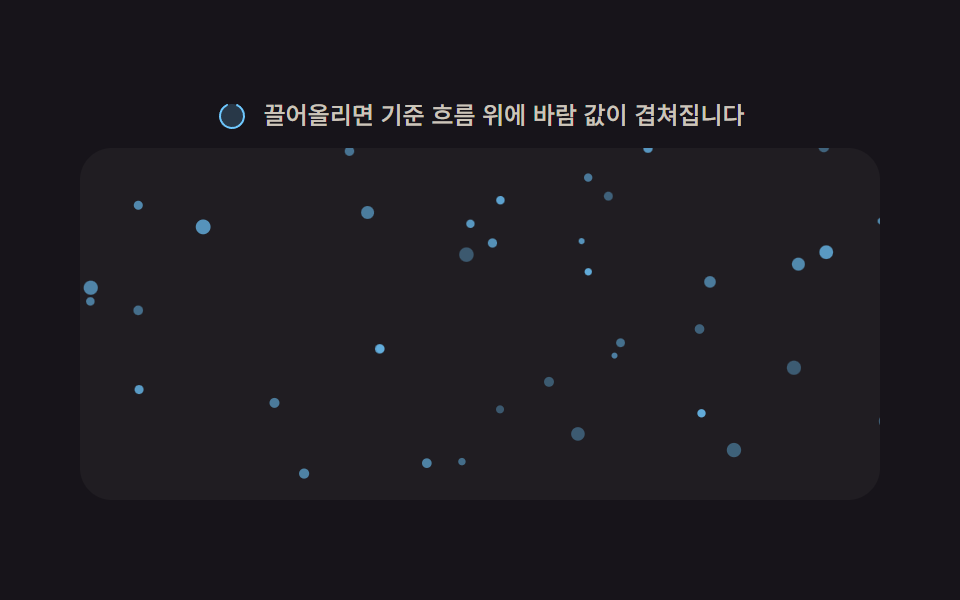 01 scroll-particle-drift-field
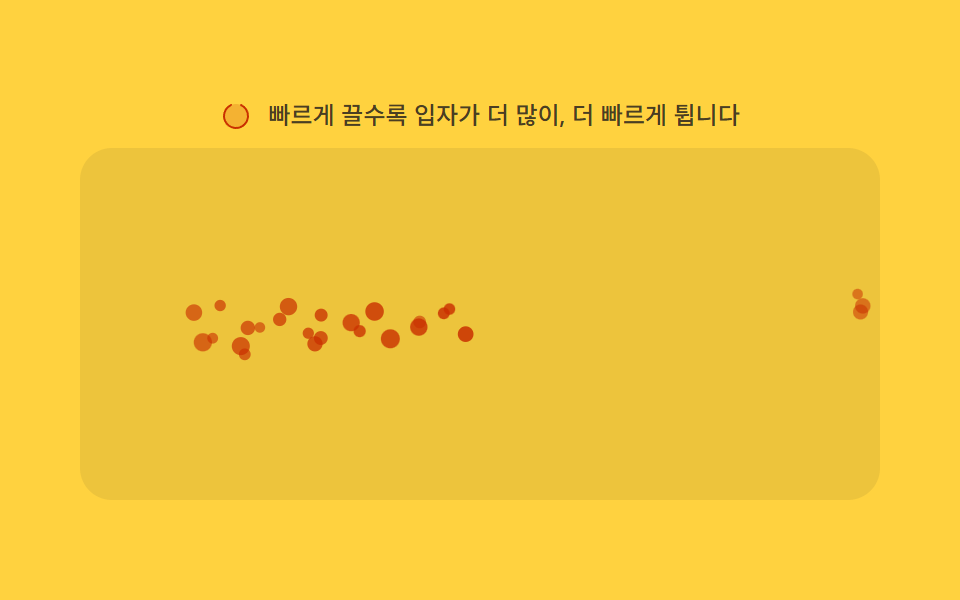 02 scroll-particle-velocity-spawn
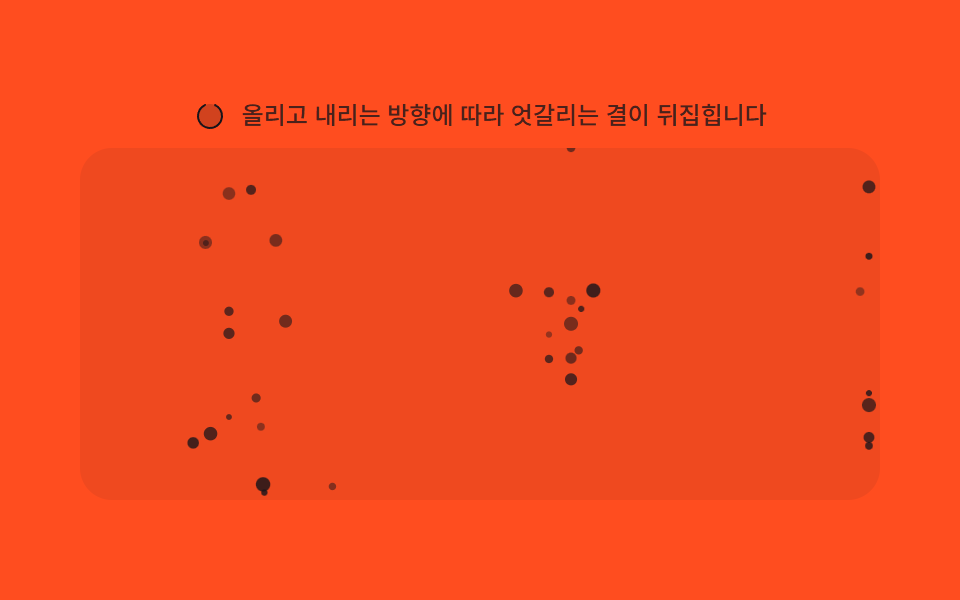 03 scroll-particle-direction-reverse
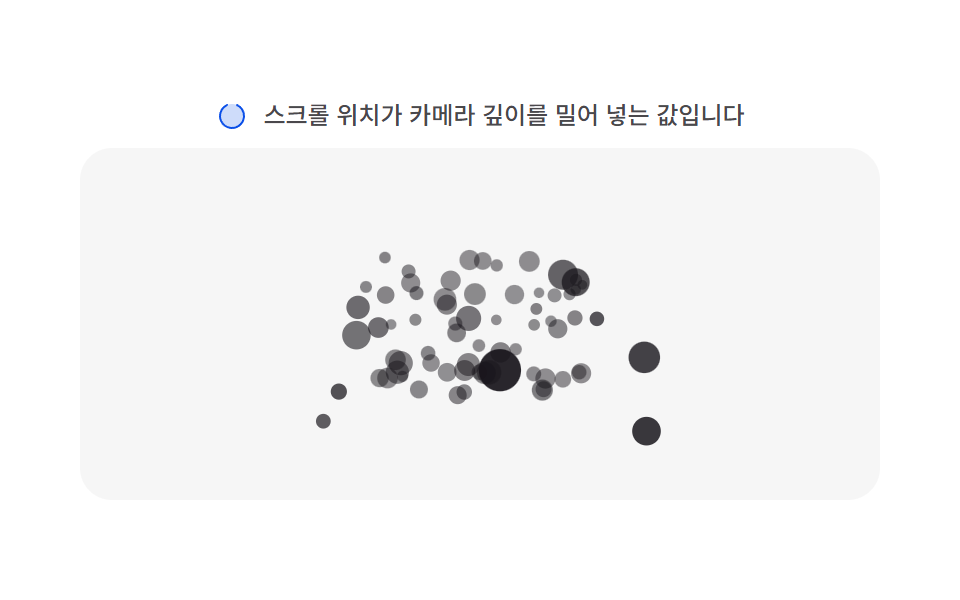 04 scroll-particle-depth-parallax
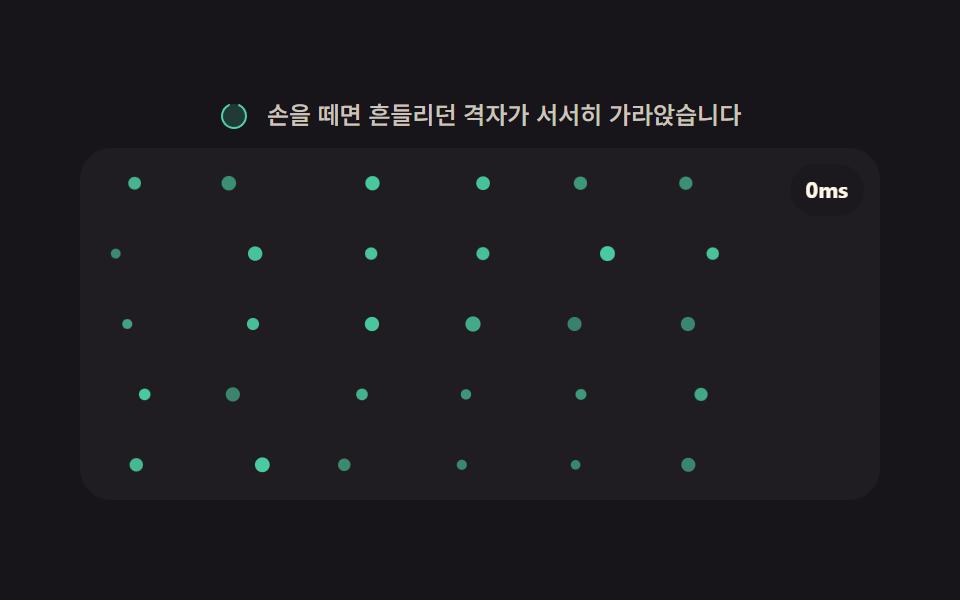 05 scroll-particle-idle-settle
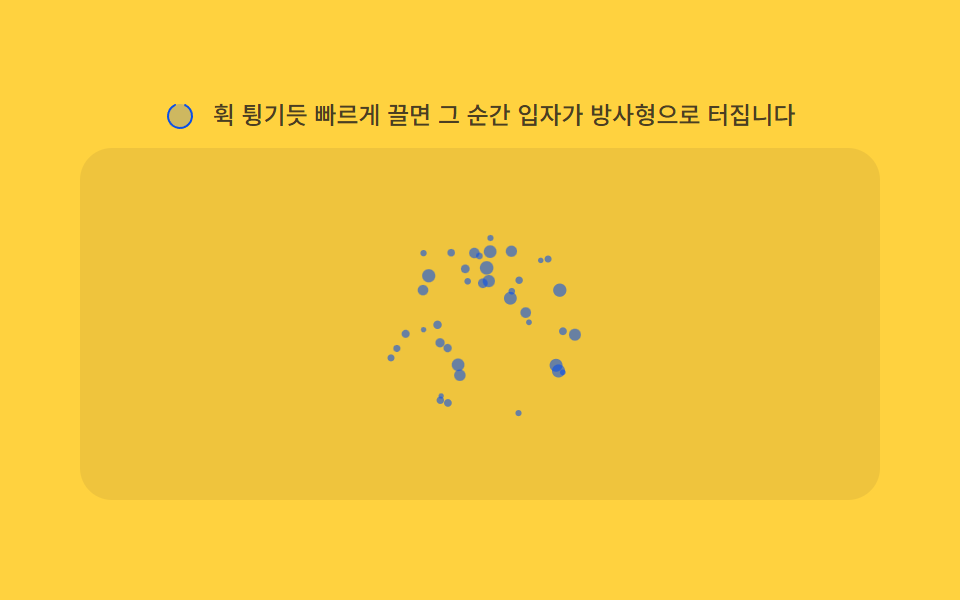 06 scroll-particle-burst-flick
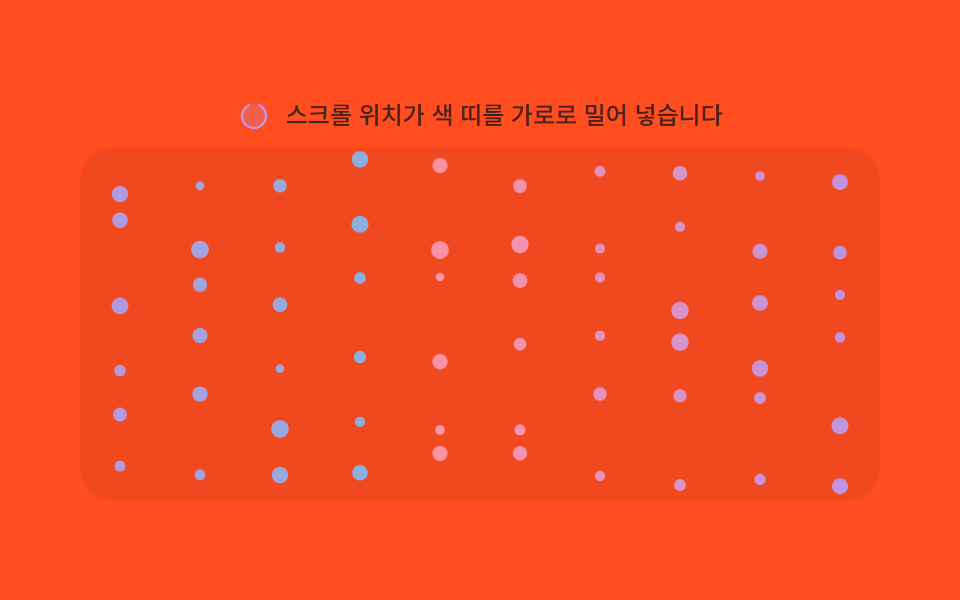 07 scroll-particle-hue-shift
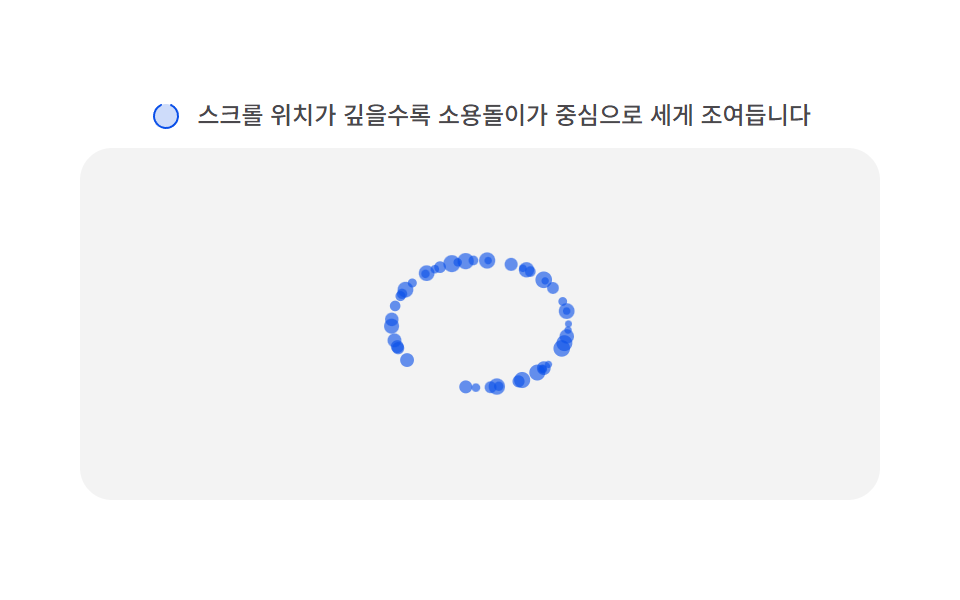 08 scroll-particle-vortex-pull
 09 scroll-particle-noise-flow
Auto-plays · click a tile to jump to its section · all nine in one zip
- 01 Ambient drift field — a baseline flow where particles rise at a resting-speed value even without any scroll value
- 02 Velocity-based spawn — the particle-spawn frequency value rises as the scroll-velocity value climbs
- 03 Direction reverse — the particle flow's direction value flips the instant the scroll-direction value switches from down to up
- 04 Depth parallax layer — each particle carries its own depth value, so the same scroll distance applies at a different distance per depth value
- 05 Idle settle — once scrolling stops, particles fall under a gravity value and settle slowly downward
- 06 Flick burst — a large jump in the scroll value within a short time scatters a burst of particles from that point
- 07 Section hue shift — the particles' color value steps to the next section's hue each time the scroll-progress value crosses a threshold
- 08 Vortex pull — a vortex's pull-strength value at a fixed point grows as the scroll-position value nears it
- 09 Noise flow distortion — the scroll value pushes a 2D noise field's offset value so particle paths bend into a smooth flowing path
Each of the nine skips every network call, skips localStorage, and skips Math.random too — the only input any of them reads is a single scroll value (position, velocity, or direction), and exactly one particle property in that scene answers it: a rise speed, a spawn rate, a lane direction, a depth offset, a spring target, a burst count, a hue, a pull radius, or a noise offset. That narrow scope is exactly why picking the right animated particle background css scene rarely needs more than knowing which particle property moves — the code underneath just confirms the mechanism once a name already points at the right one.
Anatomy of nine patterns — which value reacts to scroll
Item 01's step() raises particles at a RISE_SPEED value bent sideways by a WIND_GAIN-scaled scroll velocity and a FIELD_FREQ sine field; item 02's step() turns scroll velocity into a SPAWN_GAIN-driven spawn rate while each particle decays under FRICTION after launch; item 03's step() reads a laneSign/dirSign pair so a lane's own drift at LANE_SPEED flips direction the instant scroll direction reverses; item 04's project() runs an FOV/depth divide against a DOLLY_RANGE-scaled cameraZ(), so the same scroll distance moves a shallow particle further than a deep one; item 05's step() eases a STIFFNESS spring back toward rest under SETTLE_DAMP once scroll goes idle, with an idleMs timer counting how long that quiet has lasted; item 06's sampleScroll() watches for a FLICK_THRESHOLD rising edge to call burst(); item 07's bandColor() lerps across a BAND_A/BAND_B/BAND_C three-stop ramp as scroll progress crosses each boundary; item 08's step() shrinks a vortex's rest radius by REST_SHRINK as scroll nears a fixed point, then spins each particle at an angular rate of VORTEX_K divided by that same radius (floored at 8px so it never spins away to infinity); and item 09's step() samples a hand-built valueNoise() — a 256-entry permutation table hashed and smoothed rather than a Math.random call — offset by scroll through SCROLL_WARP and NOISE_SCALE. All nine listen for scroll and resize on their own scroll container rather than the window, and all nine treat a wheel, touchstart, or pointerdown event as a real visitor arriving, at which point human() turns the .is-demo autoplay loop off for good; until then, that same autoplay drives a triangle-wave scrollTop through an identical driveTick() shape in every scene. Every driver — the autoplay loop and each scene's own per-frame step() alike — runs through requestAnimationFrame rather than a timer, and Math.random appears in none of the nine; each one seeds its own small linear-congruential generator instead, so a given seed always lays out the same starting particles. Under prefers-reduced-motion: reduce, all nine skip that per-frame loop entirely and call paintStatic() once, so a visitor asking for less motion still sees the scene's resting layout rather than a blank canvas.
Code per pattern
01Ambient drift field — a baseline flow where particles rise at a resting-speed value even without any scroll value
Even at a scroll value of zero, particles keep rising at a resting-speed value, and once a scroll value appears the other values layer on top of that flow. A WIND_GAIN-scaled scroll velocity pushes the whole field sideways while a FIELD_FREQ sine field adds per-particle sway, so the motion reads as one ambient current rather than nine independent drifters — a fit for a hero section or a quiet loading backdrop.
<main class="stage">
<div class="sp" id="sp">
  <p class="sp__hint">
    <svg class="sp__ico" viewBox="0 0 256 256" aria-hidden="true"><g fill="currentColor"><path d="M224 128a96 96 0 1 1-96-96a96 96 0 0 1 96 96" opacity=".2"/><path d="M232 128a104 104 0 0 1-208 0c0-41 23.81-78.36 60.66-95.27a8 8 0 0 1 6.68 14.54C60.15 61.59 40 93.27 40 128a88 88 0 0 0 176 0c0-34.73-20.15-66.41-51.34-80.73a8 8 0 0 1 6.68-14.54C208.19 49.64 232 87 232 128"/></g></svg>
    <span>Scroll up and a wind value layers on top of the resting flow.</span>
  </p>
  <div class="sp__viewport" id="viewport" tabindex="0" role="region" aria-label="Particle flow scroll area">
    <canvas class="sp__cv" id="cv" aria-hidden="true"></canvas>
    <b class="sp__val" id="val" aria-hidden="true">0%</b>
    <div class="sp__track" aria-hidden="true"></div>
  </div>
</div>
</main>
@use "../../../../site/static/demo-tokens" as *;
// 변형 3개는 이 위 세 변수만 바꾼다. 계산 겹(속도장)은 index.html 의 step() 에 있다.
$duration: 2s;
$easing: $ease-out;
$color: $subject-sky;
@include stage($stage-ink);
.sp {
--particle-color: #{$color};
display: flex;
flex-direction: column;
align-items: center;
gap: $sp-2;
width: min(400px, 92vw);
}
.sp__hint {
display: flex;
align-items: center;
gap: $sp-2;
margin: 0;
color: rgba($subject-cream, .78);
font-size: 12px;
font-weight: 500;
line-height: 1.3;
}
.sp__ico {
width: 16px;
height: 16px;
flex: none;
color: $color;
}
.sp__viewport {
position: relative;
width: 100%;
height: 176px;
overflow-y: auto;
overflow-x: hidden;
border-radius: $r-card;
background: rgba($subject-cream, .04);
touch-action: pan-y;
scrollbar-width: thin;
}
.sp__cv {
position: sticky;
top: 0;
left: 0;
display: block;
width: 100%;
height: 176px;
}
.sp__track {
height: 320%;
}
.sp__val {
position: absolute;
top: $sp-2;
right: $sp-2;
padding: $sp-1 $sp-2;
border-radius: $r-pill;
background: rgba($stage-ink, .48);
color: $subject-cream;
font-size: 11px;
font-weight: 700;
line-height: 1.6;
pointer-events: none;
transition: opacity $duration $easing;
}
@media (max-width: 340px) {
.sp__hint { font-size: 11px; }
.sp__viewport, .sp__cv { height: 120px; }
}
@media (prefers-reduced-motion: reduce) {
.sp__viewport { scroll-behavior: auto; }
.sp__val { transition: none; }
}html, body {
margin: 0;
overflow: hidden;
}
.stage {
box-sizing: border-box;
min-height: 100vh;
display: grid;
place-items: center;
margin: 0;
background: #17141a;
font-family: -apple-system, "Segoe UI", "Noto Sans KR", sans-serif;
padding: clamp(8px, 4vw, 24px);
}
.sp {
--particle-color: #6ec8ff;
display: flex;
flex-direction: column;
align-items: center;
gap: 8px;
width: min(400px, 92vw);
}
.sp__hint {
display: flex;
align-items: center;
gap: 8px;
margin: 0;
color: rgba(255, 247, 230, 0.78);
font-size: 12px;
font-weight: 500;
line-height: 1.3;
}
.sp__ico {
width: 16px;
height: 16px;
flex: none;
color: #6ec8ff;
}
.sp__viewport {
position: relative;
width: 100%;
height: 176px;
overflow-y: auto;
overflow-x: hidden;
border-radius: 16px;
background: rgba(255, 247, 230, 0.04);
touch-action: pan-y;
scrollbar-width: thin;
}
.sp__cv {
position: sticky;
top: 0;
left: 0;
display: block;
width: 100%;
height: 176px;
}
.sp__track {
height: 320%;
}
.sp__val {
position: absolute;
top: 8px;
right: 8px;
padding: 4px 8px;
border-radius: 999px;
background: rgba(23, 20, 26, 0.48);
color: #fff7e6;
font-size: 11px;
font-weight: 700;
line-height: 1.6;
pointer-events: none;
transition: opacity 2s ease-out;
}
@media (max-width: 340px) {
.sp__hint {
font-size: 11px;
}
.sp__viewport, .sp__cv {
height: 120px;
}
}
@media (prefers-reduced-motion: reduce) {
.sp__viewport {
scroll-behavior: auto;
}
.sp__val {
transition: none;
}
}(function () {
var root = document.getElementById('sp');
var viewport = document.getElementById('viewport');
var cv = document.getElementById('cv');
var ctx = cv.getContext('2d');
var val = document.getElementById('val');
var reduce = window.matchMedia('(prefers-reduced-motion: reduce)').matches;
var isDemo = true;
// 결정론 난수 — 이 데모는 Math.random 을 쓰지 않는다. LCG(선형합동생성기) 하나로 파티클을 배치한다.
function makeLcg(seed) {
var s = seed >>> 0;
return function () { s = (s * 1664525 + 1013904223) >>> 0; return s / 4294967296; };
}
var rng = makeLcg(9001);
var css = getComputedStyle(root);
var PARTICLE_COLOR = css.getPropertyValue('--particle-color').trim() || '#6ec8ff';
// 계산 겹: 속도장(velocity field) — 상승 속도는 상수, 가로 바람은 위치(y)마다 다른 위상의 사인파다.
// 스크롤 속도 값이 이 바람의 세기를 정한다. 스크롤이 0이어도 상승은 멈추지 않는다.
var RISE_SPEED = 26; // 기준 상승 속도 (px/s)
var WIND_GAIN = 1.6; // 스크롤 속도(px/s) → 가로 바람(px/s) 변환 계수
var FIELD_FREQ = 0.02; // 속도장의 공간 주파수 — 높이마다 바람 방향이 달라진다
var SWAY_AMP = 9; // 속도장 자체의 흔들림 진폭 (px/s)
var COUNT = 46;
var W = 0, H = 0, dpr = 1;
var particles = [];
function fit() {
var r = viewport.getBoundingClientRect();
dpr = window.devicePixelRatio || 1;
W = r.width; H = r.height;
cv.width = Math.round(W * dpr);
cv.height = Math.round(H * dpr);
ctx.setTransform(dpr, 0, 0, dpr, 0, 0);
}
function spawnAt(p, first) {
p.x = rng() * W;
p.y = first ? rng() * H : H + rng() * 24;
p.r = 1.3 + rng() * 2.4;
p.speedVar = 0.6 + rng() * 0.8;
p.phase = rng() * Math.PI * 2;
p.alpha = 0.34 + rng() * 0.5;
}
function initParticles() {
particles = [];
for (var i = 0; i < COUNT; i++) { var p = {}; spawnAt(p, true); particles.push(p); }
}
// ── 스크롤 표본기 — 위치·속도·방향·정지시간을 한 곳에서 잰다(9종 공통 패턴) ──────
var scrollPos = 0, scrollVel = 0, scrollDir = 0, idleMs = 0, lastTop = 0, lastT = 0;
function sampleScroll(now) {
var top = viewport.scrollTop;
var max = Math.max(1, viewport.scrollHeight - viewport.clientHeight);
scrollPos = top / max;
var dt = lastT ? Math.max(1, now - lastT) : 16;
var v = (top - lastTop) / dt * 1000;
scrollVel += (v - scrollVel) * 0.3;
if (Math.abs(scrollVel) > 4) { scrollDir = scrollVel > 0 ? 1 : -1; idleMs = 0; } else { idleMs += dt; }
lastTop = top; lastT = now;
}
viewport.addEventListener('scroll', function () {
sampleScroll(performance.now());
if (reduce) paintStatic();
});
function human() { if (isDemo) { root.classList.remove('is-demo'); isDemo = false; } }
['wheel', 'touchstart', 'pointerdown'].forEach(function (evt) {
viewport.addEventListener(evt, human, { passive: true });
});
  function step(dtSec) {
    var wind = scrollVel * WIND_GAIN;
    for (var i = 0; i < particles.length; i++) {
      var p = particles[i];
      p.y -= RISE_SPEED * p.speedVar * dtSec;
      var sway = Math.sin(p.y * FIELD_FREQ + p.phase) * SWAY_AMP;
      p.x += (wind + sway) * dtSec;
      if (p.y < -8) spawnAt(p, false);
      if (p.x < -8) p.x = W + 8; else if (p.x > W + 8) p.x = -8;
    }
  }
function paint() {
ctx.clearRect(0, 0, W, H);
ctx.fillStyle = PARTICLE_COLOR;
for (var i = 0; i < particles.length; i++) {
var p = particles[i];
ctx.globalAlpha = p.alpha;
ctx.beginPath(); ctx.arc(p.x, p.y, p.r, 0, Math.PI * 2); ctx.fill();
}
ctx.globalAlpha = 1;
}
function updateVal() { val.textContent = Math.round(scrollPos * 100) + '%'; }
function paintStatic() {
// reduce — 시간 적분을 멈추고 스크롤 위치 값만 가로 오프셋으로 반영한 정지 장면
ctx.clearRect(0, 0, W, H);
ctx.fillStyle = PARTICLE_COLOR;
for (var i = 0; i < particles.length; i++) {
var p = particles[i];
var sway = Math.sin(p.y * FIELD_FREQ + p.phase) * SWAY_AMP * 0.06;
var x = ((p.x + sway + scrollPos * 30) % W + W) % W;
ctx.globalAlpha = p.alpha;
ctx.beginPath(); ctx.arc(x, p.y, p.r, 0, Math.PI * 2); ctx.fill();
}
ctx.globalAlpha = 1;
updateVal();
}
var lastFrameT = 0;
function frame(now) {
if (!lastFrameT) lastFrameT = now;
var dtSec = Math.min(0.05, (now - lastFrameT) / 1000);
lastFrameT = now;
step(dtSec);
paint();
updateVal();
requestAnimationFrame(frame);
}
var DRIVE_PERIOD_MS = 2000; // 렌더 캡처 창(설정 `초`)과 같은 주기 — 루프 한 바퀴가 캡처 안에 온전히 들어간다
var driveStart = 0;
function triangle(frac) { return frac < 0.5 ? frac * 2 : 2 - frac * 2; }
function driveTick(now) {
if (!driveStart) driveStart = now;
if (isDemo && !reduce) {
var frac = ((now - driveStart) % DRIVE_PERIOD_MS) / DRIVE_PERIOD_MS;
var w = triangle(frac);
var max = Math.max(1, viewport.scrollHeight - viewport.clientHeight);
viewport.scrollTop = w * max;
}
requestAnimationFrame(driveTick);
}
window.addEventListener('resize', fit);
fit();
initParticles();
if (reduce) {
root.classList.add('is-still');
sampleScroll(performance.now());
paintStatic();
} else {
requestAnimationFrame(frame);
requestAnimationFrame(driveTick);
}
})();// DriftField — vanilla 판(run/370/demo/01-scroll-particle-drift-field/index.html) 의 React 포트.
// 계산 겹: 속도장(velocity field) — 상승 속도는 상수, 가로 바람은 위치(y)마다 다른 위상의 사인파다.
// 스크롤 속도 값이 이 바람의 세기를 정한다. 스크롤이 0이어도 상승은 멈추지 않는다.
import { useEffect, useRef } from "react";
import styles from "./DriftField.module.scss";
type Box<T> = { current: T };
interface Particle { x: number; y: number; r: number; speedVar: number; phase: number; alpha: number; }
export default function DriftField() {
const rootRef = useRef(null) as unknown as Box<HTMLDivElement>;
const viewportRef = useRef(null) as unknown as Box<HTMLDivElement>;
const canvasRef = useRef(null) as unknown as Box<HTMLCanvasElement>;
const valRef = useRef(null) as unknown as Box<HTMLElement>;
const rafFrameRef = useRef(0) as unknown as Box<number>;
const rafDriveRef = useRef(0) as unknown as Box<number>;
useEffect(() => {
const root = rootRef.current;
const viewport = viewportRef.current;
const canvas = canvasRef.current;
const val = valRef.current;
if (!root || !viewport || !canvas || !val) return;
const ctx = canvas.getContext("2d");
if (!ctx) return;
const reduce = window.matchMedia("(prefers-reduced-motion: reduce)").matches;
let isDemo = true;
function makeLcg(seed: number) {
let s = seed >>> 0;
return function () { s = (s * 1664525 + 1013904223) >>> 0; return s / 4294967296; };
}
const rng = makeLcg(9001);
const css = getComputedStyle(root);
const PARTICLE_COLOR = css.getPropertyValue("--particle-color").trim() || "#6ec8ff";
const RISE_SPEED = 26;
const WIND_GAIN = 1.6;
const FIELD_FREQ = 0.02;
const SWAY_AMP = 9;
const COUNT = 46;
let W = 0, H = 0, dpr = 1;
let particles: Particle[] = [];
function fit() {
const r = viewport!.getBoundingClientRect();
dpr = window.devicePixelRatio || 1;
W = r.width; H = r.height;
canvas!.width = Math.round(W * dpr);
canvas!.height = Math.round(H * dpr);
ctx!.setTransform(dpr, 0, 0, dpr, 0, 0);
}
function spawnAt(p: Particle, first: boolean) {
p.x = rng() * W;
p.y = first ? rng() * H : H + rng() * 24;
p.r = 1.3 + rng() * 2.4;
p.speedVar = 0.6 + rng() * 0.8;
p.phase = rng() * Math.PI * 2;
p.alpha = 0.34 + rng() * 0.5;
}
function initParticles() {
particles = [];
for (let i = 0; i < COUNT; i++) {
const p: Particle = { x: 0, y: 0, r: 0, speedVar: 0, phase: 0, alpha: 0 };
spawnAt(p, true);
particles.push(p);
}
}
let scrollPos = 0, scrollVel = 0, idleMs = 0, lastTop = 0, lastT = 0;
function sampleScroll(now: number) {
const top = viewport!.scrollTop;
const max = Math.max(1, viewport!.scrollHeight - viewport!.clientHeight);
scrollPos = top / max;
const dt = lastT ? Math.max(1, now - lastT) : 16;
const v = (top - lastTop) / dt * 1000;
scrollVel += (v - scrollVel) * 0.3;
if (Math.abs(scrollVel) > 4) { idleMs = 0; } else { idleMs += dt; }
lastTop = top; lastT = now;
}
function onScroll() {
sampleScroll(performance.now());
if (reduce) paintStatic();
}
viewport.addEventListener("scroll", onScroll);
function human() { if (isDemo) { isDemo = false; } }
viewport.addEventListener("wheel", human, { passive: true });
viewport.addEventListener("touchstart", human, { passive: true });
viewport.addEventListener("pointerdown", human, { passive: true });
function step(dtSec: number) {
const wind = scrollVel * WIND_GAIN;
for (let i = 0; i < particles.length; i++) {
const p = particles[i];
p.y -= RISE_SPEED * p.speedVar * dtSec;
const sway = Math.sin(p.y * FIELD_FREQ + p.phase) * SWAY_AMP;
p.x += (wind + sway) * dtSec;
if (p.y < -8) spawnAt(p, false);
if (p.x < -8) p.x = W + 8; else if (p.x > W + 8) p.x = -8;
}
}
function paint() {
ctx!.clearRect(0, 0, W, H);
ctx!.fillStyle = PARTICLE_COLOR;
for (let i = 0; i < particles.length; i++) {
const p = particles[i];
ctx!.globalAlpha = p.alpha;
ctx!.beginPath(); ctx!.arc(p.x, p.y, p.r, 0, Math.PI * 2); ctx!.fill();
}
ctx!.globalAlpha = 1;
}
function updateVal() { val!.textContent = Math.round(scrollPos * 100) + "%"; }
function paintStatic() {
ctx!.clearRect(0, 0, W, H);
ctx!.fillStyle = PARTICLE_COLOR;
for (let i = 0; i < particles.length; i++) {
const p = particles[i];
const sway = Math.sin(p.y * FIELD_FREQ + p.phase) * SWAY_AMP * 0.06;
const x = ((p.x + sway + scrollPos * 30) % W + W) % W;
ctx!.globalAlpha = p.alpha;
ctx!.beginPath(); ctx!.arc(x, p.y, p.r, 0, Math.PI * 2); ctx!.fill();
}
ctx!.globalAlpha = 1;
updateVal();
}
let lastFrameT = 0;
function frame(now: number) {
if (!lastFrameT) lastFrameT = now;
const dtSec = Math.min(0.05, (now - lastFrameT) / 1000);
lastFrameT = now;
step(dtSec);
paint();
updateVal();
rafFrameRef.current = requestAnimationFrame(frame);
}
const DRIVE_PERIOD_MS = 2000;
let driveStart = 0;
function triangle(frac: number) { return frac < 0.5 ? frac * 2 : 2 - frac * 2; }
function driveTick(now: number) {
if (!driveStart) driveStart = now;
if (isDemo && !reduce) {
const frac = ((now - driveStart) % DRIVE_PERIOD_MS) / DRIVE_PERIOD_MS;
const w = triangle(frac);
const max = Math.max(1, viewport!.scrollHeight - viewport!.clientHeight);
viewport!.scrollTop = w * max;
}
rafDriveRef.current = requestAnimationFrame(driveTick);
}
function onResize() { fit(); }
window.addEventListener("resize", onResize);
fit();
initParticles();
if (reduce) {
sampleScroll(performance.now());
paintStatic();
} else {
rafFrameRef.current = requestAnimationFrame(frame);
rafDriveRef.current = requestAnimationFrame(driveTick);
}
return () => {
window.removeEventListener("resize", onResize);
viewport.removeEventListener("scroll", onScroll);
viewport.removeEventListener("wheel", human);
viewport.removeEventListener("touchstart", human);
viewport.removeEventListener("pointerdown", human);
cancelAnimationFrame(rafFrameRef.current);
cancelAnimationFrame(rafDriveRef.current);
};
}, []);
return (
<main className={styles.stage}>
<div className={styles.root} ref={rootRef}>
<p className={styles.hint}>
<svg className={styles.icon} viewBox="0 0 256 256" aria-hidden="true"><g fill="currentColor"><path d="M224 128a96 96 0 1 1-96-96a96 96 0 0 1 96 96" opacity=".2" /><path d="M232 128a104 104 0 0 1-208 0c0-41 23.81-78.36 60.66-95.27a8 8 0 0 1 6.68 14.54C60.15 61.59 40 93.27 40 128a88 88 0 0 0 176 0c0-34.73-20.15-66.41-51.34-80.73a8 8 0 0 1 6.68-14.54C208.19 49.64 232 87 232 128" /></g></svg>
<span>끌어올리면 기준 흐름 위에 바람 값이 겹쳐집니다</span>
</p>
<div className={styles.viewport} ref={viewportRef} tabIndex={0} role="region" aria-label="파티클 흐름 스크롤 영역">
<canvas className={styles.canvas} ref={canvasRef} aria-hidden="true" />
<b className={styles.val} ref={valRef} aria-hidden="true">0%</b>
<div className={styles.track} aria-hidden="true" />
</div>
</div>
</main>
);
}01 · Ambient drift field — a baseline flow where particles rise at a resting-speed value even without any scroll value — Measured area 15.706% · moving frames 23/23Original by GODRICH · SCSS and React ship in the zip · See the password
function step(dtSec) {
var wind = scrollVel * WIND_GAIN;
for (var i = 0; i < particles.length; i++) {
var p = particles[i];
p.y -= RISE_SPEED * p.speedVar * dtSec;
var sway = Math.sin(p.y * FIELD_FREQ + p.phase) * SWAY_AMP;
p.x += (wind + sway) * dtSec;
if (p.y < -8) spawnAt(p, false);
if (p.x < -8) p.x = W + 8; else if (p.x > W + 8) p.x = -8;
}
}
What the numbers say
Item 01 fills 15.71% of the frame cumulatively at an 88.9 average intensity while moving in 23 of 23 sampled frames — the highest cumulative area among the nine, because a resting rise never stops even between scroll events, so the field is still repainting on almost every sampled frame.
02Velocity-based spawn — the particle-spawn frequency value rises as the scroll-velocity value climbs
As the scroll-velocity value climbs, the number of particles spawned per frame value rises, and it settles back to a resting rate once scrolling stops. SPAWN_GAIN sets how sharply that spawn rate reacts to velocity, LAUNCH_GAIN sets how far each new particle launches outward, and FRICTION bleeds off that launch speed afterward — a fit for a hero banner that should feel busier while a visitor is actively scrolling past it.
<main class="stage">
<div class="sp" id="sp">
  <p class="sp__hint">
    <svg class="sp__ico" viewBox="0 0 256 256" aria-hidden="true"><g fill="currentColor"><path d="M224 128a96 96 0 1 1-96-96a96 96 0 0 1 96 96" opacity=".2"/><path d="M232 128a104 104 0 0 1-208 0c0-41 23.81-78.36 60.66-95.27a8 8 0 0 1 6.68 14.54C60.15 61.59 40 93.27 40 128a88 88 0 0 0 176 0c0-34.73-20.15-66.41-51.34-80.73a8 8 0 0 1 6.68-14.54C208.19 49.64 232 87 232 128"/></g></svg>
    <span>The faster you scroll, the more particles spawn and the faster they fly.</span>
  </p>
  <div class="sp__viewport" id="viewport" tabindex="0" role="region" aria-label="Particle spawn scroll area">
    <canvas class="sp__cv" id="cv" aria-hidden="true"></canvas>
    <b class="sp__val" id="val" aria-hidden="true">0px/s</b>
    <div class="sp__track" aria-hidden="true"></div>
  </div>
</div>
</main>
@use "../../../../site/static/demo-tokens" as *;
// 변형 3개는 이 위 세 변수만 바꾼다. 계산 겹(분사율·마찰)은 index.html 의 step() 에 있다.
$duration: 2s;
$easing: $ease-out;
$color: $subject-orange-deep;
@include stage($stage-yellow);
.sp {
--particle-color: #{$color};
display: flex;
flex-direction: column;
align-items: center;
gap: $sp-2;
width: min(400px, 92vw);
}
.sp__hint {
display: flex;
align-items: center;
gap: $sp-2;
margin: 0;
color: rgba($stage-ink, .78);
font-size: 12px;
font-weight: 500;
line-height: 1.3;
}
.sp__ico {
width: 16px;
height: 16px;
flex: none;
color: $subject-orange-deep;
}
.sp__viewport {
position: relative;
width: 100%;
height: 176px;
overflow-y: auto;
overflow-x: hidden;
border-radius: $r-card;
background: rgba($stage-ink, .08);
touch-action: pan-y;
scrollbar-width: thin;
}
.sp__cv {
position: sticky;
top: 0;
left: 0;
display: block;
width: 100%;
height: 176px;
}
.sp__track {
height: 320%;
}
.sp__val {
position: absolute;
top: $sp-2;
right: $sp-2;
padding: $sp-1 $sp-2;
border-radius: $r-pill;
background: rgba($stage-ink, .5);
color: $subject-cream;
font-size: 11px;
font-weight: 700;
line-height: 1.6;
pointer-events: none;
transition: opacity $duration $easing;
}
@media (max-width: 340px) {
.sp__hint { font-size: 11px; }
.sp__viewport, .sp__cv { height: 120px; }
}
@media (prefers-reduced-motion: reduce) {
.sp__viewport { scroll-behavior: auto; }
.sp__val { transition: none; }
}html, body {
margin: 0;
overflow: hidden;
}
.stage {
box-sizing: border-box;
min-height: 100vh;
display: grid;
place-items: center;
margin: 0;
background: #ffd23f;
font-family: -apple-system, "Segoe UI", "Noto Sans KR", sans-serif;
padding: clamp(8px, 4vw, 24px);
}
.sp {
--particle-color: #c93000;
display: flex;
flex-direction: column;
align-items: center;
gap: 8px;
width: min(400px, 92vw);
}
.sp__hint {
display: flex;
align-items: center;
gap: 8px;
margin: 0;
color: rgba(23, 20, 26, 0.78);
font-size: 12px;
font-weight: 500;
line-height: 1.3;
}
.sp__ico {
width: 16px;
height: 16px;
flex: none;
color: #c93000;
}
.sp__viewport {
position: relative;
width: 100%;
height: 176px;
overflow-y: auto;
overflow-x: hidden;
border-radius: 16px;
background: rgba(23, 20, 26, 0.08);
touch-action: pan-y;
scrollbar-width: thin;
}
.sp__cv {
position: sticky;
top: 0;
left: 0;
display: block;
width: 100%;
height: 176px;
}
.sp__track {
height: 320%;
}
.sp__val {
position: absolute;
top: 8px;
right: 8px;
padding: 4px 8px;
border-radius: 999px;
background: rgba(23, 20, 26, 0.5);
color: #fff7e6;
font-size: 11px;
font-weight: 700;
line-height: 1.6;
pointer-events: none;
transition: opacity 2s ease-out;
}
@media (max-width: 340px) {
.sp__hint {
font-size: 11px;
}
.sp__viewport, .sp__cv {
height: 120px;
}
}
@media (prefers-reduced-motion: reduce) {
.sp__viewport {
scroll-behavior: auto;
}
.sp__val {
transition: none;
}
}(function () {
var root = document.getElementById('sp');
var viewport = document.getElementById('viewport');
var cv = document.getElementById('cv');
var ctx = cv.getContext('2d');
var val = document.getElementById('val');
var reduce = window.matchMedia('(prefers-reduced-motion: reduce)').matches;
var isDemo = true;
function makeLcg(seed) {
var s = seed >>> 0;
return function () { s = (s * 1664525 + 1013904223) >>> 0; return s / 4294967296; };
}
var rng = makeLcg(4271);
var css = getComputedStyle(root);
var PARTICLE_COLOR = css.getPropertyValue('--particle-color').trim() || '#ffd23f';
// 계산 겹: 분사율 매핑(spawn-rate mapping) — 스크롤 속도(px/s)의 절대값이 초당 입자 발생 수를 정하고,
// 부호가 발사 방향을 정한다. 발사된 입자는 마찰(FRICTION)로 속도가 지수적으로 줄며 사라진다.
var SPAWN_GAIN = 0.1; // |스크롤 속도| → 초당 입자 수
var LAUNCH_GAIN = 0.95; // 스크롤 속도 → 입자 발사 속도(px/s)
var FRICTION = 1.15; // 속도 감쇠율 (1/s)
var LIFE_MS = 1300;
var MAX_PARTICLES = 150;
var W = 0, H = 0, dpr = 1;
var particles = [];
var spawnAcc = 0;
function fit() {
var r = viewport.getBoundingClientRect();
dpr = window.devicePixelRatio || 1;
W = r.width; H = r.height;
cv.width = Math.round(W * dpr);
cv.height = Math.round(H * dpr);
ctx.setTransform(dpr, 0, 0, dpr, 0, 0);
}
var scrollPos = 0, scrollVel = 0, scrollDir = 0, idleMs = 0, lastTop = 0, lastT = 0;
function sampleScroll(now) {
var top = viewport.scrollTop;
var max = Math.max(1, viewport.scrollHeight - viewport.clientHeight);
scrollPos = top / max;
var dt = lastT ? Math.max(1, now - lastT) : 16;
var v = (top - lastTop) / dt * 1000;
scrollVel += (v - scrollVel) * 0.35;
if (Math.abs(scrollVel) > 4) { scrollDir = scrollVel > 0 ? 1 : -1; idleMs = 0; } else { idleMs += dt; }
lastTop = top; lastT = now;
}
viewport.addEventListener('scroll', function () {
sampleScroll(performance.now());
if (reduce) paintStatic();
});
function human() { if (isDemo) { root.classList.remove('is-demo'); isDemo = false; } }
['wheel', 'touchstart', 'pointerdown'].forEach(function (evt) {
viewport.addEventListener(evt, human, { passive: true });
});
function spawnOne(now) {
var p = {
x: W * 0.5 + (rng() - 0.5) * 20,
y: H * 0.5 + (rng() - 0.5) * 20,
vx: scrollVel * LAUNCH_GAIN + (rng() - 0.5) * 40,
vy: (rng() - 0.5) * 60 - scrollDir * 20,
r: 2 + rng() * 3.2,
born: now
};
particles.push(p);
if (particles.length > MAX_PARTICLES) particles.shift();
}
  function step(now, dtSec) {
    var rate = Math.min(140, Math.abs(scrollVel) * SPAWN_GAIN);
    spawnAcc += rate * dtSec;
    while (spawnAcc >= 1) { spawnOne(now); spawnAcc -= 1; }

    var decay = Math.exp(-FRICTION * dtSec);
    for (var i = particles.length - 1; i >= 0; i--) {
      var p = particles[i];
      p.vx *= decay; p.vy *= decay;
      p.x += p.vx * dtSec;
      p.y += p.vy * dtSec;
      if (now - p.born > LIFE_MS) particles.splice(i, 1);
    }
  }
function paint(now) {
ctx.clearRect(0, 0, W, H);
ctx.fillStyle = PARTICLE_COLOR;
for (var i = 0; i < particles.length; i++) {
var p = particles[i];
var t = (now - p.born) / LIFE_MS;
ctx.globalAlpha = Math.max(0, 1 - t) * 0.85;
ctx.beginPath(); ctx.arc(p.x, p.y, p.r * (1 - t * 0.4), 0, Math.PI * 2); ctx.fill();
}
ctx.globalAlpha = 1;
}
function updateVal() { val.textContent = Math.round(Math.abs(scrollVel)) + 'px/s'; }
function paintStatic() {
ctx.clearRect(0, 0, W, H);
ctx.fillStyle = PARTICLE_COLOR;
var n = 10 + Math.round(scrollPos * 40);
for (var i = 0; i < n; i++) {
var ang = (i / n) * Math.PI * 2;
var rad = 12 + (i % 5) * 10 + scrollPos * 20;
var x = W * 0.5 + Math.cos(ang) * rad;
var y = H * 0.5 + Math.sin(ang) * rad * 0.6;
ctx.globalAlpha = 0.6;
ctx.beginPath(); ctx.arc(x, y, 2, 0, Math.PI * 2); ctx.fill();
}
ctx.globalAlpha = 1;
updateVal();
}
var lastFrameT = 0;
function frame(now) {
if (!lastFrameT) lastFrameT = now;
var dtSec = Math.min(0.05, (now - lastFrameT) / 1000);
lastFrameT = now;
step(now, dtSec);
paint(now);
updateVal();
requestAnimationFrame(frame);
}
var DRIVE_PERIOD_MS = 2000;
var driveStart = 0;
function triangle(frac) { return frac < 0.5 ? frac * 2 : 2 - frac * 2; }
function driveTick(now) {
if (!driveStart) driveStart = now;
if (isDemo && !reduce) {
var frac = ((now - driveStart) % DRIVE_PERIOD_MS) / DRIVE_PERIOD_MS;
var w = triangle(frac);
var max = Math.max(1, viewport.scrollHeight - viewport.clientHeight);
viewport.scrollTop = w * max;
}
requestAnimationFrame(driveTick);
}
window.addEventListener('resize', fit);
fit();
if (reduce) {
root.classList.add('is-still');
sampleScroll(performance.now());
paintStatic();
} else {
requestAnimationFrame(frame);
requestAnimationFrame(driveTick);
}
})();// VelocitySpawn — vanilla 판(run/370/demo/02-scroll-particle-velocity-spawn/index.html) 의 React 포트.
// 계산 겹: 분사율 매핑(spawn-rate mapping) — 스크롤 속도(px/s)의 절대값이 초당 입자 발생 수를 정하고,
// 부호가 발사 방향을 정한다. 발사된 입자는 마찰(FRICTION)로 속도가 지수적으로 줄며 사라진다.
import { useEffect, useRef } from "react";
import styles from "./VelocitySpawn.module.scss";
type Box<T> = { current: T };
interface Particle { x: number; y: number; vx: number; vy: number; r: number; born: number; }
export default function VelocitySpawn() {
const rootRef = useRef(null) as unknown as Box<HTMLDivElement>;
const viewportRef = useRef(null) as unknown as Box<HTMLDivElement>;
const canvasRef = useRef(null) as unknown as Box<HTMLCanvasElement>;
const valRef = useRef(null) as unknown as Box<HTMLElement>;
const rafFrameRef = useRef(0) as unknown as Box<number>;
const rafDriveRef = useRef(0) as unknown as Box<number>;
useEffect(() => {
const root = rootRef.current;
const viewport = viewportRef.current;
const canvas = canvasRef.current;
const val = valRef.current;
if (!root || !viewport || !canvas || !val) return;
const ctx = canvas.getContext("2d");
if (!ctx) return;
const reduce = window.matchMedia("(prefers-reduced-motion: reduce)").matches;
let isDemo = true;
function makeLcg(seed: number) {
let s = seed >>> 0;
return function () { s = (s * 1664525 + 1013904223) >>> 0; return s / 4294967296; };
}
const rng = makeLcg(4271);
const css = getComputedStyle(root);
const PARTICLE_COLOR = css.getPropertyValue("--particle-color").trim() || "#ffd23f";
const SPAWN_GAIN = 0.1;
const LAUNCH_GAIN = 0.95;
const FRICTION = 1.15;
const LIFE_MS = 1300;
const MAX_PARTICLES = 150;
let W = 0, H = 0, dpr = 1;
let particles: Particle[] = [];
let spawnAcc = 0;
function fit() {
const r = viewport!.getBoundingClientRect();
dpr = window.devicePixelRatio || 1;
W = r.width; H = r.height;
canvas!.width = Math.round(W * dpr);
canvas!.height = Math.round(H * dpr);
ctx!.setTransform(dpr, 0, 0, dpr, 0, 0);
}
let scrollPos = 0, scrollVel = 0, scrollDir = 0, idleMs = 0, lastTop = 0, lastT = 0;
function sampleScroll(now: number) {
const top = viewport!.scrollTop;
const max = Math.max(1, viewport!.scrollHeight - viewport!.clientHeight);
scrollPos = top / max;
const dt = lastT ? Math.max(1, now - lastT) : 16;
const v = (top - lastTop) / dt * 1000;
scrollVel += (v - scrollVel) * 0.35;
if (Math.abs(scrollVel) > 4) { scrollDir = scrollVel > 0 ? 1 : -1; idleMs = 0; } else { idleMs += dt; }
lastTop = top; lastT = now;
}
function onScroll() {
sampleScroll(performance.now());
if (reduce) paintStatic();
}
viewport.addEventListener("scroll", onScroll);
function human() { if (isDemo) { isDemo = false; } }
viewport.addEventListener("wheel", human, { passive: true });
viewport.addEventListener("touchstart", human, { passive: true });
viewport.addEventListener("pointerdown", human, { passive: true });
function spawnOne(now: number) {
const p: Particle = {
x: W * 0.5 + (rng() - 0.5) * 20,
y: H * 0.5 + (rng() - 0.5) * 20,
vx: scrollVel * LAUNCH_GAIN + (rng() - 0.5) * 40,
vy: (rng() - 0.5) * 60 - scrollDir * 20,
r: 2 + rng() * 3.2,
born: now,
};
particles.push(p);
if (particles.length > MAX_PARTICLES) particles.shift();
}
function step(now: number, dtSec: number) {
const rate = Math.min(140, Math.abs(scrollVel) * SPAWN_GAIN);
spawnAcc += rate * dtSec;
while (spawnAcc >= 1) { spawnOne(now); spawnAcc -= 1; }
const decay = Math.exp(-FRICTION * dtSec);
for (let i = particles.length - 1; i >= 0; i--) {
const p = particles[i];
p.vx *= decay; p.vy *= decay;
p.x += p.vx * dtSec;
p.y += p.vy * dtSec;
if (now - p.born > LIFE_MS) particles.splice(i, 1);
}
}
function paint(now: number) {
ctx!.clearRect(0, 0, W, H);
ctx!.fillStyle = PARTICLE_COLOR;
for (let i = 0; i < particles.length; i++) {
const p = particles[i];
const t = (now - p.born) / LIFE_MS;
ctx!.globalAlpha = Math.max(0, 1 - t) * 0.85;
ctx!.beginPath(); ctx!.arc(p.x, p.y, p.r * (1 - t * 0.4), 0, Math.PI * 2); ctx!.fill();
}
ctx!.globalAlpha = 1;
}
function updateVal() { val!.textContent = Math.round(Math.abs(scrollVel)) + "px/s"; }
function paintStatic() {
ctx!.clearRect(0, 0, W, H);
ctx!.fillStyle = PARTICLE_COLOR;
const n = 10 + Math.round(scrollPos * 40);
for (let i = 0; i < n; i++) {
const ang = (i / n) * Math.PI * 2;
const rad = 12 + (i % 5) * 10 + scrollPos * 20;
const x = W * 0.5 + Math.cos(ang) * rad;
const y = H * 0.5 + Math.sin(ang) * rad * 0.6;
ctx!.globalAlpha = 0.6;
ctx!.beginPath(); ctx!.arc(x, y, 2, 0, Math.PI * 2); ctx!.fill();
}
ctx!.globalAlpha = 1;
updateVal();
}
let lastFrameT = 0;
function frame(now: number) {
if (!lastFrameT) lastFrameT = now;
const dtSec = Math.min(0.05, (now - lastFrameT) / 1000);
lastFrameT = now;
step(now, dtSec);
paint(now);
updateVal();
rafFrameRef.current = requestAnimationFrame(frame);
}
const DRIVE_PERIOD_MS = 2000;
let driveStart = 0;
function triangle(frac: number) { return frac < 0.5 ? frac * 2 : 2 - frac * 2; }
function driveTick(now: number) {
if (!driveStart) driveStart = now;
if (isDemo && !reduce) {
const frac = ((now - driveStart) % DRIVE_PERIOD_MS) / DRIVE_PERIOD_MS;
const w = triangle(frac);
const max = Math.max(1, viewport!.scrollHeight - viewport!.clientHeight);
viewport!.scrollTop = w * max;
}
rafDriveRef.current = requestAnimationFrame(driveTick);
}
function onResize() { fit(); }
window.addEventListener("resize", onResize);
fit();
if (reduce) {
sampleScroll(performance.now());
paintStatic();
} else {
rafFrameRef.current = requestAnimationFrame(frame);
rafDriveRef.current = requestAnimationFrame(driveTick);
}
return () => {
window.removeEventListener("resize", onResize);
viewport.removeEventListener("scroll", onScroll);
viewport.removeEventListener("wheel", human);
viewport.removeEventListener("touchstart", human);
viewport.removeEventListener("pointerdown", human);
cancelAnimationFrame(rafFrameRef.current);
cancelAnimationFrame(rafDriveRef.current);
};
}, []);
return (
<main className={styles.stage}>
<div className={styles.root} ref={rootRef}>
<p className={styles.hint}>
<svg className={styles.icon} viewBox="0 0 256 256" aria-hidden="true"><g fill="currentColor"><path d="M224 128a96 96 0 1 1-96-96a96 96 0 0 1 96 96" opacity=".2" /><path d="M232 128a104 104 0 0 1-208 0c0-41 23.81-78.36 60.66-95.27a8 8 0 0 1 6.68 14.54C60.15 61.59 40 93.27 40 128a88 88 0 0 0 176 0c0-34.73-20.15-66.41-51.34-80.73a8 8 0 0 1 6.68-14.54C208.19 49.64 232 87 232 128" /></g></svg>
<span>빠르게 끌수록 입자가 더 많이, 더 빠르게 튑니다</span>
</p>
<div className={styles.viewport} ref={viewportRef} tabIndex={0} role="region" aria-label="입자 분사 스크롤 영역">
<canvas className={styles.canvas} ref={canvasRef} aria-hidden="true" />
<b className={styles.val} ref={valRef} aria-hidden="true">0px/s</b>
<div className={styles.track} aria-hidden="true" />
</div>
</div>
</main>
);
}02 · Velocity-based spawn — the particle-spawn frequency value rises as the scroll-velocity value climbs — Measured area 8.292% · moving frames 23/23Original by GODRICH · SCSS and React ship in the zip · See the password
function step(now, dtSec) {
var rate = Math.min(140, Math.abs(scrollVel) * SPAWN_GAIN);
spawnAcc += rate * dtSec;
while (spawnAcc >= 1) { spawnOne(now); spawnAcc -= 1; }
var decay = Math.exp(-FRICTION * dtSec);
for (var i = particles.length - 1; i >= 0; i--) {
var p = particles[i];
p.vx *= decay; p.vy *= decay;
p.x += p.vx * dtSec;
p.y += p.vy * dtSec;
if (now - p.born > LIFE_MS) particles.splice(i, 1);
}
}
What the numbers say
Item 02 fills 8.29% of the frame cumulatively at an 85.1 average intensity while moving in 23 of 23 sampled frames, because every spawn cycle also removes particles once their LIFE_MS runs out, so the painted area rises and falls with scroll velocity instead of only growing.
03Direction reverse — the particle flow's direction value flips the instant the scroll-direction value switches from down to up
The moment the scroll-direction value switches to up, the particles' flow-direction value flips, so the same spot reads differently scrolling down versus up. A laneSign/dirSign pair decides which way each lane drifts at a fixed LANE_SPEED, so reversing scroll direction reverses every lane at once rather than any single particle acting alone.
<main class="stage">
<div class="sp" id="sp">
  <p class="sp__hint">
    <svg class="sp__ico" viewBox="0 0 256 256" aria-hidden="true"><g fill="currentColor"><path d="M224 128a96 96 0 1 1-96-96a96 96 0 0 1 96 96" opacity=".2"/><path d="M232 128a104 104 0 0 1-208 0c0-41 23.81-78.36 60.66-95.27a8 8 0 0 1 6.68 14.54C60.15 61.59 40 93.27 40 128a88 88 0 0 0 176 0c0-34.73-20.15-66.41-51.34-80.73a8 8 0 0 1 6.68-14.54C208.19 49.64 232 87 232 128"/></g></svg>
    <span>Scroll up or down and the crisscrossing grain flips direction.</span>
  </p>
  <div class="sp__viewport" id="viewport" tabindex="0" role="region" aria-label="Particle direction scroll area">
    <canvas class="sp__cv" id="cv" aria-hidden="true"></canvas>
    <b class="sp__val" id="val" aria-hidden="true">↓</b>
    <div class="sp__track" aria-hidden="true"></div>
  </div>
</div>
</main>
@use "../../../../site/static/demo-tokens" as *;
// 변형 3개는 이 위 세 변수만 바꾼다. 계산 겹(방향 부호장)은 index.html 의 step() 에 있다.
$duration: 2s;
$easing: $ease-out;
$color: $stage-ink;
@include stage($stage-orange);
.sp {
--particle-color: #{$color};
display: flex;
flex-direction: column;
align-items: center;
gap: $sp-2;
width: min(400px, 92vw);
}
.sp__hint {
display: flex;
align-items: center;
gap: $sp-2;
margin: 0;
color: rgba($stage-ink, .78);
font-size: 12px;
font-weight: 500;
line-height: 1.3;
}
.sp__ico {
width: 16px;
height: 16px;
flex: none;
color: $stage-ink;
}
.sp__viewport {
position: relative;
width: 100%;
height: 176px;
overflow-y: auto;
overflow-x: hidden;
border-radius: $r-card;
background: rgba($stage-ink, .07);
touch-action: pan-y;
scrollbar-width: thin;
}
.sp__cv {
position: sticky;
top: 0;
left: 0;
display: block;
width: 100%;
height: 176px;
}
.sp__track {
height: 320%;
}
.sp__val {
position: absolute;
top: $sp-2;
right: $sp-2;
padding: $sp-1 $sp-2;
border-radius: $r-pill;
background: rgba($stage-ink, .5);
color: $subject-cream;
font-size: 12px;
font-weight: 700;
line-height: 1.6;
pointer-events: none;
transition: opacity $duration $easing;
}
@media (max-width: 340px) {
.sp__hint { font-size: 11px; }
.sp__viewport, .sp__cv { height: 120px; }
}
@media (prefers-reduced-motion: reduce) {
.sp__viewport { scroll-behavior: auto; }
.sp__val { transition: none; }
}html, body {
margin: 0;
overflow: hidden;
}
.stage {
box-sizing: border-box;
min-height: 100vh;
display: grid;
place-items: center;
margin: 0;
background: #ff4d1f;
font-family: -apple-system, "Segoe UI", "Noto Sans KR", sans-serif;
padding: clamp(8px, 4vw, 24px);
}
.sp {
--particle-color: #17141a;
display: flex;
flex-direction: column;
align-items: center;
gap: 8px;
width: min(400px, 92vw);
}
.sp__hint {
display: flex;
align-items: center;
gap: 8px;
margin: 0;
color: rgba(23, 20, 26, 0.78);
font-size: 12px;
font-weight: 500;
line-height: 1.3;
}
.sp__ico {
width: 16px;
height: 16px;
flex: none;
color: #17141a;
}
.sp__viewport {
position: relative;
width: 100%;
height: 176px;
overflow-y: auto;
overflow-x: hidden;
border-radius: 16px;
background: rgba(23, 20, 26, 0.07);
touch-action: pan-y;
scrollbar-width: thin;
}
.sp__cv {
position: sticky;
top: 0;
left: 0;
display: block;
width: 100%;
height: 176px;
}
.sp__track {
height: 320%;
}
.sp__val {
position: absolute;
top: 8px;
right: 8px;
padding: 4px 8px;
border-radius: 999px;
background: rgba(23, 20, 26, 0.5);
color: #fff7e6;
font-size: 12px;
font-weight: 700;
line-height: 1.6;
pointer-events: none;
transition: opacity 2s ease-out;
}
@media (max-width: 340px) {
.sp__hint {
font-size: 11px;
}
.sp__viewport, .sp__cv {
height: 120px;
}
}
@media (prefers-reduced-motion: reduce) {
.sp__viewport {
scroll-behavior: auto;
}
.sp__val {
transition: none;
}
}(function () {
var root = document.getElementById('sp');
var viewport = document.getElementById('viewport');
var cv = document.getElementById('cv');
var ctx = cv.getContext('2d');
var val = document.getElementById('val');
var reduce = window.matchMedia('(prefers-reduced-motion: reduce)').matches;
var isDemo = true;
function makeLcg(seed) {
var s = seed >>> 0;
return function () { s = (s * 1664525 + 1013904223) >>> 0; return s / 4294967296; };
}
var rng = makeLcg(7331);
var css = getComputedStyle(root);
var PARTICLE_COLOR = css.getPropertyValue('--particle-color').trim() || '#17141a';
// 계산 겹: 방향 부호장(direction-sign field) — 파티클은 레인마다 고정된 부호(lane sign)를 갖고,
// 실제 가로 속도는 그 부호에 스크롤 방향 부호를 곱한 값이다. 방향이 바뀌면 레인의 엇갈림이 통째로 뒤집힌다.
var LANES = 5;
var LANE_SPEED = 46; // 레인 가로 속도 크기 (px/s)
var RISE_SPEED = 20; // 기준 상승 속도 (px/s)
var COUNT = 40;
var W = 0, H = 0, dpr = 1;
var particles = [];
function fit() {
var r = viewport.getBoundingClientRect();
dpr = window.devicePixelRatio || 1;
W = r.width; H = r.height;
cv.width = Math.round(W * dpr);
cv.height = Math.round(H * dpr);
ctx.setTransform(dpr, 0, 0, dpr, 0, 0);
}
function laneSign(lane) { return (lane % 2 === 0) ? 1 : -1; }
function spawnAt(p, first) {
var lane = Math.floor(rng() * LANES);
p.lane = lane;
p.x = (lane + 0.5) / LANES * W + (rng() - 0.5) * (W / LANES) * 0.6;
p.y = first ? rng() * H : H + rng() * 20;
p.r = 1.4 + rng() * 2.2;
p.alpha = 0.4 + rng() * 0.45;
}
function initParticles() {
particles = [];
for (var i = 0; i < COUNT; i++) { var p = {}; spawnAt(p, true); particles.push(p); }
}
var scrollPos = 0, scrollVel = 0, scrollDir = 0, dirSign = 1, idleMs = 0, lastTop = 0, lastT = 0;
function sampleScroll(now) {
var top = viewport.scrollTop;
var max = Math.max(1, viewport.scrollHeight - viewport.clientHeight);
scrollPos = top / max;
var dt = lastT ? Math.max(1, now - lastT) : 16;
var v = (top - lastTop) / dt * 1000;
scrollVel += (v - scrollVel) * 0.3;
if (Math.abs(scrollVel) > 4) { scrollDir = scrollVel > 0 ? 1 : -1; dirSign = scrollDir; idleMs = 0; }
else { scrollDir = 0; idleMs += dt; } // dirSign 은 마지막 방향을 유지한다 — 정지해도 결이 사라지지 않는다
lastTop = top; lastT = now;
}
viewport.addEventListener('scroll', function () {
sampleScroll(performance.now());
if (reduce) paintStatic();
});
function human() { if (isDemo) { root.classList.remove('is-demo'); isDemo = false; } }
['wheel', 'touchstart', 'pointerdown'].forEach(function (evt) {
viewport.addEventListener(evt, human, { passive: true });
});
  function step(dtSec) {
    for (var i = 0; i < particles.length; i++) {
      var p = particles[i];
      p.y -= RISE_SPEED * dtSec;
      p.x += laneSign(p.lane) * dirSign * LANE_SPEED * dtSec;
      var laneMin = p.lane / LANES * W, laneMax = (p.lane + 1) / LANES * W;
      if (p.x < laneMin - 6) p.x = laneMin - 6; else if (p.x > laneMax + 6) p.x = laneMax + 6;
      if (p.y < -8) spawnAt(p, false);
    }
  }
function paint() {
ctx.clearRect(0, 0, W, H);
ctx.fillStyle = PARTICLE_COLOR;
for (var i = 0; i < particles.length; i++) {
var p = particles[i];
ctx.globalAlpha = p.alpha;
ctx.beginPath(); ctx.arc(p.x, p.y, p.r, 0, Math.PI * 2); ctx.fill();
}
ctx.globalAlpha = 1;
}
function updateVal() { val.textContent = dirSign >= 0 ? '↓' : '↑'; }
function paintStatic() {
ctx.clearRect(0, 0, W, H);
ctx.fillStyle = PARTICLE_COLOR;
for (var i = 0; i < particles.length; i++) {
var p = particles[i];
var laneMid = (p.lane + 0.5) / LANES * W;
var offset = laneSign(p.lane) * dirSign * scrollPos * (W / LANES) * 0.35;
ctx.globalAlpha = p.alpha;
ctx.beginPath(); ctx.arc(laneMid + offset, p.y, p.r, 0, Math.PI * 2); ctx.fill();
}
ctx.globalAlpha = 1;
updateVal();
}
var lastFrameT = 0;
function frame(now) {
if (!lastFrameT) lastFrameT = now;
var dtSec = Math.min(0.05, (now - lastFrameT) / 1000);
lastFrameT = now;
step(dtSec);
paint();
updateVal();
requestAnimationFrame(frame);
}
var DRIVE_PERIOD_MS = 2000;
var driveStart = 0;
function triangle(frac) { return frac < 0.5 ? frac * 2 : 2 - frac * 2; }
function driveTick(now) {
if (!driveStart) driveStart = now;
if (isDemo && !reduce) {
var frac = ((now - driveStart) % DRIVE_PERIOD_MS) / DRIVE_PERIOD_MS;
var w = triangle(frac);
var max = Math.max(1, viewport.scrollHeight - viewport.clientHeight);
viewport.scrollTop = w * max;
}
requestAnimationFrame(driveTick);
}
window.addEventListener('resize', fit);
fit();
initParticles();
if (reduce) {
root.classList.add('is-still');
sampleScroll(performance.now());
paintStatic();
} else {
requestAnimationFrame(frame);
requestAnimationFrame(driveTick);
}
})();// DirectionReverse — vanilla 판(run/370/demo/03-scroll-particle-direction-reverse/index.html) 의 React 포트.
// 계산 겹: 방향 부호장(direction-sign field) — 파티클은 레인마다 고정된 부호(lane sign)를 갖고,
// 실제 가로 속도는 그 부호에 스크롤 방향 부호를 곱한 값이다. 방향이 바뀌면 레인의 엇갈림이 통째로 뒤집힌다.
import { useEffect, useRef } from "react";
import styles from "./DirectionReverse.module.scss";
type Box<T> = { current: T };
interface Particle { lane: number; x: number; y: number; r: number; alpha: number; }
export default function DirectionReverse() {
const rootRef = useRef(null) as unknown as Box<HTMLDivElement>;
const viewportRef = useRef(null) as unknown as Box<HTMLDivElement>;
const canvasRef = useRef(null) as unknown as Box<HTMLCanvasElement>;
const valRef = useRef(null) as unknown as Box<HTMLElement>;
const rafFrameRef = useRef(0) as unknown as Box<number>;
const rafDriveRef = useRef(0) as unknown as Box<number>;
useEffect(() => {
const root = rootRef.current;
const viewport = viewportRef.current;
const canvas = canvasRef.current;
const val = valRef.current;
if (!root || !viewport || !canvas || !val) return;
const ctx = canvas.getContext("2d");
if (!ctx) return;
const reduce = window.matchMedia("(prefers-reduced-motion: reduce)").matches;
let isDemo = true;
function makeLcg(seed: number) {
let s = seed >>> 0;
return function () { s = (s * 1664525 + 1013904223) >>> 0; return s / 4294967296; };
}
const rng = makeLcg(7331);
const css = getComputedStyle(root);
const PARTICLE_COLOR = css.getPropertyValue("--particle-color").trim() || "#17141a";
const LANES = 5;
const LANE_SPEED = 46;
const RISE_SPEED = 20;
const COUNT = 40;
let W = 0, H = 0, dpr = 1;
let particles: Particle[] = [];
function fit() {
const r = viewport!.getBoundingClientRect();
dpr = window.devicePixelRatio || 1;
W = r.width; H = r.height;
canvas!.width = Math.round(W * dpr);
canvas!.height = Math.round(H * dpr);
ctx!.setTransform(dpr, 0, 0, dpr, 0, 0);
}
function laneSign(lane: number) { return lane % 2 === 0 ? 1 : -1; }
function spawnAt(p: Particle, first: boolean) {
const lane = Math.floor(rng() * LANES);
p.lane = lane;
p.x = (lane + 0.5) / LANES * W + (rng() - 0.5) * (W / LANES) * 0.6;
p.y = first ? rng() * H : H + rng() * 20;
p.r = 1.4 + rng() * 2.2;
p.alpha = 0.4 + rng() * 0.45;
}
function initParticles() {
particles = [];
for (let i = 0; i < COUNT; i++) {
const p: Particle = { lane: 0, x: 0, y: 0, r: 0, alpha: 0 };
spawnAt(p, true);
particles.push(p);
}
}
let scrollPos = 0, scrollVel = 0, dirSign = 1, idleMs = 0, lastTop = 0, lastT = 0;
function sampleScroll(now: number) {
const top = viewport!.scrollTop;
const max = Math.max(1, viewport!.scrollHeight - viewport!.clientHeight);
scrollPos = top / max;
const dt = lastT ? Math.max(1, now - lastT) : 16;
const v = (top - lastTop) / dt * 1000;
scrollVel += (v - scrollVel) * 0.3;
// dirSign 은 마지막 방향을 유지한다 — 정지해도 결이 사라지지 않는다
if (Math.abs(scrollVel) > 4) { dirSign = scrollVel > 0 ? 1 : -1; idleMs = 0; } else { idleMs += dt; }
lastTop = top; lastT = now;
}
function onScroll() {
sampleScroll(performance.now());
if (reduce) paintStatic();
}
viewport.addEventListener("scroll", onScroll);
function human() { if (isDemo) { isDemo = false; } }
viewport.addEventListener("wheel", human, { passive: true });
viewport.addEventListener("touchstart", human, { passive: true });
viewport.addEventListener("pointerdown", human, { passive: true });
function step(dtSec: number) {
for (let i = 0; i < particles.length; i++) {
const p = particles[i];
p.y -= RISE_SPEED * dtSec;
p.x += laneSign(p.lane) * dirSign * LANE_SPEED * dtSec;
const laneMin = p.lane / LANES * W, laneMax = (p.lane + 1) / LANES * W;
if (p.x < laneMin - 6) p.x = laneMin - 6; else if (p.x > laneMax + 6) p.x = laneMax + 6;
if (p.y < -8) spawnAt(p, false);
}
}
function paint() {
ctx!.clearRect(0, 0, W, H);
ctx!.fillStyle = PARTICLE_COLOR;
for (let i = 0; i < particles.length; i++) {
const p = particles[i];
ctx!.globalAlpha = p.alpha;
ctx!.beginPath(); ctx!.arc(p.x, p.y, p.r, 0, Math.PI * 2); ctx!.fill();
}
ctx!.globalAlpha = 1;
}
function updateVal() { val!.textContent = dirSign >= 0 ? "↓" : "↑"; }
function paintStatic() {
ctx!.clearRect(0, 0, W, H);
ctx!.fillStyle = PARTICLE_COLOR;
for (let i = 0; i < particles.length; i++) {
const p = particles[i];
const laneMid = (p.lane + 0.5) / LANES * W;
const offset = laneSign(p.lane) * dirSign * scrollPos * (W / LANES) * 0.35;
ctx!.globalAlpha = p.alpha;
ctx!.beginPath(); ctx!.arc(laneMid + offset, p.y, p.r, 0, Math.PI * 2); ctx!.fill();
}
ctx!.globalAlpha = 1;
updateVal();
}
let lastFrameT = 0;
function frame(now: number) {
if (!lastFrameT) lastFrameT = now;
const dtSec = Math.min(0.05, (now - lastFrameT) / 1000);
lastFrameT = now;
step(dtSec);
paint();
updateVal();
rafFrameRef.current = requestAnimationFrame(frame);
}
const DRIVE_PERIOD_MS = 2000;
let driveStart = 0;
function triangle(frac: number) { return frac < 0.5 ? frac * 2 : 2 - frac * 2; }
function driveTick(now: number) {
if (!driveStart) driveStart = now;
if (isDemo && !reduce) {
const frac = ((now - driveStart) % DRIVE_PERIOD_MS) / DRIVE_PERIOD_MS;
const w = triangle(frac);
const max = Math.max(1, viewport!.scrollHeight - viewport!.clientHeight);
viewport!.scrollTop = w * max;
}
rafDriveRef.current = requestAnimationFrame(driveTick);
}
function onResize() { fit(); }
window.addEventListener("resize", onResize);
fit();
initParticles();
if (reduce) {
sampleScroll(performance.now());
paintStatic();
} else {
rafFrameRef.current = requestAnimationFrame(frame);
rafDriveRef.current = requestAnimationFrame(driveTick);
}
return () => {
window.removeEventListener("resize", onResize);
viewport.removeEventListener("scroll", onScroll);
viewport.removeEventListener("wheel", human);
viewport.removeEventListener("touchstart", human);
viewport.removeEventListener("pointerdown", human);
cancelAnimationFrame(rafFrameRef.current);
cancelAnimationFrame(rafDriveRef.current);
};
}, []);
return (
<main className={styles.stage}>
<div className={styles.root} ref={rootRef}>
<p className={styles.hint}>
<svg className={styles.icon} viewBox="0 0 256 256" aria-hidden="true"><g fill="currentColor"><path d="M224 128a96 96 0 1 1-96-96a96 96 0 0 1 96 96" opacity=".2" /><path d="M232 128a104 104 0 0 1-208 0c0-41 23.81-78.36 60.66-95.27a8 8 0 0 1 6.68 14.54C60.15 61.59 40 93.27 40 128a88 88 0 0 0 176 0c0-34.73-20.15-66.41-51.34-80.73a8 8 0 0 1 6.68-14.54C208.19 49.64 232 87 232 128" /></g></svg>
<span>올리고 내리는 방향에 따라 엇갈리는 결이 뒤집힙니다</span>
</p>
<div className={styles.viewport} ref={viewportRef} tabIndex={0} role="region" aria-label="파티클 방향 스크롤 영역">
<canvas className={styles.canvas} ref={canvasRef} aria-hidden="true" />
<b className={styles.val} ref={valRef} aria-hidden="true">↓</b>
<div className={styles.track} aria-hidden="true" />
</div>
</div>
</main>
);
}03 · Direction reverse — the particle flow's direction value flips the instant the scroll-direction value switches from down to up — Measured area 13.023% · moving frames 23/23Original by GODRICH · SCSS and React ship in the zip · See the password
function step(dtSec) {
for (var i = 0; i < particles.length; i++) {
var p = particles[i];
p.y -= RISE_SPEED * dtSec;
p.x += laneSign(p.lane) * dirSign * LANE_SPEED * dtSec;
var laneMin = p.lane / LANES * W, laneMax = (p.lane + 1) / LANES * W;
if (p.x < laneMin - 6) p.x = laneMin - 6; else if (p.x > laneMax + 6) p.x = laneMax + 6;
if (p.y < -8) spawnAt(p, false);
}
}
What the numbers say
Item 03 fills 13.02% of the frame cumulatively at a 101.9 average intensity while moving in 23 of 23 sampled frames, because a direction reversal repaints every particle in a lane at once rather than only the ones nearest an edge.
04Depth parallax layer — each particle carries its own depth value, so the same scroll distance applies at a different distance per depth value
Each particle is assigned a different depth value, so for the same scroll distance a shallow-depth particle moves further and a deep one moves less. A FOV/depth divide projects that difference onto the canvas while DOLLY_RANGE sets how far cameraZ() itself travels per scroll unit, so nudging the page moves the whole depth stack like a real camera dolly.
<main class="stage">
<div class="sp" id="sp">
  <p class="sp__hint">
    <svg class="sp__ico" viewBox="0 0 256 256" aria-hidden="true"><g fill="currentColor"><path d="M224 128a96 96 0 1 1-96-96a96 96 0 0 1 96 96" opacity=".2"/><path d="M232 128a104 104 0 0 1-208 0c0-41 23.81-78.36 60.66-95.27a8 8 0 0 1 6.68 14.54C60.15 61.59 40 93.27 40 128a88 88 0 0 0 176 0c0-34.73-20.15-66.41-51.34-80.73a8 8 0 0 1 6.68-14.54C208.19 49.64 232 87 232 128"/></g></svg>
    <span>The scroll position is the value that pushes the camera's depth.</span>
  </p>
  <div class="sp__viewport" id="viewport" tabindex="0" role="region" aria-label="Particle depth scroll area">
    <canvas class="sp__cv" id="cv" aria-hidden="true"></canvas>
    <b class="sp__val" id="val" aria-hidden="true">0%</b>
    <div class="sp__track" aria-hidden="true"></div>
  </div>
</div>
</main>
@use "../../../../site/static/demo-tokens" as *;
// 변형 3개는 이 위 세 변수만 바꾼다. 계산 겹(원근 투영·화가 알고리즘)은 index.html 의 paint() 에 있다.
$duration: 2s;
$easing: $ease-out;
$color: $stage-ink;
@include stage($stage-paper);
.sp {
--particle-color: #{$color};
display: flex;
flex-direction: column;
align-items: center;
gap: $sp-2;
width: min(400px, 92vw);
}
.sp__hint {
display: flex;
align-items: center;
gap: $sp-2;
margin: 0;
color: rgba($stage-ink, .78);
font-size: 12px;
font-weight: 500;
line-height: 1.3;
}
.sp__ico {
width: 16px;
height: 16px;
flex: none;
color: $subject-blue-deep;
}
.sp__viewport {
position: relative;
width: 100%;
height: 176px;
overflow-y: auto;
overflow-x: hidden;
border-radius: $r-card;
background: rgba($stage-ink, .04);
touch-action: pan-y;
scrollbar-width: thin;
}
.sp__cv {
position: sticky;
top: 0;
left: 0;
display: block;
width: 100%;
height: 176px;
}
.sp__track {
height: 320%;
}
.sp__val {
position: absolute;
top: $sp-2;
right: $sp-2;
padding: $sp-1 $sp-2;
border-radius: $r-pill;
background: rgba($stage-ink, .78);
color: $subject-cream;
font-size: 11px;
font-weight: 700;
line-height: 1.6;
pointer-events: none;
transition: opacity $duration $easing;
}
@media (max-width: 340px) {
.sp__hint { font-size: 11px; }
.sp__viewport, .sp__cv { height: 120px; }
}
@media (prefers-reduced-motion: reduce) {
.sp__viewport { scroll-behavior: auto; }
.sp__val { transition: none; }
}html, body {
margin: 0;
overflow: hidden;
}
.stage {
box-sizing: border-box;
min-height: 100vh;
display: grid;
place-items: center;
margin: 0;
background: #ffffff;
font-family: -apple-system, "Segoe UI", "Noto Sans KR", sans-serif;
padding: clamp(8px, 4vw, 24px);
}
.sp {
--particle-color: #17141a;
display: flex;
flex-direction: column;
align-items: center;
gap: 8px;
width: min(400px, 92vw);
}
.sp__hint {
display: flex;
align-items: center;
gap: 8px;
margin: 0;
color: rgba(23, 20, 26, 0.78);
font-size: 12px;
font-weight: 500;
line-height: 1.3;
}
.sp__ico {
width: 16px;
height: 16px;
flex: none;
color: #0a4fe8;
}
.sp__viewport {
position: relative;
width: 100%;
height: 176px;
overflow-y: auto;
overflow-x: hidden;
border-radius: 16px;
background: rgba(23, 20, 26, 0.04);
touch-action: pan-y;
scrollbar-width: thin;
}
.sp__cv {
position: sticky;
top: 0;
left: 0;
display: block;
width: 100%;
height: 176px;
}
.sp__track {
height: 320%;
}
.sp__val {
position: absolute;
top: 8px;
right: 8px;
padding: 4px 8px;
border-radius: 999px;
background: rgba(23, 20, 26, 0.78);
color: #fff7e6;
font-size: 11px;
font-weight: 700;
line-height: 1.6;
pointer-events: none;
transition: opacity 2s ease-out;
}
@media (max-width: 340px) {
.sp__hint {
font-size: 11px;
}
.sp__viewport, .sp__cv {
height: 120px;
}
}
@media (prefers-reduced-motion: reduce) {
.sp__viewport {
scroll-behavior: auto;
}
.sp__val {
transition: none;
}
}(function () {
var root = document.getElementById('sp');
var viewport = document.getElementById('viewport');
var cv = document.getElementById('cv');
var ctx = cv.getContext('2d');
var val = document.getElementById('val');
var reduce = window.matchMedia('(prefers-reduced-motion: reduce)').matches;
var isDemo = true;
function makeLcg(seed) {
var s = seed >>> 0;
return function () { s = (s * 1664525 + 1013904223) >>> 0; return s / 4294967296; };
}
var rng = makeLcg(15485863);
var css = getComputedStyle(root);
var PARTICLE_COLOR = css.getPropertyValue('--particle-color').trim() || '#17141a';
// 계산 겹: 원근 투영(perspective projection) + 화가 알고리즘(painter's algorithm) —
// 입자마다 3D 깊이(z)를 갖고, 스크롤 위치가 카메라 깊이(cameraZ)를 정한다.
// 화면 좌표는 FOV/(FOV+상대깊이) 배율로 투영하고, 매 프레임 깊이가 먼 것부터 가까운 순으로 다시 그린다.
var FOV = 130; // 시야 거리 상수 — 클수록 투영 왜곡이 완만하다
var DOLLY_RANGE = 520; // 스크롤 0→100% 가 카메라를 밀어 넣는 깊이 범위 (world 단위)
var Z_FAR = 560;
var NEAR = 6;
var COUNT = 70;
var W = 0, H = 0, dpr = 1;
var particles = [];
function fit() {
var r = viewport.getBoundingClientRect();
dpr = window.devicePixelRatio || 1;
W = r.width; H = r.height;
cv.width = Math.round(W * dpr);
cv.height = Math.round(H * dpr);
ctx.setTransform(dpr, 0, 0, dpr, 0, 0);
}
function spawnAt(p, first) {
p.wx = (rng() - 0.5) * 260;
p.wy = (rng() - 0.5) * 160;
p.z = first ? rng() * Z_FAR : Z_FAR - 4 + rng() * 40;
p.r = 1.1 + rng() * 1.6;
}
function initParticles() {
particles = [];
for (var i = 0; i < COUNT; i++) { var p = {}; spawnAt(p, true); particles.push(p); }
}
var scrollPos = 0, scrollVel = 0, scrollDir = 0, idleMs = 0, lastTop = 0, lastT = 0;
function sampleScroll(now) {
var top = viewport.scrollTop;
var max = Math.max(1, viewport.scrollHeight - viewport.clientHeight);
scrollPos = top / max;
var dt = lastT ? Math.max(1, now - lastT) : 16;
var v = (top - lastTop) / dt * 1000;
scrollVel += (v - scrollVel) * 0.3;
if (Math.abs(scrollVel) > 4) { scrollDir = scrollVel > 0 ? 1 : -1; idleMs = 0; } else { idleMs += dt; }
lastTop = top; lastT = now;
}
viewport.addEventListener('scroll', function () {
sampleScroll(performance.now());
if (reduce) paintStatic();
});
function human() { if (isDemo) { root.classList.remove('is-demo'); isDemo = false; } }
['wheel', 'touchstart', 'pointerdown'].forEach(function (evt) {
viewport.addEventListener(evt, human, { passive: true });
});
function cameraZ() { return scrollPos * DOLLY_RANGE; }
function project(p, camZ) {
var depth = p.z - camZ;
var scale = FOV / (FOV + Math.max(depth, NEAR));
return { sx: W / 2 + p.wx * scale, sy: H / 2 + p.wy * scale, scale: scale, depth: depth };
}
function step(dtSec) {
var camZ = cameraZ();
for (var i = 0; i < particles.length; i++) {
var p = particles[i];
if (p.z - camZ < NEAR) spawnAt(p, false); // 카메라를 지나친 입자는 가장 먼 자리로 재배치한다
}
}
function paint() {
var camZ = cameraZ();
ctx.clearRect(0, 0, W, H);
// 화가 알고리즘: 깊이가 먼 것부터 그린다 — 가까운(큰) 입자가 항상 먼 입자를 덮는다
var order = particles.slice().sort(function (a, b) { return (b.z - camZ) - (a.z - camZ); });
for (var i = 0; i < order.length; i++) {
var p = order[i];
var pr = project(p, camZ);
var a = Math.max(0, Math.min(1, pr.scale * 1.1));
ctx.globalAlpha = a;
ctx.fillStyle = PARTICLE_COLOR;
ctx.beginPath(); ctx.arc(pr.sx, pr.sy, Math.max(0.4, p.r * pr.scale * 5), 0, Math.PI * 2); ctx.fill();
}
ctx.globalAlpha = 1;
}
function updateVal() { val.textContent = Math.round(scrollPos * 100) + '%'; }
function paintStatic() {
var camZ = cameraZ();
ctx.clearRect(0, 0, W, H);
var order = particles.slice().sort(function (a, b) { return (b.z - camZ) - (a.z - camZ); });
for (var i = 0; i < order.length; i++) {
var p = order[i];
var pr = project(p, camZ);
var a = Math.max(0, Math.min(1, pr.scale * 1.1));
ctx.globalAlpha = a;
ctx.fillStyle = PARTICLE_COLOR;
ctx.beginPath(); ctx.arc(pr.sx, pr.sy, Math.max(0.4, p.r * pr.scale * 5), 0, Math.PI * 2); ctx.fill();
}
ctx.globalAlpha = 1;
updateVal();
}
var lastFrameT = 0;
function frame(now) {
if (!lastFrameT) lastFrameT = now;
var dtSec = Math.min(0.05, (now - lastFrameT) / 1000);
lastFrameT = now;
step(dtSec);
paint();
updateVal();
requestAnimationFrame(frame);
}
var DRIVE_PERIOD_MS = 2000;
var driveStart = 0;
function triangle(frac) { return frac < 0.5 ? frac * 2 : 2 - frac * 2; }
function driveTick(now) {
if (!driveStart) driveStart = now;
if (isDemo && !reduce) {
var frac = ((now - driveStart) % DRIVE_PERIOD_MS) / DRIVE_PERIOD_MS;
var w = triangle(frac);
var max = Math.max(1, viewport.scrollHeight - viewport.clientHeight);
viewport.scrollTop = w * max;
}
requestAnimationFrame(driveTick);
}
window.addEventListener('resize', fit);
fit();
initParticles();
if (reduce) {
root.classList.add('is-still');
sampleScroll(performance.now());
paintStatic();
} else {
requestAnimationFrame(frame);
requestAnimationFrame(driveTick);
}
})();// DepthParallax — vanilla 판(run/370/demo/04-scroll-particle-depth-parallax/index.html) 의 React 포트.
// 계산 겹: 원근 투영(perspective projection) + 화가 알고리즘(painter's algorithm) —
// 입자마다 3D 깊이(z)를 갖고, 스크롤 위치가 카메라 깊이(cameraZ)를 정한다.
// 화면 좌표는 FOV/(FOV+상대깊이) 배율로 투영하고, 매 프레임 깊이가 먼 것부터 가까운 순으로 다시 그린다.
import { useEffect, useRef } from "react";
import styles from "./DepthParallax.module.scss";
type Box<T> = { current: T };
interface Particle { wx: number; wy: number; z: number; r: number; }
export default function DepthParallax() {
const rootRef = useRef(null) as unknown as Box<HTMLDivElement>;
const viewportRef = useRef(null) as unknown as Box<HTMLDivElement>;
const canvasRef = useRef(null) as unknown as Box<HTMLCanvasElement>;
const valRef = useRef(null) as unknown as Box<HTMLElement>;
const rafFrameRef = useRef(0) as unknown as Box<number>;
const rafDriveRef = useRef(0) as unknown as Box<number>;
useEffect(() => {
const root = rootRef.current;
const viewport = viewportRef.current;
const canvas = canvasRef.current;
const val = valRef.current;
if (!root || !viewport || !canvas || !val) return;
const ctx = canvas.getContext("2d");
if (!ctx) return;
const reduce = window.matchMedia("(prefers-reduced-motion: reduce)").matches;
let isDemo = true;
function makeLcg(seed: number) {
let s = seed >>> 0;
return function () { s = (s * 1664525 + 1013904223) >>> 0; return s / 4294967296; };
}
const rng = makeLcg(15485863);
const css = getComputedStyle(root);
const PARTICLE_COLOR = css.getPropertyValue("--particle-color").trim() || "#17141a";
const FOV = 130;
const DOLLY_RANGE = 520;
const Z_FAR = 560;
const NEAR = 6;
const COUNT = 70;
let W = 0, H = 0, dpr = 1;
let particles: Particle[] = [];
function fit() {
const r = viewport!.getBoundingClientRect();
dpr = window.devicePixelRatio || 1;
W = r.width; H = r.height;
canvas!.width = Math.round(W * dpr);
canvas!.height = Math.round(H * dpr);
ctx!.setTransform(dpr, 0, 0, dpr, 0, 0);
}
function spawnAt(p: Particle, first: boolean) {
p.wx = (rng() - 0.5) * 260;
p.wy = (rng() - 0.5) * 160;
p.z = first ? rng() * Z_FAR : Z_FAR - 4 + rng() * 40;
p.r = 1.1 + rng() * 1.6;
}
function initParticles() {
particles = [];
for (let i = 0; i < COUNT; i++) {
const p: Particle = { wx: 0, wy: 0, z: 0, r: 0 };
spawnAt(p, true);
particles.push(p);
}
}
let scrollPos = 0, scrollVel = 0, idleMs = 0, lastTop = 0, lastT = 0;
function sampleScroll(now: number) {
const top = viewport!.scrollTop;
const max = Math.max(1, viewport!.scrollHeight - viewport!.clientHeight);
scrollPos = top / max;
const dt = lastT ? Math.max(1, now - lastT) : 16;
const v = (top - lastTop) / dt * 1000;
scrollVel += (v - scrollVel) * 0.3;
if (Math.abs(scrollVel) > 4) { idleMs = 0; } else { idleMs += dt; }
lastTop = top; lastT = now;
}
function onScroll() {
sampleScroll(performance.now());
if (reduce) paintStatic();
}
viewport.addEventListener("scroll", onScroll);
function human() { if (isDemo) { isDemo = false; } }
viewport.addEventListener("wheel", human, { passive: true });
viewport.addEventListener("touchstart", human, { passive: true });
viewport.addEventListener("pointerdown", human, { passive: true });
function cameraZ() { return scrollPos * DOLLY_RANGE; }
function project(p: Particle, camZ: number) {
const depth = p.z - camZ;
const scale = FOV / (FOV + Math.max(depth, NEAR));
return { sx: W / 2 + p.wx * scale, sy: H / 2 + p.wy * scale, scale, depth };
}
function step(_dtSec: number) {
const camZ = cameraZ();
for (let i = 0; i < particles.length; i++) {
const p = particles[i];
if (p.z - camZ < NEAR) spawnAt(p, false);
}
}
function paint() {
const camZ = cameraZ();
ctx!.clearRect(0, 0, W, H);
const order = particles.slice().sort((a, b) => (b.z - camZ) - (a.z - camZ));
for (let i = 0; i < order.length; i++) {
const p = order[i];
const pr = project(p, camZ);
const a = Math.max(0, Math.min(1, pr.scale * 1.1));
ctx!.globalAlpha = a;
ctx!.fillStyle = PARTICLE_COLOR;
ctx!.beginPath(); ctx!.arc(pr.sx, pr.sy, Math.max(0.4, p.r * pr.scale * 5), 0, Math.PI * 2); ctx!.fill();
}
ctx!.globalAlpha = 1;
}
function updateVal() { val!.textContent = Math.round(scrollPos * 100) + "%"; }
function paintStatic() {
const camZ = cameraZ();
ctx!.clearRect(0, 0, W, H);
const order = particles.slice().sort((a, b) => (b.z - camZ) - (a.z - camZ));
for (let i = 0; i < order.length; i++) {
const p = order[i];
const pr = project(p, camZ);
const a = Math.max(0, Math.min(1, pr.scale * 1.1));
ctx!.globalAlpha = a;
ctx!.fillStyle = PARTICLE_COLOR;
ctx!.beginPath(); ctx!.arc(pr.sx, pr.sy, Math.max(0.4, p.r * pr.scale * 5), 0, Math.PI * 2); ctx!.fill();
}
ctx!.globalAlpha = 1;
updateVal();
}
let lastFrameT = 0;
function frame(now: number) {
if (!lastFrameT) lastFrameT = now;
const dtSec = Math.min(0.05, (now - lastFrameT) / 1000);
lastFrameT = now;
step(dtSec);
paint();
updateVal();
rafFrameRef.current = requestAnimationFrame(frame);
}
const DRIVE_PERIOD_MS = 2000;
let driveStart = 0;
function triangle(frac: number) { return frac < 0.5 ? frac * 2 : 2 - frac * 2; }
function driveTick(now: number) {
if (!driveStart) driveStart = now;
if (isDemo && !reduce) {
const frac = ((now - driveStart) % DRIVE_PERIOD_MS) / DRIVE_PERIOD_MS;
const w = triangle(frac);
const max = Math.max(1, viewport!.scrollHeight - viewport!.clientHeight);
viewport!.scrollTop = w * max;
}
rafDriveRef.current = requestAnimationFrame(driveTick);
}
function onResize() { fit(); }
window.addEventListener("resize", onResize);
fit();
initParticles();
if (reduce) {
sampleScroll(performance.now());
paintStatic();
} else {
rafFrameRef.current = requestAnimationFrame(frame);
rafDriveRef.current = requestAnimationFrame(driveTick);
}
return () => {
window.removeEventListener("resize", onResize);
viewport.removeEventListener("scroll", onScroll);
viewport.removeEventListener("wheel", human);
viewport.removeEventListener("touchstart", human);
viewport.removeEventListener("pointerdown", human);
cancelAnimationFrame(rafFrameRef.current);
cancelAnimationFrame(rafDriveRef.current);
};
}, []);
return (
<main className={styles.stage}>
<div className={styles.root} ref={rootRef}>
<p className={styles.hint}>
<svg className={styles.icon} viewBox="0 0 256 256" aria-hidden="true"><g fill="currentColor"><path d="M224 128a96 96 0 1 1-96-96a96 96 0 0 1 96 96" opacity=".2" /><path d="M232 128a104 104 0 0 1-208 0c0-41 23.81-78.36 60.66-95.27a8 8 0 0 1 6.68 14.54C60.15 61.59 40 93.27 40 128a88 88 0 0 0 176 0c0-34.73-20.15-66.41-51.34-80.73a8 8 0 0 1 6.68-14.54C208.19 49.64 232 87 232 128" /></g></svg>
<span>스크롤 위치가 카메라 깊이를 밀어 넣는 값입니다</span>
</p>
<div className={styles.viewport} ref={viewportRef} tabIndex={0} role="region" aria-label="입자 깊이 스크롤 영역">
<canvas className={styles.canvas} ref={canvasRef} aria-hidden="true" />
<b className={styles.val} ref={valRef} aria-hidden="true">0%</b>
<div className={styles.track} aria-hidden="true" />
</div>
</div>
</main>
);
}04 · Depth parallax layer — each particle carries its own depth value, so the same scroll distance applies at a different distance per depth value — Measured area 13.938% · moving frames 23/23Original by GODRICH · SCSS and React ship in the zip · See the password
  function cameraZ() { return scrollPos * DOLLY_RANGE; }

  function project(p, camZ) {
    var depth = p.z - camZ;
    var scale = FOV / (FOV + Math.max(depth, NEAR));
    return { sx: W / 2 + p.wx * scale, sy: H / 2 + p.wy * scale, scale: scale, depth: depth };
  }

  function step(dtSec) {
    var camZ = cameraZ();
    for (var i = 0; i < particles.length; i++) {
      var p = particles[i];
      if (p.z - camZ < NEAR) spawnAt(p, false); // a particle that passes the camera is repositioned to the farthest spot
    }
  }
What the numbers say
Item 04 fills 13.94% of the frame cumulatively at an 85.8 average intensity while moving in 23 of 23 sampled frames, because a shallow-depth particle's own projected scale change repaints a wider area than a deep particle moving the same world distance.
05Idle settle — once scrolling stops, particles fall under a gravity value and settle slowly downward
Once the scroll value stops changing, the particles' rising-flow value turns off and a gravity value takes over, so they settle slowly while the page is still. A STIFFNESS spring pulls each dot back toward rest under SETTLE_DAMP, while an idleMs timer counts how long scroll has stayed quiet — a fit for a footer or an end-of-page panel that should feel calm once a visitor stops scrolling.
<main class="stage">
<div class="sp" id="sp">
  <p class="sp__hint">
    <svg class="sp__ico" viewBox="0 0 256 256" aria-hidden="true"><g fill="currentColor"><path d="M224 128a96 96 0 1 1-96-96a96 96 0 0 1 96 96" opacity=".2"/><path d="M232 128a104 104 0 0 1-208 0c0-41 23.81-78.36 60.66-95.27a8 8 0 0 1 6.68 14.54C60.15 61.59 40 93.27 40 128a88 88 0 0 0 176 0c0-34.73-20.15-66.41-51.34-80.73a8 8 0 0 1 6.68-14.54C208.19 49.64 232 87 232 128"/></g></svg>
    <span>Let go and the trembling grid slowly settles down.</span>
  </p>
  <div class="sp__viewport" id="viewport" tabindex="0" role="region" aria-label="Particle idle scroll area">
    <canvas class="sp__cv" id="cv" aria-hidden="true"></canvas>
    <b class="sp__val" id="val" aria-hidden="true">0ms</b>
    <div class="sp__track" aria-hidden="true"></div>
  </div>
</div>
</main>
@use "../../../../site/static/demo-tokens" as *;
// 변형 3개는 이 위 세 변수만 바꾼다. 계산 겹(감쇠 스프링)은 index.html 의 step() 에 있다.
$duration: 2s;
$easing: $ease-out;
$color: $subject-mint;
@include stage($stage-ink);
.sp {
--particle-color: #{$color};
display: flex;
flex-direction: column;
align-items: center;
gap: $sp-2;
width: min(400px, 92vw);
}
.sp__hint {
display: flex;
align-items: center;
gap: $sp-2;
margin: 0;
color: rgba($subject-cream, .78);
font-size: 12px;
font-weight: 500;
line-height: 1.3;
}
.sp__ico {
width: 16px;
height: 16px;
flex: none;
color: $color;
}
.sp__viewport {
position: relative;
width: 100%;
height: 176px;
overflow-y: auto;
overflow-x: hidden;
border-radius: $r-card;
background: rgba($subject-cream, .04);
touch-action: pan-y;
scrollbar-width: thin;
}
.sp__cv {
position: sticky;
top: 0;
left: 0;
display: block;
width: 100%;
height: 176px;
}
.sp__track {
height: 320%;
}
.sp__val {
position: absolute;
top: $sp-2;
right: $sp-2;
padding: $sp-1 $sp-2;
border-radius: $r-pill;
background: rgba($stage-ink, .48);
color: $subject-cream;
font-size: 11px;
font-weight: 700;
line-height: 1.6;
pointer-events: none;
transition: opacity $duration $easing;
}
@media (max-width: 340px) {
.sp__hint { font-size: 11px; }
.sp__viewport, .sp__cv { height: 120px; }
}
@media (prefers-reduced-motion: reduce) {
.sp__viewport { scroll-behavior: auto; }
.sp__val { transition: none; }
}html, body {
margin: 0;
overflow: hidden;
}
.stage {
box-sizing: border-box;
min-height: 100vh;
display: grid;
place-items: center;
margin: 0;
background: #17141a;
font-family: -apple-system, "Segoe UI", "Noto Sans KR", sans-serif;
padding: clamp(8px, 4vw, 24px);
}
.sp {
--particle-color: #4cd4a6;
display: flex;
flex-direction: column;
align-items: center;
gap: 8px;
width: min(400px, 92vw);
}
.sp__hint {
display: flex;
align-items: center;
gap: 8px;
margin: 0;
color: rgba(255, 247, 230, 0.78);
font-size: 12px;
font-weight: 500;
line-height: 1.3;
}
.sp__ico {
width: 16px;
height: 16px;
flex: none;
color: #4cd4a6;
}
.sp__viewport {
position: relative;
width: 100%;
height: 176px;
overflow-y: auto;
overflow-x: hidden;
border-radius: 16px;
background: rgba(255, 247, 230, 0.04);
touch-action: pan-y;
scrollbar-width: thin;
}
.sp__cv {
position: sticky;
top: 0;
left: 0;
display: block;
width: 100%;
height: 176px;
}
.sp__track {
height: 320%;
}
.sp__val {
position: absolute;
top: 8px;
right: 8px;
padding: 4px 8px;
border-radius: 999px;
background: rgba(23, 20, 26, 0.48);
color: #fff7e6;
font-size: 11px;
font-weight: 700;
line-height: 1.6;
pointer-events: none;
transition: opacity 2s ease-out;
}
@media (max-width: 340px) {
.sp__hint {
font-size: 11px;
}
.sp__viewport, .sp__cv {
height: 120px;
}
}
@media (prefers-reduced-motion: reduce) {
.sp__viewport {
scroll-behavior: auto;
}
.sp__val {
transition: none;
}
}(function () {
var root = document.getElementById('sp');
var viewport = document.getElementById('viewport');
var cv = document.getElementById('cv');
var ctx = cv.getContext('2d');
var val = document.getElementById('val');
var reduce = window.matchMedia('(prefers-reduced-motion: reduce)').matches;
var isDemo = true;
function makeLcg(seed) {
var s = seed >>> 0;
return function () { s = (s * 1664525 + 1013904223) >>> 0; return s / 4294967296; };
}
var rng = makeLcg(2718281);
var css = getComputedStyle(root);
var PARTICLE_COLOR = css.getPropertyValue('--particle-color').trim() || '#4cd4a6';
// 계산 겹: 감쇠 스프링(gravity-damping spring) — 격자의 각 점은 스크롤 속도를 목표값(target)으로 쫓는
// 개별 스프링(STIFFNESS·SETTLE_DAMP)을 가진다. 스크롤이 멈추면 목표가 0 으로 떨어지며 서서히 가라앉는다.
var COLS = 7, ROWS = 5;
var STIFFNESS = 70; // 스프링 강성 (1/s^2 꼴)
var SETTLE_DAMP = 22; // 감쇠율 — 값이 낮을수록 오래 흔들리다 가라앉는다 (변형 대상 상수)
var DRIVE_GAIN = 0.09; // 스크롤 속도(px/s) → 목표 변위(px) 변환 계수
var W = 0, H = 0, dpr = 1;
var dots = [];
function fit() {
var r = viewport.getBoundingClientRect();
dpr = window.devicePixelRatio || 1;
W = r.width; H = r.height;
cv.width = Math.round(W * dpr);
cv.height = Math.round(H * dpr);
ctx.setTransform(dpr, 0, 0, dpr, 0, 0);
layoutDots();
}
function layoutDots() {
dots = [];
for (var row = 0; row < ROWS; row++) {
for (var col = 0; col < COLS; col++) {
dots.push({
rx: (col + 0.5) / COLS * W,
ry: (row + 0.5) / ROWS * H,
dispX: 0, velX: 0,
stiff: STIFFNESS * (0.75 + rng() * 0.5),
r: 2.4 + rng() * 1.4
});
}
}
}
var scrollPos = 0, scrollVel = 0, scrollDir = 0, idleMs = 0, lastTop = 0, lastT = 0;
function sampleScroll(now) {
var top = viewport.scrollTop;
var max = Math.max(1, viewport.scrollHeight - viewport.clientHeight);
scrollPos = top / max;
var dt = lastT ? Math.max(1, now - lastT) : 16;
var v = (top - lastTop) / dt * 1000;
scrollVel += (v - scrollVel) * 0.3;
if (Math.abs(scrollVel) > 4) { scrollDir = scrollVel > 0 ? 1 : -1; idleMs = 0; } else { idleMs += dt; }
lastTop = top; lastT = now;
}
viewport.addEventListener('scroll', function () {
sampleScroll(performance.now());
if (reduce) paintStatic();
});
function human() { if (isDemo) { root.classList.remove('is-demo'); isDemo = false; } }
['wheel', 'touchstart', 'pointerdown'].forEach(function (evt) {
viewport.addEventListener(evt, human, { passive: true });
});
  function step(dtSec) {
    var target = scrollVel * DRIVE_GAIN;
    for (var i = 0; i < dots.length; i++) {
      var d = dots[i];
      var acc = (target - d.dispX) * d.stiff - d.velX * SETTLE_DAMP;
      d.velX += acc * dtSec;
      d.dispX += d.velX * dtSec;
    }
  }
function paint() {
ctx.clearRect(0, 0, W, H);
ctx.fillStyle = PARTICLE_COLOR;
for (var i = 0; i < dots.length; i++) {
var d = dots[i];
var settle = Math.max(0, 1 - Math.min(1, idleMs / 900));
ctx.globalAlpha = 0.5 + Math.min(0.4, Math.abs(d.velX) * 0.01) + settle * 0.05;
ctx.beginPath(); ctx.arc(d.rx + d.dispX, d.ry, d.r, 0, Math.PI * 2); ctx.fill();
}
ctx.globalAlpha = 1;
}
function updateVal() { val.textContent = Math.min(999, Math.round(idleMs)) + 'ms'; }
function paintStatic() {
ctx.clearRect(0, 0, W, H);
ctx.fillStyle = PARTICLE_COLOR;
var settleDisp = scrollDir === 0 ? 0 : scrollPos * 6 * scrollDir;
for (var i = 0; i < dots.length; i++) {
var d = dots[i];
ctx.globalAlpha = 0.6;
ctx.beginPath(); ctx.arc(d.rx + settleDisp, d.ry, d.r, 0, Math.PI * 2); ctx.fill();
}
ctx.globalAlpha = 1;
updateVal();
}
var lastFrameT = 0;
function frame(now) {
if (!lastFrameT) lastFrameT = now;
var dtSec = Math.min(0.05, (now - lastFrameT) / 1000);
lastFrameT = now;
step(dtSec);
paint();
updateVal();
requestAnimationFrame(frame);
}
var DRIVE_PERIOD_MS = 2000;
var driveStart = 0;
function triangleHold(frac) {
// 절반은 세게 훑고 절반은 멈춰 있어야 "정지 가라앉음" 이 캡처 구간 안에서 보인다
if (frac < 0.32) return frac / 0.32;
if (frac < 0.5) return 1;
if (frac < 0.82) return 1 - (frac - 0.5) / 0.32;
return 0;
}
function driveTick(now) {
if (!driveStart) driveStart = now;
if (isDemo && !reduce) {
var frac = ((now - driveStart) % DRIVE_PERIOD_MS) / DRIVE_PERIOD_MS;
var w = triangleHold(frac);
var max = Math.max(1, viewport.scrollHeight - viewport.clientHeight);
viewport.scrollTop = w * max;
}
requestAnimationFrame(driveTick);
}
window.addEventListener('resize', fit);
fit();
if (reduce) {
root.classList.add('is-still');
sampleScroll(performance.now());
paintStatic();
} else {
requestAnimationFrame(frame);
requestAnimationFrame(driveTick);
}
})();// IdleSettle — vanilla 판(run/370/demo/05-scroll-particle-idle-settle/index.html) 의 React 포트.
// 계산 겹: 감쇠 스프링(gravity-damping spring) — 격자의 각 점은 스크롤 속도를 목표값(target)으로 쫓는
// 개별 스프링(STIFFNESS·SETTLE_DAMP)을 가진다. 스크롤이 멈추면 목표가 0 으로 떨어지며 서서히 가라앉는다.
import { useEffect, useRef } from "react";
import styles from "./IdleSettle.module.scss";
type Box<T> = { current: T };
interface Dot { rx: number; ry: number; dispX: number; velX: number; stiff: number; r: number; }
export default function IdleSettle() {
const rootRef = useRef(null) as unknown as Box<HTMLDivElement>;
const viewportRef = useRef(null) as unknown as Box<HTMLDivElement>;
const canvasRef = useRef(null) as unknown as Box<HTMLCanvasElement>;
const valRef = useRef(null) as unknown as Box<HTMLElement>;
const rafFrameRef = useRef(0) as unknown as Box<number>;
const rafDriveRef = useRef(0) as unknown as Box<number>;
useEffect(() => {
const root = rootRef.current;
const viewport = viewportRef.current;
const canvas = canvasRef.current;
const val = valRef.current;
if (!root || !viewport || !canvas || !val) return;
const ctx = canvas.getContext("2d");
if (!ctx) return;
const reduce = window.matchMedia("(prefers-reduced-motion: reduce)").matches;
let isDemo = true;
function makeLcg(seed: number) {
let s = seed >>> 0;
return function () { s = (s * 1664525 + 1013904223) >>> 0; return s / 4294967296; };
}
const rng = makeLcg(2718281);
const css = getComputedStyle(root);
const PARTICLE_COLOR = css.getPropertyValue("--particle-color").trim() || "#4cd4a6";
const COLS = 7, ROWS = 5;
const STIFFNESS = 70;
const SETTLE_DAMP = 22;
const DRIVE_GAIN = 0.09;
let W = 0, H = 0, dpr = 1;
let dots: Dot[] = [];
function fit() {
const r = viewport!.getBoundingClientRect();
dpr = window.devicePixelRatio || 1;
W = r.width; H = r.height;
canvas!.width = Math.round(W * dpr);
canvas!.height = Math.round(H * dpr);
ctx!.setTransform(dpr, 0, 0, dpr, 0, 0);
layoutDots();
}
function layoutDots() {
dots = [];
for (let row = 0; row < ROWS; row++) {
for (let col = 0; col < COLS; col++) {
dots.push({
rx: (col + 0.5) / COLS * W,
ry: (row + 0.5) / ROWS * H,
dispX: 0, velX: 0,
stiff: STIFFNESS * (0.75 + rng() * 0.5),
r: 2.4 + rng() * 1.4,
});
}
}
}
let scrollPos = 0, scrollVel = 0, scrollDir = 0, idleMs = 0, lastTop = 0, lastT = 0;
function sampleScroll(now: number) {
const top = viewport!.scrollTop;
const max = Math.max(1, viewport!.scrollHeight - viewport!.clientHeight);
scrollPos = top / max;
const dt = lastT ? Math.max(1, now - lastT) : 16;
const v = (top - lastTop) / dt * 1000;
scrollVel += (v - scrollVel) * 0.3;
if (Math.abs(scrollVel) > 4) { scrollDir = scrollVel > 0 ? 1 : -1; idleMs = 0; } else { idleMs += dt; }
lastTop = top; lastT = now;
}
function onScroll() {
sampleScroll(performance.now());
if (reduce) paintStatic();
}
viewport.addEventListener("scroll", onScroll);
function human() { if (isDemo) { isDemo = false; } }
viewport.addEventListener("wheel", human, { passive: true });
viewport.addEventListener("touchstart", human, { passive: true });
viewport.addEventListener("pointerdown", human, { passive: true });
function step(dtSec: number) {
const target = scrollVel * DRIVE_GAIN;
for (let i = 0; i < dots.length; i++) {
const d = dots[i];
const acc = (target - d.dispX) * d.stiff - d.velX * SETTLE_DAMP;
d.velX += acc * dtSec;
d.dispX += d.velX * dtSec;
}
}
function paint() {
ctx!.clearRect(0, 0, W, H);
ctx!.fillStyle = PARTICLE_COLOR;
for (let i = 0; i < dots.length; i++) {
const d = dots[i];
const settle = Math.max(0, 1 - Math.min(1, idleMs / 900));
ctx!.globalAlpha = 0.5 + Math.min(0.4, Math.abs(d.velX) * 0.01) + settle * 0.05;
ctx!.beginPath(); ctx!.arc(d.rx + d.dispX, d.ry, d.r, 0, Math.PI * 2); ctx!.fill();
}
ctx!.globalAlpha = 1;
}
function updateVal() { val!.textContent = Math.min(999, Math.round(idleMs)) + "ms"; }
function paintStatic() {
ctx!.clearRect(0, 0, W, H);
ctx!.fillStyle = PARTICLE_COLOR;
const settleDisp = scrollDir === 0 ? 0 : scrollPos * 6 * scrollDir;
for (let i = 0; i < dots.length; i++) {
const d = dots[i];
ctx!.globalAlpha = 0.6;
ctx!.beginPath(); ctx!.arc(d.rx + settleDisp, d.ry, d.r, 0, Math.PI * 2); ctx!.fill();
}
ctx!.globalAlpha = 1;
updateVal();
}
let lastFrameT = 0;
function frame(now: number) {
if (!lastFrameT) lastFrameT = now;
const dtSec = Math.min(0.05, (now - lastFrameT) / 1000);
lastFrameT = now;
step(dtSec);
paint();
updateVal();
rafFrameRef.current = requestAnimationFrame(frame);
}
const DRIVE_PERIOD_MS = 2000;
let driveStart = 0;
function triangleHold(frac: number) {
// 절반은 세게 훑고 절반은 멈춰 있어야 "정지 가라앉음" 이 캡처 구간 안에서 보인다
if (frac < 0.32) return frac / 0.32;
if (frac < 0.5) return 1;
if (frac < 0.82) return 1 - (frac - 0.5) / 0.32;
return 0;
}
function driveTick(now: number) {
if (!driveStart) driveStart = now;
if (isDemo && !reduce) {
const frac = ((now - driveStart) % DRIVE_PERIOD_MS) / DRIVE_PERIOD_MS;
const w = triangleHold(frac);
const max = Math.max(1, viewport!.scrollHeight - viewport!.clientHeight);
viewport!.scrollTop = w * max;
}
rafDriveRef.current = requestAnimationFrame(driveTick);
}
function onResize() { fit(); }
window.addEventListener("resize", onResize);
fit();
if (reduce) {
sampleScroll(performance.now());
paintStatic();
} else {
rafFrameRef.current = requestAnimationFrame(frame);
rafDriveRef.current = requestAnimationFrame(driveTick);
}
return () => {
window.removeEventListener("resize", onResize);
viewport.removeEventListener("scroll", onScroll);
viewport.removeEventListener("wheel", human);
viewport.removeEventListener("touchstart", human);
viewport.removeEventListener("pointerdown", human);
cancelAnimationFrame(rafFrameRef.current);
cancelAnimationFrame(rafDriveRef.current);
};
}, []);
return (
<main className={styles.stage}>
<div className={styles.root} ref={rootRef}>
<p className={styles.hint}>
<svg className={styles.icon} viewBox="0 0 256 256" aria-hidden="true"><g fill="currentColor"><path d="M224 128a96 96 0 1 1-96-96a96 96 0 0 1 96 96" opacity=".2" /><path d="M232 128a104 104 0 0 1-208 0c0-41 23.81-78.36 60.66-95.27a8 8 0 0 1 6.68 14.54C60.15 61.59 40 93.27 40 128a88 88 0 0 0 176 0c0-34.73-20.15-66.41-51.34-80.73a8 8 0 0 1 6.68-14.54C208.19 49.64 232 87 232 128" /></g></svg>
<span>손을 떼면 흔들리던 격자가 서서히 가라앉습니다</span>
</p>
<div className={styles.viewport} ref={viewportRef} tabIndex={0} role="region" aria-label="입자 정지 스크롤 영역">
<canvas className={styles.canvas} ref={canvasRef} aria-hidden="true" />
<b className={styles.val} ref={valRef} aria-hidden="true">0ms</b>
<div className={styles.track} aria-hidden="true" />
</div>
</div>
</main>
);
}05 · Idle settle — once scrolling stops, particles fall under a gravity value and settle slowly downward — Measured area 8.342% · moving frames 23/23Original by GODRICH · SCSS and React ship in the zip · See the password
function step(dtSec) {
var target = scrollVel * DRIVE_GAIN;
for (var i = 0; i < dots.length; i++) {
var d = dots[i];
var acc = (target - d.dispX) * d.stiff - d.velX * SETTLE_DAMP;
d.velX += acc * dtSec;
d.dispX += d.velX * dtSec;
}
}
What the numbers say
Item 05 fills 8.34% of the frame cumulatively at a 106.9 average intensity while moving in 23 of 23 sampled frames, because the spring keeps easing toward rest for a short stretch after scroll already stops, so motion continues past the last scroll event.
06Flick burst — a large jump in the scroll value within a short time scatters a burst of particles from that point
When the scroll value jumps sharply within a short window, the particle-count value spikes at that spot and scatters outward. A FLICK_THRESHOLD rising edge on the scroll-velocity value calls burst(), which scatters BURST_COUNT (40) particles from that point at once — a fit for a section boundary that should reward a fast flick past it.
<main class="stage">
<div class="sp" id="sp">
  <p class="sp__hint">
    <svg class="sp__ico" viewBox="0 0 256 256" aria-hidden="true"><g fill="currentColor"><path d="M224 128a96 96 0 1 1-96-96a96 96 0 0 1 96 96" opacity=".2"/><path d="M232 128a104 104 0 0 1-208 0c0-41 23.81-78.36 60.66-95.27a8 8 0 0 1 6.68 14.54C60.15 61.59 40 93.27 40 128a88 88 0 0 0 176 0c0-34.73-20.15-66.41-51.34-80.73a8 8 0 0 1 6.68-14.54C208.19 49.64 232 87 232 128"/></g></svg>
    <span>Flick the scroll fast and particles burst outward in that instant.</span>
  </p>
  <div class="sp__viewport" id="viewport" tabindex="0" role="region" aria-label="Particle burst scroll area">
    <canvas class="sp__cv" id="cv" aria-hidden="true"></canvas>
    <b class="sp__val" id="val" aria-hidden="true">0</b>
    <div class="sp__track" aria-hidden="true"></div>
  </div>
</div>
</main>
@use "../../../../site/static/demo-tokens" as *;
// 변형 3개는 이 위 세 변수만 바꾼다. 계산 겹(방사 폭발·마찰 감쇠)은 index.html 의 burst()/step() 에 있다.
$duration: 2s;
$easing: $ease-out;
$color: $subject-blue-deep;
@include stage($stage-yellow);
.sp {
--particle-color: #{$color};
display: flex;
flex-direction: column;
align-items: center;
gap: $sp-2;
width: min(400px, 92vw);
}
.sp__hint {
display: flex;
align-items: center;
gap: $sp-2;
margin: 0;
color: rgba($stage-ink, .78);
font-size: 12px;
font-weight: 500;
line-height: 1.3;
}
.sp__ico {
width: 16px;
height: 16px;
flex: none;
color: $color;
}
.sp__viewport {
position: relative;
width: 100%;
height: 176px;
overflow-y: auto;
overflow-x: hidden;
border-radius: $r-card;
background: rgba($stage-ink, .07);
touch-action: pan-y;
scrollbar-width: thin;
}
.sp__cv {
position: sticky;
top: 0;
left: 0;
display: block;
width: 100%;
height: 176px;
}
.sp__track {
height: 320%;
}
.sp__val {
position: absolute;
top: $sp-2;
right: $sp-2;
padding: $sp-1 $sp-2;
border-radius: $r-pill;
background: rgba($stage-ink, .5);
color: $subject-cream;
font-size: 11px;
font-weight: 700;
line-height: 1.6;
pointer-events: none;
transition: opacity $duration $easing;
}
@media (max-width: 340px) {
.sp__hint { font-size: 11px; }
.sp__viewport, .sp__cv { height: 120px; }
}
@media (prefers-reduced-motion: reduce) {
.sp__viewport { scroll-behavior: auto; }
.sp__val { transition: none; }
}html, body {
margin: 0;
overflow: hidden;
}
.stage {
box-sizing: border-box;
min-height: 100vh;
display: grid;
place-items: center;
margin: 0;
background: #ffd23f;
font-family: -apple-system, "Segoe UI", "Noto Sans KR", sans-serif;
padding: clamp(8px, 4vw, 24px);
}
.sp {
--particle-color: #0a4fe8;
display: flex;
flex-direction: column;
align-items: center;
gap: 8px;
width: min(400px, 92vw);
}
.sp__hint {
display: flex;
align-items: center;
gap: 8px;
margin: 0;
color: rgba(23, 20, 26, 0.78);
font-size: 12px;
font-weight: 500;
line-height: 1.3;
}
.sp__ico {
width: 16px;
height: 16px;
flex: none;
color: #0a4fe8;
}
.sp__viewport {
position: relative;
width: 100%;
height: 176px;
overflow-y: auto;
overflow-x: hidden;
border-radius: 16px;
background: rgba(23, 20, 26, 0.07);
touch-action: pan-y;
scrollbar-width: thin;
}
.sp__cv {
position: sticky;
top: 0;
left: 0;
display: block;
width: 100%;
height: 176px;
}
.sp__track {
height: 320%;
}
.sp__val {
position: absolute;
top: 8px;
right: 8px;
padding: 4px 8px;
border-radius: 999px;
background: rgba(23, 20, 26, 0.5);
color: #fff7e6;
font-size: 11px;
font-weight: 700;
line-height: 1.6;
pointer-events: none;
transition: opacity 2s ease-out;
}
@media (max-width: 340px) {
.sp__hint {
font-size: 11px;
}
.sp__viewport, .sp__cv {
height: 120px;
}
}
@media (prefers-reduced-motion: reduce) {
.sp__viewport {
scroll-behavior: auto;
}
.sp__val {
transition: none;
}
}(function () {
var root = document.getElementById('sp');
var viewport = document.getElementById('viewport');
var cv = document.getElementById('cv');
var ctx = cv.getContext('2d');
var val = document.getElementById('val');
var reduce = window.matchMedia('(prefers-reduced-motion: reduce)').matches;
var isDemo = true;
function makeLcg(seed) {
var s = seed >>> 0;
return function () { s = (s * 1664525 + 1013904223) >>> 0; return s / 4294967296; };
}
var rng = makeLcg(99194853);
var css = getComputedStyle(root);
var PARTICLE_COLOR = css.getPropertyValue('--particle-color').trim() || '#17141a';
// 계산 겹: 방사 폭발 + 마찰 감쇠(burst-radiate-with-friction-decay) —
// 스크롤 속도가 문턱(FLICK_THRESHOLD)을 아래에서 위로 넘는 순간(플릭)마다 BURST_COUNT 개를
// 중심에서 방사형으로 쏘고, 이후 매 프레임 속도를 지수적으로 줄여(FRICTION) 멈춰 세운다.
var FLICK_THRESHOLD = 260; // 이 속도(px/s) 를 아래→위로 넘는 순간에만 새 폭발이 터진다
var BURST_COUNT = 40; // 플릭 한 번이 만드는 입자 수 (변형 대상 상수)
var BASE_SPEED = 60; // 방사 기본 속력 (px/s)
var SPEED_VAR = 90; // 방사 속력 편차 (px/s)
var FRICTION = 1.5; // 속도 감쇠율 (1/s)
var LIFE_MS = 1300;
var MAX_PARTICLES = 220;
var W = 0, H = 0, dpr = 1;
var particles = [];
var burstCount = 0;
function fit() {
var r = viewport.getBoundingClientRect();
dpr = window.devicePixelRatio || 1;
W = r.width; H = r.height;
cv.width = Math.round(W * dpr);
cv.height = Math.round(H * dpr);
ctx.setTransform(dpr, 0, 0, dpr, 0, 0);
}
var scrollPos = 0, scrollVel = 0, scrollDir = 0, idleMs = 0, lastTop = 0, lastT = 0, prevAbsVel = 0;
  function sampleScroll(now) {
    var top = viewport.scrollTop;
    var max = Math.max(1, viewport.scrollHeight - viewport.clientHeight);
    scrollPos = top / max;
    var dt = lastT ? Math.max(1, now - lastT) : 16;
    var v = (top - lastTop) / dt * 1000;
    scrollVel += (v - scrollVel) * 0.4;
    if (Math.abs(scrollVel) > 4) { scrollDir = scrollVel > 0 ? 1 : -1; idleMs = 0; } else { idleMs += dt; }
    lastTop = top; lastT = now;

    var absVel = Math.abs(scrollVel);
    if (prevAbsVel < FLICK_THRESHOLD && absVel >= FLICK_THRESHOLD) burst(now);
    prevAbsVel = absVel;
  }
viewport.addEventListener('scroll', function () {
sampleScroll(performance.now());
if (reduce) paintStatic();
});
function human() { if (isDemo) { root.classList.remove('is-demo'); isDemo = false; } }
['wheel', 'touchstart', 'pointerdown'].forEach(function (evt) {
viewport.addEventListener(evt, human, { passive: true });
});
function burst(now) {
burstCount++;
for (var i = 0; i < BURST_COUNT; i++) {
var ang = rng() * Math.PI * 2;
var speed = BASE_SPEED + rng() * SPEED_VAR;
particles.push({
x: W / 2, y: H / 2,
vx: Math.cos(ang) * speed,
vy: Math.sin(ang) * speed,
r: 1.2 + rng() * 2.2,
born: now
});
}
if (particles.length > MAX_PARTICLES) particles.splice(0, particles.length - MAX_PARTICLES);
}
function step(now, dtSec) {
var decay = Math.exp(-FRICTION * dtSec);
for (var i = particles.length - 1; i >= 0; i--) {
var p = particles[i];
p.vx *= decay; p.vy *= decay;
p.x += p.vx * dtSec;
p.y += p.vy * dtSec;
if (now - p.born > LIFE_MS) particles.splice(i, 1);
}
}
function paint(now) {
ctx.clearRect(0, 0, W, H);
ctx.fillStyle = PARTICLE_COLOR;
for (var i = 0; i < particles.length; i++) {
var p = particles[i];
var t = (now - p.born) / LIFE_MS;
ctx.globalAlpha = Math.max(0, 1 - t) * 0.9;
ctx.beginPath(); ctx.arc(p.x, p.y, p.r, 0, Math.PI * 2); ctx.fill();
}
ctx.globalAlpha = 1;
}
function updateVal() { val.textContent = String(burstCount); }
function paintStatic() {
ctx.clearRect(0, 0, W, H);
ctx.fillStyle = PARTICLE_COLOR;
var n = 14;
var rad = 10 + scrollPos * 50;
for (var i = 0; i < n; i++) {
var ang = (i / n) * Math.PI * 2;
var x = W / 2 + Math.cos(ang) * rad;
var y = H / 2 + Math.sin(ang) * rad;
ctx.globalAlpha = 0.65;
ctx.beginPath(); ctx.arc(x, y, 2, 0, Math.PI * 2); ctx.fill();
}
ctx.globalAlpha = 1;
updateVal();
}
var lastFrameT = 0;
function frame(now) {
if (!lastFrameT) lastFrameT = now;
var dtSec = Math.min(0.05, (now - lastFrameT) / 1000);
lastFrameT = now;
step(now, dtSec);
paint(now);
updateVal();
requestAnimationFrame(frame);
}
var DRIVE_PERIOD_MS = 2000;
var driveStart = 0;
function flickWave(frac) {
// 급상승·급하강(플릭) 세 번과 그 사이 정지 유지를 반복하는 구동 파형 —
// 정지 구간마다 직전 폭발이 마찰로 가라앉는 모습을 보여준다
if (frac < 0.06) return (frac / 0.06) * 0.35;
if (frac < 0.2) return 0.35;
if (frac < 0.26) return 0.35 + (frac - 0.2) / 0.06 * 0.65;
if (frac < 0.5) return 1;
if (frac < 0.56) return 1 - (frac - 0.5) / 0.06 * 0.6;
if (frac < 0.8) return 0.4;
return 0.4 * (1 - (frac - 0.8) / 0.2);
}
function driveTick(now) {
if (!driveStart) driveStart = now;
if (isDemo && !reduce) {
var frac = ((now - driveStart) % DRIVE_PERIOD_MS) / DRIVE_PERIOD_MS;
var w = flickWave(frac);
var max = Math.max(1, viewport.scrollHeight - viewport.clientHeight);
viewport.scrollTop = w * max;
}
requestAnimationFrame(driveTick);
}
window.addEventListener('resize', fit);
fit();
if (reduce) {
root.classList.add('is-still');
sampleScroll(performance.now());
paintStatic();
} else {
requestAnimationFrame(frame);
requestAnimationFrame(driveTick);
}
})();// BurstFlick — vanilla 판(run/370/demo/06-scroll-particle-burst-flick/index.html) 의 React 포트.
// 계산 겹: 방사 폭발 + 마찰 감쇠(burst-radiate-with-friction-decay) —
// 스크롤 속도가 문턱(FLICK_THRESHOLD)을 아래에서 위로 넘는 순간(플릭)마다 BURST_COUNT 개를
// 중심에서 방사형으로 쏘고, 이후 매 프레임 속도를 지수적으로 줄여(FRICTION) 멈춰 세운다.
import { useEffect, useRef } from "react";
import styles from "./BurstFlick.module.scss";
type Box<T> = { current: T };
interface Particle { x: number; y: number; vx: number; vy: number; r: number; born: number; }
export default function BurstFlick() {
const rootRef = useRef(null) as unknown as Box<HTMLDivElement>;
const viewportRef = useRef(null) as unknown as Box<HTMLDivElement>;
const canvasRef = useRef(null) as unknown as Box<HTMLCanvasElement>;
const valRef = useRef(null) as unknown as Box<HTMLElement>;
const rafFrameRef = useRef(0) as unknown as Box<number>;
const rafDriveRef = useRef(0) as unknown as Box<number>;
useEffect(() => {
const root = rootRef.current;
const viewport = viewportRef.current;
const canvas = canvasRef.current;
const val = valRef.current;
if (!root || !viewport || !canvas || !val) return;
const ctx = canvas.getContext("2d");
if (!ctx) return;
const reduce = window.matchMedia("(prefers-reduced-motion: reduce)").matches;
let isDemo = true;
function makeLcg(seed: number) {
let s = seed >>> 0;
return function () { s = (s * 1664525 + 1013904223) >>> 0; return s / 4294967296; };
}
const rng = makeLcg(99194853);
const css = getComputedStyle(root);
const PARTICLE_COLOR = css.getPropertyValue("--particle-color").trim() || "#17141a";
const FLICK_THRESHOLD = 260;
const BURST_COUNT = 40;
const BASE_SPEED = 60;
const SPEED_VAR = 90;
const FRICTION = 1.5;
const LIFE_MS = 1300;
const MAX_PARTICLES = 220;
let W = 0, H = 0, dpr = 1;
let particles: Particle[] = [];
let burstCount = 0;
function fit() {
const r = viewport!.getBoundingClientRect();
dpr = window.devicePixelRatio || 1;
W = r.width; H = r.height;
canvas!.width = Math.round(W * dpr);
canvas!.height = Math.round(H * dpr);
ctx!.setTransform(dpr, 0, 0, dpr, 0, 0);
}
function burst(now: number) {
burstCount++;
for (let i = 0; i < BURST_COUNT; i++) {
const ang = rng() * Math.PI * 2;
const speed = BASE_SPEED + rng() * SPEED_VAR;
particles.push({
x: W / 2, y: H / 2,
vx: Math.cos(ang) * speed,
vy: Math.sin(ang) * speed,
r: 1.2 + rng() * 2.2,
born: now,
});
}
if (particles.length > MAX_PARTICLES) particles.splice(0, particles.length - MAX_PARTICLES);
}
let scrollPos = 0, scrollVel = 0, scrollDir = 0, idleMs = 0, lastTop = 0, lastT = 0, prevAbsVel = 0;
function sampleScroll(now: number) {
const top = viewport!.scrollTop;
const max = Math.max(1, viewport!.scrollHeight - viewport!.clientHeight);
scrollPos = top / max;
const dt = lastT ? Math.max(1, now - lastT) : 16;
const v = (top - lastTop) / dt * 1000;
scrollVel += (v - scrollVel) * 0.4;
if (Math.abs(scrollVel) > 4) { scrollDir = scrollVel > 0 ? 1 : -1; idleMs = 0; } else { idleMs += dt; }
lastTop = top; lastT = now;
const absVel = Math.abs(scrollVel);
if (prevAbsVel < FLICK_THRESHOLD && absVel >= FLICK_THRESHOLD) burst(now);
prevAbsVel = absVel;
}
function onScroll() {
sampleScroll(performance.now());
if (reduce) paintStatic();
}
viewport.addEventListener("scroll", onScroll);
function human() { if (isDemo) { isDemo = false; } }
viewport.addEventListener("wheel", human, { passive: true });
viewport.addEventListener("touchstart", human, { passive: true });
viewport.addEventListener("pointerdown", human, { passive: true });
function step(now: number, dtSec: number) {
const decay = Math.exp(-FRICTION * dtSec);
for (let i = particles.length - 1; i >= 0; i--) {
const p = particles[i];
p.vx *= decay; p.vy *= decay;
p.x += p.vx * dtSec;
p.y += p.vy * dtSec;
if (now - p.born > LIFE_MS) particles.splice(i, 1);
}
}
function paint(now: number) {
ctx!.clearRect(0, 0, W, H);
ctx!.fillStyle = PARTICLE_COLOR;
for (let i = 0; i < particles.length; i++) {
const p = particles[i];
const t = (now - p.born) / LIFE_MS;
ctx!.globalAlpha = Math.max(0, 1 - t) * 0.9;
ctx!.beginPath(); ctx!.arc(p.x, p.y, p.r, 0, Math.PI * 2); ctx!.fill();
}
ctx!.globalAlpha = 1;
}
function updateVal() { val!.textContent = String(burstCount); }
function paintStatic() {
ctx!.clearRect(0, 0, W, H);
ctx!.fillStyle = PARTICLE_COLOR;
const n = 14;
const rad = 10 + scrollPos * 50;
for (let i = 0; i < n; i++) {
const ang = (i / n) * Math.PI * 2;
const x = W / 2 + Math.cos(ang) * rad;
const y = H / 2 + Math.sin(ang) * rad;
ctx!.globalAlpha = 0.65;
ctx!.beginPath(); ctx!.arc(x, y, 2, 0, Math.PI * 2); ctx!.fill();
}
ctx!.globalAlpha = 1;
updateVal();
}
let lastFrameT = 0;
function frame(now: number) {
if (!lastFrameT) lastFrameT = now;
const dtSec = Math.min(0.05, (now - lastFrameT) / 1000);
lastFrameT = now;
step(now, dtSec);
paint(now);
updateVal();
rafFrameRef.current = requestAnimationFrame(frame);
}
const DRIVE_PERIOD_MS = 2000;
let driveStart = 0;
function flickWave(frac: number) {
// 급상승·급하강(플릭) 세 번과 그 사이 정지 유지를 반복하는 구동 파형 —
// 정지 구간마다 직전 폭발이 마찰로 가라앉는 모습을 보여준다
if (frac < 0.06) return (frac / 0.06) * 0.35;
if (frac < 0.2) return 0.35;
if (frac < 0.26) return 0.35 + (frac - 0.2) / 0.06 * 0.65;
if (frac < 0.5) return 1;
if (frac < 0.56) return 1 - (frac - 0.5) / 0.06 * 0.6;
if (frac < 0.8) return 0.4;
return 0.4 * (1 - (frac - 0.8) / 0.2);
}
function driveTick(now: number) {
if (!driveStart) driveStart = now;
if (isDemo && !reduce) {
const frac = ((now - driveStart) % DRIVE_PERIOD_MS) / DRIVE_PERIOD_MS;
const w = flickWave(frac);
const max = Math.max(1, viewport!.scrollHeight - viewport!.clientHeight);
viewport!.scrollTop = w * max;
}
rafDriveRef.current = requestAnimationFrame(driveTick);
}
function onResize() { fit(); }
window.addEventListener("resize", onResize);
fit();
if (reduce) {
sampleScroll(performance.now());
paintStatic();
} else {
rafFrameRef.current = requestAnimationFrame(frame);
rafDriveRef.current = requestAnimationFrame(driveTick);
}
return () => {
window.removeEventListener("resize", onResize);
viewport.removeEventListener("scroll", onScroll);
viewport.removeEventListener("wheel", human);
viewport.removeEventListener("touchstart", human);
viewport.removeEventListener("pointerdown", human);
cancelAnimationFrame(rafFrameRef.current);
cancelAnimationFrame(rafDriveRef.current);
};
}, []);
return (
<main className={styles.stage}>
<div className={styles.root} ref={rootRef}>
<p className={styles.hint}>
<svg className={styles.icon} viewBox="0 0 256 256" aria-hidden="true"><g fill="currentColor"><path d="M224 128a96 96 0 1 1-96-96a96 96 0 0 1 96 96" opacity=".2" /><path d="M232 128a104 104 0 0 1-208 0c0-41 23.81-78.36 60.66-95.27a8 8 0 0 1 6.68 14.54C60.15 61.59 40 93.27 40 128a88 88 0 0 0 176 0c0-34.73-20.15-66.41-51.34-80.73a8 8 0 0 1 6.68-14.54C208.19 49.64 232 87 232 128" /></g></svg>
<span>휙 튕기듯 빠르게 끌면 그 순간 입자가 방사형으로 터집니다</span>
</p>
<div className={styles.viewport} ref={viewportRef} tabIndex={0} role="region" aria-label="입자 폭발 스크롤 영역">
<canvas className={styles.canvas} ref={canvasRef} aria-hidden="true" />
<b className={styles.val} ref={valRef} aria-hidden="true">0</b>
<div className={styles.track} aria-hidden="true" />
</div>
</div>
</main>
);
}06 · Flick burst — a large jump in the scroll value within a short time scatters a burst of particles from that point — Measured area 3.719% · moving frames 12/23Original by GODRICH · SCSS and React ship in the zip · See the password
function sampleScroll(now) {
var top = viewport.scrollTop;
var max = Math.max(1, viewport.scrollHeight - viewport.clientHeight);
scrollPos = top / max;
var dt = lastT ? Math.max(1, now - lastT) : 16;
var v = (top - lastTop) / dt * 1000;
scrollVel += (v - scrollVel) * 0.4;
if (Math.abs(scrollVel) > 4) { scrollDir = scrollVel > 0 ? 1 : -1; idleMs = 0; } else { idleMs += dt; }
lastTop = top; lastT = now;
var absVel = Math.abs(scrollVel);
if (prevAbsVel < FLICK_THRESHOLD && absVel >= FLICK_THRESHOLD) burst(now);
prevAbsVel = absVel;
}
What the numbers say
Item 06 fills only 3.72% of the frame cumulatively at a 69.5 average intensity while moving in just 12 of 23 sampled frames — the lowest cumulative area and the fewest moving frames among the nine, because a burst only paints while a flick's rising edge is actually crossing FLICK_THRESHOLD, and the field sits still the rest of the time.
07Section hue shift — the particles' color value steps to the next section's hue each time the scroll-progress value crosses a threshold
Each time the scroll-progress value crosses a set threshold, every particle's color value eases toward the hue assigned to that section. bandColor() lerps across a three-stop ramp while BOB_FREQ and BOB_AMP add a small per-particle bob so the field never looks perfectly still between color changes — a fit for a long page split into named sections.
<main class="stage">
<div class="sp" id="sp">
  <p class="sp__hint">
    <svg class="sp__ico" viewBox="0 0 256 256" aria-hidden="true"><g fill="currentColor"><path d="M224 128a96 96 0 1 1-96-96a96 96 0 0 1 96 96" opacity=".2"/><path d="M232 128a104 104 0 0 1-208 0c0-41 23.81-78.36 60.66-95.27a8 8 0 0 1 6.68 14.54C60.15 61.59 40 93.27 40 128a88 88 0 0 0 176 0c0-34.73-20.15-66.41-51.34-80.73a8 8 0 0 1 6.68-14.54C208.19 49.64 232 87 232 128"/></g></svg>
    <span>The scroll position pushes the hue band sideways.</span>
  </p>
  <div class="sp__viewport" id="viewport" tabindex="0" role="region" aria-label="Particle hue band scroll area">
    <canvas class="sp__cv" id="cv" aria-hidden="true"></canvas>
    <b class="sp__val" id="val" aria-hidden="true">0%</b>
    <div class="sp__track" aria-hidden="true"></div>
  </div>
</div>
</main>
@use "../../../../site/static/demo-tokens" as *;
// 변형 3개는 이 위 세 변수만 바꾼다. 계산 겹(색 띠 보간)은 index.html 의 bandColor() 에 있다.
$duration: 2s;
$easing: $ease-out;
$color: $subject-lilac;
@include stage($stage-orange);
.sp {
--band-a: #{$subject-pink};
--band-b: #{$subject-lilac};
--band-c: #{$subject-sky};
display: flex;
flex-direction: column;
align-items: center;
gap: $sp-2;
width: min(400px, 92vw);
}
.sp__hint {
display: flex;
align-items: center;
gap: $sp-2;
margin: 0;
color: rgba($stage-ink, .78);
font-size: 12px;
font-weight: 500;
line-height: 1.3;
}
.sp__ico {
width: 16px;
height: 16px;
flex: none;
color: $color;
}
.sp__viewport {
position: relative;
width: 100%;
height: 176px;
overflow-y: auto;
overflow-x: hidden;
border-radius: $r-card;
background: rgba($stage-ink, .06);
touch-action: pan-y;
scrollbar-width: thin;
}
.sp__cv {
position: sticky;
top: 0;
left: 0;
display: block;
width: 100%;
height: 176px;
}
.sp__track {
height: 320%;
}
.sp__val {
position: absolute;
top: $sp-2;
right: $sp-2;
padding: $sp-1 $sp-2;
border-radius: $r-pill;
background: rgba($stage-ink, .5);
color: $subject-cream;
font-size: 11px;
font-weight: 700;
line-height: 1.6;
pointer-events: none;
transition: opacity $duration $easing;
}
@media (max-width: 340px) {
.sp__hint { font-size: 11px; }
.sp__viewport, .sp__cv { height: 120px; }
}
@media (prefers-reduced-motion: reduce) {
.sp__viewport { scroll-behavior: auto; }
.sp__val { transition: none; }
}html, body {
margin: 0;
overflow: hidden;
}
.stage {
box-sizing: border-box;
min-height: 100vh;
display: grid;
place-items: center;
margin: 0;
background: #ff4d1f;
font-family: -apple-system, "Segoe UI", "Noto Sans KR", sans-serif;
padding: clamp(8px, 4vw, 24px);
}
.sp {
--band-a: #ff9ebb;
--band-b: #b9a0ff;
--band-c: #6ec8ff;
display: flex;
flex-direction: column;
align-items: center;
gap: 8px;
width: min(400px, 92vw);
}
.sp__hint {
display: flex;
align-items: center;
gap: 8px;
margin: 0;
color: rgba(23, 20, 26, 0.78);
font-size: 12px;
font-weight: 500;
line-height: 1.3;
}
.sp__ico {
width: 16px;
height: 16px;
flex: none;
color: #b9a0ff;
}
.sp__viewport {
position: relative;
width: 100%;
height: 176px;
overflow-y: auto;
overflow-x: hidden;
border-radius: 16px;
background: rgba(23, 20, 26, 0.06);
touch-action: pan-y;
scrollbar-width: thin;
}
.sp__cv {
position: sticky;
top: 0;
left: 0;
display: block;
width: 100%;
height: 176px;
}
.sp__track {
height: 320%;
}
.sp__val {
position: absolute;
top: 8px;
right: 8px;
padding: 4px 8px;
border-radius: 999px;
background: rgba(23, 20, 26, 0.5);
color: #fff7e6;
font-size: 11px;
font-weight: 700;
line-height: 1.6;
pointer-events: none;
transition: opacity 2s ease-out;
}
@media (max-width: 340px) {
.sp__hint {
font-size: 11px;
}
.sp__viewport, .sp__cv {
height: 120px;
}
}
@media (prefers-reduced-motion: reduce) {
.sp__viewport {
scroll-behavior: auto;
}
.sp__val {
transition: none;
}
}(function () {
var root = document.getElementById('sp');
var viewport = document.getElementById('viewport');
var cv = document.getElementById('cv');
var ctx = cv.getContext('2d');
var val = document.getElementById('val');
var reduce = window.matchMedia('(prefers-reduced-motion: reduce)').matches;
var isDemo = true;
function makeLcg(seed) {
var s = seed >>> 0;
return function () { s = (s * 1664525 + 1013904223) >>> 0; return s / 4294967296; };
}
var rng = makeLcg(577215);
var css = getComputedStyle(root);
function readHex(name, fallback) {
var v = css.getPropertyValue(name).trim();
return v || fallback;
}
function parseHex(hex) {
hex = hex.replace('#', '');
return {
r: parseInt(hex.substring(0, 2), 16),
g: parseInt(hex.substring(2, 4), 16),
b: parseInt(hex.substring(4, 6), 16)
};
}
var BAND_A = parseHex(readHex('--band-a', '#ff9ebb'));
var BAND_B = parseHex(readHex('--band-b', '#b9a0ff'));
var BAND_C = parseHex(readHex('--band-c', '#6ec8ff'));
// 계산 겹: 색 띠 보간(color-band interpolation) — 세 앵커 색을 자체 RGB lerp 로 잇는 띠를 만들고,
// 입자마다 자기 x 위치 + 스크롤 위치를 더한 값으로 띠 위 지점을 골라 그 색을 그린다.
  function lerpRGB(c1, c2, t) {
    return { r: c1.r + (c2.r - c1.r) * t, g: c1.g + (c2.g - c1.g) * t, b: c1.b + (c2.b - c1.b) * t };
  }
  function bandColor(t) {
    t = ((t % 1) + 1) % 1;
    var c = t < 0.5 ? lerpRGB(BAND_A, BAND_B, t * 2) : lerpRGB(BAND_B, BAND_C, (t - 0.5) * 2);
    return 'rgb(' + (c.r | 0) + ',' + (c.g | 0) + ',' + (c.b | 0) + ')';
  }
var BOB_FREQ = 1.6; // 초당 제자리 흔들림 주파수 (Hz)
var BOB_AMP = 9; // 흔들림 진폭 (px)
var COUNT = 60;
var W = 0, H = 0, dpr = 1;
var dots = [];
function fit() {
var r = viewport.getBoundingClientRect();
dpr = window.devicePixelRatio || 1;
W = r.width; H = r.height;
cv.width = Math.round(W * dpr);
cv.height = Math.round(H * dpr);
ctx.setTransform(dpr, 0, 0, dpr, 0, 0);
layoutDots();
}
function layoutDots() {
dots = [];
var cols = 10, rows = 6;
for (var i = 0; i < COUNT; i++) {
var col = i % cols, row = Math.floor(i / cols) % rows;
dots.push({
bx: (col + 0.5) / cols * W,
by: (row + 0.5) / rows * H,
phase: rng() * Math.PI * 2,
r: 2 + rng() * 2.4
});
}
}
var scrollPos = 0, scrollVel = 0, scrollDir = 0, idleMs = 0, lastTop = 0, lastT = 0;
function sampleScroll(now) {
var top = viewport.scrollTop;
var max = Math.max(1, viewport.scrollHeight - viewport.clientHeight);
scrollPos = top / max;
var dt = lastT ? Math.max(1, now - lastT) : 16;
var v = (top - lastTop) / dt * 1000;
scrollVel += (v - scrollVel) * 0.3;
if (Math.abs(scrollVel) > 4) { scrollDir = scrollVel > 0 ? 1 : -1; idleMs = 0; } else { idleMs += dt; }
lastTop = top; lastT = now;
}
viewport.addEventListener('scroll', function () {
sampleScroll(performance.now());
if (reduce) paintStatic();
});
function human() { if (isDemo) { root.classList.remove('is-demo'); isDemo = false; } }
['wheel', 'touchstart', 'pointerdown'].forEach(function (evt) {
viewport.addEventListener(evt, human, { passive: true });
});
function paint(now) {
ctx.clearRect(0, 0, W, H);
for (var i = 0; i < dots.length; i++) {
var d = dots[i];
var y = d.by + Math.sin(now / 1000 * BOB_FREQ * Math.PI * 2 + d.phase) * BOB_AMP;
var u = d.bx / W + scrollPos;
ctx.fillStyle = bandColor(u);
ctx.globalAlpha = 0.86;
ctx.beginPath(); ctx.arc(d.bx, y, d.r, 0, Math.PI * 2); ctx.fill();
}
ctx.globalAlpha = 1;
}
function updateVal() { val.textContent = Math.round(((scrollPos % 1 + 1) % 1) * 100) + '%'; }
function paintStatic() {
ctx.clearRect(0, 0, W, H);
for (var i = 0; i < dots.length; i++) {
var d = dots[i];
var u = d.bx / W + scrollPos;
ctx.fillStyle = bandColor(u);
ctx.globalAlpha = 0.86;
ctx.beginPath(); ctx.arc(d.bx, d.by, d.r, 0, Math.PI * 2); ctx.fill();
}
ctx.globalAlpha = 1;
updateVal();
}
function frame(now) {
paint(now);
updateVal();
requestAnimationFrame(frame);
}
var DRIVE_PERIOD_MS = 2000;
var driveStart = 0;
function triangle(frac) { return frac < 0.5 ? frac * 2 : 2 - frac * 2; }
function driveTick(now) {
if (!driveStart) driveStart = now;
if (isDemo && !reduce) {
var frac = ((now - driveStart) % DRIVE_PERIOD_MS) / DRIVE_PERIOD_MS;
var w = triangle(frac);
var max = Math.max(1, viewport.scrollHeight - viewport.clientHeight);
viewport.scrollTop = w * max;
}
requestAnimationFrame(driveTick);
}
window.addEventListener('resize', fit);
fit();
if (reduce) {
root.classList.add('is-still');
sampleScroll(performance.now());
paintStatic();
} else {
requestAnimationFrame(frame);
requestAnimationFrame(driveTick);
}
})();// HueShift — vanilla 판(run/370/demo/07-scroll-particle-hue-shift/index.html) 의 React 포트.
// 계산 겹: 색 띠 보간(color-band interpolation) — 직접 구현한 parseHex()/lerpRGB()/bandColor() 로
// 세 앵커 색을 잇는 띠를 만들고, 입자마다 자기 x 위치 + 스크롤 위치를 더한 값으로 띠 위 지점을 골라
// 그 색을 그린다. 여기에 자율 사인 바빙(bobbing)을 얹는다.
import { useEffect, useRef } from "react";
import styles from "./HueShift.module.scss";
type Box<T> = { current: T };
interface RGB { r: number; g: number; b: number; }
interface Dot { bx: number; by: number; phase: number; r: number; }
export default function HueShift() {
const rootRef = useRef(null) as unknown as Box<HTMLDivElement>;
const viewportRef = useRef(null) as unknown as Box<HTMLDivElement>;
const canvasRef = useRef(null) as unknown as Box<HTMLCanvasElement>;
const valRef = useRef(null) as unknown as Box<HTMLElement>;
const rafFrameRef = useRef(0) as unknown as Box<number>;
const rafDriveRef = useRef(0) as unknown as Box<number>;
useEffect(() => {
const root = rootRef.current;
const viewport = viewportRef.current;
const canvas = canvasRef.current;
const val = valRef.current;
if (!root || !viewport || !canvas || !val) return;
const ctx = canvas.getContext("2d");
if (!ctx) return;
const reduce = window.matchMedia("(prefers-reduced-motion: reduce)").matches;
let isDemo = true;
function makeLcg(seed: number) {
let s = seed >>> 0;
return function () { s = (s * 1664525 + 1013904223) >>> 0; return s / 4294967296; };
}
const rng = makeLcg(577215);
const css = getComputedStyle(root);
function readHex(name: string, fallback: string) {
const v = css.getPropertyValue(name).trim();
return v || fallback;
}
function parseHex(hex: string): RGB {
hex = hex.replace("#", "");
return {
r: parseInt(hex.substring(0, 2), 16),
g: parseInt(hex.substring(2, 4), 16),
b: parseInt(hex.substring(4, 6), 16),
};
}
const BAND_A = parseHex(readHex("--band-a", "#ff9ebb"));
const BAND_B = parseHex(readHex("--band-b", "#b9a0ff"));
const BAND_C = parseHex(readHex("--band-c", "#6ec8ff"));
function lerpRGB(c1: RGB, c2: RGB, t: number): RGB {
return { r: c1.r + (c2.r - c1.r) * t, g: c1.g + (c2.g - c1.g) * t, b: c1.b + (c2.b - c1.b) * t };
}
function bandColor(t: number) {
t = ((t % 1) + 1) % 1;
const c = t < 0.5 ? lerpRGB(BAND_A, BAND_B, t * 2) : lerpRGB(BAND_B, BAND_C, (t - 0.5) * 2);
return "rgb(" + (c.r | 0) + "," + (c.g | 0) + "," + (c.b | 0) + ")";
}
const BOB_FREQ = 1.6;
const BOB_AMP = 9;
const COUNT = 60;
let W = 0, H = 0, dpr = 1;
let dots: Dot[] = [];
function layoutDots() {
dots = [];
const cols = 10, rows = 6;
for (let i = 0; i < COUNT; i++) {
const col = i % cols, row = Math.floor(i / cols) % rows;
dots.push({
bx: (col + 0.5) / cols * W,
by: (row + 0.5) / rows * H,
phase: rng() * Math.PI * 2,
r: 2 + rng() * 2.4,
});
}
}
function fit() {
const r = viewport!.getBoundingClientRect();
dpr = window.devicePixelRatio || 1;
W = r.width; H = r.height;
canvas!.width = Math.round(W * dpr);
canvas!.height = Math.round(H * dpr);
ctx!.setTransform(dpr, 0, 0, dpr, 0, 0);
layoutDots();
}
let scrollPos = 0, scrollVel = 0, scrollDir = 0, idleMs = 0, lastTop = 0, lastT = 0;
function sampleScroll(now: number) {
const top = viewport!.scrollTop;
const max = Math.max(1, viewport!.scrollHeight - viewport!.clientHeight);
scrollPos = top / max;
const dt = lastT ? Math.max(1, now - lastT) : 16;
const v = (top - lastTop) / dt * 1000;
scrollVel += (v - scrollVel) * 0.3;
if (Math.abs(scrollVel) > 4) { scrollDir = scrollVel > 0 ? 1 : -1; idleMs = 0; } else { idleMs += dt; }
lastTop = top; lastT = now;
}
function onScroll() {
sampleScroll(performance.now());
if (reduce) paintStatic();
}
viewport.addEventListener("scroll", onScroll);
function human() { if (isDemo) { isDemo = false; } }
viewport.addEventListener("wheel", human, { passive: true });
viewport.addEventListener("touchstart", human, { passive: true });
viewport.addEventListener("pointerdown", human, { passive: true });
function paint(now: number) {
ctx!.clearRect(0, 0, W, H);
for (let i = 0; i < dots.length; i++) {
const d = dots[i];
const y = d.by + Math.sin(now / 1000 * BOB_FREQ * Math.PI * 2 + d.phase) * BOB_AMP;
const u = d.bx / W + scrollPos;
ctx!.fillStyle = bandColor(u);
ctx!.globalAlpha = 0.86;
ctx!.beginPath(); ctx!.arc(d.bx, y, d.r, 0, Math.PI * 2); ctx!.fill();
}
ctx!.globalAlpha = 1;
}
function updateVal() { val!.textContent = Math.round(((scrollPos % 1 + 1) % 1) * 100) + "%"; }
function paintStatic() {
ctx!.clearRect(0, 0, W, H);
for (let i = 0; i < dots.length; i++) {
const d = dots[i];
const u = d.bx / W + scrollPos;
ctx!.fillStyle = bandColor(u);
ctx!.globalAlpha = 0.86;
ctx!.beginPath(); ctx!.arc(d.bx, d.by, d.r, 0, Math.PI * 2); ctx!.fill();
}
ctx!.globalAlpha = 1;
updateVal();
}
function frame(now: number) {
paint(now);
updateVal();
rafFrameRef.current = requestAnimationFrame(frame);
}
const DRIVE_PERIOD_MS = 2000;
let driveStart = 0;
function triangle(frac: number) { return frac < 0.5 ? frac * 2 : 2 - frac * 2; }
function driveTick(now: number) {
if (!driveStart) driveStart = now;
if (isDemo && !reduce) {
const frac = ((now - driveStart) % DRIVE_PERIOD_MS) / DRIVE_PERIOD_MS;
const w = triangle(frac);
const max = Math.max(1, viewport!.scrollHeight - viewport!.clientHeight);
viewport!.scrollTop = w * max;
}
rafDriveRef.current = requestAnimationFrame(driveTick);
}
function onResize() { fit(); }
window.addEventListener("resize", onResize);
fit();
if (reduce) {
sampleScroll(performance.now());
paintStatic();
} else {
rafFrameRef.current = requestAnimationFrame(frame);
rafDriveRef.current = requestAnimationFrame(driveTick);
}
return () => {
window.removeEventListener("resize", onResize);
viewport.removeEventListener("scroll", onScroll);
viewport.removeEventListener("wheel", human);
viewport.removeEventListener("touchstart", human);
viewport.removeEventListener("pointerdown", human);
cancelAnimationFrame(rafFrameRef.current);
cancelAnimationFrame(rafDriveRef.current);
};
}, []);
return (
<main className={styles.stage}>
<div className={styles.root} ref={rootRef}>
<p className={styles.hint}>
<svg className={styles.icon} viewBox="0 0 256 256" aria-hidden="true"><g fill="currentColor"><path d="M224 128a96 96 0 1 1-96-96a96 96 0 0 1 96 96" opacity=".2" /><path d="M232 128a104 104 0 0 1-208 0c0-41 23.81-78.36 60.66-95.27a8 8 0 0 1 6.68 14.54C60.15 61.59 40 93.27 40 128a88 88 0 0 0 176 0c0-34.73-20.15-66.41-51.34-80.73a8 8 0 0 1 6.68-14.54C208.19 49.64 232 87 232 128" /></g></svg>
<span>스크롤 위치가 색 띠를 가로로 밀어 넣습니다</span>
</p>
<div className={styles.viewport} ref={viewportRef} tabIndex={0} role="region" aria-label="입자 색 띠 스크롤 영역">
<canvas className={styles.canvas} ref={canvasRef} aria-hidden="true" />
<b className={styles.val} ref={valRef} aria-hidden="true">0%</b>
<div className={styles.track} aria-hidden="true" />
</div>
</div>
</main>
);
}07 · Section hue shift — the particles' color value steps to the next section's hue each time the scroll-progress value crosses a threshold — Measured area 7.906% · moving frames 23/23Original by GODRICH · SCSS and React ship in the zip · See the password
function lerpRGB(c1, c2, t) {
return { r: c1.r + (c2.r - c1.r) * t, g: c1.g + (c2.g - c1.g) * t, b: c1.b + (c2.b - c1.b) * t };
}
function bandColor(t) {
t = ((t % 1) + 1) % 1;
var c = t < 0.5 ? lerpRGB(BAND_A, BAND_B, t * 2) : lerpRGB(BAND_B, BAND_C, (t - 0.5) * 2);
return 'rgb(' + (c.r | 0) + ',' + (c.g | 0) + ',' + (c.b | 0) + ')';
}
What the numbers say
Item 07 fills 7.91% of the frame cumulatively at a 124.4 average intensity while moving in 23 of 23 sampled frames, because a color lerp repaints every particle's fill style on every frame even while its position barely changes.
08Vortex pull — a vortex's pull-strength value at a fixed point grows as the scroll-position value nears it
As the scroll-position value nears a fixed point, that point's vortex pull-strength value grows, drawing particles into a widening spiral. REST_SHRINK pulls each particle's resting radius inward as scroll nears the point, PULL_RATE sets how fast a particle's own radius eases toward that shrinking target, and VORTEX_K divided by that same radius (floored at 8px) sets how fast it spins once pulled in — a fit for a call-to-action section that should visually gather attention as a visitor approaches it.
<main class="stage">
<div class="sp" id="sp">
  <p class="sp__hint">
    <svg class="sp__ico" viewBox="0 0 256 256" aria-hidden="true"><g fill="currentColor"><path d="M224 128a96 96 0 1 1-96-96a96 96 0 0 1 96 96" opacity=".2"/><path d="M232 128a104 104 0 0 1-208 0c0-41 23.81-78.36 60.66-95.27a8 8 0 0 1 6.68 14.54C60.15 61.59 40 93.27 40 128a88 88 0 0 0 176 0c0-34.73-20.15-66.41-51.34-80.73a8 8 0 0 1 6.68-14.54C208.19 49.64 232 87 232 128"/></g></svg>
    <span>The deeper the scroll position, the tighter the vortex pulls toward its center.</span>
  </p>
  <div class="sp__viewport" id="viewport" tabindex="0" role="region" aria-label="Particle vortex scroll area">
    <canvas class="sp__cv" id="cv" aria-hidden="true"></canvas>
    <b class="sp__val" id="val" aria-hidden="true">0%</b>
    <div class="sp__track" aria-hidden="true"></div>
  </div>
</div>
</main>
@use "../../../../site/static/demo-tokens" as *;
// 변형 3개는 이 위 세 변수만 바꾼다. 계산 겹(소용돌이 극좌표 벡터장)은 index.html 의 step() 에 있다.
$duration: 2s;
$easing: $ease-out;
$color: $subject-blue-deep;
@include stage($stage-paper);
.sp {
--particle-color: #{$color};
display: flex;
flex-direction: column;
align-items: center;
gap: $sp-2;
width: min(400px, 92vw);
}
.sp__hint {
display: flex;
align-items: center;
gap: $sp-2;
margin: 0;
color: rgba($stage-ink, .78);
font-size: 12px;
font-weight: 500;
line-height: 1.3;
}
.sp__ico {
width: 16px;
height: 16px;
flex: none;
color: $color;
}
.sp__viewport {
position: relative;
width: 100%;
height: 176px;
overflow-y: auto;
overflow-x: hidden;
border-radius: $r-card;
background: rgba($stage-ink, .05);
touch-action: pan-y;
scrollbar-width: thin;
}
.sp__cv {
position: sticky;
top: 0;
left: 0;
display: block;
width: 100%;
height: 176px;
}
.sp__track {
height: 320%;
}
.sp__val {
position: absolute;
top: $sp-2;
right: $sp-2;
padding: $sp-1 $sp-2;
border-radius: $r-pill;
background: rgba($stage-ink, .5);
color: $subject-cream;
font-size: 11px;
font-weight: 700;
line-height: 1.6;
pointer-events: none;
transition: opacity $duration $easing;
}
@media (max-width: 340px) {
.sp__hint { font-size: 11px; }
.sp__viewport, .sp__cv { height: 120px; }
}
@media (prefers-reduced-motion: reduce) {
.sp__viewport { scroll-behavior: auto; }
.sp__val { transition: none; }
}html, body {
margin: 0;
overflow: hidden;
}
.stage {
box-sizing: border-box;
min-height: 100vh;
display: grid;
place-items: center;
margin: 0;
background: #ffffff;
font-family: -apple-system, "Segoe UI", "Noto Sans KR", sans-serif;
padding: clamp(8px, 4vw, 24px);
}
.sp {
--particle-color: #0a4fe8;
display: flex;
flex-direction: column;
align-items: center;
gap: 8px;
width: min(400px, 92vw);
}
.sp__hint {
display: flex;
align-items: center;
gap: 8px;
margin: 0;
color: rgba(23, 20, 26, 0.78);
font-size: 12px;
font-weight: 500;
line-height: 1.3;
}
.sp__ico {
width: 16px;
height: 16px;
flex: none;
color: #0a4fe8;
}
.sp__viewport {
position: relative;
width: 100%;
height: 176px;
overflow-y: auto;
overflow-x: hidden;
border-radius: 16px;
background: rgba(23, 20, 26, 0.05);
touch-action: pan-y;
scrollbar-width: thin;
}
.sp__cv {
position: sticky;
top: 0;
left: 0;
display: block;
width: 100%;
height: 176px;
}
.sp__track {
height: 320%;
}
.sp__val {
position: absolute;
top: 8px;
right: 8px;
padding: 4px 8px;
border-radius: 999px;
background: rgba(23, 20, 26, 0.5);
color: #fff7e6;
font-size: 11px;
font-weight: 700;
line-height: 1.6;
pointer-events: none;
transition: opacity 2s ease-out;
}
@media (max-width: 340px) {
.sp__hint {
font-size: 11px;
}
.sp__viewport, .sp__cv {
height: 120px;
}
}
@media (prefers-reduced-motion: reduce) {
.sp__viewport {
scroll-behavior: auto;
}
.sp__val {
transition: none;
}
}(function () {
var root = document.getElementById('sp');
var viewport = document.getElementById('viewport');
var cv = document.getElementById('cv');
var ctx = cv.getContext('2d');
var val = document.getElementById('val');
var reduce = window.matchMedia('(prefers-reduced-motion: reduce)').matches;
var isDemo = true;
function makeLcg(seed) {
var s = seed >>> 0;
return function () { s = (s * 1664525 + 1013904223) >>> 0; return s / 4294967296; };
}
var rng = makeLcg(31415926);
var css = getComputedStyle(root);
var PARTICLE_COLOR = css.getPropertyValue('--particle-color').trim() || '#0a4fe8';
// 계산 겹: 소용돌이 극좌표 벡터장(vortex polar vector field) — 각속도는 1/r 법칙(각속도 = VORTEX_K / r)을
// 따르는 진짜 소용돌이 장이라 중심에 가까울수록 빠르게 돈다. 스크롤 위치가 반지름의 목표값을 정해
// 깊이 끌수록 장이 조여들고(반지름↓ → 각속도↑), 손을 떼면 다시 풀린다.
var VORTEX_K = 3400; // 각속도 상수 (px·rad/s) — 각속도 = VORTEX_K / r
var PULL_RATE = 5.5; // 반지름이 목표값을 쫓는 완화율 (1/s)
var REST_SHRINK = 0.62; // 스크롤 100% 일 때 반지름이 줄어드는 비율
var COUNT = 48;
var W = 0, H = 0, dpr = 1, cx = 0, cy = 0, restR = 60;
var particles = [];
function fit() {
var r = viewport.getBoundingClientRect();
dpr = window.devicePixelRatio || 1;
W = r.width; H = r.height;
cv.width = Math.round(W * dpr);
cv.height = Math.round(H * dpr);
ctx.setTransform(dpr, 0, 0, dpr, 0, 0);
cx = W / 2; cy = H / 2;
restR = Math.min(W, H) * 0.44;
if (particles.length === 0) initParticles();
}
function initParticles() {
particles = [];
for (var i = 0; i < COUNT; i++) {
particles.push({
theta: rng() * Math.PI * 2,
r: restR * (0.25 + rng() * 0.75),
size: 1.3 + rng() * 2.1
});
}
}
var scrollPos = 0, scrollVel = 0, scrollDir = 0, spinDir = 1, idleMs = 0, lastTop = 0, lastT = 0;
function sampleScroll(now) {
var top = viewport.scrollTop;
var max = Math.max(1, viewport.scrollHeight - viewport.clientHeight);
scrollPos = top / max;
var dt = lastT ? Math.max(1, now - lastT) : 16;
var v = (top - lastTop) / dt * 1000;
scrollVel += (v - scrollVel) * 0.3;
if (Math.abs(scrollVel) > 4) { scrollDir = scrollVel > 0 ? 1 : -1; spinDir = scrollDir; idleMs = 0; } else { idleMs += dt; }
lastTop = top; lastT = now;
}
viewport.addEventListener('scroll', function () {
sampleScroll(performance.now());
if (reduce) paintStatic();
});
function human() { if (isDemo) { root.classList.remove('is-demo'); isDemo = false; } }
['wheel', 'touchstart', 'pointerdown'].forEach(function (evt) {
viewport.addEventListener(evt, human, { passive: true });
});
  function step(dtSec) {
    var target = restR * (1 - scrollPos * REST_SHRINK);
    for (var i = 0; i < particles.length; i++) {
      var p = particles[i];
      p.r += (target - p.r) * PULL_RATE * dtSec;
      var angVel = VORTEX_K / Math.max(p.r, 8);
      p.theta += angVel * dtSec * 0.01 * spinDir;
    }
  }
function drawParticles() {
ctx.fillStyle = PARTICLE_COLOR;
for (var i = 0; i < particles.length; i++) {
var p = particles[i];
var x = cx + Math.cos(p.theta) * p.r;
var y = cy + Math.sin(p.theta) * p.r * 0.72;
var near = 1 - Math.min(1, p.r / restR);
ctx.globalAlpha = 0.4 + near * 0.5;
ctx.beginPath(); ctx.arc(x, y, p.size * (1 + near * 0.6), 0, Math.PI * 2); ctx.fill();
}
ctx.globalAlpha = 1;
}
function paint() {
ctx.clearRect(0, 0, W, H);
drawParticles();
}
function updateVal() { val.textContent = Math.round(scrollPos * 100) + '%'; }
function paintStatic() {
var target = restR * (1 - scrollPos * REST_SHRINK);
for (var i = 0; i < particles.length; i++) particles[i].r += (target - particles[i].r) * 0.3;
paint();
updateVal();
}
var lastFrameT = 0;
function frame(now) {
if (!lastFrameT) lastFrameT = now;
var dtSec = Math.min(0.05, (now - lastFrameT) / 1000);
lastFrameT = now;
step(dtSec);
paint();
updateVal();
requestAnimationFrame(frame);
}
var DRIVE_PERIOD_MS = 2000;
var driveStart = 0;
function triangle(frac) { return frac < 0.5 ? frac * 2 : 2 - frac * 2; }
function driveTick(now) {
if (!driveStart) driveStart = now;
if (isDemo && !reduce) {
var frac = ((now - driveStart) % DRIVE_PERIOD_MS) / DRIVE_PERIOD_MS;
var w = triangle(frac);
var max = Math.max(1, viewport.scrollHeight - viewport.clientHeight);
viewport.scrollTop = w * max;
}
requestAnimationFrame(driveTick);
}
window.addEventListener('resize', fit);
fit();
if (reduce) {
root.classList.add('is-still');
sampleScroll(performance.now());
paintStatic();
} else {
requestAnimationFrame(frame);
requestAnimationFrame(driveTick);
}
})();// VortexPull — vanilla 판(run/370/demo/08-scroll-particle-vortex-pull/index.html) 의 React 포트.
// 계산 겹: 소용돌이 극좌표 벡터장(vortex polar vector field) — 각속도는 1/r 법칙(각속도 = VORTEX_K / r)을
// 따르는 진짜 소용돌이 장이라 중심에 가까울수록 빠르게 돈다. 스크롤 위치가 반지름의 목표값을 정해
// 깊이 끌수록 장이 조여들고(반지름↓ → 각속도↑), 손을 떼면 다시 풀린다.
import { useEffect, useRef } from "react";
import styles from "./VortexPull.module.scss";
type Box<T> = { current: T };
interface Particle { theta: number; r: number; size: number; }
export default function VortexPull() {
const rootRef = useRef(null) as unknown as Box<HTMLDivElement>;
const viewportRef = useRef(null) as unknown as Box<HTMLDivElement>;
const canvasRef = useRef(null) as unknown as Box<HTMLCanvasElement>;
const valRef = useRef(null) as unknown as Box<HTMLElement>;
const rafFrameRef = useRef(0) as unknown as Box<number>;
const rafDriveRef = useRef(0) as unknown as Box<number>;
useEffect(() => {
const root = rootRef.current;
const viewport = viewportRef.current;
const canvas = canvasRef.current;
const val = valRef.current;
if (!root || !viewport || !canvas || !val) return;
const ctx = canvas.getContext("2d");
if (!ctx) return;
const reduce = window.matchMedia("(prefers-reduced-motion: reduce)").matches;
let isDemo = true;
function makeLcg(seed: number) {
let s = seed >>> 0;
return function () { s = (s * 1664525 + 1013904223) >>> 0; return s / 4294967296; };
}
const rng = makeLcg(31415926);
const css = getComputedStyle(root);
const PARTICLE_COLOR = css.getPropertyValue("--particle-color").trim() || "#0a4fe8";
const VORTEX_K = 3400;
const PULL_RATE = 5.5;
const REST_SHRINK = 0.62;
const COUNT = 48;
let W = 0, H = 0, dpr = 1, cx = 0, cy = 0, restR = 60;
let particles: Particle[] = [];
function initParticles() {
particles = [];
for (let i = 0; i < COUNT; i++) {
particles.push({
theta: rng() * Math.PI * 2,
r: restR * (0.25 + rng() * 0.75),
size: 1.3 + rng() * 2.1,
});
}
}
function fit() {
const r = viewport!.getBoundingClientRect();
dpr = window.devicePixelRatio || 1;
W = r.width; H = r.height;
canvas!.width = Math.round(W * dpr);
canvas!.height = Math.round(H * dpr);
ctx!.setTransform(dpr, 0, 0, dpr, 0, 0);
cx = W / 2; cy = H / 2;
restR = Math.min(W, H) * 0.44;
if (particles.length === 0) initParticles();
}
let scrollPos = 0, scrollVel = 0, scrollDir = 0, spinDir = 1, idleMs = 0, lastTop = 0, lastT = 0;
function sampleScroll(now: number) {
const top = viewport!.scrollTop;
const max = Math.max(1, viewport!.scrollHeight - viewport!.clientHeight);
scrollPos = top / max;
const dt = lastT ? Math.max(1, now - lastT) : 16;
const v = (top - lastTop) / dt * 1000;
scrollVel += (v - scrollVel) * 0.3;
if (Math.abs(scrollVel) > 4) { scrollDir = scrollVel > 0 ? 1 : -1; spinDir = scrollDir; idleMs = 0; } else { idleMs += dt; }
lastTop = top; lastT = now;
}
function onScroll() {
sampleScroll(performance.now());
if (reduce) paintStatic();
}
viewport.addEventListener("scroll", onScroll);
function human() { if (isDemo) { isDemo = false; } }
viewport.addEventListener("wheel", human, { passive: true });
viewport.addEventListener("touchstart", human, { passive: true });
viewport.addEventListener("pointerdown", human, { passive: true });
function step(dtSec: number) {
const target = restR * (1 - scrollPos * REST_SHRINK);
for (let i = 0; i < particles.length; i++) {
const p = particles[i];
p.r += (target - p.r) * PULL_RATE * dtSec;
const angVel = VORTEX_K / Math.max(p.r, 8);
p.theta += angVel * dtSec * 0.01 * spinDir;
}
}
function drawParticles() {
ctx!.fillStyle = PARTICLE_COLOR;
for (let i = 0; i < particles.length; i++) {
const p = particles[i];
const x = cx + Math.cos(p.theta) * p.r;
const y = cy + Math.sin(p.theta) * p.r * 0.72;
const near = 1 - Math.min(1, p.r / restR);
ctx!.globalAlpha = 0.4 + near * 0.5;
ctx!.beginPath(); ctx!.arc(x, y, p.size * (1 + near * 0.6), 0, Math.PI * 2); ctx!.fill();
}
ctx!.globalAlpha = 1;
}
function paint() {
ctx!.clearRect(0, 0, W, H);
drawParticles();
}
function updateVal() { val!.textContent = Math.round(scrollPos * 100) + "%"; }
function paintStatic() {
const target = restR * (1 - scrollPos * REST_SHRINK);
for (let i = 0; i < particles.length; i++) particles[i].r += (target - particles[i].r) * 0.3;
paint();
updateVal();
}
let lastFrameT = 0;
function frame(now: number) {
if (!lastFrameT) lastFrameT = now;
const dtSec = Math.min(0.05, (now - lastFrameT) / 1000);
lastFrameT = now;
step(dtSec);
paint();
updateVal();
rafFrameRef.current = requestAnimationFrame(frame);
}
const DRIVE_PERIOD_MS = 2000;
let driveStart = 0;
function triangle(frac: number) { return frac < 0.5 ? frac * 2 : 2 - frac * 2; }
function driveTick(now: number) {
if (!driveStart) driveStart = now;
if (isDemo && !reduce) {
const frac = ((now - driveStart) % DRIVE_PERIOD_MS) / DRIVE_PERIOD_MS;
const w = triangle(frac);
const max = Math.max(1, viewport!.scrollHeight - viewport!.clientHeight);
viewport!.scrollTop = w * max;
}
rafDriveRef.current = requestAnimationFrame(driveTick);
}
function onResize() { fit(); }
window.addEventListener("resize", onResize);
fit();
if (reduce) {
sampleScroll(performance.now());
paintStatic();
} else {
rafFrameRef.current = requestAnimationFrame(frame);
rafDriveRef.current = requestAnimationFrame(driveTick);
}
return () => {
window.removeEventListener("resize", onResize);
viewport.removeEventListener("scroll", onScroll);
viewport.removeEventListener("wheel", human);
viewport.removeEventListener("touchstart", human);
viewport.removeEventListener("pointerdown", human);
cancelAnimationFrame(rafFrameRef.current);
cancelAnimationFrame(rafDriveRef.current);
};
}, []);
return (
<main className={styles.stage}>
<div className={styles.root} ref={rootRef}>
<p className={styles.hint}>
<svg className={styles.icon} viewBox="0 0 256 256" aria-hidden="true"><g fill="currentColor"><path d="M224 128a96 96 0 1 1-96-96a96 96 0 0 1 96 96" opacity=".2" /><path d="M232 128a104 104 0 0 1-208 0c0-41 23.81-78.36 60.66-95.27a8 8 0 0 1 6.68 14.54C60.15 61.59 40 93.27 40 128a88 88 0 0 0 176 0c0-34.73-20.15-66.41-51.34-80.73a8 8 0 0 1 6.68-14.54C208.19 49.64 232 87 232 128" /></g></svg>
<span>스크롤 위치가 깊을수록 소용돌이가 중심으로 세게 조여듭니다</span>
</p>
<div className={styles.viewport} ref={viewportRef} tabIndex={0} role="region" aria-label="입자 소용돌이 스크롤 영역">
<canvas className={styles.canvas} ref={canvasRef} aria-hidden="true" />
<b className={styles.val} ref={valRef} aria-hidden="true">0%</b>
<div className={styles.track} aria-hidden="true" />
</div>
</div>
</main>
);
}08 · Vortex pull — a vortex's pull-strength value at a fixed point grows as the scroll-position value nears it — Measured area 7.172% · moving frames 23/23Original by GODRICH · SCSS and React ship in the zip · See the password
function step(dtSec) {
var target = restR * (1 - scrollPos * REST_SHRINK);
for (var i = 0; i < particles.length; i++) {
var p = particles[i];
p.r += (target - p.r) * PULL_RATE * dtSec;
var angVel = VORTEX_K / Math.max(p.r, 8);
p.theta += angVel * dtSec * 0.01 * spinDir;
}
}
What the numbers say
Item 08 fills 7.17% of the frame cumulatively at a 104.2 average intensity while moving in 23 of 23 sampled frames, because the vortex's own radius change affects every particle at once, while the angular spin alone would repaint only a narrower ring.
09Noise flow distortion — the scroll value pushes a 2D noise field's offset value so particle paths bend into a smooth flowing path
As the scroll value grows, the noise field's offset value shifts, so a particle path at the same spot bends smoothly toward a different direction over time. A hand-built valueNoise() reads a NOISE_SCALE-sized field offset by scroll through SCROLL_WARP, so the bend is smooth and continuous rather than a sharp per-particle jump — a fit for a background particle effect css scene that should feel alive without ever repeating the same path twice in view.
<main class="stage">
<div class="sp" id="sp">
  <p class="sp__hint">
    <svg class="sp__ico" viewBox="0 0 256 256" aria-hidden="true"><g fill="currentColor"><path d="M224 128a96 96 0 1 1-96-96a96 96 0 0 1 96 96" opacity=".2"/><path d="M232 128a104 104 0 0 1-208 0c0-41 23.81-78.36 60.66-95.27a8 8 0 0 1 6.68 14.54C60.15 61.59 40 93.27 40 128a88 88 0 0 0 176 0c0-34.73-20.15-66.41-51.34-80.73a8 8 0 0 1 6.68-14.54C208.19 49.64 232 87 232 128"/></g></svg>
    <span>Scroll velocity changes the flow field's speed, and position shifts the wave's phase.</span>
  </p>
  <div class="sp__viewport" id="viewport" tabindex="0" role="region" aria-label="Particle noise flow scroll area">
    <canvas class="sp__cv" id="cv" aria-hidden="true"></canvas>
    <b class="sp__val" id="val" aria-hidden="true">0%</b>
    <div class="sp__track" aria-hidden="true"></div>
  </div>
</div>
</main>
@use "../../../../site/static/demo-tokens" as *;
// 변형 3개는 이 위 세 변수만 바꾼다. 계산 겹(값-노이즈 흐름장)은 index.html 의 valueNoise()/step() 에 있다.
$duration: 2s;
$easing: $ease-out;
$color: $subject-pink;
@include stage($stage-ink);
.sp {
--particle-color: #{$color};
display: flex;
flex-direction: column;
align-items: center;
gap: $sp-2;
width: min(400px, 92vw);
}
.sp__hint {
display: flex;
align-items: center;
gap: $sp-2;
margin: 0;
color: rgba($stage-paper, .78);
font-size: 12px;
font-weight: 500;
line-height: 1.3;
}
.sp__ico {
width: 16px;
height: 16px;
flex: none;
color: $color;
}
.sp__viewport {
position: relative;
width: 100%;
height: 176px;
overflow-y: auto;
overflow-x: hidden;
border-radius: $r-card;
background: rgba($stage-paper, .06);
touch-action: pan-y;
scrollbar-width: thin;
}
.sp__cv {
position: sticky;
top: 0;
left: 0;
display: block;
width: 100%;
height: 176px;
}
.sp__track {
height: 320%;
}
.sp__val {
position: absolute;
top: $sp-2;
right: $sp-2;
padding: $sp-1 $sp-2;
border-radius: $r-pill;
background: rgba($stage-paper, .18);
color: $stage-paper;
font-size: 11px;
font-weight: 700;
line-height: 1.6;
pointer-events: none;
transition: opacity $duration $easing;
}
@media (max-width: 340px) {
.sp__hint { font-size: 11px; }
.sp__viewport, .sp__cv { height: 120px; }
}
@media (prefers-reduced-motion: reduce) {
.sp__viewport { scroll-behavior: auto; }
.sp__val { transition: none; }
}html, body {
margin: 0;
overflow: hidden;
}
.stage {
box-sizing: border-box;
min-height: 100vh;
display: grid;
place-items: center;
margin: 0;
background: #17141a;
font-family: -apple-system, "Segoe UI", "Noto Sans KR", sans-serif;
padding: clamp(8px, 4vw, 24px);
}
.sp {
--particle-color: #ff9ebb;
display: flex;
flex-direction: column;
align-items: center;
gap: 8px;
width: min(400px, 92vw);
}
.sp__hint {
display: flex;
align-items: center;
gap: 8px;
margin: 0;
color: rgba(255, 255, 255, 0.78);
font-size: 12px;
font-weight: 500;
line-height: 1.3;
}
.sp__ico {
width: 16px;
height: 16px;
flex: none;
color: #ff9ebb;
}
.sp__viewport {
position: relative;
width: 100%;
height: 176px;
overflow-y: auto;
overflow-x: hidden;
border-radius: 16px;
background: rgba(255, 255, 255, 0.06);
touch-action: pan-y;
scrollbar-width: thin;
}
.sp__cv {
position: sticky;
top: 0;
left: 0;
display: block;
width: 100%;
height: 176px;
}
.sp__track {
height: 320%;
}
.sp__val {
position: absolute;
top: 8px;
right: 8px;
padding: 4px 8px;
border-radius: 999px;
background: rgba(255, 255, 255, 0.18);
color: #ffffff;
font-size: 11px;
font-weight: 700;
line-height: 1.6;
pointer-events: none;
transition: opacity 2s ease-out;
}
@media (max-width: 340px) {
.sp__hint {
font-size: 11px;
}
.sp__viewport, .sp__cv {
height: 120px;
}
}
@media (prefers-reduced-motion: reduce) {
.sp__viewport {
scroll-behavior: auto;
}
.sp__val {
transition: none;
}
}(function () {
var root = document.getElementById('sp');
var viewport = document.getElementById('viewport');
var cv = document.getElementById('cv');
var ctx = cv.getContext('2d');
var val = document.getElementById('val');
var reduce = window.matchMedia('(prefers-reduced-motion: reduce)').matches;
var isDemo = true;
function makeLcg(seed) {
var s = seed >>> 0;
return function () { s = (s * 1664525 + 1013904223) >>> 0; return s / 4294967296; };
}
var rng = makeLcg(8675309);
var css = getComputedStyle(root);
var PARTICLE_COLOR = css.getPropertyValue('--particle-color').trim() || '#ff9ebb';
// 계산 겹: 자체 구현 2D 값-노이즈 흐름장(value-noise flow field) — 라이브러리 없이 순열 표를
// 직접 만들어(makeLcg 로 섞음) 격자 꼭짓점 해시값을 스무스스텝으로 보간한다. 그 값을 각도로 써서
// 입자마다 흐르는 방향을 정하므로 입자가 "따라 흐르는" 모습이 나온다.
  var PERM_SIZE = 256;
  var perm = (function () {
    var p = [];
    for (var i = 0; i < PERM_SIZE; i++) p.push(i);
    for (var j = PERM_SIZE - 1; j > 0; j--) {
      var k = Math.floor(rng() * (j + 1));
      var t = p[j]; p[j] = p[k]; p[k] = t;
    }
    return p.concat(p);
  })();
  function hash2(ix, iy) {
    var a = perm[(ix & 255)];
    return perm[(a + iy) & 255] / 255;
  }
  function smooth(t) { return t * t * (3 - 2 * t); }
  function valueNoise(x, y) {
    var x0 = Math.floor(x), y0 = Math.floor(y);
    var fx = smooth(x - x0), fy = smooth(y - y0);
    var v00 = hash2(x0, y0), v10 = hash2(x0 + 1, y0);
    var v01 = hash2(x0, y0 + 1), v11 = hash2(x0 + 1, y0 + 1);
    var a = v00 + (v10 - v00) * fx;
    var b = v01 + (v11 - v01) * fx;
    return a + (b - a) * fy;
  }
var NOISE_SCALE = 0.045; // 공간 주파수 — 낮을수록 큰 소용돌이 결
var TIME_GAIN = 0.00014; // 시간에 따라 장이 흘러가는 속도
var SCROLL_WARP = 3.4; // 스크롤 위치가 노이즈 좌표를 미는 양 (위상 이동)
var BASE_SPEED = 34; // 기본 흐름 속력 (px/s)
var FLOW_SPEED = 0.6; // 흐름 속력 배수 (변형 대상 상수)
var COUNT = 60;
var W = 0, H = 0, dpr = 1;
var dots = [];
function fit() {
var r = viewport.getBoundingClientRect();
dpr = window.devicePixelRatio || 1;
W = r.width; H = r.height;
cv.width = Math.round(W * dpr);
cv.height = Math.round(H * dpr);
ctx.setTransform(dpr, 0, 0, dpr, 0, 0);
if (dots.length === 0) initDots();
}
function initDots() {
dots = [];
for (var i = 0; i < COUNT; i++) {
dots.push({ x: rng() * W, y: rng() * H, r: 1.2 + rng() * 1.9 });
}
}
var scrollPos = 0, scrollVel = 0, scrollDir = 0, idleMs = 0, lastTop = 0, lastT = 0;
function sampleScroll(now) {
var top = viewport.scrollTop;
var max = Math.max(1, viewport.scrollHeight - viewport.clientHeight);
scrollPos = top / max;
var dt = lastT ? Math.max(1, now - lastT) : 16;
var v = (top - lastTop) / dt * 1000;
scrollVel += (v - scrollVel) * 0.3;
if (Math.abs(scrollVel) > 4) { scrollDir = scrollVel > 0 ? 1 : -1; idleMs = 0; } else { idleMs += dt; }
lastTop = top; lastT = now;
}
viewport.addEventListener('scroll', function () {
sampleScroll(performance.now());
if (reduce) paintStatic();
});
function human() { if (isDemo) { root.classList.remove('is-demo'); isDemo = false; } }
['wheel', 'touchstart', 'pointerdown'].forEach(function (evt) {
viewport.addEventListener(evt, human, { passive: true });
});
function fieldAngle(x, y, now) {
var nx = x * NOISE_SCALE + now * TIME_GAIN + scrollPos * SCROLL_WARP;
var ny = y * NOISE_SCALE;
return valueNoise(nx, ny) * Math.PI * 4;
}
function step(now, dtSec) {
var speedGain = 1 + Math.min(2.2, Math.abs(scrollVel) / 180);
for (var i = 0; i < dots.length; i++) {
var d = dots[i];
var ang = fieldAngle(d.x, d.y, now);
var speed = BASE_SPEED * FLOW_SPEED * speedGain;
d.x += Math.cos(ang) * speed * dtSec;
d.y += Math.sin(ang) * speed * dtSec;
if (d.x < 0) d.x += W; else if (d.x > W) d.x -= W;
if (d.y < 0) d.y += H; else if (d.y > H) d.y -= H;
}
}
function paint() {
ctx.clearRect(0, 0, W, H);
ctx.fillStyle = PARTICLE_COLOR;
for (var i = 0; i < dots.length; i++) {
var d = dots[i];
ctx.globalAlpha = 0.78;
ctx.beginPath(); ctx.arc(d.x, d.y, d.r, 0, Math.PI * 2); ctx.fill();
}
ctx.globalAlpha = 1;
}
function updateVal() { val.textContent = Math.round(scrollPos * 100) + '%'; }
function paintStatic() {
for (var i = 0; i < dots.length; i++) {
var d = dots[i];
var ang = fieldAngle(d.x, d.y, 0);
d.x += Math.cos(ang) * 6;
d.y += Math.sin(ang) * 6;
if (d.x < 0) d.x += W; else if (d.x > W) d.x -= W;
if (d.y < 0) d.y += H; else if (d.y > H) d.y -= H;
}
paint();
updateVal();
}
var lastFrameT = 0;
function frame(now) {
if (!lastFrameT) lastFrameT = now;
var dtSec = Math.min(0.05, (now - lastFrameT) / 1000);
lastFrameT = now;
step(now, dtSec);
paint();
updateVal();
requestAnimationFrame(frame);
}
var DRIVE_PERIOD_MS = 2000;
var driveStart = 0;
function triangle(frac) { return frac < 0.5 ? frac * 2 : 2 - frac * 2; }
function driveTick(now) {
if (!driveStart) driveStart = now;
if (isDemo && !reduce) {
var frac = ((now - driveStart) % DRIVE_PERIOD_MS) / DRIVE_PERIOD_MS;
var w = triangle(frac);
var max = Math.max(1, viewport.scrollHeight - viewport.clientHeight);
viewport.scrollTop = w * max;
}
requestAnimationFrame(driveTick);
}
window.addEventListener('resize', fit);
fit();
if (reduce) {
root.classList.add('is-still');
sampleScroll(performance.now());
paintStatic();
} else {
requestAnimationFrame(frame);
requestAnimationFrame(driveTick);
}
})();// NoiseFlow — vanilla 판(run/370/demo/09-scroll-particle-noise-flow/index.html) 의 React 포트.
// 계산 겹: 자체 구현 2D 값-노이즈 흐름장(value-noise flow field) — 라이브러리 없이 순열 표를
// 직접 만들어(makeLcg 로 섞음) 격자 꼭짓점 해시값을 스무스스텝으로 보간한다. 그 값을 각도로 써서
// 입자마다 흐르는 방향을 정하므로 입자가 "따라 흐르는" 모습이 나온다.
import { useEffect, useRef } from "react";
import styles from "./NoiseFlow.module.scss";
type Box<T> = { current: T };
interface Dot { x: number; y: number; r: number; }
export default function NoiseFlow() {
const rootRef = useRef(null) as unknown as Box<HTMLDivElement>;
const viewportRef = useRef(null) as unknown as Box<HTMLDivElement>;
const canvasRef = useRef(null) as unknown as Box<HTMLCanvasElement>;
const valRef = useRef(null) as unknown as Box<HTMLElement>;
const rafFrameRef = useRef(0) as unknown as Box<number>;
const rafDriveRef = useRef(0) as unknown as Box<number>;
useEffect(() => {
const root = rootRef.current;
const viewport = viewportRef.current;
const canvas = canvasRef.current;
const val = valRef.current;
if (!root || !viewport || !canvas || !val) return;
const ctx = canvas.getContext("2d");
if (!ctx) return;
const reduce = window.matchMedia("(prefers-reduced-motion: reduce)").matches;
let isDemo = true;
function makeLcg(seed: number) {
let s = seed >>> 0;
return function () { s = (s * 1664525 + 1013904223) >>> 0; return s / 4294967296; };
}
const rng = makeLcg(8675309);
const css = getComputedStyle(root);
const PARTICLE_COLOR = css.getPropertyValue("--particle-color").trim() || "#ff9ebb";
const PERM_SIZE = 256;
const permBase: number[] = [];
for (let i = 0; i < PERM_SIZE; i++) permBase.push(i);
for (let j = PERM_SIZE - 1; j > 0; j--) {
const k = Math.floor(rng() * (j + 1));
const t = permBase[j]; permBase[j] = permBase[k]; permBase[k] = t;
}
const perm = permBase.concat(permBase);
function hash2(ix: number, iy: number) {
const a = perm[ix & 255];
return perm[(a + iy) & 255] / 255;
}
function smooth(t: number) { return t * t * (3 - 2 * t); }
function valueNoise(x: number, y: number) {
const x0 = Math.floor(x), y0 = Math.floor(y);
const fx = smooth(x - x0), fy = smooth(y - y0);
const v00 = hash2(x0, y0), v10 = hash2(x0 + 1, y0);
const v01 = hash2(x0, y0 + 1), v11 = hash2(x0 + 1, y0 + 1);
const a = v00 + (v10 - v00) * fx;
const b = v01 + (v11 - v01) * fx;
return a + (b - a) * fy;
}
const NOISE_SCALE = 0.045;
const TIME_GAIN = 0.00014;
const SCROLL_WARP = 3.4;
const BASE_SPEED = 34;
const FLOW_SPEED = 0.6;
const COUNT = 60;
let W = 0, H = 0, dpr = 1;
let dots: Dot[] = [];
function initDots() {
dots = [];
for (let i = 0; i < COUNT; i++) {
dots.push({ x: rng() * W, y: rng() * H, r: 1.2 + rng() * 1.9 });
}
}
function fit() {
const r = viewport!.getBoundingClientRect();
dpr = window.devicePixelRatio || 1;
W = r.width; H = r.height;
canvas!.width = Math.round(W * dpr);
canvas!.height = Math.round(H * dpr);
ctx!.setTransform(dpr, 0, 0, dpr, 0, 0);
if (dots.length === 0) initDots();
}
let scrollPos = 0, scrollVel = 0, scrollDir = 0, idleMs = 0, lastTop = 0, lastT = 0;
function sampleScroll(now: number) {
const top = viewport!.scrollTop;
const max = Math.max(1, viewport!.scrollHeight - viewport!.clientHeight);
scrollPos = top / max;
const dt = lastT ? Math.max(1, now - lastT) : 16;
const v = (top - lastTop) / dt * 1000;
scrollVel += (v - scrollVel) * 0.3;
if (Math.abs(scrollVel) > 4) { scrollDir = scrollVel > 0 ? 1 : -1; idleMs = 0; } else { idleMs += dt; }
lastTop = top; lastT = now;
}
function onScroll() {
sampleScroll(performance.now());
if (reduce) paintStatic();
}
viewport.addEventListener("scroll", onScroll);
function human() { if (isDemo) { isDemo = false; } }
viewport.addEventListener("wheel", human, { passive: true });
viewport.addEventListener("touchstart", human, { passive: true });
viewport.addEventListener("pointerdown", human, { passive: true });
function fieldAngle(x: number, y: number, now: number) {
const nx = x * NOISE_SCALE + now * TIME_GAIN + scrollPos * SCROLL_WARP;
const ny = y * NOISE_SCALE;
return valueNoise(nx, ny) * Math.PI * 4;
}
function step(now: number, dtSec: number) {
const speedGain = 1 + Math.min(2.2, Math.abs(scrollVel) / 180);
for (let i = 0; i < dots.length; i++) {
const d = dots[i];
const ang = fieldAngle(d.x, d.y, now);
const speed = BASE_SPEED * FLOW_SPEED * speedGain;
d.x += Math.cos(ang) * speed * dtSec;
d.y += Math.sin(ang) * speed * dtSec;
if (d.x < 0) d.x += W; else if (d.x > W) d.x -= W;
if (d.y < 0) d.y += H; else if (d.y > H) d.y -= H;
}
}
function paint() {
ctx!.clearRect(0, 0, W, H);
ctx!.fillStyle = PARTICLE_COLOR;
for (let i = 0; i < dots.length; i++) {
const d = dots[i];
ctx!.globalAlpha = 0.78;
ctx!.beginPath(); ctx!.arc(d.x, d.y, d.r, 0, Math.PI * 2); ctx!.fill();
}
ctx!.globalAlpha = 1;
}
function updateVal() { val!.textContent = Math.round(scrollPos * 100) + "%"; }
function paintStatic() {
for (let i = 0; i < dots.length; i++) {
const d = dots[i];
const ang = fieldAngle(d.x, d.y, 0);
d.x += Math.cos(ang) * 6;
d.y += Math.sin(ang) * 6;
if (d.x < 0) d.x += W; else if (d.x > W) d.x -= W;
if (d.y < 0) d.y += H; else if (d.y > H) d.y -= H;
}
paint();
updateVal();
}
let lastFrameT = 0;
function frame(now: number) {
if (!lastFrameT) lastFrameT = now;
const dtSec = Math.min(0.05, (now - lastFrameT) / 1000);
lastFrameT = now;
step(now, dtSec);
paint();
updateVal();
rafFrameRef.current = requestAnimationFrame(frame);
}
const DRIVE_PERIOD_MS = 2000;
let driveStart = 0;
function triangle(frac: number) { return frac < 0.5 ? frac * 2 : 2 - frac * 2; }
function driveTick(now: number) {
if (!driveStart) driveStart = now;
if (isDemo && !reduce) {
const frac = ((now - driveStart) % DRIVE_PERIOD_MS) / DRIVE_PERIOD_MS;
const w = triangle(frac);
const max = Math.max(1, viewport!.scrollHeight - viewport!.clientHeight);
viewport!.scrollTop = w * max;
}
rafDriveRef.current = requestAnimationFrame(driveTick);
}
function onResize() { fit(); }
window.addEventListener("resize", onResize);
fit();
if (reduce) {
sampleScroll(performance.now());
paintStatic();
} else {
rafFrameRef.current = requestAnimationFrame(frame);
rafDriveRef.current = requestAnimationFrame(driveTick);
}
return () => {
window.removeEventListener("resize", onResize);
viewport.removeEventListener("scroll", onScroll);
viewport.removeEventListener("wheel", human);
viewport.removeEventListener("touchstart", human);
viewport.removeEventListener("pointerdown", human);
cancelAnimationFrame(rafFrameRef.current);
cancelAnimationFrame(rafDriveRef.current);
};
}, []);
return (
<main className={styles.stage}>
<div className={styles.root} ref={rootRef}>
<p className={styles.hint}>
<svg className={styles.icon} viewBox="0 0 256 256" aria-hidden="true"><g fill="currentColor"><path d="M224 128a96 96 0 1 1-96-96a96 96 0 0 1 96 96" opacity=".2" /><path d="M232 128a104 104 0 0 1-208 0c0-41 23.81-78.36 60.66-95.27a8 8 0 0 1 6.68 14.54C60.15 61.59 40 93.27 40 128a88 88 0 0 0 176 0c0-34.73-20.15-66.41-51.34-80.73a8 8 0 0 1 6.68-14.54C208.19 49.64 232 87 232 128" /></g></svg>
<span>스크롤 속도가 흐름장의 빠르기를, 위치가 물결의 위상을 바꿉니다</span>
</p>
<div className={styles.viewport} ref={viewportRef} tabIndex={0} role="region" aria-label="입자 노이즈 흐름 스크롤 영역">
<canvas className={styles.canvas} ref={canvasRef} aria-hidden="true" />
<b className={styles.val} ref={valRef} aria-hidden="true">0%</b>
<div className={styles.track} aria-hidden="true" />
</div>
</div>
</main>
);
}09 · Noise flow distortion — the scroll value pushes a 2D noise field's offset value so particle paths bend into a smooth flowing path — Measured area 13.367% · moving frames 23/23Original by GODRICH · SCSS and React ship in the zip · See the password
var PERM_SIZE = 256;
var perm = (function () {
var p = [];
for (var i = 0; i < PERM_SIZE; i++) p.push(i);
for (var j = PERM_SIZE - 1; j > 0; j--) {
var k = Math.floor(rng() * (j + 1));
var t = p[j]; p[j] = p[k]; p[k] = t;
}
return p.concat(p);
})();
function hash2(ix, iy) {
var a = perm[(ix & 255)];
return perm[(a + iy) & 255] / 255;
}
function smooth(t) { return t * t * (3 - 2 * t); }
function valueNoise(x, y) {
var x0 = Math.floor(x), y0 = Math.floor(y);
var fx = smooth(x - x0), fy = smooth(y - y0);
var v00 = hash2(x0, y0), v10 = hash2(x0 + 1, y0);
var v01 = hash2(x0, y0 + 1), v11 = hash2(x0 + 1, y0 + 1);
var a = v00 + (v10 - v00) * fx;
var b = v01 + (v11 - v01) * fx;
return a + (b - a) * fy;
}
What the numbers say
Item 09 fills 13.37% of the frame cumulatively at the highest average intensity among the nine, 125.8, while moving in 23 of 23 sampled frames, because a noise field changes every particle's direction by a slightly different amount each frame, instead of moving a shared block of particles the same way at once.
Where values change position and color — velocity, depth, and position basis
A particle background html css layer usually means one uniform drift, yet three specific items here answer three completely different scroll bases. Item 02's spawn rate answers scroll velocity directly: SPAWN_GAIN reads how fast the page is moving right now, not how far it has moved, so a slow steady scroll spawns steadily while a fast flick spawns in a burst that settles the moment the flick ends. Item 04's depth layer answers scroll distance instead, but unevenly: the FOV/depth divide changes how far the same scroll distance moves a particle's projected screen position, so a shallow particle can cross the canvas while a deep one barely shifts for the same amount of scroll. Item 08's vortex pull, by contrast, answers scroll position on its own: REST_SHRINK cares only about how close the current scroll position sits to a fixed point, so scrolling quickly past that point and scrolling slowly up to it and stopping produce the same pull strength at the same position. These three constants stay tied to their own basis no matter which scene they sit in — item 02's spawn rate still answers velocity, item 04's projection still answers depth, item 08's pull still answers position — so only the surrounding numbers change.
That velocity-versus-depth-versus-position split matters most once a scene like this leaves this page for a real section. Scroll Trigger Animation: 9 Engines, No GSAP fires a single animation once a scroll threshold is crossed, rather than reading scroll velocity or position continuously the way every scene above does frame by frame. Scroll Inertia CSS — 9 Value Patterns eases one UI value back toward rest once scrolling stops, the same idle-settle idea item 05 uses here, but applied to a single value rather than to a whole field of particles at once. 9 Scrollytelling CSS Section Patterns, Copy-Paste swaps a whole section's own layout as scroll moves between sections, rather than changing one particle property continuously the way these nine scenes do. The zip unlocks with x3fyh6j2 once, and that single unlock covers every one of these nine scenes together, so there is no separate password to look up per item.
Where it breaks — fast scrolling, tab switching, reduced motion
Real scrolling is messier than a demo loop, and a particle background css scene like this shows it in three distinct spots.
Fast scrolling that never dips below the flick threshold
Item 06's sampleScroll() only calls burst() on a rising edge — the moment Math.abs(scrollVel) crosses FLICK_THRESHOLD from below. A continuous fast scroll that starts already above that threshold and never drops back under it fires exactly one burst at the very first crossing, not a stream of them, so scrolling through the whole section quickly can look strangely calm right after that first spike.
Returning to a hidden tab mid-scene
Every scene's autoplay drives viewport.scrollTop from driveTick()'s own triangle wave, and that wave's phase is computed from now - driveStart using the real timestamp requestAnimationFrame hands it. Because requestAnimationFrame itself pauses while a tab sits hidden, the wave's phase keeps advancing in real time underneath it; the virtual scroll position a visitor sees the moment they switch back can land anywhere in the two-second cycle, not wherever the scene had visually paused.
Reduced motion still reads whatever scroll position the page loaded at
paintStatic() never assumes a resting scroll value of zero — it calls sampleScroll() once first, so the static frame it paints reflects whatever scroll position the page happened to load at. A visitor with prefers-reduced-motion: reduce who opens item 08 partway down a long page sees the vortex already pulled toward whatever radius that scroll position implies, not the loosest resting spiral.
Three variants and accessibility
Lowering the flow speed from 0.6 to 0.25 pushes the noise field's offset value more slowly, so particle paths bend gently instead of sharply. Lowering the damping from 22 to 10 leaves an overshoot — particles slightly pass the settle value and spring back — so the fall feels bouncier. Raising the count from 40 to 90 makes the scattered-particle value far denser on a flick, so the screen reads noticeably busier for an instant.
| Variant | What changes | What it doesn't touch |
|---|---|---|
| Slower noise-flow bend | FLOW_SPEED 0.6 → 0.25 |
The valueNoise() permutation table, NOISE_SCALE, the scroll-to-offset mapping itself |
| Bouncier idle settle | SETTLE_DAMP 22 → 10 |
STIFFNESS, the idleMs timer, which particles belong to which spring |
| Denser flick burst | BURST_COUNT 40 → 90 |
FLICK_THRESHOLD, the rising-edge detection, burst()'s own spawn point |
Every one of the nine marks its own <canvas> aria-hidden="true", since the moving scene is decorative rather than informational, and pairs it with a visible hint span that describes what the current value is doing in plain language rather than leaving that description only inside the canvas pixels. Each scroll container itself carries role="region" with its own aria-label naming what is scrolling inside it, so a screen reader announces the region before a visitor ever needs to interact with the canvas at all.
FAQ
Is this scroll particle background css set nine separate scripts, or one shared component with a config
Nine independent files — each scene keeps its own constants and its own step function, and the fence shown above a demo is a direct excerpt from that same file rather than output from a shared generator that swaps numbers into one template.
Does item 09's flowing noise come from a real Perlin-noise library, or is it built from scratch
Built from scratch — a 256-entry permutation table gets shuffled once by the same seeded generator every other scene uses, then hash2() and a smooth() interpolation turn that table into a continuous field, with no external noise library or CDN involved.
Why is each canvas marked aria-hidden if it reacts to scroll
Because the canvas itself carries no information a visitor needs beyond what the visible hint text next to it already states; hiding the canvas from assistive tech avoids announcing constantly changing pixel content while the hint span carries the same idea in plain language instead.
Sources: MDN — Canvas API · MDN — CanvasRenderingContext2D · MDN — Window.requestAnimationFrame() · MDN — Document: scroll event
You might also like
 Scroll9 CSS Animation on Scroll Effects, No JavaScript
 Scroll9 Scrollytelling CSS Section Patterns, Copy-Paste
 ScrollScroll Trigger Animation: 9 Engines, No GSAP
 ScrollScroll Inertia CSS — 9 Value Patterns
 ScrollHorizontal Scroll Animation CSS: 9 Inertia Scenes
 ScrollScroll Path Animation: 9 Scenes Along a Curve
 Scroll9 CSS Parallax Scrolling — No JS, Scroll-Driven
 Scroll9 CSS Marquee Infinite Loop — No JS, Scroll-Driven
 Scroll9 CSS Scroll Progress Bar Ideas, Copy-Paste
 Scroll9 CSS Only Carousels You Can Copy-Paste