Horizontal Scroll Animation CSS: 9 Inertia Scenes
Horizontal scroll animation css is more than turning wheel input sideways — scene 01 glides it on inertia, 06 projects cards onto a cylinder, and 08 bends edge
Roll a Wheel Over the Nine Sideways Tracks Before the Code
Each card in the grid below jumps to its own section, and inside every demo a wheel turn sends the track sliding sideways at once. The order follows how many layers sit between your input and the picture: 01 to 03 are three stages of input handling (inertia, segment mapping, fling snap), 04 to 07 are four ways to make a sideways move read as depth (lighting, parallax, cylinder, cord), and 08 and 09 are two finishes where pixels and letters bend.
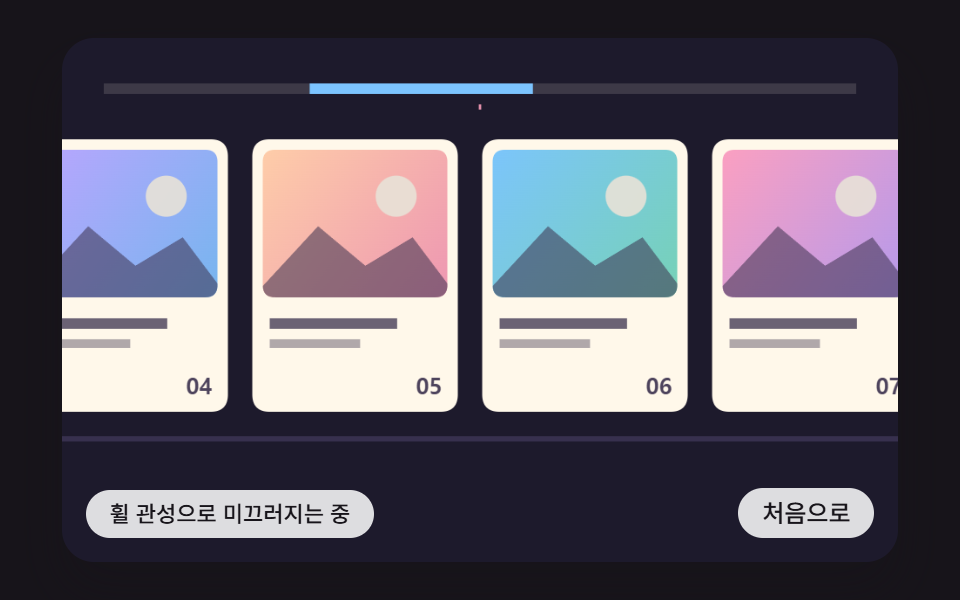 01 hsc-wheel-delta-inertia-glide-track
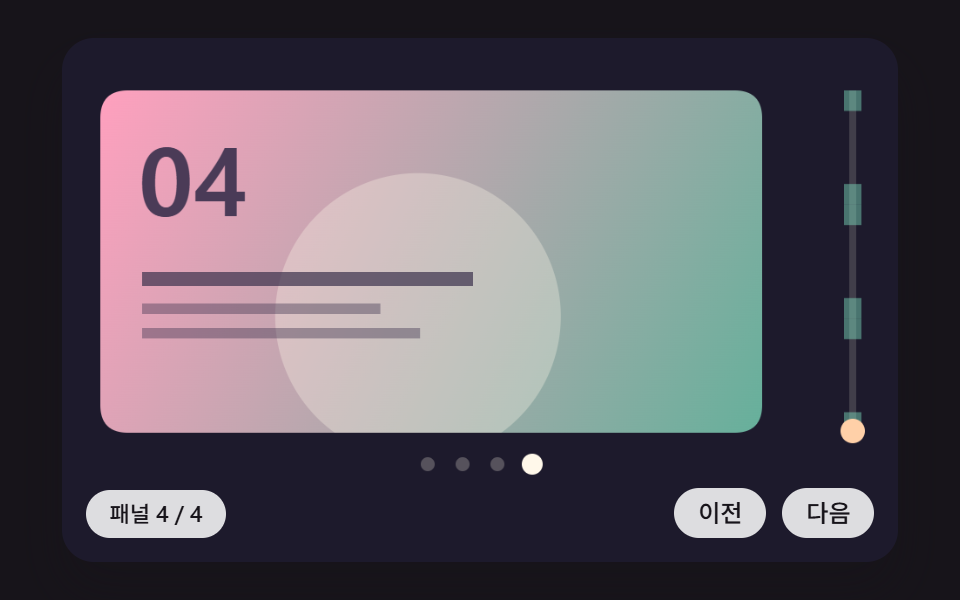 02 hsc-pinned-panel-progress-piecewise-map
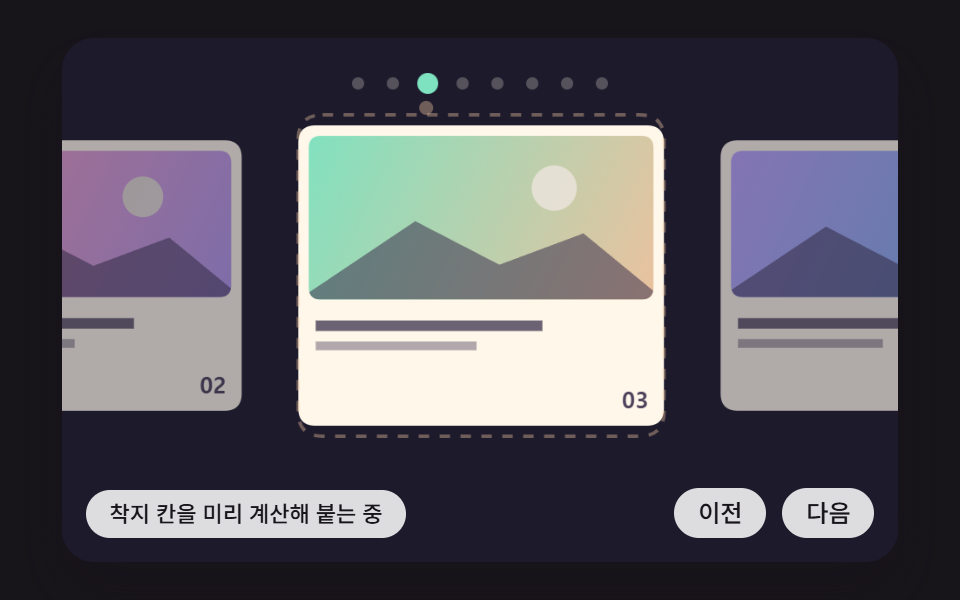 03 hsc-drag-fling-projected-snap-spring
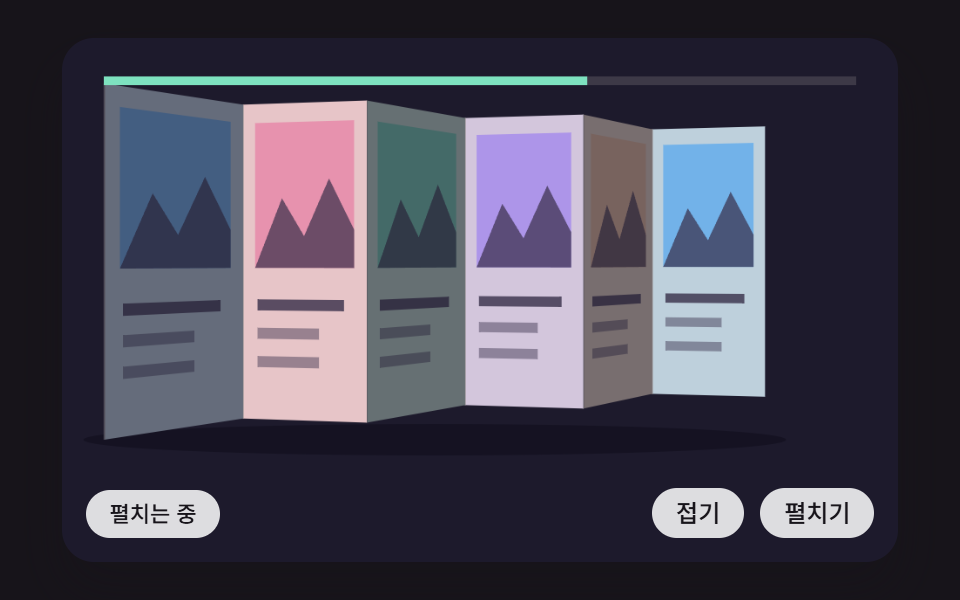 04 hsc-folding-screen-panels-normal-lighting
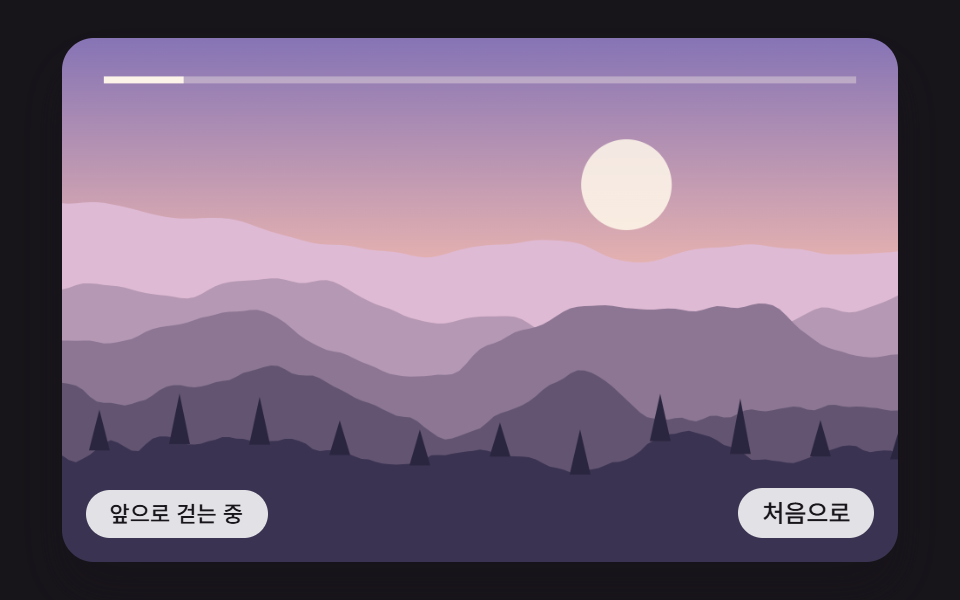 05 hsc-depth-parallax-ridge-noise-layers
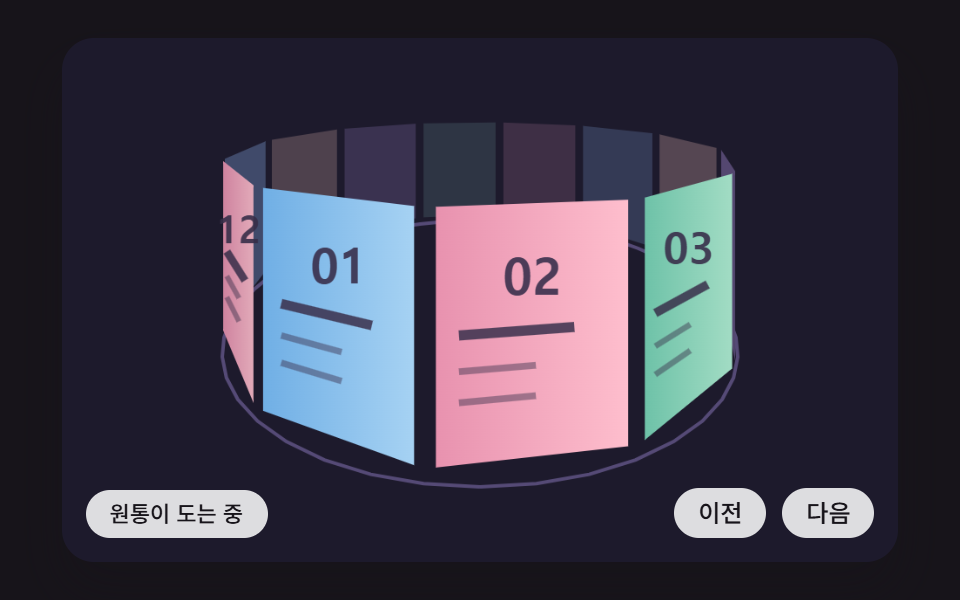 06 hsc-cylinder-gallery-perspective-depth-sort
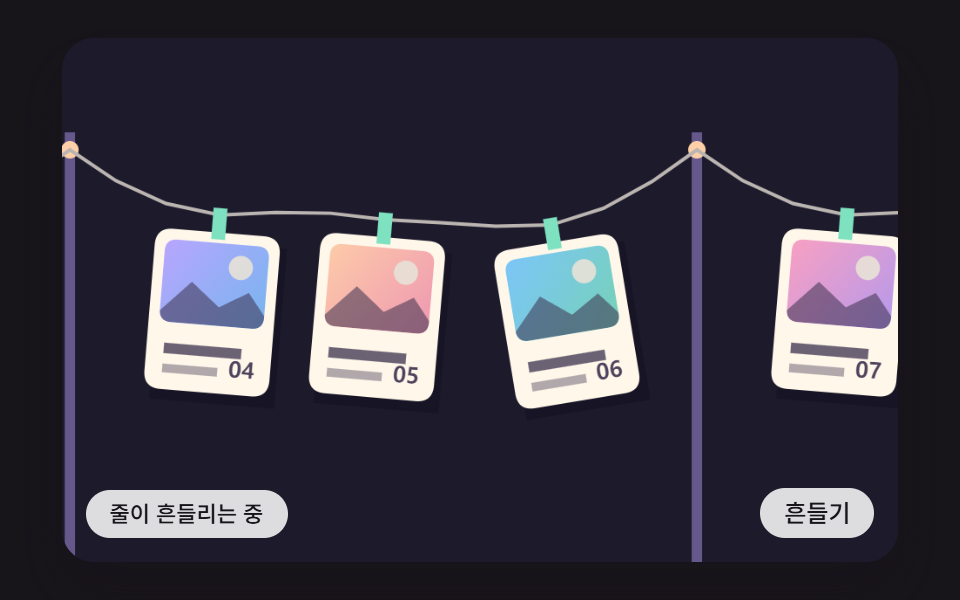 07 hsc-verlet-cord-hanging-cards
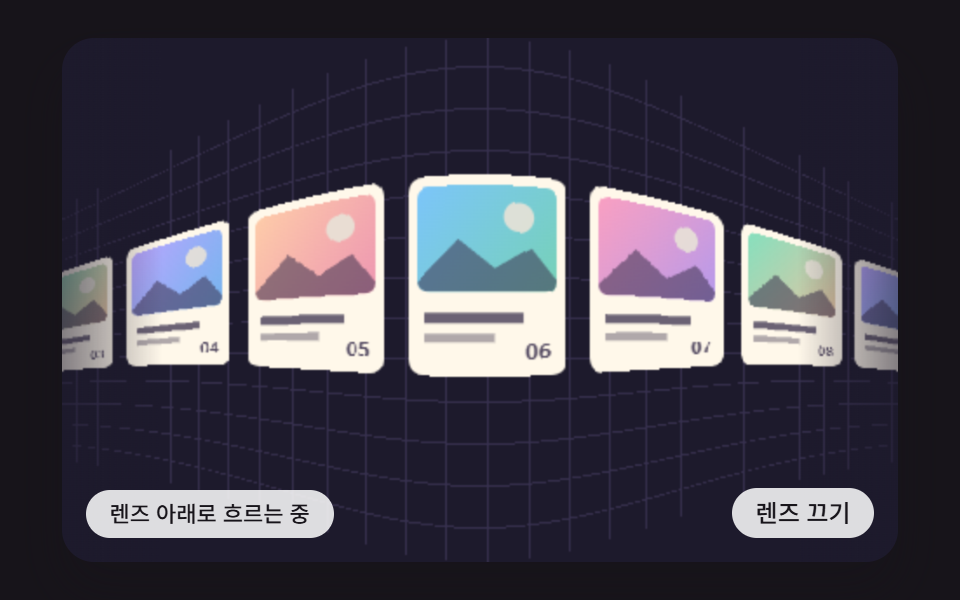 08 hsc-edge-fisheye-pixel-remap
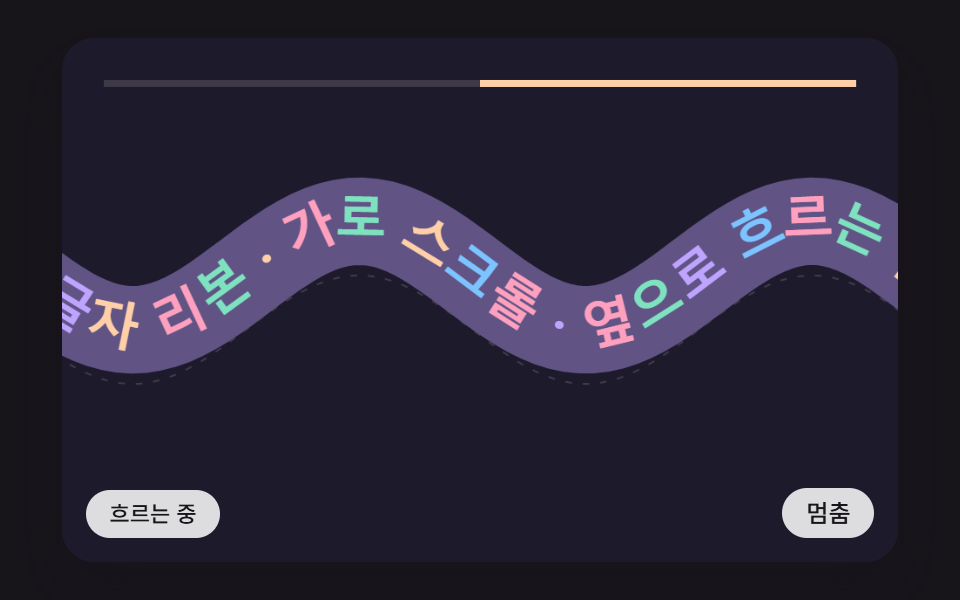 09 hsc-wave-path-text-ribbon-tangent
Auto-plays · click a tile to jump to its section · all nine in one zip
- 01 A Card Track Where Vertical Wheel Input Becomes Sideways Motion and Friction Slows It After Input Stops
- 02 A Pinned Panel Scene Where the Section Stays Fixed and Vertical Progress Splits Into Sideways Moves per Panel
- 03 A Drag Snap That Predicts the Landing Point From Release Speed and Springs Into the Nearest Slot
- 04 Folding-Screen Panels That Fold and Unfold With Sideways Progress, Each Face Lit by Its Angle to the Light
- 05 A Sideways Parallax Landscape Where Noise-Drawn Ridges, Hills and Tree Layers Drift at Speeds Set by Depth
- 06 A Cylinder Gallery Where Cards Turn Around a Drum and Perspective Sets Their Size, Brightness and Order
- 07 A Row of Cards Hung on a Cord That Get Pulled Sideways After the Lead Card, Swing and Settle
- 08 An Edge Lens Where Cards Near Both Ends of the Track Bend and Shrink Like a Fisheye and Flatten Out in the Middle
- 09 A Text Ribbon That Flows Sideways Along a Sine Wave, Each Letter Turned to the Slope, With Taller Waves as Speed Builds
Horizontal Scroll Animation CSS: 9 Sideways Screens From Wheel Inertia, Cylinder Projection and a Fisheye Lens
To be upfront about the title: every one of the nine scenes is drawn on a <canvas> by JavaScript that recalculates each frame, and the only CSS animation on the page is a transition that changes a button's background on hover. Turning the vertical value of a wheel into sideways travel and giving it inertia is beyond what CSS properties can do, so the scripts read the wheel event directly. CSS handles the frame around the stage: width, aspect ratio, corners and the shape of the status pill.
The nine files share one skeleton. Each frame adds its rAF time delta, capped at 100ms, to an accumulator, runs the fixed 16ms step (FIXED_DT) up to six times and then draws once, so a tab that was hidden and comes back does not jump ahead. No random numbers are involved: the ridges of 05 come from an integer hash, the auto demos run on fixed schedules, and libraries, CDNs and WebGL appear zero times across the nine files.
Handling horizontal scroll css mouse wheel input is the same two-step routine in every scene. First wheelPx puts the raw value on one scale: line-based devices (deltaMode 1) are multiplied by 16, page-based ones (2) by 480, and when |deltaX| > |deltaY| the horizontal value wins, so a trackpad's sideways swipe and a mouse wheel's vertical roll arrive on the same axis and take the same path. Then canMove(d) asks whether the track can still travel that way, and preventDefault runs only when it can; a probe found that wheel events toward an end pass through while those in a movable direction are blocked, in all nine scenes. That is how the page's own vertical scroll carries on once a track reaches its end.
The first time a person touches the wheel, pointer or keys, wake() stops the auto demo and switches the status pill's aria-live from off to polite, so a screen reader stays quiet while the demo plays by itself. The canvas also carries touch-action: pan-y, which hands a sideways finger drag to the scene and leaves a vertical swipe to the browser.
How Far Does a Horizontal Scroll CSS Example Go Without a Library?
Further than you might expect, because inertia, snapping, perspective projection and the pixel remap all run on a few lines of multiplication and addition. The core math of 01 is one geometric series, 03 is a two-term spring, 06 is one division, and the ridges of 05 come from four layers of grid hashing. Picking by use: product rows and recommendation strips start from 01, product landing pages and timelines from 02, mobile card carousels from 03, step tours and brand stories from 04, travel heroes from 05, album and portfolio covers from 06, photo lines from 07, icon docks and chip rows from 08, and slogan bands from 09.
A horizontal scroll animation codepen is handy for a quick look, but here each scene runs in place with its code right under it. The snippets in the nine sections below keep the exact lines and indentation of each scene's index.html script, so the same function names lead you back to the full source once the zip is open.
01A Card Track Where Vertical Wheel Input Becomes Sideways Motion and Friction Slows It After Input Stops
One vertical wheel notch (100) times WHEEL_GAIN 0.12 becomes a starting speed of 12px per step, and FRICTION 0.92 multiplies it on every step after that, so the track glides 149.4px over 1056ms before it stops. Past either end the input shrinks to d/(1+o/RUBBER_PX) with the distance already overshot, holding like a rubber band, while keys use speedFor to solve backward for the start speed that lands exactly on the target. The render measured 41.4% covered area, 109.7 intensity and 16/23 moved frames, the gap coming from a stretch where the track rests.
<main class="stage">
<div class="hs is-demo" id="hs">
  <canvas class="hs__canvas" data-role="canvas" width="480" height="300" tabindex="0" aria-label="A card track pushed sideways by wheel or drag that slows to a stop through friction and springs back at both ends like a rubber band"></canvas>
  <p class="hs__status" data-role="status" aria-live="off">Gliding on wheel inertia</p>
  <div class="hs__tools">
    <button class="hs__btn" data-role="btn" type="button">Back to start</button>
  </div>
</div>
</main>
@use "../../../../site/static/demo-tokens" as *;
@include stage($stage-ink);
.hs {
position: relative;
width: min(92vw, calc(160vh - 12.8vw));
aspect-ratio: 480 / 300;
margin: 0 auto;
border-radius: $r-card;
overflow: hidden;
box-shadow: $shadow-raised;
background: $subject-ink;
}
.hs__canvas {
display: block;
width: 100%;
height: 100%;
cursor: grab;
}
.hs__canvas:active {
cursor: grabbing;
}
.hs__canvas:focus-visible {
outline: 2px solid rgba(255, 255, 255, .85);
outline-offset: -6px;
}
.hs__status {
position: absolute;
left: $sp-3;
bottom: $sp-3;
max-width: 46%;
margin: 0;
padding: $sp-1 $sp-3;
border-radius: $r-control;
background: rgba(255, 255, 255, .85);
color: $subject-ink;
font-weight: 500;
font-size: 11px;
line-height: 1.4;
pointer-events: none;
}
.hs__tools {
position: absolute;
right: $sp-3;
bottom: $sp-3;
display: flex;
gap: $sp-2;
}
.hs__btn {
margin: 0;
padding: $sp-1 $sp-3;
border: 0;
border-radius: $r-pill;
background: rgba(255, 255, 255, .85);
color: $subject-ink;
font: inherit;
font-weight: 500;
font-size: 12px;
line-height: 1.4;
cursor: pointer;
transition: background-color $dur-quick ease-out;
}
.hs__btn:hover {
background: $subject-cream;
}
.hs__btn[aria-pressed="true"] {
background: $subject-mint;
}
.hs__btn:focus-visible {
outline: 2px solid rgba(255, 255, 255, .95);
outline-offset: 2px;
}
// 손가락 가로 끌기는 이 캔버스가 받고, 세로 쓸기는 브라우저에 남겨 페이지 스크롤이 막히지 않게 한다
.hs__canvas { touch-action: pan-y; }
@media (max-width: 340px) {
.hs__btn { font-size: 10px; padding: $sp-1 $sp-2; }
.hs__status { font-size: 10px; padding: $sp-1 $sp-2; }
}
@media (prefers-reduced-motion: reduce) {
.hs__btn { transition: none; }
}html, body {
margin: 0;
overflow: hidden;
}
.stage {
box-sizing: border-box;
min-height: 100vh;
display: grid;
place-items: center;
margin: 0;
background: #17141a;
font-family: -apple-system, "Segoe UI", "Noto Sans KR", sans-serif;
padding: clamp(8px, 4vw, 24px);
}
.hs {
position: relative;
width: min(92vw, 160vh - 12.8vw);
aspect-ratio: 480/300;
margin: 0 auto;
border-radius: 16px;
overflow: hidden;
box-shadow: 0 14px 24px rgba(23, 20, 26, 0.32);
background: #17141a;
}
.hs__canvas {
display: block;
width: 100%;
height: 100%;
cursor: grab;
}
.hs__canvas:active {
cursor: grabbing;
}
.hs__canvas:focus-visible {
outline: 2px solid rgba(255, 255, 255, 0.85);
outline-offset: -6px;
}
.hs__status {
position: absolute;
left: 12px;
bottom: 12px;
max-width: 46%;
margin: 0;
padding: 4px 12px;
border-radius: 12px;
background: rgba(255, 255, 255, 0.85);
color: #17141a;
font-weight: 500;
font-size: 11px;
line-height: 1.4;
pointer-events: none;
}
.hs__tools {
position: absolute;
right: 12px;
bottom: 12px;
display: flex;
gap: 8px;
}
.hs__btn {
margin: 0;
padding: 4px 12px;
border: 0;
border-radius: 999px;
background: rgba(255, 255, 255, 0.85);
color: #17141a;
font: inherit;
font-weight: 500;
font-size: 12px;
line-height: 1.4;
cursor: pointer;
transition: background-color 220ms ease-out;
}
.hs__btn:hover {
background: #fff7e6;
}
.hs__btn[aria-pressed=true] {
background: #4cd4a6;
}
.hs__btn:focus-visible {
outline: 2px solid rgba(255, 255, 255, 0.95);
outline-offset: 2px;
}
.hs__canvas {
touch-action: pan-y;
}
@media (max-width: 340px) {
.hs__btn {
font-size: 10px;
padding: 4px 8px;
}
.hs__status {
font-size: 10px;
padding: 4px 8px;
}
}
@media (prefers-reduced-motion: reduce) {
.hs__btn {
transition: none;
}
}(function () {
const root = document.getElementById("hs");
if (!root) return;
const W = 480;
const H = 300;
const FIXED_DT = 16;
// 파스텔 팔레트 — 어두운 무대 위에 밝은 카드를 얹어 명도 차로 읽힌다
const BG = [29, 26, 44];
const PAPER = [255, 248, 234];
const INK = [58, 48, 76];
const MINT = [126, 226, 192];
const SKY = [124, 196, 255];
const LILAC = [190, 164, 255];
const PINK = [255, 160, 190];
const PEACH = [255, 208, 168];
const TINTS = [SKY, PINK, MINT, LILAC, PEACH];
function clamp(v, lo, hi) { return v < lo ? lo : (v > hi ? hi : v); }
function lerp(a, b, k) { return a + (b - a) * k; }
function smooth(x) { const c = clamp(x, 0, 1); return c * c * (3 - 2 * c); }
function rgba(c, a) {
return 'rgba(' + Math.round(c[0]) + ',' + Math.round(c[1]) + ',' + Math.round(c[2]) + ',' + clamp(a, 0, 1).toFixed(3) + ')';
}
function mix(a, b, k) { return [lerp(a[0], b[0], k), lerp(a[1], b[1], k), lerp(a[2], b[2], k)]; }
const canvasEl = root.querySelector('[data-role="canvas"]');
const statusEl = root.querySelector('[data-role="status"]');
const ctxRaw = canvasEl ? canvasEl.getContext('2d') : null;
if (!canvasEl || !ctxRaw || !statusEl) {
return;
}
const cv = canvasEl;
const ctx = ctxRaw;
const status = statusEl;
const reduceQuery = window.matchMedia('(prefers-reduced-motion: reduce)');
const still = reduceQuery.matches;
// 자동 시연 중인가 — 사람이 처음 만지는 순간 시연을 멈추고 상태 줄을 읽어 주기 시작한다
let demo = root.classList.contains('is-demo');
function wake() {
if (!demo) {
return;
}
demo = false;
root.classList.remove('is-demo');
status.setAttribute('aria-live', 'polite');
}
function say(text) {
if (status.textContent !== text) {
status.textContent = text;
}
}
// 휠 한 번의 이동량을 px 로 — 줄 단위(deltaMode 1)·쪽 단위(deltaMode 2) 장치도 같은 눈금으로 맞춘다.
// 가로·세로 중 큰 쪽을 쓴다: 트랙패드의 가로 쓸기와 마우스 휠의 세로 굴림이 같은 방향으로 들어온다
function wheelPx(ev) {
const unit = ev.deltaMode === 1 ? 16 : (ev.deltaMode === 2 ? W : 1);
const d = Math.abs(ev.deltaX) > Math.abs(ev.deltaY) ? ev.deltaX : ev.deltaY;
return d * unit;
}
// 시연 시계가 loop 주기 안의 at 시각을 이번 스텝에 막 지났는가
function crossed(t, at, loop) {
const p = t % loop;
return p >= at && p - FIXED_DT < at;
}
function fitCanvas() {
const dpr = window.devicePixelRatio || 1;
cv.width = Math.round(W * dpr);
cv.height = Math.round(H * dpr);
ctx.setTransform(dpr, 0, 0, dpr, 0, 0);
}
function onResize() {
fitCanvas();
draw();
}
fitCanvas();
window.addEventListener('resize', onResize);
// 화면 좌표(CSS px) → 장면 좌표(480x300). 리사이즈 뒤에도 늘 현재 크기로 다시 잰다
function toScene(ev) {
const r = cv.getBoundingClientRect();
return [((ev.clientX - r.left) / r.width) * W, ((ev.clientY - r.top) / r.height) * H];
}
function roundRectPath(c, x, y, w, h, r) {
const rr = Math.min(r, w / 2, h / 2);
c.beginPath();
c.moveTo(x + rr, y);
c.lineTo(x + w - rr, y);
c.quadraticCurveTo(x + w, y, x + w, y + rr);
c.lineTo(x + w, y + h - rr);
c.quadraticCurveTo(x + w, y + h, x + w - rr, y + h);
c.lineTo(x + rr, y + h);
c.quadraticCurveTo(x, y + h, x, y + h - rr);
c.lineTo(x, y + rr);
c.quadraticCurveTo(x, y, x + rr, y);
c.closePath();
}
// 카드 한 장 — 사진 대신 계산한 그림 칸(그라디언트 하늘·해·언덕) + 글줄 막대 두 개 + 번호
function drawCard(c, x, y, w, h, i, light) {
const t1 = TINTS[i % TINTS.length];
const t2 = TINTS[(i + 2) % TINTS.length];
const k = clamp(light, 0, 1);
roundRectPath(c, x, y, w, h, 10);
c.fillStyle = rgba(mix(BG, PAPER, k), 1);
c.fill();
const ih = h * 0.58;
const g = c.createLinearGradient(x, y, x + w, y + ih);
g.addColorStop(0, rgba(mix(BG, t1, k), 1));
g.addColorStop(1, rgba(mix(BG, t2, k * 0.92), 1));
c.save();
roundRectPath(c, x + 6, y + 6, w - 12, ih - 6, 7);
c.fillStyle = g;
c.fill();
c.clip();
c.fillStyle = rgba(mix(BG, PAPER, k * 0.9), 0.9);
c.beginPath();
c.arc(x + w * 0.7, y + ih * 0.36, Math.min(w, ih) * 0.13, 0, Math.PI * 2);
c.fill();
c.fillStyle = rgba(mix(BG, INK, k), 0.55);
c.beginPath();
c.moveTo(x, y + ih);
c.lineTo(x + w * 0.32, y + ih * 0.55);
c.lineTo(x + w * 0.55, y + ih * 0.8);
c.lineTo(x + w * 0.78, y + ih * 0.62);
c.lineTo(x + w, y + ih);
c.closePath();
c.fill();
c.restore();
c.fillStyle = rgba(mix(BG, INK, k), 0.75);
c.fillRect(x + 10, y + ih + 12, w * 0.62, 6);
c.fillStyle = rgba(mix(BG, INK, k), 0.4);
c.fillRect(x + 10, y + ih + 24, w * 0.44, 5);
c.fillStyle = rgba(mix(BG, INK, k), 0.9);
c.font = '700 13px sans-serif';
c.textAlign = 'right';
c.textBaseline = 'alphabetic';
c.fillText(String(i + 1).padStart(2, '0'), x + w - 9, y + h - 10);
}
const CARD_N = 12;
const CARD_W = 118;
const CARD_H = 156;
const GAP = 14;
const PITCH = CARD_W + GAP;
const PAD = 24;
const TRACK_TOP = 58;
const MAX_X = PAD * 2 + CARD_N * PITCH - GAP - W;
const WHEEL_GAIN = 0.12;
const FRICTION = 0.92;
const EDGE_K = 0.16;
const EDGE_DAMP = 0.6;
const RUBBER_PX = 90;
const STOP_V = 0.05;
const DEMO_LOOP = 4200;
const TXT_GLIDE = 'Gliding on wheel inertia';
const TXT_EDGE = 'Springing back from the end like a rubber band';
const TXT_STOP = 'Stopped';
const backBtn = root.querySelector('[data-role="btn"]');
let x = 0;
let v = 0;
let moving = false;
let edgeSaid = false;
let dragId = -1;
let dragX = 0;
let dragT = 0;
let dragV = 0;
// 트랙 끝 밖으로 나간 거리(안쪽이면 0)
function overshoot(p) { return p < 0 ? p : (p > MAX_X ? p - MAX_X : 0); }
// 끝 밖으로 미는 입력은 나간 거리만큼 줄인다 — 고무줄처럼 버틴다
function rubber(d) {
const out = (x <= 0 && d < 0) || (x >= MAX_X && d > 0);
return out ? d / (1 + Math.abs(overshoot(x)) / RUBBER_PX) : d;
}
function push(d) {
v += rubber(d) * WHEEL_GAIN;
moving = true;
say(TXT_GLIDE);
}
// 지금 속도로 놓아두면 얼마나 더 가나 — 스텝마다 FRICTION 을 곱하므로 등비급수 v·f/(1−f)
function glideDistance(v0, f) { return v0 * f / (1 - f); }
// 거꾸로, distance 만큼 가서 멈추려면 처음 속도가 얼마여야 하나
function speedFor(distance, f) { return distance * (1 - f) / f; }
function canMove(d) { return d > 0 ? x < MAX_X - 0.5 : x > 0.5; }
function step() {
if (dragId >= 0) {
return;
}
x += v;
const o = overshoot(x);
if (o !== 0) {
v = (v - o * EDGE_K) * EDGE_DAMP;
if (!edgeSaid) {
edgeSaid = true;
say(TXT_EDGE);
}
}
else {
v *= FRICTION;
edgeSaid = false;
}
if (moving && Math.abs(v) < STOP_V && Math.abs(o) < 0.5) {
x = clamp(x, 0, MAX_X);
v = 0;
moving = false;
say(TXT_STOP);
}
}
function settle() {
x = 0;
v = 0;
say(TXT_STOP);
}
function demoTick(t) {
for (let k = 0; k < 3; k += 1) {
if (crossed(t, 200 + k * 40, DEMO_LOOP)) {
push(100);
}
}
for (let k = 0; k < 5; k += 1) {
if (crossed(t, 1250 + k * 40, DEMO_LOOP)) {
push(-100);
}
}
}
function draw() {
ctx.fillStyle = rgba(BG, 1);
ctx.fillRect(0, 0, W, H);
// 바닥 레일
ctx.fillStyle = rgba(mix(BG, LILAC, 0.16), 1);
ctx.fillRect(0, TRACK_TOP + CARD_H + 14, W, 3);
for (let i = 0; i < CARD_N; i += 1) {
const cx = PAD + i * PITCH - x;
if (cx > W || cx + CARD_W < 0) {
continue;
}
drawCard(ctx, cx, TRACK_TOP, CARD_W, CARD_H, i, 1);
}
// 위쪽 진행 막대 — 끝 밖으로 나가면 막대가 그만큼 짧아진다
const trackW = W - 48;
const thumbW = trackW * (W / (MAX_X + W));
const o = overshoot(x);
const squash = Math.abs(o) * 0.6;
const left = 24 + (clamp(x, 0, MAX_X) / MAX_X) * (trackW - thumbW) + (o > 0 ? squash : 0);
ctx.fillStyle = rgba(mix(BG, PAPER, 0.14), 1);
ctx.fillRect(24, 26, trackW, 6);
ctx.fillStyle = rgba(SKY, 1);
ctx.fillRect(left, 26, Math.max(10, thumbW - squash), 6);
// 속도 눈금 — 마찰로 줄어드는 모습이 그대로 보인다
const speedW = clamp(Math.abs(v) * 2.4, 0, trackW);
ctx.fillStyle = rgba(PINK, 0.9);
ctx.fillRect(W / 2 - speedW / 2, 38, speedW, 3);
}
function onWheel(ev) {
const d = wheelPx(ev);
// 끝에 닿았으면 가로채지 않는다 — 페이지가 계속 스크롤된다
if (d === 0 || !canMove(d)) {
return;
}
ev.preventDefault();
wake();
if (still) {
x = clamp(x + d, 0, MAX_X);
say(TXT_STOP);
draw();
return;
}
push(d);
}
cv.addEventListener('wheel', onWheel, { passive: false });
cv.addEventListener('pointerdown', function (ev) {
wake();
dragId = ev.pointerId;
cv.setPointerCapture(ev.pointerId);
dragX = toScene(ev)[0];
dragT = ev.timeStamp;
dragV = 0;
v = 0;
});
cv.addEventListener('pointermove', function (ev) {
if (ev.pointerId !== dragId) {
return;
}
const sx = toScene(ev)[0];
const dx = sx - dragX;
const steps = Math.max(1, (ev.timeStamp - dragT) / FIXED_DT);
dragX = sx;
dragT = ev.timeStamp;
const d = rubber(-dx);
x = still ? clamp(x + d, 0, MAX_X) : x + d;
dragV = lerp(dragV, d / steps, 0.5);
if (still) {
draw();
}
});
function endDrag(ev) {
if (ev.pointerId !== dragId) {
return;
}
dragId = -1;
if (still) {
return;
}
v = clamp(dragV, -60, 60);
moving = true;
say(TXT_GLIDE);
}
cv.addEventListener('pointerup', endDrag);
cv.addEventListener('pointercancel', endDrag);
cv.addEventListener('keydown', function (ev) {
let goal = NaN;
if (ev.key === 'ArrowRight') {
goal = x + PITCH;
}
else if (ev.key === 'ArrowLeft') {
goal = x - PITCH;
}
else if (ev.key === 'Home') {
goal = 0;
}
else if (ev.key === 'End') {
goal = MAX_X;
}
if (Number.isNaN(goal) || !canMove(goal - x)) {
return;
}
ev.preventDefault();
wake();
goal = clamp(goal, 0, MAX_X);
if (still) {
x = goal;
say(TXT_STOP);
draw();
return;
}
// 키도 관성으로 — 목표에서 정확히 멈추는 처음 속도를 등비급수로 거꾸로 푼다
v = speedFor(goal - x, FRICTION);
moving = true;
say(TXT_GLIDE);
});
if (backBtn) {
backBtn.addEventListener('click', function () {
wake();
if (still) {
x = 0;
say(TXT_STOP);
draw();
return;
}
v = speedFor(-x, FRICTION);
moving = true;
say(TXT_GLIDE);
});
}
say(TXT_GLIDE);
let rafId = 0;
let lastTs = -1;
let acc = 0;
let clock = 0;
function frame(ts) {
if (lastTs < 0) {
lastTs = ts;
}
// 탭이 숨었다 돌아와도 한 번에 100ms 까지만 따라잡는다 — 순간이동 대신 이어서 움직인다
acc += Math.min(ts - lastTs, 100);
lastTs = ts;
let n = 0;
while (acc >= FIXED_DT && n < 6) {
clock += FIXED_DT;
if (demo) {
demoTick(clock);
}
step();
acc -= FIXED_DT;
n += 1;
}
draw();
rafId = window.requestAnimationFrame(frame);
}
if (still) {
settle();
draw();
}
else {
rafId = window.requestAnimationFrame(frame);
}
return function () {
window.cancelAnimationFrame(rafId);
window.removeEventListener('resize', onResize);
};
})();// HscWheelDeltaInertiaGlideTrack - vanilla 판(01-hsc-wheel-delta-inertia-glide-track) 의 React 포트. 같은 계산을 useEffect 안에서 돌린다.
import { useEffect, useRef } from "react";
import styles from "./HscWheelDeltaInertiaGlideTrack.module.scss";
const cx = (s: string): string => s.split(" ").map((n) => styles[n] ?? n).join(" ");
export default function HscWheelDeltaInertiaGlideTrack() {
const rootRef = useRef<HTMLDivElement | null>(null);
useEffect(() => {
const rootEl = rootRef.current;
if (!rootEl) return;
const root: HTMLElement = rootEl;
type RGB = [number, number, number];
const W = 480;
const H = 300;
const FIXED_DT = 16;
// 파스텔 팔레트 — 어두운 무대 위에 밝은 카드를 얹어 명도 차로 읽힌다
const BG: RGB = [29, 26, 44];
const PAPER: RGB = [255, 248, 234];
const INK: RGB = [58, 48, 76];
const MINT: RGB = [126, 226, 192];
const SKY: RGB = [124, 196, 255];
const LILAC: RGB = [190, 164, 255];
const PINK: RGB = [255, 160, 190];
const PEACH: RGB = [255, 208, 168];
const TINTS: RGB[] = [SKY, PINK, MINT, LILAC, PEACH];
function clamp(v: number, lo: number, hi: number): number { return v < lo ? lo : (v > hi ? hi : v); }
function lerp(a: number, b: number, k: number): number { return a + (b - a) * k; }
function smooth(x: number): number { const c = clamp(x, 0, 1); return c * c * (3 - 2 * c); }
function rgba(c: RGB, a: number): string {
return 'rgba(' + Math.round(c[0]) + ',' + Math.round(c[1]) + ',' + Math.round(c[2]) + ',' + clamp(a, 0, 1).toFixed(3) + ')';
}
function mix(a: RGB, b: RGB, k: number): RGB { return [lerp(a[0], b[0], k), lerp(a[1], b[1], k), lerp(a[2], b[2], k)]; }
const canvasEl = root.querySelector('[data-role="canvas"]') as HTMLCanvasElement | null;
const statusEl = root.querySelector('[data-role="status"]') as HTMLElement | null;
const ctxRaw = canvasEl ? canvasEl.getContext('2d') : null;
if (!canvasEl || !ctxRaw || !statusEl) { return; }
const cv: HTMLCanvasElement = canvasEl;
const ctx: CanvasRenderingContext2D = ctxRaw;
const status: HTMLElement = statusEl;
const reduceQuery = window.matchMedia('(prefers-reduced-motion: reduce)');
const still = reduceQuery.matches;
// 자동 시연 중인가 — 사람이 처음 만지는 순간 시연을 멈추고 상태 줄을 읽어 주기 시작한다
let demo = root.classList.contains('is-demo');
function wake(): void {
if (!demo) { return; }
demo = false;
root.classList.remove('is-demo');
status.setAttribute('aria-live', 'polite');
}
function say(text: string): void {
if (status.textContent !== text) { status.textContent = text; }
}
// 휠 한 번의 이동량을 px 로 — 줄 단위(deltaMode 1)·쪽 단위(deltaMode 2) 장치도 같은 눈금으로 맞춘다.
// 가로·세로 중 큰 쪽을 쓴다: 트랙패드의 가로 쓸기와 마우스 휠의 세로 굴림이 같은 방향으로 들어온다
function wheelPx(ev: WheelEvent): number {
const unit = ev.deltaMode === 1 ? 16 : (ev.deltaMode === 2 ? W : 1);
const d = Math.abs(ev.deltaX) > Math.abs(ev.deltaY) ? ev.deltaX : ev.deltaY;
return d * unit;
}
// 시연 시계가 loop 주기 안의 at 시각을 이번 스텝에 막 지났는가
function crossed(t: number, at: number, loop: number): boolean {
const p = t % loop;
return p >= at && p - FIXED_DT < at;
}
function fitCanvas(): void {
const dpr = window.devicePixelRatio || 1;
cv.width = Math.round(W * dpr);
cv.height = Math.round(H * dpr);
ctx.setTransform(dpr, 0, 0, dpr, 0, 0);
}
function onResize(): void {
fitCanvas();
draw();
}
fitCanvas();
window.addEventListener('resize', onResize);
// 화면 좌표(CSS px) → 장면 좌표(480x300). 리사이즈 뒤에도 늘 현재 크기로 다시 잰다
function toScene(ev: PointerEvent): [number, number] {
const r = cv.getBoundingClientRect();
return [((ev.clientX - r.left) / r.width) * W, ((ev.clientY - r.top) / r.height) * H];
}
function roundRectPath(c: CanvasRenderingContext2D, x: number, y: number, w: number, h: number, r: number): void {
const rr = Math.min(r, w / 2, h / 2);
c.beginPath();
c.moveTo(x + rr, y);
c.lineTo(x + w - rr, y);
c.quadraticCurveTo(x + w, y, x + w, y + rr);
c.lineTo(x + w, y + h - rr);
c.quadraticCurveTo(x + w, y + h, x + w - rr, y + h);
c.lineTo(x + rr, y + h);
c.quadraticCurveTo(x, y + h, x, y + h - rr);
c.lineTo(x, y + rr);
c.quadraticCurveTo(x, y, x + rr, y);
c.closePath();
}
// 카드 한 장 — 사진 대신 계산한 그림 칸(그라디언트 하늘·해·언덕) + 글줄 막대 두 개 + 번호
function drawCard(c: CanvasRenderingContext2D, x: number, y: number, w: number, h: number, i: number, light: number): void {
const t1 = TINTS[i % TINTS.length];
const t2 = TINTS[(i + 2) % TINTS.length];
const k = clamp(light, 0, 1);
roundRectPath(c, x, y, w, h, 10);
c.fillStyle = rgba(mix(BG, PAPER, k), 1);
c.fill();
const ih = h * 0.58;
const g = c.createLinearGradient(x, y, x + w, y + ih);
g.addColorStop(0, rgba(mix(BG, t1, k), 1));
g.addColorStop(1, rgba(mix(BG, t2, k * 0.92), 1));
c.save();
roundRectPath(c, x + 6, y + 6, w - 12, ih - 6, 7);
c.fillStyle = g;
c.fill();
c.clip();
c.fillStyle = rgba(mix(BG, PAPER, k * 0.9), 0.9);
c.beginPath();
c.arc(x + w * 0.7, y + ih * 0.36, Math.min(w, ih) * 0.13, 0, Math.PI * 2);
c.fill();
c.fillStyle = rgba(mix(BG, INK, k), 0.55);
c.beginPath();
c.moveTo(x, y + ih);
c.lineTo(x + w * 0.32, y + ih * 0.55);
c.lineTo(x + w * 0.55, y + ih * 0.8);
c.lineTo(x + w * 0.78, y + ih * 0.62);
c.lineTo(x + w, y + ih);
c.closePath();
c.fill();
c.restore();
c.fillStyle = rgba(mix(BG, INK, k), 0.75);
c.fillRect(x + 10, y + ih + 12, w * 0.62, 6);
c.fillStyle = rgba(mix(BG, INK, k), 0.4);
c.fillRect(x + 10, y + ih + 24, w * 0.44, 5);
c.fillStyle = rgba(mix(BG, INK, k), 0.9);
c.font = '700 13px sans-serif';
c.textAlign = 'right';
c.textBaseline = 'alphabetic';
c.fillText(String(i + 1).padStart(2, '0'), x + w - 9, y + h - 10);
}
const CARD_N = 12;
const CARD_W = 118;
const CARD_H = 156;
const GAP = 14;
const PITCH = CARD_W + GAP;
const PAD = 24;
const TRACK_TOP = 58;
const MAX_X = PAD * 2 + CARD_N * PITCH - GAP - W;
const WHEEL_GAIN = 0.12;
const FRICTION = 0.92;
const EDGE_K = 0.16;
const EDGE_DAMP = 0.6;
const RUBBER_PX = 90;
const STOP_V = 0.05;
const DEMO_LOOP = 4200;
const TXT_GLIDE = '휠 관성으로 미끄러지는 중';
const TXT_EDGE = '끝에서 고무줄처럼 되돌아온다';
const TXT_STOP = '멈춤';
const backBtn = root.querySelector('[data-role="btn"]') as HTMLButtonElement | null;
let x = 0;
let v = 0;
let moving = false;
let edgeSaid = false;
let dragId = -1;
let dragX = 0;
let dragT = 0;
let dragV = 0;
// 트랙 끝 밖으로 나간 거리(안쪽이면 0)
function overshoot(p: number): number { return p < 0 ? p : (p > MAX_X ? p - MAX_X : 0); }
// 끝 밖으로 미는 입력은 나간 거리만큼 줄인다 — 고무줄처럼 버틴다
function rubber(d: number): number {
const out = (x <= 0 && d < 0) || (x >= MAX_X && d > 0);
return out ? d / (1 + Math.abs(overshoot(x)) / RUBBER_PX) : d;
}
function push(d: number): void {
v += rubber(d) * WHEEL_GAIN;
moving = true;
say(TXT_GLIDE);
}
// 지금 속도로 놓아두면 얼마나 더 가나 — 스텝마다 FRICTION 을 곱하므로 등비급수 v·f/(1−f)
function glideDistance(v0: number, f: number): number { return v0 * f / (1 - f); }
// 거꾸로, distance 만큼 가서 멈추려면 처음 속도가 얼마여야 하나
function speedFor(distance: number, f: number): number { return distance * (1 - f) / f; }
function canMove(d: number): boolean { return d > 0 ? x < MAX_X - 0.5 : x > 0.5; }
function step(): void {
if (dragId >= 0) { return; }
x += v;
const o = overshoot(x);
if (o !== 0) {
v = (v - o * EDGE_K) * EDGE_DAMP;
if (!edgeSaid) { edgeSaid = true; say(TXT_EDGE); }
} else {
v *= FRICTION;
edgeSaid = false;
}
if (moving && Math.abs(v) < STOP_V && Math.abs(o) < 0.5) {
x = clamp(x, 0, MAX_X);
v = 0;
moving = false;
say(TXT_STOP);
}
}
function settle(): void {
x = 0;
v = 0;
say(TXT_STOP);
}
function demoTick(t: number): void {
for (let k = 0; k < 3; k += 1) { if (crossed(t, 200 + k * 40, DEMO_LOOP)) { push(100); } }
for (let k = 0; k < 5; k += 1) { if (crossed(t, 1250 + k * 40, DEMO_LOOP)) { push(-100); } }
}
function draw(): void {
ctx.fillStyle = rgba(BG, 1);
ctx.fillRect(0, 0, W, H);
// 바닥 레일
ctx.fillStyle = rgba(mix(BG, LILAC, 0.16), 1);
ctx.fillRect(0, TRACK_TOP + CARD_H + 14, W, 3);
for (let i = 0; i < CARD_N; i += 1) {
const cx = PAD + i * PITCH - x;
if (cx > W || cx + CARD_W < 0) { continue; }
drawCard(ctx, cx, TRACK_TOP, CARD_W, CARD_H, i, 1);
}
// 위쪽 진행 막대 — 끝 밖으로 나가면 막대가 그만큼 짧아진다
const trackW = W - 48;
const thumbW = trackW * (W / (MAX_X + W));
const o = overshoot(x);
const squash = Math.abs(o) * 0.6;
const left = 24 + (clamp(x, 0, MAX_X) / MAX_X) * (trackW - thumbW) + (o > 0 ? squash : 0);
ctx.fillStyle = rgba(mix(BG, PAPER, 0.14), 1);
ctx.fillRect(24, 26, trackW, 6);
ctx.fillStyle = rgba(SKY, 1);
ctx.fillRect(left, 26, Math.max(10, thumbW - squash), 6);
// 속도 눈금 — 마찰로 줄어드는 모습이 그대로 보인다
const speedW = clamp(Math.abs(v) * 2.4, 0, trackW);
ctx.fillStyle = rgba(PINK, 0.9);
ctx.fillRect(W / 2 - speedW / 2, 38, speedW, 3);
}
function onWheel(ev: WheelEvent): void {
const d = wheelPx(ev);
// 끝에 닿았으면 가로채지 않는다 — 페이지가 계속 스크롤된다
if (d === 0 || !canMove(d)) { return; }
ev.preventDefault();
wake();
if (still) {
x = clamp(x + d, 0, MAX_X);
say(TXT_STOP);
draw();
return;
}
push(d);
}
cv.addEventListener('wheel', onWheel, { passive: false });
cv.addEventListener('pointerdown', function (ev: PointerEvent): void {
wake();
dragId = ev.pointerId;
cv.setPointerCapture(ev.pointerId);
dragX = toScene(ev)[0];
dragT = ev.timeStamp;
dragV = 0;
v = 0;
});
cv.addEventListener('pointermove', function (ev: PointerEvent): void {
if (ev.pointerId !== dragId) { return; }
const sx = toScene(ev)[0];
const dx = sx - dragX;
const steps = Math.max(1, (ev.timeStamp - dragT) / FIXED_DT);
dragX = sx;
dragT = ev.timeStamp;
const d = rubber(-dx);
x = still ? clamp(x + d, 0, MAX_X) : x + d;
dragV = lerp(dragV, d / steps, 0.5);
if (still) { draw(); }
});
function endDrag(ev: PointerEvent): void {
if (ev.pointerId !== dragId) { return; }
dragId = -1;
if (still) { return; }
v = clamp(dragV, -60, 60);
moving = true;
say(TXT_GLIDE);
}
cv.addEventListener('pointerup', endDrag);
cv.addEventListener('pointercancel', endDrag);
cv.addEventListener('keydown', function (ev: KeyboardEvent): void {
let goal = NaN;
if (ev.key === 'ArrowRight') { goal = x + PITCH; }
else if (ev.key === 'ArrowLeft') { goal = x - PITCH; }
else if (ev.key === 'Home') { goal = 0; }
else if (ev.key === 'End') { goal = MAX_X; }
if (Number.isNaN(goal) || !canMove(goal - x)) { return; }
ev.preventDefault();
wake();
goal = clamp(goal, 0, MAX_X);
if (still) { x = goal; say(TXT_STOP); draw(); return; }
// 키도 관성으로 — 목표에서 정확히 멈추는 처음 속도를 등비급수로 거꾸로 푼다
v = speedFor(goal - x, FRICTION);
moving = true;
say(TXT_GLIDE);
});
if (backBtn) {
backBtn.addEventListener('click', function (): void {
wake();
if (still) { x = 0; say(TXT_STOP); draw(); return; }
v = speedFor(-x, FRICTION);
moving = true;
say(TXT_GLIDE);
});
}
say(TXT_GLIDE);
let rafId = 0;
let lastTs = -1;
let acc = 0;
let clock = 0;
function frame(ts: number): void {
if (lastTs < 0) { lastTs = ts; }
// 탭이 숨었다 돌아와도 한 번에 100ms 까지만 따라잡는다 — 순간이동 대신 이어서 움직인다
acc += Math.min(ts - lastTs, 100);
lastTs = ts;
let n = 0;
while (acc >= FIXED_DT && n < 6) {
clock += FIXED_DT;
if (demo) { demoTick(clock); }
step();
acc -= FIXED_DT;
n += 1;
}
draw();
rafId = window.requestAnimationFrame(frame);
}
if (still) {
settle();
draw();
} else {
rafId = window.requestAnimationFrame(frame);
}
return function (): void {
window.cancelAnimationFrame(rafId);
window.removeEventListener('resize', onResize);
};
}, []);
return (
<div className={cx("hs") + " is-demo"} ref={rootRef}>
<canvas className={cx("hs__canvas")} data-role="canvas" width={480} height={300} tabIndex={0} aria-label="휠이나 끌기로 카드 트랙을 옆으로 밀면 마찰로 서서히 멈추고 양 끝에서 고무줄처럼 되돌아오는 장면"></canvas>
<p className={cx("hs__status")} data-role="status" aria-live="off">휠 관성으로 미끄러지는 중</p>
<div className={cx("hs__tools")}>
<button className={cx("hs__btn")} data-role="btn" type="button">처음으로</button>
</div>
</div>
);
}01 · A Card Track Where Vertical Wheel Input Becomes Sideways Motion and Friction Slows It After Input Stops — Measured area 41.419% · moving frames 16/23Original by GODRICH · SCSS and React ship in the zip · See the password
    // Wheel travel per event in px — line-based (deltaMode 1) and page-based (deltaMode 2) devices are put on the same scale.
    // Use whichever axis is larger: a trackpad's sideways swipe and a mouse wheel's vertical roll come in the same direction
    function wheelPx(ev) {
        const unit = ev.deltaMode === 1 ? 16 : (ev.deltaMode === 2 ? W : 1);
        const d = Math.abs(ev.deltaX) > Math.abs(ev.deltaY) ? ev.deltaX : ev.deltaY;
        return d * unit;
    }
    // Input pushing past an end shrinks with the distance already out — it holds like a rubber band
    function rubber(d) {
        const out = (x <= 0 && d < 0) || (x >= MAX_X && d > 0);
        return out ? d / (1 + Math.abs(overshoot(x)) / RUBBER_PX) : d;
    }
    function push(d) {
        v += rubber(d) * WHEEL_GAIN;
        moving = true;
        say(TXT_GLIDE);
    }
    // How much farther it goes if left at this speed — FRICTION multiplies each step, so the geometric series v·f/(1−f)
    function glideDistance(v0, f) { return v0 * f / (1 - f); }
    // In reverse: the start speed needed to stop after exactly distance
    function speedFor(distance, f) { return distance * (1 - f) / f; }
    function canMove(d) { return d > 0 ? x < MAX_X - 0.5 : x > 0.5; }
02A Pinned Panel Scene Where the Section Stays Fixed and Vertical Progress Splits Into Sideways Moves per Panel
Progress from 0 to 1 is split into three segments between the four panels, and inside each segment the first and last 18% (HOLD) stay put while the middle 64% crosses on smoothstep, so the view steps over one panel at a time. A 100px wheel move adds 0.09 of progress and the view follows through PIN_LERP 0.12, so it trails the input by about 128ms. Measured: 50.4% covered area, 94.1 intensity, 23/23 moved frames.
<main class="stage">
<div class="hs is-demo" id="hs">
  <canvas class="hs__canvas" data-role="canvas" width="480" height="300" tabindex="0" aria-label="Vertical progress split into panel segments, so panels slide sideways and pause briefly between segments"></canvas>
  <p class="hs__status" data-role="status" aria-live="off">Panel 1 / 4</p>
  <div class="hs__tools">
    <button class="hs__btn" data-role="prev" type="button">Previous</button>
    <button class="hs__btn" data-role="next" type="button">Next</button>
  </div>
</div>
</main>
@use "../../../../site/static/demo-tokens" as *;
@include stage($stage-ink);
.hs {
position: relative;
width: min(92vw, calc(160vh - 12.8vw));
aspect-ratio: 480 / 300;
margin: 0 auto;
border-radius: $r-card;
overflow: hidden;
box-shadow: $shadow-raised;
background: $subject-ink;
}
.hs__canvas {
display: block;
width: 100%;
height: 100%;
cursor: grab;
}
.hs__canvas:active {
cursor: grabbing;
}
.hs__canvas:focus-visible {
outline: 2px solid rgba(255, 255, 255, .85);
outline-offset: -6px;
}
.hs__status {
position: absolute;
left: $sp-3;
bottom: $sp-3;
max-width: 46%;
margin: 0;
padding: $sp-1 $sp-3;
border-radius: $r-control;
background: rgba(255, 255, 255, .85);
color: $subject-ink;
font-weight: 500;
font-size: 11px;
line-height: 1.4;
pointer-events: none;
}
.hs__tools {
position: absolute;
right: $sp-3;
bottom: $sp-3;
display: flex;
gap: $sp-2;
}
.hs__btn {
margin: 0;
padding: $sp-1 $sp-3;
border: 0;
border-radius: $r-pill;
background: rgba(255, 255, 255, .85);
color: $subject-ink;
font: inherit;
font-weight: 500;
font-size: 12px;
line-height: 1.4;
cursor: pointer;
transition: background-color $dur-quick ease-out;
}
.hs__btn:hover {
background: $subject-cream;
}
.hs__btn[aria-pressed="true"] {
background: $subject-mint;
}
.hs__btn:focus-visible {
outline: 2px solid rgba(255, 255, 255, .95);
outline-offset: 2px;
}
// 손가락 가로 끌기는 이 캔버스가 받고, 세로 쓸기는 브라우저에 남겨 페이지 스크롤이 막히지 않게 한다
.hs__canvas { touch-action: pan-y; }
@media (max-width: 340px) {
.hs__btn { font-size: 10px; padding: $sp-1 $sp-2; }
.hs__status { font-size: 10px; padding: $sp-1 $sp-2; }
}
@media (prefers-reduced-motion: reduce) {
.hs__btn { transition: none; }
}html, body {
margin: 0;
overflow: hidden;
}
.stage {
box-sizing: border-box;
min-height: 100vh;
display: grid;
place-items: center;
margin: 0;
background: #17141a;
font-family: -apple-system, "Segoe UI", "Noto Sans KR", sans-serif;
padding: clamp(8px, 4vw, 24px);
}
.hs {
position: relative;
width: min(92vw, 160vh - 12.8vw);
aspect-ratio: 480/300;
margin: 0 auto;
border-radius: 16px;
overflow: hidden;
box-shadow: 0 14px 24px rgba(23, 20, 26, 0.32);
background: #17141a;
}
.hs__canvas {
display: block;
width: 100%;
height: 100%;
cursor: grab;
}
.hs__canvas:active {
cursor: grabbing;
}
.hs__canvas:focus-visible {
outline: 2px solid rgba(255, 255, 255, 0.85);
outline-offset: -6px;
}
.hs__status {
position: absolute;
left: 12px;
bottom: 12px;
max-width: 46%;
margin: 0;
padding: 4px 12px;
border-radius: 12px;
background: rgba(255, 255, 255, 0.85);
color: #17141a;
font-weight: 500;
font-size: 11px;
line-height: 1.4;
pointer-events: none;
}
.hs__tools {
position: absolute;
right: 12px;
bottom: 12px;
display: flex;
gap: 8px;
}
.hs__btn {
margin: 0;
padding: 4px 12px;
border: 0;
border-radius: 999px;
background: rgba(255, 255, 255, 0.85);
color: #17141a;
font: inherit;
font-weight: 500;
font-size: 12px;
line-height: 1.4;
cursor: pointer;
transition: background-color 220ms ease-out;
}
.hs__btn:hover {
background: #fff7e6;
}
.hs__btn[aria-pressed=true] {
background: #4cd4a6;
}
.hs__btn:focus-visible {
outline: 2px solid rgba(255, 255, 255, 0.95);
outline-offset: 2px;
}
.hs__canvas {
touch-action: pan-y;
}
@media (max-width: 340px) {
.hs__btn {
font-size: 10px;
padding: 4px 8px;
}
.hs__status {
font-size: 10px;
padding: 4px 8px;
}
}
@media (prefers-reduced-motion: reduce) {
.hs__btn {
transition: none;
}
}(function () {
const root = document.getElementById("hs");
if (!root) return;
const W = 480;
const H = 300;
const FIXED_DT = 16;
// 파스텔 팔레트 — 어두운 무대 위에 밝은 카드를 얹어 명도 차로 읽힌다
const BG = [29, 26, 44];
const PAPER = [255, 248, 234];
const INK = [58, 48, 76];
const MINT = [126, 226, 192];
const SKY = [124, 196, 255];
const LILAC = [190, 164, 255];
const PINK = [255, 160, 190];
const PEACH = [255, 208, 168];
const TINTS = [SKY, PINK, MINT, LILAC, PEACH];
function clamp(v, lo, hi) { return v < lo ? lo : (v > hi ? hi : v); }
function lerp(a, b, k) { return a + (b - a) * k; }
function smooth(x) { const c = clamp(x, 0, 1); return c * c * (3 - 2 * c); }
function rgba(c, a) {
return 'rgba(' + Math.round(c[0]) + ',' + Math.round(c[1]) + ',' + Math.round(c[2]) + ',' + clamp(a, 0, 1).toFixed(3) + ')';
}
function mix(a, b, k) { return [lerp(a[0], b[0], k), lerp(a[1], b[1], k), lerp(a[2], b[2], k)]; }
const canvasEl = root.querySelector('[data-role="canvas"]');
const statusEl = root.querySelector('[data-role="status"]');
const ctxRaw = canvasEl ? canvasEl.getContext('2d') : null;
if (!canvasEl || !ctxRaw || !statusEl) {
return;
}
const cv = canvasEl;
const ctx = ctxRaw;
const status = statusEl;
const reduceQuery = window.matchMedia('(prefers-reduced-motion: reduce)');
const still = reduceQuery.matches;
// 자동 시연 중인가 — 사람이 처음 만지는 순간 시연을 멈추고 상태 줄을 읽어 주기 시작한다
let demo = root.classList.contains('is-demo');
function wake() {
if (!demo) {
return;
}
demo = false;
root.classList.remove('is-demo');
status.setAttribute('aria-live', 'polite');
}
function say(text) {
if (status.textContent !== text) {
status.textContent = text;
}
}
// 휠 한 번의 이동량을 px 로 — 줄 단위(deltaMode 1)·쪽 단위(deltaMode 2) 장치도 같은 눈금으로 맞춘다.
// 가로·세로 중 큰 쪽을 쓴다: 트랙패드의 가로 쓸기와 마우스 휠의 세로 굴림이 같은 방향으로 들어온다
function wheelPx(ev) {
const unit = ev.deltaMode === 1 ? 16 : (ev.deltaMode === 2 ? W : 1);
const d = Math.abs(ev.deltaX) > Math.abs(ev.deltaY) ? ev.deltaX : ev.deltaY;
return d * unit;
}
// 시연 시계가 loop 주기 안의 at 시각을 이번 스텝에 막 지났는가
function crossed(t, at, loop) {
const p = t % loop;
return p >= at && p - FIXED_DT < at;
}
function fitCanvas() {
const dpr = window.devicePixelRatio || 1;
cv.width = Math.round(W * dpr);
cv.height = Math.round(H * dpr);
ctx.setTransform(dpr, 0, 0, dpr, 0, 0);
}
function onResize() {
fitCanvas();
draw();
}
fitCanvas();
window.addEventListener('resize', onResize);
// 화면 좌표(CSS px) → 장면 좌표(480x300). 리사이즈 뒤에도 늘 현재 크기로 다시 잰다
function toScene(ev) {
const r = cv.getBoundingClientRect();
return [((ev.clientX - r.left) / r.width) * W, ((ev.clientY - r.top) / r.height) * H];
}
function roundRectPath(c, x, y, w, h, r) {
const rr = Math.min(r, w / 2, h / 2);
c.beginPath();
c.moveTo(x + rr, y);
c.lineTo(x + w - rr, y);
c.quadraticCurveTo(x + w, y, x + w, y + rr);
c.lineTo(x + w, y + h - rr);
c.quadraticCurveTo(x + w, y + h, x + w - rr, y + h);
c.lineTo(x + rr, y + h);
c.quadraticCurveTo(x, y + h, x, y + h - rr);
c.lineTo(x, y + rr);
c.quadraticCurveTo(x, y, x + rr, y);
c.closePath();
}
// 카드 한 장 — 사진 대신 계산한 그림 칸(그라디언트 하늘·해·언덕) + 글줄 막대 두 개 + 번호
function drawCard(c, x, y, w, h, i, light) {
const t1 = TINTS[i % TINTS.length];
const t2 = TINTS[(i + 2) % TINTS.length];
const k = clamp(light, 0, 1);
roundRectPath(c, x, y, w, h, 10);
c.fillStyle = rgba(mix(BG, PAPER, k), 1);
c.fill();
const ih = h * 0.58;
const g = c.createLinearGradient(x, y, x + w, y + ih);
g.addColorStop(0, rgba(mix(BG, t1, k), 1));
g.addColorStop(1, rgba(mix(BG, t2, k * 0.92), 1));
c.save();
roundRectPath(c, x + 6, y + 6, w - 12, ih - 6, 7);
c.fillStyle = g;
c.fill();
c.clip();
c.fillStyle = rgba(mix(BG, PAPER, k * 0.9), 0.9);
c.beginPath();
c.arc(x + w * 0.7, y + ih * 0.36, Math.min(w, ih) * 0.13, 0, Math.PI * 2);
c.fill();
c.fillStyle = rgba(mix(BG, INK, k), 0.55);
c.beginPath();
c.moveTo(x, y + ih);
c.lineTo(x + w * 0.32, y + ih * 0.55);
c.lineTo(x + w * 0.55, y + ih * 0.8);
c.lineTo(x + w * 0.78, y + ih * 0.62);
c.lineTo(x + w, y + ih);
c.closePath();
c.fill();
c.restore();
c.fillStyle = rgba(mix(BG, INK, k), 0.75);
c.fillRect(x + 10, y + ih + 12, w * 0.62, 6);
c.fillStyle = rgba(mix(BG, INK, k), 0.4);
c.fillRect(x + 10, y + ih + 24, w * 0.44, 5);
c.fillStyle = rgba(mix(BG, INK, k), 0.9);
c.font = '700 13px sans-serif';
c.textAlign = 'right';
c.textBaseline = 'alphabetic';
c.fillText(String(i + 1).padStart(2, '0'), x + w - 9, y + h - 10);
}
const PANEL_N = 4;
const HOLD = 0.18;
const P_GAIN = 0.0009;
const PIN_LERP = 0.12;
const PANEL_W = 380;
const PANEL_H = 196;
const PANEL_GAP = 40;
const PANEL_STEP = PANEL_W + PANEL_GAP;
const PANEL_TOP = 30;
const RAIL_X = 452;
const RAIL_TOP = 30;
const RAIL_H = 196;
const DEMO_LOOP = 4000;
const PANEL_TXT = ['Panel 1 / 4', 'Panel 2 / 4', 'Panel 3 / 4', 'Panel 4 / 4'];
const prevBtn = root.querySelector('[data-role="prev"]');
const nextBtn = root.querySelector('[data-role="next"]');
let target = 0;
let shown = 0;
let lastPanel = 0;
// 진행률 p(0~1) → 패널 위치(0~PANEL_N−1). 구간마다 앞뒤 HOLD 만큼 머물고 가운데를 smoothstep 으로 건넌다
function panelPos(p) {
const segs = PANEL_N - 1;
const s = clamp(p, 0, 1) * segs;
const k = Math.min(Math.floor(s), segs - 1);
const u = s - k;
return k + smooth((u - HOLD) / (1 - 2 * HOLD));
}
function canMove(d) { return d > 0 ? target < 1 : target > 0; }
function report() {
const k = Math.round(panelPos(shown));
if (k !== lastPanel) {
lastPanel = k;
say(PANEL_TXT[k]);
}
}
function step() {
shown += (target - shown) * PIN_LERP;
if (Math.abs(target - shown) < 0.0005) {
shown = target;
}
report();
}
function settle() {
shown = target;
report();
}
function demoTick(t) {
const p = t % DEMO_LOOP;
if (p >= 200 && p <= 1700) {
target = (p - 200) / 1500;
}
else if (p >= 2200 && p <= 3600) {
target = 1 - (p - 2200) / 1400;
}
}
function drawPanel(i, px) {
const t1 = TINTS[(i * 2) % TINTS.length];
const t2 = TINTS[(i * 2 + 1) % TINTS.length];
const g = ctx.createLinearGradient(px, PANEL_TOP, px + PANEL_W, PANEL_TOP + PANEL_H);
g.addColorStop(0, rgba(t1, 1));
g.addColorStop(1, rgba(mix(t2, BG, 0.25), 1));
roundRectPath(ctx, px, PANEL_TOP, PANEL_W, PANEL_H, 16);
ctx.fillStyle = g;
ctx.fill();
ctx.save();
ctx.clip();
// 패널마다 다른 큰 원 — 넘어가는 순간이 한눈에 읽힌다
ctx.fillStyle = rgba(PAPER, 0.32);
ctx.beginPath();
ctx.arc(px + PANEL_W * (0.72 - i * 0.08), PANEL_TOP + PANEL_H * (0.3 + i * 0.12), 46 + i * 12, 0, Math.PI * 2);
ctx.fill();
ctx.restore();
ctx.fillStyle = rgba(INK, 0.9);
ctx.font = '800 54px sans-serif';
ctx.textAlign = 'left';
ctx.textBaseline = 'alphabetic';
ctx.fillText('0' + (i + 1), px + 22, PANEL_TOP + 72);
ctx.fillStyle = rgba(INK, 0.7);
ctx.fillRect(px + 24, PANEL_TOP + 104, PANEL_W * 0.5, 8);
ctx.fillStyle = rgba(INK, 0.4);
ctx.fillRect(px + 24, PANEL_TOP + 122, PANEL_W * 0.36, 6);
ctx.fillRect(px + 24, PANEL_TOP + 136, PANEL_W * 0.42, 6);
}
function draw() {
ctx.fillStyle = rgba(BG, 1);
ctx.fillRect(0, 0, W, H);
const pos = panelPos(shown);
const base = 22 - pos * PANEL_STEP;
for (let i = 0; i < PANEL_N; i += 1) {
const px = base + i * PANEL_STEP;
if (px > W || px + PANEL_W < 0) {
continue;
}
drawPanel(i, px);
}
// 오른쪽 세로 레일 — 세로 진행률(점)과 머무는 구간(옅은 칸)
ctx.fillStyle = rgba(BG, 0.85);
ctx.fillRect(RAIL_X - 10, RAIL_TOP - 8, 24, RAIL_H + 16);
ctx.fillStyle = rgba(mix(BG, PAPER, 0.16), 1);
ctx.fillRect(RAIL_X, RAIL_TOP, 4, RAIL_H);
const segs = PANEL_N - 1;
for (let k = 0; k < segs; k += 1) {
const y0 = RAIL_TOP + (k / segs) * RAIL_H;
const segH = RAIL_H / segs;
ctx.fillStyle = rgba(MINT, 0.45);
ctx.fillRect(RAIL_X - 3, y0, 10, segH * HOLD);
ctx.fillRect(RAIL_X - 3, y0 + segH * (1 - HOLD), 10, segH * HOLD);
}
ctx.fillStyle = rgba(PEACH, 1);
ctx.beginPath();
ctx.arc(RAIL_X + 2, RAIL_TOP + shown * RAIL_H, 7, 0, Math.PI * 2);
ctx.fill();
// 아래 점 — 지금 패널
for (let i = 0; i < PANEL_N; i += 1) {
const near = clamp(1 - Math.abs(pos - i), 0, 1);
ctx.fillStyle = rgba(mix(mix(BG, PAPER, 0.25), PAPER, near), 1);
ctx.beginPath();
ctx.arc(W / 2 - 30 + i * 20, PANEL_TOP + PANEL_H + 18, 4 + near * 2, 0, Math.PI * 2);
ctx.fill();
}
}
function moveTo(p) {
target = clamp(p, 0, 1);
if (still) {
settle();
draw();
}
}
function onWheel(ev) {
const d = wheelPx(ev);
// 처음·끝에 닿았으면 가로채지 않는다 — 고정이 풀리고 페이지가 이어서 스크롤된다
if (d === 0 || !canMove(d)) {
return;
}
ev.preventDefault();
wake();
moveTo(target + d * P_GAIN);
}
cv.addEventListener('wheel', onWheel, { passive: false });
// 패널 경계 진행률 — Next·Previous 패널은 이 값으로 옮긴다
function stepPanel(dir) {
const segs = PANEL_N - 1;
const k = clamp(Math.round(panelPos(target)) + dir, 0, segs);
if (k / segs === target) {
return false;
}
moveTo(k / segs);
return true;
}
cv.addEventListener('keydown', function (ev) {
let moved = false;
if (ev.key === 'ArrowRight' || ev.key === 'ArrowDown') {
moved = canMove(1) && stepPanel(1);
}
else if (ev.key === 'ArrowLeft' || ev.key === 'ArrowUp') {
moved = canMove(-1) && stepPanel(-1);
}
else if (ev.key === 'Home' && canMove(-1)) {
moveTo(0);
moved = true;
}
else if (ev.key === 'End' && canMove(1)) {
moveTo(1);
moved = true;
}
if (!moved) {
return;
}
ev.preventDefault();
wake();
});
if (prevBtn) {
prevBtn.addEventListener('click', function () { wake(); stepPanel(-1); });
}
if (nextBtn) {
nextBtn.addEventListener('click', function () { wake(); stepPanel(1); });
}
say(PANEL_TXT[0]);
let rafId = 0;
let lastTs = -1;
let acc = 0;
let clock = 0;
function frame(ts) {
if (lastTs < 0) {
lastTs = ts;
}
// 탭이 숨었다 돌아와도 한 번에 100ms 까지만 따라잡는다 — 순간이동 대신 이어서 움직인다
acc += Math.min(ts - lastTs, 100);
lastTs = ts;
let n = 0;
while (acc >= FIXED_DT && n < 6) {
clock += FIXED_DT;
if (demo) {
demoTick(clock);
}
step();
acc -= FIXED_DT;
n += 1;
}
draw();
rafId = window.requestAnimationFrame(frame);
}
if (still) {
settle();
draw();
}
else {
rafId = window.requestAnimationFrame(frame);
}
return function () {
window.cancelAnimationFrame(rafId);
window.removeEventListener('resize', onResize);
};
})();// HscPinnedPanelProgressPiecewiseMap - vanilla 판(02-hsc-pinned-panel-progress-piecewise-map) 의 React 포트. 같은 계산을 useEffect 안에서 돌린다.
import { useEffect, useRef } from "react";
import styles from "./HscPinnedPanelProgressPiecewiseMap.module.scss";
const cx = (s: string): string => s.split(" ").map((n) => styles[n] ?? n).join(" ");
export default function HscPinnedPanelProgressPiecewiseMap() {
const rootRef = useRef<HTMLDivElement | null>(null);
useEffect(() => {
const rootEl = rootRef.current;
if (!rootEl) return;
const root: HTMLElement = rootEl;
type RGB = [number, number, number];
const W = 480;
const H = 300;
const FIXED_DT = 16;
// 파스텔 팔레트 — 어두운 무대 위에 밝은 카드를 얹어 명도 차로 읽힌다
const BG: RGB = [29, 26, 44];
const PAPER: RGB = [255, 248, 234];
const INK: RGB = [58, 48, 76];
const MINT: RGB = [126, 226, 192];
const SKY: RGB = [124, 196, 255];
const LILAC: RGB = [190, 164, 255];
const PINK: RGB = [255, 160, 190];
const PEACH: RGB = [255, 208, 168];
const TINTS: RGB[] = [SKY, PINK, MINT, LILAC, PEACH];
function clamp(v: number, lo: number, hi: number): number { return v < lo ? lo : (v > hi ? hi : v); }
function lerp(a: number, b: number, k: number): number { return a + (b - a) * k; }
function smooth(x: number): number { const c = clamp(x, 0, 1); return c * c * (3 - 2 * c); }
function rgba(c: RGB, a: number): string {
return 'rgba(' + Math.round(c[0]) + ',' + Math.round(c[1]) + ',' + Math.round(c[2]) + ',' + clamp(a, 0, 1).toFixed(3) + ')';
}
function mix(a: RGB, b: RGB, k: number): RGB { return [lerp(a[0], b[0], k), lerp(a[1], b[1], k), lerp(a[2], b[2], k)]; }
const canvasEl = root.querySelector('[data-role="canvas"]') as HTMLCanvasElement | null;
const statusEl = root.querySelector('[data-role="status"]') as HTMLElement | null;
const ctxRaw = canvasEl ? canvasEl.getContext('2d') : null;
if (!canvasEl || !ctxRaw || !statusEl) { return; }
const cv: HTMLCanvasElement = canvasEl;
const ctx: CanvasRenderingContext2D = ctxRaw;
const status: HTMLElement = statusEl;
const reduceQuery = window.matchMedia('(prefers-reduced-motion: reduce)');
const still = reduceQuery.matches;
// 자동 시연 중인가 — 사람이 처음 만지는 순간 시연을 멈추고 상태 줄을 읽어 주기 시작한다
let demo = root.classList.contains('is-demo');
function wake(): void {
if (!demo) { return; }
demo = false;
root.classList.remove('is-demo');
status.setAttribute('aria-live', 'polite');
}
function say(text: string): void {
if (status.textContent !== text) { status.textContent = text; }
}
// 휠 한 번의 이동량을 px 로 — 줄 단위(deltaMode 1)·쪽 단위(deltaMode 2) 장치도 같은 눈금으로 맞춘다.
// 가로·세로 중 큰 쪽을 쓴다: 트랙패드의 가로 쓸기와 마우스 휠의 세로 굴림이 같은 방향으로 들어온다
function wheelPx(ev: WheelEvent): number {
const unit = ev.deltaMode === 1 ? 16 : (ev.deltaMode === 2 ? W : 1);
const d = Math.abs(ev.deltaX) > Math.abs(ev.deltaY) ? ev.deltaX : ev.deltaY;
return d * unit;
}
// 시연 시계가 loop 주기 안의 at 시각을 이번 스텝에 막 지났는가
function crossed(t: number, at: number, loop: number): boolean {
const p = t % loop;
return p >= at && p - FIXED_DT < at;
}
function fitCanvas(): void {
const dpr = window.devicePixelRatio || 1;
cv.width = Math.round(W * dpr);
cv.height = Math.round(H * dpr);
ctx.setTransform(dpr, 0, 0, dpr, 0, 0);
}
function onResize(): void {
fitCanvas();
draw();
}
fitCanvas();
window.addEventListener('resize', onResize);
// 화면 좌표(CSS px) → 장면 좌표(480x300). 리사이즈 뒤에도 늘 현재 크기로 다시 잰다
function toScene(ev: PointerEvent): [number, number] {
const r = cv.getBoundingClientRect();
return [((ev.clientX - r.left) / r.width) * W, ((ev.clientY - r.top) / r.height) * H];
}
function roundRectPath(c: CanvasRenderingContext2D, x: number, y: number, w: number, h: number, r: number): void {
const rr = Math.min(r, w / 2, h / 2);
c.beginPath();
c.moveTo(x + rr, y);
c.lineTo(x + w - rr, y);
c.quadraticCurveTo(x + w, y, x + w, y + rr);
c.lineTo(x + w, y + h - rr);
c.quadraticCurveTo(x + w, y + h, x + w - rr, y + h);
c.lineTo(x + rr, y + h);
c.quadraticCurveTo(x, y + h, x, y + h - rr);
c.lineTo(x, y + rr);
c.quadraticCurveTo(x, y, x + rr, y);
c.closePath();
}
// 카드 한 장 — 사진 대신 계산한 그림 칸(그라디언트 하늘·해·언덕) + 글줄 막대 두 개 + 번호
function drawCard(c: CanvasRenderingContext2D, x: number, y: number, w: number, h: number, i: number, light: number): void {
const t1 = TINTS[i % TINTS.length];
const t2 = TINTS[(i + 2) % TINTS.length];
const k = clamp(light, 0, 1);
roundRectPath(c, x, y, w, h, 10);
c.fillStyle = rgba(mix(BG, PAPER, k), 1);
c.fill();
const ih = h * 0.58;
const g = c.createLinearGradient(x, y, x + w, y + ih);
g.addColorStop(0, rgba(mix(BG, t1, k), 1));
g.addColorStop(1, rgba(mix(BG, t2, k * 0.92), 1));
c.save();
roundRectPath(c, x + 6, y + 6, w - 12, ih - 6, 7);
c.fillStyle = g;
c.fill();
c.clip();
c.fillStyle = rgba(mix(BG, PAPER, k * 0.9), 0.9);
c.beginPath();
c.arc(x + w * 0.7, y + ih * 0.36, Math.min(w, ih) * 0.13, 0, Math.PI * 2);
c.fill();
c.fillStyle = rgba(mix(BG, INK, k), 0.55);
c.beginPath();
c.moveTo(x, y + ih);
c.lineTo(x + w * 0.32, y + ih * 0.55);
c.lineTo(x + w * 0.55, y + ih * 0.8);
c.lineTo(x + w * 0.78, y + ih * 0.62);
c.lineTo(x + w, y + ih);
c.closePath();
c.fill();
c.restore();
c.fillStyle = rgba(mix(BG, INK, k), 0.75);
c.fillRect(x + 10, y + ih + 12, w * 0.62, 6);
c.fillStyle = rgba(mix(BG, INK, k), 0.4);
c.fillRect(x + 10, y + ih + 24, w * 0.44, 5);
c.fillStyle = rgba(mix(BG, INK, k), 0.9);
c.font = '700 13px sans-serif';
c.textAlign = 'right';
c.textBaseline = 'alphabetic';
c.fillText(String(i + 1).padStart(2, '0'), x + w - 9, y + h - 10);
}
const PANEL_N = 4;
const HOLD = 0.18;
const P_GAIN = 0.0009;
const PIN_LERP = 0.12;
const PANEL_W = 380;
const PANEL_H = 196;
const PANEL_GAP = 40;
const PANEL_STEP = PANEL_W + PANEL_GAP;
const PANEL_TOP = 30;
const RAIL_X = 452;
const RAIL_TOP = 30;
const RAIL_H = 196;
const DEMO_LOOP = 4000;
const PANEL_TXT = ['패널 1 / 4', '패널 2 / 4', '패널 3 / 4', '패널 4 / 4'];
const prevBtn = root.querySelector('[data-role="prev"]') as HTMLButtonElement | null;
const nextBtn = root.querySelector('[data-role="next"]') as HTMLButtonElement | null;
let target = 0;
let shown = 0;
let lastPanel = 0;
// 진행률 p(0~1) → 패널 위치(0~PANEL_N−1). 구간마다 앞뒤 HOLD 만큼 머물고 가운데를 smoothstep 으로 건넌다
function panelPos(p: number): number {
const segs = PANEL_N - 1;
const s = clamp(p, 0, 1) * segs;
const k = Math.min(Math.floor(s), segs - 1);
const u = s - k;
return k + smooth((u - HOLD) / (1 - 2 * HOLD));
}
function canMove(d: number): boolean { return d > 0 ? target < 1 : target > 0; }
function report(): void {
const k = Math.round(panelPos(shown));
if (k !== lastPanel) {
lastPanel = k;
say(PANEL_TXT[k]);
}
}
function step(): void {
shown += (target - shown) * PIN_LERP;
if (Math.abs(target - shown) < 0.0005) { shown = target; }
report();
}
function settle(): void {
shown = target;
report();
}
function demoTick(t: number): void {
const p = t % DEMO_LOOP;
if (p >= 200 && p <= 1700) { target = (p - 200) / 1500; }
else if (p >= 2200 && p <= 3600) { target = 1 - (p - 2200) / 1400; }
}
function drawPanel(i: number, px: number): void {
const t1 = TINTS[(i * 2) % TINTS.length];
const t2 = TINTS[(i * 2 + 1) % TINTS.length];
const g = ctx.createLinearGradient(px, PANEL_TOP, px + PANEL_W, PANEL_TOP + PANEL_H);
g.addColorStop(0, rgba(t1, 1));
g.addColorStop(1, rgba(mix(t2, BG, 0.25), 1));
roundRectPath(ctx, px, PANEL_TOP, PANEL_W, PANEL_H, 16);
ctx.fillStyle = g;
ctx.fill();
ctx.save();
ctx.clip();
// 패널마다 다른 큰 원 — 넘어가는 순간이 한눈에 읽힌다
ctx.fillStyle = rgba(PAPER, 0.32);
ctx.beginPath();
ctx.arc(px + PANEL_W * (0.72 - i * 0.08), PANEL_TOP + PANEL_H * (0.3 + i * 0.12), 46 + i * 12, 0, Math.PI * 2);
ctx.fill();
ctx.restore();
ctx.fillStyle = rgba(INK, 0.9);
ctx.font = '800 54px sans-serif';
ctx.textAlign = 'left';
ctx.textBaseline = 'alphabetic';
ctx.fillText('0' + (i + 1), px + 22, PANEL_TOP + 72);
ctx.fillStyle = rgba(INK, 0.7);
ctx.fillRect(px + 24, PANEL_TOP + 104, PANEL_W * 0.5, 8);
ctx.fillStyle = rgba(INK, 0.4);
ctx.fillRect(px + 24, PANEL_TOP + 122, PANEL_W * 0.36, 6);
ctx.fillRect(px + 24, PANEL_TOP + 136, PANEL_W * 0.42, 6);
}
function draw(): void {
ctx.fillStyle = rgba(BG, 1);
ctx.fillRect(0, 0, W, H);
const pos = panelPos(shown);
const base = 22 - pos * PANEL_STEP;
for (let i = 0; i < PANEL_N; i += 1) {
const px = base + i * PANEL_STEP;
if (px > W || px + PANEL_W < 0) { continue; }
drawPanel(i, px);
}
// 오른쪽 세로 레일 — 세로 진행률(점)과 머무는 구간(옅은 칸)
ctx.fillStyle = rgba(BG, 0.85);
ctx.fillRect(RAIL_X - 10, RAIL_TOP - 8, 24, RAIL_H + 16);
ctx.fillStyle = rgba(mix(BG, PAPER, 0.16), 1);
ctx.fillRect(RAIL_X, RAIL_TOP, 4, RAIL_H);
const segs = PANEL_N - 1;
for (let k = 0; k < segs; k += 1) {
const y0 = RAIL_TOP + (k / segs) * RAIL_H;
const segH = RAIL_H / segs;
ctx.fillStyle = rgba(MINT, 0.45);
ctx.fillRect(RAIL_X - 3, y0, 10, segH * HOLD);
ctx.fillRect(RAIL_X - 3, y0 + segH * (1 - HOLD), 10, segH * HOLD);
}
ctx.fillStyle = rgba(PEACH, 1);
ctx.beginPath();
ctx.arc(RAIL_X + 2, RAIL_TOP + shown * RAIL_H, 7, 0, Math.PI * 2);
ctx.fill();
// 아래 점 — 지금 패널
for (let i = 0; i < PANEL_N; i += 1) {
const near = clamp(1 - Math.abs(pos - i), 0, 1);
ctx.fillStyle = rgba(mix(mix(BG, PAPER, 0.25), PAPER, near), 1);
ctx.beginPath();
ctx.arc(W / 2 - 30 + i * 20, PANEL_TOP + PANEL_H + 18, 4 + near * 2, 0, Math.PI * 2);
ctx.fill();
}
}
function moveTo(p: number): void {
target = clamp(p, 0, 1);
if (still) { settle(); draw(); }
}
function onWheel(ev: WheelEvent): void {
const d = wheelPx(ev);
// 처음·끝에 닿았으면 가로채지 않는다 — 고정이 풀리고 페이지가 이어서 스크롤된다
if (d === 0 || !canMove(d)) { return; }
ev.preventDefault();
wake();
moveTo(target + d * P_GAIN);
}
cv.addEventListener('wheel', onWheel, { passive: false });
// 패널 경계 진행률 — 다음·이전 패널은 이 값으로 옮긴다
function stepPanel(dir: number): boolean {
const segs = PANEL_N - 1;
const k = clamp(Math.round(panelPos(target)) + dir, 0, segs);
if (k / segs === target) { return false; }
moveTo(k / segs);
return true;
}
cv.addEventListener('keydown', function (ev: KeyboardEvent): void {
let moved = false;
if (ev.key === 'ArrowRight' || ev.key === 'ArrowDown') { moved = canMove(1) && stepPanel(1); }
else if (ev.key === 'ArrowLeft' || ev.key === 'ArrowUp') { moved = canMove(-1) && stepPanel(-1); }
else if (ev.key === 'Home' && canMove(-1)) { moveTo(0); moved = true; }
else if (ev.key === 'End' && canMove(1)) { moveTo(1); moved = true; }
if (!moved) { return; }
ev.preventDefault();
wake();
});
if (prevBtn) { prevBtn.addEventListener('click', function (): void { wake(); stepPanel(-1); }); }
if (nextBtn) { nextBtn.addEventListener('click', function (): void { wake(); stepPanel(1); }); }
say(PANEL_TXT[0]);
let rafId = 0;
let lastTs = -1;
let acc = 0;
let clock = 0;
function frame(ts: number): void {
if (lastTs < 0) { lastTs = ts; }
// 탭이 숨었다 돌아와도 한 번에 100ms 까지만 따라잡는다 — 순간이동 대신 이어서 움직인다
acc += Math.min(ts - lastTs, 100);
lastTs = ts;
let n = 0;
while (acc >= FIXED_DT && n < 6) {
clock += FIXED_DT;
if (demo) { demoTick(clock); }
step();
acc -= FIXED_DT;
n += 1;
}
draw();
rafId = window.requestAnimationFrame(frame);
}
if (still) {
settle();
draw();
} else {
rafId = window.requestAnimationFrame(frame);
}
return function (): void {
window.cancelAnimationFrame(rafId);
window.removeEventListener('resize', onResize);
};
}, []);
return (
<div className={cx("hs") + " is-demo"} ref={rootRef}>
<canvas className={cx("hs__canvas")} data-role="canvas" width={480} height={300} tabIndex={0} aria-label="세로 진행률이 패널 구간으로 나뉘어 패널이 옆으로 넘어가고 구간 사이에서 잠깐 머무는 장면"></canvas>
<p className={cx("hs__status")} data-role="status" aria-live="off">패널 1 / 4</p>
<div className={cx("hs__tools")}>
<button className={cx("hs__btn")} data-role="prev" type="button">이전</button>
<button className={cx("hs__btn")} data-role="next" type="button">다음</button>
</div>
</div>
);
}02 · A Pinned Panel Scene Where the Section Stays Fixed and Vertical Progress Splits Into Sideways Moves per Panel — Measured area 50.447% · moving frames 23/23Original by GODRICH · SCSS and React ship in the zip · See the password
    // Progress p (0–1) → panel position (0–PANEL_N−1). Each segment holds for HOLD at both ends and crosses the middle with smoothstep
    function panelPos(p) {
        const segs = PANEL_N - 1;
        const s = clamp(p, 0, 1) * segs;
        const k = Math.min(Math.floor(s), segs - 1);
        const u = s - k;
        return k + smooth((u - HOLD) / (1 - 2 * HOLD));
    }
    function canMove(d) { return d > 0 ? target < 1 : target > 0; }
03A Drag Snap That Predicts the Landing Point From Release Speed and Springs Into the Nearest Slot
On release, predictSlot picks the landing slot first with round((x + v·0.2)/232), and a spring a = 120·(target−x) − 14·v pulls the track toward it, with a damping ratio of 0.639 that gives 5.5% overshoot and settles in 912ms. A wheel leaves no velocity behind, so 140ms after the last roll the track snaps to the slot nearest its current spot, and only a drag produces a fling. The render gave 46.5% covered area, 83.3 intensity and 21/23 moved frames.
<main class="stage">
<div class="hs is-demo" id="hs">
  <canvas class="hs__canvas" data-role="canvas" width="480" height="300" tabindex="0" aria-label="Drag a card and let go: the release speed picks the landing slot in advance and a spring pulls it in"></canvas>
  <p class="hs__status" data-role="status" aria-live="off">Snapped to a slot</p>
  <div class="hs__tools">
    <button class="hs__btn" data-role="prev" type="button">Previous</button>
    <button class="hs__btn" data-role="next" type="button">Next</button>
  </div>
</div>
</main>
@use "../../../../site/static/demo-tokens" as *;
@include stage($stage-ink);
.hs {
position: relative;
width: min(92vw, calc(160vh - 12.8vw));
aspect-ratio: 480 / 300;
margin: 0 auto;
border-radius: $r-card;
overflow: hidden;
box-shadow: $shadow-raised;
background: $subject-ink;
}
.hs__canvas {
display: block;
width: 100%;
height: 100%;
cursor: grab;
}
.hs__canvas:active {
cursor: grabbing;
}
.hs__canvas:focus-visible {
outline: 2px solid rgba(255, 255, 255, .85);
outline-offset: -6px;
}
.hs__status {
position: absolute;
left: $sp-3;
bottom: $sp-3;
max-width: 46%;
margin: 0;
padding: $sp-1 $sp-3;
border-radius: $r-control;
background: rgba(255, 255, 255, .85);
color: $subject-ink;
font-weight: 500;
font-size: 11px;
line-height: 1.4;
pointer-events: none;
}
.hs__tools {
position: absolute;
right: $sp-3;
bottom: $sp-3;
display: flex;
gap: $sp-2;
}
.hs__btn {
margin: 0;
padding: $sp-1 $sp-3;
border: 0;
border-radius: $r-pill;
background: rgba(255, 255, 255, .85);
color: $subject-ink;
font: inherit;
font-weight: 500;
font-size: 12px;
line-height: 1.4;
cursor: pointer;
transition: background-color $dur-quick ease-out;
}
.hs__btn:hover {
background: $subject-cream;
}
.hs__btn[aria-pressed="true"] {
background: $subject-mint;
}
.hs__btn:focus-visible {
outline: 2px solid rgba(255, 255, 255, .95);
outline-offset: 2px;
}
// 손가락 가로 끌기는 이 캔버스가 받고, 세로 쓸기는 브라우저에 남겨 페이지 스크롤이 막히지 않게 한다
.hs__canvas { touch-action: pan-y; }
@media (max-width: 340px) {
.hs__btn { font-size: 10px; padding: $sp-1 $sp-2; }
.hs__status { font-size: 10px; padding: $sp-1 $sp-2; }
}
@media (prefers-reduced-motion: reduce) {
.hs__btn { transition: none; }
}html, body {
margin: 0;
overflow: hidden;
}
.stage {
box-sizing: border-box;
min-height: 100vh;
display: grid;
place-items: center;
margin: 0;
background: #17141a;
font-family: -apple-system, "Segoe UI", "Noto Sans KR", sans-serif;
padding: clamp(8px, 4vw, 24px);
}
.hs {
position: relative;
width: min(92vw, 160vh - 12.8vw);
aspect-ratio: 480/300;
margin: 0 auto;
border-radius: 16px;
overflow: hidden;
box-shadow: 0 14px 24px rgba(23, 20, 26, 0.32);
background: #17141a;
}
.hs__canvas {
display: block;
width: 100%;
height: 100%;
cursor: grab;
}
.hs__canvas:active {
cursor: grabbing;
}
.hs__canvas:focus-visible {
outline: 2px solid rgba(255, 255, 255, 0.85);
outline-offset: -6px;
}
.hs__status {
position: absolute;
left: 12px;
bottom: 12px;
max-width: 46%;
margin: 0;
padding: 4px 12px;
border-radius: 12px;
background: rgba(255, 255, 255, 0.85);
color: #17141a;
font-weight: 500;
font-size: 11px;
line-height: 1.4;
pointer-events: none;
}
.hs__tools {
position: absolute;
right: 12px;
bottom: 12px;
display: flex;
gap: 8px;
}
.hs__btn {
margin: 0;
padding: 4px 12px;
border: 0;
border-radius: 999px;
background: rgba(255, 255, 255, 0.85);
color: #17141a;
font: inherit;
font-weight: 500;
font-size: 12px;
line-height: 1.4;
cursor: pointer;
transition: background-color 220ms ease-out;
}
.hs__btn:hover {
background: #fff7e6;
}
.hs__btn[aria-pressed=true] {
background: #4cd4a6;
}
.hs__btn:focus-visible {
outline: 2px solid rgba(255, 255, 255, 0.95);
outline-offset: 2px;
}
.hs__canvas {
touch-action: pan-y;
}
@media (max-width: 340px) {
.hs__btn {
font-size: 10px;
padding: 4px 8px;
}
.hs__status {
font-size: 10px;
padding: 4px 8px;
}
}
@media (prefers-reduced-motion: reduce) {
.hs__btn {
transition: none;
}
}(function () {
const root = document.getElementById("hs");
if (!root) return;
const W = 480;
const H = 300;
const FIXED_DT = 16;
// 파스텔 팔레트 — 어두운 무대 위에 밝은 카드를 얹어 명도 차로 읽힌다
const BG = [29, 26, 44];
const PAPER = [255, 248, 234];
const INK = [58, 48, 76];
const MINT = [126, 226, 192];
const SKY = [124, 196, 255];
const LILAC = [190, 164, 255];
const PINK = [255, 160, 190];
const PEACH = [255, 208, 168];
const TINTS = [SKY, PINK, MINT, LILAC, PEACH];
function clamp(v, lo, hi) { return v < lo ? lo : (v > hi ? hi : v); }
function lerp(a, b, k) { return a + (b - a) * k; }
function smooth(x) { const c = clamp(x, 0, 1); return c * c * (3 - 2 * c); }
function rgba(c, a) {
return 'rgba(' + Math.round(c[0]) + ',' + Math.round(c[1]) + ',' + Math.round(c[2]) + ',' + clamp(a, 0, 1).toFixed(3) + ')';
}
function mix(a, b, k) { return [lerp(a[0], b[0], k), lerp(a[1], b[1], k), lerp(a[2], b[2], k)]; }
const canvasEl = root.querySelector('[data-role="canvas"]');
const statusEl = root.querySelector('[data-role="status"]');
const ctxRaw = canvasEl ? canvasEl.getContext('2d') : null;
if (!canvasEl || !ctxRaw || !statusEl) {
return;
}
const cv = canvasEl;
const ctx = ctxRaw;
const status = statusEl;
const reduceQuery = window.matchMedia('(prefers-reduced-motion: reduce)');
const still = reduceQuery.matches;
// 자동 시연 중인가 — 사람이 처음 만지는 순간 시연을 멈추고 상태 줄을 읽어 주기 시작한다
let demo = root.classList.contains('is-demo');
function wake() {
if (!demo) {
return;
}
demo = false;
root.classList.remove('is-demo');
status.setAttribute('aria-live', 'polite');
}
function say(text) {
if (status.textContent !== text) {
status.textContent = text;
}
}
// 휠 한 번의 이동량을 px 로 — 줄 단위(deltaMode 1)·쪽 단위(deltaMode 2) 장치도 같은 눈금으로 맞춘다.
// 가로·세로 중 큰 쪽을 쓴다: 트랙패드의 가로 쓸기와 마우스 휠의 세로 굴림이 같은 방향으로 들어온다
function wheelPx(ev) {
const unit = ev.deltaMode === 1 ? 16 : (ev.deltaMode === 2 ? W : 1);
const d = Math.abs(ev.deltaX) > Math.abs(ev.deltaY) ? ev.deltaX : ev.deltaY;
return d * unit;
}
// 시연 시계가 loop 주기 안의 at 시각을 이번 스텝에 막 지났는가
function crossed(t, at, loop) {
const p = t % loop;
return p >= at && p - FIXED_DT < at;
}
function fitCanvas() {
const dpr = window.devicePixelRatio || 1;
cv.width = Math.round(W * dpr);
cv.height = Math.round(H * dpr);
ctx.setTransform(dpr, 0, 0, dpr, 0, 0);
}
function onResize() {
fitCanvas();
draw();
}
fitCanvas();
window.addEventListener('resize', onResize);
// 화면 좌표(CSS px) → 장면 좌표(480x300). 리사이즈 뒤에도 늘 현재 크기로 다시 잰다
function toScene(ev) {
const r = cv.getBoundingClientRect();
return [((ev.clientX - r.left) / r.width) * W, ((ev.clientY - r.top) / r.height) * H];
}
function roundRectPath(c, x, y, w, h, r) {
const rr = Math.min(r, w / 2, h / 2);
c.beginPath();
c.moveTo(x + rr, y);
c.lineTo(x + w - rr, y);
c.quadraticCurveTo(x + w, y, x + w, y + rr);
c.lineTo(x + w, y + h - rr);
c.quadraticCurveTo(x + w, y + h, x + w - rr, y + h);
c.lineTo(x + rr, y + h);
c.quadraticCurveTo(x, y + h, x, y + h - rr);
c.lineTo(x, y + rr);
c.quadraticCurveTo(x, y, x + rr, y);
c.closePath();
}
// 카드 한 장 — 사진 대신 계산한 그림 칸(그라디언트 하늘·해·언덕) + 글줄 막대 두 개 + 번호
function drawCard(c, x, y, w, h, i, light) {
const t1 = TINTS[i % TINTS.length];
const t2 = TINTS[(i + 2) % TINTS.length];
const k = clamp(light, 0, 1);
roundRectPath(c, x, y, w, h, 10);
c.fillStyle = rgba(mix(BG, PAPER, k), 1);
c.fill();
const ih = h * 0.58;
const g = c.createLinearGradient(x, y, x + w, y + ih);
g.addColorStop(0, rgba(mix(BG, t1, k), 1));
g.addColorStop(1, rgba(mix(BG, t2, k * 0.92), 1));
c.save();
roundRectPath(c, x + 6, y + 6, w - 12, ih - 6, 7);
c.fillStyle = g;
c.fill();
c.clip();
c.fillStyle = rgba(mix(BG, PAPER, k * 0.9), 0.9);
c.beginPath();
c.arc(x + w * 0.7, y + ih * 0.36, Math.min(w, ih) * 0.13, 0, Math.PI * 2);
c.fill();
c.fillStyle = rgba(mix(BG, INK, k), 0.55);
c.beginPath();
c.moveTo(x, y + ih);
c.lineTo(x + w * 0.32, y + ih * 0.55);
c.lineTo(x + w * 0.55, y + ih * 0.8);
c.lineTo(x + w * 0.78, y + ih * 0.62);
c.lineTo(x + w, y + ih);
c.closePath();
c.fill();
c.restore();
c.fillStyle = rgba(mix(BG, INK, k), 0.75);
c.fillRect(x + 10, y + ih + 12, w * 0.62, 6);
c.fillStyle = rgba(mix(BG, INK, k), 0.4);
c.fillRect(x + 10, y + ih + 24, w * 0.44, 5);
c.fillStyle = rgba(mix(BG, INK, k), 0.9);
c.font = '700 13px sans-serif';
c.textAlign = 'right';
c.textBaseline = 'alphabetic';
c.fillText(String(i + 1).padStart(2, '0'), x + w - 9, y + h - 10);
}
const CARD_N = 8;
const CARD_W = 210;
const CARD_H = 172;
const PITCH = 232;
const CARD_TOP = 50;
const MAX_X = (CARD_N - 1) * PITCH;
const TAU = 0.2;
const SNAP_K = 120;
const SNAP_C = 14;
const RUBBER_PX = 120;
const WHEEL_IDLE = 140;
const DEMO_LOOP = 3600;
const TXT_DRAG = 'Dragging';
const TXT_FLING = 'Snapping to the predicted slot';
const TXT_SNAP = 'Snapped to a slot';
const prevBtn = root.querySelector('[data-role="prev"]');
const nextBtn = root.querySelector('[data-role="next"]');
let raw = 0;
let x = 0;
let v = 0;
let target = 0;
let snapping = false;
let ghostX = 0;
let ghostSlot = 0;
let ghostA = 0;
let dragId = -1;
let dragX = 0;
let dragT = 0;
let wheeling = false;
let lastWheel = 0;
let demoDragging = false;
// 끝 밖으로 끈 거리는 줄여서 보여 준다 — 고무줄
function rubberClamp(p) {
if (p < 0) {
return p / (1 - p / RUBBER_PX);
}
if (p > MAX_X) {
const o = p - MAX_X;
return MAX_X + o / (1 + o / RUBBER_PX);
}
return p;
}
// 놓는 순간의 속도로 τ 초 뒤 위치를 미리 내다보고 가장 가까운 칸을 고른다
function predictSlot(x0, v0) {
return clamp(Math.round((x0 + v0 * TAU) / PITCH), 0, CARD_N - 1);
}
function release() {
ghostX = x + v * TAU;
ghostA = 1;
ghostSlot = predictSlot(x, v);
target = ghostSlot * PITCH;
snapping = true;
say(TXT_FLING);
if (still) {
x = target;
raw = x;
v = 0;
snapping = false;
say(TXT_SNAP);
draw();
}
}
// 스프링·댐퍼 한 스텝 — 가속 = K·(목표−위치) − C·속도 (반암시 오일러)
function springStep(dt) {
const a = SNAP_K * (target - x) - SNAP_C * v;
v += a * dt;
x += v * dt;
}
function canMove(d) { return d > 0 ? x < MAX_X - 0.5 : x > 0.5; }
function step() {
const dt = FIXED_DT / 1000;
ghostA = Math.max(0, ghostA - dt * 0.9);
if (wheeling && clock - lastWheel > WHEEL_IDLE) {
wheeling = false;
release();
}
if (snapping) {
springStep(dt);
raw = x;
if (Math.abs(target - x) < 0.3 && Math.abs(v) < 3) {
x = target;
raw = x;
v = 0;
snapping = false;
say(TXT_SNAP);
}
}
}
function settle() {
x = 0;
raw = 0;
v = 0;
say(TXT_SNAP);
}
function demoMove(dxPerSec) {
const dt = FIXED_DT / 1000;
raw += dxPerSec * dt;
x = rubberClamp(raw);
v = dxPerSec;
}
function demoTick(t) {
const p = t % DEMO_LOOP;
if (p >= 220 && p < 520) {
demoDragging = true;
snapping = false;
demoMove(900);
say(TXT_DRAG);
}
else if (p >= 1300 && p < 1500) {
demoDragging = true;
snapping = false;
demoMove(-1100);
say(TXT_DRAG);
}
else if (demoDragging) {
demoDragging = false;
release();
}
}
function draw() {
ctx.fillStyle = rgba(BG, 1);
ctx.fillRect(0, 0, W, H);
const originX = W / 2 - CARD_W / 2;
for (let i = 0; i < CARD_N; i += 1) {
const cx = originX + i * PITCH - x;
if (cx > W || cx + CARD_W < 0) {
continue;
}
// 가운데에서 멀수록 살짝 작고 어둡다 — 지금 칸이 어디인지 읽힌다
const d = clamp(Math.abs(cx - originX) / PITCH, 0, 1);
const s = 1 - 0.1 * d;
const w = CARD_W * s;
const h = CARD_H * s;
drawCard(ctx, cx + (CARD_W - w) / 2, CARD_TOP + (CARD_H - h) / 2, w, h, i, 1 - 0.35 * d);
}
// 착지 예측 표시 — 놓는 순간 x + v·τ 로 고른 칸의 카드에 점선 테두리를 두르고, 위 점 줄에 예측 위치를 찍는다
if (ghostA > 0.01) {
const gx = originX + ghostSlot * PITCH - x;
ctx.save();
ctx.setLineDash([6, 6]);
ctx.lineWidth = 2;
ctx.strokeStyle = rgba(PEACH, ghostA);
roundRectPath(ctx, gx, CARD_TOP - 6, CARD_W, CARD_H + 12, 14);
ctx.stroke();
ctx.restore();
ctx.fillStyle = rgba(PEACH, ghostA);
ctx.beginPath();
ctx.arc(W / 2 - 70 + clamp(ghostX / PITCH, -0.5, CARD_N - 0.5) * 20, 40, 4, 0, Math.PI * 2);
ctx.fill();
}
// 칸 점
for (let i = 0; i < CARD_N; i += 1) {
const near = clamp(1 - Math.abs(x / PITCH - i), 0, 1);
ctx.fillStyle = rgba(mix(mix(BG, PAPER, 0.25), MINT, near), 1);
ctx.beginPath();
ctx.arc(W / 2 - 70 + i * 20, 26, 3.5 + near * 2.5, 0, Math.PI * 2);
ctx.fill();
}
}
cv.addEventListener('pointerdown', function (ev) {
wake();
dragId = ev.pointerId;
cv.setPointerCapture(ev.pointerId);
dragX = toScene(ev)[0];
dragT = ev.timeStamp;
raw = x;
v = 0;
snapping = false;
say(TXT_DRAG);
});
cv.addEventListener('pointermove', function (ev) {
if (ev.pointerId !== dragId) {
return;
}
const sx = toScene(ev)[0];
const dt = Math.max(1, ev.timeStamp - dragT) / 1000;
raw -= sx - dragX;
x = rubberClamp(raw);
v = lerp(v, -(sx - dragX) / dt, 0.4);
dragX = sx;
dragT = ev.timeStamp;
if (still) {
draw();
}
});
function endDrag(ev) {
if (ev.pointerId !== dragId) {
return;
}
dragId = -1;
release();
}
cv.addEventListener('pointerup', endDrag);
cv.addEventListener('pointercancel', endDrag);
function onWheel(ev) {
const d = wheelPx(ev);
if (d === 0 || !canMove(d)) {
return;
}
ev.preventDefault();
wake();
snapping = false;
raw = clamp(x + d, 0, MAX_X);
x = raw;
// 휠은 속도를 남기지 않는다 — 멈춘 뒤 WHEEL_IDLE 이 지나면 지금 자리에서 가장 가까운 칸으로 붙는다
v = 0;
if (still) {
release();
return;
}
wheeling = true;
lastWheel = clock;
}
cv.addEventListener('wheel', onWheel, { passive: false });
function goSlot(k) {
const kk = clamp(k, 0, CARD_N - 1);
if (kk * PITCH === target && !snapping && x === target) {
return false;
}
target = kk * PITCH;
v = 0;
ghostX = target;
ghostSlot = kk;
ghostA = 1;
snapping = true;
say(TXT_FLING);
if (still) {
x = target;
raw = x;
snapping = false;
say(TXT_SNAP);
draw();
}
return true;
}
cv.addEventListener('keydown', function (ev) {
const cur = Math.round(target / PITCH);
let moved = false;
if (ev.key === 'ArrowRight' && cur < CARD_N - 1) {
moved = goSlot(cur + 1);
}
else if (ev.key === 'ArrowLeft' && cur > 0) {
moved = goSlot(cur - 1);
}
else if (ev.key === 'Home' && cur > 0) {
moved = goSlot(0);
}
else if (ev.key === 'End' && cur < CARD_N - 1) {
moved = goSlot(CARD_N - 1);
}
if (!moved) {
return;
}
ev.preventDefault();
wake();
});
if (prevBtn) {
prevBtn.addEventListener('click', function () { wake(); goSlot(Math.round(target / PITCH) - 1); });
}
if (nextBtn) {
nextBtn.addEventListener('click', function () { wake(); goSlot(Math.round(target / PITCH) + 1); });
}
say(TXT_SNAP);
let rafId = 0;
let lastTs = -1;
let acc = 0;
let clock = 0;
function frame(ts) {
if (lastTs < 0) {
lastTs = ts;
}
// 탭이 숨었다 돌아와도 한 번에 100ms 까지만 따라잡는다 — 순간이동 대신 이어서 움직인다
acc += Math.min(ts - lastTs, 100);
lastTs = ts;
let n = 0;
while (acc >= FIXED_DT && n < 6) {
clock += FIXED_DT;
if (demo) {
demoTick(clock);
}
step();
acc -= FIXED_DT;
n += 1;
}
draw();
rafId = window.requestAnimationFrame(frame);
}
if (still) {
settle();
draw();
}
else {
rafId = window.requestAnimationFrame(frame);
}
return function () {
window.cancelAnimationFrame(rafId);
window.removeEventListener('resize', onResize);
};
})();// HscDragFlingProjectedSnapSpring - vanilla 판(03-hsc-drag-fling-projected-snap-spring) 의 React 포트. 같은 계산을 useEffect 안에서 돌린다.
import { useEffect, useRef } from "react";
import styles from "./HscDragFlingProjectedSnapSpring.module.scss";
const cx = (s: string): string => s.split(" ").map((n) => styles[n] ?? n).join(" ");
export default function HscDragFlingProjectedSnapSpring() {
const rootRef = useRef<HTMLDivElement | null>(null);
useEffect(() => {
const rootEl = rootRef.current;
if (!rootEl) return;
const root: HTMLElement = rootEl;
type RGB = [number, number, number];
const W = 480;
const H = 300;
const FIXED_DT = 16;
// 파스텔 팔레트 — 어두운 무대 위에 밝은 카드를 얹어 명도 차로 읽힌다
const BG: RGB = [29, 26, 44];
const PAPER: RGB = [255, 248, 234];
const INK: RGB = [58, 48, 76];
const MINT: RGB = [126, 226, 192];
const SKY: RGB = [124, 196, 255];
const LILAC: RGB = [190, 164, 255];
const PINK: RGB = [255, 160, 190];
const PEACH: RGB = [255, 208, 168];
const TINTS: RGB[] = [SKY, PINK, MINT, LILAC, PEACH];
function clamp(v: number, lo: number, hi: number): number { return v < lo ? lo : (v > hi ? hi : v); }
function lerp(a: number, b: number, k: number): number { return a + (b - a) * k; }
function smooth(x: number): number { const c = clamp(x, 0, 1); return c * c * (3 - 2 * c); }
function rgba(c: RGB, a: number): string {
return 'rgba(' + Math.round(c[0]) + ',' + Math.round(c[1]) + ',' + Math.round(c[2]) + ',' + clamp(a, 0, 1).toFixed(3) + ')';
}
function mix(a: RGB, b: RGB, k: number): RGB { return [lerp(a[0], b[0], k), lerp(a[1], b[1], k), lerp(a[2], b[2], k)]; }
const canvasEl = root.querySelector('[data-role="canvas"]') as HTMLCanvasElement | null;
const statusEl = root.querySelector('[data-role="status"]') as HTMLElement | null;
const ctxRaw = canvasEl ? canvasEl.getContext('2d') : null;
if (!canvasEl || !ctxRaw || !statusEl) { return; }
const cv: HTMLCanvasElement = canvasEl;
const ctx: CanvasRenderingContext2D = ctxRaw;
const status: HTMLElement = statusEl;
const reduceQuery = window.matchMedia('(prefers-reduced-motion: reduce)');
const still = reduceQuery.matches;
// 자동 시연 중인가 — 사람이 처음 만지는 순간 시연을 멈추고 상태 줄을 읽어 주기 시작한다
let demo = root.classList.contains('is-demo');
function wake(): void {
if (!demo) { return; }
demo = false;
root.classList.remove('is-demo');
status.setAttribute('aria-live', 'polite');
}
function say(text: string): void {
if (status.textContent !== text) { status.textContent = text; }
}
// 휠 한 번의 이동량을 px 로 — 줄 단위(deltaMode 1)·쪽 단위(deltaMode 2) 장치도 같은 눈금으로 맞춘다.
// 가로·세로 중 큰 쪽을 쓴다: 트랙패드의 가로 쓸기와 마우스 휠의 세로 굴림이 같은 방향으로 들어온다
function wheelPx(ev: WheelEvent): number {
const unit = ev.deltaMode === 1 ? 16 : (ev.deltaMode === 2 ? W : 1);
const d = Math.abs(ev.deltaX) > Math.abs(ev.deltaY) ? ev.deltaX : ev.deltaY;
return d * unit;
}
// 시연 시계가 loop 주기 안의 at 시각을 이번 스텝에 막 지났는가
function crossed(t: number, at: number, loop: number): boolean {
const p = t % loop;
return p >= at && p - FIXED_DT < at;
}
function fitCanvas(): void {
const dpr = window.devicePixelRatio || 1;
cv.width = Math.round(W * dpr);
cv.height = Math.round(H * dpr);
ctx.setTransform(dpr, 0, 0, dpr, 0, 0);
}
function onResize(): void {
fitCanvas();
draw();
}
fitCanvas();
window.addEventListener('resize', onResize);
// 화면 좌표(CSS px) → 장면 좌표(480x300). 리사이즈 뒤에도 늘 현재 크기로 다시 잰다
function toScene(ev: PointerEvent): [number, number] {
const r = cv.getBoundingClientRect();
return [((ev.clientX - r.left) / r.width) * W, ((ev.clientY - r.top) / r.height) * H];
}
function roundRectPath(c: CanvasRenderingContext2D, x: number, y: number, w: number, h: number, r: number): void {
const rr = Math.min(r, w / 2, h / 2);
c.beginPath();
c.moveTo(x + rr, y);
c.lineTo(x + w - rr, y);
c.quadraticCurveTo(x + w, y, x + w, y + rr);
c.lineTo(x + w, y + h - rr);
c.quadraticCurveTo(x + w, y + h, x + w - rr, y + h);
c.lineTo(x + rr, y + h);
c.quadraticCurveTo(x, y + h, x, y + h - rr);
c.lineTo(x, y + rr);
c.quadraticCurveTo(x, y, x + rr, y);
c.closePath();
}
// 카드 한 장 — 사진 대신 계산한 그림 칸(그라디언트 하늘·해·언덕) + 글줄 막대 두 개 + 번호
function drawCard(c: CanvasRenderingContext2D, x: number, y: number, w: number, h: number, i: number, light: number): void {
const t1 = TINTS[i % TINTS.length];
const t2 = TINTS[(i + 2) % TINTS.length];
const k = clamp(light, 0, 1);
roundRectPath(c, x, y, w, h, 10);
c.fillStyle = rgba(mix(BG, PAPER, k), 1);
c.fill();
const ih = h * 0.58;
const g = c.createLinearGradient(x, y, x + w, y + ih);
g.addColorStop(0, rgba(mix(BG, t1, k), 1));
g.addColorStop(1, rgba(mix(BG, t2, k * 0.92), 1));
c.save();
roundRectPath(c, x + 6, y + 6, w - 12, ih - 6, 7);
c.fillStyle = g;
c.fill();
c.clip();
c.fillStyle = rgba(mix(BG, PAPER, k * 0.9), 0.9);
c.beginPath();
c.arc(x + w * 0.7, y + ih * 0.36, Math.min(w, ih) * 0.13, 0, Math.PI * 2);
c.fill();
c.fillStyle = rgba(mix(BG, INK, k), 0.55);
c.beginPath();
c.moveTo(x, y + ih);
c.lineTo(x + w * 0.32, y + ih * 0.55);
c.lineTo(x + w * 0.55, y + ih * 0.8);
c.lineTo(x + w * 0.78, y + ih * 0.62);
c.lineTo(x + w, y + ih);
c.closePath();
c.fill();
c.restore();
c.fillStyle = rgba(mix(BG, INK, k), 0.75);
c.fillRect(x + 10, y + ih + 12, w * 0.62, 6);
c.fillStyle = rgba(mix(BG, INK, k), 0.4);
c.fillRect(x + 10, y + ih + 24, w * 0.44, 5);
c.fillStyle = rgba(mix(BG, INK, k), 0.9);
c.font = '700 13px sans-serif';
c.textAlign = 'right';
c.textBaseline = 'alphabetic';
c.fillText(String(i + 1).padStart(2, '0'), x + w - 9, y + h - 10);
}
const CARD_N = 8;
const CARD_W = 210;
const CARD_H = 172;
const PITCH = 232;
const CARD_TOP = 50;
const MAX_X = (CARD_N - 1) * PITCH;
const TAU = 0.2;
const SNAP_K = 120;
const SNAP_C = 14;
const RUBBER_PX = 120;
const WHEEL_IDLE = 140;
const DEMO_LOOP = 3600;
const TXT_DRAG = '끄는 중';
const TXT_FLING = '착지 칸을 미리 계산해 붙는 중';
const TXT_SNAP = '칸에 붙음';
const prevBtn = root.querySelector('[data-role="prev"]') as HTMLButtonElement | null;
const nextBtn = root.querySelector('[data-role="next"]') as HTMLButtonElement | null;
let raw = 0;
let x = 0;
let v = 0;
let target = 0;
let snapping = false;
let ghostX = 0;
let ghostSlot = 0;
let ghostA = 0;
let dragId = -1;
let dragX = 0;
let dragT = 0;
let wheeling = false;
let lastWheel = 0;
let demoDragging = false;
// 끝 밖으로 끈 거리는 줄여서 보여 준다 — 고무줄
function rubberClamp(p: number): number {
if (p < 0) { return p / (1 - p / RUBBER_PX); }
if (p > MAX_X) { const o = p - MAX_X; return MAX_X + o / (1 + o / RUBBER_PX); }
return p;
}
// 놓는 순간의 속도로 τ 초 뒤 위치를 미리 내다보고 가장 가까운 칸을 고른다
function predictSlot(x0: number, v0: number): number {
return clamp(Math.round((x0 + v0 * TAU) / PITCH), 0, CARD_N - 1);
}
function release(): void {
ghostX = x + v * TAU;
ghostA = 1;
ghostSlot = predictSlot(x, v);
target = ghostSlot * PITCH;
snapping = true;
say(TXT_FLING);
if (still) { x = target; raw = x; v = 0; snapping = false; say(TXT_SNAP); draw(); }
}
// 스프링·댐퍼 한 스텝 — 가속 = K·(목표−위치) − C·속도 (반암시 오일러)
function springStep(dt: number): void {
const a = SNAP_K * (target - x) - SNAP_C * v;
v += a * dt;
x += v * dt;
}
function canMove(d: number): boolean { return d > 0 ? x < MAX_X - 0.5 : x > 0.5; }
function step(): void {
const dt = FIXED_DT / 1000;
ghostA = Math.max(0, ghostA - dt * 0.9);
if (wheeling && clock - lastWheel > WHEEL_IDLE) {
wheeling = false;
release();
}
if (snapping) {
springStep(dt);
raw = x;
if (Math.abs(target - x) < 0.3 && Math.abs(v) < 3) {
x = target;
raw = x;
v = 0;
snapping = false;
say(TXT_SNAP);
}
}
}
function settle(): void {
x = 0;
raw = 0;
v = 0;
say(TXT_SNAP);
}
function demoMove(dxPerSec: number): void {
const dt = FIXED_DT / 1000;
raw += dxPerSec * dt;
x = rubberClamp(raw);
v = dxPerSec;
}
function demoTick(t: number): void {
const p = t % DEMO_LOOP;
if (p >= 220 && p < 520) { demoDragging = true; snapping = false; demoMove(900); say(TXT_DRAG); }
else if (p >= 1300 && p < 1500) { demoDragging = true; snapping = false; demoMove(-1100); say(TXT_DRAG); }
else if (demoDragging) { demoDragging = false; release(); }
}
function draw(): void {
ctx.fillStyle = rgba(BG, 1);
ctx.fillRect(0, 0, W, H);
const originX = W / 2 - CARD_W / 2;
for (let i = 0; i < CARD_N; i += 1) {
const cx = originX + i * PITCH - x;
if (cx > W || cx + CARD_W < 0) { continue; }
// 가운데에서 멀수록 살짝 작고 어둡다 — 지금 칸이 어디인지 읽힌다
const d = clamp(Math.abs(cx - originX) / PITCH, 0, 1);
const s = 1 - 0.1 * d;
const w = CARD_W * s;
const h = CARD_H * s;
drawCard(ctx, cx + (CARD_W - w) / 2, CARD_TOP + (CARD_H - h) / 2, w, h, i, 1 - 0.35 * d);
}
// 착지 예측 표시 — 놓는 순간 x + v·τ 로 고른 칸의 카드에 점선 테두리를 두르고, 위 점 줄에 예측 위치를 찍는다
if (ghostA > 0.01) {
const gx = originX + ghostSlot * PITCH - x;
ctx.save();
ctx.setLineDash([6, 6]);
ctx.lineWidth = 2;
ctx.strokeStyle = rgba(PEACH, ghostA);
roundRectPath(ctx, gx, CARD_TOP - 6, CARD_W, CARD_H + 12, 14);
ctx.stroke();
ctx.restore();
ctx.fillStyle = rgba(PEACH, ghostA);
ctx.beginPath();
ctx.arc(W / 2 - 70 + clamp(ghostX / PITCH, -0.5, CARD_N - 0.5) * 20, 40, 4, 0, Math.PI * 2);
ctx.fill();
}
// 칸 점
for (let i = 0; i < CARD_N; i += 1) {
const near = clamp(1 - Math.abs(x / PITCH - i), 0, 1);
ctx.fillStyle = rgba(mix(mix(BG, PAPER, 0.25), MINT, near), 1);
ctx.beginPath();
ctx.arc(W / 2 - 70 + i * 20, 26, 3.5 + near * 2.5, 0, Math.PI * 2);
ctx.fill();
}
}
cv.addEventListener('pointerdown', function (ev: PointerEvent): void {
wake();
dragId = ev.pointerId;
cv.setPointerCapture(ev.pointerId);
dragX = toScene(ev)[0];
dragT = ev.timeStamp;
raw = x;
v = 0;
snapping = false;
say(TXT_DRAG);
});
cv.addEventListener('pointermove', function (ev: PointerEvent): void {
if (ev.pointerId !== dragId) { return; }
const sx = toScene(ev)[0];
const dt = Math.max(1, ev.timeStamp - dragT) / 1000;
raw -= sx - dragX;
x = rubberClamp(raw);
v = lerp(v, -(sx - dragX) / dt, 0.4);
dragX = sx;
dragT = ev.timeStamp;
if (still) { draw(); }
});
function endDrag(ev: PointerEvent): void {
if (ev.pointerId !== dragId) { return; }
dragId = -1;
release();
}
cv.addEventListener('pointerup', endDrag);
cv.addEventListener('pointercancel', endDrag);
function onWheel(ev: WheelEvent): void {
const d = wheelPx(ev);
if (d === 0 || !canMove(d)) { return; }
ev.preventDefault();
wake();
snapping = false;
raw = clamp(x + d, 0, MAX_X);
x = raw;
// 휠은 속도를 남기지 않는다 — 멈춘 뒤 WHEEL_IDLE 이 지나면 지금 자리에서 가장 가까운 칸으로 붙는다
v = 0;
if (still) { release(); return; }
wheeling = true;
lastWheel = clock;
}
cv.addEventListener('wheel', onWheel, { passive: false });
function goSlot(k: number): boolean {
const kk = clamp(k, 0, CARD_N - 1);
if (kk * PITCH === target && !snapping && x === target) { return false; }
target = kk * PITCH;
v = 0;
ghostX = target;
ghostSlot = kk;
ghostA = 1;
snapping = true;
say(TXT_FLING);
if (still) { x = target; raw = x; snapping = false; say(TXT_SNAP); draw(); }
return true;
}
cv.addEventListener('keydown', function (ev: KeyboardEvent): void {
const cur = Math.round(target / PITCH);
let moved = false;
if (ev.key === 'ArrowRight' && cur < CARD_N - 1) { moved = goSlot(cur + 1); }
else if (ev.key === 'ArrowLeft' && cur > 0) { moved = goSlot(cur - 1); }
else if (ev.key === 'Home' && cur > 0) { moved = goSlot(0); }
else if (ev.key === 'End' && cur < CARD_N - 1) { moved = goSlot(CARD_N - 1); }
if (!moved) { return; }
ev.preventDefault();
wake();
});
if (prevBtn) { prevBtn.addEventListener('click', function (): void { wake(); goSlot(Math.round(target / PITCH) - 1); }); }
if (nextBtn) { nextBtn.addEventListener('click', function (): void { wake(); goSlot(Math.round(target / PITCH) + 1); }); }
say(TXT_SNAP);
let rafId = 0;
let lastTs = -1;
let acc = 0;
let clock = 0;
function frame(ts: number): void {
if (lastTs < 0) { lastTs = ts; }
// 탭이 숨었다 돌아와도 한 번에 100ms 까지만 따라잡는다 — 순간이동 대신 이어서 움직인다
acc += Math.min(ts - lastTs, 100);
lastTs = ts;
let n = 0;
while (acc >= FIXED_DT && n < 6) {
clock += FIXED_DT;
if (demo) { demoTick(clock); }
step();
acc -= FIXED_DT;
n += 1;
}
draw();
rafId = window.requestAnimationFrame(frame);
}
if (still) {
settle();
draw();
} else {
rafId = window.requestAnimationFrame(frame);
}
return function (): void {
window.cancelAnimationFrame(rafId);
window.removeEventListener('resize', onResize);
};
}, []);
return (
<div className={cx("hs") + " is-demo"} ref={rootRef}>
<canvas className={cx("hs__canvas")} data-role="canvas" width={480} height={300} tabIndex={0} aria-label="카드를 끌었다 놓으면 놓는 순간의 속도로 착지 칸을 미리 고르고 스프링으로 붙는 장면"></canvas>
<p className={cx("hs__status")} data-role="status" aria-live="off">칸에 붙음</p>
<div className={cx("hs__tools")}>
<button className={cx("hs__btn")} data-role="prev" type="button">이전</button>
<button className={cx("hs__btn")} data-role="next" type="button">다음</button>
</div>
</div>
);
}03 · A Drag Snap That Predicts the Landing Point From Release Speed and Springs Into the Nearest Slot — Measured area 46.493% · moving frames 21/23Original by GODRICH · SCSS and React ship in the zip · See the password
    // Distance dragged past an end is shown shortened — a rubber band
    function rubberClamp(p) {
        if (p < 0) {
            return p / (1 - p / RUBBER_PX);
        }
        if (p > MAX_X) {
            const o = p - MAX_X;
            return MAX_X + o / (1 + o / RUBBER_PX);
        }
        return p;
    }
    // From the release speed, look τ seconds ahead and pick the nearest slot
    function predictSlot(x0, v0) {
        return clamp(Math.round((x0 + v0 * TAU) / PITCH), 0, CARD_N - 1);
    }
    // One spring-damper step — acceleration = K·(target−position) − C·velocity (semi-implicit Euler)
    function springStep(dt) {
        const a = SNAP_K * (target - x) - SNAP_C * v;
        v += a * dt;
        x += v * dt;
    }
    function canMove(d) { return d > 0 ? x < MAX_X - 0.5 : x > 0.5; }
04Folding-Screen Panels That Fold and Unfold With Sideways Progress, Each Face Lit by Its Angle to the Light
The fold angle θ of all six panels comes from a single progress value, and each corner is projected through persp(z) = 420/(420+z) so the faces become trapezoids. Brightness is the dot product of each face normal with the light direction (−0.6, −0.3, −0.75): fully folded, even faces sit at 0.3 and odd faces at 0.961, and fully open, all six land on the same 0.686. Covered area came to 41.9%, intensity 59.5 and moved frames 21/23.
<main class="stage">
<div class="hs is-demo" id="hs">
  <canvas class="hs__canvas" data-role="canvas" width="480" height="300" tabindex="0" aria-label="Folding-screen panels fold and unfold, each face changing brightness with the angle at which it meets the light"></canvas>
  <p class="hs__status" data-role="status" aria-live="off">Fully folded</p>
  <div class="hs__tools">
    <button class="hs__btn" data-role="fold" type="button">Fold</button>
    <button class="hs__btn" data-role="open" type="button">Unfold</button>
  </div>
</div>
</main>
@use "../../../../site/static/demo-tokens" as *;
@include stage($stage-ink);
.hs {
position: relative;
width: min(92vw, calc(160vh - 12.8vw));
aspect-ratio: 480 / 300;
margin: 0 auto;
border-radius: $r-card;
overflow: hidden;
box-shadow: $shadow-raised;
background: $subject-ink;
}
.hs__canvas {
display: block;
width: 100%;
height: 100%;
cursor: grab;
}
.hs__canvas:active {
cursor: grabbing;
}
.hs__canvas:focus-visible {
outline: 2px solid rgba(255, 255, 255, .85);
outline-offset: -6px;
}
.hs__status {
position: absolute;
left: $sp-3;
bottom: $sp-3;
max-width: 46%;
margin: 0;
padding: $sp-1 $sp-3;
border-radius: $r-control;
background: rgba(255, 255, 255, .85);
color: $subject-ink;
font-weight: 500;
font-size: 11px;
line-height: 1.4;
pointer-events: none;
}
.hs__tools {
position: absolute;
right: $sp-3;
bottom: $sp-3;
display: flex;
gap: $sp-2;
}
.hs__btn {
margin: 0;
padding: $sp-1 $sp-3;
border: 0;
border-radius: $r-pill;
background: rgba(255, 255, 255, .85);
color: $subject-ink;
font: inherit;
font-weight: 500;
font-size: 12px;
line-height: 1.4;
cursor: pointer;
transition: background-color $dur-quick ease-out;
}
.hs__btn:hover {
background: $subject-cream;
}
.hs__btn[aria-pressed="true"] {
background: $subject-mint;
}
.hs__btn:focus-visible {
outline: 2px solid rgba(255, 255, 255, .95);
outline-offset: 2px;
}
// 손가락 가로 끌기는 이 캔버스가 받고, 세로 쓸기는 브라우저에 남겨 페이지 스크롤이 막히지 않게 한다
.hs__canvas { touch-action: pan-y; }
@media (max-width: 340px) {
.hs__btn { font-size: 10px; padding: $sp-1 $sp-2; }
.hs__status { font-size: 10px; padding: $sp-1 $sp-2; }
}
@media (prefers-reduced-motion: reduce) {
.hs__btn { transition: none; }
}html, body {
margin: 0;
overflow: hidden;
}
.stage {
box-sizing: border-box;
min-height: 100vh;
display: grid;
place-items: center;
margin: 0;
background: #17141a;
font-family: -apple-system, "Segoe UI", "Noto Sans KR", sans-serif;
padding: clamp(8px, 4vw, 24px);
}
.hs {
position: relative;
width: min(92vw, 160vh - 12.8vw);
aspect-ratio: 480/300;
margin: 0 auto;
border-radius: 16px;
overflow: hidden;
box-shadow: 0 14px 24px rgba(23, 20, 26, 0.32);
background: #17141a;
}
.hs__canvas {
display: block;
width: 100%;
height: 100%;
cursor: grab;
}
.hs__canvas:active {
cursor: grabbing;
}
.hs__canvas:focus-visible {
outline: 2px solid rgba(255, 255, 255, 0.85);
outline-offset: -6px;
}
.hs__status {
position: absolute;
left: 12px;
bottom: 12px;
max-width: 46%;
margin: 0;
padding: 4px 12px;
border-radius: 12px;
background: rgba(255, 255, 255, 0.85);
color: #17141a;
font-weight: 500;
font-size: 11px;
line-height: 1.4;
pointer-events: none;
}
.hs__tools {
position: absolute;
right: 12px;
bottom: 12px;
display: flex;
gap: 8px;
}
.hs__btn {
margin: 0;
padding: 4px 12px;
border: 0;
border-radius: 999px;
background: rgba(255, 255, 255, 0.85);
color: #17141a;
font: inherit;
font-weight: 500;
font-size: 12px;
line-height: 1.4;
cursor: pointer;
transition: background-color 220ms ease-out;
}
.hs__btn:hover {
background: #fff7e6;
}
.hs__btn[aria-pressed=true] {
background: #4cd4a6;
}
.hs__btn:focus-visible {
outline: 2px solid rgba(255, 255, 255, 0.95);
outline-offset: 2px;
}
.hs__canvas {
touch-action: pan-y;
}
@media (max-width: 340px) {
.hs__btn {
font-size: 10px;
padding: 4px 8px;
}
.hs__status {
font-size: 10px;
padding: 4px 8px;
}
}
@media (prefers-reduced-motion: reduce) {
.hs__btn {
transition: none;
}
}(function () {
const root = document.getElementById("hs");
if (!root) return;
const W = 480;
const H = 300;
const FIXED_DT = 16;
// 파스텔 팔레트 — 어두운 무대 위에 밝은 카드를 얹어 명도 차로 읽힌다
const BG = [29, 26, 44];
const PAPER = [255, 248, 234];
const INK = [58, 48, 76];
const MINT = [126, 226, 192];
const SKY = [124, 196, 255];
const LILAC = [190, 164, 255];
const PINK = [255, 160, 190];
const PEACH = [255, 208, 168];
const TINTS = [SKY, PINK, MINT, LILAC, PEACH];
function clamp(v, lo, hi) { return v < lo ? lo : (v > hi ? hi : v); }
function lerp(a, b, k) { return a + (b - a) * k; }
function smooth(x) { const c = clamp(x, 0, 1); return c * c * (3 - 2 * c); }
function rgba(c, a) {
return 'rgba(' + Math.round(c[0]) + ',' + Math.round(c[1]) + ',' + Math.round(c[2]) + ',' + clamp(a, 0, 1).toFixed(3) + ')';
}
function mix(a, b, k) { return [lerp(a[0], b[0], k), lerp(a[1], b[1], k), lerp(a[2], b[2], k)]; }
const canvasEl = root.querySelector('[data-role="canvas"]');
const statusEl = root.querySelector('[data-role="status"]');
const ctxRaw = canvasEl ? canvasEl.getContext('2d') : null;
if (!canvasEl || !ctxRaw || !statusEl) {
return;
}
const cv = canvasEl;
const ctx = ctxRaw;
const status = statusEl;
const reduceQuery = window.matchMedia('(prefers-reduced-motion: reduce)');
const still = reduceQuery.matches;
// 자동 시연 중인가 — 사람이 처음 만지는 순간 시연을 멈추고 상태 줄을 읽어 주기 시작한다
let demo = root.classList.contains('is-demo');
function wake() {
if (!demo) {
return;
}
demo = false;
root.classList.remove('is-demo');
status.setAttribute('aria-live', 'polite');
}
function say(text) {
if (status.textContent !== text) {
status.textContent = text;
}
}
// 휠 한 번의 이동량을 px 로 — 줄 단위(deltaMode 1)·쪽 단위(deltaMode 2) 장치도 같은 눈금으로 맞춘다.
// 가로·세로 중 큰 쪽을 쓴다: 트랙패드의 가로 쓸기와 마우스 휠의 세로 굴림이 같은 방향으로 들어온다
function wheelPx(ev) {
const unit = ev.deltaMode === 1 ? 16 : (ev.deltaMode === 2 ? W : 1);
const d = Math.abs(ev.deltaX) > Math.abs(ev.deltaY) ? ev.deltaX : ev.deltaY;
return d * unit;
}
// 시연 시계가 loop 주기 안의 at 시각을 이번 스텝에 막 지났는가
function crossed(t, at, loop) {
const p = t % loop;
return p >= at && p - FIXED_DT < at;
}
function fitCanvas() {
const dpr = window.devicePixelRatio || 1;
cv.width = Math.round(W * dpr);
cv.height = Math.round(H * dpr);
ctx.setTransform(dpr, 0, 0, dpr, 0, 0);
}
function onResize() {
fitCanvas();
draw();
}
fitCanvas();
window.addEventListener('resize', onResize);
// 화면 좌표(CSS px) → 장면 좌표(480x300). 리사이즈 뒤에도 늘 현재 크기로 다시 잰다
function toScene(ev) {
const r = cv.getBoundingClientRect();
return [((ev.clientX - r.left) / r.width) * W, ((ev.clientY - r.top) / r.height) * H];
}
function roundRectPath(c, x, y, w, h, r) {
const rr = Math.min(r, w / 2, h / 2);
c.beginPath();
c.moveTo(x + rr, y);
c.lineTo(x + w - rr, y);
c.quadraticCurveTo(x + w, y, x + w, y + rr);
c.lineTo(x + w, y + h - rr);
c.quadraticCurveTo(x + w, y + h, x + w - rr, y + h);
c.lineTo(x + rr, y + h);
c.quadraticCurveTo(x, y + h, x, y + h - rr);
c.lineTo(x, y + rr);
c.quadraticCurveTo(x, y, x + rr, y);
c.closePath();
}
// 카드 한 장 — 사진 대신 계산한 그림 칸(그라디언트 하늘·해·언덕) + 글줄 막대 두 개 + 번호
function drawCard(c, x, y, w, h, i, light) {
const t1 = TINTS[i % TINTS.length];
const t2 = TINTS[(i + 2) % TINTS.length];
const k = clamp(light, 0, 1);
roundRectPath(c, x, y, w, h, 10);
c.fillStyle = rgba(mix(BG, PAPER, k), 1);
c.fill();
const ih = h * 0.58;
const g = c.createLinearGradient(x, y, x + w, y + ih);
g.addColorStop(0, rgba(mix(BG, t1, k), 1));
g.addColorStop(1, rgba(mix(BG, t2, k * 0.92), 1));
c.save();
roundRectPath(c, x + 6, y + 6, w - 12, ih - 6, 7);
c.fillStyle = g;
c.fill();
c.clip();
c.fillStyle = rgba(mix(BG, PAPER, k * 0.9), 0.9);
c.beginPath();
c.arc(x + w * 0.7, y + ih * 0.36, Math.min(w, ih) * 0.13, 0, Math.PI * 2);
c.fill();
c.fillStyle = rgba(mix(BG, INK, k), 0.55);
c.beginPath();
c.moveTo(x, y + ih);
c.lineTo(x + w * 0.32, y + ih * 0.55);
c.lineTo(x + w * 0.55, y + ih * 0.8);
c.lineTo(x + w * 0.78, y + ih * 0.62);
c.lineTo(x + w, y + ih);
c.closePath();
c.fill();
c.restore();
c.fillStyle = rgba(mix(BG, INK, k), 0.75);
c.fillRect(x + 10, y + ih + 12, w * 0.62, 6);
c.fillStyle = rgba(mix(BG, INK, k), 0.4);
c.fillRect(x + 10, y + ih + 24, w * 0.44, 5);
c.fillStyle = rgba(mix(BG, INK, k), 0.9);
c.font = '700 13px sans-serif';
c.textAlign = 'right';
c.textBaseline = 'alphabetic';
c.fillText(String(i + 1).padStart(2, '0'), x + w - 9, y + h - 10);
}
const PANEL_N = 6;
const PANEL_W = 72;
const PANEL_H = 176;
const MAX_FOLD = 1.25;
const FOCAL = 420;
const CY = 128;
const AMBIENT = 0.3;
const DIFFUSE = 0.72;
const Q_GAIN = 0.0011;
const Q_LERP = 0.12;
const DEMO_LOOP = 4000;
const YAW = -0.3;
// 빛이 오는 방향(왼쪽 위 앞) — 길이 1 로 맞춘 벡터 (x 오른쪽, y 아래, z 화면 안쪽)
const LIGHT = (function () {
const lx = -0.6;
const ly = -0.3;
const lz = -0.75;
const n = Math.sqrt(lx * lx + ly * ly + lz * lz);
return [lx / n, ly / n, lz / n];
})();
const TXT_OPEN = 'Unfolding';
const TXT_FOLD = 'Folding';
const TXT_FLAT = 'Fully open';
const TXT_SHUT = 'Fully folded';
const foldBtn = root.querySelector('[data-role="fold"]');
const openBtn = root.querySelector('[data-role="open"]');
let target = 0;
let q = 0;
let lastDir = 0;
let lastEnd = TXT_SHUT;
// 접힘 각도 θ — 진행률 q 가 1 이면 평평(0), 0 이면 MAX_FOLD
function foldAngle(p) { return (1 - p) * MAX_FOLD; }
// 원근 투영 배율 — 화면 안쪽 깊이 z 만큼 작아진다
function persp(z) { return FOCAL / (FOCAL + z); }
// 병풍 전체를 세로축으로 YAW 만큼 돌려 둔다 — 오른쪽이 멀어져 면마다 깊이가 달라진다
function yawRot(dx, dz) {
const c = Math.cos(YAW);
const s = Math.sin(YAW);
return [dx * c + dz * s, -dx * s + dz * c];
}
// 면 i 의 법선과 빛의 내적 → 밝기. 짝수 면은 오른쪽 안으로, 홀수 면은 오른쪽 앞으로 꺾인다
function panelLight(i, th) {
const n = yawRot((i % 2 === 0 ? 1 : -1) * Math.sin(th), -Math.cos(th));
const dot = n[0] * LIGHT[0] + n[1] * LIGHT[2];
return AMBIENT + DIFFUSE * Math.max(0, dot);
}
// 면 i 위의 점(u: 0 왼쪽~1 오른쪽) → 돌리기 전 가로 위치와 깊이
function panelLocal(i, u, th) {
const run = PANEL_W * Math.cos(th);
const rise = PANEL_W * Math.sin(th);
const total = PANEL_N * run;
const X = W / 2 - total / 2 + (i + u) * run;
const Z = i % 2 === 0 ? u * rise : (1 - u) * rise;
return yawRot(X - W / 2, Z);
}
// 면 i 위의 점(u, v: 0 위~1 아래) → 3D 로 놓고 원근 투영한 화면 좌표
function panelPoint(i, u, v, th) {
const r = panelLocal(i, u, th);
const s = persp(r[1]);
return [W / 2 + r[0] * s, CY + (v - 0.5) * PANEL_H * s];
}
// 면 가운데의 깊이 — 화가 알고리즘의 정렬 열쇠
function panelDepth(i, th) { return panelLocal(i, 0.5, th)[1]; }
function step() {
const prev = q;
q += (target - q) * Q_LERP;
if (Math.abs(target - q) < 0.0005) {
q = target;
}
const dir = Math.sign(q - prev);
if (dir !== 0 && dir !== lastDir) {
lastDir = dir;
lastEnd = '';
say(dir > 0 ? TXT_OPEN : TXT_FOLD);
}
// 목표에 닿아 멈췄을 때만 끝 상태를 알린다
if (q === target && q > 0.995 && lastEnd !== TXT_FLAT) {
lastEnd = TXT_FLAT;
say(TXT_FLAT);
}
if (q === target && q < 0.005 && lastEnd !== TXT_SHUT) {
lastEnd = TXT_SHUT;
say(TXT_SHUT);
}
}
function settle() {
q = target;
say(q > 0.5 ? TXT_FLAT : TXT_SHUT);
}
function demoTick(t) {
const p = t % DEMO_LOOP;
if (p >= 200 && p <= 1300) {
target = (p - 200) / 1100;
}
else if (p >= 2300 && p <= 3400) {
target = 1 - (p - 2300) / 1100;
}
}
function quad(i, u0, v0, u1, v1, th) {
const a = panelPoint(i, u0, v0, th);
const b = panelPoint(i, u1, v0, th);
const c = panelPoint(i, u1, v1, th);
const d = panelPoint(i, u0, v1, th);
ctx.beginPath();
ctx.moveTo(a[0], a[1]);
ctx.lineTo(b[0], b[1]);
ctx.lineTo(c[0], c[1]);
ctx.lineTo(d[0], d[1]);
ctx.closePath();
}
function drawPanel(i, th) {
const lit = panelLight(i, th);
const tint = TINTS[i % TINTS.length];
const face = mix(BG, mix(PAPER, tint, 0.35), lit);
quad(i, 0, 0, 1, 1, th);
ctx.fillStyle = rgba(face, 1);
ctx.fill();
// 그림 칸 — 면과 같이 원근으로 찌그러진다
quad(i, 0.1, 0.06, 0.9, 0.52, th);
ctx.fillStyle = rgba(mix(BG, tint, lit), 1);
ctx.fill();
// 산 능선 — 면 위 점들을 투영해 잇는다
ctx.beginPath();
const ridge = [[0.1, 0.52], [0.32, 0.3], [0.5, 0.42], [0.7, 0.24], [0.9, 0.4], [0.9, 0.52]];
for (let k = 0; k < ridge.length; k += 1) {
const p = panelPoint(i, ridge[k][0], ridge[k][1], th);
if (k === 0) {
ctx.moveTo(p[0], p[1]);
}
else {
ctx.lineTo(p[0], p[1]);
}
}
ctx.closePath();
ctx.fillStyle = rgba(mix(BG, INK, lit), 0.7);
ctx.fill();
// 글줄 세 개
for (let r = 0; r < 3; r += 1) {
quad(i, 0.12, 0.62 + r * 0.09, 0.12 + (r === 0 ? 0.7 : 0.5), 0.62 + r * 0.09 + 0.035, th);
ctx.fillStyle = rgba(mix(BG, INK, lit), r === 0 ? 0.8 : 0.45);
ctx.fill();
}
// 접힌 모서리 선
const top = panelPoint(i, 0, 0, th);
const bot = panelPoint(i, 0, 1, th);
ctx.strokeStyle = rgba(mix(BG, PAPER, lit * 0.6), 0.7);
ctx.lineWidth = 1;
ctx.beginPath();
ctx.moveTo(top[0], top[1]);
ctx.lineTo(bot[0], bot[1]);
ctx.stroke();
}
function draw() {
ctx.fillStyle = rgba(BG, 1);
ctx.fillRect(0, 0, W, H);
const th = foldAngle(q);
// 바닥 그림자 — 펼친 폭만큼 넓어진다
const left = panelPoint(0, 0, 1, th);
const right = panelPoint(PANEL_N - 1, 1, 1, th);
ctx.fillStyle = rgba([10, 8, 22], 0.45);
ctx.beginPath();
ctx.ellipse((left[0] + right[0]) / 2, CY + PANEL_H / 2 + 14, (right[0] - left[0]) / 2 + 12, 9, 0, 0, Math.PI * 2);
ctx.fill();
// 화가 알고리즘 — 가운데 깊이가 깊은(먼) 면부터 그려 가까운 면이 위에 덮이게 한다
const order = [];
for (let i = 0; i < PANEL_N; i += 1) {
order.push(i);
}
order.sort(function (a, b) { return panelDepth(b, th) - panelDepth(a, th); });
for (let k = 0; k < order.length; k += 1) {
drawPanel(order[k], th);
}
// 진행 막대
ctx.fillStyle = rgba(mix(BG, PAPER, 0.14), 1);
ctx.fillRect(24, 22, W - 48, 5);
ctx.fillStyle = rgba(MINT, 1);
ctx.fillRect(24, 22, (W - 48) * q, 5);
}
function canMove(d) { return d > 0 ? target < 1 : target > 0; }
function moveTo(p) {
target = clamp(p, 0, 1);
if (still) {
settle();
draw();
}
}
function onWheel(ev) {
const d = wheelPx(ev);
if (d === 0 || !canMove(d)) {
return;
}
ev.preventDefault();
wake();
moveTo(target + d * Q_GAIN);
}
cv.addEventListener('wheel', onWheel, { passive: false });
let dragId = -1;
let dragX = 0;
cv.addEventListener('pointerdown', function (ev) {
wake();
dragId = ev.pointerId;
cv.setPointerCapture(ev.pointerId);
dragX = toScene(ev)[0];
});
cv.addEventListener('pointermove', function (ev) {
if (ev.pointerId !== dragId) {
return;
}
const sx = toScene(ev)[0];
// 오른쪽으로 끌면 펼친다 — 다 펼친 폭(PANEL_N × PANEL_W)을 끌면 0 → 1
moveTo(target + (sx - dragX) / (PANEL_N * PANEL_W));
dragX = sx;
});
function endDrag(ev) { if (ev.pointerId === dragId) {
dragId = -1;
} }
cv.addEventListener('pointerup', endDrag);
cv.addEventListener('pointercancel', endDrag);
cv.addEventListener('keydown', function (ev) {
let goal = NaN;
if (ev.key === 'ArrowRight') {
goal = target + 0.1;
}
else if (ev.key === 'ArrowLeft') {
goal = target - 0.1;
}
else if (ev.key === 'Home') {
goal = 0;
}
else if (ev.key === 'End') {
goal = 1;
}
if (Number.isNaN(goal) || !canMove(goal - target)) {
return;
}
ev.preventDefault();
wake();
moveTo(goal);
});
if (foldBtn) {
foldBtn.addEventListener('click', function () { wake(); moveTo(0); });
}
if (openBtn) {
openBtn.addEventListener('click', function () { wake(); moveTo(1); });
}
say(TXT_SHUT);
let rafId = 0;
let lastTs = -1;
let acc = 0;
let clock = 0;
function frame(ts) {
if (lastTs < 0) {
lastTs = ts;
}
// 탭이 숨었다 돌아와도 한 번에 100ms 까지만 따라잡는다 — 순간이동 대신 이어서 움직인다
acc += Math.min(ts - lastTs, 100);
lastTs = ts;
let n = 0;
while (acc >= FIXED_DT && n < 6) {
clock += FIXED_DT;
if (demo) {
demoTick(clock);
}
step();
acc -= FIXED_DT;
n += 1;
}
draw();
rafId = window.requestAnimationFrame(frame);
}
if (still) {
settle();
draw();
}
else {
rafId = window.requestAnimationFrame(frame);
}
return function () {
window.cancelAnimationFrame(rafId);
window.removeEventListener('resize', onResize);
};
})();// HscFoldingScreenPanelsNormalLighting - vanilla 판(04-hsc-folding-screen-panels-normal-lighting) 의 React 포트. 같은 계산을 useEffect 안에서 돌린다.
import { useEffect, useRef } from "react";
import styles from "./HscFoldingScreenPanelsNormalLighting.module.scss";
const cx = (s: string): string => s.split(" ").map((n) => styles[n] ?? n).join(" ");
export default function HscFoldingScreenPanelsNormalLighting() {
const rootRef = useRef<HTMLDivElement | null>(null);
useEffect(() => {
const rootEl = rootRef.current;
if (!rootEl) return;
const root: HTMLElement = rootEl;
type RGB = [number, number, number];
const W = 480;
const H = 300;
const FIXED_DT = 16;
// 파스텔 팔레트 — 어두운 무대 위에 밝은 카드를 얹어 명도 차로 읽힌다
const BG: RGB = [29, 26, 44];
const PAPER: RGB = [255, 248, 234];
const INK: RGB = [58, 48, 76];
const MINT: RGB = [126, 226, 192];
const SKY: RGB = [124, 196, 255];
const LILAC: RGB = [190, 164, 255];
const PINK: RGB = [255, 160, 190];
const PEACH: RGB = [255, 208, 168];
const TINTS: RGB[] = [SKY, PINK, MINT, LILAC, PEACH];
function clamp(v: number, lo: number, hi: number): number { return v < lo ? lo : (v > hi ? hi : v); }
function lerp(a: number, b: number, k: number): number { return a + (b - a) * k; }
function smooth(x: number): number { const c = clamp(x, 0, 1); return c * c * (3 - 2 * c); }
function rgba(c: RGB, a: number): string {
return 'rgba(' + Math.round(c[0]) + ',' + Math.round(c[1]) + ',' + Math.round(c[2]) + ',' + clamp(a, 0, 1).toFixed(3) + ')';
}
function mix(a: RGB, b: RGB, k: number): RGB { return [lerp(a[0], b[0], k), lerp(a[1], b[1], k), lerp(a[2], b[2], k)]; }
const canvasEl = root.querySelector('[data-role="canvas"]') as HTMLCanvasElement | null;
const statusEl = root.querySelector('[data-role="status"]') as HTMLElement | null;
const ctxRaw = canvasEl ? canvasEl.getContext('2d') : null;
if (!canvasEl || !ctxRaw || !statusEl) { return; }
const cv: HTMLCanvasElement = canvasEl;
const ctx: CanvasRenderingContext2D = ctxRaw;
const status: HTMLElement = statusEl;
const reduceQuery = window.matchMedia('(prefers-reduced-motion: reduce)');
const still = reduceQuery.matches;
// 자동 시연 중인가 — 사람이 처음 만지는 순간 시연을 멈추고 상태 줄을 읽어 주기 시작한다
let demo = root.classList.contains('is-demo');
function wake(): void {
if (!demo) { return; }
demo = false;
root.classList.remove('is-demo');
status.setAttribute('aria-live', 'polite');
}
function say(text: string): void {
if (status.textContent !== text) { status.textContent = text; }
}
// 휠 한 번의 이동량을 px 로 — 줄 단위(deltaMode 1)·쪽 단위(deltaMode 2) 장치도 같은 눈금으로 맞춘다.
// 가로·세로 중 큰 쪽을 쓴다: 트랙패드의 가로 쓸기와 마우스 휠의 세로 굴림이 같은 방향으로 들어온다
function wheelPx(ev: WheelEvent): number {
const unit = ev.deltaMode === 1 ? 16 : (ev.deltaMode === 2 ? W : 1);
const d = Math.abs(ev.deltaX) > Math.abs(ev.deltaY) ? ev.deltaX : ev.deltaY;
return d * unit;
}
// 시연 시계가 loop 주기 안의 at 시각을 이번 스텝에 막 지났는가
function crossed(t: number, at: number, loop: number): boolean {
const p = t % loop;
return p >= at && p - FIXED_DT < at;
}
function fitCanvas(): void {
const dpr = window.devicePixelRatio || 1;
cv.width = Math.round(W * dpr);
cv.height = Math.round(H * dpr);
ctx.setTransform(dpr, 0, 0, dpr, 0, 0);
}
function onResize(): void {
fitCanvas();
draw();
}
fitCanvas();
window.addEventListener('resize', onResize);
// 화면 좌표(CSS px) → 장면 좌표(480x300). 리사이즈 뒤에도 늘 현재 크기로 다시 잰다
function toScene(ev: PointerEvent): [number, number] {
const r = cv.getBoundingClientRect();
return [((ev.clientX - r.left) / r.width) * W, ((ev.clientY - r.top) / r.height) * H];
}
function roundRectPath(c: CanvasRenderingContext2D, x: number, y: number, w: number, h: number, r: number): void {
const rr = Math.min(r, w / 2, h / 2);
c.beginPath();
c.moveTo(x + rr, y);
c.lineTo(x + w - rr, y);
c.quadraticCurveTo(x + w, y, x + w, y + rr);
c.lineTo(x + w, y + h - rr);
c.quadraticCurveTo(x + w, y + h, x + w - rr, y + h);
c.lineTo(x + rr, y + h);
c.quadraticCurveTo(x, y + h, x, y + h - rr);
c.lineTo(x, y + rr);
c.quadraticCurveTo(x, y, x + rr, y);
c.closePath();
}
// 카드 한 장 — 사진 대신 계산한 그림 칸(그라디언트 하늘·해·언덕) + 글줄 막대 두 개 + 번호
function drawCard(c: CanvasRenderingContext2D, x: number, y: number, w: number, h: number, i: number, light: number): void {
const t1 = TINTS[i % TINTS.length];
const t2 = TINTS[(i + 2) % TINTS.length];
const k = clamp(light, 0, 1);
roundRectPath(c, x, y, w, h, 10);
c.fillStyle = rgba(mix(BG, PAPER, k), 1);
c.fill();
const ih = h * 0.58;
const g = c.createLinearGradient(x, y, x + w, y + ih);
g.addColorStop(0, rgba(mix(BG, t1, k), 1));
g.addColorStop(1, rgba(mix(BG, t2, k * 0.92), 1));
c.save();
roundRectPath(c, x + 6, y + 6, w - 12, ih - 6, 7);
c.fillStyle = g;
c.fill();
c.clip();
c.fillStyle = rgba(mix(BG, PAPER, k * 0.9), 0.9);
c.beginPath();
c.arc(x + w * 0.7, y + ih * 0.36, Math.min(w, ih) * 0.13, 0, Math.PI * 2);
c.fill();
c.fillStyle = rgba(mix(BG, INK, k), 0.55);
c.beginPath();
c.moveTo(x, y + ih);
c.lineTo(x + w * 0.32, y + ih * 0.55);
c.lineTo(x + w * 0.55, y + ih * 0.8);
c.lineTo(x + w * 0.78, y + ih * 0.62);
c.lineTo(x + w, y + ih);
c.closePath();
c.fill();
c.restore();
c.fillStyle = rgba(mix(BG, INK, k), 0.75);
c.fillRect(x + 10, y + ih + 12, w * 0.62, 6);
c.fillStyle = rgba(mix(BG, INK, k), 0.4);
c.fillRect(x + 10, y + ih + 24, w * 0.44, 5);
c.fillStyle = rgba(mix(BG, INK, k), 0.9);
c.font = '700 13px sans-serif';
c.textAlign = 'right';
c.textBaseline = 'alphabetic';
c.fillText(String(i + 1).padStart(2, '0'), x + w - 9, y + h - 10);
}
const PANEL_N = 6;
const PANEL_W = 72;
const PANEL_H = 176;
const MAX_FOLD = 1.25;
const FOCAL = 420;
const CY = 128;
const AMBIENT = 0.3;
const DIFFUSE = 0.72;
const Q_GAIN = 0.0011;
const Q_LERP = 0.12;
const DEMO_LOOP = 4000;
const YAW = -0.3;
// 빛이 오는 방향(왼쪽 위 앞) — 길이 1 로 맞춘 벡터 (x 오른쪽, y 아래, z 화면 안쪽)
const LIGHT = (function (): [number, number, number] {
const lx = -0.6;
const ly = -0.3;
const lz = -0.75;
const n = Math.sqrt(lx * lx + ly * ly + lz * lz);
return [lx / n, ly / n, lz / n];
})();
const TXT_OPEN = '펼치는 중';
const TXT_FOLD = '접는 중';
const TXT_FLAT = '다 펼침';
const TXT_SHUT = '다 접힘';
const foldBtn = root.querySelector('[data-role="fold"]') as HTMLButtonElement | null;
const openBtn = root.querySelector('[data-role="open"]') as HTMLButtonElement | null;
let target = 0;
let q = 0;
let lastDir = 0;
let lastEnd = TXT_SHUT;
// 접힘 각도 θ — 진행률 q 가 1 이면 평평(0), 0 이면 MAX_FOLD
function foldAngle(p: number): number { return (1 - p) * MAX_FOLD; }
// 원근 투영 배율 — 화면 안쪽 깊이 z 만큼 작아진다
function persp(z: number): number { return FOCAL / (FOCAL + z); }
// 병풍 전체를 세로축으로 YAW 만큼 돌려 둔다 — 오른쪽이 멀어져 면마다 깊이가 달라진다
function yawRot(dx: number, dz: number): [number, number] {
const c = Math.cos(YAW);
const s = Math.sin(YAW);
return [dx * c + dz * s, -dx * s + dz * c];
}
// 면 i 의 법선과 빛의 내적 → 밝기. 짝수 면은 오른쪽 안으로, 홀수 면은 오른쪽 앞으로 꺾인다
function panelLight(i: number, th: number): number {
const n = yawRot((i % 2 === 0 ? 1 : -1) * Math.sin(th), -Math.cos(th));
const dot = n[0] * LIGHT[0] + n[1] * LIGHT[2];
return AMBIENT + DIFFUSE * Math.max(0, dot);
}
// 면 i 위의 점(u: 0 왼쪽~1 오른쪽) → 돌리기 전 가로 위치와 깊이
function panelLocal(i: number, u: number, th: number): [number, number] {
const run = PANEL_W * Math.cos(th);
const rise = PANEL_W * Math.sin(th);
const total = PANEL_N * run;
const X = W / 2 - total / 2 + (i + u) * run;
const Z = i % 2 === 0 ? u * rise : (1 - u) * rise;
return yawRot(X - W / 2, Z);
}
// 면 i 위의 점(u, v: 0 위~1 아래) → 3D 로 놓고 원근 투영한 화면 좌표
function panelPoint(i: number, u: number, v: number, th: number): [number, number] {
const r = panelLocal(i, u, th);
const s = persp(r[1]);
return [W / 2 + r[0] * s, CY + (v - 0.5) * PANEL_H * s];
}
// 면 가운데의 깊이 — 화가 알고리즘의 정렬 열쇠
function panelDepth(i: number, th: number): number { return panelLocal(i, 0.5, th)[1]; }
function step(): void {
const prev = q;
q += (target - q) * Q_LERP;
if (Math.abs(target - q) < 0.0005) { q = target; }
const dir = Math.sign(q - prev);
if (dir !== 0 && dir !== lastDir) { lastDir = dir; lastEnd = ''; say(dir > 0 ? TXT_OPEN : TXT_FOLD); }
// 목표에 닿아 멈췄을 때만 끝 상태를 알린다
if (q === target && q > 0.995 && lastEnd !== TXT_FLAT) { lastEnd = TXT_FLAT; say(TXT_FLAT); }
if (q === target && q < 0.005 && lastEnd !== TXT_SHUT) { lastEnd = TXT_SHUT; say(TXT_SHUT); }
}
function settle(): void {
q = target;
say(q > 0.5 ? TXT_FLAT : TXT_SHUT);
}
function demoTick(t: number): void {
const p = t % DEMO_LOOP;
if (p >= 200 && p <= 1300) { target = (p - 200) / 1100; }
else if (p >= 2300 && p <= 3400) { target = 1 - (p - 2300) / 1100; }
}
function quad(i: number, u0: number, v0: number, u1: number, v1: number, th: number): void {
const a = panelPoint(i, u0, v0, th);
const b = panelPoint(i, u1, v0, th);
const c = panelPoint(i, u1, v1, th);
const d = panelPoint(i, u0, v1, th);
ctx.beginPath();
ctx.moveTo(a[0], a[1]);
ctx.lineTo(b[0], b[1]);
ctx.lineTo(c[0], c[1]);
ctx.lineTo(d[0], d[1]);
ctx.closePath();
}
function drawPanel(i: number, th: number): void {
const lit = panelLight(i, th);
const tint = TINTS[i % TINTS.length];
const face = mix(BG, mix(PAPER, tint, 0.35), lit);
quad(i, 0, 0, 1, 1, th);
ctx.fillStyle = rgba(face, 1);
ctx.fill();
// 그림 칸 — 면과 같이 원근으로 찌그러진다
quad(i, 0.1, 0.06, 0.9, 0.52, th);
ctx.fillStyle = rgba(mix(BG, tint, lit), 1);
ctx.fill();
// 산 능선 — 면 위 점들을 투영해 잇는다
ctx.beginPath();
const ridge: [number, number][] = [[0.1, 0.52], [0.32, 0.3], [0.5, 0.42], [0.7, 0.24], [0.9, 0.4], [0.9, 0.52]];
for (let k = 0; k < ridge.length; k += 1) {
const p = panelPoint(i, ridge[k][0], ridge[k][1], th);
if (k === 0) { ctx.moveTo(p[0], p[1]); } else { ctx.lineTo(p[0], p[1]); }
}
ctx.closePath();
ctx.fillStyle = rgba(mix(BG, INK, lit), 0.7);
ctx.fill();
// 글줄 세 개
for (let r = 0; r < 3; r += 1) {
quad(i, 0.12, 0.62 + r * 0.09, 0.12 + (r === 0 ? 0.7 : 0.5), 0.62 + r * 0.09 + 0.035, th);
ctx.fillStyle = rgba(mix(BG, INK, lit), r === 0 ? 0.8 : 0.45);
ctx.fill();
}
// 접힌 모서리 선
const top = panelPoint(i, 0, 0, th);
const bot = panelPoint(i, 0, 1, th);
ctx.strokeStyle = rgba(mix(BG, PAPER, lit * 0.6), 0.7);
ctx.lineWidth = 1;
ctx.beginPath();
ctx.moveTo(top[0], top[1]);
ctx.lineTo(bot[0], bot[1]);
ctx.stroke();
}
function draw(): void {
ctx.fillStyle = rgba(BG, 1);
ctx.fillRect(0, 0, W, H);
const th = foldAngle(q);
// 바닥 그림자 — 펼친 폭만큼 넓어진다
const left = panelPoint(0, 0, 1, th);
const right = panelPoint(PANEL_N - 1, 1, 1, th);
ctx.fillStyle = rgba([10, 8, 22], 0.45);
ctx.beginPath();
ctx.ellipse((left[0] + right[0]) / 2, CY + PANEL_H / 2 + 14, (right[0] - left[0]) / 2 + 12, 9, 0, 0, Math.PI * 2);
ctx.fill();
// 화가 알고리즘 — 가운데 깊이가 깊은(먼) 면부터 그려 가까운 면이 위에 덮이게 한다
const order: number[] = [];
for (let i = 0; i < PANEL_N; i += 1) { order.push(i); }
order.sort(function (a: number, b: number): number { return panelDepth(b, th) - panelDepth(a, th); });
for (let k = 0; k < order.length; k += 1) { drawPanel(order[k], th); }
// 진행 막대
ctx.fillStyle = rgba(mix(BG, PAPER, 0.14), 1);
ctx.fillRect(24, 22, W - 48, 5);
ctx.fillStyle = rgba(MINT, 1);
ctx.fillRect(24, 22, (W - 48) * q, 5);
}
function canMove(d: number): boolean { return d > 0 ? target < 1 : target > 0; }
function moveTo(p: number): void {
target = clamp(p, 0, 1);
if (still) { settle(); draw(); }
}
function onWheel(ev: WheelEvent): void {
const d = wheelPx(ev);
if (d === 0 || !canMove(d)) { return; }
ev.preventDefault();
wake();
moveTo(target + d * Q_GAIN);
}
cv.addEventListener('wheel', onWheel, { passive: false });
let dragId = -1;
let dragX = 0;
cv.addEventListener('pointerdown', function (ev: PointerEvent): void {
wake();
dragId = ev.pointerId;
cv.setPointerCapture(ev.pointerId);
dragX = toScene(ev)[0];
});
cv.addEventListener('pointermove', function (ev: PointerEvent): void {
if (ev.pointerId !== dragId) { return; }
const sx = toScene(ev)[0];
// 오른쪽으로 끌면 펼친다 — 다 펼친 폭(PANEL_N × PANEL_W)을 끌면 0 → 1
moveTo(target + (sx - dragX) / (PANEL_N * PANEL_W));
dragX = sx;
});
function endDrag(ev: PointerEvent): void { if (ev.pointerId === dragId) { dragId = -1; } }
cv.addEventListener('pointerup', endDrag);
cv.addEventListener('pointercancel', endDrag);
cv.addEventListener('keydown', function (ev: KeyboardEvent): void {
let goal = NaN;
if (ev.key === 'ArrowRight') { goal = target + 0.1; }
else if (ev.key === 'ArrowLeft') { goal = target - 0.1; }
else if (ev.key === 'Home') { goal = 0; }
else if (ev.key === 'End') { goal = 1; }
if (Number.isNaN(goal) || !canMove(goal - target)) { return; }
ev.preventDefault();
wake();
moveTo(goal);
});
if (foldBtn) { foldBtn.addEventListener('click', function (): void { wake(); moveTo(0); }); }
if (openBtn) { openBtn.addEventListener('click', function (): void { wake(); moveTo(1); }); }
say(TXT_SHUT);
let rafId = 0;
let lastTs = -1;
let acc = 0;
let clock = 0;
function frame(ts: number): void {
if (lastTs < 0) { lastTs = ts; }
// 탭이 숨었다 돌아와도 한 번에 100ms 까지만 따라잡는다 — 순간이동 대신 이어서 움직인다
acc += Math.min(ts - lastTs, 100);
lastTs = ts;
let n = 0;
while (acc >= FIXED_DT && n < 6) {
clock += FIXED_DT;
if (demo) { demoTick(clock); }
step();
acc -= FIXED_DT;
n += 1;
}
draw();
rafId = window.requestAnimationFrame(frame);
}
if (still) {
settle();
draw();
} else {
rafId = window.requestAnimationFrame(frame);
}
return function (): void {
window.cancelAnimationFrame(rafId);
window.removeEventListener('resize', onResize);
};
}, []);
return (
<div className={cx("hs") + " is-demo"} ref={rootRef}>
<canvas className={cx("hs__canvas")} data-role="canvas" width={480} height={300} tabIndex={0} aria-label="병풍 패널이 접혔다 펴지며 면마다 빛을 받는 각도에 따라 밝기가 달라지는 장면"></canvas>
<p className={cx("hs__status")} data-role="status" aria-live="off">다 접힘</p>
<div className={cx("hs__tools")}>
<button className={cx("hs__btn")} data-role="fold" type="button">접기</button>
<button className={cx("hs__btn")} data-role="open" type="button">펼치기</button>
</div>
</div>
);
}04 · Folding-Screen Panels That Fold and Unfold With Sideways Progress, Each Face Lit by Its Angle to the Light — Measured area 41.942% · moving frames 21/23Original by GODRICH · SCSS and React ship in the zip · See the password
    // Dot product of face i's normal with the light → brightness. Even faces fold right and inward, odd faces fold right and forward
    function panelLight(i, th) {
        const n = yawRot((i % 2 === 0 ? 1 : -1) * Math.sin(th), -Math.cos(th));
        const dot = n[0] * LIGHT[0] + n[1] * LIGHT[2];
        return AMBIENT + DIFFUSE * Math.max(0, dot);
    }
    // Point on face i (u: 0 left to 1 right) → sideways position and depth before rotation
    function panelLocal(i, u, th) {
        const run = PANEL_W * Math.cos(th);
        const rise = PANEL_W * Math.sin(th);
        const total = PANEL_N * run;
        const X = W / 2 - total / 2 + (i + u) * run;
        const Z = i % 2 === 0 ? u * rise : (1 - u) * rise;
        return yawRot(X - W / 2, Z);
    }
05A Sideways Parallax Landscape Where Noise-Drawn Ridges, Hills and Tree Layers Drift at Speeds Set by Depth
Ridge height is fBm built from value noise over an integer grid hash (hash1), four octaves stacked and normalized to 0–1, so for any real scroll value the curve has no seam, with the largest jump between 0.25px steps at 0.337px. The five layers divide the travel by depths [8, 5, 3.2, 2, 1.2], so 1000px of scroll moves them anywhere from 125px to 833.3px, a 6.67x spread. It measured 37.1% covered area, 39.3 intensity and 23/23 moved frames.
<main class="stage">
<div class="hs is-demo" id="hs">
  <canvas class="hs__canvas" data-role="canvas" width="480" height="300" tabindex="0" aria-label="A landscape of five noise-drawn mountain ridges flowing sideways at different speeds by depth"></canvas>
  <p class="hs__status" data-role="status" aria-live="off">Resting</p>
  <div class="hs__tools">
    <button class="hs__btn" data-role="btn" type="button">Back to start</button>
  </div>
</div>
</main>
@use "../../../../site/static/demo-tokens" as *;
@include stage($stage-ink);
.hs {
position: relative;
width: min(92vw, calc(160vh - 12.8vw));
aspect-ratio: 480 / 300;
margin: 0 auto;
border-radius: $r-card;
overflow: hidden;
box-shadow: $shadow-raised;
background: $subject-ink;
}
.hs__canvas {
display: block;
width: 100%;
height: 100%;
cursor: grab;
}
.hs__canvas:active {
cursor: grabbing;
}
.hs__canvas:focus-visible {
outline: 2px solid rgba(255, 255, 255, .85);
outline-offset: -6px;
}
.hs__status {
position: absolute;
left: $sp-3;
bottom: $sp-3;
max-width: 46%;
margin: 0;
padding: $sp-1 $sp-3;
border-radius: $r-control;
background: rgba(255, 255, 255, .85);
color: $subject-ink;
font-weight: 500;
font-size: 11px;
line-height: 1.4;
pointer-events: none;
}
.hs__tools {
position: absolute;
right: $sp-3;
bottom: $sp-3;
display: flex;
gap: $sp-2;
}
.hs__btn {
margin: 0;
padding: $sp-1 $sp-3;
border: 0;
border-radius: $r-pill;
background: rgba(255, 255, 255, .85);
color: $subject-ink;
font: inherit;
font-weight: 500;
font-size: 12px;
line-height: 1.4;
cursor: pointer;
transition: background-color $dur-quick ease-out;
}
.hs__btn:hover {
background: $subject-cream;
}
.hs__btn[aria-pressed="true"] {
background: $subject-mint;
}
.hs__btn:focus-visible {
outline: 2px solid rgba(255, 255, 255, .95);
outline-offset: 2px;
}
// 손가락 가로 끌기는 이 캔버스가 받고, 세로 쓸기는 브라우저에 남겨 페이지 스크롤이 막히지 않게 한다
.hs__canvas { touch-action: pan-y; }
@media (max-width: 340px) {
.hs__btn { font-size: 10px; padding: $sp-1 $sp-2; }
.hs__status { font-size: 10px; padding: $sp-1 $sp-2; }
}
@media (prefers-reduced-motion: reduce) {
.hs__btn { transition: none; }
}html, body {
margin: 0;
overflow: hidden;
}
.stage {
box-sizing: border-box;
min-height: 100vh;
display: grid;
place-items: center;
margin: 0;
background: #17141a;
font-family: -apple-system, "Segoe UI", "Noto Sans KR", sans-serif;
padding: clamp(8px, 4vw, 24px);
}
.hs {
position: relative;
width: min(92vw, 160vh - 12.8vw);
aspect-ratio: 480/300;
margin: 0 auto;
border-radius: 16px;
overflow: hidden;
box-shadow: 0 14px 24px rgba(23, 20, 26, 0.32);
background: #17141a;
}
.hs__canvas {
display: block;
width: 100%;
height: 100%;
cursor: grab;
}
.hs__canvas:active {
cursor: grabbing;
}
.hs__canvas:focus-visible {
outline: 2px solid rgba(255, 255, 255, 0.85);
outline-offset: -6px;
}
.hs__status {
position: absolute;
left: 12px;
bottom: 12px;
max-width: 46%;
margin: 0;
padding: 4px 12px;
border-radius: 12px;
background: rgba(255, 255, 255, 0.85);
color: #17141a;
font-weight: 500;
font-size: 11px;
line-height: 1.4;
pointer-events: none;
}
.hs__tools {
position: absolute;
right: 12px;
bottom: 12px;
display: flex;
gap: 8px;
}
.hs__btn {
margin: 0;
padding: 4px 12px;
border: 0;
border-radius: 999px;
background: rgba(255, 255, 255, 0.85);
color: #17141a;
font: inherit;
font-weight: 500;
font-size: 12px;
line-height: 1.4;
cursor: pointer;
transition: background-color 220ms ease-out;
}
.hs__btn:hover {
background: #fff7e6;
}
.hs__btn[aria-pressed=true] {
background: #4cd4a6;
}
.hs__btn:focus-visible {
outline: 2px solid rgba(255, 255, 255, 0.95);
outline-offset: 2px;
}
.hs__canvas {
touch-action: pan-y;
}
@media (max-width: 340px) {
.hs__btn {
font-size: 10px;
padding: 4px 8px;
}
.hs__status {
font-size: 10px;
padding: 4px 8px;
}
}
@media (prefers-reduced-motion: reduce) {
.hs__btn {
transition: none;
}
}(function () {
const root = document.getElementById("hs");
if (!root) return;
const W = 480;
const H = 300;
const FIXED_DT = 16;
// 파스텔 팔레트 — 어두운 무대 위에 밝은 카드를 얹어 명도 차로 읽힌다
const BG = [29, 26, 44];
const PAPER = [255, 248, 234];
const INK = [58, 48, 76];
const MINT = [126, 226, 192];
const SKY = [124, 196, 255];
const LILAC = [190, 164, 255];
const PINK = [255, 160, 190];
const PEACH = [255, 208, 168];
const TINTS = [SKY, PINK, MINT, LILAC, PEACH];
function clamp(v, lo, hi) { return v < lo ? lo : (v > hi ? hi : v); }
function lerp(a, b, k) { return a + (b - a) * k; }
function smooth(x) { const c = clamp(x, 0, 1); return c * c * (3 - 2 * c); }
function rgba(c, a) {
return 'rgba(' + Math.round(c[0]) + ',' + Math.round(c[1]) + ',' + Math.round(c[2]) + ',' + clamp(a, 0, 1).toFixed(3) + ')';
}
function mix(a, b, k) { return [lerp(a[0], b[0], k), lerp(a[1], b[1], k), lerp(a[2], b[2], k)]; }
const canvasEl = root.querySelector('[data-role="canvas"]');
const statusEl = root.querySelector('[data-role="status"]');
const ctxRaw = canvasEl ? canvasEl.getContext('2d') : null;
if (!canvasEl || !ctxRaw || !statusEl) {
return;
}
const cv = canvasEl;
const ctx = ctxRaw;
const status = statusEl;
const reduceQuery = window.matchMedia('(prefers-reduced-motion: reduce)');
const still = reduceQuery.matches;
// 자동 시연 중인가 — 사람이 처음 만지는 순간 시연을 멈추고 상태 줄을 읽어 주기 시작한다
let demo = root.classList.contains('is-demo');
function wake() {
if (!demo) {
return;
}
demo = false;
root.classList.remove('is-demo');
status.setAttribute('aria-live', 'polite');
}
function say(text) {
if (status.textContent !== text) {
status.textContent = text;
}
}
// 휠 한 번의 이동량을 px 로 — 줄 단위(deltaMode 1)·쪽 단위(deltaMode 2) 장치도 같은 눈금으로 맞춘다.
// 가로·세로 중 큰 쪽을 쓴다: 트랙패드의 가로 쓸기와 마우스 휠의 세로 굴림이 같은 방향으로 들어온다
function wheelPx(ev) {
const unit = ev.deltaMode === 1 ? 16 : (ev.deltaMode === 2 ? W : 1);
const d = Math.abs(ev.deltaX) > Math.abs(ev.deltaY) ? ev.deltaX : ev.deltaY;
return d * unit;
}
// 시연 시계가 loop 주기 안의 at 시각을 이번 스텝에 막 지났는가
function crossed(t, at, loop) {
const p = t % loop;
return p >= at && p - FIXED_DT < at;
}
function fitCanvas() {
const dpr = window.devicePixelRatio || 1;
cv.width = Math.round(W * dpr);
cv.height = Math.round(H * dpr);
ctx.setTransform(dpr, 0, 0, dpr, 0, 0);
}
function onResize() {
fitCanvas();
draw();
}
fitCanvas();
window.addEventListener('resize', onResize);
// 화면 좌표(CSS px) → 장면 좌표(480x300). 리사이즈 뒤에도 늘 현재 크기로 다시 잰다
function toScene(ev) {
const r = cv.getBoundingClientRect();
return [((ev.clientX - r.left) / r.width) * W, ((ev.clientY - r.top) / r.height) * H];
}
function roundRectPath(c, x, y, w, h, r) {
const rr = Math.min(r, w / 2, h / 2);
c.beginPath();
c.moveTo(x + rr, y);
c.lineTo(x + w - rr, y);
c.quadraticCurveTo(x + w, y, x + w, y + rr);
c.lineTo(x + w, y + h - rr);
c.quadraticCurveTo(x + w, y + h, x + w - rr, y + h);
c.lineTo(x + rr, y + h);
c.quadraticCurveTo(x, y + h, x, y + h - rr);
c.lineTo(x, y + rr);
c.quadraticCurveTo(x, y, x + rr, y);
c.closePath();
}
// 카드 한 장 — 사진 대신 계산한 그림 칸(그라디언트 하늘·해·언덕) + 글줄 막대 두 개 + 번호
function drawCard(c, x, y, w, h, i, light) {
const t1 = TINTS[i % TINTS.length];
const t2 = TINTS[(i + 2) % TINTS.length];
const k = clamp(light, 0, 1);
roundRectPath(c, x, y, w, h, 10);
c.fillStyle = rgba(mix(BG, PAPER, k), 1);
c.fill();
const ih = h * 0.58;
const g = c.createLinearGradient(x, y, x + w, y + ih);
g.addColorStop(0, rgba(mix(BG, t1, k), 1));
g.addColorStop(1, rgba(mix(BG, t2, k * 0.92), 1));
c.save();
roundRectPath(c, x + 6, y + 6, w - 12, ih - 6, 7);
c.fillStyle = g;
c.fill();
c.clip();
c.fillStyle = rgba(mix(BG, PAPER, k * 0.9), 0.9);
c.beginPath();
c.arc(x + w * 0.7, y + ih * 0.36, Math.min(w, ih) * 0.13, 0, Math.PI * 2);
c.fill();
c.fillStyle = rgba(mix(BG, INK, k), 0.55);
c.beginPath();
c.moveTo(x, y + ih);
c.lineTo(x + w * 0.32, y + ih * 0.55);
c.lineTo(x + w * 0.55, y + ih * 0.8);
c.lineTo(x + w * 0.78, y + ih * 0.62);
c.lineTo(x + w, y + ih);
c.closePath();
c.fill();
c.restore();
c.fillStyle = rgba(mix(BG, INK, k), 0.75);
c.fillRect(x + 10, y + ih + 12, w * 0.62, 6);
c.fillStyle = rgba(mix(BG, INK, k), 0.4);
c.fillRect(x + 10, y + ih + 24, w * 0.44, 5);
c.fillStyle = rgba(mix(BG, INK, k), 0.9);
c.font = '700 13px sans-serif';
c.textAlign = 'right';
c.textBaseline = 'alphabetic';
c.fillText(String(i + 1).padStart(2, '0'), x + w - 9, y + h - 10);
}
const LAYER_N = 5;
const SEED = 462;
const OCTAVES = 4;
const DEPTHS = [8, 5, 3.2, 2, 1.2];
const BASES = [120, 148, 174, 204, 238];
const AMPS = [44, 38, 34, 30, 26];
const FREQS = [0.006, 0.008, 0.01, 0.013, 0.017];
const TRAVEL = 6000;
const S_GAIN = 1.2;
const S_LERP = 0.08;
const DEMO_LOOP = 6000;
const TXT_FWD = 'Walking forward';
const TXT_BACK = 'Walking back';
const TXT_REST = 'Resting';
const homeBtn = root.querySelector('[data-role="btn"]');
let target = 0;
let scroll = 0;
let lastDir = 0;
// 정수 격자 한 칸의 값 — 시드가 같으면 언제나 같은 수 (정수 섞기 해시)
function hash1(n, seed) {
let h = (Math.imul(n | 0, 374761393) + Math.imul(seed, 668265263)) | 0;
h = Math.imul(h ^ (h >>> 13), 1274126177);
h ^= h >>> 16;
return (h >>> 0) / 4294967296;
}
// 1D 값 노이즈 — 격자값 두 개를 smoothstep 으로 잇는다. 격자가 끝없이 이어지므로 이음매가 없다
function vnoise(x, seed) {
const i = Math.floor(x);
const f = x - i;
const u = f * f * (3 - 2 * f);
return lerp(hash1(i, seed), hash1(i + 1, seed), u);
}
// fBm — 주파수를 2배, 세기를 절반씩 OCTAVES 겹 쌓아 0~1 로 맞춘다
function fbm(x, seed) {
let sum = 0;
let amp = 0.5;
let freq = 1;
let norm = 0;
for (let o = 0; o < OCTAVES; o += 1) {
sum += amp * vnoise(x * freq, seed + o * 101);
norm += amp;
amp *= 0.5;
freq *= 2;
}
return sum / norm;
}
// 층 l 의 화면 x 자리 능선 높이 — 먼 층일수록 scroll 을 depth 로 나눠 덜 움직인다
function ridgeY(l, sx, sc) {
const wx = sx + sc / DEPTHS[l];
return BASES[l] - AMPS[l] * (fbm(wx * FREQS[l], SEED + l * 17) - 0.5) * 2;
}
function step() {
const prev = scroll;
scroll += (target - scroll) * S_LERP;
if (Math.abs(target - scroll) < 0.05) {
scroll = target;
}
const dv = scroll - prev;
const dir = Math.abs(dv) < 0.05 ? 0 : Math.sign(dv);
if (dir !== lastDir) {
lastDir = dir;
say(dir > 0 ? TXT_FWD : (dir < 0 ? TXT_BACK : TXT_REST));
}
}
function settle() {
scroll = target;
say(TXT_REST);
}
function demoTick(t) {
const p = t % DEMO_LOOP;
if (p >= 200 && p <= 2600) {
target = (p - 200) * 0.75;
}
else if (p >= 3200 && p <= 5600) {
target = 1800 - (p - 3200) * 0.75;
}
}
const SKY_TOP = mix(LILAC, BG, 0.35);
const SKY_LOW = mix(PEACH, PINK, 0.3);
const HAZE = mix(PEACH, LILAC, 0.5);
const NEAR = mix(BG, LILAC, 0.18);
function draw() {
const g = ctx.createLinearGradient(0, 0, 0, H);
g.addColorStop(0, rgba(SKY_TOP, 1));
g.addColorStop(0.55, rgba(SKY_LOW, 1));
g.addColorStop(1, rgba(SKY_LOW, 1));
ctx.fillStyle = g;
ctx.fillRect(0, 0, W, H);
// 해 — 가장 먼 층보다 더 멀어 아주 조금만 움직인다
ctx.fillStyle = rgba(PAPER, 0.85);
ctx.beginPath();
ctx.arc(340 - scroll / 40, 84, 26, 0, Math.PI * 2);
ctx.fill();
for (let l = 0; l < LAYER_N; l += 1) {
// 먼 층은 하늘색에 가깝게, 가까운 층은 짙게 — 공기 원근
const k = l / (LAYER_N - 1);
ctx.fillStyle = rgba(mix(HAZE, NEAR, k), 1);
ctx.beginPath();
ctx.moveTo(0, H);
for (let sx = 0; sx <= W; sx += 4) {
ctx.lineTo(sx, ridgeY(l, sx, scroll));
}
ctx.lineTo(W, H);
ctx.closePath();
ctx.fill();
}
// 가장 가까운 층 위 나무 — 능선 위 고정 간격 자리에 꽂혀 함께 흐른다
ctx.fillStyle = rgba(mix(NEAR, BG, 0.5), 1);
const near = LAYER_N - 1;
const off = scroll / DEPTHS[near];
const gap = 46;
for (let wx = Math.floor(off / gap) * gap; wx < off + W + gap; wx += gap) {
const sx = wx - off;
const y = ridgeY(near, sx, scroll);
const hgt = 14 + hash1(Math.round(wx / gap), SEED) * 16;
ctx.beginPath();
ctx.moveTo(sx - 6, y + 2);
ctx.lineTo(sx, y - hgt);
ctx.lineTo(sx + 6, y + 2);
ctx.closePath();
ctx.fill();
}
// 여정 막대
ctx.fillStyle = rgba(PAPER, 0.35);
ctx.fillRect(24, 22, W - 48, 4);
ctx.fillStyle = rgba(PAPER, 0.95);
ctx.fillRect(24, 22, (W - 48) * (scroll / TRAVEL), 4);
}
function canMove(d) { return d > 0 ? target < TRAVEL : target > 0; }
function moveTo(p) {
target = clamp(p, 0, TRAVEL);
if (still) {
settle();
draw();
}
}
function onWheel(ev) {
const d = wheelPx(ev);
// 여정의 처음·끝에서는 가로채지 않는다
if (d === 0 || !canMove(d)) {
return;
}
ev.preventDefault();
wake();
moveTo(target + d * S_GAIN);
}
cv.addEventListener('wheel', onWheel, { passive: false });
let dragId = -1;
let dragX = 0;
cv.addEventListener('pointerdown', function (ev) {
wake();
dragId = ev.pointerId;
cv.setPointerCapture(ev.pointerId);
dragX = toScene(ev)[0];
});
cv.addEventListener('pointermove', function (ev) {
if (ev.pointerId !== dragId) {
return;
}
const sx = toScene(ev)[0];
// 가장 가까운 층이 손가락을 따라가도록 depth 만큼 곱한다
moveTo(target - (sx - dragX) * DEPTHS[LAYER_N - 1]);
dragX = sx;
});
function endDrag(ev) { if (ev.pointerId === dragId) {
dragId = -1;
} }
cv.addEventListener('pointerup', endDrag);
cv.addEventListener('pointercancel', endDrag);
cv.addEventListener('keydown', function (ev) {
let goal = NaN;
if (ev.key === 'ArrowRight') {
goal = target + 240;
}
else if (ev.key === 'ArrowLeft') {
goal = target - 240;
}
else if (ev.key === 'Home') {
goal = 0;
}
else if (ev.key === 'End') {
goal = TRAVEL;
}
if (Number.isNaN(goal) || !canMove(goal - target)) {
return;
}
ev.preventDefault();
wake();
moveTo(goal);
});
if (homeBtn) {
homeBtn.addEventListener('click', function () { wake(); moveTo(0); });
}
say(TXT_REST);
let rafId = 0;
let lastTs = -1;
let acc = 0;
let clock = 0;
function frame(ts) {
if (lastTs < 0) {
lastTs = ts;
}
// 탭이 숨었다 돌아와도 한 번에 100ms 까지만 따라잡는다 — 순간이동 대신 이어서 움직인다
acc += Math.min(ts - lastTs, 100);
lastTs = ts;
let n = 0;
while (acc >= FIXED_DT && n < 6) {
clock += FIXED_DT;
if (demo) {
demoTick(clock);
}
step();
acc -= FIXED_DT;
n += 1;
}
draw();
rafId = window.requestAnimationFrame(frame);
}
if (still) {
settle();
draw();
}
else {
rafId = window.requestAnimationFrame(frame);
}
return function () {
window.cancelAnimationFrame(rafId);
window.removeEventListener('resize', onResize);
};
})();// HscDepthParallaxRidgeNoiseLayers - vanilla 판(05-hsc-depth-parallax-ridge-noise-layers) 의 React 포트. 같은 계산을 useEffect 안에서 돌린다.
import { useEffect, useRef } from "react";
import styles from "./HscDepthParallaxRidgeNoiseLayers.module.scss";
const cx = (s: string): string => s.split(" ").map((n) => styles[n] ?? n).join(" ");
export default function HscDepthParallaxRidgeNoiseLayers() {
const rootRef = useRef<HTMLDivElement | null>(null);
useEffect(() => {
const rootEl = rootRef.current;
if (!rootEl) return;
const root: HTMLElement = rootEl;
type RGB = [number, number, number];
const W = 480;
const H = 300;
const FIXED_DT = 16;
// 파스텔 팔레트 — 어두운 무대 위에 밝은 카드를 얹어 명도 차로 읽힌다
const BG: RGB = [29, 26, 44];
const PAPER: RGB = [255, 248, 234];
const INK: RGB = [58, 48, 76];
const MINT: RGB = [126, 226, 192];
const SKY: RGB = [124, 196, 255];
const LILAC: RGB = [190, 164, 255];
const PINK: RGB = [255, 160, 190];
const PEACH: RGB = [255, 208, 168];
const TINTS: RGB[] = [SKY, PINK, MINT, LILAC, PEACH];
function clamp(v: number, lo: number, hi: number): number { return v < lo ? lo : (v > hi ? hi : v); }
function lerp(a: number, b: number, k: number): number { return a + (b - a) * k; }
function smooth(x: number): number { const c = clamp(x, 0, 1); return c * c * (3 - 2 * c); }
function rgba(c: RGB, a: number): string {
return 'rgba(' + Math.round(c[0]) + ',' + Math.round(c[1]) + ',' + Math.round(c[2]) + ',' + clamp(a, 0, 1).toFixed(3) + ')';
}
function mix(a: RGB, b: RGB, k: number): RGB { return [lerp(a[0], b[0], k), lerp(a[1], b[1], k), lerp(a[2], b[2], k)]; }
const canvasEl = root.querySelector('[data-role="canvas"]') as HTMLCanvasElement | null;
const statusEl = root.querySelector('[data-role="status"]') as HTMLElement | null;
const ctxRaw = canvasEl ? canvasEl.getContext('2d') : null;
if (!canvasEl || !ctxRaw || !statusEl) { return; }
const cv: HTMLCanvasElement = canvasEl;
const ctx: CanvasRenderingContext2D = ctxRaw;
const status: HTMLElement = statusEl;
const reduceQuery = window.matchMedia('(prefers-reduced-motion: reduce)');
const still = reduceQuery.matches;
// 자동 시연 중인가 — 사람이 처음 만지는 순간 시연을 멈추고 상태 줄을 읽어 주기 시작한다
let demo = root.classList.contains('is-demo');
function wake(): void {
if (!demo) { return; }
demo = false;
root.classList.remove('is-demo');
status.setAttribute('aria-live', 'polite');
}
function say(text: string): void {
if (status.textContent !== text) { status.textContent = text; }
}
// 휠 한 번의 이동량을 px 로 — 줄 단위(deltaMode 1)·쪽 단위(deltaMode 2) 장치도 같은 눈금으로 맞춘다.
// 가로·세로 중 큰 쪽을 쓴다: 트랙패드의 가로 쓸기와 마우스 휠의 세로 굴림이 같은 방향으로 들어온다
function wheelPx(ev: WheelEvent): number {
const unit = ev.deltaMode === 1 ? 16 : (ev.deltaMode === 2 ? W : 1);
const d = Math.abs(ev.deltaX) > Math.abs(ev.deltaY) ? ev.deltaX : ev.deltaY;
return d * unit;
}
// 시연 시계가 loop 주기 안의 at 시각을 이번 스텝에 막 지났는가
function crossed(t: number, at: number, loop: number): boolean {
const p = t % loop;
return p >= at && p - FIXED_DT < at;
}
function fitCanvas(): void {
const dpr = window.devicePixelRatio || 1;
cv.width = Math.round(W * dpr);
cv.height = Math.round(H * dpr);
ctx.setTransform(dpr, 0, 0, dpr, 0, 0);
}
function onResize(): void {
fitCanvas();
draw();
}
fitCanvas();
window.addEventListener('resize', onResize);
// 화면 좌표(CSS px) → 장면 좌표(480x300). 리사이즈 뒤에도 늘 현재 크기로 다시 잰다
function toScene(ev: PointerEvent): [number, number] {
const r = cv.getBoundingClientRect();
return [((ev.clientX - r.left) / r.width) * W, ((ev.clientY - r.top) / r.height) * H];
}
function roundRectPath(c: CanvasRenderingContext2D, x: number, y: number, w: number, h: number, r: number): void {
const rr = Math.min(r, w / 2, h / 2);
c.beginPath();
c.moveTo(x + rr, y);
c.lineTo(x + w - rr, y);
c.quadraticCurveTo(x + w, y, x + w, y + rr);
c.lineTo(x + w, y + h - rr);
c.quadraticCurveTo(x + w, y + h, x + w - rr, y + h);
c.lineTo(x + rr, y + h);
c.quadraticCurveTo(x, y + h, x, y + h - rr);
c.lineTo(x, y + rr);
c.quadraticCurveTo(x, y, x + rr, y);
c.closePath();
}
// 카드 한 장 — 사진 대신 계산한 그림 칸(그라디언트 하늘·해·언덕) + 글줄 막대 두 개 + 번호
function drawCard(c: CanvasRenderingContext2D, x: number, y: number, w: number, h: number, i: number, light: number): void {
const t1 = TINTS[i % TINTS.length];
const t2 = TINTS[(i + 2) % TINTS.length];
const k = clamp(light, 0, 1);
roundRectPath(c, x, y, w, h, 10);
c.fillStyle = rgba(mix(BG, PAPER, k), 1);
c.fill();
const ih = h * 0.58;
const g = c.createLinearGradient(x, y, x + w, y + ih);
g.addColorStop(0, rgba(mix(BG, t1, k), 1));
g.addColorStop(1, rgba(mix(BG, t2, k * 0.92), 1));
c.save();
roundRectPath(c, x + 6, y + 6, w - 12, ih - 6, 7);
c.fillStyle = g;
c.fill();
c.clip();
c.fillStyle = rgba(mix(BG, PAPER, k * 0.9), 0.9);
c.beginPath();
c.arc(x + w * 0.7, y + ih * 0.36, Math.min(w, ih) * 0.13, 0, Math.PI * 2);
c.fill();
c.fillStyle = rgba(mix(BG, INK, k), 0.55);
c.beginPath();
c.moveTo(x, y + ih);
c.lineTo(x + w * 0.32, y + ih * 0.55);
c.lineTo(x + w * 0.55, y + ih * 0.8);
c.lineTo(x + w * 0.78, y + ih * 0.62);
c.lineTo(x + w, y + ih);
c.closePath();
c.fill();
c.restore();
c.fillStyle = rgba(mix(BG, INK, k), 0.75);
c.fillRect(x + 10, y + ih + 12, w * 0.62, 6);
c.fillStyle = rgba(mix(BG, INK, k), 0.4);
c.fillRect(x + 10, y + ih + 24, w * 0.44, 5);
c.fillStyle = rgba(mix(BG, INK, k), 0.9);
c.font = '700 13px sans-serif';
c.textAlign = 'right';
c.textBaseline = 'alphabetic';
c.fillText(String(i + 1).padStart(2, '0'), x + w - 9, y + h - 10);
}
const LAYER_N = 5;
const SEED = 462;
const OCTAVES = 4;
const DEPTHS = [8, 5, 3.2, 2, 1.2];
const BASES = [120, 148, 174, 204, 238];
const AMPS = [44, 38, 34, 30, 26];
const FREQS = [0.006, 0.008, 0.01, 0.013, 0.017];
const TRAVEL = 6000;
const S_GAIN = 1.2;
const S_LERP = 0.08;
const DEMO_LOOP = 6000;
const TXT_FWD = '앞으로 걷는 중';
const TXT_BACK = '뒤로 걷는 중';
const TXT_REST = '쉬는 중';
const homeBtn = root.querySelector('[data-role="btn"]') as HTMLButtonElement | null;
let target = 0;
let scroll = 0;
let lastDir = 0;
// 정수 격자 한 칸의 값 — 시드가 같으면 언제나 같은 수 (정수 섞기 해시)
function hash1(n: number, seed: number): number {
let h = (Math.imul(n | 0, 374761393) + Math.imul(seed, 668265263)) | 0;
h = Math.imul(h ^ (h >>> 13), 1274126177);
h ^= h >>> 16;
return (h >>> 0) / 4294967296;
}
// 1D 값 노이즈 — 격자값 두 개를 smoothstep 으로 잇는다. 격자가 끝없이 이어지므로 이음매가 없다
function vnoise(x: number, seed: number): number {
const i = Math.floor(x);
const f = x - i;
const u = f * f * (3 - 2 * f);
return lerp(hash1(i, seed), hash1(i + 1, seed), u);
}
// fBm — 주파수를 2배, 세기를 절반씩 OCTAVES 겹 쌓아 0~1 로 맞춘다
function fbm(x: number, seed: number): number {
let sum = 0;
let amp = 0.5;
let freq = 1;
let norm = 0;
for (let o = 0; o < OCTAVES; o += 1) {
sum += amp * vnoise(x * freq, seed + o * 101);
norm += amp;
amp *= 0.5;
freq *= 2;
}
return sum / norm;
}
// 층 l 의 화면 x 자리 능선 높이 — 먼 층일수록 scroll 을 depth 로 나눠 덜 움직인다
function ridgeY(l: number, sx: number, sc: number): number {
const wx = sx + sc / DEPTHS[l];
return BASES[l] - AMPS[l] * (fbm(wx * FREQS[l], SEED + l * 17) - 0.5) * 2;
}
function step(): void {
const prev = scroll;
scroll += (target - scroll) * S_LERP;
if (Math.abs(target - scroll) < 0.05) { scroll = target; }
const dv = scroll - prev;
const dir = Math.abs(dv) < 0.05 ? 0 : Math.sign(dv);
if (dir !== lastDir) {
lastDir = dir;
say(dir > 0 ? TXT_FWD : (dir < 0 ? TXT_BACK : TXT_REST));
}
}
function settle(): void {
scroll = target;
say(TXT_REST);
}
function demoTick(t: number): void {
const p = t % DEMO_LOOP;
if (p >= 200 && p <= 2600) { target = (p - 200) * 0.75; }
else if (p >= 3200 && p <= 5600) { target = 1800 - (p - 3200) * 0.75; }
}
const SKY_TOP = mix(LILAC, BG, 0.35);
const SKY_LOW = mix(PEACH, PINK, 0.3);
const HAZE = mix(PEACH, LILAC, 0.5);
const NEAR = mix(BG, LILAC, 0.18);
function draw(): void {
const g = ctx.createLinearGradient(0, 0, 0, H);
g.addColorStop(0, rgba(SKY_TOP, 1));
g.addColorStop(0.55, rgba(SKY_LOW, 1));
g.addColorStop(1, rgba(SKY_LOW, 1));
ctx.fillStyle = g;
ctx.fillRect(0, 0, W, H);
// 해 — 가장 먼 층보다 더 멀어 아주 조금만 움직인다
ctx.fillStyle = rgba(PAPER, 0.85);
ctx.beginPath();
ctx.arc(340 - scroll / 40, 84, 26, 0, Math.PI * 2);
ctx.fill();
for (let l = 0; l < LAYER_N; l += 1) {
// 먼 층은 하늘색에 가깝게, 가까운 층은 짙게 — 공기 원근
const k = l / (LAYER_N - 1);
ctx.fillStyle = rgba(mix(HAZE, NEAR, k), 1);
ctx.beginPath();
ctx.moveTo(0, H);
for (let sx = 0; sx <= W; sx += 4) { ctx.lineTo(sx, ridgeY(l, sx, scroll)); }
ctx.lineTo(W, H);
ctx.closePath();
ctx.fill();
}
// 가장 가까운 층 위 나무 — 능선 위 고정 간격 자리에 꽂혀 함께 흐른다
ctx.fillStyle = rgba(mix(NEAR, BG, 0.5), 1);
const near = LAYER_N - 1;
const off = scroll / DEPTHS[near];
const gap = 46;
for (let wx = Math.floor(off / gap) * gap; wx < off + W + gap; wx += gap) {
const sx = wx - off;
const y = ridgeY(near, sx, scroll);
const hgt = 14 + hash1(Math.round(wx / gap), SEED) * 16;
ctx.beginPath();
ctx.moveTo(sx - 6, y + 2);
ctx.lineTo(sx, y - hgt);
ctx.lineTo(sx + 6, y + 2);
ctx.closePath();
ctx.fill();
}
// 여정 막대
ctx.fillStyle = rgba(PAPER, 0.35);
ctx.fillRect(24, 22, W - 48, 4);
ctx.fillStyle = rgba(PAPER, 0.95);
ctx.fillRect(24, 22, (W - 48) * (scroll / TRAVEL), 4);
}
function canMove(d: number): boolean { return d > 0 ? target < TRAVEL : target > 0; }
function moveTo(p: number): void {
target = clamp(p, 0, TRAVEL);
if (still) { settle(); draw(); }
}
function onWheel(ev: WheelEvent): void {
const d = wheelPx(ev);
// 여정의 처음·끝에서는 가로채지 않는다
if (d === 0 || !canMove(d)) { return; }
ev.preventDefault();
wake();
moveTo(target + d * S_GAIN);
}
cv.addEventListener('wheel', onWheel, { passive: false });
let dragId = -1;
let dragX = 0;
cv.addEventListener('pointerdown', function (ev: PointerEvent): void {
wake();
dragId = ev.pointerId;
cv.setPointerCapture(ev.pointerId);
dragX = toScene(ev)[0];
});
cv.addEventListener('pointermove', function (ev: PointerEvent): void {
if (ev.pointerId !== dragId) { return; }
const sx = toScene(ev)[0];
// 가장 가까운 층이 손가락을 따라가도록 depth 만큼 곱한다
moveTo(target - (sx - dragX) * DEPTHS[LAYER_N - 1]);
dragX = sx;
});
function endDrag(ev: PointerEvent): void { if (ev.pointerId === dragId) { dragId = -1; } }
cv.addEventListener('pointerup', endDrag);
cv.addEventListener('pointercancel', endDrag);
cv.addEventListener('keydown', function (ev: KeyboardEvent): void {
let goal = NaN;
if (ev.key === 'ArrowRight') { goal = target + 240; }
else if (ev.key === 'ArrowLeft') { goal = target - 240; }
else if (ev.key === 'Home') { goal = 0; }
else if (ev.key === 'End') { goal = TRAVEL; }
if (Number.isNaN(goal) || !canMove(goal - target)) { return; }
ev.preventDefault();
wake();
moveTo(goal);
});
if (homeBtn) { homeBtn.addEventListener('click', function (): void { wake(); moveTo(0); }); }
say(TXT_REST);
let rafId = 0;
let lastTs = -1;
let acc = 0;
let clock = 0;
function frame(ts: number): void {
if (lastTs < 0) { lastTs = ts; }
// 탭이 숨었다 돌아와도 한 번에 100ms 까지만 따라잡는다 — 순간이동 대신 이어서 움직인다
acc += Math.min(ts - lastTs, 100);
lastTs = ts;
let n = 0;
while (acc >= FIXED_DT && n < 6) {
clock += FIXED_DT;
if (demo) { demoTick(clock); }
step();
acc -= FIXED_DT;
n += 1;
}
draw();
rafId = window.requestAnimationFrame(frame);
}
if (still) {
settle();
draw();
} else {
rafId = window.requestAnimationFrame(frame);
}
return function (): void {
window.cancelAnimationFrame(rafId);
window.removeEventListener('resize', onResize);
};
}, []);
return (
<div className={cx("hs") + " is-demo"} ref={rootRef}>
<canvas className={cx("hs__canvas")} data-role="canvas" width={480} height={300} tabIndex={0} aria-label="노이즈로 그린 산 능선 다섯 층이 깊이에 따라 다른 속도로 옆으로 흐르는 풍경"></canvas>
<p className={cx("hs__status")} data-role="status" aria-live="off">쉬는 중</p>
<div className={cx("hs__tools")}>
<button className={cx("hs__btn")} data-role="btn" type="button">처음으로</button>
</div>
</div>
);
}05 · A Sideways Parallax Landscape Where Noise-Drawn Ridges, Hills and Tree Layers Drift at Speeds Set by Depth — Measured area 37.122% · moving frames 23/23Original by GODRICH · SCSS and React ship in the zip · See the password
    // Value of one integer grid cell — the same seed gives the same number every time (integer-mixing hash)
    function hash1(n, seed) {
        let h = (Math.imul(n | 0, 374761393) + Math.imul(seed, 668265263)) | 0;
        h = Math.imul(h ^ (h >>> 13), 1274126177);
        h ^= h >>> 16;
        return (h >>> 0) / 4294967296;
    }
    // 1D value noise — joins two grid values with smoothstep. The grid runs on without end, so there is no seam
    function vnoise(x, seed) {
        const i = Math.floor(x);
        const f = x - i;
        const u = f * f * (3 - 2 * f);
        return lerp(hash1(i, seed), hash1(i + 1, seed), u);
    }
    // fBm — stacks OCTAVES layers, doubling frequency and halving strength each time, then scales to 0–1
    function fbm(x, seed) {
        let sum = 0;
        let amp = 0.5;
        let freq = 1;
        let norm = 0;
        for (let o = 0; o < OCTAVES; o += 1) {
            sum += amp * vnoise(x * freq, seed + o * 101);
            norm += amp;
            amp *= 0.5;
            freq *= 2;
        }
        return sum / norm;
06A Cylinder Gallery Where Cards Turn Around a Drum and Perspective Sets Their Size, Brightness and Order
Each card has an angle on the drum, and s = 270/(520 − 250·cosφ) turns it into a screen position and scale, so the front card comes out at 1.000, a side card at 0.519 and a back card at 0.351 with no separate sizing code. facing treats a card as turned toward the camera while cosφ stays above 250/520, which is ±61.3°, and draws its back past that, while brightness blends from 0.35 to 1 by (cosφ+1)/2, so only the card directly behind sits at 0.35 and a card at ±61.3° comes out near 0.83; the draw order is re-sorted every frame by ascending cosφ, farthest first. The render recorded 28.8% covered area, 87.3 intensity and 17/23 moved frames.
<main class="stage">
<div class="hs is-demo" id="hs">
  <canvas class="hs__canvas" data-role="canvas" width="480" height="300" tabindex="0" aria-label="A gallery of twelve cards turning around a cylinder, changing size and brightness with perspective"></canvas>
  <p class="hs__status" data-role="status" aria-live="off">Stopped</p>
  <div class="hs__tools">
    <button class="hs__btn" data-role="prev" type="button">Previous</button>
    <button class="hs__btn" data-role="next" type="button">Next</button>
  </div>
</div>
</main>
@use "../../../../site/static/demo-tokens" as *;
@include stage($stage-ink);
.hs {
position: relative;
width: min(92vw, calc(160vh - 12.8vw));
aspect-ratio: 480 / 300;
margin: 0 auto;
border-radius: $r-card;
overflow: hidden;
box-shadow: $shadow-raised;
background: $subject-ink;
}
.hs__canvas {
display: block;
width: 100%;
height: 100%;
cursor: grab;
}
.hs__canvas:active {
cursor: grabbing;
}
.hs__canvas:focus-visible {
outline: 2px solid rgba(255, 255, 255, .85);
outline-offset: -6px;
}
.hs__status {
position: absolute;
left: $sp-3;
bottom: $sp-3;
max-width: 46%;
margin: 0;
padding: $sp-1 $sp-3;
border-radius: $r-control;
background: rgba(255, 255, 255, .85);
color: $subject-ink;
font-weight: 500;
font-size: 11px;
line-height: 1.4;
pointer-events: none;
}
.hs__tools {
position: absolute;
right: $sp-3;
bottom: $sp-3;
display: flex;
gap: $sp-2;
}
.hs__btn {
margin: 0;
padding: $sp-1 $sp-3;
border: 0;
border-radius: $r-pill;
background: rgba(255, 255, 255, .85);
color: $subject-ink;
font: inherit;
font-weight: 500;
font-size: 12px;
line-height: 1.4;
cursor: pointer;
transition: background-color $dur-quick ease-out;
}
.hs__btn:hover {
background: $subject-cream;
}
.hs__btn[aria-pressed="true"] {
background: $subject-mint;
}
.hs__btn:focus-visible {
outline: 2px solid rgba(255, 255, 255, .95);
outline-offset: 2px;
}
// 손가락 가로 끌기는 이 캔버스가 받고, 세로 쓸기는 브라우저에 남겨 페이지 스크롤이 막히지 않게 한다
.hs__canvas { touch-action: pan-y; }
@media (max-width: 340px) {
.hs__btn { font-size: 10px; padding: $sp-1 $sp-2; }
.hs__status { font-size: 10px; padding: $sp-1 $sp-2; }
}
@media (prefers-reduced-motion: reduce) {
.hs__btn { transition: none; }
}html, body {
margin: 0;
overflow: hidden;
}
.stage {
box-sizing: border-box;
min-height: 100vh;
display: grid;
place-items: center;
margin: 0;
background: #17141a;
font-family: -apple-system, "Segoe UI", "Noto Sans KR", sans-serif;
padding: clamp(8px, 4vw, 24px);
}
.hs {
position: relative;
width: min(92vw, 160vh - 12.8vw);
aspect-ratio: 480/300;
margin: 0 auto;
border-radius: 16px;
overflow: hidden;
box-shadow: 0 14px 24px rgba(23, 20, 26, 0.32);
background: #17141a;
}
.hs__canvas {
display: block;
width: 100%;
height: 100%;
cursor: grab;
}
.hs__canvas:active {
cursor: grabbing;
}
.hs__canvas:focus-visible {
outline: 2px solid rgba(255, 255, 255, 0.85);
outline-offset: -6px;
}
.hs__status {
position: absolute;
left: 12px;
bottom: 12px;
max-width: 46%;
margin: 0;
padding: 4px 12px;
border-radius: 12px;
background: rgba(255, 255, 255, 0.85);
color: #17141a;
font-weight: 500;
font-size: 11px;
line-height: 1.4;
pointer-events: none;
}
.hs__tools {
position: absolute;
right: 12px;
bottom: 12px;
display: flex;
gap: 8px;
}
.hs__btn {
margin: 0;
padding: 4px 12px;
border: 0;
border-radius: 999px;
background: rgba(255, 255, 255, 0.85);
color: #17141a;
font: inherit;
font-weight: 500;
font-size: 12px;
line-height: 1.4;
cursor: pointer;
transition: background-color 220ms ease-out;
}
.hs__btn:hover {
background: #fff7e6;
}
.hs__btn[aria-pressed=true] {
background: #4cd4a6;
}
.hs__btn:focus-visible {
outline: 2px solid rgba(255, 255, 255, 0.95);
outline-offset: 2px;
}
.hs__canvas {
touch-action: pan-y;
}
@media (max-width: 340px) {
.hs__btn {
font-size: 10px;
padding: 4px 8px;
}
.hs__status {
font-size: 10px;
padding: 4px 8px;
}
}
@media (prefers-reduced-motion: reduce) {
.hs__btn {
transition: none;
}
}(function () {
const root = document.getElementById("hs");
if (!root) return;
const W = 480;
const H = 300;
const FIXED_DT = 16;
// 파스텔 팔레트 — 어두운 무대 위에 밝은 카드를 얹어 명도 차로 읽힌다
const BG = [29, 26, 44];
const PAPER = [255, 248, 234];
const INK = [58, 48, 76];
const MINT = [126, 226, 192];
const SKY = [124, 196, 255];
const LILAC = [190, 164, 255];
const PINK = [255, 160, 190];
const PEACH = [255, 208, 168];
const TINTS = [SKY, PINK, MINT, LILAC, PEACH];
function clamp(v, lo, hi) { return v < lo ? lo : (v > hi ? hi : v); }
function lerp(a, b, k) { return a + (b - a) * k; }
function smooth(x) { const c = clamp(x, 0, 1); return c * c * (3 - 2 * c); }
function rgba(c, a) {
return 'rgba(' + Math.round(c[0]) + ',' + Math.round(c[1]) + ',' + Math.round(c[2]) + ',' + clamp(a, 0, 1).toFixed(3) + ')';
}
function mix(a, b, k) { return [lerp(a[0], b[0], k), lerp(a[1], b[1], k), lerp(a[2], b[2], k)]; }
const canvasEl = root.querySelector('[data-role="canvas"]');
const statusEl = root.querySelector('[data-role="status"]');
const ctxRaw = canvasEl ? canvasEl.getContext('2d') : null;
if (!canvasEl || !ctxRaw || !statusEl) {
return;
}
const cv = canvasEl;
const ctx = ctxRaw;
const status = statusEl;
const reduceQuery = window.matchMedia('(prefers-reduced-motion: reduce)');
const still = reduceQuery.matches;
// 자동 시연 중인가 — 사람이 처음 만지는 순간 시연을 멈추고 상태 줄을 읽어 주기 시작한다
let demo = root.classList.contains('is-demo');
function wake() {
if (!demo) {
return;
}
demo = false;
root.classList.remove('is-demo');
status.setAttribute('aria-live', 'polite');
}
function say(text) {
if (status.textContent !== text) {
status.textContent = text;
}
}
// 휠 한 번의 이동량을 px 로 — 줄 단위(deltaMode 1)·쪽 단위(deltaMode 2) 장치도 같은 눈금으로 맞춘다.
// 가로·세로 중 큰 쪽을 쓴다: 트랙패드의 가로 쓸기와 마우스 휠의 세로 굴림이 같은 방향으로 들어온다
function wheelPx(ev) {
const unit = ev.deltaMode === 1 ? 16 : (ev.deltaMode === 2 ? W : 1);
const d = Math.abs(ev.deltaX) > Math.abs(ev.deltaY) ? ev.deltaX : ev.deltaY;
return d * unit;
}
// 시연 시계가 loop 주기 안의 at 시각을 이번 스텝에 막 지났는가
function crossed(t, at, loop) {
const p = t % loop;
return p >= at && p - FIXED_DT < at;
}
function fitCanvas() {
const dpr = window.devicePixelRatio || 1;
cv.width = Math.round(W * dpr);
cv.height = Math.round(H * dpr);
ctx.setTransform(dpr, 0, 0, dpr, 0, 0);
}
function onResize() {
fitCanvas();
draw();
}
fitCanvas();
window.addEventListener('resize', onResize);
// 화면 좌표(CSS px) → 장면 좌표(480x300). 리사이즈 뒤에도 늘 현재 크기로 다시 잰다
function toScene(ev) {
const r = cv.getBoundingClientRect();
return [((ev.clientX - r.left) / r.width) * W, ((ev.clientY - r.top) / r.height) * H];
}
function roundRectPath(c, x, y, w, h, r) {
const rr = Math.min(r, w / 2, h / 2);
c.beginPath();
c.moveTo(x + rr, y);
c.lineTo(x + w - rr, y);
c.quadraticCurveTo(x + w, y, x + w, y + rr);
c.lineTo(x + w, y + h - rr);
c.quadraticCurveTo(x + w, y + h, x + w - rr, y + h);
c.lineTo(x + rr, y + h);
c.quadraticCurveTo(x, y + h, x, y + h - rr);
c.lineTo(x, y + rr);
c.quadraticCurveTo(x, y, x + rr, y);
c.closePath();
}
// 카드 한 장 — 사진 대신 계산한 그림 칸(그라디언트 하늘·해·언덕) + 글줄 막대 두 개 + 번호
function drawCard(c, x, y, w, h, i, light) {
const t1 = TINTS[i % TINTS.length];
const t2 = TINTS[(i + 2) % TINTS.length];
const k = clamp(light, 0, 1);
roundRectPath(c, x, y, w, h, 10);
c.fillStyle = rgba(mix(BG, PAPER, k), 1);
c.fill();
const ih = h * 0.58;
const g = c.createLinearGradient(x, y, x + w, y + ih);
g.addColorStop(0, rgba(mix(BG, t1, k), 1));
g.addColorStop(1, rgba(mix(BG, t2, k * 0.92), 1));
c.save();
roundRectPath(c, x + 6, y + 6, w - 12, ih - 6, 7);
c.fillStyle = g;
c.fill();
c.clip();
c.fillStyle = rgba(mix(BG, PAPER, k * 0.9), 0.9);
c.beginPath();
c.arc(x + w * 0.7, y + ih * 0.36, Math.min(w, ih) * 0.13, 0, Math.PI * 2);
c.fill();
c.fillStyle = rgba(mix(BG, INK, k), 0.55);
c.beginPath();
c.moveTo(x, y + ih);
c.lineTo(x + w * 0.32, y + ih * 0.55);
c.lineTo(x + w * 0.55, y + ih * 0.8);
c.lineTo(x + w * 0.78, y + ih * 0.62);
c.lineTo(x + w, y + ih);
c.closePath();
c.fill();
c.restore();
c.fillStyle = rgba(mix(BG, INK, k), 0.75);
c.fillRect(x + 10, y + ih + 12, w * 0.62, 6);
c.fillStyle = rgba(mix(BG, INK, k), 0.4);
c.fillRect(x + 10, y + ih + 24, w * 0.44, 5);
c.fillStyle = rgba(mix(BG, INK, k), 0.9);
c.font = '700 13px sans-serif';
c.textAlign = 'right';
c.textBaseline = 'alphabetic';
c.fillText(String(i + 1).padStart(2, '0'), x + w - 9, y + h - 10);
}
const CARD_N = 12;
const RADIUS = 250;
const CAM_D = 520;
const HORIZON = 22;
const LIFT = 150;
const CARD_W = 118;
const CARD_H = 150;
const STEP_ANG = (Math.PI * 2) / CARD_N;
const HALF = CARD_W / (2 * RADIUS);
const MAX_ROT = (CARD_N - 1) * STEP_ANG;
const FRICTION = 0.93;
const ANG_GAIN = 0.00016;
const BACK_DIM = 0.35;
const STOP_AV = 0.0004;
const DEMO_LOOP = 4400;
const TXT_SPIN = 'The cylinder is turning';
const TXT_STOP = 'Stopped';
const prevBtn = root.querySelector('[data-role="prev"]');
const nextBtn = root.querySelector('[data-role="next"]');
let rot = 0;
let av = 0;
let spinning = false;
// 원통 위 각도 φ 의 점 → 화면 x 와 원근 배율. 카메라는 축에서 CAM_D 떨어져 있고 맨 앞 카드가 배율 1
function project(phi) {
const X = RADIUS * Math.sin(phi);
const Z = CAM_D - RADIUS * Math.cos(phi);
const s = (CAM_D - RADIUS) / Z;
return [W / 2 + X * s, s];
}
// 높이 h(카드 가운데 0, 아래 +) 의 화면 y — 카메라가 LIFT 만큼 위에 있어 먼 카드일수록 지평선(HORIZON) 쪽으로 올라간다
function screenY(h, s) { return HORIZON + (h + LIFT) * s; }
// 카메라 쪽을 보고 있는가 — 바깥 법선과 카메라 방향의 내적 = CAM_D·cosφ − R
function facing(phi) { return CAM_D * Math.cos(phi) - RADIUS; }
function canMove(d) { return d > 0 ? rot < MAX_ROT - 0.001 : rot > 0.001; }
function spin(d) {
av += d * ANG_GAIN;
spinning = true;
say(TXT_SPIN);
}
// 목표 각도에 정확히 멈추는 처음 각속도 — 등비급수 거꾸로
function speedFor(distance) { return distance * (1 - FRICTION) / FRICTION; }
function step() {
rot += av;
av *= FRICTION;
if (rot < 0) {
rot = 0;
av = -av * 0.3;
}
if (rot > MAX_ROT) {
rot = MAX_ROT;
av = -av * 0.3;
}
if (spinning && Math.abs(av) < STOP_AV) {
av = 0;
spinning = false;
say(TXT_STOP);
}
}
function settle() {
rot = 0;
av = 0;
say(TXT_STOP);
}
function demoTick(t) {
for (let k = 0; k < 6; k += 1) {
if (crossed(t, 200 + k * 40, DEMO_LOOP)) {
spin(100);
}
}
for (let k = 0; k < 6; k += 1) {
if (crossed(t, 2300 + k * 40, DEMO_LOOP)) {
spin(-100);
}
}
}
function drawCardOn(i, phi) {
const a = project(phi - HALF);
const b = project(phi + HALF);
const front = facing(phi) > 0;
// 앞을 보는 카드는 밝게, 등을 보이는 뒤쪽 카드는 어둡게 — cosφ 를 0~1 로 옮겨 섞는다
const lit = lerp(BACK_DIM, 1, (Math.cos(phi) + 1) / 2);
const tint = TINTS[i % TINTS.length];
const ta = screenY(-CARD_H / 2, a[1]);
const ba = screenY(CARD_H / 2, a[1]);
const tb = screenY(-CARD_H / 2, b[1]);
const bb = screenY(CARD_H / 2, b[1]);
ctx.beginPath();
ctx.moveTo(a[0], ta);
ctx.lineTo(b[0], tb);
ctx.lineTo(b[0], bb);
ctx.lineTo(a[0], ba);
ctx.closePath();
if (!front) {
ctx.fillStyle = rgba(mix(BG, mix(INK, tint, 0.3), lit), 1);
ctx.fill();
return;
}
const g = ctx.createLinearGradient(a[0], 0, b[0], 0);
g.addColorStop(0, rgba(mix(BG, tint, lit * 0.9), 1));
g.addColorStop(1, rgba(mix(BG, mix(tint, PAPER, 0.35), lit), 1));
ctx.fillStyle = g;
ctx.fill();
// 글줄 막대와 번호 — 양쪽 모서리 높이를 선형으로 이어 원근을 따른다
const rows = [0.5, 0.64, 0.76];
for (let r = 0; r < rows.length; r += 1) {
const ya = lerp(ta, ba, rows[r]);
const yb = lerp(tb, bb, rows[r]);
const w = r === 0 ? 0.75 : 0.5;
ctx.strokeStyle = rgba(mix(BG, INK, lit), r === 0 ? 0.85 : 0.45);
ctx.lineWidth = (r === 0 ? 6 : 4) * (a[1] + b[1]) / 2;
ctx.beginPath();
ctx.moveTo(lerp(a[0], b[0], 0.12), lerp(ya, yb, 0.12));
ctx.lineTo(lerp(a[0], b[0], 0.12 + w * 0.8), lerp(ya, yb, 0.12 + w * 0.8));
ctx.stroke();
}
const mx = (a[0] + b[0]) / 2;
const s = (a[1] + b[1]) / 2;
ctx.fillStyle = rgba(mix(BG, INK, lit), 0.9);
ctx.font = '800 ' + Math.round(30 * s) + 'px sans-serif';
ctx.textAlign = 'center';
ctx.textBaseline = 'alphabetic';
ctx.fillText(String(i + 1).padStart(2, '0'), mx, lerp((ta + tb) / 2, (ba + bb) / 2, 0.36));
}
function draw() {
ctx.fillStyle = rgba(BG, 1);
ctx.fillRect(0, 0, W, H);
// 바닥 고리 — 원통 밑면의 둘레를 같은 투영으로 찍어 잇는다
ctx.strokeStyle = rgba(mix(BG, LILAC, 0.35), 1);
ctx.lineWidth = 2;
ctx.beginPath();
for (let k = 0; k <= 48; k += 1) {
const p = project((k / 48) * Math.PI * 2);
const y = screenY(CARD_H / 2 + 10, p[1]);
if (k === 0) {
ctx.moveTo(p[0], y);
}
else {
ctx.lineTo(p[0], y);
}
}
ctx.stroke();
// 화가 알고리즘 — 카메라에서 먼(cosφ 가 작은) 카드부터 그린다
const order = [];
for (let i = 0; i < CARD_N; i += 1) {
order.push(i);
}
order.sort(function (p, q) {
return Math.cos(p * STEP_ANG - rot) - Math.cos(q * STEP_ANG - rot);
});
for (let k = 0; k < order.length; k += 1) {
const i = order[k];
drawCardOn(i, i * STEP_ANG - rot);
}
}
function onWheel(ev) {
const d = wheelPx(ev);
// 첫 카드·마지막 카드가 앞에 오면 더 돌지 않고 페이지 스크롤에 넘긴다
if (d === 0 || !canMove(d)) {
return;
}
ev.preventDefault();
wake();
if (still) {
rot = clamp(rot + d / RADIUS, 0, MAX_ROT);
say(TXT_STOP);
draw();
return;
}
spin(d);
}
cv.addEventListener('wheel', onWheel, { passive: false });
let dragId = -1;
let dragX = 0;
let dragT = 0;
let dragAv = 0;
cv.addEventListener('pointerdown', function (ev) {
wake();
dragId = ev.pointerId;
cv.setPointerCapture(ev.pointerId);
dragX = toScene(ev)[0];
dragT = ev.timeStamp;
dragAv = 0;
av = 0;
});
cv.addEventListener('pointermove', function (ev) {
if (ev.pointerId !== dragId) {
return;
}
const sx = toScene(ev)[0];
// 끈 거리(px)를 원통 둘레의 호로 보고 각도로 바꾼다
const da = -(sx - dragX) / RADIUS;
const steps = Math.max(1, (ev.timeStamp - dragT) / FIXED_DT);
rot = clamp(rot + da, 0, MAX_ROT);
dragAv = lerp(dragAv, da / steps, 0.5);
dragX = sx;
dragT = ev.timeStamp;
if (still) {
draw();
}
});
function endDrag(ev) {
if (ev.pointerId !== dragId) {
return;
}
dragId = -1;
if (still) {
return;
}
av = clamp(dragAv, -0.08, 0.08);
spinning = true;
say(TXT_SPIN);
}
cv.addEventListener('pointerup', endDrag);
cv.addEventListener('pointercancel', endDrag);
function goCard(k) {
const goal = clamp(k, 0, CARD_N - 1) * STEP_ANG;
if (Math.abs(goal - rot) < 0.001) {
return false;
}
if (still) {
rot = goal;
say(TXT_STOP);
draw();
return true;
}
av = speedFor(goal - rot);
spinning = true;
say(TXT_SPIN);
return true;
}
cv.addEventListener('keydown', function (ev) {
const cur = Math.round(rot / STEP_ANG);
let moved = false;
if (ev.key === 'ArrowRight') {
moved = goCard(cur + 1);
}
else if (ev.key === 'ArrowLeft') {
moved = goCard(cur - 1);
}
else if (ev.key === 'Home') {
moved = goCard(0);
}
else if (ev.key === 'End') {
moved = goCard(CARD_N - 1);
}
if (!moved) {
return;
}
ev.preventDefault();
wake();
});
if (prevBtn) {
prevBtn.addEventListener('click', function () { wake(); goCard(Math.round(rot / STEP_ANG) - 1); });
}
if (nextBtn) {
nextBtn.addEventListener('click', function () { wake(); goCard(Math.round(rot / STEP_ANG) + 1); });
}
say(TXT_STOP);
let rafId = 0;
let lastTs = -1;
let acc = 0;
let clock = 0;
function frame(ts) {
if (lastTs < 0) {
lastTs = ts;
}
// 탭이 숨었다 돌아와도 한 번에 100ms 까지만 따라잡는다 — 순간이동 대신 이어서 움직인다
acc += Math.min(ts - lastTs, 100);
lastTs = ts;
let n = 0;
while (acc >= FIXED_DT && n < 6) {
clock += FIXED_DT;
if (demo) {
demoTick(clock);
}
step();
acc -= FIXED_DT;
n += 1;
}
draw();
rafId = window.requestAnimationFrame(frame);
}
if (still) {
settle();
draw();
}
else {
rafId = window.requestAnimationFrame(frame);
}
return function () {
window.cancelAnimationFrame(rafId);
window.removeEventListener('resize', onResize);
};
})();// HscCylinderGalleryPerspectiveDepthSort - vanilla 판(06-hsc-cylinder-gallery-perspective-depth-sort) 의 React 포트. 같은 계산을 useEffect 안에서 돌린다.
import { useEffect, useRef } from "react";
import styles from "./HscCylinderGalleryPerspectiveDepthSort.module.scss";
const cx = (s: string): string => s.split(" ").map((n) => styles[n] ?? n).join(" ");
export default function HscCylinderGalleryPerspectiveDepthSort() {
const rootRef = useRef<HTMLDivElement | null>(null);
useEffect(() => {
const rootEl = rootRef.current;
if (!rootEl) return;
const root: HTMLElement = rootEl;
type RGB = [number, number, number];
const W = 480;
const H = 300;
const FIXED_DT = 16;
// 파스텔 팔레트 — 어두운 무대 위에 밝은 카드를 얹어 명도 차로 읽힌다
const BG: RGB = [29, 26, 44];
const PAPER: RGB = [255, 248, 234];
const INK: RGB = [58, 48, 76];
const MINT: RGB = [126, 226, 192];
const SKY: RGB = [124, 196, 255];
const LILAC: RGB = [190, 164, 255];
const PINK: RGB = [255, 160, 190];
const PEACH: RGB = [255, 208, 168];
const TINTS: RGB[] = [SKY, PINK, MINT, LILAC, PEACH];
function clamp(v: number, lo: number, hi: number): number { return v < lo ? lo : (v > hi ? hi : v); }
function lerp(a: number, b: number, k: number): number { return a + (b - a) * k; }
function smooth(x: number): number { const c = clamp(x, 0, 1); return c * c * (3 - 2 * c); }
function rgba(c: RGB, a: number): string {
return 'rgba(' + Math.round(c[0]) + ',' + Math.round(c[1]) + ',' + Math.round(c[2]) + ',' + clamp(a, 0, 1).toFixed(3) + ')';
}
function mix(a: RGB, b: RGB, k: number): RGB { return [lerp(a[0], b[0], k), lerp(a[1], b[1], k), lerp(a[2], b[2], k)]; }
const canvasEl = root.querySelector('[data-role="canvas"]') as HTMLCanvasElement | null;
const statusEl = root.querySelector('[data-role="status"]') as HTMLElement | null;
const ctxRaw = canvasEl ? canvasEl.getContext('2d') : null;
if (!canvasEl || !ctxRaw || !statusEl) { return; }
const cv: HTMLCanvasElement = canvasEl;
const ctx: CanvasRenderingContext2D = ctxRaw;
const status: HTMLElement = statusEl;
const reduceQuery = window.matchMedia('(prefers-reduced-motion: reduce)');
const still = reduceQuery.matches;
// 자동 시연 중인가 — 사람이 처음 만지는 순간 시연을 멈추고 상태 줄을 읽어 주기 시작한다
let demo = root.classList.contains('is-demo');
function wake(): void {
if (!demo) { return; }
demo = false;
root.classList.remove('is-demo');
status.setAttribute('aria-live', 'polite');
}
function say(text: string): void {
if (status.textContent !== text) { status.textContent = text; }
}
// 휠 한 번의 이동량을 px 로 — 줄 단위(deltaMode 1)·쪽 단위(deltaMode 2) 장치도 같은 눈금으로 맞춘다.
// 가로·세로 중 큰 쪽을 쓴다: 트랙패드의 가로 쓸기와 마우스 휠의 세로 굴림이 같은 방향으로 들어온다
function wheelPx(ev: WheelEvent): number {
const unit = ev.deltaMode === 1 ? 16 : (ev.deltaMode === 2 ? W : 1);
const d = Math.abs(ev.deltaX) > Math.abs(ev.deltaY) ? ev.deltaX : ev.deltaY;
return d * unit;
}
// 시연 시계가 loop 주기 안의 at 시각을 이번 스텝에 막 지났는가
function crossed(t: number, at: number, loop: number): boolean {
const p = t % loop;
return p >= at && p - FIXED_DT < at;
}
function fitCanvas(): void {
const dpr = window.devicePixelRatio || 1;
cv.width = Math.round(W * dpr);
cv.height = Math.round(H * dpr);
ctx.setTransform(dpr, 0, 0, dpr, 0, 0);
}
function onResize(): void {
fitCanvas();
draw();
}
fitCanvas();
window.addEventListener('resize', onResize);
// 화면 좌표(CSS px) → 장면 좌표(480x300). 리사이즈 뒤에도 늘 현재 크기로 다시 잰다
function toScene(ev: PointerEvent): [number, number] {
const r = cv.getBoundingClientRect();
return [((ev.clientX - r.left) / r.width) * W, ((ev.clientY - r.top) / r.height) * H];
}
function roundRectPath(c: CanvasRenderingContext2D, x: number, y: number, w: number, h: number, r: number): void {
const rr = Math.min(r, w / 2, h / 2);
c.beginPath();
c.moveTo(x + rr, y);
c.lineTo(x + w - rr, y);
c.quadraticCurveTo(x + w, y, x + w, y + rr);
c.lineTo(x + w, y + h - rr);
c.quadraticCurveTo(x + w, y + h, x + w - rr, y + h);
c.lineTo(x + rr, y + h);
c.quadraticCurveTo(x, y + h, x, y + h - rr);
c.lineTo(x, y + rr);
c.quadraticCurveTo(x, y, x + rr, y);
c.closePath();
}
// 카드 한 장 — 사진 대신 계산한 그림 칸(그라디언트 하늘·해·언덕) + 글줄 막대 두 개 + 번호
function drawCard(c: CanvasRenderingContext2D, x: number, y: number, w: number, h: number, i: number, light: number): void {
const t1 = TINTS[i % TINTS.length];
const t2 = TINTS[(i + 2) % TINTS.length];
const k = clamp(light, 0, 1);
roundRectPath(c, x, y, w, h, 10);
c.fillStyle = rgba(mix(BG, PAPER, k), 1);
c.fill();
const ih = h * 0.58;
const g = c.createLinearGradient(x, y, x + w, y + ih);
g.addColorStop(0, rgba(mix(BG, t1, k), 1));
g.addColorStop(1, rgba(mix(BG, t2, k * 0.92), 1));
c.save();
roundRectPath(c, x + 6, y + 6, w - 12, ih - 6, 7);
c.fillStyle = g;
c.fill();
c.clip();
c.fillStyle = rgba(mix(BG, PAPER, k * 0.9), 0.9);
c.beginPath();
c.arc(x + w * 0.7, y + ih * 0.36, Math.min(w, ih) * 0.13, 0, Math.PI * 2);
c.fill();
c.fillStyle = rgba(mix(BG, INK, k), 0.55);
c.beginPath();
c.moveTo(x, y + ih);
c.lineTo(x + w * 0.32, y + ih * 0.55);
c.lineTo(x + w * 0.55, y + ih * 0.8);
c.lineTo(x + w * 0.78, y + ih * 0.62);
c.lineTo(x + w, y + ih);
c.closePath();
c.fill();
c.restore();
c.fillStyle = rgba(mix(BG, INK, k), 0.75);
c.fillRect(x + 10, y + ih + 12, w * 0.62, 6);
c.fillStyle = rgba(mix(BG, INK, k), 0.4);
c.fillRect(x + 10, y + ih + 24, w * 0.44, 5);
c.fillStyle = rgba(mix(BG, INK, k), 0.9);
c.font = '700 13px sans-serif';
c.textAlign = 'right';
c.textBaseline = 'alphabetic';
c.fillText(String(i + 1).padStart(2, '0'), x + w - 9, y + h - 10);
}
const CARD_N = 12;
const RADIUS = 250;
const CAM_D = 520;
const HORIZON = 22;
const LIFT = 150;
const CARD_W = 118;
const CARD_H = 150;
const STEP_ANG = (Math.PI * 2) / CARD_N;
const HALF = CARD_W / (2 * RADIUS);
const MAX_ROT = (CARD_N - 1) * STEP_ANG;
const FRICTION = 0.93;
const ANG_GAIN = 0.00016;
const BACK_DIM = 0.35;
const STOP_AV = 0.0004;
const DEMO_LOOP = 4400;
const TXT_SPIN = '원통이 도는 중';
const TXT_STOP = '멈춤';
const prevBtn = root.querySelector('[data-role="prev"]') as HTMLButtonElement | null;
const nextBtn = root.querySelector('[data-role="next"]') as HTMLButtonElement | null;
let rot = 0;
let av = 0;
let spinning = false;
// 원통 위 각도 φ 의 점 → 화면 x 와 원근 배율. 카메라는 축에서 CAM_D 떨어져 있고 맨 앞 카드가 배율 1
function project(phi: number): [number, number] {
const X = RADIUS * Math.sin(phi);
const Z = CAM_D - RADIUS * Math.cos(phi);
const s = (CAM_D - RADIUS) / Z;
return [W / 2 + X * s, s];
}
// 높이 h(카드 가운데 0, 아래 +) 의 화면 y — 카메라가 LIFT 만큼 위에 있어 먼 카드일수록 지평선(HORIZON) 쪽으로 올라간다
function screenY(h: number, s: number): number { return HORIZON + (h + LIFT) * s; }
// 카메라 쪽을 보고 있는가 — 바깥 법선과 카메라 방향의 내적 = CAM_D·cosφ − R
function facing(phi: number): number { return CAM_D * Math.cos(phi) - RADIUS; }
function canMove(d: number): boolean { return d > 0 ? rot < MAX_ROT - 0.001 : rot > 0.001; }
function spin(d: number): void {
av += d * ANG_GAIN;
spinning = true;
say(TXT_SPIN);
}
// 목표 각도에 정확히 멈추는 처음 각속도 — 등비급수 거꾸로
function speedFor(distance: number): number { return distance * (1 - FRICTION) / FRICTION; }
function step(): void {
rot += av;
av *= FRICTION;
if (rot < 0) { rot = 0; av = -av * 0.3; }
if (rot > MAX_ROT) { rot = MAX_ROT; av = -av * 0.3; }
if (spinning && Math.abs(av) < STOP_AV) {
av = 0;
spinning = false;
say(TXT_STOP);
}
}
function settle(): void {
rot = 0;
av = 0;
say(TXT_STOP);
}
function demoTick(t: number): void {
for (let k = 0; k < 6; k += 1) { if (crossed(t, 200 + k * 40, DEMO_LOOP)) { spin(100); } }
for (let k = 0; k < 6; k += 1) { if (crossed(t, 2300 + k * 40, DEMO_LOOP)) { spin(-100); } }
}
function drawCardOn(i: number, phi: number): void {
const a = project(phi - HALF);
const b = project(phi + HALF);
const front = facing(phi) > 0;
// 앞을 보는 카드는 밝게, 등을 보이는 뒤쪽 카드는 어둡게 — cosφ 를 0~1 로 옮겨 섞는다
const lit = lerp(BACK_DIM, 1, (Math.cos(phi) + 1) / 2);
const tint = TINTS[i % TINTS.length];
const ta = screenY(-CARD_H / 2, a[1]);
const ba = screenY(CARD_H / 2, a[1]);
const tb = screenY(-CARD_H / 2, b[1]);
const bb = screenY(CARD_H / 2, b[1]);
ctx.beginPath();
ctx.moveTo(a[0], ta);
ctx.lineTo(b[0], tb);
ctx.lineTo(b[0], bb);
ctx.lineTo(a[0], ba);
ctx.closePath();
if (!front) {
ctx.fillStyle = rgba(mix(BG, mix(INK, tint, 0.3), lit), 1);
ctx.fill();
return;
}
const g = ctx.createLinearGradient(a[0], 0, b[0], 0);
g.addColorStop(0, rgba(mix(BG, tint, lit * 0.9), 1));
g.addColorStop(1, rgba(mix(BG, mix(tint, PAPER, 0.35), lit), 1));
ctx.fillStyle = g;
ctx.fill();
// 글줄 막대와 번호 — 양쪽 모서리 높이를 선형으로 이어 원근을 따른다
const rows = [0.5, 0.64, 0.76];
for (let r = 0; r < rows.length; r += 1) {
const ya = lerp(ta, ba, rows[r]);
const yb = lerp(tb, bb, rows[r]);
const w = r === 0 ? 0.75 : 0.5;
ctx.strokeStyle = rgba(mix(BG, INK, lit), r === 0 ? 0.85 : 0.45);
ctx.lineWidth = (r === 0 ? 6 : 4) * (a[1] + b[1]) / 2;
ctx.beginPath();
ctx.moveTo(lerp(a[0], b[0], 0.12), lerp(ya, yb, 0.12));
ctx.lineTo(lerp(a[0], b[0], 0.12 + w * 0.8), lerp(ya, yb, 0.12 + w * 0.8));
ctx.stroke();
}
const mx = (a[0] + b[0]) / 2;
const s = (a[1] + b[1]) / 2;
ctx.fillStyle = rgba(mix(BG, INK, lit), 0.9);
ctx.font = '800 ' + Math.round(30 * s) + 'px sans-serif';
ctx.textAlign = 'center';
ctx.textBaseline = 'alphabetic';
ctx.fillText(String(i + 1).padStart(2, '0'), mx, lerp((ta + tb) / 2, (ba + bb) / 2, 0.36));
}
function draw(): void {
ctx.fillStyle = rgba(BG, 1);
ctx.fillRect(0, 0, W, H);
// 바닥 고리 — 원통 밑면의 둘레를 같은 투영으로 찍어 잇는다
ctx.strokeStyle = rgba(mix(BG, LILAC, 0.35), 1);
ctx.lineWidth = 2;
ctx.beginPath();
for (let k = 0; k <= 48; k += 1) {
const p = project((k / 48) * Math.PI * 2);
const y = screenY(CARD_H / 2 + 10, p[1]);
if (k === 0) { ctx.moveTo(p[0], y); } else { ctx.lineTo(p[0], y); }
}
ctx.stroke();
// 화가 알고리즘 — 카메라에서 먼(cosφ 가 작은) 카드부터 그린다
const order: number[] = [];
for (let i = 0; i < CARD_N; i += 1) { order.push(i); }
order.sort(function (p: number, q: number): number {
return Math.cos(p * STEP_ANG - rot) - Math.cos(q * STEP_ANG - rot);
});
for (let k = 0; k < order.length; k += 1) {
const i = order[k];
drawCardOn(i, i * STEP_ANG - rot);
}
}
function onWheel(ev: WheelEvent): void {
const d = wheelPx(ev);
// 첫 카드·마지막 카드가 앞에 오면 더 돌지 않고 페이지 스크롤에 넘긴다
if (d === 0 || !canMove(d)) { return; }
ev.preventDefault();
wake();
if (still) { rot = clamp(rot + d / RADIUS, 0, MAX_ROT); say(TXT_STOP); draw(); return; }
spin(d);
}
cv.addEventListener('wheel', onWheel, { passive: false });
let dragId = -1;
let dragX = 0;
let dragT = 0;
let dragAv = 0;
cv.addEventListener('pointerdown', function (ev: PointerEvent): void {
wake();
dragId = ev.pointerId;
cv.setPointerCapture(ev.pointerId);
dragX = toScene(ev)[0];
dragT = ev.timeStamp;
dragAv = 0;
av = 0;
});
cv.addEventListener('pointermove', function (ev: PointerEvent): void {
if (ev.pointerId !== dragId) { return; }
const sx = toScene(ev)[0];
// 끈 거리(px)를 원통 둘레의 호로 보고 각도로 바꾼다
const da = -(sx - dragX) / RADIUS;
const steps = Math.max(1, (ev.timeStamp - dragT) / FIXED_DT);
rot = clamp(rot + da, 0, MAX_ROT);
dragAv = lerp(dragAv, da / steps, 0.5);
dragX = sx;
dragT = ev.timeStamp;
if (still) { draw(); }
});
function endDrag(ev: PointerEvent): void {
if (ev.pointerId !== dragId) { return; }
dragId = -1;
if (still) { return; }
av = clamp(dragAv, -0.08, 0.08);
spinning = true;
say(TXT_SPIN);
}
cv.addEventListener('pointerup', endDrag);
cv.addEventListener('pointercancel', endDrag);
function goCard(k: number): boolean {
const goal = clamp(k, 0, CARD_N - 1) * STEP_ANG;
if (Math.abs(goal - rot) < 0.001) { return false; }
if (still) { rot = goal; say(TXT_STOP); draw(); return true; }
av = speedFor(goal - rot);
spinning = true;
say(TXT_SPIN);
return true;
}
cv.addEventListener('keydown', function (ev: KeyboardEvent): void {
const cur = Math.round(rot / STEP_ANG);
let moved = false;
if (ev.key === 'ArrowRight') { moved = goCard(cur + 1); }
else if (ev.key === 'ArrowLeft') { moved = goCard(cur - 1); }
else if (ev.key === 'Home') { moved = goCard(0); }
else if (ev.key === 'End') { moved = goCard(CARD_N - 1); }
if (!moved) { return; }
ev.preventDefault();
wake();
});
if (prevBtn) { prevBtn.addEventListener('click', function (): void { wake(); goCard(Math.round(rot / STEP_ANG) - 1); }); }
if (nextBtn) { nextBtn.addEventListener('click', function (): void { wake(); goCard(Math.round(rot / STEP_ANG) + 1); }); }
say(TXT_STOP);
let rafId = 0;
let lastTs = -1;
let acc = 0;
let clock = 0;
function frame(ts: number): void {
if (lastTs < 0) { lastTs = ts; }
// 탭이 숨었다 돌아와도 한 번에 100ms 까지만 따라잡는다 — 순간이동 대신 이어서 움직인다
acc += Math.min(ts - lastTs, 100);
lastTs = ts;
let n = 0;
while (acc >= FIXED_DT && n < 6) {
clock += FIXED_DT;
if (demo) { demoTick(clock); }
step();
acc -= FIXED_DT;
n += 1;
}
draw();
rafId = window.requestAnimationFrame(frame);
}
if (still) {
settle();
draw();
} else {
rafId = window.requestAnimationFrame(frame);
}
return function (): void {
window.cancelAnimationFrame(rafId);
window.removeEventListener('resize', onResize);
};
}, []);
return (
<div className={cx("hs") + " is-demo"} ref={rootRef}>
<canvas className={cx("hs__canvas")} data-role="canvas" width={480} height={300} tabIndex={0} aria-label="카드 열두 장이 원통 둘레를 따라 돌며 원근으로 크기와 밝기가 바뀌는 갤러리"></canvas>
<p className={cx("hs__status")} data-role="status" aria-live="off">멈춤</p>
<div className={cx("hs__tools")}>
<button className={cx("hs__btn")} data-role="prev" type="button">이전</button>
<button className={cx("hs__btn")} data-role="next" type="button">다음</button>
</div>
</div>
);
}06 · A Cylinder Gallery Where Cards Turn Around a Drum and Perspective Sets Their Size, Brightness and Order — Measured area 28.848% · moving frames 17/23Original by GODRICH · SCSS and React ship in the zip · See the password
    // Point at angle φ on the cylinder → screen x and perspective scale. The camera sits CAM_D from the axis and the front card has scale 1
    function project(phi) {
        const X = RADIUS * Math.sin(phi);
        const Z = CAM_D - RADIUS * Math.cos(phi);
        const s = (CAM_D - RADIUS) / Z;
        return [W / 2 + X * s, s];
    }
    // Screen y for height h (card center 0, down +) — the camera is LIFT above, so farther cards rise toward the horizon (HORIZON)
    function screenY(h, s) { return HORIZON + (h + LIFT) * s; }
    // Is it facing the camera — dot product of the outward normal and the camera direction = CAM_D·cosφ − R
    function facing(phi) { return CAM_D * Math.cos(phi) - RADIUS; }
    function canMove(d) { return d > 0 ? rot < MAX_ROT - 0.001 : rot > 0.001; }
07A Row of Cards Hung on a Cord That Get Pulled Sideways After the Lead Card, Swing and Settle
The 49 nodes of the cord use Verlet integration with no velocity array, taking the gap between current and previous positions as velocity, and a constraint that pulls any neighbor pair stretched past REST back to that length, leaving shorter pairs alone, runs 10 times per step. At start, rest(240) runs 240 steps ahead of time, so the scene opens on a stable sag of up to 57.9px, and each card turns by the atan2 slope at its own node. It measured 50.2% covered area and 23/23 moved frames, and its 119.4 intensity is the highest of the nine.
<main class="stage">
<div class="hs is-demo" id="hs">
  <canvas class="hs__canvas" data-role="canvas" width="480" height="300" tabindex="0" aria-label="Cards hanging on a cord between posts, where the cord lags behind and sways as the track is pushed sideways"></canvas>
  <p class="hs__status" data-role="status" aria-live="off">Settled</p>
  <div class="hs__tools">
    <button class="hs__btn" data-role="btn" type="button">Shake</button>
  </div>
</div>
</main>
@use "../../../../site/static/demo-tokens" as *;
@include stage($stage-ink);
.hs {
position: relative;
width: min(92vw, calc(160vh - 12.8vw));
aspect-ratio: 480 / 300;
margin: 0 auto;
border-radius: $r-card;
overflow: hidden;
box-shadow: $shadow-raised;
background: $subject-ink;
}
.hs__canvas {
display: block;
width: 100%;
height: 100%;
cursor: grab;
}
.hs__canvas:active {
cursor: grabbing;
}
.hs__canvas:focus-visible {
outline: 2px solid rgba(255, 255, 255, .85);
outline-offset: -6px;
}
.hs__status {
position: absolute;
left: $sp-3;
bottom: $sp-3;
max-width: 46%;
margin: 0;
padding: $sp-1 $sp-3;
border-radius: $r-control;
background: rgba(255, 255, 255, .85);
color: $subject-ink;
font-weight: 500;
font-size: 11px;
line-height: 1.4;
pointer-events: none;
}
.hs__tools {
position: absolute;
right: $sp-3;
bottom: $sp-3;
display: flex;
gap: $sp-2;
}
.hs__btn {
margin: 0;
padding: $sp-1 $sp-3;
border: 0;
border-radius: $r-pill;
background: rgba(255, 255, 255, .85);
color: $subject-ink;
font: inherit;
font-weight: 500;
font-size: 12px;
line-height: 1.4;
cursor: pointer;
transition: background-color $dur-quick ease-out;
}
.hs__btn:hover {
background: $subject-cream;
}
.hs__btn[aria-pressed="true"] {
background: $subject-mint;
}
.hs__btn:focus-visible {
outline: 2px solid rgba(255, 255, 255, .95);
outline-offset: 2px;
}
// 손가락 가로 끌기는 이 캔버스가 받고, 세로 쓸기는 브라우저에 남겨 페이지 스크롤이 막히지 않게 한다
.hs__canvas { touch-action: pan-y; }
@media (max-width: 340px) {
.hs__btn { font-size: 10px; padding: $sp-1 $sp-2; }
.hs__status { font-size: 10px; padding: $sp-1 $sp-2; }
}
@media (prefers-reduced-motion: reduce) {
.hs__btn { transition: none; }
}html, body {
margin: 0;
overflow: hidden;
}
.stage {
box-sizing: border-box;
min-height: 100vh;
display: grid;
place-items: center;
margin: 0;
background: #17141a;
font-family: -apple-system, "Segoe UI", "Noto Sans KR", sans-serif;
padding: clamp(8px, 4vw, 24px);
}
.hs {
position: relative;
width: min(92vw, 160vh - 12.8vw);
aspect-ratio: 480/300;
margin: 0 auto;
border-radius: 16px;
overflow: hidden;
box-shadow: 0 14px 24px rgba(23, 20, 26, 0.32);
background: #17141a;
}
.hs__canvas {
display: block;
width: 100%;
height: 100%;
cursor: grab;
}
.hs__canvas:active {
cursor: grabbing;
}
.hs__canvas:focus-visible {
outline: 2px solid rgba(255, 255, 255, 0.85);
outline-offset: -6px;
}
.hs__status {
position: absolute;
left: 12px;
bottom: 12px;
max-width: 46%;
margin: 0;
padding: 4px 12px;
border-radius: 12px;
background: rgba(255, 255, 255, 0.85);
color: #17141a;
font-weight: 500;
font-size: 11px;
line-height: 1.4;
pointer-events: none;
}
.hs__tools {
position: absolute;
right: 12px;
bottom: 12px;
display: flex;
gap: 8px;
}
.hs__btn {
margin: 0;
padding: 4px 12px;
border: 0;
border-radius: 999px;
background: rgba(255, 255, 255, 0.85);
color: #17141a;
font: inherit;
font-weight: 500;
font-size: 12px;
line-height: 1.4;
cursor: pointer;
transition: background-color 220ms ease-out;
}
.hs__btn:hover {
background: #fff7e6;
}
.hs__btn[aria-pressed=true] {
background: #4cd4a6;
}
.hs__btn:focus-visible {
outline: 2px solid rgba(255, 255, 255, 0.95);
outline-offset: 2px;
}
.hs__canvas {
touch-action: pan-y;
}
@media (max-width: 340px) {
.hs__btn {
font-size: 10px;
padding: 4px 8px;
}
.hs__status {
font-size: 10px;
padding: 4px 8px;
}
}
@media (prefers-reduced-motion: reduce) {
.hs__btn {
transition: none;
}
}(function () {
const root = document.getElementById("hs");
if (!root) return;
const W = 480;
const H = 300;
const FIXED_DT = 16;
// 파스텔 팔레트 — 어두운 무대 위에 밝은 카드를 얹어 명도 차로 읽힌다
const BG = [29, 26, 44];
const PAPER = [255, 248, 234];
const INK = [58, 48, 76];
const MINT = [126, 226, 192];
const SKY = [124, 196, 255];
const LILAC = [190, 164, 255];
const PINK = [255, 160, 190];
const PEACH = [255, 208, 168];
const TINTS = [SKY, PINK, MINT, LILAC, PEACH];
function clamp(v, lo, hi) { return v < lo ? lo : (v > hi ? hi : v); }
function lerp(a, b, k) { return a + (b - a) * k; }
function smooth(x) { const c = clamp(x, 0, 1); return c * c * (3 - 2 * c); }
function rgba(c, a) {
return 'rgba(' + Math.round(c[0]) + ',' + Math.round(c[1]) + ',' + Math.round(c[2]) + ',' + clamp(a, 0, 1).toFixed(3) + ')';
}
function mix(a, b, k) { return [lerp(a[0], b[0], k), lerp(a[1], b[1], k), lerp(a[2], b[2], k)]; }
const canvasEl = root.querySelector('[data-role="canvas"]');
const statusEl = root.querySelector('[data-role="status"]');
const ctxRaw = canvasEl ? canvasEl.getContext('2d') : null;
if (!canvasEl || !ctxRaw || !statusEl) {
return;
}
const cv = canvasEl;
const ctx = ctxRaw;
const status = statusEl;
const reduceQuery = window.matchMedia('(prefers-reduced-motion: reduce)');
const still = reduceQuery.matches;
// 자동 시연 중인가 — 사람이 처음 만지는 순간 시연을 멈추고 상태 줄을 읽어 주기 시작한다
let demo = root.classList.contains('is-demo');
function wake() {
if (!demo) {
return;
}
demo = false;
root.classList.remove('is-demo');
status.setAttribute('aria-live', 'polite');
}
function say(text) {
if (status.textContent !== text) {
status.textContent = text;
}
}
// 휠 한 번의 이동량을 px 로 — 줄 단위(deltaMode 1)·쪽 단위(deltaMode 2) 장치도 같은 눈금으로 맞춘다.
// 가로·세로 중 큰 쪽을 쓴다: 트랙패드의 가로 쓸기와 마우스 휠의 세로 굴림이 같은 방향으로 들어온다
function wheelPx(ev) {
const unit = ev.deltaMode === 1 ? 16 : (ev.deltaMode === 2 ? W : 1);
const d = Math.abs(ev.deltaX) > Math.abs(ev.deltaY) ? ev.deltaX : ev.deltaY;
return d * unit;
}
// 시연 시계가 loop 주기 안의 at 시각을 이번 스텝에 막 지났는가
function crossed(t, at, loop) {
const p = t % loop;
return p >= at && p - FIXED_DT < at;
}
function fitCanvas() {
const dpr = window.devicePixelRatio || 1;
cv.width = Math.round(W * dpr);
cv.height = Math.round(H * dpr);
ctx.setTransform(dpr, 0, 0, dpr, 0, 0);
}
function onResize() {
fitCanvas();
draw();
}
fitCanvas();
window.addEventListener('resize', onResize);
// 화면 좌표(CSS px) → 장면 좌표(480x300). 리사이즈 뒤에도 늘 현재 크기로 다시 잰다
function toScene(ev) {
const r = cv.getBoundingClientRect();
return [((ev.clientX - r.left) / r.width) * W, ((ev.clientY - r.top) / r.height) * H];
}
function roundRectPath(c, x, y, w, h, r) {
const rr = Math.min(r, w / 2, h / 2);
c.beginPath();
c.moveTo(x + rr, y);
c.lineTo(x + w - rr, y);
c.quadraticCurveTo(x + w, y, x + w, y + rr);
c.lineTo(x + w, y + h - rr);
c.quadraticCurveTo(x + w, y + h, x + w - rr, y + h);
c.lineTo(x + rr, y + h);
c.quadraticCurveTo(x, y + h, x, y + h - rr);
c.lineTo(x, y + rr);
c.quadraticCurveTo(x, y, x + rr, y);
c.closePath();
}
// 카드 한 장 — 사진 대신 계산한 그림 칸(그라디언트 하늘·해·언덕) + 글줄 막대 두 개 + 번호
function drawCard(c, x, y, w, h, i, light) {
const t1 = TINTS[i % TINTS.length];
const t2 = TINTS[(i + 2) % TINTS.length];
const k = clamp(light, 0, 1);
roundRectPath(c, x, y, w, h, 10);
c.fillStyle = rgba(mix(BG, PAPER, k), 1);
c.fill();
const ih = h * 0.58;
const g = c.createLinearGradient(x, y, x + w, y + ih);
g.addColorStop(0, rgba(mix(BG, t1, k), 1));
g.addColorStop(1, rgba(mix(BG, t2, k * 0.92), 1));
c.save();
roundRectPath(c, x + 6, y + 6, w - 12, ih - 6, 7);
c.fillStyle = g;
c.fill();
c.clip();
c.fillStyle = rgba(mix(BG, PAPER, k * 0.9), 0.9);
c.beginPath();
c.arc(x + w * 0.7, y + ih * 0.36, Math.min(w, ih) * 0.13, 0, Math.PI * 2);
c.fill();
c.fillStyle = rgba(mix(BG, INK, k), 0.55);
c.beginPath();
c.moveTo(x, y + ih);
c.lineTo(x + w * 0.32, y + ih * 0.55);
c.lineTo(x + w * 0.55, y + ih * 0.8);
c.lineTo(x + w * 0.78, y + ih * 0.62);
c.lineTo(x + w, y + ih);
c.closePath();
c.fill();
c.restore();
c.fillStyle = rgba(mix(BG, INK, k), 0.75);
c.fillRect(x + 10, y + ih + 12, w * 0.62, 6);
c.fillStyle = rgba(mix(BG, INK, k), 0.4);
c.fillRect(x + 10, y + ih + 24, w * 0.44, 5);
c.fillStyle = rgba(mix(BG, INK, k), 0.9);
c.font = '700 13px sans-serif';
c.textAlign = 'right';
c.textBaseline = 'alphabetic';
c.fillText(String(i + 1).padStart(2, '0'), x + w - 9, y + h - 10);
}
const NODE_N = 49;
const TRACK_L = 1440;
const SEG = TRACK_L / (NODE_N - 1);
const SLACK = 1.05;
const REST = SEG * SLACK;
const POST_EVERY = 12;
const CORD_Y = 64;
const PAD = 60;
const GRAV = 1400;
const DAMP = 0.99;
const ITER = 10;
const CARD_WEIGHT = 2.2;
const CARD_AT = [3, 6, 9, 15, 18, 21, 27, 30, 33, 39, 42, 45];
const CARD_W = 72;
const CARD_H = 92;
const CLIP = 10;
const MAX_SCROLL = TRACK_L + PAD * 2 - W;
const S_LERP = 0.09;
const CALM_V = 0.06;
const DEMO_LOOP = 4200;
const TXT_SWAY = 'The cord is swaying';
const TXT_CALM = 'Settled';
const shakeBtn = root.querySelector('[data-role="btn"]');
const px = [];
const py = [];
const ox = [];
const oy = [];
let target = 0;
let scroll = 0;
let calm = true;
function isPost(i) { return i % POST_EVERY === 0; }
// 기둥 자리는 스크롤만큼 옆으로 밀린 화면 좌표에 못 박혀 있다
function postX(i) { return PAD + i * SEG - scroll; }
function weight(i) { return CARD_AT.indexOf(i) >= 0 ? CARD_WEIGHT : 1; }
for (let i = 0; i < NODE_N; i += 1) {
px.push(postX(i));
py.push(CORD_Y);
ox.push(postX(i));
oy.push(CORD_Y);
}
// Verlet 한 스텝 — 속도를 따로 두지 않고 (현재 − Previous) 위치 차를 속도로 쓴다
function integrate(dt) {
for (let i = 0; i < NODE_N; i += 1) {
if (isPost(i)) {
continue;
}
const vx = (px[i] - ox[i]) * DAMP;
const vy = (py[i] - oy[i]) * DAMP;
ox[i] = px[i];
oy[i] = py[i];
px[i] += vx;
py[i] += vy + GRAV * weight(i) * dt * dt;
}
}
// 거리 제약 — 이웃 두 점 사이를 REST 로 되돌리는 일을 ITER 번 되풀이한다. 기둥 점은 움직이지 않는다
    function relax() {
        for (let it = 0; it < ITER; it += 1) {
            for (let i = 0; i < NODE_N; i += 1) {
                if (isPost(i)) {
                    px[i] = postX(i);
                    py[i] = CORD_Y;
                }
            }
            for (let i = 0; i < NODE_N - 1; i += 1) {
                const dx = px[i + 1] - px[i];
                const dy = py[i + 1] - py[i];
                const d = Math.sqrt(dx * dx + dy * dy) || 1;
                if (d <= REST) {
                    continue;
                }
                const diff = (d - REST) / d;
                const a = isPost(i) ? 0 : (isPost(i + 1) ? 1 : 0.5);
                const b = isPost(i + 1) ? 0 : (isPost(i) ? 1 : 0.5);
                px[i] += dx * diff * a;
                py[i] += dy * diff * a;
                px[i + 1] -= dx * diff * b;
                py[i + 1] -= dy * diff * b;
            }
        }
    }
// 집게 자리의 줄 기울기(라디안) — 양옆 이웃 점을 잇는 선의 각도
function slopeAt(i) {
const a = Math.max(0, i - 1);
const b = Math.min(NODE_N - 1, i + 1);
return Math.atan2(py[b] - py[a], px[b] - px[a]);
}
function step() {
const prevScroll = scroll;
scroll += (target - scroll) * S_LERP;
if (Math.abs(target - scroll) < 0.05) {
scroll = target;
}
const dt = FIXED_DT / 1000;
integrate(dt);
relax();
let maxV = Math.abs(scroll - prevScroll);
for (let i = 0; i < NODE_N; i += 1) {
maxV = Math.max(maxV, Math.abs(px[i] - ox[i]));
}
const now = maxV < CALM_V;
if (now !== calm) {
calm = now;
say(calm ? TXT_CALM : TXT_SWAY);
}
}
// 처음 모양 — 가만히 둔 줄이 늘어진 모습이 될 때까지 미리 돌려 둔다
function rest(n) {
for (let k = 0; k < n; k += 1) {
integrate(FIXED_DT / 1000);
relax();
for (let i = 0; i < NODE_N; i += 1) {
ox[i] = px[i];
oy[i] = py[i];
}
}
}
rest(240);
function settle() {
scroll = target;
rest(240);
say(TXT_CALM);
}
function demoTick(t) {
if (crossed(t, 200, DEMO_LOOP)) {
target = clamp(target + 420, 0, MAX_SCROLL);
}
if (crossed(t, 1150, DEMO_LOOP)) {
target = clamp(target - 420, 0, MAX_SCROLL);
}
}
function draw() {
ctx.fillStyle = rgba(BG, 1);
ctx.fillRect(0, 0, W, H);
// 기둥
for (let i = 0; i < NODE_N; i += POST_EVERY) {
const x = postX(i);
if (x < -10 || x > W + 10) {
continue;
}
ctx.fillStyle = rgba(mix(BG, LILAC, 0.45), 1);
ctx.fillRect(x - 3, CORD_Y - 10, 6, H);
ctx.fillStyle = rgba(PEACH, 1);
ctx.beginPath();
ctx.arc(x, CORD_Y, 5, 0, Math.PI * 2);
ctx.fill();
}
// 줄
ctx.strokeStyle = rgba(mix(BG, PAPER, 0.7), 1);
ctx.lineWidth = 2;
ctx.beginPath();
ctx.moveTo(px[0], py[0]);
for (let i = 1; i < NODE_N; i += 1) {
ctx.lineTo(px[i], py[i]);
}
ctx.stroke();
// 카드 — 집게 점에 매달려 그 자리의 줄 기울기만큼 기운다
for (let k = 0; k < CARD_AT.length; k += 1) {
const i = CARD_AT[k];
if (px[i] < -CARD_W || px[i] > W + CARD_W) {
continue;
}
ctx.save();
ctx.translate(px[i], py[i]);
ctx.rotate(slopeAt(i));
ctx.fillStyle = rgba([10, 8, 22], 0.35);
ctx.fillRect(-CARD_W / 2 + 4, CLIP + 6, CARD_W, CARD_H);
drawCard(ctx, -CARD_W / 2, CLIP, CARD_W, CARD_H, k, 1);
ctx.fillStyle = rgba(MINT, 1);
ctx.fillRect(-4, -4, 8, CLIP + 8);
ctx.restore();
}
}
function canMove(d) { return d > 0 ? target < MAX_SCROLL : target > 0; }
function moveTo(p) {
target = clamp(p, 0, MAX_SCROLL);
if (still) {
settle();
draw();
}
}
function onWheel(ev) {
const d = wheelPx(ev);
if (d === 0 || !canMove(d)) {
return;
}
ev.preventDefault();
wake();
moveTo(target + d);
}
cv.addEventListener('wheel', onWheel, { passive: false });
let dragId = -1;
let dragX = 0;
cv.addEventListener('pointerdown', function (ev) {
wake();
dragId = ev.pointerId;
cv.setPointerCapture(ev.pointerId);
dragX = toScene(ev)[0];
});
cv.addEventListener('pointermove', function (ev) {
if (ev.pointerId !== dragId) {
return;
}
const sx = toScene(ev)[0];
moveTo(target - (sx - dragX));
dragX = sx;
});
function endDrag(ev) { if (ev.pointerId === dragId) {
dragId = -1;
} }
cv.addEventListener('pointerup', endDrag);
cv.addEventListener('pointercancel', endDrag);
cv.addEventListener('keydown', function (ev) {
let goal = NaN;
if (ev.key === 'ArrowRight') {
goal = target + 180;
}
else if (ev.key === 'ArrowLeft') {
goal = target - 180;
}
else if (ev.key === 'Home') {
goal = 0;
}
else if (ev.key === 'End') {
goal = MAX_SCROLL;
}
if (Number.isNaN(goal) || !canMove(goal - target)) {
return;
}
ev.preventDefault();
wake();
moveTo(goal);
});
if (shakeBtn) {
shakeBtn.addEventListener('click', function () {
wake();
if (still) {
return;
}
// Previous 위치를 옆으로 밀어 두면 Next 스텝에 그만큼 속도가 생긴다
for (let i = 0; i < NODE_N; i += 1) {
if (!isPost(i)) {
ox[i] -= 9;
}
}
});
}
say(TXT_CALM);
let rafId = 0;
let lastTs = -1;
let acc = 0;
let clock = 0;
function frame(ts) {
if (lastTs < 0) {
lastTs = ts;
}
// 탭이 숨었다 돌아와도 한 번에 100ms 까지만 따라잡는다 — 순간이동 대신 이어서 움직인다
acc += Math.min(ts - lastTs, 100);
lastTs = ts;
let n = 0;
while (acc >= FIXED_DT && n < 6) {
clock += FIXED_DT;
if (demo) {
demoTick(clock);
}
step();
acc -= FIXED_DT;
n += 1;
}
draw();
rafId = window.requestAnimationFrame(frame);
}
if (still) {
settle();
draw();
}
else {
rafId = window.requestAnimationFrame(frame);
}
return function () {
window.cancelAnimationFrame(rafId);
window.removeEventListener('resize', onResize);
};
})();// HscVerletCordHangingCards - vanilla 판(07-hsc-verlet-cord-hanging-cards) 의 React 포트. 같은 계산을 useEffect 안에서 돌린다.
import { useEffect, useRef } from "react";
import styles from "./HscVerletCordHangingCards.module.scss";
const cx = (s: string): string => s.split(" ").map((n) => styles[n] ?? n).join(" ");
export default function HscVerletCordHangingCards() {
const rootRef = useRef<HTMLDivElement | null>(null);
useEffect(() => {
const rootEl = rootRef.current;
if (!rootEl) return;
const root: HTMLElement = rootEl;
type RGB = [number, number, number];
const W = 480;
const H = 300;
const FIXED_DT = 16;
// 파스텔 팔레트 — 어두운 무대 위에 밝은 카드를 얹어 명도 차로 읽힌다
const BG: RGB = [29, 26, 44];
const PAPER: RGB = [255, 248, 234];
const INK: RGB = [58, 48, 76];
const MINT: RGB = [126, 226, 192];
const SKY: RGB = [124, 196, 255];
const LILAC: RGB = [190, 164, 255];
const PINK: RGB = [255, 160, 190];
const PEACH: RGB = [255, 208, 168];
const TINTS: RGB[] = [SKY, PINK, MINT, LILAC, PEACH];
function clamp(v: number, lo: number, hi: number): number { return v < lo ? lo : (v > hi ? hi : v); }
function lerp(a: number, b: number, k: number): number { return a + (b - a) * k; }
function smooth(x: number): number { const c = clamp(x, 0, 1); return c * c * (3 - 2 * c); }
function rgba(c: RGB, a: number): string {
return 'rgba(' + Math.round(c[0]) + ',' + Math.round(c[1]) + ',' + Math.round(c[2]) + ',' + clamp(a, 0, 1).toFixed(3) + ')';
}
function mix(a: RGB, b: RGB, k: number): RGB { return [lerp(a[0], b[0], k), lerp(a[1], b[1], k), lerp(a[2], b[2], k)]; }
const canvasEl = root.querySelector('[data-role="canvas"]') as HTMLCanvasElement | null;
const statusEl = root.querySelector('[data-role="status"]') as HTMLElement | null;
const ctxRaw = canvasEl ? canvasEl.getContext('2d') : null;
if (!canvasEl || !ctxRaw || !statusEl) { return; }
const cv: HTMLCanvasElement = canvasEl;
const ctx: CanvasRenderingContext2D = ctxRaw;
const status: HTMLElement = statusEl;
const reduceQuery = window.matchMedia('(prefers-reduced-motion: reduce)');
const still = reduceQuery.matches;
// 자동 시연 중인가 — 사람이 처음 만지는 순간 시연을 멈추고 상태 줄을 읽어 주기 시작한다
let demo = root.classList.contains('is-demo');
function wake(): void {
if (!demo) { return; }
demo = false;
root.classList.remove('is-demo');
status.setAttribute('aria-live', 'polite');
}
function say(text: string): void {
if (status.textContent !== text) { status.textContent = text; }
}
// 휠 한 번의 이동량을 px 로 — 줄 단위(deltaMode 1)·쪽 단위(deltaMode 2) 장치도 같은 눈금으로 맞춘다.
// 가로·세로 중 큰 쪽을 쓴다: 트랙패드의 가로 쓸기와 마우스 휠의 세로 굴림이 같은 방향으로 들어온다
function wheelPx(ev: WheelEvent): number {
const unit = ev.deltaMode === 1 ? 16 : (ev.deltaMode === 2 ? W : 1);
const d = Math.abs(ev.deltaX) > Math.abs(ev.deltaY) ? ev.deltaX : ev.deltaY;
return d * unit;
}
// 시연 시계가 loop 주기 안의 at 시각을 이번 스텝에 막 지났는가
function crossed(t: number, at: number, loop: number): boolean {
const p = t % loop;
return p >= at && p - FIXED_DT < at;
}
function fitCanvas(): void {
const dpr = window.devicePixelRatio || 1;
cv.width = Math.round(W * dpr);
cv.height = Math.round(H * dpr);
ctx.setTransform(dpr, 0, 0, dpr, 0, 0);
}
function onResize(): void {
fitCanvas();
draw();
}
fitCanvas();
window.addEventListener('resize', onResize);
// 화면 좌표(CSS px) → 장면 좌표(480x300). 리사이즈 뒤에도 늘 현재 크기로 다시 잰다
function toScene(ev: PointerEvent): [number, number] {
const r = cv.getBoundingClientRect();
return [((ev.clientX - r.left) / r.width) * W, ((ev.clientY - r.top) / r.height) * H];
}
function roundRectPath(c: CanvasRenderingContext2D, x: number, y: number, w: number, h: number, r: number): void {
const rr = Math.min(r, w / 2, h / 2);
c.beginPath();
c.moveTo(x + rr, y);
c.lineTo(x + w - rr, y);
c.quadraticCurveTo(x + w, y, x + w, y + rr);
c.lineTo(x + w, y + h - rr);
c.quadraticCurveTo(x + w, y + h, x + w - rr, y + h);
c.lineTo(x + rr, y + h);
c.quadraticCurveTo(x, y + h, x, y + h - rr);
c.lineTo(x, y + rr);
c.quadraticCurveTo(x, y, x + rr, y);
c.closePath();
}
// 카드 한 장 — 사진 대신 계산한 그림 칸(그라디언트 하늘·해·언덕) + 글줄 막대 두 개 + 번호
function drawCard(c: CanvasRenderingContext2D, x: number, y: number, w: number, h: number, i: number, light: number): void {
const t1 = TINTS[i % TINTS.length];
const t2 = TINTS[(i + 2) % TINTS.length];
const k = clamp(light, 0, 1);
roundRectPath(c, x, y, w, h, 10);
c.fillStyle = rgba(mix(BG, PAPER, k), 1);
c.fill();
const ih = h * 0.58;
const g = c.createLinearGradient(x, y, x + w, y + ih);
g.addColorStop(0, rgba(mix(BG, t1, k), 1));
g.addColorStop(1, rgba(mix(BG, t2, k * 0.92), 1));
c.save();
roundRectPath(c, x + 6, y + 6, w - 12, ih - 6, 7);
c.fillStyle = g;
c.fill();
c.clip();
c.fillStyle = rgba(mix(BG, PAPER, k * 0.9), 0.9);
c.beginPath();
c.arc(x + w * 0.7, y + ih * 0.36, Math.min(w, ih) * 0.13, 0, Math.PI * 2);
c.fill();
c.fillStyle = rgba(mix(BG, INK, k), 0.55);
c.beginPath();
c.moveTo(x, y + ih);
c.lineTo(x + w * 0.32, y + ih * 0.55);
c.lineTo(x + w * 0.55, y + ih * 0.8);
c.lineTo(x + w * 0.78, y + ih * 0.62);
c.lineTo(x + w, y + ih);
c.closePath();
c.fill();
c.restore();
c.fillStyle = rgba(mix(BG, INK, k), 0.75);
c.fillRect(x + 10, y + ih + 12, w * 0.62, 6);
c.fillStyle = rgba(mix(BG, INK, k), 0.4);
c.fillRect(x + 10, y + ih + 24, w * 0.44, 5);
c.fillStyle = rgba(mix(BG, INK, k), 0.9);
c.font = '700 13px sans-serif';
c.textAlign = 'right';
c.textBaseline = 'alphabetic';
c.fillText(String(i + 1).padStart(2, '0'), x + w - 9, y + h - 10);
}
const NODE_N = 49;
const TRACK_L = 1440;
const SEG = TRACK_L / (NODE_N - 1);
const SLACK = 1.05;
const REST = SEG * SLACK;
const POST_EVERY = 12;
const CORD_Y = 64;
const PAD = 60;
const GRAV = 1400;
const DAMP = 0.99;
const ITER = 10;
const CARD_WEIGHT = 2.2;
const CARD_AT = [3, 6, 9, 15, 18, 21, 27, 30, 33, 39, 42, 45];
const CARD_W = 72;
const CARD_H = 92;
const CLIP = 10;
const MAX_SCROLL = TRACK_L + PAD * 2 - W;
const S_LERP = 0.09;
const CALM_V = 0.06;
const DEMO_LOOP = 4200;
const TXT_SWAY = '줄이 흔들리는 중';
const TXT_CALM = '가라앉음';
const shakeBtn = root.querySelector('[data-role="btn"]') as HTMLButtonElement | null;
const px: number[] = [];
const py: number[] = [];
const ox: number[] = [];
const oy: number[] = [];
let target = 0;
let scroll = 0;
let calm = true;
function isPost(i: number): boolean { return i % POST_EVERY === 0; }
// 기둥 자리는 스크롤만큼 옆으로 밀린 화면 좌표에 못 박혀 있다
function postX(i: number): number { return PAD + i * SEG - scroll; }
function weight(i: number): number { return CARD_AT.indexOf(i) >= 0 ? CARD_WEIGHT : 1; }
for (let i = 0; i < NODE_N; i += 1) {
px.push(postX(i));
py.push(CORD_Y);
ox.push(postX(i));
oy.push(CORD_Y);
}
// Verlet 한 스텝 — 속도를 따로 두지 않고 (현재 − 이전) 위치 차를 속도로 쓴다
function integrate(dt: number): void {
for (let i = 0; i < NODE_N; i += 1) {
if (isPost(i)) { continue; }
const vx = (px[i] - ox[i]) * DAMP;
const vy = (py[i] - oy[i]) * DAMP;
ox[i] = px[i];
oy[i] = py[i];
px[i] += vx;
py[i] += vy + GRAV * weight(i) * dt * dt;
}
}
// 거리 제약 — 이웃 두 점 사이를 REST 로 되돌리는 일을 ITER 번 되풀이한다. 기둥 점은 움직이지 않는다
function relax(): void {
for (let it = 0; it < ITER; it += 1) {
for (let i = 0; i < NODE_N; i += 1) {
if (isPost(i)) { px[i] = postX(i); py[i] = CORD_Y; }
}
for (let i = 0; i < NODE_N - 1; i += 1) {
const dx = px[i + 1] - px[i];
const dy = py[i + 1] - py[i];
const d = Math.sqrt(dx * dx + dy * dy) || 1;
if (d <= REST) { continue; }
const diff = (d - REST) / d;
const a = isPost(i) ? 0 : (isPost(i + 1) ? 1 : 0.5);
const b = isPost(i + 1) ? 0 : (isPost(i) ? 1 : 0.5);
px[i] += dx * diff * a;
py[i] += dy * diff * a;
px[i + 1] -= dx * diff * b;
py[i + 1] -= dy * diff * b;
}
}
}
// 집게 자리의 줄 기울기(라디안) — 양옆 이웃 점을 잇는 선의 각도
function slopeAt(i: number): number {
const a = Math.max(0, i - 1);
const b = Math.min(NODE_N - 1, i + 1);
return Math.atan2(py[b] - py[a], px[b] - px[a]);
}
function step(): void {
const prevScroll = scroll;
scroll += (target - scroll) * S_LERP;
if (Math.abs(target - scroll) < 0.05) { scroll = target; }
const dt = FIXED_DT / 1000;
integrate(dt);
relax();
let maxV = Math.abs(scroll - prevScroll);
for (let i = 0; i < NODE_N; i += 1) { maxV = Math.max(maxV, Math.abs(px[i] - ox[i])); }
const now = maxV < CALM_V;
if (now !== calm) { calm = now; say(calm ? TXT_CALM : TXT_SWAY); }
}
// 처음 모양 — 가만히 둔 줄이 늘어진 모습이 될 때까지 미리 돌려 둔다
function rest(n: number): void {
for (let k = 0; k < n; k += 1) {
integrate(FIXED_DT / 1000);
relax();
for (let i = 0; i < NODE_N; i += 1) { ox[i] = px[i]; oy[i] = py[i]; }
}
}
rest(240);
function settle(): void {
scroll = target;
rest(240);
say(TXT_CALM);
}
function demoTick(t: number): void {
if (crossed(t, 200, DEMO_LOOP)) { target = clamp(target + 420, 0, MAX_SCROLL); }
if (crossed(t, 1150, DEMO_LOOP)) { target = clamp(target - 420, 0, MAX_SCROLL); }
}
function draw(): void {
ctx.fillStyle = rgba(BG, 1);
ctx.fillRect(0, 0, W, H);
// 기둥
for (let i = 0; i < NODE_N; i += POST_EVERY) {
const x = postX(i);
if (x < -10 || x > W + 10) { continue; }
ctx.fillStyle = rgba(mix(BG, LILAC, 0.45), 1);
ctx.fillRect(x - 3, CORD_Y - 10, 6, H);
ctx.fillStyle = rgba(PEACH, 1);
ctx.beginPath();
ctx.arc(x, CORD_Y, 5, 0, Math.PI * 2);
ctx.fill();
}
// 줄
ctx.strokeStyle = rgba(mix(BG, PAPER, 0.7), 1);
ctx.lineWidth = 2;
ctx.beginPath();
ctx.moveTo(px[0], py[0]);
for (let i = 1; i < NODE_N; i += 1) { ctx.lineTo(px[i], py[i]); }
ctx.stroke();
// 카드 — 집게 점에 매달려 그 자리의 줄 기울기만큼 기운다
for (let k = 0; k < CARD_AT.length; k += 1) {
const i = CARD_AT[k];
if (px[i] < -CARD_W || px[i] > W + CARD_W) { continue; }
ctx.save();
ctx.translate(px[i], py[i]);
ctx.rotate(slopeAt(i));
ctx.fillStyle = rgba([10, 8, 22], 0.35);
ctx.fillRect(-CARD_W / 2 + 4, CLIP + 6, CARD_W, CARD_H);
drawCard(ctx, -CARD_W / 2, CLIP, CARD_W, CARD_H, k, 1);
ctx.fillStyle = rgba(MINT, 1);
ctx.fillRect(-4, -4, 8, CLIP + 8);
ctx.restore();
}
}
function canMove(d: number): boolean { return d > 0 ? target < MAX_SCROLL : target > 0; }
function moveTo(p: number): void {
target = clamp(p, 0, MAX_SCROLL);
if (still) { settle(); draw(); }
}
function onWheel(ev: WheelEvent): void {
const d = wheelPx(ev);
if (d === 0 || !canMove(d)) { return; }
ev.preventDefault();
wake();
moveTo(target + d);
}
cv.addEventListener('wheel', onWheel, { passive: false });
let dragId = -1;
let dragX = 0;
cv.addEventListener('pointerdown', function (ev: PointerEvent): void {
wake();
dragId = ev.pointerId;
cv.setPointerCapture(ev.pointerId);
dragX = toScene(ev)[0];
});
cv.addEventListener('pointermove', function (ev: PointerEvent): void {
if (ev.pointerId !== dragId) { return; }
const sx = toScene(ev)[0];
moveTo(target - (sx - dragX));
dragX = sx;
});
function endDrag(ev: PointerEvent): void { if (ev.pointerId === dragId) { dragId = -1; } }
cv.addEventListener('pointerup', endDrag);
cv.addEventListener('pointercancel', endDrag);
cv.addEventListener('keydown', function (ev: KeyboardEvent): void {
let goal = NaN;
if (ev.key === 'ArrowRight') { goal = target + 180; }
else if (ev.key === 'ArrowLeft') { goal = target - 180; }
else if (ev.key === 'Home') { goal = 0; }
else if (ev.key === 'End') { goal = MAX_SCROLL; }
if (Number.isNaN(goal) || !canMove(goal - target)) { return; }
ev.preventDefault();
wake();
moveTo(goal);
});
if (shakeBtn) {
shakeBtn.addEventListener('click', function (): void {
wake();
if (still) { return; }
// 이전 위치를 옆으로 밀어 두면 다음 스텝에 그만큼 속도가 생긴다
for (let i = 0; i < NODE_N; i += 1) { if (!isPost(i)) { ox[i] -= 9; } }
});
}
say(TXT_CALM);
let rafId = 0;
let lastTs = -1;
let acc = 0;
let clock = 0;
function frame(ts: number): void {
if (lastTs < 0) { lastTs = ts; }
// 탭이 숨었다 돌아와도 한 번에 100ms 까지만 따라잡는다 — 순간이동 대신 이어서 움직인다
acc += Math.min(ts - lastTs, 100);
lastTs = ts;
let n = 0;
while (acc >= FIXED_DT && n < 6) {
clock += FIXED_DT;
if (demo) { demoTick(clock); }
step();
acc -= FIXED_DT;
n += 1;
}
draw();
rafId = window.requestAnimationFrame(frame);
}
if (still) {
settle();
draw();
} else {
rafId = window.requestAnimationFrame(frame);
}
return function (): void {
window.cancelAnimationFrame(rafId);
window.removeEventListener('resize', onResize);
};
}, []);
return (
<div className={cx("hs") + " is-demo"} ref={rootRef}>
<canvas className={cx("hs__canvas")} data-role="canvas" width={480} height={300} tabIndex={0} aria-label="기둥 사이 줄에 매달린 카드들이 옆으로 밀릴 때 줄이 늦게 따라오며 흔들리는 장면"></canvas>
<p className={cx("hs__status")} data-role="status" aria-live="off">가라앉음</p>
<div className={cx("hs__tools")}>
<button className={cx("hs__btn")} data-role="btn" type="button">흔들기</button>
</div>
</div>
);
}07 · A Row of Cards Hung on a Cord That Get Pulled Sideways After the Lead Card, Swing and Settle — Measured area 50.2% · moving frames 23/23Original by GODRICH · SCSS and React ship in the zip · See the password
function relax() {
for (let it = 0; it < ITER; it += 1) {
for (let i = 0; i < NODE_N; i += 1) {
if (isPost(i)) {
px[i] = postX(i);
py[i] = CORD_Y;
}
}
for (let i = 0; i < NODE_N - 1; i += 1) {
const dx = px[i + 1] - px[i];
const dy = py[i + 1] - py[i];
const d = Math.sqrt(dx * dx + dy * dy) || 1;
if (d <= REST) {
continue;
}
const diff = (d - REST) / d;
const a = isPost(i) ? 0 : (isPost(i + 1) ? 1 : 0.5);
const b = isPost(i + 1) ? 0 : (isPost(i) ? 1 : 0.5);
px[i] += dx * diff * a;
py[i] += dy * diff * a;
px[i + 1] -= dx * diff * b;
py[i + 1] -= dy * diff * b;
}
}
}
    // Cord slope at the clip (radians) — the angle of the line joining the neighbors on each side
    function slopeAt(i) {
        const a = Math.max(0, i - 1);
        const b = Math.min(NODE_N - 1, i + 1);
        return Math.atan2(py[b] - py[a], px[b] - px[a]);
    }
08An Edge Lens Where Cards Near Both Ends of the Track Bend and Shrink Like a Fisheye and Flatten Out in the Middle
The source icon row (1730px) is drawn once at start and read with getImageData, with no reads after that, and each redraw, which happens only when a dirty flag says the lens or position changed, walks the 144,000 screen pixels, using the lens curve in lensSample to find each source position backward and copy its color. Vertically each column is divided by the lensScale magnification with a BEND·u² sag added to fake a convex surface, giving an edge scale of 0.488 against a flat 156px band in the middle. Measured: 42.5% covered area, 72.6 intensity, 22/23 moved frames.
<main class="stage">
<div class="hs is-demo" id="hs">
  <canvas class="hs__canvas" data-role="canvas" width="480" height="300" tabindex="0" aria-label="A row of icons that shrinks and curves toward the screen edges like a fisheye lens"></canvas>
  <p class="hs__status" data-role="status" aria-live="off">Lens on</p>
  <div class="hs__tools">
    <button class="hs__btn" data-role="btn" type="button" aria-pressed="false">Turn lens off</button>
  </div>
</div>
</main>
@use "../../../../site/static/demo-tokens" as *;
@include stage($stage-ink);
.hs {
position: relative;
width: min(92vw, calc(160vh - 12.8vw));
aspect-ratio: 480 / 300;
margin: 0 auto;
border-radius: $r-card;
overflow: hidden;
box-shadow: $shadow-raised;
background: $subject-ink;
}
.hs__canvas {
display: block;
width: 100%;
height: 100%;
cursor: grab;
}
.hs__canvas:active {
cursor: grabbing;
}
.hs__canvas:focus-visible {
outline: 2px solid rgba(255, 255, 255, .85);
outline-offset: -6px;
}
.hs__status {
position: absolute;
left: $sp-3;
bottom: $sp-3;
max-width: 46%;
margin: 0;
padding: $sp-1 $sp-3;
border-radius: $r-control;
background: rgba(255, 255, 255, .85);
color: $subject-ink;
font-weight: 500;
font-size: 11px;
line-height: 1.4;
pointer-events: none;
}
.hs__tools {
position: absolute;
right: $sp-3;
bottom: $sp-3;
display: flex;
gap: $sp-2;
}
.hs__btn {
margin: 0;
padding: $sp-1 $sp-3;
border: 0;
border-radius: $r-pill;
background: rgba(255, 255, 255, .85);
color: $subject-ink;
font: inherit;
font-weight: 500;
font-size: 12px;
line-height: 1.4;
cursor: pointer;
transition: background-color $dur-quick ease-out;
}
.hs__btn:hover {
background: $subject-cream;
}
.hs__btn[aria-pressed="true"] {
background: $subject-mint;
}
.hs__btn:focus-visible {
outline: 2px solid rgba(255, 255, 255, .95);
outline-offset: 2px;
}
// 손가락 가로 끌기는 이 캔버스가 받고, 세로 쓸기는 브라우저에 남겨 페이지 스크롤이 막히지 않게 한다
.hs__canvas { touch-action: pan-y; }
@media (max-width: 340px) {
.hs__btn { font-size: 10px; padding: $sp-1 $sp-2; }
.hs__status { font-size: 10px; padding: $sp-1 $sp-2; }
}
@media (prefers-reduced-motion: reduce) {
.hs__btn { transition: none; }
}html, body {
margin: 0;
overflow: hidden;
}
.stage {
box-sizing: border-box;
min-height: 100vh;
display: grid;
place-items: center;
margin: 0;
background: #17141a;
font-family: -apple-system, "Segoe UI", "Noto Sans KR", sans-serif;
padding: clamp(8px, 4vw, 24px);
}
.hs {
position: relative;
width: min(92vw, 160vh - 12.8vw);
aspect-ratio: 480/300;
margin: 0 auto;
border-radius: 16px;
overflow: hidden;
box-shadow: 0 14px 24px rgba(23, 20, 26, 0.32);
background: #17141a;
}
.hs__canvas {
display: block;
width: 100%;
height: 100%;
cursor: grab;
}
.hs__canvas:active {
cursor: grabbing;
}
.hs__canvas:focus-visible {
outline: 2px solid rgba(255, 255, 255, 0.85);
outline-offset: -6px;
}
.hs__status {
position: absolute;
left: 12px;
bottom: 12px;
max-width: 46%;
margin: 0;
padding: 4px 12px;
border-radius: 12px;
background: rgba(255, 255, 255, 0.85);
color: #17141a;
font-weight: 500;
font-size: 11px;
line-height: 1.4;
pointer-events: none;
}
.hs__tools {
position: absolute;
right: 12px;
bottom: 12px;
display: flex;
gap: 8px;
}
.hs__btn {
margin: 0;
padding: 4px 12px;
border: 0;
border-radius: 999px;
background: rgba(255, 255, 255, 0.85);
color: #17141a;
font: inherit;
font-weight: 500;
font-size: 12px;
line-height: 1.4;
cursor: pointer;
transition: background-color 220ms ease-out;
}
.hs__btn:hover {
background: #fff7e6;
}
.hs__btn[aria-pressed=true] {
background: #4cd4a6;
}
.hs__btn:focus-visible {
outline: 2px solid rgba(255, 255, 255, 0.95);
outline-offset: 2px;
}
.hs__canvas {
touch-action: pan-y;
}
@media (max-width: 340px) {
.hs__btn {
font-size: 10px;
padding: 4px 8px;
}
.hs__status {
font-size: 10px;
padding: 4px 8px;
}
}
@media (prefers-reduced-motion: reduce) {
.hs__btn {
transition: none;
}
}(function () {
const root = document.getElementById("hs");
if (!root) return;
const W = 480;
const H = 300;
const FIXED_DT = 16;
// 파스텔 팔레트 — 어두운 무대 위에 밝은 카드를 얹어 명도 차로 읽힌다
const BG = [29, 26, 44];
const PAPER = [255, 248, 234];
const INK = [58, 48, 76];
const MINT = [126, 226, 192];
const SKY = [124, 196, 255];
const LILAC = [190, 164, 255];
const PINK = [255, 160, 190];
const PEACH = [255, 208, 168];
const TINTS = [SKY, PINK, MINT, LILAC, PEACH];
function clamp(v, lo, hi) { return v < lo ? lo : (v > hi ? hi : v); }
function lerp(a, b, k) { return a + (b - a) * k; }
function smooth(x) { const c = clamp(x, 0, 1); return c * c * (3 - 2 * c); }
function rgba(c, a) {
return 'rgba(' + Math.round(c[0]) + ',' + Math.round(c[1]) + ',' + Math.round(c[2]) + ',' + clamp(a, 0, 1).toFixed(3) + ')';
}
function mix(a, b, k) { return [lerp(a[0], b[0], k), lerp(a[1], b[1], k), lerp(a[2], b[2], k)]; }
const canvasEl = root.querySelector('[data-role="canvas"]');
const statusEl = root.querySelector('[data-role="status"]');
const ctxRaw = canvasEl ? canvasEl.getContext('2d') : null;
if (!canvasEl || !ctxRaw || !statusEl) {
return;
}
const cv = canvasEl;
const ctx = ctxRaw;
const status = statusEl;
const reduceQuery = window.matchMedia('(prefers-reduced-motion: reduce)');
const still = reduceQuery.matches;
// 자동 시연 중인가 — 사람이 처음 만지는 순간 시연을 멈추고 상태 줄을 읽어 주기 시작한다
let demo = root.classList.contains('is-demo');
function wake() {
if (!demo) {
return;
}
demo = false;
root.classList.remove('is-demo');
status.setAttribute('aria-live', 'polite');
}
function say(text) {
if (status.textContent !== text) {
status.textContent = text;
}
}
// 휠 한 번의 이동량을 px 로 — 줄 단위(deltaMode 1)·쪽 단위(deltaMode 2) 장치도 같은 눈금으로 맞춘다.
// 가로·세로 중 큰 쪽을 쓴다: 트랙패드의 가로 쓸기와 마우스 휠의 세로 굴림이 같은 방향으로 들어온다
function wheelPx(ev) {
const unit = ev.deltaMode === 1 ? 16 : (ev.deltaMode === 2 ? W : 1);
const d = Math.abs(ev.deltaX) > Math.abs(ev.deltaY) ? ev.deltaX : ev.deltaY;
return d * unit;
}
// 시연 시계가 loop 주기 안의 at 시각을 이번 스텝에 막 지났는가
function crossed(t, at, loop) {
const p = t % loop;
return p >= at && p - FIXED_DT < at;
}
function fitCanvas() {
const dpr = window.devicePixelRatio || 1;
cv.width = Math.round(W * dpr);
cv.height = Math.round(H * dpr);
ctx.setTransform(dpr, 0, 0, dpr, 0, 0);
}
function onResize() {
fitCanvas();
draw();
}
fitCanvas();
window.addEventListener('resize', onResize);
// 화면 좌표(CSS px) → 장면 좌표(480x300). 리사이즈 뒤에도 늘 현재 크기로 다시 잰다
function toScene(ev) {
const r = cv.getBoundingClientRect();
return [((ev.clientX - r.left) / r.width) * W, ((ev.clientY - r.top) / r.height) * H];
}
function roundRectPath(c, x, y, w, h, r) {
const rr = Math.min(r, w / 2, h / 2);
c.beginPath();
c.moveTo(x + rr, y);
c.lineTo(x + w - rr, y);
c.quadraticCurveTo(x + w, y, x + w, y + rr);
c.lineTo(x + w, y + h - rr);
c.quadraticCurveTo(x + w, y + h, x + w - rr, y + h);
c.lineTo(x + rr, y + h);
c.quadraticCurveTo(x, y + h, x, y + h - rr);
c.lineTo(x, y + rr);
c.quadraticCurveTo(x, y, x + rr, y);
c.closePath();
}
// 카드 한 장 — 사진 대신 계산한 그림 칸(그라디언트 하늘·해·언덕) + 글줄 막대 두 개 + 번호
function drawCard(c, x, y, w, h, i, light) {
const t1 = TINTS[i % TINTS.length];
const t2 = TINTS[(i + 2) % TINTS.length];
const k = clamp(light, 0, 1);
roundRectPath(c, x, y, w, h, 10);
c.fillStyle = rgba(mix(BG, PAPER, k), 1);
c.fill();
const ih = h * 0.58;
const g = c.createLinearGradient(x, y, x + w, y + ih);
g.addColorStop(0, rgba(mix(BG, t1, k), 1));
g.addColorStop(1, rgba(mix(BG, t2, k * 0.92), 1));
c.save();
roundRectPath(c, x + 6, y + 6, w - 12, ih - 6, 7);
c.fillStyle = g;
c.fill();
c.clip();
c.fillStyle = rgba(mix(BG, PAPER, k * 0.9), 0.9);
c.beginPath();
c.arc(x + w * 0.7, y + ih * 0.36, Math.min(w, ih) * 0.13, 0, Math.PI * 2);
c.fill();
c.fillStyle = rgba(mix(BG, INK, k), 0.55);
c.beginPath();
c.moveTo(x, y + ih);
c.lineTo(x + w * 0.32, y + ih * 0.55);
c.lineTo(x + w * 0.55, y + ih * 0.8);
c.lineTo(x + w * 0.78, y + ih * 0.62);
c.lineTo(x + w, y + ih);
c.closePath();
c.fill();
c.restore();
c.fillStyle = rgba(mix(BG, INK, k), 0.75);
c.fillRect(x + 10, y + ih + 12, w * 0.62, 6);
c.fillStyle = rgba(mix(BG, INK, k), 0.4);
c.fillRect(x + 10, y + ih + 24, w * 0.44, 5);
c.fillStyle = rgba(mix(BG, INK, k), 0.9);
c.font = '700 13px sans-serif';
c.textAlign = 'right';
c.textBaseline = 'alphabetic';
c.fillText(String(i + 1).padStart(2, '0'), x + w - 9, y + h - 10);
}
const TILE_N = 16;
const TILE_W = 92;
const TILE_H = 116;
const TILE_GAP = 14;
const PITCH = TILE_W + TILE_GAP;
const PAD = 24;
const SRC_W = PAD * 2 + TILE_N * PITCH - TILE_GAP;
const CY = 136;
const LENS_K = 0.35;
const LENS_P = 2;
const BEND = 26;
const K_LERP = 0.12;
const S_LERP = 0.1;
const DEMO_LOOP = 4400;
const TXT_FLOW = 'Flowing under the lens';
const TXT_ON = 'Lens on';
const TXT_OFF = 'Lens off';
const lensBtn = root.querySelector('[data-role="btn"]');
// 화면 가로 위치 u(−1~1) → 원본 표본 위치 s. s = u·(1 + K·|u|^P) — 가장자리일수록 원본을 더 많이 눌러 담는다
function lensSample(u, k) { return u * (1 + k * Math.pow(Math.abs(u), LENS_P)); }
// 그 자리의 확대율 du/ds — 가운데 1, 가장자리 1/(1 + K·(P+1))
function lensScale(u, k) { return 1 / (1 + k * (LENS_P + 1) * Math.pow(Math.abs(u), LENS_P)); }
// 렌즈 세기 k 일 때 화면 반쪽(240px)이 담는 원본 폭의 반
function halfSpan(k) { return (W / 2) * (1 + k); }
function maxScroll(k) { return SRC_W - 2 * halfSpan(k); }
// 원본 — 평평한 아이콘 줄을 한 번만 그려 픽셀을 읽어 둔다(getImageData 는 시작 때 1회)
const srcCanvas = document.createElement('canvas');
srcCanvas.width = SRC_W;
srcCanvas.height = H;
const sctxRaw = srcCanvas.getContext('2d');
const bufCanvas = document.createElement('canvas');
bufCanvas.width = W;
bufCanvas.height = H;
const bctxRaw = bufCanvas.getContext('2d');
if (!sctxRaw || !bctxRaw) {
return;
}
const sctx = sctxRaw;
const bctx = bctxRaw;
sctx.fillStyle = rgba(BG, 1);
sctx.fillRect(0, 0, SRC_W, H);
// 바탕 격자 — 렌즈가 휘는 모양이 선으로 드러난다
sctx.fillStyle = rgba(mix(BG, LILAC, 0.16), 1);
for (let gx = 0; gx < SRC_W; gx += 24) {
sctx.fillRect(gx, 0, 1, H);
}
for (let gy = 16; gy < H; gy += 24) {
sctx.fillRect(0, gy, SRC_W, 1);
}
for (let i = 0; i < TILE_N; i += 1) {
drawCard(sctx, PAD + i * PITCH, CY - TILE_H / 2, TILE_W, TILE_H, i, 1);
}
const src = sctx.getImageData(0, 0, SRC_W, H).data;
const out = bctx.createImageData(W, H);
const dst = out.data;
const bgR = BG[0];
const bgG = BG[1];
const bgB = BG[2];
let kNow = LENS_K;
let kTarget = LENS_K;
let target = 0;
let scroll = 0;
let dirty = true;
let flowing = false;
// 한 장 다시 그리기 — 화면 픽셀마다 렌즈 곡선으로 원본 위치를 거꾸로 찾아 그 색을 가져온다
function remap() {
const center = scroll + halfSpan(kNow);
for (let x = 0; x < W; x += 1) {
const u = (x + 0.5 - W / 2) / (W / 2);
const sx = Math.round(center + lensSample(u, kNow) * (W / 2));
const sc = lensScale(u, kNow);
const sag = BEND * u * u * (kNow / LENS_K);
for (let y = 0; y < H; y += 1) {
const sy = Math.round(CY + (y - CY - sag) / sc);
const o = (y * W + x) * 4;
if (sx < 0 || sx >= SRC_W || sy < 0 || sy >= H) {
dst[o] = bgR;
dst[o + 1] = bgG;
dst[o + 2] = bgB;
dst[o + 3] = 255;
continue;
}
const i = (sy * SRC_W + sx) * 4;
dst[o] = src[i];
dst[o + 1] = src[i + 1];
dst[o + 2] = src[i + 2];
dst[o + 3] = 255;
}
}
bctx.putImageData(out, 0, 0);
dirty = false;
}
function step() {
const ps = scroll;
const pk = kNow;
kNow += (kTarget - kNow) * K_LERP;
if (Math.abs(kTarget - kNow) < 0.001) {
kNow = kTarget;
}
target = clamp(target, 0, maxScroll(kNow));
scroll += (target - scroll) * S_LERP;
if (Math.abs(target - scroll) < 0.05) {
scroll = target;
}
if (scroll !== ps || kNow !== pk) {
dirty = true;
}
const now = Math.abs(scroll - ps) > 0.05;
if (now && !flowing) {
say(TXT_FLOW);
}
flowing = now;
}
function settle() {
kNow = kTarget;
scroll = clamp(target, 0, maxScroll(kNow));
dirty = true;
}
function demoTick(t) {
if (crossed(t, 200, DEMO_LOOP)) {
target = 520;
}
if (crossed(t, 1350, DEMO_LOOP)) {
target = 120;
}
}
function draw() {
if (dirty) {
remap();
}
ctx.drawImage(bufCanvas, 0, 0, W, H);
// 가장자리 그늘 — 렌즈 바깥이 둥글게 꺼지는 느낌
const g = ctx.createLinearGradient(0, 0, W, 0);
g.addColorStop(0, rgba(BG, 0.55 * kNow / LENS_K));
g.addColorStop(0.12, rgba(BG, 0));
g.addColorStop(0.88, rgba(BG, 0));
g.addColorStop(1, rgba(BG, 0.55 * kNow / LENS_K));
ctx.fillStyle = g;
ctx.fillRect(0, 0, W, H);
}
function canMove(d) { return d > 0 ? target < maxScroll(kNow) - 0.5 : target > 0.5; }
function moveTo(p) {
target = clamp(p, 0, maxScroll(kNow));
if (still) {
settle();
draw();
}
}
function onWheel(ev) {
const d = wheelPx(ev);
if (d === 0 || !canMove(d)) {
return;
}
ev.preventDefault();
wake();
moveTo(target + d);
}
cv.addEventListener('wheel', onWheel, { passive: false });
let dragId = -1;
let dragX = 0;
cv.addEventListener('pointerdown', function (ev) {
wake();
dragId = ev.pointerId;
cv.setPointerCapture(ev.pointerId);
dragX = toScene(ev)[0];
});
cv.addEventListener('pointermove', function (ev) {
if (ev.pointerId !== dragId) {
return;
}
const sx = toScene(ev)[0];
moveTo(target - (sx - dragX));
dragX = sx;
});
function endDrag(ev) { if (ev.pointerId === dragId) {
dragId = -1;
} }
cv.addEventListener('pointerup', endDrag);
cv.addEventListener('pointercancel', endDrag);
cv.addEventListener('keydown', function (ev) {
let goal = NaN;
if (ev.key === 'ArrowRight') {
goal = target + PITCH;
}
else if (ev.key === 'ArrowLeft') {
goal = target - PITCH;
}
else if (ev.key === 'Home') {
goal = 0;
}
else if (ev.key === 'End') {
goal = maxScroll(kNow);
}
if (Number.isNaN(goal) || !canMove(goal - target)) {
return;
}
ev.preventDefault();
wake();
moveTo(goal);
});
if (lensBtn) {
lensBtn.addEventListener('click', function () {
wake();
const off = kTarget > 0;
kTarget = off ? 0 : LENS_K;
lensBtn.setAttribute('aria-pressed', off ? 'true' : 'false');
say(off ? TXT_OFF : TXT_ON);
if (still) {
settle();
draw();
}
});
}
say(TXT_ON);
let rafId = 0;
let lastTs = -1;
let acc = 0;
let clock = 0;
function frame(ts) {
if (lastTs < 0) {
lastTs = ts;
}
// 탭이 숨었다 돌아와도 한 번에 100ms 까지만 따라잡는다 — 순간이동 대신 이어서 움직인다
acc += Math.min(ts - lastTs, 100);
lastTs = ts;
let n = 0;
while (acc >= FIXED_DT && n < 6) {
clock += FIXED_DT;
if (demo) {
demoTick(clock);
}
step();
acc -= FIXED_DT;
n += 1;
}
draw();
rafId = window.requestAnimationFrame(frame);
}
if (still) {
settle();
draw();
}
else {
rafId = window.requestAnimationFrame(frame);
}
return function () {
window.cancelAnimationFrame(rafId);
window.removeEventListener('resize', onResize);
};
})();// HscEdgeFisheyePixelRemap - vanilla 판(08-hsc-edge-fisheye-pixel-remap) 의 React 포트. 같은 계산을 useEffect 안에서 돌린다.
import { useEffect, useRef } from "react";
import styles from "./HscEdgeFisheyePixelRemap.module.scss";
const cx = (s: string): string => s.split(" ").map((n) => styles[n] ?? n).join(" ");
export default function HscEdgeFisheyePixelRemap() {
const rootRef = useRef<HTMLDivElement | null>(null);
useEffect(() => {
const rootEl = rootRef.current;
if (!rootEl) return;
const root: HTMLElement = rootEl;
type RGB = [number, number, number];
const W = 480;
const H = 300;
const FIXED_DT = 16;
// 파스텔 팔레트 — 어두운 무대 위에 밝은 카드를 얹어 명도 차로 읽힌다
const BG: RGB = [29, 26, 44];
const PAPER: RGB = [255, 248, 234];
const INK: RGB = [58, 48, 76];
const MINT: RGB = [126, 226, 192];
const SKY: RGB = [124, 196, 255];
const LILAC: RGB = [190, 164, 255];
const PINK: RGB = [255, 160, 190];
const PEACH: RGB = [255, 208, 168];
const TINTS: RGB[] = [SKY, PINK, MINT, LILAC, PEACH];
function clamp(v: number, lo: number, hi: number): number { return v < lo ? lo : (v > hi ? hi : v); }
function lerp(a: number, b: number, k: number): number { return a + (b - a) * k; }
function smooth(x: number): number { const c = clamp(x, 0, 1); return c * c * (3 - 2 * c); }
function rgba(c: RGB, a: number): string {
return 'rgba(' + Math.round(c[0]) + ',' + Math.round(c[1]) + ',' + Math.round(c[2]) + ',' + clamp(a, 0, 1).toFixed(3) + ')';
}
function mix(a: RGB, b: RGB, k: number): RGB { return [lerp(a[0], b[0], k), lerp(a[1], b[1], k), lerp(a[2], b[2], k)]; }
const canvasEl = root.querySelector('[data-role="canvas"]') as HTMLCanvasElement | null;
const statusEl = root.querySelector('[data-role="status"]') as HTMLElement | null;
const ctxRaw = canvasEl ? canvasEl.getContext('2d') : null;
if (!canvasEl || !ctxRaw || !statusEl) { return; }
const cv: HTMLCanvasElement = canvasEl;
const ctx: CanvasRenderingContext2D = ctxRaw;
const status: HTMLElement = statusEl;
const reduceQuery = window.matchMedia('(prefers-reduced-motion: reduce)');
const still = reduceQuery.matches;
// 자동 시연 중인가 — 사람이 처음 만지는 순간 시연을 멈추고 상태 줄을 읽어 주기 시작한다
let demo = root.classList.contains('is-demo');
function wake(): void {
if (!demo) { return; }
demo = false;
root.classList.remove('is-demo');
status.setAttribute('aria-live', 'polite');
}
function say(text: string): void {
if (status.textContent !== text) { status.textContent = text; }
}
// 휠 한 번의 이동량을 px 로 — 줄 단위(deltaMode 1)·쪽 단위(deltaMode 2) 장치도 같은 눈금으로 맞춘다.
// 가로·세로 중 큰 쪽을 쓴다: 트랙패드의 가로 쓸기와 마우스 휠의 세로 굴림이 같은 방향으로 들어온다
function wheelPx(ev: WheelEvent): number {
const unit = ev.deltaMode === 1 ? 16 : (ev.deltaMode === 2 ? W : 1);
const d = Math.abs(ev.deltaX) > Math.abs(ev.deltaY) ? ev.deltaX : ev.deltaY;
return d * unit;
}
// 시연 시계가 loop 주기 안의 at 시각을 이번 스텝에 막 지났는가
function crossed(t: number, at: number, loop: number): boolean {
const p = t % loop;
return p >= at && p - FIXED_DT < at;
}
function fitCanvas(): void {
const dpr = window.devicePixelRatio || 1;
cv.width = Math.round(W * dpr);
cv.height = Math.round(H * dpr);
ctx.setTransform(dpr, 0, 0, dpr, 0, 0);
}
function onResize(): void {
fitCanvas();
draw();
}
fitCanvas();
window.addEventListener('resize', onResize);
// 화면 좌표(CSS px) → 장면 좌표(480x300). 리사이즈 뒤에도 늘 현재 크기로 다시 잰다
function toScene(ev: PointerEvent): [number, number] {
const r = cv.getBoundingClientRect();
return [((ev.clientX - r.left) / r.width) * W, ((ev.clientY - r.top) / r.height) * H];
}
function roundRectPath(c: CanvasRenderingContext2D, x: number, y: number, w: number, h: number, r: number): void {
const rr = Math.min(r, w / 2, h / 2);
c.beginPath();
c.moveTo(x + rr, y);
c.lineTo(x + w - rr, y);
c.quadraticCurveTo(x + w, y, x + w, y + rr);
c.lineTo(x + w, y + h - rr);
c.quadraticCurveTo(x + w, y + h, x + w - rr, y + h);
c.lineTo(x + rr, y + h);
c.quadraticCurveTo(x, y + h, x, y + h - rr);
c.lineTo(x, y + rr);
c.quadraticCurveTo(x, y, x + rr, y);
c.closePath();
}
// 카드 한 장 — 사진 대신 계산한 그림 칸(그라디언트 하늘·해·언덕) + 글줄 막대 두 개 + 번호
function drawCard(c: CanvasRenderingContext2D, x: number, y: number, w: number, h: number, i: number, light: number): void {
const t1 = TINTS[i % TINTS.length];
const t2 = TINTS[(i + 2) % TINTS.length];
const k = clamp(light, 0, 1);
roundRectPath(c, x, y, w, h, 10);
c.fillStyle = rgba(mix(BG, PAPER, k), 1);
c.fill();
const ih = h * 0.58;
const g = c.createLinearGradient(x, y, x + w, y + ih);
g.addColorStop(0, rgba(mix(BG, t1, k), 1));
g.addColorStop(1, rgba(mix(BG, t2, k * 0.92), 1));
c.save();
roundRectPath(c, x + 6, y + 6, w - 12, ih - 6, 7);
c.fillStyle = g;
c.fill();
c.clip();
c.fillStyle = rgba(mix(BG, PAPER, k * 0.9), 0.9);
c.beginPath();
c.arc(x + w * 0.7, y + ih * 0.36, Math.min(w, ih) * 0.13, 0, Math.PI * 2);
c.fill();
c.fillStyle = rgba(mix(BG, INK, k), 0.55);
c.beginPath();
c.moveTo(x, y + ih);
c.lineTo(x + w * 0.32, y + ih * 0.55);
c.lineTo(x + w * 0.55, y + ih * 0.8);
c.lineTo(x + w * 0.78, y + ih * 0.62);
c.lineTo(x + w, y + ih);
c.closePath();
c.fill();
c.restore();
c.fillStyle = rgba(mix(BG, INK, k), 0.75);
c.fillRect(x + 10, y + ih + 12, w * 0.62, 6);
c.fillStyle = rgba(mix(BG, INK, k), 0.4);
c.fillRect(x + 10, y + ih + 24, w * 0.44, 5);
c.fillStyle = rgba(mix(BG, INK, k), 0.9);
c.font = '700 13px sans-serif';
c.textAlign = 'right';
c.textBaseline = 'alphabetic';
c.fillText(String(i + 1).padStart(2, '0'), x + w - 9, y + h - 10);
}
const TILE_N = 16;
const TILE_W = 92;
const TILE_H = 116;
const TILE_GAP = 14;
const PITCH = TILE_W + TILE_GAP;
const PAD = 24;
const SRC_W = PAD * 2 + TILE_N * PITCH - TILE_GAP;
const CY = 136;
const LENS_K = 0.35;
const LENS_P = 2;
const BEND = 26;
const K_LERP = 0.12;
const S_LERP = 0.1;
const DEMO_LOOP = 4400;
const TXT_FLOW = '렌즈 아래로 흐르는 중';
const TXT_ON = '렌즈 켬';
const TXT_OFF = '렌즈 끔';
const lensBtn = root.querySelector('[data-role="btn"]') as HTMLButtonElement | null;
// 화면 가로 위치 u(−1~1) → 원본 표본 위치 s. s = u·(1 + K·|u|^P) — 가장자리일수록 원본을 더 많이 눌러 담는다
function lensSample(u: number, k: number): number { return u * (1 + k * Math.pow(Math.abs(u), LENS_P)); }
// 그 자리의 확대율 du/ds — 가운데 1, 가장자리 1/(1 + K·(P+1))
function lensScale(u: number, k: number): number { return 1 / (1 + k * (LENS_P + 1) * Math.pow(Math.abs(u), LENS_P)); }
// 렌즈 세기 k 일 때 화면 반쪽(240px)이 담는 원본 폭의 반
function halfSpan(k: number): number { return (W / 2) * (1 + k); }
function maxScroll(k: number): number { return SRC_W - 2 * halfSpan(k); }
// 원본 — 평평한 아이콘 줄을 한 번만 그려 픽셀을 읽어 둔다(getImageData 는 시작 때 1회)
const srcCanvas = document.createElement('canvas');
srcCanvas.width = SRC_W;
srcCanvas.height = H;
const sctxRaw = srcCanvas.getContext('2d');
const bufCanvas = document.createElement('canvas');
bufCanvas.width = W;
bufCanvas.height = H;
const bctxRaw = bufCanvas.getContext('2d');
if (!sctxRaw || !bctxRaw) { return; }
const sctx: CanvasRenderingContext2D = sctxRaw;
const bctx: CanvasRenderingContext2D = bctxRaw;
sctx.fillStyle = rgba(BG, 1);
sctx.fillRect(0, 0, SRC_W, H);
// 바탕 격자 — 렌즈가 휘는 모양이 선으로 드러난다
sctx.fillStyle = rgba(mix(BG, LILAC, 0.16), 1);
for (let gx = 0; gx < SRC_W; gx += 24) { sctx.fillRect(gx, 0, 1, H); }
for (let gy = 16; gy < H; gy += 24) { sctx.fillRect(0, gy, SRC_W, 1); }
for (let i = 0; i < TILE_N; i += 1) {
drawCard(sctx, PAD + i * PITCH, CY - TILE_H / 2, TILE_W, TILE_H, i, 1);
}
const src = sctx.getImageData(0, 0, SRC_W, H).data;
const out = bctx.createImageData(W, H);
const dst = out.data;
const bgR = BG[0];
const bgG = BG[1];
const bgB = BG[2];
let kNow = LENS_K;
let kTarget = LENS_K;
let target = 0;
let scroll = 0;
let dirty = true;
let flowing = false;
// 한 장 다시 그리기 — 화면 픽셀마다 렌즈 곡선으로 원본 위치를 거꾸로 찾아 그 색을 가져온다
function remap(): void {
const center = scroll + halfSpan(kNow);
for (let x = 0; x < W; x += 1) {
const u = (x + 0.5 - W / 2) / (W / 2);
const sx = Math.round(center + lensSample(u, kNow) * (W / 2));
const sc = lensScale(u, kNow);
const sag = BEND * u * u * (kNow / LENS_K);
for (let y = 0; y < H; y += 1) {
const sy = Math.round(CY + (y - CY - sag) / sc);
const o = (y * W + x) * 4;
if (sx < 0 || sx >= SRC_W || sy < 0 || sy >= H) {
dst[o] = bgR; dst[o + 1] = bgG; dst[o + 2] = bgB; dst[o + 3] = 255;
continue;
}
const i = (sy * SRC_W + sx) * 4;
dst[o] = src[i]; dst[o + 1] = src[i + 1]; dst[o + 2] = src[i + 2]; dst[o + 3] = 255;
}
}
bctx.putImageData(out, 0, 0);
dirty = false;
}
function step(): void {
const ps = scroll;
const pk = kNow;
kNow += (kTarget - kNow) * K_LERP;
if (Math.abs(kTarget - kNow) < 0.001) { kNow = kTarget; }
target = clamp(target, 0, maxScroll(kNow));
scroll += (target - scroll) * S_LERP;
if (Math.abs(target - scroll) < 0.05) { scroll = target; }
if (scroll !== ps || kNow !== pk) { dirty = true; }
const now = Math.abs(scroll - ps) > 0.05;
if (now && !flowing) { say(TXT_FLOW); }
flowing = now;
}
function settle(): void {
kNow = kTarget;
scroll = clamp(target, 0, maxScroll(kNow));
dirty = true;
}
function demoTick(t: number): void {
if (crossed(t, 200, DEMO_LOOP)) { target = 520; }
if (crossed(t, 1350, DEMO_LOOP)) { target = 120; }
}
function draw(): void {
if (dirty) { remap(); }
ctx.drawImage(bufCanvas, 0, 0, W, H);
// 가장자리 그늘 — 렌즈 바깥이 둥글게 꺼지는 느낌
const g = ctx.createLinearGradient(0, 0, W, 0);
g.addColorStop(0, rgba(BG, 0.55 * kNow / LENS_K));
g.addColorStop(0.12, rgba(BG, 0));
g.addColorStop(0.88, rgba(BG, 0));
g.addColorStop(1, rgba(BG, 0.55 * kNow / LENS_K));
ctx.fillStyle = g;
ctx.fillRect(0, 0, W, H);
}
function canMove(d: number): boolean { return d > 0 ? target < maxScroll(kNow) - 0.5 : target > 0.5; }
function moveTo(p: number): void {
target = clamp(p, 0, maxScroll(kNow));
if (still) { settle(); draw(); }
}
function onWheel(ev: WheelEvent): void {
const d = wheelPx(ev);
if (d === 0 || !canMove(d)) { return; }
ev.preventDefault();
wake();
moveTo(target + d);
}
cv.addEventListener('wheel', onWheel, { passive: false });
let dragId = -1;
let dragX = 0;
cv.addEventListener('pointerdown', function (ev: PointerEvent): void {
wake();
dragId = ev.pointerId;
cv.setPointerCapture(ev.pointerId);
dragX = toScene(ev)[0];
});
cv.addEventListener('pointermove', function (ev: PointerEvent): void {
if (ev.pointerId !== dragId) { return; }
const sx = toScene(ev)[0];
moveTo(target - (sx - dragX));
dragX = sx;
});
function endDrag(ev: PointerEvent): void { if (ev.pointerId === dragId) { dragId = -1; } }
cv.addEventListener('pointerup', endDrag);
cv.addEventListener('pointercancel', endDrag);
cv.addEventListener('keydown', function (ev: KeyboardEvent): void {
let goal = NaN;
if (ev.key === 'ArrowRight') { goal = target + PITCH; }
else if (ev.key === 'ArrowLeft') { goal = target - PITCH; }
else if (ev.key === 'Home') { goal = 0; }
else if (ev.key === 'End') { goal = maxScroll(kNow); }
if (Number.isNaN(goal) || !canMove(goal - target)) { return; }
ev.preventDefault();
wake();
moveTo(goal);
});
if (lensBtn) {
lensBtn.addEventListener('click', function (): void {
wake();
const off = kTarget > 0;
kTarget = off ? 0 : LENS_K;
lensBtn.setAttribute('aria-pressed', off ? 'true' : 'false');
say(off ? TXT_OFF : TXT_ON);
if (still) { settle(); draw(); }
});
}
say(TXT_ON);
let rafId = 0;
let lastTs = -1;
let acc = 0;
let clock = 0;
function frame(ts: number): void {
if (lastTs < 0) { lastTs = ts; }
// 탭이 숨었다 돌아와도 한 번에 100ms 까지만 따라잡는다 — 순간이동 대신 이어서 움직인다
acc += Math.min(ts - lastTs, 100);
lastTs = ts;
let n = 0;
while (acc >= FIXED_DT && n < 6) {
clock += FIXED_DT;
if (demo) { demoTick(clock); }
step();
acc -= FIXED_DT;
n += 1;
}
draw();
rafId = window.requestAnimationFrame(frame);
}
if (still) {
settle();
draw();
} else {
rafId = window.requestAnimationFrame(frame);
}
return function (): void {
window.cancelAnimationFrame(rafId);
window.removeEventListener('resize', onResize);
};
}, []);
return (
<div className={cx("hs") + " is-demo"} ref={rootRef}>
<canvas className={cx("hs__canvas")} data-role="canvas" width={480} height={300} tabIndex={0} aria-label="아이콘 줄이 화면 가장자리로 갈수록 어안 렌즈처럼 작아지고 휘어 보이는 장면"></canvas>
<p className={cx("hs__status")} data-role="status" aria-live="off">렌즈 켬</p>
<div className={cx("hs__tools")}>
<button className={cx("hs__btn")} data-role="btn" type="button" aria-pressed="false">렌즈 끄기</button>
</div>
</div>
);
}08 · An Edge Lens Where Cards Near Both Ends of the Track Bend and Shrink Like a Fisheye and Flatten Out in the Middle — Measured area 42.474% · moving frames 22/23Original by GODRICH · SCSS and React ship in the zip · See the password
    // Screen x position u (−1 to 1) → source sample position s. s = u·(1 + K·|u|^P) — the closer to the edge, the more source it squeezes in
    function lensSample(u, k) { return u * (1 + k * Math.pow(Math.abs(u), LENS_P)); }
    // Magnification du/ds at that point — 1 in the middle, 1/(1 + K·(P+1)) at the edge
    function lensScale(u, k) { return 1 / (1 + k * (LENS_P + 1) * Math.pow(Math.abs(u), LENS_P)); }
    // Half of the source width that half the screen (240px) holds at lens strength k
    function halfSpan(k) { return (W / 2) * (1 + k); }
        for (let x = 0; x < W; x += 1) {
            const u = (x + 0.5 - W / 2) / (W / 2);
            const sx = Math.round(center + lensSample(u, kNow) * (W / 2));
            const sc = lensScale(u, kNow);
            const sag = BEND * u * u * (kNow / LENS_K);
            for (let y = 0; y < H; y += 1) {
                const sy = Math.round(CY + (y - CY - sag) / sc);
                const o = (y * W + x) * 4;
                if (sx < 0 || sx >= SRC_W || sy < 0 || sy >= H) {
                    dst[o] = bgR;
                    dst[o + 1] = bgG;
                    dst[o + 2] = bgB;
                    dst[o + 3] = 255;
                    continue;
                }
                const i = (sy * SRC_W + sx) * 4;
                dst[o] = src[i];
                dst[o + 1] = src[i + 1];
                dst[o + 2] = src[i + 2];
                dst[o + 3] = 255;
            }
        }
09A Text Ribbon That Flows Sideways Along a Sine Wave, Each Letter Turned to the Slope, With Taller Waves as Speed Builds
Letters are placed by walking the sine curve by arc length, so advancing ds moves ds/√(1+slope²) across the screen, and each letter turns by the atan of the slope at its spot. Wave height is a low-pass follower of speed, chasing the target clamp(10 + 0.09|speed|, 10, 58) with a 320ms lag, and it saturates at 533px/s. The scene came out at 30.3% covered area, 84.8 intensity and 23/23 moved frames.
<main class="stage">
<div class="hs is-demo" id="hs">
  <canvas class="hs__canvas" data-role="canvas" width="480" height="300" tabindex="0" aria-label="A ribbon of letters flowing along a wave, each turned by the curve's slope, with the wave growing as it speeds up"></canvas>
  <p class="hs__status" data-role="status" aria-live="off">Flowing</p>
  <div class="hs__tools">
    <button class="hs__btn" data-role="btn" type="button" aria-pressed="false">Stopped</button>
  </div>
</div>
</main>
@use "../../../../site/static/demo-tokens" as *;
@include stage($stage-ink);
.hs {
position: relative;
width: min(92vw, calc(160vh - 12.8vw));
aspect-ratio: 480 / 300;
margin: 0 auto;
border-radius: $r-card;
overflow: hidden;
box-shadow: $shadow-raised;
background: $subject-ink;
}
.hs__canvas {
display: block;
width: 100%;
height: 100%;
cursor: grab;
}
.hs__canvas:active {
cursor: grabbing;
}
.hs__canvas:focus-visible {
outline: 2px solid rgba(255, 255, 255, .85);
outline-offset: -6px;
}
.hs__status {
position: absolute;
left: $sp-3;
bottom: $sp-3;
max-width: 46%;
margin: 0;
padding: $sp-1 $sp-3;
border-radius: $r-control;
background: rgba(255, 255, 255, .85);
color: $subject-ink;
font-weight: 500;
font-size: 11px;
line-height: 1.4;
pointer-events: none;
}
.hs__tools {
position: absolute;
right: $sp-3;
bottom: $sp-3;
display: flex;
gap: $sp-2;
}
.hs__btn {
margin: 0;
padding: $sp-1 $sp-3;
border: 0;
border-radius: $r-pill;
background: rgba(255, 255, 255, .85);
color: $subject-ink;
font: inherit;
font-weight: 500;
font-size: 12px;
line-height: 1.4;
cursor: pointer;
transition: background-color $dur-quick ease-out;
}
.hs__btn:hover {
background: $subject-cream;
}
.hs__btn[aria-pressed="true"] {
background: $subject-mint;
}
.hs__btn:focus-visible {
outline: 2px solid rgba(255, 255, 255, .95);
outline-offset: 2px;
}
// 손가락 가로 끌기는 이 캔버스가 받고, 세로 쓸기는 브라우저에 남겨 페이지 스크롤이 막히지 않게 한다
.hs__canvas { touch-action: pan-y; }
@media (max-width: 340px) {
.hs__btn { font-size: 10px; padding: $sp-1 $sp-2; }
.hs__status { font-size: 10px; padding: $sp-1 $sp-2; }
}
@media (prefers-reduced-motion: reduce) {
.hs__btn { transition: none; }
}html, body {
margin: 0;
overflow: hidden;
}
.stage {
box-sizing: border-box;
min-height: 100vh;
display: grid;
place-items: center;
margin: 0;
background: #17141a;
font-family: -apple-system, "Segoe UI", "Noto Sans KR", sans-serif;
padding: clamp(8px, 4vw, 24px);
}
.hs {
position: relative;
width: min(92vw, 160vh - 12.8vw);
aspect-ratio: 480/300;
margin: 0 auto;
border-radius: 16px;
overflow: hidden;
box-shadow: 0 14px 24px rgba(23, 20, 26, 0.32);
background: #17141a;
}
.hs__canvas {
display: block;
width: 100%;
height: 100%;
cursor: grab;
}
.hs__canvas:active {
cursor: grabbing;
}
.hs__canvas:focus-visible {
outline: 2px solid rgba(255, 255, 255, 0.85);
outline-offset: -6px;
}
.hs__status {
position: absolute;
left: 12px;
bottom: 12px;
max-width: 46%;
margin: 0;
padding: 4px 12px;
border-radius: 12px;
background: rgba(255, 255, 255, 0.85);
color: #17141a;
font-weight: 500;
font-size: 11px;
line-height: 1.4;
pointer-events: none;
}
.hs__tools {
position: absolute;
right: 12px;
bottom: 12px;
display: flex;
gap: 8px;
}
.hs__btn {
margin: 0;
padding: 4px 12px;
border: 0;
border-radius: 999px;
background: rgba(255, 255, 255, 0.85);
color: #17141a;
font: inherit;
font-weight: 500;
font-size: 12px;
line-height: 1.4;
cursor: pointer;
transition: background-color 220ms ease-out;
}
.hs__btn:hover {
background: #fff7e6;
}
.hs__btn[aria-pressed=true] {
background: #4cd4a6;
}
.hs__btn:focus-visible {
outline: 2px solid rgba(255, 255, 255, 0.95);
outline-offset: 2px;
}
.hs__canvas {
touch-action: pan-y;
}
@media (max-width: 340px) {
.hs__btn {
font-size: 10px;
padding: 4px 8px;
}
.hs__status {
font-size: 10px;
padding: 4px 8px;
}
}
@media (prefers-reduced-motion: reduce) {
.hs__btn {
transition: none;
}
}(function () {
const root = document.getElementById("hs");
if (!root) return;
const W = 480;
const H = 300;
const FIXED_DT = 16;
// 파스텔 팔레트 — 어두운 무대 위에 밝은 카드를 얹어 명도 차로 읽힌다
const BG = [29, 26, 44];
const PAPER = [255, 248, 234];
const INK = [58, 48, 76];
const MINT = [126, 226, 192];
const SKY = [124, 196, 255];
const LILAC = [190, 164, 255];
const PINK = [255, 160, 190];
const PEACH = [255, 208, 168];
const TINTS = [SKY, PINK, MINT, LILAC, PEACH];
function clamp(v, lo, hi) { return v < lo ? lo : (v > hi ? hi : v); }
function lerp(a, b, k) { return a + (b - a) * k; }
function smooth(x) { const c = clamp(x, 0, 1); return c * c * (3 - 2 * c); }
function rgba(c, a) {
return 'rgba(' + Math.round(c[0]) + ',' + Math.round(c[1]) + ',' + Math.round(c[2]) + ',' + clamp(a, 0, 1).toFixed(3) + ')';
}
function mix(a, b, k) { return [lerp(a[0], b[0], k), lerp(a[1], b[1], k), lerp(a[2], b[2], k)]; }
const canvasEl = root.querySelector('[data-role="canvas"]');
const statusEl = root.querySelector('[data-role="status"]');
const ctxRaw = canvasEl ? canvasEl.getContext('2d') : null;
if (!canvasEl || !ctxRaw || !statusEl) {
return;
}
const cv = canvasEl;
const ctx = ctxRaw;
const status = statusEl;
const reduceQuery = window.matchMedia('(prefers-reduced-motion: reduce)');
const still = reduceQuery.matches;
// 자동 시연 중인가 — 사람이 처음 만지는 순간 시연을 멈추고 상태 줄을 읽어 주기 시작한다
let demo = root.classList.contains('is-demo');
function wake() {
if (!demo) {
return;
}
demo = false;
root.classList.remove('is-demo');
status.setAttribute('aria-live', 'polite');
}
function say(text) {
if (status.textContent !== text) {
status.textContent = text;
}
}
// 휠 한 번의 이동량을 px 로 — 줄 단위(deltaMode 1)·쪽 단위(deltaMode 2) 장치도 같은 눈금으로 맞춘다.
// 가로·세로 중 큰 쪽을 쓴다: 트랙패드의 가로 쓸기와 마우스 휠의 세로 굴림이 같은 방향으로 들어온다
function wheelPx(ev) {
const unit = ev.deltaMode === 1 ? 16 : (ev.deltaMode === 2 ? W : 1);
const d = Math.abs(ev.deltaX) > Math.abs(ev.deltaY) ? ev.deltaX : ev.deltaY;
return d * unit;
}
// 시연 시계가 loop 주기 안의 at 시각을 이번 스텝에 막 지났는가
function crossed(t, at, loop) {
const p = t % loop;
return p >= at && p - FIXED_DT < at;
}
function fitCanvas() {
const dpr = window.devicePixelRatio || 1;
cv.width = Math.round(W * dpr);
cv.height = Math.round(H * dpr);
ctx.setTransform(dpr, 0, 0, dpr, 0, 0);
}
function onResize() {
fitCanvas();
draw();
}
fitCanvas();
window.addEventListener('resize', onResize);
// 화면 좌표(CSS px) → 장면 좌표(480x300). 리사이즈 뒤에도 늘 현재 크기로 다시 잰다
function toScene(ev) {
const r = cv.getBoundingClientRect();
return [((ev.clientX - r.left) / r.width) * W, ((ev.clientY - r.top) / r.height) * H];
}
function roundRectPath(c, x, y, w, h, r) {
const rr = Math.min(r, w / 2, h / 2);
c.beginPath();
c.moveTo(x + rr, y);
c.lineTo(x + w - rr, y);
c.quadraticCurveTo(x + w, y, x + w, y + rr);
c.lineTo(x + w, y + h - rr);
c.quadraticCurveTo(x + w, y + h, x + w - rr, y + h);
c.lineTo(x + rr, y + h);
c.quadraticCurveTo(x, y + h, x, y + h - rr);
c.lineTo(x, y + rr);
c.quadraticCurveTo(x, y, x + rr, y);
c.closePath();
}
// 카드 한 장 — 사진 대신 계산한 그림 칸(그라디언트 하늘·해·언덕) + 글줄 막대 두 개 + 번호
function drawCard(c, x, y, w, h, i, light) {
const t1 = TINTS[i % TINTS.length];
const t2 = TINTS[(i + 2) % TINTS.length];
const k = clamp(light, 0, 1);
roundRectPath(c, x, y, w, h, 10);
c.fillStyle = rgba(mix(BG, PAPER, k), 1);
c.fill();
const ih = h * 0.58;
const g = c.createLinearGradient(x, y, x + w, y + ih);
g.addColorStop(0, rgba(mix(BG, t1, k), 1));
g.addColorStop(1, rgba(mix(BG, t2, k * 0.92), 1));
c.save();
roundRectPath(c, x + 6, y + 6, w - 12, ih - 6, 7);
c.fillStyle = g;
c.fill();
c.clip();
c.fillStyle = rgba(mix(BG, PAPER, k * 0.9), 0.9);
c.beginPath();
c.arc(x + w * 0.7, y + ih * 0.36, Math.min(w, ih) * 0.13, 0, Math.PI * 2);
c.fill();
c.fillStyle = rgba(mix(BG, INK, k), 0.55);
c.beginPath();
c.moveTo(x, y + ih);
c.lineTo(x + w * 0.32, y + ih * 0.55);
c.lineTo(x + w * 0.55, y + ih * 0.8);
c.lineTo(x + w * 0.78, y + ih * 0.62);
c.lineTo(x + w, y + ih);
c.closePath();
c.fill();
c.restore();
c.fillStyle = rgba(mix(BG, INK, k), 0.75);
c.fillRect(x + 10, y + ih + 12, w * 0.62, 6);
c.fillStyle = rgba(mix(BG, INK, k), 0.4);
c.fillRect(x + 10, y + ih + 24, w * 0.44, 5);
c.fillStyle = rgba(mix(BG, INK, k), 0.9);
c.font = '700 13px sans-serif';
c.textAlign = 'right';
c.textBaseline = 'alphabetic';
c.fillText(String(i + 1).padStart(2, '0'), x + w - 9, y + h - 10);
}
const RIBBON_TEXT = 'A ribbon of letters flowing sideways · horizontal scroll ·';
const FONT_PX = 30;
const BASE_SPEED = 60;
const MAX_SPEED = 720;
const SPEED_GAIN = 3;
const SPEED_FRICTION = 0.965;
const WAVE_K = (Math.PI * 2) / 260;
const WAVE_DRIFT = 1.6;
const AMP_MIN = 10;
const AMP_GAIN = 0.09;
const AMP_MAX = 58;
const AMP_LERP = 0.05;
const CY = 136;
const X0 = -80;
const DEMO_LOOP = 4000;
const TXT_FLOW = 'Flowing';
const TXT_FAST = 'Flowing fast — the wave grows';
const TXT_PAUSE = 'Stopped';
const pauseBtn = root.querySelector('[data-role="btn"]');
let extra = 0;
let flow = 0;
let amp = AMP_MIN;
let phase = 0;
let paused = false;
let fastSaid = false;
ctx.font = '800 ' + FONT_PX + 'px sans-serif';
// 끝에 빈칸 하나를 붙여 되풀이 이음매에 간격을 둔다
const glyphs = Array.from(RIBBON_TEXT + ' ');
const widths = glyphs.map(function (g) { return ctx.measureText(g).width; });
const offsets = [];
let textLen = 0;
for (let i = 0; i < widths.length; i += 1) {
offsets.push(textLen);
textLen += widths[i];
}
function speedNow() { return paused ? 0 : clamp(BASE_SPEED + extra, -MAX_SPEED, MAX_SPEED); }
// 물결 곡선과 그 도함수(기울기) — 글자 회전각은 atan(기울기)
function waveY(x) { return CY + amp * Math.sin(WAVE_K * x + phase); }
function waveSlope(x) { return amp * WAVE_K * Math.cos(WAVE_K * x + phase); }
// 흐름 속도 → 물결 높이 목표. 실제 높이는 이 값을 저역 통과(AMP_LERP)로 천천히 따라간다
function ampTarget(speed) { return clamp(AMP_MIN + AMP_GAIN * Math.abs(speed), AMP_MIN, AMP_MAX); }
function canMove(d) {
const s = speedNow();
return d > 0 ? s < MAX_SPEED : s > -MAX_SPEED;
}
function step() {
const dt = FIXED_DT / 1000;
extra *= SPEED_FRICTION;
const s = speedNow();
flow += s * dt;
phase += WAVE_DRIFT * dt * (paused ? 0 : 1);
amp += (ampTarget(s) - amp) * AMP_LERP;
if (amp > 34 && !fastSaid) {
fastSaid = true;
say(TXT_FAST);
}
if (amp < 20 && fastSaid) {
fastSaid = false;
say(paused ? TXT_PAUSE : TXT_FLOW);
}
}
function settle() {
amp = AMP_MIN;
say(TXT_FLOW);
}
function demoTick(t) {
for (let k = 0; k < 4; k += 1) {
if (crossed(t, 200 + k * 40, DEMO_LOOP)) {
extra += 100 * SPEED_GAIN;
}
}
}
function draw() {
ctx.fillStyle = rgba(BG, 1);
ctx.fillRect(0, 0, W, H);
// 리본 띠 — 곡선을 굵은 선으로 깔아 글자 아래 바탕이 된다
ctx.strokeStyle = rgba(mix(BG, LILAC, 0.42), 1);
ctx.lineWidth = 50;
ctx.lineCap = 'round';
ctx.beginPath();
for (let x = -20; x <= W + 20; x += 6) {
if (x === -20) {
ctx.moveTo(x, waveY(x));
}
else {
ctx.lineTo(x, waveY(x));
}
}
ctx.stroke();
ctx.strokeStyle = rgba(mix(BG, PAPER, 0.25), 0.6);
ctx.lineWidth = 1;
ctx.setLineDash([3, 7]);
ctx.beginPath();
for (let x = -20; x <= W + 20; x += 6) {
if (x === -20) {
ctx.moveTo(x, waveY(x) + 31);
}
else {
ctx.lineTo(x, waveY(x) + 31);
}
}
ctx.stroke();
ctx.setLineDash([]);
// 글자 — 곡선을 따라 호의 길이만큼 걸어가며 놓는다(dx = 걸음 / √(1 + 기울기²))
ctx.font = '800 ' + FONT_PX + 'px sans-serif';
ctx.textAlign = 'center';
ctx.textBaseline = 'middle';
const shift = ((flow % textLen) + textLen) % textLen;
let x = X0;
let arc = 0;
let done = false;
for (let r = 0; r < 8 && !done; r += 1) {
for (let g = 0; g < glyphs.length; g += 1) {
const want = offsets[g] + widths[g] / 2 + r * textLen - shift;
if (want < 0) {
continue;
}
while (arc < want) {
const sl = waveSlope(x);
const ds = Math.min(4, want - arc);
x += ds / Math.sqrt(1 + sl * sl);
arc += ds;
}
if (x > W + 40) {
done = true;
break;
}
ctx.save();
ctx.translate(x, waveY(x));
ctx.rotate(Math.atan(waveSlope(x)));
ctx.fillStyle = rgba(TINTS[(g + r) % TINTS.length], 1);
ctx.fillText(glyphs[g], 0, 0);
ctx.restore();
}
}
// 속도 눈금
const s = speedNow();
ctx.fillStyle = rgba(mix(BG, PAPER, 0.14), 1);
ctx.fillRect(24, 24, W - 48, 4);
ctx.fillStyle = rgba(PEACH, 1);
const sw = ((W - 48) / 2) * (s / MAX_SPEED);
ctx.fillRect(W / 2 + Math.min(0, sw), 24, Math.abs(sw), 4);
}
function onWheel(ev) {
const d = wheelPx(ev);
// 속도가 이미 끝까지 올랐으면 가로채지 않는다
if (d === 0 || !canMove(d)) {
return;
}
ev.preventDefault();
wake();
if (still) {
flow += d;
draw();
return;
}
extra = clamp(extra + d * SPEED_GAIN, -MAX_SPEED * 2, MAX_SPEED * 2);
}
cv.addEventListener('wheel', onWheel, { passive: false });
let dragId = -1;
let dragX = 0;
let dragT = 0;
let dragSpeed = 0;
cv.addEventListener('pointerdown', function (ev) {
wake();
dragId = ev.pointerId;
cv.setPointerCapture(ev.pointerId);
dragX = toScene(ev)[0];
dragT = ev.timeStamp;
dragSpeed = 0;
});
cv.addEventListener('pointermove', function (ev) {
if (ev.pointerId !== dragId) {
return;
}
const sx = toScene(ev)[0];
const dt = Math.max(1, ev.timeStamp - dragT) / 1000;
// 왼쪽으로 끌면 글자가 왼쪽으로 — 흐름 값을 늘린다
flow -= sx - dragX;
dragSpeed = lerp(dragSpeed, -(sx - dragX) / dt, 0.4);
dragX = sx;
dragT = ev.timeStamp;
if (still) {
draw();
}
});
function endDrag(ev) {
if (ev.pointerId !== dragId) {
return;
}
dragId = -1;
if (!still) {
extra = clamp(dragSpeed - BASE_SPEED, -MAX_SPEED * 2, MAX_SPEED * 2);
}
}
cv.addEventListener('pointerup', endDrag);
cv.addEventListener('pointercancel', endDrag);
cv.addEventListener('keydown', function (ev) {
let d = 0;
if (ev.key === 'ArrowRight') {
d = 1;
}
else if (ev.key === 'ArrowLeft') {
d = -1;
}
if (d === 0 || !canMove(d)) {
return;
}
ev.preventDefault();
wake();
if (still) {
flow += d * 60;
draw();
return;
}
extra += d * 240;
});
if (pauseBtn) {
pauseBtn.addEventListener('click', function () {
wake();
paused = !paused;
if (paused) {
extra = 0;
}
pauseBtn.setAttribute('aria-pressed', paused ? 'true' : 'false');
say(paused ? TXT_PAUSE : TXT_FLOW);
});
}
say(TXT_FLOW);
let rafId = 0;
let lastTs = -1;
let acc = 0;
let clock = 0;
function frame(ts) {
if (lastTs < 0) {
lastTs = ts;
}
// 탭이 숨었다 돌아와도 한 번에 100ms 까지만 따라잡는다 — 순간이동 대신 이어서 움직인다
acc += Math.min(ts - lastTs, 100);
lastTs = ts;
let n = 0;
while (acc >= FIXED_DT && n < 6) {
clock += FIXED_DT;
if (demo) {
demoTick(clock);
}
step();
acc -= FIXED_DT;
n += 1;
}
draw();
rafId = window.requestAnimationFrame(frame);
}
if (still) {
settle();
draw();
}
else {
rafId = window.requestAnimationFrame(frame);
}
return function () {
window.cancelAnimationFrame(rafId);
window.removeEventListener('resize', onResize);
};
})();// HscWavePathTextRibbonTangent - vanilla 판(09-hsc-wave-path-text-ribbon-tangent) 의 React 포트. 같은 계산을 useEffect 안에서 돌린다.
import { useEffect, useRef } from "react";
import styles from "./HscWavePathTextRibbonTangent.module.scss";
const cx = (s: string): string => s.split(" ").map((n) => styles[n] ?? n).join(" ");
export default function HscWavePathTextRibbonTangent() {
const rootRef = useRef<HTMLDivElement | null>(null);
useEffect(() => {
const rootEl = rootRef.current;
if (!rootEl) return;
const root: HTMLElement = rootEl;
type RGB = [number, number, number];
const W = 480;
const H = 300;
const FIXED_DT = 16;
// 파스텔 팔레트 — 어두운 무대 위에 밝은 카드를 얹어 명도 차로 읽힌다
const BG: RGB = [29, 26, 44];
const PAPER: RGB = [255, 248, 234];
const INK: RGB = [58, 48, 76];
const MINT: RGB = [126, 226, 192];
const SKY: RGB = [124, 196, 255];
const LILAC: RGB = [190, 164, 255];
const PINK: RGB = [255, 160, 190];
const PEACH: RGB = [255, 208, 168];
const TINTS: RGB[] = [SKY, PINK, MINT, LILAC, PEACH];
function clamp(v: number, lo: number, hi: number): number { return v < lo ? lo : (v > hi ? hi : v); }
function lerp(a: number, b: number, k: number): number { return a + (b - a) * k; }
function smooth(x: number): number { const c = clamp(x, 0, 1); return c * c * (3 - 2 * c); }
function rgba(c: RGB, a: number): string {
return 'rgba(' + Math.round(c[0]) + ',' + Math.round(c[1]) + ',' + Math.round(c[2]) + ',' + clamp(a, 0, 1).toFixed(3) + ')';
}
function mix(a: RGB, b: RGB, k: number): RGB { return [lerp(a[0], b[0], k), lerp(a[1], b[1], k), lerp(a[2], b[2], k)]; }
const canvasEl = root.querySelector('[data-role="canvas"]') as HTMLCanvasElement | null;
const statusEl = root.querySelector('[data-role="status"]') as HTMLElement | null;
const ctxRaw = canvasEl ? canvasEl.getContext('2d') : null;
if (!canvasEl || !ctxRaw || !statusEl) { return; }
const cv: HTMLCanvasElement = canvasEl;
const ctx: CanvasRenderingContext2D = ctxRaw;
const status: HTMLElement = statusEl;
const reduceQuery = window.matchMedia('(prefers-reduced-motion: reduce)');
const still = reduceQuery.matches;
// 자동 시연 중인가 — 사람이 처음 만지는 순간 시연을 멈추고 상태 줄을 읽어 주기 시작한다
let demo = root.classList.contains('is-demo');
function wake(): void {
if (!demo) { return; }
demo = false;
root.classList.remove('is-demo');
status.setAttribute('aria-live', 'polite');
}
function say(text: string): void {
if (status.textContent !== text) { status.textContent = text; }
}
// 휠 한 번의 이동량을 px 로 — 줄 단위(deltaMode 1)·쪽 단위(deltaMode 2) 장치도 같은 눈금으로 맞춘다.
// 가로·세로 중 큰 쪽을 쓴다: 트랙패드의 가로 쓸기와 마우스 휠의 세로 굴림이 같은 방향으로 들어온다
function wheelPx(ev: WheelEvent): number {
const unit = ev.deltaMode === 1 ? 16 : (ev.deltaMode === 2 ? W : 1);
const d = Math.abs(ev.deltaX) > Math.abs(ev.deltaY) ? ev.deltaX : ev.deltaY;
return d * unit;
}
// 시연 시계가 loop 주기 안의 at 시각을 이번 스텝에 막 지났는가
function crossed(t: number, at: number, loop: number): boolean {
const p = t % loop;
return p >= at && p - FIXED_DT < at;
}
function fitCanvas(): void {
const dpr = window.devicePixelRatio || 1;
cv.width = Math.round(W * dpr);
cv.height = Math.round(H * dpr);
ctx.setTransform(dpr, 0, 0, dpr, 0, 0);
}
function onResize(): void {
fitCanvas();
draw();
}
fitCanvas();
window.addEventListener('resize', onResize);
// 화면 좌표(CSS px) → 장면 좌표(480x300). 리사이즈 뒤에도 늘 현재 크기로 다시 잰다
function toScene(ev: PointerEvent): [number, number] {
const r = cv.getBoundingClientRect();
return [((ev.clientX - r.left) / r.width) * W, ((ev.clientY - r.top) / r.height) * H];
}
function roundRectPath(c: CanvasRenderingContext2D, x: number, y: number, w: number, h: number, r: number): void {
const rr = Math.min(r, w / 2, h / 2);
c.beginPath();
c.moveTo(x + rr, y);
c.lineTo(x + w - rr, y);
c.quadraticCurveTo(x + w, y, x + w, y + rr);
c.lineTo(x + w, y + h - rr);
c.quadraticCurveTo(x + w, y + h, x + w - rr, y + h);
c.lineTo(x + rr, y + h);
c.quadraticCurveTo(x, y + h, x, y + h - rr);
c.lineTo(x, y + rr);
c.quadraticCurveTo(x, y, x + rr, y);
c.closePath();
}
// 카드 한 장 — 사진 대신 계산한 그림 칸(그라디언트 하늘·해·언덕) + 글줄 막대 두 개 + 번호
function drawCard(c: CanvasRenderingContext2D, x: number, y: number, w: number, h: number, i: number, light: number): void {
const t1 = TINTS[i % TINTS.length];
const t2 = TINTS[(i + 2) % TINTS.length];
const k = clamp(light, 0, 1);
roundRectPath(c, x, y, w, h, 10);
c.fillStyle = rgba(mix(BG, PAPER, k), 1);
c.fill();
const ih = h * 0.58;
const g = c.createLinearGradient(x, y, x + w, y + ih);
g.addColorStop(0, rgba(mix(BG, t1, k), 1));
g.addColorStop(1, rgba(mix(BG, t2, k * 0.92), 1));
c.save();
roundRectPath(c, x + 6, y + 6, w - 12, ih - 6, 7);
c.fillStyle = g;
c.fill();
c.clip();
c.fillStyle = rgba(mix(BG, PAPER, k * 0.9), 0.9);
c.beginPath();
c.arc(x + w * 0.7, y + ih * 0.36, Math.min(w, ih) * 0.13, 0, Math.PI * 2);
c.fill();
c.fillStyle = rgba(mix(BG, INK, k), 0.55);
c.beginPath();
c.moveTo(x, y + ih);
c.lineTo(x + w * 0.32, y + ih * 0.55);
c.lineTo(x + w * 0.55, y + ih * 0.8);
c.lineTo(x + w * 0.78, y + ih * 0.62);
c.lineTo(x + w, y + ih);
c.closePath();
c.fill();
c.restore();
c.fillStyle = rgba(mix(BG, INK, k), 0.75);
c.fillRect(x + 10, y + ih + 12, w * 0.62, 6);
c.fillStyle = rgba(mix(BG, INK, k), 0.4);
c.fillRect(x + 10, y + ih + 24, w * 0.44, 5);
c.fillStyle = rgba(mix(BG, INK, k), 0.9);
c.font = '700 13px sans-serif';
c.textAlign = 'right';
c.textBaseline = 'alphabetic';
c.fillText(String(i + 1).padStart(2, '0'), x + w - 9, y + h - 10);
}
const RIBBON_TEXT = '옆으로 흐르는 글자 리본 · 가로 스크롤 ·';
const FONT_PX = 30;
const BASE_SPEED = 60;
const MAX_SPEED = 720;
const SPEED_GAIN = 3;
const SPEED_FRICTION = 0.965;
const WAVE_K = (Math.PI * 2) / 260;
const WAVE_DRIFT = 1.6;
const AMP_MIN = 10;
const AMP_GAIN = 0.09;
const AMP_MAX = 58;
const AMP_LERP = 0.05;
const CY = 136;
const X0 = -80;
const DEMO_LOOP = 4000;
const TXT_FLOW = '흐르는 중';
const TXT_FAST = '빨리 흐름 — 물결이 커짐';
const TXT_PAUSE = '멈춤';
const pauseBtn = root.querySelector('[data-role="btn"]') as HTMLButtonElement | null;
let extra = 0;
let flow = 0;
let amp = AMP_MIN;
let phase = 0;
let paused = false;
let fastSaid = false;
ctx.font = '800 ' + FONT_PX + 'px sans-serif';
// 끝에 빈칸 하나를 붙여 되풀이 이음매에 간격을 둔다
const glyphs: string[] = Array.from(RIBBON_TEXT + ' ');
const widths: number[] = glyphs.map(function (g: string): number { return ctx.measureText(g).width; });
const offsets: number[] = [];
let textLen = 0;
for (let i = 0; i < widths.length; i += 1) { offsets.push(textLen); textLen += widths[i]; }
function speedNow(): number { return paused ? 0 : clamp(BASE_SPEED + extra, -MAX_SPEED, MAX_SPEED); }
// 물결 곡선과 그 도함수(기울기) — 글자 회전각은 atan(기울기)
function waveY(x: number): number { return CY + amp * Math.sin(WAVE_K * x + phase); }
function waveSlope(x: number): number { return amp * WAVE_K * Math.cos(WAVE_K * x + phase); }
// 흐름 속도 → 물결 높이 목표. 실제 높이는 이 값을 저역 통과(AMP_LERP)로 천천히 따라간다
function ampTarget(speed: number): number { return clamp(AMP_MIN + AMP_GAIN * Math.abs(speed), AMP_MIN, AMP_MAX); }
function canMove(d: number): boolean {
const s = speedNow();
return d > 0 ? s < MAX_SPEED : s > -MAX_SPEED;
}
function step(): void {
const dt = FIXED_DT / 1000;
extra *= SPEED_FRICTION;
const s = speedNow();
flow += s * dt;
phase += WAVE_DRIFT * dt * (paused ? 0 : 1);
amp += (ampTarget(s) - amp) * AMP_LERP;
if (amp > 34 && !fastSaid) { fastSaid = true; say(TXT_FAST); }
if (amp < 20 && fastSaid) { fastSaid = false; say(paused ? TXT_PAUSE : TXT_FLOW); }
}
function settle(): void {
amp = AMP_MIN;
say(TXT_FLOW);
}
function demoTick(t: number): void {
for (let k = 0; k < 4; k += 1) { if (crossed(t, 200 + k * 40, DEMO_LOOP)) { extra += 100 * SPEED_GAIN; } }
}
function draw(): void {
ctx.fillStyle = rgba(BG, 1);
ctx.fillRect(0, 0, W, H);
// 리본 띠 — 곡선을 굵은 선으로 깔아 글자 아래 바탕이 된다
ctx.strokeStyle = rgba(mix(BG, LILAC, 0.42), 1);
ctx.lineWidth = 50;
ctx.lineCap = 'round';
ctx.beginPath();
for (let x = -20; x <= W + 20; x += 6) {
if (x === -20) { ctx.moveTo(x, waveY(x)); } else { ctx.lineTo(x, waveY(x)); }
}
ctx.stroke();
ctx.strokeStyle = rgba(mix(BG, PAPER, 0.25), 0.6);
ctx.lineWidth = 1;
ctx.setLineDash([3, 7]);
ctx.beginPath();
for (let x = -20; x <= W + 20; x += 6) {
if (x === -20) { ctx.moveTo(x, waveY(x) + 31); } else { ctx.lineTo(x, waveY(x) + 31); }
}
ctx.stroke();
ctx.setLineDash([]);
// 글자 — 곡선을 따라 호의 길이만큼 걸어가며 놓는다(dx = 걸음 / √(1 + 기울기²))
ctx.font = '800 ' + FONT_PX + 'px sans-serif';
ctx.textAlign = 'center';
ctx.textBaseline = 'middle';
const shift = ((flow % textLen) + textLen) % textLen;
let x = X0;
let arc = 0;
let done = false;
for (let r = 0; r < 8 && !done; r += 1) {
for (let g = 0; g < glyphs.length; g += 1) {
const want = offsets[g] + widths[g] / 2 + r * textLen - shift;
if (want < 0) { continue; }
while (arc < want) {
const sl = waveSlope(x);
const ds = Math.min(4, want - arc);
x += ds / Math.sqrt(1 + sl * sl);
arc += ds;
}
if (x > W + 40) { done = true; break; }
ctx.save();
ctx.translate(x, waveY(x));
ctx.rotate(Math.atan(waveSlope(x)));
ctx.fillStyle = rgba(TINTS[(g + r) % TINTS.length], 1);
ctx.fillText(glyphs[g], 0, 0);
ctx.restore();
}
}
// 속도 눈금
const s = speedNow();
ctx.fillStyle = rgba(mix(BG, PAPER, 0.14), 1);
ctx.fillRect(24, 24, W - 48, 4);
ctx.fillStyle = rgba(PEACH, 1);
const sw = ((W - 48) / 2) * (s / MAX_SPEED);
ctx.fillRect(W / 2 + Math.min(0, sw), 24, Math.abs(sw), 4);
}
function onWheel(ev: WheelEvent): void {
const d = wheelPx(ev);
// 속도가 이미 끝까지 올랐으면 가로채지 않는다
if (d === 0 || !canMove(d)) { return; }
ev.preventDefault();
wake();
if (still) { flow += d; draw(); return; }
extra = clamp(extra + d * SPEED_GAIN, -MAX_SPEED * 2, MAX_SPEED * 2);
}
cv.addEventListener('wheel', onWheel, { passive: false });
let dragId = -1;
let dragX = 0;
let dragT = 0;
let dragSpeed = 0;
cv.addEventListener('pointerdown', function (ev: PointerEvent): void {
wake();
dragId = ev.pointerId;
cv.setPointerCapture(ev.pointerId);
dragX = toScene(ev)[0];
dragT = ev.timeStamp;
dragSpeed = 0;
});
cv.addEventListener('pointermove', function (ev: PointerEvent): void {
if (ev.pointerId !== dragId) { return; }
const sx = toScene(ev)[0];
const dt = Math.max(1, ev.timeStamp - dragT) / 1000;
// 왼쪽으로 끌면 글자가 왼쪽으로 — 흐름 값을 늘린다
flow -= sx - dragX;
dragSpeed = lerp(dragSpeed, -(sx - dragX) / dt, 0.4);
dragX = sx;
dragT = ev.timeStamp;
if (still) { draw(); }
});
function endDrag(ev: PointerEvent): void {
if (ev.pointerId !== dragId) { return; }
dragId = -1;
if (!still) { extra = clamp(dragSpeed - BASE_SPEED, -MAX_SPEED * 2, MAX_SPEED * 2); }
}
cv.addEventListener('pointerup', endDrag);
cv.addEventListener('pointercancel', endDrag);
cv.addEventListener('keydown', function (ev: KeyboardEvent): void {
let d = 0;
if (ev.key === 'ArrowRight') { d = 1; }
else if (ev.key === 'ArrowLeft') { d = -1; }
if (d === 0 || !canMove(d)) { return; }
ev.preventDefault();
wake();
if (still) { flow += d * 60; draw(); return; }
extra += d * 240;
});
if (pauseBtn) {
pauseBtn.addEventListener('click', function (): void {
wake();
paused = !paused;
if (paused) { extra = 0; }
pauseBtn.setAttribute('aria-pressed', paused ? 'true' : 'false');
say(paused ? TXT_PAUSE : TXT_FLOW);
});
}
say(TXT_FLOW);
let rafId = 0;
let lastTs = -1;
let acc = 0;
let clock = 0;
function frame(ts: number): void {
if (lastTs < 0) { lastTs = ts; }
// 탭이 숨었다 돌아와도 한 번에 100ms 까지만 따라잡는다 — 순간이동 대신 이어서 움직인다
acc += Math.min(ts - lastTs, 100);
lastTs = ts;
let n = 0;
while (acc >= FIXED_DT && n < 6) {
clock += FIXED_DT;
if (demo) { demoTick(clock); }
step();
acc -= FIXED_DT;
n += 1;
}
draw();
rafId = window.requestAnimationFrame(frame);
}
if (still) {
settle();
draw();
} else {
rafId = window.requestAnimationFrame(frame);
}
return function (): void {
window.cancelAnimationFrame(rafId);
window.removeEventListener('resize', onResize);
};
}, []);
return (
<div className={cx("hs") + " is-demo"} ref={rootRef}>
<canvas className={cx("hs__canvas")} data-role="canvas" width={480} height={300} tabIndex={0} aria-label="물결 곡선을 따라 흐르는 글자들이 곡선 기울기만큼 돌아가고 빨라지면 물결이 커지는 리본"></canvas>
<p className={cx("hs__status")} data-role="status" aria-live="off">흐르는 중</p>
<div className={cx("hs__tools")}>
<button className={cx("hs__btn")} data-role="btn" type="button" aria-pressed="false">멈춤</button>
</div>
</div>
);
}09 · A Text Ribbon That Flows Sideways Along a Sine Wave, Each Letter Turned to the Slope, With Taller Waves as Speed Builds — Measured area 30.333% · moving frames 23/23Original by GODRICH · SCSS and React ship in the zip · See the password
    // Wave curve and its derivative (slope) — each letter turns by atan(slope)
    function waveY(x) { return CY + amp * Math.sin(WAVE_K * x + phase); }
    function waveSlope(x) { return amp * WAVE_K * Math.cos(WAVE_K * x + phase); }
    // Flow speed → target wave height. The actual height follows it slowly through a low-pass filter (AMP_LERP)
    function ampTarget(speed) { return clamp(AMP_MIN + AMP_GAIN * Math.abs(speed), AMP_MIN, AMP_MAX); }
    function canMove(d) {
        const s = speedNow();
        return d > 0 ? s < MAX_SPEED : s > -MAX_SPEED;
    }
                while (arc < want) {
                    const sl = waveSlope(x);
                    const ds = Math.min(4, want - arc);
                    x += ds / Math.sqrt(1 + sl * sl);
                    arc += ds;
                }
                if (x > W + 40) {
                    done = true;
                    break;
                }
                ctx.save();
                ctx.translate(x, waveY(x));
                ctx.rotate(Math.atan(waveSlope(x)));
Friction, Spring Stiffness, Lens Strength — The Numbers That Decide How the Track Glides
Every scene was captured as 24 frames across two seconds, and the three columns below come from those captures. Area swept is the share of the screen that motion passed over, mean intensity is the average pixel difference between frames, and frames with motion counts how many of the 23 frame gaps showed change. Eight scenes clear 30% area swept, 06 sits just under at 28.8%, and none drops below 10%.
| Scene | Area swept | Mean intensity | Frames with motion |
|---|---|---|---|
| 01 Wheel inertia track | 41.4% | 109.7 | 16/23 |
| 02 Pinned panels | 50.4% | 94.1 | 23/23 |
| 03 Fling snap | 46.5% | 83.3 | 21/23 |
| 04 Folding screen | 41.9% | 59.5 | 21/23 |
| 05 Parallax ridges | 37.1% | 39.3 | 23/23 |
| 06 Cylinder gallery | 28.8% | 87.3 | 17/23 |
| 07 Cord cards | 50.2% | 119.4 | 23/23 |
| 08 Edge lens | 42.5% | 72.6 | 22/23 |
| 09 Wave ribbon | 30.3% | 84.8 | 23/23 |
Friction is the ratio of a geometric series
glideDistance in 01 multiplies velocity by FRICTION f on each step, so the total glide is the geometric series v₀·f/(1−f). Plug in the 12px-per-step v₀ from one wheel notch and f 0.92, and the continuous result is 138px, while the 16ms-step simulation gives 149.4px (1056ms), the discrete steps running slightly longer. speedFor solves the same formula in reverse so one key press covers exactly 132px.
A stiffer spring overshoots more
The spring in 03 has just two terms, a = SNAP_K·(target−x) − SNAP_C·v. At K 120 and C 14 the damping ratio is 0.639, with 5.5% overshoot and a 912ms settle; raise only K to 320 and the natural frequency climbs by √(320/120) ≈ 1.63, but the damping ratio sinks to 0.391 and overshoot grows to 24.1%. That one number decides whether the snap feels firm or bouncy.
The lens curve squeezes the edges
The sample position in 08, s = u·(1+K·|u|²), reads the source unchanged at the screen center (u 0) and packs in 1+K times as much at the edges (u ±1). Magnification is the reciprocal of its derivative, 1/(1+3K·|u|²), so at K 0.35 the edge scale works out to 0.488, the flat middle band to 156px and the source the screen holds to 648px, with the source pixels read only once at start through getImageData.
Trackpads Mixed With Wheels, Dozens of Cards, a Hidden Tab — Where the Sideways Track Breaks
Each point below was traced in the source or confirmed with a probe while building the nine scenes.
A trackpad and a wheel do not meet at the same scale
Separately from wheelPx choosing the larger axis, a trackpad's sideways swipe delivers deltaX in the tens to hundreds of px per event, far faster than one mouse wheel notch (100 in these demos) at the same gain. The usual fix is to lower the gain or cap the travel per step; set WHEEL_GAIN high and a single notch skips half the track.
When the page gets its vertical scroll back
When canMove(d) returns false toward an end, the listener returns without calling preventDefault, and the wheel event flows on to the page so vertical scrolling continues; the pass and blocked results from the probe are the evidence for that design. Scene 09 adds one more exception, leaving the event alone once speed already sits at ±720 (±MAX_SPEED), and in 02 the pin lets go the moment progress reaches 0 or 1, handing the wheel to the page. Copy only the listener and call preventDefault unconditionally, and a reader whose pointer rests on the track can no longer wheel the page past it.
Three things that give way first with dozens of cards
In 01, MAX_X grows with the track, so the progress bar thumb, (W−48)·W/(MAX_X+W), shrinks from 128px at 12 cards to 39px at 40, and with hundreds of cards it sits at its 10px floor. In 06, on screens at dpr 3 and above, filling twelve polygon cards gets more expensive, and 08 remaps 144,000 pixels per redraw, so its cost rises linearly as the stage grows; its source width SRC_W is also fixed at 1730, so on a wider stage the right end fills with background color.
Time spent in a hidden tab is dropped
Each frame passes along at most 100ms and runs at most six steps at once, so a scene left in a hidden tab for a long time does not race when you return. The tradeoff is that the hidden time is discarded rather than caught up.
Values past their limit break things at once
Raise FRICTION to 1 or more and the series diverges so the track keeps moving; push MAX_FOLD in 04 past 90 degrees and the folded faces overlap; in 06, letting RADIUS reach CAM_D creates angles where the projection denominator drops to zero or below. A zero among the depth values of 05 makes the travel division blow up, and setting SLACK in 07 to 1.0 or less leaves the cord without sag to carry the cards. At the 58 height cap in 09 letters tilt up to 54.5 degrees and readability collapses, and in 03 a canceled pointer (pointercancel) still leads into release, so the spring settles the track.
To change these constants yourself and watch which scene gives way first, open the zip; the password it asks for is gfvx7uu4.
Trying Three Values, Plus Accessibility for a Screen That Flows Sideways
| Change | Value | What you see |
|---|---|---|
| Change the wheel inertia friction | 01 FRICTION 0.92 → 0.97 | The glide grows from 149.4px over 1056ms to 398.3px over 2880ms, about 2.7 times, and the series multiple moves from 11.5 to 32.7. |
| Change the snap spring stiffness | 03 SNAP_K 120 → 320 | Damping ratio 0.639 → 0.391, overshoot 5.5% → 24.1%, while the settle time barely moves (912ms → 880ms). |
| Change the edge lens strength | 08 LENS_K 0.35 → 0.8 | Edge scale 0.488 → 0.294 (tile width 44.9 → 27.1px), flat band 156 → 104px, source held 648 → 864px. |
These figures come from calling the source functions directly in Node and simulating them, not from the render, so read them apart from the capture table above.
All nine scenes can be driven from the keyboard alone: every <canvas> carries tabindex="0" and an aria-label naming the scene, and ←/→ move every track. On top of that, 02 also takes ↑/↓, Home/End work in the eight scenes from 01 to 08, and 09 answers to ←/→ only. Each scene has one or two buttons, and the lens toggle in 08 and the pause toggle in 09 report their state through aria-pressed. The status pill's aria-live stays off during the auto demo and switches to polite the first time a person touches the scene (probe, 9/9). For anyone with prefers-reduced-motion turned on, the requestAnimationFrame loop does not start and a still frame is drawn once, yet wheel, key, drag and button input still apply at once (probe, 9/9; 07 ignores only the shake). On the CSS side the reduce block is a single line that removes the button transition.
Does Horizontal Scroll CSS Mouse Wheel Handling Work Without JavaScript?
For these scenes, the honest answer is no. The moment a wheel's vertical value becomes sideways travel, a script has to listen for wheel and call preventDefault conditionally, and inertia, snapping, projection and the lens are per-frame calculations that a CSS declaration cannot express. Only the shape of 02, which maps vertical progress onto a sideways position, falls partly within CSS reach; the CSS-only slider and carousel post is its neighbor, and the other eight stay in canvas-script territory. For more scroll physics, continue with scroll momentum physics patterns, and for layered backgrounds, see CSS parallax scroll.
Questions People Ask Before Turning Horizontal Scroll Website Examples Into Their Own Page
Which horizontal scroll css example in this set is built for dragging?
Scene 03 is the one built around drag and fling: it predicts the landing slot from the release speed and springs into it. Every scene except 02 also accepts pointer drags, and 01 carries the drag speed at release (clamped to ±60) on as inertia, but only 03 uses that speed to choose a landing slot in advance.
Will it keep working if I add many more cards?
Not as is; the constants need to be set again. In 01 the progress bar thumb drops from 128px at 12 cards to 39px at 40 and bottoms out at 10px, and in 08 the source width SRC_W is computed from the tile count (1730px at 16 tiles), so it grows with the row, but a stage wider than that leaves its right side in background color. Scenes with a fixed slot width such as 03 only need the card count raised.
How does touch on mobile split from vertical scrolling?
The canvas sets touch-action: pan-y, so a sideways finger drag goes to the scene and a vertical swipe stays with the browser (9/9). Since the page's vertical scroll is left alone, the scenes can sit inside the normal flow of an article.
You might also like
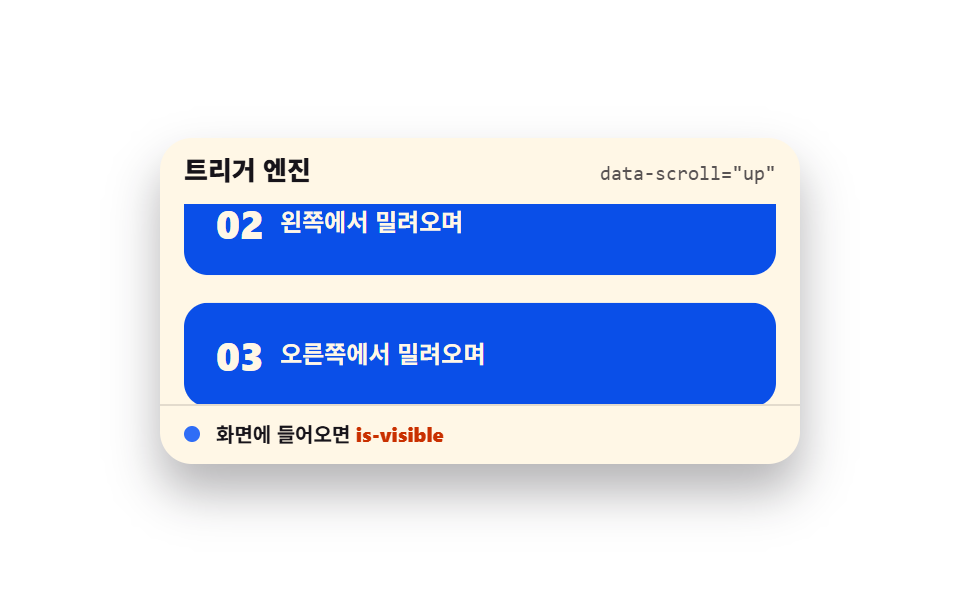 ScrollScroll Trigger Animation: 9 Engines, No GSAP
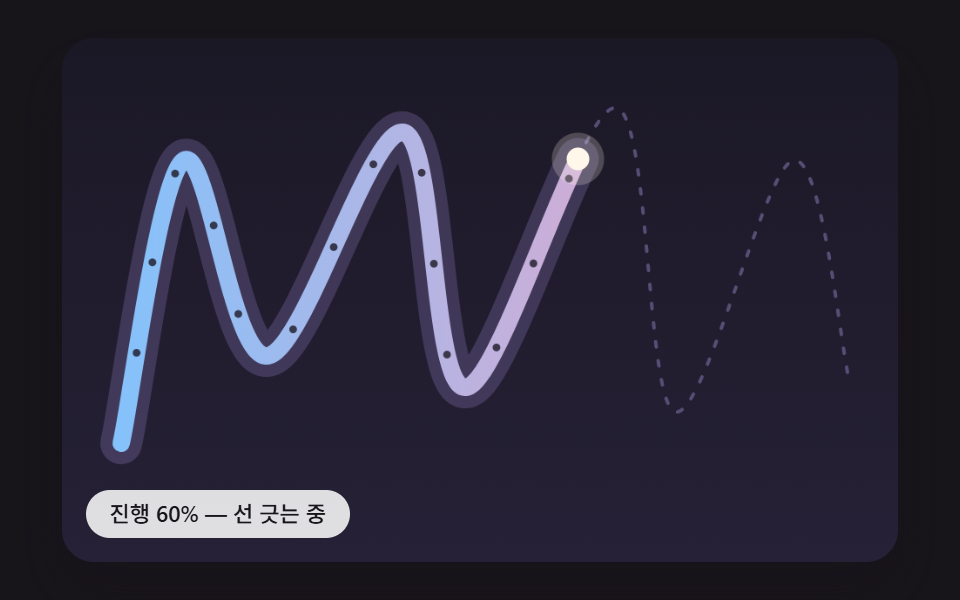 ScrollScroll Path Animation: 9 Scenes Along a Curve
 Scroll9 Scrollytelling CSS Section Patterns, Copy-Paste
 Scroll9 CSS Animation on Scroll Effects, No JavaScript
 Scroll9 CSS Marquee Infinite Loop — No JS, Scroll-Driven
 Scroll9 CSS Scroll Progress Bar Ideas, Copy-Paste
 Scroll9 CSS Only Carousels You Can Copy-Paste
 Scroll9 CSS Timeline Animation Ideas, Copy-Paste
 Scroll9 CSS Only Carousel Slider Recipes to Copy-Paste
 Scroll9 Website Scroll Effects — Apple-Style, CSS Only