Scroll Trigger Animation: 9 Engines, No GSAP
Scroll trigger animation is the device that fires a movement the moment an element enters the viewport.
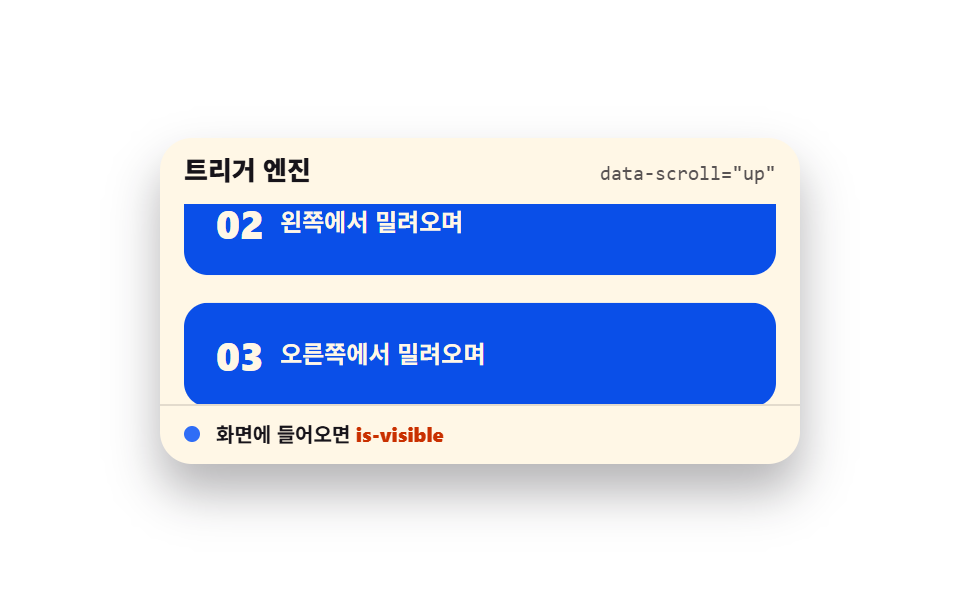 01 scroll-trigger-engine-data-attrs
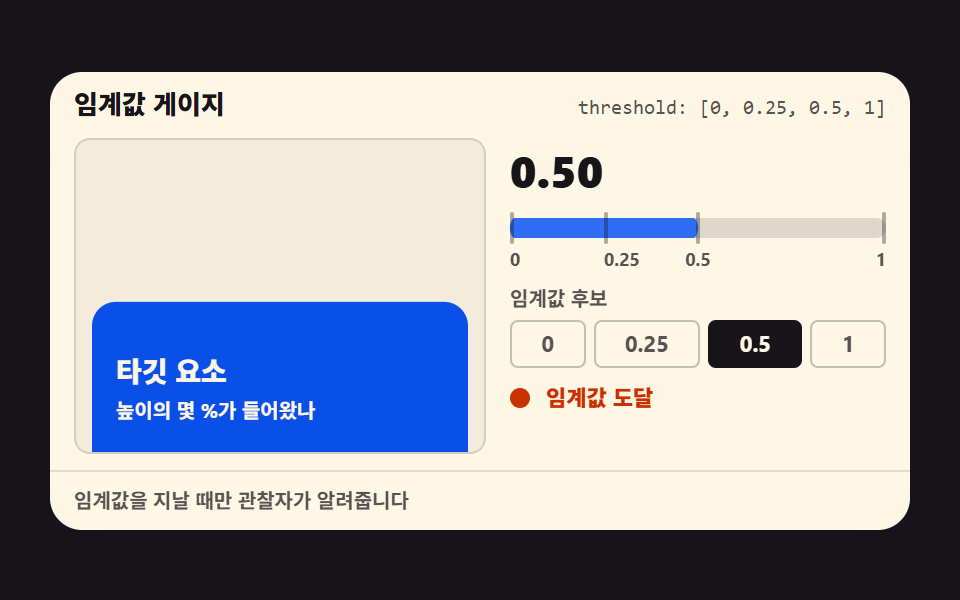 02 scroll-trigger-threshold-gauge
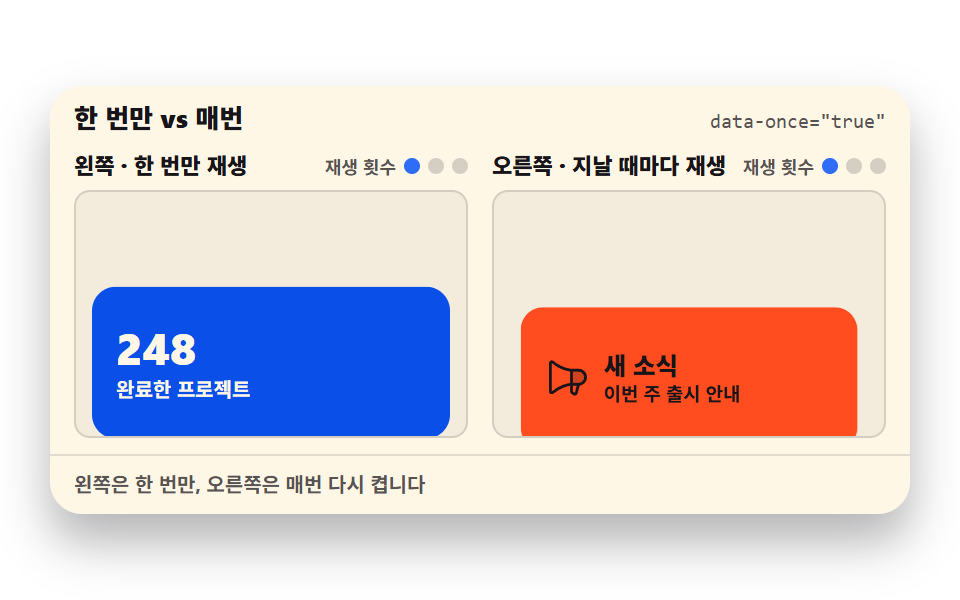 03 scroll-trigger-once-repeat
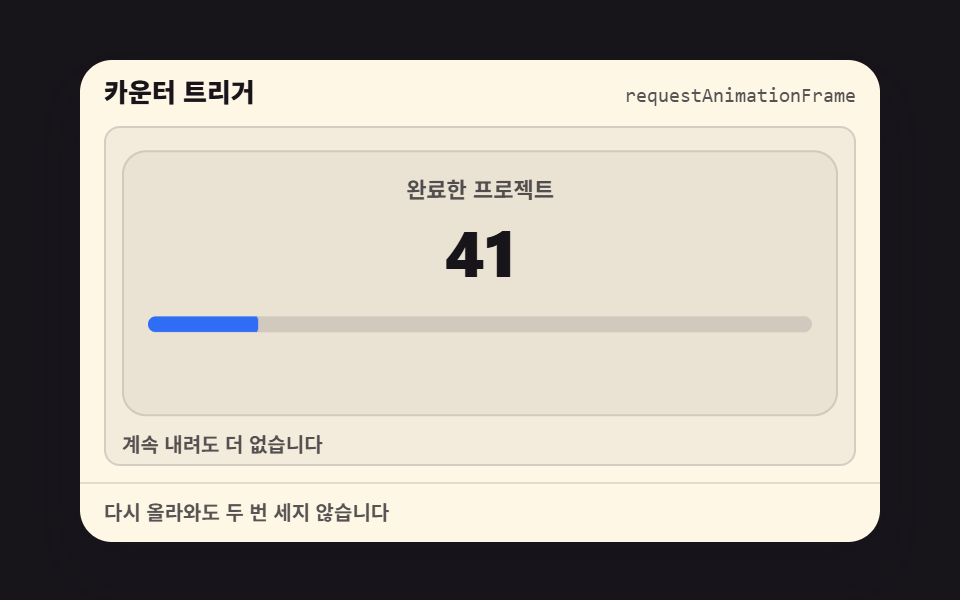 04 scroll-trigger-count-up-once
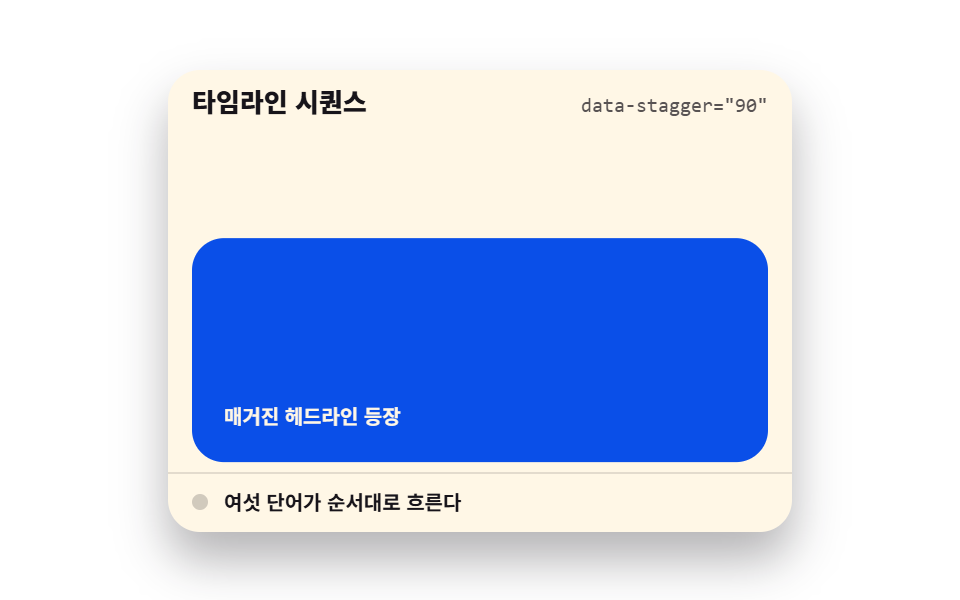 05 scroll-trigger-stagger-word-reveal
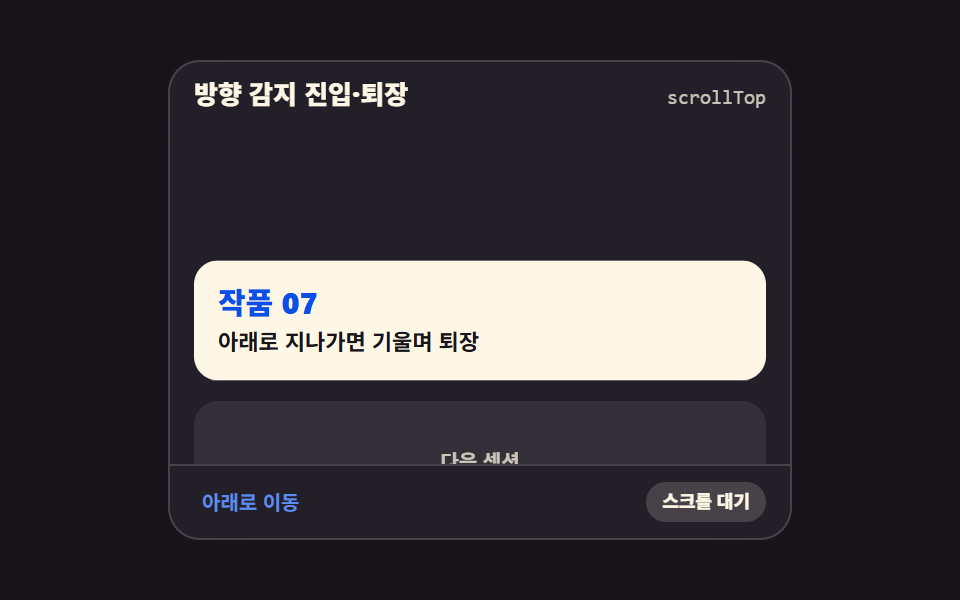 06 scroll-trigger-direction-enter-exit
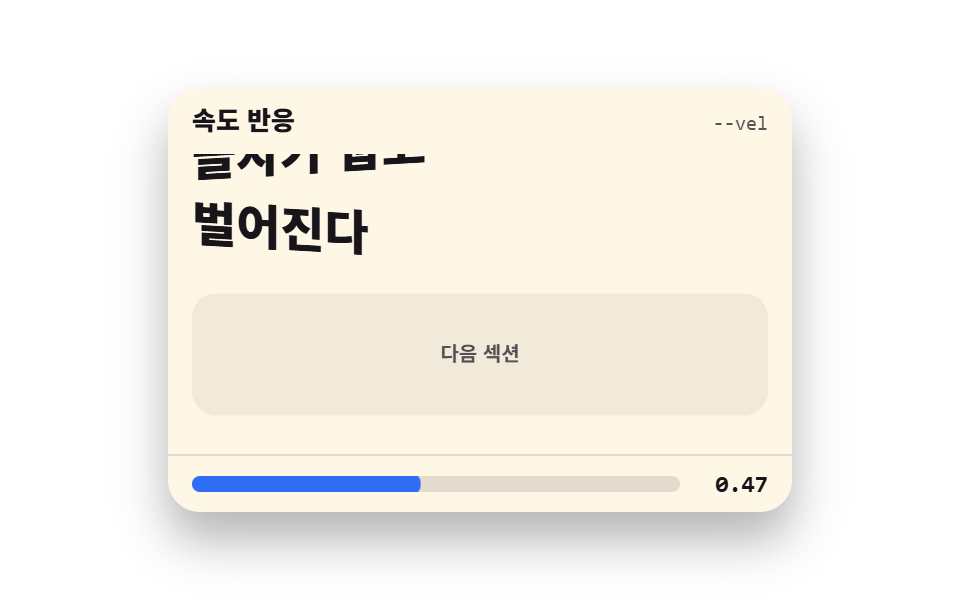 07 scroll-trigger-velocity-response
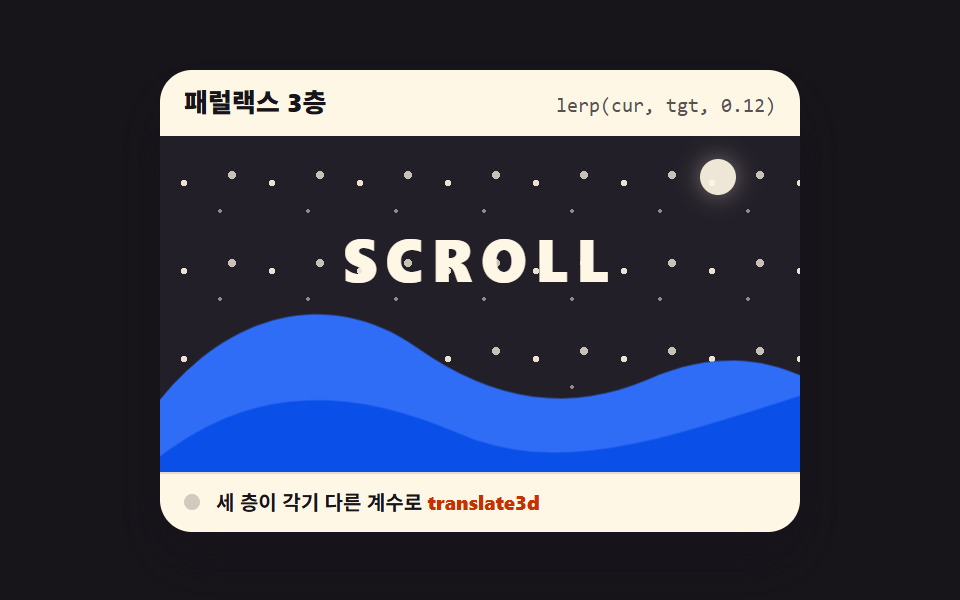 08 scroll-trigger-parallax-ratio-layers
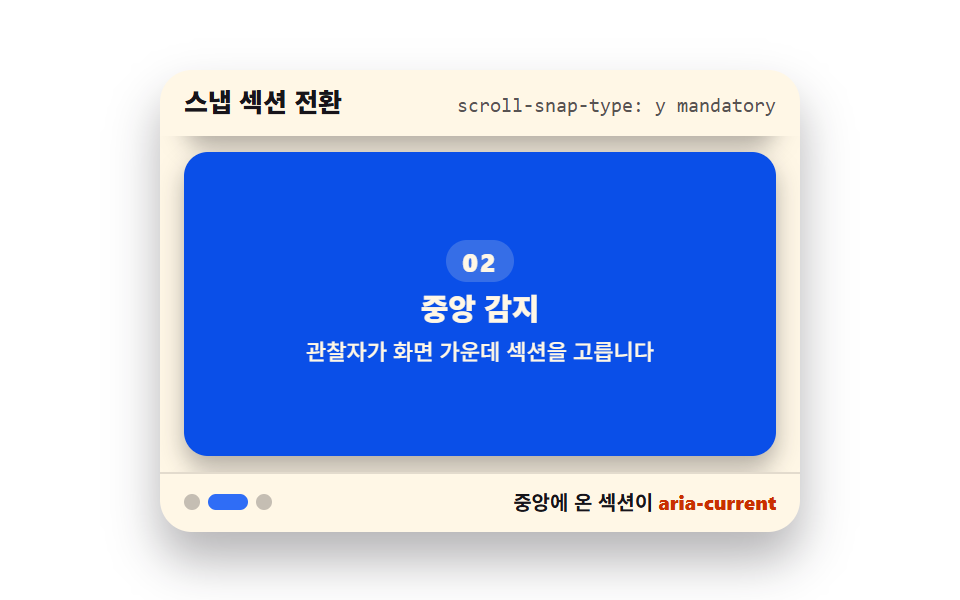 09 scroll-snap-section-active-detect
Auto-plays · click a tile to jump to its section · all nine in one zip
- 01 Trigger engine core
- 02 Threshold gauge
- 03 Once vs every pass
- 04 Counter trigger
- 05 Timeline stagger
- 06 Direction enter & exit
- 07 Velocity response
- 08 Three-layer parallax
- 09 Snap section switch
The spine of the nine is the order in which an engine gets built. The observer core stands first (01), a threshold gauge is bolted on (02), and the first consumers arrive — play once or replay every pass (03), then the counter (04). From there the visuals take over the screen: words flow in sequence (05), direction (06) and velocity (07) get noticed, layers split into depth (08), and sections finally snap to the frame (09). The observer part covers the ground that 9 CSS Scroll Animations, 0 JS and CSS Parallax Scroll: 9 Recipes approached from the opposite side — those two hand everything to the browser; this one has you driving the engine yourself. Reading-position displays belong to 9 Scroll Position Indicators, and pinning scenes to the screen is Scroll Storytelling Sections territory.
01Trigger engine core
The engine itself: an observer that stamps an is-visible class the moment a section enters the viewport, with direction variants, threshold, once, and early-detection margin all living in data-scroll attributes on the HTML.
<main class="stage">
  <section class="te is-demo" id="te" aria-label="Scroll trigger engine">
    <header class="te__head">
      <p class="te__title">Trigger engine</p>
      <p class="te__attr"><code>data-scroll="up"</code></p>
    </header>
    <div class="te__view" id="te-view" tabindex="0" role="region" aria-label="Section list — scroll and they appear in order">
      <div class="te__track">
        <article class="te__card" data-scroll="up" data-threshold="0.4" data-once="true"><b>01</b><span>rises from below</span></article>
        <article class="te__card" data-scroll="left" data-threshold="0.4" data-once="true"><b>02</b><span>slides in from the left</span></article>
        <article class="te__card" data-scroll="right" data-threshold="0.4" data-once="true"><b>03</b><span>slides in from the right</span></article>
        <article class="te__card" data-scroll="zoom" data-threshold="0.4" data-once="true"><b>04</b><span>starts small, then grows</span></article>
      </div>
    </div>
    <footer class="te__foot">
      <span class="te__dot" aria-hidden="true"></span>
      <span class="te__state">when it enters the screen <b>is-visible</b></span>
    </footer>
  </section>
</main>
@use "../../../../site/static/demo-tokens" as *;
// 트리거 엔진 코어 — 네 방향 진입을 하나의 관찰자 설정으로 재생한다
// 미리보기(.is-demo)는 CSS 키프레임이 스크롤을 대신하고, 손이 닿으면 JS 가 IntersectionObserver 를 붙인다
$duration: $dur-loop;
$easing: $ease-spring;
$color: $subject-blue;
@include stage($stage-paper);
.te {
position: relative;
box-sizing: border-box;
width: min(320px, 92vw);
border-radius: $r-card;
background: $subject-cream;
color: $subject-ink;
font-family: -apple-system, "Segoe UI", "Noto Sans KR", sans-serif;
overflow: hidden;
box-shadow: $shadow-raised;
}
.te__head {
display: flex;
align-items: baseline;
justify-content: space-between;
gap: $sp-2;
padding: $sp-2 $sp-3;
}
.te__title {
margin: 0;
font-size: 13px;
font-weight: 800;
line-height: 1.3;
}
.te__attr {
margin: 0;
font-size: 10px;
line-height: 1.3;
color: rgba($subject-ink, .72);
code { font-family: "Consolas", "Menlo", monospace; }
}
.te__view {
height: 100px;
overflow-y: auto;
padding: 0 $sp-3;
outline: none;
}
.te__track {
display: grid;
gap: $sp-2;
padding-bottom: 140px;
}
.te__card {
display: flex;
align-items: center;
gap: $sp-2;
box-sizing: border-box;
padding: $sp-4;
border-radius: $r-control;
background: $subject-blue-deep;
color: $subject-cream;
opacity: 0;
transition: opacity $dur-enter $easing, transform $dur-enter $easing;
b { font-size: 20px; font-weight: 800; line-height: 1; }
span { font-size: 12px; font-weight: 700; line-height: 1.3; }
}
.te__card[data-scroll="up"] { transform: translateY(18px); }
.te__card[data-scroll="left"] { transform: translateX(-24px); }
.te__card[data-scroll="right"] { transform: translateX(24px); }
// 카드는 스스로 완결한 요소라 중심에서 커진다 (기본 origin 유지)
.te__card[data-scroll="zoom"] { transform: scale(.82); }
.te__card.is-visible {
opacity: 1;
transform: none;
}
.te__foot {
display: flex;
align-items: center;
gap: $sp-2;
padding: $sp-2 $sp-3;
border-top: 1px solid rgba($subject-ink, .12);
font-size: 10px;
font-weight: 700;
line-height: 1.3;
b { color: $subject-orange-deep; }
}
.te__dot {
width: 8px;
height: 8px;
border-radius: $r-pill;
background: $color;
}
// 미리보기 — 스크롤 대신 트랙을 밀어 올리고 카드가 순서대로 들어오는 것처럼 보인다
.te.is-demo {
.te__track {
animation-name: te-flow;
animation-duration: $duration;
animation-timing-function: $easing;
animation-iteration-count: infinite;
animation-fill-mode: backwards;
}
// 나타남은 한 프레임 컷(te-show), 이동은 이징(te-rise) — 페이드 중간 프레임이 유령으로 찍히지 않는다
.te__card {
animation-name: te-show, te-rise;
animation-duration: $duration, $duration;
animation-timing-function: steps(1, end), $easing;
animation-iteration-count: infinite, infinite;
animation-fill-mode: backwards, backwards;
}
.te__card:nth-child(1) { animation-delay: 0s, 0s; }
.te__card:nth-child(2) { animation-delay: $duration * .12, $duration * .12; }
.te__card:nth-child(3) { animation-delay: $duration * .24, $duration * .24; }
.te__card:nth-child(4) { animation-delay: $duration * .36, $duration * .36; }
.te__dot {
animation-name: te-blink;
animation-duration: $duration;
animation-timing-function: steps(1, end);
animation-iteration-count: infinite;
}
}
@keyframes te-flow {
0%, 8% { transform: translateY(0); }
46%, 54% { transform: translateY(-80px); }
88%, 100% { transform: translateY(-160px); }
}
@keyframes te-show {
0% { opacity: 0; }
4%, 92% { opacity: 1; }
96% { opacity: 0; }
}
@keyframes te-rise {
0% { transform: translateY(18px); }
28%, 92% { transform: none; }
100% { transform: translateY(18px); }
}
@keyframes te-blink {
0% { background: rgba($subject-ink, .2); }
24% { background: $color; }
90% { background: rgba($subject-ink, .2); }
}
// 320×200 무대는 세로 여유가 거의 없다 — 목록 칸을 줄여 머리·바닥과 함께 화면 안에 넣는다
@media (max-width: 340px) {
.te { width: 100%; }
.te__view { height: 72px; }
.te__card { padding: $sp-2; }
.te__card b { font-size: 16px; }
.te__card span { font-size: 11px; }
}
@media (prefers-reduced-motion: reduce) {
.te__card { transition: none !important; }
.te.is-demo .te__track,
.te.is-demo .te__card,
.te.is-demo .te__dot { animation: none !important; }
// 정지 상태 — 카드가 전부 보인다
.te.is-demo .te__card { opacity: 1 !important; transform: none !important; }
.te.is-demo .te__dot { background: $color !important; }
}html, body {
margin: 0;
overflow: hidden;
}
.stage {
box-sizing: border-box;
min-height: 100vh;
display: grid;
place-items: center;
margin: 0;
background: #ffffff;
font-family: -apple-system, "Segoe UI", "Noto Sans KR", sans-serif;
padding: clamp(8px, 4vw, 24px);
}
.te {
position: relative;
box-sizing: border-box;
width: min(320px, 92vw);
border-radius: 16px;
background: #fff7e6;
color: #17141a;
font-family: -apple-system, "Segoe UI", "Noto Sans KR", sans-serif;
overflow: hidden;
box-shadow: 0 14px 24px rgba(23, 20, 26, 0.32);
}
.te__head {
display: flex;
align-items: baseline;
justify-content: space-between;
gap: 8px;
padding: 8px 12px;
}
.te__title {
margin: 0;
font-size: 13px;
font-weight: 800;
line-height: 1.3;
}
.te__attr {
margin: 0;
font-size: 10px;
line-height: 1.3;
color: rgba(23, 20, 26, 0.72);
}
.te__attr code {
font-family: "Consolas", "Menlo", monospace;
}
.te__view {
height: 100px;
overflow-y: auto;
padding: 0 12px;
outline: none;
}
.te__track {
display: grid;
gap: 8px;
padding-bottom: 140px;
}
.te__card {
display: flex;
align-items: center;
gap: 8px;
box-sizing: border-box;
padding: 16px;
border-radius: 12px;
background: #0a4fe8;
color: #fff7e6;
opacity: 0;
transition: opacity 600ms cubic-bezier(0.2, 0.8, 0.2, 1), transform 600ms cubic-bezier(0.2, 0.8, 0.2, 1);
}
.te__card b {
font-size: 20px;
font-weight: 800;
line-height: 1;
}
.te__card span {
font-size: 12px;
font-weight: 700;
line-height: 1.3;
}
.te__card[data-scroll=up] {
transform: translateY(18px);
}
.te__card[data-scroll=left] {
transform: translateX(-24px);
}
.te__card[data-scroll=right] {
transform: translateX(24px);
}
.te__card[data-scroll=zoom] {
transform: scale(0.82);
}
.te__card.is-visible {
opacity: 1;
transform: none;
}
.te__foot {
display: flex;
align-items: center;
gap: 8px;
padding: 8px 12px;
border-top: 1px solid rgba(23, 20, 26, 0.12);
font-size: 10px;
font-weight: 700;
line-height: 1.3;
}
.te__foot b {
color: #c93000;
}
.te__dot {
width: 8px;
height: 8px;
border-radius: 999px;
background: #2f6df6;
}
.te.is-demo .te__track {
animation-name: te-flow;
animation-duration: 2s;
animation-timing-function: cubic-bezier(0.2, 0.8, 0.2, 1);
animation-iteration-count: infinite;
animation-fill-mode: backwards;
}
.te.is-demo .te__card {
animation-name: te-show, te-rise;
animation-duration: 2s, 2s;
animation-timing-function: steps(1, end), cubic-bezier(0.2, 0.8, 0.2, 1);
animation-iteration-count: infinite, infinite;
animation-fill-mode: backwards, backwards;
}
.te.is-demo .te__card:nth-child(1) {
animation-delay: 0s, 0s;
}
.te.is-demo .te__card:nth-child(2) {
animation-delay: 0.24s, 0.24s;
}
.te.is-demo .te__card:nth-child(3) {
animation-delay: 0.48s, 0.48s;
}
.te.is-demo .te__card:nth-child(4) {
animation-delay: 0.72s, 0.72s;
}
.te.is-demo .te__dot {
animation-name: te-blink;
animation-duration: 2s;
animation-timing-function: steps(1, end);
animation-iteration-count: infinite;
}
@keyframes te-flow {
0%, 8% {
transform: translateY(0);
}
46%, 54% {
transform: translateY(-80px);
}
88%, 100% {
transform: translateY(-160px);
}
}
@keyframes te-show {
0% {
opacity: 0;
}
4%, 92% {
opacity: 1;
}
96% {
opacity: 0;
}
}
@keyframes te-rise {
0% {
transform: translateY(18px);
}
28%, 92% {
transform: none;
}
100% {
transform: translateY(18px);
}
}
@keyframes te-blink {
0% {
background: rgba(23, 20, 26, 0.2);
}
24% {
background: #2f6df6;
}
90% {
background: rgba(23, 20, 26, 0.2);
}
}
@media (max-width: 340px) {
.te {
width: 100%;
}
.te__view {
height: 72px;
}
.te__card {
padding: 8px;
}
.te__card b {
font-size: 16px;
}
.te__card span {
font-size: 11px;
}
}
@media (prefers-reduced-motion: reduce) {
.te__card {
transition: none !important;
}
.te.is-demo .te__track,
.te.is-demo .te__card,
.te.is-demo .te__dot {
animation: none !important;
}
.te.is-demo .te__card {
opacity: 1 !important;
transform: none !important;
}
.te.is-demo .te__dot {
background: #2f6df6 !important;
}
}// Trigger engine 코어 — data-scroll 속성으로 방향·임계값·한 번만 여부를 HTML 에서 정한다
var root = document.getElementById('te');
var view = document.getElementById('te-view');
var cards = Array.prototype.slice.call(document.querySelectorAll('.te__card'));
var observers = [];
function attach(card) {
  var threshold = parseFloat(card.getAttribute('data-threshold')) || 0;
  var once = card.getAttribute('data-once') === 'true';
  var io = new IntersectionObserver(function (entries) {
    entries.forEach(function (entry) {
      if (entry.isIntersecting) {
        entry.target.classList.add('is-visible');
        if (once) io.unobserve(entry.target);
      } else if (!once) {
        entry.target.classList.remove('is-visible');
      }
    });
  }, { root: view, rootMargin: '0px 0px -8px 0px', threshold: threshold });
  io.observe(card);
  observers.push(io);
}
function start() {
root.classList.remove('is-demo');
if (observers.length === 0) cards.forEach(attach);
}
view.addEventListener('scroll', start, { passive: true });
view.addEventListener('pointerdown', start);
view.addEventListener('keydown', function (e) {
if (e.key === 'ArrowDown' || e.key === 'ArrowUp') start();
});import { useEffect, useRef, useState } from "react";
import type { CSSProperties } from "react";
import styles from "./TriggerEngineCore.module.scss";
export type TriggerEngineCoreProps = {
title?: string;
attr?: string;
state?: string;
cards?: { dir: "up" | "left" | "right" | "zoom"; label: string }[];
groupLabel?: string;
listLabel?: string;
/** 격자 미리보기용 2초 자동 루프. 사람이 손대면 꺼진다 */
demo?: boolean;
duration?: number;
easing?: string;
color?: string;
};
type Vars = CSSProperties & { "--duration"?: string; "--easing"?: string; "--color"?: string };
// ambient 가 얇아 DOM 요소 타입을 못 쓴다 — 필요한 꼴만 로컬 타입으로 선언
type Box<T> = { current: T };
type KeyEvt = { key: string };
const DEFAULT_CARDS: { dir: "up" | "left" | "right" | "zoom"; label: string }[] = [
{ dir: "up", label: "아래에서 올라오며" },
{ dir: "left", label: "왼쪽에서 밀려오며" },
{ dir: "right", label: "오른쪽에서 밀려오며" },
{ dir: "zoom", label: "작게 있다 커지며" },
];
export default function TriggerEngineCore({
title = "트리거 엔진",
attr = 'data-scroll="up"',
state = "화면에 들어오면",
cards = DEFAULT_CARDS,
groupLabel = "스크롤 트리거 엔진",
listLabel = "섹션 목록 — 스크롤하면 순서대로 등장합니다",
demo = true,
duration = 2000,
easing = "cubic-bezier(.2, .8, .2, 1)",
color = "#2f6df6",
}: TriggerEngineCoreProps) {
const [live, setLive] = useState(demo);
const [seen, setSeen] = useState<number[]>([]);
const viewRef = useRef<HTMLDivElement>(null) as unknown as Box<HTMLDivElement | null>;
const cardRefs = useRef<(HTMLElement | null)[]>([]) as unknown as Box<(HTMLElement | null)[]>;
useEffect(() => {
if (live) return;
const root = viewRef.current;
if (!root) return;
// 카드마다 관찰자를 하나씩 — 임계값이 항목마다 다를 수 있으므로 공유하지 않는다
const observers = cardRefs.current.map((el, i) => {
if (!el) return null;
const io = new IntersectionObserver(
(entries) => {
entries.forEach((entry) => {
if (entry.isIntersecting) {
setSeen((prev) => (prev.indexOf(i) === -1 ? prev.concat(i) : prev));
io.unobserve(entry.target);
}
});
},
{ root, rootMargin: "0px 0px -8px 0px", threshold: 0.4 }
);
io.observe(el);
return io;
});
return () => {
observers.forEach((io) => io && io.disconnect());
};
}, [live]);
const vars: Vars = {
"--duration": `${duration}ms`,
"--easing": easing,
"--color": color,
};
return (
<section
className={`${styles.te} ${live ? styles.isDemo : ""}`}
style={vars}
aria-label={groupLabel}
>
<header className={styles.head}>
<p className={styles.title}>{title}</p>
<p className={styles.attr}><code>{attr}</code></p>
</header>
<div
className={styles.view}
ref={viewRef as unknown as Box<HTMLDivElement>}
onScroll={() => setLive(false)}
onPointerDown={() => setLive(false)}
onKeyDown={(e: KeyEvt) => {
if (e.key === "ArrowDown" || e.key === "ArrowUp") setLive(false);
}}
tabIndex={0}
role="region"
aria-label={listLabel}
>
<div className={styles.track}>
{cards.map((card, i) => (
<article
key={card.dir}
ref={(el: HTMLElement | null) => {
cardRefs.current[i] = el;
}}
className={`${styles.card} ${styles[card.dir]} ${
seen.indexOf(i) !== -1 ? styles.isVisible : ""
}`}
>
<b>{String(i + 1).padStart(2, "0")}</b>
<span>{card.label}</span>
</article>
))}
</div>
</div>
<footer className={styles.foot}>
<span className={styles.dot} aria-hidden="true" />
<span className={styles.state}>
{state} <b>is-visible</b>
</span>
</footer>
</section>
);
}01 · Trigger engine core — Measured area 20.597% · moving frames 22/23Original by GODRICH · SCSS and React ship in the zip · See the password
What one observer reads
function attach(card) {
var threshold = parseFloat(card.getAttribute('data-threshold')) || 0;
var once = card.getAttribute('data-once') === 'true';
var io = new IntersectionObserver(function (entries) {
entries.forEach(function (entry) {
if (entry.isIntersecting) {
entry.target.classList.add('is-visible');
if (once) io.unobserve(entry.target);
} else if (!once) {
entry.target.classList.remove('is-visible');
}
});
}, { root: view, rootMargin: '0px 0px -8px 0px', threshold: threshold });
io.observe(card);
observers.push(io);
}
Setting root to the scrolling box instead of the page is the difference in the first snippet, and the -8px on the bottom edge holds the light off until the card clears the very bottom by 8 pixels — on a real page you would write -10% and let percentages do the pushing.
CSS needs to know one class
.te__card {
  opacity: 0;
  transition: opacity $dur-enter $easing, transform $dur-enter $easing;
}
.te__card[data-scroll="up"] { transform: translateY(18px); }
.te__card[data-scroll="left"] { transform: translateX(-24px); }
.te__card.is-visible {
  opacity: 1;
  transform: none;
}
Each data-scroll value gives the card a different starting position but they all end at transform: none, and this two-layer split — the observer owns the moment, the transition owns the look — is what runs every scroll reveal animation in the reveal family.
02Threshold gauge
Shows how much of the element is actually inside the viewport as an intersectionRatio gauge from 0 to 1, and switching the threshold candidate changes the moment the light turns on.
<main class="stage">
  <section class="tg is-demo" id="tg" aria-label="Threshold gauge">
    <header class="tg__head">
      <p class="tg__title">Threshold gauge</p>
      <p class="tg__attr"><code>threshold: [0, 0.25, 0.5, 1]</code></p>
    </header>
    <div class="tg__body">
      <div class="tg__view" id="tg-view" tabindex="0" role="region" aria-label="Target viewport — try scrolling">
        <div class="tg__track" id="tg-track">
          <p class="tg__lead">The target rises from below</p>
          <div class="tg__target" id="tg-target">
            <b>Target element</b>
            <span>How much of its height is in view</span>
          </div>
        </div>
      </div>
      <div class="tg__panel">
        <p class="tg__read" aria-live="polite">
          <b class="tg__numcur" id="tg-num">0.00</b>
          <span class="tg__nums" aria-hidden="true"><b>0.00</b><b>0.25</b><b>0.50</b><b>1.00</b></span>
        </p>
        <div class="tg__gauge" aria-hidden="true">
          <i class="tg__fill" id="tg-fill"></i>
          <i class="tg__tick tg__tick--0"></i>
          <i class="tg__tick tg__tick--25"></i>
          <i class="tg__tick tg__tick--50"></i>
          <i class="tg__tick tg__tick--100"></i>
        </div>
        <p class="tg__scale" aria-hidden="true"><span class="tg__s0">0</span><span class="tg__s25">0.25</span><span class="tg__s50">0.5</span><span class="tg__s100">1</span></p>
        <p class="tg__candt">Threshold candidates</p>
        <div class="tg__cands" id="tg-cands">
          <button type="button" class="tg__cand" data-th="0" aria-pressed="false">0</button>
          <button type="button" class="tg__cand is-on" data-th="0.25" aria-pressed="true">0.25</button>
          <button type="button" class="tg__cand" data-th="0.5" aria-pressed="false">0.5</button>
          <button type="button" class="tg__cand" data-th="1" aria-pressed="false">1</button>
        </div>
        <p class="tg__lightline">
          <span class="tg__led" id="tg-led" aria-hidden="true"></span>
          <span class="tg__state">
            <b class="tg__stcur" id="tg-state">Waiting</b>
            <span class="tg__sts" aria-hidden="true"><b>Waiting</b><b>Threshold reached</b></span>
          </span>
        </p>
      </div>
    </div>
    <footer class="tg__foot">The observer reports only when a threshold is crossed</footer>
  </section>
</main>@use "../../../../site/static/demo-tokens" as *;
// 임계값 게이지 — intersectionRatio 를 게이지 막대(scaleX) 와 숫자로 실측해 보여준다
// 관찰자는 threshold 후보를 지날 때만 보고하므로 숫자·게이지·불은 계단(steps 컷)으로 갱신하고
// 타깃 카드의 진입 움직임만 이징(transform) 으로 분리한다 — 유령 프레임 방지
$duration: $dur-loop;
$easing: $ease-spring;
$color: $subject-blue;
@include stage($stage-ink);
.tg {
box-sizing: border-box;
width: min(430px, 100%);
border-radius: $r-card;
background: $subject-cream;
color: $subject-ink;
font-family: -apple-system, "Segoe UI", "Noto Sans KR", sans-serif;
overflow: hidden;
box-shadow: $shadow-raised;
}
.tg__head {
display: flex;
align-items: baseline;
justify-content: space-between;
gap: $sp-2;
padding: $sp-2 $sp-3;
}
.tg__title {
margin: 0;
font-size: 13px;
font-weight: 800;
line-height: 1.3;
}
.tg__attr {
margin: 0;
font-size: 10px;
line-height: 1.3;
color: rgba($subject-ink, .72);
code { font-family: "Consolas", "Menlo", monospace; }
}
.tg__body {
display: grid;
grid-template-columns: 1fr 188px;
gap: $sp-3;
padding: 0 $sp-3 $sp-2;
}
.tg__view {
box-sizing: border-box;
height: 158px;
overflow-y: auto;
padding: 0 $sp-2;
outline: none;
background: rgba($subject-ink, .05);
border: 1px solid rgba($subject-ink, .14);
border-radius: $r-sm;
}
.tg__track {
position: relative; // 안내 문구를 절대 위치로 띄워 줄이 바뀌어도 타깃 위치가 흔들리지 않게 한다
padding-top: $sp-2;
padding-bottom: $sp-6; // 스크롤 여유
}
.tg__lead {
position: absolute;
top: $sp-2;
left: $sp-2;
right: $sp-2;
margin: 0;
font-size: 11px;
font-weight: 700;
line-height: 14px;
color: rgba($subject-ink, .72);
}
.tg__target {
margin-top: 150px; // 타깃 top 이 뷰포트 바닥(158px = 8 + 150) 에 딱 닿게 — 진입 전 intersectionRatio 0
box-sizing: border-box;
height: 88px; // 0.25 배수(22·44·88) 로 잡아 임계값 통과 거리가 정수가 되게 한다
display: flex;
flex-direction: column;
justify-content: center;
gap: $sp-1;
padding: $sp-2 $sp-3;
border-radius: $r-control;
background: $subject-blue-deep;
color: $subject-cream;
b { font-size: 14px; font-weight: 800; line-height: 1.3; }
span { font-size: 10px; font-weight: 700; line-height: 1.3; }
}
.tg__panel { display: flex; flex-direction: column; }
.tg__read {
position: relative;
height: 32px;
margin: 0;
}
.tg__numcur,
.tg__nums b {
position: absolute;
inset: 0;
display: flex;
align-items: center;
font-size: 22px;
font-weight: 800;
line-height: 1;
font-variant-numeric: tabular-nums;
}
.tg__nums { display: none; }
.tg__nums b { opacity: 0; }
.tg.is-demo .tg__nums { display: block; }
.tg.is-demo .tg__numcur { visibility: hidden; } // 미리보기 동안엔 계단 레이어가 값을 보여준다
.tg__gauge {
position: relative;
height: 10px;
margin-top: $sp-2;
border-radius: $r-pill;
background: rgba($subject-ink, .14);
}
.tg__fill {
position: absolute;
inset: 0;
border-radius: $r-pill;
background: $color;
transform: scaleX(0);
transform-origin: left center; // 채움 막대 — 시작 변에서 자란다 (붙는 지점이 있는 요소 예외)
}
.tg__tick {
position: absolute;
top: -3px;
width: 2px;
height: 16px;
border-radius: $r-pill;
background: rgba($subject-ink, .35);
}
.tg__tick--0 { left: 0; }
.tg__tick--25 { left: 25%; }
.tg__tick--50 { left: 50%; transform: translateX(-1px); }
.tg__tick--100 { left: 100%; transform: translateX(-2px); }
.tg__scale {
position: relative;
height: 12px;
margin: $sp-1 0 0;
font-size: 9px;
font-weight: 700;
line-height: 12px;
color: rgba($subject-ink, .72);
}
.tg__scale span { position: absolute; }
.tg__s0 { left: 0; }
.tg__s25 { left: 25%; }
.tg__s50 { left: 50%; transform: translateX(-50%); }
.tg__s100 { left: 100%; transform: translateX(-100%); }
.tg__candt {
margin: $sp-2 0 0;
font-size: 10px;
font-weight: 700;
line-height: 1.3;
color: rgba($subject-ink, .72);
}
.tg__cands {
display: flex;
gap: $sp-1;
margin-top: $sp-1;
}
.tg__cand {
flex: 1 1 auto;
padding: $sp-1 0;
border: 1px solid rgba($subject-ink, .25);
border-radius: $r-xs;
background: none;
color: rgba($subject-ink, .72);
font-family: inherit;
font-size: 11px;
font-weight: 700;
line-height: 1.3;
cursor: pointer;
}
.tg__cand.is-on {
border-color: $subject-ink;
background: $subject-ink;
color: $subject-cream;
}
// 후보 칩의 두 얼굴 — 미리보기 키프레임도 같은 값을 쓰도록 믹스인으로 한 곳에 둔다
@mixin cand-off {
border-color: rgba($subject-ink, .25);
background-color: transparent;
color: rgba($subject-ink, .72);
}
@mixin cand-on {
border-color: $subject-ink;
background-color: $subject-ink;
color: $subject-cream;
}
.tg__lightline {
display: flex;
align-items: center;
gap: $sp-2;
margin: $sp-2 0 0;
}
.tg__led {
width: 10px;
height: 10px;
border-radius: 50%;
background: rgba($subject-ink, .18);
}
.tg__led.is-on { background: $subject-orange-deep; }
.tg__state {
position: relative;
flex: 1 1 auto; // 라벨 칸이 남은 폭을 다 가져간다 — 절대 배치된 컷 레이어가 설 자리
min-width: 0;
white-space: nowrap; // 「임계값 도달」이 여러 줄로 쪼개지지 않게
font-size: 11px;
font-weight: 700;
line-height: 1.3;
}
.tg__stcur { font-weight: 700; }
.tg__stcur.is-on { color: $subject-orange-deep; }
.tg__sts { display: none; }
.tg__sts b {
position: absolute;
left: 0;
top: 0;
opacity: 0;
}
.tg__sts b:last-child { color: $subject-orange-deep; }
.tg.is-demo .tg__sts { display: block; position: absolute; inset: 0; }
.tg.is-demo .tg__stcur { visibility: hidden; } // 미리보기 동안엔 컷 레이어가 상태 글자를 보여준다
.tg__foot {
padding: $sp-2 $sp-3;
border-top: 1px solid rgba($subject-ink, .12);
font-size: 10px;
font-weight: 700;
line-height: 1.3;
color: rgba($subject-ink, .72);
}
// 미리보기 — 스크롤 대신 트랙을 올리고, 숫자·게이지·불은 임계값 통과 순간(30·42·58%) 에 계단으로 갱신한다
.tg.is-demo {
.tg__track {
animation-name: tg-flow;
animation-duration: $duration;
animation-timing-function: $easing;
animation-iteration-count: infinite;
}
.tg__nums b {
animation-duration: $duration;
animation-timing-function: steps(1, end);
animation-iteration-count: infinite;
}
.tg__nums b:nth-child(1) { animation-name: tg-n1; }
.tg__nums b:nth-child(2) { animation-name: tg-n2; }
.tg__nums b:nth-child(3) { animation-name: tg-n3; }
.tg__nums b:nth-child(4) { animation-name: tg-n4; }
.tg__fill {
animation-name: tg-fill;
animation-duration: $duration;
animation-timing-function: steps(1, end);
animation-iteration-count: infinite;
}
.tg__led {
animation-name: tg-led;
animation-duration: $duration;
animation-timing-function: steps(1, end);
animation-iteration-count: infinite;
}
.tg__sts b {
animation-duration: $duration;
animation-timing-function: steps(1, end);
animation-iteration-count: infinite;
}
.tg__sts b:nth-child(1) { animation-name: tg-st1; }
.tg__sts b:nth-child(2) { animation-name: tg-st2; }
// 미리보기 동안엔 활성 후보도 같이 걷는다 — 어느 프레임을 잘라도 강조된 후보와 표시된 비율이 같은 값이다
.tg__cand.is-on { @include cand-off; } // 정적 선택(0.25) 은 잠시 내려놓는다
.tg__cand {
animation-duration: $duration;
animation-timing-function: steps(1, end);
animation-iteration-count: infinite;
}
.tg__cand:nth-child(1) { animation-name: tg-c1; }
.tg__cand:nth-child(2) { animation-name: tg-c2; }
.tg__cand:nth-child(3) { animation-name: tg-c3; }
.tg__cand:nth-child(4) { animation-name: tg-c4; }
}
@keyframes tg-flow {
0%, 12% { transform: translateY(0); }
30% { transform: translateY(-22px); } // 타깃 22px 진입 — 0.25 통과
42% { transform: translateY(-44px); } // 0.50 통과
58% { transform: translateY(-88px); } // 1.00 통과 (완전 진입)
66%, 100% { transform: translateY(-110px); } // 도달 상태로 끝까지 — 재시작은 0% 점프
}
@keyframes tg-n1 { 0% { opacity: 1; } 30%, 100% { opacity: 0; } }
@keyframes tg-n2 { 0% { opacity: 0; } 30% { opacity: 1; } 42%, 100% { opacity: 0; } }
@keyframes tg-n3 { 0% { opacity: 0; } 42% { opacity: 1; } 58%, 100% { opacity: 0; } }
@keyframes tg-n4 { 0% { opacity: 0; } 58%, 100% { opacity: 1; } }
@keyframes tg-fill {
0%, 12% { transform: scaleX(0); }
30% { transform: scaleX(.25); }
42% { transform: scaleX(.5); }
58%, 100% { transform: scaleX(1); }
}
@keyframes tg-led {
0% { background: rgba($subject-ink, .18); }
30%, 100% { background: $subject-orange-deep; } // 첫 후보를 지난 순간 점등, 이후로는 계속 도달 상태
}
// 후보 강조 — 숫자·게이지와 같은 시각(30·42·58%) 에 다음 후보로 넘어간다
@keyframes tg-c1 { 0% { @include cand-on; } 30%, 100% { @include cand-off; } }
@keyframes tg-c2 { 0% { @include cand-off; } 30% { @include cand-on; } 42%, 100% { @include cand-off; } }
@keyframes tg-c3 { 0% { @include cand-off; } 42% { @include cand-on; } 58%, 100% { @include cand-off; } }
@keyframes tg-c4 { 0% { @include cand-off; } 58%, 100% { @include cand-on; } }
@keyframes tg-st1 {
0% { opacity: 1; }
30%, 100% { opacity: 0; }
}
@keyframes tg-st2 {
0% { opacity: 0; }
30%, 100% { opacity: 1; }
}
@media (max-width: 340px) {
.tg__head { padding: $sp-1 $sp-2; }
.tg__body { grid-template-columns: 1fr 148px; gap: $sp-2; padding: 0 $sp-2 $sp-1; }
.tg__view { height: 112px; }
.tg__target { margin-top: 104px; }
.tg__read { height: 26px; }
.tg__numcur, .tg__nums b { font-size: 18px; }
.tg__gauge { margin-top: $sp-1; }
.tg__candt { margin-top: $sp-1; }
.tg__lightline { margin-top: $sp-1; }
.tg__foot { padding: $sp-1 $sp-2; }
}
@media (prefers-reduced-motion: reduce) {
.tg.is-demo .tg__track,
.tg.is-demo .tg__nums b,
.tg.is-demo .tg__fill,
.tg.is-demo .tg__led,
.tg.is-demo .tg__sts b,
.tg.is-demo .tg__cand { animation: none !important; }
.tg.is-demo .tg__cand.is-on { @include cand-on; } // 정지 상태에선 정적 선택(0.25) 이 그대로 보인다
.tg.is-demo .tg__nums,
.tg.is-demo .tg__sts { display: none !important; }
.tg.is-demo .tg__numcur,
.tg.is-demo .tg__stcur { visibility: visible !important; } // 정지 상태에서도 숫자·상태가 보인다
}html, body {
margin: 0;
overflow: hidden;
}
.stage {
box-sizing: border-box;
min-height: 100vh;
display: grid;
place-items: center;
margin: 0;
background: #17141a;
font-family: -apple-system, "Segoe UI", "Noto Sans KR", sans-serif;
padding: clamp(8px, 4vw, 24px);
}
.tg {
box-sizing: border-box;
width: min(430px, 100%);
border-radius: 16px;
background: #fff7e6;
color: #17141a;
font-family: -apple-system, "Segoe UI", "Noto Sans KR", sans-serif;
overflow: hidden;
box-shadow: 0 14px 24px rgba(23, 20, 26, 0.32);
}
.tg__head {
display: flex;
align-items: baseline;
justify-content: space-between;
gap: 8px;
padding: 8px 12px;
}
.tg__title {
margin: 0;
font-size: 13px;
font-weight: 800;
line-height: 1.3;
}
.tg__attr {
margin: 0;
font-size: 10px;
line-height: 1.3;
color: rgba(23, 20, 26, 0.72);
}
.tg__attr code {
font-family: "Consolas", "Menlo", monospace;
}
.tg__body {
display: grid;
grid-template-columns: 1fr 188px;
gap: 12px;
padding: 0 12px 8px;
}
.tg__view {
box-sizing: border-box;
height: 158px;
overflow-y: auto;
padding: 0 8px;
outline: none;
background: rgba(23, 20, 26, 0.05);
border: 1px solid rgba(23, 20, 26, 0.14);
border-radius: 8px;
}
.tg__track {
position: relative;
padding-top: 8px;
padding-bottom: 24px;
}
.tg__lead {
position: absolute;
top: 8px;
left: 8px;
right: 8px;
margin: 0;
font-size: 11px;
font-weight: 700;
line-height: 14px;
color: rgba(23, 20, 26, 0.72);
}
.tg__target {
margin-top: 150px;
box-sizing: border-box;
height: 88px;
display: flex;
flex-direction: column;
justify-content: center;
gap: 4px;
padding: 8px 12px;
border-radius: 12px;
background: #0a4fe8;
color: #fff7e6;
}
.tg__target b {
font-size: 14px;
font-weight: 800;
line-height: 1.3;
}
.tg__target span {
font-size: 10px;
font-weight: 700;
line-height: 1.3;
}
.tg__panel {
display: flex;
flex-direction: column;
}
.tg__read {
position: relative;
height: 32px;
margin: 0;
}
.tg__numcur,
.tg__nums b {
position: absolute;
inset: 0;
display: flex;
align-items: center;
font-size: 22px;
font-weight: 800;
line-height: 1;
font-variant-numeric: tabular-nums;
}
.tg__nums {
display: none;
}
.tg__nums b {
opacity: 0;
}
.tg.is-demo .tg__nums {
display: block;
}
.tg.is-demo .tg__numcur {
visibility: hidden;
}
.tg__gauge {
position: relative;
height: 10px;
margin-top: 8px;
border-radius: 999px;
background: rgba(23, 20, 26, 0.14);
}
.tg__fill {
position: absolute;
inset: 0;
border-radius: 999px;
background: #2f6df6;
transform: scaleX(0);
transform-origin: left center;
}
.tg__tick {
position: absolute;
top: -3px;
width: 2px;
height: 16px;
border-radius: 999px;
background: rgba(23, 20, 26, 0.35);
}
.tg__tick--0 {
left: 0;
}
.tg__tick--25 {
left: 25%;
}
.tg__tick--50 {
left: 50%;
transform: translateX(-1px);
}
.tg__tick--100 {
left: 100%;
transform: translateX(-2px);
}
.tg__scale {
position: relative;
height: 12px;
margin: 4px 0 0;
font-size: 9px;
font-weight: 700;
line-height: 12px;
color: rgba(23, 20, 26, 0.72);
}
.tg__scale span {
position: absolute;
}
.tg__s0 {
left: 0;
}
.tg__s25 {
left: 25%;
}
.tg__s50 {
left: 50%;
transform: translateX(-50%);
}
.tg__s100 {
left: 100%;
transform: translateX(-100%);
}
.tg__candt {
margin: 8px 0 0;
font-size: 10px;
font-weight: 700;
line-height: 1.3;
color: rgba(23, 20, 26, 0.72);
}
.tg__cands {
display: flex;
gap: 4px;
margin-top: 4px;
}
.tg__cand {
flex: 1 1 auto;
padding: 4px 0;
border: 1px solid rgba(23, 20, 26, 0.25);
border-radius: 4px;
background: none;
color: rgba(23, 20, 26, 0.72);
font-family: inherit;
font-size: 11px;
font-weight: 700;
line-height: 1.3;
cursor: pointer;
}
.tg__cand.is-on {
border-color: #17141a;
background: #17141a;
color: #fff7e6;
}
.tg__lightline {
display: flex;
align-items: center;
gap: 8px;
margin: 8px 0 0;
}
.tg__led {
width: 10px;
height: 10px;
border-radius: 50%;
background: rgba(23, 20, 26, 0.18);
}
.tg__led.is-on {
background: #c93000;
}
.tg__state {
position: relative;
flex: 1 1 auto;
min-width: 0;
white-space: nowrap;
font-size: 11px;
font-weight: 700;
line-height: 1.3;
}
.tg__stcur {
font-weight: 700;
}
.tg__stcur.is-on {
color: #c93000;
}
.tg__sts {
display: none;
}
.tg__sts b {
position: absolute;
left: 0;
top: 0;
opacity: 0;
}
.tg__sts b:last-child {
color: #c93000;
}
.tg.is-demo .tg__sts {
display: block;
position: absolute;
inset: 0;
}
.tg.is-demo .tg__stcur {
visibility: hidden;
}
.tg__foot {
padding: 8px 12px;
border-top: 1px solid rgba(23, 20, 26, 0.12);
font-size: 10px;
font-weight: 700;
line-height: 1.3;
color: rgba(23, 20, 26, 0.72);
}
.tg.is-demo .tg__track {
animation-name: tg-flow;
animation-duration: 2s;
animation-timing-function: cubic-bezier(0.2, 0.8, 0.2, 1);
animation-iteration-count: infinite;
}
.tg.is-demo .tg__nums b {
animation-duration: 2s;
animation-timing-function: steps(1, end);
animation-iteration-count: infinite;
}
.tg.is-demo .tg__nums b:nth-child(1) {
animation-name: tg-n1;
}
.tg.is-demo .tg__nums b:nth-child(2) {
animation-name: tg-n2;
}
.tg.is-demo .tg__nums b:nth-child(3) {
animation-name: tg-n3;
}
.tg.is-demo .tg__nums b:nth-child(4) {
animation-name: tg-n4;
}
.tg.is-demo .tg__fill {
animation-name: tg-fill;
animation-duration: 2s;
animation-timing-function: steps(1, end);
animation-iteration-count: infinite;
}
.tg.is-demo .tg__led {
animation-name: tg-led;
animation-duration: 2s;
animation-timing-function: steps(1, end);
animation-iteration-count: infinite;
}
.tg.is-demo .tg__sts b {
animation-duration: 2s;
animation-timing-function: steps(1, end);
animation-iteration-count: infinite;
}
.tg.is-demo .tg__sts b:nth-child(1) {
animation-name: tg-st1;
}
.tg.is-demo .tg__sts b:nth-child(2) {
animation-name: tg-st2;
}
.tg.is-demo .tg__cand.is-on {
border-color: rgba(23, 20, 26, 0.25);
background-color: transparent;
color: rgba(23, 20, 26, 0.72);
}
.tg.is-demo .tg__cand {
animation-duration: 2s;
animation-timing-function: steps(1, end);
animation-iteration-count: infinite;
}
.tg.is-demo .tg__cand:nth-child(1) {
animation-name: tg-c1;
}
.tg.is-demo .tg__cand:nth-child(2) {
animation-name: tg-c2;
}
.tg.is-demo .tg__cand:nth-child(3) {
animation-name: tg-c3;
}
.tg.is-demo .tg__cand:nth-child(4) {
animation-name: tg-c4;
}
@keyframes tg-flow {
0%, 12% {
transform: translateY(0);
}
30% {
transform: translateY(-22px);
}
42% {
transform: translateY(-44px);
}
58% {
transform: translateY(-88px);
}
66%, 100% {
transform: translateY(-110px);
}
}
@keyframes tg-n1 {
0% {
opacity: 1;
}
30%, 100% {
opacity: 0;
}
}
@keyframes tg-n2 {
0% {
opacity: 0;
}
30% {
opacity: 1;
}
42%, 100% {
opacity: 0;
}
}
@keyframes tg-n3 {
0% {
opacity: 0;
}
42% {
opacity: 1;
}
58%, 100% {
opacity: 0;
}
}
@keyframes tg-n4 {
0% {
opacity: 0;
}
58%, 100% {
opacity: 1;
}
}
@keyframes tg-fill {
0%, 12% {
transform: scaleX(0);
}
30% {
transform: scaleX(0.25);
}
42% {
transform: scaleX(0.5);
}
58%, 100% {
transform: scaleX(1);
}
}
@keyframes tg-led {
0% {
background: rgba(23, 20, 26, 0.18);
}
30%, 100% {
background: #c93000;
}
}
@keyframes tg-c1 {
0% {
border-color: #17141a;
background-color: #17141a;
color: #fff7e6;
}
30%, 100% {
border-color: rgba(23, 20, 26, 0.25);
background-color: transparent;
color: rgba(23, 20, 26, 0.72);
}
}
@keyframes tg-c2 {
0% {
border-color: rgba(23, 20, 26, 0.25);
background-color: transparent;
color: rgba(23, 20, 26, 0.72);
}
30% {
border-color: #17141a;
background-color: #17141a;
color: #fff7e6;
}
42%, 100% {
border-color: rgba(23, 20, 26, 0.25);
background-color: transparent;
color: rgba(23, 20, 26, 0.72);
}
}
@keyframes tg-c3 {
0% {
border-color: rgba(23, 20, 26, 0.25);
background-color: transparent;
color: rgba(23, 20, 26, 0.72);
}
42% {
border-color: #17141a;
background-color: #17141a;
color: #fff7e6;
}
58%, 100% {
border-color: rgba(23, 20, 26, 0.25);
background-color: transparent;
color: rgba(23, 20, 26, 0.72);
}
}
@keyframes tg-c4 {
0% {
border-color: rgba(23, 20, 26, 0.25);
background-color: transparent;
color: rgba(23, 20, 26, 0.72);
}
58%, 100% {
border-color: #17141a;
background-color: #17141a;
color: #fff7e6;
}
}
@keyframes tg-st1 {
0% {
opacity: 1;
}
30%, 100% {
opacity: 0;
}
}
@keyframes tg-st2 {
0% {
opacity: 0;
}
30%, 100% {
opacity: 1;
}
}
@media (max-width: 340px) {
.tg__head {
padding: 4px 8px;
}
.tg__body {
grid-template-columns: 1fr 148px;
gap: 8px;
padding: 0 8px 4px;
}
.tg__view {
height: 112px;
}
.tg__target {
margin-top: 104px;
}
.tg__read {
height: 26px;
}
.tg__numcur, .tg__nums b {
font-size: 18px;
}
.tg__gauge {
margin-top: 4px;
}
.tg__candt {
margin-top: 4px;
}
.tg__lightline {
margin-top: 4px;
}
.tg__foot {
padding: 4px 8px;
}
}
@media (prefers-reduced-motion: reduce) {
.tg.is-demo .tg__track,
.tg.is-demo .tg__nums b,
.tg.is-demo .tg__fill,
.tg.is-demo .tg__led,
.tg.is-demo .tg__sts b,
.tg.is-demo .tg__cand {
animation: none !important;
}
.tg.is-demo .tg__cand.is-on {
border-color: #17141a;
background-color: #17141a;
color: #fff7e6;
}
.tg.is-demo .tg__nums,
.tg.is-demo .tg__sts {
display: none !important;
}
.tg.is-demo .tg__numcur,
.tg.is-demo .tg__stcur {
visibility: visible !important;
}
}// Threshold gauge — 관찰자는 임계값 후보를 지날 때만 값을 보고한다
// 그래서 숫자와 게이지는 연속이 아니라 계단으로 갱신된다 (이것이 이 데모의 주제다)
var root = document.getElementById('tg');
var view = document.getElementById('tg-view');
var target = document.getElementById('tg-target');
var numEl = document.getElementById('tg-num');
var fill = document.getElementById('tg-fill');
var led = document.getElementById('tg-led');
var stateEl = document.getElementById('tg-state');
var cands = document.getElementById('tg-cands');
var selected = 0.25;
var lastRatio = 0;
var lastIn = false;
var started = false;
function paint(ratio, isIn) {
numEl.textContent = ratio.toFixed(2);
fill.style.transform = 'scaleX(' + ratio + ')';
var on = isIn && ratio >= selected - 0.01;
led.classList.toggle('is-on', on);
stateEl.textContent = on ? 'Threshold reached' : 'Waiting';
stateEl.classList.toggle('is-on', on);
}
function start() {
if (started) return;
started = true;
root.classList.remove('is-demo');
var io = new IntersectionObserver(function (entries) {
entries.forEach(function (entry) {
lastRatio = entry.intersectionRatio;
lastIn = entry.isIntersecting;
paint(lastRatio, lastIn);
});
}, { root: view, threshold: [0, 0.25, 0.5, 1] });
io.observe(target);
}
view.addEventListener('scroll', start, { passive: true });
view.addEventListener('pointerdown', start);
view.addEventListener('keydown', function (e) {
if (e.key === 'ArrowDown' || e.key === 'ArrowUp' || e.key === ' ') start();
});
cands.addEventListener('click', function (e) {
var btn = e.target.closest('.tg__cand');
if (!btn) return;
start();
selected = parseFloat(btn.getAttribute('data-th'));
var all = cands.querySelectorAll('.tg__cand');
for (var i = 0; i < all.length; i++) {
var on = all[i] === btn;
all[i].classList.toggle('is-on', on);
all[i].setAttribute('aria-pressed', on ? 'true' : 'false');
}
paint(lastRatio, lastIn);
});import { useEffect, useRef, useState } from "react";
import type { CSSProperties } from "react";
import styles from "./ThresholdGauge.module.scss";
export type ThresholdGaugeProps = {
title?: string;
attr?: string;
lead?: string;
targetTitle?: string;
targetSub?: string;
viewLabel?: string;
groupLabel?: string;
candidatesLabel?: string;
waiting?: string;
reached?: string;
foot?: string;
/** 격자 미리보기용 2초 자동 루프. 사람이 손대면 꺼진다 */
demo?: boolean;
duration?: number;
easing?: string;
color?: string;
};
type Vars = CSSProperties & { "--duration"?: string; "--easing"?: string; "--color"?: string };
// ambient 가 얇아 DOM 요소 타입을 못 쓴다 — 필요한 꼴만 로컬 타입으로 선언
type Box<T> = { current: T };
type KeyEvt = { key: string };
type ClickEvt = { target: { closest: (s: string) => HTMLElement | null } };
const CANDIDATES = [0, 0.25, 0.5, 1];
const NUM_LAYERS = ["0.00", "0.25", "0.50", "1.00"];
export default function ThresholdGauge({
title = "임계값 게이지",
attr = "threshold: [0, 0.25, 0.5, 1]",
lead = "타깃이 아래에서 올라옵니다",
targetTitle = "타깃 요소",
targetSub = "높이의 몇 %가 들어왔나",
viewLabel = "타깃 뷰포트 — 스크롤해 보세요",
groupLabel = "임계값 게이지",
candidatesLabel = "임계값 후보",
waiting = "대기",
reached = "임계값 도달",
foot = "임계값을 지날 때만 관찰자가 알려줍니다",
demo = true,
duration = 2000,
easing = "cubic-bezier(.2, .8, .2, 1)",
color = "#2f6df6",
}: ThresholdGaugeProps) {
const [live, setLive] = useState(demo);
const [ratio, setRatio] = useState(0);
const [on, setOn] = useState(false);
const [selected, setSelected] = useState(0.25);
const viewRef = useRef<HTMLDivElement>(null) as unknown as Box<HTMLDivElement | null>;
const targetRef = useRef<HTMLDivElement>(null) as unknown as Box<HTMLDivElement | null>;
const selRef = useRef(0.25) as unknown as Box<number>;
const inRef = useRef(false) as unknown as Box<boolean>;
const ratioRef = useRef(0) as unknown as Box<number>;
useEffect(() => {
if (live) return;
const view = viewRef.current;
const target = targetRef.current;
if (!view || !target) return;
// 관찰자는 임계값 후보를 지날 때만 보고한다 — 숫자·게이지는 계단으로 갱신된다
const io = new IntersectionObserver(
(entries) => {
entries.forEach((entry) => {
const r = entry.intersectionRatio;
ratioRef.current = r;
inRef.current = entry.isIntersecting;
setRatio(r);
setOn(entry.isIntersecting && r >= selRef.current - 0.01);
});
},
{ root: view, threshold: [0, 0.25, 0.5, 1] }
);
io.observe(target);
return () => io.disconnect();
}, [live]);
const pick = (e: ClickEvt) => {
const btn = e.target.closest("button");
if (!btn) return;
setLive(false);
const v = parseFloat(btn.getAttribute("data-th") || "0");
selRef.current = v;
setSelected(v);
setOn(inRef.current && ratioRef.current >= v - 0.01);
};
const vars: Vars = {
"--duration": `${duration}ms`,
"--easing": easing,
"--color": color,
};
return (
<section
className={`${styles.tg} ${live ? styles.isDemo : ""}`}
style={vars}
aria-label={groupLabel}
>
<header className={styles.head}>
<p className={styles.title}>{title}</p>
<p className={styles.attr}><code>{attr}</code></p>
</header>
<div className={styles.body}>
<div
className={styles.view}
ref={viewRef as unknown as Box<HTMLDivElement>}
onScroll={() => setLive(false)}
onPointerDown={() => setLive(false)}
onKeyDown={(e: KeyEvt) => {
if (e.key === "ArrowDown" || e.key === "ArrowUp" || e.key === " ") setLive(false);
}}
tabIndex={0}
role="region"
aria-label={viewLabel}
>
<div className={styles.track}>
<p className={styles.lead}>{lead}</p>
<div className={styles.target} ref={targetRef as unknown as Box<HTMLDivElement>}>
<b>{targetTitle}</b>
<span>{targetSub}</span>
</div>
</div>
</div>
<div className={styles.panel}>
<p className={styles.read} aria-live="polite">
{live ? null : (
<b className={styles.numcur}>{ratio.toFixed(2)}</b>
)}
{live ? (
<span className={styles.nums} aria-hidden="true">
{NUM_LAYERS.map((n) => (<b key={n}>{n}</b>))}
</span>
) : null}
</p>
<div className={styles.gauge} aria-hidden="true">
<i
className={styles.fill}
style={live ? undefined : { transform: `scaleX(${ratio})` }}
/>
<i className={`${styles.tick} ${styles.tick0}`}></i>
<i className={`${styles.tick} ${styles.tick25}`}></i>
<i className={`${styles.tick} ${styles.tick50}`}></i>
<i className={`${styles.tick} ${styles.tick100}`}></i>
</div>
<p className={styles.scale} aria-hidden="true">
<span className={styles.s0}>0</span>
<span className={styles.s25}>0.25</span>
<span className={styles.s50}>0.5</span>
<span className={styles.s100}>1</span>
</p>
<p className={styles.candt}>{candidatesLabel}</p>
<div className={styles.cands} onClick={pick}>
{CANDIDATES.map((v) => (
<button
type="button"
key={v}
className={`${styles.cand} ${selected === v ? styles.isOn : ""}`}
data-th={v}
aria-pressed={selected === v ? "true" : "false"}
>
{v}
</button>
))}
</div>
<p className={styles.lightline}>
<span className={styles.led} aria-hidden="true" />
<span className={styles.state}>
{live ? (
<span className={styles.sts} aria-hidden="true">
<b>{waiting}</b>
<b className={styles.stOn}>{reached}</b>
</span>
) : (
<b className={`${styles.stcur} ${on ? styles.stcurOn : ""}`}>
{on ? reached : waiting}
</b>
)}
</span>
</p>
</div>
</div>
<footer className={styles.foot}>{foot}</footer>
</section>
);
}02 · Threshold gauge — Measured area 20.001% · moving frames 14/23Original by GODRICH · SCSS and React ship in the zip · See the password
Values arrive as a staircase
function paint(ratio, isIn) {
  numEl.textContent = ratio.toFixed(2);
  fill.style.transform = 'scaleX(' + ratio + ')';
  var on = isIn && ratio >= selected - 0.01;
  led.classList.toggle('is-on', on);
  stateEl.textContent = on ? 'Threshold reached' : 'Waiting';
}
var io = new IntersectionObserver(function (entries) {
  entries.forEach(function (entry) {
    paint(entry.intersectionRatio, entry.isIntersecting);
  });
}, { root: view, threshold: [0, 0.25, 0.5, 1] });
io.observe(target);
The observer calls back only when a threshold is crossed, so the value refreshes as a staircase rather than a stream — in the measured run the readout stepped 0.00 → 0.07 → 0.25 (lights) → 0.61 → 1.00 while the gauge's scaleX drew exactly the same numbers.
The threshold array is the callback map
threshold: [0, 0.25, 0.5, 1] is an order to report each time the ratio crosses one of these four values, which is why switching the candidate from 0.25 to 1 held the light off until scrollTop 92 in the same motion — and why a section taller than the viewport, whose ratio can never reach 1, must not use 1 as its threshold.
03Once vs every pass
The same reveal plays exactly once on the left (unobserve) and re-fires on every pass on the right.
<main class="stage">
  <section class="or is-demo" id="or" aria-label="Compare once versus every-pass replay">
    <header class="or__head">
      <p class="or__title">Once vs every pass</p>
      <p class="or__attr"><code>data-once="true"</code></p>
    </header>
    <div class="or__cols">
      <div class="or__col" data-once="true">
        <p class="or__label">Left — plays once</p>
        <p class="or__plays"><span>Plays</span><span class="or__dots" aria-hidden="true"><i></i><i></i><i></i></span></p>
        <div class="or__view" tabindex="0" role="region" aria-label="Left viewport — try scrolling">
          <div class="or__track">
            <p class="or__lead">The stats card is below</p>
            <article class="or__card or__card--stat">
              <b>248</b>
              <span>Projects completed</span>
            </article>
            <p class="or__more">Nothing more below</p>
          </div>
        </div>
      </div>
      <div class="or__col" data-once="false">
        <p class="or__label">Right — replays every pass</p>
        <p class="or__plays"><span>Plays</span><span class="or__dots" aria-hidden="true"><i></i><i></i><i></i></span></p>
        <div class="or__view" tabindex="0" role="region" aria-label="Right viewport — try scrolling">
          <div class="or__track">
            <p class="or__lead">The notice banner is below</p>
            <article class="or__card or__card--note">
              <svg viewBox="0 0 256 256" aria-hidden="true" focusable="false"><g fill="currentColor"><path d="M240 120a40 40 0 0 1-40 40h-40V80h40a40 40 0 0 1 40 40" opacity=".2"/><path d="M248 120a48.05 48.05 0 0 0-48-48h-39.8c-2.91-.17-53.62-3.74-101.91-44.24A16 16 0 0 0 32 40v160a16 16 0 0 0 26.29 12.25c37.77-31.68 77-40.76 93.71-43.3v31.72a16 16 0 0 0 7.12 13.33l11 7.33A16 16 0 0 0 194.5 212l11.77-44.36A48.07 48.07 0 0 0 248 120M48 199.93V40c42.81 35.91 86.63 45 104 47.24v65.48c-17.35 2.28-61.16 11.35-104 47.21m131 8v.11l-11-7.33V168h21.6ZM200 152h-32V88h32a32 32 0 1 1 0 64"/></g></svg>
              <div class="or__notetext">
                <b>News</b>
                <span>Shipped this week</span>
              </div>
            </article>
            <p class="or__more">Nothing more below</p>
          </div>
        </div>
      </div>
    </div>
    <footer class="or__foot">The left plays once; the right re-fires every pass</footer>
  </section>
</main>@use "../../../../site/static/demo-tokens" as *;
// 한 번만 vs 매번 — data-once 로 unobserve 여부를 정하고, 끝난 등장 애니메이션은 리플로 트릭으로 되살린다
// 미리보기(.is-demo) 는 트랙을 세 번 오르내리며: 왼쪽 카드는 첫 패스에만 등장하고 오른쪽 카드는 매번 다시 등장한다
$duration: $dur-loop;
$easing: $ease-spring;
$color: $subject-blue;
@include stage($stage-paper);
.or {
box-sizing: border-box;
width: min(430px, 100%);
border-radius: $r-card;
background: $subject-cream;
color: $subject-ink;
font-family: -apple-system, "Segoe UI", "Noto Sans KR", sans-serif;
overflow: hidden;
box-shadow: $shadow-raised;
}
.or__head {
display: flex;
align-items: baseline;
justify-content: space-between;
gap: $sp-2;
padding: $sp-2 $sp-3;
}
.or__title {
margin: 0;
font-size: 13px;
font-weight: 800;
line-height: 1.3;
}
.or__attr {
margin: 0;
font-size: 10px;
line-height: 1.3;
color: rgba($subject-ink, .72);
code { font-family: "Consolas", "Menlo", monospace; }
}
.or__cols {
display: grid;
grid-template-columns: 1fr 1fr;
gap: $sp-3;
padding: 0 $sp-3 $sp-2;
}
.or__col {
display: grid;
grid-template-columns: 1fr auto;
grid-template-areas: "label plays" "view view";
gap: $sp-1 $sp-2;
}
.or__label {
grid-area: label;
margin: 0;
font-size: 11px;
font-weight: 800;
line-height: 1.3;
}
.or__plays {
grid-area: plays;
display: flex;
align-items: center;
gap: $sp-1;
margin: 0;
font-size: 9px;
font-weight: 700;
line-height: 1.3;
color: rgba($subject-ink, .72);
}
.or__dots {
display: inline-flex;
gap: $sp-1;
}
.or__dots i {
width: 8px;
height: 8px;
border-radius: 50%;
background: rgba($subject-ink, .18);
}
.or__dots i.is-lit { background: $color; }
.or__view {
grid-area: view;
box-sizing: border-box;
height: 124px;
overflow-y: auto;
padding: 0 $sp-2;
outline: none;
background: rgba($subject-ink, .05);
border: 1px solid rgba($subject-ink, .14);
border-radius: $r-sm;
}
.or__track {
position: relative; // 안내 문구를 절대 위치로 띄워 줄이 바뀌어도 카드 위치가 흔들리지 않게 한다
padding-top: $sp-2;
padding-bottom: $sp-6; // 스크롤 여유 — 카드를 완전히 담은 채로 멈출 수 있게
}
.or__lead {
position: absolute;
top: $sp-2;
left: $sp-2;
right: $sp-2;
margin: 0;
font-size: 11px;
font-weight: 700;
line-height: 14px;
color: rgba($subject-ink, .72);
}
.or__card {
margin-top: 116px; // 카드 top 이 뷰포트 바닥(124px = 8 + 116) 에 딱 닿게 — 진입 전 보이지 않는다
box-sizing: border-box;
height: 76px;
display: flex;
align-items: center;
gap: $sp-2;
padding: $sp-2 $sp-3;
border-radius: $r-control;
transform: translateY(8px) scale(.94); // 등장 오프셋 8px — 두 칸이 어긋난 순간에도 카드가 뷰포트 안에 온전히 담긴다
transition: transform $dur-enter $easing;
}
.or__card.is-in { transform: none; }
.or__card--stat {
flex-direction: column;
align-items: flex-start;
justify-content: center;
gap: $sp-1;
background: $subject-blue-deep;
color: $subject-cream;
b { font-size: 22px; font-weight: 800; line-height: 1; }
span { font-size: 10px; font-weight: 700; line-height: 1.3; }
}
.or__card--note {
background: $stage-orange;
color: $subject-ink;
svg { width: 24px; height: 24px; flex: 0 0 auto; }
b { display: block; font-size: 13px; font-weight: 800; line-height: 1.3; }
span { display: block; font-size: 10px; font-weight: 700; line-height: 1.3; }
}
.or__more {
margin: $sp-2 0 0;
font-size: 10px;
font-weight: 700;
line-height: 1.3;
color: rgba($subject-ink, .72);
}
.or__foot {
padding: $sp-2 $sp-3;
border-top: 1px solid rgba($subject-ink, .12);
font-size: 10px;
font-weight: 700;
line-height: 1.3;
color: rgba($subject-ink, .72);
}
// 미리보기 — 세 번의 패스(6~16 · 34~44 · 62~72%) 동안 두 칸이 같이 오르내린다
// 카드 상태 교체는 steps(1, end) 컷, 등장 상승은 이징 — 키프레임 안에서 구간마다 정한다
.or.is-demo {
.or__track {
animation-name: or-flow;
animation-duration: $duration;
animation-timing-function: $easing;
animation-iteration-count: infinite;
}
.or__col[data-once="true"] .or__card {
animation-name: or-in1;
animation-duration: $duration;
animation-iteration-count: infinite;
}
.or__col[data-once="false"] .or__card {
animation-name: or-in2;
animation-duration: $duration;
animation-iteration-count: infinite;
}
.or__col[data-once="true"] .or__dots i:nth-child(1) {
animation-name: or-d1;
animation-duration: $duration;
animation-timing-function: steps(1, end);
animation-iteration-count: infinite;
}
.or__col[data-once="false"] .or__dots i:nth-child(1) {
animation-name: or-d1;
animation-duration: $duration;
animation-timing-function: steps(1, end);
animation-iteration-count: infinite;
}
.or__col[data-once="false"] .or__dots i:nth-child(2) {
animation-name: or-d2;
animation-duration: $duration;
animation-timing-function: steps(1, end);
animation-iteration-count: infinite;
}
.or__col[data-once="false"] .or__dots i:nth-child(3) {
animation-name: or-d3;
animation-duration: $duration;
animation-timing-function: steps(1, end);
animation-iteration-count: infinite;
}
}
@keyframes or-flow {
0%, 6% { transform: translateY(0); }
16%, 20% { transform: translateY(-88px); } // 패스 1 — 88px 이면 등장 오프셋(8px) 이 남아 있는 칸도 안 잘린다
30%, 34% { transform: translateY(0); }
44%, 48% { transform: translateY(-88px); } // 패스 2
58%, 62% { transform: translateY(0); }
72%, 100% { transform: translateY(-88px); } // 패스 3 — 도달 상태로 끝까지, 재시작은 0% 점프
}
// 왼쪽(한 번만) — 첫 패스에 등장한 뒤 루프 끝까지 유지 (unobserve 의 미리보기판)
@keyframes or-in1 {
0%, 10% { transform: translateY(8px) scale(.94); animation-timing-function: $easing; }
18%, 100% { transform: none; }
}
// 오른쪽(매번) — 패스마다 등장하고, 완전히 빠져나간 순간(30 · 58%) 컷으로 초기화
@keyframes or-in2 {
0%, 10% { transform: translateY(8px) scale(.94); animation-timing-function: $easing; }
18% { transform: none; animation-timing-function: steps(1, end); }
30%, 38% { transform: translateY(8px) scale(.94); animation-timing-function: $easing; }
46% { transform: none; animation-timing-function: steps(1, end); }
58%, 66% { transform: translateY(8px) scale(.94); animation-timing-function: $easing; }
74%, 100% { transform: none; }
}
@keyframes or-d1 {
0% { background: rgba($subject-ink, .18); }
10%, 100% { background: $color; }
}
@keyframes or-d2 {
0% { background: rgba($subject-ink, .18); }
38%, 100% { background: $color; }
}
@keyframes or-d3 {
0% { background: rgba($subject-ink, .18); }
66%, 100% { background: $color; }
}
@media (max-width: 340px) {
.or__head { padding: $sp-1 $sp-2; }
.or__cols { gap: $sp-2; padding: 0 $sp-2 $sp-1; }
.or__col { grid-template-columns: 1fr; grid-template-areas: "label" "plays" "view"; }
.or__view { height: 84px; }
.or__card { margin-top: 84px; height: 68px; padding: $sp-2; } // 84 = 뷰포트 높이(84) — 88px 올렸을 때 4px 여유로 카드가 딱 담긴다
.or__card--stat b { font-size: 18px; }
.or__card--note svg { width: 20px; height: 20px; }
.or__foot { padding: $sp-1 $sp-2; }
}
@media (prefers-reduced-motion: reduce) {
.or__card { transition: none !important; transform: none !important; } // 정지 상태 — 카드가 그대로 보인다
.or.is-demo .or__track,
.or.is-demo .or__card,
.or.is-demo .or__dots i { animation: none !important; }
}html, body {
margin: 0;
overflow: hidden;
}
.stage {
box-sizing: border-box;
min-height: 100vh;
display: grid;
place-items: center;
margin: 0;
background: #ffffff;
font-family: -apple-system, "Segoe UI", "Noto Sans KR", sans-serif;
padding: clamp(8px, 4vw, 24px);
}
.or {
box-sizing: border-box;
width: min(430px, 100%);
border-radius: 16px;
background: #fff7e6;
color: #17141a;
font-family: -apple-system, "Segoe UI", "Noto Sans KR", sans-serif;
overflow: hidden;
box-shadow: 0 14px 24px rgba(23, 20, 26, 0.32);
}
.or__head {
display: flex;
align-items: baseline;
justify-content: space-between;
gap: 8px;
padding: 8px 12px;
}
.or__title {
margin: 0;
font-size: 13px;
font-weight: 800;
line-height: 1.3;
}
.or__attr {
margin: 0;
font-size: 10px;
line-height: 1.3;
color: rgba(23, 20, 26, 0.72);
}
.or__attr code {
font-family: "Consolas", "Menlo", monospace;
}
.or__cols {
display: grid;
grid-template-columns: 1fr 1fr;
gap: 12px;
padding: 0 12px 8px;
}
.or__col {
display: grid;
grid-template-columns: 1fr auto;
grid-template-areas: "label plays" "view view";
gap: 4px 8px;
}
.or__label {
grid-area: label;
margin: 0;
font-size: 11px;
font-weight: 800;
line-height: 1.3;
}
.or__plays {
grid-area: plays;
display: flex;
align-items: center;
gap: 4px;
margin: 0;
font-size: 9px;
font-weight: 700;
line-height: 1.3;
color: rgba(23, 20, 26, 0.72);
}
.or__dots {
display: inline-flex;
gap: 4px;
}
.or__dots i {
width: 8px;
height: 8px;
border-radius: 50%;
background: rgba(23, 20, 26, 0.18);
}
.or__dots i.is-lit {
background: #2f6df6;
}
.or__view {
grid-area: view;
box-sizing: border-box;
height: 124px;
overflow-y: auto;
padding: 0 8px;
outline: none;
background: rgba(23, 20, 26, 0.05);
border: 1px solid rgba(23, 20, 26, 0.14);
border-radius: 8px;
}
.or__track {
position: relative;
padding-top: 8px;
padding-bottom: 24px;
}
.or__lead {
position: absolute;
top: 8px;
left: 8px;
right: 8px;
margin: 0;
font-size: 11px;
font-weight: 700;
line-height: 14px;
color: rgba(23, 20, 26, 0.72);
}
.or__card {
margin-top: 116px;
box-sizing: border-box;
height: 76px;
display: flex;
align-items: center;
gap: 8px;
padding: 8px 12px;
border-radius: 12px;
transform: translateY(8px) scale(0.94);
transition: transform 600ms cubic-bezier(0.2, 0.8, 0.2, 1);
}
.or__card.is-in {
transform: none;
}
.or__card--stat {
flex-direction: column;
align-items: flex-start;
justify-content: center;
gap: 4px;
background: #0a4fe8;
color: #fff7e6;
}
.or__card--stat b {
font-size: 22px;
font-weight: 800;
line-height: 1;
}
.or__card--stat span {
font-size: 10px;
font-weight: 700;
line-height: 1.3;
}
.or__card--note {
background: #ff4d1f;
color: #17141a;
}
.or__card--note svg {
width: 24px;
height: 24px;
flex: 0 0 auto;
}
.or__card--note b {
display: block;
font-size: 13px;
font-weight: 800;
line-height: 1.3;
}
.or__card--note span {
display: block;
font-size: 10px;
font-weight: 700;
line-height: 1.3;
}
.or__more {
margin: 8px 0 0;
font-size: 10px;
font-weight: 700;
line-height: 1.3;
color: rgba(23, 20, 26, 0.72);
}
.or__foot {
padding: 8px 12px;
border-top: 1px solid rgba(23, 20, 26, 0.12);
font-size: 10px;
font-weight: 700;
line-height: 1.3;
color: rgba(23, 20, 26, 0.72);
}
.or.is-demo .or__track {
animation-name: or-flow;
animation-duration: 2s;
animation-timing-function: cubic-bezier(0.2, 0.8, 0.2, 1);
animation-iteration-count: infinite;
}
.or.is-demo .or__col[data-once=true] .or__card {
animation-name: or-in1;
animation-duration: 2s;
animation-iteration-count: infinite;
}
.or.is-demo .or__col[data-once=false] .or__card {
animation-name: or-in2;
animation-duration: 2s;
animation-iteration-count: infinite;
}
.or.is-demo .or__col[data-once=true] .or__dots i:nth-child(1) {
animation-name: or-d1;
animation-duration: 2s;
animation-timing-function: steps(1, end);
animation-iteration-count: infinite;
}
.or.is-demo .or__col[data-once=false] .or__dots i:nth-child(1) {
animation-name: or-d1;
animation-duration: 2s;
animation-timing-function: steps(1, end);
animation-iteration-count: infinite;
}
.or.is-demo .or__col[data-once=false] .or__dots i:nth-child(2) {
animation-name: or-d2;
animation-duration: 2s;
animation-timing-function: steps(1, end);
animation-iteration-count: infinite;
}
.or.is-demo .or__col[data-once=false] .or__dots i:nth-child(3) {
animation-name: or-d3;
animation-duration: 2s;
animation-timing-function: steps(1, end);
animation-iteration-count: infinite;
}
@keyframes or-flow {
0%, 6% {
transform: translateY(0);
}
16%, 20% {
transform: translateY(-88px);
}
30%, 34% {
transform: translateY(0);
}
44%, 48% {
transform: translateY(-88px);
}
58%, 62% {
transform: translateY(0);
}
72%, 100% {
transform: translateY(-88px);
}
}
@keyframes or-in1 {
0%, 10% {
transform: translateY(8px) scale(0.94);
animation-timing-function: cubic-bezier(0.2, 0.8, 0.2, 1);
}
18%, 100% {
transform: none;
}
}
@keyframes or-in2 {
0%, 10% {
transform: translateY(8px) scale(0.94);
animation-timing-function: cubic-bezier(0.2, 0.8, 0.2, 1);
}
18% {
transform: none;
animation-timing-function: steps(1, end);
}
30%, 38% {
transform: translateY(8px) scale(0.94);
animation-timing-function: cubic-bezier(0.2, 0.8, 0.2, 1);
}
46% {
transform: none;
animation-timing-function: steps(1, end);
}
58%, 66% {
transform: translateY(8px) scale(0.94);
animation-timing-function: cubic-bezier(0.2, 0.8, 0.2, 1);
}
74%, 100% {
transform: none;
}
}
@keyframes or-d1 {
0% {
background: rgba(23, 20, 26, 0.18);
}
10%, 100% {
background: #2f6df6;
}
}
@keyframes or-d2 {
0% {
background: rgba(23, 20, 26, 0.18);
}
38%, 100% {
background: #2f6df6;
}
}
@keyframes or-d3 {
0% {
background: rgba(23, 20, 26, 0.18);
}
66%, 100% {
background: #2f6df6;
}
}
@media (max-width: 340px) {
.or__head {
padding: 4px 8px;
}
.or__cols {
gap: 8px;
padding: 0 8px 4px;
}
.or__col {
grid-template-columns: 1fr;
grid-template-areas: "label" "plays" "view";
}
.or__view {
height: 84px;
}
.or__card {
margin-top: 84px;
height: 68px;
padding: 8px;
}
.or__card--stat b {
font-size: 18px;
}
.or__card--note svg {
width: 20px;
height: 20px;
}
.or__foot {
padding: 4px 8px;
}
}
@media (prefers-reduced-motion: reduce) {
.or__card {
transition: none !important;
transform: none !important;
}
.or.is-demo .or__track,
.or.is-demo .or__card,
.or.is-demo .or__dots i {
animation: none !important;
}
}// Once vs every pass — data-once 속성이 unobserve 여부를 결정한다
// 오른쪽처럼 반복하려면 끝난 등장 애니메이션을 리플로 트릭으로 되살려야 한다
var root = document.getElementById('or');
var cols = Array.prototype.slice.call(document.querySelectorAll('.or__col'));
var started = false;
function start() {
if (started) return;
started = true;
root.classList.remove('is-demo');
cols.forEach(setup);
}
function setup(col) {
var once = col.getAttribute('data-once') === 'true';
var view = col.querySelector('.or__view');
var card = col.querySelector('.or__card');
var dots = Array.prototype.slice.call(col.querySelectorAll('.or__dots i'));
var plays = 0;
var io = new IntersectionObserver(function (entries) {
entries.forEach(function (entry) {
if (entry.isIntersecting) {
card.classList.remove('is-in');
void card.offsetWidth; // 리플로 트릭 — 여기서 강제 재계산이 일어나야 클래스를 다시 붙일 때 애니메이션이 처음부터 돈다
card.classList.add('is-in');
plays += 1;
dots.forEach(function (d, i) { d.classList.toggle('is-lit', i < Math.min(plays, 3)); });
if (once) io.unobserve(card); // 왼쪽 — 딱 한 번 재생하고 관찰을 멈춘다
} else if (!once) {
card.classList.remove('is-in'); // 오른쪽 — 벗어나면 초기화, 다음 진입 때 다시 재생된다
}
});
}, { root: view, threshold: 0.5 });
io.observe(card);
}
cols.forEach(function (col) {
var view = col.querySelector('.or__view');
view.addEventListener('scroll', start, { passive: true });
view.addEventListener('pointerdown', start);
view.addEventListener('keydown', function (e) {
if (e.key === 'ArrowDown' || e.key === 'ArrowUp') start();
});
});import { useEffect, useRef, useState } from "react";
import type { CSSProperties } from "react";
import styles from "./OnceRepeat.module.scss";
export type OnceRepeatProps = {
title?: string;
attr?: string;
foot?: string;
groupLabel?: string;
playsLabel?: string;
cols?: {
once: boolean;
label: string;
viewLabel: string;
lead: string;
more: string;
}[];
statValue?: string;
statLabel?: string;
newsTitle?: string;
newsSub?: string;
/** 격자 미리보기용 2초 자동 루프. 사람이 손대면 꺼진다 */
demo?: boolean;
duration?: number;
easing?: string;
color?: string;
};
type Vars = CSSProperties & { "--duration"?: string; "--easing"?: string; "--color"?: string };
// ambient 가 얇아 DOM 요소 타입을 못 쓴다 — 필요한 꼴만 로컬 타입으로 선언
type Box<T> = { current: T };
type KeyEvt = { key: string };
const DEFAULT_COLS = [
{
once: true,
label: "왼쪽 · 한 번만 재생",
viewLabel: "왼쪽 뷰포트 — 스크롤해 보세요",
lead: "실적 카드가 아래에 있습니다",
more: "계속 내려도 더 없습니다",
},
{
once: false,
label: "오른쪽 · 지날 때마다 재생",
viewLabel: "오른쪽 뷰포트 — 스크롤해 보세요",
lead: "안내 배너가 아래에 있습니다",
more: "계속 내려도 더 없습니다",
},
];
export default function OnceRepeat({
title = "한 번만 vs 매번",
attr = 'data-once="true"',
foot = "왼쪽은 한 번만, 오른쪽은 매번 다시 켭니다",
groupLabel = "한 번만과 매번 재생 비교",
playsLabel = "재생 횟수",
cols = DEFAULT_COLS,
statValue = "248",
statLabel = "완료한 프로젝트",
newsTitle = "새 소식",
newsSub = "이번 주 출시 안내",
demo = true,
duration = 2000,
easing = "cubic-bezier(.2, .8, .2, 1)",
color = "#2f6df6",
}: OnceRepeatProps) {
const [live, setLive] = useState(demo);
const [plays, setPlays] = useState<number[]>(cols.map(() => 0));
const viewRefs = useRef<(HTMLDivElement | null)[]>([]) as unknown as Box<(HTMLDivElement | null)[]>;
const cardRefs = useRef<(HTMLElement | null)[]>([]) as unknown as Box<(HTMLElement | null)[]>;
useEffect(() => {
if (live) return;
const ios = cols.map((c, i) => {
const view = viewRefs.current[i];
const card = cardRefs.current[i];
if (!view || !card) return null;
const io = new IntersectionObserver(
(entries) => {
entries.forEach((entry) => {
if (entry.isIntersecting) {
card.classList.remove(styles.isIn);
void card.offsetWidth; // 리플로 트릭 — 여기서 강제 재계산이 일어나야 클래스를 다시 붙일 때 등장이 처음부터 돈다
card.classList.add(styles.isIn);
setPlays((prev) => {
const next = prev.slice();
next[i] = next[i] + 1;
return next;
});
if (c.once) io.unobserve(card); // 왼쪽 — 딱 한 번 재생하고 관찰을 멈춘다
} else if (!c.once) {
card.classList.remove(styles.isIn); // 오른쪽 — 벗어나면 초기화, 다음 진입 때 다시 재생된다
}
});
},
{ root: view, threshold: 0.5 }
);
io.observe(card);
return io;
});
return () => {
ios.forEach((io) => io && io.disconnect());
};
// cols 는 모듈 상수(또는 첫 렌더 이후 그대로인 props) — live 전환 때만 다시 붙는다
}, [live]);
const vars: Vars = {
"--duration": `${duration}ms`,
"--easing": easing,
"--color": color,
};
return (
<section
className={`${styles.or} ${live ? styles.isDemo : ""}`}
style={vars}
aria-label={groupLabel}
>
<header className={styles.head}>
<p className={styles.title}>{title}</p>
<p className={styles.attr}><code>{attr}</code></p>
</header>
<div className={styles.cols}>
{cols.map((c, i) => (
<div className={styles.col} key={c.once ? "once" : "repeat"} data-once={c.once ? "true" : "false"}>
<p className={styles.label}>{c.label}</p>
<p className={styles.plays}>
<span>{playsLabel}</span>
<span className={styles.dots} aria-hidden="true">
{[0, 1, 2].map((d) => (
<i key={d} className={d < Math.min(plays[i], 3) ? styles.isLit : undefined} />
))}
</span>
</p>
<div
className={styles.view}
ref={(el: HTMLDivElement | null) => {
viewRefs.current[i] = el;
}}
onScroll={() => setLive(false)}
onPointerDown={() => setLive(false)}
onKeyDown={(e: KeyEvt) => {
if (e.key === "ArrowDown" || e.key === "ArrowUp") setLive(false);
}}
tabIndex={0}
role="region"
aria-label={c.viewLabel}
>
<div className={styles.track}>
<p className={styles.lead}>{c.lead}</p>
{c.once ? (
<article
ref={(el: HTMLElement | null) => {
cardRefs.current[i] = el;
}}
className={`${styles.card} ${styles.cardStat}`}
>
<b>{statValue}</b>
<span>{statLabel}</span>
</article>
) : (
<article
ref={(el: HTMLElement | null) => {
cardRefs.current[i] = el;
}}
className={`${styles.card} ${styles.cardNote}`}
>
<svg viewBox="0 0 256 256" aria-hidden="true" focusable="false"><g fill="currentColor"><path d="M240 120a40 40 0 0 1-40 40h-40V80h40a40 40 0 0 1 40 40" opacity=".2"/><path d="M248 120a48.05 48.05 0 0 0-48-48h-39.8c-2.91-.17-53.62-3.74-101.91-44.24A16 16 0 0 0 32 40v160a16 16 0 0 0 26.29 12.25c37.77-31.68 77-40.76 93.71-43.3v31.72a16 16 0 0 0 7.12 13.33l11 7.33A16 16 0 0 0 194.5 212l11.77-44.36A48.07 48.07 0 0 0 248 120M48 199.93V40c42.81 35.91 86.63 45 104 47.24v65.48c-17.35 2.28-61.16 11.35-104 47.21m131 8v.11l-11-7.33V168h21.6ZM200 152h-32V88h32a32 32 0 1 1 0 64"/></g></svg>
<div className={styles.noteText}>
<b>{newsTitle}</b>
<span>{newsSub}</span>
</div>
</article>
)}
<p className={styles.more}>{c.more}</p>
</div>
</div>
</div>
))}
</div>
<footer className={styles.foot}>{foot}</footer>
</section>
);
}03 · Once vs every pass — Measured area 23.665% · moving frames 16/23Original by GODRICH · SCSS and React ship in the zip · See the password
The reflow trick restarts a finished animation
var io = new IntersectionObserver(function (entries) {
    entries.forEach(function (entry) {
      if (entry.isIntersecting) {
        card.classList.remove('is-in');
        void card.offsetWidth; // reflow trick — a forced recalculation here makes the next class attach a fresh animation
        card.classList.add('is-in');
        plays += 1;
        dots.forEach(function (d, i) { d.classList.toggle('is-lit', i < Math.min(plays, 3)); });
        if (once) io.unobserve(card); // left — plays exactly once, then stops observing
      } else if (!once) {
        card.classList.remove('is-in'); // right — resets on exit, replays on the next entry
      }
    });
  }, { root: view, threshold: 0.5 });
Removing and re-adding the same class does not restart a transition on its own, so the forced recalculation of void card.offsetWidth between the two is what makes the next class attach a brand-new animation.
Three round trips, counted
Across three measured round trips the left column played once and the right column three times, and counting transitionstart events gave 1 versus 6 — the right side starts two transitions per trip, one for the entry and one for the exit.
04Counter trigger
The moment it enters the viewport, requestAnimationFrame counts the number up from 0 to the target — then the observer stops.
<main class="stage">
  <section class="cu is-demo" id="cu" aria-label="Counter trigger">
    <header class="cu__head">
      <p class="cu__title">Counter trigger</p>
      <p class="cu__attr"><code>requestAnimationFrame</code></p>
    </header>
    <div class="cu__view" id="cu-view" tabindex="0" role="region" aria-label="Stats block — try scrolling">
      <div class="cu__track">
        <p class="cu__lead">Scroll down and the number counts up</p>
        <article class="cu__card" id="cu-card">
          <p class="cu__cap">Projects completed</p>
          <p class="cu__num">
            <b class="cu__numcur" id="cu-num">0</b><span class="cu__tape" aria-hidden="true"><i>0</i><i>1</i><i>2</i><i>3</i><i>4</i><i>5</i><i>6</i><i>7</i><i>8</i><i>9</i><i>10</i><i>11</i><i>12</i><i>13</i><i>14</i><i>15</i><i>16</i><i>17</i><i>18</i><i>19</i><i>20</i><i>21</i><i>22</i><i>23</i><i>24</i><i>25</i><i>26</i><i>27</i><i>28</i><i>29</i><i>30</i><i>31</i><i>32</i><i>33</i><i>34</i><i>35</i><i>36</i><i>37</i><i>38</i><i>39</i><i>40</i><i>41</i><i>42</i><i>43</i><i>44</i><i>45</i><i>46</i><i>47</i><i>48</i><i>49</i><i>50</i><i>51</i><i>52</i><i>53</i><i>54</i><i>55</i><i>56</i><i>57</i><i>58</i><i>59</i><i>60</i><i>61</i><i>62</i><i>63</i><i>64</i><i>65</i><i>66</i><i>67</i><i>68</i><i>69</i><i>70</i><i>71</i><i>72</i><i>73</i><i>74</i><i>75</i><i>76</i><i>77</i><i>78</i><i>79</i><i>80</i><i>81</i><i>82</i><i>83</i><i>84</i><i>85</i><i>86</i><i>87</i><i>88</i><i>89</i><i>90</i><i>91</i><i>92</i><i>93</i><i>94</i><i>95</i><i>96</i><i>97</i><i>98</i><i>99</i><i>100</i><i>101</i><i>102</i><i>103</i><i>104</i><i>105</i><i>106</i><i>107</i><i>108</i><i>109</i><i>110</i><i>111</i><i>112</i><i>113</i><i>114</i><i>115</i><i>116</i><i>117</i><i>118</i><i>119</i><i>120</i><i>121</i><i>122</i><i>123</i><i>124</i><i>125</i><i>126</i><i>127</i><i>128</i><i>129</i><i>130</i><i>131</i><i>132</i><i>133</i><i>134</i><i>135</i><i>136</i><i>137</i><i>138</i><i>139</i><i>140</i><i>141</i><i>142</i><i>143</i><i>144</i><i>145</i><i>146</i><i>147</i><i>148</i><i>149</i><i>150</i><i>151</i><i>152</i><i>153</i><i>154</i><i>155</i><i>156</i><i>157</i><i>158</i><i>159</i><i>160</i><i>161</i><i>162</i><i>163</i><i>164</i><i>165</i><i>166</i><i>167</i><i>168</i><i>169</i><i>170</i><i>171</i><i>172</i><i>173</i><i>174</i><i>175</i><i>176</i><i>177</i><i>178</i><i>179</i><i>180</i><i>181</i><i>182</i><i>183</i><i>184</i><i>185</i><i>186</i><i>187</i><i>188</i><i>189</i><i>190</i><i>191</i><i>192</i><i>193</i><i>194</i><i>195</i><i>196</i><i>197</i><i>198</i><i>199</i><i>200</i><i>201</i><i>202</i><i>203</i><i>204</i><i>205</i><i>206</i><i>207</i><i>208</i><i>209</i><i>210</i><i>211</i><i>212</i><i>213</i><i>214</i><i>215</i><i>216</i><i>217</i><i>218</i><i>219</i><i>220</i><i>221</i><i>222</i><i>223</i><i>224</i><i>225</i><i>226</i><i>227</i><i>228</i><i>229</i><i>230</i><i>231</i><i>232</i><i>233</i><i>234</i><i>235</i><i>236</i><i>237</i><i>238</i><i>239</i><i>240</i><i>241</i><i>242</i><i>243</i><i>244</i><i>245</i><i>246</i><i>247</i><i>248</i></span>
          </p>
          <span class="cu__bar" aria-hidden="true"><i class="cu__barfill" id="cu-bar"></i></span>
          <p class="cu__done" id="cu-done">Count complete — observer stopped</p>
        </article>
        <p class="cu__more">Nothing more below</p>
      </div>
    </div>
    <footer class="cu__foot">Scroll back up — it never counts twice</footer>
  </section>
</main>
@use "../../../../site/static/demo-tokens" as *;
// 카운터 트리거 — 뷰포트 진입 순간 requestAnimationFrame 으로 0 부터 목표까지 올린다
// $easing 은 easeOutCubic 의 CSS 베지어 근사(주제 그 자체라 토큰 대신 이 곡선을 쓴다)
$duration: $dur-loop;
$easing: cubic-bezier(.215, .61, .355, 1);
$color: $subject-blue;
$tape-row: 40px; // 카운터 테이프 한 칸 높이 — 창 높이와 같아야 숫자가 정확히 정렬된다
@include stage($stage-ink);
.cu {
// 미리보기가 트랙을 밀어 올리는 거리. 카드와 그 아래 한 줄이 모두 뷰포트 안에 들어가는 값이라
// 어느 프레임을 poster 로 잘라도 경계에 반쯤 걸친 글자가 남지 않는다 (좁은폭에서는 아래 미디어쿼리가 다시 잡는다)
--cu-flow: -160px;
box-sizing: border-box;
width: min(400px, 100%);
border-radius: $r-card;
background: $subject-cream;
color: $subject-ink;
font-family: -apple-system, "Segoe UI", "Noto Sans KR", sans-serif;
overflow: hidden;
box-shadow: $shadow-raised;
}
.cu__head {
display: flex;
align-items: baseline;
justify-content: space-between;
gap: $sp-2;
padding: $sp-2 $sp-3;
}
.cu__title {
margin: 0;
font-size: 13px;
font-weight: 800;
line-height: 1.3;
}
.cu__attr {
margin: 0;
font-size: 10px;
line-height: 1.3;
color: rgba($subject-ink, .72);
code { font-family: "Consolas", "Menlo", monospace; }
}
.cu__view {
box-sizing: border-box;
height: 170px;
overflow-y: auto;
margin: 0 $sp-3;
padding: 0 $sp-2;
outline: none;
background: rgba($subject-ink, .05);
border: 1px solid rgba($subject-ink, .14);
border-radius: $r-sm;
}
.cu__track {
padding-top: $sp-2;
padding-bottom: $sp-6; // 스크롤 여유
}
.cu__lead {
margin: 0 0 148px; // 카드 top 이 뷰포트 바닥(170px) 에 딱 닿게 — 진입 전 관찰되지 않는다
font-size: 11px;
font-weight: 700;
line-height: 14px;
color: rgba($subject-ink, .72);
}
.cu__card {
box-sizing: border-box;
display: grid;
gap: $sp-2;
padding: $sp-3;
border-radius: $r-control;
background: rgba($subject-ink, .04);
border: 1px solid rgba($subject-ink, .12);
text-align: center;
}
.cu__cap {
margin: 0;
font-size: 11px;
font-weight: 700;
line-height: 1.3;
color: rgba($subject-ink, .72);
}
.cu__num {
position: relative;
height: $tape-row;
margin: 0;
overflow: hidden;
}
.cu__numcur,
.cu__tape i {
display: flex;
align-items: center;
justify-content: center;
font-size: 32px;
font-weight: 800;
line-height: $tape-row;
font-variant-numeric: tabular-nums;
}
.cu__numcur { position: absolute; inset: 0; }
.cu__tape {
display: none;
margin: 0;
padding: 0;
list-style: none;
}
.cu__tape i {
display: flex;
height: $tape-row;
font-style: normal;
}
.cu.is-demo .cu__tape { display: block; }
.cu.is-demo .cu__numcur { visibility: hidden; } // 미리보기 동안엔 테이프가 숫자를 보여준다
.cu__bar {
position: relative;
display: block;
height: 8px;
border-radius: $r-pill;
background: rgba($subject-ink, .12);
overflow: hidden;
}
.cu__barfill {
position: absolute;
inset: 0;
border-radius: $r-pill;
background: $color;
transform: scaleX(0);
transform-origin: left center; // 채움 막대 — 시작 변에서 자란다 (붙는 지점이 있는 요소 예외)
}
.cu__done {
justify-self: center;
margin: 0;
padding: $sp-1 $sp-3;
border-radius: $r-pill;
background: $stage-orange;
color: $subject-ink;
font-size: 10px;
font-weight: 800;
line-height: 1.3;
opacity: 0;
transform: translateY(4px);
transition: opacity $dur-quick $ease-out, transform $dur-quick $ease-pop;
}
.cu__done.is-shown {
opacity: 1;
transform: none;
}
.cu__more {
margin: $sp-2 0 0;
font-size: 10px;
font-weight: 700;
line-height: 1.3;
color: rgba($subject-ink, .72);
}
.cu__foot {
margin-top: $sp-2;
padding: $sp-2 $sp-3;
border-top: 1px solid rgba($subject-ink, .12);
font-size: 10px;
font-weight: 700;
line-height: 1.3;
color: rgba($subject-ink, .72);
}
// 미리보기 — 트랙이 카드를 밀어 올리고, 테이프가 0 부터 248 까지 easeOutCubic 곡선으로 흘러간다
// 테이프·막대는 이징 이동(유령 없음), 완료 배지는 컷 등장
.cu.is-demo {
.cu__track {
animation-name: cu-flow;
animation-duration: $duration;
animation-timing-function: $ease-spring;
animation-iteration-count: infinite;
}
.cu__tape {
animation-name: cu-tape;
animation-duration: $duration;
animation-iteration-count: infinite;
}
.cu__barfill {
animation-name: cu-bar;
animation-duration: $duration;
animation-iteration-count: infinite;
}
.cu__done {
animation-name: cu-done-show, cu-done-pop;
animation-duration: $duration, $duration;
animation-timing-function: steps(1, end), $ease-pop;
animation-iteration-count: infinite, infinite;
}
}
@keyframes cu-flow {
0%, 10% { transform: translateY(0); }
24%, 100% { transform: translateY(var(--cu-flow, -160px)); } // 카드 완전 진입 — 도달 상태로 끝까지, 재시작은 0% 점프
}
@keyframes cu-tape {
0%, 18% { transform: translateY(0); animation-timing-function: $easing; }
66%, 100% { transform: translateY($tape-row * -248); }
}
@keyframes cu-bar {
0%, 18% { transform: scaleX(0); animation-timing-function: $easing; }
66%, 100% { transform: scaleX(1); }
}
@keyframes cu-done-show {
0%, 66% { opacity: 0; }
67%, 100% { opacity: 1; }
}
@keyframes cu-done-pop {
0%, 66% { transform: translateY(4px); }
74%, 100% { transform: none; }
}
@media (max-width: 340px) {
.cu { --cu-flow: -116px; } // 좁은 뷰포트(118px) 에는 카드까지만 담긴다 — 아래 한 줄은 화면 밖에 둔다
.cu__head { padding: $sp-1 $sp-2; }
.cu__view { height: 118px; margin: 0 $sp-2; }
.cu__lead { margin-bottom: 96px; }
.cu__card { gap: $sp-1; padding: $sp-2 $sp-3; }
.cu__numcur, .cu__tape i { font-size: 26px; }
.cu__foot { margin-top: $sp-1; padding: $sp-1 $sp-2; }
}
@media (prefers-reduced-motion: reduce) {
.cu__done { transition: none !important; }
.cu.is-demo .cu__track,
.cu.is-demo .cu__tape,
.cu.is-demo .cu__barfill,
.cu.is-demo .cu__done { animation: none !important; }
.cu.is-demo .cu__tape { display: none !important; }
.cu.is-demo .cu__numcur { visibility: visible !important; } // 정지 상태에서도 숫자가 보인다
}html, body {
margin: 0;
overflow: hidden;
}
.stage {
box-sizing: border-box;
min-height: 100vh;
display: grid;
place-items: center;
margin: 0;
background: #17141a;
font-family: -apple-system, "Segoe UI", "Noto Sans KR", sans-serif;
padding: clamp(8px, 4vw, 24px);
}
.cu {
--cu-flow: -160px;
box-sizing: border-box;
width: min(400px, 100%);
border-radius: 16px;
background: #fff7e6;
color: #17141a;
font-family: -apple-system, "Segoe UI", "Noto Sans KR", sans-serif;
overflow: hidden;
box-shadow: 0 14px 24px rgba(23, 20, 26, 0.32);
}
.cu__head {
display: flex;
align-items: baseline;
justify-content: space-between;
gap: 8px;
padding: 8px 12px;
}
.cu__title {
margin: 0;
font-size: 13px;
font-weight: 800;
line-height: 1.3;
}
.cu__attr {
margin: 0;
font-size: 10px;
line-height: 1.3;
color: rgba(23, 20, 26, 0.72);
}
.cu__attr code {
font-family: "Consolas", "Menlo", monospace;
}
.cu__view {
box-sizing: border-box;
height: 170px;
overflow-y: auto;
margin: 0 12px;
padding: 0 8px;
outline: none;
background: rgba(23, 20, 26, 0.05);
border: 1px solid rgba(23, 20, 26, 0.14);
border-radius: 8px;
}
.cu__track {
padding-top: 8px;
padding-bottom: 24px;
}
.cu__lead {
margin: 0 0 148px;
font-size: 11px;
font-weight: 700;
line-height: 14px;
color: rgba(23, 20, 26, 0.72);
}
.cu__card {
box-sizing: border-box;
display: grid;
gap: 8px;
padding: 12px;
border-radius: 12px;
background: rgba(23, 20, 26, 0.04);
border: 1px solid rgba(23, 20, 26, 0.12);
text-align: center;
}
.cu__cap {
margin: 0;
font-size: 11px;
font-weight: 700;
line-height: 1.3;
color: rgba(23, 20, 26, 0.72);
}
.cu__num {
position: relative;
height: 40px;
margin: 0;
overflow: hidden;
}
.cu__numcur,
.cu__tape i {
display: flex;
align-items: center;
justify-content: center;
font-size: 32px;
font-weight: 800;
line-height: 40px;
font-variant-numeric: tabular-nums;
}
.cu__numcur {
position: absolute;
inset: 0;
}
.cu__tape {
display: none;
margin: 0;
padding: 0;
list-style: none;
}
.cu__tape i {
display: flex;
height: 40px;
font-style: normal;
}
.cu.is-demo .cu__tape {
display: block;
}
.cu.is-demo .cu__numcur {
visibility: hidden;
}
.cu__bar {
position: relative;
display: block;
height: 8px;
border-radius: 999px;
background: rgba(23, 20, 26, 0.12);
overflow: hidden;
}
.cu__barfill {
position: absolute;
inset: 0;
border-radius: 999px;
background: #2f6df6;
transform: scaleX(0);
transform-origin: left center;
}
.cu__done {
justify-self: center;
margin: 0;
padding: 4px 12px;
border-radius: 999px;
background: #ff4d1f;
color: #17141a;
font-size: 10px;
font-weight: 800;
line-height: 1.3;
opacity: 0;
transform: translateY(4px);
transition: opacity 220ms ease-out, transform 220ms cubic-bezier(0.2, 1.4, 0.4, 1);
}
.cu__done.is-shown {
opacity: 1;
transform: none;
}
.cu__more {
margin: 8px 0 0;
font-size: 10px;
font-weight: 700;
line-height: 1.3;
color: rgba(23, 20, 26, 0.72);
}
.cu__foot {
margin-top: 8px;
padding: 8px 12px;
border-top: 1px solid rgba(23, 20, 26, 0.12);
font-size: 10px;
font-weight: 700;
line-height: 1.3;
color: rgba(23, 20, 26, 0.72);
}
.cu.is-demo .cu__track {
animation-name: cu-flow;
animation-duration: 2s;
animation-timing-function: cubic-bezier(0.2, 0.8, 0.2, 1);
animation-iteration-count: infinite;
}
.cu.is-demo .cu__tape {
animation-name: cu-tape;
animation-duration: 2s;
animation-iteration-count: infinite;
}
.cu.is-demo .cu__barfill {
animation-name: cu-bar;
animation-duration: 2s;
animation-iteration-count: infinite;
}
.cu.is-demo .cu__done {
animation-name: cu-done-show, cu-done-pop;
animation-duration: 2s, 2s;
animation-timing-function: steps(1, end), cubic-bezier(0.2, 1.4, 0.4, 1);
animation-iteration-count: infinite, infinite;
}
@keyframes cu-flow {
0%, 10% {
transform: translateY(0);
}
24%, 100% {
transform: translateY(var(--cu-flow, -160px));
}
}
@keyframes cu-tape {
0%, 18% {
transform: translateY(0);
animation-timing-function: cubic-bezier(0.215, 0.61, 0.355, 1);
}
66%, 100% {
transform: translateY(-9920px);
}
}
@keyframes cu-bar {
0%, 18% {
transform: scaleX(0);
animation-timing-function: cubic-bezier(0.215, 0.61, 0.355, 1);
}
66%, 100% {
transform: scaleX(1);
}
}
@keyframes cu-done-show {
0%, 66% {
opacity: 0;
}
67%, 100% {
opacity: 1;
}
}
@keyframes cu-done-pop {
0%, 66% {
transform: translateY(4px);
}
74%, 100% {
transform: none;
}
}
@media (max-width: 340px) {
.cu {
--cu-flow: -116px;
}
.cu__head {
padding: 4px 8px;
}
.cu__view {
height: 118px;
margin: 0 8px;
}
.cu__lead {
margin-bottom: 96px;
}
.cu__card {
gap: 4px;
padding: 8px 12px;
}
.cu__numcur, .cu__tape i {
font-size: 26px;
}
.cu__foot {
margin-top: 4px;
padding: 4px 8px;
}
}
@media (prefers-reduced-motion: reduce) {
.cu__done {
transition: none !important;
}
.cu.is-demo .cu__track,
.cu.is-demo .cu__tape,
.cu.is-demo .cu__barfill,
.cu.is-demo .cu__done {
animation: none !important;
}
.cu.is-demo .cu__tape {
display: none !important;
}
.cu.is-demo .cu__numcur {
visibility: visible !important;
}
}// Counter trigger — 뷰포트 진입 순간 requestAnimationFrame 으로 0 부터 목표까지 올린다
// easing 은 easeOutCubic, 끝나면 unobserve 로 관찰을 멈춘다
var root = document.getElementById('cu');
var view = document.getElementById('cu-view');
var card = document.getElementById('cu-card');
var numEl = document.getElementById('cu-num');
var bar = document.getElementById('cu-bar');
var done = document.getElementById('cu-done');
var TARGET = 248;
var MS = 1400;
var started = false;
var REDUCE = matchMedia('(prefers-reduced-motion: reduce)').matches;
function easeOutCubic(t) { return 1 - Math.pow(1 - t, 3); }
function start() {
if (started) return;
started = true;
root.classList.remove('is-demo');
var io = new IntersectionObserver(function (entries) {
entries.forEach(function (entry) {
if (!entry.isIntersecting) return;
io.unobserve(entry.target); // 여기서 관찰을 멈춘다 — 다시 올라와도 두 번 세지 않는다
if (REDUCE) { // reduce 에서는 세지 않고 목표값을 바로 찍는다 — 숫자가 올라가는 것도 움직임이다
numEl.textContent = String(TARGET);
bar.style.transform = 'scaleX(1)';
done.classList.add('is-shown');
return;
}
var t0 = null;
function tick(ts) {
if (t0 === null) t0 = ts;
var p = Math.min((ts - t0) / MS, 1);
var eased = easeOutCubic(p);
numEl.textContent = String(Math.round(TARGET * eased));
bar.style.transform = 'scaleX(' + eased + ')';
if (p < 1) requestAnimationFrame(tick);
else done.classList.add('is-shown');
}
requestAnimationFrame(tick);
});
}, { root: view, threshold: 0.6 });
io.observe(card);
}
view.addEventListener('scroll', start, { passive: true });
view.addEventListener('pointerdown', start);
view.addEventListener('keydown', function (e) {
if (e.key === 'ArrowDown' || e.key === 'ArrowUp') start();
});import { useEffect, useRef, useState } from "react";
import type { CSSProperties } from "react";
import styles from "./CountUpOnce.module.scss";
export type CountUpOnceProps = {
title?: string;
attr?: string;
lead?: string;
cap?: string;
more?: string;
doneLabel?: string;
foot?: string;
groupLabel?: string;
viewLabel?: string;
target?: number;
ms?: number;
/** 격자 미리보기용 2초 자동 루프. 사람이 손대면 꺼진다 */
demo?: boolean;
duration?: number;
easing?: string;
color?: string;
};
type Vars = CSSProperties & {
"--duration"?: string;
"--easing"?: string;
"--color"?: string;
"--tape-shift"?: string;
};
// ambient 가 얇아 DOM 요소 타입을 못 쓴다 — 필요한 꼴만 로컬 타입으로 선언
type Box<T> = { current: T };
type KeyEvt = { key: string };
function easeOutCubic(t: number): number {
return 1 - Math.pow(1 - t, 3);
}
export default function CountUpOnce({
title = "카운터 트리거",
attr = "requestAnimationFrame",
lead = "아래로 스크롤하면 숫자가 셉니다",
cap = "완료한 프로젝트",
more = "계속 내려도 더 없습니다",
doneLabel = "카운트 완료 — 관찰 종료",
foot = "다시 올라와도 두 번 세지 않습니다",
groupLabel = "카운터 트리거",
viewLabel = "실적 블록 — 스크롤해 보세요",
target = 248,
ms = 1400,
demo = true,
duration = 2000,
easing = "cubic-bezier(.215, .61, .355, 1)",
color = "#2f6df6",
}: CountUpOnceProps) {
const [live, setLive] = useState(demo);
const [done, setDone] = useState(false);
const viewRef = useRef<HTMLDivElement>(null) as unknown as Box<HTMLDivElement | null>;
const cardRef = useRef<HTMLElement>(null) as unknown as Box<HTMLElement | null>;
const numRef = useRef<HTMLElement>(null) as unknown as Box<HTMLElement | null>;
const barRef = useRef<HTMLElement>(null) as unknown as Box<HTMLElement | null>;
useEffect(() => {
if (live) return;
const view = viewRef.current;
const card = cardRef.current;
if (!view || !card) return;
let raf = 0;
// reduce 에서는 세지 않고 목표값을 바로 찍는다 — 숫자가 올라가는 것도 움직임이다
const reduce = matchMedia("(prefers-reduced-motion: reduce)").matches;
// 진입 순간 requestAnimationFrame 으로 0 부터 목표까지 — 끝나면 unobserve 로 두 번 세지 않는다
const io = new IntersectionObserver(
(entries) => {
entries.forEach((entry) => {
if (!entry.isIntersecting) return;
io.unobserve(entry.target); // 여기서 관찰을 멈춘다
if (reduce) {
if (numRef.current) numRef.current.textContent = String(target);
if (barRef.current) barRef.current.style.transform = "scaleX(1)";
setDone(true);
return;
}
let t0: number | null = null;
const tick = (ts: number) => {
if (t0 === null) t0 = ts;
const p = Math.min((ts - t0) / ms, 1);
const eased = easeOutCubic(p);
if (numRef.current) numRef.current.textContent = String(Math.round(target * eased));
if (barRef.current) barRef.current.style.transform = "scaleX(" + eased + ")";
if (p < 1) raf = requestAnimationFrame(tick);
else setDone(true);
};
raf = requestAnimationFrame(tick);
});
},
{ root: view, threshold: 0.6 }
);
io.observe(card);
return () => {
io.disconnect();
cancelAnimationFrame(raf);
};
}, [live, target, ms]);
const vars: Vars = {
"--duration": `${duration}ms`,
"--easing": easing,
"--color": color,
"--tape-shift": `${-target * 40}px`, // 테이프 마지막 칸(목표 숫자) 까지의 이동거리 — 칸 높이 40px
};
const rows =
live && target >= 0 && target < 1000
? Array.from({ length: target + 1 }, (_, i) => i)
: [];
return (
<section
className={`${styles.cu} ${live ? styles.isDemo : ""}`}
style={vars}
aria-label={groupLabel}
>
<header className={styles.head}>
<p className={styles.title}>{title}</p>
<p className={styles.attr}><code>{attr}</code></p>
</header>
<div
className={styles.view}
ref={viewRef as unknown as Box<HTMLDivElement>}
onScroll={() => setLive(false)}
onPointerDown={() => setLive(false)}
onKeyDown={(e: KeyEvt) => {
if (e.key === "ArrowDown" || e.key === "ArrowUp") setLive(false);
}}
tabIndex={0}
role="region"
aria-label={viewLabel}
>
<div className={styles.track}>
<p className={styles.lead}>{lead}</p>
<article
className={styles.card}
ref={cardRef as unknown as Box<HTMLElement>}
>
<p className={styles.cap}>{cap}</p>
<p className={styles.num}>
{live ? (
<span className={styles.tape} aria-hidden="true">
{rows.map((i) => (<i key={i}>{i}</i>))}
</span>
) : (
<b
className={styles.numcur}
ref={numRef as unknown as Box<HTMLElement>}
>
0
</b>
)}
</p>
<span className={styles.bar} aria-hidden="true">
<i
className={styles.barfill}
ref={barRef as unknown as Box<HTMLElement>}
/>
</span>
<p className={`${styles.done} ${done ? styles.isShown : ""}`}>{doneLabel}</p>
</article>
<p className={styles.more}>{more}</p>
</div>
</div>
<footer className={styles.foot}>{foot}</footer>
</section>
);
}04 · Counter trigger — Measured area 13.421% · moving frames 16/23Original by GODRICH · SCSS and React ship in the zip · See the password
requestAnimationFrame keeps the clock
function easeOutCubic(t) { return 1 - Math.pow(1 - t, 3); }
// inside the observer callback:
      io.unobserve(entry.target); // observing stops here — scrolling back up never counts twice
      var t0 = null;
      function tick(ts) {
        if (t0 === null) t0 = ts;
        var p = Math.min((ts - t0) / MS, 1);
        var eased = easeOutCubic(p);
        numEl.textContent = String(Math.round(TARGET * eased));
        bar.style.transform = 'scaleX(' + eased + ')';
        if (p < 1) requestAnimationFrame(tick);
        else done.classList.add('is-shown');
      }
      requestAnimationFrame(tick);
Measuring time from the frame timestamps ts instead of setInterval is the point — when the tab sleeps in the background, frames and the clock sleep together and the number never jumps.
Why the curve
The measured count rose 0 → 42 → 92 → 138 → 248 along the decelerating easeOutCubic curve and stayed at 248 after scrolling back and re-entering — a linear count stops dead at the target while an eased one settles into it.
05Timeline stagger
Split the sentence into words, give each fragment a transition-delay based on its index, and one trigger plays them like a timeline.
<main class="stage">
  <section class="sw is-demo" id="sw" aria-label="Timeline stagger demo">
    <header class="sw__head">
      <p class="sw__title">Timeline stagger</p>
      <p class="sw__attr"><code>data-stagger="90"</code></p>
    </header>
    <div class="sw__view" id="sw-view" tabindex="0" role="region" aria-label="Headline preview — scroll and words appear in order">
      <div class="sw__track">
        <p class="sw__hint">Scroll down</p>
        <article class="sw__card" id="sw-card" data-stagger="90">
          <h2 class="sw__line">One scroll turns a sentence into a timeline</h2>
          <p class="sw__meta">Magazine headline reveal</p>
        </article>
        <p class="sw__filler" aria-hidden="true">Next section</p>
      </div>
    </div>
    <footer class="sw__foot">
      <span class="sw__dot" aria-hidden="true"></span>
      <span class="sw__state">Six words flow in order</span>
    </footer>
  </section>
</main>
@use "../../../../site/static/demo-tokens" as *;
// 타임라인 시퀀스 — transition-delay: calc(var(--i) * var(--stagger)) 로 단어가 순번 지연을 받는다
// 진입 시점은 관찰자가 is-visible 로 연다. 미리보기(.is-demo)는 낱개 animation 속성으로 같은 시차를 재생한다
$duration: $dur-loop;
$easing: $ease-spring;
$color: $subject-blue;
@include stage($stage-paper);
.sw {
position: relative;
box-sizing: border-box;
width: min(312px, 92vw);
border-radius: $r-card;
background: $subject-cream;
color: $subject-ink;
font-family: -apple-system, "Segoe UI", "Noto Sans KR", sans-serif;
overflow: hidden;
box-shadow: $shadow-raised;
}
.sw__head {
display: flex;
align-items: baseline;
justify-content: space-between;
gap: $sp-2;
padding: $sp-2 $sp-3;
}
.sw__title {
margin: 0;
font-size: 13px;
font-weight: 800;
line-height: 1.3;
}
.sw__attr {
margin: 0;
font-size: 10px;
font-weight: 400;
line-height: 1.3;
color: rgba($subject-ink, .72);
code { font-family: "Consolas", "Menlo", monospace; }
}
.sw__view {
height: 168px;
overflow-y: auto;
padding: 0 $sp-3;
outline: none;
}
.sw__track {
display: grid;
gap: $sp-3;
padding-top: $sp-2;
padding-bottom: 96px;
}
.sw__hint {
margin: 0;
box-sizing: border-box;
font-size: 10px;
font-weight: 700;
line-height: 1.3;
color: rgba($subject-ink, .72);
border: 1px dashed rgba($subject-ink, .28);
border-radius: $r-control;
padding: $sp-3 0;
text-align: center;
}
// 카드는 접힌 아래에 있다가 관찰자가 부른다 — margin 으로 첫 화면 밖까지 민다
.sw__card {
box-sizing: border-box;
margin-top: 120px;
padding: $sp-4;
border-radius: $r-card;
background: $subject-blue-deep;
color: $subject-cream;
}
.sw__line {
margin: 0;
font-size: 22px;
font-weight: 800;
line-height: 1.35;
}
// 단어 조각 — 순번 지연의 주인공. delay 는 calc(var(--i) * var(--stagger)) 하나로 순번을 만든다
.sw__word {
display: inline-block;
opacity: 0;
transform: translateY(14px);
transition-property: opacity, transform;
transition-duration: $dur-quick, 420ms;
transition-timing-function: ease-out, $easing;
transition-delay: calc(var(--i) * var(--stagger, 90ms)), calc(var(--i) * var(--stagger, 90ms));
}
.sw__card.is-visible .sw__word {
opacity: 1;
transform: none;
}
.sw__meta {
margin: $sp-2 0 0;
font-size: 10px;
font-weight: 700;
line-height: 1.3;
color: $subject-cream;
}
.sw__filler {
margin: 0;
font-size: 10px;
font-weight: 700;
line-height: 1.3;
color: rgba($subject-ink, .72);
border-radius: $r-control;
background: rgba($subject-ink, .06);
padding: $sp-6 0;
text-align: center;
}
.sw__foot {
display: flex;
align-items: center;
gap: $sp-2;
padding: $sp-2 $sp-3;
border-top: 1px solid rgba($subject-ink, .12);
font-size: 10px;
font-weight: 700;
line-height: 1.3;
}
.sw__dot {
width: 8px;
height: 8px;
border-radius: $r-pill;
background: $color;
}
// 미리보기 — 트랙을 밀어 올리고 단어가 순번대로 들어온다
// animation: 단축을 쓰면 delay 가 0 으로 리셋되므로 낱개 속성으로만 쓴다 (240 함정)
.sw.is-demo {
.sw__track {
animation-name: sw-flow;
animation-duration: $duration;
animation-timing-function: $easing;
animation-iteration-count: infinite;
animation-fill-mode: backwards;
}
// 진 순간의 일괄 감춤은 라인 통째로 한 프레임 컷 — 페이드 중간 프레임이 유령으로 찍히지 않는다
.sw__line {
animation-name: sw-cut;
animation-duration: $duration;
animation-timing-function: steps(1, end);
animation-iteration-count: infinite;
}
// 나타남은 컷(sw-show), 떠오름은 이징(sw-rise)
.sw__word {
animation-name: sw-show, sw-rise;
animation-duration: $duration, $duration;
animation-timing-function: steps(1, end), $easing;
animation-iteration-count: infinite, infinite;
animation-fill-mode: backwards, backwards;
animation-delay: calc(#{$duration * .2} + var(--i) * var(--stagger, 90ms)), calc(#{$duration * .2} + var(--i) * var(--stagger, 90ms));
}
.sw__dot {
animation-name: sw-blink;
animation-duration: $duration;
animation-timing-function: steps(1, end);
animation-iteration-count: infinite;
}
}
@keyframes sw-flow {
0%, 8% { transform: translateY(0); }
20%, 84% { transform: translateY(-144px); }
86%, 100% { transform: translateY(0); }
}
@keyframes sw-cut {
0%, 84% { opacity: 1; }
86%, 96% { opacity: 0; }
100% { opacity: 1; }
}
@keyframes sw-show {
0% { opacity: 0; }
2%, 100% { opacity: 1; }
}
@keyframes sw-rise {
0% { transform: translateY(14px); }
20%, 100% { transform: none; }
}
@keyframes sw-blink {
0% { background: rgba($subject-ink, .2); }
24% { background: $color; }
88% { background: rgba($subject-ink, .2); }
}
@media (max-width: 340px) {
.sw { width: 100%; }
.sw__view { height: 112px; }
.sw__line { font-size: 18px; }
.sw__card { margin-top: 96px; }
.sw__filler { padding: $sp-4 0; }
}
@media (prefers-reduced-motion: reduce) {
.sw__word { transition: none !important; }
.sw.is-demo .sw__track,
.sw.is-demo .sw__line,
.sw.is-demo .sw__word,
.sw.is-demo .sw__dot { animation: none !important; }
// 정지 상태 — 단어가 전부 보인다
.sw.is-demo .sw__word { opacity: 1 !important; transform: none !important; }
.sw.is-demo .sw__dot { background: $color !important; }
}html, body {
margin: 0;
overflow: hidden;
}
.stage {
box-sizing: border-box;
min-height: 100vh;
display: grid;
place-items: center;
margin: 0;
background: #ffffff;
font-family: -apple-system, "Segoe UI", "Noto Sans KR", sans-serif;
padding: clamp(8px, 4vw, 24px);
}
.sw {
position: relative;
box-sizing: border-box;
width: min(312px, 92vw);
border-radius: 16px;
background: #fff7e6;
color: #17141a;
font-family: -apple-system, "Segoe UI", "Noto Sans KR", sans-serif;
overflow: hidden;
box-shadow: 0 14px 24px rgba(23, 20, 26, 0.32);
}
.sw__head {
display: flex;
align-items: baseline;
justify-content: space-between;
gap: 8px;
padding: 8px 12px;
}
.sw__title {
margin: 0;
font-size: 13px;
font-weight: 800;
line-height: 1.3;
}
.sw__attr {
margin: 0;
font-size: 10px;
font-weight: 400;
line-height: 1.3;
color: rgba(23, 20, 26, 0.72);
}
.sw__attr code {
font-family: "Consolas", "Menlo", monospace;
}
.sw__view {
height: 168px;
overflow-y: auto;
padding: 0 12px;
outline: none;
}
.sw__track {
display: grid;
gap: 12px;
padding-top: 8px;
padding-bottom: 96px;
}
.sw__hint {
margin: 0;
box-sizing: border-box;
font-size: 10px;
font-weight: 700;
line-height: 1.3;
color: rgba(23, 20, 26, 0.72);
border: 1px dashed rgba(23, 20, 26, 0.28);
border-radius: 12px;
padding: 12px 0;
text-align: center;
}
.sw__card {
box-sizing: border-box;
margin-top: 120px;
padding: 16px;
border-radius: 16px;
background: #0a4fe8;
color: #fff7e6;
}
.sw__line {
margin: 0;
font-size: 22px;
font-weight: 800;
line-height: 1.35;
}
.sw__word {
display: inline-block;
opacity: 0;
transform: translateY(14px);
transition-property: opacity, transform;
transition-duration: 220ms, 420ms;
transition-timing-function: ease-out, cubic-bezier(0.2, 0.8, 0.2, 1);
transition-delay: calc(var(--i) * var(--stagger, 90ms)), calc(var(--i) * var(--stagger, 90ms));
}
.sw__card.is-visible .sw__word {
opacity: 1;
transform: none;
}
.sw__meta {
margin: 8px 0 0;
font-size: 10px;
font-weight: 700;
line-height: 1.3;
color: #fff7e6;
}
.sw__filler {
margin: 0;
font-size: 10px;
font-weight: 700;
line-height: 1.3;
color: rgba(23, 20, 26, 0.72);
border-radius: 12px;
background: rgba(23, 20, 26, 0.06);
padding: 24px 0;
text-align: center;
}
.sw__foot {
display: flex;
align-items: center;
gap: 8px;
padding: 8px 12px;
border-top: 1px solid rgba(23, 20, 26, 0.12);
font-size: 10px;
font-weight: 700;
line-height: 1.3;
}
.sw__dot {
width: 8px;
height: 8px;
border-radius: 999px;
background: #2f6df6;
}
.sw.is-demo .sw__track {
animation-name: sw-flow;
animation-duration: 2s;
animation-timing-function: cubic-bezier(0.2, 0.8, 0.2, 1);
animation-iteration-count: infinite;
animation-fill-mode: backwards;
}
.sw.is-demo .sw__line {
animation-name: sw-cut;
animation-duration: 2s;
animation-timing-function: steps(1, end);
animation-iteration-count: infinite;
}
.sw.is-demo .sw__word {
animation-name: sw-show, sw-rise;
animation-duration: 2s, 2s;
animation-timing-function: steps(1, end), cubic-bezier(0.2, 0.8, 0.2, 1);
animation-iteration-count: infinite, infinite;
animation-fill-mode: backwards, backwards;
animation-delay: calc(0.4s + var(--i) * var(--stagger, 90ms)), calc(0.4s + var(--i) * var(--stagger, 90ms));
}
.sw.is-demo .sw__dot {
animation-name: sw-blink;
animation-duration: 2s;
animation-timing-function: steps(1, end);
animation-iteration-count: infinite;
}
@keyframes sw-flow {
0%, 8% {
transform: translateY(0);
}
20%, 84% {
transform: translateY(-144px);
}
86%, 100% {
transform: translateY(0);
}
}
@keyframes sw-cut {
0%, 84% {
opacity: 1;
}
86%, 96% {
opacity: 0;
}
100% {
opacity: 1;
}
}
@keyframes sw-show {
0% {
opacity: 0;
}
2%, 100% {
opacity: 1;
}
}
@keyframes sw-rise {
0% {
transform: translateY(14px);
}
20%, 100% {
transform: none;
}
}
@keyframes sw-blink {
0% {
background: rgba(23, 20, 26, 0.2);
}
24% {
background: #2f6df6;
}
88% {
background: rgba(23, 20, 26, 0.2);
}
}
@media (max-width: 340px) {
.sw {
width: 100%;
}
.sw__view {
height: 112px;
}
.sw__line {
font-size: 18px;
}
.sw__card {
margin-top: 96px;
}
.sw__filler {
padding: 16px 0;
}
}
@media (prefers-reduced-motion: reduce) {
.sw__word {
transition: none !important;
}
.sw.is-demo .sw__track,
.sw.is-demo .sw__line,
.sw.is-demo .sw__word,
.sw.is-demo .sw__dot {
animation: none !important;
}
.sw.is-demo .sw__word {
opacity: 1 !important;
transform: none !important;
}
.sw.is-demo .sw__dot {
background: #2f6df6 !important;
}
}// Timeline stagger — 문장을 단어로 쪼개 각 조각에 순번(--i) 을 물려준다
// 딜레이는 CSS 의 transition-delay calc(var(--i) * var(--stagger)) 가 계산하고 시점은 관찰자가 is-visible 로 연다
var root = document.getElementById('sw');
var view = document.getElementById('sw-view');
var card = document.getElementById('sw-card');
var line = card.querySelector('.sw__line');
var stag = parseInt(card.getAttribute('data-stagger'), 10) || 90;
card.style.setProperty('--stagger', stag + 'ms');
var words = line.textContent.trim().split(/\s+/);
line.textContent = '';
words.forEach(function (word, i) {
  var span = document.createElement('span');
  span.className = 'sw__word';
  span.textContent = word;
  span.style.setProperty('--i', i);
  line.appendChild(span);
  if (i < words.length - 1) line.appendChild(document.createTextNode(' '));
});
var started = false;
function start() {
root.classList.remove('is-demo');
if (started) return;
started = true;
var io = new IntersectionObserver(function (entries) {
entries.forEach(function (entry) {
if (entry.isIntersecting) entry.target.classList.add('is-visible');
else entry.target.classList.remove('is-visible');
});
}, { root: view, threshold: 0.35 });
io.observe(card);
}
view.addEventListener('scroll', start, { passive: true });
view.addEventListener('pointerdown', start);
view.addEventListener('keydown', function (e) {
if (e.key === 'ArrowDown' || e.key === 'ArrowUp') start();
});import { useEffect, useRef, useState } from "react";
import type { CSSProperties } from "react";
import styles from "./StaggerWordReveal.module.scss";
export type StaggerWordRevealProps = {
title?: string;
attr?: string;
hint?: string;
headline?: string;
meta?: string;
state?: string;
groupLabel?: string;
listLabel?: string;
filler?: string;
stagger?: number;
/** 격자 미리보기용 2초 자동 루프. 사람이 손대면 꺼진다 */
demo?: boolean;
duration?: number;
easing?: string;
color?: string;
};
type Vars = CSSProperties & { "--duration"?: string; "--easing"?: string; "--color"?: string; "--stagger"?: string };
// ambient 가 얇아 DOM 요소 타입을 못 쓴다 — 필요한 꼴만 로컬 타입으로 선언
type Box<T> = { current: T };
type KeyEvt = { key: string };
export default function StaggerWordReveal({
title = "타임라인 시퀀스",
attr = 'data-stagger="90"',
hint = "아래로 스크롤",
headline = "스크롤 한 번에 문장이 시간선이 된다",
meta = "매거진 헤드라인 등장",
state = "여섯 단어가 순서대로 흐른다",
groupLabel = "타임라인 시퀀스 데모",
listLabel = "헤드라인 미리보기 — 스크롤하면 단어가 순서대로 나타납니다",
filler = "다음 섹션",
stagger = 90,
demo = true,
duration = 2000,
easing = "cubic-bezier(.2, .8, .2, 1)",
color = "#2f6df6",
}: StaggerWordRevealProps) {
const [live, setLive] = useState(demo);
const [visible, setVisible] = useState(false);
const viewRef = useRef<HTMLDivElement>(null) as unknown as Box<HTMLDivElement | null>;
const cardRef = useRef<HTMLElement | null>(null) as unknown as Box<HTMLElement | null>;
useEffect(() => {
if (live) return;
const root = viewRef.current;
const card = cardRef.current;
if (!root || !card) return;
// 진입마다 재생 — 카드가 화면을 벗어나면 단어를 되돌려 다시 흐르게 한다
const io = new IntersectionObserver(
(entries) => {
entries.forEach((entry) => setVisible(entry.isIntersecting));
},
{ root, threshold: 0.35 }
);
io.observe(card);
return () => io.disconnect();
}, [live]);
// 문장을 단어로 쪼개 각 조각에 순번(--i) 을 물려준다 — 딜레이는 CSS 가 계산한다
const words = headline.trim().split(/\s+/);
const vars: Vars = {
"--duration": `${duration}ms`,
"--easing": easing,
"--color": color,
"--stagger": `${stagger}ms`,
};
return (
<section
className={`${styles.sw} ${live ? styles.isDemo : ""}`}
style={vars}
aria-label={groupLabel}
>
<header className={styles.head}>
<p className={styles.title}>{title}</p>
<p className={styles.attr}><code>{attr}</code></p>
</header>
<div
className={styles.view}
ref={viewRef as unknown as Box<HTMLDivElement>}
onScroll={() => setLive(false)}
onPointerDown={() => setLive(false)}
onKeyDown={(e: KeyEvt) => {
if (e.key === "ArrowDown" || e.key === "ArrowUp") setLive(false);
}}
tabIndex={0}
role="region"
aria-label={listLabel}
>
<div className={styles.track}>
<p className={styles.hint}>{hint}</p>
<article
ref={(el: HTMLElement | null) => {
cardRef.current = el;
}}
className={`${styles.card} ${visible ? styles.isVisible : ""}`}
>
<h2 className={styles.line}>
{words.map((word, i) => (
<span key={word + String(i)} className={styles.word} style={{ "--i": String(i) } as CSSProperties}>
{word}
{i < words.length - 1 ? " " : ""}
</span>
))}
</h2>
<p className={styles.meta}>{meta}</p>
</article>
<p className={styles.filler} aria-hidden="true">{filler}</p>
</div>
</div>
<footer className={styles.foot}>
<span className={styles.dot} aria-hidden="true" />
<span className={styles.state}>{state}</span>
</footer>
</section>
);
}05 · Timeline stagger — Measured area 27.501% · moving frames 14/23Original by GODRICH · SCSS and React ship in the zip · See the password
Splitting words takes six lines
var words = line.textContent.trim().split(/\s+/);
line.textContent = '';
words.forEach(function (word, i) {
var span = document.createElement('span');
span.className = 'sw__word';
span.textContent = word;
span.style.setProperty('--i', i);
line.appendChild(span);
if (i < words.length - 1) line.appendChild(document.createTextNode(' '));
});
JavaScript only stamps the order index --i on each fragment, and other ways to build that stagger live next door in 9 CSS Stagger Animations.
One CSS calculation owns the delay
.sw__word {
  display: inline-block;
  opacity: 0;
  transform: translateY(14px);
  transition-property: opacity, transform;
  transition-duration: $dur-quick, 420ms;
  transition-timing-function: ease-out, $easing;
  transition-delay: calc(var(--i) * var(--stagger, 90ms)), calc(var(--i) * var(--stagger, 90ms));
}
.sw__card.is-visible .sw__word {
  opacity: 1;
  transform: none;
}
With six words the measured delays landed as a staircase of 0 / 0.09 / 0.18 / 0.27 / 0.36 / 0.45 seconds — the division of labor between delay in CSS and moment in the engine, showing up as raw numbers in this scroll reveal text animation.
06Direction enter & exit
Compares against the last scroll position to tell up from down, then styles entering and leaving differently.
<main class="stage">
  <section class="dt is-demo" id="dt" aria-label="Direction enter and exit demo">
    <header class="dt__head">
      <p class="dt__title">Direction enter and exit</p>
      <p class="dt__attr"><code>scrollTop</code></p>
    </header>
    <div class="dt__view" id="dt-view" tabindex="0" role="region" aria-label="Card list — the look changes with scroll direction">
      <div class="dt__track">
        <p class="dt__hint">Scroll down</p>
        <article class="dt__card" id="dt-card">
          <b>Work 07</b>
          <span>Tilts away as it passes downward</span>
        </article>
        <p class="dt__filler" aria-hidden="true">Next section</p>
      </div>
    </div>
    <footer class="dt__foot">
      <span class="dt__dirBox" aria-hidden="true">
        <span class="dt__dir dt__dir--down">
          <svg class="dt__ico" xmlns="http://www.w3.org/2000/svg" viewBox="0 0 256 256" aria-hidden="true"><g fill="currentColor"><path d="m200 144l-72 72l-72-72Z" opacity=".2"/><path d="M207.39 140.94A8 8 0 0 0 200 136h-64V40a8 8 0 0 0-16 0v96H56a8 8 0 0 0-5.66 13.66l72 72a8 8 0 0 0 11.32 0l72-72a8 8 0 0 0 1.73-8.72M128 204.69L75.31 152h105.38Z"/></g></svg>
          <span>Moving down</span>
        </span>
        <span class="dt__dir dt__dir--up">
          <svg class="dt__ico" xmlns="http://www.w3.org/2000/svg" viewBox="0 0 256 256" aria-hidden="true"><g fill="currentColor"><path d="M200 112H56l72-72Z" opacity=".2"/><path d="m205.66 106.34l-72-72a8 8 0 0 0-11.32 0l-72 72A8 8 0 0 0 56 120h64v96a8 8 0 0 0 16 0v-96h64a8 8 0 0 0 5.66-13.66M75.31 104L128 51.31L180.69 104Z"/></g></svg>
          <span>Moving up</span>
        </span>
      </span>
      <span class="dt__phase">
        <span class="dt__phaseWait">Waiting for scroll</span>
        <span class="dt__phaseIn">Entering</span>
        <span class="dt__phaseOut">Exit detected</span>
      </span>
    </footer>
  </section>
</main>@use "../../../../site/static/demo-tokens" as *;
// 방향 감지 진입·퇴장 — 진입(is-visible) 은 아래에서 떠오르고 퇴장(is-exit) 은 기울며 스치고 나간다
// 방향 값은 isIntersecting 이 바뀌는 순간마다 갱신된다(data-dir). 미리보기(.is-demo)는 아래 방향 한 주기를 재생한다
$duration: $dur-loop;
$easing: $ease-spring;
$color: $subject-blue-light;
@include stage($stage-ink);
.dt {
position: relative;
box-sizing: border-box;
width: min(312px, 92vw);
border-radius: $r-card;
background: $tick-panel;
border: 1px solid rgba($subject-cream, .16);
color: $subject-cream;
font-family: -apple-system, "Segoe UI", "Noto Sans KR", sans-serif;
overflow: hidden;
box-shadow: $shadow-raised;
}
.dt__head {
display: flex;
align-items: baseline;
justify-content: space-between;
gap: $sp-2;
padding: $sp-2 $sp-3;
}
.dt__title {
margin: 0;
font-size: 13px;
font-weight: 800;
line-height: 1.3;
}
.dt__attr {
margin: 0;
font-size: 10px;
font-weight: 400;
line-height: 1.3;
color: rgba($subject-cream, .75);
code { font-family: "Consolas", "Menlo", monospace; }
}
.dt__view {
height: 168px;
overflow-y: auto;
padding: 0 $sp-3;
outline: none;
}
.dt__track {
display: grid;
gap: $sp-3;
padding-top: $sp-2;
padding-bottom: 120px;
}
.dt__hint {
margin: 0;
box-sizing: border-box;
font-size: 10px;
font-weight: 700;
line-height: 1.3;
color: rgba($subject-cream, .75);
border: 1px dashed rgba($subject-cream, .32);
border-radius: $r-control;
padding: $sp-3 0;
text-align: center;
}
// 카드는 첫 화면 밖에 있다가 방향값을 달고 들어온다 — margin 으로 접힌 아래까지 민다
.dt__card {
box-sizing: border-box;
margin-top: 116px;
display: grid;
gap: $sp-1;
padding: $sp-3;
border-radius: $r-control;
background: $subject-cream;
color: $subject-ink;
opacity: 0;
transform: translateY(28px);
transition-property: opacity, transform;
transition-duration: $dur-quick, $dur-enter;
transition-timing-function: ease-out, $easing;
b { font-size: 15px; font-weight: 800; line-height: 1.2; color: $subject-blue-deep; }
span { font-size: 11px; font-weight: 700; line-height: 1.3; }
}
// 위로 스크롤해 들어오면 반대편(위)에서 내려온다 — 진입 방향이 모습을 바꾼다
.dt__card[data-dir="up"] { transform: translateY(-28px); }
.dt__card.is-visible {
opacity: 1;
transform: none;
}
// 퇴장 — 나가는 쪽으로 기울며 스친다. 아래로 스크롤 중 벗어나면 위 변으로, 위로 스크롤 중 벗어나면 아래 변으로
.dt__card.is-exit[data-dir="down"] {
opacity: 0;
transform: translateY(-30px) rotate(-5deg) scale(.94);
}
.dt__card.is-exit[data-dir="up"] {
opacity: 0;
transform: translateY(34px) rotate(5deg) scale(.94);
}
.dt__filler {
margin: 0;
font-size: 10px;
font-weight: 700;
line-height: 1.3;
color: rgba($subject-cream, .75);
border-radius: $r-control;
background: rgba($subject-cream, .08);
padding: $sp-6 0;
text-align: center;
}
.dt__foot {
display: flex;
align-items: center;
gap: $sp-2;
padding: $sp-2 $sp-3;
border-top: 1px solid rgba($subject-cream, .16);
font-size: 10px;
font-weight: 700;
line-height: 1.3;
}
// 방향·단계 표시는 같은 자리에 겹쳐 두고 하나만 보인다 — 세 개를 나란히 두면 폭이 넘쳐 줄이 접힌다
.dt__dirBox {
position: relative;
height: 20px;
flex: 0 0 auto;
}
.dt__dir {
position: absolute;
inset: 0;
display: inline-flex;
align-items: center;
gap: $sp-1;
white-space: nowrap;
opacity: 0;
font-size: 10px;
font-weight: 700;
line-height: 1.3;
color: $subject-blue-light;
}
[data-dir="down"] .dt__dir--down { opacity: 1; }
[data-dir="up"] .dt__dir--up { opacity: 1; }
.dt__ico {
width: 12px;
height: 12px;
}
.dt__phase {
position: relative;
height: 20px;
margin-left: auto;
}
.dt__phaseWait,
.dt__phaseIn,
.dt__phaseOut {
position: absolute;
right: 0;
top: 0;
display: inline-block;
padding: $sp-1 $sp-2;
border-radius: $r-pill;
font-size: 9px;
font-weight: 800;
line-height: 1.3;
white-space: nowrap;
opacity: 0;
}
.dt__phaseWait {
background: rgba($subject-cream, .16);
color: $subject-cream;
opacity: 1;
}
.dt__phaseIn {
background: $subject-blue-light;
color: $subject-ink;
}
.dt__phaseOut {
background: $subject-cream;
color: $subject-ink;
}
.dt.is-enter .dt__phaseWait { opacity: 0; }
.dt.is-enter .dt__phaseIn { opacity: 1; }
.dt.is-leave .dt__phaseWait { opacity: 0; }
.dt.is-leave .dt__phaseOut { opacity: 1; }
// 미리보기 — 아래로 스크롤하는 한 주기: 떠오르는 진입, 머무름, 기울며 퇴장
// 나타남·사라짐은 steps 컷(dt-cut), 이동·기울임은 이징(dt-move) — 페이드 중간 프레임이 유령으로 찍히지 않는다
// 안내 문구는 카드가 들어오는 컷과 같은 순간에 사라진다 — 등록 순간의 변화가 퇴장보다 커야 poster 가 주인공 있는 장면이 된다
.dt.is-demo {
.dt__track {
animation-name: dt-flow;
animation-duration: $duration;
animation-timing-function: $easing;
animation-iteration-count: infinite;
animation-fill-mode: backwards;
}
.dt__card {
animation-name: dt-cut, dt-move;
animation-duration: $duration, $duration;
animation-timing-function: steps(1, end), $easing;
animation-iteration-count: infinite, infinite;
animation-fill-mode: backwards, backwards;
}
.dt__hint {
animation-name: dt-hint;
animation-duration: $duration;
animation-timing-function: steps(1, end);
animation-iteration-count: infinite;
}
.dt__phaseWait {
animation-name: dt-p-wait;
animation-duration: $duration;
animation-timing-function: steps(1, end);
animation-iteration-count: infinite;
}
.dt__phaseIn {
animation-name: dt-p-in;
animation-duration: $duration;
animation-timing-function: steps(1, end);
animation-iteration-count: infinite;
}
.dt__phaseOut {
animation-name: dt-p-out;
animation-duration: $duration;
animation-timing-function: steps(1, end);
animation-iteration-count: infinite;
}
}
@keyframes dt-flow {
0%, 8% { transform: translateY(0); }
// 퇴장 구간(56% 부터)은 linear 로 길게 — 이징이 한 프레임에 몰리면 그 장이 poster 로 뽑힌다
26%, 56% { transform: translateY(-144px); animation-timing-function: linear; }
80%, 100% { transform: translateY(-264px); }
}
@keyframes dt-cut {
0% { opacity: 0; }
// 카드는 80% 이전에 화면 밖으로 나갔으므로 이 컷은 빈 화면을 바꾼다 (변화 0)
10%, 78% { opacity: 1; }
80%, 100% { opacity: 0; }
}
@keyframes dt-move {
0% { transform: translateY(28px); }
26%, 56% { transform: none; animation-timing-function: linear; }
80%, 100% { transform: translateY(-30px) rotate(-5deg) scale(.94); }
}
@keyframes dt-hint {
0%, 10% { opacity: 1; }
12%, 100% { opacity: 0; }
}
@keyframes dt-p-wait {
0%, 12% { opacity: 1; }
14%, 100% { opacity: 0; }
}
@keyframes dt-p-in {
0%, 12% { opacity: 0; }
14%, 58% { opacity: 1; }
60%, 100% { opacity: 0; }
}
@keyframes dt-p-out {
0%, 60% { opacity: 0; }
62%, 100% { opacity: 1; }
}
@media (max-width: 340px) {
.dt { width: 100%; }
.dt__head { padding: $sp-1 $sp-2; }
.dt__view { height: 108px; }
.dt__hint { padding: $sp-2 0; }
.dt__card { margin-top: 96px; }
.dt__filler { padding: $sp-4 0; }
.dt__foot { padding: $sp-1 $sp-2; }
}
@media (prefers-reduced-motion: reduce) {
.dt__card { transition: none !important; }
.dt.is-demo .dt__track,
.dt.is-demo .dt__card,
.dt.is-demo .dt__hint,
.dt.is-demo .dt__phaseWait,
.dt.is-demo .dt__phaseIn,
.dt.is-demo .dt__phaseOut { animation: none !important; }
// 정지 상태 — 카드가 화면 안에 그대로 보인다
.dt.is-demo .dt__card { opacity: 1 !important; transform: none !important; }
.dt.is-demo .dt__track { transform: translateY(-144px) !important; }
.dt.is-demo .dt__hint { opacity: 0 !important; }
.dt.is-demo .dt__phaseIn { opacity: 1 !important; }
.dt.is-demo .dt__phaseWait,
.dt.is-demo .dt__phaseOut { opacity: 0 !important; }
}html, body {
margin: 0;
overflow: hidden;
}
.stage {
box-sizing: border-box;
min-height: 100vh;
display: grid;
place-items: center;
margin: 0;
background: #17141a;
font-family: -apple-system, "Segoe UI", "Noto Sans KR", sans-serif;
padding: clamp(8px, 4vw, 24px);
}
.dt {
position: relative;
box-sizing: border-box;
width: min(312px, 92vw);
border-radius: 16px;
background: #231f28;
border: 1px solid rgba(255, 247, 230, 0.16);
color: #fff7e6;
font-family: -apple-system, "Segoe UI", "Noto Sans KR", sans-serif;
overflow: hidden;
box-shadow: 0 14px 24px rgba(23, 20, 26, 0.32);
}
.dt__head {
display: flex;
align-items: baseline;
justify-content: space-between;
gap: 8px;
padding: 8px 12px;
}
.dt__title {
margin: 0;
font-size: 13px;
font-weight: 800;
line-height: 1.3;
}
.dt__attr {
margin: 0;
font-size: 10px;
font-weight: 400;
line-height: 1.3;
color: rgba(255, 247, 230, 0.75);
}
.dt__attr code {
font-family: "Consolas", "Menlo", monospace;
}
.dt__view {
height: 168px;
overflow-y: auto;
padding: 0 12px;
outline: none;
}
.dt__track {
display: grid;
gap: 12px;
padding-top: 8px;
padding-bottom: 120px;
}
.dt__hint {
margin: 0;
box-sizing: border-box;
font-size: 10px;
font-weight: 700;
line-height: 1.3;
color: rgba(255, 247, 230, 0.75);
border: 1px dashed rgba(255, 247, 230, 0.32);
border-radius: 12px;
padding: 12px 0;
text-align: center;
}
.dt__card {
box-sizing: border-box;
margin-top: 116px;
display: grid;
gap: 4px;
padding: 12px;
border-radius: 12px;
background: #fff7e6;
color: #17141a;
opacity: 0;
transform: translateY(28px);
transition-property: opacity, transform;
transition-duration: 220ms, 600ms;
transition-timing-function: ease-out, cubic-bezier(0.2, 0.8, 0.2, 1);
}
.dt__card b {
font-size: 15px;
font-weight: 800;
line-height: 1.2;
color: #0a4fe8;
}
.dt__card span {
font-size: 11px;
font-weight: 700;
line-height: 1.3;
}
.dt__card[data-dir=up] {
transform: translateY(-28px);
}
.dt__card.is-visible {
opacity: 1;
transform: none;
}
.dt__card.is-exit[data-dir=down] {
opacity: 0;
transform: translateY(-30px) rotate(-5deg) scale(0.94);
}
.dt__card.is-exit[data-dir=up] {
opacity: 0;
transform: translateY(34px) rotate(5deg) scale(0.94);
}
.dt__filler {
margin: 0;
font-size: 10px;
font-weight: 700;
line-height: 1.3;
color: rgba(255, 247, 230, 0.75);
border-radius: 12px;
background: rgba(255, 247, 230, 0.08);
padding: 24px 0;
text-align: center;
}
.dt__foot {
display: flex;
align-items: center;
gap: 8px;
padding: 8px 12px;
border-top: 1px solid rgba(255, 247, 230, 0.16);
font-size: 10px;
font-weight: 700;
line-height: 1.3;
}
.dt__dirBox {
position: relative;
height: 20px;
flex: 0 0 auto;
}
.dt__dir {
position: absolute;
inset: 0;
display: inline-flex;
align-items: center;
gap: 4px;
white-space: nowrap;
opacity: 0;
font-size: 10px;
font-weight: 700;
line-height: 1.3;
color: #5b8cf8;
}
[data-dir=down] .dt__dir--down {
opacity: 1;
}
[data-dir=up] .dt__dir--up {
opacity: 1;
}
.dt__ico {
width: 12px;
height: 12px;
}
.dt__phase {
position: relative;
height: 20px;
margin-left: auto;
}
.dt__phaseWait,
.dt__phaseIn,
.dt__phaseOut {
position: absolute;
right: 0;
top: 0;
display: inline-block;
padding: 4px 8px;
border-radius: 999px;
font-size: 9px;
font-weight: 800;
line-height: 1.3;
white-space: nowrap;
opacity: 0;
}
.dt__phaseWait {
background: rgba(255, 247, 230, 0.16);
color: #fff7e6;
opacity: 1;
}
.dt__phaseIn {
background: #5b8cf8;
color: #17141a;
}
.dt__phaseOut {
background: #fff7e6;
color: #17141a;
}
.dt.is-enter .dt__phaseWait {
opacity: 0;
}
.dt.is-enter .dt__phaseIn {
opacity: 1;
}
.dt.is-leave .dt__phaseWait {
opacity: 0;
}
.dt.is-leave .dt__phaseOut {
opacity: 1;
}
.dt.is-demo .dt__track {
animation-name: dt-flow;
animation-duration: 2s;
animation-timing-function: cubic-bezier(0.2, 0.8, 0.2, 1);
animation-iteration-count: infinite;
animation-fill-mode: backwards;
}
.dt.is-demo .dt__card {
animation-name: dt-cut, dt-move;
animation-duration: 2s, 2s;
animation-timing-function: steps(1, end), cubic-bezier(0.2, 0.8, 0.2, 1);
animation-iteration-count: infinite, infinite;
animation-fill-mode: backwards, backwards;
}
.dt.is-demo .dt__hint {
animation-name: dt-hint;
animation-duration: 2s;
animation-timing-function: steps(1, end);
animation-iteration-count: infinite;
}
.dt.is-demo .dt__phaseWait {
animation-name: dt-p-wait;
animation-duration: 2s;
animation-timing-function: steps(1, end);
animation-iteration-count: infinite;
}
.dt.is-demo .dt__phaseIn {
animation-name: dt-p-in;
animation-duration: 2s;
animation-timing-function: steps(1, end);
animation-iteration-count: infinite;
}
.dt.is-demo .dt__phaseOut {
animation-name: dt-p-out;
animation-duration: 2s;
animation-timing-function: steps(1, end);
animation-iteration-count: infinite;
}
@keyframes dt-flow {
0%, 8% {
transform: translateY(0);
}
26%, 56% {
transform: translateY(-144px);
animation-timing-function: linear;
}
80%, 100% {
transform: translateY(-264px);
}
}
@keyframes dt-cut {
0% {
opacity: 0;
}
10%, 78% {
opacity: 1;
}
80%, 100% {
opacity: 0;
}
}
@keyframes dt-move {
0% {
transform: translateY(28px);
}
26%, 56% {
transform: none;
animation-timing-function: linear;
}
80%, 100% {
transform: translateY(-30px) rotate(-5deg) scale(0.94);
}
}
@keyframes dt-hint {
0%, 10% {
opacity: 1;
}
12%, 100% {
opacity: 0;
}
}
@keyframes dt-p-wait {
0%, 12% {
opacity: 1;
}
14%, 100% {
opacity: 0;
}
}
@keyframes dt-p-in {
0%, 12% {
opacity: 0;
}
14%, 58% {
opacity: 1;
}
60%, 100% {
opacity: 0;
}
}
@keyframes dt-p-out {
0%, 60% {
opacity: 0;
}
62%, 100% {
opacity: 1;
}
}
@media (max-width: 340px) {
.dt {
width: 100%;
}
.dt__head {
padding: 4px 8px;
}
.dt__view {
height: 108px;
}
.dt__hint {
padding: 8px 0;
}
.dt__card {
margin-top: 96px;
}
.dt__filler {
padding: 16px 0;
}
.dt__foot {
padding: 4px 8px;
}
}
@media (prefers-reduced-motion: reduce) {
.dt__card {
transition: none !important;
}
.dt.is-demo .dt__track,
.dt.is-demo .dt__card,
.dt.is-demo .dt__hint,
.dt.is-demo .dt__phaseWait,
.dt.is-demo .dt__phaseIn,
.dt.is-demo .dt__phaseOut {
animation: none !important;
}
.dt.is-demo .dt__card {
opacity: 1 !important;
transform: none !important;
}
.dt.is-demo .dt__track {
transform: translateY(-144px) !important;
}
.dt.is-demo .dt__hint {
opacity: 0 !important;
}
.dt.is-demo .dt__phaseIn {
opacity: 1 !important;
}
.dt.is-demo .dt__phaseWait,
.dt.is-demo .dt__phaseOut {
opacity: 0 !important;
}
}// 방향 감지 — 직전 scrollTop 과 비교해 위로 가는지 아래로 가는지를 정하고
// 들어올 때(is-visible) 와 벗어날 때(is-exit) 모습을 다르게 쓴다
var root = document.getElementById('dt');
var view = document.getElementById('dt-view');
var card = document.getElementById('dt-card');
var lastY = view.scrollTop;
var curDir = 'down';
function readDir() {
// 직전 스크롤 위치와 비교해 진행 방향을 정한다 — 아래로 가면 down, 위로 가면 up
var y = view.scrollTop;
if (y > lastY) curDir = 'down';
else if (y < lastY) curDir = 'up';
root.setAttribute('data-dir', curDir);
lastY = y;
}
var met = false;
var io = new IntersectionObserver(function (entries) {
entries.forEach(function (entry) {
// isIntersecting 이 바뀌는 순간마다 방향 값을 갱신한다 — 직전 비교값(curDir) 을 카드에 찍는다
root.setAttribute('data-dir', curDir);
card.setAttribute('data-dir', curDir);
if (entry.isIntersecting) {
met = true;
card.classList.add('is-visible');
card.classList.remove('is-exit');
root.classList.add('is-enter');
root.classList.remove('is-leave');
} else if (met) {
// 한 번이라도 들어온 뒤에만 퇴장으로 친다 — 첫 적재의 화면 밖 상태는 대기다
card.classList.remove('is-visible');
card.classList.add('is-exit');
root.classList.add('is-leave');
root.classList.remove('is-enter');
}
});
}, { root: view, threshold: 0.2 });
io.observe(card);
view.addEventListener('scroll', function () {
root.classList.remove('is-demo');
readDir();
}, { passive: true });
view.addEventListener('pointerdown', function () { root.classList.remove('is-demo'); });
view.addEventListener('keydown', function (e) {
if (e.key === 'ArrowDown' || e.key === 'ArrowUp') root.classList.remove('is-demo');
});import { useEffect, useRef, useState } from "react";
import type { CSSProperties } from "react";
import styles from "./DirectionEnterExit.module.scss";
export type DirectionEnterExitProps = {
title?: string;
attr?: string;
hint?: string;
cardNo?: string;
cardText?: string;
filler?: string;
dirDown?: string;
dirUp?: string;
phaseWait?: string;
phaseIn?: string;
phaseOut?: string;
groupLabel?: string;
listLabel?: string;
/** 격자 미리보기용 2초 자동 루프. 사람이 손대면 꺼진다 */
demo?: boolean;
duration?: number;
easing?: string;
color?: string;
};
type Vars = CSSProperties & { "--duration"?: string; "--easing"?: string; "--color"?: string };
// ambient 가 얇아 DOM 요소 타입을 못 쓴다 — 필요한 꼴만 로컬 타입으로 선언
type Box<T> = { current: T };
type KeyEvt = { key: string };
const ICON_DOWN =
'M207.39 140.94A8 8 0 0 0 200 136h-64V40a8 8 0 0 0-16 0v96H56a8 8 0 0 0-5.66 13.66l72 72a8 8 0 0 0 11.32 0l72-72a8 8 0 0 0 1.73-8.72M128 204.69L75.31 152h105.38Z';
const ICON_DOWN_SOFT = 'm200 144l-72 72l-72-72Z';
const ICON_UP =
'm205.66 106.34l-72-72a8 8 0 0 0-11.32 0l-72 72A8 8 0 0 0 56 120h64v96a8 8 0 0 0 16 0v-96h64a8 8 0 0 0 5.66-13.66M75.31 104L128 51.31L180.69 104Z';
const ICON_UP_SOFT = 'M200 112H56l72-72Z';
export default function DirectionEnterExit({
title = "방향 감지 진입·퇴장",
attr = "scrollTop",
hint = "아래로 스크롤",
cardNo = "작품 07",
cardText = "아래로 지나가면 기울며 퇴장",
filler = "다음 섹션",
dirDown = "아래로 이동",
dirUp = "위로 이동",
phaseWait = "스크롤 대기",
phaseIn = "진입 중",
phaseOut = "퇴장 감지",
groupLabel = "방향 감지 진입·퇴장 데모",
listLabel = "카드 목록 — 스크롤 방향에 따라 모습이 달라집니다",
demo = true,
duration = 2000,
easing = "cubic-bezier(.2, .8, .2, 1)",
color = "#5b8cf8",
}: DirectionEnterExitProps) {
const [live, setLive] = useState(demo);
const [dir, setDir] = useState<"down" | "up">("down");
const [phase, setPhase] = useState<"wait" | "enter" | "leave">("wait");
const viewRef = useRef<HTMLDivElement>(null) as unknown as Box<HTMLDivElement | null>;
const cardRef = useRef<HTMLElement | null>(null) as unknown as Box<HTMLElement | null>;
const lastY = useRef(0) as unknown as Box<number>;
const met = useRef(false) as unknown as Box<boolean>;
const curDir = useRef<"down" | "up">("down") as unknown as Box<"down" | "up">;
// 직전 스크롤 위치와 비교해 진행 방향을 정한다 — 아래로 가면 down, 위로 가면 up
const readDir = () => {
const el = viewRef.current;
if (!el) return;
const y = el.scrollTop;
if (y > lastY.current) curDir.current = "down";
else if (y < lastY.current) curDir.current = "up";
setDir(curDir.current);
lastY.current = y;
};
useEffect(() => {
if (live) return;
const root = viewRef.current;
const card = cardRef.current;
if (!root || !card) return;
// isIntersecting 이 바뀌는 순간마다 방향 값을 갱신한다 — 직전 비교값(curDir) 을 화면에 반영한다
const io = new IntersectionObserver(
(entries) => {
entries.forEach((entry) => {
setDir(curDir.current);
if (entry.isIntersecting) {
met.current = true;
setPhase("enter");
} else if (met.current) {
// 한 번이라도 들어온 뒤에만 퇴장으로 친다 — 첫 적재의 화면 밖 상태는 대기다
setPhase("leave");
}
});
},
{ root, threshold: 0.2 }
);
io.observe(card);
return () => io.disconnect();
}, [live]);
const vars: Vars = {
"--duration": `${duration}ms`,
"--easing": easing,
"--color": color,
};
return (
<section
className={`${styles.dt} ${live ? styles.isDemo : ""}`}
style={vars}
aria-label={groupLabel}
>
<header className={styles.head}>
<p className={styles.title}>{title}</p>
<p className={styles.attr}><code>{attr}</code></p>
</header>
<div
className={styles.view}
ref={viewRef as unknown as Box<HTMLDivElement>}
onScroll={() => {
setLive(false);
readDir();
}}
onPointerDown={() => setLive(false)}
onKeyDown={(e: KeyEvt) => {
if (e.key === "ArrowDown" || e.key === "ArrowUp") setLive(false);
}}
tabIndex={0}
role="region"
aria-label={listLabel}
>
<div className={styles.track}>
<p className={styles.hint}>{hint}</p>
<article
ref={(el: HTMLElement | null) => {
cardRef.current = el;
}}
className={`${styles.card} ${styles["dir" + (dir === "down" ? "Down" : "Up")]} ${
phase === "enter" ? styles.isVisible : ""
} ${phase === "leave" ? styles.isExit : ""}`}
>
<b>{cardNo}</b>
<span>{cardText}</span>
</article>
<p className={styles.filler} aria-hidden="true">{filler}</p>
</div>
</div>
<footer className={styles.foot}>
<span className={styles.dirBox} aria-hidden="true">
<span className={`${styles.dir} ${dir === "down" ? styles.on : ""}`}>
<svg className={styles.ico} xmlns="http://www.w3.org/2000/svg" viewBox="0 0 256 256" aria-hidden="true">
<g fill="currentColor"><path d={ICON_DOWN_SOFT} opacity=".2" /><path d={ICON_DOWN} /></g>
</svg>
<span>{dirDown}</span>
</span>
<span className={`${styles.dir} ${dir === "up" ? styles.on : ""}`}>
<svg className={styles.ico} xmlns="http://www.w3.org/2000/svg" viewBox="0 0 256 256" aria-hidden="true">
<g fill="currentColor"><path d={ICON_UP_SOFT} opacity=".2" /><path d={ICON_UP} /></g>
</svg>
<span>{dirUp}</span>
</span>
</span>
<span className={styles.phase}>
<span className={`${styles.phaseChip} ${styles.phaseWait} ${phase === "wait" ? styles.on : ""}`}>{phaseWait}</span>
<span className={`${styles.phaseChip} ${styles.phaseIn} ${phase === "enter" ? styles.on : ""}`}>{phaseIn}</span>
<span className={`${styles.phaseChip} ${styles.phaseOut} ${phase === "leave" ? styles.on : ""}`}>{phaseOut}</span>
</span>
</footer>
</section>
);
}06 · Direction enter & exit — Measured area 34.152% · moving frames 12/23Original by GODRICH · SCSS and React ship in the zip · See the password
Direction is two lines of comparison
function readDir() {
  // compare with the previous scroll position — going down is down, going up is up
  var y = view.scrollTop;
  if (y > lastY) curDir = 'down';
  else if (y < lastY) curDir = 'up';
  root.setAttribute('data-dir', curDir);
  lastY = y;
}
The observer callback stamps the current curDir onto the card every time isIntersecting flips, and in the measured run scrolling down gave the card is-visible with is-enter on the root, scrolling it out swapped it to is-exit with is-leave, and scrolling back up stamped direction up for a different entrance.
Exits only count after a first entry
A flag keeps the exit branch from firing for elements that start below the fold on first load, so an off-screen card is not recorded as an exit it never performed.
07Velocity response
Measures scroll speed from the distance between frames and hands it to --vel, so faster scrolling tilts and stretches the text.
<main class="stage">
  <section class="vl is-demo" id="vl" aria-label="Velocity response demo">
    <header class="vl__head">
      <p class="vl__title">Velocity response</p>
      <p class="vl__attr"><code>--vel</code></p>
    </header>
    <div class="vl__view" id="vl-view" tabindex="0" role="region" aria-label="Title preview — try scrolling fast">
      <div class="vl__track">
        <div class="vl__rule" aria-hidden="true"><span></span><span></span></div>
        <h2 class="vl__line">Scroll fast and</h2>
        <h2 class="vl__line">the type leans</h2>
        <h2 class="vl__line">and spreads</h2>
        <p class="vl__filler" aria-hidden="true">Next section</p>
      </div>
    </div>
    <footer class="vl__meter" aria-label="Scroll speed">
      <span class="vl__bar"><span class="vl__fill" id="vl-fill"></span></span>
      <b class="vl__num" id="vl-num">0.00</b>
    </footer>
  </section>
</main>
@use "../../../../site/static/demo-tokens" as *;
// 속도 반응 — 스크롤 속도를 --vel 로 넘겨 글자가 skewY 로 눕고 줄이 벌어진다
// 각도는 clamp() 로 ±6deg 안에 묶인다. 속도 0 이면 제자리. @property 등록이 있어야 값이 보간된다
$duration: $dur-loop;
$easing: $ease-spring;
$color: $subject-blue;
@property --vel {
syntax: "<number>";
inherits: true;
initial-value: 0;
}
@include stage($stage-paper);
.vl {
position: relative;
box-sizing: border-box;
width: min(312px, 92vw);
border-radius: $r-card;
background: $subject-cream;
color: $subject-ink;
font-family: -apple-system, "Segoe UI", "Noto Sans KR", sans-serif;
overflow: hidden;
box-shadow: $shadow-raised;
}
.vl__head {
display: flex;
align-items: baseline;
justify-content: space-between;
gap: $sp-2;
padding: $sp-2 $sp-3;
}
.vl__title {
margin: 0;
font-size: 13px;
font-weight: 800;
line-height: 1.3;
}
.vl__attr {
margin: 0;
font-size: 10px;
font-weight: 400;
line-height: 1.3;
color: rgba($subject-ink, .72);
code { font-family: "Consolas", "Menlo", monospace; }
}
.vl__view {
height: 150px;
overflow-y: auto;
padding: 0 $sp-3;
outline: none;
}
.vl__track {
display: grid;
gap: $sp-3;
padding-top: $sp-2;
padding-bottom: 140px;
}
// 윗세기 — 타이틀 위의 쉬어가는 자리 (텍스트 없는 장식 규칙 두 줄)
.vl__rule {
display: grid;
gap: $sp-1;
span {
height: 8px;
border-radius: $r-pill;
background: rgba($subject-ink, .12);
&:last-child { width: 64%; }
}
}
.vl__line {
margin: 0;
font-size: 24px;
font-weight: 800;
line-height: 1.4;
// 홀수 줄은 왼쪽으로 눕고 위로 벌어진다, 짝수 줄은 반대 — 각도·벌어짐 모두 clamp() 범위 안
&:nth-child(odd) {
transform: skewY(clamp(-6deg, calc(var(--vel, 0) * -7deg), 6deg)) translateY(calc(var(--vel, 0) * -4px));
}
&:nth-child(even) {
transform: skewY(clamp(-6deg, calc(var(--vel, 0) * 7deg), 6deg)) translateY(calc(var(--vel, 0) * 4px));
}
}
.vl__filler {
margin: 0;
font-size: 10px;
font-weight: 700;
line-height: 1.3;
color: rgba($subject-ink, .72);
border-radius: $r-control;
background: rgba($subject-ink, .06);
padding: $sp-6 0;
text-align: center;
}
.vl__meter {
display: flex;
align-items: center;
gap: $sp-2;
padding: $sp-2 $sp-3;
border-top: 1px solid rgba($subject-ink, .12);
}
.vl__bar {
flex: 1;
height: 8px;
border-radius: $r-pill;
background: rgba($subject-ink, .12);
overflow: hidden;
}
.vl__fill {
display: block;
height: 100%;
border-radius: $r-pill;
background: $color;
transform-origin: left center;
transform: scaleX(clamp(0, var(--vel, 0), 1));
}
.vl__num {
font-family: "Consolas", "Menlo", monospace;
font-size: 12px;
font-weight: 700;
line-height: 1;
min-width: 36px;
text-align: right;
}
// 미리보기 — --vel 을 등록된 애니메이션으로 물결치게 하고 트랙이 두 번 흘러간다
// 애니메이션 값은 인라인 --vel 보다 우선하므로 미리보기 중 숫자·기울기가 함께 움직인다
.vl.is-demo {
animation-name: vl-vel;
animation-duration: $duration;
animation-timing-function: linear;
animation-iteration-count: infinite;
.vl__track {
animation-name: vl-flow;
animation-duration: $duration;
animation-timing-function: $easing;
animation-iteration-count: infinite;
animation-fill-mode: backwards;
}
}
@keyframes vl-vel {
0%, 5% { --vel: 0; }
18% { --vel: 1; }
30%, 38% { --vel: 0.1; }
55% { --vel: 0.9; }
68%, 100% { --vel: 0; }
}
@keyframes vl-flow {
0%, 5% { transform: translateY(0); }
18%, 40% { transform: translateY(-60px); }
62%, 100% { transform: translateY(-120px); }
}
@media (max-width: 340px) {
.vl { width: 100%; }
.vl__view { height: 104px; }
.vl__line { font-size: 20px; }
.vl__filler { padding: $sp-4 0; }
}
@media (prefers-reduced-motion: reduce) {
.vl.is-demo { animation: none !important; }
.vl.is-demo .vl__track { animation: none !important; }
// 정지 상태 — 기울기 없이 글자가 바르게 보인다
.vl.is-demo .vl__line { transform: none !important; }
.vl.is-demo .vl__fill { transform: none !important; }
}@property --vel {
syntax: "<number>";
inherits: true;
initial-value: 0;
}
html, body {
margin: 0;
overflow: hidden;
}
.stage {
box-sizing: border-box;
min-height: 100vh;
display: grid;
place-items: center;
margin: 0;
background: #ffffff;
font-family: -apple-system, "Segoe UI", "Noto Sans KR", sans-serif;
padding: clamp(8px, 4vw, 24px);
}
.vl {
position: relative;
box-sizing: border-box;
width: min(312px, 92vw);
border-radius: 16px;
background: #fff7e6;
color: #17141a;
font-family: -apple-system, "Segoe UI", "Noto Sans KR", sans-serif;
overflow: hidden;
box-shadow: 0 14px 24px rgba(23, 20, 26, 0.32);
}
.vl__head {
display: flex;
align-items: baseline;
justify-content: space-between;
gap: 8px;
padding: 8px 12px;
}
.vl__title {
margin: 0;
font-size: 13px;
font-weight: 800;
line-height: 1.3;
}
.vl__attr {
margin: 0;
font-size: 10px;
font-weight: 400;
line-height: 1.3;
color: rgba(23, 20, 26, 0.72);
}
.vl__attr code {
font-family: "Consolas", "Menlo", monospace;
}
.vl__view {
height: 150px;
overflow-y: auto;
padding: 0 12px;
outline: none;
}
.vl__track {
display: grid;
gap: 12px;
padding-top: 8px;
padding-bottom: 140px;
}
.vl__rule {
display: grid;
gap: 4px;
}
.vl__rule span {
height: 8px;
border-radius: 999px;
background: rgba(23, 20, 26, 0.12);
}
.vl__rule span:last-child {
width: 64%;
}
.vl__line {
margin: 0;
font-size: 24px;
font-weight: 800;
line-height: 1.4;
}
.vl__line:nth-child(odd) {
transform: skewY(clamp(-6deg, var(--vel, 0) * -7deg, 6deg)) translateY(calc(var(--vel, 0) * -4px));
}
.vl__line:nth-child(even) {
transform: skewY(clamp(-6deg, var(--vel, 0) * 7deg, 6deg)) translateY(calc(var(--vel, 0) * 4px));
}
.vl__filler {
margin: 0;
font-size: 10px;
font-weight: 700;
line-height: 1.3;
color: rgba(23, 20, 26, 0.72);
border-radius: 12px;
background: rgba(23, 20, 26, 0.06);
padding: 24px 0;
text-align: center;
}
.vl__meter {
display: flex;
align-items: center;
gap: 8px;
padding: 8px 12px;
border-top: 1px solid rgba(23, 20, 26, 0.12);
}
.vl__bar {
flex: 1;
height: 8px;
border-radius: 999px;
background: rgba(23, 20, 26, 0.12);
overflow: hidden;
}
.vl__fill {
display: block;
height: 100%;
border-radius: 999px;
background: #2f6df6;
transform-origin: left center;
transform: scaleX(clamp(0, var(--vel, 0), 1));
}
.vl__num {
font-family: "Consolas", "Menlo", monospace;
font-size: 12px;
font-weight: 700;
line-height: 1;
min-width: 36px;
text-align: right;
}
.vl.is-demo {
animation-name: vl-vel;
animation-duration: 2s;
animation-timing-function: linear;
animation-iteration-count: infinite;
}
.vl.is-demo .vl__track {
animation-name: vl-flow;
animation-duration: 2s;
animation-timing-function: cubic-bezier(0.2, 0.8, 0.2, 1);
animation-iteration-count: infinite;
animation-fill-mode: backwards;
}
@keyframes vl-vel {
0%, 5% {
--vel: 0;
}
18% {
--vel: 1;
}
30%, 38% {
--vel: 0.1;
}
55% {
--vel: 0.9;
}
68%, 100% {
--vel: 0;
}
}
@keyframes vl-flow {
0%, 5% {
transform: translateY(0);
}
18%, 40% {
transform: translateY(-60px);
}
62%, 100% {
transform: translateY(-120px);
}
}
@media (max-width: 340px) {
.vl {
width: 100%;
}
.vl__view {
height: 104px;
}
.vl__line {
font-size: 20px;
}
.vl__filler {
padding: 16px 0;
}
}
@media (prefers-reduced-motion: reduce) {
.vl.is-demo {
animation: none !important;
}
.vl.is-demo .vl__track {
animation: none !important;
}
.vl.is-demo .vl__line {
transform: none !important;
}
.vl.is-demo .vl__fill {
transform: none !important;
}
}// Velocity response — 프레임 사이 이동량으로 스크롤 속도를 재고 --vel 커스텀 속성로 넘긴다
// CSS 는 그 값을 skewY 각도로 쓰고 각도는 clamp() 로 ±6deg 안에 묶인다. 속도가 0 이 되면 제자리로 돌아온다
var root = document.getElementById('vl');
var view = document.getElementById('vl-view');
var num = document.getElementById('vl-num');
var lastY = view.scrollTop;
var vel = 0;
function tick() {
var y = view.scrollTop;
var dy = Math.abs(y - lastY);
lastY = y;
// 이동량을 0~1 로 정규화해 여유있게 따라간다 — 급변하지 않고 멈추면 감쇠해 0 으로 돌아온다
var target = Math.min(dy / 26, 1);
vel += (target - vel) * 0.16;
if (vel < 0.004) vel = 0;
root.style.setProperty('--vel', vel.toFixed(4));
// 읽는 순간의 --vel — 미리보기(.is-demo) 중에는 애니메이션 값이 인라인 값보다 우선한다
var shown = parseFloat(getComputedStyle(root).getPropertyValue('--vel')) || 0;
num.textContent = shown.toFixed(2);
requestAnimationFrame(tick);
}
// reduce 에서는 속도 효과만 끈다 — 엔진을 돌리지 않아 --vel 은 0 그대로다 (기울기 0deg)
if (!matchMedia('(prefers-reduced-motion: reduce)').matches) requestAnimationFrame(tick);
function start() { root.classList.remove('is-demo'); }
view.addEventListener('scroll', start, { passive: true });
view.addEventListener('pointerdown', start);
view.addEventListener('keydown', function (e) {
if (e.key === 'ArrowDown' || e.key === 'ArrowUp') start();
});import { useEffect, useRef, useState } from "react";
import type { CSSProperties } from "react";
import styles from "./VelocityResponse.module.scss";
export type VelocityResponseProps = {
title?: string;
attr?: string;
lines?: string[];
filler?: string;
meterLabel?: string;
groupLabel?: string;
listLabel?: string;
/** 격자 미리보기용 2초 자동 루프. 사람이 손대면 꺼진다 */
demo?: boolean;
duration?: number;
easing?: string;
color?: string;
};
type Vars = CSSProperties & { "--duration"?: string; "--easing"?: string; "--color"?: string };
// ambient 가 얇아 DOM 요소 타입을 못 쓴다 — 필요한 꼴만 로컬 타입으로 선언
type Box<T> = { current: T };
type KeyEvt = { key: string };
const DEFAULT_LINES: string[] = ["빠르게 내리면", "글자가 눕고", "벌어진다"];
export default function VelocityResponse({
title = "속도 반응",
attr = "--vel",
lines = DEFAULT_LINES,
filler = "다음 섹션",
meterLabel = "스크롤 속도",
groupLabel = "속도 반응 데모",
listLabel = "타이틀 미리보기 — 빠르게 스크롤해 보세요",
demo = true,
duration = 2000,
easing = "cubic-bezier(.2, .8, .2, 1)",
color = "#2f6df6",
}: VelocityResponseProps) {
const [live, setLive] = useState(demo);
const [num, setNum] = useState("0.00");
const rootRef = useRef<HTMLElement>(null) as unknown as Box<HTMLElement | null>;
const viewRef = useRef<HTMLDivElement>(null) as unknown as Box<HTMLDivElement | null>;
useEffect(() => {
const root = rootRef.current;
const view = viewRef.current;
if (!root || !view) return;
let lastY = view.scrollTop;
let vel = 0;
let raf = 0;
// 프레임 사이 이동량으로 스크롤 속도를 재고 --vel 로 넘긴다 — 멈추면 감쇠해 0 으로 돌아온다
const tick = () => {
const y = view.scrollTop;
const dy = Math.abs(y - lastY);
lastY = y;
const target = Math.min(dy / 26, 1);
vel += (target - vel) * 0.16;
if (vel < 0.004) vel = 0;
root.style.setProperty("--vel", vel.toFixed(4));
// 읽는 순간의 --vel — 미리보기 중에는 애니메이션 값이 인라인 값보다 우선한다
const shown = parseFloat(getComputedStyle(root).getPropertyValue("--vel")) || 0;
setNum(shown.toFixed(2));
raf = requestAnimationFrame(tick);
};
// reduce 에서는 속도 효과만 끈다 — 엔진을 돌리지 않아 --vel 은 0 그대로다 (기울기 0deg)
const reduce = matchMedia("(prefers-reduced-motion: reduce)").matches;
if (!reduce) raf = requestAnimationFrame(tick);
return () => cancelAnimationFrame(raf);
}, []);
const vars: Vars = {
"--duration": `${duration}ms`,
"--easing": easing,
"--color": color,
};
return (
<section
ref={rootRef as unknown as Box<HTMLElement>}
className={`${styles.vl} ${live ? styles.isDemo : ""}`}
style={vars}
aria-label={groupLabel}
>
<header className={styles.head}>
<p className={styles.title}>{title}</p>
<p className={styles.attr}><code>{attr}</code></p>
</header>
<div
className={styles.view}
ref={viewRef as unknown as Box<HTMLDivElement>}
onScroll={() => setLive(false)}
onPointerDown={() => setLive(false)}
onKeyDown={(e: KeyEvt) => {
if (e.key === "ArrowDown" || e.key === "ArrowUp") setLive(false);
}}
tabIndex={0}
role="region"
aria-label={listLabel}
>
<div className={styles.track}>
<div className={styles.rule} aria-hidden="true"><span /><span /></div>
{lines.map((text, i) => (
<h2 key={text} className={`${styles.line} ${i % 2 === 0 ? styles.lineOdd : styles.lineEven}`}>
{text}
</h2>
))}
<p className={styles.filler} aria-hidden="true">{filler}</p>
</div>
</div>
<footer className={styles.meter} aria-label={meterLabel}>
<span className={styles.bar}><span className={styles.fill} /></span>
<b className={styles.num}>{num}</b>
</footer>
</section>
);
}07 · Velocity response — Measured area 25.483% · moving frames 23/23Original by GODRICH · SCSS and React ship in the zip · See the password
Velocity is normalized before handoff
function tick() {
  var y = view.scrollTop;
  var dy = Math.abs(y - lastY);
  lastY = y;
  // normalize the distance to 0~1 and follow it lazily — no jumps, and it decays to 0 at rest
  var target = Math.min(dy / 26, 1);
  vel += (target - vel) * 0.16;
  if (vel < 0.004) vel = 0;
  root.style.setProperty('--vel', vel.toFixed(4));
  requestAnimationFrame(tick);
}
Fast scrolling measured --vel at 0.98 with a skew component of 0.105, slow scrolling 0.099 with 0.012, and releasing the wheel decayed the value to 0 and stood the type back upright.
CSS spends it as an angle
@property --vel {
  syntax: "<number>";
  inherits: true;
  initial-value: 0;
}
.vl__line:nth-child(odd) {
  transform: skewY(clamp(-6deg, calc(var(--vel, 0) * -7deg), 6deg)) translateY(calc(var(--vel, 0) * -4px));
}
Registering --vel as a number through @property is what lets CSS functions compute with it, and opposite signs on odd and even rows make the rows lean against each other harder the faster you scroll.
08Three-layer parallax
Far stars, mid hills, and front type each move by their own ratio via translate3d, and a per-frame lerp eases toward the target so even fast scrolling never stutters.
<main class="stage">
  <section class="px is-demo" id="px" aria-label="Three-layer parallax demo">
    <header class="px__head">
      <p class="px__title">Three-layer parallax</p>
      <p class="px__attr"><code>lerp(cur, tgt, 0.12)</code></p>
    </header>
    <div class="px__view" id="px-view" tabindex="0" role="region" aria-label="Stars, hills and type — each layer travels its own distance as you scroll">
      <div class="px__scene">
        <div class="px__layer px__layer--stars" data-rate="0.12" aria-hidden="true"></div>
        <div class="px__layer px__layer--hills" data-rate="0.3" aria-hidden="true">
          <svg class="px__hills" viewBox="0 0 320 130" preserveAspectRatio="none">
            <path class="px__hill px__hill--back" d="M0 130 L0 72 C 34 30, 84 16, 128 46 C 168 74, 206 78, 244 62 C 276 48, 302 52, 320 60 L320 130 Z"></path>
            <path class="px__hill px__hill--front" d="M0 130 L0 100 C 50 62, 100 68, 148 88 C 198 110, 250 92, 320 70 L320 130 Z"></path>
          </svg>
        </div>
        <div class="px__layer px__layer--type" data-rate="0.55">
          <p class="px__word">SCROLL</p>
        </div>
      </div>
      <div class="px__spacer" aria-hidden="true"></div>
    </div>
    <footer class="px__foot">
      <span class="px__dot" aria-hidden="true"></span>
      <span class="px__state">Each layer rides its own ratio via <b>translate3d</b></span>
    </footer>
  </section>
</main>@use "../../../../site/static/demo-tokens" as *;
// 패럴랙스 3층 — 먼 별·중간 언덕·앞 글자가 각기 다른 계수로 translate3d 로 움직인다
// 미리보기(.is-demo)는 CSS 키프레임이 스크롤을 대신하고, 손이 닿으면 JS 의 rAF 루프가 lerp 로 이어받는다
$duration: $dur-loop;
$easing: $ease-spring;
$color: $subject-blue;
@include stage($stage-ink);
.px {
position: relative;
box-sizing: border-box;
width: min(320px, 92vw);
border-radius: $r-card;
background: $subject-cream;
color: $subject-ink;
font-family: -apple-system, "Segoe UI", "Noto Sans KR", sans-serif;
overflow: hidden;
box-shadow: $shadow-raised;
}
.px__head {
display: flex;
align-items: baseline;
justify-content: space-between;
gap: $sp-2;
padding: $sp-2 $sp-3;
}
.px__title {
margin: 0;
font-size: 13px;
font-weight: 800;
line-height: 1.3;
}
.px__attr {
margin: 0;
font-size: 10px;
line-height: 1.3;
color: rgba($subject-ink, .72);
code { font-family: "Consolas", "Menlo", monospace; }
}
// 스크롤 상자(view)와 씬(scene)은 분리 — transform 은 언제나 씬 안 층에만 건다 (051 함정)
.px__view {
position: relative;
height: 168px;
overflow-y: auto;
background: $tick-panel;
outline: none;
}
.px__scene {
position: sticky;
top: 0;
height: 100%;
}
// 스크롤 여유 — 이 세로 폭이 곧 스크롤 범위(120px)다
.px__spacer { height: 120px; }
.px__layer {
position: absolute;
will-change: transform;
}
// 먼 별 — 44px 타일로 뿌린 점과 달. 가장 느린 계수를 받는다 (이동 14.4px + 여유)
.px__layer--stars {
inset: -24px 0;
background-image:
radial-gradient(circle 1.5px at 12px 12px, rgba($subject-cream, .9) 99%, transparent 100%),
radial-gradient(circle 1px at 30px 26px, rgba($subject-cream, .5) 99%, transparent 100%),
radial-gradient(circle 2px at 36px 8px, rgba($subject-cream, .75) 99%, transparent 100%);
background-size: 44px 44px;
&::after {
content: "";
position: absolute;
top: 44px;
right: 32px;
width: 18px;
height: 18px;
border-radius: 50%;
background: rgba($subject-cream, .92);
box-shadow: 0 0 12px rgba($subject-cream, .4);
}
}
// 중간 언덕 — 두 겹의 언덕이 밑에서 올라온다 (이동 36px + 여유)
.px__layer--hills {
inset: -44px 0;
.px__hills {
position: absolute;
bottom: 0;
left: 0;
display: block;
width: 100%;
height: 132px;
}
.px__hill--back { fill: $subject-blue; }
.px__hill--front { fill: $subject-blue-deep; }
}
// 앞 글자 — 가장 빠른 계수. 씬 중심보다 낮게 시작해 위로 지나간다 (이동 66px + 여유)
.px__layer--type {
inset: -72px 0;
display: grid;
place-items: center;
}
.px__word {
margin: $sp-8 0 0;
font-size: 30px;
font-weight: 800;
line-height: 1.1;
letter-spacing: .14em;
color: $subject-cream;
}
.px__foot {
display: flex;
align-items: center;
gap: $sp-2;
padding: $sp-2 $sp-3;
border-top: 1px solid rgba($subject-ink, .12);
font-size: 10px;
font-weight: 700;
line-height: 1.3;
b { color: $subject-orange-deep; }
}
.px__dot {
width: 8px;
height: 8px;
border-radius: $r-pill;
background: $color;
}
.px__view:focus-visible {
outline: 2px solid $color;
outline-offset: -2px;
}
// 미리보기 — 스크롤을 대신해 세 층이 계수 비율 그대로 미끄러진다 (계수 곱하기 범위 120: 14.4 대 36 대 66)
.px.is-demo {
.px__layer--stars { animation-name: px-far; animation-duration: $duration; animation-timing-function: $easing; animation-iteration-count: infinite; }
.px__layer--hills { animation-name: px-mid; animation-duration: $duration; animation-timing-function: $easing; animation-iteration-count: infinite; }
.px__layer--type { animation-name: px-near; animation-duration: $duration; animation-timing-function: $easing; animation-iteration-count: infinite; }
.px__dot {
animation-name: px-blink;
animation-duration: $duration;
animation-timing-function: steps(1, end);
animation-iteration-count: infinite;
}
}
@keyframes px-far { 0%, 8% { transform: translate3d(0, 0, 0); } 36%, 56% { transform: translate3d(0, -14.4px, 0); } 82%, 100% { transform: translate3d(0, 0, 0); } }
@keyframes px-mid { 0%, 8% { transform: translate3d(0, 0, 0); } 36%, 56% { transform: translate3d(0, -36px, 0); } 82%, 100% { transform: translate3d(0, 0, 0); } }
@keyframes px-near { 0%, 8% { transform: translate3d(0, 0, 0); } 36%, 56% { transform: translate3d(0, -66px, 0); } 82%, 100% { transform: translate3d(0, 0, 0); } }
@keyframes px-blink {
0% { background: rgba($subject-ink, .2); }
36% { background: $color; }
86% { background: rgba($subject-ink, .2); }
}
@media (max-width: 340px) {
.px { width: 100%; }
.px__head,
.px__foot { padding: $sp-1 $sp-2; }
.px__view { height: 112px; }
.px__word { margin-top: 28px; font-size: 24px; }
.px__layer--hills .px__hills { height: 100px; }
}
@media (prefers-reduced-motion: reduce) {
.px__layer { transition: none !important; }
.px.is-demo .px__layer,
.px.is-demo .px__dot { animation: none !important; }
// 정지 상태 — 세 층이 제자리에서 온전히 보인다
.px.is-demo .px__layer { transform: none !important; }
.px.is-demo .px__dot { background: $color !important; }
}html, body {
margin: 0;
overflow: hidden;
}
.stage {
box-sizing: border-box;
min-height: 100vh;
display: grid;
place-items: center;
margin: 0;
background: #17141a;
font-family: -apple-system, "Segoe UI", "Noto Sans KR", sans-serif;
padding: clamp(8px, 4vw, 24px);
}
.px {
position: relative;
box-sizing: border-box;
width: min(320px, 92vw);
border-radius: 16px;
background: #fff7e6;
color: #17141a;
font-family: -apple-system, "Segoe UI", "Noto Sans KR", sans-serif;
overflow: hidden;
box-shadow: 0 14px 24px rgba(23, 20, 26, 0.32);
}
.px__head {
display: flex;
align-items: baseline;
justify-content: space-between;
gap: 8px;
padding: 8px 12px;
}
.px__title {
margin: 0;
font-size: 13px;
font-weight: 800;
line-height: 1.3;
}
.px__attr {
margin: 0;
font-size: 10px;
line-height: 1.3;
color: rgba(23, 20, 26, 0.72);
}
.px__attr code {
font-family: "Consolas", "Menlo", monospace;
}
.px__view {
position: relative;
height: 168px;
overflow-y: auto;
background: #231f28;
outline: none;
}
.px__scene {
position: sticky;
top: 0;
height: 100%;
}
.px__spacer {
height: 120px;
}
.px__layer {
position: absolute;
will-change: transform;
}
.px__layer--stars {
inset: -24px 0;
background-image: radial-gradient(circle 1.5px at 12px 12px, rgba(255, 247, 230, 0.9) 99%, transparent 100%), radial-gradient(circle 1px at 30px 26px, rgba(255, 247, 230, 0.5) 99%, transparent 100%), radial-gradient(circle 2px at 36px 8px, rgba(255, 247, 230, 0.75) 99%, transparent 100%);
background-size: 44px 44px;
}
.px__layer--stars::after {
content: "";
position: absolute;
top: 44px;
right: 32px;
width: 18px;
height: 18px;
border-radius: 50%;
background: rgba(255, 247, 230, 0.92);
box-shadow: 0 0 12px rgba(255, 247, 230, 0.4);
}
.px__layer--hills {
inset: -44px 0;
}
.px__layer--hills .px__hills {
position: absolute;
bottom: 0;
left: 0;
display: block;
width: 100%;
height: 132px;
}
.px__layer--hills .px__hill--back {
fill: #2f6df6;
}
.px__layer--hills .px__hill--front {
fill: #0a4fe8;
}
.px__layer--type {
inset: -72px 0;
display: grid;
place-items: center;
}
.px__word {
margin: 32px 0 0;
font-size: 30px;
font-weight: 800;
line-height: 1.1;
letter-spacing: 0.14em;
color: #fff7e6;
}
.px__foot {
display: flex;
align-items: center;
gap: 8px;
padding: 8px 12px;
border-top: 1px solid rgba(23, 20, 26, 0.12);
font-size: 10px;
font-weight: 700;
line-height: 1.3;
}
.px__foot b {
color: #c93000;
}
.px__dot {
width: 8px;
height: 8px;
border-radius: 999px;
background: #2f6df6;
}
.px__view:focus-visible {
outline: 2px solid #2f6df6;
outline-offset: -2px;
}
.px.is-demo .px__layer--stars {
animation-name: px-far;
animation-duration: 2s;
animation-timing-function: cubic-bezier(0.2, 0.8, 0.2, 1);
animation-iteration-count: infinite;
}
.px.is-demo .px__layer--hills {
animation-name: px-mid;
animation-duration: 2s;
animation-timing-function: cubic-bezier(0.2, 0.8, 0.2, 1);
animation-iteration-count: infinite;
}
.px.is-demo .px__layer--type {
animation-name: px-near;
animation-duration: 2s;
animation-timing-function: cubic-bezier(0.2, 0.8, 0.2, 1);
animation-iteration-count: infinite;
}
.px.is-demo .px__dot {
animation-name: px-blink;
animation-duration: 2s;
animation-timing-function: steps(1, end);
animation-iteration-count: infinite;
}
@keyframes px-far {
0%, 8% {
transform: translate3d(0, 0, 0);
}
36%, 56% {
transform: translate3d(0, -14.4px, 0);
}
82%, 100% {
transform: translate3d(0, 0, 0);
}
}
@keyframes px-mid {
0%, 8% {
transform: translate3d(0, 0, 0);
}
36%, 56% {
transform: translate3d(0, -36px, 0);
}
82%, 100% {
transform: translate3d(0, 0, 0);
}
}
@keyframes px-near {
0%, 8% {
transform: translate3d(0, 0, 0);
}
36%, 56% {
transform: translate3d(0, -66px, 0);
}
82%, 100% {
transform: translate3d(0, 0, 0);
}
}
@keyframes px-blink {
0% {
background: rgba(23, 20, 26, 0.2);
}
36% {
background: #2f6df6;
}
86% {
background: rgba(23, 20, 26, 0.2);
}
}
@media (max-width: 340px) {
.px {
width: 100%;
}
.px__head,
.px__foot {
padding: 4px 8px;
}
.px__view {
height: 112px;
}
.px__word {
margin-top: 28px;
font-size: 24px;
}
.px__layer--hills .px__hills {
height: 100px;
}
}
@media (prefers-reduced-motion: reduce) {
.px__layer {
transition: none !important;
}
.px.is-demo .px__layer,
.px.is-demo .px__dot {
animation: none !important;
}
.px.is-demo .px__layer {
transform: none !important;
}
.px.is-demo .px__dot {
background: #2f6df6 !important;
}
}// Three-layer parallax — 스크롤 위치를 매 프레임 lerp 로 좇아 층마다 다른 계수로 translate3d 를 건다
var root = document.getElementById('px');
var view = document.getElementById('px-view');
var layers = Array.prototype.slice.call(document.querySelectorAll('.px__layer'));
var current = 0;
var started = false;
function lerp(a, b, t) {
return a + (b - a) * t;
}
function frame() {
var target = view.scrollTop;
// 매 프레임 목표의 12 퍼센트씩 다가가므로 빠른 스크롤에도 끊기지 않고, 0.1px 안으로 좁혀지면 딱 맞춘다
current = Math.abs(target - current) < 0.1 ? target : lerp(current, target, 0.12);
for (var i = 0; i < layers.length; i++) {
var rate = parseFloat(layers[i].getAttribute('data-rate')) || 0;
layers[i].style.transform = 'translate3d(0, ' + (-current * rate).toFixed(2) + 'px, 0)';
}
requestAnimationFrame(frame);
}
function start() {
root.classList.remove('is-demo');
if (started) return;
started = true;
requestAnimationFrame(frame);
}
view.addEventListener('scroll', start, { passive: true });
view.addEventListener('pointerdown', start);
view.addEventListener('keydown', function (e) {
if (e.key === 'ArrowDown' || e.key === 'ArrowUp' || e.key === 'PageDown' || e.key === 'PageUp' || e.key === ' ') start();
});import { useEffect, useRef, useState } from "react";
import type { CSSProperties } from "react";
import styles from "./ParallaxRatioLayers.module.scss";
export type ParallaxRatioLayersProps = {
title?: string;
attr?: string;
state?: string;
stateBold?: string;
word?: string;
groupLabel?: string;
sceneLabel?: string;
rates?: number[];
/** 격자 미리보기용 2초 자동 루프. 사람이 손대면 꺼진다 */
demo?: boolean;
duration?: number;
easing?: string;
color?: string;
};
type Vars = CSSProperties & { "--duration"?: string; "--easing"?: string; "--color"?: string };
// ambient 가 얇아 DOM 요소 타입을 못 쓴다 — 필요한 꼴만 로컬 타입으로 선언
type Box<T> = { current: T };
type KeyEvt = { key: string };
function lerp(a: number, b: number, t: number) {
return a + (b - a) * t;
}
export default function ParallaxRatioLayers({
title = "패럴랙스 3층",
attr = "lerp(cur, tgt, 0.12)",
state = "세 층이 각기 다른 계수로",
stateBold = "translate3d",
word = "SCROLL",
groupLabel = "패럴랙스 3층 데모",
sceneLabel = "별과 언덕과 글자 씬 — 스크롤하면 층마다 다른 거리로 움직입니다",
rates = [0.12, 0.3, 0.55],
demo = true,
duration = 2000,
easing = "cubic-bezier(.2, .8, .2, 1)",
color = "#2f6df6",
}: ParallaxRatioLayersProps) {
const [live, setLive] = useState(demo);
const viewRef = useRef<HTMLDivElement>(null) as unknown as Box<HTMLDivElement | null>;
const layerRefs = useRef<(HTMLElement | null)[]>([]) as unknown as Box<(HTMLElement | null)[]>;
useEffect(() => {
if (live) return;
const view = viewRef.current;
if (!view) return;
let raf = 0;
let current = 0;
// 매 프레임 목표의 12 퍼센트씩 다가가 0.1px 안으로 좁혀지면 딱 맞춘다
const tick = () => {
const target = view.scrollTop;
current = Math.abs(target - current) < 0.1 ? target : lerp(current, target, 0.12);
layerRefs.current.forEach((el) => {
if (!el) return;
const rate = parseFloat(el.getAttribute("data-rate") || "0") || 0;
el.style.transform = `translate3d(0, ${(-current * rate).toFixed(2)}px, 0)`;
});
raf = requestAnimationFrame(tick);
};
raf = requestAnimationFrame(tick);
return () => cancelAnimationFrame(raf);
}, [live]);
const vars: Vars = {
"--duration": `${duration}ms`,
"--easing": easing,
"--color": color,
};
const layerClass = [styles.layerStars, styles.layerHills, styles.layerType];
return (
<section
className={`${styles.px} ${live ? styles.isDemo : ""}`}
style={vars}
aria-label={groupLabel}
>
<header className={styles.head}>
<p className={styles.title}>{title}</p>
<p className={styles.attr}><code>{attr}</code></p>
</header>
<div
className={styles.view}
ref={viewRef as unknown as Box<HTMLDivElement>}
onScroll={() => setLive(false)}
onPointerDown={() => setLive(false)}
onKeyDown={(e: KeyEvt) => {
if (e.key === "ArrowDown" || e.key === "ArrowUp" || e.key === "PageDown" || e.key === "PageUp" || e.key === " ") setLive(false);
}}
tabIndex={0}
role="region"
aria-label={sceneLabel}
>
<div className={styles.scene}>
<div className={`${styles.layer} ${layerClass[0]}`} data-rate={rates[0]} aria-hidden="true" />
<div className={`${styles.layer} ${layerClass[1]}`} data-rate={rates[1]} aria-hidden="true">
<svg className={styles.hills} viewBox="0 0 320 130" preserveAspectRatio="none">
<path className={styles.hillBack} d="M0 130 L0 72 C 34 30, 84 16, 128 46 C 168 74, 206 78, 244 62 C 276 48, 302 52, 320 60 L320 130 Z" />
<path className={styles.hillFront} d="M0 130 L0 100 C 50 62, 100 68, 148 88 C 198 110, 250 92, 320 70 L320 130 Z" />
</svg>
</div>
<div className={`${styles.layer} ${layerClass[2]}`} data-rate={rates[2]}>
<p className={styles.word}>{word}</p>
</div>
</div>
<div className={styles.spacer} aria-hidden="true" />
</div>
<footer className={styles.foot}>
<span className={styles.dot} aria-hidden="true" />
<span className={styles.state}>
{state} <b>{stateBold}</b>
</span>
</footer>
</section>
);
}08 · Three-layer parallax — Measured area 20.681% · moving frames 16/23Original by GODRICH · SCSS and React ship in the zip · See the password
The HTML carries each ratio
<div class="px__layer px__layer--stars" data-rate="0.12" aria-hidden="true"></div>
<div class="px__layer px__layer--hills" data-rate="0.3" aria-hidden="true">
<!-- the type layer below carries data-rate="0.55" -->
At scrollTop 120 the three layers landed at -14.4 / -36 / -66 pixels — the exact products of rates 0.12, 0.3, and 0.55 — and at 60 they sat at exactly half, ratios intact.
A lerp chases the target every frame
function lerp(a, b, t) {
  return a + (b - a) * t;
}
function frame() {
  var target = view.scrollTop;
  // closing 12 percent of the gap each frame never stutters, and within 0.1px it snaps exact
  current = Math.abs(target - current) < 0.1 ? target : lerp(current, target, 0.12);
  for (var i = 0; i < layers.length; i++) {
    var rate = parseFloat(layers[i].getAttribute('data-rate')) || 0;
    layers[i].style.transform = 'translate3d(0, ' + (-current * rate).toFixed(2) + 'px, 0)';
  }
  requestAnimationFrame(frame);
}
translate3d hands the transform to the compositor, which is where it belongs in something that runs every frame, and the JS-free route to the same depth is charted in CSS Parallax Scroll: 9 Recipes.
09Snap section switch
scroll-snap-type makes each section snap to the screen, while the observer picks the centered one and marks it with aria-current.
<main class="stage">
  <section class="ss is-demo" id="ss" aria-label="Snap section switch demo">
    <header class="ss__head">
      <p class="ss__title">Snap section switch</p>
      <p class="ss__attr"><code>scroll-snap-type: y mandatory</code></p>
    </header>
    <div class="ss__view" id="ss-view" tabindex="0" role="region" aria-label="Three feature sections — scroll and each one snaps into the frame">
      <div class="ss__track" id="ss-track">
        <article class="ss__panel" aria-current="true">
          <b>01</b>
          <h3>One screen, one idea</h3>
          <p>Each section stops flat against the frame</p>
        </article>
        <article class="ss__panel">
          <b>02</b>
          <h3>Center detection</h3>
          <p>The observer picks the centered section</p>
        </article>
        <article class="ss__panel">
          <b>03</b>
          <h3>State handoff</h3>
          <p>The chosen section gets aria-current</p>
        </article>
      </div>
    </div>
    <footer class="ss__foot">
      <nav class="ss__dots" aria-label="Section navigation">
        <button class="ss__dot" type="button" aria-current="true" aria-label="Go to first section"></button>
        <button class="ss__dot" type="button" aria-label="Go to second section"></button>
        <button class="ss__dot" type="button" aria-label="Go to third section"></button>
      </nav>
      <span class="ss__state">The centered section gets <b>aria-current</b></span>
    </footer>
  </section>
</main>@use "../../../../site/static/demo-tokens" as *;
// 스냅 섹션 전환 — CSS 가 붙이고(scroll-snap) JS 가 알린다(aria-current)
// 262-02 함정 대비: .is-demo 동안만 scroll-snap-type 을 none 으로 둔다 — 스냅이 트랙 transform 을 재붙잡아
// 움직임을 통째로 먹는 일을 막는다. 손을 대면 is-demo 가 떨어지며 스냅이 돌아온다
$duration: $dur-loop;
$easing: $ease-spring;
$color: $subject-blue;
@include stage($stage-paper);
.ss {
--ss-travel: -160px;
position: relative;
box-sizing: border-box;
width: min(320px, 92vw);
border-radius: $r-card;
background: $subject-cream;
color: $subject-ink;
font-family: -apple-system, "Segoe UI", "Noto Sans KR", sans-serif;
overflow: hidden;
box-shadow: $shadow-raised;
}
.ss__head {
display: flex;
align-items: baseline;
justify-content: space-between;
gap: $sp-2;
padding: $sp-2 $sp-3;
}
.ss__title {
margin: 0;
font-size: 13px;
font-weight: 800;
line-height: 1.3;
}
.ss__attr {
margin: 0;
font-size: 10px;
line-height: 1.3;
color: rgba($subject-ink, .72);
code { font-family: "Consolas", "Menlo", monospace; }
}
// 스크롤 상자(view)와 콘텐츠 트랙(track) 분리 — transform 은 트랙에만 건다 (051 함정)
.ss__view {
position: relative;
height: 168px;
overflow-y: auto;
scroll-snap-type: y mandatory;
padding: 0 $sp-3;
outline: none;
}
.ss__track {
display: grid;
gap: $sp-2;
padding: $sp-2 0;
}
.ss__panel {
scroll-snap-align: center;
display: grid;
align-content: center;
justify-items: center;
gap: $sp-1;
box-sizing: border-box;
height: 152px;
padding: $sp-2;
border-radius: $r-control;
background: $stage-paper;
color: $subject-ink;
box-shadow: $shadow-press;
transition: background $dur-quick $ease-out, color $dur-quick $ease-out;
b {
font-size: 13px;
font-weight: 800;
line-height: 1;
letter-spacing: .08em;
padding: $sp-1 $sp-2;
border-radius: $r-pill;
background: rgba($subject-cream, .18);
}
h3 { margin: 0; font-size: 15px; font-weight: 800; line-height: 1.3; }
p { margin: 0; font-size: 11px; font-weight: 500; line-height: 1.4; text-align: center; }
}
// 중앙에 온 섹션 — 파란 면은 크림 글자를 얹는 규칙대로 진한 파랑이다
.ss__panel[aria-current="true"] {
background: $subject-blue-deep;
color: $subject-cream;
}
.ss__foot {
display: flex;
align-items: center;
justify-content: space-between;
gap: $sp-2;
padding: $sp-2 $sp-3;
border-top: 1px solid rgba($subject-ink, .12);
font-size: 10px;
font-weight: 700;
line-height: 1.3;
b { color: $subject-orange-deep; font-weight: 800; }
}
.ss__dots {
display: flex;
align-items: center;
gap: $sp-1;
}
.ss__dot {
width: 8px;
height: 8px;
padding: 0;
border: 0;
border-radius: $r-pill;
background: rgba($subject-ink, .25);
cursor: pointer;
transition: width $dur-quick $ease-out, background $dur-quick $ease-out;
}
.ss__dot[aria-current="true"] {
width: 20px;
background: $color;
}
.ss__dot:focus-visible {
outline: 2px solid $color;
outline-offset: 2px;
}
.ss__view:focus-visible {
outline: 2px solid $color;
outline-offset: -2px;
}
// 미리보기 — 트랙을 한 패널 폭만큼 밀었다 되돌린다. 상태 교체는 도착(36%) 뒤 44% 에, 복귀(82%) 뒤 90% 에
// 한 프레임 컷(steps) 으로 끊는다 — 반투명 중간 프레임이 poster 에 남지 않는다
.ss.is-demo {
.ss__view { scroll-snap-type: none; }
.ss__track {
animation-name: ss-slide;
animation-duration: $duration;
animation-timing-function: $easing;
animation-iteration-count: infinite;
}
.ss__panel:nth-child(1) {
animation-name: ss-state-1;
animation-duration: $duration;
animation-timing-function: steps(1, end);
animation-iteration-count: infinite;
}
.ss__panel:nth-child(2) {
animation-name: ss-state-2;
animation-duration: $duration;
animation-timing-function: steps(1, end);
animation-iteration-count: infinite;
}
.ss__dot:nth-child(1) {
animation-name: ss-dot-1;
animation-duration: $duration;
animation-timing-function: steps(1, end);
animation-iteration-count: infinite;
}
.ss__dot:nth-child(2) {
animation-name: ss-dot-2;
animation-duration: $duration;
animation-timing-function: steps(1, end);
animation-iteration-count: infinite;
}
}
@keyframes ss-slide {
0%, 8% { transform: translate3d(0, 0, 0); }
36%, 56% { transform: translate3d(0, var(--ss-travel), 0); }
82%, 100% { transform: translate3d(0, 0, 0); }
}
@keyframes ss-state-1 {
0%, 40% { background: $subject-blue-deep; color: $subject-cream; }
44%, 86% { background: $stage-paper; color: $subject-ink; }
90%, 100% { background: $subject-blue-deep; color: $subject-cream; }
}
@keyframes ss-state-2 {
0%, 40% { background: $stage-paper; color: $subject-ink; }
44%, 86% { background: $subject-blue-deep; color: $subject-cream; }
90%, 100% { background: $stage-paper; color: $subject-ink; }
}
@keyframes ss-dot-1 {
0%, 40% { width: 20px; background: $color; }
44%, 86% { width: 8px; background: rgba($subject-ink, .25); }
90%, 100% { width: 20px; background: $color; }
}
@keyframes ss-dot-2 {
0%, 40% { width: 8px; background: rgba($subject-ink, .25); }
44%, 86% { width: 20px; background: $color; }
90%, 100% { width: 8px; background: rgba($subject-ink, .25); }
}
@media (max-width: 340px) {
.ss { width: 100%; --ss-travel: -104px; }
.ss__head,
.ss__foot { padding: $sp-1 $sp-2; }
.ss__view { height: 112px; }
.ss__panel { height: 96px; }
.ss__panel h3 { font-size: 13px; }
.ss__panel p { font-size: 10px; }
}
@media (prefers-reduced-motion: reduce) {
.ss__panel { transition: none !important; }
.ss__dot { transition: none !important; }
.ss.is-demo .ss__track,
.ss.is-demo .ss__panel,
.ss.is-demo .ss__dot { animation: none !important; }
// 정지 상태 — 첫 섹션이 중앙에 붙은 모습 그대로 보인다
}html, body {
margin: 0;
overflow: hidden;
}
.stage {
box-sizing: border-box;
min-height: 100vh;
display: grid;
place-items: center;
margin: 0;
background: #ffffff;
font-family: -apple-system, "Segoe UI", "Noto Sans KR", sans-serif;
padding: clamp(8px, 4vw, 24px);
}
.ss {
--ss-travel: -160px;
position: relative;
box-sizing: border-box;
width: min(320px, 92vw);
border-radius: 16px;
background: #fff7e6;
color: #17141a;
font-family: -apple-system, "Segoe UI", "Noto Sans KR", sans-serif;
overflow: hidden;
box-shadow: 0 14px 24px rgba(23, 20, 26, 0.32);
}
.ss__head {
display: flex;
align-items: baseline;
justify-content: space-between;
gap: 8px;
padding: 8px 12px;
}
.ss__title {
margin: 0;
font-size: 13px;
font-weight: 800;
line-height: 1.3;
}
.ss__attr {
margin: 0;
font-size: 10px;
line-height: 1.3;
color: rgba(23, 20, 26, 0.72);
}
.ss__attr code {
font-family: "Consolas", "Menlo", monospace;
}
.ss__view {
position: relative;
height: 168px;
overflow-y: auto;
scroll-snap-type: y mandatory;
padding: 0 12px;
outline: none;
}
.ss__track {
display: grid;
gap: 8px;
padding: 8px 0;
}
.ss__panel {
scroll-snap-align: center;
display: grid;
align-content: center;
justify-items: center;
gap: 4px;
box-sizing: border-box;
height: 152px;
padding: 8px;
border-radius: 12px;
background: #ffffff;
color: #17141a;
box-shadow: 0 6px 12px rgba(23, 20, 26, 0.32);
transition: background 220ms ease-out, color 220ms ease-out;
}
.ss__panel b {
font-size: 13px;
font-weight: 800;
line-height: 1;
letter-spacing: 0.08em;
padding: 4px 8px;
border-radius: 999px;
background: rgba(255, 247, 230, 0.18);
}
.ss__panel h3 {
margin: 0;
font-size: 15px;
font-weight: 800;
line-height: 1.3;
}
.ss__panel p {
margin: 0;
font-size: 11px;
font-weight: 500;
line-height: 1.4;
text-align: center;
}
.ss__panel[aria-current=true] {
background: #0a4fe8;
color: #fff7e6;
}
.ss__foot {
display: flex;
align-items: center;
justify-content: space-between;
gap: 8px;
padding: 8px 12px;
border-top: 1px solid rgba(23, 20, 26, 0.12);
font-size: 10px;
font-weight: 700;
line-height: 1.3;
}
.ss__foot b {
color: #c93000;
font-weight: 800;
}
.ss__dots {
display: flex;
align-items: center;
gap: 4px;
}
.ss__dot {
width: 8px;
height: 8px;
padding: 0;
border: 0;
border-radius: 999px;
background: rgba(23, 20, 26, 0.25);
cursor: pointer;
transition: width 220ms ease-out, background 220ms ease-out;
}
.ss__dot[aria-current=true] {
width: 20px;
background: #2f6df6;
}
.ss__dot:focus-visible {
outline: 2px solid #2f6df6;
outline-offset: 2px;
}
.ss__view:focus-visible {
outline: 2px solid #2f6df6;
outline-offset: -2px;
}
.ss.is-demo .ss__view {
scroll-snap-type: none;
}
.ss.is-demo .ss__track {
animation-name: ss-slide;
animation-duration: 2s;
animation-timing-function: cubic-bezier(0.2, 0.8, 0.2, 1);
animation-iteration-count: infinite;
}
.ss.is-demo .ss__panel:nth-child(1) {
animation-name: ss-state-1;
animation-duration: 2s;
animation-timing-function: steps(1, end);
animation-iteration-count: infinite;
}
.ss.is-demo .ss__panel:nth-child(2) {
animation-name: ss-state-2;
animation-duration: 2s;
animation-timing-function: steps(1, end);
animation-iteration-count: infinite;
}
.ss.is-demo .ss__dot:nth-child(1) {
animation-name: ss-dot-1;
animation-duration: 2s;
animation-timing-function: steps(1, end);
animation-iteration-count: infinite;
}
.ss.is-demo .ss__dot:nth-child(2) {
animation-name: ss-dot-2;
animation-duration: 2s;
animation-timing-function: steps(1, end);
animation-iteration-count: infinite;
}
@keyframes ss-slide {
0%, 8% {
transform: translate3d(0, 0, 0);
}
36%, 56% {
transform: translate3d(0, var(--ss-travel), 0);
}
82%, 100% {
transform: translate3d(0, 0, 0);
}
}
@keyframes ss-state-1 {
0%, 40% {
background: #0a4fe8;
color: #fff7e6;
}
44%, 86% {
background: #ffffff;
color: #17141a;
}
90%, 100% {
background: #0a4fe8;
color: #fff7e6;
}
}
@keyframes ss-state-2 {
0%, 40% {
background: #ffffff;
color: #17141a;
}
44%, 86% {
background: #0a4fe8;
color: #fff7e6;
}
90%, 100% {
background: #ffffff;
color: #17141a;
}
}
@keyframes ss-dot-1 {
0%, 40% {
width: 20px;
background: #2f6df6;
}
44%, 86% {
width: 8px;
background: rgba(23, 20, 26, 0.25);
}
90%, 100% {
width: 20px;
background: #2f6df6;
}
}
@keyframes ss-dot-2 {
0%, 40% {
width: 8px;
background: rgba(23, 20, 26, 0.25);
}
44%, 86% {
width: 20px;
background: #2f6df6;
}
90%, 100% {
width: 8px;
background: rgba(23, 20, 26, 0.25);
}
}
@media (max-width: 340px) {
.ss {
width: 100%;
--ss-travel: -104px;
}
.ss__head,
.ss__foot {
padding: 4px 8px;
}
.ss__view {
height: 112px;
}
.ss__panel {
height: 96px;
}
.ss__panel h3 {
font-size: 13px;
}
.ss__panel p {
font-size: 10px;
}
}
@media (prefers-reduced-motion: reduce) {
.ss__panel {
transition: none !important;
}
.ss__dot {
transition: none !important;
}
.ss.is-demo .ss__track,
.ss.is-demo .ss__panel,
.ss.is-demo .ss__dot {
animation: none !important;
}
}// Snap section switch — CSS 의 scroll-snap-type 이 붙이고, 관찰자가 중앙에 온 섹션을 골라 aria-current 로 알린다
var root = document.getElementById('ss');
var view = document.getElementById('ss-view');
var panels = Array.prototype.slice.call(document.querySelectorAll('.ss__panel'));
var dots = Array.prototype.slice.call(document.querySelectorAll('.ss__dot'));
var started = false;
function pick(entries) {
entries.forEach(function (entry) {
if (!entry.isIntersecting) return;
var i = panels.indexOf(entry.target);
if (i < 0) return;
panels.forEach(function (panel, j) {
if (j === i) { panel.setAttribute('aria-current', 'true'); }
else { panel.removeAttribute('aria-current'); }
});
dots.forEach(function (dot, j) {
if (j === i) { dot.setAttribute('aria-current', 'true'); }
else { dot.removeAttribute('aria-current'); }
});
});
}
function goTo(i) {
var target = panels[i];
if (!target) return;
// scroll-snap-align: center 기준 붙는 위치 = 패널 중심을 상자 중심에 맞춘 값
var top = target.offsetTop - (view.clientHeight - target.offsetHeight) / 2;
view.scrollTo({ top: top, behavior: 'smooth' });
}
function start() {
root.classList.remove('is-demo');
if (started) return;
started = true;
// 화면 가운데 10퍼센트 띠에 걸친 패널이 중앙 패널이다
var io = new IntersectionObserver(pick, { root: view, rootMargin: '-45% 0px -45% 0px', threshold: 0 });
panels.forEach(function (panel) { io.observe(panel); });
}
view.addEventListener('scroll', start, { passive: true });
view.addEventListener('pointerdown', start);
view.addEventListener('keydown', function (e) {
if (e.key === 'ArrowDown' || e.key === 'ArrowUp' || e.key === 'PageDown' || e.key === 'PageUp' || e.key === ' ') start();
});
dots.forEach(function (dot, i) {
dot.addEventListener('click', function () { start(); goTo(i); });
});import { useEffect, useRef, useState } from "react";
import type { CSSProperties } from "react";
import styles from "./SnapSectionActive.module.scss";
export type SnapSectionActiveProps = {
title?: string;
attr?: string;
state?: string;
stateBold?: string;
groupLabel?: string;
listLabel?: string;
navLabel?: string;
panels?: { title: string; sub: string }[];
dotLabels?: string[];
/** 격자 미리보기용 2초 자동 루프. 사람이 손대면 꺼진다 */
demo?: boolean;
duration?: number;
easing?: string;
color?: string;
};
type Vars = CSSProperties & {
"--duration"?: string;
"--easing"?: string;
"--color"?: string;
"--ss-travel"?: string;
};
// ambient 가 얇아 DOM 요소 타입을 못 쓴다 — 필요한 꼴만 로컬 타입으로 선언
type Box<T> = { current: T };
type KeyEvt = { key: string };
const DEFAULT_PANELS: { title: string; sub: string }[] = [
{ title: "한 화면에 하나", sub: "섹션이 스크롤 끝에 딱 붙어 멈춥니다" },
{ title: "중앙 감지", sub: "관찰자가 화면 가운데 섹션을 고릅니다" },
{ title: "상태 전달", sub: "고른 섹션에 aria-current 를 붙입니다" },
];
const DEFAULT_DOTS = ["첫 번째 섹션으로", "두 번째 섹션으로", "세 번째 섹션으로"];
export default function SnapSectionActive({
title = "스냅 섹션 전환",
attr = "scroll-snap-type: y mandatory",
state = "중앙에 온 섹션이",
stateBold = "aria-current",
groupLabel = "스냅 섹션 전환 데모",
listLabel = "특징 섹션 세 장 — 스크롤하면 한 장씩 화면에 붙습니다",
navLabel = "섹션 바로가기",
panels = DEFAULT_PANELS,
dotLabels = DEFAULT_DOTS,
demo = true,
duration = 2000,
easing = "cubic-bezier(.2, .8, .2, 1)",
color = "#2f6df6",
}: SnapSectionActiveProps) {
const [live, setLive] = useState(demo);
const [active, setActive] = useState(0);
const viewRef = useRef<HTMLDivElement>(null) as unknown as Box<HTMLDivElement | null>;
const panelRefs = useRef<(HTMLElement | null)[]>([]) as unknown as Box<(HTMLElement | null)[]>;
useEffect(() => {
if (live) return;
const root = viewRef.current;
if (!root) return;
const items = panelRefs.current.filter((el): el is HTMLElement => el != null);
// 화면 가운데 10퍼센트 띠에 걸친 패널이 중앙 패널이다
const io = new IntersectionObserver(
(entries) => {
entries.forEach((entry) => {
if (!entry.isIntersecting) return;
const i = items.indexOf(entry.target as HTMLElement);
if (i !== -1) setActive(i);
});
},
{ root, rootMargin: "-45% 0px -45% 0px", threshold: 0 }
);
items.forEach((el) => io.observe(el));
return () => io.disconnect();
}, [live]);
const goTo = (i: number) => {
setLive(false);
const view = viewRef.current;
const target = panelRefs.current[i];
if (!view || !target) return;
// scroll-snap-align: center 기준 붙는 위치 = 패널 중심을 상자 중심에 맞춘 값
const top = target.offsetTop - (view.clientHeight - target.offsetHeight) / 2;
view.scrollTo({ top, behavior: "smooth" });
};
const vars: Vars = {
"--duration": `${duration}ms`,
"--easing": easing,
"--color": color,
"--ss-travel": "-160px",
};
return (
<section
className={`${styles.ss} ${live ? styles.isDemo : ""}`}
style={vars}
aria-label={groupLabel}
>
<header className={styles.head}>
<p className={styles.title}>{title}</p>
<p className={styles.attr}><code>{attr}</code></p>
</header>
<div
className={styles.view}
ref={viewRef as unknown as Box<HTMLDivElement>}
onScroll={() => setLive(false)}
onPointerDown={() => setLive(false)}
onKeyDown={(e: KeyEvt) => {
if (e.key === "ArrowDown" || e.key === "ArrowUp" || e.key === "PageDown" || e.key === "PageUp" || e.key === " ") setLive(false);
}}
tabIndex={0}
role="region"
aria-label={listLabel}
>
<div className={styles.track}>
{panels.map((panel, i) => (
<article
key={panel.title}
ref={(el: HTMLElement | null) => {
panelRefs.current[i] = el;
}}
className={styles.panel}
aria-current={active === i ? "true" : undefined}
>
<b>{String(i + 1).padStart(2, "0")}</b>
<h3>{panel.title}</h3>
<p>{panel.sub}</p>
</article>
))}
</div>
</div>
<footer className={styles.foot}>
<nav className={styles.dots} aria-label={navLabel}>
{panels.map((panel, i) => (
<button
key={panel.title}
type="button"
className={styles.dot}
aria-current={active === i ? "true" : undefined}
aria-label={dotLabels[i]}
onClick={() => goTo(i)}
/>
))}
</nav>
<span className={styles.state}>
{state} <b>{stateBold}</b>
</span>
</footer>
</section>
);
}09 · Snap section switch — Measured area 35.251% · moving frames 17/23Original by GODRICH · SCSS and React ship in the zip · See the password
Center detection is rootMargin's job
function pick(entries) {
  entries.forEach(function (entry) {
    if (!entry.isIntersecting) return;
    var i = panels.indexOf(entry.target);
    if (i < 0) return;
    panels.forEach(function (panel, j) {
      if (j === i) { panel.setAttribute('aria-current', 'true'); }
      else { panel.removeAttribute('aria-current'); }
    });
  });
}
// whichever panel overlaps the middle 10 percent band is the centered one
var io = new IntersectionObserver(pick, { root: view, rootMargin: '-45% 0px -45% 0px', threshold: 0 });
Slicing 45 percent off the top and bottom leaves a 10 percent band at the center of the screen, and the measured snap points sat at 0 / 160 / 320 — setting scrollTop to 80 settled at 0, at 240 settled at 160, and aria-current moved to whichever panel held the middle each time.
The snap CSS is three lines
.ss__view {
  scroll-snap-type: y mandatory;
}
.ss__panel {
  scroll-snap-align: center;
}
The preview loop sets scroll-snap-type to none and restores it on first touch, because a live snap would grab the animated track back and cancel the whole preview.
Scroll detection: scroll listener or IntersectionObserver?
Answer first: the observer for in-and-out detection, the listener when you need a continuous value. Most scroll animation css examples start at exactly this fork. A scroll listener fires every frame, and calling getBoundingClientRect() inside it recalculates layout each time; IntersectionObserver has the browser compute entries at its own leisure, which is the right tool for everything in 01 through 06 — questions of when to switch on and off. Flip it around, and 07·08 need a position or speed at every instant, which an observer cannot give because its callbacks only arrive at threshold crossings. There you read scrollTop inside a requestAnimationFrame loop and batch the reads into one per frame. Every scroll animation demo in this episode stands on one side or the other of that divide.
Where it breaks — the preview runs but the hand cannot
The movement in the grid is CSS keyframes; the moment a human scrolls is observer code. They are separate paths, so one can be dead while the render measurements still pass.
Four cards lit at once
The first build of 01 looked sequential in the preview, but the interaction probe lit all four cards 1111 at scrollTop 30 — the 156px viewport held every card, so they crossed their thresholds together. Dropping the view to 100px and enlarging the cards put the sequence back: 1100 → 1110 → 1111 at scrollTop 20, 60, and 120. The preview's animation-delay staircase was only an imitation of the order; what actually creates order is the geometry of viewport and threshold.
A fade stayed in the poster as a ghost
The first draft of 01 bundled the card's entrance into a single opacity fade. Twenty-four frames sample two seconds at 4.2 percent intervals, so the fade's middle states became frames, and the poster showed a half-visible card overlapping the next — pre-repair measurements read 29.19 percent area and 114.4 intensity. Splitting appearance into a steps(1, end) cut and motion into a transform eased the same scene up to 171.4 intensity and removed the ghost. The password for the nine zip files is 82xy9zm9, and the three-line-wrapped status label in 02 and the clipped bottom line in 04 were caught in the same visual pass.
A poster is one frame only
02 once produced a poster where the gauge read 1.00 while the highlighted threshold candidate said 0.25 — two elements phasing independently — fixed by aligning their loop phases. Eyeballing the grid is not something measurement values can replace, and 9 Scroll Position Indicators repeated the same lesson. The authoritative references are MDN's IntersectionObserver page and the scroll event page.
Three variants and accessibility
Change the three variables and the temperament of all nine engines shifts in lockstep.
| Name | Value changed | Feel |
|---|---|---|
| duration | $dur-enter .6s → .3s |
Section entrances double in speed and skim past |
| easing | $ease-spring → $ease-pop |
Entrances bounce once more on arrival |
| color | $subject-blue → $stage-orange |
The accent shifts from cool blue to warm orange |
Accessibility splits in two. The reveal family (01·03·05·09) turns transitions and animations off under prefers-reduced-motion: reduce and leaves the content fully visible, because content must not disappear. The continuous family (07·08) keeps the position math and kills only the speed effect. The counter (04) skips the count and jumps straight to the target value under reduce. aria-current (09) is a state marker, not a movement, so it survives on both sides.
FAQ
Can I copy a scroll trigger animation codepen from here and run it as-is?
Yes — and the point of this episode is that there is no codepen to visit. The vanilla/ folder in the zip is an index.html plus style.css and style.scss, so you open the folder in a browser and it runs. The engine attaches to elements carrying data-scroll attributes, so copying the classes and attributes onto your own markup wires it into any page.
Should I just use GSAP ScrollTrigger instead?
At scale, features like scrub (binding animation time to scroll progress) and timeline alignment earn their keep. For the scope of this episode — entry detection, a counter, a snap — a few dozen observer lines are enough, and the loading and learning cost of a library disappears. The pragmatic route is to start with this engine and expand only when scrub becomes necessary.
Does IntersectionObserver work on iPhone Safari?
Yes — observers have shipped in every major browser, Safari included, since 2019, and scroll-snap-type (09) is just as well supported. The thing to watch is performance, not support: reading the DOM inside a scroll listener slows mobile down first, so the batch-your-reads-into-requestAnimationFrame pattern from 07·08 is the one to keep.
You might also like
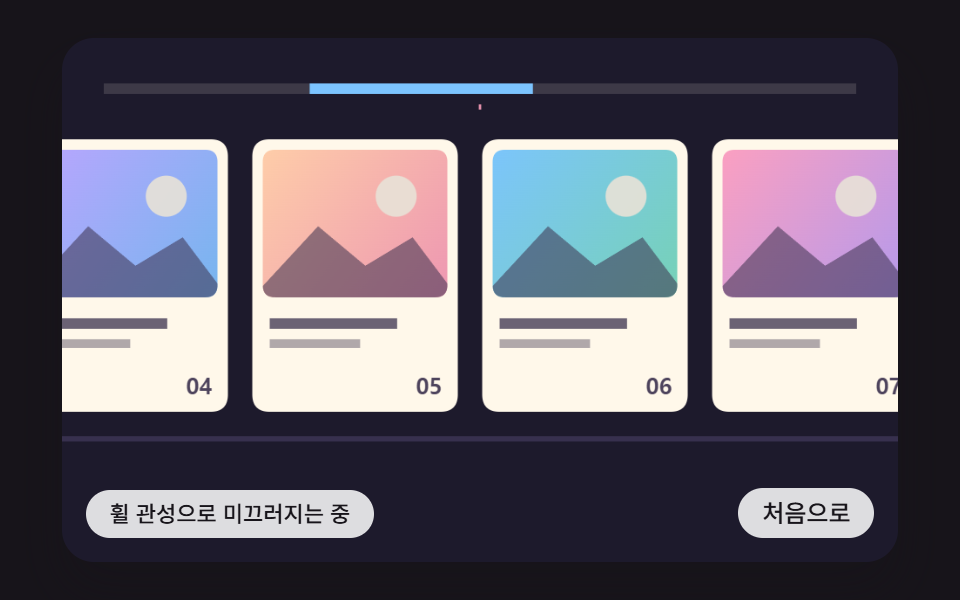 ScrollHorizontal Scroll Animation CSS: 9 Inertia Scenes
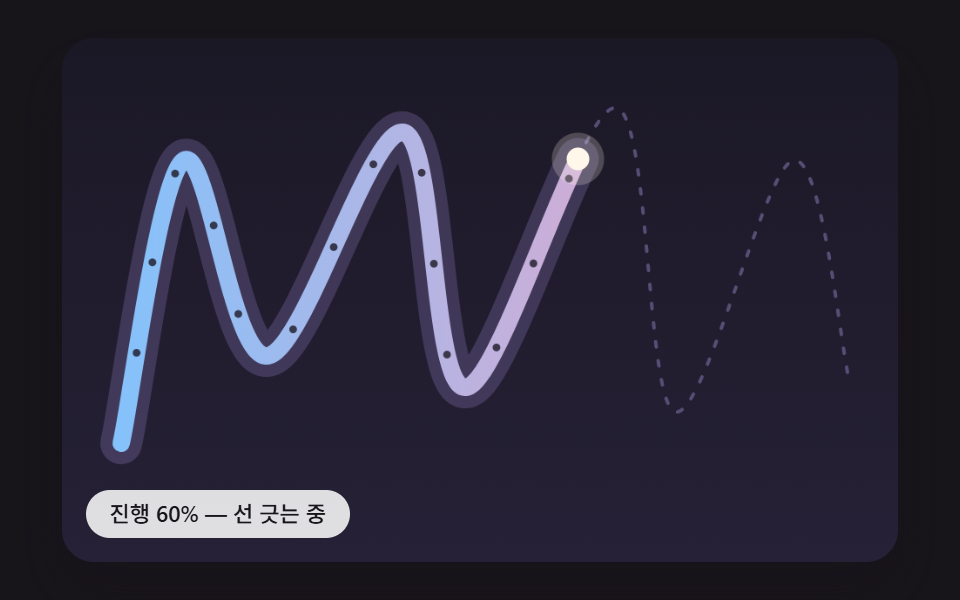 ScrollScroll Path Animation: 9 Scenes Along a Curve
 Scroll9 CSS Animation on Scroll Effects, No JavaScript
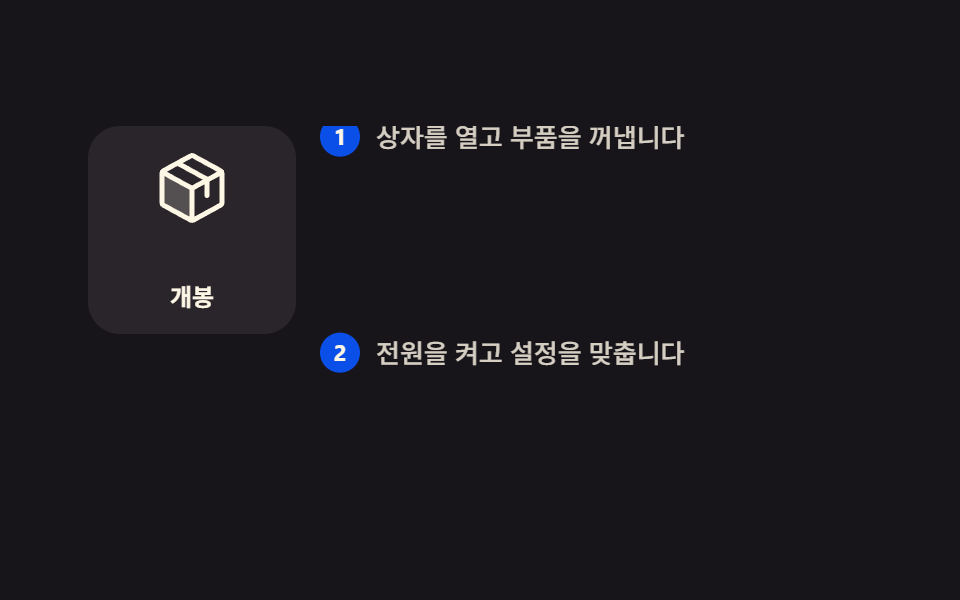 Scroll9 Scrollytelling CSS Section Patterns, Copy-Paste
 Scroll9 CSS Marquee Infinite Loop — No JS, Scroll-Driven
 Scroll9 CSS Scroll Progress Bar Ideas, Copy-Paste
 Scroll9 CSS Only Carousels You Can Copy-Paste
 Scroll9 CSS Timeline Animation Ideas, Copy-Paste
 Scroll9 CSS Only Carousel Slider Recipes to Copy-Paste
 Scroll9 Website Scroll Effects — Apple-Style, CSS Only