Canvas Particle Animation: 9 Engine Patterns
A canvas particle animation is many small grains each carrying position, velocity, and lifetime across one canvas.
 01 particle-pool-lifetime
 02 particle-emitter-spray
 03 particle-wind-field
 04 particle-bounce-grid
 05 particle-network-lines
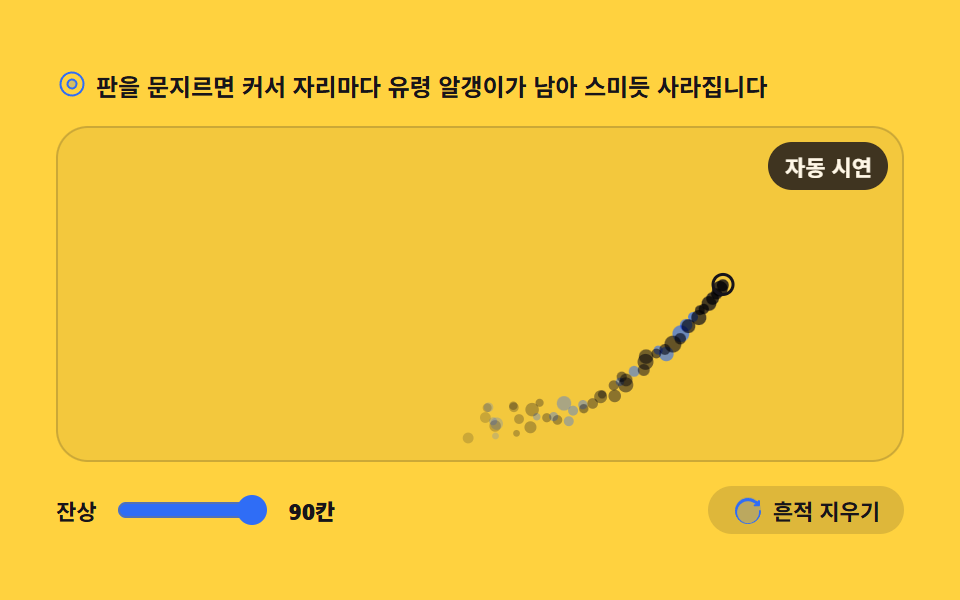 06 particle-cursor-trail
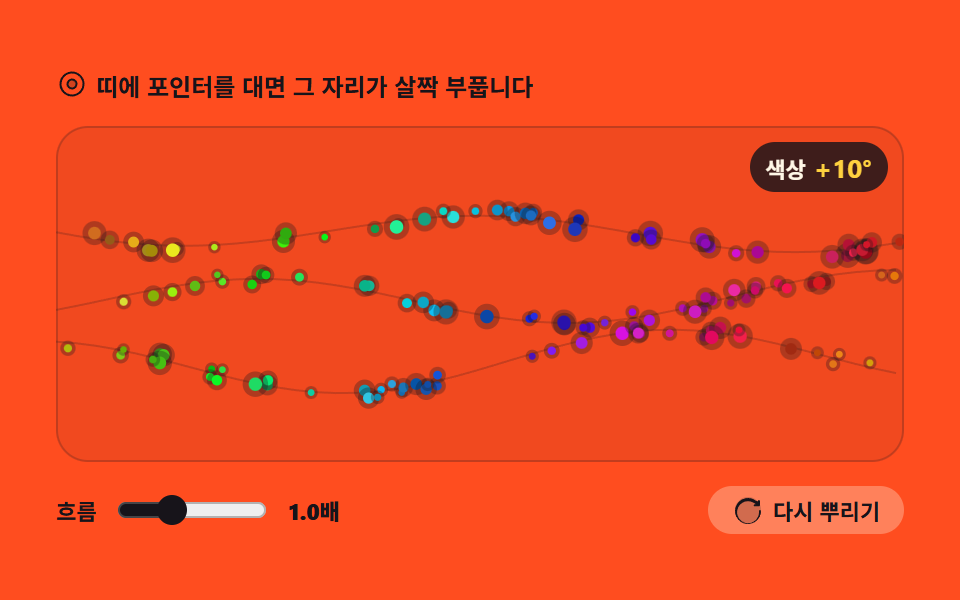 07 particle-hue-stream
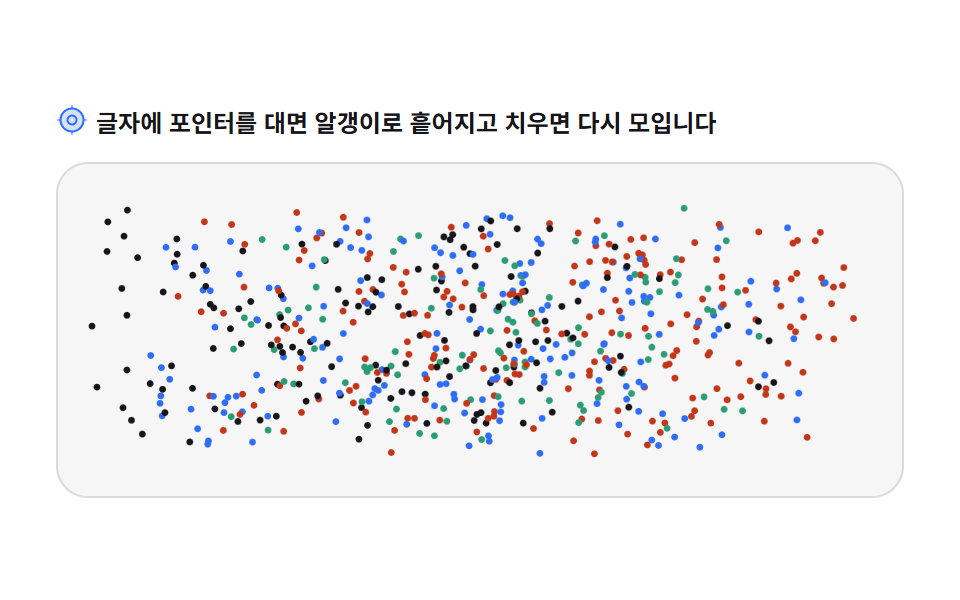 08 particle-text-scatter
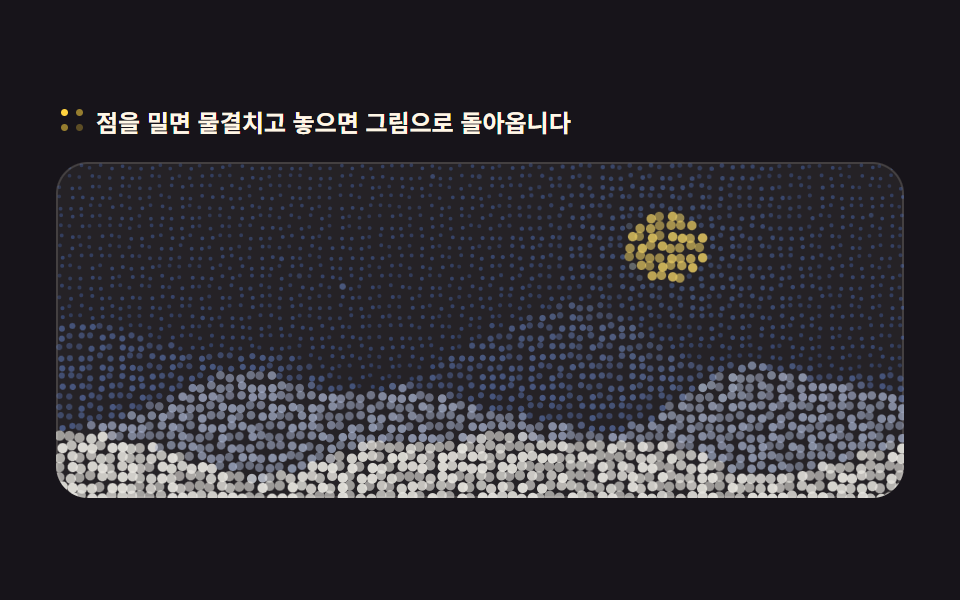 09 particle-photo-dots
Auto-plays · click a tile to jump to its section · all nine in one zip
- 01 Particle pool and lifetime
- 02 Moving emitter
- 03 Gravity and wind field
- 04 Wall and neighbor bounce
- 05 Distance-based links
- 06 Ghost trail after the cursor
- 07 Flowing hue palette
- 08 Text that scatters into particles
- 09 Redrawing a picture from particles
The order is not popularity but the order in which an engine comes together. First a pool holds the grains (01), then the source starts moving (02), forces arrive (03), grains start colliding (04) and linking (05), the cursor leaves ghosts (06), color starts flowing (07), text dissolves into grains (08), and finally a picture is redrawn from them (09). The first four are the engine's bones; the last five are screens built on those bones. Scattering grains in pure CSS is next door, in CSS particle backgrounds, and springs and gravity live in physics interactions.
01Particle pool and lifetime
A hero background that keeps running after load: 220 pre-allocated particles retire when their lifetime runs out and are reborn in the same slot with fresh settings.
<main class="stage">
<div class="pp" id="pp">
  <p class="pp__hint">
    <svg class="pp__ico" viewBox="0 0 256 256" aria-hidden="true"><g fill="currentColor"><path d="M164 128a36 36 0 1 1-36-36a36 36 0 0 1 36 36" opacity=".2"/><path d="M128 84a44 44 0 1 0 44 44a44.05 44.05 0 0 0-44-44m0 72a28 28 0 1 1 28-28a28 28 0 0 1-28 28m0-128a100 100 0 1 0 100 100A100.11 100.11 0 0 0 128 28m0 184a84 84 0 1 1 84-84a84.09 84.09 0 0 1-84 84"/></g></svg>
    <span>Click the board and every particle starts its lifetime over</span>
  </p>
  <div class="pp__field" id="field" role="application" aria-label="Particle pool test board" tabindex="0">
    <canvas class="pp__cv" id="cv"></canvas>
    <b class="pp__live" id="live" aria-hidden="true"><span class="pp__liveNum" id="alive">220</span><span class="pp__liveUnit"> alive</span></b>
  </div>
  <div class="pp__bar">
    <label class="pp__dial">Lifetime
      <input type="range" id="life" min="6" max="24" step="2" value="12" aria-label="Lifetime">
      <b class="pp__val" id="lifeVal">1.2s</b>
    </label>
    <button class="pp__reset" id="reset" type="button">
      <svg class="pp__ico" viewBox="0 0 256 256" aria-hidden="true"><g fill="currentColor"><path d="M232 128a104 104 0 1 1-104-104a104 104 0 0 1 104 104" opacity=".2"/><path d="M232 136a104 104 0 1 1-38.17-80.55L208 60v-4a8 8 0 0 1 16 0v34a8 8 0 0 1-8 8h-34a8 8 0 0 1 0-16h7.6l-8.89-7.4A88 88 0 1 0 216 136a8 8 0 0 1 16 0Z"/></g></svg>
      <span>Restart all</span>
    </button>
  </div>
</div>
</main>
@use "../../../../site/static/demo-tokens" as *;
// 파티클 풀과 수명 — 캔버스 하나에 rAF 루프가 그린다. CSS 는 무대·판·컨트롤만 맡는다.
// 움직임 자체가 캔버스 안에 있으므로 @keyframes 미리보기가 없다 —
// 렌더러는 CSS 애니메이션이 0개면 실시간으로 24장을 찍는다(도구/demo.py 렌더(), 287·291 선례).
// reduce 에서는 JS 가 루프를 시작하지 않고 한 장만 그린다(.is-still) — CSS 는 그 상태의 라벨만 가린다.
$duration: $dur-loop;
$easing: $ease-spring;
$color: $subject-blue;
@include stage($stage-ink);
.pp { display: flex; flex-direction: column; gap: $sp-3; width: 100%; max-width: 424px; }
.pp__hint {
display: flex; align-items: center; gap: $sp-1; margin: 0;
font-weight: 700; font-size: clamp(10px, 2.8vw, 12px); color: $subject-cream;
}
.pp__ico { width: 16px; height: 16px; flex: 0 0 auto; color: $stage-yellow; }
.pp__field {
position: relative; height: 168px; border-radius: $r-card; overflow: hidden;
background: rgba($subject-cream, .06);
box-shadow: inset 0 0 0 1px rgba($subject-cream, .14);
cursor: pointer;
}
.pp__field:focus-visible { outline: 2px solid $stage-yellow; outline-offset: 2px; }
.pp__cv { display: block; width: 100%; height: 100%; }
// 살아 있는 칸 수 — 풀 크기는 그대로인데 이 숫자만 오르내리는 것이 이 항목의 요점이다
.pp__live {
position: absolute; right: $sp-2; top: $sp-2;
display: flex; align-items: baseline; gap: $sp-1;
padding: $sp-1 $sp-2; border-radius: $r-pill;
background: rgba($stage-ink, .72);
color: $subject-cream; font-weight: 700; font-size: 11px;
}
.pp__liveNum { font-size: 13px; color: $stage-yellow; }
.pp__liveUnit { font-weight: 700; }
.pp__bar { display: flex; align-items: center; gap: $sp-3; }
.pp__dial {
display: flex; align-items: center; gap: $sp-2;
font-weight: 700; font-size: 11px; color: $subject-cream;
}
.pp__dial input { width: 76px; accent-color: $color; }
.pp__val { color: $stage-yellow; font-size: 11px; }
.pp__reset {
display: flex; align-items: center; gap: $sp-1; margin-left: auto;
padding: $sp-1 $sp-3; border: 0; border-radius: $r-pill;
background: rgba($subject-cream, .12); color: $subject-cream;
font-weight: 700; font-size: 11px; font-family: inherit; cursor: pointer;
}
.pp__reset:hover { background: rgba($subject-cream, .2); }
.pp__reset:focus-visible { outline: 2px solid $stage-yellow; outline-offset: 2px; }
@media (max-width: 340px) {
.pp { gap: $sp-2; }
.pp__field { height: 96px; }
.pp__dial input { width: 44px; }
.pp__live { font-size: 10px; }
}
// reduce — 루프가 아예 안 돌므로 끄고 말고 할 애니메이션이 없다.
// 숫자만 계속 바뀌는 것처럼 보이지 않게 살아 있는 칸 라벨을 고정 문구로 둔다.
@media (prefers-reduced-motion: reduce) {
.pp.is-still .pp__live { opacity: .85 !important; }
.pp.is-still .pp__field { cursor: default !important; }
}html, body {
margin: 0;
overflow: hidden;
}
.stage {
box-sizing: border-box;
min-height: 100vh;
display: grid;
place-items: center;
margin: 0;
background: #17141a;
font-family: -apple-system, "Segoe UI", "Noto Sans KR", sans-serif;
padding: clamp(8px, 4vw, 24px);
}
.pp {
display: flex;
flex-direction: column;
gap: 12px;
width: 100%;
max-width: 424px;
}
.pp__hint {
display: flex;
align-items: center;
gap: 4px;
margin: 0;
font-weight: 700;
font-size: clamp(10px, 2.8vw, 12px);
color: #fff7e6;
}
.pp__ico {
width: 16px;
height: 16px;
flex: 0 0 auto;
color: #ffd23f;
}
.pp__field {
position: relative;
height: 168px;
border-radius: 16px;
overflow: hidden;
background: rgba(255, 247, 230, 0.06);
box-shadow: inset 0 0 0 1px rgba(255, 247, 230, 0.14);
cursor: pointer;
}
.pp__field:focus-visible {
outline: 2px solid #ffd23f;
outline-offset: 2px;
}
.pp__cv {
display: block;
width: 100%;
height: 100%;
}
.pp__live {
position: absolute;
right: 8px;
top: 8px;
display: flex;
align-items: baseline;
gap: 4px;
padding: 4px 8px;
border-radius: 999px;
background: rgba(23, 20, 26, 0.72);
color: #fff7e6;
font-weight: 700;
font-size: 11px;
}
.pp__liveNum {
font-size: 13px;
color: #ffd23f;
}
.pp__liveUnit {
font-weight: 700;
}
.pp__bar {
display: flex;
align-items: center;
gap: 12px;
}
.pp__dial {
display: flex;
align-items: center;
gap: 8px;
font-weight: 700;
font-size: 11px;
color: #fff7e6;
}
.pp__dial input {
width: 76px;
accent-color: #2f6df6;
}
.pp__val {
color: #ffd23f;
font-size: 11px;
}
.pp__reset {
display: flex;
align-items: center;
gap: 4px;
margin-left: auto;
padding: 4px 12px;
border: 0;
border-radius: 999px;
background: rgba(255, 247, 230, 0.12);
color: #fff7e6;
font-weight: 700;
font-size: 11px;
font-family: inherit;
cursor: pointer;
}
.pp__reset:hover {
background: rgba(255, 247, 230, 0.2);
}
.pp__reset:focus-visible {
outline: 2px solid #ffd23f;
outline-offset: 2px;
}
@media (max-width: 340px) {
.pp {
gap: 8px;
}
.pp__field {
height: 96px;
}
.pp__dial input {
width: 44px;
}
.pp__live {
font-size: 10px;
}
}
@media (prefers-reduced-motion: reduce) {
.pp.is-still .pp__live {
opacity: 0.85 !important;
}
.pp.is-still .pp__field {
cursor: default !important;
}
}// 파티클 풀 — 배열 길이를 고정해 두고 수명이 끝난 칸을 덮어쓴다.
// push/splice 로 배열을 늘였다 줄이면 프레임마다 할당과 회수가 생겨 시간이 튄다.
var root = document.getElementById('pp');
var field = document.getElementById('field');
var cv = document.getElementById('cv');
var ctx = cv.getContext('2d');
var lifeIn = document.getElementById('life');
var lifeVal = document.getElementById('lifeVal');
var aliveOut = document.getElementById('alive');
var resetBtn = document.getElementById('reset');
var POOL = 220; // 풀 크기 — 이 숫자는 처음 한 번만 정해지고 끝까지 바뀌지 않는다
var reduce = window.matchMedia('(prefers-reduced-motion: reduce)').matches;
var W = 0, H = 0, dpr = 1;
var pool = new Array(POOL);
var lifeSec = 1.2;
// 파티클 한 slots — 객체를 새로 만들지 않고 이 자리의 값만 갈아 끼운다
function spawn(p, seedT) {
p.x = Math.random() * W;
p.y = H + Math.random() * 18;
p.vx = (Math.random() - 0.5) * 18;
p.vy = -(90 + Math.random() * 70);
p.r = 1.2 + Math.random() * 2.6;
p.life = lifeSec * (0.6 + Math.random() * 0.8);
p.age = seedT === undefined ? 0 : Math.random() * p.life;
p.wait = 0;
return p;
}
for (var i = 0; i < POOL; i++) pool[i] = spawn({}, 1);
// 고DPI 대응 — 배킹 스토어를 devicePixelRatio 배로 키우고 좌표계는 CSS 픽셀 그대로 쓴다
function fit() {
var r = field.getBoundingClientRect();
dpr = window.devicePixelRatio || 1;
W = r.width; H = r.height;
cv.width = Math.round(W * dpr);
cv.height = Math.round(H * dpr);
ctx.setTransform(dpr, 0, 0, dpr, 0, 0);
}
function draw() {
ctx.clearRect(0, 0, W, H);
var alive = 0;
for (var i = 0; i < POOL; i++) {
var p = pool[i];
if (p.wait > 0) continue; // 비어 있는 slots — 아직 아무것도 그리지 않는다
var t = p.age / p.life;
if (t >= 1) continue;
alive++;
// 수명이 끝나갈수록 투명해진다 — 사라지는 것이 아니라 자리를 비우는 중이다
ctx.globalAlpha = t < 0.18 ? t / 0.18 : 1 - (t - 0.18) / 0.82;
ctx.fillStyle = i % 7 === 0 ? '#ffd23f' : '#2f6df6';
ctx.beginPath();
ctx.arc(p.x, p.y, p.r, 0, Math.PI * 2);
ctx.fill();
}
ctx.globalAlpha = 1;
aliveOut.textContent = String(alive);
}
function step(dt) {
for (var i = 0; i < POOL; i++) {
var p = pool[i];
// 빈 칸은 잠깐 쉬었다 다시 쓴다 — 배열은 그대로고 이 칸만 비어 있다
if (p.wait > 0) { p.wait -= dt; if (p.wait <= 0) spawn(p); continue; }
p.age += dt;
if (p.age >= p.life) { p.wait = 0.05 + Math.random() * 0.4; continue; } // 죽은 칸은 버리지 않고 비워 둔다
p.x += p.vx * dt;
p.y += p.vy * dt;
p.vy += 30 * dt; // 위로 뜬 알갱이를 다시 끌어내리는 중력
if (p.x < -8) p.x = W + 8;
if (p.x > W + 8) p.x = -8;
}
}
var last = 0;
function frame(now) {
var dt = last ? Math.min((now - last) / 1000, 0.05) : 0.016;
last = now;
step(dt);
draw();
requestAnimationFrame(frame);
}
function restart() {
for (var i = 0; i < POOL; i++) spawn(pool[i]);
draw();
}
lifeIn.addEventListener('input', function () {
lifeSec = Number(lifeIn.value) / 10;
lifeVal.textContent = lifeSec.toFixed(1) + 's';
});
resetBtn.addEventListener('click', restart);
field.addEventListener('click', restart);
field.addEventListener('keydown', function (e) {
if (e.key === 'Enter' || e.key === ' ') { e.preventDefault(); restart(); }
});
window.addEventListener('resize', function () { fit(); draw(); });
fit();
if (reduce) {
// reduce — 루프를 아예 돌리지 않고 알갱이가 골고루 퍼진 한 장만 그린다
root.classList.add('is-still');
draw();
} else {
requestAnimationFrame(frame);
}// ParticlePool — vanilla 판(run/012/demo/01-particle-pool-lifetime/index.html) 의 React 포트.
// 풀 220칸은 배열 길이를 고정해 두고 수명이 끝난 칸을 그 자리에서 덮어쓴다(push/splice 없음 — 프레임마다 할당이 없어 시간이 튀지 않는다).
// 움직임은 캔버스 rAF 루프가 전부 그리므로 @keyframes 미리보기가 없다 — props 는 CSS 변수로 무대 격식에만 내려간다.
import { useEffect, useRef, useState } from "react";
import type { CSSProperties } from "react";
import styles from "./ParticlePool.module.scss";
export type ParticlePoolProps = {
duration?: string;
easing?: string;
color?: string;
};
type Vars = CSSProperties & { "--duration"?: string; "--easing"?: string; "--color"?: string };
// useRef 는 T | null 을 돌려준다. 처음부터 값이 있고 절대 비지 않는 상자는 이렇게 좁혀 쓴다
type Box<T> = { current: T };
// React 이벤트 제네릭이 없는 환경이라 필요한 것만 로컬로 선언한다
type KeyEvt = { key: string; preventDefault(): void };
type InputEvt = { target: { value: string } };
type Particle = { x: number; y: number; vx: number; vy: number; r: number; life: number; age: number; wait: number };
const POOL = 220; // 풀 크기 — 이 숫자는 처음 한 번만 정해지고 끝까지 바뀌지 않는다
const FIELD_LABEL = "파티클 풀 실험판";
export default function ParticlePool({
duration = "2s", // vanilla $duration: $dur-loop
easing = "cubic-bezier(.2, .8, .2, 1)", // vanilla $easing: $ease-spring
color = "#2f6df6", // vanilla $color: $subject-blue
}: ParticlePoolProps) {
const fieldRef = useRef<HTMLDivElement | null>(null);
const cvRef = useRef<HTMLCanvasElement | null>(null);
const aliveRef = useRef<HTMLSpanElement | null>(null);
const ctxRef = useRef<CanvasRenderingContext2D | null>(null);
const sizeRef = useRef({ w: 0, h: 0 }) as Box<{ w: number; h: number }>;
const poolRef = useRef<Particle[]>([]) as Box<Particle[]>;
const lifeSecRef = useRef(1.2) as Box<number>;
const lastRef = useRef(0) as Box<number>;
const rafRef = useRef(0) as Box<number>;
const [life, setLife] = useState(12);
const [still, setStill] = useState(false);
const vars: Vars = { "--duration": duration, "--easing": easing, "--color": color };
function reduced(): boolean {
return window.matchMedia("(prefers-reduced-motion: reduce)").matches;
}
// 파티클 한 칸 — 객체를 새로 만들지 않고 이 자리의 값만 갈아 끼운다
function spawn(p: Particle, seedT?: number): Particle {
const W = sizeRef.current.w, H = sizeRef.current.h;
p.x = Math.random() * W;
p.y = H + Math.random() * 18;
p.vx = (Math.random() - 0.5) * 18;
p.vy = -(90 + Math.random() * 70);
p.r = 1.2 + Math.random() * 2.6;
p.life = lifeSecRef.current * (0.6 + Math.random() * 0.8);
p.age = seedT === undefined ? 0 : Math.random() * p.life;
p.wait = 0;
return p;
}
// 고DPI 대응 — 배킹 스토어를 devicePixelRatio 배로 키우고 좌표계는 CSS 픽셀 그대로 쓴다
function fit(): void {
const field = fieldRef.current;
const cv = cvRef.current;
const ctx = ctxRef.current;
if (!field || !cv || !ctx) return;
const r = field.getBoundingClientRect();
const dpr = window.devicePixelRatio || 1;
sizeRef.current.w = r.width;
sizeRef.current.h = r.height;
cv.width = Math.round(r.width * dpr);
cv.height = Math.round(r.height * dpr);
ctx.setTransform(dpr, 0, 0, dpr, 0, 0);
}
function draw(): void {
const ctx = ctxRef.current;
if (!ctx) return;
const W = sizeRef.current.w, H = sizeRef.current.h;
ctx.clearRect(0, 0, W, H);
const pool = poolRef.current;
let alive = 0;
for (let i = 0; i < POOL; i++) {
const p = pool[i];
if (!p) continue;
if (p.wait > 0) continue; // 비어 있는 칸 — 아직 아무것도 그리지 않는다
const t = p.age / p.life;
if (t >= 1) continue;
alive++;
// 수명이 끝나갈수록 투명해진다 — 사라지는 것이 아니라 자리를 비우는 중이다
ctx.globalAlpha = t < 0.18 ? t / 0.18 : 1 - (t - 0.18) / 0.82;
ctx.fillStyle = i % 7 === 0 ? "#ffd23f" : "#2f6df6";
ctx.beginPath();
ctx.arc(p.x, p.y, p.r, 0, Math.PI * 2);
ctx.fill();
}
ctx.globalAlpha = 1;
if (aliveRef.current) aliveRef.current.textContent = String(alive);
}
function step(dt: number): void {
const W = sizeRef.current.w;
const pool = poolRef.current;
for (let i = 0; i < POOL; i++) {
const p = pool[i];
if (!p) continue;
// 빈 칸은 잠깐 쉬었다 다시 쓴다 — 배열은 그대로고 이 칸만 비어 있다
if (p.wait > 0) { p.wait -= dt; if (p.wait <= 0) spawn(p); continue; }
p.age += dt;
if (p.age >= p.life) { p.wait = 0.05 + Math.random() * 0.4; continue; } // 죽은 칸은 버리지 않고 비워 둔다
p.x += p.vx * dt;
p.y += p.vy * dt;
p.vy += 30 * dt; // 위로 뜬 알갱이를 다시 끌어내리는 중력
if (p.x < -8) p.x = W + 8;
if (p.x > W + 8) p.x = -8;
}
}
function frame(now: number): void {
const dt = lastRef.current ? Math.min((now - lastRef.current) / 1000, 0.05) : 0.016;
lastRef.current = now;
step(dt);
draw();
rafRef.current = requestAnimationFrame(frame);
}
function restart(): void {
const pool = poolRef.current;
for (let i = 0; i < POOL; i++) {
if (pool[i]) spawn(pool[i]);
}
draw();
}
function onResize(): void {
fit();
draw();
}
useEffect(() => {
const cv = cvRef.current;
if (!cv) return;
ctxRef.current = cv.getContext("2d");
if (!ctxRef.current) return;
const pool = poolRef.current;
// vanilla 와 같은 순서 — 풀을 먼저 채운 뒤 fit() 한다(첫 알갱이는 판 크기를 모른 채 태어나 곧 죽아 다시 뿌려진다)
for (let i = 0; i < POOL; i++) {
pool[i] = spawn({ x: 0, y: 0, vx: 0, vy: 0, r: 0, life: 0, age: 0, wait: 0 }, 1);
}
fit();
window.addEventListener("resize", onResize);
if (reduced()) {
// reduce — 루프를 아예 돌리지 않고 알갱이가 골고루 퍼진 한 장만 그린다
setStill(true);
draw();
} else {
lastRef.current = 0;
rafRef.current = requestAnimationFrame(frame);
}
return () => {
window.removeEventListener("resize", onResize);
cancelAnimationFrame(rafRef.current);
};
}, []);
function onLifeInput(event: InputEvt): void {
const v = Number(event.target.value);
lifeSecRef.current = v / 10;
setLife(v);
}
function onFieldKey(event: KeyEvt): void {
if (event.key === "Enter" || event.key === " ") { event.preventDefault(); restart(); }
}
const cls = [styles.root, still ? styles.isStill : ""].filter(Boolean).join(" ");
return (
<main className={styles.stage}>
<div className={cls} style={vars}>
<p className={styles.hint}>
<svg className={styles.ico} viewBox="0 0 256 256" aria-hidden="true"><g fill="currentColor"><path d="M164 128a36 36 0 1 1-36-36a36 36 0 0 1 36 36" opacity=".2"/><path d="M128 84a44 44 0 1 0 44 44a44.05 44.05 0 0 0-44-44m0 72a28 28 0 1 1 28-28a28 28 0 0 1-28 28m0-128a100 100 0 1 0 100 100A100.11 100.11 0 0 0 128 28m0 184a84 84 0 1 1 84-84a84.09 84.09 0 0 1-84 84"/></g></svg>
<span>판을 클릭하면 파티클 전부가 수명을 다시 시작합니다</span>
</p>
<div
className={styles.field}
ref={fieldRef}
role="application"
aria-label={FIELD_LABEL}
tabIndex={0}
onClick={restart}
onKeyDown={onFieldKey}
>
<canvas className={styles.cv} ref={cvRef}></canvas>
<b className={styles.live} aria-hidden="true"><span className={styles.liveNum} ref={aliveRef}>220</span><span className={styles.liveUnit}>개 살아 있음</span></b>
</div>
<div className={styles.bar}>
<label className={styles.dial}>수명
<input type="range" min={6} max={24} step={2} value={life} aria-label="수명" onChange={onLifeInput} />
<b className={styles.val}>{(life / 10).toFixed(1)}초</b>
</label>
<button className={styles.reset} type="button" onClick={restart}>
<svg className={styles.ico} viewBox="0 0 256 256" aria-hidden="true"><g fill="currentColor"><path d="M232 128a104 104 0 1 1-104-104a104 104 0 0 1 104 104" opacity=".2"/><path d="M232 136a104 104 0 1 1-38.17-80.55L208 60v-4a8 8 0 0 1 16 0v34a8 8 0 0 1-8 8h-34a8 8 0 0 1 0-16h7.6l-8.89-7.4A88 88 0 1 0 216 136a8 8 0 0 1 16 0Z"/></g></svg>
<span>전부 다시</span>
</button>
</div>
</div>
</main>
);
}01 · Particle pool and lifetime — Measured area 30.194% · moving frames 23/23Original by GODRICH · SCSS and React ship in the zip · See the password
Dead slots are emptied, never discarded
function step(dt) {
  for (var i = 0; i < POOL; i++) {
    var p = pool[i];
    // An empty slot rests a moment, then is reused — the array stays put, only this slot is vacant
    if (p.wait > 0) { p.wait -= dt; if (p.wait <= 0) spawn(p); continue; }
    p.age += dt;
    if (p.age >= p.life) { p.wait = 0.05 + Math.random() * 0.4; continue; }   // dead slots are left empty, not thrown away
    p.x += p.vx * dt;
    p.y += p.vy * dt;
    p.vy += 30 * dt;                                // gravity pulling the risen grains back down
Growing the array with push and cutting it with splice creates per-frame allocation and churn, and frame time stutters. With the length pinned at 220 and only the finished slot briefly emptied and overwritten, the live count in the top-right corner breathes while the pool itself stays 220 forever.
02Moving emitter
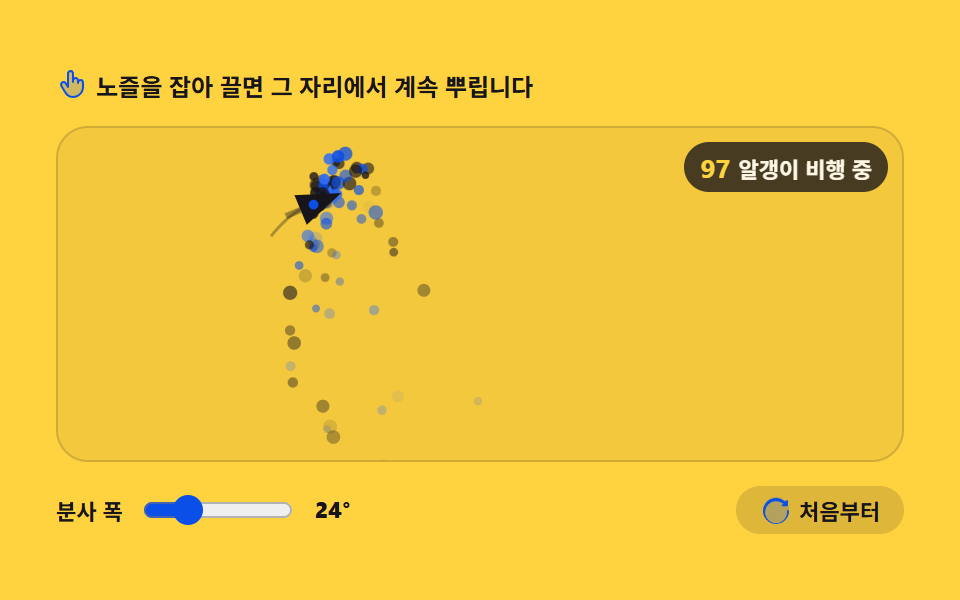
A click-reward and confetti part: the emitter wanders along its path, spraying 90 grains a second, and dragging it moves the nozzle to your fingertip, spraying from there.
<main class="stage">
<div class="pe" id="pe">
  <p class="pe__hint">
    <svg class="pe__ico" viewBox="0 0 256 256" aria-hidden="true"><g fill="currentColor"><path d="M216 116v36a80 80 0 0 1-80 80c-44.18 0-55.81-24-93.32-90a20 20 0 0 1 34.64-20L96 152V44a20 20 0 0 1 40 0v56a20 20 0 0 1 40 0v16a20 20 0 0 1 40 0" opacity=".2"/><path d="M196 88a27.86 27.86 0 0 0-13.35 3.39A28 28 0 0 0 144 74.7V44a28 28 0 0 0-56 0v80l-3.82-6.13A28 28 0 0 0 35.73 146l4.67 8.23C74.81 214.89 89.05 240 136 240a88.1 88.1 0 0 0 88-88v-36a28 28 0 0 0-28-28m12 64a72.08 72.08 0 0 1-72 72c-37.63 0-47.84-18-81.68-77.68l-4.69-8.27V138A12 12 0 0 1 54 121.61a11.9 11.9 0 0 1 6-1.6a12 12 0 0 1 10.41 6a2 2 0 0 0 .14.23l18.67 30A8 8 0 0 0 104 152V44a12 12 0 0 1 24 0v68a8 8 0 0 0 16 0v-12a12 12 0 0 1 24 0v20a8 8 0 0 0 16 0v-4a12 12 0 0 1 24 0Z"/></g></svg>
    <span>Grab and drag the nozzle and it keeps spraying from there</span>
  </p>
  <div class="pe__field" id="field" role="application" aria-label="Moving emitter test board" tabindex="0">
    <canvas class="pe__cv" id="cv"></canvas>
    <b class="pe__live" aria-hidden="true"><span class="pe__liveNum" id="alive">0</span><span class="pe__liveUnit"> grains in flight</span></b>
  </div>
  <div class="pe__bar">
    <label class="pe__dial">Spray width
      <input type="range" id="spread" min="12" max="60" step="6" value="24" aria-label="Spray width">
      <b class="pe__val" id="spreadVal">24°</b>
    </label>
    <button class="pe__reset" id="reset" type="button">
      <svg class="pe__ico" viewBox="0 0 256 256" aria-hidden="true"><g fill="currentColor"><path d="M232 128a104 104 0 1 1-104-104a104 104 0 0 1 104 104" opacity=".2"/><path d="M232 136a104 104 0 1 1-38.17-80.55L208 60v-4a8 8 0 0 1 16 0v34a8 8 0 0 1-8 8h-34a8 8 0 0 1 0-16h7.6l-8.89-7.4A88 88 0 1 0 216 136a8 8 0 0 1 16 0Z"/></g></svg>
      <span>From the start</span>
    </button>
  </div>
</div>
</main>
@use "../../../../site/static/demo-tokens" as *;
// 이동하는 방출기 — 움직임은 캔버스 rAF 루프가 전부 그린다. CSS 는 무대·판·컨트롤만 맡는다.
// 주사 경로와 노즐, 뿌려진 알갱이 전부가 캔버스 안에 있으므로 @keyframes 미리보기가 없다 —
// 렌더러는 CSS 애니메이션이 0개면 실시간으로 24장을 찍는다(도구/demo.py 렌더(), 287·291 선례).
// reduce 에서는 JS 가 루프를 시작하지 않고 뿌려진 한 장만 그린다(.is-still).
$color: $subject-blue-deep; // 노랑 무대 위 강조 — 파랑 계열 중 가장 어두운 값
@include stage($stage-yellow);
.pe { display: flex; flex-direction: column; gap: $sp-3; width: 100%; max-width: 424px; }
.pe__hint {
display: flex; align-items: center; gap: $sp-1; margin: 0;
font-weight: 700; font-size: clamp(10px, 2.8vw, 12px); color: $subject-ink;
}
.pe__ico { width: 16px; height: 16px; flex: 0 0 auto; color: $subject-blue-deep; }
.pe__field {
position: relative; height: 168px; border-radius: $r-card; overflow: hidden;
background: rgba($subject-ink, .05);
box-shadow: inset 0 0 0 1px rgba($subject-ink, .16);
cursor: grab; touch-action: none;
}
.pe__field:active { cursor: grabbing; }
.pe__field:focus-visible { outline: 2px solid $subject-blue-deep; outline-offset: 2px; }
.pe__cv { display: block; width: 100%; height: 100%; }
// 떠 있는 알갱이 수 — 방출률은 정해져 있어도 수명이 제각각이라 이 숫자는 계속 오르내린다
.pe__live {
position: absolute; right: $sp-2; top: $sp-2;
display: flex; align-items: baseline; gap: $sp-1;
padding: $sp-1 $sp-2; border-radius: $r-pill;
background: rgba($stage-ink, .78);
color: $subject-cream; font-weight: 700; font-size: 11px;
pointer-events: none;
}
.pe__liveNum { font-size: 13px; color: $stage-yellow; }
.pe__bar { display: flex; align-items: center; gap: $sp-3; }
.pe__dial {
display: flex; align-items: center; gap: $sp-2;
font-weight: 700; font-size: 11px; color: $subject-ink;
}
.pe__dial input { width: 76px; accent-color: $color; }
.pe__val { color: $subject-ink; font-size: 11px; }
.pe__reset {
display: flex; align-items: center; gap: $sp-1; margin-left: auto;
padding: $sp-1 $sp-3; border: 0; border-radius: $r-pill;
background: rgba($subject-ink, .14); color: $subject-ink;
font-weight: 700; font-size: 11px; font-family: inherit; cursor: pointer;
}
.pe__reset:hover { background: rgba($subject-ink, .22); }
.pe__reset:focus-visible { outline: 2px solid $subject-blue-deep; outline-offset: 2px; }
@media (max-width: 340px) {
.pe { gap: $sp-2; }
.pe__field { height: 96px; }
.pe__dial input { width: 44px; }
.pe__live { font-size: 10px; }
}
// reduce — 루프가 없으니 끌기도 일어나지 않는다. 판은 잡히지 않는 상태임을 커서로 알린다.
@media (prefers-reduced-motion: reduce) {
.pe.is-still .pe__field { cursor: default !important; }
.pe.is-still .pe__live { opacity: .85 !important; }
}html, body {
margin: 0;
overflow: hidden;
}
.stage {
box-sizing: border-box;
min-height: 100vh;
display: grid;
place-items: center;
margin: 0;
background: #ffd23f;
font-family: -apple-system, "Segoe UI", "Noto Sans KR", sans-serif;
padding: clamp(8px, 4vw, 24px);
}
.pe {
display: flex;
flex-direction: column;
gap: 12px;
width: 100%;
max-width: 424px;
}
.pe__hint {
display: flex;
align-items: center;
gap: 4px;
margin: 0;
font-weight: 700;
font-size: clamp(10px, 2.8vw, 12px);
color: #17141a;
}
.pe__ico {
width: 16px;
height: 16px;
flex: 0 0 auto;
color: #0a4fe8;
}
.pe__field {
position: relative;
height: 168px;
border-radius: 16px;
overflow: hidden;
background: rgba(23, 20, 26, 0.05);
box-shadow: inset 0 0 0 1px rgba(23, 20, 26, 0.16);
cursor: grab;
touch-action: none;
}
.pe__field:active {
cursor: grabbing;
}
.pe__field:focus-visible {
outline: 2px solid #0a4fe8;
outline-offset: 2px;
}
.pe__cv {
display: block;
width: 100%;
height: 100%;
}
.pe__live {
position: absolute;
right: 8px;
top: 8px;
display: flex;
align-items: baseline;
gap: 4px;
padding: 4px 8px;
border-radius: 999px;
background: rgba(23, 20, 26, 0.78);
color: #fff7e6;
font-weight: 700;
font-size: 11px;
pointer-events: none;
}
.pe__liveNum {
font-size: 13px;
color: #ffd23f;
}
.pe__bar {
display: flex;
align-items: center;
gap: 12px;
}
.pe__dial {
display: flex;
align-items: center;
gap: 8px;
font-weight: 700;
font-size: 11px;
color: #17141a;
}
.pe__dial input {
width: 76px;
accent-color: #0a4fe8;
}
.pe__val {
color: #17141a;
font-size: 11px;
}
.pe__reset {
display: flex;
align-items: center;
gap: 4px;
margin-left: auto;
padding: 4px 12px;
border: 0;
border-radius: 999px;
background: rgba(23, 20, 26, 0.14);
color: #17141a;
font-weight: 700;
font-size: 11px;
font-family: inherit;
cursor: pointer;
}
.pe__reset:hover {
background: rgba(23, 20, 26, 0.22);
}
.pe__reset:focus-visible {
outline: 2px solid #0a4fe8;
outline-offset: 2px;
}
@media (max-width: 340px) {
.pe {
gap: 8px;
}
.pe__field {
height: 96px;
}
.pe__dial input {
width: 44px;
}
.pe__live {
font-size: 10px;
}
}
@media (prefers-reduced-motion: reduce) {
.pe.is-still .pe__field {
cursor: default !important;
}
.pe.is-still .pe__live {
opacity: 0.85 !important;
}
}// 이동하는 방출기 — 파티클 각각을 움직이는 게 아니라 뿌리는 곳을 움직인다.
// 방출기는 스스로 가로 톱니(삼각파) 주사 + 세로 사인 경로를 돌며 초당 90개를 뿌리고,
// 드래그하면 노즐이 손끝으로 따라와 그 자리에서 계속 분사한다. 놓으면 자율 주행으로 돌아간다.
var root = document.getElementById('pe');
var field = document.getElementById('field');
var cv = document.getElementById('cv');
var ctx = cv.getContext('2d');
var spreadIn = document.getElementById('spread');
var spreadVal = document.getElementById('spreadVal');
var aliveOut = document.getElementById('alive');
var resetBtn = document.getElementById('reset');
var POOL = 170; // 초당 90개 × 최대 Lifetime 1.5s + 여유 — 링 버퍼로 돌려 쓴다
var RATE = 90; // 초당 방출 수
var reduce = window.matchMedia('(prefers-reduced-motion: reduce)').matches;
var W = 0, H = 0, dpr = 1;
var pool = new Array(POOL);
var cursor = 0;
var t = 0;
var ex = 0, ey = 0, aim = 0; // 방출기 위치와 분사 방향
var prevEx = 0, prevEy = 0;
var emitAcc = 0; // 시간을 쌓아 두었다가 프레임이 늦게 와도 방출 수가 튀지 않게 한다
var spreadDeg = 24;
var dragging = false;
var px = 0, py = 0; // 손끝 위치
var trail = []; // 방출기가 지나온 길 — quadraticCurveTo 로 부드럽게 잇는다
for (var i0 = 0; i0 < POOL; i0++) {
pool[i0] = { x: 0, y: 0, vx: 0, vy: 0, r: 1, life: 1, age: 1, pick: 0 }; // age >= life — 빈 slots
}
// 고DPI 대응 — 배킹 스토어를 devicePixelRatio 배로 키우고 좌표계는 CSS 픽셀 그대로 쓴다
function fit() {
var r = field.getBoundingClientRect();
dpr = window.devicePixelRatio || 1;
W = r.width; H = r.height;
cv.width = Math.round(W * dpr);
cv.height = Math.round(H * dpr);
ctx.setTransform(dpr, 0, 0, dpr, 0, 0);
}
function spawnAt(x, y, ang, spreadRad) {
var p = pool[cursor];
cursor = (cursor + 1) % POOL; // 가장 낡은 칸을 덮어 쓴다
var a = ang + (Math.random() - 0.5) * spreadRad;
var sp = 70 + Math.random() * 110;
p.x = x; p.y = y;
p.vx = Math.cos(a) * sp;
p.vy = Math.sin(a) * sp;
p.r = 1.8 + Math.random() * 1.8;
p.life = 0.7 + Math.random() * 0.8;
p.age = 0;
p.pick = Math.random();
}
function step(dt) {
t += dt;
// 자율 주행 경로 — 가로는 삼각파(톱니 주사), 세로는 사인. 레이저가 판을 훑는 길이다.
var tri = (t * 0.14) % 2;
tri = tri < 1 ? tri : 2 - tri;
var pad = Math.max(12, W * 0.07);
var tx = pad + tri * (W - pad * 2);
var ty = H * 0.46 + Math.sin(t * 2 + 0.7) * H * 0.24;
prevEx = ex; prevEy = ey;
if (dragging) {
var k = 1 - Math.exp(-14 * dt); // 노즐이 손끝으로 스르르 온다
ex += (px - ex) * k;
ey += (py - ey) * k;
} else {
var k2 = 1 - Math.exp(-6 * dt); // 자율 경로도 급차 없이 따라간다
ex += (tx - ex) * k2;
ey += (ty - ey) * k2;
}
// 분사 방향 — 이동 방향을 따라 부드럽게 돌아간다
var vx = (ex - prevEx) / dt, vy = (ey - prevEy) / dt;
if (vx * vx + vy * vy > 900) {
var want = Math.atan2(vy, vx);
var diff = want - aim;
while (diff > Math.PI) diff -= Math.PI * 2;
while (diff < -Math.PI) diff += Math.PI * 2;
aim += diff * Math.min(1, 10 * dt);
} else {
aim += Math.sin(t * 3.1) * 1.5 * dt; // 제자리에서는 노즐이 살짝 흔들린다
}
trail.push({ x: ex, y: ey });
if (trail.length > 26) trail.shift();
emitAcc += RATE * dt;
var spreadRad = spreadDeg * Math.PI / 180;
while (emitAcc >= 1) {
spawnAt(ex, ey, aim, spreadRad);
emitAcc -= 1;
}
for (var i = 0; i < POOL; i++) {
var p = pool[i];
if (p.age >= p.life) continue;
p.age += dt;
p.vy += 210 * dt; // 중력 — 뿌린 알갱이를 끌어내린다
p.vx *= (1 - 0.35 * dt); // 공기 저항으로 살짝 감쇠
p.x += p.vx * dt;
p.y += p.vy * dt;
}
}
function draw() {
ctx.clearRect(0, 0, W, H);
// 지나온 길 — 점을 이어 붙이는 게 아니라 중간점을 향해 quadraticCurveTo 로 잇는다
if (trail.length > 2) {
ctx.strokeStyle = 'rgba(23,20,26,.32)';
ctx.lineWidth = 1.5;
ctx.beginPath();
ctx.moveTo(trail[0].x, trail[0].y);
for (var i = 1; i < trail.length - 1; i++) {
var mx = (trail[i].x + trail[i + 1].x) / 2;
var my = (trail[i].y + trail[i + 1].y) / 2;
ctx.quadraticCurveTo(trail[i].x, trail[i].y, mx, my);
}
var lastPt = trail[trail.length - 1];
ctx.lineTo(lastPt.x, lastPt.y);
ctx.stroke();
}
var alive = 0;
for (var j = 0; j < POOL; j++) {
var p = pool[j];
if (p.age >= p.life) continue;
alive++;
var tt = p.age / p.life;
// 감쇠 — 태어날 때 잠깐 나타나고 수명이 끝나갈수록 옅어져 자리를 비운다
ctx.globalAlpha = tt < 0.12 ? tt / 0.12 : 1 - (tt - 0.12) / 0.88;
ctx.fillStyle = p.pick < 0.5 ? '#17141a' : (p.pick < 0.8 ? '#0a4fe8' : '#2f6df6');
ctx.beginPath();
ctx.arc(p.x, p.y, p.r, 0, Math.PI * 2);
ctx.fill();
}
ctx.globalAlpha = 1;
// 노즐 — save 로 상태를 보관하고 이동·회전시켜 그린 뒤 restore 로 되돌린다
ctx.save();
ctx.translate(ex, ey);
ctx.rotate(aim);
ctx.fillStyle = '#17141a';
ctx.beginPath();
ctx.moveTo(15, 0);
ctx.lineTo(-7, -8);
ctx.lineTo(-7, 8);
ctx.closePath();
ctx.fill();
ctx.strokeStyle = 'rgba(23,20,26,.4)';
ctx.lineWidth = 3;
ctx.beginPath();
ctx.moveTo(-7, 0);
ctx.lineTo(-15, 0);
ctx.stroke();
ctx.restore();
ctx.fillStyle = '#0a4fe8';
ctx.beginPath();
ctx.arc(ex, ey, 2.4, 0, Math.PI * 2);
ctx.fill();
aliveOut.textContent = String(alive);
}
var lastT = 0;
function frame(now) {
var dt = lastT ? Math.min((now - lastT) / 1000, 0.05) : 0.016;
lastT = now;
step(dt);
draw();
requestAnimationFrame(frame);
}
function setPointer(e) {
var r = cv.getBoundingClientRect();
px = e.clientX - r.left;
py = e.clientY - r.top;
}
function restart() {
t = 0;
trail.length = 0;
emitAcc = 0;
for (var i = 0; i < POOL; i++) pool[i].age = pool[i].life; // 전부 빈 칸으로
ex = Math.max(12, W * 0.07);
ey = H * 0.46;
aim = 0;
if (reduce) draw();
}
spreadIn.addEventListener('input', function () {
spreadDeg = Number(spreadIn.value);
spreadVal.textContent = spreadDeg + '°';
if (reduce) draw();
});
resetBtn.addEventListener('click', restart);
field.addEventListener('pointerdown', function (e) {
dragging = true;
setPointer(e);
field.setPointerCapture(e.pointerId);
});
field.addEventListener('pointermove', function (e) { setPointer(e); });
field.addEventListener('pointerup', function () { dragging = false; });
field.addEventListener('pointercancel', function () { dragging = false; });
field.addEventListener('keydown', function (e) {
if (e.key === 'Enter' || e.key === ' ') {
e.preventDefault();
for (var i = 0; i < 60; i++) spawnAt(ex, ey, (i / 60) * Math.PI * 2, 0); // 사방으로 일제 분사
if (reduce) draw();
}
});
window.addEventListener('resize', function () { fit(); draw(); });
fit();
restart();
if (reduce) {
// reduce — 루프를 돌리지 않는다. 뿌리던 순간의 상태를 1.3s 남짓 밟아 본 뒤 한 장만 남긴다.
for (var warm = 0; warm < 80; warm++) step(1 / 60);
root.classList.add('is-still');
draw();
} else {
requestAnimationFrame(frame);
}// MovingEmitter — vanilla 판(run/012/demo/02-particle-emitter-spray/index.html) 의 React 포트.
// 파티클 각각을 움직이는 게 아니라 뿌리는 곳을 움직인다 — 방출기는 스스로 가로 톱니(삼각파) 주사 + 세로 사인 경로를
// 돌며 초당 90개를 뿌리고, 드래그하면 노즐이 손끝으로 따라와 그 자리에서 계속 분사한다. 놓으면 자율 주행으로 돌아간다.
// 움직임은 캔버스 rAF 루프가 전부 그리므로 @keyframes 미리보기가 없다 — props 는 CSS 변수로 무대 격식에만 내려간다.
import { useEffect, useRef, useState } from "react";
import type { CSSProperties } from "react";
import styles from "./MovingEmitter.module.scss";
export type MovingEmitterProps = {
duration?: string;
easing?: string;
color?: string;
};
type Vars = CSSProperties & { "--duration"?: string; "--easing"?: string; "--color"?: string };
// useRef 는 T | null 을 돌려준다. 처음부터 값이 있고 절대 비지 않는 상자는 이렇게 좁혀 쓴다
type Box<T> = { current: T };
// React 이벤트 제네릭이 없는 환경이라 필요한 것만 로컬로 선언한다
type PointerEvt = { clientX: number; clientY: number; pointerId?: number; preventDefault(): void };
type KeyEvt = { key: string; preventDefault(): void };
type InputEvt = { target: { value: string } };
type Grain = { x: number; y: number; vx: number; vy: number; r: number; life: number; age: number; pick: number };
type Point = { x: number; y: number };
type EmitterState = {
cursor: number; t: number;
ex: number; ey: number; aim: number; prevEx: number; prevEy: number; // 방출기 위치와 분사 방향
emitAcc: number; spreadDeg: number;
dragging: boolean; px: number; py: number; // 손끝 위치
};
const POOL = 170; // 초당 90개 × 최대 수명 1.5초 + 여유 — 링 버퍼로 돌려 쓴다
const RATE = 90; // 초당 방출 수
const FIELD_LABEL = "이동하는 방출기 실험판";
export default function MovingEmitter({
duration = "2s", // vanilla $duration: $dur-loop
easing = "cubic-bezier(.2, .8, .2, 1)", // vanilla $easing: $ease-spring
color = "#0a4fe8", // vanilla $color: $subject-blue-deep
}: MovingEmitterProps) {
const fieldRef = useRef<HTMLDivElement | null>(null);
const cvRef = useRef<HTMLCanvasElement | null>(null);
const aliveRef = useRef<HTMLSpanElement | null>(null);
const ctxRef = useRef<CanvasRenderingContext2D | null>(null);
const sizeRef = useRef({ w: 0, h: 0 }) as Box<{ w: number; h: number }>;
const poolRef = useRef<Grain[]>([]) as Box<Grain[]>;
const trailRef = useRef<Point[]>([]) as Box<Point[]>; // 방출기가 지나온 길 — quadraticCurveTo 로 부드럽게 잇는다
const stRef = useRef<EmitterState>({
cursor: 0, t: 0,
ex: 0, ey: 0, aim: 0, prevEx: 0, prevEy: 0,
emitAcc: 0, spreadDeg: 24,
dragging: false, px: 0, py: 0,
}) as Box<EmitterState>;
const lastRef = useRef(0) as Box<number>;
const rafRef = useRef(0) as Box<number>;
const [spread, setSpread] = useState(24);
const [still, setStill] = useState(false);
const vars: Vars = { "--duration": duration, "--easing": easing, "--color": color };
function reduced(): boolean {
return window.matchMedia("(prefers-reduced-motion: reduce)").matches;
}
// 고DPI 대응 — 배킹 스토어를 devicePixelRatio 배로 키우고 좌표계는 CSS 픽셀 그대로 쓴다
function fit(): void {
const field = fieldRef.current;
const cv = cvRef.current;
const ctx = ctxRef.current;
if (!field || !cv || !ctx) return;
const r = field.getBoundingClientRect();
const dpr = window.devicePixelRatio || 1;
sizeRef.current.w = r.width;
sizeRef.current.h = r.height;
cv.width = Math.round(r.width * dpr);
cv.height = Math.round(r.height * dpr);
ctx.setTransform(dpr, 0, 0, dpr, 0, 0);
}
function spawnAt(x: number, y: number, ang: number, spreadRad: number): void {
const pool = poolRef.current;
const s = stRef.current;
const p = pool[s.cursor];
s.cursor = (s.cursor + 1) % POOL; // 가장 낡은 칸을 덮어 쓴다
if (!p) return;
const a = ang + (Math.random() - 0.5) * spreadRad;
const sp = 70 + Math.random() * 110;
p.x = x; p.y = y;
p.vx = Math.cos(a) * sp;
p.vy = Math.sin(a) * sp;
p.r = 1.8 + Math.random() * 1.8;
p.life = 0.7 + Math.random() * 0.8;
p.age = 0;
p.pick = Math.random();
}
function step(dt: number): void {
const s = stRef.current;
const W = sizeRef.current.w, H = sizeRef.current.h;
s.t += dt;
// 자율 주행 경로 — 가로는 삼각파(톱니 주사), 세로는 사인. 레이저가 판을 훑는 길이다.
let tri = (s.t * 0.14) % 2;
tri = tri < 1 ? tri : 2 - tri;
const pad = Math.max(12, W * 0.07);
const tx = pad + tri * (W - pad * 2);
const ty = H * 0.46 + Math.sin(s.t * 2 + 0.7) * H * 0.24;
s.prevEx = s.ex; s.prevEy = s.ey;
if (s.dragging) {
const k = 1 - Math.exp(-14 * dt); // 노즐이 손끝으로 스르르 온다
s.ex += (s.px - s.ex) * k;
s.ey += (s.py - s.ey) * k;
} else {
const k2 = 1 - Math.exp(-6 * dt); // 자율 경로도 급차 없이 따라간다
s.ex += (tx - s.ex) * k2;
s.ey += (ty - s.ey) * k2;
}
// 분사 방향 — 이동 방향을 따라 부드럽게 돌아간다
const vx = (s.ex - s.prevEx) / dt, vy = (s.ey - s.prevEy) / dt;
if (vx * vx + vy * vy > 900) {
const want = Math.atan2(vy, vx);
let diff = want - s.aim;
while (diff > Math.PI) diff -= Math.PI * 2;
while (diff < -Math.PI) diff += Math.PI * 2;
s.aim += diff * Math.min(1, 10 * dt);
} else {
s.aim += Math.sin(s.t * 3.1) * 1.5 * dt; // 제자리에서는 노즐이 살짝 흔들린다
}
trailRef.current.push({ x: s.ex, y: s.ey });
if (trailRef.current.length > 26) trailRef.current.shift();
s.emitAcc += RATE * dt;
const spreadRad = s.spreadDeg * Math.PI / 180;
while (s.emitAcc >= 1) {
spawnAt(s.ex, s.ey, s.aim, spreadRad);
s.emitAcc -= 1;
}
const pool = poolRef.current;
for (let i = 0; i < POOL; i++) {
const p = pool[i];
if (!p || p.age >= p.life) continue;
p.age += dt;
p.vy += 210 * dt; // 중력 — 뿌린 알갱이를 끌어내린다
p.vx *= (1 - 0.35 * dt); // 공기 저항으로 살짝 감쇠
p.x += p.vx * dt;
p.y += p.vy * dt;
}
}
function draw(): void {
const ctx = ctxRef.current;
if (!ctx) return;
const W = sizeRef.current.w, H = sizeRef.current.h;
ctx.clearRect(0, 0, W, H);
// 지나온 길 — 점을 이어 붙이는 게 아니라 중간점을 향해 quadraticCurveTo 로 잇는다
const trail = trailRef.current;
if (trail.length > 2) {
ctx.strokeStyle = "rgba(23,20,26,.32)";
ctx.lineWidth = 1.5;
ctx.beginPath();
ctx.moveTo(trail[0].x, trail[0].y);
for (let i = 1; i < trail.length - 1; i++) {
const mx = (trail[i].x + trail[i + 1].x) / 2;
const my = (trail[i].y + trail[i + 1].y) / 2;
ctx.quadraticCurveTo(trail[i].x, trail[i].y, mx, my);
}
const lastPt = trail[trail.length - 1];
ctx.lineTo(lastPt.x, lastPt.y);
ctx.stroke();
}
const pool = poolRef.current;
let alive = 0;
for (let j = 0; j < POOL; j++) {
const p = pool[j];
if (!p || p.age >= p.life) continue;
alive++;
const tt = p.age / p.life;
// 감쇠 — 태어날 때 잠깐 나타나고 수명이 끝나갈수록 옅어져 자리를 비운다
ctx.globalAlpha = tt < 0.12 ? tt / 0.12 : 1 - (tt - 0.12) / 0.88;
ctx.fillStyle = p.pick < 0.5 ? "#17141a" : (p.pick < 0.8 ? "#0a4fe8" : "#2f6df6");
ctx.beginPath();
ctx.arc(p.x, p.y, p.r, 0, Math.PI * 2);
ctx.fill();
}
ctx.globalAlpha = 1;
const s = stRef.current;
// 노즐 — save 로 상태를 보관하고 이동·회전시켜 그린 뒤 restore 로 되돌린다
ctx.save();
ctx.translate(s.ex, s.ey);
ctx.rotate(s.aim);
ctx.fillStyle = "#17141a";
ctx.beginPath();
ctx.moveTo(15, 0);
ctx.lineTo(-7, -8);
ctx.lineTo(-7, 8);
ctx.closePath();
ctx.fill();
ctx.strokeStyle = "rgba(23,20,26,.4)";
ctx.lineWidth = 3;
ctx.beginPath();
ctx.moveTo(-7, 0);
ctx.lineTo(-15, 0);
ctx.stroke();
ctx.restore();
ctx.fillStyle = "#0a4fe8";
ctx.beginPath();
ctx.arc(s.ex, s.ey, 2.4, 0, Math.PI * 2);
ctx.fill();
if (aliveRef.current) aliveRef.current.textContent = String(alive);
}
function frame(now: number): void {
const dt = lastRef.current ? Math.min((now - lastRef.current) / 1000, 0.05) : 0.016;
lastRef.current = now;
step(dt);
draw();
rafRef.current = requestAnimationFrame(frame);
}
function setPointer(event: PointerEvt): void {
const cv = cvRef.current;
if (!cv) return;
const r = cv.getBoundingClientRect();
stRef.current.px = event.clientX - r.left;
stRef.current.py = event.clientY - r.top;
}
function restart(): void {
const s = stRef.current;
const W = sizeRef.current.w, H = sizeRef.current.h;
s.t = 0;
trailRef.current.length = 0;
s.emitAcc = 0;
const pool = poolRef.current;
for (let i = 0; i < POOL; i++) {
if (pool[i]) pool[i].age = pool[i].life; // 전부 빈 칸으로
}
s.ex = Math.max(12, W * 0.07);
s.ey = H * 0.46;
s.aim = 0;
if (reduced()) draw();
}
function onResize(): void {
fit();
draw();
}
useEffect(() => {
const cv = cvRef.current;
if (!cv) return;
ctxRef.current = cv.getContext("2d");
if (!ctxRef.current) return;
const pool = poolRef.current;
for (let i = 0; i < POOL; i++) {
pool[i] = { x: 0, y: 0, vx: 0, vy: 0, r: 1, life: 1, age: 1, pick: 0 }; // age >= life — 빈 칸
}
fit();
restart();
window.addEventListener("resize", onResize);
if (reduced()) {
// reduce — 루프를 돌리지 않는다. 뿌리던 순간의 상태를 1.3초 남짓 밟아 본 뒤 한 장만 남긴다.
for (let warm = 0; warm < 80; warm++) step(1 / 60);
setStill(true);
draw();
} else {
lastRef.current = 0;
rafRef.current = requestAnimationFrame(frame);
}
return () => {
window.removeEventListener("resize", onResize);
cancelAnimationFrame(rafRef.current);
};
}, []);
function onSpreadInput(event: InputEvt): void {
const v = Number(event.target.value);
stRef.current.spreadDeg = v;
setSpread(v);
if (reduced()) draw();
}
function onFieldPointerDown(event: PointerEvt): void {
const field = fieldRef.current;
stRef.current.dragging = true;
setPointer(event);
if (field && typeof event.pointerId === "number") field.setPointerCapture(event.pointerId);
}
function onFieldKey(event: KeyEvt): void {
if (event.key === "Enter" || event.key === " ") {
event.preventDefault();
const s = stRef.current;
for (let i = 0; i < 60; i++) spawnAt(s.ex, s.ey, (i / 60) * Math.PI * 2, 0); // 사방으로 일제 분사
if (reduced()) draw();
}
}
const cls = [styles.root, still ? styles.isStill : ""].filter(Boolean).join(" ");
return (
<main className={styles.stage}>
<div className={cls} style={vars}>
<p className={styles.hint}>
<svg className={styles.ico} viewBox="0 0 256 256" aria-hidden="true"><g fill="currentColor"><path d="M216 116v36a80 80 0 0 1-80 80c-44.18 0-55.81-24-93.32-90a20 20 0 0 1 34.64-20L96 152V44a20 20 0 0 1 40 0v56a20 20 0 0 1 40 0v16a20 20 0 0 1 40 0" opacity=".2"/><path d="M196 88a27.86 27.86 0 0 0-13.35 3.39A28 28 0 0 0 144 74.7V44a28 28 0 0 0-56 0v80l-3.82-6.13A28 28 0 0 0 35.73 146l4.67 8.23C74.81 214.89 89.05 240 136 240a88.1 88.1 0 0 0 88-88v-36a28 28 0 0 0-28-28m12 64a72.08 72.08 0 0 1-72 72c-37.63 0-47.84-18-81.68-77.68l-4.69-8.27V138A12 12 0 0 1 54 121.61a11.9 11.9 0 0 1 6-1.6a12 12 0 0 1 10.41 6a2 2 0 0 0 .14.23l18.67 30A8 8 0 0 0 104 152V44a12 12 0 0 1 24 0v68a8 8 0 0 0 16 0v-12a12 12 0 0 1 24 0v20a8 8 0 0 0 16 0v-4a12 12 0 0 1 24 0Z"/></g></svg>
<span>노즐을 잡아 끌면 그 자리에서 계속 뿌립니다</span>
</p>
<div
className={styles.field}
ref={fieldRef}
role="application"
aria-label={FIELD_LABEL}
tabIndex={0}
onPointerDown={onFieldPointerDown}
onPointerMove={setPointer}
onPointerUp={() => { stRef.current.dragging = false; }}
onPointerCancel={() => { stRef.current.dragging = false; }}
onKeyDown={onFieldKey}
>
<canvas className={styles.cv} ref={cvRef}></canvas>
<b className={styles.live} aria-hidden="true"><span className={styles.liveNum} ref={aliveRef}>0</span><span className={styles.liveUnit}>알갱이 비행 중</span></b>
</div>
<div className={styles.bar}>
<label className={styles.dial}>분사 폭
<input type="range" min={12} max={60} step={6} value={spread} aria-label="분사 폭" onChange={onSpreadInput} />
<b className={styles.val}>{spread}°</b>
</label>
<button className={styles.reset} type="button" onClick={restart}>
<svg className={styles.ico} viewBox="0 0 256 256" aria-hidden="true"><g fill="currentColor"><path d="M232 128a104 104 0 1 1-104-104a104 104 0 0 1 104 104" opacity=".2"/><path d="M232 136a104 104 0 1 1-38.17-80.55L208 60v-4a8 8 0 0 1 16 0v34a8 8 0 0 1-8 8h-34a8 8 0 0 1 0-16h7.6l-8.89-7.4A88 88 0 1 0 216 136a8 8 0 0 1 16 0Z"/></g></svg>
<span>처음부터</span>
</button>
</div>
</div>
</main>
);
}02 · Moving emitter — Measured area 12.007% · moving frames 23/23Original by GODRICH · SCSS and React ship in the zip · See the password
The nozzle glides to your fingertip
  prevEx = ex; prevEy = ey;
  if (dragging) {
    var k = 1 - Math.exp(-14 * dt);             // the nozzle glides to the fingertip
    ex += (px - ex) * k;
    ey += (py - ey) * k;
  } else {
    var k2 = 1 - Math.exp(-6 * dt);             // the autonomous path is followed just as smoothly
    ex += (tx - ex) * k2;
    ey += (ty - ey) * k2;
  }
  // Spray direction — swings around to follow the direction of travel
  var vx = (ex - prevEx) / dt, vy = (ey - prevEy) / dt;
Exponential decay through Math.exp eases the current position toward a target, so grabbing the nozzle only swaps which target is in play — your fingertip while dragging, the next waypoint of the autonomous path after release — and both states share this one piece of code. In the measurement, the nozzle settled at (294, 31) against a drag target of (297, 30) and resumed wandering on release.
03Gravity and wind field
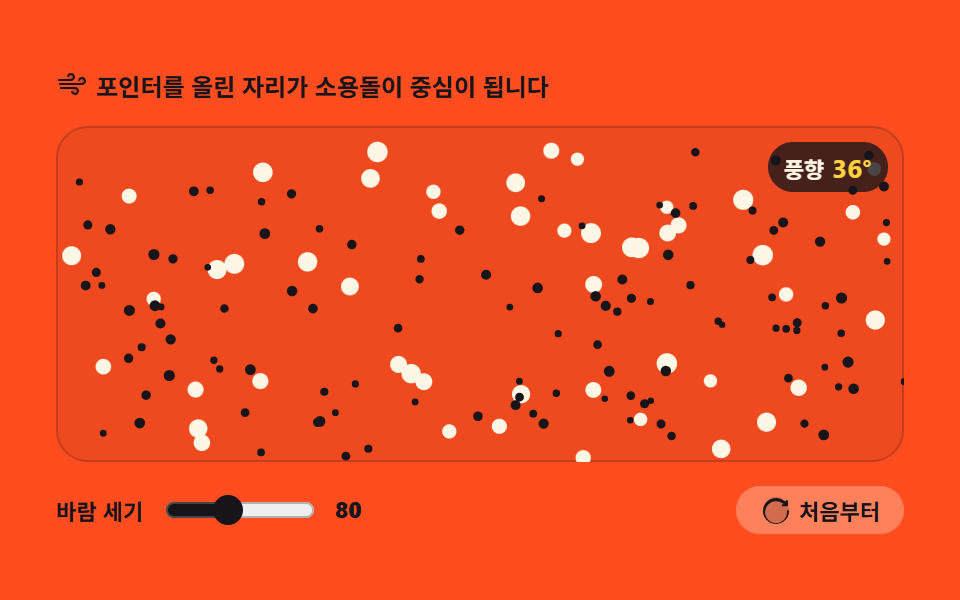
A drifting-fog background for sections: the whole canvas is a wind field that changes direction over time, and resting the pointer on it makes that spot the center of a swirl.
<main class="stage">
<div class="pw" id="pw">
  <p class="pw__hint">
    <svg class="pw__ico" viewBox="0 0 256 256" aria-hidden="true"><g fill="currentColor"><path d="M120 96a24 24 0 1 1 24-24a24 24 0 0 1-24 24m88-16a24 24 0 1 0 24 24a24 24 0 0 0-24-24m-56 80a24 24 0 1 0 24 24a24 24 0 0 0-24-24" opacity=".2"/><path d="M184 184a32 32 0 0 1-32 32c-13.7 0-26.95-8.93-31.5-21.22a8 8 0 0 1 15-5.56C137.74 195.27 145 200 152 200a16 16 0 0 0 0-32H40a8 8 0 0 1 0-16h112a32 32 0 0 1 32 32m-64-80a32 32 0 0 0 0-64c-13.7 0-26.95 8.93-31.5 21.22a8 8 0 0 0 15 5.56C105.74 60.73 113 56 120 56a16 16 0 0 1 0 32H24a8 8 0 0 0 0 16Zm88-32c-13.7 0-26.95 8.93-31.5 21.22a8 8 0 0 0 15 5.56C193.74 92.73 201 88 208 88a16 16 0 0 1 0 32H32a8 8 0 0 0 0 16h176a32 32 0 0 0 0-64"/></g></svg>
    <span>Wherever you rest the pointer becomes the center of a swirl</span>
  </p>
  <div class="pw__field" id="field" role="application" aria-label="Gravity and wind field test board" tabindex="0">
    <canvas class="pw__cv" id="cv"></canvas>
    <b class="pw__live" aria-hidden="true"><span class="pw__liveUnit">Wind</span><span class="pw__liveNum" id="windDeg">0°</span></b>
  </div>
  <div class="pw__bar">
    <label class="pw__dial">Wind strength
      <input type="range" id="gust" min="40" max="140" step="10" value="80" aria-label="Wind strength">
      <b class="pw__val" id="gustVal">80</b>
    </label>
    <button class="pw__reset" id="reset" type="button">
      <svg class="pw__ico" viewBox="0 0 256 256" aria-hidden="true"><g fill="currentColor"><path d="M232 128a104 104 0 1 1-104-104a104 104 0 0 1 104 104" opacity=".2"/><path d="M232 136a104 104 0 1 1-38.17-80.55L208 60v-4a8 8 0 0 1 16 0v34a8 8 0 0 1-8 8h-34a8 8 0 0 1 0-16h7.6l-8.89-7.4A88 88 0 1 0 216 136a8 8 0 0 1 16 0Z"/></g></svg>
      <span>From the start</span>
    </button>
  </div>
</div>
</main>
@use "../../../../site/static/demo-tokens" as *;
// 중력과 바람의 필드 — 움직임은 캔버스 rAF 루프가 전부 그린다. CSS 는 무대·판·컨트롤만 맡는다.
// 바람의 흐름과 소용돌이 링 전부가 캔버스 안에 있으므로 @keyframes 미리보기가 없다 —
// 렌더러는 CSS 애니메이션이 0개면 실시간으로 24장을 찍는다(도구/demo.py 렌더(), 287·291 선례).
// reduce 에서는 JS 가 루프를 시작하지 않고 흐름이 자리 잡은 한 장만 그린다(.is-still).
$color: $stage-ink; // 주황 무대 위 강조 — 어두운 잉크 계열만 3:1 을 넘는다
@include stage($stage-orange);
.pw { display: flex; flex-direction: column; gap: $sp-3; width: 100%; max-width: 424px; }
.pw__hint {
display: flex; align-items: center; gap: $sp-1; margin: 0;
font-weight: 700; font-size: clamp(10px, 2.8vw, 12px); color: $subject-ink;
}
.pw__ico { width: 16px; height: 16px; flex: 0 0 auto; color: $stage-ink; }
.pw__field {
position: relative; height: 168px; border-radius: $r-card; overflow: hidden;
background: rgba($subject-ink, .07);
box-shadow: inset 0 0 0 1px rgba($subject-ink, .2);
}
.pw__field:focus-visible { outline: 2px solid $stage-ink; outline-offset: 2px; }
.pw__cv { display: block; width: 100%; height: 100%; }
// 풍향 — 사인과 코사인 합성 각도가 이 숫자로 드러난다. 판을 보지 않아도 장이 돌고 있음을 알 수 있다
.pw__live {
position: absolute; right: $sp-2; top: $sp-2;
display: flex; align-items: baseline; gap: $sp-1;
padding: $sp-1 $sp-2; border-radius: $r-pill;
background: rgba($stage-ink, .78);
color: $subject-cream; font-weight: 700; font-size: 11px;
pointer-events: none;
}
.pw__liveNum { font-size: 13px; color: $stage-yellow; }
.pw__bar { display: flex; align-items: center; gap: $sp-3; }
.pw__dial {
display: flex; align-items: center; gap: $sp-2;
font-weight: 700; font-size: 11px; color: $subject-ink;
}
.pw__dial input { width: 76px; accent-color: $color; }
.pw__val { color: $stage-ink; font-size: 11px; }
.pw__reset {
display: flex; align-items: center; gap: $sp-1; margin-left: auto;
padding: $sp-1 $sp-3; border: 0; border-radius: $r-pill;
background: rgba($subject-cream, .30); color: $subject-ink;
font-weight: 700; font-size: 11px; font-family: inherit; cursor: pointer;
}
.pw__reset:hover { background: rgba($subject-cream, .42); }
.pw__reset:focus-visible { outline: 2px solid $stage-ink; outline-offset: 2px; }
@media (max-width: 340px) {
.pw { gap: $sp-2; }
.pw__field { height: 96px; }
.pw__dial input { width: 44px; }
.pw__live { font-size: 10px; }
}
// reduce — 루프가 없으니 소용돌이도 일어나지 않는다. 라벨은 마지막 상태의 값 그대로 둔다.
@media (prefers-reduced-motion: reduce) {
.pw.is-still .pw__live { opacity: .85 !important; }
}html, body {
margin: 0;
overflow: hidden;
}
.stage {
box-sizing: border-box;
min-height: 100vh;
display: grid;
place-items: center;
margin: 0;
background: #ff4d1f;
font-family: -apple-system, "Segoe UI", "Noto Sans KR", sans-serif;
padding: clamp(8px, 4vw, 24px);
}
.pw {
display: flex;
flex-direction: column;
gap: 12px;
width: 100%;
max-width: 424px;
}
.pw__hint {
display: flex;
align-items: center;
gap: 4px;
margin: 0;
font-weight: 700;
font-size: clamp(10px, 2.8vw, 12px);
color: #17141a;
}
.pw__ico {
width: 16px;
height: 16px;
flex: 0 0 auto;
color: #17141a;
}
.pw__field {
position: relative;
height: 168px;
border-radius: 16px;
overflow: hidden;
background: rgba(23, 20, 26, 0.07);
box-shadow: inset 0 0 0 1px rgba(23, 20, 26, 0.2);
}
.pw__field:focus-visible {
outline: 2px solid #17141a;
outline-offset: 2px;
}
.pw__cv {
display: block;
width: 100%;
height: 100%;
}
.pw__live {
position: absolute;
right: 8px;
top: 8px;
display: flex;
align-items: baseline;
gap: 4px;
padding: 4px 8px;
border-radius: 999px;
background: rgba(23, 20, 26, 0.78);
color: #fff7e6;
font-weight: 700;
font-size: 11px;
pointer-events: none;
}
.pw__liveNum {
font-size: 13px;
color: #ffd23f;
}
.pw__bar {
display: flex;
align-items: center;
gap: 12px;
}
.pw__dial {
display: flex;
align-items: center;
gap: 8px;
font-weight: 700;
font-size: 11px;
color: #17141a;
}
.pw__dial input {
width: 76px;
accent-color: #17141a;
}
.pw__val {
color: #17141a;
font-size: 11px;
}
.pw__reset {
display: flex;
align-items: center;
gap: 4px;
margin-left: auto;
padding: 4px 12px;
border: 0;
border-radius: 999px;
background: rgba(255, 247, 230, 0.3);
color: #17141a;
font-weight: 700;
font-size: 11px;
font-family: inherit;
cursor: pointer;
}
.pw__reset:hover {
background: rgba(255, 247, 230, 0.42);
}
.pw__reset:focus-visible {
outline: 2px solid #17141a;
outline-offset: 2px;
}
@media (max-width: 340px) {
.pw {
gap: 8px;
}
.pw__field {
height: 96px;
}
.pw__dial input {
width: 44px;
}
.pw__live {
font-size: 10px;
}
}
@media (prefers-reduced-motion: reduce) {
.pw.is-still .pw__live {
opacity: 0.85 !important;
}
}// 중력과 바람의 필드 — 판 전체가 시간에 따라 방향을 바꾸는 바람장이다.
// 파티클은 매번 힘을 쌓는 게 아니라 장이 정한 목표 속도로 부드럽게 steer 된다.
// 포인터를 올리면 그 자리가 소용돌이 중심 — 접선 힘으로 돌리고 살짝 빨아들여 궤도에 올린다.
var root = document.getElementById('pw');
var field = document.getElementById('field');
var cv = document.getElementById('cv');
var ctx = cv.getContext('2d');
var gustIn = document.getElementById('gust');
var gustVal = document.getElementById('gustVal');
var windOut = document.getElementById('windDeg');
var resetBtn = document.getElementById('reset');
var N = 170; // 잉크 점 120 + 크림 유령 50
var GHOSTS = 50;
var R = 78; // 소용돌이 Radius — 같은 크기의 링으로 화면에도 보인다
var reduce = window.matchMedia('(prefers-reduced-motion: reduce)').matches;
var W = 0, H = 0, dpr = 1;
var pool = new Array(N);
var t = 0;
var strength = 80;
var px = 0, py = 0, inside = false;
var pulseT = 0; // 키보드로 일으킨 한가운데 소용돌이의 남은 시간
// 고DPI 대응 — 배킹 스토어를 devicePixelRatio 배로 키우고 좌표계는 CSS 픽셀 그대로 쓴다
function fit() {
var r = field.getBoundingClientRect();
dpr = window.devicePixelRatio || 1;
W = r.width; H = r.height;
cv.width = Math.round(W * dpr);
cv.height = Math.round(H * dpr);
ctx.setTransform(dpr, 0, 0, dpr, 0, 0);
}
function scatter() {
for (var i = 0; i < N; i++) {
pool[i] = {
x: Math.random() * W,
y: Math.random() * H,
vx: 0, vy: 0,
r: i < GHOSTS ? 3.2 + Math.random() * 2 : 1.6 + Math.random() * 1.2,
ghost: i < GHOSTS
};
}
}
// 소용돌이 — 중심에 가까울수록 세게. 접선(수직) 방향 힘과 살짝의 안쪽 당김으로 궤도를 만든다
function swirl(p, sx, sy, dt, scale) {
var dx = p.x - sx, dy = p.y - sy;
var d2 = dx * dx + dy * dy;
if (d2 >= R * R || d2 < 4) return;
var d = Math.sqrt(d2);
var fall = 1 - d / R;
var inv = 1 / d;
p.vx += (-dy * inv * 760 - dx * inv * 260) * fall * scale * dt;
p.vy += ( dx * inv * 760 - dy * inv * 260) * fall * scale * dt;
}
function step(dt) {
t += dt;
// 사인과 코사인을 합성한 기준 Wind — 판 전체의 바람이 천천히 돌아간다
var base = Math.sin(t * 0.2) * 1.15 + Math.cos(t * 0.34) * 0.5;
var steer = Math.min(1, 2.6 * dt);
var sx = inside ? px : W / 2;
var sy = inside ? py : H / 2;
var live = inside || pulseT > 0;
var scale = (!inside && pulseT > 0) ? pulseT : 1;
if (pulseT > 0) pulseT -= dt;
for (var i = 0; i < N; i++) {
var p = pool[i];
// 자리마다 물결 — 같은 순간에도 판 위의 곳마다 바람 방향이 다르다
var ang = base + Math.sin(p.x * 0.012 + t * 0.6) * 0.85 + Math.cos(p.y * 0.016 - t * 0.45) * 0.6;
var spd = (p.ghost ? 0.55 : 1) * strength;
p.vx += (Math.cos(ang) * spd - p.vx) * steer;
p.vy += (Math.sin(ang) * spd * 0.62 - p.vy) * steer;
if (live) swirl(p, sx, sy, dt, scale);
p.x += p.vx * dt;
p.y += p.vy * dt;
// 흐름이 판 밖으로 새면 반대편에서 다시 들어온다
if (p.x < -10) p.x = W + 10;
else if (p.x > W + 10) p.x = -10;
if (p.y < -10) p.y = H + 10;
else if (p.y > H + 10) p.y = -10;
}
var deg = ((base * 180 / Math.PI) % 360 + 360) % 360;
windOut.textContent = String(Math.round(deg)) + '°';
}
function draw() {
ctx.clearRect(0, 0, W, H);
// 크림 유령 — 크고 느린 안개 알갱이. 반투명으로 죽이면 대비가 3:1 아래로 내려가니 불투명 그대로 크게 둔다
ctx.fillStyle = '#fff7e6';
for (var i = 0; i < GHOSTS; i++) {
var g = pool[i];
ctx.beginPath();
ctx.arc(g.x, g.y, g.r, 0, Math.PI * 2);
ctx.fill();
}
// 잉크 점 — 한 경로에 몰아 넣고 한 번에 채운다
ctx.fillStyle = '#17141a';
ctx.beginPath();
for (var j = GHOSTS; j < N; j++) {
var p = pool[j];
ctx.moveTo(p.x + p.r, p.y);
ctx.arc(p.x, p.y, p.r, 0, Math.PI * 2);
}
ctx.fill();
// 소용돌이 Radius 링 — translate 로 원점을 옮겨 그리고 restore 로 되돌린다
if (inside || pulseT > 0) {
var cx = inside ? px : W / 2;
var cy = inside ? py : H / 2;
ctx.save();
ctx.translate(cx, cy);
ctx.strokeStyle = 'rgba(255,247,230,.9)';
ctx.lineWidth = 1.5;
ctx.setLineDash([4, 6]);
ctx.beginPath();
ctx.arc(0, 0, R, 0, Math.PI * 2);
ctx.stroke();
ctx.setLineDash([]);
ctx.fillStyle = '#fff7e6';
ctx.beginPath();
ctx.arc(0, 0, 2.5, 0, Math.PI * 2);
ctx.fill();
ctx.restore();
}
}
var lastT = 0;
function frame(now) {
var dt = lastT ? Math.min((now - lastT) / 1000, 0.05) : 0.016;
lastT = now;
step(dt);
draw();
requestAnimationFrame(frame);
}
function setPointer(e) {
var r = cv.getBoundingClientRect();
px = e.clientX - r.left;
py = e.clientY - r.top;
}
function restart() {
t = 0;
pulseT = 0;
scatter();
if (reduce) draw();
}
gustIn.addEventListener('input', function () {
strength = Number(gustIn.value);
gustVal.textContent = String(strength);
if (reduce) draw();
});
resetBtn.addEventListener('click', restart);
field.addEventListener('pointermove', function (e) { setPointer(e); inside = true; });
field.addEventListener('pointerdown', function (e) { setPointer(e); inside = true; });
field.addEventListener('pointerleave', function () { inside = false; });
field.addEventListener('pointercancel', function () { inside = false; });
field.addEventListener('keydown', function (e) {
if (e.key === 'Enter' || e.key === ' ') {
e.preventDefault();
pulseT = 1.1; // 한가운데에 소용돌이를 일으킨 뒤 서서히 잦아들게 한다
if (reduce) draw();
}
});
window.addEventListener('resize', function () {
fit();
for (var i = 0; i < N; i++) {
var p = pool[i];
if (p.x > W) p.x = W - 2;
if (p.y > H) p.y = H - 2;
}
draw();
});
fit();
restart();
if (reduce) {
// reduce — 루프를 돌리지 않는다. 바람이 2s 남짓 흐른 뒤의 한 장만 남긴다.
for (var warm = 0; warm < 120; warm++) step(1 / 60);
root.classList.add('is-still');
draw();
} else {
requestAnimationFrame(frame);
}// WindField — vanilla 판(run/012/demo/03-particle-wind-field/index.html) 의 React 포트.
// 판 전체가 시간에 따라 방향을 바꾸는 바람장이다 — 파티클은 매번 힘을 쌓는 게 아니라 장이 정한 목표 속도로 부드럽게 steer 된다.
// 포인터를 올리면 그 자리가 소용돌이 중심 — 접선 힘으로 돌리고 살짝 빨아들여 궤도에 올린다.
// 움직임은 캔버스 rAF 루프가 전부 그리므로 @keyframes 미리보기가 없다 — props 는 CSS 변수로 무대 격식에만 내려간다.
import { useEffect, useRef, useState } from "react";
import type { CSSProperties } from "react";
import styles from "./WindField.module.scss";
export type WindFieldProps = {
duration?: string;
easing?: string;
color?: string;
};
type Vars = CSSProperties & { "--duration"?: string; "--easing"?: string; "--color"?: string };
// useRef 는 T | null 을 돌려준다. 처음부터 값이 있고 절대 비지 않는 상자는 이렇게 좁혀 쓴다
type Box<T> = { current: T };
// React 이벤트 제네릭이 없는 환경이라 필요한 것만 로컬로 선언한다
type PointerEvt = { clientX: number; clientY: number; pointerId?: number; preventDefault(): void };
type KeyEvt = { key: string; preventDefault(): void };
type InputEvt = { target: { value: string } };
type Dot = { x: number; y: number; vx: number; vy: number; r: number; ghost: boolean };
type WindState = { t: number; strength: number; px: number; py: number; inside: boolean; pulseT: number };
const N = 170; // 잉크 점 120 + 크림 유령 50
const GHOSTS = 50;
const R = 78; // 소용돌이 반경 — 같은 크기의 링으로 화면에도 보인다
const FIELD_LABEL = "중력과 바람의 필드 실험판";
export default function WindField({
duration = "2s", // vanilla $duration: $dur-loop
easing = "cubic-bezier(.2, .8, .2, 1)", // vanilla $easing: $ease-spring
color = "#17141a", // vanilla $color: $stage-ink
}: WindFieldProps) {
const fieldRef = useRef<HTMLDivElement | null>(null);
const cvRef = useRef<HTMLCanvasElement | null>(null);
const windRef = useRef<HTMLSpanElement | null>(null);
const ctxRef = useRef<CanvasRenderingContext2D | null>(null);
const sizeRef = useRef({ w: 0, h: 0 }) as Box<{ w: number; h: number }>;
const poolRef = useRef<Dot[]>([]) as Box<Dot[]>;
const stRef = useRef<WindState>({ t: 0, strength: 80, px: 0, py: 0, inside: false, pulseT: 0 }) as Box<WindState>;
const lastRef = useRef(0) as Box<number>;
const rafRef = useRef(0) as Box<number>;
const [gust, setGust] = useState(80);
const [still, setStill] = useState(false);
const vars: Vars = { "--duration": duration, "--easing": easing, "--color": color };
function reduced(): boolean {
return window.matchMedia("(prefers-reduced-motion: reduce)").matches;
}
// 고DPI 대응 — 배킹 스토어를 devicePixelRatio 배로 키우고 좌표계는 CSS 픽셀 그대로 쓴다
function fit(): void {
const field = fieldRef.current;
const cv = cvRef.current;
const ctx = ctxRef.current;
if (!field || !cv || !ctx) return;
const r = field.getBoundingClientRect();
const dpr = window.devicePixelRatio || 1;
sizeRef.current.w = r.width;
sizeRef.current.h = r.height;
cv.width = Math.round(r.width * dpr);
cv.height = Math.round(r.height * dpr);
ctx.setTransform(dpr, 0, 0, dpr, 0, 0);
}
function scatter(): void {
const W = sizeRef.current.w, H = sizeRef.current.h;
const pool = poolRef.current;
for (let i = 0; i < N; i++) {
pool[i] = {
x: Math.random() * W,
y: Math.random() * H,
vx: 0, vy: 0,
r: i < GHOSTS ? 3.2 + Math.random() * 2 : 1.6 + Math.random() * 1.2,
ghost: i < GHOSTS
};
}
}
// 소용돌이 — 중심에 가까울수록 세게. 접선(수직) 방향 힘과 살짝의 안쪽 당김으로 궤도를 만든다
function swirl(p: Dot, sx: number, sy: number, dt: number, scale: number): void {
const dx = p.x - sx, dy = p.y - sy;
const d2 = dx * dx + dy * dy;
if (d2 >= R * R || d2 < 4) return;
const d = Math.sqrt(d2);
const fall = 1 - d / R;
const inv = 1 / d;
p.vx += (-dy * inv * 760 - dx * inv * 260) * fall * scale * dt;
p.vy += ( dx * inv * 760 - dy * inv * 260) * fall * scale * dt;
}
function step(dt: number): void {
const s = stRef.current;
const W = sizeRef.current.w, H = sizeRef.current.h;
s.t += dt;
// 사인과 코사인을 합성한 기준 풍향 — 판 전체의 바람이 천천히 돌아간다
const base = Math.sin(s.t * 0.2) * 1.15 + Math.cos(s.t * 0.34) * 0.5;
const steer = Math.min(1, 2.6 * dt);
const sx = s.inside ? s.px : W / 2;
const sy = s.inside ? s.py : H / 2;
const live = s.inside || s.pulseT > 0;
const scale = (!s.inside && s.pulseT > 0) ? s.pulseT : 1;
if (s.pulseT > 0) s.pulseT -= dt;
const pool = poolRef.current;
for (let i = 0; i < N; i++) {
const p = pool[i];
if (!p) continue;
// 자리마다 물결 — 같은 순간에도 판 위의 곳마다 바람 방향이 다르다
const ang = base + Math.sin(p.x * 0.012 + s.t * 0.6) * 0.85 + Math.cos(p.y * 0.016 - s.t * 0.45) * 0.6;
const spd = (p.ghost ? 0.55 : 1) * s.strength;
p.vx += (Math.cos(ang) * spd - p.vx) * steer;
p.vy += (Math.sin(ang) * spd * 0.62 - p.vy) * steer;
if (live) swirl(p, sx, sy, dt, scale);
p.x += p.vx * dt;
p.y += p.vy * dt;
// 흐름이 판 밖으로 새면 반대편에서 다시 들어온다
if (p.x < -10) p.x = W + 10;
else if (p.x > W + 10) p.x = -10;
if (p.y < -10) p.y = H + 10;
else if (p.y > H + 10) p.y = -10;
}
const deg = ((base * 180 / Math.PI) % 360 + 360) % 360;
if (windRef.current) windRef.current.textContent = String(Math.round(deg)) + "°";
}
function draw(): void {
const ctx = ctxRef.current;
if (!ctx) return;
const W = sizeRef.current.w, H = sizeRef.current.h;
ctx.clearRect(0, 0, W, H);
const pool = poolRef.current;
// 크림 유령 — 크고 느린 안개 알갱이. 반투명으로 죽이면 대비가 3:1 아래로 내려가니 불투명 그대로 크게 둔다
ctx.fillStyle = "#fff7e6";
for (let i = 0; i < GHOSTS; i++) {
const g = pool[i];
if (!g) continue;
ctx.beginPath();
ctx.arc(g.x, g.y, g.r, 0, Math.PI * 2);
ctx.fill();
}
// 잉크 점 — 한 경로에 몰아 넣고 한 번에 채운다
ctx.fillStyle = "#17141a";
ctx.beginPath();
for (let j = GHOSTS; j < N; j++) {
const p = pool[j];
if (!p) continue;
ctx.moveTo(p.x + p.r, p.y);
ctx.arc(p.x, p.y, p.r, 0, Math.PI * 2);
}
ctx.fill();
// 소용돌이 반경 링 — translate 로 원점을 옮겨 그리고 restore 로 되돌린다
const s = stRef.current;
if (s.inside || s.pulseT > 0) {
const cx = s.inside ? s.px : W / 2;
const cy = s.inside ? s.py : H / 2;
ctx.save();
ctx.translate(cx, cy);
ctx.strokeStyle = "rgba(255,247,230,.9)";
ctx.lineWidth = 1.5;
ctx.setLineDash([4, 6]);
ctx.beginPath();
ctx.arc(0, 0, R, 0, Math.PI * 2);
ctx.stroke();
ctx.setLineDash([]);
ctx.fillStyle = "#fff7e6";
ctx.beginPath();
ctx.arc(0, 0, 2.5, 0, Math.PI * 2);
ctx.fill();
ctx.restore();
}
}
function frame(now: number): void {
const dt = lastRef.current ? Math.min((now - lastRef.current) / 1000, 0.05) : 0.016;
lastRef.current = now;
step(dt);
draw();
rafRef.current = requestAnimationFrame(frame);
}
function setPointer(event: PointerEvt): void {
const cv = cvRef.current;
if (!cv) return;
const r = cv.getBoundingClientRect();
stRef.current.px = event.clientX - r.left;
stRef.current.py = event.clientY - r.top;
}
function restart(): void {
const s = stRef.current;
s.t = 0;
s.pulseT = 0;
scatter();
if (reduced()) draw();
}
function onResize(): void {
fit();
const W = sizeRef.current.w, H = sizeRef.current.h;
const pool = poolRef.current;
for (let i = 0; i < N; i++) {
const p = pool[i];
if (!p) continue;
if (p.x > W) p.x = W - 2;
if (p.y > H) p.y = H - 2;
}
draw();
}
useEffect(() => {
const cv = cvRef.current;
if (!cv) return;
ctxRef.current = cv.getContext("2d");
if (!ctxRef.current) return;
fit();
restart();
window.addEventListener("resize", onResize);
if (reduced()) {
// reduce — 루프를 돌리지 않는다. 바람이 2초 남짓 흐른 뒤의 한 장만 남긴다.
for (let warm = 0; warm < 120; warm++) step(1 / 60);
setStill(true);
draw();
} else {
lastRef.current = 0;
rafRef.current = requestAnimationFrame(frame);
}
return () => {
window.removeEventListener("resize", onResize);
cancelAnimationFrame(rafRef.current);
};
}, []);
function onGustInput(event: InputEvt): void {
const v = Number(event.target.value);
stRef.current.strength = v;
setGust(v);
if (reduced()) draw();
}
function onFieldKey(event: KeyEvt): void {
if (event.key === "Enter" || event.key === " ") {
event.preventDefault();
stRef.current.pulseT = 1.1; // 한가운데에 소용돌이를 일으킨 뒤 서서히 잦아들게 한다
if (reduced()) draw();
}
}
const cls = [styles.root, still ? styles.isStill : ""].filter(Boolean).join(" ");
return (
<main className={styles.stage}>
<div className={cls} style={vars}>
<p className={styles.hint}>
<svg className={styles.ico} viewBox="0 0 256 256" aria-hidden="true"><g fill="currentColor"><path d="M120 96a24 24 0 1 1 24-24a24 24 0 0 1-24 24m88-16a24 24 0 1 0 24 24a24 24 0 0 0-24-24m-56 80a24 24 0 1 0 24 24a24 24 0 0 0-24-24" opacity=".2"/><path d="M184 184a32 32 0 0 1-32 32c-13.7 0-26.95-8.93-31.5-21.22a8 8 0 0 1 15-5.56C137.74 195.27 145 200 152 200a16 16 0 0 0 0-32H40a8 8 0 0 1 0-16h112a32 32 0 0 1 32 32m-64-80a32 32 0 0 0 0-64c-13.7 0-26.95 8.93-31.5 21.22a8 8 0 0 0 15 5.56C105.74 60.73 113 56 120 56a16 16 0 0 1 0 32H24a8 8 0 0 0 0 16Zm88-32c-13.7 0-26.95 8.93-31.5 21.22a8 8 0 0 0 15 5.56C193.74 92.73 201 88 208 88a16 16 0 0 1 0 32H32a8 8 0 0 0 0 16h176a32 32 0 0 0 0-64"/></g></svg>
<span>포인터를 올린 자리가 소용돌이 중심이 됩니다</span>
</p>
<div
className={styles.field}
ref={fieldRef}
role="application"
aria-label={FIELD_LABEL}
tabIndex={0}
onPointerDown={(event: PointerEvt) => { setPointer(event); stRef.current.inside = true; }}
onPointerMove={(event: PointerEvt) => { setPointer(event); stRef.current.inside = true; }}
onPointerLeave={() => { stRef.current.inside = false; }}
onPointerCancel={() => { stRef.current.inside = false; }}
onKeyDown={onFieldKey}
>
<canvas className={styles.cv} ref={cvRef}></canvas>
<b className={styles.live} aria-hidden="true"><span className={styles.liveUnit}>풍향</span><span className={styles.liveNum} ref={windRef}>0°</span></b>
</div>
<div className={styles.bar}>
<label className={styles.dial}>바람 세기
<input type="range" min={40} max={140} step={10} value={gust} aria-label="바람 세기" onChange={onGustInput} />
<b className={styles.val}>{gust}</b>
</label>
<button className={styles.reset} type="button" onClick={restart}>
<svg className={styles.ico} viewBox="0 0 256 256" aria-hidden="true"><g fill="currentColor"><path d="M232 128a104 104 0 1 1-104-104a104 104 0 0 1 104 104" opacity=".2"/><path d="M232 136a104 104 0 1 1-38.17-80.55L208 60v-4a8 8 0 0 1 16 0v34a8 8 0 0 1-8 8h-34a8 8 0 0 1 0-16h7.6l-8.89-7.4A88 88 0 1 0 216 136a8 8 0 0 1 16 0Z"/></g></svg>
<span>처음부터</span>
</button>
</div>
</div>
</main>
);
}03 · Gravity and wind field — Measured area 31.642% · moving frames 23/23Original by GODRICH · SCSS and React ship in the zip · See the password
A different wind direction at every spot
  t += dt;
  // Base wind from mixed sine and cosine — the board-wide wind slowly turns
  var base = Math.sin(t * 0.2) * 1.15 + Math.cos(t * 0.34) * 0.5;
  for (var i = 0; i < N; i++) {
    var p = pool[i];
    // Ripples per spot — at the same instant, wind direction differs across the board
    var ang = base + Math.sin(p.x * 0.012 + t * 0.6) * 0.85 + Math.cos(p.y * 0.016 - t * 0.45) * 0.6;
One base direction plus sine and cosine of each grain's coordinates means every spot on the board feels a different wind at the same instant. The measurement caught the wind label drifting from 33 to 41 degrees, and the swirl force had to rise from 620 to 760 before the 23 grains inside the radius visibly scattered.
04Wall and neighbor bounce
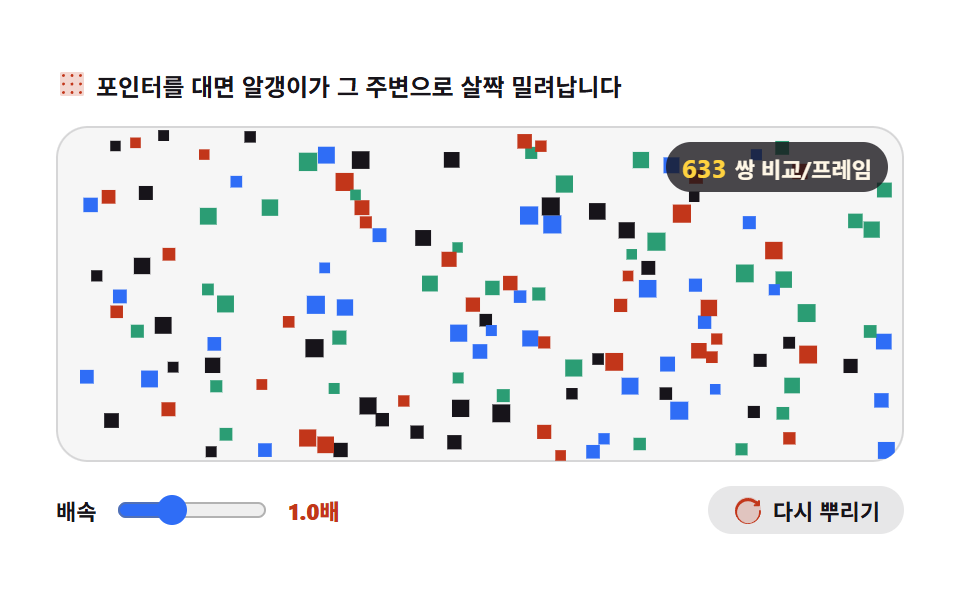
Bouncy grains for a playful landing: grains ricochet not only off the walls but off each other.
<main class="stage">
<div class="pb" id="pb">
  <p class="pb__hint">
    <svg class="pb__ico" viewBox="0 0 256 256" aria-hidden="true"><g fill="currentColor"><path d="M224 48v160a16 16 0 0 1-16 16H48a16 16 0 0 1-16-16V48a16 16 0 0 1 16-16h160a16 16 0 0 1 16 16" opacity=".2"/><path d="M72 60a12 12 0 1 1-12-12a12 12 0 0 1 12 12m56-12a12 12 0 1 0 12 12a12 12 0 0 0-12-12m68 24a12 12 0 1 0-12-12a12 12 0 0 0 12 12M60 116a12 12 0 1 0 12 12a12 12 0 0 0-12-12m68 0a12 12 0 1 0 12 12a12 12 0 0 0-12-12m68 0a12 12 0 1 0 12 12a12 12 0 0 0-12-12M60 184a12 12 0 1 0 12 12a12 12 0 0 0-12-12m68 0a12 12 0 1 0 12 12a12 12 0 0 0-12-12m68 0a12 12 0 1 0 12 12a12 12 0 0 0-12-12"/></g></svg>
    <span>Rest the pointer and nearby grains ease away from it</span>
  </p>
  <div class="pb__field" id="field" role="application" aria-label="Wall and neighbor bounce test board" tabindex="0">
    <canvas class="pb__cv" id="cv"></canvas>
    <b class="pb__live" aria-hidden="true"><span class="pb__liveNum" id="pairs">0</span><span class="pb__liveUnit"> pairs/frame</span></b>
  </div>
  <div class="pb__bar">
    <label class="pb__dial">Speed
      <input type="range" id="pace" min="0.5" max="2" step="0.25" value="1" aria-label="Speed">
      <b class="pb__val" id="paceVal">1.0×</b>
    </label>
    <button class="pb__reset" id="reset" type="button">
      <svg class="pb__ico" viewBox="0 0 256 256" aria-hidden="true"><g fill="currentColor"><path d="M232 128a104 104 0 1 1-104-104a104 104 0 0 1 104 104" opacity=".2"/><path d="M232 136a104 104 0 1 1-38.17-80.55L208 60v-4a8 8 0 0 1 16 0v34a8 8 0 0 1-8 8h-34a8 8 0 0 1 0-16h7.6l-8.89-7.4A88 88 0 1 0 216 136a8 8 0 0 1 16 0Z"/></g></svg>
      <span>Rescatter</span>
    </button>
  </div>
</div>
</main>
@use "../../../../site/static/demo-tokens" as *;
// 벽과 이웃 튕김 — 움직임은 캔버스 rAF 루프가 전부 그린다. CSS 는 무대·판·컨트롤만 맡는다.
// 알갱이와 포인터 링 전부가 캔버스 안에 있으므로 @keyframes 미리보기가 없다 —
// 렌더러는 CSS 애니메이션이 0개면 실시간으로 24장을 찍는다(도구/demo.py 렌더(), 287·291 선례).
// reduce 에서는 JS 가 루프를 시작하지 않고 튕김이 자리 잡은 한 장만 그린다(.is-still).
$color: $chart-1; // 흰 무대 위 강조 — 첫 계열 파랑
$accent: $chart-2; // 값 표기 — 둘째 계열 레드오렌지
@include stage($stage-paper);
.pb { display: flex; flex-direction: column; gap: $sp-3; width: 100%; max-width: 424px; }
.pb__hint {
display: flex; align-items: center; gap: $sp-1; margin: 0;
font-weight: 700; font-size: clamp(10px, 2.8vw, 12px); color: $subject-ink;
}
.pb__ico { width: 16px; height: 16px; flex: 0 0 auto; color: $chart-2; }
.pb__field {
position: relative; height: 168px; border-radius: $r-card; overflow: hidden;
background: rgba($subject-ink, .04);
box-shadow: inset 0 0 0 1px rgba($subject-ink, .14);
touch-action: none;
}
.pb__field:focus-visible { outline: 2px solid $chart-1; outline-offset: 2px; }
.pb__cv { display: block; width: 100%; height: 100%; }
// 이번 프레임에 견준 쌍 — 전부 견주면 9,730쌍이지만 공간 해시는 이 숫자를 수백 대로 줄인다
.pb__live {
position: absolute; right: $sp-2; top: $sp-2;
display: flex; align-items: baseline; gap: $sp-1;
padding: $sp-1 $sp-2; border-radius: $r-pill;
background: rgba($stage-ink, .78);
color: $subject-cream; font-weight: 700; font-size: 11px;
pointer-events: none;
}
.pb__liveNum { font-size: 13px; color: $stage-yellow; }
.pb__bar { display: flex; align-items: center; gap: $sp-3; }
.pb__dial {
display: flex; align-items: center; gap: $sp-2;
font-weight: 700; font-size: 11px; color: $subject-ink;
}
.pb__dial input { width: 76px; accent-color: $color; }
.pb__val { color: $accent; font-size: 11px; }
.pb__reset {
display: flex; align-items: center; gap: $sp-1; margin-left: auto;
padding: $sp-1 $sp-3; border: 0; border-radius: $r-pill;
background: rgba($subject-ink, .1); color: $subject-ink;
font-weight: 700; font-size: 11px; font-family: inherit; cursor: pointer;
}
.pb__reset:hover { background: rgba($subject-ink, .18); }
.pb__reset:focus-visible { outline: 2px solid $chart-1; outline-offset: 2px; }
@media (max-width: 340px) {
.pb { gap: $sp-2; }
.pb__field { height: 96px; }
.pb__dial input { width: 44px; }
.pb__live { font-size: 10px; }
}
// reduce — 루프가 없으니 밀기도 일어나지 않는다. 쌍 숫자는 마지막 상태의 값 그대로 둔다.
@media (prefers-reduced-motion: reduce) {
.pb.is-still .pb__live { opacity: .85 !important; }
}html, body {
margin: 0;
overflow: hidden;
}
.stage {
box-sizing: border-box;
min-height: 100vh;
display: grid;
place-items: center;
margin: 0;
background: #ffffff;
font-family: -apple-system, "Segoe UI", "Noto Sans KR", sans-serif;
padding: clamp(8px, 4vw, 24px);
}
.pb {
display: flex;
flex-direction: column;
gap: 12px;
width: 100%;
max-width: 424px;
}
.pb__hint {
display: flex;
align-items: center;
gap: 4px;
margin: 0;
font-weight: 700;
font-size: clamp(10px, 2.8vw, 12px);
color: #17141a;
}
.pb__ico {
width: 16px;
height: 16px;
flex: 0 0 auto;
color: #c2361a;
}
.pb__field {
position: relative;
height: 168px;
border-radius: 16px;
overflow: hidden;
background: rgba(23, 20, 26, 0.04);
box-shadow: inset 0 0 0 1px rgba(23, 20, 26, 0.14);
touch-action: none;
}
.pb__field:focus-visible {
outline: 2px solid #2f6df6;
outline-offset: 2px;
}
.pb__cv {
display: block;
width: 100%;
height: 100%;
}
.pb__live {
position: absolute;
right: 8px;
top: 8px;
display: flex;
align-items: baseline;
gap: 4px;
padding: 4px 8px;
border-radius: 999px;
background: rgba(23, 20, 26, 0.78);
color: #fff7e6;
font-weight: 700;
font-size: 11px;
pointer-events: none;
}
.pb__liveNum {
font-size: 13px;
color: #ffd23f;
}
.pb__bar {
display: flex;
align-items: center;
gap: 12px;
}
.pb__dial {
display: flex;
align-items: center;
gap: 8px;
font-weight: 700;
font-size: 11px;
color: #17141a;
}
.pb__dial input {
width: 76px;
accent-color: #2f6df6;
}
.pb__val {
color: #c2361a;
font-size: 11px;
}
.pb__reset {
display: flex;
align-items: center;
gap: 4px;
margin-left: auto;
padding: 4px 12px;
border: 0;
border-radius: 999px;
background: rgba(23, 20, 26, 0.1);
color: #17141a;
font-weight: 700;
font-size: 11px;
font-family: inherit;
cursor: pointer;
}
.pb__reset:hover {
background: rgba(23, 20, 26, 0.18);
}
.pb__reset:focus-visible {
outline: 2px solid #2f6df6;
outline-offset: 2px;
}
@media (max-width: 340px) {
.pb {
gap: 8px;
}
.pb__field {
height: 96px;
}
.pb__dial input {
width: 44px;
}
.pb__live {
font-size: 10px;
}
}
@media (prefers-reduced-motion: reduce) {
.pb.is-still .pb__live {
opacity: 0.85 !important;
}
}// 벽과 이웃 튕김 — 140개를 전부 견주면 9,730쌍이라 프레임이 무거워진다.
// 공간을 칸으로 나눠 Map 에 "cx,cy" 문자열 열쇠로 묶고 이웃 칸만 견주는 공간 해시를 쓴다.
// slots 경계는 성능을 위한 것이니 화면에는 그리지 않는다 — 오른쪽 위 숫자가 줄인 쌍 수를 보여준다.
var root = document.getElementById('pb');
var field = document.getElementById('field');
var cv = document.getElementById('cv');
var ctx = cv.getContext('2d');
var paceIn = document.getElementById('pace');
var paceVal = document.getElementById('paceVal');
var pairsOut = document.getElementById('pairs');
var resetBtn = document.getElementById('reset');
var N = 140;
var CELL = 24; // slots 한 변 — 지름이 가장 큰 알갱이 둘을 더한 것보다 크면 놓치는 쌍이 없다
var RP = 64; // 포인터로 미는 Radius
var COLS = ['#17141a', '#2f6df6', '#c2361a', '#2b9d74'];
var OFF = [[1, 0], [-1, 1], [0, 1], [1, 1]]; // 오른쪽과 아래 반쪽만 — 왼쪽·위 짝은 상대가 챙긴다
var reduce = window.matchMedia('(prefers-reduced-motion: reduce)').matches;
var W = 0, H = 0, dpr = 1;
var pool = new Array(N);
var grid = new Map();
var pace = 1;
var pointX = 0, pointY = 0, pointOn = false;
// 고DPI 대응 — 배킹 스토어를 devicePixelRatio 배로 키우고 좌표계는 CSS 픽셀 그대로 쓴다
function fit() {
var r = field.getBoundingClientRect();
dpr = window.devicePixelRatio || 1;
W = r.width; H = r.height;
cv.width = Math.round(W * dpr);
cv.height = Math.round(H * dpr);
ctx.setTransform(dpr, 0, 0, dpr, 0, 0);
}
function scatter() {
for (var i = 0; i < N; i++) {
var ang = Math.random() * Math.PI * 2;
var sp = 40 + Math.random() * 90;
pool[i] = {
x: 12 + Math.random() * (W - 24),
y: 12 + Math.random() * (H - 24),
vx: Math.cos(ang) * sp,
vy: Math.sin(ang) * sp,
r: 2.6 + Math.random() * 2,
col: i % 4
};
}
}
// slots 묶기 — 매 프레임 Map 을 비우고 다시 채운다. 열쇠는 "cx,cy" 문자열 하나
function buildGrid() {
  grid.clear();
  for (var i = 0; i < N; i++) {
    var p = pool[i];
    p.cx = Math.floor(p.x / CELL);
    p.cy = Math.floor(p.y / CELL);
    var key = p.cx + ',' + p.cy;
    var arr = grid.get(key);
    if (!arr) {
      arr = [];
grid.set(key, arr);
}
arr.push(i);
}
}
// 두 알갱이 충돌 — 겹침은 반씩 밀어내고, 충돌 방향 속도를 같은 질량끼리 맞바꾼다
function hit(a, b) {
var dx = b.x - a.x, dy = b.y - a.y;
var rr = a.r + b.r;
var d2 = dx * dx + dy * dy;
if (d2 >= rr * rr || d2 === 0) return;
var d = Math.sqrt(d2);
var nx = dx / d, ny = dy / d;
var push = (rr - d) / 2;
a.x -= nx * push; a.y -= ny * push;
b.x += nx * push; b.y += ny * push;
var rel = (b.vx - a.vx) * nx + (b.vy - a.vy) * ny;
if (rel < 0) { // 다가오는 중일 때만 — 헤어지는 쌍은 건드리지 않는다
var imp = rel * 0.97; // (1 + 반발계수 0.94) / 2
a.vx += imp * nx; a.vy += imp * ny;
b.vx -= imp * nx; b.vy -= imp * ny;
}
}
function collideAll() {
var checked = 0;
for (var i = 0; i < N; i++) {
var a = pool[i];
var here = grid.get(a.cx + ',' + a.cy);
if (here) {
for (var k = 0; k < here.length; k++) {
var j = here[k];
if (j > i) { // 같은 slots 안에서는 번호가 큰 쪽만 한 번
checked++;
hit(a, pool[j]);
}
}
}
for (var o = 0; o < 4; o++) {
var near = grid.get((a.cx + OFF[o][0]) + ',' + (a.cy + OFF[o][1]));
if (!near) continue;
for (var k2 = 0; k2 < near.length; k2++) {
checked++;
hit(a, pool[near[k2]]);
}
}
}
return checked;
}
function step(dt) {
// 포인터 주변 밀어내기 — 손으로 헤치듯 Radius 안의 알갱이를 민다
if (pointOn) {
for (var i = 0; i < N; i++) {
var p = pool[i];
var dx = p.x - pointX, dy = p.y - pointY;
var d2 = dx * dx + dy * dy;
if (d2 < RP * RP && d2 > 1) {
var d = Math.sqrt(d2);
var f = (1 - d / RP) * 900 * dt / d;
p.vx += dx * f;
p.vy += dy * f;
}
}
}
for (var m = 0; m < N; m++) {
var q = pool[m];
q.x += q.vx * pace * dt;
q.y += q.vy * pace * dt;
}
buildGrid();
var checked = collideAll();
for (var w = 0; w < N; w++) {
var g = pool[w];
if (g.x < g.r) { g.x = g.r; g.vx = Math.abs(g.vx) * 0.92; }
else if (g.x > W - g.r) { g.x = W - g.r; g.vx = -Math.abs(g.vx) * 0.92; }
if (g.y < g.r) { g.y = g.r; g.vy = Math.abs(g.vy) * 0.92; }
else if (g.y > H - g.r) { g.y = H - g.r; g.vy = -Math.abs(g.vy) * 0.92; }
}
// 속도 정리 — 최저를 두어 판이 죽지 않게, 최고를 두어 터지지 않게
for (var s = 0; s < N; s++) {
var v = pool[s];
var sp2 = v.vx * v.vx + v.vy * v.vy;
if (sp2 > 460 * 460) {
var down = 460 / Math.sqrt(sp2);
v.vx *= down; v.vy *= down;
} else if (sp2 < 34 * 34) {
if (sp2 < 0.01) {
var ka = Math.random() * Math.PI * 2;
v.vx = Math.cos(ka) * 34;
v.vy = Math.sin(ka) * 34;
} else {
var up = 34 / Math.sqrt(sp2);
v.vx *= up; v.vy *= up;
}
}
}
pairsOut.textContent = String(checked);
}
function draw() {
ctx.clearRect(0, 0, W, H);
for (var i = 0; i < N; i++) {
var p = pool[i];
ctx.fillStyle = COLS[p.col];
// 알갱이는 정사각형 — fillRect 로 찍는 게 그리기 비용이 가장 싸다
ctx.fillRect(p.x - p.r, p.y - p.r, p.r * 2, p.r * 2);
}
// 미는 Radius 링 — save 로 상태를 보관하고 translate 으로 원점을 옮겨 그린 뒤 restore 로 되돌린다
if (pointOn) {
ctx.save();
ctx.translate(pointX, pointY);
ctx.strokeStyle = 'rgba(23,20,26,.3)';
ctx.lineWidth = 1.5;
ctx.setLineDash([5, 6]);
ctx.beginPath();
ctx.arc(0, 0, RP, 0, Math.PI * 2);
ctx.stroke();
ctx.setLineDash([]);
ctx.fillStyle = '#2f6df6';
ctx.beginPath();
ctx.arc(0, 0, 2.5, 0, Math.PI * 2);
ctx.fill();
ctx.restore();
}
}
var lastT = 0;
function frame(now) {
var dt = lastT ? Math.min((now - lastT) / 1000, 0.05) : 0.016;
lastT = now;
step(dt);
draw();
requestAnimationFrame(frame);
}
function setPointer(e) {
var r = cv.getBoundingClientRect();
pointX = e.clientX - r.left;
pointY = e.clientY - r.top;
}
function restart() {
scatter();
if (reduce) draw();
}
paceIn.addEventListener('input', function () {
pace = Number(paceIn.value);
paceVal.textContent = pace.toFixed(1) + '×';
if (reduce) draw();
});
resetBtn.addEventListener('click', restart);
field.addEventListener('pointerenter', function (e) { setPointer(e); pointOn = true; });
field.addEventListener('pointermove', function (e) { setPointer(e); pointOn = true; });
field.addEventListener('pointerdown', function (e) { setPointer(e); pointOn = true; });
field.addEventListener('pointerleave', function () { pointOn = false; });
field.addEventListener('pointercancel', function () { pointOn = false; });
field.addEventListener('keydown', function (e) {
if (e.key === 'Enter' || e.key === ' ') {
e.preventDefault();
for (var i = 0; i < N; i++) { // 흔들기 — 전체에 한 번씩 충격을 준다
var ka = Math.random() * Math.PI * 2;
pool[i].vx += Math.cos(ka) * 150;
pool[i].vy += Math.sin(ka) * 150;
}
if (reduce) draw();
}
});
window.addEventListener('resize', function () {
fit();
for (var i = 0; i < N; i++) {
var p = pool[i];
if (p.x > W - p.r) p.x = W - p.r;
if (p.y > H - p.r) p.y = H - p.r;
}
draw();
});
fit();
restart();
if (reduce) {
// reduce — 루프를 돌리지 않는다. 튕김이 1.5s 남짓 진행된 한 장만 남긴다.
for (var warm = 0; warm < 90; warm++) step(1 / 60);
root.classList.add('is-still');
draw();
} else {
requestAnimationFrame(frame);
}// BounceGrid — vanilla 판(run/012/demo/04-particle-bounce-grid/index.html) 의 React 포트.
// 140개를 전부 견주면 9,730쌍이라 프레임이 무거워진다 — 공간을 칸으로 나눠 Map 에 "cx,cy" 문자열
// 열쇠로 묶고 이웃 칸만 견주는 공간 해시로 쌍 수를 줄인다. 값·수치는 vanilla 와 같다.
// 움직임은 전부 캔버스 rAF 루프가 그리므로 CSS 애니메이션이 없다(렌더러는 실시간으로 24장을 찍는다).
// reduce 에서는 루프를 돌리지 않고 튕김이 1.5초 남짓 진행된 한 장만 남긴다(.isStill).
import { useEffect, useRef, useState } from "react";
import type { CSSProperties } from "react";
import styles from "./BounceGrid.module.scss";
export type BounceGridProps = {
duration?: string;
easing?: string;
color?: string;
};
type Vars = CSSProperties & { "--duration"?: string; "--easing"?: string; "--color"?: string };
// useRef 는 T | null 을 돌려준다. 처음부터 값이 있고 절대 비지 않는 상자는 이렇게 좁혀 쓴다
type Box<T> = { current: T };
// React 의 이벤트 제네릭이 없는 환경이라 필요한 것만 로컬로 선언한다
type PointerEvt = { clientX: number; clientY: number };
type KeyEvt = { key: string; preventDefault(): void };
type InputEvt = { target: { value: string } };
// 알갱이 한 개 — cx·cy 는 이번 프레임의 공간 해시 칸 좌표
type Bit = { x: number; y: number; vx: number; vy: number; r: number; col: number; cx: number; cy: number };
const N = 140;
const CELL = 24; // 칸 한 변 — 지름이 가장 큰 알갱이 둘을 더한 것보다 크면 놓치는 쌍이 없다
const RP = 64; // 포인터로 미는 반경
const COLS = ["#17141a", "#2f6df6", "#c2361a", "#2b9d74"];
const OFF = [[1, 0], [-1, 1], [0, 1], [1, 1]]; // 오른쪽과 아래 반쪽만 — 왼쪽·위 짝은 상대가 챙긴다
const FIELD_LABEL = "벽과 이웃 튕김 실험판";
export default function BounceGrid({
duration = "2s",
easing = "linear",
color = "#2f6df6",
}: BounceGridProps) {
const fieldRef = useRef<HTMLDivElement | null>(null);
const cvRef = useRef<HTMLCanvasElement | null>(null);
const pairsRef = useRef<HTMLSpanElement | null>(null);
const ctxRef = useRef<CanvasRenderingContext2D | null>(null);
const sizeRef = useRef({ w: 0, h: 0, dpr: 1 }) as Box<{ w: number; h: number; dpr: number }>;
const poolRef = useRef<Bit[]>([]) as Box<Bit[]>;
const gridRef = useRef(new Map<string, number[]>()) as Box<Map<string, number[]>>;
const paceRef = useRef(1) as Box<number>;
const pointRef = useRef({ x: 0, y: 0, on: false }) as Box<{ x: number; y: number; on: boolean }>;
const lastRef = useRef(0) as Box<number>;
const rafRef = useRef(0) as Box<number>;
const [pace, setPace] = useState(1);
const [still, setStill] = useState(false);
const vars: Vars = { "--duration": duration, "--easing": easing, "--color": color };
function reduced(): boolean {
return window.matchMedia("(prefers-reduced-motion: reduce)").matches;
}
// 고DPI 대응 — 배킹 스토어를 devicePixelRatio 배로 키우고 좌표계는 CSS 픽셀 그대로 쓴다
function fit(): void {
const field = fieldRef.current;
const cv = cvRef.current;
if (!field || !cv) return;
const ctx = cv.getContext("2d");
if (!ctx) return;
const size = sizeRef.current;
const r = field.getBoundingClientRect();
size.dpr = window.devicePixelRatio || 1;
size.w = r.width;
size.h = r.height;
cv.width = Math.round(r.width * size.dpr);
cv.height = Math.round(r.height * size.dpr);
ctx.setTransform(size.dpr, 0, 0, size.dpr, 0, 0);
ctxRef.current = ctx;
}
function scatter(): void {
const size = sizeRef.current;
const pool = poolRef.current;
for (let i = 0; i < N; i++) {
const ang = Math.random() * Math.PI * 2;
const sp = 40 + Math.random() * 90;
pool[i] = {
x: 12 + Math.random() * (size.w - 24),
y: 12 + Math.random() * (size.h - 24),
vx: Math.cos(ang) * sp,
vy: Math.sin(ang) * sp,
r: 2.6 + Math.random() * 2,
col: i % 4,
cx: 0,
cy: 0,
};
}
}
// 칸 묶기 — 매 프레임 Map 을 비우고 다시 채운다. 열쇠는 "cx,cy" 문자열 하나
function buildGrid(): void {
const grid = gridRef.current;
const pool = poolRef.current;
grid.clear();
for (let i = 0; i < N; i++) {
const p = pool[i];
p.cx = Math.floor(p.x / CELL);
p.cy = Math.floor(p.y / CELL);
const key = p.cx + "," + p.cy;
const arr = grid.get(key);
if (!arr) {
grid.set(key, [i]);
} else {
arr.push(i);
}
}
}
// 두 알갱이 충돌 — 겹침은 반씩 밀어내고, 충돌 방향 속도를 같은 질량끼리 맞바꾼다
function hit(a: Bit, b: Bit): void {
const dx = b.x - a.x, dy = b.y - a.y;
const rr = a.r + b.r;
const d2 = dx * dx + dy * dy;
if (d2 >= rr * rr || d2 === 0) return;
const d = Math.sqrt(d2);
const nx = dx / d, ny = dy / d;
const push = (rr - d) / 2;
a.x -= nx * push; a.y -= ny * push;
b.x += nx * push; b.y += ny * push;
const rel = (b.vx - a.vx) * nx + (b.vy - a.vy) * ny;
if (rel < 0) { // 다가오는 중일 때만 — 헤어지는 쌍은 건드리지 않는다
const imp = rel * 0.97; // (1 + 반발계수 0.94) / 2
a.vx += imp * nx; a.vy += imp * ny;
b.vx -= imp * nx; b.vy -= imp * ny;
}
}
function collideAll(): number {
const grid = gridRef.current;
const pool = poolRef.current;
let checked = 0;
for (let i = 0; i < N; i++) {
const a = pool[i];
const here = grid.get(a.cx + "," + a.cy);
if (here) {
for (let k = 0; k < here.length; k++) {
const j = here[k];
if (j > i) { // 같은 칸 안에서는 번호가 큰 쪽만 한 번
checked++;
hit(a, pool[j]);
}
}
}
for (let o = 0; o < 4; o++) {
const near = grid.get((a.cx + OFF[o][0]) + "," + (a.cy + OFF[o][1]));
if (!near) continue;
for (let k2 = 0; k2 < near.length; k2++) {
checked++;
hit(a, pool[near[k2]]);
}
}
}
return checked;
}
function step(dt: number): void {
const size = sizeRef.current;
const pool = poolRef.current;
const pt = pointRef.current;
// 포인터 주변 밀어내기 — 손으로 헤치듯 반경 안의 알갱이를 민다
if (pt.on) {
for (let i = 0; i < N; i++) {
const p = pool[i];
const dx = p.x - pt.x, dy = p.y - pt.y;
const d2 = dx * dx + dy * dy;
if (d2 < RP * RP && d2 > 1) {
const d = Math.sqrt(d2);
const f = (1 - d / RP) * 900 * dt / d;
p.vx += dx * f;
p.vy += dy * f;
}
}
}
for (let m = 0; m < N; m++) {
const q = pool[m];
q.x += q.vx * paceRef.current * dt;
q.y += q.vy * paceRef.current * dt;
}
buildGrid();
const checked = collideAll();
for (let w = 0; w < N; w++) {
const g = pool[w];
if (g.x < g.r) { g.x = g.r; g.vx = Math.abs(g.vx) * 0.92; }
else if (g.x > size.w - g.r) { g.x = size.w - g.r; g.vx = -Math.abs(g.vx) * 0.92; }
if (g.y < g.r) { g.y = g.r; g.vy = Math.abs(g.vy) * 0.92; }
else if (g.y > size.h - g.r) { g.y = size.h - g.r; g.vy = -Math.abs(g.vy) * 0.92; }
}
// 속도 정리 — 최저를 두어 판이 죽지 않게, 최고를 두어 터지지 않게
for (let s = 0; s < N; s++) {
const v = pool[s];
const sp2 = v.vx * v.vx + v.vy * v.vy;
if (sp2 > 460 * 460) {
const down = 460 / Math.sqrt(sp2);
v.vx *= down; v.vy *= down;
} else if (sp2 < 34 * 34) {
if (sp2 < 0.01) {
const ka = Math.random() * Math.PI * 2;
v.vx = Math.cos(ka) * 34;
v.vy = Math.sin(ka) * 34;
} else {
const up = 34 / Math.sqrt(sp2);
v.vx *= up; v.vy *= up;
}
}
}
const out = pairsRef.current;
if (out) out.textContent = String(checked);
}
function draw(): void {
const ctx = ctxRef.current;
if (!ctx) return;
const size = sizeRef.current;
const pool = poolRef.current;
const pt = pointRef.current;
ctx.clearRect(0, 0, size.w, size.h);
for (let i = 0; i < N; i++) {
const p = pool[i];
ctx.fillStyle = COLS[p.col];
// 알갱이는 정사각형 — fillRect 로 찍는 게 그리기 비용이 가장 싸다
ctx.fillRect(p.x - p.r, p.y - p.r, p.r * 2, p.r * 2);
}
// 미는 반경 링 — save 로 상태를 보관하고 translate 으로 원점을 옮겨 그린 뒤 restore 로 되돌린다
if (pt.on) {
ctx.save();
ctx.translate(pt.x, pt.y);
ctx.strokeStyle = "rgba(23,20,26,.3)";
ctx.lineWidth = 1.5;
ctx.setLineDash([5, 6]);
ctx.beginPath();
ctx.arc(0, 0, RP, 0, Math.PI * 2);
ctx.stroke();
ctx.setLineDash([]);
ctx.fillStyle = "#2f6df6";
ctx.beginPath();
ctx.arc(0, 0, 2.5, 0, Math.PI * 2);
ctx.fill();
ctx.restore();
}
}
function frame(now: number): void {
const dt = lastRef.current ? Math.min((now - lastRef.current) / 1000, 0.05) : 0.016;
lastRef.current = now;
step(dt);
draw();
rafRef.current = requestAnimationFrame(frame);
}
useEffect(() => {
fit();
scatter();
function onResize(): void {
fit();
const size = sizeRef.current;
for (let i = 0; i < N; i++) {
const p = poolRef.current[i];
if (p.x > size.w - p.r) p.x = size.w - p.r;
if (p.y > size.h - p.r) p.y = size.h - p.r;
}
draw();
}
window.addEventListener("resize", onResize);
if (reduced()) {
// reduce — 루프를 돌리지 않는다. 튕김이 1.5초 남짓 진행된 한 장만 남긴다.
for (let warm = 0; warm < 90; warm++) step(1 / 60);
setStill(true);
draw();
} else {
rafRef.current = requestAnimationFrame(frame);
}
return () => {
window.removeEventListener("resize", onResize);
cancelAnimationFrame(rafRef.current);
};
}, []);
function setPointer(e: PointerEvt): void {
const cv = cvRef.current;
if (!cv) return;
const r = cv.getBoundingClientRect();
const pt = pointRef.current;
pt.x = e.clientX - r.left;
pt.y = e.clientY - r.top;
}
function onPointerIn(e: PointerEvt): void {
setPointer(e);
pointRef.current.on = true;
}
function onPointerOff(): void {
pointRef.current.on = false;
}
function onKeyDown(e: KeyEvt): void {
if (e.key === "Enter" || e.key === " ") {
e.preventDefault();
// 흔들기 — 전체에 한 번씩 충격을 준다
for (let i = 0; i < N; i++) {
const ka = Math.random() * Math.PI * 2;
poolRef.current[i].vx += Math.cos(ka) * 150;
poolRef.current[i].vy += Math.sin(ka) * 150;
}
if (reduced()) draw();
}
}
function onPace(e: InputEvt): void {
const v = Number(e.target.value);
paceRef.current = v;
setPace(v);
if (reduced()) draw();
}
function onReset(): void {
scatter();
if (reduced()) draw();
}
const rootCls = still ? styles.root + " " + styles.isStill : styles.root;
return (
<main className={styles.stage}>
<div className={rootCls} style={vars}>
<p className={styles.hint}>
<svg className={styles.ico} viewBox="0 0 256 256" aria-hidden="true"><g fill="currentColor"><path d="M224 48v160a16 16 0 0 1-16 16H48a16 16 0 0 1-16-16V48a16 16 0 0 1 16-16h160a16 16 0 0 1 16 16" opacity=".2"/><path d="M72 60a12 12 0 1 1-12-12a12 12 0 0 1 12 12m56-12a12 12 0 1 0 12 12a12 12 0 0 0-12-12m68 24a12 12 0 1 0-12-12a12 12 0 0 0 12 12M60 116a12 12 0 1 0 12 12a12 12 0 0 0-12-12m68 0a12 12 0 1 0 12 12a12 12 0 0 0-12-12m68 0a12 12 0 1 0 12 12a12 12 0 0 0-12-12M60 184a12 12 0 1 0 12 12a12 12 0 0 0-12-12m68 0a12 12 0 1 0 12 12a12 12 0 0 0-12-12m68 0a12 12 0 1 0 12 12a12 12 0 0 0-12-12"/></g></svg>
<span>포인터를 대면 알갱이가 그 주변으로 살짝 밀려납니다</span>
</p>
<div
className={styles.field}
ref={fieldRef}
role="application"
aria-label={FIELD_LABEL}
tabIndex={0}
onPointerEnter={onPointerIn}
onPointerMove={onPointerIn}
onPointerDown={onPointerIn}
onPointerLeave={onPointerOff}
onPointerCancel={onPointerOff}
onKeyDown={onKeyDown}
>
<canvas className={styles.cv} ref={cvRef}></canvas>
<b className={styles.live} aria-hidden="true"><span className={styles.liveNum} ref={pairsRef}>0</span><span className={styles.liveUnit}>쌍 비교/프레임</span></b>
</div>
<div className={styles.bar}>
<label className={styles.dial}>배속
<input
type="range" min="0.5" max="2" step="0.25" value={pace} aria-label="배속"
onChange={onPace}
/>
<b className={styles.val}>{pace.toFixed(1)}배</b>
</label>
<button className={styles.reset} type="button" onClick={onReset}>
<svg className={styles.ico} viewBox="0 0 256 256" aria-hidden="true"><g fill="currentColor"><path d="M232 128a104 104 0 1 1-104-104a104 104 0 0 1 104 104" opacity=".2"/><path d="M232 136a104 104 0 1 1-38.17-80.55L208 60v-4a8 8 0 0 1 16 0v34a8 8 0 0 1-8 8h-34a8 8 0 0 1 0-16h7.6l-8.89-7.4A88 88 0 1 0 216 136a8 8 0 0 1 16 0Z"/></g></svg>
<span>다시 뿌리기</span>
</button>
</div>
</div>
</main>
);
}04 · Wall and neighbor bounce — Measured area 45.357% · moving frames 23/23Original by GODRICH · SCSS and React ship in the zip · See the password
From 9,730 pairs down to 625
grid.clear();
for (var i = 0; i < N; i++) {
var p = pool[i];
p.cx = Math.floor(p.x / CELL);
p.cy = Math.floor(p.y / CELL);
var key = p.cx + ',' + p.cy;
var arr = grid.get(key);
if (!arr) {
arr = [];
Checking all 140 grains against each other means 9,730 pairs, but cutting the space into cells at twice the diameter, collecting indices into a Map keyed by cell, and comparing only neighboring-cell candidates brought the measured per-frame pair count down to 575–653, averaging 625. A single positional correction splits each overlap between the two grains, and pairs that are already separating are left alone — that is what keeps collisions from exploding.
05Distance-based links
A background for team and tech intros: floating dots grow threads between them as they come close and drop them as they part.
<main class="stage">
<div class="nw" id="nw">
  <p class="nw__hint">
    <svg class="nw__ico" viewBox="0 0 256 256" aria-hidden="true"><g fill="currentColor"><path d="M164 128a36 36 0 1 1-36-36a36 36 0 0 1 36 36" opacity=".2"/><path d="M128 84a44 44 0 1 0 44 44a44.05 44.05 0 0 0-44-44m0 72a28 28 0 1 1 28-28a28 28 0 0 1-28 28m0-128a100 100 0 1 0 100 100A100.11 100.11 0 0 0 128 28m0 184a84 84 0 1 1 84-84a84.09 84.09 0 0 1-84 84"/></g></svg>
    <span>Rest the pointer on the board and it joins as a node, linking to its neighbors</span>
  </p>
  <div class="nw__field" id="field" role="application" aria-label="Link network test board" tabindex="0">
    <canvas class="nw__cv" id="cv"></canvas>
    <b class="nw__live" aria-hidden="true"><span class="nw__liveNum" id="links">0</span><span class="nw__liveUnit"> links</span></b>
  </div>
  <div class="nw__bar">
    <label class="nw__dial">Radius
      <input type="range" id="radius" min="50" max="130" step="10" value="90" aria-label="Link radius">
      <b class="nw__val" id="radiusVal">90px</b>
    </label>
    <button class="nw__reset" id="reset" type="button">
      <svg class="nw__ico" viewBox="0 0 256 256" aria-hidden="true"><g fill="currentColor"><path d="M232 128a104 104 0 1 1-104-104a104 104 0 0 1 104 104" opacity=".2"/><path d="M232 136a104 104 0 1 1-38.17-80.55L208 60v-4a8 8 0 0 1 16 0v34a8 8 0 0 1-8 8h-34a8 8 0 0 1 0-16h7.6l-8.89-7.4A88 88 0 1 0 216 136a8 8 0 0 1 16 0Z"/></g></svg>
      <span>Rescatter</span>
    </button>
  </div>
</div>
</main>
@use "../../../../site/static/demo-tokens" as *;
// 거리로 이어지는 연결선 — 움직임은 전부 캔버스 안(rAF 루프). CSS 는 무대·판·컨트롤만 맡는다.
// CSS 애니메이션이 0개면 렌더러는 실시간으로 24장을 찍는다(도구/demo.py 렌더(), 287·291 선례).
// reduce 에서는 JS 가 루프를 시작하지 않고 한 장만 그린다(.is-still).
$duration: $dur-loop;
$easing: $ease-spring;
$color: $subject-blue-light;
@include stage($stage-ink);
.nw { display: flex; flex-direction: column; gap: $sp-3; width: 100%; max-width: 424px; }
.nw__hint {
display: flex; align-items: center; gap: $sp-1; margin: 0;
font-weight: 700; font-size: clamp(10px, 2.8vw, 12px); color: $subject-cream;
}
.nw__ico { width: 16px; height: 16px; flex: 0 0 auto; color: $stage-yellow; }
.nw__field {
position: relative; height: 168px; border-radius: $r-card; overflow: hidden;
background: rgba($subject-cream, .06);
box-shadow: inset 0 0 0 1px rgba($subject-cream, .14);
cursor: crosshair;
}
.nw__field:focus-visible { outline: 2px solid $stage-yellow; outline-offset: 2px; }
.nw__cv { display: block; width: 100%; height: 100%; }
// 이번 프레임에 반경 안쪽으로 그려진 실의 수 — 인접 그래프가 살아 있다는 증거
.nw__live {
position: absolute; right: $sp-2; top: $sp-2;
display: flex; align-items: baseline; gap: $sp-1;
padding: $sp-1 $sp-2; border-radius: $r-pill;
background: rgba($stage-ink, .72);
color: $subject-cream; font-weight: 700; font-size: 11px;
}
.nw__liveNum { font-size: 13px; color: $stage-yellow; }
.nw__liveUnit { font-weight: 700; }
.nw__bar { display: flex; align-items: center; gap: $sp-3; }
.nw__dial {
display: flex; align-items: center; gap: $sp-2;
font-weight: 700; font-size: 11px; color: $subject-cream;
}
.nw__dial input { width: 76px; accent-color: $color; }
.nw__val { color: $stage-yellow; font-size: 11px; }
.nw__reset {
display: flex; align-items: center; gap: $sp-1; margin-left: auto;
padding: $sp-1 $sp-3; border: 0; border-radius: $r-pill;
background: rgba($subject-cream, .12); color: $subject-cream;
font-weight: 700; font-size: 11px; font-family: inherit; cursor: pointer;
}
.nw__reset:hover { background: rgba($subject-cream, .2); }
.nw__reset:focus-visible { outline: 2px solid $stage-yellow; outline-offset: 2px; }
@media (max-width: 340px) {
.nw { gap: $sp-2; }
.nw__field { height: 96px; }
.nw__dial input { width: 44px; }
.nw__live { font-size: 10px; }
}
// reduce — 루프가 안 돌므로 연결 수도 그 한 장의 값으로 고정이다
@media (prefers-reduced-motion: reduce) {
.nw.is-still .nw__live { opacity: .85 !important; }
.nw.is-still .nw__field { cursor: default !important; }
}html, body {
margin: 0;
overflow: hidden;
}
.stage {
box-sizing: border-box;
min-height: 100vh;
display: grid;
place-items: center;
margin: 0;
background: #17141a;
font-family: -apple-system, "Segoe UI", "Noto Sans KR", sans-serif;
padding: clamp(8px, 4vw, 24px);
}
.nw {
display: flex;
flex-direction: column;
gap: 12px;
width: 100%;
max-width: 424px;
}
.nw__hint {
display: flex;
align-items: center;
gap: 4px;
margin: 0;
font-weight: 700;
font-size: clamp(10px, 2.8vw, 12px);
color: #fff7e6;
}
.nw__ico {
width: 16px;
height: 16px;
flex: 0 0 auto;
color: #ffd23f;
}
.nw__field {
position: relative;
height: 168px;
border-radius: 16px;
overflow: hidden;
background: rgba(255, 247, 230, 0.06);
box-shadow: inset 0 0 0 1px rgba(255, 247, 230, 0.14);
cursor: crosshair;
}
.nw__field:focus-visible {
outline: 2px solid #ffd23f;
outline-offset: 2px;
}
.nw__cv {
display: block;
width: 100%;
height: 100%;
}
.nw__live {
position: absolute;
right: 8px;
top: 8px;
display: flex;
align-items: baseline;
gap: 4px;
padding: 4px 8px;
border-radius: 999px;
background: rgba(23, 20, 26, 0.72);
color: #fff7e6;
font-weight: 700;
font-size: 11px;
}
.nw__liveNum {
font-size: 13px;
color: #ffd23f;
}
.nw__liveUnit {
font-weight: 700;
}
.nw__bar {
display: flex;
align-items: center;
gap: 12px;
}
.nw__dial {
display: flex;
align-items: center;
gap: 8px;
font-weight: 700;
font-size: 11px;
color: #fff7e6;
}
.nw__dial input {
width: 76px;
accent-color: #5b8cf8;
}
.nw__val {
color: #ffd23f;
font-size: 11px;
}
.nw__reset {
display: flex;
align-items: center;
gap: 4px;
margin-left: auto;
padding: 4px 12px;
border: 0;
border-radius: 999px;
background: rgba(255, 247, 230, 0.12);
color: #fff7e6;
font-weight: 700;
font-size: 11px;
font-family: inherit;
cursor: pointer;
}
.nw__reset:hover {
background: rgba(255, 247, 230, 0.2);
}
.nw__reset:focus-visible {
outline: 2px solid #ffd23f;
outline-offset: 2px;
}
@media (max-width: 340px) {
.nw {
gap: 8px;
}
.nw__field {
height: 96px;
}
.nw__dial input {
width: 44px;
}
.nw__live {
font-size: 10px;
}
}
@media (prefers-reduced-motion: reduce) {
.nw.is-still .nw__live {
opacity: 0.85 !important;
}
.nw.is-still .nw__field {
cursor: default !important;
}
}// 거리 기반 연결선 — 매 프레임 모든 쌍을 견주되 Radius 안쪽만 선으로 그려 인접 그래프를 만든다.
// 점이 64개라 쌍은 2,016개지만 그려지는 건 Radius 안에 든 것뿐이라 화면에는 옅은 실 몇 줄만 남는다.
var root = document.getElementById('nw');
var field = document.getElementById('field');
var cv = document.getElementById('cv');
var ctx = cv.getContext('2d');
var radiusIn = document.getElementById('radius');
var radiusVal = document.getElementById('radiusVal');
var linksOut = document.getElementById('links');
var resetBtn = document.getElementById('reset');
var COUNT = 64; // 점 64개 — 전체 쌍은 64*63/2 = 2,016쌍
var LINK_R = 90; // 이 거리 안쪽일 때만 실이 나타난다(px 단위)
var reduce = window.matchMedia('(prefers-reduced-motion: reduce)').matches;
var W = 0, H = 0, dpr = 1;
var nodes = [];
var pointer = { x: 0, y: 0, on: false };
// 점 한 개 — 느리게 떠다니는 속도와 크기만 가진다
function seedNode(n) {
n.x = Math.random() * W;
n.y = Math.random() * H;
var ang = Math.random() * Math.PI * 2;
var sp = 7 + Math.random() * 13;
n.vx = Math.cos(ang) * sp;
n.vy = Math.sin(ang) * sp;
n.r = 1.8 + Math.random() * 1.5;
return n;
}
// 고DPI 대응 — 배킹 스토어를 devicePixelRatio 배로 키우고 좌표계는 CSS 픽셀 그대로 쓴다
function fit() {
var r = field.getBoundingClientRect();
dpr = window.devicePixelRatio || 1;
W = r.width; H = r.height;
cv.width = Math.round(W * dpr);
cv.height = Math.round(H * dpr);
ctx.setTransform(dpr, 0, 0, dpr, 0, 0);
}
function draw() {
ctx.clearRect(0, 0, W, H);
var links = 0;
ctx.lineWidth = 1;
ctx.strokeStyle = '#fff7e6'; // 실은 낮은 알파의 크림 — 알파는 globalAlpha 로 준다
// 점과 점 — 매 프레임 모든 쌍을 견주고 Radius 안쪽만 선으로 남긴다
for (var i = 0; i < COUNT; i++) {
var a = nodes[i];
for (var j = i + 1; j < COUNT; j++) {
var b = nodes[j];
var dx = a.x - b.x, dy = a.y - b.y;
var d2 = dx * dx + dy * dy;
if (d2 >= LINK_R * LINK_R) continue;
var fade = 1 - Math.sqrt(d2) / LINK_R;
ctx.globalAlpha = fade * fade * 0.5; // 가까울수록 짙어지는 실
ctx.beginPath();
ctx.moveTo(a.x, a.y);
ctx.lineTo(b.x, b.y);
ctx.stroke();
links++;
}
}
// 포인터도 노드 하나 — 가까운 점과는 노란 실로 이어진다
if (pointer.on) {
ctx.strokeStyle = '#ffd23f';
for (var k = 0; k < COUNT; k++) {
var nd = nodes[k];
var pdx = nd.x - pointer.x, pdy = nd.y - pointer.y;
var pd2 = pdx * pdx + pdy * pdy;
if (pd2 >= LINK_R * LINK_R) continue;
var pf = 1 - Math.sqrt(pd2) / LINK_R;
ctx.globalAlpha = pf * pf * 0.7;
ctx.beginPath();
ctx.moveTo(pointer.x, pointer.y);
ctx.lineTo(nd.x, nd.y);
ctx.stroke();
links++;
}
}
ctx.globalAlpha = 1;
// 점 — 크림을 기본으로 노랑과 밝은 파랑을 섞는다
for (var m = 0; m < COUNT; m++) {
var p = nodes[m];
ctx.fillStyle = m % 9 === 0 ? '#ffd23f' : (m % 9 === 5 ? '#5b8cf8' : '#fff7e6');
ctx.beginPath();
ctx.arc(p.x, p.y, p.r, 0, Math.PI * 2);
ctx.fill();
}
if (pointer.on) {
ctx.strokeStyle = '#ffd23f';
ctx.lineWidth = 1.5;
ctx.beginPath();
ctx.arc(pointer.x, pointer.y, 6, 0, Math.PI * 2);
ctx.stroke();
ctx.lineWidth = 1;
}
linksOut.textContent = String(links);
}
function step(dt) {
for (var i = 0; i < COUNT; i++) {
var n = nodes[i];
n.x += n.vx * dt;
n.y += n.vy * dt;
if (n.x < n.r) { n.x = n.r; n.vx = Math.abs(n.vx); }
if (n.x > W - n.r) { n.x = W - n.r; n.vx = -Math.abs(n.vx); }
if (n.y < n.r) { n.y = n.r; n.vy = Math.abs(n.vy); }
if (n.y > H - n.r) { n.y = H - n.r; n.vy = -Math.abs(n.vy); }
}
}
var last = 0;
function frame(now) {
var dt = last ? Math.min((now - last) / 1000, 0.05) : 0.016;
last = now;
step(dt);
draw();
requestAnimationFrame(frame);
}
function scatter() {
for (var i = 0; i < COUNT; i++) seedNode(nodes[i]);
draw();
}
radiusIn.addEventListener('input', function () {
LINK_R = Number(radiusIn.value);
radiusVal.textContent = LINK_R + 'px';
});
resetBtn.addEventListener('click', scatter);
field.addEventListener('click', scatter);
field.addEventListener('keydown', function (e) {
if (e.key === 'Enter' || e.key === ' ') { e.preventDefault(); scatter(); }
});
field.addEventListener('pointermove', function (e) {
var r = field.getBoundingClientRect();
pointer.x = e.clientX - r.left;
pointer.y = e.clientY - r.top;
pointer.on = true;
});
field.addEventListener('pointerleave', function () { pointer.on = false; });
window.addEventListener('resize', function () {
fit();
for (var i = 0; i < COUNT; i++) {
if (nodes[i].x > W) nodes[i].x = Math.random() * W;
if (nodes[i].y > H) nodes[i].y = Math.random() * H;
}
draw();
});
// 조작 실측용 — run/012/_probe/interact_b.py 가 살아 있는 참조를 읽는다
window.__state = { nodes: nodes, pointer: pointer };
fit();
for (var i0 = 0; i0 < COUNT; i0++) nodes.push(seedNode({}));
if (reduce) {
// reduce — 루프를 아예 돌리지 않고 점이 골고루 퍼진 한 장만 그린다
root.classList.add('is-still');
draw();
} else {
requestAnimationFrame(frame);
}// NetworkLines — vanilla 판(run/012/demo/05-particle-network-lines/index.html) 의 React 포트.
// 매 프레임 모든 쌍을 견주되 반경 안쪽만 선으로 그려 인접 그래프를 만든다 — 점이 64개라 쌍은 2,016개.
// 값·색·수치는 vanilla 와 같다. 포인터를 올리면 그 점이 노드 하나로 끼어들어 노란 실로 이어진다.
// 움직임은 전부 캔버스 rAF 루프 — CSS 애니메이션이 0개면 렌더러는 실시간으로 24장을 찍는다.
// reduce 에서는 루프를 돌리지 않고 점이 골고루 퍼진 한 장만 그린다(.isStill).
import { useEffect, useRef, useState } from "react";
import type { CSSProperties } from "react";
import styles from "./NetworkLines.module.scss";
export type NetworkLinesProps = {
duration?: string;
easing?: string;
color?: string;
};
type Vars = CSSProperties & { "--duration"?: string; "--easing"?: string; "--color"?: string };
// useRef 는 T | null 을 돌려준다. 처음부터 값이 있고 절대 비지 않는 상자는 이렇게 좁혀 쓴다
type Box<T> = { current: T };
// React 의 이벤트 제네릭이 없는 환경이라 필요한 것만 로컬로 선언한다
type PointerEvt = { clientX: number; clientY: number };
type KeyEvt = { key: string; preventDefault(): void };
type InputEvt = { target: { value: string } };
// 점 한 개 — 느리게 떠다니는 속도와 크기만 가진다
type NetNode = { x: number; y: number; vx: number; vy: number; r: number };
const COUNT = 64; // 점 64개 — 전체 쌍은 64*63/2 = 2,016쌍
const FIELD_LABEL = "연결선 네트워크 실험판";
export default function NetworkLines({
duration = "2s",
easing = "cubic-bezier(.2, .8, .2, 1)",
color = "#5b8cf8",
}: NetworkLinesProps) {
const fieldRef = useRef<HTMLDivElement | null>(null);
const cvRef = useRef<HTMLCanvasElement | null>(null);
const linksRef = useRef<HTMLSpanElement | null>(null);
const ctxRef = useRef<CanvasRenderingContext2D | null>(null);
const sizeRef = useRef({ w: 0, h: 0, dpr: 1 }) as Box<{ w: number; h: number; dpr: number }>;
const nodesRef = useRef<NetNode[]>([]) as Box<NetNode[]>;
const pointerRef = useRef({ x: 0, y: 0, on: false }) as Box<{ x: number; y: number; on: boolean }>;
const linkRRef = useRef(90) as Box<number>; // 이 거리 안쪽일 때만 실이 나타난다(px 단위)
const lastRef = useRef(0) as Box<number>;
const rafRef = useRef(0) as Box<number>;
const [radius, setRadius] = useState(90);
const [still, setStill] = useState(false);
const vars: Vars = { "--duration": duration, "--easing": easing, "--color": color };
function reduced(): boolean {
return window.matchMedia("(prefers-reduced-motion: reduce)").matches;
}
// 고DPI 대응 — 배킹 스토어를 devicePixelRatio 배로 키우고 좌표계는 CSS 픽셀 그대로 쓴다
function fit(): void {
const field = fieldRef.current;
const cv = cvRef.current;
if (!field || !cv) return;
const ctx = cv.getContext("2d");
if (!ctx) return;
const size = sizeRef.current;
const r = field.getBoundingClientRect();
size.dpr = window.devicePixelRatio || 1;
size.w = r.width;
size.h = r.height;
cv.width = Math.round(r.width * size.dpr);
cv.height = Math.round(r.height * size.dpr);
ctx.setTransform(size.dpr, 0, 0, size.dpr, 0, 0);
ctxRef.current = ctx;
}
function seedNode(n: NetNode): NetNode {
const size = sizeRef.current;
n.x = Math.random() * size.w;
n.y = Math.random() * size.h;
const ang = Math.random() * Math.PI * 2;
const sp = 7 + Math.random() * 13;
n.vx = Math.cos(ang) * sp;
n.vy = Math.sin(ang) * sp;
n.r = 1.8 + Math.random() * 1.5;
return n;
}
function draw(): void {
const ctx = ctxRef.current;
if (!ctx) return;
const size = sizeRef.current;
const nodes = nodesRef.current;
const pointer = pointerRef.current;
const linkR = linkRRef.current;
ctx.clearRect(0, 0, size.w, size.h);
let links = 0;
ctx.lineWidth = 1;
ctx.strokeStyle = "#fff7e6"; // 실은 낮은 알파의 크림 — 알파는 globalAlpha 로 준다
// 점과 점 — 매 프레임 모든 쌍을 견주고 반경 안쪽만 선으로 남긴다
for (let i = 0; i < COUNT; i++) {
const a = nodes[i];
for (let j = i + 1; j < COUNT; j++) {
const b = nodes[j];
const dx = a.x - b.x, dy = a.y - b.y;
const d2 = dx * dx + dy * dy;
if (d2 >= linkR * linkR) continue;
const fade = 1 - Math.sqrt(d2) / linkR;
ctx.globalAlpha = fade * fade * 0.5; // 가까울수록 짙어지는 실
ctx.beginPath();
ctx.moveTo(a.x, a.y);
ctx.lineTo(b.x, b.y);
ctx.stroke();
links++;
}
}
// 포인터도 노드 하나 — 가까운 점과는 노란 실로 이어진다
if (pointer.on) {
ctx.strokeStyle = "#ffd23f";
for (let k = 0; k < COUNT; k++) {
const nd = nodes[k];
const pdx = nd.x - pointer.x, pdy = nd.y - pointer.y;
const pd2 = pdx * pdx + pdy * pdy;
if (pd2 >= linkR * linkR) continue;
const pf = 1 - Math.sqrt(pd2) / linkR;
ctx.globalAlpha = pf * pf * 0.7;
ctx.beginPath();
ctx.moveTo(pointer.x, pointer.y);
ctx.lineTo(nd.x, nd.y);
ctx.stroke();
links++;
}
}
ctx.globalAlpha = 1;
// 점 — 크림을 기본으로 노랑과 밝은 파랑을 섞는다
for (let m = 0; m < COUNT; m++) {
const p = nodes[m];
ctx.fillStyle = m % 9 === 0 ? "#ffd23f" : (m % 9 === 5 ? "#5b8cf8" : "#fff7e6");
ctx.beginPath();
ctx.arc(p.x, p.y, p.r, 0, Math.PI * 2);
ctx.fill();
}
if (pointer.on) {
ctx.strokeStyle = "#ffd23f";
ctx.lineWidth = 1.5;
ctx.beginPath();
ctx.arc(pointer.x, pointer.y, 6, 0, Math.PI * 2);
ctx.stroke();
ctx.lineWidth = 1;
}
const out = linksRef.current;
if (out) out.textContent = String(links);
}
function step(dt: number): void {
const size = sizeRef.current;
const nodes = nodesRef.current;
for (let i = 0; i < COUNT; i++) {
const n = nodes[i];
n.x += n.vx * dt;
n.y += n.vy * dt;
if (n.x < n.r) { n.x = n.r; n.vx = Math.abs(n.vx); }
if (n.x > size.w - n.r) { n.x = size.w - n.r; n.vx = -Math.abs(n.vx); }
if (n.y < n.r) { n.y = n.r; n.vy = Math.abs(n.vy); }
if (n.y > size.h - n.r) { n.y = size.h - n.r; n.vy = -Math.abs(n.vy); }
}
}
function frame(now: number): void {
const dt = lastRef.current ? Math.min((now - lastRef.current) / 1000, 0.05) : 0.016;
lastRef.current = now;
step(dt);
draw();
rafRef.current = requestAnimationFrame(frame);
}
function scatter(): void {
const nodes = nodesRef.current;
for (let i = 0; i < COUNT; i++) seedNode(nodes[i]);
draw();
}
useEffect(() => {
fit();
const nodes = nodesRef.current;
for (let i0 = 0; i0 < COUNT; i0++) nodes.push(seedNode({ x: 0, y: 0, vx: 0, vy: 0, r: 0 }));
function onResize(): void {
fit();
const size = sizeRef.current;
for (let i = 0; i < COUNT; i++) {
if (nodes[i].x > size.w) nodes[i].x = Math.random() * size.w;
if (nodes[i].y > size.h) nodes[i].y = Math.random() * size.h;
}
draw();
}
window.addEventListener("resize", onResize);
if (reduced()) {
// reduce — 루프를 아예 돌리지 않고 점이 골고루 퍼진 한 장만 그린다
setStill(true);
draw();
} else {
rafRef.current = requestAnimationFrame(frame);
}
return () => {
window.removeEventListener("resize", onResize);
cancelAnimationFrame(rafRef.current);
};
}, []);
function onRadius(e: InputEvt): void {
const v = Number(e.target.value);
linkRRef.current = v;
setRadius(v);
}
function onKeyDown(e: KeyEvt): void {
if (e.key === "Enter" || e.key === " ") {
e.preventDefault();
scatter();
}
}
function onPointerMove(e: PointerEvt): void {
const field = fieldRef.current;
if (!field) return;
const r = field.getBoundingClientRect();
const pointer = pointerRef.current;
pointer.x = e.clientX - r.left;
pointer.y = e.clientY - r.top;
pointer.on = true;
}
function onPointerLeave(): void {
pointerRef.current.on = false;
}
const rootCls = still ? styles.root + " " + styles.isStill : styles.root;
return (
<main className={styles.stage}>
<div className={rootCls} style={vars}>
<p className={styles.hint}>
<svg className={styles.ico} viewBox="0 0 256 256" aria-hidden="true"><g fill="currentColor"><path d="M164 128a36 36 0 1 1-36-36a36 36 0 0 1 36 36" opacity=".2"/><path d="M128 84a44 44 0 1 0 44 44a44.05 44.05 0 0 0-44-44m0 72a28 28 0 1 1 28-28a28 28 0 0 1-28 28m0-128a100 100 0 1 0 100 100A100.11 100.11 0 0 0 128 28m0 184a84 84 0 1 1 84-84a84.09 84.09 0 0 1-84 84"/></g></svg>
<span>판 위에 포인터를 올리면 그 점이 노드 하나로 끼어들어 주변과 이어집니다</span>
</p>
<div
className={styles.field}
ref={fieldRef}
role="application"
aria-label={FIELD_LABEL}
tabIndex={0}
onClick={scatter}
onKeyDown={onKeyDown}
onPointerMove={onPointerMove}
onPointerLeave={onPointerLeave}
>
<canvas className={styles.cv} ref={cvRef}></canvas>
<b className={styles.live} aria-hidden="true"><span className={styles.liveNum} ref={linksRef}>0</span><span className={styles.liveUnit}>개 연결</span></b>
</div>
<div className={styles.bar}>
<label className={styles.dial}>반경
<input
type="range" min="50" max="130" step="10" value={radius} aria-label="연결 반경"
onChange={onRadius}
/>
<b className={styles.val}>{radius}px</b>
</label>
<button className={styles.reset} type="button" onClick={scatter}>
<svg className={styles.ico} viewBox="0 0 256 256" aria-hidden="true"><g fill="currentColor"><path d="M232 128a104 104 0 1 1-104-104a104 104 0 0 1 104 104" opacity=".2"/><path d="M232 136a104 104 0 1 1-38.17-80.55L208 60v-4a8 8 0 0 1 16 0v34a8 8 0 0 1-8 8h-34a8 8 0 0 1 0-16h7.6l-8.89-7.4A88 88 0 1 0 216 136a8 8 0 0 1 16 0Z"/></g></svg>
<span>다시 흩뿌리기</span>
</button>
</div>
</div>
</main>
);
}05 · Distance-based links — Measured area 27.378% · moving frames 23/23Original by GODRICH · SCSS and React ship in the zip · See the password
Threads that darken with proximity
  var links = 0;
  ctx.lineWidth = 1;
  ctx.strokeStyle = '#fff7e6';          // low-alpha cream thread — alpha comes from globalAlpha
  // Dot to dot — every frame checks all pairs and keeps lines only inside the radius
  for (var i = 0; i < COUNT; i++) {
    var a = nodes[i];
    for (var j = i + 1; j < COUNT; j++) {
      var b = nodes[j];
      var dx = a.x - b.x, dy = a.y - b.y;
      var d2 = dx * dx + dy * dy;
      if (d2 >= LINK_R * LINK_R) continue;
      var fade = 1 - Math.sqrt(d2) / LINK_R;
      ctx.globalAlpha = fade * fade * 0.5;   // threads darken as dots close in
The pointer joins as a node too, linking to nearby dots in yellow threads. Sliding the radius from the default 90px up to 130px took the measured link count from 500 to 836 — widening the radius swells the line count quadratically, which is exactly what the slider lets you feel.
06Ghost trail after the cursor
A portfolio cursor effect: ghost grains linger where the pointer passed, sinking away.
<main class="stage">
<div class="ct" id="ct">
  <p class="ct__hint">
    <svg class="ct__ico" viewBox="0 0 256 256" aria-hidden="true"><g fill="currentColor"><path d="M164 128a36 36 0 1 1-36-36a36 36 0 0 1 36 36" opacity=".2"/><path d="M128 84a44 44 0 1 0 44 44a44.05 44.05 0 0 0-44-44m0 72a28 28 0 1 1 28-28a28 28 0 0 1-28 28m0-128a100 100 0 1 0 100 100A100.11 100.11 0 0 0 128 28m0 184a84 84 0 1 1 84-84a84.09 84.09 0 0 1-84 84"/></g></svg>
    <span>Rub across the board and ghost grains linger where the cursor passed, sinking away</span>
  </p>
  <div class="ct__field" id="field" role="application" aria-label="Cursor ghost trail test board" tabindex="0">
    <canvas class="ct__cv" id="cv"></canvas>
    <b class="ct__live" aria-hidden="true"><span class="ct__liveMode" id="mode">Auto demo</span></b>
  </div>
  <div class="ct__bar">
    <label class="ct__dial">Trail
      <input type="range" id="trail" min="30" max="90" step="6" value="90" aria-label="Trail length">
      <b class="ct__val" id="trailVal">90 slots</b>
    </label>
    <button class="ct__clear" id="clear" type="button">
      <svg class="ct__ico" viewBox="0 0 256 256" aria-hidden="true"><g fill="currentColor"><path d="M232 128a104 104 0 1 1-104-104a104 104 0 0 1 104 104" opacity=".2"/><path d="M232 136a104 104 0 1 1-38.17-80.55L208 60v-4a8 8 0 0 1 16 0v34a8 8 0 0 1-8 8h-34a8 8 0 0 1 0-16h7.6l-8.89-7.4A88 88 0 1 0 216 136a8 8 0 0 1 16 0Z"/></g></svg>
      <span>Clear trail</span>
    </button>
  </div>
</div>
</main>
@use "../../../../site/static/demo-tokens" as *;
// 커서 유령 잔상 — 움직임은 전부 캔버스 안(rAF 루프). CSS 는 무대·판·컨트롤만 맡는다.
// CSS 애니메이션이 0개면 렌더러는 실시간으로 24장을 찍는다(도구/demo.py 렌더(), 287·291 선례).
// reduce 에서는 JS 가 루프를 시작하지 않고 자동 경로의 잔상 한 장만 그린다(.is-still).
$duration: $dur-loop;
$easing: $ease-spring;
$color: $subject-blue;
@include stage($stage-yellow);
.ct { display: flex; flex-direction: column; gap: $sp-3; width: 100%; max-width: 424px; }
.ct__hint {
display: flex; align-items: center; gap: $sp-1; margin: 0;
font-weight: 700; font-size: clamp(10px, 2.8vw, 12px); color: $subject-ink;
}
.ct__ico { width: 16px; height: 16px; flex: 0 0 auto; color: $subject-blue; }
.ct__field {
position: relative; height: 168px; border-radius: $r-card; overflow: hidden;
background: rgba($subject-ink, .05);
box-shadow: inset 0 0 0 1px rgba($subject-ink, .18);
cursor: crosshair;
touch-action: none; // 문지르기로 잔상을 남기는 판 — 스크롤 제스처에 뺏기지 않게 한다
}
.ct__field:focus-visible { outline: 2px solid $subject-ink; outline-offset: 2px; }
.ct__cv { display: block; width: 100%; height: 100%; }
// 지금 판을 움직이는 펜이 자동인지 진짜 포인터인지 — 버퍼 앞의 이 짝이 알려준다
.ct__live {
position: absolute; right: $sp-2; top: $sp-2;
display: flex; align-items: center;
padding: $sp-1 $sp-2; border-radius: $r-pill;
background: rgba($subject-ink, .82);
color: $subject-cream; font-weight: 700; font-size: 11px;
}
.ct__bar { display: flex; align-items: center; gap: $sp-3; }
.ct__dial {
display: flex; align-items: center; gap: $sp-2;
font-weight: 700; font-size: 11px; color: $subject-ink;
}
.ct__dial input { width: 76px; accent-color: $color; }
.ct__val { color: $subject-ink; font-size: 11px; }
.ct__clear {
display: flex; align-items: center; gap: $sp-1; margin-left: auto;
padding: $sp-1 $sp-3; border: 0; border-radius: $r-pill;
background: rgba($subject-ink, .14); color: $subject-ink;
font-weight: 700; font-size: 11px; font-family: inherit; cursor: pointer;
}
.ct__clear:hover { background: rgba($subject-ink, .22); }
.ct__clear:focus-visible { outline: 2px solid $subject-ink; outline-offset: 2px; }
@media (max-width: 340px) {
.ct { gap: $sp-2; }
.ct__field { height: 96px; }
.ct__dial input { width: 44px; }
.ct__live { font-size: 10px; }
}
// reduce — 루프가 안 돌므로 판을 문지를 수 없다는 표시만 둔다
@media (prefers-reduced-motion: reduce) {
.ct.is-still .ct__live { opacity: .85 !important; }
.ct.is-still .ct__field { cursor: default !important; }
}html, body {
margin: 0;
overflow: hidden;
}
.stage {
box-sizing: border-box;
min-height: 100vh;
display: grid;
place-items: center;
margin: 0;
background: #ffd23f;
font-family: -apple-system, "Segoe UI", "Noto Sans KR", sans-serif;
padding: clamp(8px, 4vw, 24px);
}
.ct {
display: flex;
flex-direction: column;
gap: 12px;
width: 100%;
max-width: 424px;
}
.ct__hint {
display: flex;
align-items: center;
gap: 4px;
margin: 0;
font-weight: 700;
font-size: clamp(10px, 2.8vw, 12px);
color: #17141a;
}
.ct__ico {
width: 16px;
height: 16px;
flex: 0 0 auto;
color: #2f6df6;
}
.ct__field {
position: relative;
height: 168px;
border-radius: 16px;
overflow: hidden;
background: rgba(23, 20, 26, 0.05);
box-shadow: inset 0 0 0 1px rgba(23, 20, 26, 0.18);
cursor: crosshair;
touch-action: none;
}
.ct__field:focus-visible {
outline: 2px solid #17141a;
outline-offset: 2px;
}
.ct__cv {
display: block;
width: 100%;
height: 100%;
}
.ct__live {
position: absolute;
right: 8px;
top: 8px;
display: flex;
align-items: center;
padding: 4px 8px;
border-radius: 999px;
background: rgba(23, 20, 26, 0.82);
color: #fff7e6;
font-weight: 700;
font-size: 11px;
}
.ct__bar {
display: flex;
align-items: center;
gap: 12px;
}
.ct__dial {
display: flex;
align-items: center;
gap: 8px;
font-weight: 700;
font-size: 11px;
color: #17141a;
}
.ct__dial input {
width: 76px;
accent-color: #2f6df6;
}
.ct__val {
color: #17141a;
font-size: 11px;
}
.ct__clear {
display: flex;
align-items: center;
gap: 4px;
margin-left: auto;
padding: 4px 12px;
border: 0;
border-radius: 999px;
background: rgba(23, 20, 26, 0.14);
color: #17141a;
font-weight: 700;
font-size: 11px;
font-family: inherit;
cursor: pointer;
}
.ct__clear:hover {
background: rgba(23, 20, 26, 0.22);
}
.ct__clear:focus-visible {
outline: 2px solid #17141a;
outline-offset: 2px;
}
@media (max-width: 340px) {
.ct {
gap: 8px;
}
.ct__field {
height: 96px;
}
.ct__dial input {
width: 44px;
}
.ct__live {
font-size: 10px;
}
}
@media (prefers-reduced-motion: reduce) {
.ct.is-still .ct__live {
opacity: 0.85 !important;
}
.ct.is-still .ct__field {
cursor: default !important;
}
}// 커서 유령 Trail — 고정 길이 버퍼 90칸의 가장 낡은 칸을 덮어써 잔상을 남긴다.
// 매 프레임 새로 만들지 않으므로 할당이 없다. 포인터가 없을 때는 가상 펜이 사인 곡선을 스스로
// 움직여 잔상을 만든다(자동 모드가 측정·포스터를 책임진다 — 291 방식).
var root = document.getElementById('ct');
var field = document.getElementById('field');
var cv = document.getElementById('cv');
var ctx = cv.getContext('2d');
var trailIn = document.getElementById('trail');
var trailVal = document.getElementById('trailVal');
var modeOut = document.getElementById('mode');
var clearBtn = document.getElementById('clear');
var N = 90; // 버퍼 길이 — 배열은 이 길이로 한 번만 정해지고 끝까지 그대로
var trailK = 90; // 최근 이 slots 수만큼의 잔상을 화면에 둔다
var reduce = window.matchMedia('(prefers-reduced-motion: reduce)').matches;
var W = 0, H = 0, dpr = 1;
var slots = new Array(N);
var head = 0;
var pen = { x: 0, y: 0, tx: 0, ty: 0, real: false };
var clock = 0;
function blank() { return { on: false, x: 0, y: 0, r: 0, vx: 0, vy: 0, blue: false }; }
for (var s = 0; s < N; s++) slots[s] = blank();
// 고DPI 대응 — 배킹 스토어를 devicePixelRatio 배로 키우고 좌표계는 CSS 픽셀 그대로 쓴다
function fit() {
var r = field.getBoundingClientRect();
dpr = window.devicePixelRatio || 1;
W = r.width; H = r.height;
cv.width = Math.round(W * dpr);
cv.height = Math.round(H * dpr);
ctx.setTransform(dpr, 0, 0, dpr, 0, 0);
}
// 한 slots 덮어쓰기 — 다음 칸은 곧 가장 낡은 칸이다. 배열을 늘였다 줄이지 않는다.
function writeSlot(x, y) {
head = (head + 1) % N;
var sl = slots[head];
sl.on = true; sl.x = x; sl.y = y;
sl.r = 2.2 + Math.random() * 2.4;
sl.vx = (Math.random() - 0.5) * 16;
sl.vy = 8 + Math.random() * 20; // 찍힌 알갱이는 스며들듯 가라앉는다
sl.blue = Math.random() < 0.34;
}
function draw() {
ctx.clearRect(0, 0, W, H);
// 겹치는 유령은 잉크처럼 깊어진다 — 곱하기 합성
ctx.globalCompositeOperation = 'multiply';
for (var i = 0; i < N; i++) {
var sl = slots[i];
if (!sl.on) continue;
var age = (head - i + N) % N; // 머리에서 몇 slots 뒤인가가 곧 나이다
if (age >= trailK) continue;
var f = age / trailK;
ctx.globalAlpha = Math.pow(1 - f, 1.7) * 0.85;
ctx.fillStyle = sl.blue ? '#2f6df6' : '#17141a';
ctx.beginPath();
ctx.arc(sl.x, sl.y, sl.r * (1 - 0.55 * f), 0, Math.PI * 2);
ctx.fill();
}
ctx.globalCompositeOperation = 'source-over';
ctx.globalAlpha = 1;
// 펜 자국 — 가상 펜일 때도 보여야 자동 시연인 것이 눈에 보인다
ctx.strokeStyle = '#17141a';
ctx.lineWidth = 1.5;
ctx.beginPath();
ctx.arc(pen.x, pen.y, 5, 0, Math.PI * 2);
ctx.stroke();
}
function step(dt) {
clock += dt;
// 포인터가 없으면 가상 펜이 사인 곡선을 스스로 그린다
var tx, ty;
if (pen.real) {
tx = pen.tx; ty = pen.ty;
} else {
tx = W * (0.5 + 0.36 * Math.sin(clock * 1.1));
ty = H * (0.5 + 0.3 * Math.sin(clock * 2.3 + 1.3));
}
pen.x += (tx - pen.x) * Math.min(1, dt * 11);
pen.y += (ty - pen.y) * Math.min(1, dt * 11);
writeSlot(pen.x, pen.y);
for (var i = 0; i < N; i++) {
var sl = slots[i];
if (!sl.on) continue;
sl.x += sl.vx * dt;
sl.y += sl.vy * dt;
}
}
var last = 0;
function frame(now) {
var dt = last ? Math.min((now - last) / 1000, 0.05) : 0.016;
last = now;
step(dt);
draw();
requestAnimationFrame(frame);
}
trailIn.addEventListener('input', function () {
trailK = Number(trailIn.value);
trailVal.textContent = trailK + ' slots';
});
clearBtn.addEventListener('click', function () {
for (var i = 0; i < N; i++) slots[i].on = false;
draw();
});
function onPoint(e) {
var r = field.getBoundingClientRect();
pen.tx = e.clientX - r.left; // clientX 를 판 안 좌표로 바꿔 온다
pen.ty = e.clientY - r.top;
pen.real = true;
modeOut.textContent = 'Pointer tracking';
}
field.addEventListener('pointermove', onPoint);
field.addEventListener('pointerdown', onPoint);
function offPoint() {
pen.real = false;
modeOut.textContent = 'Auto demo';
}
field.addEventListener('pointerleave', offPoint);
field.addEventListener('pointercancel', offPoint);
field.addEventListener('keydown', function (e) {
if (e.key === 'Enter' || e.key === ' ') {
e.preventDefault();
// 키보드 대체 — 판 중앙에 유령 한 다발을 밴다
for (var k = 0; k < 26; k++) {
var ang = (k / 26) * Math.PI * 2;
var rr = 8 + Math.random() * 30;
writeSlot(W / 2 + Math.cos(ang) * rr * 1.7, H / 2 + Math.sin(ang) * rr * 0.7);
}
}
});
window.addEventListener('resize', function () { fit(); draw(); });
// 조작 실측용 — run/012/_probe/interact_b.py 가 살아 있는 참조를 읽는다
window.__state = {
slots: slots, pen: pen,
snap: function () { return { trailK: trailK }; }
};
fit();
pen.x = W * 0.5;
pen.y = H * (0.5 + 0.3 * Math.sin(1.3));
if (reduce) {
// reduce — 루프 없이 자동 경로를 90 slots 미리 걸어 두고 그 순간의 Trail 한 장을 그린다
root.classList.add('is-still');
for (var warm = 0; warm < N; warm++) {
clock = (warm + 1) / 60;
writeSlot(W * (0.5 + 0.36 * Math.sin(clock * 1.1)), H * (0.5 + 0.3 * Math.sin(clock * 2.3 + 1.3)));
}
pen.x = W * (0.5 + 0.36 * Math.sin((N / 60) * 1.1));
pen.y = H * (0.5 + 0.3 * Math.sin((N / 60) * 2.3 + 1.3));
draw();
} else {
requestAnimationFrame(frame);
}// CursorTrail — vanilla 판(run/012/demo/06-particle-cursor-trail/index.html) 의 React 포트.
// 고정 길이 버퍼 90칸의 가장 낡은 칸을 덮어써 잔상을 남긴다 — 매 프레임 새로 만들지 않으므로 할당이 없다.
// 포인터가 없을 때는 가상 펜이 사인 곡선을 스스로 움직여 잔상을 만든다(자동 모드가 측정·포스터를 책임진다).
// 움직임은 전부 캔버스 rAF 루프 — CSS 애니메이션이 0개면 렌더러는 실시간으로 24장을 찍는다.
// reduce 에서는 루프를 돌리지 않고 자동 경로를 90칸 미리 걸어 둔 잔상 한 장만 그린다(.isStill).
import { useEffect, useRef, useState } from "react";
import type { CSSProperties } from "react";
import styles from "./CursorTrail.module.scss";
export type CursorTrailProps = {
duration?: string;
easing?: string;
color?: string;
};
type Vars = CSSProperties & { "--duration"?: string; "--easing"?: string; "--color"?: string };
// useRef 는 T | null 을 돌려준다. 처음부터 값이 있고 절대 비지 않는 상자는 이렇게 좁혀 쓴다
type Box<T> = { current: T };
// React 의 이벤트 제네릭이 없는 환경이라 필요한 것만 로컬로 선언한다
type PointerEvt = { clientX: number; clientY: number };
type KeyEvt = { key: string; preventDefault(): void };
type InputEvt = { target: { value: string } };
// 잔상 한 칸 — 찍힌 자리에서 스며들듯 가라앉는다
type Slot = { on: boolean; x: number; y: number; r: number; vx: number; vy: number; blue: boolean };
// 펜 — real 이면 진짜 포인터를, 아니면 사인 곡선을 스스로 그린다
type Pen = { x: number; y: number; tx: number; ty: number; real: boolean };
const N = 90; // 버퍼 길이 — 배열은 이 길이로 한 번만 정해지고 끝까지 그대로
const FIELD_LABEL = "커서 유령 잔상 실험판";
function blank(): Slot {
return { on: false, x: 0, y: 0, r: 0, vx: 0, vy: 0, blue: false };
}
function freshSlots(): Slot[] {
const a: Slot[] = [];
for (let s = 0; s < N; s++) a.push(blank());
return a;
}
export default function CursorTrail({
duration = "2s",
easing = "cubic-bezier(.2, .8, .2, 1)",
color = "#2f6df6",
}: CursorTrailProps) {
const fieldRef = useRef<HTMLDivElement | null>(null);
const cvRef = useRef<HTMLCanvasElement | null>(null);
const ctxRef = useRef<CanvasRenderingContext2D | null>(null);
const sizeRef = useRef({ w: 0, h: 0, dpr: 1 }) as Box<{ w: number; h: number; dpr: number }>;
const slotsRef = useRef(freshSlots()) as Box<Slot[]>;
const headRef = useRef(0) as Box<number>;
const penRef = useRef({ x: 0, y: 0, tx: 0, ty: 0, real: false }) as Box<Pen>;
const clockRef = useRef(0) as Box<number>;
const trailKRef = useRef(90) as Box<number>; // 최근 이 칸 수만큼의 잔상을 화면에 둔다
const lastRef = useRef(0) as Box<number>;
const rafRef = useRef(0) as Box<number>;
const [trail, setTrail] = useState(90);
const [mode, setMode] = useState("자동 시연");
const [still, setStill] = useState(false);
const vars: Vars = { "--duration": duration, "--easing": easing, "--color": color };
function reduced(): boolean {
return window.matchMedia("(prefers-reduced-motion: reduce)").matches;
}
// 고DPI 대응 — 배킹 스토어를 devicePixelRatio 배로 키우고 좌표계는 CSS 픽셀 그대로 쓴다
function fit(): void {
const field = fieldRef.current;
const cv = cvRef.current;
if (!field || !cv) return;
const ctx = cv.getContext("2d");
if (!ctx) return;
const size = sizeRef.current;
const r = field.getBoundingClientRect();
size.dpr = window.devicePixelRatio || 1;
size.w = r.width;
size.h = r.height;
cv.width = Math.round(r.width * size.dpr);
cv.height = Math.round(r.height * size.dpr);
ctx.setTransform(size.dpr, 0, 0, size.dpr, 0, 0);
ctxRef.current = ctx;
}
// 한 칸 덮어쓰기 — 다음 칸은 곧 가장 낡은 칸이다. 배열을 늘였다 줄이지 않는다.
function writeSlot(x: number, y: number): void {
headRef.current = (headRef.current + 1) % N;
const sl = slotsRef.current[headRef.current];
sl.on = true; sl.x = x; sl.y = y;
sl.r = 2.2 + Math.random() * 2.4;
sl.vx = (Math.random() - 0.5) * 16;
sl.vy = 8 + Math.random() * 20; // 찍힌 알갱이는 스며들듯 가라앉는다
sl.blue = Math.random() < 0.34;
}
function draw(): void {
const ctx = ctxRef.current;
if (!ctx) return;
const size = sizeRef.current;
const slots = slotsRef.current;
const trailK = trailKRef.current;
const pen = penRef.current;
ctx.clearRect(0, 0, size.w, size.h);
// 겹치는 유령은 잉크처럼 깊어진다 — 곱하기 합성
ctx.globalCompositeOperation = "multiply";
for (let i = 0; i < N; i++) {
const sl = slots[i];
if (!sl.on) continue;
const age = (headRef.current - i + N) % N; // 머리에서 몇 칸 뒤인가가 곧 나이다
if (age >= trailK) continue;
const f = age / trailK;
ctx.globalAlpha = Math.pow(1 - f, 1.7) * 0.85;
ctx.fillStyle = sl.blue ? "#2f6df6" : "#17141a";
ctx.beginPath();
ctx.arc(sl.x, sl.y, sl.r * (1 - 0.55 * f), 0, Math.PI * 2);
ctx.fill();
}
ctx.globalCompositeOperation = "source-over";
ctx.globalAlpha = 1;
// 펜 자국 — 가상 펜일 때도 보여야 자동 시연인 것이 눈에 보인다
ctx.strokeStyle = "#17141a";
ctx.lineWidth = 1.5;
ctx.beginPath();
ctx.arc(pen.x, pen.y, 5, 0, Math.PI * 2);
ctx.stroke();
}
function step(dt: number): void {
const size = sizeRef.current;
const pen = penRef.current;
const slots = slotsRef.current;
clockRef.current += dt;
// 포인터가 없으면 가상 펜이 사인 곡선을 스스로 그린다
let tx: number, ty: number;
if (pen.real) {
tx = pen.tx; ty = pen.ty;
} else {
tx = size.w * (0.5 + 0.36 * Math.sin(clockRef.current * 1.1));
ty = size.h * (0.5 + 0.3 * Math.sin(clockRef.current * 2.3 + 1.3));
}
pen.x += (tx - pen.x) * Math.min(1, dt * 11);
pen.y += (ty - pen.y) * Math.min(1, dt * 11);
writeSlot(pen.x, pen.y);
for (let i = 0; i < N; i++) {
const sl = slots[i];
if (!sl.on) continue;
sl.x += sl.vx * dt;
sl.y += sl.vy * dt;
}
}
function frame(now: number): void {
const dt = lastRef.current ? Math.min((now - lastRef.current) / 1000, 0.05) : 0.016;
lastRef.current = now;
step(dt);
draw();
rafRef.current = requestAnimationFrame(frame);
}
useEffect(() => {
fit();
const size = sizeRef.current;
const pen = penRef.current;
pen.x = size.w * 0.5;
pen.y = size.h * (0.5 + 0.3 * Math.sin(1.3));
function onResize(): void {
fit();
draw();
}
window.addEventListener("resize", onResize);
if (reduced()) {
// reduce — 루프 없이 자동 경로를 90칸 미리 걸어 두고 그 순간의 잔상 한 장을 그린다
for (let warm = 0; warm < N; warm++) {
clockRef.current = (warm + 1) / 60;
writeSlot(
size.w * (0.5 + 0.36 * Math.sin(clockRef.current * 1.1)),
size.h * (0.5 + 0.3 * Math.sin(clockRef.current * 2.3 + 1.3))
);
}
pen.x = size.w * (0.5 + 0.36 * Math.sin((N / 60) * 1.1));
pen.y = size.h * (0.5 + 0.3 * Math.sin((N / 60) * 2.3 + 1.3));
setStill(true);
draw();
} else {
rafRef.current = requestAnimationFrame(frame);
}
return () => {
window.removeEventListener("resize", onResize);
cancelAnimationFrame(rafRef.current);
};
}, []);
function onTrail(e: InputEvt): void {
const v = Number(e.target.value);
trailKRef.current = v;
setTrail(v);
}
function onClear(): void {
const slots = slotsRef.current;
for (let i = 0; i < N; i++) slots[i].on = false;
draw();
}
function onPoint(e: PointerEvt): void {
const field = fieldRef.current;
if (!field) return;
const r = field.getBoundingClientRect();
const pen = penRef.current;
pen.tx = e.clientX - r.left; // clientX 를 판 안 좌표로 바꿔 온다
pen.ty = e.clientY - r.top;
pen.real = true;
setMode("포인터 추적");
}
function offPoint(): void {
penRef.current.real = false;
setMode("자동 시연");
}
function onKeyDown(e: KeyEvt): void {
if (e.key === "Enter" || e.key === " ") {
e.preventDefault();
// 키보드 대체 — 판 중앙에 유령 한 다발을 밴다
const size = sizeRef.current;
for (let k = 0; k < 26; k++) {
const ang = (k / 26) * Math.PI * 2;
const rr = 8 + Math.random() * 30;
writeSlot(size.w / 2 + Math.cos(ang) * rr * 1.7, size.h / 2 + Math.sin(ang) * rr * 0.7);
}
}
}
const rootCls = still ? styles.root + " " + styles.isStill : styles.root;
return (
<main className={styles.stage}>
<div className={rootCls} style={vars}>
<p className={styles.hint}>
<svg className={styles.ico} viewBox="0 0 256 256" aria-hidden="true"><g fill="currentColor"><path d="M164 128a36 36 0 1 1-36-36a36 36 0 0 1 36 36" opacity=".2"/><path d="M128 84a44 44 0 1 0 44 44a44.05 44.05 0 0 0-44-44m0 72a28 28 0 1 1 28-28a28 28 0 0 1-28 28m0-128a100 100 0 1 0 100 100A100.11 100.11 0 0 0 128 28m0 184a84 84 0 1 1 84-84a84.09 84.09 0 0 1-84 84"/></g></svg>
<span>판을 문지르면 커서 자리마다 유령 알갱이가 남아 스미듯 사라집니다</span>
</p>
<div
className={styles.field}
ref={fieldRef}
role="application"
aria-label={FIELD_LABEL}
tabIndex={0}
onPointerMove={onPoint}
onPointerDown={onPoint}
onPointerLeave={offPoint}
onPointerCancel={offPoint}
onKeyDown={onKeyDown}
>
<canvas className={styles.cv} ref={cvRef}></canvas>
<b className={styles.live} aria-hidden="true"><span className={styles.liveMode}>{mode}</span></b>
</div>
<div className={styles.bar}>
<label className={styles.dial}>잔상
<input
type="range" min="30" max="90" step="6" value={trail} aria-label="잔상 길이"
onChange={onTrail}
/>
<b className={styles.val}>{trail}칸</b>
</label>
<button className={styles.clear} type="button" onClick={onClear}>
<svg className={styles.ico} viewBox="0 0 256 256" aria-hidden="true"><g fill="currentColor"><path d="M232 128a104 104 0 1 1-104-104a104 104 0 0 1 104 104" opacity=".2"/><path d="M232 136a104 104 0 1 1-38.17-80.55L208 60v-4a8 8 0 0 1 16 0v34a8 8 0 0 1-8 8h-34a8 8 0 0 1 0-16h7.6l-8.89-7.4A88 88 0 1 0 216 136a8 8 0 0 1 16 0Z"/></g></svg>
<span>흔적 지우기</span>
</button>
</div>
</div>
</main>
);
}06 · Ghost trail after the cursor — Measured area 4.448% · moving frames 23/23Original by GODRICH · SCSS and React ship in the zip · See the password
Overwriting the oldest slot of a fixed ring
// One-slot overwrite — the next slot is always the oldest. The array never grows or shrinks.
function writeSlot(x, y) {
  head = (head + 1) % N;
  var sl = slots[head];
  sl.on = true; sl.x = x; sl.y = y;
  sl.r = 2.2 + Math.random() * 2.4;
  sl.vx = (Math.random() - 0.5) * 16;
  sl.vy = 8 + Math.random() * 20;    // stamped grains settle as if soaking in
  sl.blue = Math.random() < 0.34;
}
A ring of 90 slots gets one overwrite per frame while the pointer is present; when it leaves, an auto demo walks a virtual cursor so the trail still forms. Aging slots shrink and fade, closing softly — shortening the ring to 30 slots never produces a hard cut at the frame boundary.
07Flowing hue palette
Waves for music and event pages: particles along a stream inherit an hsl hue from their position, and the whole band drifts sideways as time passes.
<main class="stage">
<div class="hs" id="hs">
  <p class="hs__hint">
    <svg class="hs__ico" viewBox="0 0 256 256" aria-hidden="true"><g fill="currentColor"><path d="M164 128a36 36 0 1 1-36-36a36 36 0 0 1 36 36" opacity=".2"/><path d="M128 84a44 44 0 1 0 44 44a44.05 44.05 0 0 0-44-44m0 72a28 28 0 1 1 28-28a28 28 0 0 1-28 28m0-128a100 100 0 1 0 100 100A100.11 100.11 0 0 0 128 28m0 184a84 84 0 1 1 84-84a84.09 84.09 0 0 1-84 84"/></g></svg>
    <span>Rest the pointer on a band and it swells a little</span>
  </p>
  <div class="hs__field" id="field" role="application" aria-label="Flowing hue palette test board" tabindex="0">
    <canvas class="hs__cv" id="cv"></canvas>
    <b class="hs__live" aria-hidden="true"><span class="hs__liveLabel">Hue</span><span class="hs__liveNum" id="driftOut">+0°</span></b>
  </div>
  <div class="hs__bar">
    <label class="hs__dial">Flow
      <input type="range" id="speed" min="0.5" max="2" step="0.25" value="1" aria-label="Flow speed">
      <b class="hs__val" id="speedVal">1.0×</b>
    </label>
    <button class="hs__reset" id="reset" type="button">
      <svg class="hs__ico" viewBox="0 0 256 256" aria-hidden="true"><g fill="currentColor"><path d="M232 128a104 104 0 1 1-104-104a104 104 0 0 1 104 104" opacity=".2"/><path d="M232 136a104 104 0 1 1-38.17-80.55L208 60v-4a8 8 0 0 1 16 0v34a8 8 0 0 1-8 8h-34a8 8 0 0 1 0-16h7.6l-8.89-7.4A88 88 0 1 0 216 136a8 8 0 0 1 16 0Z"/></g></svg>
      <span>Rescatter</span>
    </button>
  </div>
</div>
</main>
@use "../../../../site/static/demo-tokens" as *;
// 흐르는 색 팔레트 — 움직임은 전부 캔버스 안(rAF 루프). CSS 는 무대·판·컨트롤만 맡는다.
// CSS 애니메이션이 0개면 렌더러는 실시간으로 24장을 찍는다(도구/demo.py 렌더(), 287·291 선례).
// reduce 에서는 JS 가 루프를 시작하지 않고 한 장만 그린다(.is-still).
$duration: $dur-loop;
$easing: $ease-spring;
$color: $subject-ink;
@include stage($stage-orange);
.hs { display: flex; flex-direction: column; gap: $sp-3; width: 100%; max-width: 424px; }
.hs__hint {
display: flex; align-items: center; gap: $sp-1; margin: 0;
font-weight: 700; font-size: clamp(10px, 2.8vw, 12px); color: $subject-ink;
}
.hs__ico { width: 16px; height: 16px; flex: 0 0 auto; color: $subject-ink; }
.hs__field {
position: relative; height: 168px; border-radius: $r-card; overflow: hidden;
background: rgba($subject-ink, .06);
box-shadow: inset 0 0 0 1px rgba($subject-ink, .22);
cursor: crosshair;
}
.hs__field:focus-visible { outline: 2px solid $subject-ink; outline-offset: 2px; }
.hs__cv { display: block; width: 100%; height: 100%; }
// 색상에 더해진 값 — 이 숫자가 자라는 것이 줄무늬가 옆으로 흐르는 것의 정체다
.hs__live {
position: absolute; right: $sp-2; top: $sp-2;
display: flex; align-items: baseline; gap: $sp-1;
padding: $sp-1 $sp-2; border-radius: $r-pill;
background: rgba($subject-ink, .82);
color: $subject-cream; font-weight: 700; font-size: 11px;
}
.hs__liveNum { font-size: 13px; color: $stage-yellow; }
.hs__bar { display: flex; align-items: center; gap: $sp-3; }
.hs__dial {
display: flex; align-items: center; gap: $sp-2;
font-weight: 700; font-size: 11px; color: $subject-ink;
}
.hs__dial input { width: 76px; accent-color: $color; }
.hs__val { color: $subject-ink; font-size: 11px; }
.hs__reset {
display: flex; align-items: center; gap: $sp-1; margin-left: auto;
padding: $sp-1 $sp-3; border: 0; border-radius: $r-pill;
background: rgba($subject-cream, .30); color: $subject-ink;
font-weight: 700; font-size: 11px; font-family: inherit; cursor: pointer;
}
.hs__reset:hover { background: rgba($subject-cream, .42); }
.hs__reset:focus-visible { outline: 2px solid $subject-ink; outline-offset: 2px; }
@media (max-width: 340px) {
.hs { gap: $sp-2; }
.hs__field { height: 96px; }
.hs__dial input { width: 44px; }
.hs__live { font-size: 10px; }
}
// reduce — 루프가 안 돌므로 색상 이동값도 0 도인 한 장으로 고정이다
@media (prefers-reduced-motion: reduce) {
.hs.is-still .hs__live { opacity: .85 !important; }
.hs.is-still .hs__field { cursor: default !important; }
}html, body {
margin: 0;
overflow: hidden;
}
.stage {
box-sizing: border-box;
min-height: 100vh;
display: grid;
place-items: center;
margin: 0;
background: #ff4d1f;
font-family: -apple-system, "Segoe UI", "Noto Sans KR", sans-serif;
padding: clamp(8px, 4vw, 24px);
}
.hs {
display: flex;
flex-direction: column;
gap: 12px;
width: 100%;
max-width: 424px;
}
.hs__hint {
display: flex;
align-items: center;
gap: 4px;
margin: 0;
font-weight: 700;
font-size: clamp(10px, 2.8vw, 12px);
color: #17141a;
}
.hs__ico {
width: 16px;
height: 16px;
flex: 0 0 auto;
color: #17141a;
}
.hs__field {
position: relative;
height: 168px;
border-radius: 16px;
overflow: hidden;
background: rgba(23, 20, 26, 0.06);
box-shadow: inset 0 0 0 1px rgba(23, 20, 26, 0.22);
cursor: crosshair;
}
.hs__field:focus-visible {
outline: 2px solid #17141a;
outline-offset: 2px;
}
.hs__cv {
display: block;
width: 100%;
height: 100%;
}
.hs__live {
position: absolute;
right: 8px;
top: 8px;
display: flex;
align-items: baseline;
gap: 4px;
padding: 4px 8px;
border-radius: 999px;
background: rgba(23, 20, 26, 0.82);
color: #fff7e6;
font-weight: 700;
font-size: 11px;
}
.hs__liveNum {
font-size: 13px;
color: #ffd23f;
}
.hs__bar {
display: flex;
align-items: center;
gap: 12px;
}
.hs__dial {
display: flex;
align-items: center;
gap: 8px;
font-weight: 700;
font-size: 11px;
color: #17141a;
}
.hs__dial input {
width: 76px;
accent-color: #17141a;
}
.hs__val {
color: #17141a;
font-size: 11px;
}
.hs__reset {
display: flex;
align-items: center;
gap: 4px;
margin-left: auto;
padding: 4px 12px;
border: 0;
border-radius: 999px;
background: rgba(255, 247, 230, 0.3);
color: #17141a;
font-weight: 700;
font-size: 11px;
font-family: inherit;
cursor: pointer;
}
.hs__reset:hover {
background: rgba(255, 247, 230, 0.42);
}
.hs__reset:focus-visible {
outline: 2px solid #17141a;
outline-offset: 2px;
}
@media (max-width: 340px) {
.hs {
gap: 8px;
}
.hs__field {
height: 96px;
}
.hs__dial input {
width: 44px;
}
.hs__live {
font-size: 10px;
}
}
@media (prefers-reduced-motion: reduce) {
.hs.is-still .hs__live {
opacity: 0.85 !important;
}
.hs.is-still .hs__field {
cursor: default !important;
}
}// 흐르는 색 팔레트 — 세 겹의 사인 띠 위 알갱이가 위치로 hsl 색상을 물려받는다.
// 색을 다시 계산하지 않고 색상에 매초 더하는 값(drift) 하나로 줄무늬 전체가 옆으로 흐른다.
var root = document.getElementById('hs');
var field = document.getElementById('field');
var cv = document.getElementById('cv');
var ctx = cv.getContext('2d');
var speedIn = document.getElementById('speed');
var speedVal = document.getElementById('speedVal');
var driftOut = document.getElementById('driftOut');
var resetBtn = document.getElementById('reset');
var BANDS = 3, PER = 46; // 띠 3겹 × 알갱이 46개 = 138개
var reduce = window.matchMedia('(prefers-reduced-motion: reduce)').matches;
var W = 0, H = 0, dpr = 1;
var dots = [];
var pointer = { x: 0, y: 0, on: false };
var bulge = [0, 0, 0]; // 띠마다 부푼 정도 — 포인터가 가까우면 1 을 향해 오른다
var drift = 0; // 색상에 더하는 값(도) — 이 숫자만 커지면 색이 흐른다
var speedMul = 1;
var clock = 0;
// 알갱이 한 개 — 어느 띠의 어느 지점에서 몇 픽셀씩 흐르는지만 가진다
function seedDot(d, i) {
d.band = Math.floor(i / PER);
d.x = Math.random() * W;
d.r = 1.6 + Math.random() * 1.8;
d.wob = Math.random() * Math.PI * 2; // 띠 위에서 좌우로 흔들리는 위상
d.sp = (26 + d.band * 9) * (0.8 + Math.random() * 0.4);
return d;
}
// 고DPI 대응 — 배킹 스토어를 devicePixelRatio 배로 키우고 좌표계는 CSS 픽셀 그대로 쓴다
function fit() {
var r = field.getBoundingClientRect();
dpr = window.devicePixelRatio || 1;
W = r.width; H = r.height;
cv.width = Math.round(W * dpr);
cv.height = Math.round(H * dpr);
ctx.setTransform(dpr, 0, 0, dpr, 0, 0);
}
// 띠의 중심선 — 사인 두 겹을 겹쳐 흐름의 굽이를 만든다. 포인터 근처에서만 살짝 부풀린다.
function bandY(b, x) {
var cx = H * (0.30 + b * 0.20);
var amp = 9 + b * 2.5;
var grow = 1;
if (pointer.on) {
var dx = x - pointer.x;
grow = 1 + bulge[b] * Math.exp(-(dx * dx) / 2600);
}
return cx + Math.sin(x * 0.02 + clock * (0.7 + b * 0.25) + b * 2.1) * amp * grow
+ Math.sin(x * 0.006 - clock * 0.4 + b) * 4 * grow;
}
function draw() {
ctx.clearRect(0, 0, W, H);
// 띠 길 — 얇은 잉크 실로 흐름의 중심선을 먼저 그려 둔다
ctx.strokeStyle = 'rgba(23, 20, 26, .2)';
ctx.lineWidth = 1;
for (var b = 0; b < BANDS; b++) {
ctx.beginPath();
for (var x = 0; x <= W; x += 10) {
var gy = bandY(b, x);
if (x === 0) ctx.moveTo(x, gy); else ctx.lineTo(x, gy);
}
ctx.stroke();
}
// 알갱이 — 위치가 곧 색상이다. 주황 무대 위라 채도와 명도 대역(34~54%)으로 대비를 잡는다.
for (var i = 0; i < dots.length; i++) {
var d = dots[i];
var y = bandY(d.band, d.x) + Math.sin(clock * 2 + d.wob) * 3;
var hue = (d.x * 0.85 + drift + d.band * 24) % 360;
var sat = 72 + (i * 37) % 24;
var lig = 34 + (i * 53) % 21;
var near = 0;
if (pointer.on) {
var ndx = d.x - pointer.x, ndy = y - pointer.y;
near = Math.exp(-(ndx * ndx + ndy * ndy) / 2600); // 포인터에 가까울수록 몰린다
}
var r = d.r * (1 + bulge[d.band] * 0.25 + near * 0.8);
// 어두운 밑칠 — 어떤 색상이든 주황 바탕에서 떨어져 보이게 한다
ctx.fillStyle = 'rgba(23, 20, 26, .3)';
ctx.beginPath();
ctx.arc(d.x, y, r * 1.9, 0, Math.PI * 2);
ctx.fill();
ctx.fillStyle = 'hsl(' + Math.round(hue) + ', ' + sat + '%, ' + lig + '%)';
ctx.beginPath();
ctx.arc(d.x, y, r, 0, Math.PI * 2);
ctx.fill();
}
driftOut.textContent = '+' + Math.round(drift) + '°';
}
function step(dt) {
clock += dt;
drift = (drift + dt * 16 * speedMul) % 360;
for (var b = 0; b < BANDS; b++) {
var target = 0;
if (pointer.on) {
var dist = Math.abs(pointer.y - H * (0.30 + b * 0.20));
target = Math.max(0, 1 - dist / 56);
}
bulge[b] += (target - bulge[b]) * Math.min(1, dt * 5);
}
for (var i = 0; i < dots.length; i++) {
var d = dots[i];
d.x += d.sp * speedMul * dt;
if (d.x > W + 8) d.x = -8;
}
}
var last = 0;
function frame(now) {
var dt = last ? Math.min((now - last) / 1000, 0.05) : 0.016;
last = now;
step(dt);
draw();
requestAnimationFrame(frame);
}
function reseed() {
for (var i = 0; i < dots.length; i++) seedDot(dots[i], i);
drift = 0;
draw();
}
speedIn.addEventListener('input', function () {
speedMul = Number(speedIn.value);
speedVal.textContent = speedMul.toFixed(1) + '×';
});
resetBtn.addEventListener('click', reseed);
field.addEventListener('click', reseed);
field.addEventListener('keydown', function (e) {
if (e.key === 'Enter' || e.key === ' ') { e.preventDefault(); reseed(); }
});
field.addEventListener('pointermove', function (e) {
var r = field.getBoundingClientRect();
pointer.x = e.clientX - r.left;
pointer.y = e.clientY - r.top;
pointer.on = true;
});
field.addEventListener('pointerleave', function () { pointer.on = false; });
window.addEventListener('resize', function () { fit(); draw(); });
// 조작 실측용 — run/012/_probe/interact_b.py 가 살아 있는 참조를 읽는다
window.__state = {
dots: dots, bulge: bulge,
snap: function () { return { drift: drift, speedMul: speedMul }; }
};
fit();
for (var i0 = 0; i0 < BANDS * PER; i0++) dots.push(seedDot({}, i0));
if (reduce) {
// reduce — 루프를 아예 돌리지 않고 색상이 물려받은 한 장만 그린다
root.classList.add('is-still');
draw();
} else {
requestAnimationFrame(frame);
}// HueStream — vanilla 판(run/012/demo/07-particle-hue-stream/index.html) 의 React 포트.
// 세 겹의 사인 띠 위 알갱이가 위치로 hsl 색상을 물려받는다. 색을 다시 계산하지 않고
// 색상에 매초 더하는 값(drift) 하나로 줄무늬 전체가 옆으로 흐른다. 값·수치는 vanilla 와 같다.
// 포인터가 가까운 띠는 부풀고 포인터 근처 알갱이도 몰리며, 흐름 속도 슬라이더가 drift 속도에 곱해진다.
import { useEffect, useRef, useState } from "react";
import styles from "./HueStream.module.scss";
export type HueStreamProps = {
duration?: string;
easing?: string;
color?: string;
};
type Vars = { "--duration"?: string; "--easing"?: string; "--color"?: string };
// useRef 는 T | null 을 돌려준다. 처음부터 값이 있고 절대 비지 않는 상자는 이렇게 좁혀 쓴다
type Box<T> = { current: T };
// React 의 이벤트 제네릭이 없는 환경이라 필요한 것만 로컬로 선언한다
type PointerEvt = { clientX: number; clientY: number; preventDefault(): void; key?: string };
type InputEvt = { target: { value: string } };
type Dot = { band: number; x: number; r: number; wob: number; sp: number };
const BANDS = 3;
const PER = 46; // 띠 3겹 × 알갱이 46개 = 138개
const HINT = "띠에 포인터를 대면 그 자리가 살짝 부풉니다";
const FIELD_LABEL = "흐르는 색 팔레트 실험판";
// 알갱이 한 개 — 어느 띠의 어느 지점에서 몇 픽셀씩 흐르는지만 가진다
function seedDot(d: Dot, i: number, w: number): Dot {
d.band = Math.floor(i / PER);
d.x = Math.random() * w;
d.r = 1.6 + Math.random() * 1.8;
d.wob = Math.random() * Math.PI * 2; // 띠 위에서 좌우로 흔들리는 위상
d.sp = (26 + d.band * 9) * (0.8 + Math.random() * 0.4);
return d;
}
export default function HueStream({
duration = "2s",
easing = "cubic-bezier(.2, .8, .2, 1)",
color = "#17141a",
}: HueStreamProps) {
const fieldRef = useRef<HTMLDivElement | null>(null);
const cvRef = useRef<HTMLCanvasElement | null>(null);
const driftOutRef = useRef<HTMLSpanElement | null>(null);
const ctxRef = useRef<CanvasRenderingContext2D | null>(null);
const sizeRef = useRef({ w: 0, h: 0, dpr: 1 }) as Box<{ w: number; h: number; dpr: number }>;
const dotsRef = useRef<Dot[]>([]) as Box<Dot[]>;
const ptrRef = useRef({ x: 0, y: 0, on: false }) as Box<{ x: number; y: number; on: boolean }>;
const bulgeRef = useRef([0, 0, 0]) as Box<number[]>; // 띠마다 부푼 정도 — 포인터가 가까우면 1 을 향해 오른다
const driftRef = useRef(0) as Box<number>; // 색상에 더하는 값(도) — 이 숫자만 커지면 색이 흐른다
const clockRef = useRef(0) as Box<number>;
const speedRef = useRef(1) as Box<number>;
const lastRef = useRef(0) as Box<number>;
const rafRef = useRef(0) as Box<number>;
const [speed, setSpeed] = useState(1);
const [still, setStill] = useState(false);
const vars: Vars = { "--duration": duration, "--easing": easing, "--color": color };
function reduced(): boolean {
return window.matchMedia("(prefers-reduced-motion: reduce)").matches;
}
// 고DPI 대응 — 배킹 스토어를 devicePixelRatio 배로 키우고 좌표계는 CSS 픽셀 그대로 쓴다
function fit(): void {
const field = fieldRef.current;
const cv = cvRef.current;
if (!field || !cv) return;
const r = field.getBoundingClientRect();
const size = sizeRef.current;
size.dpr = window.devicePixelRatio || 1;
size.w = r.width;
size.h = r.height;
cv.width = Math.round(size.w * size.dpr);
cv.height = Math.round(size.h * size.dpr);
const ctx = ctxRef.current;
if (ctx) ctx.setTransform(size.dpr, 0, 0, size.dpr, 0, 0);
}
// 띠의 중심선 — 사인 두 겹을 겹쳐 흐름의 굽이를 만든다. 포인터 근처에서만 살짝 부풀린다.
function bandY(b: number, x: number): number {
const size = sizeRef.current;
const ptr = ptrRef.current;
const cx = size.h * (0.30 + b * 0.20);
const amp = 9 + b * 2.5;
let grow = 1;
if (ptr.on) {
const dx = x - ptr.x;
grow = 1 + bulgeRef.current[b] * Math.exp(-(dx * dx) / 2600);
}
return cx + Math.sin(x * 0.02 + clockRef.current * (0.7 + b * 0.25) + b * 2.1) * amp * grow
+ Math.sin(x * 0.006 - clockRef.current * 0.4 + b) * 4 * grow;
}
function draw(): void {
const ctx = ctxRef.current;
if (!ctx) return;
const size = sizeRef.current;
const dots = dotsRef.current;
const ptr = ptrRef.current;
ctx.clearRect(0, 0, size.w, size.h);
// 띠 길 — 얇은 잉크 실로 흐름의 중심선을 먼저 그려 둔다
ctx.strokeStyle = "rgba(23, 20, 26, .2)";
ctx.lineWidth = 1;
for (let b = 0; b < BANDS; b++) {
ctx.beginPath();
for (let x = 0; x <= size.w; x += 10) {
const gy = bandY(b, x);
if (x === 0) ctx.moveTo(x, gy); else ctx.lineTo(x, gy);
}
ctx.stroke();
}
// 알갱이 — 위치가 곧 색상이다. 주황 무대 위라 채도와 명도 대역(34~54%)으로 대비를 잡는다.
for (let i = 0; i < dots.length; i++) {
const d = dots[i];
const y = bandY(d.band, d.x) + Math.sin(clockRef.current * 2 + d.wob) * 3;
const hue = (d.x * 0.85 + driftRef.current + d.band * 24) % 360;
const sat = 72 + (i * 37) % 24;
const lig = 34 + (i * 53) % 21;
let near = 0;
if (ptr.on) {
const ndx = d.x - ptr.x, ndy = y - ptr.y;
near = Math.exp(-(ndx * ndx + ndy * ndy) / 2600); // 포인터에 가까울수록 몰린다
}
const r = d.r * (1 + bulgeRef.current[d.band] * 0.25 + near * 0.8);
// 어두운 밑칠 — 어떤 색상이든 주황 바탕에서 떨어져 보이게 한다
ctx.fillStyle = "rgba(23, 20, 26, .3)";
ctx.beginPath();
ctx.arc(d.x, y, r * 1.9, 0, Math.PI * 2);
ctx.fill();
ctx.fillStyle = "hsl(" + Math.round(hue) + ", " + sat + "%, " + lig + "%)";
ctx.beginPath();
ctx.arc(d.x, y, r, 0, Math.PI * 2);
ctx.fill();
}
const out = driftOutRef.current;
if (out) out.textContent = "+" + Math.round(driftRef.current) + "°";
}
function step(dt: number): void {
clockRef.current += dt;
driftRef.current = (driftRef.current + dt * 16 * speedRef.current) % 360;
const size = sizeRef.current;
const ptr = ptrRef.current;
for (let b = 0; b < BANDS; b++) {
let target = 0;
if (ptr.on) {
const dist = Math.abs(ptr.y - size.h * (0.30 + b * 0.20));
target = Math.max(0, 1 - dist / 56);
}
bulgeRef.current[b] += (target - bulgeRef.current[b]) * Math.min(1, dt * 5);
}
const dots = dotsRef.current;
for (let i = 0; i < dots.length; i++) {
const d = dots[i];
d.x += d.sp * speedRef.current * dt;
if (d.x > size.w + 8) d.x = -8;
}
}
function frame(now: number): void {
const dt = lastRef.current ? Math.min((now - lastRef.current) / 1000, 0.05) : 0.016;
lastRef.current = now;
step(dt);
draw();
rafRef.current = requestAnimationFrame(frame);
}
function reseed(): void {
const dots = dotsRef.current;
for (let i = 0; i < dots.length; i++) seedDot(dots[i], i, sizeRef.current.w);
driftRef.current = 0;
draw();
}
useEffect(() => {
const cv = cvRef.current;
if (!cv) return;
const ctx = cv.getContext("2d");
if (!ctx) return;
ctxRef.current = ctx;
fit();
const dots = dotsRef.current;
for (let i = 0; i < BANDS * PER; i++) dots.push(seedDot({ band: 0, x: 0, r: 0, wob: 0, sp: 0 }, i, sizeRef.current.w));
function onResize(): void { fit(); draw(); }
window.addEventListener("resize", onResize);
if (reduced()) {
// reduce — 루프를 아예 돌리지 않고 색상이 물려받은 한 장만 그린다
setStill(true);
draw();
} else {
lastRef.current = 0;
rafRef.current = requestAnimationFrame(frame);
}
return () => {
window.removeEventListener("resize", onResize);
cancelAnimationFrame(rafRef.current);
};
}, []);
function onSpeed(event: InputEvt): void {
const v = Number(event.target.value);
speedRef.current = v;
setSpeed(v);
}
function onPointerMove(event: PointerEvt): void {
const field = fieldRef.current;
if (!field) return;
const r = field.getBoundingClientRect();
const ptr = ptrRef.current;
ptr.x = event.clientX - r.left;
ptr.y = event.clientY - r.top;
ptr.on = true;
}
function onPointerLeave(): void {
ptrRef.current.on = false;
}
function onKeyDown(event: PointerEvt): void {
if (event.key === "Enter" || event.key === " ") {
event.preventDefault();
reseed();
}
}
const cls = [styles.root, still ? styles.isStill : ""].filter(Boolean).join(" ");
return (
<main className={styles.stage}>
<div className={cls} style={vars}>
<p className={styles.hint}>
<svg className={styles.ico} viewBox="0 0 256 256" aria-hidden="true"><g fill="currentColor"><path d="M164 128a36 36 0 1 1-36-36a36 36 0 0 1 36 36" opacity=".2"/><path d="M128 84a44 44 0 1 0 44 44a44.05 44.05 0 0 0-44-44m0 72a28 28 0 1 1 28-28a28 28 0 0 1-28 28m0-128a100 100 0 1 0 100 100A100.11 100.11 0 0 0 128 28m0 184a84 84 0 1 1 84-84a84.09 84.09 0 0 1-84 84"/></g></svg>
<span>{HINT}</span>
</p>
<div
className={styles.field}
ref={fieldRef}
role="application"
aria-label={FIELD_LABEL}
tabIndex={0}
onClick={reseed}
onPointerMove={onPointerMove}
onPointerLeave={onPointerLeave}
onKeyDown={onKeyDown}
>
<canvas className={styles.cv} ref={cvRef}></canvas>
<b className={styles.live} aria-hidden="true"><span className={styles.liveLabel}>색상</span><span className={styles.liveNum} ref={driftOutRef}>+0°</span></b>
</div>
<div className={styles.bar}>
<label className={styles.dial}>흐름
<input
type="range" min="0.5" max="2" step="0.25" value={speed} aria-label="흐름 속도"
onChange={onSpeed}
/>
<b className={styles.val}>{speed.toFixed(1)}배</b>
</label>
<button className={styles.reset} type="button" onClick={reseed}>
<svg className={styles.ico} viewBox="0 0 256 256" aria-hidden="true"><g fill="currentColor"><path d="M232 128a104 104 0 1 1-104-104a104 104 0 0 1 104 104" opacity=".2"/><path d="M232 136a104 104 0 1 1-38.17-80.55L208 60v-4a8 8 0 0 1 16 0v34a8 8 0 0 1-8 8h-34a8 8 0 0 1 0-16h7.6l-8.89-7.4A88 88 0 1 0 216 136a8 8 0 0 1 16 0Z"/></g></svg>
<span>다시 뿌리기</span>
</button>
</div>
</div>
</main>
);
}07 · Flowing hue palette — Measured area 24.006% · moving frames 23/23Original by GODRICH · SCSS and React ship in the zip · See the password
Add to the hue instead of recomputing colors
    var hue = (d.x * 0.85 + drift + d.band * 24) % 360;
    var sat = 72 + (i * 37) % 24;
    var lig = 34 + (i * 53) % 21;
    var near = 0;
    if (pointer.on) {
      var ndx = d.x - pointer.x, ndy = y - pointer.y;
      near = Math.exp(-(ndx * ndx + ndy * ndy) / 2600);   // piles up toward the pointer
Hue as a sum of position and time means one drifting value — drift — slides the entire stripe sideways. Resting the pointer on a band gathers it with a gaussian falloff so it swells slightly; measured swell values came out at 0.23, 0.79, and 0.51 per spot, sinking to zero once the pointer leaves.
08Text that scatters into particles
A coming-soon and announcement part: text is drawn on an offscreen canvas, read back pixel by pixel, and every spot with alpha becomes a particle's home.
<main class="stage">
<div class="pt" id="pt">
  <p class="pt__hint">
    <svg class="pt__ico" viewBox="0 0 256 256" aria-hidden="true"><g fill="currentColor"><path d="M228 128a100 100 0 1 1-100-100a100 100 0 0 1 100 100" opacity=".2"/><path d="M128 28a100 100 0 1 0 100 100A100.11 100.11 0 0 0 128 28m0 184a84 84 0 1 1 84-84a84.09 84.09 0 0 1-84 84"/><path d="M128 84a44 44 0 1 0 44 44a44.05 44.05 0 0 0-44-44m0 72a28 28 0 1 1 28-28a28 28 0 0 1-28 28"/><rect x="124" y="8" width="8" height="24" rx="4"/><rect x="124" y="224" width="8" height="24" rx="4"/><rect x="8" y="124" width="24" height="8" rx="4"/><rect x="224" y="124" width="24" height="8" rx="4"/></g></svg>
    <span>Rest the pointer on the letters and they scatter into grains; move away and they gather back</span>
  </p>
  <div class="pt__field" id="field" role="application" aria-label="Text particle test board" tabindex="0">
    <canvas class="pt__cv" id="cv"></canvas>
  </div>
</div>
</main>
@use "../../../../site/static/demo-tokens" as *;
// 글자가 파티클로 흩어지는 판 — 움직임은 전부 캔버스 안에 있다.
// 화면 밖 캔버스에 그린 글자를 getImageData 로 읽어 알파가 있는 자리를 알갱이의 집으로 삼는다.
// CSS 애니메이션이 0개이므로 렌더러는 실시간으로 24장을 찍는다(도구/demo.py 렌더(), 287·291 선례).
@include stage($stage-paper);
.pt { display: flex; flex-direction: column; gap: $sp-3; width: 100%; max-width: 424px; }
.pt__hint {
display: flex; align-items: center; gap: $sp-1; margin: 0;
font-weight: 700; font-size: clamp(10px, 2.8vw, 12px); color: $subject-ink;
}
.pt__ico { width: 16px; height: 16px; flex: 0 0 auto; color: $subject-blue; }
.pt__field {
position: relative; height: 168px; border-radius: $r-card; overflow: hidden;
background: rgba($subject-ink, .04);
box-shadow: inset 0 0 0 1px rgba($subject-ink, .12);
cursor: crosshair;
}
.pt__field:focus-visible { outline: 2px solid $subject-blue; outline-offset: 2px; }
.pt__cv { display: block; width: 100%; height: 100%; }
@media (max-width: 340px) {
.pt { gap: $sp-2; }
.pt__field { height: 96px; }
}
// reduce — 루프가 아예 안 돌므로 끄고 말 애니메이션이 없다. 글자가 모인 한 장만 보인다.
@media (prefers-reduced-motion: reduce) {
.pt.is-still .pt__field { cursor: default !important; }
}html, body {
margin: 0;
overflow: hidden;
}
.stage {
box-sizing: border-box;
min-height: 100vh;
display: grid;
place-items: center;
margin: 0;
background: #ffffff;
font-family: -apple-system, "Segoe UI", "Noto Sans KR", sans-serif;
padding: clamp(8px, 4vw, 24px);
}
.pt {
display: flex;
flex-direction: column;
gap: 12px;
width: 100%;
max-width: 424px;
}
.pt__hint {
display: flex;
align-items: center;
gap: 4px;
margin: 0;
font-weight: 700;
font-size: clamp(10px, 2.8vw, 12px);
color: #17141a;
}
.pt__ico {
width: 16px;
height: 16px;
flex: 0 0 auto;
color: #2f6df6;
}
.pt__field {
position: relative;
height: 168px;
border-radius: 16px;
overflow: hidden;
background: rgba(23, 20, 26, 0.04);
box-shadow: inset 0 0 0 1px rgba(23, 20, 26, 0.12);
cursor: crosshair;
}
.pt__field:focus-visible {
outline: 2px solid #2f6df6;
outline-offset: 2px;
}
.pt__cv {
display: block;
width: 100%;
height: 100%;
}
@media (max-width: 340px) {
.pt {
gap: 8px;
}
.pt__field {
height: 96px;
}
}
@media (prefers-reduced-motion: reduce) {
.pt.is-still .pt__field {
cursor: default !important;
}
}// 글자가 파티클로 흩어지는 판 — 화면 밖 캔버스에 글자를 그리고 픽셀을 읽어 알갱이의 집을 정한다.
// 포인터는 알갱이를 밀어내고, 치우면 스프링이 집으로 되돌린다.
var root = document.getElementById('pt');
var field = document.getElementById('field');
var cv = document.getElementById('cv');
var ctx = cv.getContext('2d');
var reduce = window.matchMedia('(prefers-reduced-motion: reduce)').matches;
var WORD = 'GODRICH';
var GAP = 4; // 샘플링 격자 간격(CSS 픽셀)
var PALETTE = ['#17141a', '#2f6df6', '#c2361a', '#2b9d74'];
var SPRING = 14; // 집으로 당기는 스프링 힘
var PUSH = 2600; // 포인터가 밀어내는 최대 가속
var RADIUS = 46; // 포인터 영향 Radius
var W = 0, H = 0, dpr = 1;
var dots = [];
var edges = []; // 글자별 오른쪽 경계 — 알갱이 색은 몇 번째 글자인지로 정한다
var pointer = { x: -9999, y: -9999, on: false };
// 화면 밖 캔버스 — 보이지 않는 곳에 글자를 그리고 getImageData 로 되돌려 받는다
var off = document.createElement('canvas');
var offCtx = off.getContext('2d', { willReadFrequently: true });
function build() {
var r = field.getBoundingClientRect();
W = r.width; H = r.height;
dpr = window.devicePixelRatio || 1;
cv.width = Math.round(W * dpr);
cv.height = Math.round(H * dpr);
ctx.setTransform(dpr, 0, 0, dpr, 0, 0);
off.width = Math.max(1, Math.round(W));
off.height = Math.max(1, Math.round(H));
offCtx.clearRect(0, 0, off.width, off.height);
// 글자 크기는 판 폭에서 정한다 — 폭이 좁아도 글자가 잘리지 않게 한다
offCtx.font = '700 100px sans-serif';
var full = offCtx.measureText(WORD).width;
var size = Math.min(100 * (W * 0.9) / full, H * 0.72);
offCtx.font = '700 ' + Math.round(size) + 'px sans-serif';
var total = offCtx.measureText(WORD).width;
var startX = (W - total) / 2;
offCtx.textAlign = 'left';
offCtx.textBaseline = 'middle';
offCtx.fillStyle = '#17141a';
offCtx.fillText(WORD, startX, H * 0.54);
edges = [];
var acc = startX;
for (var c = 0; c < WORD.length; c++) {
acc += offCtx.measureText(WORD[c]).width;
edges.push(acc);
}
// 알파가 128 을 넘는 격자점마다 알갱이 하나 — 그 자리가 집(home)이 된다
var img = offCtx.getImageData(0, 0, off.width, off.height).data;
dots = [];
for (var y = GAP / 2; y < H; y += GAP) {
var iy = Math.min(off.height - 1, Math.round(y)) * off.width;
for (var x = GAP / 2; x < W; x += GAP) {
var ix = Math.min(off.width - 1, Math.round(x));
if (img[(iy + ix) * 4 + 3] < 128) continue;
var li = 0;
while (li < edges.length - 1 && x >= edges[li]) li++;
dots.push({
hx: x, hy: y,
x: Math.random() * W, y: Math.random() * H, // 처음에는 판 전체에 뿌려 두고 집으로 모여 들어온다
vx: 0, vy: 0,
r: GAP * 0.42,
color: PALETTE[li % PALETTE.length],
ph: Math.random() * Math.PI * 2, // 쉬고 있을 때 살짝 숨쉬는 움직임의 위상
sp: 0.5 + Math.random() * 0.9
});
}
}
}
function step(dt) {
var damp = Math.exp(-6 * dt); // 마찰 — 스프링이 지나치게 출렁이지 않게 한다
for (var i = 0; i < dots.length; i++) {
var d = dots[i];
var ax = (d.hx - d.x) * SPRING;
var ay = (d.hy - d.y) * SPRING;
if (pointer.on) {
var dx = d.x - pointer.x;
var dy = d.y - pointer.y;
var dist2 = dx * dx + dy * dy;
if (dist2 < RADIUS * RADIUS) {
var dist = Math.sqrt(dist2) || 0.001;
var force = (1 - dist / RADIUS) * PUSH; // 포인터에 가까울수록 세게 밀려난다
ax += (dx / dist) * force;
ay += (dy / dist) * force;
}
}
d.vx = (d.vx + ax * dt) * damp;
d.vy = (d.vy + ay * dt) * damp;
d.x += d.vx * dt;
d.y += d.vy * dt;
}
}
function draw(nowSec) {
ctx.clearRect(0, 0, W, H);
for (var i = 0; i < dots.length; i++) {
var d = dots[i];
var ox = Math.sin(nowSec * d.sp + d.ph) * 0.7; // 다 모인 뒤에도 완전히 죽은 화면이 되지 않게 한다
var oy = Math.cos(nowSec * d.sp * 0.8 + d.ph) * 0.7;
ctx.fillStyle = d.color;
ctx.beginPath();
ctx.arc(d.x + ox, d.y + oy, d.r, 0, Math.PI * 2);
ctx.fill();
}
}
var last = 0;
function frame(now) {
var dt = last ? Math.min((now - last) / 1000, 0.05) : 0.016;
last = now;
step(dt);
draw(now / 1000);
requestAnimationFrame(frame);
}
// 키보드 대체 — 판에 포커스를 두고 Enter 나 Space 를 누르면 알갱이 전부가 사방으로 튀어 오른다
function kick() {
for (var i = 0; i < dots.length; i++) {
var a = Math.random() * Math.PI * 2;
var s = 320 + Math.random() * 420;
dots[i].vx += Math.cos(a) * s;
dots[i].vy += Math.sin(a) * s;
}
}
field.addEventListener('pointermove', function (e) {
var r = field.getBoundingClientRect();
pointer.x = e.clientX - r.left;
pointer.y = e.clientY - r.top;
pointer.on = true;
});
field.addEventListener('pointerleave', function () { pointer.on = false; });
field.addEventListener('pointerup', function () { pointer.on = false; });
field.addEventListener('keydown', function (e) {
if (e.key === 'Enter' || e.key === ' ') { e.preventDefault(); kick(); }
});
window.addEventListener('resize', function () { build(); draw(0); });
build();
if (reduce) {
// reduce — 루프를 돌리지 않고 글자가 온전히 모인 한 장만 그린다
for (var i = 0; i < dots.length; i++) { dots[i].x = dots[i].hx; dots[i].y = dots[i].hy; }
root.classList.add('is-still');
draw(0);
} else {
requestAnimationFrame(frame);
}// TextScatter — vanilla 판(run/012/demo/08-particle-text-scatter/index.html) 의 React 포트.
// 화면 밖 캔버스에 "GODRICH" 를 그리고 getImageData 로 픽셀을 읽어 알갱이의 집(home)을 정한다.
// 포인터는 알갱이를 밀어내고 치우면 스프링(14)이 집으로 되돌린다. 상수·식은 vanilla 와 같다.
import { useEffect, useRef, useState } from "react";
import styles from "./TextScatter.module.scss";
export type TextScatterProps = {
duration?: string;
easing?: string;
color?: string;
};
type Vars = { "--duration"?: string; "--easing"?: string; "--color"?: string };
// useRef 는 T | null 을 돌려준다. 처음부터 값이 있고 절대 비지 않는 상자는 이렇게 좁혀 쓴다
type Box<T> = { current: T };
// React 의 이벤트 제네릭이 없는 환경이라 필요한 것만 로컬로 선언한다
type PointerEvt = { clientX: number; clientY: number; preventDefault(): void };
type KeyEvt = { key: string; preventDefault(): void };
type Dot = { hx: number; hy: number; x: number; y: number; vx: number; vy: number; r: number; color: string; ph: number; sp: number };
const WORD = "GODRICH";
const GAP = 4; // 샘플링 격자 간격(CSS 픽셀)
const PALETTE = ["#17141a", "#2f6df6", "#c2361a", "#2b9d74"];
const SPRING = 14; // 집으로 당기는 스프링 힘
const PUSH = 2600; // 포인터가 밀어내는 최대 가속
const RADIUS = 46; // 포인터 영향 반경
const HINT = "글자에 포인터를 대면 알갱이로 흩어지고 치우면 다시 모입니다";
const FIELD_LABEL = "글자 파티클 실험판";
export default function TextScatter({
duration = "2s",
easing = "linear",
color = "#2f6df6",
}: TextScatterProps) {
const fieldRef = useRef<HTMLDivElement | null>(null);
const cvRef = useRef<HTMLCanvasElement | null>(null);
const ctxRef = useRef<CanvasRenderingContext2D | null>(null);
// 화면 밖 캔버스 — 보이지 않는 곳에 글자를 그리고 getImageData 로 되돌려 받는다 (useEffect 안에서 생성)
const offRef = useRef<HTMLCanvasElement | null>(null);
const offCtxRef = useRef<CanvasRenderingContext2D | null>(null);
const sizeRef = useRef({ w: 0, h: 0, dpr: 1 }) as Box<{ w: number; h: number; dpr: number }>;
const dotsRef = useRef<Dot[]>([]) as Box<Dot[]>;
const ptrRef = useRef({ x: -9999, y: -9999, on: false }) as Box<{ x: number; y: number; on: boolean }>;
const lastRef = useRef(0) as Box<number>;
const rafRef = useRef(0) as Box<number>;
const [still, setStill] = useState(false);
const vars: Vars = { "--duration": duration, "--easing": easing, "--color": color };
function reduced(): boolean {
return window.matchMedia("(prefers-reduced-motion: reduce)").matches;
}
function build(): void {
const field = fieldRef.current;
const cv = cvRef.current;
const ctx = ctxRef.current;
const off = offRef.current;
const offCtx = offCtxRef.current;
if (!field || !cv || !ctx || !off || !offCtx) return;
const r = field.getBoundingClientRect();
const size = sizeRef.current;
size.w = r.width;
size.h = r.height;
size.dpr = window.devicePixelRatio || 1;
cv.width = Math.round(size.w * size.dpr);
cv.height = Math.round(size.h * size.dpr);
ctx.setTransform(size.dpr, 0, 0, size.dpr, 0, 0);
const W = size.w, H = size.h;
off.width = Math.max(1, Math.round(W));
off.height = Math.max(1, Math.round(H));
offCtx.clearRect(0, 0, off.width, off.height);
// 글자 크기는 판 폭에서 정한다 — 폭이 좁아도 글자가 잘리지 않게 한다
offCtx.font = "700 100px sans-serif";
const full = offCtx.measureText(WORD).width;
const fontPx = Math.min((100 * (W * 0.9)) / full, H * 0.72);
offCtx.font = "700 " + Math.round(fontPx) + "px sans-serif";
const total = offCtx.measureText(WORD).width;
const startX = (W - total) / 2;
offCtx.textAlign = "left";
offCtx.textBaseline = "middle";
offCtx.fillStyle = "#17141a";
offCtx.fillText(WORD, startX, H * 0.54);
// 글자별 오른쪽 경계 — 알갱이 색은 몇 번째 글자인지로 정한다
const edges: number[] = [];
let acc = startX;
for (let c = 0; c < WORD.length; c++) {
acc += offCtx.measureText(WORD[c]).width;
edges.push(acc);
}
// 알파가 128 을 넘는 격자점마다 알갱이 하나 — 그 자리가 집(home)이 된다
const img = offCtx.getImageData(0, 0, off.width, off.height).data;
const built: Dot[] = [];
for (let y = GAP / 2; y < H; y += GAP) {
const iy = Math.min(off.height - 1, Math.round(y)) * off.width;
for (let x = GAP / 2; x < W; x += GAP) {
const ix = Math.min(off.width - 1, Math.round(x));
if (img[(iy + ix) * 4 + 3] < 128) continue;
let li = 0;
while (li < edges.length - 1 && x >= edges[li]) li++;
built.push({
hx: x, hy: y,
x: Math.random() * W, y: Math.random() * H, // 처음에는 판 전체에 뿌려 두고 집으로 모여 들어온다
vx: 0, vy: 0,
r: GAP * 0.42,
color: PALETTE[li % PALETTE.length],
ph: Math.random() * Math.PI * 2, // 쉬고 있을 때 살짝 숨쉬는 움직임의 위상
sp: 0.5 + Math.random() * 0.9,
});
}
}
dotsRef.current = built;
}
function step(dt: number): void {
const damp = Math.exp(-6 * dt); // 마찰 — 스프링이 지나치게 출렁이지 않게 한다
const dots = dotsRef.current;
const ptr = ptrRef.current;
for (let i = 0; i < dots.length; i++) {
const d = dots[i];
let ax = (d.hx - d.x) * SPRING;
let ay = (d.hy - d.y) * SPRING;
if (ptr.on) {
const dx = d.x - ptr.x;
const dy = d.y - ptr.y;
const dist2 = dx * dx + dy * dy;
if (dist2 < RADIUS * RADIUS) {
const dist = Math.sqrt(dist2) || 0.001;
const force = (1 - dist / RADIUS) * PUSH; // 포인터에 가까울수록 세게 밀려난다
ax += (dx / dist) * force;
ay += (dy / dist) * force;
}
}
d.vx = (d.vx + ax * dt) * damp;
d.vy = (d.vy + ay * dt) * damp;
d.x += d.vx * dt;
d.y += d.vy * dt;
}
}
function draw(nowSec: number): void {
const ctx = ctxRef.current;
if (!ctx) return;
const size = sizeRef.current;
const dots = dotsRef.current;
ctx.clearRect(0, 0, size.w, size.h);
for (let i = 0; i < dots.length; i++) {
const d = dots[i];
const ox = Math.sin(nowSec * d.sp + d.ph) * 0.7; // 다 모인 뒤에도 완전히 죽은 화면이 되지 않게 한다
const oy = Math.cos(nowSec * d.sp * 0.8 + d.ph) * 0.7;
ctx.fillStyle = d.color;
ctx.beginPath();
ctx.arc(d.x + ox, d.y + oy, d.r, 0, Math.PI * 2);
ctx.fill();
}
}
function frame(now: number): void {
const dt = lastRef.current ? Math.min((now - lastRef.current) / 1000, 0.05) : 0.016;
lastRef.current = now;
step(dt);
draw(now / 1000);
rafRef.current = requestAnimationFrame(frame);
}
// 키보드 대체 — 판에 포커스를 두고 Enter 나 Space 를 누르면 알갱이 전부가 사방으로 튀어 오른다
function kick(): void {
const dots = dotsRef.current;
for (let i = 0; i < dots.length; i++) {
const a = Math.random() * Math.PI * 2;
const s = 320 + Math.random() * 420;
dots[i].vx += Math.cos(a) * s;
dots[i].vy += Math.sin(a) * s;
}
}
useEffect(() => {
const cv = cvRef.current;
if (!cv) return;
const ctx = cv.getContext("2d");
if (!ctx) return;
ctxRef.current = ctx;
const off = document.createElement("canvas");
const offCtx = off.getContext("2d", { willReadFrequently: true });
if (!offCtx) return;
offRef.current = off;
offCtxRef.current = offCtx;
build();
function onResize(): void { build(); draw(0); }
window.addEventListener("resize", onResize);
if (reduced()) {
// reduce — 루프를 돌리지 않고 글자가 온전히 모인 한 장만 그린다
const dots = dotsRef.current;
for (let i = 0; i < dots.length; i++) { dots[i].x = dots[i].hx; dots[i].y = dots[i].hy; }
setStill(true);
draw(0);
} else {
lastRef.current = 0;
rafRef.current = requestAnimationFrame(frame);
}
return () => {
window.removeEventListener("resize", onResize);
cancelAnimationFrame(rafRef.current);
};
}, []);
function onPointerMove(event: PointerEvt): void {
const field = fieldRef.current;
if (!field) return;
const r = field.getBoundingClientRect();
const ptr = ptrRef.current;
ptr.x = event.clientX - r.left;
ptr.y = event.clientY - r.top;
ptr.on = true;
}
function onPointerLeave(): void { ptrRef.current.on = false; }
function onPointerUp(): void { ptrRef.current.on = false; }
function onKeyDown(event: KeyEvt): void {
if (event.key === "Enter" || event.key === " ") {
event.preventDefault();
kick();
}
}
const cls = [styles.root, still ? styles.isStill : ""].filter(Boolean).join(" ");
return (
<main className={styles.stage}>
<div className={cls} style={vars}>
<p className={styles.hint}>
<svg className={styles.ico} viewBox="0 0 256 256" aria-hidden="true"><g fill="currentColor"><path d="M228 128a100 100 0 1 1-100-100a100 100 0 0 1 100 100" opacity=".2"/><path d="M128 28a100 100 0 1 0 100 100A100.11 100.11 0 0 0 128 28m0 184a84 84 0 1 1 84-84a84.09 84.09 0 0 1-84 84"/><path d="M128 84a44 44 0 1 0 44 44a44.05 44.05 0 0 0-44-44m0 72a28 28 0 1 1 28-28a28 28 0 0 1-28 28"/><rect x="124" y="8" width="8" height="24" rx="4"/><rect x="124" y="224" width="8" height="24" rx="4"/><rect x="8" y="124" width="24" height="8" rx="4"/><rect x="224" y="124" width="24" height="8" rx="4"/></g></svg>
<span>{HINT}</span>
</p>
<div
className={styles.field}
ref={fieldRef}
role="application"
aria-label={FIELD_LABEL}
tabIndex={0}
onPointerMove={onPointerMove}
onPointerLeave={onPointerLeave}
onPointerUp={onPointerUp}
onKeyDown={onKeyDown}
>
<canvas className={styles.cv} ref={cvRef}></canvas>
</div>
</div>
</main>
);
}08 · Text that scatters into particles — Measured area 21.127% · moving frames 23/23Original by GODRICH · SCSS and React ship in the zip · See the password
Where alpha passes 128, that is home
  // One grain per grid point above alpha 128 — that spot becomes its home
  var img = offCtx.getImageData(0, 0, off.width, off.height).data;
  dots = [];
  for (var y = GAP / 2; y < H; y += GAP) {
    var iy = Math.min(off.height - 1, Math.round(y)) * off.width;
    for (var x = GAP / 2; x < W; x += GAP) {
      var ix = Math.min(off.width - 1, Math.round(x));
      if (img[(iy + ix) * 4 + 3] < 128) continue;
A 4px grid checks alpha to assign homes, and grains attach to them with springs — inside the pointer radius they get pushed out, and they walk back when it leaves. Measured inside a 40px radius around the pointer, drawn pixels dropped from 2,019 to 859 and recovered to 1,649 after it moved away, and Enter or Space kicks the whole text upward at once.
09Redrawing a picture from particles
An opening for product and exhibit intros: a landscape painted on an offscreen canvas is sampled on a grid and redrawn in dots — bright spots big and dense, dark ones small and faint.
<main class="stage">
<div class="pd" id="pd">
  <p class="pd__hint">
    <svg class="pd__ico" viewBox="0 0 256 256" aria-hidden="true"><g fill="currentColor"><circle cx="68" cy="68" r="28"/><circle cx="188" cy="68" r="28" opacity=".55"/><circle cx="68" cy="188" r="28" opacity=".55"/><circle cx="188" cy="188" r="28" opacity=".3"/></g></svg>
    <span>Push the dots and they ripple; let go and the picture returns</span>
  </p>
  <div class="pd__field" id="field" role="application" aria-label="Landscape particle test board" tabindex="0">
    <canvas class="pd__cv" id="cv"></canvas>
  </div>
</div>
</main>
@use "../../../../site/static/demo-tokens" as *;
// 그림을 파티클로 다시 그리기 — 움직임은 전부 캔버스 안에 있다.
// 화면 밖 캔버스에 그린 풍경을 격자로 샘플링해 점의 크기와 진하기로 옮겨 그린다.
// CSS 애니메이션이 0개이므로 렌더러는 실시간으로 24장을 찍는다(도구/demo.py 렌더(), 287·291 선례).
@include stage($stage-ink);
.pd { display: flex; flex-direction: column; gap: $sp-3; width: 100%; max-width: 424px; }
.pd__hint {
display: flex; align-items: center; gap: $sp-1; margin: 0;
font-weight: 700; font-size: clamp(10px, 2.8vw, 12px); color: $subject-cream;
}
.pd__ico { width: 16px; height: 16px; flex: 0 0 auto; color: $stage-yellow; }
.pd__field {
position: relative; height: 168px; border-radius: $r-card; overflow: hidden;
background: rgba($subject-cream, .06);
box-shadow: inset 0 0 0 1px rgba($subject-cream, .14);
cursor: crosshair;
}
.pd__field:focus-visible { outline: 2px solid $stage-yellow; outline-offset: 2px; }
.pd__cv { display: block; width: 100%; height: 100%; }
@media (max-width: 340px) {
.pd { gap: $sp-2; }
.pd__field { height: 96px; }
}
// reduce — 루프가 아예 안 돌므로 끄고 말 애니메이션이 없다. 점으로 그린 풍경 한 장만 보인다.
@media (prefers-reduced-motion: reduce) {
.pd.is-still .pd__field { cursor: default !important; }
}html, body {
margin: 0;
overflow: hidden;
}
.stage {
box-sizing: border-box;
min-height: 100vh;
display: grid;
place-items: center;
margin: 0;
background: #17141a;
font-family: -apple-system, "Segoe UI", "Noto Sans KR", sans-serif;
padding: clamp(8px, 4vw, 24px);
}
.pd {
display: flex;
flex-direction: column;
gap: 12px;
width: 100%;
max-width: 424px;
}
.pd__hint {
display: flex;
align-items: center;
gap: 4px;
margin: 0;
font-weight: 700;
font-size: clamp(10px, 2.8vw, 12px);
color: #fff7e6;
}
.pd__ico {
width: 16px;
height: 16px;
flex: 0 0 auto;
color: #ffd23f;
}
.pd__field {
position: relative;
height: 168px;
border-radius: 16px;
overflow: hidden;
background: rgba(255, 247, 230, 0.06);
box-shadow: inset 0 0 0 1px rgba(255, 247, 230, 0.14);
cursor: crosshair;
}
.pd__field:focus-visible {
outline: 2px solid #ffd23f;
outline-offset: 2px;
}
.pd__cv {
display: block;
width: 100%;
height: 100%;
}
@media (max-width: 340px) {
.pd {
gap: 8px;
}
.pd__field {
height: 96px;
}
}
@media (prefers-reduced-motion: reduce) {
.pd.is-still .pd__field {
cursor: default !important;
}
}// 그림을 파티클로 다시 그리기 — 외부 이미지를 쓰지 않는다.
// 풍경을 화면 밖 캔버스에 직접 그리고, 그 밝기를 격자 간격으로 샘플링해 점의 크기와 진하기로 옮긴다.
var root = document.getElementById('pd');
var field = document.getElementById('field');
var cv = document.getElementById('cv');
var ctx = cv.getContext('2d');
var reduce = window.matchMedia('(prefers-reduced-motion: reduce)').matches;
var SPRING = 16; // 집으로 당기는 스프링 힘
var PUSH = 2300; // 포인터가 밀어내는 최대 가속
var RADIUS = 56; // 포인터 영향 Radius
var W = 0, H = 0, dpr = 1;
var dots = [];
var pointer = { x: -9999, y: -9999, on: false };
// 풍경 원본 — 고정 크기로 그린 뒤 drawImage 로 판 크기에 맞춰 옮긴다
var SCENE_W = 420, SCENE_H = 190;
var scene = document.createElement('canvas');
scene.width = SCENE_W;
scene.height = SCENE_H;
var sceneCtx = scene.getContext('2d');
// 샘플링용 캔버스 — 판과 같은 크기. 여기서 getImageData 로 픽셀을 읽는다
var sample = document.createElement('canvas');
var sampleCtx = sample.getContext('2d', { willReadFrequently: true });
// 산 능선 하나 — 정현파 세 개를 겹쳐 자연스러운 능선실을 만든다
function ridge(c, baseY, amp, seed, fill) {
c.beginPath();
c.moveTo(0, SCENE_H);
for (var x = 0; x <= SCENE_W; x += 4) {
var t = x / SCENE_W * Math.PI * 2;
var y = baseY
- Math.sin(t * 1.7 + seed) * amp
- Math.sin(t * 3.1 + seed * 2.3) * amp * 0.45
- Math.sin(t * 5.3 + seed * 4.1) * amp * 0.18;
c.lineTo(x, y);
}
c.lineTo(SCENE_W, SCENE_H);
c.closePath();
c.fillStyle = fill;
c.fill();
}
function paintScene() {
var c = sceneCtx;
// 밤하늘 — 잉크색 하늘이 지평선으로 내려갈수록 옅은 파랑에 젖는다
var sky = c.createLinearGradient(0, 0, 0, SCENE_H);
sky.addColorStop(0, '#17141a');
sky.addColorStop(1, '#2c2f4d');
c.fillStyle = sky;
c.fillRect(0, 0, SCENE_W, SCENE_H);
// 달과 달무리 — 노랑 원 하나와 그 주위로 번지는 빛
var mx = SCENE_W * 0.72, my = SCENE_H * 0.26, mr = 20;
var halo = c.createRadialGradient(mx, my, mr * 0.4, mx, my, mr * 5);
halo.addColorStop(0, 'rgba(255, 210, 63, 0.30)');
halo.addColorStop(1, 'rgba(255, 210, 63, 0)');
c.fillStyle = halo;
c.fillRect(0, 0, SCENE_W, SCENE_H);
c.fillStyle = '#ffd23f';
c.beginPath();
c.arc(mx, my, mr, 0, Math.PI * 2);
c.fill();
// 별 — 크림과 노랑 알갱이를 하늘에 흩뿌린다
for (var s = 0; s < 46; s++) {
c.globalAlpha = 0.35 + Math.random() * 0.65;
c.fillStyle = Math.random() < 0.3 ? '#ffd23f' : '#fff7e6';
c.fillRect(Math.random() * SCENE_W, Math.random() * SCENE_H * 0.5, 1.6, 1.6);
}
c.globalAlpha = 1;
// 산 능선 세 겹 — 멀수록 옅고 가까울수록 진한 크림
ridge(c, SCENE_H * 0.56, 18, 1.2, 'rgba(255, 247, 230, 0.32)');
ridge(c, SCENE_H * 0.71, 14, 4.7, 'rgba(255, 247, 230, 0.55)');
ridge(c, SCENE_H * 0.86, 10, 8.3, 'rgba(255, 247, 230, 0.80)');
}
function build() {
var r = field.getBoundingClientRect();
W = r.width; H = r.height;
dpr = window.devicePixelRatio || 1;
cv.width = Math.round(W * dpr);
cv.height = Math.round(H * dpr);
ctx.setTransform(dpr, 0, 0, dpr, 0, 0);
paintScene();
// 원본 풍경을 판 크기로 축소·확대해 샘플링 캔버스에 옮긴다 — drawImage 한 번으로 끝난다
sample.width = Math.max(1, Math.round(W));
sample.height = Math.max(1, Math.round(H));
sampleCtx.clearRect(0, 0, sample.width, sample.height);
sampleCtx.drawImage(scene, 0, 0, sample.width, sample.height);
var gap = W < 360 ? 4 : 5; // 좁은 판은 간격을 줄여 그림이 뭉개지지 않게 한다
var img = sampleCtx.getImageData(0, 0, sample.width, sample.height).data;
dots = [];
for (var y = gap / 2; y < H; y += gap) {
var iy = Math.min(sample.height - 1, Math.round(y)) * sample.width;
for (var x = gap / 2; x < W; x += gap) {
var ix = Math.min(sample.width - 1, Math.round(x));
var k = (iy + ix) * 4;
// 루마 — 사람 눈이 느끼는 밝기 가중치. 밝은 곳은 크고 진한 점, 어두운 곳은 작고 연한 점이 된다
var lum = (img[k] * 0.2126 + img[k + 1] * 0.7152 + img[k + 2] * 0.0722) / 255;
// 어두운 색은 하늘색 기운을 남겨 밤하늘의 결로 보이게 한다
var rr = Math.round(91 + (img[k] - 91) * lum);
var gg = Math.round(140 + (img[k + 1] - 140) * lum);
var bb = Math.round(248 + (img[k + 2] - 248) * lum);
dots.push({
hx: x, hy: y, x: x, y: y, vx: 0, vy: 0,
r: 0.7 + lum * 2.0,
alpha: 0.28 + lum * 0.72,
fill: 'rgb(' + rr + ',' + gg + ',' + bb + ')',
ph: Math.random() * Math.PI * 2,
sp: 0.4 + Math.random() * 0.8
});
}
}
}
function step(dt) {
var damp = Math.exp(-4.5 * dt); // 마찰을 약하게 두면 점이 물결처럼 출렁이고 돌아온다
for (var i = 0; i < dots.length; i++) {
var d = dots[i];
var ax = (d.hx - d.x) * SPRING;
var ay = (d.hy - d.y) * SPRING;
if (pointer.on) {
var dx = d.x - pointer.x;
var dy = d.y - pointer.y;
var dist2 = dx * dx + dy * dy;
if (dist2 < RADIUS * RADIUS) {
var dist = Math.sqrt(dist2) || 0.001;
var force = (1 - dist / RADIUS) * PUSH;
ax += (dx / dist) * force;
ay += (dy / dist) * force;
}
}
d.vx = (d.vx + ax * dt) * damp;
d.vy = (d.vy + ay * dt) * damp;
d.x += d.vx * dt;
d.y += d.vy * dt;
}
}
function draw(nowSec) {
ctx.clearRect(0, 0, W, H);
for (var i = 0; i < dots.length; i++) {
var d = dots[i];
var ox = Math.sin(nowSec * d.sp + d.ph) * 0.9;
var oy = Math.cos(nowSec * d.sp * 0.7 + d.ph) * 0.9;
ctx.globalAlpha = d.alpha * (0.82 + 0.18 * Math.sin(nowSec * d.sp * 1.6 + d.ph));
ctx.fillStyle = d.fill;
ctx.beginPath();
ctx.arc(d.x + ox, d.y + oy, d.r, 0, Math.PI * 2);
ctx.fill();
}
ctx.globalAlpha = 1;
}
var last = 0;
function frame(now) {
var dt = last ? Math.min((now - last) / 1000, 0.05) : 0.016;
last = now;
step(dt);
draw(now / 1000);
requestAnimationFrame(frame);
}
// 키보드 대체 — 판에 포커스를 두고 Enter 나 Space 를 누르면 중심에서부터 물결이 번져 나간다
function wave() {
var cx = W / 2, cy = H / 2;
for (var i = 0; i < dots.length; i++) {
var d = dots[i];
var dx = d.x - cx, dy = d.y - cy;
var dist = Math.sqrt(dx * dx + dy * dy) || 1;
var s = 300 + Math.random() * 200;
d.vx += (dx / dist) * s;
d.vy += (dy / dist) * s;
}
}
field.addEventListener('pointermove', function (e) {
var r = field.getBoundingClientRect();
pointer.x = e.clientX - r.left;
pointer.y = e.clientY - r.top;
pointer.on = true;
});
field.addEventListener('pointerleave', function () { pointer.on = false; });
field.addEventListener('pointerup', function () { pointer.on = false; });
field.addEventListener('keydown', function (e) {
if (e.key === 'Enter' || e.key === ' ') { e.preventDefault(); wave(); }
});
window.addEventListener('resize', function () { build(); draw(0); });
build();
if (reduce) {
// reduce — 루프를 돌리지 않고 풍경이 온전히 점으로 그려진 한 장만 남긴다
root.classList.add('is-still');
draw(0);
} else {
requestAnimationFrame(frame);
}// PhotoDots — vanilla 판(run/012/demo/09-particle-photo-dots/index.html) 의 React 포트.
// 외부 이미지를 쓰지 않는다 — 토큰색 풍경(산 능선+달)을 화면 밖 캔버스에 직접 그리고 drawImage 로
// 판 크기에 옮겨 루마를 격자 샘플링해 점의 크기와 진하기로 바꾼다. 상수·식은 vanilla 와 같다.
// 포인터에 점이 물결치고 놓으면 스프링(16)이 그림으로 되돌린다.
import { useEffect, useRef, useState } from "react";
import styles from "./PhotoDots.module.scss";
export type PhotoDotsProps = {
duration?: string;
easing?: string;
color?: string;
};
type Vars = { "--duration"?: string; "--easing"?: string; "--color"?: string };
// useRef 는 T | null 을 돌려준다. 처음부터 값이 있고 절대 비지 않는 상자는 이렇게 좁혀 쓴다
type Box<T> = { current: T };
// React 의 이벤트 제네릭이 없는 환경이라 필요한 것만 로컬로 선언한다
type PointerEvt = { clientX: number; clientY: number; preventDefault(): void };
type KeyEvt = { key: string; preventDefault(): void };
type Dot = { hx: number; hy: number; x: number; y: number; vx: number; vy: number; r: number; alpha: number; fill: string; ph: number; sp: number };
// 풍경 원본 — 고정 크기로 그린 뒤 drawImage 로 판 크기에 맞춰 옮긴다
const SCENE_W = 420;
const SCENE_H = 190;
const SPRING = 16; // 집으로 당기는 스프링 힘
const PUSH = 2300; // 포인터가 밀어내는 최대 가속
const RADIUS = 56; // 포인터 영향 반경
const HINT = "점을 밀면 물결치고 놓으면 그림으로 돌아옵니다";
const FIELD_LABEL = "풍경 파티클 실험판";
// 산 능선 하나 — 정현파 세 개를 겹쳐 자연스러운 능선실을 만든다
function ridge(c: CanvasRenderingContext2D, baseY: number, amp: number, seed: number, fill: string): void {
c.beginPath();
c.moveTo(0, SCENE_H);
for (let x = 0; x <= SCENE_W; x += 4) {
const t = (x / SCENE_W) * Math.PI * 2;
const y = baseY
- Math.sin(t * 1.7 + seed) * amp
- Math.sin(t * 3.1 + seed * 2.3) * amp * 0.45
- Math.sin(t * 5.3 + seed * 4.1) * amp * 0.18;
c.lineTo(x, y);
}
c.lineTo(SCENE_W, SCENE_H);
c.closePath();
c.fillStyle = fill;
c.fill();
}
export default function PhotoDots({
duration = "2s",
easing = "linear",
color = "#ffd23f",
}: PhotoDotsProps) {
const fieldRef = useRef<HTMLDivElement | null>(null);
const cvRef = useRef<HTMLCanvasElement | null>(null);
const ctxRef = useRef<CanvasRenderingContext2D | null>(null);
// 화면 밖 캔버스 두 장 — 풍경 원본(scene) 과 샘플링용(sample), 모두 useEffect 안에서 생성
const sceneRef = useRef<HTMLCanvasElement | null>(null);
const sceneCtxRef = useRef<CanvasRenderingContext2D | null>(null);
const sampleRef = useRef<HTMLCanvasElement | null>(null);
const sampleCtxRef = useRef<CanvasRenderingContext2D | null>(null);
const sizeRef = useRef({ w: 0, h: 0, dpr: 1 }) as Box<{ w: number; h: number; dpr: number }>;
const dotsRef = useRef<Dot[]>([]) as Box<Dot[]>;
const ptrRef = useRef({ x: -9999, y: -9999, on: false }) as Box<{ x: number; y: number; on: boolean }>;
const lastRef = useRef(0) as Box<number>;
const rafRef = useRef(0) as Box<number>;
const [still, setStill] = useState(false);
const vars: Vars = { "--duration": duration, "--easing": easing, "--color": color };
function reduced(): boolean {
return window.matchMedia("(prefers-reduced-motion: reduce)").matches;
}
function paintScene(): void {
const c = sceneCtxRef.current;
if (!c) return;
// 밤하늘 — 잉크색 하늘이 지평선으로 내려갈수록 옅은 파랑에 젖는다
const sky = c.createLinearGradient(0, 0, 0, SCENE_H);
sky.addColorStop(0, "#17141a");
sky.addColorStop(1, "#2c2f4d");
c.fillStyle = sky;
c.fillRect(0, 0, SCENE_W, SCENE_H);
// 달과 달무리 — 노랑 원 하나와 그 주위로 번지는 빛
const mx = SCENE_W * 0.72, my = SCENE_H * 0.26, mr = 20;
const halo = c.createRadialGradient(mx, my, mr * 0.4, mx, my, mr * 5);
halo.addColorStop(0, "rgba(255, 210, 63, 0.30)");
halo.addColorStop(1, "rgba(255, 210, 63, 0)");
c.fillStyle = halo;
c.fillRect(0, 0, SCENE_W, SCENE_H);
c.fillStyle = "#ffd23f";
c.beginPath();
c.arc(mx, my, mr, 0, Math.PI * 2);
c.fill();
// 별 — 크림과 노랑 알갱이를 하늘에 흩뿌린다
for (let s = 0; s < 46; s++) {
c.globalAlpha = 0.35 + Math.random() * 0.65;
c.fillStyle = Math.random() < 0.3 ? "#ffd23f" : "#fff7e6";
c.fillRect(Math.random() * SCENE_W, Math.random() * SCENE_H * 0.5, 1.6, 1.6);
}
c.globalAlpha = 1;
// 산 능선 세 겹 — 멀수록 옅고 가까울수록 진한 크림
ridge(c, SCENE_H * 0.56, 18, 1.2, "rgba(255, 247, 230, 0.32)");
ridge(c, SCENE_H * 0.71, 14, 4.7, "rgba(255, 247, 230, 0.55)");
ridge(c, SCENE_H * 0.86, 10, 8.3, "rgba(255, 247, 230, 0.80)");
}
function build(): void {
const field = fieldRef.current;
const cv = cvRef.current;
const ctx = ctxRef.current;
const scene = sceneRef.current;
const sample = sampleRef.current;
const sampleCtx = sampleCtxRef.current;
if (!field || !cv || !ctx || !scene || !sample || !sampleCtx) return;
const r = field.getBoundingClientRect();
const size = sizeRef.current;
size.w = r.width;
size.h = r.height;
size.dpr = window.devicePixelRatio || 1;
cv.width = Math.round(size.w * size.dpr);
cv.height = Math.round(size.h * size.dpr);
ctx.setTransform(size.dpr, 0, 0, size.dpr, 0, 0);
paintScene();
// 원본 풍경을 판 크기로 축소·확대해 샘플링 캔버스에 옮긴다 — drawImage 한 번으로 끝난다
const W = size.w, H = size.h;
sample.width = Math.max(1, Math.round(W));
sample.height = Math.max(1, Math.round(H));
sampleCtx.clearRect(0, 0, sample.width, sample.height);
sampleCtx.drawImage(scene, 0, 0, sample.width, sample.height);
const gap = W < 360 ? 4 : 5; // 좁은 판은 간격을 줄여 그림이 뭉개지지 않게 한다
const img = sampleCtx.getImageData(0, 0, sample.width, sample.height).data;
const built: Dot[] = [];
for (let y = gap / 2; y < H; y += gap) {
const iy = Math.min(sample.height - 1, Math.round(y)) * sample.width;
for (let x = gap / 2; x < W; x += gap) {
const ix = Math.min(sample.width - 1, Math.round(x));
const k = (iy + ix) * 4;
// 루마 — 사람 눈이 느끼는 밝기 가중치. 밝은 곳은 크고 진한 점, 어두운 곳은 작고 연한 점이 된다
const lum = (img[k] * 0.2126 + img[k + 1] * 0.7152 + img[k + 2] * 0.0722) / 255;
// 어두운 색은 하늘색 기운을 남겨 밤하늘의 결로 보이게 한다
const rr = Math.round(91 + (img[k] - 91) * lum);
const gg = Math.round(140 + (img[k + 1] - 140) * lum);
const bb = Math.round(248 + (img[k + 2] - 248) * lum);
built.push({
hx: x, hy: y, x: x, y: y, vx: 0, vy: 0,
r: 0.7 + lum * 2.0,
alpha: 0.28 + lum * 0.72,
fill: "rgb(" + rr + "," + gg + "," + bb + ")",
ph: Math.random() * Math.PI * 2,
sp: 0.4 + Math.random() * 0.8,
});
}
}
dotsRef.current = built;
}
function step(dt: number): void {
const damp = Math.exp(-4.5 * dt); // 마찰을 약하게 두면 점이 물결처럼 출렁이고 돌아온다
const dots = dotsRef.current;
const ptr = ptrRef.current;
for (let i = 0; i < dots.length; i++) {
const d = dots[i];
let ax = (d.hx - d.x) * SPRING;
let ay = (d.hy - d.y) * SPRING;
if (ptr.on) {
const dx = d.x - ptr.x;
const dy = d.y - ptr.y;
const dist2 = dx * dx + dy * dy;
if (dist2 < RADIUS * RADIUS) {
const dist = Math.sqrt(dist2) || 0.001;
const force = (1 - dist / RADIUS) * PUSH;
ax += (dx / dist) * force;
ay += (dy / dist) * force;
}
}
d.vx = (d.vx + ax * dt) * damp;
d.vy = (d.vy + ay * dt) * damp;
d.x += d.vx * dt;
d.y += d.vy * dt;
}
}
function draw(nowSec: number): void {
const ctx = ctxRef.current;
if (!ctx) return;
const size = sizeRef.current;
const dots = dotsRef.current;
ctx.clearRect(0, 0, size.w, size.h);
for (let i = 0; i < dots.length; i++) {
const d = dots[i];
const ox = Math.sin(nowSec * d.sp + d.ph) * 0.9;
const oy = Math.cos(nowSec * d.sp * 0.7 + d.ph) * 0.9;
ctx.globalAlpha = d.alpha * (0.82 + 0.18 * Math.sin(nowSec * d.sp * 1.6 + d.ph));
ctx.fillStyle = d.fill;
ctx.beginPath();
ctx.arc(d.x + ox, d.y + oy, d.r, 0, Math.PI * 2);
ctx.fill();
}
ctx.globalAlpha = 1;
}
function frame(now: number): void {
const dt = lastRef.current ? Math.min((now - lastRef.current) / 1000, 0.05) : 0.016;
lastRef.current = now;
step(dt);
draw(now / 1000);
rafRef.current = requestAnimationFrame(frame);
}
// 키보드 대체 — 판에 포커스를 두고 Enter 나 Space 를 누르면 중심에서부터 물결이 번져 나간다
function wave(): void {
const size = sizeRef.current;
const cx = size.w / 2, cy = size.h / 2;
const dots = dotsRef.current;
for (let i = 0; i < dots.length; i++) {
const d = dots[i];
const dx = d.x - cx, dy = d.y - cy;
const dist = Math.sqrt(dx * dx + dy * dy) || 1;
const s = 300 + Math.random() * 200;
d.vx += (dx / dist) * s;
d.vy += (dy / dist) * s;
}
}
useEffect(() => {
const cv = cvRef.current;
if (!cv) return;
const ctx = cv.getContext("2d");
if (!ctx) return;
ctxRef.current = ctx;
const scene = document.createElement("canvas");
scene.width = SCENE_W;
scene.height = SCENE_H;
const sceneCtx = scene.getContext("2d");
const sample = document.createElement("canvas");
const sampleCtx = sample.getContext("2d", { willReadFrequently: true });
if (!sceneCtx || !sampleCtx) return;
sceneRef.current = scene;
sceneCtxRef.current = sceneCtx;
sampleRef.current = sample;
sampleCtxRef.current = sampleCtx;
build();
function onResize(): void { build(); draw(0); }
window.addEventListener("resize", onResize);
if (reduced()) {
// reduce — 루프를 돌리지 않고 풍경이 온전히 점으로 그려진 한 장만 남긴다
setStill(true);
draw(0);
} else {
lastRef.current = 0;
rafRef.current = requestAnimationFrame(frame);
}
return () => {
window.removeEventListener("resize", onResize);
cancelAnimationFrame(rafRef.current);
};
}, []);
function onPointerMove(event: PointerEvt): void {
const field = fieldRef.current;
if (!field) return;
const r = field.getBoundingClientRect();
const ptr = ptrRef.current;
ptr.x = event.clientX - r.left;
ptr.y = event.clientY - r.top;
ptr.on = true;
}
function onPointerLeave(): void { ptrRef.current.on = false; }
function onPointerUp(): void { ptrRef.current.on = false; }
function onKeyDown(event: KeyEvt): void {
if (event.key === "Enter" || event.key === " ") {
event.preventDefault();
wave();
}
}
const cls = [styles.root, still ? styles.isStill : ""].filter(Boolean).join(" ");
return (
<main className={styles.stage}>
<div className={cls} style={vars}>
<p className={styles.hint}>
<svg className={styles.ico} viewBox="0 0 256 256" aria-hidden="true"><g fill="currentColor"><circle cx="68" cy="68" r="28"/><circle cx="188" cy="68" r="28" opacity=".55"/><circle cx="68" cy="188" r="28" opacity=".55"/><circle cx="188" cy="188" r="28" opacity=".3"/></g></svg>
<span>{HINT}</span>
</p>
<div
className={styles.field}
ref={fieldRef}
role="application"
aria-label={FIELD_LABEL}
tabIndex={0}
onPointerMove={onPointerMove}
onPointerLeave={onPointerLeave}
onPointerUp={onPointerUp}
onKeyDown={onKeyDown}
>
<canvas className={styles.cv} ref={cvRef}></canvas>
</div>
</div>
</main>
);
}09 · Redrawing a picture from particles — Measured area 31.312% · moving frames 23/23Original by GODRICH · SCSS and React ship in the zip · See the password
Luma decides size and density
      // Luma — the brightness weighting the human eye applies. Bright spots become big dense dots, dark ones small faint dots
      var lum = (img[k] * 0.2126 + img[k + 1] * 0.7152 + img[k + 2] * 0.0722) / 255;
      // Dark colors keep a sky-blue tint so they read as night-sky grain
      var rr = Math.round(91 + (img[k] - 91) * lum);
      var gg = Math.round(140 + (img[k + 1] - 140) * lum);
      var bb = Math.round(248 + (img[k + 2] - 248) * lum);
      dots.push({
        hx: x, hy: y, x: x, y: y, vx: 0, vy: 0,
        r: 0.7 + lum * 2.0,
        alpha: 0.28 + lum * 0.72,
The source picture is three mountain ridges and a moon, painted directly on the canvas in token colors with no external image. Every dot carries a spring back to its place, so pushing ripples the dots and releasing returns the picture — measured inside a 40px radius around the pointer, 1,668 drawn pixels were pushed down to 329 and recovered to 1,426 after it left.
How do canvas particle effects keep 60 frames a second?
What you see on a mouse-effect site is grains; what actually runs is three steps per frame — add forces, integrate positions, clear and redraw. Frame delta is measured from the now that requestAnimationFrame passes and clamped at 0.05 seconds, because assuming a fixed dt dumps a resting tab's accumulated time all at once and the grains fly off-screen when it wakes.
The remaining machinery lives inside these nine parts. The canvas re-measures its CSS size and multiplies by devicePixelRatio while coordinates stay in CSS pixels (01), pair-checking drops by 93 percent through a spatial hash (04), lines are batched (05), and arrays never grow (01, 06). The measurements were taken on this structure — 23 of 23 motion frames everywhere, with cumulative area ranging from 4.4 percent on 06 to 45.4 percent on 04. That is the whole anatomy of a javascript particle system: any javascript particle effects you meet on the web are these same three steps with different forces attached.
Where it breaks — when the verification probe passes falsely
This episode's trap blew up on the measuring side, not the visible one. The Playwright probe for 08 and 09 first reported that center pixels did not empty under the pointer — yet the demo looked fine. The cause: transparent canvas pixels read as RGB (0, 0, 0), plain black. An erased background judged by brightness is indistinguishable from a painted one, so the check passed by coincidence. Only after switching the probe to read the alpha channel did 08's real numbers appear — 2,019 pixels falling to 859 and back to 1,649. When you verify a canvas by machine, read alpha before brightness.
The second trap was intensity on 09. The picture is cream-toned dots over a night sky, so pixel differences run low — measured intensity came out 16.4 against a floor of 15, a margin of 1.4. Plainly visible to the eye, quiet to the machine. The complete particle source and measurements for all nine are in the password zip below; the password is z2zupqyd and the download button on each locale page shares it.
Three variants and accessibility
| Name | Changed value | One-line feel |
|---|---|---|
| Lifetime | 01 lifetime 1.2s → 0.6s | Same pool, double the on-screen density |
| Spray width | 02 spray angle 24° → 60° | A narrow beam opens into a fan |
| Color | $subject-blue → $subject-mint | Cold blue turns fresh mint |
Accessibility follows one principle across all nine. For prefers-reduced-motion: reduce users, the rAF loop is not hidden with CSS — it never starts — and each board draws the single still frame it reads best in: grains evenly spread on 01, the fully assembled letters on 08, the finished picture on 09. Every board carries tabindex and a role, and Enter or Space triggers a restart or rescatter.
FAQ
Is a canvas particle animation codepen worth starting from?
A codepen is a fine place to read one — but you can copy these whole files without leaving the page, and each pattern here shows the three-step loop it runs rather than a finished black box, which is what you actually need when a client asks for a change.
Should I just use particles.js or another library?
For a quick mockup, yes. A library moves inside its declared options, though. These nine keep force order and search scope open in code, so screens that are not in any option list — a draggable emitter, text dissolving into grains — are things you build directly.
Do frames hold up on phones?
Reducing the grain count is the standard answer. Pool size, radius, and grid gap are each a single number, so tuning down per device is one edit. These demos run from 64 dots (05) to 220 grains (01), with the pixel-sampling 08 and 09 in the thousands, and all were confirmed to fit a 320px-wide screen with no vertical overflow.
Further reading
You might also like
 Creative UIHTML5 Canvas Animation: 9 Warp & Droplet Effects
 Creative UI3D Globe Website: 9 Canvas Orbit Scenes
 Creative UICSS Background Pattern Generator: 9 Seeded Scenes
 Creative UIWave Interference Simulation: 9 Canvas Scenes
 Creative UIVerlet Physics 9 Demos: No Library, Just Canvas
 Creative UICanvas Fluid Simulation: 9 Grid Effects
 Creative UI9 Ray Marching Scenes in Canvas (No WebGL)
 Creative UI9 Canvas Fire Animation Scenes, No WebGL
 Creative UI9 Canvas Boids Algorithm Flocking Birds Simulation
 Creative UI9 Lightning Effect Background Scenes, No WebGL