CSS Switch Button 9 Ways — Rocker to Tape Eject
A css switch button is a control drawn to behave like the physical switch it stands in for: a lever that tilts, a knob that turns, a key that pops a tape out.
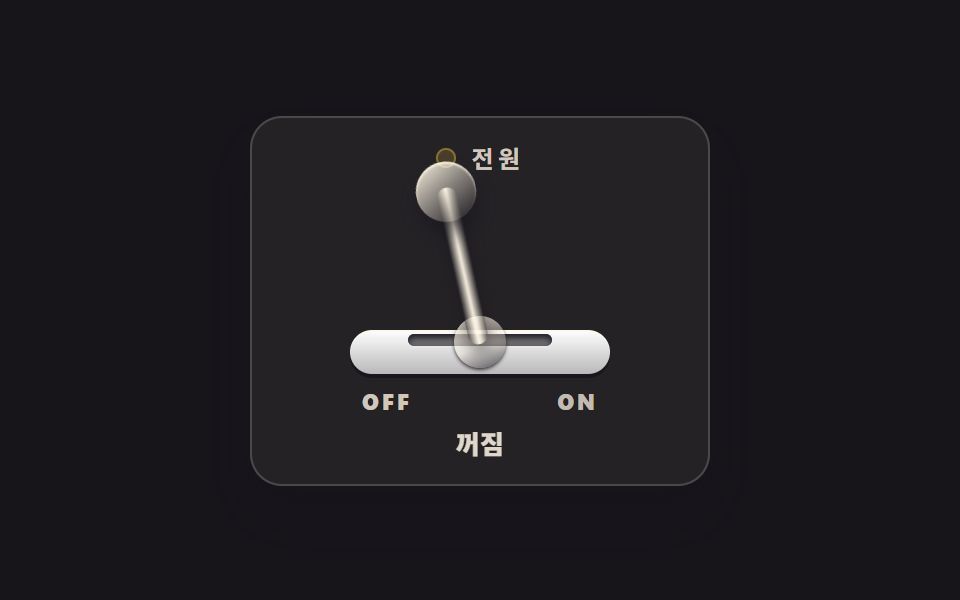 01 skeuo-toggle-lever
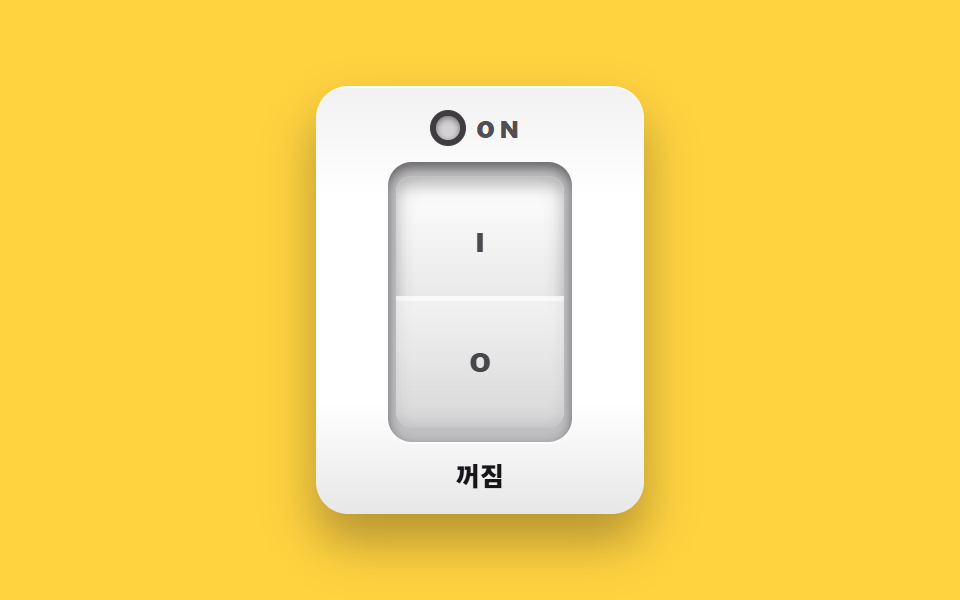 02 skeuo-rocker-switch
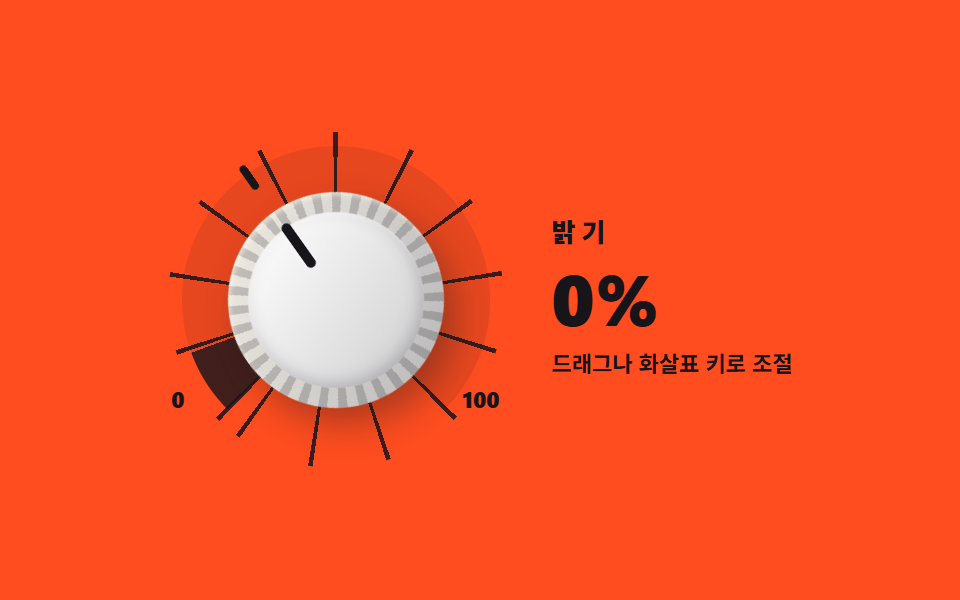 03 skeuo-dial-knob
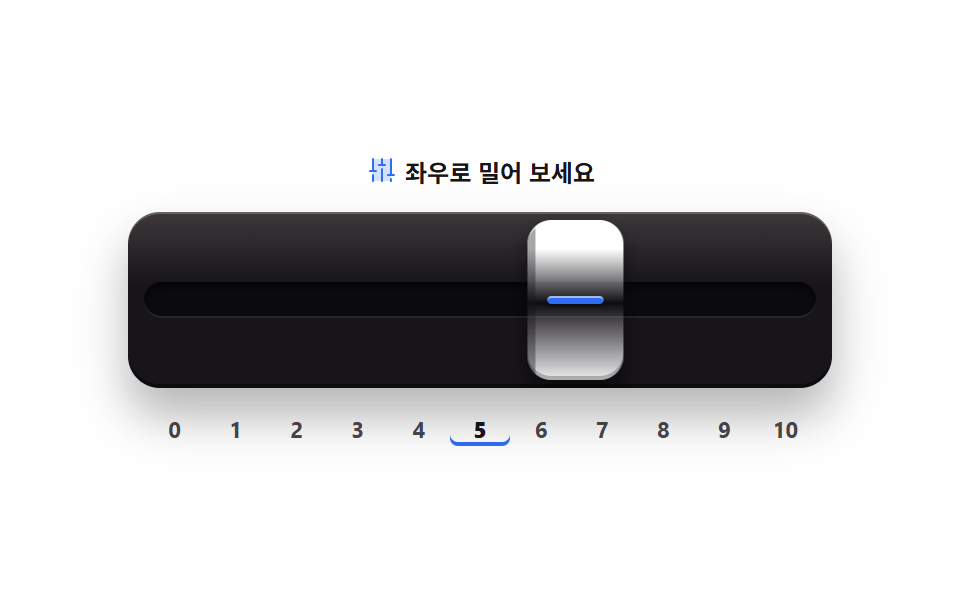 04 skeuo-push-slider
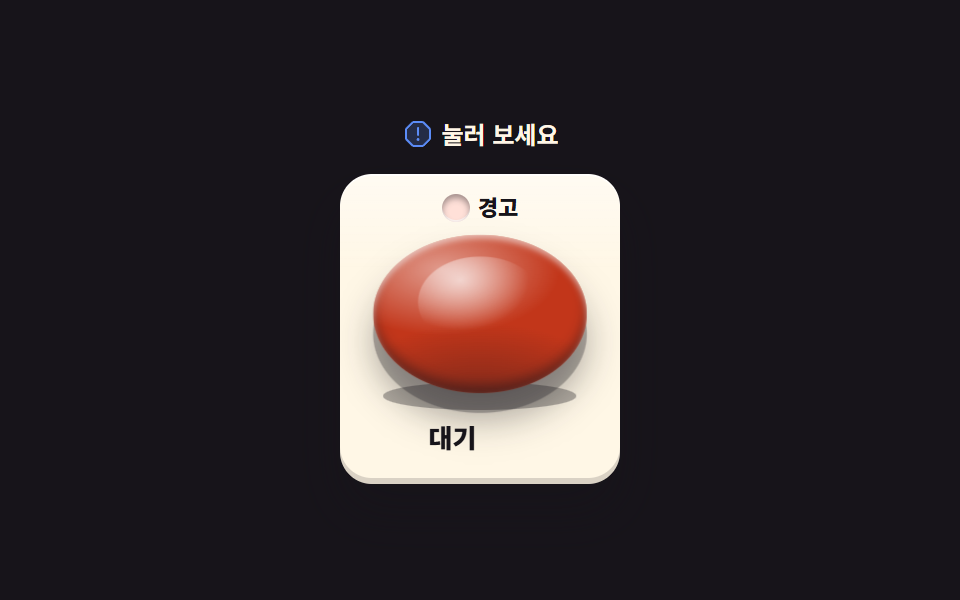 05 skeuo-bang-button
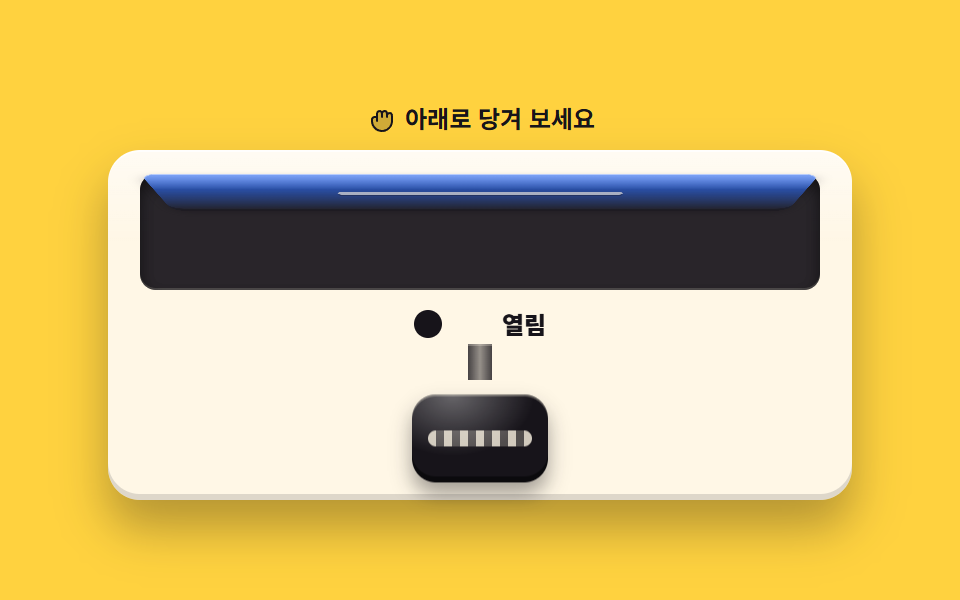 06 skeuo-pull-knob
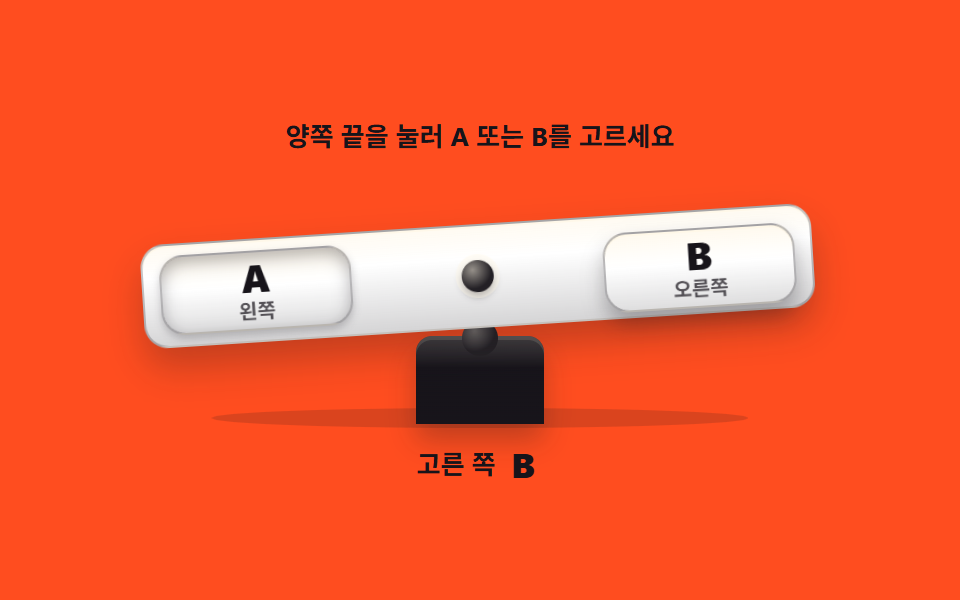 07 skeuo-seesaw-switch
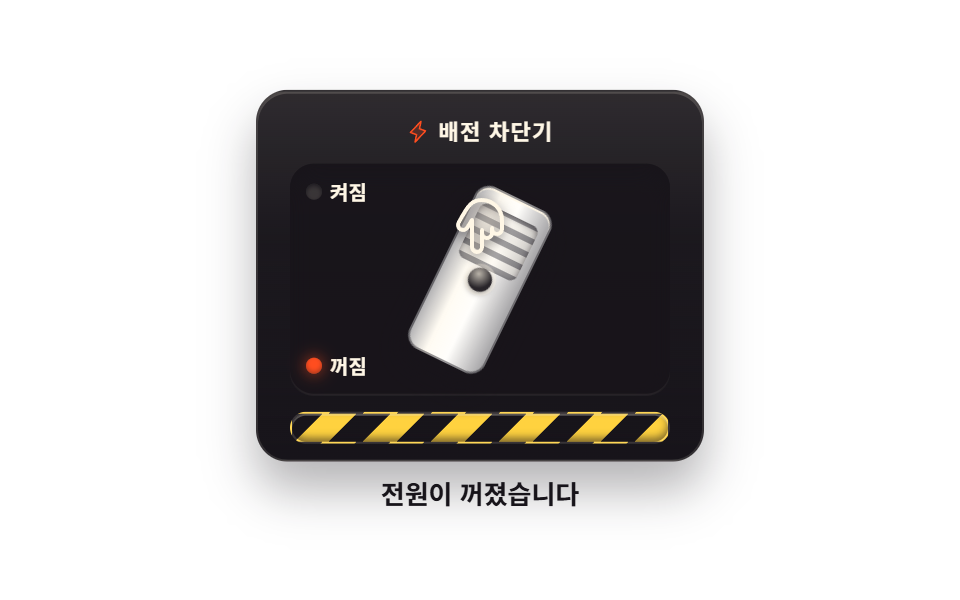 08 skeuo-breaker-switch
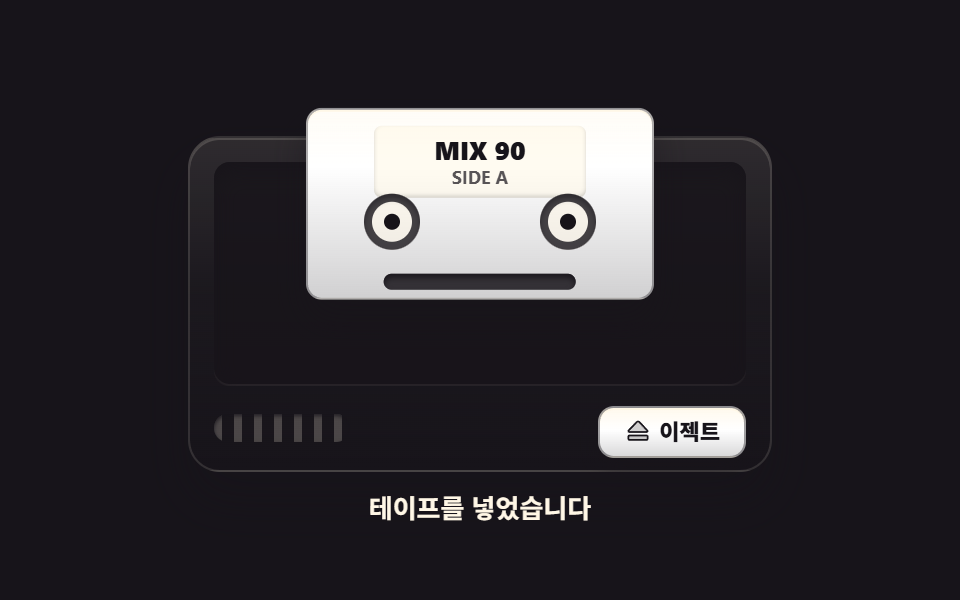 09 skeuo-cassette-eject
Auto-plays · click a tile to jump to its section · all nine in one zip
- 01 Toggle lever switch
- 02 Rocker power switch
- 03 Rotary dial knob
- 04 Push fader slider
- 05 Emergency bang button
- 06 Pull-to-open knob
- 07 Seesaw tilt switch
- 08 Breaker switch
- 09 Cassette eject button
The order climbs from a flat panel to a whole machine. The first two are binary tilts on one axis: a lever that pivots on its dome (01) and a rocker whose pressed side sinks (02). The next two hold continuous values you drag: a rotary dial that turns a tick ring (03) and a channel fader that cushions at each end (04). Then comes depth: an emergency button that sinks into the panel (05) and a knob you pull down until a lid gives way (06). The last three are scenes with consequences — a plank that tips toward your choice (07), a breaker handle that falls with real weight (08), and a tape deck that spits out its cassette (09). Stage colors cycle through ink, yellow, orange, and paper across the nine. If you came for motion on press rather than hardware imitation, nine button animations and the button design collection are the neighbors; what each control does after the click — loading, saving, done — is button state feedback, and smaller round controls live in icon button patterns.
01Toggle lever switch
A lever that pivots on its dome
A metal lever tilts around its pivot to choose on or off, and on release it springs once before settling — the wiring an audio rack power panel wants, with the on state shown as both an LED dot and the word ON, announced through role="switch" and aria-checked.
<main class="stage">
<div class="tl is-demo" id="tl">
  <section class="tl__panel">
    <p class="tl__head"><span class="tl__led" aria-hidden="true"></span><span class="tl__name">Power</span></p>
    <div class="tl__assembly">
      <span class="tl__bracket" aria-hidden="true"></span>
      <span class="tl__slot" aria-hidden="true"></span>
      <span class="tl__dome" aria-hidden="true"></span>
      <button class="tl__hit" id="tlLever" type="button" role="switch" aria-checked="false" aria-label="Power lever">
        <span class="tl__armWrap" aria-hidden="true"><span class="tl__grip"></span></span>
      </button>
    </div>
    <p class="tl__marks" aria-hidden="true"><span class="tl__mark tl__mark--off">OFF</span><span class="tl__mark tl__mark--on">ON</span></p>
    <p class="tl__state" role="status"><span class="tl__wordOff">Off</span><span class="tl__wordOn">On</span></p>
  </section>
</div>
</main>
@use "../../../../site/static/demo-tokens" as *;
// 토글 레버 스위치 — 금속 레버가 관절(돔)을 축으로 좌우로 기울어 on·off 를 가른다.
// 손을 떼는 순간의 스프링 튕김은 $easing(오버슈트 베지에)이 transition 한 번으로 만든다.
// 켜짐은 LED 점과 ON 글자 둘로 알린다(색만으로 상태를 말하지 않는다). role="switch" + aria-checked.
// 미리보기(.is-demo)는 레버가 좌우로 왕복하며 LED·글자가 steps(1,end) 컷으로 따라 바뀐다.
$duration: $dur-quick;
$easing: cubic-bezier(.2, 1.4, .4, 1); // = $ease-pop — 칩 값 그대로 노출
$color: $stage-paper;
@include stage($stage-ink);
.tl { display: grid; place-items: center; width: 100%; }
.tl__panel {
box-sizing: border-box; width: clamp(190px, 60vw, 230px);
display: flex; flex-direction: column; align-items: center; gap: $sp-2;
padding: $sp-3; border-radius: $r-card;
background: rgba($subject-cream, .06);
border: 1px solid rgba($subject-cream, .18);
box-shadow: $shadow-raised;
}
.tl__head { display: flex; align-items: center; gap: $sp-2; margin: 0; height: 16px; }
.tl__led {
width: 10px; height: 10px; border-radius: 50%; flex: 0 0 auto;
background: rgba($stage-yellow, .16);
box-shadow: inset 0 0 0 1px rgba($stage-yellow, .35);
}
.tl__name {
font-weight: 700; font-size: clamp(10px, 2.6vw, 12px); line-height: 1;
letter-spacing: .18em; color: rgba($subject-cream, .78);
}
// ── 레버 어셈블리 ────────────────────────────────────────────
.tl__assembly { position: relative; width: 130px; height: 92px; }
.tl__bracket {
position: absolute; left: 0; bottom: 0; width: 130px; height: 22px;
border-radius: $r-control;
background: linear-gradient(180deg, $color, rgba($subject-ink, .30)), $color;
box-shadow: 0 2px 0 rgba($stage-ink, .8), inset 0 1px 0 rgba($subject-cream, .8);
}
.tl__slot {
position: absolute; left: 50%; top: 72px; width: 72px; height: 6px;
margin-left: -36px; border-radius: $r-pill; background: rgba($stage-ink, .6);
box-shadow: inset 0 2px 3px rgba($stage-ink, .9), 0 1px 0 rgba($subject-cream, .16);
}
.tl__dome {
position: absolute; left: calc(50% - 13px); bottom: 3px; width: 26px; height: 26px;
border-radius: 50%;
background: linear-gradient(155deg, rgba($subject-cream, .95), rgba($subject-cream, .35) 55%, rgba($stage-ink, .65));
box-shadow: 0 1px 2px rgba($stage-ink, .9);
}
.tl__hit {
position: absolute; inset: 0; z-index: 5; margin: 0; padding: 0;
border: 0; background: transparent; cursor: pointer;
}
.tl__hit:focus-visible { outline: 2px solid $stage-yellow; outline-offset: 2px; border-radius: $r-control; }
// 레버 팔 — transform-origin 을 팔 밑(돔 중심)에 두고 좌우로 기울어진다
.tl__armWrap {
position: absolute; left: calc(50% - 5px); bottom: 15px; width: 10px; height: 80px;
border-radius: $r-pill; transform-origin: 50% 100%; transform: rotate(-24deg);
transition: transform $duration $easing;
background: linear-gradient(90deg,
rgba($stage-ink, .55), rgba($subject-cream, .82) 42%,
rgba($subject-cream, .95) 50%, rgba($subject-cream, .70) 62%, rgba($stage-ink, .50));
box-shadow: 0 4px 8px rgba($stage-ink, .55);
}
.tl__grip {
position: absolute; top: -13px; left: calc(50% - 15px); width: 30px; height: 30px;
border-radius: 50%;
background: linear-gradient(150deg, rgba($subject-cream, .96), rgba($subject-cream, .45) 48%, rgba($stage-ink, .55));
box-shadow: 0 6px 10px rgba($stage-ink, .6), inset 0 1px 1px rgba($subject-cream, .9);
}
// ── 상태 ─────────────────────────────────────────────────────
.tl__marks { display: flex; justify-content: space-between; width: 118px; margin: 0; }
.tl__mark {
font-weight: 800; font-size: clamp(9px, 2.4vw, 11px); line-height: 1; letter-spacing: .14em;
}
.tl__mark--off { color: rgba($subject-cream, .78); }
.tl__mark--on { color: rgba($subject-cream, .72); }
.tl__state { position: relative; margin: 0; width: 60px; height: 16px; }
.tl__wordOff, .tl__wordOn {
position: absolute; inset: 0; display: flex; align-items: center; justify-content: center;
font-weight: 800; font-size: clamp(11px, 2.8vw, 13px); line-height: 1;
}
.tl__wordOff { color: rgba($subject-cream, .85); }
.tl__wordOn { color: $stage-yellow; display: none; }
// 켜짐 — 레버 기울기 · LED · ON 글자 · 상태 단어가 함께 바뀐다
.tl.is-on .tl__armWrap { transform: rotate(24deg); }
.tl.is-on .tl__led {
background: $stage-yellow;
box-shadow: 0 0 10px rgba($stage-yellow, .85), 0 0 0 3px rgba($stage-yellow, .25);
}
.tl.is-on .tl__mark--on { color: $stage-yellow; }
.tl.is-on .tl__mark--off { color: rgba($subject-cream, .72); }
.tl.is-on .tl__wordOn { display: flex; }
.tl.is-on .tl__wordOff { display: none; }
// ── 미리보기 루프(2초 한 바퀴) ────────────────────────────────
// 레버는 오버슈트를 넣었다가 제자리로 돌아온다. LED·글자는 steps(1,end) 컷.
.tl.is-demo .tl__armWrap {
animation-name: tlSwing; animation-duration: $dur-loop;
animation-timing-function: $easing; animation-iteration-count: infinite;
}
@keyframes tlSwing {
0% { transform: rotate(-24deg); }
8% { transform: rotate(-24deg); }
38% { transform: rotate(28deg); }
44% { transform: rotate(23deg); }
48% { transform: rotate(24deg); }
68% { transform: rotate(24deg); }
88% { transform: rotate(-28deg); }
94% { transform: rotate(-23deg); }
97% { transform: rotate(-24deg); }
100% { transform: rotate(-24deg); }
}
.tl.is-demo .tl__led {
animation-name: tlLed; animation-duration: $dur-loop;
animation-timing-function: steps(1, end); animation-iteration-count: infinite;
}
@keyframes tlLed {
0% { background: rgba($stage-yellow, .16); box-shadow: inset 0 0 0 1px rgba($stage-yellow, .35); }
46% { background: $stage-yellow; box-shadow: 0 0 10px rgba($stage-yellow, .85), 0 0 0 3px rgba($stage-yellow, .25); }
70% { background: rgba($stage-yellow, .16); box-shadow: inset 0 0 0 1px rgba($stage-yellow, .35); }
100% { background: rgba($stage-yellow, .16); box-shadow: inset 0 0 0 1px rgba($stage-yellow, .35); }
}
.tl.is-demo .tl__mark--on {
animation-name: tlMarkOn; animation-duration: $dur-loop;
animation-timing-function: steps(1, end); animation-iteration-count: infinite;
}
@keyframes tlMarkOn {
0% { color: rgba($subject-cream, .72); }
46% { color: $stage-yellow; }
70% { color: rgba($subject-cream, .72); }
100% { color: rgba($subject-cream, .72); }
}
.tl.is-demo .tl__mark--off {
animation-name: tlMarkOff; animation-duration: $dur-loop;
animation-timing-function: steps(1, end); animation-iteration-count: infinite;
}
@keyframes tlMarkOff {
0% { color: rgba($subject-cream, .78); }
46% { color: rgba($subject-cream, .72); }
70% { color: rgba($subject-cream, .78); }
100% { color: rgba($subject-cream, .78); }
}
// 상태 단어는 루프에서 둘 다 띄운 뒤 opacity 컷으로 갈아 낀다(정적 규칙의 display 는 건드리지 않는다)
.tl.is-demo .tl__wordOn { display: flex; opacity: 0; }
.tl.is-demo .tl__wordOff { opacity: 1; }
.tl.is-demo .tl__wordOn {
animation-name: tlWordOn; animation-duration: $dur-loop;
animation-timing-function: steps(1, end); animation-iteration-count: infinite;
}
@keyframes tlWordOn {
0% { opacity: 0; }
46% { opacity: 1; }
70% { opacity: 0; }
100% { opacity: 0; }
}
.tl.is-demo .tl__wordOff {
animation-name: tlWordOff; animation-duration: $dur-loop;
animation-timing-function: steps(1, end); animation-iteration-count: infinite;
}
@keyframes tlWordOff {
0% { opacity: 1; }
46% { opacity: 0; }
70% { opacity: 1; }
100% { opacity: 1; }
}
@media (max-width: 340px) {
.tl__panel { gap: $sp-1; padding: $sp-2; }
.tl__assembly { width: 110px; height: 66px; }
.tl__bracket { width: 110px; height: 18px; }
.tl__slot { top: 52px; left: calc(50% - 30px); width: 60px; }
.tl__dome { width: 20px; height: 20px; left: calc(50% - 10px); bottom: 2px; }
.tl__armWrap { height: 56px; bottom: 11px; }
.tl__grip { width: 24px; height: 24px; left: calc(50% - 12px); top: -10px; }
.tl__marks { width: 100px; }
.tl__state { height: 14px; }
}
@media (prefers-reduced-motion: reduce) {
.tl.is-demo .tl__armWrap { animation: none !important; transform: rotate(-24deg) !important; }
.tl.is-demo .tl__led { animation: none !important; }
.tl.is-demo .tl__mark--on { animation: none !important; }
.tl.is-demo .tl__mark--off { animation: none !important; }
.tl.is-demo .tl__wordOn { animation: none !important; opacity: 0 !important; }
.tl.is-demo .tl__wordOff { animation: none !important; opacity: 1 !important; }
}html, body {
margin: 0;
overflow: hidden;
}
.stage {
box-sizing: border-box;
min-height: 100vh;
display: grid;
place-items: center;
margin: 0;
background: #17141a;
font-family: -apple-system, "Segoe UI", "Noto Sans KR", sans-serif;
padding: clamp(8px, 4vw, 24px);
}
.tl {
display: grid;
place-items: center;
width: 100%;
}
.tl__panel {
box-sizing: border-box;
width: clamp(190px, 60vw, 230px);
display: flex;
flex-direction: column;
align-items: center;
gap: 8px;
padding: 12px;
border-radius: 16px;
background: rgba(255, 247, 230, 0.06);
border: 1px solid rgba(255, 247, 230, 0.18);
box-shadow: 0 14px 24px rgba(23, 20, 26, 0.32);
}
.tl__head {
display: flex;
align-items: center;
gap: 8px;
margin: 0;
height: 16px;
}
.tl__led {
width: 10px;
height: 10px;
border-radius: 50%;
flex: 0 0 auto;
background: rgba(255, 210, 63, 0.16);
box-shadow: inset 0 0 0 1px rgba(255, 210, 63, 0.35);
}
.tl__name {
font-weight: 700;
font-size: clamp(10px, 2.6vw, 12px);
line-height: 1;
letter-spacing: 0.18em;
color: rgba(255, 247, 230, 0.78);
}
.tl__assembly {
position: relative;
width: 130px;
height: 92px;
}
.tl__bracket {
position: absolute;
left: 0;
bottom: 0;
width: 130px;
height: 22px;
border-radius: 12px;
background: linear-gradient(180deg, #ffffff, rgba(23, 20, 26, 0.3)), #ffffff;
box-shadow: 0 2px 0 rgba(23, 20, 26, 0.8), inset 0 1px 0 rgba(255, 247, 230, 0.8);
}
.tl__slot {
position: absolute;
left: 50%;
top: 72px;
width: 72px;
height: 6px;
margin-left: -36px;
border-radius: 999px;
background: rgba(23, 20, 26, 0.6);
box-shadow: inset 0 2px 3px rgba(23, 20, 26, 0.9), 0 1px 0 rgba(255, 247, 230, 0.16);
}
.tl__dome {
position: absolute;
left: calc(50% - 13px);
bottom: 3px;
width: 26px;
height: 26px;
border-radius: 50%;
background: linear-gradient(155deg, rgba(255, 247, 230, 0.95), rgba(255, 247, 230, 0.35) 55%, rgba(23, 20, 26, 0.65));
box-shadow: 0 1px 2px rgba(23, 20, 26, 0.9);
}
.tl__hit {
position: absolute;
inset: 0;
z-index: 5;
margin: 0;
padding: 0;
border: 0;
background: transparent;
cursor: pointer;
}
.tl__hit:focus-visible {
outline: 2px solid #ffd23f;
outline-offset: 2px;
border-radius: 12px;
}
.tl__armWrap {
position: absolute;
left: calc(50% - 5px);
bottom: 15px;
width: 10px;
height: 80px;
border-radius: 999px;
transform-origin: 50% 100%;
transform: rotate(-24deg);
transition: transform 220ms cubic-bezier(0.2, 1.4, 0.4, 1);
background: linear-gradient(90deg, rgba(23, 20, 26, 0.55), rgba(255, 247, 230, 0.82) 42%, rgba(255, 247, 230, 0.95) 50%, rgba(255, 247, 230, 0.7) 62%, rgba(23, 20, 26, 0.5));
box-shadow: 0 4px 8px rgba(23, 20, 26, 0.55);
}
.tl__grip {
position: absolute;
top: -13px;
left: calc(50% - 15px);
width: 30px;
height: 30px;
border-radius: 50%;
background: linear-gradient(150deg, rgba(255, 247, 230, 0.96), rgba(255, 247, 230, 0.45) 48%, rgba(23, 20, 26, 0.55));
box-shadow: 0 6px 10px rgba(23, 20, 26, 0.6), inset 0 1px 1px rgba(255, 247, 230, 0.9);
}
.tl__marks {
display: flex;
justify-content: space-between;
width: 118px;
margin: 0;
}
.tl__mark {
font-weight: 800;
font-size: clamp(9px, 2.4vw, 11px);
line-height: 1;
letter-spacing: 0.14em;
}
.tl__mark--off {
color: rgba(255, 247, 230, 0.78);
}
.tl__mark--on {
color: rgba(255, 247, 230, 0.72);
}
.tl__state {
position: relative;
margin: 0;
width: 60px;
height: 16px;
}
.tl__wordOff, .tl__wordOn {
position: absolute;
inset: 0;
display: flex;
align-items: center;
justify-content: center;
font-weight: 800;
font-size: clamp(11px, 2.8vw, 13px);
line-height: 1;
}
.tl__wordOff {
color: rgba(255, 247, 230, 0.85);
}
.tl__wordOn {
color: #ffd23f;
display: none;
}
.tl.is-on .tl__armWrap {
transform: rotate(24deg);
}
.tl.is-on .tl__led {
background: #ffd23f;
box-shadow: 0 0 10px rgba(255, 210, 63, 0.85), 0 0 0 3px rgba(255, 210, 63, 0.25);
}
.tl.is-on .tl__mark--on {
color: #ffd23f;
}
.tl.is-on .tl__mark--off {
color: rgba(255, 247, 230, 0.72);
}
.tl.is-on .tl__wordOn {
display: flex;
}
.tl.is-on .tl__wordOff {
display: none;
}
.tl.is-demo .tl__armWrap {
animation-name: tlSwing;
animation-duration: 2s;
animation-timing-function: cubic-bezier(0.2, 1.4, 0.4, 1);
animation-iteration-count: infinite;
}
@keyframes tlSwing {
0% {
transform: rotate(-24deg);
}
8% {
transform: rotate(-24deg);
}
38% {
transform: rotate(28deg);
}
44% {
transform: rotate(23deg);
}
48% {
transform: rotate(24deg);
}
68% {
transform: rotate(24deg);
}
88% {
transform: rotate(-28deg);
}
94% {
transform: rotate(-23deg);
}
97% {
transform: rotate(-24deg);
}
100% {
transform: rotate(-24deg);
}
}
.tl.is-demo .tl__led {
animation-name: tlLed;
animation-duration: 2s;
animation-timing-function: steps(1, end);
animation-iteration-count: infinite;
}
@keyframes tlLed {
0% {
background: rgba(255, 210, 63, 0.16);
box-shadow: inset 0 0 0 1px rgba(255, 210, 63, 0.35);
}
46% {
background: #ffd23f;
box-shadow: 0 0 10px rgba(255, 210, 63, 0.85), 0 0 0 3px rgba(255, 210, 63, 0.25);
}
70% {
background: rgba(255, 210, 63, 0.16);
box-shadow: inset 0 0 0 1px rgba(255, 210, 63, 0.35);
}
100% {
background: rgba(255, 210, 63, 0.16);
box-shadow: inset 0 0 0 1px rgba(255, 210, 63, 0.35);
}
}
.tl.is-demo .tl__mark--on {
animation-name: tlMarkOn;
animation-duration: 2s;
animation-timing-function: steps(1, end);
animation-iteration-count: infinite;
}
@keyframes tlMarkOn {
0% {
color: rgba(255, 247, 230, 0.72);
}
46% {
color: #ffd23f;
}
70% {
color: rgba(255, 247, 230, 0.72);
}
100% {
color: rgba(255, 247, 230, 0.72);
}
}
.tl.is-demo .tl__mark--off {
animation-name: tlMarkOff;
animation-duration: 2s;
animation-timing-function: steps(1, end);
animation-iteration-count: infinite;
}
@keyframes tlMarkOff {
0% {
color: rgba(255, 247, 230, 0.78);
}
46% {
color: rgba(255, 247, 230, 0.72);
}
70% {
color: rgba(255, 247, 230, 0.78);
}
100% {
color: rgba(255, 247, 230, 0.78);
}
}
.tl.is-demo .tl__wordOn {
display: flex;
opacity: 0;
}
.tl.is-demo .tl__wordOff {
opacity: 1;
}
.tl.is-demo .tl__wordOn {
animation-name: tlWordOn;
animation-duration: 2s;
animation-timing-function: steps(1, end);
animation-iteration-count: infinite;
}
@keyframes tlWordOn {
0% {
opacity: 0;
}
46% {
opacity: 1;
}
70% {
opacity: 0;
}
100% {
opacity: 0;
}
}
.tl.is-demo .tl__wordOff {
animation-name: tlWordOff;
animation-duration: 2s;
animation-timing-function: steps(1, end);
animation-iteration-count: infinite;
}
@keyframes tlWordOff {
0% {
opacity: 1;
}
46% {
opacity: 0;
}
70% {
opacity: 1;
}
100% {
opacity: 1;
}
}
@media (max-width: 340px) {
.tl__panel {
gap: 4px;
padding: 8px;
}
.tl__assembly {
width: 110px;
height: 66px;
}
.tl__bracket {
width: 110px;
height: 18px;
}
.tl__slot {
top: 52px;
left: calc(50% - 30px);
width: 60px;
}
.tl__dome {
width: 20px;
height: 20px;
left: calc(50% - 10px);
bottom: 2px;
}
.tl__armWrap {
height: 56px;
bottom: 11px;
}
.tl__grip {
width: 24px;
height: 24px;
left: calc(50% - 12px);
top: -10px;
}
.tl__marks {
width: 100px;
}
.tl__state {
height: 14px;
}
}
@media (prefers-reduced-motion: reduce) {
.tl.is-demo .tl__armWrap {
animation: none !important;
transform: rotate(-24deg) !important;
}
.tl.is-demo .tl__led {
animation: none !important;
}
.tl.is-demo .tl__mark--on {
animation: none !important;
}
.tl.is-demo .tl__mark--off {
animation: none !important;
}
.tl.is-demo .tl__wordOn {
animation: none !important;
opacity: 0 !important;
}
.tl.is-demo .tl__wordOff {
animation: none !important;
opacity: 1 !important;
}
}var root = document.getElementById('tl');
var lever = document.getElementById('tlLever');
function setOn(on) {
lever.setAttribute('aria-checked', on ? 'true' : 'false');
root.classList.toggle('is-on', on);
}
function toggle() {
root.classList.remove('is-demo');
setOn(lever.getAttribute('aria-checked') !== 'true');
}
lever.addEventListener('pointerdown', function () { root.classList.remove('is-demo'); });
lever.addEventListener('click', toggle);// ToggleLever — vanilla 판(run/013/demo/01-skeuo-toggle-lever/index.html) 의 React 포트.
// 금속 레버가 관절을 축으로 좌우로 기울어 on·off 를 가르고, transition 이 오버슈트로 한 번 튕긴다.
// 값·키프레임은 vanilla 와 같다(다시 타이핑하지 않는다). 클릭하면 미리보기 루프를 뗀다.
import { useState } from "react";
import styles from "./ToggleLever.module.scss";
export type ToggleLeverProps = {
duration?: number;
easing?: string;
color?: string;
};
type Vars = { [k: string]: any };
const NAME_TEXT = "전원";
const STATE_OFF = "꺼짐";
const STATE_ON = "켜짐";
const LEVER_LABEL = "전원 레버";
export default function ToggleLever({
duration = 220,
easing = "cubic-bezier(.2, 1.4, .4, 1)", // = $ease-pop
color = "#ffffff",
}: ToggleLeverProps) {
const [on, setOn] = useState(false);
const [demo, setDemo] = useState(true);
const vars: Vars = {
"--duration": `${duration}ms`,
"--easing": easing,
"--color": color,
};
const cls = [styles.root, demo ? styles.isDemo : "", on ? styles.isOn : ""].filter(Boolean).join(" ");
function toggle() {
setDemo(false);
setOn((prev) => !prev);
}
function wake() {
setDemo(false);
}
return (
<main className={styles.stage}>
<div className={cls} style={vars}>
<section className={styles.panel}>
<p className={styles.head}><span className={styles.led} aria-hidden="true"></span><span className={styles.name}>{NAME_TEXT}</span></p>
<div className={styles.assembly}>
<span className={styles.bracket} aria-hidden="true"></span>
<span className={styles.slot} aria-hidden="true"></span>
<span className={styles.dome} aria-hidden="true"></span>
<button
className={styles.hit}
type="button"
role="switch"
aria-checked={on}
aria-label={LEVER_LABEL}
onPointerDown={wake}
onClick={toggle}
>
<span className={styles.armWrap} aria-hidden="true"><span className={styles.grip}></span></span>
</button>
</div>
<p className={styles.marks} aria-hidden="true">
<span className={`${styles.mark} ${styles.markOff}`}>OFF</span>
<span className={`${styles.mark} ${styles.markOn}`}>ON</span>
</p>
<p className={styles.state} role="status">
<span className={styles.wordOff}>{STATE_OFF}</span>
<span className={styles.wordOn}>{STATE_ON}</span>
</p>
</section>
</div>
</main>
);
}01 · Toggle lever switch — Measured area 4.119% · moving frames 18/23Original by GODRICH · SCSS and React ship in the zip · See the password
.tl__armWrap {
  position: absolute; left: calc(50% - 5px); bottom: 15px; width: 10px; height: 80px;
  border-radius: $r-pill; transform-origin: 50% 100%; transform: rotate(-24deg);
  transition: transform $duration cubic-bezier(.2, 1.4, .4, 1);
  background: linear-gradient(90deg,
    rgba($stage-ink, .55), rgba($subject-cream, .82) 42%,
    rgba($subject-cream, .95) 50%, rgba($subject-cream, .70) 62%, rgba($stage-ink, .50));
  box-shadow: 0 4px 8px rgba($stage-ink, .55);
}
.tl.is-on .tl__armWrap { transform: rotate(24deg); }
Why the word swap is an opacity cut
The origin sits at 50% 100% — the bottom of the arm, the center of the dome it stands on — so ±24 degrees reads as tilting rather than sliding, and the whole spring-back is one transition whose bezier second value of 1.4 overshoots and returns, caught by the measurement as movement in 18 of 23 frame pairs with a cumulative 4.119% of pixels ever changing; meanwhile the state word can only cut, because display never interpolates, so the loop stacks both words in one box and cuts opacity with steps(1, end) — the old word gone in one frame, the new one fully there in the next, and the static path keeps its plain display rules.
.tl.is-demo .tl__wordOn { display: flex; opacity: 0; }
.tl.is-demo .tl__wordOff { opacity: 1; }
.tl.is-demo .tl__wordOn {
  animation-name: tlWordOn; animation-duration: $dur-loop;
  animation-timing-function: steps(1, end); animation-iteration-count: infinite;
}
@keyframes tlWordOn {
  0%   { opacity: 0; }
  46%  { opacity: 1; }
  70%  { opacity: 0; }
  100% { opacity: 0; }
}
02Rocker power switch
Two caps whose shadow lists must match
Press the top face of the rocker and the pressed side sinks while its shadow thins and the far side rises, so the live side reads without color too, through an amber light and the word ON — the shape of a back-panel power switch mockup.
<main class="stage">
<div class="rs is-demo" id="rs">
  <section class="rs__plate">
    <p class="rs__head"><span class="rs__lamp" aria-hidden="true"></span><span class="rs__onWord">ON</span></p>
    <div class="rs__bezel">
      <button class="rs__rocker" id="rsRocker" type="button" role="switch" aria-checked="false" aria-label="Power rocker">
        <span class="rs__cap rs__capTop"><b class="rs__io">I</b></span>
        <span class="rs__cap rs__capBottom"><b class="rs__io">O</b></span>
      </button>
    </div>
    <p class="rs__state" role="status"><span class="rs__wordOff">Off</span><span class="rs__wordOn">On</span></p>
  </section>
</div>
</main>
@use "../../../../site/static/demo-tokens" as *;
// 로커 전원 스위치 — 윗면(I)을 누르면 누른 쪽이 translateY 로 가라앉으며
// inset 그림자가 깊어지고 반대쪽(O)이 떠오른다. 두 cap 의 그림자 리스트는
// 구조를 맞춰(둘 다 inset 2장) 보간이 되게 했다. 켜짐은 주황 표시등과 ON 글자로 —
// 색만으로 상태를 알리지 않는다. role="switch" + aria-checked.
// 미리보기(.is-demo)는 위·아래를 번갈아 눌러 보고 LED·단어는 steps(1,end) 컷.
$duration: $dur-quick;
$easing: $ease-spring;
$color: $stage-paper;
@include stage($stage-yellow);
.rs { display: grid; place-items: center; width: 100%; }
.rs__plate {
box-sizing: border-box; width: clamp(136px, 44vw, 164px);
display: flex; flex-direction: column; align-items: center; gap: $sp-2;
padding: $sp-3; border-radius: $r-card;
background: linear-gradient(180deg, rgba($subject-ink, .06), rgba($subject-ink, 0) 26%, rgba($subject-ink, 0) 74%, rgba($subject-ink, .10)), $color;
box-shadow: $shadow-raised, inset 0 1px 0 rgba($stage-paper, .9);
}
.rs__head { display: flex; align-items: center; gap: $sp-2; margin: 0; height: 18px; }
.rs__lamp {
width: 12px; height: 12px; border-radius: 50%; flex: 0 0 auto;
background: rgba($subject-ink, .16);
box-shadow: inset 0 1px 3px rgba($subject-ink, .5), 0 0 0 3px rgba($subject-ink, .82);
}
.rs__onWord {
font-weight: 800; font-size: clamp(10px, 2.6vw, 12px); line-height: 1;
letter-spacing: .2em; color: rgba($subject-ink, .74);
}
// ── 로커 ─────────────────────────────────────────────────────
.rs__bezel {
padding: $sp-1; border-radius: $r-control;
background: rgba($subject-ink, .26);
box-shadow: inset 0 3px 6px rgba($subject-ink, .55), 0 1px 0 rgba($stage-paper, .8);
}
.rs__rocker {
display: flex; flex-direction: column; margin: 0; padding: 0; border: 0;
width: 84px; height: 132px; background: transparent; cursor: pointer;
}
.rs__rocker:focus-visible { outline: 2px solid $subject-ink; outline-offset: 2px; border-radius: $r-control; }
.rs__cap {
display: flex; align-items: center; justify-content: center;
width: 84px; height: 66px;
transition: transform $duration $easing, box-shadow $duration $easing;
}
.rs__capTop {
border-radius: $r-sm $r-sm 0 0;
background: linear-gradient(180deg, $color, rgba($subject-ink, .10)), $color;
transform: translateY(-3px);
box-shadow: inset 0 -3px 6px rgba($subject-ink, .10), inset 0 2px 0 rgba($stage-paper, .85);
}
.rs__capBottom {
border-radius: 0 0 $r-sm $r-sm;
background: linear-gradient(180deg, rgba($subject-ink, .05), rgba($subject-ink, .17)), $color;
transform: translateY(3px);
box-shadow: inset 0 4px 8px rgba($subject-ink, .32), inset 0 -1px 0 rgba($stage-paper, .40);
}
.rs__io {
font-weight: 800; font-size: 13px; line-height: 1; color: rgba($subject-ink, .76);
}
// 켜짐 — 윗 cap 이 가라앉고 아랫cap 이 뜬다. 표시등·ON 글자·상태 단어가 함께 바뀐다
.rs.is-on .rs__capTop {
transform: translateY(3px);
box-shadow: inset 0 4px 8px rgba($subject-ink, .32), inset 0 -1px 0 rgba($stage-paper, .40);
}
.rs.is-on .rs__capBottom {
transform: translateY(-3px);
box-shadow: inset 0 -3px 6px rgba($subject-ink, .10), inset 0 2px 0 rgba($stage-paper, .85);
}
.rs.is-on .rs__lamp {
background: $stage-orange;
box-shadow: 0 0 12px rgba($stage-orange, .8), 0 0 0 3px rgba($subject-ink, .82);
}
.rs.is-on .rs__onWord { color: $subject-orange-deep; }
.rs__state { position: relative; margin: 0; width: 60px; height: 16px; }
.rs__wordOff, .rs__wordOn {
position: absolute; inset: 0; display: flex; align-items: center; justify-content: center;
font-weight: 800; font-size: clamp(11px, 2.8vw, 13px); line-height: 1;
}
.rs__wordOff { color: $subject-ink; }
.rs__wordOn { display: none; }
.rs.is-on .rs__wordOn { display: flex; }
.rs.is-on .rs__wordOff { display: none; }
// ── 미리보기 루프(2초 한 바퀴) ────────────────────────────────
// 위를 누름(오버슈트 4px) → 유지 → 놓음(튕겨 올라옴) → 유지. 컷 요소는 steps(1,end).
.rs.is-demo .rs__capTop {
animation-name: rsPressTop; animation-duration: $dur-loop;
animation-timing-function: $easing; animation-iteration-count: infinite;
}
@keyframes rsPressTop {
0% { transform: translateY(-3px); box-shadow: inset 0 -3px 6px rgba($subject-ink, .10), inset 0 2px 0 rgba($stage-paper, .85); }
12% { transform: translateY(4px); box-shadow: inset 0 5px 9px rgba($subject-ink, .38), inset 0 -1px 0 rgba($stage-paper, .35); }
18% { transform: translateY(3px); box-shadow: inset 0 4px 8px rgba($subject-ink, .32), inset 0 -1px 0 rgba($stage-paper, .40); }
46% { transform: translateY(3px); box-shadow: inset 0 4px 8px rgba($subject-ink, .32), inset 0 -1px 0 rgba($stage-paper, .40); }
58% { transform: translateY(-4px); box-shadow: inset 0 -4px 7px rgba($subject-ink, .08), inset 0 3px 0 rgba($stage-paper, .9); }
64% { transform: translateY(-3px); box-shadow: inset 0 -3px 6px rgba($subject-ink, .10), inset 0 2px 0 rgba($stage-paper, .85); }
100% { transform: translateY(-3px); box-shadow: inset 0 -3px 6px rgba($subject-ink, .10), inset 0 2px 0 rgba($stage-paper, .85); }
}
.rs.is-demo .rs__capBottom {
animation-name: rsPressBottom; animation-duration: $dur-loop;
animation-timing-function: $easing; animation-iteration-count: infinite;
}
@keyframes rsPressBottom {
0% { transform: translateY(3px); box-shadow: inset 0 4px 8px rgba($subject-ink, .32), inset 0 -1px 0 rgba($stage-paper, .40); }
12% { transform: translateY(-4px); box-shadow: inset 0 -4px 7px rgba($subject-ink, .08), inset 0 3px 0 rgba($stage-paper, .9); }
18% { transform: translateY(-3px); box-shadow: inset 0 -3px 6px rgba($subject-ink, .10), inset 0 2px 0 rgba($stage-paper, .85); }
46% { transform: translateY(-3px); box-shadow: inset 0 -3px 6px rgba($subject-ink, .10), inset 0 2px 0 rgba($stage-paper, .85); }
58% { transform: translateY(4px); box-shadow: inset 0 5px 9px rgba($subject-ink, .38), inset 0 -1px 0 rgba($stage-paper, .35); }
64% { transform: translateY(3px); box-shadow: inset 0 4px 8px rgba($subject-ink, .32), inset 0 -1px 0 rgba($stage-paper, .40); }
100% { transform: translateY(3px); box-shadow: inset 0 4px 8px rgba($subject-ink, .32), inset 0 -1px 0 rgba($stage-paper, .40); }
}
.rs.is-demo .rs__lamp {
animation-name: rsLamp; animation-duration: $dur-loop;
animation-timing-function: steps(1, end); animation-iteration-count: infinite;
}
@keyframes rsLamp {
0% { background: rgba($subject-ink, .16); box-shadow: inset 0 1px 3px rgba($subject-ink, .5), 0 0 0 3px rgba($subject-ink, .82); }
16% { background: $stage-orange; box-shadow: 0 0 12px rgba($stage-orange, .8), 0 0 0 3px rgba($subject-ink, .82); }
62% { background: rgba($subject-ink, .16); box-shadow: inset 0 1px 3px rgba($subject-ink, .5), 0 0 0 3px rgba($subject-ink, .82); }
100% { background: rgba($subject-ink, .16); box-shadow: inset 0 1px 3px rgba($subject-ink, .5), 0 0 0 3px rgba($subject-ink, .82); }
}
.rs.is-demo .rs__onWord {
animation-name: rsOnWord; animation-duration: $dur-loop;
animation-timing-function: steps(1, end); animation-iteration-count: infinite;
}
@keyframes rsOnWord {
0% { color: rgba($subject-ink, .74); }
16% { color: $subject-orange-deep; }
62% { color: rgba($subject-ink, .74); }
100% { color: rgba($subject-ink, .74); }
}
.rs.is-demo .rs__wordOn { display: flex; opacity: 0; }
.rs.is-demo .rs__wordOff { opacity: 1; }
.rs.is-demo .rs__wordOn {
animation-name: rsWordOn; animation-duration: $dur-loop;
animation-timing-function: steps(1, end); animation-iteration-count: infinite;
}
@keyframes rsWordOn {
0% { opacity: 0; }
16% { opacity: 1; }
62% { opacity: 0; }
100% { opacity: 0; }
}
.rs.is-demo .rs__wordOff {
animation-name: rsWordOff; animation-duration: $dur-loop;
animation-timing-function: steps(1, end); animation-iteration-count: infinite;
}
@keyframes rsWordOff {
0% { opacity: 1; }
16% { opacity: 0; }
62% { opacity: 1; }
100% { opacity: 1; }
}
@media (max-width: 340px) {
.rs__plate { gap: $sp-1; padding: $sp-2; }
.rs__head { height: 14px; }
.rs__rocker { width: 68px; height: 104px; }
.rs__cap { width: 68px; height: 52px; }
.rs__io { font-size: 11px; }
.rs__state { height: 14px; }
}
@media (prefers-reduced-motion: reduce) {
.rs.is-demo .rs__capTop { animation: none !important; transform: translateY(-3px) !important; }
.rs.is-demo .rs__capBottom { animation: none !important; transform: translateY(3px) !important; }
.rs.is-demo .rs__lamp { animation: none !important; }
.rs.is-demo .rs__onWord { animation: none !important; }
.rs.is-demo .rs__wordOn { animation: none !important; opacity: 0 !important; }
.rs.is-demo .rs__wordOff { animation: none !important; opacity: 1 !important; }
}html, body {
margin: 0;
overflow: hidden;
}
.stage {
box-sizing: border-box;
min-height: 100vh;
display: grid;
place-items: center;
margin: 0;
background: #ffd23f;
font-family: -apple-system, "Segoe UI", "Noto Sans KR", sans-serif;
padding: clamp(8px, 4vw, 24px);
}
.rs {
display: grid;
place-items: center;
width: 100%;
}
.rs__plate {
box-sizing: border-box;
width: clamp(136px, 44vw, 164px);
display: flex;
flex-direction: column;
align-items: center;
gap: 8px;
padding: 12px;
border-radius: 16px;
background: linear-gradient(180deg, rgba(23, 20, 26, 0.06), rgba(23, 20, 26, 0) 26%, rgba(23, 20, 26, 0) 74%, rgba(23, 20, 26, 0.1)), #ffffff;
box-shadow: 0 14px 24px rgba(23, 20, 26, 0.32), inset 0 1px 0 rgba(255, 255, 255, 0.9);
}
.rs__head {
display: flex;
align-items: center;
gap: 8px;
margin: 0;
height: 18px;
}
.rs__lamp {
width: 12px;
height: 12px;
border-radius: 50%;
flex: 0 0 auto;
background: rgba(23, 20, 26, 0.16);
box-shadow: inset 0 1px 3px rgba(23, 20, 26, 0.5), 0 0 0 3px rgba(23, 20, 26, 0.82);
}
.rs__onWord {
font-weight: 800;
font-size: clamp(10px, 2.6vw, 12px);
line-height: 1;
letter-spacing: 0.2em;
color: rgba(23, 20, 26, 0.74);
}
.rs__bezel {
padding: 4px;
border-radius: 12px;
background: rgba(23, 20, 26, 0.26);
box-shadow: inset 0 3px 6px rgba(23, 20, 26, 0.55), 0 1px 0 rgba(255, 255, 255, 0.8);
}
.rs__rocker {
display: flex;
flex-direction: column;
margin: 0;
padding: 0;
border: 0;
width: 84px;
height: 132px;
background: transparent;
cursor: pointer;
}
.rs__rocker:focus-visible {
outline: 2px solid #17141a;
outline-offset: 2px;
border-radius: 12px;
}
.rs__cap {
display: flex;
align-items: center;
justify-content: center;
width: 84px;
height: 66px;
transition: transform 220ms cubic-bezier(0.2, 0.8, 0.2, 1), box-shadow 220ms cubic-bezier(0.2, 0.8, 0.2, 1);
}
.rs__capTop {
border-radius: 8px 8px 0 0;
background: linear-gradient(180deg, #ffffff, rgba(23, 20, 26, 0.1)), #ffffff;
transform: translateY(-3px);
box-shadow: inset 0 -3px 6px rgba(23, 20, 26, 0.1), inset 0 2px 0 rgba(255, 255, 255, 0.85);
}
.rs__capBottom {
border-radius: 0 0 8px 8px;
background: linear-gradient(180deg, rgba(23, 20, 26, 0.05), rgba(23, 20, 26, 0.17)), #ffffff;
transform: translateY(3px);
box-shadow: inset 0 4px 8px rgba(23, 20, 26, 0.32), inset 0 -1px 0 rgba(255, 255, 255, 0.4);
}
.rs__io {
font-weight: 800;
font-size: 13px;
line-height: 1;
color: rgba(23, 20, 26, 0.76);
}
.rs.is-on .rs__capTop {
transform: translateY(3px);
box-shadow: inset 0 4px 8px rgba(23, 20, 26, 0.32), inset 0 -1px 0 rgba(255, 255, 255, 0.4);
}
.rs.is-on .rs__capBottom {
transform: translateY(-3px);
box-shadow: inset 0 -3px 6px rgba(23, 20, 26, 0.1), inset 0 2px 0 rgba(255, 255, 255, 0.85);
}
.rs.is-on .rs__lamp {
background: #ff4d1f;
box-shadow: 0 0 12px rgba(255, 77, 31, 0.8), 0 0 0 3px rgba(23, 20, 26, 0.82);
}
.rs.is-on .rs__onWord {
color: #c93000;
}
.rs__state {
position: relative;
margin: 0;
width: 60px;
height: 16px;
}
.rs__wordOff, .rs__wordOn {
position: absolute;
inset: 0;
display: flex;
align-items: center;
justify-content: center;
font-weight: 800;
font-size: clamp(11px, 2.8vw, 13px);
line-height: 1;
}
.rs__wordOff {
color: #17141a;
}
.rs__wordOn {
display: none;
}
.rs.is-on .rs__wordOn {
display: flex;
}
.rs.is-on .rs__wordOff {
display: none;
}
.rs.is-demo .rs__capTop {
animation-name: rsPressTop;
animation-duration: 2s;
animation-timing-function: cubic-bezier(0.2, 0.8, 0.2, 1);
animation-iteration-count: infinite;
}
@keyframes rsPressTop {
0% {
transform: translateY(-3px);
box-shadow: inset 0 -3px 6px rgba(23, 20, 26, 0.1), inset 0 2px 0 rgba(255, 255, 255, 0.85);
}
12% {
transform: translateY(4px);
box-shadow: inset 0 5px 9px rgba(23, 20, 26, 0.38), inset 0 -1px 0 rgba(255, 255, 255, 0.35);
}
18% {
transform: translateY(3px);
box-shadow: inset 0 4px 8px rgba(23, 20, 26, 0.32), inset 0 -1px 0 rgba(255, 255, 255, 0.4);
}
46% {
transform: translateY(3px);
box-shadow: inset 0 4px 8px rgba(23, 20, 26, 0.32), inset 0 -1px 0 rgba(255, 255, 255, 0.4);
}
58% {
transform: translateY(-4px);
box-shadow: inset 0 -4px 7px rgba(23, 20, 26, 0.08), inset 0 3px 0 rgba(255, 255, 255, 0.9);
}
64% {
transform: translateY(-3px);
box-shadow: inset 0 -3px 6px rgba(23, 20, 26, 0.1), inset 0 2px 0 rgba(255, 255, 255, 0.85);
}
100% {
transform: translateY(-3px);
box-shadow: inset 0 -3px 6px rgba(23, 20, 26, 0.1), inset 0 2px 0 rgba(255, 255, 255, 0.85);
}
}
.rs.is-demo .rs__capBottom {
animation-name: rsPressBottom;
animation-duration: 2s;
animation-timing-function: cubic-bezier(0.2, 0.8, 0.2, 1);
animation-iteration-count: infinite;
}
@keyframes rsPressBottom {
0% {
transform: translateY(3px);
box-shadow: inset 0 4px 8px rgba(23, 20, 26, 0.32), inset 0 -1px 0 rgba(255, 255, 255, 0.4);
}
12% {
transform: translateY(-4px);
box-shadow: inset 0 -4px 7px rgba(23, 20, 26, 0.08), inset 0 3px 0 rgba(255, 255, 255, 0.9);
}
18% {
transform: translateY(-3px);
box-shadow: inset 0 -3px 6px rgba(23, 20, 26, 0.1), inset 0 2px 0 rgba(255, 255, 255, 0.85);
}
46% {
transform: translateY(-3px);
box-shadow: inset 0 -3px 6px rgba(23, 20, 26, 0.1), inset 0 2px 0 rgba(255, 255, 255, 0.85);
}
58% {
transform: translateY(4px);
box-shadow: inset 0 5px 9px rgba(23, 20, 26, 0.38), inset 0 -1px 0 rgba(255, 255, 255, 0.35);
}
64% {
transform: translateY(3px);
box-shadow: inset 0 4px 8px rgba(23, 20, 26, 0.32), inset 0 -1px 0 rgba(255, 255, 255, 0.4);
}
100% {
transform: translateY(3px);
box-shadow: inset 0 4px 8px rgba(23, 20, 26, 0.32), inset 0 -1px 0 rgba(255, 255, 255, 0.4);
}
}
.rs.is-demo .rs__lamp {
animation-name: rsLamp;
animation-duration: 2s;
animation-timing-function: steps(1, end);
animation-iteration-count: infinite;
}
@keyframes rsLamp {
0% {
background: rgba(23, 20, 26, 0.16);
box-shadow: inset 0 1px 3px rgba(23, 20, 26, 0.5), 0 0 0 3px rgba(23, 20, 26, 0.82);
}
16% {
background: #ff4d1f;
box-shadow: 0 0 12px rgba(255, 77, 31, 0.8), 0 0 0 3px rgba(23, 20, 26, 0.82);
}
62% {
background: rgba(23, 20, 26, 0.16);
box-shadow: inset 0 1px 3px rgba(23, 20, 26, 0.5), 0 0 0 3px rgba(23, 20, 26, 0.82);
}
100% {
background: rgba(23, 20, 26, 0.16);
box-shadow: inset 0 1px 3px rgba(23, 20, 26, 0.5), 0 0 0 3px rgba(23, 20, 26, 0.82);
}
}
.rs.is-demo .rs__onWord {
animation-name: rsOnWord;
animation-duration: 2s;
animation-timing-function: steps(1, end);
animation-iteration-count: infinite;
}
@keyframes rsOnWord {
0% {
color: rgba(23, 20, 26, 0.74);
}
16% {
color: #c93000;
}
62% {
color: rgba(23, 20, 26, 0.74);
}
100% {
color: rgba(23, 20, 26, 0.74);
}
}
.rs.is-demo .rs__wordOn {
display: flex;
opacity: 0;
}
.rs.is-demo .rs__wordOff {
opacity: 1;
}
.rs.is-demo .rs__wordOn {
animation-name: rsWordOn;
animation-duration: 2s;
animation-timing-function: steps(1, end);
animation-iteration-count: infinite;
}
@keyframes rsWordOn {
0% {
opacity: 0;
}
16% {
opacity: 1;
}
62% {
opacity: 0;
}
100% {
opacity: 0;
}
}
.rs.is-demo .rs__wordOff {
animation-name: rsWordOff;
animation-duration: 2s;
animation-timing-function: steps(1, end);
animation-iteration-count: infinite;
}
@keyframes rsWordOff {
0% {
opacity: 1;
}
16% {
opacity: 0;
}
62% {
opacity: 1;
}
100% {
opacity: 1;
}
}
@media (max-width: 340px) {
.rs__plate {
gap: 4px;
padding: 8px;
}
.rs__head {
height: 14px;
}
.rs__rocker {
width: 68px;
height: 104px;
}
.rs__cap {
width: 68px;
height: 52px;
}
.rs__io {
font-size: 11px;
}
.rs__state {
height: 14px;
}
}
@media (prefers-reduced-motion: reduce) {
.rs.is-demo .rs__capTop {
animation: none !important;
transform: translateY(-3px) !important;
}
.rs.is-demo .rs__capBottom {
animation: none !important;
transform: translateY(3px) !important;
}
.rs.is-demo .rs__lamp {
animation: none !important;
}
.rs.is-demo .rs__onWord {
animation: none !important;
}
.rs.is-demo .rs__wordOn {
animation: none !important;
opacity: 0 !important;
}
.rs.is-demo .rs__wordOff {
animation: none !important;
opacity: 1 !important;
}
}var root = document.getElementById('rs');
var rocker = document.getElementById('rsRocker');
function setOn(on) {
rocker.setAttribute('aria-checked', on ? 'true' : 'false');
root.classList.toggle('is-on', on);
}
function toggle() {
root.classList.remove('is-demo');
setOn(rocker.getAttribute('aria-checked') !== 'true');
}
rocker.addEventListener('pointerdown', function () { root.classList.remove('is-demo'); });
rocker.addEventListener('click', toggle);// RockerSwitch — vanilla 판(run/013/demo/02-skeuo-rocker-switch/index.html) 의 React 포트.
// 윗면(I)을 누르면 그쪽이 가라앉고 반대쪽(O)이 뜬다. 값·키프레임은 vanilla 와 같다.
import { useState } from "react";
import styles from "./RockerSwitch.module.scss";
export type RockerSwitchProps = {
duration?: number;
easing?: string;
color?: string;
};
type Vars = { [k: string]: any };
const ROCKER_LABEL = "전원 로커";
const STATE_OFF = "꺼짐";
const STATE_ON = "켜짐";
export default function RockerSwitch({
duration = 220,
easing = "cubic-bezier(.2, .8, .2, 1)", // = $ease-spring
color = "#ffffff",
}: RockerSwitchProps) {
const [on, setOn] = useState(false);
const [demo, setDemo] = useState(true);
const vars: Vars = {
"--duration": `${duration}ms`,
"--easing": easing,
"--color": color,
};
const cls = [styles.root, demo ? styles.isDemo : "", on ? styles.isOn : ""].filter(Boolean).join(" ");
function toggle() {
setDemo(false);
setOn((prev) => !prev);
}
function wake() {
setDemo(false);
}
return (
<main className={styles.stage}>
<div className={cls} style={vars}>
<section className={styles.plate}>
<p className={styles.head}><span className={styles.lamp} aria-hidden="true"></span><span className={styles.onWord}>ON</span></p>
<div className={styles.bezel}>
<button
className={styles.rocker}
type="button"
role="switch"
aria-checked={on}
aria-label={ROCKER_LABEL}
onPointerDown={wake}
onClick={toggle}
>
<span className={`${styles.cap} ${styles.capTop}`}><b className={styles.io}>I</b></span>
<span className={`${styles.cap} ${styles.capBottom}`}><b className={styles.io}>O</b></span>
</button>
</div>
<p className={styles.state} role="status">
<span className={styles.wordOff}>{STATE_OFF}</span>
<span className={styles.wordOn}>{STATE_ON}</span>
</p>
</section>
</div>
</main>
);
}02 · Rocker power switch — Measured area 3.633% · moving frames 8/23Original by GODRICH · SCSS and React ship in the zip · See the password
.rs__capTop {
  border-radius: $r-sm $r-sm 0 0;
  background: linear-gradient(180deg, $color, rgba($subject-ink, .10)), $color;
  transform: translateY(-3px);
  box-shadow: inset 0 -3px 6px rgba($subject-ink, .10), inset 0 2px 0 rgba($stage-paper, .85);
}
.rs__capBottom {
  border-radius: 0 0 $r-sm $r-sm;
  background: linear-gradient(180deg, rgba($subject-ink, .05), rgba($subject-ink, .17)), $color;
  transform: translateY(3px);
  box-shadow: inset 0 4px 8px rgba($subject-ink, .32), inset 0 -1px 0 rgba($stage-paper, .40);
}
.rs.is-on .rs__capTop {
  transform: translateY(3px);
  box-shadow: inset 0 4px 8px rgba($subject-ink, .32), inset 0 -1px 0 rgba($stage-paper, .40);
}
The overshoot that makes it plastic
Both caps carry two inset layers in the same order and the on-state overrides reuse exactly that structure, because a box-shadow transition only interpolates when the lists match layer for layer — per MDN's box-shadow notes — and this is the quietest of the nine at 8 of 23 frame pairs moved and 3.633% cumulative area, the whole trip being three pixels of translateY plus a shadow shift.
@keyframes rsPressTop {
  0%   { transform: translateY(-3px); }
  12%  { transform: translateY(4px); }
  18%  { transform: translateY(3px); }
  46%  { transform: translateY(3px); }
  58%  { transform: translateY(-4px); }
  64%  { transform: translateY(-3px); }
  100% { transform: translateY(-3px); }
}
The preview presses each side in turn, each press going one pixel past its resting place before settling — a hard plastic cap with a hair of over-travel.
03Rotary dial knob
One property that makes the arc animatable
Drag the css rotary knob and the value rises and falls with the angle while the needle on the tick ring follows, announcing minimum, maximum, and current value together through role="slider" — the contract a lighting brightness panel expects.
<main class="stage">
<div class="dk is-demo" id="dk">
  <div class="dk__ring" id="dkRing">
    <span class="dk__ticks" aria-hidden="true"></span>
    <span class="dk__arc" aria-hidden="true"></span>
    <span class="dk__needle" aria-hidden="true"></span>
    <div class="dk__knobWrap">
      <button class="dk__knob" id="dkKnob" type="button" role="slider" aria-label="Brightness dial"
        aria-valuemin="0" aria-valuemax="100" aria-valuenow="0" aria-valuetext="0%"></button>
    </div>
    <span class="dk__scaleMin" aria-hidden="true">0</span>
    <span class="dk__scaleMax" aria-hidden="true">100</span>
  </div>
  <div class="dk__side">
    <p class="dk__label">Brightness</p>
    <p class="dk__readout">
      <b class="dk__value" id="dkValue">0%</b>
      <span class="dk__demoDigits" aria-hidden="true"><i class="dk__digit dk__digit--0">0%</i><i class="dk__digit dk__digit--1">20%</i><i class="dk__digit dk__digit--2">40%</i><i class="dk__digit dk__digit--3">60%</i><i class="dk__digit dk__digit--4">80%</i><i class="dk__digit dk__digit--5">100%</i></span>
    </p>
    <p class="dk__hint">Drag or use arrow keys</p>
  </div>
</div>
</main>
@use "../../../../site/static/demo-tokens" as *;
// 회전 다이얼 노브 — 노브를 드래그해 돌리면 각도만큼 값이 오르내린다.
// 눈금 링은 repeating-conic-gradient(눈금 11개, 27도 간격), 진행 호는 conic-gradient 가
// --fill(0~1) 에 따라 채운다. 바늘과 노브 각인은 같은 각도로 돈다.
// role="slider" + aria-valuemin/max/now, 화살표 키·Home·End 지원. 드래그는 pointermove.
// 미리보기(.is-demo)는 노브가 좌우로 왕복 트는 것을 CSS 로 재생하고 값 글자는 steps(1,end) 컷.
// 진행 호를 애니메이션하려면 --fill 이 숫자로 등록되어 있어야 한다(262-08 실측 계열)
@property --fill {
syntax: '<number>';
inherits: true;
initial-value: 0;
}
$duration: $dur-quick;
$easing: $ease-spring;
$color: $stage-paper;
@include stage($stage-orange);
.dk { display: flex; align-items: center; justify-content: center; gap: $sp-6; width: 100%; }
// ── 눈금 링 + 노브 ───────────────────────────────────────────
.dk__ring { position: relative; width: 168px; height: 168px; flex: 0 0 auto; }
.dk__ticks {
position: absolute; inset: 0; border-radius: 50%;
background: repeating-conic-gradient(from 224deg,
rgba($subject-ink, .85) 0 1.6deg, rgba($subject-ink, 0) 1.6deg 27deg);
}
.dk__arc {
position: absolute; inset: 7px; border-radius: 50%;
background: conic-gradient(from 225deg,
rgba($subject-ink, .82) 0 calc(var(--fill, 0) * 270deg),
rgba($subject-ink, .10) calc(var(--fill, 0) * 270deg) 270deg,
rgba($subject-ink, 0) 270deg 360deg);
}
.dk__needle { position: absolute; inset: 0; transform: rotate(calc(var(--angle, -135) * 1deg)); }
.dk__needle::before {
content: ""; position: absolute; top: 2px; left: calc(50% - 2px); width: 4px; height: 14px;
border-radius: $r-pill; background: $subject-ink;
}
.dk__knobWrap {
position: absolute; inset: 30px; display: grid; place-items: center;
}
.dk__knob {
position: relative; width: 108px; height: 108px; margin: 0; padding: 0; border: 0; border-radius: 50%;
cursor: grab; touch-action: none; font-family: inherit;
transform: rotate(calc(var(--angle, -135) * 1deg));
transition: transform $duration $easing;
background: repeating-conic-gradient(rgba($subject-ink, .24) 0 5deg, rgba($subject-ink, .05) 5deg 11deg),
linear-gradient(145deg, rgba($subject-cream, .55), rgba($subject-ink, .28)), $color;
box-shadow: 0 10px 18px rgba($subject-ink, .35), inset 0 2px 2px rgba($subject-cream, .55);
}
.dk__knob:active { cursor: grabbing; }
.dk__knob:focus-visible { outline: 2px solid $subject-ink; outline-offset: 3px; }
// 노브 얼굴 — 새김 눈금(위쪽 각인)은 ::after, 얼굴면은 ::before
.dk__knob::before {
content: ""; position: absolute; inset: 10px; border-radius: 50%;
background: linear-gradient(160deg, rgba($stage-paper, .95), rgba($subject-ink, .20)), $color;
box-shadow: inset 0 -3px 8px rgba($subject-ink, .22), inset 0 2px 2px rgba($stage-paper, .8);
}
.dk__knob::after {
content: ""; position: absolute; top: 8px; left: calc(50% - 2.5px); width: 5px; height: 26px;
border-radius: $r-pill; background: $subject-ink;
}
.dk__scaleMin, .dk__scaleMax {
position: absolute; top: 128px; font-weight: 800; font-size: 11px; line-height: 1; color: $subject-ink;
}
.dk__scaleMin { left: 2px; }
.dk__scaleMax { right: 2px; }
// ── 값 판 ────────────────────────────────────────────────────
.dk__side { display: flex; flex-direction: column; align-items: flex-start; gap: $sp-1; }
.dk__label {
margin: 0; font-weight: 800; font-size: clamp(11px, 2.8vw, 13px); line-height: 1;
letter-spacing: .22em; color: $subject-ink;
}
.dk__readout { position: relative; margin: 0; height: 44px; min-width: 108px; }
.dk__value {
display: flex; align-items: center; font-weight: 800;
font-size: clamp(28px, 7.5vw, 38px); line-height: 1; color: $subject-ink;
}
// 루프용 값 글자 — 정적 경로에서는 실제 값(.dk__value)이 자리를 지킨다
.dk__demoDigits { display: none; position: absolute; inset: 0; }
.dk__digit {
position: absolute; inset: 0; display: flex; align-items: center;
margin: 0; padding: 0; font-style: normal; font-weight: 800;
font-size: clamp(28px, 7.5vw, 38px); line-height: 1; color: $subject-ink;
}
.dk__hint {
margin: 0; font-weight: 700; font-size: clamp(9px, 2.4vw, 11px); line-height: 1.5;
color: $subject-ink;
}
// ── 미리보기 루프(2초 한 바퀴) ────────────────────────────────
// 바늘·노브는 -135도 에서 135도 로 트고 돌아온다. 호(--fill)와 값 글자가 같은 시간표를 따른다.
.dk.is-demo .dk__needle, .dk.is-demo .dk__knob {
animation-name: dkSweep; animation-duration: $dur-loop;
animation-timing-function: $easing; animation-iteration-count: infinite;
}
@keyframes dkSweep {
0% { transform: rotate(-135deg); }
45% { transform: rotate(135deg); }
50% { transform: rotate(135deg); }
95% { transform: rotate(-135deg); }
100% { transform: rotate(-135deg); }
}
.dk.is-demo {
animation-name: dkFill; animation-duration: $dur-loop;
animation-timing-function: linear; animation-iteration-count: infinite;
}
@keyframes dkFill {
0% { --fill: 0; }
45% { --fill: 1; }
50% { --fill: 1; }
95% { --fill: 0; }
100% { --fill: 0; }
}
// 루프에서는 실제 값 글자를 비우고(공간은 유지) 6단계 값 글자가 컷으로 갈아 낀다
.dk.is-demo .dk__value { visibility: hidden; }
.dk.is-demo .dk__demoDigits { display: block; }
.dk.is-demo .dk__digit {
opacity: 0;
animation-duration: $dur-loop;
animation-timing-function: steps(1, end);
animation-iteration-count: infinite;
}
.dk.is-demo .dk__digit--0 { animation-name: dkDigit-0; }
.dk.is-demo .dk__digit--1 { animation-name: dkDigit-1; }
.dk.is-demo .dk__digit--2 { animation-name: dkDigit-2; }
.dk.is-demo .dk__digit--3 { animation-name: dkDigit-3; }
.dk.is-demo .dk__digit--4 { animation-name: dkDigit-4; }
.dk.is-demo .dk__digit--5 { animation-name: dkDigit-5; }
// 45% 까지 올라갔다 50% 부터 내려오는 트는 시간표에 맞춘 값 창(위 [9i, 9(i+1)) · 아래 (95-9(i+1), 95-9i])
@keyframes dkDigit-0 {
0% { opacity: 1; }
9% { opacity: 0; }
86% { opacity: 1; }
100% { opacity: 1; }
}
@keyframes dkDigit-1 {
0% { opacity: 0; }
9% { opacity: 1; }
18% { opacity: 0; }
77% { opacity: 1; }
86% { opacity: 0; }
100% { opacity: 0; }
}
@keyframes dkDigit-2 {
0% { opacity: 0; }
18% { opacity: 1; }
27% { opacity: 0; }
68% { opacity: 1; }
77% { opacity: 0; }
100% { opacity: 0; }
}
@keyframes dkDigit-3 {
0% { opacity: 0; }
27% { opacity: 1; }
36% { opacity: 0; }
59% { opacity: 1; }
68% { opacity: 0; }
100% { opacity: 0; }
}
@keyframes dkDigit-4 {
0% { opacity: 0; }
36% { opacity: 1; }
45% { opacity: 0; }
50% { opacity: 1; }
59% { opacity: 0; }
100% { opacity: 0; }
}
@keyframes dkDigit-5 {
0% { opacity: 0; }
45% { opacity: 1; }
50% { opacity: 0; }
100% { opacity: 0; }
}
@media (max-width: 340px) {
.dk { gap: $sp-3; }
.dk__ring { width: 128px; height: 128px; }
.dk__arc { inset: 5px; }
.dk__knobWrap { inset: 24px; }
.dk__knob { width: 80px; height: 80px; }
.dk__knob::after { height: 19px; top: 6px; }
.dk__needle::before { height: 11px; }
.dk__scaleMin, .dk__scaleMax { top: 98px; font-size: 9px; }
.dk__readout { height: 36px; min-width: 84px; }
}
@media (prefers-reduced-motion: reduce) {
.dk.is-demo .dk__needle { animation: none !important; transform: rotate(-135deg) !important; }
.dk.is-demo .dk__knob { animation: none !important; transform: rotate(calc(var(--angle, -135) * 1deg)) !important; }
.dk.is-demo { animation: none !important; --fill: 0 !important; }
.dk.is-demo .dk__value { visibility: visible !important; }
.dk.is-demo .dk__demoDigits { display: none !important; }
}@property --fill {
syntax: "<number>";
inherits: true;
initial-value: 0;
}
html, body {
margin: 0;
overflow: hidden;
}
.stage {
box-sizing: border-box;
min-height: 100vh;
display: grid;
place-items: center;
margin: 0;
background: #ff4d1f;
font-family: -apple-system, "Segoe UI", "Noto Sans KR", sans-serif;
padding: clamp(8px, 4vw, 24px);
}
.dk {
display: flex;
align-items: center;
justify-content: center;
gap: 24px;
width: 100%;
}
.dk__ring {
position: relative;
width: 168px;
height: 168px;
flex: 0 0 auto;
}
.dk__ticks {
position: absolute;
inset: 0;
border-radius: 50%;
background: repeating-conic-gradient(from 224deg, rgba(23, 20, 26, 0.85) 0 1.6deg, rgba(23, 20, 26, 0) 1.6deg 27deg);
}
.dk__arc {
position: absolute;
inset: 7px;
border-radius: 50%;
background: conic-gradient(from 225deg, rgba(23, 20, 26, 0.82) 0 calc(var(--fill, 0) * 270deg), rgba(23, 20, 26, 0.1) calc(var(--fill, 0) * 270deg) 270deg, rgba(23, 20, 26, 0) 270deg 360deg);
}
.dk__needle {
position: absolute;
inset: 0;
transform: rotate(calc(var(--angle, -135) * 1deg));
}
.dk__needle::before {
content: "";
position: absolute;
top: 2px;
left: calc(50% - 2px);
width: 4px;
height: 14px;
border-radius: 999px;
background: #17141a;
}
.dk__knobWrap {
position: absolute;
inset: 30px;
display: grid;
place-items: center;
}
.dk__knob {
position: relative;
width: 108px;
height: 108px;
margin: 0;
padding: 0;
border: 0;
border-radius: 50%;
cursor: grab;
touch-action: none;
font-family: inherit;
transform: rotate(calc(var(--angle, -135) * 1deg));
transition: transform 220ms cubic-bezier(0.2, 0.8, 0.2, 1);
background: repeating-conic-gradient(rgba(23, 20, 26, 0.24) 0 5deg, rgba(23, 20, 26, 0.05) 5deg 11deg), linear-gradient(145deg, rgba(255, 247, 230, 0.55), rgba(23, 20, 26, 0.28)), #ffffff;
box-shadow: 0 10px 18px rgba(23, 20, 26, 0.35), inset 0 2px 2px rgba(255, 247, 230, 0.55);
}
.dk__knob:active {
cursor: grabbing;
}
.dk__knob:focus-visible {
outline: 2px solid #17141a;
outline-offset: 3px;
}
.dk__knob::before {
content: "";
position: absolute;
inset: 10px;
border-radius: 50%;
background: linear-gradient(160deg, rgba(255, 255, 255, 0.95), rgba(23, 20, 26, 0.2)), #ffffff;
box-shadow: inset 0 -3px 8px rgba(23, 20, 26, 0.22), inset 0 2px 2px rgba(255, 255, 255, 0.8);
}
.dk__knob::after {
content: "";
position: absolute;
top: 8px;
left: calc(50% - 2.5px);
width: 5px;
height: 26px;
border-radius: 999px;
background: #17141a;
}
.dk__scaleMin, .dk__scaleMax {
position: absolute;
top: 128px;
font-weight: 800;
font-size: 11px;
line-height: 1;
color: #17141a;
}
.dk__scaleMin {
left: 2px;
}
.dk__scaleMax {
right: 2px;
}
.dk__side {
display: flex;
flex-direction: column;
align-items: flex-start;
gap: 4px;
}
.dk__label {
margin: 0;
font-weight: 800;
font-size: clamp(11px, 2.8vw, 13px);
line-height: 1;
letter-spacing: 0.22em;
color: #17141a;
}
.dk__readout {
position: relative;
margin: 0;
height: 44px;
min-width: 108px;
}
.dk__value {
display: flex;
align-items: center;
font-weight: 800;
font-size: clamp(28px, 7.5vw, 38px);
line-height: 1;
color: #17141a;
}
.dk__demoDigits {
display: none;
position: absolute;
inset: 0;
}
.dk__digit {
position: absolute;
inset: 0;
display: flex;
align-items: center;
margin: 0;
padding: 0;
font-style: normal;
font-weight: 800;
font-size: clamp(28px, 7.5vw, 38px);
line-height: 1;
color: #17141a;
}
.dk__hint {
margin: 0;
font-weight: 700;
font-size: clamp(9px, 2.4vw, 11px);
line-height: 1.5;
color: #17141a;
}
.dk.is-demo .dk__needle, .dk.is-demo .dk__knob {
animation-name: dkSweep;
animation-duration: 2s;
animation-timing-function: cubic-bezier(0.2, 0.8, 0.2, 1);
animation-iteration-count: infinite;
}
@keyframes dkSweep {
0% {
transform: rotate(-135deg);
}
45% {
transform: rotate(135deg);
}
50% {
transform: rotate(135deg);
}
95% {
transform: rotate(-135deg);
}
100% {
transform: rotate(-135deg);
}
}
.dk.is-demo {
animation-name: dkFill;
animation-duration: 2s;
animation-timing-function: linear;
animation-iteration-count: infinite;
}
@keyframes dkFill {
0% {
--fill: 0;
}
45% {
--fill: 1;
}
50% {
--fill: 1;
}
95% {
--fill: 0;
}
100% {
--fill: 0;
}
}
.dk.is-demo .dk__value {
visibility: hidden;
}
.dk.is-demo .dk__demoDigits {
display: block;
}
.dk.is-demo .dk__digit {
opacity: 0;
animation-duration: 2s;
animation-timing-function: steps(1, end);
animation-iteration-count: infinite;
}
.dk.is-demo .dk__digit--0 {
animation-name: dkDigit-0;
}
.dk.is-demo .dk__digit--1 {
animation-name: dkDigit-1;
}
.dk.is-demo .dk__digit--2 {
animation-name: dkDigit-2;
}
.dk.is-demo .dk__digit--3 {
animation-name: dkDigit-3;
}
.dk.is-demo .dk__digit--4 {
animation-name: dkDigit-4;
}
.dk.is-demo .dk__digit--5 {
animation-name: dkDigit-5;
}
@keyframes dkDigit-0 {
0% {
opacity: 1;
}
9% {
opacity: 0;
}
86% {
opacity: 1;
}
100% {
opacity: 1;
}
}
@keyframes dkDigit-1 {
0% {
opacity: 0;
}
9% {
opacity: 1;
}
18% {
opacity: 0;
}
77% {
opacity: 1;
}
86% {
opacity: 0;
}
100% {
opacity: 0;
}
}
@keyframes dkDigit-2 {
0% {
opacity: 0;
}
18% {
opacity: 1;
}
27% {
opacity: 0;
}
68% {
opacity: 1;
}
77% {
opacity: 0;
}
100% {
opacity: 0;
}
}
@keyframes dkDigit-3 {
0% {
opacity: 0;
}
27% {
opacity: 1;
}
36% {
opacity: 0;
}
59% {
opacity: 1;
}
68% {
opacity: 0;
}
100% {
opacity: 0;
}
}
@keyframes dkDigit-4 {
0% {
opacity: 0;
}
36% {
opacity: 1;
}
45% {
opacity: 0;
}
50% {
opacity: 1;
}
59% {
opacity: 0;
}
100% {
opacity: 0;
}
}
@keyframes dkDigit-5 {
0% {
opacity: 0;
}
45% {
opacity: 1;
}
50% {
opacity: 0;
}
100% {
opacity: 0;
}
}
@media (max-width: 340px) {
.dk {
gap: 12px;
}
.dk__ring {
width: 128px;
height: 128px;
}
.dk__arc {
inset: 5px;
}
.dk__knobWrap {
inset: 24px;
}
.dk__knob {
width: 80px;
height: 80px;
}
.dk__knob::after {
height: 19px;
top: 6px;
}
.dk__needle::before {
height: 11px;
}
.dk__scaleMin, .dk__scaleMax {
top: 98px;
font-size: 9px;
}
.dk__readout {
height: 36px;
min-width: 84px;
}
}
@media (prefers-reduced-motion: reduce) {
.dk.is-demo .dk__needle {
animation: none !important;
transform: rotate(-135deg) !important;
}
.dk.is-demo .dk__knob {
animation: none !important;
transform: rotate(calc(var(--angle, -135) * 1deg)) !important;
}
.dk.is-demo {
animation: none !important;
--fill: 0 !important;
}
.dk.is-demo .dk__value {
visibility: visible !important;
}
.dk.is-demo .dk__demoDigits {
display: none !important;
}
}var root = document.getElementById('dk');
var ring = document.getElementById('dkRing');
var knob = document.getElementById('dkKnob');
var valueEl = document.getElementById('dkValue');
var MIN = -135, MAX = 135; // 도(°). 0도는 정위(12시 방향)
var VAL_TEXT = '{v}%';
var value = 0;
var dragging = false;
function apply() {
var angle = MIN + (MAX - MIN) * value / 100; // 백분율 값을 각도로
root.style.setProperty('--angle', String(Math.round(angle)));
root.style.setProperty('--fill', (value / 100).toFixed(3));
knob.setAttribute('aria-valuenow', String(value));
knob.setAttribute('aria-valuetext', VAL_TEXT.replace('{v}', String(value)));
valueEl.textContent = value + '%';
}
function angleOf(x, y) {
var r = ring.getBoundingClientRect();
var cx = r.left + r.width / 2, cy = r.top + r.height / 2;
var deg = Math.atan2(x - cx, cy - y) * 180 / Math.PI; // 정위가 0도, 시계 방향이 양수
return Math.max(MIN, Math.min(MAX, deg));
}
knob.addEventListener('pointerdown', function (e) {
root.classList.remove('is-demo');
dragging = true;
knob.setPointerCapture(e.pointerId);
value = Math.round((angleOf(e.clientX, e.clientY) - MIN) / (MAX - MIN) * 100);
apply();
});
knob.addEventListener('pointermove', function (e) {
if (!dragging) { root.classList.remove('is-demo'); return; }
value = Math.round((angleOf(e.clientX, e.clientY) - MIN) / (MAX - MIN) * 100);
apply();
});
knob.addEventListener('pointerup', function () { dragging = false; });
knob.addEventListener('pointercancel', function () { dragging = false; });
knob.addEventListener('keydown', function (e) {
var step = e.shiftKey ? 10 : 5;
if (e.key === 'ArrowRight' || e.key === 'ArrowUp') { value = Math.min(100, value + step); }
else if (e.key === 'ArrowLeft' || e.key === 'ArrowDown') { value = Math.max(0, value - step); }
else if (e.key === 'Home') { value = 0; }
else if (e.key === 'End') { value = 100; }
else { return; }
e.preventDefault();
root.classList.remove('is-demo');
apply();
});
apply();// DialKnob — vanilla 판(run/013/demo/03-skeuo-dial-knob/index.html) 의 React 포트.
// 노브를 드래그해 돌리면 각도만큼 값이 오르내리고 눈금 링의 바늘이 따라 섭니다.
// role="slider" + aria-valuemin/max/now, 화살표 키·Home·End 지원. 값·키프레임은 vanilla 와 같다.
// 이벤트 제네릭 대신 로컬 타입으로 선언한다(ambient 타입만 있어 implicit any 를 피한다).
import { useRef, useState } from "react";
import styles from "./DialKnob.module.scss";
export type DialKnobProps = {
duration?: number;
easing?: string;
color?: string;
};
type Vars = { [k: string]: any };
type PtrEvt = {
clientX: number;
clientY: number;
pointerId: number;
currentTarget: { setPointerCapture: (id: number) => void };
};
type KeyEvt = { key: string; shiftKey: boolean; preventDefault: () => void };
const MIN = -135; // 도(°). 0도는 정위(12시 방향)
const MAX = 135;
const KNOB_LABEL = "밝기 조절 다이얼";
const LABEL_TEXT = "밝기";
const HINT_TEXT = "드래그나 화살표 키로 조절";
const VAL_TEXT = "{v}퍼센트";
const DIGITS = ["0%", "20%", "40%", "60%", "80%", "100%"];
export default function DialKnob({
duration = 220,
easing = "cubic-bezier(.2, .8, .2, 1)", // = $ease-spring
color = "#ffffff",
}: DialKnobProps) {
const [value, setValue] = useState(0);
const [demo, setDemo] = useState(true);
const ringRef = useRef<HTMLDivElement | null>(null);
const dragging = useRef(false);
const angle = Math.round(MIN + (MAX - MIN) * value / 100); // 백분율 값을 각도로
const vars: Vars = {
"--duration": `${duration}ms`,
"--easing": easing,
"--color": color,
"--angle": String(angle),
"--fill": (value / 100).toFixed(3),
};
const cls = [styles.root, demo ? styles.isDemo : ""].filter(Boolean).join(" ");
function angleOf(x: number, y: number): number {
const el = ringRef.current;
if (!el) { return MIN; }
const r = el.getBoundingClientRect();
const cx = r.left + r.width / 2;
const cy = r.top + r.height / 2;
const deg = Math.atan2(x - cx, cy - y) * 180 / Math.PI; // 정위가 0도, 시계 방향이 양수
return Math.max(MIN, Math.min(MAX, deg));
}
function valueAt(x: number, y: number): number {
return Math.round((angleOf(x, y) - MIN) / (MAX - MIN) * 100);
}
function onPointerDown(e: PtrEvt) {
setDemo(false);
dragging.current = true;
e.currentTarget.setPointerCapture(e.pointerId);
setValue(valueAt(e.clientX, e.clientY));
}
function onPointerMove(e: PtrEvt) {
if (!dragging.current) {
setDemo(false);
return;
}
setValue(valueAt(e.clientX, e.clientY));
}
function onPointerUp() {
dragging.current = false;
}
function onKeyDown(e: KeyEvt) {
const step = e.shiftKey ? 10 : 5;
if (e.key === "ArrowRight" || e.key === "ArrowUp") {
setValue((v) => Math.min(100, v + step));
} else if (e.key === "ArrowLeft" || e.key === "ArrowDown") {
setValue((v) => Math.max(0, v - step));
} else if (e.key === "Home") {
setValue(0);
} else if (e.key === "End") {
setValue(100);
} else {
return;
}
e.preventDefault();
setDemo(false);
}
return (
<main className={styles.stage}>
<div className={cls} style={vars}>
<div className={styles.ring} ref={ringRef}>
<span className={styles.ticks} aria-hidden="true"></span>
<span className={styles.arc} aria-hidden="true"></span>
<span className={styles.needle} aria-hidden="true"></span>
<div className={styles.knobWrap}>
<button
className={styles.knob}
type="button"
role="slider"
aria-label={KNOB_LABEL}
aria-valuemin={0}
aria-valuemax={100}
aria-valuenow={value}
aria-valuetext={VAL_TEXT.replace("{v}", String(value))}
onPointerDown={onPointerDown}
onPointerMove={onPointerMove}
onPointerUp={onPointerUp}
onPointerCancel={onPointerUp}
onKeyDown={onKeyDown}
></button>
</div>
<span className={styles.scaleMin} aria-hidden="true">0</span>
<span className={styles.scaleMax} aria-hidden="true">100</span>
</div>
<div className={styles.side}>
<p className={styles.label}>{LABEL_TEXT}</p>
<p className={styles.readout}>
<b className={styles.value}>{value}%</b>
<span className={styles.demoDigits} aria-hidden="true">
{DIGITS.map((d, i) => (
<i className={`${styles.digit} ${styles["digit" + String(i)]}`} key={d}>{d}</i>
))}
</span>
</p>
<p className={styles.hint}>{HINT_TEXT}</p>
</div>
</div>
</main>
);
}03 · Rotary dial knob — Measured area 13.382% · moving frames 23/23Original by GODRICH · SCSS and React ship in the zip · See the password
@property --fill {
  syntax: '<number>';
  inherits: true;
  initial-value: 0;
}
.dk__arc {
  position: absolute; inset: 7px; border-radius: 50%;
  background: conic-gradient(from 225deg,
    rgba($subject-ink, .82) 0 calc(var(--fill, 0) * 270deg),
    rgba($subject-ink, .10) calc(var(--fill, 0) * 270deg) 270deg,
    rgba($subject-ink, 0) 270deg 360deg);
}
The angle math that keeps drag honest
A custom property animates only when registered, so @property is what lets the progress arc sweep smoothly alongside the needle instead of flipping as a discrete string — and this is the busiest of the nine in keyframes at 9 named animations, with movement in 23 of 23 frame pairs and 13.382% cumulative area.
var MIN = -135, MAX = 135; // degrees, 0 at twelve o'clock
var VAL_TEXT = '{v}%';
function angleOf(x, y) {
  var r = ring.getBoundingClientRect();
  var cx = r.left + r.width / 2, cy = r.top + r.height / 2;
  var deg = Math.atan2(x - cx, cy - y) * 180 / Math.PI;
  return Math.max(MIN, Math.min(MAX, deg));
}
knob.addEventListener('pointermove', function (e) {
  if (!dragging) { return; }
  value = Math.round((angleOf(e.clientX, e.clientY) - MIN) / (MAX - MIN) * 100);
  apply();
});
Math.atan2(x - cx, cy - y) puts zero at twelve o'clock and clockwise positive, matching where the needle points, with the clamp keeping a drag below the dial from snapping the value around; measured on a real pointer path, dragging to the upper right reported aria-valuenow 75 with the knob at 68 degrees and --fill at 0.75; End jumped to 100 at 135 degrees and Home back to 0; arrows step 5 and shift-arrows 10; and pointer capture on pointerdown lets the drag continue outside the knob per the pointer events model and the slider role contract.
04Push fader slider
Travel on the wrapper, cushion on the cap
Push the channel fader sideways and it cushions at each end, squeezing slightly as it arrives, with the value also shown as a number under the scale — mixer console channel control in one strip.
<svg width="0" height="0" style="position:absolute" aria-hidden="true">
  <defs>
    <symbol id="ico-faders" viewBox="0 0 256 256" fill="currentColor"><g><path d="M200 40v176H56V40Z" opacity=".2"/><path d="M136 120v96a8 8 0 0 1-16 0v-96a8 8 0 0 1 16 0m64 72a8 8 0 0 0-8 8v16a8 8 0 0 0 16 0v-16a8 8 0 0 0-8-8m24-32h-16V40a8 8 0 0 0-16 0v120h-16a8 8 0 0 0 0 16h48a8 8 0 0 0 0-16m-168 0a8 8 0 0 0-8 8v48a8 8 0 0 0 16 0v-48a8 8 0 0 0-8-8m24-32H64V40a8 8 0 0 0-16 0v88H32a8 8 0 0 0 0 16h48a8 8 0 0 0 0-16m72-48h-16V40a8 8 0 0 0-16 0v40h-16a8 8 0 0 0 0 16h48a8 8 0 0 0 0-16"/></g></symbol>
  </defs>
</svg>
<main class="stage">
<div class="pf is-demo" id="pf">
  <p class="pf__hint">
    <svg class="pf__ico" aria-hidden="true"><use href="#ico-faders"/></svg>
    <span>Slide it left and right</span>
  </p>
  <button class="pf__well" id="well" type="button" role="slider" tabindex="0"
          aria-label="Channel fader" aria-orientation="horizontal"
          aria-valuemin="0" aria-valuemax="10" aria-valuenow="5">
    <span class="pf__slot"></span>
    <span class="pf__capWrap" id="capWrap"><span class="pf__cap"><i class="pf__stripe"></i></span></span>
  </button>
  <div class="pf__scale" aria-hidden="true">
    <span class="pf__num">0</span><span class="pf__num">1</span><span class="pf__num">2</span><span class="pf__num">3</span><span class="pf__num">4</span><span class="pf__num">5</span><span class="pf__num">6</span><span class="pf__num">7</span><span class="pf__num">8</span><span class="pf__num">9</span><span class="pf__num">10</span>
  </div>
</div>
</main>
@use "../../../../site/static/demo-tokens" as *;
// 밀기 페이더 슬라이더 — 믹서 채널 페이더를 좌우로 민다. 끝에 닿으면 쿠션 이징($easing)으로
// 캡이 살짝 눌렸다(scaleX) 멈춘다. 값은 눈금 아래 숫자 0 부터 10 까지 + aria-valuenow 로 읽힌다.
// 재질감은 그라디언트 하이라이트와 inset 그림자로: 잉크 패널 위 크림빛 캡, 가운데 파란 줄.
// .is-demo 루프는 캡이 왼쪽 끝에서 오른쪽 끝으로 갔다 돌아오고 양 끝에서 눌린다(2초 한 바퀴).
// 사람이 포인터나 키로 만지면 JS 가 .is-demo 를 뗀다.
$duration: $dur-quick;
$easing: $ease-spring;
$color: $stage-paper;
@include stage($stage-paper);
.pf { display: flex; flex-direction: column; align-items: center; gap: $sp-3; width: 100%; max-width: 352px; }
.pf__hint {
display: flex; align-items: center; gap: $sp-1; margin: 0;
font-weight: 700; font-size: clamp(10px, 2.8vw, 12px); color: $subject-ink;
}
.pf__ico { width: 16px; height: 16px; flex: 0 0 auto; color: $subject-blue; }
// 채널 패널 — 잉크 몸체에 위에서 비친 하이라이트 한 줄
.pf__well {
position: relative; overflow: hidden; width: 100%; height: clamp(72px, 20vw, 88px);
border: 0; border-radius: $r-card; padding: 0; cursor: grab; touch-action: none;
background: linear-gradient(180deg, rgba($subject-cream, .16), rgba($subject-cream, 0) 42%), $subject-ink;
box-shadow: $shadow-raised, inset 0 1px 0 rgba($subject-cream, .22), inset 0 -2px 0 rgba(0, 0, 0, .45);
}
.pf__well:focus-visible { outline: 2px solid $subject-blue; outline-offset: 2px; }
.pf__well:active { cursor: grabbing; }
// 홈이 팬 슬롯 — 페이더 캡이 다니는 길
.pf__slot {
position: absolute; left: $sp-2; right: $sp-2; top: 50%; height: clamp(14px, 4vw, 18px);
transform: translateY(-50%); border-radius: $r-pill;
background: rgba(0, 0, 0, .5);
box-shadow: inset 0 2px 4px rgba(0, 0, 0, .7), inset 0 -1px 0 rgba($subject-cream, .14);
}
// 캡 래퍼는 슬롯 전체 폭. translateX 의 % 기준을 슬롯 폭으로 잡기 위해 분리했다
.pf__capWrap {
position: absolute; left: $sp-2; right: $sp-2; top: $sp-1; bottom: $sp-1;
transform: translateX(calc(var(--x, 0px)));
}
.pf__cap {
position: absolute; left: 0; top: 0; width: 48px; height: 100%;
border-radius: $r-control;
background:
linear-gradient(90deg, rgba($subject-ink, .38) 0 4px, rgba($subject-ink, 0) 4px 10px),
linear-gradient(180deg, rgba($stage-paper, 1) 0 18%, rgba($subject-ink, .22) 52%, rgba($stage-paper, .92) 100%);
box-shadow: 0 6px 10px rgba(0, 0, 0, .5), inset 0 1px 0 rgba(255, 255, 255, .9), inset 0 -2px 0 rgba(0, 0, 0, .25);
transition: transform $duration $easing;
}
// 캡은 스스로 완결한 요소라 눌림(scaleX)도 자기 중심에서 일어난다
.pf__cap.is-press { transform: scaleX(.82); }
.pf__stripe {
position: absolute; left: 10px; right: 10px; top: 50%; height: 4px;
transform: translateY(-50%); border-radius: $r-pill;
background: $subject-blue; box-shadow: inset 0 1px 0 rgba($subject-cream, .55), 0 1px 2px rgba(0, 0, 0, .4);
}
// 눈금 아래 숫자 — 값은 여기에도 표시된다(색만이 아니라 숫자로)
.pf__scale { display: flex; width: 100%; padding: 0 $sp-2; box-sizing: border-box; }
.pf__num {
flex: 1; text-align: center; margin: 0; border-radius: $r-xs;
font-weight: 700; font-size: clamp(9px, 2.4vw, 11px); line-height: 1.6; color: rgba($subject-ink, .78);
}
.pf__num.is-on { font-weight: 800; color: $subject-ink; box-shadow: inset 0 -2px 0 $subject-blue; }
// ── 미리보기 루프(2초 한 바퀴) ─────────────────────────────────────
// 이동(래퍼)과 쿠션 눌림(캡)을 분리: 래퍼를 scaleX 하면 끝에 있는 캡이 중심쪽으로 밀려
// 눌림이 아니라 옆걸음처럼 보인다. 낱개 속성으로 쓴다(단축은 delay 를 0 으로 리셋한다).
.pf.is-demo .pf__capWrap {
animation-name: pfTravel; animation-duration: $dur-loop;
animation-timing-function: $easing; animation-iteration-count: infinite;
}
.pf.is-demo .pf__cap {
animation-name: pfCushion; animation-duration: $dur-loop;
animation-timing-function: $easing; animation-iteration-count: infinite;
}
@keyframes pfTravel {
0% { transform: translateX(0); }
5% { transform: translateX(0); }
44% { transform: translateX(calc(100% - 48px)); }
55% { transform: translateX(calc(100% - 48px)); }
89% { transform: translateX(0); }
100% { transform: translateX(0); }
}
@keyframes pfCushion {
0% { transform: scaleX(1); }
3% { transform: scaleX(.82); }
9% { transform: scaleX(1); }
44% { transform: scaleX(1); }
48% { transform: scaleX(.82); }
54% { transform: scaleX(1); }
89% { transform: scaleX(1); }
93% { transform: scaleX(.82); }
97% { transform: scaleX(1); }
100% { transform: scaleX(1); }
}
@media (max-width: 340px) {
.pf { gap: $sp-2; }
.pf__well { height: 64px; }
.pf__slot { height: 12px; }
}
// reduce 에서는 루프를 끄고 가운데 값의 정적 한 장으로 둔다
@media (prefers-reduced-motion: reduce) {
.pf.is-demo .pf__capWrap { animation: none !important; }
.pf.is-demo .pf__cap { animation: none !important; }
.pf__cap { transition: none !important; }
}html, body {
margin: 0;
overflow: hidden;
}
.stage {
box-sizing: border-box;
min-height: 100vh;
display: grid;
place-items: center;
margin: 0;
background: #ffffff;
font-family: -apple-system, "Segoe UI", "Noto Sans KR", sans-serif;
padding: clamp(8px, 4vw, 24px);
}
.pf {
display: flex;
flex-direction: column;
align-items: center;
gap: 12px;
width: 100%;
max-width: 352px;
}
.pf__hint {
display: flex;
align-items: center;
gap: 4px;
margin: 0;
font-weight: 700;
font-size: clamp(10px, 2.8vw, 12px);
color: #17141a;
}
.pf__ico {
width: 16px;
height: 16px;
flex: 0 0 auto;
color: #2f6df6;
}
.pf__well {
position: relative;
overflow: hidden;
width: 100%;
height: clamp(72px, 20vw, 88px);
border: 0;
border-radius: 16px;
padding: 0;
cursor: grab;
touch-action: none;
background: linear-gradient(180deg, rgba(255, 247, 230, 0.16), rgba(255, 247, 230, 0) 42%), #17141a;
box-shadow: 0 14px 24px rgba(23, 20, 26, 0.32), inset 0 1px 0 rgba(255, 247, 230, 0.22), inset 0 -2px 0 rgba(0, 0, 0, 0.45);
}
.pf__well:focus-visible {
outline: 2px solid #2f6df6;
outline-offset: 2px;
}
.pf__well:active {
cursor: grabbing;
}
.pf__slot {
position: absolute;
left: 8px;
right: 8px;
top: 50%;
height: clamp(14px, 4vw, 18px);
transform: translateY(-50%);
border-radius: 999px;
background: rgba(0, 0, 0, 0.5);
box-shadow: inset 0 2px 4px rgba(0, 0, 0, 0.7), inset 0 -1px 0 rgba(255, 247, 230, 0.14);
}
.pf__capWrap {
position: absolute;
left: 8px;
right: 8px;
top: 4px;
bottom: 4px;
transform: translateX(calc(var(--x, 0px)));
}
.pf__cap {
position: absolute;
left: 0;
top: 0;
width: 48px;
height: 100%;
border-radius: 12px;
background: linear-gradient(90deg, rgba(23, 20, 26, 0.38) 0 4px, rgba(23, 20, 26, 0) 4px 10px), linear-gradient(180deg, white 0 18%, rgba(23, 20, 26, 0.22) 52%, rgba(255, 255, 255, 0.92) 100%);
box-shadow: 0 6px 10px rgba(0, 0, 0, 0.5), inset 0 1px 0 rgba(255, 255, 255, 0.9), inset 0 -2px 0 rgba(0, 0, 0, 0.25);
transition: transform 220ms cubic-bezier(0.2, 0.8, 0.2, 1);
}
.pf__cap.is-press {
transform: scaleX(0.82);
}
.pf__stripe {
position: absolute;
left: 10px;
right: 10px;
top: 50%;
height: 4px;
transform: translateY(-50%);
border-radius: 999px;
background: #2f6df6;
box-shadow: inset 0 1px 0 rgba(255, 247, 230, 0.55), 0 1px 2px rgba(0, 0, 0, 0.4);
}
.pf__scale {
display: flex;
width: 100%;
padding: 0 8px;
box-sizing: border-box;
}
.pf__num {
flex: 1;
text-align: center;
margin: 0;
border-radius: 4px;
font-weight: 700;
font-size: clamp(9px, 2.4vw, 11px);
line-height: 1.6;
color: rgba(23, 20, 26, 0.78);
}
.pf__num.is-on {
font-weight: 800;
color: #17141a;
box-shadow: inset 0 -2px 0 #2f6df6;
}
.pf.is-demo .pf__capWrap {
animation-name: pfTravel;
animation-duration: 2s;
animation-timing-function: cubic-bezier(0.2, 0.8, 0.2, 1);
animation-iteration-count: infinite;
}
.pf.is-demo .pf__cap {
animation-name: pfCushion;
animation-duration: 2s;
animation-timing-function: cubic-bezier(0.2, 0.8, 0.2, 1);
animation-iteration-count: infinite;
}
@keyframes pfTravel {
0% {
transform: translateX(0);
}
5% {
transform: translateX(0);
}
44% {
transform: translateX(calc(100% - 48px));
}
55% {
transform: translateX(calc(100% - 48px));
}
89% {
transform: translateX(0);
}
100% {
transform: translateX(0);
}
}
@keyframes pfCushion {
0% {
transform: scaleX(1);
}
3% {
transform: scaleX(0.82);
}
9% {
transform: scaleX(1);
}
44% {
transform: scaleX(1);
}
48% {
transform: scaleX(0.82);
}
54% {
transform: scaleX(1);
}
89% {
transform: scaleX(1);
}
93% {
transform: scaleX(0.82);
}
97% {
transform: scaleX(1);
}
100% {
transform: scaleX(1);
}
}
@media (max-width: 340px) {
.pf {
gap: 8px;
}
.pf__well {
height: 64px;
}
.pf__slot {
height: 12px;
}
}
@media (prefers-reduced-motion: reduce) {
.pf.is-demo .pf__capWrap {
animation: none !important;
}
.pf.is-demo .pf__cap {
animation: none !important;
}
.pf__cap {
transition: none !important;
}
}(function () {
var root = document.getElementById('pf');
var well = document.getElementById('well');
var wrap = document.getElementById('capWrap');
var cap = wrap.querySelector('.pf__cap');
var nums = [].slice.call(document.querySelectorAll('.pf__num'));
var MIN = 0, MAX = 10;
var value = 5;
var lastPx = 0;
var pressTimer = 0;
function travel() { return Math.max(0, wrap.clientWidth - cap.offsetWidth); }
function human() { root.classList.remove('is-demo'); }
function cushion() {
cap.classList.add('is-press');
clearTimeout(pressTimer);
pressTimer = setTimeout(function () { cap.classList.remove('is-press'); }, 180);
}
function apply(px) {
wrap.style.setProperty('--x', px + 'px');
lastPx = px;
value = travel() > 0 ? Math.round(px / travel() * MAX) : 0;
well.setAttribute('aria-valuenow', String(value));
nums.forEach(function (n, i) { n.classList.toggle('is-on', i === value); });
}
apply(value / MAX * travel());
var startX = 0, startPx = 0;
well.addEventListener('pointerdown', function (e) {
human();
well.setPointerCapture(e.pointerId);
startX = e.clientX;
startPx = lastPx;
e.preventDefault();
});
well.addEventListener('pointermove', function (e) {
if (!well.hasPointerCapture(e.pointerId)) { return; }
var t = travel();
var px = Math.min(t, Math.max(0, startPx + (e.clientX - startX)));
if ((px === 0 && lastPx > 0) || (px === t && lastPx < t)) { cushion(); }
apply(px);
});
well.addEventListener('pointerup', function (e) {
if (well.hasPointerCapture(e.pointerId)) { well.releasePointerCapture(e.pointerId); }
});
well.addEventListener('keydown', function (e) {
var next = null;
if (e.key === 'ArrowRight' || e.key === 'ArrowUp') { next = Math.min(MAX, value + 1); }
else if (e.key === 'ArrowLeft' || e.key === 'ArrowDown') { next = Math.max(MIN, value - 1); }
else if (e.key === 'Home') { next = MIN; }
else if (e.key === 'End') { next = MAX; }
if (next === null) { return; }
e.preventDefault();
human();
if (next === MIN || next === MAX) { cushion(); }
apply(next / MAX * travel());
});
})();// PushFader — vanilla 판(run/013/demo/04-skeuo-push-slider) 의 React 포트.
// 좌우 드래그·화살표로 캡을 밀고 끝에서 쿠션 눌림이 일어난다. 값·타이밍은 vanilla 와 같다.
// duration·easing·color 는 props 로 받아 CSS 변수로 들어간다(기본값은 vanilla 의 토큰값).
import { useEffect, useRef, useState } from "react";
import type { CSSProperties, PointerEvent as ReactPointerEvent } from "react";
import styles from "./PushFader.module.scss";
export type PushFaderProps = {
duration?: number;
easing?: string;
color?: string;
};
type Vars = CSSProperties & { "--duration"?: string; "--easing"?: string; "--color"?: string };
type WrapRef = { current: HTMLSpanElement | null };
type DragState = { current: { startX: number; startPx: number; lastPx: number; active: boolean } };
type PtrEvt = ReactPointerEvent<HTMLButtonElement>;
type KeyEvt = { key: string; preventDefault(): void };
const MAX = 10;
const CAP_W = 48; // .cap 의 고정 폭(vanilla 와 같은 값)
const HINT = "좌우로 밀어 보세요";
const ARIA_LABEL = "채널 페이더";
export default function PushFader({
duration = 220,
easing = "cubic-bezier(.2, .8, .2, 1)",
color = "#ffffff",
}: PushFaderProps) {
const wrapRef = useRef(null) as WrapRef;
const drag = useRef({ startX: 0, startPx: 0, lastPx: 0, active: false }) as DragState;
const [demo, setDemo] = useState(true);
const [value, setValue] = useState(5);
const [press, setPress] = useState(false);
const vars: Vars = { "--duration": `${duration}ms`, "--easing": easing, "--color": color };
function travelPx(): number {
const wrap = wrapRef.current;
return wrap ? Math.max(0, wrap.clientWidth - CAP_W) : 0;
}
function applyPx(px: number) {
const wrap = wrapRef.current;
if (wrap) { wrap.style.setProperty("--x", `${px}px`); }
drag.current.lastPx = px;
const t = travelPx();
setValue(t > 0 ? Math.round((px / t) * MAX) : 0);
}
function cushion() {
setPress(true);
window.setTimeout(() => { setPress(false); }, 180);
}
useEffect(() => {
applyPx((5 / MAX) * travelPx());
}, []);
function onPointerDown(e: PtrEvt) {
setDemo(false);
drag.current = { startX: e.clientX, startPx: drag.current.lastPx, lastPx: drag.current.lastPx, active: true };
e.currentTarget.setPointerCapture(e.pointerId);
e.preventDefault();
}
function onPointerMove(e: PtrEvt) {
if (!drag.current.active) { return; }
const t = travelPx();
const px = Math.min(t, Math.max(0, drag.current.startPx + (e.clientX - drag.current.startX)));
if ((px === 0 && drag.current.lastPx > 0) || (px === t && drag.current.lastPx < t)) { cushion(); }
applyPx(px);
}
function onPointerUp(e: PtrEvt) {
if (!drag.current.active) { return; }
drag.current.active = false;
if (e.currentTarget.hasPointerCapture(e.pointerId)) { e.currentTarget.releasePointerCapture(e.pointerId); }
}
function onKeyDown(e: KeyEvt) {
let next: number | null = null;
if (e.key === "ArrowRight" || e.key === "ArrowUp") { next = Math.min(MAX, value + 1); }
else if (e.key === "ArrowLeft" || e.key === "ArrowDown") { next = Math.max(0, value - 1); }
else if (e.key === "Home") { next = 0; }
else if (e.key === "End") { next = MAX; }
if (next === null) { return; }
e.preventDefault();
setDemo(false);
if (next === 0 || next === MAX) { cushion(); }
applyPx((next / MAX) * travelPx());
}
const nums: number[] = [];
for (let i = 0; i <= MAX; i++) { nums.push(i); }
const cls = [styles.root, demo ? styles.isDemo : ""].filter(Boolean).join(" ");
return (
<main className={styles.stage}>
<svg width="0" height="0" style={{ position: "absolute" }} aria-hidden="true">
<defs>
<symbol id="ico-faders" viewBox="0 0 256 256" fill="currentColor"><g><path d="M200 40v176H56V40Z" opacity=".2"/><path d="M136 120v96a8 8 0 0 1-16 0v-96a8 8 0 0 1 16 0m64 72a8 8 0 0 0-8 8v16a8 8 0 0 0 16 0v-16a8 8 0 0 0-8-8m24-32h-16V40a8 8 0 0 0-16 0v120h-16a8 8 0 0 0 0 16h48a8 8 0 0 0 0-16m-168 0a8 8 0 0 0-8 8v48a8 8 0 0 0 16 0v-48a8 8 0 0 0-8-8m24-32H64V40a8 8 0 0 0-16 0v88H32a8 8 0 0 0 0 16h48a8 8 0 0 0 0-16m72-48h-16V40a8 8 0 0 0-16 0v40h-16a8 8 0 0 0 0 16h48a8 8 0 0 0 0-16"/></g></symbol>
</defs>
</svg>
<div className={cls} style={vars}>
<p className={styles.hint}>
<svg className={styles.ico} aria-hidden="true"><use href="#ico-faders" /></svg>
<span>{HINT}</span>
</p>
<button
className={styles.well}
type="button"
role="slider"
tabIndex={0}
aria-label={ARIA_LABEL}
aria-orientation="horizontal"
aria-valuemin={0}
aria-valuemax={MAX}
aria-valuenow={value}
onPointerDown={onPointerDown}
onPointerMove={onPointerMove}
onPointerUp={onPointerUp}
onKeyDown={onKeyDown}
>
<span className={styles.slot} />
<span className={styles.capWrap} ref={wrapRef}>
<span className={press ? `${styles.cap} ${styles.press}` : styles.cap}>
<i className={styles.stripe} />
</span>
</span>
</button>
<div className={styles.scale} aria-hidden="true">
{nums.map((n) => (
<span key={n} className={n === value ? `${styles.num} ${styles.on}` : styles.num}>{n}</span>
))}
</div>
</div>
</main>
);
}04 · Push fader slider — Measured area 16.537% · moving frames 23/23Original by GODRICH · SCSS and React ship in the zip · See the password
.pf__capWrap {
  position: absolute; left: $sp-2; right: $sp-2; top: $sp-1; bottom: $sp-1;
  transform: translateX(calc(var(--x, 0px)));
}
.pf__cap {
  position: absolute; left: 0; top: 0; width: 48px; height: 100%;
  border-radius: $r-control;
  transition: transform $duration $easing;
}
.pf__cap.is-press { transform: scaleX(.82); }
The two transforms are deliberately split: if the wrapper carried the squeeze its center would sit mid-slot and a cap resting at either end would be dragged sideways — a sidestep, not a press — so the cap owns its own scaleX toward its own center wherever it stands, over a measured 288px of travel against a 48px cap, with movement in 23 of 23 frame pairs and 16.537% cumulative area — in motion in every sampled pair, a distinction shared only with the dial.
The cushion fires only at the ends
The cushion is not a bounce at a wall but the cap compressing 18% for 180ms the moment it reaches an end — the felt stop at the bottom of a real fader — and keyboard users get the same beat because Home and End call cushion() too, landing on the same 0-to-10 scale shown by the numbers below the slot.
function cushion() {
  cap.classList.add('is-press');
  clearTimeout(pressTimer);
  pressTimer = setTimeout(function () { cap.classList.remove('is-press'); }, 180);
}
well.addEventListener('pointermove', function (e) {
  if (!well.hasPointerCapture(e.pointerId)) { return; }
  var t = travel();
  var px = Math.min(t, Math.max(0, startPx + (e.clientX - startX)));
  if ((px === 0 && lastPx > 0) || (px === t && lastPx < t)) { cushion(); }
  apply(px);
});
05Emergency bang button
Sinking with translateZ, not shrinking
Press the red button and it sinks deep into the perspective scene as the base shadow tightens and the warning lamp lights, the press state itself carried by aria-pressed — an emergency-stop control mockup in one button.
<svg width="0" height="0" style="position:absolute" aria-hidden="true">
  <defs>
    <symbol id="ico-warning" viewBox="0 0 256 256" fill="currentColor"><g><path d="M224 91.55v72.9a8 8 0 0 1-2.34 5.66l-51.55 51.55a8 8 0 0 1-5.66 2.34h-72.9a8 8 0 0 1-5.66-2.34l-51.55-51.55a8 8 0 0 1-2.34-5.66v-72.9a8 8 0 0 1 2.34-5.66l51.55-51.55A8 8 0 0 1 91.55 32h72.9a8 8 0 0 1 5.66 2.34l51.55 51.55a8 8 0 0 1 2.34 5.66" opacity=".2"/><path d="M120 136V80a8 8 0 0 1 16 0v56a8 8 0 0 1-16 0m112-44.45v72.9a15.86 15.86 0 0 1-4.69 11.31l-51.55 51.55a15.86 15.86 0 0 1-11.31 4.69h-72.9a15.86 15.86 0 0 1-11.31-4.69l-51.55-51.55A15.86 15.86 0 0 1 24 164.45v-72.9a15.86 15.86 0 0 1 4.69-11.31l51.55-51.55A15.86 15.86 0 0 1 91.55 24h72.9a15.86 15.86 0 0 1 11.31 4.69l51.55 51.55A15.86 15.86 0 0 1 232 91.55m-16 0L164.45 40h-72.9L40 91.55v72.9L91.55 216h72.9L216 164.45ZM128 160a12 12 0 1 0 12 12a12 12 0 0 0-12-12"/></g></symbol>
  </defs>
</svg>
<main class="stage">
<div class="bb is-demo" id="bb">
  <p class="bb__hint">
    <svg class="bb__ico" aria-hidden="true"><use href="#ico-warning"/></svg>
    <span>Press it</span>
  </p>
  <div class="bb__scene">
    <div class="bb__panel">
      <span class="bb__lampWrap">
        <i class="bb__lamp"><i class="bb__lampGlow"></i></i>
        <span class="bb__lampText">Warning</span>
      </span>
      <div class="bb__well">
        <i class="bb__shadow"></i>
        <button class="bb__btn" id="btn" type="button" aria-pressed="false" aria-label="Emergency stop button">
          <i class="bb__dome"></i>
        </button>
      </div>
      <p class="bb__state">
        <span class="bb__stateIdle">Standby</span>
        <span class="bb__stateHit">Running</span>
      </p>
    </div>
  </div>
</div>
</main>@use "../../../../site/static/demo-tokens" as *;
// 비상 뱅 버튼 — 붉은 버튼을 누르면 원근 장면(perspective) 안으로 깊이 가라앉는다(translateZ).
// 가라앉으며 받침 그림자가 좁아지고(scaleX) 경고등이 켠다. 눌림은 색이 아니라 글자(대기/가동)와
// aria-pressed 로도 전달된다. 정적 경로는 transition 으로, 격자 미리보기(.is-demo)만 루프 키프레임.
// 사람이 버튼을 누르면 JS 가 .is-demo 를 뗀다.
$duration: $dur-quick;
$easing: $ease-spring;
$color: $error;
@include stage($stage-ink);
.bb { display: flex; flex-direction: column; align-items: center; gap: $sp-3; width: 100%; max-width: 340px; }
.bb__hint {
display: flex; align-items: center; gap: $sp-1; margin: 0;
font-weight: 700; font-size: clamp(10px, 2.8vw, 12px); color: $subject-cream;
}
.bb__ico { width: 16px; height: 16px; flex: 0 0 auto; color: $subject-blue-light; }
.bb__scene { display: flex; justify-content: center; }
.bb__panel {
display: flex; flex-direction: column; align-items: center; gap: $sp-1;
border-radius: $r-card; padding: $sp-2 $sp-4 $sp-3;
background: linear-gradient(180deg, rgba($stage-paper, .5), rgba($stage-paper, 0) 30%), $subject-cream;
box-shadow: $shadow-raised, inset 0 1px 0 rgba(255, 255, 255, .8), inset 0 -3px 0 rgba($subject-ink, .16);
}
.bb__lampWrap { display: inline-flex; align-items: center; gap: $sp-1; }
.bb__lamp {
position: relative; width: 14px; height: 14px; border-radius: 50%;
background: $error-soft; box-shadow: inset 0 2px 3px rgba($subject-ink, .4), inset 0 -1px 0 rgba(255, 255, 255, .7);
transition: background $duration $easing, box-shadow $duration $easing;
}
.bb__lampGlow {
position: absolute; inset: -4px; border-radius: 50%;
background: radial-gradient(circle, rgba($color, .85), rgba($color, 0) 70%);
opacity: 0;
}
.bb__lampText {
font-weight: 800; font-size: clamp(9px, 2.4vw, 11px); line-height: 1.6; color: $subject-ink;
}
.bb.is-on .bb__lamp {
background: $color;
box-shadow: 0 0 0 2px rgba($color, .28), 0 0 14px 2px rgba($color, .65), inset 0 2px 3px rgba($subject-ink, .35);
}
// 우물 — 버튼이 들어앉은 받침. perspective 는 이 상자에 걸고 버튼은 직계 자식이어야 원근이 먹는다
.bb__well { position: relative; display: flex; justify-content: center; perspective: 600px; }
.bb__shadow {
position: absolute; left: 50%; bottom: -8px; width: 92%; height: 14px;
transform: translateX(-50%) scaleX(1); border-radius: 50%;
background: rgba($subject-ink, .34);
transition: transform $duration $easing, opacity $duration $easing;
}
.bb__btn {
position: relative; display: block; width: clamp(88px, 24vw, 108px); height: clamp(64px, 17vw, 80px);
border: 0; border-radius: 50%; padding: 0; cursor: pointer; touch-action: manipulation;
background:
radial-gradient(120% 90% at 32% 22%, rgba(255, 255, 255, .5), rgba(255, 255, 255, 0) 46%),
radial-gradient(140% 120% at 50% 118%, rgba($subject-ink, .5), rgba($subject-ink, 0) 52%),
$color;
box-shadow: 0 10px 0 rgba($subject-ink, .3), 0 14px 18px rgba($subject-ink, .35), inset 0 2px 3px rgba(255, 255, 255, .55), inset 0 -4px 6px rgba($subject-ink, .45);
transition: transform $duration $easing, box-shadow $duration $easing;
}
.bb__btn:focus-visible { outline: 2px solid $subject-blue-light; outline-offset: 3px; }
.bb__dome {
position: absolute; left: 50%; top: 14%; width: 58%; height: 58%;
transform: translateX(-50%); border-radius: 50%;
background: radial-gradient(100% 100% at 34% 26%, rgba(255, 255, 255, .65), rgba(255, 255, 255, 0) 55%);
}
// 눌림 — 장면 깊이로 가라앉는다. 받침 그림자는 같은 타이밍에 좁아진다
.bb__btn[aria-pressed="true"] { transform: translateZ(-120px); }
.bb.is-on .bb__shadow { transform: translateX(-50%) scaleX(.55); opacity: .55; }
.bb__state { margin: $sp-2 0 0; font-weight: 800; font-size: clamp(11px, 3vw, 13px); line-height: 1.6; }
.bb__stateIdle { color: $subject-ink; }
.bb__stateHit { color: $error; }
.bb:not(.is-on) .bb__stateHit { display: none; }
.bb.is-on .bb__stateIdle { display: none; }
// ── 미리보기 루프(2초 한 바퀴) ─────────────────────────────────────
// 가라앉기(6% 부터) → 점등 hold 와 경고등 깜빡임 → 46% 부터 돌아온다(복귀는 90% 안에).
// 상태 글자 교체는 steps(1,end) 로 한 프레임에 컷 — 반투명 유령 프레임을 만들지 않는다.
.bb.is-demo .bb__btn {
animation-name: bbSink; animation-duration: $dur-loop;
animation-timing-function: $easing; animation-iteration-count: infinite;
}
.bb.is-demo .bb__shadow {
animation-name: bbShadow; animation-duration: $dur-loop;
animation-timing-function: $easing; animation-iteration-count: infinite;
}
.bb.is-demo .bb__lampGlow {
animation-name: bbBlink; animation-duration: $dur-loop;
animation-timing-function: linear; animation-iteration-count: infinite;
}
.bb.is-demo .bb__stateIdle, .bb.is-demo .bb__stateHit { display: inline; }
.bb.is-demo .bb__stateIdle {
animation-name: bbIdleCut; animation-duration: $dur-loop;
animation-timing-function: steps(1, end); animation-iteration-count: infinite;
}
.bb.is-demo .bb__stateHit {
animation-name: bbHitCut; animation-duration: $dur-loop;
animation-timing-function: steps(1, end); animation-iteration-count: infinite;
}
@keyframes bbSink {
0%, 6% { transform: translateZ(0); }
14%, 46% { transform: translateZ(-120px); }
54%, 100% { transform: translateZ(0); }
}
@keyframes bbShadow {
0%, 6% { transform: translateX(-50%) scaleX(1); opacity: 1; }
14%, 46% { transform: translateX(-50%) scaleX(.55); opacity: .55; }
54%, 100% { transform: translateX(-50%) scaleX(1); opacity: 1; }
}
@keyframes bbBlink {
0%, 9% { opacity: 0; }
12% { opacity: .45; }
18% { opacity: 1; }
24% { opacity: .5; }
30% { opacity: 1; }
36% { opacity: .5; }
42% { opacity: 1; }
47%, 100% { opacity: 0; }
}
@keyframes bbIdleCut {
0%, 13% { opacity: 1; }
14%, 46% { opacity: 0; }
47%, 100% { opacity: 1; }
}
@keyframes bbHitCut {
0%, 13% { opacity: 0; }
14%, 46% { opacity: 1; }
47%, 100% { opacity: 0; }
}
@media (max-width: 340px) {
.bb { gap: $sp-2; }
.bb__panel { padding: $sp-2 $sp-3; gap: 0; }
.bb__shadow { bottom: -4px; height: 10px; }
}
// reduce 에서는 루프를 끄고 버튼이 올라온 정적 한 장으로 둔다
@media (prefers-reduced-motion: reduce) {
.bb.is-demo .bb__btn { animation: none !important; }
.bb.is-demo .bb__shadow { animation: none !important; }
.bb.is-demo .bb__lampGlow { animation: none !important; opacity: 0 !important; }
.bb.is-demo .bb__stateIdle { animation: none !important; }
.bb.is-demo .bb__stateHit { animation: none !important; }
.bb__btn { transition: none !important; }
.bb__shadow { transition: none !important; }
}html, body {
margin: 0;
overflow: hidden;
}
.stage {
box-sizing: border-box;
min-height: 100vh;
display: grid;
place-items: center;
margin: 0;
background: #17141a;
font-family: -apple-system, "Segoe UI", "Noto Sans KR", sans-serif;
padding: clamp(8px, 4vw, 24px);
}
.bb {
display: flex;
flex-direction: column;
align-items: center;
gap: 12px;
width: 100%;
max-width: 340px;
}
.bb__hint {
display: flex;
align-items: center;
gap: 4px;
margin: 0;
font-weight: 700;
font-size: clamp(10px, 2.8vw, 12px);
color: #fff7e6;
}
.bb__ico {
width: 16px;
height: 16px;
flex: 0 0 auto;
color: #5b8cf8;
}
.bb__scene {
display: flex;
justify-content: center;
}
.bb__panel {
display: flex;
flex-direction: column;
align-items: center;
gap: 4px;
border-radius: 16px;
padding: 8px 16px 12px;
background: linear-gradient(180deg, rgba(255, 255, 255, 0.5), rgba(255, 255, 255, 0) 30%), #fff7e6;
box-shadow: 0 14px 24px rgba(23, 20, 26, 0.32), inset 0 1px 0 rgba(255, 255, 255, 0.8), inset 0 -3px 0 rgba(23, 20, 26, 0.16);
}
.bb__lampWrap {
display: inline-flex;
align-items: center;
gap: 4px;
}
.bb__lamp {
position: relative;
width: 14px;
height: 14px;
border-radius: 50%;
background: #ffe0d8;
box-shadow: inset 0 2px 3px rgba(23, 20, 26, 0.4), inset 0 -1px 0 rgba(255, 255, 255, 0.7);
transition: background 220ms cubic-bezier(0.2, 0.8, 0.2, 1), box-shadow 220ms cubic-bezier(0.2, 0.8, 0.2, 1);
}
.bb__lampGlow {
position: absolute;
inset: -4px;
border-radius: 50%;
background: radial-gradient(circle, rgba(194, 54, 26, 0.85), rgba(194, 54, 26, 0) 70%);
opacity: 0;
}
.bb__lampText {
font-weight: 800;
font-size: clamp(9px, 2.4vw, 11px);
line-height: 1.6;
color: #17141a;
}
.bb.is-on .bb__lamp {
background: #c2361a;
box-shadow: 0 0 0 2px rgba(194, 54, 26, 0.28), 0 0 14px 2px rgba(194, 54, 26, 0.65), inset 0 2px 3px rgba(23, 20, 26, 0.35);
}
.bb__well {
position: relative;
display: flex;
justify-content: center;
perspective: 600px;
}
.bb__shadow {
position: absolute;
left: 50%;
bottom: -8px;
width: 92%;
height: 14px;
transform: translateX(-50%) scaleX(1);
border-radius: 50%;
background: rgba(23, 20, 26, 0.34);
transition: transform 220ms cubic-bezier(0.2, 0.8, 0.2, 1), opacity 220ms cubic-bezier(0.2, 0.8, 0.2, 1);
}
.bb__btn {
position: relative;
display: block;
width: clamp(88px, 24vw, 108px);
height: clamp(64px, 17vw, 80px);
border: 0;
border-radius: 50%;
padding: 0;
cursor: pointer;
touch-action: manipulation;
background: radial-gradient(120% 90% at 32% 22%, rgba(255, 255, 255, 0.5), rgba(255, 255, 255, 0) 46%), radial-gradient(140% 120% at 50% 118%, rgba(23, 20, 26, 0.5), rgba(23, 20, 26, 0) 52%), #c2361a;
box-shadow: 0 10px 0 rgba(23, 20, 26, 0.3), 0 14px 18px rgba(23, 20, 26, 0.35), inset 0 2px 3px rgba(255, 255, 255, 0.55), inset 0 -4px 6px rgba(23, 20, 26, 0.45);
transition: transform 220ms cubic-bezier(0.2, 0.8, 0.2, 1), box-shadow 220ms cubic-bezier(0.2, 0.8, 0.2, 1);
}
.bb__btn:focus-visible {
outline: 2px solid #5b8cf8;
outline-offset: 3px;
}
.bb__dome {
position: absolute;
left: 50%;
top: 14%;
width: 58%;
height: 58%;
transform: translateX(-50%);
border-radius: 50%;
background: radial-gradient(100% 100% at 34% 26%, rgba(255, 255, 255, 0.65), rgba(255, 255, 255, 0) 55%);
}
.bb__btn[aria-pressed=true] {
transform: translateZ(-120px);
}
.bb.is-on .bb__shadow {
transform: translateX(-50%) scaleX(0.55);
opacity: 0.55;
}
.bb__state {
margin: 8px 0 0;
font-weight: 800;
font-size: clamp(11px, 3vw, 13px);
line-height: 1.6;
}
.bb__stateIdle {
color: #17141a;
}
.bb__stateHit {
color: #c2361a;
}
.bb:not(.is-on) .bb__stateHit {
display: none;
}
.bb.is-on .bb__stateIdle {
display: none;
}
.bb.is-demo .bb__btn {
animation-name: bbSink;
animation-duration: 2s;
animation-timing-function: cubic-bezier(0.2, 0.8, 0.2, 1);
animation-iteration-count: infinite;
}
.bb.is-demo .bb__shadow {
animation-name: bbShadow;
animation-duration: 2s;
animation-timing-function: cubic-bezier(0.2, 0.8, 0.2, 1);
animation-iteration-count: infinite;
}
.bb.is-demo .bb__lampGlow {
animation-name: bbBlink;
animation-duration: 2s;
animation-timing-function: linear;
animation-iteration-count: infinite;
}
.bb.is-demo .bb__stateIdle, .bb.is-demo .bb__stateHit {
display: inline;
}
.bb.is-demo .bb__stateIdle {
animation-name: bbIdleCut;
animation-duration: 2s;
animation-timing-function: steps(1, end);
animation-iteration-count: infinite;
}
.bb.is-demo .bb__stateHit {
animation-name: bbHitCut;
animation-duration: 2s;
animation-timing-function: steps(1, end);
animation-iteration-count: infinite;
}
@keyframes bbSink {
0%, 6% {
transform: translateZ(0);
}
14%, 46% {
transform: translateZ(-120px);
}
54%, 100% {
transform: translateZ(0);
}
}
@keyframes bbShadow {
0%, 6% {
transform: translateX(-50%) scaleX(1);
opacity: 1;
}
14%, 46% {
transform: translateX(-50%) scaleX(0.55);
opacity: 0.55;
}
54%, 100% {
transform: translateX(-50%) scaleX(1);
opacity: 1;
}
}
@keyframes bbBlink {
0%, 9% {
opacity: 0;
}
12% {
opacity: 0.45;
}
18% {
opacity: 1;
}
24% {
opacity: 0.5;
}
30% {
opacity: 1;
}
36% {
opacity: 0.5;
}
42% {
opacity: 1;
}
47%, 100% {
opacity: 0;
}
}
@keyframes bbIdleCut {
0%, 13% {
opacity: 1;
}
14%, 46% {
opacity: 0;
}
47%, 100% {
opacity: 1;
}
}
@keyframes bbHitCut {
0%, 13% {
opacity: 0;
}
14%, 46% {
opacity: 1;
}
47%, 100% {
opacity: 0;
}
}
@media (max-width: 340px) {
.bb {
gap: 8px;
}
.bb__panel {
padding: 8px 12px;
gap: 0;
}
.bb__shadow {
bottom: -4px;
height: 10px;
}
}
@media (prefers-reduced-motion: reduce) {
.bb.is-demo .bb__btn {
animation: none !important;
}
.bb.is-demo .bb__shadow {
animation: none !important;
}
.bb.is-demo .bb__lampGlow {
animation: none !important;
opacity: 0 !important;
}
.bb.is-demo .bb__stateIdle {
animation: none !important;
}
.bb.is-demo .bb__stateHit {
animation: none !important;
}
.bb__btn {
transition: none !important;
}
.bb__shadow {
transition: none !important;
}
}(function () {
var root = document.getElementById('bb');
var btn = document.getElementById('btn');
btn.addEventListener('click', function () {
root.classList.remove('is-demo');
var on = btn.getAttribute('aria-pressed') === 'true';
btn.setAttribute('aria-pressed', on ? 'false' : 'true');
root.classList.toggle('is-on', !on);
});
})();// BangButton — vanilla 판(run/013/demo/05-skeuo-bang-button) 의 React 포트.
// 누르면 원근 장면 안으로 translateZ 깊이 가라앉고 받침 그림자가 좁아지며 경고등이 켠다.
// 눌림은 aria-pressed 와 글자(대기/가동) 둘로 전달된다. 값·타이밍은 vanilla 와 같다.
import { useState } from "react";
import type { CSSProperties } from "react";
import styles from "./BangButton.module.scss";
export type BangButtonProps = {
duration?: number;
easing?: string;
color?: string;
};
type Vars = CSSProperties & { "--duration"?: string; "--easing"?: string; "--color"?: string };
const HINT = "눌러 보세요";
const ARIA_LABEL = "비상 정지 버튼";
const LAMP_TEXT = "경고";
const STATE_IDLE = "대기";
const STATE_HIT = "가동";
export default function BangButton({
duration = 220,
easing = "cubic-bezier(.2, .8, .2, 1)",
color = "#c2361a",
}: BangButtonProps) {
const [on, setOn] = useState(false);
const [demo, setDemo] = useState(true);
const vars: Vars = { "--duration": `${duration}ms`, "--easing": easing, "--color": color };
function press() {
setDemo(false);
setOn((v) => !v);
}
const cls = [styles.root, demo ? styles.isDemo : "", on ? styles.isOn : ""].filter(Boolean).join(" ");
return (
<main className={styles.stage}>
<svg width="0" height="0" style={{ position: "absolute" }} aria-hidden="true">
<defs>
<symbol id="ico-warning" viewBox="0 0 256 256" fill="currentColor"><g><path d="M224 91.55v72.9a8 8 0 0 1-2.34 5.66l-51.55 51.55a8 8 0 0 1-5.66 2.34h-72.9a8 8 0 0 1-5.66-2.34l-51.55-51.55a8 8 0 0 1-2.34-5.66v-72.9a8 8 0 0 1 2.34-5.66l51.55-51.55A8 8 0 0 1 91.55 32h72.9a8 8 0 0 1 5.66 2.34l51.55 51.55a8 8 0 0 1 2.34 5.66" opacity=".2"/><path d="M120 136V80a8 8 0 0 1 16 0v56a8 8 0 0 1-16 0m112-44.45v72.9a15.86 15.86 0 0 1-4.69 11.31l-51.55 51.55a15.86 15.86 0 0 1-11.31 4.69h-72.9a15.86 15.86 0 0 1-11.31-4.69l-51.55-51.55A15.86 15.86 0 0 1 24 164.45v-72.9a15.86 15.86 0 0 1 4.69-11.31l51.55-51.55A15.86 15.86 0 0 1 91.55 24h72.9a15.86 15.86 0 0 1 11.31 4.69l51.55 51.55A15.86 15.86 0 0 1 232 91.55m-16 0L164.45 40h-72.9L40 91.55v72.9L91.55 216h72.9L216 164.45ZM128 160a12 12 0 1 0 12 12a12 12 0 0 0-12-12"/></g></symbol>
</defs>
</svg>
<div className={cls} style={vars}>
<p className={styles.hint}>
<svg className={styles.ico} aria-hidden="true"><use href="#ico-warning" /></svg>
<span>{HINT}</span>
</p>
<div className={styles.scene}>
<div className={styles.panel}>
<span className={styles.lampWrap}>
<i className={styles.lamp}><i className={styles.lampGlow} /></i>
<span className={styles.lampText}>{LAMP_TEXT}</span>
</span>
<div className={styles.well}>
<i className={styles.shadow} />
<button className={styles.btn} type="button" aria-pressed={on} aria-label={ARIA_LABEL} onClick={press}>
<i className={styles.dome} />
</button>
</div>
<p className={styles.state}>
<span className={styles.stateIdle}>{STATE_IDLE}</span>
<span className={styles.stateHit}>{STATE_HIT}</span>
</p>
</div>
</div>
</div>
</main>
);
}05 · Emergency bang button — Measured area 4.902% · moving frames 11/23Original by GODRICH · SCSS and React ship in the zip · See the password
.bb__well { position: relative; display: flex; justify-content: center; perspective: 600px; }
.bb__btn {
  position: relative; display: block; width: clamp(88px, 24vw, 108px); height: clamp(64px, 17vw, 80px);
  border: 0; border-radius: 50%; padding: 0; cursor: pointer; touch-action: manipulation;
  transition: transform $duration $easing, box-shadow $duration $easing;
}
.bb__btn[aria-pressed="true"] { transform: translateZ(-120px); }
.bb.is-on .bb__shadow {
  transform: translateX(-50%) scaleX(.55); opacity: .55;
}
The button does not shrink; it recedes — perspective sits on the well and the button is its direct child, the only arrangement where translateZ(-120px) reads as depth, measured after a real click as matrix3d(1, 0, 0, 0, 0, 1, 0, 0, 0, 0, 1, 0, 0, 0, -120, 1) and back to none on the second click, while the base shadow narrows to 55% of the well and loses nearly half its opacity because less of the button faces the light down there.
The lamp flickers while the machine runs
The warning lamp is the only element here on linear timing rather than a spring — a strobing radial-gradient glow that starts once the button is fully down and stops before it returns, with the state words cutting between idle and active at the same 14% mark so the lamp never flickers over an unpressed button.
@keyframes bbBlink {
  0%, 9%   { opacity: 0; }
  12%      { opacity: .45; }
  18%      { opacity: 1; }
  24%      { opacity: .5; }
  30%      { opacity: 1; }
  36%      { opacity: .5; }
  42%      { opacity: 1; }
  47%, 100% { opacity: 0; }
}
06Pull-to-open knob
One variable drives pull and stretch
Pull the knob down and it stretches a beat before the lock gives and the lid opens; let go and it returns home with the opened state announced through aria-expanded — a machine-lid opening control or a safe-unlock widget.
<svg width="0" height="0" style="position:absolute" aria-hidden="true">
  <defs>
    <symbol id="ico-hand" viewBox="0 0 256 256" fill="currentColor"><g><path d="M208 108v44a80 80 0 0 1-160 0v-12a20 20 0 0 1 20-20h20V92a20 20 0 0 1 40 0a20 20 0 0 1 40 0v16a20 20 0 0 1 40 0" opacity=".2"/><path d="M188 80a27.8 27.8 0 0 0-13.36 3.4a28 28 0 0 0-46.64-11A28 28 0 0 0 80 92v20H68a28 28 0 0 0-28 28v12a88 88 0 0 0 176 0v-44a28 28 0 0 0-28-28m12 72a72 72 0 0 1-144 0v-12a12 12 0 0 1 12-12h12v24a8 8 0 0 0 16 0V92a12 12 0 0 1 24 0v28a8 8 0 0 0 16 0V92a12 12 0 0 1 24 0v28a8 8 0 0 0 16 0v-12a12 12 0 0 1 24 0Z"/></g></symbol>
  </defs>
</svg>
<main class="stage">
<div class="pk is-demo" id="pk">
  <p class="pk__hint">
    <svg class="pk__ico" aria-hidden="true"><use href="#ico-hand"/></svg>
    <span>Pull it down</span>
  </p>
  <div class="pk__body">
    <div class="pk__lidWrap">
      <div class="pk__mouth"></div>
      <div class="pk__lid" id="lid"><i class="pk__lidFace"></i></div>
    </div>
    <p class="pk__state">
      <i class="pk__dot"></i>
      <span class="pk__stateLock">Locked</span>
      <span class="pk__stateOpen">Open</span>
    </p>
    <div class="pk__neck">
      <i class="pk__stem"></i>
      <button class="pk__knob" id="knob" type="button" aria-expanded="false" aria-controls="lid" aria-label="Pull-to-open lock knob">
        <i class="pk__grip"></i>
      </button>
    </div>
  </div>
</div>
</main>@use "../../../../site/static/demo-tokens" as *;
// 당겨 여는 풀 노브 — 노브를 아래로 당기면 잠깐 늘어났다가(scaleY, 줄기에 붙어 있으니 원점은 위)
// 잠금이 풀리며 덮개가 열리고(lid, rotateX + perspective), 손을 놓으면 제자리로 돌아간다(transition).
// 열림은 글자(잠김/열림)와 aria-expanded 로도 전달된다. 정적 드래그는 --pull 변수 하나로 당김+늘어남을
// 함께 구동하고, 격자 미리보기(.is-demo)만 루프 키프레임. 사람이 노브를 만지면 JS 가 .is-demo 를 뗀다.
$duration: $dur-quick;
$easing: $ease-spring;
$color: $subject-blue;
@include stage($stage-yellow);
.pk { display: flex; flex-direction: column; align-items: center; gap: $sp-2; width: 100%; max-width: 340px; }
.pk__hint {
display: flex; align-items: center; gap: $sp-1; margin: 0;
font-weight: 700; font-size: clamp(10px, 2.8vw, 12px); color: $subject-ink;
}
.pk__ico { width: 16px; height: 16px; flex: 0 0 auto; color: $subject-ink; }
.pk__body {
display: flex; flex-direction: column; align-items: center; width: 100%;
border-radius: $r-card; padding: $sp-3 $sp-4 $sp-2;
background: linear-gradient(180deg, rgba($stage-paper, .55), rgba($stage-paper, 0) 26%), $subject-cream;
box-shadow: $shadow-raised, inset 0 1px 0 rgba(255, 255, 255, .8), inset 0 -3px 0 rgba($subject-ink, .14);
}
// 덮개 — 위 경첩(transform-origin 50% 0)으로 열린다. 붙는 지점이 있는 요소라 비중심 원점을 쓴다
.pk__lidWrap { position: relative; perspective: 520px; width: 100%; }
.pk__mouth {
height: clamp(44px, 12vw, 60px); border-radius: $r-sm;
background: rgba($subject-ink, .92);
box-shadow: inset 0 4px 8px rgba(0, 0, 0, .6), inset 0 -1px 0 rgba($subject-cream, .18);
}
.pk__lid {
position: absolute; inset: 0; border-radius: $r-sm; transform-origin: 50% 0;
transform: rotateX(0deg);
transition: transform $dur-base $ease-pop;
background:
linear-gradient(180deg, rgba($stage-paper, .4), rgba($stage-paper, 0) 40%),
linear-gradient(180deg, $color, rgba($subject-ink, .35));
box-shadow: 0 4px 8px rgba($subject-ink, .35), inset 0 1px 0 rgba(255, 255, 255, .45), inset 0 -4px 0 rgba($subject-ink, .4);
}
.pk__lidFace {
position: absolute; left: 50%; top: 50%; width: 44%; height: 4px;
transform: translate(-50%, -50%); border-radius: $r-pill;
background: rgba($subject-cream, .6); box-shadow: 0 2px 0 rgba($subject-ink, .3);
}
.pk.is-open .pk__lid { transform: rotateX(-76deg); }
// 목 — 줄기와 노브. 당김값 하나(--pull)이 이동과 늘어남을 함께 구동한다.
// 상태 줄은 노브 위(슬롯 아래)에 둔다 — 노브가 아래로 당겨져도 글자를 덮지 않게.
.pk__neck {
display: flex; flex-direction: column; align-items: center; gap: 0;
margin-top: -$sp-1; padding: 0 $sp-3 $sp-2;
}
.pk__stem {
width: 12px; height: clamp(14px, 4vw, 18px);
background: linear-gradient(90deg, rgba($subject-ink, .8), rgba($subject-ink, .45) 50%, rgba($subject-ink, .8));
box-shadow: inset 0 1px 0 rgba($subject-cream, .25);
}
.pk__knob {
position: relative; width: clamp(56px, 15vw, 68px); height: clamp(36px, 10vw, 44px);
border: 0; border-radius: $r-control; padding: 0; cursor: grab; touch-action: none;
transform-origin: 50% 0; // 줄기에 붙어 있어 늘어남은 위 원점에서(비중심 원점 사유)
transform: translateY(calc(var(--pull, 0) * 1px)) scale(1, calc(1 + var(--pull, 0) / 220));
background:
radial-gradient(120% 140% at 30% 0%, rgba($stage-paper, .35), rgba($stage-paper, 0) 50%),
$subject-ink;
box-shadow: 0 6px 10px rgba($subject-ink, .4), inset 0 1px 0 rgba($subject-cream, .3), inset 0 -3px 0 rgba(0, 0, 0, .5);
transition: transform $dur-base $easing;
}
.pk__knob:focus-visible { outline: 2px solid $subject-ink; outline-offset: 2px; }
.pk.is-drag .pk__knob { transition: none; cursor: grabbing; }
.pk__grip {
position: absolute; left: $sp-2; right: $sp-2; top: 50%; height: 8px;
transform: translateY(-50%); border-radius: $r-pill;
background:
repeating-linear-gradient(90deg, rgba($subject-cream, .8) 0 4px, rgba($subject-cream, .25) 4px 8px);
}
// 상태 — 점 모양 + 글자 둘로 알린다(색만으로 상태를 알리지 않는다)
.pk__state { display: inline-flex; align-items: center; gap: $sp-1; margin: $sp-2 0 $sp-1; }
.pk__dot {
width: 10px; height: 10px; border-radius: 50%;
border: 2px solid $subject-ink; background: transparent;
transition: background $duration $easing;
}
.pk.is-open .pk__dot { background: $subject-ink; }
.pk__stateLock, .pk__stateOpen {
font-weight: 800; font-size: clamp(10px, 2.6vw, 12px); line-height: 1.6; color: $subject-ink;
}
.pk:not(.is-open) .pk__stateOpen { display: none; }
.pk.is-open .pk__stateLock { display: none; }
// ── 미리보기 루프(2초 한 바퀴) ─────────────────────────────────────
// 당김(5 부터 14%) → 늘어남 홀드(잠깐 늘어났다가) → 잠금 풀림과 복귀(23 부터 43%) →
// 덮개는 26% 에 열려 76% 까지 버티고 88% 안에 닫힌다. 상태 글자는 steps(1,end) 로 컷.
.pk.is-demo .pk__knob {
animation-name: pkKnob; animation-duration: $dur-loop;
animation-timing-function: $easing; animation-iteration-count: infinite;
}
.pk.is-demo .pk__lid {
animation-name: pkLid; animation-duration: $dur-loop;
animation-timing-function: $ease-pop; animation-iteration-count: infinite;
}
.pk.is-demo .pk__stateLock, .pk.is-demo .pk__stateOpen { display: inline; }
.pk.is-demo .pk__stateLock {
animation-name: pkLockCut; animation-duration: $dur-loop;
animation-timing-function: steps(1, end); animation-iteration-count: infinite;
}
.pk.is-demo .pk__stateOpen {
animation-name: pkOpenCut; animation-duration: $dur-loop;
animation-timing-function: steps(1, end); animation-iteration-count: infinite;
}
.pk.is-demo .pk__dot {
animation-name: pkDotCut; animation-duration: $dur-loop;
animation-timing-function: steps(1, end); animation-iteration-count: infinite;
}
@keyframes pkKnob {
0%, 5% { transform: translateY(0) scale(1, 1); }
14% { transform: translateY(44px) scale(.93, 1.26); }
19% { transform: translateY(44px) scale(.93, 1.26); }
23% { transform: translateY(44px) scale(1, 1); }
43%, 100% { transform: translateY(0) scale(1, 1); }
}
@keyframes pkLid {
0%, 26% { transform: rotateX(0deg); }
38%, 76% { transform: rotateX(-76deg); }
88%, 100% { transform: rotateX(0deg); }
}
@keyframes pkLockCut {
0%, 25% { opacity: 1; }
26%, 87% { opacity: 0; }
88%, 100% { opacity: 1; }
}
@keyframes pkOpenCut {
0%, 25% { opacity: 0; }
26%, 87% { opacity: 1; }
88%, 100% { opacity: 0; }
}
@keyframes pkDotCut {
0%, 25% { background: transparent; }
26%, 87% { background: $subject-ink; }
88%, 100% { background: transparent; }
}
@media (max-width: 340px) {
// 320x200 에서 노브 당김(44px)+늘어남이 뷰포트를 넘지 않게 위쪽 높이를 내린다(올리지 않는다)
.pk { gap: 0; }
.pk__body { padding: $sp-1 $sp-3 $sp-1; }
.pk__mouth { height: 36px; }
.pk__state { margin: $sp-1 0 0; }
.pk__stem { height: 8px; }
.pk__knob { height: 32px; }
.pk__neck { padding: 0 $sp-3 $sp-1; }
}
// reduce 에서는 루프를 끄고 닫힌 정적 한 장으로 둔다
@media (prefers-reduced-motion: reduce) {
.pk.is-demo .pk__knob { animation: none !important; }
.pk.is-demo .pk__lid { animation: none !important; }
.pk.is-demo .pk__stateLock { animation: none !important; }
.pk.is-demo .pk__stateOpen { animation: none !important; }
.pk.is-demo .pk__dot { animation: none !important; }
.pk__knob { transition: none !important; }
.pk__lid { transition: none !important; }
.pk__dot { transition: none !important; }
}html, body {
margin: 0;
overflow: hidden;
}
.stage {
box-sizing: border-box;
min-height: 100vh;
display: grid;
place-items: center;
margin: 0;
background: #ffd23f;
font-family: -apple-system, "Segoe UI", "Noto Sans KR", sans-serif;
padding: clamp(8px, 4vw, 24px);
}
.pk {
display: flex;
flex-direction: column;
align-items: center;
gap: 8px;
width: 100%;
max-width: 340px;
}
.pk__hint {
display: flex;
align-items: center;
gap: 4px;
margin: 0;
font-weight: 700;
font-size: clamp(10px, 2.8vw, 12px);
color: #17141a;
}
.pk__ico {
width: 16px;
height: 16px;
flex: 0 0 auto;
color: #17141a;
}
.pk__body {
display: flex;
flex-direction: column;
align-items: center;
width: 100%;
border-radius: 16px;
padding: 12px 16px 8px;
background: linear-gradient(180deg, rgba(255, 255, 255, 0.55), rgba(255, 255, 255, 0) 26%), #fff7e6;
box-shadow: 0 14px 24px rgba(23, 20, 26, 0.32), inset 0 1px 0 rgba(255, 255, 255, 0.8), inset 0 -3px 0 rgba(23, 20, 26, 0.14);
}
.pk__lidWrap {
position: relative;
perspective: 520px;
width: 100%;
}
.pk__mouth {
height: clamp(44px, 12vw, 60px);
border-radius: 8px;
background: rgba(23, 20, 26, 0.92);
box-shadow: inset 0 4px 8px rgba(0, 0, 0, 0.6), inset 0 -1px 0 rgba(255, 247, 230, 0.18);
}
.pk__lid {
position: absolute;
inset: 0;
border-radius: 8px;
transform-origin: 50% 0;
transform: rotateX(0deg);
transition: transform 300ms cubic-bezier(0.2, 1.4, 0.4, 1);
background: linear-gradient(180deg, rgba(255, 255, 255, 0.4), rgba(255, 255, 255, 0) 40%), linear-gradient(180deg, #2f6df6, rgba(23, 20, 26, 0.35));
box-shadow: 0 4px 8px rgba(23, 20, 26, 0.35), inset 0 1px 0 rgba(255, 255, 255, 0.45), inset 0 -4px 0 rgba(23, 20, 26, 0.4);
}
.pk__lidFace {
position: absolute;
left: 50%;
top: 50%;
width: 44%;
height: 4px;
transform: translate(-50%, -50%);
border-radius: 999px;
background: rgba(255, 247, 230, 0.6);
box-shadow: 0 2px 0 rgba(23, 20, 26, 0.3);
}
.pk.is-open .pk__lid {
transform: rotateX(-76deg);
}
.pk__neck {
display: flex;
flex-direction: column;
align-items: center;
gap: 0;
margin-top: -4px;
padding: 0 12px 8px;
}
.pk__stem {
width: 12px;
height: clamp(14px, 4vw, 18px);
background: linear-gradient(90deg, rgba(23, 20, 26, 0.8), rgba(23, 20, 26, 0.45) 50%, rgba(23, 20, 26, 0.8));
box-shadow: inset 0 1px 0 rgba(255, 247, 230, 0.25);
}
.pk__knob {
position: relative;
width: clamp(56px, 15vw, 68px);
height: clamp(36px, 10vw, 44px);
border: 0;
border-radius: 12px;
padding: 0;
cursor: grab;
touch-action: none;
transform-origin: 50% 0;
transform: translateY(calc(var(--pull, 0) * 1px)) scale(1, calc(1 + var(--pull, 0) / 220));
background: radial-gradient(120% 140% at 30% 0%, rgba(255, 255, 255, 0.35), rgba(255, 255, 255, 0) 50%), #17141a;
box-shadow: 0 6px 10px rgba(23, 20, 26, 0.4), inset 0 1px 0 rgba(255, 247, 230, 0.3), inset 0 -3px 0 rgba(0, 0, 0, 0.5);
transition: transform 300ms cubic-bezier(0.2, 0.8, 0.2, 1);
}
.pk__knob:focus-visible {
outline: 2px solid #17141a;
outline-offset: 2px;
}
.pk.is-drag .pk__knob {
transition: none;
cursor: grabbing;
}
.pk__grip {
position: absolute;
left: 8px;
right: 8px;
top: 50%;
height: 8px;
transform: translateY(-50%);
border-radius: 999px;
background: repeating-linear-gradient(90deg, rgba(255, 247, 230, 0.8) 0 4px, rgba(255, 247, 230, 0.25) 4px 8px);
}
.pk__state {
display: inline-flex;
align-items: center;
gap: 4px;
margin: 8px 0 4px;
}
.pk__dot {
width: 10px;
height: 10px;
border-radius: 50%;
border: 2px solid #17141a;
background: transparent;
transition: background 220ms cubic-bezier(0.2, 0.8, 0.2, 1);
}
.pk.is-open .pk__dot {
background: #17141a;
}
.pk__stateLock, .pk__stateOpen {
font-weight: 800;
font-size: clamp(10px, 2.6vw, 12px);
line-height: 1.6;
color: #17141a;
}
.pk:not(.is-open) .pk__stateOpen {
display: none;
}
.pk.is-open .pk__stateLock {
display: none;
}
.pk.is-demo .pk__knob {
animation-name: pkKnob;
animation-duration: 2s;
animation-timing-function: cubic-bezier(0.2, 0.8, 0.2, 1);
animation-iteration-count: infinite;
}
.pk.is-demo .pk__lid {
animation-name: pkLid;
animation-duration: 2s;
animation-timing-function: cubic-bezier(0.2, 1.4, 0.4, 1);
animation-iteration-count: infinite;
}
.pk.is-demo .pk__stateLock, .pk.is-demo .pk__stateOpen {
display: inline;
}
.pk.is-demo .pk__stateLock {
animation-name: pkLockCut;
animation-duration: 2s;
animation-timing-function: steps(1, end);
animation-iteration-count: infinite;
}
.pk.is-demo .pk__stateOpen {
animation-name: pkOpenCut;
animation-duration: 2s;
animation-timing-function: steps(1, end);
animation-iteration-count: infinite;
}
.pk.is-demo .pk__dot {
animation-name: pkDotCut;
animation-duration: 2s;
animation-timing-function: steps(1, end);
animation-iteration-count: infinite;
}
@keyframes pkKnob {
0%, 5% {
transform: translateY(0) scale(1, 1);
}
14% {
transform: translateY(44px) scale(0.93, 1.26);
}
19% {
transform: translateY(44px) scale(0.93, 1.26);
}
23% {
transform: translateY(44px) scale(1, 1);
}
43%, 100% {
transform: translateY(0) scale(1, 1);
}
}
@keyframes pkLid {
0%, 26% {
transform: rotateX(0deg);
}
38%, 76% {
transform: rotateX(-76deg);
}
88%, 100% {
transform: rotateX(0deg);
}
}
@keyframes pkLockCut {
0%, 25% {
opacity: 1;
}
26%, 87% {
opacity: 0;
}
88%, 100% {
opacity: 1;
}
}
@keyframes pkOpenCut {
0%, 25% {
opacity: 0;
}
26%, 87% {
opacity: 1;
}
88%, 100% {
opacity: 0;
}
}
@keyframes pkDotCut {
0%, 25% {
background: transparent;
}
26%, 87% {
background: #17141a;
}
88%, 100% {
background: transparent;
}
}
@media (max-width: 340px) {
.pk {
gap: 0;
}
.pk__body {
padding: 4px 12px 4px;
}
.pk__mouth {
height: 36px;
}
.pk__state {
margin: 4px 0 0;
}
.pk__stem {
height: 8px;
}
.pk__knob {
height: 32px;
}
.pk__neck {
padding: 0 12px 4px;
}
}
@media (prefers-reduced-motion: reduce) {
.pk.is-demo .pk__knob {
animation: none !important;
}
.pk.is-demo .pk__lid {
animation: none !important;
}
.pk.is-demo .pk__stateLock {
animation: none !important;
}
.pk.is-demo .pk__stateOpen {
animation: none !important;
}
.pk.is-demo .pk__dot {
animation: none !important;
}
.pk__knob {
transition: none !important;
}
.pk__lid {
transition: none !important;
}
.pk__dot {
transition: none !important;
}
}(function () {
var root = document.getElementById('pk');
var knob = document.getElementById('knob');
var PULL_MAX = 44;
var THRESHOLD = 30;
function human() { root.classList.remove('is-demo'); }
function setPull(px) { root.style.setProperty('--pull', String(px)); }
function setOpen(open) {
knob.setAttribute('aria-expanded', open ? 'true' : 'false');
root.classList.toggle('is-open', open);
}
var startY = 0, dragging = false;
knob.addEventListener('pointerdown', function (e) {
human();
dragging = true;
startY = e.clientY;
root.classList.add('is-drag');
knob.setPointerCapture(e.pointerId);
e.preventDefault();
});
knob.addEventListener('pointermove', function (e) {
if (!dragging) { return; }
var dy = e.clientY - startY;
setPull(Math.min(PULL_MAX, Math.max(0, dy)));
});
knob.addEventListener('pointerup', function (e) {
if (!dragging) { return; }
dragging = false;
var moved = e.clientY - startY;
root.classList.remove('is-drag');
setPull(0);
if (moved >= THRESHOLD) { setOpen(true); }
else if (moved >= -6 && moved < 6) { setOpen(knob.getAttribute('aria-expanded') !== 'true'); }
if (knob.hasPointerCapture(e.pointerId)) { knob.releasePointerCapture(e.pointerId); }
});
knob.addEventListener('pointercancel', function () {
dragging = false;
root.classList.remove('is-drag');
setPull(0);
});
knob.addEventListener('keydown', function (e) {
if (e.key === 'Enter' || e.key === ' ') {
e.preventDefault();
human();
setOpen(knob.getAttribute('aria-expanded') !== 'true');
}
});
})();// PullKnob — vanilla 판(run/013/demo/06-skeuo-pull-knob) 의 React 포트.
// 노브를 아래로 당기면 잠깐 늘어났다가 잠금이 풀리며 덮개가 열리고 손을 놓으면 제자리로 돌아간다.
// 당김값 --pull(단위 없는 수) 하나가 이동과 늘어남을 함께 구동한다. 값·타이밍은 vanilla 와 같다.
import { useRef, useState } from "react";
import type { CSSProperties, PointerEvent as ReactPointerEvent } from "react";
import styles from "./PullKnob.module.scss";
export type PullKnobProps = {
duration?: number;
easing?: string;
color?: string;
};
type Vars = CSSProperties & { "--duration"?: string; "--easing"?: string; "--color"?: string; "--pull"?: string };
type Start = { y: number; active: boolean };
type PtrEvt = ReactPointerEvent<HTMLButtonElement>;
type KeyEvt = { key: string; preventDefault(): void };
const PULL_MAX = 44;
const THRESHOLD = 30;
const HINT = "아래로 당겨 보세요";
const ARIA_LABEL = "당겨 여는 잠금 노브";
const STATE_LOCK = "잠김";
const STATE_OPEN = "열림";
export default function PullKnob({
duration = 220,
easing = "cubic-bezier(.2, .8, .2, 1)",
color = "#2f6df6",
}: PullKnobProps) {
const [open, setOpen] = useState(false);
const [demo, setDemo] = useState(true);
const [dragging, setDragging] = useState(false);
const [pull, setPull] = useState(0);
const startRef = useRef<Start | null>(null);
const vars: Vars = {
"--duration": `${duration}ms`,
"--easing": easing,
"--color": color,
"--pull": String(pull),
};
function onPointerDown(e: PtrEvt) {
setDemo(false);
setDragging(true);
startRef.current = { y: e.clientY, active: true };
e.currentTarget.setPointerCapture(e.pointerId);
e.preventDefault();
}
function onPointerMove(e: PtrEvt) {
const st = startRef.current;
if (!st || !st.active) { return; }
const dy = e.clientY - st.y;
setPull(Math.min(PULL_MAX, Math.max(0, dy)));
}
function onPointerUp(e: PtrEvt) {
const st = startRef.current;
if (!st || !st.active) { return; }
st.active = false;
const moved = e.clientY - st.y;
setDragging(false);
setPull(0);
if (moved >= THRESHOLD) { setOpen(true); }
else if (moved >= -6 && moved < 6) { setOpen((v) => !v); }
}
function onKeyDown(e: KeyEvt) {
if (e.key === "Enter" || e.key === " ") {
e.preventDefault();
setDemo(false);
setOpen((v) => !v);
}
}
const cls = [
styles.root,
demo ? styles.isDemo : "",
open ? styles.isOpen : "",
dragging ? styles.isDrag : "",
].filter(Boolean).join(" ");
return (
<main className={styles.stage}>
<svg width="0" height="0" style={{ position: "absolute" }} aria-hidden="true">
<defs>
<symbol id="ico-hand" viewBox="0 0 256 256" fill="currentColor"><g><path d="M208 108v44a80 80 0 0 1-160 0v-12a20 20 0 0 1 20-20h20V92a20 20 0 0 1 40 0a20 20 0 0 1 40 0v16a20 20 0 0 1 40 0" opacity=".2"/><path d="M188 80a27.8 27.8 0 0 0-13.36 3.4a28 28 0 0 0-46.64-11A28 28 0 0 0 80 92v20H68a28 28 0 0 0-28 28v12a88 88 0 0 0 176 0v-44a28 28 0 0 0-28-28m12 72a72 72 0 0 1-144 0v-12a12 12 0 0 1 12-12h12v24a8 8 0 0 0 16 0V92a12 12 0 0 1 24 0v28a8 8 0 0 0 16 0V92a12 12 0 0 1 24 0v28a8 8 0 0 0 16 0v-12a12 12 0 0 1 24 0Z"/></g></symbol>
</defs>
</svg>
<div className={cls} style={vars}>
<p className={styles.hint}>
<svg className={styles.ico} aria-hidden="true"><use href="#ico-hand" /></svg>
<span>{HINT}</span>
</p>
<div className={styles.body}>
<div className={styles.lidWrap}>
<div className={styles.mouth} />
<div className={styles.lid} id="lid"><i className={styles.lidFace} /></div>
</div>
<p className={styles.state}>
<i className={styles.dot} />
<span className={styles.stateLock}>{STATE_LOCK}</span>
<span className={styles.stateOpen}>{STATE_OPEN}</span>
</p>
<div className={styles.neck}>
<i className={styles.stem} />
<button
className={styles.knob}
type="button"
aria-expanded={open}
aria-controls="lid"
aria-label={ARIA_LABEL}
onPointerDown={onPointerDown}
onPointerMove={onPointerMove}
onPointerUp={onPointerUp}
onKeyDown={onKeyDown}
>
<i className={styles.grip} />
</button>
</div>
</div>
</div>
</main>
);
}06 · Pull-to-open knob — Measured area 20.842% · moving frames 12/23Original by GODRICH · SCSS and React ship in the zip · See the password
.pk__knob {
  position: relative; width: clamp(56px, 15vw, 68px); height: clamp(36px, 10vw, 44px);
  border: 0; border-radius: $r-control; padding: 0; cursor: grab; touch-action: none;
  transform-origin: 50% 0;
  transform: translateY(calc(var(--pull, 0) * 1px)) scale(1, calc(1 + var(--pull, 0) / 220));
  transition: transform $dur-base $easing;
}
The knob hangs from its stem so the stretch origin is the top edge rather than the center — a non-centered origin for an element attached to something — and a single --pull variable drives both the descent and the elongation at 1/220 per pixel, with the transition switched off during a drag so the knob tracks the finger exactly: measured at full pull, matrix(1, 0, 0, 1.2, 0, 44), 44px down and 20% longer, with the release threshold at 30px and a tap that moves less than 6px simply toggling.
The lid hinges on its far edge
transform-origin: 50% 0 puts the hinge along the lid's top edge so rotateX(-76deg) tips it up and away like a hatch on a top hinge, and the probe confirmed the whole sequence on a real drag — lid open, state word flipped, knob returned home once the pointer is up, because the lock stays open without it — which makes this item the loop's largest single-frame change at 18.543% of the canvas in one frame pair and 20.842% cumulative.
.pk__lidWrap { position: relative; perspective: 520px; width: 100%; }
.pk__lid {
  position: absolute; inset: 0; border-radius: $r-sm; transform-origin: 50% 0;
  transform: rotateX(0deg);
  transition: transform $dur-base $ease-pop;
}
.pk.is-open .pk__lid { transform: rotateX(-76deg); }
07Seesaw tilt switch
A plank that rotates around its bolt
With a pivot in the middle, pressing either side tilts the board that way so the angle itself shows which side is chosen — an A/B option picker with a physical argument, the pick marked by both a pressed look and text.
<main class="stage">
  <div class="ss is-demo" id="ss" data-side="a">
    <p class="ss__hint">Press either end to pick A or B</p>
    <div class="ss__scene">
      <div class="ss__ground" aria-hidden="true"></div>
      <div class="ss__plinth" aria-hidden="true"></div>
      <div class="ss__plank">
        <button class="ss__pad ss__pad--a" id="padA" type="button" aria-pressed="true">
          <b class="ss__key">A</b><span class="ss__sub">Left</span>
        </button>
        <span class="ss__bolt" aria-hidden="true"></span>
        <button class="ss__pad ss__pad--b" id="padB" type="button" aria-pressed="false">
          <b class="ss__key">B</b><span class="ss__sub">Right</span>
        </button>
      </div>
    </div>
    <p class="ss__out">
      <span class="ss__outLabel">Picked</span>
      <span class="ss__outVal">
        <b class="ss__letter ss__letter--a">A</b>
        <b class="ss__letter ss__letter--b">B</b>
      </span>
    </p>
  </div>
</main>@use "../../../../site/static/demo-tokens" as *;
// 시소 틸트 스위치 — 중앙 볼트가 축. 양쪽 패드(둘 다 진짜 button)를 누르면 판이 그쪽으로
// 기울고 눌린 쪽 패드가 움푹 들어간다. 선택은 셋으로 알린다 — 기울어진 각도, 가라앉은 패드,
// 아래 글월의 A 또는 B. 색만으로 상태를 알리는 수단은 없다(WCAG 1.4.1).
// 재질은 실물 플라스틱 판이 갖는 위 하이라이트·아래 그늘(linear-gradient + inset box-shadow)로.
// 무대(주황) 위 글자는 전부 먹 — 크림은 대비 3.11 로 AA 미달이라 못 쓴다.
// 격자 미리보기(.is-demo)는 좌우를 번갈아 누르는 장면을 2초에 한 바퀴 돌린다.
$duration: $dur-quick;
$easing: $ease-spring;
$color: $stage-paper;
@include stage($stage-orange);
.ss { display: flex; flex-direction: column; align-items: center; gap: $sp-2; width: 100%; max-width: 400px; }
.ss__hint {
margin: 0; font-weight: 700; font-size: clamp(11px, 3vw, 13px); line-height: 1.5;
color: $subject-ink;
}
.ss__scene { position: relative; width: min(336px, 92vw); height: clamp(104px, 30vw, 128px); }
.ss__ground {
position: absolute; left: 10%; right: 10%; bottom: 0; height: 10px;
border-radius: 50%; background: rgba($subject-ink, .16);
}
// 받침대 — 먹 플라스틱 기둥. 위쪽 반구(가상 요소)가 판이 얹혀 도는 축이다.
.ss__plinth {
position: absolute; left: 50%; bottom: 2px; width: clamp(52px, 16vw, 64px); height: clamp(34px, 10vw, 44px);
transform: translateX(-50%);
background: linear-gradient(180deg, rgba($subject-cream, .2), rgba($subject-cream, 0) 36%, rgba($stage-ink, .55)), $subject-ink;
border-radius: $r-sm $r-sm 0 0;
box-shadow: inset 0 2px 0 rgba($subject-cream, .14), 0 8px 14px rgba($stage-ink, .28);
}
.ss__plinth::before {
content: ""; position: absolute; left: 50%; top: -8px; width: 18px; height: 18px;
transform: translateX(-50%); border-radius: 50%;
background: radial-gradient(circle at 35% 30%, rgba($subject-cream, .4), rgba($subject-cream, .06) 60%), $subject-ink;
}
// 판 — 축은 중앙 볼트가 받침 반구에 닿는 지점이라 transform-origin 을 아래쪽 가운데로 뒀다
// (붙는 지점이 있는 요소의 비중심 origin. 규칙 8 참고).
.ss__plank {
position: absolute; left: 0; right: 0; top: clamp(20px, 6.5vw, 26px); height: clamp(42px, 12vw, 52px);
display: flex; align-items: center; justify-content: space-between; box-sizing: border-box;
padding: 0 $sp-2;
background: linear-gradient(180deg, rgba($subject-cream, .55), rgba($subject-cream, 0) 32%, rgba($stage-ink, .18)), $color;
border: 1px solid rgba($stage-ink, .25); border-radius: $r-control;
box-shadow: 0 10px 18px rgba($stage-ink, .26), inset 0 1px 0 rgba($subject-cream, .7);
transform: rotate(-8deg);
transform-origin: 50% 84%;
transition: transform $duration $easing;
}
.ss[data-side="b"] .ss__plank { transform: rotate(8deg); }
.ss__bolt {
flex: 0 0 auto; width: 16px; height: 16px; border-radius: 50%;
background: radial-gradient(circle at 35% 30%, rgba($subject-cream, .55), rgba($subject-cream, .05) 62%), $subject-ink;
box-shadow: 0 0 0 3px rgba($subject-cream, .4), 0 2px 4px rgba($stage-ink, .5);
}
.ss__pad {
display: flex; flex-direction: column; align-items: center; justify-content: center;
width: clamp(76px, 23vw, 96px); height: clamp(32px, 9vw, 40px);
border: 1px solid rgba($stage-ink, .3); border-radius: $r-control; cursor: pointer;
background: linear-gradient(180deg, rgba($subject-cream, .65), rgba($subject-cream, 0) 44%, rgba($stage-ink, .14)), $color;
box-shadow: 0 6px 10px rgba($stage-ink, .3), inset 0 1px 0 rgba($subject-cream, .8);
font-family: inherit; color: $subject-ink;
transition: transform $duration $easing, box-shadow $duration $easing;
}
.ss__key { font-weight: 800; font-size: clamp(15px, 4.6vw, 19px); line-height: 1.1; }
.ss__sub { font-weight: 700; font-size: clamp(9px, 2.6vw, 10px); line-height: 1.3; color: rgba($subject-ink, .72); }
.ss__pad:focus-visible { outline: 2px solid $subject-ink; outline-offset: 3px; }
.ss__pad:active {
transform: translateY(2px);
box-shadow: 0 2px 4px rgba($stage-ink, .3), inset 0 2px 6px rgba($stage-ink, .28);
}
// 골라진(내려앉은) 쪽 패드 — 움푹 들어간 그림자로 눌림을 표시
.ss[data-side="a"] .ss__pad--a,
.ss[data-side="b"] .ss__pad--b {
transform: translateY(3px);
box-shadow: 0 2px 4px rgba($stage-ink, .22), inset 0 3px 8px rgba($stage-ink, .32);
}
.ss__out {
display: flex; align-items: center; gap: $sp-2; margin: 0;
font-weight: 700; font-size: clamp(11px, 3vw, 13px); line-height: 1.5; color: $subject-ink;
}
.ss__outVal { position: relative; width: 16px; height: 20px; }
.ss__letter {
position: absolute; inset: 0; font-weight: 800;
font-size: clamp(14px, 4vw, 17px); line-height: 20px; color: $subject-ink;
}
.ss__letter--b { visibility: hidden; }
.ss[data-side="b"] .ss__letter--b { visibility: visible; }
.ss[data-side="b"] .ss__letter--a { visibility: hidden; }
// ── 격자 미리보기: 좌우를 번갈아 누른다 ──────────────────────────────
// 왕복을 2초 안에 끝내고 마지막 20% 는 왼쪽 눌림 그대로 멈춘다(루프 복귀는 90% 안).
// 애니메이션은 낱개 속성으로만 — 단축을 쓰면 delay 가 리셋된다.
.ss.is-demo .ss__plank {
animation-name: ssTilt; animation-duration: $dur-loop;
animation-timing-function: $easing; animation-iteration-count: infinite;
}
.ss.is-demo .ss__pad--a {
animation-name: ssPressA; animation-duration: $dur-loop;
animation-timing-function: $easing; animation-iteration-count: infinite;
}
.ss.is-demo .ss__pad--b {
animation-name: ssPressB; animation-duration: $dur-loop;
animation-timing-function: $easing; animation-iteration-count: infinite;
}
.ss.is-demo .ss__letter--a { animation-name: ssShowA; animation-duration: $dur-loop; animation-iteration-count: infinite; }
.ss.is-demo .ss__letter--b { animation-name: ssShowB; animation-duration: $dur-loop; animation-iteration-count: infinite; }
@keyframes ssTilt {
0%, 10% { transform: rotate(-8deg); }
38%, 52% { transform: rotate(8deg); }
80%, 100% { transform: rotate(-8deg); }
}
@keyframes ssPressA {
0%, 12% { transform: translateY(3px); }
26%, 74% { transform: translateY(0); }
84%, 100% { transform: translateY(3px); }
}
@keyframes ssPressB {
0%, 26% { transform: translateY(0); }
38%, 62% { transform: translateY(3px); }
76%, 100% { transform: translateY(0); }
}
// 글월 교체는 visibility 컷 — 반투명 유령 프레임이 생기지 않는다
@keyframes ssShowA {
0%, 23% { visibility: visible; }
25%, 75% { visibility: hidden; }
77%, 100% { visibility: visible; }
}
@keyframes ssShowB {
0%, 23% { visibility: hidden; }
25%, 75% { visibility: visible; }
77%, 100% { visibility: hidden; }
}
@media (max-width: 340px) {
.ss { gap: $sp-1; }
.ss__scene { height: 102px; }
.ss__plank { top: 20px; height: 38px; }
.ss__outVal { height: 18px; }
.ss__letter { line-height: 18px; }
}
// reduce 에서는 시소가 왼쪽으로 기운 한 장으로 선다 — 정적 경로가 화면을 채운다
@media (prefers-reduced-motion: reduce) {
.ss.is-demo .ss__plank,
.ss.is-demo .ss__pad--a,
.ss.is-demo .ss__pad--b,
.ss.is-demo .ss__letter--a,
.ss.is-demo .ss__letter--b { animation: none !important; }
.ss__plank, .ss__pad { transition: none !important; }
}html, body {
margin: 0;
overflow: hidden;
}
.stage {
box-sizing: border-box;
min-height: 100vh;
display: grid;
place-items: center;
margin: 0;
background: #ff4d1f;
font-family: -apple-system, "Segoe UI", "Noto Sans KR", sans-serif;
padding: clamp(8px, 4vw, 24px);
}
.ss {
display: flex;
flex-direction: column;
align-items: center;
gap: 8px;
width: 100%;
max-width: 400px;
}
.ss__hint {
margin: 0;
font-weight: 700;
font-size: clamp(11px, 3vw, 13px);
line-height: 1.5;
color: #17141a;
}
.ss__scene {
position: relative;
width: min(336px, 92vw);
height: clamp(104px, 30vw, 128px);
}
.ss__ground {
position: absolute;
left: 10%;
right: 10%;
bottom: 0;
height: 10px;
border-radius: 50%;
background: rgba(23, 20, 26, 0.16);
}
.ss__plinth {
position: absolute;
left: 50%;
bottom: 2px;
width: clamp(52px, 16vw, 64px);
height: clamp(34px, 10vw, 44px);
transform: translateX(-50%);
background: linear-gradient(180deg, rgba(255, 247, 230, 0.2), rgba(255, 247, 230, 0) 36%, rgba(23, 20, 26, 0.55)), #17141a;
border-radius: 8px 8px 0 0;
box-shadow: inset 0 2px 0 rgba(255, 247, 230, 0.14), 0 8px 14px rgba(23, 20, 26, 0.28);
}
.ss__plinth::before {
content: "";
position: absolute;
left: 50%;
top: -8px;
width: 18px;
height: 18px;
transform: translateX(-50%);
border-radius: 50%;
background: radial-gradient(circle at 35% 30%, rgba(255, 247, 230, 0.4), rgba(255, 247, 230, 0.06) 60%), #17141a;
}
.ss__plank {
position: absolute;
left: 0;
right: 0;
top: clamp(20px, 6.5vw, 26px);
height: clamp(42px, 12vw, 52px);
display: flex;
align-items: center;
justify-content: space-between;
box-sizing: border-box;
padding: 0 8px;
background: linear-gradient(180deg, rgba(255, 247, 230, 0.55), rgba(255, 247, 230, 0) 32%, rgba(23, 20, 26, 0.18)), #ffffff;
border: 1px solid rgba(23, 20, 26, 0.25);
border-radius: 12px;
box-shadow: 0 10px 18px rgba(23, 20, 26, 0.26), inset 0 1px 0 rgba(255, 247, 230, 0.7);
transform: rotate(-8deg);
transform-origin: 50% 84%;
transition: transform 220ms cubic-bezier(0.2, 0.8, 0.2, 1);
}
.ss[data-side=b] .ss__plank {
transform: rotate(8deg);
}
.ss__bolt {
flex: 0 0 auto;
width: 16px;
height: 16px;
border-radius: 50%;
background: radial-gradient(circle at 35% 30%, rgba(255, 247, 230, 0.55), rgba(255, 247, 230, 0.05) 62%), #17141a;
box-shadow: 0 0 0 3px rgba(255, 247, 230, 0.4), 0 2px 4px rgba(23, 20, 26, 0.5);
}
.ss__pad {
display: flex;
flex-direction: column;
align-items: center;
justify-content: center;
width: clamp(76px, 23vw, 96px);
height: clamp(32px, 9vw, 40px);
border: 1px solid rgba(23, 20, 26, 0.3);
border-radius: 12px;
cursor: pointer;
background: linear-gradient(180deg, rgba(255, 247, 230, 0.65), rgba(255, 247, 230, 0) 44%, rgba(23, 20, 26, 0.14)), #ffffff;
box-shadow: 0 6px 10px rgba(23, 20, 26, 0.3), inset 0 1px 0 rgba(255, 247, 230, 0.8);
font-family: inherit;
color: #17141a;
transition: transform 220ms cubic-bezier(0.2, 0.8, 0.2, 1), box-shadow 220ms cubic-bezier(0.2, 0.8, 0.2, 1);
}
.ss__key {
font-weight: 800;
font-size: clamp(15px, 4.6vw, 19px);
line-height: 1.1;
}
.ss__sub {
font-weight: 700;
font-size: clamp(9px, 2.6vw, 10px);
line-height: 1.3;
color: rgba(23, 20, 26, 0.72);
}
.ss__pad:focus-visible {
outline: 2px solid #17141a;
outline-offset: 3px;
}
.ss__pad:active {
transform: translateY(2px);
box-shadow: 0 2px 4px rgba(23, 20, 26, 0.3), inset 0 2px 6px rgba(23, 20, 26, 0.28);
}
.ss[data-side=a] .ss__pad--a,
.ss[data-side=b] .ss__pad--b {
transform: translateY(3px);
box-shadow: 0 2px 4px rgba(23, 20, 26, 0.22), inset 0 3px 8px rgba(23, 20, 26, 0.32);
}
.ss__out {
display: flex;
align-items: center;
gap: 8px;
margin: 0;
font-weight: 700;
font-size: clamp(11px, 3vw, 13px);
line-height: 1.5;
color: #17141a;
}
.ss__outVal {
position: relative;
width: 16px;
height: 20px;
}
.ss__letter {
position: absolute;
inset: 0;
font-weight: 800;
font-size: clamp(14px, 4vw, 17px);
line-height: 20px;
color: #17141a;
}
.ss__letter--b {
visibility: hidden;
}
.ss[data-side=b] .ss__letter--b {
visibility: visible;
}
.ss[data-side=b] .ss__letter--a {
visibility: hidden;
}
.ss.is-demo .ss__plank {
animation-name: ssTilt;
animation-duration: 2s;
animation-timing-function: cubic-bezier(0.2, 0.8, 0.2, 1);
animation-iteration-count: infinite;
}
.ss.is-demo .ss__pad--a {
animation-name: ssPressA;
animation-duration: 2s;
animation-timing-function: cubic-bezier(0.2, 0.8, 0.2, 1);
animation-iteration-count: infinite;
}
.ss.is-demo .ss__pad--b {
animation-name: ssPressB;
animation-duration: 2s;
animation-timing-function: cubic-bezier(0.2, 0.8, 0.2, 1);
animation-iteration-count: infinite;
}
.ss.is-demo .ss__letter--a {
animation-name: ssShowA;
animation-duration: 2s;
animation-iteration-count: infinite;
}
.ss.is-demo .ss__letter--b {
animation-name: ssShowB;
animation-duration: 2s;
animation-iteration-count: infinite;
}
@keyframes ssTilt {
0%, 10% {
transform: rotate(-8deg);
}
38%, 52% {
transform: rotate(8deg);
}
80%, 100% {
transform: rotate(-8deg);
}
}
@keyframes ssPressA {
0%, 12% {
transform: translateY(3px);
}
26%, 74% {
transform: translateY(0);
}
84%, 100% {
transform: translateY(3px);
}
}
@keyframes ssPressB {
0%, 26% {
transform: translateY(0);
}
38%, 62% {
transform: translateY(3px);
}
76%, 100% {
transform: translateY(0);
}
}
@keyframes ssShowA {
0%, 23% {
visibility: visible;
}
25%, 75% {
visibility: hidden;
}
77%, 100% {
visibility: visible;
}
}
@keyframes ssShowB {
0%, 23% {
visibility: hidden;
}
25%, 75% {
visibility: visible;
}
77%, 100% {
visibility: hidden;
}
}
@media (max-width: 340px) {
.ss {
gap: 4px;
}
.ss__scene {
height: 102px;
}
.ss__plank {
top: 20px;
height: 38px;
}
.ss__outVal {
height: 18px;
}
.ss__letter {
line-height: 18px;
}
}
@media (prefers-reduced-motion: reduce) {
.ss.is-demo .ss__plank,
.ss.is-demo .ss__pad--a,
.ss.is-demo .ss__pad--b,
.ss.is-demo .ss__letter--a,
.ss.is-demo .ss__letter--b {
animation: none !important;
}
.ss__plank, .ss__pad {
transition: none !important;
}
}var root = document.getElementById('ss');
var padA = document.getElementById('padA');
var padB = document.getElementById('padB');
// 각도·눌림·글월은 전부 data-side 하나로 갈린다. 화면 글자를 JS 가 건드리지 않는다.
function pick(side) {
root.classList.remove('is-demo');
root.setAttribute('data-side', side);
padA.setAttribute('aria-pressed', side === 'a' ? 'true' : 'false');
padB.setAttribute('aria-pressed', side === 'b' ? 'true' : 'false');
}
padA.addEventListener('click', function () { pick('a'); });
padB.addEventListener('click', function () { pick('b'); });
root.addEventListener('pointerdown', function () { root.classList.remove('is-demo'); });// SeesawSwitch — vanilla 판(run/013/demo/07-skeuo-seesaw-switch) 의 React 포트.
// 각도·눌림·글월은 전부 side 상태 하나로 갈린다. 값·키프레임은 vanilla 와 같다.
import { useState } from "react";
import type { CSSProperties } from "react";
import styles from "./SeesawSwitch.module.scss";
export type SeesawSwitchProps = {
duration?: number;
easing?: string;
color?: string;
};
type Vars = CSSProperties & { "--duration"?: string; "--easing"?: string; "--color"?: string };
const HINT = "양쪽 끝을 눌러 A 또는 B를 고르세요";
const SUB_A = "왼쪽";
const SUB_B = "오른쪽";
const OUT_LABEL = "고른 쪽";
export default function SeesawSwitch({
duration = 220,
easing = "cubic-bezier(.2, .8, .2, 1)",
color = "#ffffff",
}: SeesawSwitchProps) {
const [side, setSide] = useState<"a" | "b">("a");
const [demo, setDemo] = useState(true);
const vars: Vars = { "--duration": `${duration}ms`, "--easing": easing, "--color": color };
function pick(next: "a" | "b") {
setDemo(false);
setSide(next);
}
const cls = [styles.root, demo ? styles.isDemo : ""].filter(Boolean).join(" ");
const pressedA = side === "a";
return (
<main className={styles.stage}>
<div className={cls} data-side={side} style={vars}>
<p className={styles.hint}>{HINT}</p>
<div className={styles.scene}>
<div className={styles.ground} aria-hidden="true"></div>
<div className={styles.plinth} aria-hidden="true"></div>
<div className={styles.plank}>
<button
className={`${styles.pad} ${styles.padA}`}
type="button"
aria-pressed={pressedA}
onClick={() => pick("a")}
>
<b className={styles.key}>A</b>
<span className={styles.sub}>{SUB_A}</span>
</button>
<span className={styles.bolt} aria-hidden="true"></span>
<button
className={`${styles.pad} ${styles.padB}`}
type="button"
aria-pressed={!pressedA}
onClick={() => pick("b")}
>
<b className={styles.key}>B</b>
<span className={styles.sub}>{SUB_B}</span>
</button>
</div>
</div>
<p className={styles.out}>
<span className={styles.outLabel}>{OUT_LABEL}</span>
<span className={styles.outVal}>
<b className={`${styles.letter} ${styles.letterA}`}>A</b>
<b className={`${styles.letter} ${styles.letterB}`}>B</b>
</span>
</p>
</div>
</main>
);
}07 · Seesaw tilt switch — Measured area 19.144% · moving frames 15/23Original by GODRICH · SCSS and React ship in the zip · See the password
.ss__plank {
  position: absolute; left: 0; right: 0; top: clamp(20px, 6.5vw, 26px); height: clamp(42px, 12vw, 52px);
  background: linear-gradient(180deg, rgba($subject-cream, .55), rgba($subject-cream, 0) 32%, rgba($stage-ink, .18)), $color;
  border: 1px solid rgba($stage-ink, .25); border-radius: $r-control;
  transform: rotate(-8deg);
  transform-origin: 50% 84%;
  transition: transform $duration $easing;
}
.ss[data-side="b"] .ss__plank { transform: rotate(8deg); }
The origin at 50% 84% is where the plank meets the bolt cap on the plinth below it, at the contact point slightly above the visual bottom edge, and both pads are real <button> elements sharing aria-pressed between them — measured tilt a clean ±8 degrees on side picks, with Space picking B at +8 and Enter returning A at -8.
Three signals, none of them color
Which side won travels on three channels at once — the plank's angle, the winning pad sitting 3px lower in a deeper inset shadow, and the A or B letter swapping by a visibility cut — and no signal is color alone, which is what WCAG 1.4.1 asks; all the text on this orange stage is ink #17141a on #ff4d1f, measured 5.50:1, the tightest passing row of the episode's 36-row contrast table.
.ss[data-side="a"] .ss__pad--a,
.ss[data-side="b"] .ss__pad--b {
  transform: translateY(3px);
  box-shadow: 0 2px 4px rgba($stage-ink, .22), inset 0 3px 8px rgba($stage-ink, .32);
}
.ss__letter--b { visibility: hidden; }
.ss[data-side="b"] .ss__letter--b { visibility: visible; }
.ss[data-side="b"] .ss__letter--a { visibility: hidden; }
08Breaker switch
The weight is a two-value transition
Flip the handle down and it falls with real weight past hazard stripes as the OFF mark lights, the catch mid-flip coming from a single-step easing — a distribution-board breaker mockup with mass.
<main class="stage">
  <div class="bkWrap is-demo" id="bkWrap" data-on="true">
    <button class="bk" id="bk" type="button" role="switch" aria-checked="true" aria-label="Power breaker">
      <span class="bk__plate">
        <span class="bk__brand">
          <svg class="bk__spark" viewBox="0 0 256 256" aria-hidden="true" fill="currentColor"><g><path d="m96 240l16-80l-64-24L160 16l-16 80l64 24Z" opacity=".2"/><path d="M215.79 118.17a8 8 0 0 0-5-5.66L153.18 90.9l14.66-73.33a8 8 0 0 0-13.69-7l-112 120a8 8 0 0 0 3 13l57.63 21.61l-14.62 73.25a8 8 0 0 0 13.69 7l112-120a8 8 0 0 0 1.94-7.26M109.37 214l10.47-52.38a8 8 0 0 0-5-9.06L62 132.71l84.62-90.66l-10.46 52.38a8 8 0 0 0 5 9.06l52.8 19.8Z"/></g></svg>
          <span>Distribution breaker</span>
        </span>
        <span class="bk__slot">
          <span class="bk__mark bk__mark--on"><i class="bk__led"></i>On</span>
          <span class="bk__mark bk__mark--off"><i class="bk__led"></i>Off</span>
          <span class="bk__lever"><span class="bk__grip" aria-hidden="true"></span></span>
        </span>
        <span class="bk__hazard" aria-hidden="true"></span>
      </span>
      <span class="bk__hand" aria-hidden="true">
        <svg class="bk__handIco" viewBox="0 0 256 256" fill="currentColor"><g><path d="M216 116v36a80 80 0 0 1-80 80c-44.18 0-55.81-24-93.32-90a20 20 0 0 1 34.64-20L96 152V44a20 20 0 0 1 40 0v56a20 20 0 0 1 40 0v16a20 20 0 0 1 40 0" opacity=".2"/><path d="M196 88a27.86 27.86 0 0 0-13.35 3.39A28 28 0 0 0 144 74.7V44a28 28 0 0 0-56 0v80l-3.82-6.13A28 28 0 0 0 35.73 146l4.67 8.23C74.81 214.89 89.05 240 136 240a88.1 88.1 0 0 0 88-88v-36a28 28 0 0 0-28-28m12 64a72.08 72.08 0 0 1-72 72c-37.63 0-47.84-18-81.68-77.68l-4.69-8.27V138A12 12 0 0 1 54 121.61a11.9 11.9 0 0 1 6-1.6a12 12 0 0 1 10.41 6a2 2 0 0 0 .14.23l18.67 30A8 8 0 0 0 104 152V44a12 12 0 0 1 24 0v68a8 8 0 0 0 16 0v-12a12 12 0 0 1 24 0v20a8 8 0 0 0 16 0v-4a12 12 0 0 1 24 0Z"/></g></svg>
      </span>
    </button>
    <p class="bk__status">
      <span class="bk__state bk__state--on">Power is on</span>
      <span class="bk__state bk__state--off">Power is off</span>
    </p>
  </div>
</main>@use "../../../../site/static/demo-tokens" as *;
// 차단기 브레이커 스위치 — 배반판 모듈 전체가 하나의 button(role="switch"). 손잡이를 아래로
// 젖히면(=클릭하면) 무게에 눌려 한 번 멈칫하다가 떨어져 내려간다. 그 멈칫함은 steps(1,end)
// 한 단계 이징으로 담는다 — 손이 다 눌리고도 손잡이가 잠깐 버티다가 스르록 떨어진다.
// 켜짐·꺼짐은 표시등(색) + 손잡이 각도(위치) + 아래 글월(글자) 셋으로 알리므로 색만으로는
// 알리지 않는다. 격자 미리보기(.is-demo)는 손이 내려와 두 번 누르는 장면을 2초에 한 바퀴.
// 페이페이 흉내가 아니라 재질 — 판은 먹 플라스틱, 손잡이는 $color 캡, 홈은 깎인 그림자.
$duration: $dur-quick;
$easing: $ease-spring;
$color: $stage-paper;
@include stage($stage-paper);
.bkWrap { display: flex; flex-direction: column; align-items: center; gap: $sp-2; }
.bk {
position: relative; display: block; margin: 0; padding: 0; border: 0; background: none;
font-family: inherit; cursor: pointer;
}
.bk:focus-visible { outline: 2px solid $subject-blue; outline-offset: 4px; }
.bk__plate {
display: flex; flex-direction: column; box-sizing: border-box;
width: clamp(200px, 54vw, 224px); padding: $sp-3 0 $sp-2;
background: linear-gradient(180deg, rgba($subject-cream, .1), rgba($subject-cream, .02) 40%, rgba($stage-ink, .4)), $subject-ink;
border: 1px solid rgba($subject-cream, .12); border-radius: $r-card;
box-shadow: 0 14px 24px rgba(23, 20, 26, .32), inset 0 1px 0 rgba($subject-cream, .16);
}
.bk__brand {
display: flex; align-items: center; justify-content: center; gap: $sp-1;
font-weight: 700; font-size: clamp(10px, 2.8vw, 11px); line-height: 1.4;
letter-spacing: .06em; color: $subject-cream;
}
.bk__spark { width: 12px; height: 12px; flex: 0 0 auto; color: $stage-orange; }
// 손잡이 슬롯 — 판보다 한 단계 깊게 파인 구멍
.bk__slot {
position: relative; height: clamp(96px, 26vw, 116px); margin: $sp-2 $sp-4 0;
background: rgba($stage-ink, .85); border-radius: $r-control;
box-shadow: inset 0 4px 10px rgba($stage-ink, .9), inset 0 -1px 0 rgba($subject-cream, .08);
}
// 켜짐·꺼짐 표시 — 슬롯 왼쪽에 세로로. 표시등은 색, 글자는 글자로 각자 역할
.bk__mark {
position: absolute; left: $sp-2; z-index: 1;
display: flex; align-items: center; gap: $sp-1;
font-weight: 700; font-size: clamp(9px, 2.6vw, 10px); line-height: 1.3; color: $subject-cream;
}
.bk__mark--on { top: $sp-2; }
.bk__mark--off { bottom: $sp-2; }
.bk__led {
position: relative; width: 8px; height: 8px; border-radius: 50%; flex: 0 0 auto;
background: rgba($subject-cream, .14); box-shadow: inset 0 1px 2px rgba($stage-ink, .8);
}
// 켜진 쪽 빛 점 — 주황 점 + 번짐을 가상 요소로 분리해 visibility 컷으로만 켠다.
// 상태는 여기에만 색을 쓴다(각도·글자와 함께 세 가지 신호 중 하나)
.bk__led::after {
content: ""; position: absolute; inset: 0; border-radius: 50%;
background: $stage-orange;
box-shadow: 0 0 8px rgba($stage-orange, .8), inset 0 -1px 2px rgba($stage-ink, .35);
visibility: hidden;
}
.bkWrap[data-on="true"] .bk__mark--on .bk__led::after,
.bkWrap[data-on="false"] .bk__mark--off .bk__led::after { visibility: visible; }
// 손잡이 — 가운데 핀을 축으로 ±26 도. 실제 조작은 steps(1,end) 전환 한 번으로 떨어뜨린다
.bk__lever {
position: absolute; left: 50%; top: 50%; width: clamp(34px, 9vw, 40px); height: clamp(76px, 20vw, 88px);
background: linear-gradient(90deg, rgba($stage-ink, .32), rgba($subject-cream, .5) 28%, rgba($subject-cream, .16) 55%, rgba($stage-ink, .38)), $color;
border: 1px solid rgba($stage-ink, .45); border-radius: $r-sm;
box-shadow: 0 8px 14px rgba($stage-ink, .55), inset 0 1px 0 rgba($subject-cream, .85);
transform: translate(-50%, -50%) rotate(-26deg);
transform-origin: 50% 50%;
transition: transform $duration steps(1,end);
}
.bkWrap[data-on="false"] .bk__lever { transform: translate(-50%, -50%) rotate(26deg); }
// 잡는 홈 — 손가락이 걸리는 가로줄
.bk__grip {
position: absolute; left: $sp-1; right: $sp-1; top: $sp-2; height: 34%;
border-radius: $r-xs;
background: repeating-linear-gradient(0deg, rgba($stage-ink, .38) 0 3px, rgba($subject-cream, .28) 3px 7px);
box-shadow: inset 0 1px 3px rgba($stage-ink, .5);
}
// 축 핀 — 손잡이 한가운데 박힌 금속못
.bk__lever::after {
content: ""; position: absolute; left: 50%; top: 50%; width: 12px; height: 12px;
transform: translate(-50%, -50%); border-radius: 50%;
background: radial-gradient(circle at 35% 30%, rgba($subject-cream, .7), rgba($subject-cream, .08) 62%), $subject-ink;
box-shadow: 0 0 0 2px rgba($subject-cream, .35), 0 1px 3px rgba($stage-ink, .7);
}
// 경고 줄무늬 — 노랑과 먹의 사선 반복
.bk__hazard {
height: 14px; margin: $sp-2 $sp-4 0; border-radius: $r-pill;
background: repeating-linear-gradient(-45deg, $stage-yellow 0 12px, rgba($stage-ink, .92) 12px 24px);
border: 1px solid rgba($subject-cream, .14);
box-shadow: inset 0 -2px 4px rgba($stage-ink, .55), inset 0 1px 0 rgba($subject-cream, .3);
}
// 누르는 손 — 세로 반전한 Phosphor 손가락. 손끝이 손잡이에 닿는다
.bk__hand {
position: absolute; left: 50%; top: clamp(46px, 13vw, 54px); z-index: 2;
width: 32px; height: 32px; margin-left: -16px; pointer-events: none;
color: $subject-cream; filter: drop-shadow(0 2px 3px rgba($stage-ink, .6));
transform: translateY(-20px);
}
.bk__handIco { width: 100%; height: 100%; transform: scaleY(-1); }
.bk__status {
position: relative; margin: 0; width: 200px; height: 20px;
font-weight: 700; font-size: clamp(11px, 3vw, 13px); line-height: 20px; color: $subject-ink;
}
.bk__state { position: absolute; inset: 0; text-align: center; }
.bk__state--off { visibility: hidden; }
.bkWrap[data-on="false"] .bk__state--off { visibility: visible; }
.bkWrap[data-on="false"] .bk__state--on { visibility: hidden; }
// ── 격자 미리보기: 손이 내려와 두 번 누른다 ─────────────────────────
// 손이 완전히 눌리는 22% 와 64% 에서 잠깐 멈칫하다가(멈칫 = steps 구간) 27% · 70% 에
// 손잡이가 떨어진다. 복귀는 84% 안에 끝나고 마지막 16% 는 켜짐 그대로 멈춘다.
.bkWrap.is-demo .bk__lever {
animation-name: bkLever; animation-duration: $dur-loop;
animation-timing-function: steps(1,end); animation-iteration-count: infinite;
}
.bkWrap.is-demo .bk__hand {
animation-name: bkHand; animation-duration: $dur-loop;
animation-timing-function: $easing; animation-iteration-count: infinite;
}
.bkWrap.is-demo .bk__plate {
animation-name: bkThud; animation-duration: $dur-loop;
animation-timing-function: $ease-out; animation-iteration-count: infinite;
}
.bkWrap.is-demo .bk__mark--on .bk__led::after,
.bkWrap.is-demo .bk__state--on { animation-name: bkShowOn; animation-duration: $dur-loop; animation-iteration-count: infinite; }
.bkWrap.is-demo .bk__mark--off .bk__led::after,
.bkWrap.is-demo .bk__state--off { animation-name: bkShowOff; animation-duration: $dur-loop; animation-iteration-count: infinite; }
// steps(1,end) 는 구간 끝에서야 값을 바꾼다 — 컷 지점을 중간 키프레임(27% · 70%)으로 둬야
// 2초 내내 첫 값만 보이는 정지화가 되지 않는다. 27% 와 70% 는 12fps 샘플 시점(25.0 · 29.17 ·
// 66.67 · 70.83%) 사이의 빈칸이라 손잡이·표시등·글월이 같은 간격 안에서 함께 뒤집힌다.
@keyframes bkLever {
0%, 25% { transform: translate(-50%, -50%) rotate(-26deg); }
27%, 68% { transform: translate(-50%, -50%) rotate(26deg); }
70%, 100% { transform: translate(-50%, -50%) rotate(-26deg); }
}
@keyframes bkHand {
0% { transform: translateY(-20px); }
12% { transform: translateY(0); }
22% { transform: translateY(16px); }
30%, 52% { transform: translateY(0); }
64% { transform: translateY(16px); }
72% { transform: translateY(0); }
84%, 100% { transform: translateY(-20px); }
}
// 떨어질 때 판이 한 번 가라앉는다 — 무게
@keyframes bkThud {
0%, 25% { transform: translateY(0); }
29% { transform: translateY(2px); }
33%, 70% { transform: translateY(0); }
74% { transform: translateY(2px); }
78%, 100% { transform: translateY(0); }
}
// 표시등과 글월은 visibility 컷 — 반투명 유령 프레임이 없다(짝 키프레임의 한가운데서 뒤집힌다)
@keyframes bkShowOn {
0%, 26% { visibility: visible; }
28%, 69% { visibility: hidden; }
71%, 100% { visibility: visible; }
}
@keyframes bkShowOff {
0%, 26% { visibility: hidden; }
28%, 69% { visibility: visible; }
71%, 100% { visibility: hidden; }
}
@media (max-width: 340px) {
.bkWrap { gap: $sp-1; }
.bk__plate { padding-top: $sp-2; padding-bottom: $sp-1; }
.bk__slot { height: 88px; margin-top: $sp-1; }
.bk__hazard { height: 12px; margin-top: $sp-1; }
.bk__hand { top: 42px; }
.bk__status { height: 16px; line-height: 16px; }
}
// reduce 에서는 켜짐(손잡이 위) 한 장으로 선다 — 정적 경로가 화면을 채운다
@media (prefers-reduced-motion: reduce) {
.bkWrap.is-demo .bk__lever,
.bkWrap.is-demo .bk__hand,
.bkWrap.is-demo .bk__plate,
.bkWrap.is-demo .bk__mark--on .bk__led::after,
.bkWrap.is-demo .bk__mark--off .bk__led::after,
.bkWrap.is-demo .bk__state--on,
.bkWrap.is-demo .bk__state--off { animation: none !important; }
.bk__lever { transition: none !important; }
}html, body {
margin: 0;
overflow: hidden;
}
.stage {
box-sizing: border-box;
min-height: 100vh;
display: grid;
place-items: center;
margin: 0;
background: #ffffff;
font-family: -apple-system, "Segoe UI", "Noto Sans KR", sans-serif;
padding: clamp(8px, 4vw, 24px);
}
.bkWrap {
display: flex;
flex-direction: column;
align-items: center;
gap: 8px;
}
.bk {
position: relative;
display: block;
margin: 0;
padding: 0;
border: 0;
background: none;
font-family: inherit;
cursor: pointer;
}
.bk:focus-visible {
outline: 2px solid #2f6df6;
outline-offset: 4px;
}
.bk__plate {
display: flex;
flex-direction: column;
box-sizing: border-box;
width: clamp(200px, 54vw, 224px);
padding: 12px 0 8px;
background: linear-gradient(180deg, rgba(255, 247, 230, 0.1), rgba(255, 247, 230, 0.02) 40%, rgba(23, 20, 26, 0.4)), #17141a;
border: 1px solid rgba(255, 247, 230, 0.12);
border-radius: 16px;
box-shadow: 0 14px 24px rgba(23, 20, 26, 0.32), inset 0 1px 0 rgba(255, 247, 230, 0.16);
}
.bk__brand {
display: flex;
align-items: center;
justify-content: center;
gap: 4px;
font-weight: 700;
font-size: clamp(10px, 2.8vw, 11px);
line-height: 1.4;
letter-spacing: 0.06em;
color: #fff7e6;
}
.bk__spark {
width: 12px;
height: 12px;
flex: 0 0 auto;
color: #ff4d1f;
}
.bk__slot {
position: relative;
height: clamp(96px, 26vw, 116px);
margin: 8px 16px 0;
background: rgba(23, 20, 26, 0.85);
border-radius: 12px;
box-shadow: inset 0 4px 10px rgba(23, 20, 26, 0.9), inset 0 -1px 0 rgba(255, 247, 230, 0.08);
}
.bk__mark {
position: absolute;
left: 8px;
z-index: 1;
display: flex;
align-items: center;
gap: 4px;
font-weight: 700;
font-size: clamp(9px, 2.6vw, 10px);
line-height: 1.3;
color: #fff7e6;
}
.bk__mark--on {
top: 8px;
}
.bk__mark--off {
bottom: 8px;
}
.bk__led {
position: relative;
width: 8px;
height: 8px;
border-radius: 50%;
flex: 0 0 auto;
background: rgba(255, 247, 230, 0.14);
box-shadow: inset 0 1px 2px rgba(23, 20, 26, 0.8);
}
.bk__led::after {
content: "";
position: absolute;
inset: 0;
border-radius: 50%;
background: #ff4d1f;
box-shadow: 0 0 8px rgba(255, 77, 31, 0.8), inset 0 -1px 2px rgba(23, 20, 26, 0.35);
visibility: hidden;
}
.bkWrap[data-on=true] .bk__mark--on .bk__led::after,
.bkWrap[data-on=false] .bk__mark--off .bk__led::after {
visibility: visible;
}
.bk__lever {
position: absolute;
left: 50%;
top: 50%;
width: clamp(34px, 9vw, 40px);
height: clamp(76px, 20vw, 88px);
background: linear-gradient(90deg, rgba(23, 20, 26, 0.32), rgba(255, 247, 230, 0.5) 28%, rgba(255, 247, 230, 0.16) 55%, rgba(23, 20, 26, 0.38)), #ffffff;
border: 1px solid rgba(23, 20, 26, 0.45);
border-radius: 8px;
box-shadow: 0 8px 14px rgba(23, 20, 26, 0.55), inset 0 1px 0 rgba(255, 247, 230, 0.85);
transform: translate(-50%, -50%) rotate(-26deg);
transform-origin: 50% 50%;
transition: transform 220ms steps(1, end);
}
.bkWrap[data-on=false] .bk__lever {
transform: translate(-50%, -50%) rotate(26deg);
}
.bk__grip {
position: absolute;
left: 4px;
right: 4px;
top: 8px;
height: 34%;
border-radius: 4px;
background: repeating-linear-gradient(0deg, rgba(23, 20, 26, 0.38) 0 3px, rgba(255, 247, 230, 0.28) 3px 7px);
box-shadow: inset 0 1px 3px rgba(23, 20, 26, 0.5);
}
.bk__lever::after {
content: "";
position: absolute;
left: 50%;
top: 50%;
width: 12px;
height: 12px;
transform: translate(-50%, -50%);
border-radius: 50%;
background: radial-gradient(circle at 35% 30%, rgba(255, 247, 230, 0.7), rgba(255, 247, 230, 0.08) 62%), #17141a;
box-shadow: 0 0 0 2px rgba(255, 247, 230, 0.35), 0 1px 3px rgba(23, 20, 26, 0.7);
}
.bk__hazard {
height: 14px;
margin: 8px 16px 0;
border-radius: 999px;
background: repeating-linear-gradient(-45deg, #ffd23f 0 12px, rgba(23, 20, 26, 0.92) 12px 24px);
border: 1px solid rgba(255, 247, 230, 0.14);
box-shadow: inset 0 -2px 4px rgba(23, 20, 26, 0.55), inset 0 1px 0 rgba(255, 247, 230, 0.3);
}
.bk__hand {
position: absolute;
left: 50%;
top: clamp(46px, 13vw, 54px);
z-index: 2;
width: 32px;
height: 32px;
margin-left: -16px;
pointer-events: none;
color: #fff7e6;
filter: drop-shadow(0 2px 3px rgba(23, 20, 26, 0.6));
transform: translateY(-20px);
}
.bk__handIco {
width: 100%;
height: 100%;
transform: scaleY(-1);
}
.bk__status {
position: relative;
margin: 0;
width: 200px;
height: 20px;
font-weight: 700;
font-size: clamp(11px, 3vw, 13px);
line-height: 20px;
color: #17141a;
}
.bk__state {
position: absolute;
inset: 0;
text-align: center;
}
.bk__state--off {
visibility: hidden;
}
.bkWrap[data-on=false] .bk__state--off {
visibility: visible;
}
.bkWrap[data-on=false] .bk__state--on {
visibility: hidden;
}
.bkWrap.is-demo .bk__lever {
animation-name: bkLever;
animation-duration: 2s;
animation-timing-function: steps(1, end);
animation-iteration-count: infinite;
}
.bkWrap.is-demo .bk__hand {
animation-name: bkHand;
animation-duration: 2s;
animation-timing-function: cubic-bezier(0.2, 0.8, 0.2, 1);
animation-iteration-count: infinite;
}
.bkWrap.is-demo .bk__plate {
animation-name: bkThud;
animation-duration: 2s;
animation-timing-function: ease-out;
animation-iteration-count: infinite;
}
.bkWrap.is-demo .bk__mark--on .bk__led::after,
.bkWrap.is-demo .bk__state--on {
animation-name: bkShowOn;
animation-duration: 2s;
animation-iteration-count: infinite;
}
.bkWrap.is-demo .bk__mark--off .bk__led::after,
.bkWrap.is-demo .bk__state--off {
animation-name: bkShowOff;
animation-duration: 2s;
animation-iteration-count: infinite;
}
@keyframes bkLever {
0%, 25% {
transform: translate(-50%, -50%) rotate(-26deg);
}
27%, 68% {
transform: translate(-50%, -50%) rotate(26deg);
}
70%, 100% {
transform: translate(-50%, -50%) rotate(-26deg);
}
}
@keyframes bkHand {
0% {
transform: translateY(-20px);
}
12% {
transform: translateY(0);
}
22% {
transform: translateY(16px);
}
30%, 52% {
transform: translateY(0);
}
64% {
transform: translateY(16px);
}
72% {
transform: translateY(0);
}
84%, 100% {
transform: translateY(-20px);
}
}
@keyframes bkThud {
0%, 25% {
transform: translateY(0);
}
29% {
transform: translateY(2px);
}
33%, 70% {
transform: translateY(0);
}
74% {
transform: translateY(2px);
}
78%, 100% {
transform: translateY(0);
}
}
@keyframes bkShowOn {
0%, 26% {
visibility: visible;
}
28%, 69% {
visibility: hidden;
}
71%, 100% {
visibility: visible;
}
}
@keyframes bkShowOff {
0%, 26% {
visibility: hidden;
}
28%, 69% {
visibility: visible;
}
71%, 100% {
visibility: hidden;
}
}
@media (max-width: 340px) {
.bkWrap {
gap: 4px;
}
.bk__plate {
padding-top: 8px;
padding-bottom: 4px;
}
.bk__slot {
height: 88px;
margin-top: 4px;
}
.bk__hazard {
height: 12px;
margin-top: 4px;
}
.bk__hand {
top: 42px;
}
.bk__status {
height: 16px;
line-height: 16px;
}
}
@media (prefers-reduced-motion: reduce) {
.bkWrap.is-demo .bk__lever,
.bkWrap.is-demo .bk__hand,
.bkWrap.is-demo .bk__plate,
.bkWrap.is-demo .bk__mark--on .bk__led::after,
.bkWrap.is-demo .bk__mark--off .bk__led::after,
.bkWrap.is-demo .bk__state--on,
.bkWrap.is-demo .bk__state--off {
animation: none !important;
}
.bk__lever {
transition: none !important;
}
}var wrap = document.getElementById('bkWrap');
var sw = document.getElementById('bk');
// 손잡이·표시등·글월은 전부 data-on 하나로 갈린다. 화면 글자를 JS 가 건드리지 않는다.
sw.addEventListener('click', function () {
wrap.classList.remove('is-demo');
var on = sw.getAttribute('aria-checked') !== 'true';
sw.setAttribute('aria-checked', on ? 'true' : 'false');
wrap.setAttribute('data-on', on ? 'true' : 'false');
});
wrap.addEventListener('pointerdown', function () { wrap.classList.remove('is-demo'); });// BreakerSwitch — vanilla 판(run/013/demo/08-skeuo-breaker-switch) 의 React 포트.
// 손잡이·표시등·글월은 전부 on 상태 하나로 갈린다. 값·키프레임은 vanilla 와 같다.
import { useState } from "react";
import type { CSSProperties } from "react";
import styles from "./BreakerSwitch.module.scss";
export type BreakerSwitchProps = {
duration?: number;
easing?: string;
color?: string;
};
type Vars = CSSProperties & { "--duration"?: string; "--easing"?: string; "--color"?: string };
const BRAND = "배전 차단기";
const MARK_ON = "켜짐";
const MARK_OFF = "꺼짐";
const STATE_ON = "전원이 켜졌습니다";
const STATE_OFF = "전원이 꺼졌습니다";
const ARIA_LABEL = "전원 차단기";
export default function BreakerSwitch({
duration = 220,
easing = "cubic-bezier(.2, .8, .2, 1)",
color = "#ffffff",
}: BreakerSwitchProps) {
const [on, setOn] = useState(true);
const [demo, setDemo] = useState(true);
const vars: Vars = { "--duration": `${duration}ms`, "--easing": easing, "--color": color };
function toggle() {
setDemo(false);
setOn(!on);
}
const cls = [styles.root, demo ? styles.isDemo : ""].filter(Boolean).join(" ");
return (
<main className={styles.stage}>
<div className={cls} data-on={on ? "true" : "false"} style={vars}>
<button
className={styles.switch}
type="button"
role="switch"
aria-checked={on}
aria-label={ARIA_LABEL}
onClick={toggle}
>
<span className={styles.plate}>
<span className={styles.brand}>
<svg className={styles.spark} viewBox="0 0 256 256" aria-hidden="true" fill="currentColor"><g><path d="m96 240l16-80l-64-24L160 16l-16 80l64 24Z" opacity=".2"/><path d="M215.79 118.17a8 8 0 0 0-5-5.66L153.18 90.9l14.66-73.33a8 8 0 0 0-13.69-7l-112 120a8 8 0 0 0 3 13l57.63 21.61l-14.62 73.25a8 8 0 0 0 13.69 7l112-120a8 8 0 0 0 1.94-7.26M109.37 214l10.47-52.38a8 8 0 0 0-5-9.06L62 132.71l84.62-90.66l-10.46 52.38a8 8 0 0 0 5 9.06l52.8 19.8Z"/></g></svg>
<span>{BRAND}</span>
</span>
<span className={styles.slot}>
<span className={`${styles.mark} ${styles.markOn}`}><i className={styles.led}></i>{MARK_ON}</span>
<span className={`${styles.mark} ${styles.markOff}`}><i className={styles.led}></i>{MARK_OFF}</span>
<span className={styles.lever}><span className={styles.grip} aria-hidden="true"></span></span>
</span>
<span className={styles.hazard} aria-hidden="true"></span>
</span>
<span className={styles.hand} aria-hidden="true">
<svg className={styles.handIco} viewBox="0 0 256 256" fill="currentColor"><g><path d="M216 116v36a80 80 0 0 1-80 80c-44.18 0-55.81-24-93.32-90a20 20 0 0 1 34.64-20L96 152V44a20 20 0 0 1 40 0v56a20 20 0 0 1 40 0v16a20 20 0 0 1 40 0" opacity=".2"/><path d="M196 88a27.86 27.86 0 0 0-13.35 3.39A28 28 0 0 0 144 74.7V44a28 28 0 0 0-56 0v80l-3.82-6.13A28 28 0 0 0 35.73 146l4.67 8.23C74.81 214.89 89.05 240 136 240a88.1 88.1 0 0 0 88-88v-36a28 28 0 0 0-28-28m12 64a72.08 72.08 0 0 1-72 72c-37.63 0-47.84-18-81.68-77.68l-4.69-8.27V138A12 12 0 0 1 54 121.61a11.9 11.9 0 0 1 6-1.6a12 12 0 0 1 10.41 6a2 2 0 0 0 .14.23l18.67 30A8 8 0 0 0 104 152V44a12 12 0 0 1 24 0v68a8 8 0 0 0 16 0v-12a12 12 0 0 1 24 0v20a8 8 0 0 0 16 0v-4a12 12 0 0 1 24 0Z"/></g></svg>
</span>
</button>
<p className={styles.status}>
<span className={`${styles.state} ${styles.stateOn}`}>{STATE_ON}</span>
<span className={`${styles.state} ${styles.stateOff}`}>{STATE_OFF}</span>
</p>
</div>
</main>
);
}08 · Breaker switch — Measured area 7.954% · moving frames 16/23Original by GODRICH · SCSS and React ship in the zip · See the password
.bk__lever {
  position: absolute; left: 50%; top: 50%; width: clamp(34px, 9vw, 40px); height: clamp(76px, 20vw, 88px);
  background: linear-gradient(90deg, rgba($stage-ink, .32), rgba($subject-cream, .5) 28%, rgba($subject-cream, .16) 55%, rgba($stage-ink, .38)), $color;
  border: 1px solid rgba($stage-ink, .45); border-radius: $r-sm;
  transform: translate(-50%, -50%) rotate(-26deg);
  transform-origin: 50% 50%;
  transition: transform $duration steps(1,end);
}
.bkWrap[data-on="false"] .bk__lever { transform: translate(-50%, -50%) rotate(26deg); }
The handle pivots on the pin at its center through ±26 degrees and the live transition is steps(1, end) — one value until the interval closes, then the next — which is exactly the mechanical feel sought: your finger completes its press, the handle resists a beat, then drops, measured on real clicks as -26 to +26 and back with the lit LED swapping visibility in the same instant, the preview's plate dipping 2px under the thud of each fall.
Why the cut needs a middle keyframe
steps(1, end) changes value only at the end of each keyframe interval, so authoring the flip at 0% and 100% alone would hold the first angle for the entire loop — a still frame with a moving hand — which is why the cut sits at 27% and 70%, middle keyframes falling between the 12fps sample points (25.0, 29.17, 66.67, 70.83%) where the lamp and status words flip in the same gap as the handle; sampling the finished loop 24 times counted the handle up in 14 samples and down in 10, both states present and no sample where lamp, words, and angle disagreed.
@keyframes bkLever {
  0%, 25%   { transform: translate(-50%, -50%) rotate(-26deg); }
  27%, 68%  { transform: translate(-50%, -50%) rotate(26deg); }
  70%, 100% { transform: translate(-50%, -50%) rotate(-26deg); }
}
09Cassette eject button
The pop is one overshoot bezier
Press the eject key and the tape pops out, shakes once and holds; press again and it swallows back in; whether it is out reads through aria-pressed — retro media handling in one control.
<main class="stage">
  <div class="cs is-demo" id="cs" data-out="false">
    <div class="cs__deck">
      <div class="cs__bay">
        <div class="cs__tape">
          <div class="cs__label"><b>MIX 90</b><span>SIDE A</span></div>
          <span class="cs__reel cs__reel--l" aria-hidden="true"></span>
          <span class="cs__reel cs__reel--r" aria-hidden="true"></span>
          <span class="cs__mouth" aria-hidden="true"></span>
        </div>
      </div>
      <div class="cs__panel">
        <span class="cs__vents" aria-hidden="true"></span>
        <button class="cs__key" id="key" type="button" aria-pressed="false">
          <svg class="cs__ejectIco" viewBox="0 0 256 256" aria-hidden="true" fill="currentColor"><g><path d="M216 168v24a8 8 0 0 1-8 8H48a8 8 0 0 1-8-8v-24a8 8 0 0 1 8-8h160a8 8 0 0 1 8 8M48.23 128h159.54c7.16 0 10.89-8.27 6-13.37l-73.74-77.5a16.76 16.76 0 0 0-24.14 0l-73.74 77.5c-4.81 5.1-1.08 13.37 6.08 13.37" opacity=".2"/><path d="M208 152H48a16 16 0 0 0-16 16v24a16 16 0 0 0 16 16h160a16 16 0 0 0 16-16v-24a16 16 0 0 0-16-16m0 40H48v-24h160ZM48.24 136h159.52a16.18 16.18 0 0 0 14.93-9.76a15.59 15.59 0 0 0-3.1-17.12l-73.73-77.51a24.76 24.76 0 0 0-35.72 0l-73.73 77.51a15.59 15.59 0 0 0-3.1 17.12A16.18 16.18 0 0 0 48.24 136m73.49-93.36a8.77 8.77 0 0 1 12.54 0L207.85 120H48.14Z"/></g></svg>
          <span>Eject</span>
        </button>
      </div>
    </div>
    <p class="cs__status">
      <span class="cs__state cs__state--in">Tape inserted</span>
      <span class="cs__state cs__state--out">Tape ejected</span>
    </p>
  </div>
</main>@use "../../../../site/static/demo-tokens" as *;
// 카세트 이젝트 버튼 — 이젝트 키(진짜 button, aria-pressed)를 누르면 테이프가 튀어나와
// 한 번 흔들리며 멈추고, 다시 누르면 들어간다. 튀어나오는 힘은 cubic-bezier(.2,1.8,.3,1)
// 의 과돌(overshoot)이 만든다 — 첫 젖힘이 목표를 지나쳤다가 제자리로 되돌아온다.
// 뽑혀 있는지는 테이프의 위치(모양) + 키 눌림 + 아래 글월(글자)로 알린다.
// 격자 미리보기(.is-demo)는 꺼냄·넣음을 한 번씩 보여주는 장면을 2초에 한 바퀴.
$duration: $dur-quick;
$easing: $ease-spring;
$color: $stage-paper;
@include stage($stage-ink);
.cs {
--pop: -46px; // 테이프가 튀어나와 멈추는 높이. 좁은 화면에서는 더 얕게
display: flex; flex-direction: column; align-items: center; gap: $sp-2;
padding-top: $sp-8; width: 100%; max-width: 360px; box-sizing: border-box;
}
.cs__deck {
width: clamp(252px, 64vw, 292px); box-sizing: border-box;
padding-bottom: $sp-2;
background: linear-gradient(180deg, rgba($subject-cream, .1), rgba($subject-cream, .02) 46%, rgba($stage-ink, .35)), $subject-ink;
border: 1px solid rgba($subject-cream, .12); border-radius: $r-card;
box-shadow: 0 14px 24px rgba(23, 20, 26, .32), inset 0 1px 0 rgba($subject-cream, .16);
}
// 테이프가 앉는 자리 — 패널보다 한 단계 깊게 파인 바이
.cs__bay {
position: relative; height: clamp(92px, 26vw, 112px); margin: $sp-3 $sp-3 0;
background: rgba($stage-ink, .85); border-radius: $r-sm;
box-shadow: inset 0 4px 10px rgba($stage-ink, .9), inset 0 -1px 0 rgba($subject-cream, .08);
}
.cs__tape {
position: absolute; left: 50%; bottom: $sp-2;
width: clamp(150px, 42vw, 174px); height: clamp(84px, 23vw, 96px); box-sizing: border-box;
background: linear-gradient(180deg, rgba($subject-cream, .35), rgba($subject-cream, 0) 30%, rgba($stage-ink, .2)), $color;
border: 1px solid rgba($stage-ink, .35); border-radius: $r-sm;
box-shadow: 0 10px 16px rgba($stage-ink, .5), inset 0 1px 0 rgba($subject-cream, .9);
transform: translateX(-50%);
// 들어감(0) 에서 뽑힘(var(--pop)) — 과돌 이징이 흔들림을 만든다
transition: transform $duration cubic-bezier(.2,1.8,.3,1);
}
.cs[data-out="true"] .cs__tape { transform: translateX(-50%) translateY(var(--pop)); }
.cs__label {
margin: $sp-2 auto 0; width: 62%; text-align: center;
background: rgba($subject-cream, .55); border-radius: $r-xs;
padding: $sp-1 0; color: $subject-ink;
box-shadow: inset 0 -1px 2px rgba($stage-ink, .18);
}
.cs__label b { display: block; font-weight: 800; font-size: clamp(11px, 3.2vw, 13px); line-height: 1.2; }
.cs__label span { display: block; font-weight: 700; font-size: clamp(8px, 2.4vw, 9px); line-height: 1.3; color: rgba($subject-ink, .72); }
.cs__reel {
position: absolute; top: 44%; width: clamp(24px, 7vw, 28px); height: clamp(24px, 7vw, 28px);
border-radius: 50%; background: rgba($subject-cream, .5);
box-shadow: inset 0 0 0 4px rgba($stage-ink, .8), inset 0 2px 3px rgba($stage-ink, .5);
}
.cs__reel::after {
content: ""; position: absolute; left: 50%; top: 50%; width: 8px; height: 8px;
transform: translate(-50%, -50%); border-radius: 50%; background: $subject-ink;
}
.cs__reel--l { left: 16%; }
.cs__reel--r { right: 16%; }
.cs__mouth {
position: absolute; left: 50%; bottom: $sp-1; width: 56%; height: $sp-2;
transform: translateX(-50%); border-radius: $r-xs;
background: rgba($stage-ink, .85); box-shadow: inset 0 2px 3px rgba($stage-ink, .9);
}
.cs__panel {
display: flex; align-items: center; justify-content: space-between;
margin: $sp-2 $sp-3 0;
}
.cs__vents {
width: clamp(56px, 16vw, 68px); height: 14px; border-radius: $r-pill;
background: repeating-linear-gradient(90deg, rgba($subject-cream, .22) 0 4px, rgba($subject-cream, 0) 4px 10px);
box-shadow: inset 0 1px 2px rgba($stage-ink, .8);
}
.cs__key {
display: inline-flex; align-items: center; gap: $sp-1; cursor: pointer;
padding: $sp-1 $sp-3; border-radius: $r-sm;
background: linear-gradient(180deg, rgba($subject-cream, .7), rgba($subject-cream, 0) 46%, rgba($stage-ink, .16)), $color;
border: 1px solid rgba($stage-ink, .4);
box-shadow: 0 6px 10px rgba($stage-ink, .55), inset 0 1px 0 rgba($subject-cream, .9);
font-family: inherit; font-weight: 800; font-size: clamp(10px, 2.8vw, 11px); line-height: 1.4; color: $subject-ink;
transition: transform $duration $easing, box-shadow $duration $easing;
}
.cs__ejectIco { width: 14px; height: 14px; flex: 0 0 auto; }
.cs__key:focus-visible { outline: 2px solid $subject-cream; outline-offset: 3px; }
.cs__key:active { transform: translateY(2px); box-shadow: 0 2px 4px rgba($stage-ink, .5), inset 0 2px 6px rgba($stage-ink, .3); }
// 테이프가 나와 있으면 키도 눌려 있다
.cs[data-out="true"] .cs__key {
transform: translateY(2px);
box-shadow: 0 2px 4px rgba($stage-ink, .5), inset 0 2px 6px rgba($stage-ink, .3);
}
.cs__status {
position: relative; margin: 0; width: 220px; height: 20px;
font-weight: 700; font-size: clamp(11px, 3vw, 13px); line-height: 20px; color: $subject-cream;
}
.cs__state { position: absolute; inset: 0; text-align: center; }
.cs__state--out { visibility: hidden; }
.cs[data-out="true"] .cs__state--out { visibility: visible; }
.cs[data-out="true"] .cs__state--in { visibility: hidden; }
// ── 격자 미리보기: 꺼냄 한 번, 넣음 한 번 ─────────────────────────────
// 6% 에 키가 눌리고 20% 까지 튀어올라 42% 부터 멈춰 선다(한 번 흔들림은 20 부터 36 까지).
// 72% 에 다시 눌려 86% 에 완전히 들어가고 마지막 14% 는 들어감 그대로 멈춘다(복귀 90% 안).
.cs.is-demo .cs__tape {
animation-name: csPop; animation-duration: $dur-loop;
animation-timing-function: $easing; animation-iteration-count: infinite;
}
.cs.is-demo .cs__key {
animation-name: csKey; animation-duration: $dur-loop;
animation-timing-function: $easing; animation-iteration-count: infinite;
}
.cs.is-demo .cs__state--in { animation-name: csShowIn; animation-duration: $dur-loop; animation-iteration-count: infinite; }
.cs.is-demo .cs__state--out { animation-name: csShowOut; animation-duration: $dur-loop; animation-iteration-count: infinite; }
@keyframes csPop {
0%, 6% { transform: translateX(-50%) translateY(0); }
20% { transform: translateX(-50%) translateY(calc(var(--pop) - 12px)); }
28% { transform: translateX(-50%) translateY(calc(var(--pop) + 6px)); }
36% { transform: translateX(-50%) translateY(calc(var(--pop) - 4px)); }
42%, 72% { transform: translateX(-50%) translateY(var(--pop)); }
86%, 100% { transform: translateX(-50%) translateY(0); }
}
@keyframes csKey {
0%, 4% { transform: translateY(0); }
8%, 16% { transform: translateY(2px); }
24%, 68% { transform: translateY(0); }
72%, 80% { transform: translateY(2px); }
86%, 100% { transform: translateY(0); }
}
// 글월 교체는 visibility 컷 — 반투명 유령 프레임이 없다. 키가 완전히 눌린 뒤 기구가 물리는
// 10% 에 꺼냄으로, 테이프가 자리에 닿는 85% 에 넣음으로 돌아온다. 둘 다 12fps 샘플 시점
// (8.33 · 12.5 · 83.33 · 87.5%) 사이의 빈칸에서 뒤집힌다.
@keyframes csShowIn {
0%, 9% { visibility: visible; }
11%, 77% { visibility: hidden; }
79%, 100% { visibility: visible; }
}
@keyframes csShowOut {
0%, 9% { visibility: hidden; }
11%, 77% { visibility: visible; }
79%, 100% { visibility: hidden; }
}
@media (max-width: 340px) {
.cs { --pop: -26px; padding-top: $sp-4; gap: $sp-1; }
.cs__bay { height: 84px; margin-top: $sp-2; }
.cs__tape { height: 74px; }
.cs__panel { margin-top: $sp-1; }
.cs__status { height: 16px; line-height: 16px; }
}
// reduce 에서는 테이프가 들어간 한 장으로 선다 — 정적 경로가 화면을 채운다
@media (prefers-reduced-motion: reduce) {
.cs.is-demo .cs__tape,
.cs.is-demo .cs__key,
.cs.is-demo .cs__state--in,
.cs.is-demo .cs__state--out { animation: none !important; }
.cs__tape, .cs__key { transition: none !important; }
}html, body {
margin: 0;
overflow: hidden;
}
.stage {
box-sizing: border-box;
min-height: 100vh;
display: grid;
place-items: center;
margin: 0;
background: #17141a;
font-family: -apple-system, "Segoe UI", "Noto Sans KR", sans-serif;
padding: clamp(8px, 4vw, 24px);
}
.cs {
--pop: -46px;
display: flex;
flex-direction: column;
align-items: center;
gap: 8px;
padding-top: 32px;
width: 100%;
max-width: 360px;
box-sizing: border-box;
}
.cs__deck {
width: clamp(252px, 64vw, 292px);
box-sizing: border-box;
padding-bottom: 8px;
background: linear-gradient(180deg, rgba(255, 247, 230, 0.1), rgba(255, 247, 230, 0.02) 46%, rgba(23, 20, 26, 0.35)), #17141a;
border: 1px solid rgba(255, 247, 230, 0.12);
border-radius: 16px;
box-shadow: 0 14px 24px rgba(23, 20, 26, 0.32), inset 0 1px 0 rgba(255, 247, 230, 0.16);
}
.cs__bay {
position: relative;
height: clamp(92px, 26vw, 112px);
margin: 12px 12px 0;
background: rgba(23, 20, 26, 0.85);
border-radius: 8px;
box-shadow: inset 0 4px 10px rgba(23, 20, 26, 0.9), inset 0 -1px 0 rgba(255, 247, 230, 0.08);
}
.cs__tape {
position: absolute;
left: 50%;
bottom: 8px;
width: clamp(150px, 42vw, 174px);
height: clamp(84px, 23vw, 96px);
box-sizing: border-box;
background: linear-gradient(180deg, rgba(255, 247, 230, 0.35), rgba(255, 247, 230, 0) 30%, rgba(23, 20, 26, 0.2)), #ffffff;
border: 1px solid rgba(23, 20, 26, 0.35);
border-radius: 8px;
box-shadow: 0 10px 16px rgba(23, 20, 26, 0.5), inset 0 1px 0 rgba(255, 247, 230, 0.9);
transform: translateX(-50%);
transition: transform 220ms cubic-bezier(0.2, 1.8, 0.3, 1);
}
.cs[data-out=true] .cs__tape {
transform: translateX(-50%) translateY(var(--pop));
}
.cs__label {
margin: 8px auto 0;
width: 62%;
text-align: center;
background: rgba(255, 247, 230, 0.55);
border-radius: 4px;
padding: 4px 0;
color: #17141a;
box-shadow: inset 0 -1px 2px rgba(23, 20, 26, 0.18);
}
.cs__label b {
display: block;
font-weight: 800;
font-size: clamp(11px, 3.2vw, 13px);
line-height: 1.2;
}
.cs__label span {
display: block;
font-weight: 700;
font-size: clamp(8px, 2.4vw, 9px);
line-height: 1.3;
color: rgba(23, 20, 26, 0.72);
}
.cs__reel {
position: absolute;
top: 44%;
width: clamp(24px, 7vw, 28px);
height: clamp(24px, 7vw, 28px);
border-radius: 50%;
background: rgba(255, 247, 230, 0.5);
box-shadow: inset 0 0 0 4px rgba(23, 20, 26, 0.8), inset 0 2px 3px rgba(23, 20, 26, 0.5);
}
.cs__reel::after {
content: "";
position: absolute;
left: 50%;
top: 50%;
width: 8px;
height: 8px;
transform: translate(-50%, -50%);
border-radius: 50%;
background: #17141a;
}
.cs__reel--l {
left: 16%;
}
.cs__reel--r {
right: 16%;
}
.cs__mouth {
position: absolute;
left: 50%;
bottom: 4px;
width: 56%;
height: 8px;
transform: translateX(-50%);
border-radius: 4px;
background: rgba(23, 20, 26, 0.85);
box-shadow: inset 0 2px 3px rgba(23, 20, 26, 0.9);
}
.cs__panel {
display: flex;
align-items: center;
justify-content: space-between;
margin: 8px 12px 0;
}
.cs__vents {
width: clamp(56px, 16vw, 68px);
height: 14px;
border-radius: 999px;
background: repeating-linear-gradient(90deg, rgba(255, 247, 230, 0.22) 0 4px, rgba(255, 247, 230, 0) 4px 10px);
box-shadow: inset 0 1px 2px rgba(23, 20, 26, 0.8);
}
.cs__key {
display: inline-flex;
align-items: center;
gap: 4px;
cursor: pointer;
padding: 4px 12px;
border-radius: 8px;
background: linear-gradient(180deg, rgba(255, 247, 230, 0.7), rgba(255, 247, 230, 0) 46%, rgba(23, 20, 26, 0.16)), #ffffff;
border: 1px solid rgba(23, 20, 26, 0.4);
box-shadow: 0 6px 10px rgba(23, 20, 26, 0.55), inset 0 1px 0 rgba(255, 247, 230, 0.9);
font-family: inherit;
font-weight: 800;
font-size: clamp(10px, 2.8vw, 11px);
line-height: 1.4;
color: #17141a;
transition: transform 220ms cubic-bezier(0.2, 0.8, 0.2, 1), box-shadow 220ms cubic-bezier(0.2, 0.8, 0.2, 1);
}
.cs__ejectIco {
width: 14px;
height: 14px;
flex: 0 0 auto;
}
.cs__key:focus-visible {
outline: 2px solid #fff7e6;
outline-offset: 3px;
}
.cs__key:active {
transform: translateY(2px);
box-shadow: 0 2px 4px rgba(23, 20, 26, 0.5), inset 0 2px 6px rgba(23, 20, 26, 0.3);
}
.cs[data-out=true] .cs__key {
transform: translateY(2px);
box-shadow: 0 2px 4px rgba(23, 20, 26, 0.5), inset 0 2px 6px rgba(23, 20, 26, 0.3);
}
.cs__status {
position: relative;
margin: 0;
width: 220px;
height: 20px;
font-weight: 700;
font-size: clamp(11px, 3vw, 13px);
line-height: 20px;
color: #fff7e6;
}
.cs__state {
position: absolute;
inset: 0;
text-align: center;
}
.cs__state--out {
visibility: hidden;
}
.cs[data-out=true] .cs__state--out {
visibility: visible;
}
.cs[data-out=true] .cs__state--in {
visibility: hidden;
}
.cs.is-demo .cs__tape {
animation-name: csPop;
animation-duration: 2s;
animation-timing-function: cubic-bezier(0.2, 0.8, 0.2, 1);
animation-iteration-count: infinite;
}
.cs.is-demo .cs__key {
animation-name: csKey;
animation-duration: 2s;
animation-timing-function: cubic-bezier(0.2, 0.8, 0.2, 1);
animation-iteration-count: infinite;
}
.cs.is-demo .cs__state--in {
animation-name: csShowIn;
animation-duration: 2s;
animation-iteration-count: infinite;
}
.cs.is-demo .cs__state--out {
animation-name: csShowOut;
animation-duration: 2s;
animation-iteration-count: infinite;
}
@keyframes csPop {
0%, 6% {
transform: translateX(-50%) translateY(0);
}
20% {
transform: translateX(-50%) translateY(calc(var(--pop) - 12px));
}
28% {
transform: translateX(-50%) translateY(calc(var(--pop) + 6px));
}
36% {
transform: translateX(-50%) translateY(calc(var(--pop) - 4px));
}
42%, 72% {
transform: translateX(-50%) translateY(var(--pop));
}
86%, 100% {
transform: translateX(-50%) translateY(0);
}
}
@keyframes csKey {
0%, 4% {
transform: translateY(0);
}
8%, 16% {
transform: translateY(2px);
}
24%, 68% {
transform: translateY(0);
}
72%, 80% {
transform: translateY(2px);
}
86%, 100% {
transform: translateY(0);
}
}
@keyframes csShowIn {
0%, 9% {
visibility: visible;
}
11%, 77% {
visibility: hidden;
}
79%, 100% {
visibility: visible;
}
}
@keyframes csShowOut {
0%, 9% {
visibility: hidden;
}
11%, 77% {
visibility: visible;
}
79%, 100% {
visibility: hidden;
}
}
@media (max-width: 340px) {
.cs {
--pop: -26px;
padding-top: 16px;
gap: 4px;
}
.cs__bay {
height: 84px;
margin-top: 8px;
}
.cs__tape {
height: 74px;
}
.cs__panel {
margin-top: 4px;
}
.cs__status {
height: 16px;
line-height: 16px;
}
}
@media (prefers-reduced-motion: reduce) {
.cs.is-demo .cs__tape,
.cs.is-demo .cs__key,
.cs.is-demo .cs__state--in,
.cs.is-demo .cs__state--out {
animation: none !important;
}
.cs__tape, .cs__key {
transition: none !important;
}
}var root = document.getElementById('cs');
var key = document.getElementById('key');
// 테이프·키·글월은 전부 data-out 하나로 갈린다. 화면 글자를 JS 가 건드리지 않는다.
key.addEventListener('click', function () {
root.classList.remove('is-demo');
var out = root.getAttribute('data-out') !== 'true';
root.setAttribute('data-out', out ? 'true' : 'false');
key.setAttribute('aria-pressed', out ? 'true' : 'false');
});
root.addEventListener('pointerdown', function () { root.classList.remove('is-demo'); });// CassetteEject — vanilla 판(run/013/demo/09-skeuo-cassette-eject) 의 React 포트.
// 테이프·키·글월은 전부 out 상태 하나로 갈린다. 값·키프레임은 vanilla 와 같다.
import { useState } from "react";
import type { CSSProperties } from "react";
import styles from "./CassetteEject.module.scss";
export type CassetteEjectProps = {
duration?: number;
easing?: string;
color?: string;
};
type Vars = CSSProperties & { "--duration"?: string; "--easing"?: string; "--color"?: string };
const LABEL_TITLE = "MIX 90";
const LABEL_SIDE = "SIDE A";
const KEY_TEXT = "이젝트";
const STATE_IN = "테이프를 넣었습니다";
const STATE_OUT = "테이프를 꺼냈습니다";
export default function CassetteEject({
duration = 220,
easing = "cubic-bezier(.2, .8, .2, 1)",
color = "#ffffff",
}: CassetteEjectProps) {
const [out, setOut] = useState(false);
const [demo, setDemo] = useState(true);
const vars: Vars = { "--duration": `${duration}ms`, "--easing": easing, "--color": color };
function toggle() {
setDemo(false);
setOut(!out);
}
const cls = [styles.root, demo ? styles.isDemo : ""].filter(Boolean).join(" ");
return (
<main className={styles.stage}>
<div className={cls} data-out={out ? "true" : "false"} style={vars}>
<div className={styles.deck}>
<div className={styles.bay}>
<div className={styles.tape}>
<div className={styles.label}><b>{LABEL_TITLE}</b><span>{LABEL_SIDE}</span></div>
<span className={`${styles.reel} ${styles.reelL}`} aria-hidden="true"></span>
<span className={`${styles.reel} ${styles.reelR}`} aria-hidden="true"></span>
<span className={styles.mouth} aria-hidden="true"></span>
</div>
</div>
<div className={styles.panel}>
<span className={styles.vents} aria-hidden="true"></span>
<button className={styles.key} type="button" aria-pressed={out} onClick={toggle}>
<svg className={styles.ejectIco} viewBox="0 0 256 256" aria-hidden="true" fill="currentColor"><g><path d="M216 168v24a8 8 0 0 1-8 8H48a8 8 0 0 1-8-8v-24a8 8 0 0 1 8-8h160a8 8 0 0 1 8 8M48.23 128h159.54c7.16 0 10.89-8.27 6-13.37l-73.74-77.5a16.76 16.76 0 0 0-24.14 0l-73.74 77.5c-4.81 5.1-1.08 13.37 6.08 13.37" opacity=".2"/><path d="M208 152H48a16 16 0 0 0-16 16v24a16 16 0 0 0 16 16h160a16 16 0 0 0 16-16v-24a16 16 0 0 0-16-16m0 40H48v-24h160ZM48.24 136h159.52a16.18 16.18 0 0 0 14.93-9.76a15.59 15.59 0 0 0-3.1-17.12l-73.73-77.51a24.76 24.76 0 0 0-35.72 0l-73.73 77.51a15.59 15.59 0 0 0-3.1 17.12A16.18 16.18 0 0 0 48.24 136m73.49-93.36a8.77 8.77 0 0 1 12.54 0L207.85 120H48.14Z"/></g></svg>
<span>{KEY_TEXT}</span>
</button>
</div>
</div>
<p className={styles.status}>
<span className={`${styles.state} ${styles.stateIn}`}>{STATE_IN}</span>
<span className={`${styles.state} ${styles.stateOut}`}>{STATE_OUT}</span>
</p>
</div>
</main>
);
}09 · Cassette eject button — Measured area 19.301% · moving frames 15/23Original by GODRICH · SCSS and React ship in the zip · See the password
.cs__tape {
  position: absolute; left: 50%; bottom: $sp-2;
  width: clamp(150px, 42vw, 174px); height: clamp(84px, 23vw, 96px); box-sizing: border-box;
  background: linear-gradient(180deg, rgba($subject-cream, .35), rgba($subject-cream, 0) 30%, rgba($stage-ink, .2)), $color;
  border: 1px solid rgba($stage-ink, .35); border-radius: $r-sm;
  transform: translateX(-50%);
  transition: transform $duration cubic-bezier(.2, 1.8, .3, 1);
}
.cs[data-out="true"] .cs__tape { transform: translateX(-50%) translateY(var(--pop)); }
The lunge comes entirely from the easing — a second value of 1.8 pushes the tape past its resting height and back, so the single live transition reads as pop-then-settle with no extra keyframes — measured as a click moving the tape from 0 to -46px, the --pop variable, with the loop's 24 samples catching it out in 16 and home in 8, the return completing inside 1416.67ms, and the highest mean brightness change of the nine at 113.7 because a cream tape leaving a near-black deck is the biggest contrast event on the page.
Narrow screens pop shallower
The pop height is a variable precisely so a 320px viewport can trade 20px of throw for staying in frame, the deck's top padding shrinking with it, while the rest of the mechanism does not change — the label, reels and mouth are positioned inside the tape, so a shallower pop is the same cassette, just not as far out of the well.
.cs {
  --pop: -46px;
  padding-top: $sp-8; width: 100%; max-width: 360px; box-sizing: border-box;
}
@media (max-width: 340px) {
  .cs { --pop: -26px; padding-top: $sp-4; }
}
Where it breaks — geometry interpolates, state cuts
The one split that runs through all nine
Every control here moves on two rails at once, and the rails obey different physics. Position, angle, and depth are interpolated — a transition or a spring bezier carries them through every in-between frame. State is cut — on or off, A or B, in or out, with nothing in between. All nine break in predictable ways when the rails are crossed: an eased opacity on a swapping word leaves a half-transparent ghost of both words; a display rule inside an animation never animates at all; a box-shadow whose layer lists differ between states snaps instead of blending (02); and a steps(1, end) cut authored only at 0% and 100% freezes the loop at its first value (08). The fix is always the same discipline — words and lamps cut with steps or visibility, shapes tween, and never the twain meet. The nine files, vanilla SCSS and HTML plus a React port of each, travel in one password-protected zip whose password is 8a45qw2n, the same one printed on the download card, so nothing here depends on transcribing code out of a screenshot.
Three variants and accessibility
Three variables retune all nine
| Name | Value changed | What it feels like |
|---|---|---|
| duration | $dur-quick 220ms → 120ms |
Lever and rocker drop like machined parts snapping home |
| easing | $ease-spring → $ease-pop |
Eject and bang button gain one extra step of force |
| color | $stage-paper → $stage-yellow |
Plastic bodies go from cream to industrial yellow |
Each demo declares the three at the top of its SCSS, so a retune is three edits per file and the React ports read the same tokens.
What reduced motion leaves standing
Under prefers-reduced-motion: reduce every loop stops on one honest frame and every transition on the live path is dropped: 01 holds the lever at -24 degrees with the LED dark; 02 rests in its off tilt; 03 keeps the knob at its current --angle with the real value digit visible instead of the loop's cut digits; 04 centers the cap; 05 leaves the button raised and the strobe off; 06 stands closed; 07 tilts the plank left; 08 pins the handle up with the ON mark lit; 09 seats the tape home. The reasoning follows WCAG's animation from interactions: nothing here conveys information only through motion, so a still frame loses no state.
Reading state without color
Color is never the only carrier: 01 pairs its LED with the word ON, 02 its amber lamp with ON text, 03 prints the number and points the needle, 04 bolds and underlines the current scale number, 05 swaps idle and active words over aria-pressed, 06 fills a dot and swaps lock and open words, 07 tilts the plank, 08 aims the handle and lights a lamp beside the words, 09 leaves the tape visibly out and the key visibly pressed. The contrast table was measured on the rendered pixels of all nine, composited over their actual backgrounds — all 36 rows pass AA, and the tightest are the ink-on-orange rows:
| Where | Text | Background | Ratio |
|---|---|---|---|
| 03 scale digits and label | #17141a | #ff4d1f | 5.50:1 |
| 07 hint line and output label | #17141a | #ff4d1f | 5.50:1 |
| 09 SIDE A label | #585556 | #fffbf1 | 7.15:1 |
| 07 pad sub-label | #58565a | #ffffff | 7.27:1 |
FAQ
Can I paste a css switch button from this page straight into my project?
Yes — every fence above is copied verbatim from the demo source, not retyped, so what you copy is what runs in the grid. The one edit a standalone page needs is the @use line at the top of each SCSS file, which points at the shared token sheet for colors, radii and durations; either keep that file next to your build or replace the tokens with literal values. The zip carries all nine folders plus a React port of each, and the small-print strings inside the demos are language-packed, so an English page shows English labels without touching the code.
How do I wire the css knob to a real value like volume?
The knob already speaks value: role="slider" with aria-valuemin, aria-valuemax and aria-valuenow updated on every drag and key press, and the current number in the readout. To turn it into a css volume knob, hook the same apply() function — write value / 100 to your gain node, or set a --vol custom property for your CSS, and the dial becomes the front end of whatever uses the number. Nothing about the angle math changes; the value it produces is just real now.
Do any of the nine need JavaScript to flip?
The six binary ones — lever, rocker, bang, seesaw, breaker, eject — each runs on one short handler that toggles an aria attribute and a state class, which is also what detaches the preview loop on first touch. The three continuous ones — dial, fader, pull knob — compute their values from pointer geometry, so their script is the feature rather than a shim. In every case the visual layer is CSS alone, and the reduced-motion frame needs no script at all.
You might also like
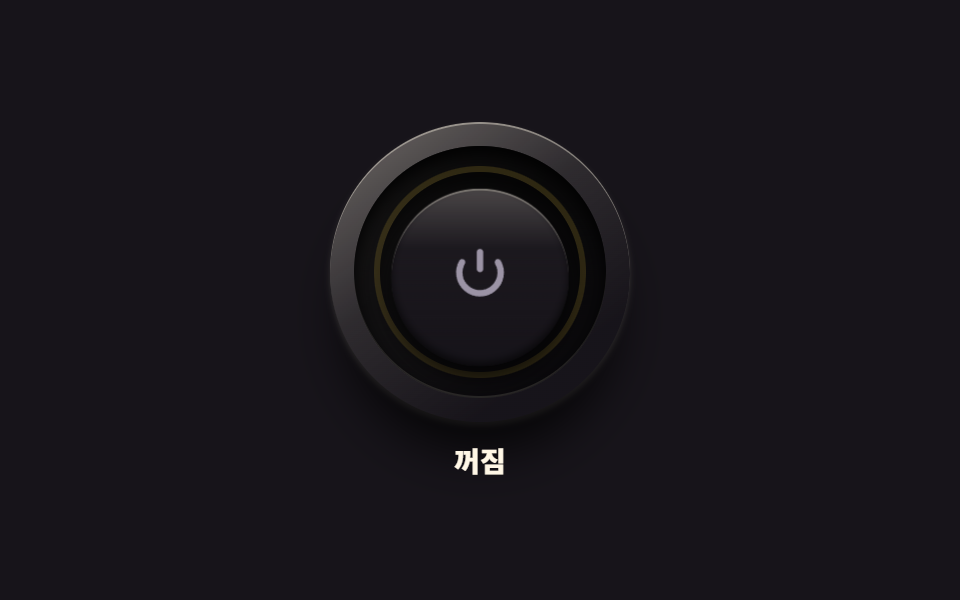 ButtonsCSS Toggle Switch: 9 Realistic Switches to Paste
 Buttons9 CSS Button Animations (SCSS + React, copy-paste)
 Buttons9 button state css patterns, loading to done
 Buttons9 css button design ideas — candy, push, loading
 Buttons9 button hover effects css that award sites reuse
 ButtonsExpanding Button UI: 9 Shape-Morph Patterns
 ButtonsSend Button Animation CSS: 9 Fold-and-Fly Buttons
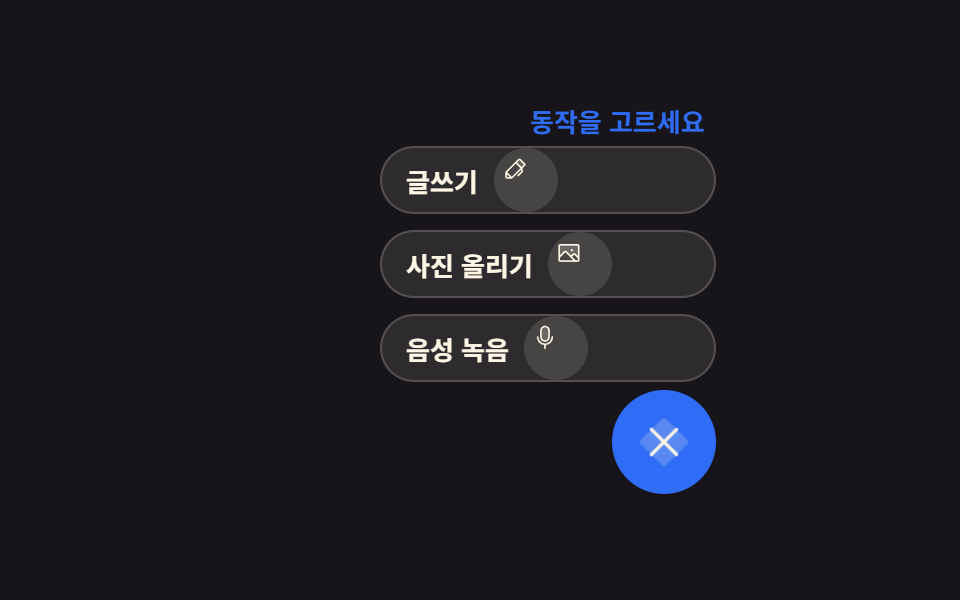 Buttons9 Icon Button CSS Patterns — Press, Drag, Expand
 ButtonsCTA Button Design: 9 Interaction Patterns
 ButtonsButton Press Animation UI: 9 Calculation Patterns