Intro Animation CSS: 9 Website Intro Animations
Intro animation css is the short opening a page plays over its first screen, and all nine here end the same way: an intro you can skip, with no library to
 01 intro-curtain-lift
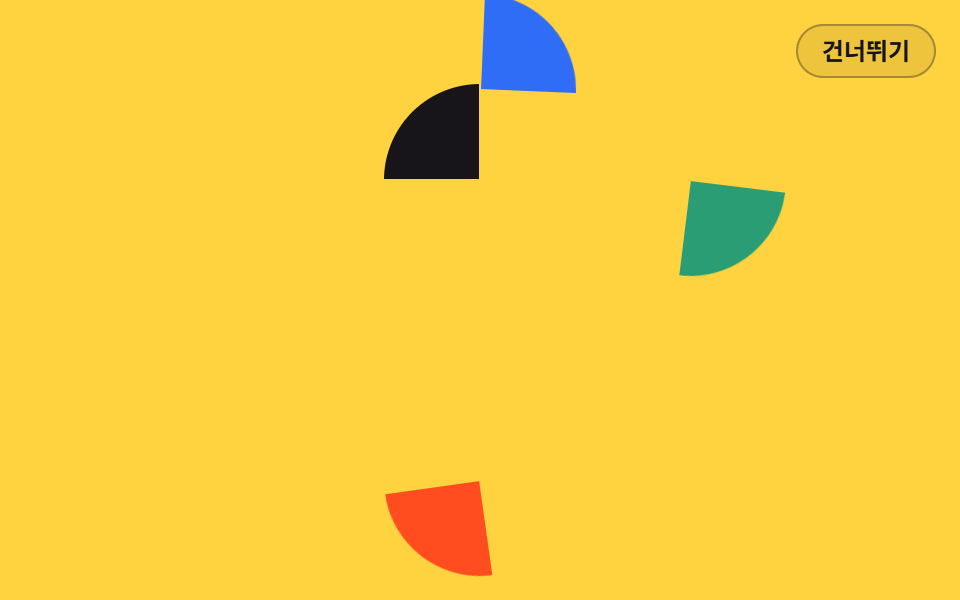 02 intro-logo-assemble
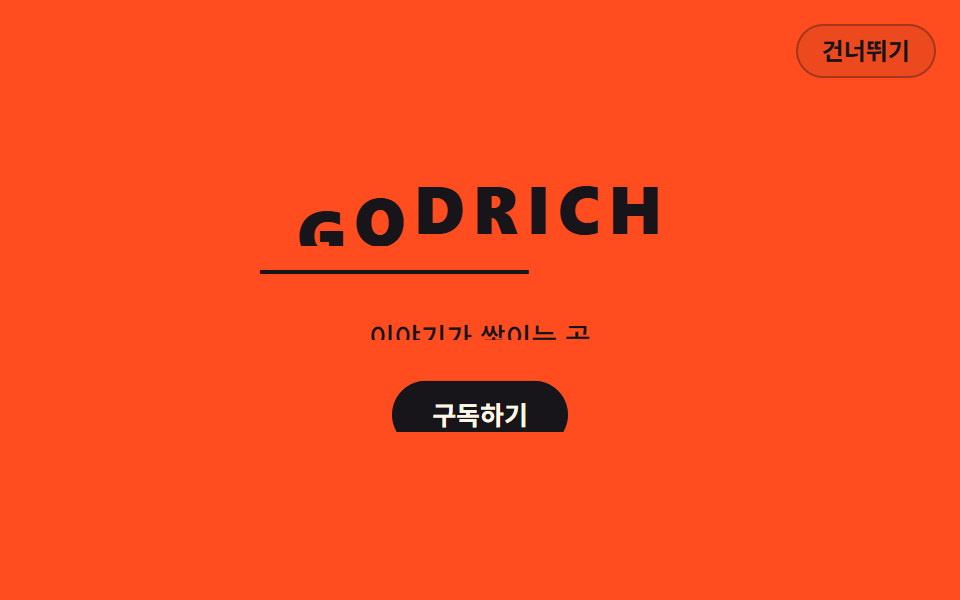 03 intro-title-mask-stagger
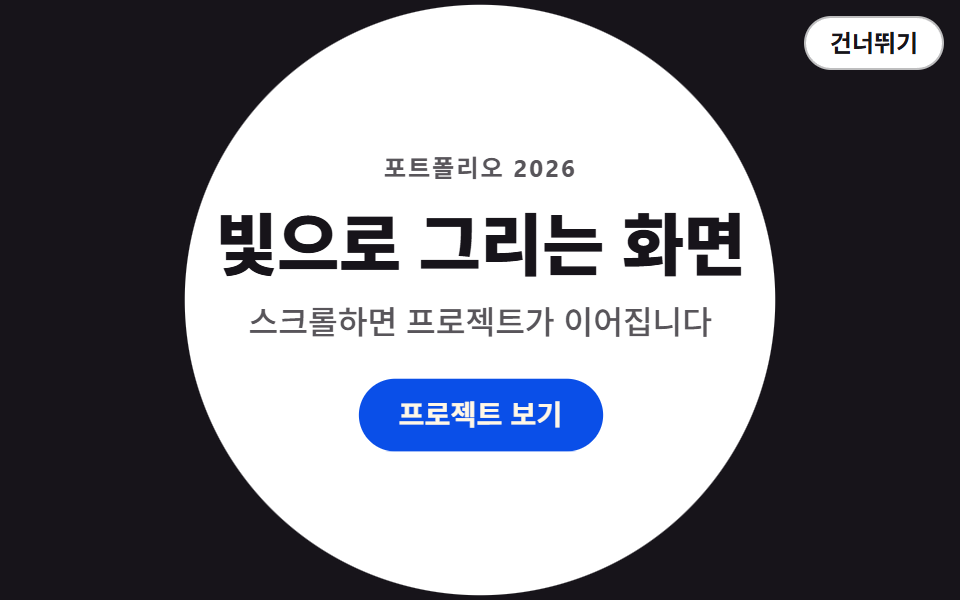 04 intro-shape-wipe
 05 intro-countdown-lead
 06 intro-line-draw-frame
 07 intro-split-screen-open
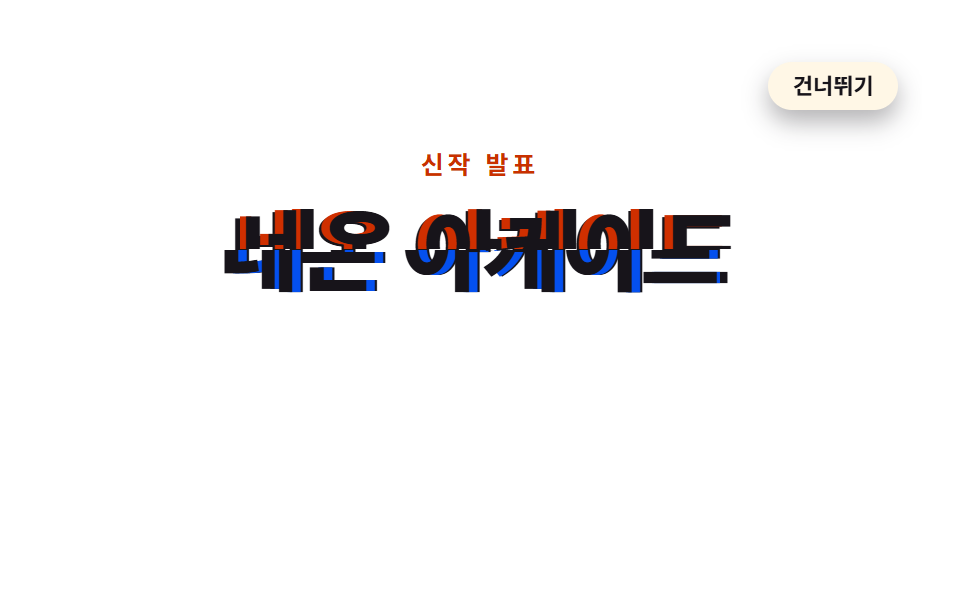 08 intro-glitch-boot
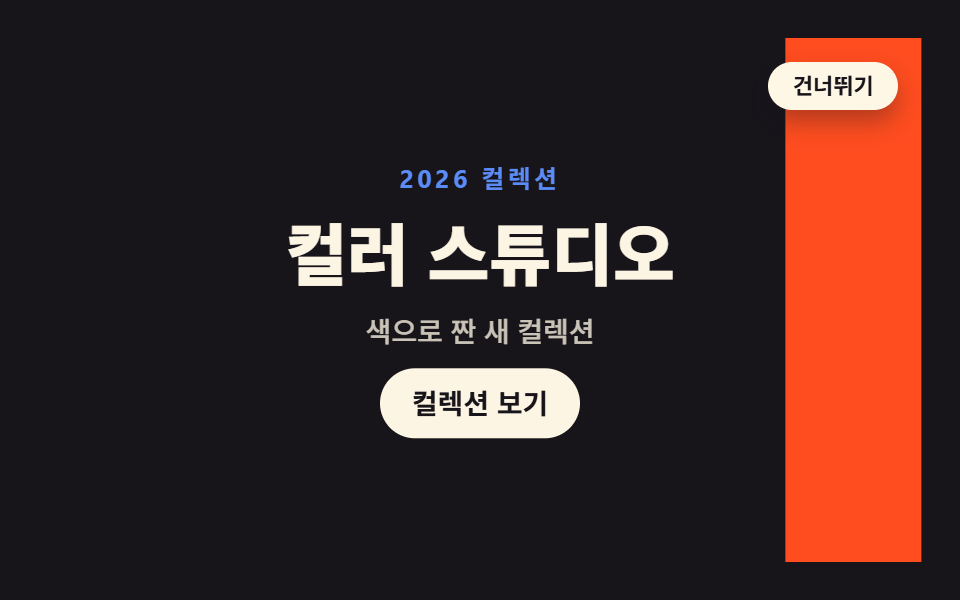 09 intro-color-flood
Auto-plays · click a tile to jump to its section · all nine in one zip
- 01 Curtain lift
- 02 Logo assemble
- 03 Letter mask stagger
- 04 Circle mask wipe
- 05 Countdown lead
- 06 Line drawing frame
- 07 Split screen open
- 08 Glitch boot
- 09 Color flood
The order runs roughly from the largest covered surface down to the smallest. It opens with full covers — two panels in 01, a circle in 04, three sweeping bands in 09 — that hide the page and then get out of the way, and the subject keeps shrinking from there: a logo mark in 02, one headline in 03, a single digit at a time in 05, until 06 is drawing a thin line and 08 is moving two halves of a word by a few pixels. That is also a difficulty ramp, because the covers need nothing but a transform while the later ones want a mask, an SVG stroke, or a cut that has to land on an exact frame. Underneath, every one of them is the same opening animation css shape: the resting state of the markup is the finished page, and the keyframes describe the state before it.
01Curtain lift
Two panels split away from the middle of the viewport and the headline rises a beat behind them, which is the half second a brand landing page buys before the words have to carry it.
<main class="stage">
<div class="cl is-demo" id="cl">
  <section class="cl__site">
    <h1 class="cl__title">A new story begins</h1>
    <p class="cl__sub">A new story every week</p>
    <button class="cl__cta" type="button">Get started</button>
  </section>
  <div class="cl__veil cl__veil--top" aria-hidden="true"></div>
  <div class="cl__veil cl__veil--bot" aria-hidden="true"><span class="cl__brand">GODRICH</span></div>
  <button class="cl__skip" id="cl-skip" type="button">Skip</button>
  <p class="cl__live" id="cl-live" aria-live="polite"></p>
</div>
</main>
@use "../../../../site/static/demo-tokens" as *;
// 커튼 리프트 — 화면을 덮은 두 겹 가림막이 위아래로 갈라져 물러나고, 제목이 한 박자 늦게 translateY 로 떠오르는 인트로.
// 원칙: 요소의 기본(애니메이션 없는) 상태 = 인트로가 끝난 화면. "등장 전"은 0% 키프레임이 채운다(animation-fill-mode).
// 그래서 건너뛰기 버튼·Esc·sessionStorage 재방문은 .is-done 로 애니메이션을 끄는 것만으로 완료 상태가 되고,
// prefers-reduced-motion 에서도 애니메이션을 끄면 가림막은 기본 transform(화면 밖)에 있어 처음부터 열려 있다.
// 대비 실측(run/016/_probe/a1_대비.py): 제목 $subject-cream on $stage-ink 17.11:1 · 보조문 rgba($subject-cream,.72) 합성 9.18:1
// · 가림막 브랜드 $subject-cream on $subject-blue 4.25:1(20px 700 큰 글자, 기준 3) · CTA $subject-cream on $subject-blue-deep 5.98:1
$duration: $dur-enter; // 정적(실사용) 재생 시간 — 변형1: $dur-base
$easing: $ease-spring; // 변형2: $ease-pop
$color: $subject-blue; // 가림막 색 — 변형3: $stage-orange
@include stage($stage-ink);
.cl {
position: fixed; inset: 0;
display: flex; flex-direction: column; align-items: center; justify-content: center;
gap: $sp-2; text-align: center;
}
// ── 가림막 아래 깔린 사이트 첫 화면
.cl__title {
margin: 0; color: $subject-cream;
font-weight: 800; font-size: clamp(22px, 5.5vw, 30px); line-height: 1.25;
}
.cl__sub {
margin: 0; color: rgba($subject-cream, .72);
font-weight: 500; font-size: clamp(12px, 3vw, 14px); line-height: 1.5;
}
.cl__cta {
margin-top: $sp-2; padding: $sp-2 $sp-5; border: 0; border-radius: $r-pill;
background: $subject-blue-deep; color: $subject-cream;
font-family: inherit; font-weight: 700; font-size: 13px; line-height: 1.4; cursor: pointer;
}
// ── 두 겹 가림막. 기본 transform 은 "열린" 위치(화면 밖)다. 앞전(가장자리)에 크림 섬을 둬 걷히는 방향을 보여준다
.cl__veil { position: absolute; left: 0; right: 0; height: 50.5%; background: $color; z-index: 2; }
.cl__veil::after { content: ""; position: absolute; left: 0; right: 0; height: $sp-1; background: $subject-cream; }
.cl__veil--top { top: 0; transform: translateY(-102%); }
.cl__veil--top::after { bottom: 0; }
.cl__veil--bot { bottom: 0; transform: translateY(102%); }
.cl__veil--bot::after { top: 0; }
// 닫힌 상태의 타이틀카드 글자. 아래 판에 인쇄되어 있어 판과 함께 물러난다 (20px 700 = 큰 글자)
.cl__brand {
position: absolute; top: $sp-4; left: 0; right: 0; margin: 0; text-align: center;
color: $subject-cream; font-weight: 700; font-size: 20px; line-height: 1.2;
letter-spacing: .35em; text-indent: .35em;
}
// ── 건너뛰기 (무대 우상단). 가림막보다 위
.cl__skip {
position: absolute; top: $sp-3; right: $sp-3; z-index: 4;
padding: $sp-1 $sp-3; border: 1px solid rgba($subject-cream, .32); border-radius: $r-pill;
background: rgba($subject-cream, .10); color: $subject-cream;
font-family: inherit; font-weight: 600; font-size: 12px; line-height: 1.4; cursor: pointer;
}
// 스크린리더용 상태 한 줄
.cl__live {
position: absolute; width: 1px; height: 1px; overflow: hidden;
clip-path: inset(50%); white-space: nowrap;
}
// ── 정적(실사용): 페이지를 열면 한 번 재생되고 열린 채로 끝난다.
// 낱개 속성으로 쓴다 — animation: 단축은 delay 를 0 으로 리셋한다.
// 제목·보조문·CTA 는 opacity 로 나타나지 않는다 — 처음부터 제자리에서 가림막에 가려져 있다가
// 가림막이 걷히며 모습을 드러낸다 (반투명 유령 프레임이 아예 없다)
.cl__veil--top {
animation-name: clTopOnce; animation-duration: $duration; animation-timing-function: $easing;
animation-delay: .08s; animation-fill-mode: both;
}
.cl__veil--bot {
animation-name: clBotOnce; animation-duration: $duration; animation-timing-function: $easing;
animation-delay: .16s; animation-fill-mode: both;
}
.cl__title {
animation-name: clRiseOnce; animation-duration: $duration; animation-timing-function: $easing;
animation-delay: .34s; animation-fill-mode: both;
}
.cl__sub {
animation-name: clRiseOnce; animation-duration: $duration; animation-timing-function: $easing;
animation-delay: .46s; animation-fill-mode: both;
}
.cl__cta {
animation-name: clRiseOnce; animation-duration: $duration; animation-timing-function: $easing;
animation-delay: .58s; animation-fill-mode: both;
}
@keyframes clTopOnce { from { transform: translateY(0); } to { transform: translateY(-102%); } }
@keyframes clBotOnce { from { transform: translateY(0); } to { transform: translateY(102%); } }
@keyframes clRiseOnce { from { transform: translateY(24px); } to { transform: none; } }
// ── 격자 미리보기 루프(2초). 열림 4~32%(스프링 급출발) · 콘텐츠는 가림막 뒤에서 14~50% 에 떠오르고
// 66~94% 에 가림막이 되돌아와 다시 덮는다(콘텐츠는 그 아래에서 그대로 hold — 퇴장 연출이 없다).
// 복귀는 linear 로 충분히 느리게(프레임당 약 10% 캔버스) — 여는 쪽 스프링(약 25%)이 늘 이기므로
// poster 는 "걷히는 중 + 제목 떠오름"이지 "닫히는 순간"이 아니다.
// 마지막 장(95.8%)은 frame 0 와 같은 완전히 닫힌 상태라 루프 이음이 깨끗하다
.cl.is-demo .cl__veil--top {
animation-name: clTopLoop; animation-duration: $dur-loop; animation-timing-function: $easing;
animation-iteration-count: infinite; animation-fill-mode: backwards; animation-delay: 0s;
}
.cl.is-demo .cl__veil--bot {
animation-name: clBotLoop; animation-duration: $dur-loop; animation-timing-function: $easing;
animation-iteration-count: infinite; animation-fill-mode: backwards; animation-delay: 0s;
}
.cl.is-demo .cl__title {
animation-name: clTitleLoop; animation-duration: $dur-loop; animation-timing-function: $easing;
animation-iteration-count: infinite; animation-fill-mode: backwards; animation-delay: 0s;
}
.cl.is-demo .cl__sub {
animation-name: clSubLoop; animation-duration: $dur-loop; animation-timing-function: $easing;
animation-iteration-count: infinite; animation-fill-mode: backwards; animation-delay: 0s;
}
.cl.is-demo .cl__cta {
animation-name: clCtaLoop; animation-duration: $dur-loop; animation-timing-function: $easing;
animation-iteration-count: infinite; animation-fill-mode: backwards; animation-delay: 0s;
}
@keyframes clTopLoop {
0%, 4% { transform: translateY(0); }
26%, 66% { transform: translateY(-102%); animation-timing-function: linear; }
88%, 100% { transform: translateY(0); }
}
@keyframes clBotLoop {
0%, 10% { transform: translateY(0); }
32%, 72% { transform: translateY(102%); animation-timing-function: linear; }
94%, 100% { transform: translateY(0); }
}
@keyframes clTitleLoop {
0%, 14% { transform: translateY(24px); }
36%, 100% { transform: none; }
}
@keyframes clSubLoop {
0%, 20% { transform: translateY(16px); }
44%, 100% { transform: none; }
}
@keyframes clCtaLoop {
0%, 26% { transform: translateY(12px); }
50%, 100% { transform: none; }
}
// 건너뛰기·Esc·재방문: 애니메이션을 끄면 기본 상태(완료)가 드러난다
.cl.is-done .cl__veil--top, .cl.is-done .cl__veil--bot,
.cl.is-done .cl__title, .cl.is-done .cl__sub, .cl.is-done .cl__cta { animation: none; }
.cl.is-done .cl__skip { display: none; }
// ── 좁은 화면: 간격과 글자를 줄여 무대 안에 들어온다. 브랜드 글자는 20px 700(큰 글자)을 유지해
// 크림 on 파랑 대비 기준(3:1)을 지킨다
@media (max-width: 340px) {
.cl { gap: $sp-1; }
.cl__title { font-size: 20px; }
.cl__brand { letter-spacing: .24em; text-indent: .24em; }
}
@media (prefers-reduced-motion: reduce) {
// !important — .cl.is-demo 계열(클래스 3개) 특이도에 지지 않으려면 필요하다
.cl .cl__veil--top, .cl .cl__veil--bot,
.cl .cl__title, .cl .cl__sub, .cl .cl__cta { animation: none !important; }
}html, body {
margin: 0;
overflow: hidden;
}
.stage {
box-sizing: border-box;
min-height: 100vh;
display: grid;
place-items: center;
margin: 0;
background: #17141a;
font-family: -apple-system, "Segoe UI", "Noto Sans KR", sans-serif;
padding: clamp(8px, 4vw, 24px);
}
.cl {
position: fixed;
inset: 0;
display: flex;
flex-direction: column;
align-items: center;
justify-content: center;
gap: 8px;
text-align: center;
}
.cl__title {
margin: 0;
color: #fff7e6;
font-weight: 800;
font-size: clamp(22px, 5.5vw, 30px);
line-height: 1.25;
}
.cl__sub {
margin: 0;
color: rgba(255, 247, 230, 0.72);
font-weight: 500;
font-size: clamp(12px, 3vw, 14px);
line-height: 1.5;
}
.cl__cta {
margin-top: 8px;
padding: 8px 20px;
border: 0;
border-radius: 999px;
background: #0a4fe8;
color: #fff7e6;
font-family: inherit;
font-weight: 700;
font-size: 13px;
line-height: 1.4;
cursor: pointer;
}
.cl__veil {
position: absolute;
left: 0;
right: 0;
height: 50.5%;
background: #2f6df6;
z-index: 2;
}
.cl__veil::after {
content: "";
position: absolute;
left: 0;
right: 0;
height: 4px;
background: #fff7e6;
}
.cl__veil--top {
top: 0;
transform: translateY(-102%);
}
.cl__veil--top::after {
bottom: 0;
}
.cl__veil--bot {
bottom: 0;
transform: translateY(102%);
}
.cl__veil--bot::after {
top: 0;
}
.cl__brand {
position: absolute;
top: 16px;
left: 0;
right: 0;
margin: 0;
text-align: center;
color: #fff7e6;
font-weight: 700;
font-size: 20px;
line-height: 1.2;
letter-spacing: 0.35em;
text-indent: 0.35em;
}
.cl__skip {
position: absolute;
top: 12px;
right: 12px;
z-index: 4;
padding: 4px 12px;
border: 1px solid rgba(255, 247, 230, 0.32);
border-radius: 999px;
background: rgba(255, 247, 230, 0.1);
color: #fff7e6;
font-family: inherit;
font-weight: 600;
font-size: 12px;
line-height: 1.4;
cursor: pointer;
}
.cl__live {
position: absolute;
width: 1px;
height: 1px;
overflow: hidden;
clip-path: inset(50%);
white-space: nowrap;
}
.cl__veil--top {
animation-name: clTopOnce;
animation-duration: 600ms;
animation-timing-function: cubic-bezier(0.2, 0.8, 0.2, 1);
animation-delay: 0.08s;
animation-fill-mode: both;
}
.cl__veil--bot {
animation-name: clBotOnce;
animation-duration: 600ms;
animation-timing-function: cubic-bezier(0.2, 0.8, 0.2, 1);
animation-delay: 0.16s;
animation-fill-mode: both;
}
.cl__title {
animation-name: clRiseOnce;
animation-duration: 600ms;
animation-timing-function: cubic-bezier(0.2, 0.8, 0.2, 1);
animation-delay: 0.34s;
animation-fill-mode: both;
}
.cl__sub {
animation-name: clRiseOnce;
animation-duration: 600ms;
animation-timing-function: cubic-bezier(0.2, 0.8, 0.2, 1);
animation-delay: 0.46s;
animation-fill-mode: both;
}
.cl__cta {
animation-name: clRiseOnce;
animation-duration: 600ms;
animation-timing-function: cubic-bezier(0.2, 0.8, 0.2, 1);
animation-delay: 0.58s;
animation-fill-mode: both;
}
@keyframes clTopOnce {
from {
transform: translateY(0);
}
to {
transform: translateY(-102%);
}
}
@keyframes clBotOnce {
from {
transform: translateY(0);
}
to {
transform: translateY(102%);
}
}
@keyframes clRiseOnce {
from {
transform: translateY(24px);
}
to {
transform: none;
}
}
.cl.is-demo .cl__veil--top {
animation-name: clTopLoop;
animation-duration: 2s;
animation-timing-function: cubic-bezier(0.2, 0.8, 0.2, 1);
animation-iteration-count: infinite;
animation-fill-mode: backwards;
animation-delay: 0s;
}
.cl.is-demo .cl__veil--bot {
animation-name: clBotLoop;
animation-duration: 2s;
animation-timing-function: cubic-bezier(0.2, 0.8, 0.2, 1);
animation-iteration-count: infinite;
animation-fill-mode: backwards;
animation-delay: 0s;
}
.cl.is-demo .cl__title {
animation-name: clTitleLoop;
animation-duration: 2s;
animation-timing-function: cubic-bezier(0.2, 0.8, 0.2, 1);
animation-iteration-count: infinite;
animation-fill-mode: backwards;
animation-delay: 0s;
}
.cl.is-demo .cl__sub {
animation-name: clSubLoop;
animation-duration: 2s;
animation-timing-function: cubic-bezier(0.2, 0.8, 0.2, 1);
animation-iteration-count: infinite;
animation-fill-mode: backwards;
animation-delay: 0s;
}
.cl.is-demo .cl__cta {
animation-name: clCtaLoop;
animation-duration: 2s;
animation-timing-function: cubic-bezier(0.2, 0.8, 0.2, 1);
animation-iteration-count: infinite;
animation-fill-mode: backwards;
animation-delay: 0s;
}
@keyframes clTopLoop {
0%, 4% {
transform: translateY(0);
}
26%, 66% {
transform: translateY(-102%);
animation-timing-function: linear;
}
88%, 100% {
transform: translateY(0);
}
}
@keyframes clBotLoop {
0%, 10% {
transform: translateY(0);
}
32%, 72% {
transform: translateY(102%);
animation-timing-function: linear;
}
94%, 100% {
transform: translateY(0);
}
}
@keyframes clTitleLoop {
0%, 14% {
transform: translateY(24px);
}
36%, 100% {
transform: none;
}
}
@keyframes clSubLoop {
0%, 20% {
transform: translateY(16px);
}
44%, 100% {
transform: none;
}
}
@keyframes clCtaLoop {
0%, 26% {
transform: translateY(12px);
}
50%, 100% {
transform: none;
}
}
.cl.is-done .cl__veil--top, .cl.is-done .cl__veil--bot,
.cl.is-done .cl__title, .cl.is-done .cl__sub, .cl.is-done .cl__cta {
animation: none;
}
.cl.is-done .cl__skip {
display: none;
}
@media (max-width: 340px) {
.cl {
gap: 4px;
}
.cl__title {
font-size: 20px;
}
.cl__brand {
letter-spacing: 0.24em;
text-indent: 0.24em;
}
}
@media (prefers-reduced-motion: reduce) {
.cl .cl__veil--top, .cl .cl__veil--bot,
.cl .cl__title, .cl .cl__sub, .cl .cl__cta {
animation: none !important;
}
}(function () {
var root = document.getElementById('cl');
var live = document.getElementById('cl-live');
var KEY = 'godrich-intro-016-01';
// 인트로를 완료 상태로 보낸다 — 애니메이션을 끄면 기본 상태(열린 화면)가 그대로 드러난다
function finish(announce) {
root.classList.remove('is-demo');
root.classList.add('is-done');
try { sessionStorage.setItem(KEY, '1'); } catch (e) {}
if (announce) live.textContent = 'Skipped the intro';
}
document.getElementById('cl-skip').addEventListener('click', function () { finish(true); });
document.addEventListener('keydown', function (e) {
if (e.key === 'Escape') finish(true);
});
var seen = false;
try { seen = sessionStorage.getItem(KEY) !== null; } catch (e) {}
if (seen) finish(false);
})();// CurtainLift — vanilla 판(run/016/demo/01-intro-curtain-lift/index.html) 의 React 포트.
// 두 겹 가림막이 위아래로 갈라지고 제목이 한 박자 늦게 translateY 로 떠오르는 인트로.
// @keyframes 본문은 vanilla 와 같은 글자다 (값을 다시 타이핑하지 않는다).
// 건너뛰기·Esc·sessionStorage 재방문은 애니메이션을 끊는 것(= 기본 상태)으로 완료 상태를 만든다.
import { useEffect, useState } from "react";
import type { CSSProperties } from "react";
import styles from "./CurtainLift.module.scss";
export type CurtainLiftProps = {
duration?: number;
easing?: string;
color?: string;
};
type Vars = CSSProperties & { "--duration"?: string; "--easing"?: string; "--color"?: string };
// ambient 타입에 맞춰 로컬 타입을 쓴다 — 이벤트 제네릭을 react 에서 import 하면 tsc 가 죽는다
type KeyEvt = { key: string };
const KEY = "godrich-intro-016-01";
const TITLE = "새 이야기를 엽니다";
const SUB = "매주 새로운 이야기";
const CTA = "시작하기";
const BRAND = "GODRICH";
const SKIP = "건너뛰기";
const SKIPPED = "인트로를 건너뛰었습니다";
export default function CurtainLift(props: CurtainLiftProps) {
const duration = props.duration ?? 600;
const easing = props.easing ?? "cubic-bezier(.2, .8, .2, 1)";
const color = props.color ?? "#2f6df6";
const [preview, setPreview] = useState<boolean>(true);
const [done, setDone] = useState<boolean>(false);
const [message, setMessage] = useState<string>("");
// 인트로를 완료 상태로 보낸다 — 애니메이션을 끄면 기본 상태(열린 화면)가 그대로 드러난다
const finish = (announce: boolean) => {
setPreview(false);
setDone(true);
try { window.sessionStorage.setItem(KEY, "1"); } catch { }
if (announce) setMessage(SKIPPED);
};
useEffect(() => {
let seen = false;
try { seen = window.sessionStorage.getItem(KEY) !== null; } catch { seen = false; }
if (seen) {
setPreview(false);
setDone(true);
}
}, []);
useEffect(() => {
const onKey = (e: KeyEvt) => { if (e.key === "Escape") finish(true); };
window.addEventListener("keydown", onKey as (e: KeyboardEvent) => void);
return () => window.removeEventListener("keydown", onKey as (e: KeyboardEvent) => void);
}, []);
const vars: Vars = { "--duration": duration + "ms", "--easing": easing, "--color": color };
const rootCls = styles.cl + (preview && !done ? " " + styles.isDemo : "") + (done ? " " + styles.isDone : "");
return (
<main className={styles.stage}>
<div className={rootCls} style={vars}>
<section className={styles.site}>
<h1 className={styles.title}>{TITLE}</h1>
<p className={styles.sub}>{SUB}</p>
<button className={styles.cta} type="button">{CTA}</button>
</section>
<div className={styles.veil + " " + styles.veilTop} aria-hidden="true" />
<div className={styles.veil + " " + styles.veilBot} aria-hidden="true">
<span className={styles.brand}>{BRAND}</span>
</div>
{!done ? (
<button className={styles.skip} type="button" onClick={() => finish(true)}>{SKIP}</button>
) : null}
<p className={styles.live} aria-live="polite">{message}</p>
</div>
</main>
);
}01 · Curtain lift — Measured area 99.947% · moving frames 19/23Original by GODRICH · SCSS and React ship in the zip · See the password
The resting state is the finished page
// Two panels covering the screen. The default transform is the open position, off screen
.cl__veil { position: absolute; left: 0; right: 0; height: 50.5%; background: $color; z-index: 2; }
.cl__veil--top { top: 0; transform: translateY(-102%); }
.cl__veil--bot { bottom: 0; transform: translateY(102%); }
.cl__veil--top {
  animation-name: clTopOnce; animation-duration: $duration; animation-timing-function: $easing;
  animation-delay: .08s; animation-fill-mode: both;
}
@keyframes clTopOnce { from { transform: translateY(0); } to { transform: translateY(-102%); } }
@keyframes clRiseOnce { from { transform: translateY(24px); } to { transform: none; } }
The closed screen exists only inside the 0% keyframe and animation-fill-mode: both holds it through the delay, so switching the animation off anywhere — a skip click, a returning visitor, a reduced-motion setting — lands on the opened page instead of a half-lifted curtain.
One function for skip, Escape, and the second visit
// Send the intro to its finished state — turning the animation off reveals the default, opened screen
function finish(announce) {
  root.classList.remove('is-demo');
  root.classList.add('is-done');
  try { sessionStorage.setItem(KEY, '1'); } catch (e) {}
  if (announce) live.textContent = 'Skipped the intro';
}
document.getElementById('cl-skip').addEventListener('click', function () { finish(true); });
document.addEventListener('keydown', function (e) {
  if (e.key === 'Escape') finish(true);
});
That function is the entire scripting budget for the item, and its preview loop measures 19 of 23 frame gaps as moving while 99.95% of the canvas changes at least once.
02Logo assemble
Four quadrants fly in from four directions one beat apart and lock into a single mark, the shape a company page wants when the logo has to land before any sentence does.
<main class="stage">
<div class="la is-demo" id="la">
  <div class="la__mark" aria-hidden="true">
    <i class="la__q la__q--tl"></i>
    <i class="la__q la__q--tr"></i>
    <i class="la__q la__q--br"></i>
    <i class="la__q la__q--bl"></i>
  </div>
  <p class="la__word">GODRICH</p>
  <p class="la__tag">A new brand says hello</p>
  <button class="la__go" type="button">Explore</button>
  <button class="la__skip" id="la-skip" type="button">Skip</button>
  <p class="la__live" id="la-live" aria-live="polite"></p>
</div>
</main>
@use "../../../../site/static/demo-tokens" as *;
// 로고 조각 결합 — 사방에서 날아온 조각 네 개가 animation-delay 를 한 칸씩 달리해 가운데로 모이는 인트로.
// 조각은 같은 크기의 원을 clip-path 로 4분면으로 자른 것이다. 기본 transform 은 "맞춰진 자리"라
// 건너뛰기·Esc·재방문·reduced-motion 모두 애니메이션을 끄는 것만으로 완성 로고가 된다.
// 회전축 transform-origin 은 각 조각(원)의 중심 = 로고의 중심. 조각이 붙는 지점이라 원점을 옮기지 않는다.
// 대비 실측(run/016/_probe/a1_대비.py): 워드마크 $subject-ink on $stage-yellow 12.63:1 ·
// 태그라인 rgba($subject-ink,.72) 합성 6.08:1 · CTA $subject-cream on $subject-blue-deep 5.98:1 (조각은 글자가 없는 면)
$duration: $dur-enter; // 정적(실사용) 재생 시간 — 변형1: $dur-base
$easing: $ease-spring; // 변형2: $ease-pop
$color: $subject-blue; // 오른쪽 위 조각 색 — 변형3: $stage-orange
@include stage($stage-yellow);
.la {
position: fixed; inset: 0;
display: flex; flex-direction: column; align-items: center; justify-content: center;
gap: $sp-2; text-align: center;
}
// ── 로고 마크. 4분면 조각 네 개(약 2px 틈)
.la__mark { position: relative; width: 96px; height: 96px; }
.la__q {
position: absolute; inset: 0; border-radius: 50%;
transform-origin: 50% 50%; // 회전축 = 원의 중심 = 조각이 로고에 붙는 지점
}
.la__q--tl { background: $subject-ink; clip-path: inset(0 51% 51% 0); }
.la__q--tr { background: $color; clip-path: inset(0 0 51% 51%); }
.la__q--br { background: $chart-3; clip-path: inset(51% 0 0 51%); }
.la__q--bl { background: $stage-orange; clip-path: inset(51% 51% 0 0); }
.la__word {
margin: $sp-2 0 0; color: $subject-ink;
font-weight: 800; font-size: 22px; line-height: 1.2;
letter-spacing: .3em; text-indent: .3em;
}
.la__tag {
margin: 0; color: rgba($subject-ink, .72);
font-weight: 500; font-size: 13px; line-height: 1.5;
}
.la__go {
margin-top: $sp-2; padding: $sp-2 $sp-5; border: 0; border-radius: $r-pill;
background: $subject-blue-deep; color: $subject-cream;
font-family: inherit; font-weight: 700; font-size: 13px; line-height: 1.4; cursor: pointer;
}
// ── 건너뛰기 (무대 우상단)
.la__skip {
position: absolute; top: $sp-3; right: $sp-3; z-index: 4;
padding: $sp-1 $sp-3; border: 1px solid rgba($subject-ink, .32); border-radius: $r-pill;
background: rgba($subject-ink, .08); color: $subject-ink;
font-family: inherit; font-weight: 600; font-size: 12px; line-height: 1.4; cursor: pointer;
}
.la__live {
position: absolute; width: 1px; height: 1px; overflow: hidden;
clip-path: inset(50%); white-space: nowrap;
}
// ── 정적(실사용): 조각이 한 번씩 지연되어 날아와 앉는다. 낱개 속성 + fill-mode: both 로
// 지연 구간에는 0%(화면 밖)가 채워진다
.la__q--tl {
animation-name: laInTl; animation-duration: $duration; animation-timing-function: $easing;
animation-delay: 0s; animation-fill-mode: both;
}
.la__q--tr {
animation-name: laInTr; animation-duration: $duration; animation-timing-function: $easing;
animation-delay: .08s; animation-fill-mode: both;
}
.la__q--br {
animation-name: laInBr; animation-duration: $duration; animation-timing-function: $easing;
animation-delay: .16s; animation-fill-mode: both;
}
.la__q--bl {
animation-name: laInBl; animation-duration: $duration; animation-timing-function: $easing;
animation-delay: .24s; animation-fill-mode: both;
}
.la__word {
animation-name: laRiseOnce; animation-duration: $duration; animation-timing-function: $easing;
animation-delay: .44s; animation-fill-mode: both;
}
.la__tag {
animation-name: laRiseOnce; animation-duration: $duration; animation-timing-function: $easing;
animation-delay: .54s; animation-fill-mode: both;
}
.la__go {
animation-name: laRiseOnce; animation-duration: $duration; animation-timing-function: $easing;
animation-delay: .64s; animation-fill-mode: both;
}
@keyframes laInTl { from { transform: translate(-150px, 0) rotate(-10deg); } to { transform: none; } }
@keyframes laInTr { from { transform: translate(0, -150px) rotate(8deg); } to { transform: none; } }
@keyframes laInBr { from { transform: translate(150px, 0) rotate(10deg); } to { transform: none; } }
@keyframes laInBl { from { transform: translate(0, 150px) rotate(-8deg); } to { transform: none; } }
@keyframes laRiseOnce { from { opacity: 0; transform: translateY(12px); } to { opacity: 1; transform: none; } }
// ── 격자 미리보기 루프(2초). 도착 0~26%(조각마다 4% 시차) · 워드마크 30~42% ·
// 흩어짐 64~86%(늦게 온 조각이 먼저 떠난다) — 86% 안에 끝나 마지막 장은 frame 0 와 같다.
// 흩어짐 구간은 linear — 컷으로 끊으면 그 한 프레임이 최대 변화가 되어 poster 가 빈 노랑이 된다
.la.is-demo .la__q--tl {
animation-name: laTlLoop; animation-duration: $dur-loop; animation-timing-function: $easing;
animation-iteration-count: infinite; animation-fill-mode: backwards; animation-delay: 0s;
}
.la.is-demo .la__q--tr {
animation-name: laTrLoop; animation-duration: $dur-loop; animation-timing-function: $easing;
animation-iteration-count: infinite; animation-fill-mode: backwards; animation-delay: 0s;
}
.la.is-demo .la__q--br {
animation-name: laBrLoop; animation-duration: $dur-loop; animation-timing-function: $easing;
animation-iteration-count: infinite; animation-fill-mode: backwards; animation-delay: 0s;
}
.la.is-demo .la__q--bl {
animation-name: laBlLoop; animation-duration: $dur-loop; animation-timing-function: $easing;
animation-iteration-count: infinite; animation-fill-mode: backwards; animation-delay: 0s;
}
.la.is-demo .la__word {
animation-name: laWordLoop; animation-duration: $dur-loop; animation-timing-function: $easing;
animation-iteration-count: infinite; animation-fill-mode: backwards; animation-delay: 0s;
}
.la.is-demo .la__tag {
animation-name: laTagLoop; animation-duration: $dur-loop; animation-timing-function: $easing;
animation-iteration-count: infinite; animation-fill-mode: backwards; animation-delay: 0s;
}
.la.is-demo .la__go {
animation-name: laGoLoop; animation-duration: $dur-loop; animation-timing-function: $easing;
animation-iteration-count: infinite; animation-fill-mode: backwards; animation-delay: 0s;
}
@keyframes laTlLoop {
0% { transform: translate(-150px, 0) rotate(-10deg); }
14%, 76% { transform: none; animation-timing-function: linear; }
86%, 100% { transform: translate(-150px, 0) rotate(-10deg); }
}
@keyframes laTrLoop {
0%, 4% { transform: translate(0, -150px) rotate(8deg); }
18%, 72% { transform: none; animation-timing-function: linear; }
82%, 100% { transform: translate(0, -150px) rotate(8deg); }
}
@keyframes laBrLoop {
0%, 8% { transform: translate(150px, 0) rotate(10deg); }
22%, 68% { transform: none; animation-timing-function: linear; }
78%, 100% { transform: translate(150px, 0) rotate(10deg); }
}
@keyframes laBlLoop {
0%, 12% { transform: translate(0, 150px) rotate(-8deg); }
26%, 64% { transform: none; animation-timing-function: linear; }
74%, 100% { transform: translate(0, 150px) rotate(-8deg); }
}
@keyframes laWordLoop {
0%, 30% { opacity: 0; transform: translateY(12px); }
42%, 60% { opacity: 1; transform: none; }
68%, 100% { opacity: 0; transform: translateY(12px); }
}
@keyframes laTagLoop {
0%, 36% { opacity: 0; transform: translateY(10px); }
48%, 60% { opacity: 1; transform: none; }
68%, 100% { opacity: 0; transform: translateY(10px); }
}
@keyframes laGoLoop {
0%, 42% { opacity: 0; transform: translateY(10px); }
54%, 62% { opacity: 1; transform: none; }
70%, 100% { opacity: 0; transform: translateY(10px); }
}
// 건너뛰기·Esc·재방문: 애니메이션을 끄면 기본 상태(완성 로고)가 드러난다
.la.is-done .la__q--tl, .la.is-done .la__q--tr, .la.is-done .la__q--br, .la.is-done .la__q--bl,
.la.is-done .la__word, .la.is-done .la__tag, .la.is-done .la__go { animation: none; }
.la.is-done .la__skip { display: none; }
// ── 좁은 화면: 마크와 글자를 줄여 무대(174px) 안에 들어온다
@media (max-width: 340px) {
.la { gap: $sp-1; }
.la__mark { width: 64px; height: 64px; }
.la__word { font-size: 18px; }
.la__tag { font-size: 12px; }
.la__go { padding: $sp-1 $sp-4; font-size: 12px; }
}
@media (prefers-reduced-motion: reduce) {
// !important — .la.is-demo 계열(클래스 3개) 특이도에 지지 않으려면 필요하다
.la .la__q--tl, .la .la__q--tr, .la .la__q--br, .la .la__q--bl,
.la .la__word, .la .la__tag, .la .la__go { animation: none !important; }
}html, body {
margin: 0;
overflow: hidden;
}
.stage {
box-sizing: border-box;
min-height: 100vh;
display: grid;
place-items: center;
margin: 0;
background: #ffd23f;
font-family: -apple-system, "Segoe UI", "Noto Sans KR", sans-serif;
padding: clamp(8px, 4vw, 24px);
}
.la {
position: fixed;
inset: 0;
display: flex;
flex-direction: column;
align-items: center;
justify-content: center;
gap: 8px;
text-align: center;
}
.la__mark {
position: relative;
width: 96px;
height: 96px;
}
.la__q {
position: absolute;
inset: 0;
border-radius: 50%;
transform-origin: 50% 50%;
}
.la__q--tl {
background: #17141a;
clip-path: inset(0 51% 51% 0);
}
.la__q--tr {
background: #2f6df6;
clip-path: inset(0 0 51% 51%);
}
.la__q--br {
background: #2b9d74;
clip-path: inset(51% 0 0 51%);
}
.la__q--bl {
background: #ff4d1f;
clip-path: inset(51% 51% 0 0);
}
.la__word {
margin: 8px 0 0;
color: #17141a;
font-weight: 800;
font-size: 22px;
line-height: 1.2;
letter-spacing: 0.3em;
text-indent: 0.3em;
}
.la__tag {
margin: 0;
color: rgba(23, 20, 26, 0.72);
font-weight: 500;
font-size: 13px;
line-height: 1.5;
}
.la__go {
margin-top: 8px;
padding: 8px 20px;
border: 0;
border-radius: 999px;
background: #0a4fe8;
color: #fff7e6;
font-family: inherit;
font-weight: 700;
font-size: 13px;
line-height: 1.4;
cursor: pointer;
}
.la__skip {
position: absolute;
top: 12px;
right: 12px;
z-index: 4;
padding: 4px 12px;
border: 1px solid rgba(23, 20, 26, 0.32);
border-radius: 999px;
background: rgba(23, 20, 26, 0.08);
color: #17141a;
font-family: inherit;
font-weight: 600;
font-size: 12px;
line-height: 1.4;
cursor: pointer;
}
.la__live {
position: absolute;
width: 1px;
height: 1px;
overflow: hidden;
clip-path: inset(50%);
white-space: nowrap;
}
.la__q--tl {
animation-name: laInTl;
animation-duration: 600ms;
animation-timing-function: cubic-bezier(0.2, 0.8, 0.2, 1);
animation-delay: 0s;
animation-fill-mode: both;
}
.la__q--tr {
animation-name: laInTr;
animation-duration: 600ms;
animation-timing-function: cubic-bezier(0.2, 0.8, 0.2, 1);
animation-delay: 0.08s;
animation-fill-mode: both;
}
.la__q--br {
animation-name: laInBr;
animation-duration: 600ms;
animation-timing-function: cubic-bezier(0.2, 0.8, 0.2, 1);
animation-delay: 0.16s;
animation-fill-mode: both;
}
.la__q--bl {
animation-name: laInBl;
animation-duration: 600ms;
animation-timing-function: cubic-bezier(0.2, 0.8, 0.2, 1);
animation-delay: 0.24s;
animation-fill-mode: both;
}
.la__word {
animation-name: laRiseOnce;
animation-duration: 600ms;
animation-timing-function: cubic-bezier(0.2, 0.8, 0.2, 1);
animation-delay: 0.44s;
animation-fill-mode: both;
}
.la__tag {
animation-name: laRiseOnce;
animation-duration: 600ms;
animation-timing-function: cubic-bezier(0.2, 0.8, 0.2, 1);
animation-delay: 0.54s;
animation-fill-mode: both;
}
.la__go {
animation-name: laRiseOnce;
animation-duration: 600ms;
animation-timing-function: cubic-bezier(0.2, 0.8, 0.2, 1);
animation-delay: 0.64s;
animation-fill-mode: both;
}
@keyframes laInTl {
from {
transform: translate(-150px, 0) rotate(-10deg);
}
to {
transform: none;
}
}
@keyframes laInTr {
from {
transform: translate(0, -150px) rotate(8deg);
}
to {
transform: none;
}
}
@keyframes laInBr {
from {
transform: translate(150px, 0) rotate(10deg);
}
to {
transform: none;
}
}
@keyframes laInBl {
from {
transform: translate(0, 150px) rotate(-8deg);
}
to {
transform: none;
}
}
@keyframes laRiseOnce {
from {
opacity: 0;
transform: translateY(12px);
}
to {
opacity: 1;
transform: none;
}
}
.la.is-demo .la__q--tl {
animation-name: laTlLoop;
animation-duration: 2s;
animation-timing-function: cubic-bezier(0.2, 0.8, 0.2, 1);
animation-iteration-count: infinite;
animation-fill-mode: backwards;
animation-delay: 0s;
}
.la.is-demo .la__q--tr {
animation-name: laTrLoop;
animation-duration: 2s;
animation-timing-function: cubic-bezier(0.2, 0.8, 0.2, 1);
animation-iteration-count: infinite;
animation-fill-mode: backwards;
animation-delay: 0s;
}
.la.is-demo .la__q--br {
animation-name: laBrLoop;
animation-duration: 2s;
animation-timing-function: cubic-bezier(0.2, 0.8, 0.2, 1);
animation-iteration-count: infinite;
animation-fill-mode: backwards;
animation-delay: 0s;
}
.la.is-demo .la__q--bl {
animation-name: laBlLoop;
animation-duration: 2s;
animation-timing-function: cubic-bezier(0.2, 0.8, 0.2, 1);
animation-iteration-count: infinite;
animation-fill-mode: backwards;
animation-delay: 0s;
}
.la.is-demo .la__word {
animation-name: laWordLoop;
animation-duration: 2s;
animation-timing-function: cubic-bezier(0.2, 0.8, 0.2, 1);
animation-iteration-count: infinite;
animation-fill-mode: backwards;
animation-delay: 0s;
}
.la.is-demo .la__tag {
animation-name: laTagLoop;
animation-duration: 2s;
animation-timing-function: cubic-bezier(0.2, 0.8, 0.2, 1);
animation-iteration-count: infinite;
animation-fill-mode: backwards;
animation-delay: 0s;
}
.la.is-demo .la__go {
animation-name: laGoLoop;
animation-duration: 2s;
animation-timing-function: cubic-bezier(0.2, 0.8, 0.2, 1);
animation-iteration-count: infinite;
animation-fill-mode: backwards;
animation-delay: 0s;
}
@keyframes laTlLoop {
0% {
transform: translate(-150px, 0) rotate(-10deg);
}
14%, 76% {
transform: none;
animation-timing-function: linear;
}
86%, 100% {
transform: translate(-150px, 0) rotate(-10deg);
}
}
@keyframes laTrLoop {
0%, 4% {
transform: translate(0, -150px) rotate(8deg);
}
18%, 72% {
transform: none;
animation-timing-function: linear;
}
82%, 100% {
transform: translate(0, -150px) rotate(8deg);
}
}
@keyframes laBrLoop {
0%, 8% {
transform: translate(150px, 0) rotate(10deg);
}
22%, 68% {
transform: none;
animation-timing-function: linear;
}
78%, 100% {
transform: translate(150px, 0) rotate(10deg);
}
}
@keyframes laBlLoop {
0%, 12% {
transform: translate(0, 150px) rotate(-8deg);
}
26%, 64% {
transform: none;
animation-timing-function: linear;
}
74%, 100% {
transform: translate(0, 150px) rotate(-8deg);
}
}
@keyframes laWordLoop {
0%, 30% {
opacity: 0;
transform: translateY(12px);
}
42%, 60% {
opacity: 1;
transform: none;
}
68%, 100% {
opacity: 0;
transform: translateY(12px);
}
}
@keyframes laTagLoop {
0%, 36% {
opacity: 0;
transform: translateY(10px);
}
48%, 60% {
opacity: 1;
transform: none;
}
68%, 100% {
opacity: 0;
transform: translateY(10px);
}
}
@keyframes laGoLoop {
0%, 42% {
opacity: 0;
transform: translateY(10px);
}
54%, 62% {
opacity: 1;
transform: none;
}
70%, 100% {
opacity: 0;
transform: translateY(10px);
}
}
.la.is-done .la__q--tl, .la.is-done .la__q--tr, .la.is-done .la__q--br, .la.is-done .la__q--bl,
.la.is-done .la__word, .la.is-done .la__tag, .la.is-done .la__go {
animation: none;
}
.la.is-done .la__skip {
display: none;
}
@media (max-width: 340px) {
.la {
gap: 4px;
}
.la__mark {
width: 64px;
height: 64px;
}
.la__word {
font-size: 18px;
}
.la__tag {
font-size: 12px;
}
.la__go {
padding: 4px 16px;
font-size: 12px;
}
}
@media (prefers-reduced-motion: reduce) {
.la .la__q--tl, .la .la__q--tr, .la .la__q--br, .la .la__q--bl,
.la .la__word, .la .la__tag, .la .la__go {
animation: none !important;
}
}(function () {
var root = document.getElementById('la');
var live = document.getElementById('la-live');
var KEY = 'godrich-intro-016-02';
// 인트로를 완료 상태로 보낸다 — 조각의 기본 상태는 맞춰진 자리라 애니메이션을 끄면 로고가 완성되어 있다
function finish(announce) {
root.classList.remove('is-demo');
root.classList.add('is-done');
try { sessionStorage.setItem(KEY, '1'); } catch (e) {}
if (announce) live.textContent = 'Skipped the intro';
}
document.getElementById('la-skip').addEventListener('click', function () { finish(true); });
document.addEventListener('keydown', function (e) {
if (e.key === 'Escape') finish(true);
});
var seen = false;
try { seen = sessionStorage.getItem(KEY) !== null; } catch (e) {}
if (seen) finish(false);
})();// LogoAssemble — vanilla 판(run/016/demo/02-intro-logo-assemble/index.html) 의 React 포트.
// 사방에서 날아온 조각 네 개가 animation-delay 를 한 칸씩 달리해 가운데로 모이는 인트로.
// @keyframes 본문은 vanilla 와 같은 글자다 (값을 다시 타이핕하지 않는다).
import { useEffect, useState } from "react";
import type { CSSProperties } from "react";
import styles from "./LogoAssemble.module.scss";
export type LogoAssembleProps = {
duration?: number;
easing?: string;
color?: string;
};
type Vars = CSSProperties & { "--duration"?: string; "--easing"?: string; "--color"?: string };
// ambient 타입에 맞춰 로컬 타입을 쓴다 — 이벤트 제네릭을 react 에서 import 하면 tsc 가 죽는다
type KeyEvt = { key: string };
const KEY = "godrich-intro-016-02";
const WORD = "GODRICH";
const TAG = "새 브랜드의 첫 인사";
const GO = "둘러보기";
const SKIP = "건너뛰기";
const SKIPPED = "인트로를 건너뛰었습니다";
export default function LogoAssemble(props: LogoAssembleProps) {
const duration = props.duration ?? 600;
const easing = props.easing ?? "cubic-bezier(.2, .8, .2, 1)";
const color = props.color ?? "#2f6df6";
const [preview, setPreview] = useState<boolean>(true);
const [done, setDone] = useState<boolean>(false);
const [message, setMessage] = useState<string>("");
// 인트로를 완료 상태로 보낸다 — 조각의 기본 상태는 맞춰진 자리라 애니메이션을 끄면 로고가 완성되어 있다
const finish = (announce: boolean) => {
setPreview(false);
setDone(true);
try { window.sessionStorage.setItem(KEY, "1"); } catch { }
if (announce) setMessage(SKIPPED);
};
useEffect(() => {
let seen = false;
try { seen = window.sessionStorage.getItem(KEY) !== null; } catch { seen = false; }
if (seen) {
setPreview(false);
setDone(true);
}
}, []);
useEffect(() => {
const onKey = (e: KeyEvt) => { if (e.key === "Escape") finish(true); };
window.addEventListener("keydown", onKey as (e: KeyboardEvent) => void);
return () => window.removeEventListener("keydown", onKey as (e: KeyboardEvent) => void);
}, []);
const vars: Vars = { "--duration": duration + "ms", "--easing": easing, "--color": color };
const rootCls = styles.la + (preview && !done ? " " + styles.isDemo : "") + (done ? " " + styles.isDone : "");
return (
<main className={styles.stage}>
<div className={rootCls} style={vars}>
<div className={styles.mark} aria-hidden="true">
<i className={styles.q + " " + styles.qTl} />
<i className={styles.q + " " + styles.qTr} />
<i className={styles.q + " " + styles.qBr} />
<i className={styles.q + " " + styles.qBl} />
</div>
<p className={styles.word}>{WORD}</p>
<p className={styles.tag}>{TAG}</p>
<button className={styles.go} type="button">{GO}</button>
{!done ? (
<button className={styles.skip} type="button" onClick={() => finish(true)}>{SKIP}</button>
) : null}
<p className={styles.live} aria-live="polite">{message}</p>
</div>
</main>
);
}02 · Logo assemble — Measured area 21.906% · moving frames 19/23Original by GODRICH · SCSS and React ship in the zip · See the password
One circle cut into four pieces
.la__mark { position: relative; width: 96px; height: 96px; }
.la__q {
  position: absolute; inset: 0; border-radius: 50%;
  transform-origin: 50% 50%;   // The pivot is the circle's center, the point where a piece joins the logo
}
.la__q--tl { background: $subject-ink;    clip-path: inset(0 51% 51% 0); }
.la__q--tr { background: $color;          clip-path: inset(0 0 51% 51%); }
.la__q--br { background: $chart-3;        clip-path: inset(51% 0 0 51%); }
.la__q--bl { background: $stage-orange;   clip-path: inset(51% 51% 0 0); }
All four pieces are the same 96px circle and clip-path: inset() is what leaves each one a different quarter, with the extra 1% on two sides opening the hairline gap that keeps the mark from reading as a solid disc.
Arrival order written as delays
.la__q--tr {
  animation-name: laInTr; animation-duration: $duration; animation-timing-function: $easing;
  animation-delay: .08s; animation-fill-mode: both;
}
.la__q--br {
  animation-name: laInBr; animation-duration: $duration; animation-timing-function: $easing;
  animation-delay: .16s; animation-fill-mode: both;
}
@keyframes laInTl { from { transform: translate(-150px, 0) rotate(-10deg); } to { transform: none; } }
@keyframes laInTr { from { transform: translate(0, -150px) rotate(8deg); } to { transform: none; } }
@keyframes laInBr { from { transform: translate(150px, 0) rotate(10deg); } to { transform: none; } }
@keyframes laInBl { from { transform: translate(0, 150px) rotate(-8deg); } to { transform: none; } }
Each piece is 80ms behind the one before it and carries a small rotation home, so the four read as one arrival rather than four entrances, and the preview puts 19 of 23 gaps in motion over 21.91% of the canvas.
03Letter mask stagger
Every letter sits in its own clipping box and is pushed up from underneath one index at a time, so the headline appears to grow out of the floor instead of fading in.
<main class="stage">
<div class="tt is-demo" id="tt">
  <h1 class="tt__row" aria-label="GODRICH">
    <span class="tt__box" aria-hidden="true" style="--i:0"><span class="tt__ch">G</span></span>
    <span class="tt__box" aria-hidden="true" style="--i:1"><span class="tt__ch">O</span></span>
    <span class="tt__box" aria-hidden="true" style="--i:2"><span class="tt__ch">D</span></span>
    <span class="tt__box" aria-hidden="true" style="--i:3"><span class="tt__ch">R</span></span>
    <span class="tt__box" aria-hidden="true" style="--i:4"><span class="tt__ch">I</span></span>
    <span class="tt__box" aria-hidden="true" style="--i:5"><span class="tt__ch">C</span></span>
    <span class="tt__box" aria-hidden="true" style="--i:6"><span class="tt__ch">H</span></span>
  </h1>
  <span class="tt__line" aria-hidden="true"></span>
  <div class="tt__mbox"><p class="tt__sub">Where stories pile up</p></div>
  <div class="tt__mbox"><button class="tt__go" type="button">Subscribe</button></div>
  <button class="tt__skip" id="tt-skip" type="button">Skip</button>
  <p class="tt__live" id="tt-live" aria-live="polite"></p>
</div>
</main>
@use "../../../../site/static/demo-tokens" as *;
// 낱글자 마스크 스태거 — 글자마다 overflow: hidden 상자를 씌우고 --i 값만큼 animation-delay 를 줘
// 아래에서 한 글자씩 밀려 올라오게 하는 인트로. 상자 밖은 잘려 있어 글자가 바닥에서 자라는 것처럼 보인다.
// 보조문과 버튼도 같은 마스크 기법으로 올라온다 — 이 데모에는 opacity 페이드가 아예 없어
// 반투명 유령 프레임이 생길 수 없다. 낱글자의 기본 transform 은 "올라온 자리"라
// 건너뛰기·Esc·재방문·reduced-motion 은 애니메이션을 끄는 것만으로 완성된 제목이 된다.
// 밑줄은 scaleX 채움 막대라 transform-origin 을 시작 변(왼쪽)에 둔다 — 붙는 지점이 있는 요소의 예외.
// 대비 실측(run/016/_probe/a1_대비.py): 낱글자 $subject-ink on $stage-orange 5.50:1(큰 글자 기준 3, 일반 기준 4.5도 통과) ·
// 보조문 $subject-ink on $stage-orange 5.50:1 · CTA $subject-cream on $subject-ink 17.11:1
$duration: $dur-enter; // 정적(실사용) 재생 시간 — 변형1: $dur-base
$easing: $ease-spring; // 변형2: $ease-pop
$color: $subject-ink; // 낱글자 색 — 변형3: $stage-orange 대신 밝은 면에서는 글자색 토큰을 다시 잡는다
@include stage($stage-orange);
.tt {
position: fixed; inset: 0;
display: flex; flex-direction: column; align-items: center; justify-content: center;
gap: $sp-3; text-align: center;
}
// ── 낱글자 마스크 줄. 상자가 곧 마스크고 글자는 그 안에서만 보인다
.tt__row { display: flex; gap: $sp-1; margin: 0; }
.tt__box { display: block; overflow: hidden; }
.tt__ch {
display: block; color: $color;
font-weight: 800; font-size: clamp(26px, 7vw, 36px); line-height: 1.15;
}
// 밑줄 — 제목이 자라난 바닥. 채움 막대는 시작 변에서 자란다 (scaleX + origin left)
.tt__line { display: block; width: min(60%, 220px); height: 2px; background: $color; transform-origin: 0 50%; }
// 보조문·버튼의 마스크 상자 — 낱글자와 같은 기법
.tt__mbox { overflow: hidden; }
.tt__sub {
margin: 0; color: $subject-ink;
font-weight: 500; font-size: clamp(12px, 3vw, 14px); line-height: 1.5;
}
.tt__go {
padding: $sp-2 $sp-5; border: 0; border-radius: $r-pill;
background: $subject-ink; color: $subject-cream;
font-family: inherit; font-weight: 700; font-size: 13px; line-height: 1.4; cursor: pointer;
}
// ── 건너뛰기 (무대 우상단)
.tt__skip {
position: absolute; top: $sp-3; right: $sp-3; z-index: 4;
padding: $sp-1 $sp-3; border: 1px solid rgba($subject-ink, .32); border-radius: $r-pill;
background: rgba($subject-ink, .08); color: $subject-ink;
font-family: inherit; font-weight: 600; font-size: 12px; line-height: 1.4; cursor: pointer;
}
.tt__live {
position: absolute; width: 1px; height: 1px; overflow: hidden;
clip-path: inset(50%); white-space: nowrap;
}
// ── 정적(실사용): --i 만큼 지연되어 한 글자씩 올라온다. 낱개 속성 + fill-mode: both 로
// 지연 구간에는 0%(상자 바닥)가 채워진다
.tt__ch {
animation-name: ttChOnce; animation-duration: $duration; animation-timing-function: $easing;
animation-delay: calc(var(--i) * .05s); animation-fill-mode: both;
}
.tt__line {
animation-name: ttLineOnce; animation-duration: $duration; animation-timing-function: $easing;
animation-delay: .46s; animation-fill-mode: both;
}
.tt__sub {
animation-name: ttMaskOnce; animation-duration: $duration; animation-timing-function: $easing;
animation-delay: .54s; animation-fill-mode: both;
}
.tt__go {
animation-name: ttMaskOnce; animation-duration: $duration; animation-timing-function: $easing;
animation-delay: .64s; animation-fill-mode: both;
}
@keyframes ttChOnce { from { transform: translateY(112%); } to { transform: none; } }
@keyframes ttLineOnce { from { transform: scaleX(0); } to { transform: scaleX(1); } }
@keyframes ttMaskOnce { from { transform: translateY(110%); } to { transform: none; } }
// ── 격자 미리보기 루프(2초). 올라옴 0~16% + 낱글자 시차(2.5%씩, 마지막 글자가 31% 에 앉는다 —
// 동시에 움직이는 글자가 4~5개라 이 구간이 프레임 변화가 가장 크고 poster 도 여기서 뽑힌다) ·
// 내려감 62~78% + 시차(마지막 글자가 93% 에 다 내려간다 — 마지막 장 95.8% 는 전부 내려간 상태라
// 루프 이음이 깨끗하다). 내려감은 linear — 키프레임 안에서 덮는다(그 구간이 시작되는 키프레임에 적는다)
.tt.is-demo .tt__ch {
animation-name: ttChLoop; animation-duration: $dur-loop; animation-timing-function: $easing;
animation-iteration-count: infinite; animation-fill-mode: backwards;
animation-delay: calc(var(--i) * .05s);
}
.tt.is-demo .tt__line {
animation-name: ttLineLoop; animation-duration: $dur-loop; animation-timing-function: $easing;
animation-iteration-count: infinite; animation-fill-mode: backwards; animation-delay: 0s;
}
.tt.is-demo .tt__sub {
animation-name: ttSubLoop; animation-duration: $dur-loop; animation-timing-function: $easing;
animation-iteration-count: infinite; animation-fill-mode: backwards; animation-delay: 0s;
}
.tt.is-demo .tt__go {
animation-name: ttGoLoop; animation-duration: $dur-loop; animation-timing-function: $easing;
animation-iteration-count: infinite; animation-fill-mode: backwards; animation-delay: 0s;
}
@keyframes ttChLoop {
0% { transform: translateY(112%); }
16%, 62% { transform: none; animation-timing-function: linear; }
78%, 100% { transform: translateY(112%); }
}
@keyframes ttLineLoop {
0%, 12% { transform: scaleX(0); }
34%, 62% { transform: scaleX(1); animation-timing-function: linear; }
74%, 100% { transform: scaleX(0); }
}
@keyframes ttSubLoop {
0%, 34% { transform: translateY(110%); }
48%, 62% { transform: none; animation-timing-function: linear; }
74%, 100% { transform: translateY(110%); }
}
@keyframes ttGoLoop {
0%, 40% { transform: translateY(110%); }
54%, 64% { transform: none; animation-timing-function: linear; }
76%, 100% { transform: translateY(110%); }
}
// 건너뛰기·Esc·재방문: 애니메이션을 끄면 기본 상태(완성된 제목)가 드러난다
.tt.is-done .tt__ch, .tt.is-done .tt__line, .tt.is-done .tt__sub, .tt.is-done .tt__go { animation: none; }
.tt.is-done .tt__skip { display: none; }
// ── 좁은 화면: 글자와 간격을 줄여 무대(174px) 안에 들어온다
@media (max-width: 340px) {
.tt { gap: $sp-2; }
.tt__ch { font-size: 24px; }
.tt__line { width: 140px; }
}
@media (prefers-reduced-motion: reduce) {
// !important — .tt.is-demo 계열(클래스 3개) 특이도에 지지 않으려면 필요하다
.tt .tt__ch, .tt .tt__line, .tt .tt__sub, .tt .tt__go { animation: none !important; }
}html, body {
margin: 0;
overflow: hidden;
}
.stage {
box-sizing: border-box;
min-height: 100vh;
display: grid;
place-items: center;
margin: 0;
background: #ff4d1f;
font-family: -apple-system, "Segoe UI", "Noto Sans KR", sans-serif;
padding: clamp(8px, 4vw, 24px);
}
.tt {
position: fixed;
inset: 0;
display: flex;
flex-direction: column;
align-items: center;
justify-content: center;
gap: 12px;
text-align: center;
}
.tt__row {
display: flex;
gap: 4px;
margin: 0;
}
.tt__box {
display: block;
overflow: hidden;
}
.tt__ch {
display: block;
color: #17141a;
font-weight: 800;
font-size: clamp(26px, 7vw, 36px);
line-height: 1.15;
}
.tt__line {
display: block;
width: min(60%, 220px);
height: 2px;
background: #17141a;
transform-origin: 0 50%;
}
.tt__mbox {
overflow: hidden;
}
.tt__sub {
margin: 0;
color: #17141a;
font-weight: 500;
font-size: clamp(12px, 3vw, 14px);
line-height: 1.5;
}
.tt__go {
padding: 8px 20px;
border: 0;
border-radius: 999px;
background: #17141a;
color: #fff7e6;
font-family: inherit;
font-weight: 700;
font-size: 13px;
line-height: 1.4;
cursor: pointer;
}
.tt__skip {
position: absolute;
top: 12px;
right: 12px;
z-index: 4;
padding: 4px 12px;
border: 1px solid rgba(23, 20, 26, 0.32);
border-radius: 999px;
background: rgba(23, 20, 26, 0.08);
color: #17141a;
font-family: inherit;
font-weight: 600;
font-size: 12px;
line-height: 1.4;
cursor: pointer;
}
.tt__live {
position: absolute;
width: 1px;
height: 1px;
overflow: hidden;
clip-path: inset(50%);
white-space: nowrap;
}
.tt__ch {
animation-name: ttChOnce;
animation-duration: 600ms;
animation-timing-function: cubic-bezier(0.2, 0.8, 0.2, 1);
animation-delay: calc(var(--i) * 0.05s);
animation-fill-mode: both;
}
.tt__line {
animation-name: ttLineOnce;
animation-duration: 600ms;
animation-timing-function: cubic-bezier(0.2, 0.8, 0.2, 1);
animation-delay: 0.46s;
animation-fill-mode: both;
}
.tt__sub {
animation-name: ttMaskOnce;
animation-duration: 600ms;
animation-timing-function: cubic-bezier(0.2, 0.8, 0.2, 1);
animation-delay: 0.54s;
animation-fill-mode: both;
}
.tt__go {
animation-name: ttMaskOnce;
animation-duration: 600ms;
animation-timing-function: cubic-bezier(0.2, 0.8, 0.2, 1);
animation-delay: 0.64s;
animation-fill-mode: both;
}
@keyframes ttChOnce {
from {
transform: translateY(112%);
}
to {
transform: none;
}
}
@keyframes ttLineOnce {
from {
transform: scaleX(0);
}
to {
transform: scaleX(1);
}
}
@keyframes ttMaskOnce {
from {
transform: translateY(110%);
}
to {
transform: none;
}
}
.tt.is-demo .tt__ch {
animation-name: ttChLoop;
animation-duration: 2s;
animation-timing-function: cubic-bezier(0.2, 0.8, 0.2, 1);
animation-iteration-count: infinite;
animation-fill-mode: backwards;
animation-delay: calc(var(--i) * 0.05s);
}
.tt.is-demo .tt__line {
animation-name: ttLineLoop;
animation-duration: 2s;
animation-timing-function: cubic-bezier(0.2, 0.8, 0.2, 1);
animation-iteration-count: infinite;
animation-fill-mode: backwards;
animation-delay: 0s;
}
.tt.is-demo .tt__sub {
animation-name: ttSubLoop;
animation-duration: 2s;
animation-timing-function: cubic-bezier(0.2, 0.8, 0.2, 1);
animation-iteration-count: infinite;
animation-fill-mode: backwards;
animation-delay: 0s;
}
.tt.is-demo .tt__go {
animation-name: ttGoLoop;
animation-duration: 2s;
animation-timing-function: cubic-bezier(0.2, 0.8, 0.2, 1);
animation-iteration-count: infinite;
animation-fill-mode: backwards;
animation-delay: 0s;
}
@keyframes ttChLoop {
0% {
transform: translateY(112%);
}
16%, 62% {
transform: none;
animation-timing-function: linear;
}
78%, 100% {
transform: translateY(112%);
}
}
@keyframes ttLineLoop {
0%, 12% {
transform: scaleX(0);
}
34%, 62% {
transform: scaleX(1);
animation-timing-function: linear;
}
74%, 100% {
transform: scaleX(0);
}
}
@keyframes ttSubLoop {
0%, 34% {
transform: translateY(110%);
}
48%, 62% {
transform: none;
animation-timing-function: linear;
}
74%, 100% {
transform: translateY(110%);
}
}
@keyframes ttGoLoop {
0%, 40% {
transform: translateY(110%);
}
54%, 64% {
transform: none;
animation-timing-function: linear;
}
76%, 100% {
transform: translateY(110%);
}
}
.tt.is-done .tt__ch, .tt.is-done .tt__line, .tt.is-done .tt__sub, .tt.is-done .tt__go {
animation: none;
}
.tt.is-done .tt__skip {
display: none;
}
@media (max-width: 340px) {
.tt {
gap: 8px;
}
.tt__ch {
font-size: 24px;
}
.tt__line {
width: 140px;
}
}
@media (prefers-reduced-motion: reduce) {
.tt .tt__ch, .tt .tt__line, .tt .tt__sub, .tt .tt__go {
animation: none !important;
}
}(function () {
var root = document.getElementById('tt');
var live = document.getElementById('tt-live');
var KEY = 'godrich-intro-016-03';
// 인트로를 완료 상태로 보낸다 — 낱글자의 기본 상태는 올라온 자리라 애니메이션을 끄면 제목이 완성되어 있다
function finish(announce) {
root.classList.remove('is-demo');
root.classList.add('is-done');
try { sessionStorage.setItem(KEY, '1'); } catch (e) {}
if (announce) live.textContent = 'Skipped the intro';
}
document.getElementById('tt-skip').addEventListener('click', function () { finish(true); });
document.addEventListener('keydown', function (e) {
if (e.key === 'Escape') finish(true);
});
var seen = false;
try { seen = sessionStorage.getItem(KEY) !== null; } catch (e) {}
if (seen) finish(false);
})();// TitleMaskStagger — vanilla 판(run/016/demo/03-intro-title-mask-stagger/index.html) 의 React 포트.
// 글자마다 overflow: hidden 상자를 씌우고 --i 값만큼 animation-delay 를 줘 한 글자씩 올라오는 인트로.
// @keyframes 본문은 vanilla 와 같은 글자다 (값을 다시 타이핑하지 않는다).
import { useEffect, useState } from "react";
import type { CSSProperties } from "react";
import styles from "./TitleMaskStagger.module.scss";
export type TitleMaskStaggerProps = {
duration?: number;
easing?: string;
color?: string;
};
type Vars = CSSProperties & { "--duration"?: string; "--easing"?: string; "--color"?: string; "--i"?: number };
// ambient 타입에 맞춰 로컬 타입을 쓴다 — 이벤트 제네릭을 react 에서 import 하면 tsc 가 죽는다
type KeyEvt = { key: string };
const KEY = "godrich-intro-016-03";
const WORD = "GODRICH";
const LETTERS = WORD.split("");
const SUB = "이야기가 쌓이는 곳";
const GO = "구독하기";
const SKIP = "건너뛰기";
const SKIPPED = "인트로를 건너뛰었습니다";
export default function TitleMaskStagger(props: TitleMaskStaggerProps) {
const duration = props.duration ?? 600;
const easing = props.easing ?? "cubic-bezier(.2, .8, .2, 1)";
const color = props.color ?? "#17141a";
const [preview, setPreview] = useState<boolean>(true);
const [done, setDone] = useState<boolean>(false);
const [message, setMessage] = useState<string>("");
// 인트로를 완료 상태로 보낸다 — 낱글자의 기본 상태는 올라온 자리라 애니메이션을 끄면 제목이 완성되어 있다
const finish = (announce: boolean) => {
setPreview(false);
setDone(true);
try { window.sessionStorage.setItem(KEY, "1"); } catch { }
if (announce) setMessage(SKIPPED);
};
useEffect(() => {
let seen = false;
try { seen = window.sessionStorage.getItem(KEY) !== null; } catch { seen = false; }
if (seen) {
setPreview(false);
setDone(true);
}
}, []);
useEffect(() => {
const onKey = (e: KeyEvt) => { if (e.key === "Escape") finish(true); };
window.addEventListener("keydown", onKey as (e: KeyboardEvent) => void);
return () => window.removeEventListener("keydown", onKey as (e: KeyboardEvent) => void);
}, []);
const vars: Vars = { "--duration": duration + "ms", "--easing": easing, "--color": color };
const rootCls = styles.tt + (preview && !done ? " " + styles.isDemo : "") + (done ? " " + styles.isDone : "");
return (
<main className={styles.stage}>
<div className={rootCls} style={vars}>
<h1 className={styles.row} aria-label={WORD}>
{LETTERS.map((ch, i) => (
<span className={styles.box} aria-hidden="true" key={i} style={{ "--i": i } as CSSProperties}>
<span className={styles.ch}>{ch}</span>
</span>
))}
</h1>
<span className={styles.line} aria-hidden="true" />
<div className={styles.mbox}><p className={styles.sub}>{SUB}</p></div>
<div className={styles.mbox}><button className={styles.go} type="button">{GO}</button></div>
{!done ? (
<button className={styles.skip} type="button" onClick={() => finish(true)}>{SKIP}</button>
) : null}
<p className={styles.live} aria-live="polite">{message}</p>
</div>
</main>
);
}03 · Letter mask stagger — Measured area 6.092% · moving frames 21/23Original by GODRICH · SCSS and React ship in the zip · See the password
The box is the mask
.tt__row { display: flex; gap: $sp-1; margin: 0; }
.tt__box { display: block; overflow: hidden; }
.tt__ch {
  display: block; color: $color;
  font-weight: 800; font-size: clamp(26px, 7vw, 36px); line-height: 1.15;
}
.tt__ch {
  animation-name: ttChOnce; animation-duration: $duration; animation-timing-function: $easing;
  animation-delay: calc(var(--i) * .05s); animation-fill-mode: both;
}
@keyframes ttChOnce { from { transform: translateY(112%); } to { transform: none; } }
There is no opacity anywhere in this item, since a letter is either inside its box or clipped away by it, which is why no still frame ever catches a half-transparent ghost of the headline.
The markup hands CSS the index
<h1 class="tt__row" aria-label="GODRICH">
  <span class="tt__box" aria-hidden="true" style="--i:0"><span class="tt__ch">G</span></span>
  <span class="tt__box" aria-hidden="true" style="--i:1"><span class="tt__ch">O</span></span>
  <span class="tt__box" aria-hidden="true" style="--i:2"><span class="tt__ch">D</span></span>
  <span class="tt__box" aria-hidden="true" style="--i:3"><span class="tt__ch">R</span></span>
  <span class="tt__box" aria-hidden="true" style="--i:4"><span class="tt__ch">I</span></span>
  <span class="tt__box" aria-hidden="true" style="--i:5"><span class="tt__ch">C</span></span>
  <span class="tt__box" aria-hidden="true" style="--i:6"><span class="tt__ch">H</span></span>
</h1>
A single --i per span is all the stylesheet needs to space the letters 50ms apart, and with four or five glyphs in the air at once this is the busiest item of the nine: 21 of 23 gaps register movement even though the letters only ever touch 6.09% of the canvas.
04Circle mask wipe
A clip-path circle grows out of one dot in the middle until it runs past the edges, and the page it uncovers was lying underneath fully painted the whole time.
<main class="stage">
<div class="iw is-demo" id="iw">
  <div class="iw__cover" aria-hidden="true"><span class="iw__seed"></span></div>
  <div class="iw__site">
    <div class="iw__box">
      <p class="iw__kicker">Portfolio 2026</p>
      <h1 class="iw__title">Screens drawn with light</h1>
      <p class="iw__sub">Scroll on for the projects</p>
      <a class="iw__cta" href="#">View projects</a>
    </div>
  </div>
  <button class="iw__skip" type="button" id="iwSkip">Skip</button>
  <p class="iw__sr" aria-live="polite" id="iwLive"></p>
</div>
</main>
@use "../../../../site/static/demo-tokens" as *;
// 원형 마스크 와이프 — 잉크 덮개 위에 놓인 첫 화면이 clip-path: circle() 하나로 중앙의 점에서부터 펼쳐진다.
// 움직이는 건 두 가지뿐: .iw__site 의 clip-path(원이 커진다)와 .iw__box 의 transform(살짝 dolly-out).
// 덮개 자체는 정적이고, 기본(애니메이션 없는) 상태 = 완료 상태라 .is-demo 만 떼면 그 자리가 끝난 화면이다.
// 대비(실측, 스크래치 run/016/_probe/대비_a2.py): 제목 $subject-ink/$stage-paper 18.24:1 ·
// 부제 rgba($subject-ink,.72) 합성 #58565a 위 7.26:1 · CTA $subject-cream/$subject-blue-deep 5.98:1 ·
// 씨앗 점 $subject-cream/$subject-ink 17.11:1.
$duration: $dur-loop; // 미리보기 루프 주기 — 설정 초(2s)와 같다
$easing: $ease-out; // 원의 확장 이징
$color: $subject-blue-deep; // CTA 면색 — 크림 글자를 얹는 파란 면은 이 토큰이다
@include stage($stage-paper);
.stage { padding: 0; } // 인트로는 무대를 가득 채운다 — 덮개가 화면 끝까지 가야 와이프로 읽힌다
.iw { position: relative; width: 100%; height: 100vh; }
// 덮개 — 아래 깔린 잉크 전면. 원이 커질수록 위의 .iw__site 에 가려진다
.iw__cover { position: absolute; inset: 0; z-index: 1; background: $subject-ink; }
// 원이 시작하는 씨앗 점 — circle(0%) 의 중심 표식. 첫 장이 빈 화면이 되지 않게 한다
.iw__seed {
position: absolute; left: 50%; top: 50%;
width: 12px; height: 12px; border-radius: 50%;
transform: translate(-50%, -50%);
background: $subject-cream;
}
// 첫 화면 — clip-path 원이 이 요소를 마스크한다. 배경이 불투명이라 원 안에서 덮개를 완전히 덮는다
.iw__site {
position: absolute; inset: 0; z-index: 2;
display: grid; place-items: center;
box-sizing: border-box; padding: $sp-4;
background: $stage-paper;
}
// 세로 묶음 — dolly-out 은 화면보다 작은 이 상자에 건다(전면 요소를 scale up 하면 scrollWidth 가 넘친다)
.iw__box {
display: flex; flex-direction: column; align-items: center;
width: min(84%, 400px); gap: $sp-2; text-align: center;
}
.iw__kicker {
margin: 0; color: rgba($subject-ink, .72);
font-weight: 700; font-size: 12px; line-height: 1.4; letter-spacing: .08em;
}
.iw__title {
margin: 0; color: $subject-ink;
font-weight: 800; font-size: clamp(24px, 7vw, 40px); line-height: 1.2; letter-spacing: -.01em;
}
.iw__sub {
margin: 0; color: rgba($subject-ink, .72);
font-weight: 500; font-size: clamp(13px, 3.4vw, 16px); line-height: 1.5;
}
.iw__cta {
margin-top: $sp-2; padding: $sp-2 $sp-5; border-radius: $r-pill;
background: $color; color: $subject-cream; text-decoration: none;
font-weight: 700; font-size: 14px; line-height: 1.4;
}
.iw__cta:focus-visible { outline: 2px solid $subject-ink; outline-offset: 2px; }
// 건너뛰기 — 덮개(잉크) 위에서도 첫 화면(종이) 위에서도 읽히도록 자기 배경을 가진 알약
.iw__skip {
position: absolute; top: $sp-2; right: $sp-2; z-index: 3;
padding: $sp-1 $sp-3; border: 1px solid rgba($subject-ink, .28); border-radius: $r-pill;
background: $stage-paper; color: $subject-ink; cursor: pointer;
font-family: inherit; font-weight: 600; font-size: 12px; line-height: 1.4;
}
.iw__skip:focus-visible { outline: 2px solid $subject-blue; outline-offset: 2px; }
// 화면 낭독기용 상태 한 줄 — 눈에는 보이지 않는다
.iw__sr {
position: absolute; width: 1px; height: 1px;
clip-path: inset(50%); overflow: hidden; white-space: nowrap;
}
// ── 격자 미리보기 루프 (2초). 정적 상태(기본)는 곧 완료 상태다
// 원은 62% 까지 커지고 그대로 유지된다 — 되돌아감은 루프 경계(100%)의 컷 한 번뿐이라 샘플이 유령을 찍지 않는다.
// 75% 면 이 무대의 모서리까지 닿는다(480×300 기준 참조반지름 400px, 모서리 거리 283px).
.iw.is-demo .iw__site {
animation-name: iwOpen;
animation-duration: $duration;
animation-timing-function: $easing;
animation-iteration-count: infinite;
animation-fill-mode: both;
}
.iw.is-demo .iw__box {
animation-name: iwSettle;
animation-duration: $duration;
animation-timing-function: $ease-spring;
animation-iteration-count: infinite;
animation-fill-mode: both;
}
@keyframes iwOpen {
0% { clip-path: circle(0% at 50% 50%); }
62% { clip-path: circle(75% at 50% 50%); }
100% { clip-path: circle(75% at 50% 50%); }
}
@keyframes iwSettle {
0% { transform: scale(1.045); }
78% { transform: scale(1); }
100% { transform: scale(1); }
}
// ── 좁은 화면: 세로 여유(320×200)를 지키기 위해 묶음 간격과 글자를 줄인다
@media (max-width: 340px) {
.iw__site { padding: $sp-3; }
.iw__box { gap: $sp-1; }
.iw__title { font-size: 22px; }
.iw__sub { font-size: 12px; }
.iw__cta { margin-top: $sp-1; }
}
@media (prefers-reduced-motion: reduce) {
.iw.is-demo .iw__site,
.iw.is-demo .iw__box {
animation: none !important;
}
}html, body {
margin: 0;
overflow: hidden;
}
.stage {
box-sizing: border-box;
min-height: 100vh;
display: grid;
place-items: center;
margin: 0;
background: #ffffff;
font-family: -apple-system, "Segoe UI", "Noto Sans KR", sans-serif;
padding: clamp(8px, 4vw, 24px);
}
.stage {
padding: 0;
}
.iw {
position: relative;
width: 100%;
height: 100vh;
}
.iw__cover {
position: absolute;
inset: 0;
z-index: 1;
background: #17141a;
}
.iw__seed {
position: absolute;
left: 50%;
top: 50%;
width: 12px;
height: 12px;
border-radius: 50%;
transform: translate(-50%, -50%);
background: #fff7e6;
}
.iw__site {
position: absolute;
inset: 0;
z-index: 2;
display: grid;
place-items: center;
box-sizing: border-box;
padding: 16px;
background: #ffffff;
}
.iw__box {
display: flex;
flex-direction: column;
align-items: center;
width: min(84%, 400px);
gap: 8px;
text-align: center;
}
.iw__kicker {
margin: 0;
color: rgba(23, 20, 26, 0.72);
font-weight: 700;
font-size: 12px;
line-height: 1.4;
letter-spacing: 0.08em;
}
.iw__title {
margin: 0;
color: #17141a;
font-weight: 800;
font-size: clamp(24px, 7vw, 40px);
line-height: 1.2;
letter-spacing: -0.01em;
}
.iw__sub {
margin: 0;
color: rgba(23, 20, 26, 0.72);
font-weight: 500;
font-size: clamp(13px, 3.4vw, 16px);
line-height: 1.5;
}
.iw__cta {
margin-top: 8px;
padding: 8px 20px;
border-radius: 999px;
background: #0a4fe8;
color: #fff7e6;
text-decoration: none;
font-weight: 700;
font-size: 14px;
line-height: 1.4;
}
.iw__cta:focus-visible {
outline: 2px solid #17141a;
outline-offset: 2px;
}
.iw__skip {
position: absolute;
top: 8px;
right: 8px;
z-index: 3;
padding: 4px 12px;
border: 1px solid rgba(23, 20, 26, 0.28);
border-radius: 999px;
background: #ffffff;
color: #17141a;
cursor: pointer;
font-family: inherit;
font-weight: 600;
font-size: 12px;
line-height: 1.4;
}
.iw__skip:focus-visible {
outline: 2px solid #2f6df6;
outline-offset: 2px;
}
.iw__sr {
position: absolute;
width: 1px;
height: 1px;
clip-path: inset(50%);
overflow: hidden;
white-space: nowrap;
}
.iw.is-demo .iw__site {
animation-name: iwOpen;
animation-duration: 2s;
animation-timing-function: ease-out;
animation-iteration-count: infinite;
animation-fill-mode: both;
}
.iw.is-demo .iw__box {
animation-name: iwSettle;
animation-duration: 2s;
animation-timing-function: cubic-bezier(0.2, 0.8, 0.2, 1);
animation-iteration-count: infinite;
animation-fill-mode: both;
}
@keyframes iwOpen {
0% {
clip-path: circle(0% at 50% 50%);
}
62% {
clip-path: circle(75% at 50% 50%);
}
100% {
clip-path: circle(75% at 50% 50%);
}
}
@keyframes iwSettle {
0% {
transform: scale(1.045);
}
78% {
transform: scale(1);
}
100% {
transform: scale(1);
}
}
@media (max-width: 340px) {
.iw__site {
padding: 12px;
}
.iw__box {
gap: 4px;
}
.iw__title {
font-size: 22px;
}
.iw__sub {
font-size: 12px;
}
.iw__cta {
margin-top: 4px;
}
}
@media (prefers-reduced-motion: reduce) {
.iw.is-demo .iw__site,
.iw.is-demo .iw__box {
animation: none !important;
}
}(function () {
var root = document.getElementById('iw');
var skipBtn = document.getElementById('iwSkip');
var live = document.getElementById('iwLive');
var KEY = 'intro04-seen';
// 스킵은 인트로를 그 자리의 완료 상태로 끝낸다 — 완료 = 애니메이션 없는 기본 CSS 상태라 클래스 하나로 된다
function complete(msg) {
root.classList.remove('is-demo');
root.classList.add('is-done');
skipBtn.hidden = true;
live.textContent = msg;
try { sessionStorage.setItem(KEY, '1'); } catch (err) { /* 접근이 막힌 브라우저는 저장 없이 진행 */ }
}
skipBtn.addEventListener('click', function () { complete('Skipped the intro'); });
document.addEventListener('keydown', function (e) {
if (e.key === 'Escape') complete('Skipped the intro');
});
// 한 번 본 세션은 처음부터 완료 상태로 시작한다
try {
if (sessionStorage.getItem(KEY)) {
root.classList.remove('is-demo');
root.classList.add('is-done');
skipBtn.hidden = true;
live.textContent = 'Intro already seen, opened right away';
}
} catch (err) { /* sessionStorage 접근이 막히면 그냥 인트로를 보여준다 */ }
})();// ShapeWipe — vanilla 판(run/016/demo/04-intro-shape-wipe/index.html) 의 React 포트.
// 잉크 덮개 위의 첫 화면이 clip-path: circle() 하나로 중앙의 점에서부터 펼쳐지는 원형 마스크 와이프.
// 스킵 버튼·Esc·sessionStorage 재방문 처리를 훅으로 옮겼고, @keyframes 본문은 vanilla 와 같은 글자다.
import { useEffect, useState } from "react";
import type { CSSProperties } from "react";
import styles from "./ShapeWipe.module.scss";
export type ShapeWipeProps = {
duration?: number; // ms — 미리보기 루프 주기
easing?: string; // 원의 확장 이징
color?: string; // CTA 면색
storageKey?: string; // sessionStorage 키 — 편마다 다르게
};
type Vars = CSSProperties & { "--duration"?: string; "--easing"?: string; "--color"?: string };
type KeyEvt = { key: string };
const KICKER = "포트폴리오 2026";
const TITLE = "빛으로 그리는 화면";
const SUB = "스크롤하면 프로젝트가 이어집니다";
const CTA = "프로젝트 보기";
const SKIP = "건너뛰기";
const MSG_SKIP = "인트로를 건너뛰었습니다";
const MSG_AGAIN = "이미 본 인트로라 바로 열었습니다";
export default function ShapeWipe(props: ShapeWipeProps) {
const duration = props.duration ?? 2000;
const easing = props.easing ?? "ease-out";
const color = props.color ?? "#0a4fe8";
const key = props.storageKey ?? "intro04-seen";
const [msg, setMsg] = useState<string>("");
const [done, setDone] = useState<boolean>(() => {
try {
return !!sessionStorage.getItem(key);
} catch {
return false;
}
});
useEffect(() => {
try {
if (sessionStorage.getItem(key)) setMsg(MSG_AGAIN);
} catch {
/* sessionStorage 접근이 막히면 그냥 인트로를 보여준다 */
}
}, [key]);
function skipNow() {
setDone(true);
setMsg(MSG_SKIP);
try {
sessionStorage.setItem(key, "1");
} catch {
/* 접근이 막힌 브라우저는 저장 없이 진행 */
}
}
useEffect(() => {
function onKey(e: KeyEvt) {
if (e.key === "Escape") skipNow();
}
document.addEventListener("keydown", onKey);
return () => document.removeEventListener("keydown", onKey);
}, [key]);
const vars: Vars = { "--duration": duration + "ms", "--easing": easing, "--color": color };
return (
<main className={styles.stage}>
<div className={styles.root + (done ? "" : " " + styles.isDemo)} id="iw" style={vars}>
<div className={styles.cover} aria-hidden="true"><span className={styles.seed} /></div>
<div className={styles.site}>
<div className={styles.box}>
<p className={styles.kicker}>{KICKER}</p>
<h1 className={styles.title}>{TITLE}</h1>
<p className={styles.sub}>{SUB}</p>
<a className={styles.cta} href="#">{CTA}</a>
</div>
</div>
{!done && (
<button className={styles.skip} type="button" onClick={skipNow}>
{SKIP}
</button>
)}
<p className={styles.sr} aria-live="polite">{msg}</p>
</div>
</main>
);
}04 · Circle mask wipe — Measured area 97.503% · moving frames 16/23Original by GODRICH · SCSS and React ship in the zip · See the password
Nothing expands, a cover gets erased
// The cover is the ink sheet underneath. The wider the circle, the more of it .iw__site hides
.iw__cover { position: absolute; inset: 0; z-index: 1; background: $subject-ink; }
.iw__site {
  position: absolute; inset: 0; z-index: 2;
  display: grid; place-items: center;
  box-sizing: border-box; padding: $sp-4;
  background: $stage-paper;
}
@keyframes iwOpen {
  0% { clip-path: circle(0% at 50% 50%); }
  62% { clip-path: circle(75% at 50% 50%); }
  100% { clip-path: circle(75% at 50% 50%); }
}
The circle is applied to the finished page rather than to the cover, so the whole reveal is one animated property and the 97.50% of the canvas that changes is just the ink sheet vanishing behind an opaque background.
Why the radius stops at 75%
// A seed dot marks the center of circle(0%) so the very first frame is never an empty screen
.iw__seed {
  position: absolute; left: 50%; top: 50%;
  width: 12px; height: 12px; border-radius: 50%;
  transform: translate(-50%, -50%);
  background: $subject-cream;
}
@keyframes iwSettle {
  0% { transform: scale(1.045); }
  78% { transform: scale(1); }
  100% { transform: scale(1); }
}
A percentage radius is resolved against the box's reference length, which on the 480×300 stage works out to 400px, so 75% draws a 300px radius and clears the 283px distance to the corner with room left over.
05Countdown lead
Three, two, and one swap inside a single frame while each digit pops down to its resting size and the whole count creeps closer, the screen an event or a live stream opens on.
<main class="stage">
<div class="cd is-demo" id="cd">
  <div class="cd__site">
    <div class="cd__box">
      <p class="cd__kicker">Live stream</p>
      <h1 class="cd__title">Tonight at nine</h1>
      <p class="cd__sub">The moment the count ends, you are in</p>
      <a class="cd__cta" href="#">Enter</a>
    </div>
  </div>
  <div class="cd__nums" aria-hidden="true">
    <span class="cd__n cd__n--3"><span class="cd__pop">3</span></span>
    <span class="cd__n cd__n--2"><span class="cd__pop">2</span></span>
    <span class="cd__n cd__n--1"><span class="cd__pop">1</span></span>
    <span class="cd__tag">Starting soon</span>
  </div>
  <button class="cd__skip" type="button" id="cdSkip">Skip</button>
  <p class="cd__sr" aria-live="polite" id="cdLive"></p>
</div>
</main>
@use "../../../../site/static/demo-tokens" as *;
// 카운트다운 리드 — 3·2·1 이 steps(1, end) 로 한 프레임에 갈아 끼워진다(반투명 유령 프레임이 없다).
// 숫자는 컷으로만 바꾸고 움직임은 transform 이 맡는다: 숫자마다 scale 이 한 번씩 줄며 안착하는 팝,
// 그리고 셋을 세는 동안 카운트 전체가 scale 로 다가오는 dolly-in. 컷과 이징을 한 keyframes 에 섞지 않는다
// (steps 타이밍은 나머지 속성도 중간값 없이 점프시킨다 — 266-09 실측).
// steps(1, end) 는 구간 끝에서만 값이 바뀐다 — 컷 지점을 중간 키프레임(14·28·42%)으로 직접 찍는다.
// 대비(실측, run/016/_probe/대비_a2.py): 제목 $subject-cream/$stage-ink 17.11:1 ·
// 부제·태그 rgba($subject-cream,.72) 합성 #beb7ad 위 9.18:1 · 숫자 $stage-yellow/$stage-ink 12.63:1 ·
// CTA $subject-cream/$subject-blue-deep 5.98:1.
$duration: $dur-loop; // 미리보기 루프 주기 — 설정 초(2s)와 같다
$easing: $ease-pop; // 숫자 팝의 이징
$color: $stage-yellow; // 숫자색 — 잉크 무대 위
@include stage($stage-ink);
.stage { padding: 0; } // 인트로는 무대를 가득 채운다
.cd { position: relative; width: 100%; height: 100vh; }
// 첫 화면 — 카운트다운 뒤에 드러나는 본래 자리. 기본 상태가 곧 완료 상태다
.cd__site {
position: absolute; inset: 0; z-index: 1;
display: grid; place-items: center;
box-sizing: border-box; padding: $sp-4;
}
// 세로 묶음 — 등장 rise 는 화면보다 작은 이 상자에 건다(전면 요소를 밀면 scrollHeight 가 넘친다)
.cd__box {
display: flex; flex-direction: column; align-items: center;
width: min(84%, 400px); gap: $sp-2; text-align: center;
}
.cd__kicker {
margin: 0; color: rgba($subject-cream, .72);
font-weight: 700; font-size: 12px; line-height: 1.4; letter-spacing: .08em;
}
.cd__title {
margin: 0; color: $subject-cream;
font-weight: 800; font-size: clamp(24px, 7vw, 40px); line-height: 1.2; letter-spacing: -.01em;
}
.cd__sub {
margin: 0; color: rgba($subject-cream, .72);
font-weight: 500; font-size: clamp(13px, 3.4vw, 16px); line-height: 1.5;
}
.cd__cta {
margin-top: $sp-2; padding: $sp-2 $sp-5; border-radius: $r-pill;
background: $subject-blue-deep; color: $subject-cream; text-decoration: none;
font-weight: 700; font-size: 14px; line-height: 1.4;
}
.cd__cta:focus-visible { outline: 2px solid $subject-blue-light; outline-offset: 2px; }
// 카운트다운 숫자 — 세 숫자를 같은 칸에 포개 놓고 opacity 컷으로 하나씩만 보인다.
// 컨테이너는 내용 크기로 자랄 수 있게 중심점 고정 배치(dolly scale 이 화면을 넘기지 않게)
.cd__nums {
position: absolute; left: 50%; top: 50%; z-index: 2;
display: grid; justify-items: center; row-gap: $sp-2;
transform: translate(-50%, -50%);
pointer-events: none;
}
.cd__n {
grid-area: 1 / 1;
color: $color;
font-weight: 800; font-size: clamp(72px, 24vw, 104px); line-height: 1;
font-variant-numeric: tabular-nums; // 3·2·1 폭이 같아 컷마다 중심이 흔들리지 않는다
opacity: 0; // 기본(완료 상태)에는 숫자가 없다
}
.cd__pop { display: block; }
.cd__tag {
grid-row: 2;
margin: 0; color: rgba($subject-cream, .72);
font-weight: 700; font-size: 13px; line-height: 1.4; letter-spacing: .12em;
opacity: 0;
}
// 건너뛰기 — 숫자(잉크) 위에서도 첫 화면 위에서도 읽히도록 자기 배경을 가진 알약
.cd__skip {
position: absolute; top: $sp-2; right: $sp-2; z-index: 3;
padding: $sp-1 $sp-3; border: 1px solid rgba($subject-ink, .28); border-radius: $r-pill;
background: $stage-paper; color: $subject-ink; cursor: pointer;
font-family: inherit; font-weight: 600; font-size: 12px; line-height: 1.4;
}
.cd__skip:focus-visible { outline: 2px solid $subject-blue-light; outline-offset: 2px; }
// 화면 낭독기용 상태 한 줄 — 눈에는 보이지 않는다
.cd__sr {
position: absolute; width: 1px; height: 1px;
clip-path: inset(50%); overflow: hidden; white-space: nowrap;
}
// ── 격자 미리보기 루프 (2초). 컷 지점: 3 → 14% 에 2 → 28% 에 1 → 42% 에 첫 화면
// 숫자마다 팝을 새 keyframes 로 두는 이유 — delay 로 미루면 backwards 채움으로
// 아직 자기 차례가 아닌 숫자가 루프 앞구간에 보이기 때문이다.
.cd.is-demo .cd__n,
.cd.is-demo .cd__tag {
animation-duration: $duration;
animation-timing-function: steps(1, end);
animation-iteration-count: infinite;
animation-fill-mode: both;
}
.cd.is-demo .cd__n--3 { animation-name: cdN3; }
.cd.is-demo .cd__n--2 { animation-name: cdN2; }
.cd.is-demo .cd__n--1 { animation-name: cdN1; }
.cd.is-demo .cd__tag { animation-name: cdTag; }
.cd.is-demo .cd__n--3 .cd__pop,
.cd.is-demo .cd__n--2 .cd__pop,
.cd.is-demo .cd__n--1 .cd__pop {
animation-duration: $duration;
animation-timing-function: $easing;
animation-iteration-count: infinite;
animation-fill-mode: both;
}
// 팝은 숫자마다 제 keyframes 하나 — 같은 속성(transform)에 애니메이션을 겹치면 목록 뒤쪽이 이겨 순서가 어긋난다
.cd.is-demo .cd__n--3 .cd__pop { animation-name: cdPop3; }
.cd.is-demo .cd__n--2 .cd__pop { animation-name: cdPop2; }
.cd.is-demo .cd__n--1 .cd__pop { animation-name: cdPop1; }
.cd.is-demo .cd__nums {
animation-name: cdDolly;
animation-duration: $duration;
animation-timing-function: $ease-out;
animation-iteration-count: infinite;
animation-fill-mode: both;
}
.cd.is-demo .cd__site {
animation-name: cdSite;
animation-duration: $duration;
animation-timing-function: steps(1, end);
animation-iteration-count: infinite;
animation-fill-mode: both;
}
.cd.is-demo .cd__box {
animation-name: cdRise;
animation-duration: $duration;
animation-timing-function: $easing;
animation-iteration-count: infinite;
animation-fill-mode: both;
}
// 숫자·태그 컷 — steps(1, end) 라 값은 구간 끝(각 컷 키프레임)에서만 바뀐다
@keyframes cdN3 { 0% { opacity: 1; } 14% { opacity: 0; } 100% { opacity: 0; } }
@keyframes cdN2 { 0% { opacity: 0; } 14% { opacity: 1; } 28% { opacity: 0; } 100% { opacity: 0; } }
@keyframes cdN1 { 0% { opacity: 0; } 28% { opacity: 1; } 42% { opacity: 0; } 100% { opacity: 0; } }
@keyframes cdTag { 0% { opacity: 1; } 42% { opacity: 0; } 100% { opacity: 0; } }
@keyframes cdSite { 0% { opacity: 0; } 42% { opacity: 1; } 100% { opacity: 1; } }
// 숫자마다 한 번씩 줄어드는 팝 — 크게 들어와 제자리에 안착한다
@keyframes cdPop3 { 0% { transform: scale(1.5); } 12% { transform: scale(1); } 100% { transform: scale(1); } }
@keyframes cdPop2 { 0%, 14% { transform: scale(1.5); } 26% { transform: scale(1); } 100% { transform: scale(1); } }
@keyframes cdPop1 { 0%, 28% { transform: scale(1.5); } 40% { transform: scale(1); } 100% { transform: scale(1); } }
// 셋을 세는 동안 화면이 가까워진다 — 중심 고정 translate 는 배치, scale 은 연출
@keyframes cdDolly {
0% { transform: translate(-50%, -50%) scale(1); }
42% { transform: translate(-50%, -50%) scale(1.12); }
100% { transform: translate(-50%, -50%) scale(1.12); }
}
// 첫 화면 등장 — 42% 컷 뒤 살짝 떠오른다
@keyframes cdRise {
0%, 42% { transform: translateY(12px); }
58% { transform: translateY(0); }
100% { transform: translateY(0); }
}
// ── 좁은 화면: 세로 여유(320×200)를 지키기 위해 묶음 간격과 글자를 줄인다
@media (max-width: 340px) {
.cd__site { padding: $sp-3; }
.cd__box { gap: $sp-1; }
.cd__title { font-size: 22px; }
.cd__sub { font-size: 12px; }
.cd__cta { margin-top: $sp-1; }
.cd__n { font-size: 72px; }
}
@media (prefers-reduced-motion: reduce) {
.cd.is-demo .cd__n,
.cd.is-demo .cd__tag,
.cd.is-demo .cd__pop,
.cd.is-demo .cd__nums,
.cd.is-demo .cd__site,
.cd.is-demo .cd__box {
animation: none !important;
}
}html, body {
margin: 0;
overflow: hidden;
}
.stage {
box-sizing: border-box;
min-height: 100vh;
display: grid;
place-items: center;
margin: 0;
background: #17141a;
font-family: -apple-system, "Segoe UI", "Noto Sans KR", sans-serif;
padding: clamp(8px, 4vw, 24px);
}
.stage {
padding: 0;
}
.cd {
position: relative;
width: 100%;
height: 100vh;
}
.cd__site {
position: absolute;
inset: 0;
z-index: 1;
display: grid;
place-items: center;
box-sizing: border-box;
padding: 16px;
}
.cd__box {
display: flex;
flex-direction: column;
align-items: center;
width: min(84%, 400px);
gap: 8px;
text-align: center;
}
.cd__kicker {
margin: 0;
color: rgba(255, 247, 230, 0.72);
font-weight: 700;
font-size: 12px;
line-height: 1.4;
letter-spacing: 0.08em;
}
.cd__title {
margin: 0;
color: #fff7e6;
font-weight: 800;
font-size: clamp(24px, 7vw, 40px);
line-height: 1.2;
letter-spacing: -0.01em;
}
.cd__sub {
margin: 0;
color: rgba(255, 247, 230, 0.72);
font-weight: 500;
font-size: clamp(13px, 3.4vw, 16px);
line-height: 1.5;
}
.cd__cta {
margin-top: 8px;
padding: 8px 20px;
border-radius: 999px;
background: #0a4fe8;
color: #fff7e6;
text-decoration: none;
font-weight: 700;
font-size: 14px;
line-height: 1.4;
}
.cd__cta:focus-visible {
outline: 2px solid #5b8cf8;
outline-offset: 2px;
}
.cd__nums {
position: absolute;
left: 50%;
top: 50%;
z-index: 2;
display: grid;
justify-items: center;
row-gap: 8px;
transform: translate(-50%, -50%);
pointer-events: none;
}
.cd__n {
grid-area: 1/1;
color: #ffd23f;
font-weight: 800;
font-size: clamp(72px, 24vw, 104px);
line-height: 1;
font-variant-numeric: tabular-nums;
opacity: 0;
}
.cd__pop {
display: block;
}
.cd__tag {
grid-row: 2;
margin: 0;
color: rgba(255, 247, 230, 0.72);
font-weight: 700;
font-size: 13px;
line-height: 1.4;
letter-spacing: 0.12em;
opacity: 0;
}
.cd__skip {
position: absolute;
top: 8px;
right: 8px;
z-index: 3;
padding: 4px 12px;
border: 1px solid rgba(23, 20, 26, 0.28);
border-radius: 999px;
background: #ffffff;
color: #17141a;
cursor: pointer;
font-family: inherit;
font-weight: 600;
font-size: 12px;
line-height: 1.4;
}
.cd__skip:focus-visible {
outline: 2px solid #5b8cf8;
outline-offset: 2px;
}
.cd__sr {
position: absolute;
width: 1px;
height: 1px;
clip-path: inset(50%);
overflow: hidden;
white-space: nowrap;
}
.cd.is-demo .cd__n,
.cd.is-demo .cd__tag {
animation-duration: 2s;
animation-timing-function: steps(1, end);
animation-iteration-count: infinite;
animation-fill-mode: both;
}
.cd.is-demo .cd__n--3 {
animation-name: cdN3;
}
.cd.is-demo .cd__n--2 {
animation-name: cdN2;
}
.cd.is-demo .cd__n--1 {
animation-name: cdN1;
}
.cd.is-demo .cd__tag {
animation-name: cdTag;
}
.cd.is-demo .cd__n--3 .cd__pop,
.cd.is-demo .cd__n--2 .cd__pop,
.cd.is-demo .cd__n--1 .cd__pop {
animation-duration: 2s;
animation-timing-function: cubic-bezier(0.2, 1.4, 0.4, 1);
animation-iteration-count: infinite;
animation-fill-mode: both;
}
.cd.is-demo .cd__n--3 .cd__pop {
animation-name: cdPop3;
}
.cd.is-demo .cd__n--2 .cd__pop {
animation-name: cdPop2;
}
.cd.is-demo .cd__n--1 .cd__pop {
animation-name: cdPop1;
}
.cd.is-demo .cd__nums {
animation-name: cdDolly;
animation-duration: 2s;
animation-timing-function: ease-out;
animation-iteration-count: infinite;
animation-fill-mode: both;
}
.cd.is-demo .cd__site {
animation-name: cdSite;
animation-duration: 2s;
animation-timing-function: steps(1, end);
animation-iteration-count: infinite;
animation-fill-mode: both;
}
.cd.is-demo .cd__box {
animation-name: cdRise;
animation-duration: 2s;
animation-timing-function: cubic-bezier(0.2, 1.4, 0.4, 1);
animation-iteration-count: infinite;
animation-fill-mode: both;
}
@keyframes cdN3 {
0% {
opacity: 1;
}
14% {
opacity: 0;
}
100% {
opacity: 0;
}
}
@keyframes cdN2 {
0% {
opacity: 0;
}
14% {
opacity: 1;
}
28% {
opacity: 0;
}
100% {
opacity: 0;
}
}
@keyframes cdN1 {
0% {
opacity: 0;
}
28% {
opacity: 1;
}
42% {
opacity: 0;
}
100% {
opacity: 0;
}
}
@keyframes cdTag {
0% {
opacity: 1;
}
42% {
opacity: 0;
}
100% {
opacity: 0;
}
}
@keyframes cdSite {
0% {
opacity: 0;
}
42% {
opacity: 1;
}
100% {
opacity: 1;
}
}
@keyframes cdPop3 {
0% {
transform: scale(1.5);
}
12% {
transform: scale(1);
}
100% {
transform: scale(1);
}
}
@keyframes cdPop2 {
0%, 14% {
transform: scale(1.5);
}
26% {
transform: scale(1);
}
100% {
transform: scale(1);
}
}
@keyframes cdPop1 {
0%, 28% {
transform: scale(1.5);
}
40% {
transform: scale(1);
}
100% {
transform: scale(1);
}
}
@keyframes cdDolly {
0% {
transform: translate(-50%, -50%) scale(1);
}
42% {
transform: translate(-50%, -50%) scale(1.12);
}
100% {
transform: translate(-50%, -50%) scale(1.12);
}
}
@keyframes cdRise {
0%, 42% {
transform: translateY(12px);
}
58% {
transform: translateY(0);
}
100% {
transform: translateY(0);
}
}
@media (max-width: 340px) {
.cd__site {
padding: 12px;
}
.cd__box {
gap: 4px;
}
.cd__title {
font-size: 22px;
}
.cd__sub {
font-size: 12px;
}
.cd__cta {
margin-top: 4px;
}
.cd__n {
font-size: 72px;
}
}
@media (prefers-reduced-motion: reduce) {
.cd.is-demo .cd__n,
.cd.is-demo .cd__tag,
.cd.is-demo .cd__pop,
.cd.is-demo .cd__nums,
.cd.is-demo .cd__site,
.cd.is-demo .cd__box {
animation: none !important;
}
}(function () {
var root = document.getElementById('cd');
var skipBtn = document.getElementById('cdSkip');
var live = document.getElementById('cdLive');
var KEY = 'intro05-seen';
// 스킵은 카운트다운을 건너뛰어 첫 화면(기본 CSS 상태)으로 바로 보내준다
function complete(msg) {
root.classList.remove('is-demo');
root.classList.add('is-done');
skipBtn.hidden = true;
live.textContent = msg;
try { sessionStorage.setItem(KEY, '1'); } catch (err) { /* 접근이 막힌 브라우저는 저장 없이 진행 */ }
}
skipBtn.addEventListener('click', function () { complete('Skipped the intro'); });
document.addEventListener('keydown', function (e) {
if (e.key === 'Escape') complete('Skipped the intro');
});
// 한 번 본 세션은 처음부터 첫 화면으로 시작한다
try {
if (sessionStorage.getItem(KEY)) {
root.classList.remove('is-demo');
root.classList.add('is-done');
skipBtn.hidden = true;
live.textContent = 'Intro already seen, opened right away';
}
} catch (err) { /* sessionStorage 접근이 막히면 그냥 카운트다운을 보여준다 */ }
})();// CountdownLead — vanilla 판(run/016/demo/05-intro-countdown-lead/index.html) 의 React 포트.
// 3·2·1 이 steps(1, end) 컷으로 갈아 끼워지고 숫자마다 scale 팝·카운트 전체 dolly-in 이 따라온다.
// 스킵 버튼·Esc·sessionStorage 재방문 처리를 훅으로 옮겼고, @keyframes 본문은 vanilla 와 같은 글자다.
import { useEffect, useState } from "react";
import type { CSSProperties } from "react";
import styles from "./CountdownLead.module.scss";
export type CountdownLeadProps = {
duration?: number; // ms — 미리보기 루프 주기
easing?: string; // 숫자 팝 이징
color?: string; // 숫자색
storageKey?: string; // sessionStorage 키 — 편마다 다르게
};
type Vars = CSSProperties & { "--duration"?: string; "--easing"?: string; "--color"?: string };
type KeyEvt = { key: string };
const KICKER = "실시간 라이브";
const TITLE = "오늘 밤 아홉 시";
const SUB = "카운트다운이 끝나면 바로 입장합니다";
const CTA = "입장하기";
const TAG = "곧 시작합니다";
const SKIP = "건너뛰기";
const MSG_SKIP = "인트로를 건너뛰었습니다";
const MSG_AGAIN = "이미 본 인트로라 바로 열었습니다";
export default function CountdownLead(props: CountdownLeadProps) {
const duration = props.duration ?? 2000;
const easing = props.easing ?? "cubic-bezier(.2, 1.4, .4, 1)";
const color = props.color ?? "#ffd23f";
const key = props.storageKey ?? "intro05-seen";
const [msg, setMsg] = useState<string>("");
const [done, setDone] = useState<boolean>(() => {
try {
return !!sessionStorage.getItem(key);
} catch {
return false;
}
});
useEffect(() => {
try {
if (sessionStorage.getItem(key)) setMsg(MSG_AGAIN);
} catch {
/* sessionStorage 접근이 막히면 그냥 카운트다운을 보여준다 */
}
}, [key]);
function skipNow() {
setDone(true);
setMsg(MSG_SKIP);
try {
sessionStorage.setItem(key, "1");
} catch {
/* 접근이 막힌 브라우저는 저장 없이 진행 */
}
}
useEffect(() => {
function onKey(e: KeyEvt) {
if (e.key === "Escape") skipNow();
}
document.addEventListener("keydown", onKey);
return () => document.removeEventListener("keydown", onKey);
}, [key]);
const vars: Vars = { "--duration": duration + "ms", "--easing": easing, "--color": color };
return (
<main className={styles.stage}>
<div className={styles.root + (done ? "" : " " + styles.isDemo)} style={vars}>
<div className={styles.site}>
<div className={styles.box}>
<p className={styles.kicker}>{KICKER}</p>
<h1 className={styles.title}>{TITLE}</h1>
<p className={styles.sub}>{SUB}</p>
<a className={styles.cta} href="#">{CTA}</a>
</div>
</div>
<div className={styles.nums} aria-hidden="true">
<span className={styles.n + " " + styles.n3}><span className={styles.pop}>3</span></span>
<span className={styles.n + " " + styles.n2}><span className={styles.pop}>2</span></span>
<span className={styles.n + " " + styles.n1}><span className={styles.pop}>1</span></span>
<span className={styles.tag}>{TAG}</span>
</div>
{!done && (
<button className={styles.skip} type="button" onClick={skipNow}>
{SKIP}
</button>
)}
<p className={styles.sr} aria-live="polite">{msg}</p>
</div>
</main>
);
}05 · Countdown lead — Measured area 10.317% · moving frames 14/23Original by GODRICH · SCSS and React ship in the zip · See the password
Three numbers stacked in one cell
.cd__nums {
  position: absolute; left: 50%; top: 50%; z-index: 2;
  display: grid; justify-items: center; row-gap: $sp-2;
  transform: translate(-50%, -50%);
  pointer-events: none;
}
.cd__n {
  grid-area: 1 / 1;
  color: $color;
  font-weight: 800; font-size: clamp(72px, 24vw, 104px); line-height: 1;
  font-variant-numeric: tabular-nums;   // 3, 2 and 1 share one width so a cut never shifts the center
  opacity: 0;                            // In the finished state there is no number left at all
}
All three digits share grid-area: 1 / 1, which turns the count into one stack whose visible layer is chosen by opacity, and tabular-nums keeps the glyph advance identical so the number does not jitter between cuts.
A pop keyframe for every digit
// One keyframes per number — stacking two animations on the same property lets the later one win and the order falls apart
@keyframes cdPop3 { 0% { transform: scale(1.5); } 12% { transform: scale(1); } 100% { transform: scale(1); } }
@keyframes cdPop2 { 0%, 14% { transform: scale(1.5); } 26% { transform: scale(1); } 100% { transform: scale(1); } }
@keyframes cdPop1 { 0%, 28% { transform: scale(1.5); } 40% { transform: scale(1); } 100% { transform: scale(1); } }
@keyframes cdDolly {
  0% { transform: translate(-50%, -50%) scale(1); }
  42% { transform: translate(-50%, -50%) scale(1.12); }
  100% { transform: translate(-50%, -50%) scale(1.12); }
}
Delaying one shared pop would leave backwards fill painting a digit whose turn has not come, so each number carries its own keyframes while the dolly runs on the wrapper, where the centering translate has to be repeated in every step of the scale — and because a cut lands between two samples, this item moves in only 14 of 23 gaps while touching 10.32% of the canvas.
06Line drawing frame
An SVG frame draws itself in one stroke and the words inside switch on once the line closes, the cover-page entrance an exhibition or a magazine issue tends to want.
<main class="stage">
<div class="ld is-demo" id="ld">
  <figure class="ld__frame">
    <svg class="ld__svg" viewBox="0 0 320 200" aria-hidden="true" focusable="false">
      <rect class="ld__rect" x="6" y="6" width="308" height="188" rx="8" pathLength="100" />
    </svg>
    <div class="ld__inner">
      <p class="ld__kicker">Fall special exhibition</p>
      <h1 class="ld__title">Ark of lines</h1>
      <p class="ld__sub">October 4 through 28</p>
    </div>
  </figure>
  <button class="ld__skip" type="button" id="ldSkip">Skip</button>
  <p class="ld__sr" aria-live="polite" id="ldLive"></p>
</div>
</main>
@use "../../../../site/static/demo-tokens" as *;
// 라인 드로잉 테두리 — SVG rect 에 pathLength="100" 을 고정해 두고
// stroke-dasharray: 100 · stroke-dashoffset 100 → 0 만으로 한 붓 그리기를 만든다(길이 계산이 필요 없다).
// 선이 닫히는 56% 부터 안쪽 글자가 steps(1, end) 컷으로 켜지고 translateY 로 뒤따라 올라온다.
// 기본(애니메이션 없는) 상태 = dashoffset 0 · 글자 다 보임 = 완성된 표지다.
// 대비(실측, run/016/_probe/대비_a2.py): 제목 $subject-ink/$stage-yellow 12.63:1 ·
// 상단 라벨·부제 rgba($subject-ink,.72) 합성 #584924 위 6.08:1 · 선(비문자 3:1) $subject-ink 12.63:1.
$duration: $dur-loop; // 미리보기 루프 주기 — 설정 초(2s)와 같다
$easing: $ease-spring; // 한 붓의 이징
$color: $subject-ink; // 테두리 선색 — 노랑 무대 위
@include stage($stage-yellow);
.stage { padding: 0; } // 표지가 무대 한가운데 크게 앉는다
.ld { position: relative; width: 100%; height: 100vh; display: grid; place-items: center; }
// 표지 상자 — SVG 테두리와 글자가 같은 상자를 공유한다
.ld__frame {
position: relative; margin: 0;
width: min(84%, 384px); aspect-ratio: 8 / 5;
}
.ld__svg { position: absolute; inset: 0; width: 100%; height: 100%; }
.ld__rect {
fill: none; stroke: $color; stroke-width: 3;
stroke-dasharray: 100; // pathLength 100 기준 — 그려질 최대 길이
stroke-dashoffset: 0; // 기본값 0 = 선이 다 그어진 완성 상태
}
.ld__inner {
position: absolute; inset: $sp-4;
display: flex; flex-direction: column; align-items: center; justify-content: center;
gap: $sp-2; text-align: center;
}
.ld__kicker {
margin: 0; color: rgba($subject-ink, .72);
font-weight: 700; font-size: 12px; line-height: 1.4; letter-spacing: .14em;
}
.ld__title {
margin: 0; color: $subject-ink;
font-weight: 800; font-size: clamp(24px, 7vw, 36px); line-height: 1.2; letter-spacing: .02em;
}
.ld__sub {
margin: 0; color: rgba($subject-ink, .72);
font-weight: 500; font-size: clamp(13px, 3.4vw, 15px); line-height: 1.5;
}
// 건너뛰기 — 노랑 무대 위에서도 알약 자체가 대비를 갖는다
.ld__skip {
position: absolute; top: $sp-2; right: $sp-2; z-index: 3;
padding: $sp-1 $sp-3; border: 1px solid rgba($subject-ink, .28); border-radius: $r-pill;
background: $stage-paper; color: $subject-ink; cursor: pointer;
font-family: inherit; font-weight: 600; font-size: 12px; line-height: 1.4;
}
.ld__skip:focus-visible { outline: 2px solid $subject-blue; outline-offset: 2px; }
// 화면 낭독기용 상태 한 줄 — 눈에는 보이지 않는다
.ld__sr {
position: absolute; width: 1px; height: 1px;
clip-path: inset(50%); overflow: hidden; white-space: nowrap;
}
// ── 격자 미리보기 루프 (2초)
// 선은 0~56% 에 한 붓으로 그려지고 닫힌 채 유지된다. 되돌아감은 루프 경계(100%)의 컷 한 번뿐이다.
.ld.is-demo .ld__rect {
animation-name: ldDraw;
animation-duration: $duration;
animation-timing-function: $easing;
animation-iteration-count: infinite;
animation-fill-mode: both;
}
// 글자 — opacity 컷(steps)과 올라옴(ease) 두 애니메이션. delay 가 있으므로 fill-mode: backwards 로
// 지연 구간을 0% 값(안 보임)으로 채운다 — 없으면 첫 프레임에 완성 상태가 번쩍인다.
.ld.is-demo .ld__kicker,
.ld.is-demo .ld__title,
.ld.is-demo .ld__sub {
animation-name: ldTextOn, ldTextRise;
animation-duration: $duration, $duration;
animation-timing-function: steps(1, end), $easing;
animation-iteration-count: infinite, infinite;
animation-fill-mode: backwards, backwards;
}
// 선이 닫히는 56%(1.12s) 부터 하나씩 — 상단 라벨, 제목, 부제
.ld.is-demo .ld__kicker { animation-delay: 1.12s, 1.12s; }
.ld.is-demo .ld__title { animation-delay: 1.2s, 1.2s; }
.ld.is-demo .ld__sub { animation-delay: 1.28s, 1.28s; }
@keyframes ldDraw {
0% { stroke-dashoffset: 100; }
56% { stroke-dashoffset: 0; }
100% { stroke-dashoffset: 0; }
}
@keyframes ldTextOn {
0% { opacity: 0; }
2% { opacity: 1; }
100% { opacity: 1; }
}
@keyframes ldTextRise {
0% { transform: translateY(10px); }
10% { transform: translateY(0); }
100% { transform: translateY(0); }
}
// ── 좁은 화면: 표지가 세로 여유(320×200) 안에 들어오게 크기를 줄인다
@media (max-width: 340px) {
.ld__frame { width: min(88%, 288px); }
.ld__title { font-size: 22px; }
.ld__sub { font-size: 12px; }
}
@media (prefers-reduced-motion: reduce) {
.ld.is-demo .ld__rect,
.ld.is-demo .ld__kicker,
.ld.is-demo .ld__title,
.ld.is-demo .ld__sub {
animation: none !important;
}
}html, body {
margin: 0;
overflow: hidden;
}
.stage {
box-sizing: border-box;
min-height: 100vh;
display: grid;
place-items: center;
margin: 0;
background: #ffd23f;
font-family: -apple-system, "Segoe UI", "Noto Sans KR", sans-serif;
padding: clamp(8px, 4vw, 24px);
}
.stage {
padding: 0;
}
.ld {
position: relative;
width: 100%;
height: 100vh;
display: grid;
place-items: center;
}
.ld__frame {
position: relative;
margin: 0;
width: min(84%, 384px);
aspect-ratio: 8/5;
}
.ld__svg {
position: absolute;
inset: 0;
width: 100%;
height: 100%;
}
.ld__rect {
fill: none;
stroke: #17141a;
stroke-width: 3;
stroke-dasharray: 100;
stroke-dashoffset: 0;
}
.ld__inner {
position: absolute;
inset: 16px;
display: flex;
flex-direction: column;
align-items: center;
justify-content: center;
gap: 8px;
text-align: center;
}
.ld__kicker {
margin: 0;
color: rgba(23, 20, 26, 0.72);
font-weight: 700;
font-size: 12px;
line-height: 1.4;
letter-spacing: 0.14em;
}
.ld__title {
margin: 0;
color: #17141a;
font-weight: 800;
font-size: clamp(24px, 7vw, 36px);
line-height: 1.2;
letter-spacing: 0.02em;
}
.ld__sub {
margin: 0;
color: rgba(23, 20, 26, 0.72);
font-weight: 500;
font-size: clamp(13px, 3.4vw, 15px);
line-height: 1.5;
}
.ld__skip {
position: absolute;
top: 8px;
right: 8px;
z-index: 3;
padding: 4px 12px;
border: 1px solid rgba(23, 20, 26, 0.28);
border-radius: 999px;
background: #ffffff;
color: #17141a;
cursor: pointer;
font-family: inherit;
font-weight: 600;
font-size: 12px;
line-height: 1.4;
}
.ld__skip:focus-visible {
outline: 2px solid #2f6df6;
outline-offset: 2px;
}
.ld__sr {
position: absolute;
width: 1px;
height: 1px;
clip-path: inset(50%);
overflow: hidden;
white-space: nowrap;
}
.ld.is-demo .ld__rect {
animation-name: ldDraw;
animation-duration: 2s;
animation-timing-function: cubic-bezier(0.2, 0.8, 0.2, 1);
animation-iteration-count: infinite;
animation-fill-mode: both;
}
.ld.is-demo .ld__kicker,
.ld.is-demo .ld__title,
.ld.is-demo .ld__sub {
animation-name: ldTextOn, ldTextRise;
animation-duration: 2s, 2s;
animation-timing-function: steps(1, end), cubic-bezier(0.2, 0.8, 0.2, 1);
animation-iteration-count: infinite, infinite;
animation-fill-mode: backwards, backwards;
}
.ld.is-demo .ld__kicker {
animation-delay: 1.12s, 1.12s;
}
.ld.is-demo .ld__title {
animation-delay: 1.2s, 1.2s;
}
.ld.is-demo .ld__sub {
animation-delay: 1.28s, 1.28s;
}
@keyframes ldDraw {
0% {
stroke-dashoffset: 100;
}
56% {
stroke-dashoffset: 0;
}
100% {
stroke-dashoffset: 0;
}
}
@keyframes ldTextOn {
0% {
opacity: 0;
}
2% {
opacity: 1;
}
100% {
opacity: 1;
}
}
@keyframes ldTextRise {
0% {
transform: translateY(10px);
}
10% {
transform: translateY(0);
}
100% {
transform: translateY(0);
}
}
@media (max-width: 340px) {
.ld__frame {
width: min(88%, 288px);
}
.ld__title {
font-size: 22px;
}
.ld__sub {
font-size: 12px;
}
}
@media (prefers-reduced-motion: reduce) {
.ld.is-demo .ld__rect,
.ld.is-demo .ld__kicker,
.ld.is-demo .ld__title,
.ld.is-demo .ld__sub {
animation: none !important;
}
}(function () {
var root = document.getElementById('ld');
var skipBtn = document.getElementById('ldSkip');
var live = document.getElementById('ldLive');
var KEY = 'intro06-seen';
// 스킵은 그리기를 끝내고 완성된 표지(기본 CSS 상태)로 바로 보내준다
function complete(msg) {
root.classList.remove('is-demo');
root.classList.add('is-done');
skipBtn.hidden = true;
live.textContent = msg;
try { sessionStorage.setItem(KEY, '1'); } catch (err) { /* 접근이 막힌 브라우저는 저장 없이 진행 */ }
}
skipBtn.addEventListener('click', function () { complete('Skipped the intro'); });
document.addEventListener('keydown', function (e) {
if (e.key === 'Escape') complete('Skipped the intro');
});
// 한 번 본 세션은 처음부터 완성된 표지로 시작한다
try {
if (sessionStorage.getItem(KEY)) {
root.classList.remove('is-demo');
root.classList.add('is-done');
skipBtn.hidden = true;
live.textContent = 'Intro already seen, opened right away';
}
} catch (err) { /* sessionStorage 접근이 막히면 그냥 그리기를 보여준다 */ }
})();// LineDrawFrame — vanilla 판(run/016/demo/06-intro-line-draw-frame/index.html) 의 React 포트.
// SVG rect 를 pathLength 100 으로 고정하고 stroke-dashoffset 100 → 0 으로 한 붓 그리기를 만든다.
// 스킵 버튼·Esc·sessionStorage 재방문 처리를 훅으로 옮겼고, @keyframes 본문은 vanilla 와 같은 글자다.
import { useEffect, useState } from "react";
import type { CSSProperties } from "react";
import styles from "./LineDrawFrame.module.scss";
export type LineDrawFrameProps = {
duration?: number; // ms — 미리보기 루프 주기
easing?: string; // 한 붓의 이징
color?: string; // 테두리 선색
storageKey?: string; // sessionStorage 키 — 편마다 다르게
};
type Vars = CSSProperties & { "--duration"?: string; "--easing"?: string; "--color"?: string };
type KeyEvt = { key: string };
const KICKER = "가을 특별전";
const TITLE = "선의 방주";
const SUB = "10월 4일부터 28일까지";
const SKIP = "건너뛰기";
const MSG_SKIP = "인트로를 건너뛰었습니다";
const MSG_AGAIN = "이미 본 인트로라 바로 열었습니다";
export default function LineDrawFrame(props: LineDrawFrameProps) {
const duration = props.duration ?? 2000;
const easing = props.easing ?? "cubic-bezier(.2, .8, .2, 1)";
const color = props.color ?? "#17141a";
const key = props.storageKey ?? "intro06-seen";
const [msg, setMsg] = useState<string>("");
const [done, setDone] = useState<boolean>(() => {
try {
return !!sessionStorage.getItem(key);
} catch {
return false;
}
});
useEffect(() => {
try {
if (sessionStorage.getItem(key)) setMsg(MSG_AGAIN);
} catch {
/* sessionStorage 접근이 막히면 그냥 그리기를 보여준다 */
}
}, [key]);
function skipNow() {
setDone(true);
setMsg(MSG_SKIP);
try {
sessionStorage.setItem(key, "1");
} catch {
/* 접근이 막힌 브라우저는 저장 없이 진행 */
}
}
useEffect(() => {
function onKey(e: KeyEvt) {
if (e.key === "Escape") skipNow();
}
document.addEventListener("keydown", onKey);
return () => document.removeEventListener("keydown", onKey);
}, [key]);
const vars: Vars = { "--duration": duration + "ms", "--easing": easing, "--color": color };
return (
<main className={styles.stage}>
<div className={styles.root + (done ? "" : " " + styles.isDemo)} style={vars}>
<figure className={styles.frame}>
<svg className={styles.svg} viewBox="0 0 320 200" aria-hidden="true" focusable="false">
<rect className={styles.rect} x="6" y="6" width="308" height="188" rx="8" pathLength="100" />
</svg>
<div className={styles.inner}>
<p className={styles.kicker}>{KICKER}</p>
<h1 className={styles.title}>{TITLE}</h1>
<p className={styles.sub}>{SUB}</p>
</div>
</figure>
{!done && (
<button className={styles.skip} type="button" onClick={skipNow}>
{SKIP}
</button>
)}
<p className={styles.sr} aria-live="polite">{msg}</p>
</div>
</main>
);
}06 · Line drawing frame — Measured area 6.66% · moving frames 18/23Original by GODRICH · SCSS and React ship in the zip · See the password
pathLength takes the arithmetic out
.ld__rect {
  fill: none; stroke: $color; stroke-width: 3;
  stroke-dasharray: 100;   // Measured against pathLength 100 — the full length that can be drawn
  stroke-dashoffset: 0;    // The default of 0 is the finished state, with the line fully closed
}
@keyframes ldDraw {
  0% { stroke-dashoffset: 100; }
  56% { stroke-dashoffset: 0; }
  100% { stroke-dashoffset: 0; }
}
With pathLength="100" set on the rect, the browser rescales the real perimeter to 100 units, so the dash pattern is effectively written in percent and nothing has to be re-measured in script when the frame changes size.
Text that waits for the line to close
.ld.is-demo .ld__kicker,
.ld.is-demo .ld__title,
.ld.is-demo .ld__sub {
  animation-name: ldTextOn, ldTextRise;
  animation-duration: $duration, $duration;
  animation-timing-function: steps(1, end), $easing;
  animation-iteration-count: infinite, infinite;
  animation-fill-mode: backwards, backwards;
}
// From 56% (1.12s), the moment the line closes — kicker first, then title, then subtitle
.ld.is-demo .ld__kicker { animation-delay: 1.12s, 1.12s; }
.ld.is-demo .ld__title { animation-delay: 1.2s, 1.2s; }
.ld.is-demo .ld__sub { animation-delay: 1.28s, 1.28s; }
Two animations share each element, a steps(1, end) cut for visibility and an eased rise for position, and backwards fill is what stops the delayed text from flashing its finished state on the first frame of a 6.66% footprint that still moves in 18 of 23 gaps.
07Split screen open
The two halves covering the screen slide out in opposite directions, the seam between them collapses first, and the product page underneath is already sitting there in full opacity.
<main class="stage">
  <section class="scr is-demo" id="scr" aria-label="Site first screen">
    <div class="scr__content" id="content">
      <p class="scr__kicker">Edition 12</p>
      <h1 class="scr__title">Story Workshop</h1>
      <p class="scr__sub">One short story, every Friday</p>
      <button class="scr__cta" type="button">Subscribe</button>
    </div>
    <div class="scr__panel scr__panel--l" aria-hidden="true"><span class="scr__word">Story</span></div>
    <div class="scr__panel scr__panel--r" aria-hidden="true"><span class="scr__word">Workshop</span></div>
    <span class="scr__seam" aria-hidden="true"></span>
    <button class="scr__skip" id="skip" type="button">Skip</button>
    <p class="scr__sr" id="status" aria-live="polite">Playing intro</p>
  </section>
</main>
@use "../../../../site/static/demo-tokens" as *;
// 스플릿 스크린 오픈 — 화면을 덮은 좌우 반쪽이 translateX 로 서로 반대 방향으로 빠지며
// 가운데 세로선이 벌어지고, 틈이 화면 폭만큼 벌어지면 아래 깔린 첫 화면이 자리를 잡는다.
// 기본(작성) 상태 = 완료 상태(반쪽은 밖으로 빠지고 콘텐츠는 안착). 애니메이션 0% 키프레임이
// 시작 장면(닫힘)을 덮으므로 건너뛰기(.is-done)와 reduced-motion 은 animation-name: none 만으로 완료 상태가 된다.
$duration: $dur-enter; // 칩: $dur-enter — 실제 인트로 한 번의 길이
$easing: $ease-spring;
$color: $subject-blue-deep; // 왼쪽 반쪽 면색 (변형 color 가 바꾼다)
@include stage($stage-orange);
.scr { position: relative; width: 100%; height: 100%; overflow: hidden; }
// ── 이음선 아래 깔리는 사이트 첫 화면. 불투명하게 깔리고 반쪽이 걷히면 틈으로 드러난다 —
// 투명도 애니메이션이 없어 유령 프레임이 생기지 않고, 어떤 순간을 찍어도 화면이 비지 않는다
.scr__content {
position: absolute; inset: 0; z-index: 1;
display: grid; place-content: center; justify-items: center; gap: $sp-2;
text-align: center;
animation-name: scrContentOnce; animation-duration: $duration;
animation-timing-function: $easing; animation-iteration-count: 1; animation-fill-mode: backwards;
}
.scr__kicker {
margin: 0; color: $subject-ink; // 주황 무대 위 5.50:1 (run/016/_probe/a3_대비.py)
font-weight: 700; font-size: clamp(11px, 2.6vw, 13px); line-height: 1.4; letter-spacing: .14em;
}
.scr__title {
margin: 0; color: $subject-ink; // 5.50:1
font-weight: 800; font-size: clamp(22px, 6vw, 34px); line-height: 1.2;
}
.scr__sub {
margin: 0; color: $subject-ink; // 주황 위 흐린 글자는 알파를 빼도 4.5 미만이라 단색 잉크
font-weight: 500; font-size: clamp(12px, 3vw, 14px); line-height: 1.5;
}
.scr__cta {
margin: 0; border: 0; border-radius: $r-pill; padding: $sp-2 $sp-4;
background: $subject-blue-deep; color: $subject-cream; // 5.98:1
font-family: inherit; font-weight: 700; font-size: clamp(12px, 3vw, 14px); line-height: 1.4;
cursor: pointer;
}
.scr__cta:focus-visible { outline: 2px solid $subject-ink; outline-offset: 2px; }
// ── 화면을 덮은 좌우 반쪽. 기본 상태 = 다 빠진(완료) 상태
.scr__panel {
position: absolute; top: 0; bottom: 0; width: 50.5%; z-index: 2;
display: flex; align-items: center;
will-change: transform; // 칩: will-change — 이동 전에 합성 계층으로 올린다
}
.scr__panel--l {
left: 0; justify-content: flex-end; padding-right: $sp-1;
background: $color;
transform: translateX(-102%); // 자기 폭보다 조금 더 밖으로 — 이음선이 티 나지 않게
animation-name: scrPanelLOnce; animation-duration: $duration;
animation-timing-function: $easing; animation-iteration-count: 1; animation-fill-mode: backwards;
}
.scr__panel--r {
right: 0; justify-content: flex-start; padding-left: $sp-1;
background: $subject-ink;
transform: translateX(102%);
animation-name: scrPanelROnce; animation-duration: $duration;
animation-timing-function: $easing; animation-iteration-count: 1; animation-fill-mode: backwards;
}
.scr__word {
color: $subject-cream; // 파란 반쪽(blue-deep) 위 5.98:1 · 먹 반쪽 위 17.11:1
font-weight: 800; font-size: clamp(20px, 6vw, 32px); line-height: 1.2; white-space: nowrap;
}
// ── 가운데 세로선. 닫힌 순간 반쪽 위에 보이고, 열리기 직전에 먼저 스러진다
.scr__seam {
position: absolute; top: 10%; bottom: 10%; left: 50%; width: 4px; z-index: 3;
border-radius: $r-pill; background: $stage-orange;
transform: translateX(-50%) scaleY(0);
animation-name: scrSeamOnce; animation-duration: $dur-quick;
animation-timing-function: $easing; animation-iteration-count: 1; animation-fill-mode: backwards;
}
.scr__skip {
position: absolute; top: $sp-3; right: $sp-3; z-index: 4; margin: 0;
border: 0; border-radius: $r-pill; padding: $sp-1 $sp-3;
background: $subject-cream; color: $subject-ink; // 17.11:1 — 어느 반쪽 위에 놓여도 통과
font-family: inherit; font-weight: 700; font-size: 11px; line-height: 1.4;
cursor: pointer; box-shadow: $shadow-press;
}
.scr__skip:focus-visible { outline: 2px solid $subject-ink; outline-offset: 2px; }
// 화면 낭독기용 상태 한 줄
.scr__sr {
position: absolute; width: 1px; height: 1px; margin: 0; overflow: hidden;
clip-path: inset(50%); white-space: nowrap;
}
// ── 실제 인트로(한 번 재생). 0% 가 닫힌 장면, 100% 가 기본 상태(완료)와 같다.
// 콘텐츠는 사라지지 않고 반쪽 아래에서 안착 동작만 한다
@keyframes scrPanelLOnce {
0% { transform: translateX(0); }
100% { transform: translateX(-102%); }
}
@keyframes scrPanelROnce {
0% { transform: translateX(0); }
100% { transform: translateX(102%); }
}
@keyframes scrContentOnce {
0% { transform: translateY(12px); }
60%, 100% { transform: translateY(0); }
}
@keyframes scrSeamOnce {
0% { transform: translateX(-50%) scaleY(1); }
40%, 100% { transform: translateX(-50%) scaleY(0); }
}
// ── 격자 미리보기 루프(2초). 열림은 6→45% 스프링, 되닫음은 70→90% 선형이라
// 한 프레임 변화량이 열림 중간보다 커지지 않는다 — poster 가 되닫는 장면에 걸리지 않게 한다
.scr.is-demo .scr__panel--l {
animation-name: scrPanelLLoop; animation-duration: $dur-loop;
animation-timing-function: $easing; animation-iteration-count: infinite; animation-fill-mode: backwards;
}
.scr.is-demo .scr__panel--r {
animation-name: scrPanelRLoop; animation-duration: $dur-loop;
animation-timing-function: $easing; animation-iteration-count: infinite; animation-fill-mode: backwards;
}
.scr.is-demo .scr__content {
animation-name: scrContentLoop; animation-duration: $dur-loop;
animation-timing-function: $easing; animation-iteration-count: infinite; animation-fill-mode: backwards;
}
.scr.is-demo .scr__seam {
animation-name: scrSeamLoop; animation-duration: $dur-loop;
animation-timing-function: $easing; animation-iteration-count: infinite; animation-fill-mode: backwards;
}
@keyframes scrPanelLLoop {
0%, 6% { transform: translateX(0); }
45% { transform: translateX(-102%); }
70% { transform: translateX(-102%); animation-timing-function: linear; }
90%, 100% { transform: translateX(0); }
}
@keyframes scrPanelRLoop {
0%, 6% { transform: translateX(0); }
45% { transform: translateX(102%); }
70% { transform: translateX(102%); animation-timing-function: linear; }
90%, 100% { transform: translateX(0); }
}
// 콘텐츠는 반쪽에 덮여 있는 동안 못 앉은 상태(12px 아래)에서 틈이 벌어질 때 안착하고,
// 다시 덮인 뒤(90%) 다음 바퀴 시작 상태로 돌아간다 — 화면에 보이는 순간엔 언제나 불투명하다
@keyframes scrContentLoop {
0%, 6% { transform: translateY(12px); }
34%, 90% { transform: translateY(0); }
92%, 100% { transform: translateY(12px); }
}
@keyframes scrSeamLoop {
0% { transform: translateX(-50%) scaleY(1); }
8%, 86% { transform: translateX(-50%) scaleY(0); }
90%, 100% { transform: translateX(-50%) scaleY(1); }
}
// 건너뛰기·Esc·재방문 — 애니메이션을 꺼 기본 상태(완료)로 돌린다 (is-demo 규칙 뒤에 둔다)
.scr.is-done .scr__panel--l, .scr.is-done .scr__panel--r,
.scr.is-done .scr__content, .scr.is-done .scr__seam { animation-name: none; }
@media (max-width: 340px) {
.scr__content { gap: $sp-1; }
.scr__skip { top: $sp-2; right: $sp-2; }
}
@media (prefers-reduced-motion: reduce) {
.scr__panel--l, .scr__panel--r, .scr__content, .scr__seam { animation-name: none !important; }
}html, body {
margin: 0;
overflow: hidden;
}
.stage {
box-sizing: border-box;
min-height: 100vh;
display: grid;
place-items: center;
margin: 0;
background: #ff4d1f;
font-family: -apple-system, "Segoe UI", "Noto Sans KR", sans-serif;
padding: clamp(8px, 4vw, 24px);
}
.scr {
position: relative;
width: 100%;
height: 100%;
overflow: hidden;
}
.scr__content {
position: absolute;
inset: 0;
z-index: 1;
display: grid;
place-content: center;
justify-items: center;
gap: 8px;
text-align: center;
animation-name: scrContentOnce;
animation-duration: 600ms;
animation-timing-function: cubic-bezier(0.2, 0.8, 0.2, 1);
animation-iteration-count: 1;
animation-fill-mode: backwards;
}
.scr__kicker {
margin: 0;
color: #17141a;
font-weight: 700;
font-size: clamp(11px, 2.6vw, 13px);
line-height: 1.4;
letter-spacing: 0.14em;
}
.scr__title {
margin: 0;
color: #17141a;
font-weight: 800;
font-size: clamp(22px, 6vw, 34px);
line-height: 1.2;
}
.scr__sub {
margin: 0;
color: #17141a;
font-weight: 500;
font-size: clamp(12px, 3vw, 14px);
line-height: 1.5;
}
.scr__cta {
margin: 0;
border: 0;
border-radius: 999px;
padding: 8px 16px;
background: #0a4fe8;
color: #fff7e6;
font-family: inherit;
font-weight: 700;
font-size: clamp(12px, 3vw, 14px);
line-height: 1.4;
cursor: pointer;
}
.scr__cta:focus-visible {
outline: 2px solid #17141a;
outline-offset: 2px;
}
.scr__panel {
position: absolute;
top: 0;
bottom: 0;
width: 50.5%;
z-index: 2;
display: flex;
align-items: center;
will-change: transform;
}
.scr__panel--l {
left: 0;
justify-content: flex-end;
padding-right: 4px;
background: #0a4fe8;
transform: translateX(-102%);
animation-name: scrPanelLOnce;
animation-duration: 600ms;
animation-timing-function: cubic-bezier(0.2, 0.8, 0.2, 1);
animation-iteration-count: 1;
animation-fill-mode: backwards;
}
.scr__panel--r {
right: 0;
justify-content: flex-start;
padding-left: 4px;
background: #17141a;
transform: translateX(102%);
animation-name: scrPanelROnce;
animation-duration: 600ms;
animation-timing-function: cubic-bezier(0.2, 0.8, 0.2, 1);
animation-iteration-count: 1;
animation-fill-mode: backwards;
}
.scr__word {
color: #fff7e6;
font-weight: 800;
font-size: clamp(20px, 6vw, 32px);
line-height: 1.2;
white-space: nowrap;
}
.scr__seam {
position: absolute;
top: 10%;
bottom: 10%;
left: 50%;
width: 4px;
z-index: 3;
border-radius: 999px;
background: #ff4d1f;
transform: translateX(-50%) scaleY(0);
animation-name: scrSeamOnce;
animation-duration: 220ms;
animation-timing-function: cubic-bezier(0.2, 0.8, 0.2, 1);
animation-iteration-count: 1;
animation-fill-mode: backwards;
}
.scr__skip {
position: absolute;
top: 12px;
right: 12px;
z-index: 4;
margin: 0;
border: 0;
border-radius: 999px;
padding: 4px 12px;
background: #fff7e6;
color: #17141a;
font-family: inherit;
font-weight: 700;
font-size: 11px;
line-height: 1.4;
cursor: pointer;
box-shadow: 0 6px 12px rgba(23, 20, 26, 0.32);
}
.scr__skip:focus-visible {
outline: 2px solid #17141a;
outline-offset: 2px;
}
.scr__sr {
position: absolute;
width: 1px;
height: 1px;
margin: 0;
overflow: hidden;
clip-path: inset(50%);
white-space: nowrap;
}
@keyframes scrPanelLOnce {
0% {
transform: translateX(0);
}
100% {
transform: translateX(-102%);
}
}
@keyframes scrPanelROnce {
0% {
transform: translateX(0);
}
100% {
transform: translateX(102%);
}
}
@keyframes scrContentOnce {
0% {
transform: translateY(12px);
}
60%, 100% {
transform: translateY(0);
}
}
@keyframes scrSeamOnce {
0% {
transform: translateX(-50%) scaleY(1);
}
40%, 100% {
transform: translateX(-50%) scaleY(0);
}
}
.scr.is-demo .scr__panel--l {
animation-name: scrPanelLLoop;
animation-duration: 2s;
animation-timing-function: cubic-bezier(0.2, 0.8, 0.2, 1);
animation-iteration-count: infinite;
animation-fill-mode: backwards;
}
.scr.is-demo .scr__panel--r {
animation-name: scrPanelRLoop;
animation-duration: 2s;
animation-timing-function: cubic-bezier(0.2, 0.8, 0.2, 1);
animation-iteration-count: infinite;
animation-fill-mode: backwards;
}
.scr.is-demo .scr__content {
animation-name: scrContentLoop;
animation-duration: 2s;
animation-timing-function: cubic-bezier(0.2, 0.8, 0.2, 1);
animation-iteration-count: infinite;
animation-fill-mode: backwards;
}
.scr.is-demo .scr__seam {
animation-name: scrSeamLoop;
animation-duration: 2s;
animation-timing-function: cubic-bezier(0.2, 0.8, 0.2, 1);
animation-iteration-count: infinite;
animation-fill-mode: backwards;
}
@keyframes scrPanelLLoop {
0%, 6% {
transform: translateX(0);
}
45% {
transform: translateX(-102%);
}
70% {
transform: translateX(-102%);
animation-timing-function: linear;
}
90%, 100% {
transform: translateX(0);
}
}
@keyframes scrPanelRLoop {
0%, 6% {
transform: translateX(0);
}
45% {
transform: translateX(102%);
}
70% {
transform: translateX(102%);
animation-timing-function: linear;
}
90%, 100% {
transform: translateX(0);
}
}
@keyframes scrContentLoop {
0%, 6% {
transform: translateY(12px);
}
34%, 90% {
transform: translateY(0);
}
92%, 100% {
transform: translateY(12px);
}
}
@keyframes scrSeamLoop {
0% {
transform: translateX(-50%) scaleY(1);
}
8%, 86% {
transform: translateX(-50%) scaleY(0);
}
90%, 100% {
transform: translateX(-50%) scaleY(1);
}
}
.scr.is-done .scr__panel--l, .scr.is-done .scr__panel--r,
.scr.is-done .scr__content, .scr.is-done .scr__seam {
animation-name: none;
}
@media (max-width: 340px) {
.scr__content {
gap: 4px;
}
.scr__skip {
top: 8px;
right: 8px;
}
}
@media (prefers-reduced-motion: reduce) {
.scr__panel--l, .scr__panel--r, .scr__content, .scr__seam {
animation-name: none !important;
}
}(function () {
var root = document.getElementById('scr');
var content = document.getElementById('content');
var status = document.getElementById('status');
var KEY = 'godrich-intro07-seen';
var MSG_DONE = 'Intro finished';
function finish() {
if (root.classList.contains('is-done')) { return; }
root.classList.add('is-done');
status.textContent = MSG_DONE;
try { sessionStorage.setItem(KEY, '1'); } catch (e) {}
}
// 한 번 본 브라우저에서는 처음부터 완료 상태
try { if (sessionStorage.getItem(KEY)) { finish(); } } catch (e) {}
document.getElementById('skip').addEventListener('click', finish);
document.addEventListener('keydown', function (e) {
if (e.key === 'Escape') { finish(); }
});
// 격자 미리보기 루프(.is-demo)는 손이 닿으면 실제 인트로(한 번 재생)로 넘어간다
root.addEventListener('pointerdown', function () { root.classList.remove('is-demo'); }, { once: true });
// 실제 인트로의 마지막 애니메이션(콘텐츠 안착)이 끝나면 완료로 기록한다
content.addEventListener('animationend', function (e) {
if (e.target === content) { finish(); }
});
})();// SplitScreenOpen — vanilla 판(run/016/demo/07-intro-split-screen-open/index.html) 의 React 포트.
// 좌우 반쪽이 translateX 로 반대 방향으로 빠지며 첫 화면이 드러난다.
// @keyframes 본문은 vanilla 와 같은 글자다 (값을 다시 타이핑하지 않는다).
import { useEffect, useState } from "react";
import type { CSSProperties } from "react";
import styles from "./SplitScreenOpen.module.scss";
export type SplitScreenOpenProps = {
duration?: number; // ms — 실제 인트로(한 번 재생) 길이
easing?: string;
color?: string; // 왼쪽 반쪽 면색
};
type Vars = CSSProperties & { "--duration"?: string; "--easing"?: string; "--color"?: string };
type KeyEvt = { key: string };
type AnimEvt = { target: unknown; currentTarget: unknown };
const KEY = "godrich-intro07-seen";
const LABEL = "사이트 첫 화면";
const KICKER = "에디션 12";
const TITLE = "이야기 공작소";
const SUB = "매주 금요일, 짧은 이야기 하나";
const CTA = "구독하기";
const WORD_L = "이야기";
const WORD_R = "공작소";
const SKIP = "건너뛰기";
const STATUS_PLAY = "인트로 재생 중";
const STATUS_DONE = "인트로가 끝났습니다";
export default function SplitScreenOpen(props: SplitScreenOpenProps) {
const duration = props.duration ?? 600;
const easing = props.easing ?? "cubic-bezier(.2, .8, .2, 1)";
const color = props.color ?? "#0a4fe8";
// 한 번 본 브라우저에서는 처음부터 완료 상태
const [done, setDone] = useState<boolean>(() => {
try { return sessionStorage.getItem(KEY) === "1"; } catch { return false; }
});
const [preview, setPreview] = useState<boolean>(true);
useEffect(() => {
if (!done) return;
try { sessionStorage.setItem(KEY, "1"); } catch { /* 저장 불가 환경 무시 */ }
}, [done]);
useEffect(() => {
const onKey = (e: KeyEvt) => { if (e.key === "Escape") setDone(true); };
window.addEventListener("keydown", onKey);
return () => window.removeEventListener("keydown", onKey);
}, []);
const vars: Vars = { "--duration": duration + "ms", "--easing": easing, "--color": color };
return (
<main className={styles.stage}>
<section
className={styles.scr + (preview ? " " + styles.isDemo : "") + (done ? " " + styles.isDone : "")}
style={vars}
aria-label={LABEL}
onPointerDown={() => setPreview(false)}
>
<div
className={styles.content}
onAnimationEnd={(e: AnimEvt) => { if (e.target === e.currentTarget) setDone(true); }}
>
<p className={styles.kicker}>{KICKER}</p>
<h1 className={styles.title}>{TITLE}</h1>
<p className={styles.sub}>{SUB}</p>
<button className={styles.cta} type="button">{CTA}</button>
</div>
<div className={styles.panel + " " + styles.panelL} aria-hidden="true">
<span className={styles.word}>{WORD_L}</span>
</div>
<div className={styles.panel + " " + styles.panelR} aria-hidden="true">
<span className={styles.word}>{WORD_R}</span>
</div>
<span className={styles.seam} aria-hidden="true" />
<button className={styles.skip} type="button" onClick={() => setDone(true)}>{SKIP}</button>
<p className={styles.sr} aria-live="polite">{done ? STATUS_DONE : STATUS_PLAY}</p>
</section>
</main>
);
}07 · Split screen open — Measured area 78.636% · moving frames 14/23Original by GODRICH · SCSS and React ship in the zip · See the password
Halves that leave by 102%
.scr__panel {
  position: absolute; top: 0; bottom: 0; width: 50.5%; z-index: 2;
  display: flex; align-items: center;
  will-change: transform;          // Promote to a compositor layer before the move starts
}
.scr__panel--l {
  left: 0; justify-content: flex-end; padding-right: $sp-1;
  background: $color;
  transform: translateX(-102%);    // A little past its own width so the join never shows
  animation-name: scrPanelLOnce; animation-duration: $duration;
  animation-timing-function: $easing; animation-iteration-count: 1; animation-fill-mode: backwards;
}
@keyframes scrPanelLOnce {
  0% { transform: translateX(0); }
  100% { transform: translateX(-102%); }
}
Half a percent of extra width on each panel and two percent of overshoot on the travel are what keep a one-pixel seam of background from flickering where the halves meet on fractional device pixels.
The seam goes before the panels do
.scr__seam {
  position: absolute; top: 10%; bottom: 10%; left: 50%; width: 4px; z-index: 3;
  border-radius: $r-pill; background: $stage-orange;
  transform: translateX(-50%) scaleY(0);
  animation-name: scrSeamOnce; animation-duration: $dur-quick;
  animation-timing-function: $easing; animation-iteration-count: 1; animation-fill-mode: backwards;
}
@keyframes scrSeamOnce {
  0% { transform: translateX(-50%) scaleY(1); }
  40%, 100% { transform: translateX(-50%) scaleY(0); }
}
The line shrinks along its own axis in the first 40% of $dur-quick so the eye reads a latch being released before anything slides, and with two full-height panels then crossing the stage this item posts the second-biggest single-gap change of the nine at 35.79% of the canvas.
08Glitch boot
The headline arrives as two clipped copies that jump sideways with colored afterimages, then the offset converges on zero and the word snaps into one line.
<main class="stage">
  <section class="gl is-demo" id="gl" aria-label="Site first screen">
    <div class="gl__head">
      <p class="gl__kicker">New release</p>
      <div class="gl__titlewrap">
        <h1 class="gl__title">Neon Arcade</h1>
        <span class="gl__slice gl__slice--a" aria-hidden="true">Neon Arcade</span>
        <span class="gl__slice gl__slice--b" aria-hidden="true">Neon Arcade</span>
      </div>
    </div>
    <div class="gl__aside" id="content">
      <p class="gl__sub">Tonight at 8, the new title drops</p>
      <button class="gl__cta" type="button">Notify me</button>
    </div>
    <button class="gl__skip" id="skip" type="button">Skip</button>
    <p class="gl__sr" id="status" aria-live="polite">Playing intro</p>
  </section>
</main>
@use "../../../../site/static/demo-tokens" as *;
// 글리치 부팅 — 제목이 clip-path 로 잘린 두 겹으로 어긋난 채 등장해 text-shadow 잔상 색을 좌우로
// 튀다가 어긋남이 0 으로 수렴하며 한 줄로 붙고, 그 뒤에 부제와 버튼이 따라 오른다.
// 글자를 해독하거나 타이핑하지 않는다 — 이미 완성된 제목이 '붙는' 진입 연출이다.
// 기본(작성) 상태 = 완료 상태(두 겹 정렬, 잔상 없음). 건너뛰기와 reduced-motion 은
// animation-name: none 만으로 완료 상태가 된다.
$duration: $dur-enter; // 실제 인트로 한 번의 길이
$easing: $ease-pop; // 제목이 자리를 잡을 때 한 번 더 튄다
$color: $subject-blue-deep; // 글리치 잔상 A — 페이퍼 위 6.37:1 (run/016/_probe/a3_대비.py)
@include stage($stage-paper);
.gl {
position: relative; width: 100%; height: 100%; overflow: hidden;
display: grid; place-content: center; justify-items: center; gap: $sp-3;
text-align: center;
}
// ── 머리 — 키커와 제목. 첫 프레임부터 보인다(어긋난 채)
.gl__head { display: grid; justify-items: center; gap: $sp-2; }
.gl__kicker {
margin: 0; color: $subject-orange-deep; // 페이퍼 위 5.38:1
font-weight: 700; font-size: clamp(11px, 2.6vw, 13px); line-height: 1.4; letter-spacing: .16em;
}
.gl__titlewrap { position: relative; margin: 0; }
.gl__title {
margin: 0; color: $subject-ink; // 페이퍼 위 18.24:1
font-weight: 800; font-size: clamp(30px, 9vw, 48px); line-height: 1.15; white-space: nowrap;
}
// 제목을 위·아래로 자른 두 겹. 본문 h1 위에 포개어 놓고 제각기 어긋난다
.gl__slice {
position: absolute; inset: 0; display: grid; place-items: center; pointer-events: none;
color: $subject-ink;
font-weight: 800; font-size: clamp(30px, 9vw, 48px); line-height: 1.15; white-space: nowrap;
}
.gl__slice--a {
clip-path: inset(0 0 50% 0); // 칩: clip-path — 위 반쪽
animation-name: glSliceAOnce; animation-duration: $duration;
animation-timing-function: $easing; animation-iteration-count: 1; animation-fill-mode: backwards;
}
.gl__slice--b {
clip-path: inset(50% 0 0 0); // 아래 반쪽
animation-name: glSliceBOnce; animation-duration: $duration;
animation-timing-function: $easing; animation-iteration-count: 1; animation-fill-mode: backwards;
}
// ── 제목이 붙은 뒤 따라 오르는 부제·버튼. 기본 상태 = 다 올라온(완료) 상태
.gl__aside {
display: grid; justify-items: center; gap: $sp-2;
animation-name: glAsideOnce; animation-duration: $duration;
animation-timing-function: $easing; animation-iteration-count: 1; animation-fill-mode: backwards;
}
.gl__sub {
margin: 0; color: rgba($subject-ink, .78); // 페이퍼 위 9.04:1
font-weight: 500; font-size: clamp(12px, 3vw, 14px); line-height: 1.5;
}
.gl__cta {
margin: 0; border: 0; border-radius: $r-pill; padding: $sp-2 $sp-4;
background: $subject-ink; color: $subject-cream; // 17.11:1
font-family: inherit; font-weight: 700; font-size: clamp(12px, 3vw, 14px); line-height: 1.4;
cursor: pointer;
}
.gl__cta:focus-visible { outline: 2px solid $subject-orange-deep; outline-offset: 2px; }
.gl__skip {
position: absolute; top: $sp-3; right: $sp-3; z-index: 4; margin: 0;
border: 0; border-radius: $r-pill; padding: $sp-1 $sp-3;
background: $subject-cream; color: $subject-ink; // 17.11:1 — 흰 무대 위 그대로 통과
font-family: inherit; font-weight: 700; font-size: 11px; line-height: 1.4;
cursor: pointer; box-shadow: $shadow-press;
}
.gl__skip:focus-visible { outline: 2px solid $subject-ink; outline-offset: 2px; }
.gl__sr {
position: absolute; width: 1px; height: 1px; margin: 0; overflow: hidden;
clip-path: inset(50%); white-space: nowrap;
}
// ── 실제 인트로(한 번 재생). 어긋남이 줄다 34% 에 0 이 되고 잔상도 0 0 으로 수렴한다
@keyframes glSliceAOnce {
0% { transform: translate(-9px, 0); text-shadow: 5px 0 $color; clip-path: inset(0 0 52% 0); }
7% { transform: translate(5px, -1px); text-shadow: -4px 0 $subject-orange-deep; clip-path: inset(0 0 48% 0); }
14% { transform: translate(-6px, 1px); text-shadow: 4px 0 $color; clip-path: inset(0 0 55% 0); }
21% { transform: translate(3px, 0); text-shadow: -3px 0 $subject-orange-deep; clip-path: inset(0 0 47% 0); }
28% { transform: translate(-2px, 0); text-shadow: 2px 0 $color; clip-path: inset(0 0 50% 0); }
34%, 100% { transform: translate(0, 0); text-shadow: 0 0 transparent; clip-path: inset(0 0 50% 0); }
}
@keyframes glSliceBOnce {
0% { transform: translate(9px, 1px); text-shadow: -5px 0 $subject-orange-deep; clip-path: inset(48% 0 0 0); }
7% { transform: translate(-5px, 0); text-shadow: 4px 0 $color; clip-path: inset(52% 0 0 0); }
14% { transform: translate(6px, -1px); text-shadow: -4px 0 $subject-orange-deep; clip-path: inset(45% 0 0 0); }
21% { transform: translate(-3px, 1px); text-shadow: 3px 0 $color; clip-path: inset(53% 0 0 0); }
28% { transform: translate(2px, 0); text-shadow: -2px 0 $subject-orange-deep; clip-path: inset(50% 0 0 0); }
34%, 100% { transform: translate(0, 0); text-shadow: 0 0 transparent; clip-path: inset(50% 0 0 0); }
}
@keyframes glAsideOnce {
0%, 36% { opacity: 0; transform: translateY(14px); }
100% { opacity: 1; transform: translateY(0); }
}
// ── 격자 미리보기 루프(2초). 붙은 상태를 보여 준 뒤 76% 부터 다시 어긋나 88% 안에 처음으로 복귀
.gl.is-demo .gl__slice--a {
animation-name: glSliceALoop; animation-duration: $dur-loop;
animation-timing-function: $easing; animation-iteration-count: infinite; animation-fill-mode: backwards;
}
.gl.is-demo .gl__slice--b {
animation-name: glSliceBLoop; animation-duration: $dur-loop;
animation-timing-function: $easing; animation-iteration-count: infinite; animation-fill-mode: backwards;
}
.gl.is-demo .gl__aside {
animation-name: glAsideLoop; animation-duration: $dur-loop;
animation-timing-function: $easing; animation-iteration-count: infinite; animation-fill-mode: backwards;
}
@keyframes glSliceALoop {
0% { transform: translate(-9px, 0); text-shadow: 5px 0 $color; clip-path: inset(0 0 52% 0); }
6% { transform: translate(5px, -1px); text-shadow: -4px 0 $subject-orange-deep; clip-path: inset(0 0 48% 0); }
13% { transform: translate(-6px, 1px); text-shadow: 4px 0 $color; clip-path: inset(0 0 55% 0); }
20% { transform: translate(3px, 0); text-shadow: -3px 0 $subject-orange-deep; clip-path: inset(0 0 47% 0); }
27% { transform: translate(-2px, 0); text-shadow: 2px 0 $color; clip-path: inset(0 0 50% 0); }
33%, 76% { transform: translate(0, 0); text-shadow: 0 0 transparent; clip-path: inset(0 0 50% 0); }
80% { transform: translate(-3px, 0); text-shadow: 2px 0 $color; clip-path: inset(0 0 51% 0); }
84% { transform: translate(4px, -1px); text-shadow: -3px 0 $subject-orange-deep; clip-path: inset(0 0 48% 0); }
88%, 100% { transform: translate(-9px, 0); text-shadow: 5px 0 $color; clip-path: inset(0 0 52% 0); }
}
@keyframes glSliceBLoop {
0% { transform: translate(9px, 1px); text-shadow: -5px 0 $subject-orange-deep; clip-path: inset(48% 0 0 0); }
6% { transform: translate(-5px, 0); text-shadow: 4px 0 $color; clip-path: inset(52% 0 0 0); }
13% { transform: translate(6px, -1px); text-shadow: -4px 0 $subject-orange-deep; clip-path: inset(45% 0 0 0); }
20% { transform: translate(-3px, 1px); text-shadow: 3px 0 $color; clip-path: inset(53% 0 0 0); }
27% { transform: translate(2px, 0); text-shadow: -2px 0 $subject-orange-deep; clip-path: inset(50% 0 0 0); }
33%, 76% { transform: translate(0, 0); text-shadow: 0 0 transparent; clip-path: inset(50% 0 0 0); }
80% { transform: translate(3px, 1px); text-shadow: -2px 0 $subject-orange-deep; clip-path: inset(49% 0 0 0); }
84% { transform: translate(-4px, 0); text-shadow: 3px 0 $color; clip-path: inset(52% 0 0 0); }
88%, 100% { transform: translate(9px, 1px); text-shadow: -5px 0 $subject-orange-deep; clip-path: inset(48% 0 0 0); }
}
// 복귀: 제목이 다시 어긋나기 직전 두 프레임에 걸쳐 내려가며 빠진다 — 겹쳐 보일 대상이 없는 이탈이라 유령이 생기지 않는다
@keyframes glAsideLoop {
0%, 34% { opacity: 0; transform: translateY(14px); }
52%, 74% { opacity: 1; transform: translateY(0); }
78%, 100% { opacity: 0; transform: translateY(14px); }
}
// 건너뛰기·Esc·재방문 — 애니메이션을 꺼 기본 상태(완료)로 돌린다 (is-demo 규칙 뒤에 둔다)
.gl.is-done .gl__slice--a, .gl.is-done .gl__slice--b, .gl.is-done .gl__aside { animation-name: none; }
@media (max-width: 340px) {
.gl { gap: $sp-2; }
.gl__head { gap: $sp-1; }
.gl__skip { top: $sp-2; right: $sp-2; }
}
@media (prefers-reduced-motion: reduce) {
.gl__slice--a, .gl__slice--b, .gl__aside { animation-name: none !important; }
}html, body {
margin: 0;
overflow: hidden;
}
.stage {
box-sizing: border-box;
min-height: 100vh;
display: grid;
place-items: center;
margin: 0;
background: #ffffff;
font-family: -apple-system, "Segoe UI", "Noto Sans KR", sans-serif;
padding: clamp(8px, 4vw, 24px);
}
.gl {
position: relative;
width: 100%;
height: 100%;
overflow: hidden;
display: grid;
place-content: center;
justify-items: center;
gap: 12px;
text-align: center;
}
.gl__head {
display: grid;
justify-items: center;
gap: 8px;
}
.gl__kicker {
margin: 0;
color: #c93000;
font-weight: 700;
font-size: clamp(11px, 2.6vw, 13px);
line-height: 1.4;
letter-spacing: 0.16em;
}
.gl__titlewrap {
position: relative;
margin: 0;
}
.gl__title {
margin: 0;
color: #17141a;
font-weight: 800;
font-size: clamp(30px, 9vw, 48px);
line-height: 1.15;
white-space: nowrap;
}
.gl__slice {
position: absolute;
inset: 0;
display: grid;
place-items: center;
pointer-events: none;
color: #17141a;
font-weight: 800;
font-size: clamp(30px, 9vw, 48px);
line-height: 1.15;
white-space: nowrap;
}
.gl__slice--a {
clip-path: inset(0 0 50% 0);
animation-name: glSliceAOnce;
animation-duration: 600ms;
animation-timing-function: cubic-bezier(0.2, 1.4, 0.4, 1);
animation-iteration-count: 1;
animation-fill-mode: backwards;
}
.gl__slice--b {
clip-path: inset(50% 0 0 0);
animation-name: glSliceBOnce;
animation-duration: 600ms;
animation-timing-function: cubic-bezier(0.2, 1.4, 0.4, 1);
animation-iteration-count: 1;
animation-fill-mode: backwards;
}
.gl__aside {
display: grid;
justify-items: center;
gap: 8px;
animation-name: glAsideOnce;
animation-duration: 600ms;
animation-timing-function: cubic-bezier(0.2, 1.4, 0.4, 1);
animation-iteration-count: 1;
animation-fill-mode: backwards;
}
.gl__sub {
margin: 0;
color: rgba(23, 20, 26, 0.78);
font-weight: 500;
font-size: clamp(12px, 3vw, 14px);
line-height: 1.5;
}
.gl__cta {
margin: 0;
border: 0;
border-radius: 999px;
padding: 8px 16px;
background: #17141a;
color: #fff7e6;
font-family: inherit;
font-weight: 700;
font-size: clamp(12px, 3vw, 14px);
line-height: 1.4;
cursor: pointer;
}
.gl__cta:focus-visible {
outline: 2px solid #c93000;
outline-offset: 2px;
}
.gl__skip {
position: absolute;
top: 12px;
right: 12px;
z-index: 4;
margin: 0;
border: 0;
border-radius: 999px;
padding: 4px 12px;
background: #fff7e6;
color: #17141a;
font-family: inherit;
font-weight: 700;
font-size: 11px;
line-height: 1.4;
cursor: pointer;
box-shadow: 0 6px 12px rgba(23, 20, 26, 0.32);
}
.gl__skip:focus-visible {
outline: 2px solid #17141a;
outline-offset: 2px;
}
.gl__sr {
position: absolute;
width: 1px;
height: 1px;
margin: 0;
overflow: hidden;
clip-path: inset(50%);
white-space: nowrap;
}
@keyframes glSliceAOnce {
0% {
transform: translate(-9px, 0);
text-shadow: 5px 0 #0a4fe8;
clip-path: inset(0 0 52% 0);
}
7% {
transform: translate(5px, -1px);
text-shadow: -4px 0 #c93000;
clip-path: inset(0 0 48% 0);
}
14% {
transform: translate(-6px, 1px);
text-shadow: 4px 0 #0a4fe8;
clip-path: inset(0 0 55% 0);
}
21% {
transform: translate(3px, 0);
text-shadow: -3px 0 #c93000;
clip-path: inset(0 0 47% 0);
}
28% {
transform: translate(-2px, 0);
text-shadow: 2px 0 #0a4fe8;
clip-path: inset(0 0 50% 0);
}
34%, 100% {
transform: translate(0, 0);
text-shadow: 0 0 transparent;
clip-path: inset(0 0 50% 0);
}
}
@keyframes glSliceBOnce {
0% {
transform: translate(9px, 1px);
text-shadow: -5px 0 #c93000;
clip-path: inset(48% 0 0 0);
}
7% {
transform: translate(-5px, 0);
text-shadow: 4px 0 #0a4fe8;
clip-path: inset(52% 0 0 0);
}
14% {
transform: translate(6px, -1px);
text-shadow: -4px 0 #c93000;
clip-path: inset(45% 0 0 0);
}
21% {
transform: translate(-3px, 1px);
text-shadow: 3px 0 #0a4fe8;
clip-path: inset(53% 0 0 0);
}
28% {
transform: translate(2px, 0);
text-shadow: -2px 0 #c93000;
clip-path: inset(50% 0 0 0);
}
34%, 100% {
transform: translate(0, 0);
text-shadow: 0 0 transparent;
clip-path: inset(50% 0 0 0);
}
}
@keyframes glAsideOnce {
0%, 36% {
opacity: 0;
transform: translateY(14px);
}
100% {
opacity: 1;
transform: translateY(0);
}
}
.gl.is-demo .gl__slice--a {
animation-name: glSliceALoop;
animation-duration: 2s;
animation-timing-function: cubic-bezier(0.2, 1.4, 0.4, 1);
animation-iteration-count: infinite;
animation-fill-mode: backwards;
}
.gl.is-demo .gl__slice--b {
animation-name: glSliceBLoop;
animation-duration: 2s;
animation-timing-function: cubic-bezier(0.2, 1.4, 0.4, 1);
animation-iteration-count: infinite;
animation-fill-mode: backwards;
}
.gl.is-demo .gl__aside {
animation-name: glAsideLoop;
animation-duration: 2s;
animation-timing-function: cubic-bezier(0.2, 1.4, 0.4, 1);
animation-iteration-count: infinite;
animation-fill-mode: backwards;
}
@keyframes glSliceALoop {
0% {
transform: translate(-9px, 0);
text-shadow: 5px 0 #0a4fe8;
clip-path: inset(0 0 52% 0);
}
6% {
transform: translate(5px, -1px);
text-shadow: -4px 0 #c93000;
clip-path: inset(0 0 48% 0);
}
13% {
transform: translate(-6px, 1px);
text-shadow: 4px 0 #0a4fe8;
clip-path: inset(0 0 55% 0);
}
20% {
transform: translate(3px, 0);
text-shadow: -3px 0 #c93000;
clip-path: inset(0 0 47% 0);
}
27% {
transform: translate(-2px, 0);
text-shadow: 2px 0 #0a4fe8;
clip-path: inset(0 0 50% 0);
}
33%, 76% {
transform: translate(0, 0);
text-shadow: 0 0 transparent;
clip-path: inset(0 0 50% 0);
}
80% {
transform: translate(-3px, 0);
text-shadow: 2px 0 #0a4fe8;
clip-path: inset(0 0 51% 0);
}
84% {
transform: translate(4px, -1px);
text-shadow: -3px 0 #c93000;
clip-path: inset(0 0 48% 0);
}
88%, 100% {
transform: translate(-9px, 0);
text-shadow: 5px 0 #0a4fe8;
clip-path: inset(0 0 52% 0);
}
}
@keyframes glSliceBLoop {
0% {
transform: translate(9px, 1px);
text-shadow: -5px 0 #c93000;
clip-path: inset(48% 0 0 0);
}
6% {
transform: translate(-5px, 0);
text-shadow: 4px 0 #0a4fe8;
clip-path: inset(52% 0 0 0);
}
13% {
transform: translate(6px, -1px);
text-shadow: -4px 0 #c93000;
clip-path: inset(45% 0 0 0);
}
20% {
transform: translate(-3px, 1px);
text-shadow: 3px 0 #0a4fe8;
clip-path: inset(53% 0 0 0);
}
27% {
transform: translate(2px, 0);
text-shadow: -2px 0 #c93000;
clip-path: inset(50% 0 0 0);
}
33%, 76% {
transform: translate(0, 0);
text-shadow: 0 0 transparent;
clip-path: inset(50% 0 0 0);
}
80% {
transform: translate(3px, 1px);
text-shadow: -2px 0 #c93000;
clip-path: inset(49% 0 0 0);
}
84% {
transform: translate(-4px, 0);
text-shadow: 3px 0 #0a4fe8;
clip-path: inset(52% 0 0 0);
}
88%, 100% {
transform: translate(9px, 1px);
text-shadow: -5px 0 #c93000;
clip-path: inset(48% 0 0 0);
}
}
@keyframes glAsideLoop {
0%, 34% {
opacity: 0;
transform: translateY(14px);
}
52%, 74% {
opacity: 1;
transform: translateY(0);
}
78%, 100% {
opacity: 0;
transform: translateY(14px);
}
}
.gl.is-done .gl__slice--a, .gl.is-done .gl__slice--b, .gl.is-done .gl__aside {
animation-name: none;
}
@media (max-width: 340px) {
.gl {
gap: 8px;
}
.gl__head {
gap: 4px;
}
.gl__skip {
top: 8px;
right: 8px;
}
}
@media (prefers-reduced-motion: reduce) {
.gl__slice--a, .gl__slice--b, .gl__aside {
animation-name: none !important;
}
}(function () {
var root = document.getElementById('gl');
var aside = document.getElementById('content');
var status = document.getElementById('status');
var KEY = 'godrich-intro08-seen';
var MSG_DONE = 'Intro finished';
function finish() {
if (root.classList.contains('is-done')) { return; }
root.classList.add('is-done');
status.textContent = MSG_DONE;
try { sessionStorage.setItem(KEY, '1'); } catch (e) {}
}
// 한 번 본 브라우저에서는 처음부터 완료 상태
try { if (sessionStorage.getItem(KEY)) { finish(); } } catch (e) {}
document.getElementById('skip').addEventListener('click', finish);
document.addEventListener('keydown', function (e) {
if (e.key === 'Escape') { finish(); }
});
// 격자 미리보기 루프(.is-demo)는 손이 닿으면 실제 인트로(한 번 재생)로 넘어간다
root.addEventListener('pointerdown', function () { root.classList.remove('is-demo'); }, { once: true });
// 실제 인트로의 마지막 애니메이션(부제·버튼 안착)이 끝나면 완료로 기록한다
aside.addEventListener('animationend', function (e) {
if (e.target === aside) { finish(); }
});
})();// GlitchBoot — vanilla 판(run/016/demo/08-intro-glitch-boot/index.html) 의 React 포트.
// 제목이 clip-path 로 잘린 두 겹으로 어긋났다가 잔상이 수렴하며 한 줄로 붙는다. 해독·타이핑 아님.
// @keyframes 본문은 vanilla 와 같은 글자다 (값을 다시 타이핑하지 않는다).
import { useEffect, useState } from "react";
import type { CSSProperties } from "react";
import styles from "./GlitchBoot.module.scss";
export type GlitchBootProps = {
duration?: number; // ms — 실제 인트로(한 번 재생) 길이
easing?: string;
color?: string; // 글리치 잔상 A 색
};
type Vars = CSSProperties & { "--duration"?: string; "--easing"?: string; "--color"?: string };
type KeyEvt = { key: string };
type AnimEvt = { target: unknown; currentTarget: unknown };
const KEY = "godrich-intro08-seen";
const LABEL = "사이트 첫 화면";
const KICKER = "신작 발표";
const TITLE = "네온 아케이드";
const SUB = "오늘 밤 8시, 신작 공개";
const CTA = "알림 받기";
const SKIP = "건너뛰기";
const STATUS_PLAY = "인트로 재생 중";
const STATUS_DONE = "인트로가 끝났습니다";
export default function GlitchBoot(props: GlitchBootProps) {
const duration = props.duration ?? 600;
const easing = props.easing ?? "cubic-bezier(.2, 1.4, .4, 1)";
const color = props.color ?? "#0a4fe8";
// 한 번 본 브라우저에서는 처음부터 완료 상태
const [done, setDone] = useState<boolean>(() => {
try { return sessionStorage.getItem(KEY) === "1"; } catch { return false; }
});
const [preview, setPreview] = useState<boolean>(true);
useEffect(() => {
if (!done) return;
try { sessionStorage.setItem(KEY, "1"); } catch { /* 저장 불가 환경 무시 */ }
}, [done]);
useEffect(() => {
const onKey = (e: KeyEvt) => { if (e.key === "Escape") setDone(true); };
window.addEventListener("keydown", onKey);
return () => window.removeEventListener("keydown", onKey);
}, []);
const vars: Vars = { "--duration": duration + "ms", "--easing": easing, "--color": color };
return (
<main className={styles.stage}>
<section
className={styles.gl + (preview ? " " + styles.isDemo : "") + (done ? " " + styles.isDone : "")}
style={vars}
aria-label={LABEL}
onPointerDown={() => setPreview(false)}
>
<div className={styles.head}>
<p className={styles.kicker}>{KICKER}</p>
<div className={styles.titlewrap}>
<h1 className={styles.title}>{TITLE}</h1>
<span className={styles.slice + " " + styles.sliceA} aria-hidden="true">{TITLE}</span>
<span className={styles.slice + " " + styles.sliceB} aria-hidden="true">{TITLE}</span>
</div>
</div>
<div
className={styles.aside}
onAnimationEnd={(e: AnimEvt) => { if (e.target === e.currentTarget) setDone(true); }}
>
<p className={styles.sub}>{SUB}</p>
<button className={styles.cta} type="button">{CTA}</button>
</div>
<button className={styles.skip} type="button" onClick={() => setDone(true)}>{SKIP}</button>
<p className={styles.sr} aria-live="polite">{done ? STATUS_DONE : STATUS_PLAY}</p>
</section>
</main>
);
}08 · Glitch boot — Measured area 9.744% · moving frames 17/23Original by GODRICH · SCSS and React ship in the zip · See the password
One title, two clipped copies
<div class="gl__head">
  <p class="gl__kicker">New release</p>
  <div class="gl__titlewrap">
    <h1 class="gl__title">Neon Arcade</h1>
    <span class="gl__slice gl__slice--a" aria-hidden="true">Neon Arcade</span>
    <span class="gl__slice gl__slice--b" aria-hidden="true">Neon Arcade</span>
  </div>
</div>
The real h1 is never touched and the two aria-hidden copies stacked over it take the top and bottom halves through clip-path: inset(), so the tearing is purely decorative and a screen reader still hears the title exactly once.
Five steps that converge on zero
@keyframes glSliceAOnce {
  0% { transform: translate(-9px, 0); text-shadow: 5px 0 $color; clip-path: inset(0 0 52% 0); }
  7% { transform: translate(5px, -1px); text-shadow: -4px 0 $subject-orange-deep; clip-path: inset(0 0 48% 0); }
  14% { transform: translate(-6px, 1px); text-shadow: 4px 0 $color; clip-path: inset(0 0 55% 0); }
  21% { transform: translate(3px, 0); text-shadow: -3px 0 $subject-orange-deep; clip-path: inset(0 0 47% 0); }
  28% { transform: translate(-2px, 0); text-shadow: 2px 0 $color; clip-path: inset(0 0 50% 0); }
  34%, 100% { transform: translate(0, 0); text-shadow: 0 0 transparent; clip-path: inset(0 0 50% 0); }
}
The swing narrows from 9px to 2px before it settles at zero on 34%, the shadow flips to the opposite side on every step, and since the moving thing is a few pixels of text the item registers 17 of 23 gaps over 9.74% of the canvas.
09Color flood
Three color bands sweep the screen one after another and the last one folds away to the right, leaving the page a brand built on its palette wants seen first.
<main class="stage">
  <section class="cf is-demo" id="cf" aria-label="Site first screen">
    <div class="cf__content" id="content">
      <p class="cf__kicker">2026 collection</p>
      <h1 class="cf__title">Color Studio</h1>
      <p class="cf__sub">A new collection woven in color</p>
      <button class="cf__cta" type="button">View collection</button>
    </div>
    <div class="cf__band cf__band--1" aria-hidden="true"></div>
    <div class="cf__band cf__band--2" aria-hidden="true"></div>
    <div class="cf__band cf__band--3" aria-hidden="true"></div>
    <button class="cf__skip" id="skip" type="button">Skip</button>
    <p class="cf__sr" id="status" aria-live="polite">Playing intro</p>
  </section>
</main>
@use "../../../../site/static/demo-tokens" as *;
// 컬러 플러드 — 색 띠 세 장이 scaleX 로 차례로 화면을 훑고 지나간다. 띠는 왼쪽에서 자라 온(next) 띠에
// 밀리고, 퇴장은 오른쪽으로 접힌다: transform-origin 을 right 로 바꾼 것과 같은 효과를
// translateX(t·100%) scaleX(1−t) 합성으로 만든다 — 같은 시간 t 로 보간되면 오른쪽 끝이 항상 고정된다.
// 마지막 띠가 접혀 빠지면 그 아래 콘텐츠만 남는다(퇴장 뒤 빈 화면이 되지 않게 콘텐츠가 곧 솟아오른다).
// 기본(작성) 상태 = 완료 상태(띠 전부 접힘, 콘텐츠 안착).
$duration: $dur-loop; // 실제 인트로(띠 셋 훑기 + 안착) 한 번의 길이
$easing: $ease-spring; // 콘텐츠 안착
$color: $subject-blue; // 첫 번째 띠 색 (변형 color 가 바꾼다)
@include stage($stage-ink);
.cf { position: relative; width: 100%; height: 100%; overflow: hidden; }
// ── 띠 아래 깔리는 사이트 첫 화면
.cf__content {
position: absolute; inset: 0; z-index: 1;
display: grid; place-content: center; justify-items: center; gap: $sp-2;
text-align: center;
animation-name: cfContentOnce; animation-duration: $duration;
animation-timing-function: $easing; animation-iteration-count: 1; animation-fill-mode: backwards; // 칩: animation-fill-mode
}
.cf__kicker {
margin: 0; color: $subject-blue-light; // 잉크 무대 위 5.69:1 (run/016/_probe/a3_대비.py)
font-weight: 700; font-size: clamp(11px, 2.6vw, 13px); line-height: 1.4; letter-spacing: .14em;
}
.cf__title {
margin: 0; color: $subject-cream; // 잉크 위 17.11:1
font-weight: 800; font-size: clamp(24px, 7vw, 36px); line-height: 1.2;
}
.cf__sub {
margin: 0; color: rgba($subject-cream, .78); // 잉크 위 10.64:1
font-weight: 500; font-size: clamp(12px, 3vw, 14px); line-height: 1.5;
}
.cf__cta {
margin: 0; border: 0; border-radius: $r-pill; padding: $sp-2 $sp-4;
background: $subject-cream; color: $subject-ink; // 17.11:1
font-family: inherit; font-weight: 700; font-size: clamp(12px, 3vw, 14px); line-height: 1.4;
cursor: pointer;
}
.cf__cta:focus-visible { outline: 2px solid $subject-cream; outline-offset: 2px; }
// ── 색 띠. 기본 상태 = 전부 접힌(완료) 상태. 칩: scaleX · transform-origin(왼쪽에서 자란다)
.cf__band {
position: absolute; inset: 0; z-index: 2;
transform-origin: left center;
transform: translateX(0) scaleX(0);
will-change: transform;
animation-timing-function: linear; // 파도 앞이 일정한 속도로 지나가게 — 자람·접힘 같은 곡선이어야 이음이 벌어지지 않는다
animation-iteration-count: 1; animation-fill-mode: backwards;
}
.cf__band--1 {
background: $color;
animation-name: cfBand1; animation-duration: $duration;
}
.cf__band--2 {
background: $stage-yellow;
animation-name: cfBand2; animation-duration: $duration;
}
.cf__band--3 {
background: $stage-orange;
animation-name: cfBand3; animation-duration: $duration;
}
.cf__skip {
position: absolute; top: $sp-3; right: $sp-3; z-index: 4; margin: 0;
border: 0; border-radius: $r-pill; padding: $sp-1 $sp-3;
background: $subject-cream; color: $subject-ink; // 17.11:1 — 어느 띠 위에 놓여도 통과
font-family: inherit; font-weight: 700; font-size: 11px; line-height: 1.4;
cursor: pointer; box-shadow: $shadow-press;
}
.cf__skip:focus-visible { outline: 2px solid $subject-ink; outline-offset: 2px; }
.cf__sr {
position: absolute; width: 1px; height: 1px; margin: 0; overflow: hidden;
clip-path: inset(50%); white-space: nowrap;
}
// ── 실제 인트로(한 번 재생). 띠 1 → 2 → 3 이 13% 간격으로 줄지어 지나가고
// 마지막 띠가 접히는 39~52% 에 콘텐츠가 왼쪽부터 드러나며 솟아오른다
@keyframes cfBand1 {
0% { transform: translateX(0) scaleX(0); }
13% { transform: translateX(0) scaleX(1); }
26%, 100% { transform: translateX(100%) scaleX(0); }
}
@keyframes cfBand2 {
0%, 13% { transform: translateX(0) scaleX(0); }
26% { transform: translateX(0) scaleX(1); }
39%, 100% { transform: translateX(100%) scaleX(0); }
}
@keyframes cfBand3 {
0%, 26% { transform: translateX(0) scaleX(0); }
39% { transform: translateX(0) scaleX(1); }
52%, 100% { transform: translateX(100%) scaleX(0); }
}
@keyframes cfContentOnce {
0%, 38% { opacity: 0; transform: translateY(16px); }
54%, 100% { opacity: 1; transform: translateY(0); }
}
// ── 격자 미리보기 루프(2초). 루프 시작(0%)에서 콘텐츠는 이번 바퀴에 띠 1 에 덮이기 직전 상태라
// 띠가 settled 콘텐츠 위를 훑고 지나가는 모양이 되고, 덮인 사이(16%)에 시작 전 상태로 되돌아간다
.cf.is-demo .cf__band--1 { animation-name: cfBand1; animation-duration: $dur-loop; animation-iteration-count: infinite; }
.cf.is-demo .cf__band--2 { animation-name: cfBand2; animation-duration: $dur-loop; animation-iteration-count: infinite; }
.cf.is-demo .cf__band--3 { animation-name: cfBand3; animation-duration: $dur-loop; animation-iteration-count: infinite; }
.cf.is-demo .cf__content {
animation-name: cfContentLoop; animation-duration: $dur-loop;
animation-timing-function: $easing; animation-iteration-count: infinite; animation-fill-mode: backwards;
}
@keyframes cfContentLoop {
0%, 14% { opacity: 1; transform: translateY(0); }
16%, 38% { opacity: 0; transform: translateY(16px); } // 띠 1 이 완전히 덮은 뒤에 감춘다
54%, 100% { opacity: 1; transform: translateY(0); }
}
// 건너뛰기·Esc·재방문 — 애니메이션을 꺼 기본 상태(완료)로 돌린다 (is-demo 규칙 뒤에 둔다)
.cf.is-done .cf__band--1, .cf.is-done .cf__band--2, .cf.is-done .cf__band--3,
.cf.is-done .cf__content { animation-name: none; }
@media (max-width: 340px) {
.cf__content { gap: $sp-1; }
.cf__skip { top: $sp-2; right: $sp-2; }
}
@media (prefers-reduced-motion: reduce) {
.cf__band--1, .cf__band--2, .cf__band--3, .cf__content { animation-name: none !important; }
}html, body {
margin: 0;
overflow: hidden;
}
.stage {
box-sizing: border-box;
min-height: 100vh;
display: grid;
place-items: center;
margin: 0;
background: #17141a;
font-family: -apple-system, "Segoe UI", "Noto Sans KR", sans-serif;
padding: clamp(8px, 4vw, 24px);
}
.cf {
position: relative;
width: 100%;
height: 100%;
overflow: hidden;
}
.cf__content {
position: absolute;
inset: 0;
z-index: 1;
display: grid;
place-content: center;
justify-items: center;
gap: 8px;
text-align: center;
animation-name: cfContentOnce;
animation-duration: 2s;
animation-timing-function: cubic-bezier(0.2, 0.8, 0.2, 1);
animation-iteration-count: 1;
animation-fill-mode: backwards;
}
.cf__kicker {
margin: 0;
color: #5b8cf8;
font-weight: 700;
font-size: clamp(11px, 2.6vw, 13px);
line-height: 1.4;
letter-spacing: 0.14em;
}
.cf__title {
margin: 0;
color: #fff7e6;
font-weight: 800;
font-size: clamp(24px, 7vw, 36px);
line-height: 1.2;
}
.cf__sub {
margin: 0;
color: rgba(255, 247, 230, 0.78);
font-weight: 500;
font-size: clamp(12px, 3vw, 14px);
line-height: 1.5;
}
.cf__cta {
margin: 0;
border: 0;
border-radius: 999px;
padding: 8px 16px;
background: #fff7e6;
color: #17141a;
font-family: inherit;
font-weight: 700;
font-size: clamp(12px, 3vw, 14px);
line-height: 1.4;
cursor: pointer;
}
.cf__cta:focus-visible {
outline: 2px solid #fff7e6;
outline-offset: 2px;
}
.cf__band {
position: absolute;
inset: 0;
z-index: 2;
transform-origin: left center;
transform: translateX(0) scaleX(0);
will-change: transform;
animation-timing-function: linear;
animation-iteration-count: 1;
animation-fill-mode: backwards;
}
.cf__band--1 {
background: #2f6df6;
animation-name: cfBand1;
animation-duration: 2s;
}
.cf__band--2 {
background: #ffd23f;
animation-name: cfBand2;
animation-duration: 2s;
}
.cf__band--3 {
background: #ff4d1f;
animation-name: cfBand3;
animation-duration: 2s;
}
.cf__skip {
position: absolute;
top: 12px;
right: 12px;
z-index: 4;
margin: 0;
border: 0;
border-radius: 999px;
padding: 4px 12px;
background: #fff7e6;
color: #17141a;
font-family: inherit;
font-weight: 700;
font-size: 11px;
line-height: 1.4;
cursor: pointer;
box-shadow: 0 6px 12px rgba(23, 20, 26, 0.32);
}
.cf__skip:focus-visible {
outline: 2px solid #17141a;
outline-offset: 2px;
}
.cf__sr {
position: absolute;
width: 1px;
height: 1px;
margin: 0;
overflow: hidden;
clip-path: inset(50%);
white-space: nowrap;
}
@keyframes cfBand1 {
0% {
transform: translateX(0) scaleX(0);
}
13% {
transform: translateX(0) scaleX(1);
}
26%, 100% {
transform: translateX(100%) scaleX(0);
}
}
@keyframes cfBand2 {
0%, 13% {
transform: translateX(0) scaleX(0);
}
26% {
transform: translateX(0) scaleX(1);
}
39%, 100% {
transform: translateX(100%) scaleX(0);
}
}
@keyframes cfBand3 {
0%, 26% {
transform: translateX(0) scaleX(0);
}
39% {
transform: translateX(0) scaleX(1);
}
52%, 100% {
transform: translateX(100%) scaleX(0);
}
}
@keyframes cfContentOnce {
0%, 38% {
opacity: 0;
transform: translateY(16px);
}
54%, 100% {
opacity: 1;
transform: translateY(0);
}
}
.cf.is-demo .cf__band--1 {
animation-name: cfBand1;
animation-duration: 2s;
animation-iteration-count: infinite;
}
.cf.is-demo .cf__band--2 {
animation-name: cfBand2;
animation-duration: 2s;
animation-iteration-count: infinite;
}
.cf.is-demo .cf__band--3 {
animation-name: cfBand3;
animation-duration: 2s;
animation-iteration-count: infinite;
}
.cf.is-demo .cf__content {
animation-name: cfContentLoop;
animation-duration: 2s;
animation-timing-function: cubic-bezier(0.2, 0.8, 0.2, 1);
animation-iteration-count: infinite;
animation-fill-mode: backwards;
}
@keyframes cfContentLoop {
0%, 14% {
opacity: 1;
transform: translateY(0);
}
16%, 38% {
opacity: 0;
transform: translateY(16px);
}
54%, 100% {
opacity: 1;
transform: translateY(0);
}
}
.cf.is-done .cf__band--1, .cf.is-done .cf__band--2, .cf.is-done .cf__band--3,
.cf.is-done .cf__content {
animation-name: none;
}
@media (max-width: 340px) {
.cf__content {
gap: 4px;
}
.cf__skip {
top: 8px;
right: 8px;
}
}
@media (prefers-reduced-motion: reduce) {
.cf__band--1, .cf__band--2, .cf__band--3, .cf__content {
animation-name: none !important;
}
}(function () {
var root = document.getElementById('cf');
var content = document.getElementById('content');
var status = document.getElementById('status');
var KEY = 'godrich-intro09-seen';
var MSG_DONE = 'Intro finished';
function finish() {
if (root.classList.contains('is-done')) { return; }
root.classList.add('is-done');
status.textContent = MSG_DONE;
try { sessionStorage.setItem(KEY, '1'); } catch (e) {}
}
// 한 번 본 브라우저에서는 처음부터 완료 상태
try { if (sessionStorage.getItem(KEY)) { finish(); } } catch (e) {}
document.getElementById('skip').addEventListener('click', finish);
document.addEventListener('keydown', function (e) {
if (e.key === 'Escape') { finish(); }
});
// 격자 미리보기 루프(.is-demo)는 손이 닿으면 실제 인트로(한 번 재생)로 넘어간다
root.addEventListener('pointerdown', function () { root.classList.remove('is-demo'); }, { once: true });
// 실제 인트로의 마지막 애니메이션(콘텐츠 안착)이 끝나면 완료로 기록한다
content.addEventListener('animationend', function (e) {
if (e.target === content) { finish(); }
});
})();// ColorFlood — vanilla 판(run/016/demo/09-intro-color-flood/index.html) 의 React 포트.
// 색 띠 세 장이 scaleX 로 차례로 화면을 훑고 지나가며, 마지막 띠가 오른쪽으로 접혀 빠지면 콘텐츠가 남는다.
// @keyframes 본문은 vanilla 와 같은 글자다 (값을 다시 타이핑하지 않는다).
import { useEffect, useState } from "react";
import type { CSSProperties } from "react";
import styles from "./ColorFlood.module.scss";
export type ColorFloodProps = {
duration?: number; // ms — 실제 인트로(띠 셋 훑기 + 안착) 한 번의 길이
easing?: string;
color?: string; // 첫 번째 띠 색
};
type Vars = CSSProperties & { "--duration"?: string; "--easing"?: string; "--color"?: string };
type KeyEvt = { key: string };
type AnimEvt = { target: unknown; currentTarget: unknown };
const KEY = "godrich-intro09-seen";
const LABEL = "사이트 첫 화면";
const KICKER = "2026 컬렉션";
const TITLE = "컬러 스튜디오";
const SUB = "색으로 짠 새 컬렉션";
const CTA = "컬렉션 보기";
const SKIP = "건너뛰기";
const STATUS_PLAY = "인트로 재생 중";
const STATUS_DONE = "인트로가 끝났습니다";
export default function ColorFlood(props: ColorFloodProps) {
const duration = props.duration ?? 2000;
const easing = props.easing ?? "cubic-bezier(.2, .8, .2, 1)";
const color = props.color ?? "#2f6df6";
// 한 번 본 브라우저에서는 처음부터 완료 상태
const [done, setDone] = useState<boolean>(() => {
try { return sessionStorage.getItem(KEY) === "1"; } catch { return false; }
});
const [preview, setPreview] = useState<boolean>(true);
useEffect(() => {
if (!done) return;
try { sessionStorage.setItem(KEY, "1"); } catch { /* 저장 불가 환경 무시 */ }
}, [done]);
useEffect(() => {
const onKey = (e: KeyEvt) => { if (e.key === "Escape") setDone(true); };
window.addEventListener("keydown", onKey);
return () => window.removeEventListener("keydown", onKey);
}, []);
const vars: Vars = { "--duration": duration + "ms", "--easing": easing, "--color": color };
return (
<main className={styles.stage}>
<section
className={styles.cf + (preview ? " " + styles.isDemo : "") + (done ? " " + styles.isDone : "")}
style={vars}
aria-label={LABEL}
onPointerDown={() => setPreview(false)}
>
<div
className={styles.content}
onAnimationEnd={(e: AnimEvt) => { if (e.target === e.currentTarget) setDone(true); }}
>
<p className={styles.kicker}>{KICKER}</p>
<h1 className={styles.title}>{TITLE}</h1>
<p className={styles.sub}>{SUB}</p>
<button className={styles.cta} type="button">{CTA}</button>
</div>
<div className={styles.band + " " + styles.band1} aria-hidden="true" />
<div className={styles.band + " " + styles.band2} aria-hidden="true" />
<div className={styles.band + " " + styles.band3} aria-hidden="true" />
<button className={styles.skip} type="button" onClick={() => setDone(true)}>{SKIP}</button>
<p className={styles.sr} aria-live="polite">{done ? STATUS_DONE : STATUS_PLAY}</p>
</section>
</main>
);
}09 · Color flood — Measured area 79.442% · moving frames 13/23Original by GODRICH · SCSS and React ship in the zip · See the password
Growing from the left, folding to the right
.cf__band {
  position: absolute; inset: 0; z-index: 2;
  transform-origin: left center;
  transform: translateX(0) scaleX(0);
  will-change: transform;
  animation-timing-function: linear;   // A wave front at constant speed — growth and fold share one curve so the join never opens
  animation-iteration-count: 1; animation-fill-mode: backwards;
}
@keyframes cfBand1 {
  0% { transform: translateX(0) scaleX(0); }
  13% { transform: translateX(0) scaleX(1); }
  26%, 100% { transform: translateX(100%) scaleX(0); }
}
A transform-origin cannot be swapped halfway through an animation, so the exit is written as translateX(100%) scaleX(0) against an origin that stays on the left, a pair that interpolates together and keeps the band's right edge pinned while it collapses.
Three bands queued 13% apart
@keyframes cfBand2 {
  0%, 13% { transform: translateX(0) scaleX(0); }
  26% { transform: translateX(0) scaleX(1); }
  39%, 100% { transform: translateX(100%) scaleX(0); }
}
@keyframes cfBand3 {
  0%, 26% { transform: translateX(0) scaleX(0); }
  39% { transform: translateX(0) scaleX(1); }
  52%, 100% { transform: translateX(100%) scaleX(0); }
}
@keyframes cfContentOnce {
  0%, 38% { opacity: 0; transform: translateY(16px); }
  54%, 100% { opacity: 1; transform: translateY(0); }
}
Every band starts growing at the percentage where the one before it finished, so the three read as a single wave handed over twice, and the page rises between 38% and 54% while the last band folds — which is how 79.44% of the canvas can change in only 13 of 23 gaps.
How far does a website intro animation go with CSS alone?
All nine keep the same division of labor: keyframes stage the show and the script swaps two class names, which is as far as an intro animation html css build needs to go. The ceiling is anything whose playhead has to be scrubbed by code — a sequence pinned to scroll position, particles on a canvas, captions locked to a video timeline — and those are a timeline library's job, not a stylesheet's. Below that line a cover, a headline, and a few bands cost one stylesheet and about ten lines of script. If what you need is a screen that waits for data rather than one that gets out of the way, 9 Loading Screen Designs is the closer match, and for the pause between two routes instead of the entrance to the first one, Page Loading Animation CSS picks the thread up.
Where it breaks — the trap
An intro covers the entire viewport, and at that size three failures turn up that a card or a button never produces.
A scale on a full-bleed element breaks the responsive check
// The dolly-out belongs on this box, which is smaller than the screen — scaling a full-bleed element overflows scrollWidth
.iw__box {
  display: flex; flex-direction: column; align-items: center;
  width: min(84%, 400px); gap: $sp-2; text-align: center;
}
@keyframes iwSettle {
  0% { transform: scale(1.045); }
  78% { transform: scale(1); }
  100% { transform: scale(1); }
}
The first build of 04 put scale(1.045) straight onto the inset: 0 element that fills the stage. Adding overflow: hidden does not save it, because scrollWidth is read from the transformed border box, so the 4.5% enlargement was reported as horizontal overflow and the responsive check failed at the narrow width. The rule to take away is that a full-bleed layer may translate and it may be clipped, but the moment it scales it is wider than its parent by definition. Moving the scale onto an inner box that is already narrower than the viewport fixed it, and 05 keeps its rise on the inner content block for the same reason, which is why both items now measure clean at both widths.
A return faster than the entrance turns the poster into an empty screen
@keyframes clTopLoop {
  0%, 4% { transform: translateY(0); }
  26%, 66% { transform: translateY(-102%); animation-timing-function: linear; }
  88%, 100% { transform: translateY(0); }
}
@keyframes laTlLoop {
  0% { transform: translate(-150px, 0) rotate(-10deg); }
  14%, 76% { transform: none; animation-timing-function: linear; }
  86%, 100% { transform: translate(-150px, 0) rotate(-10deg); }
}
The still image that represents each item in the grid is picked automatically: 24 frames are sampled, neighbors are compared to give 23 gaps, and the gap with the largest changed area wins. An intro loop has to close again before it can replay, and if the closing is short and sharp, that single gap beats every frame of the opening — so the poster ends up being the covered, empty screen. The password for the zip that holds all nine is g2nru27q, and the fix that made those posters usable was to keep the spring on the way out and stretch the way back with animation-timing-function: linear written into the middle keyframe, a per-keyframe override that applies from that stop onwards. Disappearing is handled the same way: the panels come back to cover the content instead of the content fading, because a fade produces exactly the kind of half-transparent frame a poster should never freeze on.
A one-step cut has to land on a middle keyframe
// steps(1, end) changes value only at the end of a step — the cut points are written as middle keyframes at 14, 28 and 42%
.cd.is-demo .cd__site {
  animation-name: cdSite;
  animation-duration: $duration;
  animation-timing-function: steps(1, end);
  animation-iteration-count: infinite;
  animation-fill-mode: both;
}
@keyframes cdN2   { 0% { opacity: 0; } 14% { opacity: 1; } 28% { opacity: 0; } 100% { opacity: 0; } }
@keyframes cdSite { 0% { opacity: 0; } 42% { opacity: 1; } 100% { opacity: 1; } }
A timing function applies between one keyframe and the next, and steps(1, end) treats that span as a single step whose value changes at its end. Write the two values on 0% and 100% only and the swap happens as the animation finishes, which on screen means nothing happened at all. The countdown in 05 therefore stamps its cuts as real keyframes at 14%, 28%, and 42%, one for each digit swap and one for the page behind them, and the text in 06 does the same with a cut at 2% rather than at 0%. The habit worth keeping is simple: with a stepped timing function, a keyframe is not a description of a moment, it is the moment the value is allowed to change.
Three variants and accessibility
Three token values retune all nine at once.
Three values that retune all nine
| name | changed value | feel |
|---|---|---|
| duration | $dur-enter 600ms → 300ms |
panels and letters clear the screen twice as fast |
| easing | $ease-spring → $ease-pop |
the headline bounces once more as it settles |
| color | $subject-blue → $stage-orange |
the cover moves from the cold side of the palette to the warm |
What is left when motion is reduced
Because the resting state of every item is the finished page, prefers-reduced-motion needs to do nothing but switch the animations off and the reader arrives on the opened screen. Items 01 through 06 use animation: none !important while 07, 08, and 09 use animation-name: none !important, the !important being there to outrank the three-class preview selectors. Nobody has to wait for a state to rewind, because there is no state to rewind to.
What the ear gets instead of the animation
Decorative layers — panels, quadrants, bands, and the glitch copies — all carry aria-hidden="true", and the one thing a screen reader is told is the outcome, announced through an aria-live="polite" line when the intro is skipped or finished. Text contrast was calculated from the token values across 42 samples in the nine screens with nothing below AA: the headline in 01 reads 17.11:1 on ink #17141a, the letters in 03 reach 5.50:1 on orange #ff4d1f, and the kicker in 09 sits at 5.69:1 on the same ink. The techniques themselves are documented in clip-path, stroke-dasharray, and sessionStorage.
FAQ
Should a website intro animation play on every reload?
No, and all nine leave a flag in sessionStorage so a second visit in the same tab opens straight on the finished page. Closing the tab clears the flag, which means a first-time reader sees the opening once and a returning one never waits. Browsers that block storage throw on the write, the exception is swallowed, and the intro simply plays.
Does an intro make the first screen feel slower?
Not by itself, since nothing extra is fetched: no images, no library, just keyframes and about ten lines of script. The content sits opaque under the cover from the first paint, so it is hidden rather than built late, and the skip control is in the tab order from the beginning. If you still want it shorter, dropping the duration variant to 300ms is the smallest change that helps.
What does a screen reader hear while the intro is playing?
The covers and pieces are hidden from the accessibility tree, so they are never announced, and split headlines like 03 carry an aria-label on the row so the word is read once instead of letter by letter. The skip button is one of the first stops in the tab order, and Escape calls the same function, so a keyboard user can get past the opening in one keystroke.
You might also like
 LoadersLogo Loading Animation: 9 Progress-Driven Marks
 LoadersSplash Screen Animation: 9 Canvas Opening Scenes
 Loaders9 CSS Skeleton Loading Screens, Copy-Paste Ready
 LoadersChart Loading Animation — 9 Computed Patterns
 Loaders9 CSS Loading Animation Patterns, Canvas Physics
 Loaders9 Loading Screen Designs — Pretty CSS Loaders
 LoadersPage Loading Animation CSS: 9 Route-Change Demos
 LoadersFile Upload Progress Bar Loader: 9 UI Demos
 Loaders9 Typing Indicator CSS Patterns (Chat UI)
 LoadersPull to Refresh CSS: 9 Loading Patterns