Chart Loading Animation — 9 Computed Patterns
Among nine chart loading animation patterns, a bar's delay comes from its column, a heatmap cell's from diagonal distance, and reduced motion skips
 01 chart-loading-bar-height-stagger
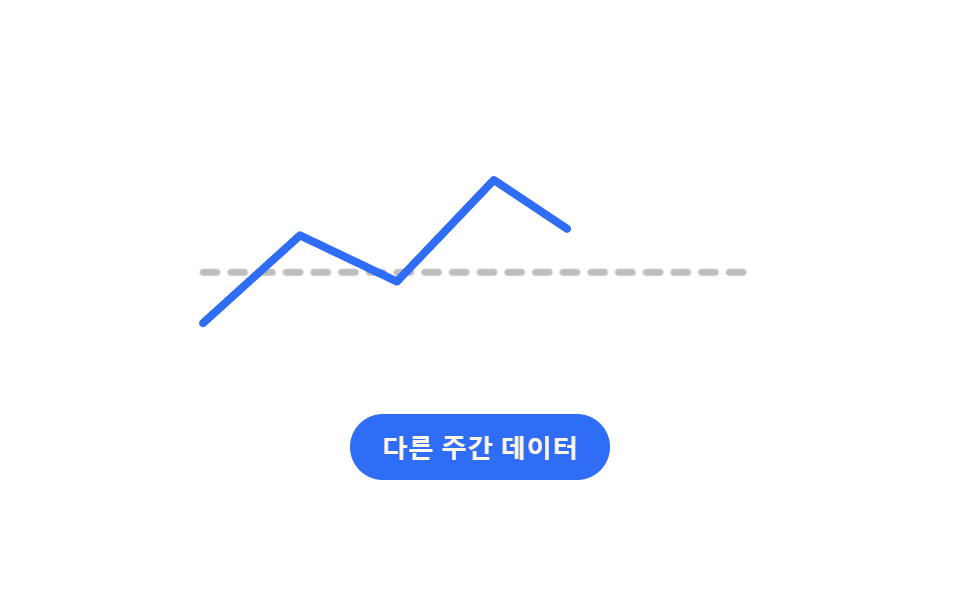 02 chart-loading-line-path-reveal
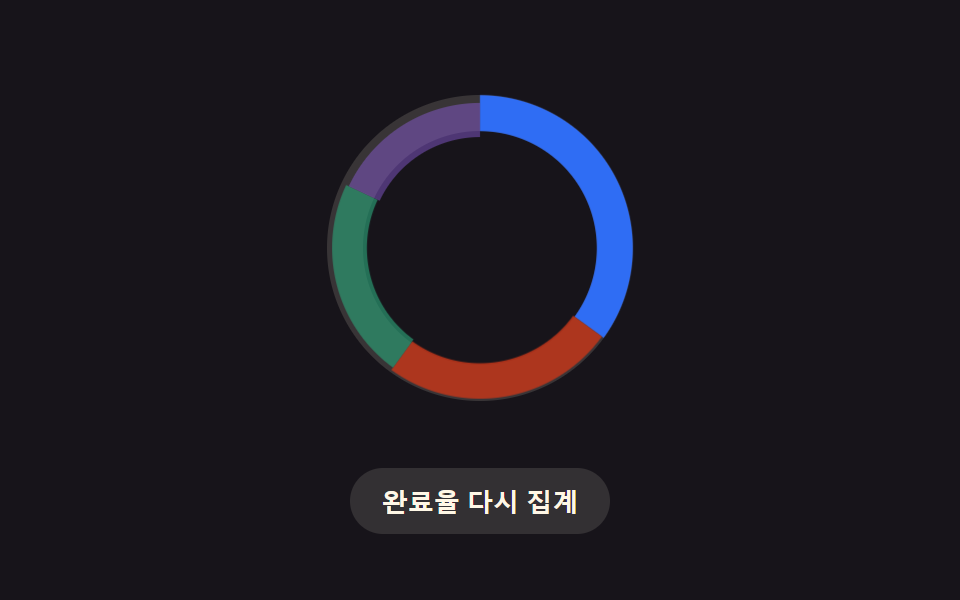 03 chart-loading-donut-ring-morph
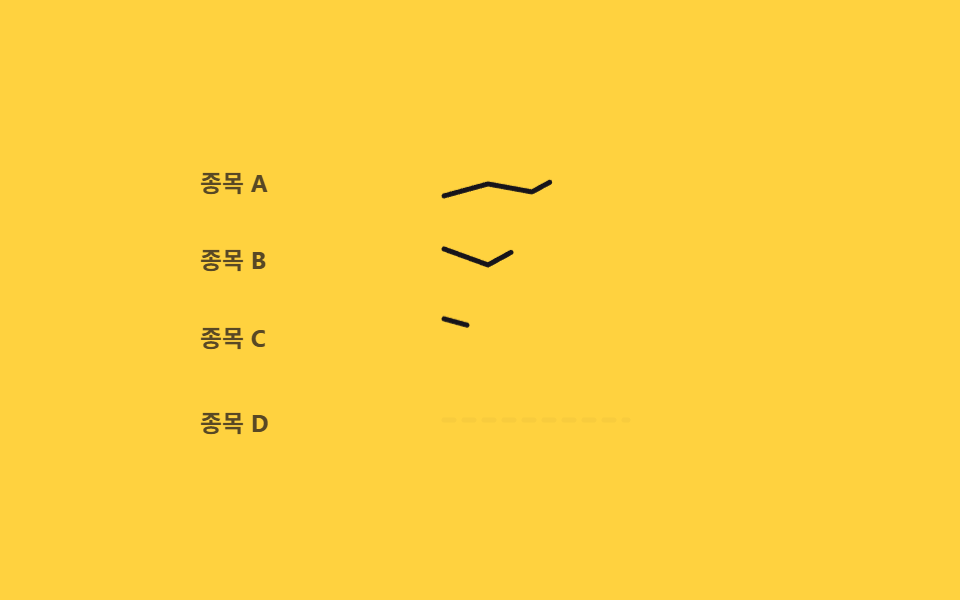 04 chart-loading-sparkline-row-wave
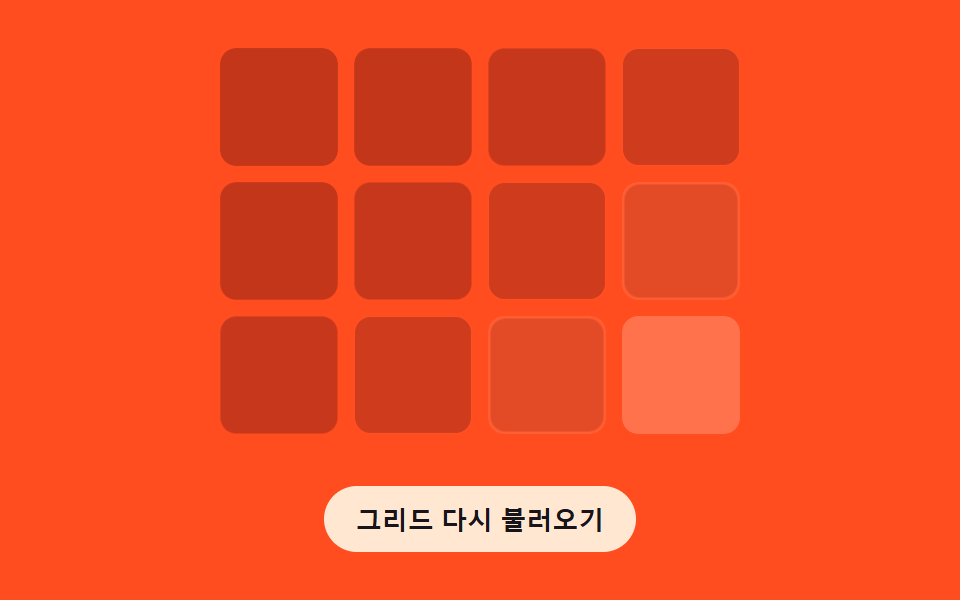 05 chart-loading-grid-fade-order
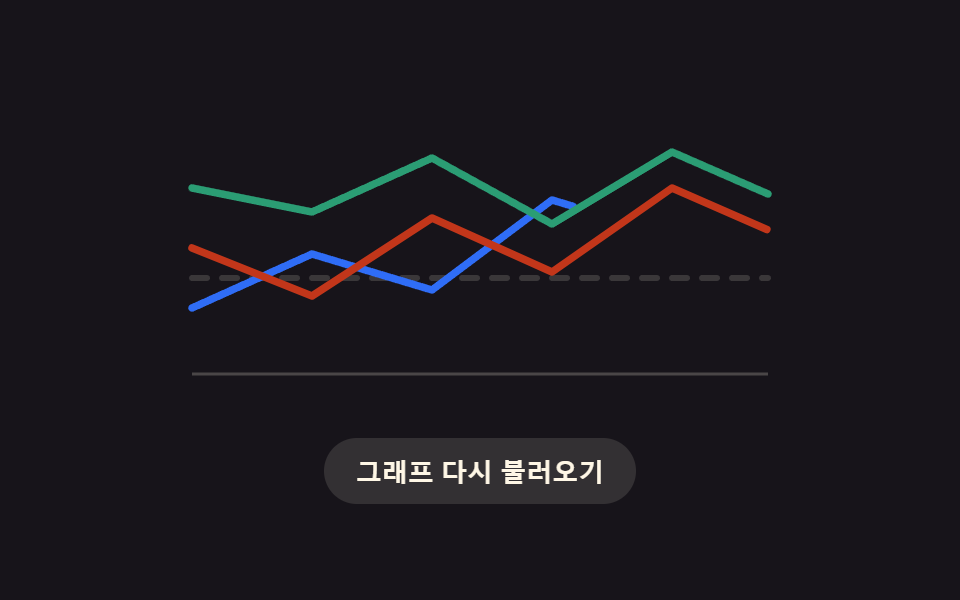 06 chart-loading-multi-series-cascade
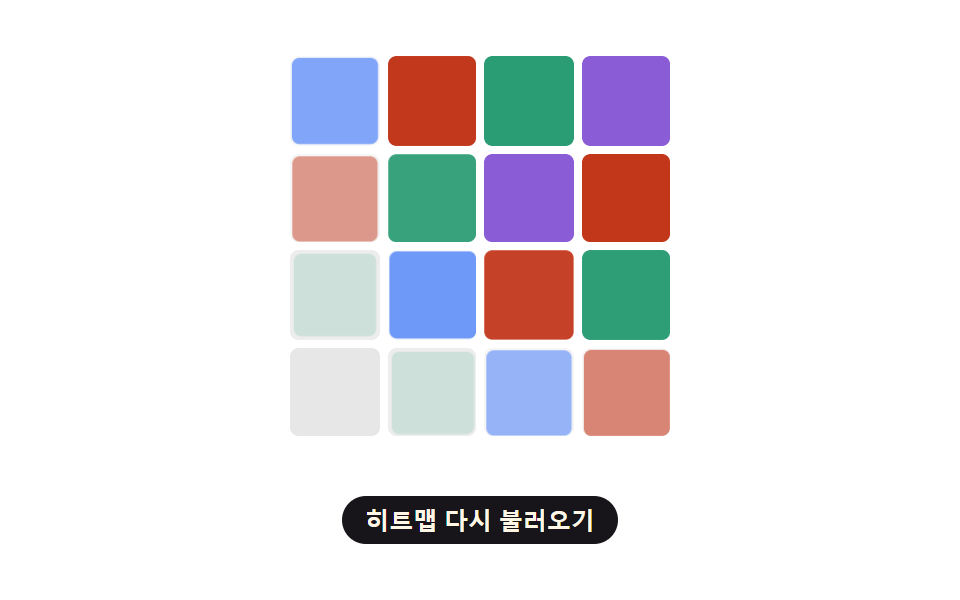 07 chart-loading-heatmap-diagonal-reveal
 08 chart-loading-fail-empty-retry
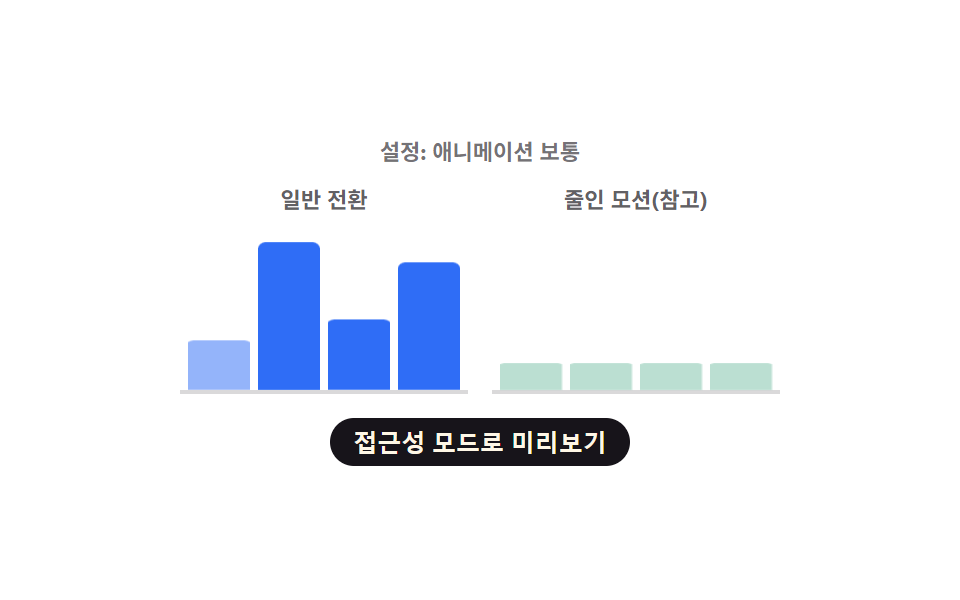 09 chart-loading-reduced-motion-instant-swap
Auto-plays · click a tile to jump to its section · all nine in one zip
- 01 Bar Chart Loading Skeleton Whose Delay Is Computed Per Bar
- 02 Line Chart Loading Whose Flat Placeholder Unspools Into the Real Path
- 03 Donut Chart Loading Whose Waiting Ring Morphs Into Real Segments
- 04 Sparkline Loading Whose Rows Pulse in a Wave
- 05 Chart Loading Whose Gridlines Fade In by Distance
- 06 Multi-Series Loading Whose Each Line Settles With a Damped Cascade
- 07 Heatmap Loading Whose Cells Fill in a Diagonal Wave
- 08 Chart Loading That Dissolves Into an Empty State on Failure
- 09 Chart Loading That Skips Computation and Swaps Instantly Under Reduced Motion
This set lines up nine chart loading skeletons in one row: a bar chart whose height stagger comes from a column index, a line chart whose flat placeholder unspools along a measured path length, a donut whose waiting ring splits into real segments by angle, a sparkline list that reveals row by row in a wave, a metrics grid that fades in by distance from its corner, a multi-series chart that settles with a damped cascade, a heatmap that fills along a diagonal wave, a fail/empty/retry cycle with an exponential backoff, and a reduced-motion path that skips every one of those calculations. Rather than reach for a separate chart skeleton loader library for each chart type, every pattern below keeps the same click/keydown baseline and adds exactly one small, named calculation function on top of it.
Demo
<main class="stage">
<div class="cb is-demo" id="cb">
  <div class="cb__chart" id="cbChart" role="img" aria-label="Monthly visitors bar chart" aria-busy="true">
    <div class="cb__col" data-i="0"><div class="cb__bar" id="cbBar0"></div></div>
    <div class="cb__col" data-i="1"><div class="cb__bar" id="cbBar1"></div></div>
    <div class="cb__col" data-i="2"><div class="cb__bar" id="cbBar2"></div></div>
    <div class="cb__col" data-i="3"><div class="cb__bar" id="cbBar3"></div></div>
    <div class="cb__col" data-i="4"><div class="cb__bar" id="cbBar4"></div></div>
    <div class="cb__col" data-i="5"><div class="cb__bar" id="cbBar5"></div></div>
  </div>
  <button type="button" class="cb__reload" id="cbReload">Reload</button>
</div>
</main>
@use "../../../../site/static/demo-tokens" as *;
// 변수 3개
$duration: $dur-loop;
$easing: $ease-spring;
$color: $subject-blue;
@include stage($stage-ink);
.cb { width: min(300px, 88vw); }
.cb__chart {
display: flex; align-items: flex-end; justify-content: space-between;
gap: $sp-2; height: 150px; padding: 0 $sp-1;
border-bottom: 2px solid rgba($subject-cream, .18);
}
.cb__col { flex: 1 1 0; height: 100%; display: flex; align-items: flex-end; }
.cb__bar {
width: 100%; height: 100%; border-radius: $r-xs $r-xs 0 0;
background: $color; transform-origin: bottom; // 시작 변(바닥)에서 자란다 — 채움 막대 예외(규칙 8)
transform: scaleY(.16); opacity: .32;
animation: cbReveal $duration var(--phase, 0ms) $easing infinite;
}
.cb__reload {
display: block; margin: $sp-4 auto 0; appearance: none; border: none; cursor: pointer;
background: rgba($subject-cream, .12); color: $subject-cream; font-weight: 700; font-size: 13px;
padding: $sp-2 $sp-4; border-radius: $r-pill;
}
.cb__reload:focus-visible { outline: 2px solid $subject-cream; outline-offset: 2px; }
@keyframes cbReveal {
0% { transform: scaleY(.16); opacity: .32; }
14% { transform: scaleY(.16); opacity: .32; }
46% { transform: scaleY(var(--real, .6)); opacity: 1; }
84% { transform: scaleY(var(--real, .6)); opacity: 1; }
100% { transform: scaleY(.16); opacity: .32; }
}
@media (max-width: 340px) {
.cb { width: min(250px, 84vw); }
.cb__chart { height: 120px; }
}
@media (prefers-reduced-motion: reduce) {
// 실사용 경로 적용: 자동 루프를 끄고 마지막 실제 값 상태로 고정한다
.cb__bar { animation: none; transform: scaleY(var(--real, .6)); opacity: 1; }
}html, body {
margin: 0;
overflow: hidden;
}
.stage {
box-sizing: border-box;
min-height: 100vh;
display: grid;
place-items: center;
margin: 0;
background: #17141a;
font-family: -apple-system, "Segoe UI", "Noto Sans KR", sans-serif;
padding: clamp(8px, 4vw, 24px);
}
.cb {
width: min(300px, 88vw);
}
.cb__chart {
display: flex;
align-items: flex-end;
justify-content: space-between;
gap: 8px;
height: 150px;
padding: 0 4px;
border-bottom: 2px solid rgba(255, 247, 230, 0.18);
}
.cb__col {
flex: 1 1 0;
height: 100%;
display: flex;
align-items: flex-end;
}
.cb__bar {
width: 100%;
height: 100%;
border-radius: 4px 4px 0 0;
background: #2f6df6;
transform-origin: bottom;
transform: scaleY(0.16);
opacity: 0.32;
animation: cbReveal 2s var(--phase, 0ms) cubic-bezier(0.2, 0.8, 0.2, 1) infinite;
}
.cb__reload {
display: block;
margin: 16px auto 0;
appearance: none;
border: none;
cursor: pointer;
background: rgba(255, 247, 230, 0.12);
color: #fff7e6;
font-weight: 700;
font-size: 13px;
padding: 8px 16px;
border-radius: 999px;
}
.cb__reload:focus-visible {
outline: 2px solid #fff7e6;
outline-offset: 2px;
}
@keyframes cbReveal {
0% {
transform: scaleY(0.16);
opacity: 0.32;
}
14% {
transform: scaleY(0.16);
opacity: 0.32;
}
46% {
transform: scaleY(var(--real, 0.6));
opacity: 1;
}
84% {
transform: scaleY(var(--real, 0.6));
opacity: 1;
}
100% {
transform: scaleY(0.16);
opacity: 0.32;
}
}
@media (max-width: 340px) {
.cb {
width: min(250px, 84vw);
}
.cb__chart {
height: 120px;
}
}
@media (prefers-reduced-motion: reduce) {
.cb__bar {
animation: none;
transform: scaleY(var(--real, 0.6));
opacity: 1;
}
}(function () {
var VALUES = [38, 82, 55, 96, 29, 68];
var STAGGER_MS = 70;
var SKELETON_SCALE = 0.16;
var root = document.getElementById('cb');
var chart = document.getElementById('cbChart');
var reload = document.getElementById('cbReload');
var bars = VALUES.map(function (v, i) { return document.getElementById('cbBar' + i); });
// 계산 겹: 막대 등장 지연을 열 번호(i)로 계산한다 — 열이 오른쪽일수록 늦게 실제 높이로 펴진다
function barDelay(i) { return i * STAGGER_MS; }
bars.forEach(function (bar, i) {
bar.style.setProperty('--real', String(VALUES[i] / 100));
bar.style.setProperty('--phase', barDelay(i) + 'ms');
});
function paintNow(i, value) {
bars[i].style.transform = 'scaleY(' + (value / 100) + ')';
bars[i].style.opacity = '1';
}
function skeletonNow(i) {
bars[i].style.transform = 'scaleY(' + SKELETON_SCALE + ')';
bars[i].style.opacity = '.32';
}
function human() {
root.classList.remove('is-demo');
bars.forEach(function (bar, i) { skeletonNow(i); });
chart.setAttribute('aria-busy', 'true');
bars.forEach(function (bar, i) {
window.setTimeout(function () { paintNow(i, VALUES[i]); }, 260 + barDelay(i));
});
window.setTimeout(function () { chart.setAttribute('aria-busy', 'false'); }, 260 + barDelay(VALUES.length - 1) + 200);
}
reload.addEventListener('click', human);
reload.addEventListener('keydown', function (e) {
if (e.key === 'Enter' || e.key === ' ') { e.preventDefault(); human(); }
});
}());import { useEffect, useRef } from 'react';
import styles from './ChartLoadingBarHeightStagger.module.scss';
const VALUES = [38, 82, 55, 96, 29, 68];
const STAGGER_MS = 70;
const SKELETON_SCALE = 0.16;
export default function ChartLoadingBarHeightStagger() {
const rootRef = useRef<HTMLDivElement>(null);
const chartRef = useRef<HTMLDivElement>(null);
const reloadRef = useRef<HTMLButtonElement>(null);
const barRefs = useRef<HTMLDivElement[]>([]);
useEffect(() => {
const root = rootRef.current;
const chart = chartRef.current;
const reload = reloadRef.current;
if (!root || !chart || !reload) return undefined;
const bars = barRefs.current!;
if (!bars || bars.length !== VALUES.length) return undefined;
// 계산 겹: 막대 등장 지연을 열 번호(i)로 계산한다 — 열이 오른쪽일수록 늦게 실제 높이로 펴진다
function barDelay(i: number) { return i * STAGGER_MS; }
bars.forEach((bar, i) => {
bar.style.setProperty('--real', String(VALUES[i] / 100));
bar.style.setProperty('--phase', barDelay(i) + 'ms');
});
function paintNow(i: number, value: number) {
bars[i].style.transform = 'scaleY(' + (value / 100) + ')';
bars[i].style.opacity = '1';
}
function skeletonNow(i: number) {
bars[i].style.transform = 'scaleY(' + SKELETON_SCALE + ')';
bars[i].style.opacity = '.32';
}
const timers: number[] = [];
function human() {
root!.classList.remove(styles['is-demo']);
bars.forEach((_bar, i) => skeletonNow(i));
chart!.setAttribute('aria-busy', 'true');
bars.forEach((_bar, i) => {
timers.push(window.setTimeout(() => paintNow(i, VALUES[i]), 260 + barDelay(i)));
});
timers.push(window.setTimeout(() => chart!.setAttribute('aria-busy', 'false'), 260 + barDelay(VALUES.length - 1) + 200));
}
function onClick() { human(); }
function onKey(e: KeyboardEvent) { if (e.key === 'Enter' || e.key === ' ') { e.preventDefault(); human(); } }
reload.addEventListener('click', onClick);
reload.addEventListener('keydown', onKey);
return () => {
reload.removeEventListener('click', onClick);
reload.removeEventListener('keydown', onKey);
timers.forEach((id) => window.clearTimeout(id));
};
}, []);
return (
<main className={styles.stage}>
<div className={styles.cb + ' ' + styles['is-demo']} ref={rootRef}>
<div className={styles.cbChart} ref={chartRef} role="img" aria-label="월별 방문자 막대 그래프" aria-busy="true">
{VALUES.map((_value, i) => (
<div className={styles.cbCol} data-i={i} key={i}>
<div
className={styles.cbBar}
ref={(el: HTMLDivElement | null) => { if (el) barRefs.current![i] = el; }}
/>
</div>
))}
</div>
<button type="button" className={styles.cbReload} ref={reloadRef}>다시 불러오기</button>
</div>
</main>
);
}01 · Bar Chart Loading Skeleton Whose Delay Is Computed Per Bar — Measured area 16.224% · moving frames 16/23Original by GODRICH · SCSS and React ship in the zip · See the password
Pattern 01 above needs nothing beyond barDelay, paintNow, and skeletonNow to turn a column index into a bar's entrance timing. The other eight follow below, each paired with its own code block.
Anatomy of nine chart loading skeletons — where the one layer of calculation runs
| # | Pattern | Cumulative area | Avg. intensity | Frames moved |
|---|---|---|---|---|
| 01 | Bar height stagger | 16.22% | 85.2 | 16 of 23 |
| 02 | Line path reveal | 1.89% | 101.8 | 13 of 23 |
| 03 | Donut ring morph | 6.74% | 48.2 | 18 of 23 |
| 04 | Sparkline row wave | 2.56% | 83.8 | 16 of 23 |
| 05 | Grid fade by distance | 28.61% | 29.1 | 9 of 23 |
| 06 | Multi-series cascade | 3.49% | 117.0 | 15 of 23 |
| 07 | Heatmap diagonal wave | 21.91% | 49.1 | 14 of 23 |
| 08 | Fail/empty/retry | 7.96% | 35.2 | 12 of 23 |
| 09 | Reduced-motion swap | 9.88% | 89.6 | 15 of 23 |
None of the nine call requestAnimationFrame — every delay is set once as a --phase/--delay custom property or a plain animationDelay, and a CSS @keyframes rule or transition does the actual repainting after that; setTimeout only decides when a delay has elapsed or when a state should auto-advance. Four of the nine (02, 04, 06, 07) also call getAnimations().cancel() on the flat placeholder the moment real values are ready, cutting its dash animation short instead of waiting for the loop to finish naturally.
Pattern 05 covers the most pixels of the nine (28.61% cumulative) because all twelve grid cells cross-fade together, but that whole burst finishes inside a maxOrder(5) × STEP_MS(55) = 275ms window, so it also has the lowest average intensity (29.1) and moves in the fewest frames (9 of 23) — wide but brief and gentle. Pattern 02 covers the least (1.89%) since only a single thin line repaints at a time. Pattern 06 has the highest average intensity of the nine (117.0), since settling each series into its real stroke length and dashoffset repaints a whole path at once rather than a small dot or cell. Pattern 03 moves in the most frames (18 of 23) — its dashed ring keeps spinning for the full wait before the real segments cut in, so nearly every captured frame shows some movement somewhere in the ring.
Delay computed straight from an index
Patterns 01, 04, and 05 each turn a position into a delay with no length or geometry step in between. 01's barDelay(i) multiplies the bar's column index by STAGGER_MS. 04's rowDelay(i) does the same with a row index and ROW_WAVE_MS. 05's cellOrder(row, col) adds a grid cell's row and column together to rank it by its distance from the origin cell, then multiplies that rank by STEP_MS.
Length or angle measured before the reveal is timed
Patterns 02, 03, and 06 measure a shape's own geometry before deciding how the reveal plays out. 02's drawPercent(len) reads the line's getTotalLength() and clamps the result to size a stroke-dashoffset keyframe. 03's layout() turns each segment's share of the total into an arc length along the ring's circumference, using the cumulative share so far as that segment's starting angle. 06 also reads each series path's getTotalLength() to size its dash array, and on top of that seriesDelay(i) runs a damped, decaying sum across the series index so later series get a shrinking extra gap.
Distance, backoff, and the reduced-motion escape hatch
Patterns 07, 08, and 09 each add a different kind of guard on top of a delay. 07's waveDelayMs(row, col) measures the real Euclidean distance from a cell to the grid's top-right corner and divides it by WAVE_SPEED. 08's backoffDelay(n) raises BACKOFF_FACTOR to the power of the retry count so a repeatedly failing chart waits longer each time. 09's barDelay(i, reduced) reuses 01's exact formula but multiplies it by a reduced-motion flag, so every bar's delay collapses to zero at once when the setting is on.
Code per pattern
Every code block below comes straight from that pattern's own index.html file — same variable names, same order, nothing shortened or left out.
01Bar Chart Loading Skeleton Whose Delay Is Computed Per Bar
Gray placeholder bars sit in place first, and once values arrive each bar's entrance delay is computed from its column index, so the bars settle into their real height in that left-to-right order. A spot where a dashboard's bar chart holds its place before the stats draw in.
<main class="stage">
<div class="cb is-demo" id="cb">
  <div class="cb__chart" id="cbChart" role="img" aria-label="Monthly visitors bar chart" aria-busy="true">
    <div class="cb__col" data-i="0"><div class="cb__bar" id="cbBar0"></div></div>
    <div class="cb__col" data-i="1"><div class="cb__bar" id="cbBar1"></div></div>
    <div class="cb__col" data-i="2"><div class="cb__bar" id="cbBar2"></div></div>
    <div class="cb__col" data-i="3"><div class="cb__bar" id="cbBar3"></div></div>
    <div class="cb__col" data-i="4"><div class="cb__bar" id="cbBar4"></div></div>
    <div class="cb__col" data-i="5"><div class="cb__bar" id="cbBar5"></div></div>
  </div>
  <button type="button" class="cb__reload" id="cbReload">Reload</button>
</div>
</main>
@use "../../../../site/static/demo-tokens" as *;
// 변수 3개
$duration: $dur-loop;
$easing: $ease-spring;
$color: $subject-blue;
@include stage($stage-ink);
.cb { width: min(300px, 88vw); }
.cb__chart {
display: flex; align-items: flex-end; justify-content: space-between;
gap: $sp-2; height: 150px; padding: 0 $sp-1;
border-bottom: 2px solid rgba($subject-cream, .18);
}
.cb__col { flex: 1 1 0; height: 100%; display: flex; align-items: flex-end; }
.cb__bar {
width: 100%; height: 100%; border-radius: $r-xs $r-xs 0 0;
background: $color; transform-origin: bottom; // 시작 변(바닥)에서 자란다 — 채움 막대 예외(규칙 8)
transform: scaleY(.16); opacity: .32;
animation: cbReveal $duration var(--phase, 0ms) $easing infinite;
}
.cb__reload {
display: block; margin: $sp-4 auto 0; appearance: none; border: none; cursor: pointer;
background: rgba($subject-cream, .12); color: $subject-cream; font-weight: 700; font-size: 13px;
padding: $sp-2 $sp-4; border-radius: $r-pill;
}
.cb__reload:focus-visible { outline: 2px solid $subject-cream; outline-offset: 2px; }
@keyframes cbReveal {
0% { transform: scaleY(.16); opacity: .32; }
14% { transform: scaleY(.16); opacity: .32; }
46% { transform: scaleY(var(--real, .6)); opacity: 1; }
84% { transform: scaleY(var(--real, .6)); opacity: 1; }
100% { transform: scaleY(.16); opacity: .32; }
}
@media (max-width: 340px) {
.cb { width: min(250px, 84vw); }
.cb__chart { height: 120px; }
}
@media (prefers-reduced-motion: reduce) {
// 실사용 경로 적용: 자동 루프를 끄고 마지막 실제 값 상태로 고정한다
.cb__bar { animation: none; transform: scaleY(var(--real, .6)); opacity: 1; }
}html, body {
margin: 0;
overflow: hidden;
}
.stage {
box-sizing: border-box;
min-height: 100vh;
display: grid;
place-items: center;
margin: 0;
background: #17141a;
font-family: -apple-system, "Segoe UI", "Noto Sans KR", sans-serif;
padding: clamp(8px, 4vw, 24px);
}
.cb {
width: min(300px, 88vw);
}
.cb__chart {
display: flex;
align-items: flex-end;
justify-content: space-between;
gap: 8px;
height: 150px;
padding: 0 4px;
border-bottom: 2px solid rgba(255, 247, 230, 0.18);
}
.cb__col {
flex: 1 1 0;
height: 100%;
display: flex;
align-items: flex-end;
}
.cb__bar {
width: 100%;
height: 100%;
border-radius: 4px 4px 0 0;
background: #2f6df6;
transform-origin: bottom;
transform: scaleY(0.16);
opacity: 0.32;
animation: cbReveal 2s var(--phase, 0ms) cubic-bezier(0.2, 0.8, 0.2, 1) infinite;
}
.cb__reload {
display: block;
margin: 16px auto 0;
appearance: none;
border: none;
cursor: pointer;
background: rgba(255, 247, 230, 0.12);
color: #fff7e6;
font-weight: 700;
font-size: 13px;
padding: 8px 16px;
border-radius: 999px;
}
.cb__reload:focus-visible {
outline: 2px solid #fff7e6;
outline-offset: 2px;
}
@keyframes cbReveal {
0% {
transform: scaleY(0.16);
opacity: 0.32;
}
14% {
transform: scaleY(0.16);
opacity: 0.32;
}
46% {
transform: scaleY(var(--real, 0.6));
opacity: 1;
}
84% {
transform: scaleY(var(--real, 0.6));
opacity: 1;
}
100% {
transform: scaleY(0.16);
opacity: 0.32;
}
}
@media (max-width: 340px) {
.cb {
width: min(250px, 84vw);
}
.cb__chart {
height: 120px;
}
}
@media (prefers-reduced-motion: reduce) {
.cb__bar {
animation: none;
transform: scaleY(var(--real, 0.6));
opacity: 1;
}
}(function () {
var VALUES = [38, 82, 55, 96, 29, 68];
var STAGGER_MS = 70;
var SKELETON_SCALE = 0.16;
var root = document.getElementById('cb');
var chart = document.getElementById('cbChart');
var reload = document.getElementById('cbReload');
var bars = VALUES.map(function (v, i) { return document.getElementById('cbBar' + i); });
// 계산 겹: 막대 등장 지연을 열 번호(i)로 계산한다 — 열이 오른쪽일수록 늦게 실제 높이로 펴진다
function barDelay(i) { return i * STAGGER_MS; }
bars.forEach(function (bar, i) {
bar.style.setProperty('--real', String(VALUES[i] / 100));
bar.style.setProperty('--phase', barDelay(i) + 'ms');
});
function paintNow(i, value) {
bars[i].style.transform = 'scaleY(' + (value / 100) + ')';
bars[i].style.opacity = '1';
}
function skeletonNow(i) {
bars[i].style.transform = 'scaleY(' + SKELETON_SCALE + ')';
bars[i].style.opacity = '.32';
}
function human() {
root.classList.remove('is-demo');
bars.forEach(function (bar, i) { skeletonNow(i); });
chart.setAttribute('aria-busy', 'true');
bars.forEach(function (bar, i) {
window.setTimeout(function () { paintNow(i, VALUES[i]); }, 260 + barDelay(i));
});
window.setTimeout(function () { chart.setAttribute('aria-busy', 'false'); }, 260 + barDelay(VALUES.length - 1) + 200);
}
reload.addEventListener('click', human);
reload.addEventListener('keydown', function (e) {
if (e.key === 'Enter' || e.key === ' ') { e.preventDefault(); human(); }
});
}());import { useEffect, useRef } from 'react';
import styles from './ChartLoadingBarHeightStagger.module.scss';
const VALUES = [38, 82, 55, 96, 29, 68];
const STAGGER_MS = 70;
const SKELETON_SCALE = 0.16;
export default function ChartLoadingBarHeightStagger() {
const rootRef = useRef<HTMLDivElement>(null);
const chartRef = useRef<HTMLDivElement>(null);
const reloadRef = useRef<HTMLButtonElement>(null);
const barRefs = useRef<HTMLDivElement[]>([]);
useEffect(() => {
const root = rootRef.current;
const chart = chartRef.current;
const reload = reloadRef.current;
if (!root || !chart || !reload) return undefined;
const bars = barRefs.current!;
if (!bars || bars.length !== VALUES.length) return undefined;
// 계산 겹: 막대 등장 지연을 열 번호(i)로 계산한다 — 열이 오른쪽일수록 늦게 실제 높이로 펴진다
function barDelay(i: number) { return i * STAGGER_MS; }
bars.forEach((bar, i) => {
bar.style.setProperty('--real', String(VALUES[i] / 100));
bar.style.setProperty('--phase', barDelay(i) + 'ms');
});
function paintNow(i: number, value: number) {
bars[i].style.transform = 'scaleY(' + (value / 100) + ')';
bars[i].style.opacity = '1';
}
function skeletonNow(i: number) {
bars[i].style.transform = 'scaleY(' + SKELETON_SCALE + ')';
bars[i].style.opacity = '.32';
}
const timers: number[] = [];
function human() {
root!.classList.remove(styles['is-demo']);
bars.forEach((_bar, i) => skeletonNow(i));
chart!.setAttribute('aria-busy', 'true');
bars.forEach((_bar, i) => {
timers.push(window.setTimeout(() => paintNow(i, VALUES[i]), 260 + barDelay(i)));
});
timers.push(window.setTimeout(() => chart!.setAttribute('aria-busy', 'false'), 260 + barDelay(VALUES.length - 1) + 200));
}
function onClick() { human(); }
function onKey(e: KeyboardEvent) { if (e.key === 'Enter' || e.key === ' ') { e.preventDefault(); human(); } }
reload.addEventListener('click', onClick);
reload.addEventListener('keydown', onKey);
return () => {
reload.removeEventListener('click', onClick);
reload.removeEventListener('keydown', onKey);
timers.forEach((id) => window.clearTimeout(id));
};
}, []);
return (
<main className={styles.stage}>
<div className={styles.cb + ' ' + styles['is-demo']} ref={rootRef}>
<div className={styles.cbChart} ref={chartRef} role="img" aria-label="월별 방문자 막대 그래프" aria-busy="true">
{VALUES.map((_value, i) => (
<div className={styles.cbCol} data-i={i} key={i}>
<div
className={styles.cbBar}
ref={(el: HTMLDivElement | null) => { if (el) barRefs.current![i] = el; }}
/>
</div>
))}
</div>
<button type="button" className={styles.cbReload} ref={reloadRef}>다시 불러오기</button>
</div>
</main>
);
}01 · Bar Chart Loading Skeleton Whose Delay Is Computed Per Bar — Measured area 16.224% · moving frames 16/23Original by GODRICH · SCSS and React ship in the zip · See the password
  // Calculation layer: turns the bar's entrance delay into a value from its column index (i) — the further right the column, the later it settles into its real height
  function barDelay(i) { return i * STAGGER_MS; }

  bars.forEach(function (bar, i) {
    bar.style.setProperty('--real', String(VALUES[i] / 100));
    bar.style.setProperty('--phase', barDelay(i) + 'ms');
  });

  function paintNow(i, value) {
    bars[i].style.transform = 'scaleY(' + (value / 100) + ')';
    bars[i].style.opacity = '1';
  }
  function skeletonNow(i) {
    bars[i].style.transform = 'scaleY(' + SKELETON_SCALE + ')';
    bars[i].style.opacity = '.32';
  }
02Line Chart Loading Whose Flat Placeholder Unspools Into the Real Path
A flat dashed line runs first, and once real values arrive the path's total length is measured to work out how long the draw should take before it unspools into the jagged real line. A place where a monthly-trend line chart waits before its data lands.
<main class="stage">
<div class="cl is-demo" id="cl">
  <svg class="cl__svg" id="clSvg" viewBox="0 0 260 110" role="img" aria-label="Weekly visitor trend line chart" aria-busy="true">
    <path class="cl__flat" id="clFlat" d="M10,66 L250,66" />
    <path class="cl__real" id="clReal" d="M10,88 L52,50 L94,70 L136,26 L178,54 L220,16 L250,34" />
  </svg>
  <button type="button" class="cl__reload" id="clReload">Different week's data</button>
</div>
</main>
@use "../../../../site/static/demo-tokens" as *;
// 변수 3개
$duration: $dur-loop;
$easing: $ease-out;
$color: $subject-blue;
@include stage($stage-paper);
.cl { width: min(300px, 88vw); }
.cl__svg { width: 100%; height: auto; overflow: visible; }
.cl__flat {
fill: none; stroke: rgba($subject-ink, .28); stroke-width: 3; stroke-dasharray: 6 6;
stroke-linecap: round; animation: clFlatFade $duration $easing infinite;
}
.cl__real {
fill: none; stroke: $color; stroke-width: 3.5; stroke-linecap: round; stroke-linejoin: round;
}
.cl__reload {
display: block; margin: $sp-4 auto 0; appearance: none; border: none; cursor: pointer;
background: $subject-blue; color: $subject-cream; font-weight: 700; font-size: 13px;
padding: $sp-2 $sp-4; border-radius: $r-pill;
}
.cl__reload:focus-visible { outline: 2px solid $subject-ink; outline-offset: 2px; }
@keyframes clFlatFade {
0% { opacity: 1; }
12% { opacity: 1; }
20% { opacity: 0; }
82% { opacity: 0; }
92% { opacity: 1; }
100% { opacity: 1; }
}
@media (max-width: 340px) {
.cl { width: min(250px, 84vw); }
}
@media (prefers-reduced-motion: reduce) {
// 실사용 경로 적용: 자동 루프를 멈추고 완성된 실제 경로만 보인다
.cl__flat { animation: none; opacity: 0; }
.cl__real { stroke-dashoffset: 0 !important; animation: none !important; }
}html, body {
margin: 0;
overflow: hidden;
}
.stage {
box-sizing: border-box;
min-height: 100vh;
display: grid;
place-items: center;
margin: 0;
background: #ffffff;
font-family: -apple-system, "Segoe UI", "Noto Sans KR", sans-serif;
padding: clamp(8px, 4vw, 24px);
}
.cl {
width: min(300px, 88vw);
}
.cl__svg {
width: 100%;
height: auto;
overflow: visible;
}
.cl__flat {
fill: none;
stroke: rgba(23, 20, 26, 0.28);
stroke-width: 3;
stroke-dasharray: 6 6;
stroke-linecap: round;
animation: clFlatFade 2s ease-out infinite;
}
.cl__real {
fill: none;
stroke: #2f6df6;
stroke-width: 3.5;
stroke-linecap: round;
stroke-linejoin: round;
}
.cl__reload {
display: block;
margin: 16px auto 0;
appearance: none;
border: none;
cursor: pointer;
background: #2f6df6;
color: #fff7e6;
font-weight: 700;
font-size: 13px;
padding: 8px 16px;
border-radius: 999px;
}
.cl__reload:focus-visible {
outline: 2px solid #17141a;
outline-offset: 2px;
}
@keyframes clFlatFade {
0% {
opacity: 1;
}
12% {
opacity: 1;
}
20% {
opacity: 0;
}
82% {
opacity: 0;
}
92% {
opacity: 1;
}
100% {
opacity: 1;
}
}
@media (max-width: 340px) {
.cl {
width: min(250px, 84vw);
}
}
@media (prefers-reduced-motion: reduce) {
.cl__flat {
animation: none;
opacity: 0;
}
.cl__real {
stroke-dashoffset: 0 !important;
animation: none !important;
}
}(function () {
var SETS = [
'M10,88 L52,50 L94,70 L136,26 L178,54 L220,16 L250,34',
'M10,40 L52,74 L94,30 L136,58 L178,20 L220,48 L250,12'
];
var PX_PER_PCT = 6; // 계산 상수: 길이 6px 마다 그리기 구간 1% 를 배정한다
var root = document.getElementById('cl');
var svg = document.getElementById('clSvg');
var flat = document.getElementById('clFlat');
var real = document.getElementById('clReal');
var reload = document.getElementById('clReload');
var setIndex = 0;
var styleTag = document.createElement('style');
document.head.appendChild(styleTag);
// 계산 겹: 선의 전체 길이(getTotalLength)로 그려지는 데 필요한 구간(%)을 정한다 — 길수록 오래 그려진다
function drawPercent(len) { return Math.max(20, Math.min(48, Math.round(len / PX_PER_PCT))); }
function prepare() {
var len = Math.round(real.getTotalLength());
var pct = drawPercent(len);
real.style.strokeDasharray = String(len);
real.style.strokeDashoffset = String(len);
styleTag.textContent =
'@keyframes clDraw {' +
'0%{stroke-dashoffset:' + len + ';}' +
'14%{stroke-dashoffset:' + len + ';}' +
pct + '%{stroke-dashoffset:0;}' +
'86%{stroke-dashoffset:0;}' +
'100%{stroke-dashoffset:' + len + ';}}';
real.style.animation = 'clDraw 2000ms ease-in-out infinite';
return { len: len, pct: pct };
}
var info = prepare();
function human() {
root.classList.remove('is-demo');
setIndex = (setIndex + 1) % SETS.length;
real.setAttribute('d', SETS[setIndex]);
real.getAnimations().forEach(function (a) { a.cancel(); });
var meta = prepare();
real.style.animation = 'none';
svg.setAttribute('aria-busy', 'true');
real.animate(
[{ strokeDashoffset: meta.len }, { strokeDashoffset: 0 }],
{ duration: 260 + meta.len * 4, easing: 'ease-in-out', fill: 'forwards' }
).finished.then(function () { svg.setAttribute('aria-busy', 'false'); });
}
reload.addEventListener('click', human);
reload.addEventListener('keydown', function (e) {
if (e.key === 'Enter' || e.key === ' ') { e.preventDefault(); human(); }
});
// 실제 브라우저 재생에서는 주기마다 aria-busy 를 실제로 오르내린다 (렌더 캡처는 실시간을 다 안 쓴다)
window.setInterval(function () {
if (!root.classList.contains('is-demo')) return;
svg.setAttribute('aria-busy', 'true');
window.setTimeout(function () { svg.setAttribute('aria-busy', 'false'); }, 300);
}, 2000);
}());import { useEffect, useRef } from 'react';
import styles from './ChartLoadingLinePathReveal.module.scss';
const SETS = [
'M10,88 L52,50 L94,70 L136,26 L178,54 L220,16 L250,34',
'M10,40 L52,74 L94,30 L136,58 L178,20 L220,48 L250,12'
];
const PX_PER_PCT = 6; // 계산 상수: 길이 6px 마다 그리기 구간 1% 를 배정한다
export default function ChartLoadingLinePathReveal() {
const rootRef = useRef<HTMLDivElement>(null);
const svgRef = useRef<SVGSVGElement>(null);
const realRef = useRef<SVGPathElement>(null);
const reloadRef = useRef<HTMLButtonElement>(null);
useEffect(() => {
const root = rootRef.current;
const svg = svgRef.current;
const real = realRef.current;
const reload = reloadRef.current;
if (!root || !svg || !real || !reload) return undefined;
let setIndex = 0;
const styleTag = document.createElement('style');
document.head.appendChild(styleTag);
// 계산 겹: 선의 전체 길이(getTotalLength)로 그려지는 데 필요한 구간(%)을 정한다 — 길수록 오래 그려진다
function drawPercent(len: number) { return Math.max(20, Math.min(48, Math.round(len / PX_PER_PCT))); }
function prepare() {
const len = Math.round(real!.getTotalLength());
const pct = drawPercent(len);
real!.style.strokeDasharray = String(len);
real!.style.strokeDashoffset = String(len);
styleTag.textContent =
'@keyframes clDraw {' +
'0%{stroke-dashoffset:' + len + ';}' +
'14%{stroke-dashoffset:' + len + ';}' +
pct + '%{stroke-dashoffset:0;}' +
'86%{stroke-dashoffset:0;}' +
'100%{stroke-dashoffset:' + len + ';}}';
real!.style.animation = 'clDraw 2000ms ease-in-out infinite';
return { len, pct };
}
prepare();
function human() {
root!.classList.remove(styles['is-demo']);
setIndex = (setIndex + 1) % SETS.length;
real!.setAttribute('d', SETS[setIndex]);
real!.getAnimations().forEach((a) => a.cancel());
const meta = prepare();
real!.style.animation = 'none';
svg!.setAttribute('aria-busy', 'true');
real!.animate(
[{ strokeDashoffset: meta.len }, { strokeDashoffset: 0 }],
{ duration: 260 + meta.len * 4, easing: 'ease-in-out', fill: 'forwards' }
).finished.then(() => { svg!.setAttribute('aria-busy', 'false'); });
}
function onClick() { human(); }
function onKey(e: KeyboardEvent) { if (e.key === 'Enter' || e.key === ' ') { e.preventDefault(); human(); } }
reload.addEventListener('click', onClick);
reload.addEventListener('keydown', onKey);
// 실제 브라우저 재생에서는 주기마다 aria-busy 를 실제로 오르내린다 (렌더 캡처는 실시간을 다 안 쓴다)
const timers: number[] = [];
const timer = window.setInterval(() => {
if (!root!.classList.contains(styles['is-demo'])) return;
svg!.setAttribute('aria-busy', 'true');
timers.push(window.setTimeout(() => { svg!.setAttribute('aria-busy', 'false'); }, 300));
}, 2000);
return () => {
reload.removeEventListener('click', onClick);
reload.removeEventListener('keydown', onKey);
window.clearInterval(timer);
timers.forEach((id) => window.clearTimeout(id));
styleTag.remove();
};
}, []);
return (
<main className={styles.stage}>
<div className={styles.cl + ' ' + styles['is-demo']} ref={rootRef}>
<svg className={styles.clSvg} ref={svgRef} viewBox="0 0 260 110" role="img" aria-label="주간 방문자 추이 라인 그래프" aria-busy="true">
<path className={styles.clFlat} d="M10,66 L250,66" />
<path className={styles.clReal} ref={realRef} d="M10,88 L52,50 L94,70 L136,26 L178,54 L220,16 L250,34" />
</svg>
<button type="button" className={styles.clReload} ref={reloadRef}>다른 주간 데이터</button>
</div>
</main>
);
}02 · Line Chart Loading Whose Flat Placeholder Unspools Into the Real Path — Measured area 1.89% · moving frames 13/23Original by GODRICH · SCSS and React ship in the zip · See the password
  // Calculation layer: uses the line's total length (getTotalLength) to set how much of it needs to draw — the longer it is, the longer the draw takes
  function drawPercent(len) { return Math.max(20, Math.min(48, Math.round(len / PX_PER_PCT))); }

  function prepare() {
    var len = Math.round(real.getTotalLength());
    var pct = drawPercent(len);
    real.style.strokeDasharray = String(len);
    real.style.strokeDashoffset = String(len);
    styleTag.textContent =
      '@keyframes clDraw {' +
      '0%{stroke-dashoffset:' + len + ';}' +
      '14%{stroke-dashoffset:' + len + ';}' +
      pct + '%{stroke-dashoffset:0;}' +
      '86%{stroke-dashoffset:0;}' +
      '100%{stroke-dashoffset:' + len + ';}}';
    real.style.animation = 'clDraw 2000ms ease-in-out infinite';
    return { len: len, pct: pct };
  }
03Donut Chart Loading Whose Waiting Ring Morphs Into Real Segments
A dashed ring spins while waiting, and once values arrive each segment's share is computed as an angle along the ring's circumference, splitting the ring's color into those segment colors in that order. A spot where a completion-rate donut chart spins briefly before its tally is ready.
<main class="stage">
<div class="cd is-demo" id="cd">
  <svg class="cd__svg" id="cdSvg" viewBox="0 0 120 120" role="img" aria-label="Completion rate donut chart" aria-busy="true">
    <circle class="cd__track" cx="60" cy="60" r="45" />
    <circle class="cd__spin" cx="60" cy="60" r="45" />
    <circle class="cd__seg" id="cdSeg0" cx="60" cy="60" r="45" data-i="0" />
    <circle class="cd__seg" id="cdSeg1" cx="60" cy="60" r="45" data-i="1" />
    <circle class="cd__seg" id="cdSeg2" cx="60" cy="60" r="45" data-i="2" />
    <circle class="cd__seg" id="cdSeg3" cx="60" cy="60" r="45" data-i="3" />
  </svg>
  <button type="button" class="cd__reload" id="cdReload">Recalculate completion rate</button>
</div>
</main>
@use "../../../../site/static/demo-tokens" as *;
// 변수 3개
$duration: $dur-loop;
$easing: $ease-out;
$color: $chart-1;
@include stage($stage-ink);
.cd { width: min(180px, 60vw); text-align: center; }
.cd__svg { width: 100%; height: auto; transform: rotate(-90deg); }
.cd__track { fill: none; stroke: rgba($subject-cream, .14); stroke-width: 12; }
.cd__spin {
fill: none; stroke: rgba($subject-cream, .55); stroke-width: 4; stroke-linecap: round;
stroke-dasharray: 10 16; transform-origin: 60px 60px;
animation: cdSpin 1.4s linear infinite, cdSpinFade $duration $easing infinite;
}
.cd__seg {
fill: none; stroke-width: 12; stroke-linecap: butt; transform-origin: 60px 60px;
opacity: 0; transform: scale(.9); animation: cdSegCycle $duration $easing infinite;
}
#cdSeg0 { stroke: $chart-1; animation-delay: 0ms; }
#cdSeg1 { stroke: $chart-2; animation-delay: 130ms; }
#cdSeg2 { stroke: $chart-3; animation-delay: 230ms; }
#cdSeg3 { stroke: $chart-4; animation-delay: 310ms; }
.cd__reload {
display: block; margin: $sp-4 auto 0; appearance: none; border: none; cursor: pointer;
background: rgba($subject-cream, .12); color: $subject-cream; font-weight: 700; font-size: 13px;
padding: $sp-2 $sp-4; border-radius: $r-pill;
}
.cd__reload:focus-visible { outline: 2px solid $subject-cream; outline-offset: 2px; }
@keyframes cdSpin { from { transform: rotate(0deg); } to { transform: rotate(360deg); } }
@keyframes cdSpinFade {
0% { opacity: 1; }
14% { opacity: 1; }
26% { opacity: 0; }
88% { opacity: 0; }
100% { opacity: 1; }
}
@keyframes cdSegCycle {
0% { opacity: 0; transform: scale(.9); }
26% { opacity: 0; transform: scale(.9); }
52% { opacity: 1; transform: scale(1); }
88% { opacity: 1; transform: scale(1); }
100% { opacity: 0; transform: scale(.9); }
}
@media (max-width: 340px) {
.cd { width: min(112px, 48vw); }
.cd__reload { margin-top: $sp-2; font-size: 11px; padding: $sp-1 $sp-3; }
}
@media (prefers-reduced-motion: reduce) {
// 실사용 경로 적용: 자동 루프를 멈추고 완성된 구간 색만 보인다
.cd__spin { animation: none; opacity: 0; }
.cd__seg { animation: none; opacity: 1; transform: scale(1); }
}html, body {
margin: 0;
overflow: hidden;
}
.stage {
box-sizing: border-box;
min-height: 100vh;
display: grid;
place-items: center;
margin: 0;
background: #17141a;
font-family: -apple-system, "Segoe UI", "Noto Sans KR", sans-serif;
padding: clamp(8px, 4vw, 24px);
}
.cd {
width: min(180px, 60vw);
text-align: center;
}
.cd__svg {
width: 100%;
height: auto;
transform: rotate(-90deg);
}
.cd__track {
fill: none;
stroke: rgba(255, 247, 230, 0.14);
stroke-width: 12;
}
.cd__spin {
fill: none;
stroke: rgba(255, 247, 230, 0.55);
stroke-width: 4;
stroke-linecap: round;
stroke-dasharray: 10 16;
transform-origin: 60px 60px;
animation: cdSpin 1.4s linear infinite, cdSpinFade 2s ease-out infinite;
}
.cd__seg {
fill: none;
stroke-width: 12;
stroke-linecap: butt;
transform-origin: 60px 60px;
opacity: 0;
transform: scale(0.9);
animation: cdSegCycle 2s ease-out infinite;
}
#cdSeg0 {
stroke: #2f6df6;
animation-delay: 0ms;
}
#cdSeg1 {
stroke: #c2361a;
animation-delay: 130ms;
}
#cdSeg2 {
stroke: #2b9d74;
animation-delay: 230ms;
}
#cdSeg3 {
stroke: #8a5cd6;
animation-delay: 310ms;
}
.cd__reload {
display: block;
margin: 16px auto 0;
appearance: none;
border: none;
cursor: pointer;
background: rgba(255, 247, 230, 0.12);
color: #fff7e6;
font-weight: 700;
font-size: 13px;
padding: 8px 16px;
border-radius: 999px;
}
.cd__reload:focus-visible {
outline: 2px solid #fff7e6;
outline-offset: 2px;
}
@keyframes cdSpin {
from {
transform: rotate(0deg);
}
to {
transform: rotate(360deg);
}
}
@keyframes cdSpinFade {
0% {
opacity: 1;
}
14% {
opacity: 1;
}
26% {
opacity: 0;
}
88% {
opacity: 0;
}
100% {
opacity: 1;
}
}
@keyframes cdSegCycle {
0% {
opacity: 0;
transform: scale(0.9);
}
26% {
opacity: 0;
transform: scale(0.9);
}
52% {
opacity: 1;
transform: scale(1);
}
88% {
opacity: 1;
transform: scale(1);
}
100% {
opacity: 0;
transform: scale(0.9);
}
}
@media (max-width: 340px) {
.cd {
width: min(112px, 48vw);
}
.cd__reload {
margin-top: 8px;
font-size: 11px;
padding: 4px 12px;
}
}
@media (prefers-reduced-motion: reduce) {
.cd__spin {
animation: none;
opacity: 0;
}
.cd__seg {
animation: none;
opacity: 1;
transform: scale(1);
}
}(function () {
var VALUES = [35, 25, 22, 18];
var R = 45;
var CIRC = 2 * Math.PI * R;
var root = document.getElementById('cd');
var svg = document.getElementById('cdSvg');
var reload = document.getElementById('cdReload');
var segs = [0, 1, 2, 3].map(function (i) { return document.getElementById('cdSeg' + i); });
// 계산 겹: 각 구간의 비율을 원둘레 길이로 바꾸고, 시작 각도(누적 비율)로 순서를 정한다
function layout() {
var cum = 0;
VALUES.forEach(function (v, i) {
var frac = v / 100;
var segLen = CIRC * frac;
segs[i].style.strokeDasharray = segLen.toFixed(2) + ' ' + (CIRC - segLen).toFixed(2);
segs[i].style.strokeDashoffset = (-cum).toFixed(2);
segs[i].style.setProperty('--delay', (cum / CIRC * 60) + '%');
cum += segLen;
});
}
layout();
function human() {
root.classList.remove('is-demo');
segs.forEach(function (s) { s.style.opacity = '0'; s.style.transform = 'scale(.9)'; });
svg.setAttribute('aria-busy', 'true');
var cum = 0;
VALUES.forEach(function (v, i) {
var frac = v / 100;
var delayMs = (cum / CIRC) * 900;
cum += CIRC * frac;
window.setTimeout(function () {
segs[i].style.transition = 'opacity 260ms ease-out, transform 260ms ease-out';
segs[i].style.opacity = '1';
segs[i].style.transform = 'scale(1)';
}, 220 + delayMs);
});
window.setTimeout(function () { svg.setAttribute('aria-busy', 'false'); }, 220 + 900);
}
reload.addEventListener('click', human);
reload.addEventListener('keydown', function (e) {
if (e.key === 'Enter' || e.key === ' ') { e.preventDefault(); human(); }
});
}());import { useEffect, useRef } from 'react';
import styles from './ChartLoadingDonutRingMorph.module.scss';
const VALUES = [35, 25, 22, 18];
const R = 45;
const CIRC = 2 * Math.PI * R;
export default function ChartLoadingDonutRingMorph() {
const rootRef = useRef<HTMLDivElement>(null);
const svgRef = useRef<SVGSVGElement>(null);
const reloadRef = useRef<HTMLButtonElement>(null);
const segRefs = useRef<SVGCircleElement[]>([]);
useEffect(() => {
const root = rootRef.current;
const svg = svgRef.current;
const reload = reloadRef.current;
if (!root || !svg || !reload) return undefined;
const segs = segRefs.current!;
if (!segs || segs.length !== VALUES.length) return undefined;
// 계산 겹: 각 구간의 비율을 원둘레 길이로 바꾸고, 시작 각도(누적 비율)로 순서를 정한다
function layout() {
let cum = 0;
VALUES.forEach((v, i) => {
const frac = v / 100;
const segLen = CIRC * frac;
segs[i].style.strokeDasharray = segLen.toFixed(2) + ' ' + (CIRC - segLen).toFixed(2);
segs[i].style.strokeDashoffset = (-cum).toFixed(2);
segs[i].style.setProperty('--delay', (cum / CIRC * 60) + '%');
cum += segLen;
});
}
layout();
const timers: number[] = [];
function human() {
root!.classList.remove(styles['is-demo']);
segs.forEach((s) => { s.style.opacity = '0'; s.style.transform = 'scale(.9)'; });
svg!.setAttribute('aria-busy', 'true');
let cum = 0;
VALUES.forEach((v, i) => {
const frac = v / 100;
const delayMs = (cum / CIRC) * 900;
cum += CIRC * frac;
timers.push(window.setTimeout(() => {
segs[i].style.transition = 'opacity 260ms ease-out, transform 260ms ease-out';
segs[i].style.opacity = '1';
segs[i].style.transform = 'scale(1)';
}, 220 + delayMs));
});
timers.push(window.setTimeout(() => { svg!.setAttribute('aria-busy', 'false'); }, 220 + 900));
}
function onClick() { human(); }
function onKey(e: KeyboardEvent) { if (e.key === 'Enter' || e.key === ' ') { e.preventDefault(); human(); } }
reload.addEventListener('click', onClick);
reload.addEventListener('keydown', onKey);
return () => {
reload.removeEventListener('click', onClick);
reload.removeEventListener('keydown', onKey);
timers.forEach((id) => window.clearTimeout(id));
};
}, []);
return (
<main className={styles.stage}>
<div className={styles.cd + ' ' + styles['is-demo']} ref={rootRef}>
<svg className={styles.cdSvg} ref={svgRef} viewBox="0 0 120 120" role="img" aria-label="완료율 도넛 그래프" aria-busy="true">
<circle className={styles.cdTrack} cx={60} cy={60} r={45} />
<circle className={styles.cdSpin} cx={60} cy={60} r={45} />
{VALUES.map((_v, i) => (
<circle
key={i}
id={'cdSeg' + i}
className={styles.cdSeg}
cx={60}
cy={60}
r={45}
data-i={i}
ref={(el: SVGCircleElement | null) => { if (el) segRefs.current![i] = el; }}
/>
))}
</svg>
<button type="button" className={styles.cdReload} ref={reloadRef}>완료율 다시 집계</button>
</div>
</main>
);
}03 · Donut Chart Loading Whose Waiting Ring Morphs Into Real Segments — Measured area 6.744% · moving frames 18/23Original by GODRICH · SCSS and React ship in the zip · See the password
  // Calculation layer: turns each segment's share into an arc length along the ring's circumference, and its starting angle (cumulative share) sets the order
  function layout() {
    var cum = 0;
    VALUES.forEach(function (v, i) {
      var frac = v / 100;
      var segLen = CIRC * frac;
      segs[i].style.strokeDasharray = segLen.toFixed(2) + ' ' + (CIRC - segLen).toFixed(2);
      segs[i].style.strokeDashoffset = (-cum).toFixed(2);
      segs[i].style.setProperty('--delay', (cum / CIRC * 60) + '%');
      cum += segLen;
    });
  }
04Sparkline Loading Whose Rows Pulse in a Wave
Each list row starts with a flat dashed placeholder, and once values arrive a wave delay computed from the row index reveals the real sparklines from top to bottom. A place in a list of items or metrics that previews each row's trend.
<main class="stage">
<ul class="cw is-demo" id="cw" aria-busy="true">
  <li class="cw__row" data-i="0">
    <span class="cw__label">Stock A</span>
    <svg class="cw__spark" viewBox="0 0 100 28" role="img" aria-label="Stock A trend">
      <path class="cw__flat" d="M4,14 L96,14" />
      <path class="cw__real" id="cwReal0" d="M4,22 L26,16 L48,20 L70,8 L96,12" />
    </svg>
  </li>
  <li class="cw__row" data-i="1">
    <span class="cw__label">Stock B</span>
    <svg class="cw__spark" viewBox="0 0 100 28" role="img" aria-label="Stock B trend">
      <path class="cw__flat" d="M4,14 L96,14" />
      <path class="cw__real" id="cwReal1" d="M4,10 L26,18 L48,6 L70,16 L96,4" />
    </svg>
  </li>
  <li class="cw__row" data-i="2">
    <span class="cw__label">Stock C</span>
    <svg class="cw__spark" viewBox="0 0 100 28" role="img" aria-label="Stock C trend">
      <path class="cw__flat" d="M4,14 L96,14" />
      <path class="cw__real" id="cwReal2" d="M4,6 L26,12 L48,10 L70,20 L96,18" />
    </svg>
  </li>
  <li class="cw__row" data-i="3">
    <span class="cw__label">Stock D</span>
    <svg class="cw__spark" viewBox="0 0 100 28" role="img" aria-label="Stock D trend">
      <path class="cw__flat" d="M4,14 L96,14" />
      <path class="cw__real" id="cwReal3" d="M4,20 L26,8 L48,14 L70,10 L96,22" />
    </svg>
  </li>
</ul>
</main>@use "../../../../site/static/demo-tokens" as *;
// 변수 3개
$duration: $dur-loop;
$easing: $ease-out;
$color: $subject-ink;
@include stage($stage-yellow);
.cw {
width: min(280px, 86vw);
list-style: none;
margin: 0;
padding: 0;
display: flex;
flex-direction: column;
gap: $sp-3;
cursor: pointer;
border-radius: $r-card;
&:focus-visible { outline: 2px solid $subject-ink; outline-offset: 4px; }
}
.cw__row { display: flex; align-items: center; gap: $sp-3; animation: cwRowPop $duration $easing infinite; }
.cw__label { width: 44px; flex: 0 0 auto; font-size: 12px; font-weight: 700; color: rgba($subject-ink, .72); }
.cw__spark { width: 100%; height: 28px; overflow: visible; }
.cw__flat {
fill: none; stroke: rgba($subject-ink, .26); stroke-width: 2.5; stroke-dasharray: 5 5; stroke-linecap: round;
animation: cwFlatFade $duration $easing infinite;
}
.cw__real { fill: none; stroke: $color; stroke-width: 2.5; stroke-linecap: round; stroke-linejoin: round; animation: cwDraw $duration $easing infinite; }
@keyframes cwFlatFade {
0% { opacity: 1; }
10% { opacity: 1; }
18% { opacity: 0; }
86% { opacity: 0; }
96% { opacity: 1; }
100% { opacity: 1; }
}
// 계산 겹은 JS 가 담당(줄 길이 var(--len)), 여기는 같은 구간을 모든 행이 공유한다
@keyframes cwDraw {
0% { stroke-dashoffset: var(--len); }
18% { stroke-dashoffset: var(--len); }
46% { stroke-dashoffset: 0; }
86% { stroke-dashoffset: 0; }
100% { stroke-dashoffset: var(--len); }
}
// 행이 실제 선으로 바뀌는 순간 살짝 튀어오르는 물결감 (transform 만)
@keyframes cwRowPop {
0% { transform: translateY(0); }
16% { transform: translateY(0); }
22% { transform: translateY(-3px); }
30% { transform: translateY(0); }
100% { transform: translateY(0); }
}
@media (max-width: 340px) {
.cw { width: min(230px, 84vw); gap: $sp-2; }
.cw__label { width: 36px; font-size: 11px; }
}
@media (prefers-reduced-motion: reduce) {
// 실사용 경로 적용: 자동 루프를 멈추고 완성된 실제 선만 보인다
.cw__row { animation: none; transform: none; }
.cw__flat { animation: none; opacity: 0; }
.cw__real { animation: none; stroke-dashoffset: 0; }
}html, body {
margin: 0;
overflow: hidden;
}
.stage {
box-sizing: border-box;
min-height: 100vh;
display: grid;
place-items: center;
margin: 0;
background: #ffd23f;
font-family: -apple-system, "Segoe UI", "Noto Sans KR", sans-serif;
padding: clamp(8px, 4vw, 24px);
}
.cw {
width: min(280px, 86vw);
list-style: none;
margin: 0;
padding: 0;
display: flex;
flex-direction: column;
gap: 12px;
cursor: pointer;
border-radius: 16px;
}
.cw:focus-visible {
outline: 2px solid #17141a;
outline-offset: 4px;
}
.cw__row {
display: flex;
align-items: center;
gap: 12px;
animation: cwRowPop 2s ease-out infinite;
}
.cw__label {
width: 44px;
flex: 0 0 auto;
font-size: 12px;
font-weight: 700;
color: rgba(23, 20, 26, 0.72);
}
.cw__spark {
width: 100%;
height: 28px;
overflow: visible;
}
.cw__flat {
fill: none;
stroke: rgba(23, 20, 26, 0.26);
stroke-width: 2.5;
stroke-dasharray: 5 5;
stroke-linecap: round;
animation: cwFlatFade 2s ease-out infinite;
}
.cw__real {
fill: none;
stroke: #17141a;
stroke-width: 2.5;
stroke-linecap: round;
stroke-linejoin: round;
animation: cwDraw 2s ease-out infinite;
}
@keyframes cwFlatFade {
0% {
opacity: 1;
}
10% {
opacity: 1;
}
18% {
opacity: 0;
}
86% {
opacity: 0;
}
96% {
opacity: 1;
}
100% {
opacity: 1;
}
}
@keyframes cwDraw {
0% {
stroke-dashoffset: var(--len);
}
18% {
stroke-dashoffset: var(--len);
}
46% {
stroke-dashoffset: 0;
}
86% {
stroke-dashoffset: 0;
}
100% {
stroke-dashoffset: var(--len);
}
}
@keyframes cwRowPop {
0% {
transform: translateY(0);
}
16% {
transform: translateY(0);
}
22% {
transform: translateY(-3px);
}
30% {
transform: translateY(0);
}
100% {
transform: translateY(0);
}
}
@media (max-width: 340px) {
.cw {
width: min(230px, 84vw);
gap: 8px;
}
.cw__label {
width: 36px;
font-size: 11px;
}
}
@media (prefers-reduced-motion: reduce) {
.cw__row {
animation: none;
transform: none;
}
.cw__flat {
animation: none;
opacity: 0;
}
.cw__real {
animation: none;
stroke-dashoffset: 0;
}
}(function () {
var ROW_WAVE_MS = 90;
var list = document.getElementById('cw');
var reals = [0, 1, 2, 3].map(function (i) { return document.getElementById('cwReal' + i); });
// 계산 겹: 행 번호(i)로 물결 지연을 계산한다 — 위에서 아래로 갈수록 늦게 실제 선이 드러난다
function rowDelay(i) { return i * ROW_WAVE_MS; }
reals.forEach(function (real, i) {
var len = Math.round(real.getTotalLength());
var row = real.closest('.cw__row');
var flat = row.querySelector('.cw__flat');
real.style.setProperty('--len', String(len));
real.style.strokeDasharray = String(len);
real.style.strokeDashoffset = String(len);
real.style.animationDelay = rowDelay(i) + 'ms';
flat.style.animationDelay = rowDelay(i) + 'ms';
row.style.animationDelay = rowDelay(i) + 'ms';
});
function human() {
list.classList.remove('is-demo');
list.setAttribute('aria-busy', 'true');
reals.forEach(function (real, i) {
var len = parseInt(real.style.getPropertyValue('--len'), 10);
real.getAnimations().forEach(function (a) { a.cancel(); });
real.style.animation = 'none';
real.style.strokeDashoffset = String(len);
window.setTimeout(function () {
real.animate(
[{ strokeDashoffset: len }, { strokeDashoffset: 0 }],
{ duration: 340, easing: 'ease-out', fill: 'forwards' }
);
}, rowDelay(i));
});
window.setTimeout(function () { list.setAttribute('aria-busy', 'false'); }, rowDelay(reals.length - 1) + 400);
}
list.addEventListener('click', human);
list.addEventListener('keydown', function (e) {
if (e.key === 'Enter' || e.key === ' ') { e.preventDefault(); human(); }
});
list.setAttribute('tabindex', '0');
list.setAttribute('role', 'button');
list.setAttribute('aria-label', 'Reload sparklines');
}());import { useEffect, useRef } from 'react';
import styles from './ChartLoadingSparklineRowWave.module.scss';
const ROW_WAVE_MS = 90;
const LABELS = ['종목 A', '종목 B', '종목 C', '종목 D'];
// vanilla 와 동일하게 완성 리터럴로 둔다 — 문구.json 조각 분리(BD12 잔여한글) 방지
const TREND_LABELS = ['종목 A 추이', '종목 B 추이', '종목 C 추이', '종목 D 추이'];
const PATHS = [
'M4,22 L26,16 L48,20 L70,8 L96,12',
'M4,10 L26,18 L48,6 L70,16 L96,4',
'M4,6 L26,12 L48,10 L70,20 L96,18',
'M4,20 L26,8 L48,14 L70,10 L96,22'
];
export default function ChartLoadingSparklineRowWave() {
const listRef = useRef<HTMLUListElement>(null);
const rowRefs = useRef<HTMLLIElement[]>([]);
const realRefs = useRef<SVGPathElement[]>([]);
const flatRefs = useRef<SVGPathElement[]>([]);
useEffect(() => {
const list = listRef.current;
if (!list) return undefined;
const reals = realRefs.current!;
const flats = flatRefs.current!;
const rows = rowRefs.current!;
if (!reals || !flats || !rows || reals.length !== PATHS.length) return undefined;
// 계산 겹: 행 번호(i)로 물결 지연을 계산한다 — 위에서 아래로 갈수록 늦게 실제 선이 드러난다
function rowDelay(i: number) { return i * ROW_WAVE_MS; }
reals.forEach((real, i) => {
const len = Math.round(real.getTotalLength());
real.style.setProperty('--len', String(len));
real.style.strokeDasharray = String(len);
real.style.strokeDashoffset = String(len);
real.style.animationDelay = rowDelay(i) + 'ms';
flats[i].style.animationDelay = rowDelay(i) + 'ms';
rows[i].style.animationDelay = rowDelay(i) + 'ms';
});
const timers: number[] = [];
function human() {
list!.classList.remove(styles['is-demo']);
list!.setAttribute('aria-busy', 'true');
reals.forEach((real, i) => {
const len = parseInt(real.style.getPropertyValue('--len'), 10);
real.getAnimations().forEach((a) => a.cancel());
real.style.animation = 'none';
real.style.strokeDashoffset = String(len);
timers.push(window.setTimeout(() => {
real.animate(
[{ strokeDashoffset: len }, { strokeDashoffset: 0 }],
{ duration: 340, easing: 'ease-out', fill: 'forwards' }
);
}, rowDelay(i)));
});
timers.push(window.setTimeout(() => { list!.setAttribute('aria-busy', 'false'); }, rowDelay(reals.length - 1) + 400));
}
function onClick() { human(); }
function onKey(e: KeyboardEvent) { if (e.key === 'Enter' || e.key === ' ') { e.preventDefault(); human(); } }
list.addEventListener('click', onClick);
list.addEventListener('keydown', onKey);
return () => {
list.removeEventListener('click', onClick);
list.removeEventListener('keydown', onKey);
timers.forEach((id) => window.clearTimeout(id));
};
}, []);
return (
<main className={styles.stage}>
<ul
className={styles.cw + ' ' + styles['is-demo']}
ref={listRef}
aria-busy="true"
tabIndex={0}
role="button"
aria-label="스파크라인 다시 불러오기"
>
{LABELS.map((label, i) => (
<li
className={styles.cwRow}
data-i={i}
key={i}
ref={(el: HTMLLIElement | null) => { if (el) rowRefs.current![i] = el; }}
>
<span className={styles.cwLabel}>{label}</span>
<svg className={styles.cwSpark} viewBox="0 0 100 28" role="img" aria-label={TREND_LABELS[i]}>
<path
className={styles.cwFlat}
d="M4,14 L96,14"
ref={(el: SVGPathElement | null) => { if (el) flatRefs.current![i] = el; }}
/>
<path
className={styles.cwReal}
d={PATHS[i]}
ref={(el: SVGPathElement | null) => { if (el) realRefs.current![i] = el; }}
/>
</svg>
</li>
))}
</ul>
</main>
);
}04 · Sparkline Loading Whose Rows Pulse in a Wave — Measured area 2.563% · moving frames 16/23Original by GODRICH · SCSS and React ship in the zip · See the password
  // Calculation layer: turns the row index (i) into a wave delay — the further down a row is, the later its real line appears
  function rowDelay(i) { return i * ROW_WAVE_MS; }

  reals.forEach(function (real, i) {
    var len = Math.round(real.getTotalLength());
    var row = real.closest('.cw__row');
    var flat = row.querySelector('.cw__flat');
    real.style.setProperty('--len', String(len));
    real.style.strokeDasharray = String(len);
    real.style.strokeDashoffset = String(len);
    real.style.animationDelay = rowDelay(i) + 'ms';
    flat.style.animationDelay = rowDelay(i) + 'ms';
    row.style.animationDelay = rowDelay(i) + 'ms';
  });
05Chart Loading Whose Cells Fade In by Distance
Each cell fades in with a delay computed from its row-plus-column distance from the origin cell, so the reveal spreads diagonally from the top-left corner before the real metric values land on top. A report screen where the axes should already be in place even if the values arrive late.
<main class="stage">
<div class="cg is-demo" id="cg" role="img" aria-label="Quarterly metrics grid" aria-busy="true">
  <div class="cg__cell" data-row="0" data-col="0"><div class="cg__sk"></div><div class="cg__real" data-v="A"></div></div>
  <div class="cg__cell" data-row="0" data-col="1"><div class="cg__sk"></div><div class="cg__real" data-v="B"></div></div>
  <div class="cg__cell" data-row="0" data-col="2"><div class="cg__sk"></div><div class="cg__real" data-v="C"></div></div>
  <div class="cg__cell" data-row="0" data-col="3"><div class="cg__sk"></div><div class="cg__real" data-v="D"></div></div>
  <div class="cg__cell" data-row="1" data-col="0"><div class="cg__sk"></div><div class="cg__real" data-v="E"></div></div>
  <div class="cg__cell" data-row="1" data-col="1"><div class="cg__sk"></div><div class="cg__real" data-v="F"></div></div>
  <div class="cg__cell" data-row="1" data-col="2"><div class="cg__sk"></div><div class="cg__real" data-v="G"></div></div>
  <div class="cg__cell" data-row="1" data-col="3"><div class="cg__sk"></div><div class="cg__real" data-v="H"></div></div>
  <div class="cg__cell" data-row="2" data-col="0"><div class="cg__sk"></div><div class="cg__real" data-v="I"></div></div>
  <div class="cg__cell" data-row="2" data-col="1"><div class="cg__sk"></div><div class="cg__real" data-v="J"></div></div>
  <div class="cg__cell" data-row="2" data-col="2"><div class="cg__sk"></div><div class="cg__real" data-v="K"></div></div>
  <div class="cg__cell" data-row="2" data-col="3"><div class="cg__sk"></div><div class="cg__real" data-v="L"></div></div>
</div>
<button type="button" class="cg__reload" id="cgReload">Reload grid</button>
</main>
@use "../../../../site/static/demo-tokens" as *;
// 변수 3개
$duration: $dur-loop;
$easing: $ease-spring;
$color: $chart-2;
@include stage($stage-orange);
.cg {
width: min(260px, 82vw);
display: grid;
grid-template-columns: repeat(4, 1fr);
gap: $sp-2;
}
.cg__cell { position: relative; aspect-ratio: 1; border-radius: $r-sm; overflow: hidden; }
.cg__sk {
position: absolute; inset: 0; border-radius: inherit;
background: rgba($subject-cream, .22);
animation: cgSkeleton $duration $easing infinite;
animation-delay: var(--delay, 0ms);
}
.cg__real {
position: absolute; inset: 0; border-radius: inherit;
background: $color; opacity: 0; transform: scale(.92); transform-origin: center;
animation: cgReveal $duration $easing infinite;
animation-delay: var(--delay, 0ms);
}
.cg__reload {
display: block; margin: $sp-4 auto 0; appearance: none; border: none; cursor: pointer;
background: rgba($subject-cream, .9); color: $subject-ink; font-weight: 700; font-size: 13px;
padding: $sp-2 $sp-4; border-radius: $r-pill;
}
.cg__reload:focus-visible { outline: 2px solid $subject-cream; outline-offset: 2px; }
@keyframes cgSkeleton {
0% { opacity: 1; }
16% { opacity: 1; }
30% { opacity: 0; }
100% { opacity: 0; }
}
@keyframes cgReveal {
0% { opacity: 0; transform: scale(.92); }
16% { opacity: 0; transform: scale(.92); }
34% { opacity: 1; transform: scale(1); }
90% { opacity: 1; transform: scale(1); }
100% { opacity: 0; transform: scale(.92); }
}
@media (max-width: 340px) {
.cg { width: min(160px, 76vw); gap: $sp-1; }
.cg__reload { margin-top: $sp-2; font-size: 11px; padding: $sp-1 $sp-3; }
}
@media (prefers-reduced-motion: reduce) {
// 실사용 경로 적용: 자동 루프를 멈추고 완성된 칸만 보인다
.cg__sk { animation: none; opacity: 0; }
.cg__real { animation: none; opacity: 1; transform: scale(1); }
}html, body {
margin: 0;
overflow: hidden;
}
.stage {
box-sizing: border-box;
min-height: 100vh;
display: grid;
place-items: center;
margin: 0;
background: #ff4d1f;
font-family: -apple-system, "Segoe UI", "Noto Sans KR", sans-serif;
padding: clamp(8px, 4vw, 24px);
}
.cg {
width: min(260px, 82vw);
display: grid;
grid-template-columns: repeat(4, 1fr);
gap: 8px;
}
.cg__cell {
position: relative;
aspect-ratio: 1;
border-radius: 8px;
overflow: hidden;
}
.cg__sk {
position: absolute;
inset: 0;
border-radius: inherit;
background: rgba(255, 247, 230, 0.22);
animation: cgSkeleton 2s cubic-bezier(0.2, 0.8, 0.2, 1) infinite;
animation-delay: var(--delay, 0ms);
}
.cg__real {
position: absolute;
inset: 0;
border-radius: inherit;
background: #c2361a;
opacity: 0;
transform: scale(0.92);
transform-origin: center;
animation: cgReveal 2s cubic-bezier(0.2, 0.8, 0.2, 1) infinite;
animation-delay: var(--delay, 0ms);
}
.cg__reload {
display: block;
margin: 16px auto 0;
appearance: none;
border: none;
cursor: pointer;
background: rgba(255, 247, 230, 0.9);
color: #17141a;
font-weight: 700;
font-size: 13px;
padding: 8px 16px;
border-radius: 999px;
}
.cg__reload:focus-visible {
outline: 2px solid #fff7e6;
outline-offset: 2px;
}
@keyframes cgSkeleton {
0% {
opacity: 1;
}
16% {
opacity: 1;
}
30% {
opacity: 0;
}
100% {
opacity: 0;
}
}
@keyframes cgReveal {
0% {
opacity: 0;
transform: scale(0.92);
}
16% {
opacity: 0;
transform: scale(0.92);
}
34% {
opacity: 1;
transform: scale(1);
}
90% {
opacity: 1;
transform: scale(1);
}
100% {
opacity: 0;
transform: scale(0.92);
}
}
@media (max-width: 340px) {
.cg {
width: min(160px, 76vw);
gap: 4px;
}
.cg__reload {
margin-top: 8px;
font-size: 11px;
padding: 4px 12px;
}
}
@media (prefers-reduced-motion: reduce) {
.cg__sk {
animation: none;
opacity: 0;
}
.cg__real {
animation: none;
opacity: 1;
transform: scale(1);
}
}(function () {
var STEP_MS = 55;
var grid = document.getElementById('cg');
var reload = document.getElementById('cgReload');
var cells = Array.prototype.slice.call(grid.querySelectorAll('.cg__cell'));
// 계산 겹: 칸의 (행+열) 대각 거리로 순서를 매긴다 — 왼쪽 위부터 대각선으로 번져 나간다
function cellOrder(row, col) { return row + col; }
cells.forEach(function (cell) {
var row = Number(cell.getAttribute('data-row'));
var col = Number(cell.getAttribute('data-col'));
var delay = cellOrder(row, col) * STEP_MS;
cell.style.setProperty('--delay', delay + 'ms');
});
function human() {
grid.classList.remove('is-demo');
grid.setAttribute('aria-busy', 'true');
cells.forEach(function (cell) {
var sk = cell.querySelector('.cg__sk');
var real = cell.querySelector('.cg__real');
sk.style.transition = 'none';
real.style.transition = 'none';
sk.style.opacity = '1';
real.style.opacity = '0';
real.style.transform = 'scale(.92)';
});
var row = 0, col = 0, maxOrder = 0;
cells.forEach(function (cell) {
row = Number(cell.getAttribute('data-row'));
col = Number(cell.getAttribute('data-col'));
var order = cellOrder(row, col);
if (order > maxOrder) { maxOrder = order; }
var delayMs = order * STEP_MS;
window.setTimeout(function () {
var sk = cell.querySelector('.cg__sk');
var real = cell.querySelector('.cg__real');
sk.style.transition = 'opacity 220ms ease-out';
real.style.transition = 'opacity 220ms ease-out, transform 220ms ease-out';
sk.style.opacity = '0';
real.style.opacity = '1';
real.style.transform = 'scale(1)';
}, 200 + delayMs);
});
window.setTimeout(function () { grid.setAttribute('aria-busy', 'false'); }, 200 + maxOrder * STEP_MS + 260);
}
reload.addEventListener('click', human);
reload.addEventListener('keydown', function (e) {
if (e.key === 'Enter' || e.key === ' ') { e.preventDefault(); human(); }
});
}());import { useEffect, useRef } from 'react';
import styles from './ChartLoadingGridFadeOrder.module.scss';
const STEP_MS = 55;
const ROWS = 3;
const COLS = 4;
const LABELS = ['A', 'B', 'C', 'D', 'E', 'F', 'G', 'H', 'I', 'J', 'K', 'L'];
export default function ChartLoadingGridFadeOrder() {
const gridRef = useRef<HTMLDivElement>(null);
const reloadRef = useRef<HTMLButtonElement>(null);
const skRefs = useRef<HTMLDivElement[]>([]);
const realRefs = useRef<HTMLDivElement[]>([]);
const cells: { row: number; col: number; v: string }[] = [];
for (let r = 0; r < ROWS; r += 1) {
for (let c = 0; c < COLS; c += 1) { cells.push({ row: r, col: c, v: LABELS[r * COLS + c] }); }
}
useEffect(() => {
const grid = gridRef.current;
const reload = reloadRef.current;
if (!grid || !reload) return undefined;
const sks = skRefs.current!;
const reals = realRefs.current!;
if (!sks || !reals) return undefined;
// 계산 겹: 칸의 (행+열) 대각 거리로 순서를 매긴다 — 왼쪽 위부터 대각선으로 번져 나간다
function cellOrder(row: number, col: number) { return row + col; }
cells.forEach((cell, i) => {
const delay = cellOrder(cell.row, cell.col) * STEP_MS;
sks[i].parentElement!.style.setProperty('--delay', delay + 'ms');
});
const timers: number[] = [];
function human() {
grid!.classList.remove(styles['is-demo']);
grid!.setAttribute('aria-busy', 'true');
cells.forEach((_cell, i) => {
sks[i].style.transition = 'none';
reals[i].style.transition = 'none';
sks[i].style.opacity = '1';
reals[i].style.opacity = '0';
reals[i].style.transform = 'scale(.92)';
});
let maxOrder = 0;
cells.forEach((cell, i) => {
const order = cellOrder(cell.row, cell.col);
if (order > maxOrder) { maxOrder = order; }
const delayMs = order * STEP_MS;
timers.push(window.setTimeout(() => {
sks[i].style.transition = 'opacity 220ms ease-out';
reals[i].style.transition = 'opacity 220ms ease-out, transform 220ms ease-out';
sks[i].style.opacity = '0';
reals[i].style.opacity = '1';
reals[i].style.transform = 'scale(1)';
}, 200 + delayMs));
});
timers.push(window.setTimeout(() => { grid!.setAttribute('aria-busy', 'false'); }, 200 + maxOrder * STEP_MS + 260));
}
function onClick() { human(); }
function onKey(e: KeyboardEvent) { if (e.key === 'Enter' || e.key === ' ') { e.preventDefault(); human(); } }
reload.addEventListener('click', onClick);
reload.addEventListener('keydown', onKey);
return () => {
reload.removeEventListener('click', onClick);
reload.removeEventListener('keydown', onKey);
timers.forEach((id) => window.clearTimeout(id));
};
}, []);
return (
<main className={styles.stage}>
<div className={styles.cg + ' ' + styles['is-demo']} ref={gridRef} role="img" aria-label="분기별 지표 그리드" aria-busy="true">
{cells.map((cell, i) => (
<div className={styles.cgCell} data-row={cell.row} data-col={cell.col} key={i}>
<div className={styles.cgSk} ref={(el: HTMLDivElement | null) => { if (el) skRefs.current![i] = el; }} />
<div
className={styles.cgReal}
data-v={cell.v}
ref={(el: HTMLDivElement | null) => { if (el) realRefs.current![i] = el; }}
/>
</div>
))}
</div>
<button type="button" className={styles.cgReload} ref={reloadRef}>그리드 다시 불러오기</button>
</main>
);
}05 · Chart Loading Whose Gridlines Fade In by Distance — Measured area 28.608% · moving frames 9/23Original by GODRICH · SCSS and React ship in the zip · See the password
  // Calculation layer: ranks a cell by its (row + column) distance from the origin — the reveal spreads diagonally from the top-left corner
  function cellOrder(row, col) { return row + col; }

  cells.forEach(function (cell) {
    var row = Number(cell.getAttribute('data-row'));
    var col = Number(cell.getAttribute('data-col'));
    var delay = cellOrder(row, col) * STEP_MS;
    cell.style.setProperty('--delay', delay + 'ms');
  });
06Multi-Series Loading Where Each Line Settles With a Damped Cascade
Several series skeletons appear together, then settle into their real values one by one on a delay computed by multiplying the series index into a damped, decaying sum, so nothing snaps into place all at once. A place where a comparison chart overlaying several metrics receives its values.
<main class="stage">
<div class="cm is-demo" id="cm">
  <svg class="cm__svg" id="cmSvg" viewBox="0 0 200 100" role="img" aria-label="Three-series trend chart" aria-busy="true">
    <line class="cm__axis" x1="4" y1="92" x2="196" y2="92" />
    <path class="cm__flat" d="M4,60 L196,60" />
    <path class="cm__series" id="cmSeries0" data-i="0" d="M4,70 L44,52 L84,64 L124,34 L164,46 L196,26" />
    <path class="cm__series" id="cmSeries1" data-i="1" d="M4,50 L44,66 L84,40 L124,58 L164,30 L196,44" />
    <path class="cm__series" id="cmSeries2" data-i="2" d="M4,30 L44,38 L84,20 L124,42 L164,18 L196,32" />
  </svg>
  <button type="button" class="cm__reload" id="cmReload">Reload chart</button>
</div>
</main>
@use "../../../../site/static/demo-tokens" as *;
// 변수 3개
$duration: $dur-loop;
$easing: $ease-out;
$color: $chart-1;
@include stage($stage-ink);
.cm { width: min(300px, 88vw); }
.cm__svg { width: 100%; height: auto; overflow: visible; }
.cm__axis { stroke: rgba($subject-cream, .22); stroke-width: 1; }
.cm__flat {
fill: none; stroke: rgba($subject-cream, .3); stroke-width: 2; stroke-dasharray: 5 5;
stroke-linecap: round; animation: cmFlatFade $duration $easing infinite;
}
.cm__series { fill: none; stroke-width: 2.5; stroke-linecap: round; stroke-linejoin: round; animation: cmDraw $duration $easing infinite; }
#cmSeries0 { stroke: $chart-1; }
#cmSeries1 { stroke: $chart-2; }
#cmSeries2 { stroke: $chart-3; }
.cm__reload {
display: block; margin: $sp-4 auto 0; appearance: none; border: none; cursor: pointer;
background: rgba($subject-cream, .12); color: $subject-cream; font-weight: 700; font-size: 13px;
padding: $sp-2 $sp-4; border-radius: $r-pill;
}
.cm__reload:focus-visible { outline: 2px solid $subject-cream; outline-offset: 2px; }
@keyframes cmFlatFade {
0% { opacity: 1; }
8% { opacity: 1; }
16% { opacity: 0; }
84% { opacity: 0; }
94% { opacity: 1; }
100% { opacity: 1; }
}
@keyframes cmDraw {
0% { stroke-dashoffset: var(--len); }
10% { stroke-dashoffset: var(--len); }
40% { stroke-dashoffset: 0; }
84% { stroke-dashoffset: 0; }
100% { stroke-dashoffset: var(--len); }
}
@media (max-width: 340px) {
.cm { width: min(190px, 80vw); }
.cm__reload { margin-top: $sp-2; font-size: 11px; padding: $sp-1 $sp-3; }
}
@media (prefers-reduced-motion: reduce) {
// 실사용 경로 적용: 자동 루프를 멈추고 완성된 계열만 보인다
.cm__flat { animation: none; opacity: 0; }
.cm__series { animation: none; stroke-dashoffset: 0; }
}html, body {
margin: 0;
overflow: hidden;
}
.stage {
box-sizing: border-box;
min-height: 100vh;
display: grid;
place-items: center;
margin: 0;
background: #17141a;
font-family: -apple-system, "Segoe UI", "Noto Sans KR", sans-serif;
padding: clamp(8px, 4vw, 24px);
}
.cm {
width: min(300px, 88vw);
}
.cm__svg {
width: 100%;
height: auto;
overflow: visible;
}
.cm__axis {
stroke: rgba(255, 247, 230, 0.22);
stroke-width: 1;
}
.cm__flat {
fill: none;
stroke: rgba(255, 247, 230, 0.3);
stroke-width: 2;
stroke-dasharray: 5 5;
stroke-linecap: round;
animation: cmFlatFade 2s ease-out infinite;
}
.cm__series {
fill: none;
stroke-width: 2.5;
stroke-linecap: round;
stroke-linejoin: round;
animation: cmDraw 2s ease-out infinite;
}
#cmSeries0 {
stroke: #2f6df6;
}
#cmSeries1 {
stroke: #c2361a;
}
#cmSeries2 {
stroke: #2b9d74;
}
.cm__reload {
display: block;
margin: 16px auto 0;
appearance: none;
border: none;
cursor: pointer;
background: rgba(255, 247, 230, 0.12);
color: #fff7e6;
font-weight: 700;
font-size: 13px;
padding: 8px 16px;
border-radius: 999px;
}
.cm__reload:focus-visible {
outline: 2px solid #fff7e6;
outline-offset: 2px;
}
@keyframes cmFlatFade {
0% {
opacity: 1;
}
8% {
opacity: 1;
}
16% {
opacity: 0;
}
84% {
opacity: 0;
}
94% {
opacity: 1;
}
100% {
opacity: 1;
}
}
@keyframes cmDraw {
0% {
stroke-dashoffset: var(--len);
}
10% {
stroke-dashoffset: var(--len);
}
40% {
stroke-dashoffset: 0;
}
84% {
stroke-dashoffset: 0;
}
100% {
stroke-dashoffset: var(--len);
}
}
@media (max-width: 340px) {
.cm {
width: min(190px, 80vw);
}
.cm__reload {
margin-top: 8px;
font-size: 11px;
padding: 4px 12px;
}
}
@media (prefers-reduced-motion: reduce) {
.cm__flat {
animation: none;
opacity: 0;
}
.cm__series {
animation: none;
stroke-dashoffset: 0;
}
}(function () {
var STEP_MS = 220;
var DAMPING = 0.55;
var root = document.getElementById('cm');
var reload = document.getElementById('cmReload');
var series = [0, 1, 2].map(function (i) { return document.getElementById('cmSeries' + i); });
// 계산 겹: 계열 지연을 감쇠(등비) 누적으로 계산한다 — 뒤 계열일수록 늘어나는 간격이 줄어들며 안정된다
function seriesDelay(i) {
var total = 0;
for (var k = 1; k <= i; k += 1) { total += STEP_MS * Math.pow(DAMPING, k - 1); }
return Math.round(total);
}
series.forEach(function (path, i) {
var len = Math.round(path.getTotalLength());
path.style.setProperty('--len', String(len));
path.style.strokeDasharray = String(len);
path.style.strokeDashoffset = String(len);
path.style.animationDelay = seriesDelay(i) + 'ms';
});
function human() {
root.classList.remove('is-demo');
root.querySelector('#cmSvg').setAttribute('aria-busy', 'true');
var lastDelay = 0;
series.forEach(function (path, i) {
var len = parseInt(path.style.getPropertyValue('--len'), 10);
path.getAnimations().forEach(function (a) { a.cancel(); });
path.style.animation = 'none';
path.style.strokeDashoffset = String(len);
var delayMs = seriesDelay(i);
lastDelay = delayMs;
window.setTimeout(function () {
path.animate(
[{ strokeDashoffset: len }, { strokeDashoffset: 0 }],
{ duration: 420, easing: 'ease-out', fill: 'forwards' }
);
}, 200 + delayMs);
});
window.setTimeout(function () { root.querySelector('#cmSvg').setAttribute('aria-busy', 'false'); }, 200 + lastDelay + 500);
}
reload.addEventListener('click', human);
reload.addEventListener('keydown', function (e) {
if (e.key === 'Enter' || e.key === ' ') { e.preventDefault(); human(); }
});
}());import { useEffect, useRef } from 'react';
import styles from './ChartLoadingMultiSeriesCascade.module.scss';
const STEP_MS = 220;
const DAMPING = 0.55;
const PATHS = [
'M4,70 L44,52 L84,64 L124,34 L164,46 L196,26',
'M4,50 L44,66 L84,40 L124,58 L164,30 L196,44',
'M4,30 L44,38 L84,20 L124,42 L164,18 L196,32'
];
export default function ChartLoadingMultiSeriesCascade() {
const rootRef = useRef<HTMLDivElement>(null);
const svgRef = useRef<SVGSVGElement>(null);
const reloadRef = useRef<HTMLButtonElement>(null);
const seriesRefs = useRef<SVGPathElement[]>([]);
useEffect(() => {
const root = rootRef.current;
const svg = svgRef.current;
const reload = reloadRef.current;
if (!root || !svg || !reload) return undefined;
const series = seriesRefs.current!;
if (!series || series.length !== PATHS.length) return undefined;
// 계산 겹: 계열 지연을 감쇠(등비) 누적으로 계산한다 — 뒤 계열일수록 늘어나는 간격이 줄어들며 안정된다
function seriesDelay(i: number) {
let total = 0;
for (let k = 1; k <= i; k += 1) { total += STEP_MS * Math.pow(DAMPING, k - 1); }
return Math.round(total);
}
series.forEach((path, i) => {
const len = Math.round(path.getTotalLength());
path.style.setProperty('--len', String(len));
path.style.strokeDasharray = String(len);
path.style.strokeDashoffset = String(len);
path.style.animationDelay = seriesDelay(i) + 'ms';
});
const timers: number[] = [];
function human() {
root!.classList.remove(styles['is-demo']);
svg!.setAttribute('aria-busy', 'true');
let lastDelay = 0;
series.forEach((path, i) => {
const len = parseInt(path.style.getPropertyValue('--len'), 10);
path.getAnimations().forEach((a) => a.cancel());
path.style.animation = 'none';
path.style.strokeDashoffset = String(len);
const delayMs = seriesDelay(i);
lastDelay = delayMs;
timers.push(window.setTimeout(() => {
path.animate(
[{ strokeDashoffset: len }, { strokeDashoffset: 0 }],
{ duration: 420, easing: 'ease-out', fill: 'forwards' }
);
}, 200 + delayMs));
});
timers.push(window.setTimeout(() => { svg!.setAttribute('aria-busy', 'false'); }, 200 + lastDelay + 500));
}
function onClick() { human(); }
function onKey(e: KeyboardEvent) { if (e.key === 'Enter' || e.key === ' ') { e.preventDefault(); human(); } }
reload.addEventListener('click', onClick);
reload.addEventListener('keydown', onKey);
return () => {
reload.removeEventListener('click', onClick);
reload.removeEventListener('keydown', onKey);
timers.forEach((id) => window.clearTimeout(id));
};
}, []);
return (
<main className={styles.stage}>
<div className={styles.cm + ' ' + styles['is-demo']} ref={rootRef}>
<svg className={styles.cmSvg} ref={svgRef} viewBox="0 0 200 100" role="img" aria-label="계열 3종 추이 그래프" aria-busy="true">
<line className={styles.cmAxis} x1={4} y1={92} x2={196} y2={92} />
<path className={styles.cmFlat} d="M4,60 L196,60" />
{PATHS.map((d, i) => (
<path
key={i}
id={'cmSeries' + i}
className={styles.cmSeries}
data-i={i}
d={d}
ref={(el: SVGPathElement | null) => { if (el) seriesRefs.current![i] = el; }}
/>
))}
</svg>
<button type="button" className={styles.cmReload} ref={reloadRef}>그래프 다시 불러오기</button>
</div>
</main>
);
}06 · Multi-Series Loading Whose Each Line Settles With a Damped Cascade — Measured area 3.492% · moving frames 15/23Original by GODRICH · SCSS and React ship in the zip · See the password
  // Calculation layer: computes each series' delay as a damped (geometric) cumulative sum — later series get a shrinking gap, so the cascade settles down
  function seriesDelay(i) {
    var total = 0;
    for (var k = 1; k <= i; k += 1) { total += STEP_MS * Math.pow(DAMPING, k - 1); }
    return Math.round(total);
  }

  series.forEach(function (path, i) {
    var len = Math.round(path.getTotalLength());
    path.style.setProperty('--len', String(len));
    path.style.strokeDasharray = String(len);
    path.style.strokeDashoffset = String(len);
    path.style.animationDelay = seriesDelay(i) + 'ms';
  });
07Heatmap Loading Whose Cells Fill in a Diagonal Wave
Gray cells sit in a grid first, and once values arrive each cell's delay is computed from its Euclidean distance to the top-right corner divided by a wave speed, filling the grid in a diagonal wave. A place where a calendar heatmap or correlation table holds its cells before values load.
<main class="stage">
<div class="ch is-demo" id="ch" role="img" aria-label="Activity-by-weekday heatmap" aria-busy="true"></div>
<button type="button" class="ch__reload" id="chReload">Reload heatmap</button>
</main>
@use "../../../../site/static/demo-tokens" as *;
// 변수 3개
$duration: $dur-loop;
$easing: $ease-out;
$color: $chart-4;
@include stage($stage-paper);
.ch {
width: min(190px, 66vw);
display: grid;
grid-template-columns: repeat(4, 1fr);
gap: $sp-1;
}
.ch__cell { position: relative; aspect-ratio: 1; border-radius: $r-xs; overflow: hidden; }
.ch__sk {
position: absolute; inset: 0; border-radius: inherit;
background: rgba($subject-ink, .1);
animation: chSkeleton $duration $easing infinite;
}
.ch__real {
position: absolute; inset: 0; border-radius: inherit;
opacity: 0; transform: scale(.9); transform-origin: center;
animation: chReveal $duration $easing infinite;
}
.ch__real--b0 { background: $chart-1; }
.ch__real--b1 { background: $chart-2; }
.ch__real--b2 { background: $chart-3; }
.ch__real--b3 { background: $chart-4; }
.ch__reload {
display: block; margin: $sp-3 auto 0; appearance: none; border: none; cursor: pointer;
background: $subject-ink; color: $subject-cream; font-weight: 700; font-size: 12px;
padding: $sp-1 $sp-3; border-radius: $r-pill;
}
.ch__reload:focus-visible { outline: 2px solid $subject-ink; outline-offset: 2px; }
@keyframes chSkeleton {
0% { opacity: 1; }
10% { opacity: 1; }
22% { opacity: 0; }
100% { opacity: 0; }
}
@keyframes chReveal {
0% { opacity: 0; transform: scale(.9); }
10% { opacity: 0; transform: scale(.9); }
26% { opacity: 1; transform: scale(1); }
92% { opacity: 1; transform: scale(1); }
100% { opacity: 0; transform: scale(.9); }
}
@media (max-width: 340px) {
.ch { width: min(128px, 56vw); gap: $sp-1; }
.ch__reload { margin-top: $sp-1; font-size: 10px; padding: 4px $sp-2; }
}
@media (prefers-reduced-motion: reduce) {
// 실사용 경로 적용: 자동 루프를 멈추고 완성된 히트맵 칸만 보인다
.ch__sk { animation: none; opacity: 0; }
.ch__real { animation: none; opacity: 1; transform: scale(1); }
}html, body {
margin: 0;
overflow: hidden;
}
.stage {
box-sizing: border-box;
min-height: 100vh;
display: grid;
place-items: center;
margin: 0;
background: #ffffff;
font-family: -apple-system, "Segoe UI", "Noto Sans KR", sans-serif;
padding: clamp(8px, 4vw, 24px);
}
.ch {
width: min(190px, 66vw);
display: grid;
grid-template-columns: repeat(4, 1fr);
gap: 4px;
}
.ch__cell {
position: relative;
aspect-ratio: 1;
border-radius: 4px;
overflow: hidden;
}
.ch__sk {
position: absolute;
inset: 0;
border-radius: inherit;
background: rgba(23, 20, 26, 0.1);
animation: chSkeleton 2s ease-out infinite;
}
.ch__real {
position: absolute;
inset: 0;
border-radius: inherit;
opacity: 0;
transform: scale(0.9);
transform-origin: center;
animation: chReveal 2s ease-out infinite;
}
.ch__real--b0 {
background: #2f6df6;
}
.ch__real--b1 {
background: #c2361a;
}
.ch__real--b2 {
background: #2b9d74;
}
.ch__real--b3 {
background: #8a5cd6;
}
.ch__reload {
display: block;
margin: 12px auto 0;
appearance: none;
border: none;
cursor: pointer;
background: #17141a;
color: #fff7e6;
font-weight: 700;
font-size: 12px;
padding: 4px 12px;
border-radius: 999px;
}
.ch__reload:focus-visible {
outline: 2px solid #17141a;
outline-offset: 2px;
}
@keyframes chSkeleton {
0% {
opacity: 1;
}
10% {
opacity: 1;
}
22% {
opacity: 0;
}
100% {
opacity: 0;
}
}
@keyframes chReveal {
0% {
opacity: 0;
transform: scale(0.9);
}
10% {
opacity: 0;
transform: scale(0.9);
}
26% {
opacity: 1;
transform: scale(1);
}
92% {
opacity: 1;
transform: scale(1);
}
100% {
opacity: 0;
transform: scale(0.9);
}
}
@media (max-width: 340px) {
.ch {
width: min(128px, 56vw);
gap: 4px;
}
.ch__reload {
margin-top: 4px;
font-size: 10px;
padding: 4px 8px;
}
}
@media (prefers-reduced-motion: reduce) {
.ch__sk {
animation: none;
opacity: 0;
}
.ch__real {
animation: none;
opacity: 1;
transform: scale(1);
}
}(function () {
var COLS = 4;
var ROWS = 4;
var WAVE_SPEED = 6; // 칸 단위 / 초 — 값이 클수록 파동이 격자를 빨리 훑는다
var VALUES = [
12, 38, 61, 90,
27, 55, 82, 34,
70, 20, 46, 65,
88, 63, 18, 41
];
var grid = document.getElementById('ch');
var reload = document.getElementById('chReload');
var cells = [];
function bucket(v) { return Math.min(3, Math.floor(v / 25)); }
// 계산 겹: 오른쪽 위 모서리를 파원으로 두고 유클리드 거리를 파동 속도로 나눠 지연을 구한다
function waveDelayMs(row, col) {
var dx = (COLS - 1 - col);
var dy = row;
var distance = Math.sqrt(dx * dx + dy * dy);
return Math.round((distance / WAVE_SPEED) * 1000);
}
for (var r = 0; r < ROWS; r += 1) {
for (var c = 0; c < COLS; c += 1) {
var idx = r * COLS + c;
var cell = document.createElement('div');
cell.className = 'ch__cell';
cell.setAttribute('data-row', String(r));
cell.setAttribute('data-col', String(c));
var sk = document.createElement('div');
sk.className = 'ch__sk';
var real = document.createElement('div');
real.className = 'ch__real ch__real--b' + bucket(VALUES[idx]);
cell.appendChild(sk);
cell.appendChild(real);
grid.appendChild(cell);
cells.push(cell);
var delay = waveDelayMs(r, c);
sk.style.animationDelay = delay + 'ms';
real.style.animationDelay = delay + 'ms';
}
}
function human() {
grid.classList.remove('is-demo');
grid.setAttribute('aria-busy', 'true');
var maxDelay = 0;
cells.forEach(function (cell) {
var sk = cell.querySelector('.ch__sk');
var real = cell.querySelector('.ch__real');
sk.getAnimations().forEach(function (a) { a.cancel(); });
real.getAnimations().forEach(function (a) { a.cancel(); });
sk.style.animation = 'none';
real.style.animation = 'none';
sk.style.opacity = '1';
real.style.opacity = '0';
real.style.transform = 'scale(.9)';
var row = Number(cell.getAttribute('data-row'));
var col = Number(cell.getAttribute('data-col'));
var delay = waveDelayMs(row, col);
if (delay > maxDelay) { maxDelay = delay; }
window.setTimeout(function () {
sk.style.transition = 'opacity 200ms ease-out';
real.style.transition = 'opacity 200ms ease-out, transform 200ms ease-out';
sk.style.opacity = '0';
real.style.opacity = '1';
real.style.transform = 'scale(1)';
}, 200 + delay);
});
window.setTimeout(function () { grid.setAttribute('aria-busy', 'false'); }, 200 + maxDelay + 260);
}
reload.addEventListener('click', human);
reload.addEventListener('keydown', function (e) {
if (e.key === 'Enter' || e.key === ' ') { e.preventDefault(); human(); }
});
}());import { useEffect, useRef } from 'react';
import styles from './ChartLoadingHeatmapDiagonalReveal.module.scss';
const COLS = 4;
const ROWS = 4;
const WAVE_SPEED = 6; // 칸 단위 / 초 — 값이 클수록 파동이 격자를 빨리 훑는다
const VALUES = [
12, 38, 61, 90,
27, 55, 82, 34,
70, 20, 46, 65,
88, 63, 18, 41
];
const BUCKET_CLASS = [styles.chRealB0, styles.chRealB1, styles.chRealB2, styles.chRealB3];
function bucket(v: number) { return Math.min(3, Math.floor(v / 25)); }
export default function ChartLoadingHeatmapDiagonalReveal() {
const gridRef = useRef<HTMLDivElement>(null);
const reloadRef = useRef<HTMLButtonElement>(null);
const skRefs = useRef<HTMLDivElement[]>([]);
const realRefs = useRef<HTMLDivElement[]>([]);
const cells: { row: number; col: number; v: number }[] = [];
for (let r = 0; r < ROWS; r += 1) {
for (let c = 0; c < COLS; c += 1) { cells.push({ row: r, col: c, v: VALUES[r * COLS + c] }); }
}
useEffect(() => {
const grid = gridRef.current;
const reload = reloadRef.current;
if (!grid || !reload) return undefined;
const sks = skRefs.current!;
const reals = realRefs.current!;
if (!sks || !reals) return undefined;
// 계산 겹: 오른쪽 위 모서리를 파원으로 두고 유클리드 거리를 파동 속도로 나눠 지연을 구한다
function waveDelayMs(row: number, col: number) {
const dx = COLS - 1 - col;
const dy = row;
const distance = Math.sqrt(dx * dx + dy * dy);
return Math.round((distance / WAVE_SPEED) * 1000);
}
cells.forEach((cell, i) => {
const delay = waveDelayMs(cell.row, cell.col);
sks[i].style.animationDelay = delay + 'ms';
reals[i].style.animationDelay = delay + 'ms';
});
const timers: number[] = [];
function human() {
grid!.classList.remove(styles['is-demo']);
grid!.setAttribute('aria-busy', 'true');
let maxDelay = 0;
cells.forEach((cell, i) => {
const sk = sks[i];
const real = reals[i];
sk.getAnimations().forEach((a) => a.cancel());
real.getAnimations().forEach((a) => a.cancel());
sk.style.animation = 'none';
real.style.animation = 'none';
sk.style.opacity = '1';
real.style.opacity = '0';
real.style.transform = 'scale(.9)';
const delay = waveDelayMs(cell.row, cell.col);
if (delay > maxDelay) { maxDelay = delay; }
timers.push(window.setTimeout(() => {
sk.style.transition = 'opacity 200ms ease-out';
real.style.transition = 'opacity 200ms ease-out, transform 200ms ease-out';
sk.style.opacity = '0';
real.style.opacity = '1';
real.style.transform = 'scale(1)';
}, 200 + delay));
});
timers.push(window.setTimeout(() => { grid!.setAttribute('aria-busy', 'false'); }, 200 + maxDelay + 260));
}
function onClick() { human(); }
function onKey(e: KeyboardEvent) { if (e.key === 'Enter' || e.key === ' ') { e.preventDefault(); human(); } }
reload.addEventListener('click', onClick);
reload.addEventListener('keydown', onKey);
return () => {
reload.removeEventListener('click', onClick);
reload.removeEventListener('keydown', onKey);
timers.forEach((id) => window.clearTimeout(id));
};
}, []);
return (
<main className={styles.stage}>
<div className={styles.ch + ' ' + styles['is-demo']} ref={gridRef} role="img" aria-label="요일별 활동량 히트맵" aria-busy="true">
{cells.map((cell, i) => (
<div className={styles.chCell} data-row={cell.row} data-col={cell.col} key={i}>
<div className={styles.chSk} ref={(el: HTMLDivElement | null) => { if (el) skRefs.current![i] = el; }} />
<div
className={styles.chReal + ' ' + BUCKET_CLASS[bucket(cell.v)]}
ref={(el: HTMLDivElement | null) => { if (el) realRefs.current![i] = el; }}
/>
</div>
))}
</div>
<button type="button" className={styles.chReload} ref={reloadRef}>히트맵 다시 불러오기</button>
</main>
);
}07 · Heatmap Loading Whose Cells Fill in a Diagonal Wave — Measured area 21.908% · moving frames 14/23Original by GODRICH · SCSS and React ship in the zip · See the password
  // Calculation layer: treats the top-right corner as the wave's origin and divides the Euclidean distance by the wave speed to get the delay
  function waveDelayMs(row, col) {
    var dx = (COLS - 1 - col);
    var dy = row;
    var distance = Math.sqrt(dx * dx + dy * dy);
    return Math.round((distance / WAVE_SPEED) * 1000);
  }
08Chart Loading That Dissolves Into an Empty State on Failure
The panel cycles between a loading skeleton, a failed state, an empty state, and the real bars, and a manual retry waits longer each time using an exponential backoff computed from the retry count. A spot that invites a retry when a chart's values failed to come in.
<main class="stage">
<div class="cx is-demo" id="cx">
  <div class="cx__panel" id="cxPanel" aria-live="polite" aria-busy="true">
    <div class="cx__state cx__state--loading is-active" data-state="loading">
      <div class="cx__skbar"></div>
      <div class="cx__skbar"></div>
      <div class="cx__skbar"></div>
    </div>
    <div class="cx__state cx__state--fail" data-state="fail">
      <span class="cx__icon cx__icon--fail" aria-hidden="true"></span>
      <p class="cx__msg">Couldn't load the chart</p>
    </div>
    <div class="cx__state cx__state--empty" data-state="empty">
      <span class="cx__icon cx__icon--empty" aria-hidden="true"></span>
      <p class="cx__msg">No data to display</p>
    </div>
    <div class="cx__state cx__state--success" data-state="success">
      <div class="cx__bar cx__bar--a"></div>
      <div class="cx__bar cx__bar--b"></div>
      <div class="cx__bar cx__bar--c"></div>
    </div>
  </div>
  <button type="button" class="cx__retry" id="cxRetry">Retry</button>
</div>
</main>@use "../../../../site/static/demo-tokens" as *;
// 변수 3개
$duration: $dur-enter;
$easing: $ease-out;
$color: $error;
@include stage($stage-ink);
// 이 항목은 상태 기계(로딩→실패→빈 데이터→성공)를 실제 경과 시간으로 재생한다.
// CSS @keyframes 를 쓰지 않고 transition 만 쓰는 이유: demo.py 는 150ms 지점에
// document.getAnimations() 가 0개면 실시간 캡처로 판단한다 — 이 항목은 setTimeout
// 스케줄이 실제 벽시계로 흘러야 하므로 keyframes(즉시 Animation 객체 생성)를 피한다.
.cx { width: min(260px, 84vw); text-align: center; }
.cx__panel {
position: relative;
min-height: 108px;
display: flex;
}
.cx__state {
position: absolute;
inset: 0;
display: flex;
flex-direction: column;
align-items: center;
justify-content: center;
gap: $sp-2;
opacity: 0;
transform: translateY(4px);
transition: opacity $duration $easing, transform $duration $easing;
pointer-events: none;
}
.cx__state.is-active { opacity: 1; transform: translateY(0); pointer-events: auto; }
.cx__skbar {
width: 100%;
height: 14px;
border-radius: $r-xs;
background: rgba($subject-cream, .18);
&:nth-child(2) { width: 72%; }
&:nth-child(3) { width: 46%; }
}
.cx__skbar + .cx__skbar { margin-top: $sp-2; }
.cx__icon { display: block; width: 28px; height: 28px; border-radius: $r-pill; position: relative; }
.cx__icon--fail { background: rgba($color, .18); }
.cx__icon--fail::before, .cx__icon--fail::after {
content: ""; position: absolute; left: 13px; top: 6px; width: 2.5px; height: 16px;
background: $color; border-radius: $r-xs;
}
.cx__icon--fail::before { transform: rotate(45deg); transform-origin: center; }
.cx__icon--fail::after { transform: rotate(-45deg); transform-origin: center; }
.cx__icon--empty { background: rgba($subject-cream, .16); }
.cx__icon--empty::before {
content: ""; position: absolute; left: 8px; top: 12px; width: 12px; height: 2.5px;
background: rgba($subject-cream, .7); border-radius: $r-xs;
}
.cx__msg { margin: 0; font-size: 13px; font-weight: 600; color: rgba($subject-cream, .82); }
.cx__bar { width: 60%; height: 12px; border-radius: $r-xs; margin: 0 auto; }
.cx__bar--a { background: $chart-1; width: 42%; }
.cx__bar--b { background: $chart-2; width: 68%; margin-top: $sp-2; }
.cx__bar--c { background: $chart-3; width: 54%; margin-top: $sp-2; }
.cx__retry {
display: block; margin: $sp-4 auto 0; appearance: none; border: none; cursor: pointer;
background: rgba($subject-cream, .14); color: $subject-cream; font-weight: 700; font-size: 13px;
padding: $sp-2 $sp-4; border-radius: $r-pill;
}
.cx__retry:focus-visible { outline: 2px solid $subject-cream; outline-offset: 2px; }
@media (max-width: 340px) {
.cx { width: min(220px, 82vw); }
.cx__panel { min-height: 96px; }
}
@media (prefers-reduced-motion: reduce) {
// 실사용 경로 적용: 상태 전환은 그대로(콘텐츠 자체가 정보이므로) 유지하되 이동·페이드 시간을 없앤다
.cx__state { transition: none; transform: none; }
}html, body {
margin: 0;
overflow: hidden;
}
.stage {
box-sizing: border-box;
min-height: 100vh;
display: grid;
place-items: center;
margin: 0;
background: #17141a;
font-family: -apple-system, "Segoe UI", "Noto Sans KR", sans-serif;
padding: clamp(8px, 4vw, 24px);
}
.cx {
width: min(260px, 84vw);
text-align: center;
}
.cx__panel {
position: relative;
min-height: 108px;
display: flex;
}
.cx__state {
position: absolute;
inset: 0;
display: flex;
flex-direction: column;
align-items: center;
justify-content: center;
gap: 8px;
opacity: 0;
transform: translateY(4px);
transition: opacity 600ms ease-out, transform 600ms ease-out;
pointer-events: none;
}
.cx__state.is-active {
opacity: 1;
transform: translateY(0);
pointer-events: auto;
}
.cx__skbar {
width: 100%;
height: 14px;
border-radius: 4px;
background: rgba(255, 247, 230, 0.18);
}
.cx__skbar:nth-child(2) {
width: 72%;
}
.cx__skbar:nth-child(3) {
width: 46%;
}
.cx__skbar + .cx__skbar {
margin-top: 8px;
}
.cx__icon {
display: block;
width: 28px;
height: 28px;
border-radius: 999px;
position: relative;
}
.cx__icon--fail {
background: rgba(194, 54, 26, 0.18);
}
.cx__icon--fail::before, .cx__icon--fail::after {
content: "";
position: absolute;
left: 13px;
top: 6px;
width: 2.5px;
height: 16px;
background: #c2361a;
border-radius: 4px;
}
.cx__icon--fail::before {
transform: rotate(45deg);
transform-origin: center;
}
.cx__icon--fail::after {
transform: rotate(-45deg);
transform-origin: center;
}
.cx__icon--empty {
background: rgba(255, 247, 230, 0.16);
}
.cx__icon--empty::before {
content: "";
position: absolute;
left: 8px;
top: 12px;
width: 12px;
height: 2.5px;
background: rgba(255, 247, 230, 0.7);
border-radius: 4px;
}
.cx__msg {
margin: 0;
font-size: 13px;
font-weight: 600;
color: rgba(255, 247, 230, 0.82);
}
.cx__bar {
width: 60%;
height: 12px;
border-radius: 4px;
margin: 0 auto;
}
.cx__bar--a {
background: #2f6df6;
width: 42%;
}
.cx__bar--b {
background: #c2361a;
width: 68%;
margin-top: 8px;
}
.cx__bar--c {
background: #2b9d74;
width: 54%;
margin-top: 8px;
}
.cx__retry {
display: block;
margin: 16px auto 0;
appearance: none;
border: none;
cursor: pointer;
background: rgba(255, 247, 230, 0.14);
color: #fff7e6;
font-weight: 700;
font-size: 13px;
padding: 8px 16px;
border-radius: 999px;
}
.cx__retry:focus-visible {
outline: 2px solid #fff7e6;
outline-offset: 2px;
}
@media (max-width: 340px) {
.cx {
width: min(220px, 82vw);
}
.cx__panel {
min-height: 96px;
}
}
@media (prefers-reduced-motion: reduce) {
.cx__state {
transition: none;
transform: none;
}
}(function () {
var STATE_MS = { loading: 420, fail: 420, empty: 420, success: 420 };
var AUTO_ORDER = ['loading', 'fail', 'empty', 'success'];
var BASE_BACKOFF_MS = 240;
var BACKOFF_FACTOR = 1.6;
var RETRY_OUTCOMES = ['fail', 'empty', 'success'];
var root = document.getElementById('cx');
var panel = document.getElementById('cxPanel');
var retry = document.getElementById('cxRetry');
var states = {};
['loading', 'fail', 'empty', 'success'].forEach(function (name) {
states[name] = panel.querySelector('[data-state="' + name + '"]');
});
var autoTimers = [];
var attempt = 0;
function reduceMotion() { return window.matchMedia('(prefers-reduced-motion: reduce)').matches; }
// 계산 겹: 재시도 횟수(attempt)로 지수 백오프 대기 시간을 계산한다 — 실패가 반복될수록 다음 시도까지 더 오래 기다린다
function backoffDelay(n) { return Math.round(BASE_BACKOFF_MS * Math.pow(BACKOFF_FACTOR, n)); }
function showState(name) {
Object.keys(states).forEach(function (key) {
states[key].classList.toggle('is-active', key === name);
});
panel.setAttribute('aria-busy', name === 'loading' ? 'true' : 'false');
}
function clearAutoTimers() {
autoTimers.forEach(function (id) { window.clearTimeout(id); });
autoTimers = [];
}
function runAutoCycle() {
if (!root.classList.contains('is-demo') || reduceMotion()) { return; }
clearAutoTimers();
var t = 0;
AUTO_ORDER.forEach(function (name) {
autoTimers.push(window.setTimeout(function () { showState(name); }, t));
t += STATE_MS[name];
});
}
runAutoCycle();
function human() {
if (root.classList.contains('is-demo')) {
root.classList.remove('is-demo');
clearAutoTimers();
}
attempt += 1;
showState('loading');
var wait = backoffDelay(attempt);
window.setTimeout(function () {
var outcome = RETRY_OUTCOMES[(attempt - 1) % RETRY_OUTCOMES.length];
showState(outcome);
}, wait);
}
retry.addEventListener('click', human);
retry.addEventListener('keydown', function (e) {
if (e.key === 'Enter' || e.key === ' ') { e.preventDefault(); human(); }
});
}());import { useEffect, useRef } from 'react';
import styles from './ChartLoadingFailEmptyRetry.module.scss';
type StateName = 'loading' | 'fail' | 'empty' | 'success';
const STATE_MS: Record<StateName, number> = { loading: 420, fail: 420, empty: 420, success: 420 };
const AUTO_ORDER: StateName[] = ['loading', 'fail', 'empty', 'success'];
const BASE_BACKOFF_MS = 240;
const BACKOFF_FACTOR = 1.6;
const RETRY_OUTCOMES: StateName[] = ['fail', 'empty', 'success'];
export default function ChartLoadingFailEmptyRetry() {
const rootRef = useRef<HTMLDivElement>(null);
const panelRef = useRef<HTMLDivElement>(null);
const retryRef = useRef<HTMLButtonElement>(null);
const stateRefs = useRef<Record<StateName, HTMLDivElement | null>>({ loading: null, fail: null, empty: null, success: null });
useEffect(() => {
const root = rootRef.current;
const panel = panelRef.current;
const retry = retryRef.current;
if (!root || !panel || !retry) return undefined;
let autoTimers: number[] = [];
let attempt = 0;
function reduceMotion() { return window.matchMedia('(prefers-reduced-motion: reduce)').matches; }
// 계산 겹: 재시도 횟수(attempt)로 지수 백오프 대기 시간을 계산한다 — 실패가 반복될수록 다음 시도까지 더 오래 기다린다
function backoffDelay(n: number) { return Math.round(BASE_BACKOFF_MS * Math.pow(BACKOFF_FACTOR, n)); }
function showState(name: StateName) {
const refs = stateRefs.current!;
(Object.keys(refs) as StateName[]).forEach((key) => {
const el = refs[key];
if (el) el.classList.toggle(styles.isActive, key === name);
});
panel!.setAttribute('aria-busy', name === 'loading' ? 'true' : 'false');
}
function clearAutoTimers() {
autoTimers.forEach((id) => window.clearTimeout(id));
autoTimers = [];
}
function runAutoCycle() {
if (!root!.classList.contains(styles['is-demo']) || reduceMotion()) { return; }
clearAutoTimers();
let t = 0;
AUTO_ORDER.forEach((name) => {
autoTimers.push(window.setTimeout(() => { showState(name); }, t));
t += STATE_MS[name];
});
}
runAutoCycle();
const humanTimers: number[] = [];
function human() {
if (root!.classList.contains(styles['is-demo'])) {
root!.classList.remove(styles['is-demo']);
clearAutoTimers();
}
attempt += 1;
showState('loading');
const wait = backoffDelay(attempt);
humanTimers.push(window.setTimeout(() => {
const outcome = RETRY_OUTCOMES[(attempt - 1) % RETRY_OUTCOMES.length];
showState(outcome);
}, wait));
}
function onClick() { human(); }
function onKey(e: KeyboardEvent) { if (e.key === 'Enter' || e.key === ' ') { e.preventDefault(); human(); } }
retry.addEventListener('click', onClick);
retry.addEventListener('keydown', onKey);
return () => {
retry.removeEventListener('click', onClick);
retry.removeEventListener('keydown', onKey);
clearAutoTimers();
humanTimers.forEach((id) => window.clearTimeout(id));
};
}, []);
return (
<main className={styles.stage}>
<div className={styles.cx + ' ' + styles['is-demo']} ref={rootRef}>
<div className={styles.cxPanel} ref={panelRef} aria-live="polite" aria-busy="true">
<div
className={styles.cxState + ' ' + styles.isActive}
data-state="loading"
ref={(el: HTMLDivElement | null) => { stateRefs.current!.loading = el; }}
>
<div className={styles.cxSkbar} />
<div className={styles.cxSkbar} />
<div className={styles.cxSkbar} />
</div>
<div
className={styles.cxState}
data-state="fail"
ref={(el: HTMLDivElement | null) => { stateRefs.current!.fail = el; }}
>
<span className={styles.cxIcon + ' ' + styles.cxIconFail} aria-hidden="true" />
<p className={styles.cxMsg}>그래프를 불러오지 못했습니다</p>
</div>
<div
className={styles.cxState}
data-state="empty"
ref={(el: HTMLDivElement | null) => { stateRefs.current!.empty = el; }}
>
<span className={styles.cxIcon + ' ' + styles.cxIconEmpty} aria-hidden="true" />
<p className={styles.cxMsg}>표시할 데이터가 없습니다</p>
</div>
<div
className={styles.cxState}
data-state="success"
ref={(el: HTMLDivElement | null) => { stateRefs.current!.success = el; }}
>
<div className={styles.cxBar + ' ' + styles.cxBarA} />
<div className={styles.cxBar + ' ' + styles.cxBarB} />
<div className={styles.cxBar + ' ' + styles.cxBarC} />
</div>
</div>
<button type="button" className={styles.cxRetry} ref={retryRef}>다시 시도</button>
</div>
</main>
);
}08 · Chart Loading That Dissolves Into an Empty State on Failure — Measured area 7.962% · moving frames 12/23Original by GODRICH · SCSS and React ship in the zip · See the password
  function reduceMotion() { return window.matchMedia('(prefers-reduced-motion: reduce)').matches; }

  // Calculation layer: computes an exponential backoff wait from the retry count (attempt) — the more failures repeat, the longer the wait before the next try
  function backoffDelay(n) { return Math.round(BASE_BACKOFF_MS * Math.pow(BACKOFF_FACTOR, n)); }

  function showState(name) {
    Object.keys(states).forEach(function (key) {
      states[key].classList.toggle('is-active', key === name);
    });
    panel.setAttribute('aria-busy', name === 'loading' ? 'true' : 'false');
  }
09Chart Loading That Skips Computation and Swaps Instantly Under Reduced Motion
When the screen prefers reduced motion, the same delay formula is multiplied by a flag that collapses every bar's entrance delay to zero, so the skeleton swaps straight over to the real values instead of staggering in. An accessibility setting for users sensitive to vestibular issues or distraction.
<main class="stage">
<div class="cr is-demo" id="cr">
  <p class="cr__status" id="crStatus" aria-live="polite">Setting: Normal animation</p>
  <div class="cr__row">
    <div class="cr__col">
      <span class="cr__label">Normal transition</span>
      <div class="cr__chart" role="img" aria-label="Normal transition bar chart" aria-busy="true">
        <div class="cr__bar cr__bar--normal" id="crN0"></div>
        <div class="cr__bar cr__bar--normal" id="crN1"></div>
        <div class="cr__bar cr__bar--normal" id="crN2"></div>
        <div class="cr__bar cr__bar--normal" id="crN3"></div>
      </div>
    </div>
    <div class="cr__col">
      <span class="cr__label">Reduced motion (reference)</span>
      <div class="cr__chart" role="img" aria-label="Reduced motion bar chart" aria-busy="true">
        <div class="cr__bar cr__bar--reduced" id="crR0"></div>
        <div class="cr__bar cr__bar--reduced" id="crR1"></div>
        <div class="cr__bar cr__bar--reduced" id="crR2"></div>
        <div class="cr__bar cr__bar--reduced" id="crR3"></div>
      </div>
    </div>
  </div>
  <button type="button" class="cr__toggle" id="crToggle" aria-pressed="false">Preview accessibility mode</button>
</div>
</main>@use "../../../../site/static/demo-tokens" as *;
// 변수 3개
$duration: $dur-loop;
$easing: $ease-spring;
$color: $subject-blue;
@include stage($stage-paper);
.cr { width: min(300px, 88vw); text-align: center; }
.cr__status { margin: 0 0 $sp-2; font-size: 11px; font-weight: 700; color: rgba($subject-ink, .6); }
.cr__row { display: flex; gap: $sp-3; }
.cr__col { flex: 1 1 0; min-width: 0; }
.cr__label { display: block; margin-bottom: $sp-1; font-size: 11px; font-weight: 700; color: rgba($subject-ink, .68); }
.cr__chart {
display: flex; align-items: flex-end; justify-content: space-between; gap: $sp-1;
height: 84px; padding: 0 $sp-1; border-bottom: 2px solid rgba($subject-ink, .16);
}
.cr__bar { width: 100%; height: 100%; border-radius: $r-xs $r-xs 0 0; transform-origin: bottom; transform: scaleY(.16); opacity: .32; }
.cr__bar--normal { background: $color; animation: crRevealSmooth $duration var(--phase, 0ms) $easing infinite; }
.cr__bar--reduced { background: $chart-3; animation: crRevealInstant $duration $easing infinite; }
.cr--force-instant .cr__bar--normal { animation-name: crRevealInstant; animation-delay: 0ms; }
.cr__toggle {
display: block; margin: $sp-3 auto 0; appearance: none; border: none; cursor: pointer;
background: $subject-ink; color: $subject-cream; font-weight: 700; font-size: 12px;
padding: $sp-1 $sp-3; border-radius: $r-pill;
}
.cr__toggle:focus-visible { outline: 2px solid $subject-ink; outline-offset: 2px; }
.cr__toggle[aria-pressed="true"] { background: $subject-blue; }
@keyframes crRevealSmooth {
0% { transform: scaleY(.16); opacity: .32; }
14% { transform: scaleY(.16); opacity: .32; }
46% { transform: scaleY(var(--real, .6)); opacity: 1; }
84% { transform: scaleY(var(--real, .6)); opacity: 1; }
100% { transform: scaleY(.16); opacity: .32; }
}
// 줄인 모션 참고 열: steps(1,end) 로 중간 프레임 없이 한 번에 바뀐다(진짜 즉시 전환)
@keyframes crRevealInstant {
0% { transform: scaleY(.16); opacity: .32; }
45% { transform: scaleY(.16); opacity: .32; }
46% { transform: scaleY(var(--real, .6)); opacity: 1; }
84% { transform: scaleY(var(--real, .6)); opacity: 1; }
85% { transform: scaleY(.16); opacity: .32; }
100% { transform: scaleY(.16); opacity: .32; }
}
.cr__bar--reduced, .cr--force-instant .cr__bar--normal {
animation-timing-function: steps(1, end);
}
@media (max-width: 340px) {
.cr { width: min(250px, 86vw); }
.cr__chart { height: 68px; }
}
@media (prefers-reduced-motion: reduce) {
// 실사용 경로 적용: 두 열 다 애니메이션을 멈추고 완성된 높이만 보인다
.cr__bar { animation: none; transform: scaleY(var(--real, .6)); opacity: 1; }
}html, body {
margin: 0;
overflow: hidden;
}
.stage {
box-sizing: border-box;
min-height: 100vh;
display: grid;
place-items: center;
margin: 0;
background: #ffffff;
font-family: -apple-system, "Segoe UI", "Noto Sans KR", sans-serif;
padding: clamp(8px, 4vw, 24px);
}
.cr {
width: min(300px, 88vw);
text-align: center;
}
.cr__status {
margin: 0 0 8px;
font-size: 11px;
font-weight: 700;
color: rgba(23, 20, 26, 0.6);
}
.cr__row {
display: flex;
gap: 12px;
}
.cr__col {
flex: 1 1 0;
min-width: 0;
}
.cr__label {
display: block;
margin-bottom: 4px;
font-size: 11px;
font-weight: 700;
color: rgba(23, 20, 26, 0.68);
}
.cr__chart {
display: flex;
align-items: flex-end;
justify-content: space-between;
gap: 4px;
height: 84px;
padding: 0 4px;
border-bottom: 2px solid rgba(23, 20, 26, 0.16);
}
.cr__bar {
width: 100%;
height: 100%;
border-radius: 4px 4px 0 0;
transform-origin: bottom;
transform: scaleY(0.16);
opacity: 0.32;
}
.cr__bar--normal {
background: #2f6df6;
animation: crRevealSmooth 2s var(--phase, 0ms) cubic-bezier(0.2, 0.8, 0.2, 1) infinite;
}
.cr__bar--reduced {
background: #2b9d74;
animation: crRevealInstant 2s cubic-bezier(0.2, 0.8, 0.2, 1) infinite;
}
.cr--force-instant .cr__bar--normal {
animation-name: crRevealInstant;
animation-delay: 0ms;
}
.cr__toggle {
display: block;
margin: 12px auto 0;
appearance: none;
border: none;
cursor: pointer;
background: #17141a;
color: #fff7e6;
font-weight: 700;
font-size: 12px;
padding: 4px 12px;
border-radius: 999px;
}
.cr__toggle:focus-visible {
outline: 2px solid #17141a;
outline-offset: 2px;
}
.cr__toggle[aria-pressed=true] {
background: #2f6df6;
}
@keyframes crRevealSmooth {
0% {
transform: scaleY(0.16);
opacity: 0.32;
}
14% {
transform: scaleY(0.16);
opacity: 0.32;
}
46% {
transform: scaleY(var(--real, 0.6));
opacity: 1;
}
84% {
transform: scaleY(var(--real, 0.6));
opacity: 1;
}
100% {
transform: scaleY(0.16);
opacity: 0.32;
}
}
@keyframes crRevealInstant {
0% {
transform: scaleY(0.16);
opacity: 0.32;
}
45% {
transform: scaleY(0.16);
opacity: 0.32;
}
46% {
transform: scaleY(var(--real, 0.6));
opacity: 1;
}
84% {
transform: scaleY(var(--real, 0.6));
opacity: 1;
}
85% {
transform: scaleY(0.16);
opacity: 0.32;
}
100% {
transform: scaleY(0.16);
opacity: 0.32;
}
}
.cr__bar--reduced, .cr--force-instant .cr__bar--normal {
animation-timing-function: steps(1, end);
}
@media (max-width: 340px) {
.cr {
width: min(250px, 86vw);
}
.cr__chart {
height: 68px;
}
}
@media (prefers-reduced-motion: reduce) {
.cr__bar {
animation: none;
transform: scaleY(var(--real, 0.6));
opacity: 1;
}
}(function () {
var VALUES = [64, 88, 42, 76];
var STAGGER_MS = 80;
var root = document.getElementById('cr');
var status = document.getElementById('crStatus');
var toggle = document.getElementById('crToggle');
var normalBars = [0, 1, 2, 3].map(function (i) { return document.getElementById('crN' + i); });
var reducedBars = [0, 1, 2, 3].map(function (i) { return document.getElementById('crR' + i); });
// 계산 겹: 같은 공식에 감쇠 계수(reduced)를 곱한다 — 줄인 모션이면 지연이 전부 0 으로 접힌다
function barDelay(i, reduced) { return reduced ? 0 : i * STAGGER_MS; }
normalBars.forEach(function (bar, i) {
bar.style.setProperty('--real', String(VALUES[i] / 100));
bar.style.setProperty('--phase', barDelay(i, false) + 'ms');
});
reducedBars.forEach(function (bar, i) {
bar.style.setProperty('--real', String(VALUES[i] / 100));
bar.style.setProperty('--phase', barDelay(i, true) + 'ms');
});
// 실사용 경로: 브라우저의 실제 설정을 읽는다(시뮬레이션이 아니다)
var mql = window.matchMedia('(prefers-reduced-motion: reduce)');
function updateStatus() {
var real = mql.matches;
var sim = root.classList.contains('cr--reduced-sim');
var forced = real || sim;
root.classList.toggle('cr--force-instant', forced);
if (real) {
status.textContent = 'Setting: Your browser has reduced motion turned on';
} else if (sim) {
status.textContent = 'Setting: Previewing accessibility mode (simulated)';
} else {
status.textContent = 'Setting: Normal animation';
}
}
if (mql.addEventListener) {
mql.addEventListener('change', updateStatus);
} else if (mql.addListener) {
mql.addListener(updateStatus);
}
updateStatus();
// 데모용 시뮬레이션 토글: 실제 OS 설정을 바꾸지 않고도 차이를 미리 보여준다
function human() {
root.classList.remove('is-demo');
var next = !root.classList.contains('cr--reduced-sim');
root.classList.toggle('cr--reduced-sim', next);
toggle.setAttribute('aria-pressed', String(next));
updateStatus();
}
toggle.addEventListener('click', human);
toggle.addEventListener('keydown', function (e) {
if (e.key === 'Enter' || e.key === ' ') { e.preventDefault(); human(); }
});
}());import { useEffect, useRef } from 'react';
import styles from './ChartLoadingReducedMotionInstantSwap.module.scss';
const VALUES = [64, 88, 42, 76];
const STAGGER_MS = 80;
// 시뮬레이션 상태만 표시하는 내부 플래그 클래스 — CSS 규칙이 없어 스타일 모듈 맵을 거치지 않는다(vanilla 와 동일)
const REDUCED_SIM_CLASS = 'crReducedSim';
export default function ChartLoadingReducedMotionInstantSwap() {
const rootRef = useRef<HTMLDivElement>(null);
const statusRef = useRef<HTMLParagraphElement>(null);
const toggleRef = useRef<HTMLButtonElement>(null);
const normalRefs = useRef<HTMLDivElement[]>([]);
const reducedRefs = useRef<HTMLDivElement[]>([]);
useEffect(() => {
const root = rootRef.current;
const status = statusRef.current;
const toggle = toggleRef.current;
if (!root || !status || !toggle) return undefined;
const normalBars = normalRefs.current!;
const reducedBars = reducedRefs.current!;
if (!normalBars || !reducedBars) return undefined;
// 계산 겹: 같은 공식에 감쇠 계수(reduced)를 곱한다 — 줄인 모션이면 지연이 전부 0 으로 접힌다
function barDelay(i: number, reduced: boolean) { return reduced ? 0 : i * STAGGER_MS; }
normalBars.forEach((bar, i) => {
bar.style.setProperty('--real', String(VALUES[i] / 100));
bar.style.setProperty('--phase', barDelay(i, false) + 'ms');
});
reducedBars.forEach((bar, i) => {
bar.style.setProperty('--real', String(VALUES[i] / 100));
bar.style.setProperty('--phase', barDelay(i, true) + 'ms');
});
// 실사용 경로: 브라우저의 실제 설정을 읽는다(시뮬레이션이 아니다)
const mql = window.matchMedia('(prefers-reduced-motion: reduce)');
function updateStatus() {
const real = mql.matches;
const sim = root!.classList.contains(REDUCED_SIM_CLASS);
const forced = real || sim;
root!.classList.toggle(styles.crForceInstant, forced);
if (real) {
status!.textContent = '설정: 브라우저의 애니메이션 줄이기가 켜져 있습니다';
} else if (sim) {
status!.textContent = '설정: 접근성 모드 미리보기 중(시뮬레이션)';
} else {
status!.textContent = '설정: 애니메이션 보통';
}
}
type LegacyMql = MediaQueryList & { addListener?: (cb: () => void) => void; removeListener?: (cb: () => void) => void };
const legacyMql = mql as LegacyMql;
if (mql.addEventListener) {
mql.addEventListener('change', updateStatus);
} else if (legacyMql.addListener) {
legacyMql.addListener(updateStatus);
}
updateStatus();
// 데모용 시뮬레이션 토글: 실제 OS 설정을 바꾸지 않고도 차이를 미리 보여준다
function human() {
root!.classList.remove(styles['is-demo']);
const next = !root!.classList.contains(REDUCED_SIM_CLASS);
root!.classList.toggle(REDUCED_SIM_CLASS, next);
toggle!.setAttribute('aria-pressed', String(next));
updateStatus();
}
function onClick() { human(); }
function onKey(e: KeyboardEvent) { if (e.key === 'Enter' || e.key === ' ') { e.preventDefault(); human(); } }
toggle.addEventListener('click', onClick);
toggle.addEventListener('keydown', onKey);
return () => {
toggle.removeEventListener('click', onClick);
toggle.removeEventListener('keydown', onKey);
if (mql.removeEventListener) {
mql.removeEventListener('change', updateStatus);
} else if (legacyMql.removeListener) {
legacyMql.removeListener(updateStatus);
}
};
}, []);
return (
<main className={styles.stage}>
<div className={styles.cr + ' ' + styles['is-demo']} ref={rootRef}>
<p className={styles.crStatus} ref={statusRef} aria-live="polite">설정: 애니메이션 보통</p>
<div className={styles.crRow}>
<div className={styles.crCol}>
<span className={styles.crLabel}>일반 전환</span>
<div className={styles.crChart} role="img" aria-label="일반 전환 막대 그래프" aria-busy="true">
{VALUES.map((_v, i) => (
<div
key={i}
className={styles.crBar + ' ' + styles.crBarNormal}
ref={(el: HTMLDivElement | null) => { if (el) normalRefs.current![i] = el; }}
/>
))}
</div>
</div>
<div className={styles.crCol}>
<span className={styles.crLabel}>줄인 모션(참고)</span>
<div className={styles.crChart} role="img" aria-label="줄인 모션 막대 그래프" aria-busy="true">
{VALUES.map((_v, i) => (
<div
key={i}
className={styles.crBar + ' ' + styles.crBarReduced}
ref={(el: HTMLDivElement | null) => { if (el) reducedRefs.current![i] = el; }}
/>
))}
</div>
</div>
</div>
<button type="button" className={styles.crToggle} ref={toggleRef} aria-pressed="false">접근성 모드로 미리보기</button>
</div>
</main>
);
}09 · Chart Loading That Skips Computation and Swaps Instantly Under Reduced Motion — Measured area 9.878% · moving frames 15/23Original by GODRICH · SCSS and React ship in the zip · See the password
  // Calculation layer: multiplies the same formula by a damping factor (reduced) — under reduced motion every delay collapses to zero
  function barDelay(i, reduced) { return reduced ? 0 : i * STAGGER_MS; }

  normalBars.forEach(function (bar, i) {
    bar.style.setProperty('--real', String(VALUES[i] / 100));
    bar.style.setProperty('--phase', barDelay(i, false) + 'ms');
  });
  reducedBars.forEach(function (bar, i) {
    bar.style.setProperty('--real', String(VALUES[i] / 100));
    bar.style.setProperty('--phase', barDelay(i, true) + 'ms');
  });
Where values change the UI — delay formulas, diagonal wave, damping
01 — STAGGER_MS
This constant is the per-column multiplier inside barDelay(i) = i * STAGGER_MS — not the bar's height itself, just how far apart each bar's entrance sits from its neighbor's.
06 — DAMPING
This is the base of the geometric term seriesDelay sums across the series index (STEP_MS · DAMPING^(k-1)) — not the step size itself, just how quickly the added gap between series shrinks as the cascade goes on.
07 — WAVE_SPEED
This is the divisor waveDelayMs applies to a cell's Euclidean distance from the top-right corner — not the distance itself, just how many grid cells the wave crosses per second.
| Variant | Changed value | What it feels like |
|---|---|---|
| STAGGER_MS 70 → 30 | Bar stagger delay drops from 70ms to 30ms | Bars settle into their real height in a tighter burst instead of a visible left-to-right march, since barDelay(i) = i * STAGGER_MS keeps the same shape on a smaller constant |
| DAMPING 0.55 → 0.75 | Cascade damping rises from 0.55 to 0.75 | The geometric decay falls off more slowly, widening the time gap between each series settling into its real value |
| WAVE_SPEED 6 → 3 | Diagonal wave speed drops from 6 to 3 | The same distance now produces twice the delay, so the heatmap fills along its diagonal more slowly |
Where it breaks — accessibility, reduced-motion, keyboard focus
All nine patterns share a baseline: the loading region carries role="img" and aria-busy (or aria-live="polite" on the two state-driven panels, 08 and 09), every reload or retry control answers both click and keydown, and prefers-reduced-motion is read with matchMedia rather than left to a CSS media query alone.
- 01 —
.cb__barskips its transform/opacity transition and jumps straight toscaleY(var(--real))at full opacity, so every bar shows its real height at once with no stagger. - 02 — the flat placeholder is hidden immediately (
opacity: 0, animation off) and the real path'sstroke-dashoffsetis forced to 0 with!important, so the line appears fully drawn with no unspooling. - 03 — the spinning ring disappears immediately and every segment appears at full scale and opacity together, with no angle-based stagger between them.
- 04 — each row skips its wave transform, the flat placeholders are hidden, and every real sparkline's dash offset is forced to 0, so all rows show their finished line at once.
- 05 — the skeleton cells are hidden and the real metric values appear at full scale immediately, with no row-plus-column ordering left to see.
- 06 — the flat placeholders are hidden and every series path's dash offset is forced to 0 at once, so the cascade collapses into a single simultaneous reveal.
- 07 — the skeleton cells are hidden and every heatmap cell shows its real color at once, with no diagonal wave to trace.
- 08 —
.cx__state's transition is turned off, so the loading/fail/empty/success swap happens instantly;backoffDelay's exponential wait between retries keeps running exactly as before, since that timing lives in JavaScript, not CSS. - 09 — this pattern's entire subject is the reduced-motion path itself:
barDelay(i, true)already returns 0 for every bar, so flipping the media query on is what makes the difference this whole pattern exists to show.
Opening the zip with the password tx28eqn3 and reading all nine files side by side is the quickest way to see which pattern keeps a CSS transition alive under reduced motion and which one instead forces the value straight to its target.
Three variants and accessibility
The table above already covers the three confirmed variants — STAGGER_MS, DAMPING, and WAVE_SPEED — and each one swaps exactly that single constant while every listener, aria-* attribute, and reduced-motion branch stays identical to its base pattern. Since a variant's index.html is the base file with only that one number edited, none of the accessibility behavior documented above needs re-checking per variant.
Where can I find chart loading animation examples?
Most bar chart loading animation searches turn up either a spinner overlay dropped on top of an empty canvas or a single skeleton block with no per-bar or per-cell timing behind it at all. The nine patterns above sit in between: plain buttons, plain click/keydown listeners, and one small named calculation function apiece, all copyable straight out of the zip above. Dashboards and reporting screens are the obvious home for this shape, but the same reveal-once-values-arrive structure works for any widget that has to sit empty for a moment before real numbers land — a KPI tile, a status panel, a small embedded report. None of the nine reach for a charting library or a CDN script to get there.
FAQ
Why does pattern 06 have the highest average intensity of the nine?
Settling each series into its real value repaints that series' entire stroke length and dash offset in one step, and because seriesDelay staggers the series only slightly (the damping term shrinks fast), several of those full-path repaints land close together in time rather than spreading thinly across the whole reveal.
Does pattern 07's diagonal wave measure straight-line distance or grid steps?
Straight-line distance — waveDelayMs(row, col) takes the square root of the squared horizontal and vertical offsets from the top-right corner (a true Euclidean distance), then divides that by WAVE_SPEED, rather than simply adding the row and column together.
Is this chart skeleton ui pattern set safe to drop into a real dashboard?
The click/keydown listeners, the aria-busy/aria-live sync, and each calculation function transfer directly — swap the demo's fixed VALUES array for whichever real data your chart already fetches, and the timing math needs no changes. The one thing every pattern here skips on purpose is caching a failed request, so add that yourself before shipping it.
Sources: MDN — prefers-reduced-motion · MDN — aria-busy · MDN — stroke-dasharray · MDN — Web Animations API · MDN — role="progressbar"
Related reading: 9 CSS Skeleton Loading Screens, Copy-Paste Ready · CSS Chart Design: 9 SVG Graphs, No Library · JavaScript Chart Drawing, 9 Ways — No Library — those two posts draw a chart's shape from scratch with SVG or canvas, while every pattern above instead handles the loading transition before a chart's real values are ready.
You might also like
 LoadersIntro Animation CSS: 9 Website Intro Animations
 LoadersPull to Refresh CSS: 9 Loading Patterns
 LoadersDownload Progress Bar: 9 Loading UI Patterns
 LoadersCSS Progress Bar: 9 Game-Style Fill Patterns
 Loaders9 CSS Loading Animation Patterns, Canvas Physics
 LoadersCSS 3D Cube Animation Loaders, 9 Patterns
 Loaders9 CSS Skeleton Loading Screens, Copy-Paste Ready
 Loaders9 CSS Loading Spinners: Copy-Paste, Single Element
 Loaders9 CSS Progress Bar Circle Gauges, Copy-Paste Ready
 Loaders9 CSS AI Chat Loading Animations to Copy-Paste