Pull to Refresh CSS: 9 Loading Patterns
One dragged distance value produces a progressively smaller displacement, one rotation value turns in proportion to that same ratio, and one commits only once
 01 pull-refresh-elastic-drag
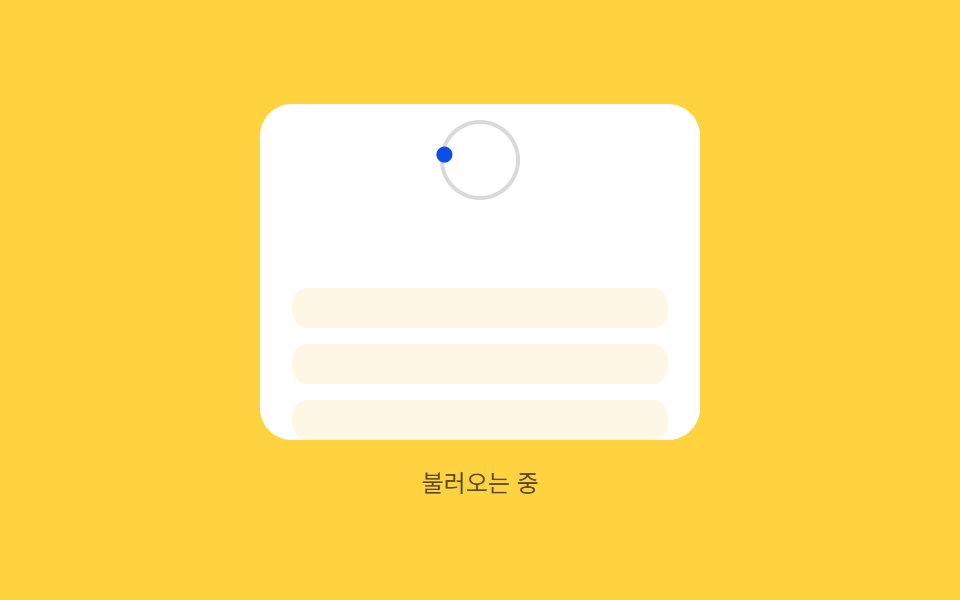 02 pull-refresh-rotation-bind
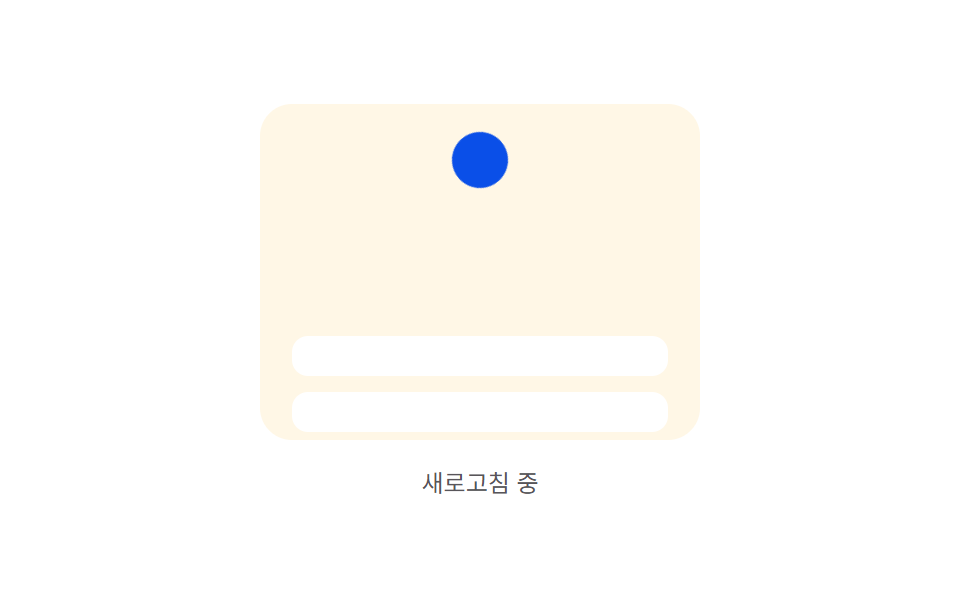 03 pull-refresh-threshold-commit
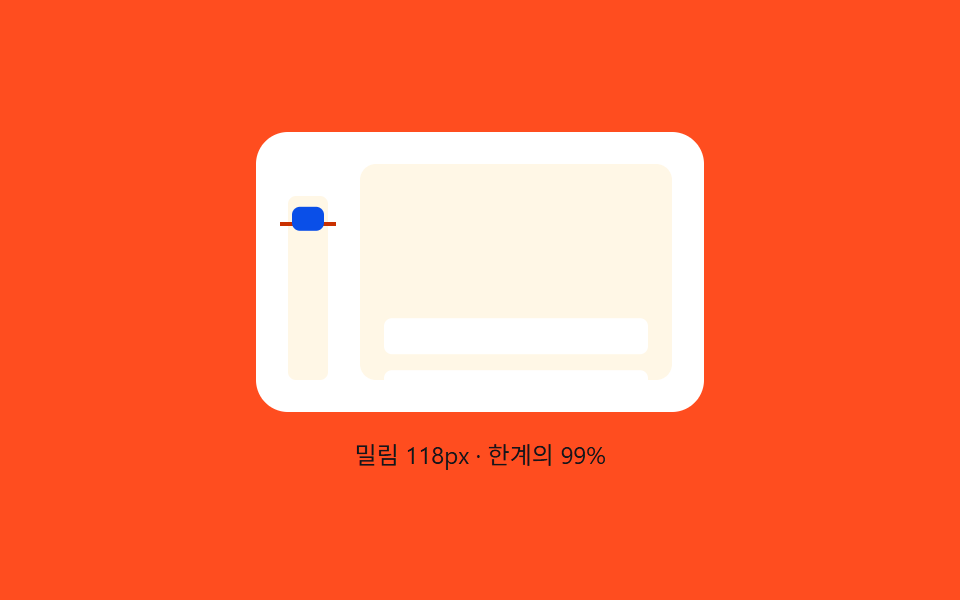 04 pull-refresh-rubber-band-overscroll
 05 pull-refresh-icon-progress-morph
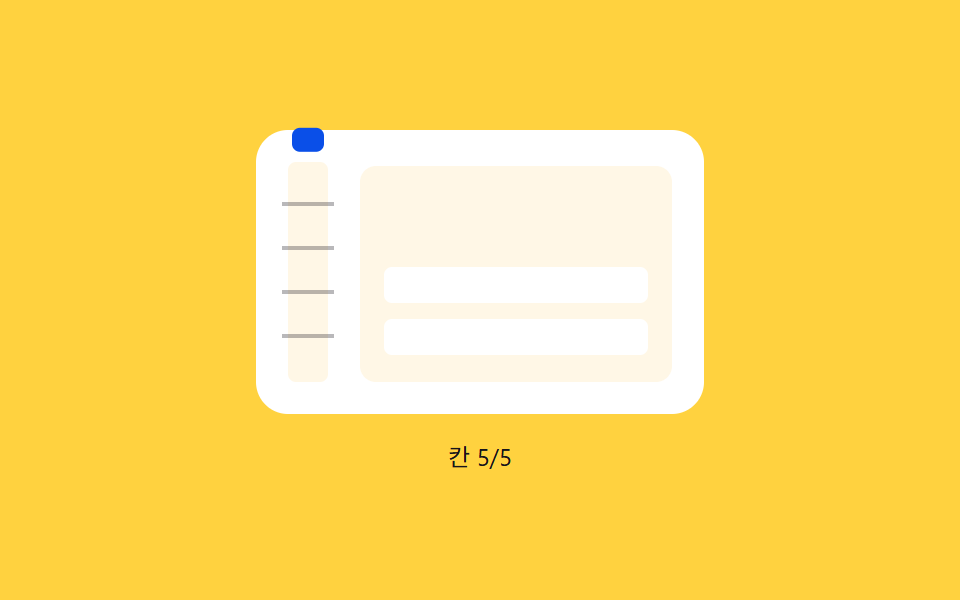 06 pull-refresh-ratchet-tick-snap
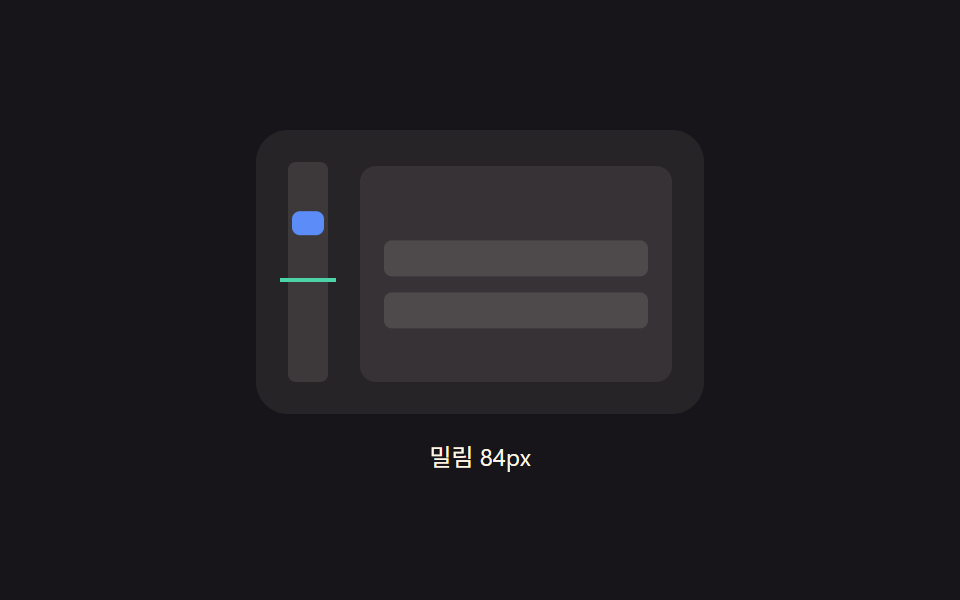 07 pull-refresh-release-spring-settle
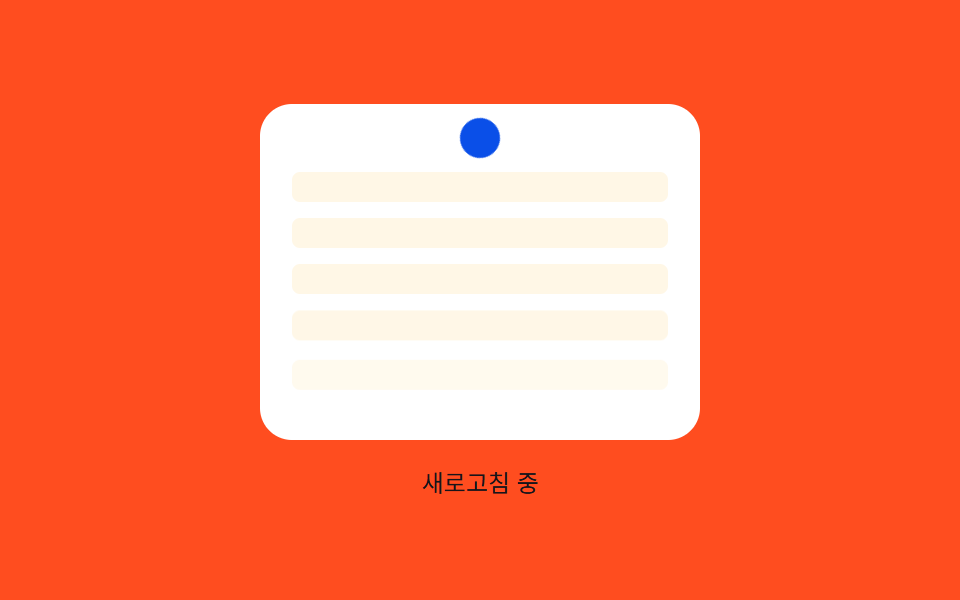 08 pull-refresh-row-stagger-reveal
 09 pull-refresh-offline-retry-shake
Auto-plays · click a tile to jump to its section · all nine in one zip
- 01 Elastic pull — a refresh trigger whose resistance grows as the dragged distance value increases
- 02 Rotation bind — an indicator whose rotation value turns in proportion to the pulled distance ratio
- 03 Threshold commit — a trigger that switches to a committed state once the pulled distance value passes a threshold
- 04 Rubber-band limit — a pull whose extension shrinks sharply once a maximum distance value is passed
- 05 Icon progress ring — an indicator whose circular progress value fills with the pulled distance and morphs into a checkmark once complete
- 06 Ratchet tick — an indicator that briefly snaps in position each time the pulled distance value passes a tick value
- 07 Spring settle — an indicator whose position value slightly overshoots the target after release before settling
- 08 Row stagger reveal — an effect where each list row appears following an order value once the refresh finishes
- 09 Failure shake — an effect where the indicator briefly shakes side to side once the refresh reaches a failed state
None of the nine ever reaches a real server — every one only simulates a network round trip with a local setTimeout, and 09's alternating outcome comes from an attempt counter rather than a real navigator.onLine check. All nine also answer the same three real pointer events: a visitor's pointerdown starts the pull, pointermove reports the raw drag distance on every frame, and pointerup decides whether that pull commits or eases back — every one of the nine wires up that real input through wireReal() alongside its own autoplay preview loop, not instead of it.
Anatomy of nine patterns — which value changes and when
Nine patterns split by what a released pull is actually allowed to do next, and that split is what keeps a pull to refresh animation collection from reading as nine identical spinners dropped under nine phone mockups.
Why two patterns shape a distance without ever triggering a refresh
01 and 04 never call a commit or a refresh at all — each one exists purely to shape how a raw dragged distance becomes a displayed one. 01's resist() runs the raw dragged distance through a Michaelis-Menten curve, D_MAX * raw / (raw + K), that saturates at D_MAX (56), so displacement keeps growing but by smaller and smaller amounts as raw climbs. 04's displayedOf() tracks raw almost one-to-one up to LINEAR (70px), then switches to an exponential term 1 - Math.exp(-excess / K) that creeps toward MAX_D (120) without ever reaching it. Both feed their result straight back through the same diff * 0.28/diff * 0.3 easing loop once the pointer releases, so the only thing that differs between them and the other seven is that there's no threshold to cross afterward.
Why two patterns skip the return-trip easing and reset the instant a finger lifts
02 and 06 are the only two of the nine with no settle()/goTo() loop for an uncommitted release — everywhere else, letting go below the threshold eases the display back over several frames. 02's onUp() calls apply(0) directly the moment a drag ends below ratio 1, so an uncommitted knob disappears in the same frame it was released rather than drifting back. 06's onUp() does the same by setting raw = 0; lastTick = 0; outright. What each one does instead with that saved complexity is spend it on the committed path: 02 hands off to spinFrame(), a genuinely time-based rotation keyed to elapsed milliseconds through SPIN_SPEED rather than to any dragged distance, and 06 layers a decaying burst AMP * Math.exp(-t / TAU) * Math.sin(t * W) on top of its position every time raw crosses a new TICK multiple.
Why the other five reach the same threshold decision through five different paths
03, 05, 07, 08, and 09 all check a released distance against a reference value and branch into a refresh — but no two of them compute that check the same way. 03's setCandidate() uses two thresholds instead of one, ON (100) and OFF (70), so a raw value hovering near 100 can't flicker the candidate flag on and off on every frame. 05 reuses its progress ratio directly: once raw >= REF (130) at release, commit() draws a checkmark stroke over a fixed 320ms rather than reusing the pull's own easing. 07 replaces easing entirely with a spring integration — accel = -K * (pos - target) - C * vel computed fresh every frame — so the marker actually overshoots the rest position and rebounds before settling. 08 and 09 both ease back through the familiar diff * 0.3 loop, but the interesting math happens after the refresh starts: 08 delays each row's reappearance by index * STAGGER_MS, and 09 decides success or failure from attemptCount % 2 rather than anything random at all.
Code per pattern
01Elastic pull — a refresh trigger whose resistance grows as the dragged distance value increases
As the dragged distance value grows, the actual displaced distance value increases by progressively smaller amounts, and once released that distance value returns to zero — useful for a mobile web feed refresh or the pull area at the top of a list.
<main class="stage">
<div class="pred is-demo" id="pred">
  <div class="pred__phone" id="predPhone">
    <div class="pred__zone">
      <span class="pred__ghost" id="predGhost"></span>
      <span class="pred__dot" id="predDot"></span>
    </div>
    <div class="pred__list" id="predList">
      <div class="pred__row"></div>
      <div class="pred__row"></div>
      <div class="pred__row"></div>
    </div>
  </div>
  <span class="pred__hint" id="predHint">Pull down to try</span>
</div>
</main>
@use "../../../../site/static/demo-tokens" as *;
// 계산 겹(저항 곡선 resist())은 JS 에 있다 — 여기는 정적 배치만.
@include stage($stage-paper);
.pred {
position: relative;
display: flex;
flex-direction: column;
align-items: center;
gap: $sp-3;
}
.pred__phone {
position: relative;
width: 220px;
height: 168px;
overflow: hidden;
border-radius: $r-card;
background: $subject-cream;
touch-action: none;
cursor: grab;
}
.pred__zone {
position: absolute;
top: 0;
left: 0;
right: 0;
height: 48px;
display: grid;
place-items: center;
}
.pred__ghost {
position: absolute;
top: 6px;
width: 4px;
height: 4px;
border-radius: $r-pill;
background: rgba($subject-ink, .28);
opacity: 0;
}
.pred__dot {
position: relative;
width: 20px;
height: 20px;
border-radius: $r-pill;
background: $subject-blue-deep;
opacity: 0;
}
.pred__list {
position: relative;
display: flex;
flex-direction: column;
gap: $sp-2;
padding: $sp-3 $sp-4;
padding-top: 52px;
}
.pred__row {
height: 20px;
border-radius: $r-sm;
background: $stage-paper;
box-shadow: 0 1px 0 rgba($subject-ink, .1);
}
.pred__hint {
color: rgba($subject-ink, .72);
font-size: 12px;
text-align: center;
}
@media (max-width: 340px) {
.pred__phone { width: 176px; height: 132px; }
.pred__zone { height: 40px; }
.pred__list { padding: $sp-2 $sp-3; padding-top: 44px; gap: $sp-1; }
.pred__row { height: 16px; }
}
@media (prefers-reduced-motion: reduce) {
.pred__dot, .pred__list, .pred__ghost { transition: none !important; }
}html, body {
margin: 0;
overflow: hidden;
}
.stage {
box-sizing: border-box;
min-height: 100vh;
display: grid;
place-items: center;
margin: 0;
background: #ffffff;
font-family: -apple-system, "Segoe UI", "Noto Sans KR", sans-serif;
padding: clamp(8px, 4vw, 24px);
}
.pred {
position: relative;
display: flex;
flex-direction: column;
align-items: center;
gap: 12px;
}
.pred__phone {
position: relative;
width: 220px;
height: 168px;
overflow: hidden;
border-radius: 16px;
background: #fff7e6;
touch-action: none;
cursor: grab;
}
.pred__zone {
position: absolute;
top: 0;
left: 0;
right: 0;
height: 48px;
display: grid;
place-items: center;
}
.pred__ghost {
position: absolute;
top: 6px;
width: 4px;
height: 4px;
border-radius: 999px;
background: rgba(23, 20, 26, 0.28);
opacity: 0;
}
.pred__dot {
position: relative;
width: 20px;
height: 20px;
border-radius: 999px;
background: #0a4fe8;
opacity: 0;
}
.pred__list {
position: relative;
display: flex;
flex-direction: column;
gap: 8px;
padding: 12px 16px;
padding-top: 52px;
}
.pred__row {
height: 20px;
border-radius: 8px;
background: #ffffff;
box-shadow: 0 1px 0 rgba(23, 20, 26, 0.1);
}
.pred__hint {
color: rgba(23, 20, 26, 0.72);
font-size: 12px;
text-align: center;
}
@media (max-width: 340px) {
.pred__phone {
width: 176px;
height: 132px;
}
.pred__zone {
height: 40px;
}
.pred__list {
padding: 8px 12px;
padding-top: 44px;
gap: 4px;
}
.pred__row {
height: 16px;
}
}
@media (prefers-reduced-motion: reduce) {
.pred__dot, .pred__list, .pred__ghost {
transition: none !important;
}
}(function () {
var phone = document.getElementById('predPhone');
var ghost = document.getElementById('predGhost');
var dot = document.getElementById('predDot');
var list = document.getElementById('predList');
var hint = document.getElementById('predHint');
var root = document.getElementById('pred');
// 계산 겹: 당긴 원 거리(raw)를 Displaced 거리(displayed)로 바꾸는 저항 곡선.
// displayed = D_MAX * raw / (raw + K) — raw 가 커질수록 늘어나는 폭이 점점 좁아지는 포화 곡선(Michaelis-Menten).
var D_MAX = 56, K = 80, RAW_MAX = 200;
function resist(raw) { return D_MAX * raw / (raw + K); }
function apply(raw) {
var displayed = resist(raw);
var ratio = displayed / D_MAX;
ghost.style.transform = 'translateY(' + Math.min(raw, D_MAX + 24).toFixed(1) + 'px)';
ghost.style.opacity = String(Math.min(1, raw / 30));
dot.style.transform = 'translateY(' + displayed.toFixed(1) + 'px) scale(' + (0.6 + 0.4 * ratio).toFixed(2) + ')';
dot.style.opacity = String(ratio);
list.style.transform = 'translateY(' + displayed.toFixed(1) + 'px)';
hint.textContent = raw > 4 ? ('Pull ' + Math.round(raw) + 'px · Displaced ' + Math.round(displayed) + 'px') : 'Pull down to try';
}
var raw = 0, target = 0, raf = null;
function settle() {
raw += (target - raw) * 0.28;
if (Math.abs(target - raw) < 0.3) { raw = target; }
apply(raw);
if (raw !== target) { raf = requestAnimationFrame(settle); } else { raf = null; }
}
function goTo(v) { target = v; if (raf === null) { raf = requestAnimationFrame(settle); } }
var dragging = false, startY = 0, startRaw = 0;
function onDown(y) { dragging = true; startY = y; startRaw = raw; if (raf) { cancelAnimationFrame(raf); raf = null; } }
function onMove(y) {
if (!dragging) { return; }
raw = Math.max(0, Math.min(RAW_MAX, startRaw + (y - startY)));
apply(raw);
}
function onUp() { if (!dragging) { return; } dragging = false; goTo(0); }
function wireReal() {
phone.addEventListener('pointerdown', function (e) { root.classList.remove('is-demo'); stopAutoplay(); onDown(e.clientY); });
window.addEventListener('pointermove', function (e) { onMove(e.clientY); });
window.addEventListener('pointerup', onUp);
}
phone.style.touchAction = 'none';
wireReal();
apply(0);
// 자동 루프: raw 를 0→RAW_MAX 로 단계적으로 올렸다가 놓아 같은 resist()·settle() 경로를 탄다.
var autoRaw = 0, autoTimer = null, autoDir = 1;
function autoTick() {
autoRaw += autoDir * 40;
if (autoRaw >= RAW_MAX) { autoRaw = RAW_MAX; autoDir = -1; goTo(0); return; }
if (autoRaw <= 0 && autoDir < 0) { autoRaw = 0; autoDir = 1; }
if (autoDir > 0) { raw = autoRaw; apply(raw); }
}
var reduce = window.matchMedia('(prefers-reduced-motion: reduce)').matches;
function stopAutoplay() { if (autoTimer) { clearInterval(autoTimer); autoTimer = null; } }
if (!reduce) { autoTimer = setInterval(autoTick, 180); }
})();import { useEffect, useRef } from "react";
import styles from "./PullRefreshElasticDrag.module.scss";
export type PullRefreshElasticDragProps = {
color?: string;
};
export default function PullRefreshElasticDrag({
color = "#0a4fe8",
}: PullRefreshElasticDragProps) {
const rootRef = useRef<HTMLDivElement | null>(null);
useEffect(() => {
const root = rootRef.current;
if (!root) return;
const phone = root.querySelector<HTMLDivElement>(`.${styles.phone}`);
const ghost = root.querySelector<HTMLSpanElement>(`.${styles.ghost}`);
const dot = root.querySelector<HTMLSpanElement>(`.${styles.dot}`);
const list = root.querySelector<HTMLDivElement>(`.${styles.list}`);
const hint = root.querySelector<HTMLSpanElement>(`.${styles.hint}`);
if (!phone || !ghost || !dot || !list || !hint) return;
// 계산 겹: 당긴 원 거리(raw)를 밀림 거리(displayed)로 바꾸는 저항 곡선.
// displayed = D_MAX * raw / (raw + K) — raw 가 커질수록 늘어나는 폭이 점점 좁아지는 포화 곡선(Michaelis-Menten).
const D_MAX = 56, K = 80, RAW_MAX = 200;
function resist(raw: number) { return D_MAX * raw / (raw + K); }
function apply(raw: number) {
const displayed = resist(raw);
const ratio = displayed / D_MAX;
ghost!.style.transform = "translateY(" + Math.min(raw, D_MAX + 24).toFixed(1) + "px)";
ghost!.style.opacity = String(Math.min(1, raw / 30));
dot!.style.transform = "translateY(" + displayed.toFixed(1) + "px) scale(" + (0.6 + 0.4 * ratio).toFixed(2) + ")";
dot!.style.opacity = String(ratio);
list!.style.transform = "translateY(" + displayed.toFixed(1) + "px)";
hint!.textContent = raw > 4 ? ("당김 " + Math.round(raw) + "px · 밀림 " + Math.round(displayed) + "px") : "아래로 당겨보세요";
}
let raw = 0, target = 0, raf: number | null = null;
function settle() {
raw += (target - raw) * 0.28;
if (Math.abs(target - raw) < 0.3) { raw = target; }
apply(raw);
raf = raw !== target ? requestAnimationFrame(settle) : null;
}
function goTo(v: number) { target = v; if (raf === null) { raf = requestAnimationFrame(settle); } }
let dragging = false, startY = 0, startRaw = 0;
function onDown(y: number) { dragging = true; startY = y; startRaw = raw; if (raf !== null) { cancelAnimationFrame(raf); raf = null; } }
function onMove(y: number) {
if (!dragging) return;
raw = Math.max(0, Math.min(RAW_MAX, startRaw + (y - startY)));
apply(raw);
}
function onUp() { if (!dragging) return; dragging = false; goTo(0); }
function onPointerDown(e: PointerEvent) { stopAutoplay(); onDown(e.clientY); }
function onPointerMove(e: PointerEvent) { onMove(e.clientY); }
phone.addEventListener("pointerdown", onPointerDown);
window.addEventListener("pointermove", onPointerMove);
window.addEventListener("pointerup", onUp);
apply(0);
let autoRaw = 0, autoTimer: number | null = null, autoDir = 1;
function autoTick() {
autoRaw += autoDir * 40;
if (autoRaw >= RAW_MAX) { autoRaw = RAW_MAX; autoDir = -1; goTo(0); return; }
if (autoRaw <= 0 && autoDir < 0) { autoRaw = 0; autoDir = 1; }
if (autoDir > 0) { raw = autoRaw; apply(raw); }
}
function stopAutoplay() { if (autoTimer !== null) { window.clearInterval(autoTimer); autoTimer = null; } }
const reduce = window.matchMedia("(prefers-reduced-motion: reduce)").matches;
if (!reduce) { autoTimer = window.setInterval(autoTick, 180); }
return () => {
stopAutoplay();
if (raf !== null) { cancelAnimationFrame(raf); }
phone.removeEventListener("pointerdown", onPointerDown);
window.removeEventListener("pointermove", onPointerMove);
window.removeEventListener("pointerup", onUp);
};
}, []);
return (
<div ref={rootRef} className={styles.stage}>
<div className={styles.pred}>
<div className={styles.phone}>
<div className={styles.zone}>
<span className={styles.ghost} />
<span className={styles.dot} style={{ background: color }} />
</div>
<div className={styles.list}>
<div className={styles.row} />
<div className={styles.row} />
<div className={styles.row} />
</div>
</div>
<span className={styles.hint}>아래로 당겨보세요</span>
</div>
</div>
);
}01 · Elastic pull — a refresh trigger whose resistance grows as the dragged distance value increases — Measured area 15.385% · moving frames 14/23Original by GODRICH · SCSS and React ship in the zip · See the password
What the numbers say
Across 23 tracked frames, 01 moves on 14 of them, covering 15.39% cumulative area at a 30.6 average intensity — the visible change is the ghost trail, dot, and list all reading the same displayed value from resist(raw) at once, so all three slow their growth together as the drag lengthens.
  // Calculation layer: a resistance curve turning the raw dragged distance (raw)
  // into a displayed distance (displayed).
  // displayed = D_MAX * raw / (raw + K) — a saturating curve (Michaelis-Menten) where the
  // extension grows by smaller and smaller amounts as raw increases.
  var D_MAX = 56, K = 80, RAW_MAX = 200;

  function resist(raw) { return D_MAX * raw / (raw + K); }

  function apply(raw) {
    var displayed = resist(raw);
    var ratio = displayed / D_MAX;
    ghost.style.transform = 'translateY(' + Math.min(raw, D_MAX + 24).toFixed(1) + 'px)';
    ghost.style.opacity = String(Math.min(1, raw / 30));
    dot.style.transform = 'translateY(' + displayed.toFixed(1) + 'px) scale(' + (0.6 + 0.4 * ratio).toFixed(2) + ')';
    dot.style.opacity = String(ratio);
    list.style.transform = 'translateY(' + displayed.toFixed(1) + 'px)';
    hint.textContent = raw > 4 ? ('Pull ' + Math.round(raw) + 'px · Displaced ' + Math.round(displayed) + 'px') : 'Pull down to try';
  }
02Rotation bind — an indicator whose rotation value turns in proportion to the pulled distance ratio
The indicator's rotation value turns by the ratio of the pulled distance value to a reference distance, and once that ratio value reaches 1 it switches to a continuously spinning state — the kind of indicator a news feed or an inbox refresh puts right at the top.
<main class="stage">
<div class="prrb is-demo" id="prrb">
  <div class="prrb__phone" id="prrbPhone">
    <div class="prrb__zone">
      <span class="prrb__ring"></span>
      <span class="prrb__knob" id="prrbKnob"></span>
    </div>
    <div class="prrb__list" id="prrbList">
      <div class="prrb__row"></div>
      <div class="prrb__row"></div>
      <div class="prrb__row"></div>
    </div>
  </div>
  <span class="prrb__hint" id="prrbHint">Pull to refresh</span>
</div>
</main>
@use "../../../../site/static/demo-tokens" as *;
// 계산 겹(비율→각도 place())은 JS 에 있다 — 여기는 정적 배치만.
@include stage($stage-yellow);
.prrb {
position: relative;
display: flex;
flex-direction: column;
align-items: center;
gap: $sp-3;
}
.prrb__phone {
position: relative;
width: 220px;
height: 168px;
overflow: hidden;
border-radius: $r-card;
background: $stage-paper;
touch-action: none;
cursor: grab;
}
.prrb__zone {
position: relative;
height: 56px;
display: grid;
place-items: center;
}
.prrb__ring {
position: absolute;
width: 36px;
height: 36px;
border-radius: $r-pill;
border: 2px solid rgba($subject-ink, .16);
}
.prrb__knob {
position: relative;
width: 8px;
height: 8px;
border-radius: $r-pill;
background: $subject-blue-deep;
}
.prrb__list {
position: relative;
display: flex;
flex-direction: column;
gap: $sp-2;
padding: $sp-3 $sp-4;
}
.prrb__row {
height: 20px;
border-radius: $r-sm;
background: $subject-cream;
}
.prrb__hint {
color: rgba($subject-ink, .72);
font-size: 12px;
text-align: center;
}
@media (max-width: 340px) {
.prrb__phone { width: 176px; height: 132px; }
.prrb__zone { height: 44px; }
.prrb__ring { width: 28px; height: 28px; }
.prrb__list { padding: $sp-2 $sp-3; gap: $sp-1; }
.prrb__row { height: 16px; }
}
@media (prefers-reduced-motion: reduce) {
.prrb__knob, .prrb__list { transition: none !important; }
}html, body {
margin: 0;
overflow: hidden;
}
.stage {
box-sizing: border-box;
min-height: 100vh;
display: grid;
place-items: center;
margin: 0;
background: #ffd23f;
font-family: -apple-system, "Segoe UI", "Noto Sans KR", sans-serif;
padding: clamp(8px, 4vw, 24px);
}
.prrb {
position: relative;
display: flex;
flex-direction: column;
align-items: center;
gap: 12px;
}
.prrb__phone {
position: relative;
width: 220px;
height: 168px;
overflow: hidden;
border-radius: 16px;
background: #ffffff;
touch-action: none;
cursor: grab;
}
.prrb__zone {
position: relative;
height: 56px;
display: grid;
place-items: center;
}
.prrb__ring {
position: absolute;
width: 36px;
height: 36px;
border-radius: 999px;
border: 2px solid rgba(23, 20, 26, 0.16);
}
.prrb__knob {
position: relative;
width: 8px;
height: 8px;
border-radius: 999px;
background: #0a4fe8;
}
.prrb__list {
position: relative;
display: flex;
flex-direction: column;
gap: 8px;
padding: 12px 16px;
}
.prrb__row {
height: 20px;
border-radius: 8px;
background: #fff7e6;
}
.prrb__hint {
color: rgba(23, 20, 26, 0.72);
font-size: 12px;
text-align: center;
}
@media (max-width: 340px) {
.prrb__phone {
width: 176px;
height: 132px;
}
.prrb__zone {
height: 44px;
}
.prrb__ring {
width: 28px;
height: 28px;
}
.prrb__list {
padding: 8px 12px;
gap: 4px;
}
.prrb__row {
height: 16px;
}
}
@media (prefers-reduced-motion: reduce) {
.prrb__knob, .prrb__list {
transition: none !important;
}
}(function () {
var phone = document.getElementById('prrbPhone');
var knob = document.getElementById('prrbKnob');
var list = document.getElementById('prrbList');
var hint = document.getElementById('prrbHint');
var root = document.getElementById('prrb');
// 계산 겹: 당긴 거리(raw)를 기준 거리(REF)로 나눈 비율(ratio)만큼 knob 을 궤도(SWEEP도)로 돌린다.
// ratio 가 1 이 되면 거리 연동을 놓고 각속도(SPIN_SPEED)로 계속 도는 로딩 상태로 넘어간다.
var REF = 120, SWEEP = 270, RADIUS = 18, SPIN_SPEED = 0.62; // deg / ms
  function place(angleDeg, pullPx) {
    var rad = (angleDeg - 90) * Math.PI / 180;
    var x = Math.cos(rad) * RADIUS, y = Math.sin(rad) * RADIUS;
    knob.style.transform = 'translate(' + x.toFixed(1) + 'px,' + y.toFixed(1) + 'px)';
    list.style.transform = 'translateY(' + pullPx.toFixed(1) + 'px)';
  }

  var state = 'idle'; // idle -> dragging -> spinning -> idle
  var raw = 0, ratio = 0, spinAngle = 0, spinStart = 0, spinRaf = null;

  function fromRatio() { return ratio * SWEEP; }

  function spinFrame(ts) {
    if (!spinStart) { spinStart = ts; }
    var el = ts - spinStart;
    spinAngle = (el * SPIN_SPEED) % 360;
    place(spinAngle, 24);
    if (el < 900) {
      spinRaf = requestAnimationFrame(spinFrame);
    } else {
      state = 'idle'; ratio = 0; raw = 0; spinStart = 0;
      hint.textContent = 'Pull to refresh';
      place(0, 0);
    }
  }
function startSpin() {
state = 'spinning';
hint.textContent = 'Loading';
spinStart = 0;
spinRaf = requestAnimationFrame(spinFrame);
}
function apply(r) {
raw = r;
ratio = Math.max(0, Math.min(1, raw / REF));
place(fromRatio(), ratio * 24);
hint.textContent = ratio > 0.05 ? ('Rotation ' + Math.round(fromRatio()) + 'deg · Ratio ' + Math.round(ratio * 100) + '%') : 'Pull to refresh';
}
var dragging = false, startY = 0, startRaw = 0;
function onDown(y) {
if (state === 'spinning') { return; }
dragging = true; state = 'dragging'; startY = y; startRaw = raw;
}
function onMove(y) {
if (!dragging) { return; }
apply(Math.max(0, Math.min(REF * 1.3, startRaw + (y - startY))));
}
function onUp() {
if (!dragging) { return; }
dragging = false;
if (ratio >= 1) { startSpin(); } else { state = 'idle'; apply(0); }
}
function wireReal() {
phone.addEventListener('pointerdown', function (e) { root.classList.remove('is-demo'); stopAutoplay(); onDown(e.clientY); });
window.addEventListener('pointermove', function (e) { onMove(e.clientY); });
window.addEventListener('pointerup', onUp);
}
phone.style.touchAction = 'none';
wireReal();
place(0, 0);
// 자동 루프: raw 를 단계적으로 REF 까지 올려 같은 apply()·startSpin() 경로를 탄다.
var autoRaw = 0, autoTimer = null;
function autoTick() {
if (state === 'spinning') { return; }
autoRaw += 30;
if (autoRaw >= REF) { apply(REF); startSpin(); autoRaw = 0; return; }
apply(autoRaw);
}
var reduce = window.matchMedia('(prefers-reduced-motion: reduce)').matches;
function stopAutoplay() { if (autoTimer) { clearInterval(autoTimer); autoTimer = null; } if (spinRaf) { cancelAnimationFrame(spinRaf); } }
if (!reduce) { autoTimer = setInterval(autoTick, 170); }
})();import { useEffect, useRef } from "react";
import styles from "./PullRefreshRotationBind.module.scss";
export type PullRefreshRotationBindProps = {
color?: string;
};
export default function PullRefreshRotationBind({
color = "#0a4fe8",
}: PullRefreshRotationBindProps) {
const rootRef = useRef<HTMLDivElement | null>(null);
useEffect(() => {
const root = rootRef.current;
if (!root) return;
const phone = root.querySelector<HTMLDivElement>(`.${styles.phone}`);
const knob = root.querySelector<HTMLSpanElement>(`.${styles.knob}`);
const list = root.querySelector<HTMLDivElement>(`.${styles.list}`);
const hint = root.querySelector<HTMLSpanElement>(`.${styles.hint}`);
if (!phone || !knob || !list || !hint) return;
// 계산 겹: 당긴 거리(raw)를 기준 거리(REF)로 나눈 비율(ratio)만큼 knob 을 궤도(SWEEP도)로 돌린다.
// ratio 가 1 이 되면 거리 연동을 놓고 각속도(SPIN_SPEED)로 계속 도는 로딩 상태로 넘어간다.
const REF = 120, SWEEP = 270, RADIUS = 18, SPIN_SPEED = 0.62;
function place(angleDeg: number, pullPx: number) {
const rad = (angleDeg - 90) * Math.PI / 180;
const x = Math.cos(rad) * RADIUS, y = Math.sin(rad) * RADIUS;
knob!.style.transform = "translate(" + x.toFixed(1) + "px," + y.toFixed(1) + "px)";
list!.style.transform = "translateY(" + pullPx.toFixed(1) + "px)";
}
let state: "idle" | "dragging" | "spinning" = "idle";
let raw = 0, ratio = 0, spinAngle = 0, spinStart = 0, spinRaf: number | null = null;
function fromRatio() { return ratio * SWEEP; }
function spinFrame(ts: number) {
if (!spinStart) { spinStart = ts; }
const el = ts - spinStart;
spinAngle = (el * SPIN_SPEED) % 360;
place(spinAngle, 24);
if (el < 900) {
spinRaf = requestAnimationFrame(spinFrame);
} else {
state = "idle"; ratio = 0; raw = 0; spinStart = 0;
hint!.textContent = "당겨서 새로고침";
place(0, 0);
}
}
function startSpin() {
state = "spinning";
hint!.textContent = "불러오는 중";
spinStart = 0;
spinRaf = requestAnimationFrame(spinFrame);
}
function apply(r: number) {
raw = r;
ratio = Math.max(0, Math.min(1, raw / REF));
place(fromRatio(), ratio * 24);
hint!.textContent = ratio > 0.05 ? ("회전 " + Math.round(fromRatio()) + "도 · 비율 " + Math.round(ratio * 100) + "%") : "당겨서 새로고침";
}
let dragging = false, startY = 0, startRaw = 0;
function onDown(y: number) {
if (state === "spinning") return;
dragging = true; state = "dragging"; startY = y; startRaw = raw;
}
function onMove(y: number) {
if (!dragging) return;
apply(Math.max(0, Math.min(REF * 1.3, startRaw + (y - startY))));
}
function onUp() {
if (!dragging) return;
dragging = false;
if (ratio >= 1) { startSpin(); } else { state = "idle"; apply(0); }
}
function onPointerDown(e: PointerEvent) { stopAutoplay(); onDown(e.clientY); }
function onPointerMove(e: PointerEvent) { onMove(e.clientY); }
phone.addEventListener("pointerdown", onPointerDown);
window.addEventListener("pointermove", onPointerMove);
window.addEventListener("pointerup", onUp);
place(0, 0);
let autoRaw = 0, autoTimer: number | null = null;
function autoTick() {
if (state === "spinning") return;
autoRaw += 30;
if (autoRaw >= REF) { apply(REF); startSpin(); autoRaw = 0; return; }
apply(autoRaw);
}
function stopAutoplay() {
if (autoTimer !== null) { window.clearInterval(autoTimer); autoTimer = null; }
if (spinRaf !== null) { cancelAnimationFrame(spinRaf); }
}
const reduce = window.matchMedia("(prefers-reduced-motion: reduce)").matches;
if (!reduce) { autoTimer = window.setInterval(autoTick, 170); }
return () => {
stopAutoplay();
phone.removeEventListener("pointerdown", onPointerDown);
window.removeEventListener("pointermove", onPointerMove);
window.removeEventListener("pointerup", onUp);
};
}, []);
return (
<div ref={rootRef} className={styles.stage}>
<div className={styles.prrb}>
<div className={styles.phone}>
<div className={styles.zone}>
<span className={styles.ring} />
<span className={styles.knob} style={{ background: color }} />
</div>
<div className={styles.list}>
<div className={styles.row} />
<div className={styles.row} />
<div className={styles.row} />
</div>
</div>
<span className={styles.hint}>당겨서 새로고침</span>
</div>
</div>
);
}02 · Rotation bind — an indicator whose rotation value turns in proportion to the pulled distance ratio — Measured area 14.129% · moving frames 20/23Original by GODRICH · SCSS and React ship in the zip · See the password
What the numbers say
Across 23 tracked frames, 02 moves on 20 of them, covering 14.13% cumulative area at a 125.9 average intensity — the highest average intensity of the nine, since the knob sweeps a full 270-degree arc through place() on nearly every tracked frame instead of a smaller local displacement.
function place(angleDeg, pullPx) {
var rad = (angleDeg - 90) * Math.PI / 180;
var x = Math.cos(rad) * RADIUS, y = Math.sin(rad) * RADIUS;
knob.style.transform = 'translate(' + x.toFixed(1) + 'px,' + y.toFixed(1) + 'px)';
list.style.transform = 'translateY(' + pullPx.toFixed(1) + 'px)';
}
var state = 'idle'; // idle -> dragging -> spinning -> idle
var raw = 0, ratio = 0, spinAngle = 0, spinStart = 0, spinRaf = null;
function fromRatio() { return ratio * SWEEP; }
function spinFrame(ts) {
if (!spinStart) { spinStart = ts; }
var el = ts - spinStart;
spinAngle = (el * SPIN_SPEED) % 360;
place(spinAngle, 24);
if (el < 900) {
spinRaf = requestAnimationFrame(spinFrame);
} else {
state = 'idle'; ratio = 0; raw = 0; spinStart = 0;
hint.textContent = 'Pull to refresh';
place(0, 0);
}
}
03Threshold commit — a trigger that switches to a committed state once the pulled distance value passes a threshold
If the pulled distance value has passed a set threshold when released, it switches to a committed state and the refresh begins; if released while still below the threshold, the distance value returns to zero — the pattern behind a mailbox refresh or a social timeline refresh.
<main class="stage">
<div class="prtc is-demo" id="prtc">
  <div class="prtc__phone" id="prtcPhone">
    <div class="prtc__zone">
      <span class="prtc__disc" id="prtcDisc"></span>
    </div>
    <div class="prtc__list" id="prtcList">
      <div class="prtc__row"></div>
      <div class="prtc__row"></div>
      <div class="prtc__row"></div>
    </div>
  </div>
  <span class="prtc__hint" id="prtcHint">Pull down</span>
</div>
</main>
@use "../../../../site/static/demo-tokens" as *;
// 계산 겹(히스테리시스 setCandidate())은 JS 에 있다 — 여기는 정적 배치만.
@include stage($stage-paper);
.prtc {
position: relative;
display: flex;
flex-direction: column;
align-items: center;
gap: $sp-3;
}
.prtc__phone {
position: relative;
width: 220px;
height: 168px;
overflow: hidden;
border-radius: $r-card;
background: $subject-cream;
touch-action: none;
cursor: grab;
}
.prtc__zone {
position: relative;
height: 56px;
display: grid;
place-items: center;
}
.prtc__disc {
width: 28px;
height: 28px;
border-radius: $r-pill;
background: rgba($subject-ink, .22);
transition: background $dur-quick $ease-out;
&--ready { background: $subject-blue-deep; }
&--spin { animation: prtcSpin .6s linear infinite; }
}
@keyframes prtcSpin {
from { transform: rotate(0deg) scale(1); }
to { transform: rotate(360deg) scale(1); }
}
.prtc__list {
position: relative;
display: flex;
flex-direction: column;
gap: $sp-2;
padding: $sp-3 $sp-4;
}
.prtc__row {
height: 20px;
border-radius: $r-sm;
background: $stage-paper;
}
.prtc__hint {
color: rgba($subject-ink, .72);
font-size: 12px;
text-align: center;
}
@media (max-width: 340px) {
.prtc__phone { width: 176px; height: 132px; }
.prtc__zone { height: 44px; }
.prtc__disc { width: 22px; height: 22px; }
.prtc__list { padding: $sp-2 $sp-3; gap: $sp-1; }
.prtc__row { height: 16px; }
}
@media (prefers-reduced-motion: reduce) {
.prtc__disc, .prtc__list { transition: none !important; animation: none !important; }
}html, body {
margin: 0;
overflow: hidden;
}
.stage {
box-sizing: border-box;
min-height: 100vh;
display: grid;
place-items: center;
margin: 0;
background: #ffffff;
font-family: -apple-system, "Segoe UI", "Noto Sans KR", sans-serif;
padding: clamp(8px, 4vw, 24px);
}
.prtc {
position: relative;
display: flex;
flex-direction: column;
align-items: center;
gap: 12px;
}
.prtc__phone {
position: relative;
width: 220px;
height: 168px;
overflow: hidden;
border-radius: 16px;
background: #fff7e6;
touch-action: none;
cursor: grab;
}
.prtc__zone {
position: relative;
height: 56px;
display: grid;
place-items: center;
}
.prtc__disc {
width: 28px;
height: 28px;
border-radius: 999px;
background: rgba(23, 20, 26, 0.22);
transition: background 220ms ease-out;
}
.prtc__disc--ready {
background: #0a4fe8;
}
.prtc__disc--spin {
animation: prtcSpin 0.6s linear infinite;
}
@keyframes prtcSpin {
from {
transform: rotate(0deg) scale(1);
}
to {
transform: rotate(360deg) scale(1);
}
}
.prtc__list {
position: relative;
display: flex;
flex-direction: column;
gap: 8px;
padding: 12px 16px;
}
.prtc__row {
height: 20px;
border-radius: 8px;
background: #ffffff;
}
.prtc__hint {
color: rgba(23, 20, 26, 0.72);
font-size: 12px;
text-align: center;
}
@media (max-width: 340px) {
.prtc__phone {
width: 176px;
height: 132px;
}
.prtc__zone {
height: 44px;
}
.prtc__disc {
width: 22px;
height: 22px;
}
.prtc__list {
padding: 8px 12px;
gap: 4px;
}
.prtc__row {
height: 16px;
}
}
@media (prefers-reduced-motion: reduce) {
.prtc__disc, .prtc__list {
transition: none !important;
animation: none !important;
}
}(function () {
var phone = document.getElementById('prtcPhone');
var disc = document.getElementById('prtcDisc');
var list = document.getElementById('prtcList');
var hint = document.getElementById('prtcHint');
var root = document.getElementById('prtc');
// 계산 겹: 확정 여부(committed candidate)는 raw 하나의 부등호가 아니라 두 문턱의 히스테리시스로 정한다.
// ON(100px) 을 넘으면 true 로, 다시 OFF(70px) 아래로 내려가야만 false 로 — 경계 근처에서 깜빡이지 않는다.
var ON = 100, OFF = 70, MAX = 160;
var candidate = false, state = 'idle'; // idle -> dragging -> committing -> idle
function setCandidate(raw) {
if (!candidate && raw >= ON) { candidate = true; }
else if (candidate && raw < OFF) { candidate = false; }
}
function apply(raw) {
setCandidate(raw);
var pull = Math.min(raw, MAX) * 0.3;
disc.style.transform = 'translateY(' + pull.toFixed(1) + 'px) scale(' + (0.7 + 0.3 * Math.min(1, raw / ON)).toFixed(2) + ')';
disc.classList.toggle('prtc__disc--ready', candidate);
list.style.transform = 'translateY(' + pull.toFixed(1) + 'px)';
hint.textContent = candidate ? 'Release to refresh' : (raw > 4 ? 'Pull more (' + Math.round(raw) + '/' + ON + 'px)' : 'Pull down');
}
function commit() {
state = 'committing';
hint.textContent = 'Refreshing';
disc.classList.add('prtc__disc--spin');
setTimeout(function () {
disc.classList.remove('prtc__disc--spin', 'prtc__disc--ready');
candidate = false; state = 'idle';
hint.textContent = 'Pull down';
apply(0);
}, 620);
}
var dragging = false, startY = 0, startRaw = 0, raw = 0, target = 0, raf = null;
function settle() {
raw += (target - raw) * 0.3;
if (Math.abs(target - raw) < 0.3) { raw = target; }
apply(raw);
if (raw !== target) { raf = requestAnimationFrame(settle); } else { raf = null; }
}
function goTo(v) { target = v; if (raf === null) { raf = requestAnimationFrame(settle); } }
function onDown(y) {
if (state !== 'idle') { return; }
dragging = true; state = 'dragging'; startY = y; startRaw = raw;
if (raf) { cancelAnimationFrame(raf); raf = null; }
}
function onMove(y) {
if (!dragging) { return; }
raw = Math.max(0, Math.min(MAX, startRaw + (y - startY)));
apply(raw);
}
function onUp() {
if (!dragging) { return; }
dragging = false;
if (candidate) { commit(); } else { state = 'idle'; goTo(0); }
}
function wireReal() {
phone.addEventListener('pointerdown', function (e) { root.classList.remove('is-demo'); stopAutoplay(); onDown(e.clientY); });
window.addEventListener('pointermove', function (e) { onMove(e.clientY); });
window.addEventListener('pointerup', onUp);
}
phone.style.touchAction = 'none';
wireReal();
apply(0);
// 자동 루프: raw 를 단계적으로 MAX 까지 올려 같은 setCandidate()·commit() 경로를 탄다.
var autoRaw = 0, autoTimer = null;
function autoTick() {
if (state !== 'idle' && state !== 'dragging') { return; }
state = 'dragging';
autoRaw += 28;
if (autoRaw >= MAX) {
raw = MAX; apply(raw); autoRaw = 0;
if (candidate) { commit(); } else { state = 'idle'; goTo(0); }
return;
}
raw = autoRaw; apply(raw);
}
var reduce = window.matchMedia('(prefers-reduced-motion: reduce)').matches;
function stopAutoplay() { if (autoTimer) { clearInterval(autoTimer); autoTimer = null; } }
if (!reduce) { autoTimer = setInterval(autoTick, 170); }
})();import { useEffect, useRef } from "react";
import styles from "./PullRefreshThresholdCommit.module.scss";
export type PullRefreshThresholdCommitProps = {
color?: string;
};
export default function PullRefreshThresholdCommit({
color = "#0a4fe8",
}: PullRefreshThresholdCommitProps) {
const rootRef = useRef<HTMLDivElement | null>(null);
useEffect(() => {
const root = rootRef.current;
if (!root) return;
const phone = root.querySelector<HTMLDivElement>(`.${styles.phone}`);
const disc = root.querySelector<HTMLSpanElement>(`.${styles.disc}`);
const list = root.querySelector<HTMLDivElement>(`.${styles.list}`);
const hint = root.querySelector<HTMLSpanElement>(`.${styles.hint}`);
if (!phone || !disc || !list || !hint) return;
// 계산 겹: 확정 여부(committed candidate)는 raw 하나의 부등호가 아니라 두 문턱의 히스테리시스로 정한다.
// ON(100px) 을 넘으면 true 로, 다시 OFF(70px) 아래로 내려가야만 false 로 — 경계 근처에서 깜빡이지 않는다.
const ON = 100, OFF = 70, MAX = 160;
let candidate = false;
let state: "idle" | "dragging" | "committing" = "idle";
const readyClass = styles["disc--ready"];
const spinClass = styles["disc--spin"];
function setCandidate(raw: number) {
if (!candidate && raw >= ON) { candidate = true; }
else if (candidate && raw < OFF) { candidate = false; }
}
function apply(raw: number) {
setCandidate(raw);
const pull = Math.min(raw, MAX) * 0.3;
disc!.style.transform = "translateY(" + pull.toFixed(1) + "px) scale(" + (0.7 + 0.3 * Math.min(1, raw / ON)).toFixed(2) + ")";
disc!.classList.toggle(readyClass, candidate);
list!.style.transform = "translateY(" + pull.toFixed(1) + "px)";
hint!.textContent = candidate ? "놓으면 새로고침" : (raw > 4 ? "더 당기세요 (" + Math.round(raw) + "/" + ON + "px)" : "아래로 당기세요");
}
let commitTimer: number | null = null;
function commit() {
state = "committing";
hint!.textContent = "새로고침 중";
disc!.classList.add(spinClass);
commitTimer = window.setTimeout(() => {
disc!.classList.remove(spinClass, readyClass);
candidate = false; state = "idle";
hint!.textContent = "아래로 당기세요";
apply(0);
}, 620);
}
let dragging = false, startY = 0, startRaw = 0, raw = 0, target = 0, raf: number | null = null;
function settle() {
raw += (target - raw) * 0.3;
if (Math.abs(target - raw) < 0.3) { raw = target; }
apply(raw);
raf = raw !== target ? requestAnimationFrame(settle) : null;
}
function goTo(v: number) { target = v; if (raf === null) { raf = requestAnimationFrame(settle); } }
function onDown(y: number) {
if (state !== "idle") return;
dragging = true; state = "dragging"; startY = y; startRaw = raw;
if (raf !== null) { cancelAnimationFrame(raf); raf = null; }
}
function onMove(y: number) {
if (!dragging) return;
raw = Math.max(0, Math.min(MAX, startRaw + (y - startY)));
apply(raw);
}
function onUp() {
if (!dragging) return;
dragging = false;
if (candidate) { commit(); } else { state = "idle"; goTo(0); }
}
function onPointerDown(e: PointerEvent) { stopAutoplay(); onDown(e.clientY); }
function onPointerMove(e: PointerEvent) { onMove(e.clientY); }
phone.addEventListener("pointerdown", onPointerDown);
window.addEventListener("pointermove", onPointerMove);
window.addEventListener("pointerup", onUp);
apply(0);
let autoRaw = 0, autoTimer: number | null = null;
function autoTick() {
if (state !== "idle" && state !== "dragging") return;
state = "dragging";
autoRaw += 28;
if (autoRaw >= MAX) {
raw = MAX; apply(raw); autoRaw = 0;
if (candidate) { commit(); } else { state = "idle"; goTo(0); }
return;
}
raw = autoRaw; apply(raw);
}
function stopAutoplay() {
if (autoTimer !== null) { window.clearInterval(autoTimer); autoTimer = null; }
if (commitTimer !== null) { window.clearTimeout(commitTimer); }
}
const reduce = window.matchMedia("(prefers-reduced-motion: reduce)").matches;
if (!reduce) { autoTimer = window.setInterval(autoTick, 170); }
return () => {
stopAutoplay();
if (raf !== null) { cancelAnimationFrame(raf); }
phone.removeEventListener("pointerdown", onPointerDown);
window.removeEventListener("pointermove", onPointerMove);
window.removeEventListener("pointerup", onUp);
};
}, []);
return (
<div ref={rootRef} className={styles.stage}>
<div className={styles.prtc}>
<div className={styles.phone}>
<div className={styles.zone}>
<span className={styles.disc} style={{ "--accent": color } as any} />
</div>
<div className={styles.list}>
<div className={styles.row} />
<div className={styles.row} />
</div>
</div>
<span className={styles.hint}>아래로 당기세요</span>
</div>
</div>
);
}03 · Threshold commit — a trigger that switches to a committed state once the pulled distance value passes a threshold — Measured area 13.559% · moving frames 21/23Original by GODRICH · SCSS and React ship in the zip · See the password
What the numbers say
Across 23 tracked frames, 03 moves on 21 of them, covering 13.56% cumulative area at a 35.0 average intensity — the disc's scale and position both track Math.min(1, raw / ON) continuously, so the visible growth keeps changing frame to frame even before the candidate flag flips.
  // Calculation layer: whether a pull becomes a committed candidate isn't decided by a single
  // comparison against raw — it's decided by hysteresis between two thresholds.
  // Crossing ON (100px) flips candidate to true; only dropping back below OFF (70px) flips it
  // false again, so the state never flickers near the boundary.
  var ON = 100, OFF = 70, MAX = 160;
  var candidate = false, state = 'idle'; // idle -> dragging -> committing -> idle

  function setCandidate(raw) {
    if (!candidate && raw >= ON) { candidate = true; }
    else if (candidate && raw < OFF) { candidate = false; }
  }

  function apply(raw) {
    setCandidate(raw);
    var pull = Math.min(raw, MAX) * 0.3;
    disc.style.transform = 'translateY(' + pull.toFixed(1) + 'px) scale(' + (0.7 + 0.3 * Math.min(1, raw / ON)).toFixed(2) + ')';
    disc.classList.toggle('prtc__disc--ready', candidate);
    list.style.transform = 'translateY(' + pull.toFixed(1) + 'px)';
    hint.textContent = candidate ? 'Release to refresh' : (raw > 4 ? 'Pull more (' + Math.round(raw) + '/' + ON + 'px)' : 'Pull down');
  }
04Rubber-band limit — a pull whose extension shrinks sharply once a maximum distance value is passed
As the pulled distance value nears a set maximum value, the extension value grows by a sharply smaller amount for the same input, and once released the distance value snaps back to its original position — a fit for a short list refresh or an area meant to prevent excessive pulling.
<main class="stage">
<div class="prrbo is-demo" id="prrbo">
  <div class="prrbo__panel">
    <div class="prrbo__track" id="prrboTrack">
      <span class="prrbo__cap"></span>
      <span class="prrbo__marker" id="prrboMarker"></span>
    </div>
    <div class="prrbo__phone" id="prrboPhone">
      <div class="prrbo__list" id="prrboList">
        <div class="prrbo__row"></div>
        <div class="prrbo__row"></div>
      </div>
    </div>
  </div>
  <span class="prrbo__hint" id="prrboHint">Pull down</span>
</div>
</main>
@use "../../../../site/static/demo-tokens" as *;
// 계산 겹(지수 감쇠 displayedOf())은 JS 에 있다 — 여기는 정적 배치만.
@include stage($stage-orange);
.prrbo {
position: relative;
display: flex;
flex-direction: column;
align-items: center;
gap: $sp-3;
}
.prrbo__panel {
display: flex;
align-items: flex-end;
gap: $sp-4;
padding: $sp-4;
border-radius: $r-card;
background: $stage-paper;
}
.prrbo__track {
position: relative;
width: 20px;
height: 92px;
border-radius: $r-xs;
background: $subject-cream;
}
.prrbo__cap {
position: absolute;
left: -4px;
right: -4px;
bottom: 77px;
height: 2px;
background: $subject-orange-deep;
}
.prrbo__marker {
position: absolute;
left: 2px;
right: 2px;
bottom: 2px;
height: 12px;
border-radius: $r-xs;
background: $subject-blue-deep;
}
.prrbo__phone {
position: relative;
width: 156px;
height: 108px;
overflow: hidden;
border-radius: $r-sm;
background: $subject-cream;
touch-action: none;
cursor: grab;
}
.prrbo__list {
position: relative;
display: flex;
flex-direction: column;
gap: $sp-2;
padding: $sp-3;
}
.prrbo__row {
height: 18px;
border-radius: $r-xs;
background: $stage-paper;
}
.prrbo__hint {
color: $subject-ink;
font-size: 12px;
text-align: center;
}
@media (max-width: 340px) {
.prrbo__panel { padding: $sp-3; gap: $sp-2; }
.prrbo__track { height: 72px; }
.prrbo__cap { bottom: 60px; }
.prrbo__phone { width: 128px; height: 88px; }
}
@media (prefers-reduced-motion: reduce) {
.prrbo__marker, .prrbo__list { transition: none !important; }
}html, body {
margin: 0;
overflow: hidden;
}
.stage {
box-sizing: border-box;
min-height: 100vh;
display: grid;
place-items: center;
margin: 0;
background: #ff4d1f;
font-family: -apple-system, "Segoe UI", "Noto Sans KR", sans-serif;
padding: clamp(8px, 4vw, 24px);
}
.prrbo {
position: relative;
display: flex;
flex-direction: column;
align-items: center;
gap: 12px;
}
.prrbo__panel {
display: flex;
align-items: flex-end;
gap: 16px;
padding: 16px;
border-radius: 16px;
background: #ffffff;
}
.prrbo__track {
position: relative;
width: 20px;
height: 92px;
border-radius: 4px;
background: #fff7e6;
}
.prrbo__cap {
position: absolute;
left: -4px;
right: -4px;
bottom: 77px;
height: 2px;
background: #c93000;
}
.prrbo__marker {
position: absolute;
left: 2px;
right: 2px;
bottom: 2px;
height: 12px;
border-radius: 4px;
background: #0a4fe8;
}
.prrbo__phone {
position: relative;
width: 156px;
height: 108px;
overflow: hidden;
border-radius: 8px;
background: #fff7e6;
touch-action: none;
cursor: grab;
}
.prrbo__list {
position: relative;
display: flex;
flex-direction: column;
gap: 8px;
padding: 12px;
}
.prrbo__row {
height: 18px;
border-radius: 4px;
background: #ffffff;
}
.prrbo__hint {
color: #17141a;
font-size: 12px;
text-align: center;
}
@media (max-width: 340px) {
.prrbo__panel {
padding: 12px;
gap: 8px;
}
.prrbo__track {
height: 72px;
}
.prrbo__cap {
bottom: 60px;
}
.prrbo__phone {
width: 128px;
height: 88px;
}
}
@media (prefers-reduced-motion: reduce) {
.prrbo__marker, .prrbo__list {
transition: none !important;
}
}(function () {
var phone = document.getElementById('prrboPhone');
var marker = document.getElementById('prrboMarker');
var list = document.getElementById('prrboList');
var hint = document.getElementById('prrboHint');
var root = document.getElementById('prrbo');
// 계산 겹: LINEAR(70px) 까지는 raw 에 0.9 배로 거의 그대로 따라가다가, 그 뒤로는 MAX_D(120px) 에
// 점근하는 지수 감쇠(1-e^-x/K)로 늘어나는 폭이 급격히 줄어든다 — 같은 힘이라도 한계 근처에선 거의 안 늘어난다.
var LINEAR = 70, MAX_D = 120, K = 42, RAW_MAX = 260;
var TRACK_H = 92, SCALE = TRACK_H / 150;
function displayedOf(raw) {
if (raw <= LINEAR) { return raw * 0.9; }
var base = LINEAR * 0.9;
var excess = raw - LINEAR;
return base + (MAX_D - base) * (1 - Math.exp(-excess / K));
}
function apply(raw) {
var displayed = displayedOf(raw);
marker.style.transform = 'translateY(' + (-(displayed * SCALE)).toFixed(1) + 'px)';
list.style.transform = 'translateY(' + (displayed * 0.55).toFixed(1) + 'px)';
var pctOfCap = Math.round((displayed / MAX_D) * 100);
hint.textContent = raw > 4 ? ('Displaced ' + Math.round(displayed) + 'px · of limit ' + pctOfCap + '%') : 'Pull down';
}
var raw = 0, target = 0, raf = null;
function settle() {
raw += (target - raw) * 0.3;
if (Math.abs(target - raw) < 0.3) { raw = target; }
apply(raw);
if (raw !== target) { raf = requestAnimationFrame(settle); } else { raf = null; }
}
function goTo(v) { target = v; if (raf === null) { raf = requestAnimationFrame(settle); } }
var dragging = false, startY = 0, startRaw = 0;
function onDown(y) { dragging = true; startY = y; startRaw = raw; if (raf) { cancelAnimationFrame(raf); raf = null; } }
function onMove(y) {
if (!dragging) { return; }
raw = Math.max(0, Math.min(RAW_MAX, startRaw + (y - startY)));
apply(raw);
}
function onUp() { if (!dragging) { return; } dragging = false; goTo(0); }
function wireReal() {
phone.addEventListener('pointerdown', function (e) { root.classList.remove('is-demo'); stopAutoplay(); onDown(e.clientY); });
window.addEventListener('pointermove', function (e) { onMove(e.clientY); });
window.addEventListener('pointerup', onUp);
}
phone.style.touchAction = 'none';
wireReal();
apply(0);
// 자동 루프: raw 를 RAW_MAX 까지 크게 밀어 넣어 한계선에 점근만 하고 못 넘는 모습을 보인다.
var autoRaw = 0, autoTimer = null, autoDir = 1;
function autoTick() {
autoRaw += autoDir * 55;
if (autoRaw >= RAW_MAX) { autoRaw = RAW_MAX; autoDir = -1; goTo(0); return; }
if (autoRaw <= 0 && autoDir < 0) { autoRaw = 0; autoDir = 1; }
if (autoDir > 0) { raw = autoRaw; apply(raw); }
}
var reduce = window.matchMedia('(prefers-reduced-motion: reduce)').matches;
function stopAutoplay() { if (autoTimer) { clearInterval(autoTimer); autoTimer = null; } }
if (!reduce) { autoTimer = setInterval(autoTick, 170); }
})();import { useEffect, useRef } from "react";
import styles from "./PullRefreshRubberBandOverscroll.module.scss";
export type PullRefreshRubberBandOverscrollProps = {
color?: string;
};
export default function PullRefreshRubberBandOverscroll({
color = "#0a4fe8",
}: PullRefreshRubberBandOverscrollProps) {
const rootRef = useRef<HTMLDivElement | null>(null);
useEffect(() => {
const root = rootRef.current;
if (!root) return;
const phone = root.querySelector<HTMLDivElement>(`.${styles.phone}`);
const marker = root.querySelector<HTMLSpanElement>(`.${styles.marker}`);
const list = root.querySelector<HTMLDivElement>(`.${styles.list}`);
const hint = root.querySelector<HTMLSpanElement>(`.${styles.hint}`);
if (!phone || !marker || !list || !hint) return;
// 계산 겹: LINEAR(70px) 까지는 raw 에 0.9 배로 거의 그대로 따라가다가, 그 뒤로는 MAX_D(120px) 에
// 점근하는 지수 감쇠(1-e^-x/K)로 늘어나는 폭이 급격히 줄어든다 — 같은 힘이라도 한계 근처에선 거의 안 늘어난다.
const LINEAR = 70, MAX_D = 120, K = 42, RAW_MAX = 260;
const TRACK_H = 92, SCALE = TRACK_H / 150;
function displayedOf(raw: number) {
if (raw <= LINEAR) return raw * 0.9;
const base = LINEAR * 0.9;
const excess = raw - LINEAR;
return base + (MAX_D - base) * (1 - Math.exp(-excess / K));
}
function apply(raw: number) {
const displayed = displayedOf(raw);
marker!.style.transform = "translateY(" + (-(displayed * SCALE)).toFixed(1) + "px)";
list!.style.transform = "translateY(" + (displayed * 0.55).toFixed(1) + "px)";
const pctOfCap = Math.round((displayed / MAX_D) * 100);
hint!.textContent = raw > 4 ? ("밀림 " + Math.round(displayed) + "px · 한계의 " + pctOfCap + "%") : "아래로 당기세요";
}
let raw = 0, target = 0, raf: number | null = null;
function settle() {
raw += (target - raw) * 0.3;
if (Math.abs(target - raw) < 0.3) raw = target;
apply(raw);
raf = raw !== target ? requestAnimationFrame(settle) : null;
}
function goTo(v: number) { target = v; if (raf === null) { raf = requestAnimationFrame(settle); } }
let dragging = false, startY = 0, startRaw = 0;
function onDown(y: number) {
dragging = true; startY = y; startRaw = raw;
if (raf !== null) { cancelAnimationFrame(raf); raf = null; }
}
function onMove(y: number) {
if (!dragging) return;
raw = Math.max(0, Math.min(RAW_MAX, startRaw + (y - startY)));
apply(raw);
}
function onUp() { if (!dragging) return; dragging = false; goTo(0); }
function onPointerDown(e: PointerEvent) { stopAutoplay(); onDown(e.clientY); }
function onPointerMove(e: PointerEvent) { onMove(e.clientY); }
phone.style.touchAction = "none";
phone.addEventListener("pointerdown", onPointerDown);
window.addEventListener("pointermove", onPointerMove);
window.addEventListener("pointerup", onUp);
apply(0);
// 자동 루프: raw 를 RAW_MAX 까지 크게 밀어 넣어 한계선에 점근만 하고 못 넘는 모습을 보인다.
let autoRaw = 0, autoTimer: number | null = null, autoDir = 1;
function autoTick() {
autoRaw += autoDir * 55;
if (autoRaw >= RAW_MAX) { autoRaw = RAW_MAX; autoDir = -1; goTo(0); return; }
if (autoRaw <= 0 && autoDir < 0) { autoRaw = 0; autoDir = 1; }
if (autoDir > 0) { raw = autoRaw; apply(raw); }
}
function stopAutoplay() { if (autoTimer !== null) { window.clearInterval(autoTimer); autoTimer = null; } }
const reduce = window.matchMedia("(prefers-reduced-motion: reduce)").matches;
if (!reduce) { autoTimer = window.setInterval(autoTick, 170); }
return () => {
stopAutoplay();
if (raf !== null) cancelAnimationFrame(raf);
phone.removeEventListener("pointerdown", onPointerDown);
window.removeEventListener("pointermove", onPointerMove);
window.removeEventListener("pointerup", onUp);
};
}, []);
return (
<div ref={rootRef} className={styles.stage}>
<div className={styles.prrbo}>
<div className={styles.panel}>
<div className={styles.track}>
<span className={styles.cap} style={{ "--accent": color } as any} />
<span className={styles.marker} />
</div>
<div className={styles.phone}>
<div className={styles.list}>
<div className={styles.row} />
<div className={styles.row} />
</div>
</div>
</div>
<span className={styles.hint}>아래로 당기세요</span>
</div>
</div>
);
}04 · Rubber-band limit — a pull whose extension shrinks sharply once a maximum distance value is passed — Measured area 9.799% · moving frames 15/23Original by GODRICH · SCSS and React ship in the zip · See the password
What the numbers say
Across 23 tracked frames, 04 moves on 15 of them, covering 9.80% cumulative area at a 50.2 average intensity — the marker and list both read displayedOf(raw), which is why the marker keeps creeping toward the top of its track even as the list's own displacement visibly slows well before the marker does.
  // Calculation layer: raw tracks almost one-to-one up to LINEAR (70px), then an exponential
  // decay curve (1-e^-x/K) toward MAX_D (120px) makes the same additional force produce a
  // sharply smaller extension the closer raw gets to the cap.
  var LINEAR = 70, MAX_D = 120, K = 42, RAW_MAX = 260;
  var TRACK_H = 92, SCALE = TRACK_H / 150;

  function displayedOf(raw) {
    if (raw <= LINEAR) { return raw * 0.9; }
    var base = LINEAR * 0.9;
    var excess = raw - LINEAR;
    return base + (MAX_D - base) * (1 - Math.exp(-excess / K));
  }

  function apply(raw) {
    var displayed = displayedOf(raw);
    marker.style.transform = 'translateY(' + (-(displayed * SCALE)).toFixed(1) + 'px)';
    list.style.transform = 'translateY(' + (displayed * 0.55).toFixed(1) + 'px)';
    var pctOfCap = Math.round((displayed / MAX_D) * 100);
    hint.textContent = raw > 4 ? ('Displaced ' + Math.round(displayed) + 'px · of limit ' + pctOfCap + '%') : 'Pull down';
  }
05Icon progress ring — an indicator whose circular progress value fills with the pulled distance and morphs into a checkmark once complete
As the pulled distance value grows, the ring's progress value fills along its circumference, and once that progress value reaches full, a checkmark's stroke value draws inside the ring to signal that the refresh is complete — the kind of confirmation a to-do list refresh or loading the latest chat messages calls for.
<main class="stage">
<div class="prim is-demo" id="prim">
  <div class="prim__phone" id="primPhone">
    <div class="prim__ringwrap">
      <svg class="prim__ring" viewBox="0 0 56 56" width="56" height="56">
        <circle class="prim__ring-track" cx="28" cy="28" r="22"></circle>
        <circle class="prim__ring-bar" id="primBar" cx="28" cy="28" r="22"></circle>
        <polyline class="prim__check" id="primCheck" points="17,29 24,36 40,19"></polyline>
      </svg>
    </div>
    <div class="prim__list">
      <div class="prim__row"></div>
      <div class="prim__row"></div>
    </div>
  </div>
  <span class="prim__hint" id="primHint">Pull down</span>
</div>
</main>
@use "../../../../site/static/demo-tokens" as *;
// 계산 겹(진행률→strokeDashoffset 환산)은 JS 에 있다 — 여기는 정적 배치만.
@include stage($stage-ink);
.prim {
position: relative;
display: flex;
flex-direction: column;
align-items: center;
gap: $sp-3;
}
.prim__phone {
position: relative;
width: 220px;
height: 168px;
overflow: hidden;
border-radius: $r-card;
background: rgba($subject-cream, .07);
touch-action: none;
cursor: grab;
display: flex;
flex-direction: column;
align-items: center;
justify-content: center;
gap: $sp-3;
}
.prim__ringwrap {
position: relative;
width: 56px;
height: 56px;
}
.prim__ring {
width: 56px;
height: 56px;
}
.prim__ring-track {
fill: none;
stroke: rgba($subject-cream, .18);
stroke-width: 4;
}
.prim__ring-bar {
fill: none;
stroke: $subject-blue-light;
stroke-width: 4;
stroke-linecap: round;
transform: rotate(-90deg);
transform-origin: 28px 28px;
}
.prim__check {
fill: none;
stroke: $subject-mint;
stroke-width: 4;
stroke-linecap: round;
stroke-linejoin: round;
}
.prim__list {
position: relative;
display: flex;
flex-direction: column;
gap: $sp-2;
width: 100%;
padding: 0 $sp-4;
}
.prim__row {
height: 16px;
border-radius: $r-xs;
background: rgba($subject-cream, .10);
}
.prim__hint {
color: $subject-cream;
font-size: 12px;
text-align: center;
}
@media (max-width: 340px) {
.prim__phone { width: 176px; height: 140px; }
.prim__ringwrap, .prim__ring { width: 46px; height: 46px; }
}
@media (prefers-reduced-motion: reduce) {
.prim__ring-bar, .prim__check { transition: none !important; }
}html, body {
margin: 0;
overflow: hidden;
}
.stage {
box-sizing: border-box;
min-height: 100vh;
display: grid;
place-items: center;
margin: 0;
background: #17141a;
font-family: -apple-system, "Segoe UI", "Noto Sans KR", sans-serif;
padding: clamp(8px, 4vw, 24px);
}
.prim {
position: relative;
display: flex;
flex-direction: column;
align-items: center;
gap: 12px;
}
.prim__phone {
position: relative;
width: 220px;
height: 168px;
overflow: hidden;
border-radius: 16px;
background: rgba(255, 247, 230, 0.07);
touch-action: none;
cursor: grab;
display: flex;
flex-direction: column;
align-items: center;
justify-content: center;
gap: 12px;
}
.prim__ringwrap {
position: relative;
width: 56px;
height: 56px;
}
.prim__ring {
width: 56px;
height: 56px;
}
.prim__ring-track {
fill: none;
stroke: rgba(255, 247, 230, 0.18);
stroke-width: 4;
}
.prim__ring-bar {
fill: none;
stroke: #5b8cf8;
stroke-width: 4;
stroke-linecap: round;
transform: rotate(-90deg);
transform-origin: 28px 28px;
}
.prim__check {
fill: none;
stroke: #4cd4a6;
stroke-width: 4;
stroke-linecap: round;
stroke-linejoin: round;
}
.prim__list {
position: relative;
display: flex;
flex-direction: column;
gap: 8px;
width: 100%;
padding: 0 16px;
}
.prim__row {
height: 16px;
border-radius: 4px;
background: rgba(255, 247, 230, 0.1);
}
.prim__hint {
color: #fff7e6;
font-size: 12px;
text-align: center;
}
@media (max-width: 340px) {
.prim__phone {
width: 176px;
height: 140px;
}
.prim__ringwrap, .prim__ring {
width: 46px;
height: 46px;
}
}
@media (prefers-reduced-motion: reduce) {
.prim__ring-bar, .prim__check {
transition: none !important;
}
}(function () {
var phone = document.getElementById('primPhone');
var bar = document.getElementById('primBar');
var check = document.getElementById('primCheck');
var hint = document.getElementById('primHint');
var root = document.getElementById('prim');
// 계산 겹: Pull 거리(raw)를 REF 로 나눈 progress(0~1)를 원 둘레(C)에 곱해
// strokeDashoffset 을 직접 놓는다 — 프레임마다 새 각도를 계산하는 것이지 CSS 트랜지션이 아니다.
var REF = 130, MAX = 150;
var R = 22, C = 2 * Math.PI * R;
bar.style.strokeDasharray = C.toFixed(2);
var checkLen = check.getTotalLength();
check.style.strokeDasharray = checkLen.toFixed(2);
check.style.strokeDashoffset = checkLen.toFixed(2);
function ringOf(progress) { return C * (1 - progress); }
function apply(raw) {
var progress = Math.max(0, Math.min(1, raw / REF));
bar.style.strokeDashoffset = ringOf(progress).toFixed(2);
var pct = Math.round(progress * 100);
hint.textContent = progress >= 1 ? 'Release to refresh' : (raw > 4 ? ('Pull progress ' + pct + '%') : 'Pull down');
}
var committing = false, commitTimer = null;
function commit() {
committing = true;
hint.textContent = 'Refresh complete';
var start = null, dur = 320;
function step(ts) {
if (start === null) { start = ts; }
var t = Math.min(1, (ts - start) / dur);
check.style.strokeDashoffset = (checkLen * (1 - t)).toFixed(2);
if (t < 1) { requestAnimationFrame(step); }
}
requestAnimationFrame(step);
commitTimer = setTimeout(function () {
check.style.strokeDashoffset = checkLen.toFixed(2);
committing = false;
bar.style.strokeDashoffset = C.toFixed(2);
hint.textContent = 'Pull down';
apply(0);
}, 760);
}
var raw = 0, target = 0, raf = null;
function settle() {
raw += (target - raw) * 0.28;
if (Math.abs(target - raw) < 0.3) { raw = target; }
apply(raw);
if (raw !== target) { raf = requestAnimationFrame(settle); } else { raf = null; }
}
function goTo(v) { target = v; if (raf === null) { raf = requestAnimationFrame(settle); } }
var dragging = false, startY = 0, startRaw = 0;
function onDown(y) { if (committing) { return; } dragging = true; startY = y; startRaw = raw; if (raf) { cancelAnimationFrame(raf); raf = null; } }
function onMove(y) {
if (!dragging) { return; }
raw = Math.max(0, Math.min(MAX, startRaw + (y - startY)));
apply(raw);
}
function onUp() {
if (!dragging) { return; }
dragging = false;
if (raw >= REF) { commit(); } else { goTo(0); }
}
function wireReal() {
phone.addEventListener('pointerdown', function (e) { root.classList.remove('is-demo'); stopAutoplay(); onDown(e.clientY); });
window.addEventListener('pointermove', function (e) { onMove(e.clientY); });
window.addEventListener('pointerup', onUp);
}
phone.style.touchAction = 'none';
wireReal();
apply(0);
var autoRaw = 0, autoTimer = null;
function autoTick() {
if (committing) { return; }
autoRaw += 22;
if (autoRaw >= REF) { raw = REF; apply(raw); autoRaw = 0; commit(); return; }
raw = autoRaw; apply(raw);
}
var reduce = window.matchMedia('(prefers-reduced-motion: reduce)').matches;
function stopAutoplay() { if (autoTimer) { clearInterval(autoTimer); autoTimer = null; } if (commitTimer) { clearTimeout(commitTimer); } }
if (!reduce) { autoTimer = setInterval(autoTick, 190); }
})();import { useEffect, useRef } from "react";
import styles from "./PullRefreshIconProgressMorph.module.scss";
export type PullRefreshIconProgressMorphProps = {
color?: string;
};
export default function PullRefreshIconProgressMorph({
color = "#5b8cf8",
}: PullRefreshIconProgressMorphProps) {
const rootRef = useRef<HTMLDivElement | null>(null);
useEffect(() => {
const root = rootRef.current;
if (!root) return;
const phone = root.querySelector<HTMLDivElement>(`.${styles.phone}`);
const bar = root.querySelector<SVGCircleElement>(`.${styles["ring-bar"]}`);
const check = root.querySelector<SVGPolylineElement>(`.${styles.check}`);
const hint = root.querySelector<HTMLSpanElement>(`.${styles.hint}`);
if (!phone || !bar || !check || !hint) return;
// 계산 겹: 당김 거리(raw)를 REF 로 나눈 progress(0~1)를 원 둘레(C)에 곱해
// strokeDashoffset 을 직접 놓는다 — 프레임마다 새 각도를 계산하는 것이지 CSS 트랜지션이 아니다.
const REF = 130, MAX = 150;
const R = 22, C = 2 * Math.PI * R;
bar.style.strokeDasharray = C.toFixed(2);
const checkLen = check.getTotalLength();
check.style.strokeDasharray = checkLen.toFixed(2);
check.style.strokeDashoffset = checkLen.toFixed(2);
function ringOf(progress: number) { return C * (1 - progress); }
function apply(raw: number) {
const progress = Math.max(0, Math.min(1, raw / REF));
bar!.style.strokeDashoffset = ringOf(progress).toFixed(2);
const pct = Math.round(progress * 100);
hint!.textContent = progress >= 1 ? "놓으면 새로고침" : (raw > 4 ? ("당김 진행 " + pct + "%") : "아래로 당기세요");
}
let committing = false, commitTimer: number | null = null;
function commit() {
committing = true;
hint!.textContent = "새로고침 완료";
let start: number | null = null;
const dur = 320;
function step(ts: number) {
if (start === null) start = ts;
const t = Math.min(1, (ts - start) / dur);
check!.style.strokeDashoffset = (checkLen * (1 - t)).toFixed(2);
if (t < 1) { requestAnimationFrame(step); }
}
requestAnimationFrame(step);
commitTimer = window.setTimeout(() => {
check!.style.strokeDashoffset = checkLen.toFixed(2);
committing = false;
bar!.style.strokeDashoffset = C.toFixed(2);
hint!.textContent = "아래로 당기세요";
apply(0);
}, 760);
}
let raw = 0, target = 0, raf: number | null = null;
function settle() {
raw += (target - raw) * 0.28;
if (Math.abs(target - raw) < 0.3) raw = target;
apply(raw);
raf = raw !== target ? requestAnimationFrame(settle) : null;
}
function goTo(v: number) { target = v; if (raf === null) { raf = requestAnimationFrame(settle); } }
let dragging = false, startY = 0, startRaw = 0;
function onDown(y: number) {
if (committing) return;
dragging = true; startY = y; startRaw = raw;
if (raf !== null) { cancelAnimationFrame(raf); raf = null; }
}
function onMove(y: number) {
if (!dragging) return;
raw = Math.max(0, Math.min(MAX, startRaw + (y - startY)));
apply(raw);
}
function onUp() {
if (!dragging) return;
dragging = false;
if (raw >= REF) { commit(); } else { goTo(0); }
}
function onPointerDown(e: PointerEvent) { stopAutoplay(); onDown(e.clientY); }
function onPointerMove(e: PointerEvent) { onMove(e.clientY); }
phone.style.touchAction = "none";
phone.addEventListener("pointerdown", onPointerDown);
window.addEventListener("pointermove", onPointerMove);
window.addEventListener("pointerup", onUp);
apply(0);
let autoRaw = 0, autoTimer: number | null = null;
function autoTick() {
if (committing) return;
autoRaw += 22;
if (autoRaw >= REF) { raw = REF; apply(raw); autoRaw = 0; commit(); return; }
raw = autoRaw; apply(raw);
}
function stopAutoplay() {
if (autoTimer !== null) { window.clearInterval(autoTimer); autoTimer = null; }
if (commitTimer !== null) { window.clearTimeout(commitTimer); }
}
const reduce = window.matchMedia("(prefers-reduced-motion: reduce)").matches;
if (!reduce) { autoTimer = window.setInterval(autoTick, 190); }
return () => {
stopAutoplay();
if (raf !== null) cancelAnimationFrame(raf);
phone.removeEventListener("pointerdown", onPointerDown);
window.removeEventListener("pointermove", onPointerMove);
window.removeEventListener("pointerup", onUp);
};
}, []);
return (
<div ref={rootRef} className={styles.stage}>
<div className={styles.prim}>
<div className={styles.phone}>
<div className={styles.ringwrap}>
<svg className={styles.ring} viewBox="0 0 56 56" width="56" height="56">
<circle className={styles["ring-track"]} cx="28" cy="28" r="22" />
<circle className={styles["ring-bar"]} cx="28" cy="28" r="22" style={{ "--accent": color } as any} />
<polyline className={styles.check} points="17,29 24,36 40,19" />
</svg>
</div>
<div className={styles.list}>
<div className={styles.row} />
<div className={styles.row} />
</div>
</div>
<span className={styles.hint}>아래로 당기세요</span>
</div>
</div>
);
}05 · Icon progress ring — an indicator whose circular progress value fills with the pulled distance and morphs into a checkmark once complete — Measured area 1.133% · moving frames 13/23Original by GODRICH · SCSS and React ship in the zip · See the password
What the numbers say
Across 23 tracked frames, 05 moves on 13 of them, covering 1.13% cumulative area at a 133.0 average intensity — the lowest cumulative area of the nine because only a thin ring stroke and a small checkmark ever repaint, yet each repainted pixel changes sharply, which is what pushes the average intensity this high.
  // Calculation layer: dividing the pull distance (raw) by REF gives a 0-1 progress value that
  // multiplies the ring's circumference (C) directly into strokeDashoffset — a fresh angle is
  // computed every frame, not a CSS transition.
  var REF = 130, MAX = 150;
  var R = 22, C = 2 * Math.PI * R;
  bar.style.strokeDasharray = C.toFixed(2);
  var checkLen = check.getTotalLength();
  check.style.strokeDasharray = checkLen.toFixed(2);
  check.style.strokeDashoffset = checkLen.toFixed(2);

  function ringOf(progress) { return C * (1 - progress); }

  function apply(raw) {
    var progress = Math.max(0, Math.min(1, raw / REF));
    bar.style.strokeDashoffset = ringOf(progress).toFixed(2);
    var pct = Math.round(progress * 100);
    hint.textContent = progress >= 1 ? 'Release to refresh' : (raw > 4 ? ('Pull progress ' + pct + '%') : 'Pull down');
  }
06Ratchet tick — an indicator that briefly snaps in position each time the pulled distance value passes a tick value
Each time the pulled distance value passes an evenly spaced tick value, the indicator's position value briefly jumps and settles, and this repeats as the count of passed ticks value increases — built for a refresh needing deliberate confirmation, or a list needing strong feedback.
<main class="stage">
<div class="prtk is-demo" id="prtk">
  <div class="prtk__panel">
    <div class="prtk__track" id="prtkTrack">
      <span class="prtk__tick" style="bottom:22px"></span>
      <span class="prtk__tick" style="bottom:44px"></span>
      <span class="prtk__tick" style="bottom:66px"></span>
      <span class="prtk__tick" style="bottom:88px"></span>
      <span class="prtk__marker" id="prtkMarker"></span>
    </div>
    <div class="prtk__phone" id="prtkPhone">
      <div class="prtk__list" id="prtkList">
        <div class="prtk__row"></div>
        <div class="prtk__row"></div>
      </div>
    </div>
  </div>
  <span class="prtk__hint" id="prtkHint">Pull down</span>
</div>
</main>
@use "../../../../site/static/demo-tokens" as *;
// 계산 겹(감쇠 진동 burst)은 JS 에 있다 — 여기는 정적 배치만.
@include stage($stage-yellow);
.prtk {
position: relative;
display: flex;
flex-direction: column;
align-items: center;
gap: $sp-3;
}
.prtk__panel {
display: flex;
align-items: flex-end;
gap: $sp-4;
padding: $sp-4;
border-radius: $r-card;
background: $stage-paper;
}
.prtk__track {
position: relative;
width: 20px;
height: 110px;
border-radius: $r-xs;
background: $subject-cream;
}
.prtk__tick {
position: absolute;
left: -3px;
right: -3px;
height: 2px;
background: rgba($subject-ink, .3);
}
.prtk__marker {
position: absolute;
left: 2px;
right: 2px;
bottom: 2px;
height: 12px;
border-radius: $r-xs;
background: $subject-blue-deep;
}
.prtk__phone {
position: relative;
width: 156px;
height: 108px;
overflow: hidden;
border-radius: $r-sm;
background: $subject-cream;
touch-action: none;
cursor: grab;
}
.prtk__list {
position: relative;
display: flex;
flex-direction: column;
gap: $sp-2;
padding: $sp-3;
}
.prtk__row {
height: 18px;
border-radius: $r-xs;
background: $stage-paper;
}
.prtk__hint {
color: $subject-ink;
font-size: 12px;
text-align: center;
}
@media (max-width: 340px) {
.prtk__panel { padding: $sp-3; gap: $sp-2; }
.prtk__track { height: 88px; }
.prtk__phone { width: 128px; height: 88px; }
}
@media (prefers-reduced-motion: reduce) {
.prtk__marker, .prtk__list { transition: none !important; }
}html, body {
margin: 0;
overflow: hidden;
}
.stage {
box-sizing: border-box;
min-height: 100vh;
display: grid;
place-items: center;
margin: 0;
background: #ffd23f;
font-family: -apple-system, "Segoe UI", "Noto Sans KR", sans-serif;
padding: clamp(8px, 4vw, 24px);
}
.prtk {
position: relative;
display: flex;
flex-direction: column;
align-items: center;
gap: 12px;
}
.prtk__panel {
display: flex;
align-items: flex-end;
gap: 16px;
padding: 16px;
border-radius: 16px;
background: #ffffff;
}
.prtk__track {
position: relative;
width: 20px;
height: 110px;
border-radius: 4px;
background: #fff7e6;
}
.prtk__tick {
position: absolute;
left: -3px;
right: -3px;
height: 2px;
background: rgba(23, 20, 26, 0.3);
}
.prtk__marker {
position: absolute;
left: 2px;
right: 2px;
bottom: 2px;
height: 12px;
border-radius: 4px;
background: #0a4fe8;
}
.prtk__phone {
position: relative;
width: 156px;
height: 108px;
overflow: hidden;
border-radius: 8px;
background: #fff7e6;
touch-action: none;
cursor: grab;
}
.prtk__list {
position: relative;
display: flex;
flex-direction: column;
gap: 8px;
padding: 12px;
}
.prtk__row {
height: 18px;
border-radius: 4px;
background: #ffffff;
}
.prtk__hint {
color: #17141a;
font-size: 12px;
text-align: center;
}
@media (max-width: 340px) {
.prtk__panel {
padding: 12px;
gap: 8px;
}
.prtk__track {
height: 88px;
}
.prtk__phone {
width: 128px;
height: 88px;
}
}
@media (prefers-reduced-motion: reduce) {
.prtk__marker, .prtk__list {
transition: none !important;
}
}(function () {
var phone = document.getElementById('prtkPhone');
var marker = document.getElementById('prtkMarker');
var list = document.getElementById('prtkList');
var hint = document.getElementById('prtkHint');
var root = document.getElementById('prtk');
// 계산 겹: Tick 경계(TICK 배수)를 새로 지날 때마다 감쇠 진동 AMP*e^(-t/TAU)*sin(t*W) 을
// 기준 위치에 얹는다 — 릴리즈 때 한 번이 아니라 손가락이 칸을 지날 때마다 걸리는 래칫 튐이다.
var TICK = 22, N = 5, TRACK_H = 110, MAX_TICK = TICK * N, RAW_MAX = 150;
var AMP = 10, TAU = 0.15, W = 26;
var raw = 0, lastTick = 0, burstActive = false, burstStart = 0;
var dragging = false, startY = 0, startRaw = 0, released = true;
  function triggerBurst(now) { burstActive = true; burstStart = now; }

  function frame(now) {
    var clamped = Math.min(raw, MAX_TICK);
    var tickIndex = Math.floor(clamped / TICK);
    if (tickIndex > lastTick) { triggerBurst(now); }
    lastTick = tickIndex;

    var basePos = (clamped / MAX_TICK) * TRACK_H;
    var burst = 0;
    if (burstActive) {
      var t = (now - burstStart) / 1000;
      burst = AMP * Math.exp(-t / TAU) * Math.sin(t * W);
      if (t > 0.6) { burstActive = false; }
    }
    marker.style.transform = 'translateY(' + (-(basePos) + burst).toFixed(1) + 'px)';
    list.style.transform = 'translateY(' + (clamped * 0.35).toFixed(1) + 'px)';
    hint.textContent = raw > 4 ? ('Tick ' + Math.min(tickIndex, N) + '/' + N) : 'Pull down';
    requestAnimationFrame(frame);
  }
requestAnimationFrame(frame);
var committing = false, commitTimer = null;
function commit() {
committing = true;
hint.textContent = 'Refreshing';
commitTimer = setTimeout(function () {
committing = false;
raw = 0; lastTick = 0;
hint.textContent = 'Pull down';
}, 620);
}
function onDown(y) { if (committing) { return; } dragging = true; released = false; startY = y; startRaw = raw; }
function onMove(y) {
if (!dragging) { return; }
raw = Math.max(0, Math.min(RAW_MAX, startRaw + (y - startY)));
}
function onUp() {
if (!dragging) { return; }
dragging = false; released = true;
if (raw >= MAX_TICK) { commit(); } else { raw = 0; lastTick = 0; }
}
function wireReal() {
phone.addEventListener('pointerdown', function (e) { root.classList.remove('is-demo'); stopAutoplay(); onDown(e.clientY); });
window.addEventListener('pointermove', function (e) { onMove(e.clientY); });
window.addEventListener('pointerup', onUp);
}
phone.style.touchAction = 'none';
wireReal();
var autoRaw = 0, autoTimer = null;
function autoTick() {
if (committing) { return; }
autoRaw += 16;
if (autoRaw >= MAX_TICK) { raw = MAX_TICK; autoRaw = 0; commit(); return; }
raw = autoRaw;
}
var reduce = window.matchMedia('(prefers-reduced-motion: reduce)').matches;
function stopAutoplay() { if (autoTimer) { clearInterval(autoTimer); autoTimer = null; } if (commitTimer) { clearTimeout(commitTimer); } }
if (!reduce) { autoTimer = setInterval(autoTick, 160); }
})();import { useEffect, useRef } from "react";
import styles from "./PullRefreshRatchetTickSnap.module.scss";
export type PullRefreshRatchetTickSnapProps = {
color?: string;
};
export default function PullRefreshRatchetTickSnap({
color = "#0a4fe8",
}: PullRefreshRatchetTickSnapProps) {
const rootRef = useRef<HTMLDivElement | null>(null);
useEffect(() => {
const root = rootRef.current;
if (!root) return;
const phone = root.querySelector<HTMLDivElement>(`.${styles.phone}`);
const marker = root.querySelector<HTMLSpanElement>(`.${styles.marker}`);
const list = root.querySelector<HTMLDivElement>(`.${styles.list}`);
const hint = root.querySelector<HTMLSpanElement>(`.${styles.hint}`);
if (!phone || !marker || !list || !hint) return;
// 계산 겹: 칸 경계(TICK 배수)를 새로 지날 때마다 감쇠 진동 AMP*e^(-t/TAU)*sin(t*W) 을
// 기준 위치에 얹는다 — 릴리즈 때 한 번이 아니라 손가락이 칸을 지날 때마다 걸리는 래칫 튐이다.
const TICK = 22, N = 5, TRACK_H = 110, MAX_TICK = TICK * N, RAW_MAX = 150;
const AMP = 10, TAU = 0.15, W = 26;
let raw = 0, lastTick = 0, burstActive = false, burstStart = 0;
let dragging = false, startY = 0, startRaw = 0;
let rafId: number | null = null;
function triggerBurst(now: number) { burstActive = true; burstStart = now; }
function frame(now: number) {
const clamped = Math.min(raw, MAX_TICK);
const tickIndex = Math.floor(clamped / TICK);
if (tickIndex > lastTick) triggerBurst(now);
lastTick = tickIndex;
const basePos = (clamped / MAX_TICK) * TRACK_H;
let burst = 0;
if (burstActive) {
const t = (now - burstStart) / 1000;
burst = AMP * Math.exp(-t / TAU) * Math.sin(t * W);
if (t > 0.6) burstActive = false;
}
marker!.style.transform = "translateY(" + (-(basePos) + burst).toFixed(1) + "px)";
list!.style.transform = "translateY(" + (clamped * 0.35).toFixed(1) + "px)";
hint!.textContent = raw > 4 ? ("칸 " + Math.min(tickIndex, N) + "/" + N) : "아래로 당기세요";
rafId = requestAnimationFrame(frame);
}
rafId = requestAnimationFrame(frame);
let committing = false, commitTimer: number | null = null;
function commit() {
committing = true;
hint!.textContent = "새로고침 중";
commitTimer = window.setTimeout(() => {
committing = false;
raw = 0; lastTick = 0;
hint!.textContent = "아래로 당기세요";
}, 620);
}
function onDown(y: number) {
if (committing) return;
dragging = true; startY = y; startRaw = raw;
}
function onMove(y: number) {
if (!dragging) return;
raw = Math.max(0, Math.min(RAW_MAX, startRaw + (y - startY)));
}
function onUp() {
if (!dragging) return;
dragging = false;
if (raw >= MAX_TICK) { commit(); } else { raw = 0; lastTick = 0; }
}
function onPointerDown(e: PointerEvent) { stopAutoplay(); onDown(e.clientY); }
function onPointerMove(e: PointerEvent) { onMove(e.clientY); }
phone.style.touchAction = "none";
phone.addEventListener("pointerdown", onPointerDown);
window.addEventListener("pointermove", onPointerMove);
window.addEventListener("pointerup", onUp);
let autoRaw = 0, autoTimer: number | null = null;
function autoTick() {
if (committing) return;
autoRaw += 16;
if (autoRaw >= MAX_TICK) { raw = MAX_TICK; autoRaw = 0; commit(); return; }
raw = autoRaw;
}
function stopAutoplay() {
if (autoTimer !== null) { window.clearInterval(autoTimer); autoTimer = null; }
if (commitTimer !== null) { window.clearTimeout(commitTimer); }
}
const reduce = window.matchMedia("(prefers-reduced-motion: reduce)").matches;
if (!reduce) { autoTimer = window.setInterval(autoTick, 160); }
return () => {
stopAutoplay();
if (rafId !== null) cancelAnimationFrame(rafId);
phone.removeEventListener("pointerdown", onPointerDown);
window.removeEventListener("pointermove", onPointerMove);
window.removeEventListener("pointerup", onUp);
};
}, []);
return (
<div ref={rootRef} className={styles.stage}>
<div className={styles.prtk}>
<div className={styles.panel}>
<div className={styles.track}>
<span className={styles.tick} style={{ bottom: "22px" }} />
<span className={styles.tick} style={{ bottom: "44px" }} />
<span className={styles.tick} style={{ bottom: "66px" }} />
<span className={styles.tick} style={{ bottom: "88px" }} />
<span className={styles.marker} style={{ "--accent": color } as any} />
</div>
<div className={styles.phone}>
<div className={styles.list}>
<div className={styles.row} />
<div className={styles.row} />
</div>
</div>
</div>
<span className={styles.hint}>아래로 당기세요</span>
</div>
</div>
);
}06 · Ratchet tick — an indicator that briefly snaps in position each time the pulled distance value passes a tick value — Measured area 8.078% · moving frames 22/23Original by GODRICH · SCSS and React ship in the zip · See the password
What the numbers say
Across 23 tracked frames, 06 moves on 22 of them, the most of any of the nine, covering 8.08% cumulative area at a 74.2 average intensity — frame() runs on every animation frame regardless of whether a drag is active, which is why the marker is almost never still even between deliberate ticks.
function triggerBurst(now) { burstActive = true; burstStart = now; }
function frame(now) {
var clamped = Math.min(raw, MAX_TICK);
var tickIndex = Math.floor(clamped / TICK);
if (tickIndex > lastTick) { triggerBurst(now); }
lastTick = tickIndex;
var basePos = (clamped / MAX_TICK) * TRACK_H;
var burst = 0;
if (burstActive) {
var t = (now - burstStart) / 1000;
burst = AMP * Math.exp(-t / TAU) * Math.sin(t * W);
if (t > 0.6) { burstActive = false; }
}
marker.style.transform = 'translateY(' + (-(basePos) + burst).toFixed(1) + 'px)';
list.style.transform = 'translateY(' + (clamped * 0.35).toFixed(1) + 'px)';
hint.textContent = raw > 4 ? ('Tick ' + Math.min(tickIndex, N) + '/' + N) : 'Pull down';
requestAnimationFrame(frame);
}
07Spring settle — an indicator whose position value slightly overshoots the target after release before settling
Once released, the indicator's position value moves slightly past the fixed position value before decaying over time and settling at the fixed position value — a good match for a fixed top refresh indicator or a card-feed refresh.
<main class="stage">
<div class="prsp is-demo" id="prsp">
  <div class="prsp__panel">
    <div class="prsp__track" id="prspTrack">
      <span class="prsp__rest"></span>
      <span class="prsp__marker" id="prspMarker"></span>
    </div>
    <div class="prsp__phone" id="prspPhone">
      <div class="prsp__list" id="prspList">
        <div class="prsp__row"></div>
        <div class="prsp__row"></div>
      </div>
    </div>
  </div>
  <span class="prsp__hint" id="prspHint">Pull down</span>
</div>
</main>
@use "../../../../site/static/demo-tokens" as *;
// 계산 겹(스프링 적분 pos/vel)은 JS 에 있다 — 여기는 정적 배치만.
@include stage($stage-ink);
.prsp {
position: relative;
display: flex;
flex-direction: column;
align-items: center;
gap: $sp-3;
}
.prsp__panel {
display: flex;
align-items: flex-end;
gap: $sp-4;
padding: $sp-4;
border-radius: $r-card;
background: rgba($subject-cream, .07);
}
.prsp__track {
position: relative;
width: 20px;
height: 110px;
border-radius: $r-xs;
background: rgba($subject-cream, .10);
}
.prsp__rest {
position: absolute;
left: -4px;
right: -4px;
bottom: 50px;
height: 2px;
background: $subject-mint;
}
.prsp__marker {
position: absolute;
left: 2px;
right: 2px;
bottom: 44px;
height: 12px;
border-radius: $r-xs;
background: $subject-blue-light;
}
.prsp__phone {
position: relative;
width: 156px;
height: 108px;
overflow: hidden;
border-radius: $r-sm;
background: rgba($subject-cream, .07);
touch-action: none;
cursor: grab;
}
.prsp__list {
position: relative;
display: flex;
flex-direction: column;
gap: $sp-2;
padding: $sp-3;
}
.prsp__row {
height: 18px;
border-radius: $r-xs;
background: rgba($subject-cream, .12);
}
.prsp__hint {
color: $subject-cream;
font-size: 12px;
text-align: center;
}
@media (max-width: 340px) {
.prsp__panel { padding: $sp-3; gap: $sp-2; }
.prsp__track { height: 88px; }
.prsp__rest { bottom: 40px; }
.prsp__marker { bottom: 34px; }
.prsp__phone { width: 128px; height: 88px; }
}
@media (prefers-reduced-motion: reduce) {
.prsp__marker, .prsp__list { transition: none !important; }
}html, body {
margin: 0;
overflow: hidden;
}
.stage {
box-sizing: border-box;
min-height: 100vh;
display: grid;
place-items: center;
margin: 0;
background: #17141a;
font-family: -apple-system, "Segoe UI", "Noto Sans KR", sans-serif;
padding: clamp(8px, 4vw, 24px);
}
.prsp {
position: relative;
display: flex;
flex-direction: column;
align-items: center;
gap: 12px;
}
.prsp__panel {
display: flex;
align-items: flex-end;
gap: 16px;
padding: 16px;
border-radius: 16px;
background: rgba(255, 247, 230, 0.07);
}
.prsp__track {
position: relative;
width: 20px;
height: 110px;
border-radius: 4px;
background: rgba(255, 247, 230, 0.1);
}
.prsp__rest {
position: absolute;
left: -4px;
right: -4px;
bottom: 50px;
height: 2px;
background: #4cd4a6;
}
.prsp__marker {
position: absolute;
left: 2px;
right: 2px;
bottom: 44px;
height: 12px;
border-radius: 4px;
background: #5b8cf8;
}
.prsp__phone {
position: relative;
width: 156px;
height: 108px;
overflow: hidden;
border-radius: 8px;
background: rgba(255, 247, 230, 0.07);
touch-action: none;
cursor: grab;
}
.prsp__list {
position: relative;
display: flex;
flex-direction: column;
gap: 8px;
padding: 12px;
}
.prsp__row {
height: 18px;
border-radius: 4px;
background: rgba(255, 247, 230, 0.12);
}
.prsp__hint {
color: #fff7e6;
font-size: 12px;
text-align: center;
}
@media (max-width: 340px) {
.prsp__panel {
padding: 12px;
gap: 8px;
}
.prsp__track {
height: 88px;
}
.prsp__rest {
bottom: 40px;
}
.prsp__marker {
bottom: 34px;
}
.prsp__phone {
width: 128px;
height: 88px;
}
}
@media (prefers-reduced-motion: reduce) {
.prsp__marker, .prsp__list {
transition: none !important;
}
}(function () {
var phone = document.getElementById('prspPhone');
var marker = document.getElementById('prspMarker');
var list = document.getElementById('prspList');
var hint = document.getElementById('prspHint');
var root = document.getElementById('prsp');
// 계산 겹: 놓는 순간부터는 값을 보간(lerp)하는 게 아니라 위치·속도를 매 프레임 적분한다
// (스프링 힘 -K*(pos-target) + 감쇠 -C*vel). 임계감쇠보다 C 가 작아 목표를 지나쳐 반동한 뒤 잦아든다.
var SCALE = 0.35, REF = 110, MAX = 150;
var K = 170, C = 9;
var pos = 0, vel = 0, target = 0, integrating = false, dragging = false;
var startY = 0, startPos = 0;
var committing = false, pendingCommit = false, commitTimer = null;
function render() {
var y = -(pos * SCALE);
marker.style.transform = 'translateY(' + y.toFixed(1) + 'px)';
list.style.transform = 'translateY(' + (Math.max(0, pos) * 0.3).toFixed(1) + 'px)';
if (committing) { hint.textContent = 'Refreshing'; }
else if (pos > 4) { hint.textContent = 'Displaced ' + Math.round(pos) + 'px'; }
else if (pos < -2) { hint.textContent = 'Rebound ' + Math.round(-pos) + 'px'; }
else { hint.textContent = 'Pull down'; }
}
function commit() {
committing = true;
hint.textContent = 'Refreshing';
commitTimer = setTimeout(function () {
committing = false;
hint.textContent = 'Pull down';
}, 560);
}
  var last = null;
  function frame(now) {
    if (last === null) { last = now; }
    var dt = Math.min(0.032, (now - last) / 1000);
    last = now;
    if (integrating) {
      var accel = -K * (pos - target) - C * vel;
      vel += accel * dt;
      pos += vel * dt;
      if (Math.abs(pos - target) < 0.5 && Math.abs(vel) < 5) {
        pos = target; vel = 0; integrating = false;
        if (pendingCommit) { pendingCommit = false; commit(); }
      }
    }
    render();
    requestAnimationFrame(frame);
  }
requestAnimationFrame(frame);
function onDown(y) {
if (committing) { return; }
dragging = true; integrating = false; vel = 0; startY = y; startPos = pos;
}
function onMove(y) {
if (!dragging) { return; }
pos = Math.max(0, Math.min(MAX, startPos + (y - startY)));
}
function onUp() {
if (!dragging) { return; }
dragging = false;
pendingCommit = pos >= REF;
target = 0; integrating = true;
}
function wireReal() {
phone.addEventListener('pointerdown', function (e) { root.classList.remove('is-demo'); stopAutoplay(); onDown(e.clientY); });
window.addEventListener('pointermove', function (e) { onMove(e.clientY); });
window.addEventListener('pointerup', onUp);
}
phone.style.touchAction = 'none';
wireReal();
var autoRaw = 0, autoTimer = null;
function autoTick() {
if (committing || integrating || dragging) { return; }
autoRaw += 14;
if (autoRaw >= REF) {
pos = autoRaw; pendingCommit = pos >= REF; target = 0; integrating = true; autoRaw = 0; return;
}
pos = autoRaw;
}
var reduce = window.matchMedia('(prefers-reduced-motion: reduce)').matches;
function stopAutoplay() { if (autoTimer) { clearInterval(autoTimer); autoTimer = null; } if (commitTimer) { clearTimeout(commitTimer); } }
if (!reduce) { autoTimer = setInterval(autoTick, 160); }
})();import { useEffect, useRef } from "react";
import styles from "./PullRefreshReleaseSpringSettle.module.scss";
export type PullRefreshReleaseSpringSettleProps = {
color?: string;
};
export default function PullRefreshReleaseSpringSettle({
color = "#5b8cf8",
}: PullRefreshReleaseSpringSettleProps) {
const rootRef = useRef<HTMLDivElement | null>(null);
useEffect(() => {
const root = rootRef.current;
if (!root) return;
const phone = root.querySelector<HTMLDivElement>(`.${styles.phone}`);
const marker = root.querySelector<HTMLSpanElement>(`.${styles.marker}`);
const list = root.querySelector<HTMLDivElement>(`.${styles.list}`);
const hint = root.querySelector<HTMLSpanElement>(`.${styles.hint}`);
if (!phone || !marker || !list || !hint) return;
// 계산 겹: 놓는 순간부터는 값을 보간(lerp)하는 게 아니라 위치·속도를 매 프레임 적분한다
// (스프링 힘 -K*(pos-target) + 감쇠 -C*vel). 임계감쇠보다 C 가 작아 목표를 지나쳐 반동한 뒤 잦아든다.
const SCALE = 0.35, REF = 110, MAX = 150;
const K = 170, C = 9;
let pos = 0, vel = 0, target = 0, integrating = false, dragging = false;
let startY = 0, startPos = 0;
let committing = false, pendingCommit = false, commitTimer: number | null = null;
function render() {
const y = -(pos * SCALE);
marker!.style.transform = "translateY(" + y.toFixed(1) + "px)";
list!.style.transform = "translateY(" + (Math.max(0, pos) * 0.3).toFixed(1) + "px)";
if (committing) { hint!.textContent = "새로고침 중"; }
else if (pos > 4) { hint!.textContent = "밀림 " + Math.round(pos) + "px"; }
else if (pos < -2) { hint!.textContent = "되돌림 " + Math.round(-pos) + "px"; }
else { hint!.textContent = "아래로 당기세요"; }
}
function commit() {
committing = true;
hint!.textContent = "새로고침 중";
commitTimer = window.setTimeout(() => {
committing = false;
hint!.textContent = "아래로 당기세요";
}, 560);
}
let last: number | null = null;
let rafId: number | null = null;
function frame(now: number) {
if (last === null) last = now;
const dt = Math.min(0.032, (now - last) / 1000);
last = now;
if (integrating) {
const accel = -K * (pos - target) - C * vel;
vel += accel * dt;
pos += vel * dt;
if (Math.abs(pos - target) < 0.5 && Math.abs(vel) < 5) {
pos = target; vel = 0; integrating = false;
if (pendingCommit) { pendingCommit = false; commit(); }
}
}
render();
rafId = requestAnimationFrame(frame);
}
rafId = requestAnimationFrame(frame);
function onDown(y: number) {
if (committing) return;
dragging = true; integrating = false; vel = 0; startY = y; startPos = pos;
}
function onMove(y: number) {
if (!dragging) return;
pos = Math.max(0, Math.min(MAX, startPos + (y - startY)));
}
function onUp() {
if (!dragging) return;
dragging = false;
pendingCommit = pos >= REF;
target = 0; integrating = true;
}
function onPointerDown(e: PointerEvent) { stopAutoplay(); onDown(e.clientY); }
function onPointerMove(e: PointerEvent) { onMove(e.clientY); }
phone.style.touchAction = "none";
phone.addEventListener("pointerdown", onPointerDown);
window.addEventListener("pointermove", onPointerMove);
window.addEventListener("pointerup", onUp);
let autoRaw = 0, autoTimer: number | null = null;
function autoTick() {
if (committing || integrating || dragging) return;
autoRaw += 14;
if (autoRaw >= REF) {
pos = autoRaw; pendingCommit = pos >= REF; target = 0; integrating = true; autoRaw = 0; return;
}
pos = autoRaw;
}
function stopAutoplay() {
if (autoTimer !== null) { window.clearInterval(autoTimer); autoTimer = null; }
if (commitTimer !== null) { window.clearTimeout(commitTimer); }
}
const reduce = window.matchMedia("(prefers-reduced-motion: reduce)").matches;
if (!reduce) { autoTimer = window.setInterval(autoTick, 160); }
return () => {
stopAutoplay();
if (rafId !== null) cancelAnimationFrame(rafId);
phone.removeEventListener("pointerdown", onPointerDown);
window.removeEventListener("pointermove", onPointerMove);
window.removeEventListener("pointerup", onUp);
};
}, []);
return (
<div ref={rootRef} className={styles.stage}>
<div className={styles.prsp}>
<div className={styles.panel}>
<div className={styles.track}>
<span className={styles.rest} />
<span className={styles.marker} style={{ "--accent": color } as any} />
</div>
<div className={styles.phone}>
<div className={styles.list}>
<div className={styles.row} />
<div className={styles.row} />
</div>
</div>
</div>
<span className={styles.hint}>아래로 당기세요</span>
</div>
</div>
);
}07 · Spring settle — an indicator whose position value slightly overshoots the target after release before settling — Measured area 7.859% · moving frames 17/23Original by GODRICH · SCSS and React ship in the zip · See the password
What the numbers say
Across 23 tracked frames, 07 moves on 17 of them, covering 7.86% cumulative area at a 76.8 average intensity — the overshoot itself is what keeps the marker visibly moving for several extra frames after a released pull has already passed the point every other pattern here would call "done."
var last = null;
function frame(now) {
if (last === null) { last = now; }
var dt = Math.min(0.032, (now - last) / 1000);
last = now;
if (integrating) {
var accel = -K * (pos - target) - C * vel;
vel += accel * dt;
pos += vel * dt;
if (Math.abs(pos - target) < 0.5 && Math.abs(vel) < 5) {
pos = target; vel = 0; integrating = false;
if (pendingCommit) { pendingCommit = false; commit(); }
}
}
render();
requestAnimationFrame(frame);
}
Every other pattern in this set eases with a plain diff * factor term recomputed from scratch each frame; 07 is the only one that integrates a velocity forward through accel = -K * (pos - target) - C * vel, which is what a pull to refresh animation needs if the release is meant to feel like it has real weight instead of just decaying toward zero.
08Row stagger reveal — an effect where each list row appears following an order value once the refresh finishes
Once the refresh reaches a finished state, each row's position value and opacity value return to normal after a delay proportional to its own order value, with higher order values appearing later — the effect behind a refreshed article list or a refreshed notification list.
<main class="stage">
<div class="prsg is-demo" id="prsg">
  <div class="prsg__phone" id="prsgPhone">
    <div class="prsg__zone">
      <span class="prsg__disc" id="prsgDisc"></span>
    </div>
    <div class="prsg__list" id="prsgList">
      <div class="prsg__row"></div>
      <div class="prsg__row"></div>
      <div class="prsg__row"></div>
      <div class="prsg__row"></div>
      <div class="prsg__row"></div>
    </div>
  </div>
  <span class="prsg__hint" id="prsgHint">Pull down</span>
</div>
</main>
@use "../../../../site/static/demo-tokens" as *;
// 계산 겹(행마다 순번 * STAGGER_MS 지연)은 JS 에 있다 — 여기는 정적 배치만.
@include stage($stage-orange);
.prsg {
position: relative;
display: flex;
flex-direction: column;
align-items: center;
gap: $sp-3;
}
.prsg__phone {
position: relative;
width: 220px;
height: 168px;
overflow: hidden;
border-radius: $r-card;
background: $stage-paper;
touch-action: none;
cursor: grab;
}
.prsg__zone {
position: relative;
height: 34px;
display: grid;
place-items: center;
}
.prsg__disc {
width: 20px;
height: 20px;
border-radius: $r-pill;
background: rgba($subject-ink, .22);
transition: background $dur-quick $ease-out;
&--ready { background: $subject-blue-deep; }
&--spin { animation: prsgSpin .6s linear infinite; }
}
@keyframes prsgSpin {
from { transform: rotate(0deg) scale(1); }
to { transform: rotate(360deg) scale(1); }
}
.prsg__list {
position: relative;
display: flex;
flex-direction: column;
gap: $sp-2;
padding: 0 $sp-4 $sp-3;
}
.prsg__row {
height: 15px;
border-radius: $r-xs;
background: $subject-cream;
opacity: 0;
transform: translateY(6px);
transition: opacity $dur-base $ease-out, transform $dur-base $ease-out;
&--in { opacity: 1; transform: translateY(0); }
}
.prsg__hint {
color: $subject-ink;
font-size: 12px;
text-align: center;
}
@media (max-width: 340px) {
.prsg__phone { width: 176px; height: 132px; }
.prsg__zone { height: 28px; }
.prsg__list { gap: $sp-1; padding: 0 $sp-3 $sp-2; }
.prsg__row { height: 12px; }
}
@media (prefers-reduced-motion: reduce) {
.prsg__disc, .prsg__row { transition: none !important; animation: none !important; }
}html, body {
margin: 0;
overflow: hidden;
}
.stage {
box-sizing: border-box;
min-height: 100vh;
display: grid;
place-items: center;
margin: 0;
background: #ff4d1f;
font-family: -apple-system, "Segoe UI", "Noto Sans KR", sans-serif;
padding: clamp(8px, 4vw, 24px);
}
.prsg {
position: relative;
display: flex;
flex-direction: column;
align-items: center;
gap: 12px;
}
.prsg__phone {
position: relative;
width: 220px;
height: 168px;
overflow: hidden;
border-radius: 16px;
background: #ffffff;
touch-action: none;
cursor: grab;
}
.prsg__zone {
position: relative;
height: 34px;
display: grid;
place-items: center;
}
.prsg__disc {
width: 20px;
height: 20px;
border-radius: 999px;
background: rgba(23, 20, 26, 0.22);
transition: background 220ms ease-out;
}
.prsg__disc--ready {
background: #0a4fe8;
}
.prsg__disc--spin {
animation: prsgSpin 0.6s linear infinite;
}
@keyframes prsgSpin {
from {
transform: rotate(0deg) scale(1);
}
to {
transform: rotate(360deg) scale(1);
}
}
.prsg__list {
position: relative;
display: flex;
flex-direction: column;
gap: 8px;
padding: 0 16px 12px;
}
.prsg__row {
height: 15px;
border-radius: 4px;
background: #fff7e6;
opacity: 0;
transform: translateY(6px);
transition: opacity 300ms ease-out, transform 300ms ease-out;
}
.prsg__row--in {
opacity: 1;
transform: translateY(0);
}
.prsg__hint {
color: #17141a;
font-size: 12px;
text-align: center;
}
@media (max-width: 340px) {
.prsg__phone {
width: 176px;
height: 132px;
}
.prsg__zone {
height: 28px;
}
.prsg__list {
gap: 4px;
padding: 0 12px 8px;
}
.prsg__row {
height: 12px;
}
}
@media (prefers-reduced-motion: reduce) {
.prsg__disc, .prsg__row {
transition: none !important;
animation: none !important;
}
}(function () {
var phone = document.getElementById('prsgPhone');
var disc = document.getElementById('prsgDisc');
var list = document.getElementById('prsgList');
var hint = document.getElementById('prsgHint');
var root = document.getElementById('prsg');
var rows = list.querySelectorAll('.prsg__row');
// 계산 겹: 새로고침이 끝난 뒤 각 행의 등장 지연은 STAGGER_MS * 행 순번 — 한 번의 CSS
// animation-delay 로 걸지 않고 행마다 setTimeout 을 따로 걸어 순번 계산을 그대로 노출한다.
var REF = 90, MAX = 130, STAGGER_MS = 90, LATENCY_MS = 420;
var raw = 0, target = 0, raf = null;
function apply(raw) {
var pull = Math.min(raw, MAX) * 0.28;
disc.style.transform = 'translateY(' + pull.toFixed(1) + 'px) scale(' + (0.7 + 0.3 * Math.min(1, raw / REF)).toFixed(2) + ')';
disc.classList.toggle('prsg__disc--ready', raw >= REF);
hint.textContent = raw >= REF ? 'Release to refresh' : (raw > 4 ? 'Pull more (' + Math.round(raw) + '/' + REF + 'px)' : 'Pull down');
}
function settle() {
raw += (target - raw) * 0.3;
if (Math.abs(target - raw) < 0.3) { raw = target; }
apply(raw);
if (raw !== target) { raf = requestAnimationFrame(settle); } else { raf = null; }
}
function goTo(v) { target = v; if (raf === null) { raf = requestAnimationFrame(settle); } }
var timers = [];
function clearTimers() { timers.forEach(clearTimeout); timers = []; }
function refreshCycle() {
disc.classList.add('prsg__disc--spin');
hint.textContent = 'Refreshing';
timers.push(setTimeout(function () {
for (var i = 0; i < rows.length; i++) { rows[i].classList.remove('prsg__row--in'); }
// 강제 리플로우 — 클래스를 뗀 상태를 브라우저가 실제로 반영하게 한다.
void list.offsetHeight;
for (var j = 0; j < rows.length; j++) {
(function (idx) {
timers.push(setTimeout(function () { rows[idx].classList.add('prsg__row--in'); }, idx * STAGGER_MS));
})(j);
}
var totalDelay = (rows.length - 1) * STAGGER_MS + 260;
timers.push(setTimeout(function () {
disc.classList.remove('prsg__disc--spin', 'prsg__disc--ready');
hint.textContent = 'Pull down';
raw = 0; apply(0);
}, totalDelay));
}, LATENCY_MS));
}
var dragging = false, startY = 0, startRaw = 0, committing = false;
function onDown(y) { if (committing) { return; } dragging = true; startY = y; startRaw = raw; if (raf) { cancelAnimationFrame(raf); raf = null; } }
function onMove(y) {
if (!dragging) { return; }
raw = Math.max(0, Math.min(MAX, startRaw + (y - startY)));
apply(raw);
}
function onUp() {
if (!dragging) { return; }
dragging = false;
if (raw >= REF) {
committing = true;
refreshCycle();
timers.push(setTimeout(function () { committing = false; }, LATENCY_MS + (rows.length - 1) * STAGGER_MS + 260));
} else {
goTo(0);
}
}
function wireReal() {
phone.addEventListener('pointerdown', function (e) { root.classList.remove('is-demo'); stopAutoplay(); onDown(e.clientY); });
window.addEventListener('pointermove', function (e) { onMove(e.clientY); });
window.addEventListener('pointerup', onUp);
}
phone.style.touchAction = 'none';
wireReal();
for (var k = 0; k < rows.length; k++) { rows[k].classList.add('prsg__row--in'); }
apply(0);
var autoRaw = 0, autoTimer = null;
function autoTick() {
if (committing) { return; }
autoRaw += 18;
if (autoRaw >= REF) {
raw = REF; apply(raw); autoRaw = 0;
committing = true;
refreshCycle();
timers.push(setTimeout(function () { committing = false; }, LATENCY_MS + (rows.length - 1) * STAGGER_MS + 260));
return;
}
raw = autoRaw; apply(raw);
}
var reduce = window.matchMedia('(prefers-reduced-motion: reduce)').matches;
function stopAutoplay() { if (autoTimer) { clearInterval(autoTimer); autoTimer = null; } clearTimers(); }
if (!reduce) { autoTimer = setInterval(autoTick, 190); }
})();import { useEffect, useRef } from "react";
import styles from "./PullRefreshRowStaggerReveal.module.scss";
export type PullRefreshRowStaggerRevealProps = {
color?: string;
};
export default function PullRefreshRowStaggerReveal({
color = "#0a4fe8",
}: PullRefreshRowStaggerRevealProps) {
const rootRef = useRef<HTMLDivElement | null>(null);
useEffect(() => {
const root = rootRef.current;
if (!root) return;
const phone = root.querySelector<HTMLDivElement>(`.${styles.phone}`);
const disc = root.querySelector<HTMLSpanElement>(`.${styles.disc}`);
const list = root.querySelector<HTMLDivElement>(`.${styles.list}`);
const hint = root.querySelector<HTMLSpanElement>(`.${styles.hint}`);
if (!phone || !disc || !list || !hint) return;
const rows = Array.from(root.querySelectorAll<HTMLDivElement>(`.${styles.row}`));
// 계산 겹: 새로고침이 끝난 뒤 각 행의 등장 지연은 STAGGER_MS * 행 순번 — 한 번의 CSS
// animation-delay 로 걸지 않고 행마다 setTimeout 을 따로 걸어 순번 계산을 그대로 노출한다.
const REF = 90, MAX = 130, STAGGER_MS = 90, LATENCY_MS = 420;
const readyClass = styles["disc--ready"];
const spinClass = styles["disc--spin"];
const inClass = styles["row--in"];
let raw = 0, target = 0, raf: number | null = null;
function apply(rawV: number) {
const pull = Math.min(rawV, MAX) * 0.28;
disc!.style.transform = "translateY(" + pull.toFixed(1) + "px) scale(" + (0.7 + 0.3 * Math.min(1, rawV / REF)).toFixed(2) + ")";
disc!.classList.toggle(readyClass, rawV >= REF);
hint!.textContent = rawV >= REF ? "놓으면 새로고침" : (rawV > 4 ? "더 당기세요 (" + Math.round(rawV) + "/" + REF + "px)" : "아래로 당기세요");
}
function settle() {
raw += (target - raw) * 0.3;
if (Math.abs(target - raw) < 0.3) raw = target;
apply(raw);
raf = raw !== target ? requestAnimationFrame(settle) : null;
}
function goTo(v: number) { target = v; if (raf === null) { raf = requestAnimationFrame(settle); } }
let timers: number[] = [];
function clearTimers() { timers.forEach((t) => window.clearTimeout(t)); timers = []; }
function refreshCycle() {
disc!.classList.add(spinClass);
hint!.textContent = "새로고침 중";
timers.push(window.setTimeout(() => {
rows.forEach((row) => row.classList.remove(inClass));
void list!.offsetHeight;
rows.forEach((row, idx) => {
timers.push(window.setTimeout(() => row.classList.add(inClass), idx * STAGGER_MS));
});
const totalDelay = (rows.length - 1) * STAGGER_MS + 260;
timers.push(window.setTimeout(() => {
disc!.classList.remove(spinClass, readyClass);
hint!.textContent = "아래로 당기세요";
raw = 0; apply(0);
}, totalDelay));
}, LATENCY_MS));
}
let dragging = false, startY = 0, startRaw = 0, committing = false;
function onDown(y: number) {
if (committing) return;
dragging = true; startY = y; startRaw = raw;
if (raf !== null) { cancelAnimationFrame(raf); raf = null; }
}
function onMove(y: number) {
if (!dragging) return;
raw = Math.max(0, Math.min(MAX, startRaw + (y - startY)));
apply(raw);
}
function onUp() {
if (!dragging) return;
dragging = false;
if (raw >= REF) {
committing = true;
refreshCycle();
timers.push(window.setTimeout(() => { committing = false; }, LATENCY_MS + (rows.length - 1) * STAGGER_MS + 260));
} else {
goTo(0);
}
}
function onPointerDown(e: PointerEvent) { stopAutoplay(); onDown(e.clientY); }
function onPointerMove(e: PointerEvent) { onMove(e.clientY); }
phone.style.touchAction = "none";
phone.addEventListener("pointerdown", onPointerDown);
window.addEventListener("pointermove", onPointerMove);
window.addEventListener("pointerup", onUp);
rows.forEach((row) => row.classList.add(inClass));
apply(0);
let autoRaw = 0, autoTimer: number | null = null;
function autoTick() {
if (committing) return;
autoRaw += 18;
if (autoRaw >= REF) {
raw = REF; apply(raw); autoRaw = 0;
committing = true;
refreshCycle();
timers.push(window.setTimeout(() => { committing = false; }, LATENCY_MS + (rows.length - 1) * STAGGER_MS + 260));
return;
}
raw = autoRaw; apply(raw);
}
function stopAutoplay() {
if (autoTimer !== null) { window.clearInterval(autoTimer); autoTimer = null; }
clearTimers();
}
const reduce = window.matchMedia("(prefers-reduced-motion: reduce)").matches;
if (!reduce) { autoTimer = window.setInterval(autoTick, 190); }
return () => {
stopAutoplay();
if (raf !== null) cancelAnimationFrame(raf);
phone.removeEventListener("pointerdown", onPointerDown);
window.removeEventListener("pointermove", onPointerMove);
window.removeEventListener("pointerup", onUp);
};
}, []);
return (
<div ref={rootRef} className={styles.stage}>
<div className={styles.prsg}>
<div className={styles.phone}>
<div className={styles.zone}>
<span className={styles.disc} style={{ "--accent": color } as any} />
</div>
<div className={styles.list}>
<div className={styles.row} />
<div className={styles.row} />
<div className={styles.row} />
<div className={styles.row} />
<div className={styles.row} />
</div>
</div>
<span className={styles.hint}>아래로 당기세요</span>
</div>
</div>
);
}08 · Row stagger reveal — an effect where each list row appears following an order value once the refresh finishes — Measured area 8.638% · moving frames 15/23Original by GODRICH · SCSS and React ship in the zip · See the password
What the numbers say
Across 23 tracked frames, 08 moves on 15 of them, covering 8.64% cumulative area at a 46.2 average intensity — this is the only one of the nine whose 측정.json shows autoplay-only motion at all (10 of its frames), because the row reveal only plays after a full refresh cycle completes, not on every partial drag.
  function refreshCycle() {
    disc.classList.add('prsg__disc--spin');
    hint.textContent = 'Refreshing';
    timers.push(setTimeout(function () {
      for (var i = 0; i < rows.length; i++) { rows[i].classList.remove('prsg__row--in'); }
      // Force a reflow so the browser actually applies the removed class before it gets added back.
      void list.offsetHeight;
      for (var j = 0; j < rows.length; j++) {
        (function (idx) {
          timers.push(setTimeout(function () { rows[idx].classList.add('prsg__row--in'); }, idx * STAGGER_MS));
        })(j);
      }
      var totalDelay = (rows.length - 1) * STAGGER_MS + 260;
      timers.push(setTimeout(function () {
        disc.classList.remove('prsg__disc--spin', 'prsg__disc--ready');
        hint.textContent = 'Pull down';
        raw = 0; apply(0);
      }, totalDelay));
    }, LATENCY_MS));
  }
09Failure shake — an effect where the indicator briefly shakes side to side once the refresh reaches a failed state
Once the refresh reaches a failed state, the indicator's horizontal position value oscillates several times over a short duration before returning to zero, and pulling again restarts the initial sequence — meant for signaling an unstable network state or a refresh that needs a retry.
<main class="stage">
<div class="prof is-demo" id="prof">
  <div class="prof__phone" id="profPhone">
    <div class="prof__zone">
      <span class="prof__disc" id="profDisc"></span>
    </div>
    <div class="prof__list">
      <div class="prof__row"></div>
      <div class="prof__row"></div>
    </div>
  </div>
  <span class="prof__hint" id="profHint">Pull down</span>
</div>
</main>
@use "../../../../site/static/demo-tokens" as *;
// 계산 겹(시도 홀짝 판정·감쇠 진동 흔들림)은 JS 에 있다 — 여기는 정적 배치만.
@include stage($stage-paper);
.prof {
position: relative;
display: flex;
flex-direction: column;
align-items: center;
gap: $sp-3;
}
.prof__phone {
position: relative;
width: 220px;
height: 168px;
overflow: hidden;
border-radius: $r-card;
background: $subject-cream;
touch-action: none;
cursor: grab;
}
.prof__zone {
position: relative;
height: 56px;
display: grid;
place-items: center;
}
.prof__disc {
width: 28px;
height: 28px;
border-radius: $r-pill;
background: rgba($subject-ink, .22);
transition: background $dur-quick $ease-out;
&--ready { background: $subject-blue-deep; }
&--fail { background: $error; }
&--ok { background: $subject-mint; }
}
.prof__list {
position: relative;
display: flex;
flex-direction: column;
gap: $sp-2;
padding: $sp-3 $sp-4;
}
.prof__row {
height: 20px;
border-radius: $r-sm;
background: $stage-paper;
}
.prof__hint {
color: $subject-ink;
font-size: 12px;
text-align: center;
}
@media (max-width: 340px) {
.prof__phone { width: 176px; height: 132px; }
.prof__zone { height: 44px; }
.prof__disc { width: 22px; height: 22px; }
.prof__list { padding: $sp-2 $sp-3; gap: $sp-1; }
.prof__row { height: 16px; }
}
@media (prefers-reduced-motion: reduce) {
.prof__disc, .prof__phone { transition: none !important; }
}html, body {
margin: 0;
overflow: hidden;
}
.stage {
box-sizing: border-box;
min-height: 100vh;
display: grid;
place-items: center;
margin: 0;
background: #ffffff;
font-family: -apple-system, "Segoe UI", "Noto Sans KR", sans-serif;
padding: clamp(8px, 4vw, 24px);
}
.prof {
position: relative;
display: flex;
flex-direction: column;
align-items: center;
gap: 12px;
}
.prof__phone {
position: relative;
width: 220px;
height: 168px;
overflow: hidden;
border-radius: 16px;
background: #fff7e6;
touch-action: none;
cursor: grab;
}
.prof__zone {
position: relative;
height: 56px;
display: grid;
place-items: center;
}
.prof__disc {
width: 28px;
height: 28px;
border-radius: 999px;
background: rgba(23, 20, 26, 0.22);
transition: background 220ms ease-out;
}
.prof__disc--ready {
background: #0a4fe8;
}
.prof__disc--fail {
background: #c2361a;
}
.prof__disc--ok {
background: #4cd4a6;
}
.prof__list {
position: relative;
display: flex;
flex-direction: column;
gap: 8px;
padding: 12px 16px;
}
.prof__row {
height: 20px;
border-radius: 8px;
background: #ffffff;
}
.prof__hint {
color: #17141a;
font-size: 12px;
text-align: center;
}
@media (max-width: 340px) {
.prof__phone {
width: 176px;
height: 132px;
}
.prof__zone {
height: 44px;
}
.prof__disc {
width: 22px;
height: 22px;
}
.prof__list {
padding: 8px 12px;
gap: 4px;
}
.prof__row {
height: 16px;
}
}
@media (prefers-reduced-motion: reduce) {
.prof__disc, .prof__phone {
transition: none !important;
}
}(function () {
var phone = document.getElementById('profPhone');
var disc = document.getElementById('profDisc');
var hint = document.getElementById('profHint');
var root = document.getElementById('prof');
// 계산 겹: 성공/실패는 Math.random 이 아니라 시도 횟수(attemptCount)의 홀짝으로 정해지는
// 결정적 번갈이(1회차 실패·2회차 성공…)다. 실패 시 흔들림은 감쇠 진동 AMP*e^(-t/TAU)*sin(t*FREQ) 를
// phone 의 translateX 에 얹는 시간 기반 계산이지, 매번 새 애니메이션 클래스를 재생시키는 게 아니다.
var REF = 90, MAX = 130;
var AMP = 10, TAU = 0.12, FREQ = 46;
var raw = 0, target = 0, raf1 = null;
function apply(rawV) {
var pull = Math.min(rawV, MAX) * 0.28;
disc.style.transform = 'translateY(' + pull.toFixed(1) + 'px) scale(' + (0.7 + 0.3 * Math.min(1, rawV / REF)).toFixed(2) + ')';
disc.classList.toggle('prof__disc--ready', rawV >= REF);
}
function settle() {
raw += (target - raw) * 0.3;
if (Math.abs(target - raw) < 0.3) { raw = target; }
apply(raw);
if (raw !== target) { raf1 = requestAnimationFrame(settle); } else { raf1 = null; }
}
function goTo(v) { target = v; if (raf1 === null) { raf1 = requestAnimationFrame(settle); } }
var shaking = false, shakeStart = 0;
function frame(now) {
if (shaking) {
var t = (now - shakeStart) / 1000;
var off = AMP * Math.exp(-t / TAU) * Math.sin(t * FREQ);
phone.style.transform = 'translateX(' + off.toFixed(1) + 'px)';
if (t > 0.5) { shaking = false; phone.style.transform = 'translateX(0px)'; }
}
requestAnimationFrame(frame);
}
requestAnimationFrame(frame);
  var attemptCount = 0, committing = false, commitTimer = null;
  function attempt() {
    attemptCount += 1;
    var fail = attemptCount % 2 === 1;
    committing = true;
    if (fail) {
      hint.textContent = 'Offline - retry';
      disc.classList.add('prof__disc--fail');
      shaking = true; shakeStart = performance.now();
      commitTimer = setTimeout(function () {
        disc.classList.remove('prof__disc--fail', 'prof__disc--ready');
        committing = false;
        raw = 0; apply(0);
        hint.textContent = 'Pull down';
      }, 640);
} else {
hint.textContent = 'Refresh complete';
disc.classList.add('prof__disc--ok');
commitTimer = setTimeout(function () {
disc.classList.remove('prof__disc--ok', 'prof__disc--ready');
committing = false;
raw = 0; apply(0);
hint.textContent = 'Pull down';
}, 640);
}
}
var dragging = false, startY = 0, startRaw = 0;
function onDown(y) { if (committing) { return; } dragging = true; startY = y; startRaw = raw; if (raf1) { cancelAnimationFrame(raf1); raf1 = null; } }
function onMove(y) {
if (!dragging) { return; }
raw = Math.max(0, Math.min(MAX, startRaw + (y - startY)));
apply(raw);
}
function onUp() {
if (!dragging) { return; }
dragging = false;
if (raw >= REF) { attempt(); } else { goTo(0); }
}
function wireReal() {
phone.addEventListener('pointerdown', function (e) { root.classList.remove('is-demo'); stopAutoplay(); onDown(e.clientY); });
window.addEventListener('pointermove', function (e) { onMove(e.clientY); });
window.addEventListener('pointerup', onUp);
}
phone.style.touchAction = 'none';
wireReal();
apply(0);
var autoRaw = 0, autoTimer = null;
function autoTick() {
if (committing) { return; }
autoRaw += 18;
if (autoRaw >= REF) { raw = REF; apply(raw); autoRaw = 0; attempt(); return; }
raw = autoRaw; apply(raw);
}
var reduce = window.matchMedia('(prefers-reduced-motion: reduce)').matches;
function stopAutoplay() { if (autoTimer) { clearInterval(autoTimer); autoTimer = null; } if (commitTimer) { clearTimeout(commitTimer); } }
if (!reduce) { autoTimer = setInterval(autoTick, 190); }
})();import { useEffect, useRef } from "react";
import styles from "./PullRefreshOfflineRetryShake.module.scss";
export type PullRefreshOfflineRetryShakeProps = {
color?: string;
};
export default function PullRefreshOfflineRetryShake({
color = "#0a4fe8",
}: PullRefreshOfflineRetryShakeProps) {
const rootRef = useRef<HTMLDivElement | null>(null);
useEffect(() => {
const root = rootRef.current;
if (!root) return;
const phone = root.querySelector<HTMLDivElement>(`.${styles.phone}`);
const disc = root.querySelector<HTMLSpanElement>(`.${styles.disc}`);
const hint = root.querySelector<HTMLSpanElement>(`.${styles.hint}`);
if (!phone || !disc || !hint) return;
// 계산 겹: 성공/실패는 Math.random 이 아니라 시도 횟수(attemptCount)의 홀짝으로 정해지는
// 결정적 번갈이(1회차 실패·2회차 성공…)다. 실패 시 흔들림은 감쇠 진동 AMP*e^(-t/TAU)*sin(t*FREQ) 를
// phone 의 translateX 에 얹는 시간 기반 계산이지, 매번 새 애니메이션 클래스를 재생시키는 게 아니다.
const REF = 90, MAX = 130;
const AMP = 10, TAU = 0.12, FREQ = 46;
const readyClass = styles["disc--ready"];
const failClass = styles["disc--fail"];
const okClass = styles["disc--ok"];
let raw = 0, target = 0, raf1: number | null = null;
function apply(rawV: number) {
const pull = Math.min(rawV, MAX) * 0.28;
disc!.style.transform = "translateY(" + pull.toFixed(1) + "px) scale(" + (0.7 + 0.3 * Math.min(1, rawV / REF)).toFixed(2) + ")";
disc!.classList.toggle(readyClass, rawV >= REF);
}
function settle() {
raw += (target - raw) * 0.3;
if (Math.abs(target - raw) < 0.3) raw = target;
apply(raw);
raf1 = raw !== target ? requestAnimationFrame(settle) : null;
}
function goTo(v: number) { target = v; if (raf1 === null) { raf1 = requestAnimationFrame(settle); } }
let shaking = false, shakeStart = 0, rafFrame: number;
function frame(now: number) {
if (shaking) {
const t = (now - shakeStart) / 1000;
const off = AMP * Math.exp(-t / TAU) * Math.sin(t * FREQ);
phone!.style.transform = "translateX(" + off.toFixed(1) + "px)";
if (t > 0.5) { shaking = false; phone!.style.transform = "translateX(0px)"; }
}
rafFrame = requestAnimationFrame(frame);
}
rafFrame = requestAnimationFrame(frame);
let attemptCount = 0, committing = false;
let timers: number[] = [];
function clearTimers() { timers.forEach((t) => window.clearTimeout(t)); timers = []; }
function attempt() {
attemptCount += 1;
const fail = attemptCount % 2 === 1;
committing = true;
if (fail) {
hint!.textContent = "오프라인 - 다시 시도";
disc!.classList.add(failClass);
shaking = true; shakeStart = performance.now();
timers.push(window.setTimeout(() => {
disc!.classList.remove(failClass, readyClass);
committing = false;
raw = 0; apply(0);
hint!.textContent = "아래로 당기세요";
}, 640));
} else {
hint!.textContent = "새로고침 완료";
disc!.classList.add(okClass);
timers.push(window.setTimeout(() => {
disc!.classList.remove(okClass, readyClass);
committing = false;
raw = 0; apply(0);
hint!.textContent = "아래로 당기세요";
}, 640));
}
}
let dragging = false, startY = 0, startRaw = 0;
function onDown(y: number) {
if (committing) return;
dragging = true; startY = y; startRaw = raw;
if (raf1 !== null) { cancelAnimationFrame(raf1); raf1 = null; }
}
function onMove(y: number) {
if (!dragging) return;
raw = Math.max(0, Math.min(MAX, startRaw + (y - startY)));
apply(raw);
}
function onUp() {
if (!dragging) return;
dragging = false;
if (raw >= REF) { attempt(); } else { goTo(0); }
}
function onPointerDown(e: PointerEvent) { stopAutoplay(); onDown(e.clientY); }
function onPointerMove(e: PointerEvent) { onMove(e.clientY); }
phone.style.touchAction = "none";
phone.addEventListener("pointerdown", onPointerDown);
window.addEventListener("pointermove", onPointerMove);
window.addEventListener("pointerup", onUp);
apply(0);
let autoRaw = 0, autoTimer: number | null = null;
function autoTick() {
if (committing) return;
autoRaw += 18;
if (autoRaw >= REF) { raw = REF; apply(raw); autoRaw = 0; attempt(); return; }
raw = autoRaw; apply(raw);
}
function stopAutoplay() {
if (autoTimer !== null) { window.clearInterval(autoTimer); autoTimer = null; }
clearTimers();
}
const reduce = window.matchMedia("(prefers-reduced-motion: reduce)").matches;
if (!reduce) { autoTimer = window.setInterval(autoTick, 190); }
return () => {
stopAutoplay();
if (raf1 !== null) cancelAnimationFrame(raf1);
cancelAnimationFrame(rafFrame);
phone.removeEventListener("pointerdown", onPointerDown);
window.removeEventListener("pointermove", onPointerMove);
window.removeEventListener("pointerup", onUp);
};
}, []);
return (
<div ref={rootRef} className={styles.stage}>
<div className={styles.prof}>
<div className={styles.phone}>
<div className={styles.zone}>
<span className={styles.disc} style={{ "--accent": color } as any} />
</div>
<div className={styles.list}>
<div className={styles.row} />
<div className={styles.row} />
</div>
</div>
<span className={styles.hint}>아래로 당기세요</span>
</div>
</div>
);
}09 · Failure shake — an effect where the indicator briefly shakes side to side once the refresh reaches a failed state — Measured area 2.943% · moving frames 17/23Original by GODRICH · SCSS and React ship in the zip · See the password
What the numbers say
Across 23 tracked frames, 09 moves on 17 of them, covering 2.94% cumulative area at a 55.5 average intensity — the shake itself comes from a decaying sine AMP * Math.exp(-t / TAU) * Math.sin(t * FREQ) applied to the phone frame's own horizontal offset, and a high FREQ (46) is what keeps the oscillation tight and brief rather than a slow sway, which is why this stays one of the smaller cumulative-area patterns despite looking sharp.
var attemptCount = 0, committing = false, commitTimer = null;
function attempt() {
attemptCount += 1;
var fail = attemptCount % 2 === 1;
committing = true;
if (fail) {
hint.textContent = 'Offline - retry';
disc.classList.add('prof__disc--fail');
shaking = true; shakeStart = performance.now();
commitTimer = setTimeout(function () {
disc.classList.remove('prof__disc--fail', 'prof__disc--ready');
committing = false;
raw = 0; apply(0);
hint.textContent = 'Pull down';
}, 640);
Where values reshape a pattern — distance, ratio, and threshold boundaries
Three constants decide how a pattern feels without changing what it does — swap them and the same drag still lands on the same end state, just along a different path, which is exactly what a pull to refresh animation needs to feel native on one product and cautious on another.
Why 03's ON decides how easily a pull commits, not how the disc looks mid-drag
setCandidate() only compares raw against ON; the disc's own scale and position, driven by Math.min(1, raw / ON), keep reading the same ON value regardless of where the actual ON/150 boundary sits. Raise ON from 100px to 150px and the disc still grows exactly the same way relative to that new target — what changes is how far a visitor must pull before letting go actually starts a refresh, so 150px cuts down on accidental refreshes from a light scroll bounce at the cost of a bigger deliberate gesture.
Why 07's K decides how tight the settle feels, not how far the marker travels
accel = -K * (pos - target) - C * vel uses K only to set spring stiffness; the released position always starts from wherever the pull left off, independent of K. At 170 the marker snaps back and overshoots only slightly before settling in a handful of frames; dropped to 80, the same release travels the same distance but the pull toward target is far weaker, so the marker drifts back more slowly and the overshoot itself grows more visible before it decays.
Why 08's STAGGER_MS decides how spread out the reveal feels, not how many rows appear
Every row still gets idx * STAGGER_MS as its own delay regardless of the constant's value — only the spacing between one row's reveal and the next changes. At 90ms the rows appear almost together, reading as a single reveal; stretched to 180ms, each row's appearance becomes distinct enough that a visitor can watch them arrive one at a time in sequence.
Where it breaks — fast pulls, short pulls, releasing midway
What happens on a rapid re-pull during an active refresh
03, 05, 06, 07, 08, and 09 all guard their onDown() with an early return while committing (or an equivalent state check) is true, so a second pull started mid-refresh is ignored outright until the current cycle finishes. 01 and 04 have no such guard because they have no refresh phase to protect — a rapid re-pull on either one just restarts the same resistance or overscroll curve from wherever raw currently sits. 02 falls in between: its guard only blocks a new drag while state === 'spinning', so a rapid re-pull during the brief window before that state is set can still interrupt an uncommitted knob.
What happens on a very short pull released well before the threshold
01, 03, 04, 05, 08, and 09 all ease a short pull back to zero over several frames through the same diff * factor loop, so a quick tap-and-release still visibly drifts back rather than vanishing. 02 and 06 do the opposite — apply(0) and raw = 0; lastTick = 0; run the instant the pointer lifts, so a released partial pull on either of these disappears in the same frame it ended rather than easing anywhere.
What happens if the drag races past the maximum before releasing
Every one of the nine clamps raw inside onMove() against RAW_MAX or an equivalent MAX cap, so a drag that keeps moving well past the visible track never feeds an unbounded number into resist(), displayedOf(), or any of the ratio calculations. 03's hysteresis adds one more detail here: because OFF (70) sits below ON (100), a fast drag that shoots straight past both values in a single pointermove still flips candidate to true on that frame, so speed alone can't skip the commit the way it might if the check only fired on a slow crawl through the boundary.
Where this set differs from Infinite Scroll Loading: 9 Essential UI Patterns, 9 Loading Screen Designs — Pretty CSS Loaders, and 9 Swipe to Delete List UI Patterns (Copy-Paste) is which value each set actually recomputes from. The infinite-scroll set derives its nine values from a continuously changing scroll position — remaining scroll distance, added height offset, visible index range — that never resolves into a released, thresholded decision the way a pull does. The loading-screen set never touches a pointer value at all; its nine loaders run on a fixed CSS keyframe cycle regardless of anything a visitor does. The swipe-list set already folds one pull-to-refresh pattern into a broader nine-pattern collection alongside swipe-to-delete and pagination, where here all nine specialize in that single gesture instead, comparing a resistance curve against a hysteresis threshold against a spring integration. All nine source files behind this set, unlocked with the password bffdpzhj, drop straight into a real pull-to-refresh once the simulated network delay is swapped for an actual fetch.
Three variants and accessibility
Only three of these nine pull to refresh css patterns expose a constant worth turning into a shipped variant — not because the other six lack tunable numbers, but because ON, K, and STAGGER_MS are the three where a single value change most visibly reshapes how forgiving, weighty, or spread out the interaction feels.
| Variant | What changes | What it trades off |
|---|---|---|
| 03's ON from 100px to 150px | The pull needs to travel further before it becomes a committed candidate | At 100px a light pull is already enough to arm the refresh, ready to fire the moment a finger lifts; at 150px a visitor must commit to a longer, more deliberate pull, trading a quicker refresh for fewer accidental ones |
| 07's K from 170 to 80 | The marker settles into place more loosely after release | At 170 the spring is stiff and the marker snaps to rest within a handful of frames; at 80 the same release drifts back more slowly with a more visible overshoot, reading as looser and less mechanical |
| 08's STAGGER_MS from 90ms to 180ms | Each row's reappearance becomes more distinct from the next | At 90ms the rows arrive almost as one block; at 180ms each row's entrance is spaced far enough apart that a visitor can watch them appear one after another |
All nine check window.matchMedia('(prefers-reduced-motion: reduce)').matches before starting their own autoplay preview loop — the guard only gates that setInterval demo tick, so a real pull through wireReal()'s pointerdown/pointermove/pointerup chain always plays its full resistance curve, rotation, threshold, or spring settle regardless of that setting. None of the nine sets an aria-label, aria-hidden, or an aria-live region anywhere in its markup — each only swaps the hint span's own text content between states like "Pull down," "Release to refresh," and "Refreshing," so without a live region wired to that span a screen reader has no automatic way to announce the change on its own.
FAQ
Are these pull to refresh patterns built with any animation library?
No — all nine run on plain requestAnimationFrame, setTimeout, and CSS transforms with zero external dependencies, so pasting the HTML, SCSS, and JS in as-is is enough to see the same motion running locally.
Do any of the nine call a real server or check real connectivity?
No — every pull is simulated with a local setTimeout, and 09's failure state comes from an attemptCount % 2 alternation rather than navigator.onLine or any real network check. Nothing in the set calls fetch.
Is a swipe to refresh animation on a horizontal list built the same way as these nine?
Not quite — these nine all read a vertical pointermove distance against a phone-style container, while a horizontal swipe pattern tracks the same three pointer events along the other axis and usually reveals or removes a row instead of triggering a refresh. The threshold and easing math in 03, 07, and 08 carries over directly; only the axis and the end action change.
Sources: MDN — Pointer events · MDN — transform-function: translate() · MDN — Window.requestAnimationFrame · MDN — prefers-reduced-motion
You might also like
 LoadersDownload Progress Bar: 9 Loading UI Patterns
 LoadersCSS Progress Bar: 9 Game-Style Fill Patterns
 LoadersChart Loading Animation — 9 Computed Patterns
 LoadersCSS 3D Cube Animation Loaders, 9 Patterns
 Loaders9 CSS Skeleton Loading Screens, Copy-Paste Ready
 Loaders9 CSS Loading Spinners: Copy-Paste, Single Element
 Loaders9 CSS Progress Bar Circle Gauges, Copy-Paste Ready
 Loaders9 CSS AI Chat Loading Animations to Copy-Paste
 Loaders9 Loading Screen Designs — Pretty CSS Loaders
 LoadersPage Loading Animation CSS: 9 Route-Change Demos