CSS 3D Cube Animation Loaders, 9 Patterns
A css 3d cube animation isn't a keyframe tween: Frame one shows one flat face. Each threshold swaps a cube face, settles wireframe vertices; the last
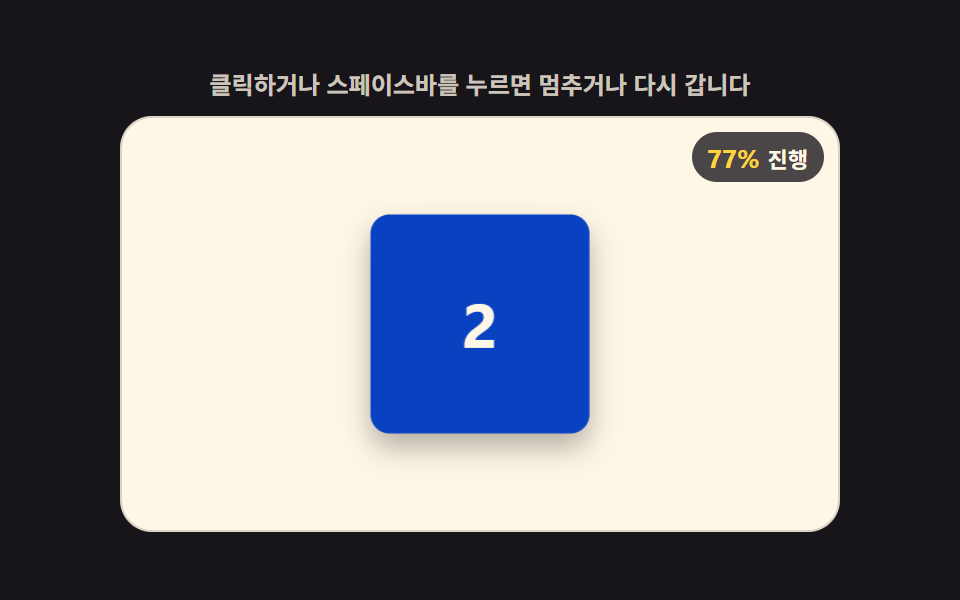 01 loader-3d-cube-face-percent-swap
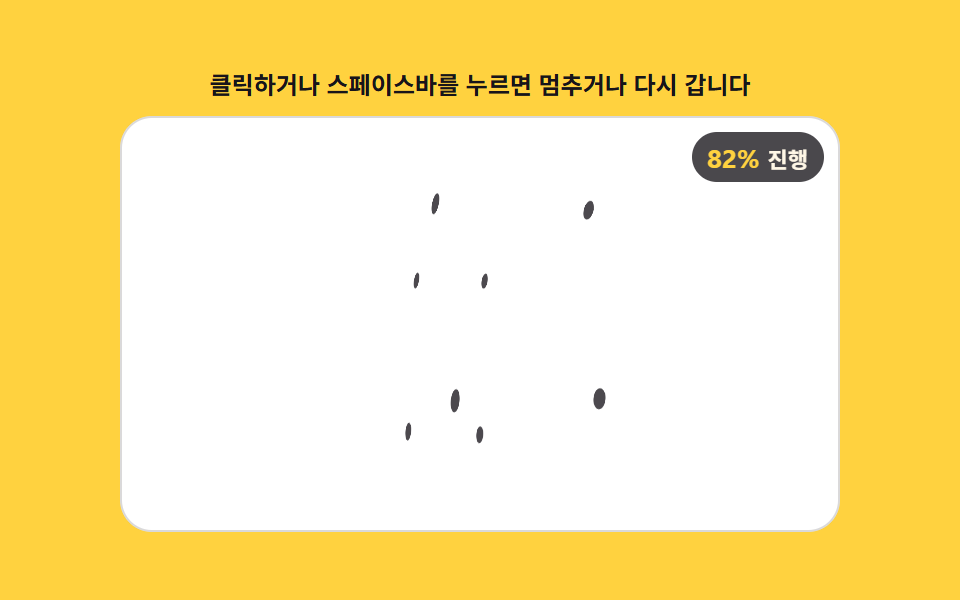 02 loader-3d-wireframe-vertex-snap
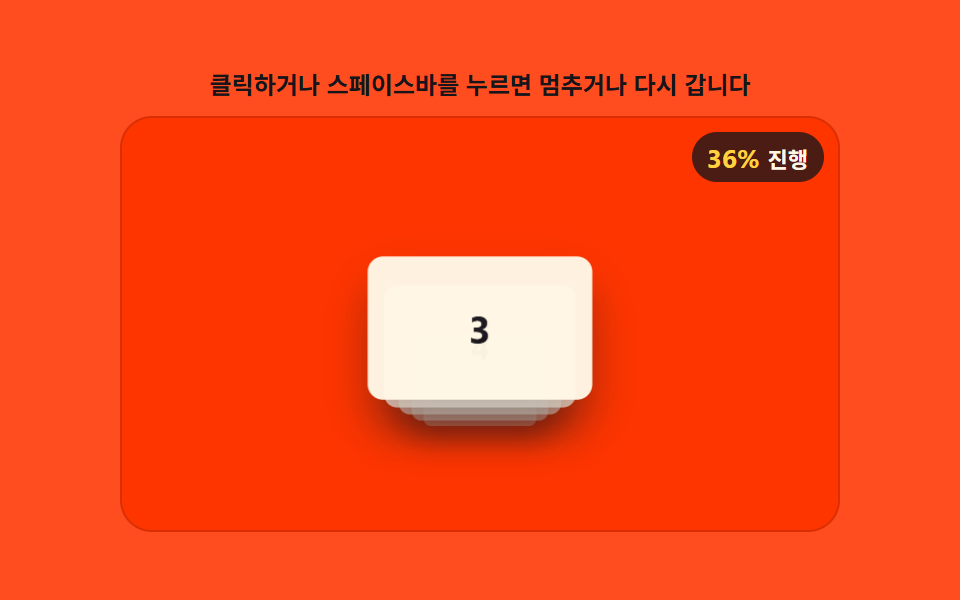 03 loader-3d-card-stack-depth-cycle
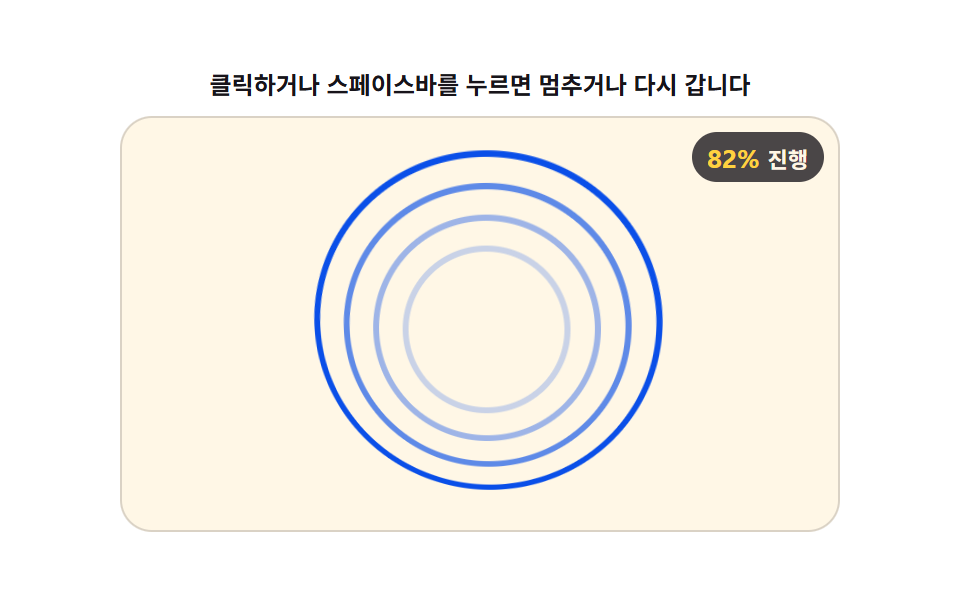 04 loader-3d-ring-orbit-tilt-stack
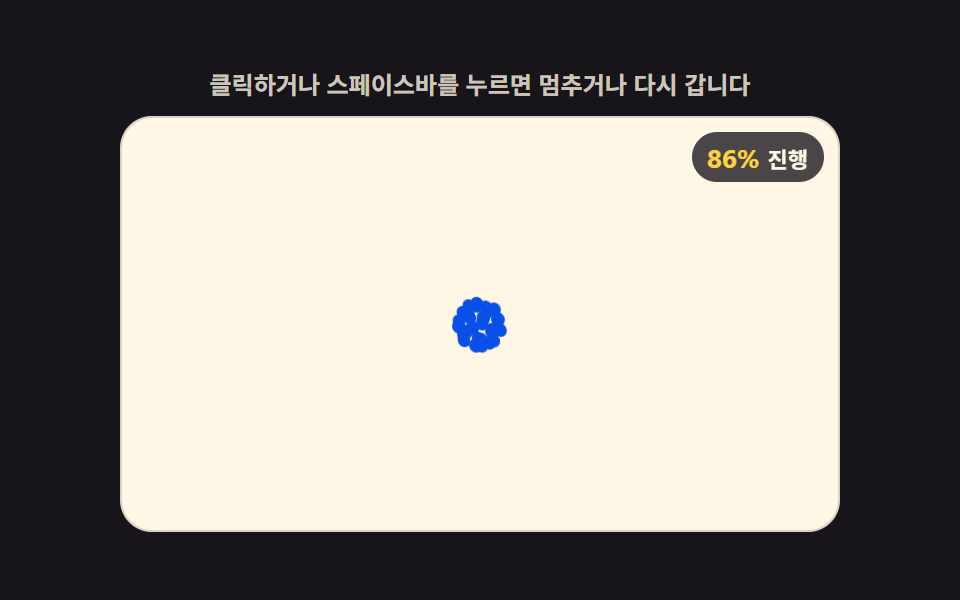 05 loader-3d-sphere-point-converge
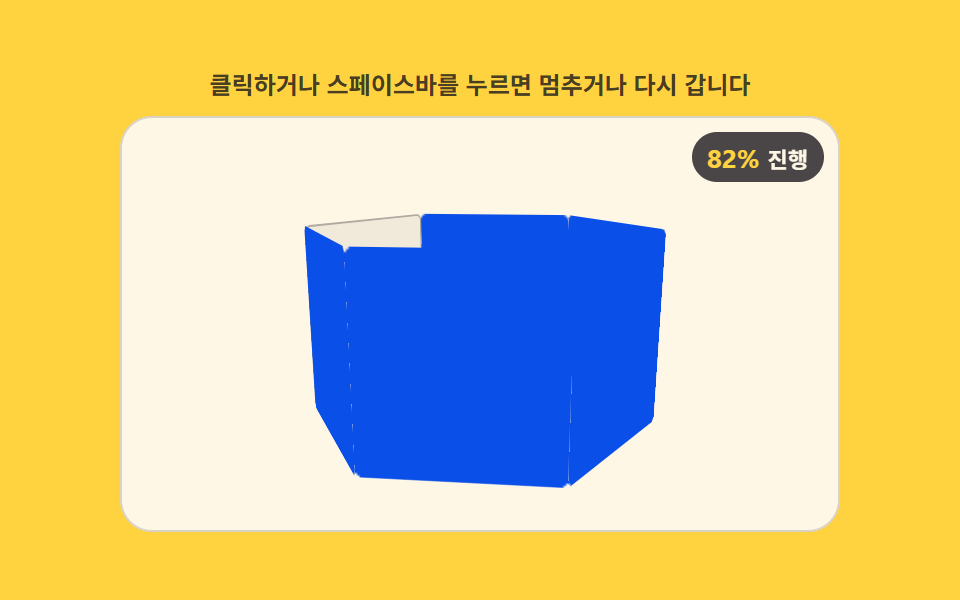 06 loader-3d-prism-face-fill-rotate
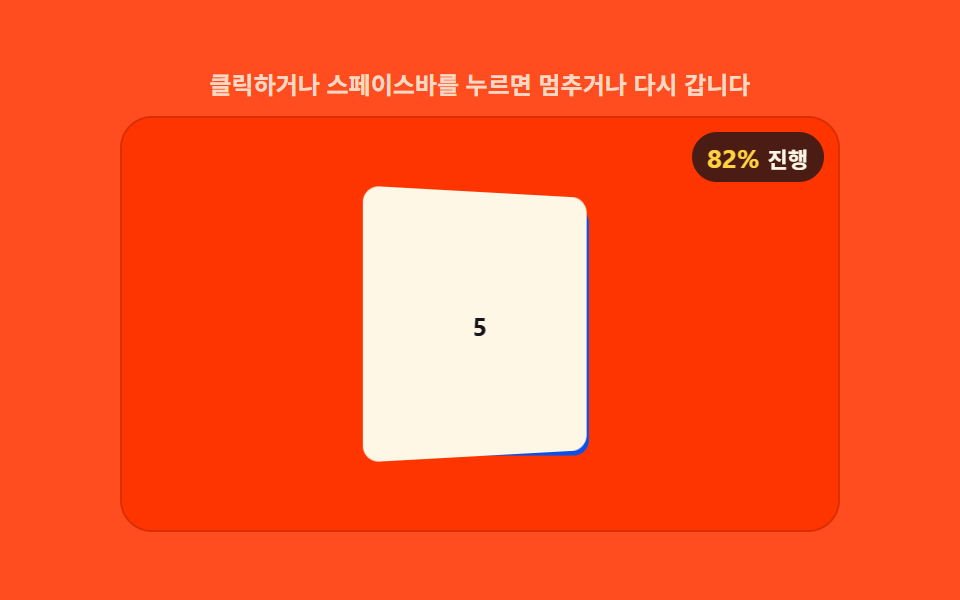 07 loader-3d-flip-panel-depth-sort
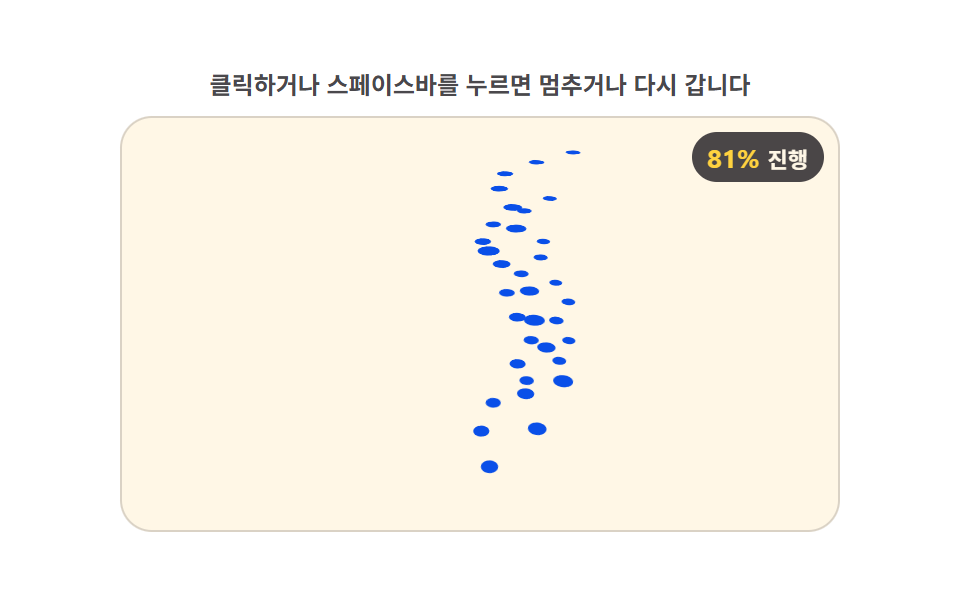 08 loader-3d-terrain-grid-rise-perspective
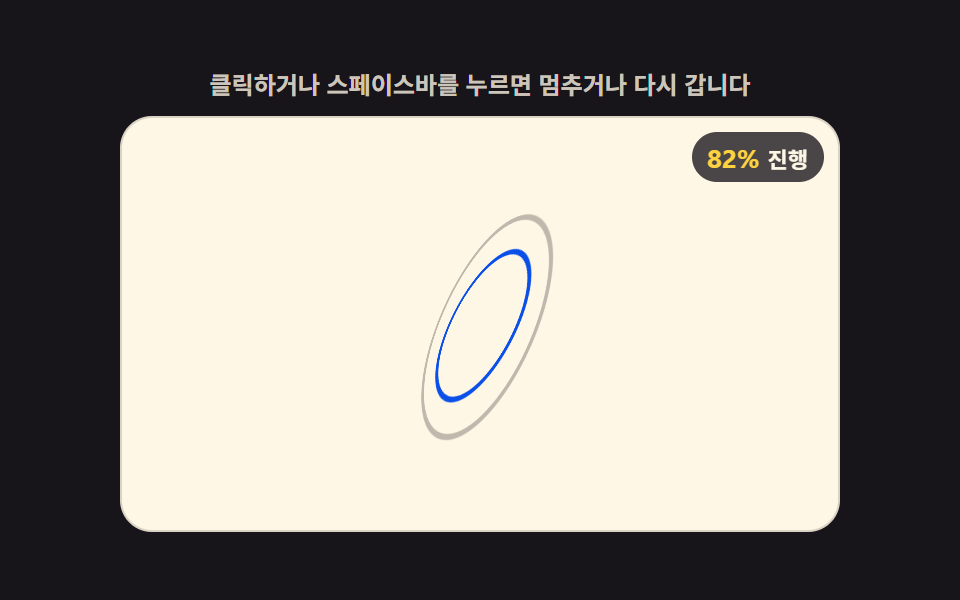 09 loader-3d-gyroscope-ring-precession
Auto-plays · click a tile to jump to its section · all nine in one zip
- 01 Loader Whose Hexahedron Advances a Face Each Time Percent Crosses a Threshold
- 02 Loader Whose Wireframe Vertices Settle Into Place With the Progress Value
- 03 Loader Whose Back Card Recomputes Depth Order to Move to the Front With Each Step
- 04 Loader Whose Stacked Rings Narrow Their Tilt Gap as the Value Rises
- 05 Loader Whose Sphere-Surface Points Converge to a Single Point
- 06 Loader Whose Rotating Polygon Prism Fills Faces in the Order They Pass
- 07 Loader That Recomputes Front-to-Back Order Every Time a Panel Flips
- 08 Loader Whose Grid Points Rise Into a Perspective Terrain by Value
- 09 Loader Whose Inner Ring Widens Its Precession Angle With the Value
Nine computed 3D loaders below all share the same two CSS properties -- perspective on a parent and transform-style: preserve-3d on its children -- and the same one JavaScript number driving every frame, but each reaches a different geometric idea of "done": a face index (01), a lerp fraction (02), a depth rank (03), a tilt angle (04), a radius shrink (05), a fill threshold (06), a flip angle (07), a height rise (08), and a precession cone (09). The order below moves from the simplest case -- one number picking one of four faces -- toward the one where a single value has to drive two axes of rotation at once.
Demo
Each of the nine tiles above is a small DOM scene: a handful of absolutely positioned elements inside one perspective parent, rotated and translated in 3D by a render(p) function that runs on every requestAnimationFrame tick. Click a tile, press Space or Enter on it, or resize the window, and it recomputes its own transforms from the current progress value -- nothing here is a single CSS @keyframes block looping on its own; the loop, the easing, and the geometry are all plain JavaScript reading one number.
How this set differs from the canvas-physics loaders and the pointer-tilt buttons
The nine canvas-physics loaders compute a fluid surface, a particle swarm, or a cellular automaton and draw the result as pixels with ctx.fillRect and ctx.arc -- there's no DOM element being rotated, just a 2D bitmap being repainted every frame. The nine below never touch a canvas context at all: every face, vertex, card, and ring is a real DOM element, and the "3D" comes entirely from perspective and rotateX/rotateY/translateZ values a script computes and assigns to style.transform.
The pointer-tilt button set is the closer relative in rendering method -- both use CSS 3D transforms on real elements -- but the input source is the opposite. Those nine buttons read clientX/clientY on every mousemove and tilt toward wherever the pointer currently sits, so the shape is a function of where a mouse or finger is right now. These nine loaders never read pointer position at all; the only input is a 0-to-1 progress value running on a timer, so item 04's rings converge and item 09's inner ring widens its wobble on their own, with or without anyone's cursor anywhere near the tile.
What the cumulative-area and intensity numbers below actually count
The numbers below come from each demo's own screen-recording pass, not an estimate: cumulative area is how much of each tile changed across the whole loop, average intensity is the average per-pixel byte difference where it changed, and moved frames counts how many of the 23 frame-to-frame deltas actually moved a pixel.
| # | Pattern | Cumulative area | Avg. intensity | Moved frames |
|---|---|---|---|---|
| 01 | Cube Face-threshold Swap | 8.577% | 92.8 | 23/23 |
| 02 | Wireframe Vertex-lerp Snap | 4.867% | 87.1 | 23/23 |
| 03 | Card-stack Depth Cycle | 5.401% | 95.2 | 23/23 |
| 04 | Ring Orbit-tilt Converge | 15.808% | 102.8 | 23/23 |
| 05 | Sphere Point-converge | 6.127% | 150.6 | 23/23 |
| 06 | Prism Face-fill Rotate | 16.692% | 142.6 | 23/23 |
| 07 | Flip-panel Depth Sort | 12.239% | 217.6 | 23/23 |
| 08 | Terrain-grid Rise Perspective | 7.95% | 141.8 | 23/23 |
| 09 | Gyroscope Ring Precession | 7.29% | 88.9 | 23/23 |
Every one of the nine moved on all 23 measured deltas, but the area column swings from 4.867% up to 16.692% -- loaders are small on-screen elements by design, so a small footprint is normal here, not a defect; what the table is really showing is that a css rotating cube animation like item 01 or a spring-flat panel deck like item 07 still redraws on nearly every frame even while covering under a fifth of its own tile.
Nine ways the same 0-to-1 value reaches a face, a vertex, or an orbit
Every block below is an exact, unedited slice of that pattern's own source file, pulled straight from the demo above it rather than typed out separately -- open one in the zip further down and the file on disk reads identically.
01Loader Whose Hexahedron Advances a Face Each Time Percent Crosses a Threshold
A depth-sort re-ranks all four faces by the cosine of their stored normal angle plus the current rotation every frame, so the z-index always matches which face is actually nearest the camera, and a percent value crossing FACE_THRESHOLD steps the cube to the next 90-degree face. It suits file-conversion progress and multi-step install indicators, where a fixed handful of stages already maps onto a handful of faces.
<main class="stage">
<div class="ld" id="ld">
  <p class="ld__hint">Click or press the space bar to pause or restart</p>
  <div class="ld__field" id="field" role="application" aria-label="Cube face-swap progress test panel" tabindex="0">
    <div class="c3__scene">
      <div class="c3__cube" id="c3cube">
        <div class="c3__face c3__face--front">1</div>
        <div class="c3__face c3__face--right">2</div>
        <div class="c3__face c3__face--back">3</div>
        <div class="c3__face c3__face--left">4</div>
      </div>
    </div>
    <b class="ld__badge" aria-hidden="true"><span class="ld__badgeNum" id="pct">0%</span><span class="ld__badgeUnit">Progress</span></b>
  </div>
</div>
</main>
@use "../../../../site/static/demo-tokens" as *;
// 정육면체 면 전환 로더 — 진행률(0~1)을 문턱 목록과 비교해 넘은 문턱 수만큼 큐브를 90deg 씩 돌리고,
// 매 프레임 화가 알고리즘(면 법선 각 + 현재 회전각의 cos)으로 z-index 를 다시 매긴다.
// 395(캔버스 rAF 물리)·393(포인터 tilt) 과 다른 축 — CSS perspective/preserve-3d 위에 문턱·깊이정렬 계산을 얹는다.
$duration: $dur-loop;
$easing: linear;
$color: $subject-blue-deep;
@include stage($stage-ink);
.ld {
display: flex; flex-direction: column; gap: $sp-2;
width: 100%; max-width: 360px;
}
.ld__hint {
margin: 0;
font-weight: 700; font-size: clamp(10px, 2.8vw, 12px); line-height: 1.35;
color: rgba($subject-cream, .78);
text-align: center;
}
.ld__field {
position: relative; height: 208px;
border-radius: $r-card; overflow: hidden;
background: $subject-cream;
box-shadow: inset 0 0 0 1px rgba($subject-ink, .16);
display: grid; place-items: center;
cursor: pointer;
}
.ld__field:focus-visible { outline: 2px solid $subject-blue-light; outline-offset: 2px; }
.c3__scene {
perspective: clamp(280px, 60vw, 420px);
}
.c3__cube {
position: relative;
width: 92px; height: 92px;
transform-style: preserve-3d;
}
.c3__face {
position: absolute; inset: 0;
display: grid; place-items: center;
border-radius: $r-sm;
font-weight: 700; font-size: 26px; line-height: 1;
color: $subject-cream;
background: $color;
backface-visibility: hidden;
box-shadow: $shadow-press;
}
.c3__face--front { transform: translateZ(46px); }
.c3__face--right { transform: rotateY(90deg) translateZ(46px); background: darken($color, 8%); }
.c3__face--back { transform: rotateY(180deg) translateZ(46px); }
.c3__face--left { transform: rotateY(-90deg) translateZ(46px); background: darken($color, 8%); }
.ld__badge {
position: absolute; right: $sp-2; top: $sp-2;
display: flex; align-items: baseline; gap: $sp-1;
padding: $sp-1 $sp-2; border-radius: $r-pill;
background: rgba($subject-ink, .78);
color: $subject-cream; font-weight: 700; font-size: 11px;
}
.ld__badgeNum { font-size: 13px; color: $stage-yellow; }
.ld__badgeUnit { font-weight: 700; }
@media (max-width: 340px) {
.ld { gap: $sp-1; }
.ld__field { height: 124px; }
.c3__cube { width: 64px; height: 64px; }
.c3__face--front, .c3__face--back { transform: translateZ(32px); }
.c3__face--right { transform: rotateY(90deg) translateZ(32px); background: darken($color, 8%); }
.c3__face--left { transform: rotateY(-90deg) translateZ(32px); background: darken($color, 8%); }
.c3__face--back { transform: rotateY(180deg) translateZ(32px); }
.ld__badge { font-size: 10px; padding: 0 $sp-1; }
.ld__badgeNum { font-size: 11px; }
}
@media (prefers-reduced-motion: reduce) {
.ld.is-still .ld__field { cursor: default !important; }
.ld.is-still .ld__badge { opacity: .92 !important; }
}html, body {
margin: 0;
overflow: hidden;
}
.stage {
box-sizing: border-box;
min-height: 100vh;
display: grid;
place-items: center;
margin: 0;
background: #17141a;
font-family: -apple-system, "Segoe UI", "Noto Sans KR", sans-serif;
padding: clamp(8px, 4vw, 24px);
}
.ld {
display: flex;
flex-direction: column;
gap: 8px;
width: 100%;
max-width: 360px;
}
.ld__hint {
margin: 0;
font-weight: 700;
font-size: clamp(10px, 2.8vw, 12px);
line-height: 1.35;
color: rgba(255, 247, 230, 0.78);
text-align: center;
}
.ld__field {
position: relative;
height: 208px;
border-radius: 16px;
overflow: hidden;
background: #fff7e6;
box-shadow: inset 0 0 0 1px rgba(23, 20, 26, 0.16);
display: grid;
place-items: center;
cursor: pointer;
}
.ld__field:focus-visible {
outline: 2px solid #5b8cf8;
outline-offset: 2px;
}
.c3__scene {
perspective: clamp(280px, 60vw, 420px);
}
.c3__cube {
position: relative;
width: 92px;
height: 92px;
transform-style: preserve-3d;
}
.c3__face {
position: absolute;
inset: 0;
display: grid;
place-items: center;
border-radius: 8px;
font-weight: 700;
font-size: 26px;
line-height: 1;
color: #fff7e6;
background: #0a4fe8;
backface-visibility: hidden;
box-shadow: 0 6px 12px rgba(23, 20, 26, 0.32);
}
.c3__face--front {
transform: translateZ(46px);
}
.c3__face--right {
transform: rotateY(90deg) translateZ(46px);
background: rgb(3.2604116027%, 25.757251661%, 75.6415491817%);
}
.c3__face--back {
transform: rotateY(180deg) translateZ(46px);
}
.c3__face--left {
transform: rotateY(-90deg) translateZ(46px);
background: rgb(3.2604116027%, 25.757251661%, 75.6415491817%);
}
.ld__badge {
position: absolute;
right: 8px;
top: 8px;
display: flex;
align-items: baseline;
gap: 4px;
padding: 4px 8px;
border-radius: 999px;
background: rgba(23, 20, 26, 0.78);
color: #fff7e6;
font-weight: 700;
font-size: 11px;
}
.ld__badgeNum {
font-size: 13px;
color: #ffd23f;
}
.ld__badgeUnit {
font-weight: 700;
}
@media (max-width: 340px) {
.ld {
gap: 4px;
}
.ld__field {
height: 124px;
}
.c3__cube {
width: 64px;
height: 64px;
}
.c3__face--front, .c3__face--back {
transform: translateZ(32px);
}
.c3__face--right {
transform: rotateY(90deg) translateZ(32px);
background: rgb(3.2604116027%, 25.757251661%, 75.6415491817%);
}
.c3__face--left {
transform: rotateY(-90deg) translateZ(32px);
background: rgb(3.2604116027%, 25.757251661%, 75.6415491817%);
}
.c3__face--back {
transform: rotateY(180deg) translateZ(32px);
}
.ld__badge {
font-size: 10px;
padding: 0 4px;
}
.ld__badgeNum {
font-size: 11px;
}
}
@media (prefers-reduced-motion: reduce) {
.ld.is-still .ld__field {
cursor: default !important;
}
.ld.is-still .ld__badge {
opacity: 0.92 !important;
}
}(function () {
'use strict';
var root = document.getElementById('ld');
var field = document.getElementById('field');
var pctEl = document.getElementById('pct');
var cube = document.getElementById('c3cube');
var faces = Array.prototype.slice.call(cube.querySelectorAll('.c3__face'));
var NORMALS = [0, 90, 180, 270]; // front·right·back·left 면 법선 각
var reduce = window.matchMedia('(prefers-reduced-motion: reduce)').matches;
var LOOP = 2; // 로더 한 바퀴(초) — 캡처 창(2초)의 약수라 gif 가 끊기지 않는다
var REDUCE_P = 0.7;
var FACE_THRESHOLD = 25; // 면 하나를 넘길 진행률 문턱(%) — 변형 01 대상
var t0 = 0, raf = 0, paused = false, lastP = 0;
// 화가 알고리즘 — 각 면의 (법선각 + 현재 회전각) 코사인을 깊이로 써서 뒤에서 앞 순서로 z-index 를 매긴다.
function depthSort(rotY) {
var withDepth = faces.map(function (el, i) {
return { el: el, depth: Math.cos((NORMALS[i] + rotY) * Math.PI / 180) };
});
withDepth.sort(function (a, b) { return a.depth - b.depth; });
withDepth.forEach(function (o, idx) { o.el.style.zIndex = String(idx); });
}
function render(p) {
lastP = p;
var pct = Math.round(p * 100);
var idx = Math.min(faces.length - 1, Math.floor(pct / FACE_THRESHOLD));
var rotY = idx * 90;
cube.style.transform = 'rotateY(' + rotY + 'deg)';
depthSort(rotY);
pctEl.textContent = pct + '%';
}
function frame(now) {
if (!paused) { var t = (now - t0) / 1000; render((t % LOOP) / LOOP); }
raf = requestAnimationFrame(frame);
}
function togglePause() {
paused = !paused;
root.classList.toggle('is-paused', paused);
render(reduce ? REDUCE_P : lastP);
}
function restart() {
t0 = performance.now();
render(reduce ? REDUCE_P : 0);
}
field.addEventListener('click', function () { togglePause(); });
field.addEventListener('keydown', function (e) {
if (e.key === ' ' || e.key === 'Enter') { e.preventDefault(); togglePause(); }
else if (e.key === 'r' || e.key === 'R') { e.preventDefault(); restart(); }
});
window.addEventListener('resize', function () {
if (paused || reduce) render(reduce ? REDUCE_P : lastP);
});
t0 = performance.now();
if (reduce) {
root.classList.add('is-still');
render(REDUCE_P);
} else {
raf = requestAnimationFrame(frame);
}
})();// CubeFaceSwap — vanilla 판(run/399/demo/01-loader-3d-cube-face-percent-swap/index.html) 의 React 포트.
// 진행률(0~1)이 FACE_THRESHOLD 문턱을 넘을 때마다 큐브를 90deg 돌리고, 매 프레임 화가 알고리즘
// (면 법선 각 + 현재 회전각의 cos) 으로 z-index 를 다시 매긴다. 움직임은 rAF 루프가 다 계산하므로
// @keyframes 가 없다 — props 는 CSS 변수로 내려간다.
import { useEffect, useRef } from "react";
import type { CSSProperties } from "react";
import styles from "./CubeFaceSwap.module.scss";
export type CubeFaceSwapProps = {
duration?: string;
easing?: string;
color?: string;
};
type Vars = CSSProperties & { "--duration"?: string; "--easing"?: string; "--color"?: string };
type Box<T> = { current: T };
type KeyEvt = { key: string; preventDefault(): void };
const NORMALS = [0, 90, 180, 270]; // front·right·back·left 면 법선 각
const LOOP = 2; // 로더 한 바퀴(초) — 캡처 창(2초)의 약수라 gif 가 끊기지 않는다
const REDUCE_P = 0.7;
const FACE_THRESHOLD = 25; // 면 하나를 넘길 진행률 문턱(%) — 변형 01 대상
const FIELD_LABEL = "정육면체 면 전환 진행 실험판";
export default function CubeFaceSwap({
duration = "2s", // vanilla LOOP
easing = "linear", // vanilla $easing
color = "#0a4fe8", // vanilla $color: $subject-blue-deep
}: CubeFaceSwapProps) {
const rootRef = useRef<HTMLDivElement | null>(null);
const fieldRef = useRef<HTMLDivElement | null>(null);
const cubeRef = useRef<HTMLDivElement | null>(null);
const pctRef = useRef<HTMLSpanElement | null>(null);
const facesRef = useRef<HTMLDivElement[]>([]) as Box<HTMLDivElement[]>;
const pausedRef = useRef(false) as Box<boolean>;
const lastPRef = useRef(0) as Box<number>;
const t0Ref = useRef(0) as Box<number>;
const rafRef = useRef(0) as Box<number>;
const vars: Vars = { "--duration": duration, "--easing": easing, "--color": color };
function reduced(): boolean {
return window.matchMedia("(prefers-reduced-motion: reduce)").matches;
}
// 화가 알고리즘 — 각 면의 (법선각 + 현재 회전각) 코사인을 깊이로 써서 뒤에서 앞 순서로 z-index 를 매긴다.
function depthSort(rotY: number): void {
const faces = facesRef.current;
const withDepth = faces.map((el, i) => ({ el, depth: Math.cos((NORMALS[i] + rotY) * Math.PI / 180) }));
withDepth.sort((a, b) => a.depth - b.depth);
withDepth.forEach((o, idx) => { o.el.style.zIndex = String(idx); });
}
function render(p: number): void {
lastPRef.current = p;
const pct = Math.round(p * 100);
const faces = facesRef.current;
const idx = Math.min(faces.length - 1, Math.floor(pct / FACE_THRESHOLD));
const rotY = idx * 90;
const cube = cubeRef.current;
if (cube) cube.style.transform = "rotateY(" + rotY + "deg)";
depthSort(rotY);
if (pctRef.current) pctRef.current.textContent = pct + "%";
}
function togglePause(): void {
pausedRef.current = !pausedRef.current;
const root = rootRef.current;
if (root) root.classList.toggle("is-paused", pausedRef.current);
render(reduced() ? REDUCE_P : lastPRef.current);
}
function restart(): void {
t0Ref.current = performance.now();
render(reduced() ? REDUCE_P : 0);
}
function onKey(e: KeyEvt): void {
if (e.key === " " || e.key === "Enter") { e.preventDefault(); togglePause(); }
else if (e.key === "r" || e.key === "R") { e.preventDefault(); restart(); }
}
function onClick(): void {
togglePause();
}
function onResize(): void {
if (pausedRef.current || reduced()) render(reduced() ? REDUCE_P : lastPRef.current);
}
function frame(now: number): void {
if (!pausedRef.current) {
const t = (now - t0Ref.current) / 1000;
render((t % LOOP) / LOOP);
}
rafRef.current = requestAnimationFrame(frame);
}
useEffect(() => {
const cube = cubeRef.current;
if (cube) facesRef.current = Array.prototype.slice.call(cube.children) as HTMLDivElement[];
t0Ref.current = performance.now();
window.addEventListener("resize", onResize);
if (reduced()) {
const root = rootRef.current;
if (root) root.classList.add("is-still");
render(REDUCE_P);
} else {
rafRef.current = requestAnimationFrame(frame);
}
return () => {
window.removeEventListener("resize", onResize);
cancelAnimationFrame(rafRef.current);
};
}, []);
return (
<main className={styles.stage}>
<div className={styles.root} ref={rootRef} style={vars}>
<p className={styles.hint}>클릭하거나 스페이스바를 누르면 멈추거나 다시 갑니다</p>
<div
className={styles.field}
ref={fieldRef}
role="application"
aria-label={FIELD_LABEL}
tabIndex={0}
onClick={onClick}
onKeyDown={onKey}
>
<div className={styles.scene}>
<div className={styles.cube} ref={cubeRef}>
<div className={styles.face + " " + styles.faceFront}>1</div>
<div className={styles.face + " " + styles.faceRight}>2</div>
<div className={styles.face + " " + styles.faceBack}>3</div>
<div className={styles.face + " " + styles.faceLeft}>4</div>
</div>
</div>
<b className={styles.badge} aria-hidden="true"><span className={styles.badgeNum} ref={pctRef}>0%</span><span className={styles.badgeUnit}>진행</span></b>
</div>
</div>
</main>
);
}01 · Loader Whose Hexahedron Advances a Face Each Time Percent Crosses a Threshold — Measured area 8.577% · moving frames 23/23Original by GODRICH · SCSS and React ship in the zip · See the password
var FACE_THRESHOLD = 25; // percent threshold that swaps one face -- variant 01 target
var t0 = 0, raf = 0, paused = false, lastP = 0;

// Painter's algorithm -- uses the cosine of (face normal angle + current rotation) as depth, so z-index gets assigned back-to-front.
function depthSort(rotY) {
  var withDepth = faces.map(function (el, i) {
    return { el: el, depth: Math.cos((NORMALS[i] + rotY) * Math.PI / 180) };
  });
  withDepth.sort(function (a, b) { return a.depth - b.depth; });
  withDepth.forEach(function (o, idx) { o.el.style.zIndex = String(idx); });
}

function render(p) {
  lastP = p;
  var pct = Math.round(p * 100);
  var idx = Math.min(faces.length - 1, Math.floor(pct / FACE_THRESHOLD));
  var rotY = idx * 90;
  cube.style.transform = 'rotateY(' + rotY + 'deg)';
  depthSort(rotY);
  pctEl.textContent = pct + '%';
}
02Loader Whose Wireframe Vertices Settle Into Place With the Progress Value
Eight vertices start at a fixed scattered position and lerp toward a cube corner by Math.pow(p, LERP_EASE_POW), with the twelve connecting SVG lines redrawn between them every frame so the outline sharpens as the value climbs. It fits 3D-asset loading and map-data fetch indicators, where a shape still assembling itself is a more honest read than a bar that's already full.
<main class="stage">
<div class="ld" id="ld">
  <p class="ld__hint">Click or press the space bar to pause or restart</p>
  <div class="ld__field" id="field" role="application" aria-label="Wireframe vertex convergence test panel" tabindex="0">
    <div class="c3__scene">
      <div class="c3__cube" id="c3cube">
        <svg class="c3__svg" id="svg">
          <line class="c3__edge" id="e0"></line><line class="c3__edge" id="e1"></line>
          <line class="c3__edge" id="e2"></line><line class="c3__edge" id="e3"></line>
          <line class="c3__edge" id="e4"></line><line class="c3__edge" id="e5"></line>
          <line class="c3__edge" id="e6"></line><line class="c3__edge" id="e7"></line>
          <line class="c3__edge" id="e8"></line><line class="c3__edge" id="e9"></line>
          <line class="c3__edge" id="e10"></line><line class="c3__edge" id="e11"></line>
        </svg>
        <div class="c3__vtx" id="v0"></div><div class="c3__vtx" id="v1"></div>
        <div class="c3__vtx" id="v2"></div><div class="c3__vtx" id="v3"></div>
        <div class="c3__vtx" id="v4"></div><div class="c3__vtx" id="v5"></div>
        <div class="c3__vtx" id="v6"></div><div class="c3__vtx" id="v7"></div>
      </div>
    </div>
    <b class="ld__badge" aria-hidden="true"><span class="ld__badgeNum" id="pct">0%</span><span class="ld__badgeUnit">Progress</span></b>
  </div>
</div>
</main>
@use "../../../../site/static/demo-tokens" as *;
// 와이어프레임 정점 수렴 로더 — 시작 위치(고정 산점 배열)에서 목표 정점(정육면체 모서리)까지
// 진행률(0~1)을 지수 곡선(ease)으로 눌러 보간하고, 매 프레임 getBoundingClientRect() 로
// preserve-3d 가 투영한 실제 화면 좌표를 읽어 SVG 선을 다시 그린다.
// 395(캔버스 rAF 물리)·393(포인터 tilt) 과 다른 축 — 3D 투영 결과의 실측 좌표로 2D 선을 그린다.
$duration: $dur-loop;
$easing: linear;
$color: $subject-ink;
@include stage($stage-yellow);
.ld { display: flex; flex-direction: column; gap: $sp-2; width: 100%; max-width: 360px; }
.ld__hint {
margin: 0;
font-weight: 700; font-size: clamp(10px, 2.8vw, 12px); line-height: 1.35;
color: $subject-ink;
text-align: center;
}
.ld__field {
position: relative; height: 208px;
border-radius: $r-card; overflow: hidden;
background: $stage-paper;
box-shadow: inset 0 0 0 1px rgba($subject-ink, .16);
cursor: pointer;
}
.ld__field:focus-visible { outline: 2px solid $subject-blue-deep; outline-offset: 2px; }
.c3__scene {
position: absolute; inset: 0;
perspective: clamp(320px, 70vw, 480px);
}
.c3__cube {
position: absolute; left: 50%; top: 50%;
width: 0; height: 0;
transform-style: preserve-3d;
}
.c3__vtx {
position: absolute; left: 0; top: 0;
width: 9px; height: 9px; margin: -4.5px 0 0 -4.5px;
border-radius: 50%;
background: $color;
will-change: transform, opacity;
}
.c3__svg {
position: absolute; inset: 0;
width: 100%; height: 100%;
pointer-events: none;
}
.c3__edge { stroke: $color; stroke-width: 1.6; }
.ld__badge {
position: absolute; right: $sp-2; top: $sp-2;
display: flex; align-items: baseline; gap: $sp-1;
padding: $sp-1 $sp-2; border-radius: $r-pill;
background: rgba($subject-ink, .78);
color: $subject-cream; font-weight: 700; font-size: 11px;
}
.ld__badgeNum { font-size: 13px; color: $stage-yellow; }
.ld__badgeUnit { font-weight: 700; }
@media (max-width: 340px) {
.ld { gap: $sp-1; }
.ld__field { height: 124px; }
.ld__badge { font-size: 10px; padding: 0 $sp-1; }
.ld__badgeNum { font-size: 11px; }
}
@media (prefers-reduced-motion: reduce) {
.ld.is-still .ld__field { cursor: default !important; }
.ld.is-still .ld__badge { opacity: .92 !important; }
}html, body {
margin: 0;
overflow: hidden;
}
.stage {
box-sizing: border-box;
min-height: 100vh;
display: grid;
place-items: center;
margin: 0;
background: #ffd23f;
font-family: -apple-system, "Segoe UI", "Noto Sans KR", sans-serif;
padding: clamp(8px, 4vw, 24px);
}
.ld {
display: flex;
flex-direction: column;
gap: 8px;
width: 100%;
max-width: 360px;
}
.ld__hint {
margin: 0;
font-weight: 700;
font-size: clamp(10px, 2.8vw, 12px);
line-height: 1.35;
color: #17141a;
text-align: center;
}
.ld__field {
position: relative;
height: 208px;
border-radius: 16px;
overflow: hidden;
background: #ffffff;
box-shadow: inset 0 0 0 1px rgba(23, 20, 26, 0.16);
cursor: pointer;
}
.ld__field:focus-visible {
outline: 2px solid #0a4fe8;
outline-offset: 2px;
}
.c3__scene {
position: absolute;
inset: 0;
perspective: clamp(320px, 70vw, 480px);
}
.c3__cube {
position: absolute;
left: 50%;
top: 50%;
width: 0;
height: 0;
transform-style: preserve-3d;
}
.c3__vtx {
position: absolute;
left: 0;
top: 0;
width: 9px;
height: 9px;
margin: -4.5px 0 0 -4.5px;
border-radius: 50%;
background: #17141a;
will-change: transform, opacity;
}
.c3__svg {
position: absolute;
inset: 0;
width: 100%;
height: 100%;
pointer-events: none;
}
.c3__edge {
stroke: #17141a;
stroke-width: 1.6;
}
.ld__badge {
position: absolute;
right: 8px;
top: 8px;
display: flex;
align-items: baseline;
gap: 4px;
padding: 4px 8px;
border-radius: 999px;
background: rgba(23, 20, 26, 0.78);
color: #fff7e6;
font-weight: 700;
font-size: 11px;
}
.ld__badgeNum {
font-size: 13px;
color: #ffd23f;
}
.ld__badgeUnit {
font-weight: 700;
}
@media (max-width: 340px) {
.ld {
gap: 4px;
}
.ld__field {
height: 124px;
}
.ld__badge {
font-size: 10px;
padding: 0 4px;
}
.ld__badgeNum {
font-size: 11px;
}
}
@media (prefers-reduced-motion: reduce) {
.ld.is-still .ld__field {
cursor: default !important;
}
.ld.is-still .ld__badge {
opacity: 0.92 !important;
}
}(function () {
'use strict';
var root = document.getElementById('ld');
var field = document.getElementById('field');
var pctEl = document.getElementById('pct');
var cube = document.getElementById('c3cube');
var vtx = [];
for (var vi = 0; vi < 8; vi++) vtx.push(document.getElementById('v' + vi));
var lines = [];
for (var li = 0; li < 12; li++) lines.push(document.getElementById('e' + li));
// 정육면체 모서리(정점 인덱스 비트: 0=x·1=y·2=z, -/+)
var EDGES = [[0,1],[0,2],[0,4],[1,3],[1,5],[2,3],[2,6],[3,7],[4,5],[4,6],[5,7],[6,7]];
var HALF = 42;
var TARGETS = [];
for (var ti = 0; ti < 8; ti++) {
TARGETS.push([(ti & 1) ? HALF : -HALF, (ti & 2) ? HALF : -HALF, (ti & 4) ? HALF : -HALF]);
}
// 시작 산점 좌표 — 고정 배열(실호출 Math.random 없음)
var SCATTER = [
[-70, -55, 10], [60, -65, -20], [-50, 60, 30], [75, 50, -10],
[-65, -30, -40], [55, -20, 45], [-40, 65, -25], [65, 70, 15]
];
var reduce = window.matchMedia('(prefers-reduced-motion: reduce)').matches;
var LOOP = 2;
var REDUCE_P = 0.7;
var LERP_EASE_POW = 1.8; // 정점 수렴 곡선 지수 — 변형 02 대상 (클수록 막판에 몰려 맺힌다)
var ROT_TURNS = 1; // 한 루프 동안 큐브가 도는 회전수
var t0 = 0, raf = 0, paused = false, lastP = 0;
function ease(p) { return Math.pow(p, LERP_EASE_POW); }
function updateLines(e) {
var fr = field.getBoundingClientRect();
for (var i = 0; i < 12; i++) {
var a = vtx[EDGES[i][0]].getBoundingClientRect();
var b = vtx[EDGES[i][1]].getBoundingClientRect();
var ax = a.left + a.width / 2 - fr.left;
var ay = a.top + a.height / 2 - fr.top;
var bx = b.left + b.width / 2 - fr.left;
var by = b.top + b.height / 2 - fr.top;
var ln = lines[i];
ln.setAttribute('x1', ax); ln.setAttribute('y1', ay);
ln.setAttribute('x2', bx); ln.setAttribute('y2', by);
ln.setAttribute('stroke-opacity', String(0.15 + 0.85 * e));
}
}
function render(p) {
  lastP = p;
  var e = ease(p);
  var rotY = (p * 360 * ROT_TURNS) % 360;
  cube.style.transform = 'rotateX(18deg) rotateY(' + rotY + 'deg)';
  for (var i = 0; i < 8; i++) {
    var sx = SCATTER[i][0], sy = SCATTER[i][1], sz = SCATTER[i][2];
    var tx = TARGETS[i][0], ty = TARGETS[i][1], tz = TARGETS[i][2];
    var cx = sx + (tx - sx) * e;
    var cy = sy + (ty - sy) * e;
    var cz = sz + (tz - sz) * e;
    vtx[i].style.transform = 'translate3d(' + cx + 'px,' + cy + 'px,' + cz + 'px)';
    vtx[i].style.opacity = String(0.25 + 0.75 * e);
  }
  updateLines(e);
  pctEl.textContent = Math.round(p * 100) + '%';
}
function frame(now) {
if (!paused) { var t = (now - t0) / 1000; render((t % LOOP) / LOOP); }
raf = requestAnimationFrame(frame);
}
function togglePause() {
paused = !paused;
root.classList.toggle('is-paused', paused);
render(reduce ? REDUCE_P : lastP);
}
function restart() {
t0 = performance.now();
render(reduce ? REDUCE_P : 0);
}
field.addEventListener('click', function () { togglePause(); });
field.addEventListener('keydown', function (e) {
if (e.key === ' ' || e.key === 'Enter') { e.preventDefault(); togglePause(); }
else if (e.key === 'r' || e.key === 'R') { e.preventDefault(); restart(); }
});
window.addEventListener('resize', function () {
if (paused || reduce) render(reduce ? REDUCE_P : lastP);
});
t0 = performance.now();
if (reduce) {
root.classList.add('is-still');
render(REDUCE_P);
} else {
raf = requestAnimationFrame(frame);
}
})();// WireframeVertexSnap — vanilla 판(run/399/demo/02-loader-3d-wireframe-vertex-snap/index.html) 의 React 포트.
// 시작 산점 좌표(고정 배열)에서 목표 정육면체 모서리까지 진행률을 지수 곡선(ease)으로 보간하고,
// 매 프레임 getBoundingClientRect() 로 preserve-3d 가 투영한 실제 화면 좌표를 읽어 SVG 선을 다시 그린다.
import { useEffect, useRef } from "react";
import type { CSSProperties } from "react";
import styles from "./WireframeVertexSnap.module.scss";
export type WireframeVertexSnapProps = {
duration?: string;
easing?: string;
color?: string;
};
type Vars = CSSProperties & { "--duration"?: string; "--easing"?: string; "--color"?: string };
type Box<T> = { current: T };
type KeyEvt = { key: string; preventDefault(): void };
const EDGES: [number, number][] = [[0,1],[0,2],[0,4],[1,3],[1,5],[2,3],[2,6],[3,7],[4,5],[4,6],[5,7],[6,7]];
const HALF = 42;
const TARGETS: [number, number, number][] = [0,1,2,3,4,5,6,7].map((i) => [
(i & 1) ? HALF : -HALF, (i & 2) ? HALF : -HALF, (i & 4) ? HALF : -HALF,
]);
const SCATTER: [number, number, number][] = [
[-70, -55, 10], [60, -65, -20], [-50, 60, 30], [75, 50, -10],
[-65, -30, -40], [55, -20, 45], [-40, 65, -25], [65, 70, 15],
];
const LOOP = 2;
const REDUCE_P = 0.7;
const LERP_EASE_POW = 1.8; // 정점 수렴 곡선 지수 — 변형 02 대상
const ROT_TURNS = 1;
const FIELD_LABEL = "와이어프레임 정점 수렴 진행 실험판";
export default function WireframeVertexSnap({
duration = "2s",
easing = "linear",
color = "#17141a",
}: WireframeVertexSnapProps) {
const rootRef = useRef<HTMLDivElement | null>(null);
const fieldRef = useRef<HTMLDivElement | null>(null);
const cubeRef = useRef<HTMLDivElement | null>(null);
const pctRef = useRef<HTMLSpanElement | null>(null);
const vtxRef = useRef<(HTMLDivElement | null)[]>([null, null, null, null, null, null, null, null]) as Box<(HTMLDivElement | null)[]>;
const lineRef = useRef<(SVGLineElement | null)[]>(new Array(12).fill(null)) as Box<(SVGLineElement | null)[]>;
const pausedRef = useRef(false) as Box<boolean>;
const lastPRef = useRef(0) as Box<number>;
const t0Ref = useRef(0) as Box<number>;
const rafRef = useRef(0) as Box<number>;
const vars: Vars = { "--duration": duration, "--easing": easing, "--color": color };
function reduced(): boolean {
return window.matchMedia("(prefers-reduced-motion: reduce)").matches;
}
function ease(p: number): number {
return Math.pow(p, LERP_EASE_POW);
}
function updateLines(e: number): void {
const field = fieldRef.current;
const vtx = vtxRef.current;
const lines = lineRef.current;
if (!field) return;
const fr = field.getBoundingClientRect();
for (let i = 0; i < 12; i++) {
const av = vtx[EDGES[i][0]];
const bv = vtx[EDGES[i][1]];
const ln = lines[i];
if (!av || !bv || !ln) continue;
const a = av.getBoundingClientRect();
const b = bv.getBoundingClientRect();
const ax = a.left + a.width / 2 - fr.left;
const ay = a.top + a.height / 2 - fr.top;
const bx = b.left + b.width / 2 - fr.left;
const by = b.top + b.height / 2 - fr.top;
ln.setAttribute("x1", String(ax));
ln.setAttribute("y1", String(ay));
ln.setAttribute("x2", String(bx));
ln.setAttribute("y2", String(by));
ln.setAttribute("stroke-opacity", String(0.15 + 0.85 * e));
}
}
function render(p: number): void {
lastPRef.current = p;
const e = ease(p);
const cube = cubeRef.current;
const rotY = (p * 360 * ROT_TURNS) % 360;
if (cube) cube.style.transform = "rotateX(18deg) rotateY(" + rotY + "deg)";
const vtx = vtxRef.current;
for (let i = 0; i < 8; i++) {
const el = vtx[i];
if (!el) continue;
const [sx, sy, sz] = SCATTER[i];
const [tx, ty, tz] = TARGETS[i];
const cx = sx + (tx - sx) * e;
const cy = sy + (ty - sy) * e;
const cz = sz + (tz - sz) * e;
el.style.transform = "translate3d(" + cx + "px," + cy + "px," + cz + "px)";
el.style.opacity = String(0.25 + 0.75 * e);
}
updateLines(e);
if (pctRef.current) pctRef.current.textContent = Math.round(p * 100) + "%";
}
function togglePause(): void {
pausedRef.current = !pausedRef.current;
const root = rootRef.current;
if (root) root.classList.toggle("is-paused", pausedRef.current);
render(reduced() ? REDUCE_P : lastPRef.current);
}
function restart(): void {
t0Ref.current = performance.now();
render(reduced() ? REDUCE_P : 0);
}
function onKey(e: KeyEvt): void {
if (e.key === " " || e.key === "Enter") { e.preventDefault(); togglePause(); }
else if (e.key === "r" || e.key === "R") { e.preventDefault(); restart(); }
}
function onClick(): void {
togglePause();
}
function onResize(): void {
if (pausedRef.current || reduced()) render(reduced() ? REDUCE_P : lastPRef.current);
}
function frame(now: number): void {
if (!pausedRef.current) {
const t = (now - t0Ref.current) / 1000;
render((t % LOOP) / LOOP);
}
rafRef.current = requestAnimationFrame(frame);
}
useEffect(() => {
t0Ref.current = performance.now();
window.addEventListener("resize", onResize);
if (reduced()) {
const root = rootRef.current;
if (root) root.classList.add("is-still");
render(REDUCE_P);
} else {
rafRef.current = requestAnimationFrame(frame);
}
return () => {
window.removeEventListener("resize", onResize);
cancelAnimationFrame(rafRef.current);
};
}, []);
return (
<main className={styles.stage}>
<div className={styles.root} ref={rootRef} style={vars}>
<p className={styles.hint}>클릭하거나 스페이스바를 누르면 멈추거나 다시 갑니다</p>
<div
className={styles.field}
ref={fieldRef}
role="application"
aria-label={FIELD_LABEL}
tabIndex={0}
onClick={onClick}
onKeyDown={onKey}
>
<div className={styles.scene}>
<div className={styles.cube} ref={cubeRef}>
<svg className={styles.svg}>
{EDGES.map((_, i) => (
<line key={i} className={styles.edge} ref={(el: SVGLineElement | null) => { lineRef.current[i] = el; }} />
))}
</svg>
{[0, 1, 2, 3, 4, 5, 6, 7].map((i) => (
<div key={i} className={styles.vtx} ref={(el: HTMLDivElement | null) => { vtxRef.current[i] = el; }} />
))}
</div>
</div>
<b className={styles.badge} aria-hidden="true"><span className={styles.badgeNum} ref={pctRef}>0%</span><span className={styles.badgeUnit}>진행</span></b>
</div>
</div>
</main>
);
}02 · Loader Whose Wireframe Vertices Settle Into Place With the Progress Value — Measured area 4.867% · moving frames 23/23Original by GODRICH · SCSS and React ship in the zip · See the password
function render(p) {
lastP = p;
var e = ease(p);
var rotY = (p * 360 * ROT_TURNS) % 360;
cube.style.transform = 'rotateX(18deg) rotateY(' + rotY + 'deg)';
for (var i = 0; i < 8; i++) {
var sx = SCATTER[i][0], sy = SCATTER[i][1], sz = SCATTER[i][2];
var tx = TARGETS[i][0], ty = TARGETS[i][1], tz = TARGETS[i][2];
var cx = sx + (tx - sx) * e;
var cy = sy + (ty - sy) * e;
var cz = sz + (tz - sz) * e;
vtx[i].style.transform = 'translate3d(' + cx + 'px,' + cy + 'px,' + cz + 'px)';
vtx[i].style.opacity = String(0.25 + 0.75 * e);
}
updateLines(e);
pctEl.textContent = Math.round(p * 100) + '%';
}
03Loader Whose Back Card Recomputes Depth Order to Move to the Front With Each Step
rankOf() computes each card's front-to-back rank as (i - s) % CARD_COUNT, so the entire stack order rebuilds from one continuous number every frame instead of an array being physically reshuffled. It suits multi-step checkout progress and onboarding displays, where the card currently on top should always read as the active step.
<main class="stage">
<div class="ld" id="ld">
  <p class="ld__hint">Click or press the space bar to pause or restart</p>
  <div class="ld__field" id="field" role="application" aria-label="Card-stack depth-cycle test panel" tabindex="0">
    <div class="c3__deck" id="deck">
      <div class="c3__card" id="c0">1</div>
      <div class="c3__card" id="c1">2</div>
      <div class="c3__card" id="c2">3</div>
      <div class="c3__card" id="c3">4</div>
      <div class="c3__card" id="c4">5</div>
    </div>
    <b class="ld__badge" aria-hidden="true"><span class="ld__badgeNum" id="pct">0%</span><span class="ld__badgeUnit">Progress</span></b>
  </div>
</div>
</main>
@use "../../../../site/static/demo-tokens" as *;
// 카드 스택 깊이 순환 로더 — 카드마다 깊이 값(rankPos, 0=맨 앞)을 진행률의 연속 함수로 계산해
// translateZ·translateY·scale·opacity·z-index 를 매 프레임 다시 매긴다(화가 알고리즘 계열, 이산 스냅이 아니라 연속 순환).
// 395(캔버스 rAF 물리)·393(포인터 tilt) 과 다른 축 — 깊이 순위 자체를 진행률의 모듈러 함수로 계산한다.
$duration: $dur-loop;
$easing: $ease-out;
$color: $subject-cream;
@include stage($stage-orange);
.ld { display: flex; flex-direction: column; gap: $sp-2; width: 100%; max-width: 360px; }
.ld__hint {
margin: 0;
font-weight: 700; font-size: clamp(10px, 2.8vw, 12px); line-height: 1.35;
color: $subject-ink;
text-align: center;
}
.ld__field {
position: relative; height: 208px;
border-radius: $r-card; overflow: hidden;
background: darken($stage-orange, 6%);
box-shadow: inset 0 0 0 1px rgba($subject-ink, .16);
display: grid; place-items: center;
cursor: pointer;
perspective: clamp(320px, 70vw, 480px);
}
.ld__field:focus-visible { outline: 2px solid $subject-ink; outline-offset: 2px; }
.c3__deck { position: relative; width: 116px; height: 74px; transform-style: preserve-3d; }
.c3__card {
position: absolute; inset: 0;
display: grid; place-items: center;
border-radius: $r-sm;
background: $color;
color: $subject-ink;
font-weight: 700; font-size: 20px; line-height: 1;
box-shadow: $shadow-raised;
will-change: transform, opacity;
}
.ld__badge {
position: absolute; right: $sp-2; top: $sp-2;
display: flex; align-items: baseline; gap: $sp-1;
padding: $sp-1 $sp-2; border-radius: $r-pill;
background: rgba($subject-ink, .78);
color: $subject-cream; font-weight: 700; font-size: 11px;
}
.ld__badgeNum { font-size: 13px; color: $stage-yellow; }
.ld__badgeUnit { font-weight: 700; }
@media (max-width: 340px) {
.ld { gap: $sp-1; }
.ld__field { height: 124px; }
.c3__deck { width: 84px; height: 54px; }
.ld__badge { font-size: 10px; padding: 0 $sp-1; }
.ld__badgeNum { font-size: 11px; }
}
@media (prefers-reduced-motion: reduce) {
.ld.is-still .ld__field { cursor: default !important; }
.ld.is-still .ld__badge { opacity: .92 !important; }
}html, body {
margin: 0;
overflow: hidden;
}
.stage {
box-sizing: border-box;
min-height: 100vh;
display: grid;
place-items: center;
margin: 0;
background: #ff4d1f;
font-family: -apple-system, "Segoe UI", "Noto Sans KR", sans-serif;
padding: clamp(8px, 4vw, 24px);
}
.ld {
display: flex;
flex-direction: column;
gap: 8px;
width: 100%;
max-width: 360px;
}
.ld__hint {
margin: 0;
font-weight: 700;
font-size: clamp(10px, 2.8vw, 12px);
line-height: 1.35;
color: #17141a;
text-align: center;
}
.ld__field {
position: relative;
height: 208px;
border-radius: 16px;
overflow: hidden;
background: rgb(100%, 20.6603641457%, 0.1568627451%);
box-shadow: inset 0 0 0 1px rgba(23, 20, 26, 0.16);
display: grid;
place-items: center;
cursor: pointer;
perspective: clamp(320px, 70vw, 480px);
}
.ld__field:focus-visible {
outline: 2px solid #17141a;
outline-offset: 2px;
}
.c3__deck {
position: relative;
width: 116px;
height: 74px;
transform-style: preserve-3d;
}
.c3__card {
position: absolute;
inset: 0;
display: grid;
place-items: center;
border-radius: 8px;
background: #fff7e6;
color: #17141a;
font-weight: 700;
font-size: 20px;
line-height: 1;
box-shadow: 0 14px 24px rgba(23, 20, 26, 0.32);
will-change: transform, opacity;
}
.ld__badge {
position: absolute;
right: 8px;
top: 8px;
display: flex;
align-items: baseline;
gap: 4px;
padding: 4px 8px;
border-radius: 999px;
background: rgba(23, 20, 26, 0.78);
color: #fff7e6;
font-weight: 700;
font-size: 11px;
}
.ld__badgeNum {
font-size: 13px;
color: #ffd23f;
}
.ld__badgeUnit {
font-weight: 700;
}
@media (max-width: 340px) {
.ld {
gap: 4px;
}
.ld__field {
height: 124px;
}
.c3__deck {
width: 84px;
height: 54px;
}
.ld__badge {
font-size: 10px;
padding: 0 4px;
}
.ld__badgeNum {
font-size: 11px;
}
}
@media (prefers-reduced-motion: reduce) {
.ld.is-still .ld__field {
cursor: default !important;
}
.ld.is-still .ld__badge {
opacity: 0.92 !important;
}
}(function () {
'use strict';
var root = document.getElementById('ld');
var field = document.getElementById('field');
var pctEl = document.getElementById('pct');
var cards = [];
for (var ci = 0; ci < 5; ci++) cards.push(document.getElementById('c' + ci));
var CARD_COUNT = 5;
var ZGAP = 22; // 깊이 한 칸당 뒤로 물러나는 거리(px)
var YOFF = 10; // 깊이 한 칸당 아래로 내려가는 거리(px)
var SHRINK = 0.09; // 깊이 한 칸당 축소 비율
var OPACITY_STEP = 0.15;
var reduce = window.matchMedia('(prefers-reduced-motion: reduce)').matches;
var LOOP = 2;
var REDUCE_P = 0.7;
var t0 = 0, raf = 0, paused = false, lastP = 0;
// 카드 i 의 현재 깊이 순위(0=맨 앞)를 진행률의 연속 모듈러 함수로 계산 — 상태를 누적하지 않고
// 매 프레임 p 하나로부터 전체 순서를 다시 구한다(화가 알고리즘과 같은 원리).
function rankOf(i, s) {
var r = (i - s) % CARD_COUNT;
if (r < 0) r += CARD_COUNT;
return r;
}
function render(p) {
lastP = p;
var s = p * CARD_COUNT;
for (var i = 0; i < CARD_COUNT; i++) {
var rank = rankOf(i, s);
var z = -rank * ZGAP;
var y = rank * YOFF;
var scale = 1 - rank * SHRINK;
var op = 1 - rank * OPACITY_STEP;
cards[i].style.transform = 'translateY(' + y + 'px) translateZ(' + z + 'px) scale(' + scale + ')';
cards[i].style.opacity = String(Math.max(0.25, op));
cards[i].style.zIndex = String(Math.round((CARD_COUNT - rank) * 1000));
}
pctEl.textContent = Math.round(p * 100) + '%';
}
function frame(now) {
if (!paused) { var t = (now - t0) / 1000; render((t % LOOP) / LOOP); }
raf = requestAnimationFrame(frame);
}
function togglePause() {
paused = !paused;
root.classList.toggle('is-paused', paused);
render(reduce ? REDUCE_P : lastP);
}
function restart() {
t0 = performance.now();
render(reduce ? REDUCE_P : 0);
}
field.addEventListener('click', function () { togglePause(); });
field.addEventListener('keydown', function (e) {
if (e.key === ' ' || e.key === 'Enter') { e.preventDefault(); togglePause(); }
else if (e.key === 'r' || e.key === 'R') { e.preventDefault(); restart(); }
});
window.addEventListener('resize', function () {
if (paused || reduce) render(reduce ? REDUCE_P : lastP);
});
t0 = performance.now();
if (reduce) {
root.classList.add('is-still');
render(REDUCE_P);
} else {
raf = requestAnimationFrame(frame);
}
})();// CardStackDepthCycle — vanilla 판(run/399/demo/03-loader-3d-card-stack-depth-cycle/index.html) 의 React 포트.
// 카드 i 의 깊이 순위를 진행률의 연속 모듈러 함수로 계산해 매 프레임 transform·opacity·z-index 를 다시 매긴다.
// 395(캔버스 rAF 물리)·393(포인터 tilt) 과 다른 축 — 깊이 순위 자체를 진행률의 모듈러 함수로 계산한다.
import { useEffect, useRef } from "react";
import type { CSSProperties } from "react";
import styles from "./CardStackDepthCycle.module.scss";
export type CardStackDepthCycleProps = {
duration?: string;
easing?: string;
color?: string;
};
type Vars = CSSProperties & { "--duration"?: string; "--easing"?: string; "--color"?: string };
type Box<T> = { current: T };
type KeyEvt = { key: string; preventDefault(): void };
const CARD_COUNT = 5;
const ZGAP = 22;
const YOFF = 10;
const SHRINK = 0.09;
const OPACITY_STEP = 0.15;
const LOOP = 2;
const REDUCE_P = 0.7;
const FIELD_LABEL = "카드 스택 깊이 순환 진행 실험판";
function rankOf(i: number, s: number): number {
let r = (i - s) % CARD_COUNT;
if (r < 0) r += CARD_COUNT;
return r;
}
export default function CardStackDepthCycle({
duration = "2s",
easing = "cubic-bezier(.2,.8,.2,1)",
color = "#fff7e6",
}: CardStackDepthCycleProps) {
const rootRef = useRef<HTMLDivElement | null>(null);
const fieldRef = useRef<HTMLDivElement | null>(null);
const pctRef = useRef<HTMLSpanElement | null>(null);
const cardsRef = useRef<(HTMLDivElement | null)[]>([null, null, null, null, null]) as Box<(HTMLDivElement | null)[]>;
const pausedRef = useRef(false) as Box<boolean>;
const lastPRef = useRef(0) as Box<number>;
const t0Ref = useRef(0) as Box<number>;
const rafRef = useRef(0) as Box<number>;
const vars: Vars = { "--duration": duration, "--easing": easing, "--color": color };
function reduced(): boolean {
return window.matchMedia("(prefers-reduced-motion: reduce)").matches;
}
function render(p: number): void {
lastPRef.current = p;
const s = p * CARD_COUNT;
const cards = cardsRef.current;
for (let i = 0; i < CARD_COUNT; i++) {
const el = cards[i];
if (!el) continue;
const rank = rankOf(i, s);
const z = -rank * ZGAP;
const y = rank * YOFF;
const scale = 1 - rank * SHRINK;
const op = Math.max(0.25, 1 - rank * OPACITY_STEP);
el.style.transform = "translateY(" + y + "px) translateZ(" + z + "px) scale(" + scale + ")";
el.style.opacity = String(op);
el.style.zIndex = String(Math.round((CARD_COUNT - rank) * 1000));
}
if (pctRef.current) pctRef.current.textContent = Math.round(p * 100) + "%";
}
function togglePause(): void {
pausedRef.current = !pausedRef.current;
const root = rootRef.current;
if (root) root.classList.toggle("is-paused", pausedRef.current);
render(reduced() ? REDUCE_P : lastPRef.current);
}
function restart(): void {
t0Ref.current = performance.now();
render(reduced() ? REDUCE_P : 0);
}
function onKey(e: KeyEvt): void {
if (e.key === " " || e.key === "Enter") { e.preventDefault(); togglePause(); }
else if (e.key === "r" || e.key === "R") { e.preventDefault(); restart(); }
}
function onClick(): void {
togglePause();
}
function onResize(): void {
if (pausedRef.current || reduced()) render(reduced() ? REDUCE_P : lastPRef.current);
}
function frame(now: number): void {
if (!pausedRef.current) {
const t = (now - t0Ref.current) / 1000;
render((t % LOOP) / LOOP);
}
rafRef.current = requestAnimationFrame(frame);
}
useEffect(() => {
t0Ref.current = performance.now();
window.addEventListener("resize", onResize);
if (reduced()) {
const root = rootRef.current;
if (root) root.classList.add("is-still");
render(REDUCE_P);
} else {
rafRef.current = requestAnimationFrame(frame);
}
return () => {
window.removeEventListener("resize", onResize);
cancelAnimationFrame(rafRef.current);
};
}, []);
return (
<main className={styles.stage}>
<div className={styles.root} ref={rootRef} style={vars}>
<p className={styles.hint}>클릭하거나 스페이스바를 누르면 멈추거나 다시 갑니다</p>
<div
className={styles.field}
ref={fieldRef}
role="application"
aria-label={FIELD_LABEL}
tabIndex={0}
onClick={onClick}
onKeyDown={onKey}
>
<div className={styles.deck}>
{[1, 2, 3, 4, 5].map((n, i) => (
<div key={n} className={styles.card} ref={(el: HTMLDivElement | null) => { cardsRef.current[i] = el; }}>{n}</div>
))}
</div>
<b className={styles.badge} aria-hidden="true"><span className={styles.badgeNum} ref={pctRef}>0%</span><span className={styles.badgeUnit}>진행</span></b>
</div>
</div>
</main>
);
}03 · Loader Whose Back Card Recomputes Depth Order to Move to the Front With Each Step — Measured area 5.401% · moving frames 23/23Original by GODRICH · SCSS and React ship in the zip · See the password
// Compute card i's current depth rank (0 = frontmost) as a continuous modular function of progress -- it doesn't accumulate state,
// the whole order is rebuilt from a single p every frame (same idea as the painter's algorithm).
function rankOf(i, s) {
  var r = (i - s) % CARD_COUNT;
  if (r < 0) r += CARD_COUNT;
  return r;
}

function render(p) {
  lastP = p;
  var s = p * CARD_COUNT;
  for (var i = 0; i < CARD_COUNT; i++) {
    var rank = rankOf(i, s);
    var z = -rank * ZGAP;
    var y = rank * YOFF;
    var scale = 1 - rank * SHRINK;
    var op = 1 - rank * OPACITY_STEP;
    cards[i].style.transform = 'translateY(' + y + 'px) translateZ(' + z + 'px) scale(' + scale + ')';
    cards[i].style.opacity = String(Math.max(0.25, op));
    cards[i].style.zIndex = String(Math.round((CARD_COUNT - rank) * 1000));
  }
  pctEl.textContent = Math.round(p * 100) + '%';
}
04Loader Whose Stacked Rings Narrow Their Tilt Gap as the Value Rises
Four rings start at four different tilt angles and each interpolates toward 0 degrees in proportion to progress, so what reads as four separate rings converges into one flat ring exactly at full progress. It fits sync-progress displays and multi-layer loading states, where several parallel processes should visibly merge into a single finished state.
<main class="stage">
<div class="ld" id="ld">
  <p class="ld__hint">Click or press the space bar to pause or restart</p>
  <div class="ld__field" id="field" role="application" aria-label="Orbit-ring tilt-convergence test panel" tabindex="0">
    <div class="c3__orbit">
      <div class="c3__ring c3__ring--0" id="r0"></div>
      <div class="c3__ring c3__ring--1" id="r1"></div>
      <div class="c3__ring c3__ring--2" id="r2"></div>
      <div class="c3__ring c3__ring--3" id="r3"></div>
    </div>
    <b class="ld__badge" aria-hidden="true"><span class="ld__badgeNum" id="pct">0%</span><span class="ld__badgeUnit">Progress</span></b>
  </div>
</div>
</main>
@use "../../../../site/static/demo-tokens" as *;
// 궤도 고리 기울기 수렴 로더 — 고리마다 다른 시작 기울기(rotateX)를 두고, 진행률 값이 오르는
// 비율만큼 각 고리의 기울기를 0(정면) 쪽으로 선형 보간한다. 링마다 수렴 속도가 달라 겹치는 순간이 갈린다.
// 395(캔버스 rAF 물리)·393(포인터 tilt) 과 다른 축 — 고리마다 다른 시작 기울기를 진행률에 비례해 개별 보간한다.
$duration: $dur-loop;
$easing: $ease-out;
$color: $subject-blue-deep;
@include stage($stage-paper);
.ld { display: flex; flex-direction: column; gap: $sp-2; width: 100%; max-width: 360px; }
.ld__hint {
margin: 0;
font-weight: 700; font-size: clamp(10px, 2.8vw, 12px); line-height: 1.35;
color: $subject-ink;
text-align: center;
}
.ld__field {
position: relative; height: 208px;
border-radius: $r-card; overflow: hidden;
background: $subject-cream;
box-shadow: inset 0 0 0 1px rgba($subject-ink, .16);
display: grid; place-items: center;
cursor: pointer;
perspective: clamp(320px, 70vw, 480px);
}
.ld__field:focus-visible { outline: 2px solid $subject-blue-deep; outline-offset: 2px; }
.c3__orbit { position: relative; width: 10px; height: 10px; transform-style: preserve-3d; }
.c3__ring {
position: absolute; left: 50%; top: 50%;
border-radius: 50%;
border-style: solid;
border-color: $color;
transform-style: preserve-3d;
will-change: transform;
}
.c3__ring--0 { width: 168px; height: 168px; margin: -84px 0 0 -84px; border-width: 3px; opacity: 1; }
.c3__ring--1 { width: 138px; height: 138px; margin: -69px 0 0 -69px; border-width: 3px; opacity: .82; border-color: mix($color, $subject-cream, 80%); }
.c3__ring--2 { width: 108px; height: 108px; margin: -54px 0 0 -54px; border-width: 3px; opacity: .64; border-color: mix($color, $subject-cream, 62%); }
.c3__ring--3 { width: 78px; height: 78px; margin: -39px 0 0 -39px; border-width: 3px; opacity: .48; border-color: mix($color, $subject-cream, 46%); }
.ld__badge {
position: absolute; right: $sp-2; top: $sp-2;
display: flex; align-items: baseline; gap: $sp-1;
padding: $sp-1 $sp-2; border-radius: $r-pill;
background: rgba($subject-ink, .78);
color: $subject-cream; font-weight: 700; font-size: 11px;
}
.ld__badgeNum { font-size: 13px; color: $stage-yellow; }
.ld__badgeUnit { font-weight: 700; }
@media (max-width: 340px) {
.ld { gap: $sp-1; }
.ld__field { height: 124px; }
.c3__ring--0 { width: 108px; height: 108px; margin: -54px 0 0 -54px; }
.c3__ring--1 { width: 90px; height: 90px; margin: -45px 0 0 -45px; }
.c3__ring--2 { width: 72px; height: 72px; margin: -36px 0 0 -36px; }
.c3__ring--3 { width: 52px; height: 52px; margin: -26px 0 0 -26px; }
.ld__badge { font-size: 10px; padding: 0 $sp-1; }
.ld__badgeNum { font-size: 11px; }
}
@media (prefers-reduced-motion: reduce) {
.ld.is-still .ld__field { cursor: default !important; }
.ld.is-still .ld__badge { opacity: .92 !important; }
}html, body {
margin: 0;
overflow: hidden;
}
.stage {
box-sizing: border-box;
min-height: 100vh;
display: grid;
place-items: center;
margin: 0;
background: #ffffff;
font-family: -apple-system, "Segoe UI", "Noto Sans KR", sans-serif;
padding: clamp(8px, 4vw, 24px);
}
.ld {
display: flex;
flex-direction: column;
gap: 8px;
width: 100%;
max-width: 360px;
}
.ld__hint {
margin: 0;
font-weight: 700;
font-size: clamp(10px, 2.8vw, 12px);
line-height: 1.35;
color: #17141a;
text-align: center;
}
.ld__field {
position: relative;
height: 208px;
border-radius: 16px;
overflow: hidden;
background: #fff7e6;
box-shadow: inset 0 0 0 1px rgba(23, 20, 26, 0.16);
display: grid;
place-items: center;
cursor: pointer;
perspective: clamp(320px, 70vw, 480px);
}
.ld__field:focus-visible {
outline: 2px solid #0a4fe8;
outline-offset: 2px;
}
.c3__orbit {
position: relative;
width: 10px;
height: 10px;
transform-style: preserve-3d;
}
.c3__ring {
position: absolute;
left: 50%;
top: 50%;
border-radius: 50%;
border-style: solid;
border-color: #0a4fe8;
transform-style: preserve-3d;
will-change: transform;
}
.c3__ring--0 {
width: 168px;
height: 168px;
margin: -84px 0 0 -84px;
border-width: 3px;
opacity: 1;
}
.c3__ring--1 {
width: 138px;
height: 138px;
margin: -69px 0 0 -69px;
border-width: 3px;
opacity: 0.82;
border-color: rgb(23.137254902%, 44.1568627451%, 90.8235294118%);
}
.c3__ring--2 {
width: 108px;
height: 108px;
margin: -54px 0 0 -54px;
border-width: 3px;
opacity: 0.64;
border-color: rgb(40.431372549%, 56.0156862745%, 90.6823529412%);
}
.c3__ring--3 {
width: 78px;
height: 78px;
margin: -39px 0 0 -39px;
border-width: 3px;
opacity: 0.48;
border-color: rgb(55.8039215686%, 66.5568627451%, 90.5568627451%);
}
.ld__badge {
position: absolute;
right: 8px;
top: 8px;
display: flex;
align-items: baseline;
gap: 4px;
padding: 4px 8px;
border-radius: 999px;
background: rgba(23, 20, 26, 0.78);
color: #fff7e6;
font-weight: 700;
font-size: 11px;
}
.ld__badgeNum {
font-size: 13px;
color: #ffd23f;
}
.ld__badgeUnit {
font-weight: 700;
}
@media (max-width: 340px) {
.ld {
gap: 4px;
}
.ld__field {
height: 124px;
}
.c3__ring--0 {
width: 108px;
height: 108px;
margin: -54px 0 0 -54px;
}
.c3__ring--1 {
width: 90px;
height: 90px;
margin: -45px 0 0 -45px;
}
.c3__ring--2 {
width: 72px;
height: 72px;
margin: -36px 0 0 -36px;
}
.c3__ring--3 {
width: 52px;
height: 52px;
margin: -26px 0 0 -26px;
}
.ld__badge {
font-size: 10px;
padding: 0 4px;
}
.ld__badgeNum {
font-size: 11px;
}
}
@media (prefers-reduced-motion: reduce) {
.ld.is-still .ld__field {
cursor: default !important;
}
.ld.is-still .ld__badge {
opacity: 0.92 !important;
}
}(function () {
'use strict';
var root = document.getElementById('ld');
var field = document.getElementById('field');
var pctEl = document.getElementById('pct');
var rings = [document.getElementById('r0'), document.getElementById('r1'), document.getElementById('r2'), document.getElementById('r3')];
var INITIAL_TILT = [72, 54, 36, 18]; // 고리마다 다른 시작 기울기(deg) — 값이 오를수록 0 으로 수렴
var SPIN_TURNS = 0.6; // 한 루프 동안 고리 묶음이 도는 회전수
var reduce = window.matchMedia('(prefers-reduced-motion: reduce)').matches;
var LOOP = 2;
var REDUCE_P = 0.7;
var t0 = 0, raf = 0, paused = false, lastP = 0;
function render(p) {
lastP = p;
var spinY = (p * 360 * SPIN_TURNS) % 360;
for (var i = 0; i < rings.length; i++) {
var tilt = INITIAL_TILT[i] * (1 - p); // 정면 각도(0deg) 쪽으로 진행률 비례 보간
rings[i].style.transform = 'rotateY(' + spinY + 'deg) rotateX(' + tilt + 'deg)';
}
pctEl.textContent = Math.round(p * 100) + '%';
}
function frame(now) {
if (!paused) { var t = (now - t0) / 1000; render((t % LOOP) / LOOP); }
raf = requestAnimationFrame(frame);
}
function togglePause() {
paused = !paused;
root.classList.toggle('is-paused', paused);
render(reduce ? REDUCE_P : lastP);
}
function restart() {
t0 = performance.now();
render(reduce ? REDUCE_P : 0);
}
field.addEventListener('click', function () { togglePause(); });
field.addEventListener('keydown', function (e) {
if (e.key === ' ' || e.key === 'Enter') { e.preventDefault(); togglePause(); }
else if (e.key === 'r' || e.key === 'R') { e.preventDefault(); restart(); }
});
window.addEventListener('resize', function () {
if (paused || reduce) render(reduce ? REDUCE_P : lastP);
});
t0 = performance.now();
if (reduce) {
root.classList.add('is-still');
render(REDUCE_P);
} else {
raf = requestAnimationFrame(frame);
}
})();// RingOrbitTiltStack — vanilla 판(run/399/demo/04-loader-3d-ring-orbit-tilt-stack/index.html) 의 React 포트.
// 고리마다 다른 시작 기울기(rotateX)를 진행률 비율만큼 0(정면) 으로 개별 보간한다.
// 395(캔버스 rAF 물리)·393(포인터 tilt) 과 다른 축 — 고리마다 다른 시작 기울기를 진행률에 비례해 개별 보간한다.
import { useEffect, useRef } from "react";
import type { CSSProperties } from "react";
import styles from "./RingOrbitTiltStack.module.scss";
export type RingOrbitTiltStackProps = {
duration?: string;
easing?: string;
color?: string;
};
type Vars = CSSProperties & { "--duration"?: string; "--easing"?: string; "--color"?: string };
type Box<T> = { current: T };
type KeyEvt = { key: string; preventDefault(): void };
const INITIAL_TILT = [72, 54, 36, 18];
const SPIN_TURNS = 0.6;
const LOOP = 2;
const REDUCE_P = 0.7;
const FIELD_LABEL = "궤도 고리 기울기 수렴 진행 실험판";
export default function RingOrbitTiltStack({
duration = "2s",
easing = "cubic-bezier(.2,.8,.2,1)",
color = "#0a4fe8",
}: RingOrbitTiltStackProps) {
const rootRef = useRef<HTMLDivElement | null>(null);
const fieldRef = useRef<HTMLDivElement | null>(null);
const pctRef = useRef<HTMLSpanElement | null>(null);
const ringsRef = useRef<(HTMLDivElement | null)[]>([null, null, null, null]) as Box<(HTMLDivElement | null)[]>;
const pausedRef = useRef(false) as Box<boolean>;
const lastPRef = useRef(0) as Box<number>;
const t0Ref = useRef(0) as Box<number>;
const rafRef = useRef(0) as Box<number>;
const vars: Vars = { "--duration": duration, "--easing": easing, "--color": color };
const ringClasses = [styles.ring0, styles.ring1, styles.ring2, styles.ring3];
function reduced(): boolean {
return window.matchMedia("(prefers-reduced-motion: reduce)").matches;
}
function render(p: number): void {
lastPRef.current = p;
const spinY = (p * 360 * SPIN_TURNS) % 360;
const rings = ringsRef.current;
for (let i = 0; i < rings.length; i++) {
const el = rings[i];
if (!el) continue;
const tilt = INITIAL_TILT[i] * (1 - p);
el.style.transform = "rotateY(" + spinY + "deg) rotateX(" + tilt + "deg)";
}
if (pctRef.current) pctRef.current.textContent = Math.round(p * 100) + "%";
}
function togglePause(): void {
pausedRef.current = !pausedRef.current;
const root = rootRef.current;
if (root) root.classList.toggle("is-paused", pausedRef.current);
render(reduced() ? REDUCE_P : lastPRef.current);
}
function restart(): void {
t0Ref.current = performance.now();
render(reduced() ? REDUCE_P : 0);
}
function onKey(e: KeyEvt): void {
if (e.key === " " || e.key === "Enter") { e.preventDefault(); togglePause(); }
else if (e.key === "r" || e.key === "R") { e.preventDefault(); restart(); }
}
function onClick(): void {
togglePause();
}
function onResize(): void {
if (pausedRef.current || reduced()) render(reduced() ? REDUCE_P : lastPRef.current);
}
function frame(now: number): void {
if (!pausedRef.current) {
const t = (now - t0Ref.current) / 1000;
render((t % LOOP) / LOOP);
}
rafRef.current = requestAnimationFrame(frame);
}
useEffect(() => {
t0Ref.current = performance.now();
window.addEventListener("resize", onResize);
if (reduced()) {
const root = rootRef.current;
if (root) root.classList.add("is-still");
render(REDUCE_P);
} else {
rafRef.current = requestAnimationFrame(frame);
}
return () => {
window.removeEventListener("resize", onResize);
cancelAnimationFrame(rafRef.current);
};
}, []);
return (
<main className={styles.stage}>
<div className={styles.root} ref={rootRef} style={vars}>
<p className={styles.hint}>클릭하거나 스페이스바를 누르면 멈추거나 다시 갑니다</p>
<div
className={styles.field}
ref={fieldRef}
role="application"
aria-label={FIELD_LABEL}
tabIndex={0}
onClick={onClick}
onKeyDown={onKey}
>
<div className={styles.orbit}>
{[0, 1, 2, 3].map((i) => (
<div key={i} className={styles.ring + " " + ringClasses[i]} ref={(el: HTMLDivElement | null) => { ringsRef.current[i] = el; }} />
))}
</div>
<b className={styles.badge} aria-hidden="true"><span className={styles.badgeNum} ref={pctRef}>0%</span><span className={styles.badgeUnit}>진행</span></b>
</div>
</div>
</main>
);
}04 · Loader Whose Stacked Rings Narrow Their Tilt Gap as the Value Rises — Measured area 15.808% · moving frames 23/23Original by GODRICH · SCSS and React ship in the zip · See the password
var INITIAL_TILT = [72, 54, 36, 18]; // each ring starts at its own tilt (deg) -- converges toward 0 as the value rises
var SPIN_TURNS = 0.6;                 // how many turns the ring stack spins over one loop

var reduce = window.matchMedia('(prefers-reduced-motion: reduce)').matches;
var LOOP = 2;
var REDUCE_P = 0.7;
var t0 = 0, raf = 0, paused = false, lastP = 0;

function render(p) {
  lastP = p;
  var spinY = (p * 360 * SPIN_TURNS) % 360;
  for (var i = 0; i < rings.length; i++) {
    var tilt = INITIAL_TILT[i] * (1 - p); // interpolated toward the front-facing angle (0deg) in proportion to progress
    rings[i].style.transform = 'rotateY(' + spinY + 'deg) rotateX(' + tilt + 'deg)';
  }
  pctEl.textContent = Math.round(p * 100) + '%';
}
05Loader Whose Sphere-Surface Points Converge to a Single Point
A fixed Fibonacci sphere distribution -- the golden-angle constant, not Math.random -- sets each point's base position, and every point scales toward the origin by (1 - p) so the whole cloud collapses to one point at full progress. It fits data-sync completion badges and app-initialization screens, where a scattered field settling into one point reads as everything having landed.
<main class="stage">
<div class="ld" id="ld">
  <p class="ld__hint">Click or press the space bar to pause or restart</p>
  <div class="ld__field" id="field" role="application" aria-label="Sphere point-convergence test panel" tabindex="0">
    <div class="c3__scene">
      <div class="c3__sphere" id="sphere"></div>
    </div>
    <b class="ld__badge" aria-hidden="true"><span class="ld__badgeNum" id="pct">0%</span><span class="ld__badgeUnit">Progress</span></b>
  </div>
</div>
</main>
@use "../../../../site/static/demo-tokens" as *;
// 구면 점 수렴 로더 — 피보나치 구 분포 공식(고정, 무작위 없음)으로 점을 구 표면에 고르게 흩어 두고,
// 진행률 값이 오를수록 각 점의 좌표를 중심(0,0,0) 쪽으로 선형 수축시킨다. 값이 다 차면 모든 점이 한 점에 겹친다.
// 395(캔버스 rAF 물리)·393(포인터 tilt) 과 다른 축 — 구면 분포 공식으로 점을 배치하고 중심 수렴 비율을 계산한다.
$duration: $dur-loop;
$easing: linear;
$color: $subject-blue-deep;
@include stage($stage-ink);
.ld { display: flex; flex-direction: column; gap: $sp-2; width: 100%; max-width: 360px; }
.ld__hint {
margin: 0;
font-weight: 700; font-size: clamp(10px, 2.8vw, 12px); line-height: 1.35;
color: rgba($subject-cream, .78);
text-align: center;
}
.ld__field {
position: relative; height: 208px;
border-radius: $r-card; overflow: hidden;
background: $subject-cream;
box-shadow: inset 0 0 0 1px rgba($subject-ink, .16);
cursor: pointer;
}
.ld__field:focus-visible { outline: 2px solid $subject-blue-light; outline-offset: 2px; }
.c3__scene { position: absolute; inset: 0; perspective: clamp(320px, 70vw, 480px); }
.c3__sphere { position: absolute; left: 50%; top: 50%; width: 0; height: 0; transform-style: preserve-3d; }
.c3__pt {
position: absolute; left: 0; top: 0;
width: 7px; height: 7px; margin: -3.5px 0 0 -3.5px;
border-radius: 50%;
background: $color;
will-change: transform;
}
.ld__badge {
position: absolute; right: $sp-2; top: $sp-2;
display: flex; align-items: baseline; gap: $sp-1;
padding: $sp-1 $sp-2; border-radius: $r-pill;
background: rgba($subject-ink, .78);
color: $subject-cream; font-weight: 700; font-size: 11px;
}
.ld__badgeNum { font-size: 13px; color: $stage-yellow; }
.ld__badgeUnit { font-weight: 700; }
@media (max-width: 340px) {
.ld { gap: $sp-1; }
.ld__field { height: 124px; }
.ld__badge { font-size: 10px; padding: 0 $sp-1; }
.ld__badgeNum { font-size: 11px; }
}
@media (prefers-reduced-motion: reduce) {
.ld.is-still .ld__field { cursor: default !important; }
.ld.is-still .ld__badge { opacity: .92 !important; }
}html, body {
margin: 0;
overflow: hidden;
}
.stage {
box-sizing: border-box;
min-height: 100vh;
display: grid;
place-items: center;
margin: 0;
background: #17141a;
font-family: -apple-system, "Segoe UI", "Noto Sans KR", sans-serif;
padding: clamp(8px, 4vw, 24px);
}
.ld {
display: flex;
flex-direction: column;
gap: 8px;
width: 100%;
max-width: 360px;
}
.ld__hint {
margin: 0;
font-weight: 700;
font-size: clamp(10px, 2.8vw, 12px);
line-height: 1.35;
color: rgba(255, 247, 230, 0.78);
text-align: center;
}
.ld__field {
position: relative;
height: 208px;
border-radius: 16px;
overflow: hidden;
background: #fff7e6;
box-shadow: inset 0 0 0 1px rgba(23, 20, 26, 0.16);
cursor: pointer;
}
.ld__field:focus-visible {
outline: 2px solid #5b8cf8;
outline-offset: 2px;
}
.c3__scene {
position: absolute;
inset: 0;
perspective: clamp(320px, 70vw, 480px);
}
.c3__sphere {
position: absolute;
left: 50%;
top: 50%;
width: 0;
height: 0;
transform-style: preserve-3d;
}
.c3__pt {
position: absolute;
left: 0;
top: 0;
width: 7px;
height: 7px;
margin: -3.5px 0 0 -3.5px;
border-radius: 50%;
background: #0a4fe8;
will-change: transform;
}
.ld__badge {
position: absolute;
right: 8px;
top: 8px;
display: flex;
align-items: baseline;
gap: 4px;
padding: 4px 8px;
border-radius: 999px;
background: rgba(23, 20, 26, 0.78);
color: #fff7e6;
font-weight: 700;
font-size: 11px;
}
.ld__badgeNum {
font-size: 13px;
color: #ffd23f;
}
.ld__badgeUnit {
font-weight: 700;
}
@media (max-width: 340px) {
.ld {
gap: 4px;
}
.ld__field {
height: 124px;
}
.ld__badge {
font-size: 10px;
padding: 0 4px;
}
.ld__badgeNum {
font-size: 11px;
}
}
@media (prefers-reduced-motion: reduce) {
.ld.is-still .ld__field {
cursor: default !important;
}
.ld.is-still .ld__badge {
opacity: 0.92 !important;
}
}(function () {
'use strict';
var root = document.getElementById('ld');
var field = document.getElementById('field');
var pctEl = document.getElementById('pct');
var sphere = document.getElementById('sphere');
var POINT_COUNT = 28;
var SPHERE_R = 78;
var GOLDEN_ANGLE = Math.PI * (3 - Math.sqrt(5)); // 피보나치 구 분포 각(고정 상수, 무작위 없음)
var ROT_TURNS = 0.5;
// 피보나치 구 분포 — 점 i 의 구면 좌표를 결정적으로 계산한다.
var BASE = [];
for (var i = 0; i < POINT_COUNT; i++) {
var y = 1 - (i / (POINT_COUNT - 1)) * 2;
var r = Math.sqrt(Math.max(0, 1 - y * y));
var theta = GOLDEN_ANGLE * i;
BASE.push([Math.cos(theta) * r * SPHERE_R, y * SPHERE_R, Math.sin(theta) * r * SPHERE_R]);
}
var pts = [];
for (var pi = 0; pi < POINT_COUNT; pi++) {
var el = document.createElement('div');
el.className = 'c3__pt';
sphere.appendChild(el);
pts.push(el);
}
var reduce = window.matchMedia('(prefers-reduced-motion: reduce)').matches;
var LOOP = 2;
var REDUCE_P = 0.7;
var t0 = 0, raf = 0, paused = false, lastP = 0;
function render(p) {
lastP = p;
var rotY = (p * 360 * ROT_TURNS) % 360;
var shrink = 1 - p; // 중심(0,0,0) 으로의 수렴 비율
sphere.style.transform = 'rotateY(' + rotY + 'deg) rotateX(14deg)';
for (var i = 0; i < POINT_COUNT; i++) {
var b = BASE[i];
var x = b[0] * shrink, y = b[1] * shrink, z = b[2] * shrink;
pts[i].style.transform = 'translate3d(' + x + 'px,' + y + 'px,' + z + 'px)';
}
pctEl.textContent = Math.round(p * 100) + '%';
}
function frame(now) {
if (!paused) { var t = (now - t0) / 1000; render((t % LOOP) / LOOP); }
raf = requestAnimationFrame(frame);
}
function togglePause() {
paused = !paused;
root.classList.toggle('is-paused', paused);
render(reduce ? REDUCE_P : lastP);
}
function restart() {
t0 = performance.now();
render(reduce ? REDUCE_P : 0);
}
field.addEventListener('click', function () { togglePause(); });
field.addEventListener('keydown', function (e) {
if (e.key === ' ' || e.key === 'Enter') { e.preventDefault(); togglePause(); }
else if (e.key === 'r' || e.key === 'R') { e.preventDefault(); restart(); }
});
window.addEventListener('resize', function () {
if (paused || reduce) render(reduce ? REDUCE_P : lastP);
});
t0 = performance.now();
if (reduce) {
root.classList.add('is-still');
render(REDUCE_P);
} else {
raf = requestAnimationFrame(frame);
}
})();// SpherePointConverge — vanilla 판(run/399/demo/05-loader-3d-sphere-point-converge/index.html) 의 React 포트.
// 피보나치 구 분포 공식(고정, 무작위 없음)으로 점을 구 표면에 배치하고, 진행률 값이 오를수록
// 각 점의 좌표를 중심(0,0,0) 쪽으로 선형 수축시킨다.
// 395(캔버스 rAF 물리)·393(포인터 tilt) 과 다른 축 — 구면 분포 공식으로 점을 배치하고 중심 수렴 비율을 계산한다.
import { useEffect, useRef } from "react";
import type { CSSProperties } from "react";
import styles from "./SpherePointConverge.module.scss";
export type SpherePointConvergeProps = {
duration?: string;
easing?: string;
color?: string;
};
type Vars = CSSProperties & { "--duration"?: string; "--easing"?: string; "--color"?: string };
type Box<T> = { current: T };
type KeyEvt = { key: string; preventDefault(): void };
const POINT_COUNT = 28;
const SPHERE_R = 78;
const GOLDEN_ANGLE = Math.PI * (3 - Math.sqrt(5));
const ROT_TURNS = 0.5;
const LOOP = 2;
const REDUCE_P = 0.7;
const FIELD_LABEL = "구면 점 수렴 진행 실험판";
const BASE: [number, number, number][] = Array.from({ length: POINT_COUNT }, (_, i) => {
const y = 1 - (i / (POINT_COUNT - 1)) * 2;
const r = Math.sqrt(Math.max(0, 1 - y * y));
const theta = GOLDEN_ANGLE * i;
return [Math.cos(theta) * r * SPHERE_R, y * SPHERE_R, Math.sin(theta) * r * SPHERE_R];
});
export default function SpherePointConverge({
duration = "2s",
easing = "linear",
color = "#0a4fe8",
}: SpherePointConvergeProps) {
const rootRef = useRef<HTMLDivElement | null>(null);
const fieldRef = useRef<HTMLDivElement | null>(null);
const sphereRef = useRef<HTMLDivElement | null>(null);
const pctRef = useRef<HTMLSpanElement | null>(null);
const ptsRef = useRef<(HTMLDivElement | null)[]>(new Array(POINT_COUNT).fill(null)) as Box<(HTMLDivElement | null)[]>;
const pausedRef = useRef(false) as Box<boolean>;
const lastPRef = useRef(0) as Box<number>;
const t0Ref = useRef(0) as Box<number>;
const rafRef = useRef(0) as Box<number>;
const vars: Vars = { "--duration": duration, "--easing": easing, "--color": color };
function reduced(): boolean {
return window.matchMedia("(prefers-reduced-motion: reduce)").matches;
}
function render(p: number): void {
lastPRef.current = p;
const rotY = (p * 360 * ROT_TURNS) % 360;
const shrink = 1 - p;
const sphere = sphereRef.current;
if (sphere) sphere.style.transform = "rotateY(" + rotY + "deg) rotateX(14deg)";
const pts = ptsRef.current;
for (let i = 0; i < POINT_COUNT; i++) {
const el = pts[i];
if (!el) continue;
const [bx, by, bz] = BASE[i];
const x = bx * shrink, y = by * shrink, z = bz * shrink;
el.style.transform = "translate3d(" + x + "px," + y + "px," + z + "px)";
}
if (pctRef.current) pctRef.current.textContent = Math.round(p * 100) + "%";
}
function togglePause(): void {
pausedRef.current = !pausedRef.current;
const root = rootRef.current;
if (root) root.classList.toggle("is-paused", pausedRef.current);
render(reduced() ? REDUCE_P : lastPRef.current);
}
function restart(): void {
t0Ref.current = performance.now();
render(reduced() ? REDUCE_P : 0);
}
function onKey(e: KeyEvt): void {
if (e.key === " " || e.key === "Enter") { e.preventDefault(); togglePause(); }
else if (e.key === "r" || e.key === "R") { e.preventDefault(); restart(); }
}
function onClick(): void {
togglePause();
}
function onResize(): void {
if (pausedRef.current || reduced()) render(reduced() ? REDUCE_P : lastPRef.current);
}
function frame(now: number): void {
if (!pausedRef.current) {
const t = (now - t0Ref.current) / 1000;
render((t % LOOP) / LOOP);
}
rafRef.current = requestAnimationFrame(frame);
}
useEffect(() => {
t0Ref.current = performance.now();
window.addEventListener("resize", onResize);
if (reduced()) {
const root = rootRef.current;
if (root) root.classList.add("is-still");
render(REDUCE_P);
} else {
rafRef.current = requestAnimationFrame(frame);
}
return () => {
window.removeEventListener("resize", onResize);
cancelAnimationFrame(rafRef.current);
};
}, []);
return (
<main className={styles.stage}>
<div className={styles.root} ref={rootRef} style={vars}>
<p className={styles.hint}>클릭하거나 스페이스바를 누르면 멈추거나 다시 갑니다</p>
<div
className={styles.field}
ref={fieldRef}
role="application"
aria-label={FIELD_LABEL}
tabIndex={0}
onClick={onClick}
onKeyDown={onKey}
>
<div className={styles.scene}>
<div className={styles.sphere} ref={sphereRef}>
{BASE.map((_, i) => (
<div key={i} className={styles.pt} ref={(el: HTMLDivElement | null) => { ptsRef.current[i] = el; }} />
))}
</div>
</div>
<b className={styles.badge} aria-hidden="true"><span className={styles.badgeNum} ref={pctRef}>0%</span><span className={styles.badgeUnit}>진행</span></b>
</div>
</div>
</main>
);
}05 · Loader Whose Sphere-Surface Points Converge to a Single Point — Measured area 6.127% · moving frames 23/23Original by GODRICH · SCSS and React ship in the zip · See the password
function render(p) {
  lastP = p;
  var rotY = (p * 360 * ROT_TURNS) % 360;
  var shrink = 1 - p; // convergence ratio toward the center (0,0,0)
  sphere.style.transform = 'rotateY(' + rotY + 'deg) rotateX(14deg)';
  for (var i = 0; i < POINT_COUNT; i++) {
    var b = BASE[i];
    var x = b[0] * shrink, y = b[1] * shrink, z = b[2] * shrink;
    pts[i].style.transform = 'translate3d(' + x + 'px,' + y + 'px,' + z + 'px)';
  }
  pctEl.textContent = Math.round(p * 100) + '%';
}
06Loader Whose Rotating Polygon Prism Fills Faces in the Order They Pass
fillAmount() gives each of six prism faces its own threshold (i / PRISM_SIDES) and a short fade-in span, so a css rotating cube animation search would miss this one entirely -- the fill boundary stays visible on the rotating prism instead of the whole shape changing color at once. It suits survey-progress steps and inventory-fill indicators, where how much is filled matters more than how much time is left.
<main class="stage">
<div class="ld" id="ld">
  <p class="ld__hint">Click or press the space bar to pause or restart</p>
  <div class="ld__field" id="field" role="application" aria-label="Rotating prism face-fill test panel" tabindex="0">
    <div class="c3__scene">
      <div class="c3__prism" id="prism"></div>
    </div>
    <b class="ld__badge" aria-hidden="true"><span class="ld__badgeNum" id="pct">0%</span><span class="ld__badgeUnit">Progress</span></b>
  </div>
</div>
</main>
@use "../../../../site/static/demo-tokens" as *;
// 회전 다각기둥 면 채움 로더 — 육각기둥을 일정 속도로 계속 회전시키며, 진행률 값이
// 면마다 정해진 문턱(면 순번 / 전체 면수)을 넘는 순간부터 그 면에 색이 번져 채워진다.
// 채워진 면은 회전이 계속돼도 그대로 유지되어, 한 바퀴 돌 때마다 채워진 경계가 눈에 보인다.
// 01(문턱 하나로 앞면 인덱스를 스왑)·02(정점 좌표 보간)·03(연속 랭크 함수)·04(고리별 개별 기울기 보간)
// ·05(구면 분포 중심 수렴) 과 다른 축 — 면마다 독립된 문턱 램프 함수로 채움 정도를 계산한다.
$duration: $dur-loop;
$easing: linear;
$color: $subject-blue-deep;
@include stage($stage-yellow);
.ld { display: flex; flex-direction: column; gap: $sp-2; width: 100%; max-width: 360px; }
.ld__hint {
margin: 0;
font-weight: 700; font-size: clamp(10px, 2.8vw, 12px); line-height: 1.35;
color: rgba($subject-ink, .78);
text-align: center;
}
.ld__field {
position: relative; height: 208px;
border-radius: $r-card; overflow: hidden;
background: $subject-cream;
box-shadow: inset 0 0 0 1px rgba($subject-ink, .16);
cursor: pointer;
}
.ld__field:focus-visible { outline: 2px solid $subject-blue-light; outline-offset: 2px; }
.c3__scene { position: absolute; inset: 0; perspective: clamp(320px, 70vw, 480px); }
.c3__prism { position: absolute; left: 50%; top: 50%; width: 0; height: 0; transform-style: preserve-3d; }
.c3__face {
position: absolute; left: -44px; top: -48px;
width: 88px; height: 96px;
border-radius: $r-xs;
background: rgba($subject-ink, .06);
box-shadow: inset 0 0 0 1px rgba($subject-ink, .3);
}
.c3__fill {
position: absolute; inset: 0;
border-radius: $r-xs;
background: $color;
opacity: 0;
will-change: opacity;
}
.ld__badge {
position: absolute; right: $sp-2; top: $sp-2;
display: flex; align-items: baseline; gap: $sp-1;
padding: $sp-1 $sp-2; border-radius: $r-pill;
background: rgba($subject-ink, .78);
color: $subject-cream; font-weight: 700; font-size: 11px;
}
.ld__badgeNum { font-size: 13px; color: $stage-yellow; }
.ld__badgeUnit { font-weight: 700; }
@media (max-width: 340px) {
.ld { gap: $sp-1; }
.ld__field { height: 124px; }
.ld__badge { font-size: 10px; padding: 0 $sp-1; }
.ld__badgeNum { font-size: 11px; }
}
@media (prefers-reduced-motion: reduce) {
.ld.is-still .ld__field { cursor: default !important; }
.ld.is-still .ld__badge { opacity: .92 !important; }
}html, body {
margin: 0;
overflow: hidden;
}
.stage {
box-sizing: border-box;
min-height: 100vh;
display: grid;
place-items: center;
margin: 0;
background: #ffd23f;
font-family: -apple-system, "Segoe UI", "Noto Sans KR", sans-serif;
padding: clamp(8px, 4vw, 24px);
}
.ld {
display: flex;
flex-direction: column;
gap: 8px;
width: 100%;
max-width: 360px;
}
.ld__hint {
margin: 0;
font-weight: 700;
font-size: clamp(10px, 2.8vw, 12px);
line-height: 1.35;
color: rgba(23, 20, 26, 0.78);
text-align: center;
}
.ld__field {
position: relative;
height: 208px;
border-radius: 16px;
overflow: hidden;
background: #fff7e6;
box-shadow: inset 0 0 0 1px rgba(23, 20, 26, 0.16);
cursor: pointer;
}
.ld__field:focus-visible {
outline: 2px solid #5b8cf8;
outline-offset: 2px;
}
.c3__scene {
position: absolute;
inset: 0;
perspective: clamp(320px, 70vw, 480px);
}
.c3__prism {
position: absolute;
left: 50%;
top: 50%;
width: 0;
height: 0;
transform-style: preserve-3d;
}
.c3__face {
position: absolute;
left: -44px;
top: -48px;
width: 88px;
height: 96px;
border-radius: 4px;
background: rgba(23, 20, 26, 0.06);
box-shadow: inset 0 0 0 1px rgba(23, 20, 26, 0.3);
}
.c3__fill {
position: absolute;
inset: 0;
border-radius: 4px;
background: #0a4fe8;
opacity: 0;
will-change: opacity;
}
.ld__badge {
position: absolute;
right: 8px;
top: 8px;
display: flex;
align-items: baseline;
gap: 4px;
padding: 4px 8px;
border-radius: 999px;
background: rgba(23, 20, 26, 0.78);
color: #fff7e6;
font-weight: 700;
font-size: 11px;
}
.ld__badgeNum {
font-size: 13px;
color: #ffd23f;
}
.ld__badgeUnit {
font-weight: 700;
}
@media (max-width: 340px) {
.ld {
gap: 4px;
}
.ld__field {
height: 124px;
}
.ld__badge {
font-size: 10px;
padding: 0 4px;
}
.ld__badgeNum {
font-size: 11px;
}
}
@media (prefers-reduced-motion: reduce) {
.ld.is-still .ld__field {
cursor: default !important;
}
.ld.is-still .ld__badge {
opacity: 0.92 !important;
}
}(function () {
'use strict';
var root = document.getElementById('ld');
var field = document.getElementById('field');
var pctEl = document.getElementById('pct');
var prism = document.getElementById('prism');
var PRISM_SIDES = 6;
var RADIUS = 76;
var ROT_TURNS = 1;
var FILL_SPAN = 1 / (PRISM_SIDES * 2); // 문턱을 넘은 뒤 색이 번지는 데 걸리는 진행률 폭
var faces = [];
var fills = [];
for (var i = 0; i < PRISM_SIDES; i++) {
var face = document.createElement('div');
face.className = 'c3__face';
face.style.transform = 'rotateY(' + (i * (360 / PRISM_SIDES)) + 'deg) translateZ(' + RADIUS + 'px)';
var fill = document.createElement('div');
fill.className = 'c3__fill';
face.appendChild(fill);
prism.appendChild(face);
faces.push(face);
fills.push(fill);
}
var reduce = window.matchMedia('(prefers-reduced-motion: reduce)').matches;
var LOOP = 2;
var REDUCE_P = 0.7;
var t0 = 0, raf = 0, paused = false, lastP = 0;
// 면 i 의 문턱은 i / PRISM_SIDES — 진행률이 그 문턱을 넘으면 FILL_SPAN 동안 선형으로 번져 채워지고,
// 그 뒤로는 값이 줄지 않는 한(루프가 돌아 p 가 다시 작아지기 전까지) 채워진 채로 유지된다.
function fillAmount(i, p) {
  var threshold = i / PRISM_SIDES;
  var raw = (p - threshold) / FILL_SPAN;
  if (raw < 0) return 0;
  if (raw > 1) return 1;
  return raw;
}

function render(p) {
  lastP = p;
  var rotY = (p * 360 * ROT_TURNS) % 360;
  prism.style.transform = 'rotateX(-14deg) rotateY(' + rotY + 'deg)';
  for (var i = 0; i < PRISM_SIDES; i++) {
    fills[i].style.opacity = String(fillAmount(i, p));
  }
  pctEl.textContent = Math.round(p * 100) + '%';
}
function frame(now) {
if (!paused) { var t = (now - t0) / 1000; render((t % LOOP) / LOOP); }
raf = requestAnimationFrame(frame);
}
function togglePause() {
paused = !paused;
root.classList.toggle('is-paused', paused);
render(reduce ? REDUCE_P : lastP);
}
function restart() {
t0 = performance.now();
render(reduce ? REDUCE_P : 0);
}
field.addEventListener('click', function () { togglePause(); });
field.addEventListener('keydown', function (e) {
if (e.key === ' ' || e.key === 'Enter') { e.preventDefault(); togglePause(); }
else if (e.key === 'r' || e.key === 'R') { e.preventDefault(); restart(); }
});
window.addEventListener('resize', function () {
if (paused || reduce) render(reduce ? REDUCE_P : lastP);
});
t0 = performance.now();
if (reduce) {
root.classList.add('is-still');
render(REDUCE_P);
} else {
raf = requestAnimationFrame(frame);
}
})();// PrismFaceFillRotate — vanilla 판(run/399/demo/06-loader-3d-prism-face-fill-rotate/index.html) 의 React 포트.
// 면마다 독립된 문턱(면 순번 / 전체 면수)을 넘으면 FILL_SPAN 폭 동안 선형으로 색이 번지는 램프 함수를 쓴다.
// 01·02·03·04·05 와 다른 축 — 면마다 독립된 문턱 램프 함수로 채움 정도를 계산한다.
import { useEffect, useRef } from "react";
import type { CSSProperties } from "react";
import styles from "./PrismFaceFillRotate.module.scss";
export type PrismFaceFillRotateProps = {
duration?: string;
easing?: string;
color?: string;
};
type Vars = CSSProperties & { "--duration"?: string; "--easing"?: string; "--color"?: string };
type Box<T> = { current: T };
type KeyEvt = { key: string; preventDefault(): void };
const PRISM_SIDES = 6;
const RADIUS = 76;
const ROT_TURNS = 1;
const FILL_SPAN = 1 / (PRISM_SIDES * 2);
const LOOP = 2;
const REDUCE_P = 0.7;
const FIELD_LABEL = "회전 다각기둥 면 채움 진행 실험판";
function fillAmount(i: number, p: number): number {
const threshold = i / PRISM_SIDES;
const raw = (p - threshold) / FILL_SPAN;
if (raw < 0) return 0;
if (raw > 1) return 1;
return raw;
}
export default function PrismFaceFillRotate({
duration = "2s",
easing = "linear",
color = "#0a4fe8",
}: PrismFaceFillRotateProps) {
const rootRef = useRef<HTMLDivElement | null>(null);
const fieldRef = useRef<HTMLDivElement | null>(null);
const prismRef = useRef<HTMLDivElement | null>(null);
const pctRef = useRef<HTMLSpanElement | null>(null);
const fillsRef = useRef<(HTMLDivElement | null)[]>(new Array(PRISM_SIDES).fill(null)) as Box<(HTMLDivElement | null)[]>;
const pausedRef = useRef(false) as Box<boolean>;
const lastPRef = useRef(0) as Box<number>;
const t0Ref = useRef(0) as Box<number>;
const rafRef = useRef(0) as Box<number>;
const vars: Vars = { "--duration": duration, "--easing": easing, "--color": color };
function reduced(): boolean {
return window.matchMedia("(prefers-reduced-motion: reduce)").matches;
}
function render(p: number): void {
lastPRef.current = p;
const rotY = (p * 360 * ROT_TURNS) % 360;
const prism = prismRef.current;
if (prism) prism.style.transform = "rotateX(-14deg) rotateY(" + rotY + "deg)";
const fills = fillsRef.current;
for (let i = 0; i < PRISM_SIDES; i++) {
const el = fills[i];
if (!el) continue;
el.style.opacity = String(fillAmount(i, p));
}
if (pctRef.current) pctRef.current.textContent = Math.round(p * 100) + "%";
}
function togglePause(): void {
pausedRef.current = !pausedRef.current;
const root = rootRef.current;
if (root) root.classList.toggle("is-paused", pausedRef.current);
render(reduced() ? REDUCE_P : lastPRef.current);
}
function restart(): void {
t0Ref.current = performance.now();
render(reduced() ? REDUCE_P : 0);
}
function onKey(e: KeyEvt): void {
if (e.key === " " || e.key === "Enter") { e.preventDefault(); togglePause(); }
else if (e.key === "r" || e.key === "R") { e.preventDefault(); restart(); }
}
function onClick(): void {
togglePause();
}
function onResize(): void {
if (pausedRef.current || reduced()) render(reduced() ? REDUCE_P : lastPRef.current);
}
function frame(now: number): void {
if (!pausedRef.current) {
const t = (now - t0Ref.current) / 1000;
render((t % LOOP) / LOOP);
}
rafRef.current = requestAnimationFrame(frame);
}
useEffect(() => {
t0Ref.current = performance.now();
window.addEventListener("resize", onResize);
if (reduced()) {
const root = rootRef.current;
if (root) root.classList.add("is-still");
render(REDUCE_P);
} else {
rafRef.current = requestAnimationFrame(frame);
}
return () => {
window.removeEventListener("resize", onResize);
cancelAnimationFrame(rafRef.current);
};
}, []);
return (
<main className={styles.stage}>
<div className={styles.root} ref={rootRef} style={vars}>
<p className={styles.hint}>클릭하거나 스페이스바를 누르면 멈추거나 다시 갑니다</p>
<div
className={styles.field}
ref={fieldRef}
role="application"
aria-label={FIELD_LABEL}
tabIndex={0}
onClick={onClick}
onKeyDown={onKey}
>
<div className={styles.scene}>
<div className={styles.prism} ref={prismRef}>
{Array.from({ length: PRISM_SIDES }, (_, i) => (
<div
key={i}
className={styles.face}
style={{ transform: "rotateY(" + (i * (360 / PRISM_SIDES)) + "deg) translateZ(" + RADIUS + "px)" }}
>
<div className={styles.fill} ref={(el: HTMLDivElement | null) => { fillsRef.current[i] = el; }} />
</div>
))}
</div>
</div>
<b className={styles.badge} aria-hidden="true"><span className={styles.badgeNum} ref={pctRef}>0%</span><span className={styles.badgeUnit}>진행</span></b>
</div>
</div>
</main>
);
}06 · Loader Whose Rotating Polygon Prism Fills Faces in the Order They Pass — Measured area 16.692% · moving frames 23/23Original by GODRICH · SCSS and React ship in the zip · See the password
function fillAmount(i, p) {
var threshold = i / PRISM_SIDES;
var raw = (p - threshold) / FILL_SPAN;
if (raw < 0) return 0;
if (raw > 1) return 1;
return raw;
}
function render(p) {
lastP = p;
var rotY = (p * 360 * ROT_TURNS) % 360;
prism.style.transform = 'rotateX(-14deg) rotateY(' + rotY + 'deg)';
for (var i = 0; i < PRISM_SIDES; i++) {
fills[i].style.opacity = String(fillAmount(i, p));
}
pctEl.textContent = Math.round(p * 100) + '%';
}
07Loader That Recomputes Front-to-Back Order Every Time a Panel Flips
currentIndex() and depthRank() both derive from the same p, so the one panel currently mid-flip between 0 and 180 degrees is always the one nearest the camera, and every neighbor's z-offset follows its distance from that index. It fits tutorial-step transitions and card-style walkthrough progress, where each step should visibly flip past the last.
<main class="stage">
<div class="ld" id="ld">
  <p class="ld__hint">Click or press the space bar to pause or restart</p>
  <div class="ld__field" id="field" role="application" aria-label="Flip-panel depth-reorder test panel" tabindex="0">
    <div class="c3__scene">
      <div class="c3__stack" id="stack"></div>
    </div>
    <b class="ld__badge" aria-hidden="true"><span class="ld__badgeNum" id="pct">0%</span><span class="ld__badgeUnit">Progress</span></b>
  </div>
</div>
</main>
@use "../../../../site/static/demo-tokens" as *;
// 플립 패널 깊이 재정렬 로더 — 패널마다 회전 각도(뒤집힘)와 깊이 순위를 같이 계산한다.
// 진행률 값이 패널 하나의 구간을 지날 때마다 그 패널이 0→180도로 뒤집히고, 동시에 모든 패널의
// 깊이 순위가 "지금 뒤집는 패널까지의 거리"로 다시 매겨져 뒤집히는 패널이 항상 맨 앞에 자연스럽게 겹친다.
// 01(문턱 인덱스 스왑)·02(정점 좌표 보간)·03(연속 순환 랭크)·04(고리별 개별 기울기)·05(구면 중심 수렴)
// ·06(면별 독립 문턱 램프) 과 다른 축 — 회전 각도와 거리 기반 깊이 순위 두 값을 함께 계산한다.
$duration: $dur-loop;
$easing: linear;
$color: $subject-cream;
@include stage($stage-orange);
.ld { display: flex; flex-direction: column; gap: $sp-2; width: 100%; max-width: 360px; }
.ld__hint {
margin: 0;
font-weight: 700; font-size: clamp(10px, 2.8vw, 12px); line-height: 1.35;
color: rgba($subject-cream, .82);
text-align: center;
}
.ld__field {
position: relative; height: 208px;
border-radius: $r-card; overflow: hidden;
background: darken($stage-orange, 6%);
box-shadow: inset 0 0 0 1px rgba($subject-ink, .16);
cursor: pointer;
}
.ld__field:focus-visible { outline: 2px solid $subject-blue-light; outline-offset: 2px; }
.c3__scene { position: absolute; inset: 0; perspective: clamp(320px, 70vw, 480px); }
.c3__stack { position: absolute; left: 50%; top: 50%; width: 0; height: 0; transform-style: preserve-3d; }
.c3__panel {
position: absolute; left: -58px; top: -66px;
width: 116px; height: 132px;
transform-style: preserve-3d;
will-change: transform;
}
.c3__panelFace,
.c3__panelBack {
position: absolute; inset: 0;
border-radius: $r-sm;
backface-visibility: hidden;
display: flex; align-items: center; justify-content: center;
font-weight: 700; font-size: 13px;
}
.c3__panelFace { background: $color; color: $subject-ink; }
.c3__panelBack { background: $subject-blue-deep; color: $subject-cream; transform: rotateY(180deg); }
.ld__badge {
position: absolute; right: $sp-2; top: $sp-2;
display: flex; align-items: baseline; gap: $sp-1;
padding: $sp-1 $sp-2; border-radius: $r-pill;
background: rgba($subject-ink, .78);
color: $subject-cream; font-weight: 700; font-size: 11px;
}
.ld__badgeNum { font-size: 13px; color: $stage-yellow; }
.ld__badgeUnit { font-weight: 700; }
@media (max-width: 340px) {
.ld { gap: $sp-1; }
.ld__field { height: 124px; }
.ld__badge { font-size: 10px; padding: 0 $sp-1; }
.ld__badgeNum { font-size: 11px; }
}
@media (prefers-reduced-motion: reduce) {
.ld.is-still .ld__field { cursor: default !important; }
.ld.is-still .ld__badge { opacity: .92 !important; }
}html, body {
margin: 0;
overflow: hidden;
}
.stage {
box-sizing: border-box;
min-height: 100vh;
display: grid;
place-items: center;
margin: 0;
background: #ff4d1f;
font-family: -apple-system, "Segoe UI", "Noto Sans KR", sans-serif;
padding: clamp(8px, 4vw, 24px);
}
.ld {
display: flex;
flex-direction: column;
gap: 8px;
width: 100%;
max-width: 360px;
}
.ld__hint {
margin: 0;
font-weight: 700;
font-size: clamp(10px, 2.8vw, 12px);
line-height: 1.35;
color: rgba(255, 247, 230, 0.82);
text-align: center;
}
.ld__field {
position: relative;
height: 208px;
border-radius: 16px;
overflow: hidden;
background: rgb(100%, 20.6603641457%, 0.1568627451%);
box-shadow: inset 0 0 0 1px rgba(23, 20, 26, 0.16);
cursor: pointer;
}
.ld__field:focus-visible {
outline: 2px solid #5b8cf8;
outline-offset: 2px;
}
.c3__scene {
position: absolute;
inset: 0;
perspective: clamp(320px, 70vw, 480px);
}
.c3__stack {
position: absolute;
left: 50%;
top: 50%;
width: 0;
height: 0;
transform-style: preserve-3d;
}
.c3__panel {
position: absolute;
left: -58px;
top: -66px;
width: 116px;
height: 132px;
transform-style: preserve-3d;
will-change: transform;
}
.c3__panelFace,
.c3__panelBack {
position: absolute;
inset: 0;
border-radius: 8px;
backface-visibility: hidden;
display: flex;
align-items: center;
justify-content: center;
font-weight: 700;
font-size: 13px;
}
.c3__panelFace {
background: #fff7e6;
color: #17141a;
}
.c3__panelBack {
background: #0a4fe8;
color: #fff7e6;
transform: rotateY(180deg);
}
.ld__badge {
position: absolute;
right: 8px;
top: 8px;
display: flex;
align-items: baseline;
gap: 4px;
padding: 4px 8px;
border-radius: 999px;
background: rgba(23, 20, 26, 0.78);
color: #fff7e6;
font-weight: 700;
font-size: 11px;
}
.ld__badgeNum {
font-size: 13px;
color: #ffd23f;
}
.ld__badgeUnit {
font-weight: 700;
}
@media (max-width: 340px) {
.ld {
gap: 4px;
}
.ld__field {
height: 124px;
}
.ld__badge {
font-size: 10px;
padding: 0 4px;
}
.ld__badgeNum {
font-size: 11px;
}
}
@media (prefers-reduced-motion: reduce) {
.ld.is-still .ld__field {
cursor: default !important;
}
.ld.is-still .ld__badge {
opacity: 0.92 !important;
}
}(function () {
'use strict';
var root = document.getElementById('ld');
var field = document.getElementById('field');
var pctEl = document.getElementById('pct');
var stack = document.getElementById('stack');
var PANEL_COUNT = 5;
var STEP = 1 / PANEL_COUNT;
var RANK_ZGAP = 22;
var RANK_YOFF = 4;
var panels = [];
for (var i = 0; i < PANEL_COUNT; i++) {
var panel = document.createElement('div');
panel.className = 'c3__panel';
var face = document.createElement('div');
face.className = 'c3__panelFace';
face.textContent = String(i + 1);
var back = document.createElement('div');
back.className = 'c3__panelBack';
back.textContent = String(i + 1);
panel.appendChild(face);
panel.appendChild(back);
stack.appendChild(panel);
panels.push(panel);
}
var reduce = window.matchMedia('(prefers-reduced-motion: reduce)').matches;
var LOOP = 2;
var REDUCE_P = 0.7;
var t0 = 0, raf = 0, paused = false, lastP = 0;
// 지금 뒤집는 패널 인덱스 — 진행률을 패널 구간(STEP)으로 나눈 정수부.
function currentIndex(p) {
var idx = Math.floor(p * PANEL_COUNT);
if (idx > PANEL_COUNT - 1) idx = PANEL_COUNT - 1;
if (idx < 0) idx = 0;
return idx;
}
// 패널 i 의 회전 각도 — 자기 구간 안에서만 0→180도로 선형 보간, 구간 전은 0, 구간 후는 180 고정.
function flipAngle(i, p) {
var start = i * STEP, end = start + STEP;
if (p < start) return 0;
if (p >= end) return 180;
var local = (p - start) / STEP;
return local * 180;
}
// 패널 i 의 깊이 순위 — "지금 뒤집는 패널까지의 거리". 거리가 멀수록 뒤로 밀린다.
function depthRank(i, p) {
var cur = currentIndex(p);
return Math.abs(cur - i);
}
function render(p) {
lastP = p;
for (var i = 0; i < PANEL_COUNT; i++) {
var angle = flipAngle(i, p);
var rank = depthRank(i, p);
panels[i].style.transform = 'translateZ(' + (-rank * RANK_ZGAP) + 'px) translateY(' + (rank * RANK_YOFF) + 'px) rotateY(' + angle + 'deg)';
panels[i].style.zIndex = String(PANEL_COUNT - rank);
}
pctEl.textContent = Math.round(p * 100) + '%';
}
function frame(now) {
if (!paused) { var t = (now - t0) / 1000; render((t % LOOP) / LOOP); }
raf = requestAnimationFrame(frame);
}
function togglePause() {
paused = !paused;
root.classList.toggle('is-paused', paused);
render(reduce ? REDUCE_P : lastP);
}
function restart() {
t0 = performance.now();
render(reduce ? REDUCE_P : 0);
}
field.addEventListener('click', function () { togglePause(); });
field.addEventListener('keydown', function (e) {
if (e.key === ' ' || e.key === 'Enter') { e.preventDefault(); togglePause(); }
else if (e.key === 'r' || e.key === 'R') { e.preventDefault(); restart(); }
});
window.addEventListener('resize', function () {
if (paused || reduce) render(reduce ? REDUCE_P : lastP);
});
t0 = performance.now();
if (reduce) {
root.classList.add('is-still');
render(REDUCE_P);
} else {
raf = requestAnimationFrame(frame);
}
})();// FlipPanelDepthSort — vanilla 판(run/399/demo/07-loader-3d-flip-panel-depth-sort/index.html) 의 React 포트.
// 패널마다 회전 각도(자기 구간 안에서 0→180도 선형)와 깊이 순위("지금 뒤집는 패널까지의 거리")를
// 매 프레임 p 하나로부터 순수 함수로 계산한다 — 01~06 과 다른 축.
import { useEffect, useRef } from "react";
import type { CSSProperties } from "react";
import styles from "./FlipPanelDepthSort.module.scss";
export type FlipPanelDepthSortProps = {
duration?: string;
easing?: string;
color?: string;
};
type Vars = CSSProperties & { "--duration"?: string; "--easing"?: string; "--color"?: string };
type Box<T> = { current: T };
type KeyEvt = { key: string; preventDefault(): void };
const PANEL_COUNT = 5;
const STEP = 1 / PANEL_COUNT;
const RANK_ZGAP = 22;
const RANK_YOFF = 4;
const LOOP = 2;
const REDUCE_P = 0.7;
const FIELD_LABEL = "플립 패널 깊이 재정렬 진행 실험판";
function currentIndex(p: number): number {
let idx = Math.floor(p * PANEL_COUNT);
if (idx > PANEL_COUNT - 1) idx = PANEL_COUNT - 1;
if (idx < 0) idx = 0;
return idx;
}
function flipAngle(i: number, p: number): number {
const start = i * STEP, end = start + STEP;
if (p < start) return 0;
if (p >= end) return 180;
const local = (p - start) / STEP;
return local * 180;
}
function depthRank(i: number, p: number): number {
const cur = currentIndex(p);
return Math.abs(cur - i);
}
export default function FlipPanelDepthSort({
duration = "2s",
easing = "linear",
color = "#fff7e6",
}: FlipPanelDepthSortProps) {
const rootRef = useRef<HTMLDivElement | null>(null);
const fieldRef = useRef<HTMLDivElement | null>(null);
const pctRef = useRef<HTMLSpanElement | null>(null);
const panelsRef = useRef<(HTMLDivElement | null)[]>(new Array(PANEL_COUNT).fill(null)) as Box<(HTMLDivElement | null)[]>;
const pausedRef = useRef(false) as Box<boolean>;
const lastPRef = useRef(0) as Box<number>;
const t0Ref = useRef(0) as Box<number>;
const rafRef = useRef(0) as Box<number>;
const vars: Vars = { "--duration": duration, "--easing": easing, "--color": color };
function reduced(): boolean {
return window.matchMedia("(prefers-reduced-motion: reduce)").matches;
}
function render(p: number): void {
lastPRef.current = p;
const panels = panelsRef.current;
for (let i = 0; i < PANEL_COUNT; i++) {
const el = panels[i];
if (!el) continue;
const angle = flipAngle(i, p);
const rank = depthRank(i, p);
el.style.transform = "translateZ(" + (-rank * RANK_ZGAP) + "px) translateY(" + (rank * RANK_YOFF) + "px) rotateY(" + angle + "deg)";
el.style.zIndex = String(PANEL_COUNT - rank);
}
if (pctRef.current) pctRef.current.textContent = Math.round(p * 100) + "%";
}
function togglePause(): void {
pausedRef.current = !pausedRef.current;
const root = rootRef.current;
if (root) root.classList.toggle("is-paused", pausedRef.current);
render(reduced() ? REDUCE_P : lastPRef.current);
}
function restart(): void {
t0Ref.current = performance.now();
render(reduced() ? REDUCE_P : 0);
}
function onKey(e: KeyEvt): void {
if (e.key === " " || e.key === "Enter") { e.preventDefault(); togglePause(); }
else if (e.key === "r" || e.key === "R") { e.preventDefault(); restart(); }
}
function onClick(): void {
togglePause();
}
function onResize(): void {
if (pausedRef.current || reduced()) render(reduced() ? REDUCE_P : lastPRef.current);
}
function frame(now: number): void {
if (!pausedRef.current) {
const t = (now - t0Ref.current) / 1000;
render((t % LOOP) / LOOP);
}
rafRef.current = requestAnimationFrame(frame);
}
useEffect(() => {
t0Ref.current = performance.now();
window.addEventListener("resize", onResize);
if (reduced()) {
const root = rootRef.current;
if (root) root.classList.add("is-still");
render(REDUCE_P);
} else {
rafRef.current = requestAnimationFrame(frame);
}
return () => {
window.removeEventListener("resize", onResize);
cancelAnimationFrame(rafRef.current);
};
}, []);
return (
<main className={styles.stage}>
<div className={styles.root} ref={rootRef} style={vars}>
<p className={styles.hint}>클릭하거나 스페이스바를 누르면 멈추거나 다시 갑니다</p>
<div
className={styles.field}
ref={fieldRef}
role="application"
aria-label={FIELD_LABEL}
tabIndex={0}
onClick={onClick}
onKeyDown={onKey}
>
<div className={styles.scene}>
<div className={styles.stack}>
{Array.from({ length: PANEL_COUNT }, (_, i) => (
<div key={i} className={styles.panel} ref={(el: HTMLDivElement | null) => { panelsRef.current[i] = el; }}>
<div className={styles.panelFace}>{i + 1}</div>
<div className={styles.panelBack}>{i + 1}</div>
</div>
))}
</div>
</div>
<b className={styles.badge} aria-hidden="true"><span className={styles.badgeNum} ref={pctRef}>0%</span><span className={styles.badgeUnit}>진행</span></b>
</div>
</div>
</main>
);
}07 · Loader That Recomputes Front-to-Back Order Every Time a Panel Flips — Measured area 12.239% · moving frames 23/23Original by GODRICH · SCSS and React ship in the zip · See the password
// Panel i's rotation angle -- linear 0-to-180deg only inside its own span; 0 before the span, locked at 180 after.
function flipAngle(i, p) {
  var start = i * STEP, end = start + STEP;
  if (p < start) return 0;
  if (p >= end) return 180;
  var local = (p - start) / STEP;
  return local * 180;
}
// Panel i's depth rank -- distance to the panel currently flipping. Farther means pushed further back.
function depthRank(i, p) {
  var cur = currentIndex(p);
  return Math.abs(cur - i);
}

function render(p) {
  lastP = p;
  for (var i = 0; i < PANEL_COUNT; i++) {
    var angle = flipAngle(i, p);
    var rank = depthRank(i, p);
    panels[i].style.transform = 'translateZ(' + (-rank * RANK_ZGAP) + 'px) translateY(' + (rank * RANK_YOFF) + 'px) rotateY(' + angle + 'deg)';
    panels[i].style.zIndex = String(PANEL_COUNT - rank);
  }
  pctEl.textContent = Math.round(p * 100) + '%';
}
08Loader Whose Grid Points Rise Into a Perspective Terrain by Value
Each grid point's height starts at zero and rises by rise = weight * p * HEIGHT_SCALE, with a fixed rotateX() tilt giving the flat grid an oblique camera angle so the rising points read as terrain rather than a bar chart. It fits map-data loading and dashboard initial-load backgrounds, where a loading state can double as a preview of what's coming.
<main class="stage">
<div class="ld" id="ld">
  <p class="ld__hint">Click or press the space bar to pause or restart</p>
  <div class="ld__field" id="field" role="application" aria-label="Terrain-grid perspective test panel" tabindex="0">
    <div class="c3__scene">
      <div class="c3__grid" id="grid"></div>
    </div>
    <b class="ld__badge" aria-hidden="true"><span class="ld__badgeNum" id="pct">0%</span><span class="ld__badgeUnit">Progress</span></b>
  </div>
</div>
</main>
@use "../../../../site/static/demo-tokens" as *;
// 지형 격자 원근 로더 — 격자점마다 고정된(무작위 없음) 높이 가중치를 갖고 있다가, 진행률 값이
// 오르는 비율만큼 각 점의 높이를 끌어올린다. 점들은 카메라와의 거리(Z)가 다른 자리에 미리 배치돼
// 있어 CSS 원근 투영이 가까운 점은 크게, 먼 점은 작게 그려 지형처럼 입체감을 만든다.
// 01(문턱 인덱스 스왑)·02(정점 좌표 보간)·03(연속 순환 랭크)·04(고리별 개별 기울기)·05(구면 중심 수렴)
// ·06(면별 독립 문턱 램프)·07(회전각+거리 깊이 순위) 과 다른 축 — 고정 가중치 필드 값을 원근 투영과 결합한다.
$duration: $dur-loop;
$easing: linear;
$color: $subject-blue-deep;
@include stage($stage-paper);
.ld { display: flex; flex-direction: column; gap: $sp-2; width: 100%; max-width: 360px; }
.ld__hint {
margin: 0;
font-weight: 700; font-size: clamp(10px, 2.8vw, 12px); line-height: 1.35;
color: rgba($subject-ink, .78);
text-align: center;
}
.ld__field {
position: relative; height: 208px;
border-radius: $r-card; overflow: hidden;
background: $subject-cream;
box-shadow: inset 0 0 0 1px rgba($subject-ink, .16);
cursor: pointer;
}
.ld__field:focus-visible { outline: 2px solid $subject-blue-light; outline-offset: 2px; }
.c3__scene { position: absolute; inset: 0; perspective: clamp(280px, 60vw, 420px); }
.c3__grid { position: absolute; left: 50%; top: 62%; width: 0; height: 0; transform-style: preserve-3d; }
.c3__pt {
position: absolute; left: 0; top: 0;
width: 7px; height: 7px; margin: -3.5px 0 0 -3.5px;
border-radius: 50%;
background: $color;
will-change: transform;
}
.ld__badge {
position: absolute; right: $sp-2; top: $sp-2;
display: flex; align-items: baseline; gap: $sp-1;
padding: $sp-1 $sp-2; border-radius: $r-pill;
background: rgba($subject-ink, .78);
color: $subject-cream; font-weight: 700; font-size: 11px;
}
.ld__badgeNum { font-size: 13px; color: $stage-yellow; }
.ld__badgeUnit { font-weight: 700; }
@media (max-width: 340px) {
.ld { gap: $sp-1; }
.ld__field { height: 124px; }
.ld__badge { font-size: 10px; padding: 0 $sp-1; }
.ld__badgeNum { font-size: 11px; }
}
@media (prefers-reduced-motion: reduce) {
.ld.is-still .ld__field { cursor: default !important; }
.ld.is-still .ld__badge { opacity: .92 !important; }
}html, body {
margin: 0;
overflow: hidden;
}
.stage {
box-sizing: border-box;
min-height: 100vh;
display: grid;
place-items: center;
margin: 0;
background: #ffffff;
font-family: -apple-system, "Segoe UI", "Noto Sans KR", sans-serif;
padding: clamp(8px, 4vw, 24px);
}
.ld {
display: flex;
flex-direction: column;
gap: 8px;
width: 100%;
max-width: 360px;
}
.ld__hint {
margin: 0;
font-weight: 700;
font-size: clamp(10px, 2.8vw, 12px);
line-height: 1.35;
color: rgba(23, 20, 26, 0.78);
text-align: center;
}
.ld__field {
position: relative;
height: 208px;
border-radius: 16px;
overflow: hidden;
background: #fff7e6;
box-shadow: inset 0 0 0 1px rgba(23, 20, 26, 0.16);
cursor: pointer;
}
.ld__field:focus-visible {
outline: 2px solid #5b8cf8;
outline-offset: 2px;
}
.c3__scene {
position: absolute;
inset: 0;
perspective: clamp(280px, 60vw, 420px);
}
.c3__grid {
position: absolute;
left: 50%;
top: 62%;
width: 0;
height: 0;
transform-style: preserve-3d;
}
.c3__pt {
position: absolute;
left: 0;
top: 0;
width: 7px;
height: 7px;
margin: -3.5px 0 0 -3.5px;
border-radius: 50%;
background: #0a4fe8;
will-change: transform;
}
.ld__badge {
position: absolute;
right: 8px;
top: 8px;
display: flex;
align-items: baseline;
gap: 4px;
padding: 4px 8px;
border-radius: 999px;
background: rgba(23, 20, 26, 0.78);
color: #fff7e6;
font-weight: 700;
font-size: 11px;
}
.ld__badgeNum {
font-size: 13px;
color: #ffd23f;
}
.ld__badgeUnit {
font-weight: 700;
}
@media (max-width: 340px) {
.ld {
gap: 4px;
}
.ld__field {
height: 124px;
}
.ld__badge {
font-size: 10px;
padding: 0 4px;
}
.ld__badgeNum {
font-size: 11px;
}
}
@media (prefers-reduced-motion: reduce) {
.ld.is-still .ld__field {
cursor: default !important;
}
.ld.is-still .ld__badge {
opacity: 0.92 !important;
}
}(function () {
'use strict';
var root = document.getElementById('ld');
var field = document.getElementById('field');
var pctEl = document.getElementById('pct');
var grid = document.getElementById('grid');
var GRID_COLS = 7;
var GRID_ROWS = 5;
var COL_GAP = 20;
var ROW_GAP = 24;
var HEIGHT_SCALE = 54;
var ROT_TURNS = 0.35;
var TILT = 58;
// 격자점마다 고정된 높이 가중치를 결정적으로 계산한다(무작위 없음) — 두 개의 sin/cos 물결을 겹친 값.
function weightOf(col, row) {
return (Math.sin(col * 1.1 + row * 0.6) + Math.cos(row * 1.3 - col * 0.4) + 2) / 4;
}
var pts = [];
var base = [];
for (var row = 0; row < GRID_ROWS; row++) {
for (var col = 0; col < GRID_COLS; col++) {
var x = (col - (GRID_COLS - 1) / 2) * COL_GAP;
var z = row * ROW_GAP;
var w = weightOf(col, row);
base.push([x, z, w]);
var el = document.createElement('div');
el.className = 'c3__pt';
el.style.zIndex = String(row);
grid.appendChild(el);
pts.push(el);
}
}
var reduce = window.matchMedia('(prefers-reduced-motion: reduce)').matches;
var LOOP = 2;
var REDUCE_P = 0.7;
var t0 = 0, raf = 0, paused = false, lastP = 0;
function render(p) {
  lastP = p;
  var rotY = (p * 360 * ROT_TURNS) % 360;
  grid.style.transform = 'rotateX(' + TILT + 'deg) rotateZ(' + rotY + 'deg)';
  for (var i = 0; i < pts.length; i++) {
    var b = base[i];
    var rise = b[2] * p * HEIGHT_SCALE;
    pts[i].style.transform = 'translate3d(' + b[0] + 'px,' + (-rise) + 'px,' + b[1] + 'px)';
  }
  pctEl.textContent = Math.round(p * 100) + '%';
}
function frame(now) {
if (!paused) { var t = (now - t0) / 1000; render((t % LOOP) / LOOP); }
raf = requestAnimationFrame(frame);
}
function togglePause() {
paused = !paused;
root.classList.toggle('is-paused', paused);
render(reduce ? REDUCE_P : lastP);
}
function restart() {
t0 = performance.now();
render(reduce ? REDUCE_P : 0);
}
field.addEventListener('click', function () { togglePause(); });
field.addEventListener('keydown', function (e) {
if (e.key === ' ' || e.key === 'Enter') { e.preventDefault(); togglePause(); }
else if (e.key === 'r' || e.key === 'R') { e.preventDefault(); restart(); }
});
window.addEventListener('resize', function () {
if (paused || reduce) render(reduce ? REDUCE_P : lastP);
});
t0 = performance.now();
if (reduce) {
root.classList.add('is-still');
render(REDUCE_P);
} else {
raf = requestAnimationFrame(frame);
}
})();// TerrainGridRisePerspective — vanilla 판(run/399/demo/08-loader-3d-terrain-grid-rise-perspective/index.html) 의 React 포트.
// 격자점마다 고정된(무작위 없음) 높이 가중치를 결정적으로 계산해 진행률만큼 끌어올리고,
// 점마다 다른 Z 값을 CSS 원근 투영에 맡겨 가까운 점은 크게 먼 점은 작게 보이게 한다.
// 01~07 과 다른 축 — 고정 가중치 필드 값을 원근 투영과 결합한다.
import { useEffect, useRef } from "react";
import type { CSSProperties } from "react";
import styles from "./TerrainGridRisePerspective.module.scss";
export type TerrainGridRisePerspectiveProps = {
duration?: string;
easing?: string;
color?: string;
};
type Vars = CSSProperties & { "--duration"?: string; "--easing"?: string; "--color"?: string };
type Box<T> = { current: T };
type KeyEvt = { key: string; preventDefault(): void };
const GRID_COLS = 7;
const GRID_ROWS = 5;
const COL_GAP = 20;
const ROW_GAP = 24;
const HEIGHT_SCALE = 54;
const ROT_TURNS = 0.35;
const TILT = 58;
const LOOP = 2;
const REDUCE_P = 0.7;
const FIELD_LABEL = "지형 격자 원근 진행 실험판";
function weightOf(col: number, row: number): number {
return (Math.sin(col * 1.1 + row * 0.6) + Math.cos(row * 1.3 - col * 0.4) + 2) / 4;
}
const BASE: { x: number; z: number; w: number; row: number }[] = [];
for (let row = 0; row < GRID_ROWS; row++) {
for (let col = 0; col < GRID_COLS; col++) {
const x = (col - (GRID_COLS - 1) / 2) * COL_GAP;
const z = row * ROW_GAP;
BASE.push({ x, z, w: weightOf(col, row), row });
}
}
export default function TerrainGridRisePerspective({
duration = "2s",
easing = "linear",
color = "#0a4fe8",
}: TerrainGridRisePerspectiveProps) {
const rootRef = useRef<HTMLDivElement | null>(null);
const fieldRef = useRef<HTMLDivElement | null>(null);
const gridRef = useRef<HTMLDivElement | null>(null);
const pctRef = useRef<HTMLSpanElement | null>(null);
const ptsRef = useRef<(HTMLDivElement | null)[]>(new Array(BASE.length).fill(null)) as Box<(HTMLDivElement | null)[]>;
const pausedRef = useRef(false) as Box<boolean>;
const lastPRef = useRef(0) as Box<number>;
const t0Ref = useRef(0) as Box<number>;
const rafRef = useRef(0) as Box<number>;
const vars: Vars = { "--duration": duration, "--easing": easing, "--color": color };
function reduced(): boolean {
return window.matchMedia("(prefers-reduced-motion: reduce)").matches;
}
function render(p: number): void {
lastPRef.current = p;
const rotY = (p * 360 * ROT_TURNS) % 360;
const grid = gridRef.current;
if (grid) grid.style.transform = "rotateX(" + TILT + "deg) rotateZ(" + rotY + "deg)";
const pts = ptsRef.current;
for (let i = 0; i < BASE.length; i++) {
const el = pts[i];
if (!el) continue;
const b = BASE[i];
const rise = b.w * p * HEIGHT_SCALE;
el.style.transform = "translate3d(" + b.x + "px," + (-rise) + "px," + b.z + "px)";
}
if (pctRef.current) pctRef.current.textContent = Math.round(p * 100) + "%";
}
function togglePause(): void {
pausedRef.current = !pausedRef.current;
const root = rootRef.current;
if (root) root.classList.toggle("is-paused", pausedRef.current);
render(reduced() ? REDUCE_P : lastPRef.current);
}
function restart(): void {
t0Ref.current = performance.now();
render(reduced() ? REDUCE_P : 0);
}
function onKey(e: KeyEvt): void {
if (e.key === " " || e.key === "Enter") { e.preventDefault(); togglePause(); }
else if (e.key === "r" || e.key === "R") { e.preventDefault(); restart(); }
}
function onClick(): void {
togglePause();
}
function onResize(): void {
if (pausedRef.current || reduced()) render(reduced() ? REDUCE_P : lastPRef.current);
}
function frame(now: number): void {
if (!pausedRef.current) {
const t = (now - t0Ref.current) / 1000;
render((t % LOOP) / LOOP);
}
rafRef.current = requestAnimationFrame(frame);
}
useEffect(() => {
t0Ref.current = performance.now();
window.addEventListener("resize", onResize);
if (reduced()) {
const root = rootRef.current;
if (root) root.classList.add("is-still");
render(REDUCE_P);
} else {
rafRef.current = requestAnimationFrame(frame);
}
return () => {
window.removeEventListener("resize", onResize);
cancelAnimationFrame(rafRef.current);
};
}, []);
return (
<main className={styles.stage}>
<div className={styles.root} ref={rootRef} style={vars}>
<p className={styles.hint}>클릭하거나 스페이스바를 누르면 멈추거나 다시 갑니다</p>
<div
className={styles.field}
ref={fieldRef}
role="application"
aria-label={FIELD_LABEL}
tabIndex={0}
onClick={onClick}
onKeyDown={onKey}
>
<div className={styles.scene}>
<div className={styles.grid} ref={gridRef}>
{BASE.map((b, i) => (
<div key={i} className={styles.pt} style={{ zIndex: b.row }} ref={(el: HTMLDivElement | null) => { ptsRef.current[i] = el; }} />
))}
</div>
</div>
<b className={styles.badge} aria-hidden="true"><span className={styles.badgeNum} ref={pctRef}>0%</span><span className={styles.badgeUnit}>진행</span></b>
</div>
</div>
</main>
);
}08 · Loader Whose Grid Points Rise Into a Perspective Terrain by Value — Measured area 7.95% · moving frames 23/23Original by GODRICH · SCSS and React ship in the zip · See the password
function render(p) {
lastP = p;
var rotY = (p * 360 * ROT_TURNS) % 360;
grid.style.transform = 'rotateX(' + TILT + 'deg) rotateZ(' + rotY + 'deg)';
for (var i = 0; i < pts.length; i++) {
var b = base[i];
var rise = b[2] * p * HEIGHT_SCALE;
pts[i].style.transform = 'translate3d(' + b[0] + 'px,' + (-rise) + 'px,' + b[1] + 'px)';
}
pctEl.textContent = Math.round(p * 100) + '%';
}
09Loader Whose Inner Ring Widens Its Precession Angle With the Value
The inner ring's rotation axis traces a cone whose radius (PRECESSION_FACTOR * p) grows with progress, split across the X and Z axes by the cone phase's cosine and sine so the axis itself sweeps a circle instead of tilting on one plane. It suits long-wait loading screens and background-sync indicators, where a loader needs to keep feeling alive well past the first few seconds.
<main class="stage">
<div class="ld" id="ld">
  <p class="ld__hint">Click or press the space bar to pause or restart</p>
  <div class="ld__field" id="field" role="application" aria-label="Gyroscope precession-ring test panel" tabindex="0">
    <div class="c3__scene">
      <div class="c3__gyro" id="gyro">
        <div class="c3__ring c3__ring--outer" id="outer"></div>
        <div class="c3__ring c3__ring--inner" id="inner"></div>
      </div>
    </div>
    <b class="ld__badge" aria-hidden="true"><span class="ld__badgeNum" id="pct">0%</span><span class="ld__badgeUnit">Progress</span></b>
  </div>
</div>
</main>
@use "../../../../site/static/demo-tokens" as *;
// 자이로스코프 세차 고리 로더 — 안쪽 고리의 회전축이 진행률 값에 비례해 원뿔 모양으로 벌어지며
// 도는 세차운동(precession)을 계산한다. 바깥 고리는 고정 기울기로 계속 돌고, 안쪽 고리는
// 진행률만큼 커지는 세차각을 cos/sin 으로 두 축(X·Z)에 나눠 실어 원뿔을 그리며 돈다.
// 값이 다 차면 세차각이 가장 크게 벌어져 바깥 고리와의 차이가 가장 눈에 띈다.
// 01(문턱 인덱스 스왑)·02(정점 좌표 보간)·03(연속 순환 랭크)·04(고리별 개별 기울기)·05(구면 중심 수렴)
// ·06(면별 독립 문턱 램프)·07(회전각+거리 깊이 순위)·08(고정 가중치 필드+원근) 과 다른 축
// — 세차각을 원뿔 위상(phase)의 삼각함수로 두 축에 나눠 계산한다.
$duration: $dur-loop;
$easing: linear;
$color: $subject-blue-deep;
@include stage($stage-ink);
.ld { display: flex; flex-direction: column; gap: $sp-2; width: 100%; max-width: 360px; }
.ld__hint {
margin: 0;
font-weight: 700; font-size: clamp(10px, 2.8vw, 12px); line-height: 1.35;
color: rgba($subject-cream, .78);
text-align: center;
}
.ld__field {
position: relative; height: 208px;
border-radius: $r-card; overflow: hidden;
background: $subject-cream;
box-shadow: inset 0 0 0 1px rgba($subject-ink, .16);
cursor: pointer;
}
.ld__field:focus-visible { outline: 2px solid $subject-blue-light; outline-offset: 2px; }
.c3__scene { position: absolute; inset: 0; perspective: clamp(320px, 70vw, 480px); }
.c3__gyro { position: absolute; left: 50%; top: 50%; width: 0; height: 0; transform-style: preserve-3d; }
.c3__ring {
position: absolute; left: -60px; top: -60px;
width: 120px; height: 120px;
border-radius: 50%;
transform-style: preserve-3d;
}
.c3__ring--outer { box-shadow: inset 0 0 0 3px rgba($subject-ink, .28); }
.c3__ring--inner {
left: -42px; top: -42px; width: 84px; height: 84px;
box-shadow: inset 0 0 0 3px $color;
}
.ld__badge {
position: absolute; right: $sp-2; top: $sp-2;
display: flex; align-items: baseline; gap: $sp-1;
padding: $sp-1 $sp-2; border-radius: $r-pill;
background: rgba($subject-ink, .78);
color: $subject-cream; font-weight: 700; font-size: 11px;
}
.ld__badgeNum { font-size: 13px; color: $stage-yellow; }
.ld__badgeUnit { font-weight: 700; }
@media (max-width: 340px) {
.ld { gap: $sp-1; }
.ld__field { height: 124px; }
.ld__badge { font-size: 10px; padding: 0 $sp-1; }
.ld__badgeNum { font-size: 11px; }
}
@media (prefers-reduced-motion: reduce) {
.ld.is-still .ld__field { cursor: default !important; }
.ld.is-still .ld__badge { opacity: .92 !important; }
}html, body {
margin: 0;
overflow: hidden;
}
.stage {
box-sizing: border-box;
min-height: 100vh;
display: grid;
place-items: center;
margin: 0;
background: #17141a;
font-family: -apple-system, "Segoe UI", "Noto Sans KR", sans-serif;
padding: clamp(8px, 4vw, 24px);
}
.ld {
display: flex;
flex-direction: column;
gap: 8px;
width: 100%;
max-width: 360px;
}
.ld__hint {
margin: 0;
font-weight: 700;
font-size: clamp(10px, 2.8vw, 12px);
line-height: 1.35;
color: rgba(255, 247, 230, 0.78);
text-align: center;
}
.ld__field {
position: relative;
height: 208px;
border-radius: 16px;
overflow: hidden;
background: #fff7e6;
box-shadow: inset 0 0 0 1px rgba(23, 20, 26, 0.16);
cursor: pointer;
}
.ld__field:focus-visible {
outline: 2px solid #5b8cf8;
outline-offset: 2px;
}
.c3__scene {
position: absolute;
inset: 0;
perspective: clamp(320px, 70vw, 480px);
}
.c3__gyro {
position: absolute;
left: 50%;
top: 50%;
width: 0;
height: 0;
transform-style: preserve-3d;
}
.c3__ring {
position: absolute;
left: -60px;
top: -60px;
width: 120px;
height: 120px;
border-radius: 50%;
transform-style: preserve-3d;
}
.c3__ring--outer {
box-shadow: inset 0 0 0 3px rgba(23, 20, 26, 0.28);
}
.c3__ring--inner {
left: -42px;
top: -42px;
width: 84px;
height: 84px;
box-shadow: inset 0 0 0 3px #0a4fe8;
}
.ld__badge {
position: absolute;
right: 8px;
top: 8px;
display: flex;
align-items: baseline;
gap: 4px;
padding: 4px 8px;
border-radius: 999px;
background: rgba(23, 20, 26, 0.78);
color: #fff7e6;
font-weight: 700;
font-size: 11px;
}
.ld__badgeNum {
font-size: 13px;
color: #ffd23f;
}
.ld__badgeUnit {
font-weight: 700;
}
@media (max-width: 340px) {
.ld {
gap: 4px;
}
.ld__field {
height: 124px;
}
.ld__badge {
font-size: 10px;
padding: 0 4px;
}
.ld__badgeNum {
font-size: 11px;
}
}
@media (prefers-reduced-motion: reduce) {
.ld.is-still .ld__field {
cursor: default !important;
}
.ld.is-still .ld__badge {
opacity: 0.92 !important;
}
}(function () {
'use strict';
var root = document.getElementById('ld');
var field = document.getElementById('field');
var pctEl = document.getElementById('pct');
var outer = document.getElementById('outer');
var inner = document.getElementById('inner');
var OUTER_TILT = 22;
var SPIN_TURNS = 1;
var PRECESSION_TURNS = 1.5;
var PRECESSION_FACTOR = 26; // 진행률이 다 찼을 때 세차각이 벌어지는 최대 각도(도) — 변형 03 대상
var reduce = window.matchMedia('(prefers-reduced-motion: reduce)').matches;
var LOOP = 2;
var REDUCE_P = 0.7;
var t0 = 0, raf = 0, paused = false, lastP = 0;
// 안쪽 고리의 회전축이 그리는 원뿔 — 세차각(진행률에 비례해 커진다)을 원뿔 위상의 cos/sin 으로
// X축·Z축 두 방향에 나눠 실어, 축 자체가 원을 그리며 벌어지는 세차운동을 흉내 낸다.
function render(p) {
lastP = p;
var spinY = (p * 360 * SPIN_TURNS) % 360;
var maxAngle = PRECESSION_FACTOR * p;
var conePhase = (p * 360 * PRECESSION_TURNS) % 360;
var rad = conePhase * Math.PI / 180;
var tiltX = OUTER_TILT + maxAngle * Math.cos(rad);
var tiltZ = maxAngle * Math.sin(rad);
outer.style.transform = 'rotateY(' + spinY + 'deg) rotateX(' + OUTER_TILT + 'deg)';
inner.style.transform = 'rotateY(' + spinY + 'deg) rotateX(' + tiltX + 'deg) rotateZ(' + tiltZ + 'deg)';
pctEl.textContent = Math.round(p * 100) + '%';
}
function frame(now) {
if (!paused) { var t = (now - t0) / 1000; render((t % LOOP) / LOOP); }
raf = requestAnimationFrame(frame);
}
function togglePause() {
paused = !paused;
root.classList.toggle('is-paused', paused);
render(reduce ? REDUCE_P : lastP);
}
function restart() {
t0 = performance.now();
render(reduce ? REDUCE_P : 0);
}
field.addEventListener('click', function () { togglePause(); });
field.addEventListener('keydown', function (e) {
if (e.key === ' ' || e.key === 'Enter') { e.preventDefault(); togglePause(); }
else if (e.key === 'r' || e.key === 'R') { e.preventDefault(); restart(); }
});
window.addEventListener('resize', function () {
if (paused || reduce) render(reduce ? REDUCE_P : lastP);
});
t0 = performance.now();
if (reduce) {
root.classList.add('is-still');
render(REDUCE_P);
} else {
raf = requestAnimationFrame(frame);
}
})();// GyroscopeRingPrecession — vanilla 판(run/399/demo/09-loader-3d-gyroscope-ring-precession/index.html) 의 React 포트.
// 안쪽 고리의 회전축이 그리는 원뿔 — 세차각(진행률에 비례해 커진다)을 원뿔 위상의 cos/sin 으로
// X축·Z축 두 방향에 나눠 실어, 축 자체가 원을 그리며 벌어지는 세차운동을 흉내 낸다.
// 01~08 과 다른 축 — 세차각을 원뿔 위상의 삼각함수로 두 축에 나눠 계산한다.
import { useEffect, useRef } from "react";
import type { CSSProperties } from "react";
import styles from "./GyroscopeRingPrecession.module.scss";
export type GyroscopeRingPrecessionProps = {
duration?: string;
easing?: string;
color?: string;
};
type Vars = CSSProperties & { "--duration"?: string; "--easing"?: string; "--color"?: string };
type Box<T> = { current: T };
type KeyEvt = { key: string; preventDefault(): void };
const OUTER_TILT = 22;
const SPIN_TURNS = 1;
const PRECESSION_TURNS = 1.5;
const PRECESSION_FACTOR = 26;
const LOOP = 2;
const REDUCE_P = 0.7;
const FIELD_LABEL = "자이로스코프 세차 고리 진행 실험판";
export default function GyroscopeRingPrecession({
duration = "2s",
easing = "linear",
color = "#0a4fe8",
}: GyroscopeRingPrecessionProps) {
const rootRef = useRef<HTMLDivElement | null>(null);
const fieldRef = useRef<HTMLDivElement | null>(null);
const outerRef = useRef<HTMLDivElement | null>(null);
const innerRef = useRef<HTMLDivElement | null>(null);
const pctRef = useRef<HTMLSpanElement | null>(null);
const pausedRef = useRef(false) as Box<boolean>;
const lastPRef = useRef(0) as Box<number>;
const t0Ref = useRef(0) as Box<number>;
const rafRef = useRef(0) as Box<number>;
const vars: Vars = { "--duration": duration, "--easing": easing, "--color": color };
function reduced(): boolean {
return window.matchMedia("(prefers-reduced-motion: reduce)").matches;
}
function render(p: number): void {
lastPRef.current = p;
const spinY = (p * 360 * SPIN_TURNS) % 360;
const maxAngle = PRECESSION_FACTOR * p;
const conePhase = (p * 360 * PRECESSION_TURNS) % 360;
const rad = (conePhase * Math.PI) / 180;
const tiltX = OUTER_TILT + maxAngle * Math.cos(rad);
const tiltZ = maxAngle * Math.sin(rad);
const outer = outerRef.current;
const inner = innerRef.current;
if (outer) outer.style.transform = "rotateY(" + spinY + "deg) rotateX(" + OUTER_TILT + "deg)";
if (inner) inner.style.transform = "rotateY(" + spinY + "deg) rotateX(" + tiltX + "deg) rotateZ(" + tiltZ + "deg)";
if (pctRef.current) pctRef.current.textContent = Math.round(p * 100) + "%";
}
function togglePause(): void {
pausedRef.current = !pausedRef.current;
const root = rootRef.current;
if (root) root.classList.toggle("is-paused", pausedRef.current);
render(reduced() ? REDUCE_P : lastPRef.current);
}
function restart(): void {
t0Ref.current = performance.now();
render(reduced() ? REDUCE_P : 0);
}
function onKey(e: KeyEvt): void {
if (e.key === " " || e.key === "Enter") { e.preventDefault(); togglePause(); }
else if (e.key === "r" || e.key === "R") { e.preventDefault(); restart(); }
}
function onClick(): void {
togglePause();
}
function onResize(): void {
if (pausedRef.current || reduced()) render(reduced() ? REDUCE_P : lastPRef.current);
}
function frame(now: number): void {
if (!pausedRef.current) {
const t = (now - t0Ref.current) / 1000;
render((t % LOOP) / LOOP);
}
rafRef.current = requestAnimationFrame(frame);
}
useEffect(() => {
t0Ref.current = performance.now();
window.addEventListener("resize", onResize);
if (reduced()) {
const root = rootRef.current;
if (root) root.classList.add("is-still");
render(REDUCE_P);
} else {
rafRef.current = requestAnimationFrame(frame);
}
return () => {
window.removeEventListener("resize", onResize);
cancelAnimationFrame(rafRef.current);
};
}, []);
return (
<main className={styles.stage}>
<div className={styles.root} ref={rootRef} style={vars}>
<p className={styles.hint}>클릭하거나 스페이스바를 누르면 멈추거나 다시 갑니다</p>
<div
className={styles.field}
ref={fieldRef}
role="application"
aria-label={FIELD_LABEL}
tabIndex={0}
onClick={onClick}
onKeyDown={onKey}
>
<div className={styles.scene}>
<div className={styles.gyro}>
<div className={styles.ring + " " + styles.ringOuter} ref={outerRef} />
<div className={styles.ring + " " + styles.ringInner} ref={innerRef} />
</div>
</div>
<b className={styles.badge} aria-hidden="true"><span className={styles.badgeNum} ref={pctRef}>0%</span><span className={styles.badgeUnit}>진행</span></b>
</div>
</div>
</main>
);
}09 · Loader Whose Inner Ring Widens Its Precession Angle With the Value — Measured area 7.29% · moving frames 23/23Original by GODRICH · SCSS and React ship in the zip · See the password
// The cone the inner ring's rotation axis traces -- the precession angle (grows with progress) is split into X- and Z-axis
// components via the cone phase's cos/sin, so the axis itself sweeps a circle, faking precession.
function render(p) {
  lastP = p;
  var spinY = (p * 360 * SPIN_TURNS) % 360;
  var maxAngle = PRECESSION_FACTOR * p;
  var conePhase = (p * 360 * PRECESSION_TURNS) % 360;
  var rad = conePhase * Math.PI / 180;
  var tiltX = OUTER_TILT + maxAngle * Math.cos(rad);
  var tiltZ = maxAngle * Math.sin(rad);
  outer.style.transform = 'rotateY(' + spinY + 'deg) rotateX(' + OUTER_TILT + 'deg)';
  inner.style.transform = 'rotateY(' + spinY + 'deg) rotateX(' + tiltX + 'deg) rotateZ(' + tiltZ + 'deg)';
  pctEl.textContent = Math.round(p * 100) + '%';
}
Where FACE_THRESHOLD turns into a trap that never finishes on time
The trap in item 01 is the clamp inside Math.min(faces.length - 1, Math.floor(pct / FACE_THRESHOLD)). With four faces, the last index (3) is reached as soon as pct crosses 3 * FACE_THRESHOLD -- at the default 25 that's pct 75, so the final face sits still for the last 25 points of the loop. Push FACE_THRESHOLD down to look "more responsive," and the clamp bites earlier: at 18 the last face locks in at pct 54, so it now sits still for 46 points instead of 25 -- a lower threshold swaps the first three faces faster but makes the loader look frozen for nearly half the loop, the opposite of the intent. The fix isn't a smaller FACE_THRESHOLD, it's matching faces.length so every face gets an even share: FACE_THRESHOLD = Math.ceil(100 / faces.length).
Three values worth bending first, and what reduced-motion removes
| Variant | Changed value | What it should feel like |
|---|---|---|
| Adjust the cube face-swap threshold value | 01 FACE_THRESHOLD 25 → 18 | Lowering the threshold value should make the shape swap to the next face at a smaller progress value, so face swaps happen more often. |
| Adjust the wireframe vertex-lerp speed value | 02 LERP_EASE_POW 1.8 → 1.2 | Lowering the vertex-lerp exponent value should make vertices reach their target coordinates sooner, sharpening the outline earlier in the progress range. |
| Adjust the gyroscope precession-angle factor value | 09 PRECESSION_FACTOR 26 → 34 | Raising the factor value should widen the inner ring's precession angle further at the same progress value, making the wobble more pronounced. |
All nine read prefers-reduced-motion once, when the page first loads, not on every frame -- when that media query reports reduce, the loop never starts, and a single still frame draws instead at a fixed progress value. Every tile also carries role="application", tabindex="0", and an aria-label, and the same handler answers a click, an Enter key, a Space key (both toggle the loop), and an R key (restart), plus a resize listener that redraws the tile at its new size -- so a keyboard-only visitor can replay, pause, or restart any of the nine without a mouse. The nine source files, one per pattern, sit behind gfc9k6p7 in the same folder as this article's demo -- open one before pushing FACE_THRESHOLD toward the trap above, since a face that never rotates in reads fine in the measurement table but can leave a real loading state looking stuck.
Three spots where one of these nine loaders actually earns its keep
Item 01's face-swap cube is the one to reach for on a file-conversion progress screen or a multi-step install wizard -- a fixed handful of stages already maps onto a handful of faces, and the depth-sort keeps the visible face honest without a single extra DOM node per stage.
Item 03's card-stack cycle and item 07's flip-panel deck both suit checkout and onboarding flows, where the surface people are staring at is already card-shaped; the difference is mostly how final each step should feel -- item 03 keeps every card in a fanned stack the whole time, while item 07 fully commits one panel to the front and locks its neighbors at 0 or 180 degrees.
Item 09's gyroscope precession is worth reaching for on a background-sync indicator or a long-wait screen specifically because it never looks finished -- the wobble keeps widening for as long as the loop runs, which reads as "still working" far better than a bar that quietly stalls at 94%.
Where can you find more 3D loader CSS examples like these?
A css spinner codepen turns up fast if you search for one, and it's a fine place to start, but most of what comes back is a single element on a CSS @keyframes loop -- there's no depth sort, no lerp curve, and no precession cone underneath it, because a keyframe animation only interpolates one property between two fixed values. Item 06's rotating prism and item 09's gyroscope only work the way they do because a plain JavaScript number recomputes the whole transform every frame, not because a property eased from one value to another. If you're after a working 3d loader css pattern you can drop straight into a project, each of the nine above is exactly that -- open the source under its pattern, copy the file, and swap in whatever progress source your own upload or request actually reports.
Questions worth answering before you wire up a 3D loader
Can item 07 double as a 3d card flip animation css pattern for a single card, not a full panel deck?
Yes -- set PANEL_COUNT to 1 and flipAngle() still linearly interpolates 0 to 180 degrees across the whole progress range, so you get a single flipping card with no depth-rank math running against neighbors that no longer exist.
Why does item 01's cube look different from item 06's prism even though both fill by threshold?
Item 01 swaps its whole visible face in one instant once a threshold is crossed, while item 06 fades each prism face in gradually over FILL_SPAN once its own threshold passes -- one is a hard cut, the other a short cross-fade, and both are threshold comparisons on the same progress number.
Do any of these nine need a library, WebGL, or a CDN script to run?
No -- all nine run on perspective, transform-style: preserve-3d, and plain DOM elements moved by style.transform in a requestAnimationFrame loop; there's no Three.js, no canvas WebGL context, and no external script tag in any of the nine files behind this article.
Sources: MDN — perspective · MDN — transform-style · MDN — rotate3d() · MDN — prefers-reduced-motion · MDN — Using the progressbar role
Related reading: 9 CSS Loading Animation Patterns, Canvas Physics · 9 CSS 3D Cube Effects — One Line, Copy-Paste · 3D Hover Effect CSS: 9 Pointer-Following Scenes -- the first runs the same nine-pattern format but on a 2D canvas instead of DOM transforms, the second is the closer CSS-3D relative with its own cube carousel built from a different set of rotation values, and the third drives its nine scenes from pointer position instead of a timed progress number the way item 04 and item 09 above drive theirs from time alone.
You might also like
 LoadersPull to Refresh CSS: 9 Loading Patterns
 LoadersDownload Progress Bar: 9 Loading UI Patterns
 LoadersCSS Progress Bar: 9 Game-Style Fill Patterns
 LoadersChart Loading Animation — 9 Computed Patterns
 Loaders9 CSS Skeleton Loading Screens, Copy-Paste Ready
 Loaders9 CSS Loading Spinners: Copy-Paste, Single Element
 Loaders9 CSS Progress Bar Circle Gauges, Copy-Paste Ready
 Loaders9 CSS AI Chat Loading Animations to Copy-Paste
 Loaders9 Loading Screen Designs — Pretty CSS Loaders
 LoadersPage Loading Animation CSS: 9 Route-Change Demos